#avatar-optimization
1 messages · Page 35 of 1
 heady smelt
 ancient crystal
u add a stencil and it culls out objects according to the portal shader
 empty pier
@ancient crystal Those people would just use Cubed's, Xiexe's, etc. and it would be up to the authors of those shaders to add support.
heady smelt
a stencil mask?
ancient crystal
or the person who adds a instruction or 2 to the shader
 halcyon vessel
it would help out performance issue for hair lol
less people use bone more use shader
halcyon vessel
plus people can disable shader
ancient crystal
and also i don't see what performance increase this could have over current cloth
yea u can also disable cloth if vrchat had a toggle for it
halcyon vessel
no one can disable bone
ancient crystal
along with lights possibly
u can disable dynamic bones and cloth by disabling them
with the property
 cursive matrix
They could add the vertex bone stuff to their fallback shaders when they get blocked
and the functionality would still be there
 ancient crystal
like level 1 blocks lights level 2 blocks particles and lights level 3 blocks animations particles and lights
so on
ya intercollision sucks
its not inclusive like capsule colliders and stuff
heady smelt
lol, there must be nice settings 😉
ancient crystal
so if u have 2 cloths together they go crazy
heady smelt
I still wanna play with it
ancient crystal
i said it sucks cuz its not inclusive
but it also means that
2 people with cloth can collide with it
so if u got a sleeve and they got a skirt
both should interact
stuff like that
heady smelt
see, that sounds like interesting stuff already 🤔
ancient crystal
yea but its still kinda annoying
could at least be exclusive
in case i want cloth objects near eachother
without explosions
unity also still hasnt fixed bounding boxes
heady smelt
sure, I see what you mean, but I wasn't really thinking of clothes or capes etc on avatars, just to play around with in other effects
halcyon vessel
problem clothe need seperate mesh
empty pier
@ancient crystal Replacing Dynamic Bone with a GPU based option would reduce the CPU load, and would have much better parallelism.
ancient crystal
u have to manually put the bone its supposed to follow
heady smelt
yes, I know it has to be a discrete mesh
ancient crystal
and its so annoying
how would u even replace it do u even have bone access
in a gpu based script
ancient crystal
yea but can it assign
halcyon vessel
wonder unity could program cloth like only effect material base mesh
on single mesh
empty pier
You don't deal with "bones" on the GPU.
ancient crystal
but without cloth it stays where it is currently but relative to hip
heady smelt
if you do 'dynamic bones' on the gpu, no ordinary collisions
empty pier
You copy the data you need to the GPU and then run the compute shader to calculate the results.
heady smelt
unless you have access to compute shaders sure
empty pier
Really it isn't going to work well without them.
heady smelt
you can have a simple spring based thing going on the gpu, that's about it
without cs
in a lot of cases just smoothing motion will seem like physics too btw
merlin has that motion vector setup for the whole avatar's IK but doing real physics involving different chains of bones ... ugh
 empty pier
You'd have to do something like have a skinned mesh with a single vertex at each bone, some ID value in a vertex data field, and then output pixels with their position and rotation. Do a grab pass, use that combined with a camera loop render texture or custom render textures for state, calculate new bone positions (there's some issues to figure out with heirarchy and calculation order), then in your vertex shader do skinning based on bone IDs and weights stored in the extra UV channels.
heady smelt
yeah people have done the first half pretty much
 polar bolt
Ugh, using UV or texture to store vertex weights 🤢
empty pier
The hierarchical structure adds some issues that GPU particles don't have.
empty pier
Yeah
Cloth might be simpler because you only have to care about neighbors.
Allows you to get data from neighbors and then update each frame.
heady smelt
if physx is running in unity it'd be fun to have access to the buffers
or constraints directly
empty pier
I want to be able to run custom skinning shaders.
ancient crystal
cloth not that simple no
bc if you for example move the center
the whole thing has to be pulled up
if u only cared about neighbors
it would matter where u started calculating
that or u would go back
empty pier
There's root movement but that could be added separately.
ancient crystal
or u would use processes that solve for all the locations
thats not a root
like if u tug on any part of cloth
the rest of it has to follow
or it collides with something
etc
empty pier
You don't necessarily only do one iteration per frame.
ancient crystal
u can also use physics solvers
like systems of equation systems like PGS
where it solves for all locations by calculation given the equation for the collider
 distant forge
@ancient crystal https://github.com/lyuma/LyumaShader/tree/skinning - this is my proof of concept code from november- needs a lot of work still. After the initial GrabPass, I want to actually run the skinning in a custom render texture instead of doing it per tri in the geometry shader

Also custom render textures (or graphics.blit) could allow some physics simulation
The huge drawbackis the need for a camera or grabpass
heady smelt
friends only camera, and some restrictions and overhead of cameras make them a pita
ancient crystal
cant you also like put all verts in a buffer and draw them out
as you edit them
or after every full pass
cursive matrix
it's still the last result
heady smelt
Has anyone figured out why audio sources on avatars aren't working with the new SDK?
 sudden jewel
regional_indicator_X
@heady smelt Audio sources on avatars were not affected and still work the same they did in the previous SDK.
heady smelt
@sudden jewel ok, well here's what Im dealing with: I migrated an old project with multiple avatars into 2017.15f1, following the steps in the changelog docs. I also put seats on some of these, following the steps in the docs (I used cubes with disabled mesh renderers in place of empty game opjects, though). The chairs work in game but the audio is nonexistent. The audio clearly plays in the uploading process. I have the audio set to loop and play on awake, each audio file is Vorbis .ogg, and set to streaming with optimize bitrate in the import settings. 3 of these were updated avatars while 1 was a new upload. None of my previously uploaded avatars with music were affected. Only those uploaded or updated with the new sdk.
Might be worth noting these are all non-humanoid/generic rigged avatars.
ancient crystal
tupper do u like pupper
heady smelt
my settings
ancient crystal
also will having 40k poly avatars get me banned
bc i had those well before the increase
or no
heady smelt
 lethal shuttle
I have an issue with one of my models, for some reason, i have a texture that sticks to a certain point it definitely is not supposed to. After testing for a while, i found out that it stays at the center of the world. I dont know why this happens, any ideas?
 mossy solar
wulfe I wouldn't worry about it
mossy solar
we had 100k+ poly avatars running around before the update
ancient crystal
yea ik
mossy solar
back when you would go over 65k it would split the mesh
ancient crystal
but it warns about like sdk mod and stuff
mossy solar
as long as you aren't malicious
ancient crystal
yea im not
i just used it cuz the limits were annoying
and even tho i would sometimes pass them nobody had any problems with them
so i assumed it was ok
freaking 500k poly avatars
in vrchat lol
mossy solar
there's more things to worry about than people running around with 40k poly avatars
my OC avatars range between 20-25k
 visual dock
Mine ranged from 4k to 48K at best.
with good optimization, then you'd see those models that are like, 80k-900k 40-200 materials.... not including performance heavy shaders many of them used.
and whatever else was on them
mossy solar
dynamic bone abuse is a problem but we got crapton of avatars just like that
visual dock
yeah, when people used to show me screen caps where their entire arms were colliders... I couldn't even understand why.
If a female avatar i doubt you're arms would go near the bust all the time to move then or if using them with long hair to collide. Theres no real reason for 6-12 colliders.
ancient crystal
ye but its like "do not mod sdk"
"or bean bean"
in "any way"
so i was confused
visual dock
you used to be cable to bypass that even without editing the sdk. I forget how though.
But yeah you weren't and shouldn't.
With the 70k limit there is no reason to do so.
heady smelt
aaaand I found the problem: I changed the audio import setting back to decompress on load, reuploaded and now it works
ancient crystal
before the update
 shut sequoia
https://puu.sh/BTMHP/04356ffa9d.png this used to be my friend
 visual dock
Yeah, i know, Wulfe.
Tbh i think the team was more worried about malicious modding vs a model being 25k tris
@shut sequoia I'm scared.
heady smelt
^
shut sequoia
I yelled at him (lovingly) and he fixed it
visual dock
I'm going to go have nightmares now.
shut sequoia
in his defense he didn't know, and that was my whole issue with the lack of "How To/Why you should" guides from VRChat until so late into post-boom, no one knew. But I don't wanna get into that since at least they're trying now
visual dock
yeah, at least they're learning and thats what matters.
for the longest time i avoided using dynamics back in 2017 and early 2018 until i understood them and how to limit my performance impact.
Seeing via stats i'm slightly into the poor category shows i needs some work still
 obtuse onyx
so is there a way to count bones in blender without doing it by hand?
shut sequoia

GitHub
A tool to speed up setting up VRChat avatars in Unity - rurre/PumkinsAvatarTools
You can use this. Has lots of good info. Be sure to actually read the documentation though
its useful and pretty necessary imo
and this is coming from someone who usually doesnt bother and jsut fucks up until he gets it right lol
ancient crystal
whats it for
shut sequoia
GitHub
A tool to speed up setting up VRChat avatars in Unity - rurre/PumkinsAvatarTools
visual dock
its a good tool.
 pine thicket
you all better have excellent avatars
 patent leaf

 fluid turret

shut sequoia
I got 2 excellent, and like 8 good
pine thicket
good is not excellent 😡
shut sequoia
Optimize or be Vaporized
 and that's good enough
 candid sedge

shut sequoia
optimize my models for me tupper
sudden jewel
no im on "vacation"
 surreal topaz
Just remove dynamic bone from your models, ez clap
 vocal river
how do I make one material for my whole avatar? instead of having 8 xd
 still perch
you create a texture atlas
surreal topaz
Texture atlasing, whether manual or automatic
shut sequoia
Oh, so once you're off "vacation" I can send those 20 .blends your way? :3
sudden jewel
@vocal river https://github.com/michaeldegroot/cats-blender-plugin auto atlasing tool

GitHub
:smiley_cat: A tool designed to shorten steps needed to import and optimize models into VRChat. Compatible models are: MMD, XNALara, Mixamo, DAZ/Poser, Blender Rigify, Sims 2, Motion Builder, 3DS M...
still perch
and asign everything to the same material.
yeah, cats has a tool for that build in
does all automatically 
surreal topaz
Also when you say "vacation" in quotation marks, does that mean you're still fulfilling some odd tasks like running the optimization bot on public world requests?
vocal river
any good tutorials to optimize dynamic bones? can only find hour long videos
shut sequoia
;-; they're probably making him do all the stuff he normally has to do
#freetupper2018
surreal topaz
@vocal river collapse rows of skirt bones by selecting them and doing merge weights into parent
vocal river
what about hair
surreal topaz
Collapse columns by, for each row:
- Select the bones you want to collapse, select the bone you want to merge into last.
- merge weights into selected
I dunno about hair
I usually just merge every other hair bone and that gets me far enough
vocal river
will it make the hair look more bad btw?
 plain orbit
plain orbit
plain orbit
This seems kind of silly that having a snail marker makes my overall performance very poor, but it got me wondering, how much does the avatar's size actually affect performance?
I never knew the size could affect performance at all
vocal river
they should whitelist snail's marker
fluid turret
the mutes are oppressed this is so sad
vocal river
lmao
shut sequoia
@plain orbit From what I've learned, your bounds are what causes the game to cull you when offscreen
but if they're thicc, you'll render when you shouldn't be
and snail markers eff your bounds up because of reasons i dont remember, but they do lol
plain orbit
@shut sequoia I see, thank you
Yeah, the marker is always on, it's just floating way off in the distance when you aren't using it
vocal river
snail's marker thingy is z-100000 that's why I think
shut sequoia
Maybe there's some kind of workaround, but I've never once used a marker or even knew anything about them til today
sudden jewel
it sucks, but Snail's marker breaks your box
also yes, I am on "vacation" but I am still doing most of my daily work
¯_(ツ)_/¯
shut sequoia
bUt YoUrE jUsT cOmMuNiTy MaNaGeR
vocal river
would it work to hide the marker but activate it on ex. victory, then draw with fingerpoint?
sudden jewel
sure, play with it a bit
shut sequoia
if it needs to be always on, maybe you could just stick it in your head or something but have the settings while not doing your gesture not cause it to actually trail? not sure if that's even a thing tbh
surreal topaz
Because I noticed that lacking any sort of mesh or object makes your player position update less often
sudden jewel
your mesh does not get culled, the bounding box is for your whole avatar
its why even when someone is behind you playing huge effects like particles, you can still see them
surreal topaz
Makes sense
shut sequoia
Is there not a bounds limit? >_>
surreal topaz
Although skinned mesh renderers will generally no longer render if the mesh's own bounding box is not in view
There is a bounds limit but snail uses animators to get around it
sudden jewel
there's no bounds limit because we like letting people do fun things like flinging nukes off in the distance
there is one on the avatar at "default" state
which is what the SDK enforces
a lot of the things that mark you as very poor are still cool and fun and interesting
it doesn't mean that its BAD, it just means it makes perf worse
so be careful
shut sequoia
VRChat endorses nuclear warfare, good to know.
sudden jewel
as long as its virtual, its fine
shut sequoia
It can be tbh. my hair is hella cute but it's also 200 transforms and only like...26 bones
this message brought to you by 1 script per bone squad
surreal topaz
Oof
Ironically my scuffed meme avatars all ended up being a lot more optimized than my "real" ones
vocal river
which button do I click on the atlas thingy
vocal river
this is like disarming a bomb for me xd
shut sequoia
I had no clue that happened until the Pumkin tool, and even after that. I didn't understand why my 26 bones were transforming like waaay more since I was always told transforms=bones affected
sudden jewel
There's lots of tutorials out there. I encourage that you find them and check them out 😃
surreal topaz
Cats exposes only the buttons you need
Just click generate material list and then create atlas or something
shut sequoia

This Tutorial will show you how to Merge extract bones that aren't needed for VRchat as well as Textures into an Atlas to reduce draw calls. If everyone did ...
surreal topaz
My manual atlas tutorial came out first :^)
vocal river
ty
shut sequoia
Manual atlasing is a (still superior) thing of the past, old man!
vocal river
what's the difference between manual and automagic atlasing?
sudden jewel
manual you arrange the islands yourself, which can result in smaller resolutions for final atlases
shut sequoia
Also if you do end up looking at the bone portion of this video and not just skip to atlasing, the buttons have changed. One merges to a parent and one merges to whatever bone you have active (active being the most recent one to shift+click)
sudden jewel
automagic does as best as it can without packing islands
surreal topaz
Atlases automatically
Resulting texture is 5120x5120, is upscaled to 8k by Unity
Has tons of dead space, margins too small
Entire body texture is included three times

sudden jewel
it just packs textures, then moves UVs
yeah shotariya's does that sometimes
you have to futz with the textures on your model
surreal topaz
I stick to manual because it only takes me 15 minutes and I never have to go above 4k
A lot of my simpler models are 1k or 2k
I got lazy and did it automatically on an older model but there's ugly seams on the face and the tongue from far away
 karmic condor
New shotariya’s does soon good compression. Makes it difficult to do edits of the atlas though
 marsh trail
I guess it works best on fairly simpler models, if there was an option that actualy integrated different UV maps based on the total texture atlas size, (if reach certain size, divide into next atlas) i think that'd be neato
Probably a pain to code tho
 versed nest
i just use the combiner to have everything lined up, after that i'll manually pack them in tighter 
shut sequoia
Yeah, I try and do all my edits pre-atlas. My workflow is usually Import the model, texture edit (stencil, color adjusting, etc), yeet some materials I don't plan on even using, yeet geometry i dont plan on using (usually inside of the head stuff), make some edits to visemes if I need to, then just plan my atlasing based on what shader I want to use and where I want it
Atlasing is usually the last thing I do though
surreal topaz
Same, atlasing is best done last
I usually keep a copy of the model from right before I delete the old materials
Then I can go back and fix weight paints etc
shut sequoia
oh right, the "i better not mess this up" saves
surreal topaz
Weight painting gloves is a huge pain
marsh trail
What i tend to do for fairly simple textured models (after figuring out how UV maps work) is i generate an atlas with shotaryia's tool, then ctrl+z to get the old mats back, then i manually align them with the proper textures, avoiding odd seams
surreal topaz
You're the second person to mention that. I feel like we need a tool or button to do specifically that automatically.
Just line up the UV's on a new map
While preserving the original "real" size of the UV's
marsh trail
I could just make my own atlas with paintdotnet but my inner lazyness kicks in
Does unity's texture resolutions kinda align with that of a VTF perhaps?
256/512/1024/2048 etc
surreal topaz
Textures in general are powers of two
Unity doesn't like it if they are not
But that goes for practically any game engine. It's all powers of two.
marsh trail
So basicaly 1 / 2 / 4 / 8 / 16 / 32 / 64 / 128 / 256 / 512 / 1024 / 2048 / 4098 ...
surreal topaz
Yes
Unity supports non-POT but then the texture is either huge or doesn't have mipmapping
marsh trail
Aighty
I actually prefer to ignore mipmaps, when it comes to transparent textures specifically, as they can actually cause grainy textures
 vague hearth
there's an option for power of 2 in combine panel
@surreal topaz what do you mean with "Just line up the UV's on a new map"? 🤔 split uv by different uv maps to the same place to avoid out of bounds?
also after i'll made mesh splitting faster theres will be also an option to cut model faces to avoid out of uv
 elfin thunder
it would be cool if avatar file size was included in the rank system
sudden jewel
hi shotariya 😄
vague hearth
hello : )
vocal river
the sdk doesn't warn me about bounds size but it shows on the avatar details in-game O.o
vocal river
yes, it's just that they should add that we can see it on the sdk aswell
 timber blaze
mutes btfo
vocal river
rip drawing mustaches
heady smelt
I'm gonna look for alternatives way to get the trail to work like that but hmm
vague hearth
@vocal river i don't think they would add a checker if you are using 3d party marker 🤔 also any other disabled things that enables via animation etc may cause it and that will be hard to somehow predict that something will make your avatar have large bounds
heady smelt
well there is workarounds
vocal river
what marker is not 3rd party? currently using snail's marker
heady smelt
but you'd be cheating the system
yeah almost everyone uses snail's or noe's particle one afaik
vague hearth
@vocal river by 3d party i mean not provided by vrchat standard things
heady smelt
it isn't, and it's hacky
props to snail though, it works very well
and the install is pretty painless
distant forge
I usually use shotariya's once, the undo, open the png file and see which parts are too big (usually it's a 4096x4096 pantys texture) and scale those parts way down and do it again
vocal river
disabling the prefab trailposition on default but enabling it on ex. victory-gesture, then draw with ex. fingerpoint could work
distant forge
I'll try to resize them such that the final shape is a nice size. Some tools to preview the generated png file and control scaling might be useful. (I'm on a slightly old version so maybe it's better now)
heady smelt
they could whitelist snail's but I doubt that's the best idea when trying to get stuff optimised across the board
vocal river
I think hidden/disabled things doesn't count on the performance thingy
heady smelt
yeah there's workarounds but hmm
talking about that opens a can of worms of people using it for stupid things
distant forge
The issue with the snail marker specifically is you don't disable it by default because you want it to show up when you release the hand gesture
vocal river
that is true ^
heady smelt
yeah it has an animator state
it's easy to adjust the invisibility check in the shader, but it needs a hack for the trail renderer like snail's does
to be able to lift the pen
vague hearth
@distant forge there's an option in combiner to change each material width/height, in future i'll also add an information about material image width/height (if you are about this before)
vocal river
what could work is enabling the trailposition on every gesture, that could make it not disappear
 amber hemlock
The SDK is ignoring my dynamic bone count and saying it's Excellent when it's not
is this a known bug? how do i fix it
vocal river
lucky^
amber hemlock
it isn't excellent in-game
amber hemlock
I just want the SDK to be accurate
vague hearth
is components with dynamic bones enabled while you uploading?
vocal river
re-import sdk? or restart unity?
amber hemlock
it's consistent across unity restarts
i'll try reimporting sdk
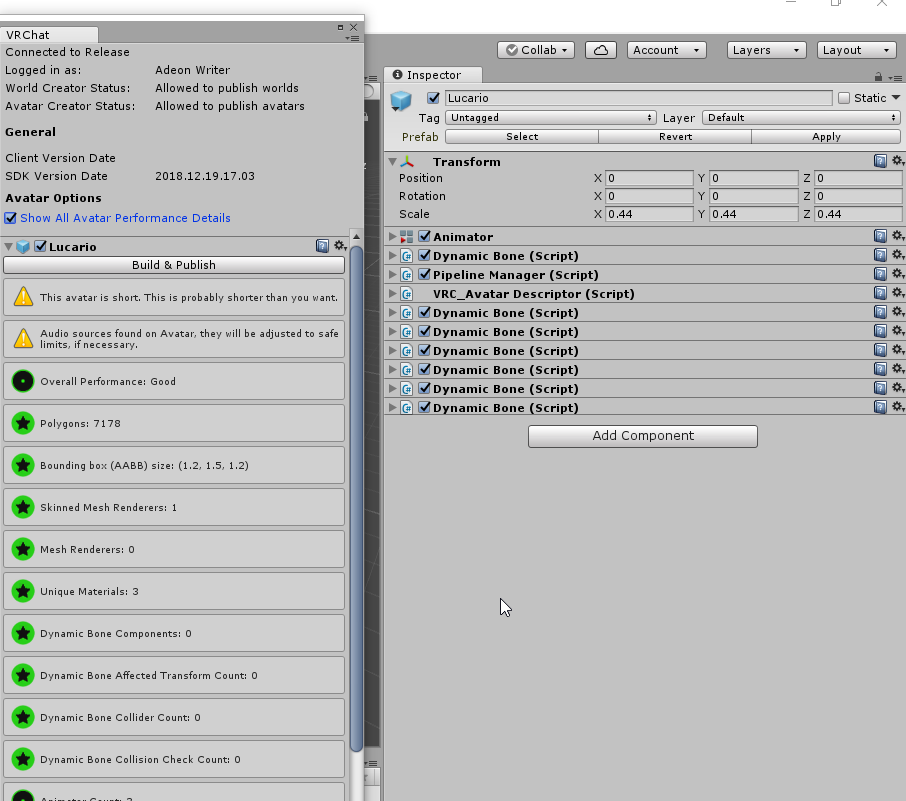
proof i'm not crazy
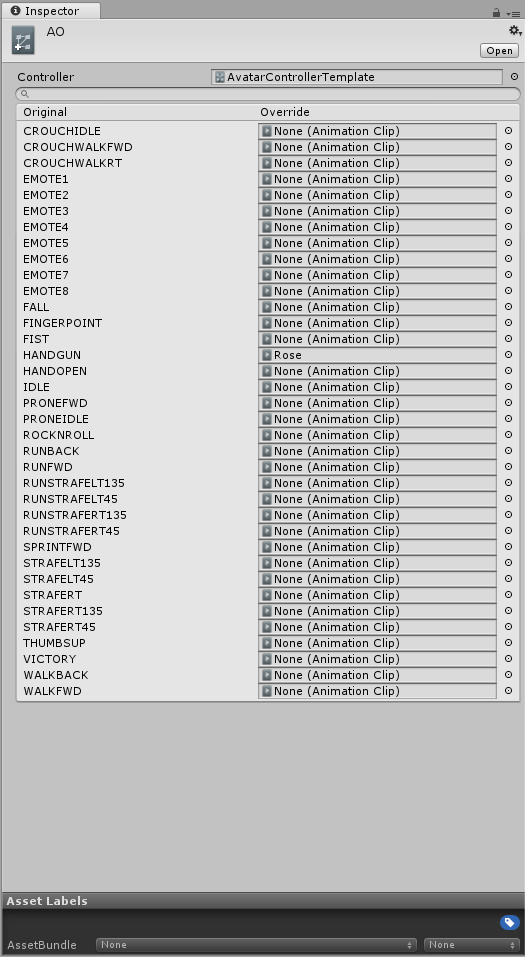 vocal river
å, I was asking cause I need help xd
amber hemlock
oh, idle/relaxed hand is just called Idle, but you don't want to override it on humanoid avatars, it will break everything.
I think...
 primal citrus
Performance goals
vocal river
polygons: 1 xd
amber hemlock
Ptch, you usd 3 verts just to make ONE polygon? wasteful
primal citrus
Truly shameful
vocal river
damn, overriding the default/idle gesture would be perfect to workaround the bound size problem with markers
amber hemlock
also getting custom animations in without a 2nd animator (throwing you out of Excellent)
But really, let's be real here
Do whatever you want. Nobody cares about your rank in-game.
No one. Nobody that matters.
vocal river
i know that, but it's just the OCD that kicks in when everything is excellent except the marker.. that throws me to very poor lol
amber hemlock
Just make a version without it for when you aren't using the marker 😮
but yeah i get it
I'm excellent except i want my tail wag
Trying everything in the book to get a custom animation avatar in as excellent
it would be possible if we still had legacy anims
vocal river
ya
timber blaze
wait why does a tail wag bring it out of excellent?
distant forge
You are only allowed the one required animator which doesn't let you replace the controller
In excellent category. Having no additional animators apparently allows unity to perform additional optimizatioms
timber blaze
oh ok, interesting
distant forge
But you could do tail wag if you override custom idle walk run and prone animations
timber blaze
would be nice if there were sample animations for those 😦
amber hemlock
Reimported SDK, still broken. Dynamic bone is official from asset store, not the pirated one that always goes around
ancient crystal
um no
why in the world woudl u use it for override
just use an animator with multiple layers
amber hemlock
Oh sorry the point was I'm trying to get an avatar with custom animations that is still rated "Excellent"
distant forge
If you want excellent rating you can't afford extra animators
amber hemlock
You can only have one animator if you are rated Excellent
and that animator can't have animations on it... or your IK doesn't happen
you'll just go into motor cycle pose in VRChat
so basically excellent can't have custom animations at all, unless someone figures something out
it was probably intentional, though
I'm more concenred why my SDK refuses to detect any dynamic bone or coliders at all
always reports 0
then i upload and get a Poor
ancient crystal
yea it can
u just create an animator
rotate the tail bone in an animation
put the animation in the animator
and ez
thats what i do
amber hemlock
Sorry I think there's some kind of misunderstanding happening here
ancient crystal
i have 3 animations on 1 animator in separate layers
1 tail wag and 2 ear twitches
amber hemlock
You can't have an avatar rating of "Excellent" if you have more than one animator.
amber hemlock
and you can't put animations in the default animator
ancient crystal
who cares about excellent as long as its not poor
amber hemlock
Well that was the point of the discussion
ancient crystal
besides the rating system still bad atm
amber hemlock
this is #avatar-optimization
ancient crystal
just 1 animator doesnt rlly matter just use it and dont complain xp
amber hemlock
not #animation
karmic condor
Good or excellent is still fantastic
ancient crystal
^^^
like legit why would u even
replace all the animations
makes no sense
u would have to make many more animations
amber hemlock
I'll give you one reason.
ancient crystal
and they get masked out too
karmic condor
Have your cake
 ancient crystal
u cant even make tails wag in idle noob
timber blaze
Excellent reason
ancient crystal
its masked out
or at least some of the other anims too
and again
u gonna make many more animations
than 3
so it wont rlly work
animator best way 2 do it unless u wanna waste time doing something that just make it worse
and u still only do 1 animator multiple layers so its not that bad
karmic condor
I finally figured out how to not make my avatar sink into the ground when animating. To be fair I only tried like twice before
ancient crystal
i think if everything else excellent it might be averaged to excellent anyways
timber blaze
brb gonna go make a tail wag using only shaders for shits and giggles
ancient crystal
n000b
timber blaze
scrub can't even shader wag
 amber hemlock
@timber blaze Toss it my way if you're successful.
timber blaze
kk
 steady abyss
A bit off-topic, but would someone here would happen to have the red ! emoji?
halcyon vessel
huh


 steady abyss
Awesome, cheers.
 uncut maple
:VeryPoor:
vague hearth
@steady abyss you can also hit ctrl+shift+i at discord and come to his message to get links to this pngs
 worn lantern
Actually I want the 2017 emote back
steady abyss
Oh thanks, didn't know that
amber hemlock
(Sorry)
amber hemlock
I'll put them there instead
vague hearth
you can put their links inside of `
that will not post images
timber blaze
@amber hemlock proof of concept
amber hemlock
Man I wish i knew shader code.
How easy is it to pick up? I know only C++ and Java.
nothing about rendering
timber blaze
i started from nothing back in like may or june i think
and kept a list of dumb ideas and made them whenever i felt like it
amber hemlock
That's very encouraging, thank you
timber blaze
if you're already good at programming, should be pretty ez, my background is also java and c++, mostly java
shadertoy is really nice for finding functions to play with
primal citrus

versed nest
i ask this everytime i see that character, but whats the name of the robot in your pfp?
primal citrus
Voidoll :D
versed nest
thank you so much, i'll try to remember this time
primal citrus
Np 👍
 crystal rose
Hello, it seems I cannot edit materials in Unity, is there any way to fix this?
marsh trail
Select the model -> Inspector -> Materials -> Change from internal materials to external (legacy)
crystal rose
Thank you
distant forge
@timber blaze oh nice!! (Insert Excellent rating emote) How did you tell the shader how much tail displacement you want on each vertex?
timber blaze
i was thinking about hardcoding it into the model using vertex colors, but i decided to be lazy and just go with the distance from the tail origin as the factor for each vertex
here's how the model looks in blender
vertex colors are still a nice way to do it if you want a bit more control over the movement, but they're a pain in the ass to assign
distant forge
Ah but then it has to be a different mesh (though not a skinned mesh so it's ok performance wise)
timber blaze
yup, all you need is a regular mesh
which is fine since it was going to be a different material anyway, so i think it still comes out to the same number of draw calls?
distant forge
That's a cool way of doing it. injecting this type of effect into surface shaders such as Xiexe is doable, so in theory you could add options for tail wag together with the whole mesh in one material.
timber blaze
the real winner method is throwing it into existing fur shaders
distant forge
Haha well xsfur maybe. Trying to do a minor animator performance improvement on a 25 drawcall fur shader would be a joke
timber blaze
lmao
i mean the shader performance would be the same as whatever it originally was
vertex displacement is pretty cheap
distant forge
Well a thing the performance system doesn't account for (but actually could do) is the number of shader passes and grabpasses etc
timber blaze
yeah i feel like there should definitely be some way of just profiling the shader at runtime and displaying that as a stat
but i'm no unity wizard
distant forge
But then you get a shader doing insane things in one pass so it won't profile gpu
But it should be possible to see how many drawcalls a given material or shader will use
timber blaze
yeah but like
record the average amount of time that each pass takes
and throw that up into the performance
distant forge
In terms of cpu usage yes if unity provides the right profiling hooks to count each thing for the avatar it came from
Might be a cool ingame stat to get a sorted list of avatars in the room by time
And world authors could also be useful for game objects or some subset of top level objects by cpu time
timber blaze
yeah idk what unity provides in terms of profiling, but if they have anything like that, i would love to see that implemented into the performance system
added a geometry step for fun just to show the fur idea btw
here's the displacement function i'm applying to the vertex in model space btw in case anyone wants to play with it
        float3 wagtail(float3 p) {
            float wagfactor = length(p);
            float time = _Time.y * _TailSpeed;

            float3 displacement = float3(sin(time) * wagfactor, ((cos(time * .5) * .5 + .5)) * wagfactor * _TailDampener, .1 * cos(time));

            return p + wagfactor * displacement * _TailDampener;
}```im horrible with math xd
distant forge
Oh nice and short. Cool. I wonder how such an idea could be applied more generally to other things we currently use animators and dynbones for
timber blaze
¯_(ツ)_/¯
halcyon vessel
@timber blaze so it move with shader
halcyon vessel
that cool
halcyon vessel
@distant forge some people able to make hair phsyic shader
timber blaze
you could definitely add stuff like hair sway like this, but gravity would probably be tricky
halcyon vessel
yea but shader pro maybe figure it out
they could make alot money just make them to work for vrchat
lol
timber blaze
lol
halcyon vessel
i think it really good enough people would pay it
distant forge
Well part of the point of working for optimization practices is that everyone would use similar techniques. If only that one guy who paid for his avatar has the perf improvement it won't really make a difference
halcyon vessel
people in vrchat would have to change to make better performance for vrchat
like this guy said lol https://youtu.be/45diS4xgUyI

And is also extremely cute while doing it! Hail kanna! Hail squishy!
shut sequoia
"they can do the nametags" 
timber blaze
to think that someday we might have nametags with less than 30 materials
vague hearth
something like a list of polygons for each icon on the nameplate mesh, and changing this polygons uv coordinates by editor property to render an icon from image with all icons or empty space? 
know a shader that move uv coordinates
timber blaze
that'd probably work
moving uv coordinates is ez, the part that i think would be a pain is specifying how they should move
although there might be some easy way to just edit the UV coords via script at runtime, which would probably be a nice way to do it
distant forge
Well one simple way to do uv coordinate animating on a static rectangle with shape keys is swap it so the vertex position is in uv and the uv position as a vertex then you can effectively morph uvs.
But probably an effective way is expose each sprite as a parameter then animate parameters for each part of the rectangle.
Or make it one number and use something like snail's digital display with a different texture per digit
 wanton veldt
ok i barely express opinions atall and always been a observer but now i really wish to express my point of view about that avatar stats system
this ruined communities and public engagements , the system isnt accurate ATALL and ppls judge based only on that and it made soo much drama ever since
says i have 30 materials when i only have 3 texture 3 materials
this thing was a HUGE mistake
that is all , back to private worlds
heady smelt
Yeah, I got shredded about the amount of materials that was showing on me, though it caused no drop in frames whatsoever.
vague hearth
@wanton veldt do you have separated meshes? each material for each mesh counts individual because it makes individual draw calls 🤔
shut sequoia
depends how many mats you have
 drowsy marlin
Is someone able to help me with a texture problem on my avatar?
It's nothing to do with errors or anything, I just need someone to make the pattern on the character darker than lighter
heady smelt
polar bolt
Yes, material count is overboard but this is witch-hunting, we should encourage the optimization instead of posting names with stats
heady smelt
We are going to be lynched, the lot of us.
heady smelt
But how long though?
polar bolt
Except you cant avoid clipping with dynbones so hanging with them would fail
heady smelt
XD Also, I got berated for the amount of materials I had
I got kicked for the result
Who knew?
 grave crystal
I've got you on that one, animated particles away!
heady smelt
Alot of it
The polygons have forsaken us
And yes, it's retarded
Not witch hunting anybody, i just think its funny to screenshot and post pic of avatars i see in void club that ppl tell me they find in avatar worlds
Meanwhile i have 2 materials like lul
 tender timber
its funny to witch hunt people and put them on blast in the Discord, yeah real nice guy you are
If you see an avatar that isnt optimized in a world then report it to the devs, stop looking for attention
tender timber
then wind your neck in
tender timber
Whats more gross is the amount of elitist pricks in this Discord that make it apart of their life to sit here 16 hours a day and whine and flame people and you are just adding to it so move on yeah
timber blaze
but it takes literally 2 button clicks to not be sad
tender timber
you guys are wishful thinking if you think every single person in vrchat is going to abide by the rules lmao
wasnt calling you an elitist prick i meant in general
tender timber
Well witch hunting people isnt the way to go right?
shut sequoia
no, informing is. sadly people have been so misinformed they shun new info
which frustrates others to hell
tender timber
But you should be informing the devs through Email not slandering people through General chat
shut sequoia
they only want to moderate pubworld avatars
tender timber
Moderation.. yeah, going into Larens worlds to clip screenshots of her badly optimized avatars to post screenshots in the Discord to flame her.. very cool 👏
Obviously don't agree with those avatars but at the same time you should be mature enough to E-mail the devs and sort it out through there instead of witch hunting people, pretty sure that should be in the rules, this community is really fucking toxic for reasons like this alone
shut sequoia
flaming someone knowingly breaking rules and creating garbage lag machines?
theyre part of why the game has reached this state of unoptimization
tender timber
No, the reason why the game has reached this state of unoptimization is because it's only been recently they started to really stress about dynamic bones and materials, 8 months ago, maybe a few % of the community knew it was the reason but you're forgetting people dont have past unity/blender experiences, they've only watched Tupper's video which doesnt even go into optimization at all If I remember correctly
tender timber
Does it cover dynamic bone counts and materials
tender timber
https://youtu.be/7P0ljQ6hU0A?t=4636 might want to rewatch it again

VRChat Community Discord: https://discord.gg/VRChat Download VRChat! http://store.steampowered.com/app/438100/VRChat/ mmd_tools GitHub: https://github.com/po...
he actually says you can add colliders to hair to stop it from clipping too
shut sequoia
he does
shut sequoia
he has a video for it
tender timber
he put 2 colliders in his hands and said you can put them in the hair to stop it from clipping too
it's a 270k video
90% of the community watched this to learn how to make avatars
so if you really want to blame vrchat for being this much of an unoptimized mess you should blame the devs
tender timber
No excuse which is why you email the devs and stop putting everyone you see on blast
tender timber
Examples for what? Everyone knows there's going to be a side of the community that says fuck the rules, it's like that in every game
shut sequoia
for whats bad and how real an issue it is
again, no excuse to be in 5.6 now and still be bypassing with id swaps
tender timber
But you're creating another issue simultaneously even if you don't see it
shut sequoia
yup
vocal river
where do I find mix weights in cats plugin ?
 wary relic
@heady smelt Users can also make a guide like that though (even though i fully approve of a Staff made one)
And it wont amaze me if someone is slowly working on one
Its the same that Sai and I are making one for the support stuff within this discord and rumors of Vrchat. If the staff doesnt do it- We will do it instead 👏
heady smelt
"Mix weights" is now called Merge Weights @vocal river
vocal river
ty
 simple violet
Hello everybody! 😋 Does somebody know how to fix clipping feet in the floor .. i tried position 0,0,1 not working 0,0.5,1 .. its looks like nothing changes .. idk how to fix it :/
wary relic
The mega tutorial got mode before Tupper was an admin even so 👀
 agile gust
anyone know how to fix bound box in game issue. in unity my bound boxes are fine and avatar is going to be good rating. gets into game bound box is huge now for some reason and im back to very poor
karmic condor
Do you have a snail trail/marker on it?
ancient crystal
snail is shader so eveything it draw has to be placed in larger bounding box
otherwise no one can see it
agile gust
yeah so in other words if i want marker i have to just settle for very poor?
karmic condor
Yeah. If you have good or excellent in all other categories than 👌
Bounding box is a weird and I have specific criticism on how it’s rating can effect the overall rating.
 unique pebble
It is weird, but its a very important thing for culling
karmic condor
Yeah exactly
unique pebble
most of the issues from that stem from people using a pen to draw that increases bounding box to be so big that culling might no longer work on their avatar
There needs to be an alternative to that and the bounding box issues 99% of people have will be solved
it's pretty cool that people can find these problems now
heady smelt
@sudden jewel wrld_baf41682-9838-4477-bfeb-1a40eb5588b7 check what I have left to optimize and send me the pic through dm's
more than 200 avtrs btw
 safe swift
you can get snails avatar profiler and check it in descriptor @heady smelt https://github.com/theepicsnail/AvatarProfiler
GitHub
VRChat avatar profiler plugin. Contribute to theepicsnail/AvatarProfiler development by creating an account on GitHub.
heady smelt
oh really?
safe swift
yes
 regal spire
The dynamic bone count in snails differs from the SDK iirc
heady smelt
thank you
regal spire
The SDK also counts materials used in particle systems, but I think snails skips that
safe swift
u only care about active by default when uploading public world
simple violet
holy this feet clipping in ground is driving me crazy 😄
 earnest bay
Quick question, are worlds denied if you hit Very Poor, or just Poor performance on the new ranking system?
karmic condor
Depends on what aspects they are very poor in
 rancid fulcrum
Excuse me, I'm getting a traceback error when trying to atlas using shotaryias' add-on tool. What does this mean?
karmic condor
They look for how many separate materials, meshes, skinned meshes, dynamic bones, and dynamic bone colliders
earnest bay
Ah
That helps, thanks! Have several dozen avatars to cull before re-uploading 😦
RIP old stuff!
karmic condor
If you want to salvage the old stuff I recommend using google sheets to log your progress
earnest bay
I'm just using the in-game performance measure now and going from newest to oldest, either fixing avatars or removing them from the world. I've been putting it off for a while
amber hemlock
@rancid fulcrum try the CATs plugin discord
 odd cove
I'm having this problem with my textures. This happened to me before but I don't remember how I fixed it and it might be because VRChat is utilizing a new version of Unity.
polar bolt
Invert normals back in modeling software
amber hemlock
If your shader allows you to flip normals, try it otherwise I think you might need to remove the transparency in the texture inspector
Can’t tell if reversed normals or z layer transparency
odd cove
y'alls just saved me hours of poking around trying to fix this thing. thanks!
 sweet mason
could be the next level of optimization to have the normal map an emission on the same texture 🤔
polar bolt
I'm using alpha channel of main atlas to control emission already 😂
surreal topaz
Alloy has "packed maps"
Sorta like metallic maps but every channel out of the four they have does something else
heady smelt
 rancid fulcrum
@amber hemlock Thanks, sorry about that.
sweet mason
😣
 pine coral
Help, I want to add chair
pine coral
k
 shrewd haven
Hey I was wondering, if I merged the side bangs with the sideburns, would they still flow decently with dyn bones? Could cut out 2-4 bones easy that way. Just wondering if someone has tried it.
distant forge
I'm interested in this line of thinking too...basically one or two sets of bones to compute all the short hairs
Weight painting can cause a bit of stretching for big motion if they are far away but small motion shouldn't cause noticeable artifacts here. I've done some playing with multiple models on one armature and some things can work decently with the wrong bones
shrewd haven
Yeah that was my understanding too. I've generally merged tips and stuff that were so close together anyway, but bangs/sideburns are just that tad more out that I'm unsure of how they'd react. and currently don't have a VR to test it myself properly.
distant forge
You can test in unity play mode by shaking or rotating the head back/forth or rapidly
 rain ivy
the sdk not showing dynamic bones is a known issue
heady smelt
Ah, well there you go
 fading leaf
Be nice if there scoring was consistent
 pine flame
Need to extinguish those useless keywords :l
 late sorrel
lol, yup. @shut sequoia
specially when it double counts particles as two materials.
or somehow, my sephiroth model has 24 materials out of nowhere.
when he only has 5 on his body, and 3 external items with each 1 materials.
It's just weird.
🤷
I just ignore it now.
And just hope we get an update.
safe swift
same, I don't give a crap about this sytem in current state which misrepresents the avatar completely, all i care for is following public world avatar rules.. well, because I have to
late sorrel
All i have noticed is.
Particles are being counted as materials(and being counted more than 1 time).
Certain particles causes a problem, and will say you have 16k+ particle mesh when you don't
(if you use like a cylinder for a mesh particle)
Dynamic bones are set way too low(it's set to 0, and if you have more than 8 bones, you're insta poor).
And sometimes, The body mesh count is wrong(will sometimes say you have 3 separate body meshes when you only have 1).
This is all i have encountered with my models.
It just needs some updates and changes.
shut sequoia
I wonder if there's a reason for this, or if it's a mistake. I wasn't aware of the multiplicative (i really am starting to hate that word) effect on dynamic bones when using more than one script per chain until just recentl
So there could very well be a reason this happens.
 tired badger
This is just the first version of the system. The system does need to exist, just sucks it has issues right now. Their world scanner is much more accurate. Hopefully they can just compile a list of avatars via the world scanner and cross check down the road.
sweet mason
If your mesh is not active, the system dont count it and so on for the other thing
late sorrel
For teleport animations(that i have lines coming down, when i spawn).
It does count them(it's less than a second particle animation, and only 1 particle).
yet, it does what i said above.
 stable star
@worn lantern I'll see about getting it updated :p
The one on here was when I used a neptunia avatar...
simple violet
Hello, so i finished my animation effect and wanted to publish and its says: The following component types are found on the avatar and will be removed by the client: SimpleObjectMake, DelayObjectMake ..... well idk what is wrong it doesnt let me publish https://imgur.com/a/QNrg3YC
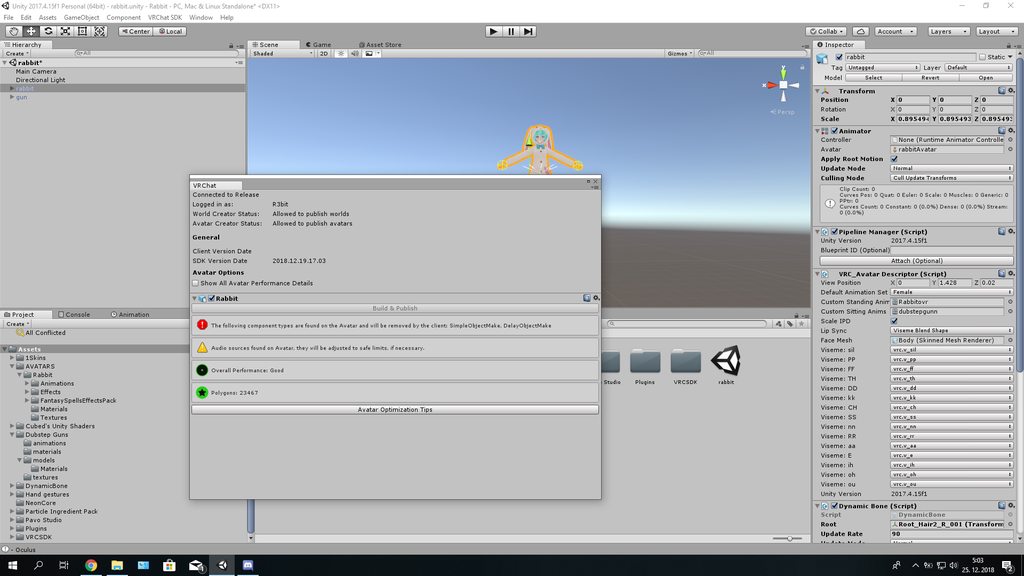
Okay i know i figure it out all of my particle effect was objects-_- okay rip 3 hours
distant forge
@stable star is cutout really that bad perf wise? Especially if you keep transparent areas to a minimum--it will avoid discarding most pixels...those you do discard just assume they are going to double fill.
stable star
the entire the material covers can still cause over draw, even if you cant see through it at all. I know cutout does something different thats not as bas as transparent, but, its still not a good idea to do that
distant forge
I had the understanding cutout shaders generally use ztest and zwrite just adds a call to clip(out.a-.5) ... if clip fires maybe it will require extra backtracking or overhead.
I've seen some that have cutout but for some reason are on the transparent queue. Also for transparent there is the AlphaToMask option that uses multi sampling to apply a nice dither to transparent pixels (though that does have some issues with z buffer)
stable star
this is something I dont know too much about. I just know it's what ive been told about not cheating the render queue to be performant. because it might be ok now, but, someday everyone will be overdrawing on top of each other over and over again making things worse then if everyone just did it properly now. @empty pier can probably explain it better (again, I do remember something was better about cutout, but it still wasnt good to do)
@distant forge
distant forge
Ok cool, i often put my whole avatars on cutout even if there are only a few transparent bits so I can save a material on little fringy bits or eye stars etc
stable star
this is why you get 4 and still excellent. not because they are being generous, but because it's better to not cheat :P in the long run it will be
distant forge
How is that cheating? I was under the impression that saving a drawcall is still preferable to using the extra drawcall but saving a discard that almost never runs
But two materials is still well within acceptable and I might consider using two for most avatars to avoid cutout
 tender sundial
@heady smelt dynamic bones counting as zero is https://vrchat.canny.io/bug-reports/p/sdk-avatar-performance-reports-always-report-dynamic-bone-counts-as-0
the bounds thing I'm considering filing but not sure of a good way to describe it without just handing over the avatar
karmic condor
Thanks upvoted that. I’ve yet to see it count any
distant forge
you could probably get really weird bounds behavior by putting various weird things on some bones like a fixed joint going nowhere to lock a bone at spawn
tender sundial
I have something like that going on but I'm not using any bones
distant forge
people already do the tricks to have a curled up dragon tail and wings that unfolds to become huge
tender sundial
but it essentially does seem to be counting world 0,0,0
it's funny because I can literally move the avatar a few metres backwards and go from excellent to very poor in-game lol
distant forge
I thought the ingame ones don't count disabled stuff (don't recompute)
tender sundial
it definitely recomputes every time you open it, for at least your own avatar
distant forge
could it be a world particle system you left enabled? Those have center 0,0,0 and probably no bounds so whatever function they call to get the bounds might return radius 0
tender sundial
nup 😄
I have: The avatar node, with just VRC_AvatarDescriptor and PipelineManager, then one child node with just Mesh Filter and Mesh Renderer
I think that if your only mesh renderer isn't a skinned mesh renderer, the behaviour of the bounds checking code is questionable
I'm currently inserting a bunch of debug logging to dump how it's getting the results
basic summary:
- at start, bounds = Center: (3.0, 0.0, 0.0), Extents: (0.0, 0.0, 0.0)
(Seems correct) - adding renderer r = Child object (UnityEngine.MeshRenderer):
r.bounds = Center: (0.0, 0.0, 0.0), Extents: (0.0, 0.0, 0.0)
new bounds = Center: (1.5, 0.0, 0.0), Extents: (1.5, 0.0, 0.0)
(Seems incorrect - r.bounds is relative to the model, but the bounds which were initialised were in world coordinates - that's the bug I think?) - after subtracting go.transform.position:
bounds = Center: (-1.5, 0.0, 0.0), Extents: (1.5, 0.0, 0.0) - Result AABB = Center: (-1.5, 0.0, 0.0), Extents: (1.5, 0.0, 0.0)
- AABB.size = (3.0, 0.0, 0.0)
- Correct result: (0.0, 1.0, 0.0)
canny's lack of markup or even sensible formatting of text without markup continues to disappoint
distant forge
no markup really? would expect at least in the original post
that's super weird. could see a bug with non-skinned mesh renderers though if not due to lack of testing
skinned mesh renderers ignore their heirarchy when computing position and bounds I believe - they are relative to the Root Bone so the code probably has a special case for that
tender sundial
literally the first sort of thing I started thinking about was "how small a value can I get for each check"
so I made an avatar with zero bounds, but it was misreported as being whatever my current coordinates were in world space :/
I've since changed the real avatar I was doing it to so that it doesn't have zero bounds anymore, and the problem somehow doesn't happen with that
skinned mesh renderers having explicitly-set bounds seems like it just dodges the issue entirely
what I was actually trying to do is get a mesh with zero triangles though, and I wasn't able to convince Unity to pass it to my shader
polar bolt
0 triangles or 0 vertices? Cant call draw without any vertex data because... There is nothing to shade...
tender sundial
0 tris
AFAIK you can have a geometry shader which accepts a single vertex as input, and can produce anything it would usually produce
distant forge
You set your mesh renderer primitive type to points? You have still a 0 in your indices array right?
I recall somewhere that something forces things back to tris. I wanted to try getting a quads mesh so I could have an extra bone position passed into my geom shader
tender sundial
hmm, I haven't set anything on the mesh renderer because I can't see anything to set
distant forge
You need to do it from a script. Xsboner is a good example of a (skinned) mesh renderer generator. I also have some in my github but you would have to modify a bit to change the indices type
tender sundial
I guess having one vertex at 0,0,0 is still going to wreck my bounds anyway so I might have to have multiple points at least
ok, I think I see the missing piece
mesh.SetIndices(new int[] { 0, 1, 2, 3, 4, 5, 6, 7 }, MeshTopology.Points, 0);
so now I have 8 points, no tris, although Unity says 8 tris
and then the SDK barfs "Failed getting triangles. Submesh topology is lines or points. UnityEngine.Mesh:GetTriangles(Int32)"
I guess it must then silently return 0 because otherwise the whole check should have failed
in any case it does render and I get Polygons: 0
so uploading lel
I better check the logs to see whether I'm spamming them with this error though
distant forge
haha well rip
if that works I kind of want to try quads again. I had something I wanted to try with those
tender sundial
it works but it's laggier to render
distant forge
is it actually laggier though if you pass it through a geom shader that generates tris?
 bold tapir
I have an avatar with 4 textures on each material, can the automatic atlas, atlas those extra textures somehow? so i get an atlas normal map too
 gilded sapphire
I can help with that if u want @bold tapir
but I do manual atlasing.. cause cats has blender version issues
bold tapir
I tried to do it with cats, by putting the normal map at the top of each material but they did not get put in the right place
gilded sapphire
uhm did u convert the tex into a normal map or does it already have a existing n map
bold tapir
It has normal maps already
gilded sapphire
owh ... then put it in the normal map slot. n if it ask to fix it click yes
uhmm
hmm I guess do it like its a normal texture
like do the actual texture. save.. then do the normals
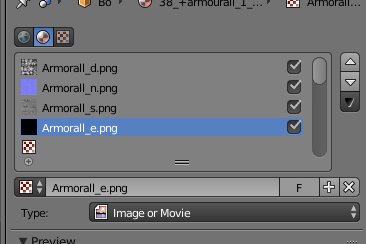 bold tapir
No that's just one material
gilded sapphire
yeah 1 material its good.
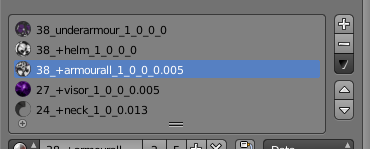 gilded sapphire
so u have 4 materials all 4 have dnse textures?
bold tapir
All of those have a D, N, S, E texture
gilded sapphire
can cats do it?
I can teach u how to do it manually but idk how the textures will react ..
bold tapir
so i'm trying to atlas all D maps to one picture same with all N, S,E
gilded sapphire
@bold tapir wana screen share?
bold tapir
Not done with avatar yet but can i add you and talk to you later?
gilded sapphire
ya sure
bold tapir
Thanks, need to get the polys down abit first
gilded sapphire
this my recent model .. was playing with shader.. cant really test in game cauese of lopping
@bold tapir
^ model poly was originally 68k was targeting 31.9k poly then I realised nah..
bold tapir
My model is from a game so it's very optimize already, like each material is already atlast i just trying to make them one material and trying to find polys i can remove
gilded sapphire
ah ok good luck.I just recently learn how to atlas manually from a friend
bold tapir
I tried that 2 times long time ago and i failed so hard lol
gilded sapphire
I use photoshop to make my emission tex.. and use a free Normal converter to get my normals.
https://gyazo.com/78f41a6651f2134877441a5cb1383eb4 @bold tapir this is how currently it looks.. but I dont know how well it look in maps...
 safe swift
u can keep marker, but use two gestures to draw with it, with first you enable the marker, then with 2nd u do -10000 to 0
bold tapir
Is there a picture file typ that is good quality but is also have small file size when i use 4k?
safe swift
use crunch compression @bold tapir
for n ormal quality 4k it's usually 5mb?
high quality 10-20mb
 dark forge
question: what's an optimized avatar and why is it so important to have one?
shut sequoia
Do you want your avatar to be efficient and be loved by everyone because of all the frames you're saving them? Follow these tips and you should be good! Any recommended numbers or limits in this document are subject to change at any time. Although some of the descriptions pr...
The Avatar Performance Ranking System allows you to see how much a user's avatar is affecting performance via analysis of the components on that user's avatar. You can also use it on yourself to see how performant your avatar is. **This system is purely informational at this...
dark forge
thank you 👍
shut sequoia
These two bits of documentation cover a lot of what it is. Basically it's making an avatar that doesn't require tons of gpu performance to have onscreen, but different things impact it differently which is why you can't rely on the ranking symbols completely.
For example, bound size doesn't matter as much as dynamic bones, but they both make your rank poorly.
dark forge
oh, okay!! thank you!!
sudden jewel
@shut sequoia Bounds size potentially means even more than Dynamic Bones, depending on how big your bounds box is, and if you have DB on your model. It affects culling.
It scales depending on how bad the rest of your model is, basically
shut sequoia
Yeah bound size can be extremely important depending on the avatar but I mean if you're excellent in every other regard it still knocks you down to Very Poor
Would the 20 meter culling for DB technically start farther away if your bounding size was bigger since it wouldn't count it until the box itself was far? as opposed to a properly sized one being 20 meters away
polar bolt
The script does not run at all when culled - thats why when fast turning you can see skirts with gravity or affected by colliders or hair doing rapid motion until settling
sudden jewel
Exactly. I believe the distance measurement for DB is based on the location of the root bone.
However 20m is pretty far, so.
polar bolt
Its less than 20m. In my world can see it deactivating at around 15 but haven't tested exact distance
Long hair going stiff is quite noticeable because image from cameras is enlarged 😄
heady smelt
@sudden jewel do blocked avatars have performance impact of their original avatar or the defualt grey ones?
i would assume the default grey ones but my frames are droping with 20+ of them in a lobby
hmm
maybe my pc just acting up
srry for the ping i just dont really know who else would answer this question
sudden jewel
Nope, if an avatar is blocked it only has the impact of the gray guy and the IK required for that gray guy.
That does mean that crowded rooms (as in, 40+ people) will have a decent amount of lag no matter how many you hide/block.
The network IK update will fix that a bit, as well as some other optimizations we'll get on soon.
heady smelt
i figured was abot 30 of em
thx for the info
also if i show avatars on safety hidden avatars the are still infinite loading
but i assume this already known bug
 spice drum
Gave it some more thought after @sudden jewel posted about how my new avatar could be more optimized and figured to just go ahead and go all the way. 💚
Losing dynamic bones honestly isn't the worst thing. Facial gestures is really where a lot of the charm is.
She still dances well too. :3
 short cave
is there any way to combine materials in unity, I have some props that are not from the model so I cant just do it in blender
also i keep going animator count of 2 where are there other animators at? Can i remove that ones thats there by default on the model?
sudden jewel
No, you cannot. That is the root animator, and is required.
You also cannot combine materials in Unity by default, but there are some addons you can get that do it. None of them do it as well as simply importing your props in Blender and atlasing that way. You can leave them as separate meshes if you like in Blender, but make sure you set the meshes that do not have internal rigging to Static Renderers manually.
short cave
so i import the props into the avatars blender project?
spice drum
@short cave Yeah, unfortunately a lot more prop work has to be done in Blender if you want to get the material count lower.
gilded sapphire
@spice drum since db is not good for optimization... u could spend the time to animate the bones like how people make ears and tail
spice drum
Oh totally, there's definitely a lot of work-arounds to emulate the feel of dynamic bones.
spice drum
yup yup
 median mantle
Hi guys, anyone has any ideas on why the bounding box could get bigger on avatar spawn? When it's in menu it shows correct values like on upload but as soon as I change to it the bounding box gets to silly size
surreal topaz
@median mantle do you have something like snail marker on it?
Bounds calculation appears to be very broken
It can also change depending on where you are in the world relative to the world origin
I don't think you can fix any bounds issues as long as your bounds are fine
median mantle
The only thing that comes to my mind is the particle system but it's really tiny and with very short lifetime/duration
No snail marker, nothing abnormal, some dynamic bones with force pulling down and particle system, that's about it
Didn't notice it on other avatars, this one shoots up to millions in xyz
surreal topaz
Could be the particle system, sometimes it can be prevented from being culled if it's "unpredictable"
You could turn it on 0.5 seconds after load using an Animator
median mantle
Hmm, yeah I'll try uploading avatar without it
It's an otherwise Good avatar ._.
Thanks
amber hemlock
Is there someway to add custom animations to the default animator so we don’t have to create a second animator
surreal topaz
@amber hemlock add it to idle
Other than that, nope
Generic avatars can have their own animators though, so you can just add another layer to the controller
amber hemlock
When I added it to idle my avatar went into motorcycle pose
surreal topaz
@amber hemlock yeah
You need to have an entire idle animation
Including the whole body
And then add it into that
The idle animation is always on (unless you're prone)
amber hemlock
What if I disable write defaults will the ik show through
polar bolt
Nope, find the default idle animation that animates the entire body and add to it
amber hemlock
But then I won’t have arms anymore ? Or am I missing something
polar bolt
No You will still have them, because the animator has blending and masking. Also #animation
sweet mason
Anime girl, its time to have an haircut i think
sweet mason
Why not having an option to dissable dynamic bone in the option
If its that hard on hardware
 spark bison
not a game dev myself but I assume it may be hard to implement?
heady smelt
the main reason it wasn't implemented is because the toggles were part of a security feature, not a performance feature
polar bolt
It's not hard and the actual answer is here: https://vrchat.canny.io/feature-requests/p/toggle-dynamic-bones-option-1
karmic condor
Considering I was in a game map and most people decided to not switch out of their laggy dB intense avatars despite literally everyone experiencing lots of lag. I’m down
simple violet
Does somebody has idea whats wrong ? none of my overides working , i am blinking only with one eye and i cant crouch when i crouch i go under model ?
 solar urchin
So i have a question about this optimization thing.
Why the model i have is Green (Good) in terms of optimization,but my friends see it as Orange(medium) instead of Green?
simple violet
Solved: I didnt rigged hands 😃
spark bison
do you use dynamic bones @solar urchin cause unity does not calculate that in the editor i don't think
solar urchin
Yes i use dynamic bones,the weird thing is,it sees 17 transforms(that puts me on orange) for my friends while on my screen it sees 16 which keeps me in the green
 thorn ginkgo
Pumkin's Avatar Tools found at the bottom of the linked doc should give you an idea of how many transforms your avatar has. I haven't yet checked if it provides exactly the same count but it ought to be approximately correct.
https://docs.vrchat.com/docs/avatar-optimizing-tips
Do you want your avatar to be efficient and be loved by everyone because of all the frames you're saving them? Follow these tips and you should be good! Any recommended numbers or limits in this document are subject to change at any time. Although some of the descriptions pr...
solar urchin
hmm,ill check with that,but is still weird how it reports different values for different people
bold tapir
Why do atlasing turn the white part of my texture green?
surreal topaz
@bold tapir is it an XPS/XNALara model?
bold tapir
Yes
surreal topaz
Set all the material colors to white and bake the texture again
XPS Tools gives weird colors to every material
bold tapir
https://i.imgur.com/Q5jIsPZ.png all of them have same color
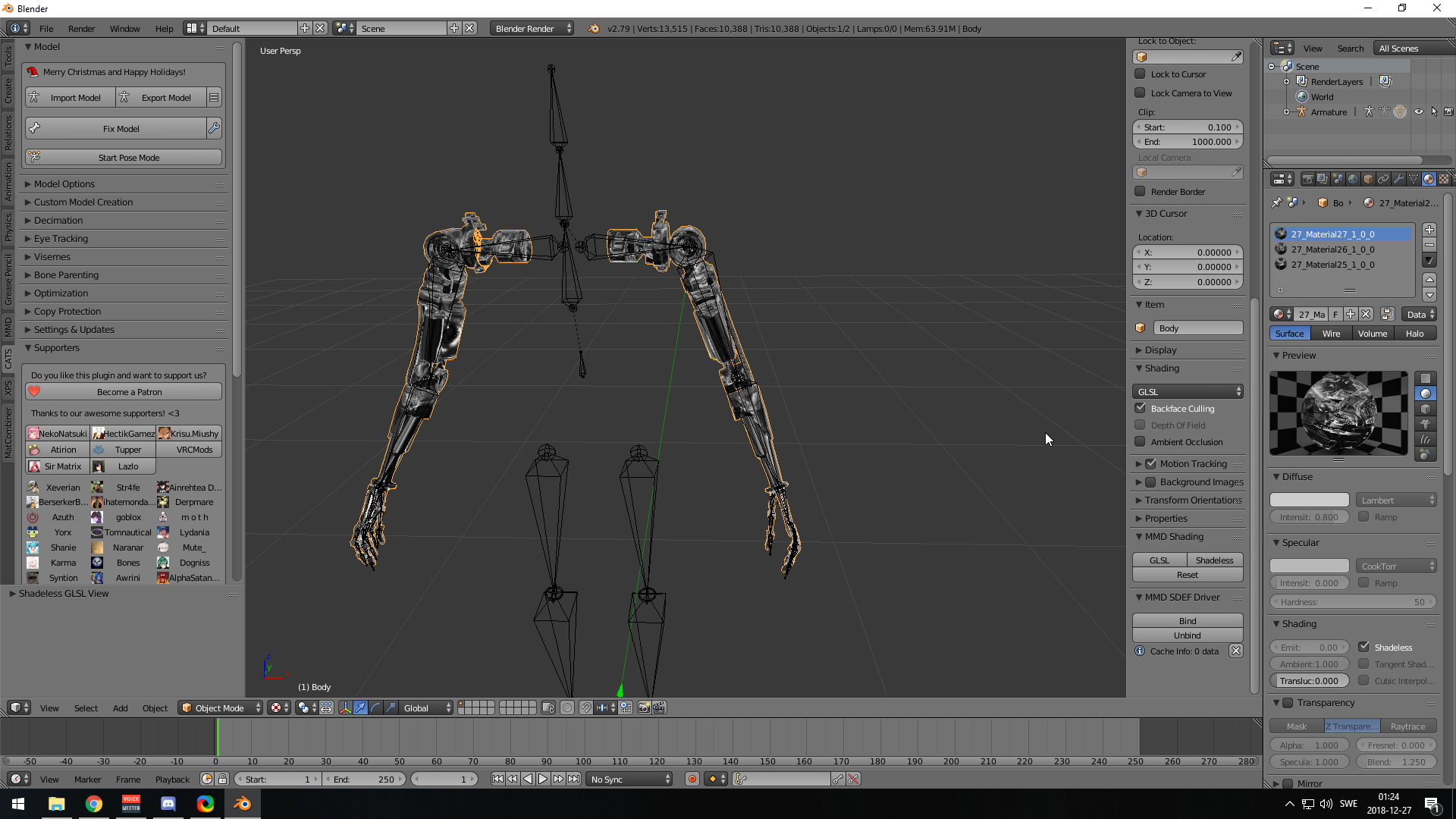 sweet mason
Re import the new atlased texture in the scene
bold tapir
Do you mean re import to unity? Beacuse i notice it's unity turning them green
surreal topaz
You can set the diffuse color to white maybe
If it's normal in Blender
Just set it to white in Unity
bold tapir
https://i.imgur.com/LZUnlOU.png this is how it looks
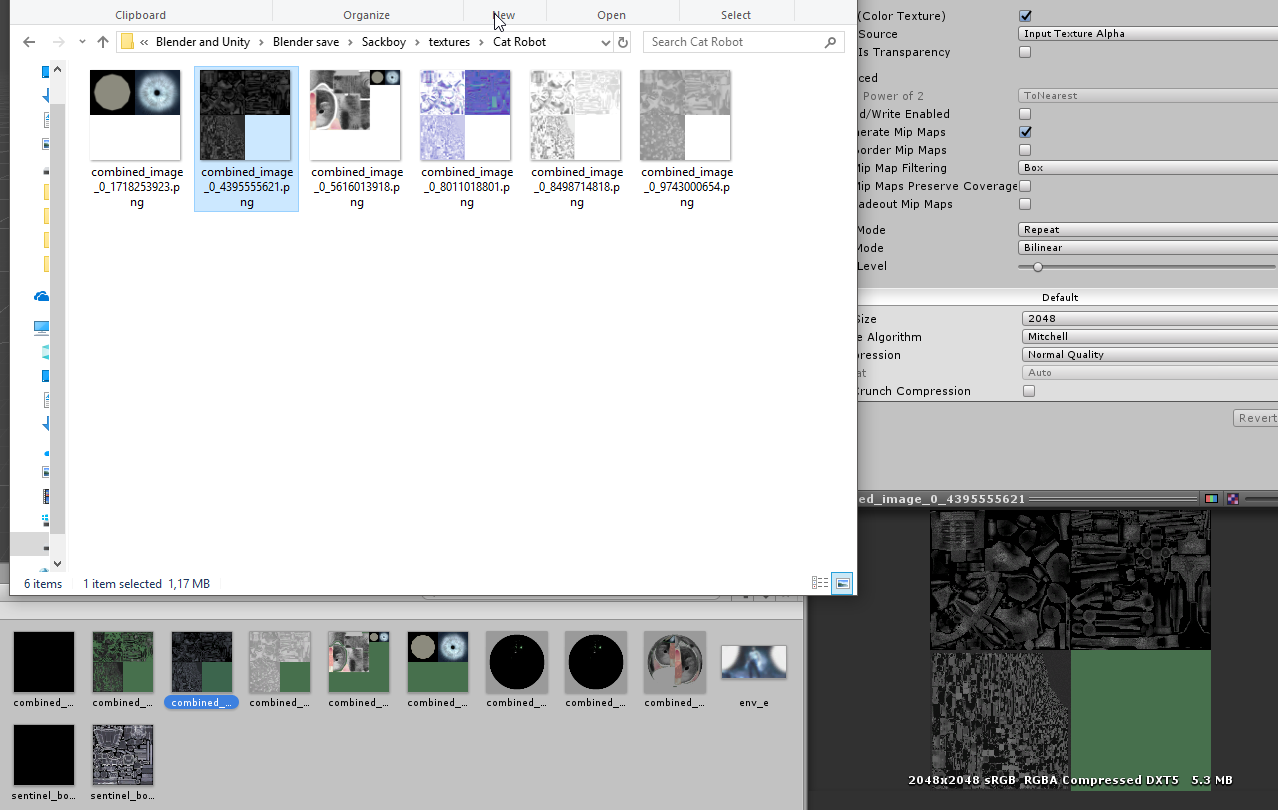


 surreal topaz
Oh, you can probably ignore that. Tick "Alpha is transparency" on the textures @bold tapir
That should fix it
sweet mason
Why having 2 controler make it good?
 obtuse raptor
Same here, just a few minutes ago my atlus had that green too, and it was offset a tiny bit by default. Confused the heck outta' me
sweet mason
Since i use 2d viseme for my blinking its kind of bad to loose the perfect mark
karmic condor
its green because the alpha is on a 8-bit color texture.
Not a thing to worry about
 spring citrus
Hello! I’ve been busy this Christmas and have not kept up in the recent updates until now. I was wondering if the Public Avatar standards for worlds have changed in light of the new update or are the same as they have been. Thanks!
karmic condor
The public avatar standards are the same as they were when they were introduced a month and a half ago (I think its been that long)
spring citrus
Okay, thank you! I’d like to go back and make sure none of them are “very poor” rating, just don’t wanna reupload my world and have them deny it because of a couple being that rank (but still following the public avatar standard).
karmic condor
Some may still get the very poor ranking, but the world may still be approved. Things such as bounding box can cause that ranking to occur.
spring citrus
Right, thanks for the tips. I’d like to make my current avatars at the least poor, then all my new to be at least medium or whatever it’s called.
safe swift
I don't think they are checking for poor/very poor, as that system is not representing the avatar accurately and is still work in progress
if you get under 50dyn bones, 15 materials, 3 skinned meshes, 2 colliders, not too high poly count - you're good
safe swift
no, 15 is still yellow
yellow = is okish , red = must be fixed, and at 15 materials the cell is still yellow
amber hemlock
Huh interesting it actually got more lenient then. I still don’t understand the need to have more than 5 materials in the absolute worst case scenario
1 material per unique shader parameter setup
Same shader and identical parameters = should be part of same UV
ancient crystal
mine poor for whatever reason lol
good in unity just not in game
y'know if it actually was 'an average' then why is like 2 poor thing bringing it down to poor
i have handful of excellents and goods
so should at least be medium
marsh trail
It works in absolutes, if even a single var goes over a limit, it categorizes it as such
ancient crystal
ugly xddd
imo it should be weighted average where
lower values get slightly more weight
bc that way say ur character is 50k polygon and dynamic bones
and say another is like 200k
both will rank very close to eachother even if everything else excellent
when in reality the 50k should probably be good/med
not poor
marsh trail
Ehh, isn't 50k still in the good region?
ancient crystal
yea
but dynamic bones easy to make poor
which is kinda dumb
like every avatar i have if it has 3 or more dynamic bone scripts gets to poor
amber hemlock
The SDK currently gives you excellent on all the dynamic bone categories because it is not detecting them
Client does not have that issue
ancient crystal
and it kinda unfair
ye
like for example u can still use average and it be accurate
bc if someone is over the dynamic bone limit drag them down more
if they are way over then drag them down a lot
marsh trail
I mean you could have a literal blank avatar with a large bounding box and you're very poor so i'm all up for actual weighted values instead of optimized absolutes
ancient crystal
shouldnt be directly categorizing me to poor
amber hemlock
Dynamic bones are fine just don’t use colliders they act like multipliers for how many dynbones you have
ancient crystal
no but not just weighted values but like
the further from the excellent it is, the more influence it has
which keeps limit breaking avatars at very poor
marsh trail
Sounds reasonable
ancient crystal
and keeps ok-ish avatars at good/med
amber hemlock
Like 35 dyn bones with 1 collider acts like 70 dyn bones, two colliders acts like 105
ancient crystal
yea ik the collider thing kinda annoying tho
if u just put left and right hand colliders
amber hemlock
It’s based on real lag though
marsh trail
No kiddin'
ancient crystal
and put em on ur tails and ears whatever
i dont see any difference in performance and i havent seen any complaint
but im still ranked as much as this dude that lags a bunch
amber hemlock
They lag even when not colliding because they constantly need to check if they have
ancient crystal
because also say for example
an avatar has everything in the poor
they should be categorized very poor
not poor
bc that makes a lot more sense
again if poor had more weight in an average then that would happen
amber hemlock
It’s more like a specification
ancient crystal
yea
amber hemlock
Medium avatar needs to meet these requirements etc
ancient crystal
yea and thats y i dont like it
essentially u could average like
excellent is 1
good is .75
med is .25
poor is -0.5
and very poor is -1.5
then when u average it the weights will modify the value
amber hemlock
Well it’s intentional, a medium avatar has restrictions, a good avatar has these restrictions, if an avatar is excellent/good/medium you can know exactly why