
#avatar-optimization
1 messages · Page 23 of 1
 warm patio

 gritty terrace
Go to the UV editing tab and choose the atlas'd material, once its chosen enter edit mode and select all the faces on your model then see if you UV is messed up
it might be not overlapping the texture correctly or completely collapsed on itself
warm patio
theres no atlas material
oh wait u mean AFTER converting it okay
nope, theres no atlas, it uses the jacket as atlas i guess
warm patio
gritty terrace
Go to the UV editing tab and choose the atlas'd material, once its chosen enter ...
srry for the tag
gritty terrace
not sure what you mean by no atlas, like its not uv'd to the new atlas it made or it didnt generate one?
warm patio
gritty terrace
not sure what you mean by no atlas, like its not uv'd to the new atlas it made o...
it didnt generated an image for the atlas
and this is the up

it looks really messed up tho
wait i think i found it
the baked texture
gritty terrace
err im not too sure what the issue could be atp if the UV is like that...
maybe you attempted to merge too many images at once and it flubbed it up?
in my experience if it goes over 6 and the images used are too large canvas-wise it will struggle to generate (it'll also just deteriorate the image quality since vrchat cant use anything higher then 4k anyways iirc)
warm patio
it kinda has the shape

okay i made it work i think
YEAAA

finally...

t worked tysm yall for t
the help
 maiden rivet
If I have a god damn lot of PC-exclusive things on an avi, can I make the mobile variant use animators, parameters and menus with that all cut out?
or do they need to be all identical
i know animators, especially huge one takes a lot of performance
 cold yarrow
the avatar parameters should be the same list but other than that you can have a 100% different avatar if you want
So yeah, definitely cut things out.
maiden rivet
may aswell just keep the menus then
i thought I could cut back on network load for mobile users if i yeet stuff from the parameters
cold yarrow
well you can but the order matters, so if you arrange them so the last ones are the ones not in the quest list, that'd work
maiden rivet
i use VRCFT stuff so -no clue- how that ends up
so i rather not do that
I was just worried, because I already spam questies with full facial tracking that the entire rest of my PC-only shit would just pile on top and ruin quest performance
cold yarrow
yeah it's a bit of a mess with fury doing stuff, but I think they have a tool to make that work?
 spare goblet
i asked once
they told me it's all automatic and will sync
but idk
i never tried
maiden rivet
well thanks for the help, pushed the updated variants so those should run as good as it gets now
sadly dont know any quest players to check so I have to go off of theory
 wet spindle
maiden rivet
sadly dont know any quest players to check so I have to go off of theory
wet spindle
maiden rivet
sadly dont know any quest players to check so I have to go off of theory
if you have an android phone you can check there, it uses the same avatars
cold yarrow
oh I keep forgetting that, yeah
wet spindle
in fact i believe you can test on android before uploading, though there's some setup required
though i don't think it would help for checking cross-platform sync in particular
maiden rivet
wet spindle
if you have an android phone you can check there, it uses the same avatars
Yeah, but I have a Fold 6, I am gonna run locked at 120FPS no matter what
even in power saving mode etc
wet spindle
ohhh you wanted to check performance, fair enough
maiden rivet
yeah i know the avi works and all, i test using the android app for function all the time. But i cant do -any- prediction on performance other than "yeah this version should run a little better"
sadly dont have my old quest 2 anymore, neither do i know people with one. That's probably the only place where you'd really feel animator culling
cold yarrow
once in a while I've launched my main in desktop to view stuff from the quest standalone
maiden rivet
would have done that, but yeah no more quest here
mine sadly bit the dust a year or so back
 cosmic wave
I did it over 1000fps achived lesss gooo!
i know this channel aint meant for this but im happy about it

 spare goblet
first, auto fix the read/write error, cause that's not an actual number of their polygons
my other advice is split this into 10 avatars, there's no need to have everything in one. Cause sure, you could merge materials and meshes, but that's not really gonna matter with those numbers.
Why does it need to be all in one avatar? Is there a specific reason for that?
lol, that's very inconvenient
I will never understand people who refuse to switch avatars. No need to have everything in one
but whatever
My advice: Make it me 10 avatars instead of one.
But...
Polygons: Use the Tuxedo plugin to bake your avatar in blender or decimate in blender or get rid of vertices under clothes in blender (if that's even possible with that many outfits) or get rid of vertices in some other way
Skinned Mesh Renderers: Ctrl J in Blender. But you'd need to keep toggles in mind when you do that, because if you really do have 70 different outfits then that advice is pointless
Material slots: combine materials in blender manually or with a plugin https://github.com/Grim-es/material-combiner-addon (what counts are material slots, so even if you combine everything into one that will be 70 material shots, each mesh has their own slots.
Physbones/Bones/Lights/Particles: remove some. If you need all of that, make it be 10 avatars (or even more from the mesh count)
 obsidian lake
maiden rivet
sadly dont have my old quest 2 anymore, neither do i know people with one. That'...
obsidian lake
maiden rivet
sadly dont have my old quest 2 anymore, neither do i know people with one. That'...
in a public world you will find many people on quest
i'm not quite sure how you wouldn't know anyone with a quest, or at least where to find them, since iirc it's the majority of the playerbase
just go to a quest compatible public world
 gray citrus
Been a hot minute they were a good watch I think having seen topology examples I can see that there are ways people can optimize there mesh especially there face and arms
How memory consumption happens due to texture memory and the side of effects of verts translating those maps was very informative
Animators are indeed quite the black box haha
I didn't know you could decimate a skinned mesh , I presume it would always break the weight paint or did they patch that and do some normalizing math to blend it out?
cold yarrow
you can but often you have to be picky about how, and it's rarely the best option
 spring sun
gray citrus
I didn't know you could decimate a skinned mesh , I presume it would always brea...
spring sun
gray citrus
I didn't know you could decimate a skinned mesh , I presume it would always brea...
Itd kinda normalize the weight painting to the nearest decimated vertice
gray citrus
At that point It'd be better to just have a good topo from the get go
maiden rivet
obsidian lake
i'm not quite sure how you wouldn't know anyone with a quest, or at least where ...
I mostly hang around with creators or dancers, so that usually means Lighthouse tracked headsets. Kind of naturally grew a friendgroup that's all PC nuts
Also yeah I did ask a few people in public if they can see my facetracking on quest, but kind of was too awkward to ask them to go in an empty lobby with me and toggle my avi on off to see how many frames i drop them down / or not
 heady quiver
Would anyone be free to hop into a vc and help me get a model available to quest?
 solemn owl
heady quiver
Would anyone be free to hop into a vc and help me get a model available to quest...
solemn owl
heady quiver
Would anyone be free to hop into a vc and help me get a model available to quest...
I Made a video that might help with the process
https://youtu.be/BBLJAif7SPg

In this video you will learn how to convert an avatar for Quest, if you want to keep ideally all the toggles as the PC version.
It is not going to be a very optimized avatar, but you will not loose anything or you will loose as little as you can.
You can also have hue shifts now with the new Toon Standard Quest shader from VRChat.
0:00 Intro
0:...
heady quiver
Thanks a bunch!
 buoyant holly
gray citrus
I didn't know you could decimate a skinned mesh , I presume it would always brea...
buoyant holly
gray citrus
I didn't know you could decimate a skinned mesh , I presume it would always brea...
dissolving Edge Loops tends to be a safer option than the decimate modifier to reduce triangle count
obsidian lake
maiden rivet
Also yeah I did ask a few people in public if they can see my facetracking on qu...
lmk if you need help testing in the future, i play on quest so i can always help out
maiden rivet
obsidian lake
lmk if you need help testing in the future, i play on quest so i can always help...
oh thats so so nice of you, for now I think my avatar is final and it's time to enjoy vrchat tho. I'm trying not get back into my old habit of 10 hours of avi work for 1 hour of playing xD
 lunar ginkgo
I need some help with fixing up an avatar,
Could someone possibly talk to me in DM's abt it?
cold yarrow
if you do it in public, many people can contribute and also potentially learn from the conversation.
lunar ginkgo
I was trying to in the avatar help section
spare goblet
this as well
spare goblet
you can take screenshots
cold yarrow
it isn't really - you're over the uncompressed size
lunar ginkgo
But here's the thing
It should be like that
Cuz the avatar is pretty much the exact same as it has been
cold yarrow
"pretty much"
lunar ginkgo
But when upload it, no matter what chages I make
It stays the same
I'll send what I can in a sec
cold yarrow
possibly you aren't making the right changes, and also you have to do another build to see that stat updated
lunar ginkgo
cold yarrow
possibly you aren't making the right changes, and also you have to do another bu...
I know abt that part
But it's like there's some specific factor that's contributing to it
And I've been testing it,
But from what I've seen it isn't the texture nor the models themselfs
Thus If @cold yarrow or @spare goblet would be willing for me to directly show ya,
It may help better explain what's going on
cold yarrow
I don't help in DM for free, sorry.
spare goblet
me too
 nova nimbus
lunar ginkgo
Thus If <@966400987180961792> or <@565467755617452032> would be willing for me t...
nova nimbus
lunar ginkgo
Thus If <@966400987180961792> or <@565467755617452032> would be willing for me t...
i can help out! theres a few really good plugins out there free that allow ya to view the build size of your avatar and such if your struggleing with that <3
and if still stuck meh dms are open ^o^
Sometimes it's just a matter of an FBX with too many blendshapes, or a texture imported with mitmaps on/wrong compression settings and things. should be a simple fix ^-^b
 regal basin
anyone know of an automated way to cut all texture res by half? Preferably non-destructively. I have a "club" version of my avatar that I manually downscale all the textures on every time I upload (to prevent ripping and improve performance), but it gets pretty tedious to update.
cold yarrow
destructively: find . -type f -name \*.png -exec mogrify -resize 50% {} \;
... maybe you aren't a linux user though 🙂
 ivory sluice
regal basin
anyone know of an automated way to cut all texture res by half? Preferably non-d...
ivory sluice
regal basin
anyone know of an automated way to cut all texture res by half? Preferably non-d...
(lower texture resolution won't have any perf improvement btw)
 proper grail
It do have the benefit of not crashing me if i turn around too fast tho
 heavy knot
regal basin
anyone know of an automated way to cut all texture res by half? Preferably non-d...
heavy knot
regal basin
anyone know of an automated way to cut all texture res by half? Preferably non-d...
Pretty sure hai has a tool for this
https://docs.hai-vr.dev/docs/products/prefabulous/universal/replace-textures doesn’t automate the resize it seems
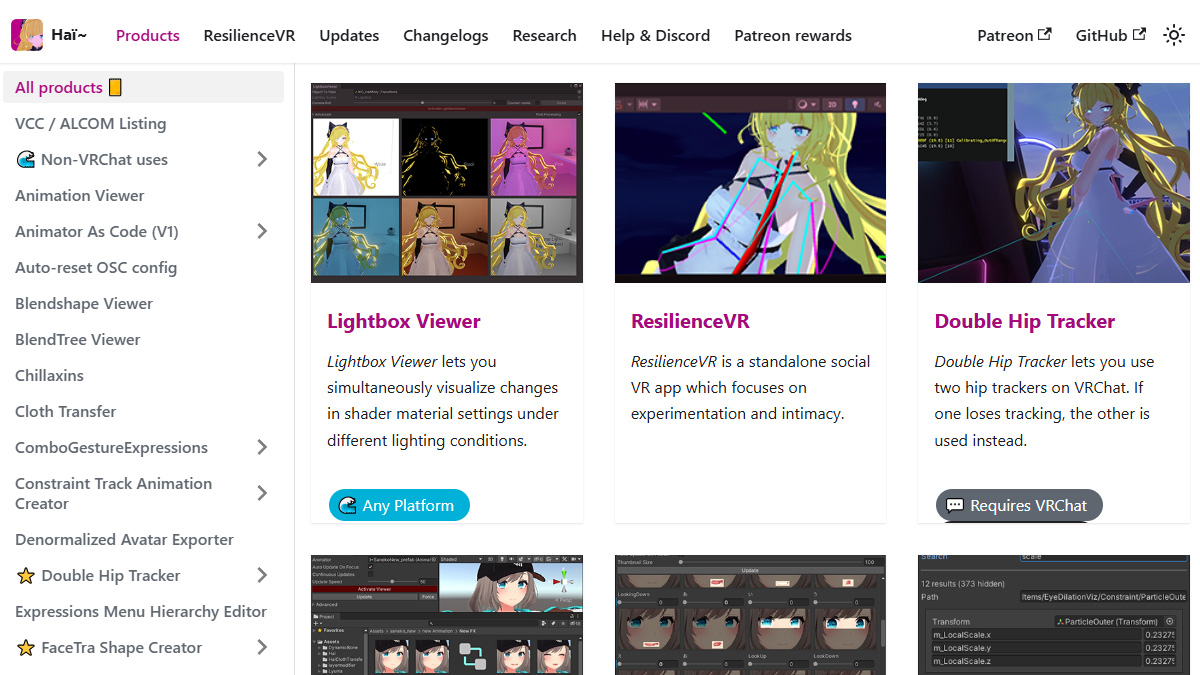
Replaces textures inside materials with other ones.
regal basin
ivory sluice
(lower texture resolution won't have any perf improvement btw)
spoken like someone whose never run out of vram before lol
ivory sluice
are your texes like 16k?
heavy knot
The addition of mip streaming did alleviate some of that performance impact
buoyant holly
ivory sluice
are your texes like 16k?
a club world is going to have like 80 avatars in it
 radiant shadow
wish sdk had it default, many forget to check 

easy way to change resolution for smaller download size or compression for less vram use
 wintry laurel
Hi, are there any tools to help optimize the final build / exclude redundant files? Or should you simply just prune the project
cold yarrow
IMO only put on the avatar (in the hierarchy) what you want to be uploaded.
 limpid frost
ivory sluice
(lower texture resolution won't have any perf improvement btw)
limpid frost
ivory sluice
(lower texture resolution won't have any perf improvement btw)
Is this true? Lol
heavy knot
It's true until the game is VRAM limited
regal basin
which is always lol, unless you have like 32gb of vram, but even then it'll fill in a large instance
ivory sluice
limpid frost
Is this true? Lol
the performance curve of texel fetching is not a smooth line as other stuff like GPU instruction count is, fetching texels from a 2048x texture will be as performant as fetching from a 32x texture
the location where the texels are fetched are another story, unless you decide to put your computer at max stress by enabling all avatars on 60+ user instances (but atp it's assumed you have enough memory to handle that) or upload content with unnecessarily large textures, texel fetching will only have microseconds of difference per frame depending on texture resolution.
it had been tested on a large world i worked on some weeks ago and the perf difference was nothing
 sweet ruin
wintry laurel
Hi, are there any tools to help optimize the final build / exclude redundant fil...
sweet ruin
wintry laurel
Hi, are there any tools to help optimize the final build / exclude redundant fil...
I guess check out https://github.com/d4rkc0d3r/d4rkAvatarOptimizer which offers such features. It can be added via VCC and then added into the project via "Manage Project". Then add dark avatar optimizer as a component to your avatar (where the descriptor sits)

GitHub
d4rkpl4y3r's VRChat Avatar 3.0 optimizer. Contribute to d4rkc0d3r/d4rkAvatarOptimizer development by creating an account on GitHub.
As example:
 limpid frost
ivory sluice
the performance curve of texel fetching is not a smooth line as other stuff like...
limpid frost
ivory sluice
the performance curve of texel fetching is not a smooth line as other stuff like...
Thank you for explaining
 gritty needle
wintry laurel
Hi, are there any tools to help optimize the final build / exclude redundant fil...
gritty needle
wintry laurel
Hi, are there any tools to help optimize the final build / exclude redundant fil...
if your avatar already has VRCFury could use it's built in optimizations but d4rk optimizer and fury don't work together great
 zealous wigeon
gritty needle
if your avatar already has VRCFury could use it's built in optimizations but d4r...
zealous wigeon
gritty needle
if your avatar already has VRCFury could use it's built in optimizations but d4r...
d4rk optimizer and fury don't work together great
Really?
Been reliable for me, d4rk added support for running after vrcfury some time ago.
gritty needle
zealous wigeon
> d4rk optimizer and fury don't work together great
Really?
Been reliable for me...
they do work together however if you read the warnings and know how it works, dark optimizer with fury is not nearly as effective as dark optimizer on its own cause it can't merge materials and mesh. look at that estimated optimization and then look at it in-game
haven't tried it myself but you can probably make an optimized bake before using vrcfury, then include parts that utilize fury, unless your avatar relys on fury to work (i.e. clothes toggles)
zealous wigeon
gritty needle
they do work together however if you read the warnings and know how it works, da...
Sure, it is incorrect but not wrong, which is expected, D4rk doesn't know what is being toggled or not so can only bake things that aren't being toggled.
And tbf I only use the basic settings for d4rk (don't want stuff to appear wrong when shaders not shown and such).
With basic settings anyhow everything is just working
gritty needle
I was just saying it's not nearly as effective
zealous wigeon
You said it can't merge meshes and materials, but I can see for a fact that it is
At least with basic settings
Maybe it is different with shader toggles, would be weird if it was.
gritty needle
zealous wigeon
You said it can't merge meshes and materials, but I can see for a fact that it i...
not in my experience
are you looking at in game stats?
zealous wigeon
gritty needle
are you looking at in game stats?
Yeah I did.
I didn't count the stats, but considering it isn't a very featured avatar, I could tell D4rk was simply skipping over the meshes used in toggles, which is what I expected it to do on the basic setting.
The meshes not used in toggles were baked however, 7 skinned meshes in Unity, 3 skinned in game, which is what I expect.
wintry laurel
Did end up using d4rk for other reasons, alongside fury with no problems
But disabled most settings in the optimizer so not much can break
 balmy badger
I need help converting this avatar for quest compatibility cuz it gives me this error when trying to build n publish
 sweet ruin
balmy badger
I need help converting this avatar for quest compatibility cuz it gives me this ...
sweet ruin
balmy badger
I need help converting this avatar for quest compatibility cuz it gives me this ...
You can probably drop the quality of a lot of textures there. That makes the download size smaller and i think vram better correct me if i am wrong.
For example the eyes don't need to be 4k. Mine are 512x512 and still have no quality drop (look at the avatar from a meter away and drop quality until you notice a visible change)
https://github.com/Thryrallo/VRC-Avatar-Performance-Tools i used this to calculate vram usage and changed compression and dropped textures that way

GitHub
Contribute to Thryrallo/VRC-Avatar-Performance-Tools development by creating an account on GitHub.
cold yarrow
4k eyes! wow.
 gray kelp
anyone know what causes an avatar to take up almost 50mb worth of vram despite having appropriately sized textures?

one 2k texture shouldn't take up 50mb 🙏
i found the issue, the texture folder in one of my material packages was being registered
 trail pilot
(because something on your avatar was referencing those textures)
 grave cradle
did the new vrc update break your avatar performance rating too? my medium avatar is poor and medium at the same time now...
 loud vigil
cant even upload a paid for avatar now all it gives is window security check failure
grave cradle
 cold yarrow
loud vigil
cant even upload a paid for avatar now all it gives is window security check fai...
cold yarrow
loud vigil
cant even upload a paid for avatar now all it gives is window security check fai...
feel free to paste errors in here.
loud vigil
they upload but then the website just says windows security check with a x

 loud vigil
They done broke the game and potentially years worth of creator content
radiant shadow
ingame thing , 3.7.1 behaves
might be the new multi upload component doing wierd things
many of these so called quest avatars people sell are WAY WAY over limits or old so they wont pass new limits , might want to check its stats in unity or could be multiple avatars in scene wich only one is for quest
 tried it again now it got right rating - good again ( 3.8.1 )
for some reason overwriting a old blueprint id's get wrong rating, new dont
grave cradle
even re uploading the avatar as new still shows it as poor when i use it. if i go in the avatar info the rating flashes from medium to poor
ingame it says i use 17 material slots even know its just 15
 cold yarrow
don't forget to count particle system renderers
grave cradle
Yeah, but this avatar doesn't have particles. I now had to remove my AFK sign to make it show as medium again. Now I can never go AFK again. 
radiant shadow
one of my old afk ways , detect afk / me not moving for x minutes , slowly change entire avatars hue to black & white then do some pose like you turned into a statue
afk signs can be just weightpainted to some bone and then moved up & rotate when afk , no need for a seperate mesh/material
 fleet lance
Simple statement
VRChat fucked up.
cold yarrow
what's the context?
grave cradle
inflation
fleet lance
grave cradle
inflation
God bless American Capitalism… (or VRChat Optimism in this case lmao)


 spice rock
decimating, mesh combining, material combining, combined armature for some things
no more togglable armour, I just have two seperate models one with and one without now
spice rock
 spice rock
wasn't able to have it be excellent with the armour due to having 5 material slots because the armour needed one, which pains me
 marble raven
https://zoidberg656.gumroad.com/l/LCEmployee?layout=discover&recommended_by=search need help converting and optimizing

Gumroad
Play LETHAL COMPANY on Steam!A huge thanks to @ZeekerssRBLX for giving me permission to make this model public FOR FREE!Using a different shader may result in some 3.0 features breaking!Some animations rely on Poiyomi's shader locking feature!Features:EXCELLENT rated avatar!Full body compatible!Custom emotes, animated from the game's dance / poi...
marble raven
for quest*🙏
gritty terrace
w/o seeing its stats there isnt much directing someone can do to help you, though it does list on its page its a Excellent rated model already
you may be able to just swap the shaders it uses and upload it like that
marble raven
gritty terrace
w/o seeing its stats there isnt much directing someone can do to help you, thoug...
I'm using vrcquesttools BTW
 cold yarrow
So you added something to it
cold yarrow
Guessing based on Lilipimpen's comment that it was Excellent from the creator but you added something and now you're over the limits
marble raven
I did nothing, just converted it for quest
cold yarrow
ahh, it wasn't excellent for quest originally? That'd make sense then
So those stats there ^ tell you what you need to reduce
marble raven
Yeah, and I have no idea how to it’s my first time working with the creator companion
Seems to just be polygons and material slots
cold yarrow
Creator Companion is just a launcher for Unity. But what you'd need to do here is take the model into Blender (or similar) and reduce the polygon count, and merge materials.
marble raven
Do you mind helping me
cold yarrow
there are many tutorials, I'm happy to answer questions but I can't be a teacher
marble raven
OK thanks
marble raven
cold yarrow
there are many tutorials, I'm happy to answer questions but I can't be a teacher
How can I find what blender version I need?
cold yarrow
just use the latest
marble raven
K
cold yarrow
I'm using 4.4.3
fleet lance
cold yarrow
I'm using 4.4.3
If it makes you feel better Kazin, the full version of my avatar is almost 100 mb lol.
Sometimes, if you can’t optimize the main avatar, just make an alternative version without all the extra stuff and just the essential stuff you need.
At least that’s what I do.
My optimized one is medium at least without the extra crap.
cold yarrow
I aim for Medium if possible.
fleet lance
cold yarrow
I aim for Medium if possible.
Fair enough, what avatar base are you using anyways? I might be able to help.
 cold yarrow
help with what?
fleet lance
cold yarrow
help with what?
Aren’t you having issues with optimization?
cold yarrow
no?
cold yarrow
you may have been confusing the parties in this conversation 🙂
fleet lance
cold yarrow
you may have been confusing the parties in this conversation 🙂
Most likely, gotta love my ADHD filled ass lmao.
 marble raven
cold yarrow
I'm using 4.4.3
marble raven
cold yarrow
I'm using 4.4.3
I tried to import the FBX, but it does not have any textures
Any help
cold yarrow
you don't need the textures in blender, but yes, that's normal, you'd have to setup materials to use the texture images in your project
marble raven
Ok
fleet lance
marble raven
Ok
Another random tip, idk if it will help much depending on what you need help with, but there is a Unity tool called Darks-optimizer or something (I forgor)
marble raven
already using that
fleet lance
marble raven
already using that
Ah.
marble raven
for me it doesnt help any with materials or polygons
fleet lance
That sucks
 fleet lance
Well sheet. I am not fully sure.
marble raven
lol
fleet lance
I am not great with optimization lol.
marble raven
same
 marble raven
say, what should i be using to convert to quest
fleet lance
marble raven
say, what should i be using to convert to quest
I personally use various tools, but for switching to quest, make sure you have the Android Platform for Unity installed.
fleet lance
I use VRCQuestTools.
gritty terrace
Manually doing it in blender is really the only method for fixing those two (to my knowledge), do some light decimation/remove some loops to the mesh to get the tri count down (though be careful with this as it will get messy quick, if it moves weird you'll have to mess with the weightpainting aswell) and merge some of the textures together onto a single sheet then merge your mat slots into a single 1 (or two)
marble raven
yeah im going to be real i have no idea how to do that
gritty terrace
lots of existing YT videos or explanations in this disc's chat history, dont have any good examples on hand to direct you to though
 velvet crow
marble raven
velvet crow
marble raven
I've found that optimizing for quest is kind of difficult unless you have blender knowledge or something. Or unless the avatar is inherently optimized.
So yeah, impostors are good at least as a backup.
 worldly hull
How you guys handle eyebrows and eyelashes , if your model uses transparent meshes but you want to upload it to quest?
In my case, I made the background of the eyebrows and eyelashes the same color like the skin from the face to have them still fully animated in shapekeys because drawing them directly on the face would make them static and not animated with shapekeys.
Or do you have a better solution than this?
My goal is a medium performance rank for Mobile Avatars.
 buoyant holly
worldly hull
How you guys handle eyebrows and eyelashes , if your model uses transparent mesh...
buoyant holly
worldly hull
How you guys handle eyebrows and eyelashes , if your model uses transparent mesh...
use the knife tool to cut it into geometry so you have no transparency
worldly hull
buoyant holly
use the knife tool to cut it into geometry so you have no transparency
that messed it up.
Either you do propagate to shape and its static or you dont do propagate to shape and it glitches if a shapekey is played.

 buoyant holly
are you doing your editing work from the Basis blend shape?
worldly hull
yes because I will not do it on my 100 shapekeys manually.
buoyant holly
very strange as I just tried cutting with the knife tool without it exploding
worldly hull
buoyant holly
very strange as I just tried cutting with the knife tool without it exploding
It will explode if you try to animate a shapekey that does have weight on it.
buoyant holly
okay strange I tried cutting it a second time and then it blew up
proper grail
If you dont tab out of edit mode and back in after adding or removing verts with a model with shapekeys, blender forgets what verticies go where due to the order changing
 waxen maple
big optimization tip:
use DPID with Kaiser set on your textures.
Should reduce even mipmap texture and download size by 30% or so(for less than 4k). with improved visuals

 past dock
Is it a bug that particle systems with no renderer/material still adds to the avatar material count?
 onyx harness
past dock
Is it a bug that particle systems with no renderer/material still adds to the av...
onyx harness
past dock
Is it a bug that particle systems with no renderer/material still adds to the av...
As I understand it, because you can animate the renderer on/off, if it didn't count then you could cheese the system and upload with all renderers off and reduce material slot count just for an animation to set them all back on immediately upon loading in.
So I don't believe it's a bug.
solemn owl
waxen maple
big optimization tip:
use DPID with Kaiser set on your textures.
Should reduce e...
I tried this on a PC avatar and it takes more for some reason
 elfin zodiac
is there a benchmark, how the textures size now effects performance since the Mipmapping patch?
 frosty fern
Texture size, or the amount of texture memory used? Because texture impact on performance is usually a cumulative issue. Remember, all textures displayed on your screen have to use the same limited pool of VRAM. So one badly optimized avatar using a lot of VRAM may not impact performance at all, if that's the only thing your computer is rendering, but once you put it in an environment surrounded by other avatars that all also need VRAM to be displayed, that's when your FPS begins to drop. This is why the ideal is to use as little VRAM as possible
elfin zodiac
frosty fern
Texture size, or the amount of texture memory used? Because texture impact on pe...
there was a patchnote in the past, that avatars now should have proper mip map streaming. therefore, Textures should be streamed out and in memory as needed
frosty fern
Tools like that improve performance and can, under the right circumstances, allow for more detail, but don't negate the need for optimization altogether. In game development they have texture and polygon "budgets" where they figure out how much can be displayed at once while maintaining performance goals. From there they determine how much of the budget can be allocated to then environment, characters, etc. This is more difficult in vrchat since the environment and every avatar on screen is created by a different person with no communication between them, and the number of avatars on screen can vary wildly. so an avatar may be fine when it's you and a few friends, but awful for a public instance with 20+ people.
What I'm saying is, it's difficult to come up with a bench mark on textures versus performance without taking everything else into consideration.
cosmic wave
Not an avatar but avatar related
im making a tool to "bench" avatars and give them somewhat a more i dept review to properly check how optmized an avatar is and what can be done to further optimize it.
is there anything im missing that the sdk dont really report or something that is heavy and should be there
The tools main function is to check if the avatar will be a problem in 40 avatar lobbies and 80 avatar lobbies.
Also for some reason my drawcalls always match the shaderpasses is this correct ? i feel like its not

this tool also wont make you very poor if you just have that 1 polygon over the limit
 crisp matrix
I have a greyscale texture that is around 70 kilobytes, when I import into unity it jumps to 1.3 megabytes, what settings do I use to minimize file size while preserving quality
 ivory sluice
If you want to make the texture a single channel, go to the compression settings at the bottom, click the computer icon, and set the texture format from RGBA Compressed DXT5 or whatevs it says to R compreswed BC4
Keep in mind that unity converts all images to DDS/TGA, so no matter the format and size of the image you use, if it has the same import settings it will weight the same, its only difference will be that depending on the image's original format, it may appear too low quality, so try to not use overly compressed formats like jpg
crisp matrix
where does it say compression settings?
Oh I see
If I do that the text turns red and no way to make it transparent
ivory sluice
Yea that's why it's one channel, it's technically grayscale but the shader needs to read it as so, otherwise you'll have to set the format back to RGBA DXT1 or BC7
 languid brook
hey so I just want to know, if my avatar's jacket has cloth, latex bits and metal parts, can I put it all on 1 material somehow without losing the special effects (like gloss for the latex) or do I have to separate them into 3?
cold yarrow
best answer without seeing detail is "it depends". In most cases yes, though when you start getting into transparency it can be difficult without that being a separate material.
languid brook
I see, that's good to know. Thanks 🙂
 split delta
languid brook
hey so I just want to know, if my avatar's jacket has cloth, latex bits and meta...
split delta
languid brook
hey so I just want to know, if my avatar's jacket has cloth, latex bits and meta...
look up RGBA masking with poiyomi. it'll let you do what you want
languid brook
Ohh yeah forgot about that, thank you!
 silver spruce
I wanted to know if this would work
So if I put everything that has the same texture on the same parts of my texture map or whatever it's called would that help my performance
Because if I don't do that my texture thing would be bigger wouldn't it
If I put everything that's the same in the same spots it could decrease it right
silver spruce
Also I thought of another thing what if I make it where my textures are like super low pixel count
Like they're like six pixels so I just make specific things specific colors so I can like easily switch between them I guess
obsidian lake
silver spruce
I wanted to know if this would work
So if I put everything that has the same te...
yeah both of these are common techniques used for optimization! reusing areas of textures and using small color swatches for solid colors. You can also use vertex colors for this if the shader you're using supports it.
 jaunty cypress
how do you bring a mesh from unity into blender, decimate it and bring it back on an avatar without it breaking? everytime i try it just turns into a jumbled mess
cold yarrow
jaunty cypress
how do you bring a mesh from unity into blender, decimate it and bring it back o...
a) don't unpack your avatar prefab
b) export with the same settings every time. Ideally set "Apply scalings" to "FBX All"
c) if you make large changes to the armature, you'll need to redo the rig setup by switching it to generic, applying, then back to humanoid
 uneven mist
anyone know how to make world constrants for quest
cold yarrow
same as for not-quest, using the VRC version of constraints rather than Unity's
zealous wigeon
jaunty cypress
how do you bring a mesh from unity into blender, decimate it and bring it back o...
What Kazin said, but should be specified that you should not even attempt exporting from Unity, you simply want to go into that Unity's projects asset folder, find the fbx file for what you want to decimate and import that into Blender.
Then when putting it back into Unity you can either overwrite the old fbx file or save it as a new file, you can then simply replace the mesh used in the mesh renderer component.
jaunty cypress
zealous wigeon
What Kazin said, but should be specified that you should not even attempt export...
When I did that, the mesh broke completely
Like the verts were everywhere
zealous wigeon
jaunty cypress
When I did that, the mesh broke completely
That's what happens when you don't export it from Blender in the exact same way it was originally exported.
Are cases where you even need specific versions or other programs if they were exported there.
Like, normals are screwy with current blender (because of Unity tbf), while 4.0 is fine.
cold yarrow
This is fine though too - just drag a new copy of your avatar into the scene, copy stuff over to it.
 wicked lynx
is there any way to remove texture backgrounds for quest within the shaders available
 weak wigeon
Is there a faster way to merge the layer of clothing with the body? I'm doing it manually right now by connecting the parts where skin becomes visible like this and then deleting all the polygons that become inaccessible.

(pictured: the inside of the sleeve)
 cold yarrow
you don't really need to connect those, but if you're going to, yeah that's pretty much how you do it
could select vertices then mesh -> cleanup -> merge by distance, but that might not be what you want either
 shy dirge
Is there a meaningful or any sort of performance difference between version 1.0 and 1.1 for physbones?
I'm guessing probably not, especially if I'm not doing anything fancy with squishing of bones.
obsidian lake
shy dirge
Is there a meaningful or any sort of performance difference between version 1.0 ...
afaik, no, but the force values affect the physbone movement differently. Most notably, gravity was completely reworked in 1.1
shy dirge
yea, I gathered that from a bit of googling. If it doesn't change performance, then I'll just leave my settings alone
 warm cloud
does anyone have any tips when it comes to using less audio sources?
spring sun
warm cloud
does anyone have any tips when it comes to using less audio sources?
Just use less of them?
warm cloud
spring sun
Just use less of them?
that's the issue... i need them for emotes, they are very important
spring sun
They definitely arent
spring sun
Then Ig you arent using less of them
warm cloud
i heard that there was a trick of including different audios in one audio source?
spring sun
That doesnt exist
warm cloud
i saw it, though
spring sun
You cant swap audios
warm cloud
then how exactly does it work?
spring sun
Multiple audio source components
Multiple sounds in a singular audio source considering its all one toggle so why toggle different audio sources in the same animation
warm cloud
thats what i meant
spring sun
Just make a singular audio?
 green bramble
weak wigeon
Is there a faster way to merge the layer of clothing with the body? I'm doing it...
green bramble
weak wigeon
Is there a faster way to merge the layer of clothing with the body? I'm doing it...
generally, i just close things like this, and then leave some excess for the other part to clip into what i closed.

if you were doing the sleeves for example, i'd close the sleeves, and only keep enough of the hand to make sure it shows fully.
green bramble
warm cloud
i heard that there was a trick of including different audios in one audio source...
the only thing that comes to mind to what you are describing, is the following component in animators.
This only uses one audio source, and swaps the audio played according to what you ask it to play. The only issue is that you can't play two audios at the same time with one audio source. (I'm unsure if they still count as multiple audio sources doh, but i can do this with a single audio component)
 obsidian lake
warm cloud
i heard that there was a trick of including different audios in one audio source...
obsidian lake
warm cloud
i heard that there was a trick of including different audios in one audio source...
Yes, you can use the animator play audio state behavior to make an animation state play an audio clip in an audio source.
obsidian lake
green bramble
the only thing that comes to mind to what you are describing, is the following c...
Only counts as one audio source. Audio sources is the component
green bramble
obsidian lake
Only counts as one audio source. Audio sources is the component
ah cool, i knew correctly in that case, ty for clearing it up
spare goblet
alright
what part do you not know how to optimize? be more specific
or send a screenshot of the stats
 tribal ruin
spring sun
That doesnt exist
tribal ruin
spring sun
That doesnt exist
VRC Animator Play Audio state behavior...


 spare goblet
well first, you need to use a quest supported shader
and fix your rigging, click the fbx in your assets, go to rig and configure. Ensure everything is alright there, check for any errors
if the mapping for the rigging is okay, there may be issues with your parenting
spare goblet
I highly recommend watching a basic avatar set up tutorial, cause for Quest you do need to change the shader of your material
and there are definitely issues with your rigging or mapping
 autumn knot
ok
 plush trout
How unoptimized are physbone components? I want to give a single physbone multiple components and have a toggle that turns on a specific one whilst the rest are turned off. This will total 12 additonal physbone components spread across 4 individual bones. I know that a lot of physbones themselves can be unoptimized. But i cant find anything on the component itself.
green bramble
plush trout
How unoptimized are physbone ***components?*** I want to give a single physbone ...
Everything you need to know to make VRChat Avatar Systems
it doesn't answer your question fully, but it seems like what matters the most is the animated transforms (someone else might give a better answer)
 barren belfry
plush trout
How unoptimized are physbone ***components?*** I want to give a single physbone ...
barren belfry
plush trout
How unoptimized are physbone ***components?*** I want to give a single physbone ...
VRC docs shows the limits on physbone components depending on the performance rating and if its for a PC or a mobile avatar. So as long as you stick to the guidelines it will work fine.
https://creators.vrchat.com/avatars/avatar-performance-ranking-system/#pc-limits
 open pier
weak wigeon
open pier
weak wigeon
this is a bit scary because now the body is part of the clothing and you won’t be able to easily add new clothing later, usually it’s better to just keep them seperated
weak wigeon
open pier
this is a bit scary because now the body is part of the clothing and you won’t b...
Intentional. I don't plan on ever adding new clothing to this model
The use case was already niche enough that it barely matters what I do with it because it's an oc that me and like five other people know about that basically one friend cares about. And that friend doesn't Play vrchat
open pier
Well either way it would still be faster to just merge them into a point
and those other benefits usually are there too
obsidian lake
trying to get down to 10k so i can add outlines and not by very poor on quest 🤞

i'm so close but so far
ideally I'd want it down to 7.5k so it can be medium instead of poor but I don't think I'm gonna be able to do that without noticable loss in fidelity
it was at like 35k before so i'm doing good
 heady smelt
Delete the entire backside of it and just always face people when speaking to them. Medium instantly
but good work even if you wont
obsidian lake
heady smelt
Delete the entire backside of it and just always face people when speaking to th...
Unfortunately I would remove the body inside the shirt but the shirt is a toggle 😔
I will just remove the backside instead though thank you very much 👍
obsidian lake
getting closer!!

 livid wharf
Anyone have some good plugins or similar for Blender LTS to atlas textures?
I know Tuxedo exists but it seems to only do the colour texture and not any of the others?
heady smelt
livid wharf
Anyone have some good plugins or similar for Blender LTS to atlas textures?
Cats. Get a fork, not the official one. Tuxedo happened because some furry coder pulled out the actual atlas section of cats and appropriated it for that game, then the actual atlas was hidden in old Cats.
https://cats.neoneko.xyz/ might have it, otherwise find a fork on Github that suits your need (there are some for 3.9 LTS, others too). Could join the cats Discord and ask.
cold yarrow
cats just uses this: https://github.com/Grim-es/material-combiner-addon
GitHub
Blender addon for material combining, uv bounds fixing - Grim-es/material-combiner-addon
 proud urchin
You also dont need a plugin to atlas materials and can do it yourself with native blender features, it just might take a bit more time
 quartz hill
any ideas on what i can do to reduce the download size?

 hybrid mulchBOT
@heady smelt You're posting links too fast.
 molten adder
I'd like to show thanks to Tupper for the 100 verts of cloth on medium avatars, it's not much but i'm thankfull every day for it.
cold yarrow
I disagree, I'd much rather they give us Magica Cloth instead 🙂
 vital quiver
So I have tried so many times to upload an avi for my wife, but everytime I do, the game keeps saying that the security check fail;s, despite me making the model. What can i do about this
cold yarrow
is it very very poor? sometimes the in-SDK checks aren't as thorough as the server-side checks are
 cold yarrow
huh weird then, you might try making a support request
vital quiver
Where can i put one down
weak wigeon
does anyone else go a little bit insane with eliminating polygons?


at what point does it go too far
apologies for the angle change
 cold yarrow
weak wigeon
at what point does it go too far
cold yarrow
weak wigeon
at what point does it go too far
when it looks bad 🙂
weak wigeon
true but subjective, thank you
cold yarrow
best answer I've got really
green bramble
weak wigeon
at what point does it go too far
when you start getting rid of topology needed for weight painting
or, when you start losing too much detail, depending on what you're going for.
silver spruce
So I'm a little confused I only have two materials for my avatar
but but it's saying I have too many material slots
Is there any information on how to fix this because the website for some reason won't load for me
And it's also saying I'm using the wrong shader but I ain't got no clue how to change them
silver spruce
cold yarrow
Each mesh object * material slot = total slots
How would I optimize that because I have a lot of meshes that I want to turn off with toggles but I ain't got no clue how to do that
cold yarrow
You'd need to join the meshes, no way around that.
silver spruce
cold yarrow
You'd need to join the meshes, no way around that.
So how would I still hide them then?
cold yarrow
shrink with blendshapes possibly
silver spruce
cold yarrow
shrink with blendshapes possibly
😭, time to figure out how to do that
cold yarrow
I assume you're making a quest-compatible avatar?
silver spruce
Also having issues with shaders because I have no clue how to change them
cold yarrow
And you want to make toggable outfit parts or something?
probably break that up into multiple avatars, it'd be way more efficient and easy to deal with.
re: the shaders, there's a dropdown at the top of the materials, change that to a shader that's compatible with quest.
silver spruce
cold yarrow
re: the shaders, there's a dropdown at the top of the materials, change that to ...
Do you know which one makes it look like it's one color
-# like no shadows I think
cold yarrow
you can do that with any
your options are in the docs: https://creators.vrchat.com/platforms/android/quest-content-limitations#shaders
This page will describe various limits in place for the Oculus Quest version of VRChat. These limitations are in place in the interest of performance, user safety, and discouraging malicious behavior.
silver spruce
cold yarrow
your options are in the docs: https://creators.vrchat.com/platforms/android/ques...
Thank you, I'm going to go disintegrate and try to figure out how the fuck to fix this
cold yarrow
I'm weight painting. Not sure which one has the more annoying job 🙂
I should probably try sleeping though.
wet spindle
silver spruce
😭, time to figure out how to do that
go into blender, make a new Shape Key, select it, shrink away all the clothing (ideally to a single point if it's attached to one bone, e.g. a hat, otherwise inside the body such that it's invisible), bend the relevant bones a bit to make sure it doesn't clip through, rinse and repeat
this does mean that you'll have to have the blendshape on to turn the clothing off, unfortunately despite having flipped blendshapes several times i still don't know how to do it reliably
alternatively, d4rkavataroptimizer can merge toggleable meshes for you if you enable NaNimation Toggles, with the caveat that some shaders (e.g. ambient occlusion, x-ray) will act as if all your clothing is on at once
 amber hemlock
Are the requirements for Android different than iOS? My avatar is Medium in unity, and I'm uploading the same blueprint to both Android and iOS, but Android calls it poor.
 radiant shadow
i dont trust that thing, seen some wierd thing same avatar using a old blueprint = very poor, new blueprint = good ( im not using constraints ,vrcfury , gogoloco / ect )

( tested again on 3.8.2 beta.1 )
amber hemlock
radiant shadow
i dont trust that thing, seen some wierd thing <:ratl:1090025945081065493> same ...
yeah it shows medium in both on the website
issue is the in game one says poor and i get filtered to poor by android users
so even if it's wrong i need to fix it somehow
guess i'll see what it does on a totally new blueprint
split delta
radiant shadow
i dont trust that thing, seen some wierd thing <:ratl:1090025945081065493> same ...
Try check your vram usage. I heard that some places on the site/in-game go off of everything but vram, whereas the website and one place in-game takes vram usage into account.
radiant shadow
its the same avatar - so same stats , surprise one is very poor cause its using a old blueprint id

tend to check thry for texture compression befrore upload (sometime forget to set one) - both same

(vrchat ignore fbx vram size)
webpage both same
 silver spruce
I don't know if anyone's done this in the past but I found a way to make all of my hats have a 32x32 texture because I can just line them up to have a good texture
 regal solstice
Finally got a version of my avi down to medium performance 🫠. Had to ditch my suit and go for a hoodie instead, it was just too many polys :/
 merry ether
is there someone who knows how to resolve all these problems. I'm new to the VR world and I wasn't excepting this to be so hard, any advises? 😭
 cold yarrow
the top one is the one that's blocking you, that shader can't be used for quest avatars. Most of the quest setup tutorials should cover how to fix it
 devout holly
anyone have any tips on reducing the texture memory usage?
 cold yarrow
put way less stuff (assets, clothing parts, etc) on your avatar.
Fewer textures would be ideal, smaller ones can work too.
devout holly
alrighty
sweet ruin
Jesus Christ.
500MB?! god damn
Otherwise, you can also downscale textures. For example my avatar had 4k eyes. Thats like 15MB.
I scaled it to 256, and you can't see any difference from 1m away, but its only a few kb now in size.

 olive monolith
2 ways. Spend more time in game (not afk/idle). Or, get vrc+ for 1 month. Basically you just need new user iirc.
 steady oak
how mutch time do u need to spend ingame?
olive monolith
No clue. It's never specified because it could lead to the system being abused.
It's thought that it's linked to game time, friends, interactions and whatnot. Basically, play the game as it was intended to be played. Shouldn't take too long if you go that route.
steady oak
thx
 oblique ingot
im still pretty new to making avatars could i just stick a hood on a vroid character since the hair is very resource intensive
or just any tips on how to make it more optimised without sacrificing significant quality
spare goblet
vroid hair? when exporting you can click the top box in the first section, it's something about hair. Usually gets rid of a lot of polygons and the hair looks like 99% the same
you can also delete the scalp hair if it's not visible in your hairstyle
devout holly
sweet ruin
Jesus Christ.
500MB?! god damn
i have no idea how it's this high  i'm optimizing from a bought avatar & somehow it has less texture memory than i do??
devout holly
sweet ruin
Otherwise, you can also downscale textures. For example my avatar had 4k eyes. T...
all of my textures are 2k. when i scale them down to 512 or under, i just save on 2-4 mb.... i have no idea why it is so high
sweet ruin
lol
I suggest thry's vram caluclator :)

ah i have embed perms here yey
it shows you what uses most and recommends changes
 devout holly
is that the same thing as thry's avatar performance tools? or a separate plugin?

 devout holly
that did the job & my avatar runs well 
cosmic wave
how many textures on a material is too many for an avatar where its intended for events 30+ people (optimized is very important)
obsidian lake
cosmic wave
how many textures on a material is too many for an avatar where its intended for...
the amount of textures isn't really what matters, nor their distribution per-material (although material slots do matter a LOT). What's important is texture memory
cosmic wave
obsidian lake
the amount of textures isn't really what matters, nor their distribution per-mat...
ah gotcha appreciate the reply, im in the process of making a tool for unity that scans the avi and gives warnings about performance. so im trying to balance it out atm. but seems like i can leave that one out
 edgy linden
Query- the 70k limit on tris applies to all skinned meshes, correct? Even if they are not currently visible?
obsidian lake
edgy linden
Query- the 70k limit on tris applies to all skinned meshes, correct? Even if the...
all meshes (not just skinned meshes) except for mesh particles (those have a different stat for tris)
edgy linden
Thank you!
 sturdy jay
down to 400mb texture memory usage from over 800mb  im from a much simpler time
buoyant holly
sturdy jay
down to 400mb texture memory usage from over 800mb <:vrcChicken:7309592368169615...
definitely a big Improvement but 400 megabytes is still too much
cosmic wave
Does anyone know why my avatar becomes the error robot when i set cast shadows to off ?
its a pc avatar and uses vertex colors that could mabey be relevant ?
I can see the avatar myself just fine, just people around me cant
 sweet ruin
Man, idk where else i can get the poly count down. This is the quest nardo model which already has some optimization.


I even removed the female mesh inside as i do not need it, to save polygons
This is probably as low poly as the model can get
Maybe i can shave off like another 500 on the entire avatar without it looking bad, but thats about it
I think rn its right above 19k (19,412)
obsidian lake
sweet ruin
Quest:
https://blackwolfwoof.com/s/gA6y5PgsAqpxtiP/preview
Why are there a bunch of mini copies of the vrc robot?
sweet ruin
obsidian lake
Why are there a bunch of mini copies of the vrc robot?

Gumroad
Jackal Seat System for VRChat!🪑📏 Carry around your micros wherever you go!With the Jackal Seat System, other users can sit on your avatar. Move them smoothly to different parts of your body! Grab a micro and place them on your shoulder! Or grab them again and set them down on your head! The seamless interaction mode will guarantee a smooth...
they are deleted on upload
they are just there for visualization in unity.
obsidian lake
sweet ruin
they are just there for visualization in unity.
Ohh I see. Well I would look at the most dense areas and start working there. Also try and target areas that aren't super important and don't bend a lot. Looks to me like you could lose a few polys in the toes/claws and the tip of the ears
sweet ruin
i guess, welp
proud urchin
sweet ruin
Maybe i can shave off like another 500 on the entire avatar without it looking b...
Also, I know its seen as sacrilege but if you want to decimate certain parts of the body then theres nothing wrong with it. Fluff for example is a good candidate in my opinion, decimate can reduce the poly count while keeping the original shape much better than you can by deleting edge loops. Just keep a backup in case the deformation looks bad lol
sweet ruin
proud urchin
Also, I know its seen as sacrilege but if you want to decimate certain parts of ...
Its pretty much already decimated https://blackwolfwoof.com/s/2dRBMFcByNWPbe8/preview

Maybe there can be some work here and there but tbh idk if i can get it below 15k
i am at 19.4k rn
and tbh i don't see it getting 4.4k less

I mean something i did do is combine all materials and create an atlas as the quest avi only has one shader anyways.
But thats not poly related
it did help with performance goals though
proud urchin
Ah. Yeah getting it below 15k can be tough sometimes. The fact that you're optimizing for quest to begin with is a great step forward :)
sweet ruin
Trying to do this
On mobile, The Minimum Displayed Performance Rank is "Medium" by default. This means users can't see any avatars ranked as "Poor" or "Very Poor".
And thats why i want to get it to at least medium
 harsh pasture
note: you can disable minimum rank on oculus, but not on android/ios
aka mobile can see poor but not very poor
sweet ruin
This means that people do not have to show me anymore if they set it to poor and i am poor, right?
harsh pasture
meant to say "set to very poor", my bad ^^'
sweet ruin
At what point do people have to force show you to see your full avi?
harsh pasture
i'm not that good at avi making, but assuming best is at loosely optimized
you can't display very poor avis on phone at all, from what i know?
sweet ruin
Also whats sad is that my pc avi is poor. But only because i got 1 local light (none synced & playerlocal layer xray light for depth) which others can't even see lol
Otherwise its medium xd
harsh pasture
i'd suggest removing local light and doing some optimizations, not a lot but some cleanup
sweet ruin
harsh pasture
you can't display very poor avis on phone at all, from what i know?
On phone its funny. But pn android (quest) and stuff i mean
sweet ruin
harsh pasture
i'd suggest removing local light and doing some optimizations, not a lot but som...
I can't remove that light. Then my wireframe is broken
harsh pasture
or looking into alternates for local light?
sweet ruin
I need something that replicates the depth then.
The wireframe is based on shaders (not player cam)
harsh pasture
i'm not good at making avatars i'm afraid :(
 harsh pasture
maybe look into toon? good luck though
sweet ruin
No worries, the hud & xray is for pc only anyways (due to shader limits).
I won't need it on quest / android
but yea, i still wanna get my avi on quest down to medium hehe
Lemme see what i can decimate i guess
Not much left i can do but stuff like this is still possible
 sweet ruin
Ok now i am confused-

This is the model i exported

and this is how it looks in unity??
huh???
Am i tripping?
Ah, because it is rendered in triangles, right
 tropic prism
Hey I need help, I just optimized an avi but idk how to switch the avi FBX
sweet ruin
tropic prism
Hey I need help, I just optimized an avi but idk how to switch the avi FBX
What i did, when exporting the avi, i set up the entire same settings for the fbx, and then copied lots of the stuff via FACS. I suggest you experiment around a bit, what can be copied and what breaks, but this makes sure, that the transforms and bones are attached to the right avatar


GitHub
Tools to help you edit and repair Unity/VRChat projects - FACS01-01/FACS_Utilities
I suggest you do not copy the animator and set that up yourself again for your avatar
and some of the "All" (select all) buttons do not work there, so you gotta click stuff manually or check
But otherwise, this helps me re-assigning all transforms and armatures
tropic prism
sweet ruin
What i did, when exporting the avi, i set up the entire same settings for the fb...
could you explain me more in detail? I never did this shit before
sweet ruin
If you want i can screen share if you are comfortable, that would make it the easiest i guess
tropic prism
yeah sure
sweet ruin
One moment, jumping to pc
wtf there aren't any voice channels here lol. Imma call you in dm xd
spare goblet
cause they're harder to monitor
cosmic wave
Trying to figure out what some good numbers are for statemachine, specifically the ones mentined in the picture,
what would be the max number of each category for a medium performant avatar ?
 obsidian lake
cosmic wave
Trying to figure out what some good numbers are for statemachine, specifically t...
obsidian lake
cosmic wave
Trying to figure out what some good numbers are for statemachine, specifically t...
There's no max, these aren't taken into consideration when calculating performance rank, it's just up to you if you belive it is well optimized.
cosmic wave
i see, thanks for the response 🙂
cosmic wave
obsidian lake
There's no max, these aren't taken into consideration when calculating performan...
but isnt there some limit ?
i know the sdk dont count thats why im asking
making a tool and i want to know when it needs to fire off warnings
obsidian lake
cosmic wave
but isnt there some limit ?
i know the sdk dont count thats why im asking
maki...
Well not for performance ranking; it's not even counted in-game. If you want statistics on it though, look at vrcschool
Everything you need to know to make VRChat Avatar Systems
 exotic bluff
Hey
Elliot
When u dropping the new vid for quest👀
I’m kinda having issues with blocky hands after baking
spare goblet
there's only one L
so bake to less polygons or get rid of polygons manually, plugins can't do everything
 gusty cosmos
Do triangles or quads more lead to lower download sizes?
proper grail
dont matter, if you have a mix of quads and tris it will increase size but otherwise keep quads is a shader thing
ivory sluice
gusty cosmos
Do triangles or quads more lead to lower download sizes?
in case your mesh doesn't generate any triangle strips (for example: all tris are flat shaded) then yeah, using quads will probably reduce a couple of bytes or kb out of your mesh, but in most avatars, since they are smooth shaded on most of the mesh, the difference will be little to none
obsidian lake
gusty cosmos
Do triangles or quads more lead to lower download sizes?
I think you're generally supposed to keep "keep quads" disabled unless you need it for tessellation/LoDs
 fathom birch
sweet ruin
Ah, because it is rendered in triangles, right
fathom birch
sweet ruin
Ah, because it is rendered in triangles, right
So what you have selected those have some n-gons. Unity engine will to its "best ability" to triangulate any n-gons and quads.
quads will have a better outcomes majority of the time. N-gons...its triangle roulette.
spring sun
fathom birch
So what you have selected those have some n-gons. Unity engine will to its **"be...
splits a 5 point n-gon to a tri and quad then splits the quad into tris
the uv after that? nonexistant
 delicate dust
Any good tools that exist that makes optimization a bit easier with file size viewers?
sweet ruin
delicate dust
Any good tools that exist that makes optimization a bit easier with file size vi...
https://github.com/Thryrallo/VRC-Avatar-Performance-Tools
This one has some tools i guess including vram (which is not file size) but it helps with compression and showing what texture is what resolution.
GitHub
Contribute to Thryrallo/VRC-Avatar-Performance-Tools development by creating an account on GitHub.
 leaden steppe
 fleet laurel
 red heron
how would i quickly lower the texure detail for quest?
sweet ruin
red heron
how would i quickly lower the texure detail for quest?
You can enable overrides for android if you click the texture itself and then select the ratio / size
For example on pc you use 4k and on quest 2k
red heron
Yea I found it
cold yarrow
(don't use 4k if you can help it)
 cyan zenith
Hi, I'm trying to learn to use Blender to optimize. Should I install the latest version or old 2.8 so I can use the official Cats plugin?
cold yarrow
there's no reason to not use the latest.
a) you don't need cats at all
b) you can get cats to work with it here: https://catsblenderplugin.xyz/
A tool designed to shorten steps needed to import and optimize models into VRChat and other platforms.
cyan zenith
Thank you
That's good. I was hoping that's the case because using more than a few versions old software would be irresponsible in my opinion.
cold yarrow
Yeah, there's been so much progress since
cyan zenith
I thought I could just delete meshes for things I don't want. When I export the fbx back into my Unity project with the avatar already loaded, it's a jumbled mess.
 cold yarrow
looks like the materials got scrambled somehow
cyan zenith
cold yarrow
looks like the materials got scrambled somehow
The picture was before I delete anything, I thought that's normal to have all the meshes scrambled like that, and that Unity/VRC just shows the user what they have toggled on
cold yarrow
ohh I see, it's just overlapping meshes, okay
So when you export the FBX you have to use the same settings as were previously used. Probably it's "Apply scalings" - set that to "FBX All" unless you know it should be otherwise, and see if that fixes it.
Also uncheck the option about leaf bones under "Armature"
cyan zenith
I assume this particular assest isn't well made but it's by far my favorite avatar and I wanted to make it Quest compatible as well as more optimized. It's not a complicated looking avatar
cold yarrow
AND if you unpacked your avatar prefab in Unity, none of this will work, you'll need to redo some stuff
(don't unpack)
cyan zenith
cold yarrow
So when you export the FBX you have to use the same settings as were previously ...
The size is ridiculous big in Unity when I export. how do I not apply scaling? This is an avatar I bought not one I made btw
cold yarrow
it's not a matter of applying scaling or not
set that setting as I said and see if it worked
cyan zenith
ok thx, I'll try it
cold yarrow
size in unity should be the same as in blender with this, assuming you have all transforms applied in blender. if you don't, you should.
cyan zenith
so here? I think it was set to FBX all already, I'm gonna try again though cause I just reinstalled Blender 4.2 with the correct cats plugin. Should I even use Cats?
 cold yarrow
cyan zenith
so here? I think it was set to FBX all already, I'm gonna try again though cause...
cold yarrow
cyan zenith
so here? I think it was set to FBX all already, I'm gonna try again though cause...
that is good, yes.
cyan zenith
cold yarrow
that is good, yes.
I didn't delete anything and this is what happened using export from Cats

Maybe my avatar is too old (it's from 2023)
cold yarrow
having never seen your model, I have no idea what to say about this image
also I don't know what cats does for this either.
cyan zenith
one sec
cold yarrow
but it looks like mismatched scaling settings or maybe your prefab is unpacked?
cyan zenith
This is what the model should look like with the original fbx

I didn't unpack, should I?
cold yarrow
no
cyan zenith
I'm just opening the fbx file from the FBX folder in the avatar package, that's the way to do this right?
cold yarrow
by opening, you mean importing it into blender?
cyan zenith
yes
cyan zenith
cold yarrow
meeting, back in a bit.
Thanks again. I think playing around with the scaling setting on the export worked. I'll experiment more.
 silver venture
cold yarrow
cyan zenith
Thanks again. I think playing around with the scaling setting on the export work...
oh good!
 wind heath
silver venture
<:vrcTupCry:826890325313454100>
wind heath
silver venture
<:vrcTupCry:826890325313454100>
The answer to what you're lookin for is eye tracking. The "eye look" in vrc isn't precise like that.
Optionally poiyomi pro has an option to make something always be facing what it can see which might also do the job.
silver venture
wind heath
The answer to what you're lookin for is eye tracking. The "eye look" in vrc isn'...
thanks but I only have poyomi poor aint no look at constraint doing the job or I saw stuff supposed to be in VRC avatar description that do the job but there is nothing like that
 graceful condor
cyan zenith
I didn't delete anything and this is what happened using export from Cats
graceful condor
cyan zenith
I didn't delete anything and this is what happened using export from Cats
don't use export from cats
just do a normal blender fbx export. when you're exporting set the scale to fbx all iirc
and i usually disable leaf bones as well while im there
cold yarrow
definitely
graceful condor
graceful condor
and i usually disable leaf bones as well while im there
also i only export visible
cold yarrow
yeah usually that's what I do, but sometimes selected.
sweet ruin

Had to remove the
- eyepoke
- cheese system
- fluff physbones
And optimized - Fbx mesh (fluff, claws, eyes, beans, horns, teeth by 20% decimating), removing the female breasts
- Material merging and texture atlasing in blender
for the quest avatar
From the nardoragon
cyan zenith
graceful condor
don't use export from cats
thanks but for that avatar (Liam by: Morgues) exporting, I found using the local all option or whatever it's called actually worked perfect. using the default FBX All scaling option on export 100% always made a weird mess of the avatar. I was able to delete objects and it exported fine and was able to be uploaded to VRChat. What I don't understand is that even though Blender correctly reports that after deleting stuff off the avi and the polygon count is cut in half, I don't see that reflected in either Unity or VRChat performance stats. Is there more to do other than deleting the meshes/objects on the hierarchy for Blender?
cold yarrow
Yeah - some models use different standards, and it's really about using the same settings as you previously used.
as for deleting stuff from Blender, that ought to work, assuming you've updated the right model file of course.
 molten holly
sorry to reply / ping u with this. my friend is having an issue with poly counts and i think this comment might help them (but they are bad at looking for past comments ....hence the reply)
spare goblet
if your friend's on 4.4 they should use the unofficial Tuxedo
the official has some bugs
exotic bluff
Ok I watched Video but it didn’t really go over weight painting
molten holly
spare goblet
if your friend's on 4.4 they should use the unofficial Tuxedo
"oooOOOooh! thank you!!!" --my friend / me coz im also test making an avatar... poorly but still
 mellow scroll
So quick question as I am trying to develop some avatar limits for a server I help run. We can't easily say green or red. But I was trying to determine what in avatars most kills others performance?
cold yarrow
IMO just block Very Poor - VRChat already handled this for you
radiant shadow
very poor avs and watch the vram use , run into people that lags badly i ask them to check vram use - many times its 99%~ and there is your reason, under 16gb will run out fast in larger rooms
cold yarrow
Yeah my next biggest thing to look at is definitely vram
mellow scroll
Thanks for the advice
green bramble
radiant shadow
very poor avs and watch the vram use , run into people that lags badly i ask th...
follow-up question on this.
Isn't un-packed download size what gets stored in your Vram? I never managed to find the answer to what your Vram actually stores of an avatar.
cold yarrow
it stores the textures mostly
so it's not exactly unpacked size - you can check Thry's Avatar Tools to get a good idea of how much VRAM you'd be using, and can compare that to download size to see what the rest is (meshes, mostly)
green bramble
so if texture Vram is like, 80mb, and download size is 100mb, then i roughly know that i'm using 100mb VRAM, of which 20mb is everything else that's not a texture?
cold yarrow
the math checks out, so I'd say "roughly yeah"
green bramble
Good to know. It's surprising how little effort someone needs to put to make sure everyone doesn't explode.
cold yarrow
and yet, few actually do it.
green bramble
sadly
I always tought it was un-packed download size, but now that i know this, i'll be even more mindful than i was already
cold yarrow
I mostly block bad avatars based on download and unpacked size 🙂
it's quite effective.
green bramble
Yea likewise. It doesn''t help that quest and your own PC already take most of that VRAM to begin with
green bramble
by default i'm at 10gb, but i think last time i checked, simply getting in vrchat already set it to something like 5gb (in VR)
silver venture
can someone help me optimise my gaze by looking at camera or nearby player plsssss
its like day i cant even count them anymore of trying to achieve this plssss
cold yarrow
not sure how this is an optimization question.
silver venture
cold yarrow
not sure how this is an optimization question.
optimizing gaze? 
 supple reef
That's not what optimization means in this case, it's to make avatars smaller in file/load size (fast and badly explained)
 lean wedge
silver venture
its like day i cant even count them anymore of trying to achieve this plssss
lean wedge
silver venture
its like day i cant even count them anymore of trying to achieve this plssss
Isn’t that just turning on eyelook?
cold yarrow
They want more than that, but it's not really a thing you can do outside a shader, and that's just...okay
supple reef
They could make an eye puppet I guess
cold yarrow
yeah, that's probably the best bet.
 jolly hearth
hey is anyone online? if so im in need of a ton of help uploading an avatar. please dm
 sweet ruin
jolly hearth
hey is anyone online? if so im in need of a ton of help uploading an avatar. ple...
sweet ruin
jolly hearth
hey is anyone online? if so im in need of a ton of help uploading an avatar. ple...
Ask here, thats what the server is for :)
If people know more specific details, someone might even help you in dm then
jolly hearth
ok, well im trying to port an avatar i got and ive got ported into its pc format, but im trying to optimize it for quest. right now ive only got one issue to resolve but i have no clue how to fix it
i know its a toon shader that isnt compatible with quest, i just need to find where it is; however, ive look in just about every folder and inspected every material sphere i could and im still not sure what the issue is
 sweet ruin
jolly hearth
i know its a toon shader that isnt compatible with quest, i just need to find wh...
sweet ruin
jolly hearth
i know its a toon shader that isnt compatible with quest, i just need to find wh...
The select button doesn't take you to which material it is?
jolly hearth
not at all, atleast it doesnt seem to
sweet ruin
Hmm, do you have much added to your avatar?
I suggest moving everything out of the avatar and checking again. Then slowly add stuff back and see when it appears.
Remember to click into the vrchat sdk control panel from time to time or flip to another avatar and back so it updates
jolly hearth
it is a rather hefty avatar, but i can see what i can do
and just in case if it helps any
sweet ruin
The materials are usually on the "Body"
When you drag an Fbx into the scene it will usually have the Armature and the Body.
The body should have the materials in question which also have shaders.
They may not be called "Body" in your project, but usually is.
jolly hearth
ill check it out, thanks
cold yarrow
@jolly hearth specifically which issue?
jolly hearth
cold yarrow
<@1157417144020115456> specifically which issue?
the issue right above black wolf's last message. im having trouble finding a material thats unsupported
cold yarrow
ah, yeah finding the bad material is difficult sometimes. I assume "select" doesn't bring you to something useful?
jolly hearth
cold yarrow
ah, yeah finding the bad material is difficult sometimes. I assume "select" doe...
nope, just the same page shown in the video
cold yarrow
annoying.
jolly hearth
yep...
jolly hearth
so you got no clue too?
cold yarrow
nope, there's no way I can find a material in your project remotely
jolly hearth
oh yeah lol, i understand, well thanks for the help
jolly hearth
ok, the main issue is resolved.
 soft coral
My avatar is rated medium in the editor and within game.
But the Performance breakdown shows it as a Very poor avatar, I don't think it does anything but I had a user complain my wasn't able to be shown because of their settings. "Hide Very Poor". Got any Ideas?
And yes everything is in the green or yellow medium range.

 gritty terrace
Are you adding anything during upload with VRCFury or MA? sometimes certain things wont show in the panel even if showing an already uploaded model
 steep timber

 frail sedge
I need assistance in lowering download size
sweet ruin
frail sedge
I need assistance in lowering download size
You can drop the texture quality, which will also lower download size
Your eyes as example don't need to be 8k or 4k.
Try 1k or even 512
frail sedge
Its more of asset sizes instead of texture
I already lowered all my textures to about 1k for main points and even lower for clothing but like the body itself is insanely high
sweet ruin
The fbx plays into effect a lot and the textures from what i understand.
Are there any other parts which eat up download size a lot?
frail sedge
Like 105k polygons
frail sedge
Its the rex, its all one mesh :c
frail sedge
sweet ruin
105 👀
I had to merge a muzzle onto it for it to work and redo the entire avi
sweet ruin
For the file size, less triangles/quads/n-gons
Drop textures so vram and download size go down and yea, thats about it
cold yarrow
Blendshapes take up lots of space too
sweet ruin
Then removing all unused blendshapes should be a good idea. I can recommend dark avatar optimizer for that then i guess
it has a keep MMD blendshape options too.
 frail sedge
Okay thank you
 livid skiff
Any idea why the avatar is rated Good but when scrolling down it shows Medium rated ?


 radiant shadow
still have no idea why also does that, tested this on a avatar, newer blueprint magically it says its good, old very poor
 only seen a few with the same issue

 frigid badger
livid skiff
Any idea why the avatar is rated Good but when scrolling down it shows Medium ra...
frigid badger
livid skiff
Any idea why the avatar is rated Good but when scrolling down it shows Medium ra...
desync between serverside scanning for performance and the client's performance ranks! both scan slightly differently, so things like lights on particles or material swaps might cause performance ranks to change
the new open beta should fetch performance ranks from the server, so try checking your avatar on it
radiant shadow
open beta made mine behave now - was never very poor to begin with i dont use matswaps/vrcfury/ectect and my vram is usually below 50mb , only thing that made it very poor was cause it was a old blueprint since a new one would have a totally different performance breakdown

 somber notch
livid skiff
Any idea why the avatar is rated Good but when scrolling down it shows Medium ra...
somber notch
livid skiff
Any idea why the avatar is rated Good but when scrolling down it shows Medium ra...
Cause vrchat security performance check put its performance as medium because of how it performed in there check
But I think it's because there testing an overall performance check instead of using comps like before but you see it like that here because they haven't fully implemented it
I saw this same thing on the website as well where in games its green but in website it medium
cosmic wave
Does anyone here know how to remove the highlighted selection on my avatar ?
i dont use Modular avatar components at all on my avatar so i dont really understand why its there
(I do however use Modular avatar on other avatars in the project tho)
Appreciate any feedback!

 neon rose
I think switching the inspector to Debug mod and removing the hidden Modular Avatar component, and delete the Generated folder in the nadena.dev.ndmf package would solve the problem but I'm still not sure
cosmic wave
I solved it by disabling "Apply on build" on the NDF Framework
neon rose
okay
 smoky mirage
guys does anybody know how to optimize those problems? its my first time using unity and i want to upload the avatar that i bought. i'm using the version that VRchat made me download.

 spare goblet
double check the unity version. It looks to me wrong
and look in the console for errors, you'll probably need to delete some things from the avatar
 novel dagger
What are some easy ways i could go about optimizing my avatar im working on? cause ive just had the poly count shoot up to like 500k after some stuff ive added
gritty terrace
seperate some of the toggles onto different avatars rather then just one
cold yarrow
novel dagger
What are some easy ways i could go about optimizing my avatar im working on? ca...
delete the stuff you added
the easy way is to simply have less stuff.
 forest pebble
novel dagger
What are some easy ways i could go about optimizing my avatar im working on? ca...
forest pebble
novel dagger
What are some easy ways i could go about optimizing my avatar im working on? ca...
https://github.com/d4rkc0d3r/d4rkAvatarOptimizer at a minimum
GitHub
d4rkpl4y3r's VRChat Avatar 3.0 optimizer. Contribute to d4rkc0d3r/d4rkAvatarOptimizer development by creating an account on GitHub.
 steady spindle
are these statistics too high or?

just wanna know before i end up messing up with trying to optimise
steady spindle
another question: what causes an avatar to have bad performance?
aside from a large ammoount of tri's and verts
nevermind, figured that out myself
spare goblet
steady spindle
are these statistics too high or?
that's very low
in terms of tris
wow
obsidian lake
steady spindle
are these statistics too high or?
Too many objects. Merge them together if possible. Best to only have 1 or 2 objects
But otherwise you are actually doing great
5k is half the max for excellent rank on quest
steady spindle
obsidian lake
Too many objects. Merge them together if possible. Best to only have 1 or 2 obje...
i suppose i just merge most if not all the limbs in blender?
cold yarrow
there's not much reason to keep them separate
steady spindle
fair enough
only things i left un-combined was the mask, chest machine thingie and the tool belt
gonna make these toggles later
perchance even add alternative masks
 tall vigil
does anyone know what is up with this

vrhat sck says 34 materials, d4rkoptimizer says it will drop it to 16, vrchat says it has 21
all of the things are different than what they say they are
I was hoping i could just quickly optimize it instead of destroying peoples frames but this is quite annoying
neon rose
it's an error for using more material then usually allowed
Best way is to remove any unused clothing or toggles first, then run D4rkOptimizer but double check what it combines so nothing breaks. If it still has too many materials, use a material combiner or just make a lighter version of the avatar for worlds.
tall vigil
ive only got 2 pairs of clothing and 1 toggle with material. everything else is gogo loco and other non object toggles
and a second hair style i guess
i use them all
neon rose
there might be some unused materials have you checked them?
tall vigil
neon rose
there might be some unused materials have you checked them?
theres materials in the assets folder that im not using but i do not think theyre are any on the actual avatar. Like dragged into the heirarchy
neon rose
if they aren't assigned they won't count
 night inlet
tall vigil
does anyone know what is up with this
night inlet
tall vigil
does anyone know what is up with this
the create optimize copy button on my ui looks greyed out. this means you have either vrcfury or modular avatar stuff on there. there should be a warning above the button telling you that the preview is probably wrong because the preview doesn't know about those things yet.
tall vigil
night inlet
the create optimize copy button on my ui looks greyed out. this means you have e...
is there a way to make it so it can understand those things without adding everything manually (without vrcfury/modular). Or should i just ignore the warning and upload anyways and let it do what it can?
night inlet
tall vigil
is there a way to make it so it can understand those things without adding every...
- no 2. yes
tall vigil
K thx :), also thanks for making cool shit ❤️
gray citrus
steady spindle
are these statistics too high or?
Very optimized in game dev less then 30k is great and for pc and 7.5k and under is the normal for mobile dev so what you got is a very good model
But the amount of objects needs to be merged 4 for pc and 1 for mobile
Same with your materials !
gray citrus
steady spindle
another question: what causes an avatar to have bad performance?
A few things if your asking from vrchat sdk it would be materials slots, audio , tris , particle
Audio loads and saves in memory same as materials and tris from meshes that aren't rendered this eats up process and although we have optimizations like culling its not a catch all and doesn't stop artificates like mp4s from being saved in the scene
There's so many things! But I know a person posted some vids from furality about the issues the vids with Tucker and a furry (forgot his name) were great
 runic latch
I have genuinely never felt so stupid in my life
gray citrus
Ok im doing a little upskilling specifically learning to make toggles:
Is the best optimized approach to use blendshapes that are part of the mesh
Sidenote: is vrcfury optimised what are some considerations i should account for when making toggles?
obsidian lake
gray citrus
Ok im doing a little upskilling specifically learning to make toggles:
Is the be...
"Optimized" is relative, but to be technical, bone-based toggles are more optimized than blendshapes since they incur the same skinning calculations, but aren't stored in memory. The difference is negligible though. In most cases, both of these methods are much better than using a separate object, since the extra material slot causes an extra draw call, which is really bad for quest performance.
ivory sluice
object toggles are more performant than shape keys since the hidden object is not processed if it's turned off
it's recommended to keep the shape key count low because for every active one unity will do a mesh skinning call (which still makes me wonder why do people still do face tracking with a trillion shape keys when they could just rig the face bones)
obsidian lake
Also vrcfury, while it can optimize things for you, isn't really a specific method of the end result existing, but more a method of creating. Basically, it does something for you that you could've done just the same by yourself
I personally recommend that you learn how to do things manually first
gray citrus
Right!! I figured as much so vrcfury is just a UX friendly experience for making toggles and of course the meshes il be creating would be less then 100 tris so yeah nothing to intensive haha
obsidian lake
ivory sluice
object toggles are more performant than shape keys since the hidden object is no...
And this is exactly why I say it's relative. You have the exact opposite answer as me for equally valid reasons
It really depends what you're trying to do
gray citrus
Just something small like a toggle for a low poly top hat being displayed
so i was thinking of having it be zero and then scaled to 100% when the toggle is enabled via a blendshape
obsidian lake
Well it's not really the poly count that matters to extra meshes (although it does matter to blendshape toggle, since the less verts moved, the lower amount of memory and the less verts need an extra skinning call)
gray citrus
just because ive never made a toggle before so i like the idea of trying something basic, but i always want to keep the mobile limitations in mind since thats what i use as my reference at all times
obsidian lake
I always aim for keeping the draw call count as low as possible
Basically total material slots (across all meshes) will be your draw call count
gray citrus
I never use more then 1 material slot so that wont be a problem 😉
and my materials are usually only .5mb
but is there a performance difference from if i were to use vrcfury vs using the standard unity sdk?
obsidian lake
gray citrus
but is there a performance difference from if i were to use vrcfury vs using the...
Vrcfury does not modify the SDK and is not a modified version of the SDK, those are against the ToS though
Vrcfury is just a tool that automates processes you could do manually, as well as giving you the tools for a non-destructive workflow
Again, for your personal benefit I would learn how to do things manually first, since relying on an automatic tool will result in not understanding what's going on under the hood
It will make it harder to create complex setups and to understand what may be going wrong if something breaks
gray citrus
obsidian lake
Again, for your personal benefit I would learn how to do things manually first, ...
Mhmm cant fault that logic especially if its building of a 1.0 workflow
runic latch
my wifi went out but fuck it we ball, i need help optimizing her in blender

 sweet ruin
It looks pretty good already. Only thing you probably need to work on is merge some meshes and optimize the topology.
You can probably select and delete some loops and or decimate some areas
runic latch
sweet ruin
It looks pretty good already. Only thing you probably need to work on is merge s...
can you show me how to do that? this is my first time using blender. It says the avatar is very poor in vr chat so i wanted to fix that
sweet ruin
Oh boi,
The first thing in blender i did, is figure out the flying camera keybind.
You can use it to position your view anywhere, and it just makes it easier to fly around your model and edit it, than to scroll and rotate.
Anyways, you can shift and control select stuff. You have selection tools in edit mode and CTRL + L selects everything that is attached to it.
CTRL + X and limited dissolve it is called i think can decimate it a bit.
I strongly suggest starting small though. Get used to what shortcuts and things exist in blender and then what you need to set up for a vrchat avi in blender.
I am in no way a blender expert myself. I recommend you start out with something like the donut tutorial, after that one you should know the basics
runic latch
should i prioritize the material slots, skinned meshes or triangles. what would be the biggest problem you imagine?
sweet ruin
If you have lots of clothing, then the material slots. You'd have to create blendshapes to toggle them, otherwise they will all be seperate meshes in unity, which will all be counted towards your performance ofc
cold yarrow
texture size, material slots, triangles. skinned meshes is trivial and doesn't get you much unless you have like, 20
(there are lots of opinions here 🙂 )
runic latch
sweet ruin
If you have lots of clothing, then the material slots. You'd have to create blen...
yeah im gonna try to see if the material slots are the culprit
GitHub
Blender addon for material combining, uv bounds fixing - Grim-es/material-combiner-addon
would this help maybe?
cold yarrow
in some cases, it can. it's a bit limited though
runic latch
ill give it a shot

 cold yarrow
broken material / missing shader, etc.
runic latch
in theory could i just pay someone to do this instead
cold yarrow
of course
sweet ruin
@runic latch Since you cobined the materials, you will need to create a new material which needs a shader, which needs your atlas texture
 jaunty rapids
Hi everyone, this isnt my Avi, just a public one, but these stats arent great are they? for PC only im referring to
 radiant shadow
trash tier made in unity or extremely lazy kitbash
very poors should never been allowed to be set as a public model (saying that again) , still nowhere near the terrible ones (vram is the scary part for me)
fine when you start out stats will be awkward , mine wasnt very good either but we have more tools to optimize now and so so many tutorials
cold yarrow
the texture memory on that is lower than I'd expect for how bad the other stats are
but no, that is not even remotely good
warm cloud
jaunty rapids
Hi everyone, this isnt my Avi, just a public one, but these stats arent great ar...
i would not recommend wearing that avatar in public lobbies. unless you want people to block you or hide your avatar 💀
jaunty rapids
warm cloud
i would not recommend wearing that avatar in public lobbies. unless you want peo...
yeahhh i thought so
haha thank you, what would be acceptable Triangles and MB? like genuine average for PC?
radiant shadow
250k + is where id look at people avatar funny , prefer <70k cause its not hard to make a good/medium rank , materials <8 meshes 4 max (dont see a need for more) , physbone <128 , vram 50~ but 100 wont kill me , theres also download size if you keep adding animations audio it bloats , 150+ i wont ever download it
you dont want to make an avatar, you'd need a insane pc 'runs fine for me' dont help others
cold yarrow
Same, I also block by download size, I think I have it at 80 compressed and 150 uncompressed.
I think I start looking at you funny over 175k though 🙂
I personally would never use anything past a Medium in any sort of public or semi-public setting (group event, club, etc.) unless the reason it is such is by default disabled.
jaunty rapids
cold yarrow
Same, I also block by download size, I think I have it at 80 compressed and 150 ...
80 mb? you talking about?
cold yarrow
yes, 80MB
jaunty rapids
cold yarrow
I think I start looking at you funny over 175k though 🙂
that i understand for sure 175k tris is high
okay
cold yarrow
I was speaking of the download size limiter in-game.
jaunty rapids
so for the picture i posted, the MB is 45 or so but the tris is way too high
cold yarrow
highly suggest using it.
jaunty rapids
cold yarrow
I was speaking of the download size limiter in-game.
yes for sure i get you
runic latch
cold yarrow
of course
I might just give someone nitro to do ts for me 😭
 grand palm
what's the best tool in blender for decimating while preserving shape keys. cost is not of concern
cold yarrow
the one that's in the "mesh" menu, but honestly I'd start with edge loop dissolving instead of decimation
 twilit kraken
Decimation can produce some hilarious results, but seconds Kazin on honestly do edge loop dissolving and maybe some removal of other parts you dont need like bodyparts under clothes if the clothes never get toggled off etc.
radiant shadow
lazy me 'eh' close enough pretty old now, on quest avs i tend to chop off feet / arms or make them go bald (put on a hoodie/hat something)
 spring sun
radiant shadow
lazy me 'eh' close enough <:ratl:1090025945081065493> pretty old now, on quest a...
spring sun
radiant shadow
lazy me 'eh' close enough <:ratl:1090025945081065493> pretty old now, on quest a...
good god all of those tris
buoyant holly
spring sun
good god all of those tris
and that's a problem how it's not exactly like we're going to be subdividing the model?
spring sun
buoyant holly
and that's a problem how it's not exactly like we're going to be subdividing the...
I was talking about the first image of the quads being turned into tris
buoyant holly
okay I'm still failing to see where the problem is
as that kind of using a triangle to do a 1 to 2 increase of density like that's decently comment on game models
silver spruce
I was going to have an optimized avatar, but I want a lot Phybones so I guess to the Very poor Rank I go
 cobalt fern
Is 66 thousand triangles optimiszed
 lusty pagoda
cobalt fern
Is 66 thousand triangles optimiszed
lusty pagoda
cobalt fern
Is 66 thousand triangles optimiszed
try 84k... 😭
cobalt fern
Well last avatar I made had about 114k triangles
Now the one I’m making has about 66k
cobalt fern
cobalt fern
Well last avatar I made had about 114k triangles
R chat said it’s performance is very poor
cold yarrow
66k is under the 70k limit so you could be Medium...
trail pilot
"optimization" is a very nebulous idea
 worthy mural
And the max Tri count for Medium is the exact same for Good, which is weird. Why is there no Medium range for Tris?
cold yarrow
and have poor bumped up higher to 100k, for example? There have been many discussions of this in #feature-requests
worthy mural
Its just weird that 70001 Tris puts an avi at Very Poor
cold yarrow
but as it is, there are other thresholds to look at
sweet ruin
worthy mural
Its just weird that 70001 Tris puts an avi at Very Poor
Yea, you can have a very poor avi with 70,000 poly's which has better performance than a medium avatar, which has all colliders, particles and etc maxed out to stay on medium
Something that was suggested before on the feedback page
An overall score based on weight would be neat. If weight is higher than x, set this performance rank.
trail pilot
it's a very rough estimate of performance impact, and I'm not sure you could come up with meaningful weights
cosmic wave
is there any reason the SDK dont count polygons from outlines ?
trail pilot
It only cares about polygons in the meshes that your renderers are using.
Using a multi-pass shader to draw the same mesh several times doesn't count.
spring sun
cosmic wave
is there any reason the SDK dont count polygons from outlines ?
doesnt track if a shader decides it wants to render the mesh multiple times
cosmic wave
i know it dont track it im just wondering why
trail pilot
You can't reliably decide if that happens or not
animations can switch which shader is being used by a renderer
if you assume the worst case scenario (the worst shader on every renderer), you'll dramatically over-count the triangle count
cosmic wave
but cant we already switch a skinned mesh off effectively not render those polygons
trail pilot
cosmic wave
but cant we already switch a skinned mesh off effectively not render those polyg...
This is not factored into the calculation either.
cosmic wave
i know
vrchat calculate the polygons from mesh "worst case" but completly ignores every polygon added shaderwise
a polygon is a polygon
mabey they have a reason i just cant figure it out
trail pilot
because they can't reasonably decide what shaders will be used by your avatar at runtime, yes
they could measure many different things, but they've chosen to do something pretty simple: the sum of the number of triangles in every submesh that your avatar could render
cosmic wave
assume the worst case accurate numbers because that's what it has the potential to do
 unreal eagle
The system also just uses static analysis of the avatar's assets, there's no way to really know how many triangles are going to be added by a shader without actually running it under all of the different possible property combinations, which would be really time- and resource-intensive
trail pilot
you'd need to compile and inspect every single shader variant (:
although, can subshaders/passes be excluded in any way?
other than by being disabled by the material itself
geometry shaders would take you straight into the Halting Problem, of course
cosmic wave
unreal eagle
The system also just uses static analysis of the avatar's assets, there's no way...
yeah that makes sense
 novel cradle
Isn't baked lighting supposed to be less heavy? Because now my avatar is considered Poor just because of one single light.

 cold yarrow
novel cradle
Isn't baked lighting supposed to be less heavy? Because now my avatar is conside...
cold yarrow
novel cradle
Isn't baked lighting supposed to be less heavy? Because now my avatar is conside...
baked lighting is not a thing on avatars, that'll be realtime.
novel cradle
Oh
cold yarrow
(and thus, expensive for you and everyone who it affects)
novel cradle
So if I leave it as is, the spotlight simply won't work?
cold yarrow
as long as this isn't android/iOS, it can work
novel cradle
The SDK auto-removes it when I make the Quest version, so I guess thats what you mean?
cold yarrow
yes, quest can't have lights at all
novel cradle
Fair
I kinda wish there was an alternative to the Spotlight that wouldn't make the avatar considered Poor, but I guess that requires a LOT of tweaking and stuff.
cold yarrow
Yeah there's really not a way to do that otherwise
you can kinda fake it with a cone and transparency but it wouldn't actually cast light onto other surfaces
novel cradle
I heard about that, but I have no clue how to do that, so...
I guess Poor-rated avatar it is -w-"
 zinc sparrow
Hello, good evening, I need some insight into a problem I'm having...
My model is optimized... a mesh/material/below 70,000 poly.
The goal is good rank .
Here are the stats in Unity... Except that once it gets to VRC, it becomes VERY POOR?!
The uncompressed texture EXPLODES... Why!?


Btw i already try some modification etc etc ...
radiant shadow
use something like Avatar Performance Tools and see all the texture ram active/not active (mapswaps ect) if you use vrcfury/ect sdk also dont tell you right number
 dense karma
zinc sparrow
dense karma
zinc sparrow
Its the new vrchat update for models things like matswaps are included in the texture memory now
 edgy quest
How do I optimize my avatar
cold yarrow
edgy quest
How do I optimize my avatar
Start by looking at the pinned messages.
edgy quest
Thx
 restive yarrow
I made sure my model was below 70k (nomad says 46.7k) but after rigging him in blender and importing his texture into unity hes being labeled as low quality. :|
Is there anything else that would be dragging him down?
cold yarrow
it will show you clearly in the build window
restive yarrow
Ill check again tomorrow since its too late to go back now
 vestal igloo
Howdy, I just finished forcing a new avatar I bought to fit onto quest with the quest optimizer tool, but it’s still super unoptimized. (Pc version also could be way more optimized). I’m looking to learn how to get into decimation and like material combining and stuff
Are there any good guides or tools that people recommend for someone completely new?
I can back port the model into blender which is currently the plan, I just have no idea where to start with that
I just know that the amount of tris the avatar has right now is a lot and probably more than I need to look fine
Ideally I make it poor on quest instead of very poor but that is probably a pipe dream
I’ve looked very briefly into polytool but not sure if it’s worth it compared to learning blender
TLDR, I’d like to learn to optimize and just wondering where to start and what good tools/tutorials there are or any general tips
gusty cosmos
vestal igloo
Howdy, I just finished forcing a new avatar I bought to fit onto quest with the ...
For material combination I would recommend this blender add on, it helped me get my avatar down from 10 materials to 3 on the base body, body, fluff, misc.
https://github.com/Grim-es/material-combiner-addon
GitHub
Blender addon for material combining, uv bounds fixing - Grim-es/material-combiner-addon
Here's the video that I watched to help me get into it
https://youtu.be/8ZnSO3BnoIM?si=GaGFr9NI7fJWyg4d

optimizaaation~
Material Combiner Addon:
https://github.com/Grim-es/material-combiner-addon
00:00 - Hello
00:20 - Installing the Addon
01:09 - Separating Transparent from Opaque
01:44 - MAKE A BACKUP
02:14 - Common Issue
05:03 - Works now :+1:
This video gives a bunch of good all around tips for optimization that isn't to complex
https://youtu.be/v7UVyMMP1ww?si=NRMgw7LsTLaftru-

VRChat has recently introduced new avatar size limits: 200MB for download size and 500MB for uncompressed size. In this video, we'll explain what these limits mean, why they matter for performance, and provide tips on optimizing avatars to meet the requirements. From reducing texture sizes to using optimization tools, you’ll learn practical st...
warm patio
could someone teach me how to decimate an avatar correctly??
im having troubles due to blendshapes
buoyant holly
dissolving Edge Loops tends to be a less messy method to do it
zealous wigeon
warm patio
im having troubles due to blendshapes
First, don't use the decimate modifier, instead use decimate in edit mode, but, the good way of lowering your poly count is to instead alt+click, press delete and dissolve edge loops, as Rainwolf says.
warm patio
zealous wigeon
First, don't use the decimate modifier, instead use decimate in edit mode, **but...
yeah i alcready solved it with CATS ty anyway
 silk tinsel
Hi, I´m trying to learn how to upload my own avatar but now that I´m trying to add more clothes to it I´m having problems with the toggles and stuff (arms gettin like spaguetti), is there anyone who can guide a little bit in this regard? Have a good day or night everyone 😄
 floral bough
this is probably a very stupid question but can you compress an avatar kinda like how you can compress a computer file
radiant shadow
upload already do that, if you check build size it tells you %
sweet ruin
floral bough
this is probably a very stupid question but can you compress an avatar kinda lik...
You an turn on some crunch compression to reduce the download size a bit more and drop textures as example. So no need for your eyes to be 8k or 4k. For my avatar 512 or 1k is enough.
 white lintel
Hello, i'm trying to optimize this Noelle avatar, yet when trying to use the vr chat mobile toon lit shader, I get pitch dark eyes, there is no eye alpha geometry on the eyes that is blocking it, and when I try changing the normals it still has the same issue, this also effects the iris and pupils and the eye gloss geometry

 radiant shadow
remove vertex colors / color attributes (blender likes to rename things)
 white lintel
Ahh, okay that seemed to fix it tysm
 thin crown
would anyone be willing to hop in vc with me and give me a hand with blender?
 kind tapir
so.... did they just not think to update the SDK with the performance calculation changes?
in Unity vs on site

 kind tapir
seriously it's stupid that I have to go in-game to check if the texture memory is still too high
radiant shadow
sdk overall performance not reliable if you using vrcfury/whatever other scripts to add before build/matswaps
trail pilot
Thry's VRAM checker can help here
It can recognize that materials are being swapped by animations and include their textures
kind tapir
radiant shadow
sdk overall performance not reliable if you using vrcfury/whatever other scripts...
that's the thing though. this avatar isn't using those. the only issue with the avatar was the texture memory
I had to basically cut the resolution of every texture in half to get the avatar below the 70mb limit for Good
trail pilot
that means that you had several 4K textures or a lot of 2K textures
 icy crypt
hey, im optimizing a model i bought, when it comes to optimizing skinned mesh renderers, what would be the best way to do this?
my avatar has 3 different tops and the idea i have is to merge them into one model and just use shapekeys to shrink all but the desired one down in game. as far as i can tell this would help with how vrc determines performance, but would this actually be any better for performance as opposed to just toggling multiple meshes in unity?
i dont really know the technical side of things, but with the blendshape method i assume that technically its all still being rendered, even if all but the desire top is scaled to zero. i assume something so small its basically non existent would have no performance impact?
cold yarrow
icy crypt
hey, im optimizing a model i bought, when it comes to optimizing skinned mesh re...
simply join them together in Blender.
Though ideally you'd want to combine materials too, you don't gain much otherwise
icy crypt
i have joined them together in blender but its different tops
i dont want them all visible at the same time theyd just clip with eachother
cold yarrow
I guess I misunderstood what you meant by "optimizing"
icy crypt
reducing skinned mesh renderers in unity
cold yarrow
I tend to join my entire set of clothes into one mesh object and use UV tile discard to hide parts, if any.
icy crypt
one of the metrics of optimization that vrc judges avatar quality on
cold yarrow
So yeah, if it's just reducing mesh renderers, what I said.
icy crypt
not familiar with uv tile discard i will look into this
cold yarrow
a good primer on it: https://www.poiyomi.com/special-fx/uv-tile-discard
UV Tile Discard provides an efficient way to toggle portions of a model on and off at runtime by placing portions of the Model on different UV Tiles.
(this won't work with Quest shaders)
icy crypt
i personally could not care less about quest lmao
the sacrifices to make stuff work is not worth
cold yarrow
I understand that 🙂
icy crypt
blendshape method seemed like a good idea, but crumbles apart when the armature moves and all the verticies move wildly creating large triangles. tried to look at uv tile discard but blender didnt have the udim grid option in the uv editor, dont know if im missing an addon or smth but ill try more tmrw, ty for pointers
 indigo linden
Blender does have that, u can make a grid of any size including 4x4. I use it for uv discard. Its somewhere on the top of the uv editor
radiant shadow
blender 4.5 , older have it in n / view i think
 icy crypt
im on the latest blender ver ill check there thank u
icy crypt
there it is ty! will update if i have any issues
cold yarrow
I set this up so long ago I totally forgot how to do it
 bold wharf
You don't even need the grid. It's purely for visuals.
cold yarrow
yep
icy crypt
was able to setup the blender stuff, but my models poiyomi shaders are v7 and there doesnt seem to be an easy way to upgrade it.. guess ill be doing that for a while lol
might be a good opportunity to merge some materials
cold yarrow
icy crypt
was able to setup the blender stuff, but my models poiyomi shaders are v7 and th...
What to know before upgrading from V7.x to V9.x.
 gray yew
Is it better to have one/few 4k materials/textures or more of smaller (1k, 2k) ones?
cold yarrow
it's better to have no 4k materials
but this is a fun balance, more materials = more draw calls, larger textures = uses vram
warm cloud
cold yarrow
but this is a fun balance, more materials = more draw calls, larger textures = u...
pick your poison lol
😅
cold yarrow
pretty much
cosmic wave
For blendtree should I use WD on or wd off ?
cosmic wave
So is that still better than having the normal setup with WD off compared to blendtress with WD on ?
Performance wise
heavy knot
WD off/on isn't really a performance thing, you'd be more focused on animator layers instead
you should be using WD on anyway as you're doing way less work for the same results
spring sun
heavy knot
you should be using WD on anyway as you're doing way less work for the same resu...
yesn't
heady smelt
For some reason a material I combined with some others turned white, this happens with lots of other materials too. Someone please help.

 cold yarrow
what method of combining are you using?
indigo linden
Make sure scale is applied
Make sure uv maps are named the same for each model
That’s my problem usually
cold yarrow
yeah that was what I was thinking too
 crystal cargo
A few scatter questions I had. And Not sure if these should be split in more specific channels but figure it all focuses on optimization so;
~~1. Let's say an outfit I want to use has a UV texture with 5 items, But I only really want to use One of those and it takes up 1/4th the texture. How can I cut that texture down and "refit" it to match that singular mesh object? The purpose is avoiding just compressing textures and losing quality. ~~
~~2. As a normie is there a good way to measure performance of my models in unity without uploading? My current method is to use 1's optimized box and uncap my framerate and measure the difference between an invisible avatar and the model I made. ~~
3. Is the performance of avatars difference between a Live Server-side version and a Local built test?
~~4. Thry's VRAM and avatar performance plugins are fine for VRAM but Is there a way to see the total build size of my model? Thry's doesn't seem to take into account animations, or menu icons. ~~
5. Any general sins to avoid like cloth physics? I've at least been told cloth stuff has been notoriously horrible in the past.
6. I know generally most people are likely to use Poiyomi and all but for shaders is there a comparison chart for performance, features, functions etc; ?
7. When making toggles for clothes and functions is it better to combine them into radials if possible or have nested folders of individual toggles?
~~8. Tying in with 7, Does parameter count do anything for performance of a model? Between facetracking and syncing a lot of toggles I've gone as high as 400~ parameters before needing to use the parameter compressor from vrcfury. ~~
I know that's a LOT of questions I apologize. Thank you for any assistance / help with any of this. 💟
cold yarrow
- probably irrelevant
- it's not about parameter count, it's about how many bytes get synced - you get a max of 256. Have as many un-synced as you like
- probably irrelevant in most cases if you aren't Very Poor. If you are, try to not be. Decent idea otherwise though, if you can pull it off accurately
crystal cargo
I know the limit synced is 256, But beyond that does it have any performance impact?