#world-optimization
1 messages · Page 18 of 1
 cold prairie
That's to somewhat acceptable levels
 lilac saddle
should i try and light my world with emissions?
cold prairie
How do you mean?
The baked lights don't have an affect it's just the real time lights
 versed lichen
It means your lights were never baked
lilac saddle
i mean from what i know i only had 6 real time lights
versed lichen
The rest of the poor performance is due to the massive amount of highpoly objects everywhere
lilac saddle
4 spotlights on stage and 2 on dj booth
cold prairie
6 is a lot
versed lichen
1 is already too much 
cold prairie
Like if you set them as non important so they are vertex lights they would be much better
But vertex lights don't look like pixel lights in every condition
versed lichen
All the static objects can be exported to blender with the fbx exporter asset, then merged, then brought back, it will kill occlusion but it's much better in most cases
lilac saddle
ok awesome thanks
u guys have seriously helped me so much
@cold prairie @versed lichen
one last question
should i make my lights and reflection probes static?
cold prairie
Doesn't really matter
Also decimation would most likely make that much of a difference since the poly count is currently pretty much alright already
cold prairie
The realtime lights will double the polycount on stuff and double your batches
versed lichen
lag is also for the hundreds of objects you have
 modern elm
Hey guys, so I have a scene I'm putting together and its lighting is already baked, but I'm trying to figure out the best way to light up the animated characters in the scene. I don't bake the characters with the scene if they're moving, do I?
I did notice someone saying to use realtime lights but use layer culling or something to only affect the characters; but I'd like to know what other options there might be.
cold prairie
Light probes
modern elm
Light probes affect the character lighting?
cold prairie
Light probes affect anything that is using light probes which is most dynamic objects unless set not to use them
modern elm
Ahh ok gotcha, thanks a ton!
 pallid gale

VRCat: Community-Run VRChat Forums
Greetings! Over my course of playing VRChat I've noticed that most worlds, mainly the ones that have baked lighting, are done poorly, or in an...
versed lichen
 viral jewel
hi guys question, do audiosources work with quest?
Audio Sources
Audio sources are disabled completely on avatars in VRChat Quest.

Audio sources are restricted in worlds in VRChat Quest.

``` I was reading this, but I don't really understand what "restricted" meanslike it'll be quieter or something? or you can hear it from less of a distance?
viral jewel
probably means fading in is disabled i tested it and that seems to be what goes on?
 fast bridge
probably idk
viral jewel
ah thanks
 limber mason
I'm a very new to world making, and a bit curious on what a good approach would be. For example building a room from separated parts, or create a cube and hollow it out?
versed lichen
room with separate parts is usually a good simple way to go
 mint yew
Is there a way to make a world that is 230MB smaller?
 last vapor
What's more important for world optimization? Mesh or material count?
I would assume material count is slightly more important considering how things are with avatars?
pallid gale
https://www.reddit.com/r/Unity3D/comments/34p6ld/can_someone_explain_what_setpass_calls_are_exactly/
reddit
7 votes and 9 comments so far on Reddit
versed lichen
@mint yew Check pinned items
 loud gale
versed lichen
loud gale
versed lichen
Optimization ?
pallid gale
low resolution textures & or not going full PBR
and looking at the screenshots it's not that many materials
 agile hawk
Low poly models too
 hasty merlin
Any tips on cutting down the file size? The world I'm working on is sitting around 308mb and I doubt most people would want to wait that long for the download. I've already compressed all of the audio to 20% and crunch compressed most textures.
versed lichen
Check pinned items
hasty merlin
The BattlePhaze texture cruncher? I'll give it a try once I get home, thanks.
versed lichen

Turns out a lot of world creators didn't know this, but you can easily find out what your world is made of, how much it weighs, to then be able to reduce its overall size :
Retweets
179
Likes
403
 Twitter
 hasty merlin
Oh alrighty thanks!
hasty merlin
Yikes. I gotta cut down on some stuff.
lilac saddle
I usually put my music audio down to 1% quality. Can't tell the difference myself.
hasty merlin
I'll try that, thanks. One of the things I was worried about was the music and ambience ending up sounding awful, but if you say you can't hear a difference then I'll give it a shot.
 past lintel
hey i been working on a vr chat world few about 4-5 months i been working with pre made models and for some reason the sdk 2 freezes on builder or build and publish and goes non response in my task manager , if anyone could help would mean alot https://cdn.discordapp.com/attachments/720886450064982100/738493927123845171/unknown.png
 versed lichen
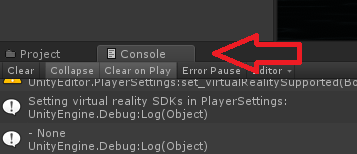
Check your console
past lintel
nothing there
versed lichen
What does the stat panel show in play mode ?
past lintel
i tryed deleting the old few times and and importing the new one
versed lichen
That is many months outdated
past lintel
is way i get it out without making new project ?
versed lichen
VRChat
If you need to update your SDK, it is important that you follow these steps to ensure the update proceeds properly and you don't have any old/conflicting files. SDK3 For SDK3, you should be able to update in-place. This is especially important for SDK3-Avatars, as you may lose...
past lintel
it still freezes in the sdk 2 and i did the fix u told me
when trying upload
wait it still the same version after i did what u told me
when u added latest version
versed lichen
a week ago
past lintel
i did excily what link u told me check out in the link and follow the steps and here ya go
i am dont know whats going wrong
past lintel
is there anything can be done for world since sdk 2 builder keeps freezing ?
versed lichen
Can you capture a screenshot of the scene window in play mode with the stats menu opened ?
past lintel
versed lichen
then switch to game view, and top right corner there's stats
I assume performance might be so low that it just doesn't go through
past lintel
past lintel
versed lichen
ahah jesus christ
Yeah
that's by far the worst performance i've ever seen in the past three years
makes complete sense unity can't load that
past lintel
i need help can u help me
versed lichen
uh yeah not sure where to start though

VRCat: Community-Run VRChat Forums
This is still a work in progress but I'm working on a tutorial for world optimization. I'm be looking for feedback on things to add or edit. I'll be...
past lintel
ur my only hope
and i seen that actually and not that skill to understand most things due to my autism and learning disbillys
kinda need more of one on one kind of way learning
versed lichen
The above is a written guide, you should be able to follow through the steps
i can't hold your hands through the process, it's a bit too much
there's a lot of ressources out there
past lintel
i ask so many folks actually for help and this was last place after i try to ask everyone i could ask and if u cant help i am going to lost all hope with my world
versed lichen
I can answer specific questions, but i can't fix your world for you
past lintel
well i cant make much sence out of that link i find it hard with my disabilys to understand alot of it
versed lichen
If videos are more of your thing then you can find those too
You wouldn't be the first person with a learning disability or autism to make a performant world, plenty went through the process before, regardless of how slow it was
 muted atlas
Hey, so i got a few songs in my world that in turn makes the world "pretty" big in its size, ive seen other worlds have way more songs then i and they are either at the same size or lower then my world?
Is there any way i can compress or do something to make the songs smaller in size? Since the everything else in the world together goes up to like 40MB and my world with the songs are 110MB
muted atlas
I have 6 songs in total if i remember right
Sorry for the slight delay in my answers, im at work at the same time
versed lichen
how long do they last ? 30 minutes each ?
muted atlas
Only one song, the average is between 3-5min
versed lichen
Are they lossless FLAC format or something ?
I have big doubt those are the cause of your world file size
muted atlas
I mean it should not be anything else but ill have to check, they are mp3 files
Like everything else is just a basic one layer meshes nothing high poly or advanced
 jade jay
You can check what your world is made of in terms of filesize
I forgot how tho
Imma bet its actually textures
muted atlas
alright i forgot how many songs i had but im home and looking at it right now and it is 12 songs, also the first one is the longer song and the bottom one is the rest of the songs
and all the songs are mp3 files
 ashen coyote
For modeling worlds in Blender before moving to Unity, how large should I try to make the height of the area?
versed lichen
@muted atlas Yeah so the songs are probably not the issue, even though they're pretty heavy, check the pinned items for my tweet
@ashen coyote The height ?
ashen coyote
Yeah, the height of the world or a space like an apartment-based world.
@versed lichen
versed lichen
i'm not sure how that related to optimization
you can just do it as high as you want ?
ashen coyote
Well it's more like- I saw someone else had issues with default colliders?
versed lichen
Any example ?
ashen coyote
I briefly saw it in 3D modeling or whatever, can't quite remember.
 fierce seal
Im having a major issue since the most recent update. My world's occlusion gets majorly broken after i change into different avatars. I can't see people that are in front of me a few feet away . it's like the occlusion becomes inverted and i don't see things that im looking at. Can anyone help me out
it can also happen by just being in the world
muted atlas
how does the Texture-Cruncher work? im not sure if its for unity or blender, and how i import it to either of the programs
versed lichen
@muted atlas it's for unity, it's explained on the page
lilac saddle
Does anyone know why a cube spawns under my legs on my world?
versed lichen
What's in your world
lilac saddle
It’s not there in Unity, I don’t know why that spawn under me in the world
versed lichen
Do you use any prefabs in your world ?
 pastel niche
bro this picture looks really dark
pastel niche
Does it matter if you use many particle emitters that each have 1 or 2 particles vs 1 emitter that has many particles?
lilac saddle
I'm trying to add ambient occlusion to my world but it causes issues with the mirror. Is there any way to fix this? The model is kind of showing up on the mirror despite being behind it
cold prairie
Ambient occlusion isn't made for forward rendering which vrchat runs on so yeah that's gonna happen if you use it
lilac saddle
Ah I see, so there’s not really a way of fixing it?
cold prairie
Not really pp ambient occlusion just shouldn't be used and wasn't made to be used with rendering that vrchat uses
lilac saddle
Ah okay, thanks for letting me know! c:
 heady peak
so i tried optimizing my world with crunch compressing textures to 100 and doing Mesh Compression Normal, but i get this both before and after. am i not looking at the right thing?
versed lichen
@heady peak You can do crunch compression at 50, also make sure you restart unity before the build so that you get the latest
heady peak
so that worked
i also marked any objects as static
and enabled GPU instancing for the meshes that are being repeated a lot
I noticed now by myself my frames are at 45 when before they were 90...
and now the stats look better on textures and meshes, but Levels is A LOT higher
did i do something wrong?
versed lichen
Levels is static batching
cold prairie
GPU Instancing doesn't work on stuff marked as static batched btw
versed lichen
Use occlusion instead ?
heady peak
so remove the static batching and gpu instancing and just do occlusion?
versed lichen
You can do static batching, but not on everything, and yes if your problem is framerate then occlusion culling would help a lot
It's difficult to get both a low weight world and very optimized, usually weight is the trade-off for performance
heady peak
my main objective to help frames when there's a lot of people in a single instance
obviously it's going to go down with more people but i'm just trying to flatten the curve as much as possible
so when i have like 4/5 people i had 90 and others were ~80
so world isn't terrible starting out
so my take away is don't use instancing, and instead only use static batching on the meshes that are repeated over and over again and use occlusion
versed lichen
Can you show your stats menu in play mode in the game window from a few camera angles ?
That would help a bit
heady peak
sure one second
lilac saddle
For some reason every time I try to test the world I've been working on it just sends me back to my home world. Does anyone know why this is happening?
cold prairie
@heady peak this game window
heady peak
@versed lichen
versed lichen
Well, in the places where you have less than 400, it's not that bad, but for open air places it's tough to optimize, you light need to call in some LoDs or imposters
heady peak
400 what?
batches?
so i noticed that occlusion puts more load on the CPU, if my main objective is to minimize load for when there are a lot of people in the instance, i should be trying to minimize load on CPU right?
versed lichen
batches yes
CPU load is also batches dependent, you have less than 5ms CPU time, you can afford a bit of occlusion
But ten again, finding out why there's so many batches in the first place would be good
Realtime lights are the worst offenders
heady peak
i dont have any realtime lights so it shouldn't be that
it's got to be something in the picture that had 1400 right?
 void agate
how do i make more optmised mirror?
and only allow one mirror to appear at a time
when trigged from different location?
 hazy haven
You need to setup a trigger that set all other mirrors to False. Then you add another trigger and set it to Toggle on your main mirror.
void agate
Thanks
hazy haven
Use SetGameObjectActive
And then you just add all mirrors except main mirror
And then you make another SetGameObjectActive and put your main mirror in there and your operator must be set to Toggle
lilac saddle
@heady peak You've got 6 million tris in one of your pics, try to keep the world under 1 million tris. You'll need to decimate those objects in blender or some other program. Or just use a low poly model from elsewhere.
heady peak
thanks yes i'm working on that!
 tiny star
frame debugger really useful to see why its not batching. Like not the same reflection probe . etc
for me it was 66 to 18
 autumn glade
Is there a good way to add large music files other than as mp3s and rely on world upload compression? I'm working with 19mb-25mb music files and they're compressing fine, but it's by far the largest contributer to world file size after upload
 gaunt widget
@autumn glade I'd recommend reencoding the audio to OGG, lowering the bitrate to lower the file size
Or swap to using YouTube streams
autumn glade
I'll try that, it's just piano with no reverb or anything so it should survive lower bitrate
gaunt widget
Loop it if possible if you're trying to have background music...
Shorter mp3 will reduce file size as well
I know Spotify goes with 96khz bitrate Ogg for their free tier... Should be sufficient
I'd reduce to mono as well
That'll take half the space off right there
autumn glade
I'll do mono too, that should help. Does doing it in 3d sound impact anything?
I need the files to be 12-15 minutes, that's why they're so large. I'm doing a music trivia world
gaunt widget
3D should be fine
Well 15 minutes... You should be able to get that down to maybe 8-10mb if you heavily optimize
autumn glade
but I'm trying to keep it quest compatable, so optimization means I can expand it
gaunt widget
Oh yeah well in that case you can have an ultra low quality version for the quest and a normal for PCVR
autumn glade
I'm building the world with quest settings to start, then when it's programmed in final then I'll go back and do the PC shaders/uploads. I figure it's easier to do it in that order
gaunt widget
Perhaps... Either that or build PCVR first then start lowering textures, meshes, audio, etc
autumn glade
if I do baked lighting, that's about 3-4mb, if I switch to real time I'm not sure how that would impact quest users, I guess neglible if there's not a lot of stuff going on in the world and everything is static
pallid gale
any real-time Shadows is going to make the draw calls go up quite a bit even if it's a small world
gaunt widget
Lower your lightmap resolution down to 1-2, you'll get worse lighting but the file size will be very small
pallid gale
a trick I saw from Nintendo was lowering the resolution on the non-color maps if you have pbr's
muted atlas
hey, so i did a lil test on my world and i made two versions of it and the only diffrence between them is that one has music and one does not and the one that has music is up on 125MB ish, and the one that does not have music is at 20MB.
that adding diffrent songs to a world can make that much of a diffrence seems a bit weird
sure the songs together are 83MB and it is 15 songs in total
can i compress the songs to make them smaller?
also i have changed the textures to a lower quality then it was before
agile hawk
Could be high bitrate audio.
muted atlas
It is only one song that is like 20/30min i think and that one is 30MB and the rest of the songs is about 53MB, and oh alright, how would i do that? @wind nest
versed lichen
You have options on the audio track itself in unity
 wind nest
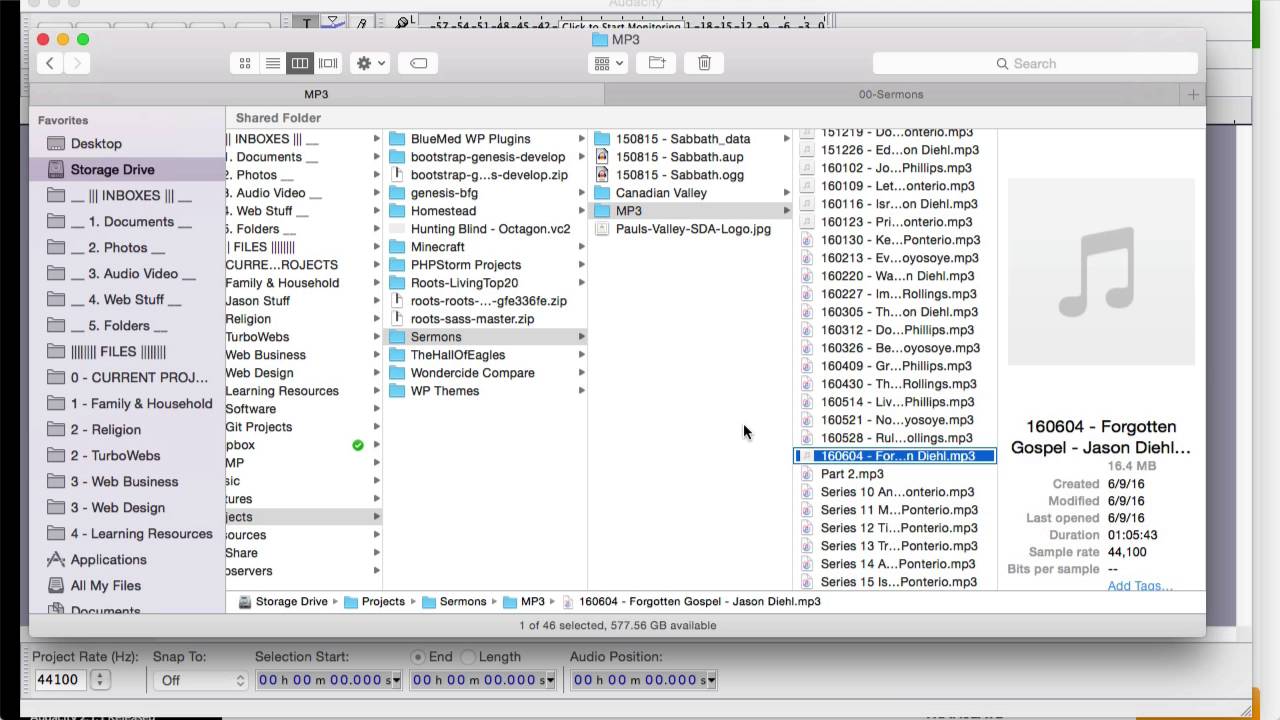
How to shrink down your podcasts with Audacity before uploading to your website.
@muted atlas
The important part is at 5:20
muted atlas
alrighty thank you
 smoky kindle
I have set my main camera view distance to 60m. I still see objects 200m away?
In unity it works but in game don't. Is there a way to fix that?
 sleek crane
So my world is not even that big and I already compressed all textures too 500x500, but still Its lagging hardcore, I got 5-15fps und the download size is like close to 90mb
Any Ideas what I can improve?
(fyi: my shaders are compling more than 5minutes)
agile hawk
What's the batches at?
versed lichen
@sleek crane If it's all made in probuilder it's probably horrid
we'd need to see the stats menu in play mode
sleek crane
@hazy haven already helped me with the lagging problem, that lightmap size was to high and not every light, probes etc. was set to batch
The only thing now is the size of 89mb
versed lichen
lower settings for lightmaps and crunched textures/meshes
sleek crane
how low can I go without everything looking horrible?
versed lichen
set lightmap res to 30 texels and lightmap size to 4k
sleek crane
okay, will try it, baking might take a while
void agate
How can optimise my mirror?
hazy haven
@void agate Click on "Reflect Layers" and enable these layers:
void agate
owo yes thank u
hazy haven
Thats for the low quality mirror, but not the lowest
and if you want to include a background too, use this:
void agate
Thanks
sleek crane
okay, will try it, baking might take a while
UPDATE: Well it took like 5+ hours to generate, but it safed me 17mb only due to my new lightmap, now im down to 73mb for the map download size.
what donwloadsize would you say is acceptable?
agile hawk
That seems fine tbh. Unless you're going for Quest
versed lichen
@sleek crane usually i have half of my world size as lightmap maximum
sleek crane
what else can I improve? I got like ~400 Textures for my ~100 objects with kinda the same settings for textures
Or would you say that I should use less objects in my scene? 😅
versed lichen
Combine as many as you can into atlases
sleek crane
thanks, but how? 😅 you got a good tutorial for me? I never realy dealt with performance issues before
versed lichen
Either do it in blender through the cats plugin/material combiner
or in Unity with a specific asset, like mesh baker, but that costs money
sleek crane
Well, I dont know how to use blender and I dont know if its possible to use it with bought assets 😅 then maybe in the future I will buy mesh baker, but first I think my mapsize has to stay at 73mb. Thanks for helping everybody 🥰 especially @hazy haven & @versed lichen
 sacred sand
In order to I guess - get the DL size of my world down, what could I do? My world is currently at 199MB, however, runs very smoothly in game, I guess are my best options to follow some guides pinned? or?
versed lichen
Have you done anything already or nothing ?
sacred sand
Nothing ATM, I guess I was just asking what would be recommended. (Assuming everything would be recommended?)
versed lichen
Then try crunch compressing all your textures
There's a tool pinned above
by dooly
sacred sand
oh nice - only crunch compresses anything in the scene
Do I just drag the folder(s) into my project?
versed lichen
i think that's what the steps say ye
 dreamy shard
Who here is really good with world optimization?
because i have an issue with people joining the world and everyone freezes for a solid 1 - 5 seconds
 hidden flame
Shaders/Lighting/Particles can really bring down a world's performance. If thats not it, also pickupable objects can cause that issue
dreamy shard
well i have all baked lighting and only the standard shader with an albedo texture. nothing even reflects for maximum batched drawcalls
no pickups,
my friend told me it's simply other people's loading avatars and the possibility that they ran out of shader keys
hidden flame
^ That can be the source of the issue
dreamy shard
do you know of a good video player prefab that's mainly for playlists?
with next, previous, volume buttons?
apparently with the default video player prefab, a button that sends a RPC to VRC_SyncVideoPlayer_Next simply doesnt do anything
so im lost
versed lichen
The amount of objects they have to see and load at spawn is probably the biggest reason
hidden flame
Not with a playlist, tried to make a playlist using one from I found but it worked one second and then it broke then never played again
dreamy shard
i made a small spawn room to render 20 drawcalls max, so it helps with any loading frame drops
hidden flame
Did you implement occlussion culling if there is other things outside the spawn room?
dreamy shard
but this playlist thing is something i really need. got a halloween work and i want some music without rocketing the file size
the sky sphere you see in the spawn room is an occluder, so everything outside of it is occluded to maintain the low drawcalls, until you click Play and get teleported
 hidden flame
Could be others avatars if everyone is loading in at once and everyone's avi is hella unoptimized
dreamy shard
when i get to the lake, i disable the depth buffer and move the camera again through the scene. because the depth buffer is realtime for the shaders, it's an option when playing to improve frames, but uses a crappier water shader
you can see the batches and stuff on the screen. bottom and top right
dreamy shard
doesnt even go above 200 drawcalls when you disable the depth buffer
super optimized and working hard for October
versed lichen
You'd have to optimize everything else then, depth buffer over an entire map is too challenging otherwise
dreamy shard
the depth buffer is a simple, culled light source to make the ground fog and pretty water shaders work
even when you disable that in the game with the menu, people joining is still stuttery
but i was playing in here with 40 people one night and we survived. just occasionally happened
versed lichen
The worse the avatar, the worse the stutter
dreamy shard
each prefab visible in the camera, 90 draw calls
so with the buffer disabled, not peaking 200 is pretty damn good for how much work i put into keeping this world optimized
Halloween is my favorite time of year
versed lichen
So you have occlusion over the entire world ?
dreamy shard
that's also with the post processing turned on, so it might go down another 20 - 40
yes, there is indeed occlusion
hidden flame
Halloween is a close second to Christmas
dreamy shard
i didnt set the camera to preview it when moving in the scene. didnt think to do that
this world is called Gates To Grimmire, for when late September comes around and you wanna find it
versed lichen
Then I guess that's already as optimized as it can be ? Are the props atlased as well ?
dreamy shard
no pickup-ables, and most props such as pumpkins, barrels, log piles, aren't baked to avoid the "can't batch, don't share same lightmap" and are lit using the light probes
this also allowed me to lower the texel count for baking, because there wasn't any objects being baked with really small faces to show artifacts
versed lichen
How many lightmaps do you have in the end ?
dreamy shard
34 mb, 10 non-directional lightmaps
8 x 2048x2048
2 x 1024x1024
versed lichen
Do you keep them 2k for a reason ?
versed lichen
Well that's the same, scale on lightmap and texels are what affects the quality
Unless you kept everything at 1 for scale on lightmap
dreamy shard
i dont use Unity's lightmapper, i use Bakery
versed lichen
 well that works the same
dreamy shard
do you by chance have any intel on where i can find a video player with a playlist?
versed lichen
Nope sorry
dreamy shard
you'd think a button that sends a RPC to VRC_SyncVideoPlayer_Next... would do just that
but they dont do shit. literally a trigger, sending the thing to do the said thing, doesnt do the thing
and you need these custom made, all different, prefabs to get anything to work
just wanna be self sufficient m a n
 icy coyote
so I'm wondering, why when you upload a world to vrchat the amount of batches, tris, verts etc doubles?
icy coyote
hmm i see
but I mean like, in the upload screen
I'm guessing the upload screen itself causes that and it doesnt do anything after the upload?
icy coyote
well
even after disabling the additional camera the amount of batches is still higher
versed lichen
it's often higher in play mode because some things are actually enabled
but if it's double that's maybe something you did
versed lichen
yeah that's probably stuff in your scene then
icy coyote
ah okay
cold prairie
The upload screen does include the UI of the upload screen as well
 fast portal
do baked occlusion probes occlude avatars as well by default?
ive noticed they dont usually but do sometimes 🤔
hidden flame
No. It only occludes static objects
cold prairie
@fast portal occlusion culling occludes avatars as long as it's functioning correctly
@hidden flame occlusion culling occludes dynamic objects as well
hidden flame
🤔 This changes everything
Ah no wait im stupid. Regard my message, i knew that. Was thinking about lighting for some odd reason lol
cold prairie
It happens 👌
fast portal
@cold prairie thanks !
versed lichen

GitHub
A script for viewing the build size for VRC worlds and avatars after building. - MunifiSense/VRChat-Build-Size-Viewer
hidden flame
Thank you for that @versed lichen. Thatll become really handy for other projects i have for the future
heady peak
so when i'm generating my lightmaps on these models that are lightmap static the texture on them gets destroyed. any thoughts on where i should look?
versed lichen
generating how ?
heady peak
just from the generate lighting button on the lighting window
model is set to lightmap static
versed lichen
Did it have regular UVs before that ?
versed lichen
It might be called UV2 and that's why the UV lightmap is overwriting it
cold prairie
The naming shouldn't matter on that it's just based on the order 🤔
versed lichen
then i have no guesses
heady peak
looks like the same thing is happening to some other objects as well
cold prairie
And you did generate lightmap uv's on them?
heady peak
if all i had to do was hit generate lighting in the lighting window yes
i haven't done anything else
cold prairie
If they didn't have lightmap uv's manually made you would need to tick the box in import settings
https://github.com/oneVR/VRWorldToolkit/releases
Feel free to check the world debugger in my world tools as well it finds all models missing lightmap uv's in your scene and offers to auto fix them with a single button press
heady peak
that worked!
 unreal island
for some reason my world is not updating when I go to test it, it's not saving any of the changes when I upload it for offline testing
 sharp steeple
When I build a world what all get's packaged. Will it only include all of the objects in the scene or will it include everything in assets?
versed lichen
in scene
sharp steeple
Thanks.
 halcyon aspen
Hey guys, I've got a major problem. I'am re-creating my amusementpark, it is now bigger and with more rides. Its baked, occlusion culling etc. When i'am alone I have a framerate of 90 and that is nice but when someone joins me he has 45 or less and i'am getting still 90 frames. when i'am leaving and come back, I have 45 and the other has 90. Doe anybody nows what this weird problem is?
lilac saddle
Try disabling each exhibit and testing. I would start with the dodgems cause those will be the most demanding. Actually i noticed a problem with those, i clicked on static buttons to reset them but it seemed to have a 10 second delay. So maybe there is a sync issue with them perhaps.
halcyon aspen
Well I have to look over everything, sigh😩
lilac saddle
Have you tried clearing the dynamic materials?
 hidden hollow
Can anyone provide me insight in to how hard poly count hits performance vs draw calls and such? My current iteration is ~20 draw calls and 30k polys, but I'm trying to find an upper limit of how aesthetic and pretty I can model things while still impacting frames minimally. The upper limit I'm playing with is about 100-150k polys.
Assume 60-80 people in the map regularly so performance is my most important concern.
Edit: I should add this will all be static geometry
versed lichen
@hidden hollow 150k poly is nothing
hidden hollow
Good to know. I want to make the pretty things. Thanks! 👍
pallid gale
so yeah doing stuff like texture atlases or trim sheets can be quite helpful for cutting down draw calls as you're not making a game where you need props to show up in many different places with different context so it makes more sense to have the textures separate
hidden flame
You dont typically have to worry about poly counts for worlds, as a lot of other things usually come into play, like lighting and draw calls. After I say this, i bet someone will make a extremely high poly count world and ill eat my words 😛
 jade folio
they already have lol
versed lichen
regular GPUs can handle a couple million static polygons without too much problem
hidden hollow
Yeah draw calls are no issue, almost everything feasible I have as a single mesh so my draw calls are nill. Silly me made the smart decision to have a very reflective map aesthetic, and of course unity's reflection probes become a bit of a nightmare if you're going for realism with large meshes 👎 . Poly count is the only area where I actually wasn't too sure.
lilac saddle
How do you stop the UI showing in mirrors?
what layer do you disable
it's not ui, or UiMenu
hidden flame
Its one of the layers... I dont remember which one lol
@lilac saddle Turn off UI, UIMenu, and Interactive. Thats my HQ mirror settings. LQ everything is turned off besides Player, Playerlocal, and MirrorReflection layers
cold prairie
PlayerLocal is also not meant to be used in mirrors
hidden flame
Didnt know that. Guess it just has no effect in the mirrors?
cold prairie
It used to fuck your own player model up horribly because that would cause two models to render over each other
PlayerLocal is your first person view model that has the head squished down
Some months ago they seemingly fixed it since the problem doesn't seem to occur anymore
But still wouldn't recommend having it enabled just in case
autumn glade
Is there a method to just display playerlocal+head on mirror and exclude other players and make it super LQ
cold prairie
No you don't want playerlocal
You want MirrorReflection that's the model meant for mirrors for yourself
autumn glade
Would it only show yourself and not others? I’ll have to test it
icy coyote
question, what would be better on a static mesh, 1 mesh collider or a bunch of box colliders (10 or something)
versed lichen
box colliders
icy coyote
even when you have a static mesh that never moves mesh colliders still impact performance way more?
 misty olive
would you say taking that same terrain, decimating it a bit, and using that object as a collider would be any better?
lilac saddle
did anyone know u can do this in unity for super fast world creation
 fickle valve
you're pretty much doing the opposite of optimisation 🤔
adding more and more objects with non-visible faces instead of using a bespoke mesh for the ground
I mean you could technically do that but that's not optimised
lilac saddle
that was just an example
you can make it all 1 mesh with this
i was just showing how fast u can make a level in unity without blender
with snapping
and optimization isnt just about frames u know
its about making something look better too
lilac saddle
Definition of optimization
: an act, process, or methodology of making something (such as a design, system, or decision) as fully perfect, functional, or effective as possible
versed lichen
Now look up game optimization
lilac saddle
Optimization in gaming discussions doesn’t mean the same thing it means in computer science. Rather than referring to making a process optimal, it generally means making things better
its about fps and making things look better
hidden flame
Meh id prefer probuilder
versed lichen
I completely disagree, making things look better has nothing to do with optimization, visuals are visuals
Probuilder is awful for that reason, it's very often not optimized
lilac saddle
ignore the floor but if u were to have walls like this would u consider it optimized? cause i wouldnt there would be no need to drag it out like that
or would this be
versed lichen
Neither, that doesn't have to do with optimization, you can make the whole thing first without caring about optimization at all then do it at the end
If you use visual tricks to help optimization then that's also good
lilac saddle
dont make me tell tupper
versed lichen
He would tell you the same thing
If you want to learn about it, check the pinned items
lilac saddle
im moving to vrchat general i wanna talk about something avatar related but i want u to join the convo
versed lichen
i'm not really an avatar person 
hidden flame
Understandable
 south panther
Hey good morning guys I have a small question when generating lightmaps what lightmapper do I use? Its taking ages for it to generate and I'm not quite sure what to do
I'm learning to to do occlusion culling
fast portal
having separate floor mesh tiles (that aren't specifically designed for occlusion culling) is not optimized lol
you're also rendering the back faces of the wall
tisk tisk so wasteful
those precious polys could go to another sub-d on egirl booty, and instead they will never be seen
fast portal
@south panther just use bakery, progressive and enilighten are dangerous for mental health
south panther
Gonna see if I can get it!
versed lichen
Only works if you have an nvidia gpu btw @south panther
south panther
I have an ol trusty 1070 @versed lichen 🙂
south panther
I'm reading xiexe's tutorial for unity's rn will look into bakery after and see the difference
 calm snow
Hello Acarriah, i'm kinda new to VRCHAT and i really love your Level 13 world, i was wondering if you are doing any commissions, i'm just a reg. user not affiliated with a company or business and would love to have use of this world outside of vrchat using my hmd with a few more customizations to the existing world, if that is even possible?
versed lichen
@calm snow Did you forget to ping someone ?
calm snow
This is my first time using DISCORD, guess i don't know how to ping anyone yet
cold prairie
You start by typing in @ and then type their name afterwards @hidden hollow like so
calm snow
Oh ok
hidden hollow
Hey hey! I'm so sorry but unfortunately I'm too busy to realistically take on commissions right now. Also for what it's worth, that sort of thing you should probably DM so you don't clutter up the support server 🙂
My DM's are always open 👍
versed lichen
i don't think it makes any difference
agile hawk
It wouldn't make any difference. Except in EDGE cases of collision. That's a horrible joke.
 white fractal
Hey so I have a small question. Lets say I want to make a forest area in my world with many lowpoly trees, would that hurt performence? And if so are there any tecniques of putting a large number of objects in a world without hurting performence
agile hawk
Bluefox, occlusion culling
white fractal
I'll check those options out 👍
pallid gale

might also suggest putting in your Forest some big rocks or raised Terrain to act as line-of-sight blockers so your rendering less Forest at any given time
south panther
Hey guys one question in unity my textures look like this but in game once I upload they get super stretched out
ends up like this
 honest linden
how can i find what textures are the biggest?
ive just been going to every object in my world and one by one compressing its textures
pallid gale
GitHub
A script for viewing the build size for VRC worlds and avatars after building. - MunifiSense/VRChat-Build-Size-Viewer
 inner dragon
Just uploaded a new udon world but every time I join I hear the audio for a second then I get sent to my homeworld. any help?
inner dragon
yup it works in the test runs
when I test build the world but uploaded the world as unlisted and I can't spawn in
cold prairie
Search for t:pipelinemanager in the hierarchy you should only have one per world
inner dragon
tysm!!
 empty hollow
Hi , I have a problem. Lights and textures disappear after uploading... its supposed to look like this:
 cold prairie
Using a modified client is bannable btw
Might wanna post a picture of you using one here
empty hollow
i wouldn't say its "modified" never touched the client , but i got ya thanks for looking out
 willow vortex
@empty hollow Maybe you have the lights set to bake?
 maiden hawk
so may night be the right channel but ok idk what i did but with a world i made everthing sticks with your movements ,like like when you turn the world goes with you
 real falcon
anyone know what a good tri count for a world is?
i just finished the exterior and im at about 90k ish?
versed lichen
Could be in the millions, it doesn't matter too much as long as the rest is optimized
real falcon
what could be unoptimized about the rest?
im new to all this, know nothing outside of blender
whats a draw call..?
i feel dumb lmao
oh jeezi didnt think about that
how to make textures take up less space oh no
okay ill figure that out when i get there aha
whats a draw call though?
ok pog
oh ok
thats not a problem
 silent pumice
unity post processing nullreferenceexception object reference not set to an instance of an object
any one know this error ?
post processing dosnt work cus of that ?
 prisma orbit
guys one question, if i bake my lights while they are all at Important Render mode and after baking them switch them all back to Auto, the effect of them while they were all at Important will stay baked and wont affect performance anymore because i switched them back to Auto right? like it will be static and not change? im trying to understand how a lightmap works
versed lichen
I don't think that makes any difference for baked lights
 static trail
Keep them as baked if you don't need dynamic lighting and shadows on avatars in the world. Set the to Mixed if you do.
Like, if they're spotlights pointing up at the ceiling for environmental, keep them as baked. If they're pointing at the floor where people will walk under them; mixed.
maiden hawk
so i have this rally bad glich with this world i made, one eye everthing looks fine but in the other the world worps and twists , what did i do wrong?
maiden hawk
i eill vkr ,. i thought i set it to stanerd but yeah everything in the one eye moves only when i do say for the meories and stuff
 torn crypt
Temporal AA in PPFX used to break VR too, unless that's enforced off by the client now
maiden hawk
ooh
hazy haven
Like how? Can you take a screenshot?
 wicked nexus
can anyone help add texture to my terrain i think i might be doing something wrong
 lyric lark
I have a question. Anyone point me to a place to make a proper skybox?
cold prairie
Can you define make?
If you mean like make your own from scratch you can make one in almost any program unity, blender, photoshop etc
lyric lark
As in figure out how to make a proper dome skybox 😉 My first time world-building in VRchat.
Oh I get that, but just need a little guidance on Making it in Unity. One of the youtube vids makes it a cube. Is it not a dome or sphere?
cold prairie
So you have a skybox already that you want to use?
The part "Making it in Unity" confused me a bit so I'm not sure exactly what you want to do
cold prairie
The easiest way to make one in unity is just to capture a scene with a reflection probe and use that as the skybox
lyric lark
https://upload.wikimedia.org/wikipedia/commons/8/86/360-degree_Panorama_of_the_Southern_Sky_edit.jpg
 cold prairie
Ah okay so you want to know how to use this as a skybox and not "make" one gotcha
But why not use that if they want to use it?
Doesn't seem to work that well sadly though while trying it atm
But the main thing you want to do is select the texture in unity and switch the shape to a cube
And then plug the texture to a cubemap skybox shader
But you also need to adjust the settings depending on what kind of texture you are using
 lyric lark
I was just making sure. I'm an Altspace expat, and used to domes 😉
I will compliment VRChat for using Unity completely vs Altspace's mixed.
Next step though for me is inserting a Quest-compatible player if I can.
versed lichen
Video players ?
lyric lark
yup. I did hear there is one.
lilac saddle
Is there a way to make it so a noise plays when a new person spawns in?
lilac saddle
Op, my bad. Which chat would've been the correct one to use?
versed lichen
lilac saddle
Ah, thank you!
gaunt widget
Anyone have any idea why I can't search for my world that's on Community Labs? https://vrchat.com/home/world/wrld_e29a26f0-bf57-477e-a719-c9c020ed1ae6

DragonCon Goes Virtualǃ
I published it a couple weeks ago, can't find it by using either title or tags ... I thought community labs were searchable (I see it under 'My Worlds' and I have Community Labs enabled)
hidden flame
The search function has been broken for some time. I think they are going to fix it on the next patch (when the video player comes out with udon)
gaunt widget
Thanks. I wasn't sure if it was because it was in Community Labs. Do you think I should change the name, or unpublish / republish? Any known workarounds?
hidden flame
No. It just doesnt work for pretty much any world
gaunt widget
That's so weird, I can search "Draco" or even "USS" and other worlds come up. Just not mine
cold prairie
The api shows it just fine from searching draco and or uss
gaunt widget
Link to API GET request?
cold prairie
I don't think the in game search is showing community labs results currently
You can just check the search on the website since that's showing correct results
gaunt widget
I don't think the in game search is showing community labs results currently
@cold prairie That was my fear... really makes it hard to get our of community labs if within 2 days my world is buried 50 pages back... any suggestions? I just want my friends to be able to easily find my world, not have to try and use some link that doesn't work for most of them.
cold prairie
You can work on it some more and make some more updates so it get's more visibility again
gaunt widget
So any time I update the world it gets pushed back to the front of the queue? Interesting (and wasteful) workaround 🙂
cold prairie
Yeah it's listed by last updated
Your friends in the meanwhile can just check your social in game and join the world from there
gaunt widget
Yup. Friends can find me, but I tried to organize a meetup with other users... much more difficult.
Anyway thanks for the clarification, I appreciate it!
cold prairie
I'll check around whether its supposed to be like that though and make a bug report on it if one doesn't exist already
gaunt widget
On canny?
I'll look there too (started here first)
July 2019... OOF
At least in progress since Aug 28th this year
Actually this is unrelated, as they can find their world, it's just lower in the search results
I'll file a bug, thanks @cold prairie
If you wouldn't mind upvoting.
cold prairie
Yeah I agree that community labs should be more findable
 ornate laurel
is there a way to see what's taking up space in a processed world (e.g. not a .unitypackage)
seeing what's taking up space in the assets isn't really indicative of the built world b/c stuff is compressed when built, so not sure how to profile it 🤔
cold prairie
Unity doesn't really like giving out that information yet in 2018
gaunt widget
@ornate laurel Generally it goes 1. Textures 2. Animations 3. models (fbx are large offenders) in terms of size
large tri/vertex count models will generally be larger, decimating those in Blender helps. Textures you already know about. Animations ... you can go into settings and change them from text to binary format, and they decrease in size.
 harsh geode
I'm curious to how much of a performance impact video clips using the video player component with material override has
this video clip is only 5 seconds long
anyone know?
cold prairie
Identical meshes as it says a bit after that first line in the docs. Though sharing the same material in multiple places is optimization on its own. Also static batching being active on objects makes GPU instancing not work.
cold prairie
Static batching is one of the options under that checkbox
 hard nest
Does anyone know how to fix a world when you load in it kicks you back home in the sdk3?
versed lichen
lilac saddle
My hangout video player lags out the world for about 6 seconds after i join the world, any way around that other than less songs in the playlist?
 modest jacinth
Anybody else experience between 400 and 600+* fps in unity playtest, but once uploaded the framerate drops to like 60 or even 30? I'd like to believe that the vrc triggers aren't that heavy. Does anybody have any ideas for a fix or a way to clean it up at least back to 90 for in vrc?
Some world info:
The world is one large mesh and everything in it is markedly low poly. I have baked occlusion on, minimal scripts running, four objects with spawn and interact triggers,
two lightweight particle systems simulating lightning and capped at 30 total particles in the world, 3 real time lights set up for proximity activation, render distance is only 300 (very dark map).
pc spec:
gtx 1070
i7 6700k at 4.4ghz
24gb ram
fast portal
realtime lights+poorly optimized avatars will cook anyones rig
how many draw calls in unity?
versed lichen
@modest jacinth can you take a few screenshots from the game window in play mode that shows the stats menu
modest jacinth
o7
@versed lichen there you go. :3
top one was me stress testing in gif
second screen shot is after decimating the models and reimplementing lighting.
34.8 million tris hitting 600 fps
but in vrc in the updated and lowpoly world, i'm lucky to see 60 fps.
here's the avatar i use as well so you can rule that out
cold prairie
Can you give me the world id?
modest jacinth
I'll have to reupload
In the middle of baking new lights, so it might be a while.
modest jacinth
issue resolved
among a few other things something about fog in the lighting options is very heavy on your system, even when you do have your render distance set so low.
incredibly bizarre though, considering it only seemed to be a large negative influence while in VRC.
 analog sapphire
Holy hell yeah
I accidentally made one of my avatars 1M poly with subdivision and my computer could barely handle it
cold prairie
It was before they optimized though at least
dreamy shard
I need some world help because i'm lost
here's a video showing my problem. people cause my world to hard freeze and stutter, compared to being alone
i go into other worlds like the Great Pug, and they have 20+ people in their but joining those public worlds don't have long lingering freezing unless there's an intentional malicious avatar
if you think you can help, please message me
versed lichen
What triggers do you have in the world ?
Also yeah terrible avatars cause huge freezes
Don't show very poor
a single very poor avatar could be worth more drawcalls than your entire world x2 in front of a mirror
 copper valve
Hi. I'm having an issue where my mirror is all black. I just did the lighting in the world so I think it's related to that since it was working before.
dreamy shard
I have OnEnter and Exit collider triggers. aswell as interact triggers for UI buttons
nothing more or less than my other worlds that fare just fine

Enjoy your stay at Grimmireǃ A ghastly gathering has begunǃ Party with a ghost or hang with a skeleton․ Our spooky Halloween town awaits your arrivalǃ
here's a world link if you want to check it out
 quasi cradle
Dumb question, when it comes to making a world, do you have to reupload it everytime you make a change? Or is there a way to just push an update?
versed lichen
@dreamy shard Make sure they're local
dreamy shard
they are indeed local
copper valve
Yeah I have no idea how to fix this mirror. Does anyone else know what it could be?
versed lichen
@quasi cradle You have to reupload everything, but it updates the world itself
@copper valve Enable pixel lights
quasi cradle
I gotcha, thank you!
versed lichen
@dreamy shard Then it's most likely the avatars
copper valve
Thanks but I did that already.
dreamy shard
i have everything and did everything the world would need to be the most optimized and reduce draw calls
this is a video going forward through the map, then backwards after disabling the depth buffer for certain shaders
the draw calls are very minimal, LODs work fine, and occlusion is doing it's part
but it still pains me to see my friends lagging and freezing like this when someone joins or changes avatars
@versed lichen thanks for the input
versed lichen
@copper valve Can you show your lighting setup in #world-lighting
I'd suggest enabling SDK logging and then go to your world, and whenever you freeze hard, check your log
you'll see if it's cause by someone or your world
my bet is on someone though
especially if all your triggers are already local
agile hawk
A good question is: What's your ram usage, Zoidberg?
versed lichen
VRChat
There are several launch options available for VRChat. If you are using Steam, you can set these easily in the Properties for VRChat, found by right-clicking on VRChat's entry in your game list. After clicking Properties, click on Set Launch Options, then put your desired lau...
dreamy shard
@versed lichen loaded in, did the freezing a few times cause there's 11 people in this public, and clicked the trigger to teleport
versed lichen
yeah, not seeing anything that would explain it otherwise
people be using shit avatars
Also this is very neat https://nyanpa.su/vrchatlog/
A simple VRChat output log parser that shows you user activity in maps you have visited, as well as basic trigger, warning, error and exception summaries
helps debugging a ton
versed lichen
hiding the very poor avatars by default is a great way to deal with it
dreamy shard
i went from 16 gbs to 32 of RAM mainly because of vrc
hidden flame
I am over here struggling on how to hit double digit downloads without tuning my textures too much in my world while people tend to, without a problem, go well over 200mb... It still blows my mind people can even hit that high
versed lichen
meshes, audio, static batching also goes into world size
 agile island
@versed lichen How do I tell if that texture compressor worked? It seemed to be doing something, I let it do its thing, I came back, and the textures seem to still be set to defaults with no compression and 4096 max res when I click on them, so I'm not sure if it actually did anything.
versed lichen
Did you check textures specifically used in your scene ?
agile island
Yes. Here's one for example:
Notice that crunch compression is not ticked. I left it at the defaults, which is supposed to enable compression.
versed lichen
that's inside the prefab though
agile island
I don't understand why that matters?
versed lichen
did you run the tool while inside a prefab ? Which settings did you use ?
agile island
I didn't run it while inside a prefab, I went into the prefab to figure out which texture it was referencing.
I assumed the prefabs would be using the settings for the textures set in the assets folder.
Are you saying every single prefab has its own texture settings I have to manually tweak, or run this tool on?
versed lichen
no, as long as you run it in your main scene it should encompass all
but i don't know which settings you used
agile island
versed lichen
Why are your texture settings grayed out
agile island
Those are the settings. Compression is enabled. Clicking the button to convert textures does nothing now. Before it did something for a while. It does not enable crunch, nor does it enable texture streaming.
versed lichen
or is it how it looks on your screen
agile island
Why are they greyed out? Cause that's the defaults I guess?
agile island
Huh? Generate mip maps is always the default when you load a texture.
versed lichen
@rigid thistle Any clue ? Looks like nothing worked in their scene
agile island
Streaming mip maps is what it should be checking, and vrc wants, but it does not change.
I feel like it could have something to do with these trees being placed by the terrain system rather than being individually added to the scene.
dreamy shard
@versed lichen Someone mentioned “Update Time in MS”
Could this maybe help?
it's part of the world descriptor, and i never thought about it or knew it existed
dreamy shard
i don't actually see that setting for Update Time
agile island
Is there any way to find out how big my asset bundle is going to be without uploading it to the servers, hopping into the game, and downloading it so I can see the size on the download screen? Is it at least possible to see the world size with local testing? If not, does anyone know where these temp files are generated, so I could just look at the size of that before I click upload?
Hm, well it seems once I upload it it shows the size at the top of its page on the VRC web control panel in tiny text. So there's that at least. And damn its only 200mb and I haven't even finished optimizing it by compressing every texture. Crazy. The original asset package was like 5gb before I started adding stuff so I was a bit worried about how easy it was gonna be to get it below 500mb.
cold prairie
https://github.com/oneVR/VRWorldToolkit/releases
You can try my world tools:
Just do a build and cancel out without uploading
agile island
So let me see if I have this right... If I try to play with the detail resolution on the terrain settings, Unity will erase all my work placing detail objects on the entire terrain, irrecoverably, and without any warning that maybe I shouldn't adjust this value if I don't want to lose all my work?
Cause I immediately exited my project without saving my scene, but all my flowers and grass placed over several acres of terrain are just gone.
Where is the data for how these detail meshes are assigned to the terrain stored, so that I can at least recover the stuff that was in the package I imported in the first place without having to re-do all the rest of my work on it?
torn crypt
There actually used to be a warning in prior Unity versions that said changing the res of the heightmap, control tex, or detail map would clear the contents for each -- if that's still the case, I'm not sure why they removed it 🤔
agile island
Well I see nothing in my preferences which says disable warnings, so I probably didn't disable them somehow.
Thankfully I was able to re-import the terrain data only for the demo scene I was modifying, so I don't have to start from complete scratch but it's kinda absurd that it is so easy to completely screw up your project without warning.
@cold prairie Thanks, I'll give that a look.
 toxic dust
Quick question: how do you change the skybox in unity ver. 2018.4.20f1
I've looked it up but I dont get it lol
And I keep getting advice for different versions
versed lichen
@toxic dust Lighting menu at the top
toxic dust
I deadass cant find the lighting menu
Sorry I'm like, super new at this lol
WAIT I found it
Thank you!
real falcon
so ive finally got my world in, and its sitting at roughly ~90 mb, i know the textures im using are fairly large in file size, is there any way to shrink those filesizes without ruining the quality?
versed lichen
@real falcon Crunch compression
real falcon
and how would i do that?
is that a unity setting or something i’d have to do elsewhere
versed lichen
There;s a button on the texture settings
real falcon
i’ll have to give it a try see if it’ll cut my size down by much
lilac saddle
I made and published the world I have been working on for a while, but it lags a lot. Is there a way to make it so it doesn't lag as much?
 uncut iris
@lilac saddle Did you bake your lighting?
lilac saddle
I don’t know what that is...
uncut iris
That's probably the problem then. I'd go into #world-lighting and looked at the pinned tutorials, baking your lighting means that there's no (or little) realtime lights. A lot of realtime lights is generally bad for performance. If you don't know what baking the lighting is then that's probably the main cause. I'm betting anyways.
If it's not the main problem then it'll help at the very least
lilac saddle
Ah, grazie!
 rocky lagoon
Theres no particular text chat for world audio files so ill just put my issue here. At the moment i have two audio files on my world, both are currently hidden. I have my first audio file playing as soon as a local user presses on the button, then it transitions to a different location. In that different location, i have a box collider that has a trigger script that detects a player entering into the collider, and then it will play the second audio file sound track. The first audio file doesn't loop and will end after 20 seconds. The second audio file will loop until toggled off my user later throughout the map. Now my issue is, even thought i have both audio files hidden and are not active, and i have "play on awake" unticked from both. When i spawn in on my first location where the button is, both audio files are playing over top of eachother straight away. I can't seem to solve this, also i have checked to see if the min/max distance of the the 3d distance is overlapping and it isnt, so even if the second audio file was active, you shouldnt be able to hear it from where the first spawn is.
rocky lagoon
hmm thought this would be active 😒
 hollow musk
@rocky lagoon , I can take a look at your problem if you will call me. This issue sounds easy to fix.
rocky lagoon
I solved some of the issues but i still have one
 karmic wraith
does anyone know if Texture streaming would help with optimizing worlds?
Or would that break the sdk for whatever reason?
 shrewd harbor
^ I was wondering that, too.
karmic wraith
I will give it a try today on my world and let you know @shrewd harbor
karmic wraith
ok just tested it out and it seems to help a little bit, the game feels smoother but that could also just be a placebo from the other optimizations I have been working on
karmic wraith
ok no I didn't test them out since I need to manually enable texture streaming in the texture files for specific textures.
it was just my other optimizations improving performance
shrewd harbor
Well, that's good at least
karmic wraith
SO what I can say is that vrchat accepts texture streaming being enabled
Still processing all my textures
karmic wraith
@shrewd harbor Ok I can say even on the developer server it looks like I got about 4-5 more fps using texture streaming
so I can say it's better to have it than to not
like occlusion culling
shrewd harbor
Sweet, thanks for testing. I haven't started optimizing my world, but I'm making notes for when I need to tackle it
karmic wraith
first step is to turn off Realtime global illumination, that shiz saved me 30 frames in vr
 upbeat tree
nasty lag in load in, world is basic with lq textures and does fine in testing, but lags bad in game
versed lichen
What do you have happen in your world ? Tons of pickups ?
upbeat tree
no pickups, all triggers turned off by default, no complicated textures, just a small building and some avatar pedastals
versed lichen
How many is some
upbeat tree
like 20, all disabled on load
versed lichen
is it public ?
upbeat tree
not atm
versed lichen
Can you post some screenshots from the game window in play mode with the stats menu enabled in unity
shrewd harbor
Are there any tips and tricks for dynamic occlusion culling? I've marked my assets as static occluder/occludee, played around with the smallest occluder/hole settings, and baked at 475 for 2 hours with no luck, the visual lines just go straight through everything and renders everything out to the horizon.
versed lichen
Did you test the visualization ?
shrewd harbor
Yeah, nothing culls other than the standard, uhh... Frustrum culling
versed lichen
Screenshot of not working visualization ?
shrewd harbor
I have trigger culling set up, and that is working, but it would be nice to have it all be dynamic instead
versed lichen
I don't think your occlusion need to be around your entire world
also it didn't seem to bake correctly where it's not working
shrewd harbor
Yeah, I think I might just not worry about it for now, spent all night fiddling with the bake settings with no luck. I'll figure it out for my next map, haha
 red carbon
Yeah, I think I might just not worry about it for now, spent all night fiddling with the bake settings with no luck. I'll figure it out for my next map, haha
@shrewd harbor Yea I don't have luck with occlusion too. For some reason it doesn't really wanna occulude anything for me
 winged sinew
I released a tool to make lightmapping large worlds with backdrop scenery easier!
https://twitter.com/Silent0264/status/1312242350375137281

I made a tool to help with lightmapping complex scenes! Lightmap Quality Regions lets you define areas of your map which set a specific lightmap quality to things within them.
It's great for areas with background scenery!
 Twitter
pallid gale
Twitter
pallid gale
wow that looks very useful
cold prairie
Don't have a collider on it?
lilac saddle
h o w
cold prairie
Remove the collider component
 jovial topaz
is there a way to change the player's camera clipping distance? I'm finding that the camera is cutting off my world after a certain distance, but I don't see the same thing in other large worlds.
jovial topaz
ah got it, I just had to use a camera with a far clipping plane as the reference camera in the VRCWorld.
 bright agate
can someone upload my discord servers vr chat world which we made for us please, dm's are open
 loud oriole
Is there a way to test how well a world is optimized? It's hard to tell by just running around in it.
this looks good i guess? that tris count seems abnormally high, and lower batches = good?
versed lichen
seems good
void agate
10mb yeah thats good
autumn glade
Any suggested tools to edit down music/sound file size such as converting to mono, reduce channels, etc?
versed lichen
Import in any audio software, export again at a lower quality
 tardy adder
@autumn glade Try Format Factory, a long time audio/video/image converter that still does the job.
 tardy frost
Is it better to make the floor, wall and ceiling into one mesh?
loud oriole
It works better if they're seperate
tardy frost
Thank you!
pallid gale
yes that way occlusion culling can make it to where your not rendering them when it's not visible whereas if they're all glued together if it can see one of them it has to render all of them
lilac saddle
I have a question for someone I made a vrc world and went into it when it was plain but then I added more stuff like decorations and ect. to my world and Saved the project but every time I try build and running the world it brings me back to the world but before I added anything to it does anyone know or can someone help me with the issue?
versed lichen
@lilac saddle Check your unity console for errors
lilac saddle
I did there was no errors.. Im guessing I just did somthing stupid lol
Ive been working on this for 3 hours trying to figure this out
lol
versed lichen
Can you take a screenshot of your unity window ?
versed lichen
you have 19 errors
 topaz crow
Ok soo i have a weird issue.. And i also dont know where to ask for help.. Its something between optimization, lightning and models.. For some reason in my world when i get further from this text it looks weird just like in the picture but when i get close its OK
When i get close
versed lichen
what shader are you using ?
 deep pebble
someone that knows EVERYTHING about baking can u message m e plz? im stuck on a issue i cant figure out
versed lichen
I don't think someone like that exists
versed lichen
We'd know if you posted it here
deep pebble
well in general i need i figure out how to get it to actually bake. i know my room is big but it just sits there for hours doing nothing or takes like 2 days and then unity crashes
i just dont know if im missing something in the lighting settings to make it run better or what
deep pebble

inside of the house

the black parts are actually white... but the directional light is shining right down straight on it casting shadows but its just alot
versed lichen
Everything is static and has a shader that supports lightmapping ?
deep pebble
also i just want to at least bake my room and not have it take days
deep pebble
andi just used the shader the model came w ith
versed lichen
Can you select the floor of that room and post a screenshot of its components


 versed lichen
i assume it's all static
lilac saddle
Use enlighten light mapper, progressive is too slow.
versed lichen
Since you currently have nothing baked, make sure nothing else but the room and its objects are set to static, set texels to 10 and bake again, you also don't need 500 samples for indirect, also turn off global GI
well, progressive GPU is even faster ?
If you're on an nvidia card better to get Bakery in any case
uncut iris
progressive GPU has huge artifact problems though doesn't it? I've never been able to get progressive GPU to come out with lightmaps that didn't have some kind of huge error in it.
versed lichen
If combined with the bad UV unwrap unity does, then i'm not surprised yes
deep pebble
i made the whole thing and everything in it static.. so isnt the room and objects inside the whole map?
versed lichen
In that case reduce the scale on lightmap on the meshes that are not in the room
The more thing = the more surface = the longer it'll take
You're not really supposed to bake open areas at 32 texels
lilac saddle
I turn the indirect resolution right down, usually about 0.2. Saves a lot of time. Lightmap resolution i usually set to 20 to start off with, then i gradually increase it until i'm satisfied with the quality of the shadows. A value between 40-60 should be fine. That set up is pretty fast and i don't know why people use the progressive one to be honest.
Are the lights set to baked?
deep pebble
only light i have right now is directional because it wasnt baking with anything else
versed lichen
What are the light settings ?
lilac saddle
Environment lighting ambient mode should be set to baked i think. And place at least one light probe where it's sunny to light up non-statics.
Also, turn off realtime global illumination.
deep pebble
ive never used a light probe where exactly do u mean to put it?
lilac saddle
Just somewhere where there's no shadow.
It is just to light up the player and any pickups.
pallid gale
actually you would still need them where their Shadows so that the player lighting those to make the player dark when they're inside Shadows
lilac saddle
Only if you require that, performance wise it's better just to have one probe i think.
pallid gale
it doesn't take much of a performance hat to have adequate light probes to properly do the lighting
VRCat: Community-Run VRChat Forums
Greetings! Over my course of playing VRChat I've noticed that most worlds, mainly the ones that have baked lighting, are done poorly, or in an...
shrewd harbor
Quick question, I've got some serious texture optimization to do, for VRC on PC, what is the recommended 'Max Size' be for textures? 1024? 2048?
hidden flame
Think 2048 is the max size for unity. But thats pretty massive for a texture. Max id recommend for a pc build is 1024 and that just depends on how much textures you have and how good of quality they are
cold prairie
8k is the max size in the current unity
But otherwise yeah as low as you can for that texture piece
shrewd harbor
Perfect, thanks
pallid gale
https://docs.unity3d.com/Manual/StandardShaderMaterialParameterDetail.html also you might be able to use detailed maps to make the lower-res textures less noticeable
 acoustic fern
this might be a good place to this, but I want to post that if you are making a world with fog, which might happen a lot this month with halloween, make sure you UNCHECK this option
versed lichen
console errors
lilac saddle
oof
jovial topaz
Does decreasing the import resolution of textures decrease the download size of the world?
real falcon
do video players dunk on fps? or could there be something else ruining the frames in my world? before i added it i swear i was getting a solid 90 no matter what and now i’m only getting ~60
 lavish holly
is there a big difference between crunch compression and lowering the image resolution?
I thought crunch compression was for just project size of the folder in unity
versed lichen
@lavish holly crunch compression is only for file size, the vram cost is still the same when decompressed in the client
lavish holly
file size being the world size? essentially what you're telling me is that both crunch compression and reducing the resolution of an image accomplish the same thing: making your world smaller?
do they do anything else? why would you suggest doing crunch compression first? is there an advantage to that?
cold prairie
Crunch compression just makes the download size smaller
But lowering the resolution and the actual size will also make the worlds foot print in vram smaller
versed lichen
Crunch compress first yeah, make sure you're not using 8K anywhere ever
4K in worlds is only for big atlases
pallid gale
and honestly big building should probably be tiling textures and trim sheets not uniquely textured if you don't want to be a blurry as all heck or way too big
lavish holly
fascinating. Thank you!
hazy haven
Does anyone here knows how to decrease draw call properly? I know that I should create texture atlases but how do you implement it? I don't know how to assign specific textures
versed lichen
If you don't know how to assign textures then you probably should learn the basics of unity before attempting to optimize
hazy haven
I know how to use single textures but I want to combine some textures into one, by creating a texture atlas. Let's say that I want to use one texture for the wall and second texture for the floor. They are both using the same texture atlas
In other words, they both use one single Material
versed lichen
You can either buy an addon to do that for you in Unity, or do it in blender through the material combiner
pallid gale
it's not the end of the world to have the walls and floor have separate materials if they're tiling textures covering a lot of surface area
hazy haven
For me, it is a problem when I have 1838 Batches and 1262 Setpass Calls
pallid gale
have you done baked lighting
hazy haven
I had a lot more batches but I managed to reduce it a tiny bit with baked lighting
I scaled down most of the objects (lightmap)
versed lichen
What does your scene look like ?
pallid gale
yeah a screenshot would help
pallid gale
have you made sure to set everything to static so it can be included in the light map
versed lichen
Check your batches with all lights turned off
hazy haven
and my lights are all baked, except for two which are only used on players
I'm going to bake again with 4k lightmap
All the walls are also combined into one mesh, I did the same thing with floor and the ceiling
versed lichen
@hazy haven Did you change the lighting settings too ? Do you get the same amount of batches with all lights turned off ?
hazy haven
Do I have to clear baked data before disabling lights or I can do it anytime?
All of my baked lightings have these settings
Also, when I used 4K Lightmap, it increased the file size but didn't affect much on Batches
Did I forgot to switch something off here?
versed lichen
Odd that it didn't compress
Try 2K lightmap in that case
But please try to turn off all the lights in your scene and look at the batch count
hazy haven
so when I turned off all lights (also deleted baked data), I now have 477 Batches
versed lichen
That seems a bit more reasonable to begin with
hazy haven
I'll try to bake again, maybe it didn't delete the previous baked data and that's why it increased the file size
versed lichen
Lots of optimization to be done still, but i think that was mostly due to the lights themselves
hazy haven
Trying 2K now
With 2K Lightmap, I have 1879 Batches
Is it normal that it still creates 1024 lightmap textures but the first one is 2048?
and some of them are 512
versed lichen
ok, after bake turn off the lights
hazy haven
It seems like I had to manually delete the other lightmaps to reduce the file size. I turned off all the lights and it still has the same amount of batches
It looks like turning off Reflection probes reduces batches
from 1926 to 1661
versed lichen
In that case check the frame debugger to know what causes the batches
versed lichen
What's your water shader ?
Also can you screenshot any single object component/material in your scene
versed lichen
If you disable the water does it change the batch count ?
hazy haven
And this is Material
I also use a lot of Box colliders on basic meshes instead of mesh collider
versed lichen
versed lichen
That may be unnecessary, just keep it at On
hazy haven
Okay let me try that
versed lichen
Why do you have so many reflection probes ?
hazy haven
Each room has a reflection probe
versed lichen
Your mirrors are disabled by default right ?
hazy haven
I have 14 reflection probes
and yeah my mirrors are all disabled
I used reflection probe to reflect one surface
It's 128x128
versed lichen
and they're all set to baked ?
hazy haven
Yes
I'm baking again, but this time, I'm using Cast Shadows: On
For a lot of tiny objects, I just turned cast shadows off
versed lichen
Do you have a depth buffer in your world ?
any volumetrics or screenspace stuff
does the water require something to work
hazy haven
This water requires realtime directional light for "Blending"
versed lichen
ah yeah that's poop
versed lichen
does it do anything to batches when turned off ?
hazy haven
It does nothing
versed lichen

versed lichen
Ok in that case go to Edit > Preferences > clear GI cache
then clear lighting and bake again
Probuilder sucks badly if it doesn't merge objects
hazy haven
I'm sorry for running into issues