#world-optimization
1 messages · Page 11 of 1
 willow spoke
a big thing that you need to make sure never happens is overbroadcasting, which means you have one broadcast trigger activating another broadcast trigger. If you have 5 people in the instance, the second trigger will activate 5 times, which is a huge burden. The same thing can happen on less obvious examples, such as a pickup with objectsync and onentertrigger. Everyone sees it enter because it's synced, so everyone will broadcast it, and everyone will receive 4 other broadcasts. It gets very messy very quickly if you're not being very particular about your broadcasts.
 finite prawn
Thanks @willow spoke , Sorry for the late reply.
 lilac saddle
Umm i need an adult
This what my lighting is SUPPOSED to look like,
BUt this is what i have
Whoop, fixed it
lilac saddle
had to triangulate the floor >.<
 verbal drum
Also make sure to enable "Generate Lightmap UVs" in the model import settings, that helps a lot with lightmapping
 harsh geode
what is recommended to set as lightmap static?
big meshes that are normally as the focus of the scene?
like things that i guess don't want any detail loss from lighting
 lean lodge
Set everything as lightmap static that should affect the light bake.
If a mesh is very large or very small or doesn't need shadows, it can probably use light probes instead. Super small rocks for example.
Otherwise bakes will take ages
Or very large distant terrain
harsh geode
thanks
lean lodge
@snow jetty you have to reflect MirrorReflection too
MirrorReflection is the local player reflection, Player is other players.
 snow jetty
ok thank you
 vocal seal
Anybody have any tips for light probing?
lean lodge


VRCat: Community-Run VRChat Forums
Greetings! Over my course of playing VRChat I've noticed that most worlds, mainly the ones that have baked lighting, are done poorly, or in an...
Basically, "overuse" is fine
You can automatically have them placed too
vocal seal
Awesome! Thanks!
 dreamy shard
VRchat is forcing a higher resolution for my low resolution shadows
@viral marsh is there a fix?
 dreamy drum
You cant change the quality settings of the project. Vrchat overrides any of those setting. Im assuming your using a directional light. There is a option for resolution you can set.
dreamy shard
i picked low resolution in the first pick, and in the second pic, vrchat changed the resolution
dreamy drum
Other the light resolution settings theres not much else you can do. In #development-advanced check pinned there are images of the quality settings used.
dreamy shard
i'm just wondering, because i'd also like to turn down the draw distance and make the realtime shadows way less costing
so if i make those profiles and name them as such, VRChat uses those? @dreamy drum
dreamy drum
Vrchat wont use them. Its so if you want to set up the profiles in your project so you can see how it will look in game.
dreamy shard
ohhh
dreamy drum
There is a change the settings could have changed over time but i would assume its about the same as the image.
dreamy shard
really sucks that i cant adjust the shadow distance and shadow resolution on my own world as a forced graphical change
for my world, baked lighting just doesnt look as good as realtime.
and i'm okay with really low res shadows with a near draw distance, but... i cant do that
so for directional and spot lights where it says "use quality settings" with low, medium, high, etc... is it just useless to set the quality to anything other than quality settings? @dreamy drum
dreamy drum
It should set the lights to those respective properties. Last i used them it was fine for me. I set a day and night cycle lighting to low and worked fine.
 winged sinew
VRC shouldn't touch shadow settings, in my experience it doesn't
If you go into the Debug view in the inspector, you can set a custom resolution
 vestal creek
For some reason. When people fly up in my world. They crash, their screen turns white and black and blue ._.
idk whats causing it
lean lodge
Oh yeah, mesh colliders can yeet you into infinity which freezes your screen. That winter cabin world does it too
 dreamy eagle
when i try to upload my world it says and click VRChat SDK it says Clear cache and playerprefs, and I have this error. I'm using the lastest SDK and unity version 2017.4.15f1
lean lodge
@dreamy eagle close and reopen the project, or right-click assets and do Reimport All
dreamy eagle
@lean lodge Didn't work 😦
vocal seal
Anybody know if you can have triggers that swap lightmaps?
Like for example if I wanted to bake lighting in a room and have it change based on what lights are on?
Or what colour they are
lean lodge
No, you can't
But you can use Realtime GI to change the lighting on the fly, including intensity and color
Generally I use Standard shader planes with their FORWARDBASE and FORWARDADD passes disabled in the debug mode inspector
Then add emission with Realtime GI
 celest lichen
getting extreme lag but only in vr (vive) when moving towards a specific 22k tri static mesh, has mesh colliders, any known bugs that would cause it to only happen in vr? doesn't seem to be just performance, no drop at all in desktop. walking away to where it wasn't effecting before doesn't fix it (fps remains at 0-1) but teleporting to somewhere that occludes it fixes fps. otherwise fine, can view mesh from a distance fine.
it's a big building with interiors
willow spoke
22k might be a bit high for a mesh collider. Try removing that just to see if that's the issue, otherwise it's probably something with the shader maybe
celest lichen
tested just with that collider removed, that was it. i'm assuming it's bad geometry not the quanitity
willow spoke
Multiple small mesh colliders will perform better than one large one, so splitting it up might help a bit. But if that's still not enough you could either recreate it out of primitives or optimize it to use convex colliders instead
celest lichen
there are no collissions happening at the time of lag, only triggers, it might be them or some geometry bug, still testing different settings
willow spoke
Mesh colliders still look for collision even if no collision is happening. But if you're outside of a certain range then they know they're safe to skip looking at every single polygon, which is why it's range based
celest lichen
turned off mesh cleaning and weld collocated vertices and it works perfectly, thanks. good to know
willow spoke
Oh, weld collocated vertices must be what unity calls doubles. That's something you can do in blender too, remove doubles. If you have a lot of them then it's just extra unnecessary vertices
celest lichen
ah i see. my best guess is some pieces of buildings i just duplicated with inversed normals to do interior/exterious since both are accessible, never had that issue with desktop games so never ran into it before, weird.
willow spoke
Oh, unity might do it differently but in blender, if you remove doubles on a mesh that has been duplicated and flipped, it will remove one of the two faces. Make sure that you still have the internals
That said, it's really not a good idea to duplicate and flip in the first place if you're talking about collision
verbal drum
Remember that triggers are collisions ; )
winged sinew
@willow spoke I'm wondering, how expensive is one big mesh compared to lots of smaller pieces of the same mesh?
For collision
In a world I'm working on I have the option of using a big convex collision mesh or just putting mesh colliders on everything
willow spoke
if you want actual numbers I don't know. All I know is that mesh colliders have certain optimizations that make multiple smaller ones much better, because they don't have to check collision on every single polygon of a very large mesh
 jaunty heron
for world collision, you can just use a lot of unity cubes with the mesh renderer ticked off. Very easy collision for walls and floors etc, and probably a lot better performance depending on how complex the mesh for your world is.
 torn crypt
The fastest collision is box collision, but all primitives are generally fast because they can be simply calculated in ~maths~. Going into complex collision is tougher. If you're authoring your own models, a typical workflow would be to create technical meshes alongside the base mesh (LODs, collision, etc). In the case of a collision mesh, you'd make a rough version of your model that's made entirely out of multiple primitives and/or multiple convex meshes (each one needs to be <255 tris for Unity iirc). As Phase said, non-concave (or non-simple) collision meshes usually have to calculate physics per face and the cost scales with the amount of them in your mesh so it can be vry slow!
lean lodge
Pretty sure box colliders aren't actually the fastest. Spheres are, followed by capsules
But the differences are miniscule
torn crypt
That's probably true, I figured box collision would win out because it's just six faces relative to how many faces any rounded object might have -- but if they calculate the collision as the radius from a point then it being faster makes sense too. Negligible, like you said...but suffice it to say / to avoid confusion: primitive collision > convex collision > complex collision. If you can + need to, build those technical meshes!
 versed lichen

I compare the speed of different physics collider in Unity. Mainly I created a script that instantiates many rigidbody with different collider types attached...
Box seems to be the fastest
lean lodge
Ohh, interesting
lean lodge
Primitives are almost always better than mesh @lilac saddle
lilac saddle
anyone who knows how i can make the black block chainge callor and play a sound when a player is standing on it, and when they jumping to the next block. the first one resetts .
(sorry if i sendt this in wrong chat)
 arctic rose
@lilac saddle you would want to attach the OnAvatarHit trigger to the object you want to avatar to stand on. The actions for that trigger would be 1. SetMaterial to change the color and 2. AudioTrigger to play a sound. I am unsure about the jumping off portion.
Also I think it would be helpful to watch CyanLasers tutorials https://www.youtube.com/watch?v=qHH141P2XEM
And you should look at the VRChat docs to see a list of all the types of triggers and actions the VRChat SDK has to offer https://docs.vrchat.com/docs/trigger-summary
This tutorial describes the different trigger broadcast types and shows you how to use custom triggers for more complicated behavior. The examples in the vid...
 fair mantle
Standing on an OnAvatarHit trigger is going to make it trigger constantly. You'll probably want it so that it toggles the trigger collider off and then have something else turn it back on later.
lilac saddle
Might be better to use an OnEnter trigger and OnExit trigger.
fair mantle
Though keep in mind that VR Users can't pick up objects or interact with things if they're in a big ol' trigger collider.
 strange prism
(Apparently setting the trigger collider to Mirror reflection layer gets around the issue)
fair mantle
We need a community-built wiki like the one the JP guys are makin'
strange prism
It’s in the works already but taking forever to fill in the content.
strange prism
Dm me if you want to know more about the project.
strange prism
For those who haven't heard, debug menu has changed shortcuts:
- Debug info hotkey combo changed from Menu/Application key to Right Shift+Backquote+number
For those with Norwegian keyboards, here's your canny
https://vrchat.canny.io/bug-reports/p/build-772-debug-info-hotkey-on-norwegian-keyboard-doesnt-work
 midnight vine
Can anyone confirm yet if the new VRC update and or SDK update addresses the dark terrain bug? I wont have access to my PC for a few days but was antsy to know. If not any update on fixes for that besides changing the shader to custom shader? Terrain foliage is still black with that fix.
lean lodge
I doubt it fixed that
The best way to fix the dark foliage is having a separate terrain solely for the foliage (a duplicate without the base ground on it)
Put it on a different layer, and affect only that layer by a realtime directional light (no shadows)
 coarse tree
what is the technical reason for the dark terrain issue ? is this related to the the way it reads lightmaps e.g. will not read material property block pipeline ? has any one tested converting the lightmaps to a format that VRchat can read similar to what we do with RNM and SH
lean lodge
I think it's because of shader variant stripping.
The game does not seem to have the required shaders included in the build. Someone already showed them how to fix it.
Basically Unity thinks the shader is unused and therefore won't put it into the game. Assigning a custom material works because the shader then gets uploaded with the asset bundle.
Why the foliage still doesn't work I dunno
coarse tree
ah .. so what about the reason to duplicate the terrain for foliage ... i believe the nature shaders used material property block pipeline for the wind data .. so i was thinking that could be the reason for that ?
lean lodge
Well the reason I recommended duplicating the terrain
You have one lightmapped terrain for the terrain
And then a realtime directional light affecting just the foliage to minimize its impact
Since it's shadowless it won't even add any drawcalls
Not even ForwardAdd
Or maybe
I dunno if this would work but you could make the duplicated terrain not lightmap static
So it gets its info from light probes
Same end result I think
coarse tree
ah ok so if they loaded the grass / foliage thru a prefab that's in the hexarchy it should work same as duplicating
been building some trees and grass and was trying to think of the best way to handle wind if VRchat will not read material property pipeline data
using animation for everything VRchat makes things get a bit heavy
currently making them using with baked LOD0 and light probed imposter LOD1
soft shadows only on LOD1
torn crypt
Grass is still black even when changing the Terrain shader because all details/foliage stuff is handled with internal built-in ~hidden~ shaders. You can replace/override them by importing a shader that shares the same name into your project (easiest way is to download the built-in grass shaders off the Unity archive + edit them if needed). I haven't had enough time to test + see if simply replacing the shader will fix it. Anyone wanna give it a try?
torn crypt
re: light probe-ing the grass. Those native shaders for grass are vertex-lit so I ~believe~ you'd need to change it to ForwardBase to pass the light probe data through if you wanted to do that (if replacing the shader doesn't just make the lightmaps show up in VRC). It'd be a bit slower though. Maybe one of the shader peeps here knows a clever way to pass light probe data through while still keeping it vertex-lit?
coarse tree
what grass mesh are u using ? is it thin mesh cutout or billboard
i understand amplify editor now has nodes allow access to bakedGI and probes .. its now possible to also switch prebaked lightmaps and realtime thru shader during runtime .. currently i am using CTS terrain shader as it does 16 sets in one pass ... but its way too complex to the point that it can even GPU strike the TDR
torn crypt
I'm just using the built-in terrain editor to place grass/details. That seems to be where people are having issues, the issue would not exist for users who manually place grass panes (and use their own grass shaders) afaik. I'm not able to test right now, but if someone is willing and has a world with this issue: try downloading the built-in shaders for 2017.4.15 from the Unity's archive, import the grass shaders [WavingGrass.shader + WavingGrassBillboard.shader] into Assets/Resources (create the folder if it doesn't exist) to force inclusion into the build, do a light bake, and then push the build out to VRC to see if it fixes our black grass issue.
I'm not certain if VRC respects the Resources folder when doing a build tho, so if THAT fails: I'd try creating a game object with a mesh renderer, create two materials, assign the two grass shaders to those respective materials, and then disable the mesh renderer component. That should force the shader into the build as well.
coarse tree
VRC Respect resources lol
better to place the grass or vegetation use a external tool non Unity such as prefab painter 2 , this way you can better control baking , setting up groups for reduce draw calls .. .... if you ever purchase any tools this should be on the top 10 list things to get ... Github may also have a few free versions
torn crypt
There's surely better looking, more performant solutions out there for foliage/vegetation than Unity's native solution, but that's out of the scope of the specific long-standing issue that world creators have been wrestling with. It'd be no fun if the only remedy we had for troubleshooting was recommending paid assets! 😎
i got a fevah and the only prescription is more unity assets
midnight vine
I have dynamic trees and I'm lighting them with light probes and seems to work great for performance. Is that what I should be doing? There are no realtime lights.
I was trying to bake them before which took a while and looks just alright v.v
So hope this will be ok
What is your take on MeshKit for optimization of worlds?
Especially model/mesh heavy
And is there a way in Unity to view total Polly Count when optimizing world?
 plush crest
Use stats window so see amount of batches(less=better) and frame debugger for detailed inspection
midnight vine
Awesome. Thanks!
 tall merlin
Total scrub at Vrchat worlds here. Wondering a few things.
-
What's a good number of batches to shoot for? I know the correct answer is technically, 'as low as you can get it' But I'd like to know a fair amount so I can see if I'm over par or not.
-
Does the world's file size affect optimization significantly?
-
If yes, Is there a way to see which game objects are the most expensive in file size? I've gone through and compressed all my textures to heck, and went from 230Mb to about 164Mb but I'd like to get somewhere under 100Mb at the very least.
coarse tree
dont batch items that are separated by large objects like mountains or major walls so occlusion culling will work better
versed lichen
1 : Draw calls is usually what you're looking for more often, for perf
2: It doesn't affect it, but it's a draw on people's bandwidth, the time they spend downloading, and usually an indicator of perf
3: the editor log tells you what everything in your world weighs, you can find more info on it in Unity's docs
lean lodge
Let Unity handle the batching for you, don't obsessively atlas and combine all meshes like you would on avatars
Combine where it makes sense
I've seen people that have a trash pile where every single brick is a mesh. Don't do that
Do make the whole pile one mesh and one material so it will all be culled at once
coarse tree
same goes for combining material mesh .. if you batch items that are separated by structures or mountains you may not get the full performance gained by occlusion culling ... you need to find a good balance
for crunch compression note a few textures you should not crunch could include skybox textures, MIP maps, depending on your shader some terrain textures also
lean lodge
Cubemaps don't crunch well unfortunately
They get bigger if you leave the quality at 100 actually
coarse tree
^
changing shaders can help also .. standard is very light but when it comes to terrain a paid assets like CTS may work better as they can do 16 textures in one pass when the Unity standard terrain shader adds one pass for every 4 textures added
reduce particle effects when possible or at least use when appropriate a LOD group on the particle system so it culls off when set to a distance
for cube map the best way i find to control size/quality is to make your own by making the world with all its sky objects like sun mood stars .... and bake them into a reflection probe (set the size as desired) and change the new baked probe into a cubemap , now you could even shut off the extra objects in the sky like clouds and stars as they will be in the baked cubemap ..
torn crypt
I've seen people suggesting that you avoid atlas-ing in worlds a few times here -- why is that? Wouldn't it make sense if you're authoring your own assets to try to break meshes into a single atlas with a cohesive texel density if they're gonna be in the same general location? You'd still be able to split the objects up, and it'd enforce static batching because they'd share the same material. The only caveat I can think of is maybe increased memory usage of larger (albeit fewer) textures?
willow spoke
Yeah atlasing would be a good idea. I can only assume that either a) they don't know what they're talking about. Or b) they were talking about something else. Possibly mesh merging, not atlasing. For example if you merge the whole world into one mesh, you cannot occlusion cull parts you don't need.
Or c) atlasing is a lot of work and wouldn't be worth the minor gains it would give them in their specific situation
lean lodge
I should note that by "don't obsessively atlas", I do indeed mean don't make your whole world one mesh and material
Atlasing where performance can be gained is good
willow spoke
If it's a small world or there are lots of repeating meshes, then atlasing the whole thing is definitely doable. But it's not exactly a goal that needs to be met for optimal performance either. Merging meshes on the other hand is just straight up wrong.
torn crypt
I think some tools out there let you atlas within Unity without having to combine the meshes (probably shoddy when it comes to achieving any cohesive texel desntiy tho). It's ultimately an obvious move (at least imo) if you're making a world where you're authoring all of the assets out + are gonna have to UV and texture shit anyway.
willow spoke
If you're authoring everything yourself already, there are lots of great modelling tricks you can do to reuse the same texture space, rather than unwrapping and painting every single polygon individually. Trim sheets, for example if you're not familiar with it https://youtu.be/IziIY674NAw

Get the example texture and mesh files from this tutorial: https://gumroad.com/polygonacademy Free UE4 lighting presets + Tutorial : https://youtu.be/_bqpw5s...
torn crypt
hell yeah! I used some trim textures in the world I'm working on rn! you can also (theoretically) do tiling-ish textures on UV0, and then do some unique detail-ing on UV1 for certain segments so you can get a much higher TD in a 2k texture, and then use the detail map to avoid the tiled look
Lots of little models, but atlas'd. They'd share the same texture on the same material so they'd be batched anyway and should STILL be occluded.
Haha, time to pop open blender and split those up 😎
Again though, if it's a small world maybe it won't matter - these metrics and methods can all be contextual, y'know? Frametime is ultimately our end, everything else is a means to that end. We can count draw calls all we want, but we can't account for the draw calls that avatars will bring in, etc.
Hmm. I'd suggest not having a single mesh then, haha. In bigger worlds, possibly it'd be best to atlas objects that are found within the same general location in sections to avoid having a scenario where you're decompressing large textures into memory when you may only need >25% of the atlas
coarse tree
ya before i was talking about merging mesh , when you say atlas i was thinking about mesh and textures so it was confused
some paid assets
Channel Packer
https://assetstore.unity.com/packages/tools/utilities/channel-packer-84299
Pro Draw Call Optimizer
https://assetstore.unity.com/packages/tools/utilities/pro-draw-call-optimizer-54360
what ever you do use make a backup copy before running !!

Why use Channel Packer:
Channel Packer allows you to pack up to 4 different images in one texture, to manage and process them at the same time, saving memory.
Channel Packer works in two different ways:
- Single mode : used to generate a single texture, packing up to 4...

Pro draw call is an editor extension that will easily reduce your draw calls by creating atlases for your models so they can share materials for static/dynamic batching.
Custom shaders?, no worries, the tool automatically recognizes any shader that uses textures.
Support...
i ran a few tests with above pro draw call optimizer and it had some significant quality loss, if you atlas many textures you may need to increase the max file size for that single atlas .. something to look for after
that's not bad
DM me
i only wish i could find a better way to analyze occlusion blocks to show what is in each one ... still looking for that
 hushed cargo
anyone familiar with vrc video player (twitch stream) :c i would require a bit of help towards my issue
 finite flame
man, those batches climb quickly, baked light, one reflection sphere, 4 materials w/no textures and mostly primitive shapes still gets like 120
 loud knoll
so this terrain im using is to big in files so i was trying to get it to blender so i can crop it...c an someone help figure out why it wont show up in blender?
 steep temple
is it so big you can't see it in blender?
Tried importing with a smaller scale?
loud knoll
no like the file doesnt show for me to do
the folder is empty when i click on terrain
unless someone can help me figure out how to make my own and actlly have trees and flowers that are in it for me to spread around
steep temple
Well sorry I'm not getting paid to do this
torn crypt
@loud knoll How are you exporting the terrain from Unity? There's a dedicated free editor script for exporting terrains out in the asset store that worked well for me (https://assetstore.unity.com/packages/tools/terrain/terrain-fbx-exporter-143116). However, it will export it out using a version of .FBX that Blender can't open natively -- so you'd have to use another 3D suite (C4D, anything by AutoDesk, etc.) to convert it into the FBX format that Blender likes (if you send me the fbx in a DM, I can export it out for you + send it back if you'd like). It won't retain any trees, grass, or detail meshes you painted on though + you can't re-import the cropped mesh back into Unity's terrain system to paint that stuff back on post-crop unfortunately so you'd have to do that using another tool (or manually place foliage, etc.)
loud knoll
not just u @steep temple
i just always have rlly weird issues that ppl cant help with it just sucks haha
steep temple
I think KidW is on the right track for you
torn crypt
All of us are in the same creative trenches as you attempting to make cool stuff. We're obviously not paid so we're rlly all here to help each other and/or get help; nobody here sees your question, knows the answer to the question and is actively avoiding you, u feel? Issues can just be contextual + weird so answers aren't always so obvious/instant.
coarse tree
what version of FBX is it ? @torn crypt ASCII ?
a easy tool to convert ASCII FBX into binary is Autodesk
The Autodesk® FBX® Converter Archive
 lost beacon
Hey, I hope this is the right place to post it: Can anyone help me with this matter = Whenever I try to test my world in unity -> VRChat SDK -> Show Build Control Panel -> Test New Build, then it spawns me in my Vrchat home world but not in LocalTest
 slate moon
@lost beacon does it work when you try it outside the test build?
lost beacon
nope, haven't published the place yet since I have the "VRCGloalRoot is not defined." error
 reef crow
That error happens for everone. Can probs be ignored.
slate moon
Try to publish it, and tell me
If it still doesn't work might be because of a colider.
lost beacon
oh, I also just got this error "please add scene descriptor or avatar descriptor to your project."
however it still exists in my VRCSDK -> Dependencies -> VRChat -> Editor
slate moon
Pretty sure the VRCWorld prefab isn't in your Hierarchy
plush crest
Another reason could be script errors, check console/log to see if the build succeeded or not
 warped hornet
Hello the more advanced world creators I would like to know some easy free ways to make my 447MB world not that much of a download. Took me 21min to get into it last night. Also if you could teach me optimizing that would be really helpful.Thanks in advacnce
lean lodge
Open your editor log and find out what's taking up most of the size. Usually it's textures, or you turned Realtime GI on in the lighting window. @warped hornet
Realtime GI can get incredibly big and isn't always necessary
Crunch compress large textures, compress large audio (the quality slider can often go waaay down)
plush crest
"Realtime Global Illumination" in lighting tab, I'ts on by default (and rarely needed in or even used correctly in vrc worlds)
warped hornet
How would I get to the lighting tab?
lean lodge
Both of your questions can be answered by the docs. As I said, it's in the lighting window
Window->Lighting at the top
warped hornet
So just uncheck this?
plush crest
Yes, and if you had the problem of getting to that window, might not know what even baked lighting means, please have a read at https://vrcat.club/threads/xiexes-lighting-tutorial-how-to-get-good-at-baked-lighting-101.2081/ (Pinned in #world-lighting)
lean lodge
Yeah absolutely, if you don't have baked lights you definitely should
Although if your world is 400 MB without any lightmap textures, that is also worrying
warped hornet
I do use baked lighting
lean lodge
Then you've been to that window before :P
warped hornet
Not really
lean lodge
Make sure to turn off Auto Generate too
plush crest
Might even be the default 40 texel resolution 😄
warped hornet
No. its at 60 most likely because i had no idea what to set it to and my friend said 60
What should I set it to?
plush crest
Read the linked guide first, tell your friend to do too
warped hornet
ok
lean lodge
You can usually set it quite a bit lower
And also get the texture sizes down that way
warped hornet
Texels?
lean lodge
Yeah, what are your lighting window values?
If environment light source is set to Skybox, you need to use a cubemap skybox and not a 6-sided texture, too.
At least, that was my observation.
Otherwise ambient is black
warped hornet
It was ambient being black
lilac saddle
What are the best settings for a super low impact mirror that shows everyones avatars?
 frosty cobalt
Would there be any merit to constructing a scene entirely in blender so that it’s one object as opposed to putting a bunch of things together piece by piece in unity? Say for example you’re making a building with an interior
lean lodge
Well yes and no
It's fine to have it all as one FBX in Blender, but having the meshes separated a little bit will make occlusion culling a lot easier, as well as lightmapping.
You can still have one FBX for everything but have that one FBX contain various different meshes. It's up to preference whether you arrange the furniture in Blender or in Unity.
Meshes can often be individually moved anyway
frosty cobalt
Assuming accurate scale and position with respect to the scene, is there a worthwhile performance difference in, say, making all the furniture in a restaurant as one mesh instead of placing each object independently?
Also would doing so create any issues with lighting?
lean lodge
It's better for visuals and lightmapping to place the objects individually (within reason).
Especially if the objects do not share materials
Combining objects that don't share the exact same material will end up not being culled as often as they could be.
I say "within reason" because I have seen one particular instance where the opposite problem happened: a decorative pile of rubble (sci-fi setting), where every individual brick and bit of trash was its own mesh.
Which also made lightmapping very difficult and was bad for performance
Generally, don't split any meshes unless it's meaningful to do so. I would expect a chair to be one mesh, a table to be one mesh, one mesh for a sofa, etc...
Don't have one mesh for "all the chairs"
One interesting thing is that Unity will often automatically combine meshes for you at runtime, as long as they are marked "Batching Static" in the Inspector (or if the Static checkbox is checked entirely, it's in the top right of the Inspector)
In most cases, every non-moving object should be marked Static, although Occluder Static is generally only reserved for the base world geometry, such as walls and floors (not furniture, and not transparent objects such as windows)
frosty cobalt
What about making a material with a 4K texture that encompasses several meshes instead having multiple materials with smaller textures?
lean lodge
That's better for drawcalls but it's gonna make it harder to lightmap. If the objects are affected by two different reflection probes, that will also look weird.
It's a good approach, but I would personally only do that for objects that are close together.
For example, going back to the interior example for a bit
plush crest
Depends on meshes if its just props or complete rooms. Combine similar stuff if you can to drop down draw calls(because need same material) , let static batching do the work without straining occlusion culling with scarce geometry
lean lodge
If you have a TV stand with a TV and some speakers, you could make that all one mesh and one material
It's close together and makes sense to be one object
Ultimately it's up to you, though. There are a lot of ways to accomplish this.
Someone showed me a world (I think it was Xavi Forest) that was made entirely out of one material which was kind of baffling
A fairly large island forest
There's also polys and lightmapping to take into account
frosty cobalt
Is there a guide somewhere for utilizing the difference types of static setting? Seems like it's not necessarily a good idea to just check the box for every non-moving object
lean lodge
"Mark everything as static until proven otherwise" is actually the right way to go 99% of the time
You just don't want everything to be "Occluder Static".
By telling Unity that a game object is static, a lot of automatic optimizations can be performed.
For example, light baking only works on objects marked "Lightmap Static".
Light baking is a rather essential step in optimizing your world and making it look nice
Occluder Static is generally reserved for large and simple geometry, such as your world's basic geometry.
If you have transparent, smaller or very complex objects marked as occluder, it will mess stuff up a little.
Unity will stop rendering certain objects even though they should definitely be rendering, because Unity thinks you can't see them anyway.
"Occludee" is almost always fine, it means that the object can be culled when computing occlusion culling. Some always-visible objects should not have this, such as overlays or fake skyboxes.
I think Occludee Static mostly refers to considering the object in OC calculation(?) Since objects can be occluded without having this ticked
One important note about the Occlusion Culling docs, though. The Unity docs say you need "Occlusion Areas" to occlude moving objects, but this definitely does not appear to be the case.
lilac saddle
Whats the best update rate setting for vrc?
also for some reason if I use a certain shader and you move or look around it speeds up its effect til you stop moving, any idea what could be causing that?
coarse tree
some one should make a tool to analyze objects that share occlusion blocks .. that would be so great as you could adjust fine tune objects to group them very easy into peak performance .. sounds like a job for Rokk 😃
🤑
lilac saddle
Has anyone used "Pro Draw Call Optimizer"? And is it worth the money?
torn crypt
@lilac saddle I have, but had much better luck with Mesh Baker. Both generally make shoddy atlases either way. If you have some UV + Photoshop (or Gimp) know-how, you might be better off just doing it manually if having more efficient atlases are important to you.
lilac saddle
Hmm, alright thank you! 😃
 jaunty iris
how does a mirror made from a shader (default vrchat) compare to a render image mirror preformance-wise
plush crest
Regular camera performs better but looks flat so it's a performance vs visuals thing - best to give users a choice, also use unlit shader for camera 'mirror' screens (unless of course its part of some design to have it shaded)
jaunty iris
I see, thanks!
tall merlin
I don't know what happened, but my 38MB world is now somehow 104MB and all the lighting broke spontaneously. These counters are supposed to be flat colors.
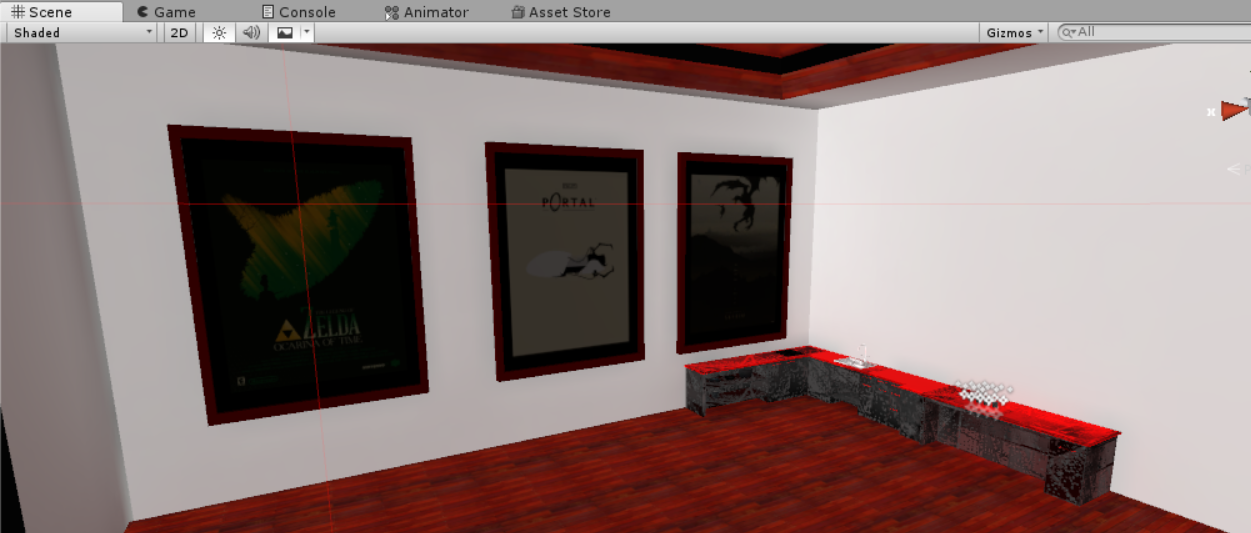
Did a little poking around and find this, which doesn't make any sense because this is literally larger than the file size of the world itself???

Is my project just dead now? Or is there some kind of correctable issue that I'm just not getting?
lilac saddle
Your counters look like they have a UV problem.
coarse tree
yes bad UVs could make the light maps not compact also so they used more room than needed ... also try crunch compression on the final light maps to reduce the size
tall merlin
Weird thing is, they didn't have this problem before, and I don't know how it changed. How would I go about fixing the uv problem? Also, any idea why the posters were ignored by the baked lighting?
coarse tree
in the scene tab look for the subtab called "shaded" look in that for "lightmap indices" ... you may find a few ways to look at it to analyze the problems
if this was not a issue before .. ? what did you change .. did you combine any mesh did you add anything .. did you change any shader settings
on the FBX files make certain you also checked the box "Generate lightmap UVs"
tall merlin
Well, I don't know why my lighting changed, because I didn't make any changes that I thought would cause everything to bake again. I was just importing assets when it all broke. I ended up scrapping all the lighting, and realized I was overthinking the entire problem and cut down on certain extra lights. Thank you for the help though.
 stark bay
has someone experience with the Bakery tool and can help? i get errors in the process and the process will be never finish because of that
coarse tree
@stark bay whats up
DM me the error does it stall on .. what version bakery ? asset store or custom
 low tartan
Hey, uhm please optimize the presentation room :(
strange prism
I don't think that's how this works
low tartan
How does it work?
strange prism
This is a channel for how to help world builders optimize their worlds. Not a place to tell vrchat to optimize their worlds.
low tartan
Hm okay sorry
strange prism
No need to apologize
 tranquil zephyr
been a long time since ive been here but, does anyone know of any reasonable way to remove objects in unity that are in the same place and share the same name? ive been trying to get areas from World of Warcraft into vrchat but its a bit finnicky.
reasonable as in not manual
strange prism
Write a script?
tranquil zephyr
thats beyond my knowledge
willow spoke
if you're importing an open world map, you would definitely need to use editor scripts to clean things up. It's not something you want to do manually
tranquil zephyr
i knew that i really didnt want to do it manually
do you know where i can find such a script?
willow spoke
editor scripts aren't really something you find, you make them specifically for each purpose
 tidal olive
torn crypt
tidal olive
torn crypt
What is your issue? (You'll get an answer faster if you just tell us your issue / what you need help with upfront!)
 hasty merlin
Is it ok if I piggy-back off of Bronx's question since he didnt reply? Ive got a huge city map, any suggestions for occlusion culling values that would work well for something like that? Its a waterfront area so there are some big open spaces where a lot is visible but the biggest frame drops occur when looking towards the center of the map, where all the smaller buildings should be blocked off by the bigger ones.
torn crypt
@hasty merlin The most appropriate settings are gonna be circumstantial to your scene! If your map is massive, you could try creating an occlusion area for just the part that's giving you issues so iterations are faster + tweak away until you get a decent result. Are you certain that it's bad culling that's causing the spikes? If messing with settings doesn't help - you could create occluder static geo behind your large buildings that forces the smaller buildings to be culled + tag the geo as editor only so it's only used in the occlusion bake.
hasty merlin
Alrighty, I'll mess with it a bit, thanks!
 fierce ferry
Whats up uuhhh
Anyone here know an approximate tri count for worlds to run well? I know this is impossible to generalize, but like what a medium class computer would manage.
I am 246k tris already with the world I am making and I feel like its getting too much
torn crypt
@fierce ferry I know it's probably not the answer you're looking for...but it depends 🌞 . If you have fewer objects in your world (or fewer draw calls) then you might be able to get away with some insane stuff re: mesh complexity. It's most important to watch draw calls (labeled as 'batches' in the Unity statistics window) and your frame time (the number near FPS listed in ms) - you want both to be as low as possible. Oculus recommends that you aim under 500-1000 draw calls per frame for the Rift, and you need to hit under ~11ms in frametime to hit the golden 90fps
versed lichen
@fierce ferry You can have millions and be fine, just watch the drawcalls as Kid explained above
fierce ferry
Alright, thanks guys! Im gonna try around a bit.
 median stag
For texture atlasing, basically i'm making one giant texture, and making the materials pull all from that material, at different points right?
It's not one giant material, but many materials of a single texture?
 past imp
no atlasing is putting them into as few materials as possible
each material is a drawcall
median stag
So, reuse the same material as many times as possible, then?
past imp
yeah
but in unity make sure the slots are joined as well if that make sense
if a mesh has 5 material slots and uses the same material it's not atlased since it will consider those materials as separate for drawcalls
make sure you combine the materials in blender
or w/e 3d program you're using
median stag
Yeah that's fine, just wanted to check to see if it was looking up the texture multiple times only, or each material
Any reliable unity-map atlasing programs i see a few, or should i just do them by hand in remapping each mesh?
past imp
sharing textures will only really save memory
best best is to do them manually to get the level of detail you want
for each thing you atlas
median stag
I've seen some people say not to atlas literally everything, anything to avoid atlasing?
Otherwise my next step is going to turn every non metallic/shiny/normal mapped thing into one big material
though i guess you should do that for normal maps too, with a giant blank normal map except in areas you want a feel
past imp
for worlds it might not be a good idea to combine everything because it would draw the entire mesh at all times and you wouldn't be able to make use of occluding
occluding just makes it so objects not in view don't get drawn
median stag
The mesh would still be separate, wouldn't they?
It would just be the materials that are all the same, on differently mapped meshes?
past imp
if they have the same material but are different meshes they can get batched together, but if they different things like reflection probes they won't get batched
coarse tree
please read up on occlusion culling .. if you combine to mush it will influence this .. basically combine items ok but try not to join items if they are separated by a large wall or hill as culling would shut off the items not in view of the camera .. if you combine them then the culling will not shut them off add FPS to kill you
median stag
Not trying to combine meshes, just remap the meshes individually to all use the same material, from what it sounds
past imp
yeah it'll still use a drawcall, but enabling batching will help with that
coarse tree
yes reduces draw calls
note if you combine many textures you may need to look at that combined texture size and increase it a bit to gain the quality back
find a middle ground
 stray mica
Does anyone know if there's a Unity list of processing cost or something of the sort?
Something like...
UI elements are less costly than 3D objects, and Terrains are more costly than 3D objects, etc.
Kinda like UI < 3D objects < Terrain.
lilac saddle
anyone know how to fix unity issues?
versed lichen
Depends which, what's up ?
lilac saddle
i can't load my unity project
keeps opening up a bug reporter
but with the other project it opens fine
lilac saddle
ruuubick you still there mate?
versed lichen
@lilac saddle That's more of a Unity issue than VRChat issue
i'd suggest making a new blank Unity project, import all your stuff from the previous one
lilac saddle
ah damn 😦
gonna take ages to put it all together again, but thanks anyways
sad now 😦
torn crypt
I've been in those shoes. Check your editor log, it might hint you into why it won't open and it may be as easy as deleting + reimporting an asset!
torn crypt
should be C:\Users\username\AppData\Local\Unity\Editor\Editor.log
lilac saddle
cheers
lilac saddle
thanks so much @torn crypt , you're a lifesaver.
 snow stag
How do I increase the render distance?
 bold nymph
did you mean the camera view distance? it can be set at the camera (then set that camera as reference camera in vrcworld)
snow stag
I have a problem. I'm trying to update a world I've been making for the past 2 weeks and when I click on new build, it says 5/11 clustering/ 60 jobs and has been that way for an hour. Did I do something wrong?
And when I click on cancel, it sends me to the upload panel and when I upload it, it doesn't show some stuff on vrchat what I put in unity
 analog kraken
it's baking your lighting before your build. Go the lighting window and all the at the bottom, disable Auto Generate Lightmaps
you might want to bake your lighting at some point but it's better to do that on your own time instead of right before test builds
snow stag
Ok
Thank you
It's on directional lighting right?
If it is, I don't see it
Never mind. I was looking at the wrong place. Thanks lol
lilac saddle
Question about shaders and textures:
My world runs fairly smooth, but the file size is kinda large (208 MB)
Most of my textures are PNGs and JPGs
Ive used the texture compression within unity to reduce the size and its helped a lot, but would converting them to Targa (TGA) or DDS be better?
As for the shaders, most of them are standard or flat toon lit
 nocturne furnace
have you tried crunching them? or downscaling resolution
lilac saddle
I did, most of my textures are at 512 x 512 now
nocturne furnace
do you have any audio files in your scene*? or something else taking up space?
or is it just alot of objects with unique textures
lilac saddle
I have audio sources too, Ive set them all to vorbis streaming
plush crest
Might also be realtime GI data
Check build log/stats to see what kind of resources take how much space
median stag
Could light probes cause lag?
lean lodge
No.
Not really.
Maybe if you spammed so many that even the editor has issues displaying them all
But I doubt it
median stag
I have some weird connections with the light probes, like 300 units away despite being out of the light probe area so was checking
lean lodge
Oh yeah, separating light probes by groups only seems to group them together differently, it doesn't actually separate them
I have the same issue in some areas, I just ignore it
median stag
World with 1 person = 91 fps, 2 people = 75 fps
What could be responsible for such a large drop? (Not the avatar)
Syncs?
lilac saddle
@nocturne furnace Make sure each audio files is set to minimum quality.
nocturne furnace
wrong person
 wind jacinth
I have some scaffolding built in blender of a repeated girder structure. The whole think is like 7k tris. If I wanted to use more girders throughout the level would it make sense to break it down into like a 500 tri chunk that is repeated and build it up in unity? Or just build everything in blender. I don't really know the extent of whether this is something that could be gpu instanced.
example. I want to build this out so there is 3-4 as much scaffolding extending around this whole area
median stag
I've been told, better to have more, smaller meshes in unity
The idea being, Unity will be able to better occlude them
wind jacinth
I have a fairly small world that I drastically reduced the frame render time by disabling static occluder on almost every mesh. A large chunk of every frame was dedicated to stepping through the occlusion map and checking every object. I reduced the baked occlusion to under 30 KB and it drastically improved frame times
somehow the overdraw in gpu cost me was less than the cpu spent on occlussion calculations
I have a bunch of large inverted cubes that I turn on before baking occlusion
median stag
I personally would want smaller anyway, for making pieces to be used together
for other projects, and such
wind jacinth
yeah. I'm not great with blender. I've been collabing on this, doing mostly unity work. once I break it down it'll be easier to work with
analog kraken
I wouldn't use inverted cubes for occlusion, just use normal cubes and put them inside large walls and other big objects. You'll probably get better results that way
plush crest
Can't instance lightmapped objects (at least in this unity version), might wanna try with smaller to see how static batching holds up, but I'd do large chunks (like split into left/right), depends on the rest of area
 worthy pecan
so.. uh.. for some reason some baked lighting i've done in a world is dropping me down to 45 frames?? but my worlds 90 frames everywhere else except on this one baked spotlight..? any idea?
versed lichen
So you have realtime lights everywhere else ?
worthy pecan
no,
everythings baked
but i turned off the baked lighting on the stage
and im still only getting 45 frames SPECIFICALLY when i step on the stages flooring
it seems to be the stages flooring somehow..
the map was modeled in hammer editor and ported into blender
every other surface seems fine
versed lichen
What do you mean by turned off baked lighting on the stage ?
worthy pecan
i turned off the lighting on the stage and rebaked the lights, went into the testing world and walked onto the stage (the area that seemed to be lagging)
and i was still being dropped to 45 frames
but as soon as I stepped off of the stage itself?
It went back to 90 frames
but if I faced the stage i'd get 45 frames
versed lichen
but when you face the stage, you face the majority of your world
versed lichen
Do you have a top down view of your world ?
worthy pecan

just a stage with a backroom with instruments
but anytime I stepped on any of that white material (it was a wood texture with maps)
versed lichen
You get 45 regardless of where you look ?
worthy pecan
I'd get framedrops
I got 45 frames regardless where I looked when on the white surface.
on the carpet flooring? I got 90 consistently
so maybe it was the material I was using?
versed lichen
so you have 0 lights on your stage ?
versed lichen
no idea then, could just be dropping a few frames, so not a big deal
worthy pecan
i'd rather try and keep my world consistantly 90 tho..
versed lichen
with reprojection you can't
versed lichen

Google Developers
worthy pecan
so.. uhh..? theres no way to make the world have a smooth 90 frames then?
versed lichen
if you drop a single one below 90, then most likely not
if you plan on having people in your world then that'll happen every time
worthy pecan
alright, thanks.
 pine blaze
I'm having an issue that involves vrhcat saying it wont respond for a few seconds before actually allowing you into my world. it's like VRchat freezes and unfreezes. I'm worries that means my world is somehow unoptimized. I have done baked lighting awhile back with help because i didn't understand it and i have compressed textures. My world is under 100MB . I'm worried there are people who can't enter my world and want to know what else is there to make it easier to run.
versed lichen
Do you have a lot of triggers and object sync in your world ?
Does everything load in front of you ?
pine blaze
I do have triggers in my world. You click a button and it brings you to a mirror. I have 2-3 triggers for music to only be heard in the room of the floor you step on. I have two mirrors but CAN be toggled on and off.
Also
I got a new bug, i think do to vrchat updates but now my floor vanishes and you fall through it when you step on it. It's suppose to trigger music but it removes itself now instead.
versed lichen
make sure the reference is correct to the object
And make another trigger for your floor trigger, don't use the actual floor
pine blaze
so your saying I could connect the collider to a chair but make it sized with the floor for example?
versed lichen
You can simply adjust the size of the collider trigger
 astral trout
@worthy pecan a bit late of a reply but, did you use mesh colliders on that stage? if the mesh is high poly and is used as a collider, it can cause issues, one of which when standing on it can cause significant frame drops.
worthy pecan
no it was box colliders
we ended up making it again from scratch with the mesh divided up more
and it fixed it
i think the mesh was just too big.
pine blaze
@versed lichen i dont think i understand
versed lichen
You know how to make a trigger collider ?
pine blaze
umm I have a box collider on and object that is not parented to the floor but it's size to trigger on the floor and a VRC_trigger script also on that object also. Not sure if that answers your question.
pine blaze
How do I make music sound like its all around you instead of the source spot it's placed
im trying to get it to work correctly with the trigger
versed lichen
So ambient sound ?
pine blaze
Yes I think
pine blaze
Wait how is this different from a normal audio source
versed lichen
It has already preset settings for background audio
so you just drop it in your scene, add the audio you want to play in it, and you're done
pine blaze
Okay thanks, Now if i want this to only play in the room of the floor trigger i walk on.. can you tell me how to do that? I used to have it set up but I can't repeat the process correctly I dont think.
coarse tree
@versed lichen do you happen to have any animated Directional lights in your bag of tricks
versed lichen
@pine blaze Sure, on the trigger you just want to have OnEnterTrigger set to Local, the action is SetGameobjectActive, and you select the audio source
Nope sorry Dawie, but maybe ask jetdog, the 2D audio is part of his prefab
There's also the VRC Prefabs database
 toxic stag
It triggers when the current object collides with another object with a collider component whose "trigger" property is checked.
versed lichen
@pine blaze Make sure you apply the layers PlayerLocal and Default on it
and you can make another OnExitTrigger on the same one, to stop the music, if you want
pine blaze
ive never done it this way. I hope I can pull it off
I want to have a video player play its music in one room and when I enter another room the Audio source I added for the world should turn on and turn off the video players music in the old room.
Is what your telling me to do, the way to go about that?
versed lichen
Yeah that sounds about right
You can make as many of those you want, just make sure to have both OnEnterTrigger and OnExitTrigger on both
pine blaze
alright, I shall give it a shot
pine blaze
im not sure if im suppose to use player local or default
versed lichen
both
median stag
I'm going to be having rooms that are non static and have lost of things in them, (because they move around)
Will occlusion still hide them from each other if there is an entire wall in their face? Any way to ensure they're not rendering the entire map while facing a direction of a wall?
torn crypt
@median stag I'm not sure how your world is going to be setup so I can't recommend anything specific to your use case, but look into occlusion areas or occlusion portals. https://docs.unity3d.com/Manual/class-OcclusionArea.html
 rare ermine
HI
median stag
Mhn, right, forgot those were a thing.
I'll look into that next, thanks
rare ermine
who wants to play vr chat with me
analog kraken
you might want to ask in a different channel, this is for optimizing worlds
lilac saddle
based
tall merlin
So, I've got a unique situation. I've got a world that uses triggers to disable entire rooms as a means to occlude them to prevent lag.
Naturally, when the world starts, the rooms are all disabled until approached. However, starting the rooms disabled means they don't bake lighting in unity, and become realtime lights. Is there a way to save their lighting and also start disabled?
analog kraken
couldn't you just occlude them normally instead of using triggers?
tall merlin
The triggers have already been set up and getting rid of them at this point would take hours if not a couple days. The entire map was actually based around trigger based occlusion in mind, so I'd like to keep them if possible.
analog kraken
alright, well couldn't you just bake the lighting and then disable the other rooms? I haven't tried it myself but I think the lightmap should still be on there as long as it was there when it got baked
tall merlin
Hm. Haven't exactly tried that. I just kept auto generate lighting turned on. Let's see.
Ah, guess the solution was that easy the whole time. Thanks.
harsh geode
is it recommended that my textures have ( ) generate mip maps toggled?
it's a kind of a LOD based system right that isn't supported by VR Chat? Or am I mistaken
trying to further reduce file size
besides crunch compression etc
analog kraken
you want mip maps, keep them enabled
harsh geode
any other tips on further reducing world size? besides crunch compression
torn crypt
Yeah, disabling them can cause some nasty aliasing / shimmering (especially in VR). But make sure you're clearing your dynamic materials list on the Scene Descriptor to avoid pulling in materials/textures that you're not using!
analog kraken
you can compress textures, lightmaps, and audio sources so do that. Also with lightmaps, you can rebake them with lower texels per unit to reduce the size without it looking as bad as compressing. Also, the Realtime Global Illumination setting can bloat your lighting file size and you probably don't need it in the vast majority of cases. See if you have checked in your lighting window and uncheck (don't remember if this means you need to rebake)
torn crypt
To add to that too, you might have textures at resolutions higher than you need on game objects. Smaller objects might have 2k textures, but switching them to 1024 or 512 might not result in any actual perceived loss in quality because of it's texel density. You can even go more granular + start cutting down the resolution of AO or Smoothness maps if that level of detail just isn't needed there.
toxic stag
You can also turn on mesh compression in FBX import setting
wind jacinth
I just enable stuff I want in my light baking, and disable it afterwards before uploading and vice versa. i.e. I have a giant video screen that I don't want to effect the reflections, so I turn it off when baking. I also have a custom shader that doesn't really contribute to static lighting calculations, so I have an overlay with the standard shader that I enable before baking.
coarse tree
? i have no idea what you say
wind jacinth
responding to rainy. you can bake stuff then turn it off
lilac saddle
@tall merlin Just keep the rooms enabled and disable the rooms 'locally' using an OnEnterTrigger located on the respawn point. Optionally you can have an on OnExitTrigger doing the same thing just in case triggers decide to fail.
You will need that trigger anyway because when someone respawns you need to turn the rooms on and off.
pine blaze
@versed lichen I think I may be doing something wrong cause you said use both but I only see and option to choose one or the other
versed lichen
@pine blaze Layers on the trigger, not the object itself ;)
pine blaze
@versed lichen Is there a youtube video I can follow? I'm too lost.
versed lichen
I don't think there is, but on the trigger component, there is a layer option
pine blaze
https://gyazo.com/dc3f493e0fe35c294eef1fa57cd0085a @versed lichen Is this corect?

cause I think i am missing something. currently both songs are playing at the same time.
https://gyazo.com/32f51434a86add19b177c04fc9daad28 Here's the rest that you cannot see in the 1st pic.
 versed lichen
Looks good to me !
You have two songs ?
Make sure they're disabled by default btw
pine blaze
https://gyazo.com/03e5045bf949f2f01bba918869127ce0 it's a video player playing music when you step on the Brown wood floor. It's suppose to shut off then play the prefab you gave me with the audio source when I step on the black wood floor.

When you say disable by default, you mean uncheck 2d_background_audio? Which is on the robot. And for the video player, I do not remember what to uncheck so it's off until i touch the floor. Am I unchecking "Sound" under VRCVideoSync? to disable it?
versed lichen
You could disable the 2D audio and enable the screen(+audio) with the same trigger
2D audio to false, Screen audio to True, and opposite on OnExitTrigger
pine blaze
So "OnExitTrigger" should have false and "onEnterTrigger" should have true?
toxic stag
I have 30 grabbable objects with the same mesh and different color. Is it possible to reduce the draw call?
pine blaze
I have my video players audio rang to be small and only around the video player BUT I can hear it across the room. Why?
analog kraken
@toxic stag Enable GPU instancing in the materials for those pickups. The requirements for it to work are a lot more strict than for static batching though https://docs.unity3d.com/Manual/GPUInstancing.html
@pine blaze Disable the ONSP Audio component
toxic stag
@analog kraken Instancing won’t simply work. It requires a single material and we need to use script to vary the color parameter.
analog kraken
yeah then you're out of luck in that regard. If you just need color variants you could make an atlas with the different color types so they all use the same material?
toxic stag
But then I need script to vary offset parameters 😐
toxic stag
@analog kraken I figured out how to do it! I need to first modify the shader to support instancing on the color parameter. Then color should be varied using animation.
Reference: https://catlikecoding.com/unity/tutorials/rendering/part-19/
analog kraken
ooohhh I don't think you could do that, nice
lilac saddle
@pine blaze It's probably because you can't have local video players. I'm guessing the video player syncs up with the master or the owner, and so the local triggers don't work as intended. You could use a non-streaming video but it's going to increase the file size somewhat.
Make sure you also set it from 2D to 3D and choose the 'linear' option.
 steel mason
i have a problem recently if an object has video player and i hide it with triggers it will work first time
then sencond time it will unhide but wont hide ever again
just a simple toggle on object
 tender spindle
Is there anybody with a bad computer that could test how laggy my maze is? I tried making it as lag-free as possible: https://www.vrchat.net/home/launch?worldId=wrld_8d06c74a-cfb8-4b99-885f-aba25544d7df

Simple maze to test size and anti-lag․
 pseudo bronze
Just tested your world with my "not that good PC" (RX560 4GB with i5 3470) and In the VRChat home I always have 90FPS and in most other worlds (that are not made by VRChat) I have between 40-80 (depending on the world) in your map I have about 80fps that are constantly switching between 79 and 80
tender spindle
nice
analog kraken
it'd probably be better to just check drawcalls in unity then to ask people to check it on their hardware
tender spindle
Not really, I don't have any reference point on what drawcalls are good, and there could be stuff that changes when it's uploaded to vrchat (there is for avatars at least, so I don't see why there wouldn't be for worlds)
analog kraken
50 or under is the recommended drawcall count for quest. There isn't really a 'right' amount of drawcalls but if you're at like, 1000 then you know it's not going to run well
torn crypt
Oculus also has some spitball'd targets for Rift that might be helpful https://developer.oculus.com/documentation/pcsdk/latest/concepts/dg-performance-guidelines/
analog kraken
500-1000 maximum drawcalls is pretty generous. If you're going over 500 then you're probably pushing it too far, especially considering that other players also need to be rendered
torn crypt
Yeah, it's probably safe to multiply your world's player capacity by 10-20 and then subtract those for headroom from your perf budget...but even 10-20 per player may not be enough, haha.
loud knoll
anybody know about crunching textures to lower the size of the project file?
versed lichen
that's an option on the texture itself
 pliant coral
I'm having some trouble optimizing my new world for the quest, I'm not sure if it's because of my lighting or because of something else. I get less than 10 FPS on the quest and I want to fix this issue before publishing it
 pallid gale
are you using baked lighting
pliant coral
I'm trying to, but it says that the light mode is being overridden to realtime mode and I'm not sure how to change that
pallid gale
have you changed all of your lights to baked
pliant coral
I'm trying to but it still won't do anything. It says I need to enable Baked Global Illumination to use that
pallid gale
I suppose you could see if that helps
pliant coral
Not entirely sure how to do that
pallid gale
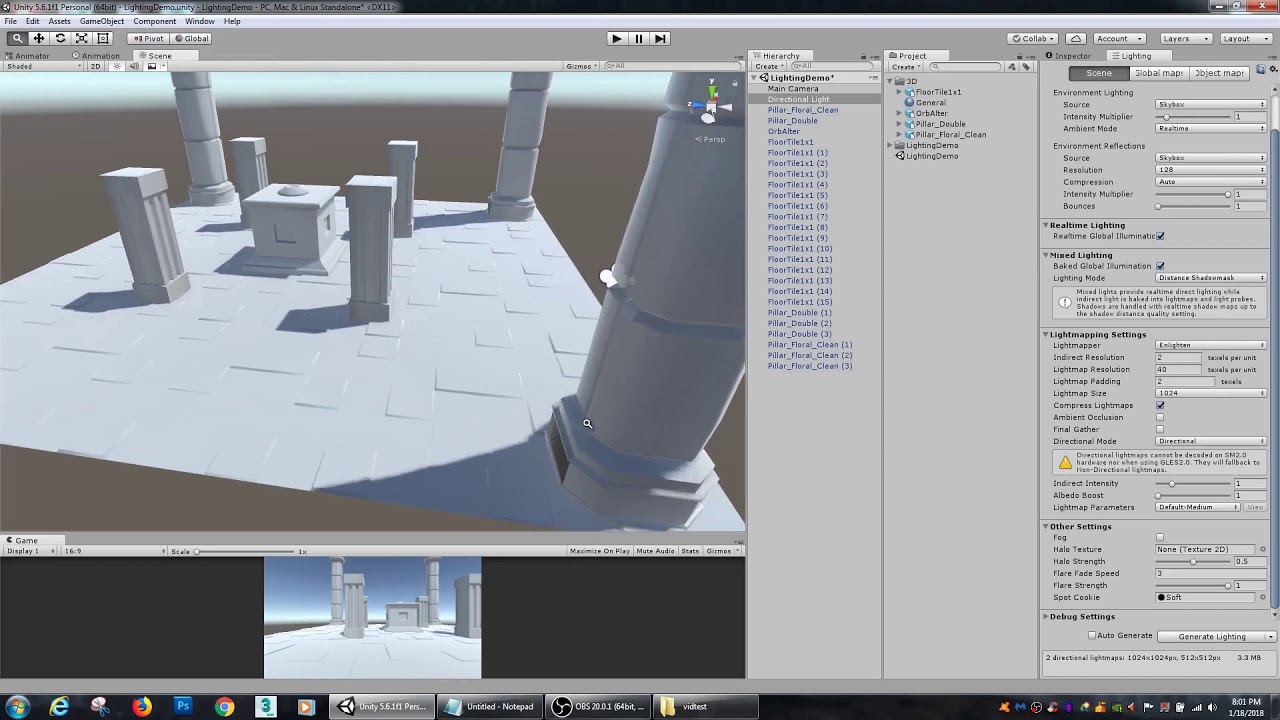
In this Unity tutorial, we go over light baking. Unity's built in light baking system, Enlighten, is great for speeding up your game and giving it more depth.
pliant coral
Thanks
pallid gale
you can also click the little ? Next to most UI components to pull up the relevant documentation
pliant coral
Thanks, now hopefully this world will run smooth
pallid gale
also the shaders to the mobile vrchat shaders
 foggy root
what's the best way I can optimize my world for a better FPS?
analog kraken
reduce your material count and bake your lights
foggy root
do I need to do Texture Atlasing? & also do you know of a good light bake tutorial?
pallid gale
yes you need to texture Atlas

VRCat: Community-Run VRChat Forums
This is still a work in progress but I'm working on a tutorial for world optimization. I'm be looking for feedback on things to add or edit. I'll be...
foggy root
does light baking usually take awhile to upload a world to VRC? been stuck on this for like 20 minutes
tender spindle
Set down the resolution in the light settings by a lot, otherwise it will probably eventually run out of memory and fail
foggy root
would setting it to 10 be good?
foggy root
My frame rate is still terrible. I did Atlasing and baked my lights too. Still suffering at a mere 27 FPS.
analog kraken
you might want to bust open the frame debugger and see what's going on behind the scenes
lilac saddle
For faster bake, indirect resolution 0.25, lightmap resolution 40, ambient occlusion and final gather off. Lightmap parameters, default-medium or lower.
lean lodge
How would such a high lightmap resolution make bakes faster?
strange prism
@foggy root you should turn off auto bake and bake when you are ready.
pine blaze
How do I stop "vrchat not responding" while loading into my world? I don't know what cause it to pop that up. I can still get in but i know some others can't
 reef cypress
how do i stop occlusion culling from making objects disappear? i had smallest hole set to 0.01, and that works on smaller maps, but when i do it on big maps, it runs out of memory. any number higher than 0.01 and objects disappear
pine blaze
Tag: VRCGlobalRoot is not defined. What does this mean?
 sweet marlin
@pine blaze Are you using the newest SDK?
sweet marlin
So you can load the world okay? But others cannot?
sweet marlin
I see, mind giving me a quick step by step process up to the point you have issues?
pine blaze
the last thing I was doing was adding in a bunch of free assets from the unity store
I didn t add any new objects. I just change the material of my skybox and floors
sweet marlin
Okay so you made those changes, you go to upload
And at that point you have issues?
pine blaze
Yeah but i didnt realize it because it goes through the upload process and acts like it uploaded but it didnt. Plus it acts like it's uploading in just seconds. Which is weird for my project because I usually have to wait awhile before it finishes uploading.
sweet marlin
I see
So firstly I would suggest trying to upload the world with a new ID, see if it uploads successfully to vrchat as a fresh world
You are uploading and not just testing the world correct?
pine blaze
correct
sweet marlin
Is this a public/labs world or private?
pine blaze
Public
hasty merlin
I had the same exact issue, clearing the ID and uploading it as a new world fixed it for me
sweet marlin
Definitely not something I have seen before, I would definitely suggest trying to upload the world with a new ID, just to see if it uploads
Ah there ya go
I guess if you want to keep your world public, after you have uploaded a new world as a test try to upload it with the same ID again and see if it works
Otherwise you'll have to go through labs again
pine blaze
it would be sad to lose my world stats
sweet marlin
Like I said after you have tested with a new ID try and upload again but with the ID of the public world
It might work
pine blaze
How do I find my current ID
hasty merlin
I'm having a problem where occlusion culling doesn't actually block anything thats behind other bigger objects. Any advice? It only unrenders stuff thats outside of the view cone. It becomes a problem when looking at the center of a big city map.
sweet marlin
@@hasty merlin I'm assuming the city is split into quite a few meshes?
@pine blaze find the vrcworld object in your hierarchy and it should be on there
hasty merlin
A TON of small low res meshes
If I look anywhere except towards the center of the map where those 3 big hotels are I get roughly 80-90fps, but if i look in that direction it drops to 17fps
sweet marlin
@pine blaze you'll have to check the compile errors in unity, look in the console tab
pine blaze
Yeah i been looking but i have no idea what the errors mean
hasty merlin
Sometimes if you click the error it will highlight which object is causing problems in your hierarchy
At one point for me an audio source was causing errors and keeping me from updating the map, so i deleted the audio source and it fixed it. Not saying your issue will be an audio source too, but thats what it was in my case.
Why the hell did it make a link out of that
sweet marlin
@hasty merlin So when you use the visualization to see the culling you can see that it doesn't cull anything from behind the buildings?
sweet marlin
Interesting
I'm not really in a position to look Into this further but I can come back to you later today if nobody else comes up with anything
hasty merlin
Thanks, I really appreciate it!
coarse tree
@hasty merlin all the building lighting is that emissive or some other sort of lights
hasty merlin
Sorry for the late reply, The lit up windows are all just emissive textures. The map is lit by lights that I'm going to bake when I get near the final version because of how long it takes.
@coarse tree
coarse tree
perhaps the water ? try turning off reflections
hasty merlin
I know that realtime lights have a big hit on performance but they are just temporary. I've actually spent a lot of time fiddling with the water, trying out different shaders, etc. But the thing is that even when the water is out of view and being culled, looking towards the center of the map causes a massive drop. But looking out to the ocean from in front of the hotels is buttery smooth.
coarse tree
ya nothing to do but keep testing with and without ... use Performance Analyzer tools and graphs to try and pin down the heavy spots
hasty merlin
Will do. Also heres the top down layout of it to give anbidea of the scale.
Up near the number 05 is the area where the screenshots are of
coarse tree
so could be a number of issues like drawcalls but that's pretty nice looking
torn crypt
@hasty merlin Occlusion culling can be a hit-or-miss (usually the default settings are fine, but of course there can always be fringe cases). You're making a pretty massive urban world tho so you prob can't rely on occlusion culling alone for optimization. What you need to find out to diagnose this is what is taking up precious frametime when you look at that specific spot. The profiler will help you there, or you can look into RenderDoc if you need to go sicko mode. You said your world is made up of tons of low-poly meshes, do all have them have separate materials?
 quartz shard
can i ask how you do the occlusion cullling i got none idea i see a video that guy sayng about you mast make the objeckt static occlusion and take the camera to the vrcworld is that so? and what place in vrcworld?
torn crypt
@quartz shard https://youtu.be/PmllCooy_UA

Enable Occlusion culling in your game to reduce extra draws and improve your framerate.
quartz shard
stil no vrchat is that the same think ? work it the same? i dont need to do special think why its vrchat ?
torn crypt
Occlusion culling that you do in Unity will carry over into VRChat fine without needing to do anything clever to make it work!
quartz shard
ok thx alot
hasty merlin
@torn crypt thanks for the tips, and yes and no. There is a lot of materials but I made sure to cut down on as many as possible
torn crypt
Are you atlas-ing, etc? How many drawcalls at peak (or when you look at that area)?
hasty merlin
Whats the best way to check that? Sorry optimizing is brand new territory for me.
analog kraken
Run the scene and in the game window enable Stats at the top right. Batches is going to be the closest thing to your drawcalls
You can also check it in the Profiler window in the Rendering section, and get more information using the Frame Debugger
hasty merlin
Ah Ok thats what was confusing me, i wasn't seeing the actual term draw calls
torn crypt
^^^ and if you don't have a controller or something, you can just set the camera up to look at those buildings before hitting play
hasty merlin
Yikes
One sec switching to discord on pc
ok, how horrible is this? https://i.imgur.com/nnFg9AB.png
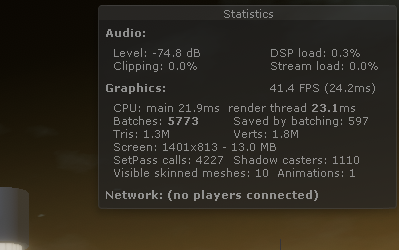 analog kraken
very
hasty merlin
That's what I expected lol
analog kraken
if you need some benchmarks, Quest worlds need to be under 50 and Oculus recommends a max of 500-1000 drawcalls for normal headsets
torn crypt
How many materials do you have? You said you cut them down, but do you mean removed ones you didn't need or do you mean atlas-ing
Also, can you disable those unbaked temp lights you have in there and then hit play and see how many draw calls?
hasty merlin
Ok , now I'm going to seem like even more of a noob. I don't know anything about atlasing, and yes I just removed the duplicates and use the same material across all meshes that it should be applied to
ok disabling the lights improved it by a lot but its still not good
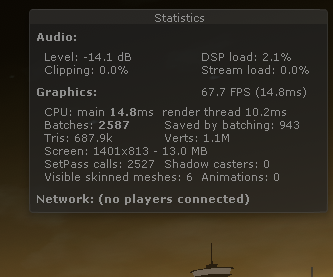 torn crypt
I mean, it's certainly less oof-y hahaha; but yeah we gotta cut that by over half to get you in your range
hasty merlin
Alrighty, will baking the lights get that number down to what it is with the lights disabled?
torn crypt
You might accrue a little bit more because lightmaps still have to be taken into account, but it definitely won't be 5k draw calls
Is that area over there playable or just vista assets?
hasty merlin
Here's a view of the entire thing. The REALLY bright buildings, the hillside and the bridgerae pretty much all of the vista assets
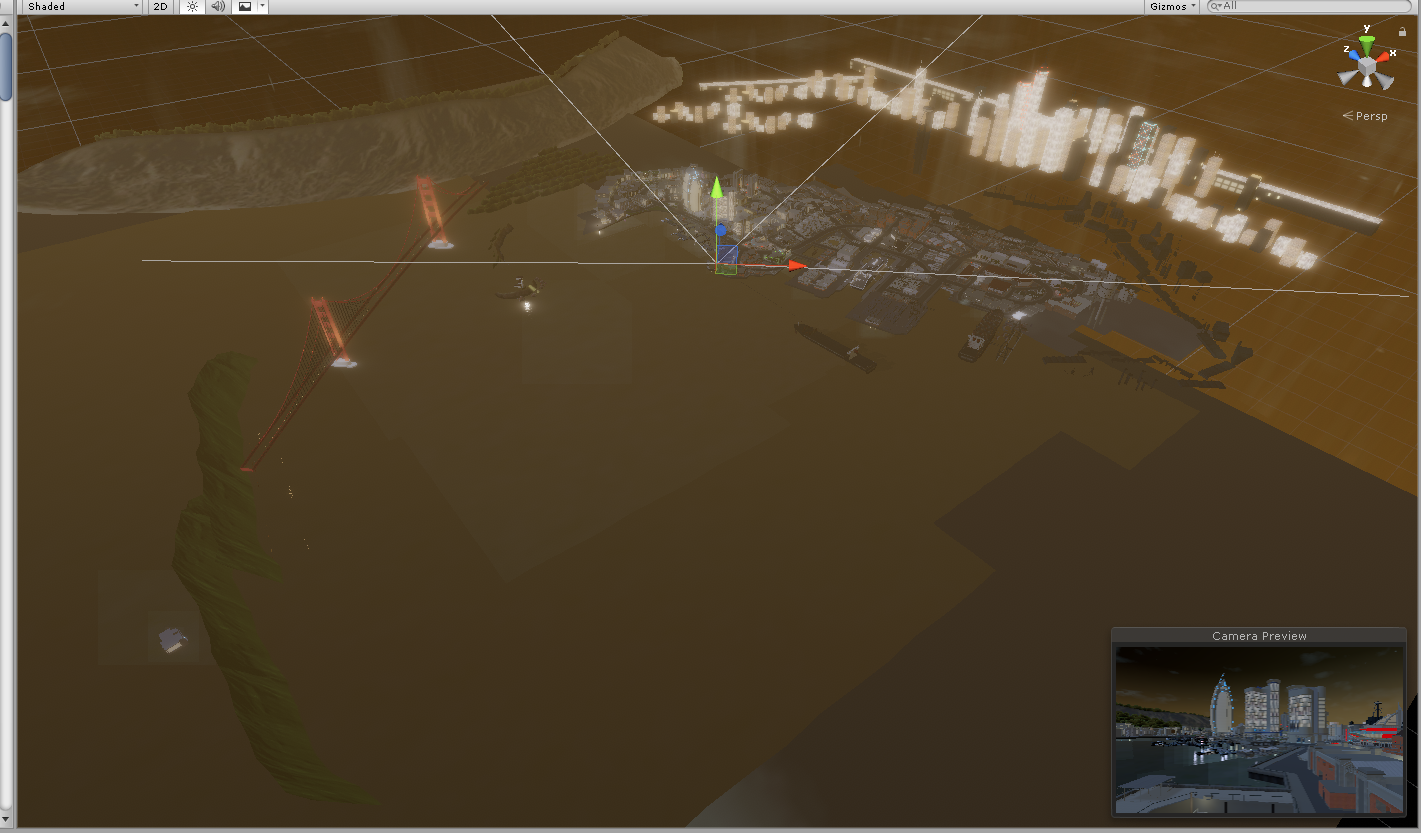
the darker portion on the bottom right is where the water ends
looks weird from this view but looks decent in-game
torn crypt
Are those bright far buildings sharing a single material?
torn crypt
I imagine they're far enough away that you could atlas almost all of those together with some tiling UVs (or just not, it's probably far enough away where a hit to the texture's fidelity won't matter), and then break up your main map into zones and have all the buildings on an atlas per zone
versed lichen
You're using realtime lights ?
hasty merlin
Yeah they're far enough away, I could get away with reducing the quality. I don't know the slightest bit about atlasing, but I can try to find some tutorials or something. Is it something that can be done in Unity or would I need to do it in Blender/3dsMax?
Yup they're realtime, I was gonna wait till I got to a near final version before baking because of how long it takes
Probably a really bad idea
torn crypt
I saw your original 5k draw calls and I was like "how" until I saw the amount of shadow casters, haha
You could use something like Blender and Gimp + make some crude atlases tho - there's some assets for Unity but they're mostly paid afaik
versed lichen
Baking lights will most likely reduce it by at least half
Also if your objects are set as static, you'll occlude a lot of things, and you have a lot of objects outside of your view frustum
It's never as bad as Unity shows it
hasty merlin
Yup everything that isn't drivable or grabbable is static
I'm ok with spending some money on store assets if there's a way to simplify the process for a noob like myself
Here's the whole playable area by the way, I realized that the other screenshots from earlier didn't show the density of the area I'm working with https://i.imgur.com/Ygmueer.png
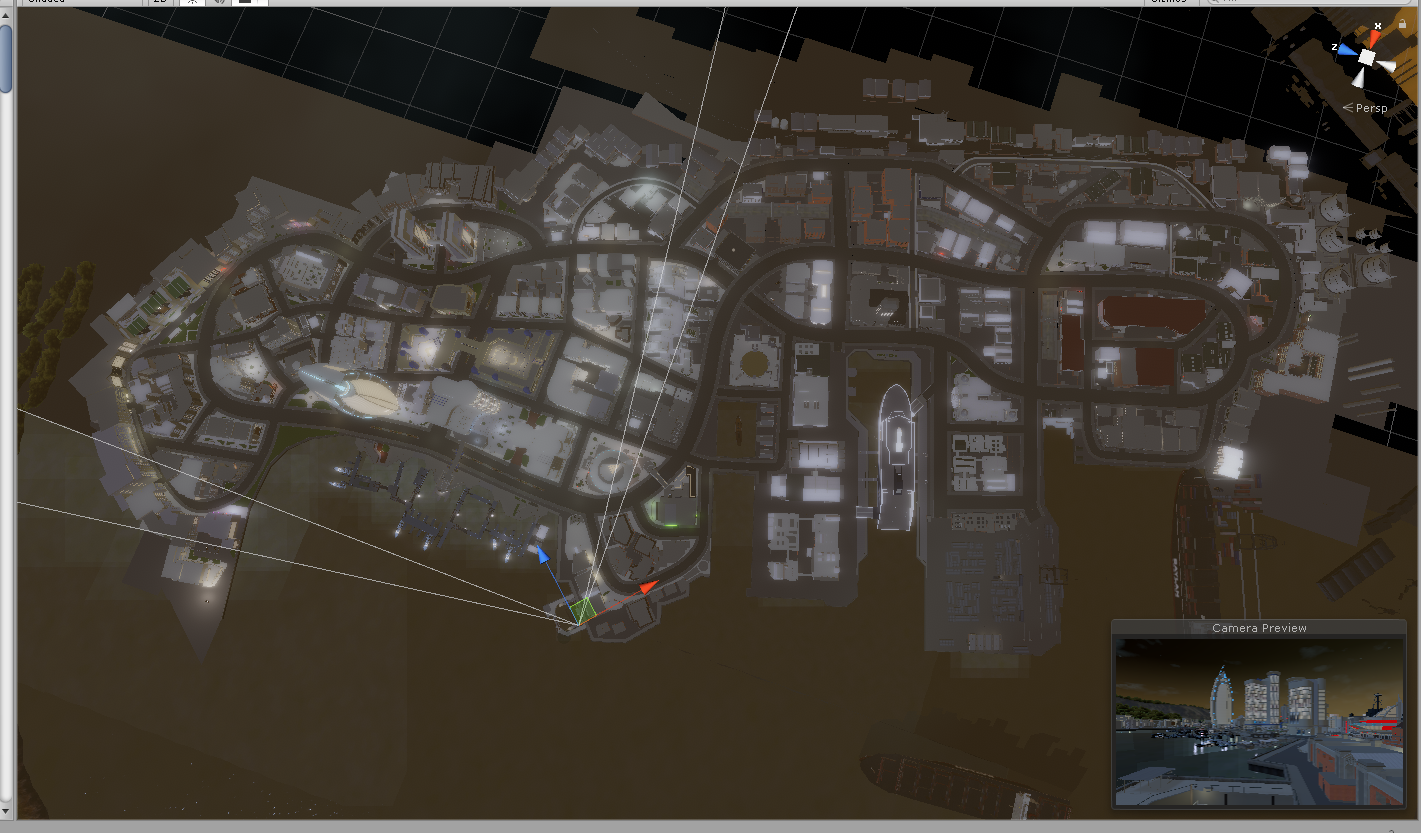 torn crypt
I've used Mesh Baker previously, and it did a decent job. Not as decent as manually atlas-ing meshes obviously, but it got it done! Someone else may have another recommendation here tho or maybe something cheaper/free
I assume most of the arch assets in the playable area have their own dedicated material?
hasty merlin
I belive I actually bought mesh baker in the past, gonna check on that real quick
Well, any spot that uses the same texture as another spot is working off of that one material, so like all sidewalks use one material, all asphault uses one material etc. I haven't been using any duplicates if that's what you're saying. Sorry if I completely misunderstood that lol.
torn crypt
No yeah, that's how it should be! I meant like the building assets, etc. Is each building on it's own material?
hasty merlin
Oh nope, they all consist of a few different materials. Each surface that looks different is a different material. So the concrete siding would be a separate material from the windows
and just checked, I did buy mesh baker last year
totally forgot about it lol
Also have Bakery for lights.
I think it was Smooth Octopus that recommended these
torn crypt
Oh so there's probably a bit going on there. Atlas-ing should def cut that down -- but forewarning: you prob will notice a decrease in texture fidelity after atlas-ing shit together. Mesh Baker can be pretty crude (but even if you did it manually) - your meshes will be taking up a lot less UV space per mesh so you'll notice a difference
hasty merlin
That's totally fine by me. There's no real important details, just a lot of small tiled textures
torn crypt
Yeah! If you wanted to take a jab at doing it manually, you probably could retain the current texel density if it's mostly tiled stuff but Mesh Baker will def be easier
hasty merlin
Alrighty then I'll give mesh baker a shot first, and if it turns out looking terrible then I'll take a shot at it manually. anything specific I should know about setting it up that isn't outright explained or common sense?
torn crypt
There's decent documentation, but MeshBaker likes to ...well..bake meshes together. You don't want to bake your meshes together, you just want to atlas so you wanna use the TextureBaker part of the suite. It still has to modify your meshes (because it has to alter UVs) so when you do that make sure you pay attention to what it's doing to your UV2s because you don't wanna mess up your lightmap UVs. I believe it has an option to generate new UV2s when it generates the new mesh so just make sure that's set right.
 lavish holly
will it shoot myself in the foot later if I use probuilder to help create the foundation of my map?
analog kraken
you can use probuilder, it's good for big models with unimportant UVs but if you want to make detailed objects then blender will do it better
lavish holly
awesome, thank you
hasty merlin
Gave mesh baker a shot last night but dozed off before I finished lol. Lighting is currently baking with Bakery while im at work.
coarse tree
@hasty merlin the buildings in distance will players visit that area or is it just for background
if just background i would suggest you look into use amplify imposters
or if they are active in game set the buildings up with LOD
LOD0 as is baked and LOD1 imposters nonbaked but use lightprobes for lighting in distance
hasty merlin
Those really really bright ones in the distance are just background vista stuff, so yeah thats a good idea, I'll look into it
coarse tree
ya works great for distance and distant LODs .. basically been using on everything
don't forget to LOD cull out particles if used also
but its a lot of light probes ooof
Light Probe Populator
https://github.com/alexismorin/Light-Probe-Populator

GitHub
Automatic Unity Light Probe Generation. Contribute to alexismorin/Light-Probe-Populator development by creating an account on GitHub.
hasty merlin
Awesome thanks, I'll check that out as soon as I get home from work
torn crypt
Do Imposters work in VRChat (or in VR)? I didn't know if they did or not so I didn't wanna suggest it. You still ultimately want all those distant imposters to be using one material if possible + then you can get the benefit of cutting out all those tris on top of it
coarse tree
they don't use any scripts other than to generate the imposter .. yes it should work fine i been told by others that use it in VRchat also
the only thing needed to use one if you don't have amplify imposters is the shader so i can generate them with assets and just include the shader for runtime .. you can also change the shader in amplify editor if you like to make a custom one also
torn crypt
How does light baking work with it? You gotta bake your lights first and then bake your meshes into the imposters so it takes the lightmaps into account?
median stag
Alright. Master = 90 frames.
2nd player = 60 frames.
No looping triggers / something strange in the log
Another issue is that the game basically freezes on entry for about 10 seconds varyiable, but then is 90 frames after that
I've tried a delete test, of all syncs and data storage, and only saved about 5 frames-- i feel like it's not a networking issue, or at least not that one
coarse tree
@torn crypt i never bake LOD1+ as LODs can cause more atlases to be generated, because currently different LOD levels can't share the same atlas.
you set LOD0 as static for normail baking process and then for imposter (LOD1+) turn static off and in most cases also turn of shadows .. do this when you first set up the LODs in the prefabs to save time later
i would again suggest with any LODs imposter or not use light probes for lighting LOD1+ .. you will save a lot of memory and also load time with reduced lightmaps
Note you keep the bake scripts on every LOD setup you make .. if you change any thing you can just press bake the imposter again and it will pick up the changes .. apply to prefabs global it s that simple very easy
i don't worry to much about re baking the imposter after light maps as its so far away you cant tell the change
pine blaze
https://gyazo.com/c68bbcc959cf25f96a50a907ea0db5ad Something here is preventing me from uploading my world. Any clue on what to do? I have newest SDK and I also have tried uploading as new ID as a test with no improvement.
 analog kraken
it seems like you have a bad asset, "Real Materials". Looks like it might not be installed correctly or it's in the wrong file location
 sweet sinew
It’s the asset script that is preventing you from uploading
pine blaze
okay thank you. What is the other two for?
analog kraken
the compile error is related to the first error, and you can ignore the VRCGlobalRoot error
pine blaze
okay thank you for your support
I would like to bring up another issue. im not sure if this is normal or not. My vrc cam look foggy for the thumbnail instead of a clear thumbnail image. What could be causing that?
analog kraken
no idea but I usually just ignore it and comes out fine anyway
pine blaze
okay I will just go for it.
Would this help with understanding why my video player doesn't play automatically or at all? It should just play URL links I put in automatically but stays blank instead.

 analog kraken
youtube videos are kinda on the fritz again which might be why your video isn't playing. Also all video player RPCs can be unbuffered because the sync scripts take care of that
oh and I don't know if changing max quality actually does anything, I'd just keep at 720
 verbal heart
hello yes world optimization tip, bake yo light,
all yo lights
 tacit rose
any good tutorials on getting world baked? 💡
plush crest
@analog kraken image looking "foggy" is sdk bug https://vrchat.canny.io/bug-reports/p/sdk-world-image-preview-partially-gray
 golden coral
so i'm having occlusion issues. basically, in only one particular area, it is doing culling in reverse. it renders when I'm not looking at the direction, and culls when Im looking at it. what gives?
analog kraken
did you move that stuff after you baked it?
golden coral
no. it's an entire room on the map. that for whatever reason, just refuses to do occlusion in any way but reverse.
analog kraken
is it all mesh or something? Like if your room is built like an the inside of a box that's all one mesh then occlusion gets baked inside of it in a really weird way
golden coral
could it be the "smallest occluder" setting, messing with that and setting it to a higher value seems to have done the trick now, but im not sure whats different when i was doing it with a smaller value yesterday and it was fine
well, the room is inside of a big box, which exists to block out the skybox in a particular section
i changed the size of the box recently to make it tighter.
maybe that did it?
analog kraken
honestly not sure, occlusion is kinda wonky
golden coral
and of course, setting the smallest occluder higher causes problems in a different part of the map. god damnit
I also get this error while trying to bake, and honestly, the size of the bake is smaller than it usually is.
Assertion failed: Assertion failed on expression: '(srcData.GetChannelMask() & copyChannels) == copyChannels'
UnityEngine.GUIUtility:ProcessEvent(Int32, IntPtr)
like, baking occlusion culling normally nets me say, 2-3MB, and suddenly, along with the issues, it's smaller than 1mb, like 25-400kb
torn crypt
do you have anything particular going on with occlusion areas or occlusion portals?
 strong orbit
Attempting to do Occlusion Culling, I keep getting this error any tips?
astral trout
error implies that you're running out of memory, have you checked to see if this is actually the case with task manager?
 eternal maple
hi. idk if this is the right place for it but i found some bug in a world (Cirno's Universe) by Khos. and this bug prevents us to get any further. could anyone tell me how to find this authors discord or where i can ask to fix this bug?
analog kraken
you can try looking up their name in this discord and DM'ing them if you find them. Most world creators are apart of this discord, it's just a matter of hoping their in game name matches their discord name
eternal maple
thank you. i will do that.
pine blaze
VRchat application temp freezes before my world loads you in and in some cases certain people can't get in. What can be causing that?
analog kraken
checking the log is really all you can do
tacit rose
alright i know i did something wrong somewhere, when i bake an area my walls aren't mapping right or whatever, any ideas?
analog kraken
make sure they're Lightmap Static and if they're imported meshes, go to their import settings and enable Generate UV2s/Lightmap UVs
tacit rose
looks like they are? here's the import inspector and one of the walls
analog kraken
the Scale in Lightmap is set to 2, I haven't actually tried that before so I have no idea if that works or not but that could be your issue. I think it can only go as high as 1
tacit rose
yea it had the same issue when set to 1 i was hoping 2 would fix it lol
i'll try again later had to leave for work sadly
analog kraken
might also be the shader you're using, if you're not using Standard then you probably should
tacit rose
thanks i'll try that too
 north delta
should baking lights reduce the total amount of drawcalls
analog kraken
yep
north delta
I have 14 point lights in my world and I've tried baking with bakery and the built in unity lightmapper and it doesn't reduce it at all
When disabled I have 70 draw calls and with them enabled it's at 240
I've disabled all shadows in the world too
analog kraken
if you're using Bakery you need to disable the Light components because those are still in real-time
north delta
I'm not quite sure I understand
analog kraken
Bakery doesn't bake the unity lights, it bakes it's own special Bakery lights. So that means that Unity's Light component isn't actually being baked, it's still real-time and still adding extra drawcalls. Just uncheck the Light component on all of your lights and it should be okay
coarse tree
Bakery supports combining real-time direct lighting with baked indirect, as well as subtractive and shadowmask modes.
north delta
Am i supposed to create another component on the light source, disabling the component just turns the light off
analog kraken
yeah bakery uses its own components. If you haven't already I'd recommend reading the documentation
should basically look like this
(for a spotlight obviously, but similar for point light)
north delta
I guess that makes a lot more sense now
do i need to bake it and then disable it or does it matter when
coarse tree
@north delta see wiki
https://geom.io/bakery/wiki/index.php?title=Bakery_-_GPU_Lightmapper
you can use the unity light and bakery light together or just the bakery light or just the unity light standalone ...
bakery light components do not give Realtime only baked .. so if you turn off the unity lights you will not have any realtime lighting only baked
note you don't need to turn off the unity lights when you bake it will have no influence on your results
analog kraken
I'd recommend disabling the lights after, so you know what the final product will look like somewhat and as Dawie said you can also bake some realtime lighting into the lightmaps. That's a somewhat advanced usage though so I wouldn't do that unless you know you need it
coarse tree
mixed lighting is a good middle ground to build with .. for shadows i would not recommend going above soft shadow settings for VRchat
in the bakery file you will find a few demo maps
think of it this way bakery component as fake lighting .. you can not see it at runtime only baked in the light maps .. the unity lights will give you realtime or mixed
Realtime will not bake
Mixed lights will do Realtime and bake together , when you use mixed lights the bakery light and Unity light components are matched so you don't need to do any calculations your self
north delta
do the bakery lights not have a color temperature mode
coarse tree
it has everything Unity light has plus a lot more above Unity
i suggest you add the scripts and press match light
follow the quick start and read the manual carefully
torn crypt
@north delta If you're talking about Unity's color temp mode that lets you set a specific kelvin then unfortunately not (and Bakery won't respect those color temp settings even if you click match light). The Bakery lights only have the tint control -- but you can set that to anything and attempt to match a certain kelvin if that's what you're after
 left flame
what would be recommended for mesh terrain covering a large area around 1000mx1000m. i was thinking of adding them into chunks 3x3 or a 4x4 but cant decide on if it will add up to being unwanted draw calls or too much polys. planning on adding a simple mesh colider mesh or just a double mesh for a colider that doesnt render the mesh when i use manual culling. my map is using rooms that are manual culled around and some of the buildings pop through the ground which is why i am not using unity terrain. would like to know what is the most polygons should a single mesh push before i start splitting it into chunks and would this cause issues with baking lights? thank you
analog kraken
it's not so much polygons you need to worry about, just break it up as it makes sense for culling. Normally you don't need to split up terrain because unity handles that but you said you're not using unity terrain? Then yeah some splitting might be good, this shouldn't be a problem with lightmapping, and in fact keeping it one large object can cause problems with lightmaps
left flame
ty i might have to try unity terrain but have it fit on a template the res i wanted was almost 3m polys and still seemed like it might be not enough
havnt tried mayas tiling for terrain building and unsure how optimize it would be more i think about it in either file size or polycount
torn crypt
Unity's terrain system is def pale in comparison to a lot of the better stuff out there like World Creator or even UE's terrain sculpting tools - but there's a bit of stuff going on under-the-hood that makes using Unity's terrain system more efficient vs using a mesh
Have you given the heightmap workflow a shot? You could sculpt everything out in another software and then export out a heightmap and use that to setup your Unity terrain. I haven't tried it yet so I can't give much specific advice, but I've been meaning to do a World Creator > Unity > VRC experiment at some point!
left flame
yes i own world machine im just going to mix meshes with terrain and try and blend them together hopefully performance can stay up
snow jetty
How do I add a Skybox?
 red scaffold
@snow jetty Create a material, and change the shader to a skybox.
snow jetty
Thanks!
pine blaze
How do I fix an issue where vrchats application freezes temporarily while loading people into my world but sometimes there are others who can't load in at all?
versed lichen
Probably by delaying actions happening at load in your world, through OnNetworkReady with a delay
lilac saddle
Try disabling youtube video player, it doesn't work anyway.
pine blaze
okay thanks I will try it. How do i make audio drop off sound as you move away from it?
pine blaze
I added delays in my world but it still seems to have that loading in issues.
lilac saddle
I use unreal engine thats all i can say
Yall are noobs i got a whole team with me working on my project
🐶
analog kraken
@pine blaze Did I already recommend to you that people who are having trouble getting in should check their outputlog? Because that will give you a more specific reason as to why they can't get in, just look for the Errors that pop up when they try to join
!outputlog
 vital baneBOT
You can find your output log at C:\Users\%Username%\AppData\LocalLow\VRChat\vrchat named output_log.txt
lilac saddle
i hope I'm asking in the right channel, but how do I make it so mirrors can be toggled locally and not toggled for everyone in the world?
analog kraken
on the trigger, enable Advanced Mode and change the broadcast to Local
lilac saddle
oh thank you!
lilac saddle
I know how to display all textures in a project but is there any way to filter out only the one's i'm using in the scene?
 ruby meadow
You could use a naming convention, and then using the word search filter... not sure on a per scene filter though.
 rose adder
Ok so my world seems larger then it should be, and for what ever reason my File headers size is gigantic
analog kraken
file headers is your lightmaps
strange prism
Fileheaders can also be realtime GI. I had a world with > 50 mb of data that I thought I could never get rid of. Turned off realtime GI and the map dropped down to 10 mb.
analog kraken
👆 That, you can also rebake the lightmaps at a lower resolution or crunch compress the lightmap textures themselves
 echo isle
Anyone knows where i can find the option for mirrors to turn off the background?
rose adder
I tried that I want from 25 to 5 and yet still roughly the same size.
 south socket
Any guide on setting up a UI to toggle mirror layers?
rose adder
With no light maps the map is 33 Meg's, with baked 4 2k mats it says the light map textures are 43 Meg's, so why nearly 200 Meg's seems off.
 warped plover
Whats a good way to optimize a world? I baked all the lights i could and on the main light i used mixed because i use speedtrees and they dont bake
analog kraken
@echo isle do you mean not rendering the world? In the mirror component Reflect Layers, only render MirrorReflection and Players and nothing else
south socket
You mean placed them seperately in the scene?
warped plover
Yes
south socket
Did you set them to GPU Instanced?
warped plover
Is it in Edit>player ?
south socket
Its in the material properties for speed trees
It might be better though to add them to the unity terrain, seeing as it'll properly use the LODs there
echo isle
@analog kraken Thanks that did it! 😉
warped plover
I dont really know what lods are but if that might help save some frames ill try it
I saw theres a script to make terrain speedtrees into mesh objects
Would that be worth it?
Cause then i could just bake the lights fully
echo isle
If i btw update a PC world that can also be enterd by quest users. Does the quest version update with it or do i have to update the quest as well?
analog kraken
you'd have to update the quest version as well
echo isle
Alright thanks! 😉
Now all i need is to find a quest user who is willing to burn his quest down to test the FPS for me 😛
 rocky osprey
Their
pine blaze
@analog kraken I don't have anyone currently I can test that with.
friends who used to not be able to, can now join. I know though that it still happens to people, i just don't know who.
Anyone who loads my world experiences VRchat freeze for a few seconds before it loads them in including me. I don't if that would show up in the log because it would load eventually anyway.
ALSO, I would like to know how to lower my worlds download because I can't figure out what it causing it to have jumped to be a higher download.
i have baked lighting a few months ago but idk if i need to redo it. I have change my worlds skybox but I don;t think THAT alone could of did it. I jumped 30mb or more.
analog kraken
if you're getting freezes you might want to check the log anyway to see what it's trying to load.
As for size, a skybox can definitely skyrocket your file size if you're using a cube-map. Those can be absolutely massive.
And for the lighting, disable realtime global illumination in the lighting window because you likely don't need it and it's hogging up space for no real reason. Otherwise you can rebake at a lower resolution or crunch compress your lightmaps
pine blaze
@analog kraken It is a cubed map. Is there a way to compressed it but still look good?
analog kraken
I think you can lower their resolution, but crunch compressing actually makes them bigger if you don't compress it enough (from what I've heard)
pine blaze
How would I try it then?
analog kraken
on the import settings for the cubemap texture there should a checkbox for 'crunch compress' or something similar, enable it and then a slider appears for how much you want to compress it. Try like 75 or 50, but if you leave it at 100 the file actually gets bigger
pine blaze
So I have to reimport the texture fresh?
analog kraken
no you don't need to reimport, just click it the file in the assets and it brings up the import settings
pine blaze
https://gyazo.com/f8edc6ef20e366df086f2404865b1546 This is what I see
 analog kraken
that's the cubemap material, click on the sphere where it says Select to bring up the cubemap texture
pine blaze
 analog kraken
yeah that's it, all the way at the bottom is the crunch compress
analog kraken
off the top of my head I'm not actually sure if it tells how much space it saved
pine blaze
I guess I can just update the world and see. but what if the size didn't change, what would I do next?
analog kraken
you could try lowering the Max Size to 1024 but it might look really bad. If it doesn't seem like it made much difference then check the lighting, try compressing your other textures, definitely compress any music you might have, and take a look-over your lighting settings again to make sure you didn't bake at absurd quality
pine blaze
Ookay I will message back here in a sec after the upadate
steep temple
They should look at their editor.log
pine blaze
where is that located
steep temple
Well I'm on mobile atm so I can't check but you can google it
Once you do you'll want to find the word statistics and a list of percentages of all your assets in the world
You'll need to build (you don't have to upload) at least once
pine blaze
okay thank you
@analog kraken I think i got lucky. I tried the 1024 size and it brought it fown to 8 mb out of 32mb
It doesnt seem to have changed in look though
analog kraken
nice
analog kraken
vrchat makes an outputlog for every time you launch the game, just open whichever one was most recently created
pine blaze
I am new to looking at information like this
but
I found some errors i think
https://gyazo.com/3e6875757c5cfd50e2d95b782fc3ca26 @analog kraken Could this be it?
 analog kraken
ah you know what, it could be your video player. There's usually a bit of hitching when players have to load it but usually not enough to cause a crash. Those are youtube-dl errors though, probably not the problem itself or even anything you can even do about it
pine blaze
those youtube dls are they ones I listed in the player right?
Also, if i hide the player in unity and upload the world again. the player wouldn't cause issues right? So I can hide it for testing.
analog kraken
close but disabling it just means it's off by default. If you don't want it to upload with the world you have to change the tag to EditorOnly
but yeah the youtube-dl errors are because it's trying to download the videos but failing because youtube-dl goes out of date every 4 god damn days
pine blaze
lmao every 4 days why?
analog kraken
its a bit of a hyperbole, but youtube is constantly updating its systems and then youtube-dl has to update to follow suit. But vrchat's bundled youtube-dl doesn't auto-update so we have to sit around and wait for vrchat to have an update bundled with the most recent youtube-dl version
pine blaze
So there's barely a point to youtube DL's it sounds like
analog kraken
well we need youtube-dl to be able to watch youtube videos in the app, but it goes out of date so fast. A proper solution would be to have it auto-update without having to wait for vrchat to update
pine blaze
@analog kraken can you explain how I can bake my lights again? I want to try that next. plus you told me to turn something else off.
analog kraken
there's some lighting guides in the pins of #world-lighting but the important settings for decreasing your size are to disable the realtime global illumination, and lower the lightmap resolution (not the 1024/2048/4096, the one that changes the texels per unit)


 analog kraken
if you're really trying to lower the size then even 40 might be too high, try 20 or 30? obviously it'll look worse but you might be worth the trade-off
pine blaze
@analog kraken I tried 40 and 30 but I have not seen the size go down at all
now my map is just dark
lol
analog kraken
if it's all black and your size didn't go down then I don't think you actually baked your lighting correctly in the first place. Try looking at some of the pinned stuff in #world-lighting
 harsh holly
What is it about World uploads that makes it take so long even with smaller sized worlds?
steep temple
Are they actually small?
If so then I dunno, might be a routing issue to something really silly like windows
harsh holly
I mean.... 30mb, 40mb, not sure if you'd qualify that as small
I'm also fairly new to world creating so all I've ever experienced is long uploads, so I guess its normal? My world is about 40mb and takes about 30 mins to upload. Just curious what it's doing behind the scenes? Compressing a bunch of things I would imagine?
When I preview my world locally, it only takes a minute to launch it
not a big deal, just curious is all
coarse tree
its looking for new ways to break your stuff
harsh holly
lol
that hits close to home in so many ways, haha. I usually have a solid working local world, and the second I show it to people, issues appear
"I swear it was working locally!"
 slate lion
Uploading a 120mb world for me takes around 5 minutes, it does take longer than uploading avatars of 120mb and up though so it probably does more work on the world upload than the avatar one.
harsh holly
5 minutes?! wow, I wish!
I'm working off of SSD's on 300/30 internet
Though, I work with a bunch of PSDs as my textures, so only thing I can think of is that it has to flatten all of them and compress them? no idea
my world is now 50mb, but still, 30+ minutes compared to your 5 minutes makes me wonder what the difference is here
steep temple
Are you hitting full bandwidth?
slate lion
Is the slow part the actual upload or the compression before hand?
steep temple
Judging by the fact that they can locally play in a minute
slate lion
Does it compress when you test locally? I can't remember.
harsh holly
It takes the longest before the upload process I believe, but even the upload takes longer than it should
and yes, I believe it compresses locally too. and literally takes 50 seconds to load locally
steep temple
It should, otherwise upload last build would be borked
slate lion
I dunno then because if it's compressed then it shouldn't matter what's on the inside of the file, just the raw size. Is it with any world you've uploaded or just this one?
harsh holly
this is my second world upload, same issue with that one. That other world was 177MB
I don't remember the actual upload time on that one, but easily over 30 mins
I'm glad I brought this up. I thought this was normal behavior
slate lion
Yeah I don't know your problem but you could keep asking around to see if someone knows. Have you tried uploading a 100mb or so avatar and see if the upload is just as slow?
harsh holly
avatars are slow, but just a few minutes, maybe 5 mins
slate lion
How large of a file size are your avatars usually?
slate lion
Just sounds like an internet issue to be honest
harsh holly
yeah, but like I said, I have 300/30 internet speed, which isn't really on the slower side
slate lion
30 up doesn't sound that bad
harsh holly
i feel it takes the longest before the actual upload process
slate lion
Maybe there's some sort of authentication issue
But that's just me guessing so grain of salt
harsh holly
Under the publish settings, what is "last build"? Is that the last build I tested locally?
sweet sinew
It’s the previous build yes
harsh holly
I'm going to try doing a local build, then publishing last build
see if that changes the time
slate lion
God speed
steep temple
Try a VPN if you can
harsh holly
Been a long time since I tried to VPN, from what I remember, there was a lot of setting up, unless I go with a paid service
My network currently says im uploading 2Mbps from Unity
steep temple
Ouch
harsh holly
looks like a hard cap, hasnt gone past 2
are there any bandwidth restrictions in Unity or VRC SDK?
slate lion
See if it's your computer that's limiting it, there are no limits induced by the default SDK or unity from what I'm aware
harsh holly
Any suggestions to what on my computer would be limiting it? I can't think of any reason or any thing that would be limiting it on my computer
Just did a SpeedTest while its uploading and im getting 250/29.82
slate lion
I'm not IT enough to help with that, could try googling simple things like windows capping upload speed and see if there's a default setting slmewhere
As it doesn't seem like it's your internet
harsh holly
Yeah, I'll give it a shot. Gives me something to do while I wait for this test upload 😃
slate lion
Yeah good luck dude, hope you're not stuck with the shitty uploading
harsh holly
at the least, I know it's 100% an upload speed issue and not Unity choking up on compressing or optimizing my files
harsh holly
Finished. Yeah, it held at 2Mbps max, 43 minute upload of a 40Mb world.
been digging around Google, don't find anything that would cause the upload speed to be restricted
harsh holly
UPDATE: So I just unckeded "Future Proof" and tried the upload again... 6 minutes.