#3d-modeling
1 messages · Page 128 of 1
 still wadi
 rain fjord
@spiral sigil still happening
 spiral sigil
I would personally refrain from going sculpting right now, learning basic polygonal modeling workflow will do you better in the long run! Get the shape right with low poly count, then subdive using modifiers and sharp edges! Just keep at it once again and watch how pros do it on youtube! be proud, you actually made something
spiral sigil
rain fjord
<@456226577798135808> still happening
welp my guess would be to reset the default of blender, and if still doesn't work, reinstall it
rain fjord
spiral sigil
welp my guess would be to reset the default of blender, and if still doesn't wor...
reset the default?
spiral sigil
if creating a new cylinder and setting it to smooth doesn't work it's fooked


yeah defaults
setting
it is
 craggy lintel
If your're resetting just move to latest version of blender
throw that 2.8 or 2.9 out
rain fjord
@spiral sigil can i still save my objects as 3d objects?
still wadi
but wouldn't you want to use lts version since it's more likely it will have less bugs and it's won't interfere with your workflow
 subtle scroll
spiral sigil
I would personally refrain from going sculpting right now, learning basic polygo...
subtle scroll
spiral sigil
I would personally refrain from going sculpting right now, learning basic polygo...
Thank you 🙏🏻 I appreciate this
 cinder cradle
also try working on transition between purple and black part
it doesn't look smooth
craggy lintel
cinder cradle
it doesn't look smooth
it is low poly so you would be all over that
craggy lintel
cinder cradle
yeah but even in low poly work it can look smoother
well yea I’m just saying
 atomic hamlet
Ah yes, the best part of of avatar creation, screwing with the rig after you are done.
 night trout
i mean, im not done yet
still gotta do the phenome shapekeys
but honestly fucking around with the rig is always great
cinder cradle
night trout
i mean, im not done yet
still gotta do the phenome shapekeys
but honestly fuckin...
you probably need to connect few bones
bcs if they are connected this wouldn't happen
but oh well
night trout
i mean ive heard to keep the hip bone and spine bone seperate
rain fjord
how do i fix this?
 valid terrace
You can try to Remove all faces and reconstruct the faces manually
 sweet cobalt
anyone willing to create an asset for my vrchat world?
night trout
man
I am unsure what other shapekeys i should make outside of expressions and what not
 sweet cobalt
mmm ultrawide?
cinder cradle
night trout
man
I am unsure what other shapekeys i should make outside of expressions and wh...
you could always add some later if you want
night trout
i guess so
rain fjord
 devout scroll
is the middle face a big ngon
devout scroll
is the middle face a big ngon
yes
night trout
god though i wish there was a explicit way to show how far off you are from ranking up in vrchat
devout scroll
rain fjord
yes
try insetting it
rain fjord
devout scroll
try insetting it
didn't work
night trout
got the model into unity so that way i can upload it the nanosecond i get new user rank
 wispy valley
So I have a model from VRoid I'm altering, and I'm trying to add a certain style to fox paws to the hands. I'm having trouble with the center part, and was wondering if anyone had an idea of paw pad assets available somewhere. I can't seem to navigate the sites I know of well enough to search for what I want.

 chrome oak
im not gonna make this into an avatar i just wanted to share it lol 🔥

 wide anchor
how do you use blender in unity
 quaint jasper
You don't.
spiral sigil

 subtle scroll
wide anchor
how do you use blender in unity
subtle scroll
wide anchor
how do you use blender in unity
You can only upload things from blender into unity when they’re completed. Unity is a separate software from blender
 thorny ivy
@azure rain hey there how do you setup your topo to flow around where the legs connect to hips when you need it to have full motion range for fbt?
 spice pewter
 karmic cosmos
is it possible to export characters from VRC to unity, so you can edit them and republish?
or just get the 3d model in general from VRC characters?
wide anchor
subtle scroll
You can only upload things from blender into unity when they’re completed. Unity...
ok thank you
wide anchor
karmic cosmos
is it possible to export characters from VRC to unity, so you can edit them and ...
you would have to rip them and then prob get banned so i would not suggest it
karmic cosmos
so you are saying its possible

 charred hazel

 night trout
made some shapekeys for both eyes to be closed individually
 spiral sigil


 craggy lintel
wispy valley
So I have a model from VRoid I'm altering, and I'm trying to add a certain style...
craggy lintel
wispy valley
So I have a model from VRoid I'm altering, and I'm trying to add a certain style...
make em
 uneven thicket
nvermind
 odd gyro
Does anyone know z brush well enough to help me export a sculpt I paid for so I can rig it into a vrchat model?
Please dm me if you can help me
 languid fog
odd gyro
Please dm me if you can help me
languid fog
odd gyro
Please dm me if you can help me

In this video we'll be showing you how to setup and use the Blender version of GoZ called GoB.
This is fantastic for working between Zbrush and Blender, and is by far the fastest way to import and export between the two software.
GoB Addon
https://github.com/JoseConseco/GoB
Chapter list
00:00 Intro
00:27 - GoB Setup
03:30 - Actual GoB Workflow...

Welcome to Digi-madd .
Facebook - https://www.facebook.com/Digi-Madd-102026521701527/
Instagram - https://www.instagram.com/navjot4933/
odd gyro
languid fog
https://youtu.be/2-pFspCbykk
Im gonna watch those vids and try, could I come to you if I am still having trouble?
languid fog
Yeah sure
odd gyro
tysm
night trout
subdivved the model (taking out the horns, claws and teeth of course)
and ngl it looks nicer
not too sure about the tris tho


but honestly i might use this subdivved version for 3d art
 golden thunder
Hello I have a problem with animation. When an object is under rigid body modifier, it should automatically move after i press the play button. However, that is not the case with my work.
*Cube doesnt fall down even when not parented
*Animate and dynamic on
*Animation works (i tested it with other objects)
I dont know what to do pls help me


 devout scroll
o actually i was thinking of soft body not rigid body
but it looks like armature modifier might be keeping them together so i dunno
look for a blender tutorial on how to make ragdolls
golden thunder
devout scroll
look for a blender tutorial on how to make ragdolls
i did and i was also asking the same question in the video
devout scroll
Not sure then. Maybe someone else knows
night trout
:)
 craggy lintel
What the fuck is Easypose and why does it exist LOL
craggy lintel
Okay so
I have been modeling from scratch items like hair, tails, bodies, etc for years and I just found out about vroid
is vroid good for making stuff? Or should I just stick to blender
quaint jasper
vroid is just a base, but they have very nice individual pieces
craggy lintel
ohhhh so you can’t make stuff yourself?
I love keeping my work organic to my own creation
quaint jasper
You can at least create haircuts afaik
craggy lintel
Hmmm interesting
night trout
the frown
 night trout


 potent glade
At the risk of causing a debate or entire shitstorm
What's the recommended modeling method you would suggest to beginners to start off with?
spiral sigil
potent glade
At the risk of causing a debate or entire shitstorm
What's the recommended mode...
sculpting
potent glade
Sculpting from spheres?
spiral sigil
just launch blender. click sculpting. and just make somethin
thats what i do. so ig i recommend that
devout scroll
depends what you want to achieve
sculpting spheres like that won't really get you any usable models
if you want to model you almost always just box model
lookup some tutorials on game assets
spiral sigil


 calm goblet
craggy lintel
is vroid good for making stuff? Or should I just stick to blender
calm goblet
craggy lintel
is vroid good for making stuff? Or should I just stick to blender
stick to blender, vroid is like makehuman but anime
most you can do is retexture the things they already have
 tight quartz
Hi! I am looking for help with lightning. I wanna try to make this kind of lightning
(Flashing lights warning)
https://youtu.be/pY_uCf3DkXo?t=22

Hi, my friend.Good day!
This is MayBee Wu from Aidisen, manufacturer of led lights. I have spent 5 years in this field.
As a Factory has 11 years experiences on manufacture amusement rides led lighting, We are in a good position not only to supply you OEM and ODM Products, but also the excellent after sales service. Well-trained engineers wil...
craggy lintel
I just realized I don’t have a mentor for things
but I’m really good at things
so I need a reaaallly good mentor omo
calm goblet
craggy lintel
so I need a reaaallly good mentor omo
if you're good without a mentor why do you need a mentor?
craggy lintel
calm goblet
if you're good without a mentor why do you need a mentor?
Anyone can improve
here’s the thing with these help chats
usually character creation has various branches to get best result
teams
Most ppl here are trying to do all @ once, and avatars take tech knowledge, art knowledge. So most of us are weaker at some things. Meaning some may know everything about blender but their art skills lack, or vice versa
calm goblet
in a game/vfx studio yes, for us freelancers no
and really a character artist should at least know the basics of the animations and rigging sides so they understand what they're doing in retopo
craggy lintel
yea but it will never be as good as a team working it
calm goblet
that's true, but luckily vrchat plain doesn't allow for any of the really fancy stuff
craggy lintel
Team work is usually high budget. Serious machinery. Pixar is the king of this
craggy lintel
calm goblet
that's true, but luckily vrchat plain doesn't allow for any of the really fancy ...
Ikr
calm goblet
vrc is actually the perfect place for a character artist
craggy lintel
Yes it is, as I am one
calm goblet
the limitations on rigging are massive
craggy lintel
I spend more time in blender and substance than anything else
calm goblet
so our lack of fancy rigging skills isn't as m,uch of a drag factor
craggy lintel
I study rigs a ton, been studying and playing with same rig for a year now
calm goblet
we can just sculpt and paint the best thing we can, then give it a basic control rig to do some simple animations, and fuck it off to unity
if you wanna try something for rigging and animation that's a big improvement on blender though, take a look at akeytsu
it's reasonably priced for what you get
night trout
eye shapekeys go brrrrrrr
 atomic hamlet
night trout
eye shapekeys go brrrrrrr
atomic hamlet
night trout
eye shapekeys go brrrrrrr
Smugness intensifies
night trout
smug dragon hours
honestly the only shapekeys im kinda dreading making are my phenomes
night trout
ANGY
 spiral sigil
working on a snotty boy remake

 quiet hollow
Any tips on 3d modelling and sculpting? Because rn all I can make is a weird looking banana
 azure rain
having reference material helps
quiet hollow
Since I really wanna make a secret history tails avatar with all the voice lines and animations but idk how to model or animate them
calm goblet
quiet hollow
Since I really wanna make a secret history tails avatar with all the voice lines...
you're gonna have to learn a lot then, buckle up for some frustration and fun
grant abbitt has some great sculpting and charactgfer tutorials for beginners though, and flipped normals have some blender vids as well
azure rain

YouTube
This channel is about games design and game art. I use Blender, Photoshop, Krita and a few other programmes. My tutorials are mainly about How to use Blender. I also Vlog now and again about freelancing, being creative, and the creative industries.
Live streams every Friday at 4pm GMT
Visit my website http://www.gabbitt.co.uk for complete cour...
calm goblet
oh another trhing that'll help you a shitload more than you think, learn the basics of realistic anatomy first
that way when you go to design stylized characters you'll be able to bend the rules in more effective ways, cause you actually know the rules in the first place
spiral sigil

 spiral sigil
 spiral sigil

 mild bramble
 spiral sigil

 visual vigil

Which image would you say is a Monster Boy (Human + features)
Which image would you say is a Furry (Features + Human)
Both? Either?
Lots of people say both are furry

 Twitter
·
Twitter
·
 visual vigil
spiral sigil
visual vigil
spiral sigil
holy shit the legend
 barren sleet
Is it normal for a model to turn white or gray when you bake their textures?
I'm trying to bake a model's materials as there are 31 of them in total and I am unsure if this is what it's supposed to do or not.
 barren sleet
?
spiral sigil
 spiral sigil
Are you going to finish that Cwoissant

 river saddle
Hey guys, for some reason I can't log into VRChat SDK in Unity, whenever I type in my credentials it just takes me back to the signup-box. What do?
cinder cradle
river saddle
Hey guys, for some reason I can't log into VRChat SDK in Unity, whenever I type ...
do you use right unity?
river saddle
 cinder cradle
if you also newest sdk than try reimporting it
river saddle
I'll give it a shot
 muted raven
For my 3d Modeling Friends, what's your most efficient method on creating visemes? For my base meshes I usually spend hours moving the face vertices around manually using proportional editing. Im wondering if there is a more efficient way to do this rather than dealing with tons of vertices. Like using almost somewhat of a lattice to move a broad spectrum of the face without having to smooth everything out after Big changes?
Or do you guys also go through my hell lol
cinder cradle
muted raven
For my 3d Modeling Friends, what's your most efficient method on creating viseme...
rig the face
i do that
muted raven
Like with bones?
cinder cradle
yes
muted raven
Thats not a bad idea, for the visemes you just create shape keys moving the bones on the rig itself?
cinder cradle
yes
with bones you have big freedom what is rigged or not
you can make it complex or simple
muted raven
How does that all link up in unity? Can you still use shape keys for your visemes even if they aren't directly on the base mesh?
cinder cradle
you make shape keys with bones, not moving vertices
but well that is not for someone who hates rigging
muted raven
Please forgive me as i havent done that before, so i would just directly make the shapekeys on the armature and move the face bones in edit mode right?
as per usual
cinder cradle
i cant show you example bcs im not on pc but try experimenting with it
muted raven
Ok
Thanks for the general direction though! im excited to make Visemes a hell of a lot faster
 untold schooner
muted raven
Please forgive me as i havent done that before, so i would just directly make th...
untold schooner
muted raven
Please forgive me as i havent done that before, so i would just directly make th...
on the armature modifier you can just apply as shape key
spiral sigil
gettin there
 calm goblet
muted raven
For my 3d Modeling Friends, what's your most efficient method on creating viseme...
calm goblet
muted raven
For my 3d Modeling Friends, what's your most efficient method on creating viseme...
i use the move brush in sculpting
not tried the rigging thing but personally i think it'll be faster for me to just use brushes to pull things in place and have that control rather than fuck around with blender's rigging tools
calm goblet
does in blender that's for sure
much less painful in akeytsu
but you gotta pay for akeytsu
quaint jasper
muted raven
For my 3d Modeling Friends, what's your most efficient method on creating viseme...
What kind of models are you working on that takes hours to make shapekeys ?
night trout
honestly the only issue i have with the brush method in regards to my model is making the phenomes lmao
but eh just having the jaw movement is fine enough
calm goblet
quaint jasper
What kind of models are you working on that takes hours to make shapekeys ?
make more than 2 shape keys and make them detailed, you're gonna spend hours 😛


 night trout
Nice Tonka
calm goblet
if you wanna learn character art start with character art
 fallow osprey
Nah, I like tanks. I'll do characters later
quaint jasper
calm goblet
make more than 2 shape keys and make them detailed, you're gonna spend hours 😛
I think y'all are just obsessing over useless details more likely lol
fallow osprey
calm goblet
characters are a whole huge skillset on their own though
Understandable. Tbh I find it easier to manually fine tune vertices on smth organic than what I'm working on rn
calm goblet
quaint jasper
I think y'all are just obsessing over useless details more likely lol
depends what you'd consider a useless detail, i like my facial expressions to look human, not like a ventriloquist's dummy
night trout
quaint jasper
I think y'all are just obsessing over useless details more likely lol
who needs details when you can have such simple shapekeys like mine
 quaint jasper
I'm arguing the fact that if it takes you hours then you might be trying a bit too hard, to each their own though
calm goblet
not exactly a complex model, but on a human face you want the nasolabial fold to react properly, bunch up and stretch as needed, some furrowing in the brow for some expressions, bit of creasing in the nose, stuff like that adds time onto each expression you make
 cinder cradle
tbh spending hours on shape keys isnt something bad
 quaint jasper
Depends on much time you have to make that model 
calm goblet
and yeah i don't think you can say someone's trying too hard when they're just spending the time they need to make something as best they can
calm goblet
quaint jasper
Depends on much time you have to make that model <:sweat:668314662059638784>
unless i'm being paid i have all the time i need, and if i'm being paid then the client gets the quality they pay for lol
quaint jasper
"need" is purely subjective, I know way too many people obsessing over the tiniest detail that will never be noticed by anyone but themselves, and it's easy to get stuck in that mindset
calm goblet
that mindset does push you to improve
quaint jasper
Depends on your goal
calm goblet
gotta keep a handle on it though or you'll literally be moving 1 pore around all day
quaint jasper
Yeah, that's how a lot of people burnout
calm goblet
quaint jasper
Depends on your goal
you should always be looking to improve 😛
quaint jasper
Not at the cost of never finishing anything imo
devout scroll
calm goblet
gotta keep a handle on it though or you'll literally be moving 1 pore around all...
I feel attacked
calm goblet
depends if it's a personal project or not
portfolio pieces obviously gotta be finished and slapped on artstation at some point, client work needs to be handed over by the deadline, but personal work you never have to finish unless your goal was to run it through the full pipeline
calm goblet
devout scroll
I feel attacked
we've all been there at some point or another, spending far too long on things that don't matter and not spending enough time on the things that do lol
devout scroll
Been getting better at not obsessing over random things recently tho
night trout
also
the "oh shit" eyes

dunno if i should have the fake eye "shine" move with the eyes but ehh
gave it a try
and it kinda does work

 devout scroll
you should really subdivide those eyes
night trout
yknow i should
but then i would have to subdivide most of the head
 flint hill
guys i need some help to find some free sculpting furry models, does someone have any i could use? or maybe some parts? like arms, torso or legs? anything works, please let me know <3
night trout
devout scroll
Just select the eyes and subdivide
i mean this is how it looks subdivved @devout scroll
 calm goblet
flint hill
guys i need some help to find some free sculpting furry models, does someone hav...
calm goblet
flint hill
guys i need some help to find some free sculpting furry models, does someone hav...
why do you need parts? why not just sculpt it yourself?
flint hill
calm goblet
why do you need parts? why not just sculpt it yourself?
because i cant sculpt yet
calm goblet
sounds like the perfect time to learn
flint hill
yes indeed i am
i am rn watching some tutorials haha
just i need a complete model soon
night trout
https://www.youtube.com/watch?v=cwUlYr477Wo
I personally learned my sculpting skills from just
watching this timelaspe lmao

I'm Back with another 3d Character creation process series here's part 1 - Modeling and Sculpting.
This one's another VRchat commission of this here character Synorei.
I switched up my workflow a bit for this one and used multiresolution to sculpt fur.
Blender multiresolution sculpting has been developed a bit recently and it's really nice to u...
calm goblet
gonna give you some advice you're not gonna like, but you should follow cause it'll help you long-term:
learn basic realistic human anatomy and sculpting before you get into stylized and furry, accept that for a while everything you make will be shit, the only way to get good at something is to start out shit and get better
flint hill
night trout
https://www.youtube.com/watch?v=cwUlYr477Wo
I personally learned my sculpting sk...
woah thank you
calm goblet
i say start out with realistic humans cause stylization is just bending the rules of realism, and furry is mostly based on a human skeleton and anatomy anyway
flint hill
calm goblet
gonna give you some advice you're not gonna like, but you should follow cause it...
ofc ofc i am aware, music production is like that as well, and p much game development too, skill developes with practice always, so dont worry i get you completely
flint hill
calm goblet
i say start out with realistic humans cause stylization is just bending the rule...
amazing ill do
calm goblet
https://www.youtube.com/watch?v=gJuzn-NkI0o this is a good blockout method to work with, zbrush vid but you can do it in blender just as easy

Patreon ► https://Patreon.com/Follygon
Online Store ► https://gumroad.com/follygon
Mentorship ► http://appeal.academy
In this video I will be showing you the tools and processes that I use in the early stages of blocking out characters in ZBrush. A large majority of it is using the move brush on primitive shapes. It's not a complicated process ...
i use the same method in blender, zbrush, 3d coat, whatever
flint hill
oooohhh
epic epic
perfect ill check out all of this today and tonight
thank you two a lot
night trout
No problem!
flint hill
calm goblet
oh and ***always use fucking references!!!!!***
yeah i always do haha
night trout
also yeah
idk if the subdivved eye looks better or not 😔
 devout scroll
well the pupils look better but the eyes themselves not so much
so your topology might be weird
show wireframe

 night trout
with the mouth open as well
 flint hill
lmfao
night trout
thanks!
flint hill
the tutorial you sent me dude
i literally had no idea
and maybe this seems stupid but i seriously sucked so much
and now

i made a full torso
this is amazing
ofc i need to smooth it but ill do later as low poly helps me referencing the volume and density of the shape
night trout
yee!
 night trout
thanks!! And I hope your model turns out as equally amazing!
flint hill
thank you so much
any tips on how to make this symmetrical??

have been trying to do it manually but i think im not doing it the right way and im sure theres an easier way
night trout
usually i turn on X symmetry up in the top right
flint hill
somewhere here?
 fallow osprey
Try deleting half ur model and applying a mirror modifier
fallow osprey
Xray and orthographic view help with selecting vertices fast
flint hill
alrighty thank you!
fallow osprey
Okidoke, so what u wanna do is go up to xray toggle at the top
 night trout
devout scroll
so your topology might be weird
night trout
devout scroll
so your topology might be weird
forgot to @ you lol
fallow osprey
Then press 1, 3 or 7 on ur keypad depending on the axes u wanna delete, and just select all those vertices


Then mirror modifier will be in the "spanner" icon on the right hand menu

@flint hill
flint hill
oh thanks !
fallow osprey
👌
flint hill
epic epic
ill try now
just a thing
how do i activate that xray thing you say?
oh wait its like
the rendering options?
fallow osprey
It's a button at the top, next to the viewport modes
 fallow osprey
Next to that, on the left :^)
cinder cradle
or hold z and wireframe
fallow osprey
Nah, he needs to see the vertices behind the model too
flint hill
yeeee thank you thank you
flint hill
fallow osprey
Nah, he needs to see the vertices behind the model too
oh true
wait i saw it
 fallow osprey
Yiss
flint hill
on or off?
fallow osprey
On
flint hill
epico
fallow osprey
Np, have fun
devout scroll
night trout
forgot to @ you lol
well, you might want to get the eyes to be more round by adding more verticies to the.. circular eye thing
but you don't have to subdiv the whole head for that, you can just manually do it

for reference you can go from lower to higher number of verts while still keeping it quad topology
night trout
ah ok
night trout
devout scroll
for reference you can go from lower to higher number of verts while still keepin...
just gotta figure out how to connect it all up i guess


then again that fucks up my edge loops
 flint hill
well
that went amazingly much better than i expected

maybe it looks bad but it will have a void shader in vr
(basically there wont be any type of density or volume as the whole model is gonna be straight black void with a rainbow shader lmao)
fixed legs

 wind ore
hey does anybody know a good blender tutorial? I just can't find one that is up to date.
flint hill
aaa man @night trout i seriously owe you my life on this one, i made a whole torso + legs + head shape thing just with 5 seconds of a tutorial omg
flint hill
wind ore
hey does anybody know a good blender tutorial? I just can't find one that is up ...
bro check this out https://www.youtube.com/watch?v=cwUlYr477Wo
I'm Back with another 3d Character creation process series here's part 1 - Modeling and Sculpting.
This one's another VRchat commission of this here character Synorei.
I switched up my workflow a bit for this one and used multiresolution to sculpt fur.
Blender multiresolution sculpting has been developed a bit recently and it's really nice to u...
it fixed my life in 2 minutes
wind ore
ok
flint hill
no shit
wind ore
thanks
flint hill
i didnt know how to sculpt at all until i saw those first seconds of the video
flint hill
flint hill
that went amazingly much better than i expected
and this is my result after some hours
hope it helps
night trout
flint hill
aaa man <@!178600216251990016> i seriously owe you my life on this one, i made a...
No problem!

Vineboom sfx
 unreal gyro
does anyone have any resources on making lowpoly models? character/humanoid models ideally. PS1 level lowpoly, i wanna make something for the ongoing 256fes
 median pike
night trout
just gotta figure out how to connect it all up i guess
median pike
night trout
just gotta figure out how to connect it all up i guess
This is what I would do
 devout scroll
you could also collapse some of the verts in the pupils
keep the outline verts the same but join some of them inside since you're just wasting polygons if they's so many on a flat surface
might not even matter if you have triangles and ngons there

 cursive cipher
nice
 thorn gale
what are the uppermost resolution limits with respect to VRC avatars?
I know there's definitely compression when you upload, but what are they compressing it to?
basically, at what point does increased screen resolution stop mattering because the models/textures don't support the extra resolution----is what I'm driving at
 worthy rampart
there is no simple answer, some avatars have a large surface area and need more resolution to keep a crisp look
tight quartz
fallow osprey
looks dope af
fallow osprey
tight quartz
looks dope af
Thx! Still in the process of finalising the shapes, but it's coming together nicely. Plus I just realised without the ammunition and track models, it's only 46k tris lmao

 tight quartz
Modelling tutorial PLEASE XD
tight quartz
Tf you mean first actual model? Bruh
fallow osprey
Ok so I made a hollow cartoony face a few years ago
And recently I got interested in blender again so I made a small grassy field
So this is my first actual model that I was really interested in doing :^)
tight quartz
So you wanna like... Become friends yes? XD
fallow osprey
Check out this channel if ur interested https://www.youtube.com/watch?v=TFcXKj1qhBc

Blender Tutorial about the process of modeling a tank in high detail and precision.
Blueprint: https://drawingdatabase.com/wp-content/uploads/2014/04/abraams.gif
Music
Underground by Karl Casey @ White Bat Audio
https://www.youtube.com/watch?v=DMc641-k9B8&
XD lmao
Yeah sure
tight quartz
👀
 kindred plover
FUGGGGING doughnut. Anyone available to show me what probably simple thing I've done wrong?
I got through most of it with ease, but when I go to sculpt it's like... Depressing it before it inflates it? Instead of a smooth bubble I get hard depressed edges. What am I doingwrong arrrggghhhh

Am I somehow sculpting the under part of the icing? Is it something to do with normals? Am I just a complete failure don't nothing with her life?
spiral sigil
kindred plover
Am I somehow sculpting the under part of the icing? Is it something to do with n...
obama.
Is the icing and the donut a separate mesh @kindred plover
kindred plover
Yesh
spiral sigil
what do you want to edit?
kindred plover
I'm following the silly doughnut tutorial on YouTube since I'm just a soft baby starting to learn blender. I'm at the part where we use sculpting/inflate to make the drippies look fatter.
I am definitely sculpting on the icing, not the doughnut.. But I've trouble shot with no luck on my own until I'm angry about it
 kindred plover
You mean like dis or in a different mode?
 spiral sigil
the verts look ok. uh try to use another tool and see what happebs
@kindred plover sculpt tool

 kindred plover
Lol no I'd feel so stupid if that were out though 😅
It*
There's a part of the tutorial where we applied solidify to the icing and changed the - 1 to a 1
So it would thicken out instead of in... Could that be it somehow?
kindred plover
Maybe I should try sculpting the doughnut instead of the icing to see if it does the thing
spiral sigil
try that
kindred plover
See if it's an icing problem. Also, that's good to know, because I didn't like them very much but I still wanted to "learn it"
Inflate is still definitely denting in. And when I hold control... It inflates. How did I reverse this?
spiral sigil
the fuck
kindred plover
It's set to inflate in the brush menu
 spiral sigil
try changing the direction to deflate
spiral sigil
fr
kindred plover
But I don't want this. Lol I might redo my doughnut. It's not like it took a long time. I think it had something to do with when we changed the thickness of the icing
spiral sigil
aight
kindred plover
Do you know anything about setting normals?
kindred plover
No worries thanks for your help anyway. I'm glad I'm not crazy
spiral sigil
kindred plover
No worries thanks for your help anyway. I'm glad I'm not crazy
aight GL
kindred plover
I had the normals flipped. I'm NOT GOING to smash my laptop I swear. So I had to select everything and go into edit mode, hit alt N and pick invert normals. I'm not sure when that happened or how I did it but it fixed the problem. 😑
spiral sigil
thats something i would do
kindred plover
Can inflate now 👍 thanks for coming along on my journey lol
 spiral sigil
kindred plover
Can inflate now 👍 thanks for coming along on my journey lol
spiral sigil
kindred plover
Can inflate now 👍 thanks for coming along on my journey lol
that was the most anticlimatic thing ever. but yw and good luck with your journey
night trout
man
idk how imma do the anger expression for the eyes without making it look odd when i use other eye shapekeys
and aghh
might just redo UVs but then i would have to redo the textures
 night trout
basically i am super doubting myself rn
flint hill
someone has an idea of how to fix this?

i also would like to know how to optimize my character cuz 🥶

 dire bolt
what software do you use to make 3d desings? blender?
azure rain
yeah pretty much everybody here uses blender because they don't have stupid amounts of money to buy Maya
 solar fossil
smells like blender interface
calm goblet
azure rain
yeah pretty much everybody here uses blender because they don't have stupid amou...
don't forget zbrush, 3d coat, rizom, topogun, marmoset, substance, akeytsu, all the other 3d tools that're out there and come in handy when you're working on characters
actually, they're great for hard surface and environments as well as just characters
azure rain
yeah I was simplifying a little but you still need as a blender/Maya as a base with all of those
calm goblet
actually you don't
azure rain
do any of those handle character rigging?
calm goblet
topogun handles your low poly after making the high poly in coat/zbrush, rizom for UVs, marmoset to bake, coat/marmoset/substance to texture, akeytsu is an extremely good and easy to use rigging and animation program
and if you wanted to do a fancy render marmoset got you covered
azure rain
thanks for the more info as I was only familiar with half of them
calm goblet
personally i still use blender as an assembling program cause it's just easier to use than trying to handle every object in any of the other programs
but you technically don't need it for anything if you have at least 3d coat and akeytsu
cause coat can handle your high poly, your retopo, UVs ,baking and texturing well enough, akeytsu to rig and animate
kindred plover
spiral sigil
that was the most anticlimatic thing ever. but yw and good luck with your journe...
I just need everyone to look at my doughnut. That is allll Thank you
 calm goblet
kindred plover
I just need everyone to look at my doughnut. That is allll Thank you
calm goblet
kindred plover
I just need everyone to look at my doughnut. That is allll Thank you
do you feel like you could make something that isn't another donut after doing that tutorial?
or somrthing that isn't another icing and sprinkles covered baked thing lol
kindred plover
I could maaaake....anything glazed or bread like
😀
would you liiike....a cookie?
calm goblet
https://www.youtube.com/watch?v=98FkRIbihyQ&list=PLn3ukorJv4vvv3ZpWJYvV5Tmvo7ISO-NN try this playlist

Grants New LowPoly Short Course: Learn Blender fast: https://www.gamedev.tv/p/low-poly-landscapes/?coupon_code=GRANT&affcode=45216_9b6dqwx2
Grant's Character Course discount link: https://www.gamedev.tv/p/blender-character-creator-2/?coupon_code=GRABBITT&affcode=45216_9b6dqwx2
Grant’s Drawing course discount link: https://www.gamedev.tv/p/compl...
teaches you the fundamentals of how to actually model shapes and how things work, takes you through the whole process and you should be able to figure out how to make pretty much anything after finishing it
craggy lintel
Blender's mirror = trash
im fucking sick of it
like, ill be out here doing assets for weeks, no problem with mirror
and then boom shit doesnt work all of a sudden
:(((
it wont mirror my vertex groups
i am literally doing what ive always done
 past stump
https://media.discordapp.net/attachments/904210454262456360/941572452817965116/unknown.png a fun lil wip
 kindred plover
calm goblet
teaches you the fundamentals of how to actually model shapes and how things work...
kindred plover
calm goblet
teaches you the fundamentals of how to actually model shapes and how things work...
Thank you! It's my latest hyperfixation so I'll absorb everything for at least a week
past stump
I deadass skipped the donut tutorial tbh
spiral sigil
got bored and made an alien
 past stump
I deadass skipped the donut tutorial tbh
past stump
past stump
I deadass skipped the donut tutorial tbh
I just threw myself into modeling like throwing a child who doesnt know how to swim in a pool
craggy lintel
 spiral sigil
past stump
I just threw myself into modeling like throwing a child who doesnt know how to s...
spiral sigil
past stump
I just threw myself into modeling like throwing a child who doesnt know how to s...
same
past stump
craggy lintel
can someone help me with mirror
I can try? What seems to be the issue?
Are you trying to mirror the bones???
craggy lintel
nope
trying to get my vertex groups to transfer to other side
im pissed because i do this like everyday
its just not wanting to work tonight
past stump
Y i k e s
Sorry cant help there, I'm not good with vertex groups n stuff
craggy lintel
https://gyazo.com/08d32506b8b3147767cee260ec89f55e
very strong feeling its from this weird thing happening whilst weightpainting
 past stump
Hope someone can help you out tho
spiral sigil
dont you guys hate when u try to pull a hang nail. and get into the good meat?
craggy lintel

ugh
..
not working. even with simple cubes
armature deform before or after applying mirror
i think its before
and no, empty weights isnt the way. it breaks your nice weightpaitning
here’s what I keep doing;
- One armature one mesh
- apply allll transforms (standard procedure for mirroring)
- mirror mesh
- symmetrize arm
- armature deform from mesh to arm
- apply mirror
- arm deform
wtf is happening lol... been doing these all week literally last week
I mixed this combo up so many times to try to fix it
nothing.

 lyric bay
how can i get blender tools and cat plug in tools
 wanton anchor
 lyric bay
blender has changed so much since i last used it i need help please
calm goblet
kindred plover
Thank you! It's my latest hyperfixation so I'll absorb everything for at least a...
well if it survives the honeymoon period ob obsession you'll have a pretty fun skillset starting to build up
 prime zenith
how do I fix smoothing after extruding vertices ? I tried making a clean UV and shade smoothing, does not do anything
 craggy lintel
here’s what I keep doing;
- One armature one mesh
- apply allll transforms (st...
craggy lintel
craggy lintel
here’s what I keep doing;
- One armature one mesh
- apply allll transforms (st...
^
devout scroll
prime zenith
how do I fix smoothing after extruding vertices ? I tried making a clean UV and ...
recalculate normals
if that doesn't work try setting normals from faces
craggy lintel
Is anyone able to tell what’s going on with my process for mirroring?
has to be some checkbox or something doing this
craggy lintel
Nobody can figure it out lol
 oak hatch
craggy lintel
here’s what I keep doing;
- One armature one mesh
- apply allll transforms (st...
oak hatch
craggy lintel
here’s what I keep doing;
- One armature one mesh
- apply allll transforms (st...
Select armature and mesh, parent with empty groups.
You're likely missing a vertex group.
craggy lintel
Empty groups messes up weights
I don’t do that way ever
or maybe im Mandela effecting myself
craggy lintel
Nah I don’t trust empty groups
I def wasn’t doing that before
I’m so confused i literally do this like 3 times a week
Can anyone help me figure this out?
This is my last step before finishing a big project
driving me insane
devout scroll
i have no idea what you're doing as your issues are too scattered
craggy lintel
Trying to mirror an object
weighted object
and nothing I normally do is working
@devout scroll
devout scroll
nothing is working isn't descriptive enough
devout scroll
i scrolled a bit but got confused
i think i've had an issue with mirroring groups once
where the groups only get mirrored if they already exist
so create empty groups and try again
if it doesn't work i'd just say fuck it and duplicate your object, mirror i object mode, apply transforms, rename groups .R to .L manually and call it a day
not a good solution so try empty groups first
craggy lintel
devout scroll
if it doesn't work i'd just say fuck it and duplicate your object, mirror i obje...
I was going to do this actually haha
devout scroll
i remember looking it up and it's a blender limitation currently, if we're talking about the same thing
that it doesn't create groups only mirrors to them if they exist
tho that was a long time ago also
craggy lintel
It’s weird because I was mirroring finished hair, ears, tails literally last week flawlessly
Is there a chance I have a bad checkbox going on?
devout scroll
no idea
i usually do the janky way described above because i don't feel like figuring it out
that at least keeps blendshapes and vgroups right
craggy lintel
dream update “Blender devs have released new version of 3.0, making mirrors better to use!”
Yea that method is what I did before to mirror something with keys
But this method used to take seconds
I’m so irritated by it lol
spiral sigil
Is blender A good option to star to model avatars?
craggy lintel
spiral sigil
Is blender A good option to star to model avatars?
the only.
For free really
untold schooner
quite possibly the best option for starters
craggy lintel
it’s free
untold schooner
and it’s not an autodesk program
craggy lintel
tell them to start with Houdini
spiral sigil
craggy lintel
the only.
I have no idea in where to start though
craggy lintel
spiral sigil
I have no idea in where to start though
Download
spiral sigil
craggy lintel
Download
done since -days ago
craggy lintel
Find a base and play with it
don’t watch tutorials
dig in
See how tf things work
Watch tutorials on tools
Not on avi making
spiral sigil
Alright
craggy lintel
And then once you do that
Do avatar tutorials
Because VRC specific content has demands
spiral sigil
ok
craggy lintel
This formula is a interesting approach, and will result in ppl doing better than others, in my opinion
humans learn via hands on. Not via instructions
untold schooner
ian hubert and the blender secrets channel on youtube are really good for straight to point stuff
spiral sigil
craggy lintel
This formula is a interesting approach, and will result in ppl doing better than...
Alright thanks i’ll try it
untold schooner
craggy lintel
don’t watch tutorials
you’re telling me… a 5 hour video series on how to make a donut won’t make me a blender god?
night trout
tbh timelapse tutorials helped me alot more than any normal tutorial did when i was starting out sculpting
untold schooner
sculpting is way more straight forward and technique cased
night trout
ayyyyy finally got the anger expression i wanted

 night trout
minor modification of the eye anger expression
making it look a bit better
 spiral sigil
anybody recognize this guy?
 spiral sigil
tryna make the look see monster
 spiral sigil


 spiral sigil

 thin shadow
spiral sigil
thin shadow
spiral sigil
Without the teeth, that looks delicious
 quiet plume
Hello! I am new to blender type stuff and fiddling with models in general. I took this vroid model into blender after adding some things in unity. I am trying to resize a dress to fit her by my problem is that whenever I go to repair or move things, parts move or fall off the original set place. Before and after pictures~


If anyone is able to help me understand, could you please @ me? ^^
 unborn acorn
quiet plume
If anyone is able to help me understand, could you please @ me? ^^
unborn acorn
quiet plume
If anyone is able to help me understand, could you please @ me? ^^
You have to apply all transform on the dress armature and mesh
 lapis smelt
first time 3d modeling, and watching a tutorial, lets see how it goes.
 devout scroll
good luck
fallow osprey
I've made my whole crew 3D :^) They're all 6ft as well


Commander's head sticks out a little but I'll make the cupola slightly bulgy to allow for it
night trout
man
idk what else to do shapekey wise

 quaint jasper
These are just warnings
devout scroll
You can ignore warnings
Altho those warnings warn you of stuff that is probably gonna prevent you from uploading, the sdk window should tell you in red what's up
night trout
not too sure on this pucker expression


 obtuse sigil
does anyone know how to import a model from vroid to vrchat bc all of the youtube videos are outdated


 dusty heron
swhomp
what
atomic hamlet
"use incase of funny"
 white moth
I want to use MaterialCombiner but some of my materials use things like metallic and some don't - is there a way to make metalic/shine atlasses in addition to the diffuse one?
calm goblet
can't you just bake your metalic and roughness maps out the same way you would the albedo?
spiral sigil
spooky jack o lantern man


 sonic zinc
guys i made an avatar but eyes are popping out when i move my headset
is there anybody can help me?
unborn acorn
sonic zinc
guys i made an avatar but eyes are popping out when i move my headset
Are your eye bones linked to your head?
sonic zinc
in blender or unity? where should be?
quiet plume
spiral sigil
Ooo! I recognize the deer! Im actually making an edit of it for a friend. :D
quiet plume
obtuse sigil
does anyone know how to import a model from vroid to vrchat bc all of the youtub...
Were you already able to bring it into unity first?
obtuse sigil
quiet plume
Were you already able to bring it into unity first?
yea but using univrm
quiet plume
So its in unity and just dont know how to put it in vrchat? Sorry, trying to understand.
obtuse sigil
yes
quiet plume
Im not very good with this stuff but I was able to upload a vroid model recently into vrchat.
obtuse sigil
and idk what to do with in unity to make sure it walks correctly and stuff
quiet plume
I did go with this chicks guide I think.

This is how you can get your VRoid model into VRChat with the VRC Unity 2019 update for the best results! This is the first of a 2 part tutorial- this is the beginner version of how to get your VRoid model into Unity using blender to skip the VRM to VRChat converter tool. The next tutorial will be out shortly, and it will include extra features ...
obtuse sigil
all the tutorials are on windows so its hard to follow
quiet plume
Ohh
obtuse sigil
ill try that vid again maybe
thin shadow
obtuse sigil
all the tutorials are on windows so its hard to follow
replace ctrl with command
spiral sigil
could anyone help me out making a 2d avatar real quick?
ill pay u if i have to
 pearl swan
Hi everyone! I want to get into topology but I'm not sure where to start. I plan on making Bojii from ranking of kings for a first project. Any advice, or recommendations would be greatly appreciated.
devout scroll
Youtube is a good resource
If you want to study topology itself you can watch any videos. I know there's a bunch for maya rather than blender but it shouldn't matter
spiral sigil
i got bored. and made another snotty boy head model thing 3.0

 pearl swan
devout scroll
If you want to study topology itself you can watch any videos. I know there's a ...
pearl swan
devout scroll
If you want to study topology itself you can watch any videos. I know there's a ...
Yeah I would be using blender to create avatars based off of reference Images. I've watched a lot of vids but everyone has their own way of doing it, and usually there's some feature in blender that doesn't work when I follow their tutorial (that's usually what stumps me).
devout scroll
Well if you want character tutorials then i'd watch blender ones
Topology itself you can just study separately
There's also streamers and youtubers who make vrchat avatrs
like rainhet and shonzo
pearl swan
Alrighty thanks! Ill just fight through the vids haha.
fallow osprey
Commander's cupola shape is wip. Also got the gunner's sights modelled. More to come


 spiral sigil
 spiral sigil

 acoustic raft
Can some one explains his pleas how do I do this ?

 barren dragon
so i have been trying to make the head of this guy, it seems simple but i just cant get it to look right and i have tried different ways but never work and i was just wondering what would be the best way of going about making it ?

 obsidian nova
Use basic shapes, the knife tool, extrusion & vertex scaling. This should be really easy to make with nothing but variations on those 4 steps.
If you have specific questions though, shoot.
barren dragon
yeah it is simple and i have been using simple shapes but idk why it never turns out looking good
quaint jasper
acoustic raft
Can some one explains his pleas how do I do this ?
What are you trying to do ?
acoustic raft
I was trying to separate mesh but p then Select worked for me select @quaint jasper
quaint jasper
Sounds like you're doing Alt P or Ctrl P ?
You can also search for separate by selection
Or shortcut key Y I think
spiral sigil


 barren dragon
idk this kinda looks ok
 spiral sigil
anybody know how to fix this?
 barren dragon
flip the normals


 barren dragon
Looks good
barren dragon
its done
 fallow osprey
Cute
untold schooner
pepperbox from critical role's Vox Machina

not that complex of a model but i like how it turned out
 calm goblet
did you make the brass decorations actual geo instead of just using a normal map?
untold schooner
i could’ve definitely done it as a normal map but it wouldn’t be the same
i also only spent 4 hours on as you can tell by the smart material usage
calm goblet
it wouldn't be the same, but the handle isn't something anyone's gonna see in-game, even in vrc
it'll either get hidden by the hand or it'll be on the belt and not close to the camera
instead of the full-geo decorations i'd have gone with bevels on some of those hard edges so they catch the light nicer and really show off the shapes
cause you could easily just say that the brass is inlayed into the wood to give a smooth handle
but with a nice smooth on the edges here you could get some really nice highlights
 untold schooner
yeah you’re right i’ll probably do that
spiral sigil
this sucks btw i put the background
 spiral sigil
Yuh! its eyebrow time
 spiral sigil
 karmic cosmos
like there must be an easy way to center the entire thing to my 3d cursor
spiral sigil
spiral sigil
this sucks btw i put the background
10/10. sell on gumroad for $50
or more
devout scroll
well if you hold alt it will collapse everything into one point
just do shift+S > to cursor then bottom left tick offset

 spiral sigil
oops wrong thing
spiral sigil
spiral sigil
oops wrong thing
whats the right thing ._.

what is that lol
@spiral sigil
spiral sigil
spiral sigil
what is that lol
tf is this i made and was proud of. i made this 1 year ago. try not to make fun of it

lol
we all start somewhere
yup


 crisp stirrup
indeed.
quaint jasper
One day we'll know why blender has those contextual menus closed by default
karmic cosmos

i have a timeline for some reason\
snap selection to cursor (offset) is nowhere to be found
like my dad
devout scroll
press F9
after doing it
it will bring out the same menu
just.. not bottom left
that contextual menu comes up after you do something
but goes away after you click
(since then you're doing something else, like selecting/deselecting)
karmic cosmos
f9 does nothing, and even when clicking nothing after nothing shows up
xd just how does nothing work
devout scroll
@karmic cosmos https://puu.sh/IJbjn/de23e9e255.png
 karmic cosmos
i have it on already
devout scroll
weird
devout scroll
pretty sure you can move that panel, could it be somewhere else
yeah but you should get that panel after every operation you make
devout scroll
well then that's what you want
it's the same panel whenever you do anything
just different options
karmic cosmos
when i do the move to cursor thing it does not show up tho
devout scroll
hmm
could be an addon then
let me check
hold up, there's a separate option for it
do you not have it
 karmic cosmos
i have
devout scroll
then just use that
karmic cosmos
but its not perfectly on the grid floor tho, and adjusting with hand does not snap it picture perfect
devout scroll
it's gonna snap with the center of your selection
so you'll likely have to move it up
karmic cosmos
true
devout scroll
then using vertex snapping
on the z axis snap to that using closest
or with active i guess
select your room, select the floor last so it's the active object (different color)
then using active snapping try snapping to the plane corner

it's janky but could work
or well it doesn't have to be vertex, i just usually do vertex
i dunno how grid snapping works when using increments
karmic cosmos
when you say select the floor last, you mean that i can just select all and the shift click on the floor?
then its like lighter orange
my god it works
thank you
devout scroll
yeah
shift selecting a selected object makes it active
but also last selection is set to active
so either works
it's awkward because the origin of your walls isn't on the bottom
it's in the center of the wall usually
 thorny ivy
Got a weird renderin' issue with a model I bought the other day. Swappin' textures doesn't seem to help as they still have the same distortion.

Recalculatin' normals an' "set from face" doesn't work either.
Ya'll got any idea on what might be causin' this an'/or tips for fixing it?
 solemn pulsar
thorny ivy
Recalculatin' normals an' "set from face" doesn't work either.
solemn pulsar
thorny ivy
Recalculatin' normals an' "set from face" doesn't work either.
it sure looks like the normals are fliped on just those faces , when you look at it blender with Face Orientation on does it all look the same color, if its not the same color you will need to flip the faces , not recalculate
Mesh-Normals-Flip
calm goblet
thorny ivy
Got a weird renderin' issue with a model I bought the other day. Swappin' textur...
if you have a normal map plugged in then you need to set the image texture node to "non-color" instead of srgb
thorny ivy
calm goblet
if you have a normal map plugged in then you need to set the image texture node ...
Just for the Normal, the color, or both?
thorny ivy
solemn pulsar
it sure looks like the normals are fliped on just those faces , when you look at...
That partially solved the problem, appreciate it.
calm goblet
thorny ivy
Just for the Normal, the color, or both?
just the normal
thorny ivy
calm goblet
just the normal
Well, looks like the Normal's already set to non-color.
As for the face direction, @solemn pulsar , everythin's the same color barrin' the eye whites right out of the box.

No idea what the model creator did since everythin' else is fine, more or lesss, an' the video guide doesn't show/mention any issues like this.
solemn pulsar
so strange , it looks like your missing faces on the arm , really weird
calm goblet
thorny ivy
Well, looks like the Normal's already set to non-color.
As for the face directi...
check your UV map
fallow osprey
Interior work


 night trout
gave the boi some IK Power

 wary echo
hello!! i want to learn how to make clothing for vrchat models! cld there be someone here to help?
i got to the point where I have a simple top modeled, but now im a little lost. I want to pair the armature to the clothes, so that I can attach it to the model in unity, but not sure how;;
i want to set it up just like if you bought clothes off booth:>
calm goblet
wary echo
hello!! i want to learn how to make clothing for vrchat models! cld there be som...

Grant's Character Course discount link: https://www.gamedev.tv/p/blender-character-creator-2/?coupon_code=GRABBITT&affcode=45216_9b6dqwx2
Grant’s Drawing course discount link: https://www.gamedev.tv/p/complete-drawing/?coupon_code=GRABBITT&affcode=45216_9b6dqwx2
This series looks at making a character from concept to painted game ready model
T...
i've not found anyone with better newbie resources yet
 trail python
https://www.youtube.com/c/RoyalSkiesLLC is a treasure trove but he has a 3d modeling playlist

YouTube
Welcome to Royal Skies! A place dedicated to teaching you how to create that special feeling we call "fun".
I believe wasting other people's time is a capital sin, and I absolutely believe there's no reason why learning 3D has to be so difficult.
This channel is dedicated to providing you a the simplest, fastest, and quality tutorials you've...
calm goblet
i'd put him more at intermediate, when you kinda know what you're doing already but you need a quick trick to speed things up or improve the basics
trail python
to each their own lol
 primal beacon
grant abbitt is good stuff
 sterile mantle
One message removed from a suspended account.
One message removed from a suspended account.
One message removed from a suspended account.
thorny ivy
sterile mantle
One message removed from a suspended account.
Very impressive work. This wouldn't look out of place in a triple-A racing game in the slightest.
spiral sigil
love the car, it go, it's vroom
 cerulean shoal
amogu

 lost whale
almost reminds me of the drawkill animatronics with those cool proportions!!
wait, that's VERY similar
is that what you're making?
you're making bonnie!! lmao sorry i'm sloww
quaint jasper
sterile mantle
One message removed from a suspended account.
Damn you made that ?
spiral sigil
Is there a quick way to fix all of these separated or will i need to join them all manually
 median pike
Select all. Merge by distance. Recalculate normals
cerulean shoal
spiral sigil
Is there a quick way to fix all of these separated or will i need to join them a...
😀
do what they said
 safe marsh
oof i forgot that was a channel
 old prairie
trying to join my hair with any other object results in whichever object i selected first losing its texture... am i missing something? ive been trying to figure this out for hours 😭


joining any other object with any other object works as it should but shit just goes south when the hair is brought into the mix 😕
solved it, if anyone else has the same problem you need to make sure your UV maps are all named the exact same thing when theyre joined and that you dont have extras!!!
 cobalt light
Do y'all sculpt the face with the mouth open or closed? Does it matter later on in rigging?
calm goblet
cobalt light
Do y'all sculpt the face with the mouth open or closed? Does it matter later on ...
i sculpt with the mouth closed cause it's a more natural position for the face, i open the mouth and add the mouth cavity, gums, teeth, tongue etc. after retopo
cobalt light
Gotcha
sonic zinc
Hey guys! I have a question. Yesterday i created a world and uploaded it into vrchat however whenever i try to teleport mine world it keeps teleporting me to the home base. Do u know why?
 snow spoke
got a quickie for someone, whats better, modelling perfect muscles or near perfect with more attention to textures? going for a more anime look, probably gonna toon it. for 3.0 avs. pleasse tag me if you reply i get way too many notifs
 mellow cloud
can someone help me found how to model
calm goblet
mellow cloud
can someone help me found how to model
https://www.youtube.com/watch?v=jnj2BL4chaQ&list=PLn3ukorJv4vuU3ILv3g3xnUyEGOQR-D8J
https://www.youtube.com/watch?v=98FkRIbihyQ&list=PLn3ukorJv4vvv3ZpWJYvV5Tmvo7ISO-NN

Grants Learn Blender fast short course: https://www.gamedev.tv/p/low-poly-landscapes/?coupon_code=GRANT&affcode=45216_9b6dqwx2
Grants Create low poly characters course: https://www.gamedev.tv/p/low-poly-characters/?coupon_code=GRANT&affcode=45216_9b6dqwx2
This video is part 1 in a series of videos that takes you through learning blender in a si...
Grants New LowPoly Short Course: Learn Blender fast: https://www.gamedev.tv/p/low-poly-landscapes/?coupon_code=GRANT&affcode=45216_9b6dqwx2
Grant's Character Course discount link: https://www.gamedev.tv/p/blender-character-creator-2/?coupon_code=GRABBITT&affcode=45216_9b6dqwx2
Grant’s Drawing course discount link: https://www.gamedev.tv/p/compl...
mellow cloud
this isnt the guide i need
@calm goblet i need avatar guide
to do with refrence
to build of the refrence
azure rain
it's important to learn the basics of the modeling software first
calm goblet
mellow cloud
<@!184415967223349248> i need avatar guide
you need the basics
that's the basics presented in the best way i've seen so far
mellow cloud
no i need the corrent tools
calm goblet
no, you need the basics
how do you think you're gonna make a character if you can't make a table?
azure rain
there's no magic blender tool that's going to make Avatar making super simple
it's going to be a complicated process
you're jumping into hard mode going straight for from scratch Avatar compared to Avatar modifying
calm goblet
going straight to making from scratch instead of modding is fine
you just need to learn the basics of the tools and then learn how character art works
cause making avatars is just character art
 fallen bluff
anyone know what might cause extra geometry to appear on a model when porting into unity? im trying to make like a setting for a world i wanna make, but when i drop the fbx of my model into unity one of the doorways has a big triangle blocking like half of it that wasn't there in blender, and its only the one doorway, others don't have the problem
calm goblet
fallen bluff
anyone know what might cause extra geometry to appear on a model when porting in...
when you have an ngon or you have a diamond-quad sometimes the engine will triangulate it in ways you don't want, manually triangulate the area in blender before you export and you'll be fine
calm goblet
 tough plover
could also be hidden geometry
tough plover
could also be hidden geometry
nah a triangle appearing over a hole is pretty much always triangulation issues
calm goblet
most people don't make everything quads in blender lol
most of the time it's fine cause engines don't always kill you when they triangulate
but the triangle hole covering thing is typical triangulation issues
 ocean vale
i lost my materials in unity by trying to extract them what do i do? should i reimport or how do i fix this?
craggy lintel
Quad remesh is a great tool
snow spoke
lol im trying to post a model ive been working on but no matter how much i block out, even though there are clearly no inappropriate details, discord is sure im tryna post something funky 😦 i just want feedback on my avi
calm goblet
craggy lintel
Quad remesh is a great tool
you don't need to quadremesh a wall, just triangulate
calm goblet
snow spoke
lol im trying to post a model ive been working on but no matter how much i block...
put a cube wherever it thinks there's something inappropriate
snow spoke
calm goblet
put a cube wherever it thinks there's something inappropriate
i did to the point what im trying to get feedback on is completely covered. im sure its the butt, but i mean like.... its a frikkin human model, it has a butt. what i wanted feedback on was the muscle definition i put around the lower back and legs im sure you can see how this can be a problem lol
but im probably fighting an uphill battle, just gonna dm the buds i spose lol
calm goblet
ty a different matcap
orange, green, something that isn't human skin coloured
that can usually get around things
craggy lintel
calm goblet
you don't need to quadremesh a wall, just triangulate
Why would i quad remesh a wall lol
calm goblet
you weren't saying that in relation to us talking about triangulation issues on someone's doorway? lol
craggy lintel
Nope
calm goblet
ahh fair enough, but yeah quadremesher is a great tool, well worth the price
spiral sigil
Hello....hello hello...
I need some advice for a 3D model I had bought and was attempting to convert it into a VRM file, but I don't think its possible.
Are there any legit ways to turn STL models into fully rigged ones that can be used for VRchat?
STL being that 3D printing specific file.
I've seen no video or no attempt at like...trying to attempt this, so maybe its not possible.
azure rain
any particular reason you decide to buy a 3D printing model instead of an actual Avatar
spiral sigil
Ummm...well it was cheap enough, and the model specifically was something I wanted to use.
azure rain
basically you're going to have to do all the character rigging yourself
spiral sigil
Im down to learn that
calm goblet
you're gonna have to learn retopo, UVing, texturing, and rigging
stl files are just decimated sculpts most of the time
they're almost always far too high poly to even think about using as an avatar
spiral sigil
calm goblet
they're almost always far too high poly to even think about using as an avatar
Yeah, I realize that lol, but are there methods of decreasing poly count? I know for a fact it doesn't need as much as it has
calm goblet
spiral sigil
Yeah, I realize that lol, but are there methods of decreasing poly count? I know...
manual retopo is the only way you can use for a character
there are automatic ways to reduce polycount but they don't give you the control you need for a deforming mesh
azure rain
and typically the slightly smarter decimate tools would require functional weight painting already set up so it doesn't eat your elbows
calm goblet
and they'll still give you shit results
spiral sigil
.........im willing to paypal someone to do this shit for me, i ain't got the brains for 3D stuff
azure rain
spiral sigil
.........im willing to paypal someone to do this shit for me, i ain't got the br...
then you should have bought a real Avatar instead of a sculpture
calm goblet
could you show us the model?
spiral sigil
=v=; nnnnnnnno.......
calm goblet
i'm always up for doing someone's characters lol
spiral sigil
calm goblet
i'm always up for doing someone's characters lol
Can I hit you up in the dms?
spiral sigil
Of course, man! Im willing to pay if I think its worth going through all this effort
calm goblet
but at the least i can give you an idea of what it'll cost
shoot me a DM and we can go over all the details, saves spamming this channel
craggy lintel
calm goblet
manual retopo is the only way you can use for a character
quad remesh
$200 tho
calm goblet
craggy lintel
quad remesh
no
quad remesh isn't good enough to produce final topology for characters
like i said before all of the auto-retopo tools lack the control you need for proper optimized animatable topology
instant messes, decimation, zremesher, quad remesher, none of them give you the right control over density and edgeflow that you need
obsidian nova
I feel like we need an instant meshes wt. density mapping options…
Like, imagine if you could use a map to show instant meshes where to concentrate topo…
calm goblet
obsidian nova
Like, imagine if you could use a map to show instant meshes where to concentrate...
you can do that with zremesher, you can control somewhat where certain edgeloops will be with polygroups and guide curves, still not good enough
by the time you've actually set all that stuff up and tweaked it until you get something mostly usable you could've already finished manual retopo and done a better job
craggy lintel
calm goblet
instant messes, decimation, zremesher, quad remesher, none of them give you the ...
Def an opinion
calm goblet
craggy lintel
Def an opinion
more like a fact, you do something with auto tools you'll have spirals all over the place, poles in places you don't want them, UVing will be a bitch and you don't have enough control over density
what those auto tools are good for is when you want to quickly get better topology for sculpting so you can swap to subdivisions, you wanna do some boolean cleanup on hard surface to keep working on it, you don't actually need good topology for your model and you're just after something fairly clean like for rocks and other environment pieces, or you're making a miniature/figurine/static piece for a render and you just want something easier to pose
 shut flame
Excuse me
how do i make a troll avatar?
Like inwant
sorry im on ipad
i want to make an avatar kinda like Lolathon
calm goblet
you mean an avatar that looks like a troll? like something from lord of the rings?
shut flame
but my own
calm goblet
oh like a trollface type troll
shut flame
no like just scare
jumpscare
idk
im new
Like i want to make my own custom avatar
that can go invisible and i can jumpscare pekple
Yes
but its unplugged
im moving
Uh… cant you make your own
shut flame
How?
calm goblet
i'll get the playlists
shut flame
Does the creating have to be on pc?
calm goblet
no
shut flame
oof i already have those
calm goblet
you jsut have to be able to use at least blender
calm goblet
what do you mean unplugged?
shut flame
Im moving houses
calm goblet
oh
shut flame
so its unplugged
calm goblet
well you're gonna have to wait
calm goblet
you could use that, but it'll look crap
shut flame
Yeah
calm goblet
even if you know what you're doing it'll look crap
at least it'll look crap compared to an actual artist who knows what they're doing
calm goblet
https://www.youtube.com/watch?v=jnj2BL4chaQ&list=PLn3ukorJv4vuU3ILv3g3xnUyEGOQR-D8J https://www.youtube.com/watch?v=98FkRIbihyQ&list=PLn3ukorJv4vvv3ZpWJYvV5Tmvo7ISO-NN https://www.youtube.com/watch?v=rBE2q2qn-WQ&list=PLn3ukorJv4vt13YHE3FVJgjgje9dTgaJN there's some playlists for learning how to use blender and how to make characters
Grants Learn Blender fast short course: https://www.gamedev.tv/p/low-poly-landscapes/?coupon_code=GRANT&affcode=45216_9b6dqwx2
Grants Create low poly characters course: https://www.gamedev.tv/p/low-poly-characters/?coupon_code=GRANT&affcode=45216_9b6dqwx2
This video is part 1 in a series of videos that takes you through learning blender in a si...
Grants New LowPoly Short Course: Learn Blender fast: https://www.gamedev.tv/p/low-poly-landscapes/?coupon_code=GRANT&affcode=45216_9b6dqwx2
Grant's Character Course discount link: https://www.gamedev.tv/p/blender-character-creator-2/?coupon_code=GRABBITT&affcode=45216_9b6dqwx2
Grant’s Drawing course discount link: https://www.gamedev.tv/p/compl...
Grant's Character Course discount link: https://www.gamedev.tv/p/blender-character-creator-2/?coupon_code=GRABBITT&affcode=45216_9b6dqwx2
Grant’s Drawing course discount link: https://www.gamedev.tv/p/complete-drawing/?coupon_code=GRABBITT&affcode=45216_9b6dqwx2
This series looks at making a character from concept to painted game ready model
T...
good beginner stuff if you wanna go that way
calm goblet
well you can skip some of the stuff in those vids then


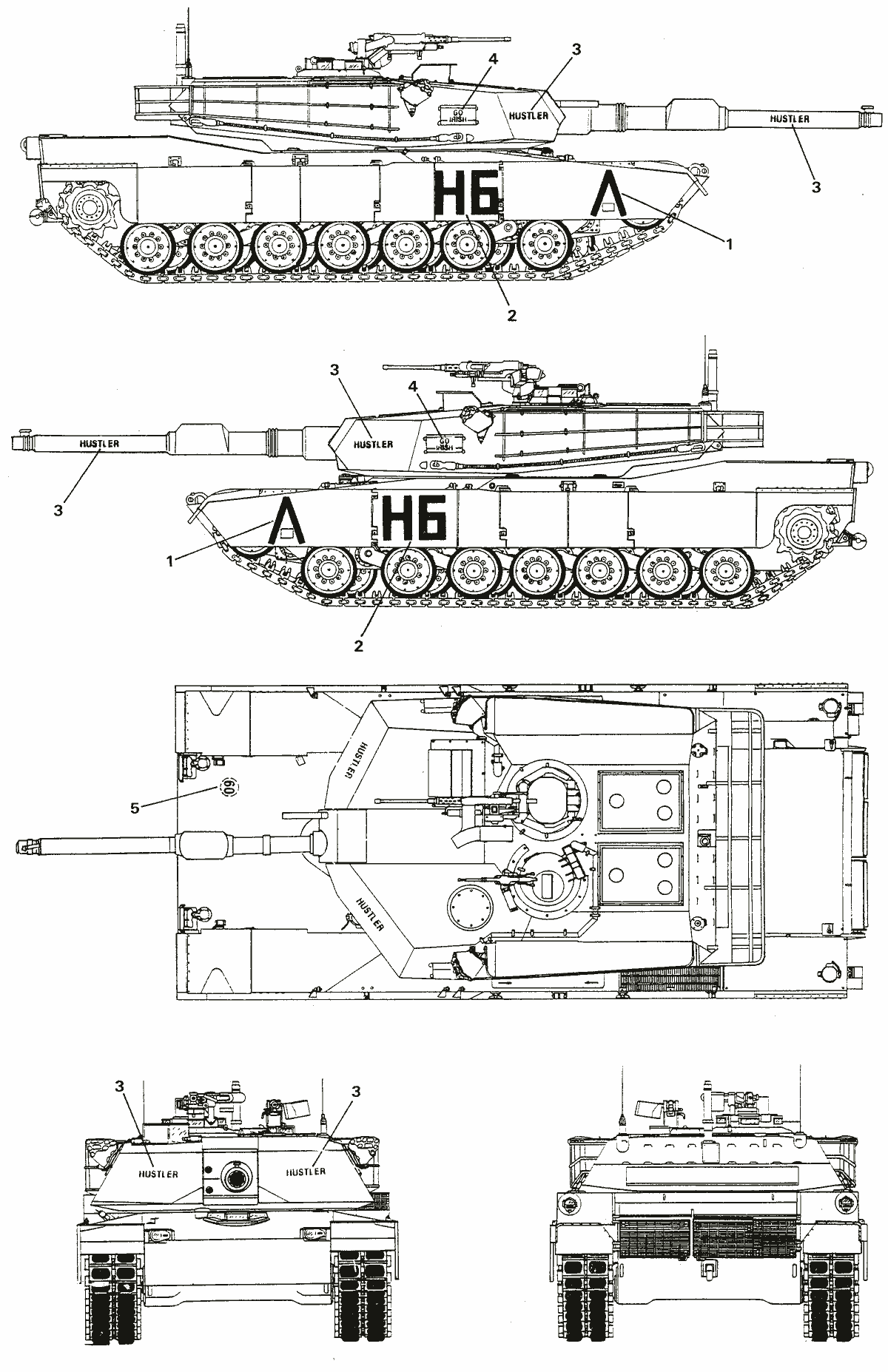


 calm goblet
i'm half decent, wouldn't put myself up with the best yet lol
i have no idea what character you're trying to make though, so really can't comment much apart from the hair looking very odd
you made yours a lot thinner, hair is too low so the forehead completely disappeared, cheek roundness looks a bit high but you went for that weird stretched mouth so i guess it works? not a terrible model
i think the thing you did best was the skin painting, that's pretty close
ahh yeah fair
there's a lot you could improve but it's not bad