#3d-modeling
1 messages · Page 123 of 1
 merry cedar
im experimenting with different things
and i dont want the hair to be like 50k polys xdd
 surreal flame
I'd say you can easily dissolve half of those edge loops and still end up with a good result. I suggest turning on smooth shading though, that way you get a better view of what it's going to look like in-game.

 surreal flame
Either you can have high poly and good results or low poly and have to make some sacrifices. Or you can combine the two and use normal mapping.
I wouldn't say that looks terrible.
You could try turning on normal auto-smooth which should improve the looks in the viewport.
surreal flame
What do you mean?
merry cedar
If you have a model how many polys you have in that hair?
surreal flame
I do but no hair.
merry cedar
aa ok maybe ill ask someone else
surreal flame
Possibly there are some free avatars floating around you could look at.
 quaint jasper
merry cedar
im experimenting with different things
quaint jasper
merry cedar
im experimenting with different things
That's exactly why you should follow a tutorial instead of trying to reinvent the wheel
merry cedar
i havent found any great tutorials
quaint jasper
People have been making optimized hair for vrchat avatar for years now, no need to try and come up with your own solution
merry cedar
they lay down the basics but not too much in-depth
quaint jasper
What kind of in depth information are you looking for ?
merry cedar
well something related to vrchat preferably
Ive followed some other tutorials while making my model but then after ive had to fix my model because it was too high poly
or some other problems
 granite hornet
Could someone help me with this? For some reason when I try to subtract an object from another object it doesn't do anything.
 spiral sigil
granite hornet
Could someone help me with this? For some reason when I try to subtract an objec...
spiral sigil
granite hornet
Could someone help me with this? For some reason when I try to subtract an objec...
try using the Fast solving method instead of Exact; setting in the modifier
also try grid filling the face on top of the cylinder if that doesnt work
and if that doesnt work then poke the face of the top of the cyllinder
granite hornet
Oh there we go the fast solve button worked. Thanks man
 obtuse oasis
Does anyone know why my bones in Blender are opaque? I'd like to see them in wireframe mode

 hardy agate
 obtuse oasis
hardy agate
obtuse oasis
hardy agate
Thanks!
spiral sigil

Trying to texture this and for some reason even with a mask it paints on areas im not painting on. Also here are the UVs for this specific link in the chain
it was just smart UV unwrapped I dont really care about the UVs although there probably is a much better way to have my UVs if I want to have this kinda look where I outline the edges with paint sloppily
yeah wait im going to try something else for the UVs because im going to need to retexture it again like at least 5 times it needs to be easier to paint on
and not waste so much space
 calm goblet
spiral sigil
it was just smart UV unwrapped I dont really care about the UVs although there p...
calm goblet
spiral sigil
it was just smart UV unwrapped I dont really care about the UVs although there p...
don't use smart unwraps, they're the absolute worst lol
far too many cuts, cuts in dumb places, terrible blender packing made worse by the fact that you now have a bajillion islands, and every cut you make causes the engine to treat every vertex along the seam as 2 verts
which leads back to the "too many cuts" part
 languid fog
merry cedar
languid fog
merry cedar
are u using sub lvl 2 ?
spiral sigil
calm goblet
far too many cuts, cuts in dumb places, terrible blender packing made worse by t...
oh thats a fun feature
also why does texture paint just not work on some parts of the face at certain angles? its not like its being blocked
dont mind the seems on every edge
 timid barn
uhm... if anyone could help me with this? this might be stupid to ask but I just... this is my first avatar im trying to do and im struggling pretty bad, the Youtube I find isn't helping me much since its all the same, im sorry if im just stupid haha

 devout scroll
cats doesn't work for blender 3.0 yet
get 2.93
if you installed it from steam, right click on blender > properties > betas > 2.93 LTS
timid barn
thats weird,.... my model still isn't coming out when I try to bring it out
thanks for telling me the right Blender though
Python: Traceback (most recent call last):
File "C:\Program Files (x86)\Steam\steamapps\common\Blender\2.93\scripts\addons\io_scene_obj_init_.py", line 146, in execute
return import_obj.load(context, **keywords)
File "C:\Program Files (x86)\Steam\steamapps\common\Blender\2.93\scripts\addons\io_scene_obj\import_obj.py", line 976, in load
float_func = get_float_func(filepath)
File "C:\Program Files (x86)\Steam\steamapps\common\Blender\2.93\scripts\addons\io_scene_obj\import_obj.py", line 883, in get_float_func
file = open(filepath, 'rb')
FileNotFoundError: [Errno 2] No such file or directory: 'C:\Users\something\OneDrive\Pictures\VRChat\Squid girl\'
location: <unknown location>:-1
(((btw the reason why its under "Pictures" is because I couldnt find anywhere to put it to keep it sorted out without it being in VRchat folders)))
calm goblet
what does cats actually do that's useful?
 azure rain
basically adata mates a heck of a lot of common operations folks do to avatars
"Features
Optimizing model with one click!
Creating lip syncing
Creating eye tracking
Automatic decimation (while keeping shapekeys)
Creating custom models easily
Creating texture atlas
Creating root bones for Dynamic Bones
Optimizing materials
Translating shape keys, bones, materials and meshes
Merging bone groups to reduce overall bone count
Auto updater"
calm goblet
so it does stuff you should've done when you made the avatar in the first place
and some stuff you should never ever fucking do to a character model
azure rain
it was built originally for fixing up MMD models
calm goblet
decimation? on a character model?
azure rain
yes as a lot of the MMD models was way too high poly for vrchat polygon limit a couple of years ago
calm goblet
decimation
azure rain
and also Quest avatars now
calm goblet
you should never decimate a character model
calm goblet
retopo the thing properly, don't decimate, your animations will thank you
azure rain
dissolving Edge Loops tend to result in a lot cleaner topology
calm goblet
retopo gives the best topology
azure rain
but also like 90% the folks uploading avatars wouldn't even know how to do manual retopo
calm goblet
and that's half the problem
azure rain
and what's particularly wrong with the edge Loop dissolving approach
calm goblet
people aren't learning how to do shit properly
retopo isn't even hard to figure out lol
and you can reproject your textures, transfer weights, all that stuff from the original high poly
azure rain
yes but then they would have to figure out how to transfer the weight paints and bake textures
calm goblet
none of that stuff is hard to figure out with a little help from youtube
azure rain
most of these folks have never touched blender in their life before now
calm goblet
good time to learn how to do things then
azure rain
okay and I'm not quite sure how requiring folks to like spend several weeks before they can even upload is going to help much
calm goblet
sense of achievement, learning skills they might want to develop into a more serious hobby or even job, better models being uploaded, people actually having a clue about what goes into making something that isn't a horribly unoptimized mess
azure rain
I'm not saying soak shouldn't care about optimizing I'm just saying there's some less labor-intensive methods of optimizing then complete manual retopology
especially since it's going to result in pretty similar topology anyway doing a proper Edge Loop dissolve if they're working on a not broken model
calm goblet
not when you have a triangulated 200k polygon mess to deal with
or a vroid
vroid topology is horrible as well, and triangulated
working on triangulated meshes is hell lol
azure rain
yeah but it's not a terribly large Triangle count vroid and Alt-J works pretty well enough on a vroid
question are there any anime models you like the topology of
calm goblet
shonzo's stuff is good quality, and obviously any topology i end up making myself i'm gonna like cause it's suited to how i work
as for pre-made anime basemeshes? not found any i particularly like
but i make my own stuff so it's not like i've gone looking hard for anime generators
azure rain
out of curiosity what do you tend to find bad about most of them
calm goblet
awkward loops in the face, not a fan of the flat face style but that's more of an aesthetic preference, most of them don't account for any kind of anatomy in the mesh which makes the animations look like a bendy-straw person, and finding models that aren't either extremely low poly or far too dense is pretty hard
azure rain
thanks for the answer
calm goblet
just things i've found lacking in most basemeshes i've tried using since i started 3d and then gave up on premade bases and use my own lol
azure rain
mostly I just tend to point folks towards vroid because it's relatively easy to get it to like medium or good rank on PC without having to touch blender as it has built-in Atlas tools
calm goblet
yeah if they just want a prefab thing from vroid it's fine for what it is
soon as you actually want to do some work on the model though.....they suck
easier to rebuild than to edit
azure rain
honestly most folks are just looking for different hairdos and clothing so vroid fine for that
azure rain
it has a built-in texture editor
spiral sigil
Ive seen some black magic done with hair
calm goblet
it just has you paint on premade things
calm goblet
spiral sigil
Ive seen some black magic done with hair
you should see what can be done with hair cards lol
spiral sigil
card?
azure rain
calm goblet
you should see what can be done with hair cards lol
nobody does hair cars on vrchat
calm goblet
i do lol
azure rain
then your avatars are never going to be Quest compatible
azure rain
how there is no transparency shaders
spiral sigil
im captivated do tell
calm goblet
that actually makes it so you need less cards, doesn't look as good cause you're having to cram more strands per card but you can make it work
azure rain
that doesn't answer our question how are you rendering the transparency for the hair cards
calm goblet
you don't
azure rain
so you have like Jagged as all heck hair because you have to cut out like the shape with the knife tool?
calm goblet
fray the end of the card, taper it, you get your chunks and some breakup
azure rain
do you have any screenshots of your like Quest compatible hair cards
as like you're literally the first person I've heard who's try that
calm goblet
i actually do, anime style but it works
not like anyone actually wants realism in vrc anyway lmao
azure rain
calm goblet
not like anyone actually wants realism in vrc anyway lmao
well for one that would probably require like way too much labor to do to do proper AAA photorealistic
calm goblet
it takes some work for sure lol
people certainly wouldn't be able to afford an avatar like that mostly
azure rain
but I do wonder if somebody has tried exporting a metahuman and seeing if it runs
calm goblet
if you take away the particle hair it'd run fine
azure rain
the lower lods use hair cards
calm goblet
only for some styles
and they still have particle peachfuzz
unless they updated that since i last played with them
but yeah the meshes and textures are something you could use in vrc
azure rain
would break a couple of terms of services though
azure rain
well nobody has the budget for a complicated real-time lighting setup in VR
calm goblet
not being able to find many people that can create props and clothing up to a good enough standard
calm goblet
azure rain
well nobody has the budget for a complicated real-time lighting setup in VR
who said anything about complicated? i'm just talking about a half decent lighting setup
azure rain
the go tool tool for photo-realistic clothing is $400
azure rain
okay so yeah nobody's ever going to have Marvelous Designer clothing in vrchat
calm goblet
except i use it for my stylized clothing as well lol
the more complicated stuff anyway
azure rain
good for you having the budget for that
calm goblet
i just pay a month of subscription when i need it for a paid piece and practice with trials lol
same thing i do with anything that doesn't have a perpetual option
azure rain
some of the various clothing folks made with the VRoid https://booth.pm/en/items/1896461

正式版向けにNewバージョン追加。 名前の変更、コンバート後のアイテム、正式版と同じカテゴリ分けがされています。 シリーズ 第1弾▶︎ https://sqinc.booth.pm/items/1864917 第3弾▶︎ https://sqinc.booth.pm/items/1918961 第4弾▶︎ https://sqinc.booth.pm/items/2056547 第5弾▶︎ https://sqinc.booth.pm/items/2185990 第6弾▶︎ https://sqinc.booth.pm/items/2454833 第7弾▶︎

VRoidstudioで読み込める衣装テクスチャを秋の着回しセットとしてまとめたものになります。 今まで同様すべて自分用に作ったお洋服たちですが、減るものでもないので配布いたします。 気に入っていただけるお洋服がありますように´` ※配布内容と読み込み先※ ①レース切り替えラメニットインナー→肌 ②ネックレス付きラメニット→ワンピース ③レース切り替えファーニット→汎用ロングコート(スタンド) ④サイドリボンのシャツ付きニットワンピース→汎用ロングコート(シャツ襟) ⑤花刺繍のベロアワンピセット上→ワンピース ⑥花刺繍のベロアワンピセット下→ペンシルスカート

<2021年11月13日> 正式版に対応いたしました。 VRoidHubで公開しているゴス男「Rene」の衣装テクスチャ「コート・パンツ・シューズ・手袋・ネイルアート・インナー・肌マスク」の7点セットです。 重ね着を使用したり、パーツ毎にレイヤー分けをしているものもありますので、レイヤー数はその限りではありません。 VRoidでご使用ください。 使用している衣装は ◆コート - 上半身 ロングコート(ハイネック) ◆パンツ - 下半身 ズボン(折り目なし) ◆シューズ - 靴 ハイカットシューズ となっています。 「Rene」で使用したパラメータは、商品画像をご参照ください。
calm goblet
yeah those are some very nice handpainted textures
but it's still just a texture on a piece of premade mesh
unless vroid has added some mesh editing
azure rain
what's particularly wrong with a hand-painted style considering it's going onto toon shaded avatars anyway
azure rain
calm goblet
unless vroid has added some mesh editing
nope but they did recently make it where you can layer multiple of the clothing pieces on top of each other
calm goblet
yeah i saw the layering thing
azure rain
calm goblet
but they're still limited by the mesh that's available to them
which I suppose is not too horrible a limitation considering the Target demographic for this tool wouldn't be able to utilize mesh editing tools
calm goblet
anyone that can paint like that onto a completely flat mesh would benefit from spending a week learning to sculpt in blender and really getting their creativity unleashed
azure rain
yes but then they would be less sellable
 azure rain
because then you would have to use blender to put on the clothing whereas VRoid clothing you can just give someone the texture file plus some slider settings and they have the clothing now rig to your avatar
azure rain
but would you want a high poly bake kind of look on the anime clothing
calm goblet
then they have the super nice piece of clothing for the people who want more complex items, and they can sell the image for vroid people to use
no you wouldn't
you'd do it the way they do for wow and league
sculpt your high poly, retopo, bake your normals, AO, bent normals, use that to make the painting easier
azure rain
calm goblet
sculpt your high poly, retopo, bake your normals, AO, bent normals, use that to ...
that is essentially how they generated the base Textures in the first place for the VRoid clothing
and also that's much more of a technical skill set requirement then people making most of the booth.pm VRoid clothing has
calm goblet
those technical skills take a lot less time to learn than the artistic skills needed to just go and paint a coat like that onto a flat piece of cylinder lol
that fancy coat tails one
azure rain
that would require them to learn 3D modeling whereas one could get to that coat with mostly just good 2d art skills
calm goblet
like i said, someone with those skills would do well spending the week adjusting to sculpting and having all those extra options
painting and drawing carries over pretty far into sculpting
spiral sigil
id go as far as to say it is wasted potential if they never go past vroid
calm goblet
sadly not as much the other way around lol
azure rain
spiral sigil
id go as far as to say it is wasted potential if they never go past vroid
well if that's where the market is at the moment
spiral sigil
yeah
azure rain
yes but if you go in the market of mesh clothing that's a lot harder of a user experience as there's no like stupid easy way to put clothing on any arbitrary humanoid Avatar
like most of the 3D clothing I've seen has been like optional extra clothing for a particular Avatar where the user is not expected to do any rigging whatsoever to it just like combine two skinned mesh renderers together

……………………………………………………………………………………………………………………… ◆サンプルアバターの試着はこちら◆ https://vrchat.com/home/world/wrld_48ba3030-bc47-4a12-a95d-ca3cc7f3039e ◆公式衣装SHOP◆ https://sugary-boutique.booth.pm/ ……………………………………………………………………………………………………………………… 本モデルはUnityのHumanoid形式に対応した オリジナルモデル『ラスク』です。 主にVRChatでの使用を想定したモデルです。
calm goblet
i have my own plans for that lol
azure rain

ラスク(Rusk)用の衣装となります。 https://booth.pm/en/items/2559783 以下の導入補助スクリプトに対応しています。 Auto Dresser | sentz-A生命維持機関 https://sentz-a.booth.pm/items/1300847 -利用規約- 以下のような使用を禁止致します。 -本製品を取り出せる形での再配布・再販売 -自作発言等、製作者を騙る言動 -製品内容- Unitypackage FBX PSD 2021/06/02 ver1.0 English: It is a costume for Rusk.
azure rain
calm goblet
i have my own plans for that lol
so how do you plan to tackle that issue
calm goblet
create my own little ecosystem lol
calm goblet
yes and no, having already had to convert outfits for multiple different creatures and characters i know the power of a lattice lol
azure rain
and also kind of why like MMD kitbash is so prevalent as like that's the only existing interoperable Avatar standard where you can mix and match Parts trivially
calm goblet
but eventually if i can carve out a space for myself i do plan on releasing some tools for easier conversion of assets from one base to another
spiral sigil
goodnight
azure rain
and on a slight tangent one aspect I do like about the VRoid clothing just being textures I only have to modify the clothing mesh ones for my Avatar and I can wear many clothing just by doing a texture swap

 calm goblet
that's achievable by any standardized base
although personally i think it only really works with things that'd have the same silhouette
azure rain
yes but I'm wearing a non-standardized avatar so I rather only have to do the clothing modification ones then for each one
azure rain
calm goblet
although personally i think it only *really* works with things that'd have the s...
yes hoodies don't tend to have different silhouettes
calm goblet
yeah making a hoodie into a different hoodie works fine
but changing say.....slacks into cargos not so much
azure rain
and the sweater I have in the first picture is also a hoodie mesh
merry cedar
languid fog
are u using sub lvl 2 ?
Not in the picture but if i do it will have too many tris
calm goblet
one thing i really have to figure out is how to fake dynamic bones on a quest avatar
azure rain

video 2 of making fake dynamics for quest
this time, i didnt struggle as much~
Join my Discord for premade fake dynamics for models:
https://discord.gg/JRhjx8d2Wt
The premade packages also include helpful tips and links for making your own.
calm goblet
awesome
 prime scarab
Hey guys, so I'm having some trouble with putting on a scarf I separated from another avatar. seem like the head on this avatar is too big for the scarf, so I try to sculpt it to fit the head, but for some reason this scarf has two layer, sculpt it will cause the inner layer Clipping though the outer layer, any way I can fix it?( or avoid it)

Also any suggestion on how to make the sculpting looks more natural? I try to sculpt the hood part multiple times, couldn't get the shape right, looks kinda edgy
Also the scarf is already rigged, is there anyway I can combine this rig with the avatar's bone?
calm goblet
prime scarab
Also any suggestion on how to make the sculpting looks more natural? I try to sc...
might be better to use a lattice to deform it into shape
timid barn
if anyone could possibly help me get the files to actually work in Blender, im on 2.93 like someone told me to do but the avatar I want isnt loading in
Python: Traceback (most recent call last):
File "C:\Program Files (x86)\Steam\steamapps\common\Blender\2.93\scripts\addons\io_scene_obj__init__.py", line 146, in execute
return import_obj.load(context, keywords)
File "C:\Program Files (x86)\Steam\steamapps\common\Blender\2.93\scripts\addons\io_scene_obj\import_obj.py", line 976, in load
float_func = get_float_func(filepath)
File "C:\Program Files (x86)\Steam\steamapps\common\Blender\2.93\scripts\addons\io_scene_obj\import_obj.py", line 883, in get_float_func
file = open(filepath, 'rb')
FileNotFoundError: [Errno 2] No such file or directory: 'C:\Users\something\OneDrive\Pictures\VRChat\Squid girl'
location: <unknown location>:-1
I dont know why it's not working, and I was wondering if someone could help me possibly?
just DM me or ping me if you can help me please, I will be at school 😅
 prime zenith
4th day of trying to rig pants, I cannot get it to work at all

No matter what I do lmao
languid fog
merry cedar
Not in the picture but if i do it will have too many tris
Always use lvl 1
merry cedar
ok
surreal flame
timid barn
Python: Traceback (most recent call last):
File "C:\Program Files (x86)\Steam\...
"No such file or directory" is the key phrase here. Your file or path may have non-ASCII characters in it or something Blender does know how to deal with. Or for some reason it doesn't see the file.
quaint jasper
prime zenith
4th day of trying to rig pants, I cannot get it to work at all
Which tutorial are you watching ?
prime zenith
I watched like 4
It's either the mesh being messed up or me being dumb
Even if I start with fresh wp on a vertex group it paints it so badly it rips the whole mesh apart. I don't get it, on other meshes I can paint fine
Is it because the mesh is two sided ?
surreal flame
If there is no weight on a vertex and you have auto-normalize on it gets a weight of 1 automatically, yanking it out of the mesh if it is being deformed.
quaint jasper
Why is it two sided in this case ?
prime zenith
I don't have auto-normalise on anymore
I turned that off the last ime lol
The creator made the pants that way, it has outer and inner side (I hope am communicating this properly
quaint jasper
Is the inner side ever visible ?
prime zenith
Not really
azure rain
then it would be a waste of triangles and vram
surreal flame
Well that explains why it is such a pain to paint.
prime zenith
Yeah so is there a simpler way to remove the inner side, that to select the faces by hand ?
quaint jasper
Either that or select a loop and press V to disconnect
prime zenith
Cannot rip selected faces
quaint jasper
It's just for a single edge loop
But deleting the connecting faces is fine i guess
prime zenith
K
 👍
👍
My thanks will be transfered to VRchat's bank account when my 1 year VRC+ expires
quaint jasper

merry cedar
how do you guys make hair for models?? I keep going back and forth between making the hair with curves or meshes. Both have problems and Ive been stuck here for 3 days :I
timid barn
surreal flame
"No such file or directory" is the key phrase here. Your file or path may have n...
do you know if there is any way to fix that?
 modest berry
heya I'm interested in trying to make a quest avatar and idk where to start
I heard VRoid is good for beginners
azure rain
modest berry
I heard VRoid is good for beginners
it is as you don't have to worry about like touching Blender at all
modest berry
And is it easy to reduce poly count and bones in Vroid
azure rain
yes
modest berry
alright
azure rain
it even as a tool that automatically combines all the textures
modest berry
because i know a character i want to have as a avatar and know how you can get the model
surreal flame
timid barn
do you know if there is any way to fix that?
Maybe try moving the file to the root of the drive (or any other drive). The space in the filename shouldn't but may interfere too.
 real isle
I am working on my Raphtalia model and need some outside perspectives, any ideas on how to improve it? Mine is the middle one.
 quaint jasper
Would suggest focusing more on how the eye is shaped, as well as the mouth
quaint jasper
Your eye is too tall, the side of it including the eyelid mesh doesn't rotate the same way down as the character does, your mouth is too long horizontally and is missing the curve from the smile
Depends what your default face will be though, you can use plenty of other references
 real isle
Hm. I was going for a neutral expression.
quaint jasper
then the above image might help
you can see that your mouth is almost twice as long
real isle
Ah, I see.
That might be due to the fact that I worked on a lot of male models before, so one lesson I had to learn was not to make the mouth too small. Now it seems I got the opposite problem.
Did you see anything else, or was that all you could see for now. I do know the body itself needs some adjustment. I believe one problem was too broad of shoulders.
quaint jasper
it's tough to know before the proper toon shaders are in place tbh
real isle
Yea, and that blender, unity, and VR games have completely different perspectives. So it can be quite hard to see.
Also, anyone got any tips to improve hair design, I always have a hard time with hair.
languid fog
 languid fog
thats a oni mask, it don't move

 dusty heron
I also didn't know but that explains why the mouth was filled
spiral sigil
again don't feel bad
it happens
and no one can get offended cause you didn't know about something
we dont actually feel bad
languid fog
dusty heron
I also didn't know but that explains why the mouth was filled
testing textures
but i will remove it
dusty heron
languid fog
testing textures
Ooooooohh. Still looks cool
languid fog
thx!!
languid fog
that moment you don't know anything about 2d
spiral sigil
o shit
 languid fog
hahaha
spiral sigil
is it worth getting a drawing tablet for texturing
 foggy granite
languid fog
foggy granite
languid fog
Looks good so far mind showing your reference
languid fog
foggy granite
Looks good so far mind showing your reference
the mask or the head?
calm goblet
spiral sigil
is it worth getting a drawing tablet for texturing
if you're intending to do anything more than flatshaded anime, or more than just lazily dropping smart materials on everything, yes it's worth it
some people do some good stuff with just a mouse, even handpainted style, but a tablet is more efficient and has more control
spiral sigil
alrigty
surreal flame
spiral sigil
is it worth getting a drawing tablet for texturing
I switched to a 22'' display tablet after working with a smallish non-display one and it just doesn't compare for drawing, texture painting, sculpting and anything you need finer control over. Plus an extra screen doesn't go to waste.
spiral sigil
good to know
spiral sigil
i wont be able to get a display tablet first ill just get one of those drawing pads but yeah
 still wadi
 calm goblet
spiral sigil
i wont be able to get a display tablet first ill just get one of those drawing p...
calm goblet
spiral sigil
i wont be able to get a display tablet first ill just get one of those drawing p...
yeah first try a huion or xp-pen screenless, cause it's a shitload cheaper and if you can manage with that then you save yourself money
spiral sigil
I found a Hunion Inspiroy H640P w the artist glove on amazon for 34usd and it seems like its got decent drawing space so ill test my luck on that thanks
the Wacon tablet that was reccomended under a texturing tutorial I half failed was 70usd so much cheaper
 ripe night
Something I didn't realize was that a tablet makes smooth weight painting, one of the most annoying parts of model making to me, much easier to do as well
spiral sigil
wow so many pros
merry cedar
Do you guys think the front hair looks dumb? I will texture it later so it wont look so flat
 foggy granite
merry cedar
foggy granite
merry cedar
I wouldn't say dumb but just kinda simple


 onyx kite
Anyone want to hire me 🙂 I'm great at making monstrosities.

The hands are the best bits.

 visual vigil

#hellsing Schrödinger's 3d model is complete, aswell with Kubelwagon and Luger.
Work for commission, very happy with how he came out.
'Guten Tag Herr Major!'
#3dartwork #VRChat

 Twitter
·
Twitter
·

i think im finally done with this comm
phew
hope the client enjoys the work
languid fog


 hushed acorn


Is this a bad way to do this?
I have no idea what I'm doing when it comes to trying to make a model using an image
 remote osprey
hushed acorn
remote osprey
hushed acorn
ahm athena how is this app?
 oak hatch
hushed acorn
oak hatch
hushed acorn
Nah, you good. Use references, polybuild, apply creases and subdiv.
Unless oyu wanna get spicy with stuff like geometry nodes etcv
hushed acorn
remote osprey
ahm athena how is this app?
What?
oak hatch
Just remember, add depth to it.
hushed acorn
Yeah I know
remote osprey
hushed acorn
What?
these picture are from any app?
remote osprey
hi guys so can you help me???
spiral sigil
Is there a way to select all bones that contain say "end" for example so i can delete them quicker
because this model im@working with fcking has end of end bones n now I have to remove them again because I didnt order my process right
 full ice
spiral sigil
because this model im@working with fcking has end of end bones n now I have to r...
full ice
spiral sigil
because this model im@working with fcking has end of end bones n now I have to r...
did you try just using the search box for the scene and typing end if all bones have end in the name you want to delete?
spiral sigil
full ice
did you try just using the search box for the scene and typing end if all bones ...
no i actually completely forgot a hierarchy existed in blender
thanks lol
oak hatch
remote osprey
hi guys so can you help me???
You have a lot to learn.
Check FlippedNormals tutorials on blender. Blender is free, download the 3.0 version.
azure rain
I might suggest 2.9 as most of the vrchat particular add-ons haven't been updated yet
still wadi
@spiral sigil https://i.imgur.com/2xheQPU.png
 thin shadow
let's say a pre-made model has overlapping uv because of symmetry, what is the best practice on splitting it apart to edit different left and right of it?
quaint jasper
Redoing the UV
devout scroll
or repacking the uv
but if you want to keep the textures you need to bake them to the new uv
so create a new uv so you keep both
plug a UVmap node into your existing textures and select the correct uv
then create an empty texture in every material slot, select it and plug in the other uvmap into it
then bake
it's a really finnicky process tho as there's little things here and there that need to be done right like for example you need to select the correct texture slot to bake to (your new texture) and you need to have the correct UV map selected in the uvmaps section and also you have to have the uv for render picked correctly
it's a bit of a pain and i haven't see a good tutorial on it but i have been messing with it not too long ago and gotten some good bakes
devout scroll
thin shadow
let's say a pre-made model has overlapping uv because of symmetry, what is the b...
but also depending on what you want to edit you could overlap some geometry on top
for example if you have a hoodie which is mirrored and you want to add a logo on one side
you could just copy a piece of the geometry there, move it slightly over your mesh and unwrap that one separately
thin shadow
Ah i see. So manual editing it is. I thought it's something that can be automated. Thanks anyway @devout scroll.
devout scroll
Guess so
spiral sigil
still wadi
<@456226577798135808> https://i.imgur.com/2xheQPU.png
thank ye
oak hatch
TFW your head has 11k tris and you're not even done T_T
 remote osprey
oak hatch
You have a lot to learn.
Check FlippedNormals tutorials on blender. Blender is f...
remote osprey
oak hatch
You have a lot to learn.
Check FlippedNormals tutorials on blender. Blender is f...
okay
oak hatch
Also, say hello to nightmare fuel
 merry cedar
My curves are not working :/
 quaint jasper
that's because you have 2 million vertical loops lmao
merry cedar
It doesnt work like this either
 devout scroll
what are you trying to do
if you want it to be a smooth curve you need to make it a smooth curve not a pointy thing
merry cedar
I have done hair this way previously but now its not working like a curve anymore
When its supposed to bend like a curve, it doesnt
 devout scroll
use a path
 spiral sigil
i dont think you were using a curve
idk what it was before but it was just a line of verticies
merry cedar
i converted it into a curve
devout scroll
you converted vertices to a curve?
probably needed to change handle type
with v i think
 calm goblet
oak hatch
TFW your head has 11k tris and you're not even done T_T
calm goblet
oak hatch
TFW your head has 11k tris and you're not even done T_T
hwy does that have 11k? you don't need that many for that
oak hatch
 calm goblet
doesn't need 11k
 calm goblet
yeah you don't need that many for that
half would be plenty
less than half cause the teeth don't need to be more than a cube
oak hatch
You say that, but the detail/curvature does help
calm goblet
normal map
oak hatch
I'll clean it up some, but I should be able to squeak by below 70k
calm goblet
you have no detail on that model lol
and you can keep the smoothness with a normal map easily
calm goblet
yeah normal maps can't do anything for the silhouette, but unless you're planning that model to be huge or expecting people to be examining it from 6in away you could easily halve the polycount with no loss of quality
this is vrchat, not a AAA game lol
oak hatch
Counterpoint, I'm not just using it for VRC
I've still gotta do an infacing removal pass, too, so I should be gucci
calm goblet
so keep the higher poly one for the situations where you can reasonably use a higher poly one and use a properly optimized one for the situation where you should be optimizing
oak hatch
As long as it is within the limit, and I'm not doing anything horrendous, I'ms till better off than everyone.
[Stares with homicidal intent at Poor Perf Rating Avis]
calm goblet
"better than shit" isn't exactly a high bar you're setting for yourself
oak hatch
You realize this is going to hit good rating, right?
It'll probably be aorund 50-60ktris, give or take.
I could go more optimized, but if I can squeeze a bit more fidelity out of it, might as well
calm goblet
i'm willing to bet you could go to 20-30k without any loss of quality
oak hatch
considering the way the body is laid out? unlikely.
calm goblet
let's see
 calm goblet
one that isn't a wireframe would be good too


 calm goblet
no, could is could, and when you're making assets for a multiplayer vr game you should be trying to optimize things properly
oak hatch
I am. The model is within the acceptable parameters.
Better than probably 90% of users.
If the parameters are incorrect, they should be changed.
If we want to maximize opto, might as well make it 256tri 256 single texture.
calm goblet
just cause they accept it doesn't mean it's optimal, and jumping to 256 is just taking things to ridiculous extremes
oak hatch
Yes, that is what we call "within parameters."
I'm not oing to make an Exc avatar, unless I'm making a fallback, or doing a challenge. All things being the same, 70ktri with only around 6k being shapekeyed and a single dynbone with no colloder is far above spec.
azure rain
yes and you could be spending those triangles Elsewhere on your model that would actually contribute to the silhouette
oak hatch
Head and hands are always the most important, fidelity-wise.
and I already have hand topo that's acceptable, so my only worry is the muscle system
Based on the old model I'll probably float around 50-55k, give or take.
calm goblet
you could half that head and quarter the teeth and no one would notice
calm goblet
i notice the difference between my 50mil sculpts and my game-rez, does that mean i should just try to upload the raw sculpt?
oak hatch
See, 256tri256pixel
calm goblet
or should i do what any decent game artist does and make a properly optimized game asset?
oak hatch
You can't use an argument you disregard yourself.
calm goblet
i don't disregard my argument, i'm not dropping in a raw sculpt lmao
oak hatch
and I'm not compromising what I see as important to save 5k tris.
oak hatch
57kTri, Flatshaded.


Texture space could be better, but it's not horrendous.

Need to add a few details and tidy stuff up a bit
oak hatch
Definitely could be improved, but I'm not to fussed. Getting the rig nice and tidy is next.
spiral sigil
there is always more improvement to be had its a neverending game
azure rain
oak hatch
Texture space could be better, but it's not horrendous.
that is a relatively efficient texture layout as you are utilizing mirroring
 azure rain
that very nice some proper game Dev stuff
and if you ever consider a quest build that's going to be very efficient vram usage
oak hatch
Blame @lament pond , he got me doing this sort of jiggerypokery.
spiral sigil
a whatawhosa?
quaint jasper
Kinda hell for anyone looking to customize though 
 lament pond
👀
azure rain
quaint jasper
Kinda hell for anyone looking to customize though <:sweat:668314662059638784>
yep but there's definitely trade-offs between efficiency and customizability
oak hatch
ye, and this will be coming with a full PSd that's laid out to help
But still, this is -cursed-

The frills are still my fav thing, they're -evil-
quaint jasper
azure rain
yep but there's definitely trade-offs between efficiency and customizability
If the goal is to sell, then customizability should be priority tbh
Even if that means inefficient TD
quaint jasper
There's an entire economy of people doing recolors for models which is insane 
oak hatch
It's why my OielBot is laid out the way it is, it's not maximum efficient, but it's easily understood
This is somewhat laid out sanely, just most of the frilly stuff uses the same tex space.
 feral quarry
How do I get approved? XwX
 azure rain
quaint jasper
There's an entire economy of people doing recolors for models which is insane <:...
azure rain
quaint jasper
There's an entire economy of people doing recolors for models which is insane <:...
I am not surprised at all considering the furry fandom
hushed acorn
feral quarry
How do I get approved? XwX
You need to be a higher rank.
Just play VRChat and you'll unlock the ability
feral quarry
I have already for about a few hours. XwX
full ice
feral quarry
I have already for about a few hours. XwX
there is no set time, it can take someone 5 hours, it can take someone else 20 hours, you just have to play. Alternatively you can buy 1 month of VRC+ and that should put you at New User and able to upload.
feral quarry
How do I check my rank?
full ice
you can figure it out based on the outline of your profile box on the website, or the outline of your thumbnail in game
I could check for you on the website if you share what your username is, but this should all be in #user-support-old instead of here
feral quarry
cloudywintr
full ice
still visitor, you will need to play more. Try giving it 10 hours of active time, or buy vrc+
?upload
 split graniteBOT
You must obtain at least "New User" Trust Rank in our Trust and Safety system in order to upload content. You can get this by just spending a few hours in VRChat, hop some worlds, and make some friends. Give it some time and you'll be able to upload content in no time.
As an aside, you must have a VRChat account to upload content. That means you can't use a Steam account, Oculus account, or Viveport account to upload content like worlds or avatars.
Source: https://docs.vrchat.com/docs/frequently-asked-questions
spiral sigil
remeshing is pretty zen ngl
spiral sigil
should I be seperating my avatar into pieces for retopo instead of just doing it all in one big chunk
quaint jasper
All at once is more convenient
calm goblet
spiral sigil
should I be seperating my avatar into pieces for retopo instead of just doing it...
depends on the model and the parts, for some things it's easier to do it all in one go but if you have hair, clothing that shouldn't be fused to the body and causes too many awkward tight spaces to work in, if you have something you're wanting to switch out with toggles, do them separate
spiral sigil
ok noted
 inland plover
quick question, what was the poly limit again
 open scarab
There isnt one, but recommended quest <20k poly, <70k on pc
inland plover
PC value was what i was looking for, cheers mate
 tender kestrel
open scarab
There isnt one, but recommended quest <20k poly, <70k on pc
tender kestrel
open scarab
There isnt one, but recommended quest <20k poly, <70k on pc
Sometimes, I wish Quest at least had a hard cap. 
back in my day PC had a 20k hard cap 👴
spiral sigil
ok old timer
thin shadow
i wish both has material count hard cap
oak hatch
Reasons why I medium perf block
Reminds me, need to fix the rigging/constraints on my mikubob avatar, and make a cursed fallback avatar.
 dense crown
I'm a bit of a blender noob so could someone tell me how to make it so that bones in the spine/head/neck don't effect the tail?
the tail is parented to the hips but it gets effected by all of those
 spiral sigil
dense crown
I'm a bit of a blender noob so could someone tell me how to make it so that bone...
spiral sigil
dense crown
I'm a bit of a blender noob so could someone tell me how to make it so that bone...
looks like there is weightpaint on the neck bone or any bone above that, which has influence on the cat tail mesh
so just check each bone for influence there and erase it when u see it
dense crown
spiral sigil
so just check each bone for influence there and erase it when u see it
How would I go about doing that? Sorry if this is something really basic, I havent encountered something like this before! 😅
spiral sigil
dense crown
How would I go about doing that? Sorry if this is something really basic, I have...
Id watch a tutorial or 2 on weightpainting
dense crown
Okay! Thank you!
devout scroll
If you click a vertex on the problem part you can see all the weight vertex groups of that vertex

So what I'd do is:
- click one tail vertex and find the problem vertex group
- rotate the neck or whatever so the tail stretches
- go into edit mode and select the stretched parts
- go to vertex groups, select the problem one
- click remove with the stuff that you want remove selected
@dense crown
dense crown
devout scroll
https://puu.sh/IwUiI/b77cbb755a.mp4
Ty for the video!! Im going to try this now
Yup works perfectly now, thanks again for the help 😃
inland plover
at this point i am convinced that this is just nergigante

 oak kayak
guys when i want to translate my model bones in model options it said it looks like you got banned from google translate temporaily how to fix this?
devout scroll
oak kayak
guys when i want to translate my model bones in model options it said it looks l...
i think cats is using the same key for everyone so i think you basically just need to wait
oak kayak
oh ok pure pain ahh
devout scroll
i know it stores a local copy of translated things somewhere
so translating again should work
oak kayak
devout scroll
so translating again should work
I tried but it didnt work ...is local translating enough for model?
devout scroll
i think so but i'm not sure if it comes with local translations or if you need to translate successfully for it to cache them
oak kayak
oh ok thx for information
inland plover
hey uh quick question, what do i do if trying to pick the mirror modifier with what i currently have crashes the program
spiral sigil
inland plover
hey uh quick question, what do i do if trying to pick the mirror modifier with w...
how detailed is your model lol
inland plover
uh... 1 wing is currently at close to 60 million xD
spiral sigil
inland plover
uh... 1 wing is currently at close to 60 million xD
well THATS WHY
I think you need to uh find a way to get that down
by half
cuz mirror yknow double
inland plover
but how

i already didnt make them as detailed as i wanted
i mean it does the real time preview, it just crashes when i try to apply the modifier
 spiral sigil
im not actually sure what the process is for super high poly sculpts, surely it cant just be decimating it?
quaint jasper
you're not really meant to do super high poly sculpting in blender
quaint jasper
ZBrush is the one
spiral sigil
ah ok
 novel abyss
hey can someone please help me in #vrchat-pictures
foggy granite
spiral sigil
im not actually sure what the process is for super high poly sculpts, surely it ...
But high resolution is really the subdivision or mutires modifier but blender can hand a good 10 million polygons in this new update if want use do some things that can hand higher and more decanted for sculpting use zbrush since it legit was build for the sole purpose of sculpting extremely high poly mesh
spiral sigil
foggy granite
But high resolution is really the subdivision or mutires modifier but blender ca...
ahh ok I see
do u happen to know why geometry isnt getting occluded/blocked by my object in RetopoFlow
because I see like an xray of the gemoetry on the other side of my model and its annoying
I cant find anything on google or in settings to make it basically not xray

some of it gets blcoked but not all
its not a mess i swear lol
foggy granite
Not sure what can be causing that.
foggy granite
Hopefully, you can figure it out
spiral sigil
TIEGUAILI
 south raven
say I wanted to make a doc ock avatar, and I wanted to be so that when I move my arms not only do my avatars arms move, but the mechanical arms on doc ock move with me, how would I do that
quaint jasper
Rotation constraints
spiral sigil
uh wait so I just retopoed this model now do I have to manually mark seems and uv unwrap and fit it to the textures I have with the new geometry?
thankfully a lot of it is solid colors but is there a better way
quaint jasper
texture baking
spiral sigil
this is so weird why does this work
 cunning lance
Oh, maybe my question was for here? (i see blender at the top)
I edited an avatar fbx in blender and re-imported the new version (changed attire, separated the mesh a bit more for ease). This broke the prefab. The issue is that when I try to add all bones/colliders in and even replace all position/rotation/scale for every single part of the armature, the bones are broken. I would prefer if i could use the original armature with the new fbx, but is that even possible? Thanks!
spiral sigil
cunning lance
Oh, maybe my question was for here? (i see blender at the top)
I edited an avat...
how would it break the prefab? With the new version you essentially are importing a entire new model
youd probably use the same materials as the old model but im not sure what you are doing with the bone transforms
and are you using the Pumpkin tools addon to transfer the dyn bone scripts
cunning lance
spiral sigil
and are you using the Pumpkin tools addon to transfer the dyn bone scripts
no, i had no idea you could do that
spiral sigil
omg its so annoying when I control z after baking and it makes me have to bake it again
cunning lance
spiral sigil
omg its so annoying when I control z after baking and it makes me have to bake i...
do you happen to know where the copy TO is? i found copy from but dont exactly know how to paste it
spiral sigil
cunning lance
do you happen to know where the copy TO is? i found copy from but dont exactly k...
wahts TO
cunning lance
i meant like paste
cunning lance
i found copy from but i dont know hwo to paste oops
spiral sigil
control+V
cunning lance
just on top of the armature???
spiral sigil
so you go into the tool mennu
the first gameobject u select is the newest version of ur avatar that u want
and then u go to the copy components section
and then somewhere should be another gameobject seelect thing, u put your old model that you want to get the dyn bones scripts FROM
and then uncheck everything but dynamic bone and dynamic bone colliders
dont copy over mesh renders thats gross
cunning lance
omg you're so right
im pretty sure you just fixed everything lemme try it one more time
spiral sigil
i hope
cunning lance
spiral sigil
i hope
you are my hero frfr
i have had this problem for WEEKS and no one has ever given me that explanation, not even av creators i asked lmfao
thank you so much
spiral sigil
no problem
cunning lance
I put the puffy things on their each lil mesh on blender but when i upload them they are "stuck together"

does anyone know how to fix this? do i need to make sure the bounds don't overlap?
 slow hound
Did you weight each puffy to their corresponding leg? Left puff to left leg, right puff to right leg?
cunning lance
are there tutorials online? i havent messed with blender like that in so long
other than sculpting/edit/object interface
slow hound
Should be quick. On edit mode, select the mesh. Then on the little menu on the right look for "Vertex weights" There you will see what bone the mesh is attached to. On my picture, the mesh is attached to the "Right Wrist" ( red square) If I want to attach it to the Right Knee for example, I go into "Vertex Group" Select the right knee and click "Assign" It will add the weight to that bone.

After that dont forget to remove the weight of the other bone by clicking the X button

 solar axle
that only works for one vertex at a time as far as i know
you should click remove in vertex groups instead with the mesh you want to remove and the bone you want to remove from selected
cunning lance
where is the vertex weights? you said little menu but i don't see any :(
slow hound
solar axle
that only works for one vertex at a time as far as i know
Ah, so clicking the X will only remove the weight from the selected bone? Sorry I have not used blender in a while.
devout scroll
the active vertex
slow hound
cunning lance
where is the vertex weights? you said little menu but i don't see any :(
You click "n" to open the menu, or click the little plus icon on top right
 devout scroll
but it's useful to see the weights of that area at a glance anyway
cunning lance
slow hound
You click "n" to open the menu, or click the little plus icon on top right
i see "Item" "CATS" "View" "Tool" "MMD" "Misc"
cunning lance
devout scroll
but it's useful to see the weights of that area at a glance anyway
and thank you, is it in the same place as them
devout scroll
here is something i recorded yesterday for someone
You would also need to click on the other leg's vertex group and click assign
cunning lance
it doesn't look like that for me at all
i have no idea what the hell is going on with it either
cunning lance
devout scroll
https://puu.sh/IwUiI/b77cbb755a.mp4

also how do you see the armature through the body/
devout scroll
there's two settings you need for that usually
in the viewport display tab set the display to wire and in front
in the armature tab set the uhh i forget
I'm talking about the vertical square tabs
or just use the search box in the settings on the right
cunning lance
devout scroll
I'm talking about the vertical square tabs
thank you!
and how do i get to see the vertex weight tab?
devout scroll
vertex weight is in the N panel under the item tab
you have to be in edit mode and vertex mode
cunning lance
devout scroll
you have to be in edit mode and vertex mode
vertex while selecting the puffies?
devout scroll
yeah if you want the menu table to appear, you select a vertex and it shows you the info for that vertex
but as I said, you can only remove weights from one vertex at a time in there
so only use it to see what weights are affecting that area
@cunning lance
cunning lance
oh shit
so i rlly do gotta do that one by one?
nvm got it LOOOL
i was so scared
so i just need to remove all of them except the leg in this case?

@devout scroll
devout scroll
no not one by one
look at the video i linked
there's another place you can remove them all if you know what to remove
 cunning lance
do i remove all but the leg
cunning lance
cunning lance
do i remove all but the leg
@devout scroll
devout scroll
you have weights on both left and right as you can see
but it's your right leg
so you should remove all the left leg groups
you need to go to vertex groups, find these 3 and click remove on them

that will remove selectd stuff from those groups
cunning lance
devout scroll
that will remove selectd stuff from those groups
should weight be 0 for the puffies?
devout scroll
no, you should just remove them
cunning lance
devout scroll
no, you should just remove them
so keep the ones according to the side (like for the left stocking, keep the left wiggle, twist, etc) and the weight should be 0?
devout scroll
weight doesn't matter you just want to remove the ones that don't belong to the right leg
cunning lance
okay, thanks so much! you're so helpful
cunning lance
devout scroll
weight doesn't matter you just want to remove the ones that don't belong to the ...
what did i do wrong if the puffies bounce and shit lol
devout scroll
i dunno
 golden thunder
hello im new to blender and i have a problem with the model i made
this is my model

the problem is that the arm shrinks in size when i move it

this could be a weight paint problem but i swear its not becuz the body of the model comes from a totally working model
surreal flame
Have you actually checked the weights though?
golden thunder
I didnt touch the weight
golden thunder
surreal flame
Have you actually checked the weights though?
yes
thee weight paint of the original and the one i made is the same
this problem arised after i use 'create eye tracking'
from cats bledner plugin
surreal flame
Oh man, another CATS issue.
surreal flame
Perhaps, but I don't know how personally, other than undo before that point or an earlier backup.
golden thunder
ah fuck me
surreal flame
I'd avoid CATS if possible because it has a tendency of creating problems new users can't fix on their own, whereas standard Blender issues are a bit more predictable.
And it's actually buggier for new versions of Blender.
surreal flame
Perhaps someone else has an idea but it's not me, sorry.
golden thunder
its fine
surreal flame
Wait, is your body mesh still parented to the armature? I can't see that in the Outliner.
 surreal flame
Check one of the arm bones, does it have an Influence of 1?
golden thunder
surreal flame
Check one of the arm bones, does it have an Influence of 1?
bone influence?
 surreal flame
I mistook it for something else, nevermind.
Let me see weights of one of the arm bones.

 surreal flame
I mean vertex weights. Select a vertex on that arm and show me its weight groups.
golden thunder
no vertex weights on any of the vertex groups
 surreal flame
It's actually in mesh edit mode.
golden thunder
i figured that the problem should be only in the arms but its the whole body thats acting weird
 surreal flame
It should look like this.
 golden thunder
idk that wait
surreal flame
That's Texture paint mode.
golden thunder
surreal flame
It should look like this.
where is that locate?
i have no such plugin
surreal flame
"Item" on the right, the N-menu. You need to be in "Edit Mode".
 surreal flame
On and you need to have Vertex selection mode, and have a vertex selected. It's the three buttons next to the mode selection thing, just push the first one.
golden thunder

i selected a vertex group in vertex mode in edit mode
lemme check if theres any vertex paint in other vertex group
none
surreal flame
Are you using Blender 2.9 or 3?
golden thunder
2.91
surreal flame
In the screenshot you have more than one vertex selected though. Select just one.
golden thunder
ever since i installed blender i never updated it

its showing

sorry i dont know how vertex paint works
i just assume that every vertex group has it
surreal flame
Okay, try deleting that last entry using the cross. Go into Pose mode and see if that vertex moves normally now.
golden thunder
i found that the values of vertex change when i select diff vetices
surreal flame
Maybe use one on the forearm to make it clearer.
golden thunder
surreal flame
Okay, try deleting that last entry using the cross. Go into Pose mode and see if...
are you refering to the hips?
surreal flame
Yes.
golden thunder
do you want me to remove the hips entry on every vertex?
 golden thunder
what does this mean?
 surreal flame
The one vertex seems to move normally now.
Let's see the weights of a vertex on the hips.
golden thunder
i did and i cant see any changes cuz shes too thicc

should we be expecting a result like the one b4?
surreal flame
I wanted to see the weights, not do any changes yet.
 surreal flame
Okay so basically CATS messed up the hips weight group by spreading it all over.
golden thunder
so thats the problem
surreal flame
If you delete the whole group, the model should start to behave normally EXCEPT the parts that were originally affected by the hips. You'll have to repaint that.
golden thunder
surreal flame
If you delete the whole group, the model should start to behave normally EXCEPT ...
thats fine
surreal flame
golden thunder
Vertex groups look like this. ^
golden thunder
this problem sucked my soul out for days
surreal flame
See if that helps and avoid most buttons on CATS. You can actually set up eye tracking in the Unity SDK later.
golden thunder
im that dedicated in making my model
golden thunder
surreal flame
See if that helps and avoid most buttons on CATS. You can actually set up eye tr...
thank you
spiral sigil
hushed acorn
Going to bed but hopefully I'm doing good
i like it
inland plover
quick question, what are you all using for retopo?
spiral sigil
RetopoFlow but i am very new to retopo in general
 calm goblet
inland plover
any tips on how to deal with this?
calm goblet
inland plover
any tips on how to deal with this?
lower res for a start
it's easier to add loops if needed than to try removing them
 azure rain
when modeling it's also helpful to consider like your average viewing distance you're going to see the model for figuring out do I need these Edge Loops or not
merry cedar
how how do i reduce it more?
languid fog
inland plover
any tips on how to deal with this?
First one is to be aware of the poly counts, it is way easier to add loops and reedo stuff
languid fog
merry cedar
how how do i reduce it more?
Change the res value
I think by default it is 12
Reduce to like 2 or 1
 azure rain
could you try adjusting the settings so there's a little more Loops but it uses less triangles to make up the circumference as most of those aren't contributing to the silhouette
merry cedar
Where could i adjust these settings?
azure rain
what type of curve are using for your hair
merry cedar
path
azure rain
and question do you have a head model at this point
merry cedar
yea
azure rain
because it's easier to eyeball the hair if you know what looks like next to the rest of the model
merry cedar
ik
my modeling struck a brick wall when i started doing hair
curves had too many polys and meshes were harder to work with
azure rain
hopefully that helps with the brick wall knowing how to reduce the polys
merry cedar
much better thanks

uhhh
When i try to move the hair it flips around

Its only the two upper ones
 tulip condor
hi
can someone give me a hand
and help me remove or hide annoying pointer in blender 3
please help me this really annoys me
spiral sigil
why does your blender look like that?
what the
I have a feeling it has to do what all that customization you did to Blender
tulip condor
@spiral sigil
sorry @spiral sigil
i have only 45% of eye sight vision
and this custom color scheme are helps me allot to see things more clearly
btw
i enable all plugins that come's with that blender
spiral sigil
oh
spiral sigil
yeah try from the very start again and as you change things, watch for that little annoying dot
tulip condor
ye
i did default blender themes and turn off every blender plugin but i still have that DOT 😦
i even enable/disable every blender settings but no luck
 dapper tinsel
I have a small, well kind of large problem that needs some work done on it, I would like to change the blendshapes: vrc.v_oh / _ou
Since the current ones I am using do not really look like they should, the vrc.v_aa is copied instead over all three blendshapes, how would I change this?
spiral sigil
hey so... does anyone have a good pleat texture? I'm making a model based on the fumo version of yuyuko, and I don't want to model the pleat on her coat, that would be wasting tris
the original

what I have

(I know the hair isn't accurate yet, I'm reusing it from Cirno)
surreal flame
tulip condor
i did default blender themes and turn off every blender plugin but i still have ...
 tulip condor
@surreal flame
it works thank you so much for this
 💎
💎
spiral sigil
Hello! My name is Xscapism, and I would like to get into vrchat model creation! I've tried my hand in doing this sort of thing before, and I wanted to see if I could make something out of it! Here is one of my latest projects!

This is a commission that I am doing for someone on Twitter who reached out to me not too long ago
I am having a lot of fun doing this project, and I hope to do more stuff like this!
devout scroll
Nice
spiral sigil
thx!
 hexed kayak
hello, am new to avatar developing for VRChat avatar and i want to ask some tips to how add bones for my avatar i create.
 devout scroll
hexed kayak
hello, am new to avatar developing for VRChat avatar and i want to ask some tips...
devout scroll
hexed kayak
hello, am new to avatar developing for VRChat avatar and i want to ask some tips...
check pins in #avatar-rigging
hexed kayak
devout scroll
check pins in <#390924372782612480>
ty
 mystic seal
anyone here knows how i can equip my idle armature animation to my avatar?
 finite yacht
Hello. Long time i asked about random shape keys import. I still have this problem.
First screen is how every fbx model looks like when i import it. Second after i use cats.
Importing by blender importer/cats fbx importer gives the same result.

 quaint jasper
You can sort them manually if you care
finite yacht
Thanks for answer.
Yes but there is thousands of it. I did it few times on few models, but this is annoying.
I think i need to ask somebody to check cats script and cut it to only that one thing...
quaint jasper
The issue is your model having thousands of shapekeys
finite yacht
Yep XD
spiral sigil
I'm having difficulty making this nail part of the finger and look right, anyone see what im seeing and know what to do here?


nvm
devout scroll
look at how other models did it
spiral sigil
thats exactly what i decided to do lol
thank u tho
ended up with this

ill probably just go with that for now
does anyone else frantically dupe the items in their scene and put them into a new collection like a save or is it just me

 copper oak
Haha yes, yes. It's like a jank form of version control so that I feel free to experiment without losing a baseline that I know I was happy with. I've often wondered if there's a better method, though.
quaint jasper
Nope, i usually have two collections max, having to deal with too much gives me anxiety and slows me down tbh
spiral sigil
copper oak
Haha yes, yes. It's like a jank form of version control so that I feel free to e...
There is! ColorCODING!!!
i want to colorcode my collections and see how many rainbows I can make
I have 2.666666 rainbows currently
it looks so pretty
 copper oak
Now that's what I call making lemonade
spiral sigil
does that mean making something good out of something bad
spiral sigil
my first attempt Manually drawing some neck skin. looks pretty cool ngl

 devout scroll
spiral sigil
does anyone else frantically dupe the items in their scene and put them into a n...
devout scroll
spiral sigil
does anyone else frantically dupe the items in their scene and put them into a n...
sometimes, usually for procedural things before applying, but i prefer to just save multiple files at different stages
spiral sigil
spiral sigil
my first attempt Manually drawing some neck skin. looks pretty cool ngl
not bad, one day ur going to be drawing an entire face urself
spiral sigil
spiral sigil
not bad, one day ur going to be drawing an entire face urself
maybe one day.
ay one day
one day ill have an entire character but now I have but one hand

i would send good photo but i cant cuz pc have no wifi
one day ill be able to just 3d model soemthing from scratch.
i tell my self one i learn a bit of something ill master it. i have zero motivation to upload my avatars. or even make them i wonder if ill learn to 3d model one day..
you need the motivation
i have no one to motivate me
I mean your future hypothetical vrchat troll community would love ur avatars bro
i actually have no one to show my creations to.
just go make a super memey vrchat world, put a bunch of ur avatars on pedestals and boom
i use to rip the avatars of those people. i cant really contact them they wotn ever trust me
of who
i dont rip anymore but
abyssalgod cyberchimp lolathon
me and these 3 people
long story
no clue who dey r
look them up
ok
anyway. I have retexured the hoodie WOO

its dream
is it good that i learned to do all this in like 2 weeks or less?
spiral sigil
spiral sigil
is it good that i learned to do all this in like 2 weeks or less?
seems good
idk how u get ppls faces
avatarsdk
huh
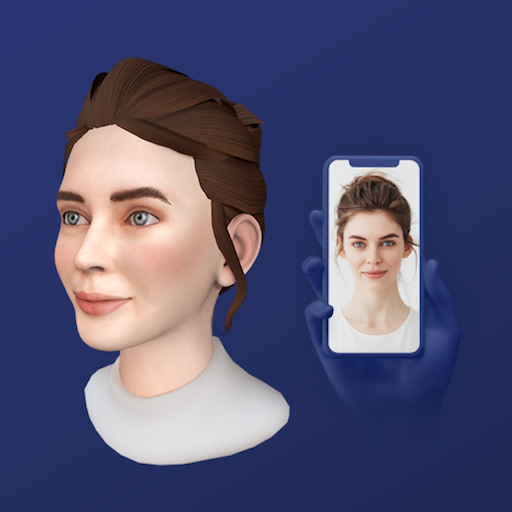
Avatar SDK is an advanced avatar creation toolkit that uses AI to create photorealistic 3D avatars from selfie photos.
does that account for textures and facial structure
yep
oh wow
i edit the textures alot
but
other than that
its good for these purposes
i finna do me
like i turned this

see what demon it makes
with the teeth as the lip
an error
into dis

its not really that perfect but its pretty nice
not terrible
looking at the image i just sent. and my model rn. i see how high quality i make these. and not even realize it
bro just make an avatar world already
dumdumi
i would
but i have no motivation to upload my avis
nope
do it
ive uploaded one
do it again
imm new user also
thats why i dont do it
cause i cant showcase my stuff to people
oh right ok no public
makes sense
i also got no friends to show my avatars to. they wouldnt understand the work i put into these. and they just. dont understand them period
my irl friends have literally no concept lol
its like talking to boomers
id get a better conversation about this art with a boomer im sure they could talk about some artist they knew for an hour
another high quality thing about my models. is that the chin moves with the mouth and keeps its shape not alot of models do that.


ye that

 languid fog
spiral sigil
another high quality thing about my models. is that the chin moves with the mout...
languid fog
spiral sigil
another high quality thing about my models. is that the chin moves with the mout...
I hate this in so many ways
And idk why
devout scroll
avatars of real people are kinda uncanny
still wadi
this fucking guy


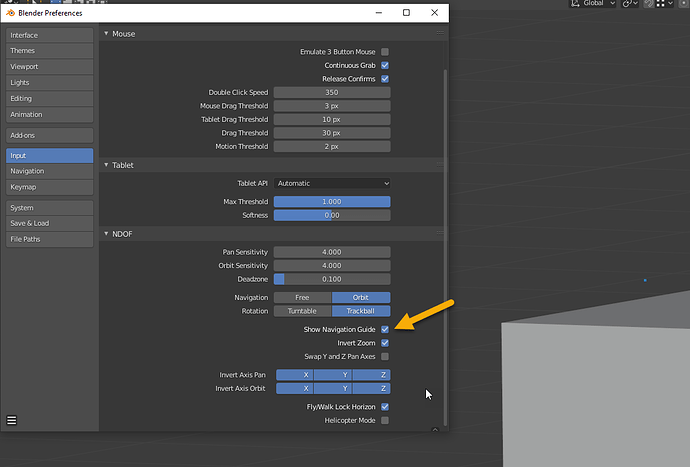
 calm goblet
spiral sigil
into dis
calm goblet
spiral sigil
into dis
what abomination is this? lmao
 idle pelican
Yo I wanna start 3D modeling where do I start and which program to use?
calm goblet
idle pelican
Yo I wanna start 3D modeling where do I start and which program to use?

Updated for blender 3
Complete beginners guide to blender 3
https://youtube.com/playlist?list=PLn3ukorJv4vuU3ILv3g3xnUyEGOQR-D8J
My website My website http://www.gabbitt.co.uk
discord server https://discord.gg/Y5QaDnT
Facebook: https://www.facebook.com/gabbittmedia/
Twitter: https://twitter.com/grantabbitt
Sketchfab : https://sketchfa...
blender is a good free tool
idle pelican
Thank you
spiral sigil
get ready to dedicate ur life to this
calm goblet
it's a lot of fun lol
idle pelican
aight imma start now
idle pelican
spiral sigil
get ready to dedicate ur life to this
lmao
 dawn flame
idle pelican
aight imma start now
dawn flame
idle pelican
aight imma start now
Good lucks! It's a pain to get used to but, stay with it.
idle pelican
thank you
spiral sigil
idle pelican
lmao
it wasnt a joke bro
spiral sigil
yes but if u learn it successfully it is really rewarding
devout scroll
calm goblet
https://www.youtube.com/watch?v=7MRonzqYJgw
There's a 3.0 version of this
And I know cats doesn't support 3.0 just yet (i think?) but I'd recommend recommending the latest one regardless
calm goblet
cats isn't an essential plugin
devout scroll
I know, but people usually gauge by that
And i'm pretty sure that by the time someone gets comfortable enough with blender cats (and other addons people often use) will be updated
calm goblet
the plugins that'll actually benefit you are already mostly available for 3.0
cats doesn't actually do anything you need really, you should be setting up your own visemes based on the model you've made, you should be making the topology properly and never decimating an avatar, atlassing textures is much more efficient when done manually
devout scroll
Ideally, yes, practically 80% of the people starting out aren't, or don't even plan to, get that far in
so training wheels are okay
idle pelican
spiral sigil
yes but if u learn it successfully it is really rewarding
thats nice
calm goblet
devout scroll
so training wheels are okay
they aren't training wheels when they don't actually help
tulip condor
😔
devout scroll
calm goblet
they aren't training wheels when they don't actually help
I'd argue that it does enough to be considered helpful
I know it's a popular opinion to dunk on it among people who make their own stuff
But I disagree
spiral sigil
i will forever trash on its autoatlasing
idle pelican
devout scroll
I'd argue that it does enough to be considered helpful
Are you two arguing?
devout scroll
spiral sigil
i will forever trash on its autoatlasing
Yeah that's pretty bad
idle pelican
spiral sigil
i will forever trash on its autoatlasing
What is that?
devout scroll
And hitting autofix when you don't know what it does is also bad
spiral sigil
if ye got like 10 textures or so on a model, and each has 10 materials, its not the most optimized
so people would atlas their textures so that say you could get it down to 1 material and 1 big texture
calm goblet
devout scroll
I know it's a popular opinion to dunk on it among people who make their own stuf...
i'm not dunking on it because i make my own stuff, i'm pointing out that it's not a good tool and people shouldn't rely on it, if people are gonna make avatars they should at least learn that basic setup stuff
spiral sigil
usually youd seperate it more than just one, but you dont want to many seperate textures/materials in post for ur final product
calm goblet
that setup is extremely easy to learn on the unity side, not hard to learn on the blender side either, and if you're just kitbashing you need to know it
devout scroll
That's fair
But most tutorials would still recommended it because it's something most people use
If you're kitbashing you'd at least want the translation
calm goblet
what translation?
devout scroll
Translating from japanese to english for materials, meshes, shape keys, vertex groups and so on
calm goblet
you're assuming the only kits people bash are japanese
devout scroll
With most booth avatars being japanese and lots of japanese ones being too
Most older tutorials focus on mmd
calm goblet
this is why i never tell people to look for avatar tutorials, i tell them to look at real character art tutorials
devout scroll
I think it's a fair assumption
calm goblet
vrc tutorials are great for the setup, bone hierarchy, giving you a checklist etc.
the stuff that's vrc specific
devout scroll
Well you also gotta consider if the people who ask want to be good at character modelling or making vrc avatars
calm goblet
vrc avatars are character models
devout scroll
Most probably don't care about it and would just want their avatar exported to unity because they're allergic to blender
calm goblet
and half the reason there's a load of garbage avatars as far as optimization goes is that these people never learn how to do it properly