#3d-modeling
1 messages · Page 46 of 1
 whole jasper
 solar fossil
Damet bois
 stable edge
new material, scroll the material data tab to the bottom and add a texture in the texture slot in mmd texture

youll also want to it be shadeless probably

 livid frigate
ump45 ❤
 hollow radish
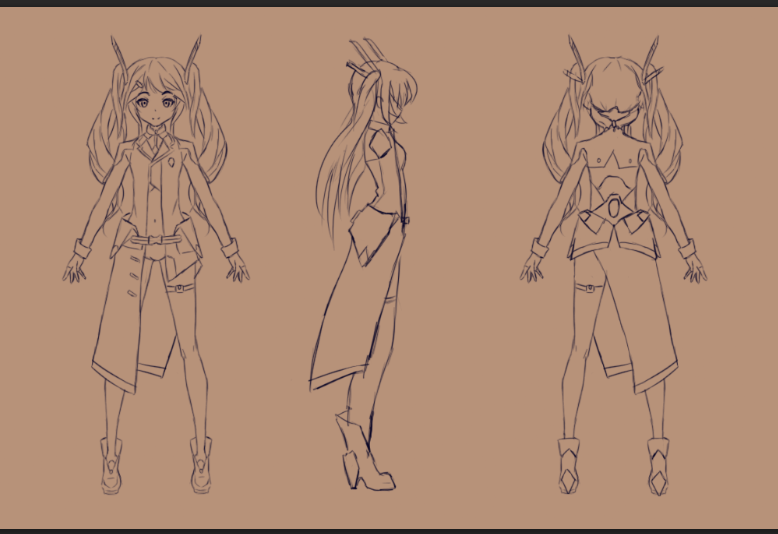
This model is taking forever to make just because I'm not that experienced and I don't want it to be janky like my previous two, so it's literally been a month
I learned projection painting which is like the best thing ever
 topaz frigate
It looks good dude 👌
 thorn flame
Is this all from scratch?
 cursive wedge
Like you are using Brushes/images to paint straight into Blender Texture Painting software right?
Blade*
hollow radish
It's images to do the fix up stuff or do stupidly hard angles. Only really started recently. I'll think about how to implement it in my workflow properly the next time around
It's blender
Wish I had substance painter though
 sonic nimbus
@hollow radish There's a 30 day trial of substance
And it's $20/month if you can afford/justify the expense.
I'm not sure how you'd use it for anime styled characters though
I can see how painting might work but I don't know how you'd make anime styled procedural materials.
 mental blaze
Substance for cel shade, hmm.....
 hollow bluff
Anyone having issues with the flat lit toon lite double sided shader? Normal Flat lit toon works fine but whenever I use double sided it creates an almost rainbow static image of whatever mesh I apply the material to. This image shows up in both eyes of my HMD whenever I'm in game. Pictures for reference: (Flat lit toon is first). This ghost static image will sometimes disappear depending on where I am at within some worlds. Other worlds it won't show up at all, other worlds it will not go away.

 sonic nimbus
@hollow bluff You can use the regular flat lit toon with outlines enabled, width set to zero, and the tint set white.
It's effectively the same as double sided just not as GPU efficient.
hollow bluff
Okay thanks
 marble edge
Hello fellow VRchatters... I don't know how to approach this, but I have a request... If anyone's available to create avatars.
 cobalt willow
You might have more luck over at the VRC Traders discord server in #community-servers-old if you're looking to commission an avatar
 final dew
Is there anyone online who is experienced with using ninjaripper because I am in need of some help if so please dm me and I will provide further information
hollow radish


3Dでキャラクタモデリング。
ゼロから大体の形を出すまでを140秒にまとめてみました。
※音でます。 https://t.co/277DxfneHF
Retweets
22389
Likes
40664
 Twitter
big oofs boyz
its called xismo
 lament pond
Another 3d modeling program
cursive wedge
looks like auto Subdivide only
 clear comet
Got a question. How would i rescale an avatars head and make it so that the avatar does not revert back to it's normal size when the visemes or eyes move?
clear comet
I have tried tried doing that in blender and it does what i mentioned above, i will try it in unity though
Thank you @hollow radish
hollow radish
np
 quaint bronze
@clear comet You will probably have to blend the mesh to fit the changed ‘basis’ shape key. In blender you can go to Mesh -> Vertices -> Blend From Shape and in the menu select ‘basis’ as the mesh to blend from. You’ll also have to set the value to 1, as it’ll fully blend your changed scale.
Make sure you also select the geometry you want to blend!
 undone spoke
does anyone know what the best wat to make uv maps, when sculpting in zbrush? should i just use the built in tools, or export to a different program alltogether?
quaint bronze
If you want clean uv’s then export and do them in another program, but zbrush is great at getting ‘quick and dirty’ UVs
undone spoke
what program would you recomend?
quaint bronze
They all kinda do the same thing - just use what you’re familiar with
undone spoke
hmm, i guess i would do it in blender then
probable easier than fucking with zbrushes one, though i have gotten good results with it too
thanks foe the advice
quaint bronze
No problem!
 tardy trellis
So wen ever i put a audio source on my avatar for some reason it turns into this https://i.imgur.com/D9E1Syl.png
now when i take that audio source off the models works what is causing this as i have had it before and i reinstalled my Unity and SDK and some how it was fixed. Now its back and i tried doing that prosses again but with no effect. is there a setting im just forgetting to disable to make it work?
 zinc furnace
@tardy trellis do you have a particle limiter on?
tardy trellis
@zinc furnace idk im talking about a audio source im not using andy particles
quaint bronze
Have you blended between EVERY shapekey?
clear comet
no, so i have to go into every shapekey and change them one by one?
zinc furnace
If you don't know what I mean then you probably don't have a limiter set
quaint bronze
Yeah, you’ll have to do it for each shapekey or it will keep the unchanged geometry
You can check the shape key by just selecting the shapekey and setting it to 1
tardy trellis
@zinc furnace idk like i said when i put the audio source on it breaks it but when i remove it its works fine. i just want to play music on a phone that shows up in my hand x3
quaint bronze
So when you change your left_blink shapekey’s value to 1 it’s showing you what will be happening in vrchat when you blink
clear comet
ok so i just have to put it on the ones that are for the visemes and the ones for the blinking as well as the basis key
quaint bronze
Yeah, just go through and check them afterwards to make sure the changes have been made!
tardy trellis
maby i just need to lower my volume on the music cuz thats the only thing different in my settings for audio sources
clear comet
ok, thank you for the info
quaint bronze
Let me know how it goes!
clear comet
will do
 plain spoke
Hey is there anyone that can help me with importing objects from blender to unity for creating worlds?
 still warren
@plain spoke Export from Blender into FBX and it will work in Unity.
plain spoke
K thank you
 tawny mason
is there any free 3d modelling programs which use a webcam or youre kinect sensors to scan you to make a avatar or 3d model?
lament pond
@tawny mason https://3dscanexpert.com/3-free-3d-scanning-apps/

Updated for 2018: Comparison of Free & Affordable Mobile Photogrammetry Solutions for Smartphones: 3DF Zephyr Free (iPhone/Android + PC) vs. Trnio (iOS) vs. Scann3D (Android). With Tutorials & Examples!
 tender tendon
hmm for some reason, even though i rotated my mesh, which is not weightpanted, and it looks right in Unity, ingame its 90 degrees to the side?
zinc furnace
@tender tendon the object with the avatar descriptor on it will have all of its rotations and position changes overridden
You need to put the avatar descriptor on an empty Game Object, with the actual mesh underneath
tender tendon
Put my mesh under a gameobject then under the armature?
zinc furnace
What
I have no idea what your setup is like so I dunno
You might also need to CTRL+A apply the rotation in Blender before export
tender tendon
Its just a custom mesh i wanted to add my avatar
final dew
How do you change from viewing only emmissions in blender
 fervent kernel
found this little video, think it might be usefull for creator to sheck what that software is https://www.youtube.com/watch?v=aHQ6KAJ8Kc8

イラストレーターがお絵かきのテクニックを最大限に発揮できる3Dキャラクターメイカー「VRoid Studio」を2018年7月末に公開 〜Windows・Macで誰でも無料で利用可能〜 ◼︎VRoid Studioについて 【公式サイト】 https:...
topaz frigate
i saw that video a while ago, that software looks awesome
comes out end of july
for free
fervent kernel
nice!
lament pond
Doesn't look very special yet to me, blender can do those features already.
 arctic ether
curious to see what you can do with the body
someone made a thread on the canny about this along with a new file format thats been getting popular it seems
lament pond
Texturing directly on the mesh is pretty old and the hair can be done the same way it's done in their program using curves
 echo plume
sup, i want to make this spear somehow,

so far i figured to model the shape of it
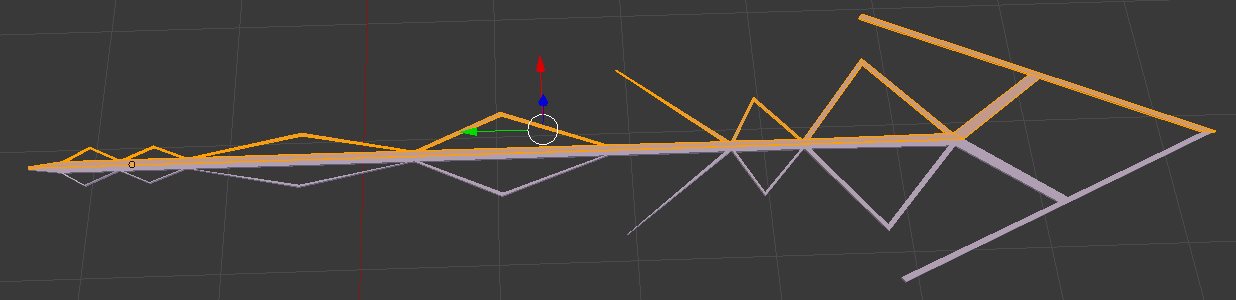
i need a tip on how to proceed with the... look
 eternal crow
holy shit, its been so long since i was on here
but does anyone know how baking textures works/
because i tried to bake a hairstyle im using for a custom character model
but it gave me a error saying "circular reference in texture stack"
and it did bake the texture
 whole jasper
@echo plume First off the spear needs to be red XD
echo plume
of.. course XD
i just dont know how to proceed after making the shape
my first thought was making an uv map of it, then making a transparent UV with white streaks in it
then use a shader that can use transparency on it
which should make the white streaks the only visible thing that remains
i don't know if that's the right idea though and maybe i should even go and make the mesh spherical for it?
uh not spherical, cylindrical
actually have no idea how to make it look like an actual collection of white streaks
 humble fern
@echo plume I'd say keep the actual mesh as the white part, and then have a particle system emitting red particles using the mesh as a shape
echo plume
im looking into something like this right now
how do emission type material colors work?
humble fern
copy the texture, go into photoshop and remove everything you don't want to glow, and plug in that new texture to the emission channel, if your shader has it
echo plume
i think the problem with that approach will be that it will still be a cube-ish mesh with the white in different places around it
whole jasper
I suggest making the pattern out of tubular shapes?
humble fern
It might be easier to do the entire thing out of particles
humble fern
particles emitted in the mesh's shape
humble fern
if you do go with particles, you'll probably want to tweak it so the particles go in the direction you want, assuming you want particles to move down the length of it
echo plume
yeah... ima experiment with particles... maybe i can use a line as the particle
a simple line as the particle texture
and distort it using the particle settings
so, if i turn off the mesh renderer, will the particle system be able to use that turned off mesh renderer?
humble fern
No you have to plug in the mesh to the particle system's shape tab
echo plume
so a disabled mesh renderer wont do, right?
humble fern
nah, it's not gonna use that, it's all in the particle system itself
echo plume
right now i want it to render nothing or a completely transparent mesh
is there a quick trick to achieve it?=
humble fern
when you use the mesh for a particle system shape, it doesn't render anything anyway
just go to the shape tab, select mesh renderer, and select your mesh
echo plume
ahh
echo plume
but it still needs a mesh renderer on a game object
ah okay
that way makes more sense
humble fern
mesh gets the actual file, mesh renderer points to a gameobject with the mesh on it
echo plume
so how do i make the particles spawn inside the mesh and wander through the mesh in one direction? i cant really wrap my head around that
given there's also diagonal directions too
humble fern
If you use start speed, the particles will move in the direction of the faces that spawned them
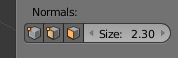
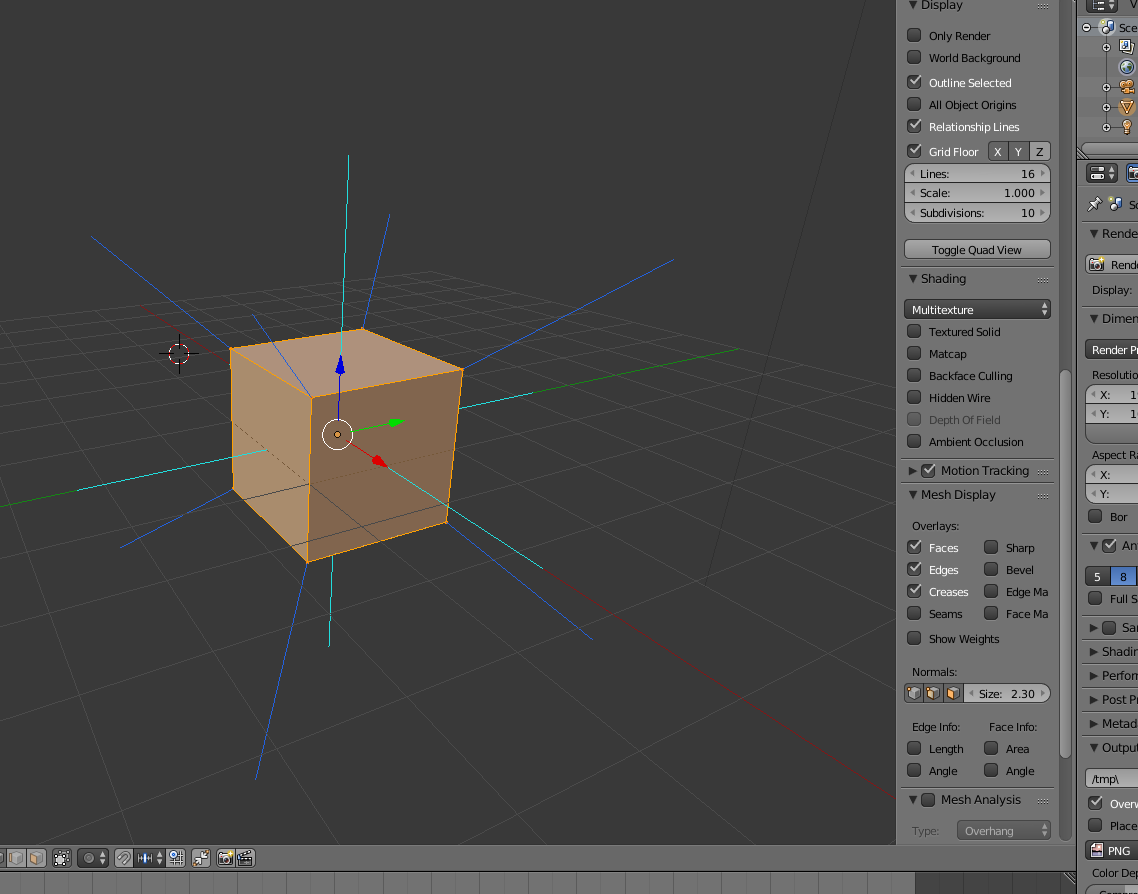
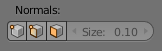
In blender, a great tool for this is showing the normals direction. If you go into edit mode on your mesh, on the sidebar you can click these buttons and it will show lines visualizing the direction of the edges, vertices, and faces https://i.imgur.com/2mwl0s0.png
 echo plume
yeah i got normals
humble fern
 echo plume
i dont think my mesh is good at all for this in that case
humble fern
Yeah, that's what I mean by tweaking
echo plume
so i gotta make some more hidden faces
humble fern
You'll use what you have as an outline, and create a new mesh on top of it that will be used as the emitter
echo plume
so another problem i think, particles will need to travel different distances for some faces i think
i suppose that's not a thing?
echo plume
i wish there was a "lifetime" modifier that could go off things like... face size of the emitter, heh
although no, that would be dumb
humble fern
if you want to experiment, you could play with vertices color. It's different than material, you assign it in blender, and the particle system can inherit that color. Idk if it does transparency though, if it does you can use that
I haven't messed with that so google is your friend there
echo plume
@humble fern so ive added a ton of planes now with their normals towards the emitting direction
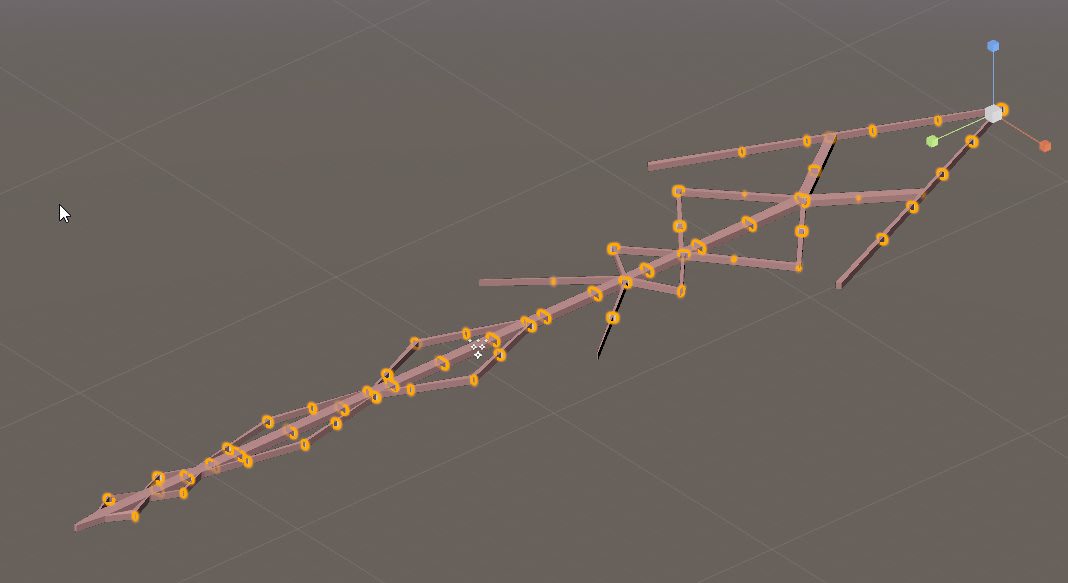
added them in blender along the whole thing
humble fern
cool
echo plume
with normalized lengths

not satisfied yet lol
some of those angles are wild
also they're going straight through the tip
huh.-
they don't seem to just emit from all the planes?
humble fern
No they won't evenly distribute across everything, it's all random. You'll have to just have a ton of particles, enough to fully saturate the whole thing
humble fern
You might get the look you're going for with trails and noise
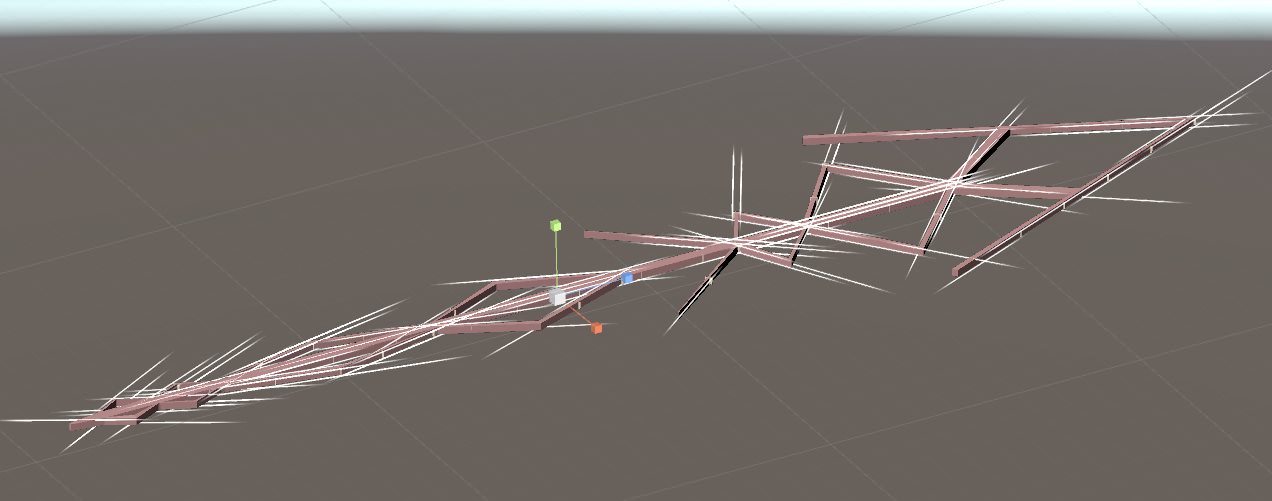 humble fern
ooh that's getting somewhere
definitely play with trails and noise though, that'll get the sort of scribbley look in the original source
humble fern
You could separate it into a couple different meshes, one for short, one for medium, one for long
echo plume
hmm i guess
because especially the finer rear part is getting lost

so yeah it starts to make sense
 spiral sigil
The horrors of Google Blocks: https://i.imgur.com/DeSQXU6.jpg
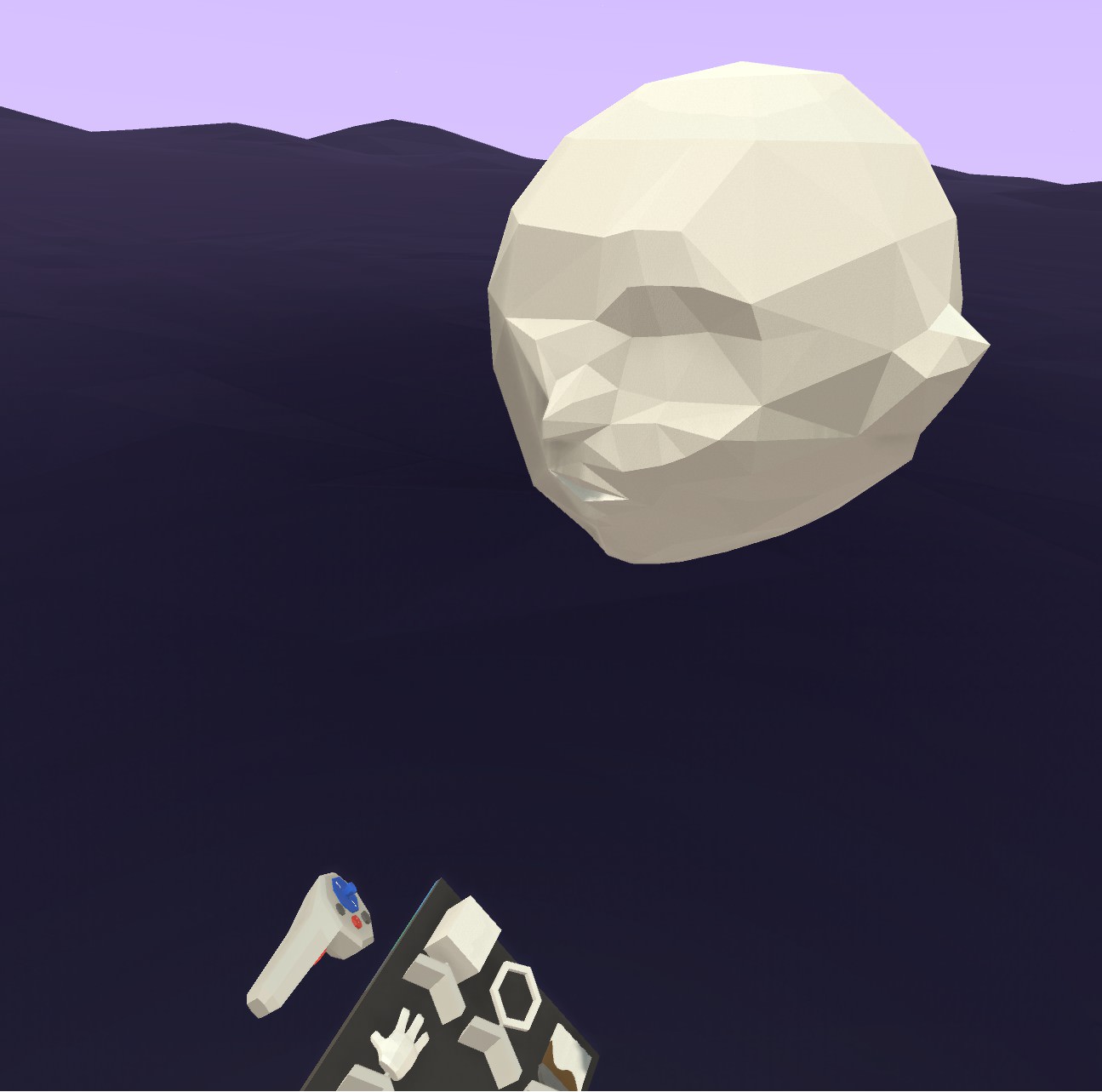
(First time playing with it) lol
 floral moat
so i just started modelling and have been winging it up until i finished an 2d outline of the model, i have no clue what to do next
 sage light
I wanna make a voxel avatar, which program would you suggest? Which program is easier on eyes, user friendly etc.?
tender tendon
Hey wargrey
Im not super sure about it but i think there are plugins, atleast for Cinema 4D that makes models into voxels but i think there is one for Blender somewhere.
Otherwise there is this http://www.voxelmade.com/magicavoxel/
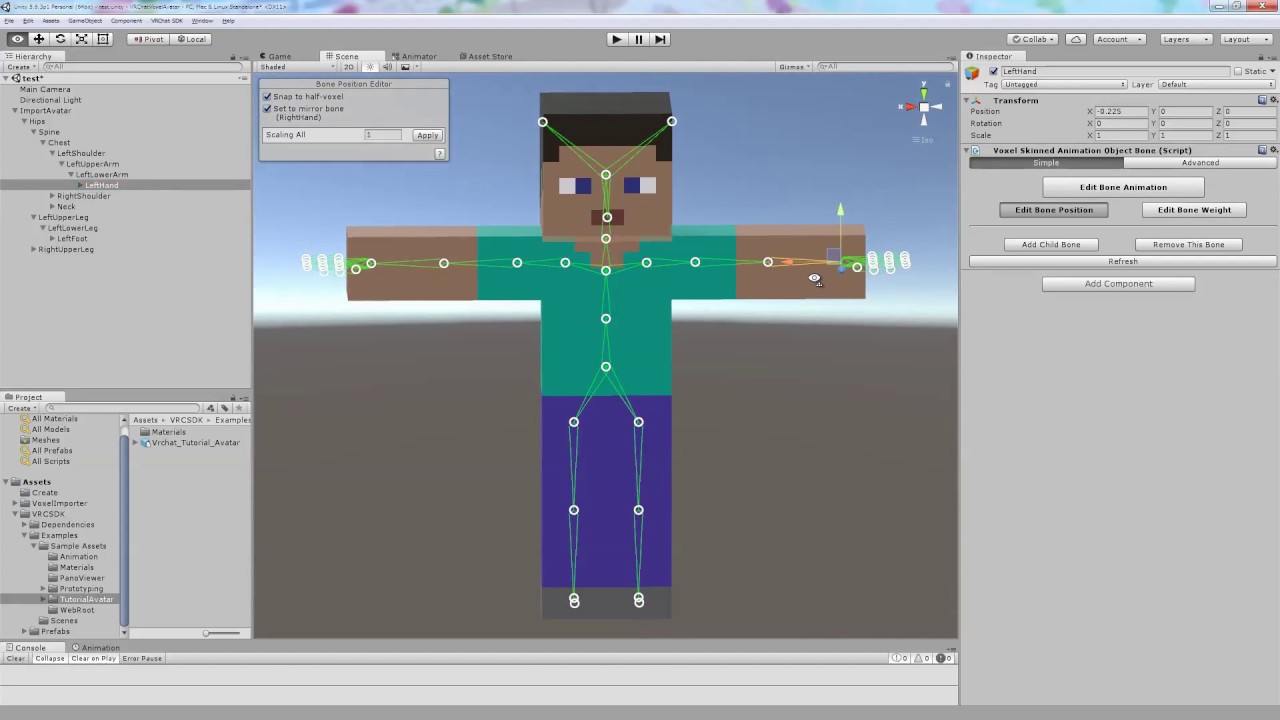
https://www.assetstore.unity3d.com/#!/content/62914?aid=1011lGot Please display subtitles. 字幕を表示してください。
using magicavoxel to make the avatar then that tutorial to make it work ingame
@sage light
tender tendon
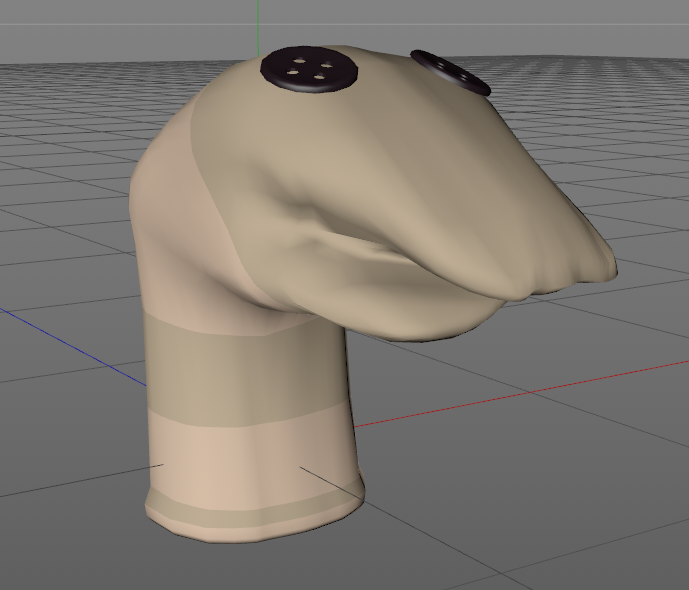
Rigged and made 2 visemes for a sock puppet i just 3d modeleld
probally release it somewhere if there is enough interest
zinc furnace
I imported an XNALara mesh into Blender. When I try to rename the UV Map of the mesh, it instantly seems to lose its material entirely. It just becomes a red blotch.
Oh, I found that the textures are still referring to the old UV Map for some reason. Any way to batch re-reference those?
I thought it would do so automatically, and it has always done so for me in the past.
tender tendon
Why would you rename the uv map? 🤔
 humble glen
not speaking for rokk, but when you merge your meshes, if there are multiple UV maps with different names, it will mess up your materials
happens a lot when importing model rips
so that's one reason
zinc furnace
Yeah, I needed to rename the UV Map for that exact reason
It always works on the MMD's that I do, but for some reason this XPS just didn't.
Had to merge part of an MMD model with part of an XPS
tender tendon
hmm, never had that issue myself
humble glen
probably because the model used one UV map name
 gusty crypt
So I had this model where I added highlights in the hair. All I did was make new material with a different color and dragged it on two parts of the hair, they were not separated mesh's I am trying to do the same thing now but it is changing all of the hair is there an easier way besides separating it all in blender?
 green terrace
@gusty crypt Just add a material, go into edit mode, select the faces you want the new material to be applied on and click "assign"

 edgy burrow
hey im in unity and it wont let me upload an avatar, says im using a too newversion
how do i downgrade?
pls @ me when someone wishes to respond ^^
 stiff jasper
You cannot downgrade Unity, but you can install a previous version
You want 5.6.3p
@edgy burrow
edgy burrow
ahh yeah
how would i go around downloading that ver if i have the newer one installed already?
edgy burrow
damn, ok
stiff jasper

Unity
Unity is the ultimate game development platform. Use Unity to build high-quality 3D and 2D games, deploy them across mobile, desktop, VR/AR, consoles or the Web, and connect with loyal and enthusiastic players and customers.
stiff jasper
Correct
It's only 5.6.3, so you'll also have to download this patcher to make it 5.6.3p1
Unity
Unity is the ultimate game development platform. Use Unity to build high-quality 3D and 2D games, deploy them across mobile, desktop, VR/AR, consoles or the Web, and connect with loyal and enthusiastic players and customers.
gusty crypt
@green terrace Thank you so much, saved me so much time,
spiral sigil
can anyone help me figure out why my textures keep rendering black in blender
I am using cycles rendered, when I bake the textures they go black
edgy burrow
alright. i downgraded to 5.6.3p1 and it wont let me use the vrchat sdk
 floral violet
Define won't let you
 thick rune
Can I use the projector component and the trail component in particle systems in vrchat?
humble fern
You can use the trail module built into particles, but trail components are not designed to work with particles
And projector components are similarly not designed to work with particles, but on top of that you can't use projectors on avatars anyway
 stoic ridge
oh my god... blender is being such a shit when all I want to do is make some curved edges
cursive wedge
Bevel?
 cold plank
I don't understand how people like blender 😦
every time I come in here it's people having a sad trying to navigate that abomination of a ui
 latent charm
Mostly because they're trying to run before they can walk, so to speak.
cold plank
does 99% of what blender does with 1% of the pain!
the same can be said for c4d and other tools.
zinc furnace
That's because Blender is entirely free and is well documented, and also has an addon for it specifically designed for this game
cold plank
sure, you can put things from meta into the cats plugin for the final pass
meta is nearly entirely free and it's what all mmd models are made in in the first place
but it's not living pain 😦
also it's default armature is exactly what vrchat uses?

cats plugin is fantastic but holy hell the pain of blender that is entirely due to the ui
so many people want to make scratch models but they're trying to walk by using their hands
or eat dinner with a shoe as a utensil.
cold plank
Have you ever heard of stockholme syndrome?
spiral sigil
but it's not horrible to just abandon it immeidatly
cold plank
😛
spiral sigil
🙄
cold plank
blender's animation, rendering and plugin writing tools are fine.
but after 15 years and no improvement I can't for the life of me understand why people make models in it
latent charm
What exactly about blender's UI is so bad anyway?
cold plank
have you ever used anything else?
latent charm
Yes
cold plank
Okay, well, sit a 12yo in front of meta and blender, and hand them the help documentation.
in 24 hours, ask them to model a cat
latent charm
You're not answering the question. What exactly about blender's UI is a problem?
cold plank
the one using meta will do it in 4 hours.
it's BAD. Dragging the edge of the window should not make another window
Edit modes should not be hidden behind hotkeys
del should not make dialogs where your mouse is
UI should have a reset
spiral sigil
it doesnt create a new window for me ? the fuck
you can enter edit mode with a button too
spiral sigil
to.. edit thing ?
cold plank
or you know, like, click the face or vert?
spiral sigil
that's what edit mode is for
latent charm
Pretty much all of those are wrong.
Edit modes have menu entries as well.
Dialogues appear where your mouse is to save unnecessary mouse movement. Moving it just to click yes is time wasted not modeling.
The UI does have a reset. It's literally in the file menu.
cursive wedge
Blender 2.8 will have more UI elements for people who like to click in menues
zinc furnace
As for that "this armature is exactly what VRChat uses", that is false
I can clearly see an upper chest there
cold plank
that is literally the armature from xbot
zinc furnace
Yeah
I know
I still count hips, spine, chest, upper chest, then the neck and head
Unless I'm blind
spiral sigil
x bot is using the mixamo type rig
zinc furnace
It's probably perfect for Unity but not 100% for VRC
spiral sigil
which isnt perfect for vrchat
zinc furnace
So you gotta merge those bones anyway. If you leave them there unmapped, eye tracking won't work and the chest won't move as you would want it to
cold plank
xbot/ybot is what vrchat's body type is based on, there appears to be one extra bone that could be easily shuffled out but my point is it's a default template in the software. I just think blender is unnecessarily obtuse for people who want to make their own thing.
zinc furnace
But the rigify armature is basically like xbot too
spiral sigil
you are so locked that blender's UI is shit that it dont even see a point to try to talk about it
i'll take my leave, enjoy yourselves gentlemen.
 zinc furnace
Tbh I found 3ds Max to be worse in terms of UI, can barely click anything without messing everything up.
cold plank
I made that in literally my first day with no prior 3d experence
zinc furnace
Can't search for anything either, you can in Blender
cold plank
I think objectively speaking 3d modelling software is generally unapproachable right now
for complete newbies
I hope things like vrchat put more pressure on companies like blender foundation to focus on accessibility. there's a reason zbrush got so popular so fast
sorry for the rant, it's been on my mind lately. I know people who are absolutely incredible artists who use wacom cintiqs and traditional medium too
but were so frustrated by the absolute state of 3d modelling that they dropped out of animation due to it, and that's with professional teachers and maya
cursive wedge
Maya is a cluster of manual editing from point a to z it is only the leading platform right now since companies can buy additions and support from Autodesk, and the FBX standard is Maya Original, so Blender cannot export correct FBX perfect, we also got the new glTF, that is coming forth as the new format. So we got allot of changes incoming, the fact that Blender will be out with their new Eevee engine for rendering will be blowing competitors out of their boots for a short time.
Blender as we hope will be the leading and free to use 3D engine there is. The fact that you can if you know how, saving allot of time with shortcuts, but the tools are a bit out there with addons you either need to purchase or is free to add some more functions to Blender for your workload.
cold plank
glTF is godlike.
no doubt there.
NLA tracks are currently not supported by the exporter in blender though, as the NLA Blender implementation itself is buggy. Also unity 5.6.3p1 needs an addon for rigged gltf models but they're otherwise good
I wish someone would make the effort to remake the blender ui from scratch and keep the functionality, lol
and as a result of this conversation it seems I've discovered this exists
www.bforartists.de
I also didn't know the 2.8 update adds move rotate and scale iconfied and a physical animation sheet like in unity. I'm excited for that. I just wanna see more people modelling.
 dawn ember

When transferring some meshes, I somehow removed the uv's. When I tried to link them back, this happened
What's weird is that the mask transferred fine, while the shirt didn't
If it helps, I noticed that on the shirt the uv's had multiple vertices in one spot

That's what it looks like when i try to select a single vertex in the center
This was not the case on the mask
I tried remove doubles uv but that didn't work
Selecting all the vertices in the center and pressing weld doesn't work
and apparently there are more than one uv verticies when I select a vertex in edit view

I don't know a lot, but that probably isn't right
 runic dock
Complete noob here, I'm just trying to see where areas of the texture will go on the model to make it easier for editing the texture. How do I "unwrap" this mesh, I think it goes?
dawn ember
NVM I fixed it by copying over the object data as well when i linked the uv's
zinc furnace
Is there a utility in Blender that allows you to remove all empty shape keys?
There is one for removing unused materials
 normal cypress
oh yeah btw, if anyone likes that papa tutu wawa girl
my friend made a sketch for me a few months ago and I wanted to model it, but I kinda stoppeed doing models so
whoever wants it feel free to use it: https://mashiroshiina.s-ul.eu/ZQBgmc3B.png
 cursive wedge
Thanks, that would be a good training model to model
lament pond

 shy gale
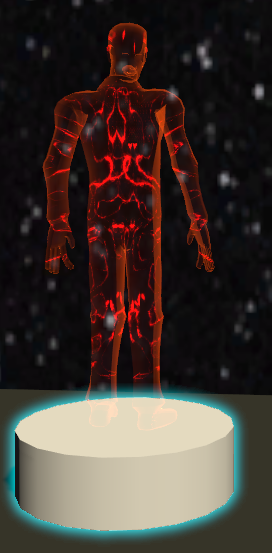
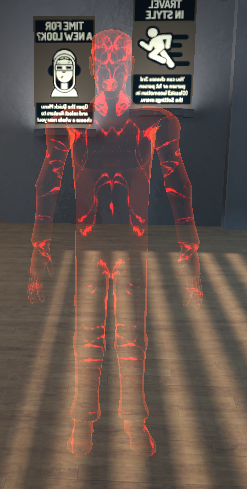
why do I get a red hologram instead of my avatar?
https://imgur.com/WYZmY6F
 floral violet
Incorrect use of particle limiter or something else
Been enjoying my break with some modeling lol
 silk coral
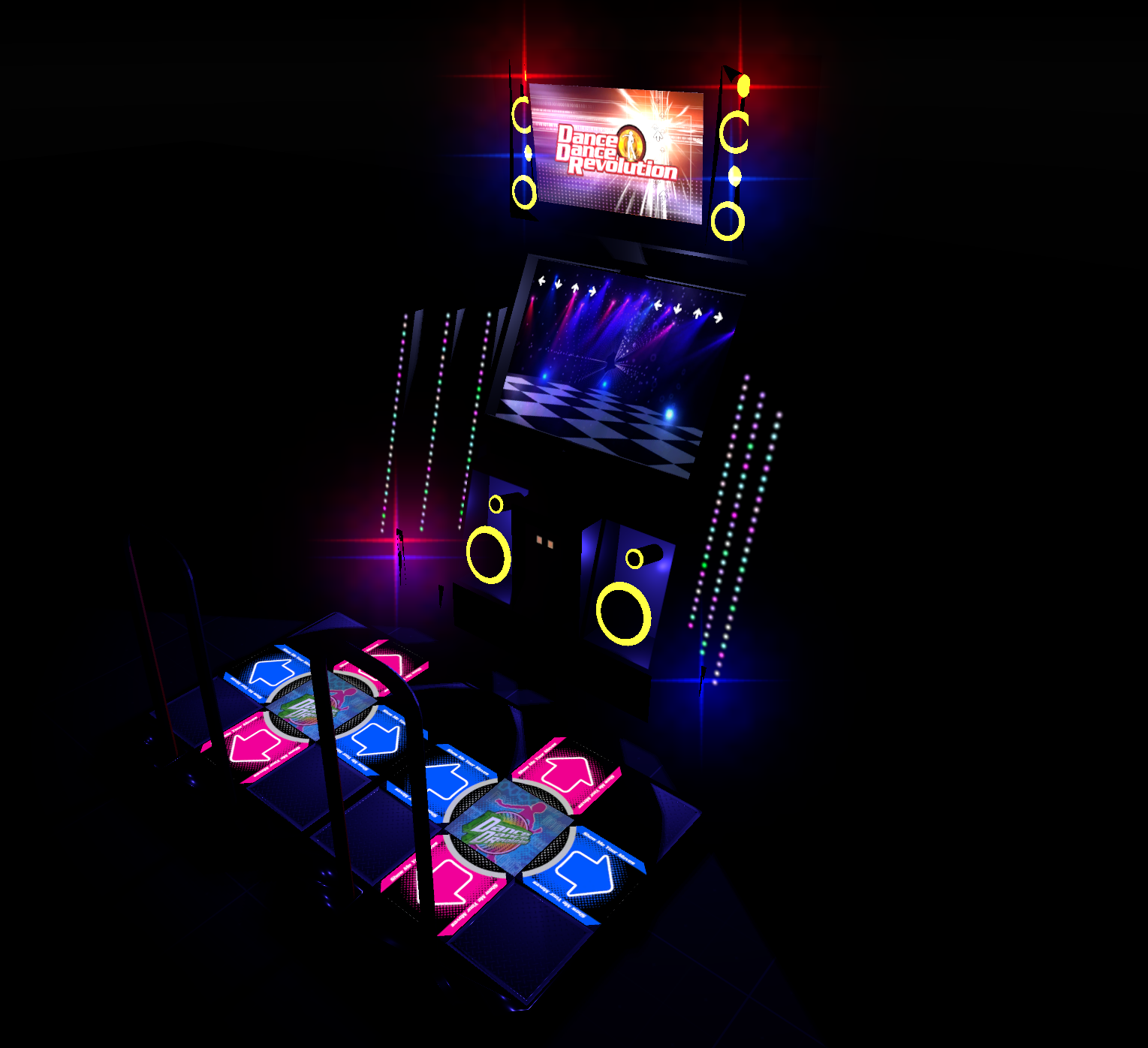
Hello, can someone create this red and green pyramid in Blender?^^ https://www.deviantart.com/athena-rose/art/Hanako-VS-Red-Player-502051461
 ember fulcrum
can't you?
 arctic aurora
hello. can someone help me with seperating a Avatar in 2 meshes? Face and the rest of the Bodys have to be 2 different meshes
zinc furnace
Why?
arctic aurora
Because i want to seperate them
so i can actually put my head in my hand and speak for example
zinc furnace
Why do you need them as separate meshes though? Do you want to turn them on/off or something?
Ah
I think that won't work that way
It needs to be one mesh in order for that to work
arctic aurora
it does work
just need to place that extra body in the viseme then or how its called
zinc furnace
You can only have lipsync on one mesh at a time
zinc furnace
So you'd need to have your real head and fake head be the same mesh at least
zinc furnace
Yes
arctic aurora
one head only and one for the rest
zinc furnace
Yes, but you cannot just move your head mesh to your hand like that.
arctic aurora
its like mesh splitting but without losing the blendshapes
zinc furnace
You need a real head and a fake head
arctic aurora
yea but thats not the problem
zinc furnace
And if you want lipsync on both, they have to be the same mesh
arctic aurora
i can place another one make invisible
zinc furnace
Just select the head in Blender and press P to separate it
arctic aurora
thats what i tried but it doesnt select all i show u
silk coral
Hello, can someone create this red and green pyramid in Blender?^^ I know hot to make a avartar unity friendly and i know hot to delete some things, but i can't model anyting.... https://www.deviantart.com/athena-rose/art/Hanako-VS-Red-Player-502051461
floral violet
Just play with primitives and learn the tool, intersect (bool)
spiral sigil
Learn how to then
floral violet
Blender is well documented and is you look on stack exchange any question you have will likely already be answered
 coarse walrus
https://cdn.discordapp.com/attachments/429161926010863616/472824439084417034/unknown.png Does anyone know how I could fix this?

The face looks scuffed
floral violet
Fix what that looks fine
 cold sky
coarse walrus
cold sky
coarse walrus
Yeah no
 rigid sluice
Can someone help me with adding clothes to my model in blender?
stable edge
@arctic aurora not 100% sure this would work but you could have the head and neck not joined, but as part of the same mesh and have a keyshape that moves the head to where the hand would be
arctic aurora
its already solved lol
gusty crypt
@shy gale check your c drive cache you normally get red avatar it it can not load anymore cache so clear it via the steps in #vrchat-support "manual method'
hollow radish

 orchid glacier
Is there a tutorial video on how to make npcs?
 visual vigil
https://cdn.discordapp.com/attachments/362822760960884756/473585220717772800/unknown.png
https://cdn.discordapp.com/attachments/362822760960884756/473585442780872708/unknown.png
https://cdn.discordapp.com/attachments/362822760960884756/473585607315161098/unknown.png remaking a shoebill model


 thorny mantle
Is there a simple guide on how to increase a characters bust size evenly in Blender?
I've been tugging at random vertecies but all I get are malformed results
Proportional editing and stuff like that
 dense kelp
Select both bones in pose mode (assuming it has bones for it), press S and scale away
You can then make the pose into a shapekey
thorny mantle
issue with that is that the rear of the bust turns out super flat and distorted, would I have to touch that up with some proportional editing?
mental blaze

Yep, definitely will have to handle the face and body in zbrush tomorrow. The armor parts I could get away with box modeling.
stable edge
for those following vroid https://www.pixiv.co.jp/news/press-release/article/6518/

ピクシブ株式会社(本社:東京都渋谷区、以下ピクシブ)は、3DCGアニメーションやゲーム、VR/ARプラットフォーム上などで利用可能なキャラクターの3Dモデルを簡単に作成できるキャラクターメイカー「VRoi...
"Began offering free 3D character maker "VRoid Studio" beta version to pre-employment applicants. Public release from August 3 - ~ Priority application number is 45,000 people. Hair style editing along with guide and character face editing are also possible ~"
(put through translate)
 spare bay
Is there a way to create an artists certification of client ownership + signature inside an avatar somehow?
Like an object thats only 2 pixels wide, but you could see it in blender/unity as a listed object?
And does that really provide any copyright protection? Is there a way to get around it as a black-hat modeler?
cold plank
@stable edge I have vroid installed. Oddly it looks like the preview version only lets you work with one gender and one outfit
@spare bay VRM format was kinda designed for this. You can technically just rename vrm to glb and do whatever you want with it.
programs that support the format directly can put some info in, and I'm sure you can pull metadata somehow but something like unity's built in FBX exporter would make short work of that.
In the end, the way 3d formats work it would be impossible to encrypt the final data as once a mesh is loaded the description of where the verts are can be exported in an arbitrary way. The same reason why ps vita models can be ripped and whatnot, unless both the platform and the model format are encrypted, and the memory space is encrypted, there's no way to make 3d models that can be copywritten. VRM format does allow some control over it if the application in question is compliant but it's still a general agreement to not steal.
However, with VRM since you can put the usage rights and date they were granted and whatnot, if you catch someone using your avatar and you originally published it only in VRM, then you obviously now have legal proof and could take DMCA takedown action or similar.
spare bay
vrm format, as opposed to?
cold plank
As opposed to FBX or GLB standard or OBJ or whatever, PMD/PMX (miku miku dance) also has a similar "here's what you can do and please follow these rules" container format
spare bay
gotcha.
cold plank
what I would do, personally, is put a 1 face object inside a model with my signature
what a lot of other people do is model something like the creator name into the tread of the shoe, or subtle hide it in the inside mesh part of a belt, or similar. Lots of ways to stick some sneaky signature in there
spare bay
So that it's hard to find unless you know where to look.
Cuz that way, it's easy to validate yourself as the creator or licensee by even "knowing" where to look, and so that creates probable cause for an argument in a copyright protection claim.
cold plank
exactly.
spare bay
Is there a way to register protected assets with the VRChat team?
Some sort of copyright registry, in case I find someone using something I had commissioned for example.
cold plank
with all copyright I'm pretty anarchistic, I believe if content providers make something easier and reasonable to obtain over piracy they'll do that instead (look at netflix and crunchyroll).
I think it would be hard - most people make subtle changes to models so the resulting VRCA file would have a different MD5
spare bay
Well like, lets say I'm walking around and I happen to see someone else using my model, and it's clearly my model, and I want to apply for a protection claim.
cold plank
but, one way might be to register the md5 of a texture file or something similar. It would be cool to have a model registry, I agree. Like if you sent 4 images of the model from all angles and signed a waver saying that all parts were created by you (or the parts that were), and that you didn't use a basemesh or whatever
like, I tend to use Tda or similar basemeshes for speed at the moment, but things like clothing and textures and hair and whatnot are my own.
The issue is that it becomes the "original sailboat" problem - I have a boat called merry, and every time something breaks I replace it with new wood. It's still a boat called merry, but at what point does the boat stop being the "original boat" and becomes someone else's creation or something new. It's a tough philosophical question.
spare bay
Yeah. I'm a commission client. I'm much more concerned about someone else using an avatar that's supposed to represent "me" in game.
Like, if they use something that looks like I'm looking in a mirror, I'll have a problem with it.
But individual parts being used, or even like half of it being the original model, I'd leave that up to the provider.
cold plank
fair enough, I know however that there is a cache ripping protection button in the CATS blender plugin which I understand could prevent that kind of thing. So in that case if your model was only ever uploaded by or for you, and if that was enabled, I don't see any reason that people would be able to copy it. I remember reading something about it not working 100% of the time but it's a thing
spare bay
That sounds awesome.
Yeah, I'm paying hundreds of dollars for this avatar. Any options to retain exclusivity are going to be nice for me.
Cuz otherwise I'm paying for their copy too.
cold plank
Another thing you can do is put your name somewhere prominently as part of the mesh.
like on a necklace, or something
I have an avatar with my name in huge letters across my ass just for fun, lol
spare bay
That's a playful way of doing it. Lol.
"Here, don't forget to add me on discord, here's my tag name" bends over
Gotta look upskirt or whatever to see it.
smh
cold plank
well I mean, even if you have epic particle effect animations or something it makes someone much less likely to want to rip your avatar if someone else's name is on it
plus I'm extremely well known, I think if someone took one of my avatars it would be pretty obvious
spare bay
I was thinking like a stylized name being "embroidered" on the jacket or something
cold plank
then again most of the ones I use regularly are just remixed yohioloid lol
yeah, that's a great idea!
your modeller could use what's called a "boolean operation" on some 3d text to do that FYI
spare bay
I'm guessing that's like, subtractive modelling right?
These two objects, one less the other?
Or also where the two intersect they cancel out or sumthin
Essentially applying a logic gate to object rendering.
AND, OR, XOR
cold plank
yerp, it's a common feature in most 3d editing applications these days.
cold plank
anytime
 undone widget
How long it takes to publish a own avatar on unity?
cold plank
@undone widget you'll have to be more spicific, you mean uploading? That depends on your connection and the size of the files. As for how long VRChat puts you in "new player jail" that depends on how long you've been playing the game and how active you are in game.
undone widget
@cold plank Thankyou i just want to upload a wolf but a folder comes up that says that i have to use the app mor
cold plank
This is true. Try to spend a lot of time running around in different worlds and making friends, and it should let you upload soon enough. I'm not sure if you need to exit vrchat to log your playtime, but maybe. They keep this information somewhat private because they don't want to make it easy for people to ban evade and whatnot - this was done for player protection from people doing things they should not be able to do.
Any game with player generated content has risks like that, the minute you give people the ability to add things to a closed environment the more likely they are to try to test those boundaries or try to troll others.
undone widget
Thankyou
spare bay
I agree with that policy btw.
Its sort of like... forcing you to slow things down for a bit.
Take your time and not rush things
 eternal crow
im hvaing some issues trying to bake a model
ive tried multiple times to bake it
but it keeps giving me a error saying "circular reference found in texture stack"
does anyone know what that means?
the spheres im using are uv'd via sphere projection, could that be why?
http://prntscr.com/kd6kzz if it helps this is what im trying to bake a texture for

it uses sepereate materials for each color
and each pieces that match color wise use the same material
humble fern
Idk much about baking textures, but what you could do is make a texture that is just "swatches" of all the different collors you need, arranged in squares. Then just uv map the spheres into their appropriate spots
sonic nimbus
@eternal crow Assuming you're using Cycles for baking you need to make sure the destination texture (the last texture you've clicked; with an orange border) isn't outputting to anything.
If you're using Blender Renderer/Internal then I'm not sure, but I assume it's also can't currently be used in any materials in the scene.
 onyx gate
Is there a way in blender to smooth out a curved surface? Like if the model was made wrinkly shirt and I want smooth shirt. I wouldn't mind if I had to select regions and preform the option
stable edge
loop tools might help?
 broken minnow
anyone have some models for glasses i can use? Cant find anything anywhere
 brave dune
depending on the kind of glass you are looking for, wouldnt just extruding some cyclinders work?
stable edge
vroid public beta is out
stable edge

 mossy quail
thx
 junior idol
 mossy quail
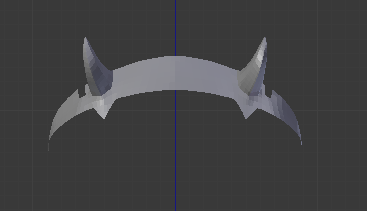
Humans are hard :D
 foggy maple
I see Zero Two, I like 👍
foggy maple
@spiral sigil A translation rework ^^
Translations will be much better due to a better internal dictionary, it's also a lot faster and Google translations will be stored locally for 30 days. I also added a translate all button
zinc furnace
Cool
foggy maple
You you will no longer get the Ah, Your and There translations, but the proper Ah, Oh and Ch. And the most of the other shape keys will actually say what they do instead of some random words
spiral sigil
that's really nice
 fleet ice
あいうえお
zinc furnace
Oh, that's cool
 foggy maple
@rain flax Try the dev version 😉
 rain flax
Oh I'm pretty sure I'm already on it 😄
I've been dug into creating a new model from scratch lately though
 rugged echo
stoic ridge
rugged echo
stoic ridge
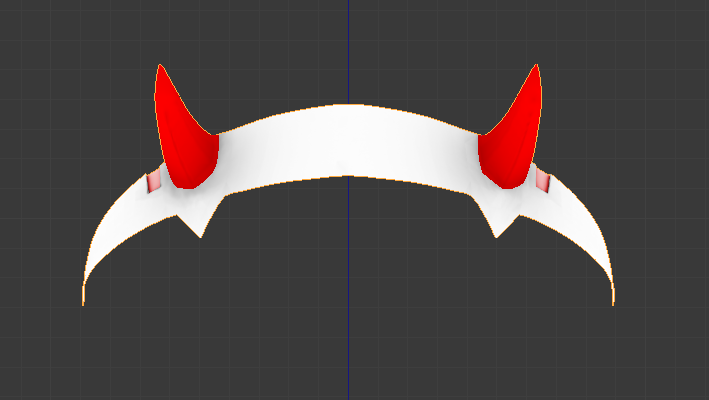
I'm having this thing where my model disappears before it's out of shot, so I'm wondering whether there is a way to directly set the bounding box in blender
if not in unity. I have searched unity pretty hard, though, and can't find a setting for it there
 obtuse trout
g
 woeful blaze
https://www.youtube.com/watch?v=rCmOODzoQvg i want that model..
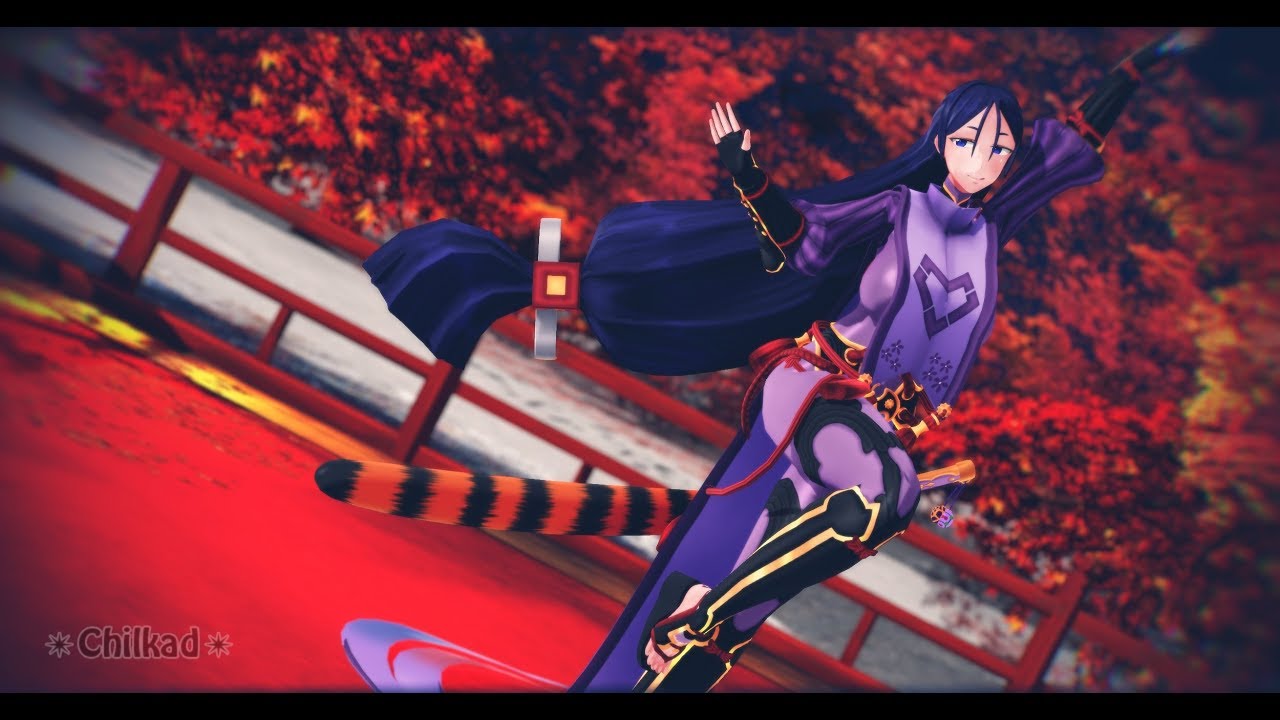
I was commissioned to make this model from scratch, however the base (not my choice) and face is custom maid 3D, hair and clothes modeled by me in Metasequoi...
spiral sigil
@junior idol are you making that or is it a prefab?
if it's the prefab 1 it's supposed to be private
sonic nimbus
@stoic ridge You can adjust the bounding box on the skinned mesh renderer. You want to make it big enough that it covers your whole avatar but not larger than it needs to be.
stoic ridge
@sonic nimbus mm...this one is only a Mesh Renderer though, and the setting doesn't seem to be here for that one
sonic nimbus
@stoic ridge Are you using large vertex offsets in your shader?
stoic ridge
Yeah it’s basically rotating the pieces of the object to new locations
Clock hands essentially
So I know what bounding box I want. I guess I could add some invisible geometry...
sonic nimbus
Ah, yeah, vertex offsets don't affect the bounding box used for culling.
stoic ridge
Yeah I figured as much
With skinned meshes at least there was a workaround in unity itself but here I thought maybe I could bake something into the model somehow
hollow radish

doing a heavy edit
of an existing model
headswapping the face and other little things
spiral sigil
Anyone here do any 3D modelling from scratch- Non-MMD flips
mental blaze
if it's a request for a scratch model, ask in vrctraders
in the correct channels of course
some will bite if you bribe them with skittles
 lost kraken
Haveing a centering issue I guess with unity import of blender. Had this issue before and never could work out what caused it. Now Ive worked out the cause on this model no clue how to fix. The image has an import of the same model. The one on the left if put in game would pick up shadows as if the player is in the wrong location.
The one on the right I removed the underpants and it would be fine. Anyone know what on earth I need to do to the underpants Part of the model to have it center correctly in unity. Google has failed me.

 coral gorge
Could someone who knows blender explain why the model I imported doesn't obey euclidean physics? Trying to move it around makes it transform and contort instead
https://media.giphy.com/media/xWfS61ncImv4F50AZq/giphy.gif
 coral gorge
found it, the mesh had a modifier I didn't see
 granite whale
tfw you think you had uvmapping corneredbut it still fucks with you anyway
mental blaze
https://cdn.discordapp.com/attachments/353351685982388234/476281448333180939/zuru_progress_2_5.png
Face model looking pretty decent so far. Now to model the body...
 mental blaze
Ah, the nose will need some correcting, but later on.
zinc furnace
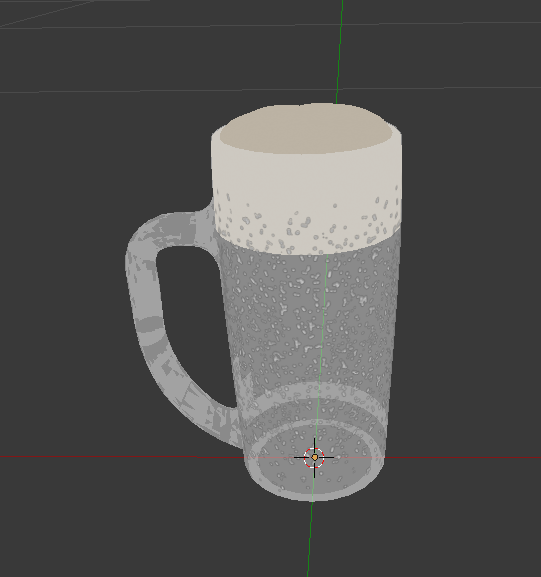
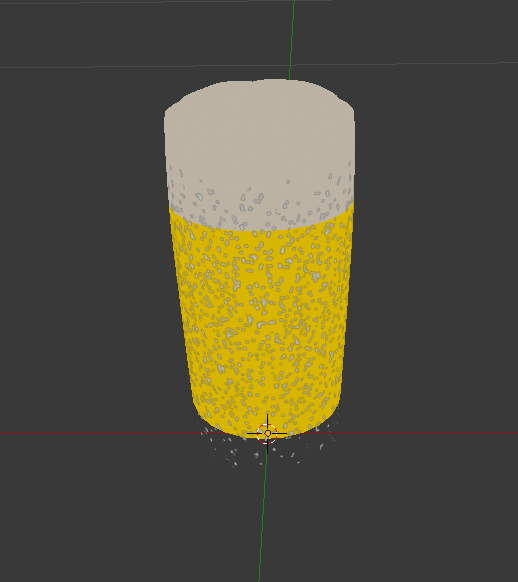
I'm having a bit of an issue with a 3D model of a beer mug in Blender. It seems the glass is obscuring the liquid contained within. Even if the glass material is transparent, the contained liquid will not show up until the glass material is gone entirely.
This is what it looks like with Alpha set to 0.2 on the glass material: https://i.imgur.com/y44EzLi.png
And this is when I turn the alpha of the glass material to 0: https://i.imgur.com/teaIFg5.png
 latent charm
@zinc furnace Is there a reason you're trying to get this to look right in blender's viewport?
zinc furnace
Yes. I need to texture atlas this so it's one material (for usage on a mesh particle), but it doesn't seem to work correctly in Unity after I do so. I'm thinking this is the issue
The "original" model works fine in Unity
latent charm
Blender's transparency and depth testing is pretty different from Unity's so you're not going to see much consistency between them.
At least in the viewport anyway.
zinc furnace
Odd, I redid the atlas in Blender and it still won't show up there, but it shows up in Unity
So OK I guess
Now if only there was a way to bake .sph textures onto an atlas
Oh, I think I found the issue. Turning off backface culling will make the liquid disappear.
Not sure why, but I guess I should just use a one sided shader in Unity then
latent charm
From what I can gather of what sph textures are, theyt won't be able to be baked in as they're view dependant.
zinc furnace
Yeah
zinc furnace
Alright, I got a new problem. I merged two meshes and tried to atlas them, but the one material belonging to the second mesh won't seem to bake.
It just comes up empty.
zinc furnace
Fixed it, had to start and finish manual unwrap in the texture atlas menu again. It didn't break anything
spiral sigil
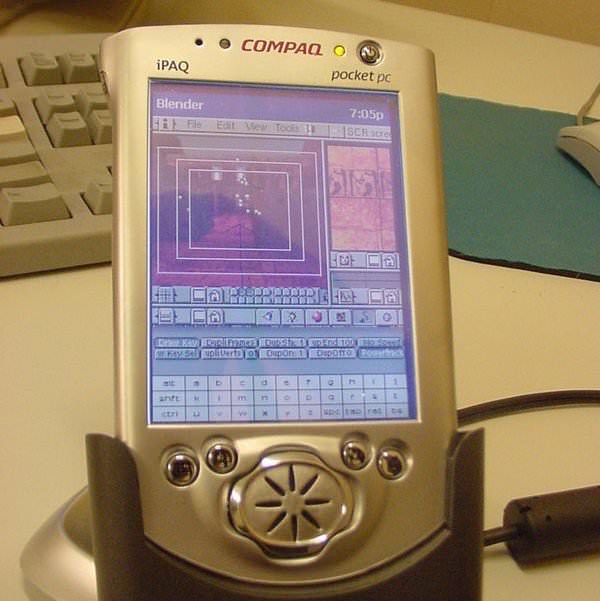
Blender... on a Compaq Pocket PC: https://i.imgur.com/dn7vNMf.jpg
 quick thunder
Is anyone able to help me out with some tattoo's for my torso mesh? Believe it'd prolly have to be in a 3D program.
I had help with this before, but the torso I was using was just too fucked up for me to actually work on in terms of looks and paint. Found a better mesh that I'm wanting to use :P
 spare radish
Hey, I've got a question: what are the pros and cons of modular level design vs non-modular design?
Planning on creating a small haunted house environment and I'm trying to figure out also if it'd be practical to model the interior in Sketchup or Blender.
cobalt willow
The most obvious pro is you can change the layout with a modular design much easier over a non-modular one, for example if you find during playtesting that an area needs to be completely remade or you need to add a path through a wall or something.
The only con I can think of is it could potentially come off as looking very artificial and repetitive, but it depends on your design to begin with I suppose
spare radish
Would there be a way to fix the textures if scaling a modular piece?
Say I need to make a shorter piece of wall, would there be a way to scale it non-uniformly without squashing the texture?
cobalt willow
Tiling the textures perhaps?
spare radish
Maybe, but I'm planning on adding baseboards to the model.
Would that likely destroy the UVs?
cobalt willow
If you don't mind working in blender then I would suggest looking into this plugin.
https://blenderartists.org/t/sprytile-tile-map-editing-for-blender/687412

Blender Artists Community
Sprytile is an addon that gives Blender tile map editing capabilities. The workflow is designed mainly for low poly and pixel art style texture work, but theoretically should work with higher resolution textures as well. The addon is opensource and is free to download, but i...
And I don't think so?
spare radish
Oh no, I don't mind working in Blender, I've been doing it for quite a while now.
One last thing: Would using PBR textures be a viable option in VR?
cobalt willow
Definitely. Actually found a free site for good PBR textures a while ago
https://cc0textures.com/home
CC0Textures by StruffelProductions gives you access to more than 230 PBR textures under the Public Domain License.
spare radish
I've got a version of Substance Painter which should make it easier.
I think it might also be worth mentioning that I've done environment modelling before, but just in a very small scale.
Like, just rendering a segment of the floor and a few distant walls.

 patent arrow
MonkaS
cobalt willow
As long you don't mess with the rendering path in unity or use shaders with multipass stereo then you don't have to worry about it looking weird for VR users usually
spare radish
Could you give an example of a shader with multi-pass stereo?
Also, if you can, I'd appreciate a critique on the stairwell.
cobalt willow
The default unity water. It draws a different looking picture for each eye and looks, in simple terms, like shit in VR 😛
patent arrow
need to fix the shader to be single pass then
cobalt willow
I'm not sure if I can give much constructive feedback on the stairwell, but there isn't anything that looks really off with it to me at a first glance
spare radish
Glad to hear, been trying to improve my photorealism. I wanted to get it done with as little polygons as I could to speed up the rendering for Cycles, even though this version was done with Eevee.
I honestly like the Eevee version better. Don't know why, but the coloring seems a bit preferable to the Cycles version.
cobalt willow
Also for the world you're making, if you have interactive triggers then make sure you have some depth on the trigger volumes for VR users. On desktop you simply have to point the cursor to the trigger surface but in VR you need to have your hand inside of the volume
Some worlds have paper thin colliders which makes it a hassle
If your trigger volume is inside another trigger volume aswell then it won't work for VR users too, but it'll still work for desktop
 tidal gull
currently working on minus8 girls models from scratch https://orig00.deviantart.net/c65f/f/2018/216/3/a/goombagal_by_0nigiriman-dcj8vvm.png
 spiral sigil
Put some panties on her !
spare radish
Aside from that lol, it's looking quite good.
tidal gull
here is a sfw version with spats https://78.media.tumblr.com/c4edba8dd63a5055b01d21523d0d72f8/tumblr_pd4l0eQSjQ1vw6eu0o1_400.png
 mental blaze
https://cdn.discordapp.com/attachments/353351685982388234/476653399316889612/zuru_progress_3_2.png
Not long before I can go into the texturing phase.
 zinc furnace
How do I get a simple model to export correctly from Blender to Unity? I have a mesh (no armature, just a mesh) that's upright in Blender. I applied the location, rotation & scale.
But in Unity, the mesh is on its side and has to be rotated -90 degrees on the X axis to be upright.
I even changed the model export settings from -Z Forward, Y up to Y Forward and Z Up. It doesn't seem to make a difference at all.
 onyx juniper
You could just save your project as a .blend file, directly into the Unity directories
floral moat
are there any good free software i can use for texturing?
onyx juniper
Unity reads Blender's default files
 faint zenith
Can i have your opinion of this interior part. Thx;https://cdn.discordapp.com/attachments/378888953207586816/476700121363513344/maisonss2optimiser.png
 floral moat
good
floral moat
some of the normals on my mesh look fine but for some of them they're inverted but if i flip normals then some of the normals are facing the wrong way again
nvm i got it
mental blaze
sewo, get into pbr materials :>
I think you're only using just albedo
use awesome bump to make some
latent charm
@faint zenith @mental blaze Seconding Awesomebump. That program is amazing.
GitHub
AwesomeBump is a free program written using Qt library designed to generate normal, height, specular or ambient occlusion textures from a single image. Since the image processing is done in 99% on ...
 proper crater
In blender - how do I flip a mesh without using a mirror modifier?
proper crater
hmm its definitly doing something but not mirrior the way i want it to unfortunately
 pseudo lark
I think after you use the tool you have to press X, Y, or Z to pick an axis.
so it would be CTRL+M, then X/Y/Z, depending how you want to flip it
proper crater
okay so I just tried it - it does flip but the texture flips with it
like the texture is inside instead of outside
nvm got it to work - i pressed W and flipped normals
that worked out, ty umbra
pseudo lark
no prob, glad I could help 👍
 daring bay
i'm having some problems blender and i was wondering if anybody had the time to do it for me?
i'm trying to use a image that does not come with a model on its own so it will need to be made from scratch and i don't really know how to do that
cursive wedge
If you are totally in beginner mode in Blender i recommend you start with youtube guides and tips and tricks in blender, it will take a while until you get the basics of modeling something, but once you get the hang if it it should be easy enough, just a time consuming task to create something from scratch.
If you are modeling a humanoid person you would likely want to check up on topology guides.
The Image part will come popping inn an tips and trick guide most likely, you use the Background Image tool (if i remember the name correct) to set up the Image to show in specific Viewing axis
daring bay
im just trying to make a model for this https://d1u5p3l4wpay3k.cloudfront.net/scpcb_gamepedia/thumb/e/ee/087glimpse.png/120px-087glimpse.png?version=39bce53c6df58d8272e5477c62e6bb34
 cursive wedge
It is located in the N toolbar, when you press N in the 3D view window
You want it as an 3D model or plane?
daring bay
plane, the material and the texture are not working together
cursive wedge
Oh why not have it on a flat plane with Material that makes the Transparent layer disapair
You can use the sprite Material in Unity for that
Shader*
daring bay
i have not gotten that far
cursive wedge
You just have to mark the texture as Alpha is Transparent
You can use an standard plane in Unity to attach the material on
daring bay
ok
cursive wedge
No need for Blender then
daring bay
but how do i get the model to put the image on
cursive wedge
Model is a standard plane in Unity, it comes with Unity as standard
spare radish
Yeah
Just create a plane, assign the texture to it and adjust the tiling/scale. After that, you can change the blend to Fade or Cutout.
cursive wedge
You guys gonna go hand in hand lol same creepy stuff :p
spare radish
Transparent can also work.
daring bay
i think i've been doing this all wrong
spare radish
I actually PM'd 501dier about that. The stairwell scene had a somewhat similar face.
cursive wedge
Using Sprite shader makes it emit the same color and does not take shadows
So you may be better off with cutout with that said
daring bay
its scp-087-b
spare radish
Funny thing was that I didn't even know about that SCP.
spare radish
It should do it by default.
Unity doesn't allow for double sided planes, so if you create a plane in Unity, the planes will only have one active side.
daring bay
oh
zinc furnace
Unless the shader has no backface culling
spare radish
Cool, never knew that was an option when it came to shaders, then again, I never personally dabble in that stuff.
cursive wedge
Shaders are a powerfull tool in any game or 3D modelling
daring bay
thank you for helping me guys
mental blaze
https://cdn.discordapp.com/attachments/353351685982388234/477026890842898432/zuru_progress_3_5.png
Almost done modeling.

 pearl dagger
im trying to model a hand for a robot

would this hand die if it tries to bend rig wise
humble fern
as long as you rig each bone to it's corresponding section and nothing else, you'll be fine
but if you try to auto rig it, it'll smooth out and some bones will get rigged to other parts and it might get messy, but it could still turn out ok because it has plenty of vertices, it just won't look robotic
pearl dagger
should i add safety polygon stuff
or is it safe as it is now
cause i know polygons bending in onto itself = bad
humble fern
I would just recommend manually rigging it
 pseudo cape
I think they ment auto weight painting
spiral sigil
Looking for lightsaber shaders please
pseudo cape
you could just use a emissive material
spiral sigil
Still need a shader tho preferably
 pure nest
Hey hey people. :v
I'm a person who took 3 years of modeling in highschool and is still trashier than a landfil
how model do? 🤔
stable edge
if youre lazy and making a female anime style character use vroid
if not check pinned messages
pure nest
Gotcha gotcha. Is Blender particularly hard to learn?
From my class, we only used Maya 24/7 and was told to spit at Blender like it was the devil
stable edge
ive heard the learning curve is bad but i thinks its not too hard to learn
youll need to get used to the different shortcuts though
q/w/e dont do what they usually do
pure nest
That's alright. You think its better off to stray from Maya for Blender?
stable edge
if youre used to maya youd be better using it
just use blender for cats
(eyetracking and visemes)
youll probably want to make ah oh ch in maya
pure nest
Gotcha gotcha. I think I'm here more for recreating characters that don't have avaliable model than the anime majority of Vrchat
Ah Oh Ch?
pure nest
Ah.. I'll have to get familiar with that.
My main trouble for the moment is just making the model itself. I have the roughest of rough drafts with only one arm and tapering off at the neck..
I wonder if I can get away with using a typical humanoid 3D refrence sheet and not having to comission one for the specific character
stable edge
if the body is the same it might be ok?
well body type
if i was you id draw over the reference sheet with your characters design
pure nest
draws like I have no arms 👀
Its worth a shot, you're right.
The character is human all the way up till the head so I should be alright
stable edge
if there are any reference pictures of him you can probably do some photoshopping
pure nest
You're totally right. Fan art and photoshop could do it.
If only more people drew at nice right angles lol
Thanks for the advice
stable edge
all g!
 solar coyote
Is anyone here open for model commissions? (I have a kinda cutesy furry dragon character that I was wanting to have made)
latent charm
@pure nest There's no doubt blender has a weird learning curve (it has to do with its odd interface design which has a long history, etc) but I'd still have a go trying it. If you've already used 3D software then you should at least understand a lot of the modeling concepts like edge flow, when and where to use tris (and not), rigging, and all that kind of fun stuff.
If you want to, you could grab a model from https://www.blendswap.com/ making sure it's under a license that allows modification (basically anything that's not fanart or has the CC-ND part) and... well do stuff to it.
pure nest
Oh hot dang..! Thank you for the response! 😮
Inspired by zzzs advice I got took a second shot at getting that basic shape of a humanoid down, but if all that goes up in a big bundle of flames that will def save me
latent charm
https://www.google.co.uk/search?hl=en&q=blender for maya users
Probably worth checking some stuff out there. I also believe blender has (or had) a keymap that more closely matched maya's.
mossy quail
and... what if they use sth thats not under said license?
latent charm
Then they're doing what so many of us are also doing, which is usually some form of copyright infringement.
pure nest
The VR police bust down your door and take away your computer and firstborn children, duh. 🤷🏻♂️
mossy quail
My intention here was to know if therell be actions against the avatars breaking that, as in deleting them etc
latent charm
If the rightsholder notices, they are able to send a DMCA takedown notice to vrchat regarding it.
pure nest
On that point though I wonder if I should be worried.I guess I’m still committing a form of copy right infringement. I’m trying to recreate a character (from a 2D pixel game) as a full 3D model, so even if its my model its not my idea perse.
mossy quail

latent charm
You might have more leewaysince that's more in the realms of fan art and that's so much murkier legally.
tender tendon
https://cdn.discordapp.com/attachments/392986376343257100/477476540100378624/Screenshot_445.png Going well

One of the poster characters from Point Blank a really old japanse arcade game turned to ps1 game
hands are a bit of problem for me though and then there is the annoying part of making the sizes look good of each bodypart
 solid shale
Is it advisable to have mirrored UVs with avatars?
zinc furnace
Not necessarily. Why? @solid shale
What do you mean by that, exactly? You mean make the UV's so there's like a "half" texture that covers the whole body?
Or the opposite, unwrapping in such a way that even a mirrored face is laid out flatly?
solid shale
The former I think. Do the UVs for half a face and body before mirroring them
Would reuse texture space but I worry about material effects or something down the line
zinc furnace
I wouldn't worry about texture space too much. If you can mirror something you should do it
You can always fix it later by baking the textures, for example.
solid shale
True true
 wide glade
can someone dm me about adding text above my avatar, i forgot how to do it
 worn river
hello, uhh how do i delete the two dots in front the eyes, seems like they don't move with the eyes. They are highlights and they don't move with the eyes so i don't need them https://i.imgur.com/YKExUSH.png :C
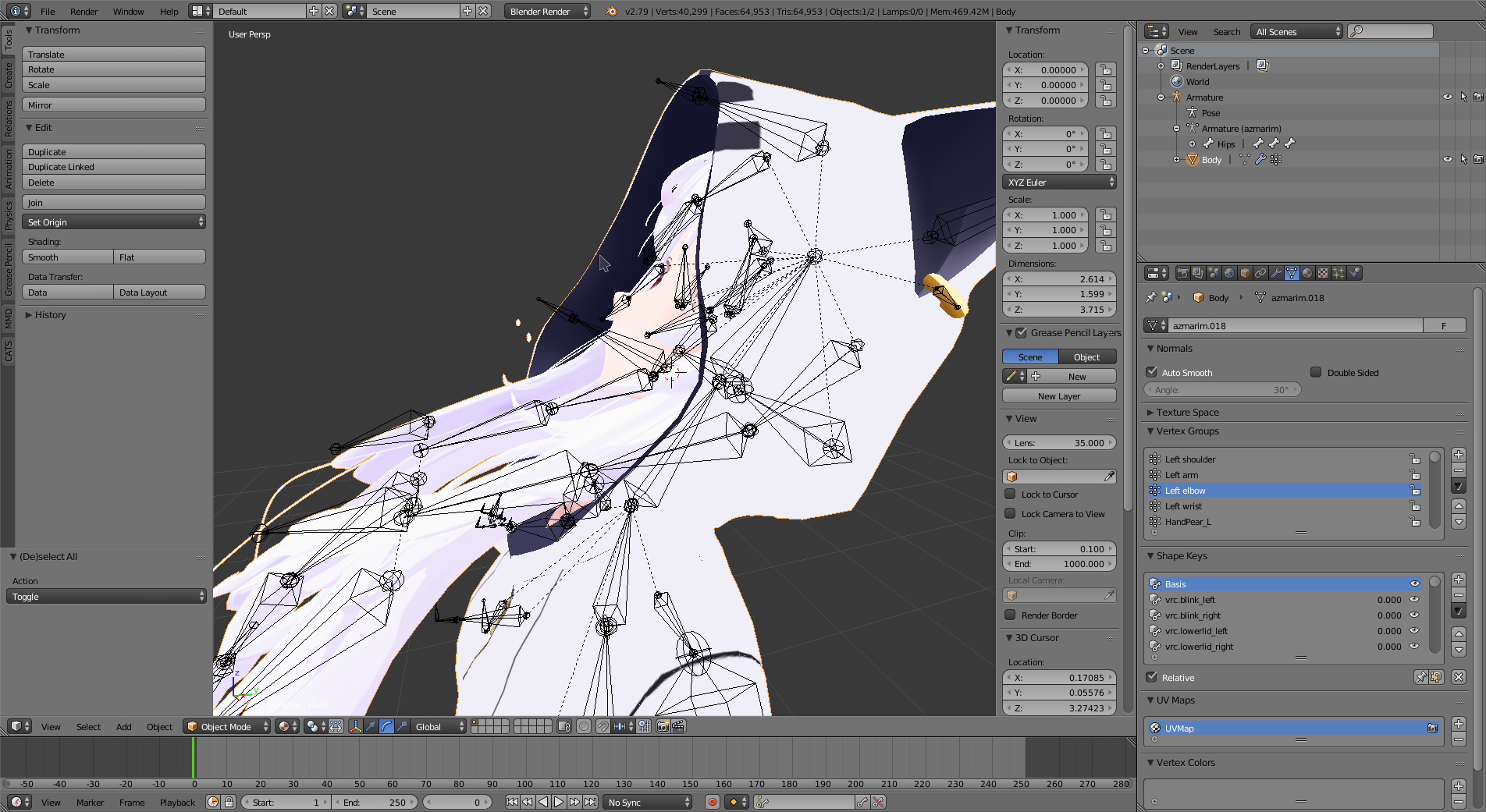 zinc furnace
Go into edit mode, select them with circle select (C) or border select (B). Press P to separate the selection into a new mesh. Then delete this mesh.
Alternatively, you can weight the highlights to the eyes.
Don't select the highlights and then press Delete directly, that will break your shape keys. @worn river
Separating into a new mesh and then deleting is safe
worn river
oh but then i go to edit mode
zinc furnace
Oh yeah
zinc furnace
In the modifiers tab (the wrench icon)
worn river
so it is hard to select them xD
zinc furnace
There's a tiny icon that shows the Armature modifier in edit mode
I think that can help you select the right vertices
That way you can see the pose in edit mode, but I can't guarantee that the vertice wireframe will also deform
worn river
uhhh that seems hard
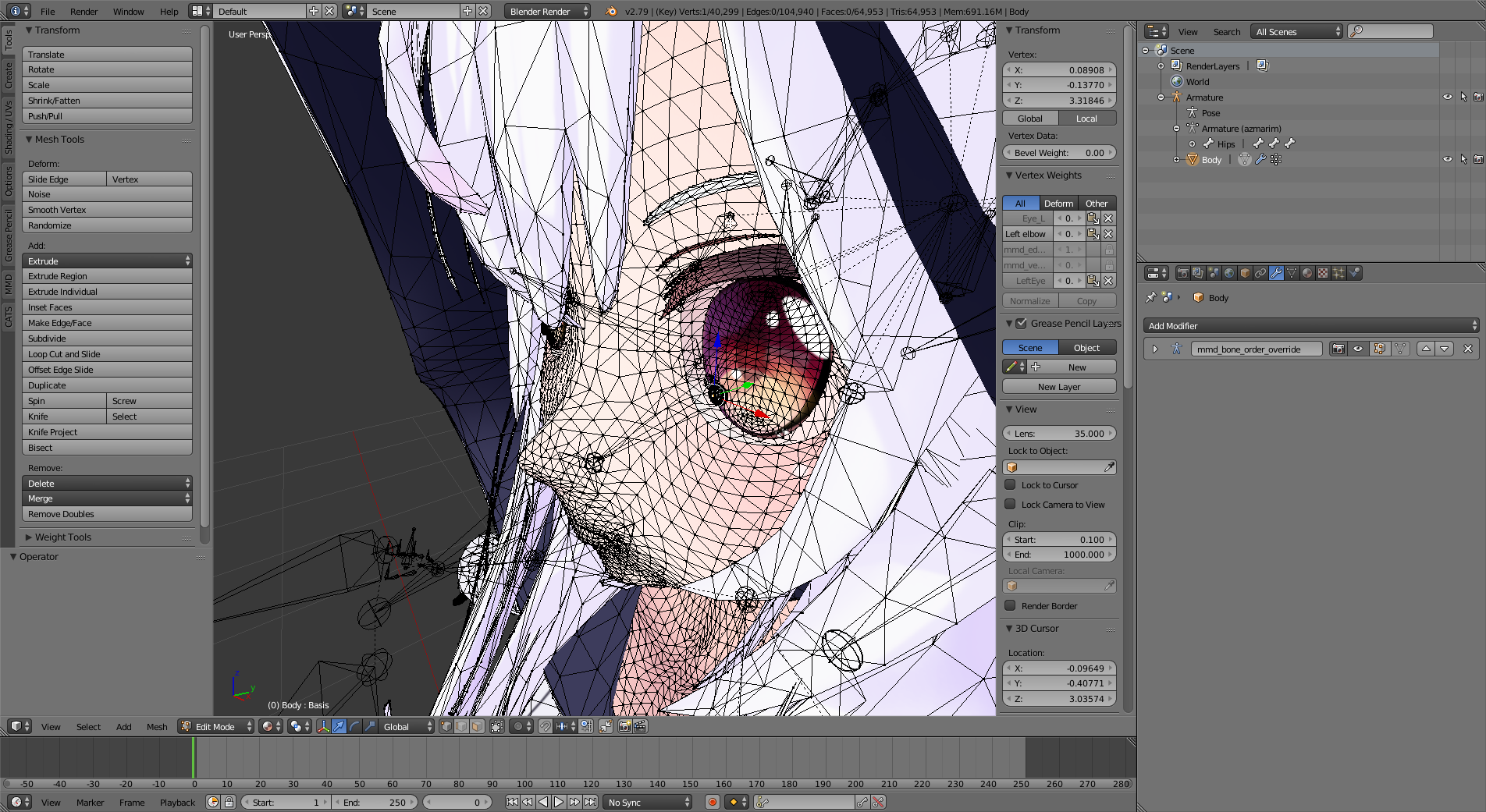
o -o
i need the head to rotate a bit so i can delete them <:
i can't see the pose in edit mode D:
zinc furnace

Blender Stack Exchange
I'd like to edit my mesh in the pose position so that the wire frame is in the pose position as well.
I have "view in edit mode" enabled for the armature modifier, but it only shows the mesh in re...
worn river
uhh
oh i did it
thanks
then i press P
it does nothing eh
ah there
i did it, thank you for your help 😃
it was weird to see two circles in front of me on vrchat and here i thought it was just the hoodie in front but no, i discovered it was those highlights when i looked at the mirror that was not following the eyes haha
 wispy bough
I need some help
I got this 3D model and I wanna open it somewhere where I can see it and rotate it
But
Idk how to do it or what to do
All i want to do is see it and have it rotatable
foggy maple
@wispy bough You can put it in Blender
wispy bough
Thank you! I learned how to use the program a bit, and I managed to get the model in the program too!
 gilded geyser
ok how do i import a model into unity?
spiral sigil
Can anyone find me this model or make me one? I'll pay
Oh are we not aloud to post images?

Here is one of the best opening scene in a Horror movie. Movie : Lights Out (2016) Starring :- Teresa Palmer Plot : When Rebecca (Teresa Palmer) left home, s...
wispy bough
Aloud
 solar fossil
Upper body and upper body 2 are inverted
 vestal shard
@gilded geyser If you used blender, export it as an FBX and save it in a file. Go to that file and just drag it into unity
Drag the FBX file to unity
gilded geyser
Thanks
 sharp path
Guys I need your help, after I merged my xps model and pmd model and exported them, the demon texture became from this

to this
 zinc furnace
@sharp path make sure both meshes have only one UV Map
If they are multiple meshes that is
sharp path
how can i do that?
zinc furnace
In Blender, you go to the UV maps section and verify that they only have one UV Map
It's above the shape keys
 zinc furnace
I think so, although it's weird. That should not matter.
Normally, at least. Since the correct UV map is the first
But you can try deleting it anyway, you're probably not using it anyway.
latent charm
Worth checking what the UV layouts are before deleting them
sharp path
@zinc furnace Thank you very much my friend, I could not done it without your help
zinc furnace
Oh, it works? Cool
I thought it wouldn't work because the first UV Map is already the correct one
 dull kelp
Does anybody know of a way to get access to in game assets? I specifically want to get the VRC Camera model to use it as a prop in a world that's being built.
zinc furnace
I don't think you can do that unless it's provided in the SDK
dull kelp
Would it be alright to ping a team member to ask do you think?
zinc furnace
I doubt their answer would be anything other than "no"
You could try emailing them instead
 molten cloak
quick question on blender, is there an easier way to tell switch side of a face is showing? I know back side is usually darker, but sometimes it is hard to tell. TIA
humble fern
yeah, if you open the side bar with the plus button top right, scroll to the bottom, turn on backface culling
and if that's not enough, click these buttons (they only show up in edit mode) https://i.imgur.com/2WaeO4J.png
 molten cloak
Thanks! That helps a lot! lol I was going back and forth from blender and unity
floral violet
And so we are all on the same page, it's not bad to have multiple uv maps only that most shaders call the primary
There are shaders like the one I made yesterday that require multiple uv maps, three in my case
zinc furnace
When dealing with worlds, the second UV Map is assumed to be used for lightmaps, too
@floral violet there was actually a guy yesterday who couldn't get his avatar to work unless he deleted the second UV Map
Even though the "correct" UV map was the first, and was named UVMap
floral violet
I built an object that needed 3 uv maps for the shader I built

 spring osprey
alright thanks!
 atomic junco
I have a question
anyone have a model of the naruto headband?
I need it for my vrchat avatar
floral violet
Make one, that's too easy
 mental topaz
@atomic junco you can search for naruto models, than search about how to cut out part of the mesh in blender
actually after importing Tab for Edit mode, L key or rmb for face selecting, than P > selection to separate it, and after you can delete not band mesh by clicking Delete button in Object mode
atomic junco
Ok thanks
proper crater
Anyone know the best way to rotate a mesh of clothing without stretching it? or make it look more natural? (also a good way to select vertices/faces? other than the L shortcut or ctrl + left click/drag)
floral violet
Or start learning blender since it's documentation is very good and literally any question you could ever have is answered on stack exchange
proper crater
@atomic junco I can send you a leaf one if you want
brave dune
zero, you could try the C key. It goes into circle select mode
spiral sigil
Anyone here do commissions?
latent charm
Some might, but you'd have more luck at the vrc-traders discord. There's a link in #community-servers-old
 fringe rock
Does texture the resolution have a uge impact in game?
zinc furnace
In terms of performance, no.
But it can take up quite a bit of memory and VRAM. When you import a texture into Unity, it gets converted to something like a DDS, you can see the filesize at the bottom of the inspector.
The texture size is very predictable. I think 4k textures are always 21.3 mb without crunch compression
fringe rock
Am goint to vectorize small texture to make they look better. Thats why i was asking. Thanks.
zinc furnace
Ah
Yeah, as long as you don't go too crazy it's fine
I keep a maximum of like 25 mb for textures on my avatars
So that I can comfortably fit a 4k texture atlas and maybe 1 or 2 more materials in there
faint zenith
A little 3D katana https://cdn.discordapp.com/attachments/274232495506194433/478945743944548352/unknown.png


 cerulean shoal
is there a program that can make making human models easy?
cerulean shoal
pls help
latent charm
If you're after something more to the realistic end of things, check out Makehuman @cerulean shoal
cerulean shoal
thx :D
stable edge
for anime style girls use vroid studio
 sour moon
Welp. After trying to mutherfucking 3D model my own avatar from scratch in blender, I think I need goddamm vroid
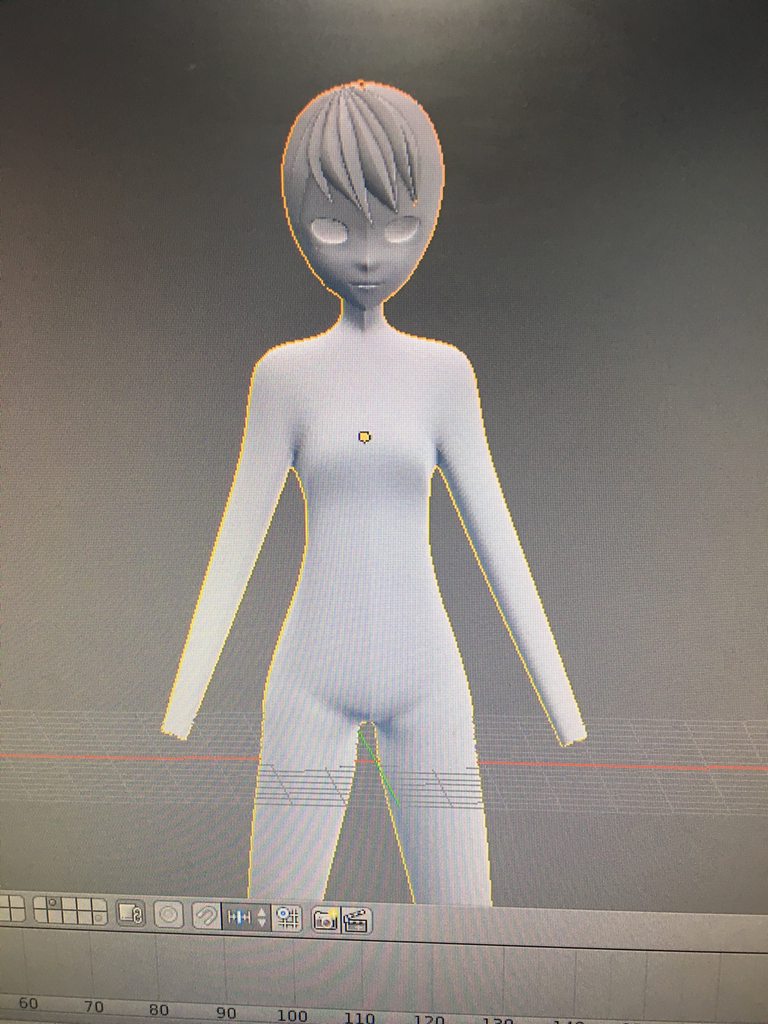
It looks like a friggin alien
But my first attempt at 3D modeling of any kind
stable edge
it looks pretty good tbh
vroid is in japanese but its pretty easy to use
dl link at the bottom of page, mac or windows works
onyx juniper
@sour moon That's not bad.
Keep in mind than anime character basically do look like aliens so you're not really doing anything wrong
That's right I said it, come fite me
onyx juniper
I'm serious when I say it doesn't look bad though. See what it looks like with come color
 lapis needle
 marsh abyss
okay
so
how do i attach a part of the mesh to a bone

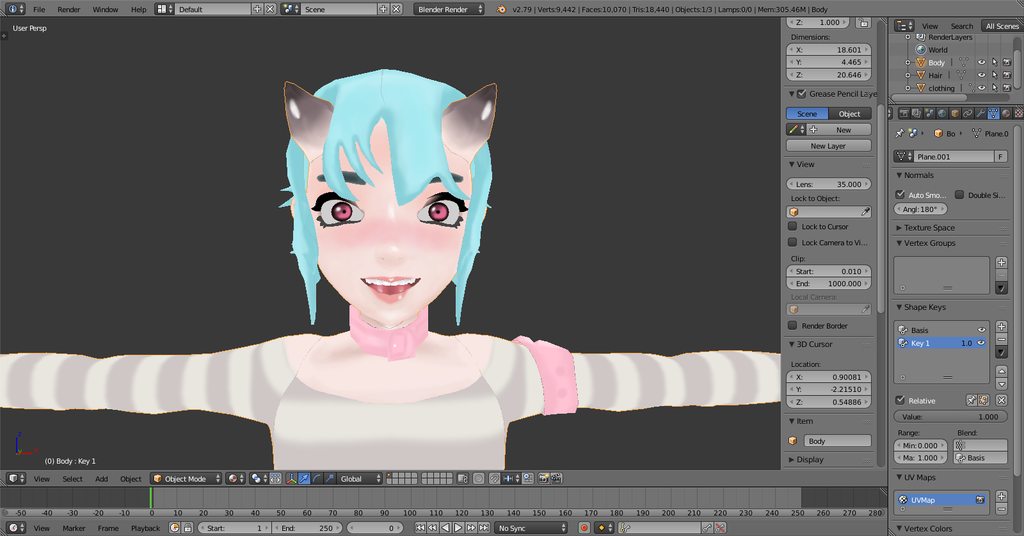
im trying to fix that uhh
foot/leg joint
spiral sigil
i guess the thigh bone got some weight paint on that lower leg
so removing that weight paint should fix it
marsh abyss
i have no clue how weight paints work
spiral sigil
i can only wish you good luck
marsh abyss
well, if anyone can help with that, I'd greatly appreciate
marsh abyss

Tutorial on weight painting and how to fix weight painting issues. Usually when a material moves with the wrong bone. Links: Model: https://mooniiiiichan-lov...
this
is great
 meager cape
guys, what should i use to reduce the polygon count on a model? 😮
marsh abyss
Decimation
If you do not know how to do that
I suggest

VRChat Community Discord: https://discord.gg/VRChat Download VRChat! http://store.steampowered.com/app/438100/VRChat/ mmd_tools GitHub: https://github.com/po...
Tupper explains how to do decimation
meager cape
thanks~ just got approved to uplaod my own character, but my first attempt went horrible... its not getting recognised as a human :x
marsh abyss
Oof
floral violet
And no, he outlines the tools for decimation there's is no definitive guide to decimation as it is different for every model and can't be tough as a science just an art, you can develop methods and such but again those all depend on the model and your level of knowledge of blender as other tools also make decimation easier
 foggy compass

Relatively new to modeling!
Trying to color a piece currently using the brush, but it ignores some faces on the polygon, and I have to manually look for it and draw it on the UV
This is all I could paint just about on this entire half of the face
cursive wedge
If you gonna have hard colors you could remove the UV mapping and just go for pure color materials, this way you can get allot of fancy colors into a small texture map, but it is all based on how you want it to look
latent charm
That is a bad idea, having more materials than needed should be avoided.
Instead, create a tiny image with the solid colours you need, and unwrap the areas you want for that colour, scale it to 0 and move it over that colour area.
One material, one texture, multiple solid colours. :D
cursive wedge
Oh what i mean is atlasing it after you know the colors
latent charm
No need to atlas it if it's pure colour.
cursive wedge
You should always start with many materials and then lower it once you find the colora
You use a painting program that can use hex color ode and just copy it and add the color in a 3x3 size
latent charm
Debatable. Depending on your workflow a little effort early on can save a lot of work later.
The inverse also applies, it varies on how you do stuff.
cursive wedge
Well, it is hard to know the color by hand and doing the texture colors from start is harder than applying it as an material at the start and then gather the colorcodes and create a texture map with everything on it
latent charm
More importantly, if you're using a pixel-size colour map, set texture filter mode to none
cursive wedge
I would rather just have it as 3x3, it wont hurt and you don’t have to shrink the UVs that small and the size is not noticeable bigger
You could also just resize a pixel sized texturemap to go 4 times the size to keep the binary size system
1-2-4-8-16-32-64-128-256 and so on
zinc furnace
If you're using solid colors, having multiple materials is still bad for performance
But solid colored models are easy to atlas
If you're using solid colors it might be easier or better to just have a lot of materials with different Diffuse colors and atlas it later
 unborn plaza
how to download avatar "maurice" ?
zinc furnace
I don't think you can download any of the default avatars. However, you can check Mixamo @unborn plaza
I know that X Bot and Y Bot are on there
As is Kyle
And some others used ingame. The Morph3D ones are unavailable though.
 green saffron
qestion i dont know where to turn for answers im currently doing a 3d car project (not for vr chat) and im having difficulty understanding what a jpg file and a sds file is if anyone can inlighten me on what those are and how to open then thad be great google is making it a bit confusing
cobalt willow
@green saffron
https://fileinfo.com/extension/sds
https://fileinfo.com/extension/jpg
What those file formats are and which programs can open those are on the websites
Learn about .SDS files and view a list of programs that open them.
Learn about .JPG files and view a list of programs that open them.
sage light
In Blender how do you mirror duplicated mesh
I want to mirror my model's duplicated arm.
sage light
Ctrl M? Is that it? Really? Hahhaha
green saffron
welp still isnt opening its fine i guess maybe its the file anybody suggest any 3d motors? i know of many but dont wanna pay 100+ lol,
 plain anvil
https://cdn.discordapp.com/attachments/247235860821573642/479698632459943936/blender_2018-08-16_10-10-16.png
is it possible to scale the armature bones? the sizes are wayy too big
 zinc furnace
That's just the bone tips
Don't worry about it
I don't know if it's possible or even advisable to rescale those, you could just set them to display differently.
The bone roots seem OK
If they're connected it will be basically impossible to rescale correctly
plain anvil
alright, but when i put it in unity it looks terrible
https://cdn.discordapp.com/attachments/247235860821573642/479699424260521984/Unity_2018-08-16_10-13-47.png
 zinc furnace
That is odd
Does that also happen when you just drag in a new model into the scene?
plain anvil
just this model
I used CATS to "fix" the model but it messed it up
i was trying to create visemes
https://cdn.discordapp.com/attachments/247235860821573642/479701195276156938/Unity_2018-08-16_10-20-48.png
don't know whats messing it up

is it possible to scale all the bones at once?
plain anvil
fixed the issue, but the visemes don't match up with the ones in blender
 ripe shale
 hollow radish

 faint veldt
Can someone here make a vrchat skin for me? I do not know how to do skins.
 rustic idol
Where do we find the ones that require payment?
cobalt willow
#community-servers-old VRC Traders primarily deal in VRC commissions
rustic idol
Oh sweet. Thank you
foggy compass

The surface texturing made things sooo much easier
I imported it into unity and this happened>>

This makes absolutely no sense. There are colors on here I didn't even pick, and my textures I placed down are gone :C
https://cdn.discordapp.com/attachments/317771880855764992/480140518198738944/unknown.png
I was gonna set up eye tracking and texture-based mouth movement, but applying basic textures to faces is hard enough as it is
 lament pond
 latent charm
Looking good! Maybe thin the lower legs out a little bit?
foggy compass
I seriously don't know how you guys do it
I came really close to smashing my computer earlier lol
latent charm
Just keep at it. Every time you fail you learn something, even if you don't notice at first.
Getting good feedback is also insanely helpful.
foggy compass
There's no documentation for these weird 'bugs' that pop up when exporting
You just have to like, either ask or somehow figure it out
and when you don't know, it can seem bizarre and impossible
Like why aren't my textures going over the surface color? The object is transparent
Why do the materials export with completely different colors and sections with invisible tiles
latent charm
Generally because 3d software handle materials differently.
I never expect my material configs to carry across when exporting. Important things like UV maps and what materials go where, yeah. Everything else I pretty much have to reconfigure in the target application for best quality.
foggy compass
Ohhhh
lament pond

 topaz dune
Oof ive never used any modeling shit
but i have tacos, depression, alot of free time on my hands, and a dream
spiral sigil
🤔
topaz dune
Its a good mixture
 grim chasm
does anyone know a good program to make an actual model not just finding one is deviant art
one that is safe too
no? ok
ill just try blender then
lament pond
Blender is a good program to make actual models in
onyx juniper
You should have listed tacos last for maximum comedy
 prime marten
hi i need help. when making a map in unity how can i change the background sky
 proven sequoia
Anyone know how to make a working flashlight?
 halcyon citrus