#3d-modeling
1 messages · Page 40 of 1
 pine panther


 spiral sigil
Hm
I think the texture on my model is broken
Theres a black line on the model but no black line in the uv map and no black line on the material file and the mesh is sealed
Iuno
atlas edges?
Hm
Possibly the seam
black linrs
Theres no red line for the seam
And the nearby mesh/uv/material files doesn have any black in it either
The texture windows for all the areas aroudn dont have any extra files/checkboxes
 lime yoke
Alright so I have little to no experience to actual modeling. I was wondering if anyone knows how to fix this issue my model has. The chest for some reason morphs with the arm when moved. Is this fixable in blender at all? https://i.gyazo.com/f858d88e2a76005049edb40049c96b1b.png

 cursive wedge
Weight painting i blender will fix it
But you have to learn it, there is several videos about this from other modelers on youtube
 static sun
i keep getting the urge to sit in my chair upside down
 tough fulcrum
Question, I'm able to make the outer edges of my model as a finger pose no? (since im Mouse n' Keyboard) Cause Im planning to have the model without it's outer edges and use a finger pose to give it the edges so he dosent blend in some backgrounds
lime yoke
Yea I tried removing all weights in the shoulders and it made it worse. No idea what to do other than that. Everything else seems fine, the arms are painted correctly and bends correctly in unity and blender but in vrchat this monster happens. https://i.gyazo.com/94dc127d1fa882cf462e073084b08467.jpg

If anyone could point me towards a decent weight painting video or know exactly what im doing wrong would be greatly appreciated. Such a good model but bad clipping
 upper kiln
@lime yoke https://www.youtube.com/watch?v=nK2F-l8Wjbg

In this episode we improve the way the mesh deforms using weight painting. See Brackeys' channel for the programming half of this series: https://www.youtube...
lime yoke
Watched that video and some others but removing weights in the shoulder region doesnt fix it. The only thing I can think of is that the bones are placed too close to the chest. If I could just remove shoulder bones and break the upper arm bones into two bones I would feel like that would fix it. https://i.gyazo.com/65add011b49f7261cbf1fa04ab584e83.png If you look at this picture it looks like the shoulder is pulling verts from way to close. But if I remove that https://i.gyazo.com/574f6315b5710f68179db94983c697c7.png This happens and makes the arm float


I checked the upper arm weights and its fine
 zinc furnace
I've merged a mesh from another model and set it to appear on a shape key
Problem is, it now appears on every shape key. Any way to undo that?
All I did was take the new mesh and join it with my current one. Both the current and new mesh had shape keys already.
I fixed it, I recreated the new shape key and it worked the second time. Weird. Had to separate the two models again to get them to behave
 little spoke
I'm trying to apply a striped texture to underwear, but the texture is being projected along the wrong axis. This seems like it should be an easy fix, but sites tell me I need to UV unwrap it. I feel like there should be an easier way to do this.

 spare radish
If the character's premade, each material should have its own textures and as a result, should already have a UV map. Maybe try going into some photo-editing or art software, selecting the section that looks like it should belong to the underwear and orienting it 90 degrees. You can also try drawing it oriented 90 degrees.
Know what an island is, in texturing terms?
It's a section of the texture which belongs to an area on the model.
If you do that, you may find the solution to the issue.
little spoke
I dont think the texture needs to edited. Here's two better angles that show the issue:


ALl that I need to do it change the projection axis
spare radish
@little spoke Do you have the model? Maybe I could take a look at it, if you have some problems.
little spoke
Yes. Blender is up
 polar flower
I suck
 hot flint
I thought the same thing for a long time
My best advice would be to watch how a WIDE VARIETY of other people model their things before really attempting it yourself
It seems like at this point, you have a pretty good grasp of how to navigate the interface
Now you just need to know the fundamentals that come with modeling
Maybe I'll make a video tutorial series at some point..
Something... Consistent.
A one-stop-shop
polar flower
hi

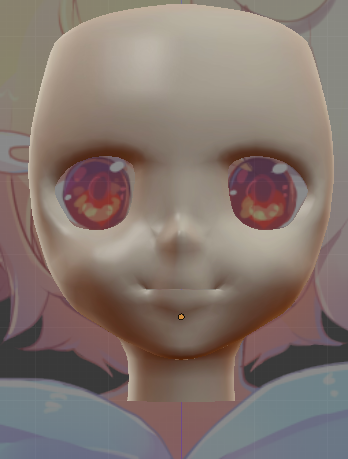
be 100% honest how noobish is this to you
it wont hurt my feelings, i have already trashed it
spiral sigil
I did the same thing when I made my first avatar
 mossy quail
it looks like a chibi version of the guy in your profile pic 😄
polar flower
lol
spiral sigil
Lmao
polar flower
chibi mc butterpants
mossy quail
still good tho
polar flower
its my first ever
mossy quail
i can only model props 😛
mossy quail
it does
polar flower
but front looks weird
spiral sigil
You need cubed shaders
mossy quail
dem puffy cheeks tho xD
spiral sigil
Oh
polar flower
do u liek chickun tendurs
spiral sigil
Nah
polar flower
:(((
spiral sigil
It looks like wax kinda
polar flower
chicken tendurs
spiral sigil
Buffalo chicken tenders
polar flower
😩
 viscid axle
hello is here i can talk about model and avatar ?
upper kiln
@viscid axle well yea
viscid axle
last night i found 2 model from transformer prime series about megatron and soundwave..i search all discord vrchat i can found for see if both of them can become avatar in vrchat..those model are not made by me but by guys let's people to download the model the have made..
here the link if you want have look

MediaFire
MediaFire is a simple to use free service that lets you put all your photos, documents, music, and video in a single place so you can access them anywhere and share them everywhere.
 noble berry
Is anyone able to help me with the whole concept of "bone" and blender itself, been trying out the program since yesterday looking through various tutorials but I don't know what's wrong with this model
static sun
 static sun
its starting to hurt my CPU T- T
static sun
12.5m
static sun
i still have clothes to go
mossy quail
and i have problems decimating 100k XD
hot flint
Best of luck!!! 💙
spiral sigil
How many poligons is allowed..?
spiral sigil
19,999 for a character.?
zinc furnace
Blender is probably better supported by the community
There are VRC specific tools available for Blender, such as CATS
But if you're at the point where you can model from scratch, just use whatever you're most comfortable with
spiral sigil
I use 3Dmax, but a long time ago...
 brave dune
There are also some quality of life things in blender that 3ds max doesnt seem to have
zinc furnace
In Blender, is there a way to select all the vertices belonging to the head, and all of its children?
I can select everything in the Head vertex group, but this model has long hair and eyes etc, and I need to select that as well.
There are dozens of vertex groups belonging to the hair, I would rather not try and select them all individually. Is there an easier way?
brave dune
😛 maybe ask cats nicely to write up something that does just that?
https://i.imgur.com/bL9rQ2x.png
i need to stop being lazy and continue working on this thing 😛
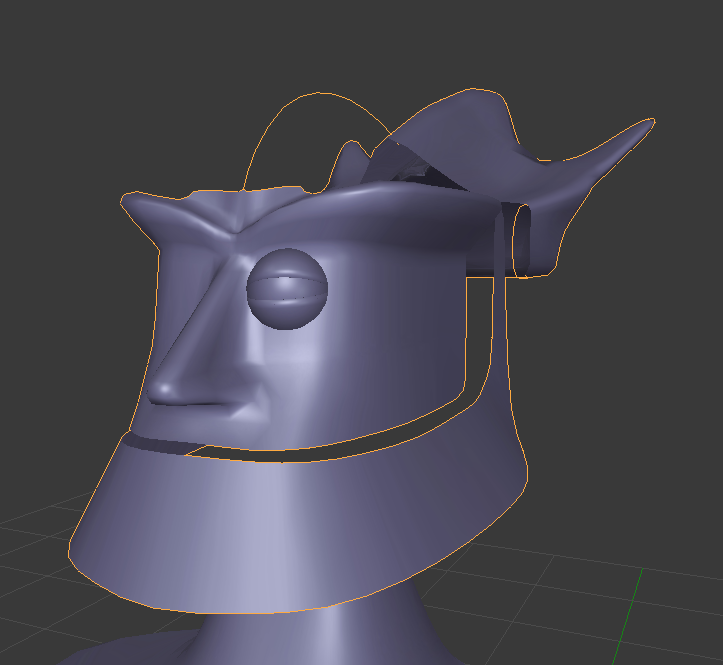
 small cloud
planning to use jaw flap or visemes?
brave dune
visemes
small cloud
to me it'd be kind ahard to decide, it would fit the theme to use jaw flap, but with visemes it's much nicer
also jaw flaw is ez to do, so I'd just go with it LOL lazy af
brave dune
https://i.imgur.com/H6uwSGL.png
its low enough poly that visemes shouldnt be too bad. But yah, since the jaw is technicly on a hinge, its tempting ot make a temporary jaw flap
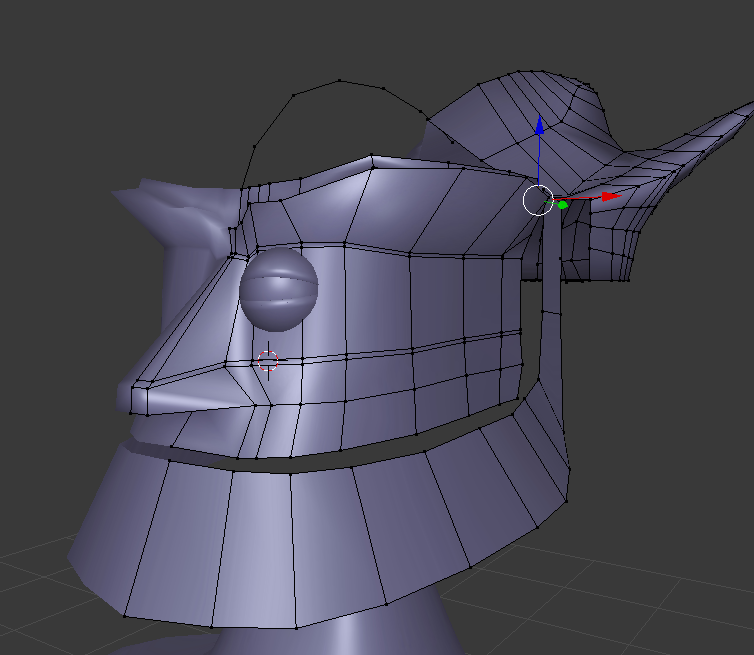 upper kiln
@brave dune so you going to make bob to lol?
brave dune
considering this is my first model from scratch, i would rather avoid doing something like his hair for a while 😛
too bad i havent seen nomono online lately. he would probably get a kick out of this
upper kiln
@valid edge yea lol and Mechlai has his sister avatar lol
 valid edge
This looks much better than the Reboot reboot.
brave dune
its pretty bad though that one of my better reference pictures is of a toy
that and youtube
https://i.imgur.com/oqtvpyI.png
i need to smooth the head some but its getting there
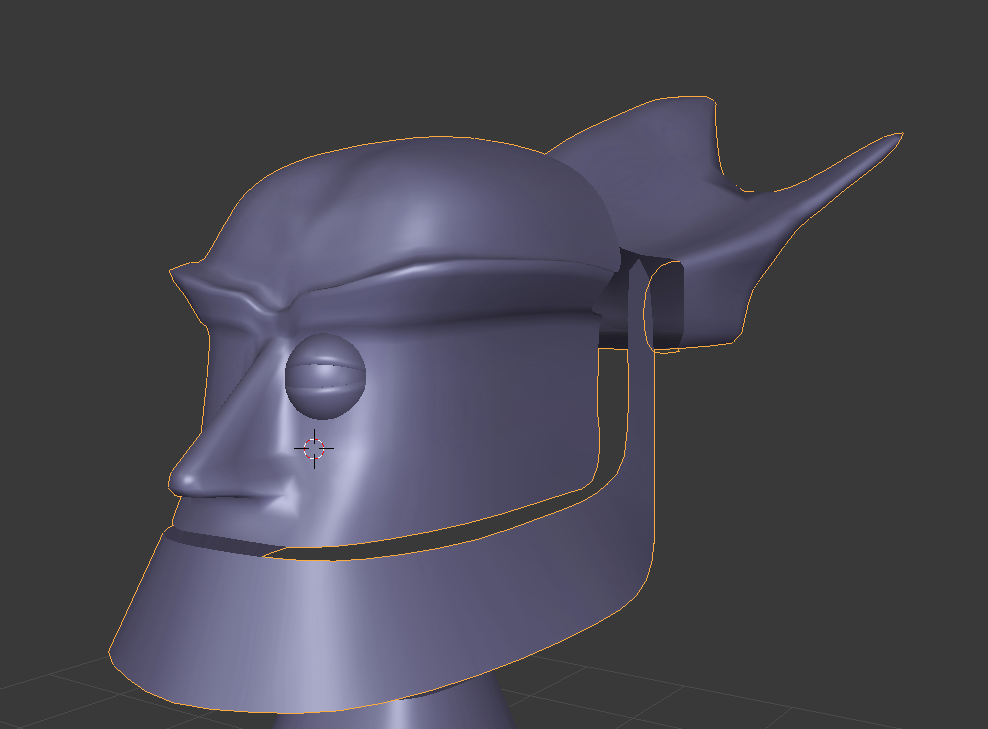
and add some more curve to the "eyebrows" near the eye
but at this point, im mostly going for shape and worrying about fine details later
upper kiln
@brave dune full esposide are here http://www.shoutfactorytv.com/series/reboot
"Welcome to Mainframe. Home to Guardian Bob, formatted to mend and defend. Join the fast-paced action and adventure as Bob and his friends—Dot, her brother Enzo and his trusty dog Frisket—fend off ...
brave dune
i have the whole sereis on dvd
im just being lazy in finding episodes for detail due to mostly getting shape now before fine detail
brave dune
https://fanart.tv/fanart/movies/9928/moviebackground/robots-520c6e7d23b5b.jpg
i can see where youa re coming from

 vivid crater
what a handsome boi bot
brave dune
https://www.youtube.com/watch?v=U8z6C1SXQFI
😛 this vid is one of the references im using
 brave dune
https://i.imgur.com/KtcVC7g.png
may have made the face a bit too long 😛
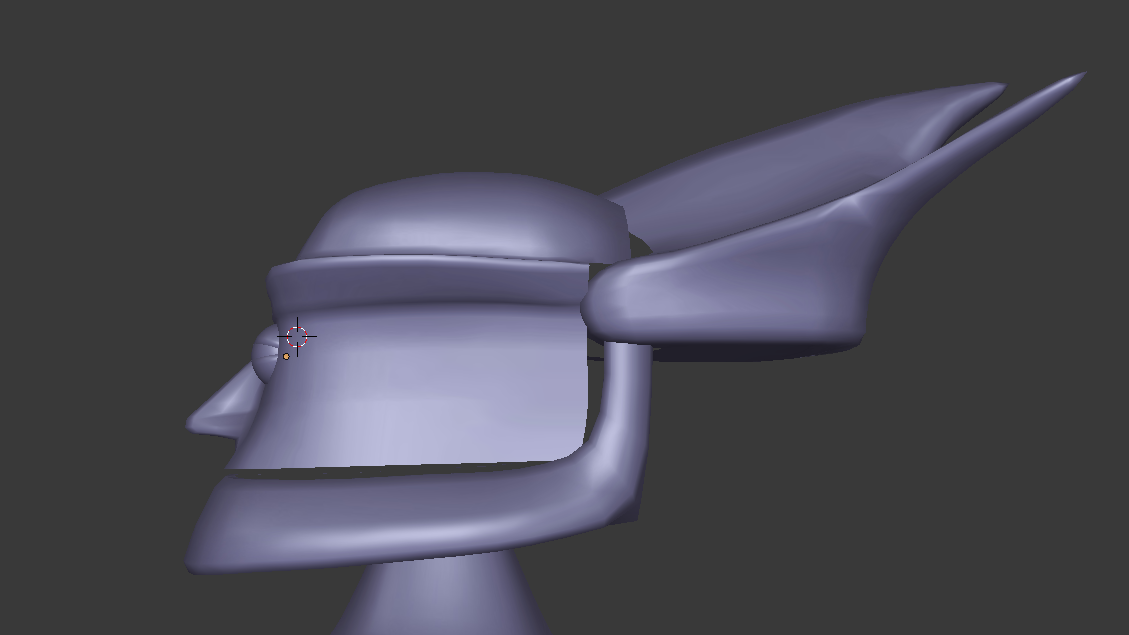
 floral violet
^ was thinking of making this
brave dune
i am not looking forward to the texturing
spare radish
Just take the UV Unwrapping one step at a time. Maybe focus on the eyes, then the head, and then the arms, etc.
floral violet
why texture, the basic original model was just colored materials
 gentle forum
Anyone have a good example of weight painting at the arm joints?
polar flower
i want to die
gentle forum
I tried auto-weights and it kept giving me errors :(
 long zealot
Autoweighting will give you errors if your mesh is made of multiple separate parts. Try to combine as many of those loose parts as possible.
@gentle forum
gentle forum
I just had to do it all manually, managed to make it work nicely, but I'll keep that in mind next time!
 sly basalt
[Blender] How do I lock an item(sword) to my hand? I recently learned shape keys to use in Unity but my sword doesn't follow my hand.
tough fulcrum

almost done, had to redo the model here and there but its getting to its final state
 humble fern
Not sure if this is quite the right channel, but are there any places to find good free unity shaders? I'm looking for a cell shader if anyone knows in particular, but what would be your go-tos if you wanted to get something like that?
 twilit venture
Not sure if I should be here or in the general avatars chat. I'm just starting to figure out how to create avis for VRChat. I am adjusting a free use PMX file body base. I fixed all the bones (there were so many extra bones) and re-parented the mesh so that it matches up with the adjusted bones. However every time I move a bone I get this weird crunching almost. If anyone knows how to fix it or if that's just something this base is always going to give me I'd love some help! http://prntscr.com/j78c7i
 humble fern
sounds like a weight painting issue. I'm still pretty new too though
Maybe you deleted the bones but didn't weight paint them to their parent?
twilit venture
I assigned the vertex group to the parent bone. I have no idea about weight painting. I'll do some googling on that. :l
humble fern
go to weight painting mode, it's right there with object mode and edit mode. Then select your bone, and anything in red will move with that bone. Blue will not. Anything in between will only move slightly
twilit venture
You are a godsend. This looks like the answer.
humble fern
great!
spiral sigil
only few great people can do that XD
humble fern
what, weight painting?
Might be hard to do super super high quality stuff from scratch, but just fixing little issues that other rigs have is very easy
spiral sigil
any advice i can get, cause i made my first custom avatar (Also trying a emote custom made[Soon]).
i learn the basics, but can someone help me with tutorials that are better and in depth explanation
humble fern
are you getting stuck on anything in particular?
 stable edge
pro tip: take it slow
hot flint
Good evening everyone
stable edge
evening!
hot flint
How goes the battle?
hot flint
Oh?
hot flint
Hmm, I never bother to rig with bones
But just look up facial muscle anatomy, and Minnick that
Mimic*
I do everything manually with shape keys
Doing them from scratch with shape Keys allows for much more cartoony and exaggerated expressions
stable edge
ah yeah, i just need a jaw mostly
hot flint
I get a ton of mileage out of using the proportional editing tool
hot flint
I ran across somebody in game that had made an MMD edit of that same character
hot flint
And, apparently they were really butthurt about seeing the level of detail that went into mine
stable edge
ooo
hot flint
Yeah, they weren't too happy to see me
Not really sure what to make of the situation, but I guess that sort of thing is bound to happen. I just thought it was really uncanny with the timing of how recently I have just finished it
hot flint
I feel bad, but I'm not even sure how to talk to them because I'm pretty sure that they immediately blocked me
mossy quail
wait, so you and a random person made the exact same thing in a similar time frame?
hot flint
Yeah, but theres was uh...
mossy quail
still, what are the chances
hot flint
Idk, it's painfully obvious it's mmd
mossy quail
😄
hot flint
I feel bad though, because I do know how difficult the mmds are to work with
I know it probably did take them a lot of time and effort, but for them to just frown on me?
It did hurt
But it's all good, can't please everybody
stable edge
pretty sure they were just salty
hot flint
I probably would be too if I were in their shoes
And thank you I really do appreciate it
It just makes me hesitant sometimes to put so much detail into my models when I know that it might make somebody else feel like there's is insignificant
That's why I kind of tried to do a pretty obscure character but, well , that happens
hot flint
I guess that's fair
stable edge
i get that issue
mossy quail
cant really prevent that
hot flint
Apparently they're part of a fairly famous streamer group as well
From what I've been hearing
stable edge
ouchhh
hot flint
Which I really hope that they weren't streaming at the time
mossy quail
okay, that is bad
 iron stone
mossy quail
iron stone
mossy quail
we need a streamer role in vrchat or sth like that
hot flint
I think the only thing that I would ever windup streaming, is my modeling process
stable edge
ah i agree
hot flint
Because I feel like that's what most people would want to see from me
stable edge
there are probably a lot of people that would like to learn how you model too
mossy quail
tbh id be really interested in actually seeing how youd go about doing a model from scratch
same thing goes for painting onto something youve modeled, or texturing
i cant figure it out 😄
hot flint
Mmhmm
It's funny, I do a lot of coloring as I go
I use material so that I can play with a pallet
Palette*
mossy quail
i tried to paint my stuff but got lost inbetween words like UV Maps and Stuff like that
hot flint
Yeah, a lot of that stuff is a lot more complicated sounding than it really is
I admit, for the longest time I wanted nothing to do with UV Maps
But with my methods, they're actually really tame
hot flint
I'm honestly still too scared not to use rigify when beginning my weight painting process
I start with auto weights, and then manually correct them
hot flint
For me, it's more so just the scare of all of the different joints
stable edge
agreed
hot flint
Hands and fingers especially
mossy quail
but honestly Polar if you start working on a new model from scratch, stream that to twitch and save it on twitch 😛 id love to see how you do it
cuz what i managed to do what making a desk from a cube by subdividing and messing with faces
but thats about it
hot flint
I don't even have a Twitch account yet, I'm actually kind of been holding off on that until I move out into my new place
hot flint
Unfortunately right now, I'm responsible for paying for both myself and my roommate..
So I'm not in the best situation to be devoting all of my time to
hot flint
Modeling
mossy quail
^^
stable edge
ouch
hot flint
I'm impressed that you're good with hands, I haven't really dived into doing a whole lot of customization with them yet
Though I will say, for this last Model I did have to do a lot of editing
What with there being two different sized hands and arms
stable edge
legs and such arent that good
but ive had to rig hands a couple of times so i had to learn
(didnt think of auto weights)
hot flint
I feel like where a lot of people get discouraged is they don't understand that each mistake is a learning opportunity
What used to take me a full month now takes me less than a week
Smolder only took me 5 days
Niflheim took me 13 days
As I continue to model more, I'm constantly learning new shortcuts
More effective and efficient ways to tackle things
Giving a little bit of time, I'm sure that I can complete two projects in a week
That is, if I'm not sitting there playing around with it in VRC
Hahaha
All this, and having to keep a day job and pay for both me and my roommate has been really exhausting
stable edge
i feel like i have improved too
hot flint
I'm sure when I get in my better situation, I'll be able to devote far more time to it
I may even start taking commissions
hot flint
🎵
Absolutely
There's something way more satisfying about building something yourself
Something in the struggle that gives you the satisfaction of understanding what it's all worth
hot flint
That's probably one of the reasons I feel worst for that one player
Ugh
I'll get over it
hot flint
You're right
stable edge
if you do something well there will always be people who dislike it anyway
hot flint
Very true
Maybe I'll start thinking of some concepts of some original characters that I'm sure that nobody would ever make
mossy quail
sadly yes
hot flint
Maybe some extremely complex animations
I feel like I need to step up my game even more
stable edge
it can be nice having models that have mmd versions though
mossy quail
i know this doesnt even come close to modelling from scratch but it took me quite some time to stitch the mmd parts together (first time doing that) and when i used it ingame, first thing i was told was "your avatar looks like shit" https://media.discordapp.net/attachments/433260521219948544/434311855649849344/unknown.png
 stable edge
i had to rig/weight a model that had a mmd counterpart and i got some pretty good reception
hot flint
Wow, rude
I've actually been told a number of times that my models look really weird, but I guess that makes sense compared to what it is that people are used to seeing
"this is too ___" "that's not enough ____"
stable edge
cerz the eyes are too high
mossy quail
?o.o
stable edge
of your model
mossy quail
i didnt make that
its a finished face
like i said its a slam stuff on and hope it looks good type of deal
stable edge
oof
stable edge
polar id say its mostly that theyre used too weeb stuf ahaha
hot flint
It might be because it covers too much of the face without leaving enough room for the face to show detail
mossy quail
maybe 😄
hot flint
You're probably right Jolly haha
stable edge
to weeb stuff*
hot flint
I don't take anything personally anymore, I just feel bad when I make other people feel bad
My goal is not to make anybody feel bad, my goal is to inspire other people and be inspired by others
That's literally the one reason that I came to vrchat
That's it
To inspire, and be inspired
stable edge
mm, its probably just the crowd
hot flint
It's all good, I honestly don't expect everybody to be taking this as seriously as I do
There are a few Diamonds in the Rough though that have really inspired me
I constantly keep touching base with them to see what new projects they're working on
stable edge
ooo nice
hot flint
I know a guy who's working on an inventory system
Where you can pull up and call objects from a database
stable edge
w/o scripts?
stable edge
ah
mossy quail
damn
stable edge
they must be pretty good at their stuff
hot flint
Like I said, serious people
It's kind of sad, a lot of people complain that I hop around a lot
But it's because I'm a sponge, I don't feel right if I'm not learning something
hot flint
Yep
Well there's that, and then there's the fact of I don't know what I want until I know what I can do
The more that I learn is possible, the more I am inspired
stable edge
mm same same
hot flint
Generally instead of going to the most populated rooms, I'm always looking for the least populated rooms
stable edge
ah me too, but thats mostly for testing
hot flint
Mmhmm
Sorry, I'm realizing I'm probably just venting at this point
I don't think any of this has anything to do with 3D modeling
I guess suffice to say, I'm not exactly sure what my next project will be, but it should be starting soon
vivid crater
Venting is good every once in a while
zinc furnace
I have part of a mesh in Blender that I UV unwrapped, but some verts appear twice in the map. When I select one, I can only move both. How do I only move one of them?
zinc furnace
It's only a handful of verts, maybe 6 at most. I manually selected them
hot flint
Try using L, coming from nothing selected
And using G to grab
L only selects attached verts
zinc furnace
That doesn't work, I think they all appear twice in the map. Selecting one in edit mode will select two in the map. Selecting one in the map will also select the other.
hot flint
Hmmm.... Curious
Try selecting those verts only, and doing "unwrap" again
Hopefully that'll separate them
polar flower
I liek eggz
static sun
more polly D: more details... more everything

View of the poly's https://pbs.twimg.com/media/DbKCpGvWAAEo8Bt.jpg

its weird... cause its not enough T- T
spiral sigil
i don't undertsand how you can reduce that under 20k
better without caps
static sun
@spiral sigil Retopology ❤
i will post the Retopo after im done... you will see how much lower it will get in a few weeks
spiral sigil
please do, i'm really interested
vivid crater
oh, i was wonder why my model looked so weird, she doesn't have eyebrows lul
 modern mango
😄
small cloud
i was thinkingof learning how to retopo, but in the end it'd take me more time learning and getting retopo right than just getting model to 20, mmds that are at 100-200k+ are not difficult to get down
even for face I don't see any need for retopo, as it can be done nicely with removing edgeloops and not touching ones around eyes and mouth
vivid crater
yea, retopo is probably better for sculptors, since, well you know
a bajillion polys and such
static sun
retopo isnt hard... good references and time is all you need
the biggest issue is setting up the bone weights after
vivid crater
im still very new to anything bone related, but im glad i found vrchat so i have some motivation
 mental blaze
Oof, I'm going to have to learn how to rig a face with muscle bones.
zinc furnace
Ouch, good luck. Rigging a face from scratch is hard.
 short needle
Anyone here know how to pull AVs from second life into blender then import to VRC?
static sun
Shapekeys for facial animation are sort of cleaner and easier to do
 grave spoke
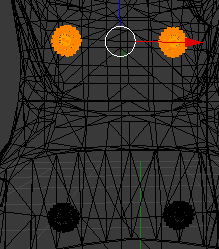 static sun
Shift + D
hot flint
There way I get around "Not touching the face or mouth" (to not damage shape keys) is by just making my own shape keys
Makes life a lot easier
static sun
I make my characters from scratch so I have to make them if I want them
 quasi flame
You can touch the face and mouth, you just can't add or move the vertices. Deleting is fine.
spiral sigil
Could someone be kind enough to help me get these stockings resized?
I can send you the files for the base model an the stockings
 carmine prawn
dose anyone have an idea where i can find a hand model for free?
ive been looking for hours
carmine prawn
nvm!
 lament pond
 polar flower
Should I model in ortho or perspective
small cloud
whichever is easier for you
static sun
depends on what your modelling...
characters should be done mostly in perspective but items are best done in ortho most the time

 lavish phoenix
looking great
static sun
thanks... im trying to figure out how im gonna do the hood O. O
lament pond
@polar flower I find it better to model in ortho since it's easier to tell where everything actually is, especially if you're using a model sheet
gentle forum
The mesh is merged but it's doing this.. https://imgur.com/a/mAUHE6T
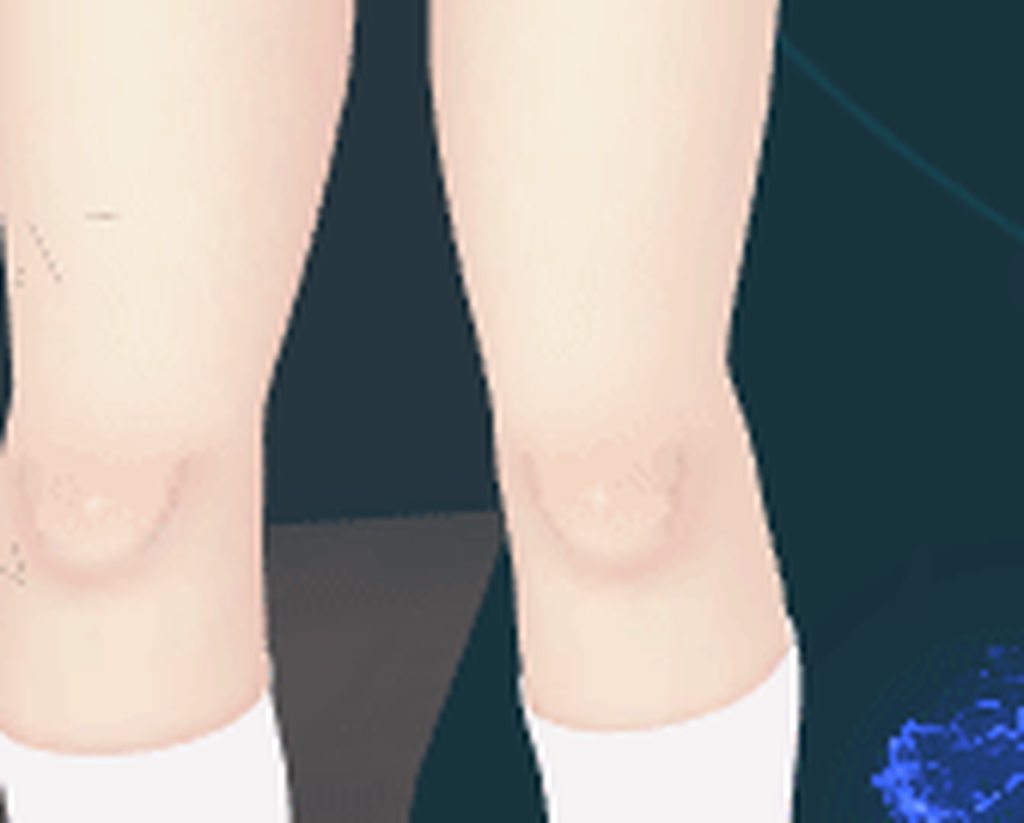 tough fulcrum
You could have another mesh on top
If you pull a vert out and another one is under it, you may have duplicates of the same mesh layered on top of one another
@gentle forum
gentle forum
It's only one mesh
And I did remove doubles
No vertices get deleted cause I already did that
tough fulcrum
Double check to make sure
 latent charm
That could be mipmapping causing it as a byproduct of not having enough UV margin.
latent charm
Turn mipmapping off on the texture, if it's still happening it's something else.
tough fulcrum
If it’s doing that on the uv map you would be seeing pixels up close too
This is more of a distance thing
latent charm
Yeah, mipmapping is a distance based feature so it's possible.
@gentle forum Do the flickering edges align with your UV islands?
gentle forum
They're only around the legs, basically
latent charm
Does it happen if you use the unity standard shader and put the texture into the albedo slot?
gentle forum
Interesting.. So this only happens in the Drawing room
Presentation room
I tried multiple other worlds
tough fulcrum
Must be a lighting thing on certain maps
gentle forum
Guess so, thanks for the suggestions though fellas
latent charm
I'm trying to think of decent worlds to use for testing this kind of thing and I'm drawing a load of blanks. :|
Strangely, 'Avatar Testing' isn't really that good for testing all possible lighting cases.
Ideally, you want somewhere that has areas with one of each light type (directional, point, spot), somewhere with lightprobes, and somewhere with a reflection probe, and properly set up ambient light.
 crude orbit
Is there any way to add text to a animation to my avatar?
I cant upload it with text mesh
I have a animation where a text pops up on my avatar
but Im not allowed to have regular text mesh on my avatar
tough fulcrum
Make a flat plane, put text as a texture.
Done
Then use the finger poses as a way to make them pop up
It’s not worth making it an animation because you won’t be able to move
brave dune
https://i.imgur.com/6Hktwcc.png
considering i have no idea what im doing, its slowly coming along
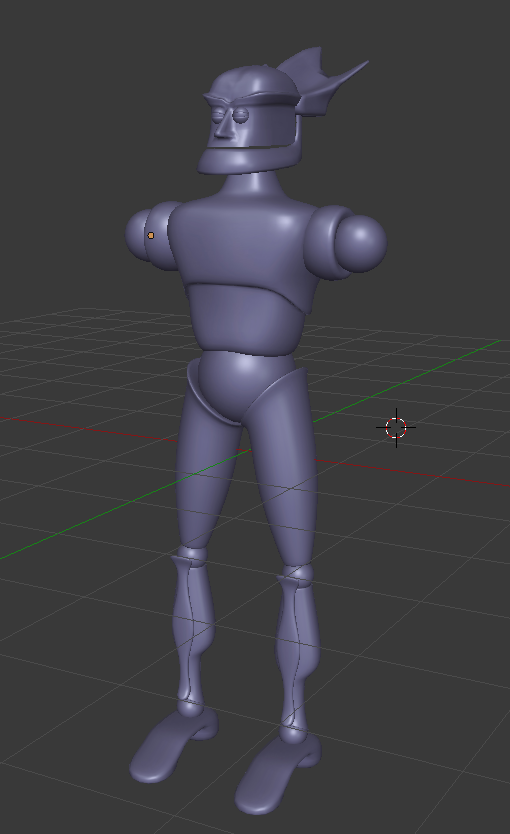 gentle forum
Why is it when I merge two armatures together, the mesh I positioned just teleports back to where it was imported
gentle forum
xDDD
gentle forum
Can someone tell me why it's coming out like this? https://i.imgur.com/MhnRf16.png
I was merging two armatures and meshes together, have all the texture files in Unity
 wind mural
I tried applying a texture to a material but it's not showing up on my model for some reason.
stable edge
@gentle forum did the meshes have different names for the uv map?
they need to both have the name name
only one is loaded at a time
wind mural
Trying to put a texture on my model just makes it grey. Help please?
 eternal crow
so you put the .blend in unity?
wind mural
no, i'm still in blender. I want to make sure it actually looks right before i import to unity
wind mural
probably not, I don't know how to do that, i've been following a tutorial to the letter but it's coming out wrong anyway. I'm using the node thing to try to do it since that's what the tutorial does in cycles render
eternal crow
http://prntscr.com/j83mas fell ya

i have to uv him by hand practically
it's a game ripped model but the uv's are so fucked its ridiculous
and his ears are a pain in the ass
wind mural
what I did was, I marked some seams, then I rearranged them to be neater. Then I made simple texture in a paint program. Saved as png. Then I went to cycles render, made a new material, went into nodes and added Image Texture, connected it to defuse BSDF. The ball changed color to show that it's not the texture. However, actually applying it to my model just makes it grey.
should i post the tutorial I was using?
oh wait
viewport shading was set to solid instead of texture. Uh. I guess that's fixed then...
and there's a tiny little discolored spot that I can't ignore.
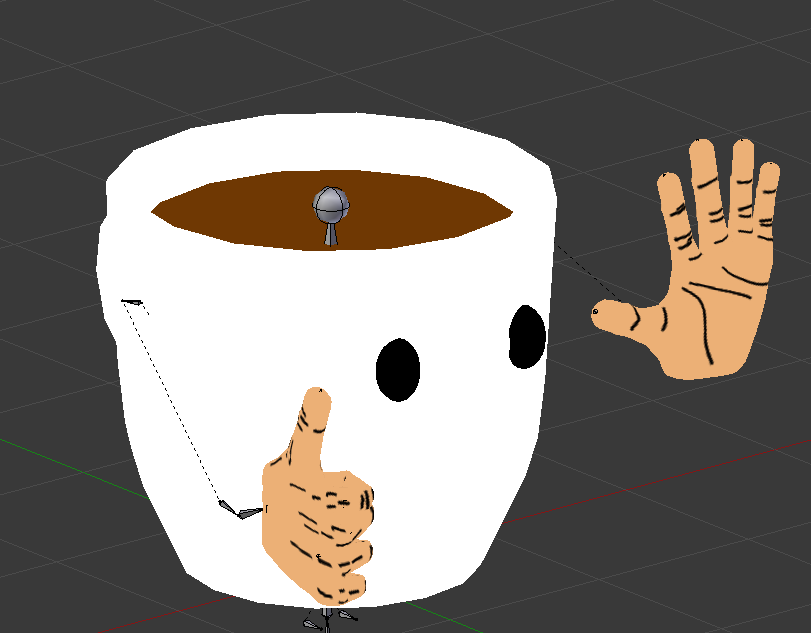
Here we see a local cup of coffee trying to hitchhike to somewhere he can get proper lighting. Maybe he'll be able to catch a desert bus.
 brave dune
that is coming along nicely so far
eternal crow
i tried to mark the seams but it just marks the enitre model
despite it being seperated into multiple meshes
but klonoa just LOVES to piss me off
maybe i should try a different character for the time being
 twin hinge
GUYS
ADMINS WE NEED HELP IN THE GREAT PUG #81921
there is a guy invisible
anhes been here for hours
we been requesting
and no admin has joined
eternal crow
i don't think this is the place to talk about this
twin hinge
and hes blasting a rininnging sound
ik
but i just want him banned
im new to the server sorry
hot flint
I would mention it in the general channel
@twin hinge
From there I'm sure someone can direct you
 minor sundial
not sure where to find help for an issue im having
hopefully someone here can diagnose
cause this has been killing me for like 2 days now
@rain flax someone told me to go straight to you
small cloud
"issue I'm having", not very descriptive
spiral sigil
he posted in bug report too
one more guy that didnt read the rules
hot flint
Going to be drawing up flat-sheets for a new model soon here
small cloud
polar you need to make an extra lewd model for friends+worlds 😏
hot flint
Hahahah
I didn't catch that until just now
I hope that's not all that I'll go down in history for
spiral sigil
already too late
hot flint
💦
You guys won't be too happy with the next model then
But that's ok
I'm doing it for me
I can't always be a thicc
small cloud
next one for the boys
hot flint
I could do a pretty hasty edit on my most recent model to make it less than sfw
But idk
I'd rather get started on this new one
Progress
static sun
hows things @hot flint ?
hot flint
Good! 🎵 About to start drawing flat-sheets to box model a new avatar
How are things on your end? Getting close to retopo?
static sun
started on the clothes... should get it mostly done by the end of the week.
but ive given myself 2 more weeks of sculpting to get me the best results possible.
if i get it done sooner i will move over to retopo... but i do want to get this right first time round to avoid going back and forth
 opaque halo
anyone willing to help texture a model?
static sun
depends on the complexity of the model @opaque halo
gentle forum
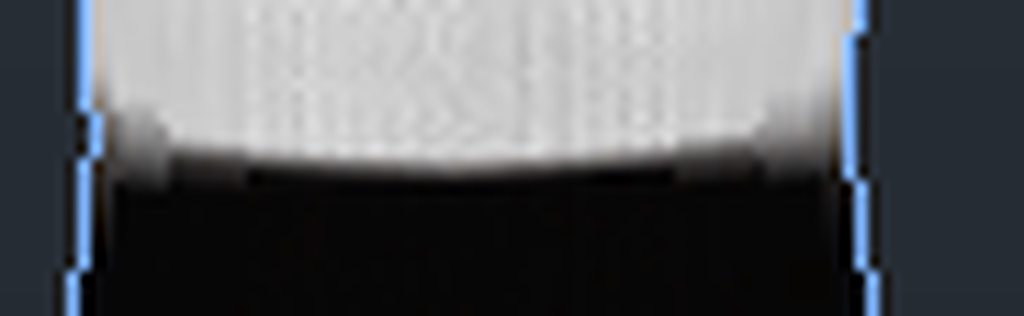
what's causing the loss of quality
only really happens if I zoom out a certain distance
scratch that, it happens up close as well
all I was doing was changing the colors
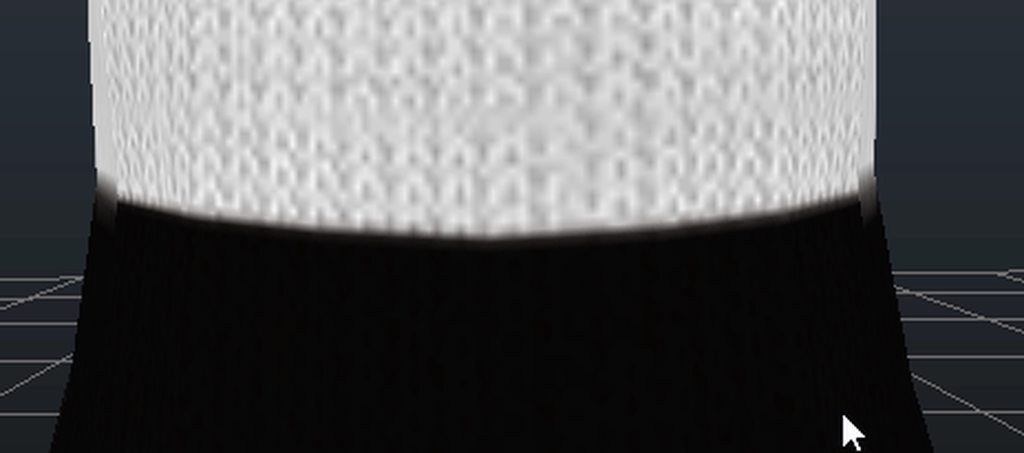 static sun
thats seam tearing
gentle forum
Huh
static sun
honestly... dw about it... you not going to be that close to the body for it to matter
spiral sigil
am i wrong catie ?
static sun
i cant really tell
spiral sigil
also as you said, pretty sure that nobody will see that ever
except if they are specifically searching for that
static sun
Pro tip:
Consider how it will be seen in game and dont worry about hyper detail as much
spiral sigil
also it's in unity, i'm not even sure than you can see that in vrchat
static sun
the version of unity VRchat uses isnt the most recent
 gentle forum
haha
I already did remove doubles and there were no gaps
I don't know anything about UV mapping or how textures work so I guess I can't do much there
mental blaze
My instructors always tell us to plan out our uv mapping to make sure that the seams are placed in areas where it's seen less often.
spiral sigil
hello
anyone here
i need a shape key i put in at 1.0 to become 0.0 and maintain the shape
how do i do that
as default
mental blaze
Animation clip
mental blaze
Ah, there's a solution for that, but I forgot how at the moment.
spiral sigil
i have this shape key at 1,0 but i want it to maintain its shape at 0.0 and not have a 1.0
mental blaze
Basis correct?
spiral sigil
not basis
mental blaze
If not, you should be able to change it to 0 without it changing values.
mental blaze
I reread it now.
spiral sigil
i need my shape key which is currently at 1.0 to be applied to the 0.0
mental blaze
Oof, I don't want to suggest for you to apply shape key.
spiral sigil
i tried that it didnt work
mental blaze
Google this one, m8
spiral sigil
already did
mental blaze
Let me try
This might not be what you're looking for, but it's a start
This is something I really need help with on a model I'm making. I need a way to reverse shape keys, so they the influence of a key becomes the default mesh, and what used to be the default mesh becomes the shape key.
For example: If I create ...
spiral sigil
yea i already tried that 1`
i just want to make the shape key in 1.0 to become the default at 0.0
that method doesnt work
mental blaze
There's probably something you're doing wrong. What I read in there will work.
Anyways, this one is possible.
Create duplicates and do a trial and error.
stable edge
uh i dont get what you want but if you want the model to have a shapekey defaulting at 100 in vrchat you just set it at 100 in unity
 brave dune
commander keen?
brave dune
should be interesting to see it done
i need to stop getting distracted an continue working on my model 😛
hot flint
gonna do a whole bunch of nods to the games
 timid crane
On some YouTuber channels
hot flint
Gonna be able to bounce around on his pogo, pull out some Shikadi Soda to chug
zap people with his raygun
 hot flint
Haahaha
I'll get to it when i have a more diverse portfolio
I want to show that i can make things besides just Thicc
hot flint
basically lmfao
polar flower
I liek eggz
 runic grail
I just got a Vive about a week ago and I am currently trying to make my own avatar for VRChat in ZBRUSH. Does anyone have tips for retopology and projection? I struggle terribly with it.
hot flint
I would consult Catie about that
They seem to have more modeling and retopo experience thank anyone else here
@runic grail
runic grail
Okay. Sounds good.
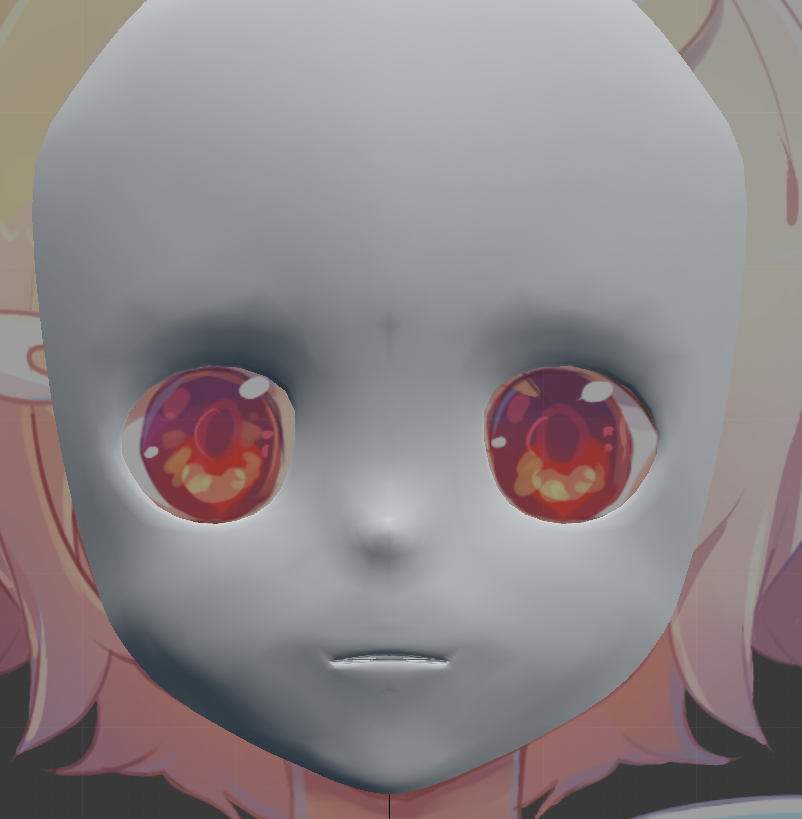
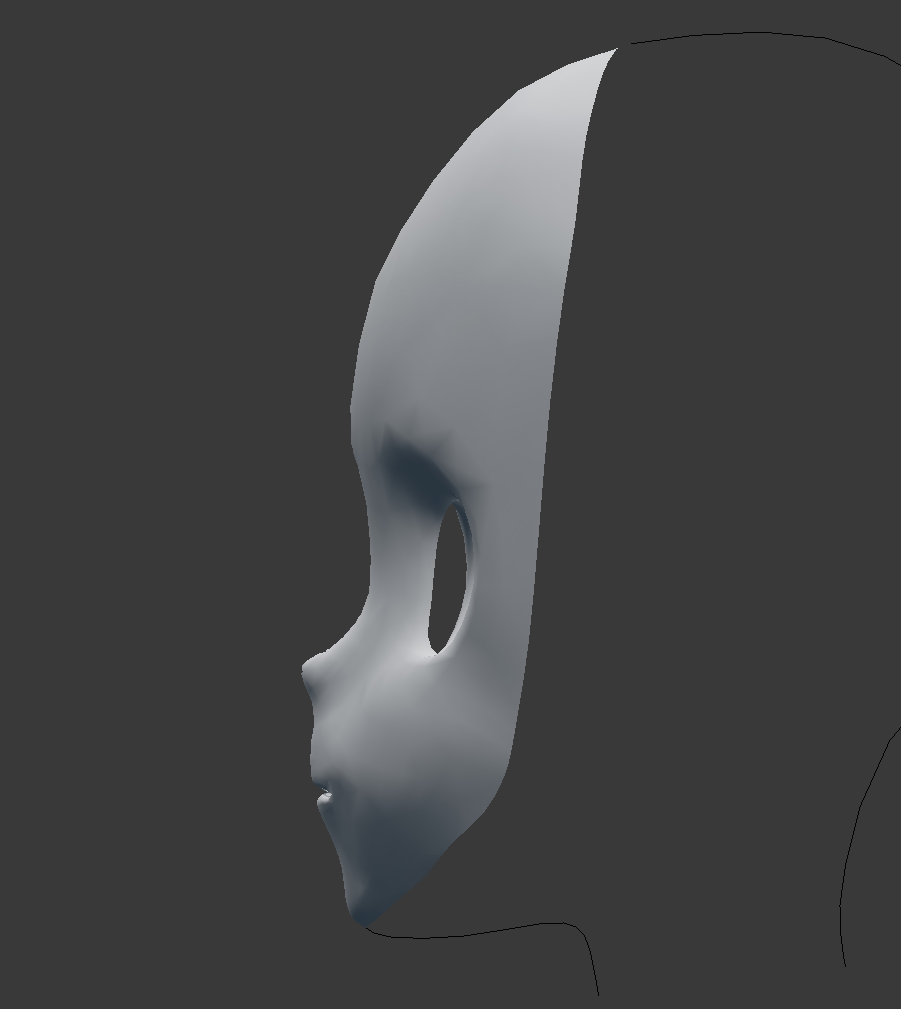 hot flint
Much, Much cleaner, well done!
polar flower
Thunks
polar flower
I’ve also started the hair
 crimson cove
hair is the part im soooo bad at
brave dune
im afraid to touch hair
 azure harbor
I need to learn how to draw refs
mental blaze
I recently bought a reference book to draw manga faces.
azure harbor
Nice
spiral sigil
Hi, does anyone now if the new Cats Version is fixed by now?
 static arrow
What do you mean
stable edge
spine probably
 sudden geyser
It Has Begun. https://cdn.discordapp.com/attachments/231804385603092480/437962482976423968/Low_Poly_Saxophone_Progress_01.PNG


That's the Texture Map.
Do you's Think this is too Hi poly For VR Chat?
hot flint
She's beautiful
 hot flint
I think you're on the right track! Just keep in mind poly count down the line
polar flower
i like cup cakes
lament pond

 upbeat star
hullo
lament pond

 fierce tartan
Anyone having export issues with Blender when making an FBX?
a few of my buddies and i are using a project file that presents a clean model but when exported to FBX it creates garbage out of the body in some areas
like polys mashed everywhere in whatever direction
2x different save points in the project between major edits and it still produces the same results
lament pond
Apply everything
 vivid crater
what acute angle
lament pond
Is that a reference to the anime
 cloud verge
Does anyone use 3DS Max?
And can you go 3DS Max > VR Chat? or is there an inbetween you have to do?
Thanks :p
 whole solar
maybe just maybe 3DS max can either export to fbx or maybe blender can open them and from there you could export to fbx
 stone dagger
in 3ds max just export as fbx then import to unity
 wheat tinsel
so I have a Blender-related question, I think it's probably an easy answer but I'm very much still learning. I've separated the mask from my VRChat avatar in Blender, as such: https://i.imgur.com/0SsSPhe.png and I want to add a texture only to the inside of the mask, so that when I put it into unity I can put a planosphere shader on only the inside of the mask. Is there an easy way to just make a new mesh that only affects the inside of the mask?

the actual texture on the mesh is going to be mostly irrelevant, since it will have a planosphere shader on it anyway that overwrites the texture, i just need to add a basic mesh so that i can put the shader only on that specific part
wheat tinsel
hmm, that would create a separate mesh for the inside?
 covert crescent
Yeah if you duplicate everything first
But there's probably better ways of doing this like creating a two sided sander in Unity instead of having two meshes
Shader not sander
wheat tinsel
hmm, well i definitely don't know what i'm doing with creating shaders
 daring fog
as alwasy pro job from @lament pond love to watch your work man
lament pond
Were you in my stream? @daring fog
lament pond

 patent arrow
@wheat tinsel if you want your shader to be two sided just open the code and in the tags just add "Cull Off"
wheat tinsel
Hmm, I’ll try that. How do you pick which side gets the shader and which doesn’t?
Actually I’ll just poke around with it tomorrow I’m trying to sleep now lmao thank you though
zinc furnace
@wheat tinsel well, that's how shaders work
Unity's standard shader culls backfaces by default. This means you won't see the insides of models. Shaders can either invert this behavior, or disable culling altogether.
For example, enabling outlines on CubedParadox's Flat Lit Toon shader will essentially render the model again, but with frontfaces culled instead. More width means the rendered model expands more. A width of zero essentially makes this overlap with your main model, which is why a white-tinted zero-width outline will fix invisible skirts and stuff
lament pond

 lament pond
I don't even wanna know what your poly count is at
 arctic vine
Your normal map textures gonna be sexy af tho, but yeah retropology is going to be fun
cloud verge
yeah looks really nice, good job
static sun
the polly was at 15.6m... but pulled it back down to 8.6m
static sun
i still have a lot to add T- T
mental blaze
MD7 too op
static sun
i have MD7... but im manually sculpting the clothes this time for practice
mental blaze
Nice
static sun
I have to pretty much overhaul the mask but it feels a lot better with the mask and horns in place
 spiral sigil
Waw blender is confusing like wow
static sun
it can be like that @spiral sigil whats the issue?
lament pond
If you just got into it it's gonna be pretty confusing
zinc furnace
My model goes absolutely insane in Blender after I delete some vertices
How do I fix that?
All the shape keys break and the boundaries are messed up
polar flower
because you have to re do the shape keys
you are supposed to make shape keys after you have already created and finished the model
zinc furnace
Hmm
This particular part doesn't need shape keys though, can't I just separate the mesh temporarily, do the work, then join?
mental blaze
Yep
polar flower
or just try to only edit vertices that arent connected to certain shape keys, if you seperate by materials with cats
zinc furnace
Alright cool, then I'll do that instead.
The shape keys were already done on this one
polar flower
just delete the shape keys on that part of the mesh
 brazen timber
Any of you awesome people want to render Skeletor for me and make some money?
cloud verge
they are good, yess
 bright falcon
Hey, I added something to my ankle of my avatar in Blender. When I move the leg how can I stick that new object to the leg?
spiral sigil
weight paint that object to the leg bone
bright falcon
Ok!
bright falcon
Got it working, thanks @spiral sigil
spiral sigil
nice !
 lament pond
Tweet tweet
 daring radish
does anyone have a yugi {from yu-gi-oh} 3d model i can use {i cant model D:}
wind mural
there's probably one floating around the internet somewhere already, check places like deviantart or the vrc site i can't remember the name of
 unborn venture

 cloud verge
awoo indeed
 heady tusk
can someone help me i am having issues with blender>unity
 leaden ice
so riddle me this, why does something look perfect in blender, but when in unity it looks like crap? for example, my avatar doesnt clip in blender, but it does in unity
like is that normal for unity to just mess things up like that?
timid crane
You're gonna have to show pics lol
 past merlin
Because they're two different programs with two different interfaces that handle things differently
eg, Blender doesn't care about weight paint in stuff like object mode/edit mode
Unity does
 timid heart
that clay sculpting looks lit 👌
hot flint
Something about the weight painting on those knees is... A little off-putting...
@leaden ice if you're referring to certain parts of the model missing, it may be a problem that some of the faces are backwards
There is a box that you can check in the properties panel to show back faces
It's labeled backface culling
Generally an easy fix is to highlight everything in edit mode, and press spacebar and type the command "make normals consistent"
This usually solves most problems with things showing in blender but not Unity
static sun
It's the rendered differences, (blender cycles = ray trace, unity = realtime)
As @hot flint said, backfaces are also a thing.. and also hairy will delete all ngons (faces with more than 4 certs)
hot flint
Mmm, good to know!
leaden ice
@hot flint I use that everytime i mesh, but thats not the problem
i figured it out, thanks
 cunning sage
so i just went to download a d.va model and ended up with 195 virus so be careful guys
the model in question was this https://arisumatio.deviantart.com/art/MMD-Overwatch-D-Va-Magician-Girl-MOD-658337233
brazen timber
that is a lot of viruses
 scenic ember
eek that's scary
zinc furnace
How do you avoid holes in the model when you decimate?
Seems like something that shouldn't even be happening
spiral sigil
usually it's when vertices arent connected i think
zinc furnace
Yeah, the models are poorly made
 spiral siren
Hey, my friend was thinking about starting to 3D model soon. The only setback is that he is looking for an App for his IPad Pro. Any suggestions on any 3D modeling for the AppStore? (DM me)
 hot flint
Looking really nice!
 molten cloak
hey guys, I'm trying to create an atlas to character I ported over, but some of the textures are an odd aspect (as in rectangle 960X512) and when I try to add them to my new texture atlas they get deformed to the full resolution to the new texture 4096X4096. Any tips on how to fix this?
before moving to atlas:
https://cdn.discordapp.com/attachments/421908036039213067/438864773375852544/hand1.GIF
after moving:
https://cdn.discordapp.com/attachments/421908036039213067/438864807601373185/hand2.GIF

 molten cloak
also I loose the textures when I create an atlas, just turns everything white
 arctic storm
Anyone know why the boolean modifier leaves weird lines on the object I'm using it with?
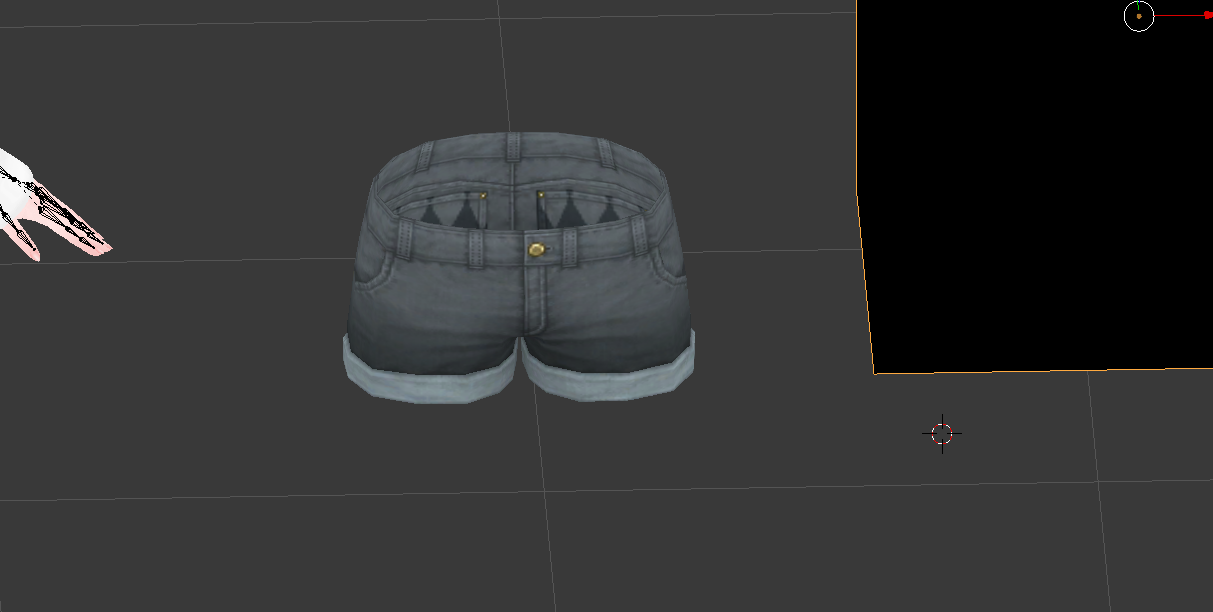
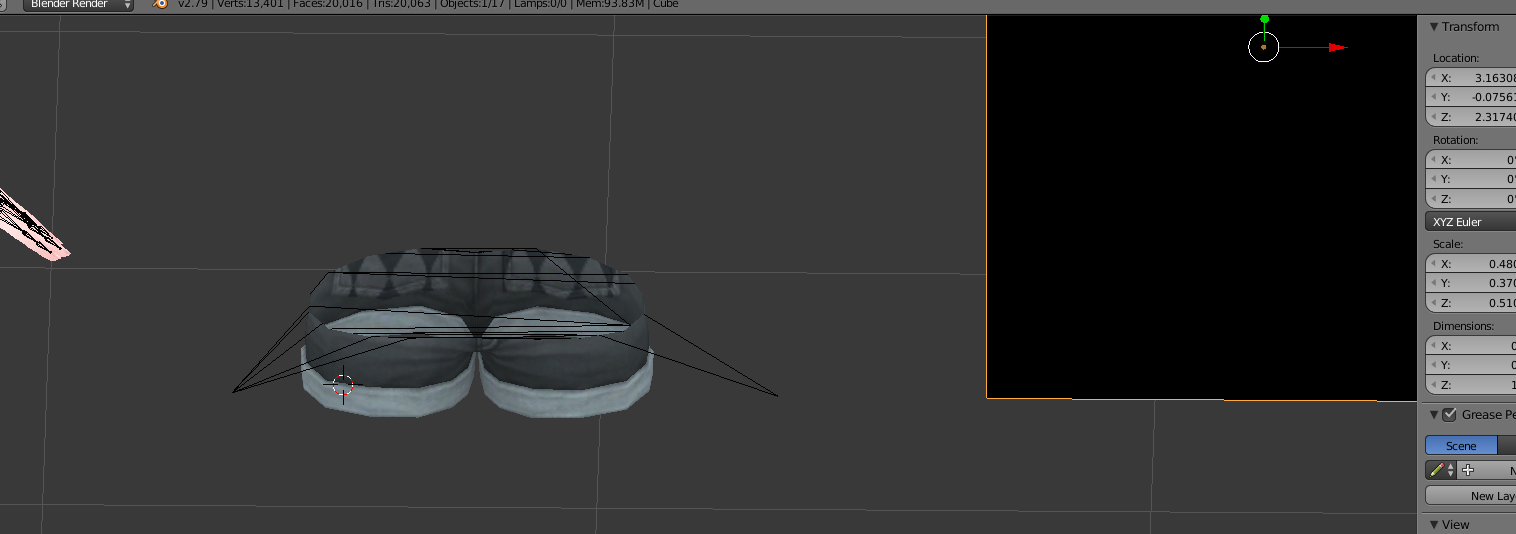
I just want to trim the object, but it's doing this
small cloud
what do u want to do with them @arctic storm
@arctic storm if thgose are edges, then u can enter edit mode (have edge mode active), hit space and type loose > select loose geometry
x> delete edges
arctic storm
I'm following the tutorial that tells me to place a cube inside the object I'm trying to trim and use boolean (difference) to do it
but it leaves me with this result
arctic storm
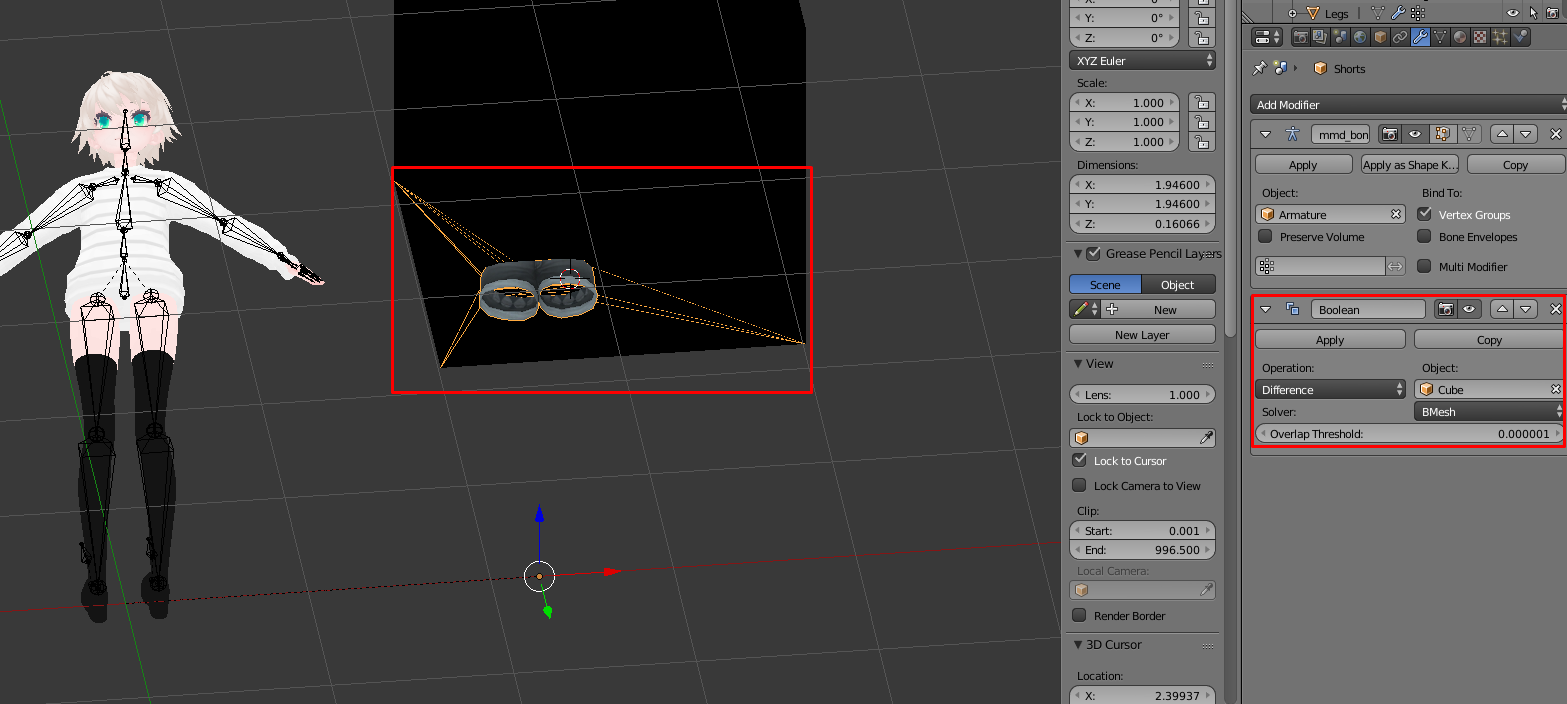
I'll do that now, hold on
What's edge mode, sorry?
Apparently those lines are vertices
small cloud
enter edit mode and select the Line thingy http://prntscr.com/ja7s22

then select by loose geometry and x > delete edges
arctic storm
I love you
thank you so much, this was really pissing me off
I am forever in your debt lmao
small cloud
would be easier just using vertices mode with x-ray enabled, then press numpad5, numpad1 and with C tool brush select all of the upper vertices u want to delete
arctic storm
I'll note this stuff down, appreciate it
small cloud
xray is the two cubes with dots in the previous screenshot
 gleaming ridge
wheat tinsel
gleaming ridge
wheat tinsel
so, i'm trying to combine a jacket from one model with the actual model of another. i'm able to scale the jacket most of the way, but i need to adjust the sleeves a bit (they're slightly too long, and out of position compared to the model's arms). i'm not really sure if there's an easy way to do those things within blender, still fairly new to things.
 brave dune
if the jacket id desighed with easy edge loops, you could probably edit the verts that way to make it fit a bit better
wheat tinsel
i'm not sure if it is, but considering the arms under the jacket will never really be revealed and i'm going to have to redo weight painting anyway, i just deleted the arm mesh above the wrists, and i'm repositioning the hands
a bit tedious, but not awful
spiral sigil
https://puu.sh/AaBMg/a03065c1ce.gif A little bit of tweaking on the model/bones but look at him dance
 static arrow
That dance is better than all Fortnite dances lol
wheat tinsel
https://i.imgur.com/1wP8CWV.png coming together pretty well
 brave dune
nice 😃
wheat tinsel
the trick is moving all the bones in the arms and hands
and i'm setting the roll of them all to 0 but idk if that's the correct move
wheat tinsel
now I have to weight paint...
small cloud
if jacket had bones u dont need to weight paint
parent them to main armature bones and mix weight in cats
wheat tinsel
well the bones were on the overall model of the jacket before i took it off the original model. wonder if it would work to rip the armature with it and mix the weights
i also have to scale the jacket a lot, idk how that affects weight painting
small cloud
u scale the armature, which scales the mesh too, so in the end it should be all the same, just probably some small adjustments
wheat tinsel
hmm, that would solve pretty most of it. would still have to re-weight the hands, but that's not bad
... pretty much most of it*
and then i'd have to figure out the other part of what i wanted to do lol
small cloud
only problematic place is shoulders imo
and i would hope for good shoulder paint from the bones
i dislike only shoulders and some small bit ot chest paint
wheat tinsel
yeah the shoulders are pretty good on the original model i'm ripping the jacket from
so if i bring the armature with it, it should carry over fine
shoulders are awful honestly, they're so hard to weight paint in a realistic way
small cloud
if scaled properly then yea
i literally want to just quit blender when i see half-assed shoulders from DeviantArt models
and they are scuffed af as a bonus
wheat tinsel
i got a model of a persona 4 character and the shoulders were terrible
https://i.imgur.com/kWmxngr.png this is how shoulders work, right?
 small cloud
would need like 0.5 on left and right and then mb 0.1-0.15
i need to sit down for like two days straight and just do shoulders from 0
i think the best is to just make good geometry for them in the first place
and then jus do from scratch paint
wheat tinsel
honestly, i'd rather commission someone to do weights than do them myself lol
but i also have considerably less experience than you
and probably considerably less patience too
small cloud
joints generally share 0.5 on the loop
and then blur that shit out
gotta adjust tho
timid crane
I think it's better to start with Mixamo and edit the weighting of that
If you're a beginner
wheat tinsel
Hmm, does mixamo add weighting? Maybe I’ll try that just to mess around with
small cloud
i think it'll prob break more than help you 😄
so it's going to be fixing weight either way
but you can try
spiral siren
Beginner here o/
Are there any decent 3D modeling software for an iPad Pro?
wheat tinsel
I’ll at least run it through mixamo just to see how the weights come out, no time investment there
small cloud
mixamo is good for animations, them low-poly stuff still moves good https://imgur.com/kJ5sUa7
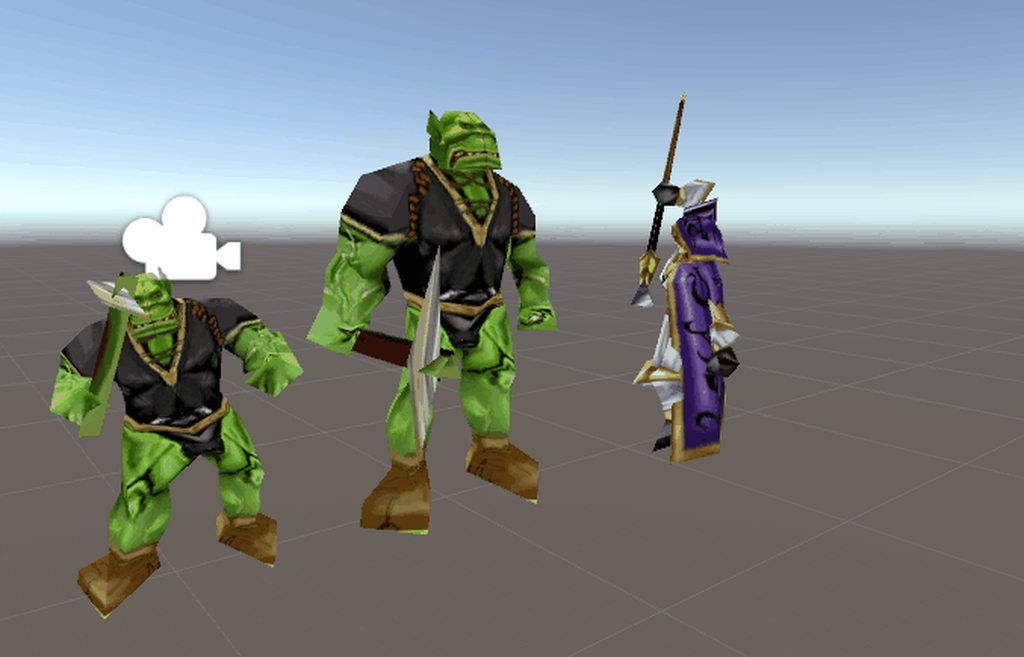 spiral sigil
why is the pickaxe green tho ?
small cloud
probably mixamo export fucked it
hot flint
The best advice i can give for shoulders is to use yourself as a reference
watch how your shoulders roll in a mirror
mimic what is effected


my example isn't perfect, but this reference mesh is a good example of what the shoulders should physically effect
i still need to do some more cleaning with my weight painting
static sun
@hot flint the shoulder gif is best to show shoulder topology... if you want a good "how it effects" reference... look in the mirror at different angles and move around
you are your best reference 😉
- your free 😄
hot flint
Yes, exactly my thought 😃
i have improved it a lot only just now by doing so

It's already behaving a lot more accurately
static sun
awesome 😄
im sort of sick and have the hickups
its like an endless loop of "am i gonna throw up?... nope just a hickup"
hot flint
Oh gosh..
hopefully it calms down
(Also in case anyone is wondering, i'm not actually modeling anything atm, more playing around with practicing rigging)
static sun
Rigging is fun
hot flint
(Not using any auto weights, basically just drilling myself on what i know about rigging to make a competent working VRC model)
static sun
if you use Maya you can Quick rigg a character in about 3 mins...
hot flint
that's pretty rad
static sun
but you wont have hands
hot flint
I'd just rather know muscle weights inside and out for more complex models later
this model is only 3k tris
static sun
look at Blendshapes and Drivers
you can take a bone rotation (X/Y/Z) and tell it to drive a blendshape that will export to Unity and then when the bone moves the muscles morph correctly
hot flint
Hmmmmm
i guess more what i'm saying is that i'm taking this as an opportunity to understand anatomy better?
static sun
Anatomy is hard
i sort of wish i focused in more on what i am now when i was in school <. <
Then again when i was like 5 i could draw all the bones in the body perfectly and was given detention cause the teacher thought i was cheating 😐
i was only missing the clavicles and scapula
i even got the right number of bones in the rib cage and spine XD
hot flint
the clavicles (along with shoulders) are tough
i was expecting to hear that the teacher was more concerned about you being unstable (at least in out education system that would be a concern)
static sun
common mistake people make with the clavicle is they dont allow it to move... it has a small range of movement
hot flint
yes
static sun
ah no... the teacher was a bitch <. < she hated me cause my sister was a right bitch to her... and thought id be the same and was kind of annoyed that i exceeded everything she gave me thinking i would be dumb
my mum went in and talked to her and basically went from the class after straight to the heads office and she was put on leave for a few weeks
and i was moved to another higher class cause i was apparently not the only person she was actively doing it do
she actually lost her teaching licence 6 months later cause she wouldn't let students go to the toilet and well <. < warning signs flared up all too often
hot flint
oof
static sun
i didnt take shit... my mum said if you need the loo and the teacher wont let you just go
bright falcon
Hey, I took an avatar and split the mesh into several parts. Now I want to do that for the materials/textures too. How can I do that?
Currently every mesh has the same material/textures as the original one
(Blender)
 analog lark
Go into edit mode and create a new material. Select the faces that you want to have the new material. Go to your materials tab and underneath the new material you should see "assign". Click that and all the selected faces will become assigned to that new material.
bright falcon
Already got that! My current issue is the texture of the material. When I go to the texture tab of a mesh change the source path of it, it will change it for the other meshes too :/
analog lark
Hit the plus button and add a new texture to the list instead of trying to replace. That texture is listed in your project and is being used, if you replace it you change it across the board.
bright falcon
Ah. In that list there is three times the same texture listed. When I hit + it will add .001 to the first one. Is that correct?
And then I have to select that .001 for the to other ones?
Got it. Thanks!
spiral sigil
Just remove all the textures and re add the ones you want
Put everything into 1 folder
lament pond

 primal kraken

when an animation is applied to my avatar the mouth drops
and all visemes are distorted
not sure how clear the problem is in the picture
last time I thought it was an issue with how they blend with the basis shapekeys(edited)
however I have yet to even create custom shape keys for the model
can anyone help?
this happened to me a month ago on a model I added some expressions onto
older versions of said model are not affected
any help?
not sure if this is the right place...
crimson cove
I had that issue before, the mouth problem is caused by the eye tracking not being set up correctly
visemes being distorted probably happens because you changed the Basis
Changing the basis doesnt change all the shape keys
so for example if you moved stuff around on Basis, all your visemes wont have that change applied
also is this a coincidence lol I just made a lain model the other day and I saw one other person with one too
For the mouth issue, it happens because you maybe only have one eye set
like there's only a shape key for blink_left and not blink_right
spiral sigil
hello
i cant find the load brush images button
its not there
can somoene tell me where they moved it to
because its not there
theres no tutorials for the latest version of blender
so ihave no idea where they moved the brush image button to
 rancid notch
guys
how would i get dynamic bones to work without getting this error?
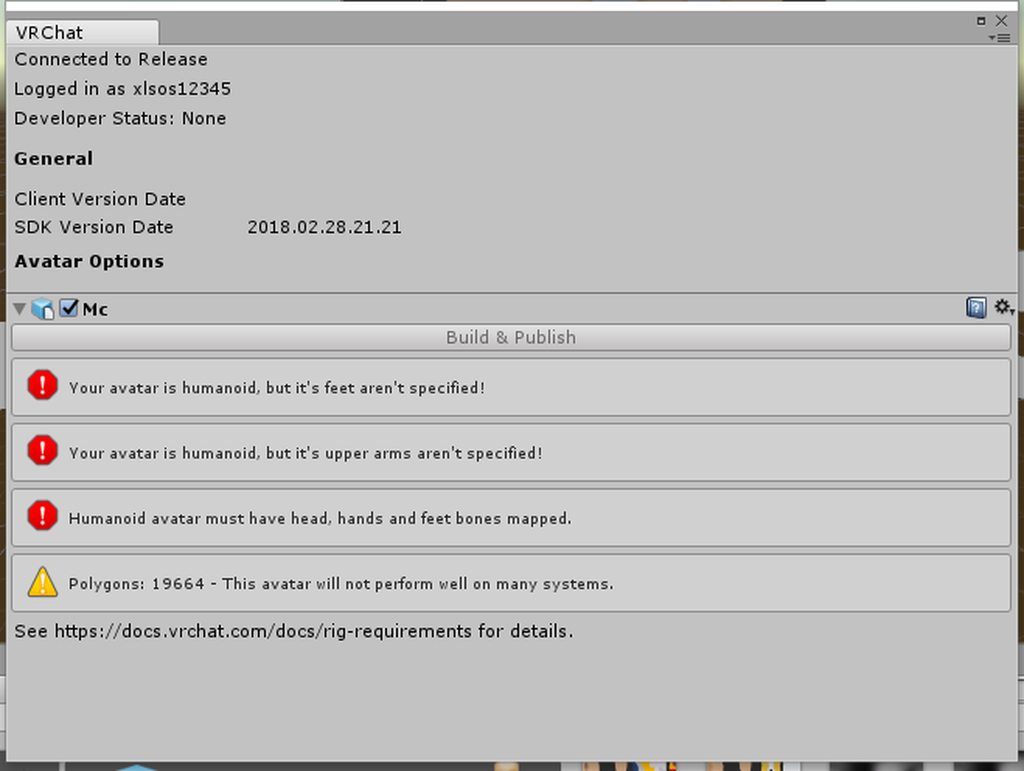




always happens
lavish phoenix
For me dynamic bones never broke the model, what did you done?
spiral sigil
you are also using the wrong sdk version
spiral sigil
i thought that the old ones doesnt work and won't let you upload
zinc furnace
I mean, I'm pretty sure that error isn't related to older SDK's
The old SDK's work fine for me
More than likely, the guy literally doesn't have the feet, hands and shoulders mapped?
 gusty crypt
so how do i keep my roughness. i want it bright but i want it to look like a stone not just a color https://s1.gifyu.com/images/2018-04-27_09-35-39.gif
 small cloud
@gusty crypt you cannot see that level of detail in vrc, i wouldn't bother
gusty crypt
ight thanks
small cloud
if u want it to glow, u can set an emission for that material
static sun
How is Everyone's projects going?
small cloud
I'm having an addiction to lick people and everything on them, so all the projects are prostponed for timebeing
zinc furnace
Lmao
small cloud
the thing is that I'm not even joking 😓
zinc furnace
I'm taking a break from starting on new stuff. I have a large backlog of small things that I need to fix. Stuff like custom visemes, custom blinking animations, small holes or glitches in my models, particles that are too big
I'm getting sick of blinking when my eyes are already closed, so I just gotta copypaste a bunch of blink animations across my avatars
small cloud
kinda same for me, having a creativity crisis so taking a break from all the stuff and just experiencing the beauty of VRC that is screenspace shaders of lemonparty..
timid crane
Yeah, I'm also going through an "update" phase before going back to new models
Recently updated my oldest model with blinking, tracking, visemes and 4k textures
It felt so gooood
small cloud
btw if u guys need to upscale tex, and it apprrently works rly well, there's a web for it http://waifu2x.udp.jp/
zinc furnace
I already settled on a model that I'm gonna make if I ever start 3D modeling myself
small cloud
waifu 2x lmao
zinc furnace
Yeah, I tried that but it looked like crap for the ones I tried
small cloud
guess depends on tex used