#3d-modeling
1 messages · Page 28 of 1
 hot flint
 deft briar
@hot flint I'm familair with that texture, and I never thaught of using it for that. Great suggestion, and thank you ❤
hot flint
I'm working on a few ideas that are pretty outside-the-box, lots of experimentation and potential in this kind of platform
You learn a lot when you force yourself to make models from scratch with no MMD
 slow slate
@hot flint Would you happen to know a safe way of modifying the topology of a mesh without ruining the rig?
Say I want to cut off some feet that don't need to be inside some boots, how would I go about safely cutting that content
hot flint
I'd be more worried about you ruining the shape key
Are you talking about the decimation process?
slow slate
or shape key (I'm a Maya guy coming to Blender for the first time, terminology is not my thing)
hot flint
Okay, it's still totally doable
slow slate
Decimation is reducing polygons? Yes but I'd rather by hand remove some specific parts I don't need
hot flint
Click on the model in object mode and under the.... Ugh sorry I'm not in PC right now, just mobile
Hmm
Are you familiar with where the vertex groups are located?
slow slate
Yeah
hot flint
For when you do weight painting
slow slate
Yeah I see them
hot flint
I believe on that same panel you should see something for shape keys
While in object mode, be sure to highlight basis
Before you do literally any modifications in edit mode to any of the individual verts
If you happen to accidentally be on one of the other shape Keys, it will modify that shape key and not the original mesh
And things can get really, really screwy
slow slate
Alright thanks
hot flint
Please for the love of God, save a backup because this is irreversible
slow slate
Yep, lol
Oh also, if I created some tris in certain places, is there an easy way to paint that back onto the correct joint?
hot flint
Absolutely
The trick in accuracy is not painting at all
Instead, highlight the new verts in edit mode
Select the vertex group they belong to, adjust the weight slider, and click assign
This will prevent you from painting things unintentionally
I realized that was a very vague description, you'll have to forgive me hahaha
I can always go into more detail with screenshots when I get back to my PC, but I'm going to be out for a long time tonight
slow slate
No problem, I'll play around with it, thanks for the help
Blender is a huge headache coming from Maya lol, it operates very differently
hot flint
Many of the features seem to be far more manual than automated
For someone like me that's great, but not everybody plays the same way
If I'm ever dead on General chat here feel free to hit me up on DM
slow slate
Alright
I understand the appeal of keybind spam, it's theoretically great
but I don't have the time or attention to memorize this stuff, so it's a total pain to me
hot flint
I totally understand, before I knew some of the key bindings things were a lot slower and more tedious, but now that I'm getting the hang of things it's so so fast
This very first model of mine took about a month or so to get it ready and working for vrchat at a basic level, with basic shape keys and animations for idle blinking and breathing
If I were to do it all over again with what I know now, it would probably take me about half that time
slow slate
Yeah
Hmm, would you happen to know why I can't rotate around a selected vertice in Edit Mode?
I can't rotate my camera at all
Only works outside of Edit Mode
hot flint
Camera movement for me had been one of my biggest hang ups...
slow slate
*Only seems to be an issue with Edit mode on a mesh, not on a rig
hot flint
I use alt + left click since my middle mouse button is jacked
slow slate
Same, that's the config for Maya
I swapped all the camera motion stuff to Alt instead of shift
hot flint
Nice!
slow slate
See but now I try changing Rotate View back to Middle Mouse and it still doesn't work
¯_(ツ)_/¯
There we go, got it
Yeesh
 rugged hill
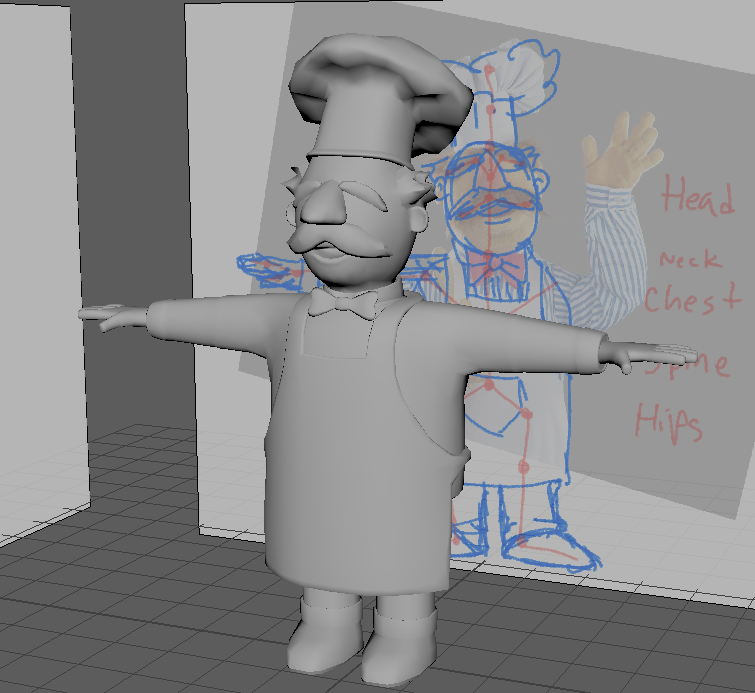
 willow nova
Hey guys how would I have a different material for inside and outside of a models body?
Like if one were to walk inside a cube for example
 tropic spade

 barren quiver
Is there a way to merge a bunch of shape keys with similar names in blender?
 jade forge
ok i got a problem, the bones of my model ar connected to the spine and not the chest, how do i move them?
and connect them to the chest instead?
 fathom tartan
Somebody else asked before, but I didn't understand the fix. How can I hide the model's head in First person?
I didn't find where you can hide the head bone
 lapis needle
@fathom tartan You can use clipping of some sorts. But the problem with that is if people get to close to your models head it is likely your head will disspear for them too.
fathom tartan
it's ok (but, how can I do that?)
 spiral sigil
I know how to make bones- How do I make shape keys though?
lapis needle
@spiral sigil https://www.youtube.com/watch?v=Nlf959QT9VI

Learn Blender at https://Blender101.com In this video we start the process of creating Shape Keys for our character in Blender. These will allow us to animat...
here is a video showing you how to use them
once you do that. Then refer to the guide by BigAl here:
hot flint
Hard surface modeling is probably one the the most infuriating things for people who like to keep tri counts low
(i.e. guns, swords, etc)
fathom tartan
@lapis needle is there a Bone Component that makes it?
lapis needle
Im not sure what it is. I know a couple friends who it happens to them on accident. Your best bet is just to set the view further in front of your face so you dont see your head
hot flint
Shape keys have absolutely nothing to do with Bones
In fact, they are a happy solution to some of the things bones cant solve on their own
however, keep in mind, if you plan on a major movement like a limb, bones stay in place even when a shape key is slid
The easiest way i can explain is as follows:
Bones are limited to how they can influence vertexs based on their rotation, scale, and position
Shape keys are COMPLETELY free-form
you can make a shapekey that could scale the entire model down into a few pixels, but wouldnt damage the mesh at all
Shape keys are like... hmm
 tawny burrow
@willow nova you could copy the mesh and scale it down probably. Other than that I don't know.
hot flint
Idk how else to describe them, except that it's a set of orders given to specific verts to go from point A to point B
regardless of bones etc
 dark shadow
How's this look
https://media.discordapp.net/attachments/137520826164445184/404555357810327554/unknown.png?width=1214&height=683
 hot flint
Looks pretty sick! jealous of your hard-surface modeling skills
dark shadow
don't be, you trade soft surface skills for it lol
hot flint
12k tris doesnt seem too horrible either
unless that's JUST the turret for a full on tank
dark shadow
I mod space engineers as a weapons modder
hot flint
😮
dark shadow
so the whole thing is a "block"
12k tris in a block is like half of what their assets have
hot flint
sweet deal
I'm planning on modeling something... tricky.
I'm going to have a model with two "models" and one armature
tri economy is going to be very tight
dark shadow
did I hear "decimate all the faces"
hot flint
Hahah
My current actor is only 7k Tris
and has some decent detail
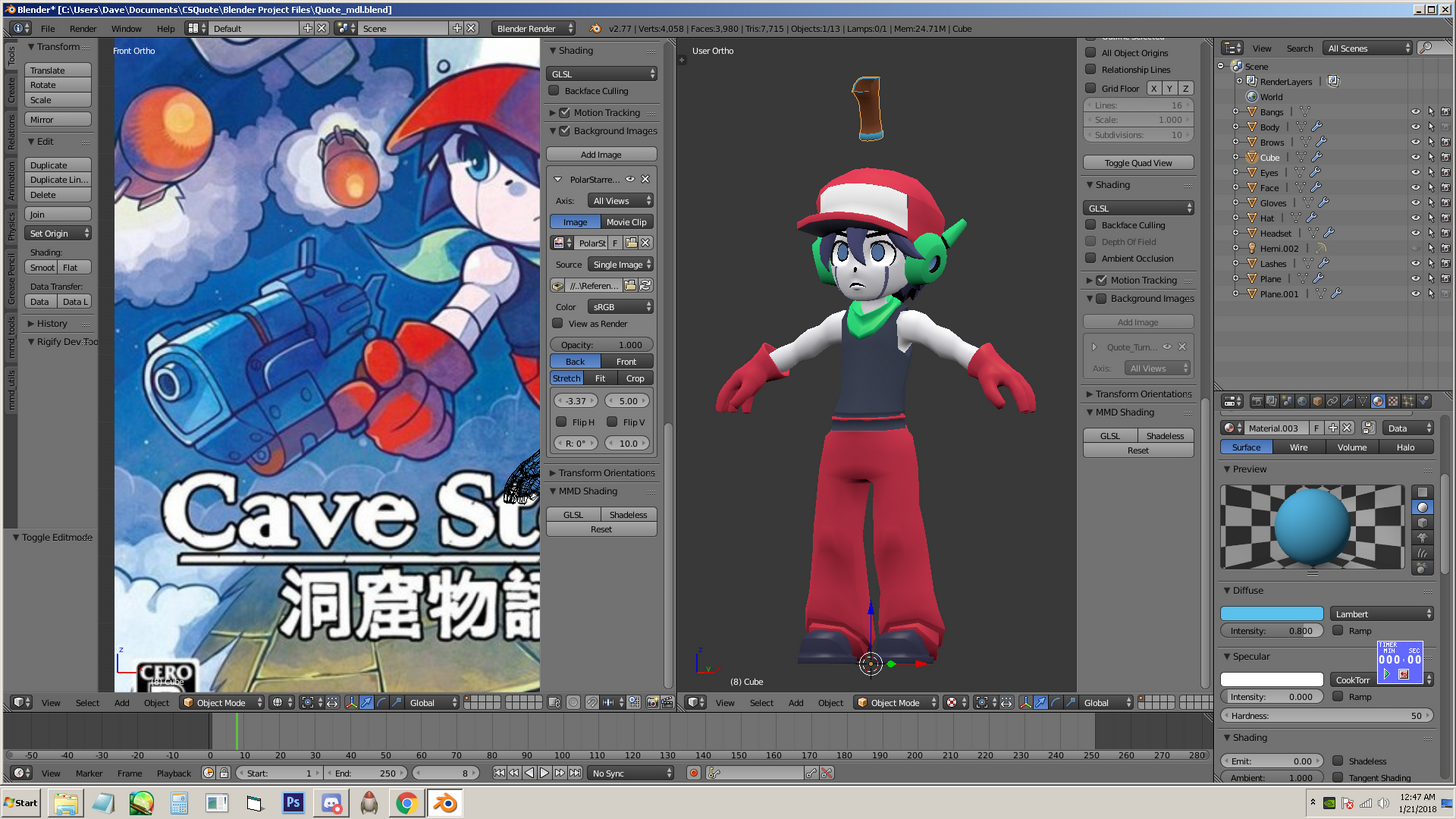
the only part i could really decimate more on would be the gloves, really
they're 1000 each, but boy are they going to have some complex movements
hot flint
Aye
dark shadow
you've got 13k to work with for the models and as long as they're not humanoid you should be good
hot flint
That's the hard part
The second actor is probably gonna be another 7k tris
haaaah
and they both have weapons
dark shadow
if I can make a US 16"/45 mk6 with tons of lifeboats and smoothed barrels with interiours and some minor details in 12k
you can make a pistol in 6k
hot flint
It's doable, definitely
You'd probably have a better idea of where to start tbh
Super simple shapes on that one that i showed too
dark shadow
get reference images for the gun
hot flint
well, that's about the most accurate available image to the style i want it in
dark shadow
and then start with simple shapes and begin with looping and cutting, subdividing, etc
dark shadow
hard surface is great because big faces can cover a LOT of ground
hot flint
Oh absolutely!
Trouble with my shading style is that unless i use textures... I've gotta do two versions for each model, bake wise
dark shadow
which is absolutely where I get lost on modeling people and soft surface stuff
always comes out looking really really bad
hot flint
Yeeeahhhhhh.... It's so difficult to economize in soft serf
and have any sort of roundness
dark shadow
I'm not worried about economizing soft surfaces
I'm worried about managing to not make it look bad with the literally unlimited faces I'm allowed for things not going in VRchat
hot flint
Hahah... I think I follow.
dark shadow

 coarse walrus
Does anyone know how to import .mesh files into Blender or convert them?
 frail dawn
Anyone know how to Combine 2 meshes for a model so i can get the visemse to work?
 brittle island
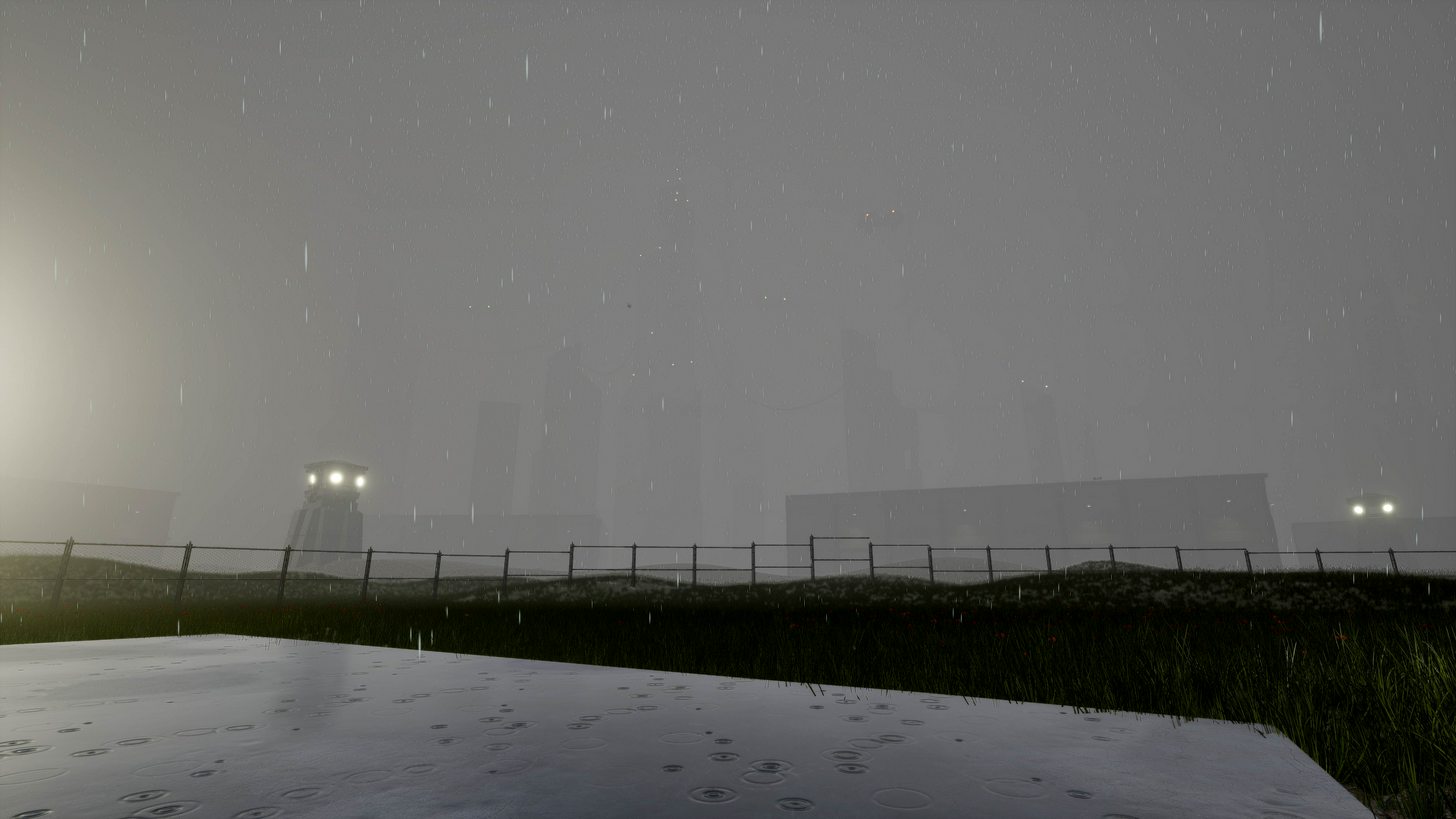
@dark shadow Nice Model. It could just be the rendering but are the textures to low-res?
 short wren
Nevermind figured it out
 forest comet
Hey anyone who can help me here for a bit?
 jaunty turret
can someone here that uses blender help me? im trying to get this one https://www.deviantart.com/art/MMD-IA-model-edit-324450556 in to vr, and i follow this video : https://www.youtube.com/watch?v=aS0Gk5LbYh0 and part 2 of the video but its not working at all..
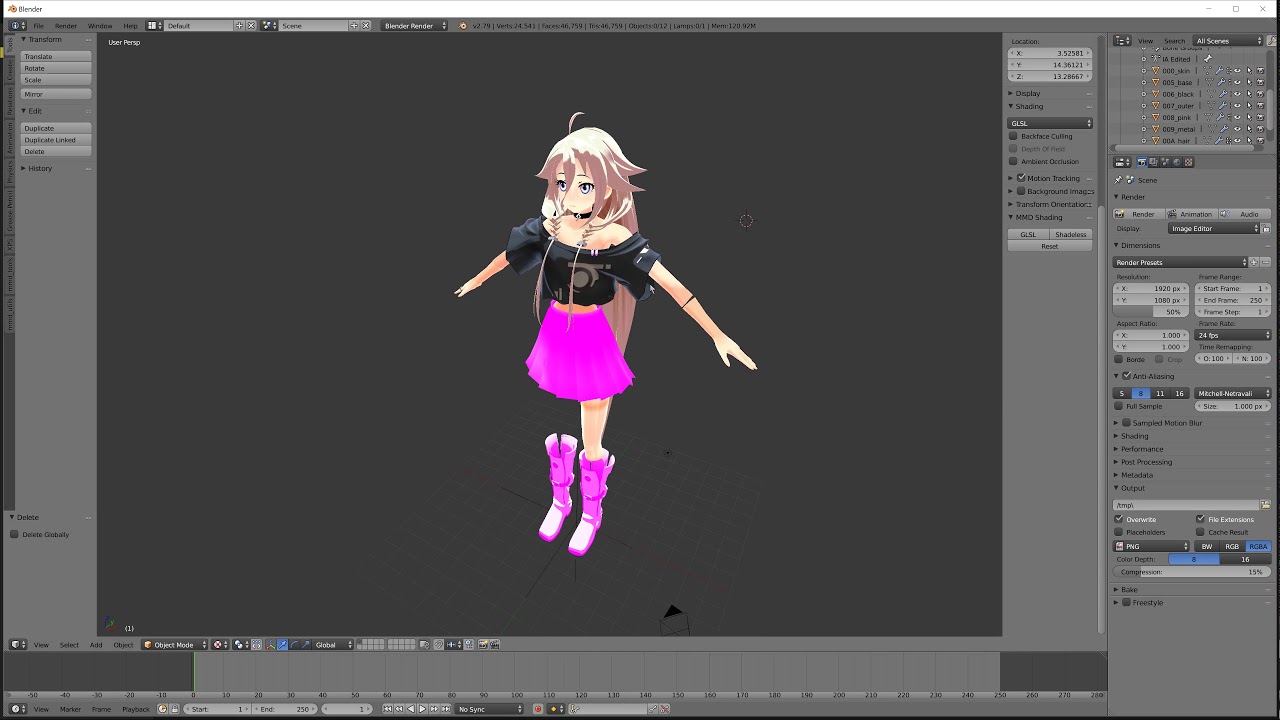
Use to register with VRChat: https://vrchat.com/login Use to download SDK: https://vrchat.com/ Use for appropriate shaders: https://github.com/cubedparadox/C...
tawny burrow
@jaunty turret you should probably post that in #avatars-mmd rather than #3d-modeling since this has nothing to do with modeling itself.
jaunty turret
okey will do! thanks! 😃
tawny burrow
@jaunty turret also the information what exactly doesn't work is kinda missing.
 shrewd lodge
20k tris.
 worthy cypress
someone please for the love of god this is driving me nuts
i have the entire model's skeleton mapped out and its telling me the hands, feet and head arent mapped
i dont underSTAND
 small cloud
is that an mmd? nad have u used cats fix model?
 unreal loom
Guys who is good with Particles?
 sterile meteor
I gots blender, now what should I do?
 marsh abyss
how do i join together two points that are separed?
 viscid siren
select each and press F
marsh abyss
@viscid siren It doesn't seem to join them, only to bridge them
I want to fuse two points together so it becomes one
viscid siren
by joining them you mean to into same spot press alt+m to merge
also you can merge them by first bridging them and then pressing g twice so you can move the points along the bridge

have this option on
 dry lava
Would someone be able to walk me through texturing specifics and coloration via Blender?
Or is this the wrong channel for that?
dry lava
As in, UV unwrap each component and save the PNG of each UV?
If it's easier to explain over VOIP, I'd be more than willing to listen
viscid siren
yes, btw you can have all the components on one UV map with this https://github.com/ndee85/Multi-Object-UV-Editing
GitHub
Multi-Object-UV-Editing - This Blender Addon enables a quick way to create one UV Layout for multiple objects.
dry lava
Because I have some very specific questions about it
viscid siren
Don't really have time for helping out that intimately, but i'd sugegst you check out some tutorials by Blender Guru
dry lava
I've actually watched most of those
I'm having trouble applying color to parts of a single component's mesh
viscid siren
hm got an image about specific part?
dry lava
Lemme try to get that for you
Been struggling with like 2 different ways to achieve what I want
But I also don't know if this will translate to Unity well
So I can't upload pictures here directly, can I?
Gotta link it?
viscid siren
yeah you have to link it
dry lava
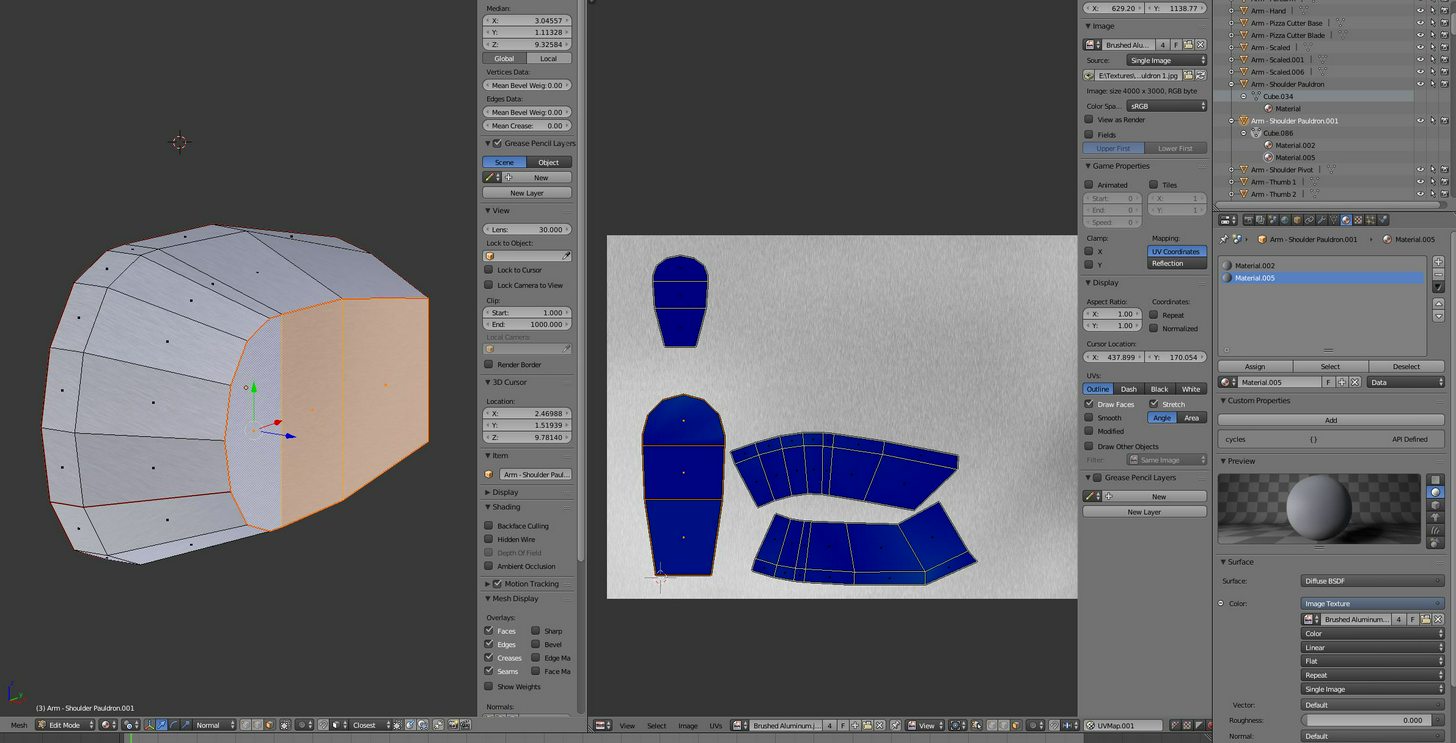
So I want only part of the selected face to be a different color of the same texture
I know I could go through and knife in the geometry that I want a different color, but I feel like that's a bad method
And it would need a separate UV space for just that single face, I think
viscid siren
you could make a new material, add a new image in teh and then assign it to the selected spot
dry lava
Or is the problem that I'm doing an image as texture when it isn't the correct way?
viscid siren
the image editing in blender is pretty limited, so you could take to different program
dry lava
So, with the given image as texture, and the component placements, take it to GIMP or something to color as I see fit?
viscid siren
yes
dry lava
Wont that coloration drown out the texture details?
Like placing a sticker on a material?
None of the scratches would show through
viscid siren
Blend modes
or changing color with the settings so you would't have even need to touch paint tool
rugged hill
I feel like I'm the only person in this game who uses Maya
where my fellow Mayans at
viscid siren
dead like real mayans
rugged hill
shit you right
viscid siren
https://sketchfab.com/models/c8004d0c2546433ebb3240bf205fcf67 just like this render indicates
 rugged hill
thing is I learned how to model with Maya at school and can't really get the hang of Blender
it's a curve
a steep curve
it's come in handy when porting MMDs
but making something from scratch
can't
viscid siren
https://www.youtube.com/watch?v=H-k7rCsgBqg&list=PLboXykqtm8dxNWKlDHG5dqhHATfIZcJNe&index=2 this guy has some videos about differences which may help you get started if you are interested enough

In this Blender vs Maya tutorial I want to point out how some basic stuff can be done with these applications. I focus on beginner topics like * Navigation i...
(yes i'm trying to convert you)
 steel basin
So I've posted this yesterday and someone said it is easy to fix, but I have no idea on how to fix it
 hasty dirge
if you want to learn blendder look at "blender Guru" donut videos on youtube
 viscid siren
Donut and the Anvil
hasty dirge
yes, very useful
 wide bough
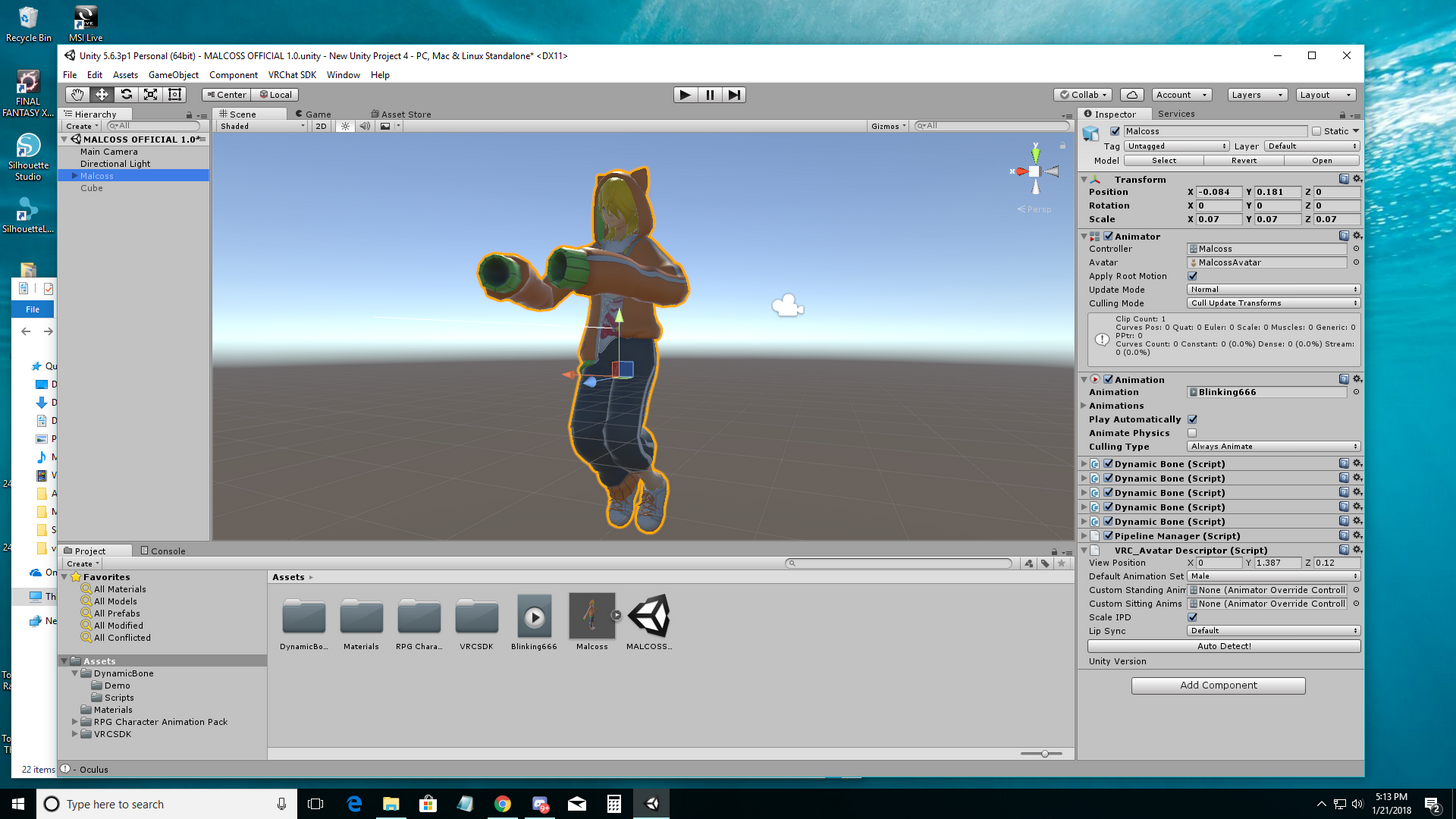
In Unity. Avatar is stuck in this animation pose like this. I have no idea how to fix it and I think I'm searching the wrong wording in Google. https://i.imgur.com/4aWz29i.png

 dry lava
@viscid siren How do I export the UV map along with the background image as a PNG to edit in GIMP? When I export the UV, it's only the vertex data with no background image
rugged hill
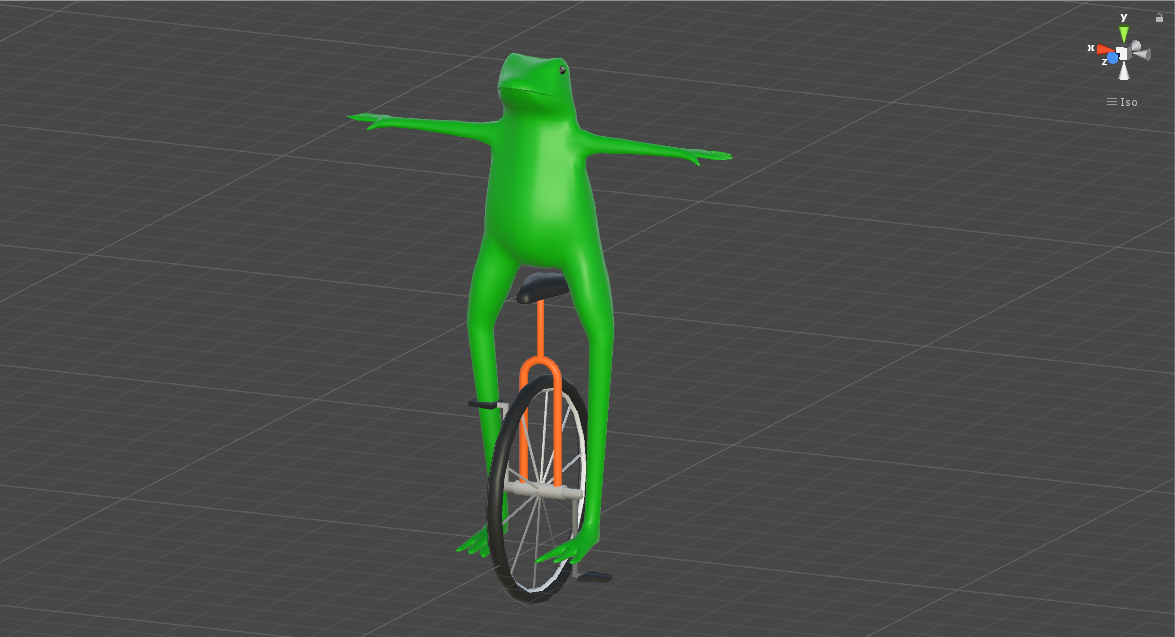
Dat Boi
hasty dirge
@wide bough what happens if you delete it from the heiarchy and readd it in?
*re add
rugged hill
and more
viscid siren
Rybot there is another option for exporting the image too
"Image<Save As Image"
then but both in the image editing and put the UV map on top in layering and change it's blend mode to overlay or some other
Spoon love the beatles models
rugged hill
thanks
dry lava
Oh, so you have to combine them via layering in GIMP, it doesn't just export the UV data on top of the background image?
wide bough
Delete the entire avatar from the heirarchy? @_@
viscid siren
@rugged hill https://gyazo.com/fa9118e0763874de28ba4e9faf561f4a my current project

then i have Pepsiman model and a Minish Cap Link
dry lava
Fugging water bears
viscid siren
Dem indestructible Tardigrades
dry lava
Is it unusual for UV maps to be a few MB in size?
viscid siren
no
spiral sigil
hey guys.
How do you handle a model that is broken into a ton of parts. Like a low poly one what seperates faces all over the place? If i start joining the parts it will screw up the UV mapping / texturing.
Im about to say screw it and join the parts where I need them to and just retexture it in zbrush or something by poly painting it back on by projection or something
viscid siren
GitHub
Multi-Object-UV-Editing - This Blender Addon enables a quick way to create one UV Layout for multiple objects.
you could use this to join all the UV maps and still have the obejcts separated
spiral sigil
When I use the model in vr chat the parts come apart when I move.
( doing an old warcraft model
viscid siren
ah you have to fix the weight paint on the parts
spiral sigil
The model has the wrist and the hand and the plate armor all as seperate parts. Its anoying as heck
Like every other face is seperate
I guess I could group them and then weight paint them
viscid siren
after the initial sculpting i'll decidemate the model atleast by 50-30% and the create then low poly model on top of the high poly
spiral sigil
In Zbrush I just make a copy of high poly. Decimate that 1 down. UV it. The n Subdivide that one a few times and Project the high down to the low
When its somewhere I like I just normal map it in substance painter
viscid siren
yeah doing normal map in substance gives a nice result
with this model i did create a basemesh first with shapes and then sculped the details on top of them, then UV mapped and shrinkwrapped the duplicated version of the basemesh on the high poly and then created the normal maps
because because base was still only 4k polys so i'll just added an another shrinkwrap and subdivison to get it more like the high poly
now it's 17k tris
spiral sigil
Might end up redoing the entire lich king mondel using the game model as a base mesh.
model
 scenic ember
holy rubber ducker i remember ur base mesh of that model omg nice progression
i mean the really small bug dude or whatever it's named
spiral sigil
Is there a way to join groups in blender? If I drop to parent it becomes unvisable
Im wanting to put the wrist armor and glove together but I dont want the groups to be 1 giant 1. Too many parts to keep reslelecting
reselecting
spiral sigil
anyone know how fix this error?
this avatar does not contain an animator and will not animate in vrchat?
 weary shard
Anyone know how to fix texture warping? For ex, I have these circles https://i.imgur.com/EIcDh2T.png which are ovals when applied to the model, but I want them to look like circles and remove the warp

I increased the tiling, but they seem squished in some places
steel basin
So, my model was originaly a .nif model. I imported him on 3DS max but I'm not able to export his bones alongside the model. I used maximus and the rigging on the body with it is perfect, but I want the rig on the face as well
Can I copy the bones of the .nif model to the .obj model?
Here is the .nif model on 3ds max
https://cdn.discordapp.com/attachments/403602075822456833/404804508116582401/unknown.png


 torpid zealot
where should I go to learn how to model stuff cause I'm trying to learn how to?
 compact bronze
wheres the commanda?
steel basin
nobody know about rigging copy from one model to another? :x
spiral sigil
WAIT
anyone know how to make textures?
Like create them yourself?
Yea
I need to make a meme one
Like a emoji head
but i cant find it anywhere
You can use any 3d model program to create them
Ah
like what
There are basic 3d model programs if yyou wanna create something simple
Use Google
3d paint?
You can try that
scenic ember
Paint 3d is really limited in what it can do if you have some time I would highly recommend just the core basics of blender
spiral sigil
^
 dusty cipher
Anyone done an animation to fire a gun before?
I've got mine working 99%, but the muzzle flash and bullet come out of my knee/feet area instead of from the gun.
 quick trench
Is it possible to send a MMD character to 3d custom girl?
 torpid hound
can someone plz take my file from me and see if they can fix it no one is willing to in any of the vrchat channels i have been in including the avatar channel here
 jagged shard
would it be possible to have a shape key's value be dependant on how much your pulling on the trigger? (for example on the rift controllers atleast you can slowly close your hands)

 pastel plank
How hard would it be to make a model of a Power Glove
 last hinge
depending on fidelity, a few hours of work.
Hey cool I googled powerglove and someone on etsy made a power glove desk lamp... 😄
worthy cypress
Can anyone please direct me toward a guide or tell me how to fix this? I tried to map the vertex groups (the little hair buns, and knuckles' face) but it didnt work. Please @ me or DM me if you have an answer. Thanks!

I need to know how to map the hair buns and the face to the head bone :(
 wide widget
@worthy cypress you need to play around with parents and children. What I mean by that is setting the Knuckles head as the child of the head (the parent) so they're attatched
If it doesn't work with the head, try other body parts, like the hair or something
 hexed nest
There's a semi-public avatar I like rather well, but it has a few things I'd like to alter such as changing colors and removing a spinning icon. Does anyone know how to either make an avatar that's pretty accurate or knows how to make those edits to the specific avatar?
 hot breach
Hey I want to stick a ditto face on several pokemon models in blender but have no idea how to edit textures. Any tips?
viscid siren

LMGTFY
 lean hatch
https://i.imgur.com/te0Pxvy.png My next avatar coming along nicely 😎 👌
 craggy copper
Running into an issue in unity, when I import the blender model and textures all the options for my materials become greyed out, making it so I can't toggle the render setting from transparent to opaque, any help in solving this would be appreciated!
spiral sigil
have you gone to the materials itself? @craggy copper
craggy copper
I believe so, I'm new to using unity and blender so when you say materials you mean the folder containing my textures correct?
spiral sigil
ye
craggy copper
Then yes
spiral sigil
there should be sphere things next to your textures
craggy copper
Yes
spiral sigil
have you dragged them onto your model?
craggy copper
Those are things that are unchangeable when I try and change them
They are already attached to the model
craggy copper
Unfortunately I'm on my mobile right now, I'll see if I can have someone screen shot it for me tho
spiral sigil
ah
craggy copper
Or I can just share the fbx?
craggy copper
That'd be great
spiral sigil
when you have the files just dm me
craggy copper
Alright
 dense lichen
How do you fix the camera for smaller models?
camera is as if it would be normal sized
dry lava
Hopefully this isn't super long winded, but I'm trying to wrap my head around texturing and coloring a model.
If I wanted to paint sections of a model in Blender that don't match the geometry/mesh faces, I have to UV unwrap the components I wish to do that to, right?
Secondly, if I create a material for the components in blender, along with its own diffuse/glossiness, will those painted items take on that characteristic?
@dense lichen If you import the FBX of the sample avatar, you'll get an idea of how large your model needs to be
Or do you mean the view height?
dense lichen
view height
when i load the model in vrchat the "camera" is way to long up over the model
dry lava
You change that view in Unity
When you add the avatar description thing in the right hand side before an upload, there is a set of coordinates that shows up as a very small grey dot that you adjust the position
In Unity
You modify the coordinates of that dot to a satisfactory place
dense lichen
what grey dot do you mean?
dry lava
It's a small grey dot in the scene where you see your model just before upload
dense lichen
yeah just found it
dry lava
When you've added the avatar description
dense lichen
thanks dude
k now it says You cannot edit your VRChat data while the Unity Application is running
what does that mean?
i can't use unity? 🤔
dry lava
Are you logged in?
 solid iris
with full tracking is there a way to fix avatars with dresses? they just glitch up in the air with full tracking on
 rotund cape
I downloaded mmd model of solaire
from
this website
and when I import the model in blender
I see my sloaire was covered with purplre color
is this a normal situation?
dry lava
@rotund cape There's an MMD channel that might better help
dense lichen
yeah im logged in
rotund cape
ok
dry lava
@dense lichen Are you running the game at the same time?
dense lichen
nope
dry lava
Save the scene, and restart
dense lichen
still shows up
dense lichen
when clicking build and publish
dry lava
Did you kill the Unity process when you restarted?
Like, just to try it.
I'm not sure how that error is happening
dense lichen
i'll try restarting the computer then nothing should be running in the background
dry lava
Might wanna ask someone else. I have pretty limited Unity experience, sorry.
 mossy quail
Umm that isnt really anything @dense lichen its telling you it cant edit your vrchat data while the unity application (Vrchat the game) is running so youll have to restart to see your changes
 lofty dust
guys can I get some assistance with my model
Ive got a severe shading issue im unsure how to fix
lofty dust
first quick background info
spiral sigil
kk
lofty dust
it worked fine in preview. everything looked great
in game, i was teal haired and blue eyed
so i erased all the shaders
and reopened my project
and now, with everything set to standard and opaque
I get this shit

when before standard would show what the actual colors are, after deleting the shaders I get these strange colors/.
I cant get it back to normal for the life of me.
spiral sigil
have you tried other shaders?
lofty dust
Shouldnt standard just work?
it worked before applying the cubedparadox flattoonlit
then when i got rid of them
spiral sigil
odd
lofty dust
im stuck with this.
and no fucking idea how to reset it without starting over.
I've already added in dances and emotes, so i dont wanna start over..
I guess I can just never use shaders ever.
But honestly what could be the issue
spiral sigil
wait save the project, import the model again, like put it next to it
add the desc and rig, try the model without any of the stuff added
lofty dust
well
I tried that
if i reimport the fbx
it just assumes the colors of the old fbx
immediately.
dont use shaders with MMD models, it fucks everything
lofty dust
😦
Is there a way I can import a new model, import the finished.package file and justy drag over the animations ive created and stuff?
So I dont gotta redo anything?
spiral sigil
you can try that
lofty dust
yeah cuz applying textures is easy af
frail dawn
it is o-o ^^
Just find the models Matertials and drag the texture you want on the part
lofty dust
so guys watch this ima show you wtf im talking about, so keep in mind, this is a fresh file, everythings set to standard
ima show you what happens when i apply a shader
then re open the project
so before
 frail dawn
so hair isnt the color you want?
go to the materials folder then find the one that says hair probaly
lofty dust
that right there ^
is what i want
this is what it looks like after applying the flatlitttoonshader which i want even more
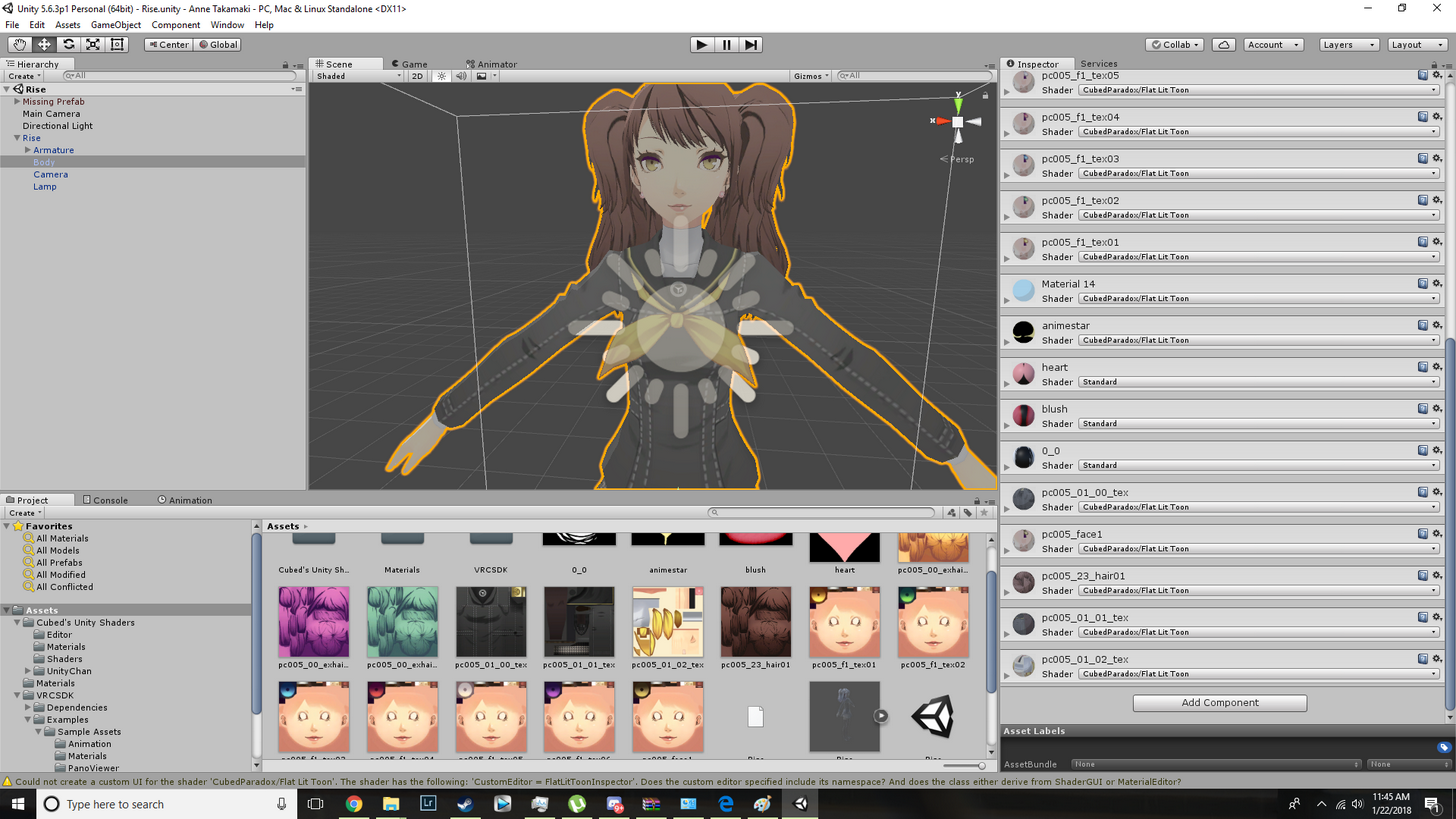
and this is what it looks like when I re open my project with that shader on.
one sec
I touch nothing, I simply re open my project
and then I get...
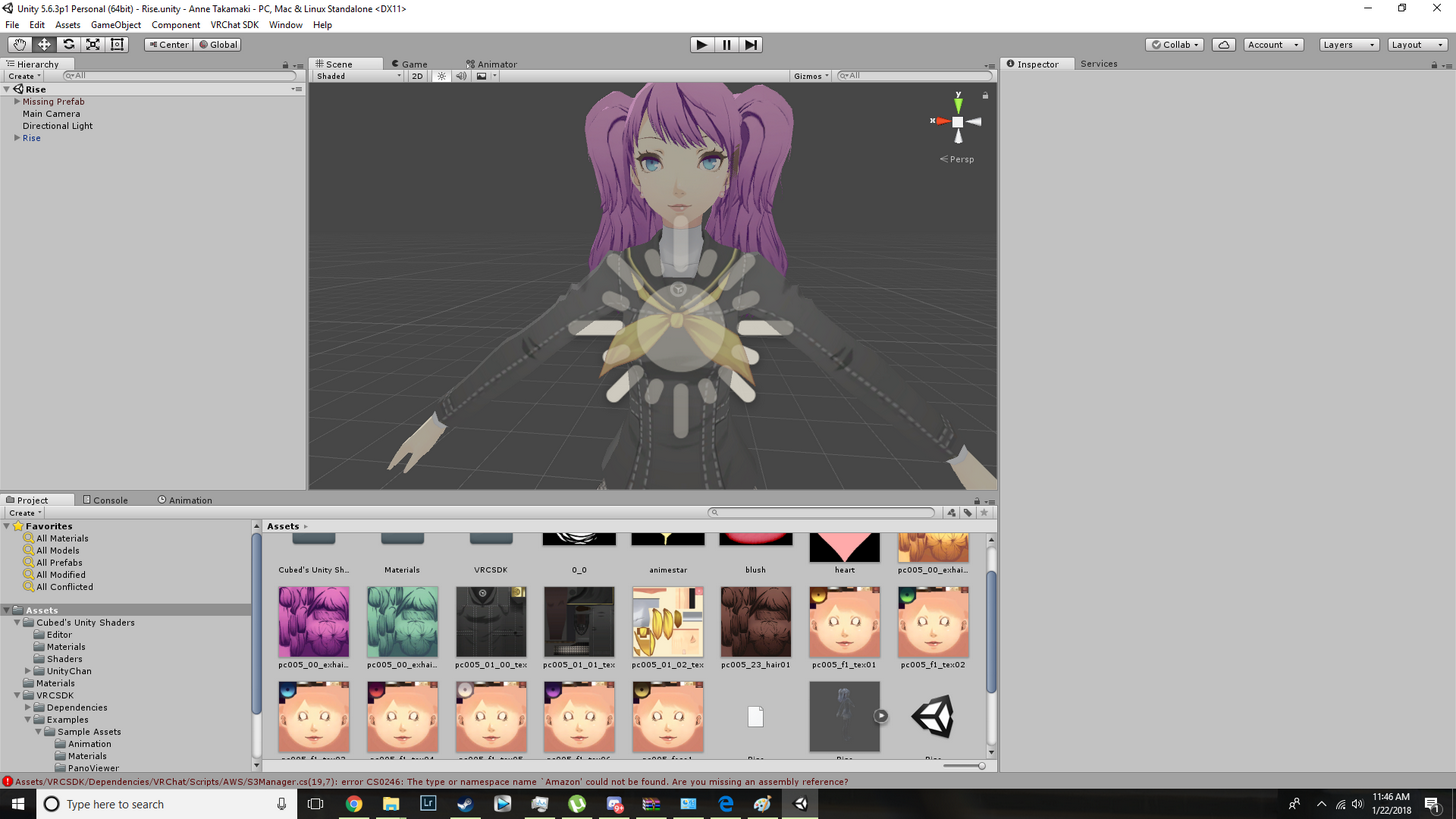 viscid siren
she really has a lot of hair materials
lofty dust
this fucking shit. Just for reopening my project.
viscid siren
how about deleting the ones you don't want
lofty dust
well when all ofem are set to standard, they create the right hair color/gradient.
idk which one is necessary.
viscid siren
how about take one and edit it so that it's the color you want
lofty dust
what about the eyes?
why are they fucking up?
cuz only the hair and eyes are fucked
frail dawn
it looks like the model came with mutiple textures so that it can look diffrent THUS ALL you need to do is mess with the textures
viscid siren
^
frail dawn
eyes are connected to face
lofty dust
so just start deleting them?
viscid siren
you can remove the material component from the inspector so it won't affect the character anymore
lofty dust
so remove the ones I dont want?
viscid siren
yes
lofty dust
and how do I remove a material?
I know I can delete the albedo, but is that the same?
viscid siren
press the cog https://gyazo.com/045d2e47de58d081b5dc04cb119a4421
 lofty dust
GUYS I FIGURED SOMETHING OUT
I changed the purple hair texture
to a different texture of a different name
frail dawn
....
lofty dust
and its the appropriate color
Im thinking someone who created the model misnamed a texture or two
so I was applying it to the correctly named texture, but in actuality it wasnt the right one im thinking
Maybe?
frail dawn
there was mutiple textures so it would have mutiple ways to look
lofty dust
now just gotta figure out the eyes and im gucci
frail dawn
all you have to do to change the matertails texture is find the one you want to change then click it then press the little circle next to "main Textures"
Eyes would be with the face most likely
looks like there are 7 diffrent eye colors to pick from
anyways i got to go cya
frail dawn
i know..
lofty dust
he gave variation to the model in case you want different things
frail dawn
its why i been repeating myself over and over
lofty dust
Thanks man. I feel stupid. But I learned. My model looks great now 😄
frail dawn
all good more you learn the easier it gets
frail dawn
i have models with purple hair got a problem?
viscid siren
:P
 gaunt void
Dunno if this is the right channel but does anybody know how I can make the eyes and rest of body not use the same texture on this model?
https://gyazo.com/c8bd57edb30aca0b0ca1dee3e224db9c
(I'm making this for a friend, seriously)
 viscid siren
make a new material in unity and jsut add the eye texture there and then drag the material ball on the eyes.
gaunt void
They already are separate textures
viscid siren
yeah,but they aren't separate materials
gaunt void
that's what I meant
https://gyazo.com/77e00695e5c8ea033f90e406cc9e84ea
(those are eyes not boobs)
 viscid siren
but you are only switching the albedo in the gif, which still is a same material but with a different texture
jsut create a new material ball by clicking right on the asset window and select materia, give it a albedo which is the eyes, drag and drop it on the eyes on your model
rememebr to rename the material
gaunt void
It doesn't let me drag the material onto the eyes
oh nvm, I had to drag it onto the actual model, not the file
Thanks for helping
hot breach
Ok, things I want to acomplish but don't know how.
- Remove only the face textures of an already complete Pokemon MMD.
- Create a new Ditto face to replace the old one.
- Insert said face face onto MMD model without screwing anything up.
spiral sigil
wouldn't you just draw over the texture file?
 outer roost
is there a way to rip FF14 models from the game? Want to use one as a avatar
spiral sigil
@outer roost http://ffxivexplorer.fragmenterworks.com/
outer roost
thank you
spiral sigil
there's even a browser based viewer https://ffxiv.dlunch.net/model.html
but the explorer will export models for you
 slim summit
when im making the shape keys I keep missing small faces
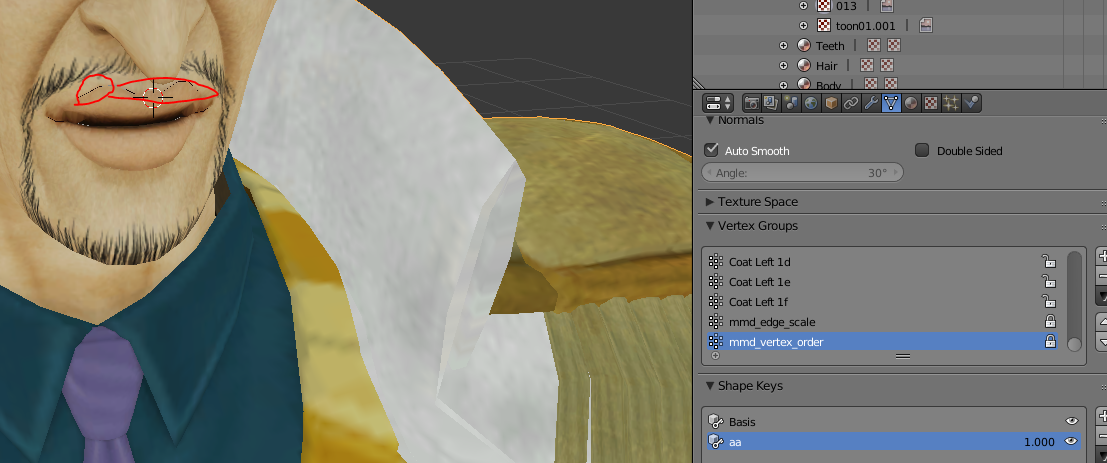
so II get these little black spots
is there an easier way to do this
 tawny anchor
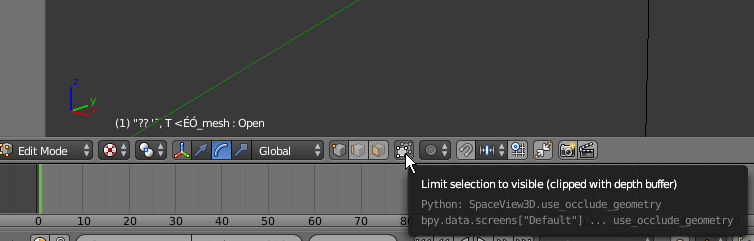
wireframe + depth so you see the vertexes behind it and use the are select (C i think) from inside the head to make sure you don't miss them
slim summit
whats the hotkey for depth
tawny anchor
lemme check
https://i.imgur.com/A3jkSbz.png idk about the hotkey, but that's the option
 tawny anchor
😂 hope u saved
slim summit
I didnt
😂 🔫
Id only need to create 3 shape keys for mouth movements in blender for visemes to work properly rihgt?
 storm kelp
 vast kite
I have a bone on my sleve and a bone for my arm, does anyone know how to link them so they move together? http://prntscr.com/i45e5d


 quasi flame
Try parenting the sleeve bone to the arm and keep the offset. See if that works
 glossy shell
Hello, nerds! I was told to go here for your wisdom. Do any of you know why unity would decide to turn my avatar into Cloud Strife when I import it?
Here's a detailed demonstration for you https://a.uguu.se/Dhse3c8zOZn7.webm
 quasi helm
hey guys
when i turn on pose mode in blender then move a piece
then do pose>apply>apply as new rest position
it just snaps back
what am i doing wrong?
 bold stone
For anyone good in blender: A model I'm using has a backface culling issue where the other side of his apron is see through. Rendering it double sided doesnt help and if I flip normals it just reverses what shows

 inland matrix
@bold stone Ultimately I think as far as its eventual trip into unity goes, you have to use a double sided mesh shader. Otherwise you'd have to make a copy of the geometry you want double sided and invert the normals facing. Which is kind of an unwanted expendeture of geometry budget usually. 😐
bold stone
thanks. appreciate the help
 runic barn
circonia double sided shader pack off the unity asset store m8
 iron valley
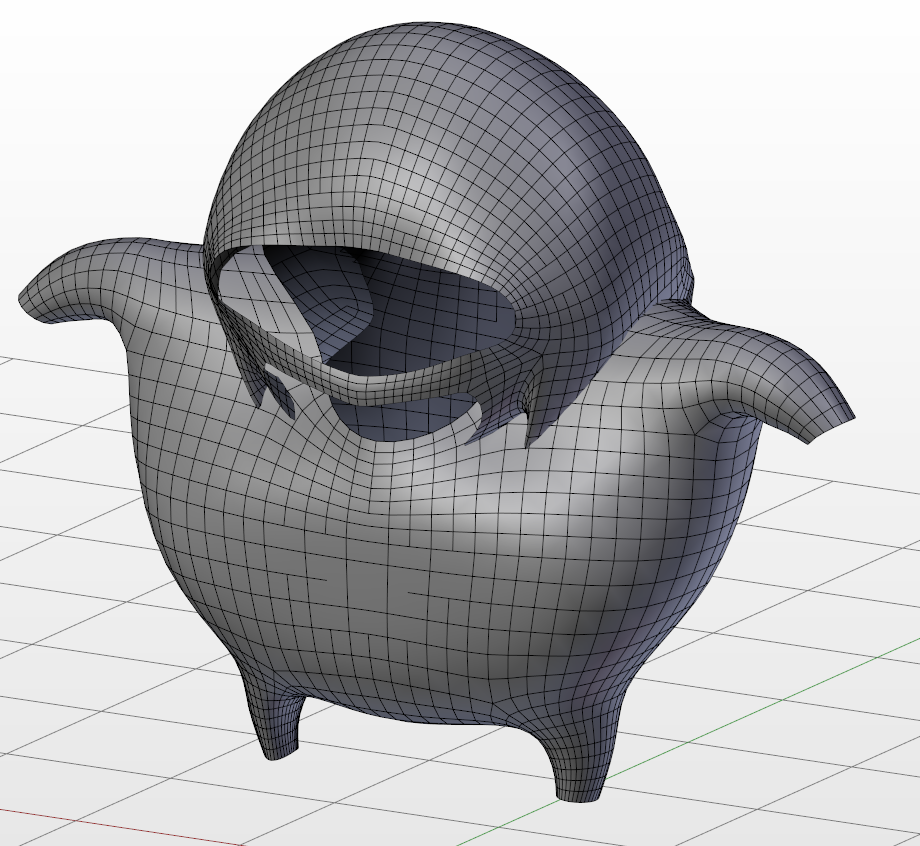
I wonder if ANYONE tried to fix the knuckles model
it's SO BAD
topologically
in the meantime
 rugged hill
you can't put sprinkles on a turd and call it a Cosmic Brownie™
 dusty roost
haha
 minor ridge
Someone actually fixed it already https://www.reddit.com/r/VRchat/comments/7piir4/meme_i_remade_the_ugandan_knuckles_model_after/

reddit
132 points and 27 comments so far on reddit
 left inlet
i like it how everyone is calling it crap for not looking crap
 proven stone
the fixed version lost all the small/charming detail I usually put up with all the knuckles because it looks derpy.
if I see that fixed model I'd just block lol.
viscid siren
Don't fix what isn't broken, original was just perfect that way.
spiral sigil
there was a knuckles model
that had like somewhat pastel colours like from that video
looked very close to the original there haha
proven stone
if you are going to fix the topology atleast do retopo so you keep the shape I guess
 trim turtle
I just love how they call that Ugandan Knuckles
whereas I associate it with Gregzilla or Knuckles Sings
spiral sigil
I have a little vertex problem about my avatar. The vertex locate at the wrong place but the vertex in the 3d screen seems fine
small cloud
@vast kite there's like 2-3 overlapping bones, you need to parent those to corresponding main bone and then hit mix weight in cats,
every1 has issue with that avatar
 shut talon
Where could I find a huge variety of good looking images of various characters in, preferably, a t-pose
I have one specific character in mind, but it seems like it isn't going to be easy to find one
 dense meteor
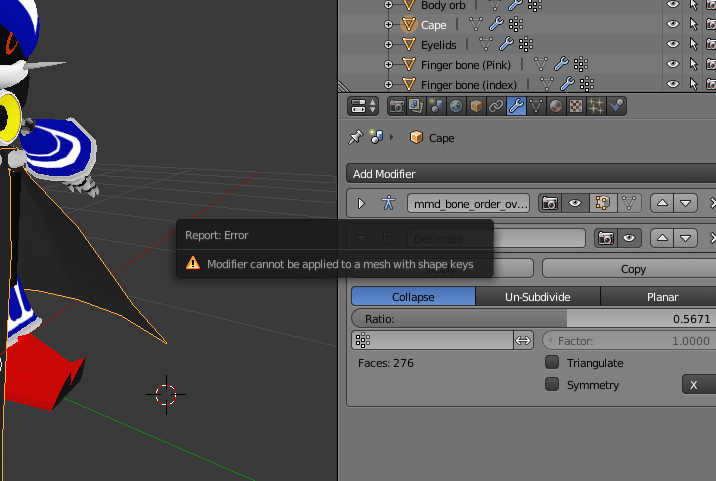
https://i.imgur.com/Ppw2DFq.png How can I fix this error message from occuring
 shut talon
click the triangle next to the wrench
go to shape keys
make sure they're not important to you (if it's Basis, you can 100% delete it)
and then click the - sign
on them
Shape keys are basically used to make animations @dense meteor
whatever you do, do not delete any of the shape keys from the face area if you want to do eye tracking and visemes
shut talon
Yeah, pretty much
shut talon
Do you have the CATS tool?
dense meteor
yeah
 dense meteor
okay
and if I remove shape keys from fingers and wrists and stuff
can I use the avatar still in vr?
shut talon
Shape keys are pretty much used for animations
or at least afaik
So you should be able to use it
dry lava
@dense meteor Nice Metal Sonic. That was what I had originally planned on making from scratch
 nocturne marsh
There is a nice fork of blender that is way more easy to use. bforartists if anyone want to try.
shut talon
Is there much difference where I start my model?
I mean whether I start with the legs or the face
dry lava
If I set an object to have a specific material in Blender (with subsequent diffuse/glossy properties), will that transfer to Unity via FBX or a normal Blend file?
 twin rapids
any shader gods on that can direct me to the appropriate shader, i have scoured asset store cant figure it out. Need the background of the material to be unchanged with a cutout of lightning shape to overlay ontop. inside of the cutout needs to change color to the setting i need and rapidly. simulating midoriya's powerup charge before and during his smash in boku no hero academia. much appreciated thanks!
dry lava
Like an emission overlay that omits all sections but the lightning?
twin rapids
yes exactly
dry lava
I have yet to explore that, but read about it.
I'm also not sure how to get a color change with it
twin rapids
is it a complicated shader? It sounds so simple compared to what other ones do
dry lava
As far as I know, emission overlays only work with the underlying color
Like, a green color from the atlas will give a green emission
If it's Unity based, I have no clue
But I know it's possible since I've seen rainbow stuff that progresses through ROYGBIV
Like that rainbow wendy avatar thing
twin rapids
ive gotten the full cowling particle system complete but i cant continue in animation progress without this shader figured out 😦
dry lava
Wish I could help, my man. I'm still struggling through my unwraps and texturing before Unity import
I just end up reading things more than doing the work on my own model
 dry lava
So I have to set all material reflection properties and such in Unity?
 kind idol
im moddeled it texured it and rigged
texturing was done in unity in 5 minutese
really easy
dry lava
Texturing in the sense of material properties, or texturing in the sense of how the mesh is colored or speckled?
kind idol
i think so yes
uhm
i just got a picture of a cardboard texture of internet and added a material for the box than just dragged it on and it looked fine
and i did custom colloring
kind idol
i dont really know how to do that sorry
dry lava
All good
kind idol
i just did it a simple way😄
dry lava
I had planned on doing that, but ended up going deeper into my learning
kind idol
okay
 lament pond

 ruby locust
welp, time to experiment Model importing with spins a wheel of torment Deviantart.
Alright, haven't done this part yet--Is it even possible to decimate a model from 130k tris to <20k tris?
viscid siren
it would take quite a bit of detail, so if the model doesn't have any normal maps yet you should make a duplicate of the current high poly and use it for creating normal map later for the decimated model
spiral sigil
Hi, Im new to blender,unity and need some info. So i have a model with cat ears, but they are visible only when their shape key is 1.000 (they kinda growing from 0 to 1).
So i set slider to 1.000 (so they are fully visible) then imported to FBX, but in Unity i cant see them. What to do?
viscid siren
so you kinda have the detail there
sorry don't ahve much experience with whole shape key shenaningans
 coarse marsh
Mah bois
MY cape I created for my avatar in Blender keeps falling through the map everytime I spawn in
Anyone knows how to fix this issue?
dry lava
@viscid siren How much material editing experience do you have?
viscid siren
I use substance painter.
dry lava
Maybe I'll pose the question this way instead: Is it possible to assign a material (with its reflections/glossiness, etc) to an object and have those material properties transfer to Unity?
Err, assign in Blender
viscid siren
they won't you would have to make different texture map for those and then put the texture in their rightful spot in the unity material
viscid siren
most those maps are grayscale
i'm exactly explaining that to you
they need their own texture images
for reference there is a roughness map, metalness map and ... well normal map
which mostly gives the detail that the models need
details and how much the light affects the material
dry lava
So I would essentially want to create a flat color atlas, then bake each property onto the atlas? AO, diffuse, etc?
Or do you mean apply those roughness properties in Unity?
dry lava
Say I assign a metalness of 1 to a component in Blender, after I UV it, apply the color I want the finished metal to look like, I could bake a bunch of property layers as separate images to stack on the atlas in Unity?
That link is actually pretty useful.
My model isn't so complex that I need a normal map, though
viscid siren
poliigon is a great site from which you can get some really good material textures
dry lava
I figured it was, I just didn't know if I wanted to pay for some of those textures
barely scratching the surface of texturing, etc, so I didn't wanna deep dive right away
Plus, the free trial only lets you grab 1k x 1k textures
So if I just have a bunch of flat metal surfaces that I just want to seem somewhat polished/reflective, I could just bake a specular map onto my Atlas?
I don't have any sculpted "wear and tear" type stuff to necessitate a normal map
 hot hill
Does anyone know a good tutorial video on how to take the hair (not the head) from one model and put it onto another, including the bones?\
slim summit
So what youre asking is to delete the hair of model then copy pastenew hair to another model, parent the bones to the new head and weight paint it accordingly?
spiral sigil
does anyone have a 3d model of dabi from my hero academia that i could use?
 fast sentinel
Can i somehow insert an edge on a flat surface?https://gyazo.com/046b6ddc8fd591632ed297317cf1f8d4
 spiral sigil
does anyone have a model of law from one piece that i could use
 proper galleon
I dont know if this is a good place for it, but im looking for a person who can create a custom model from my drawn artwork. Not for free ofc. Do you guys know any place I can search for that =^.^= ?
 fast sentinel
Thanks! @small cloud
spiral sigil
@proper galleon you could ask me but I'm not in the professional level yet haha
I assume there's another discord server for that actually
 sudden timber
anyone do commisions? need someone to put pieces on a character
 drowsy lantern
What's the difference in .mesh and .mesh.ascii
I have a model and it has both options
hot hill
Does anyone know if CATS plugin removed rigid bodies by default? I was watching a video explaining how to display/remove them using MMD Tools. I have MMD Tools installed, but I don't see anything under "Rigid Bodies" when I go into that plugin. It just says "Select a MMD Model" and that's it.
 quasi salmon
Yes, it will remove them by default. If you do want to keep them (not recommended), you'll need to adjust the settings in the bottom-left when you import the model.
 worldly topaz
http://prntscr.com/i4oqjl is there any way to fix the invisible side of my cape ?

 sand hemlock
Anyone have any idea why my textures on the frills are acting like this? https://cdn.discordapp.com/attachments/405489889467957259/405515570901942274/unknown.png

 dire marsh
@radiant notch I don't know if it's for every model but if you enable backface culling in Blender you should see that happening and the way to fix it is to select the vertices that make a face and flip the normals
@sand hemlock http://hnng.moe/f/Zhp
 sand hemlock
Thank you so much, it was taking me forever just to find this lol
dire marsh
np lol
spiral sigil
@worldly topaz the problem is unity (and most games) only render one side of a polygon, to skip all the polys you only see the back of
one solution is making the cape double layered in blender and having the normals on each layer point outwards
another one is using the toonshader's outline to force double sided rendering in unity, making both sides of the single layer visible

In computer graphics, back-face culling determines whether a polygon of a graphical object is visible. It is a step in the graphical pipeline that tests whether the points in the polygon appear in clockwise or counter-clockwise order when project...
small cloud
you can add "culling off" in shader or use 2sided shader, or use outline in cubeds shader
sand hemlock
2 sided shader?
 radiant notch
Oh I was so confused when someone tagged me. LOL
 tiny cipher
Someone mind helping me with a small problem in blender?
My textures wont show up because of a language problem I'm going to guess, and I have no idea how to fix it
small cloud
@tiny cipher when u extract with winrar, press ctrl+E and change to japanese encoding
 shell oak
 tiny cipher
@small cloud I did change it to Japense Encoding, but it still didn't work.
small cloud
if you have pink tint, uncheck sphere and toon tex above shadeless
if its just couple parts, delete the material, create new and add texture image, hit shadeless
small cloud
try this @tiny cipher http://prntscr.com/i4pd0l
 tiny cipher
I also did that
I can send you the file i'm working with
for example
It's the pop team epic girl
small cloud
sure
tiny cipher


 tiny cipher
What did ya do?
small cloud
as i said, change encoding to japanese
small cloud
my system locale is Japanese, but changing the encoding should do the same
small cloud
yes, so you change to japanese encoding and extract
tiny cipher
Extract to
sand hemlock
So I managed to get the holes all fixed and everything, even tried getting it two sided... but I ran into this issue where the shading looks off (and b/c I duplicated the textures phase into eachother). Any ideas how to fix this...? https://cdn.discordapp.com/attachments/405489889467957259/405537036704022530/unknown.png
 tiny cipher
Ok, so I'm having a problem
I'm almost done importing my model to VRCHAT
I just need to
"Add a scene descriptor or avatar descriptor to my project"
How do I do that?
 tawny burrow
how about you watch a basic tutorial on how to import models into vrchat
 charred schooner
May I know if there is a way to "fill in" the spots on where the skin is shown? Decimation kind of "tore" some parts of the clothes and revealed the skin like that.
https://cdn.discordapp.com/attachments/244449337738788865/405566033991303178/unknown.png
 spiral sigil
Hot
In edit mode you can select all the edges around the opening and press f to "fill hole". You can also press K for the knife tool if you want to... make any edges.
Maybe try that not sure if theres some better way
i need some help with unity, trying to add weapons (non functioning) to my model
sand hemlock
I've been trying really hard but I cannot figure out what this is or why its happening https://cdn.discordapp.com/attachments/405489889467957259/405568826676084739/unknown.png
 charred schooner
Thanks DEADCAT, "Fill hole" seems to not work but knifing it and then merging it worked for me.
spiral sigil
Sure
i need some help with unity, trying to add weapons (non functioning) to my model
If you don't find help here you can try the VRCat Forums. Your questions won't get lost in chat like discord and it's more organized

VRCat: Community-Run VRChat Forums
A fan-made community for VRChat.
hey i have a question, does anybody knows how to draw on texture, for exemple i want to draw a dick on my model's forehead, how can i do it
You'd find that the texture for your models forehead and draw on the image file... But I doubt that's allowed nor should you do it unless if you were referring to that as "an example"
yeah i was referring to that as an exemple ofc lol
Do you know how to open the image file and edit it? Was that your question?
i dont know i didnt even try its hard to find the texture that i want to draw on
its messy
Just look for similar features of the characters forehead?
i dont really want to draw on it i just wanna put a picture on my chest but i cant find it so messy
You should attempt to look for it
so after i find it i need to click on it and then draw and save ? will it work
Yes as long as the file name and type stays the same...
But you should save a copy of the original texture so that you don't lose it
alright ill try to do what you said thanks for the help
dammit i have to use photoshop to place a picture on the texture
Do you have photoshop
I mean it would make sense to use an image manipulating software to edit an image
Need help in blender
Can you be more specific
 tender geode
Same thing, I was wondering if anyone knows how to fix when blendshapes become broken on a model
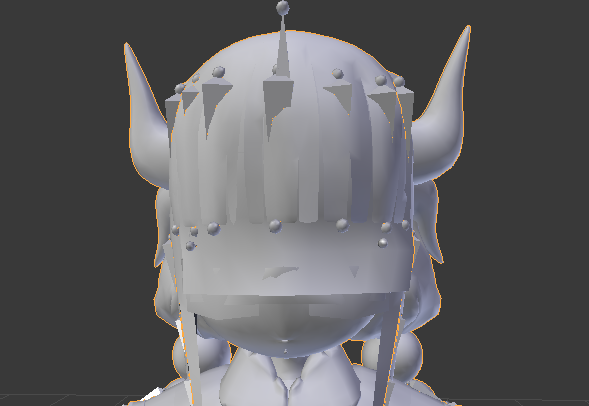
The pmx file is fine in pmxeditor, also before i switched to fbx it looked fine in blender
 steel quest
If anyone has experience with blender and unity pm me or privet call if you could. 😄 would be apprieciated
tender geode
It was til i put it into unity as a fbx and put some textures i noticed all the blendshapes were mushed together
steel quest
i have a similar problem sort of lmao
i edited a model to remove pieces that wouldnt cooperate and i could do without and when i improt to unity its broke af lol
tender geode
You removed what pieces?
steel quest
i was attempting to upload an evelynn avatar and the newer eve has these like flosting "Tails" but they just stick out straight instead of float behind her so i removed the verts of the tails to remove them
leaving only the character itself
tender geode
Do you not have dynamic bones?
steel quest
should
i didnt mess with anything else in the model
when i imprt the original "with tails" its fine
tender geode
No, do you have the dynamic bones unity pack?
steel quest
i import without and its goofed
perhaps not
very new to this
started like 2 days ago lmao
 shy tartan
Is there a guide or something on merging meshes without them losing their proper texturing or UV maps? Every time I combine meshes all but the base part they were merged into lose their texture mapping
 terse marsh
Hey what do i do to keep my model from falling throught the floor
hot hill
Someone told me just now that VRChat devs have stated they intend to up our polygon limit from 20k to 60k. Can anyone confirm this?
hot hill
Do you know where they wrote/said it? I just have a difficult time believing they would up it to that. Even 20k moving verts seems like a lot to render?
tender geode
Uhhhh no its not
honestly they can bump it to 64999 and everything would be fine
as long as you dont get models at or above 65k there should be no issues
hot hill
Even with 20+ people to a map?
shy tartan
There's explicitly FAQs saying that the devs have no plans to up the limit, its one of the most common rumors and it's got no truth to it. 20k is more than enough anyway
 safe flume
20k becomes a problem because the majority of the models are converted from MMD and those models aren't made with gaming optimization in mind.
hot hill
@spiral sigil @shy tartan Thank you
 winged shuttle
@tender geode Learn base two.
It's 65536, but since 0 is a number, max is 65535, but because they use a < instead of a = it should be limited to 65534.
tender geode
Oh okay
winged shuttle
65536 is 2^16 or 256*256.
sand hemlock
I am having an issue with importing my model into blender, trying to add dummy fingers but I keep getting these glitchy textures all over the frills... I have tried flipping the normals and everything, but it just won't work. https://cdn.discordapp.com/attachments/405489889467957259/405537036704022530/unknown.png
 ruby raptor
thats either due to decimation or there not beeing a smoothing (in C4D is something like "pong") edit on it
I reckon at least
sand hemlock
It seems to happen with both my .fbx and my .dae file, is blender the issue?
spiral sigil
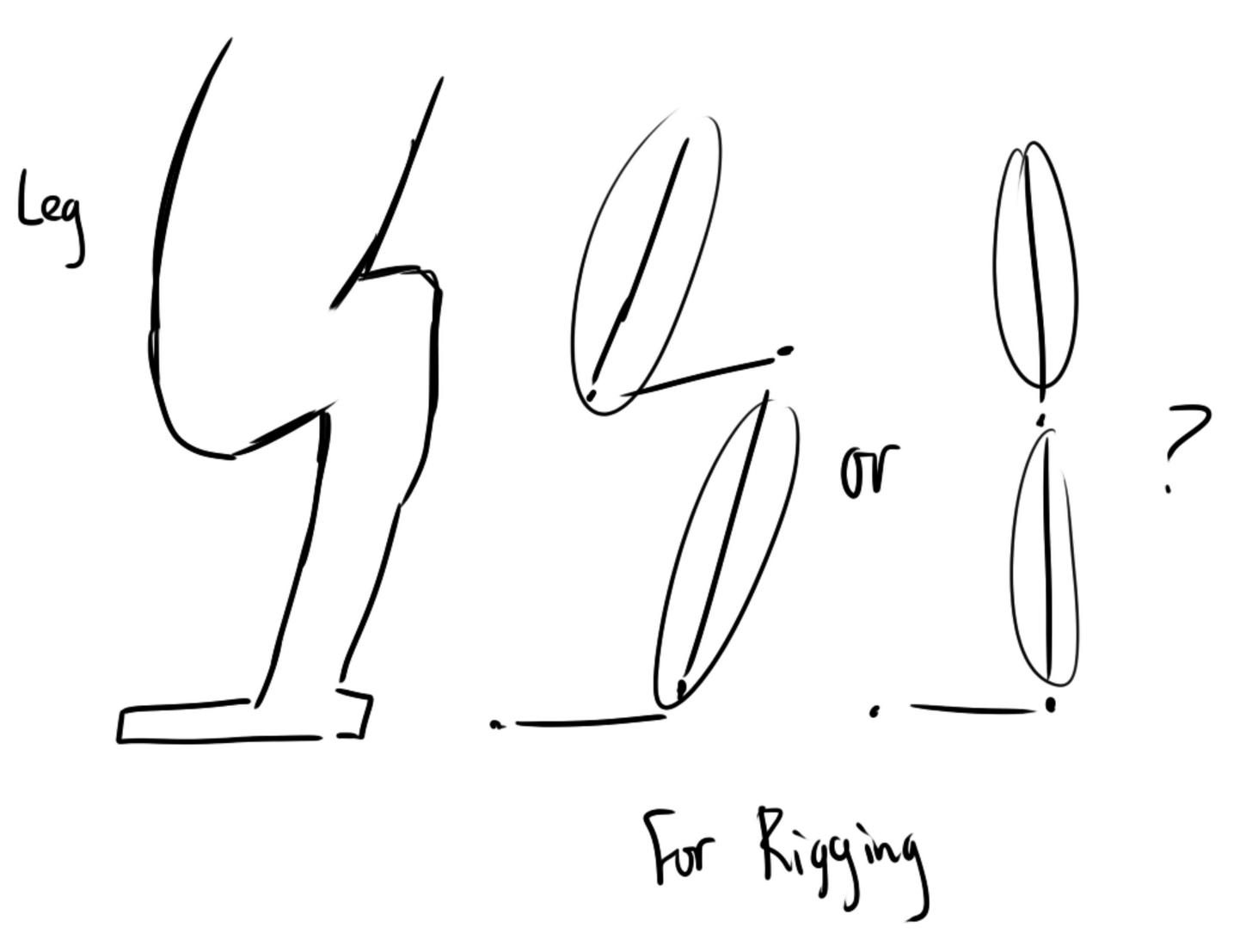
I have a question when it comes to legs
I'm planning to create another avatar with a character who has legs of an creature (as shown in image)
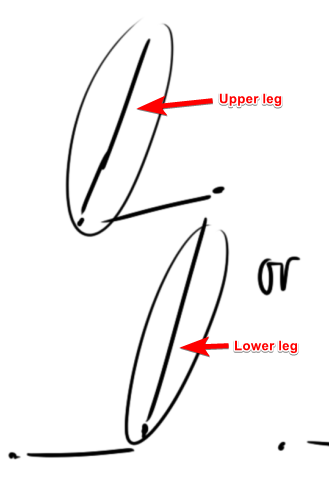
When it comes to rigging the bones in unity, should I pick the 1st or 2nd option? Do I have to create some sort of animation for them if they dont work out? I've seen people have raptor avatars n such
https://imgur.com/a/dYsbm
 viscid siren
just a normal rigging is fine, just ahve to create custom walking animation then
viscid siren
not quite sure how then it would work with full body tracking
spiral sigil
the body is humanoid
viscid siren
probably just have your bones rotated correctly
spiral sigil
ah
 errant bronze
@sand hemlock Frills having issues may be because of transparencies in the frills which is fixed by setting up Cubed's Flat Lit Toon shader properly
 mortal leaf
Hello, I have a problem importing a model from Maya to Unity. The model looks ok in Maya but in Unity it has transparent parts depending on camera position. That means I can view the texture from it's back. If someone had this issue, assist me please. Thanks
 cobalt willow
@spiral sigil I suppose the first option would be how to do it. If it helps this is how my avatar is rigged and it works really well https://i.imgur.com/64Zg5nZ.png
 small cloud
@mortal leaf add tinted outline set to 0 and white in cubeds shader, or you can use double sided shader
or add Cull Off in shader you are using (can send screen where to)
cobalt willow
Though my models legs aren't as extreme as in your example
spiral sigil
well im still figuring out how the legs works
viscid siren
well yeah that works only make feet bone and toe bone longer or act as another point
joint*
spiral sigil
but thank you very much, that is useful to know 👍
cobalt willow
https://i.imgur.com/QJsw97w.png Assign this as such
 mortal leaf
@small cloud thanks, let me check
spiral sigil
ah
cobalt willow
You can have as many bones in between
spiral sigil
thank you so much for your input
cobalt willow
Hope it works out
spiral sigil
i hope so too
mortal leaf
@small cloud I reversed the normals in Maya and now it's all fine. Thanks for pointing what the problem is, understood after googling your answer a bit)))
small cloud
@mortal leaf yeah or that, i find it easier to put cull off in shader if i dont use cubeds rather than flipping normals
mortal leaf
@small cloud to do what you mentioned you need your own shader?
small cloud
no, 1 sec
i dont know where exactly it has to be, but i put it usually here http://prntscr.com/i4zbw7
 mortal leaf
@small cloud thank you
spiral sigil
Hi all, i have a model with cat ears, but they are visible only when their shape key slider is set to 1.0
But they will disappear after exporting the model to FBX, i dont really know what to do.
 brave shale
Anyone know how to apply a color correction map in 3dsmax? And how to apply colors that will translate over to blender and unity?
glossy shell
Hello, nerds! I heard there are some experts here on 3D modeling.
This is my model https://a.uguu.se/GFYQqHc5BMuW.png
It does not have any jaw bone, but it does have lip bones. Can I get visemes to work?

 indigo sedge
@spiral sigil
in unity go to the left side where the hierarchy is. go to body and open blendshapes on the right side. you can see the shape keys in that window. put the one for ears to 100 and done
spiral sigil
@indigo sedge Omg, u saved me, ❤ Thank you!
deft briar
Hope this is the correct place for this question, but: I'm trying to acheive a certain texture effect on Blender and having difficulty. You know that sort of plaid effect, like the texture is unmoving on a separate "layer"? Like the model that has it is a window to the texture? I hope that makes sence; Any way to acheive this?
 fringe heart
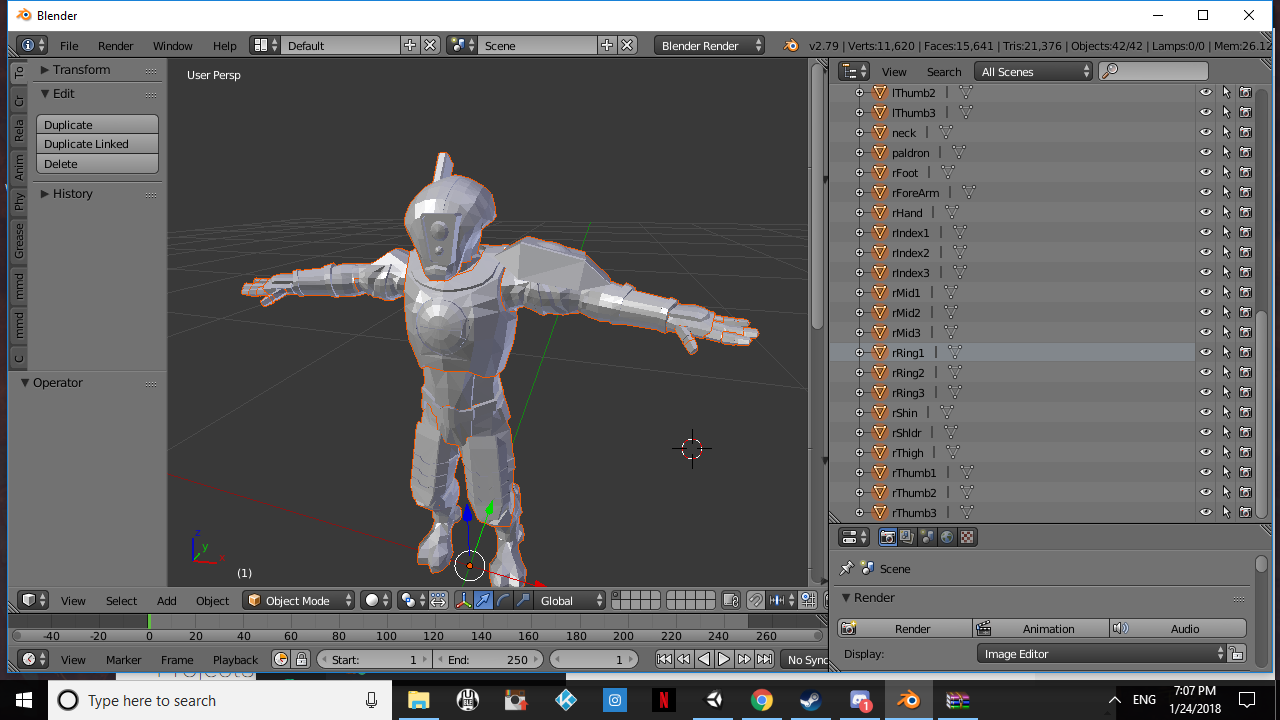
When your rigging skills go from 0 to a sudden 100 https://puu.sh/z8N4o.jpg

 desert anvil
its a obj file i cant get it to add the textures do i need to export it as a fbx then start working on it and rigging it?
dry lava
Nah, you can work on it right away, though I'd save it as a blender file while you work
As for texturing and rigging, unless you have a separate Atlas or UV map file, you'll have to make all that from scratch
desert anvil
i have jpg texture files i just dont know how to apply them to the model
dry lava
Google for applying texture maps in Blender
Easier to see how it's done rather than explain it here
sand hemlock
I need someone who is good with blender to possibly help me one on one with my model's issues x~x
dry lava
What specifically?
sand hemlock
I'm the one with the frills issue, the facing's are acting up and all that https://cdn.discordapp.com/attachments/405489889467957259/405568826676084739/unknown.png
I've tried many suggestions, I've tried different ways of exporting, I've messed with random settings... I don't know blender and its driving me crazy :<
dry lava
The frills are doing what?
Stacking on each other?
Or is the geometry of the mesh inconsistent?
sand hemlock
I'm not sure what you would call it, the faces flip but when I flip them back over they look like the previous image https://cdn.discordapp.com/attachments/405489889467957259/405808812805718026/unknown.png
 dry lava
You mean, flipping the normals?
sand hemlock
Yea that, not faces my bad
dry lava
What is it supposed to look like?
sand hemlock
https://cdn.discordapp.com/attachments/405489889467957259/405809617801838592/unknown.png It looks fine in Mixamo
 dry lava
If you're flipping the normals, what might be happening is that since that mesh is non-manifold, it just reverses them all
So you might have to select each face you want to be facing outwards
sand hemlock
I have done that
the image I showed first is what it looked like afterwards, every normal I flipped was not the right color/texture or something. Gave this weird triangular choppy graphic
dry lava
Have you changed the geometry at all that the texture atlas can't properly color that geometry?
sand hemlock
I don't know what that is lol
dry lava
Have you moved or resized any of that frill mesh?
sand hemlock
None
I've only flipped and yesterday I tried duplicating to have it on both sides, but both came out with that first image
dry lava
If you hide everything but the frill, and wire frame it, is it all triangles?
sand hemlock
hide everything but the frill and wire frame? What do you mean?
dry lava
Select all but the frill, hit "h", then hit "z" in Blender
Not in edit mode, mind you
Object mode
sand hemlock
If you are talking about how it looks as the wire frame, it looks normal
dry lava
Is the frill mesh a bunch of triangles, or are there quads?
sand hemlock
Triangles
dry lava
Do the triangles that comprise the mesh match up with the visual problems you see?
sand hemlock
Wait, I see quads too actually
Oh, yea it seems its a mix of quads and tris that are randomly missing/flipped (I guess?)
dry lava
That's what my guess was
Since it's just a flat mesh, it doesn't know what's inside and outside
So you've gotta comb over the whole mesh to flip what you want to be outside
I think
sand hemlock
I've done that
dry lava
Tried viewing the textures to see if that's being impacted in Blender?
I know it was weird in Unity
sand hemlock
How do I add the textures to the model in Blender? lol
dry lava
It's easier to just look that bit up than explain it
Since I'd be explaining UI elements
sand hemlock
Alright
dry lava
Sorry
sand hemlock
I couldnt get the texture on it for some reason, it just stayed blank white, but using Cats from a previous attempt gave me this https://cdn.discordapp.com/attachments/405489889467957259/405817504867287041/unknown.png
 dry lava
I swear those normals look flipped randomly
sand hemlock
It seems like it only happens in Blender is what I have been noticing
dry lava
I don't know the solution, my man. Sorry.
Stumped myself without messing with it
Might be a shading thing with those textures
With a normal map
It looks like its flattening the normal map or something
sand hemlock
Hmm, well thanks for trying. If it means anything, the model is from Models-Resource, PS3 model. Idk if that helps
dry lava
Or the AO map got fucked
sand hemlock
Would someone be willing to make me dummy fingers with the model then? B/c I dont think it'll be possible for me, unless Maya is a good alternative to try?
dry lava
You mean bones?
sand hemlock
Yea, the whole reason I need it in blender is to give it dummy fingers
sand hemlock
Yes
dry lava
So you don't have all 5 fingers or something?
sand hemlock
Yea, thats my issue, but I can't get it into blender without those normals being messed up on the frills
dry lava
I don't know if you can add bones in Unity, but it's pretty easy in Blender
sand hemlock
I think I've already added the bones before, but like I said it screws with the model and I don't want to run around looking like a choppy avatar :<
dry lava
Fair enough
sand hemlock
I noticed something, the model I auto-rigged with Mixamo and the one I put into blender and added the dummy fingers to have different tris and verts values
 fading dust
Anyone knows a plugin or a way to only select outer edges of a mesh? I want to dissolve the inner part of the mesh but the outer must stay original otherwise there will be holes in the model.
dry lava
You can select the faces you want to delete in Blender, and hit "x" and select delete faces only
That should leave the edge lines to fill in however you please
coarse walrus
Can someone find me a 3D model of Max from Sam & Max?
fading dust
@dry lava gonna try that in a bit, thanks
coarse walrus
I can't find any.
dry lava
@fading dust Keep in mind, that'll still keep the vertices of where those faces connected to the outer edges, so be careful of that
desert anvil
anyknow know where i can find a premade rig for vrchat? I want to rig this tau firewarrior
dry lava
@coarse walrus I don't think people are gonna do your work for you
If you want a model in game, either do the research to find it, or make it
desert anvil
i have the model and textures its just not rigged
dry lava
@desert anvil I think there is a sample model on the VRchat website or something
desert anvil
i couldnt find it?
dry lava
It's also in the VRChat SDK
 quiet furnace
Anyone having trouble uploading their avatars on Unity? I'm stuck on uploading image
 umbral crystal
its a scene and u have to rig it or else it wont work
places like mixamo or blender/maya plugins can autorig it for you
 blazing basin
@quiet furnace try going.in the settings for vrchat in Unity and.select check for updates fixed mine
quiet furnace
Okay thanks
 cursive sage
How do I take the weight paint of one vertex group and apply it to another?
Like to copy and paste it
 exotic gust
Who here is good at making Avatars??
spiral sigil
I'm modelling my first avatar from scratch right now; only been importing and editing existing models up till now
spiral sigil
Good luck with that
 oak summit
is anyone familiar with scrolling textures for cloths
 pearl willow

 steady notch
Anyone in here a 3DS Max user? When I add a Morpher modifier, it looks like my smoothing groups break. I've never seen that before and Google turns up nothing
spiral sigil
Is it possible for someone to send me a Model of Braixen thats already set and ready to upload to Vr chat so i dont have to go to a world to get it all the time i wana be able to switch into it as i please o: https://puu.sh/z9dfb/72ef2b8c9a.png

 rigid wraith
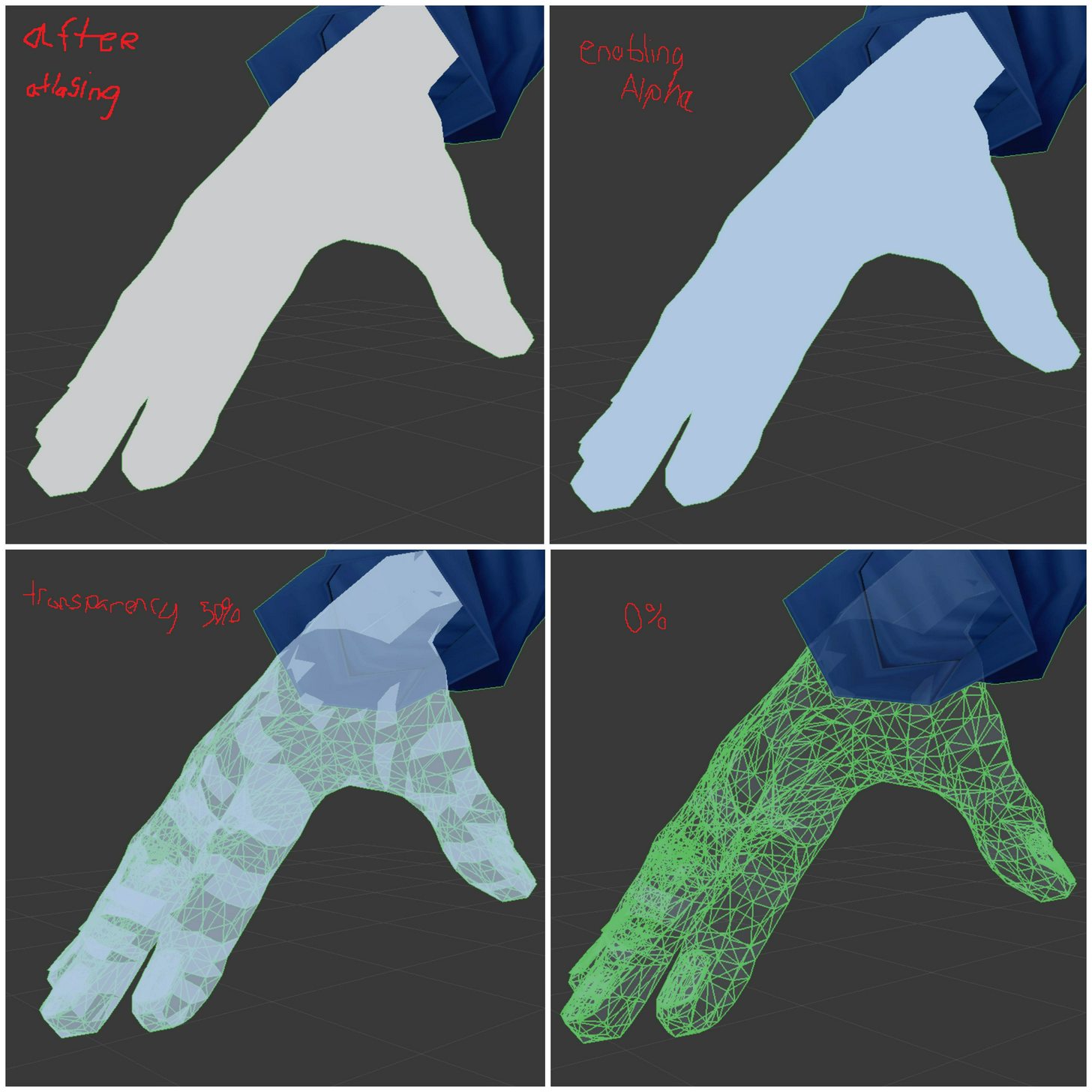
https://imgur.com/a/tbbLM so my hands were originally skin colored go figure but they wont work right after atlasing. following tupper's tutorial i go to fix shadow stuff and these steps occur. Also, on my texture atlas the hands literally show up as 1 pixel
 spiral sigil
Anyone else having issues with emissive materials lighting working within the engine but not in VRChat?
rigid wraith
only problem I had with that was part of my model was flipped inside out other than that not really
rigid wraith
it looked right in blender but when I brought it in unity the shadow was wonky once or twice
i just went back and flipped it wasnt much a prob wasnt sure if maybe it was what dray was struggling with
spiral sigil
ah
 hidden pilot
 crystal atlas
Google is sending me in loops - I am a completely novice/noob at unity - I imported a model I rigged in Mixamo and need to assign it back its textures but the material on all the meshes is named the same, so naturally the texture changes on parts change everything. I used control+D to duplicate the material and then named each material differently and now want to replace the materials on the meshes with their new named ones so i can give each a unique texture, is this even possible in Unity or have I done this backwards?
spiral sigil
@rigid wraith Nah that's face normals, usually if you want to check that out within blender go into edit mode and in your tab to the right there should be three little cubes, if you click the face one and increase the length you should see which way your faces are facing, that's not my issue
tawny burrow
@rigid wraith i dont know if your issue was resolved. sometimes unity is not able to read color in the texture files properly. converting to another fileformat (e.g. png) can help. i guess this might be related




 viscid siren
neat