#3d-modeling
1 messages · Page 27 of 1
 spiral sigil
 viscid siren
there are worlds which lets you chance to Rick.
 woven ibex
@viscid siren OMGU thank u uwu
spiral sigil
https://imgur.com/a/f2ccu anyone know how i can remove a part of this? its all one mesh btw

the broken finger is what i want to remove.
viscid siren
that is more of a issue with skeleton and weight paint
throw it in blender and check how the model looks in there
spiral sigil
ok
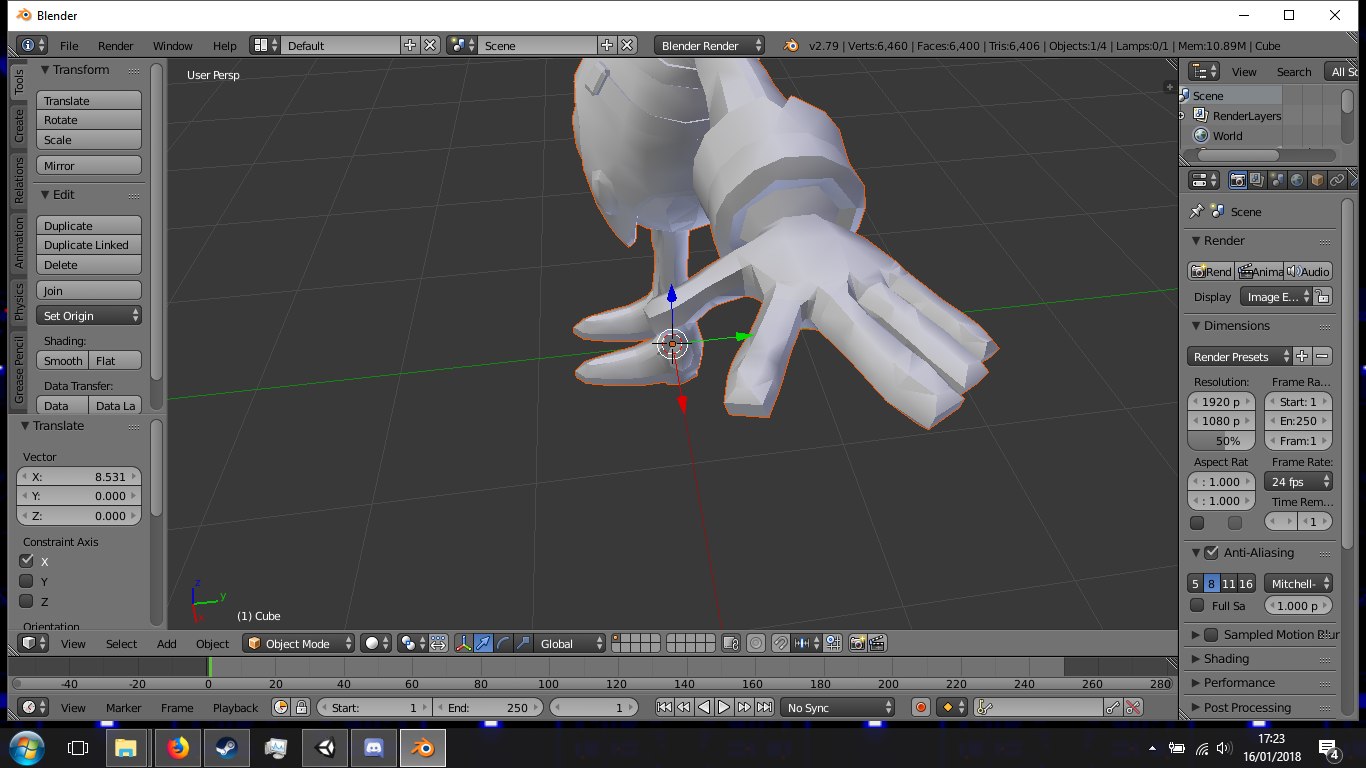
odd
oh wait nvm
its something to do with the rig
no idea how to fix it
the unrigged ones fingers are fine, rigged ones are not
 high jetty
Looks like the index finger is weight painted to something else
viscid siren
looking at it in blender there is nothing wrong with the skeleton or weight paint
or i guess it's the same model, your's seems to be decimated
 ocean crest
https://cdn.discordapp.com/attachments/270048060640329731/402750518625304576/unknown.png
Avatar I'm working on needs some touch up on the textures but just about ready to build some proper clothes for her 😃

 timid vine
can someone do a Devilman model with full rigging?
http://www.toei-animation.com/files/visuels/Devil_Man_500.jpg like earlier i want the 1970's version
 spiral sigil
thats a pretty hefty task man
timid vine
ye
 mental blaze
Expect to provide coin for such a task.
Sadly, my expertise is leaned towards hard surface modeling than organic surface.
Do it in zbrush first, then retopologize.
 fluid gulch
hey can i have some help with this https://imgur.com/zSYeUpI

 wary elbow
Lmao
timid vine
LOL
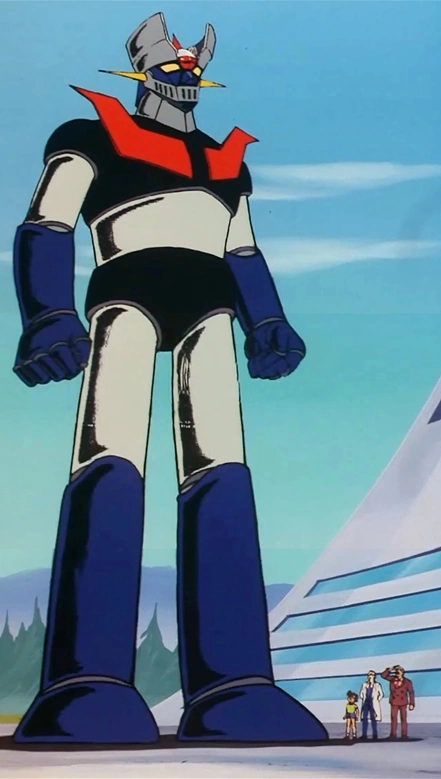
https://vignette.wikia.nocookie.net/mazinger/images/c/cf/Mazinger_Z_full.png i want this to be in VRChat, that would be so awesome

i used to watch the shit outta this
wary elbow
@spiral sigil - An "easy" way to get something rigged in a somewhat "Subpar" way is using Maximo.
Delete the skeleton if the thing has it. Then FBX it into Maximo. Then it should rig it - hopefully well at least. Then if there are some verticies going wack - then reweight it to the proper bone if necessary.
timid vine
actually, when i was little i used to watch this robot anime http://www.toei-animation.com/files/visuels/Goldorak_2_500_0.jpg

and it was my childhood basically
spiral sigil
I need help with how to add an avatar to my game
can I do it without unity 3d?
just like accessing a folder and then placing the files in it
viscid siren
you must use unity
spiral sigil
alright then...
 deft kite
how do i hide all models selected at once? (i need to work on just the face and theres a bagillian models for the body)
neeeeevermind i found it
spiral sigil
https://cdn.discordapp.com/attachments/304025046626729985/402910931648118794/image.jpg when I convert this curve to mesh it doesn't keep its vertices. It keeps its shape, but with no vertices. Any advice?

 solid storm
I'm not sure if this is the correct place, but can someone point me towards someone that might be interested in accepting commissions to a 3d model for me? Not take one deviantArt or such and rig it up and all - but to actually create the model.
 torn zephyr
Has Devilman been made yet, if so, what version?
 twin merlin
@spiral sigil Nice, you're making a Pipimi. I was wanting to model a Popuko
And sorry I would answer your question but I've never touched the nurbs/curve tools
otherwise I would help 😦
mental blaze
https://ibb.co/dc1v46 I'm currently making this toy.

The tricky part is the polygon count
viscid siren
@torn zephyr one has been asking for Devilman from the old anime, nobody has taken on the request yet.
@mental blaze aaaah! i had this long time ago.
nice
twin merlin
How far are you into modeling it pr2?
 broken lava
hey can anyone with solidworks or any similar program make a solid volume sphere for me? its not a thing i can do in blender, i dont know how to use maya and its not worth the effort of pirating solidworks
 hazy swallow
I just got the dynamic bone plug in. I’m not sure how to make it rotation only. If anyone knows please @ me
mental blaze
@twin merlin planning stage. Will model after I get home.
I had to watch videos on how the parts move since I don't have a physical one on me.
viscid siren
shame that i don't rememebr where mine is could have provided some references
 dreamy kayak
Do you guys know where to get Loli girls models because I couldn’t find any on devianart
mental blaze
Make one
viscid siren
Thinking of looking into at weekend, i could easily modify my pepsiman model so i would't need to make the whole body from scratch
timid vine
@torn zephyr that's the version i'm more familiar with
there'se been multiple versions of Devilman over the years, he has more demon features now
the 1972 version has red wings and a black mask over his head
so it should be pretty easy to make teh body

Devilman Wiki
Devilman is the lead protagonist of the original Devilman TV series. He was originally sent to pave a way of destruction for the Demon Tribe. However he fell in love with the human girl Miki...
timid vine
i feel ya
 carmine ridge
@coral flame HUMAN. CAR.
carmine ridge
yes
 coral flame
A *
carmine ridge
rig a human skeleton to a car
coral flame
huh
carmine ridge
make front two wheels hands, back two wheels feet, hood mouth, and wipers the eyes
coral flame
i'm noob at rigging
I used mixamo but now I need to learn so hard
The wind is beautiful today
spiral sigil
Hello
I wanted to ask you peeps that if I wanted a model's hair, skirt, or jacket to bob around as I move, will I need dynamic bones in Unity for that? Or do I just create a new bone root in blender for that?
viscid siren
you need dynamic bones and they ain't free
timid vine
this
coral flame
huh
spiral sigil
@viscid siren Shiet. Well thanks for the response tho
carmine ridge
dynamic bones are a paid feature?
spiral sigil
Thank you everyone
viscid siren
they are from Unity asset store
spiral sigil
In unity, there's an asset store which you can get the Dynamic Bones Asset for $20
@carmine ridge
coral flame
No it isn't i maked an animation for shaking the hair and the eyes and it didn't needed an asset
coral flame
Nyeh ?
spiral sigil
Share with us your secrets
coral flame
my secrets ?
timid vine
he probably got gifted
carmine ridge
ach, is it legal to buy it then distribute it to people I think are excellent modellers?
spiral sigil
Damn
coral flame
I JUST WANTED AN IDEA I DON'T WANT TO EXPLAIN MY LIFE HUH
AND NO I DON'T SHARE MY SECRETS
spiral sigil
I really wanted my avatar's jacket to bob around as I moved around. Guess he'll have to do without that
coral flame
No
 tulip spire
Hey if anyone here are streamers and want to join a creative community to get more visibility for their modeling contact me.
coral flame
But you always can
spiral sigil
Isn't there some DRM coded into the assets you've bought in the asset store?
coral flame
I use so much cracked assets right now...
spiral sigil
Purchase it or illegally pirate it?
coral flame
illegally pirate it nyeh you thinked I'm who ?
carmine ridge
purchase then let others use privately
spiral sigil
ISP's blocked off pirating websites and I really can't be asked to setup a VPN so that I can pirate stuff
coral flame
VPN ? 😂😂😂
spiral sigil
The hassle of manually setting up proxys is annoying
spiral sigil
Down in big bong, our ISPs have blocked off pirating websites
coral flame
No.
spiral sigil
Okay
timid vine
oh yeah speaking of Devilman, they made a cool remix from the original theme song in the new anime Devilman Cryaby https://www.youtube.com/watch?v=E4w4zlbMLQQ

and yes, that is Devilman in the picture, who looks drastically different from the 1972 version
spiral sigil
anyone know if the model for the disk from battle disk can be found anywhere?
timid vine
ik, what character?
 hidden lake
Hi, someone know a little about Dynamic hair ?
i mean dynaic bone plugin in unity ? someone knows ?
dynamic*
 fiery frost
Actually yeah, I'm curious
I would very much be open to commissioning a 3D modeler to have my character created, doubly so for it to be rigged and Unity-compatible
Anyone know where I could find people willing to do that, if not in this server? 2D Artists-for-hire are plentiful but I don't think I've ever seen a 3D equivalent
spiral sigil
@hidden lake I know a little about it
hidden lake
@spiral sigil nice, so my probleme is that i add some more bones for a ponytail, but whene i see it in Unity, it works i can see the bone with physic, but only whene my camera is very close to it, whene i unzoom it, the physic doesn't work and i only see the bone bouncing but not the mesh with it, and also in the game it doesn't appear at all
spiral sigil
@hidden lake hmmm sounds like a strange issue that I haven't encountered yet. Do you have the right SDK and Unity versions?
hidden lake
It's like the mesh is linked with the bone, but only in close range, whene i zoom less, it doesn't work, the bone is moving but the texture are not linked, it's realy wierd
yes i have everything good it's not my first model
spiral sigil
right
hidden lake
But for this model i wanted to add dynamic bones but i think i'll forget it, it's so sad it actually work whene i close to it
i'm*
spiral sigil
sorry, no idea how to fix that one, and searching doesn't seem to bring any relevant information :I
hidden lake
ye i searched too, it seems i'm always the only one with those problems lol
spiral sigil
yeah there's always the annoying problems that no-one else has lol
i have some of those in blender lol
hidden lake
You use blender ?
hidden lake
i need to ask you something
spiral sigil
??
hidden lake
So i have my model, wich is rigged, and works perfectly fine, the thing is : How can i add more bones ? i mean i know how to do it, but do i have to creat another armatur in blender or should i add the bones to the original armature ?
spiral sigil
I usually just add the bones to the original armature and use the closest one as a parent, chest to 1st tail bone, etc
not sure if "parent" is the right word but i think it is
hidden lake
that's what i did
i add one bone (just for the test) to the head bone, so that it is it parent,
timid vine
take it to DM
hidden lake
what is dm ?
spiral sigil
direct message i think
timid vine
yeahè
timid vine
that way it doesn't flood the chat
 torn plover
On the topic of retopology ive found a very cool free program that you can sketch the topology called SketchRetopo. Ive been testing it with Sculptris (A free sculpting program) and have been getting quite fast results which saves more time than ive found doing it in 3d program take a look (playlist) https://www.youtube.com/playlist?list=PLk--A_D3Rcz0IFQv9Peyy_HC6Hqbrm5Ru

YouTube
spiral sigil
does anyone have a mage banette 3d model i could use?
 unkempt sinew
Can someone who knows unity call? I need to do something with textures D:
spiral sigil
@unkempt sinew What for in Unity?
 spiral sigil
hello
can someone clarify... unity and blender use a y up or z up axis
and how do i convert
spiral sigil
in unity or blender
y should be up but it isnt

blender uses z up
3dsmax also uses z up https://imgur.com/a/S89Qc

 last hinge
most 3d packages use Y up, 3ds max is derived from autocad which is whyh they use Z = up
spiral sigil
how do i convert the axis for use in unity
last hinge
many programs let you pick what axis you wish to work in
I use Y is up [priopritetary software, maya, houdini, etc, my unity is Y is up?]
it could be an importation thing if you are brining in fbx's or whatever from another package that uses Z = up
for example on some fbx files that I didn't self make, I get a request/option to convert Y = up
spiral sigil
how do i convert it
last hinge
I wouldn't know in unity or blender [it's y = up for me?]
spiral sigil
nothing on the google says how to fix it
 latent charm
@spiral sigil when you export a fbx from blender, it's possible to configure axis remapping. See where it says Forward: -Z Forward and Up: Y Up
That orientation will import correctly into Y-up software like Unity.
 vale marlin
can someone rig an avatar for me and then export to unity then send it to me when ready
because i export to unity then try to rig as humanoid and get errors and dont have all bones
spiral sigil
thanks @latent charm i will try
latent charm
@spiral sigil You might have some unapplied rotations in blender.
 sly isle
have you tried to check box that experimental apply transform on export?
spiral sigil
ok i figured out the axis remapping now i have to figure out how to get my avatar to be higher than the grounc
i tried placing it on top of an invisible object but i fell thru the floor
timid vine
@torn zephyr actually don't do Devilman, I have a better idea
 inland bloom
(Someone still should do Devilman)
timid vine
agreed
i also want Obélix too http://www.asterix.com/asterix-de-a-a-z/les-personnages/perso/g28b.gif

@inland bloom Devilman (1972)
inland bloom
Yees
 toxic quail
https://i.imgur.com/7VeJN79.png Left or right? ' _ '

 vapid garnet
Can someone help me make or make me a custom avatar for vr chat, ive tried multiple tutorials and guides and i cannot get anything to work? :/
timid vine
if someone does Obélix, I will post a song from the show he's from
i am dead serious
Astérix and Obélix is one of my favorite comic series
toxic quail
not a single 3d model of that character even in DA
spiral sigil
Would I just add an invisible skeleton to my object so that it would float?
or is there a better way
because if i offset the y axis my model falls through the floor
toxic quail
yes make a humanoid skeleton then rig yer object to the head part
 tender token
how do I go about finding where these tris are? this material that was translated to "waist" by cats has 3k tris, but the only visible part of it that I can find is this headband that is only like 100 tris http://puu.sh/z3hEe/30854273be.jpg
 spiral sigil
https://puu.sh/z3hMs.png what does this mean

i canceled it closed unity
still coming up
how do i force stop
 fleet jay
Hey
timid vine
hey
 sonic hill
guys does anybody know where i could find a low poly good looking pistol
timid vine
still waiting on Devilman and Obelix
 glossy cave
Yo does anyone know how yo fix the broken "pushing those upload speeds"? I can't get my model to upload.
 mighty ocean
I got the same thing going on with me it wont uplond my new avatar.
last hinge
did you update to the new sdk today?
 noble wedge
i dont get why everyone says update your sdk when ones that are 2 sdks old still work and everyone on the newest sdk is having the problems
spiral sigil
hello, can some1 tell me how can i change the color of the clother in the unity
viscid siren
i did say earlier that i was planing to look into modelling Devilman at weekend.
viscid siren
https://www.artstation.com/artwork/2OJyJ hah thinking making my own version of this for VRchat

ArtStation
Tardigrades are very odd creatures. They can survive extreme conditions and temperatures, even the cold vacuum of space. I can only assume they are here to gather data on our species and will one day return to their home planet to report on our resources and weaknesses.
I wanted to so a fun sculpt, so I came up with this concept, then liked it so much I wanted to rig and texture it. I'm not happy with the textured result, but I'm planning on adjusting that in the future and doing a few more animations.
 mossy quail
hell yeah @viscid siren
 native pecan
@toxic quail bit late but left is nice ;)
 young tree
Omg I love Asterix and Obelix. Their models would be awesome.
spiral sigil
https://imgur.com/a/h1EuJ anyone know if i can split this to add textures to specific areas?

adding a texture covers the whole model with it
 brazen ermine
looking to adjust my models proportions to more match my own for fullbody tracking, anyone have experience with this?
they all have really long legs so i'm looking to scale the mesh and armature of the legs down to try and get them normalised
the scaling seems to revert when i get the model in game though 😦
 scenic ember
@spiral sigil i'm not sure in unity but in blender you can look up how to uv unwrap by marking seams
 brazen ermine
and thats just what they'll do
 viscid siren
just tell about your problem here and people help in anyway they can
 lament pond
 spiral sigil
do I do all my moddeling in blender or do I use mmd to make the models and rig them?
viscid siren
either
spiral sigil
alright thanks
 faint iron
I'm taking a class (highschool level) on 3d modeling today. How long does it take before you personally got the hang of it (or are still getting the hang of it)? And what should I be expecting?
lament pond
Few years
 tawny burrow
how would i go about making a vertice on the intersection of two edges? someone posted a way on a forum that involved cutting the edges at the appropriate place with the knife tool, but i cannot get the knife tool to do that.
in my case i want to make a vertice at the intersection between the selected edge and the edge that is passing though it https://puu.sh/z3G9n/58a192ed45.png
 tawny burrow
wallace and gromit
timid vine
that too
 pulsar karma
Hey does anyone know if they can help me a 3d model. I know how to rig and stuff. But I cant find a certain model anywhere.
 cloud grail
Its bad that i been wanting to be a game designer / model creator and it took VRChat to actually give me enough push lol

 slow mulch
did you use the sculpt tool for that?
timid vine
also get Shantae in here as well
 robust crane
Hey there , i have a question , is it hard to make a melodia ? ( A little piano you have to blow in to make noise ) I found one but it has 200k polygons and i which i could have one , thx !
robust crane
Decimate ? You sure of this word ? Like destroy
 dusk tundra
it's simple enough to make your own, just learn the basics of edit mode. Select all [A], box select [B], grab [G], rotate [R], extrude [E]
just watch some videos. you can add a modifier to the 200k model called decimate to reduce the number of faces while leaving it looking roughly the same
 trim hollow
Looking for someone who can replace outfits/clothes and basically put a model together using different parts from different models, will pay if u want💰
 onyx juniper
@tawny burrow I don't think there are any intersecting tools outside of addons. You can create a vertex on the intersecting edge with ctrl + e -> subdivide though
tawny burrow
thats a good idea actually
since their position does not really matter i could do that
there is a way to merge them with vertices on the other edge i think
dusk tundra
there is a boolean modifier that can intersect. is that an addon?
viscid siren
boolean is a feature
it fucks up the topology and requires some cleaning afterwards, but it works
timid vine
ok, here's the current list of characters for VRChat: Devilman, Asterix, Obelix, Garfield, Shantae, Wallace and Gromit
any others?
onyx juniper
I meant edge intersection
timid vine
https://gyazo.com/d787cf7d19719f47067314c7252e6680 here's the current list
 dusk tundra
Yeah I didn't see the original question
timid vine
i added Mazinger Z, Great Mazinger and Grendizer because there part of my childhood
IN FRENCH
if anyone has other suggestions let me know
tawny burrow
tintin

Tintin (French pronunciation: [tɛ̃tɛ̃]) is the fictional hero of The Adventures of Tintin, the comics series by Belgian cartoonist Hergé. He is a reporter and adventurer who travels around the world with his dog Snowy. The character was c...
timid vine

Captain Archibald Haddock (French: Capitaine Archibald Haddock) is a fictional character and a protagonist in The Adventures of Tintin, the comics series by Belgian cartoonist Hergé. He is Tintin's best friend, a seafaring pipe-smoking Merchant ...
can't forget him too
simply because he likes to yell random expressions lol
tawny burrow
popeye
actually i think i have seen popeye in vrchat before
now that i think about it
 timid vine

Guacamelee! Wiki
Juan Aguacate is the protagonist of Guacamelee. From a young age, Juan dreamed of being a luchador. In the beginning of the game, Juan starts out as a farmer in Agave Fields. After traveling into...
that would be pretty cool actually
 mental blaze
https://ibb.co/cfXJ96 Half way done modeling the exo-toa
 timid vine
http://diablo.wikia.com/wiki/Classes we need the Diablo classes in VRChat too

Diablo Wiki
The Classes of the Diablo series are personifications of the player as seen in the game world. Each class is unique in the sense that they have unique graphics, skills and voices. Note: The...
viscid siren
@timid vine i'm starting to feel like you should start learning some modelling yourself after doing so many requests
mental blaze
^
give it a try
start off by making legos 😄
no seriously, give lego starwars a try
viscid siren
https://www.youtube.com/watch?v=yi87Dap_WOc this tutorial is good for learning basics

Blender modelling tutorial, showing you how to model an anvil. Part 2: https://www.youtube.com/watch?v=WxMwa0njGSM Reference Photo ZIP: https://drive.google....
mental blaze
and make the brick circles with a 6 verts
viscid siren
i guess they should create a request channel
mental blaze
probably should
you know what my biggest modeling task is going to be?
its worse than the exo
Cahdok and Gahdok
mental blaze
don't really think so.
people usually want an incentive, then continue on through dm
 glad saffron
it only shows clear cache and prefabs? when i click vrchat sdk? anybody know how to fix??
timid vine
report this in #user-support-old not here
 shut talon
I picked up a huge interest in 3d modeling and I've never done it
so I have a question
Is it possible to make a high-detail 19k poly model
that looks good
via blender
viscid siren
very much so
but preferable people make the high poly so they can take details from it and make a normal map for the low poly model, which retains all the detail even tho it has less polycons
shut talon
here's what I'd want to make

this is what I want to make
as an avatar
(that's a weapon behind her)
well, I'm completely now, but I'd set this as my goal
and I kind of want to make modeling my career in the long run cause I have half a year left in school and I finally found what I'd love doing
 sinful sable
Hi guys.
I'm looking for someone to make me a very interesting model.
If you can call it that.
spiral sigil
Aye
I'm over here trying to make a model with Planes
I fucked it up so bad you don't want to know how, and now I hate making modelling but does anyone have any better tutorial videos to learn cause mine apparently suck
viscid siren
Blender modelling tutorial, showing you how to model an anvil. Part 2: https://www.youtube.com/watch?v=WxMwa0njGSM Reference Photo ZIP: https://drive.google....
shut talon
@viscid siren thanks, I'll watch it tomorrow after I get back from school
 cunning geyser
The slight issue witht that tutorial is that it doesn't cover retopology to make the model game friendly
Not that it's particularly difficult but worth pointing out
mental blaze
hence why the video is called a beginner's tutorial
retopology is a bit for the avid modeler
viscid siren
^
sinful sable
Who here is a great modeller? I'm in need of a really well-made model under 20k polys
It's an undertale character I want, but in a specific way is what I want him.
 nocturne marlin
is it possible to to auto weight paint only specific bones to mesh?`
 azure quartz
@sinful sable What’s your price range?
sinful sable
I apologize but currently I do not have anything to trade for it. 20 dollars canadian on steam but that's it lmao
azure quartz
Ah understandable, most artists are gonna ask for a pay as the character modeling process can take a week almost, some of us have to pay the bills and all that and time becomes valuable you might find someone for free but it’s more likely you have to pay for something if you want good quality
sinful sable
I guess I'm out of luck then.
It's been two days that I've been looking for a modeller. You're the first to actually respond but you require payment.
 dusty rivet
Hi! I'm new to VRChat and all and Im fairly interested on using this artist's model but I need some help with it if there's anyone out there willing to help me with unless I'm in the wrong chat lol.
timid vine
this the #3d-modeling channel, you can try the #avatars-2-general channel
dusty rivet
Thank you good sir!
mental blaze
https://ibb.co/eJoxK6 Almost complete, but the polycount :<
 nocturne marlin
nobody really nobody is gonna make a full character from the scratch for you for free lol
mental blaze
the lol is a bit unnessesary there.
 wide bough
My 3d model's viewpoint perspective is in his stomach. How do I raise it higher? I... I haven't a clue. I'm feeling clueless.
I'm using Unity.
 sonic nimbus
Adjust the eye height in the avatar descriptor. @wide bough
 lofty dust
I need help. Is this the right place???
 weary sky
I decimated my model down and now how these seams. I merged vertexs with Alt M on a lot of them but there are so many and some edges don't have vertexs to merge too. Anyone know a good way to solve this? http://prntscr.com/i1yv6w
 lofty dust
nvm its an animation issue let me move up lol
wide bough
@sonic nimbus Thank you! I had forgotten Avatar Descriptor existed even though I had been there like 20 minutes beforehand.
inland bloom
Those descriptors are sneaky buggers I tell you.
mental blaze
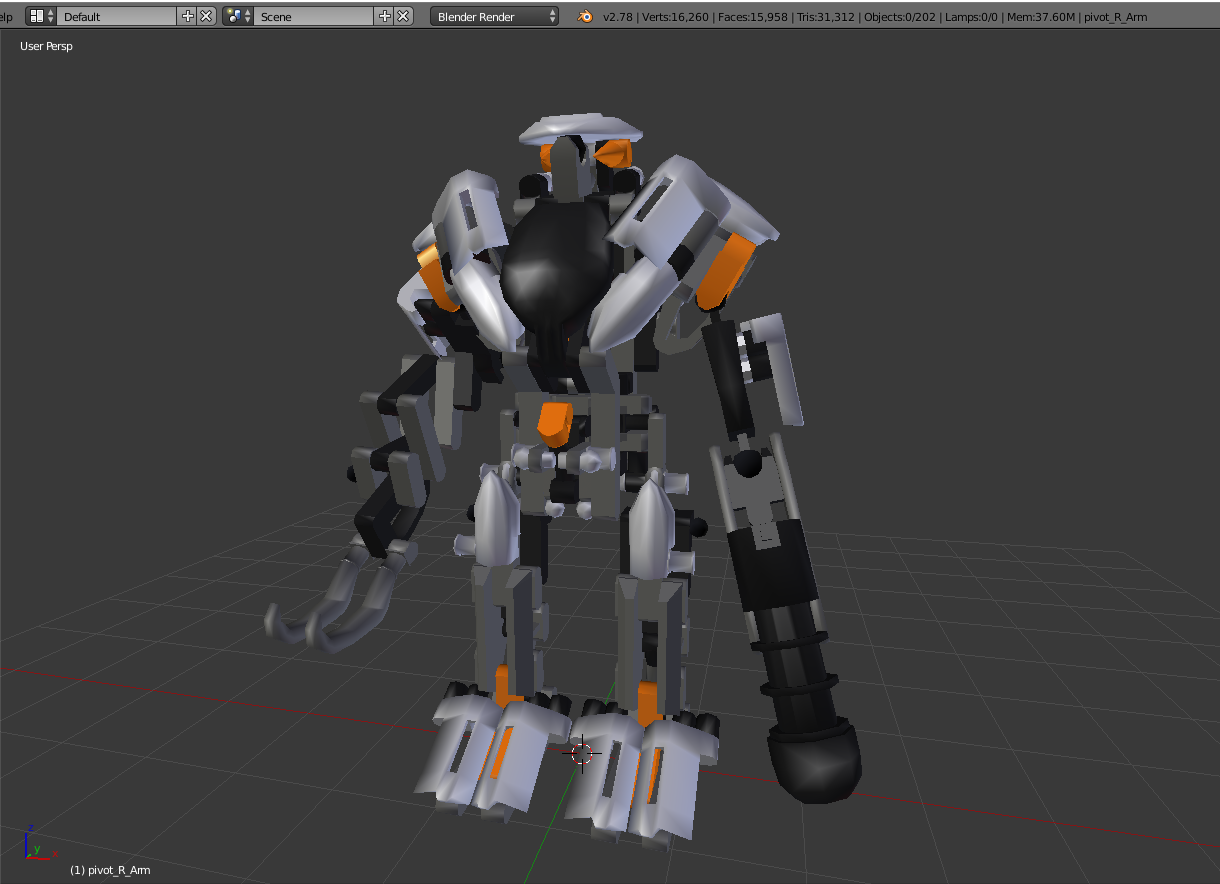
https://ibb.co/hMXkP6 31k polygons :<
 mental blaze
201 parts
 static arrow
Use cat's blender tools for auto decimation
mental blaze
XD
static arrow
xd in 2018...
mental blaze
tis ready for rigging
 red sigil
@nocturne marlin yes select the bone in armature then go into weight paint mode, click Weights- Assign Automatic from Bones
nocturne marlin
@red sigil thanks
spiral sigil

Make sure you subscribe because I will be uploading more tutorials and VRChat videos. This is da wae to import your MMD to VRChat the easy way. _____________...
 granite dew
Anyone know how I would take a model that has multiple meshes for one object, say a head, and combine all of the meshes into one solid mesh? I've "joined" them but that seems to just group the objects together. I then have to apply materials to each single piece of the mesh rather than the head as a whole...
 warm berry
how do i use blender
mossy quail

VRChat Community Discord: https://discord.gg/VRChat Download VRChat! http://store.steampowered.com/app/438100/VRChat/ mmd_tools GitHub: https://github.com/po...
warm berry
cool
like im makeing a avatar and its all most done but after i deleted the uper chest and the toes it just now whut
@here
viscid siren
@granite dew no idea if you have figured it out, but to join meshes together you can select all and press ctrl+j, so you can now edit all the meshes at the same time, then you can also separate them again by selecting the meshes and pressing P and selecting "by loose parts",
we should start pinning some useful tutorials or addons jsut like other channels
 silent warren
ffs, how do i link eyes to bones for eye tracking, i have hit hours of dead ends >_<
the model has surfaces for eyes, and bones to use
i just CANNOT seem to link them
i'm trying to follow Tuppers tutorial, but HIS model had eyes that worked with tracking properly
mossy quail
guess its a model problem then
viscid siren
select the bone in pose mode
then ctrl+p
when you have bone and the mesh select in mean
then "with automatic weights", then edit the weight in the weight paint mode
silent warren
that rotates the flat eye throug the face, though
AHA! of course it was something tiny that was screwing it up
viscid siren
you have to have the bone in right spot then so it would move accordingly
silent warren
i had to use armature deform, not bone
except.... the eye surfaces are still too flat
and the edges clip. a lot.
i thought what i needed was a driver to change the mapping, or mess with uv mapping or something
and the blender UI is... yeah...
i found the bone rotation, but when i tried to pin it, it disappears the values i want, and i don't understand the connected boxes i've seen in a few tutorials
again, blender ui having things buried a bit
 loud sierra
@tropic spade I think it would be easier to catch someone if you posted what you want made ^^
lament pond
I'm already taking care of them
 tropic spade
yep
 agile cargo
any one know how to fix the unity texture bug? https://cdn.discordapp.com/attachments/402241949031202816/403577307685584897/unknown.png

 steel basin
Can someone help me regarding the export of a .nif model to .obj?
I was able to export the model but not the textures
agile cargo
you have to import the textures frst?
steel basin
I've tried to export the textures too but for some reason 3DS Max is not exporting them
agile cargo
it should just use the orginal textures
steel basin
But it isn't for some reason
Maybe someone who knows how to mod Bethesda's game would know, since .nif is the format of the models used on their games
steel basin
I've tried noesis but it don't load my model
With nifscope I can export the model to .obj with textures but the model becomes totally messed up
And the .nif plugin I have on blender is not working
tawny burrow
can you not use the textures from nifscope then?
steel basin
yep
tawny burrow
oh yeah
steel basin
When I open the original .nif file on 3ds max the textures appears too
tawny burrow
your problem is that you want to edit it in 3dsmax and its not exporting right, right?
steel basin
I don't even want to edit, the model is fine. I just want to convert it to .obj with the textures
tawny burrow
can you not export the model with 3dsmax and export the textures in nifscope and then patch both together with blender?
shouldn't be a problem if the uvmap comes out of 3dsmax right
steel basin
I'll try, but to say the truth I'm a noob regarding 3D modeling, lets see if I can do something
tawny burrow
i wouldn't consider myself a pro too, but i am pretty sure if the uv map is right you can just tell blender to use the other textures and it should work fine
steel basin
Soo I was able to apply a texture through the material editor of 3DS Max, but my model have multiple textures
Anyone know how to apply more than one texture?

it is like that now
the body texture is ok
 lyric osprey
@steel basin you'll have to use Multi/Sub-Object material and link Standard material to it for each material ID that your model has
spiral sigil
Could anyone help? I'm in dire need of a glove mesh ( regular leather-ish glove), because for the love of everything that is holy, I just can't do it. I always end up deleting it because it doesn't even remotely look like a hand . I've wasted like 2 hours trying to do this and it's the last component to my model. 😩 Just mesh, no textures or materials, please.
 whole fractal
anyone know of a good anime style face modeling guide? its something i cant quite get right, my attempts always come out looking like unity chan, instead of something more kawaii like your average MMD model. lol
and just importing a MMD model to study doesnt really help since they are so highly subdivided its hard to make out the original topology
steel basin
Damn, I'm losing my patience
So I've applied the textures using multi/sub-object like @lyric osprey said
But when I save and open the model it is withouth textures again
wth I'm doing wrong?
whole fractal
have the viewport in textured mode right?
 lyric osprey
how do you save the model? obj? fbx? collada?
steel basin
.obj
lyric osprey
.obj does't save textures
steel basin
but it does redirect to them, right?
lyric osprey
https://blender.stackexchange.com/questions/47915/when-i-save-something-as-an-obj-file-the-texture-does-not-save-with-it-why same applies for 3ds max

I use blender to render objects as this makes them better quality. The problem is when I export one of my characters as an OBJ file and then import it back into Blender to render, the texture seems...
steel basin
But it is odd, all the textures are on the same folder as the .obj file
and they don't have spaces on their names
their names are short too

the .obj file looks like that
lyric osprey
you must have messed someting in export/import dialogs. make sure "texture coordinates" is checked at both
and "import materials"
 steel basin
The configurations are like that here
Could this be a problem because of the format of the textures? They are .dds images
 sacred eagle
Hello, would anybody have an idea how to extract a character with umodel ? I managed to obtain textures file, a pskx file and an uasset file, I tried to open the uasset with Unreal engine but the file is empty, Blender (with plugin), PMDEditor, none of them working for the moment. I have also a SkeletalMesh file but idk what to do.
steel basin
Great, now even with multi/sub-object the textures aren't appearing on my model
This is driving me nuts, I've been trying to make this model work for like 4 days
 willow wigeon
Hey, can someone help me out?
 wicked kettle
Watcha need
willow wigeon
So I have this model in a tpose, but the feet are stuck together so it looks like i have flipper feet in vrchat. How do I split them so the feet look normal?
whole fractal
is it rigged?
wicked kettle
You have to rig it for it to move
whole fractal
then you'll have to go into wireframe and select all the overlapping parts of the mesh and move them away from each other and reposition
willow wigeon
No I did rig it, but in vrchat the feet are like connected
whole fractal
ok, back up. is the actual mesh merged? or is it a bone issue pushing the mesh together?
whole fractal
in unity does it look normal when you import it?
wicked kettle
Can you post a pic or gif of the model in action?
whole fractal
i think it has to be uploaded to an image host or something like that to post here
willow wigeon
can i dm it to you
willow wigeon
trust me its not
whole fractal
lol
small pic so its hard to tell. if the model looks normal in unity, you might have the leg bones reversed in the rig configuration. right on left, etc
willow wigeon
Well in unity the feet are connected too
whole fractal
does it look normal in blender?
willow wigeon

 tight tartan
Someone knows how to change the running animation?
 cold plank
ask in animation : you replace the default avatar controller.
silent warren
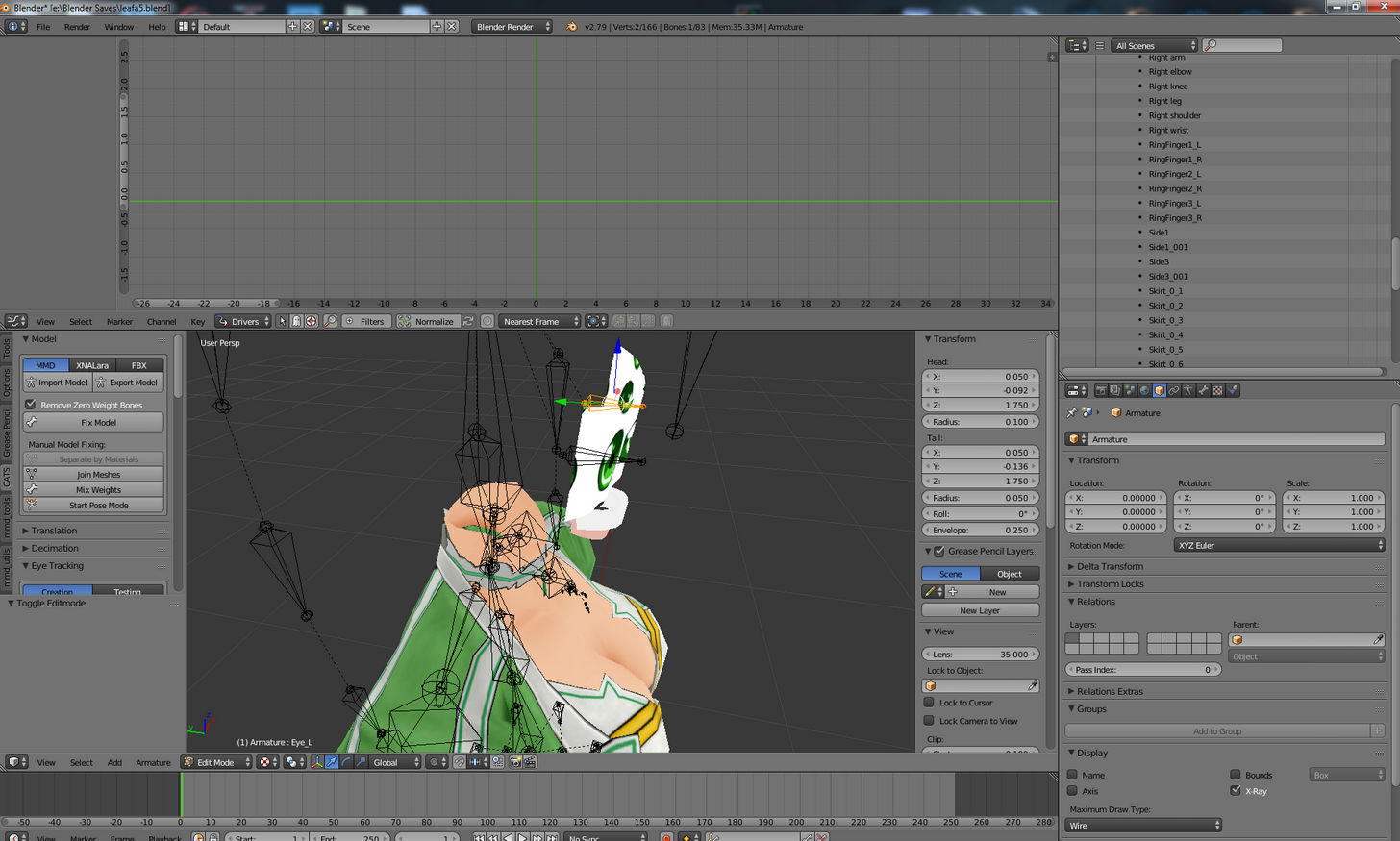
Okay, I've got to be doing something wrong, but I'm stumped. I want to make eye tracking work. What does it need? I can't make the bones move the textures. I can make the bones swing the flat eye plates around, but that's not really useful. The model has two eye plates, two textures, and two eye bones: https://i.imgur.com/oXTmCuq.png
 elfin talon
I wish someone could make ratchet from ratchet and clank
silent warren
I separated the textures so I could hide the stuff that doesn't need to change.
*meshes
 pale coyote
@elfin talon https://www.models-resource.com/playstation_2/ratchetclank/model/6657/ you could use this but you would have to rig it
timid vine
i rigged agunimon but the weight painting part is confusing as hell
elfin talon
idk how to do that so ugh
willow wigeon
could someone tell me how to get the default roblox model into vrchat?
timid vine
there's already a world for that, it's called Roblox United
idk if it still exists tho
silent warren
pleh, i just can't get the bone to leave the meshes alone and just move the texture
eye tracking does something, but having eye plates clip through the face isn't quite what i was going for...
pale coyote
@willow wigeon You could try messaging the guy who made the roblox world and ask him to give you the model
willow wigeon
Thanks
steel basin

Someone know why this is happening? The textures aren't appearing even after I've putted them on the model
steel basin
I do but I don't know how to put them on the model. What do I need to do to apply the textures on Unity?
wicked kettle
In my case I went from zbrush to blender to unity, and made the textures and UVs in zbrush, I didn’t add any textures in blender since I knew I’d have to do it again in unity
Don’t know how it works with autocad 3d tho
steel basin
I see... If I rigg the model with mixamo will it lose the texture paths after the transfer?
wicked kettle
If you upload it to mixamo without the textures it won’t
Add the file and it’s textutes (if they have been pathed previously) into a zip file
Then chug that zip into mixamo
wicked kettle
Even then, it doesn’t matter cause you’ll need to add the textures again in unity
 surreal ridge
hey guys, I'm trying to figure out how to make my mesh move with the body without weird stretching, it's a piece of armor. I use blender and tried a lot of stuff, but always end up with mesh being heavily distorted. Can I just make it move depending on a few bones without any deformation?
wicked kettle
Try modifying the weight mesh using the weight paint option in blender
viscid siren
yeah weight paint needs editing
surreal ridge
aight, thanks, its working
silent warren
ok, so i have bones inside a tail. how do i select only SOME of the tail for each bone? I can select either mesh, or armature, but can't seem to set the points that I want to the bone that I want...
wicked kettle
Weight paint
silent warren
the tail doesn't even move with the bones, so i don't need that yet
wicked kettle
Are you on blender?
silent warren
i see these things saying "select mesh then bone" but i must be hitting somethign wrong
ya
wicked kettle
After selecting both do CTRL+P and select automatic weights
silent warren
so i grab the part of mesh that i want
wicked kettle
Remember select the mesh first, then the armature
silent warren
please expand on "selecting both" because i must not be hitting the right buttons
wicked kettle
Right click the mesh, then while pressing shift right click the armature
viscid siren
the bones needs to be in pose mode
wicked kettle
And both, the mesh and the armature must be in object mode
viscid siren
either works
silent warren
i select the mesh, then go to post and select the bone, then set parent. no effect
*pose
silent warren
hm, that did something
wicked kettle
If it lags for a bit it’s working
silent warren
of course, the root of the tail makes the rest of the tail go incredibly janky
wicked kettle
That’s cause the tail is parented to the base
silent warren
can you be a bit more verbose? i'm only a couple days into blender here >_<
steel basin

This is my model on Unity after I rigged him on Mixamo
It seens like Mixamo messed the UV Mapping, what can I do? :/
viscid siren
revert to previous version of the character and rig it yourself
surreal ridge
so guys after some weight paint - this is what still happens to one part of the mesh after rotaion

but the other one is fine
both are identical, settings, parenting, weight etc
i dunno
wicked kettle
I’m sorry I’m on my phone rn, I’m just telling you this by heart
silent warren
ah, okay
i was overthinking it
hm, now, to google setting limits on bones because the ears aren't big enough....
steel basin
Can I import UV maps from 3DS Max to Unity?
I don't know how to rig the model by myself
wicked kettle
I guess you can but I’m not familiared with 3DS Max
 steady notch
Check to make sure it didn't just assign the same material twice. I think you can fix your texture issue in Unity
I'm guessing you have one map for the body and one for the head?
spiral sigil
Bloop
silent warren
aaaand maybe this model just wasnt meant to have moving ears
nice and low-tri, yes, but...
oh dear, this is breaking in entirely new and interesting ways. need models with better ears.
steady notch
Things breaking in new and interesting ways: The sub-title of my whole life of 3D modeling. Especially adapting other people's work. I've got a Jack Sparrow model with problems I've never seen in my 15+ years using 3D Studio Max. >_<
silent warren
well at least the mouth crap just WORKED
 atomic sluice
hey guys , need some help with blender. Im trying to get the ball between the world and texture like this http://i.xomf.com/yjlgl.png
but only get this https://i.gyazo.com/e4f1d036bb867fabddfbb77714a5edfa.png

so im missing the middle thing between and not sure how to get them. its probably really dumb xx
wicked kettle
You need to have materials applied first
atomic sluice
Im an actual idiot. I knew it was something dumb. thanks.
atomic sluice
thanks alot ;;
silent warren
hm, how do you get blender to send textures to unity?
tuppers export settings is outputting a blank model
nocturne marlin
is there maybe like a reference model for the hardness of weight painting?
 slow swallow
Hardness like 1.00 is hard?
twin merlin
Sculpted the dino and retopoing for vrchat

is there a way that when I go to rig this that I can use the Human Rig when I go to add bones?
I've never worked with adding non humans to vrchat
atomic sluice
can anyone help me how to set the alphas? I only got this textures and added the defuse map and normal already to the model https://i.gyazo.com/38d1c85bbb667f4b01b7a4136cad165d.jpg

https://i.gyazo.com/b0a305f8581e5a8f633b276bb809591d.png thats how it looks rn
 silent warren
fun fact: saving as psd in gimp actually preserves transparency, unlike png which just spazzed out a lot
we'll see if it actually works 😛
slow swallow
png24 has the best transparency
 late coyote
Can anyone help me, My unity seems to broke somehow and refuses to read VRChat's sdk and Dynamic bones correctly even though they have worked fine for months, (Claims to be some assembler error or something for what unity is saying) I don't know what I have done, I even tried to reinstall Unity but no luck.
https://imgur.com/a/FOQWX I have tried reinstalling VRC SDK and Dynamic Bones but it comes up with nothing but this
 tender token
what would be the easiest way to edit these panties to not be crotchless? http://puu.sh/z4IFI/473a3639ac.jpg
not trying to show the knuckleses that much
spiral sigil
https://cdn.discordapp.com/attachments/403729588607516682/403729611701354507/my_arm_agggh.gif
Anyone have a fix?
 timid vine
weight painting?
 shell veldt
silent warren
shell veldt
silent warren
hm, a sleeve came off the arm, how do I tie that in...
screwit, i dont need no damn sleeve
BALEETED
spiral sigil
Hey maya guys. Where is "Edit Mesh > Merge Components" in maya 2018?
Im not seeing it there and thats what autodesk website listed for it
Im going off this
"Model tears apart during animation, polygons are not connectedEdit
Open the model in a 3D Modeling studio such as Maya or Blender and make sure that you remove doubles for vertices to force nearby vertices to combine, thus joining nearby polygons.
You may need to combine multiple mesh objects (if available) into one single mesh object before removing doubles."
atomic sluice
@shell veldt yep! mostly for a friend tho. can't seem to figure out how to cut the hair tho.
 rigid wraith
I replaced the hands on the model I'm using but I just have a vaguely skin-colored flat tone across them, I kinda wanna do just a little bit of shading but never done much digital art at all. any advice/ where to start in blender/tutorial recomendation?
late coyote
@timid vine I only just updated unity when reinstalling, it was still happening on 5.6.3p1
timid vine
weird
spiral sigil
Any tips on why my models faces seem to come apart?
 rotund cape
does cube shader only fit on 5.6.3p1 ?
 clear wolf
Hey quick question, anyone know how to fix this? Every time I create a texture atlas, the ears on this moddle disappear :c

 clear wolf
oh wait did I interrupt something, mb I'll wait lol
silent warren
aaand some of the armor
clear wolf
Anyone know how to fix that? ^^^
silent warren
my go-to right now is to delete all the offending objects, because i cant figure out how to set meshes to armature properly
now where the hell is a properties region. little tiny bits of screenshot on the wiki are not helpful.
oh, that thing
sigh what are the KEYS for the weight painting stuff? these wikis glibly say to do things, but i forget the hotkeys.
rotund cape
does polygon means tris in blender?
 heady horizon
i beleive so
 analog basin
Anyone able to assist me with an idea? I failed miserably to try make something from a game but I hope someone here could actually help me with that.
Well when I say "Idea" it's mostly a model from Nier Automata.
If anyone hasn't done a 6O, 2B, 21O and a 9S yet, maybe check the game Nier Automata, it's for a friend who loves the art style and the character models. If you have spare time and are free, direct message me please, thanks!
 vernal viper
I've seen 2B and 9S in game. There's more than one 2B and I actually found her model on scetchfab for free.
analog basin
Is it possible to make it a personal model? Also who made the models mentioned?
rigid wraith
you can make the sketchfab one into a personal model pretty easy I imagine
analog basin
Any idea where I could get a hold of either the 2B or the 9S? I'd be grateful ^_^
rigid wraith
https://sketchfab.com/models/b1cfb1d21cf1476eafcb7ea723fc27e2 theres tons of em on sketchfab

An enhanced version of LeoZack’s 2B model with swords from NeginIK rigged with Rigify addon in blender+animations+mesh enhancementTexture and materials already set in Cycles Rendrerfully exportable to Unity as Humanoid (use DEF armature)
analog basin
Could I port something from sketchfab to VRchat?
I'm not that excellent at making personal avatars or setting their bones to work properly, also being said I just don't have the brain or the patience to do it since I am a bit lazy.
rigid wraith
you can port just about anything into vrchat if you've got the technical know-how. itt'l be an arduous process prolly no matter what you decide to try if you dont know much about this stuff honestly
i knew nothing about annnnny of this 7 days ago and I'm still troubleshooting
analog basin
That's why I am looking for someone to help do it for me so I can then send the finished thing to my best friend, she'd be really happy.
rigid wraith
i can only wish you the best of luck then. earlier someone was trying pay to get a pokemon avatar and not a person would bite
analog basin
I'll keep trying.
rigid wraith
if you wanna try yourself https://www.youtube.com/watch?v=7P0ljQ6hU0A&t=1833s . some things of sketchfab will allow you to skip most that tutorial though
VRChat Community Discord: https://discord.gg/VRChat Download VRChat! http://store.steampowered.com/app/438100/VRChat/ mmd_tools GitHub: https://github.com/po...
 acoustic holly
Hey I'm looking to commission an avatar. I already have a model and the props for it I just need it rigged and was wondering if I could music attached to one of the props
azure quartz
What’s the price lad
 placid rose
viscid siren
placid rose
viscid siren
4
granite dew
Guys I have a model where the head is split into 8 different meshes. I have done CTRL+J to join them but when rigging it breaks apart. Same with the torso which is partially split at the hips and down middle of chest. If I move the arm the torso splits into separate pieces. How do I fix this?
And I going to have to go in and manually merge vertices?
Am I*
It is not an MMD or anything, it is something I essentially had to piece together like a puzzle
viscid siren
yes you have to manually merge them, but if there are multiple verticles on top of eachothers you could just select whole then and enable "automerge editing" from the Mesh menu and then pressing the "remove doubles"
it merges the parts together
if doesn't work then do it manually
granite dew
Alright thanks man. Looks like I got a lot of work to do
 spiral sigil
Hey peeps, I've made that model https://gyazo.com/8ac153e5cffac9752859e4dc91a3da61 and I want to make textures for it now. The model is basically a dozen objects at this moment and I wonder what workflow would be the best to make the textures for it. I'd want to make it so the textures are atlassed from the very beginning and AFAIK it is possible to make not overlapping UV maps for multiple objects on 1 texture file. Would you leave them as they are and paint them ( the textures will be made by hand) or join the meshes together now and then try and paint? ( I think it would make getting access to some parts of the mesh problematic). what do you think, i've never done anything like that before
 viscid siren
moment i have just the addon for your problem
https://github.com/ndee85/Multi-Object-UV-Editing check this shit out

GitHub
Multi-Object-UV-Editing - This Blender Addon enables a quick way to create one UV Layout for multiple objects.
@spiral sigil ^
spiral sigil
ok, checking
Yeah it will help a lot getting the maps for it. I will be able to make the textures for each object individually with the rest hidden. When I'm done with the textures I will join the meshes into 1. Then I will rig it. What do you think, would that work? Or do you have a better idea
viscid siren
you don't have to join them as one mesh, you could just parent them and and have a proper weightpaint
spiral sigil
interesting, I thought weight painting for 1 mesh would be easier than a dozen objects
viscid siren
yeah it is easier, just thinking that it would be easier to fix invidual part if they are kept separated.
spiral sigil
OK, i'll try to keep them separated entirely for now
viscid siren
just make sure once you start rigging you select all the required meshes and then parenting them to the bone. Fixing the weight paint is the annoying part, just keep moving parts and paint away any color from that mesh that stretches when you don't want it to.
mental blaze
Rubber ducker, got any avatars youve completed recently?
Rubber ducker, got any avatars youve completed recently?
viscid siren
just trying to get my Minish link work propertly atm
viscid siren
haven't had time to start a new one.
mental blaze
I was going to give a stab at organic modeling
Since my model work is weak there
Usually falls short on visual appealment.
 copper kiln
How would I take a png image that came with my imported model and add it to the model itself so it matches?
 upper kiln
@copper kiln want for your thumbnail in the social menu?
copper kiln
What?
upper kiln
i ask what you want to do
want picture when somone see your model in socail menu and pedestial
copper kiln
No no I'm trying to import textures for a kingdom hearts model but I can't
Sorry misunderstood
copper kiln
Blender
copper kiln
One sec
upper kiln
 copper kiln
I mean I can't get the textures on there to begin with
That's my problem
Nvm did it
I haven't used blender before so now that I have my model with textures, what do I do from here?
Take it into unity?
viscid siren
you would't have had to put the texture on in the blender, you could just have do that in unity :B
just import the model file in unity, then create a new material, put the image file in the albedo after first importing the file in unity too and then throw the material ball on the character
upper kiln
just make texture and fbx in same folder then drag that folder into unity
dont put in fbx first
that make you have manual add it
copper kiln
Actually I can't, I'm at my high school rn and they have discord blocked
I'm on my phone
I'll send it later
Ok so it's in unity, now I see that the textures are gone. How do I import them on unity?
viscid siren
drag and drop from the folder
spiral sigil
Hey guys I have a quick question. Im doing a Lich king avatar. Whenever the mesh moves all the faces seem to come apart. Things like his cape are the worst offenders.
Second question is Rigging. ( Maya ). Im trying to rig the armor so there is less bending/ warping. I added extra joints for things like the spikes on the shoulder pads. In Maya it all moves mostly correct. But when brought into VR Chat the shoulder plates are l being smooshed down.
 fast sentinel
What would a custom made character around the quality of most anime avatars in VrChat cost?
 sleek harbor
Hi chat, I am starting to use mmd models with blender and unity assets and I am loving it. But I can't use proper physics because I don`t have the lastest version of dynamic bones. If anyone could send me it in private I would appreciate a lot ><
viscid siren
welcome to the only part of the discord server that would just tell you to buy it.
ocean crest

Character I'm working on is basically ready just needs a proper rig and she's good to go
Hoping to use this as a base you make multiple different avatars
 spiral sigil
@ocean crest Love it. if you get that face rig going you are going to have to show me how you do it!
 tardy mango
just asking do u guys think that this model is good https://twitter.com/deanquelch/status/954477423038468096


 viscid siren
got any wireframe images?
ocean crest
@spiral sigil it's going to be interesting I'll make sure to save my process
spiral sigil
@ocean crest You make the entire model? or start with a base? Im thinking about getting a base mesh going myself one of these days after I learn the process and finall get my LK avatwar to work
tardy mango
 ocean crest
I made the entire model myself @spiral sigil
spiral sigil
@ocean crest Good work. i spent the last year or so learning Zbrush,Substance,3dcoat and a bit of the workflow ( graphic designer ). I took a break to learn Anatomy this year and really focus on it before I tackle making my own characters. Hope fully I will catch up to you one day!
viscid siren
yeah some bevel to some edges and those round buttons really doesn't need that many edge lines.
ocean crest
I'm sure you will :) just make sure to practice lots and get your hands wet. @spiral sigil
If poly count is a concern then i wouldn't bevel it
viscid siren
also usually the side facing you is little bit lower in height and has little bit of curve to it. @tardy mango
tardy mango
okay thx
viscid siren
planning to do any normal mapping? or any texturing?
you could also set the shading to smooth and up the auto smooth to 180 and give some hard edges that you want to keep hard a "Sharp Edge" seams
tardy mango
ok
viscid siren
are you any familiar of Blender Guru's tutorials?
mental blaze
lol, keep forgetting to scroll down
 mint zenith
how do i connect vertixes?
like i had to delete one what was messing everything up and now few are disconnected from each other
mental blaze
Connecting more than 4 vertices creates an n-gon. Game engines hate n-gons.
You should strive for quads, triangles if you need them, but no n-gons.
especially for a organic model like humanoids.
tardy mango
https://twitter.com/deanquelch/status/954498784482021376 atm cos i need to get better textures and need to redo somthink and add somthink to it
 mental blaze
the wall texture appears to be small in size.
either blend multiple tile textures into one or find a larger image + seamless tiling correction
The workstation model should pass for the avid player's expectations.
another question: What's your anticipated art direction for your model project?
 pastel plank
I need help making a pair of anaglyph 3d glasses and a powerglove
 wanton finch
hey can some one tell me how to delete the old uv map before exporting the FBX?
viscid siren
https://puu.sh/z5loD/4a2c7c7a83.png press the Minus

 agile cargo
sooo i currently have an problem with the mouth being hidden

the face is made like a box so the mouth is hidden in it
viscid siren
select, press g nad move forward
agile cargo
on the mouth right?
viscid siren
yes
dreamy kayak
Is there a guide on how to add particle effects around your model?
 agile cargo
it asks me to make a grop @viscid siren
viscid siren
just pressing g should just let you move the part
 tawny anchor
anyone know why only part of my model shows in the mirror? Tail is normally white, shows as red; Nothing else shows but the scarf (2 meshes: whole body, scarf); Tail has an animation, face does too
sonic nimbus
@mint zenith e extrudes.
sonic nimbus
One thing though, if you cancel an extrude you have to hit undo. Otherwise you'll leave duplicate vertices and zero size faces behind.
mint zenith
you mean ctrl+z?
sonic nimbus
Yeah.
viscid siren
nikke i think you should check out few tutorials, blender guru has a few good ones to get you started
sonic nimbus
The cancel only cancels the movement of the new faces. It doesn't revert their creation.
 viscid siren
yes
viscid siren
https://www.youtube.com/watch?v=yi87Dap_WOc do yourself a favor and watch this tutorial for a moment.
Blender modelling tutorial, showing you how to model an anvil. Part 2: https://www.youtube.com/watch?v=WxMwa0njGSM Reference Photo ZIP: https://drive.google....
with middle mouse you can rotate camera around
mint zenith
ah
viscid siren
or num pad
 agile cargo
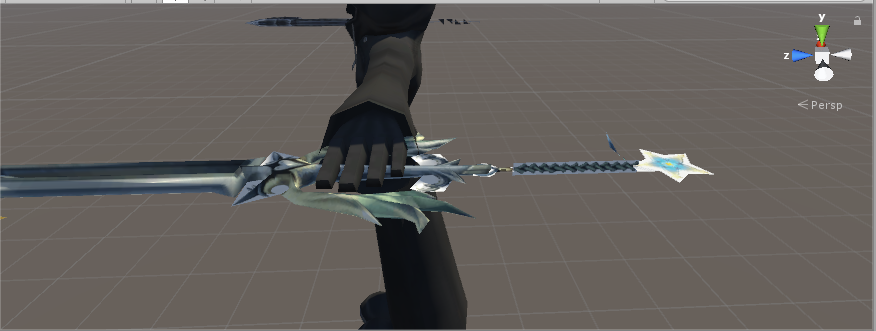
sssoooo my avi does this https://media.discordapp.net/attachments/402974982403129344/404113017358516244/unknown.png?width=1201&height=676 even tho it should look like this https://cdn.discordapp.com/attachments/402974982403129344/404114686200643584/unknown.png

 wanton finch
is thier any thing in unity for bones that are like Dynamic Bones and works as well but is free
spiral sigil
i made a jake paul avatar that plays "its everyday bro"
 scenic ember
who is that based off of ^
 cloud marsh
could someone help me out figuring out why blender suddenly wont let me rotate using the middle mouse button?
 hot hill
Anyone here know about rigging hair?
mental blaze
Same process as rigging anythinh
Add 2 bones around areas you want to flap around
And weight paint it. Then make the head the parent of the hair bones
rotund cape
Do you buy the unity package named Dynamic bone ?
 modest lagoon
@rotund cape yes, you have to buy it.
It's available from the Unity Asset store for USD$20
 eternal folio
love your profile pic btw
modest lagoon
I'm only speaking legally. I bought it, but I may or may not have shared the unitypackage.
Thanks
Lily is cute too
 cobalt willow
@eternal folio Removed your post due to #rules 13. Please don't discuss or encourage piracy on this discord server in the future.
spiral sigil
im gonna ask here about a problem
https://i.imgur.com/uvFzk2U.png
Ive been trying to weight the head, so after that when i rotated it for testing, this little section here moves along with it, even checked that i have not accientally painted it
ive checked the vertex groups as well and the selected head is not assigned with the tail
i have no idea whats causing this
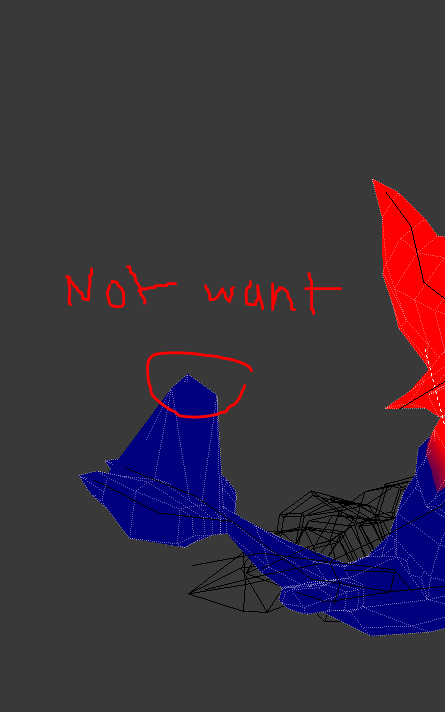 viscid siren
there might slight paint on it, so just select possible bones and paint over it even tho you don't see any color on it.
spiral sigil
Ive tried
still doing this
It's only the head bone thats causing the problem
no other bones nearby are not causing it
viscid siren
you could try to remove all the weight from the bone adn then repaint only the wanted area
viscid siren
another vertex group you might have accidentally made?
spiral sigil
probably
viscid siren
or remove the bone fully and just extract a new one from neck
 acoustic hazel
hello chat, can someone help me with my holes in my textures?
https://imgur.com/a/xKHGD
 viscid siren
because there aren any faces in those fertices
select the vertices and press f
around each corner of the hole
acoustic hazel
@viscid siren it's not doing anything when I'm pressing f
viscid siren
then you could try to recalculate the normals https://puu.sh/z5FzK/7feeb3d4e0.png
 acoustic hazel
so ... shift right click the 3 vectices and just press recalculate?
viscid siren
whole model in edit mode
acoustic hazel
It's also not fixing it :<
viscid siren
have you tried does it have those holes ingame? there have been cases where models with holes like that has worked fine
acoustic hazel
yeah, there are black holes :<
viscid siren
another way is to remove little bit more vertices from the area and redo it
onyx juniper
Should be able to fill those holes without mapping their uv's
Select the whole face by pressing a, and then hit recalculate
The function needs a frame of reference
@acoustic hazel
acoustic hazel
@onyx juniper oh gosh too many big words ^^ a friend of mine told me to fix it with a bridge, cause the facing of the normals was alright... but I really don't know how to do that
viscid siren
well there is a bridge tool in Loop tools addon, but not sure if it's the same in this case
spiral sigil
i know this isnt the place to ask but
when I added Backface culling shader onto my model, it shows up as this. I dont know what's causing the black section to appear, unless it's the lighting?
https://imgur.com/a/ab9ON
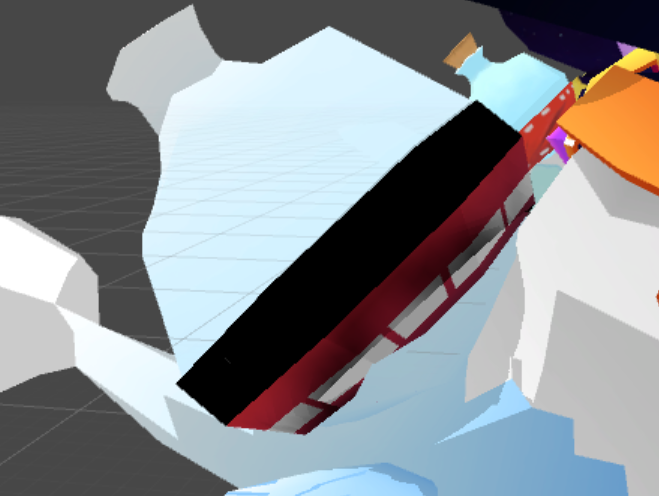
i dont want my model's texture to be seen on one side, thats all
it just looks weird
viscid siren
https://puu.sh/z5HuP/d094c77676.png yeah sorry if this wasn't the right answer

the original question
spiral sigil
it is
its just if i put some cubed paradox's outline shader for example
to show the double sided textures, itll show those damn blinding lights when i enter a dark place in vrchat
it happened with the alien model
well im gonna have to test it out when i upload it
viscid siren
@smoky fox got any idea about this why it does this when having backface culling on the model and using your shader?
spiral sigil
Ah---now I see
it was the lighting after all
too bad I cant add in any other shaders
but yeah, the cubed paradox's outline shader is a problem after all
rotund cape
guys I want to upload my model to VRchat
and
when I click on the button 'show build control panel
I have two things to build and publish
isn't it supposed to be one thing to publish?
spiral sigil
did you reimport SDK?
rotund cape
np
viscid siren
resend the question to #avatars-2-general some people might know better, this is 3D-modelling channel :P
 feral turret
Hey I want to make parts of my model glow like neon tron style, how do I accomplish this?
viscid siren
you have to create an emission texture for the model
which is just an image where parts with color other than black corresponds with the area of the uv mapped area of your model
 prisma jungle
are there any tutorials for building an avatar from pieces of models?
rotund cape
guys I've uploaded my model on to VRCHAT and I can see the avatar in game but I can see the model in the mirror
Just don't know why
agile cargo
what?
 spiral sigil
highlight the edges and press f to fill in the holes?
 frigid perch
Theres a fast way to fill all with out selecting singles under the faces tab in edit mode
 coarse walrus
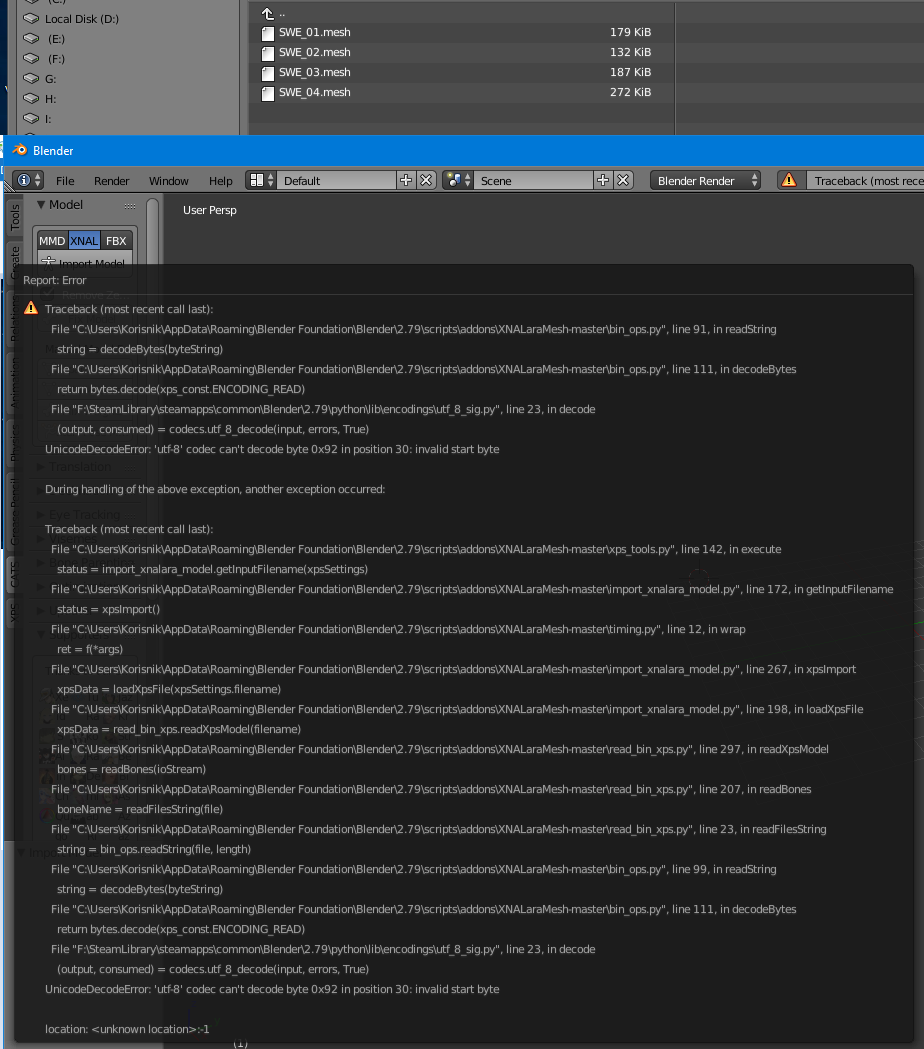
I imported a model and I recieved this error, it happens to all .mesh files that I used: https://imgur.com/a/51TOk DM me with a solution.
 agile cargo
any one have the low poly weapon pack for unity
hot hill
Anyone know why dynamic bone might not work for hair? I created dynamic bones for a cape and then did the same thing for each part of hair, but the hair doesn't move or react when I move the model.
hot hill
There's no "root" for the hair on this model that I could find. I just put it on the individual hair strands. Would I need to make a "root" bone for it?
spiral sigil
Well
Like a section of the hair has three bones for example, you'd pick the top
Would that work?
hot hill
There are individual hair pieces like this: http://nerdorable.net/misc/rance-hair.png

I just made a dynamic bone for each one. But they don't move.

There is a hair bone that is just labeled as hair. Even when I put a dynamic bone there it doesn't do anything.
hot hill
The ones I added for the cape work though. 
 worthy cypress
anyone know how to rip meshes from one model and use them in another?
@stuck rain did you set the root bone in the dynamic bone script?
hot hill
I don't think I set a root bone. Maybe that is the step that I missed. I didn't do that for the cape though and it works.
Oh wait
No I did set root bones for the cape, I'm checking it now.
Well I'm a doof. Let me try it again and this time I'll set a root bone for the hair.
spiral sigil
OK really simple question but I don't feel like searching throughout tutorials and would rather a straight forward answer. When I go to edit mode on blender, how do I morph the faces/points to my will? I think it'll be easier to get the face I want this way than scult mode
viscid siren
select the verticle/line/face and press g and move
hot hill
When I set the root, I make that the hair I want to affect, right?
That's how I did it with the cape. I did that with the hair and it's the same thing -- no movement.
spiral sigil
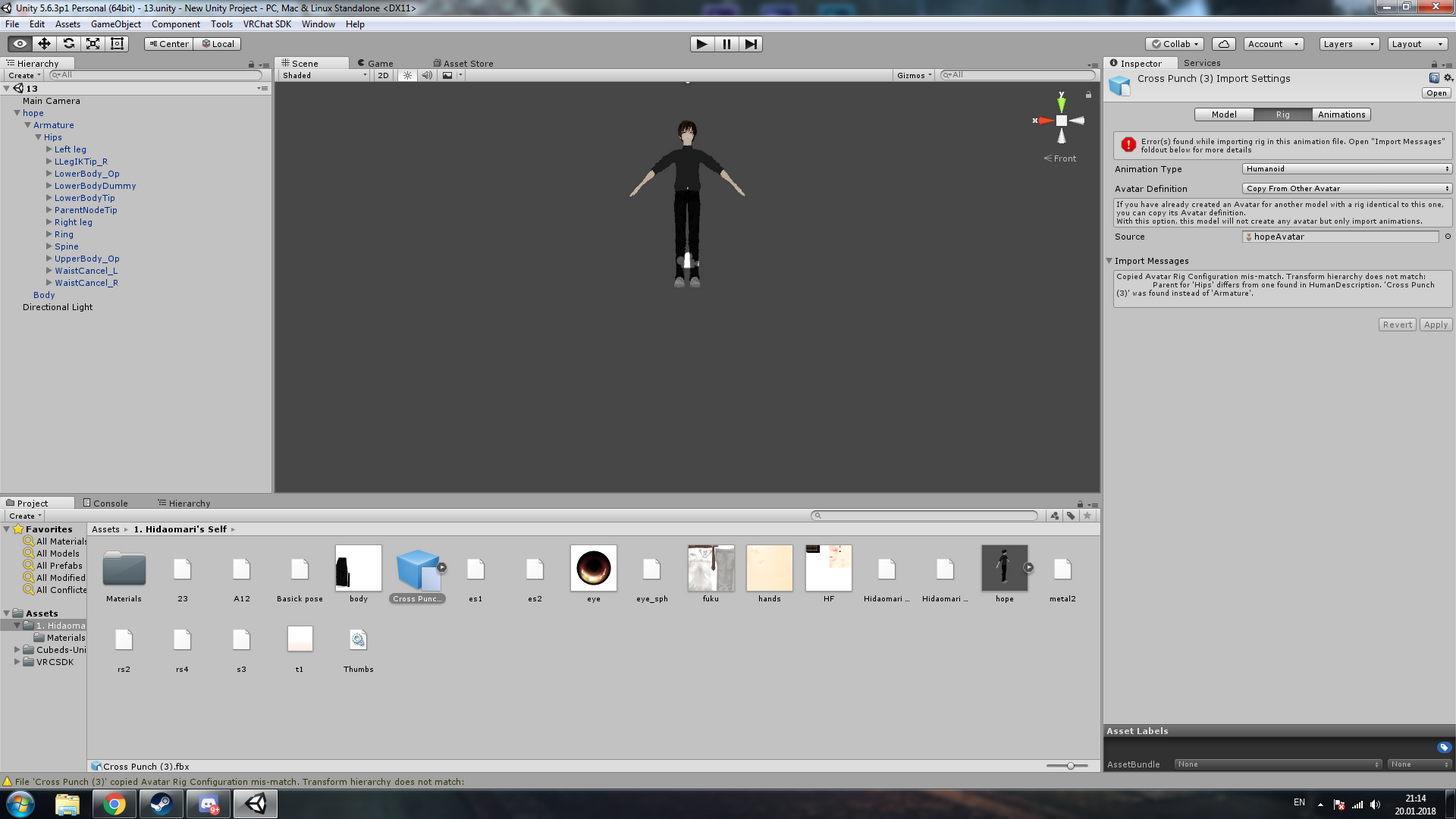
Any ideas how can I fix emotes? https://imgur.com/a/do1dd
 worthy cypress
the heck
 eager karma
I've been dabbling in Photogrammetry and I've came up with a semi-decent result, but only my head, I'm now wondering, how the hell do I model the body and 2nd, how de feck do i join the 2 yins?
spiral sigil
Any ideas how to fix the face textures? https://gyazo.com/bc03106b7651d669da48ef2d0fb42f07
 spiral sigil
Is there a way to get a picture in blender so I can morph the face to the right shape?
 spiral sigil
Thank you so much rubber ducker, you've been a huge help twice
 pure loom
Hey so im trying to Use Mantis LOD editior to reduce the polygons, Howeever on the right its not letting me change anything? https://gyazo.com/d67c526a4c16aa51a5faded9a3c31499

 heavy pulsar
That tool hasn't been working for a week now. @pure loom
I
It continues to remain in upload mode whenever I try to use it.
pure loom
ahh ok
Well i scrapped that avatar and ran it with a claptrap
it didnt turn out too well
fast sentinel
Can anyone help me with texturing something in blender?
 mental hemlock
anyone know my anime pls?https://imgur.com/a/NSoON
 spiral sigil
@pure loom Blender also has a decimate tool. I use it whenever mantis acts up
timid vine
if anyone starts working on the Devilman model let me know
spiral sigil
anyone god some good dynamic bones settings for hair
 hot flint
https://imgur.com/WZRyq2B
Slow and Steady progress, still nice and low at 7500 tris










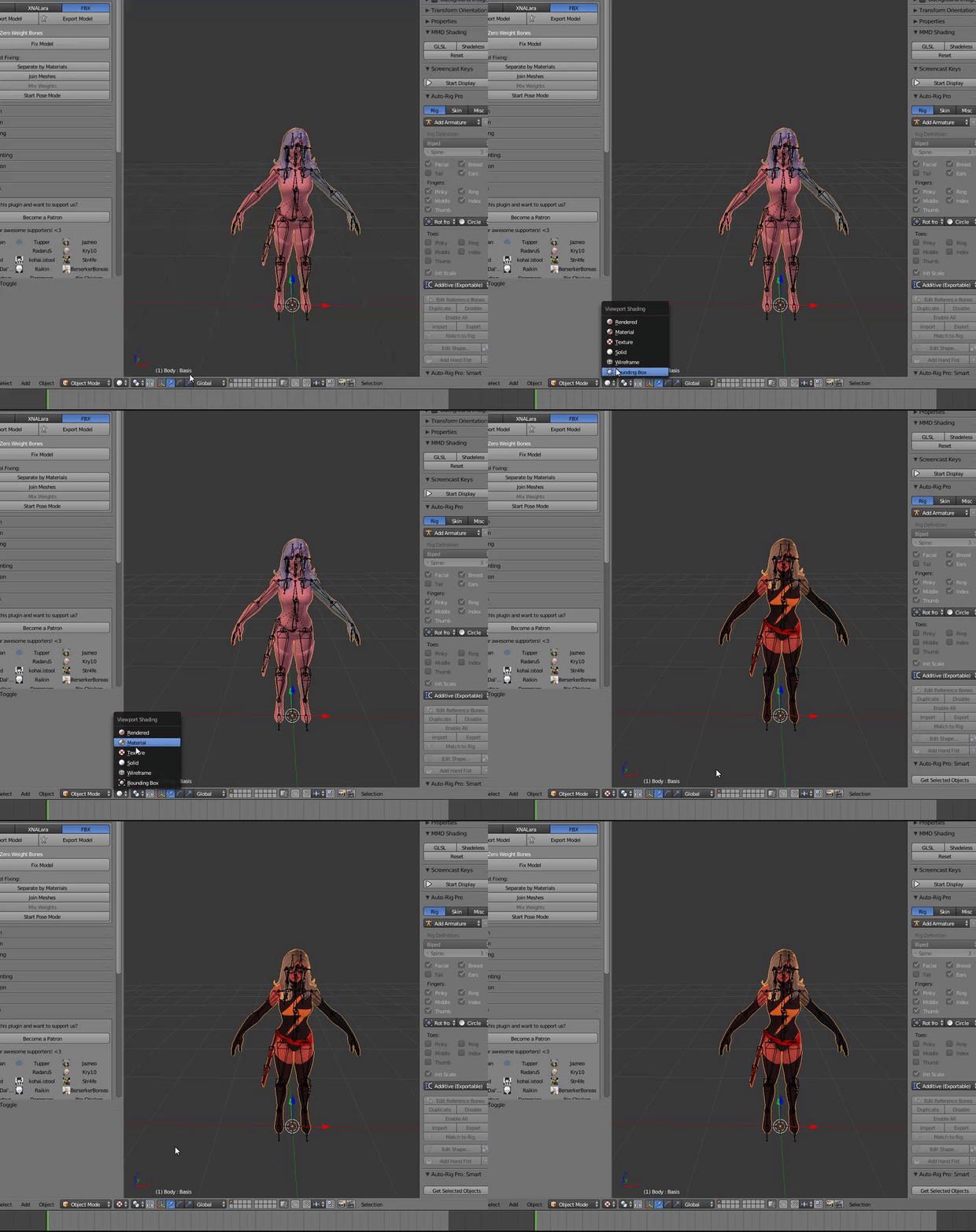


The thought of decimating the hands any more makes me cringe
 deft briar
Ok, so, I am having the hardest time doing the simplest thing here: A cube (Or sphere), with textures only on the inside. You know how there are models where it's see-through/invisible on one side, textured on the other? I want that, but inverted! Invisible from the outside, textures on the inside. I can't for the life of me get my normals to invert the way I want them to in Blender, or maybe I'm skipping some very basic step. Any help here? Simple instructions for something that should be very easy?
hot flint
Have you tried flipping the normals?
 hollow raven
select all, press space, type "make normals consistent". press space again, type "invert normals"
hot flint
As long as you have backface culling, it wont render the backs of the object
hollow raven
boom, inverted normals
deft briar
I have yes, and it doesn't seem to work. Me thinks I'm missing something simple (I've only begun messing with texturing in blender) but I'm not sure what.
hollow raven
also, backface culling is off by default
hot flint
also what dok said
deft briar
I'll check that out, thank you kindly
hot flint
😃
deft briar
You guys are the best <# Thank you. Now to see if it's possible to make the box invisible until your head is in it, but that'll be another adventure. @hot flint , @hollow raven , I appreciate the help!
hot flint
If I remember right, Unity has a Shader that allows you to have something the invisible all the way up until it's right up in your face
I don't know if you've ever experienced it in game, but there are a couple of character models that are meant to be horror related
They only appear when they're right in front of you
For something like that though, you would have to rely on somebody having personal space enabled
So keep that in mind if you're planning on making this on a player model and not in a world