#3d-modeling
1 messages · Page 23 of 1
 tender geode
 royal violet
Wair whats mmd tools
tender geode
How do I get 2 meshes again
 latent charm
You should join everything that's deforming (the body basically, rigid props and such don't count) into one mesh with ctrl+j
 west summit
I have a quick question regarding a visual effect I'd like to make. I have a character whose eyes glow, but he wears opaque glasses so they typically aren't seen. Is there a way to make his eyes always render on top of the glasses despite spatial position?
latent charm
Yes, shaders. Pretty sure there's a way to change the render order for an effect like that.
 spiral sigil
ikd if this is the right play to ask about blender but, is there a way to "lock" vertexs so that they are not affected from the radius of proportional editing?
latent charm
Hiding them should work (h key)
royal violet
h
latent charm
Oh worth noting is after unhide them with alt+h
spiral sigil
@latent charm @royal violet ty guys
royal violet
yw
 bold pebble
Any recommend tutorial for writting custom shader in Unity5 ?
spiral sigil
@bold pebble i think its a question more suitable for development-advanced, but probably you need to be able to program in C# or similar i would guess
bold pebble
Yes I can write some scripts in C# so I'm wondering if I can write one simple animated shader for my model
thanks
latent charm
@bold pebble https://docs.unity3d.com/Manual/SL-ShadingLanguage.html
Info on shader languages in Unity.
I don't believe you can include any C# stuff though, due to vrchat's scripting limitations.
royal violet
@latent charm do you know if unity accepts xml models
latent charm
https://docs.unity3d.com/Manual/HOWTO-importObject.html
If it does it'd say so here, probably.
royal violet
Oh phooey
Doesnt
i was gonna try and use some rbxm files
but ill have to convert them firs
 meager token
Convert models is such a process even with A tutorial. fml
 static arrow
What model are your converting
meager token
at first a pmd
But im gonna scrap it
cause the scalling is too high
I dont even find models to actually worth with
that alone is vexing enough
Now im at the point of startin from square one and just creating a model.
static arrow
Pmd is mmd model
meager token
would it be easier to just start from mmd then convert from there?
static arrow
I just use blender with mmd tools
meager token
thats what im trying to start on. but finding models is a hassle.
static arrow
Deviantart is your friend
meager token
A friend hiding the goods.
meager token
Yeaah
 raven ridge
What is this and can i change it into a mesh?
 rich lagoon
🤔
raven ridge
like that's the model but for some reason that little bit isn't mesh
rich lagoon
It'd probably be best to teach them, not to do it for them
That way they know how to fix it next time
raven ridge
is fbx file fine?
rich lagoon
@raven ridge Go into edit mode, select all of the meshes and do ctrl + J
you can select everything by pressing A twice
that'll combine everything into 1 mesh
royal violet
Jokes are supposed to be nice..
rich lagoon
What do you mean it's not a mesh
@raven ridge Click that and click object mode
Then click A twice
and do ctrl + J
rich lagoon
Np
royal violet
also tanner
rich lagoon
Yep
royal violet
Ive made a lot of progress on modelling side of tjings
royal violet
Im working on a head for a model i ripped
Because it didnt have the head for some reason
wanna see
rich lagoon
Lol
raven ridge
the reason i said it's not a mesh is cause it wasnt selectable in edit mode so i didn't know what was up
royal violet
I had to go ingame and take screenshots to model it from
rich lagoon
The reason it wasn't showing was because it was hidden
you could do alt + H to unhide everything
in object mode
Cool @royal violet Sounds like you're making good progress
royal violet
Yeah, just having a bit of trouble with her forehead eye area
 sand dirge
Huh, this Mirror modifier just suddenly doesn't show anything on the other side of the axis
Actually it does do something but right atop the object
and it's not anywhere near X axis
raven ridge
any ideas how i can fix this?
rich lagoon
The meshes aren't connected together
you're going to have to merge the verticies in blender
rich lagoon
Lol
sand dirge
If I'm making an anime style character, should the eyes be flatter than, like
eyes
and yeah that pichu looks like it's a robot with mechanical jaws and the actual face is just a disguise
raven ridge
lol
rich lagoon
Zamary
raven ridge
hmm
rich lagoon
Wanna call me in the DM? i'll show you how to merge veritices in Blender
to fix that problem
rich lagoon
Lol
raven ridge
was just going to eat, after?
rich lagoon
Sure
static arrow
Same thing happened to one model I have
rich lagoon
Helping people is good :) All I do now is just sit here watching you guys until you need help ;) lmao
 dusk cave
I could maybe use some help but I'm not home to check all the settings in my unity project
rich lagoon
Depends on what you need help with :) lol
dusk cave
I wanted to add a transparent image as a flat plane over my characters face almost like a mask, but in game it only renders in front of the mesh of my model
If that makes sense. Like the image is cut out in an outline of my avatars silhouette
rich lagoon
I think I understand what you mean
 obtuse light
i need some help removing a few things
they are some stuff that are connecting in between the feet i want to remove
how do iremove it?
the obj is connected to the rest of the leg
so i cant do anything
rich lagoon
Pictures?
Not enough information from "they are some stuff that are connecting in between the feet i want to remove"
obtuse light
rich lagoon
Just send a picture
rich lagoon
Did you try going into edit mode?
obtuse light
yeah but sculpting is just fucking it up
like spikes everywhere
is there an erase tool?
or some shit like that
rich lagoon
Don't sculpt
obtuse light
what should i use?
obtuse light
yes
rich lagoon
Go into edit mode, select the verticies and press X -> delete verticies
Numbered of what you should do
How to go into edit mode
obtuse light
yeah but thats connected to everything and when i delete all of it is gone
wait nvm
i got it
rich lagoon
So select 1 verticy
obtuse light
thanks mang
rich lagoon
also
make sure your origin point is in the center of the model
the orange little dot is the origin point
raven ridge
Can you help me with merging now?
obtuse light
how do you manage the origin point?
if i move the model the origin point moves too
also if iwant to scale some vertices how would i do that
i accidently set my mouse left click to delete vertices how do i change it for a?
nvm
it doesnt matter!
thanks btw!
now only problem is that the thumbs are super long
hlike really long
fix?
also how do i input textures?
raven ridge
all good
rich lagoon
Shoot me a DM
sand dirge
I suddenly can't scale or rotate things in Object Mode in Blender, what did I do
nvm fix'd
meager token
Would anyone mind Typing up a check list of things i need to do when converting an mmd model for unity?
rich lagoon
https://www.youtube.com/watch?v=7P0ljQ6hU0A @meager token

VRChat Community Discord: https://discord.gg/VRChat Download VRChat! http://store.steampowered.com/app/438100/VRChat/ mmd_tools GitHub: https://github.com/po...
 nocturne marlin
can someone tell me why some models have several layers? for example i go into tab mode, delete the faces of my skirt and their is another layer of faces directly beneath it
 upper kiln
@nocturne marlin it can be for many thing for damange effect for example
if you every play game with damanage effect it layer of mesh
that get remove in games
some game use swap face for 2d face
vindictus model have serverial verison clothes be ripped
on model
how they do that in vindictus if every get hit that layer will disable the mesh
nocturne marlin
is there a way to remove them easly because under certain light situations you can see it clipping (very bright areas/or very dark) https://gyazo.com/7ec54cb5e927d9a9efcc0d8f32938a4a

norma light: https://gyazo.com/85b714c2f68a2c31fe55d57bd069c362
 nocturne marlin
@rich lagoon 0 vertices its different layers basically, really annoying
rich lagoon
Different layers in object mode?
try pressing A twice in object mode to select everything and do ctrl + J
go back into edit mode and remove doubles
nocturne marlin
its like this https://gyazo.com/960eaf3bc6f011ac5fc69c4c2f5ce8b6
 sand dirge
One part of my character would make an edge loop
that would go from chin to cheek to eyesocket to ear to back of head
spiral sigil
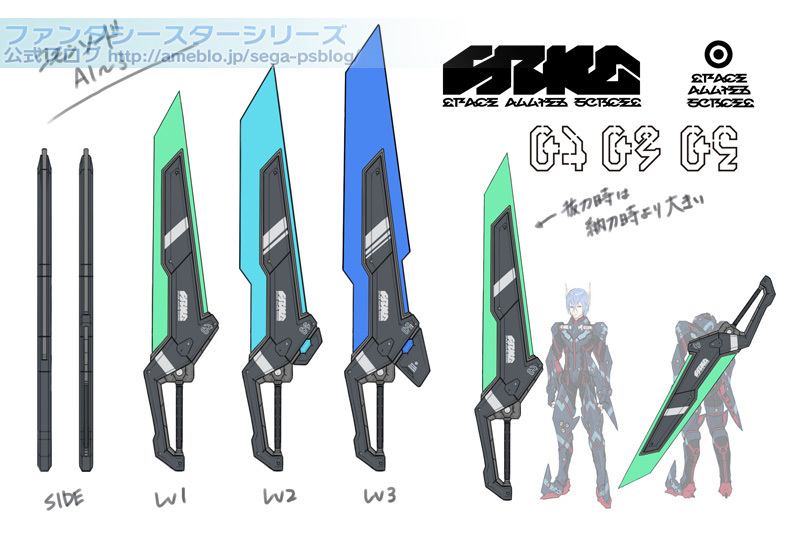
Random question, I'm looking for weapons for my avatar, but I don't know what they are called to even start looking for some >< I like 'Tron'~ish style weapons like this https://hinatatas.deviantart.com/art/Yukari-529333463 and http://pm1.narvii.com/6297/87126453effe5117b72d6dbc5d5aa0a6558873d3_hq.jpg is there a specific name for these?
 upper kiln
@spiral sigil mostly like took idea from phantasy star online 2 game for that weapon http://www.pso-world.com/images/news/11-18-11/pso2-sword-concept.jpg
 spiral sigil
Wow, thats actally really close to the style I was looking for
upper kiln
hyperdimension is all about console and video game refence
they take idea from phantasy star games
spiral sigil
You've ruined me! now I'm going to have to learn how to rip and port ><
Well, I got the chainsaw decimated from 60k to 2k but it really took a beating
 rustic carbon
OUCH
spiral sigil
Hopefully after particle effects i'll look ok again
it'll*
Actually, hold on, all I really want is the red smooth 'tron'~ish chain, I should look up how to replace the chain from a different model with this ones
 delicate garden
Where can I get 3d models?
 toxic forge
sand dirge
toxic forge
sand dirge
I'm ok with how this hair turned out I guess
I mean as long as nobody checks out the amount of tris and missing faces
 shrewd marten

how do i connect it ,-,
im very newbie
when i create face it become very weird
spiral sigil
connect it? you mean merge 2 vertices?
shrewd marten
ye
spiral sigil
@shrewd marten ok so you select them and then press W and select Merge
shrewd marten
ty!!
 balmy warren
where can I find a model for a meteor that is cut in half?
sephiroth's meteor for a point of reference
dusk cave
get a model of a meteor and cut it in half
 pulsar night
So I have this avatar and Im wondering how I can change the basic shapekey. Her mouth is open and it looks kinda weird. Not really sure how to close it.
sand dirge
If I only plan to use actual textures on very few areas, and just materials for color on most, should I separate my model into multiple objects and unwrap just the ones that want textures
pulsar night
There is no vertex group for the lips. And the lips are way too complicated to individually select verts @upper kiln
 astral forge
Is there any way to get unity to use the toon and sph textures as well instead of just the standard diffuse texture?
upper kiln
@pulsar night https://www.youtube.com/watch?v=H_VkwE0B854

Original character, Rich Hari by Ricardo28roi: http://www.blendswap.com/blends/view/66838 In this tutorial: Learn how to make and pose facial shapes in Blend...
just watch that show how to move
vertex
that how i learn blendshape
sand dirge
If I only plan to use actual textures on very few areas, and just materials for color on most, should I separate my model into multiple objects and unwrap just the ones that want textures
Can I cut my whole model into multiple objects just like that
or will there be problems later on
I'm just overall having trouble understanding how the UV map works as a whole
 quiet zenith
damn that guy's a CG master
 high jetty
@sand dirge if you separate your mesh into multiple objects it’ll be really bad for performance.
sand dirge
So do I have to connect everything together
like if I have a hat do I have to connect vertices and edges and create faces, rather than just ctrl+J
high jetty
As long as they are joined everything should be fine. Connecting everything is not necessary
high jetty
You can add seams to areas you want to add to a UV map and then select them and unwrap them
sand dirge
I tried, yes, but it's going to take a while to get it into any proper textureable form
Plus I would've preferred to have some parts just be a blender-made material, not something I'd draw by hand on an image
high jetty
UV mapping takes practice
Also, using too many materials is also bad for performance so I’d try to limit them
sand dirge
So I can use both textures from UV map and materials?
I guess it's just through assigning in edit mode after selecting the specific parts?
high jetty
Indeed
sand dirge
Also, I rearranged and scaled stuff on the UV map and was planning to export it so I can draw on it, but will it stay like that
Seems like touching something resets the UV map at least, so what do I have to look out for so I don't have to rearrange and scale everything again?
high jetty
As long as you save the blender file it should remember any changes you make to uv map changes
Just remember if you are making any changes to the image file, that needs to be saved separately
sand dirge
Alright, thanks a ton
sand dirge
Huh
Now I'm in trouble with modifiers then
wanting solidify on some but not whole object
sand dirge
wish I could make a proper face
and gotta figure out what to do about the no-longer-solidified parts
 fair reef

 hybrid kettle
Would anyone be willing to help me out with a little modeling, Mostly backface curling which has been an issue for me. My face or mesh is one sided so when i import into the unity game engine the normals disappear on one side and of course show on the other. I've tried to flip normals, can't do that as for it will still do the same thing but on the opposite side. Tried doubling does nothing once so ever, and the modifier soildify, whch doe work if i keep the materials separate. I don't want to keep them separate as that's just making people pc have to run harder for draw calls and everything. Once i join them back i lose the solidify and it's right back to normal with the backface curling issue. Hope i said enough to help a litte, I really want to get this fixed but i can't seem to find a way. Thanks.
hybrid kettle
Looks like a uv mapping issue, but i don't really know much about uv mapping to help.
fair reef
hmm
rich lagoon
@hybrid kettle You need a face on both sides, so extrude a bit and then recalc normals so there are faces on both sides
extrude > right click > alt + s
or
make sure the object is unwrapped
hybrid kettle
Thank you, i will give it a go. have a few models that have that issue and just can't use them because of it.
rich lagoon
tab into edit mode, select the faces, press F9 and click the twoside option
or you can use the solidify modifier
Which adds depth
hybrid kettle
My olny issue with the solidify is it add more un needed verts for models that already have over 60k faces. so it's harder to get it under with decimate without losing so much detail.
hybrid kettle
option 1 doesn't seem to work for me any time i try it. but i will try option 3 as for the second one wont save when i join the materials back together.
rich lagoon
You have to have the faces selected
rich lagoon
Just go into face mode, select the faces, and then select the check box
hybrid kettle
So the double sided still won't work , even after going to edit mode selecting faces option and selecing all the faces. I can see it does something, but once i click back on backface curling it;s still the same.
maybe i'm just doing something so simple wrong lol
extruding works though.
rich lagoon
You don't have to click backface culling
Backface culling doesn't do anything outside of Blender
@hybrid kettle
hybrid kettle
Well in unity the faces will flip so i use backface curling to see if i have any meshes that are one sided.
 stiff siren
So can someone help me out on adding the perspective tool back on unity ? Im trying to turn my model around but I cant do that without it.
royal violet
 pallid atlas
Hey guys, not sure where to go for this, but I can't quite get the texture on my prop into unity. Not sure what exactly is going on but I made an atlas of the prop, put it in unity first, then the model, but I still get a grey prop.
spiral sigil
I'm not sure if this will help. I'm completely new in Unity, but I've read a fix to something about missing/gray textures on a wikia page.
http://vrchat.wikia.com/wiki/Quick_Start_-_Mixamo_Avatar_Creation#Step_One:_Starting_off_with_the_VR_Chat_SDK
Should be on part 5.1

VRChat Wikia
This documentation should be able to assist someone with absolutely no 3D/VR Chat SDK experience in creating a quick and easy avatar. If you see a model with two variations, a High Poly and Low...
pallid atlas
Eh, sort of a fix. Thanks for the help though. Gave it a texture, but just took the UV Map and pasted it on.
Maybe the issue is that you're not supposed to have a UV Map, but I cannot seem to find a prop of Megumin's staff.
royal violet
Does anyone here know about crowbar
the source tool to get files from valve games
I need assistance
 vapid cipher
I'm trying to cut down on a model's poly count in maya but it looks horrible whenever i make any changes
 flat panther
@royal violet I use Crowbar 👍
 tough phoenix
screams
 sour wagon
whats with all the edgeloops on top?
tough phoenix
i created a bridge with divisions ohrgrgreg
i didnt feel like making a nurbs curve
sour wagon
just delete them please... i can literally hear my game dev teachers screaming at me rn
then again, nice stuff 😉
sour wagon
ayy good 😃 although i must say i can feel your pain, maya can be a bitch 😛
tough phoenix
maya owns me and punishes me daily
im making a kitchen scene, i already made the fridge...
 ancient condor
anyone around?
tough phoenix
hewwo
tough phoenix
meeee toooo
sour wagon
😄 poor person
tough phoenix
are you experienced in maya? x_x i might come to you for homework help..,,
sour wagon
oh oops
tough phoenix
i owe u my life
sour wagon
hahah 😃
tough phoenix
im a dying computer animation student
sour wagon
im in my 3rd year of game development as an artist, i feel your pain
and your lack of sleep
tough phoenix
ohhhh good luck good luck
sour wagon
😄
sour wagon
oh stop it xD i dont even wanna start on that topic
tough phoenix
LOL
sour wagon
i just avoid them xD
tough phoenix
theyre so....
ugly to work with
ieghvegert
any tips for making the top of a screw
the little + indenture at the top
sour wagon
probably best to use normals/height map for that
but if you wanna actually model it
get half a sphere, low poly, multicut tool, hold shift or ctrl for edgeloop mode and cut a plus in it.. then just use extrude and put value negative
tough phoenix
:OOOOOOOOO smart
i knew it should be a negative extrude...
but i wasnt sure about the rest thank u
ancient condor
Just diving into character modeling and finished my first anime head https://cdn.discordapp.com/attachments/385235916697894915/399101260227280896/unknown.png

wanted to see what yall thought
 tough phoenix
oo cool, its very crisp,, nice wire frame
something about that part by the mouth bothers me, it might just be the shading though
ancient condor
sour wagon
the lower lip might be too pronounced
tough phoenix
im really glad im not the only 3D modeling student here
sour wagon
😛
ancient condor
Not a student, just never done characters, environmental/prop artist 😛
ancient condor
Bach in Game Art & Design (self taught though) and work on a game while breaking into the vrchat world 😛
working on a few UE4 projects
tough phoenix
wooo congrats!
ancient condor
Appreciate 😛
ancient condor
nice man!
tough phoenix
aa thank u ; ;
i have yet to model characters, i only do objects and scenes so far
i do model characters in MMD buuut
that's obviously pretty elementary compared to maya and the like
sour wagon
ive done a character in zBrush
oh the pain
#sendhelp
ill just stick to environments/props xD
anyway im off
have a good one guys
ancient condor
good night buddy
royal violet
so, I jerryrigged a solution

I put the head of one shark on the body I had
seems to work fine
tough phoenix
is that Mayhem? :o
 ebon axle
 echo sphinx
Anyone know the best way to connect a hat to a mesh and armature without messing up the mesh at all? In Blender
sand dirge
I have some belts on my character I'd want to use solidify on but as it's a single object
Vertex groups are the way I assume?
Also I uh
I might want help with the face through DMs
sand dirge
Solidify doesn't seem to work very well with mirror over the axis
or maybe it does, just had to move the parts around a bit, huh
 muted goblet
Anyone know how can I remove those eyelash ? it is really ugly
or if there is anything I could do to avoid this when it is no longer in blender
sand dirge
Well crap
The character's front hair is mirrored and I don't know how to exclude it
since mirror doesn't seem to accept vertex groups
Okay so this weird crease along the axis appeared again
assuming it's caused by mirror and subdivide modifier but I properly have mirror before subdividing
It wasn't there two saves ago and I didn't touch the vertices along that line
or actually maybe I did
I was gonna say I touched her chest but that sounds inappropriate
Well the front hair I don't want to mirror is still a problem
WTF the crease is caused by a solidify affecting a vertex group
I guess I should just, like
not use solidify
So apparently putting mirror as the very first thing and only then using solidify and then subdividing works
Should I just have subdividing off for the actual avatar .-.
 lament pond
spiral sigil
lament pond
spiral sigil
qt
lament pond
Merci, it's for a commission
rich lagoon
Apply the mirror modifier and then add a subdivision
Either that or keep the mirror modifier and go into edit mode, select everything, and press w and subdivide
sand dirge
My ambient occlusion just paints the whole thing black
I don't see the baking process in real-time but it takes over a minute to do
and I still have no idea how to handle the front hair as I don't want it mirrored but I can't leave it out of the mirror modifier if I make it into a single object
Everybody's posting pics of models with asymmetrical hair
:<
rich lagoon
So then make the hair it's own mesh and remove the mirror modifier
Select all of the hair and press P
Separate by selection
@sand dirge
sand dirge
I was told here I should keep everything single object
rich lagoon
Well you can rejoin the hair and body when you're done with the body
Make sure you apply the mirror modifier to the body before you join the 2 though
rich lagoon
You can join them by going into object mode and selecting both meshes and pressing ctrl + J
rich lagoon
I'd recommend saving a backup blend file before applying modifiers... that way if you mess up you can go back
But, once you join the meshes make sure you join the vertices from the neck and body
That way it's all 1 mesh
nocturne marlin
does the blender material settings have any influence at all if I put over another shader over it anyway in unity?
rich lagoon
If the shader colors the whole body, I'm sure it wouldn't make a difference
But if you have a toon shader for example you would need a material
sand dirge
...huh
Should I have used toon shader rather than diffuse
Didn't even know it was a thing
rich lagoon
A toon shader is only in Unity.. you apply it after you import it
It just draws a black outline to the character
You'd still need a material for the character
sand dirge
Is there someone who might be able to help me improve my character's face later? It's just a regular human one (though aiming for anime-ish style) I built from scratch with half a day of modeling experience
I can't really say what feels so off about it, it just doesn't sit right with me nor few friends I showed it to
 simple vine
Anyone has an updated link to cubeds shader?
I think somehow i got my hands on an older version or a copy, things look very different from what im used to
spiral sigil
@simple vine https://github.com/cubedparadox/Cubeds-Unity-Shaders

GitHub
Cubeds-Unity-Shaders - A compilation of custom shaders for Unity3D
simple vine
why thank you :^)
 pure pawn
is there an easy way to find a spot on ur atlas using the model
my texture is messed up and i have to fix it but i dont know where on the atlas its supposed to be
 long pawn
how do I get my textures to work in unity? there's no option to open an image for any of the shaders on my model...
they're all greyed out
 plush token
long pawn
plush token
long pawn
okay dw I just had to extract materials all good
plush token
is there a way to make the ponytail not standing on end?
in the mesh or something
or bend the starting bone down
rich lagoon
if the bones are dynamic they'll automatically fall when you import to VRChat
Shouldn't matter if the pony tail looks like that or not

Dynamic Bones - 20 USD on the Unity Asset Store! http://u3d.as/7fH VRChat Community Discord: https://vrchat.net/discord Download VRChat! http://store.steampo...
 fervent edge
i've noticed particle systems get smaller as you the camera gets closer, will this translate into vrchat
 last hinge
@sand dirge you have a picture of the topology of your model?
sand dirge
@last hinge Not a very updated one right now, I think
Not that I'm sure what that even means exactly
Latest pic I have of it and it's outdated, I said "later" because I'm away from home for another two hours maybe
also that's a censored face so doesn't much help
Oh well here's something but again, old
Smoothed though so no proper topology (I think??)
last hinge
well you aren't defining any forms..
chin/lips/eyes, the planes of the face
eg.
planes of the face
you can use simialr meshes and pull it to a realistic shape or an anime shape/animated shape
but you'll still have the same underlying forms/polys/curves defining features
This one has example of face toplogy on a stylized character.. its high polycount for vrchat but you get the idea

ArtStation
This is deformation & articular joint test of my base mesh for Pisciasa. Did several quick test using default Voxel skinning at 128 res, no manual weight painting just yet. I move back & forth several time to find the best optimal combination of topology flow and articular joints position to maximize linear-blending skinning results.
The colored lines of the model are just aid my process of specify the topology of the model, red line indicate the most important loop, Orange is less important but a should-have if tris-count allowed, Black line is the middle lines to separated model in half or quarter that will help with the UV seam later.
Better result will be able to achieve by the further use of weight paint fixing and corrective blendshapes .
Full project available here : https://forums.cubebrush.co/t/artwar-2-3d-pisciasa-of-the-deep-darkness-phungdinhdzung/4409/36
sand dirge
I'll DM you a proper picture once I'm home, is that fine with you?
last hinge
sure
sand dirge
Will have a look at those too, of course
last hinge
Like this has really nice facial topolgy on a 10k polygon character from league

ArtStation
This is Riven's Dawnbringer skin for League of Legends! It was a ton of fun to be a part of this skin's creation and I really hope people enjoy it. The team that worked on it did a ton to make sure all of the animation cancelling functioned properly and that it was easy and satisfying to combo with her.
Apologies for not posting in so long! I'll make it through the backlog eventually.
Original concept art by Charles Liu, Animation by Tom Robbins, VFX by Brian Vinton, SFX Jayvon Rymer, and splash art by Chengwei Pan and Alex Flores.
https://www.artstation.com/artist/pan
https://www.artstation.com/artist/alexflores
click the play icon and you can look at the model in webgl hit \\ and click on topology can you can zoom in on the face
You'll find a lot of artists will start using similar edge loops and layouts for facial features and then sculpt/push and pull the porportions
eye treatment will be slightly different if you want to do the MMD style anime eyes where you punch out the eye holes and have "cups behind" them with little nubs for the pupils sort of thing
 tame rampart
Anybody know how to import a Unity .fbx into Blender? Whenever I try, my model turns into a weird blob
 tight tartan
someone knows how to get rid of those black things in both eyes? I tried something, and although I managed to delete those black parts on the inner part of the eye, the color in the outer part of the eyes isn't white as it should be, instead it is pink, someone knows how to solve this?
it looks like this now
 lapis needle
@tight tartan If its black. Its probably ment to be transparent. Meaning there was something either white behind it or it would be replaced by a white texture. Also if you see something thats pink and shouldnt be. Its because either you dont have a material assigned to it or its just not present.
tight tartan
that's the "pink" thing I was referring to
lapis needle
That looks like that stuff behind the eye is suppose to be white
Did you just delete them or did you color them something diffrent?
tight tartan
no, I changed the transparency to the minimum and now it is like that
tight tartan
I crreated an atlas and then I changed this to 0
lapis needle
Bring it back to a hundred. You just need to assign those parts in the model to something white
tight tartan
do you know where to do that?
because I tried clicking and changing many random things
lapis needle
Fist youll want to select everything thats ment to be white in the eyes. In my case these areas are seperated from the main mesh so I can push ctrl+l to select them. Then youll come over to your materials tab and find the correct material that corosponds to this and click on it and asign it.
Youll want to select all the parts in the eye that are ment to be white and then assign the proper material to them.
sand dirge
I thought tris were considered bad practice and then you post a model that's only tris
eep
tight tartan
Already selected everything and clicked those things you tolde me, it is still there, am I missing something? First I tabbed, then I selected the things I want to change, then I clicked "EyeWhite" then went to the shading tab, ticked the backface culling, clicked "assing" but iit is still there
 nova drum
...I am a complete dingbat, This stitch looking sonufa gun is over the polygonal limit about four times over! DX
tight tartan
btw, thanks for trying helping me
nova drum
back to the drawing board
last hinge
I don't use blender and I have someone asking me
does blender have any features like this.. where you can template a old model and just redraw your polygons/topology on top of the old model as a constraint?
Like this?
Found it...

Support my work: https://gumroad.com/zreinhardt Video auf Deutsch/German: https://youtu.be/LAJO7Z5wXKg In this tutorial you will learn how to set up everythi...
tight tartan
everything selecter
 forest maple
does't look so bad for a first timer on blender i would say.
https://gyazo.com/181c9bc504a41c11240c00555d9be039

 lusty birch
Can't Figure out why my texture is only broken when using a Blend Shaped Model.... Feels like the textures have somehow been applied once for every single blend shape, thus making it completely black?
 willow axle
Any idea on how to reduce the face ?
sand dirge
It definitely seems like Niko
I already saw one Niko in VRChat though
Eyes not big enough
 lilac topaz
It looked better then this one for sure
It's like they tried to make an anime character look like niko
sand dirge
:think:
lilac topaz
:GWchadMEGATHINK:
sand dirge
:megaKappaLULthinkonator:
 snow peak
how do I do the rainbow cubed shader? x)
 pine falcon
rainbow cubed shader?
do you have a link to a GIF? i could make an attempt at replicating it
sand dirge
Why do I have multiple vertices moving when I try to move a single one
proportional editing mode is off
pine falcon
honestly, i'm bored af and already started trying to make an interesting rainbow effect
sand dirge
WTF just look at this
If I link these two (or the ones next to it or whatever)
boom
I have mirror then subsurf then shrinkwrap on the object
oh nevermind
after disabling shrinkwrap in viewport it shows the vertices are actually inside the damn head
 kind ruin
trying to create fake bones for a model, using 3ds max, anybody got a good tutorial for that?
last hinge
@spiral sigil I had the black thing happen going from Houdini -> Unity so it could be a similar issue I just assigned a new shader and populated the abedo value with something
eg.
I'm like whelp whever, it works after assigning shaders so...
if it still happens it could be a winding order issue.. iun which case you need to reverse u/vs or toggle that switch on the shader maybe.
was everything modelled and rigged and blendshaped in maya or was parts done in another package
?
 graceful flame
can anyone help me even understand blender
pine falcon
@snow peak
 brisk crown
the head and the body are seperate. is there a way to attatch them together?
 sacred mist
Extremely new to making models. I downloaded this model off of sketchfab as an OBJ, and was wondering if 1. It comes present with the proper bones and points so I can upload directly to VRChat and 2. How to get the chain and lantern into his hands.
Is this too big of a project to start with?
https://gyazo.com/b970bd2ffd4f975b5720feb433ac12b6
 brisk crown
thx
last hinge
@sacred mist THat's a pretty advanced project to take up if you never modelled/textured/rigged or done game engine stuff before. I'd focus on just getting the character working first, ignore the props until you are comfortable.
sacred mist
ok, thanks 😃
 uneven drift
Anyone know how to join a mesh and make sure they unwrap as one UV mesh?
 exotic loom
Guys, i need dab animation in .fbx, can not find it on mixamo
 sinful sable
Question: If the textures of my model are connecting to eachother
What should I do about that?
 maiden sigil
so I wanted to add something extra to a whole model, anyone know how to add something not part of a model to that model?
like, add it to that objects heirarchy
 wicked schooner
So
when using dynamic bones that are like, for hair, would they be connected to the rest of the armature?
or would they be standing on their own
rich lagoon
@exotic loom Make it yourself :)
exotic loom
im too lazy 😃 @rich lagoon
and i'm already saw it in game, thought
it exist somewhere
rich lagoon
Everyone here is too lazy... 90% of the questions here can be solved with a google search and a look at the first link
exotic loom
i really was trying to find it meh
thank you anyway @rich lagoon
btw have a problem with export into game
can not add second avatar, it always replaces the first one, as a result, I always have only one avatar and no more than that :
I thought it was because I was doing everything in one Unity project, but this is not the case
 bleak dove
It's my first time making an avatar and I've made it to unity, but the atlas I've created doesn't wrap right in unity it just looks like the map is layed flat against the character. Any suggestions?
 teal delta
question
sand dirge
damn that neck looks thin
teal delta
If I have a model that is using multi/sub material
and unity only builds one material do I need to do something with the uv
wicked schooner
its perfect
 subtle spindle
whats the best way to make ur world collided instead of putting a much of box colliders everywhere
 smoky nymph
If I want to export my charlacter from blender to unity what format do I need?
rich lagoon
http://lmgtfy.com/?q=how+to+import+blender+to+unity @cursive mural

LMGTFY
@smoky nymph *
rich lagoon
Click the link and it'll show you how to get there
 cursive mural
thats an unfortunate typo
rich lagoon
lol
smoky nymph
lol
 willow radish
Hm so i'm new to 3d modeling, and i'm trying to figure out how i would remodel this
and shape it to fit the grey alien from VRchat
Would that be possible?
Wanna have the body shaped for the alien, so it doesnt look weird, then make the hood bigger and have my aliens head under the hood
smoky nymph
What program are you using?
willow radish
well the cloak is on blender, but whenever i try to upload the alien to blender it doesnt turn out to well, I'm completely new to this so maybe i fucked up
i was following a guide for VRchat, but it doesnt help for what im tryint to do
teal delta
nvm fixed my issue
smoky nymph
Editing th cloak is pretty easy just search for some guide but for the alien.. I'm not sure
willow radish
i need to be able to compare the cloak to the alien so i know how to model it, but the alien model is messed up when i import it, FeelsBadMan
willow radish
.fbx
smoky nymph
Did you tried opening a new blender scene then File>import>.fbx yet? and copy the cloak in after that.
Sorry if I wasn't much help as I didn't mess around with importing .fbx much
smoky nymph
So I would guess either the .fbx is broken or the thing is hidden...
Or maybe a material problem
willow radish
ye idk, i got it from the unity store
smoky nymph
how to import fbx into blender <Google that
bleak dove
When i use the inspector on my texture atlas (thank god its working now) it brings up TextureAtlas Import settings instead of the normal settings https://gyazo.com/26e3e032955e262c6f1349a813526585

 sullen zinc
Look at my Kylo Ren!
I sculpted him in Oculus Medium
I'm so glad he's done! A very thin part of the middle of his scar glows very faintly in the dark.
I'm going to make a normal Kylo Ren and a W I D E Kylo Ren.
 spare musk
hello, ive got a question and i am not sure if this is the right channel to ask. i am rigging a model in blender and i noticed the toes of my character are inside of eachother while in a T pose but when the legs move the toes stay stuck and stretch as if theyre one part. is there an easy way to seperate them?
sullen zinc
Post a pic
What do you mean they're inside each other? All of tghe toes on one foot?
 brittle island
Finished this thing. Took about a week, so it's not the best or largest scene ever. https://lumoize.artstation.com/projects/EyWA4

Brendon Kibler
The Abandoned Alpha Base Airlock 1 has been out of service for quite a while now, with it being a (now) fully manual airlock. So if its not been used in years, then why is it powered up, and wet?
This was a week long project I made to test out some new techniques in Substance and Unreal.
brittle island
Just a portfolio piece. and is it still a "Render" if its real-time 🤔
rich lagoon
🤔
Well I just noticed the pipes looked pretty low poly, so was just wondering if you were planning to make assets or something
Not saying it looked bad, it actually looks really good, but that was just one thing I noticed
brittle island
Yeah I make everything in Unreal (Game art, ya know) So I make things game ready
rich lagoon
Yeah
brittle island
and it often do release my stuff for free as well, but they tend to be very specific
rich lagoon
Nice
It looks good 👍 I like it
One thing I have a lot of trouble with is finding the right textures... wanna share your secrets? lol
brittle island
Substance Painter is cool. And Substance Share is pretty good as well :P
spare musk
@sullen zinc the egg shape in the middle as actually two round toes going inside of eachother
rich lagoon
Messed around with substance painter for like 5 minutes lol
ancient condor
@rich lagoon try out substance amazing texturing program
wicked schooner
Ok so, for some reason I cant move any of the bones in my armature
 wary elbow
Is there a way to put the model in a T-Pose on Blender?
Fingers are bending inward and what not when uploaded to Unity. Just opt to solve the problem in one go in Blender than doing a trial and error attempt everytime. Saves me a couple minutes.
sullen zinc
@spare musk Hmm, try redoing the armature maybe? My guess is they're both weighted to the same bone.
 modern compass
Hey guys, any idea on why this is happaning/how I can fix it? https://i.imgur.com/RVR5T0v.gifv

Not sure why the gif doesn't play in Discord but it does on the Link
spare musk
@sullen zinc I was thinking that too ill have to check it
wary elbow
@modern compass Check weights of the Vert's.
It seems like there is a confliction between the Lower and Upper. (Lower arm seems to have a weight applied in the Upper arm).
Or possibly one vert has no weight at all. Not applied to either Upper or Lower.
modern compass
Hmm, I actually just had to leave my computer but I'll try that. Just in case it's not that and you're not around, could there be anything else? @wary elbow
wary elbow
I'm pretty sure its just a misapplication of a weight. It's an easy fix, but you'll have to dig in there and snip it back to the proper bone.
modern compass
Not really sure why I didn't think of weight, thanks for the reminder though! It's funny because I only realised the issue after getting in game :/
dusk cave
I'm trying to add an image to my character, are there any problems with just adding in a Plane via Unity and assigning a material to it?
i've tried that, and it's supposed to show up on my avatar with an override but it doesn't show up in mirrors or cameras and other players see it but only rendering over top of where my character model renders
also my character's pupils rendering through it, which is kind of scary.
modern compass
From what I know, objects from animation overrides can never be seen in mirrors
 hardy bridge
How would i go about getting the map for where editing a specific part of a image would affect a specific part of a model
like it gives you the wire outline on a flat image indicating what goes where and how it changes it
something that looks like that
but how do i get to the point of how to make that kinda thing
spiral sigil
??????????????
hardy bridge
edit bounds on the "Body" of your model
 rapid loom
@hardy bridge if you mean UV wrapping there are some guides out there
spiral sigil
where do you edit the "bounds" ?
rapid loom
@hardy bridge you gotta look for uv mapping and texture painting
hardy bridge
@rapid loom actually closer to UV unwrapping
 heavy pulsar
Lol nice try.
smoky nymph
RIP my time wasted on making and rigging my mech
hardy bridge
is there a way to paste an image onto a part of a model as though it were a sticker?
spiral sigil
yeah idk
sullen zinc
Is there a guide to getting things from oculus medium with multiple layers to vrchat?
 hushed belfry
There's a video tutorial for medium models to vrchat
It's one of the first you'll find on youtube if you search vrchat model rigging
but you can include the word medium to be sure @sullen zinc
Ohdamn I'm ready for VRchat
sullen zinc
I've been watching that video, but it's old and doesn't tell you how to get multiple layers to work. I'm going crazy trying to get this model to work.
hushed belfry
Ah yeah donno how many people can help you if it's a medium specific thing
How does it export?
If it exports into multiple objects you can merge them in blender
wary elbow
@spiral sigil
Make it smaller. Those are over 5.
sullen zinc
It does, and I have been, but every time I try to join them together then rig the resulting mesh, it gives me Bone Heat Weighting: failed to find solution for one or more bones. I got everything to work once, but tried to pose it into a T pose and this happened:
wary elbow
Needs to be 5 below
sullen zinc
It's a nightmare.
I've resigned myself to combining them all into one model before I export it. The only problem is that the same thing happens when I try to pose it.
I'll just try to use this torn up model
😔
lament pond
I love designing dresses
 native girder
Cute :3
 autumn umbra
sullen zinc
autumn umbra
sullen zinc
If anyone ever uses Oculus Medium to make an avatar, please for your own sanity use Mixamo's auto rigger!


 serene crown
Been trying to shave polys off the ISS model nasa has... still at 350 000 polys...
I've been so unkind to it
and yet it still has way too much
 solar mauve
serene crown
solar mauve
serene crown
About 2 000 000
serene crown
Nasa has super high poly models
Like if you popped them into the real world with the right materials they'd work right off the bat
Ok I give up
I got it to 130 000 polys but now it's deformed to hell and back
I'm just gonna make my own space station
It's gonna be like 10 times uglier
But atleast I won't rip my hair out
brisk crown
I'm almost done making the rig and the weight paint for the model
sand dirge
I just realised I can't really use solidify because it increases the poly count kind of a lot
tight tartan
I need help with this to finish, how can I possibly delete the purple dots on the eye and change the color of the outer part of the eye to white? I'm a noob and I don't understand a thing, if someone can help me, I'll apreciate it, or maybe send me a link to a video where they explain that
 finite trellis
In blender, if you seperate materials with Cats you can select the purple dots and delete them
 brazen osprey
Check materials for the color, i guess
finite trellis
And as for the background color of the eyes, I wouldn't have a clue sorry.
brazen osprey
And the dots are separate polygons so in polygon mode just delete them
 high onyx
Hey guys I have a problem:
https://gyazo.com/a99f80d224d5a6f04d01d920dbc88733
What is this error message?
 tight tartan
I'll see id that works
high onyx
ok.
brazen osprey
Pm me a link to this model, i want to check myself @tight tartan
 hazy bloom
How willing would anyone be to help me create a model i have a concept for today? (fair warning i have no idea how to 3d model)
 slow venture
sorry but there are a couple more models I want to make myself first
 fierce wren
@brittle island that airlock is super cool!
brittle island
Thanks
 wary thicket
Oh, this is probably the more proper place for what I'm asking.
Does anyone know how to create and properly apply textures in PMXE?
Luckily, it shouldn't be... TOO hard, considering the model is question is essentially like
5 Rectangles
but I don't even know where to start.
 rigid vault
Anyone know why I would be having this issue?
When in Unity parts of my texture are not showing.
spiral sigil
Hi, can someone help me change eyes color to something like turquoise color?
 fossil birch
Hopefully someone in here can answer this blender question: I have a texture which has transparent bits. I want those parts of the mesh to actually be transparent. But instead blender just gets rid of the alpha and it looks like it's just replacing it with the nearest 0 alpha color. Which is obviously quite bad.
here's the settings on the texture
it sort of works if I enable transparency on the material and set alpha to 0 but
it forces everything to be 100% transparent or 100% opaque for some reason which is super ugly
 dusky swift
yo how do people edit things on models like for example i saw a kakashi model with instead of hidden leaf symbol it was a number 5
is this the right channel for it?
is there guides too?
 oak star
Hey does anyone know if unity accepts sc1 files?
 echo lagoon
I can't find a vrchat forum or vrc trader channel. Can someone make an avatar using my face?
 viral quartz
is there a plugin or something for blender to import ascii fbx files
or do you literally have to manually convert them every time you want to edit them
 atomic zinc
ayyy 3d modlers, can someone make this a model and pm me it's important for science 👀
 lavish phoenix
If someone makes it... It will be to powerfull... You will be able to defeat one punch man
atomic zinc
^
i'm gonna ask again tomorrow, i'm gonna ask so often until someone makes it or i'm sick of it and make it myself lol
lavish phoenix
Try to ask it in vrc traders discord
There is a section for free stuffs, maybe someone likes the idea and makes it
atomic zinc
gonna do that thanks
lavish phoenix
Also I got a friend who might be able to do it, he is a map designer, but I saw he had some models aswell, I will ask him tomorow if you add me on discord
atomic zinc
aighty, thanks

 south sparrow
now give it HUGE tits
south sparrow
anime big
south sparrow
if I can see the arms, it's not enough
 loud current
what about the feet
south sparrow
nah, just let it roll
loud current
obligatory BUFFALO SOLDIER
 sudden tapir
ill ask here since its a modeling issue

any way to make that 1 mesh
instead of that mess
 candid arrow
Can I pay someone to make me a custom model thats vrcvhat ready? Just let me know what you're charging first lol
 sharp saddle
Hello everybody. I'm looking for a model creator for a custom avatar. if anyone can help me, please adden and write to me :3 Thank you o/
 halcyon raptor
hey i was wondering can someone use this player model to make my Profile pic an actual model for me?
 rancid crescent
 earnest adder
 old mesa
good lord
 trim karma
Can someone DM me the VRC Traders Discord link?
flat panther
^ Same
 agile snow
old mesa
agile snow
old mesa
what is mixamo
how can i export my guy as an fbx?
how do i give him finger bones
@agile snow
spiral sigil
Can anyone recommend me a character model with a suit and tie? Trying to make on with a special head
 exotic cedar
Does any one know if bones need to be connected to work in unity? http://puu.sh/yWzhm/adf95db6b1.jpg
 upper kiln
@exotic cedar dont need to
exotic cedar
Cool, appreciate it man
 arctic stratus
i've got the textures edited the way i want them to look, so now how do i export them out so i can put them on the model in unity?
exotic cedar
Have you tried exporting as a FBX yet?
as long as you import the final FBX and all the textures into unity it should work fine
arctic stratus
this is what happens when i do that
exotic cedar
do your materials still have their texture image linked to them?
arctic stratus
i don't know how to do that. literally all i did was import the model and change the colors of the materials
exotic cedar
Select one those materials there then check the inspector on the right hand side
in the inspector there should be a label for (main texture)
tight tartan
I can't change the shader?
spiral sigil
does anyone know how to dissolve/blend one texture into another in a shape key (Blender)??
 marble stone
Need a little Help idk how to get 2 textures to show up at once on my charater, When i click on the other body part the other half shows than the othr hald goes away,
Half"
tough phoenix
T T does anyone here work in maya and is online?
I have a really quick question
nvm
 swift river
Hi, can someone help me with this? I want to put Garaa in as an avatar but i've got some issues with transparancy etc.

And I don't exactly know how to fix it.
On Materials i've put the rendering mode for all of the things to ''Opaque''
 junior crow
Anyone have a good Midna mmd model
 uncut shore
https://jakkaeront.deviantart.com/art/MMD-Midna-Hyrule-Warriors-DL-556110181 literally just search it and it comes up

DeviantArt
Note: Twili Midna's cape physics is bad because lack of vertices to rig on it, unfortunately not suitable for dancing UNLESS you turn on "no cape" slider. Comment "DL'ed" below the page, thank you ...
junior crow
@uncut shore thanks but im looking for the imp one ❤
 upper pecan
How exactly do you enable transparancy in .mtl files
https://i.gyazo.com/4914fe70f4d486b12215200587cc7cf9.png
 upper kiln
Might as well replace particle
 gusty sluice
where is the best place to get models
upper kiln
deviantart
uneven drift
I am having an issue with the lighting on my material. I think it was because I played around with cubed maps sampled from lighting probes. Is there a way to undo that? Assuming that is the issue? The issue is that I have two versions of the same character with the same material but they look different when I upload.
upper kiln
@forest fjord 19,999
 granite gull
i have this really nice model that i want to use because its very realistic but it has like 47000 polys, i hope in the future it will get increased
spiral sigil
how do I patch a hole in Blender? I have 4 verticies and I want to add a face between them
 main veldt
hey guys i have a model of rammus but one of his fingers is inside his chest, is there anyway to fix that?
spiral sigil
ok, cool
 teal token
@swift river maybe its a problem with flipped normals. Unity doesnt render double sided polygons
uneven drift
Could also be that you need to turn culling off in your shader which can be done by downloading the Unity shader source and adding the line "Cull Off" to the subshader section.
lament pond
lament pond
 sand wagon
 craggy frigate
@lament pond you did that from scratch?
@sand wagon add an avatar descriptor to your avatar's game object
lament pond
Yes @craggy frigate
craggy frigate
thats quite something. i couldnt do entire humans from scratch, or rather anything too organic
lament pond
Just takes practice
craggy frigate
i am told to use skulpt, but i cant use that at all
and if i do anyhting else i miss making precise curves in polys
 azure quartz
Really like the hoodie colors
lament pond
I could never get into sculpting either
tight tartan
@spiral sigil yeah, I-m on Unity 2017
 teal otter
@tight tartan you need Unity 5.6.3p1 (https://unity3d.com/unity/qa/patch-releases/5.6.3p1)

Unity
Unity is the ultimate game development platform. Use Unity to build high-quality 3D and 2D games, deploy them across mobile, desktop, VR/AR, consoles or the Web, and connect with loyal and enthusiastic players and customers.
tight tartan
fuck, well, I-ll start downloading it
 tawdry shuttle
My character looks kinda jagged and ugly after i decimated it help
 slim summit
Can someone give me the rundown on blender or a link to youtube videos on how to add mmd clothes or other accessories on models?
lots of what I find isnt about blender
 ivory salmon
I need a program thats going to allow me to edit alot of meshes really sloppily and easily
Any ideas?
spiral sigil
Hi, Can someone give me Dynamic Bones for Unity?
 still pebble
Anyone here sells custom made avatars?
lament pond
sand dirge
how2animuface, eyes mostly
tight tartan
If I don't use the dynamic bones my avatar will not move at all?
high jetty
Dynamic bones is used to make things like hair and clothing sway and move in a natural(ish) way when you move around
azure quartz
Great model man really good stuff
tight tartan
oh, okay, thanks, and one last question, can I use an avatar I created by loging in to VRChat through steam?
 radiant lake
 drifting copper
Any clue how I can make the "lips" not be bright like this >_>;
they stand out too much
tawdry shuttle
change the texture?
 tepid egret
anyone else having problems uploading is it the servers ?
 fast sentinel
Does anyone know someone who could make me a custom model? For pay of course.
 chilly flicker




 lament pond
tepid egret
lament pond
tepid egret
beautiful
lament pond
Thank you
 marsh relic
Anybody able to make a small little terrarium?
Looking to but a ugandan knuckles inside of it in my world as a cruel reminder once the sheity meme dies.
static arrow
@lament pond Amazing
lament pond
static arrow
Very nice
spiral sigil
can somebody please help me with this custom avatar stuff. I've tried to animate so many models with mixamo but I keep getting the same error about not being able to do something with the skeleton.
tawdry shuttle
help, it says i am under 20k faces but unity says i have too many polys when i try and upload
static arrow
Unity counts tris, not faces
 weary zinc
Need to be under 20,000 tris
lament pond
Welcome to optimization Crabby
 burnt dagger
hey i have a question - is there some type of "rule of thumb" with blender and scale to figure out a value that represents a specific height? for example, 1.0 would = 6 foot, etc. (not sure if that made any sense)
 tender pasture
No it's random
burnt dagger
aw
azure quartz
Haha he’s kidding
tender pasture
XD
burnt dagger
aw 2.0
tender pasture
Sry mesing with you
burnt dagger
😐
azure quartz
@lament pond I only do zbrush sculpts, time to learn some major topology
burnt dagger
basically my body is a little tall and i'd like to be around my real height of 5'7
just wasnt sure what my scale value should be
lament pond
Retopology is fun
burnt dagger
because im Stewie
tender pasture
XD Nice
azure quartz
Haha fair enough
burnt dagger
😄
azure quartz
@lament pond do you box model
lament pond
I connect the dots
burnt dagger
@lament pond may i DM you, i have a quick question related to skinning
azure quartz
Haha gotcha
main veldt
hey guys i selected some specific parts on the model mesh, how do i delete them on edit mode?
main veldt
nice
main veldt
can people sit on it?
royal violet
nope lemme get bigger pic
main veldt
1/10 you tried