#avatar-rigging
1 messages · Page 203 of 1
 hallow lance
hallow lance
hallow lance
already on it, how do i link it to the previously existing bone for the upper arm?
wait I think i just found it.
 ornate cairn
you gonna need to add the shoulders and the shoulder gonna need to be parent of upper arm and child of chest
hallow lance
yep did that
also I think I don't need to worry about hands. looking at unity's thing, it just needs an upper arm, lower arm, and then hand. 3 things, and I have 3 things already.
so i think i just need shoulders and then reassign the arms possibly.
testing it on the unity I still had pulled up, yaaay Unity isn't screaming at me anymore!
now i just gotta wait for the other version to finish downloading and then hopefully its smooth sailing to final touches.
ornate cairn
remember to assign bones chest bone usually isn't assigned when there is no upper chest
hallow lance
I did
ornate cairn
remember to use right version of unity
hallow lance
yeah that's why im waiting for the one you told me to use to download.
it's almost done
hallow lance
ornate cairn
remember to use right version of unity
so I got the model and everything pulled up with no errors now, but now in the megatutorial thing it's saying to mess with all this stuff but it's all greyed out and noninteractive, and when I imported my avatar they weren't transparent like the example in the video. Is this a version difference or did I do something wrong or wha?
 ornate cairn
extract materials
hallow lance
does that have to do with the material here or my single one in the material folder?


wait I think i found it
yeah now the ball is in with the uv map thing

 wheat shoal
how would i go about rigging this guy

 fading verge
not sure how to fix this

 narrow heath
can i uncheck these 2 boxes? im joining the head and body
 narrow heath
hallow lance
does that have to do with the material here or my single one in the material fol...
narrow heath
hallow lance
does that have to do with the material here or my single one in the material fol...
i think you have to click on your fbx model and click on materials in the inspector window and then extract materials , after that you have to choose a folder to put everything in and after that it should work!
 orchid echo
necros ur msg owo
I've solved quadrupedal avatars if you'd like to take a look at my setup. https://manyblinkinglights.itch.io/anytaur-quadrupedal-avatar-base-for-vrchat-no-final-ik
My baserig is free. It has the ability built-in to switch to using your forearm+hand to drive the rotation of the leg on that side ("forefoot pickup"), instead of the Humanoid leg, which it normally rotates like.

itch.io
Make your own AnyTaur!
hallow lance
narrow heath
i think you have to click on your fbx model and click on materials in the inspec...
Figured it out a while back, but thanks for the help!
 keen bough
So I'm struggling to hell, I'm trying to make a floating head character for vtubing, but I'm having to use a VRM file. I'm bringing the model to blender, and I got the humanoid rig working, but my issue is that I'm running into this. Anyone got a suggestion for me? @_@
 wheat shoal
Help? I have no clue how i even got this far

 void canyon
wheat shoal
Help? I have no clue how i even got this far
void canyon
wheat shoal
Help? I have no clue how i even got this far
Be a bit more specific with the help you need
wheat shoal
that should help thanks
keen bough
What'd you do, download a model and a rig separately?
wheat shoal
downloaded a model, then used rigify
 iron trench
does a rig for blender using metarig or rigify generated rig?

 sage patio
iron trench
does a rig for blender using metarig or rigify generated rig?
sage patio
iron trench
does a rig for blender using metarig or rigify generated rig?
neither will work well for VRC. if you intend on using that to rig your avatar rather than doing it manually, you'll need to do a lot of cleanup and removal of useless bones


 sleek isle
Still mad about the not strait bone
sleek isle
The meta of rig change often anyway.
Will wait and see waht is the best practices with the new ik
Am still conflict where the upper chest bone should be
iron trench
does vr chat support sewing?


 hollow mountain
Hey question how would I rig eyes?
sage patio
hollow mountain
Hey question how would I rig eyes?
100% weighed to their respective bone
iron trench
sleek isle
You do that and then skin it to bone
how do you do that?
sage patio
iron trench
how do you do that?
normal weight painting
sage patio
not sure what you mean
hollow mountain
To move the eyes using tracking (mouse or eye)
sage patio
you just specify the eye bones in the avatar descriptor
sage patio
you can only set up rotation
iron trench
sage patio
normal weight painting
but the skirt already has physics?
i dont understand
hollow mountain
sage patio
you can only set up rotation
Oh ok! Thanks that helps a lot
Now I just need to finish the texturing and quickly rig up the eyes, and I'll be finished with my model, thank you so much
And make the eye model lol
sage patio
iron trench
but the skirt already has physics?
no it does not
a blender sim does not work
it has to get converted to a normal mesh
then you weight paint it
 vagrant holly
Hello, I have this hierarchy that was generated from Vroid --> Blender --> Unity and was wondering how to add Twist Bones (and where in my 3 software workflow should I do it) to my character so that my arms don't get messed up when rotating my hands in VR
 sage patio
vagrant holly
Hello, I have this hierarchy that was generated from **Vroid --> Blender --> Uni...
sage patio
vagrant holly
Hello, I have this hierarchy that was generated from **Vroid --> Blender --> Uni...
you would add the bones and do the weight painting in Blender, and the rotation constraint in Unity
the CATS plugin in blender has a tool in the dev build to automatically create twist bones
also, do you have a reason for having extra bones for the sleeves?
shouldn't those just get merged to the arm bones
vagrant holly
sage patio
the CATS plugin in blender has a tool in the dev build to automatically create t...
Oh, does it? didn't see it
Thank you for the info
sage patio
you need to be in the Development version to see it
you can download it in the Settings and updates section
vagrant holly
sage patio
also, do you have a reason for having extra bones for the sleeves?
I only touched the rig to fix the feet position, I don't really know anything about rigging
Maybe for dynamic bone (?)
sage patio
CATS has another tool under Model options to merge bones and their associated weights to another bone
you just select the two bones in edit mode, and click "Merge: To active"
vagrant holly
Yeah, seems to be for dynamic bone
 sage patio
I see
very minor detail though, up to you if you want to keep it. it's going to make the twist bone weight painting a little more tricky
vagrant holly
sage patio
very minor detail though, up to you if you want to keep it. it's going to make t...
Can't I just delete it? Doesn't seem like it affects the rig at all, I might be wrong though
 sage patio
you don't just delete bones
there are vertices who belong to the vertex group associated with that bone
if you just delete it, those vertex weights are still there, and they will not move with the arm properly
like I said, you need to merge it to the arm bone
vagrant holly
sage patio
there are vertices who belong to the vertex group associated with that bone
Oooooooh, so that's why you merge, got it!
Thank you!
vagrant holly
sage patio
the CATS plugin in blender has a tool in the dev build to automatically create t...
Which bone(s) should I select to create the Twist bones? This one?
 sage patio
click this
 vagrant holly
sage patio
click this
vagrant holly
sage patio
click this
Yes I know, but that wasn't my question
sage patio
yes, the forearm bone
vagrant holly
Thank you
vagrant holly
sage patio
yes, the forearm bone
Everything worked perfectly, thank you so much!
sage patio
👍
vagrant holly
Now I have another question, lol
Can I go into pose mode using CATS but starting as a pose already saved in the shape keys?
 crisp tendon
Shapekey pose 
vagrant holly
crisp tendon
Shapekey pose <:RuuuThunk:660008559886729226>
Not possible, huh? :(
crisp tendon
You can use the pose library, if that's what you're referring to
ornate cairn
vagrant holly
Not possible, huh? :(
i mean you can pose avatar go to armature modifier and save as shape key
then u reset pose and test
that's the solution you can use if that's what ur looking for
vagrant holly
crisp tendon
You can use the pose library, if that's what you're referring to
So, if I didn't save it before exiting pose mode...I'm doomed, right? ;-;
crisp tendon
Should still be there if you go back in pose mode
vagrant holly
ornate cairn
i mean you can pose avatar go to armature modifier and save as shape key
I posed my character, then clicked "Pose to Shape Key", then exited/stopped pose mode
What I am asking is if there is a way to go back to pose mode and modify the pose
crisp tendon
I don't think you can retrieve bone information from that shapekey no
That's what the pose library is for
ornate cairn
vagrant holly
I posed my character, then clicked "Pose to Shape Key", then exited/stopped pose...
you can't since shape keys move vertices not bones
it doesn't contain data of bones
vagrant holly
Okay, I'll need to pose again :(
Thank you!
vagrant holly
Okay...something isn't right and I need help, lol


 gilded ibex
vagrant holly
Okay...something isn't right and I need help, lol
gilded ibex
vagrant holly
Okay...something isn't right and I need help, lol
only solution i can think of right now is pose it to tpose and apply as rest post
vagrant holly
gilded ibex
only solution i can think of right now is pose it to tpose and apply as rest pos...
That's done, this only happens when trying to animate to a shape key
to that shape key
gilded ibex
vagrant holly
to *that* shape key
Ah ok now i see your goal. If you want to make a pose, use the transform function of the animation. Something about blendshapes and bone transform that should not be mixed.
vagrant holly
gilded ibex
Ah ok now i see your goal. If you want to make a pose, use the transform functio...
Thank you c:
 little forge
i know unity only needs a leg bones but should i still make additional bones for IK? like 2 hip bones
sage patio
little forge
i know unity only needs a leg bones but should i still make additional bones for...
no, Unity only needs one hip bone
 little forge
yeah but vrchat also uses inverse kinematics so adding more bones would improve rigging?
sage patio
you can't add more bones than the Unity humanoid definition can use
Unity has this concept of a "Humanoid" rig, which is useful because it allows you to animate "muscles" rather than bone rotations directly. this means that "humanoid" animations can be used on any model that conforms to the standard humanoid rig in unity
this includes the default VRChat locomotion animations
when you import a model into Unity, you can pick what type of rig it should have. if your model is humanoid in nature, set it as such
but your armature needs to conform to what Unity expects of a humanoid rig
you can however add extra bones that aren't going to be used in the humanoid rig. for example: twist bones, volume bones, proxies for more advanced rigging, and more common stuff like ears and tails
these won't be used by the IK at all, and it's up to you to use them correctly
iron trench
so you cant add more bones with humanoid rig?
like if i want to add tails
sage patio
you can
I'm just saying you just can't do like, 2 hip bones, 6 spine bones, 3 neck bones
little forge
Anyone else having trouble to rig a skirt?
iron trench
little forge
Anyone else having trouble to rig a skirt?
you mean weight paint? yep
iron trench
little forge
Anyone else having trouble to rig a skirt?
if you're talking about a simple skirt like mine do weight paint like this
 void canyon
I see that cats' fix model settings has an option to remove / keep twist bones, is there a reason not to keep these if my model has them?
i only worked with normal bones/armatures so far so im not very knowledgeable in how they work
fading verge
Alright hereee ^^
Okey, so the way UVs work and what they do
A UV is a 2D projection of the models faces used for painting a 3D object with a 2D texture
Mhm! ^^
And I got that :3
 sharp gyro
What does UV actually stand for?
fading verge
But for some reason it’s side ways, I’m not sure if it’s because I made the modle back wards ^^”
Can you send me a picture?
Oh the modle back wards or the uv? ^^
fading verge
sharp gyro
What does UV actually stand for?
I think UV is used due to the mathematical equation using the variables U and V? I don't think it has real meaning strangely enough.
Well the model being backwards, I would assume you either mean axis or normals
sharp gyro
Neat! Further research required I suppose
fading verge
fading verge
Well the model being backwards, I would assume you either mean axis or normals
Axis I think ^^”
As in it is facing 90 to the left I think right?

Ref:


That is a pretty easy fix
its facing back wards
oh!
showwww OwO
You just need to select all meshes with Shift Click, then go into edit mode, Press A, then Press R, Then Z, then type 90
If the mirror modifier breaks, then change the modifier axis
Ak, me and my mouth
I need to get stream keys
As seen here I guess
ooh okieeee
oh OwO
should i turn off the mirror modifier?
Do the temporary turnoff
okie
This button does that

The tv looking one
oops.
i turned the all off and not with screen thing T^T
With


Without
You might not be using that modifier tho
If you are not you are prolly using the X Mirror option?
Oh yeah I am ^^
Just backwards
fading verge
sharp gyro
What does UV actually stand for?
GOT IT p = (u, v)
Okie something weird is happening with the body QwQ
Send pics
Okieee
before i rotate

after i rotate

a weird clipping is going on with the chest
fading verge
fading verge
Send pics
:3
sorry lol, solitare moment
Loloooo
It’s okieee
Strange, something tells me it is the models origin positions, but I could be wrong here
try doing a manual rotation and tell me what goes on then?
Okieee :3
It’s the shirt of the modle
There’s Vertices not moving with the modle
try this, set your 3D Cursor to the center of the area (0,0,0) and set the shirts origin to the 3d cursor

This is in Object mode btw
Okie dokie
I got the modle to face the right way but now the modifier isn’t right Hmm
Well, use the mirror modifier in the modifier tab and config it like this

Hmm okie dokie
now the body just wont fix ahhh

Looks like one of those is still using incorrect mirroring, or the origin is set wrong
oops
it is the body
tell the body to use the 3d cursor origin
Okiee
sage patio
should do Shift + C to reset the cursor first
anyways, to fix your issue just select your mesh and do ctrl + A > All transforms
fading verge
well the transforms are at their origin to world rn
Actually that makes it 0 to world
yeah, i went the slower route lmao
sage patio
you can see their origin is where one of the arms is
if you leave the mirror settings default, it mirrors across the origin
fading verge
It is the center vert of the shoe
I was just setting the origin manually lmao
I don’t know how to put the body back togetherr
Is it still incorrect?
Well it’s like this

Seems the origin is still off?
Waaaaa
Hmm
sage patio
man just do do ctrl + A > All transforms in object mode lol
fading verge
AHHH
sage patio
😄
sage patio
fading verge
There’s a circle around my cursor;~;
I accidentally pressed c something now it won’t go away
 fierce grail
Right click
fading verge
Oh ._.
Thankiesss
It uh..
Poofed
You know what
I think I did everything wrong cuz now I did control a with the pants and now the pants look big and weird and funny looking
good times
 sage patio
oh, those things are multiple different meshes
fading verge
Yess
fading verge
Yes :3
sage patio
that's why then
prior to applying transforms, your mesh had scaling that wasn't 0, probably because you scaled it up or down
and that's why the solidify looked fine
but after applying transforms, the scale is now "zero'd out" at 1
so you need to change the thickness or the offset in the shrinkwrap modifier by the same amount your mesh was scaled initially
sage patio
I don't know, you tell me?
sage patio
you're the one who had the solidify on there in the first place lol. clearly you had it there for a reason
I'm just telling you why it looks different now and what to do to fix it
fading verge
Okie well my brain is small so I don’t understand sometimes =~=
I don’t want much help from you anyways, I don’t like your tone..
sage patio
that's a bit rude. sorry if I'm not coming across as a gentleman, I'm just trying to be helpful and straight to the point
I don't really like sugarcoating things
fading verge
You don’t have to be a gentleman, I just don’t like how you sound.
sage patio
it's hard to express tone via text. things can be misinterpreted easily
fading verge
I can tell when things aren’t and are nice,
sage patio
trust me you'll understand if you ever get to 35,000 messages of mostly tech support lol

some things just get kinda repetitive and even though you don't intend to come across rude or harsh, it just kinda happens
it's just a side effect of re-iterating things you've said many times before. it's like, the explanations get shorter and more concise over time, and all of the fluff gets kinda thrown out the window
fading verge
Mmm..sure
Then I’m sorry for saying what I said, I guess I just took things the wrong way..
sage patio
all good
fading verge
..I still need help tho
sage patio
right. play with the Thickness of the shrinkwrap modifier until it looks like what it was before
sage patio
in the modifiers tab (blue wrench) when you click on your mesh
oh wait
sorry I meant solidify, not shrinkwrap
my bad
fading verge
Oh it’s okay lol
Hmmmm
But what about the body and the head and pants and the hair
They are still separated
and for some reason the pants are connected to the shirt
 blazing iris
You can join two meshes with ctrl J
You can also seperate meshes by pressing L in edit mode to select a seperate ‘shape’ then press p and from selection to seperate it into a different mesh
blazing iris
D: what happened to it?
fading verge
Well I sat there trying to fix it but I didn’t want to do anything to mess up the modle anymore and I didn’t want to bother anyone else so I just stopped and started drawing 😞
blazing iris
Could I have a go at fixing it? If you’re fine with that ofc
fading verge
I mean..I don’t mind it at all.. ^^
blazing iris
:D
blazing iris
What’s your situation atm, like what does it look like rn
 blazing iris
On your mirror modifier do you have clipping turned on?
fading verge
Nuuu
fading verge
Oooh
blazing iris
You also needa move the vertices in the middle, closer to each other
After clipping is turned on
They should sorta just snap to the middle when you move them along the x-axis in edit mode
With the clothing it looks like it’s clipping a bit so either you want to scale it up slightly and adjust the vertices so it doesn’t clip or remove the body that is underneath the clothing
blazing iris
Oh yeah that also works
fading verge
Oh good!
blazing iris
Solidifying can make the mesh fold in on its self a bit if it is too thick tho
blazing iris
could i see?
 fading verge
Yeahh
But now
Im on the shirt trying to solidify it but for some reason it’s solidifying the hair?
blazing iris
have u got the shirt selected as a secondary?
like
two things selected
but the hair is the primary one
oh yeah and u need to be in object mode to select the other mesh
pressing tab will switch you quickly between those two modes
fading verge
It’s like not in the center
blazing iris
if the origin is in the middle u can just mirror it and join it in the middle
if not youll need to reset the origin to the centre
fading verge
Hello I have a question so all the weightpaint are all done on the left side and I wanted to make a copy of it to the right side with weightpaint bones and all is there a way to do it?
 crisp tendon
fading verge
Hello I have a question so all the weightpaint are all done on the left side and...
crisp tendon
fading verge
Hello I have a question so all the weightpaint are all done on the left side and...
Mirror the armature first, and then mirror modifier on the mesh 
fading verge
crisp tendon
Mirror the armature first, and then mirror modifier on the mesh <:thumbsup:70082...
When you say mirror the armature you mean symmerize right?
crisp tendon

fading verge
crisp tendon
<a:catYes:933157550172553246>
I did that but it still doesn't move..
crisp tendon
Are the bones names correctly with their .l and .r names ?
fading verge
Yes they are and when I do pose mode it does this
 crisp tendon
Oh, I think I know why, I forgot a step, you have to assign the armature to the mesh one more time so that it creates empty vertex groups for the newly created bones
fading verge
How do I assign armature to mesh one more time?
 tame anchor
Hey anyone know how using "CATS" works for atlasing textures?
Seems to just turn everything white for me
fading verge
My guess is it's due to the vertex group but I don't know how to do the thing
tame anchor
fading verge
How do I assign armature to mesh one more time?
You just parent it, don't you?
Or like, add an Armature modifier and set it to your armature
fading verge
I did that and still nothing
fading verge
Worse comes to worse I'll just reweightpaint the whole thing...
tame anchor
How can I export my FBX with the materials and textures?
sage patio
tame anchor
How can I export my FBX with the materials and textures?
don't, ever
it blows up the file size for no reason. always import your textures in unity separately
tame anchor
Really? How odd.
It's a good thing I am importing them now anyhoot. I just figured out that Blender has a Bake feature
 north quarry
How precise do you need to be when adding a rigging skeleton to a model? Like, I've got all the bones in the model, but some of them are wonky inside and I was wondering how that would effect it?
sage patio
north quarry
How precise do you need to be when adding a rigging skeleton to a model? Like, I...
placement of the bones will affect how different joints bend/deform. good positioning definitely helps
north quarry
So it would help if the bones were in line/straight?
 north quarry
Thanks
 tulip falcon
sage patio
tulip falcon
sage patio
yooo, can anyone answer me if I need to name my bones with specific names? or as long they follow this im all right?
ornate cairn
tulip falcon
yooo, can anyone answer me if I need to name my bones with specific names? or as...
they can be named however you want
they just need to be mapped in humanoid rig
tulip falcon
bro no way :O
so its way easier than I was thinking
im happy now thanks :3
btw, is there somewhere documentation on how to properly set up facial gestures to hand signals?
 worldly pebble
hey hey, i have been working on this avatar all day and it's like right there every time i get close to finishing it, hopefully this is the last thing i need to fix haha -- but for some reason the avatar keeps just appearing underground for some reason. earlier it was having the issue of being rotated improperly and like facing upside down, but i fixed that (i think) because blender kept exporting it weird, and now it's doing this.
i think i found out how to fix it in like 2017, but this is my first avatar since then, so anything helps haha. thank u bunches in advance. :,)

 worldly pebble
i have regrettably been working on this all day now (it is currently 8:08 AM :,)) and i need to get sleep, so if anyone can help just respond to the message or sumn hehe
here is also what it looks like in game imported as a test avatar

and looking around is like being on a swing basically
 dapper moon
what's the biggest difference between dynamic bones and phys bones?
 robust crescent
one is multicore
ornate cairn
more interactions with avatar stuff
void canyon
hya, i have a rig with many twist bones, however i am not really sure what to do so that i make use of them
is it something i gotta do in unity?
void canyon
hmm
i was asking since i seem to have a serious case of twisted up candy wrapper elbow issue
so i wasnt very sure what to do about that
crisp tendon
Check your weights
sage patio
void canyon
hya, i have a rig with many twist bones, however i am not really sure what to do...
depends on how they are weight painted. for most of them, you will need to add rotation constraints to them
example setup for a forearm twist bone
 void canyon
ooh constraints
void canyon
sage patio
example setup for a forearm twist bone
this might be what i need, thank you
so i setup the twist bone with the source being the child bone of the main bone?
sage patio
yep
 sour lava
Does VRChat have some reference anywhere on what each voice viseme should actually look like? It is easy to make them technically, but I'm not exactly sure how they're actually supposed to look. Especially the really weird ones like "pp".
void canyon
i.e. forearm twist bone -> source wrist
upper arm twist bone -> source forearm?
sage patio
sour lava
Does VRChat have some reference anywhere on what each voice viseme should actual...
"Visemes" is a standard from Oculus, not VRChat
you can look up a "Viseme reference" image
sage patio
void canyon
i.e. forearm twist bone -> source wrist
upper arm twist bone -> source forearm?
ye
 void canyon
sage patio
you can look up a "Viseme reference" image
void canyon
sage patio
you can look up a "Viseme reference" image
this is also useful to me, since i gotta make some visemes from scratch 😩
thank you²
 zealous barn
void canyon
this is also useful to me, since i gotta make some visemes from scratch 😩
zealous barn
void canyon
this is also useful to me, since i gotta make some visemes from scratch 😩
Doesn't Cats do that for you
void canyon
it generates visemes based on two or three base ones
zealous barn
If you have a Ah OH and I think Ff or E
void canyon
i have literally none
zealous barn
Well those are easy to make
fading verge
sage patio
depends. you want *some* bend to indicate which direction bones should bend
You're back I missed you ma boi
sage patio
ohai
 latent ibex
Hello i am new to this and need help
i downloaded a model and want to give it bones and well make it work
fading verge
latent ibex
i downloaded a model and want to give it bones and well make it work
Does the mesh have bones already or clean slate with no bones yet?
fading verge
fading verge
It’s like not in the center
heya, ever get that shtuff fixed?
Alongside the UVs
latent ibex
fading verge
Does the mesh have bones already or clean slate with no bones yet?
i dont know i used something called maxima or something like that and it seemed to have bones
fading verge
Woah ok ok I think maxima isn't working how it use to
fading verge
latent ibex
i dont know i used something called maxima or something like that and it seemed ...
Do you have blender? If yes can you check the model if the limbs move as is already
latent ibex
i downloaded blender but I dont know how do check
ornate cairn
after you put that in mixamo you should have all bones for vrchat
ofc after it succeeded
latent ibex
ok then what do I after that
ornate cairn
download unity and vrchat sdk for avatars
watch tutorials since they are better to show what to do
latent ibex
i have both unity and the sdk but i give some sort of errror. I tried tutorials but they didnt work so i asked here
tame anchor
latent ibex
i downloaded blender but I dont know how do check
In Blender, there is a dropdown box in the upper left that changes what mode you are in.
In Object mode, click on the Skeleton to select it.
Then, switch to "Pose Mode", which allows you to test the skeleton by moving the bones.
Click a bone, and press one of these 3 to test it
- G (For grab, which lets you move things)
- S (For scale, which you can change the size of things with)
- R (For Rotate, which lets you turn things)
Typically if you want a model to work in VRChat, all the bone modifying stuff is done in Blender
latent ibex
i seems like the bones work but im in unity but i says it has no animator
tame anchor
Oh that is I think an easy enough fix
In the assets window at the bottom, select the model.
Now, in the Inspector window (which is the menu on the right side with all the settings), there should be 4 tabs if I remember right.
My memory is fuzzy, but you should I think go to the second tab which is I think "Rigging"? Then set the avatar to Humanoid, hit apply, and then the "Configure" button to make sure every bone is set correctly
Baaasically that sets up the model as a Player Model for VRChat
latent ibex
know that i open the vrchat sdk nothing happends
tame anchor
So by that, do you mean you imported the SDK?
latent ibex
yes i did
tame anchor
So then it should have added a VRChat tab at the top of the screen yeah?
Can you click that and open the VrChat Control Panel?
 tame anchor
Oh yeah I see.
It doesn't detect any VrChat Avatars because you need to set it as one
Go to Avatar's Inspector and add a component called "Avatar_Descriptor" I think it was called
robust crescent
see the red error at bottom
you put a descriptor where there is no animator
its either generic or wrong place
tame anchor
Oh maybe you didn't set the model as Humanoid correctly
latent ibex
how do i do that
tame anchor
Select the model in the Assets window, and go to the Inspector
Under the "Rigging" tab (I think that's what it's called), there is a dropdown box where you set the rig type.
Set it as Humanoid
Then apply
latent ibex
Done i did that
tame anchor
And you clicked configure too to check it?
latent ibex
where is the configure tab
tame anchor
It's a button under the dropdown box that you set as Humanoid
It will open the Model Configuration menu
latent ibex
ok it did that now
tame anchor
Now I'm pretty sure that's supposed to give it an animator...
 tame anchor
Yeah that happens pretty easily.
Either that means
- It doesn't know which bones are which, so you just have to use that menu to put them in the right slots
ooor - The skeleton doesn't have the specific bones that VrChat looks for
In which case you're gonna have to go and fix it in Blender
tame anchor
Oh rats
latent ibex
damn
fading verge
fading verge
heya, ever get that shtuff fixed?
Nope, I gave up T^T
tame anchor
Gave up on what?
fading verge
fading verge
Nope, I gave up T^T
Ayo, what is the matter
fading verge
fading verge
Ayo, what is the matter
Well..when I take to long to fix something or when I feel like I’m being a bother I kinda just stop 😞
tame anchor
You aren't a bother.
What did you get stuck on?
fading verge
I also get a little annoying..
tame anchor
Maybe it's an easy solution
fading verge
Well..
Is it the UX still
or is the flipfix not working?
I want everything to line up but I can’t move the shirt over without it splitting up
tame anchor
Are you using the mirror modifier?
And are all the vertices along the mirror all aligned perfectly?
tame anchor
I can simplify it for you
Just to be clear though, the problem is that you are mirroring it, but there is a gap, right?
fading verge
There’s no more gaps, I should have said that first..
tame anchor
But it creates gaps when you adjust it right?
fading verge
Like both sides move away from each other
tame anchor
Yeah that's because it is being mirrored over the Axis. I think the X Axis by default
Now if you pull it apart slightly and it creates a gap, but you don't want a gap, there is a slider on the Mirror Modifier that adjusts how close to the axis it has to be to connect
By default, it's super low so you have to have the vertices be suuuuper precise on the mirror
 tacit mango
(reposted here from help) having trouble with the SDK it says its not rigged when it clearly is


 ripe flower
Anyone know how I can make my fingers bend better?


i modelled this with no real experience making hands so any help would be appreciated
 dull plover
Hello, I thought I might ask here for some advice. I’ve been teaching myself 3D modelling for a few months now and I’m finally finished scratch building my avatars mesh. I think adding the armature and rigging it should be my next step but I’m not sure how to tackle it. Most tutorials either do it from scratch or they just import a prebuilt model base that is already mostly rigged. I’m assuming it’s possible to slap a prebuilt armature into a scratch built mesh and just tweak it to fit? Are there any good and up to date tutorials anyone can recommend that might show how to do that?
Feel free to @ me so I don’t miss any responses. Thank you kindly.
sage patio
dull plover
Hello, I thought I might ask here for some advice. I’ve been teaching myself 3D ...
adding a pre-made armature (a set of bones) into your model is a good place to start, but weight painting is what will take the most time
sage patio
dull plover
Hello, I thought I might ask here for some advice. I’ve been teaching myself 3D ...

OK. A lot of you have been asking for tips on weight painting, but I really felt like a little advice will go a long way in sparing you the frustration I encountered when I start this for the first time. Hope this advice helps those of you who may be doubting their abilities to animate like a pro :)
Female Body Model Link:
https://www.youtube....
sage patio
just a note about that video: it talks about using corrective bones to fix some issues in different places. it's totally up to you if you want to do that, but most people don't. the only extra bones I would recommend adding are twist bones for the forearms

here's a template rig you can use
dull plover
Thank you very much. That’s very helpful
Ive been dissecting premade stuff and then scratch building from what I learn
void canyon
sage patio
example setup for a forearm twist bone
Hya, sorry to bother you, but there i've had a strange issue with these rotation constraints. I set up the options like you highlighted in the picture however when i spawn ingame the forearm twist bone (with wrist as source) veeery slowlyy starts rotating out of the correct position with the constraints enabled
Lol
sage patio
could be due to bad bone rolls
select all bones in Armature edit mode, and do Armature > Bone roll > Clear roll
void canyon
I've zeroed all bone rolls for the armature
Does clearing rolls do something besides going bone by bone and setting roll to zero?
Guess i did it the long way 😆
sage patio
try my way and see if anything changes
also, after doing that, you need to reset your rig config pose
void canyon
Okay, i will do that
sage patio
click Configure, then click Pose > Reset pose
and then Apply, and Done
you'll then need to reset it in the scene using Pumkin's
sage patio
only need to fix the pose
void canyon
Hmm, after resetting the scene and reapplying the constraints its like its not doing anything at all
I applied them to my left arm only so i could look at my right as reference and they look the same when I'm moving my hands around
My rig is cursed haha
sage patio
void canyon
oh, i redid it again and it is working, its just very subtle
VRChat automatically twists the forearm bone to try to automatically compensate for the wrist twisting. if you're using twist bones, you actually want to stop that compensation
you can do so by going to your rig config, and setting the Lower arm twist slider at the bottom from 0.5 to something like 0.05
worldly pebble
hey hey, i'm having an issue with CATS Blender plugin. keep trying to bake and it keeps saying this.
idk if i forgot to install something or anything, maybe i gotta reinstall it? i dunno
 worldly pebble
just incase anyone else has this issue, it's only compatible with Blender 2.93.10, haha woopsies
 strong viper
how does readyplayer.me work?
tryin to use the select file to make avatar
but its not really workin

my file of choice here⤴️ ⬆️
tacit mango
(reposting here from a question i asked earlier in help) can someone help my avatar's ear is in the headset but when i test it in the game the ear comes completely out of them (basically just clipping through them and its really obvious the main body and clothes are separate models/meshes)

 late hemlock
my guys, I am looking for partners for selling vrchat avatars, I am looking for people who like rigging and doing unity stuff. I am better at modelling and texturing than rigging and doing unity stuff, i've been doing it (seeling avatars) for almost an year and honestly I think the best path is to look for people who can do it better than me so each can focus on the part we do well and improve upon that. dm me
sorry if wrong place i am after riggers after all
 coral lake
Does anyone know why I cant see my phys bones move in unity when I shake my avatar
 dapper fractal
how do i put fist bones on my avatar
 rocky lake
can anyone help me set up PhysBones
dapper fractal
I’m also looking for that cause I don’t know how to do that and where the phys bones scripts where at to get them to work
dapper moon
ok
when you combine objects
is it normal for vertex groups to disappear?
because my head and bodies where 2 different objects
then I combined them
it seems like the vertex groups for the ear and head disappeared
ok nvm
it magically appeared
 pastel nacelle
Heya. Working on an avatar yet it says in unity the shoulders and neck bone need to be parented to the chest or upper chest yet im not sure how to fix this.
ornate cairn
pastel nacelle
Heya. Working on an avatar yet it says in unity the shoulders and neck bone need...
if your bones parenting is bad you can fix it in blender
ornate cairn
not something hard in edit mode of armature you click on bone you want to be parented and shift click on bone that you want to be parent and ctr + p
 blazing zodiac
Ello! Just wondering have any of you run into an issue where the bones on both hands aren't synced (or reversed)? I had used the rig from another avatar and had removed the un nessasary Bones but now his hands look like they got squashed by a truck


 stable fern
Is rigging a non-humanoid model as easy as sticking a rig onto a model and putting it into Unity, or do I need to assign vertex groups?
ornate cairn
if you don't want your rig to move your avatar then yes
stable fern
And if I do?
ornate cairn
then you need to rig it properly
stable fern
That is possibly the worst advice you could’ve given.
Don’t know why I bothered asking.
 rotund kraken
thats literally what you have to do lol
ornate cairn
stable fern
That is possibly the worst advice you could’ve given.
Don’t know why I bothered ...
rig properly = it needs vertex groups
you already know that
stable fern
Then just say vertex groups!
Jesus
ornate cairn
vertex groups is what bones use to move vertices
without it rigging is kinda pointless
pastel nacelle
ornate cairn
not something hard in edit mode of armature you click on bone you want to be par...
so took a big little break
and
just let me share the photo of this armature to explain my pain
 void canyon
cape?
void canyon
looking at how ... interesting the hands look, your results will be mixed
void canyon
mixamo prefers standard humanoids
void canyon
sure, but they won't have a separate bit of the armature
you'll have to repaint it later
pastel nacelle
i just wanted cool moonknight avatarrr ;-;
ornate cairn
pastel nacelle
well time to find bones that unity was saying they are wrongly parented
void canyon
just look at a standard armature and rename the bones in the right-ish position
pastel nacelle
not where the chest bones would beee
ornate cairn
the big bone is probably root bone
pastel nacelle
mhm
void canyon
big bone


 void canyon
maybe a sword
void canyon
right, a gun
pastel nacelle
Moon Knight. He doesnt have a gun.
like literally ever.
lol.
and the avatar came with. none of that-
void canyon
it doesnt have to be a gun, its probably some standard nomenclature the author uses
i use right/left hand prop for my hand prop bones for example, its just easier
ornate cairn
ok for now lets just focus what unity said.
neck isn't parent either to chest or upperchest
you seem to have upperchest
pastel nacelle
 void canyon
have you tried cats fix model just to see what blows up? 😄
pastel nacelle
im gonna try that now actually
void canyon
it might be able to magic it into workinng
 ornate cairn
export it with cats
void canyon
reminder that merging/messing with bones might have messed the weight painting on the mesh
pastel nacelle
mhm
void canyon
so pose it a little to see if it's all good
void canyon
i had a model that merged some twist bones in the shoulder with fix model & the whole armpit moved up when i lifted my hands lol
pastel nacelle
Ok its saying i need to map neck
done ez
ok
wait
BWAHA
IT WORKS
i love you guys ❤️
 pastel nacelle
PFF
Thanks for helping me make an avatar that i''ve been excited to make for a while now everyone ❤️

 rough elm
anyone have any ideas why my mesh isnt following the bone here?

 ornate cairn
rough elm
anyone have any ideas why my mesh isnt following the bone here?
ornate cairn
rough elm
anyone have any ideas why my mesh isnt following the bone here?
did you changed bone name?
rough elm
yes they are all parented properly and named exactly like the other hand
ornate cairn
what about vertex groups do they have them?
each bone need to have their vertex group
rough elm
Ok i dont know if i have that on bones soill check out a video, thank you 👍
dull plover
Are models required to be in a T or A pose for this? Or is either fine?
ornate cairn
A pose is fine
dull plover
cool, good. Thank you
 dreamy wedge
Get me a monkey avatar that can peel a banana with the new dynamics for quest
void canyon
no
stable fern
https://gyazo.com/a73cdb37fa245d4a78b65fb2fce2df66
How do I even rig this thing

 nocturne canyon
Is really that difficult to rig non-anthro avatars? I just finished up modelling a jellyfish that I wanna bring in to try out the new bones system but I've heard it's kindy janky to do so.
crisp tendon
Do you mean non humanoid ?
nocturne canyon
yah that's what I mean
Anything that doesn't have regular bone setups for arms and legs
stable fern
stable fern
https://gyazo.com/a73cdb37fa245d4a78b65fb2fce2df66
How do I even rig this thing
Wanna give this a try? Lol
I mean, do I just put a normal rig, increase the size of the head bone, weight paint the head, and then that will work?
What do I even do for the arms? Will players not be able to reach anything, or do the bones only affect the mesh?
nocturne canyon
I'd assume I need to apply a regular skeleton to it, but change most of the weights.
 mild wing
Is there a way to update the bone weight for a mesh in unity? currently if I want to adjust the bone weights for a model, I have to set up the whole thing from scratch again in unity after doing the weighting in blender
stable fern
nocturne canyon
I'd assume I need to apply a regular skeleton to it, but change most of the weig...
Only way to find out is to try, right?
DM if you’re available
sage patio
mild wing
Is there a way to update the bone weight for a mesh in unity? currently if I wan...
of course, just never unpack your avatar (ever), and override the FBX in your unity project by exporting directly to that location from blender
you can bookmark the file path to your unity project in the blender export window
mild wing
sage patio
of course, just never unpack your avatar (ever), and override the FBX in your un...
ah, fantastic, thanks!
sage patio
just make sure that you are consistent with your export settings @mild wing
otherwise you can get scaling issues
stable fern
nocturne canyon
I'd assume I need to apply a regular skeleton to it, but change most of the weig...
Nevermind, I got it working
Only problem is the walking animation. I want it to slide, not follow the default walking animation. Any ideas on how to fix this?
nocturne canyon
@stable fern I haven't tried anything with rigging today cause I don't feel like it, but I'd assume you could remove a lot of the uv weights that you don't want moving and basically paint the whole thing to be weighted to a single bone. Feels like a workaround though so maybe there're better ways to do it.
dull plover
I need to beg for help with an issue that's driving me crazy. I'm rigging some robot hands, and I want to duplicate the finger bones and rotate them around a pivot point. Frustratingly though, the bones are rolling the opposite direction. I have been searching for hours to find out why and I'm stumped


does anyone know why the roll of the finger bones is turning counter to the direction I'm rotating them?
 slate lark
I have a rigging issue with one of my avatars that I've never come across before, where many bones don't behave like they should in-game. The head only seems to rotate with the chest, the wrists twist the hand instead of moving with the elbow, and the shoulders are hunched inwards. I've checked many things such as viewpoint and scale, but that doesn't seem to be it...
 tacit mango
anyone know how i can parent the shoulder and arm bones cause for some reason they arent

(ik blender but i dont wanna mess up the whole skeleton)
sage patio
tacit mango
anyone know how i can parent the shoulder and arm bones cause for some reason th...
you should definitely do that in blender
really easy fix
you won't "mess up the whole skeleton"
tacit mango
sage patio
you should definitely do that in blender
yea i just finished fixing it
 spice musk
Hey, quick question for those of you who have rigged more characters than I have. Is it possible to rig VRchat models with two additional bones in the neck? I wanted to finish one of my sculpts and rig it up with those two additional bones kind of just lag behind, but I figure I should run it by you guys and check if it's possible before throwing myself at it.
 fading verge
spice musk
Hey, quick question for those of you who have rigged more characters than I have...
fading verge
spice musk
Hey, quick question for those of you who have rigged more characters than I have...
Whichever bone you target as the neck bone will be the one that moves, and the others will be stiff essentially, as they won't be targeted. You can use a generic avatar rig and write your own custom animation controller, or they can be used as part of the FX or Action layers, but there is no way to have them just work without extra steps.
Custom animation controllers are used a lot on some mecha and furry avatars where the legs bend in different ways, so you may look at those for kind of an intro into how it is done, but that is beyond my knowledgebase at this time.
 odd tapir
So I have a base that is rigged like this, with twist bones.
I am having clipping issues no matter what I do when weight painting when I put a shirt over the base (I used data transfer to get the weights, then I tried to manually adjust because of the clipping).
Does anyone know about any useful information how to deal with a rig like this ?

Eventually I will just blendshape animate my way out of it, but I would like to do it the legit way if possible
sleek isle
Separete the body under and hide it or delete
 uneven bronze
Do anyone know how to fix this?
I just finished but the mesh doesn't move with bones.

 mild wing
some things to check: does the mesh have the armature modifier, are your bones/vertex groups named the same
(I have made both of those mistakes in the last 24 hours lol)
fading verge
why does this happen 😭
fading verge
thanks!!

 vague gyro
Does anyone have any links to guides on how to rig and weightpaint realistic skirts? I know how to do them so that they bend with the body's movements to prevent clipping during movement, but I want it to swish and fwip like real cloth if I'm dancing instead of just bending mechanically.
void canyon
Rig it like a cape i guess, strands of bone chains going down
The more bones, the more "flowy"
Them just drop some phys bones
Unless you wanna do the normal non-physics just weight painting it well, but i aint the guy for that lol, and its not exactly flowy
 leaden slate
vague gyro
Does anyone have any links to guides on how to rig and weightpaint realistic ski...
leaden slate
vague gyro
Does anyone have any links to guides on how to rig and weightpaint realistic ski...
if u really wanna go crazy look up cloth physics tutorials
vague gyro
i'd rather not destroy the performance of everyone who comes within a mile of me, lol
odd tapir
vague gyro
i'd rather not destroy the performance of everyone who comes within a mile of me...
It's not that bad
void canyon
Anyone who doesnt use phys bones for physics in 2022 will be sent to the gulag
odd tapir
I will test how a dress I made looks if rigged and setup with phys bones, but if unity cloth still looks better I'm going to use it
vague gyro
unity cloth physics are freaking horrible, the BEST i could get an avatar using them was poor...similar performance on an avatar with a lot more animations and audio sources was still medium after I optimized it
odd tapir
vague gyro
unity cloth physics are freaking horrible, the BEST i could get an avatar using ...
Yeah it's difficult to be better than very poor when using unity cloth a lot. But I wanna look good so
vague gyro
But if you could look good AND be optimized?
odd tapir
Well I can't
So far for my dress cloth is superrior to any other solution, unless the phys bones will be better, I will check that out later
odd tapir
Just found out my rigging issue was actually topology issue I can easily fix with smooth tool in sculpt mode
Mmm the feeling of despair again, nice

 sharp mango
Feet in ground, but i want rotation of feet at where bone is. help da cute sonic


 leaden slate
vague gyro
i'd rather not destroy the performance of everyone who comes within a mile of me...
leaden slate
vague gyro
i'd rather not destroy the performance of everyone who comes within a mile of me...
if you do it like it recommends its not like dat
void canyon
sharp mango
Feet in ground, but i want rotation of feet at where bone is. help da cute sonic
Make a toe bone and make it flat against the 0 height floor
 woven citrus
sharp mango
Feet in ground, but i want rotation of feet at where bone is. help da cute sonic
woven citrus
sharp mango
Feet in ground, but i want rotation of feet at where bone is. help da cute sonic
Feet in da ground
sharp mango
woven citrus
Feet in da ground
I will break your toes on ur super hot avatar
 edgy ginkgo
what does "The lower leg is not the fist child of the upperleg" mean?
 rapid sequoia
Hey guys, I really need help. I've had someone send me over a NeosVR avatar and I need to convert it to VRChat compatible, can anyone help?
I've got it loaded into Unity right now, scale was off but I fixed that, but the rigging seems extremely wrong and I don't know what I'm doing
 solid basin
sharp mango
Feet in ground, but i want rotation of feet at where bone is. help da cute sonic
solid basin
sharp mango
Feet in ground, but i want rotation of feet at where bone is. help da cute sonic
idk how to help but very cute sonic
rapid sequoia
edgy ginkgo
what does "The lower leg is not the fist child of the upperleg" mean?
Also having this issue
void canyon
edgy ginkgo
what does "The lower leg is not the fist child of the upperleg" mean?
Not usually a problem if you attribute it correctly on the rig
edgy ginkgo
idk what was doing it, but a full re-import fixed it
void canyon
Just means that there are more than one bone as a child of the tigh bone
Sometimes unity can't figure out which one would be the correct shin bone automatically if it's like that
But you can just do it by hand
rapid sequoia
Would someone be willing to have a look at this unity project file I've been sent over? I feel like I've fixed most of the issues but when I go to export, I don't get a preview in the New Avatar screen, where you add the name for the avatar etc
I can see the model skinned in Unity, albeit it's not a single Wolf3D skin but multiple. I have no idea how to combine those
I have no mouth shapes for blending, only jaw flap and no eyelids for blinking. It's just a bit lost
sage patio
rapid sequoia
I can see the model skinned in Unity, albeit it's not a single Wolf3D skin but m...
combining outfits and adding blendshapes for speech would all be done in Blender. Unity is the game engine VRChat uses, and is what you use to upload the avatar and add functionality
Blender is an actual 3d modeling program
 tranquil sky
https://cdn.discordapp.com/attachments/958246625929732146/967971751621443694/unknown.png Should I have these pieces of the skirt connected? 🤔 one controls the top half of the skirt and the other controls the bottom (theyre both selected in blue)

 chilly pelican
does anyone happen to have a rigging map for how i should make the bones? like with heirarchy?
 rough kite
Anyone knows if I can connect an newly boned object to my avatars bones in unity so it does not wiggle around as a whole and stays put?
Basically I have a Horn and a Chain, where I only added 5 bones to the chain but when I put it on my avatars head (make it a child of the Head in the armature in Unity) and add the Phys Bones Script, it either wiggles around loosely but at the same time stays in the head region or it falls to the ground.
If connecting it to the rest of my bones is not the solution, how would I fix that behaviour?
sage patio
chilly pelican
does anyone happen to have a rigging map for how i should make the bones? like w...

 torn wigeon
Does anyone know how to rig a dinosaur? I have a Carnotaurus for my Jurassic World fan film, but I want to use it as an avatar or in a VRChat world
fading verge
can i have help with rigging
void canyon
Its easier to help if you describe the issue
 deft pecan
In case anyone needs a guide to rigging https://medium.com/@DPM.XYZ/drip-your-avatar-pat2-255e8716a7ef
 void canyon
Drip your avatar 😄
 normal saddle
does anyone know what part of the weight paint for the body i should change to fix this? im trying to do data transfer but this keeps happening

 heady thunder
I'd add a shapekey to hide it, probably the easiest way.
crisp tendon
Please don't use shapekeys for that 
Smooth the weight paint or delete the body mesh
 strong spruce
Lately I've been in the camp of simply removing or shrinking the topology for those problem areas.
I'm looking at you, elbows.
 analog quest
okay so i was having some odd behaviours with my skirt earlier and was advised to move up the root of the bones (as well as making the thigh collider smaller, which i will do when i hit unity this time lmao) - is this about where i want them now? i figure if i put the roots higher it will clip through the jacket. but the bones are now much bigger than they started, will i need to compensate for that at all with anything?

is this an example of when i would need to do weight painting? i don't really understand what that is
sage patio
analog quest
is this an example of when i would need to do weight painting? i don't really un...
yes, weight painting is how you get parts of a mesh to move with bones
analog quest
sage patio
yes, weight painting is how you get parts of a mesh to move with bones
can you suggest a relevant guide or whatever? now collision on the skirt is extra borked
sage patio
Join my Discord for help or meeting like-minded people: https://discord[dot GG]/uSEvuVw or scan my QR Code: https://media.discordapp.net/attachments/626502922120724480/626522415794618399/qr-code-Shanie-Discord.png
This is a Bob Ross-style video where you work alongside me to make your skirt better.
Your skirt is awful, it has too many dynamic b...
bit old but has a lot of good info
analog quest
i've gotta start saving a pre and post atlas version of stuff ;_;
fading verge
pretty stupid and probably dumb question
also wrong channel but i really dont know where else to ask

how cna i make the bone not fully opaque\
 fading verge
i dont like how the stick ones look and i get a little confused
also ptsd from importing stuff from like tf2 or sfm or something

oh it was here in the object tab
i forgod
deft pecan
Can anyone point me to a shape key plugin for Blender?
 lavish oxide
I'm using blender for the first time and I'm having some trouble. I can't create eye tracking and this message appears. I've tried searching it up but can't find any help
 analog quest
lavish oxide
I'm using blender for the first time and I'm having some trouble. I can't create...
analog quest
lavish oxide
I'm using blender for the first time and I'm having some trouble. I can't create...
before you hit "fix model" hit the wrench next to it and uncheck "keep upper chest"
lavish oxide
analog quest
before you hit "fix model" hit the wrench next to it and uncheck "keep upper che...
Thank you!
normal saddle
void canyon
like 3 clicks in weight pain mode will do it
The problem is I have no idea what those 3 clicks are I've seen people transfer data and I think they didn't have this problem
fading verge
just imported this avatar recently and it has a lot of issues i dont know how to fix

 dense vale
Anyone know how to do quadrupeds?
 fading verge
lavish oxide
How do I fix this?
fading verge
lavish oxide
How do I fix this?
use blender 2.93
lavish oxide
fading verge
use blender 2.93
alright I'll try that! If I save what I've done up to now, will I be able to use it in the other version?
fading verge
I haven't tried it
lavish oxide
fading verge
use blender 2.93
wait I just checked and this is the version I am currently using.
fading verge
lavish oxide
wait I just checked and this is the version I am currently using.
ok! go to file > external date > unpack all into files

and then a new window will open
the top option
and then reatlas it
wait first undo the atlas then do all that stuf
lavish oxide
yo tysm! I think it worked now? This is my first time trying blender
 dense vale
What does the atlas do?
fading verge
dense vale
What does the atlas do?
it groups materials together
dense vale
Ah
fading verge
because quest has a material cap
dense vale
But PC doesn’t right?
fading verge
PC does- I think?
but atlasing also helps optimize so the pc doesn't have to load as many materials
dense vale
Got it
lavish oxide
Could I have some more help please? I added the model to unity now and I cant seem to be able to extract textures. It's greyed out.
Do I just skip this step or is there some way to fix this?
 fading verge
lavish oxide
Could I have some more help please? I added the model to unity now and I cant se...
fading verge
lavish oxide
Could I have some more help please? I added the model to unity now and I cant se...
if you exported using CATS make sure to set the path mode to copy
lavish oxide
fading verge
if you exported using CATS make sure to set the path mode to copy
where do I do that? In blender or is that something I can do in unity
fading verge
I can show you!
fading verge
lavish oxide
where do I do that? In blender or is that something I can do in unity
export model!


and then this!
lavish oxide
Alright! Thanks so much!
ornate cairn
lavish oxide
you can also try this options
 dense vale
Ok so i've got an interesting predicament
fading verge
?
dense vale
I am attempting to rig this, and i know 100% unity is going to complain about "Not being in a t-pose"

Is there any way i can get around that?
void canyon
1 make it a generic rig, or
2 rig it as a normal humanoid, but treat this guy as a puppet of sorts, in a root bone or whatever
not sure what else
void canyon
a generic rig works pretty much with anything, but you make the animations & all
a puppet i just mean parent the thing to a root bone at the center of your armature, so that it moves with you, and doesnt mess up the traditional humanoid rig
dense vale
So at the hip bone?
void canyon
maybe the hip bone, or parent the hip to a root bone then attach this to the root
its just easy, but its not really gonna animate when moving or whatever
you should look into generic rigs maybe, if you want more proper thing
dense vale
I see, so the generic rig is the best option
void canyon
ya
ever saw those avatars where its just a floating fish in an invisible avatar's hand?
dense vale
No but I’ve seen the puppet dragons
dense vale
I see, does unity have the same bone constraints that blender does for rotation and location?
void canyon
not sure
but i dont think you can set it up on blender and have it work on unity
you'd have to set it up on both
dense vale
Yeah the bone constraints don’t carry over
dense vale
I could try to weight paint the legs opposite of each other
How would one make animations for walking and the like?
sage patio
dense vale
I am attempting to rig this, and i know 100% unity is going to complain about "N...
you are better off using FinalIK to animate this properly
that way it can take steps, walk over obstacles, etc
same idea as spider avatars
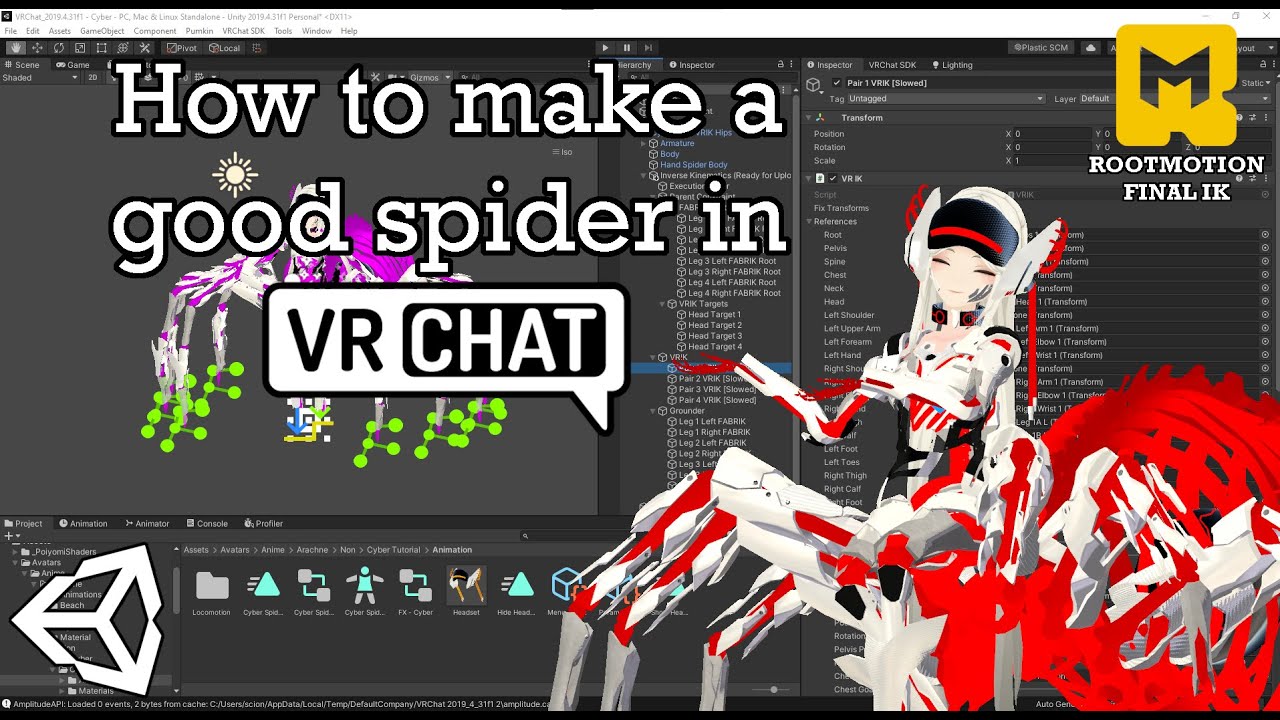
In this video I go over how to create a spider-like avatar in VRChat using Final IK. Most of the Unity work is automatically done via an editor script that is provided further down in the description. If you run into any problems during the process, feel free to join the discord and ask for help!
Time Stamps:
0:00 Introduction
0:47 Blender Star...
rotund kraken
insanely helpful video
 tame iris
Yo, if anybodys available. Im having trouble rigging a non humanoid, its a B2 super battle droid and when I upload it to vrchat, it just stands till in its T-Pose position
 crisp tendon
Bad weight paint
 marsh widget
Im new to rigging, can anyone explain for me why is there some small faces inside the head of the rig? does it serve some purpose?

 wispy coral
I think those are part of the blendshapes? Could be wrong tho
marsh widget
hm, okay, guess i can dive into it when i learn blendshapes, ty
And also, why does eyes have 2 bones, with root and end? Any difference of 2 bones and 1 bone?

 wispy coral
I believe they are useful for the eyelids or smt. Again related to blendshapes (Essentially they are values from 0 to 100 and depending on that value it moves bones a certain amount to change facial expressions)
So you need all the possible combinations in the avatar to begin with
marsh widget
ok, thx for the explanation
wispy coral
(Just a disclaimer: I can be wrong on this, I'm just explaining based on what I've understood by fiddling around with stuff)
marsh widget
understood
some avatars has a extended end part with their finger, what function does it serve?
 marsh widget
can you tell me any example?
ornate cairn
for psyhbones to to add to them colliders
marsh widget
so its like some kind of simulating the end of finger for something like touching?
marsh widget
for better adjustment?
ornate cairn
yes
marsh widget
understood, thanks
 pulsar oxide
crisp tendon
Bad weight paint
pulsar oxide
crisp tendon
Bad weight paint
Yes, it was more of angrily painting it to see how I can fix it
marsh widget
what does these "root" bone do?
 void canyon
marsh widget
what does these "root" bone do?
void canyon
marsh widget
what does these "root" bone do?
Usually people parent all the hair or whatever to a root bone so that they can drop a single physbone component to control all of that hair
Since you shouldnt drop physbones on rig bones, some people make a new root instead of using the head
marsh widget
ok, thx for explanation
 fair knot
Heya, so I just tried to import an altered base mesh to an avatar and now out of nowhere it appears that the pivot point for all the bones on the rig is thrown off


I'm not exactly sure what I messed up here but it's cursed af, any suggestions as to how I might fix this?
ornate cairn
did you exported it with cats from blender?
fair knot
No, I don't use blender and in this instance I didn't swap out the rig at all
I just wanted to change the body mesh because I was adding new Blendshapes to it
ornate cairn
you swapped body mesh in unity?
fair knot
Yeah
ornate cairn
well that might be it this mesh probably had differences in rig
fair knot
It doesn't, they're both the exact same model, one just has the new blendshapes I created
And this problem also persists when switching back to the original mesh now too
ornate cairn
check if you haven't switched left thing to center
 fair knot
It does say center
ornate cairn
change to pivot
fair knot
Ahh thank fuck
It's ALWAYS one single button with Unity isn't it XD
Thanks a million
pulsar oxide
w h y
 pulsar oxide
apparently blender auto weighted my mouth to a jiggle bone without telling me
 loud sail
I think CATS is not compatible with Blender 3.1.2 :c
void canyon
Hya, i would like to move my controller position relative to my avatar's hand, so that it better lines up with my actual real hand. Let's say in a T pose, i'd like my controller to go a little further out to the sides, and a bit upwards as well
I played a little with moving around the wrist bone relative to the mesh, but I couldn't really get it right so far
Anyone ever messes with something like this before?
dense vale
So after toying around with it I have come up with this

i've got a standard meta-human rig in the center, how do i get its arms to control the arms of the mech?
 tawdry imp
Angle Constraints in unity. possibly lots of constraints
sage patio
there is no such thing
you mean Rotation constraints?
you could use those to control the arms based on the humanoid ones
you could also use FinalIK to control the arms and drive them towards a target controlled by the humanoid arms
dense vale
Thanks
gilded ibex
is it important to set every bone roll to 0, or is it depends on certain situation?
 leaden urchin
Can I use blend shapes to control my avatars eyes instead of eye bones?
I had an idea for cartoony 2d eyes but I'd need to be able to slide them rather than rotate them.
maybe if I put the center of the eye transforms really far away and just slightly rotate them... 
 night spear
why isn’t there a channel related to avatar lipsyncing
cause ya know, there’s absolutely tons of issues related to creating them via blender
 fringe patio
leaden urchin
Can I use blend shapes to control my avatars eyes instead of eye bones?
fringe patio
leaden urchin
Can I use blend shapes to control my avatars eyes instead of eye bones?
That is how I approached this problem.
Rather, to set the center rotation (pivot) way back, behind the avatar to create a sliding effect, when in reality it was just rotating from very far away (about 10 feet behind the avatar).
leaden urchin
fringe patio
That is how I approached this problem.
Thanks! I haven't started rigging yet but its good to know it wont be a problem when I get there
analog quest
do the position and size of the skirt bones affect how it moves or is that purely a function of weight painting?
 sage patio
analog quest
do the position and size of the skirt bones affect how it moves or is that purel...
sage patio
analog quest
do the position and size of the skirt bones affect how it moves or is that purel...
size no, position absolutely
analog quest
okay so since they're floating like that that i means i should drag them onto the skirt itself and then probably re paint?
 kindred ridge
Not sure if this is a rigging question, but I probably already know the answer, if I want multiple heads, they need to be one mesh for vismes right? or I make them separate are use a bone joint and weight pant all the jaws to that one bone (second way is so I can toggle the heads on and off. One mesh not sure how to do that)
 dawn torrent
Hi! I have a problem with my rig that I just can't seem to be able to fix. When my avatar is in idle pose (in vrc), the legs takes a step backwards making my avatar lean forward. Been searching for help, but I can't find any T_T
 lone pelican
Anyone got the ideal rig guide for avatars?
Because my avatar's hips now keep messing up. I've been reading it's either the spine or the locomotion freaking up the legs making them buck in? 😭
sage patio
lone pelican
Anyone got the ideal rig guide for avatars?
Because my avatar's hips now keep me...
can you screenshot what your rig looks like in blender
side pose would be best
 placid depot
I don't know if this is normal as I'm just getting into avatar creating, the friend teaching me had no clue about it and referred me here!
 quiet fractal
Yes, that is normal.
placid depot
Thank you!
lone pelican
sage patio
can you screenshot what your rig looks like in blender
Ah so sorry for late answer let me go get it
Here- I don't know what is causing the rig to freak out. It's the same as my older ones


 ember sentinel
whats the problem here?...

 leaden slate
ember sentinel
whats the problem here?...
leaden slate
ember sentinel
whats the problem here?...
Go to the head section
Idk about the feet and arms but it mentions head and something in that tab might be wrong
ember sentinel
leaden slate
Go to the head section
 sleek isle
ember sentinel
whats the problem here?...
sleek isle
ember sentinel
whats the problem here?...
set the model fbx to none then humanoid again maybe
 lament dirge
Anyone encounter this issue when using Immersive Scaler? I have short arms in RL, and I wanted to adjust my avatar's proportions to match. After backing up the original FBX and making the adjustments in IS, I saved over the old FBX, and Unity seemed to pick up the new version just fine. But when I load the adjusted avatar in-game, it just stretches the forearm out to make the arm lengths the same as on the original avatar. I saw it happening in desktop mode first and assumed it had something to do with the desktop avatar animations... but when I went into VR, I discovered it would do the same thing. Any idea what's happening here?
Original FBX

Adjusted FBX (ignore the leg length changes, that was unintentional)

Adjust FBX with arms to sides, to better demonstrate proportions
 void canyon
lament dirge
Adjusted FBX (ignore the leg length changes, that was unintentional)
void canyon
lament dirge
Adjusted FBX (ignore the leg length changes, that was unintentional)
they look the same


 ornate cairn
did you adjusted bones too?
void canyon
Did you upload the new avatar to PC...?
void canyon
ornate cairn
did you adjusted bones too?
Immersive scales does mesh+bones automagically in blender
ornate cairn
i remember i had same problem when i worked on someones avatar i forgot what was it
sage patio
lament dirge
Anyone encounter this issue when using Immersive Scaler? I have short arms in RL...
when you do armature changes, you need to go into your Rig config, click Pose > Reset pose, and then reset the pose in the Scene via Pumkin's avatar tools
void canyon
Have you tried turning it off then on again rigging it to none then human again? 😂
Its our version of that
robust crescent
I saved over the old FBX never a fan of that if its in scene , i just make a new one and copy everything over to new
sage patio
saving over the FBX is a fast way to iterate
robust crescent
its 2 clicks to copy everything to new
sage patio
it won't cause any issues unless you export with different settings
which can be totally avoided if you either make an export preset, or use the CATS export button
lament dirge
sage patio
when you do armature changes, you need to go into your Rig config, click Pose > ...
Ah, good to know! Hadn't seen any mention of that when I searched other people's experiences with IS. I'll give it a try. Thanks!
lament dirge
sage patio
which can be totally avoided if you either make an export preset, or use the CAT...
yeah, I used the CATS export
dense vale
Does animation count as rigging?
 timid warren
dense vale
Does animation count as rigging?
timid warren
dense vale
Does animation count as rigging?
Not necessarily, but if you ask here im sure someone would help
 wraith grove
I'm having a really weird issue with my avatar that I'm struggling to put into words, but I'll try.
In VR, both with and without FBT, I can see my hands and head rotate up from my actual positions when I crouch down, but then snap back to their correct position once my avatar goes into the crouch (that's the best explanation I got, super weird.) None of the other avatars I have available are doing this, only this one.
If anyone has any idea to a fix, I'd love to hear it.
Here, I got a video of the issue.
Notice my arms, hands, and head rotating up, then fixing themselves.
I'm stumped.
 hardy radish
is there a way to reset a select few bones' position in a rig back to what the position originally was in the fbx file, in unity? at some point my character's eyebrows were rotated and ctrl z could not reset their angle back to before I changed them.
hardy radish
alright, thank you
sage patio
hardy radish
alright, thank you
there are much better better ways
the easiest is to click "Reset pose" in Pumkin's avatar tools

GitHub
Pumkin's Avatar Tools v1.0
Make sure that you are using the correct version of Unity and the latest version of the VRChat SDK
To install these tools grab the .unitypackage below then simply imp...
alternatively, you can click on a specific bone, right click the rotation under Transform and click Revert
hardy radish
thanks, i'll remember this
 urban musk
If I make a jaw bone a grabbable physbone, should I mark it as animated?
 strong urchin
anyone know what the weight paint all selected hotkey is?
I think its shift something
sage patio
strong urchin
anyone know what the weight paint all selected hotkey is?
shift K