#avatar-rigging
1 messages · Page 199 of 1
 crisp aspen
idk if im doing it wrong
 lilac quest
make sure you normalize
crisp aspen

i did the neck and blended them two together
that seemed to have worked
also i clicked normalize all
idk what that does
 crisp tendon
Normalize takes all the weight paint values and brings them down proportionally so that they all combine into 100% at the end
crisp aspen
oh ok
i have some important seams on my model though
ill just go around the edges after
thanks for the help
 slow pivot
There was something about "the angle being off" that the SDK told me before I published this avatar, the details of which I have no idea

 sleek isle
slow pivot
There was something about "the angle being off" that the SDK told me before I pu...
sleek isle
slow pivot
There was something about "the angle being off" that the SDK told me before I pu...
Well show your armature front and side in blender
 celest bolt
Heya, i have never attempted adding clothing in blender before, and am pretty intimidated by the process. Cause I know the process differs depending on if clothing is already weiggt painted, rigged, etc. Been watching tutorials but feel overwhelmed and unsure what tutorial to follow. For reference, I want to add clothing rigged for panda female base, to a panda female base. Since they are for same base, do i just plop it on and call it a day? Or how is the process different?
 merry lotus

So when creating visemes my top teeth move with the jaw, is there an easier way to fix this than manually weight painting?
celest bolt
I heard there is a tool made by a cats dev to very quickly weight paint. Can someone link me?
 fading verge
what does this mean https://gyazo.com/cf492516e6ce363537a675ade6d4cd55 i imported it with all its bones no matter what i seem to do in the animation tab of the object it does nothing help plz

 hasty shell
fading verge
what does this mean https://gyazo.com/cf492516e6ce363537a675ade6d4cd55 i importe...
hasty shell
fading verge
what does this mean https://gyazo.com/cf492516e6ce363537a675ade6d4cd55 i importe...
you need to switch the animation type to humanoid. select your file in the assets folder and change the animation type. click on configure to make sure all bones are assigned and then click apply


 sleek isle
hmmm
hasty shell
celest bolt
Heya, i have never attempted adding clothing in blender before, and am pretty in...
tbh i'm also kinda new to this, but if you want your clothes to have somewhat the same shape as your character, you can select the mesh from the body, duplicate it, separate into a new object and then fiddle with it to match the shape you want. maybe not the best method, but it works for me
sleek isle
leg legs bone and hip should be almost align
from the side
and the hip seen to be upside down as well
and the leg
wut
fading verge
hasty shell
you need to switch the animation type to humanoid. select your file in the asset...
now its saying https://gyazo.com/0ddf72510405ea842e858e1d318d0e18 my bones are all set up here https://gyazo.com/f14696ea826c6d2ff298f400f2c74289

 hasty shell
fading verge
now its saying https://gyazo.com/0ddf72510405ea842e858e1d318d0e18 my bones are a...
hasty shell
fading verge
now its saying https://gyazo.com/0ddf72510405ea842e858e1d318d0e18 my bones are a...
ok now just to be safe, you clicked "apply" before clicking "Done"?
hasty shell
here's a screenshot of the project i'm working on rn. i know it's missing textures, but i know for a fact that his bones work.

also, there is little tabs that allow you to switch to head and hands

might be something wrong there
fading verge
hasty shell
here's a screenshot of the project i'm working on rn. i know it's missing textur...
ive been having trouble for long time i gave up on this humanoid thing for like 3 months but i really wanna upload my avatar took me 2 months to make fully and unity wants to be weird
hasty shell
hmm i feel you. your avatar comes from blender?
fading verge
hasty shell
also, there is little tabs that allow you to switch to head and hands
my hand bones arnt parented correctly and for some reason in blender wont let me parent them so im leaving that for later trying to just make the arms and legs and stuff work first
 fading verge
hasty shell
hmm i feel you. your avatar comes from blender?
fading verge
hasty shell
hmm i feel you. your avatar comes from blender?
ive googles so much and no answers
fading verge
hasty shell
hmm i feel you. your avatar comes from blender?
do you think me just remaking all of the bones again and weight painting everything again will help?
fading verge
hasty shell
hmm i feel you. your avatar comes from blender?
like it fully works in blender but not unity
hasty shell
you know, there is one thing that worked for me when i had trouble, try ctrl-a in object mode, "All transforms" - Ctrl-a - "Rotation and scale" on every mesh and armature group. fixed some weird things on my side at one point
else i fear i don't heave the expertise to adress your problem... 
fading verge
hasty shell
you know, there is one thing that worked for me when i had trouble, try ctrl-a i...
ill try that your the first person in a while thats answered my question
hasty shell
fading verge
ill try that your the first person in a while thats answered my question
i mean, i might be, but it means nothing if i can't help you fix it 😅
fading verge
hasty shell
i mean, i might be, but it means nothing if i can't help you fix it 😅
you answered is good enough thank you haha
hasty shell
though, definitely try to attach your hands to your body. I don't see how it wouldn't work, but blender is full of surprises...
fading verge
hasty shell
though, definitely try to attach your hands to your body. I don't see how it wou...
yeah tryed a while ago to parent the finger bones and still said fiinger bones not parented in unity
fading verge
hasty shell
though, definitely try to attach your hands to your body. I don't see how it wou...
ok i did what you said did nothing reimported and all the stuff same problem
fading verge
hasty shell
though, definitely try to attach your hands to your body. I don't see how it wou...
probly going to just have to make new bones
fading verge
hasty shell
though, definitely try to attach your hands to your body. I don't see how it wou...
is there a list on what the bones should be named exactally
hasty shell
fading verge
is there a list on what the bones should be named exactally
i was about to suggest to rename your bones like mine, let me get a screenshot
fading verge
hasty shell
i was about to suggest to rename your bones like mine, let me get a screenshot
thank you finger bones and facial bones to plz ^^
hasty shell
alright so there is a lot of bones if i screenshot the whole list so assume that everything that contains "Left" or "_L" has to be symmetrized.

the hair bones can be named whatever you want
and the punctuation/capitalization is important so keep it the same

 hasty shell
alright so there is a lot of bones if i screenshot the whole list so assume that...
hasty shell
hasty shell
alright so there is a lot of bones if i screenshot the whole list so assume that...
oh and the eyes are supposed to be called "LeftEye" and "RightEye", ignore the Eye_L and Eye_R, those are extra bones on my rig
fading verge
hasty shell
oh and the eyes are supposed to be called "LeftEye" and "RightEye", ignore the E...
ok i saves all of those pictures so i never forget
fading verge
hasty shell
oh and the eyes are supposed to be called "LeftEye" and "RightEye", ignore the E...
thank you very much hopfully redoing that will help
hasty shell
there must be a sloution without redoing all the bones, but i don't know enough about blender, sorry about that 😓
fading verge
hasty shell
there *must* be a sloution without redoing all the bones, but i don't know enoug...
thats ok im going to use somthign called rigify i diddent use it last time but it makes rigging easyier
fading verge
hasty shell
there *must* be a sloution without redoing all the bones, but i don't know enoug...
im pretty fast with weight painting so shouldent be super hard
hasty shell
alrighty, good luck ✌️
fading verge
hasty shell
alrighty, good luck ✌️
thank you good luck with your stuff to thanks for the helps
crisp aspen
anybody know why the arms are stuck like this?

nvm i just had to fix the tpose in unity
 hasty shell
Alrighty guys, gonna need your help on this one. So the blue block is a an elbow guard. I want it to slide on the elbod when i bend my arm. I thought that weight painting it completely to the left_arm and Left_elbow was going to do the job but it has the side effect of shrinking it. I figured i could create a new bone, but i have no clue how to make it move in sync. Someone here know how to make it happen (or have an alrternate solution without deforming the elbow guard)?


i'll be going to sleep cuz it's ridiculously late. I would have searched for a solution online, but my issue is so specific i doubt i would have found something. Feel free to ping me
fading verge
Does anyone know how to make the pose position the same as the rest pose in blender?
hasty shell
fading verge
Does anyone know how to make the pose position the same as the rest pose in blen...
With the cats plugin, "apply as rest pose"
I think you can even see it on the screenshots I posted earlier
fading verge
Anyone know where I can find couple skins? My girlfriend and I are looking for a skin but we didn't find it!
hasty shell
only a matter of weight painting it properly and name your bone as the finger you want to use. You'll probably want one to be the "thumb" and the other one as the index finger
hasty shell
hasty shell
those are the common names so it can work as humanoid in uity
unity*
you got it
hasty shell
hasty shell
Alrighty guys, gonna need your help on this one. So the blue block is a an elbow...
Stiil looking for advice guys^^
crisp tendon
hasty shell
Stiil looking for advice guys^^
What do you need exactly ? Doesn't the elbow piece move like you want if it's just weight painted to the forearm ?
hasty shell
crisp tendon
What do you need exactly ? Doesn't the elbow piece move like you want if it's ju...
it moves exactly like i want yes, but the elbow piece shrinks too. I'll like the piece to keep the same size
i guess it's hard to see in the pics, i'll take a viedo to show you
crisp tendon
if it shrinks, that means it's weight painted to another bone as well
hasty shell
crisp tendon
if it shrinks, that means it's weight painted to another bone as well
here. painting it on the arm and elbow bones is the solution i though would work, but indeed having it paint on 2 bones makes it shrink. I think adding an extra bone on the joint could solve my problem, but how do you make it move with the elbow?
i don't beleive that a setting preventing it to shrink exists. It's almost like i need to weight paint an extra bone
crisp tendon
The more bones involved, the more it's shrink when deforming, if you want it to move with the forearm and remain on the elbow, then you would need a bone just for that piece and in unity apply a rotation constraint targetting the forearm bone
hasty shell
crisp tendon
The more bones involved, the more it's shrink when deforming, if you want it to ...
alright, thanks man i'll do that✌️ ^^
 civic anchor
is there any example rig i can use for my avatar? i am very new to blender
 subtle girder
if you go in blender to the top left, Edit > Preferences > Add-Ons > and search "Rigify" there's one called "Rigging: rigify" enable it then if you press Shift + A in object mode and hover over armature there will be some new options and I think basic > humanoid or something will give you a starter rig you can mess with.
 half void
hasty shell
here. painting it on the arm and elbow bones is the solution i though would work...
half void
hasty shell
here. painting it on the arm and elbow bones is the solution i though would work...
why don't you just add more topology to it and just do a data transfer from the skin to it to have the exact same weightpaint
fading verge
anyone know how to easily find the parent of a bone in the configuration of the humanoid avatar?
 ornate cairn
fading verge
anyone know how to easily find the parent of a bone in the configuration of the ...
ornate cairn
fading verge
anyone know how to easily find the parent of a bone in the configuration of the ...
Hierarchy on the left should tell it.
fading verge
ornate cairn
Hierarchy on the left should tell it.
there are so many ive tryed all and its still saying its not a parent
ornate cairn
fading verge
there are so many ive tryed all and its still saying its not a parent
Do that in blender than
if you updated rig than do generic one and humanoid again to refresh rig
 winged heath
may God have mercy on my wretched soul
 ornate cairn
winged heath
may God have mercy on my wretched soul
ornate cairn
winged heath
may God have mercy on my wretched soul
what is that animation lol
winged heath
ornate cairn
what is that animation lol
this is the best one i can send rn excuse the quality
fading verge
ornate cairn
Do that in blender than
ok
winged heath
i wanna get the animation into an avatar
some people have it
but i cant find it anywhere
its all just dead links and forum posts asking for it with no response
so i turned tp AI
ornate cairn
best i can offer is fortnite dances.
ornate cairn
you made the animation with ai?
winged heath
which is fine but imperfect
and i cant even retouch it because it has keyframes everywhere
winged heath
ornate cairn
you made the animation with ai?
yeah pose estimation
ornate cairn
that was expected
the ai doesn't care much about human edits
wonder if that gonna look decent
ornate cairn
it needs so to be fixed tho
winged heath
to what the ground
winged heath
well its not gonna because im not adding it
because at the start, the hands are completely wrong
anyways heres the file if anyone wants to do smth with it
 jagged cave
winged heath
jagged cave
winged heath
🥵
 viral seal
decided to go "fuck it, jaw bone"
 ornate cairn
viral seal
decided to go "fuck it, jaw bone"
ornate cairn
viral seal
decided to go "fuck it, jaw bone"
Kek
that's gonna look funny
but it's easiest option
hasty shell
half void
why don't you just add more topology to it and just do a data transfer from the ...
My criterias are that the piece doesn't deform and that it slides on the elbow. Doing that will make it deform since the weight paints will not be consistent from the elbow and the arm
I thought that painting it consistently would have worked, but nah
 paper axle
can someone please teach me how to re-rig an avatar
viral seal
oof ouch actual pain
 ornate cairn
just remove weight paint from torso
viral seal
ornate cairn
just remove weight paint from torso
like this?

 viral seal
then for the shoulder im assuming just
remove weight from arm?
 ornate cairn
test if it looks ok
viral seal
probably should have put some more loop cuts here but
eh

 fallow moth
well.. its a lot better if in T pose your arms and shoulder are on the same height for near human things.
 fallow moth
yea, now try to automatic weight again and check your topology bottom shoulder
 viral seal
suffering
 ornate cairn
oof that bend
viral seal
weight painting is truly weight pain
ornate cairn
sometimes yes
hasty shell
viral seal
weight painting is truly weight pain
I feel you buddy 😩
viral seal
legs still feel a bit funky but
atleast i got the worst bit of the legs out
 hasty shell
Tbh the legs give me a lot of trouble. I managed to weight paint it properly, but the pants over it clips through everything 😩
viral seal
oof
and since im using a mirror modifier to mirror the weights
i cant do much
 viral seal
fuck me
everytime i think i fixed the legs
theres just
another problem
legit if anyone wants to help me out with the legs I would genuinely be thankful
ornate cairn
what problem you have tho

 ornate cairn
can't spot the problem do you mean the crotch?
viral seal
yeah
and here's how it looks at a 90* angle

 ornate cairn
you need to mix hips weighs and upperlegs
so the bend won't look weird
more weights from upper leg on top
like 50%
and from hips too 50%
viral seal
so roughly like this?

 ornate cairn
hmm you need to try if that will do the job
viral seal
it sorta didnt work
 fallow moth
well i work with some highpoly stuff but here:
viral seal
tried making that area a bit better
 fallow moth
 viral seal
i guess i'll try that
viral seal
fallow moth
yeah that worked
now just to figure out the front

cause as is this causes alot of pain

then again

god i feel absolutely just
annoyed at this
 heavy tinsel
There is a reason why weight-painting is the part where most newbies give up.
And also why countless tools exist to automate the process.
viral seal
please tell me more about these tools
heavy tinsel
Only ones I can remember off the top of my head are Mixamo and Rigify (I think is what it's called), Mixamo is a web app, Rigify is a Blender plugin.
They'll take care of most of the work for you, but you will probably still need to do some manual painting afterwards to correct mistakes.
viral seal
well
since i used the meta human rig as a basis
i guess i'll try Mixamo
heavy tinsel
Things like tails and non-human heads (like your model has) can screw with auto-riggers though, that's usually when you have to do manual fixes.
viral seal
im guessing i should get rid of my current rig if im doing mixamo?
heavy tinsel
Mixamo in particular doesn't play nicely with tails, you'll most likely have to manually rig it afterwards.
viral seal
ah aight
heavy tinsel
I think Mixamo overwrites the existing rig.
If not, then yeah, you'll have to remove it.
Oh, you'll have to manually rig the eyes and jaw as well.
viral seal
overall
Maximo did a good job, tried to mirror the weights to make it smoother
but eh
this is great enough already
 viral seal
bruh
 viral seal
vertex on tongue basically decided to ignore the weight paint
fading verge
so working on a model not sure if it was my own work or not that kinda messed up certain parts of it or if it was like that. but if I want to restart from scratch first I have to scale in pose mode to the proportions I want (made a few custom parts so need to do that for them to actually fit where I want them to).
so asking here is there a way for me to apply the armature's position/scale from the one I have the proportions/size I want to model thats original?
fading verge
either that or I will try and fuck around with fixing it
 grim mist
Anyone know for a solution like twist bones for wrists that's compatible with quest?
 whole trout
HELP, I've spend the past week making a model for Vrchat, everything looked great and looked ready to import.. but when i come back the next day, I now notices that all the bones are jumbled up (it wasn't like that before) like, the lower leg has the weight of the head, the pinky has the weight of the upper leg, ect... please tell me there is a way to fix this whitout re making the whole weight painting again TwT

 sinful viper
whole trout
HELP, I've spend the past week making a model for Vrchat, everything looked grea...
sinful viper
whole trout
HELP, I've spend the past week making a model for Vrchat, everything looked grea...
open autosaved files from blender ASAP
whole trout
i tried that... it auto saved on that broken part
whole trout
Update: I couldn't find a solution so i ended up just re-making the weight painting
viral seal
got my weight paints done 🕺
heavy tinsel
whole trout
HELP, I've spend the past week making a model for Vrchat, everything looked grea...
Rename the vertex groups to match the correct bones? Oh, you've already re-done the rigging, sorry for the ping.
whole trout
is alright
 queen plover
Hi everyone, I'm having some issues using an avatar with FBT, particularly the hip tilt issue. I aligned my hip bone (the tiny bone just above the legs) with my leg bones using Kung's tutorial on YT. However, the overall pose still doesn't feel right in-game. Do you guys have any suggestions to improve the pose of this model? Thanks in advance!

 robust crescent
 queen plover
Should I also consider changing the sizes of the bones? Or is straightening these three bones enough?
 hasty shell
queen plover
Should I also consider changing the sizes of the bones? Or is straightening thes...
hasty shell
queen plover
Should I also consider changing the sizes of the bones? Or is straightening thes...
I was told that a hip bone too small could cause issues with sitting down, but I haven't tested that out yet.
 bitter solstice
My CATS plugin (0.19) doesn't seem to have options to generate twistbones. What am I missing?
 bitter solstice
Oh that's got it. Thanks! I installed it from the menu directly. :D
 digital meadow
Hey how can I make a tail look okay without having dynamic bones in unity?
 gentle cape
i need help on learning unity. can anyone help?
 willow grove
sure! there are a wealth of learning resources at https://learn.unity.com/ and youtube is full of tutorial videos suitable for people at any skill level

Unity Learn
Free tutorials, courses, and guided pathways for mastering real-time 3D development skills to make video games, VR, AR, and more.
gentle cape
i prefer if someone taugh me rather than scrolling through youtube trying to find videos imo
willow grove
believe me when I tell you that you are going to have much more immediate success by clicking the link and getting started with the unity essentials program than waiting for a stranger you met on discord to hold your hand and give you personalized mentoring
 eager stirrup
is unity what you use to make avatars?
willow grove
you use it to import avatars, generally you want to use another modeling suite to create the avatars
I'm sure theoretically with the right combination of plugins and willingness to suffer you COULD make an avatar in unity, but it's not something I'd try
 rich skiff
Where could one go to MAKE an avatar?
willow grove
Blender's a popular choice!
rich skiff
I'll check it out!
fading verge
When making an avatar in the bone menu i have more then 1 neck bone but theres only 1 placement for a neck bone and its causing parent problems how do i add more then 1 bone for my neck in that menu?
 mild stratus
fading verge
When making an avatar in the bone menu i have more then 1 neck bone but theres o...
mild stratus
fading verge
When making an avatar in the bone menu i have more then 1 neck bone but theres o...
Unfortunately, you cannot assign more than one neck bone with the Unity humanoid rigging system. You could either use some constraint magic to use one bone as a fake, with the other bones being affected accordingly, make completely custom animations to bypass the need for the system, or use one bone.
fading verge
mild stratus
Unfortunately, you cannot assign more than one neck bone with the Unity humanoid...
im using a rigify rig from blender and it has more then 1
mild stratus
fading verge
im using a rigify rig from blender and it has more then 1
If the model is humanoid, you should be able to dissolve the unneeded bones in blender
fading verge
mild stratus
If the model is humanoid, you should be able to dissolve the unneeded bones in b...
yeah theres just like so many sets of bones that it comes with just gotta learn how to not mess all that up by removign 1 bone
mild stratus
I wouldn’t recommend using the full rigify rig as an actual rig anyway, as many bones may go unused, and just unnecessarily drop your performance level.
It’s useful, don’t get me wrong, but most people aren’t gonna need those 50+ face bones unless they’re making blendshapes
sleek isle
You can check the pin for reference, maybe upper chest do something weird, but removing the landing animation is an option as well.
This controller system can do that and more. https://franadavrc.gumroad.com/l/gogoloco?_gl=1*1dn0jc4*_ga*MTc0MDczNDI1MC4xNjE2MTYzMjcy*_ga_6LJN6D94N6*MTY0MjAyMDI4NC42LjEuMTY0MjAyMTA1MS4w

Gumroad
This locomotion prefab was created to improve the default movement controller. On top of that, you have multiple toggle to turn off legs movement or jump animation as example.You can cycle between multiple pose to simulate that you have full body tracking.-Sit anywhere, on the floor or an invisible chair.-Lay down on the front or the back ( slee...
gentle cape
I need DESPERATE help with bones and parenting. My model doesn't move only the bones.
I'm using blender currently
 ember mason
Changed the proportions of my avi’s arms and legs before and the mouth was permanently open when I uploaded it to vrchat
Was fine in blender and unity
 fair pewter
ember mason
Changed the proportions of my avi’s arms and legs before and the mouth was perma...
fair pewter
ember mason
Changed the proportions of my avi’s arms and legs before and the mouth was perma...
I've had this before in av2, not av3. If it were av3 I'd say check 'write defaults' on all your animations since sometimes that can cause that but idk about av2.
also it had nothing to do with arm and leg proportions
ember mason
fair pewter
I've had this before in av2, not av3. If it were av3 I'd say check 'write defaul...
okay, ill try that later
thank you :3
winged heath
i have done it
i successfully extracted motion data from the goopie dance video using AI
at long last
winged heath
 azure terrace
Hey guys I am trying to rig my humanoid with a lower arm twist bone, I am just wondering how it works. When I rotated my wrist in vrc, what got rotated was actually my lower arm bone and my wrist bone received no rotation inputs. The tutorials suggest me to rotation constraint the lower arm twist bones to the wrist bone, but how can my twist bone move if the wrist bone does not receive any rotation inputs? The quetion is: Does vrc recognize the lower arm twist bone's existence and start sending the wrist rotation value to the wrist bone instead of the lower arm bone?
azure terrace
Hmmm... I couldn't get lower arm twisting bone to work no matter what, is there any resources on how to implement lower arm twisting bones?
willow grove
azure terrace
Hmmm... I couldn't get lower arm twisting bone to work no matter what, is there ...
this is the first thing I've found, haven't tried it myself yet though - https://www.youtube.com/watch?v=_GmAupH5Co0

video's only two months old so it shooooould be fairly current
 sweet rain
yo I've been dealing with something super annoying that deals with adding dynamic bones that are attached to rotation-constrained bones. unity seems to hanle this fine (constraints are on the neck to the top of the head so it moves naturally) https://i.gyazo.com/4664ede28b08b38dd352c97036715977.mp4
but vrchat is doing uh. this
my only other option aside from hopefully? fixing these constraints has been trying the thing where you make an animation that's hiding the head mesh for you, but it's technically visible to other players and the mirror , but it's a bit of a lame fix because your mesh can't be seen in cameras, and also for some reason I bused that as well
also for context these dynamic bones have no force/gravity on em
crisp tendon
Dynamic bones don't work on constrained bones
There might be a way through the upcoming avatar dynamics update, but that's unsure as of now still.
ornate cairn
you would need to edit it in blender so the bones are part of rig
sweet rain
crisp tendon
Dynamic bones don't work on constrained bones
oof, I was hoping there was some amount of messing around that could fix it
cause it does work fine in unity but again yeah. something about vrchat makes it bug out
sweet rain
ornate cairn
you would need to edit it in blender so the bones are part of rig
oh so they're technically parented to the real headbone or something?
ornate cairn
yes
shouldn't be hard imo
you would need to make them parented to head bone and you gonna need to mess with weightpaint
so the bones have full control over this parts
so it gonna be easier to set in dynamic bones
sweet rain
oh yeah the head bone is SO far back it sadly will not work
your viewport on this guy is in the lower neck to it works in FBT
a friend mentioned it might be because I have my bones set on the main avatar hiearchy instead of the root bones THEMSELVES so I'm gonna take a stab at it
apparently a friend of mine has def got dynamic bones working on constraints before
ornate cairn
could be that it somehow worked but you gonna need ask friend for more details
also what do you mean by head bone is far?
it's probably doable anyway
sweet rain
real headbone is that one sticking straight up on the right

hair bones are those vertical ones hanging down
so if I parented them to the real veritcal head bone they'll just fly off and stretch in a weird direction
sweet rain
ornate cairn
could be that it somehow worked but you gonna need ask friend for more details
oh yeah we are activley troubleshooting this as we speak
ornate cairn
hmm i have some ideas but i would have to test them tho so i won't suggest anything now bcs i might give you work that won't be worth trying
i never rigged something like this sadly
azure terrace
@willow grove Thanks for sending me that, it didn't work for me, but I will try to tweak a few other settings to see if it makes a difference.
willow grove
I wish you luck!
 orchid echo
So the fix was, the Dynamic Bones only bug out like that ON THE HEAD.
Dynamic Bones actually work just fine downstream of constrained bones, so long as the Head is not anywhere in the chain as the parent. (It’s true that you can’t have a transform be constrained AND dynamic at the same time tho)
In this case, the eventual fix was to reparent the longneck assembly so its parent was the Chest (Chest -> longneck -> avatar’s weighted head)
Once its parent was the Chest instead of the Head, all the constraints worked fine and so did the Dynamic Bones.
However, that meant that VRChat wasn’t shrinking any of it for you…
so a material swap animation had to be used instead, where IsLocal == True was driving a switch to the longneck-and-head becoming a shows-only-in-mirrors Poiyomi material.
 lone coyote
Hey guys! I'm have some trouble here, I'm uploading my FBX to Unity but when I bend the arm, the weight painting gets all wonky.
I'm making sure I'm using unlimited skin weights but it's not solving anything. Reuploading, reimporting, restarting unity, putting in a whole ne wprefab, etc. I've tried all I think I could. but it isn't looking the same smooth(ish) way it is in blender. Any help appreciated 💙


Top pic is unity
Also wasn't too sure where i was supposed to post this so i apologize :x!!
lone coyote
 azure terrace
Ok, so uhm... what's wonky about it
lone coyote
The weight painting isn't the same as exported from blender
lone coyote
I was suggested It might because of the skin weights but I have unlimited enabled
In the top picture (unity) it warps the pearls and stretches them as though they're attached to something else (probably?) but i already did cleaning up on my weights in blender
the poses are the same, in unity and also blender
so i'm unsure what unity might be doing to my mesh thats making it seem like they were neveer weight painted properly
azure terrace
Unity has a max influence of 4 bones
But in blender, this can be way higher
How many bones do you have here?
lone coyote
I thought unity had unlimited, unless its a broken option
azure terrace
You can, but you need to implement it yourself... in game projects...
lone coyote
Oooh understandable, thats really weird though because I have many bones in that one mesh
Theres 11 bones on the sleeves btw
lone coyote
Fair, but I have hair and also the dress, with just about the same amount and they have no issues
Which is why I was struggling to figure out why unity was making just the pearls on the sleeves wonky
the sleeves are fine, its just the pearls, if i forgot to mention
azure terrace
Pearls, lemme see
 azure terrace
oh my, these pearls are geos, I just realized
And that's what I call a rigging nightmare
lone coyote
It was a hell of a nightmare to rig
But after cleaning it up in blender it still looks weird in unity
azure terrace
I never rigged something like this, did you project the weight from the sleeves onto the pearls?
lone coyote
I did, and then used the average tool to straighten everything out so they don't look so stretched when moving around
Lots of trial and error
azure terrace
Hmmmm, yeah... I can't figure out why with my current knowledge
lone coyote
That's okay! Thank you for trying anyways
azure terrace
But uhm... you know how to implement lower arm twist bones?
lone coyote
I actually haven't gotten to adding those yet
azure terrace
I tried some tutorials, didn't really work
Oh well, I am gonna look at some booth models today, hopefully they will enlighten me
Good luck!
lone coyote
OKAY, So i solved it LMAO
SO instead of setting skin weights to unlimited in the project file, I selected the model itself and set the skin weights in the rig tab, to custom, and upped the max bones and lowered min bone weight!
unsure if this heavy or not, but it's solved the issue completely.
For if anyone else has this problem somehow

 plush gazelle
anyone know why this tiny spot refuses to weight paint?
 crisp tendon
Even if you manually assign weight to the vertex ?
 lime magnet
Asking in advance- How would I go about rigging this dude’s legs? He doesn’t really have knees XD. Would the knee point just go at the bottom of his torso where his legs attach?
 azure terrace
 lime magnet
azure terrace
lime magnet
azure terrace
Thank you!
ornate cairn
that would fit more in #shameless-self-promotion
 pulsar rain
hey guys I'm having a problem with my avatar's shoulder rotating too much inside of VRchat when they shouldn't be rotating at all on one axis
pulsar rain
does VRchat 100% need shoulder bones in avatars
ornate cairn
if you want it to be humanoid than yes
 arctic plinth
!!!!!
ornate cairn
@fleet vortex try adding weight paint when vertex group is named Head
also
did you checked if you have bones for eyes ? or they suppose to move with head
 fleet vortex
They are supposed to move with the head.
fleet vortex
ornate cairn
<@!265199071780667392> try adding weight paint when vertex group is named Head
And I tried it and it didn't work.
ornate cairn
can you show if you weight painted them?
fleet vortex
a
 fleet vortex
 ornate cairn
they are blue it means they are not weight painted
check if they have vertex group which you added "Head" and than you can weight paint them with holding left click
 clever junco
so eh.. I tried making an avatar after months and it worked fine in pose mode before but now well this happens and Idk if it's the weight painting because If I mess with that it either becomes worse or my model wouldn't move at all. (or I am absolute garbage at weight painting) (yes the legs have a texture issue in blender)
 ornate cairn
clever junco
so eh.. I tried making an avatar after months and it worked fine in pose mode be...
ornate cairn
clever junco
so eh.. I tried making an avatar after months and it worked fine in pose mode be...
what if you go to edit mode hit A than click ctr+v and propagate to shapes
ornate cairn
than maybe hit cttr+a and apply scaling and than transforms
when in edit mode and all selected
ornate cairn
ornate cairn
than maybe hit cttr+a and apply scaling and than transforms
do that for bones too
fleet vortex
Okay, I figured out what was wrong.
clever junco
ornate cairn
than maybe hit cttr+a and apply scaling and than transforms
pressing ctrl a doesn't really do anything for me 
ornate cairn
oh ok lol
ornate cairn
fleet vortex
I had the wrong blender version.
so in other version all vertex groups are in?
ornate cairn
well good you don't have to add them yourself
ornate cairn
clever junco
pressing ctrl a doesn't really do anything for me <:vrcBlush:585749769721348098>
nothing? what blender version you use
ornate cairn
ok in object mode hit a than ctr + a and than apply scallings and transforms
 ornate cairn
maybe the version 3.0 breaks the avatar in which version it was made?
clever junco
I think 2.9
ornate cairn
try using 2.9
clever junco
alrighty
can I just copy and paste it because I added some assets to it like the beanie and shoes? or will it just transfer the uh noodles?
ornate cairn
check first if 2.9 fixes noodles
clever junco
👍
clever junco
ornate cairn
check first if 2.9 fixes noodles
2.9 also has the noodles :/
clever junco
scare blender with the broken tpose
 clever junco
ornate cairn
when you check weight paint it is fine?
clever junco
ornate cairn
when you check weight paint it is fine?
it looks quite uh fekked up
ornate cairn
clever junco
it looks quite uh fekked up
what about legs?
ornate cairn
huh well you know what that means re weight paint for you
clever junco
clever junco
I always used automatic weight painting so lets hope it'll go well
ornate cairn
well i think you are fine these are the easiest to fix
good shoulder bones are fine
mixamo would rig it pretty well imo
clever junco
epic
 digital meadow
Should I add bones to my hair if I plan on adding dynamic bones in unity?
clever junco
 ornate cairn
and no traditional dressing
clever junco
I do have some long hair though
ornate cairn
digital meadow
Should I add bones to my hair if I plan on adding dynamic bones in unity?
yes
ornate cairn
clever junco
oh ok hmm than you could add to them bones later on
clever junco
or I can go full on idiot and delete the bones of my body and use metarig 
ngl I kinda wanna try that just to see how bad it is
ornate cairn
hmm i mean i always weight paint by hand bcs auto weights break all my avatars in annoying way
but give it a try
lmao
clever junco
XD
ornate cairn
ok then i'm alone in the battlefield of weightpainting hand
I like to have smooth curves on fingers
well low poly hand always are hard to weightpaint
that's why i always ctr+r if need till it's good
clever junco
there
 ornate cairn
how it turned out everything now fine?
well you gonna need to add bones for hair bcs you need dynamic bones
or else they gonna go through you if you look up
clever junco
good god why
 clever junco
yeah XD
ornate cairn
remove the armature and import to mixamo only fbx with mesh
 ornate cairn
and pray
digital meadow
lemme know how this works out
clever junco
error occurred :D
digital meadow
gg
ornate cairn
clever junco
error occurred :D
does it say what error
clever junco
unkown rig type
ornate cairn
bruh what
 ornate cairn
did you placed all markers?
clever junco
yes
ornate cairn
well that's bad
it could be that vertex groups are broken
the avatar need more troubleshooting
ornate cairn
hold on did you checked the uv map?
clever junco
😰 noe
ornate cairn
check
clever junco
cool
 ornate cairn
but uv problems would show also material problem hmmm
clever junco
yeh uv's looking good
ornate cairn
do you have blendshapes on that avatar
clever junco
yush (yes)
ornate cairn
check maybe if they look alright
ornate cairn
well everything seem to point on vertex groups but idk
clever junco
pff lmao
 ornate cairn
lmao what did you do
clever junco
assign from bone envelops
ornate cairn
oh that lol i forgot about it
looks like the upper arm doesn't make lower arm move?
clever junco
looks like it yes
ornate cairn
well if they are parented like they should be than it's weird.
clever junco
so uh weight painting manually it'll be

the spots that stay I obviously haven't painted
idk how to do it manually though lol
ornate cairn
you need to click on avatar in object mode and go to wieght paint mode than you select vertex groups and check their weights
seems like you need paint fingers
the one finger should have 3 bones
so 3 vertex groups per finger
 ornate cairn
how that even happened
clever junco
no single idea
mmh assign from bones doesn't do anything
(even though I was doing it wrong the whole time the first time)
digital meadow
thats a lot of hair bones
clever junco
yup..
keep getting this error when assigning automatic bones

autosave from 5pm to the rescue I guess
god pair that with fbt lmaoo
aight I know what the cause of the noodle was
the shitty shoes
ornate cairn
bruh they had their armature?
clever junco
no idea it just messed it all up the moment I joined them
I ain'teven gonna bother kek
time for other shoes B)
ornate cairn
wait those shoes were from mmd?
clever junco
those where from deviantart
ornate cairn
bruh i think i know now what was cause
clever junco
👀
ornate cairn
tbh i had same problem with i think hat from mmd and it was bcs of format of rig they use
i stopped using mmd stuff like 2 years ago
clever junco
aah
I find it easy If I need some clothing like quickly
but most stuff is just ugly and ripped from sims games XD
 tender crystal
I'm assuming this is a rigging issue, but whenever I sit down I phase through the chair and am unable to use emotes. I need help... T_T


(Any other tips for optimizing rig/bone placement appreciated as well 💚 )
clever junco
yeah hahah also found out why it didn't want to map weight automatically

the model was too complex for blender so had to dumb it duplicate the mesh merge by distance then transfer the weights
 pale star
me who has no idea what anyone is talking about : 😃
clever junco
let me simplifiy :D
NO MOAR noodle arms

this took me way too long lmao, thanks all for the help ^^
ornate cairn
tender crystal
you can fix sitting problem with custom sitting animation
but as for not working expressions idk
the default sitting animation isn't made for avatars like yours
ornate cairn
clever junco
NO MOAR noodle arms
nice lol finally
tender crystal
ornate cairn
the default sitting animation isn't made for avatars like yours
Shoot, I was hoping it was just humanoid enough to get away with it. I have no idea how to do custom sitting animations...or animations in general... 😓
clever junco
ornate cairn
nice lol finally
that was one bumpy ass road lol
ornate cairn
tender crystal
Shoot, I was hoping it was *just* humanoid enough to get away with it. I have no...
you can litterally pose a avatar in blender add keyframes and call it animation
tender crystal
Oh neat! Thanks! I like learning new things like this, I'm sure there are tutorials like that somewhere. I was just crossing my fingers for a quick fix lol
ornate cairn
tender crystal
Oh neat! Thanks! I like learning new things like this, I'm sure there are tutori...
your rig looks fine maybe set hip bone little higher and that's it
ornate cairn
tender crystal
Oh neat! Thanks! I like learning new things like this, I'm sure there are tutori...
you can test default animation in unity for sitting in vrchat
i usually use it as reference when it comes to height
tender crystal
Cool beans. Thank you friend! This is my first avatar so I am very grateful to have the help. ❤️
ornate cairn
tender crystal
Cool beans. Thank you friend! This is my first avatar so I am very grateful to h...
you have in vrchat sdk folder with proxy animations in examples3 and animation, the proxy_sit is default sitting animation
fading verge
Need help with unity it's fucking stuck? on a diff avatar than the one I'm working on. just imported my new one and I can't configure the armature as it's showing the other one
Does anyone have any vid links to get started with rigging for first timers
fading verge
fading verge
Need help with unity it's fucking stuck? on a diff avatar than the one I'm worki...
fixed it via closing the inspector
ornate cairn
fading verge
Does anyone have any vid links to get started with rigging for first timers
rigging for vrchat or just rigging
fading verge
Well for vrchat i guess. I don't really know where to start
Just for vrchat avatars
ornate cairn
fading verge
Just for vrchat avatars
tbh there are not much videos but this one could do https://www.youtube.com/watch?v=A1EIoprnrMg&ab_channel=MakoRay you should watch it anyway

Part 4 of a series in which I guide you through the overall process of creating a 3D virtual avatar starting from nothing for use in VRM applications and VRChat, using Blender and Unity. Here we experience rigging, weight painting, and all the pain associated with them.
Dikko's rigging videos:
https://www.youtube.com/watch?v=NOmO3sBFNDU
https:/...
fading verge
Alright thanks
 crystal flare
Question, how do I move down this bone under the others? I need it to be the last in the order...
 crisp tendon
Change its name ?
crystal flare
I do, it still stays there
crisp tendon
Do you have alphabetical sorting enabled in your hierarchy ?
crystal flare
I don't know, I just need to move it underneath for the hierarchy to be correct in unity..
I need the finger bones to be the first in the hand, but I've never done this in Blender
ornate cairn
moving it down wont change anything
crisp tendon
Do you need it to be a child bone ?
crystal flare
Wont VRC tell me the fingers arent the first in the hierarchy?
crisp tendon
I don't think that matters 
crystal flare
Ohh ok, I was worried it would
Im trying to make a hand puppet so this is a bit different than regular stuff >.>
digital meadow
Is there anything wrong with using the blender riggify meta rig as just a normal skeleton?
ornate cairn
digital meadow
Is there anything wrong with using the blender riggify meta rig as just a normal...
nothing wrong
digital meadow
For a VRchat avatar how many joints do I really need to be mobile/polished in their movement?
Like I have been freaking over the transitions of EVERY bone if moved, but like is spinal bone at the shoulders really gonna move that much?
 young mantle
Do yall like scale your avatars hands to be scaled for your real hands?
young mantle
I get so tripped out whenever my tiny size small woman's glove hand becomes and over grown gorilla hand.
 sand python
Any idea of how to place a tail so that the base of it stays stuck to the hip and it doesn't detach when you move?
young mantle
😫
sand python
is that in unity or blender
im new at this lol
i tried attaching it in blender, still dont know how to attach it to the hip bone specifically
ooh ok let me try that rq thanks
i see
whenever i parent it it moves it to the default position
geez im sorry lol i suck at this xD
 odd tapir
How do I fix clipping through clothes when using dynamic bones on Pandabear female bare (or any other base) ?
Whenever I position the bones that is affected in Blender and fix the clippings, it still clips in Unity when I move the model around. How do you fix issues like that ?

 fair plank
odd tapir
How do I fix clipping through clothes when using dynamic bones on Pandabear fem...
fair plank
odd tapir
How do I fix clipping through clothes when using dynamic bones on Pandabear fem...
If you don't need the outfit to come off you could should delete the body mesh that's covered by clothing
or you could adjust the weight painting of the clothing or maybe this?
https://www.blendersecrets.org/secrets/rigging-clothes-blender

Blender Secrets
This character is already rigged but the shirt is not, as it has been modeled afterwards. Luckily, rigging the shirt will only take 30 seconds. How? Check out this short video to find out.
 rain mountain
what the (btw it says that i dont have a chest bone but i definitely do, imma send a screenshot rq)
 ornate cairn
rain mountain
what the (btw it says that i dont have a chest bone but i definitely do, imma se...
ornate cairn
rain mountain
what the (btw it says that i dont have a chest bone but i definitely do, imma se...
it isn't assigned
rain mountain
which one?
rain mountain
o
ornate cairn
assign it in panel on right
rain mountain
when i click on the chest button on the right side then the chest bone on the left it doesn't do anything
ornate cairn
click on chest and hold left mouse and drag it into chest in right panel
that is second way you can do it
rain mountain
how do i rotate the skeleton on this thing
 ornate cairn
rain mountain
how do i rotate the skeleton on this thing
ornate cairn
rain mountain
how do i rotate the skeleton on this thing
why do you need to rotate it
rain mountain
its facing the left side of the model
ornate cairn
that you need change in blender
 ornate cairn
hit a and ctr a and apply transforms
rain mountain
wh
sleek isle
Apply all transform
rain mountain
sleek isle
Apply all transform
where's that
sleek isle
hit a and ctr a and apply transforms
rain mountain
sleek isle
hit a and ctr a and apply transforms
whats ctr
i figured that out but now the hip bone isn't co-operating so there's a new problem on my hands
 sleek isle
Hip too low
 void canyon
I saw somewhere in here that it was possible to "make things point down without using dynamic bones"
I'm thinking oh hanging a sword on my waist or something, what would let me have those faux physics in it?
Avoiding dynamic because 20 dollars and i wanna keep my excellent rank 😤 ✊
 fierce grail
void canyon
I saw somewhere in here that it was possible to "make things point down without ...
fierce grail
void canyon
I saw somewhere in here that it was possible to "make things point down without ...

GitHub
Random tools for Unity to aid in avatar optimization and creation for VRChat. - NarasUnityTools/dbc_tutorial.md at main · Naraenda/NarasUnityTools
 night compass
Alright, quick question, and I think it has to do with the avatar's rig. When imported into VRChat (no apparent errors), if you're on desktop, your arms are reached out and your legs don't move. In VR, you can move your arms but the legs still don't move. I have the rig set to humanoid and checked to make sure everything was set up properly in the configuration rig thing, anybody know the issue? (please @ me if you respond.)
void canyon
fierce grail
https://github.com/Naraenda/NarasUnityTools/blob/main/dbc_tutorial.md#extra-fake...
Oooooh das good
Exactly what i needed, thank you
Looks like i can even do a non-ass looking hair with that faux gravity
Very cool
 sleek radish
My annoyance with VRC's lack fo corrective bone shapes continues.
orchid echo
@odd tapir if it’s fine in Blender but looks badly weight painted in Unity, you may need to go to the Rig tab on .fbx import and set Custom influences per vertex. Default is 4, I just put 16.
It’s kinda legacy best practice not to do things in Blender with more than 4 bones influencing any vertex but since the engine update we don’t need to be limited that way any more. And 4 kinda was too low to begin with anyway.
digital meadow
Hey how come my hair is getting pulled off of my model when I move my neck bone? I have tried different weights on the hair to the neck bone but it is not helping.
 void canyon
i guess you'd want the hair to be entirelly controlled by the head & hair bones 👀
not sure the neck should have a say in the weights
digital meadow
I mean they are
But the thing is that there is this issue when the neck has zero weight on the hair
it still just seperates
like
only when I move the neck. Moving head its fine, neck does this
digital meadow
nope
void canyon
actually you dont seem to have hair bones
digital meadow
there is so much jank in my rig right now its just pain ;~;
void canyon
lol

 void canyon
whats up with the max weight lines on the neck weights?
trying to make it pull downwards?
digital meadow
I dunno what you mean? your upper neck moves more than your lower neck, plus if I had the lower neck be weight 1 then it might disconnect from the body
Neck is movin fine itself

 edgy ginkgo
Shady, that usually happens when there is weight from another bone
void canyon
yeah, you dont have hair bones, so the only real thing is something else pulling it down
digital meadow
You think another random bone is fucking with the hair?
edgy ginkgo
check your shoulders/legs see if it move then
void canyon
dunno
edgy ginkgo
happens, yeah
void canyon
wild brush strokes are the worst 😬
edgy ginkgo
cheers
digital meadow
auto weights suck
edgy ginkgo
well they do a good job on single mesh items best
like if its all one piece/connected
otherwise blender gets confused
in most cases, auto is a great starting place
digital meadow
Okay how about this, how the heck do I pain this waist armor? I know leg mobility will be limited some what but like.... this armor should be a solid piece so its not exactly supposed to be able to bend much but like... its gotta bend a little for leg mobility right?
TLDR: Umm, legs are bad plz help.

without waist armor
 edgy ginkgo
so data transfer works perfect in this case, one second
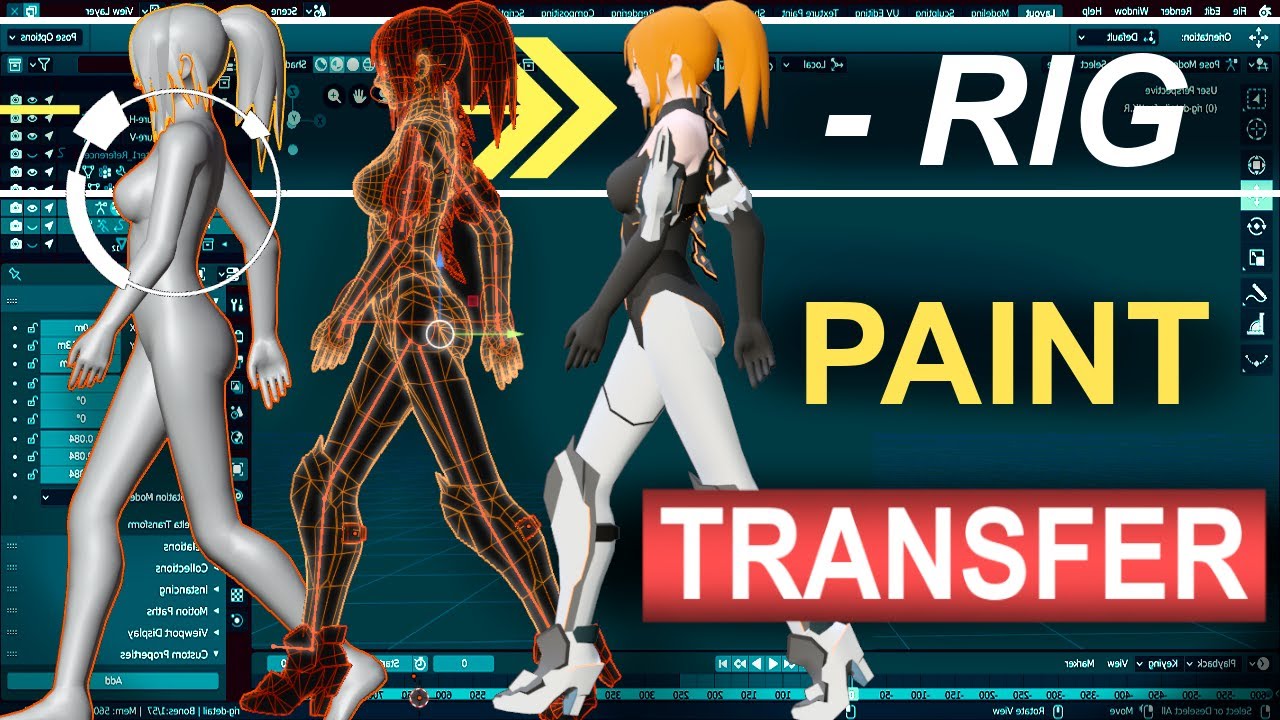
Never waste your time re-painting a new character ever again. In the next 60 seconds, you'll learn everything you need to transfer your Rig's weight painting from one character to another under a minute!!! Hope it helps :)
Free Female Base Rig Download:
https://www.youtube.com/watch?v=_XfvLpLyulI
Sayuri Artsy Weight Paint Transfer Video:
http...
blender 3.0 is god mode with transferring weights
digital meadow
...wait I am confused. How does weight transfer apply to me here? I am not applying this from an old model.
digital meadow
Right I suppose? I want better range of motion without clipping and I am not sure how to make it look natural.
edgy ginkgo
its like a cape right?
digital meadow
Kinda? The material is supposed to be all armored, like part of an armored skirt.

I was planning on adding some dynamic bones to the sides of it so they can swing slightly on the hinges
edgy ginkgo
okies, so yeah, make it a separate mesh object and use data transfer to make it fit perfectly
you can add that too after
digital meadow
So I am putting the weight data from the thighs onto the the armor?
digital meadow
Alrighty lets give it a shot
edgy ginkgo
the transfer in the video will show you how
void canyon
i have something somwhat similar in my model, an armored skirt


the hips has a solid grasp on the center and waist, and the legs just control their side a little
edgy ginkgo
yeah, i did the same on my cape with data transfer, worked well
digital meadow
Ya know that worked pretty well, I can go through on my own and tweak it a bit. Thanks a ton
 edgy ginkgo
Anytime, glad it worked 😄
void canyon
then you'd have to look into other stuff to keep the bone pointing down i guess
digital meadow
I was planning to on the sides, main issue is tryin to find a compromise on the main bit on the actual waist/hips between stiffness and mobility.
Hey so what is happening here with the arm? I just went through all the vertex groupings and nothing has weight on this besides the shoulder and upper arm, so why is this part being left behind when I bend at the spine?

....God dammit I hate it when I post a question and then IMMEDATELY find out the obvious answer on my own :~:
Anyways imma get some sleep. Thank you! you two saved me
void canyon
😄
 round turtle
My avatar is fully rigged but i seem to be having trouble with the orientation of the fingers, is there a way to edit the rotation properties of a rig inside of unity so i dont have to re-apply all of my settings?
My problem

 hearty thunder
Unity Humanoids demand that you have your palm flat, and all fingers are exactly flat, horizontal and all pointing parallel to each other on the side-side axis.
You can edit the Humanoid rest pose in the Humanoid config area and it'll fix whatever's going on with stupid positioning issues.
azure terrace
I am just curious, is there any plans for vrc to introduce Dual Quaternion skinning method?
 vivid carbon
azure terrace
I am just curious, is there any plans for vrc to introduce Dual Quaternion skinn...
vivid carbon
azure terrace
I am just curious, is there any plans for vrc to introduce Dual Quaternion skinn...
Pretty sure that isn't up to VRChat at all. I can find some hacky community script, but there doesn't seem to be an official way of doing it in Unity, and unless Unity wants to implement it, and it works in the Standard render pipeline, it is very doubtful it will ever get in. This is also the very wrong channel for that. You want to be making a feature request, which is done on https://feedback.vrchat.com/ and talked about in #feature-requests

Give feedback to the VRChat team so we can make more informed product decisions. Powered by Canny.
azure terrace
Thanks a lot, if Unity doesn't even have it I think I can forget about it.
 modern heron
Bruh I testing out rigging in blender 3.0 But I can't select none of my bones I want to move
hasty shell
modern heron
Bruh I testing out rigging in blender 3.0 But I can't select none of my bones I ...
make sure you're in the correct mode (pose mode, edit mode, object mode) and press "g" to move the bone around. i don't see why that wouldn't work
modern heron
hasty shell
make sure you're in the correct mode (pose mode, edit mode, object mode) and pre...
I was in edit mode, I select the right arm and but it won't let me select it so then I tried pose mode but it still didnt work
hasty shell
modern heron
I was in edit mode, I select the right arm and but it won't let me select it so...
Make sure you selected the armature first in object mode in a way that they are outlined in orangeish yellow to be able to edit it in edit mode afterwards.
modern heron
hasty shell
Make sure you selected the armature first in object mode in a way that they are...
found it out, but how do I merge the model with bones
odd tapir
What did I do wrong here lol
 hasty shell
modern heron
found it out, but how do I merge the model with bones
hasty shell
modern heron
found it out, but how do I merge the model with bones
That's going to be done with weight painting the mesh to your bones. It's kinda too complicated to explain it through text, but there is a ton of tutorials you can follow on YouTube. It's basically telling which mesh will be moved by which bone.
modern heron
hasty shell
That's going to be done with weight painting the mesh to your bones. It's kinda ...
alr 👍
hasty shell
odd tapir
What did I do wrong here lol
Heck I can't even recognize what that is lmao. Are these all colliders?
odd tapir
hasty shell
Heck I can't even recognize what that is lmao. Are these all colliders?
Yellow are dyn. bone colliders, white are dyn-bones
Not sure what the red ones are, maybe something Lyuma emulator uses
hasty shell
It could be a problem with weight painting, but at this point I don't even know😅
odd tapir
Yeah, what kind though
I got the bones painted in this manner (white is 1)

I have auto-normalise on when painting, the transition should be pretty smooth
Oh ok it was actually the bone radius colliding with the leg collider
odd tapir
hasty shell
Heck I can't even recognize what that is lmao. Are these all colliders?
What dyn bone setting would you use for dress/skirt ? It's way too wild the way I have it right now
void canyon
Collider be collidin
odd tapir
Dress be clippin
hasty shell
odd tapir
What dyn bone setting would you use for dress/skirt ? It's way too wild the way ...
Oh I haven't put dynamic bones on dresses before, maybe someone else will be able to help you with that 😓
 ebon aurora
Honest question would someone help me understand how to rig an avi
Or would work with me to get one in
Or would just help me get a base model in
I bought something from unity asset store and im willing to pay
sleek radish
ebon aurora
Honest question would someone help me understand how to rig an avi
Look up RoyalskiesLLC on YouTube. They have tutorials on rigging.
 quaint cosmos
Any tips for feet poking through the floor? I have a plane at the origin in Blender to confirm that the feet are above the plane and all the armature transforms have been applied both in object and pose mode. In Unity, the line that shows the ground plane is below the avatars feet but still they poke through.
 hasty shell
quaint cosmos
Any tips for feet poking through the floor? I have a plane at the origin in Blen...
hasty shell
quaint cosmos
Any tips for feet poking through the floor? I have a plane at the origin in Blen...
This one thing worked for me when i had trouble, try ctrl-a in object mode, "All transforms" - Ctrl-a - "Rotation and scale" on every mesh and armature group. In theory it should work
quaint cosmos
Yeah, it's all one unified mesh and I've done that but they still poke through a bit. Things improved a bit by rotating the feet to be more flat but it still isn't perfect.
 smoky hill
I got a weird rigging issue where when i rotate the head it shrinks, anyone know how i can fix this?
ornate cairn
smoky hill
I got a weird rigging issue where when i rotate the head it shrinks, anyone know...
check if other bone isnt weighted to it
smoky hill
no but i got two neck bones
smoky hill
Oh i figured it out it was a very unlikely bone but it was the problem. Its a bit messy in the head area so it was hard to find but i was check them all.
ornate cairn
so other bone was weighted to it after all
smoky hill
Yeah a hair bone I think somehow!
digital meadow
If I parent a new armature to a mesh will it reset all of the weight painting I have already done?
like I went into object mode, added some new armatures, I am going to join it to the rig I have but I am worried if I parent it to the mesh that it might fuck up my vertex groups
ornate cairn
better join new armature to old one
digital meadow
is "better join" an option?
digital meadow
How do I make the new armatures appear in my vertex group list for a specific mesh without messing with any of the vertex weights I have established?
 little forge
Anyone else having problems with clothings?, when i look in blender it looks fine, but in unity the skin just goes trough the clothes
ornate cairn
little forge
Anyone else having problems with clothings?, when i look in blender it looks fin...
apply scale and transoforms
little forge
still doesnt work, just goes right trough it, do i need to export the armature aswell? (In my case i want to have multiple outfits), or should i export the basemesh with all the outfits at once?
ornate cairn
little forge
still doesnt work, just goes right trough it, do i need to export the armature a...
you should keep all outfits as meshes that way its easier to manage
check if in pose mode they move well with avi
 weary falcon
For a furry character, how do I need to rig the mouth? Could someone send a tutorial? (just a side note, I work in Maya so if you have a Maya tutorial it'd be awesome, but I'm sure I can figure things out well enough from a blender tutorial)
 junior sparrow
Hello it sure as been a while since ive come here but i was done making my model and ready to test it. At first i forgot to put the rigging on humanoid so my model was asserting the T-pose for dominance but uh now i did fix it and did load back the testing model and it was still in his t-pose somehow ?
modern heron
im using blender v3.0 and just wondering if I could rig node (objects)
crisp tendon
I have no idea what that means
ornate cairn
modern heron
im using blender v3.0 and just wondering if I could rig node (objects)
what exactly you want to do
you can rig whatever you want
modern heron
so it really don't matter if it's mesh or not
ornate cairn
bones need to have something to focus
still cant quite understand what do you want to rig
 crisp tendon
That's rigged
modern heron
 modern heron
 modern heron
ornate cairn
by rigify it seems
modern heron
ornate cairn
by rigify it seems
If so then I probably mess up on something during the progress
thanks again
ornate cairn
modern heron
If so then I probably mess up on something during the progress
your rig is fine
but not perfect
modern heron
fine is what I will be taking, as long I could move the arms and the shoulders then that would be okay
modern heron
I'm not planning too for now, just making about to retrace and him and add a sign for my friend for before tomorrow that say happy birthday into it
not that very good at drawing 😅


 lethal prairie
how does this rig look? all i have left to do is weigh the hats (currently researching whatever weighing is in terms of modelling
 ornate cairn
lethal prairie
how does this rig look? all i have left to do is weigh the hats (currently resea...
ornate cairn
lethal prairie
how does this rig look? all i have left to do is weigh the hats (currently resea...
it wont work in vrchat
lethal prairie
ornate cairn
it wont work in vrchat
how can i make it work
ornate cairn
it needs to have all bones that humanoid rig require
lethal prairie
it has the hands, upper/lower legs and arms, a hip and spine, i dont see the problem
ornate cairn
beside fingers
lethal prairie
fingers arent required i dont think
ornate cairn
yes they arent
i was saying besides fingers
you need all
did you tested if builder gives you error?
in vrchat
ornate cairn
ok well if you gonna have the hat weightpainted then you want try uploading to vrchat and builder will tell you if rig is alright
lethal prairie
the hat/other accessories aren't individual models
they're like
blended with the head/chest
ornate cairn
you checked if in pose mode they move with head?
maybe they are already weighted to head bone
lethal prairie
ill mutilate the corpse move around the head in pose mode
i dont see the actual head moving with it
ornate cairn
so nothing moves?
lethal prairie
just the joint
not sure if theres anything special i need to do to get the model to react
ornate cairn
is aramature parented with automatic weights?
lethal prairie
no, how do i do that
ornate cairn
can you screenshoot the hierarchy in right panel
lethal prairie
 ornate cairn
yeah in object mode so click on avatar than shift click on armature and ctr+p with automatic weights
lethal prairie
im gonna delete the light since it automatically selects that too
added automatic weights
trying now
what should i expect when i move a joint
@ornate cairn
ornate cairn
in pose mode it should move the body parts
ornate cairn
how your hierarchy looks now
lethal prairie
does naming matter at all
 void canyon
lethal prairie
does naming matter at all
void canyon
lethal prairie
does naming matter at all
click your mesh, go into the modifiers and see whether the armature has been selected
i.e.


is the object selected the "Armature.001" for you?
lethal prairie
let me check
cant find the modifier tab anymore
oh wait
@void canyon do i need to throw an armature modifier to the model?
i mean
its there
void canyon
Screenshot
lethal prairie

i think i see the problem
it only accounts for one bone
how do i get it to account for all of the bones
void canyon
Go and select your armature.001
void canyon
Well, try moving lol
If you have the armature selected and the vertex weights for each bone then it should move
lethal prairie
should i mention the whole avatar is one model (in unity its chopped up into separate models as it should be
void canyon
If the hierarchy is right and the weights are painted then one or a dozen models shouldn't make a difference in it moving
So, did it work?
lethal prairie
no
(im multitasking new pfps and a bunch of other stuff rn
i have no idea why
im not sure if i should be using the transform tools or not
@void canyon no dice with the avatar's bones moving
should i try rigging it and testing it in unity
void canyon
What, the bones arent moving or the mesh?
Are you going into pose mode then trying to bend the joints around?
lethal prairie
the mesh isnt moving
lethal prairie
void canyon
Are you going into pose mode then trying to bend the joints around?
yes
this is what happens

ill see how unity reacts later
ornate cairn
if it isnt working in blender it wont in unity
you gonna need if weightpaints were applied
lethal prairie
ornate cairn
you gonna need if weightpaints were applied
i applied automatic weights
i have no idea what im doing wrong
void canyon
lethal prairie
i have no idea what im doing wrong
go to your mesh, vertex weights, then also select weight painting in the left side
check each vertex group, does the name match to the right bone? when you select it, does it show the right area being painted?
you had the wrong armature selected, so it might not have generated the weights whrn you did it
lethal prairie
i have never rigged in my life and i haven't used blender for years, the instuctions you're giving me are too complicated for me to understand
lethal prairie
void canyon
you had the wrong armature selected, so it might not have generated the weights ...
oh wait
i selected the pose
bruh
void canyon
google, "how to check vertex groups in blender", "how to open weight painting mode"
im on my phone
cant really screenshot you the stuff
 void canyon
🤔
lethal prairie
like
void canyon
blender doesnt let them be empty i think
lethal prairie
lmao
lethal prairie
lethal prairie
tried weighing the armature and this appeared
what does this mean though
void canyon
make a bacjup then try this:
select your mesh, go into edit mode
press A to select everything, press M to merge
leave the merge option on 0.0001 or whatever the lowest is
then do the weight stuff again
lethal prairie
when i merge the model it just turns into bones
void canyon
sometimes the faces are entirely separated ans blender doesnt know what to do
void canyon
lethal prairie
when i merge the model it just turns into bones
wat
lethal prairie
a fine halloween decoration
 void canyon
what distance did you select? i have no idea how you could have done that lol
isthe mesh still there?
lethal prairie
it became a tiny cube
void canyon
again, what distancedid you select?
a box in the lower left shows up when you press M
lethal prairie
i dont see any box
lethal prairie
i dont see any box to change the size
@void canyon
now i see it
how do i confirm it
void canyon
it applies in real time
lethal prairie
now instead of merging it wants me to change the bone layers??? 🤨
lethal prairie
lethal prairie
now instead of merging it wants me to change the bone layers??? 🤨
@void canyon another ping but
it wont let me merge
it just shows me this
 lethal prairie
yes
void canyon
thats armature edit mode :3
lethal prairie
how do i exit it then
lethal prairie
it still shows the bone layers
FINALLY got it to merge
aaaaand nothing happened
lethal prairie
its already auto weighed
i am losing my sanity over this
ong
i dont understand why this isnt working
ornate cairn
i know why
i think
but i cant think of how to explain it easly to you
can you just dm me blender file
lethal prairie
sure
fading verge
how do people do like fake puppet arms without the stretching
not really sure if that's good wording
fading verge
ok that was bad qwording
i dont mean like chungus menu puppet arms or whgatever like i mean like those spider halloween costumes with the strings and shit between the arms and stuff if that makes more sense
 low fjord
I have Dynamic Bone installed, how do I add it to my hair in this configuration

every stroke of hair made in VRoid is its own object, but when I apply Dynamic Bone to all of them, first of all idek where to set the Root
and when i set the Root to the literal "Root", this happens.
hasty shell
low fjord
I have Dynamic Bone installed, how do I add it to my hair in this configuration
Hmm not an expert with dynamic bones, but it seems like your "root" is the hip bone. The root you'd want to choose is the hair root that is parented to the head and that is the parent of your hair
 visual plover
Absolutely losing my mind, can't get rid of this full body tracking hip issue. The thighs and hip are both perfectly aligned at this point, the heads and tails of both have the same exact Y coordinates.
I've moved things around a ton, rotated bones, and no matter what I can't get rid of this back breakage... what am I missing??
Fullbody works fine on other avatars I have, so it's not my tracking. There are some extra bones visible in front view that are children of the hip bone (using them for better deformation); deleting them didn't change anything.
My last rigup had arguably worse alignment and doesn't have this issue, I'm genuinely at a loss here.
 sleek isle
Oh my
Usually. The legs should be straight from the from view. The chest seen to be starting relatively high compare of what am use to see. Be sure to have the hip assign in the humanoid. Sometime when having more bone then just legs parent to the hip the armature get assign instead.
Reset bone roll in edit mode. Who knows
visual plover
All the bones look correctly assigned in unity... I can try resetting the roll. I'll have to edit the mesh before trying aligning the shins as well but I wouldn't think that would be causing this specific issue... same for the chest being high
Worth a shot anyways ig
vivid carbon
The VRChat SDK Control panel should have given a warning about the bones for the hip and legs not being correct for FBT. You can also check the pinned messages in this channel to figure out how they should be laid out
hearty thunder
visual plover
Absolutely losing my mind, can't get rid of this full body tracking hip issue. T...
Have to clear the Unity Humanoid configuration and start that over every single time you make major changes to the .fbx.
Also for the sake of sanity I'd suggest straightening the legs. Not that you can't, but the fewer things that are off from the get-go, the fewer headaches you're going to have in the long run.
visual plover
vivid carbon
The VRChat SDK Control panel should have given a warning about the bones for the...
it did not, avatar is all good according to the sdk
visual plover
hearty thunder
Have to clear the Unity Humanoid configuration and start that over *every single...
This was it, the obvious thing I was missing. I set it to generic and then back to humanoid and it looks solid now. Thank you so much
hearty thunder
visual plover
This was it, the obvious thing I was missing. I set it to generic and then back ...
👍
fading verge
low fjord
I have Dynamic Bone installed, how do I add it to my hair in this configuration
Be careful with bone placement, it should always follow the order in heirarchy as you would go from root(or hip) - i.e. Hips/Chest/Neck/Head/insertdynhairbones
 cursive apex
Lots of issues can arise with legs not being straight. send it to pose mode and straighten them out completely then apply the pose. Make sure the child bones on the hips are alphabetically last so that the leg/thigh/chest bones are the "first" children. @visual plover
dont forget to ctrl+A and apply transforms as well just in case
the knee bend is fine btw
just the x-axis needs to be straightened
 unreal granite
sorry. was this the place where people offer commissions? i need someone to do some visemes on a model for me?
sleek isle
Well if you need the face to be rig instead of blendshape, it's not the right place.