#avatar-rigging
1 messages · Page 197 of 1
 odd tapir
I'm clueless
I'll check out the addon
I also tried weighting the mesh automatically with Object>Parent>With Automatic Weights but it says "Bone Heat Weighting: failed to find solution for one or more bones"
Vertex groups get copied but no weight does
 crisp tendon
Delete the messed up boot, select the leftover one, press P > Separate selection and add a mirror modifier, apply the modifier, join the boot mesh with the body, try moving the legs again
odd tapir
I removed the vertex groups already.
 urban musk
The proportions have gotten a bit weird at this point, so that explains that.

 fading verge
is that a man in a horse costume?
urban musk
Mechanically, yes.
The man is a phantom who drives the bones of the 4 legged boi
fading verge
I love the idea
 jovial quartz
so a workaround to the mess that is generic rigs?
I would be very interested in your results of this experiment
urban musk
I am but an inexperienced babe who did not want to make a bunch of custom animations and had hoped I could use the humanoid rig proxy trick to get something that worked ok with fullbody.
If this particular method is in your interests, I am cribbing from this video:
https://www.youtube.com/watch?v=1Pt78aPk0ns
jovial quartz
I tried some quadruped rigging but got discouraged by the viewpoint not being adjustable, plus I couldn't get it to consistently work with moving the mesh backwards, which when it did work also made the face the pivot point which is kinda awful
(btw if anyone could vote for this that would be great https://feedback.vrchat.com/sdk-bug-reports/p/generic-avatars-ignore-x-and-z-axes-for-view-position)
urban musk
It's stuck? I set my view height and it SEEMED correct in game but I never got too deep into it.
I just put it basically as close as I could to my face while making sure I'd be unlikely to have my face move into it and it seemed to work.
 jovial quartz
urban musk
I am but an inexperienced babe who did not want to make a bunch of custom animat...
jovial quartz
urban musk
I am but an inexperienced babe who did not want to make a bunch of custom animat...
that's a lot of rotation constraints lol
yeah it only adjusts vertically for generic avatars
urban musk
4 legs, neck and head, yeah. I may re-rig it so that the one pair of legs is the for real bones of the humanoid skeleton, depending on both practicality and laziness.
But the viewpoint issue is just for non-humanoid rigs then?
jovial quartz
yeah
urban musk
RobloxOof.wav
jovial quartz
it sucks cause I got some walking animations to work in vrc but then the viewpoint is just always borked
urban musk
Sounds like you too should struggle with a janky rigging workaround!
jovial quartz
might try that when I finish my humanoid learning experience
urban musk
Good luck. I wish you all the best in sharing my pain.
jovial quartz
I have no frickin clue how to rig this coat tbh

 night spear
Easiest way to rig eyes?
It seems putting a bone there and weigh paint to the eyes just doesnt work lol
crisp tendon
Doesn't work how ?
 serene surge
jovial quartz
I have no frickin clue how to rig this coat tbh
serene surge
jovial quartz
I have no frickin clue how to rig this coat tbh
You might not even have to
You could use cloth simulation if you haven't thought about that yet
:3
it looks fairly low poly too, would work nicely without performance loss.
serene surge
It would look better for this kind of thing I feel
 ancient trellis
Every time I import my avatar from blender the jaw bone is bound to my LeftEye and the chest is unmapped...why?? I even do "fix model" in blender before exporting so I know the hierarchy is correct.
jovial quartz
 serene surge
@jovial quartz https://youtu.be/DnX226UdCFw
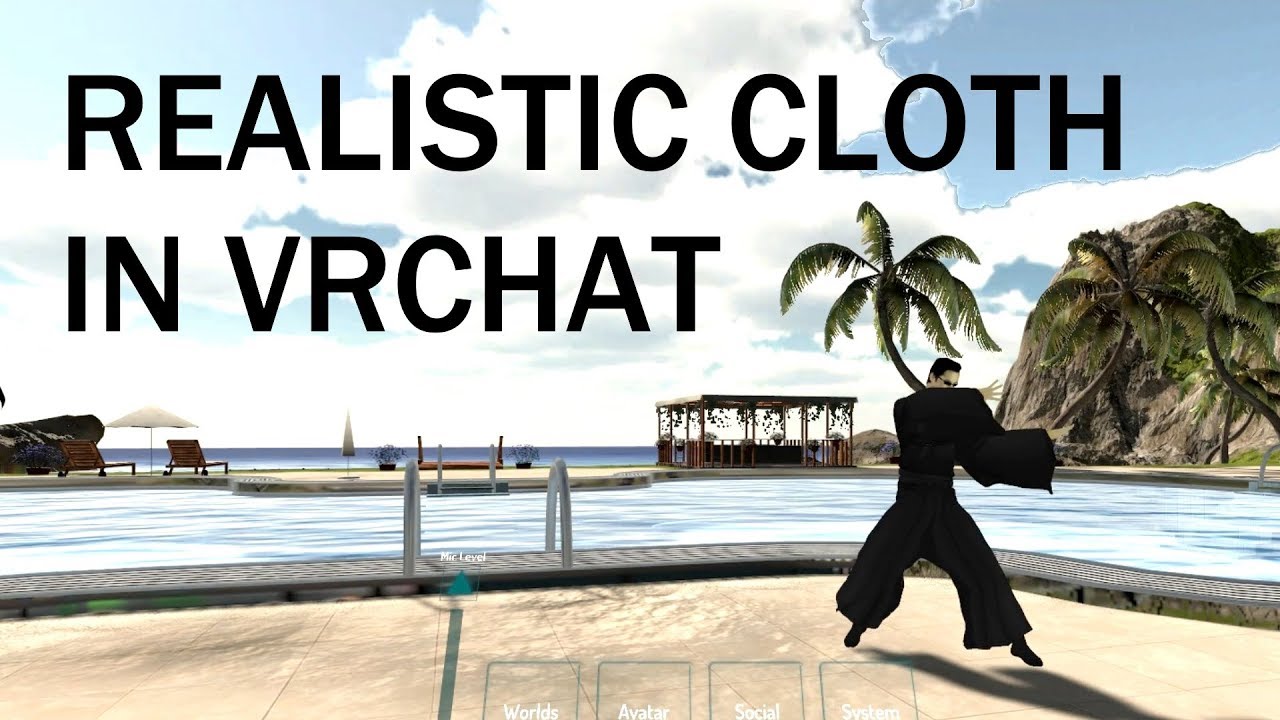
extra notes:
- this might not be the right choice for your model if the cloth is stylized in a physically unrealistic way
- like dynamic bones, this is not a free effect and overuse can potentially kill framerates, for the love of all that is holy please use responsibly
- multiple cloth layers is possible but quite difficult to get right
- use ...
jovial quartz
thanks!
serene surge
jovial quartz
yep! that is a perfectly good amount of polys for this 😄
should be really performant and look good too :3
🙏
ancient trellis

Ingame..my neck/chest skin clips through the clothes

but not in blender..no matter how much i contort.
 fading verge
ancient trellis
Ingame..my neck/chest skin clips through the clothes
fading verge
ancient trellis
Ingame..my neck/chest skin clips through the clothes
the easiest way to solve that is just to delete the part of the body mesh hidden under clothes
no reason to have it unless you intend to take your shirt off, in which case you can simply seperate the parts of the body hidden under the clothing for toggling
ancient trellis
yeah i deleted everything thats covered by clothes

but
what about the other issue..?
fading verge
you can just map the chest
fading verge
Im not sure what causes it to not recognize it
but it might be related to you having your bone parenting incorrect
or naming scheme incorrect on bones
jovial quartz
hmmmm, I'm doing something wrong

lol I missed weighting four vertices of the hair
so do I need to adjust this mesh so that it is over the arms in tpose or is there some way to autoweight it from a pose I create?


 crisp tendon
either nothing or a very small amount
 crisp tendon
Are your blinks bones or shapekeys ?

 crisp tendon
mmh, check your blenshapes in unity ?
ancient trellis
crisp tendon
mmh, check your blenshapes in unity ?

even if I click "preview" or whatever it doesnt change
for the blink
crisp tendon
check the skinned mesh blendshapes values
ancient trellis
got it
reimported the fbx, made a completely new descriptor
descriptor was bugged
crisp tendon

odd tapir
No matter what I do I cannot see all these tears in blender. No matter how much posing I do. How am I supposed to find and fix these ?
 crisp tendon
Do you need to keep the mesh below ?
odd tapir
Yes
 🔫
odd tapir
🔫
odd tapir
I will just try to make blendshapes where the mesh underneath will get squished using a blendshape when the shoes are on etc
Right now it seems like a 1 000 IQ solution but I am kind of dumb so we will see
 worn tartan
Hay does anyone know how to export a rigged object into unity? I’m having trouble
 craggy spire
hey could someone help me with my avatars? i bought one from a gumroad creator and for some reason the hair/body etc isnt moving at all, any help?
odd tapir
Left is Blender in pose mode, right is Unity. I still have the same issues with weight painting, I don't understand how am I supposed to identify the problem or how to fix it when both software are showing different results

 still oriole
I'm guessing here but do you use auto-normalize when weight painting?
odd tapir
I was trying to weight paint panties now and I noticed different vertex groups were getting painted when I was painting others, so I found out I had auto-normalise on
I did turned it off
still oriole
If the sum of weights on a vertex is greater than 1 it could result in unexpected behavior. Check the problematic areas.
odd tapir
Yeah
It painted different vertex groups such as hair, I just found out... Slightly, but it did
Thanks
jovial quartz
how do I merge these two meshes into a single surface at this seam without messing up all the weights? like combine the vertices or something?
 still oriole
jovial quartz
how do I merge these two meshes into a single surface at this seam without messi...
still oriole
jovial quartz
how do I merge these two meshes into a single surface at this seam without messi...
Does simply joining the meshes mess up the weights?
jovial quartz
well, in the game there's a gap because they're still loose portions of the same mesh
 still oriole
You need to join the vertices together as well.
jovial quartz
yeah I don't know how to properly do that
I tried some stuff last night and it just got worse
still oriole
There's snapping and merging by distance and then there's manual merging.
jovial quartz
I think I tried merge by distance but maybe I did it wrong?
still oriole
Maybe the vertices weren't close enough. Either increase the merging radius or just do it manually by selecting both vertices you want to merge, then press M and select one of the options, usually "At center" is a good bet.
craggy spire
anyone know the fix to this? i bought an avatar off gumroad and it required basic packages like the dps. dynamic bones, and poiyomi, i uploaded them to unity in the order the creator told me to but my bones still arent working? hy hair, my skirt, everything is completely still but my character is walking and toggles/emotes are working fine, any help?
still oriole
Is the avatar a prefab or did you have to set up things like eye movement and humanoid rig?
jovial quartz
how do I unide things I hid with h?
still oriole
Alt-H.
jovial quartz
ah, thanks
jovial quartz
how much should be weighted to chest vs spine?
still oriole
Enough to deform as desired.

 velvet kite
How do you weight paint through stuff
jovial quartz
I made the mistake of solidifying the hair before weighting it
so I ended up weighting it by enabling xray and manually selecting vertices and assigning weights on the right
idk if I should just weight paint the tunic and then transfer weights to these strips or try to merge it into one mesh somehow
 still oriole
jovial quartz
is this reasonable?
still oriole
jovial quartz
is this reasonable?
The question you should be asking yourself is: does it work as expected?
still oriole
velvet kite
How do you weight paint through stuff
Either turn off "Front Faces Only" or use the M select mode and hide faces.
velvet kite
Ah ok, appreciated!
How can I export my own material from blender?
Or how can I get a material from blender and turn it into a texture?
still oriole
That's not how materials work. What are you trying to do?
velvet kite
I'm trying to get this mesh into a texture png so i can use it in unity
 still oriole
You need to assign a texture to that material, preferably using Nodes.
velvet kite
Tbh I have no knowledge on materials and textures, I just wanna know how to use tthe mesh in unity
still oriole
If you assign a texture to the material in Blender it will get used in Unity automatically, as long as you import it along with the model file.
velvet kite
ok ill try that
still oriole
I recommend looking at some tutorials for Nodes in Blender, in Shader editor.
It's fairly simple for simple setups.
velvet kite
I used the textures from the export and I get this.
 still oriole
Yeah the material has no texture assigned.
velvet kite
No thats after assigning the textures
still oriole
What do you mean by "assigning"?
velvet kite
 still oriole
I don't see any textures here. If you have to do it in Unity, you'll have to extract materials then assign your texture to the albedo texture in that material.
 cinder pendant
Anyone have any idea on how to make hand puppet avatars
I wanna make one but I'm not sure if I need to rig a whole body skeleton to even allow that or something like that
 turbid spear
Yeah you need a whole humanoid skeleton and just rig your puppet to your hand
But you don't need to weight your skeleton to anything else, just have the bones
cinder pendant
Any base skeleton I could download so that I don't have to make it all myself?
I'm sure there'd be some by now
turbid spear
probably
I usually just copy one from an avatar I already have and delete the mesh
maybe there's an example avatar in the sdk
you can probably just import the fbx of it into blender
cinder pendant
nope can't find one
jovial quartz
pain
 turbid spear
cinder pendant
nope can't find one
turbid spear
cinder pendant
nope can't find one

Part 2: https://www.youtube.com/watch?v=rRAnDMUbWt8
0:00 - Intro
0:23 - What You'll Need
1:26 - Installing Software
2:26 - Get the VRChat SDK
2:53 - Make a Unity 3D Project
3:26 - Import the SDK
Link [1]: (Example Avatar Files) https://assets.vrchat.com/misc/Tutorial_Avatar_Robot_v1.zip
Link [2]: (How to merge Steam / Oculus / Viveport accoun...
grab this one from the description
 low raft
anyone know a good way of doing non-spherical eyes? Think like mickey mouse eyes. where they have a definite curve, but the eye shape is oval height wise and has a shallow depth. Pupils I have currently dip below the whites of the eye of the character I'm making when I use bones.
crisp tendon
Most anime eyes are done that way, what issue are you having ?
low raft
So, the pupil's dip below the whites of the eyes when looking up and down. Keep in mind, in this instance I have a convex shape for the whites of the eyes. Not a concave shape like a lot of anime eye's I've seen.
well, up and down. Left and right. Depending on where I place the rotation.
I should mention I'm still pretty inexperienced with vrchat. 😛
turbid spear
move the bone's origin into a place where it won't clip through
or limit the amount of movement
low raft
oooo, limits. Didn't know that was a thing. Gonna give that a try
turbid spear
in unity you set your eye rotations for every direction
in the avatar descriptor
so you get to choose how much it moves
low raft
👍 sweet, thanks
jovial quartz
it's unfortunate it's limited to rotations
 hearty thunder
v2.2 of the digitigrade leg tutorial. With the entirety of the first section re-done to hopefully make the procedure less prone to issues, namely with less wiggle room for doing it wrong and more emphasis on elements that need to be kept into consideration.
 low raft
hearty thunder
v2.2 of the digitigrade leg tutorial. With the entirety of the first section re-...
low raft
hearty thunder
v2.2 of the digitigrade leg tutorial. With the entirety of the first section re-...
As someone who models digitigrade characters this is super helpful
hearty thunder
There's a fairly large number of people modelling characters with digitigrade legs. It's a shame locking the ankle seems to be the default methodology and it wasn't until relatively recent there was any solution for digitigrade legs, as completely jank this may be.
 wraith prism
So I've been working on a model for awhile and everything on her works well but in game her view point is way above her head, and in vr her hips are wayyyy down. i have set the view point ball in between her eyes and tried a few other things (making the chest bone smaller bc it was pretty bit) i feel like it has to do with the hips but i may be wrong. here's a photo of her chest and hip bones in unity  (if you need more photos i can send em)
 urban musk
I've made some good progress on my centaur style rig for my horsey boi.
What I'm seeing right now is that my arms at rest go out slightly to my sides into what I'd describe as an A pose.
I'd like the resting arms at side to point more straight down.
Off hand, anyone know an obvious change I could make to the rig to achieve that.
My ability to correctly point at things is otherwise pretty good at the moment (And my levitation issue is now very minor and totally acceptable)
📝 EDIT: Of note is that the amount of '"splay" is reduced if I face my palms forward.
crisp tendon
wraith prism
So I've been working on a model for awhile and everything on her works well but ...
More pictures would help
As well as in blender
worn tartan
No idea why my rig is so small and missing bones.


 crisp tendon
wraith prism
crisp tendon
wraith prism
Make sure you've applied your transforms with Ctrl + A on everything as well as applying your pose in Cats before exporting
wraith prism
crisp tendon
Make sure you've applied your transforms with Ctrl + A on everything as well as ...
ive applied the pose but i didnt try control a ill try that ty (Sorry for spelling typing in vr haha)
crisp tendon
no worries
jovial quartz
so the arms and shoes are still clipping a bit and I'm not sure the best way to fix it, any suggestions?
 jovial quartz
in particular I'm not sure how to weight the legs of the tunic to sort of expand without looking awful when walking
unless maybe I should be using cloth for them as well?
velvet kite
I have no idea on how to make eyes on an avatar that I built from scratch, can anyone give me directions?
nor do I know how to make a mouth
jovial quartz
is there a good world that is well lit and has 3rd person view options for testing avatars?
 inner cedar
Just reading the pins. To confirm, has anything much changed since 2018-2019 about the requirements for character rigs?
I haven't made much since then and I'm getting back into making characters for a client
wraith prism
crisp tendon
Make sure you've applied your transforms with Ctrl + A on everything as well as ...
so it still happens
here her view point in unity

and heres where it is in game
 crisp tendon
and your legs are straight in vrchat ?
What does it look like in the humanoid configuration screen in Unity ?
crisp tendon
inner cedar
Just reading the pins. To confirm, has anything much changed since 2018-2019 ab...
in SDK3 you can use an upper chest bone and not require fingers for humanoid
wraith prism
crisp tendon
and your legs are straight in vrchat ?
this photo was taken in desktop and i haven't noticed anything with the legs. in fbt my hips are at least 15 in below my hips if that makes sense and her body stretches real bad.


 warm pine

I made this char in vroid and wanted to use it in vrc but the hair keeps doing that, it has no weight it gets just stuck in the air, dont know if i have to do something different in vroid, blender or unity
have tried different models and stuff
is that the hair length?
urban musk
Does it do it in VRC or just in VSeeFace?
warm pine
everywhere
i tried to make it with dynamic bones but then it was still pretty stiff with just a wobbeling end
also have a version in a dress wich i tried to get moving with dynamic bones and maybe even collide but thats working eh
urban musk
I had hoped/thought the hair was overreacting to the wind setting in VSeeFace, but I guess not.
My experience with those jiggle bones is limited but I find the default settings can be pretty intense.
warm pine
yeah no wind activated
they kinda get stuck in the air behind me and follow me all ghost like

with no gravity and nothing
 lilac cloak
please help what is wrong with my fingers

ive tried weightpainting them over and over but this keeps happening
it doesnt seem to be a problem with the individual finger bones, just the wrist bones
but no matter what this happens
crisp tendon
wraith prism
and heres where it is in game
How does the rest of the body look ?
wraith prism
crisp tendon
How does the rest of the body look ?
in desktop? i can send a photo one sec
wraith prism
crisp tendon
How does the rest of the body look ?
i mean everything else looks normal to me

it's just the view point
then in full body

it does this
my hips are here

but they are way down
crisp tendon
that's pretty odd, nothing seems out of the ordinary, but i'd suggest using this tool to make a proportionally correct version of your model and see if it helps https://github.com/triazo/immersive_scaler
GitHub
VRChat correct proportions, made easy in blender. Contribute to triazo/immersive_scaler development by creating an account on GitHub.
wraith prism
crisp tendon
that's pretty odd, nothing seems out of the ordinary, but i'd suggest using this...
alright thank you^^ i'll try it out
 arctic hatch
hey very quick question i assume to anyone who knows what they are doing, so im trying to attach a hoodie to an avatar right? ive gotten to the point that every part works fine besides the arms which aren't attached to the body at all

any ideas on what i messed up on?
 crisp tendon
you need to weight paint those parts to the armature
arctic hatch
crisp tendon
you need to weight paint those parts to the armature
so how do i do that? like paint them to the specific parts
crisp tendon
if you're in weight paint mode, you can shift click a bone
arctic hatch
okay so assuming i know nothing about it here, where and how would i start that?
 crisp tendon
i'd suggest watching any tutorial on youtube
 robust crescent
Can try auto paint, but its likely gonna be 🤷
jovial quartz
why is that a square btw?
robust crescent
exsample
jovial quartz
kinda confusing that it also moves the wiremesh in the background
also doesn't illustrate that you need to select the armature in object mode, shift select the mesh you want to weight paint, then go to weight paint mode and shift select the bone you want to paint to
arctic hatch
crisp tendon
i'd suggest watching any tutorial on youtube
see thats kinda my issue, ive followed 4 different ones down to the point now and it just refuses to attach for whatever reason
jovial quartz
yeah I had problems with that advice as well
I found this tutorial series but all they do is manually create vertex groups or autoweight until the third video.
https://www.youtube.com/watch?v=5SLlp3AwShM&list=PLdcL5aF8ZcJsFEdlMJ7To0Iu9s-XCFV3W&index=3&t=360s
It is also very rare that they emphasise that the vertex groups need to be named the same as the bones in the armature for some reason.
Not to be argumentative, but I don't really want to watch multiple videos in multiple video series before finding out something that you seem to believe is common knowledge.
https://www.youtube.com/playlist?list=PLdcL5aF8ZcJsFEdlMJ7To0Iu9s-XCFV3W

⚠️Important updates in Weight Paint in Blender 2.91 and 2.92. I made a new video about that:
https://www.youtube.com/watch?v=xrBxXp3O2yQ
The changes in Weight Paint mode in 2.91 were a bit of a mess, so I recommend avoiding it. In 2.92 things were improved significantly.
I also did a video about "weight painting through the mesh" which many peo...
arctic hatch
AH i found my issue, apply button for the data transfer section was moved, i just assumed it was automatic
wraith prism
crisp tendon
that's pretty odd, nothing seems out of the ordinary, but i'd suggest using this...
i figured it out 💛 , ty for the help.
inner cedar
Is it best for VRChat avatars to have their root bone around the hips or on the ground?
fading verge
@crisp tendon having an issue I have the avatar descrip on it and it was showing but once I made the model into humanoid this happen

Figured that out now this issue https://i.imgur.com/kAlfmRg.png
 crisp tendon
Now that's just optimization
jovial quartz
you should probably merge all the meshes before exporting, not sure what you can do about the materials, and polygons you might be able to dissolve some vertices where its nearly a triangle or something
or just remove some that are covered by other meshes that you never see in game

 idle fable
lilac cloak
i cant figure out why its doing this
idle fable
lilac cloak
i cant figure out why its doing this
bad weight paints
lilac cloak
well i know that, but no matter what i do that happens
lilac cloak
my wrist weights look like this but idk why its effecting the fingers too. individual finger weights are fine, its.. just the wrists

oh gosh thank you so much, i thought i had done this earlier but of course i had weights in a really obtuse place (in my spine group for some reason??)
 molten shore
Not sure if this the right place to ask
But does anyone know how to setup a ragdoll properly?
I tried to create one with Ragdoll Wizard and it works well inside Unity, but joints got jittered in the game...
in game vs in unity


 serene raft
Hey so uh
I bought a HeroForge model
Ripped it
Kinda rigged it
When I go to pose mode to check it out and I rotate the head
The eyes just stay put
Then again I probably shouldn't rotate the head I should only rotate the neck
The jacket moves weirdly though when I move an arm
 olive bobcat
i do not understand inverse kinematics at all lmao
olive bobcat
serene raft
The jacket moves weirdly though when I move an arm
oh uhh, seems like the eyes are not placed in the same vertex group as the head, or isn't a child of the head bone. for the jacket, check what is part of the vertex of the arm, then try either repainting the weights or changing the vertex group strength
 vestal wyvern
Does anyone know how to make my model fit the default VRC animations better? Doesn't look like they are made for the tutorial robot either. Also the idle animation seems to ignore the position of the head and shoulder bones specifically. Is there a full list of this kind of information somewhere?
 leaden smelt
So in Unity, I assume the animations labeled EMOTE1, EMOTE2 etc are the default emotes like dance, backflip, death etc. Does anyone have a list of which Emote in Unity corresponds to which Expressions default emote?
 timid hawk
hey, so i was trying to put bones with mixamo on a avatar and this happen
 timid hawk
hey, so i was trying to put bones with mixamo on a avatar and this happen
timid hawk
timid hawk
hey, so i was trying to put bones with mixamo on a avatar and this happen
should i do it on blender insted? i realy don't know how to fix this
 rough axle
Hello, everyone! I have a model that I've made, but it's a newer version. I'm very new to Blender, but I was wondering if anyone knows how I can merge the mesh with the armatures. I have a picture of a previous version so you can get an idea of what I mean. I think it has something to do with vertex groups, but I'm not exactly sure. Any help would be greatly appreciated!

 still oriole
You can parent a mesh to an armature, not merge with it.
rough axle
It works! Thank you! 😃
 winter matrix
I'm trying to get FinalIK to drive a spider after following a Youtube tutorial, but I've only gotten the vertical movement working. If I try to move it around horizontally the legs stand still in the idle position. Have I got something wrong with the hierarchy placement on the components?

 fervent hornet
winter matrix
I'm trying to get FinalIK to drive a spider after following a Youtube tutorial, ...
fervent hornet
winter matrix
I'm trying to get FinalIK to drive a spider after following a Youtube tutorial, ...
Vertical movement only probably means your Grounder is working properly, but if the spider doesn't actually take steps then the VRIK has failed to initialize, are there any console errors?
Hierarchy order doesn't matter too much, but roughly looking at yours its fine, make sure that the VRIK Targets and FABRIK Roots are parent constrained to your hips though
winter matrix
They are indeed constrained properly. I've actually just popped into your discord and grabbed the prefab to compare with mine. Only warning I have is that VRIK can't guess the hand orientations because they have no fingers. I wouldn't think that would cause VRIK to fail to initialize though?
fervent hornet
It actually does! If you do not have any values set (anything but 0) in the Wrist To Palm Axis or Palm To Thumb Axis then VRIK will not function at all

Unfortunately, there are a lot of hidden problems like this that I cannot explain in a video due to just droning on about what everything needs to be
winter matrix
Ahh that did the trick! I know because my model just scuffed to hell on play, lol! But at least now that I have it working I can get it working properly.
fervent hornet
Yep, being fucked up is better than not working at all
 small flint
So, is it a problem if the foot bone's root is not at ground level? Because a real ankle joint sure isn't. Will the IK/avatar proportions get messed up if bones look like this?
 fervent hornet
No, that is the correct way to do the foot bone, the toe bones should be touching the ground (also probably dont need a bone for each toe unless your gonna do some wack stuff)

 harsh quail
Does anyone know where I can get an example VRChat avatar? Last time I made one for someone there was an example Avatar in the SDK that really helped. (It was a blue man)
vestal wyvern
harsh quail
Does anyone know where I can get an example VRChat avatar? Last time I made one ...
The new VRChat Learning Channel on youtube has an example avatar for its tutorial in the video's description. https://www.youtube.com/watch?v=xjS8rreIMos
Part 2: https://www.youtube.com/watch?v=rRAnDMUbWt8
0:00 - Intro
0:23 - What You'll Need
1:26 - Installing Software
2:26 - Get the VRChat SDK
2:53 - Make a Unity 3D Project
3:26 - Import the SDK
Link [1]: (Example Avatar Files) https://assets.vrchat.com/misc/Tutorial_Avatar_Robot_v1.zip
Link [2]: (How to merge Steam / Oculus / Viveport accoun...
harsh quail
vestal wyvern
The new VRChat Learning Channel on youtube has an example avatar for its tutoria...
Thanks!
velvet kite
How can I fix this, I'm unable to find these 2 vertices

 velvet kite
Ah appreciated
crisp tendon
Can you show your armature in blender ?
Ah, that root bone should be removed, and your legs should be straight on the Z axis
Could easily be
velvet kite
Can I have advice on how to fix this
 still oriole
I think some description is necessary.
velvet kite
Weird lanky thumb
still oriole
You could check if the thumb bones are mapped correctly in Unity.
still oriole
Say what you need and maybe someone will have an answer.
 flint python
well im not exactly sure where to start i have the avatar i just finished in vroid i just dont know where to go from there lol
still oriole
It doesn't come with an armature?
flint python
im not sure lol
still oriole
Let's see the Blender window then.
flint python
wait wait XD im sorry would you by chance be able to vc so i could screenshare
still oriole
Eh just show the outliner then. The hierarchy of objects on the right.
flint python
i havent put it in blender just yet rn its just in the vroid program im not sure what to do or go from here

or unity my bad
still oriole
Oh right, I assumed you were in Blender already. Well, export, load it in Blender.
But I don't have the time to show you what to do, you'll find lots of video tutorials on Blender rigging or exporting to Unity. Homework time.
flint python
ah ok
 potent acorn
What's the current rundown on viewball sinking to absurd degrees when you lie down?
It's hips > head distance not matching up because vrc doesn't like to bend the spine, right?
Friend is having a really bad time with viewball drifting into the chest to a degree I've never seen on his model, trying to at least somewhat correct it.
 supple hamlet
Does anyone know why an avatar will do this? I've scene it before, but I don't know where to start the troubleshooting.
 fading verge
How can I rig the bird?

I wanted to insert the humanoid to make my life easier, but I don't know if it will be okay
 final terrace
Trying to fix this player model rig avatar, I tried every way I could think of but they don't work sadly.


How do i fix this problem? Its got to do with the neck, shoulders and the chest
still oriole
The hierarchy seems fine. You could set Upper Chest bone as well. What is the problem here (apart from the obvious hands)?
final terrace
Well I dont really know the problem
It just doesn't wanna work
I could be thinking its the model
still oriole
Oh yeah the error in the control panel.
final terrace
Is this fixable?
still oriole
Yeah set that Upper Chest and see if it goes away.
final terrace
Still the same problem
still oriole
Wait no, L Arm and R Arm need to be children of Spine3, which they aren't.
You need to fix that in Blender.
still oriole
You just got the model and imported it to Unity? Never opened it in a 3D program?
turbid spear
fading verge
I wanted to insert the humanoid to make my life easier, but I don't know if it w...
should be but depends on if you want the head to move and stuff
final terrace
Yea
fading verge
turbid spear
should be but depends on if you want the head to move and stuff
yes, I want it to move
turbid spear
then rig the head to the head bone
rescale the armature so the head is where the bird head is
you can squash some bones
still oriole
final terrace
Yea
What format was it?
still oriole
Yeah load up that FBX in Blender.
still oriole
How so?
 crisp tendon
Check automatic orientation for armature on fbx import
final terrace
Where do I find that?
still oriole
When you choose file to import it's on the right side.
 final terrace
What do i do now?
still oriole
Check automatic bone orientation and load it.
final terrace
Done
still oriole
The bones should look good now.
 still oriole
No. Click on the mesh, press H. You should be left with the armature.
final terrace
 still oriole
Select it, Tab into edit mode. Select both shoulders THEN the last chest bone. Ctrl-P and Keep Offset.
 still oriole
This is still not parented right.
The third bone to select should be the one before the last, Spine2 I believe.
final terrace
So i extend that second bone then
still oriole
No. You know what? Look up some videos on character rigging so you have a general idea of what you're doing.
still oriole
If you need something later feel free to ask, but I don't think this is the place for step-by-steps.
final terrace
At this point i will just find a new model of this but with correct rigging (I hope)
because the one i got was from a old game
so maybe thats why it wasn't working well
 fair plank
Hey, how do I make certain bones of an avatar or model have automatic weights but not the entire armature?
most of the model already has proper weight painting I just want to add a small bit more
and I don't want to manually weight paint it
 rocky aurora
is it possible to add a model onto a rig, instead of the other way around?
(i'm trying to rig a quadripedal model and don't wanna have to figure out how to do it myself lol)
supple hamlet

Is it a rigging problem if the avatar does this clipping through the ground thing when trying to crouch or crawl?
still oriole
supple hamlet
Is it a rigging problem if the avatar does this clipping through the ground thin...
Seems like it's not rigged at all.
 near grove
supple hamlet
https://cdn.discordapp.com/attachments/390924372782612480/918008648771457024/unk...
near grove
supple hamlet
https://cdn.discordapp.com/attachments/390924372782612480/918008648771457024/unk...
Make the animator humanoid
harsh quail
Does anyone know why my hand looks fine in Unity, but is all splayed out in VRChat?

 near grove
harsh quail
Does anyone know why my hand looks fine in Unity, but is all splayed out in VRCh...
near grove
harsh quail
Does anyone know why my hand looks fine in Unity, but is all splayed out in VRCh...
Check in rig editor not scene
harsh quail
near grove
Check in rig editor not scene
Do you mean where you configure the humanoid?
near grove
harsh quail
Do you mean where you configure the humanoid?
Yeh
harsh quail
It is the same
 near grove
Hmm
near grove
harsh quail
Does anyone know why my hand looks fine in Unity, but is all splayed out in VRCh...
If your on oculus touch rest you hand on the trigger and button see if that fixes it
Becase if you let go of the controller the finger spreads out
harsh quail
Yeah it kind of curls up when I do, I just think it looks weird, especially the way the pinky finger is angled out like that
near grove
harsh quail
Yeah it kind of curls up when I do, I just think it looks weird, especially the ...
Show the hand like that I Wana see how it looks
harsh quail
 near grove
That looks kinda ok
still oriole
I wonder, does it matter if the last finger is mapped as a ring finger or as a pinky?
harsh quail
Its mapped as a pinky, should it be ring?
near grove
harsh quail
Its mapped as a pinky, should it be ring?
I saw the hand as missing pinkey so try that
harsh quail
That worked, thanks!
 near grove
Np
 hardy aurora
Hello, I'm new to VRChat and created my own avatar in blender. However I dot the problem now that my avatar is positioned too high in game. I suspect I did something wrong with the rigging.

I'm running VRChat on PC, with Steam and Windows mixed reality
The documentation says I should not assign upper chest, but when I remove the assignment the builder will complain
still oriole
Upper Chest should be fine with current SDK. However, a screenshot of your rig setup in Unity could be useful.
hardy aurora

is it the maybe even the spine? I used the default rig from blender and removed extra stuff
still oriole
And the problem is that you're too tall in game?
still oriole
Does setting your real height higher fix it?
hardy aurora
I would need to set it to max in game but then my viewpoint waaay too high and my arm length does not match anymore
still oriole
I've had problems with height when my VRC descriptor was set to my height rather than my eye level. Moving the descriptor and scaling the model helped me.
hardy aurora
the discriptor is right between the eyes
Is there any information what bone or metric the game uses to place the character? maybe there is just a spine pone placed wrong or something else out of proportion?
still oriole
I believe the toe bone should line up with the world origin.
hardy aurora
still oriole
I believe the toe bone should line up with the world origin.
I'll try without the toes.. these are optional anyways
I tested again. it isn't the toes. the viewing position pulls it the whole avatar up. I'll try to change the windows mixed reality settings
Ok it was the windows mixed reality setting. I calibrated it now by placing one controller on the floor and changing the position until the rendered controller touched the ground.
the rig seems ok except for the arms. for some reason the real left arm it tracked shorter 🤣
 viscid glade
im trying to keep the ear and spiky bit attached to the head, but every time i do and press 'fix model' it unattaches itself 

bryhu
 inner cedar
Should you bake the keyframes of your animation if you want a tail to be consistently swaying as you do your own thing in VRChat? Like I don't care about it switching directions, it just swaying back and forth in one direction is fine IMO.
I've already got the animation keyframed as an action and I have a one frame animation called Idle which has the tail in its default pose.
turbid spear
What do you mean by bake
You'll probably want to setup a layer in your FX controller that plays the swaying animation on loop
inner cedar
turbid spear
What do you mean by bake
When I exported the animation from Blender, the animation was all composed of curves. By baking it, I changed it so that every frame was a keyframe instead.
turbid spear
I see. Well whatever works. Curves if probably cheaper tho
 coral bone
I'm having trouble getting straightened fingers, when they curl lightly during avatar idle or especially while making a fist. The Blender fingers are fairly straight, so I'm not sure where the weird tilt is coming from. I used AutoRigPro to rig, though I've tweaked the reference bones quite a lot since then, so I might have introduced an error.
Does anyone have tips for straighter fingers? Thanks.

 small flint
is the only way to make hideable clothing to use another skinned mesh renderer for each piece of clothing you want to toggle? I know for rigid things like accessories you can use a bone and shrink it to 0, but if it has to deform with the body, that seems impossible. Maybe you could make it the same mesh, and have a duplicate set of bones that are all children of a different root bone, that you can shrink to 0, and also use constraints to make those bones mimic the corresponding body bones?
turbid spear
small flint
is the only way to make hideable clothing to use another skinned mesh renderer f...
That sounds worse for performance than just using another skinned mesh
You could also have them all be one mesh but different materials and toggle them by repacing the material with an empty shader
small flint
So you can switch materials at runtime in VRC? Good to know
turbid spear
Or the same mesh but changing the alpha mask if using a shader yhat supports it
Yeah you can with animations
small flint
Are there any parameters that can't be animated, like they get compiled into constants when uploaded? Like puyomi's shaders?
turbid spear
But be careful because there's a unity bug that replaces slot 2 when you try to replace slot 4
You can't change the mesh on the skinned mesh render at runtime for example
But most things should be changeable
small flint
So for animated textures, do people animate a texture offset in a large texture containing all the frames? Or do they animate the texture reference itself?
wait this isn't really a rigging question sorry
turbid spear
small flint
So for animated textures, do people animate a texture offset in a large texture ...
You can do that yeah
But you can also, depending on the shader, use a sprite sheet or texture array
 wicked marsh
@turbid spear pumking
turbid spear

 sleek isle
coral bone
I'm having trouble getting straightened fingers, when they curl lightly during a...
sleek isle
coral bone
I'm having trouble getting straightened fingers, when they curl lightly during a...
You can create you r own animation for each gesture.
coral bone
sleek isle
You can create you r own animation for each gesture.
I'd like to fix my rig so that retargeted animations work more cleanly. Any tips on that?

 small flint
turbid spear
That sounds worse for performance than just using another skinned mesh
small flint
turbid spear
That sounds worse for performance than just using another skinned mesh
wait, what about blendshapes? VRC limits the number of materials and meshes, but not blendshapes. And they're additive, so any combination can be active, meaning you can shrink any sub-mesh to a single vertex, making it invisible.
crisp tendon
That's also bad, active blendshapes have a cost, submeshes should generally be shrunk down with bones instead
small flint
crisp tendon
That's also bad, active blendshapes have a cost, submeshes should generally be s...
yeah but not if they deform with the body like clothes
also it doesn't seem that VRC takes into account number of blendshapes when computing the performance cost
though it's true that they must have a cost since it's like another set of vertex positions
turbid spear
small flint
though it's true that they must have a cost since it's like another set of verte...
performance ranks aren't always accurate to actual performance
crisp tendon
small flint
yeah but not if they deform with the body like clothes
full body clothing is the main exception yes, but it's generally toggles, not blendshapes anyway
small flint
Does Unity/VRC automatically get rid of blendshapes that aren't used by any animations when uploading?
I have a TON of unused shape keys
turbid spear
that would be nice actually
an optimization pass like shader lock in
totally doable with the pre compile callbacks but I'm wondering if that would break animations
inner cedar
I'm still trying to figure out tails for an avatar. I'm a newbie, so I'm still at a loss for layers in the animator. I've already got an animation, but I'm trying to apply that animation to the tail and only to the tail so the rest of the character's body is unaffected.
I need support on it as well, as everything I've seen is for context-sensitive input which I'm not looking for.
I'm using VRCSDK3
small flint
inner cedar
I'm still trying to figure out tails for an avatar. I'm a newbie, so I'm still ...
what is the problem exactly? You want an animation that's always playing? Then just put that animation on its own layer as the default state.
 glass panther
Is there anything i can do to remedy thumbs that splay too far? Or is this a vrc thing? I figured it could be something else but i am not sure.
crisp tendon
I know it's worse on index ! Most people at this point go with a thumbs-up animation instead of relying on controller tracking, that way it still functions the same, but looks exactly like you want
turbid spear
what about changing the muscle ranges in the humanoid rig config
it's a tab top left with sliders that i never tried
still oriole
turbid spear
what about changing the muscle ranges in the humanoid rig config
For me this had absolutely no effect when I was trying to troubleshoot fingers.
turbid spear
Yeah I don't know if vrc even uses that
turbid spear
but i'd assume so because it's a unity humanoid thing and they're using muscles
 unborn moth
VRC does take into account the muscle settings
 thick cove
This is not how a rigged hand should look like right? I'm seeing a lot of Dummy_handtwist shadow_bone and a whole lot of unneccesary bones, is there a reference I can look at somewhere? also how do I mirror the bones I'm rigging properly to mirror the left side of the model so I can save time?

 ornate stone
Can I freely rename the bones that belong to a mesh? Or do the bones need to be called what they are?
thick cove
^
ornate stone
I want to add three hairstyles onto my mesh, but the bones are literally all the same naming standard, so it's very difficult to know which goes for which hairstyle
Anyone might know this?
still oriole
You can name bones anything you like, the worst thing that could happen is that if you rename the base humanoid ones Unity might not recognize them during rig setup and you'll have to add them manually.
thick cove
did I rig this right?
 crisp tendon
the first hand bone, the palm, shouldn't have individual bones, only the three finger phalanxes
 void tiger
I have an issue where the legs would go cross off when crouching. Especially in VR mode when trying to use playspace to slightly crouch
Been trying to fix it in blender.


I actually bought this in Booth.
thick cove
crisp tendon
the first hand bone, the palm, shouldn't have individual bones, only the three f...
big words, cannot...compute. The bone selected in the picture should be deleted and the rest of the 5 bones should just link up with the big end right?

 fading verge
unity keeps saying avatar was not imported as a humanoid rig and will not animate how do i fix this i imported fbx
crisp tendon
 small flint
Is it not possible to scale the "main" bones of the humanoid rig in animations, like ankles?
 sweet rain
hey does anyone here know like
the TECH to making shoulders work in fullbody
you know how you touch the top of your head and it pinches a bunch if you're in FBT, has anyone figured out a decent way to weight that without it looking so messed up?
for example, my topolgy isn't perfect but this is faily normal right, like how shoulders uaually move

also fairly normal

but then you go to touch your face and it
 crisp tendon
your shoulder bones should be flat to begin with
They won't move in 3point tracking, they will move slightly while in FBT
crisp tendon
Add bones in edit mode by pressing E
rough axle
crisp tendon
Add bones in edit mode by pressing E
Okay! That works! Thank you! 😀
 candid heron
Does anyone know of any services that offer a modelling and rigging to be created from a character design? I use blender alot for other things but i suck so much at modelling! :p
 river ledge
Two problems/questions:
A: I made a new VRChat account because of reasons relating to steam vs VRChat account. I don't know how many hours (Or probably minutes, ranging in the 30 minute mark my best guess) I have on my new acount. I obviously dont have enough hours beable to upload my own model, does anyone know how many hours it is? --As a result of this, I cannot test out my new model in-game, and I am unsure if I have set anything up correctly....guess ill have to wait on that.
B: (the rigging question) -- So I just ordered my first VR headset (which we went full out on, the Vive Pro Eye) and was wondering how do I set up the eye tracking in the headset to work with my VRoid-created and converted character. (No additional trackers (yet), its just the headset and two Vive Pro controllers.) if its even possible.
Please help me out, and thanks in advance!
 mild stratus
river ledge
Two problems/questions:
A: I made a new VRChat account because of reasons relat...
mild stratus
river ledge
Two problems/questions:
A: I made a new VRChat account because of reasons relat...
A. Nobody knows how long the time is, it can range from like 5 hours to 40. No one knows. Just play the game and you'll get a notification when you can upload avatars.
B. VRoid avatars create eye bones and blinking shapekeys automatically so you can set that up via the SDK fairly easily. (Info: https://docs.vrchat.com/docs/avatars-30#simulated-eye-movement) However, I cannot find any information that VRChat natively supports eye-tracking, and any mods (regardless of intent) will get you banned.
rocky aurora
is it possible to have a mesh at each joint, as opposed to a mesh that connects each joint?
this is my model btw
 crisp tendon
I don't understand your question 
rocky aurora
like normally a rig would be a single mesh
but instead, i want a mesh at each joint (i have the meshes and joints btw)
basically what im trying to say is
is it possible to parent a mesh to a joint instead of a bone?
mild stratus
rocky aurora
is it possible to parent a mesh to a joint instead of a bone?
That would just be parenting it to a bone
And then weight painting it correctly
river ledge
mild stratus
A. Nobody knows how long the time is, it can range from like 5 hours to 40. No o...
Dang. I wonder if they will ever add this.
<<redacted so people dont click>>
Would this be considered a mod, or just some kind of plugin/api that enables it to work 🤔
mild stratus
river ledge
Dang. I wonder if they will ever add this.
------
<<redacted so people dont c...
Yes it's a mod it will get you banned I advise you remove the message
river ledge
ohwait it says 'vrchat mod' on the link of it
river ledge
mild stratus
Yes it's a mod it will get you banned I advise you remove the message
ill take my chances, its just asking if this would be a mod or not. not like Im giving it out and saying 'use this' to my own question lol
🤷♀️
mild stratus
river ledge
ill take my chances, its just asking if this would be a mod or not. not like Im ...
It provides a disclaimer in the readme saying you'll be banned
river ledge
plus they prob have a deleted chat log
mild stratus
Don't use any mods
mild stratus
river ledge
~~plus they prob have a deleted chat log~~
Still delete the message anyway, so that others don't see it and get curious.
river ledge
mild stratus
Still delete the message anyway, so that others don't see it and get curious.
now that is fair
 sleek radish
sweet rain
you know how you touch the top of your head and it pinches a bunch if you're in ...
sleek radish
sweet rain
you know how you touch the top of your head and it pinches a bunch if you're in ...
Make control/fixbones, and align your shoulder bones to work reliably in FBT. Tehn constrain the necessary bones to fix any issues.
sleek radish
rocky aurora
is it possible to have a mesh *at* each joint, as opposed to a mesh that *connec...
Unneeded. You can have them all in one mesh, and rig each mesh part seperately. I'm guessingh you are used ot using an auto-rigger?
rocky aurora
yeah
sleek radish
rocky aurora
yeah
Don't. Rig manually first, until you understand how the rigging process works, or you'll end up hosed.
sweet rain
crisp tendon
your shoulder bones should be flat to begin with
oh yeah I missed this, the shoulder bone tilt here is to actually make the pinching less severe as I've fought with this in the past haha
rocky aurora
sleek radish
Don't. Rig manually first, until you understand how the rigging process works, o...
this is my first manual rig
sweet rain
sadly its more about the weight painting than anything, ive tried every bone position known to man. usually the straight bones only seem to work with characters that don't have super broad shoulders
sleek radish
sweet rain
oh yeah I missed this, the shoulder bone tilt here is to actually make the pinch...
Yeah, moment, lemme rev my stream on teitch up, I'll show you an example.
There are ways ot fix this, using what are called FixBones
rocky aurora
it was supposed to be s simple test syffskgfkagdjs
sweet rain
oh dang you can use those kinda on shoulders and have them work ok in vrc?
sleek radish
rocky aurora
it was supposed to be s simple test syffskgfkagdjs
Welcome to pain.peko. j/k, j/k; rigging is way easier than people think
Especially mechnical stuff
sweet rain
I usually use them for hips etc
sleek radish
ye, moment
hm. discord is being an ass and now showing me being live.
*not
Use my name here, on twitch, I'll show both @rocky aurora and @sweet rain
It'll take just a second
rocky aurora
sleek radish
Use my name here, on twitch, I'll show both <@!606968898876735499> and <@!200778...
im in the bath on my phone ill get on when i get out
sleek radish
mk
sleek radish
rocky aurora
im in the bath on my phone ill get on when i get out
I got like 20 more mins before chores and sleep, wyd
rocky aurora
i just got out
sleek radish
noice, ok bed nao
fading verge
Yall I need info on this
Does it need to have a skeletal rig when I import it to unity from blender
fading verge
Huh
turbid spear
pinned messages in this channel
turbid spear
just click pinned messages, wdym
top right
if you want to go to that message mouse over it there will be a jump button
fading verge
Ok thanks I just had a brain fart for a sec
small flint
Why does my character stay permanently moved down after completing an animation? I blend to a state that animates the hip bone back to the starting location after the falling down state completes.

 vivid carbon
you need to bake the position for the animation
vivid carbon
small flint
Why does my character stay permanently moved down after completing an animation?...
mess with the bake positions in the animation file to find which needs to be baked, possibly all do, then just need to figure out which "based upon" type to get it to not move when going in and out of animation
 small flint
how do I edit the animations that come imported with an FBX file?
all those fields are grayed out, and I also can't duplicate the animation
vivid carbon
you would need to extract the animation, that is up to you to figure out, I haven't worked with fbx animations
small flint
what do you mean by the bake positions in the animation file?
vivid carbon
you click on an anim file, and you should get options like in my image, some of them include the words bake
small flint
Okay so that is what you meant, thought you meant something on the blender side
I tried enabling bake into pose for all properties of both the falling and standing animations, no luck
Also changing the vertical position to "center of mass" didn't help
vivid carbon
did you try it on the animation you blend into?
small flint
yes, both

It looks like the bone just doesn't move back up, and it also move further right than it started
vivid carbon
is your avatar humanoid or generic
small flint
humanoid
vivid carbon
my image wasn't supposed to be how you set yours, if you based it completely on that, I just grabbed a screenshot from a random animation that was set by someone else. Have you checked how each animation plays when in their own little preview and looping? If they don't loop correctly there, it might not blend correctly either. Why do you need a second animation that moves the hip bone back up
also maybe should look at asking in #animation instead of here since it might not be rig related, just animation, if that. I completely forget that channel exists because I have it muted and hidden.
small flint
yes, they play correctly there
I don't know what these red spheres are, but they don't look like they're in the right positions?
 small flint
vivid carbon
my image wasn't supposed to be how you set yours, if you based it completely on ...
small flint
vivid carbon
my image wasn't supposed to be how you set yours, if you based it completely on ...
I used a second animation that moves the hip because that's what the controller does by default for the "death" animation, with a proxy standing up animation state that follows the death emote
vivid carbon
you could just skip that and go directly to the standing, it wouldn't be smooth but I'm unable to help really
small flint
vivid carbon
you could just skip that and go directly to the standing, it wouldn't be smooth ...
I was able to get it to work, though I don't know exactly what I did differently... I applied the transforms in Blender, then also turned on baking in the animation settings again, and this time it worked
vivid carbon
that is the best kind of learning, where you don't learn anything because you don't know what actually did it. Hopefully you can reproduce if the time comes again. At least it is working now then?
 covert ether
Dose anyone have a idea how I could fixed pyomi shaders in blender i can’t fix and the hole avatar is pink is anyone can reach out thanks
vivid carbon
poiyomi isn't a blender shader
crisp tendon
covert ether
Dose anyone have a idea how I could fixed pyomi shaders in blender i can’t fix a...
Poiyomi is for Unity, you're most likely missing the actual texture files in blender, you can assign them manually on the material list
covert ether
crisp tendon
Poiyomi is for Unity, you're most likely missing the actual texture files in ble...
So would I have to scratch the hole project?
crisp tendon
No, just import your textures in blender and you'll be fine
covert ether
crisp tendon
No, just import your textures in blender and you'll be fine
I still can’t get the avatar not to show up pink
crisp tendon
Can you show your blender material on the avatar ?
covert ether
crisp tendon
Can you show your blender material on the avatar ?
Even before I import it to blender it still shows up pink I just can figure out why but I know the pyomis are messed up
crisp tendon
Oh in Unity too, alright, can you screenshot the unity window ?
covert ether
crisp tendon
Oh in Unity too, alright, can you screenshot the unity window ?
When I get back to my pc I will send a screenshot thanks btw for being helpful
sleek radish
fading verge
Does it need to have a skeletal rig when I import it to unity from blender
Yes. If you need a base skeleton, with the proper names, dm me, I have an fbx you can use.
fading verge
Ok I would of but unfortunately the person making me the model literally just canceled the order after 2 and a half weeks of progress
He was trying to get me to communicate with him outside of fiverr
I told him I would after the order was finsihed
For future orders
fading verge
Next thing I know he cancels the order and I have a warning about external communication
Even though he asked
sleek radish
Protip, don't use Fiverr. Use VRCTraders.
fading verge
What's that
sleek radish
Check #community-servers-old
fading verge
Ok thanka
sleek radish
VRCTraders is a community server with tons of artists who take commissions, and has a verification system to reduce risk of scams and bs.
fading verge
Yeah well it wasn't a scam
sleek radish
Dude who runs it is an annoyingly good 3D artist.
fading verge
Yeah
Well I'm at least glad I got refunded the 150 I paid for it
Ok lemme go check the server out
It's not in English
I can't read that
fading verge
sleek radish
VRCTraders is a community server with tons of artists who take commissions, and ...
oh thanks too!
sleek radish
fading verge
oh thanks too!
No worries. I'm just doing my part, since they taught me how to make avatars and are legit cool folks.
fading verge
is VRCTraders like private? because I can't enter
 final sandal

 mossy ginkgo
How do i access the weight paint tool? Its not showing up for me
turbid spear
mossy ginkgo
How do i access the weight paint tool? Its not showing up for me
select the mesh
then it should
mossy ginkgo
Ye figured it out. Tutorial im using is a tiny bit old so finding some things is difficult
hes using weirdly complex solutions to things but 3.0 has streamlined alot it seems
 ocean burrow
does this part in the middle of the arm look good for rigging? i had to add this in myself since the model's arms and legs were originally split up into 3 sections.

the arm itself is a rectangular prism
mossy ginkgo
Anyone able to give me a hand? I have my model rigged into unity but im getting this error. Cant seem to fix.
 crisp tendon
You're not seeing it in the humanoid configuration ?
 mossy ginkgo
oh ye its in that
i already done that but its still not working

This is my heirarchy
crisp tendon
Did you assign the Neck manually ?
crisp tendon
Yeah not what i'm asking 
When you click on configure in the screenshot i posted above, you are in another window, that's where you need to set the bone manually
crisp tendon
lmk if you still can't find it and i'll post a screenshot

 crisp tendon
Try saving your scene and restarting Unity, sometimes it's a bit odd that way
mossy ginkgo
Nope, still same
crisp tendon
Alright, in that case try removing it from the scene and re-adding it
 mossy ginkgo
never mind i fixed it
fucked up the heirarchy that was being imported from blender. Unity decided to autofix it while also not fixing it
still oriole
ocean burrow
does this part in the middle of the arm look good for rigging? i had to add this...
I would straighten the edge loops a bit, bearing in mind how it's meant to bend. You want to set up the loops in a way that allows relatively smooth deformation.

 turbid spear
probably missing dynamic bones
hearty thunder
Forgot to post the 2.3 version here, but in the grand scheme of things was really minor. 2.4 however brings a straight up bugfix, so here's v2.4 of the Digitigrade Leg Tutorial.
Now with significantly less (As in, should be none) ankle flipping.

 unkempt tangle
So I'm curious. When rigging a model I'm familiar with bending the elbows and knees, but I wanna know the why.
 vivid carbon
looks like your avatar is over 13 meters tall based on the eye settings, you should scale it down like, a lot, by at least 10 meters
 final shuttle
thanks but how do i do that
 stiff hornet
Hi so uh...I need to figure out how to attach shorts and such to an avatar in blender. How do I do that?
 wind gyro
anyone here knows how i can equip my idle armature animation to my avatar?
rocky aurora
so i made an absolutely stupid avatar, the whole thing is that if you stand still with your arms to your sides you look like a cylinder, but i'm having trouble rigging it to do that
 proven granite
can someone send me a rig that I can import into blender
please help
can someone send me a rig that I can import into blender
 uneven dust
I would also like to know that
proven granite
we have demand now
WHERE IS THE SUPLY
turbid spear
proven granite
we have demand now
WHERE IS THE SUPLY
Get the example avatar from here https://youtu.be/xjS8rreIMos
Part 2: https://www.youtube.com/watch?v=rRAnDMUbWt8
0:00 - Intro
0:23 - What You'll Need
1:26 - Installing Software
2:26 - Get the VRChat SDK
2:53 - Make a Unity 3D Project
3:26 - Import the SDK
Link [1]: (Example Avatar Files) https://assets.vrchat.com/misc/Tutorial_Avatar_Robot_v1.zip
Link [2]: (How to merge Steam / Oculus / Viveport accoun...
final shuttle
how do i make a avatar cross platform
fading verge
when adjusting an avatar's armature to better fit a user's physical height, is it only the arm bone length that's considered for determining "arm length" or do the finger and palm bones count as well? In other words, does the game calculate the absolute longest length as finger + palm + arm length or is it only arm length?
 shrewd slate
fading verge
when adjusting an avatar's armature to better fit a user's physical height, is i...
shrewd slate
fading verge
when adjusting an avatar's armature to better fit a user's physical height, is i...
My guess is it doesn’t count the fingers, because I’ve used alien avatars with long fingers and my controllers are aligned at the wrist rather than end of the fingers
fading verge
shrewd slate
My guess is it doesn’t count the fingers, because I’ve used alien avatars with l...
okay thanks, so maybe it's everything but fingers
 marble vale
not sure if this is the right place to ask, but whenever i align myself with my avatar in FBT, the avatar seems to lean forward

in this pic im standing straight up with no leaning, but it still looks like this ingame
i tried playing with the bones a bit, any ideas?
its probs something simple but my first time messing with stuff like this

this is the bone structure also
unborn moth
marble vale
this is the bone structure also
It looks like your hip is slightly misaligned. I would suggest you connect the spine to the hip bone in Blender, and try to center the hip a bit more to line up with the top of the legs.
 marble vale
alright i'll try that, ty
serene raft
am i allowed to ask if anyone does rigging commissions-- i've got the bones lined up it's just a matter of weight--
rigging took a while because the avatar is not perfectly symmetrical
small flint
What's the right way to rig/pose the hand so that it isn't messed up in the game? Especially the thumb, which is all bent out of shape ingame. Here is what my rig looks like

 fading verge
small flint
What's the right way to rig/pose the hand so that it isn't messed up in the game...
fading verge
small flint
What's the right way to rig/pose the hand so that it isn't messed up in the game...
does your thumb happen to move much more than you thought when you make the thumbs up sign?
small flint
fading verge
does your thumb happen to move much more than you thought when you make the thum...
It doesn't un-bend,, so it stays all curled up
fading verge
oh okay
it sounds like maybe it's not weight painted
if it doesn't move at all that is
does it?
serene raft
OKAY i fixed everything except now it's saying "ur not a humanoid rig, errors importing animation"
serene raft
I'm missing a finger bone-
small flint
fading verge
if it doesn't move at all that is
it does move, but the default rest pose is messed up, like it's in a hook shape pulled away from the hand
everything is weight painted
small flint
it's not the worst, but it's unnatural and not what it looks like in blender

 unborn moth
small flint
it's not the worst, but it's unnatural and not what it looks like in blender
unborn moth
small flint
it's not the worst, but it's unnatural and not what it looks like in blender
This is just due to the idle hand animation. You can adjust the values in the anim
small flint
unborn moth
This is just due to the idle hand animation. You can adjust the values in the an...
you mean the proxy_handopen.anim and similar files? I checked those animations and they looked fine in Unity, but in VRC my thumb gets pulled out of its socket like in the pic.
sleek radish
It's because of the rig.
Specifically the humanoid default tpose
humanoid default Tpose is screwball, always ALWAYS reset the pose when assigning bones in the humanoid editor.

Do this any time you change anything in your rig in blender, or the effect will beunreliable.
(Yes it is pain, but it's because humanoid=butts)
 sly canyon
When a bone has a child, does it matter how long it is when rigging? One of my bone chains looks like this, and Im not sure if its supposed to be like that...
 fading verge
how do you connect bones into one group?
small flint
sly canyon
When a bone has a child, does it matter how long it is when rigging? One of my b...
no, the bone tails are purely a blender thing used for manipulating things. Unity doesn't even see those, it just looks at the chain of root bones, and if it needs to guess the orientation/length of the bone, such as for dynamicbones, it just looks at the distance between roots. Because an armature is just a transform hierarchy when imported into Unity, where each bone is one transform.
serene raft

so how do i
see that lil dotted line
how do i make it go to the lil ball on the bottom of the hips and not the top
 fierce grail
Change the parent
serene raft
see it's going to the top ball of Hips
that's the bone hips
i donno what I'd change the parent to because legs need to be under hip
 fierce grail
serene raft
see it's going to the top ball of Hips
fierce grail
serene raft
see it's going to the top ball of Hips
No it's going to spine bone.
Tail of hips and head of spine are at the same coordinates.
Select your leg bones and change parent of them on the right.
serene raft
it says right here
on the bottom right

this leg
leg's parent is the hip

this is what i have

he's ready
:D
oh wait
heck i forgot to attach the mesh to the bones 😩
hey I can't seem to get the body and the metarig to parent for pose mode?
like the bones won't stick to the body
sly canyon
How do I find vertices in blender that are not weighted? aka Zero-Weight Vertices?
Unity yells at me that some of my vertices have no weight and no bone assigned.
serene raft
I'm assuming that the solution to this problem is weight painting and vertex groups?
still oriole
Your bones are affecting more vertices than intended. Clean up your vertex groups and weight painting.
serene raft
the one thing I don't know how to do 😆
 still oriole
You will have to learn it if you want to make avatars. Pretty sure there are plenty of videos to learn from.
serene raft
LOL I got the eyebrow to stay :D
i think the weight painting is disrupted because the file i downloaded had a body underneath

 hallow laurel
tried auto rigging a MGS3 model and it keeps screwing up can someone help me out?
 serene raft
All right how do I fix the eyes and jaw lol
crisp tendon
serene raft
All right how do I fix the eyes and jaw lol
Adjust your weight painting
serene raft
i'm trying to oof
the eyes are supposed to be weighted to the head right
cause they aren't weighted to the neck
crisp tendon
You can select a vertex of the eyes in edit mode and see which vertex groups they are assigned to in the N menu "Item"
serene raft
so far it only says head
there's so many vertices blocked by other vertices so I mean there shouldn't be anything of the eyes not on the head

neck

head

automatic weights + manually assigning vertex + painting
as you can tell, I'm just winging it 😆
OH i've been testing the wrong model this entire time
good job language
okay scrap all of those problems: these are the problems i'm having that I'd like to tweak:
my view isn't centered and like- how do i fix the arms being that close to the body? I kind of don't want it to rest that close to the hip accessories

 vague bramble
hey uhh
so I have this model
can someone rig it for
me
please
?
I dont have money
or at least a paypal or venmo
😳
 twin jay
Is it possible to have two sets of bones for arms. Like one set for a human arm and another for a robot arm?
crisp tendon
Sure, you'll have to rely on rotation constraints
 ember stag
how do i make a non-humanoid (snek) avatar? i already have the model in blender, and i know how to animate it, but how do i put the animations seperately into vrchat?
i've looked through several tutorials and i'm not sure what different things i should apply to my process
serene raft
I got it in but I donno why the pose looks so.. zombie?
Like basically I tried to T-Pose him better in Blender and I think that's what messed him up but it's still an oof
How do I T-pose a character without them looking wonk in the game? All I did was line up bones to try and be symmetrical

Can I just go into blender and delete the pose in the menu? Would that default it back to its original pose?
 rose mountain
Does VRChat support shape key drivers? To be more specific this… https://youtu.be/CaHomz6gPWY
SOOO, I know it's been a while. but I've been preparing this series for a while! Everything from this point on is the icing on the rigging cake. Here is everything you need to start using shape keys to smooth out your bends!!!
Hope it helps :)
Exponential Driver Equation: (var/.03)*var**2
Female Body Model Link:
https://www.youtube.com/watch?v...
I kinda want to redo my entire body. Formulating a plan on how I would like to model a new one from scratch. Knowing if vrc supports shape key drivers would be useful.
Plz ping me
robust crescent
no
rose mountain
I’d like to ping @fringe citrus to get their opinion. I have a feeling that they might have something more to add.
 fringe citrus
@rose mountain VRC doesn't support shape key drivers. Currently to do better than simple skinning/weight painting you'd need to add extra bones use constraints, figuring out how to drive their motion in order to fix up whatever deformations you're targeting. A lot can be done with that method and asking around the discord for help with using constraints with info on what part of your rig you're trying to adjust might get you some useful pointers.
Some people have come up with some very interesting setups that operate like little contraptions to get the humanoid rig's bone motions to move extra bones in certain ways as to correct deformations.
Also, it's not my place to announce anything new here right now, but already we've mentioned proximity triggers being able to control animators in the upcoming Avatar Dynamics system.
So that could be pretty useful for that use case (having a parameter based on proximity between two bones doing stuff in the animator, for example controlling a shape key)
But as for trying to export blender shape key drivers directly in any useable way to VRChat... I don't think that's likely to happen.
rose mountain
fringe citrus
<@!123700714756112385> VRC doesn't support shape key drivers. Currently to do be...
Thank you
serene raft
say i have model right, and he's got clothes, but he's got a meshed shrunken body under those clothes...
Can i delete those vertices and faces? i think it's been messing with the weight painting of my model, and I think it's been upping my polygon count too
crisp tendon
serene raft
say i have model right, and he's got clothes, but he's got a meshed shrunken bod...
If you aren't gonna see them then yes
serene raft
coolio
serene raft
wow that really helped with the weight of the clothing
proven granite

how do i fix this
it wont let me add the humanoid rig
can someone walk me through in a vc
for some reson i am encountering errors that I dont understand
like how I cant have a riged amature and a avtar discriptor
 junior goblet
How do I fix this weight paint ripping issue?
 still oriole
junior goblet
How do I fix this weight paint ripping issue?
still oriole
junior goblet
How do I fix this weight paint ripping issue?
Looks to me like the vertices aren't connected.
junior goblet
The mesh is connected I just dont know why its ripping?
Anyone Know how to fix this kind of thing
still oriole
Show the wireframe.
junior goblet
 still oriole
Of the problematic area, obviously. Deformed.
junior goblet
So if I use Boolean it would mess it up including ripping?
 shut folio
Could anyone fix my avatar ? all bones are messed up somehow and i cant fix it...
 robust crescent
try going into pose mode, if it goes up save that as rest pose (or rotate mesh 90)
shut folio
I´ve got this avatar a long time ago from a friend, i just wanted to decrease the polygons but i cant cause the bones. Im not really familliar with blender tbh
odd tapir
Is there a video about rigging complex parts such as crotches and areas around shoulder, leg joints etc, that actually teaches any CONCRETE information how to do it ?

 crisp tendon
It's generic, doesn't need a rig
 boreal cobalt
is there a way to copy the vertex groups from one avatar to another
so that i dont need to paint the weights as i need to paint the hoodie strings otherwise unless i can just copy them
as it looks wack when i paint them
 floral sluice
The data transfer modifier would mess with the weights, but it does copy the vertex groups over from one mesh to another, after you generate the data sets and apply them.
 tight raptor
can I use mechanim muscle settings to limit shoulder rotation range?
vestal wyvern
Hello, so I want to attach an arm to a body. I snap the arm's vertices to the body's one by one and now I need to make them have the same weight paint. Is this the best/only way to do it?
- Select the same bone's vertex group in both objects;
- Object mode -> click on body -> weight paint mode;
- Ctrl + right click on the body's first vertex to get its weight;
- Object mode -> click on arm -> weight paint mode;
- Paint the matching vertex of the arm;
- Repeat steps 2-5 for all vertices with matching locations;
- Repeat steps 1-6 for all bones that affect the area where the body is joined with the arm.
 near sapphire
how do i make an generic avatar
 leaden urchin
Is there a way to get fullbody tracking working with models with weird proportions? (short legs, long arms, wide hips, etc)
Shouldn't be a problem I make my avatars from scratch. I just started using FBT though and most my models don't support it, expect for the generic humanoid ones. Is there a good place to see the rigging rules I can and cannot break when working with FBT
like I get the basics of 'T' posing, libs slightly bent, and hip bone slightly above the leg bones, but will things break if my legs are half the length of my arms, or if the hips are twice as far apart as expected?
 keen tiger
It’s a help channel not a phone call fam, you can talk over other people. Just use the reply discord function like this so people won’t get confused.
Select any Target_# and change the value to 1.000
 orchid echo
leaden urchin
like I get the basics of 'T' posing, libs slightly bent, and hip bone slightly a...
orchid echo
leaden urchin
like I get the basics of 'T' posing, libs slightly bent, and hip bone slightly a...
What I know is: your IPD is set by your arm wingspan
This governs how big you “feel” pretty directly.
Compared to that, hips and legs are more amenable to weird changes. But arm length’s effect on IPD is ironclad, you really want the viewpoint to match the user’s eyes and their handspan to match the avatar’s.
leaden urchin
orchid echo
What I know is: your IPD is set by your arm wingspan
That's not what is was looking for, but its probably more useful lol. It explains lot of things I've experienced
 fair pewter
leaden urchin
That's not what is was looking for, but its probably more useful lol. It explain...
fair pewter
leaden urchin
That's not what is was looking for, but its probably more useful lol. It explain...
It's not ipd that's affected by wingspan, it's world scale. It's not just how big you feel, it's how big you are. It's why you can't touch the floor in Avatars with long legs, or why the floor goes through your body sometimes with long arms.
leaden urchin
fair pewter
It's not ipd that's affected by wingspan, it's world scale. It's not just how bi...
Will that cause problems with leg tracking like, legs trying to float for long leg avatars, or floating legs for tall ones?
fair pewter
What do you mean by floating legs? Like your trackers are in your knees or shins, not the feet?
leaden urchin
yeah like if the tracking has my legs above or bellow the ground will that cause the legs to try to match it or does the calibration take care of that?
I probably should just boot the game up try a bunch of different avatars and see what happens 😅
fair pewter
The calibration doesn't change the length of the in-game legs. When you calibrate it saves the offset to the nearest bone.
also if you're making your own avatars check out https://github.com/triazo/immersive_scaler - it scales your arms and legs so that your model's feet will actually be on the floor which imo has other benefits.
GitHub
VRChat correct proportions, made easy in blender. Contribute to triazo/immersive_scaler development by creating an account on GitHub.
fair pewter
leaden urchin
I probably should just boot the game up try a bunch of different avatars and see...
And always just try out stuff. It's fun and you get a feel for how things tick.
leaden urchin
fair pewter
And always just try out stuff. It's fun and you get a feel for how things tick.
Thank! I'll check it out
 plush raven
Hello, I am currently fixing my avatar for fullbody tracking, however my avatar's hip tilts sideway no matter how I recalibrate
 fair pewter
Try moving the ase of the hip bone higher. So it's right below the spine bone and the hip bone as a whole is tiny.
It's a hack but it's one that I do for all my personal Avatars to get them to work. Ymmv
 rare yew
wait am I going crazy. is eyebrows only controlled with blend shapes?
robust crescent
Thats up to av, have some that has bones on them so i could move em around , most are blendshapes tho
rare yew
fair enough. just trying to get the essentials in for my first proper avatar after the prototype attempts 🙂
Ive been working in Maya since its what Im used to. For the cats tool in blender can I just import the mesh? It seemed very nice for making the mouth blend shapes
fair pewter
Cats is pretty great. You should be able to more or less go top to bottom from import and fix, decide if it's something you want, and export at the end.
rare yew
for 3 fingered characters leaving the ring finger out is fine right?
 crisp tendon
Well in this case you have four so it doesn't matter
fierce grail
It might look better to leave the small finger out, otherwise there will be a weird separation between 3rd and 4th finger on avatar.
On gesture like open hand.
 analog notch
i cant seem to get the staff to be linked to the hand i set it to and when i do animation test it stays put im following yt tutorial and he dosent have problem at this part


 graceful sigil
Odd riggering question. Is it not possible anymore to use Final IK CCD scripts for VRchat anymore? Or am I just setting up my IK execution order wrong
fading verge
plush raven
Hello, I am currently fixing my avatar for fullbody tracking, however my avatar'...
just accept that your fruity 🍉
fading verge
analog notch
i cant seem to get the staff to be linked to the hand i set it to and when i do ...
dont ever do that duplicate the avatar thing to make an animation, thats to avoid the Animatior component on your avatar getting filled with a controller, but all youd have to do is remove the controller
analog notch
In the video he duplicates the character
analog notch
So i only need to remove controller from it?
fading verge
i dont know if its related to your gameobject not moving from your wrist but it might somehow
fading verge
analog notch
So i only need to remove controller from it?
screenshot me what you think youd remove
just so i know you remove the right thing
show full screen and annotate an arrow or something
analog notch
ok give me a moment
fading verge
full screen with arrows and circlss is better than a really small narrow screenshot, since narrow screenshots dont let me gather context

 analog notch
i mean it work fine i havent seen problems and i paid for this avatar so i guess the creator messed it
how would i change it?
 robust crescent
Yes it definatly matter,whoever made this messed it up
your ankles/knees are in the same place in hiarchy
analog notch
would you mind fixing it? if i were to send the file to you? i really wouldnt want to be downloading more software
and learning it
@robust crescent how do i transfer the unity file to blender
analog notch
analog notch
this controller?
@fading verge
fading verge
analog notch
<@456226577798135808>
I was referencing the Animator that would be on the root of your avatar (the gameobject that holds EVERYTHING on your avatar)
analog notch
ah ok
fading verge
when i make animations I make them while seleecting that
not when selecting the prop
analog notch
right my bad
fading verge
the thing is there are times you dont need to do that but your animator count will increase
analog notch
how do i find that?
fading verge
so like if you just had an object and you wanted to animate it to spin infintely, you could just record the animation directly on that prop
fading verge
analog notch
how do i find that?
find what
analog notch
the root of the avatars animator
analog notch
this?
 fading verge
yea
analog notch
ok what do i change it to?
fading verge
whenever you make an animation while selecting that object in the hierarchy it fills the Controller slot
rn its None
when you make an animation with it then it will fill with a Controller
you want to remove it before you upload the avatar

 fading verge
you need to fix the bone issue Thulen was talking about earlier first
really seems like why your model is not cooperating
analog notch
how do i add my unity file to blender then
fading verge
youtube and google is your friend
pro tip
right click an item in project tab and open in explorer
analog notch
i give up im not going to start messing with other software again il just pay someone to get this shit fixed for me i guess
and try the staff later or hire somebody later to add it


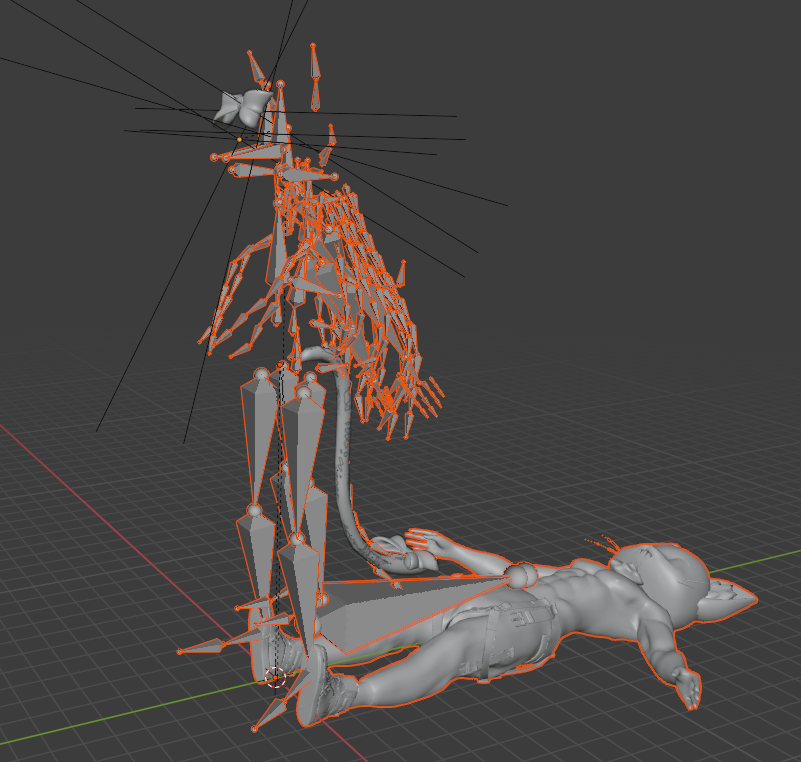 fading verge
 runic sparrow
in the menu that you set your model to Humanoid Animation Type, go to tha. on that page there is a CONFIG button that will open this whole new thing. and you need to make sure that those things the errors are crying about are specified n that Config
runic sparrow
hmm
I am at rig setting so just leave it or change it too something else
ok I am at the config bar

 leaden mortar
Tried to fix this multiple times and nothings worked. Only solution I find is “change the spines” but this model weirdly has a ton of different spines. Rig works everywhere else But here
 rare yew
is there a way to test the "fist" motion of the arm in unity easily?
or any of the other arm shapes
 muted fjord
You mean the standard gestures? Just drag the example animations (e.g. proxy_hands_fist) onto the avatar's default animator controller (make one if it's empty), select the avatar object in the hierarchy, go to the animation window, select the anim from the dropdown, and hit preview.
You can create a copy and rename it if you want try adjusting the animator values.
 foggy steeple
Anyone able to tell me what the hell is going on with this foot right now? I'm just rotating it, and for some reason it's messing with the scale
https://gyazo.com/9eb824a628edbd54a71e52266710325e
 still oriole
foggy steeple
Anyone able to tell me what the *hell* is going on with this foot right now? I'm...
still oriole
foggy steeple
Anyone able to tell me what the *hell* is going on with this foot right now? I'm...
Possibly weighted to another bone as well.
foggy steeple
Yep, that seems to have been the issue. Thank you
arctic hatch
hey quick little question! NKD protogen base, trying to give em 4 ears right? however every time i merge the second set of ears it either A makes the main body stop moving with the armature, or B messes up the second set of ears
arctic hatch

when i join the armatures itll just make the new ears stop moving with the armature
 south slate
@opal grail is that a dbd profile picture?
south slate
That's awesome man I'm a dbd player myself
I'm an artist but can't begin to make dbd perk icons lol
People who do are another breed
still oriole
arctic hatch
hey quick little question! NKD protogen base, trying to give em 4 ears right? ho...
Are you trying to use CATS for the merge?
 golden coral
arctic hatch
golden coral
arctic hatch
Hello! Will this particular avatar be customizable? Just curious.
 meager turtle
Trying to weight paint the hair on a model I'm working on, but when I try to use the automatic weight paint option, it says that it failed to find a solution for one or more bones. Do note I used curves with bevel shapes to create the hair, so I suspect that's what's causing it :/
 crisp tendon
They need to be converted to mesh before being weight painted afaik
meager turtle
I did convert it to a mesh, and it's still giving me that issue... best I can think of is that the very ends of the hair shapes are not merged to a single point, so it's like a distorted cylinder with no end caps on either side
meager turtle
Seems like the issue stemmed from parts of the hair where it's one-sided. Odd
 toxic moat
i see everyone saying to use blender to rig models, but i find blender really frustrating, are there any alternatives?
hearty thunder
Free? No. Less than three figures, likely four and/or some s####y subscription required? Absolutely not.
Less frustrating? Maybe from a UI standpoint, but nothing that will take the frustrating out of weight painting.
3D is getting easier all of the time, but at the end of the day it's still actual work to put things together.
 stable fern
How do I rig a model properly? More specific, how do I rig a non-humanoid model? I’m trying to rig a pit droid from Star Wars and I don’t know how…
 kind mortar
I have an odd but general question. I have a model with no arms and no legs, and since the head is pretty much attached to the body with no neck... How would I bone this where it'll be acceptable for Unity? It's pretty much a "robot" cube.
 ashen seal
What I've done in the past for a character without arms is just create the bones that unity expects for a rig and then just didn't have any part of the mesh attached to them
Still proportioned normally, but basically an invisible skeleton wearing your robot like a cardboard box
still oriole
Maybe a sculpt mask is what you're trying to simulate here?
still oriole
stable fern
How do I rig a model properly? More specific, how do I rig a non-humanoid model?...
A pit droid is a humanoid model, actually.
stable fern
still oriole
A pit droid is a humanoid model, actually.
Yeah, but I don’t know how to rig in general
I tried Mixamo but it didn’t work…
still oriole
stable fern
Yeah, but I don’t know how to rig in general
I tried Mixamo but it didn’t work...
Do your homework and look up some tutorials. This place isn't really meant for teaching people basics, I believe.
stable fern
still oriole
Do your homework and look up some tutorials. This place isn't really meant for t...
Okay, so I tried to rig a few humanoid models with Mixamo and then using the CATS plugin in blender to fix the bones. The problem though is that when I put it into Unity there is no armature. When I make the models have a humanoid rig though the armature is there when I configure bones. What is going on here?
fading verge
i have a model that doesnt have a rig at all and i was wondering if anyone could rig it? dm me for m,ore info on it.
stable fern
Okay I fixed it. But now there are some polys that are connected to the chest when it should be connected to the neck. How do I reassign these?
still oriole
Weight paint them or assign them to the correct vertex group.
 marble inlet
@elfin meadow what is this nightmare I've given myself

 elfin meadow
marble inlet
<@!152148854098231296> what is this nightmare I've given myself
elfin meadow
marble inlet
<@!152148854098231296> what is this nightmare I've given myself
Holy hell. Those must be cloth bones or something surely
It looks like they're meant to have a cape?
That is almost to the extent I'd nuke the bones and start again 😂