#avatar-rigging
1 messages · Page 167 of 1
 ancient trellis
ancient trellis
ancient trellis
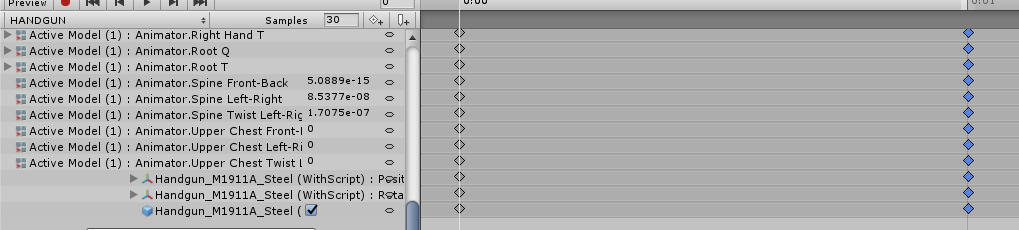
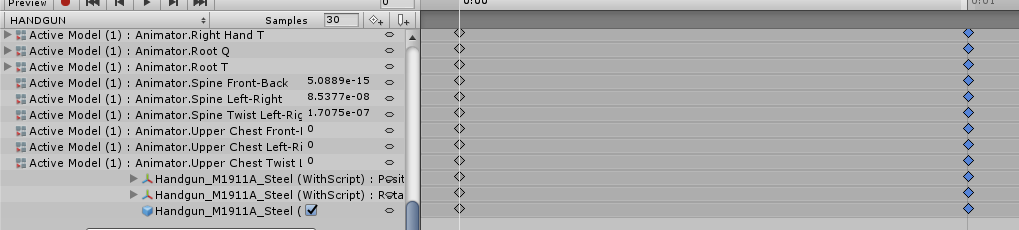
its 2 frames long from 0:00 to 0:01, thats all

the animation sets the gun to active
 amber kestrel
You should remove the root, spine, and chest keyframes
 mild stratus
and set samples to 60
amber kestrel
^that too
ancient trellis
What does that do?
amber kestrel
Also check that both keyframes are identical
Essentially sets the frame sample rate of the animation
mild stratus
setting samples to 60 makes the animation run at 60fps
ancient trellis
I used MAEditor to set my finger positions
ancient trellis
wtf
amber kestrel
Are any of your other gestures sticky (>2 frames)? Anything that would conflict with the handgun?
 crisp tendon
Not sure what difference that would make for an animation that is one keyframe long
ancient trellis
^
amber kestrel
Sample rate voodoo is a hell of a drug. Set it to 60 and you'll sync with the rest of the game
ancient trellis
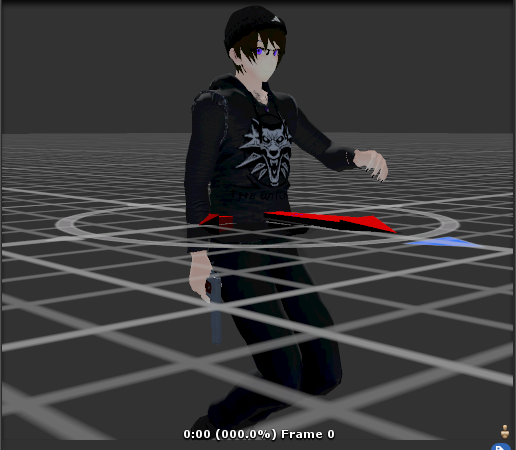
is it supposed to look like that
after deleting everything unrelated to the arm/fingers
or should I delete the arm ones too (but leave finger positions)?
 mortal oriole
ok some slight improvment
amber kestrel
@ancient trellis you got some elbow lock there. Should only be fingers
ancient trellis
looks like messed up weight painting
amber kestrel
blur tool is your best friend here
Anything having to do with rigging and modeling is going to be done in modeling software
 astral warren
If you didn’t weight it yourself I am going to assume it’s not a weight issue but a bone roll issue, rig wasn’t meant to bend like that
Let’s not pretend we don’t know, it’s We happy Few, game probably animated it’s rig differently or just didn’t focus on the hands
You can throw it in blender and fix it
Well. In general when it comes to 3D questions, the answer to “can you do it” is “yes, if you know how”
Heh
It’s pretty unlimited
amber kestrel
blender can do almost literally everything modeling
astral warren
It all comes down to good teachers
It’s very hard to find tutorials to specific blender problems
What you want are actual blender classes at least that’s what did it for me
Learn it from the ground up /shrug
Only will take a month or two. And then you know it forever
 hasty scarab
if I edit the teeth on this model, is that gonna fuck the visemes/blendshapes?
crisp tendon
yup
 fading verge
hey i have a model thats givin me a strange issue, my legs are all jittery when i stand straight in full body, here is a video of the issue https://drive.google.com/file/d/1tBHySZqCdnxI1jXuh-RocyZ8kKpx8_Nd/view?usp=sharing
Google Drive
any help is greatly appreciated
crisp tendon
we need to see your armature in blender from front and side view
 oblique latch
managed to get my model working in game but as I'm not using the original skeleton character animations when moving looks terrible
crisp tendon
@fading verge Can you hide the mesh and hair bones, very hard to see
also you can press 3 for side view orthographic
crisp tendon
Ah, your hip bone should be above your legs, or the opposite
also your hip bone is very small
scale it upwards
And your legs need to be completely straight vertically from the front @fading verge
crisp tendon
well the hip bone always need to be completely straight up
so if you move it back, also move spine back
fading verge
ah so your saying its shifted forward too far
fading verge
shifted it back above the legs, it created more issues, but didnt solve the root probelm
imma just hang this one up and call it a day
 fierce plank
How do u create a character?
crisp tendon
Watch tutorials 
amber kestrel
Step 1: download blender and unity
Step 2: ????
Step 3: upload it
ancient trellis
Having an issue where my avatar's fingers default to like a "claw" grip
(without holding the controllers) they look perfectly straight in blender
oblique latch
anyone good at lip sync and can make it for me on my rig
 novel aurora
it means your character is not in t-pose (read the top left)
ancient trellis
Yeah but like
why is it just now doing this? it wasnt saying that earlier @novel aurora
ancient trellis
And for some reason my weight painting is completely screwed up in unity but looks fine in blender w t f
unity
blender
.....thanks obama
 manic marsh
have you tried moving the bones in blender? (in pose mode)
ancient trellis
Yeah it looks fine
wonder if it has something to do with unity not supporting 3 thumb bones or something?
ancient trellis
also apparently that bone way off is weighted to part of the hoodie
which is complete bullshit according to my spamming of trying to unweight it.
manic marsh
try using a 0 weight gradient on it, that should do the trick
ancient trellis
I have it on subtract
manic marsh
carefull that you don't get the finger part in the crossfire, its pretty much a shotgun solution 
ancient trellis
Yeah not doing anything
hmmmm it finally decided to show up wtf
how cna I make it auto import in t pose in unity? @manic marsh
manic marsh
you would have to pose it in a T pose and apply the pose in blender, than export normally
ancient trellis
I have it like this, same way I had it earlier
but for some reason now unity says its not in t pose when i import it
manic marsh
i see you have cats installed, that will make the process much easier, there is a button for applying the pose while in pose mode
ancient trellis
Yeahh I added 2 bones so im guessing I need to remake the pose mode?
manic marsh
i mean, you can force tpose in unity, but it does not really matter the pose the character is in, i prefer A pose more than T pose, easier to work on
fading verge
got a question
for the eye tracking to work, do the bones all need to be connected?
manic marsh
nope
ancient trellis
FFFFFFF
manic marsh
as long as the names are correct and the hierarchy is correct too
ancient trellis
I can yes
manic marsh
if you want it in T pose that much just enforce tpose
ancient trellis
but I really dont want to have to do that every single time i import the model
especially since it was doing it automatically before
 warped hemlock
did you re-export the model?
ancient trellis
...yes.
warped hemlock
in CATS do you press "Apply as rest pose" so its saved (just changing the pose isnt enough)
ancient trellis
Yeah I applied it as rest pose
then clicked fix model
then export
then import and change it from generic to humanoid
then I get all the red shit
also my texture importing is all screwed up now.
warped hemlock
as a test. make a new scene in Unity and just drag/drop the .fbx file into it
i see the file name is called "Old Unity" was this base model originally made using unity 2017?
ancient trellis
Its just what I called it
oblique latch
its so hard to do lip sync on this one
so what do i need to do this looks a bit hard
mortal oriole
could i have some help with adding shoulder bones
ancient trellis
Would anyone know how to make my avatar import from blender in t pose automatically?
amber kestrel
By applying a t pose as your rest pose
 dim niche
@ancient trellis this isn't specifically what you're asking but you can also enforce T pose in unity's avatar import settings
ancient trellis
@amber kestrel How?
amber kestrel
pose mode, pose your model, apply as rest pose in CATS
dim niche
@amber kestrel I actually didn't know that. TIL
 ivory grove
so let's say I want to attach a mesh to an avatar, and I want it to move rigidly with a part of its body, for example some horns, and I want them to move with the head bone.. so I'm setting up a vertex group with the name of the head bone and parenting it to the armature, but then it wont move in pose mode so what am I doing wrong?
crisp tendon
All of it 
You should just be assigning the vertices of that mesh to the existing head vertex group
Join the meshes to start
Careful to do it in the correct order of joining
dim niche
this is going to sound dumb, but is weight painting in blender equivalent to vertex groups?
or are they entirely different things
crisp tendon
They're part of the same, a vertex group is what is assigned to a bone
By weight painting you're adding influence of vertices to that bone group
ivory grove
@crisp tendon okay there we go, thanks lol
 fervent hornet
You could do all your weight painting via the vertex menu, but that only really works for models with only weights of 1 and 0
dim niche
so basically when I weight paint I'm adding weighted vertices to a bone with a brush
fervent hornet
You weight paint a value, that value is setting those verts to have that vertex weight to the bone you have selected
ancient trellis
Yeah I did that but it doesn't do anything @amber kestrel
For weight painting I usually select the mesh then the armature and go into weight paint mode, then Ctrl click the closest home to the mesh and add weight to it. Is that wrong? @crisp tendon
amber kestrel
Show me your avatar in blender after doing what I said
ancient trellis
It doesn't move. Like I start them stop pose mode so it goes back to rest, then set it as the pose mode
I won't be near the pc for a few days that has my files
amber kestrel
??????
crisp tendon
Yeah better wait for a few days then
amber kestrel
Yeah I'm not holding my breath or anything
ancient trellis
Way to be a jackass
Show me your avatar in blender after doing what I said
I cant for a couple days.
crisp tendon
Why are you asking for help if you can't show what we need
amber kestrel
Then come back with more for us to help you in a couple days
crisp tendon
or can't do what we suggest
 old dove
Uh, okay, now what's this "Spine Transform has bone length of zero" error I'm getting now? I don't think I got it earlier
dim niche
does your rig have a teeny tiny spine bone
the torso should have like hips -> spine -> chest bones
they should all be sorta the same size
old dove
Thing is, I don't think I got this message before
 lost narwhal
have you forced t pose?
old dove
I just now turned everything T-Pose
dim niche
maybe it assigned the wrong bone to the spine of the avatar
if you click on spine on the right side and look for the actual spine it might be there
old dove
But is this error a big deal for a VRC avatar? Cuz he kinda came like this and I'm not sure how to fix it without warping the model and I can't weight paint
lost narwhal
just the red ones are important
old dove
And I did click on it
oblique latch
so whets making the neck do thishttps://www.youtube.com/watch?v=3DBty64SKUc in my avatar
 old dove
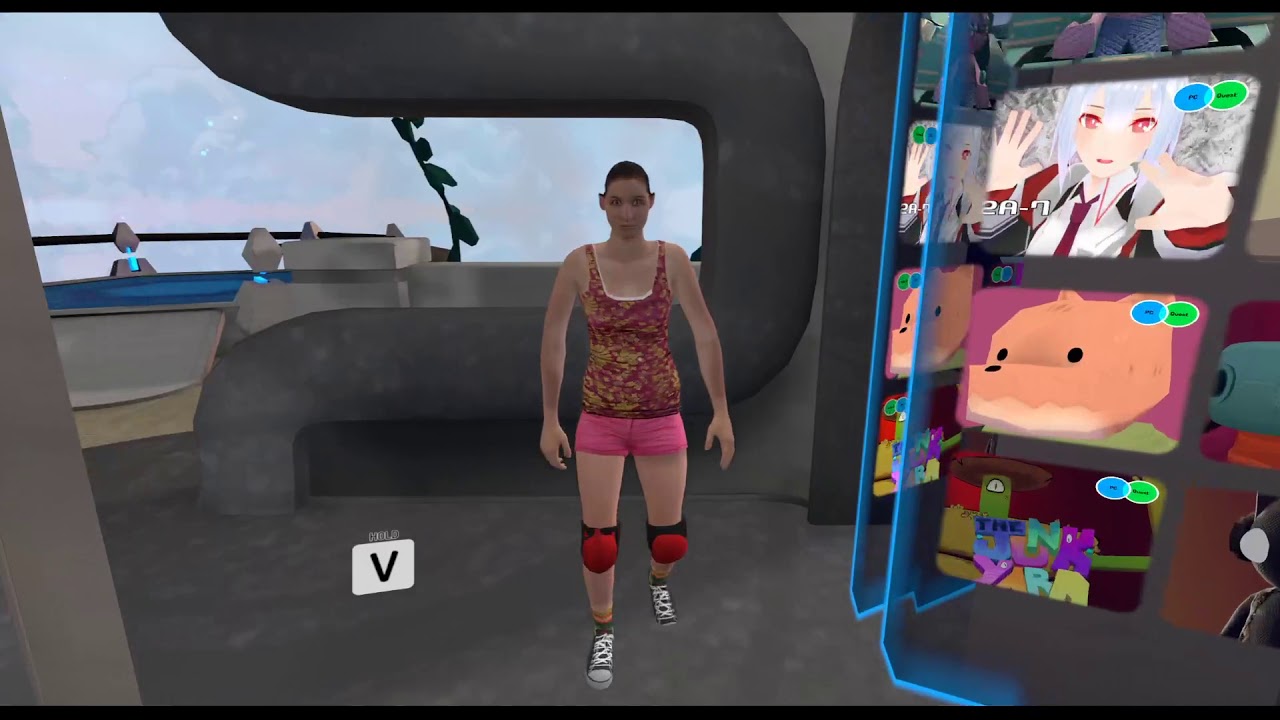
That small thing is the only thing between the waist and chest
old dove
Okay. I was worried cuz it's giving a red error in this rigging view
lost narwhal
still?
old dove
Wrist is mapped
lost narwhal
then what is the grey bone between the hand and the arm
old dove
I just showed my most recent screenshot of it
oblique latch
fixed link
old dove
It's some extra thing I think the person I had add the extra finger bones added before adding the finger bones
lost narwhal
make sure everything is mapped otherwise maybe the hands wont work
lost narwhal
click on Rarm2001 what is under that
@oblique latch this the face belong to the body?
old dove
And I've already uploaded him like this earlier with no problems
I chose to use 2.001 instead of hand because hand is too far out and makes the arm bend too early compared to where my real hand is
oblique latch
the face belong to the body it's a straight export from GTA
lost narwhal
do you have hands at all?
old dove
No modeled hands, but I needed the finger bones in order to crouch apparently
lost narwhal
maybe armature structure fail @oblique latch
then just have shoulder arm elbow hand and dont have more than that. but if there is no issue anyway you can ignore it
oblique latch
would sharing you the skeleton in unity help
old dove
I'm telling you, my only concern at the moment is the spine size error
lost narwhal
then resize it in blender?
old dove
And I tried without the extra bones the other person I commissioned used and it woulnd't crouch!
lost narwhal
@oblique latch no time today for that
oblique latch
?
amber kestrel
@oblique latch I see nothing wrong. What's the issue?
dim niche
if it's missing a bone in the skeleton you may want to redo the rig
oblique latch
look at the neck @amber kestrel
old dove
sigh I'll just see if this tiny spine makes a fuss outside of the rigging view
amber kestrel
I don't recall stuttering
dim niche
l e a r n i n g e x p e r i e n c e
old dove
Okay, there appears to be no fuss outside of the rig configuration screen
dim niche
are you running full body tracking?
oblique latch
it looks like the head is lagging behind the neck in the video
old dove
Not me yet
dim niche
if you're not you might be able to get away with it
I would upload it and see what happens
amber kestrel
@oblique latch it really doesn't
oblique latch
really I had other people say differently
amber kestrel
It is a VRChat thing. Likely due to rig proportions being a little weird, but not a bug or anything easily identifiably by any means
oblique latch
is there any easy way to do lip syncing or is it tedious
amber kestrel
Your head is the only controlled part of your rig. Everything else has to adjust to it
dim niche
you need shape keys for "ah" "oh" and "ch"
oblique latch
I tried that but the way the lip is it didn't really work
amber kestrel
CATS can make all visemes from "Ah", "Oh", and "Ch"
oblique latch
I cannot get lips to work as there's so many individual lines
dim niche
you also have some flipped normals
crisp tendon
it's doubles
oblique latch
model doesn't have textures yet like in the unity video
for some reason the skeleton is fucked up in that view
astral warren
If you are moving verts one at a time I recommend learning how to use the proportional editing tool
oblique latch
I tried using the knife tool to make a little seam in the middle which I could move to create the shapes but I didn't work out
dim niche
you don't have to make a seam, if you move verts the rest of the mesh will follow
oblique latch
when I do that its stuck together
dim niche
ah. you mean the two lips are glued together
oblique latch
that's what it looks like from trying to move it
dim niche
this is the tool you need: https://docs.blender.org/manual/en/dev/modeling/meshes/editing/vertex/rip_vertices_fill.html
crisp tendon
or V key
oblique latch
I will give it a try later it doesn't work I'll come and chat about it more thanks
 maiden fable
Why are my fingers comically long?
dim niche
bahaha
maiden fable
They don't look like that at all in unity
crisp tendon
that's in A pose ?
maiden fable
Yeah
crisp tendon
yeah so it's the wrong perspective
maiden fable
It wants me to force T pose in the avatar creator
crisp tendon
To me it looks correct in Unity
maiden fable
Yeah same
crisp tendon
and pretty much correct in vrchat, except the thumb, but that's always an issue
crisp tendon
Looks at your own hands, fingers are the length of your palm
dim niche
on one hand they look kinda long but on the other hand my hands are little stubby mittens so
you could move the origin of the thumb bone near the wrist in blender for starters but it might not help
maiden fable
I don't know how to thumbs feelsbad
And IDK why It looks so different in the avatar creator vs blender
oblique latch
ok that did not work
this is what it looks like
i could send my blender file if that helps its a odd one
 twin cargo
oblique latch
twin cargo
oblique latch
when i drag
old dove
Okay, now something weird is going on. The Quest side of things ended up great, but I decided to try combining all the meshes of the PC one (the one that has all the bones for the dynamic bones) and suddenly, his trunk and tail crumpled up, when I went into the rigging view his bones were tiny compared to the mesh, and none of that in present when looking in Blender. I even tried only connecting the two face meshes that have nothing to do with the trunk and tail and it didn't change anything
Also, previewing an animation does this weird thing
Reverting him back to four meshes does return him back to normal, but I found from the single mesh Quest one that making him single mesh makes MMD animations like this use the faces correctly which is why I wanted to do this in the first place
Can anyone explain what's happening? All I did was use CATS to join the meshes again, which worked perfectly just earlier on the same model with just a little bit fewer bones
 little wren
Bleatbleat.... Hello everyone.
I've picked up a deer model and have been editing it for full body. Since it has deer legs, I'm guessing I have my work cut out for me, but I'm needing a little help to figure out what exactly is wrong. Perhapse there are bones that are not mapping to the right spot on the IK rig.
The pelvis completely flips around. The first thing that I checked was the alignment between the spine, hip, and legs ala kung's tutorials.
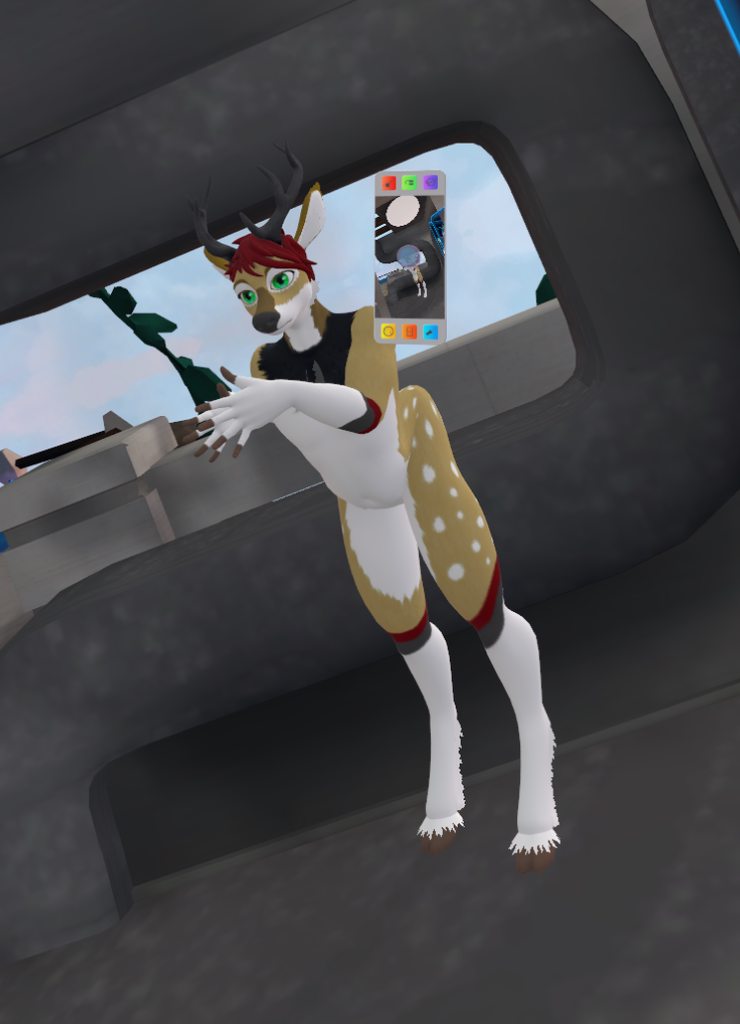
Rigging is shown in the album. And I do know that this model is not 100% humanoid, so it's not going to be perfect, but if I can figure out some spots I can start troubleshooting, that would be awesome
In the album, I do no that the spine is a little forward of the legs when it should be the other way around, but it doesn't seem to affect this behavior
Line between joints will be outside the body, no way around it. Thst is where the deer anatomy doesn't line up with my own
crisp tendon
It needs to line up with a humanoid though, that's the underlying condition of IK
post screenshots of your armature from front and side view in blender
 sleek isle
your hip need to be strait
crisp tendon
Ok, a few things :
- Your hip bone needs to be completely straight vertically
- Your legs need to be completely straight vertically
- Clear bone rolls and apply transforms
little wren
Can do!
crisp tendon
Also if you end up with full body tracking, those shoulders will cause issues
little wren
Is there a place I can actually see or compare the ik rig that vrchat uses? I didn't see it in their documentation
crisp tendon
Since there isn't a one size fits all, not really, there's just a few general guidelines for it to behave as expected
little wren
Understood
Thanks a ton for the feedback! And I'll look back through the tutorial for any sholder issues I run into
amber kestrel
Clarification: upper legs need to be vertical. Lower legs need to slightly bend to verify the bend direction
crisp tendon
@little wren Ah yes, legs need to be vertically straight from the front only, not the sides, my bad
astral warren
If you don’t mind using VRIK you can make those digitigrade legs real and actually have the joints going backwards, then make an invisible pair of real human legs to drive the IK
Which is what you bind as humanoid
little wren
Quite possibly may go a route like that. Like I said, this isn't going to map 1:1 in any way, and I'm ok with that
astral warren
Well it only matters what everyone else sees
I’ve seen people with 8 legged spiders and full body on all 8, you can do anything lol
fading verge
Idk if this is the right place to put it but I’m gonna need someone to rig an existing model and do some other things with it DM me for info
hasty scarab
so... What exactly does this mean? I have the arms labeled with .R and .L on this armature. Why won't fix model work?
figured it out, they literally must be named Left arm and Right arm
hasty scarab
when I drag my templar his dynamic bones just kinda stay in place lol, and I have him selected in the heirarchy. Why
oblique latch
if I link the helmet and the hair to a bone would that stop them from moving away from the model in vrchat
hasty scarab
all I did is rename it to deus vult and it fixed everything lol
hasty scarab
what is this bullshit now?
hasty scarab
A very basic avatar I'm working on didn't come with any animation files for basic gestures or a controller. How do I import these into my project?
 mint sierra
You could attach it to the Head bone or weight paint it to the head in blender @oblique latch
oblique latch
how do i do that i am new to blender @mint sierra
 long badge
can i make a avatar on ios
novel aurora
@long badge no
long badge
oh
 pure dome
so uh im having two problems
i'll start with what i hope is the easiest to solve, eye tracking wont work at all ingame
the eye bones are set up and rotate just fine in unity
is it because the RightEye bone doesnt come right after the LeftEye bone in the hierarchy? that's my best guess https://i.imgur.com/CjBKoAt.png
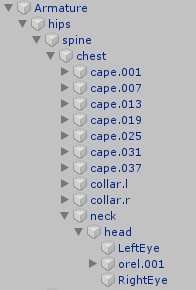
but i dont actually know how to change its position to have orel.001 come last
oh i gotta click unpack prefab completely ok lemme see if moving the position fixed it
fervent hornet
Pretty sure the bones leading up the eyes need to be capitals (hips->Hips)
pure dome
alright let's try this https://i.imgur.com/UNEvQV9.png
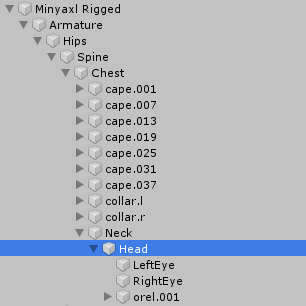
uh, the names are all still lowercase when i click on the rig configuration menu in unity
and if i change them to be uppercase there, when i close it and go back in theyre lowercase again
fervent hornet
You unpacked the prefab
pure dome
i dont actually know what that means but i did indeed do that
fervent hornet
The bones you are editing are not a reference to the rig you are editing as one is the prefab and one isnt
If anything you should rename the bones in blender and re-export
pure dome
yeah i was wondering if i had to do that i'll give it a shot
fervent hornet
I can guarantee you that the order of the eyes in the head does not matter
pure dome
it says it does here but i guess it could be wrong https://docs.google.com/document/d/1BvX_OdEilbJ7wEcvd5MRA1g29NGCAp3G3nHGp73t_CQ/edit

Google Docs
Overview VRChat has very anal eye tracking. This document attempts to describe it, and a basic solution to implementing proper tracking eyes. Requirements VRChat won’t enable eye tracking at all unless three requirements are met: The bone hierarchy Armature->Hips->Spine->Che...
fervent hornet
Yeah he means order as in parent/child order
Left eye and right eye both need to be direct children of the head. There really isn't such a thing as first child second child
pure dome
well, blinking now works, but uh https://i.imgur.com/umGgLEV.png
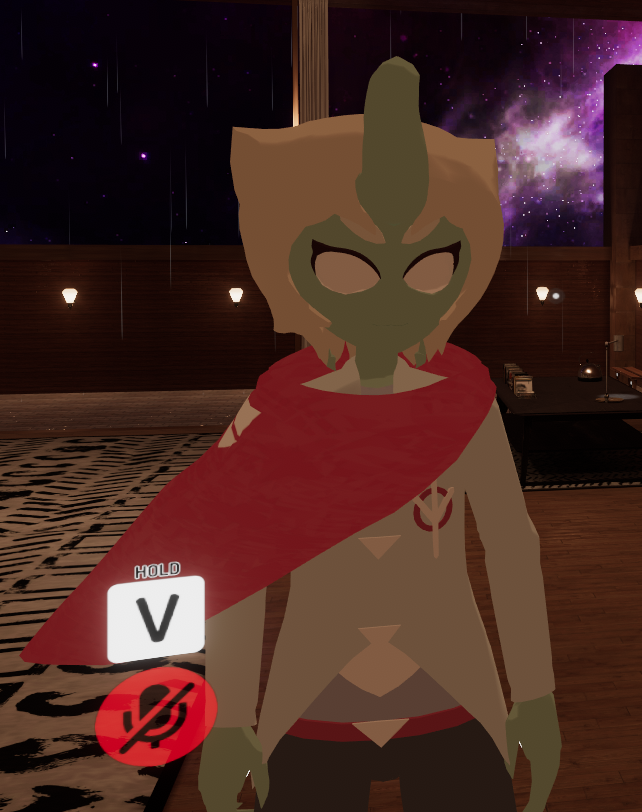
we're missing a bit
any idea where the pupils might have gone or why this happened?
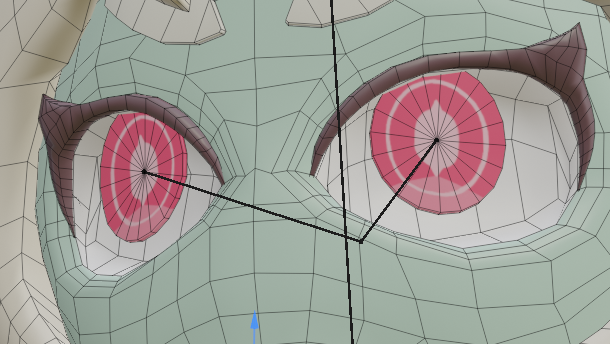
this is how my eyes are set up in blender https://i.imgur.com/zSFkhul.png
 fervent hornet
That isnt set up right, do you have CATs?
fervent hornet
Get Cats, it will help you set the eyes and visemes up for VRC
Eyes generally look like this though, note that they are pointing up
pure dome
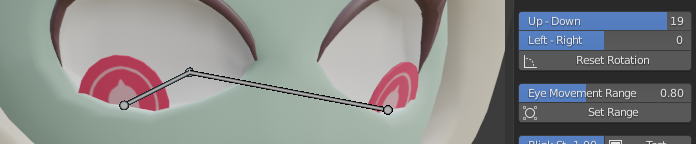
um im not actually sure how specifically i should be setting up the eye bones
lemme see if it gets fixed just by me rotating them upwards
theyre still sorta sinking back inside of the head ingame even after doing that despite cats' eye testing now looking fine
this is how i have them now https://i.imgur.com/m65a9Rt.png
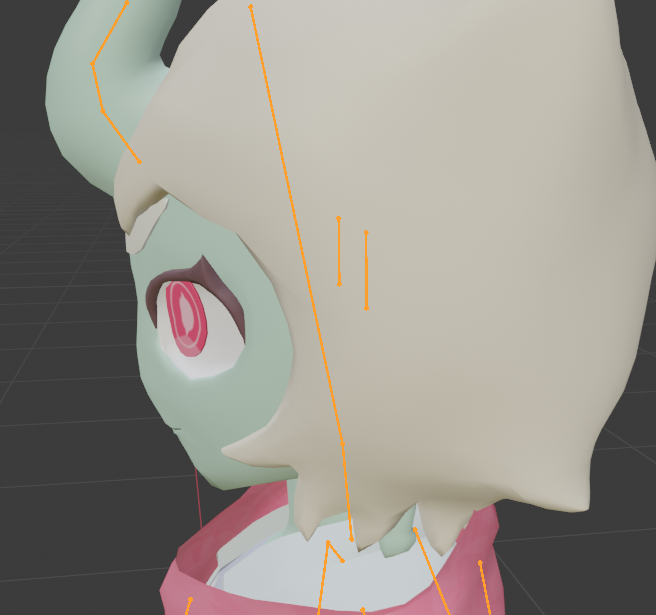
is there a guide on how to rig up this style of eyes?
fervent hornet
Most guides are for that type of eyes since a lot of people use anime esque eyes
pure dome
but i dont mean how to get already rigged eyes working, i mean how to initially rig them from scratch
i havent found any
oh wait this one might be it https://www.youtube.com/watch?v=gCPcg9y4ZBM

Creating Eye tracking for your Avatar in VRChat
Links:
Download Unity MMD rigging: https://www.mediafire.com/file/7awm878q43c1m7q/MMD_EYETRACKING.ht
Eyetracking by Zarniwoop: https://docs.google.com/document/d/16qShrTHu5dL-luirrnMqp4EpAXjTYS76hsc_9fBVJEE/edit
Mouthshapes a...
oblique latch
so how to attach things to the Head bone in blender
pure dome
go to object mode, click your armature, then shift click the mesh you wanna attach to the head bone
then go to weight painting mode
ctrl click on the head bone
for your helmet to be fully attached to your head bone the helmet should appear as fully red
if not then use the add brush to color it red
oblique latch
when i ctrl click on the head bone its not list up
pure dome
what do you mean list up
pure dome
can you show an image
oblique latch
like this outline when i am on all of them
pure dome
you should be able to ctrl+click on the head bone, if not then i dunno
oblique latch
nope when i do that its no selecting the bone
amber kestrel
@oblique latch @pure dome missed a step. When your armature is in Object Mode, you cannot select pieces. Select your head bone in Pose Mode, then ctrl click your mesh and go into weight painting
pure dome
that's not how it works for me, im also using blender 2.8, weird
also, uhhhhhh, can anyone tell me why pressing the "Set Range" button in cats eye track testing causes my eye bones to move half a mile behind my model? https://i.imgur.com/vhxgSGB.png
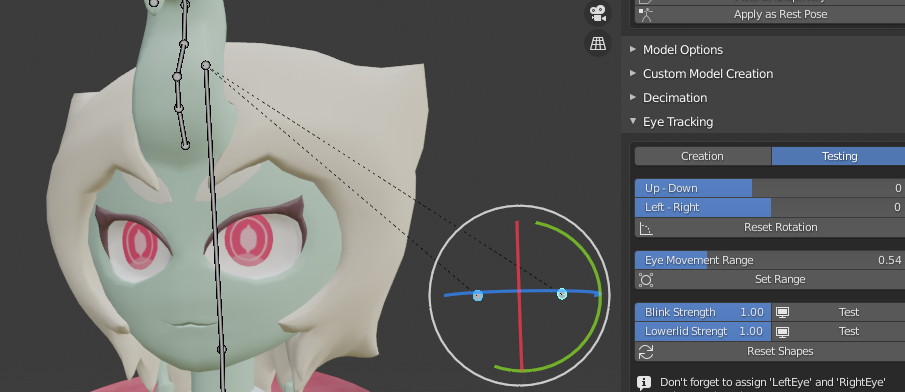 fervent hornet
Because CATs is guessing, you should just position the bones manually
pure dome
yeah i did that and then i clicked the set range button because the eyes were moving a bit too much for my liking and it shot the bones over there
is there another method to making the eyes not rotate as far
or am i misunderstanding this functionality entirely
fervent hornet
You can just test with pose mode. Place the eye bone directly behind the eye a couple inches and see how it moves
pure dome
oh ok yes i was indeed misunderstanding what that function did
amber kestrel
What CATS is doing there is essentially making duplicate eye bones to the ones you assign to allow you to weigh the movement of your bones on whatever radius of motion
So the range is really just defining the radius of motion. You can fine tune the range by adjusting the weight on each bone
pure dome
ohhh didnt think of that
pure dome
ok im suddenly having this REALLY annoying problem where when i go to change the weight paint of something theres one or two vertices that instantly max themselves out and i cant actually change the weight of them??? https://i.imgur.com/lQpQTE6.png
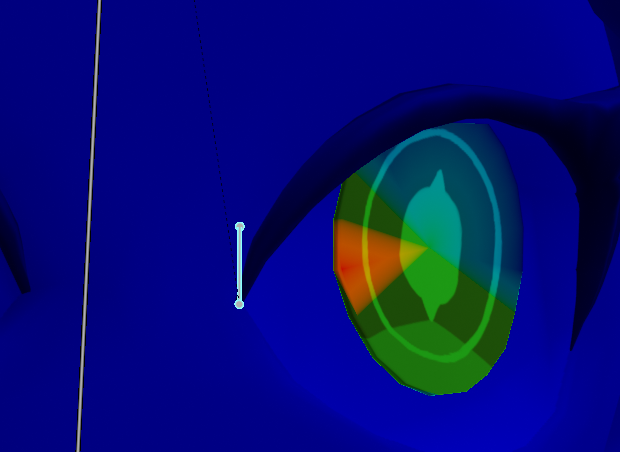
anyone know what's up with that
❔
did that guy just get instabanned
fervent hornet
Yeah just some random scum
To help weight paint you can go into vertex select mode (m)
at least thats the hotkey for 2.79
pure dome
i's v, but either way it just refuses to let me remove the weight from that vertex
fervent hornet
You can try manually select the vert and editing its vertex groups
pure dome
i can and i just tried that but that doesnt actually get me anywhere, i want it to be part of this vertex group
i can remove the weight from it that one but then when i try to apply any amount of weight, that ONE fucking vertex jumps up to 100
it's either 0 or 100
i restarted blender, didnt help
hmmm, when i click "Select ungrouped verts" it selects those problem vertices
if that's a hint
oblique latch
@amber kestrel that did not work for me i have no weight painting drop down box
amber kestrel
@oblique latch you'll figure it out someday
 unreal patio
can someone make this a avatar(if you need more photos her name is kayo hinazuki)dm me if you can do it
 hot plaza
id bet money that you can find a model of that on google
pure dome
OHHHH those vertices werent part of my head mesh maybe that was it
er, head bone i mean
ok that fixed it
unreal patio
i cant trust me i have searched every were
amber kestrel
Yes, an avatar rigging development channel definitely seems like the right place to ask for a specific avatar
unreal patio
do you know any channels i could go to?
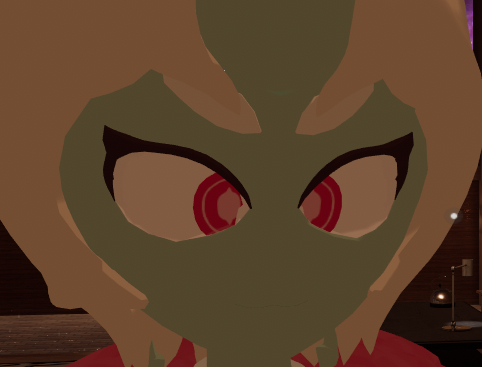 oblique latch
what's the hotkey shortcut for weight painting
astral warren
Dang, is there one? I just change the dropdown from Object/Pose/Edit mode to Weight Paint mode.
oblique latch
I don't know if there is just asking
hasty scarab
@pure dome sounds like a problem with auto-normalize
pure dome
are you talking about the vertex problem? mightve been, either way it's solved
but i really have no idea why my eyes are crossed
looks fine in blender and in unity
these are where the eye bones are at https://i.imgur.com/5JrQn0l.png

at first i had them closer together but now theyre directly behind the eyes and it didnt really make a difference
pure dome
im looking at an mmd model that i know has working eye tracking and im noticing there are two bones for each eye? https://i.imgur.com/1OXrYVt.png
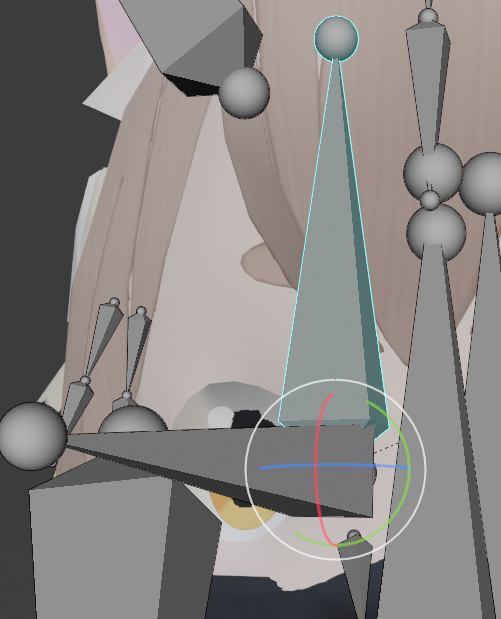
theres an upright one called RightEye but then also one sticking out forward called Eye_R, both of which control the eye
am i supposed to have mine set up like this
astral warren
Flat anime eyes tend to have two bones per eye to flatten out the arc of rotation
Perfect ball eyes on only need one bone per eye since they use pure rotation
The true eyes are still LeftEye and RightEye, they are the only ones that actually rotate, the others just have some weight to steal
pure dome
so like should i be putting the same amount of weight painting onto my Eye_R as my RightEye on the same iris vertices with auto normalize off, then?
i did what i just asked about and he's LESS cross eyed, still a little bit, maybe i just need to keep my weights at 100
astral warren
I don’t really use the two bone method, I just use careful bone placement so the iris arcs how I want. It takes a bit of trail and error
Weighting the eye geometry to extra bones is just done to reduce the maximum turn angle of the eyes and flatten the arc a bit it’s hard to explain. Certain eye types need it
If you are good with straight up rotation you don’t need extra bones or partial weights
Big wishlist for me is shape key powered eyetracking
pure dome
alright but i still dont understand why im crosseyed
i can hardly find any threads online about this problem either
it's not just in my mirror either, i had a friend confirm
pure dome
at this point i might just slide the irises away from the center and see if that fixes it
alright i tried that and even that didnt fix it
is it because my character's head is too big??
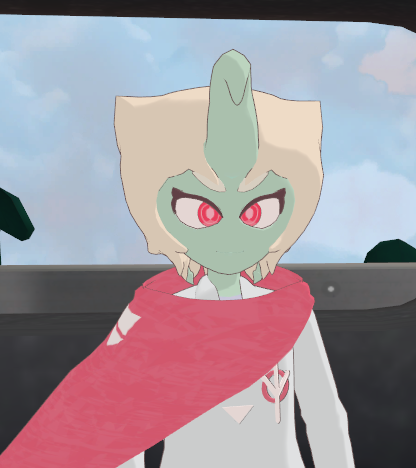
is vrchat trying to force the eyes where a normal human's eyes would be located?
i made his head smaller and he's still JUST as crosseyed, i really do not understand this at all
can anyone help me out here, i really feel like im hitting a roadblock
pure dome
i can deduce through experimentation that they become more or less cross eyed depending on the position of the eye bones, but it seems like the position i'd have to put them in for them to look right would make their rotations totally weird
like yeah ok sure he's not cross eyed now that i put the bones here but uh this isnt how they should be moving https://i.imgur.com/roruF7W.png
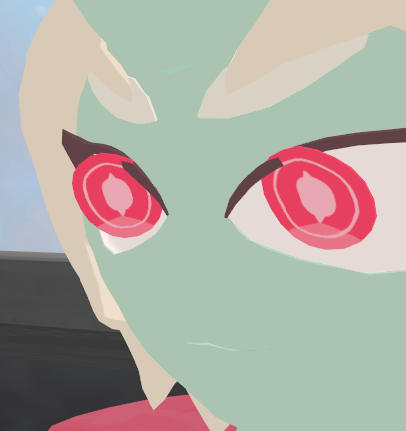
i had to put the bones here for that which is obviously not good https://i.imgur.com/7aGC3HU.png
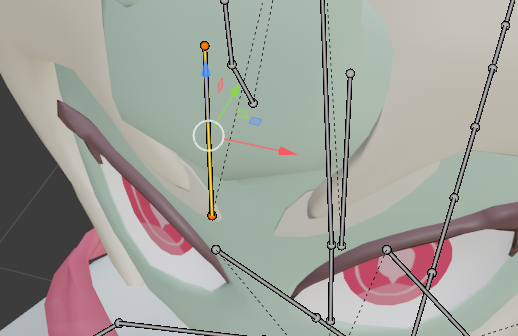
but if i put them here, where it actually makes sense to put them and where they'll rotate properly, he's crosseyed in vrchat https://i.imgur.com/jFXcWGv.png
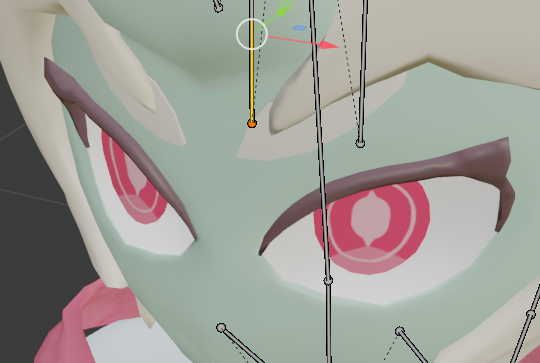
sorry to flood this channel but im kinda desperate here, ive literally spent this entire day just trying to get these eyes working so i'd be very thankful to anyone who might be able to help
 turbid spear
mess with the range setting in cats until it stops doing that
it moves the eye bones closer/further away so they pivot differently
oblique latch
so i still can not make this stick to the face when i play it in vr chat it looks like that when i move about
pure dome
im not using cats to set up my eye tracking im doing it manually, when i try to mess with the range settings in cats it makes the bones appear half a mile behind the model
even if i type in a really specific number like 1.0002 to make it them in line with the model, it puts the eye bones down here https://i.imgur.com/KuQssjk.png
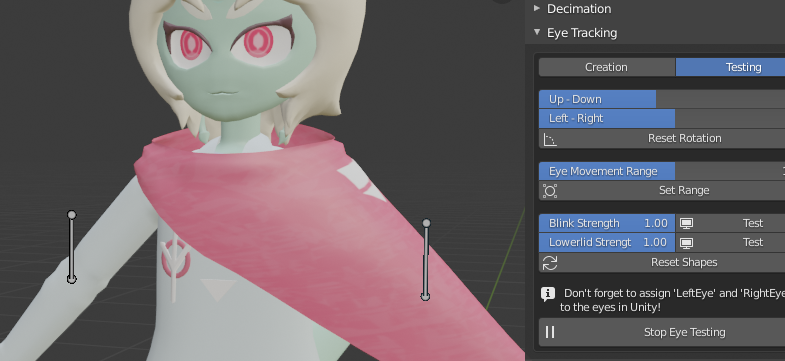
i should mention again that the eyes look and rotate completely fine in blender and unity, but in vrchat, for some damn reason, they get moved in together
amber kestrel
Bone roll zero'd out?
pure dome
huh?
amber kestrel
Does the bone roll of the bone that is the bone which controls the eye have a bone roll value which equals 0?
oblique latch
f xd
little wren
I've done some further work on my deer avatar. One of the pointers I was given was with how my shoulders were set up, but I didn't get too much info on it.
The original model parented the shoulders to the top of the chest. Looking at every other rig I've seen so far, this isn't the case. However, when I unparent them, unity throws a fit because the shoulders aren't the child of the chest.
Is this something that is expected for this setup, or am I missing a piece of the puzzle?
amber kestrel
What else do you expect?
little wren
Well it's either that or there is a different configuration that I'm not aware of
amber kestrel
Why would it be any one other than the one you are aware of that unity is clearly not letting you stray away from?
amber kestrel
I'm trying to get you to think a little more critically about your question
oblique latch
if i link the parts then go into unity i have this
amber kestrel
@oblique latch are you still trying to figure out how to weight paint that to your head
oblique latch
yes i link the parts to see if that would work and it did that
amber kestrel
Link? Explain
oblique latch
oh join the parts not link my b xd
amber kestrel
Well that just joins the meshes. It doesn't do anything to influence how the bone movement affects that mesh's vertices
oblique latch
its odd that weight paint is not working or i can not make it work
pure dome
you might have to look up a video tutorial for how to weight paint in blender 2.8
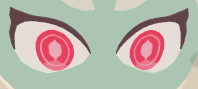
also THANK YOU he is no longer crosseyed, although for some reason now his eyes are facing downwards too much, i swear it wasnt like that before https://i.imgur.com/C5o5616.png
 amber kestrel
You had a step by step explicit instruction on how to weight paint that helmet. Did you not follow that?
oblique latch
i did but its not working i need to weight paint for a set bone
pure dome
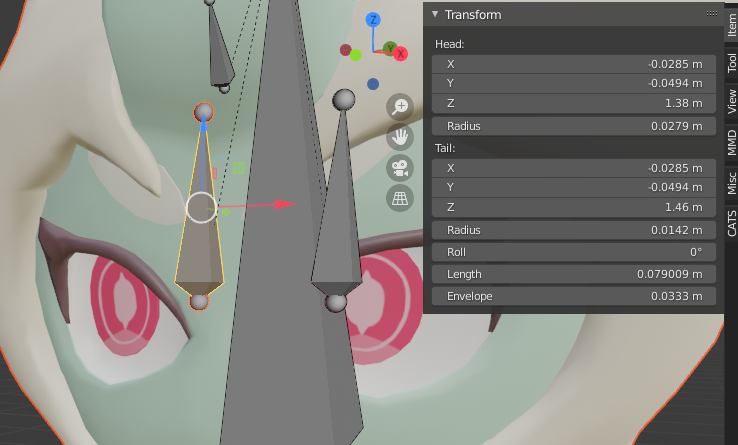
heres the transform information for the eye bones https://i.imgur.com/joU853e.png
 amber kestrel
Are the eyes facing downwards in vrchat? If that's the case, might just be looking at something specific. I don't see much reason for the eyes to stray from that rest pose
pure dome
yeah it's just in vrchat, i've been observing them for some time but that IS the pose theyre in at rest for some reason
that seems to be them attempting to face the camera
this is them actually facing down, which....for some reason makes them look a bit rippled and distorted
even though im pretty sure the weight paint is 100 on each vertex
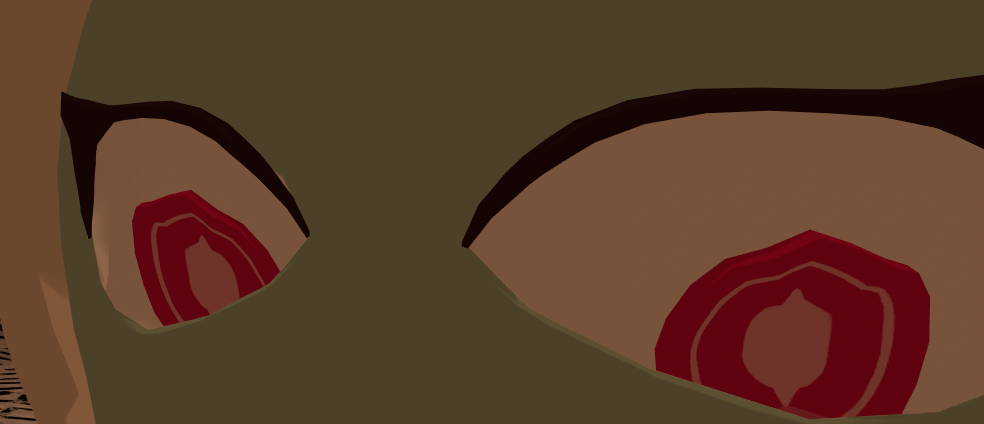
i mean they rotate just fine in blender and unity
but im more concerned with the rest pose being too far down
can only see the iris ripples if youre super close but you can see his mile long stare from anywhere
turbid spear
check that the weights are also normalized
even if it's 100 it could be affected by other bones
normalized ensures that 100 means 100 for that bone only
oblique latch
it sucks that I can't get this to work it's the second to last piece of this model after that is the lip syncing
turbid spear
looks like your helmet isn't weighted to the head
you don't have to weight paint it if you want to attach it to one bone only
you can just assign it to the bone directly
oblique latch
I tried that but I couldn't get it to work
turbid spear
 oblique latch
for me all the bones show up as one in that menu and not separately
oblique latch
plus i can not click the bone
turbid spear
the helmet looks like it's a different mesh
Double click on group and rename it to the name of your head bone
Which is probably mixamorig:Head
amber kestrel
I've already tried explaining it twice to cosmic. Don't think he read it either time tbh
amber kestrel
it is 😂
turbid spear
 oblique latch
ok its like that
turbid spear
No go out of edit mode into object mode by pressing tab or changing here https://puu.sh/G5sja/02dbbc1e21.png
 oblique latch
yes i did that
turbid spear

Or go to CATS and join all meshes here https://puu.sh/G5smt/2bffc7532f.png

Then export and it should work
oblique latch
i have a no mesh data to join
 oblique latch
and if i do all in cats the player rips with it not on hide
turbid spear
what do you mean
oblique latch
it removes to body all i am left with is the hat
i could send you the bled file if that helps
turbid spear
alright
turbid spear
Their rest pose was messed up and transforms weren't applied
So doing any of that would break the mesh
Needed to apply armature modifier, then apply pose as rest pose, move armature back down from 100km up in the sky, move hair and weight it as well as the helmet to head
Then join
It also had an animation or something
The scale was 1000m as well I think
Basically a lot of issues a beginner wouldn't be able to solve
It might also look awkward because the weights are very rigid, with almost no blending between bones
pure dome
is there anything that might be slightly messing up my ingame bone positioning i might not be aware of, like roll which was causing the eyes to be cross eyed?
i just dont understand why the instant i fixed that, the eyes suddenly started looking too far down ingame
eye bones are perfectly straight upwards
turbid spear
My guess is distance
From bone to pupil
and from pupil to eyewhite
It probably always animates the same, just looks different based on distance
The way cast does this is it adds another set of bones that are partially weighted to your pupils alongside your real eye bones
And those move further and closer, basically making eyes move more or less
But i'm sure the unity bones try to move the same amount for everyone
pure dome
im only using cats for eye testing preview, i havent clicked the create tracking button or anything
i'll see if moving the bones further away makes a difference
turbid spear
You can do what cats does if you don't want to use it
And create an extra set of eyes bones
pure dome
er, what would you actually need those for other than to make the eyes rotate slightly less due to weight sharing?
pure dome
welp i tried moving my eye bones further back into the head but the eyes in vrchat are still looking down at the exact same angle
do you think going back to the double eye bones might do it
turbid spear
I honestly have no idea
pure dome
and is there a way/a point to using them without lowering the degree to which the eyes move? because im fine with how much they move as is
turbid spear
If they're looking too much down it could also be because your head bone isn't straight
That caused my eyes to look down by default at some point
It was either head bone or neck bone being tilted
pure dome
oh son of a bitch i didnt know the head bone was supposed to be straight up
turbid spear
I can't say for sure, i just remember having this issue once and I think it was because the neck was not straight
like it was tilted 45 degrees forward
pure dome
THANK YOU SO MUCH https://i.imgur.com/pCzJTW3.png
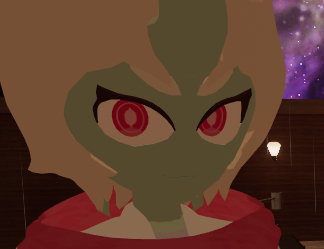
none of the tutorials i watched ever said the head bone had to be straight up
turbid spear
Wasn't sure about it but I guess it's yet another quirk of eye tracking
Chances are people simply don't know
 half grail
I don't even think I touched anything and my model flipped out. any tips on how to fix?
fading verge
bruh XD
try to reattach the parts to the limbs again
pure dome
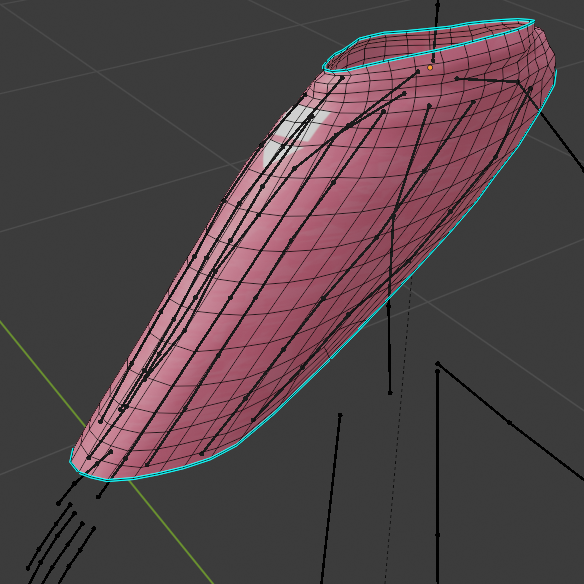
does anyone by any chance know why this happens to my character's shoulder cape when i apply a cloth component to it https://i.imgur.com/Fh1PhAX.png
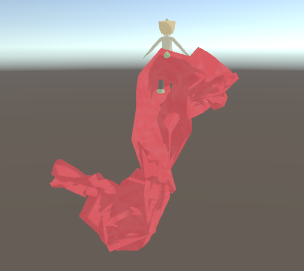
is there something special im supposed to do when rigging/weight painting the cape in blender for the cloth component to work?
this is what it looks like, and the weight painting is all just the default weights blender applied to it plus some extra around the shoulders so the top bends when the shoulders raise https://i.imgur.com/j9RbLyp.png
 pure dome
OHHHH im dumb youre not supposed to have any bones or weight painting on something you put a cloth component on...
pure dome
decimated it, under 200 tris now which is what the vrchat sdk recommends https://i.imgur.com/d6Rygn7.png
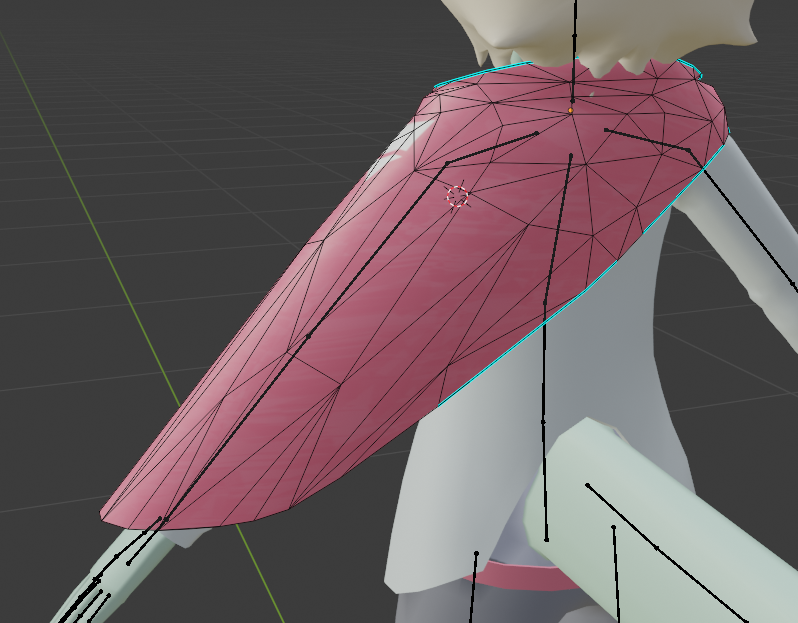
it's a little crusty looking but i dont wanna be that guy when it comes to killing peoples' frames
 oak jewel
Quick Question
Arms are coming up Red, and my Head+hair bones aren't showing up at all
Is it cuz the bones aren't connected?
If so, how do I fix this?
pure dome
bones dont have to be connected as long as theyre parented, which those are
well the collars are parented to the chest at least, dunno about the rest
oak jewel
So even if they aren't showing up in Unity config, its... fine?
pure dome
the bone names are weird but have you tried clicking on the dots next to None (Transform) on that unity screen to assign them manually?
oak jewel
It worked when I did that, but its odd that Unity wont show the bones.
So.... its all good now?
pure dome
im guessing unity didnt auto assign those because the names were weird, normally it's simple names like Hip Spine Chest Neck Head
but i dont know why you cant see head bones there, you clicked on the head screen and tried assigning them like the arms?
oak jewel
Yeah
According to Unity, this little dot here is the head.
But in blender it looks like this.
pure dome
click on the "Head" tab on the rig thing on the right in unity and show me what it looks like
warped hemlock
is the head bone weight painted to the head?
pure dome
click on muscles and settings, play around with it and see if anything looks weird when you try to bend the head
oak jewel
This is how the Weight paint looked, I actually didn't put any of my own.
... oh god
So I went to Muscles
Neck moves the head, Head moved an invisible bone.
lost narwhal
then there might be something wrong in blender when adding the weight
oak jewel
Will it still work okay in VRC?
I mean, even though I wanted to add jiggly hair, if I can't, it's w/e.
As long as it works okay.
warped hemlock
i noticed in the hierarchy it says you have 4 hair bones but in the blender screen shot i can only see 2. ...
oak jewel
They are duped-- I was told to do that for Dynamic bones.
Does that make them not show?
warped hemlock
not sure if thats meaningful or not....
lost narwhal
have you T-posed him in unity already? and for the head you may wanna have an actual head bone working you may have issues in vrc rotating
oak jewel
He's TPosed yeah
I would love an actual head bone lol idfk how though
I'm not good with blender, but I am showing you guys how it looks.
If it looks okay then... I have no idea what the issue is?
Should I try stuff with CATS plugin
warped hemlock
make a separate save file of your avatar from Blender but remove the hair bones first. got a feeling things went funny when you added the dup' hair bones
oak jewel
Alright, lemme try that.
warped hemlock
so the only bone in the head is the head bone
oooh, transfer the weights to the headbone as well
oak jewel
Huh, transfer? How do I do that
warped hemlock
CATS
select the bone you want to remove. then shift click on the head bone then select "Transfer Weights" in CATS (its near the top)
ah. the easier option. just select the hair bone and use "Merge weight to parent" 👍
warped hemlock
thats looks good. export it
warped hemlock
it means the avatar istn very optimised. worry about that later. first check if the head works first.
warped hemlock
go into head and assign the bone
because you're not using the correct names for bones Unity gets confused
oak jewel
warped hemlock
hmm
oak jewel
Why does it look like a little stick though, I had that shit go through his head lmao
oak jewel
Still only the neck
that moves the head.
The head moves the little stick.
Which does nothing.
warped hemlock
ok, the only other thing i can think off. when you export the model from Blender, select the button Merge Meshes. and try again
if that dont work then im outta ideas dude
oak jewel
Alright, let's give it a shot.
I appreciate the help regardless haha
He looks weirder, and nope all the same.
Damn sucks to be me lmao.
 spiral sparrow
Anyone know how to use bone constraints that can be transferred over to vrchat or is it even worth doing?
 velvet vine
Does anyone have any instructions or advice with rigging a velociraptor? ping me if you can help me.
ancient trellis
this isnt weighted to anything
so why does moving the bones make the mesh move
I think 3 bones is too many for the thumb
ancient trellis
blender
mint sierra
Hey looks it's me lol @oak jewel
mint sierra
Which version did you grab?
mint sierra
right so since we cannot talk about ripping here, I can help you with one with an neck bone
oak jewel
I got a new one now, I'm assuming its one you were about to tell me about.
But maybe not PM if need be
mint sierra
I did
old dove
How do you make a model act as though it's connected to the same bones as another model on the same avatar, kinda like that avatar of the three girls?
fading verge
it's probably just the texture?
unless you're talking about the size of the noze
ancient trellis
I want to add more texture to the skin
so it doesnt just look like a flat color heh
fading verge
than go open the texture in Paint 3D and fix it
you can shade around the nose
to make it appear more 3D
fading verge
hold on let me mark it so I can show you where its getting the mark
right there
thats what it is
it's just the tip of the nose is like that thats why
you can copy the color around it and remove it if you don't like it
ancient trellis
Yeah that texture is supposed to be the nostrils or something
fading verge
yeah thats what it's for
fading verge
you can either
A: remove it by coloring it the same color of the sorrounding nose
or
B: mess around with shaders so it looks better
mess around with shaders in Unity of course
ancient trellis
would it be stupid to move the nose and try to round it out like a real one
fading verge
you could try and if you don't like it
you always have
ctrl+z to reverse your mistakde
ancient trellis
do you have a better skin texture?
fading verge
I could send you one if you'd like but you would have to change the color of the eyes if you want
and mess around with the eyebrows
ancient trellis
My eyes are a separate mesh so its ok
ancient trellis
one that fits this uv hopefully lol
fading verge
i hope it works I mainly make small avatars
ancient trellis
I usually just adjust the scale in unity so textures (shouldnt) matter
fading verge
alright let me load up my Plutia Project and I'll cop the tecture for you
this might not appeal but lets try this
wait hold
on
ancient trellis
different uv lol
fading verge
you're character is male correct
ancient trellis
I want something with more "personality" like that one does though
instead of just a plain flat texture
fading verge
hmmmmmm I appear to not have any male characters lol
ancient trellis
frick
fading verge
maybe someone else can help you with the textures
but
heres my solution
actually
send me the whole texture for the face and I'll fix it for you
 heavy tinsel
On the bottom right, under the Pose tab there is an option labed Enforce T-pose. Try that.
mild stratus
I don't think there's an option ¯_(ツ)_/¯
You could make the avatar in t-pose.
But V-Roid doesn't have that as an option.
 twilit geyser
(Been a few months since I asked for help with this and I just figured out the fix. Pictures incoming. Hopefully this helps other people with the same issue.) I have tried to fix this before, but have failed at it. My thumbs turn into big meat hooks in game/Unity. I was recommended to unbind Thumb Proximal, but that breaks t-pose/full body rigging. Shortening Thumb Proximal in Blender still has the same problem, the angle shown, but just less pronounced.
The fix: Move the head of Thumb Proximal closer to the wrist tweaking as needed until it stops being a meat hook in Unity/VRChat.
ancient trellis
thx for the info
now im trying to optimize my stuff
I made a texture atlas in blender
and it uh..looks like ass
which is the exact reason i didnt want to atlas but everbody says to
twilit geyser
That is why I use the four material slots granted for an excellent rating. Face, Hair, Body, and Miscellaneous. Face and Hair get their own textures for the most fidelity since that is what people stare at the most.
 daring summit
when having a model with 5 spine bones which ones do you guys normally get rid of? I normally merge the 1 into 2, and then 5 into 4... but I don't know it always feel like im doing something wrong (the objective is making it good for full body tracking).
Note: I know I don't need to remove 4, but that will result in eye tracking not working q.q.
mild stratus
Merge 5 and 4, and 2 and 3
It’s up to you really
just have 3 spine bones and you’ll be fine
And make the hips go straight up
As in the hip bone
daring summit
ok, thanks
 void surge
why my fingers breaks
 glass panther
Does anyone have a reference of a vrchat avatar with decent shoulder weights? I'm trying to figure out how much influence the shoulder, chest and upper arm bone need for decent shoulder deformation. I've seen people do different things such as giving the shoulder bone very little influence etc. Thanks ❤️
 sturdy timber
how would go about raising the height limit for when you start to prone
 real narwhal
I think that's related to the relative distance of your viewpoint to the floor
Relative to the total height of the viewpoint while standing
 old schooner
Going hand in hand with my issue I just posted in #avatar-optimization, the CATS plugin, Unity and VRCSDK all hate my skeleton, which kind of make sense considering that it's my first time making a skeleton by hand and it's for a minecrafty avatar. Anyone have any idea on how to fix this?
Here is the skeleton, for reference
 naive tree
@old schooner for your poly issue - you need to enable read/write on all the fbxs
as for armature, for legs you need Leg>Knee>Ankle (ankle can have 0 weight), Hips>Spine>Chest>Neck>Head, and also you need Shoulder(can be 0 weight)>Arm>Elbow>wrist>at least 3 bones (can be 0 weight and assigned to proximal thumb, index and middle)
old schooner
I'm sorry for being slow, but I can't really visualize this. Would you mind providing a visual example of sorts?
naive tree
this is kinda how i have mine for one of MC avatars
shoulders, neck, ankles and all fingers are not weighted to anything (so you need to assign them manually in unity humanoid rig)
you need 3 fingers for humanoid IK to work (gestures, crouch, walk, etc)
oblique latch
so when i import rig into unity i have this
blender rig yes it looks odd but its a port from gta
oblique latch
everything else seems to work just the fingers are messed up
 uneven lily
ancient trellis
uneven lily
ancient trellis
Should already have them.
sleek isle
To FIX the weird meat hook thumb with the index. You can try this. un-assign the distal bone on both hands and rotate both proximal from the side view by holding ctrl.
oblique latch
is there a way to force the bones into a Pacific stance or do you have to do it manually
oblique latch
like hit a button and all the bones go into a t pose
 finite swallow
@ancient trellis unity imports textures with a max size of 1024x1024. You gotta up the max resolution in the import settings of your atlas in unity
Though I'd recommend grouping your materials into different groups (e.g. clothes, skin, accessories, and hair) and combining/atlasing those materials
ancient trellis
I figured it out
finite swallow
Aah okok
ancient trellis
just did that
then re-uved everything
@finite swallow How can you manually combine materials
finite swallow
Using the material combiner in the cats blender plug-in is the easiest way
ancient trellis
it only combined a few of them
even though they are all using atlas.png
I guess I have to manually select vertex groups and assign the same mat to them..?
finite swallow
Not the combine same material button
finite swallow
Ya that's wayyy better than 15 lol
ancient trellis
if it works properly after putting it into unity..
sleek isle
use clamp instead of repeat on your texture. soo thing on the edge wont have bleed from the other side
like your face
 fiery hill
Hello! is there any way to make my avatar have a gesture where a bone is reassigned to another parent bone and thus moving with that bone, forexample if i had a chain, made my avatar grab the chain and the changing the bones of the chain to move with the hand?
half grail
create a duplicate chain and only enable it when the gesture is active?
might be easier than conditional parenting
also, does anyone by chance know how to fix this?
the middle fingers rotate into each other for some reason. the rig in blender doesn't have the issue, but in unity it does
crisp tendon
they possibly don't export leaf bones
or you're not importing them
or removing them through cats
 tranquil plank
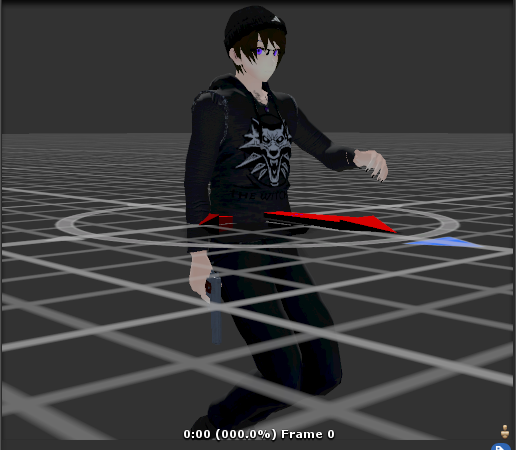
Does anyone know what is causing this issue on my avatar? The legs seem to rotate backwards
this is in fullbody
and on regular vr the knees bend outward
 simple gorge
is this an issue when you are in desktop mode?
glass panther
Can you provide us a screenshot of your model in blender?
 tame marlin



 old schooner
as for armature, for legs you need Leg>Knee>Ankle (ankle can have 0 weight), Hips>Spine>Chest>Neck>Head, and also you need Shoulder(can be 0 weight)>Arm>Elbow>wrist>at least 3 bones (can be 0 weight and assigned to proximal thumb, index and middle)
@naive tree So I made the skeleton and bound everything. It works pretty well, but now I've run into a different issue. I tried to convert it into a humanoid rig, but it says the "LeftFoot" bone is missing. I then added a weightless bone called "LeftFoot", and got the same error
naive tree
be sure it's parented to knee
 half shadow
Make sure to assign the bones yourself in rig configuration of your model in unity
since they are not weighted to anything anymore i think unity might have problems automatically assigning them
old schooner
But what could I assign them to? This is a minecraft avatar, it's not meant to have feet
half shadow
I mean you said you just made two weightless bones, just map them in the rig and they are not going to move anything if they don't have weights
old schooner
How do I do that?
old schooner
Ah, I see
Thanks
I'll let you know I need more help
Which apparently I do right away
Nah lol. This time it's with attachment to the mesh
This is my mesh attached to my skeleton
It bends just fine
But I have more than one mesh
half shadow
If you have Cats you should be able to just click "Join all meshes" on the side
half shadow
don't use Fix model or open a little dropdown and get rid of checkbox "Remove zero weight bones"
old schooner
Ah, I see
Hang on that means my right fingers aren't weightless
It's almost perfect. I have (Hopefully) one last issue in #avatar-optimization, if you wouldn't mind
tranquil plank
@glass panther
The model looks fine in blender and in unity
It only rotates the legs in-game
crisp tendon
Make sure the names are correct, and clear roll in edit mode
And in object mode apply all transforms to everything
 tepid spade
anyone know how to fix that ?
old schooner
What are those?
tranquil plank
I tried what you said but its still broken
tepid spade
cats
tepid spade
the bones at the extremities of the hands are fucked cuz of these
ah no sry
cats just make problems anyway
but maybe try to do it manually
old schooner
Do you know what those bones are called and what they're mapped to?
old schooner
Let me see the mesh they're in?
tepid spade
yeah
old schooner
That'd be the mesh
old schooner
Maybe
tepid spade
which make the hand a big thiccer
old schooner
Where'd you get the skeleton?
tepid spade
cats
 warm pawn
I thought i would ask here too since it seems like a rigging problem:
does anyone have any advice to fix this? I imported a vroid model into unity and uploaded. However it does some wonky things while playing.
If I walk around the avatars entire body swings backwards and forwards while the head stays in place (like a chicken). Second problem is if I look up or down the avatar sometimes swings its hips around rather than my head just turning.
old schooner
I didn't know cats could create models
tepid spade
u'r skeleton is probably fucked
old schooner
Huh
tepid spade
the original one was with the character
warm pawn
I imported it with the vroid -> vrchat importer so its weird it doesnt work... ill see if I can figure it out
tepid spade
old schooner
What did you need Cats for?
old schooner
Voice tracking?
old schooner
Ah
Yea that's out of my limited realm of ability
I'll still see what I can do tho
You used Fix Model, right?
tepid spade
yeah
does there is an alternative to cats ?
bc everytime i fix something i got 5 other problems
warm pawn
does this look correct?
tepid spade
zoom on the hand to see
warm pawn
warm pawn
second arm?
I think the dress bones were behind it
looks good
ok, maybe the vroid -> vrchat convertor is broken so ill try doing it vroid -> blender -> vrchat
warm pawn
hopefully I can get it to work
tepid spade
cats rlly have a problem with left hands*
warm pawn
Is it possible to do an armature 'transplant' in unity? I've got the correct rig now from blender and I also have my model imported correctly by a unity plugin. Can I move the rig from the blender model onto the other one somehow?
 charred ore
I've been having a problem with a few models now, the armature is totally symmetrical but the avatar puts one leg behind the other when I stand still, why is this happening even though walking is perfect? Tried tweaking the armature in multiple ways but I can't figure it out
tepid spade
@warm pawn i don't think so
warm pawn
so if I just copy the armature from one to the other it won't work right?
warm pawn
im on unity now
tepid spade
maybe yes
charred ore
yep
tepid spade
i would like to know why
but try it without touching the fix bouton
pretty sure its bc of it
charred ore
can't really do that as I'm the one making the whole thing and the armature is the same
tepid spade
why did u fixed it with cats ?
charred ore
easy name switching and other QoL things
I don't really understand why cats would do anything with this
tepid spade
huh , it gonna be hard
charred ore
the armature is the same
charred ore
no clue, that's why I asked lol
tepid spade
are u in full tracking ?
charred ore
nope, desktop
tepid spade
more weird
i have no freaking idea
maybe bc the standars anim don't fit with ur avatar or something else
yeah idk , sorry dude
 prisma hatch
whenever i do shapekeys for blinking, my eyes squint, why is that??? it looks weird when avatars already have small eyes and they start squinting