#avatar-rigging
1 messages · Page 158 of 1
 sweet tundra
any idea
i know its something with the rig or weight painting, but i have no idea how to fix it
 crisp tendon
there is no weight paint
sweet tundra
its pose mode
crisp tendon
so ?
crisp tendon
they're not connected
 fickle dawn
my new elsa body
all the bones around my head control my gestures and expressions lol
Just Cleared My Old Bones To My Hair, To Make Way For A New Hairstyle 
 pulsar oxide
@sweet tundra having the same ish issue
fickle dawn
hey squid
pulsar oxide
?
pulsar oxide
???
fickle dawn
wrong squid
pulsar oxide
k
fickle dawn
LOL Those Bones, Gonna Remove A Lot Lol
fickle dawn
 fading verge
Anyone know how I could make this work for vrc without completely messing up the hand? Cause when I enforce a t-pose it gets pretty spooky xD
 iron chasm
can i get Cat Tools to not translate when I press Fix Model?
I am trying to connect the bones
crisp tendon
disable that option
iron chasm
which option is that?
fading verge
So I want to connect this to a humanoid rig so i can still use gestures, however how do i make it so the model just glides instead of being attatched to bones? (Ive tried before but it looks like it auto defaults to the pelvis)
 fervent hornet
You should have a full humanoid rig which would be you. Then the car a sibling of that armature under your main gameobject
 novel thorn
anyone know how i can put bones on this raiden, it has no bones at all currently
 restive folio
@novel thorn I suggest using MIXAMO for a free auto rig for bipedals, you might need to adjust some things later but it should give you a nice basic rig for any basic humanoid like that
novel thorn
@restive folio is that a website?
restive folio
novel thorn
@restive folio thanks worked perfect
restive folio
No prob
 crude garnet
how can i make eyes
work
i dont have bones
but want to add them
dm me if you think you can help
 mild stratus
You need bones, the cats plug-in and shapekeys
crisp tendon
either that or a shader, but that requires a specific mesh shape
crude garnet
im using cats but therre are no shapekeys
mild stratus
You have to create them
crude garnet
how
fading verge
Uploaded the model and the jaw is fine normally. But when I uploaded the mouth is slightly open :/ The rest pose is with the mouth closed, the rig in unity has it closed, but why is it open in vrc? I much confused
 sleek isle
your jaw is assign in the humanoid tab. un assign
 grand mirage
Anyone have any advice on how to even attempt to animate those face plates?
 slender hatch
Tig then separately then parent to the head
@grand mirage rig the face plates separately then parent the bones to the head then you can animate it opening or something and make it open during waking animation of just make it a gesture
grand mirage
ah
 bronze fern
you could probably even do that with shapekeys given how linear the movement is
 manic marsh
dunno about you, but weight painting these parts looks like a pain
shape keys seem easier in this case
 warm parcel
does anyone know how to assign a whole humanoid rig to a single mesh in Blender? Everytime I make it a multimesh, each individual part creates another texture, and it easilly racks up to 60 meshes/textures. I have no clue how to work with weights or anything, so this is all a big struggle
I can PM the .blend file if you want to see what I'm working with
grand mirage
How do you make sure your bones are perfectly centered?
manic marsh
good question
crisp tendon
@grand mirage centered around what
manic marsh
i guess he means in the center of a mesh
grand mirage
Yes the center of the mesh
crisp tendon
when you select edges in a loop, you can do "Move cursor to selection"
crisp tendon
that rig is for ik
you need the basics
but if it's a generic, aka non humanoid, you'll need to make your own animations
grand mirage
Ahhh i suspected as much
fervent hornet
You could try using Final IK for the legs with a fake humanoid. But next update pure generics will work so the custom animations will go through.
manic marsh
Yeah, but why use animations when you can have all of that procedurally generated goodness
 drowsy wharf
And unless something has changed recently, generics STILL do not transfer animations over the networked IK. So you'll just slide around from everyone else's view.
grand mirage
I can only animate in blender right? unity dosnt have animation?
crisp tendon
it does, they do the same thing
grand mirage
The exact thing? None of them are preferable over the other?
crisp tendon
if you're a beginner unity might be much easier
grand mirage
thanks
 sick turret
so the fingers are named wrong and in vrchat are also not doing so good
i tried renaming them but that made it worse
mild stratus
Manually assign them in unity
mild stratus
Use the thumb on the hand.
sick turret
ok one more thing that i think will solve my problem and its that some of the fingers are named and placed differently
mild stratus
You should fix the placement of the thumb.
fervent hornet
@drowsy wharf That's why I said next update. Pure generic avatars work in the beta IIRC
sick turret
im asking how
mild stratus
In the inspector, at the bottom of the bone assigning window, there is a drop-down menu under 'pose', click it and the click 'enforce t-pose'
crisp tendon
Gotta be fixed either way
sick turret
thats what im trying to do
crisp tendon
in blender though
crisp tendon
you should
 hoary mulch
Helloo i have been working on a model that i already upload, and i did a Complete Rigg based on that model and bones, now that i have finished it and im starting to do animations, i dont know how to transfer the animations from Rig A to Rig B in unity. the only thing that i see viable right now is to export it as it is and turning it of the Vrchat model and turning On this new animated One, any ideas?
mild stratus
VRChat has built-in animations. As for if you want custom ones, You should make multiple actions in blender for the model, then export it as an fbx, then place it in unity.
hoary mulch
but the thing is i dont want to animate the bones directly
thats why i made a rig, but i dont know how to transfer the rig animation to the bones
hoary mulch
This is what i mean i animated the controlers, and the thing is that if i export the fbx unity only read the keyframe of the controls not the base bones
mild stratus
It doesn't read the rig because there already is one.
crisp tendon
You'll need to make custom animations and bake them in before export individually or use the default vrchat animations
hoary mulch
How do i bake them?
all the tutorials so far that i found are only about importing already made animations not how to makethem or bake them
crisp tendon
Do you have keyframes ?
hoary mulch
I have keyframe on the controls
grand mirage
This good or naw?
crisp tendon
Did you weight paint or only made the bones for now ?
grand mirage
just the bones
grand mirage
it wont let me pick them both at the same time
nvm ill just delete the arms and do it again
grand mirage
wait... do i have to add bones to the model in unity again to animate it?
slender hatch
@grand mirage regarding the face plates did you try selecting the faces separate by selection then automatic wight paint to the bones?
grand mirage
honestly I have no idea how to go about the face plates i want to keep the mirrored but i dont know if thats possible 🤔
its only my third day lmao that seems way too advanced for me but im ganna try anyway
slender hatch
@grand mirage I animate in blender then import it to unity
grand mirage
yeah thats what i was thinking tho the animating process seems the same but unity's UI system is weird af and i dont feel like learning it lol
slender hatch
@grand mirage yeah animating in unity is not something I wanna learn
crisp tendon
it's almost literally the same
except blender has addons and a few features
you move keyframes/use the animation recorder/use curves
they both do that really well
grand mirage
What's IK for? i keep seeing it and it looks useful for animating @crisp tendon
crisp tendon
IK if what you had on the bear screenshot
it's control bones
Here the one i created
grand mirage
Kind of pulling fleshy parts out then i plan on building the plate of the face and connecting them after. My concerns mainly are mirroring the face plates and figuring out how to rig the plates to move up and down at will with the bones
You use that for animation right?
 wet hollow
Pretty much needed for animating as it allows for easy control and restrictions
crisp tendon
face rigs are different though
a bit harder to do imo
also you should shade smooth your model
grand mirage
How are they different? do they require different tools? Id love to see an example when ever you have the time
crisp tendon
@grand mirage I've only seen face rigs in maya tbh, but i'm sure there are some for blender
body ik is just chains usually, but face is driver based
 tall dome
So, whenever I parent my model with automatic weights to the skeleton, the model expands into a bigger size than the skeleton, oh and also [overused image that's an overspoken problem in avatar rigging]
crisp tendon
Apply transforms first, then remove doubles/close holes in mesh/makes sure bones are inside the mesh
tall dome
right, how do i apply transforms
no- you know what, stupid question google exists
transforms are there, bones are in the mesh, and aside from the hat there are no holes
looking around for the same issue in here one of you suggested weight painting which could very much be a probability because I didn't do that at all yet
grand mirage
should i texter and paint my project before i start connecting small bits and pieces of extra details and parts?
 long geode
does anyone know how to combine 2 different pieces of clothing to avoid this
i need the hoodie to bend with the pants when i squat
crisp tendon
@grand mirage Never paint until the model is completely done
@long geode weight painting
long geode
got it. was hoping there might have been an easier way also does anyone know how to mirror bones? I can mirror mesh but not bones
crisp tendon
Symmetrize/duplicate and scale -1 on the x axis
long geode
does the bone im trying to duplicate have to be attached to a spine first?
crisp tendon
what for ?
long geode
im trying to duplicate a hand
i was only given the right hand and i can duplicate the mesh but not bones
but i havent connected them to the base armature yet
bronze fern
what are the extra limbs on the middle?
bronze fern
probably something to do with your unnecessary limbs
 oak lark
@bronze fern i don't see why. it's a parenting problem
 oak lark
fuck cunt. t
bronze fern
huh?
oak lark
there's a lot of shit in the rigging hierarchy i gotta go through
mild stratus
take a screenshot of the inspector in the rigging editor.
mild stratus
Inspector, not hierarchy.
oak lark
mild stratus
So... as we can see, everything seems to be parented correctly.
But they probably aren't.
oak lark
so how do I proceed with with fixing this.
mild stratus
Locate the correct shoulder and upper chest bones in the hierarchy, making sure they are the correct ones, and drag them over to the correct place in the inspector.
mild stratus
There is an error in the humanoid rig and you need to fix it.
So... click 'configure.
mild stratus
No.
oak lark
it says "charater not in t-pose"
mild stratus
In the inspector window, above the 'done' and 'apply' buttons, there is a bar with two drop-down menus on it.
One is labelled 'pose'
Click it then 'enforce t-pose'
oak lark
ok. thank you!
slender hatch
when making prop animation do i have to set them as humanoid?
 agile summit
rigged with Mixamo of course
only bones in hand are the index ones
how do I fix this dude's warped fingers?
slender hatch
you have do set that red bone as the finger rig or delete that extra bone
try enforce the tpose
it should be in the rig you should see pose or something
agile summit
which red bone?
slender hatch
lol theres a red bone at the tip outside of the mesh
its highlighted red
click pose and click enforce t pose
agile summit
alright I enforced the tpose and the red bone isnt a problem anymore
and that was two seperate bones
still got his little crazy fingers
slender hatch
did it fix?
agile summit
Nah, his fingers are still every which way
slender hatch
i feel like those two bones are not supposed to be there?
agile summit
I mean I think that's where they need to be
like I said, I rigged it with Mixamo
usually, I'd be willing to start over, but I actually made the mouth move on this one
 twilit aurora
any idea how i can map pelvis in unity
slender hatch
@twilit aurora click model select, then go to rig then configure, click the pelvis should be the hip bone
@agile summit looking at it i think those bones are actually not useful? in a finger i think there should be only 3 bones
slender hatch
i....
@agile summit i honestly think you should re-rig at this point but up to you.
does mixamo rig it automatically?
twilit aurora
https://prnt.sc/rnqmmx i have this issue alot with not sure how fix
 agile summit
@twilit aurora did you rig it with mixamo?
and, yes mixamo does rig it automatically
twilit aurora
think i give up with the avatar still same issue their better avatars i can use from the file
 dusty socket
How can I fix my shoulder slouching a lot when I put but arms down in fbt? I guess it has to do with shoulder bone alignment to other bones?
 rapid mauve
@dusty socket you need scale the parts to fit your body size - this video have much info you need

[September 2019 Update]: VRChat version 2019.3.2 makes my neck fix and CATs plugin's FBT armature fix (flipping hip bone and adding leg handle bones) no longer necessary. These tweaks don't break anything "yet" but they might in the future. Otherwise the rest of this guide (pr...
dusty socket
@rapid mauve Ok thanks will check it out
 nova hornet
Hey, does anyone have any idea why my model wont move when used in Fullbody?
When playing without Fullbody it moves normal
 orchid fog
My avatar has more than 2 eyes. I am trying to use rigid bodies to make the extra eyes follow the rotation of the main eyes, which I have setup for proper eye-tracking in-game.
I am hooking up the rigid bodies in the same way as I am for extra arms which follow the original arms just fine (rigid bodies that freeze position, Fixed joint to the main bone).
however, my extra eyes just slowly float away up into the sky in-game. Anyone have any idea why that happens?
How does the eye tracking actually work? Does the game move the eyes in a different way than it moves the arms, etc?
 indigo coyote
Anyone know how to fix this issue?
When i try to fix the rig in CATS on my avatar, this is the error log i get from it.
sleek isle
@orchid fog work the same way. Only keep the rotation
orchid fog
yeah that's the thing I am doing that
 mighty sigil
Would anyone have any idea why using fullbody tracking causes my avatar's shoulders to suddenly stretch outwards, and the hips jut out to one side? Literally only happens when using the feet trackers. 🤔
I'm assuming it's a rigging issue, but the skeleton looks perfectly fine to me in Blender. Seems to follow all guidelines.
crisp tendon
Show a screenshot of your armature from the front and side
mighty sigil
Like this? I deleted a bunch of extra bones to make it a bit easier to see.
I probably need to straighten out the legs, but apart from that, I'm not sure what might be causing it.
crisp tendon
yeah, legs need to be straight in front view
but the armature has extremely unrealistic proportions, so whatever you do may not fix it completely
but try clearing rolls on all bones in edit mode and applying all transforms in object mode
mighty sigil
Understandable. The original base was super weird, haha
I'll give it a try. Thanks! ❤️
mighty sigil
I'm not sure whether it was clearing the rolls, or straightening the legs, or both, but... it seems to be fixed now. Thanks, Ruuubick. ❤️
 craggy kettle
hello there anyone know how i can fix this problem?
when i use de Full body this happen
this is whitout FB but with VR
this one its when youre calibrating the full body
this its the skeleton
crisp tendon
where is your hip bone in that image ?
craggy kettle
hided all the skirt bones
crisp tendon
you need to raise the hip bone and reduce the size of the chest bone by a lot
so scale up the spine
 honest tusk
Hey ughh the controll panel from my VRchat SDK doesnt open
 rare glade
server down
 low wasp
 wind osprey
In your scene hierachy select the item that it's saying isn't the first child, and click on GameObject>Set as first sibling
Clicking select might even highlight the offending item, not sure. Haven't had that error for a while myself.
wind osprey
Whichever bone is mapped to the lower leg, or the foot. It's wonderfully unclear as to which is at fault.
agile summit
it moved my model from 0.0 and in unity it appears as a white line
how do I get rid of this thing
wind osprey
The orange dot is the object pivot point, generally should be somewhere central on the avatar. Move things back to the center and apply location transforms.
agile summit
Well it wasn't there before
When I entered blender to adjust something my transforms were all yellow but all still set the same they were
0 on everything
I dragged the avatar back to the center and didnt change the transforms because 0 m should be the default right?
Still have that white line
crisp tendon
Why is your model all the way back
agile summit
That's what I'm trying to figure out
I don't know why
It's that little orange nugget's fault
in the center
and I don't know to get rid of it
crisp tendon
no it's your model's transform fault lol
that orange dot is the origin of your object
your object should be at 0,0,0
agile summit
it is at 0,0,0
crisp tendon
yeah the origin
not the model
origin is what it uses for rotation and view
move the model where it should be and then select all and do ctrl + a apply all transforms
long geode
anyone know why when I hit fix model in blender i lose my left hand bones? Ive renamed them to their proper names and it still disappears with an error saying no left wrist
I mirrored the hand from the right side if that helps
 ionic sinew
Anyone have creative rigging ideas? I'm stuck on this. When her arms go behind her she looks alright, but if I put the arms up and rotate slightly they clip like crazy.
long geode
weight painting. thats what im on in my model
ionic sinew
Yeah, I've been messing with it for hours 😦
 crimson mango
SDK says the spine hierarchy isnt good
Could someone check on it?
Pic in a second
drowsy wharf
@ionic sinew shrink the shoulder bones outwards more
You're also better off having it in an actual T pose for the default state (and angling the elbow forwards slightly)
Also of note is that it looks like you have an extra large chest bone, which can cause issues with other limbs as well. (hard to tell in that image though)
@crimson mango hip>spine>chest>neck/shoulder
If you have that, then check your assignments in the rig config for the model
drowsy wharf
it means you don't have them...check the list at the bottom though that says what is assigned as what, that's what is important for this
upper chest should not be filled, jaw should (usually) not be filled, the rest generally are
crimson mango
the hands are like that
but the right bones are in
they are green just the circles that are not complete
look at the picture
drowsy wharf
in that image the circles ARE filled in
That solid green dot in the center means it's set with something
crimson mango
it still doesnt work tho
drowsy wharf
see the one in the upper chest area? it's grey and hollow
drowsy wharf
Make sure the hip all the way out, every setting is filled properly...if it's still not working, restart unity it may have glitched
again...hip-spine-chest-shoulder is where you should look for a shoulder issue
crimson mango
the shoulder is fixed
the chest wasnt mapped
but now the head feet and hands arent good
drowsy wharf
are they set correctly though? all the way down the arm?
crimson mango
yes
oh i see the problem i think
thats the wrist bone
might be that
or im still too dumb for this shit
or its the feet
no thats fine too
confirmed: im too dumb for this shit
i restarted unity but it doesnt work
is this what tilting the neck should do?
crimson mango
wait
 orchid basin
https://gyazo.com/2f2c6a2aa09dfa193277bea90854eb87 what does this mean can some one help me pls
 crimson mango
go to the 3d model > select on the top right, rig, then configuration
then select chest bone to the chest
i have gone into the muslce thing
and this happened
how do i revert this to tpose?
orchid basin
https://gyazo.com/7637ad42f2833d5707acb982da1d8dc5 so do i have do fix stuff here but what do i fix??

 fluid oriole
hallo
long geode
anyone know how to weight paint alot of vertices at once? I cannot physical get each individual vertice
crimson mango
Do it with the brush tool
fading verge
anyone know how to rig a 2d avatar mouth to jaw flop like how they did on south park?
long geode
@crimson mango the brush tool physically cant mark every vertice in a section
been at it for a few hours
orchid basin
https://gyazo.com/2e860adcd065113493b358f000079707 ummmm i did bad someone pls help do fix this
 long geode
click pose at the bottom and force t pose
wind osprey
@long geode Enable paint mask (small button next to Weight Paint and other modes menu), then you can click a single face and press l to select all linked faces, once you have what you want weighted selected, set your brush to what weight you want to apply to that region, and press shift+k
orchid basin
https://gyazo.com/ffb53a6af9fec788bef4b2f69d45d0c5 but how do i fix this
 wind osprey
To select a new bone while in paint mask mode you have to ctrl+click to select instead of the usual click.
long geode
@orchid basin change your shoulder bones and stuff. They are all assigned to spine4 click the little circle to the right of each box and choose the corresponding piece.
@wind osprey thank you I will give that a shot
orchid basin
@long geode https://gyazo.com/0cae9ca59c2019e1c8d0ce9f352e2496 but when i do that it shows me this
 long geode
Try deleting upper chest.
Hit the circle and change it to none
If that doesn’t fix it then that means you’ll have to go back into blender and parent the bones correctly
fluid oriole
can i get some help with my model holding a weapon
for some reason when i do the gesture in game it shows my hand in the holding position, but the weapon itself doesn't show up
long geode
that means the weapon is still hidden when the animation is active
fluid oriole
i checked that already it shows inside unity that it's active
but it just doesn't work in game
long geode
when you hit play does it show up in the models hand in unity?
fluid oriole
ye
long geode
and you updated the controller with the new animation? and added it to your descriptor?
@wind osprey it wont allow me to deselect or select sections of vertices. is just adding weight to all vertices in hand
is there a way to paint through layers?
long geode
yea you add the animation to your controller then you add the controller to the descriptor
you can add a standing and sitting controller
orchid basin
@long geode idk how i fix the bones in blender like no idea but could you send me a youtube video so i could fix it
long geode
@orchid basin i dont know a specific video that could help but im sure you can watch a few to help i learned by trial and error
fluid oriole
it still no work
long geode
hm im not sure then i just know the weapon is staying hidden
fading verge
ik this is dumb but how do i geta roblox avatar to work
just tryed it bugged out in vrchat
crimson mango
click pose at the bottom and force t pose
@long geode doesnt work
long geode
if its still broken after forcing t-pose and assigning the right pieces then that means your rigging needs fixing in blender
crimson mango
It worked, i just clicked on the muscles thing
And now its like thjs
Do i have to untangle it now
long geode
i dont see anything
crimson mango
The picture from earlier
 deep kite
Hi! I don't know if questions about dynamic bones go here.. I'm quite new to avatar making but are dynamic bones supposed to come with the SDK?
crisp tendon

Get the Dynamic Bone package from Will Hong and speed up your game development process. Find this & other Animation options on the Unity Asset Store.
deep kite
i'm quarantined 😂
slender hatch
Can props have bones? Or does it have to only be a mesh
mild stratus
They can have bones.
long geode
Anyone know why I upload a custom avatar and for vr users including myself it shows me duplicate?
Like one of me in each eye
crisp tendon
What shader are you using
fading verge
my rig has the toes at the heel of the foot
should i change it or its that ok
 tulip flare
Could anyone explain this to me? Isnt the Hips bone the last one in the Back Chain?
 thick pike
i make the bones for my avatar, but bones can rigging without a model...
what am i doing wrong?
i mean, i can drag bones but model isn't moving with bones
i do object>parent>with automatic weights
tulip flare
You moving them in Edit Mode?
thick pike
no, in this mode on ctrl+tab
tulip flare
Which Blender version do you use?
thick pike
2.82
tulip flare
Does the Body itself have a Armature modifiier?
thick pike
yeah, it have armature
tulip flare
Show me the armature modifier?


 tulip flare
Show me the modifier please
 tulip flare
click this little arrow next to "Armature"
Its not a big problem really so no need to worry too much 
thick pike
like this? http://puu.sh/FqpLl/22aef78791.png
 tulip flare
Yes that is fine
 tulip flare
Ok now select one of the Parts in the Outliner (thats the list you just showed me, it contains all the objects in your scene) for example the chest first and then the Armature so the Armature itself is orange and the mesh is dark orange
Like this
thick pike
 tulip flare
Nope thats the wrong way, you first selected the Armature then the mesh, you have to do it the other way around. First the Model Body, then the Armature
You might want to select it in the 3D View, selecting in the Outliner can be tricky
tulip flare
Just for teaching purposes i'd first only show you with the chest only
 tulip flare
Yes!
thick pike
so, what's next? 😄
tulip flare
Now press CTRL+ P then Set Parent to Armature Deform with automatic weights
 tulip flare
Well does it work?
tulip flare
but?
 thick pike
yes!
tulip flare
Very weird
i never had such a issue
Im sorry but i cant help you with that, maybe the weightmap is screwed up.
thick pike
do i need to combine all body parts, maybe?
tulip flare
You can try
rapid mauve
combine your mesh into one before parent it - should work
highlight all four parts with shift - ctrl+j
then parent to armature with automatic weights
if bone are poke out you will experience problems
 iron drift
Need some help with rigging in unity, trying to make a left shoulder but it wont let me make it a parent of the arm.
tulip flare
Because the shoulder has to be the parent of the arm, not the other way around
iron drift
Im trying to make the shoulder the parent of the arm but it wont let me.
tulip flare
I dont know how that'd work in Unity just make it in Blender i guess
tulip flare
I have alot of experience in Blender but not in Unity 😅
iron drift
lol
I just need these shoulders done then I can go around asking people to pay up their bells
Will the blender rig carry over to unity too?
Ive never used blender
tulip flare
yes it does
rapid mauve
post snip of armature like my
iron drift
Im trying to use 3D objects as the transforms
But every time I leave the rig editor they dissapear
Worked for the neck, but now I cant even make a neck again.
rapid mauve
check what jaw bone is set to
iron drift
Nothing
rapid mauve
hmmm
iron drift
Geez
I just want tom nook to work lmao
I tried Mixamo but none of the file types it supports that I put in as worked.
All said invalid file type
Even though they were right.
So I need a neck and shoulders.
This would be easier if there was a VC.
iron drift
I know
Im trying to make it the parent of the Larm but it wont work
And now it says I dont have 15 bones
even though all the bones I need are there
rapid mauve
drag Larm1 onto here
iron drift
Didint work
rapid mauve
or drag shoulder to chest 1st
iron drift
I dragged them on eachother yet the shoulder still goes inside the arm and not parenting it
Hm
wtf
it goes down into the larm when I do that
rapid mauve
then drag out arm to shoulder
iron drift
Alright, shoulder is now parenting it.
But.
@rapid mauve
It says its not a parent but it is?
rapid mauve
strange -
rapid mauve
if it was my avatar - i rename all bones correct with blender
rapid mauve
yes -
tulip flare
Yes
rapid mauve
you have fbx ok
iron drift
ok
rapid mauve
make sure all parents are correct
iron drift
Ok, one sec.
I think I might just make a new file without the rig
And send er over to blender
Might be easier
One second.
whatr the hell
invalid header?
thick pike
@rapid mauve it's a bit... wrong: http://puu.sh/FqrC0/4493e092d9.jpg
 tulip flare
@iron drift so its a .mmd model?

 pulsar tinsel
weightpaint
thick pike
what can i do with it? how to fix it? 😦
rapid mauve
if it not so bad you can remove weights from effected skirt
check all bone movement - how bad is it
thick pike
it's all scaled bad 😦
like: if i try to move one bone in hand, for example, over part are moving with it ._.
rapid mauve
were any bones poking out of mesh before you parent
thick pike
like this? http://puu.sh/FqrRn/d06d7fe4f6.jpg

do i need to make this bone much smaller?
rapid mauve
no part of the bone can poke out of mesh is all
 empty crescent
long geode
empty crescent
long geode
Anyone know how to use rim lighting on hair and specific colors of like shoes or anything?
I’ve downloaded multiple packs but can’t seem to get it to just glow the tips of hair
iron drift
How do I add more "Bones" In unity, so I can make a spine and shoulders.
And chest.
Cause i swear I will get this tom nook rig to work.
long geode
you add bones in blender
long geode
yea it takes work but once you figure it out youll be able to make models in there in no time
long geode
yea unity is made for more of the flashy stuff like particles and animations. belnder is for the actual models
unfortunately there isnt an easier way if something on the rigging of your model is broken
long geode
anyone know why the joints are reacting to the material differently when they are both seperate meshes and have the same exact values and textures in blender?
 turbid eagle
Did you made the model in blender?
long geode
yes
turbid eagle
1-probably each hand is using different materials
2-if you modeled your avatar via mirror modeling tool in blender, maybe some of your uv vertex are in the wrong area of your texture image
3-maybe in one hand is a material assigned to it and the other hand not
long geode
it might be the second option you mentioned because they dont have any textures or materials assigned to them in blender and i had to mirror the right hand. is there a way to fix the uv vertex when mirrored?
turbid eagle
Generally when using the mirror tool, blender automatically duplicates the +x axis of your model to -x axis coordinates. When you uv unwrap your model, everything from the left side of your model mirrors the vertex coords of the right side of your model. Tldr; everyting from the right side of your model, incluiding materials should be mirrored to the left side.
long geode
gotcha is there a new way to check the uv mapping in blender? i havent done it since the old blender like a year ago
turbid eagle
What ver. Of blender are u using?
long geode
2.82
turbid eagle
Sorry man, i am using an older version of blender an the new interface confuses me a little bit 😩
long geode
yea im used to the old version but i started this model on this version lol thanks for the tips tho ill keep messing with it
turbid eagle
Im in the phone rn so if there is a chance to share the model via dm probably i can see the issue at latter maybe?
.blend file
rapid mauve
@long geode use set normals from faces option should fix it
long geode
@rapid mauve in blender?
rapid mauve
yes
long geode
set normal still has the same issue
turbid eagle
in edit mode, select all the vertex (A key) and Fix the normals (CTRL+N) maybe it work?
long geode
no they changed it so ctrl n makes a new file
but i tried flipping the uv mapping and everything and nothing seems to work
 misty fog
 fringe citrus
gonna paste a couple screenshots as part of a youtube guide including how to paste screenshots to discord. Don't mind me 😁
mild stratus
ok lol
fringe citrus
ok got what I needed, I might just delete these messages hehe
mild stratus
¯_(ツ)_/¯
fringe citrus
I'll leave these I guess but cut out the screenshots so I don't clutter stuff
fringe citrus
I finally finished it. Here's the new version of my FBT avatar guide: https://youtu.be/2sfTEBAl8sA

Timestamped Links (Right-click: Copy Link to share a stamp)
Visual Guide: 1:00
User Real Height: 2:53
Proportions: 5:54
OpenVR Advanced Settings: 7:04
Shoulder Sag Fix: 10:20
Resetting Origin Point: 17:33
Unity Re-import: 19:36
Dynamic Bones Fix: 21:45
Adjusting Height for Bin...
The full walkthrough of every fix might be too in-depth for a lot of people here, but hopefully it's useful to some
crisp tendon
fringe citrus
I finally finished it. Here's the new version of my FBT avatar guide: https://yo...
wind osprey
@fringe citrus Do you have a written summary of the important bits for people who don't want to watch and/or click through an hour long video? Like how the shoulder sag fix could be said as "Place avatar into T-Pose before exporting to unity" and the hip tilt fix can be said as "ensure thigh roots and hip root are as coplanar as possible on the Y axis"
crisp tendon
the beginning of the video is a very fast and condensed fix for all
fringe citrus
Might be possible to condense all the fixes down into twitter sized chunks, but yeah that's what the visual guide at 1:00 is for
Really condensed descriptions kinda get confusing I find
wind osprey
See I didn't even want to start playing the video. I'm probably the tiny minority that hates video guides.
fringe citrus
Hmm I'm maybe not the best to help in that case, although the section at 1:00 lasts about 90 seconds and covers everything faster than I think reading could
wind osprey
You underestimate my reading speed 😉
fringe citrus
That section was kind of for that type. A lot of what I put extra time in the video for was what I've found was extra hard for people to understand with words
the user real height and multiple reference frames for scale as an example
just seeing it is way easier I think for a lot of people
wind osprey
I suggest it less for the initial understanding of why the problems happen and how to fix them and more for quick reference.
fringe citrus
90sec is pretty quick, but yeah not everyone can crack open a video or wants to see it in that format
crisp tendon
they should !
fringe citrus
I can try and type out a bit of it if that'd help, but it won't be as informative as the visual guide..
@wind osprey Here's a small part of the info contained in the tutorial. Advanced users could probably get by with this, but on average I think people would run into trouble without "seeing" it done.
User Real Height: It's world scale, and locked to your avatar's arm length.
Proportions: Scale world to match torso first, then screenshot reference to find appropriate arm and leg lengths. Scale in Blender.
Shoulder Sag Fix: Put avatar in T-pose
Broken Shoulder Fix: don't have hip colinear with thighs
Hip Tilt Fix: have hip directly above (micro-behind) thighs
Shifting Down Fix: chest bone should be shorter
Limb Twist Fix: elbows should bend back, knees bend forward
Tiny Side Tilt Fix: (rig hack) drag the root of the hip a tiny amount to the avatar's left side
Shoulder Flop Fix: (rig hack) reduce vrc viewball height slightly (compensate with OVRAS)
Zigzag Neck Fix: (rig hack) unweight and shorten neck the smallest amount necessary to attain the fix
crisp tendon
fringe citrus
<@!220714125255376898> Here's a small part of the info contained in the tutorial...
fringe citrus
The 90sec part was targeted to advanced users but all the rest of it was mostly meant for people having a specific problem and wanting a super thorough, no hotkeys unmentioned, hand holding walkthrough
The idea with the timestamps is if someone in here has trouble with for example twisted arms, you'd just go and grab this:
and problem solved for everyone
sleek isle
So today i got a complain that somevof my avatar only have on leg the slitly bend and the other stay strait when doing small movement with the hips. Tilthing/change hight of thebone would fix it? I personnaly dont really care. Butvdancer yes i suppose
 deep heart
Hey, so if I understand, eye tracking depends on the bone path matching exactly
Armature/Hips/Spine/Chest/Neck/Head/LeftEye and RightEye.
Because it breaks this exact match, is there any way to have eye tracking work on a model that has an Upper Chest bone?
Has anyone ever experimented with such a rig in VRChat?
long geode
anyone know why when i separate something to make it a separate mesh and then join them it doesnt stay separate? in blender
rapid mauve
if you join all meshes then it does what you ask - if you want not join one then hold shift - select meshes you want joined - with cats click " join selected" - rename that group "Body"
long geode
@rapid mauve will that destroy any weight painting on the object that was separated? and will it give me any issues if I export it with 2 "bodys"
rapid mauve
you do not want 2 bodies ? weights are unaffected ? why would you have 2 bodies
long geode
if i dont join the separated mesh with the main body then it leaves it as its own body
rapid mauve
show a screenshot of mesh list ?
long geode
for example if i take 2 shoes and separate them so that i can make them their own materials everything works fine until i join the meshes then both shoes recombine as one material. ive renamed the meshes and textures and in the end the objects wont stay separated so that I can add 2 different shaders
rapid mauve
you want each shoe as separate item
same way as above - after you have the shoes separate as a pair you can separate them into each shoe
long geode
right. but no matter what I change or rewrite as soon as i join all they combine back to one pair of shoes instead of 2 separate shoes. so in unity it changes the shaders for both instead of one
long geode
so itll be fine having 2 meshes under the armature?
rapid mauve
actually if you want each shoe the way i think you want then you will have body - left shoe - right shoe meshes
long geode
oh and if i hit fix model it rejoins them
rapid mauve
yes- it will
best way is to assign new materials to the left and right shoes -
this is intermediate blender work - how long you use blender ?
if you need help with this you can send me the model via dm
long geode
what your suggesting is intermediate instructions i have already done lol. I don't believe you've encountered the error I am requesting help with. been making models for vrchat off and on for 3 years but first time using 2.8 thanks for the attempted assist.
rapid mauve
ok - no problem - good luck
rapid mauve
@long geode

 upbeat ore
i dont believe so
my character definitely has the lid bones
do i need to rename the bones myself?
upbeat ore
thanks, il take a look
 raw grove
Hey! So im trying to fix some weight paints that mixamo did wrong, the cloak is moving along with the leg. while painting the cloak will start to deform is a sense and look incredibly wrong. like the image here : https://i.imgur.com/4cCFp0K.png. also, the cloak is completely blue yet that bone decides to move the cloak anyway! can someone give me a run down on what to do to fix this? im extremely beginner tier on blender
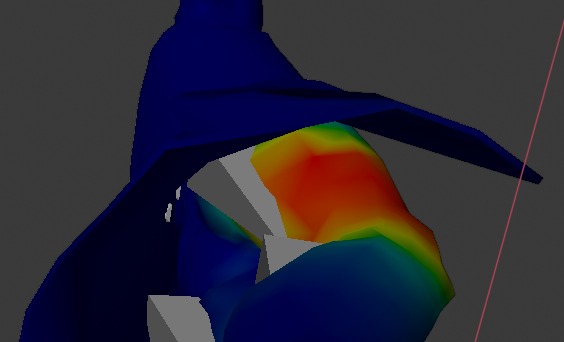 raw grove
a better example of the issue with the model im using https://i.imgur.com/DaNM5rI.png
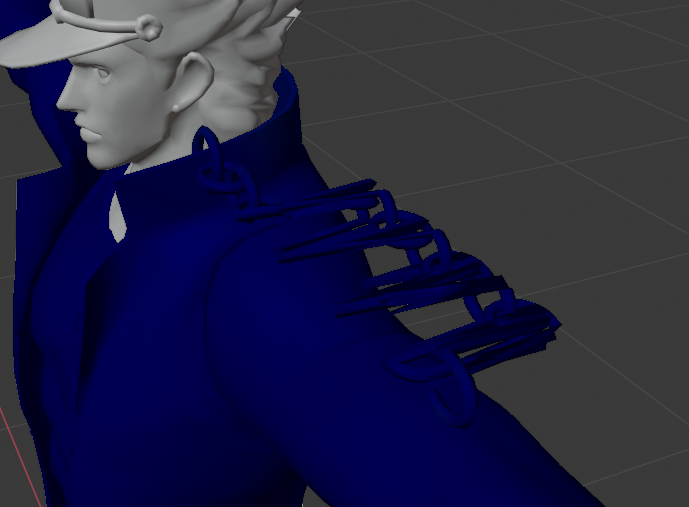
putting weight back on does turn it back to normal, but removing it will make it go back to the glitchy version
im going to try this but on blender 2.79b
see if that fixes it
does do this on that version of blender
😦
crisp tendon
You can use automatical weight paint in blender too
upbeat ore
any idea how i would fix my characters legs clipping through the dress?
i tried moving the spine, but it doesnt seem to do anyhting
https://gyazo.com/27f0bce8efa2068657286b10770356ad
 upbeat ore
in blender i scaled down the legs starting from the top, it was quite hard due to all the verts being detached, idk if threes a way to fix that
works better now anyway
long geode
anyone know any good values to have a long tail just kind of drag on the floor like a snake?
rapid mauve
yes
 untold lantern
i actually had the same question, do you have a screenshot of the values? @rapid mauve
 dense stump
@upbeat ore dunno if u figured it out already. But in blender 2.7 theres an option called remove doubles! In 2.8 its called merge by distance. U basically go into edit mode, xray, and select the problem areas then use the correct function for ur version (Warning. Don’t do this on the head/neck area. The teeth can fuse together and shapekeys can become broked)
 main shoal
Hi, i want to modify a generic rig from a monster of Monster Hunter (Brachydios) to convert it to a human rig for use it in VR but i don't know how to succeed to change that, a lot of people tell me that i need to add some bones with Blender but i have no knowledge about it because i work with Autodesk Maya, and i'm searching a manner of proceeding...
And sadly i do not found any videos or tutorial showing how can i make that
thick pike
how to use weight paint in blender 2.82?
 ornate marlin
@upbeat ore private message me I’ll link you a video that will probably change your life when it comes to adding clothes and fixing scuffed stuff like that
 glossy badge
on an avatar dues the two leg bones have to be connected for vr can they be separated?
long geode
anyone know why when I mirror an object (for example a hand) and flip it on X-axis the textures get all messed up in unity?
its like the hand i mirrored is see through by default

 long geode
did you add some weight to the should bone?
thick pike
@long geode do u mean "Left Hand" or "Left Hand.001"?
i add weights to "001" and "002", but i don't add any to "Left Hand"
i mean, is this important to add weight to "Left Hand"?
thick pike
 long geode
hmm and you double checked the bones are parented? also what happens if you enforce t-pose in unity?
 long geode
if it has errors in unity try enforcing t-pose when configuring
it looks like its just offsetting your bone locations and im not sure whats causing that
thick pike
i'm so newbie in this, i have many different errors in rigging this avatar ._.
because i try using Very Animation and i can see all of this...
long geode
oof im not knowledgable in that i only know blender and unity
 long geode
yea ive never used that
thick pike
so... it looks so strange...
long geode
yea its repositioning your bones osmehow
 stiff sable
how do i sub these bones into that one?
crisp tendon
ctrl + j and assign parent in relation tab
 grave hawk
I need help.... I uploaded my avatar and he seems to be off the ground in game
 blissful nacelle
Hey uh, I haven’t worked with VR chat much but I was wondering if any one wanted to assist me in finding out how to use Half Life Alyx’s metro cop models in the game
If any one has done this before or what not I would greatly appreciate it
 buoyant ibex
How would I fix something like this?
The right arm isn't the child of the shoulder
rapid mauve
click on "Rarm2_R" hold shift click on "Right arm" then click cats "to active"
ooh wait it's ctrl you are use 2.8x -
click on "Rarm2_R" hold ctrl click on "Right arm" then click cats "to active"
 delicate apex
Hey, I don't know much about rigging at that. But with the avatar im trying to fix, is missing a foot and wont become a humanoid rig in unity. Anyone help with what I do?
sleek isle
Find the foot
grand mirage
 idle lance
@grand mirage I'm sorry for pinging you, I just wanted to say I've been watching your avatar progress, and I think you're doing a swell job
 echo flame
hello, i'm trying to fix my avatar by getting the neck, shoulders, ect. to be the direct child of the chest, but it doesn't let me move bones in the hierarcy and tells me i need to unpack a prefab instance???
grand mirage
thanks I really appreciate that 😄 @idle lance
 shy willow
upbeat ore
shy willow
upbeat ore
somewhere in the process of exporting from blender to unity, it seems to mess my bones up? any idea's?
https://gyazo.com/e4654562f393bd18e9ffc2013a225d04
https://gyazo.com/885e394d5b0a2dabe0a32dcf1f882ef5

 crisp tendon
@sweet tundra You need to grab your hips and move them back, you're doing the thriller michael jackson pose right now
also once you've done that you need to bend your legs at knee level
@upbeat ore Did you clear bone roll ?
upbeat ore
what does that mean? so most likely no 😛
crisp tendon
In edit mode, select all bones then open search bar and do clear rolls
upbeat ore
ohh, i dont think thats the problem, it creates/ takes away bones after import
upbeat ore

 crisp tendon
Yeah, check settings in blender
 crisp tendon
it's in the armature tab
upbeat ore
not to sure what im looking for
ahh, i think its still broke in blender, still thinks this is my thumb
 crisp tendon
Rename your bones !
 warm nova
I'm having a problem with the Blender Automatic Weights, anyone familiar with something like this?
It seems like the feet, fingers and face are still a part of the Origin and wont connect to their respective bones
more screenshots coming for reference
im not sure where the one from the leg is coming from
this is the error Im getting in the bottom right
crisp tendon
auto weight paint fails if there is any bone outside the mesh or holes in it
warm nova
well then
Since this model was originally in the MMD format, should I just go ahead and re-rerig it entirely?
@crisp tendon
crisp tendon
you could yeah, mixamo might help for the basic too
warm nova
Mixamo, that does exist huh. I have had a lot of problem with it in the past before though
I'm testing it rn tho
 ancient slate
hey there.. still iterating on this model I've been working on with some others. We're trying to fix up the hand and the finger curls. Any clues where to try adjust things to fix it ?
warm nova
@crisp tendon it worked near perfectly, tail is a little screwy but otherwise good
sweet tundra
My legs are still doin the weird thing
have no idea how to fix, i tried moving the hip bone more into place but i still dont know
crisp tendon
@ancient slate That's fixed in the humanoid configuration under muscle editor
@sweet tundra Clear bone roll
warm nova
Alrighty, so the model works fine now, but it has a weird thing where the right leg is all finniky, it keeps rotating to the side for some reason, anyone gotta fix?
crisp tendon
Make sure legs are not too straight
warm nova
huh? Whatcha mean?
crisp tendon
post a screenshot of your armature from front and side
crisp tendon
yeah they're too straight
warm nova
@crisp tendon the forward plane is the moved leg, back one original, this good?
crisp tendon
uh no
undo all that, press 3 on numpad
then press C to get circle select
and take only the knee bone
then G + Y
then move forward slightly
warm nova
I was just showing that for reference
crisp tendon
but yeah that would be it
ancient slate
Alright.. so I did find where you meant in terms of muscle settings. Is there an import I'm supposed to use or a general guideline? this is the default.
crisp tendon
you can do it in pose mode as well and apply pose as rest pose in cats
@ancient slate That's the per muscle setting
warm nova
crisp tendon
make sure the bones are still within your mesh
warm nova
just having the knee resting on the central line
ancient slate
🤔 okay I Think these ya? Is there a position I should be adjusting them to or is it more or less trial and error until it looks correct?
warm nova
the bone is actually too big for the leg
crisp tendon
you can mess with the values of the bones you want @ancient slate
@warm nova then do it on pose mode
warm nova
alright, will be doing another round of testing again
ancient slate
Ive done a bit of searching and I'm a bit confused how to make it save any adjustments I make to the preview section of the muscles. Should I be editing the values in the mapping and not the muscles & settings tab?
crisp tendon
That would be the default IK doing its thing in that case
You could try making a custom pose as a gesture to replace it !
ancient slate
alright.. we'll see where we went up then! thanks

 dense stump
@thick pike usually happens when u replace an fbx with another fbx over it! Set ur rig to generic. Apply. Then set to humanoid agsin. Apply. Then should be all good!
thick pike
oh, yeah... i just fix my .fbx file a bit in blender
dense stump
Gotcha! Ye thatd do it!
 dense stump
Theres should be a pose button st the bottom of the config menu on the right! Hit it and then hit enforce t-pose
dense stump
Welcome!! Good timing lol!
thick pike
heheh, btw, do you know how to roll my hands a bit?
i mean, i don't see another instruments for rolling bones, not only a draging ._.
dense stump
There should be a rotater in unity? (One of the top left icons. It’ll make like an orb) but idk if rotating it in unity will make it function correctly. You might have to do it in blender.
thick pike
oh, got it! thanks so much! 😄
dense stump
Also remember that if u want fullbody ik (the body squats when u squat or when u press c) you need hands, and a thumb, middle, and index bone on each hand (only the first ones, u dont need the full set of three bones for each finger). These dont need to be weightpainted to anything. Just need to exist so you can slap them in the configure menu

reddit
My avatar model has mitt hands and only one bone running through it, similar to [this...
thick pike
oh shoot here we go again... http://puu.sh/Fsp6j/89d93b49fb.png
 ancient slate
So.. made the custom animation for the fist closing and I tried to put it in this, but it seems to have no effect in game. am I missing something important?
thick pike
it goes without errors for now, but... http://puu.sh/FspjG/478157434d.jpg
 main shoal
Is there a way to put the T-Pose of the Rig Editor on the normal scene if our is not in T-Pose ?
 thick pike
hmm... it looks good in "Very Animation" ._.
http://puu.sh/FspDV/dee97bd382.jpg

 thick pike
something wrong with my tail :D
http://puu.sh/FspGx/1c97bfbf08.jpg
 wind osprey
@grand mirage Looks like very harsh weight transitions from one bone to another. Go into weight paint and use the blur brush to smooth the weights across that area.
 brisk tulip
I really wanna get more into using Constraints, but I can't seem to find any good places to learn about them for 2018 unity. Anyone who could either teach me the basics or perhaps pass me a link to where I can learn more? the official unity docs are a bit too generalized to understand how they work. Specifically I wanna know how they can be used to improve the rigging for more realistic arm bending and such.
The few people I know that knows how to do it rather keep it private than share so. Not much help there.
wind osprey
Well that's not cool of them at all ☹️
I haven't played with them a lot yet, but the ones I have fiddled with appear to behave very similar to their equivalents in blender, which makes it very easy to make and test them out before even getting into unity.
That said, I'm sure a quick search on google will give you loads of info on helper bone setups for regular 3d animation which should be easily translated across.
Also it seems that the phrasing in the component is, as usual with unity, ass-backwards. Freeze Rotation Axes works by when an axis is ticked, it is allowed to move, and when unticked is locked.
main shoal
Actually i'm asking questions on few discords with similar channel for avatar help and i never get answered that feels amazing 
brisk tulip
@wind osprey I'm a little confused about its connection so IK so what I did found googling wasn a bit confusing. Which is why i've turned here for someone to hopefully explain or introduce me into it. Or help me out with a link where I can read up about it. I've messed around with it a little bit in unity for a few hours but its a little hard to trial and error learn.
 scenic hornet
It does me joy of how undescriptive this is, like there is nothing anywhere that is a white spehere
only a light source and a camera
 nimble aspen
The eye sphere is tiny. Like 5cm wide. Try setting the X Y and Z to zero and look for it at the feet and then move it up and out until its between the eyes.
fading verge
No -_- don't send a message to every chat asking that @ivory gale
scenic hornet
So I'm back again, how do I add these?
there not in the scene as ealier so I need to add them but I can't find a normal explanation of how
never mind
found it
 midnight sand
Guide for those who want twist bones on their avatar, in a similar fashion to my lighting guide.
https://vrcat.club/threads/tutorial-guide-twist-bones-what-are-they-and-how-do-you-use-them.3622/

VRCat: Community-Run VRChat Forums
Greetings all, been awhile since I've posted a guide, but now I have good reason to, as lots of people have been asking me about this in the past day...
fading verge
Figure I'll ask here since I didn't have luck last night.
I'm trying to rig a "hair" segment for a custom avatar. There's the anchor point, tube, and then the body of the segment. The idea is to link the ends together to form a strand, each part able to collide with others and affected by gravity. However, not having much luck with getting things to work properly.
The top-most segment should act as the swinging point for the connected tube. The larger portion should move together as one part. However, the tube distorts and the bones don't move when the others do (suppose to be like how an arm moves).
When I rotate portions though, they get skewered and look like thus
 eternal blade
I've made much of this dragon's body for myself, now I need videos on how to make eyes, texture, and rig
 light rune
(If you find videos on eyes, hmu, cause I have no clue on that ;o
eternal blade
with this basically a fursuit, the lazy solution for cartoony eyes is to put them on the inside of a bowl so everyone sees them follow
 clear acorn
I'm having issues when I press "Fix Model" in the cats plugin then when I press it, all weight paints break. Does anyone knows how to fix it?
 coral plover
Any one know how I can rig this avatar so the two objects don't come undone like this?
Cant fix the issue in Weight paint. Joining the objects or subdividing the bones. Im stumpt.
main shoal

Do someone know how to move a bone hierarchy on a model without breaking the prefab ? Because if i break the prefab i cannot modify the model anymore
deep heart
You'd probably have to either open the fbx in blender and move them there, or bite the bullet and unpack
I believe you can repack later if needed but it's tricky
Unity does come with a fbx exporter in package manager which will relink to a fbx prefab , and then you may be able to overwrite that fbx from blender to update
It's a bit of a tricjy call. Definitely make a backup copy before unpacking
main shoal
I will try that thanks you
fading verge
Avatar Help Needed ... Anyone on here have experience with 'Jaw Flap Bone' ? (Or anything other than Viseme Blend Shape) ??? I'm trying to experiment with it now that I'm moving away from MMD avatars. Rigging a bird avatar but, can't find any tutorials on lip sync for.. non anime characters.
fading verge
@fading verge https://www.youtube.com/watch?v=gdV-j1aMt6s&t=303s
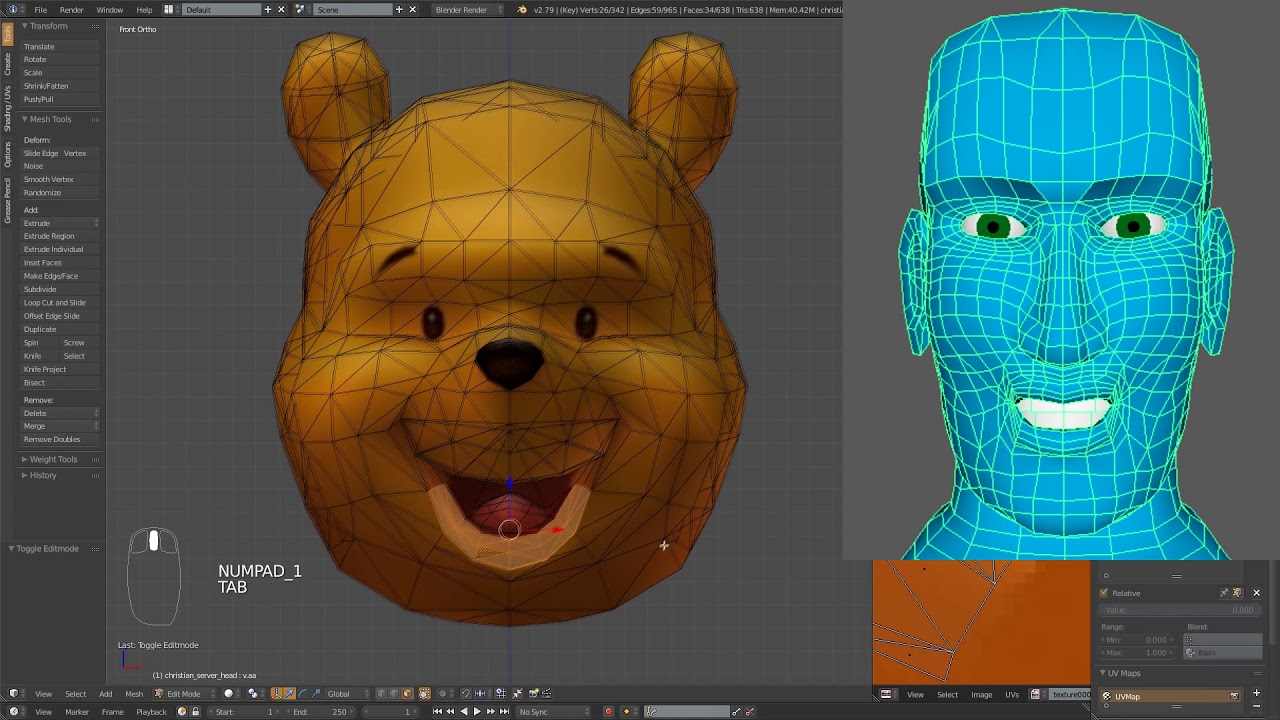
This should work but I tried it on my avatar but it doesn't seem to be working for some reason.
I've seen that tutorial already, that guy uses the viseme blend shape method... I'm looking for a tutorial where someone uses any other lip sync option besides that one...
It's a pretty helpful video though. Very informative.
crisp tendon
For jaw flap bone you just need a jaw bone
fading verge
Alright
eternal blade
I can't figure out how to bake ambient occlusion in the current version of blender
the tutorial I watched is from 2015


 fading verge
Could someone help me out with this? I'm trying to have the two tube portions stick together, each half has their own bones.
I've got the bases for each portion to stick to their respective anchor points but not to each other yet.
crisp tendon
What do you want to achieve ?
If you don't want one of the tube main face to move, select the most further edge loop and give it the lowest amount of bone weight you can
for both bones
fading verge
I want the tube to be one cohesive part when flexing.
crisp tendon
yeah so the "connected" vertices need to have the same weight paint
fading verge
Am I doing it right, @crisp tendon ?
crisp tendon
yeah, the ones from the cylinder above should have the same
crisp tendon
Did you also apply those same weights for the other mesh pieces on each bone ?
the bottom piece also needs to be weight painted to the top bone
and reverse
@fading verge