#avatar-rigging
1 messages · Page 156 of 1
 fringe citrus
that's gonna add a bit of down pointing to the corner that's formed
Without CATs? I haven't done it manually since blender 2.79
Should be a command though
 opal river
ya, I don't wanna rely on cats
opal river
there is a command apply pose as rest pose, but when I do that in pose mode the armature will be in the T pose but the mesh won't
opal river
yeah
fringe citrus
ok able to undo to before applying as rest pose?
opal river
yup
opal river
yeah
fringe citrus
alright go into your modifiers and find armature modifier
fringe citrus
Yeah you can apply a new basis as a shapekey
 turbid spear
separate the head from the body and delete the shape keys on the body
opal river
oh, okay
fringe citrus
or I mean a new shapekey as bases but it should keep the old ones
opal river
okay, so go on, sorry for interrupting
fringe citrus
it's alright, so apply as shapekey for your armature modifier
opal river
okay
fringe citrus
ok now do the F3 -> apply as rest pose as before
opal river
it went into A pose after I applied as shape key, is that normal?
fringe citrus
Yeah
Now it's living in an unapplied shapekey
Ok got the apply as rest pose on the armature set?
opal river
yeah
fringe citrus
ok find the shapekey that was created by applying the armature modifier as shapekey
opal river
got it
fringe citrus
and click the little dark down triangle thing
and "apply selected shapekey to basis"
opal river
okay, that worked
fringe citrus
You've lost your armature modifier now though
so gotta remake that
so add a new armature modifier on your body mesh
opal river
yup, got it
turbid spear
That actually sounds like a pretty elegant solution
fringe citrus
test it out in pose mode again to make sure it moves with it
opal river
yup, it works
fringe citrus
I mean it's what CATs does, I remember because I used to do it that way in 2.79 before cats implemented it
opal river
and so how does that help with the shoulder sagging?
fringe citrus
Hotox actually added the apply as rest pose after I found a workaround for a bug that caused the mesh to revert
opal river
also I straightened out the whole arm https://i.imgur.com/64uYmxA.png is that right?
 fringe citrus
Yeah that looks good, you have a tiny backwards bend in the elbow?
turbid spear
Why are you putting it into a tpose anyway
 fringe citrus
Can you press Num7 and show the arm just in case?
opal river
well maybe more than a bit I guess
fringe citrus
ah yeah you were ahead of me hehe
Yeah that should be good
You can check yourself but in every case I've seen, when an A-pose model get's Tposed into the humanoid rig configuration (you can look by clicking configure) the shoulder bones are pointing down a bit
When it started in tpose it mostly keeps the your original bone orientations
opal river
ah, okay
good to know, thanks
so I guess I should do retopo in A pose, but rigging in T pose?
fringe citrus
it's gonna stick it in tpose anyway, this way you're setting it up near the result so less is left up to unity doing it
Well if it's not rigged gonna be harder to switch the pose
fringe citrus
It'll be easier to get a nice curve on the shoulder if you're modeling in A pose maybe. So yeah maybe model and rig in A-pose, but once the rigging is done, stick it in Tpose for using in vrc
only really need to do it if you have shoulder sagging issues
opal river
okay
fringe citrus
going Apose to Tpose will making the shoulder end up higher, for some models depending on how the shoulder mesh sits on the bone, Apose to Tpose could make the shoulder look up too high like shrugging or something
so only need to do it to fix the problem if you have it
fringe citrus
yeah sure no problem, also before you copy into unity
go with your old import and check the pose in humanoid rig configure and take a screenshot
then compare after you put the tposed one in
paying attention to shoulders
opal river
okay
fringe citrus
I'd be interested to see how it looks with your model if you don't mind posting here too
fringe citrus
it's been my experience, but I always want more data points for testing stuff out 😁
opal river
 opal river
 fringe citrus
but the mesh looks better
fringe citrus
oh hmm, I see the bones lower in the mesh though
 fringe citrus
Hmm yeah doesn't look as different before and after as it usually looks for me, well whenever you can test in fbt let me know if it fixes it for you if you don't mind
opal river
well I don't have fbt
fringe citrus
oh I see, I guess then in 3point vr
opal river
yeah, can jump into vrc in a sec once my boss is done talking...
fringe citrus
haha, wow don't get fired 😅
opal river
work from home
fringe citrus
ah nice
yeah in your case I didn't test for 3point, this is a fix that seems to work in fbt, so I'm even more interested in your results
oh also, just in case because we did apply a new basis, if you're waiting to get in vr, might be good to scroll through your old shapekeys just to make sure they didn't decide to go crazy
opal river
kay, gonna jump in game now, one minute
fringe citrus
ok cool
fringe citrus
ah nice
opal river
I've learned from my mistakes of messing around with shape keys so I usually check everything when I did any changes
fringe citrus
Hehe yeah me too. "Damn how many saves ago did I last check.... 30? .... 😭 "
opal river
wish you could check the version of the avatar in game, it's annoying having to change the upload image every time to make sure I can tell if I'm using the new version in game
 fervent hornet
Just change the name slightly?
opal river
guess the servers are being slow to refresh again today
I don't wanna have 10 different avatars in my list
fervent hornet
"Avatar 1" "Avatar 2" ect
fringe citrus
Just detach pipeline manage thing
yeah and reupload as a new one
ah yeah if you don't want many though then it does clutter it up
fervent hornet
Just overwrite it with a small change to the name so you know it's the updated version. Having a bunch of versions just gets annoying imo
opal river
mh
fringe citrus
I have like 30 different broken copies of my avatar just for filming this newer tutorial I've been trying to make
fringe citrus
 worldly willow
vrchat just needs a separate VR avatar viewer to test the model properly before uploading
as in-game and in unity tends to differ
has only been suggested 500 x since i started playing
opal river
ok so I don't think I notice any difference in teh shoulder slouching
worldly willow
😄
opal river


does this look like the heroic pose? I cna't really tell
what I notice is that when I stop walking the whole pelvis area tends to tip backwards a bit as well as the neck
like as if it's straightening out the whole spine area
worldly willow
yea .. that is not really fixable (it is the IK doing that
fringe citrus
that's likely because your hips aren't right above your thighs, but not totally sure. I don't do enough testing in 3point
opal river
 fringe citrus
and yeah if you're not in fbt then the heroic pose stuff matters a lot less. Might as well look stylish 😎
your stomach etc isn't gonna match with your real one anyway in that case
opal river
okay, well I wanna get fbt at some point so I'd rather learn how to do it "right" from the start
fringe citrus
Now I'm curious if your shoulder sag was caused by something else, because your bones didn't really look so bad in your "before" humanoid config thing
I can say that in fbt these are my test results exactly https://cdn.discordapp.com/attachments/390924372782612480/679312997457330215/unknown.png

same as from above
Are your arms too short for you in vr?
opal river
yeah mine looks basically like the above one
actually too long I think
if I stretch out my arms IRL they are still slightly bent in game
fringe citrus
Huh yeah that sounds like the default scaling if you use your real user real height
can you show a screenshot of your saggy shoulders in a mirror or something?
 fringe citrus
Hmm yeah kinda rounded off, the only other thing I knew of that caused that is if your vr arms are too short so they get really yanked down when you rest your arms
your bones might be a little long, like the joint position in kinda close to the center, but that means you'd have to redo some rigging
a more easier fix is, that you can actually just force them to be higher
but you do it in unity rig config
so you'll have to redo every import
opal river
okay correction, if I stretch an arm out straight ahead of me it looks like it's almost the exact same length in game
fringe citrus
you could try increasing the user real height value to grow the vr world
and see if that fixes the shoulder sag
also play in "seated mode"
but toggle out then in when you're at a comfortable standing height
so it basically resets your standing height
opal river
https://i.imgur.com/dxZT2pI.png with just my arm straight not using my shoulder
 fringe citrus
do you still get shoulder sag though with your vr arms too long like that?
opal river
from what I can tell yes
fringe citrus
(while playing in seated mode that was toggled in at your normal standing height)
opal river
oh, didn't try that yet
fringe citrus
it could be targeting your real height to be taller and putting the avatar too high so your arms pull it down
though tbh I haven't played much in 3point in years
but back then I used to use seated mode to reset my standing height and always just play in seated even when standing
opal river
is it normal that if I'm standing and togglign between seated and standing that the knees get more bent in seated mode which actually looks more correct than the straightened out legs in standing mode?
fringe citrus
yeah if your proportions are good
worldly willow
try to make the armature like this red is what i edited)
fringe citrus
you can actually sort of calibrate for your standing height like that
was gonna say, if want to force the shoulders higher, here's how:
rotate your bones like that in humanoid config
but this is more of a rig hack
and inconvenient to keep setting up
if you wanna try something kind of cool I can show you how I used to calibrate my leg proportions back before I had full body
opal river
that's a bit too much info right now
fringe citrus
or I mean calibrate legs for any avatar,
I mean it's just playing with user real height and seated mode toggle
not actually editing your avatar
opal river
okay
fringe citrus
ok so if it's not too much info, start out toggled into seated mode at your normal standing height
and see if you can reach the floor
or if it lines up with the real floor
opal river
https://i.imgur.com/EwoEjy0.jpg @worldly willow could you show me here what exactly you mean? the unity rig is confusing for me to look at
fringe citrus
(will always be playing in seated mode, only using standing mode to swap for re-toggling seated mode)
fringe citrus
if the floor is too far to reach, then decrease user real height and retoggle seated mode while standing at normal height
repeat until the floor is at just the right height
that's step one (only one more step after)
(this might result in arms too short if your avatar proportions are off, but still might be a cool experience for your leg presence if you've never felt it
)
opal river
yeah I can reach the floor now
fringe citrus
ok and lines up pretty well?
opal river
yeah
fringe citrus
oh btw do you have toes mapped in your rig?
opal river
yeah
fringe citrus
ok cool yeah need it for this
so yeah
looking in a mirror stand flat and then go on tiptoes a bit
see if your avatars toes do the same
opal river
yep, it does
opal river
yup
fringe citrus
ah awesome, then you're good to go already, step two if you needed it was to stand normally but to hold your menu slightly up or down as you continue to retoggle seated mode forcing the toggle point to be slightly higher or lower as you look up or down
because looking up makes the hmd move up a little
opal river
okay
fringe citrus
when you find the exact angle that's right to hold head at when toggling you can hold your menu in that position and look at it and will get your hmd to be with sub centimeter accuracy of your best height
like if the knees seem to be locking too much you look up when you retoggle
opal river
and so I should just play in seated mode from now on?
opal river
okay
fringe citrus
the retoggle of seated is kinda similar to how full body users bind it their body
but yeah play around dancing around a little in the mirror
going on tiptoes and bending knees a bit
might give more leg presence than you've had before
(also floor matching is a bonus)
opal river
ok so different question
if I have my rest pose be a T pose like that, when I put it into unity and go to hte rig configurator, should it recognize it as T pose without me enforcing the T pose?
 fringe citrus
yeah that's because the arm is bent forward a little too much
as long as the elbow mathematically points back you're good
even if it's barely visible
here's mine:
opal river
okay, that's a lot more subtle than mine
fringe citrus
they're pointing back to be sure, but hard to see
opal river
so that might be it for the lower arm
fringe citrus
Also if you do this to force your shoulders up, the shoulders will go red:
but you can ignore if you wanna force shoulders up
it'll work, I used it before on a WoW orc model
opal river
okay
fringe citrus
with huge shoulders that needed to stay up or I looked like a rounded carrot or something
opal river
okay yeah it was my elbows being too bent that made the lower arm go red
now it's just asfew finger bones that are red
not gonna bother with those now tho
gonna start working on the next version soon anyways, just wanted to learn as much as I can from this one
fringe citrus
yeah it's interesting that you couldn't fix shoulder sag that way, I've got a bunch of examples of it fixing it for fbt
At least you can apply a new rest pose now though without CATs if you need to I guess
😁
opal river
yeah, thanks
I just don't like relying on a dozen tools without knowing what they're actually doing
once I know what is happening I don't mind using them, but I don't wanna blindly trust some random addon or tool
fringe citrus
Yeah I totally understand, I used to do it without the tool and I almost completely forgot how
opal river
maybe my shoulder sag comes from bad weight painting or rigging?
fringe citrus
Well it's more work to mess with, but if it were me I'd probably shorten the shoulders
so have the pivot further out from the center of the body

 fringe citrus
you could try just moving the bones without changing weights and seeing if you get an improvment
then do the effort of weight cleanup if it seems like they're moving more nicely
opal river
https://i.imgur.com/KQJRs4D.png more like this?
 fringe citrus
mine are here:
hmm
actually looking more at it
your shoulders are kinda down already
even just being in tpose
fringe citrus
opal river
 fringe citrus
fringe citrus
fringe citrus
a little, but our avatars are in different styles
opal river
yeah
but yeah, I guess the whole shoulder and arms should be a bit higher up
guess I should've looked at more reference
and I should probably only use the A pose to get the proportions right and then when I join everything together before doing retopo put it into T pose
to make sure everything lines up
well, lessons learned
thanks again so much, gonna work on my mask now for a bit and then start with the next avatar
fringe citrus
ah ok, was gonna say now that you know how to play in pose mode, you can fix stuff that way without needing to redo the modelling so much
get some mileage out of all your rigging work
for example:
opal river
mhm
fringe citrus
that was rotate shoulders up, with inherit rotation turned off on arms
then apply pose and rest
then edit bone position in edit mode to bring up the base of the shoulders so it's in line again
would need some weight cleaning for new pivot point but maybe not so much
opal river
yeah I don't really feel like messing around too much with that
I rather do it on a blank slate
fringe citrus
Yeah I can understand that, though you could also just get what you have into a nicer position then use that for a reference for your next model
 fickle dawn
Gonna Make An Epic Supergirl In VRChat With Full Body Tracking and my flying cube
fringe citrus
Here's an example between my default pose and what it looks like yours ended up with to see how much angle difference you seem to have if you need a reference @opal river
anyway good luck 😁 👍
fringe citrus
Yeah but because it's rigged you can fix your mesh more easily than using other modeling tools like proportional editing or going back and resculpting or making new polys from scratch if you do the poly modeling method instead of retopo a sculpt
or whatever method you'd normally use to make a nice mesh
like just because your mesh is a little off, if the rigging is good, you've basically got a posable doll figure thing, and you can do some final tweaks using your armature
if you make a lot of changes you might run into issues with topology resolution where you've pinched or stretched a lot with bone rotations
but I think your shoulders should be pretty fixable and not really require redoing from scratch or anything
opal river
okay... maybe I'll try it when I'm feeling less lazy
right now I'm trying to figure out what my workflow should look like in the future...
I'm doing the sculpting + retopo workflow
fringe citrus
I'd say if anything it's worth playing around with at least to help you understand what positions work nicely for your next model
opal river
mh
fringe citrus
I'm bad at sculpting personally and just use the poly extrude method looking at references
 sleek isle
But if you have the shoulder that up angle it stay like that in desktop mode.. each plateform work differently
fringe citrus
I need to practice sculpting more
opal river
why do we use A pose specifically again? so we get better topology in the shoulders when doing the retopo/modeling?
fringe citrus
yeah, the rig back of making shoulders go up in the humanoid rig config will screw with other IK methods
Easier to get nice curve on shoulders, like you can make it compress nicely into an appropriate shape with tweaking your weights as you test Tposeed arms when rigging
but yeah harder to think ahead about what topolgy you'd need for the shoulder contour when your arm is down and you'd basically build your normal shoulder contour all in weight painting while you have arms posed down
you could do it either way though
it's like knees
and usually you'd model them with legs mostly straight
and deal with the curve in weight painting
so can do that with shoulders too, just thinking ahead about higher res topo there
so really just either way
maybe practicing both would get skills up? 🤷
opal river
well I'm just thinking it would be easier to get the arm, hand and fingers straight in T pose
fringe citrus
Yeah for sure, extruding polys is nicer that way too
opal river
yeah
so I guess I should sculpt all the limbs detached in A pose to get the proportions right, put everything in T pose and merge it together to clean up the transitions, and then do retopo
fringe citrus
oh I had a typo way above @sleek isle rig hack* not rig back
opal river
and just have to think ahead that I need more topology in the shoulders
fringe citrus
tbh I don't do enough of it give advice on best workflow
opal river
rig everything, put it in A pose and check if it deforms nicely and add topology if needed
fringe citrus
but I'd say get good with working with it in polys
so you don't feel like it's all lost once you've done your retopo from the sculpt
like I see my body mesh as nothing set in stone
I'll keep messing with it if I see anything I don't like, because why not?
opal river
yeah, I'm just trying to find the least destructive workflow
so if something needs changing somewhere down the line it's easy to change
fringe citrus
Yeah thinking about over time how your ideal topology will deviate from how you set it out at first retopo if you keep editing things
opal river
I guess I could also try to sculpt and retopo the hands separately and then join them up to the rest of the mesh in A pose
and retopo the body in A pose
fringe citrus
But like just get good at adding more topology resolution and fixing/avoiding the resulting uv troubles etc
opal river
yeah topology manipulation still gives me knots in my brain
for some reason i'm just bad at rearranging the topology, playing with poles and stuff
like, my brain just can't grasp it
fringe citrus
using subdivide tools can keep uvs intact
ah yeah, well if you want really beautiful topology, sure manage the poles and stuff
I have some nasty poles on my mesh
well not nasty
but not that pretty either, but I don't use my normals for smooth lighting so I don't have to worry about it standing out
like you only really need to worry so much if you have some nice glossy or very smooth shaded surface that's really gonna show minor topology flaws
but good to get good at I guess
my socks are decimated and I just go with that hehe
opal river
yeah
fringe citrus
only way to keep cloth sim uvs totally intact
opal river
yeah I guess the take away from this model is to test everything more in game once the rigging is done so I can spot possible issues early
while I can still easily manipulate the topology
fringe citrus
I love vrc for that instant gratification for testing and trying stuff
so motivating to mess around with something and actually have people to show minutes after it's done
and get instant feedback from other people who have been doing the same kind of thing
opal river
ya
sleek isle
Shoulder shoulder. Always fun https://gyazo.com/c1482a5ac87c4a9744fa3622b92b468a but when it work. Feel good. (Repost from earlier)
opal river
https://i.redd.it/mwv1bsadbnh41.png I feel attacked

 manic marsh
oh god they aint even facing the right direction :notlikethis:
 grave mantle
stealing that meme Szena
 tardy talon
 tawny silo
well first of all they are child of the mesh
 dense widget
fun fact: Rigging is not that hard when you learn the basics
tawny silo
Blender is Free and Open Source Software
The character Rig will be freely available next week on https://cloud.blender.org
Download: https://blender.org/download
Support core Blender development - https://fund.blender.org
--
This tutorial is part of the Blender Fundamentals ...
fervent hornet
Rigging only gets complicated when Final IK and non humanoids get involved. Otherwise it just takes a while.
Rigging only gets complicated when Final IK and non humanoids get involved. Otherwise it just takes a while.
Rigging only gets complicated when Final IK and non humanoids get involved. Otherwise it just takes a while.
 bold locust
Posted when Discord spazzed, I assume.
 crystal vector
@fringe citrus @opal river Hahaha I just read your conversation about applying the tpose as rest pose without using cats but in the end you still used cats 😆 👌
That "Apply selected shapekey as Basis" is a function added by Cats as well, it's just not that obvious to see.
If you want to do it completely without cats, here is how: https://nixart.wordpress.com/2013/03/28/modifying-the-rest-pose-in-blender/
 vernal onyx
Rigging is relatively simple, but weight painting is the real pain
Specifically when anatomy is involved. It requires you to actually know something about how the body functions. Shoulders are the worst, imo
 crisp tendon
Weight painting is only as hard as how bad your topology is tbh
crisp tendon
Did you try rotating your hip tracker
crisp tendon
make sure the armature is symmetrical and that all transforms/bone rolls are applied
crisp tendon
ah, also your neck bone is too far away from chest
you have symmetrize tools in blender, and in edit mode when you select all bones you can do "Clear Rolls"
in object mode with everything selected do ctrl + a and apply all transforms
 fading verge
Okay il try
opal river
@crystal vector I didn't use cats oO oh I didn't know that
thanks for the link
so how exactly does cats apply the rest pose then? cause I already had shape keys on the mesh so I couldn't just apply the armature modifier
ah, wait... there is an "apply > pose as rest pose"... nevermind, I just woke up so ignore me
fading verge
Cats keeps removing my weight painted bones
Even when i dont have any boxes selected
 remote barn
@fringe citrus extremely late response to what you said yesterday morning to me but there is definitely something different about arm and shoulder rotation within the open beta compared to live release. I went into both builds with the same exact model and noticed VAST improvements on my end, not just from other people and networked IK, although I'm aware of the huge improvements networked IK has as well in the beta build
fading verge
@crisp tendon what exactly do you mean by symmetrize tools i cant find
okay; so basically I'm working on a general grievous avatar
anyone got any ideas on how I can make him good for vrchat?
worldly willow
found this as a good reference image (when rigging ,the top arms seem to be like wings (attached to the chest bone or shoulder bones) (maybe FIK can make you move them together with the regular arms)
@fading verge
fading verge
thanks Neko
I was actually thinking about putting the back arm stuff together with the front arms by parenting them
fading verge
he's fixed
 steady spruce
Look here look listen
 wild owl
hiya does anyone how to fix this, ive had it for ages and never bothered fixing it cuz i didnt know how, how should hip and leg bones ideally look like ? @_@ thanku in advance
nevermind, figured out i just have to flip the hip bone upside down @_@ big bwain
fervent hornet
VRChat
VRChat supports additional tracking points using the HTC Vive Trackers. These work with the Lighthouse ecosystem to permit these two additional modes of motion capture: Four-Point (4PT): Tracking headset, two controllers, and one hip trackerSix-Point (6PT): Tracking headset, ...
The docs should be followed regardless of FBT tracking as that's how the devs have the IK set up for ideally
 native shuttle
does anyone have a good fbx of a male body type of bones that will work with full body

 drowsy wharf
camera clip distance in the sidebar
native shuttle
can you show me where is that @drowsy wharf
drowsy wharf
which blender version?
native shuttle
2.8
drowsy wharf
can't help you more then
native shuttle
🤔
drowsy wharf
SUPPORT THESE TUTORIALS https://www.patreon.com/cg_matter
MY WEBSITE https://www.cgmatter.com
In this tutorial we go over how to prevent object clipping in blender. We do this by controlling our start clip and end clip distances.
Step 1:
Click n and open up the view options
...
crisp tendon
Or press . on numpad
 bronze fern
or just dont work with microscopic models
turbid spear
Slide the near plane to 0.0001 and apply as startup file smh
sleek isle
what about now. repost down . sec
turbid spear
I like 2 ears most
sleek isle
didnt see the ears go distort when I move it so here another one
crisp tendon
What is different from 1 and 2 ?
turbid spear
Pretty hard to tell the difference honestly, but I'll say 2
My guess is head size
At least between 2 and 3
native shuttle

how can i fix the ball from connecting correctly? right now the bottom ball wants to connect to the upper ball when its suppose to be the upper ball from the bottom bone connect to the upper bones bottom ball
if you get what im saying
sleek isle
parent that one to that one
native shuttle
bone heat weighting failed to find solution for one or more bones how can i solve that error without messing up my model?
worldly willow
manually doing the weightpaint
sleek isle
crisp tendon
2
sleek isle
that was fast
crisp tendon
1 head size is too big
 boreal oasis
2
sleek isle
I keep making the head smaller and smaller
the more the body is proportional the more the head feel off
let me put the original one beside 2
crisp tendon
ye v4 is nice
 orchid ruin
I like v4
Think what's kinda off is not the head but the shoulders I feel like they are too square (opinion of someone that does not know how to 3d model)
manic marsh
V1 was legs for daaays
crisp tendon
shoulders are very square when looking at female anatomy it seems
orchid ruin
In female anatomy the shoulders are normally the same size or smaller than the hips and I think they look a little too big
crisp tendon
oh that's just the anime proportions lol
native shuttle
can one just have 1 shapekey for a visemei? like just a ah every time the person talks? also can anyone link me a video how to create visemes for models with no jaw bones
worldly willow
@sleek isle this may help 🙂
@native shuttle set it to jaw blend shape instead of visemes
worldly willow
you still need to have a shape key made yea
native shuttle
can you link me to a video where a person explains how to do viseme shape keys with no jaw bones?
worldly willow

How to make blend shape keys in Blender on an existing MMD model, use this in conjuction with the website - https://docs.google.com/document/d/1W5KFa_aszCMrJaFD8mb9a-GHYO4X4S9M63GjM4UwuEw/pub to make your own mouth shapes and you too can have a talking mmd model.
native shuttle
thank you
drowsy wharf
if you set up a jaw bone you can technically just use "jaw flap" setting and have your jawbone defined in the humanoid rig. No viseme needed...though it'll just be flapping up and down as the name states
but honestly if you set up a jaw bone, you might as well make the 3 shapes CATS needs and let it autofill anyway
 teal badge
You can probably make the head a bit bigger on that model and strike a good balance between 4 and 1
sleek isle
The ik rotate the shoulder bone down am foword and have less sqeeze in fbt inthis position
worldly willow
someone can tell me how i can merge twist bones to regular bones without getting the weightpainting messed up ( for instance having part of the arm stuck in place etc)
so many biped humanoid rigged models i have that are a no go thanks to these bones
fervent hornet
You should merge the twist bones to their parents via CATs
worldly willow
tried ... does not fix the weightpaint at all so the spot that has the twist bone is just stuck in place when you move the limb
fervent hornet
Then the model was bad from the start or you merged it wrong. You can always merge to active if the parenting scheme is incorrect
Worst case you can just ignore the twist bones as the model should work with them involved
sleek isle
Maybe tge bone was parent to the wrong one. That happen with rip stuff
native shuttle
so i made eyelid bones and weight painted the eye lids so that they can create a open close thing, how do i make it a shape key? im lost
remote barn
@native shuttle I'm pretty sure you can pose the bones to whatever you want and then in CATS click "Pose to Shape Key" button that sits at the top and of the CATS panel and do it that way
remote barn
What's the error?
crisp tendon
Why is your arm raised for an eyelid shapekey
crisp tendon
Yeah, that's not a good way to make shapekeys
you should make a copy of your basis shapekey, then edit that into what you need
native shuttle
cant i press the plus for a new shape key or does it have to be a copy of the basis @crisp tendon
crisp tendon
you can also do that if your model is correctly posed
native shuttle
does the mesh have to be together or do i have to combined meshes then create the basis shape key and then create a new shape key @crisp tendon
crisp tendon
No, only do shapekeys on the face/head mesh if you can
But you should merge everything before export
once you've made all shapekeys
native shuttle
ok i did it now im in edit mode what do i do now @crisp tendon
crisp tendon
make your shapekey
native shuttle
how
crisp tendon
edit the mesh ??
native shuttle
but ive got bones that make his eyes close already
crisp tendon
then undo all the poses you have and do what Generic suggested earlier
If you have errors with cats then https://discord.gg/zq7tue
drowsy wharf
@native shuttle if you're using CATS, you can just click "start pose mode" pose the avatar into the pose you want and click "pose to shape key"
Just be aware, anything you edit in pose mode will also be added to this shape key.
So if you're testing weights, remember to stop and re start pose mode before making new shape keys this way. (or select all bones and hit Alt+R, Alt+G, Alt+S to reset rotation, position, and scale)
You should also check to make sure CATS is updated in the "Settings & Updates" section
 glacial tide
Is there a way to properly rig a character wearing clothes where they don't have a body mesh underneath the clothes? Also multiple layers of clothes? I'm struggling here it just ends up being a mess xD
worldly willow
just rig as if there is a body under it
@glacial tide
only the weightpaint might be trickier
 glass panther
Rigging an Animal Crossing character would still require to atleast map the finger/feet bones to work in vrchat im assuming? Since the characters have stubby arms and feet.
turbid spear
Yeah, but you can have empty bones for that
As in that aren't painted to anything, just parented
 warped solstice
I need a mod to help me with this or just someone that will be able to help me with it
@crude magnet could you possibly help me with this issue?
 crude magnet
No
crude magnet
¯_(ツ)_/¯
warped solstice
maybe Ruuubick?
crisp tendon
You have two models in your scene, the other one could be preventing upload
warped solstice
@crisp tendon which one would i need to delete?
crisp tendon
disable the one you don't want to upload
warped solstice
this better? Also can i just start a video call with you to make this easier?
hello?
crisp tendon
nope just upload your model lol
warped solstice
lel now it works XD
also im glad unity finally works for me now
now what do i need to select in the File Explorer popup when i try to publish and upload the avatar?
@crisp tendon
crisp tendon
your scene file
turbid spear
It's just asking you to save your scene because it's not saved
warped solstice
oh lel XD
crisp tendon
Vitrius man is literally the perfection, that's aiming very high 
fading verge
I should be able to export a model from Maya with rigging to Unity right?
sleek isle
I wanted to see how my edit was with that ratio and it was exactly the same
fading verge
Do I need any skin weight at all?
Or how do I get the entire model to stop distorting when I move limbs, I'd prefer for nothing to deform since it's not supposed to
sleek isle
weightpaint
fading verge
Ah okay, thx
Can I rig just in unity or do I need to use blender or maya or something
oh, nvm, I have to use blender
Rigging sure seems like a nightmare
fading verge
Maybe someday I'll see it that way but this is hell right now
I mean he LITERALLY can not have a spine
I've been on this for hours
fringe citrus
@opal river Figured out why your shoulders worked but usually shoulders sag in A-pose. When enforcing the T-pose in unity, the arms are straightened but shoulders retain (seems like) exactly their original orientation. So if for example, the A-pose had shoulders down by 15 degrees and arms down by an additional 30 degrees to get a gradual 45 degree slope, the arms will be straigtened but the shoulders retain the 15 degree down slope. Thus the saggy shoulders. Your model however had shoulder bones already exactly straight, so when unity slapped the T-pose on and straightened the arms and left the shoulders alone it actually ended up good. (aside from the rigging position we talked about) But that's why nothing changed when going T-pose for you.
This angle remains the same:
opal river
ah, that's good to know
side question, how does the "math" between this vitruvian man thing work? the center of the square is where the crotch should be, and the center of the circle at the belly button?
can't seem to find a proper explanation on google
and I get that those are "ideal" realistic proportions, but I guess you can use those to then play around and morph them into something more stylized right? like making the legs a bit longer while shortening the torso a bit and similar?
 brittle jacinth
volume weighting?
fringe citrus
@opal river this section on wikipedia has a translation of the text above and below that describes the proportions* removed link due to embedding and the um... anatomical parts in the image shown
just look under "Translation_of_the_text" on wikipedia: Vitruvian Man
opal river
@fringe citrus thanks, I watched a video that translated the text and I've kinda known most of these meassurements, but I meant more if there's some specific mathematic relation between the size of the square and circle
also I noticed that a lot of anime styled models on sketchfab for instance don't fit even close in that square, their arms are always like at least one hand length too short
which I guess comes from just making the legs longer without making the torso shorter when playing with proportions?
no wait, then they'd be even shorter
fringe citrus
Or just the legs longer in general
yeah if you make everything fit but ignore the legs, and let them hang out too far there's a decent change that the navel and crotch will be sort of ok when the arms line up
and the legs would hang out the bottom of everything
if you just tried fixing the arms, the navel and crotch would be too high usually I think
opal river
yeah
fringe citrus
so it's the legs that are long, not arms too short... well I mean it's varying amounts of both
opal river
the hands would like reach down to your knees then
fringe citrus
but mostly legs usually I think
opal river
yeah, "TDA legs"
so I guess for my style I don't wanna play with the length as much and rather with the thickness to still be proportionally realistic for the most parts
ie thicker thighs and slimmer torso ot balance it out
or bigger bust and slimmer legs
fringe citrus
Yeah or if you want the legs to look a bit "longer" you can slim the legs too
opal river
yeah
guess I learned something I've only "felt" subconsciously so far
guess that'd also explain why all my concepts looked very off when I tried to give them thicker thighs and make the legs longer/torso shorter
fringe citrus
Wacky proportions though can let you escape the uncanny valley on the stylized side though
fixing it might land up back in uncanny
opal river
yeah, if you actually commit to the super stylized part
and not do it half assed like I tried
trying to keep some things realistic but over accentuate other parts
well, yay for learning something
your whole "think of the avatar as a costume" advice actually really helped a lot to see things in a different light when modeling
it makes sense to play with the proportions a lot more if it's not meant to be "worn" I guess, otherwise I think it can feel really off when playing in it
fringe citrus
Glad if I helped 😁 yeah if you don't mind it feeling like a mascot suit too you can go really crazy with proportions
nothing wrong with that and tons of fun to be had. but the immersion of fitting well in FBT is really awesome too
opal river
yeah
and I want the model to be as immersive as possible for me
right now I'm just modeling for myself
for... various reasons
anyways, now I just gotta find the motivation to start practicing sculpting again >_>
fringe citrus
Yeah I thought your model looked really cool. Hope you don't throw it all away from the shoulder issues
opal river
wanna find my style of head/face that I'm happy with
well there's many other issues so I'm really only using her in private worlds with friends
I learned a lot from her, so now I want to move on and apply what I learned from my mistakes on the next iteration
fringe citrus
Best of luck. I should really do that more. I keep drilling down on old stuff trying to improve it rather than start over. Have lots of hold-over stuff. My head itself is still from and MMD source because I couldn't make an anime style I was happy with. I want to get around to redoing it though
I've got some ideas for how it should look, I need to buckle down and draw it rather than try without making a concept art first...
opal river
ya
fringe citrus
But so many other projects and I'm used to it now too
opal river
sadly I'm not very good at drawing so I'll rather try and sculpt it
fringe citrus
Body is easy to redo and not feel like you're not "who you've been" or whatever
but new face would take getting used to
opal river
mhm
fringe citrus
Also put a ton of work in rigging the hair, then re-rigging when performance ratings came out for bone counts, then making the full set of visemes etc etc
much harder to make it work under bone counts on hair
opal river
I've never been happy with the faces I made, 2d or 3d, so I wanna focus on that right now
but it's kinda tough getting started again right now
fringe citrus
I should try sculpting. So far I've been doing poly extrude, connect etc with subdivision to give it an organic softness
opal river
I can't do poly modeling from thin air
fringe citrus
@fading verge Oh btw I have some suggestions for you, I might have missed some stuff here:
I feel the poly modeling is easier to tweak by grabbing individual vertices and seeing how it changes the subdivided results
fading verge
This whole rigging process has been a nightmare
fringe citrus
You have a really unique model. Really nice meta-verse vibe
but yeah hard to rig that
fading verge
Thanks! It's from a game called the eastern mind
fringe citrus
So I suggest you make the first joint in the "arms" the shoulders
fading verge
I see
fringe citrus
because otherwise the circle part is gonna collapse like a wet donut when you move your arms
fading verge
Well that's the other problem, it's not supposed to deform at all
None of it should, which is why I rigged it in Maya and fixed all the weight paint
fringe citrus
oh, in that case, make the entire spine chain really tiny and in the middle somewhere
fading verge
Ohh
fringe citrus
weight everything to the hips or spine or whichever ends up working best for IK
then have the neck on the top ball, and head on the top large ring
because the tiny spine chain inside isn't gonna be able to move around very much with really short bones it shouldn't drag stuff around too much
fading verge
I see
fringe citrus
you have advantage of separated meshes at the neck and head too
so no need to worry about crazy tearing
fading verge
True
fringe citrus
careful how tiny or messed up you make it though, the IK is gonna freak out probably
fading verge
Let me find the skeleton I made in Maya, it was a lot simpler
fringe citrus
it'll be a balancing act, but in general I suggest basically negating all the armature motion in that area by making the bones really small and weighting to only one of them
fading verge
Nooooo
When I open the file the rig breaks
I'm about to just pay someone to rig this, It's so frustrating
 keen mortar
Sorry to interrupt the ongoing discussion - Is bad looking crouching usually a rig problem, weight issue or just a 'short legs' thing?
crisp tendon
More of a leg size problem in this case
keen mortar
If that's the case I'll probably just leave it like this then
fading verge
Do I need a spine? Can I just manually add joints like this
Does labelling joints actually do anything or is it just a name
turbid spear
You need to make a unity humanoid
fading verge
When will this nightmare be over
turbid spear
So all the animations would work as expected
fading verge
Well I don't really need animations
turbid spear
Well what do you need
fading verge
Just want to use it in VR
turbid spear
If you need a constant tpose with no movement then it's done
fading verge
O
turbid spear
If you want to be able to move the arms then it's not
fading verge
Even in VR?
turbid spear
Especially in vr
fading verge
Ouch
turbid spear
You don't need much tho
fading verge
So I need a skeleton?
turbid spear
Look in this channel's pins
fading verge
Oh okay
turbid spear
You'll get the bones you need in an image
Not more, not less
All the bones that would be missing (like extra fingers) you would need to add dummy bones for (not weighted to anything but still parented to hand)
The names matter if you want eyes to blink and so on
turbid spear
And if you want unity to fill in the bones automatically
turbid spear
It's not that hard but requires some experience
And because your avatar is non standard it's a bit more difficult
fading verge
Well I had a fully rigged one with a normal skeleton, horribly unoptimized but it seems to have worked
Yeah
fading verge
I made it for a high quality render, and for some reason I chose to use the same model for the avatar
I'd probably have to recreate the whole thing but not with so many polys
every part is high poly
turbid spear
Just decimate it a bit
For simple shapes it should do a fairly good job or do a retopology
Single it's a simple shape
fading verge
Maya has never been good for me, I always seem to have massive problems no one else has
I don't really care if it's badly unoptimized currently though
Does the spine need to be connected to the other joints though?\
turbid spear
It has to be parented but it doesn't have to be connected i think
fading verge
Oh okay
turbid spear
Same for all the bones
So you could cheat and make the spine empty and tiny and the whole middle torus thing the chest
or something like that
fading verge
maybe
fading verge
Figured it all out, just redid everything in maya
But I'm not sure how to make the rig humanoid
turbid spear
In unity, click the fbx and in the inspector click on rig, then change it from generic to humanoid. Click apply, then click configure
fading verge
Ohh okay, thank you
turbid spear
 fading verge
Hm
turbid spear
Click the fbx
fading verge
Oh whoops
turbid spear
the model file
And you need to move the viewpoint in the avatar descriptor for the viewpoint to be where you expect
Move it into your head by messing with the numbers
fading verge
OH
Okay

Am I somehow being stupid enough to select the wrong thing again?
OH
Nvm got it lol
Oh no
sleek isle
seem right proportion I think. there so much body type anyway. have to find the balance with it
crisp tendon
Looks right !
worldly willow
something i noticed ,the in-game neck bone is bit larger then proportionate ..seen a few of my own and others neck getting a bit stretched ..both fbt as non fbt models
not insane but it does make you think something is off
 umbral lichen
Any good points to take for full body to work? I don't have full body so i can't test them myself
sleek isle
Not having the legs too long.
umbral lichen
Is that all?
 mild stratus
You’ll have to make sure proportions are correct.
umbral lichen
As compared to a rig that works with full body or..?
mild stratus
Just compared to the average human. Which most human rigs should be based on.
mild stratus
A standard human rig should work.
umbral lichen
Oh
mild stratus
Or you could do your idea, if you decide to get full-body at some point
umbral lichen
I do want it, it's a matter of time and money
But i have to upgrade my vr first
But thankies, i'll have my friends test out the fullbody rig
mild stratus
K
 pine topaz
Avatar keeps sinking into the floor with full body, what is wrong?
Need help quickly.
please... help :(
pine topaz
yes but I do believe it's a rigging issue
it's not doing the crouching thing, but my hands stay above the floor
and my whole body sinks into the ground
 sweet tundra
oh
ive had that before
check the armature in unity
for the legs
it prob doesnt have ik
pine topaz
what??
pine topaz
what's the problem then?
sweet tundra
next to the humanoid thing hit configure
pine topaz
ok
sweet tundra
take a screenshot of the armature on the right
sweet tundra
pine topaz
wait
oh my
there's an "armature" bone set to hip
I fixed it
I'm so mad
reeeeeeeeeeeeee
sweet tundra
reupload it should be fine
sweet tundra
I have a piece of clothing i want to parent to a bones
the problem is, that its on the leg so i need it to also parent to the another bone
how would i do this
turbid spear
weight paint it to both using blender
 naive tree
@pine topaz your chest bone is most likely too big
https://cdn.discordapp.com/attachments/438185599363710977/665303156821065784/unknown.png is a pretty good bone structure

your leg/hips need to be in line
chest bone not too big
 stone trellis
Does anyone have any examples of bone placement in feet with high heels that works okay with full body? My rig has toe bones but I can ditch those if they're unnecessary
I'm under the impression that if I put the rotation point on the ankles of the model, the game will just consider my irl feet's positions at the time of calibrating and rotate based on that, as opposed to snapping the feet weirdly?
fervent hornet
Yeah the head of the foot should be at the ankle and it will work fine. Might be best to remove the toe bones since you cant really be tiptoes in high heels anyways
 warm pumice
for the VR Chat IK, is the rotation of the model bones important? or is it more important for the bone size ratios to be correct?
sleek isle
0
fervent hornet
Bone rolls can break things and cause candy-wrapper joints while bone size rations is very important for FBT tracking.
drowsy wharf
The rolls don't have to be zero, but they do all have to be the same. Zero is just easier, select all bones and Alt+R to reset to 0.
warm pumice
@fervent hornet @drowsy wharf Thanks, that explains a ton of the issues I was having before!
fading verge
hey, it low key annoys me that my instep doesn't bend when I walk. (because if you don't disable them on the rig you walk on your tip toes) Is it possible to put like a collider on the ground and enable collisions for the toe bones? would that work?
fading verge
could someone in call help me with a rig
turbid spear
try it and tell us
fading verge
ok

doing that
so i need a spine
but i dont know how to rig a spine to it
pls help
fading verge
unfortunately you rig the spine exactly how you think..this model will take a very VERY long time to paint weights.
 dry pollen
Any good tutorials on how to make an avatar from scratch?
I mean from modeling it to rigging to unity
turbid spear
Ask in #3d-modeling
 dense stump
did you put the avatar descriptor ball between the eyes?
fading verge
yes
dense stump
Strange
When u fixed the spine, did u do the thing where u replaced the old avatar in the project directly via naming it the same and saving over it?
Cuz that can cause strangeness. Usually more with animations
Other than that uh. Check ur shapekeys to make sure one isnt yeeting ur avatar
 cunning willow
Hey I this is classified as rigging but anyone know how to make a chain
opal river
so, I assume having too much topology in an area that compresses would have negative effects just like having too little topology in an area that stretches would, right?
fading verge
My knees buckle into my chest when I crouch in fullbody, is there an easy fix for this?
fading verge
Why is my rigging going backwards
fading verge
God this is irriating
drowsy wharf
@opal river that really depends on how it's laid out, if the topology is close together and each part just compacts a little more, then it'd be fine. However if it's spread out and it compacts (depending on how much) it might look worse.
Generally speaking though, more topo is better, look at faces and mouths for a good example. They almost always have significantly more topo than other areas for a reason.
opal river
okay
drowsy wharf
@fading verge I'd guess your legs proportions are too long compared to the body. Also make sure your hip is straight up, and the upper legs are straight down.
Hip should also be above (slightly behind can also help positionally) the upper leg bones.
@fading verge not sure exactly what you're saying, are you losing bones and weighting?
Or did you mean something else instead of rigging?
fading verge
NAH
oof
nvm
For some reason when i rigged the avatar
i rigged it while the Z of the Skeleton was the wrong
way
i just had to flip it around and re-rig the skeleton




 turbid spear
Should be
drowsy wharf
@native shuttle you can also just not have the shoulder bones "connected" to the chest and position them near the arms
sleek isle
that model might not work that well in vrc. depend how you weightpaint the head you might see stuff appear in your field of view. you can always use stancil shader to prevent that but that another story
drowsy wharf
you could also just make sure you have backface culling for whatever shader you use so you wouldn't see it either way (unless you slide out the back somehow)
native shuttle
so dont connect the shoulders to chest? @drowsy wharf
drowsy wharf
parent them yes, connect is another option you can change
 finite current
Make sure forearm is more towards front and knees more towards front or it make weird flips
 errant elk
i have dynamic bones on my avatar it works fine in unity but when i import it into unity there arent any
 icy sail
Im currently working on an avatar that has the blink set as a sperate texture as the open eyed and there is no animation for blink. I was wondering if there is anyway I can still animate blinking by swapping the textures
drowsy wharf
@icy sail go check #animation I just explained how to do it for emission, a different eye texture is the same way
icy sail
oki
drowsy wharf
you don't need a different material for it in that case though, you can put them all on one material the way you do for a normal texture atlas...you just move a part back and forth
 chrome jungle
So ; I have two hands working fine on oculus / vive but bad on Valve knuckles
Anyone would have some infos ?


That's the result using knuckles :^)
Update: nevermind ; The weight painting was bad and I didn't remember that I fixed it the lazy way with animations files :^)
 steady patio
@fading verge additionally, i would say that it would be fine if unity can interpret it as a humanoid rig, but because VRChat is fucking pissy about bone hierarchies and case sensitive naming i am not sure
But it shouldnt be much of a stretch to turn that rig into a boring old armature
fading verge
hmm im thinking that maybe that could work but im a fullbody user and I'd have to do some work in blender to make it ready for that @steady patio
steady patio
Ah no it should take like 3 seconds
fading verge
im gonna put my question here as well just in case uvu
steady patio
FBT got better after some updates so dumb things like the CAT's full body dix are optional
Really you only need to worry about hip and leg placement
Everything else is proportions
fading verge
ive tried models without the full body fix and they havent worked for me at least ;;
steady patio
that just sounds weird
fading verge
thats what it always did to me unless i made it ready for fullbody
steady patio
Would still take 3 seconds anyway since the button still exists
fading verge
but the problem is, is that i cant even add fullbody tracking as far as it seems because it needs specifically named bones
and i dont even know where any of the bones are in here
its not something im used to at all, like im used to putting in a model and seeing bones nearly right away

and i cant fix the model in cats coz https://prnt.sc/ra2aw1
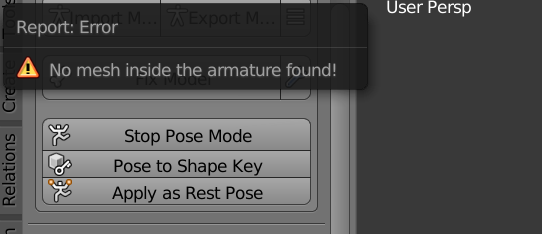
https://prnt.sc/ra2bxh now i see bones here obviously but its got too many for vrchat
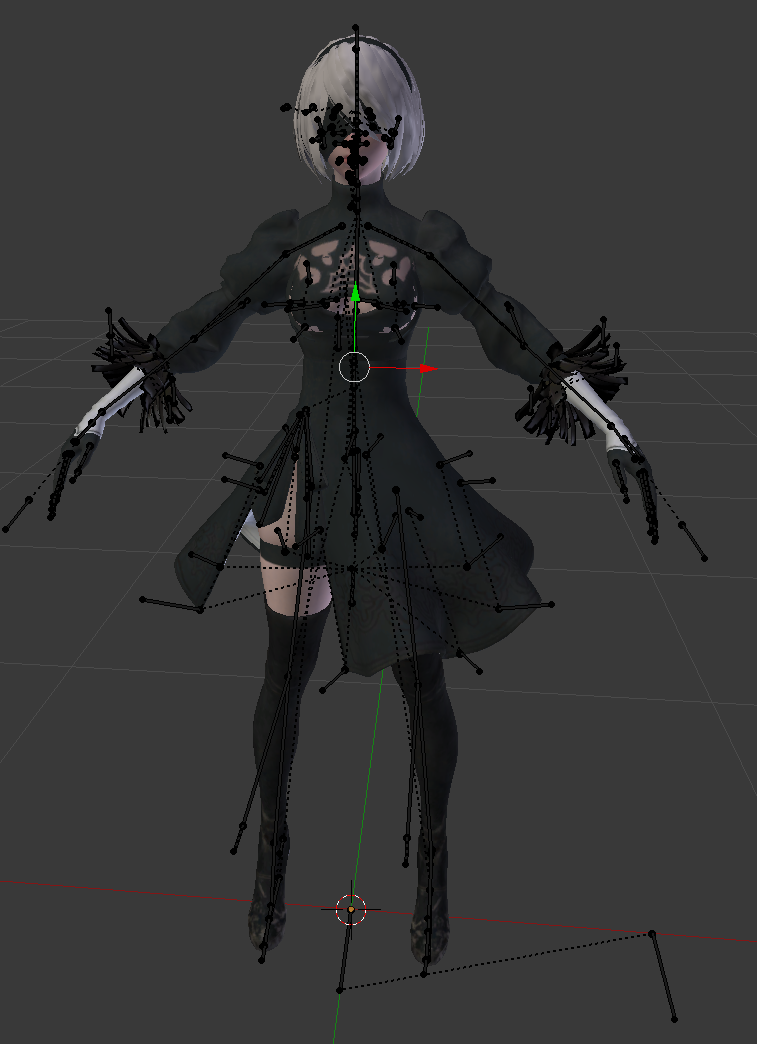
im gonna try and export it as an fbx and then messing with it maybe? but itll take a long time to export as far as i know
drowsy wharf
most likely you don't have the mesh parented to the armature, as the error states
hierarchy helps
fading verge
hmm im just not sure what all im gonna have to parent but i could try doin that maybe
exporting it as an fbx isnt gonna work coz it just stays frozen
drowsy wharf
well yeah, if the mesh isn't parented to the armature (and weighted) it's not going to move
fading verge
it does move though uvu
im wanting to just fix it so i can put it into vrchat
and not have all the other components to it
i just want the bones basically
with the mesh
not all the other components
https://prnt.sc/ra2k0t this is what im trying to go for atm but this is a different model, not what im after atm. the other one has something specific i wanna use on it unlike this one
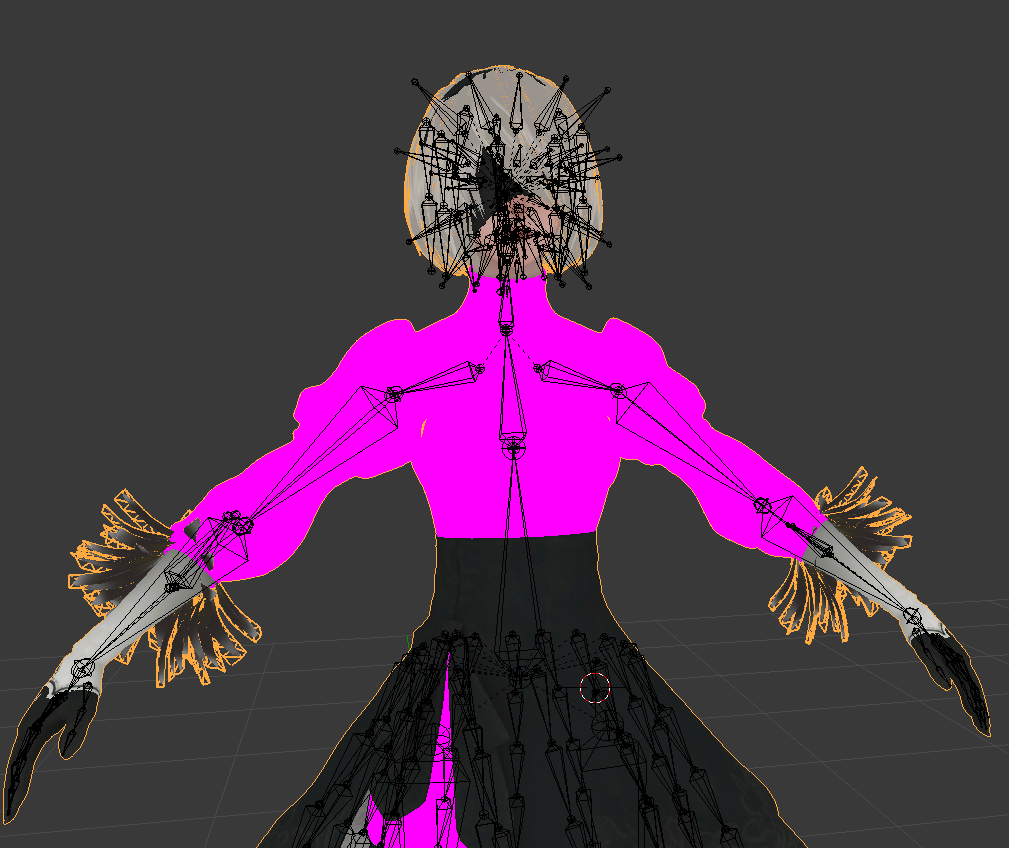
otherwise i would use this one coz its ready to go basically
 open lark
I have a darumaka model and am trying to make the round little bodyhead act as the head, but all it wants to do is act as the body. all the rigging is there and in roughly an appropriate spot but im just having difficulty with getting it to work. Can anyone help?
sweet tundra
my model is set as huminoid and has all the right bones, but it still tposes in vrchat
any help
drowsy wharf
go into play mode in unity and rotate an arm...if it doesn't move, weight painting most likely
if it does move, did you assign all the bones in the humanoid config?
and is the avatar descriptor on the parent of the armature and body mesh?
 viral seal
Would a rig like this cause my calves to glitch out?
Can't see it on my end, but people have told me the bottom part of my legs twist around unnaturally.
viral seal
Might give that a shot then
 iron chasm
how do i get the clothes to not go through the body?
steady patio
Weightpainting
wild owl
i have this issue, where if i use my model with full body
the thighs sorta twist inwards kinda
its not too noticeble but
its very odd it does this only when i use fullbody
and i have no idea how to fix
is that common with fullbody, ive seen other fullbody models work fine
wild owl
i made it like the other fullbody avatars
so im really confused
thank you in advance ruubic
💞
crisp tendon
ah
well you need to connect your bones lol
can't have bones floating around far away from their parents
@wild owl
But you should reimport that model with different import settings in the bottom left
for armature you should not import leaf bones in this case
and once you've connected the bones appropriately you should select them all and do "Clear roll"
then select everything in object mode, Ctrl + A > Apply all transforms
crisp tendon
leaf bones are bones created at the end of bones, but they don't do anything, clear roll is just an option for bones in edit mode
wild owl
ahh i seee
thank you ruubic youre a life saver, ive been wondering about this issue for so long but always forget to ask someone about it
i send pats as thanku
😄
fading verge
I've set up an avatar, and the voice visemes. But the visemes seem to be "low", since when I talk the mouth barely moves
Is there a way to fix this? Preferably without going back to Blender?
crisp tendon
Did you make the visemes that way in blender ?
fading verge
I don't remember, it's been a while
Is there a way to increase their intensity?
Or at least see how far their range goes. I could just use a blend jaw shape with the one that opens up to an acceptable level
crisp tendon
You can make it 100% then make a blend from mix, and increase the new one you created to replace the first one
wrong channel xD
@fading verge I can record a gif if you can't figure it out btw, not too complex
mild stratus
I was confused by what just took place
fading verge
That'd be nice. But could it all be done in unity?
Or does it have to be in Blender?
crisp tendon
a friend linked me a youtube channel of some dude making reviews for kids and some videos had half a billion views so my brain kind exploded lmao @mild stratus
Yeah it needs to be in blender
fading verge
Darn
crisp tendon
Unity is just where you import/upload
fading verge
Well if I've gotta do it in Blender I might as well just redo it. I know how, I just didn't want to have to go back to Blender and reupload it
Thanks though
crisp tendon
going back to blender 45 times is just one of the step of avatar creation 
fading verge
Yep
 eager geyser
does anyone know what my neck bends in a weird way when laying down?
I get this on a lot of avatars but I have no idea why it happens or how to fix italso having this other issue where even if I'm laying down facing to a side my torso will still face up
dense stump
@eager geyser https://www.youtube.com/watch?v=IqUVFuSD5a4&t=1769s some of the stuff in this tutorial is outdated (we no longer need to make extra leg bones etc) but in there is a neckfix! it basically gives the head all of the rigging weight and it may help ur problem!

[September 2019 Update]: VRChat version 2019.3.2 makes my neck fix and CATs plugin's FBT armature fix (flipping hip bone and adding leg handle bones) no longer necessary. These tweaks don't break anything "yet" but they might in the future. Otherwise the rest of this guide (pr...
 trail cedar
can anyone here help me with getting multiple hair colors and shaders onto a model with unity or blender, Ive got them all created but I have no idea how to select specific mesh and apply the hair files to those spots
fading verge
how do I rig? Can I also use genereic animations or do I need to get ones from the game/make them myself?
drowsy wharf
@crisp tendon Just to clear things up, "can't have bones floating away from their parents" is not accurate. "shouldn't have them" is a better choice of words.
You absolutely can have disconnected bones for armatures. (commonly only in the case of hip > legs, or Chest > shoulders but others are fine too)
Disconnected leg bones wouldn't really matter, but would be hard to see if they are angled properly for IK solving
Technically speaking you could have them all disconnected, it just doesn't make sense to do that normally.
Unity sees the head of the bone, the tail, the roll, and the rotations, but the length doesn't actually matter. The tail is ignored other than determining where to point the bone in a humanoid rig. (which is what often causes achy breaky fingers if not set up correctly)
crisp tendon
yeah my bad, the connected part is irrelevant, it was purely about having tail/head of parented away from each other was that resulting that behavior
drowsy wharf
that's what connected is, head of child attaches directly to tail of parent when "connected"
crisp tendon
But it doesn't need to be connected to be in the same spot
drowsy wharf
like at the knee in the image before, tail of upper leg was separated from lower leg's head.
Technically fine, hard to see IK angle though
fair point
if connection was required I'd imagine the shoulders causing problems on a lot of models, though I'm not really sure of the VRChat IK method to be fair
crisp tendon
The issue i had for s super long time was that my knees would bend by default and couldn't figure out why, turned out my Neck tail was 10cm away from my Chest head bone, and so the armature shrunk to make up that difference which made my knees bend
yeah if that was a requirement everything would go to hell
drowsy wharf
really? the neck being a slight distance off broke it? Definitely keeping that in mind
I'm assuming it's a full body issue?
so the IK is assuming connected even though it may not be the case and distance might be in a model, but not for hip>leg, or chest>shoulder
That's surprising
crisp tendon
it doesn't assume connected, just at the same transform location
afaik connected/inherit rotation or scale is irrelevant once it's exported
 sweet moth
@wild owl saw the picture thought wait I know that avatar thought someone have ripped it
 kindred roost
god i hate rigging..... i found this ulala model on models resource and i want to make it into a avatar but mixamo wont let me
id t-pose it but i dont know how to
fervent hornet
You would probably need to rig it first to tpose it so it may be time to drop mixamo and rig it yourself
wild owl
put it into blender
go into edit mode
select the arm vertices
and just move them so its in t-pose
kindred roost
ok