#avatar-rigging
1 messages · Page 140 of 1
 dusk panther
 opal aurora
That's fine then
 hollow grove
Comment: I wish I could dance like that
dusk panther
🤔
opal aurora
If you drag the model back into the scene, you'll see its name as blue
Whereas the one currently in the scene is gray
That is probably your issue, as the prefab won't update properly when the model file is updated if the prefab is broken
opal aurora
If you drag your model into the scene and add a descriptor, does the publish window complain about it?
dusk panther
It doesn't make any obvious complaints however, newly draged in nekkos have 4 point lights for some reason, (idk how this happened 🤣 )
removing the lights breaks the prefab
opal aurora
Yeah, need to remove those in blender
dusk panther
opal aurora
There you have it, it's due to the broken prefab
dusk panther
👍 Will throw the fbx into blender and commit genocide on all light sources
/Also I've made a horrible mess of where the textures and such are saved at, cleaning that up doesn't have any ill effects would it?
opal aurora
As long as they're unused
Moving things around or renaming them should be done in unity as it can re-assign them, deleting files can be done via the explorer
dusk panther
 opal aurora
LOMPS
 fading verge
What would cause a material in Unity to tile instead of stretch? Its doing this for maps too.
hollow grove
Cube..
opal aurora
One lonely cube
dusk panther
fading verge
Anyone know? Could it be caused by problems with the UV map?
opal aurora
I mean, if the texture is tilling then it may be a resolution issue, not matching the UV data properly, but i'm not sure of what could be causing such in general
dusk panther
Would it be easier to make 2d gifs for mouth movement, than add a jaw-bone?
opal aurora
It'd be far easier to make a jawbone
dusk panther
Are there any guides that can show a know-nothing how to operate blender to do that?
All I really know how to do is delete polygons and move around
There's bones for a tongue, but not the jaw
dusk panther

VERY IMPORTANT - PLEASE READ: This tutorial may still be mostly useful, but there's a few major changes that you need to pay attention to. First off, VRChat ...
I should have just watched this from start to finish from the start
 patent mesa
That’s how I figured it out too
dusk panther
So he doesn't go over this in his video but I'm missing some textures, and I just now fixed the hair somehow but how do you apply the texturespheres to meshparts?
In unity, I would just drag the texture-sphere onto the part, in the view screen to fix this but idk how to do it the right way in blender
patent mesa
To apply existing materials on a mesh you simply just select them in edit mode then go to your materials and hit apply on the material you want to use
It looks like you’re missing the face material tho. You have a material named Face but it’s all white
dusk panther
Yeah, I have a tga image file for face
but its not paired to the sphere
same for the skirt (but png)
l o l
some of it went in, but the skin didnt (which is in the same tga file)
😱
patent mesa
Are your eyes mixed in with that texture?
patent mesa
Whoo!
dusk panther
I did however notice, that the facial mesh animations are tied to the jacket for some reason, and when activated the jacket expands like a balloon, for every single shape key
self_destruct.gif
Does anyone have an idea what causes the severe warping when using shapekeys?
dusk panther
dusk panther
Deleting old vrc_visemes, and making new ones has same results
dusk panther
lost all of my textures because unity let me delete the folder without any warning
 sleek isle
Delete and redo shapekey 
dusk panther
sleek isle
If the face look intact when using a shapekey. Separete it from the body. Delete the shape of the body. Remerge
dusk panther
😆
The sweater is just a porcupine when any animation is called out
Very happy that it at-least appears in-game this time.
so
s h a p e keys
How do I seperate the face from the body/remerging?
dusk panther
At a loss.
Do I delete the torso from all of the mouth animations?
Hips, Spine, Chest, (R/L) Shoulder, Arm, Elbow, part of the wrists, Character_Body
Are responsible for the deformities
 crisp tendon
No need
you can copy paste vertices from the sil one that isn't broken
and then paste as basis i think
@dusk panther
Select all the top clothes, then ctrl + c, then select a broken shapekey, ctrl + v, select "blend from shape" and at the bottom left corner, uncheck the "Add" checkbox
dusk panther
So all of the intact body parts from sill can just be copy-pasted onto all of the broken shape key bodies?
crisp tendon
yep
dusk panther
Do I have to be in edit or object mode?
crisp tendon
edit mode
dusk panther

That got 99% of the bad mesh, I've got two swords growing out of my wrists still 🔍
Something I missed, hmm
I'm perplex, they're both no more than 5 or 6 vertices
So small...
Like originating inbetween the thumbs and the index fingers
Ha, it's some weird tiny part of the thumbs
crisp tendon
Press L on a part, it'll select everything
 thorn willow
been working with another model
what finger bones are reccommended to have it in IK or smth
thorn willow
for all fingers?
crisp tendon
That's what humans generally have yep
For IK to work, you need at least three fingers
thorn willow
just thumb, index and middle?
dusk panther
 primal moth
anyone know of any good guides for doing colliders on avatars?
 drifting wind
So I have all my dynamic bones set up and everything, but when I upload the avatar it doesn't work. What's going on?
Do I need to add the script to the hips and exclude all the bones that aren't supposed to be dynamic, or do I need to do something else?
 shell swallow
If I want to add clothes to a model I got in a unity package, I know that I have to put the fbx in blender and weight paint the clothes on there. However, importing the new fbx file would most likely break the prefab instance and all of the animations that went with the model. Is there a way around this issue? A different way of adding clothes perhaps?
 gritty nest
Overwrite the FBX and it should work just fine in Unity
 stoic sluice
I'm trying to move the bones in this finger back so that they aren't past the ring, anyone know what to do?
fading verge
omg blender keeps crashing every time i switch tabs, I dont understand why, I have a really good pc that should be overkill for blender
fading verge
ok I fixed it, for some reason it wont work unless its in full screen
ooook maybe not
 novel matrix
does somebody know what im doing wrong here, i want to optimize this avatar but this always happens in blender
ok fixed it
 marble olive
i want to add bones to my models chest for jiggle physics, how do i add em
marble olive
done it
 ebon wagon
Is there a way to add three-finger rig without having the hands Move so I can still crouch without destroying my hands, I'm using a game mesh is why I'm asking
I have a borderlands psycho that I'm working on and his hands seem to get messed up
sleek isle
Re parent bone @novel matrix
novel matrix
i already fixed that one and also completly broke the entire avatar now
sleek isle
@ebon wagon extrude e bone and map them in unity
novel matrix
automatic bone weighting stuff isnt working thus i need to do all of that manually
sleek isle
Some model have up to 3-4 bone for the tight, arm etc
You have to try to parent them to the correct one at the top and merge them to it
So you have one
novel matrix
the thing is because i testet around i fucked the bones up completly so i removed everything that the bones are bound to and i would now have to manualy assign each vertecies to the bones that they belong to
also the verteces groups are completly fuccked as well
sleek isle
what you overall model look like
novel matrix
sleek isle
send me the original i can check it
novel matrix
No need to I will do this by myself
 surreal copper
@stoic sluice you need to merge weights of twist bones through cats or with weight mix modifier, if you are asking him about that problem
 royal valve
Can someone here help me?
royal valve
i'm trying to put some bones on a model in blender and i'm confused on how to do it
crisp tendon
Better find a basic rigging tutorial then !
royal valve
ha ha ha... yeah, those won't help with this 😅
sleek isle
what kind of bones
royal valve
just normal bones, I can show you if you want
because it's nothing i've experienced...
@sleek isle the bones are going to be Jigglebones in Unity for a avatar i'm making, but I'm not sure how to impliment them in Blender so they work
specifically, breasts...
 crystal vector
@royal valve There are literally tutorials for weight painting breasts 😁
royal valve
what is weight paint, I don't understand how that works...
sleek isle
its the skin that is attach to the bone
crystal vector
Weight paint is how you make the mesh move with the bone.
Just search for "blender weight paint breasts"
sleek isle
look like this
crystal vector
@royal valve https://youtu.be/4mCkZ0ouNz4

How to make custom jiggle avatar??? Tutorial covers: - Creating breast bones - Linking breast bones with vertex group - Applying dynamic bone script to breasts
This should exactly what you are looking for
royal valve
ok
 prisma raven
So I'm trying to complete the rigging on my avatar, all the bones and stuff are in place and I got it uploaded, but I'm facing a problem in VR:
When I turn my head, or lean side to side, my entire body follows, causing me to slide instead of leaning and stepping around. Anyone know how to help?
crystal vector
@prisma raven You have to set the rig to humanoid in Unity
prisma raven
I did that.
Head moves, arms move, legs move only when I walk, but I don't lean or step properly
 tacit radish
can anyone help me with my finger bone? im trying to make it have fix it where it can bend correctly
 unique meteor
Hey, I've been having this weird neck tilt problem for a while now and wanted to ask if anybody might know of a solution. Every time I look upwards my avatar's head stops following the tracking and gets blocked at a certain angle. This means that if I crouch people standing will always see my model looking at their ankles, even though I'm looking at their faces. This happens with every avatar I use and has only started happening since a couple of days ago, so I'm not quite sure this is the correct channel to ask this in. I'm using Rift, and also: everything I described is from somebody else's perspective, because from my POV looking at mirrors and cameras my avatar behaves just as normally as it used to. Does anybody have an idea about what might have caused this?
fading verge
so im trying to connect this arm with this one armature to another body with a different armature, so i click the arm armature and the body armature and do cntrl + J to join the armatures but then it moves the arm mesh and scales it down and the weight paint the arm had to the arm armature is gone. Does anybody know a fix for this?
i figured out how to join the armature and mesh together but the arm mesh no longer has the weight paint it had before i joined them
 glad orchid
Rig of the character Nimbus from the game Tornado Outbreak. I'm planning on using this as a custom avatar. 😄
Here's how it looks with the bones hidden.
sleek isle
Join the mesh too
fading verge
https://cdn.discordapp.com/attachments/478941902276788224/581674899131727902/unknown.png i figured out how to join the armatures together while keeping the weight paint but is there a way to join these 2 different shoulder bones cause one is weight painted to the body mesh and the other is weight painted to the arm mesh and i just want to combine them together so that it has the body and arm weight paint
 fading verge
how would i use cats to do it?
sleek isle
There is an option in the left tab
You could simply hit fix on both and merge J too normally
fading verge
i think i found it
 grave coral
Hi ive added a new head into blender for a body i already have. However when I join the two armatures the head shrinks and goes into the body. Is there a way to make it keep the right size when I join the two models?
opal aurora
Ctrl+A Apply Location/Rotation/Scale
grave coral
Thank you so much!
sleek isle
in cats apply transform I thing
marble olive
wat do
 naive tree
join your meshes
marble olive
ill try that now
marble olive
still nope
when i test the eye tracking it works, shall i just leave it?
IT cRasHED
 steady patio
iiiits question timeee!
so ive got multiple bits on my avatar that are like this
where there are overlaying meshes that need to be connected to the bone underneath
i was wondering, is there a way to like
"project" weights from one mesh onto another thats in close proximity?
just to save a bit of time
 proper scaffold
Pardon my ignorance because I may just be being an idiot, have you merged meshes prior to weight painting?
steady patio
well yes but technically no
its all one mesh
but
if youre not familiar with minecraft skins, there is an extra "jacket" layer that hangs off of the skin to provide layered detail
which is how i get this cute af hair
and since the jacket layer is literally an exact copy of a normal skin upscaled by 1.1, there are no verticies straight up connecting the two
proper scaffold
Are you able to parent the jacket layer to the armature and use "with auto weights"?
steady patio
thats exactly what i did actually, both jacket and base
thing is tho, i think blender goes "uwu uwu" whent here's no verticies explicitly conneccting them
so now im just fixing them manually since its an iincredibly low poly avatar
i was just wondering if there was a more streamlined version of doing it
proper scaffold
I'm not sure in this instance, sorry :<
steady patio
say, "project weight from face to other nearby faces within... 0.2m"
its all good
was just wondering
shell swallow
I am trying to add clothes to this avatar and i am trying to weight paint the shorts by using the "transfer weights" option but it does not work and the shorts get no weight paint values applied to them
glad orchid
Is it necessary to use IK bones?
glad orchid
Also, @shell swallow have you tried selecting the clothes and the avatar and pressing Control and J?
shell swallow
I got the weight paint transfer to work
I just had to do it by name
I have a second question
In VRChat for full body tracking to work properly, the angle between the thigh and hip bones has to be 180 degrees to work properly
do I move the thigh bones up? Will that mess up the weight painting that i just did?
is the thigh bone too far forward?
crisp tendon
shell swallow
oh sorry I thought that this was a rigging question
crisp tendon
it is, but the fbt channel might have the answer you're looking for
shell swallow
ok thanks I will ask there
stoic sluice
I'm looking at an avatar in unity for reference to make my own rig for an avatar, and I noticed the hips seem to look like they're made of two bones on my reference-
Is there any way I can achieve this in blender?
sleek isle
Unity make visually the connection with the parent with a (bone)
shell swallow
Hey so using blender I crafted and rigged clothing to add to this Unity package that I have:
How can i combine the clothes to the avatar?
shell swallow
I can't find a way to combine these meshes even though they are rigged with the same armature
 pseudo sedge
@shell swallow you can't combine meshes in blender?
shell swallow
yes but then I would have to upload that fbx into unity. However, this unity package already has a lot of animations, visems, dynamic bones, etc. and replacing the fbx breaks all of that
I tried it before
pseudo sedge
@shell swallow replacing via overriding through blender's export fbx with same name, or you removing file and placing new one?
shell swallow
the first one
I exported the fbx with the same name and then overriding it in windows file manager
If there is a way to replace the fbx while retaining the prefab then that would help
shell swallow
Does anyone know a way to combine skinned meshes?
naive tree
im blender cats has an option > join meshes, or you select all meshes and ctrl+J
shell swallow
yes but the problem is that after exporting the fbx file from blender, loading the new fbx breaks the prefab instance of my unity scene and the animations, lip sync, dynamic bones, etc. are broken
naive tree
you dont overwrite the fbx, import as new
naive tree
drag it in from wherever the exported fbx is
or if you export it directly into unity from blender, then change name of the exported file
shell swallow
if I import a new fbx then it would not contain the components I have in the prefab instance and I would have to add it all over again. Is there a way to copy all the components from my original prefab onto the newly imported fbx?
naive tree

GitHub
A tool to speed up setting up VRChat avatars in Unity - rurre/PumkinsAvatarTools
shell swallow
thank you I will try to figure out how to use this
shell swallow
oh my god it worked thank you so much @naive tree
naive tree
np, be sure to always uncheck transforms or else it'll break model
shell swallow
oh it doesn't copy over animations? Did I do it wrong?
naive tree
animations?
it copies only dyn bones and colliders
rest is you have to do yourself, can drag n drop from old model to new
it needs latest dyn. bone version or else you'll get compilation error
shell swallow
i did not get that error
new one (right) old one (left)
I do not know how to get the animations copied over
shell swallow
yes
naive tree
you can drag n drop the animator component from the bone onto same bone, or you can drag n drop the controller onto the new avatar bone
shell swallow
and when inputting visemes under vrc avatar descriptor the only option that shows is -none-
naive tree
is your mesh named Body?

VRCat: Community-Run VRChat Forums
VisemeFix
A patch for the VRCSDK to fix the automatic detection of visemes.
Compatible with Unity 2017
Overview:
The current automatic viseme...
shell swallow
yes I double checked that
maybe the avatar creator did not create visemes in his blender file; I noticed that the unity package and the blender file have a different polycount
hollow grove
So I have a model from blender I got, uwow I just gotta put it in unity, I did the steps but one thing wasnt there, the dynamic bones I spent so long working on vanished
shell swallow
Crap I did the steps above but the animations still do not work. I will ask in #animation
fading verge
I think the model I am trying to import to VRCHAT is giving me problems
I have no idea what to do here but I heard i need to rig it or something
fading verge
does the model have bones before the left arm and right arm bones?
 ornate patrol
Are arms meant to clip through the skirt like this in avatar select menu?
For reference, here's what my armature looks like in blender
crisp tendon
That's the idle animation, so yes
ornate patrol
Now here's the difference in my custom idle animation
So from what you are saying, the arms are going to clip through default animations regardless?
crisp tendon
I may be wrong, but i believe the pose the model uses in the preview is the same for all
Depending if you chose Male/Female in the descriptor
They'll clip in the preview yes, but not while you're wearing it if you have a custom anim
ornate patrol
Alrighty then, thanks for the clarification! I almost thought something might have been up in my armature
gritty nest
You need to adjust the T-pose in the humanoid rig configuration in Unity
To actually be T-posed
I'm willing to bet money on the arms being angled slightly down
crisp tendon
from the screenshot above in blender, looks like it
ornate patrol
I just went into unity now and rotated the arms up a bit. Will post a screenshot of any differences
 wicked ember
Any tips on rigging dogs?
 cedar warren
ehm, for whatever reason, whenever I try to bring up build control panel for my model. it says that upperchest has been mapped and will cause issues with ik, how do I fix this?
wicked ember
Whats the model of?
pseudo sedge
@cedar warren select your model in Project window, press Configure under humanoid selection and on popuped window unmap upper chest slot
cedar warren
aaaah, okay
 unique frigate
Looks like you got no bones fam
wicked ember
How do you transfer the skeleton from Blender to Unity?
Or is the animtion done in Blender?
fading verge
And without animation just Avatar
Tried through the plugin and in a different way.
wicked ember
Yeah, I find it strange, the skeletal structure is present in blender
Yet when I export it, it is lost
fading verge
fading verge
I do not animate I just created
wicked ember
Ah
fading verge
nono
The problem is almost fixed
It turned out from another blender
It looks like the export addon has flown
Very strange
Try to reinstall
Stupid blender😡
The problem is solved but I did not understand a damn
Thank you all
tacit radish
how to fix this
ornate patrol
@tacit radish Looks like you either need to rotate the bone or edit the armature in blender
 magic nymph
If I've made an avatar that has arms but no legs - will a generic rig with a custom animator controller still allow me to control the arms in VR? Or should I just stick with a humanoid rig + assign no weight for the bones not being used?
sleek isle
if you want to move the arm yes. you need humanoid. somake dummy leg and assign then in unity
magic nymph
alright, word! thank you
 winter heart
wicked ember
winter heart
wicked ember
I'm having an issue regarding the bone structure of my avatar
I'm very new to this, however, I cannot figure out how to change the grouping on these bones
I'm trying to create the same dotted line that you see on the left but on the right. However, its connected to the front right shoulder blade
I'm just trying to make it so each individual paw can rotate at the 'wrist' area so that I can properly animate it, and due to the connection to the shoulder joint, it keeps resulting in a certain limb being stretched.
I understand the dotted line has to do with 'parenting' yet, when I remove it, it completely disconnects the bone from the entire skeleton, not just its relationship with the hipbone
 split solar
Sup o/ so im currently trying to rig my eyes proberly for eye tracking. did rig my eyes, however im getting the error, that my bone has no existing vertex groups. i dont really want to merge all my meshes - is there a way to fix that without merging?
crisp tendon
Your eyes should have a vertex group for your eyes
And you should join your meshes if you can
split solar
yeah i have the vertex group, thats not really an issue. i have the blinking animations on the head, however the vertex groups are on the irises. seems it doesnt work like that
had to merge the body together
crisp tendon
That's definitely not a requirement
split solar
yeah i plan to, but i want to create a base model where i can easily change out stuff, but i guess merging the body is ok
i just merged the face parts, including irises and it worked like a charm
but i guess i can work with that
still have access to the textures of my irises, so i can work with that
would have loved some seperate eye meshes though for shaders, but 🤷
crisp tendon
You can definitely afford to do that
If the rest of your body is merged
And even then, you can have one mesh, and a vertex group just for the eyes
on which you can use a different material
crisp tendon
Yeah, 2 mats is fine
split solar
guess i could exclude the eyes in this case
crisp tendon
That's what i do 😃
split solar
good shit, thanks for reminding me of this useful feature 😄
magic nymph
What do y'all recommend for a case where the shoulder span of an avatar is massively different than your own? I can't tell if I have a weight paint issue or if I just need to adjust bones. Here's some photos of the clipping issue I'm having: https://imgur.com/a/ETwYfvK

 vocal quiver
I'd probably relax the weights on the verts closest to the connection point
stoic sluice
Anyone know what approact to taketo this?-
magic nymph
thanks tupper, i’ll give it a shot!
 hasty wasp
@stoic sluice click 'pose' and then 'enforce t-pose'
stoic sluice
Thanks :P
 normal cloud
 toxic egret
what in the world
 proud canyon
I need an expert with rigs and things like that to help me with few thingss please and I will pay him also so its not free but I don't think it will be so hard so please if you know so much about these things dm me thank you 😄
 clear acorn
how can i fix the eye bones? the bones goes lower so I tried to fix them by re arrange the bones with the edit mode and exported it to unity. Later when I go to vrchat after upload or play animations, the eyes goes lower like idk how
when I go fix armature, it goes this
u can see the bones are lower than the original eye bones
how can i fix the fix armature ?so the vrc bones doesnt go down
fading verge
anyone who know how i can fix this?
 last vigil
leave upper chest blank
clear acorn
...
stoic sluice
@fading verge Set the "UpperChest" to none, crucial crucial step
also does anyone know how the crap to rig eyes for eye tracking?
 gaunt oyster
Nobody told me making a character would take me +5 hours. It isn't even done yet. I'm constantly running into walls and having issues.
sleek isle
Hehe
 undone harness
its apart of learning something new c: u can do it
 slate elbow
anyone good with blender that can help a poor soul with just attaching a shirt and pair of pants to a y bot?
if u feel like helping just hit me up in dm
 lone aurora
Do people usually use bones to make visemes or do they just alter the mesh itself?
opal aurora
You can do both, personally, if there are bones i use them to get a base shape if they're simple and change it a bit manually on the mesh, if the bones are fairly well weighted and complex, i can just work solely out of them
lone aurora
And then you delete the bones after, right? From what I understand the visemes system doesn't use them
gaunt oyster
Could anyone help me out with placing bones and rigging them up? Blender is killing me and I've tried an auto rigging thing which didn't work.
fading verge
how do i avoid this with my neck https://cdn.discordapp.com/attachments/361742235525709825/584244610134573059/VRChat_1920x1080_2019-06-01_00-58-38.751.png
 opal aurora
A bit more weight painting along the neck and a good bone position for rotation at the base i'd say
fading verge
i have no idea how to go about that
 scarlet creek
crisp tendon
scarlet creek
crisp tendon
you don't have shoulders
fading verge
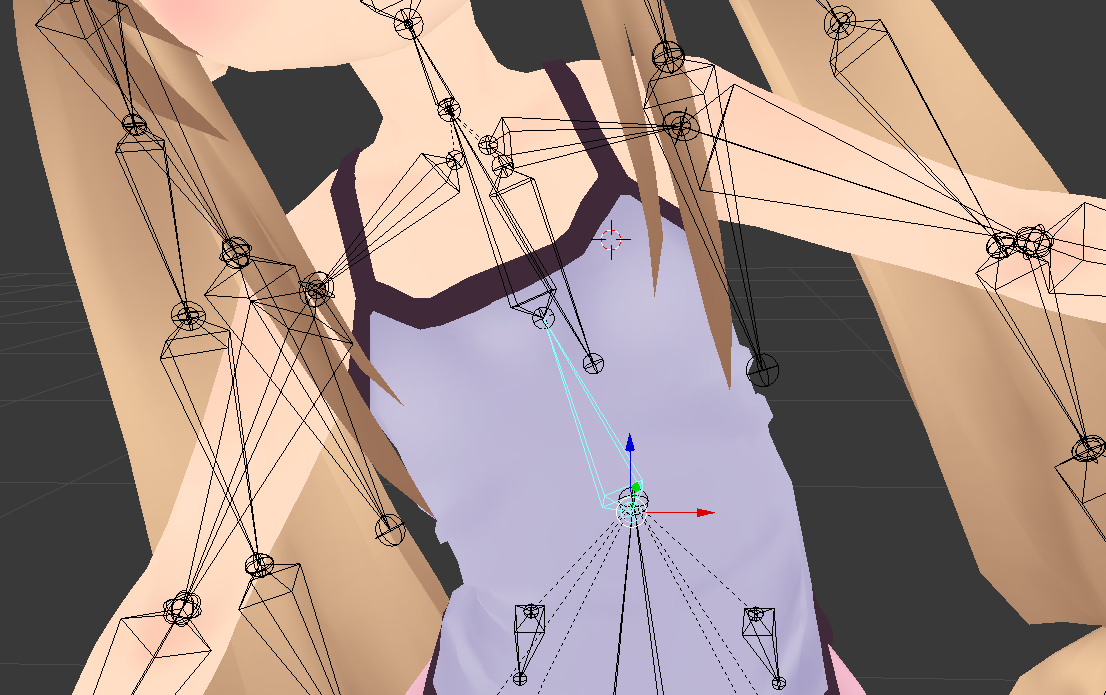
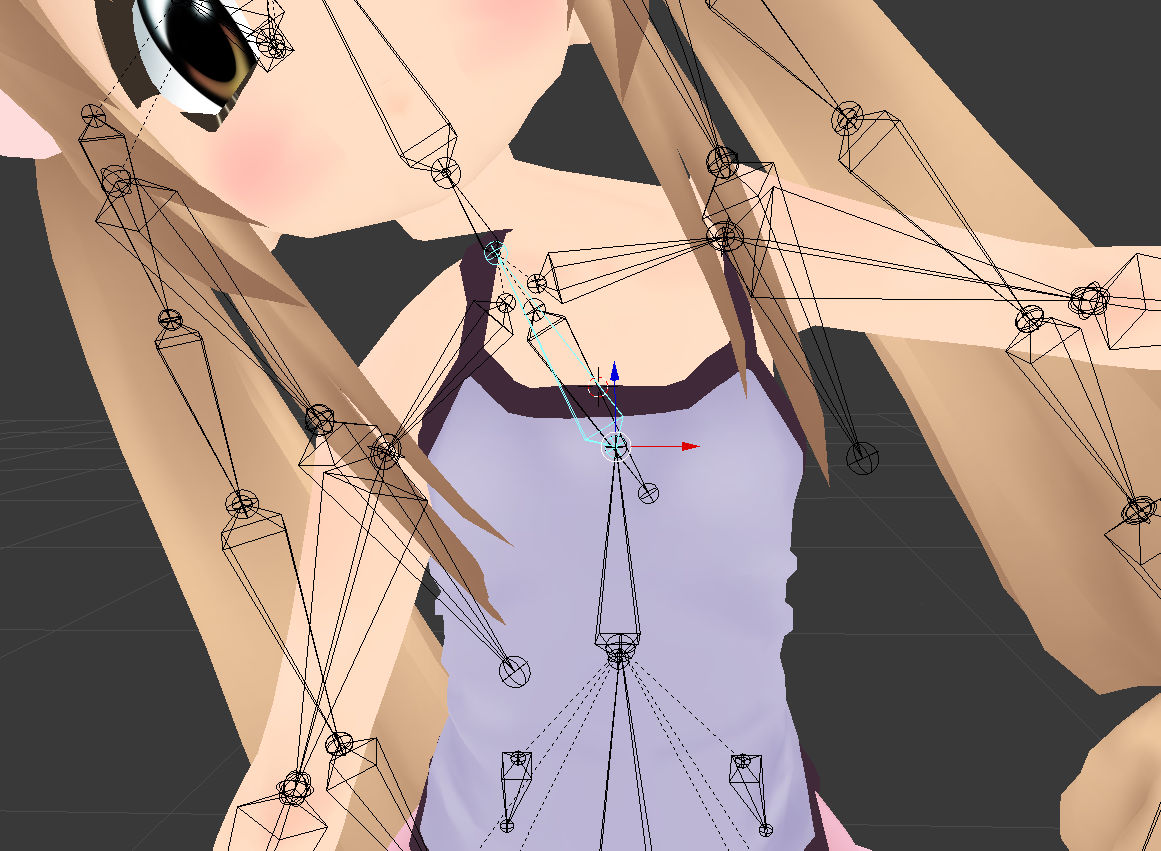
im still having serious issues, i have no idea how to weight paint and just need a simple solution i can repeat for 4 models:
rotate the spine bone? eveyrthings fine: https://i.gyazo.com/797dc28291a93c373d21590a3078c26b.png

rotate the chest bone? the chest doesn't move, everything that the spine did still does though: https://i.gyazo.com/282982f97df7fb3a6bc3998cac461be2.png
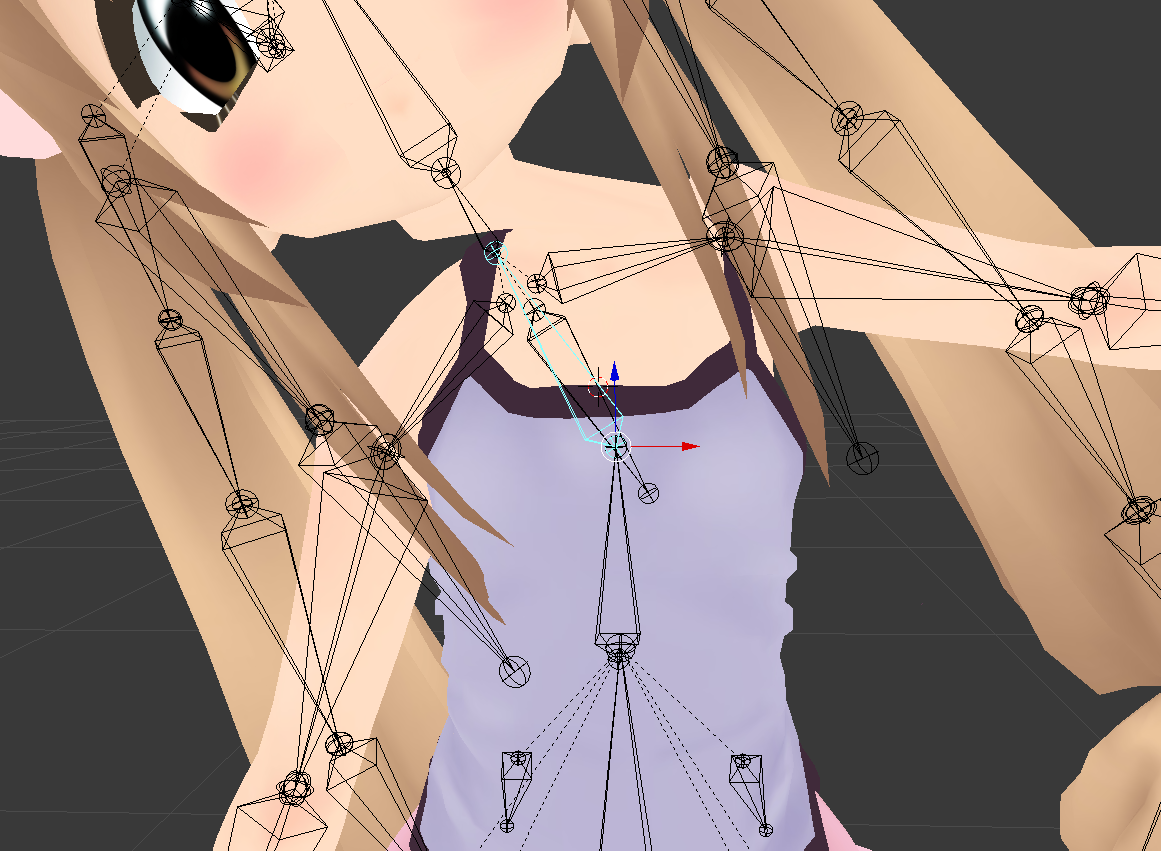
all i need to do is somehow copy all the stuff the spine does to the chest without deleting the spine, or applying the difference to the chest so that the actual chest moves.
crisp tendon
Does your neck bone have weight paint ?
fading verge
bonus: there's no chest vertex group
crisp tendon
Why do you not have weight paint on your chest
fading verge
it's not the neck, it's that the chest doesn't move with the chest bone - only the spine
crisp tendon
Give your chest automatic weight paint then
fading verge
how?
crisp tendon
Select the armature, posemode, then select mesh, weight paint mode, select your chest bone
Weight menu bottom left and select automatic weight paint
And then do that for your spine too

 earnest wadi
In unity?
crisp tendon
Blender
earnest wadi
Oh u mean the rest pose, I'll try thanks
Works perfectly now, thank u very much! ^^
fading verge
automatic weight painting didn't fix it
surely there must be a way to just copy the weight difference between the spine and chest and apply that to the chest
or anything to just make the chest move like the spine does
duplicating the bone with CATS didn't work, making a copy of the bone normally didn't work, assigning the same vertex group as the spine didn't work
if i make the spine the chest instead, and then try to make a fake spine, blender just REMOVES THE SPINE for no god damn reason
as soon as i leave edit mode
it's gone
no matter what.
i'm frustrated beyond belief working on this all day for no progress
crisp tendon
There is a modifier made for that
Weight shape mix i think
That's for moving all the weight paint over from one bone to another
but different settings should help
crisp tendon
Tried rotating your end bones ?
 rare glade
how so
crisp tendon
you click on them in the list, press E, and rotate
crisp tendon
Click on the other bones in the finger then, not the first one
fading verge
Not sure if this is where I should ask, but I'm having an issue with colors matching on my avatar. One of the materials was missing, so I just used Unity's eye drop. It doesn't match the nearby materials. Even if I create a new material out of that color, the same problem occurs.
fading verge
rare glade
@crisp tendon do i just hit apply after adjusting the fingers
crisp tendon
If they look good, yep !
rare glade
alright thank you, It's taken a bit but I'm probably done
 still loom
i think i need to repair the hole avatar since i cant fix the avatar descriptor camera.. 😦
 north loom
Does anyone know if the Leap Motion is functioning good in VRChat?
gritty nest
Nope, it doesn't
 open hull
I have a leap motion and can confirm it's crap
still loom
any ideas how can i fix the hellish lag in unity when looking in to avatar rig?
naive tree
@still loom collapse pipeline manager
naive tree
oh, the rig.. I mean, not that lags matters that much in there
still loom
cant even move there because of it
naive tree
export with using cats
naive tree
prob has way too many bones
still loom
even so...i always lagged here
1 fps... 😦
cant do anything
il just rebuild the avatar bones at least this time im learning how and what it needs for an avatar to work like an humanoid
 north lichen
Can anyone explain this?
crisp tendon
Force t-pose
north lichen
What?
crisp tendon
Enforce the t-pose in the humanoid configuration
north lichen
How do you do that?
crisp tendon
If you don't know what that means, i'd suggest watching a tutorial for uploading
north lichen
Why is the elbow dislocated from the upperarm though?
crisp tendon
it's probably parented to the wrong bone
north lichen
I think I fixed it by just translating the bones in the rigging. Sorry for the difficulty.
 open viper
So I found a hand with a bunch of bones that are named different thna i've seen before. I should just have to name them the same as my MMD ones and it'll be fine right?
fading verge
is anyone else having problems with rigidbodies?
when i try to make another pair of arms move, they slowly rise into the air
fading verge
@fading verge that should only be a local side issue
fading verge
i forgot how to open up the rigging page
help?
wait
i figured it out
but i cant publish even though i removed the upper chest
 calm needle
check the errors. It might be set to humanoid but a minor error could be preventing it from being seen as valid
calm needle
did you do as it says and check the import messages to see what the error was?
calm needle
but that still doesnt show the error. Did you open the "import messages" foldout to see what the issue was?
calm needle
ah, its a mixamo rig
fading verge
yeah
calm needle
you just need to go into the humanoid coniguration and do some minor fixes since unity tried to auto choose some things and it didnt work correctly
calm needle
in one of the pictures you posted, you can see the configure button
fading verge
yea
calm needle
hitting that button will take you to the humanoid conifuration screen
calm needle
once my unity loads, i can take some proper screenshots to give an example. Make sure the value in chest is the bone that the shoulders and neck connect to
crisp tendon
You have to leave the actual spine unused, and use the upper bone to chest, leave upper chest blank
calm needle
what you have should be correct if i'm remembering the mixamo rigs correctly
calm needle
should be correct as spin2 should be the one connected to the shoulders and neck
fading verge
ok
ill be back
lemme test
works
but
theres no crouch animation
or laying
animation
@calm needle you there?
calm needle
ok, sounds like certain fingers dont exist
either mixamo didnt get them all rigged or unity couldnt auto find them
in order for the ik to kick in, you need at least one thumb, index, and middle finger bone on each hand
fading verge
also
calm needle
if you go back to the humanoid configuration screen, you can click the hand tabs to try and set that up
fading verge
the arm twists when i grab things
weight painting must be wierd
idk weight painting
calm needle
mixamo is never perfect
calm needle
i started by inpecting mixamo rigs and making tweaks to them untill i learned enough to try doing it myself from scratch
fading verge
ok
 whole sail
hi, i need some help rigging a model, i cant figure it out
crisp tendon
Check out basic rigging tutorials first and then ask for specific help on things
fading verge
Time for my next experiment avatar --- an Avatar that shares the same Bone but are of Different Mass. -- And the solution I feel is quite easy. Object A = Kermit; Object B = Knuckles || Different Sized objects cannot have the same defined bone if their flesh is not touching the conduit (Bones) the Solution -- Is to skin the First Object and reshape all the bones in the small mass, thus skinning the secondary object; however all bones will then need to be "save set" for the Knuckles form before returning to T-Pose. -- This is the process and assessment that I am analyzing on my knowledge of bones. XD
This will then allow morphing of avatars to be possible
withouting swithcing to another avatar
Important Key Note :: Self-Teaching without studying is best way to learn; experience lol
I wonder if adding a 3rd object; Object A --> New Object B (Knermit) --> Object C (Kermit) would be a better and interesting transitional assessment when using Gestures to do Transformations
It would then require to make turn animation save versions for an object B and C; or a A or C, or a A or B
oh it can work
However; the test is to see if it can allow Mesh Renderers to be animated
if they are are on the same Bone structure
while the other two are off
it is possible to skin mesh as many meshes on a bone regardless of the order; but will it be animated via a mirror?
They are binded. Now.. the issue now is to connect the small bones into the large body .. then the actual test can truly begin
So the process seems to work; if the Avatar Transformation Gesture Fails.. I have this Animation for an Animation Emote instead to compensate if the Experiment Fails
fading verge
There we go.. xD
Time to test this bad boy on VRchat lol
I created a monster -- but it is the monster VRChat needs for Multi-Skinned Transformations
It is for VRChat Science mmhm
fading verge
Gonna just make this a "Failed Experiment" and make it a Public Avatar to show what markings it had for experimental uses
fading verge
It works... but not the way I wanted it
sleek isle
Wut
fading verge
Using what I learned from the Experimentation; I now will put many Skinned Meshes on the same Bone for Transformation-Based Avatars; Avatars which can Transform into different things
 sonic cloud
Hey idk how well you can see this but while putting everything together with CATs I wound up with two knee bones and two ankle bones
The ones in the back are in the wrong spot but they have all the weights attached to them, is there a way I can merge those into the ones in the right place and also add their weight to the new merged bone?
sleek isle
they look like they are child of the correct bone. so in cats click merge to parent
if not. parent them yourself and click merge to parent
 prisma briar
Dunno if this is the right place to ask this, but how would I put this in Unity while keeping the bones intact? Fixing the model with CATS merges the two bones together and I can't separate them
 manic marsh
Uh, that's not a humanoid model, so no need to use the cats fix on it
 sharp pewter
Its like the big red button dont press it
manic marsh
But you want to do it, your body tell yo to do it, look at it, big red, round, button
fading verge
i made a gondola, but i dont know how to rig it
could someone teach me how?
mixamo doesnt want to work with my gondola
@calm needle hey its me again
youre online
so
can you help me
sorry if the ping annoyed you
calm needle
check the pins, there is a decent video going over rigging. I'm on my way out the door so i cant do too much hands on unfortunately
fading verge
oh sorry
whole sail
ive hit a snag in trying to get my avatar into the game, in the tutorial im reading it says to log into the pipeline manager script but theres no option to, it says "use the settings menu to log in" but i dont know where that is
fading verge
oh
click the tab for the vrchat sdk
on the top
then open settings or whatever its called
whole sail
it just says "clear cache and player perfs"
whole sail
whole sail
that is it clicked
whole sail
5.3.4p1
whole sail
well its the one the tutorial says to use so idk what to do
fading verge
what tutorial?
whole sail

VRChat Wikia
This article is a bit old, so some parts might be outdated. This documentation should be able to assist someone with absolutely no 3D/VR Chat SDK experience in creating a quick and easy avatar.
fading verge
1 sec lemme get up a link
Requirements We're going to need a couple things before we can get started. - Unity 2017.4.15f1 - Scroll down to find LTS Release 2017.4.15f1 If you have Unity Hub installed, you...
2017.4.15f1 is needed
whole sail
my unity is just really laggy now wtf
oh i see
im getting a ton of error messages
what do i do, they just keep piling up
its at 200 now
1000+
i removed the sdk and the problems stopped but i reinstalled it and they started again
someone help me
i cant sign in because it deletes my text
crisp tendon
Check the errors in the log and contact the support #vrchat-support
crisp tendon
blender
fading verge
i dont know how to rig
blender is not my friend
it does the opposite of what i want it to
i try to paint it, it makes the entire model glitch and break
calm needle
how so?
 nocturne girder
Hi. Can anyone give me pointers or advice for how to properly rig this skirt? Does the skirt have to be a separate mesh from the main body?
 solemn talon
No need for a separate mesh. Probably you can just weight it to the legs
Doesn't seem to be the kind of skirt where dynamic bones or cloth would look good so just weight painting would be my suggestion
 fringe owl
Looks fine in unity till you move the arm and it does that.
Let me retype that really quick to be better
solemn talon
You've got a couple of vertices that need their weights fixed
fringe owl
Where would I find that?
Because from what i'm looking at, they're all weighed at 1
I can't find anything on the internet to fix this issue. I'm sure that there is a solution, I just don't know what to search specifically
nocturne girder
@solemn talon thanks!
solemn talon
(been there done that with both)
fringe owl
I can't figure it out. Bit frustrating but what can you do. Nothing really makes sense on what i'm doing and seems to be distorting the model after every attempt to try and do something different
Alright i'm pretty sure I fixed it
fringe owl
Hey what would be easier and better? Attaching Hair and a beard in Blender or attaching them to the head in Unity? EDIT: Tag if you respond, pls. Thanks
steady patio
in unity, but heavily reccommend u do it in blender for avatar optimization and less lag
its not that much harder
just a few extra clicks
more work if u want the hair to be animated, tho
but simple compared to weightpainting a model soo
@fringe owl
 hallow panther
is it still possible to rig quadrupedal avatars via humanoid? I haven't figured out how to lay out the rigging if it is possible
crisp tendon
It is, but it's a bit difficult if you're new to this
hallow panther
I've done 15+ avatars, but I wanna learn quadrupedals. I got many ideas, but the rigging is the only thing holding me back :c
the avatars may not be extravagant, but they were better than i anticipated
crisp tendon
@cosmic mica is a pro at this, she might be able to help you out, her centaur works really well
hallow panther
thanks for pointing me in the right direction 😃
crisp tendon
Good luck, i'll need to work on that myself eventually, so i'll be learning too !
 cosmic mica
whole sail
cosmic mica
whole sail
does anyone know how do tails? like with dynamic bones
 near beacon
question, are the shape keys for blinking/lowerlids required for eye tracking to work?
or does the avatar descriptor just look for the appropriately named bones?
 velvet fractal
Do hips need to have weight on their respective part or on the whole model?
 near heron
Does anyone know how to fix Final IK on the latest update? I've seen a few people who've figured it out, but I can't get it working.
 pure perch
Hey guys, im a complete idiot when it comes to tech stuff, so i dont even wanna attempt to rig a model, can someone rig a model for me? I mean, if that isnt a hassle or anything XD
pure perch
Okay. Thank you :) I'm not used to server stuff since it's been awhile XD
gritty nest
@near heron you can't
As far as I know
Depends on what you mean with "fix Final IK"
near heron
Getting Limb IK and CCDIK to work. I've seen a few people who've got it working on the new update. And frankly, I'm more than a bit disappointed that this issue still hasn't been fixed. Networked IK in general is a complete mess, and I know of several other content creators who aren't even using VRC right now because their projects have been rendered useless without Final IK
 deep cave
so i can probably find some guide for getting bones for humanoid characters
but my dude is just a sphere with a hat and stick arms/legs
how would i even do that without contorting his head?
for reference
any tips? it would be very much appreciated.
 lilac moss
1 option is to only weight the body to 1 bone like chest, no method will look perfect though
 hollow grove
Trying to make a tail for my avatar, it's sort of a kangaroo tail but I don't want it to flop all over the place, yet it does, I tried a lot of things and was wondering if there's a way to make it
Less floppy like..
steady patio
@hollow grove mess around with dynamic bone settings a lot
hollow grove
I'll try man
steady patio
you can look up / ask people for some nice configs to use for everything if uw ant
and just edit them from there
im sure someone has some sort of setting for tails
hollow grove
I'll just continue to mess around with it
crisp tendon
@hollow grove Inert and dampening are the ones you want to look at
You can also apply force on the axis
hollow grove
Thank you kind sir
 raven portal
Since Network IK is broken atm, generic avatars are unsynced to the server, their movement animations doesn't work anymore, this is a big issue because many made generic avatars and they are hard to be made expressive in VRC due to them lacking ability to use emotes and such...
crisp tendon
Generic models have always been "static" though
raven portal
👀 👀 👀 👀 👀
 runic mantle
hey guys, how can i make it so my avatar can actually touch her knees? i use fullbody but when touching my feet/legs in real life, there is a lot of distance in vr
 inland stump
your rig should look a little something like this
Vrchat bases what I'd assume is your "virtual size" by the avatars arm length / span and nothing else to my knowledge so you need to make sure your arms and legs match the average human proportions
so using an MMD anime model is going to have ridiculously long legs and short arms which leaves you feet in your knees
runic mantle
anyway to change it?
lilac moss
scale down the legs or scale up the arms, might be easiest in unity rig config
 raw jackal
Is anyone familiar with fixing this problem? He looks great in desktop but in VR his elbows and knees bend a little awkwardly.
 lucid orbit
He has such short arms!
raw jackal
They're a normal length, it's just the angle they appear at in the pic that makes them look unnatural 😦 I'm in fullbody so it could be a fullbody proportions issue
Standing in desktop he looks normal
lucid orbit
I think this sounds like something you ask in #full-body-tracking to help setup your VR tracking. Yeah, you might need to get out the old tape measure and figure out proportions.
raw jackal
Thank you! Knowing it's a fullbody issue and not a "this was set up wrong" issue makes me feel much better. I did some searching and it's looking like that might be it
 sullen saffron
who is firping-bleeping, at me???
steady patio
eduard this is a wendys avatar-rigging, not sure what you're asking nor why you're asking it here?
sleek isle
Should I merge those 2 bone or do something else
 fervent hornet
Not those two, you should have thigh,shin,foot,toe. If anything you should merge the second lowest to the lowest and use that as the toe bone
crisp tendon
@sleek isle yep
lilac moss
anyone successfully constrained rigidbody rotation to just 1 axis? i tried but it just rotates in every direction (position is fixed)
 median pasture
would anyone know why my avatar looks and works fine in blender
(pictured sample of finger poses)
but looks like this in unity?
the mapping isn't wrong in the muscle editor
everything is correct
i used the same export settings i always do
i did make the armature myself from scratch but ive done this on 9 other avatars so far
and as far as i can remember the same way each time
my export settings as well
ive narrowed it down to having removed doubles in the hand since there was some mesh tearing
not sure why that would affect it
median pasture
ive narrowed it down now to Cat's FBT fix
naming structure for my bones though is the same as it is on the other 7 avatars
that work all perfectly fine
lilac moss
pretty sure cats never renames finger bones
median pasture
It doesn't rename but sometimes it's stupid about bones on its fixes
Ie I name "left foot/right foot" but it doesn't detect if u do the blanket 'fix model' button since it expects "left ankle" instead
Though when I apply my fbt fix I use the fbt specific button which doesn't have that problem
 burnt goblet
anyone want to remind me how to setup blend shapes to bend my fingers ?
median pasture
A blend shape over a bone?
Make a basis shape key if u don't have one alrrady
Then add another shape key for whatever finger bend you want
Then modify the vertices in edit mode while making sure you're not on your basis shapekey
fading verge
So I wanted to hang something from the back of my avatar with dynamic bones acting like a necklace with it has an asymmetric object in the middle. Im not sure how to rig that correctly. What ive thought of is just adding bones for the sides separately but when it gets to the center object im not sure what to do
clear acorn
Need help cuz idk why my hips is inverted in unity after i just simply press fix full body in blender
naive tree
reset tpose
solemn talon
@clear acorn switch rig to generic then back to humanoid
That'll reset the old bone position data
 mystic lichen
is it possible to delete/dissolve a bone and have it automatically give its weight to the root? deleting bones messes up everything and manually painintg everything again sucks
opal aurora
CATS has an option to merge bone weights, removing the selected bone in the process @mystic lichen
mystic lichen
@opal aurora omg thank you, makes creating quest avatars so much easier ❤
median pasture
alright so i was able to get a somewhat working FBT version up yesterday after tons of fiddling with what is apparently very finnicky bone rotations in blender and seeing how it manipulates in unity. however, i am still getting an issue where whenever i load into a new world, i get first pic happening. switching avatars, and without needing to snap into a new one and resnap into this one, allows me to fix the issue until i join a new world again
fading verge
Does anyone know how to get automatic weights to work? I don't have any doubles or modifiers, my normals are all recalculated, yet I can't seem to get my model to work.
um can we get a pic of the avatar?
I think the problem is in the bones or a part of the mesh, and the way the elbows are linked are a bit odd. I didn't create this model but I'm trying to get it working in game
median pasture
was it mmd
fading verge
yeah
median pasture
the mesh should already be parented to the armature
it doesn't move in pose mode?
fading verge
the problem is that the elbows glitch out whenever any rotation is applied, so I've been trying to fix that by recalculating the weight distribution
opal aurora
Possibly twist bones that aren't parented properly
opal aurora
Eyup, twist bones
median pasture
use either of these two
id recommend to active
you'll probably still have to fix manually
opal aurora
If it's twisting improperly i'd recommend reparenting and testing prior to merging
Still remember when there were waist cancelators, 2 sets of legs, both with influence, both ending at the hips, in which merging netted you with static feet and leg weights on the hips
fading verge
stupid question, but should the twist bones be parented to the elbows or arms?
median pasture
whatever makes it look better
opal aurora
Check the weights, the one that properly overlaps the area should be parented to, well, most likely the forearm based on your screenshot
fading verge
By the looks of things, I'm probably going to need to manually paint the weight distribution
opal aurora
Perhaps not, try using the smooth setting in the weight paint panel
About, 3 times on both arm and forearm
After merging the twist bones properly that is
fading verge
yeah, im going to try to manually paint it
thank you for the help! really appreciate it
raven portal
Hey guys, I am trying to rig the models to a single bone armature but I lose the mesh riggings, is there way to troubleshoot this?

I already joined the single bone to the first model, then tried to join the second to the first
naive tree
apply transforms (ctrl+A)
clear acorn
Does anyone have this problem about vicemes with some vertices move on your body? Cuz when I make a full custom made model and create default vicemes , I can see some vertices moves when I talk
I haven't got that problem before and I am thinking that it's the cat's fault
sleek isle
Select all the body not the face where you use viseme. Space(shapekey propagate) something like that
 placid crow
i just imported my model into unity and for some reason my body appears empty first time i get this problem anybody knows how to fix this ?
placid crow
damn.......
well thank you for answering my question i will try agen in a few days ^^
 scenic delta
if aonyone is willing to help just dm me
 foggy light
Is there any way to weight paint the entire mesh red for my hip bone in just a few seconds? There are several doubles which are almost unreachable with the weight paint brush. Please DM me if you have an answer, or are willing to help.
clear acorn
Alright thanks @sleek isle
 drowsy wharf
@foggy light easiest way I can think of is to just hide anything you've already painted...makes it much easier to get into multi layer areas, also helps avoid missing an unpainted spot
foggy light
Nvm, found a solution: Vertex Weight Mix modifier. Thanks though.
foggy light
thanks
solemn talon
click the button on the bottom to enable selecting hidden vertices, select the vertices you want, then select (deselect and select if needed) a single vertex that you'll use as a template, and click copy to clone its weights to all selected vertices
merging the doubles is another good option, if remove doubles is too broad for your taste, you can turn off limit selection to visible (the button at the bottom), then use the circle (C) or box (B) select tools to select the doubles, and use alt-m to merge them
just be very careful on meshes with shape keys 😃
foggy light
Okay, thank you!
 viscid salmon
Why are the eyes like please help
sleek isle
shader
viscid salmon
wym with that
like gdsl or shadeless?
i tried putting flat toon
and stil
doesnt fix
 severe zephyr
try using cubed paradox or ashader that has a cutout option
flat lit toon
and pull down the drop down menu
change it from opaque to cutout
severe zephyr
np ^-^
viscid salmon
Like the atlas thingy?
viscid salmon
severe zephyr
Why is it a combined shader?
viscid salmon
It said to do atlas cause it had 17 diferent materials
and that its adiviseble to do 4 max
severe zephyr
Do the separate materials
It'll be easier that way and there wont be problems like this
viscid salmon
i need to set it back to pieces then
severe zephyr
Hmmmm
viscid salmon
I'm not taking a fully made model
I'm getting editable mmd's and making my one
Of course those who allow it
viscid salmon
Ok if i cant put it on combine how do i take off the texture from blender
Cause when i export its just the model with no textures
U know what i will deal with this tomorrow its too late anyway
drowsy wharf
@viscid salmon it's like that because the normals are likely flipped.
Try changing the culling mode to off, you'll know if it's flipped if it looks normal that way too.
"Back culling" is the normal state for most shaders. "Front culling" is only used if something is either inside out entirely, or for special effects. And Off is for when something needs to be double sided (or has flipped normals and you don't want to fix them...)
@severe zephyr Combining them into one material makes a difference for performance...please don't tell people to split them all up as the first fix for something...
Splitting something off that needs transparency from those that do not however, is a good idea. (so things like blush for example would be a separate material)
Or if something specifically needs a different shader to it for example.
@viscid salmon assuming you ran into this when trying to fix the eye issue, you can change the "alpha cutoff" value until you see all the hair, but not the transparencies on the face (or separate the face and any other transparent part into a separate atlas)
Generally speaking, keep transparent materials separate from opaque ones.
"Alpha Cutoff" is basically "Anything below this percentage of alpha isn't shown"
surreal copper
@viscid salmon you can still use combined texture and manually apply faces to new material with same combined image and use 2nd material for transparent cutout shader and first one for opaque, also not sure but i think because it uses same texture it still be kinda more optimized then separated opaque and transparent atlases
viscid salmon
Ok i have seem to fix that problem
severe zephyr
@drowsy wharf sorry 😅
I've never done that before
I like keeping them as separate materials
surreal copper
@severe zephyr you should care about "draw calls" and "memory usage" 😉
severe zephyr
😂😂😂
I have a low-midrange work laptop....if it can handle that then I'd assume it'd work well for others
 tribal stratus
Adding a model from blender, problem is the lower body doesnt seem to animate in game, the only bone that is missing is upper chest, would this affect it?
Nvm apparently its missing some fingers, so I guess I just add dummy invisible ones?
naive tree
yes, thumb, index and middle proximals, can be unweighted
 earnest portal
can anyone dm me so i can finally understand what in all tarnation im trying to do?
 bronze fern
Yes because the hip can be moved with full body and it having weight still impacts the joints around it
mystic lichen
ah yeah, thanks 😄
 lapis bridge
okay, ive been trying to fix this myself but i dont know how to and i dont know how i fixed it in the past, broken arms, how do you fix it, it looks fine when not in animation, but as soon as i play the default idle, broken. how does one fix this?
 tender loom
Hey so I made an avatar and I textured it to a point where im happy moving on for the moment, but after doing some reading on Unity's needed humanoid rigging, I was wondering if the model's hands would end up being a problem because they are not humanoid.
Has anyone dealt with this before? Would I just map like two fingers to the mesh and have the rest do nothing?
fading verge
@tender loom you might have an issue but from what i know if you create some bones and weight them in to the fingers index and thumb "named appropriately of course" then the animation override should just register them as normal fingers and utilize them in game through gestures
tender loom
And the rest of the finger bones will just move, but not effect much?
This is my first avatar, so im still feeling this stuff out.
tender loom
Wait really, I thought you needed a full hand set to uploud?
Cause I know you need a spine hip to spine to chest, just following the right heriarcy.
fading verge
if so you can create dummy bones, but im pretty sure you dont need a full set of 5 fingers
tender loom
okay cool! Like I said im new, and I did want to go back and remodel hands this late into the project, especially with how much I like the cartoon grabber.
Thank you!
fading verge
@tender loom https://gyazo.com/b23b197aee223d23707f64a8272cab89 you can disable complete fingers
 tender loom
Ah! Thank you.
fading verge
and if you want to go this far, you can go 1 bone per finger https://gyazo.com/620dc76821fe5bda66f6107f3797162c

weight painting and animation positioning "in unity" is obviously where you're gonna make your tweeks ofcourse
tender loom
Well Ill cross that bridge when I get there. Thank you anyways!
fading verge
yepyep
https://gyazo.com/e6e729c8c908d3be89fa1c1af02a949d just wondering if anyone knows of this issue, im in weightpaint mode and the weights all show up black on the mesh, the object shows up fine in every other mode but for some reason when i bring it into weight paint mode the entire mesh goes black

 drifting iron
fading verge
drifting iron
fading verge
they would probably look pretty strange lol i just did that for an example
 storm crane
should the vrc_descriptor be in front, inside, or in the back of the head of the avatar?
fading verge
i usually place it just behind the bridge of the nose for normal height avatars, it does depend how tall the avatar is aswell
crisp tendon
@fading verge Are you sure it's part of the same mesh ?
fading verge
@crisp tendon im not sure i understand what you mean?
crisp tendon
Are all your meshes joined ?
fading verge
i enter weight paint mode on the bra and it just goes black
im just trying to paint the bra
fading verge
i have a bone to pick with the mesh combiner, not sure if its my pc's older architecture but for some reason on this old pc i cant seem atlas oof
@crisp tendon ahhh thanks for the tip there, not sure why it shows black with textures enabled but this should do the trick thanks
crisp tendon
Probably because of the mats combiner
fading verge
i have to delv deeper into the texture atlasing but ever since i swapped my editing setup over to this old workstation i havent been able to atlas
 wheat meteor
can someone help me install the cats plugin to blender?
storm crane
what should the peace sign gesture be called in the animation override?
fading verge
its called victory by default
storm crane
thanks
fading verge
@wheat meteor save the zip file wherever, then goto user preferences in blender > add-ons > install from file and once you do that check cats in the window save and restart blender
check the box next to cats sorry for bad verbage
https://gyazo.com/532d194cee9f286be9ff07defd1cedb1 @wheat meteor heres a screenshot of the window



 wheat meteor
thank you
fading verge
yupyup
wheat meteor
where can i find model files?
wheat meteor
is there a way to put a model you have in unity into blender?
like put it from unity into blender
wheat meteor
im watching a video on how to make custom avatars and the person in the video is saying when im done in Unity i need to click VRChat SDK and click something but when i click that theres nothing someone please help
do i need to do something with my account? do i need to log into my steam account or link my unity account and steam account or something?
someone please help me
wheat meteor
i do have one
wheat meteor
but unity asks for an email and pass. but vrchat asks for a username and pass
wheat meteor
i am logged into a unity account