#avatar-rigging
1 messages · Page 133 of 1
 gritty nest
Upload it to imgur instead
 idle vapor
imgur?
 unkempt yoke
How do I make parts of the model flow like a rag doll?
 fringe jetty
@unkempt yoke you need to download the Dynamic Bones package from the Unity Asset Store. You can then add a Dynamic Bone Component to your model, assign the bones where you want the wigglin' to start, and you're pretty much good to go!
It's easy to set up, difficult to get it fine tuned to do what you want.
unkempt yoke
Ok thank you!
fringe jetty
Also, keep in mind you only need to set it up once at the base of whatever part of the armature you want to animate - so for instance the first hair bone, and all the following hair bones under it will be animated.
If you need help or pointers, feel free to hit me up and I can show ya.
 jagged zealot
 ivory radish
??
 viral seal
What should I do if my avatar sinks to the ground when I try crouching?
viral seal
Well both crouching and prone make the model sink into the floor
Crouching up the the waist and proning up to the head.
 warped basin
Anyone tried using models from SFMLab? since this one I'm trying to convert seems to have 3 armatures, a bunch of meshes that are seperated and like 6-10 bodies, and none of the bones seems weighted to any of them. Maybe there's some plugin I need
 drowsy wharf
@viral seal that sounds like either improper rig or a non-humanoid avatar trying to use humanoid rig.
If humanoid, check the bones in the avatar rig and make sure things move with the proper bones.
viral seal
Ah right. Would this be because I built my own skeleton on the model?
viral seal
Hang on a second. Is it because I'm missing bones in the fingers?
 split solar
hey people o/ currently rigging an avatar. since ive never rigged before it's been quite a ride so far. I've got a few questions concerning the rig: when rigging hands, is it required to constraint the fingers to a certain direction? Also i'd like to know about mouth animation: its probably required to rig a jawbone for any kind of mouth animation, right?
 fading verge
It's best to create ShapeKeys for mouth animations
No bones will be needed for this
Well, no jaw bones needed at least
split solar
but they would probably make it easier to set shapekeys, right?
since you kinda just have to move the bones instead of the mesh
though probably more rough looking in this case
fading verge
You can certainly create Shapekeys using bone poses but people don't tend to be fond of Weight Painting the bones to the mesh
split solar
yeah weight painting can be a real pain. been on that since yesterday, since the weightings on my model are way off
fading verge
If it's already weightpainted you can use them to make it easier on you
I also need to go over my own model's weight painting
split solar
i dont think i quite understand the painting tools yet because its so hard for me to just nail the spot for this one mesh that is deformed
fading verge
Didn't understand the last part of that
It's morphed in a weird way that makes it difficult to paint the weights on it?
split solar
yeah the automatic weights made some hair / fur deform on arm rotation
so it kinda detaches from the body
and some of it feels very hard to reach to paint
should probably clean up my meshes a bit anyways
fading verge
May help
split solar
got a few duplicates. once i got that sorted out i could as well just hide all the other meshes
kinda afraid of merging meshes because UV mapping totally messes up textures
but at least gotta merge the head for Shapekeying i guess :/
fading verge
You could try merging meshes again and making sure the UV map for the textures are correct by changing them here
https://puu.sh/CyxB9/5d8d77e272.png

Have yet to try but might CATS automatically do it though?
split solar
ive seen cats pop up quite a bit during my research. think ima try it out tonight
fading verge
Has personally been very helpful these past two days I've used it
Mainly for merging bones into each other to lower their count
Creating a single texture was also very simple
Have yet to play with the other settings
split solar
will try it out later then. thanks for the recommendation!
fading verge
You're welcome > w O)b
Many tutorials use it so you'll find a lot of help with it if needed
fading verge
Otherwise just come back to ask here
fading verge
Welcome and good luck!
 ionic wadi
Hello 😄 does anyone know how to rig a suit / clothes to a model? pls help im trying already 12 days 😦
viral seal
Well anyway, I figured out the crouching problem with some help. Turns out your rig must have a similar rig to a regular human rig. For example: Even if your avatar has 3 fingers or none, still have 5 finger bones.
 tidal vale
@viral seal it's only required to have thumb, index and middle for the full tracking, but it's always recommended to have all 5, 3 bones per finger
 naive tree
to have just ik u need only 3 fingers on each wrist
 chrome sequoia
anyone here know why my model's arms are way above its head?
naive tree
fix your viewpoint in descriptor@chrome sequoia
chrome sequoia
Yea i fixed it, just having to fix the model itself now, as seen in #avatars-2-general
 tranquil iris
hey guys, anyone knows why Automatic Weighting breaks the models in Unity?
ivory radish
it doesnt
also automatic weighting may not work very well (by itself) for many rigs
 crisp tendon
It doesn't break the model in Unity, it breaks it in Blender, you need to make sure before exporting
tranquil iris
well on blender the model I'm working on still look the same
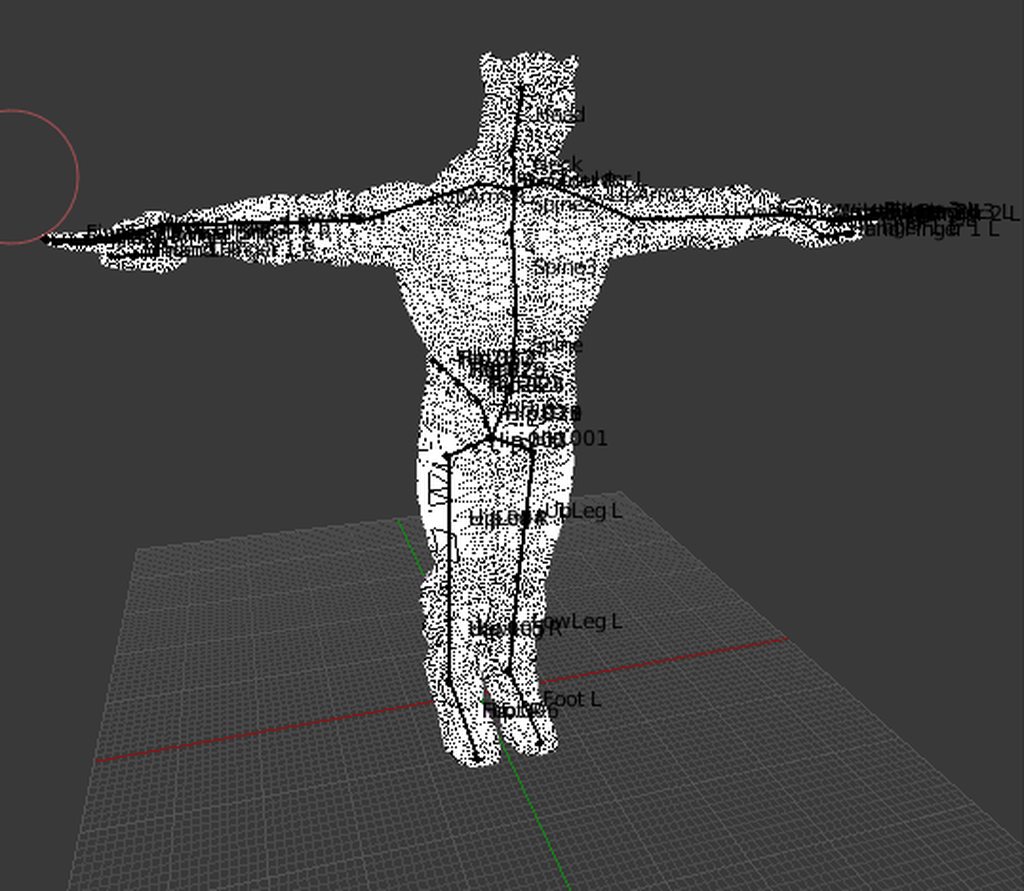
it'S a bit an earlier build, but in Blender it looks okay but in Unity it'S just broken
the rig is okay and got into Unity without issues, but the second pic happens whenever I automatic weight the Armature with the Skelleton
crisp tendon
What do you mean it looks ok ? Did you rotate every bone to make sure ?
crisp tendon
reset the roll, move your bones if necessary
tranquil iris
is there a list of values on how rotated the bones should be?
tranquil iris
ok so I reset all the Roll but it still give me an issue when importing in Unity :/
ivory radish
reset the pose in the humanoid mapper
tranquil iris
picture to where find that?
split solar
alright, i've got one more slight problem i somehow gotta take care of: my armature is properly grounded, but the model and therefore the bone too are not. x y z are all at zero, but it still hovers in blender (which translates to unity as well). does anybody have an idea? checked the transformation mode and it is set to global, but i cant get that model grounded https://cdn.discordapp.com/attachments/525721768258699266/536018113058045985/unknown.png

sadly wasnt able to find anything on that topic via google (maybe im looking for the wrong thing?) besides the global / local transformation setting
ivory radish
easy just apply transforms after moving it
that or move hip down in pose mode and apply as rest pose
 solemn talon
@split solar kung's FBT fix video has some step-by-step instructions for shifting a floating model down: https://youtu.be/IqUVFuSD5a4?t=1070 (jump to 17:50)

A guide for scaling and tweaking VRChat avatars for fullbody tracking. Covers information on in-game, blender, and unity. It also has a fix for that bending ...
split solar
thanks for the help, gonna check out the vid
apply pose works like charm tho. such a simple task so well hidden ;p
fixed it, nice
time to test the avatar...tomorrow. 4:30am again
n8 and thanks again for helping me out
 signal crane
Ive replaced hands(including bones) of a mdoel, now the models arms(below elbow) are going haywire when in VR(also during animations, but its fine in the preview screen or in unity). Any Idea? Haywire = flayling around wildly
Didnt happen with the original hands
 shell osprey
Hey anyone have a working muscle anim?
 grizzled vessel
Oof.
 alpine raft
Hey, so does anybody know why the weight painting around the shoulders of your avatar in VRChat is not usually accurate to what you've weighted? I've had the problem frequently where I make my avatar and just end up redoing the shoulders cause they always mess up. In blender they seems to work well, but in VRChat they do not. Well, they do, but only in full body? Super weird, It looks like when I'm not in full body how the weighting is on my shoulders gets treated differently.
naive tree
you need to account for rotation, shoulders rotate a lot in vrc
in fullbody they do not move at all basically
alpine raft
Ohhh, that make a lot of sense. lol, I feel kinda dumb now. Thank you so much!
Well, hold up. They seem to be fine on the rotation of the z-axis
I'll play with it more
naive tree
good way to test is doubletapping R and playing around
ivory radish
shoulders are really hard to weight paint
cuz its not like the arms or head or spine
where its mostly round and has start and end
ivory radish
and if its low poly its even worse
alpine raft
Same. I've been able to make them work with previous models, but this one was giving me lots of trouble.
ivory radish
cuz then it starts like spiking
alpine raft
Oof
ivory radish
i even tried to
transfer weights from another mmd model for one of mine
just bc the shoulders were bad
still ended up being bad 00f
ivory radish
well then ur arm flies off the torso
naive tree
just get full body 4Head
ivory radish
get a dogo
ivory radish
🐶
 calm needle
my main model hasnt had weight on the shoulders ever. Ive just been too lazy to fix this
https://i.imgur.com/bVyTibf.png
 ivory radish
yea thats wat i said
u can "fix" it by making shoulders very very tiny
but the point of shoulders 2 kinda move the chest
 formal hearth
Am I able to set bone constraints for avatars in unity? I know Blender doesn't export them in FBX. I'd like to be able to do things like, say, prevent eye tracking from rotating the eyes too far, etc.
ivory radish
u cant do that unless u have multiple things controlling eye or move the bones closer to them
u can change their settings in the humanoid mapper but unity does not care / wont use them
CATS already has a tool to reduce eye movement tho
formal hearth
Seriously? That seems like kind of an oversight for a system with eye tracking but also very different avatars. Bleh.
ivory radish
i told them to start using the mappers eye range settings
(accessible in muscles -> head -> eye settings)
but ig is not good idea
formal hearth
is there a built in rotation limit that I can build my avatar around? Like does anyone know roughly what angles the eye moves between from left to right and up to down?
ivory radish
literally just use CATS
and change eye movement range
it moves the bones closer or further from eye
 formal hearth
ok but I've formed my eyes to rotate around a sphere to prevent clipping, moving the eye bones would screw that up. I'm modeling and rigging my own avatar, so I can change things if needed, I'm just trying to find literally any of this sort of info for original content creators, and it seems there is very little.
ivory radish
if u want to prevent clipping do what most MMDs do
make a hole for the eye or make it round but do not rotate it, then rotate a pupil on top of it
that or use an eyeball and rotate the whole eyeball
but again literally try CATS first
formal hearth
that's what I've done, but you'd still have instances where the iris rotates into the center of the eye whites etc.
I guess I can use another method
I was just hoping there was some sort of reference to work around
ivory radish
there is
again its called using the CATS tool bc it allows u 2 rotate the eyes and change the movement range
ivory radish
vrchat has terrible documentation
formal hearth
that say "Eyes rotate 90 degrees left or right and 70 degrees up or down"
yes
that's what I'm saying
ivory radish
all the documentation mostly comes from other sources and internet
so probably not happening
crisp tendon
Add an avatar descriptor, and upload
ivory radish
^^^^^
u need to also add the sample avatar controller from the SDK
if u want it to be animated
also note that stuff like viewpoint and sitting will be disabled and essentially all u can do is slide around and talk (or have animations)
 sleek isle
like the old days
ivory radish
yea but cant sit
no IK or anything either
no not full body
any IK at all
for arms or legs or anything
 cobalt frost
for generic avatars, i think the viewball ignores the x and z components
so i think you'd have to move the model forward to fix it
or backward, wherever you want it to be
 ashen yew
Do the shape keys for the avatar have to be named exactly as vrc.blink_left, vrc.blink_right, vrc.lowerlid_left, and vrc.lowerlid_right for VRChat to automatically animate them in game?
 pseudo sedge
yes shape keys must have specific names to work with eye tracking stuff and visemes, also as mesh name (Body) and bones name of eyes
ashen yew
poop
Do the eye bones need to be named LeftEye, RightEye or Eye_L and Eye_R. CATS is being very confusing about it.
pseudo sedge
LeftEye and RightEye, cats just keep old bones with _L _R
 dim ore
throwing an avatar together for someone who possibly uses a mic in game
is this correct?
VRC_Avatar Descriptor (Script)
Lip sync: Jaw Flap Blend Shape
Face Mesh: None (Skinned Mesh Renderer)
ashen yew
@pseudo sedge Thank you ❤
pseudo sedge
@dim ore do you have jaw bone or blend shapes? actually looks like no one uses jaw flap blend shape 🤔 at least i don't know what the name must be of the shape key for that
you better use jaw bone (not blend one) or shape keyses one also for shapes must be Body selected
dim ore
i used autodetect and it brought up jaw bone
pseudo sedge
try if that will work in game 🤔
dim ore
the character does have blend shapes, but they are all in japanese XD
pseudo sedge
@dim ore you can use CATS addon for blender to translate them and create from them shape keyses that needs for vrc, because they must have specific names as vrc.v_sil etc
dim ore
what would that be under on cats?
pseudo sedge
@dim ore cats is a blender addon where on Visemes tab you need to select AA, OH, CH shape keys and from them will be automatically created all shape keys that vrc require, also after that you are able to create new shape keys on the end of shapes list but not before created viseme keys or that will not work
dim ore
i wonder if the "fix model" will translate them for me until i can figure out what is what
and then revert
pseudo sedge
@dim ore you better to import model through cats and then press fix model, for visemes somewhere in translate button, but a is あ(a), oh is お(o) and ch can be い(i) keys
 rocky walrus
 pseudo sedge
@rocky walrus if you want to make it open when you talk you need to create shape keys to open/close it, also that must be specific named and on mesh named Body
if you want to trigger via vrc gestures that would be easier to create animation for bone rotation
rocky walrus
why would i do that when i can juse use 3ds max morpher
pseudo sedge
@rocky walrus there's 2 ways of lip sync: with jaw bone or with a shape key that is an information about vertex position change
also that works only for humanoid avatars, not for generic
rocky walrus
its not generic
its humanoid
and i set the morpher to have it close the lid when blinnking
@pseudo sedge does it have tobe rigged to a specific bone for the "shape key" (morpher that makes the lid close) to work?
pseudo sedge
to use shape keys mesh with shapes must be named Body, and you must have specific names on shapes, also in avatar descriptor you need to change lip sync to shape keys and select body mesh then assign keys
their names: http://prntscr.com/m94ry0
 rocky walrus
@pseudo sedge is this on the mesh?
i just did "auto-detect" and it set itself to jaw flap blend shape
and now it just randomly flaps up and down
ivory radish
if u want a viseme like actual talking toilet things
where they have different shapes of lid and bottom when speaking
u have 2 make multiple shape keys
which CATS in blender will allow u 2 generate using only 2 shapkeys
idk about 3ds
rocky walrus
i tried making every v_Whatever the toilet flap and now instead it, has it randomly go halfway, and then a few seconds later extend past the toilet
ivory radish
u shouldnt
either make proper visemes or settle with just one
else it looks worse
 ivory radish
wont happen unless theres some magical voice detecor
rocky walrus
whats the closest thing i can do to that
ivory radish
havent heard of any users making anything bound to voice so
rocky walrus
well
if voice is detected
than thats fine
i just want it so that if any audio is detected it defaults to one toilet flap animation
is that possible
@ivory radish
ivory radish
most likely not
shape keys will only affect vertices
and theyre interpolated by the sound
rocky walrus
well it doesnt have to be a full flap
if i scream really loud will it max out or will the lid extend past the boundaries
ivory radish
u can try just having every vowel sound open and every constanent closed
but doesnt look like decent visemes
so honestly i would just at least try to make them look accurate
kinda like those 3d animated toilet cartoons
but thats just bc i would prefer something if it looks better
rocky walrus
hwhat does a visme do
ivory radish
i told u
if for example u have a character with an actual mouth
each shape key would represent a loud sound in that mouth shape
so AA would be yelling AAAHHH
and OH would be yelling OOHHHHH
etc
and they will be interpolated by what it sounds like and how loud it is
sleek isle
Soo
When you create viseme. Make the viseme like if the character yelling that sound
To be honest. Make all the shape key exareted
chrome sequoia
does anyone know how to change the parent of certain bones? this model's hip bones are not the hip bones coz of parenting n stuff
https://gyazo.com/d7b9d2728d1f1efe0f2d5b387c47f138
 fading verge
You have to do it in blender
gritty nest
@chrome sequoia can't you just manually reassign on the right side?
Put hips in the hips slot, spine in spine etc.
chrome sequoia
i try that and it says its not a direct parent or whatever
fading verge
Edit mode -> select your armature -> hold down shift and click on the bone you want to reparent first, then click on the bone you want to parent it to last
I think the reparenting shortcut is ctrl p or something
chrome sequoia
https://gyazo.com/c034647f50476cbe9666310f7af01012
this is what my heirachy looks like
in unity it says that Armature is a bone, and that root is the parent of hips
 fading verge
In all models i know the hip bone is the root bone for everything
gritty nest
Armature is seen as a bone because of that weird "C_BUFFBONE" thing
I thought Fix Model could fix that maybe
Anyway the Root has to go, Spine should be reparented to Hip
Reparent Root and BUFFBONE to Hips, then merge it into parent using Cats
Reparent spine to hips too
That should get you there
fading verge
Yes

I'm having this issue with my model
I tried reconfiguring the shapes of the bones in blender but it seems to have no effect on unity
chrome sequoia
well i think fix model worked haha
even when pressing forced Tpose in the unity config?
fading verge
If i let unity have its way the chest goes up too high and obstructs my vision
Force tpose works, problem is that it's not the pose that i want
Like i said the chest rotates too high up
When it should be pointed downwards instead
chrome sequoia
hmst
could it be bone rotation?
fading verge
i don't know what it is
i tried rotating the chest bone in blender to point upwards since it wasn't alreadyy
but that didn't seem to have any effect on the model in unity
gritty nest
Is manually rotating it in the correct position in Unity an option?
It'll complain about not in T-pose but that won't matter
fading verge
i tried ignoring the warning but i still ended up with the problem of the chest moving up too high ingame
so i assume it's related
i keep trying to rotate the bone to a normal position in blender but unity seems to revert those changes no matter what
i'm wondering if it might have to do with the way the skeleton is set up for this model
since the neck bone is directly in front of the chest bone

ideally i'd have the chest not move at all but unity seems to require that
chrome sequoia
why does unity show the bones but in blender i cant see them?? i only see toe bones lol
calm needle
@fading verge despite it erroring saying "not in tpose" have you tried uploading it anyway to see how well it works? When i did a bowser model, i purposely left him slightly hunched over and out of unity proper t-pose and it worked fine in game despite a little extra toe tapping
fading verge
Yes, i mentioned this
The chest moves too far up ingame
I might try lowering it to the point that it clips through the body and see
 marsh escarp
I need some help whti Rigidbodies
cna i still make an Animation that hides the Object i put rigid Bodies on or does it screw whit the rotation
a Video said it will screw whit rotation as i want an Arm to Appear and dissapear whit a Gesture https://cdn.discordapp.com/attachments/401870095875309569/536668350433067039/unknown.png
 fading verge
oh yeah one more thing
i want my avatar's forearms to not twist when i twist my hands ingame
because it looks weird on mech models
i tried reducing the lower arm and lower leg twist to 0 in the muscles & settings tab of the humanoid rig configuration panel
but it doesn't seem to actually affect the game
is there another way i can get what i want
ivory radish
lol
also u can either use the other import tool (will be segmented) or rig the model by hand
material file
literally just put the pngs in the texture slots
if u dont know how 2 use blender that well there are tutorials for a lot of stuff
 dim ore
that's a shader issue
either your shaders broke when importing a package or you don't have cubesparadox
?pink
ivory radish
thats in blender -.-
dim ore
oh
fading verge
this it in weight paint mode
formal hearth
Yep that's the "no texture" sort of default color
you might be in weight paint but the shading mode is probably "texture"
switch to e.g. Solid view
 ivory radish
if ur in weight paint mode then the issue is pretty simple
ur using mmd shadeless shading type and purple/pink represents unweighted areas (no vertex groups)
dim ore
got it
fading verge
how do i fix?
ivory radish
there isnt really a fix as it isnt a bug
if it helps u can switch to GLSL shading with the N key and the CATS shading tools or u can select a bone that has weights/vertex groups assigned to it for that mesh
fading verge
that's the thing, it's on GLSL and they are assigned to the mesh, it worked earlier and the mouth still moves now
@ivory radish
nvm i fixed it
 velvet pasture
How do i stop the mesh from tearing apart even though its all weight painted red? (Blender)
gritty nest
Remove doubles
 sterile oracle
https://gyazo.com/8814f5a497715d50f442a2c29d4b508e So I'm trying to set up viseme and the only options are "none" help would be very much appreciated
 solemn talon
- make sure you have shape keys created for your visemes in blender - it looks like you don't have any on that mesh at least
- please merge your meshes - you don't need a separate mesh for your face, and having lots of skinned mesh renderers hurts performance
ivory radish
i need cuz i got outfit cycler
pseudo sedge
@sterile oracle mesh with visemes but be named Body, eyes for eyetracking LeftEye, RightEye, with other naming this things will not work
 solemn shuttle
Having a problem with jawflap blend shape. I have everything assigned to make my character's mustache wiggle, but nothing happens after I uploaded it in game
My bad fam, forgot to name the mesh "body"
 charred sorrel
having an issue in fullbody -- one arm is super long and the other's fine?
its a rigging issue because its only on this model
ivory radish
is anything wrong with the models bones
charred sorrel
not from what i can see... there are some extras of bones but it shouldn't affect it, they're just there for weights
could it be because they're not connected?
nevermind that wasn't it
http://prntscr.com/macx6c extra bones are for weights but otherwise it shouldn't affect how it works in game
 ivory radish
have u tried merging all those
with CATS
the remove 0 weight bones one
and made sure that the bones are mapped to the correct ones in unity
charred sorrel
i'd have to combine vertex groups since almost all of them have weights
nothing looks wrong to me though? nothing that should be causing the model to look this funny anyway
lemme screenshot what it's doing
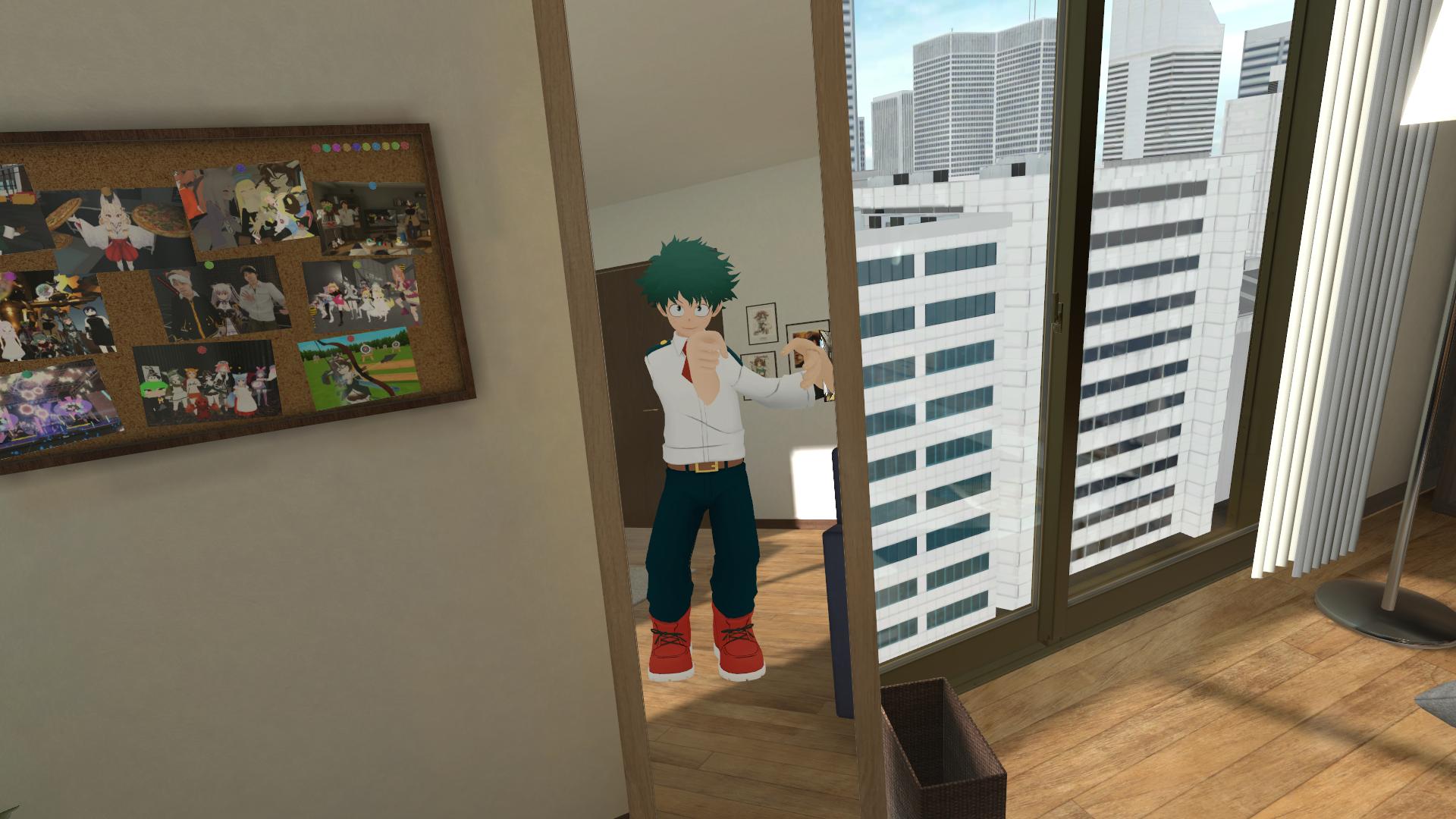
it only looks like this in fullbody, it's fine without fullbody
charred sorrel
they're out right in front of me
sterile oracle
Yeah I just went through that whole cycle
I had to move everything to the model itself not the "body"
solemn talon
is there a handy blender shortcut to select all bones that are a child of the selected bone?
ah, shift-G
 turbid spear
You can merge bones to parents with cats in one click
solemn talon
nah I was just trying to hide the bone heirarchies I wasn't working on temporarily so they didn't get in the way
 worldly willow
Hi peeps, so i have a histoire model from hyperdimension neptunia with her book she is supposed to sit on , now my question is how can i have the model be in the sitting pose on the book and have the book float in vrc ?
The book and model are seperate models(book has no armature))
ivory radish
u put book in character and make it inactive
for animation part u can duplicate ur character or like enable a seated version of it
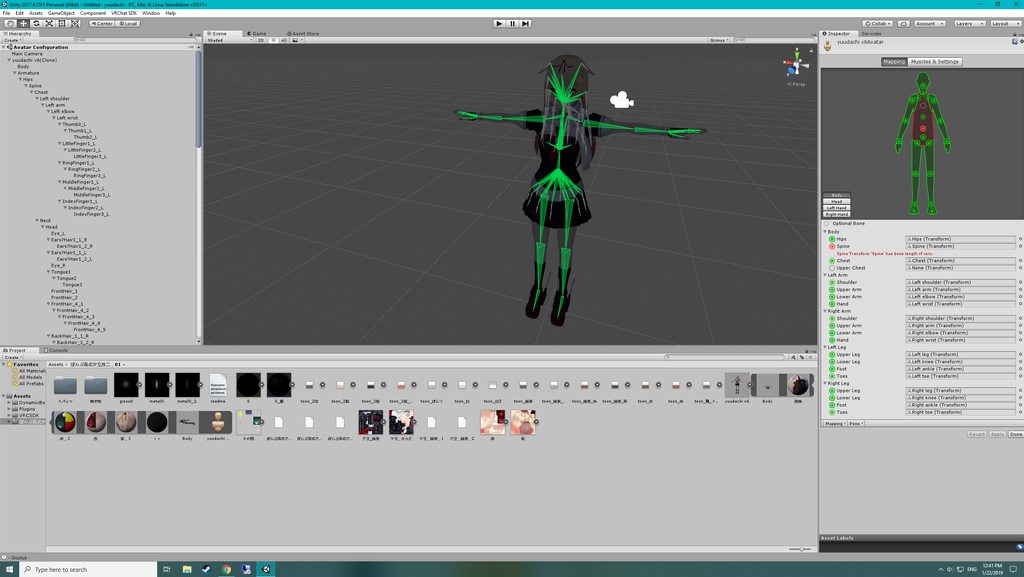
 arctic wren
i did i believe
gritty nest
The fix states pretty clearly that you'll get this error and that you can ignore it
It's technically not what you want but it's necessary for the FBT fix
arctic wren
oh XD
thank you
the publish page is saying that i cant publish it though
feet and upper arms arent specified
gritty nest
Can you post a screenshot of your model as it is in the regular scene?
Preferably a screenshot with your avatar selected
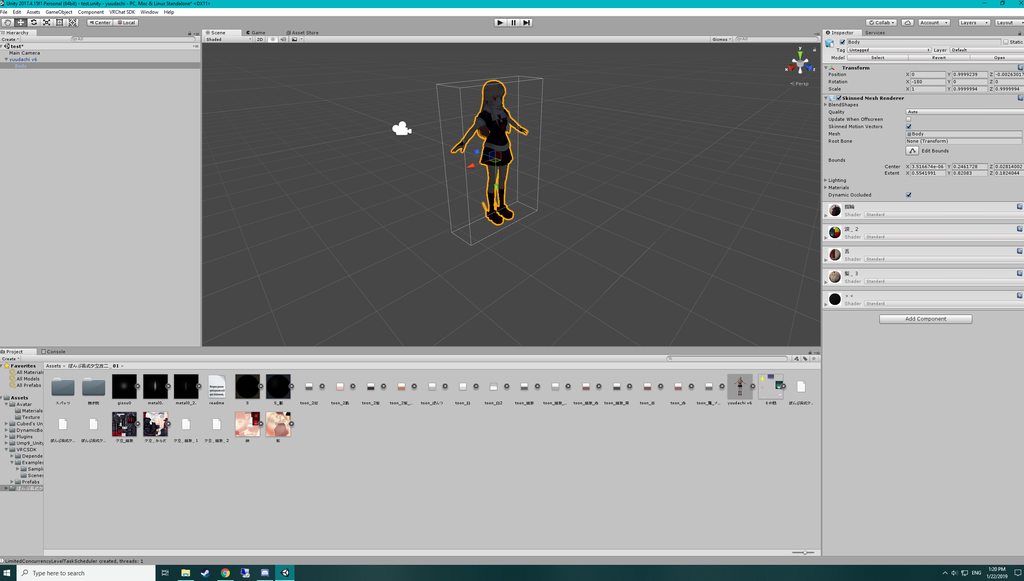 gritty nest
Um, where's your armature? Untick "Optimize game objects" in the rig configuration
Then try again
arctic wren
will do
and i have no idea what i did to my unity to get it to this state.
it looks like it worked m8
thank you so much for the help
if i could upvote you i would
YAY IT WORKED PERFECTLY. now i just need to get the mouth working
 ionic sinew
Hey guys. Hope this isn't asked too much, I scrolled up for a bit and didn't see it. I'm trying to duplicate a braided hairstyle on an Avatar in game, the braid hangs down over her front. However the hairstyle in the model I downloaded has it just straight back. Is there a way to move it to the front? Do I do this in Unity or Blender? I'm pretty new to all of this.
cobalt frost
if there's bones on the hair, you could probably just move them in unity. if not, you'll have to go in blender and either add some bones or try using the proportional editing tool to adjust the hair without using bones
ionic sinew
There are bones! Thank you. I'll look for a tutorial on the rest, but I didn't want to need to go back into blender 😃
fading verge
@solemn talon Learning about Shift + G is really helpful, thank you
You can also color code bones into groups to easily differentiate them & easily re-select that group afterwards or press M after selecting them to change those bones into a new layer https://puu.sh/CATbK/3aad44a6c4.png

 white charm
Can someone make me an avatar?
sleek isle
No
 gritty sleet
is it possible to send someone a DM with a blend file, so they can only check it, and tell me what's wrong with the eyes?
sleek isle
yes
gritty sleet
before i go to work, can someone tell me how to fix this s***? https://www.youtube.com/watch?v=TYd7HO0Xro8&feature=youtu.be (warning: may be a bit disturbing)

if you can even fix this horror show... :/
sleek isle
the eyes might be parent to the neck or the chest
gritty sleet
nope, head...
sleek isle
when you test the eye tracking in blender(cats) its look aright ?
gritty sleet
yes.
sleek isle
you assign the good bone in the humanoid
gritty sleet
yes, eye_L and eye_R
gritty sleet
in blender it says not to do that...
sleek isle
you said to cats this is the eyes and the head. The plugin then create 2 new bone LeftEye and RightEye. Those are the one you put in Unity
gritty sleet
i'll test it as i'll get back home.
ivory radish
in CATS do not use LeftEye and RightEye to make eye tracking
unless u have no other eye bones
but in unity use them
gritty sleet
just got back from work, so as i said i'm going right into unity.
 cedar pond
Ey
Someone HAVE to make this a thing Lmao
I found this on a bar
nvm i cant Post Pictures here
 main pebble
Can anyone help me
how to turn this bone to fingers along ?
https://imgur.com/ZNBZltw
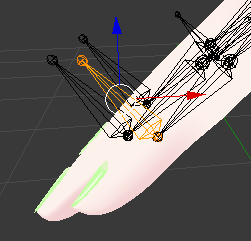 calm needle
if the bone rolls are right, you can set the pivot mode to active element and the movement mode to normal. This will allow you to rotate the bone along its current orientation. If the orientations dont match up in a way that easily allows that then the manual dragging of the tail is a viable option
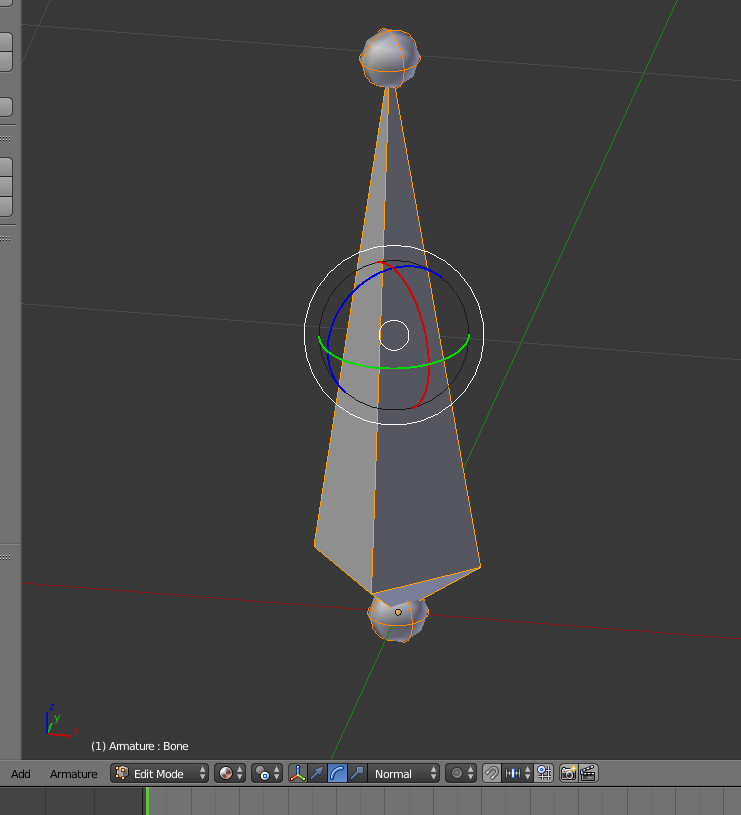 gritty nest
You can also select just the tips and move them
 elder drum
Does anyone know why my Avatars fingers tend to "Curl" Instead of performing gestures?
naive tree
you need to animate the fingers in animation, if you don't do it then they'll be in "crab-hand" pose
gritty sleet
does anyone know how to add lip sync from nothing to a avatar that has a bit too much of a poly count on the face, plus a fully modeled mouth?
 stuck jasper
In blender, if you press o you can enable proportional editing
It will let you move all the vertices around the selected ones, making it easy to move something and still have it look smooth
gritty sleet
i just tried... and i selected only a single dot... but it moves the full model...
ashen yew
First, after you enable it, you need to scale it up or down with your mouse wheel to change the fall-off of the tool
stuck jasper
Yeah, for some reason it defaults to really high
ashen yew
Second, you may want to go into the proportional editing tool itself and open the drop-down menu to select 'connected', so that you're not moving around your characters teeth and tongue and stuff when you're moving the mouth
stuck jasper
Also it doesn't affect hidden vertices, so if you want to move only the bottom lip then you can hide the vertices in the top lip
ashen yew
thats probably a good idea too
gritty sleet
you all do know that i have outright no f***ing idea what in the world you both are talking about... right?
stuck jasper
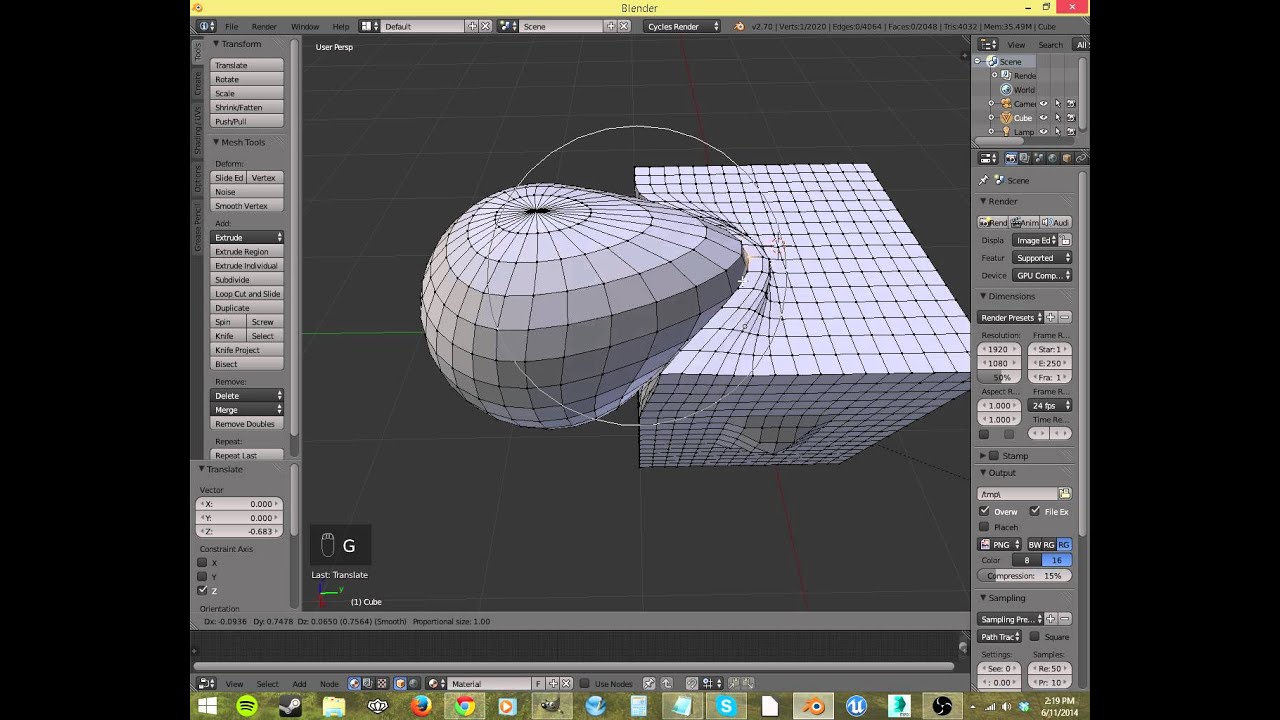
I explain what proportional editing is and how to use it, and why.
Try that
stuck jasper
Nice
gritty sleet
i feel like a kid that is learning rocket science... :/
stuck jasper
If you really want to know all kinds of good features you might not have known about blender to make your life easier

Blender tutorial for complete beginners! How to use the most common functionality of Blender: Modelling, Materials, Lighting Watch Part 2: https://youtu.be/s...
ashen yew
Its more like walking into like a wood carvers workshop or something. If you just learn how the tools work, you can do whatever you want.
stuck jasper
Watch that tutorial series
It has a lot of good tips
You don't have to go past material nodes
That's only if you want to render stuff
Maybe also watch part 5 if you want
But everything else is blender specific
gritty sleet
i think that i found my limit in skill... :/
or i did try, it did start looking more or less adequate, but then i looked at the starter shape key, and for some odd stupid reason, the model got a bit taller in the "AA" shape key... so i started from the start... and now i look like a necromorph... -_-
the heck?!?
stuck jasper
What
gritty sleet
as some say in russia: "i tried doing things better, but it ended up being the same."
it has more meaning in russian... :/
in the end, i'll have to settle with no lip sync as before... :/
 molten rock
anyone know good dynamic bone settings for a tail?
or a link to general settings for dynamic bones would be helpful
 teal prawn
@molten rock read the description for tail values https://youtu.be/KywzhVH5o0Q

A Unity tutorial on how to use the dynamic bone plugin, which is available on the asset store here: https://www.assetstore.unity3d.com/#!/content/16743?aid=1...
molten rock
@teal prawn yea found it thnks
 vital meadow
anyone knows how to fix this when using full body? I used the full body tracking fix from CATS like usual
https://i.imgur.com/y3c4SA5.jpg
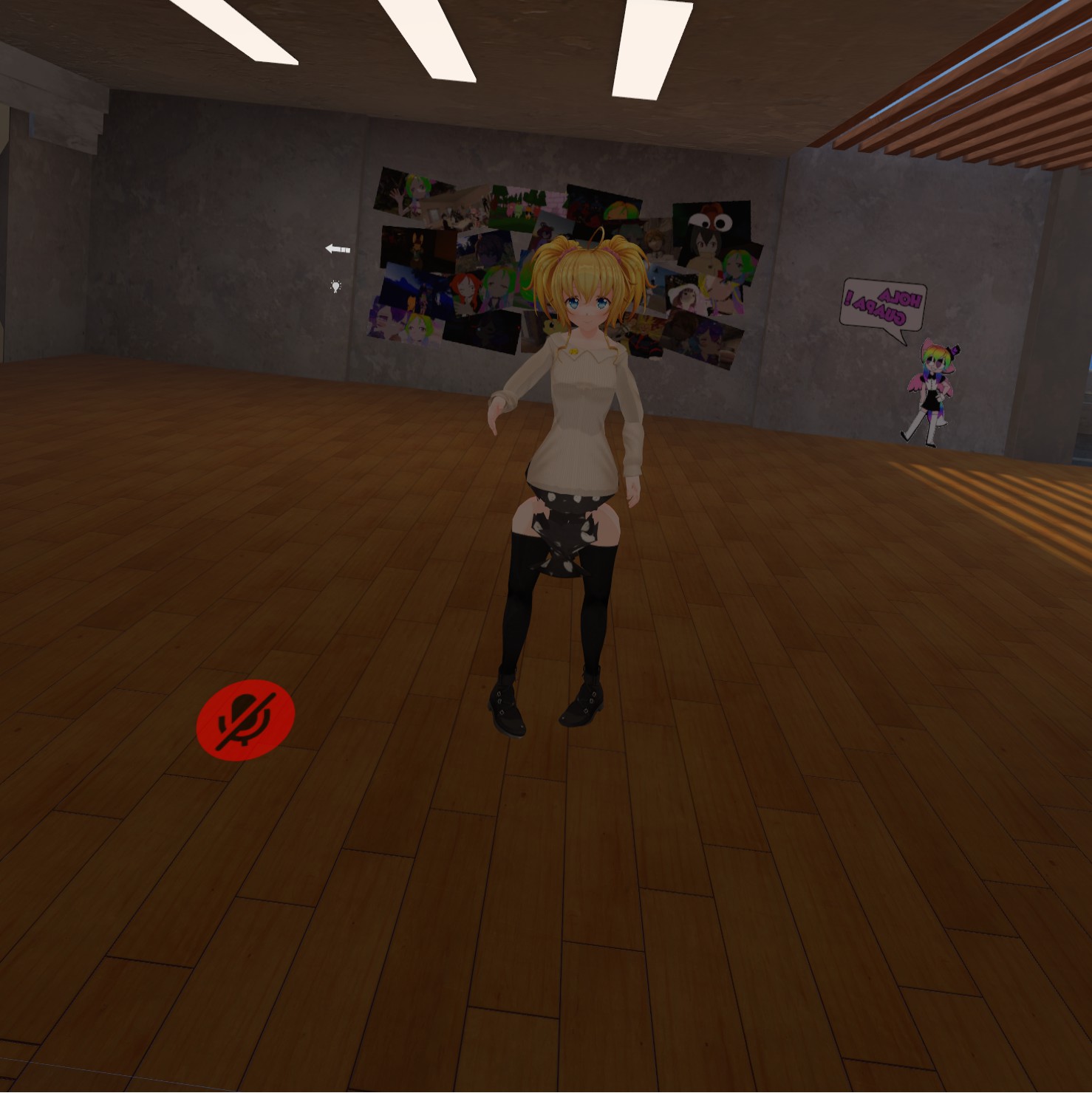
 lucid orbit
Move the knee armature a bit forward in Blender.
It's a common issue for models from that particular game. Need a .gif of what to do?
vital meadow
@lucid orbit
i think i got it. thanks! i'll check it out in a bit
lucid orbit
Okay! Always good to have more of that type of model around. (Because they're super pretty.)
vital meadow
yeah! i actually made 3 different clothes for that model, and plan to make more models. but didn't have my hmd for 2 weeks until today and noticed it :)
 opal aurora
Huh... the hip bone looks inverted... unless that's just me seeing things
fading verge
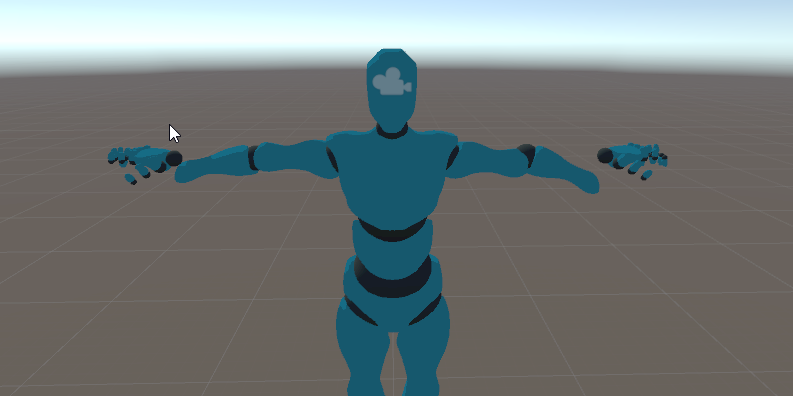
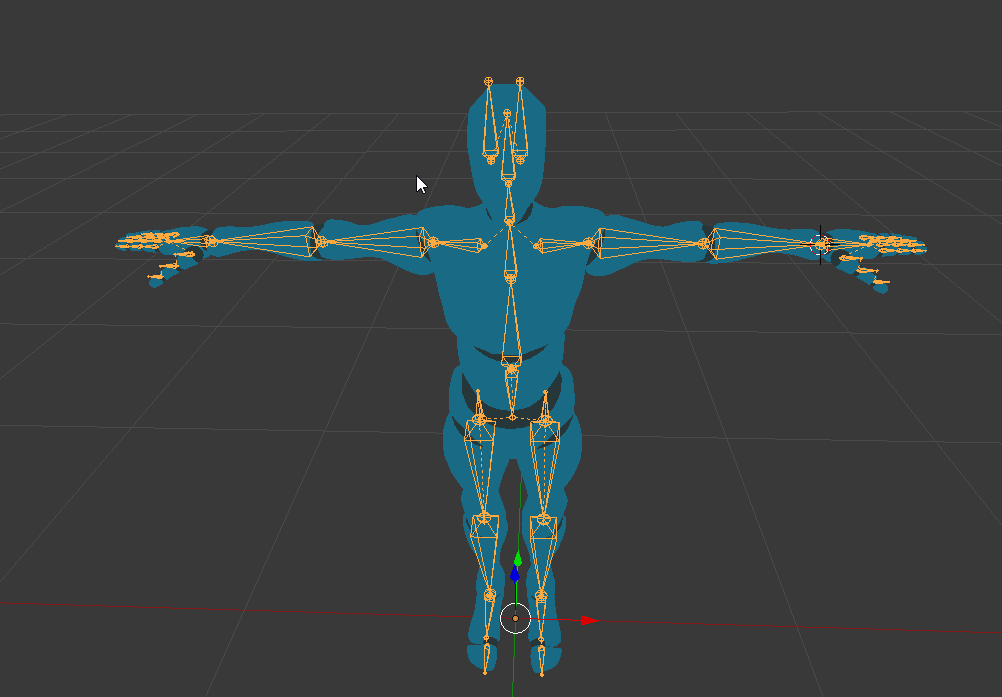
can anyone help me? i clicked Full Body Fix in Blender and in unity the avatar looks like this now: https://i.imgur.com/sr2BSb7.png but in Blender the avatar is completly fine... https://i.imgur.com/Rpts5wM.png
 gritty nest
Set all bone rolls to 0
 chilly oriole
how in tf do i make a roblox character in vrchat
cus i
too lazy
is blender free idk
fading verge
@fading verge Weight Painting is what is done to tell the bones which part of the mesh they need to control/move
ivory radish
no it is a weight, an intensity of how much control the bone has over a vertex
fading verge
Finding visual tutorials on it may be easier to see how it works
Feel both explanations tell the same in different ways
ivory radish
yes but what ur saying implies its 0-1 with nothing in between
 serene skiff
anyone know how to get blender to stop selecting the whole armature while trying to weight paint?
ivory radish
use pose mode on rig
and right click 2 select a bone when in meshes weight paint mode
 boreal cobalt
https://imgur.com/a/sfRM7Zq anyone have any idea on why the bottom half of the leg isn’t moving with the bone like the top
 molten rock
Anyone know any worlds that have avatars that the Booty jiggles? for fullbody
ivory radish
did u use fix model
elder drum
Hey guys, Anyone know how to assign a single limb that has multiple capsule colliders to a cloth colldier?
It only picks up one of the coliders, very annyoing
fading verge
@boreal cobalt That part of the leg is lacking a weight paint, which means it will not follow the bone, if you weight paint the leg to the leg bone, thenm the feet and t oes to their respective bones, the leg will work properly.
 grave forge
I have a problem when I import my model into Unity (full humanoid skeleton). It always gives me a fault saying that I am missing the lower left leg (right and feet also are not recognized). The legs are there though.
Is there a specific hierarchy to follow or something?
Seems like it is also important to mention that I do not want my avatar to have legs, but assume the full animation import.
crisp tendon
If you apply them again, and make sure everything else is in place (fingers and neck) the error should go away
It needs to have the legs bones and to be mapped regardless
grave forge
apply them again? I have remade the legs like 4 times now.
the leg bones are not in the model
just kinda... floatin
crisp tendon
But you still have three bones for each ?
grave forge
R/L hip, R/L upper, R/L lower, R/L foot
crisp tendon
Which are you missing, ankle ?
grave forge
it says that it cannot find lower legs
crisp tendon
For both legs or only one ?
grave forge
the fault only says left, but neither are appearing on the hierarchy.
crisp tendon
Apply the bones manually to them then
grave forge
so potentially dumb question, bear with me
how tf do I show bones in unity without the VRChat SDK
actually, they dont appear on the hierarchy in unity at all, only in blender
crisp tendon
You are doing that right now
If you don't have an armature in unity, then you didn't export it
grave forge
I did export it, but as FBX
does unity filter out bones that have no mesh to weight?
crisp tendon
Unless you specify it in the export in blender, it doesn't no
grave forge
Yea that was it, I always wondered why the VR Chat devs included that tiny polygon on the "muted" avatars foot
its a reference to weight so that FBX does not "optimize" the useless bones out before the VR Chat SDK gets to it.
grave forge
Ok, new problem, why did it delete my endpoint bones?
serene skiff
there's an option to ignore leaf bones in blender, both on importing and on exporting
you can try messing around with that, it's in the options on the left side during fbx import/export
sleek isle
What problem do you have with leaf bone
 dapper herald
I don't know how to ask this, because this is for a friend so I'll let the post explain itself https://blender.stackexchange.com/questions/129790/swapping-from-one-armature-to-an-identical-one

Blender Stack Exchange
I'm trying to use a blender model for unity and i want to use it as a humanoid model, this model uses these "animation" types of bones instead of the usual ones, which unity doesn't like.
Usually,...
If you know what to do then please respond on there
naive tree
rename all bones, then parent mesh with empty groups
dapper herald
I'll suggest it to him
He said in the post that he doesn't know how to correctly parent the bones.
naive tree
select mesh, shift select armature > ctrl+P>with empty groups, if bones/vertex groups match then bones will work
 little pawn
do many people use Maya here? having a bunch of issues with importing a model + rig made from scratch into unity without issues, especially with textures and such
gritty nest
Are the textures embedded?
You should either manually copy the textures into an assets folder called "Textures" beforehand
Or click "Extract Textures" in the import settings under Materials tab, if they are embedded
little pawn
i'll try this
aye no error log this time during export, gotta import it into unity now though
ah so textures seem to not appear with the fbx export
(with embedding)
ahh extract textures worked! thank you!
 stone relic
@naive tree i am that friend in question, i'll get back to you to see if that works
@dapper herald thank you for posting that for me on here, didn't think to post it here for some reason
 glass panther
Suddenly applying the full body tracking fix breaks the arms of my model. It worked fine before. Not sure if i somehow changed any setting.
naive tree
what does "break" mean, things can break in many different ways @glass panther
screenshot
glass panther
I apologize I should have elaborated, I somehow fixed the problem though.
grave forge
I keep getting the error "spine hierarchy missing elements, make sure that pelvis, spine, neck, and shoulders are mapped." All of those are mapped and have no errors in the rig configuration. Anyone familiar with this?
Well correction, all of those that it says are "required" are mapped.
boreal cobalt
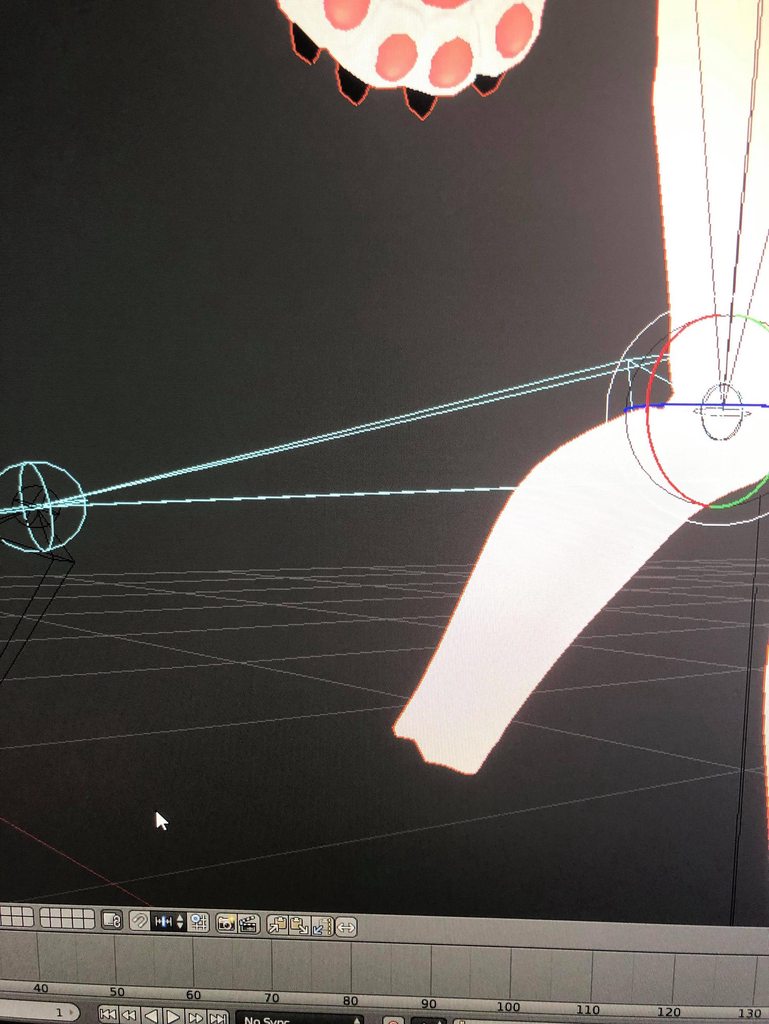
https://imgur.com/a/OBG7VVV could anyone tell me if iv weight painted this leg correctly

and if so why is this happening https://imgur.com/a/yVFW29I
still
stuck jasper
🤔
 pine harbor
@grave forge if you've got extra bones between some of the mapped nodes, that can cause that error to come up sometimes (think it happens most commonly if there're too many elements in the spinal column)
may also happen if the shoulders or neck aren't immediate children of whatever's mapped as the chest bone, i think, or something along those lines
@boreal cobalt if the shin also has an equal level of weighting to the ankle/foot bone, that might do it -- blender technically allows you to have weight totals of more than 1.00 on a vertex if you don't keep them normalized
grave forge
Alright, thanks!
ivory radish
u can also have multiple weights for multiple bones
so if u have hip and leg both with full weights
on the leg part
then they each have 50% influence
grave forge
Is the hip supposed to be parented by the spine or vise versa? Also, do the spine and hip need to be connected bones in blender?
solemn talon
There's a handy bone heirarchy guide in the pins
grave forge
huh, look at that, thanks!
Still getting the error. Does the hip and spine bone need to be "connected"?
grave forge
I keep getting "[3, 404, Get, 2] Request Finished with Error!" on compile.
grave forge
Anyone have any idea on this one? I can see the "name your avatar" screen for like 2 seconds then it gives that error and locks up the runtime.
little pawn
i've got the same issue ^
ah this helped me with the spine thing https://www.youtube.com/watch?v=_OBnLcWlQzI
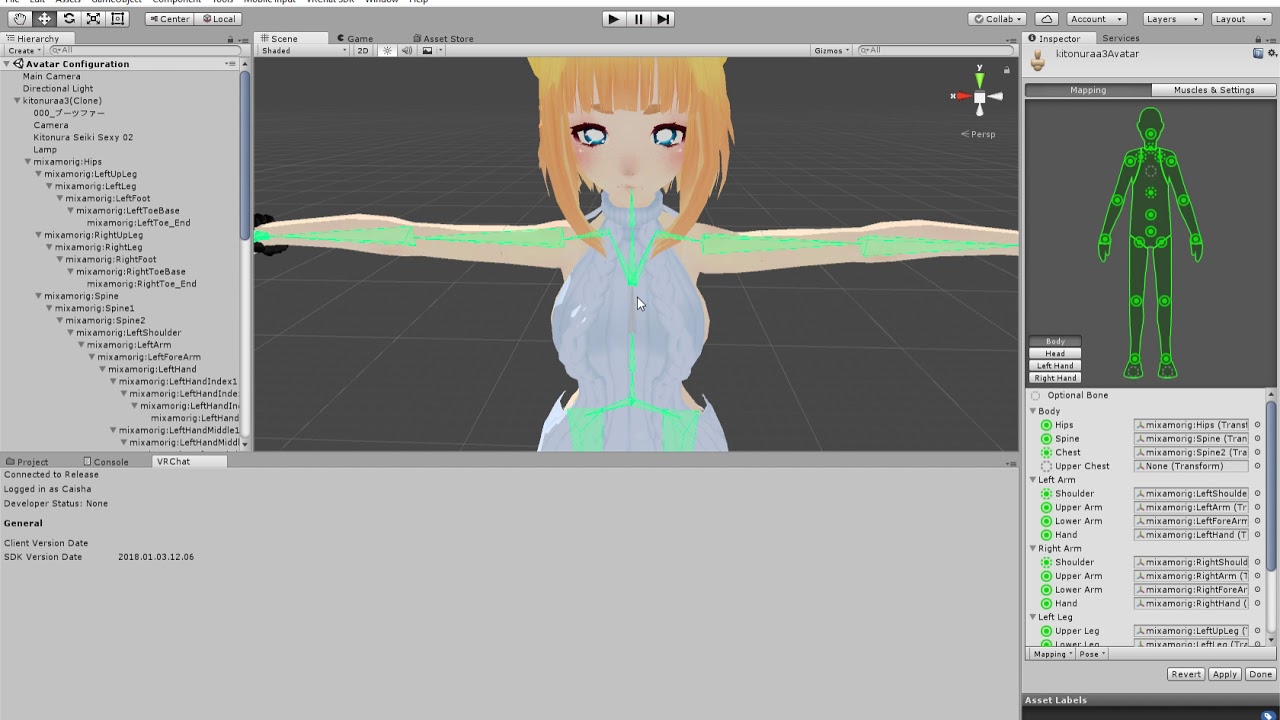
Warning, my mic is awful! I'm not the best one to tell you advice but here is how I fixed my problem "spine hierarchy incorrect. make sure the parent of both...
also finally got the model ready only to realize i don't have the ability to upload anything 
 slow gyro

 mental lynx
I got my model into vrchat and its rapidly flashing black, blue, and the color its supposed to be
what causes this?
only i see it
doesnt happen in all worlds
little pawn
maybe it's a hardware/graphics issue?
little pawn
after using mixamo a part of my model's arm has disappeared
https://i.imgur.com/yrYSgTg.png
https://i.imgur.com/WZU4LD0.png
would this be a rigging issue?
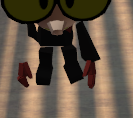
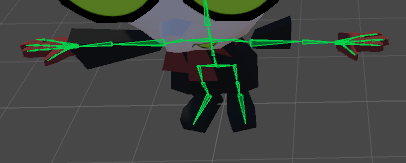
first img is ingame while looking at a mirror, second is in the unity config rig editor
in the regular editor everything is fine
little pawn
okay nvm it has been corrected, it was a rigging issue
 lofty grove
Does anyone know how to fix the eyes, like the at unity it show up just fine but in vrchat the iris of the eyes just disappear
 viral lily
Anyone knows, or have a tutorial on how to rig 4 arms? (so that both on the left move together, and both on the right move together as if it were one arm on each side)
stuck jasper
Fixed joints
You rig one of the arms to move, then apply a fixed joint to the arms to move the other arms
viral lily
is there a tutorial on that? Never used fixed joints
stuck jasper
I don't think so, and I don't know enough to help you, but you should be able to figure it out. You can try asking in #avatars-2-general or #development-advanced , as it's not really a rigging thing
viral lily
thx for the answer tho 😄
ivory radish
literally try first
little pawn
every time my avatar looks up, the body moves down. every time it looks down, the body moves up, which joint(s) cause this?
grave forge
Has anyone had experience with the fingers being pulled together when configuring the bones in Unity?
worldly willow
Try enforce T-pose
little pawn
would it be possible to rig 2d mouths for lipsync? perhaps as changing facial textures
 wary crown
sleek isle
wary crown
sleek isle
puff better watch that video instead to type a text https://www.youtube.com/watch?v=ZB2aXKkwXuA

EDIT: If you are using an MMD model please read below! In this video I will show you how to make your 2D eyes/mouth type avatar have a blinking animation and...
@little pawn
little pawn
ah yeah i've come across this before, wasn't what i was looking for specifically but i could always go for it
boreal cobalt
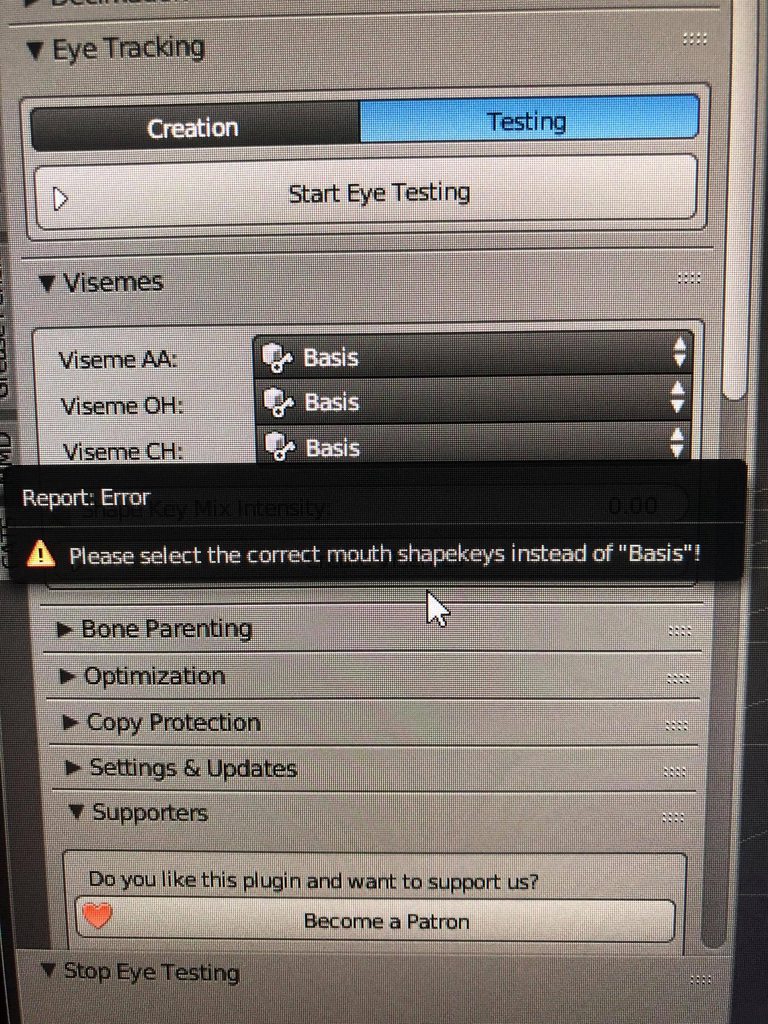
https://imgur.com/a/DNZ8UcN why is this happening any suggestions? the only option available is ''Basis''
 ivory radish
no other shape keys on the mesh chosen
ionic sinew
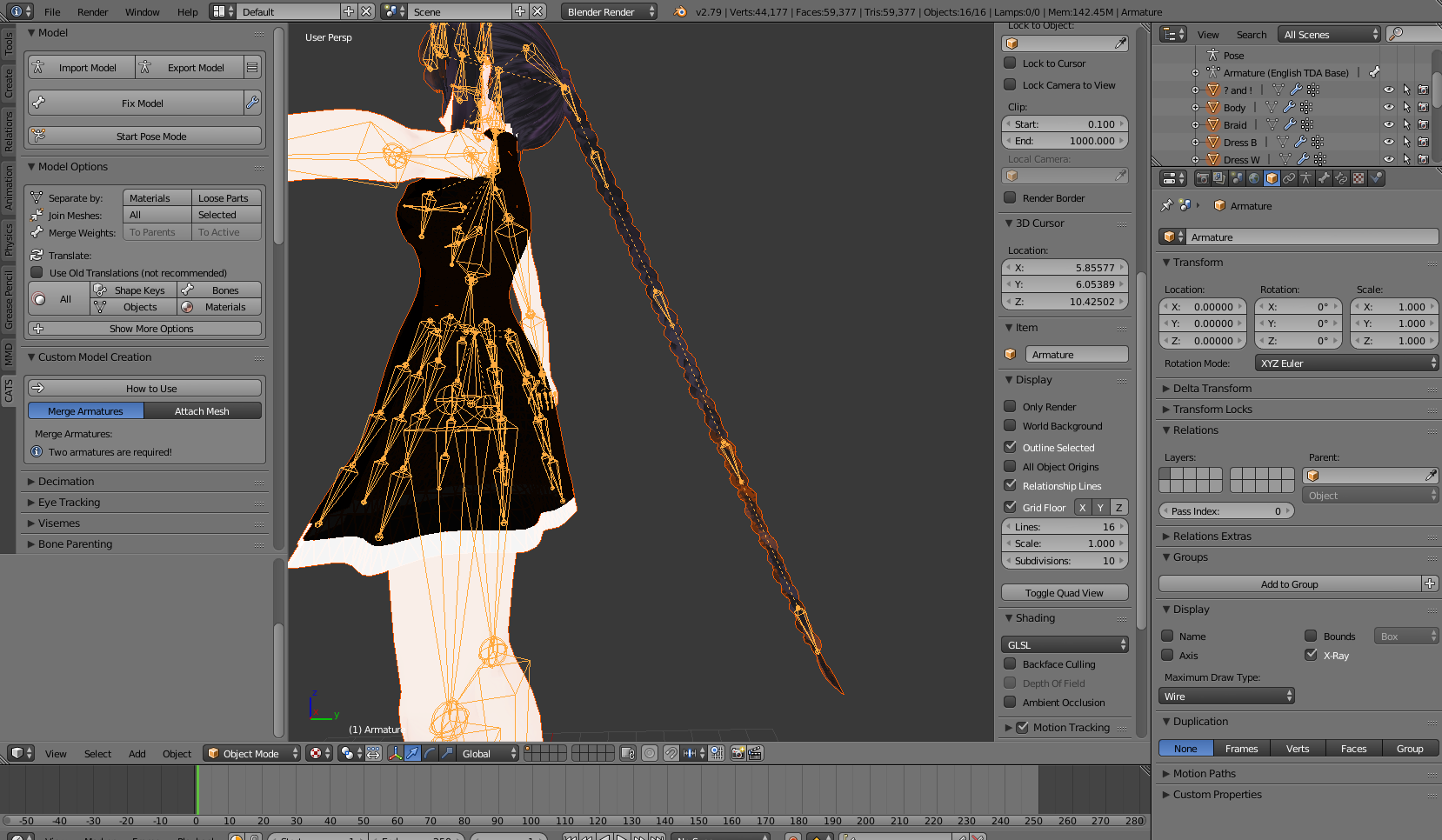
Hey guys, can someone explain how to shorten up this braid? I'm trying to cut the length in half pretty much and keep the tip of it intact. Would like it to stay roughly the same size too.
 ivory radish
have u tried using the scale tool on one local axis
ionic sinew
Yeah. The problem with that is I like the size of the little braids, and if I scale them, even on one access it changes them. If I go in, and say... just delete a chunk of mesh in the middle, and reattach to tail..will that work? I'm not sure how to get the bones to go with that change, or if it breaks something
ionic sinew
Hm. Maybe I'm doing it wrong. 😰 Still pretty new to this, but If I bring out the scale tool, and say lock it to scale on Z, it's not removing any of the extra braid loops, it's just resizing them, and making them look really warped.
stuck jasper
If the braid is just a repeating pattern, I'd try going for deleting a chunk in the middle
 eternal flume
so, for some reason when i try to apply the humanoid rig in unity to a model and view it in the bone configuration thing, most of the model turns 180 degrees around, aside from the feet and arms which point to the right direction. anyone know why it does this?
 flat musk
hi does anyone know of a comprehensive tutorial about rigging and configuring quadrupeds for use in vrchat ?
video or written is fine as long as its comprehensive. i have a cat-like model id like to animate the legs walking ànd head looking around.
charred sorrel
i still haven't been able to figure out what's up with this model...
the weights are fine, armature is fine, everything's fine and bones are assigned correctly but it's just not working with fullbody
the body sort of twists and one arm ends up really long
charred sorrel
oh i found the issue -- it was a bone issue, but i'm having another problem

it says this but everything's correct and specified?
 nova niche
could somebody make this a skin on vrchat for me please? i have been trying all day and have gotten nowhere i would be really happy if someone who has experince could do this favor for me https://www.models-resource.com/wii/supersmashbrosbrawl/model/3467/ i know its a lot to ask but i need help. i put this in #avatars-2-general but i think this tag is more appropiate
Wii - Super Smash Bros. Brawl - Outset Link Trophy - The #1 source for video game models on the internet!
 grim belfry
@charred sorrel Im having the same issue ;;
worked on a new model for hours and errors just keep popping up in unity, i tested it once and managed to upload and it was working fine away from the necklace and hair that was a little messed up but that i later fixed, then once i tried to upload it again, it turned invisible and was stuck in a T-Pose, i could see it but not in the mirror. I use full body as well. Stuff is completely messed up, I just want to upload it but it wont work :c

 weak wigeon
Usually if your bone structure is set up correctly, you can just restart unity and it'll upload as normal.
charred sorrel
just tried that, it didn't work ;;
grim belfry
same
gritty nest
@grim belfry can you post a screenshot of your model as it appears in the scene?
@charred sorrel same to you
As well as a screenshot of the Inspector while having the avatar selected.
My bad
charred sorrel
i’ll do that once i’m on my computer next, ye!
 native sail
Guys I need help, unity is saying my spine bone has a length of zero, but the full body avatar guide says to connect the spine to the hip. Did I do something wrong?
https://gyazo.com/0065b75778294fcc662fab6f88f49c6a
 solemn talon
You can ignore that warning
 fringe wharf
How much are custom avatars?
pseudo sedge
@ivory radish kinda shape key for the copy protection
ivory radish
o ok but doesnt it also make it super hard to see whats going on / if it works
u can always just enable it after ur sure it works
u can replace and update imports
u pose them
then deform it
there is only 1 armature
:/
native sail
@solemn talon I can't ignore that warning, Vrchat won't let me upload it if I do
and @ivory radish its kinda hard to see whats going on even without the copy protection, there is a big tail, clothes and all that fills the whole screen.

😥 well shoot, I can't believe that I spent a whole 2 hours, asked a dozen or so people, and just realized
I forgot to map the shoulders
I swear its the easy things in life that get you
sleek isle
Shoulder are a curse in vrchat
calm needle
at least adding phantom shoulders to a model, if need be, isnt too bad
it means it doesnt have an animator
did you put the avitar descriptor on the mesh by accident instead of the base object?

just make sure the object has an animator on the same object as the avatar descriptor
fading verge
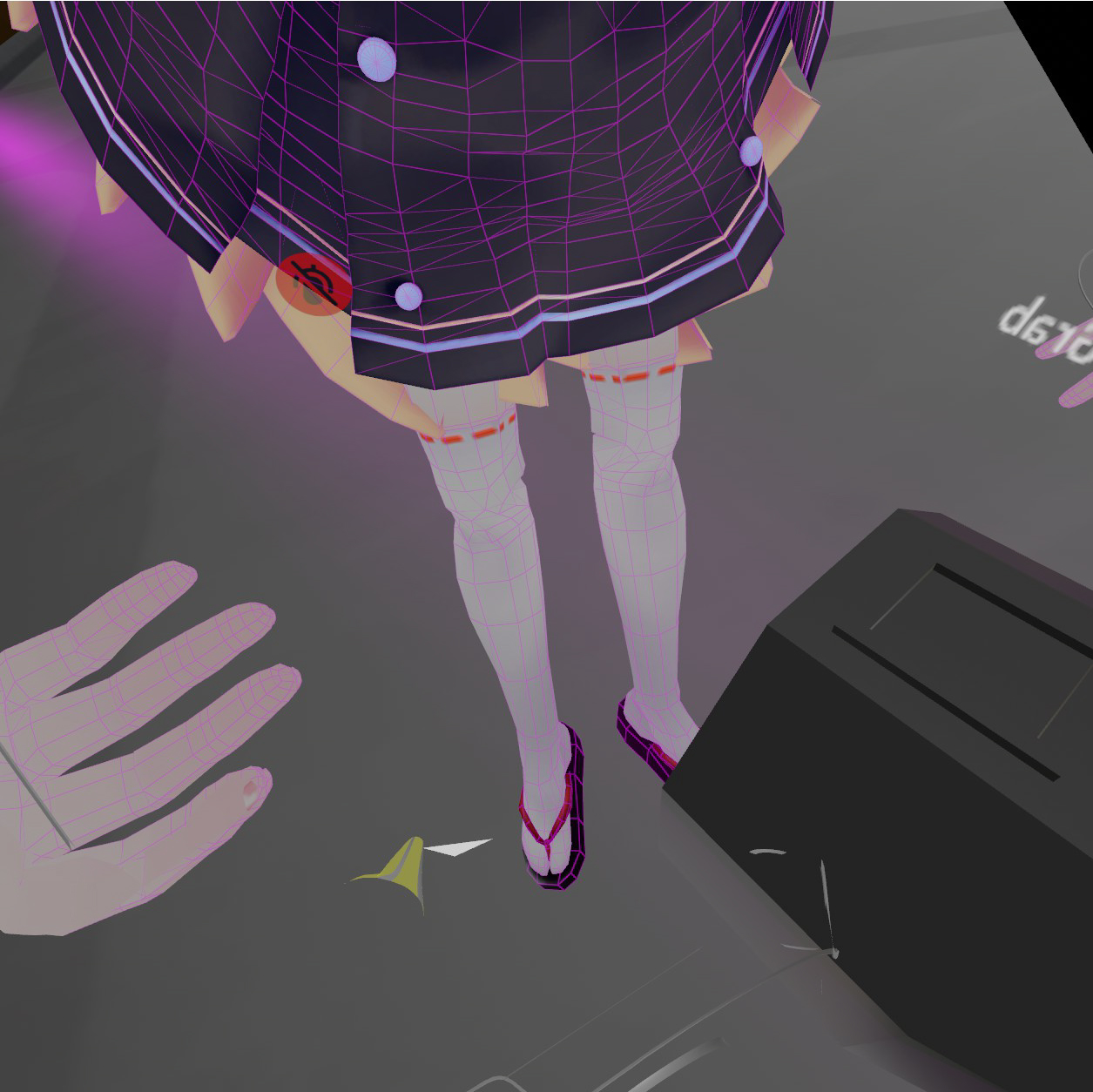
Can anyone help me;< I have a problem with twisting legs when using full body tracking.
sleek isle
Bend where the 2 bones join in the leg a little foword
fading verge
It's all fine in desktop mode or VR mode with out FBT, the problem only arises in FBT. anyway I'll give it a try Thank you for your answer. 😋
sleek isle
You need to it the fix model in cats with full body enable if its not already done
fading verge
@sleek isle oh your so genius! I followed your advice 'Bend where the 2 bones join in the leg a little foword' and then All the problems have been resolved. I was so tired because of this problem. I really appreciate your help! thanks 
little pawn
how does one parent the bones from a new armature to an existing armature already connected to a mesh?
 worthy echo
It's not like I need a proper rig to the hair. Or proper knees. Or a proper eye.
 sleek isle
Nothing wrong here
 mighty sigil
Does anybody know if there's a way to manipulate the avatar descriptor and move it about with, say, your hand? I feel like it's impossible, but I've had people tell me it is possible, so I guess it doesn't hurt to ask. Basically I'm trying to make a dullahan avatar with their head in their hand, and I thought it'd be really neat if there was a way to make it so you're actually looking through the eyes of the fake head.
little pawn
the view you mean?
if so, i'm not sure how to move it around by hand but you can place a small cube in the location you want your view to be and copypaste the translation onto your avatar descriptor
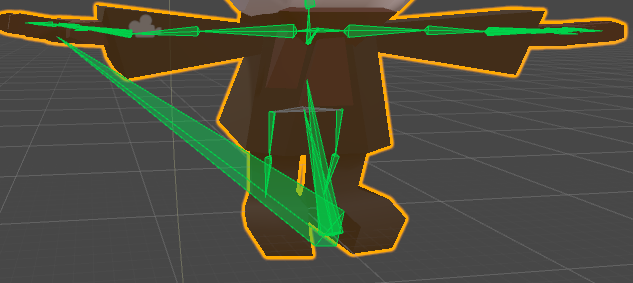
also i have no idea what's going on here https://i.imgur.com/mU7kbYy.png
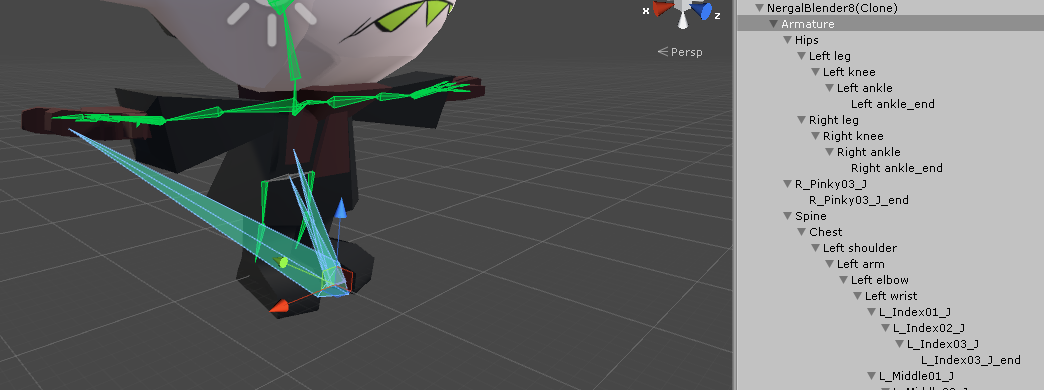
i think it may be this but the weird bones just redirect me to the armature https://i.imgur.com/jZ28PvD.png
 fading verge
@mighty sigil Sadly enough, Vrchat does not allow that as far as I know, Technically you could create a shader that does that for you, but that would require an entirely different workflow.
naive tree
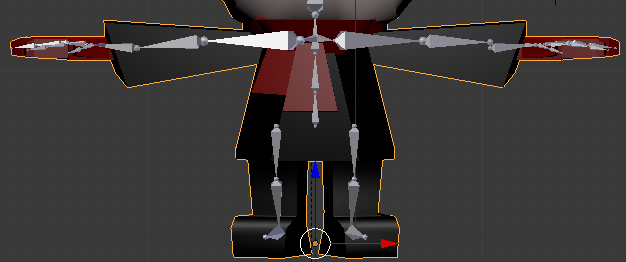
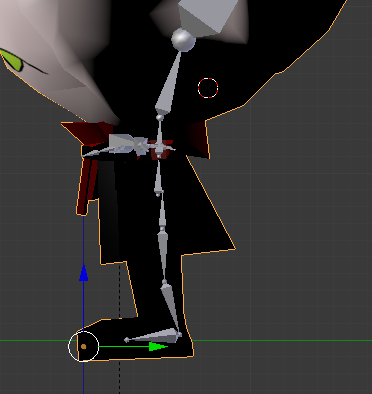
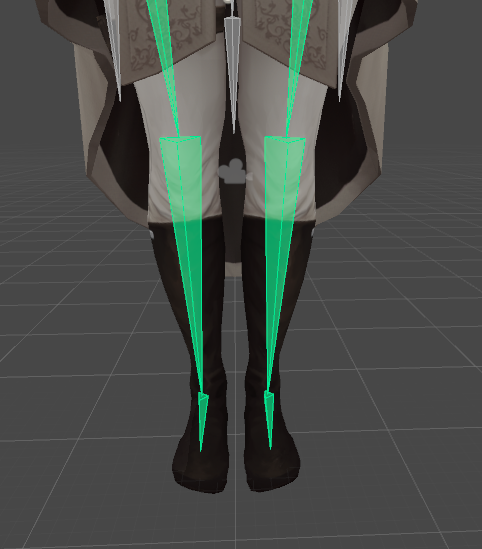
@little pawn make screenshot of your leg bones from side view in blender (numpad 1 +numpad 3)
 naive tree
@little pawn make sure that the upper leg has a bend in it and not pointing straight down
 little pawn
ahh i see, i'll give it a shot
unfortunately the issue is still there @naive tree 😢 https://i.imgur.com/zfvSpNd.png
 little pawn
how would one export it without texturing?
naive tree
or just save the blend and send it over
textures do not come with the blend by default
little pawn
ah gotcha
 dark pollen
How would you go about fixing full body joints being really low in the ground?
ivory radish
did u use CATS fbt fix
 rich dew
Is there any way to fix my avatar's jaw? It's always open.
solemn talon
Did you configure visemes?
rich dew
I ran the model through CATS Blender plugin, but there were no visemes that could be set up for it. The mouth is just a beak with no lip movement.
solemn talon
You can still create shape keys for beak movement and use them for visemes
They can be bound to whatever deformation you want
See all those avatars with the expanding heads when they talk for an extreme example
ivory radish
try jaw flaw blend shape
or try actually making good visemes
its not really that difficult especially for a beak
if u figure out how to use proportional edit makes ur life easier
rich dew
The thing is, someone else with the same avatar as me (they got it from the same source too) made it so that the beak moves when the player speaks and it doesn't have the same issue as mine does.
But I don't think they even did all of that.
ivory radish
well making basic visemes should take at most like a few mins
assuming u know how shape keys and proportional editing works, model is not scuffed, etc
solemn talon
Yeah and you only need three, cats can generate the rest for you
ivory radish
at least look a bit better than any of the flap ones
 arctic glen
Hello! I'm having a problem where when I'm attempting to merge two armatures, it completely removes the neck. I'm not sure why, I've tried changing the size and position of the neck bone but it always seems to just delete the neck. If anybody knows the solution to this problem I'd appreciate hearing it!
ivory radish
did u merge using CATS
pseudo sedge
@arctic glen cats merge armature remove bones with zero weight, if you have another bone inside the neck with weight of neck you can merge weight before armature merging
worthy echo
So I ntoiced my avatar's feet are bending outwards a lot, which is the most unflattering thing ever on an avatar that's already bulky near the arms. I suspect this has to do with the avatar's rest-pose's feet being in a curve outwards but I'd like to have it confirmed before I start tweaking it.
 gritty nest
Yes, that is part of the issue
Just rotate the legs/feet to face forward in the rigging window, and apply
You don't have to change it in your 3D modeling software
worthy echo
OH
That's an easy fix
https://images-wixmp-ed30a86b8c4ca887773594c2.wixmp.com/intermediary/f/5e89a83a-fc44-4a9b-b8e8-fcf67b2f91dc/dcyfkd1-3982471b-54f2-489b-8bf2-47bfe213c462.png I think this is front-facing enough? 🤔
 ivory radish
rotate it slightly more
and also make the legs more straight
u want the legs to look like this from the side (less steep of angle)
\
/
and this from front
|
|
.
or leg bones i mean
the legs should be straight
gritty nest
The legs should look straight
The fact that the green lines of the bones are a little crooked is fine
But yeah the feet or lower legs look bent inwards
worthy echo
The feet are flat, but the top is slanted which gives the illusion of the feet themselves being slanted. The rest is fair though!
boreal cobalt
How can I merge/join two sets of bones together for eg the hair bones to the body’s skeleton
pseudo sedge
@boreal cobalt join armatures (ctrl+j) after selecting them, reparent bones, for joined mesh edit armature modifier to have current armature / try joining with cats addon
boreal cobalt
To parent them would I go ctrl + p?
pseudo sedge
ctrl p is for attach mesh to the armature, but if you have two armature ctrl+j will merge them, if both have bones with same name then second armature bones will have names with .number prefix, so you'll need to reparent all renamed bones to their main bones or mix weights
or you can try to merge with cats addon
actually ctrl+p is also something do :p but i just do ctrl+j 🤷
boreal cobalt
ok iv merges the two armature but the hair bones won’t follow the body skeleton in pose mode (sorry I’m new to rigging)
pseudo sedge
@boreal cobalt you need to reparent hair bones to the head bone, and for the hair mesh in Modifier tab select existed armature in Armature modifier
boreal cobalt
How would I reparent these two armatures?
pseudo sedge
@boreal cobalt each bone have Parent property in Bone tab in Edit mode
 viral stag
any way to like, when weight painting a breast bone, the chest bone has its weights subtracted while I paint the breast bone?
pseudo sedge
@viral stag you can do lot of things with Weight Mix Modifier in blender modifiers tab, as add, multiply, substract, etc
ivory radish
u can use the Auto Normalize tool
should do what ur asking about
can also try symmetricizing the model so u can X Mirror weights
and not have to paint the same thing on each side
viral stag
ohh, I don't mind painting both sides but I'll try mirroring it after, thanks!
ivory radish
its the Snap To Symmetry button in edit mode
 light moon
Has there been any plans to allow the root's position to be changed in animations?
ivory radish
nope
light moon
For the moment, I have a really short avatar model and I did an override to my sit animation so that I could sit on chairs (rather than in them), and my workaround was to create a three-bone hinge system on my root bone.
light moon
Yeah alright. Looks like I'll have to keep the elbow joint workaround then

 ivory radish
hahahaha
fading verge
i tried a new fbx from assets, readding all stuff to it, still broken
fading verge
don't mind the triangles i accidentally parented my world to it
ivory radish
oh ok thk god
fading verge
the whole map as child of your model
lmao
walking around with your land
very partiotic
same error applies when i unparented it
ivory radish
did u apply the mapping and also see if it has an animator with the unity avatar in it
ivory radish
exactly
fading verge
i uploaded lot of models this is first time happening
ivory radish
try to drag it again from the assets
fading verge
i did so
ivory radish
and see if animator in it
ivory radish
did u fix problems with config
fading verge
still broken
i tried restarting pc still broken
i tried reinstalling unity
still broken
is a week that i am trying to fix her
ivory radish
did u fix problems with config [2]
fading verge
config where?
ivory radish
if it fails to map to humanoid it spits out an error
u can also try to put an animator on it and put the avatar from import in it
ivory radish
not an animation
an animation controller
then put the avatar thats in the import
into the controller
the actual unity avatar
not the character itself
 rose sequoia
im seeing red outlines or orbs on the limbs of my avatar can somone tell me what they are doing there?
they are all where id assime spots for vr tracking would be but 2 of the knees are infront of the knees and if its supposed to track how do i fix that?
solemn talon
can you post a screenshot? (use an external image host)
solemn talon
use an external image host and post the URL
rose sequoia
That's the issue I see the red orbs and I'm not sure what they are and if they are the rigging I am not sure how to fix it
molten rock
can some explain how to make bewb jiggle? i know how to do the dynamic bones part but the parenting part in blender i think im doing wrong

 lethal spade
if my head is in my avatars neck and when i enter the pose in game (in full body) my upper body bends far back, does anyone know what im talking about and or which bone or what to do to fix this?
do i make entire hips smaller?
i am trying that now
i tried making hips bigger and i dont think it did anything or made it worse
solemn talon
If your head is in the avatar's neck it means user real height is set wrong for that avatar - unless the avatar has realistic proportions you get problems like that.
Kung has a good video on fixing full body issues including scaling proportions
gritty nest
@solemn talon it's a known issue with full body
Basically the head isn't weighted to the viewpoint 100%
@molten rock why do you have so many breast bones lol
You generally have 1 bone per breast and then give it end length or end offset in the dynamic bone script.
worldly willow
So i am trying to get Vroid avatars working but they have extra bones in the arms and legs (J_adj and J_Sec bones)
These bones seem to be the weightpainted bones
At least for correct movements
native sail
hey I am having a problem where my avatar is properly rigged and set up, and even bends when I go to test it in unity, but when Uploaded to VRChat it just doesn't work
 gleaming falcon
got any pics?
gritty nest
Make sure you didn't tick "optimize game objects". You should also be a little more specific than "doesn't work"
gleaming falcon
"My avatar wont work, send help" 😁
 gritty nest
@north prawn another bone also has weight on it
Check all your vertex groups
Or select those verts, unassign them from every group, then assign them to the mask bone group
 north prawn
Alright what if i were to remove those two bones
and add new ones
im still a bit confused if i need the second bone
gritty nest
Well there's simply another bone with 100% weight on it
Just un-weight it on that bone
Make sure only the mask bnone that you're rotating there has weight
formal hearth
normalize your weight groups, it won't still be red anymore :V
There's a checkbox you can tick in weight-painting that will auto-normalize as you paint so that red actually means 100%.
in fact while painting weights it's a pretty good idea to normalize all weights often to make sure everything actually is how you think it is. Make sure when you do you don't have "lock active" ticked.
Clean is also a good option to use to make sure you don't have a bunch of useless groups which can happen after you e.g. transfer weights between meshes.
north prawn
ok i found the problem thanks
lethal spade
@solemn talon @gritty nest what do i need to do to fix that then? i shortned the legs and had to shrink the body but i shrunk the chest not spine? is that what is wrong?
sleek isle
In the bone you can tic if you when them to be affected when scaling
solemn talon
@lethal spade if you haven't already, watch https://www.youtube.com/watch?v=IqUVFuSD5a4 - it covers fixing a bunch of common full body tracking issues, including the head weighting issue
A guide for scaling and tweaking VRChat avatars for fullbody tracking. Covers information on in-game, blender, and unity. It also has a fix for that bending ...
lethal spade
wait @sleek isle that is exavly what i need where is that setting
solemn talon
@lethal spade in the right side properties window click the little bone icon and scroll down to inherit scaling
lethal spade
and turn it off?
solemn talon
yes
if it's off it won't change size when its parent is scaled (however, it'll still move with the scaled parent)
note that I don't think unity will apply this setting if you scale bones in unity
sleek isle
Dont rescale on axis in unity. The character deforme weirdly when moving
lethal spade
i dont
i do in blender
i been doing for a month and know quite a bit but i dont know everything on how to fix this
 sharp pewter
😮


 gritty nest
The IK makes my hips point forward a lot, is there a way to fix that?
It's completely thrusted forwards
On one particular model
formal hearth
That flexing thing is quite perplexing. I'm trying to think of where you could possibly put a bone to achieve that sort of effect. Particularly since there are whole fields of tricks using springs and such to simulate muscle deformations
ivory radish
pretty simple
u literally jsut paint a tiny tiny bit of weight on it
and keep 100% weight for the parent
u can also do stuff like put another bone there
 formal hearth
I get that it's painted lightly, I'm wondering where the bone is and how it's parented that it would deform the model in the opposite direction of the forearm rotation.
formal hearth
far as I'm aware that would still deform it inwards
I can think of how to do it with like... IK and an extra bone that always points towards the wrist, but the person is suggesting this doesn't use any such trickery
sleek isle
I wouls put a bone far away. But beside that idk
ivory radish
like i said
u can just put it super far away
so its practically going up super far when u rotate it
u can also just bind it to like a shapekey like fist
i seen a other avatar that u do fist and thumbs up same time and u flex u everyting
 dusty moat
Bone position, rotation, and scale all factor in as well to create a proper effect for it.
Shapekeys limit animations/expressions so i strictly wanted to go with weight painting for it.
 tough oriole
I'm trying to auto weight paint, and for whatever reason my model jumps and leaves the skeleton when I do?

help :[
naive tree
apply transforms with ctrl+A, when mesh and armature selected @tough oriole
fading verge
hey i have a question
for all the people who know how to add animations
i got my avatar riggged
everything is added
but ParticleSystems gets removed when i try to upload?
any reason why?
nvm fixed
hey
how do i rig a roblox avatr
avatar*
i have obj, mtl, and texture files
what are you getting it from
roblox studio
okay
i exported the 3d models
can you open in blender?
i dont have a rig yet
yes
okay so rig in blender
its easier than unity
then port over to unity
and upload
wait
how do i import it
in blender
helo?
;-;
one sec
i try to import the OBJ
wont show up







😃
ok
i cant put it in blender
wont appear
no error
popup
at
all
@fading verge
try

This was a quick tutorial I made for a friend going over how to set up materials and textures then export as an Obj file using Blender's OpenGL GLSL view por...
i mean
the obj wont load
so theres nothing there
 violet bobcat
@fading verge is the particle system whitelisted? it should say it in the sdk if its allowed to be uploaded
lol whoops i didnt read the last message. soz for ping then
violet bobcat
 fading verge
ok so its in
lemme add textures
@fading verge how do i texture it
the video didnt help
@violet bobcat
i NEED HELP
why did everyone abandon me
violet bobcat
well 1. just be patient, we're all busy irl and dont have all the time in the world im helping 2 other people plus my own model
fading verge
oh
i cant even texture it
both of the sides are the same
they look mirrored
so i dont know which is the front
tough oriole
@naive tree All transforms to deltas? Animated transforms to deltas?
 olive rose
I'm having trouble rigging a humanoid avatar. The error I'm getting is that the spine hierarchy is incorrect after I disabled the upper chest but I can't change the hierarchy of the bones because whenever I do in the Avatar Configuration menu and click Apply and Done, the changes aren't saved and are just reverted to being incorrect again. Anyone know how to fix that?
fading verge
hey
could someone help me with weightpainting?
oh
thanks
you have a good night
olive rose
I hope not. I've tried several times
olive rose
I think this guy on reddit from a year ago had the answer
violet bobcat
lol a year ago
olive rose
I was changing the hierarchy on the left, instead of on the right
I needed to switch the chest to spine2 and the spine to spine rather than just only deleting the upper chest
Or at least I did that and it stopped yelling at me
olive rose
Do you want the model itself, or just a screenshot?