#avatar-rigging
1 messages · Page 123 of 1
 fading verge
 slate hill
I'm currently doing a research for my work to demonstrate VRchat acting capabilities, can anyone point me to a good public world that has good mouth synced rigged models that are NON anime? i'd really appreciate it if you can throw me a msg wit a suggestion
 main parcel
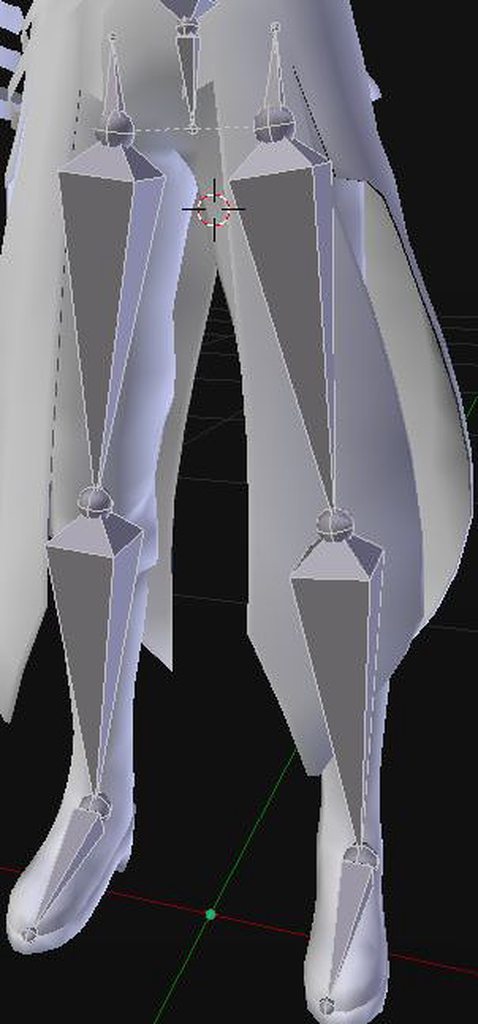
Well, safe to say im learning.... slowly lol. Always check weight paint, especially on dummy bones lol.
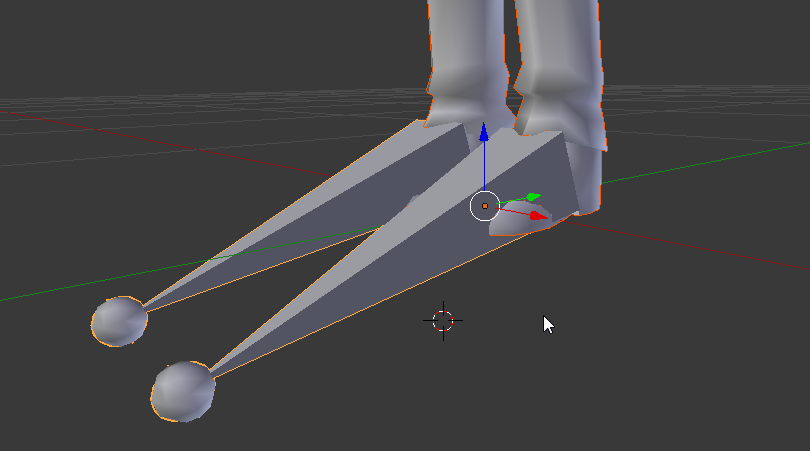
Im just happy my models lower half is resting how I would like it, the legs get a little janky due to them being digitigrade.
 pearl lichen
 marsh brook
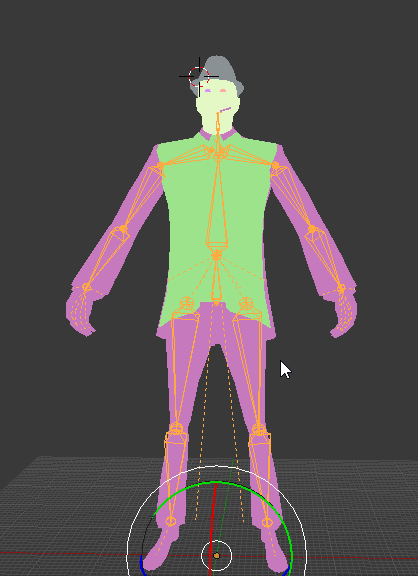
Okay I am making an entire model from scratch and recently my mesh acted really strange
Would this be the place to ask about that
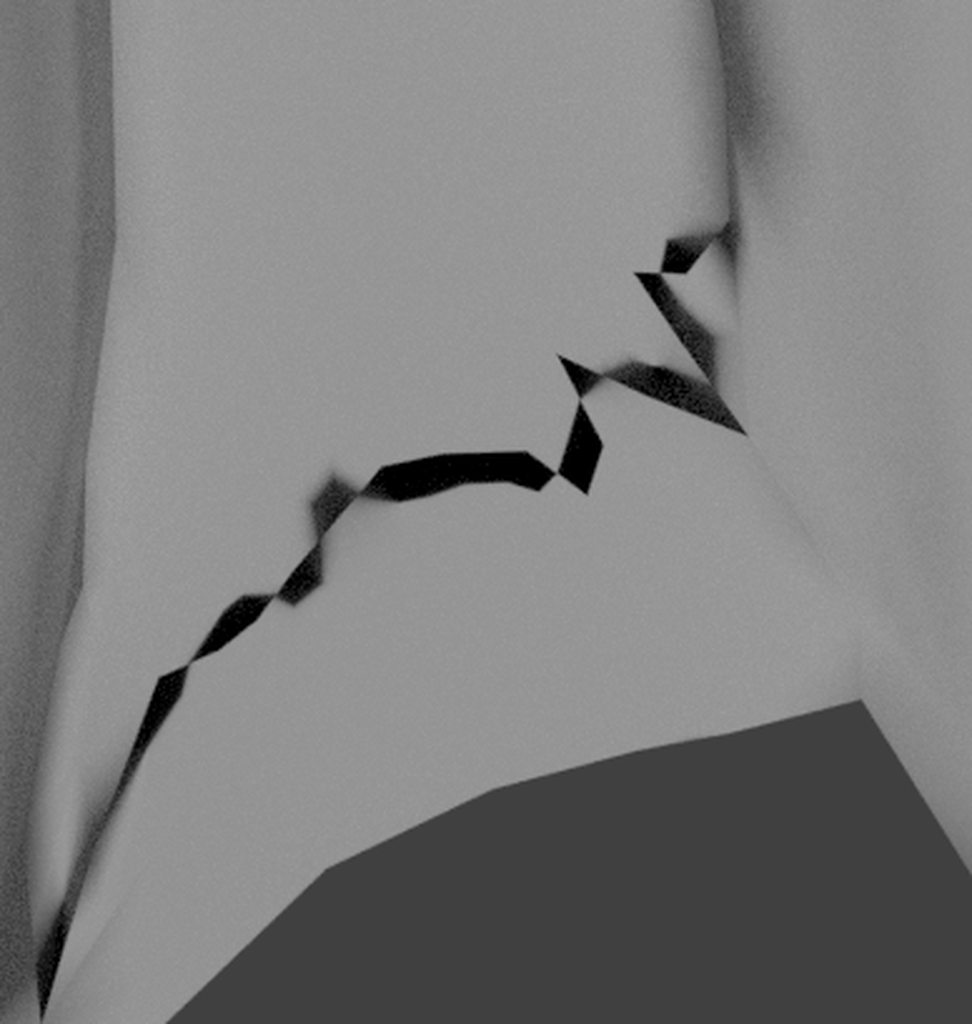
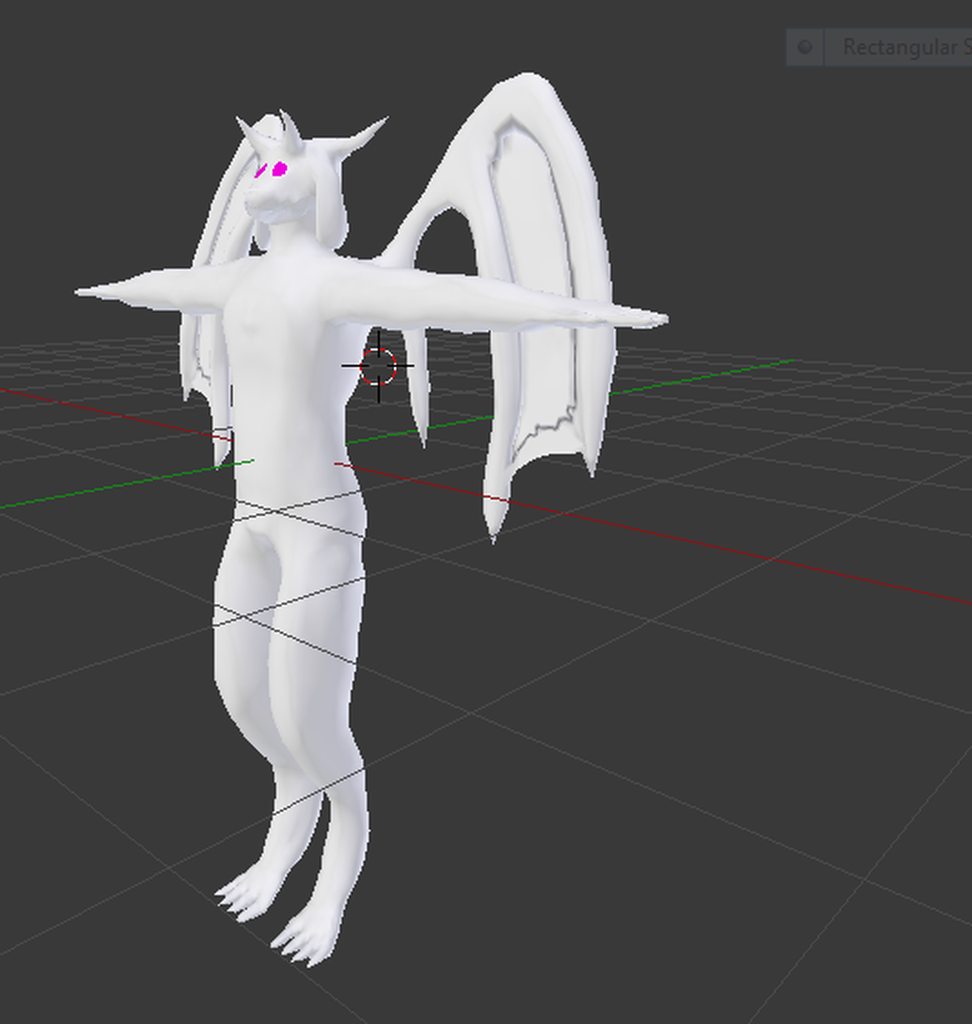
Ignore the purple eyes I haven't made any textures yet, not sure where I'd even start
 gritty nest
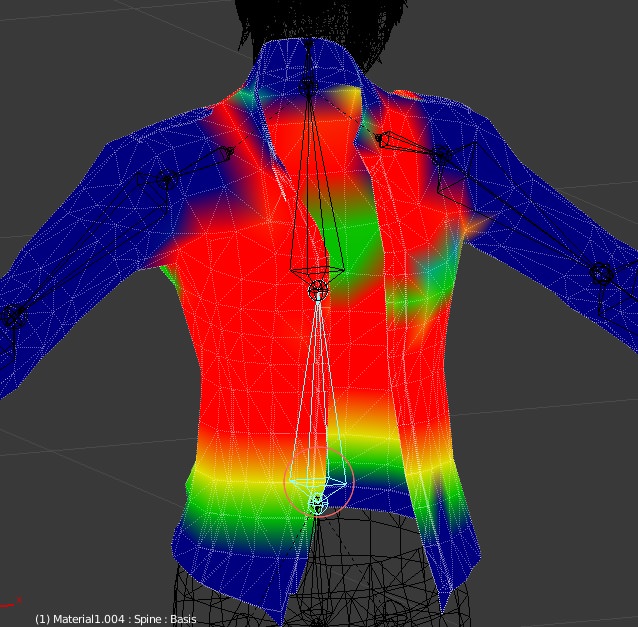
That looks like bad weight painting on the model itself
 soft forum
big oof
gritty nest
Could be bone rolls
soft forum
and?
gritty nest
And what?
soft forum
im checking weight paint rn but bone rolls?
soft forum
blender?
gritty nest
Yes
soft forum
gritty nest
That looks better, but it also looks like those pink things aren't weighted to anything
Unless that's the intention


 lime hill
it says the spine has a bone length of zero in the map
lime hill
alright now it says "spine hierarchy missing elements"
 paper stone
 gritty nest
Oof
paper stone
Is this issue because the vertex groups also cover parts of his chest?
gritty nest
It's just bad weight painting, not necessarily the fact that it's assigned to the vertex group
paper stone
And I thought I had it there... lol
gritty nest
You can fix that by going into weight paint mode, selecting the arm vertex groups, then subtracting them
Make sure to leave auto normalize on
Or go to the chest/spine bone and do Add instead
Auto normalize sorta "guesses" where things go if you try to subtract
paper stone
 gritty nest
Yeah, that's the issue. Make sure the red part is either blue or green
In fact, I'd say it should be entirely blue
The arm shouldn't move a belt satchel
Is this Mixamo?
paper stone
Yeah
gritty nest
That makes sense. In that case, you'll have to fix up the weight painting manually
Leave auto normalize on and just subtract the belt satchel with the subtract brush
And anything else that shouldn't be moving with the shoulder
paper stone
Alright, I'll see if that works. Thanks
lime hill
https://cdn.discordapp.com/attachments/470983267353624612/477569634426421258/unknown.png how the hell do i get rid of these

 sleek isle
Select the area in edit mode click remove in the mesh panel
fading verge
I downloaded the curtain version of unity and now for the VRchat SDK it only pops up with one tab
 dark pollen
Whats the best force/gravity settings to keep long sleeves/capes facing down with arm movement?
 late shale
Really the only option is having a bunch of planes, each with a different 2D image, and the blend shapes move each one forward so only the forwardmost is shown
 gleaming hill
Hrm.
I was going to grab an existing model and rig that but I ended up making my own, lol.
Hence me taking forever to get to the rigging part.
My question is, my "example avatar" rig has some wonky leg bones- they're totally upside down on one side for some reason. Why is this, and does anyone know where I can download a non-messed up version of the rig?
gleaming hill
Hrm, now I can't even find the tutorial I was using. Anyone have any tutorials for rigging avatars for VRChat?
The ones I've been finding keep assuming I have a pre-rigged model...
 rose shard
@gleaming hill This’ll probably work, https://youtu.be/cGvalWG8HBU

Hey guys. This is a quick tutorial on creating a simple, but rather effective character rig in blender. Hope it helps some of you out! Read FAQ below: Follow...
 tidal musk
My cat ears didn't have any bones. I've basically put bones in them but I just can't put my finger on how to parent them to the head
they're in my armature
gritty nest
@tidal musk select one bone in edit mode, and in the bone tab, set the parent to the head bone.
Then do the same for every other bone
gritty nest
For cat ears, one bone is fine.
Per ear
The head bone should have a bit of weight on the base of the ears, and this weight should diminish further out
So that at the tips of the ears, the ear bones have full weight
tidal musk
okay, thank you ^^
 west scarab
Greetings, I just downloaded an avatar, but there is something called "rigidbodies," Do I need this or can i just delete it off the avatar?
 cold stone
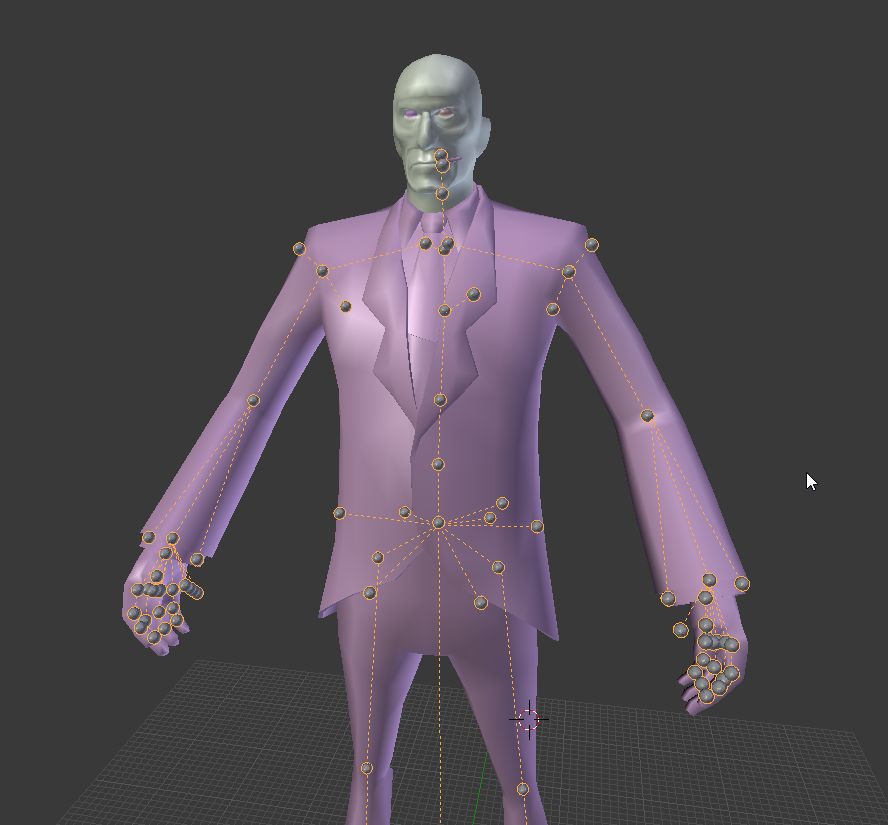
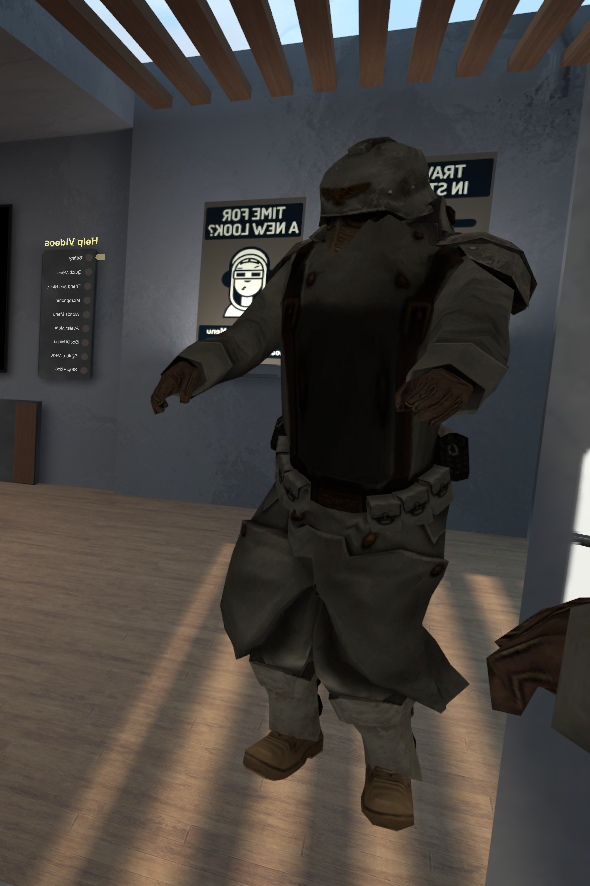
If I want to import spy player model from tf2, will rig stay or I have to rerig?
gritty nest
Depends. You'll probably have a rig to work with
But that depends on where you got the model from and how you're importing it. I think Blender's source importer also works with armatures
cold stone
 gleaming hill
@rose shard Thank you for the link!
For some reason I thought I had to use the example avatar's rig and line it up with my model. So I can just make a rig from scratch?
I know a little about rigging in Blender, I just thought I had to use the provided rig for some reason. Still don't quite understand how it animates the avatars if you use a different armature though.
late shale
Yeah, that's what the rig importer in unity is for
That's where you tell it what each bone is
gleaming hill
ooh, that makes sense then. do we need a certain amount of bones for our rigs? Like if an avatar has less finger joints than the example, is that fine?
Or do they all have to correspond to bones on the default avatar?
late shale
It just needs to be a humanoid if you want to be able to do gestures and IK. Humanoid is a standard for unity, not vrchat or anything, and I think you can get away with 3 fingers and 1 joint each, but I'm not sure
As long as you select humanoid and it doesn't give you any errors you're good
cold stone
I have play VRchat long ago, you can toggle some model like hat?
late shale
The one difference that is specific to VRChat is that it doesn't use the upper chest, so leave that blank
here, this is the timestamp of the mega tutorial for going over that https://youtu.be/7P0ljQ6hU0A?t=1h7m1s

VRChat Community Discord: https://discord.gg/VRChat Download VRChat! http://store.steampowered.com/app/438100/VRChat/ mmd_tools GitHub: https://github.com/po...
gleaming hill
oh, this does look helpful. Thank you!
I'm still setting up the armature, hopefully it works.
Do you know if eye bones are required? This character has no eyes, just a visor.
late shale
Nah
gritty nest
@cold stone install Cats Blender tool and click Fix Model
late shale
Just an optional thing
cold stone
Cats Blender Tool?
gleaming hill
alright, cool. Thanks!
I chose this character mostly because he's simple to model and doesn't have much of a face, haha.
cold stone
@gritty nest Why?
gritty nest
Because it has built in support for Source Engine models, and it can also automatically display the textures on the model. @cold stone
It makes the model more suited for VRchat
cold stone
Oh that explain why this hat is broken https://i.imgur.com/ygmIOzU.png
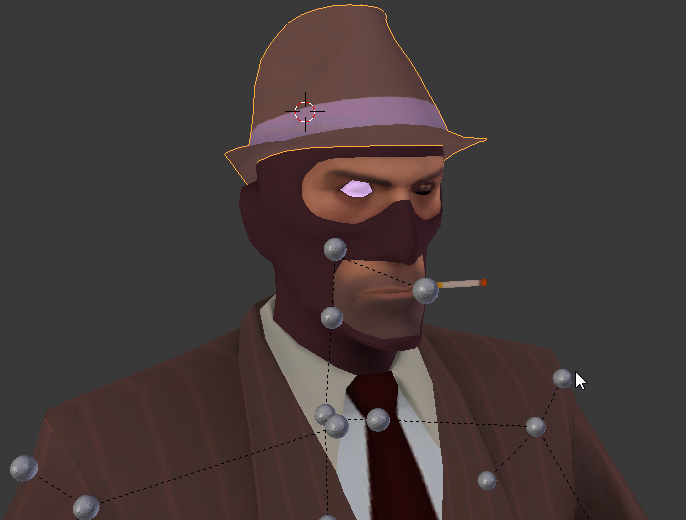
and can't find eye texture for it
gleaming hill
is it possible to get the eye texture from another model, maybe?
cold stone
I can't found it in texture file
I will try search word
Found it.
it's eye-iris
only blue and brown is used
Eye is really hard to fix... https://i.imgur.com/MbNzoBI.png
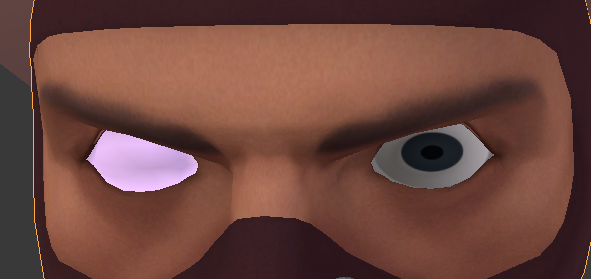
It look like eye popped out
Source Engine use texture to move when eye move
But this?
 rose shard
@gleaming hill The rig connects to the mesh using weight paints, basically if you weight paint the arm to the arm bones, it’ll act as one when you position the arm bones.
gleaming hill
Ah. I have rigged things before, I just thought there was a particular method for VRChat avatars. I just finished rigging my model, though not sure on the next step.
rose shard
Do you use CATS Plugin?
gleaming hill
nope. Was I supposed to?
late shale
it's a handy tool that makes some things easier, especially for MMD models.
gleaming hill
ah. Yeah, right now I have my model made, textured and rigged in Blender, just not sure what I'm supposed to be doing next I guess.
rose shard
Use pose mode to make sure it works
If nothing happens when you position a bone, you need to weight paint.
late shale
keep watching that mega tutorial, it's got everything
gleaming hill
Yeah, it poses ok
rose shard
You can probably just export it as an FBX and try it in Unity now
gleaming hill
I ended up doing most of the weights myself because he's so boxy, lol
But the hands thankfully weighted fine on their own
rose shard
That’s good.
gleaming hill
I followed the video and this popped up.
https://i.imgur.com/EnRYmFY.png
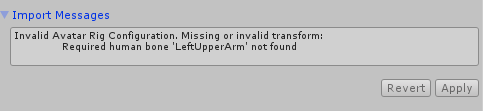
do I need to name the bones exactly how they are on the example rig, I'm guessing?
gleaming hill
he definitely has an upper arm, lol
So I wonder if that's it
rose shard
I would recommend just going to the rig of the mode via unity and making sure everything is looking good
gleaming hill
how do I view the rig? I'm only familiar with Blender, still new to Unity.
gleaming hill
Hmm. Well renaming the bones doesn't fix anything.
rose shard
Uhh
I’m not on pc atm
So bear with me
Goto the assets folder
In unity
Where you saved the fbx
Then click on the fbx
And press “view”
Or something
gleaming hill
Ah, I'm not at the PC either now, decided to take a little break. But I'll check that as soon as I get back. Thank you!
 molten python
I know this is a common issue with avatar's when using full body, but what causes the head to be in the chest when lying down? And is it possible to fix it? I'd say it's related to a bone being too long, such as the chest, but then wouldn't it happen whilst stood up? 🤔
 deft pollen
i need some help with rigging i keep getting this message: https://imgur.com/awG55eK and none of the guides I have tried have worked.
 gritty nest
@deft pollen it very clearly tells you what is wrong
Go to your rig configuration and make sure those bones are all mapped
If they are, post a screenshot of the whole rig window
deft pollen
oh, i am a idoit
gleaming hill
I finally found out how to see the rig (no, I haven;t been trying this whole time, I just got back)
And WHOOPS there's definitely a problem, haha
https://i.imgur.com/kuBG1SP.png
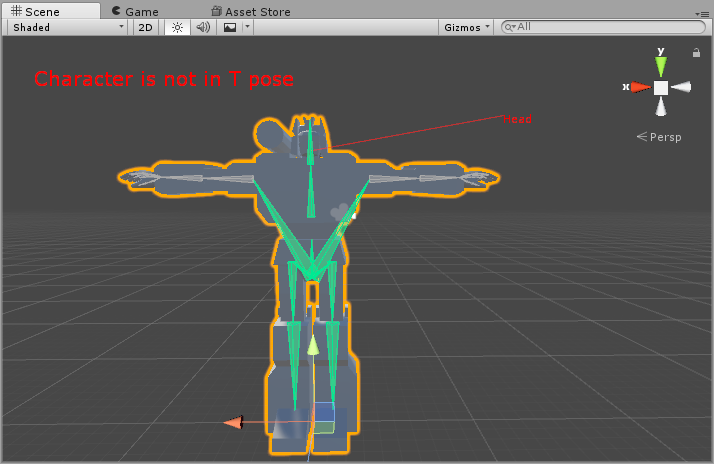
I think the bones aren't parented right, so I'll go back and fix that
gleaming hill
Yeah, hahaha
I feel like such a goof for not checking
alright, fixed the parenting, exported to unity and did the steps again, got no errors this time!
But when I look at the rig itself, I see this:
https://i.imgur.com/PNaM9Qx.png
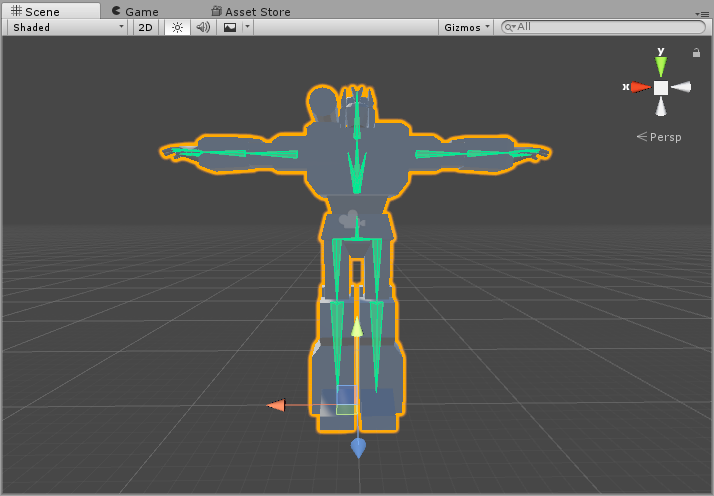
which doesn't seem right
well, the list seems right.
Yeah, I think I'm just not used to how Unity displays bones.
gritty nest
It looks weird though, they should all look connected
gleaming hill
I think it's because the shoulders aren't assigned to anything
I just wanted the arms themselves to move, because having the shoulders move would deform the body and look odd
 crisp tendon
I don't think the shoulders are used with IK
And you could create shoulders regardless of that, through lack of weight painting
gleaming hill
I put shoulder bones there because I thought I needed them, but I didn't weight them to anything
gleaming hill
ah shoot, apparently I did need shoulders
https://i.imgur.com/Wqqse1z.png

gosh darn it!
ok, I think I fixed it by barely weighting them to vertices that you can't really even see, lol
 rare sleet
You don't need to weight anything, as long as the bones exist you can map them in rigging
 quiet gazelle
When I edit the weight painting of a bone in my model, it doesn't seem to save/take effect, at least in pose mode. Anyone have any suggestions? https://files.catbox.moe/v1wls7.mp4
rare sleet
You aren't parenting the mesh to the armature with armature deform
 median echo
I need help learning how to parent hair to head please
median echo
im not sure what flat weighting is.
i positioned the hair on the head with its bones and im stuck there
rare sleet
Unless you have a bone structure and weighting already, just select the mesh and add a vertex group titled head then go into edit mode, select all the verts in the mesh and assign it to the group at 1.0 weight
Ohhhh
Then if it has bones
And it's where you want it
Select the new armature and mesh and Ctrl+a location rotation scale
only the hair bones remaining in the new armature and delete any leftover bones on the old armature, then select the new then the old and Ctrl +j
That merges them
Then just select the root bones of the hair and end by selecting the head bone and Ctrl +p keep offset
To parent the hair to the head, and then just make sure your hair has a head group
And you should be good
I like to reparent the mesh to the armature with armature deform for good measure so there's no issues
Hope that helps
gleaming hill
Woohoo! Finally got my avatar in-game. Thanks guys, for helping a noob out.
https://i.imgur.com/e6dqBlx.png
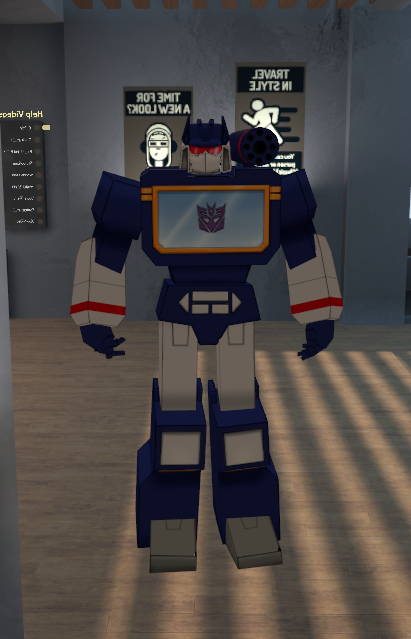
The fingers are a little wonky because I think I messed up the weights, but I can live with that for now I suppose. (I don't have a headset so they're not going to be moving much anyway)
also thanks @late shale for the tutorial link, it was super helpful.
late shale
nice job
rare sleet
Likely not the weights alot of people don't realize they need to bisect and or subdivide at joints
gleaming hill
thanks!
oh, well
I think it's something like that, yeah
I pulled the hands from another model (everything else I did myself, but I hate modeling hands)
and the fingers all have two segments instead of three
late shale
oh yeah you want a lot more than that
gleaming hill
the first segments of the hand rig got pushed up into the palm so the animations got messed up, whoops
rare sleet
Just look at the triangles in the location of joints, if there's unbroken edges going over your joints you will have unwanted flexing and skew
Bisecting the mesh adds locations for the mesh to flex on
Think of it like adding hinges to the solid mesh
Can't make a wall a door without cutting it
gleaming hill
I see
I think I get what you mean
I'm just not sure how to add more vertices without messing up the UVs
rare sleet
Bisect
It's a mesh tool
In edit mode it should be the mesh toolbar then bisect and you draw a like over SELECTED faces and edges and cut them
Easy way to learn is a cylinder and three bones
gleaming hill
oh holy cow
rare sleet
Weight the cylinder to the bones and then bisect
gleaming hill
I wish I knew about this tool before
gleaming hill
I was using CTRL+R to cut a loop around the fingers, but moving the edge pushes the texture around, which was bad
rare sleet
Lol
Use num5 for orthographic then num1 for front 3 side 7top 9switch views
It'll help with bisect
gleaming hill
mhm
rare sleet
Also if you are making faces ever for whatever reason use split convex faces to fix the mesh so the areas that aren't flat get flat
Don't know a better way to explain that one
Last tool you really need with weighting is clean up
Hitting mesh c r
Removes doubles
Cleans up verts and edges overlapping leftover from modeling
Reduces tri count vert count and stops weight errors
Oh and if you hit spacebar and type in intersect (Boolean) that's literally the best tool ever
You need to have two meshes, join them, L select one (linked select) then do intersect bool Union or difference
It'll combine the two where they intersect deleting the internal mesh(Union) or remove the material from the unselected mesh and seal it using the intersected leftovers(difference)
Sorry for rambling
Either way Union can merge submeshes together and make it easier to weight a mesh in a single pass rather than later by layer
Hope that all made sense and helped
gleaming hill
I think I get it
Thank you for the tips!
rare sleet
Np
gleaming hill
and no worries, I ramble too, lol
rare sleet
I've only been learning this stuff since February
quiet gazelle
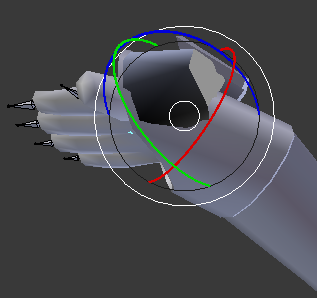
I parented the mesh to the armature with armature deform, and yet the problem seems to persist. I'm probably missing something here, is there something I'm doing wrong? https://files.catbox.moe/f809ez.mp4
rare sleet
From what I'm seeing you are complaining about the jacket sleeve not bending with the wrist
If so it's due to the fact it looks like you are weighting the entire mesh in one pass with multiple layers
quiet gazelle
It's more that I want to make the sleeve's weighting more subtle so it doesn't result in 'errors' like these when I move the wrist: https://i.imgur.com/xPMaaB8.png
https://i.imgur.com/WdMxwiK.png
https://i.imgur.com/Na9xtqZ.png
I didn't make the model myself, I'm just trying to fix it/make it a bit better, dunno if it's another problem entirely that's causing it.
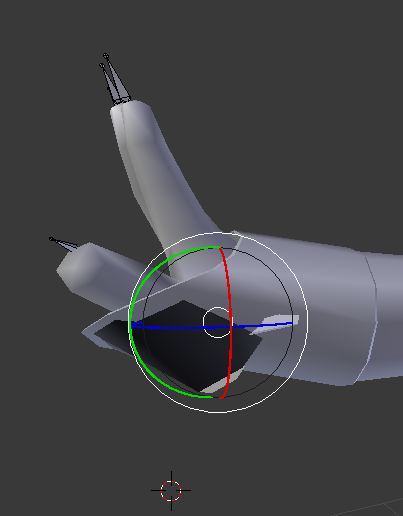
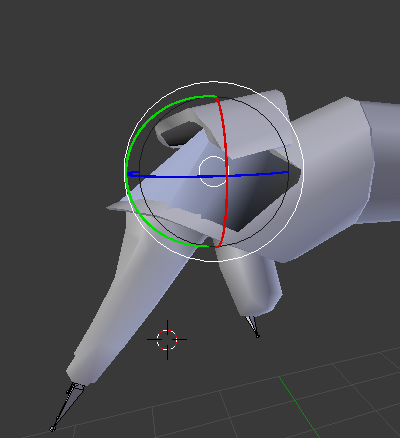
 calm bramble
Good morning, wise people, i'm having a issue with my neck, basicly imagine a gamers bad posture of the neck, that's basicly it, the neck pops forward, or the whole body pops backwards abit depending how you look at it. While doing poses in Blender everything seems fine, but when in-game the issue occurs. I've double checked all the parenting, and bone rolls. I've previously also tried moving the neck bone abit upwards, since i've heard that's a fix for the "Hip issue" when it pops forward when idle, so i figured it might be the same thing for the neck, which did not yield any results.

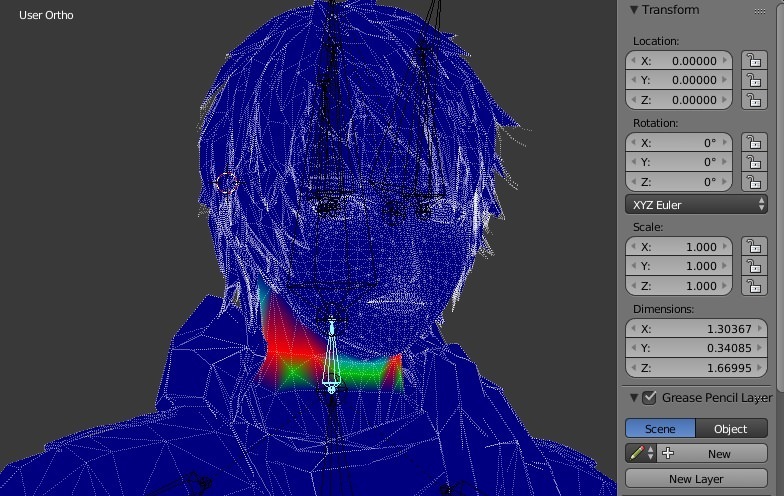
FYI: The chest bone has no weight paint what so ever, might that be the cause?
sleek isle
If the spine have sweight paint of the chest area. Switch them place
 plucky talon
wait my sdk keeps telling me that "make sure the parent of both shoulders and neck is the chest"
any clue how to fix it?
sleek isle
A men. If you cant parent thing i cant help you. Learn the basic. For your meme avatar.
plucky talon
i already fixed it mate but thanks for helping
 foggy juniper
if your avatar's feet are through the floor do you just raise it in unity to fix it?
gritty nest
I think you need to raise it in the rigging tab or raise the whole model in Blender by posing the hips a little bit up @foggy juniper
Or move the feet/toe bones in edit mode
foggy juniper
cheers
fading verge
or you can pull it in unity rig editing
 grim ibex
hello, i am confused as for why my rig is not accepted in unity (i am absolutely new to rigging) http://prntscr.com/khqxt5
it says my shoulders are off and not parented corrcetly
gritty nest
Post a screenshot of the rig config in Unity
Preferably using imgur
The spine should go Hips->Spine->Chest
And then both shoulders are parented to the chest
Also, that rig looks odd.
Shoulder bones are generally parented to the chest, but not actually connected
gleaming hill
Mhm
They're more where a collarbone would be, I think?
And like Rokk said, not actually attached to the chest bone
gritty nest
Yeah
grim ibex
i looked at the test avatars rig while doing it so i probably went wrong there
since i cant tell partened ones from connected ones
I cant tell them apart
like i said i am new to this but thanks anyway! i hope i get it fixed
gritty nest
Yeah, Unity displays bones differently.
You might want to open up the FBX in Blender instead.
Unity displays them like that, as if they're all connected. The reality is, that three-pronged bone is just the Chest bone
Unity draws connections from the base to the base of the next bone(s)
The fact that bones can have a "tip" is essentially ignored in Unity.
I have models where literally every bone is pointing straight up. Still works just fine in both Blender and Unity.
 obtuse cedar
anyone possibly know how to rig/get a model's legs to move without using a humanoid rig?
let me rephrase that: how can i make a quadraped model? it can have a humanoid rig but i don't want it to seem like one
gritty nest
A quadruped? Well, there are a few options, but they're not all pretty
The easiest way is to assign the front legs to the humanoid rig
Then use fixed joints to criss-cross joint the back legs to the front.
So that when you move the left front leg, the right back leg also moves.
Or just keep it split between left/right if that's your preference
The problem is that walking animations cannot move any bones that aren't in the humanoid rig definition
So you can't make custom walk animations that also make the back legs move, unless you use something other than bone rotations to do it.
As horrifying as it sounds, shape keys are one of your only options here.
The locomotion layer apparently has an avatar mask on it, but I have no idea what it looks like.
 digital rune
Hey guys, not sure if I am at the right location.
I got a avatar, but it seems too high in polycount.
Any way to simply lower the polycount on Unity ?
gritty nest
Decimate it in Blender @digital rune
digital rune
Mmmm k
 forest crane
u can always reimport it to blender decimate and export back
but it might come out as trash
if its way above 20k
@digital rune
digital rune
mm k
 wintry valley
everytime I click loose parts on the new cats update it decimates my model, why?
rare sleet
Character Joints @gritty nest not fixed joints
In my experience fixed joints slip and desync at fast movements
Character joint with everything zeroed
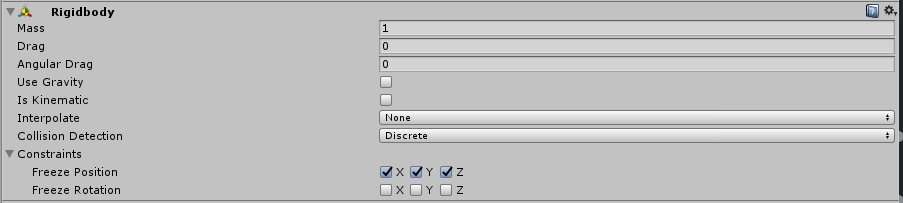
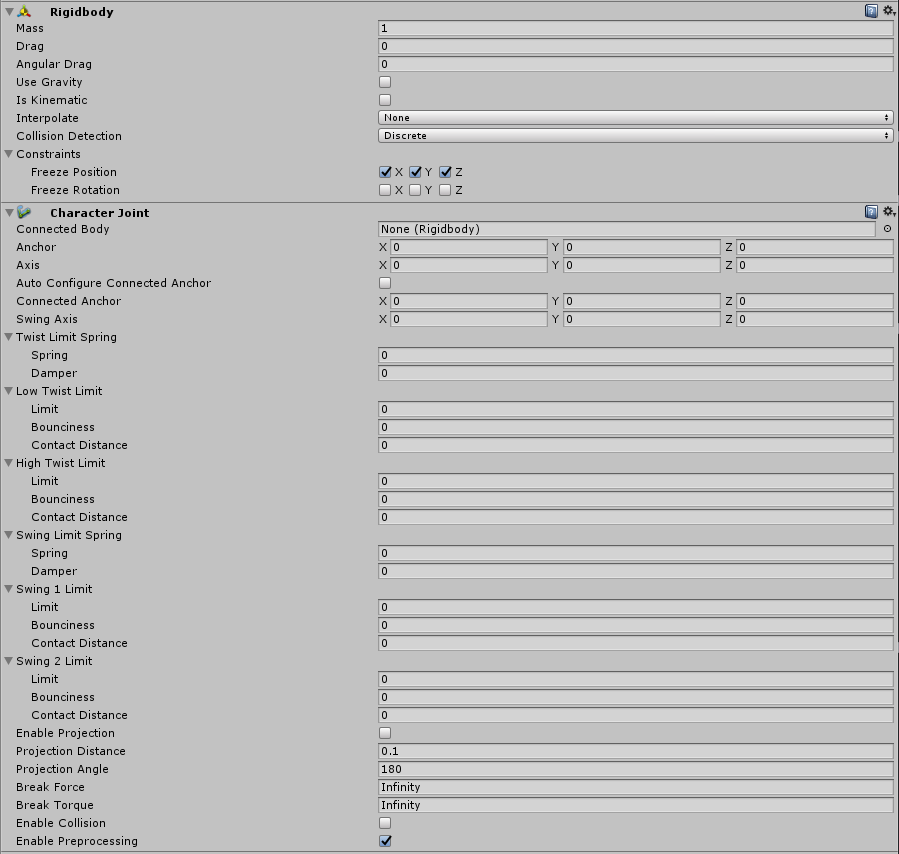
Obviously setting the first as the seconds connected body
 solar ravine
can I use Character Joint as an alternative to final IK for skirt hacks...
solar ravine
signs point to no
 marsh portal
https://imgur.com/a/jyI5H6L i exported my avatar from a mobile game and i´m having problems rigging it , i used an existing mmd´s amature and idk
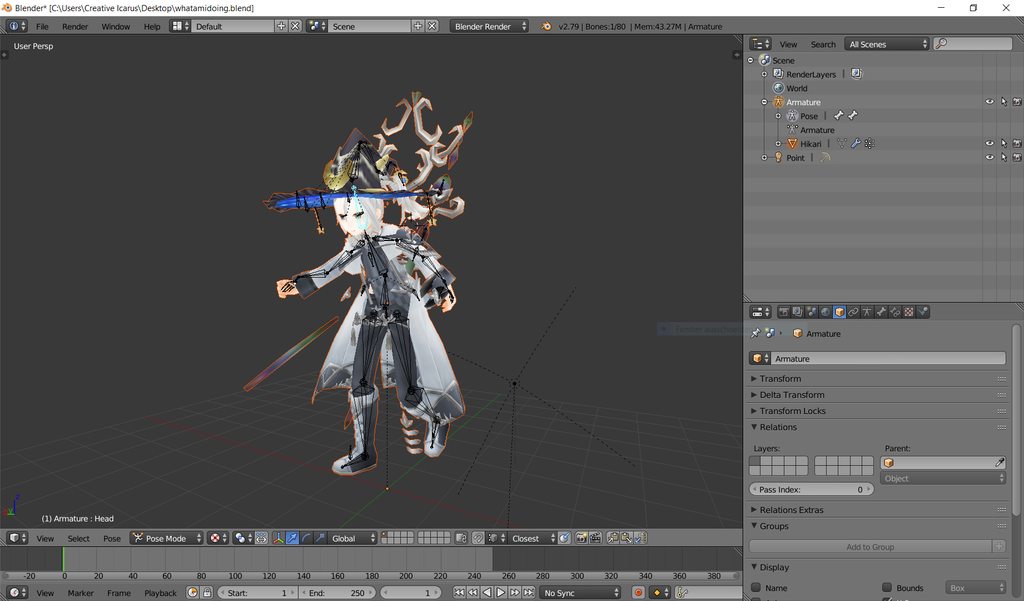
it didn´t had any bones and i had to convert it cuz it was 61000 before
 lean grove
i need help adding animation to f+5 key with music
 olive storm
Can someone rig a Jafar avatar for me?
 edgy ginkgo
would anyone know if you could use VR with non-humanoid setups?
gritty nest
Nope, you cannot
edgy ginkgo
thought so
gritty nest
You can either shoehorn your rig into a humanoid one
Or you can make a fake humanoid rig and put your generic underneath
Then use fixed joints
Or character joints as I've been told
edgy ginkgo
hmm, i wanted to make a mech from mechwarriar and be able to move the arms and torso only
if i used a humanoid rig, and adjusted it, would that work? and make my own AO for it?
or would the IK break it
gritty nest
As long as it's not too far off, I think that could work
edgy ginkgo
okie dokies, back to testing, thanks
 swift lagoon
So you do you need the leastest unity version to upload avatars?
swift lagoon
and the same vrchat sdk from the site?
swift lagoon
Alright, I haven't done this inwhile and someone told me you need the latest unity now
To use with the latest sdk
swift lagoon
 gritty nest
Go to console and fix compile errors
You have an erroring asset that you have to remove
 gritty nest
You have the SDK imported multiple times or something
Delete the whole SDK and reimport, delete the Plugins folder too
 gusty charm
https://imgur.com/a/Ojt9idw Well that doesn't look right.
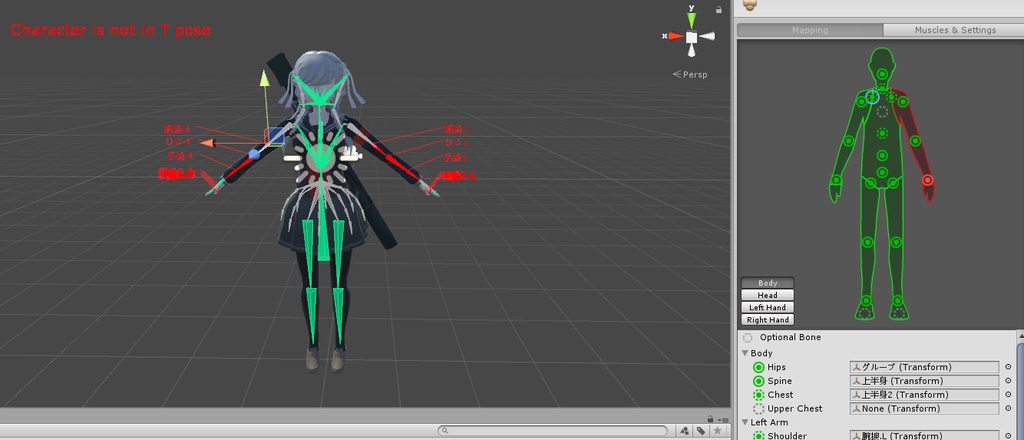
Can I get some help if you can?
digital rune
Question, how could I remove this
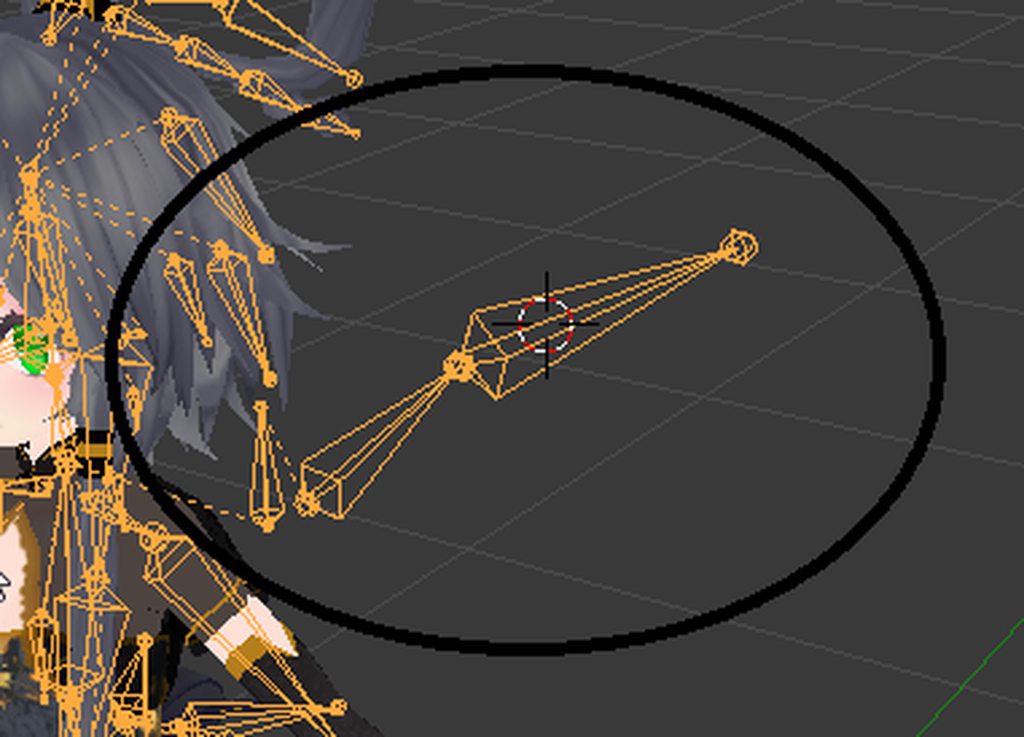
I'm pretty new to blender, trying to get used to this.
But I am not able to find a tool of whatever, to select single bones or such, to just remove it.
fading verge
Hello, I’m trying to do a head swap but I’m not understanding how to do it. I tried watching a video but it just made me more confused.
sleek isle
@digital rune select the armature. Go in edit mode(tab) select the bone you want(press shift to pick multiple) press x (delete bone)
@gusty charm force T pose the option is bottom right. Might fix it. But maybe you have a problem with the hiérarchie
gusty charm
Some of the bones weren't rigged properly? Like some of the model's thumb part were linked to the wrong bone.
sleek isle
@edgy ginkgo rig the body like a humain but dont weightpaint the legs. Unity dont auto assigne bone without weighted vertex so you need to drag them yourself
gusty charm
I enforced the T-Pose and... I've noticed several errors. I'll post them on imgur.
sleek isle
Some time unity dont auto assigne bone correctly
So drag them yourself in the box from the hiérarchie
gusty charm
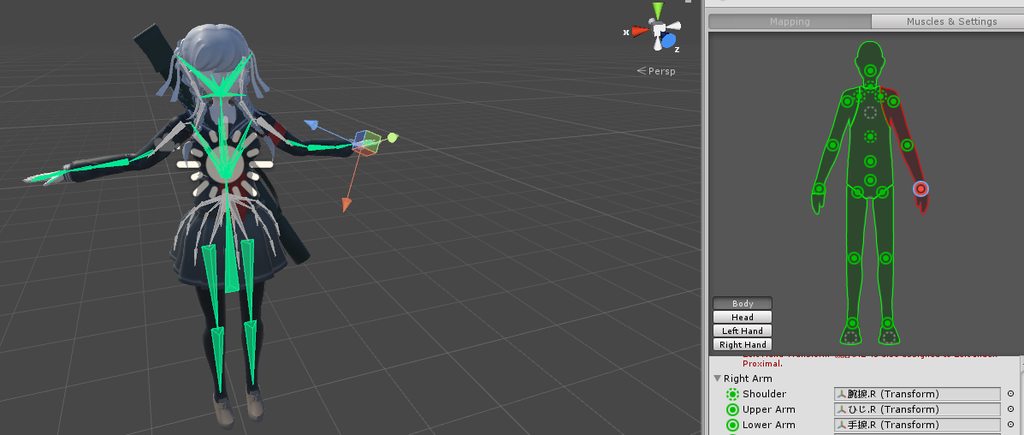
I've posted them just to get a better look at them?
But yeah, I'm gonna try to fix that.
She doesn't have any shoulder rigs ( four arm bones ) , her thumb on her left hand is connected to the wrong bones and her glasses aren't clear.
That's the general run down.
sleek isle
@lean grove what kind of animation
digital rune
ANybody have problems where viseme isn't there in Unity ?
But CATS made the vrc shapes.
I have no option to select "body" in the Face Mesh list.
sleek isle
The bone are not parent to the good bone or its in unity that they are not in the good box . The right would be useful to see
gusty charm
It's a hundred times harder since all of the names are in japanese ...
sleek isle
Cats plugin is supposed to translate them mosly
digital rune
Can't do the viseme stuff, when the Body isn't there.
I'm clueless why it isn't.
sleek isle
But for the finger if not. Change the name of the bone in blender yourseft like. Index1_L
gusty charm
Let me try to remake the model again.
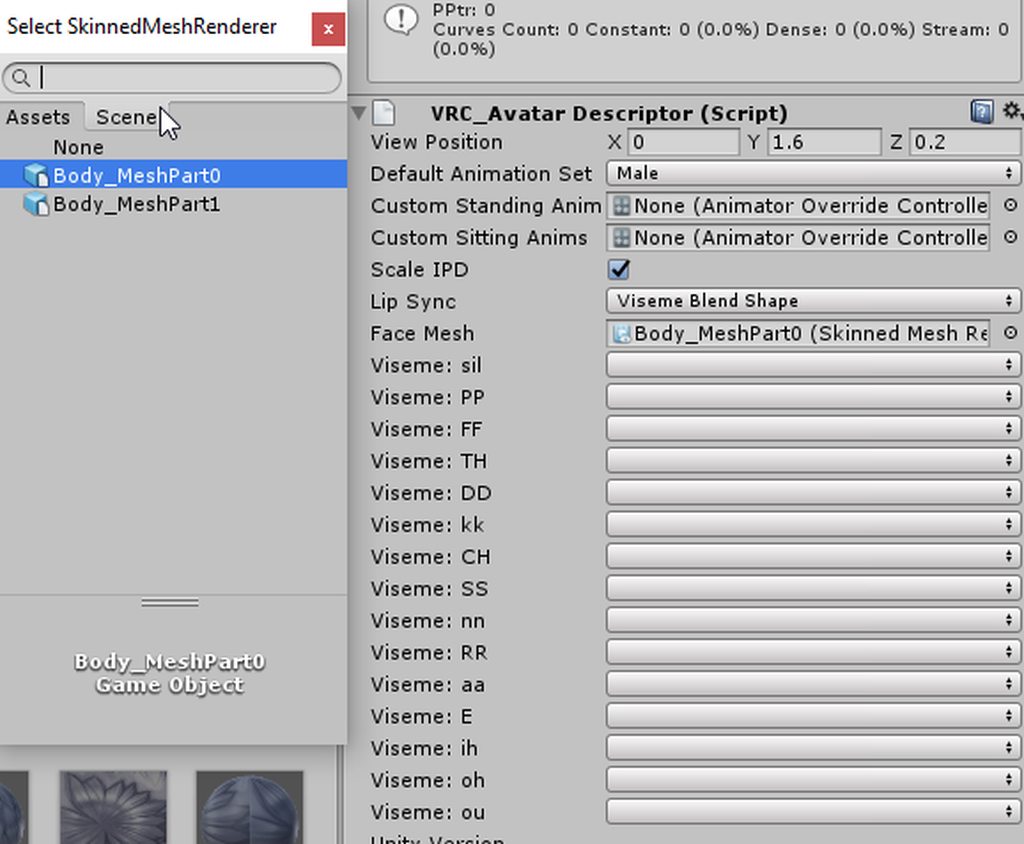 sleek isle
Click the box
digital rune
Which box ?
sleek isle
Select the sound
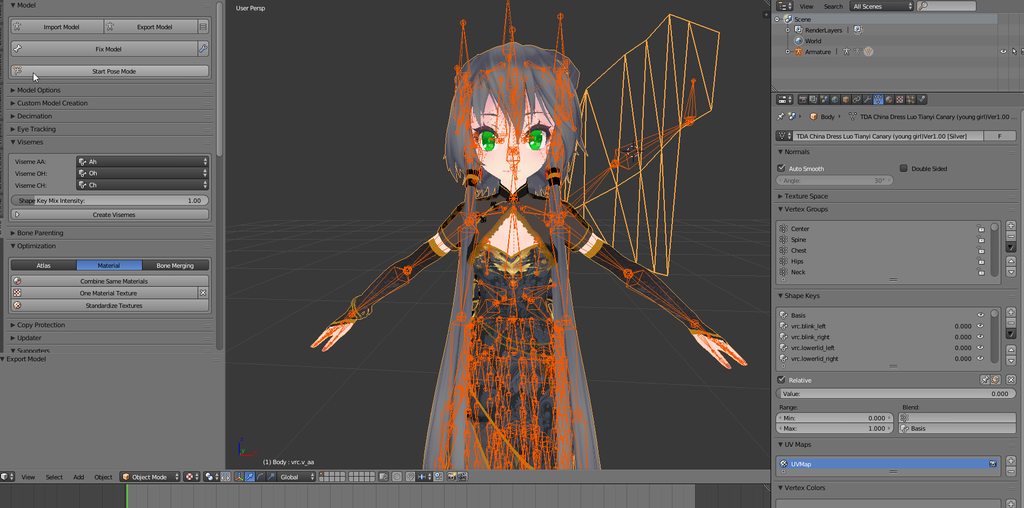 sleek isle
Everything work in blender ?
digital rune
This is what I got, I did the create Visemes
It made the vrc parts of sillables.
But when exported to unity, it doesn't show the body scene to select these sillables.
 pseudo sedge
@digital rune is you model more than 65k verts and that splitted into 2 parts? if yes than shape keyses was deleted after splitting in unity, you need to split your mesh by yourself in blender for keep shape keyses
digital rune
Mmm yes, I think it is, I was gonna decimate it eventually, but I wanted to see if I got the visemes working.
mmmm
I think you're right there.
sleek isle
am use to have avatar with less then 5 k so i might have forgot that problem
digital rune
No problem, I kind of understand.
I learn every time a bit when falling hard on my face 😉
gritty nest
@gusty charm you don't seem to have followed the Cats blender tool process
gusty charm
I know, and now I’m redoing the model in the Cats blender tool.
Also I’m guessing I don’t need the emotes hiding in the head of the model?
 brave basin
how do I create a invisible leg bone for Zenyatta
 idle axle
hee guys I have a problem.
I have the model like this: https://i.imgur.com/Z0Daf77.png
But every time I export it in a fbx, it becomes this: https://i.imgur.com/M5XTpCa.png
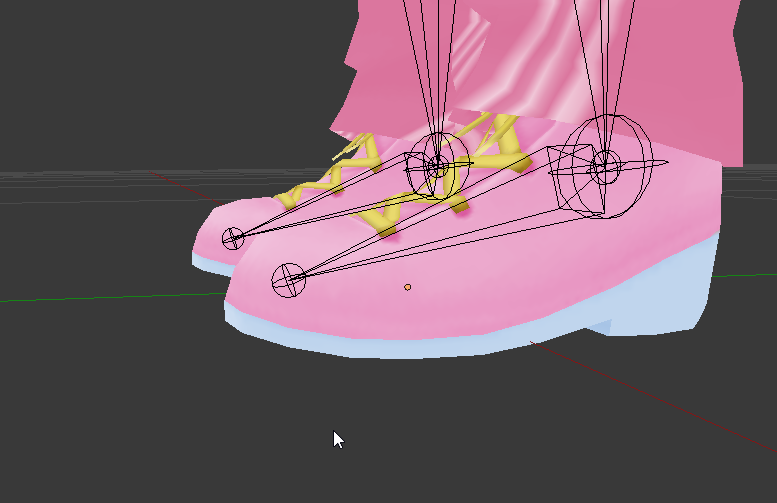
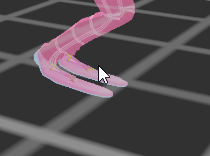
aka this: https://i.imgur.com/rssw7UR.png
 gusty charm
Them Goofy legs-
Also, my character has glasses but they aren't appear transparent on Unity. Does that mean it's not working?
pseudo sedge
@gusty charm is shader that you are using allow transparency?
rare sleet
Also your normals may be backwards

 subtle moth
swift lagoon
subtle moth
swift lagoon
Thank you!
 last iris
So if i have a model that is literally missing an arm as part of the design. is it possible to just not map bones for that and still be able to import using the default vrchat animations?
swift lagoon
Yeah do you use a PMXeditor? @last iris
last iris
no i dont
swift lagoon
Look up some tuts on youtube, it's makes your life easier with bone mapping and such
The avatar I sent screen shot up there I replaced the shirt without bones
But I magine adding an arm is alot harder
last iris
alright ill look it up thanks!
sleek isle
Map the bone in the box. No need to be weightpaint only need to be there. So you still can have full ik something
gritty nest
@last iris just assign fake bones, it's fine
last iris
ok thanks
gritty nest
There's an avatar scaling tutorial that I've been sorta following along with (don't have full body so I can't really use the tracker positions as targets, using Y bot's proportions instead)

A guide for scaling and tweaking VRChat avatars for fullbody tracking. Covers information on in-game, blender, and unity. It also has a fix for that bending ...
In here, he only scales the upper arms. Shouldn't you also scale the lower arms?
Otherwise the elbow would be in a weird spot
 novel reef
Is it possible to use viseme blendshapes for the mouth on a non humanoid avatar?
late shale
Yeah I'm pretty sure visemes don't care if they're on humanoid
 languid turtle
Does that guide include the bone structure and placements for Hips + UpperLeg bones?
Since that part is always scuffed with me, and cant find out what is causing it, may be missing 1 step for the Bones connected to Hip bone in FBT mode
Like should the bones be leveled with each other (Hipps + UpperLegBone) i cannot watch videoes for 3-4 days so that is not possible for me :p
 jovial dune
I have a question but it's too late to expect answers
Praying a smart owl reads this soon enough lol
So my character's thumb is derped out because applying the t-pose settings in Unity moves the bones to a position that's just kinda off
Is there a place I can find a picture or something that I can reference so I know how to line the finger bones up for the base t-pose?
 fringe citrus
@gritty nest because the lower arm has "inherit scale" still enabled, it inherits its scale from its parent bone (the upper arm) so scaling the upper arm will simultaneously scale the lower arm too by the same amount.
sleek isle
@jovial dune you dont really need to have a perfect t pose
fringe citrus
😁 👍
gritty nest
Now I gotta redo the proportion scaling lmao
That's fine
The skirt is the hardest part because it just looks comically oversized without rescaling those
 long sierra
I have a question , why when i try to publish a skin it says : u must spend more time in the app . and i played more than 20 hours , need help
gritty nest
Play more
@long sierra
It's not based on playtime
You need to interact with people on your VRChat account
gritty nest
You need to play more
We don't know the specifics
Just keep playing the game and you will get a message
lime hill
https://cdn.discordapp.com/attachments/470983267353624612/479455019897454601/unknown.png i keep getting this error
 gritty nest
Usually that means you got your avatar into the floor
fading verge
So I have a two tails on one of my avatars and when I import it from blender to unity one of the tails is sticking out and up in front of me while the other is in the proper place any solutions
 random spire
languid turtle
random spire
languid turtle
Top hat, that means the tail needs to apply its origin rotation so it points the same way as your avatar, or else it is saved with a different rotation and is applied when you put it in Unity, but you should study how you join the meshes. Since you only get that fault if the meshes are split up and not applied scale and rotation
fading verge
Also when I import the avatar into blender originally it loses the dynamic bones in the hair and ears
And the textures change
 paper mango
@lime hill remove your animation override and put it back in
 mossy escarp
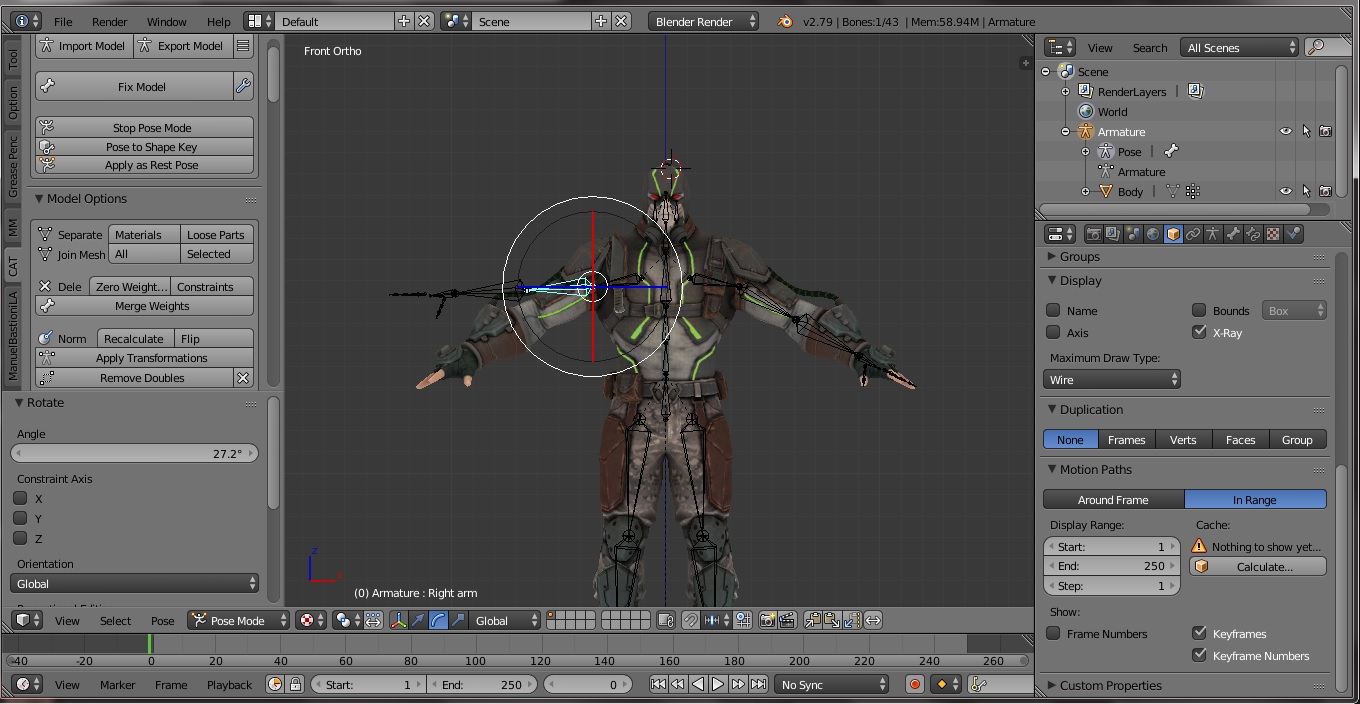
Help! My avatar body does not move with the armature in pose mode.
 crystal vector
@mossy escarp Try to press join meshes once. It could be that you messed up the armature modifier and join meshes should fix that.
mossy escarp
@crystal vector , Thanks. It worked. It was missing an armature modifier.
 heavy imp
just use miaxmo to auto rig
obtuse cedar
It's an XPS model
heavy imp
nvm
i got a lil problem myself.

dunno how to rig this little guy
I may just not rig em'
but I want to.
obtuse cedar
Do you not know how to rig or do you not know how to rig that
obtuse cedar
what program are you using
obtuse cedar
don't do that in mixamo
you're going to have to do that in blendr
no way you can do that in mixamo
obtuse cedar
that's the only way you're gonna be able to do it unless you wanna pay someone to do it for you
¯_(ツ)_/¯
heavy imp
to rig, I just put bones, linking to each other in it?
or is it more complicated?
cause I tried rigging manually myself
but didn't work
obtuse cedar
its more complicated, you have to wet paint it sometimes
obtuse cedar
im gonna repost my thing since its more of a "i dont know how to do this but i know the basics of blendr" rather than "teach me how to do this"
Hey, having trouble with this model. Been trying to fix a certain problem for months- but it's that the hip bone is completely screwed. I have no idea how to fix this, but I really don't want to consistently run back and fourth from blendr, unity, vrchat all the time. https://i.gyazo.com/e9dc8e11005d114df134a19ed239803e.png Is there a possible fix for this? Another model had this issue, ending up looking like this. https://i.gyazo.com/a3b3028a393b6ca57425373091a83fe6.png


The problem never becomes apparent until I load up into VRchat.
Please @ or dm me if you find any fix for this. I'm so tired and want to cry lol
I'm willing to send the file as the file is public anyway
heavy imp
so uh.
crisp tendon
reset the bone roll if you haven't already
heavy imp
is it your model?
fading verge
go into edit mode
on the armature
press A to select all bones
press ALT+R to reset the rotation
all bone rolls will be set to 0
obtuse cedar
Bone still looks the same
fading verge
how is the hip bone positioned ?
obtuse cedar
Let me get a screencap for ya
This is the hip bon
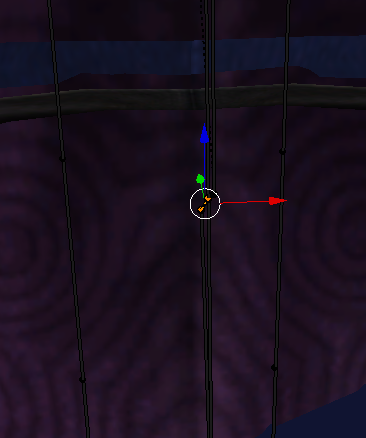
The bottom bone is the pelvis. I've tried assigning the bones that were in hip bones to the pelvis as a and it appeared to work, but when I went into unity, the textures went wonky (bending in all types of different directions on the shoulders and forearms)
fading verge
is it normal that it's so small ?
obtuse cedar
No. t's not. I just loaded up the other model I use which is the same character in a different costume and the hip bone looks different. It looks like a pelvis bone.
Nevermind
It is supposed to be that short
fading verge
pretty sure a bone that small will cause some issue tho
obtuse cedar
I'm gonna try replicating the rotation of the bone on the other model
That just completely broke the model f
Beauty

 fading verge
did you you just update the one already in the scene
heavy imp
help
fading verge
or did you put a new one from it?
https://cdn.discordapp.com/attachments/377924991783665665/480043044989829152/This.png https://cdn.discordapp.com/attachments/377924991783665665/480043053151682560/VRChat_1920x1080_2018-08-17_11-58-11.779.png

 fading verge
put a new one in the scene and test it*
 native egret
 fading verge
how do i make shoes fit my avatar the front of her feet are hella wide
 fading verge
Did u change it’s position in unity?
heavy imp
yes
fading verge
I’ve had a similar problem and I just changed the size and avatar descriptor until it was good so try fiddling with that if that don’t work then idk
heavy imp
dang
gritty nest
It's the same thing as I explained earlier
Position of your avatar is overridden ingame
Put it in an empty game object and raise it up
Or lower the mesh origin point itself
 quartz juniper
can anyone help me?
i have a model i need to rig but there's an error when i upload it to mixamo
fading verge
Shift A in Blender make bones ur self, Auto Weight Paint, and fix Weight Piant @quartz juniper
quartz juniper
the tutorial uses MMD while i use some other format
cause that's how the model came
and MMD is only anime shit
@fading verge
quartz juniper
same
fading verge
Literally rip from Jojo Eyes of Heaven
quartz juniper
wat
fading verge
itz a Bandai Namco Game
quartz juniper
what i did is to take link from smash melee i think from deviantart and uploaded it to blender
fading verge
That's not ripping
fading verge
I just rip straight from game
but U gonna have to Export to Fbx if you want to Mixamo it
quartz juniper
when i take the model to blender there suppose to be a body section
but there's aren't
fading verge
Pic?
quartz juniper
1 sec
fading verge
k
fading verge
Is there a way to move the shirt i added to the back ?, because i can't select my shirt or i'll select all my body inclued
 rare sleet
Or ya know, learn blender
sleek isle
Hehe yeah more resource in english
swift lagoon
http://prntscr.com/kkcy83 why does it only regonize one dynmic bones collider?

 spark bison
sooo anyone have a clue why on earth this is happening? I've been doing this rig for a while and it has worked so far but not on this avatar. More images in the link.
 fading verge
bone rolls set to 0 in blender ?
try to also make them first child like the warning tells you to
in unity
spark bison
Well look at that, the bone hierarchy was wrong in unity but in blender they be correct. Now it's complaining about not being a humanoid rig...
spark bison
well now they are the right way around, but... now the avatar seems like it wants a horse or a donkey beneath it. Rotations are set to 0.
Any ideas for that?
spark bison
https://imgur.com/a/YAQ7smV the problem still persists. No idea what could be wrong. Rotations are zero (tried also 30,60,90 +-), moved the knees forward so it has a bend direction. Gave it a more straight resting position. Nothing. I am stumped.

 steel idol
Hey does anyone know a place where I can get good tips for weight painting and basic rigging?
 naive tree
@spark bison straighten them up and bend like a knee forward
to me looks like yours is on the left, try one like is on the right http://prntscr.com/kkgqre

and be sure that the knees are bent slightly
so IK know how to bend legs
spark bison
It seemed to have been the full body fix I placed. I removed the bones and reassigned them and that fixed the issue. The base model itself has a v shaped leg resting position so had to move the bones accordingly. Without the full body fix it's all right.
naive tree
it's because the full body bones are pointing up
but your bones are sideways
and so it ends up in weird pose
spark bison
Also in my previous message I did mention how I gave it a more straight resting position but that didn't help. I'll keep messing around with it but for now it's suitable without full body. Thanks for the tip tho.
 proven nacelle
Hey guys ^^
I'm wondering if anyone knows a way to convert shape keys to bone movement in blender?
I have shape keys for the character's mouth but the way it's built, it'd be much easier to use the jaw flap thing
gritty nest
@proven nacelle jaw flap looks bad tbh
There is also "jaw blend shape"
Which takes one shape key and acts like jaw flap
It's easy to turn bones into shape keys, the other way around not so much
proven nacelle
Aha, that jaw blend shape sounds like exactly what I'm after
The character's mouth is more like a muzzle so it only really moves up and down, there isn't much point in individual shape keys for different mouth sounds
gritty nest
Yeah, that's what I suspected. That makes sense
proven nacelle
And I didn't want to have to set up all that viseme stuff
gritty nest
It's hard to get lipsync properly done on non-human mouths
proven nacelle
Fair enough
I do have multiple different blend shapes for different mouth sounds, but they all look mostly the same so I figured it may be easier to just create a bone and use that
gritty nest
I would recommend using those shape keys if jaw blend shape doesn't work out. It might end up making you spastically vibrate your mouth
Because that's what regular jaw flap does
proven nacelle
Ahhh really? I didn't realise that
gritty nest
It'll look better than you might think
Jaw blend shape is something I have never tested
But jaw flap just looks awful in general. Jaw hangs half open all the time, and then vibrates up/down like every frame
proven nacelle
Thank you 😃 so you think it's better to stick it out and use blendshapes
I've never had much luck with that in the past but I've followed the process before
gritty nest
I would say so, that's what most people do, and it's guaranteed to at least work
But you can always use jaw blend shape as a fallback
Cats Blender Tool can generate the necessary shape keys from the AA, OO and CH shape keys alone
proven nacelle
Sounds good ^^
Ahh, I've heard of that but not used it
Thanks for the advice anyway
 worthy ravine
What would you guys do with a model like this to get the best looking results? https://i.imgur.com/SHLvWID.png?1
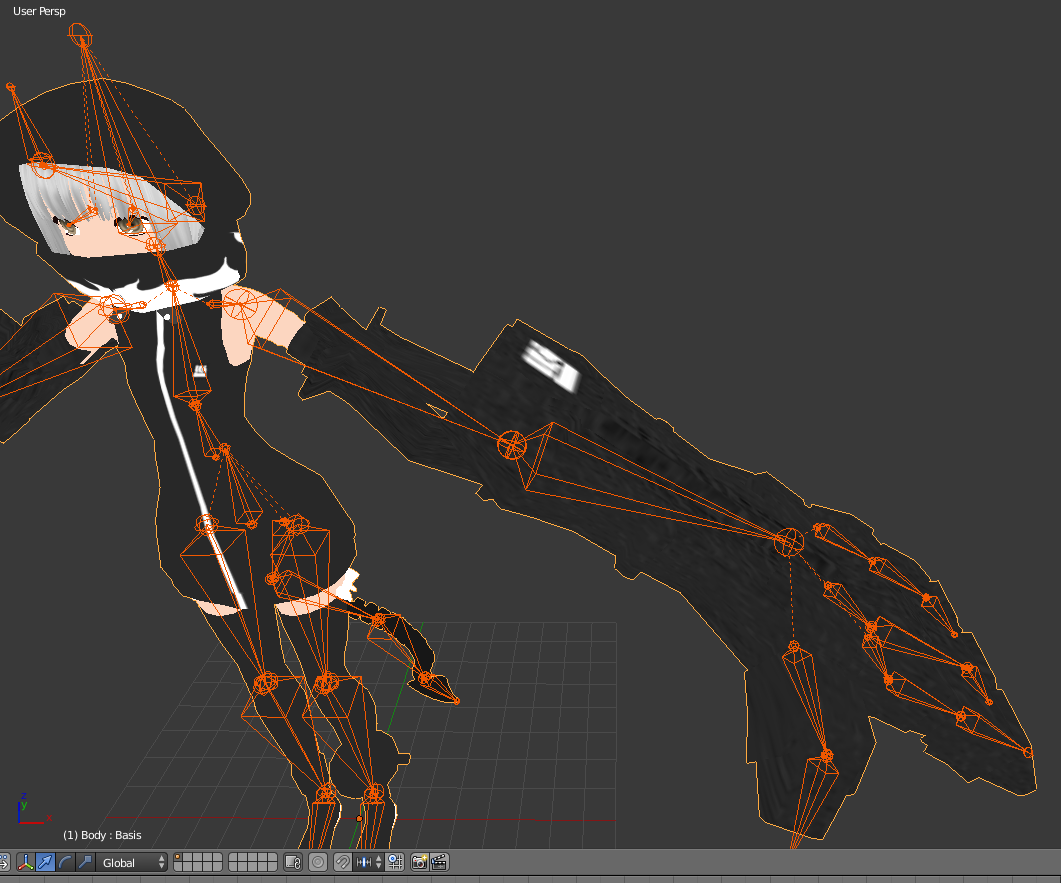
It's missing an arm bone, and I'm trying to decide how to go about making it compatible, in the way that will be most fun to use.
One suggestion has been to use a fake bone, but I'm unsure how that will end up looking in motion.
Alternative view to see the joints better. https://i.imgur.com/LN9Up8q.png?1
 fading verge
it's missing a wrist ?
also some of those bone arent properly placed and rotated
be sure to set the bone roll to 0 for all of them
gritty nest
It's more like missing a lower arm
You could argue that the whole black thing should function as a giant hand
worthy ravine
Bone roll noted. Will be sure to do that too.
And yeah, I feel like I want the entire "gauntlet" section to act like the hand, for maximum control of how it positions itself.
Else, I wouldn't be able to do poses like this, https://i.pinimg.com/originals/b1/c7/08/b1c708bd0f8dc59d56e0b6722fa251a2.png
gritty nest
Yeah, you definitely want the gauntlets as hands then
You probably want to subdivide the upper arm somewhere, the question is where
Or you could make a fake wrist bone and use the lower arm to position the hands. This will be hard.
worthy ravine
I figure I either need to fake it, and just have a stiff upper arm going into the wrist, or...
Make a new bone and use that middle bit of the "arm" as a joint. I don't think it's intended to bend in the source material, but might still look ok.
Will be my first venture into weight painting, although fortunately the hard edged mechanical nature of it might make it easier?
Oh... actually that's something. Should I be decimating before weight painting?
gritty nest
That's up to you
I don't know actually
I think weight painting is easier before decimation, but it'll look slightly better if you do it afterwards, especially considering the joints
 dusk nest
i cant get my weight painting to work
what did i forgot
when i go to weightpaint it dosent let me to select a bone it just goes of the weightpaint
fading verge
armature to pose mode, mesh to weight paint mode
 rare temple
So, to do eye tracking I need bones to my eyes. I've tried following tutorials. No dice. Anyone here aware of a good tutorial for idiots like myself?
pseudo sedge
@rare temple https://www.youtube.com/watch?v=gCPcg9y4ZBM
he's copying weight of existing eyes vertex groups, but if you doesn't have them you need to weight eyes by yourself and remove their weight from vertex groups which used them before

Creating Eye tracking for your Avatar in VRChat Links: Download Unity MMD rigging: https://www.mediafire.com/file/7awm878q43c1m7q/MMD_EYETRACKING.ht Eyetrack...
rare temple
Cheers!
 bright atlas
Is there a tutorial on merging two meshes into one while keeping their weight map intact? I haven't been able to figure this out and I have a character with separate meshes that need to be merged
bright atlas
I guess I wouldn't really know how to do that, I don't use blender but I could give that a shot
 outer oriole
So if a model im putting into vrchat
has ik helper bones
Like twist bones and shit
Should I delete those or leave them
A model I'm working on when I roll back the elbow to like
my side around my ribs
Putting my hands near the ribs rather
The elbow stretches out and goes nuts
crisp tendon
Make sure they don't have weight paint on them
Zarniwoop showed me something cool to deal with that
Use theVertexWeightMix modifier on your mesh
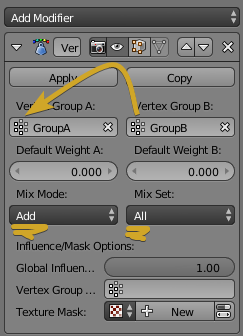
And make sure to delete the helper bone (B) after you've done the switch
yeah, dissolve sucks balls in comparison
yikes
 calm needle
oh yeah
i love that modififier
another thing if doing manual merges is remembering to update the mesh to point ot the new armature
crisp tendon
Do you guys have a personal solution for copying UVs on similar meshes ?
ctrl + L doesn't work for me
crisp tendon
thanks
 brisk badger
Anyone know how to add bones to an avatar? i have a stock model i really want to add bones too but I'm a scrub at blender
calm needle
do you want these bones to actually move the model or dummy bones for the sake of vrc requiresments?
brisk badger
to acually move
outer oriole
Yeah I ended up figuring out
IK Helpers are good for other games but since VRchat uses its own shit and basically ignores IK Helper bones apart from moving them around with the parent
So on some models it might help but on others like the one I ported VRchat just went weird
 restive shale
I tend to get rid of them
fading verge
 naive tree
how is vertexweightmix different from mixing bone into parent if your goal is to transfer weight, mixing bones seems quicker to do so
there's an option in cats "merge weights", which transfers all weight from a selected bone to its parent and then deletes the selected bone
restive shale
I use merge weights a lot
restive shale
It's a useful tool with a lot of features
This is the first time i've met someone who is too good for cats apparently
naive tree
that's because of not applied scale/rotations
i think cats fixed that now
that it applies transforms now
naive tree
I mean.. people make tools to make stuff easier to work with, or bypass every tedious shit u don't need to do
and cats is very useful outside of VRC
restive shale
cats is great for the laymans who just want waifu models
if you want more than that, then thats fine
naive tree
yea and you learn how to fix those issues that cats can't deal with 🤷 what's the problem though
I'd never want to go back to time when we didn't have cats
sounds elitist and pretentious
nothing more
restive shale
Agreed yuumi
naive tree
oof dude
be sure to n ot use any other tools then
cuz by your logic they're just holding you back
fading verge
Never Used CATS
Still talk shit about how bad it is
naive tree
if there's a tool that can make my work easier - I'll use it
naive tree
saying that a tool adds more issues than it helps is silly though
when you haven't used it, and just go by SOME people experience
restive shale
It is still in active development tbh
restive shale
Doesn mean it was caused by cats
considering pretty much everyone who plays vchat uses cats to some degree
You can't blame the tool for someone hitting the wrong button
It's not the knifes fault someone stabs themself
Cats doesnt claim to
 manic marsh
We need saftey caps on CATS buttons
restive shale
Because it is a useful tool
manic marsh
:wheeze:
fading verge
CATS is a perfectly good tool that do his job properly almost all the time
it's dumb to talk shit about it because some people can't use them properly and fucked up a single part of their model
fading verge
it is made msotly for MMD models
so if you use the fix button for non-MMD of course it will fuck it up
gritty nest
Cats Blender Tool works fine for non-MMD's
However, "Fix Model" will not always work spectacularly well
It only properly supports MMD's, XPS, and perhaps Source
restive shale
You tell 'em boss
gritty nest
But there's a lot of other features besides "Fix Model" that Cats makes much easier. @arctic grotto
Cats is basically a catch-all Blender addon for getting models into VRChat
Even if you don't use Fix Model, there's still literally every other feature that's available. Visemes, eye tracking, armature merge
Even useful stuff for non-VRChat purposes, like Apply as Rest Pose
Or applying a shape key as the new Basis
You can technically do it in Blender, but it's a pretty difficult process that will probably make you lose your shape keys.
Cats just automates it
Otherwise you have to duplicate the armature modifier, apply the top one, and then you got the mesh in the right place. Then you need to apply the rest pose on the armature.
"Apply as rest pose" in Blender only works on the armature, not the mesh
So you need to copy the armature modifier and apply it to the mesh separately
But then you'll lose your shape keys
And that's just one example
What if I need to pose the head slightly differently?
The point is, Blender makes it difficult (and sometimes literally impossible without manually moving the mesh), Cats makes it easy.
Proportion rescaling in Unity sounds like hell tbh
I get why it works, but as soon as you need to change the armature and resample, you'll have to redo it
restive shale
computers just numbers 😮
gritty nest
And if you shorten the legs, you can't shorten the skirt as easily in Unity
crystal vector
@arctic grotto I think you have a negative impression on CATS because you only see people when they complain about it. But there is a huge number of people who have no issues with cats and use it on a regular basis. You probably wont hear them all the time saying how CATS saved them so much time.
But I agree, creating eye tracking is pretty buggy on non mmd models and manual texture atlas is always better (until today probably).
gritty nest
Cats saved me a stupidly large amount of time
The eye tracking generation usually works pretty well for me even on non-MMD's
The armature merge function is by far my favourite addition
They're also super quick when it comes to support. At one point I reported a model with broken shoulders after using Fix Model, a fixed dev version of Cats was uploaded literally 30 minutes later.
Not saying that my experience will be the norm of course, before you all start expecting Hotox to fix your models 😂
crisp tendon
Agreed, the cats plugin is a godsend
bright atlas
Funnily enough, I actually have a question about cats since I'm having trouble. I tried merging armatures on my model that has multiple meshes, I can't seem to get it to work. Whenever I merge the armatures it causes one of the meshes to severely increase in size and rotates 90 degrees, then gives me an error that it reset. I hadn't messed with the model beyond importing it so I don't know where to go from here
It recommended me to fix the model, which I tried, but it tells me that bones are missing and it can't fix the model
The root problem I'm having is I've tried merging multiple meshes in 3DS Max and it leads to the weight maps being completely messed up, and I do not know much of anything about blender beyond the scripts suggested to me
gritty nest
@bright atlas you need to CTRL+A apply the location, rotation and scale on both armatures
And all meshes
Then you can merge
bright atlas
So just hit CTRL+A and apply them when they're selected? It seems to uncheck the other boxes when I apply a different system
Like after I apply location, I try to apply rotation and it unchecks location
crystal vector
@gritty nest There is a new shortcut in cats for this, just click apply transforms in the model options
bright atlas
Just tried that, still reset the second armature
gritty nest
Oof, Cats becomes even better
bright atlas
Yeah, one moment
worthy ravine
Just the translation feature alone is a godsend in my opinion.
Trying to guess how to correctly assign 30 different materials all written in moonspeak, was something that horrified me until I realised CATS existed.
The Fix button got confused and set the eye bones to the chest, or some such weirdness, but the time saved regardless in every other aspect, makes fixing the imperfections perfectly bearable.
 upbeat ore
how do i select the bone in weight paint mode?, clicking it just paints?
https://gyazo.com/b7f63d21ccb32b7804be1df30b1ecc7c
 upbeat ore
i dont get you ?
in the scene?
ah yeah, i found it 😃
thanks!
this person just clicks the bone?
https://youtu.be/lWKw0v25KUY?t=5m58s

Tutorial on weight painting and how to fix weight painting issues. Usually when a material moves with the wrong bone. Links: Model: https://mooniiiiichan-lov...
late shale
If you set the armature to pose mode then go into weight painting on the mesh, it allows you to click on the bones themselves. But you can also select the bone from the list of vetex groups on the right
upbeat ore
the bones dont highlight when i select them in the list, and some are in japaneese so i cant read them
upbeat ore
ah cool, where the potion to translate in cats?
late shale
It's near the top I think
upbeat ore
even though my object is weight painted, it does not rotate with the bone?
https://gyazo.com/3f5fbe62dc1070bc2f9570401cfc87f2
https://gyazo.com/9d2b54fdb9e75eca8816531dc7a7b39c


fixed the issue for future reference , the bone was painted to another bone aswell 😃
crisp tendon
That is weird weight painting 🤔
upbeat ore
i did that to try fix the issue, allthough it created more
crisp tendon
If that works, that's good enough !
upbeat ore
well it didnt work, i had to do this :P
https://gyazo.com/73f38d3b431c45babfe055f543e2a5af
 crisp tendon
that looks much better 😄
 north prawn
Umm i need some help rigging this Maui
i got all the bones placed but it still doesnt work
Also i have no idea what im doing
 solid adder
@north prawn you have the bones, but it needs to have weight paint. You can do it manually or try automatic weight paints (I would suggest automatic despite it not looking good, but you can touch it up a bit if you know how to do it)
I'll try to find a link I used that will guide you on how to rig a model
@upbeat ore you do have the right bone selected when you painted that, correct? To me it looks like you have your spine selected, but your left upper arm painted, which will cause problems.
 tired zenith
Can somebody please just P L E A S E make a Postal Dude model for VRChat because I can't model for shit
rare sleet
why dont you just commission someone
north prawn
How does one commission
north prawn
Thanks
lime hill
so lets say i have a bow in blender. IK is enabled so in pose mode when i move the bones on the string back, it pulls the arms or wooden part of the bow with it a bit. a very realistic pullback pretty much. does this transfer over into unity? if not, how can i replicate it to work with vrchat?
gritty nest
It won't transfer over in Unity very well
The best way to do it is to weight paint a string bone so you can pull it back and achieve the same effect @lime hill
You might be able to use Final IK but I dunno
 chrome jungle
My legs tend to get crossed when I'm seated
Is there any ways to fix that in unity ? I don't want to go into blender again ree
gritty nest
What do you mean crossed?
chrome jungle
Hm
gritty nest
The default idle sit animation for female avatars has crossed legs
chrome jungle
Oh boi, not this seated
chrome jungle
When I'm just on the ground in VR
gritty nest
You'll probably have to go back to Blender to fix it
gritty nest
If your upper and lower leg bones are connected, you need to select the armature, go into edit mode, and move the knee joint a little bit forward. Tiny little bit
To "hint" at the game's IK system which way the leg bends
You might also be able to pose the legs a little bit to do that
So just rotate the upper leg like 1 degree forward and the lower leg 1 degree backward, apply as rest pose
gritty nest
If you have Cats Blender Tool installed, make sure the bone you want to combine is a child of the other bone
Then select the bone in edit or pose mode, and click "Merge Weights" @subtle veldt
 raw crest
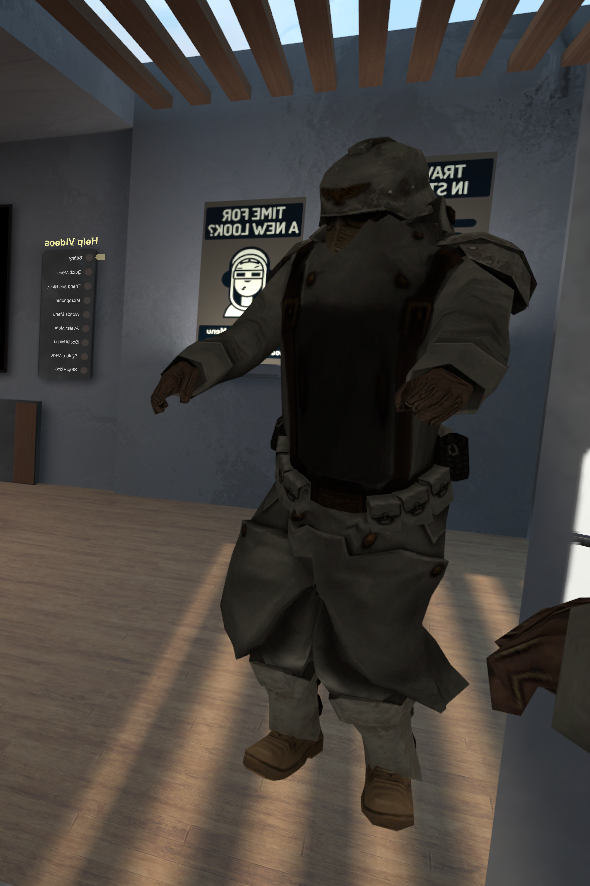
Quick question (don't know where to ask this) but how does one fix the chest from puffing out like this https://i.gyazo.com/b8a52f3e9f6bc315366a985c71e72765.png
 crisp tendon
Still unsure, i've tried a lot of different rotation head/neck/chest/hips and i'm stumped, if anyone here knows, i'd like to know too.
 granite moat
Quick question, does anyone know why my cape is transparent on one side and visible on the other ?
I'm only using 2 textures and the polly count is about 2.5k
granite moat
Im using toon's
fading verge
put a white tinted outline with width 0
granite moat
Ill give it a shot thanks, first time rigging and texturing my own avatar
rare sleet
cubeds new version HAS a doublesided version fyi
gritty nest
@rare sleet yeah but Flat Lit Toon Lite is broken
If there's a directional light stuff breaks
 forest igloo
Thought it was fixed
gritty nest
It has a broken screenspace effect
forest igloo
Yes
fading verge
wut
forest igloo
But still
rare sleet
ohhh thats what that is
forest igloo
@gritty nest This issue? https://github.com/cubedparadox/Cubeds-Unity-Shaders/issues/46

GitHub
I'm not sure what is going on but every now and then when I use an avatar with this shader applied I and those around me will get a ghostly chromatic image of my avatar usually upside down in t...
 reef skiff
if i for example add hair to my model in unity, on the head, my head neck and chest get broken, like stretch to hell instead of move like usually. i did rename everything in the hair so there's nothing called like "body" "neck" or armature. what could be wrong 😭
 heady tree
Do the eye bones need specific names?
I have them as Eye.L and Eye.R
they work fine but eye tracking doesn't work
I also have blinking visemes with all shape keys in the correct order and spelling but they don't work
 lucid orbit
The eye bones need specific names and your Armature needs to have a very specific structure leading to said eye bones.
heady tree
the heirarchy is good
rare sleet
Are you using cats first of all, second what does your avatar descriptor look like
 rare sleet
Cats is required for the most part to set up proper eye tracking and blinking and allows blender based eye tracking testing
Also holy bloody piss
Do not.... Tell me you dont have separate meshes
heady tree
every avatar I've ever picked up is in separate meshes, and mine are usually in one piece
just the head is a separate mesh, because modifying an object with shape keys is goddamn messy if you slip up
lucid orbit
You did merge your meshes, right?
heady tree
if I did, the head would implode
rare sleet
Why
heady tree
because modifying an object with shape keys is fuckign messy
rare sleet
There's no reason that would happen
Ive been at this quite a while and that's not the case for merging meshes
Only thing you can't do is add modifiers to the mesh with shapekeys
lucid orbit
Merging meshes does not mess up shapekeys unless you've forgotten to apply all your decimation modifiers first.
heady tree
says you, I have to drink because of how fascinating unity is being
rare sleet
It's not unitys fault you don't know wtf you are doing
heady tree
ah yes, it's my fault that I'm modelling and rigging mostly for an independant game in unreal and am apparently supposed to rely on an obscure tool to get a miniscule detail to work properly in a unity game
rare sleet
Yes actually
heady tree
oy blin I love having to rely on tools and automatic processes
where do I find these cats
lucid orbit
Here, it's Cat's Blender Tool Plugin. https://vrcat.club/threads/cats-blender-plugin-0-10-1.6/

VRCat: Community-Run VRChat Forums
A tool designed to shorten steps needed to import and optimize models into VRChat. Compatible models are: MMD, XNALara, Mixamo, Source Engine, Unreal...
lucid orbit
Well, ever since it was released, most people don't care for my technical explanations and would rather just use a one click tool that fixes almost everything.
heady tree
I prefer to do everything manually
lucid orbit
(Gee, I wonder why? Hee.)
chrome jungle
Actually you could setup the eyes bones alone, i did it back in the time when cats didn't exist / was ood ; it's just easier to use CATS plugin now :p
heady tree
well having an explanation to do so manually would be greatly appreciated
 signal forge
Hello, sorry to interrupt, can someone help me in #development-advanced Im having some problems with Unity and SDK
im honestly not sure where support is LOL
my bad
;-;
lucid orbit
Yup. I'm one of the old guard that did everything manually before all of these conveinient tools appeared.
chrome jungle
I was a desktop user back then ; i'm encounting so much problem with my recent VR headset now :>

That's the bones CATS create for the eyes tracking ( so ; the right name aswell )
If you have some time to spend @heady tree
Creating Eye tracking for your Avatar in VRChat Links: Download Unity MMD rigging: https://www.mediafire.com/file/7awm878q43c1m7q/MMD_EYETRACKING.ht Eyetrack...
I've followed this video back in the time
Still love his voice ; smooth
heady tree
that's it? just two bones?
lucid orbit
Yeah, following that should work.
heady tree
do the bones have to be like Eye_L, or does Eye.L work too
because I always go with Bone.L/R
chrome jungle
The Eye_L/Eye_R aren't used
It's just the old bones basicaly
Lul
So it should work i guess
heady tree
I see.
fading verge
Has anyone else encountered and found a fix for the spine/model messing up after assigning the chest and enforcing T-pose?
Just realized I cant send any images...That's inconvenient haha..
fading verge
ah good idea
restive shale
👌
fading verge
https://imgur.com/CUzERy2 Normal T-pose has everything it needs but a chest
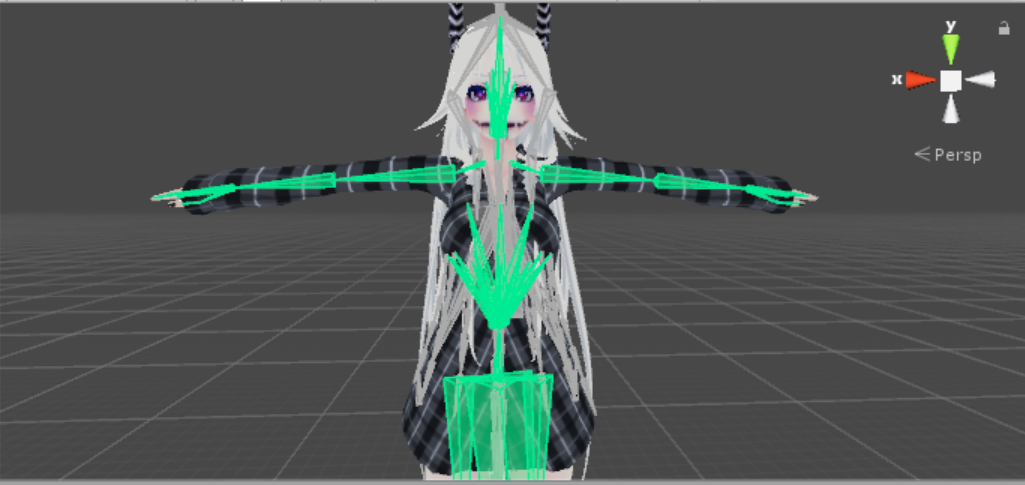
https://imgur.com/k3QWF2Q When I assign the chest...
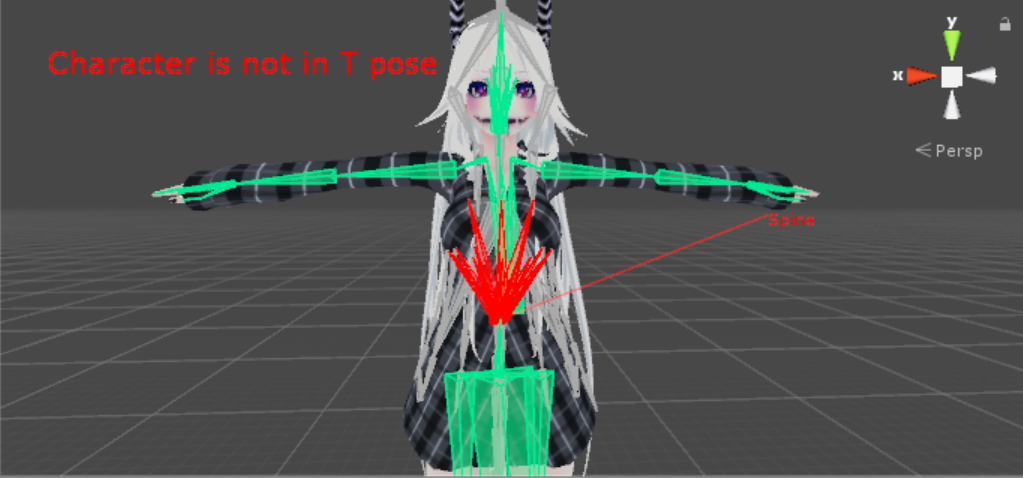
https://imgur.com/rvDS34N enforcing T-pose results in this.

The diagram to the right that I exclude from the images always remains green.
I have also double-checked to make sure all of the important parts are assigned correctly.
I am not assigning an upper chest or anything like that...this happens when I assign "Chest" to the Chest area.
huh
weird
how is the bone in blender?
give me a sec and ill try to send a couple of images showing the bone structure within blender. Admittedly I have very little knowledge regarding this stuff.
fading verge
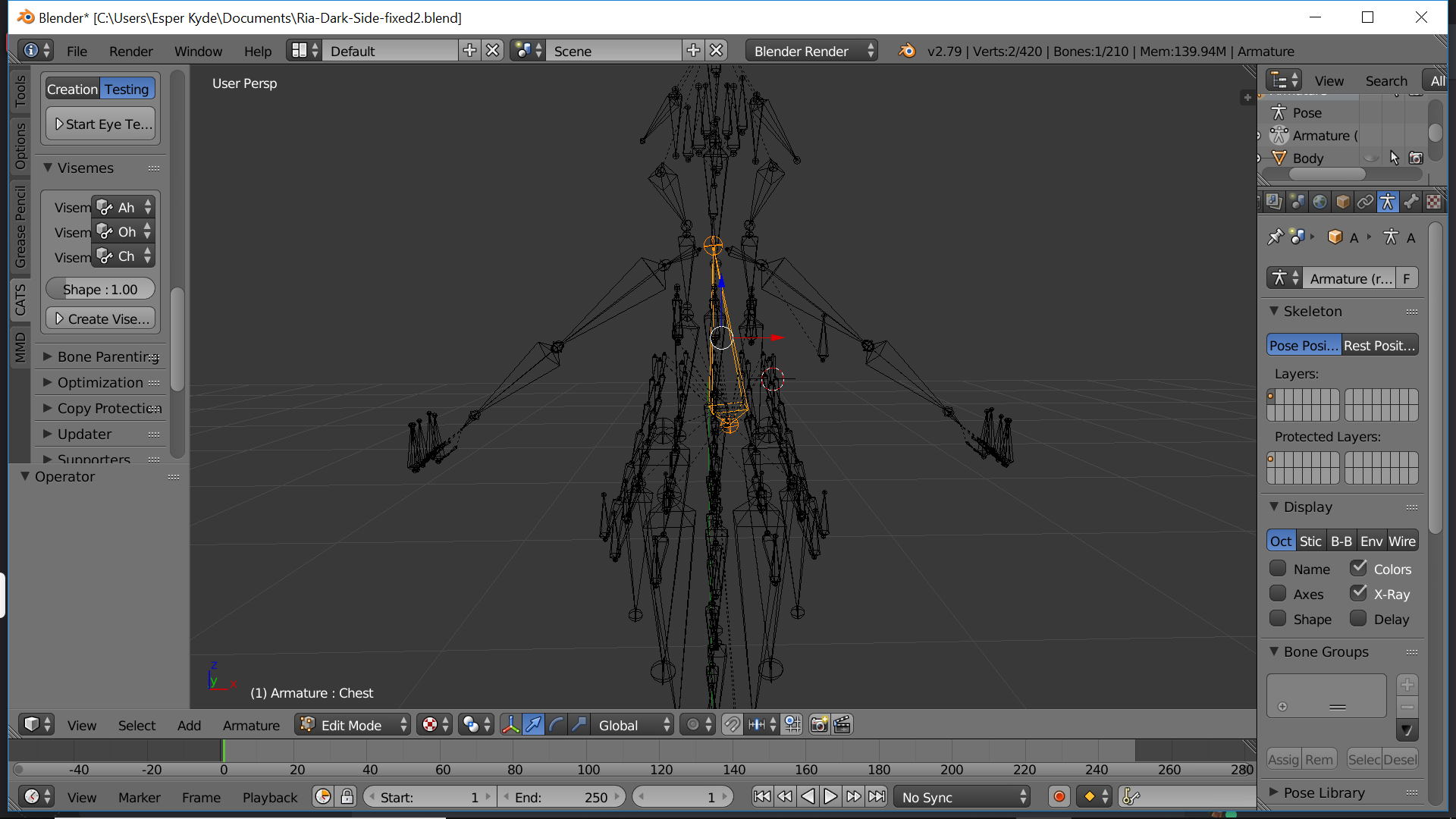
I apologize for making you wait so long for these images... i've been trying to figure out how best to capture images of the armature in a way that is easiest to comprehend and less of a mess...
In trying to do so I noticed the spine appears a little crooked... Perhaps this is the problem..
https://imgur.com/aoZ86sh Or maybe I am mistaken and overestimating it... either way, i'm tempted to fiddle around with it.
 fading verge
Idk...any proposal what I should do?
rare sleet
match it to what a normal spinal system looks like
fading verge
Welp, I guess now is the time to learn
bone too long
and tilted
no surprise it breaks completely
you should probably check others models and fix them with CATS to see how they are supposed to look like
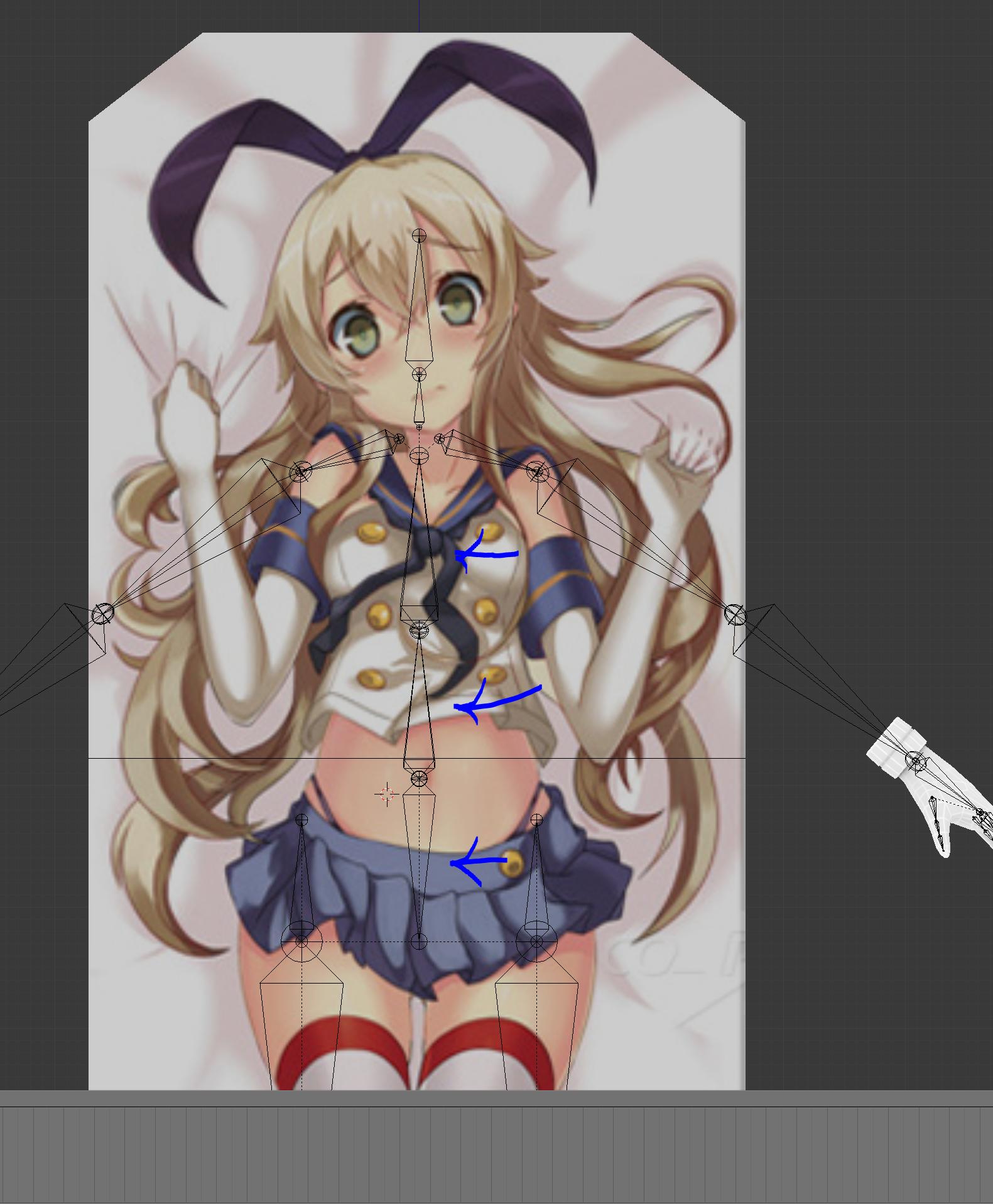


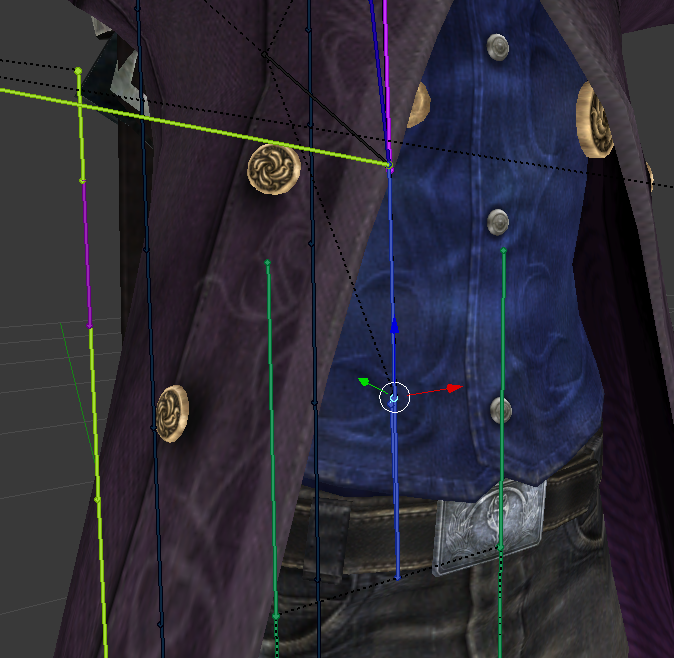
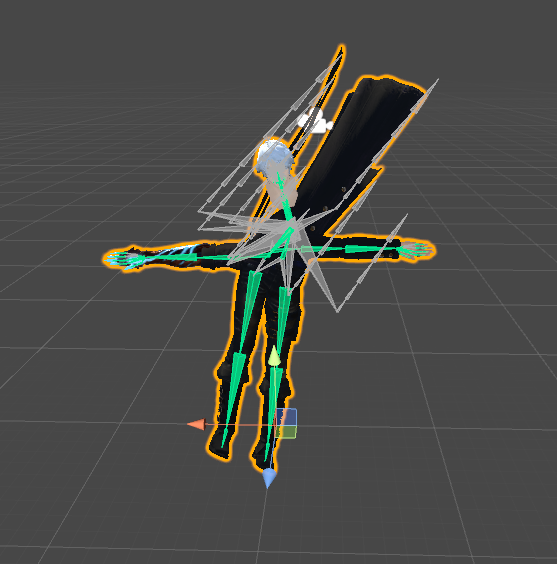




 fading verge
I didnt create this model personally. And I hit the fix model button on it, but hit "keep end bones" as well. Though you;'re not talking about the fix model button are you?
rare sleet
doesnt matter
fading verge
ah ty lol