#avatar-rigging
1 messages · Page 103 of 1
 mental cloud
@gloomy loom congrats I also paid for mine you wanna be my friend now and we hang out together
 gloomy loom
Its just 20 dollars you can give up with commision work
 honest kettle
i dont belive any second that you bought it just weeb...
mental cloud
good for you
gloomy loom
Nah he's being a sarcastic dick implying everyone steals from creators
honest kettle
people simply dont care or think about it, especially at younger age
but once they do something on their own they try to sell
they complain about every single person pirating their work
mental cloud
obviously they dont care they have no money
 coarse halo
Has anyone expeirienced an issue where a skeleton and everything is fine in blender, but after exporting and putting into Unity, one of the limbs is distorted
Like its almost inverted and mangled
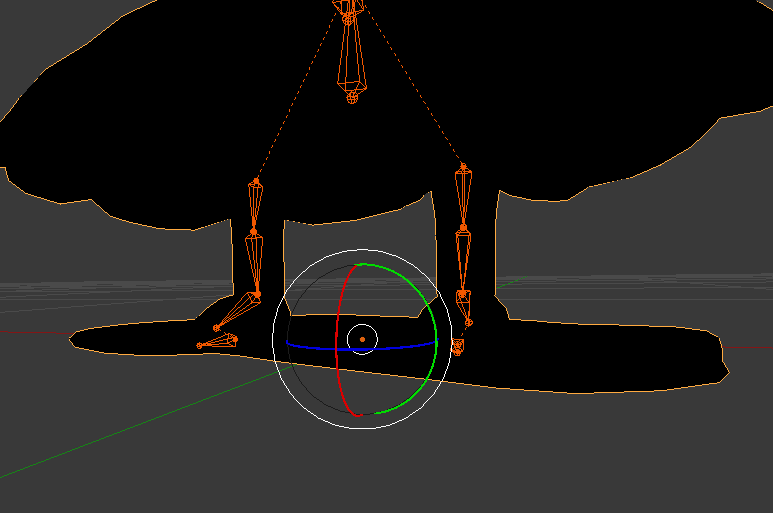

Im still starting up Unity so ill have a pic of that in a few minutes

Nvm I fixed it, looks like the issue was with the roll of hte bones
 fading verge
Could someone please help me?
 frigid vale
so i have an interesting question
I have a USS kidd model with no bones and i want to rig it so that with custom animations i can make the guns rotate and elevate
would i just rig 2 bones to each gun, one for traverse and one for elevation, or would i use a single bone and do some magic in unity's animator
the model also is split into a ton of pieces
right now the turrets rotate from the origin point of the model
so this happens

and here is an idea of how the model is split into pieces
 honest kettle
that'l take time, but should allow quite precice descimation 😄
frigid vale
well
figured out how to get the turrets to rotate
so everythihgs good
spelling.jpg
 paper roost
Sounds like a great project ^^ hope you'll succeed with it
 pine harbor
@finite forum Unity Cloth actually does work in VRChat, both from personal experience and according to the whitelisted avatar components. It's just a lot more finnicky to work with (and crash-prone -- I'd strongly recommend making a backup of your scene file before adding a Cloth component to anything, since trying to remove the Cloth component from anything is very likely to crash Unity)
Here is a list of the components you are allowed on avatars VRChat - VRC_AvatarDescriptor - PipelineManager Unity - Transform - Animator - [Skinn...
@gloomy loom thanks for the info about the reference image approach! Someone was also kind enough to give me some very helpful insight into a sculpting approach -- now it's actually bunkering down and putting in the hard yards to learn on the fly 😛
also a bit unsure exactly how intensive Unity cloth is on the memory/draw calls -- you can get some pretty snazzy cape physics with it, but the level of bending detail you can get with it concerns me a bit when compared to regular dynamic bones
 finite forum
Ah, never used cloth so I did not know if it worked, just heard from others that it did not
 arctic osprey
Does the cloth have builtin collision with the rest of the mesh?
pine harbor
as of 5.6.3p1, it doesn't, no -- there was apparently a version of it with self-collision before, but not the one we can use right now
you can manually assign colliders to bones, similar to how dynamic bones does it, but that's about it
otherwise, best way of doing it is to deliberately limit the distance of each cloth particle such that they can't go past a certain point, to reduce the chances of clipping
 frank bay
Saw someone using cloth last night. Looked like it worked super well if done right
pine harbor
it's quite neat, yeah -- i'd recommend also uploading a second version of your avatar without cloth though, so you can switch into it in case the room seems to lag
i'm not sure exactly how much it contributes, but noticed at least some level of influence when a friend and i switched between avatars with and without cloth physics in a room
frank bay
Seems more suited to full body tracking though. The finer detail on the colliders doesn’t really show unless you can lift your legs independently
pine harbor
did you see someone get it working on a skirt? that'd be beyond me at the moment with figuring out how to reduce/stop clipping
frank bay
Yeah, they had the mesh for the dress separated but still joined to the armature. Pinned it to the body mesh and it looked like magic compared to dynamic bones
pine harbor
yeah, they can still add colliders to it to reduce the clipping -- it suffers the same problems as other types of colliders though
namely, that overlapping leg colliders tend to turn you into a humanoid rocket >_>;
if the legs weren't really going through the dress, they probably figured out a really good workaround for that problem
 random lotus
How do i match the bones from one mesh to the new mesh?
http://prntscr.com/ilyi8x well not the bones but the mesh from one model to the bones of the new model?

 naive tree
@random lotus did the glove had bones before u ported?
naive tree
if yes, then u delete wrist + fingers + mesh from the human model
naive tree
then u copy paste the wrist + fingers + glove over
random lotus
i dont have bones on it
naive tree
so it's a yes or no?
random lotus
yes
naive tree
ok, if the gloves had bone on original model, then what you do is
have two blender windows open, 1 - main model, 2- gloves
random lotus
does the hand bones count?
naive tree
on 2. delete all bones and mesh except wrist+fingers and keep only gloves mesh
 naive tree
on 1. delete wrist bones and finger bones, and mesh
also from 2. delete all shape keys, then you press ctrl+C when bones and mesh selected
and paste them in your main model window, position to where you want everything to be
select glove mesh first, then main model mesh > press ctrl+J
random lotus
gonna take some time to get all the parts off the model since he seperates into a shit ton of tiny parts
naive tree
then select glove gones and shift select main armature > ctrl+J
parent wrists to elbows
done
you can hide wrist mesh, then doubletap A and delete all @random lotus
random lotus
http://prntscr.com/ilyxqm i got it all
 naive tree
same for bones, enter edit mode > select wrist > shift+G > children
hide them on both hands
random lotus
minus the bones
naive tree
then select all and delete
random lotus
http://prntscr.com/ilyyj9 like this?


 naive tree
you need to move your wrist to see if there's any weight on elbow
cuz elbow will move entire glove
random lotus
 naive tree
if wrist doesn't move entire glove, then there's weight on elbow
yeah and then just copy over this to main model u want, where u delete wrist + fingers, but keep elbow
you can then parent this elbow to main elbow and hit mix weight
random lotus
so wait do i delete them off both the main model and then off the gloves?
@naive tree only the armature gets pasted but i have both the gloves and armature visible
 naive tree
select them both when u copy
random lotus
i did
random lotus
ok, it finally did it
blender was being bitchy
WTH
BLENDER CRASHED
NUUUU
thank god the only thing i really lost was miku's hair on the mesh
How do i parent the bones again?
naive tree
select glove armature first, then main armature > ctrl+J (be sure to be out of edit mode on both armatures)
 naive tree
go to bone tab
parent left elbow 001 to left elbow then hit mix weight in cats
parent wrist to elbow and it's all gone
done*
@random lotus http://prntscr.com/ilzxbh
 random lotus
http://prntscr.com/ilzxj5 mines grayed out
 random lotus
 naive tree
yeah and now need to position
delete old fingers too
wait
i think it migh tbe better to have wrist move entire glove
make a save before you mix weight your elbow into main elbow
and try it two ways: 1) mix elbow into elbow 2)mix glove elbow into glove wrist
and see which one works better

 naive tree
idk what u did, but seems fucked
random lotus
i was able to undo it
but i can't mix weights again
unless i have it on that one bone http://prntscr.com/im00ev
 random lotus
oh
mmmmm maybe i should delete this bone xD

because i removed the sword mesh anyway
naive tree
you only mix weight for the glove elbow bone
random lotus
i know
but that bone is kinda useless to me
im gonna try it without the gloves elbow bone
naive tree
why?
naive tree
you just parent elbow to main armature elbow
and hit mix weight
or you parent the elbow to the wrist and mix weight so the wrist has 100% glove weight
but u need to remove elbow parent from wrist
naive tree
considering how big the gloves are, I would assume that it's possiblt better to have wrist have 100% weight
and no weight on the elbow
random lotus
yeah....
naive tree
so go with parenting elbow to wrist and mixing it in
then parent the wrist to main armature elbow
 random lotus
...... the other one didnt make it big like that http://prntscr.com/im0500
 naive tree
just parent the glove elbow to wrist and hit mix weight
then you change your wrist parent to main armature elbow
and uncheck Connected
random lotus
 naive tree
don't look at that window at all
random lotus
and connected is unchecked
naive tree
it makes only harder
random lotus
so to the wrists on the miku base?
naive tree
ok, wrist is actually connected with elbow
random lotus
 naive tree

ok, you have elbow and wrist bone in your glove armature
what you do is remove elbow from your wrist parent, then parent the glove elbow to wrist
then hit mix weight in cats plugin, so only wrist + fingers are left
then u move the wrist + fingers to where they have to be
change parent of wrist to elbow and done
seems that u have to have "connected" checked too
 naive tree
i just dont know how to explain it differently
random lotus
sorry
i figured out the part i was doing it wrong
i frogot to remove the elbow from the wrist parent
naive tree
anyway im off to store then i can't help with anything most likely, path of exile league starts in 30 minutes
yes, you can't parent elbow to wrist if the wrist has elbow as parent
have to remove first
random lotus
http://prntscr.com/im082f got it 😄

and ok
i think i can figure it out from here! Thanks 😄
naive tree
like, if you have transplanted head, hair or whatever else - the idea is absolutely the same
random lotus
ok
thank christ for me none of the clothing had bones
that the miku base doesn't already have
well minus the zipper
but ehhh
that things physics sucked anyway
 magic crow
I could actually use a little help connecting parts on a model ive been trying to get working
i have a base with a dress that i added in pmx editor
and i want to add a head to it from another model
whats the best way to attach the head to the body in blender?
just delete everything but the head in blender
but how do I merge the two armatures?
magic crow
what ive done is crtl+J the two armatures in blender, and parent the head bone to the body's neck bone
and CATS "fixes" it with no errors
but when i import the fbx to unity, its like the armature and the mesh are no longer connected
because when i add dynamic bones, the bones move but the mesh stays in t-pose
could anybody help me with this? ive been struggling with this for almost a week
random lotus
i would but im not to well versed on this myself so i honestly can't be much help
fading verge
@magic crow did you check if the head bone is parented to the neck?
fading verge
what was it
magic crow
let me get a screenshot
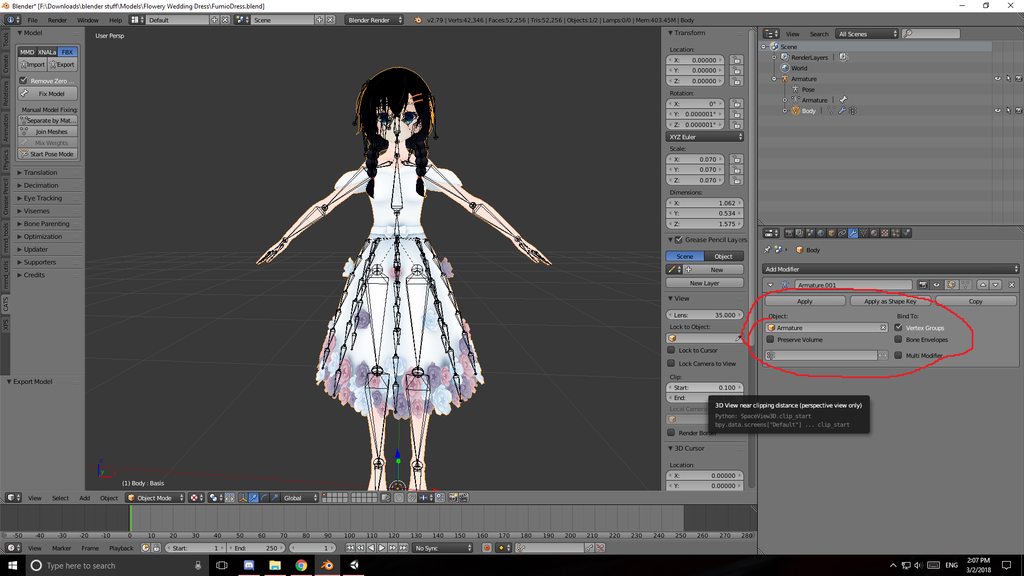
that box was empty after i merged the two armatures
but you have to go to it and select 'armature' before you export it, or the mesh doesnt have any vertex groups assigned
this fixed everything
 vale swift
'help' Can somone help me im a beginner and im uploading a charcter to VRchat it has working humonoid rig bones ect but im wanting to put a weapon with animation on one of the animation on the hand/ oculus controller rocknroal sign so when i do that hand sign it bring it out???
 lime hill
theres plenty of yt tutorials, try looking at them @vale swift
 indigo loom
is there a way to select a bone and delete all weight painting from it?
 vivid quiver
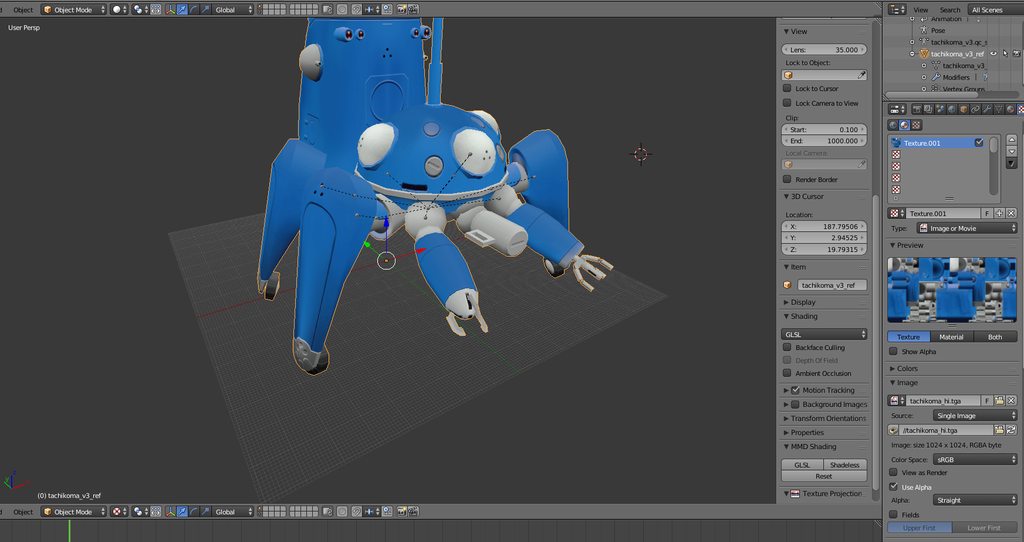
Working on a tachikoma but I cant get the Arm tracking on the fore arms
https://imgur.com/a/LyM0D
 edgy ginkgo
Ok, what gives: http://puu.sh/zzp43/deb0f2fe1b.jpg

 spiral spade
i added different hair for my model and it shows this when i look in the mirror, it is normal for everyone else, can someone help http://prntscr.com/im5jo3
 fading verge
nice
spiral spade
to everyone else it looks like this but i cant see that in the mirror http://prntscr.com/im5k5i

 brisk mesa
if any of them are also named 'body' then shit disappears
in the mirror
also T H I C C
spiral spade
thanks lol, so what do i do? do i delete the body icon? http://prntscr.com/im5koi
 brisk mesa
i don't think you should be deleting anything. i think maybe you should rename one of them
or join all your meshes or something under one "body" name overall so there aren't two
but you prob should go back to Blender for some of this
random lotus
hmm thing is his arm bones are rigged to the front 2 legs and the legs to the back

so i can't just let his ass flop down
but technically quadrapeds have all the same bones as a humanoid
right?
 safe bluff
Yeah but he most likely won’t have the correct posture
He will most likely try to stand upright
 safe bluff
No I mean in vrchat quadrupeds usually have issues while walking due to having a more nonconventional shape
I have a horse that flaunts it’s butt up in the air
I love that avatar
random lotus
i think he also walks on 2 legs from time to time
i have a klonoa model that semi-dabs
well i can't get the long eared fucker to do it anymore
but i can try
crap i can't get him to semi-dab anymore
@safe bluff http://prntscr.com/im5rwl i almost got him to semi-dab

he's sorta doing the motion on one arm but not really
safe bluff
Why is he like this
random lotus
it was the funniest shit ever when he actually did semi-dab
its the model's rig
and he's not properly rotated
the model rip was turned 90 degrees in the wrong direction
so it fucks his rig
spiral spade
thank you @brisk mesa i figured it out! http://prntscr.com/im5s0o
 safe bluff
Should be an easy fix 🤔
random lotus
but even if i do fix it it still fucks his dynamic bones
because there's a bunch of shit with weights and stuff
and his ears are t-posed
so it makes it a bitch to apply dynamic bones
and if i do apply it to the right ear and apply force
safe bluff
Did you rig it yourself?
random lotus
no
it was a game rip, it came with the rig
http://prntscr.com/im5svr this shit happens

and there's no way to fix it without shit tons of wieght painting and mixing weights
note he has 4-5 different outfits in the game itself
and most of them don't have mmd models
fading verge
edit mode | C | highlight vertexes | click arrow in vertext groups and remove from all | assign to proper bones | profit
if its a floppy ear good luck. if its rigid to the head 5 minute fix
random lotus
it should be rigged to his head
fading verge
do as instructed XD
safe bluff
I’d try to work on it but it’s sleeep time, if you’re still having issues tomorrow lmk and I’ll look at the rig
random lotus
holy shit, he has no shirt under the jacket xD
fading verge
lol
 fading verge
yeah you can skip the aids of vertex painting if you just select the vertices and use the assign button. Its a lot easier and super simple.
Its even easier if its separated by material and the head / ears / hair is its own material.
random lotus
this one just says "Fuck Shirts"

http://prntscr.com/im5uyt third one "FINALLY A FUCKING SHIRT"

^ this one has an mmd but it doesn't look as nice
http://prntscr.com/im5w0x i tried to do what you said but it only highlighted parts of the ears
 fading verge
you need to highlight all of the ears
fading verge
huh
random lotus
no matter how hard i tried
fading verge
click the xray button
random lotus
i kinda already removed him outta blender
fading verge
woops .-.
naive tree
you need to remove doubles
fading verge
^ Thats it
random lotus
oh xD
fading verge
Anyone here who can help me with this 😭 ?
https://cdn.discordapp.com/attachments/387987925947777026/419535355214299136/20180303173301_1.jpg
https://cdn.discordapp.com/attachments/387987925947777026/419535343000223754/20180303173307_1.jpg


Thats how my avatar looks like in Blender. I rigged it by myself.
https://cdn.discordapp.com/attachments/387987925947777026/419537781526626304/unknown.png
https://cdn.discordapp.com/attachments/387987925947777026/419535736862146571/unknown.png


 pale hull
Looks like some weight painting issues?
fading verge
weight painting issue? mhhh what you mean exactly? 😮
 forest crane
see wight paint videos
pale hull
Weight painting is the term for "weighting" parts of the mesh to a bone, or more specifically vertex group
It tells the bone how it should deform the mesh when it moves
fading verge
oh ye, that sounds logical. Is it already to late to fix that?
pale hull
No, you just have to either redo or re-paint some parts
https://www.youtube.com/watch?v=Q9f-WVs3ghI
I found this video to be really useful when starting out. Ignore the parts when he sets up IK bones, VRchat has it's own IK system so you don't need to worry about that
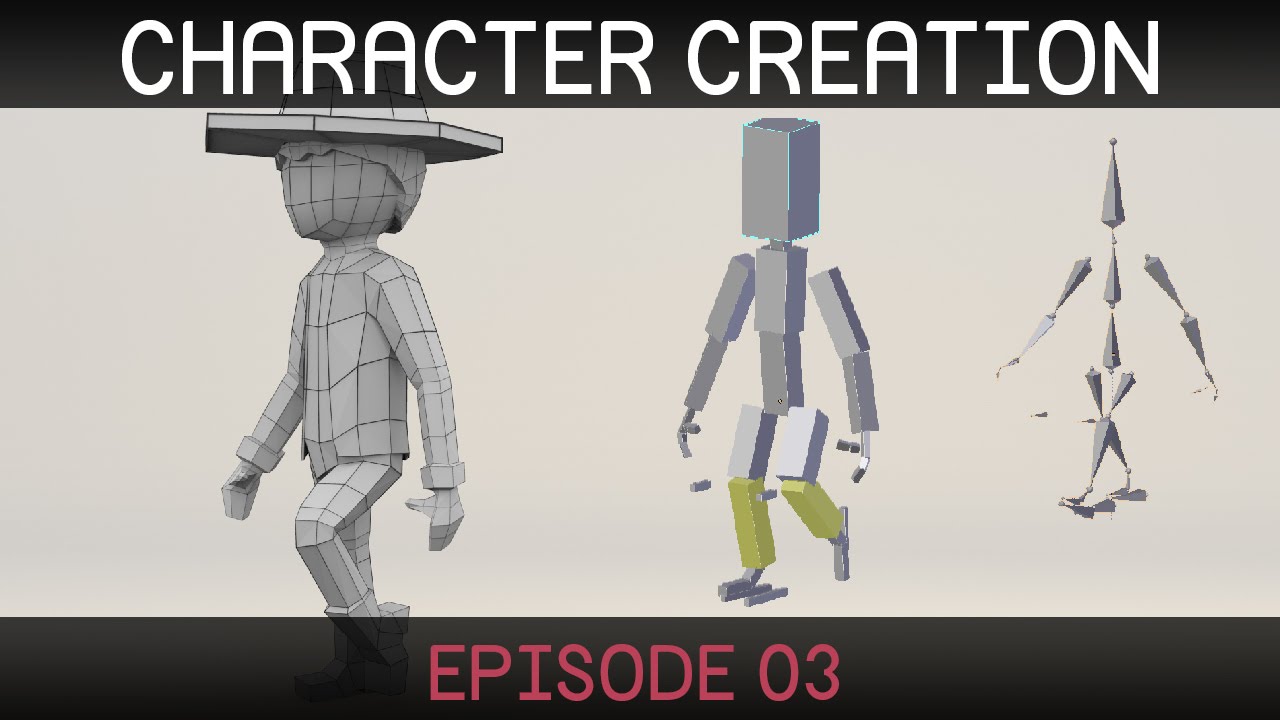
Welcome to the third episode in a series on creating a simple character in Blender. (http://blender.org) Rigging part two: http://bit.ly/characterRigging02 D...
fading verge
Oh ok, thanks. So there is a fix for my problem `:D im gonna watch that now ^^
pale hull
Good luck
fading verge
alright thanks for the help
 crude python
I have a model that is rigged with everything but a spine, is there any easy fix?
 dim yacht
Yes
crude python
could you add me so we can talk in a private chat?
 crisp tendon
Something's fucky with blender, i've fixed my finger weight paint 5 times, saved it in different places as different fbx every time, but whenever i import it back, the fingers are back to being shit, is there an export setting i'm missing ?
pine harbor
it doesn't have anything to do with the bone roll settings in blender or the bone direction in unity, does it?
crisp tendon
The roll is reset in blender whenever i change it, i apply rotation every time too, it's blender > fbx > blender
I've said 5 times but it's more than that, i'm just not going to do it again if it's going to reset again, my fingers are fucked on every iteration of my model lol
from the ones made a few months ago to the one i made two days ago
pine harbor
can't say i've had any of my models get their fingers going to hell, but the one time i got some serious spaghetti arms, it was to do with the bone direction not being pointed correctly (the tails being misaligned by about 90 degrees)
are we talking about the initial bind/import pose being messed up on the fingers, or weird deformations that only really appear when you try to pose them?
crisp tendon
But i'm choosing the alignment, blender shouldn't just revert to whatever was
Nono, i have a model, it has a skeleton, finger bones are awful, weight painting is awful, i fixed the bones (rotation, length, alignment) and the weight paint accordingly, i apply rotation, export as an fbx > i import back that fbx, and the bones are back to being fucked
pine harbor
in the same way as they were before? that's definitely new to me, hmm
crisp tendon
Could it be because of the leaf bones ?
pine harbor
i have no idea what those do, but that's always a possibility if we're out of ideas -- i'm kind of inclined to say to try importing the .blend file directly rather than exporting to FBX, if people were correct about 5.6.3p1 being able to do that
crisp tendon
I might do it again, export it in 10 different ways, save it everywhere i can, send it to friends, and check, because i've had to do it too many times for my own sanity
pine harbor
i'd also try exporting it as something other than an fbx and reimporting to see what happens, before exporting that newly imported one as an fbx
crisp tendon
it's an hour of work every time, such a pain in the ass, but i'll try blend file, thanks
pine harbor
good luck -- that definitely sounds like a pain in the ass =_=
oh -- one thing i'm fairly certain of is that blender has trouble importing FBX files where the skeleton's resting pose doesn't actually align with the mesh's base pose, if that makes sense
blender's definitely got some difficulty with FBX files, but i'm not sure if that specific one may be related to what's going on with yours
crisp tendon
Could be, it's initially a source model, but there's no bone constraint, crossing fingers
 acoustic garnet
So im adding this top to this model, what bone should I weight paint it on to?

(forgets to post picture)
pine harbor
depending on the size of it, at least part of it should probably be mapped to the chest bone...although in your case, you may need to do multiple parts of the spine, depending on how realistically you want it twisting
acoustic garnet
so just do like 3 sections of on those 3 bones?
pine harbor
thereabouts i'd say, yeah -- the whole thing will rotate a bit strangely if you only weight it to the chest bone
acoustic garnet
Thanks for the advice!
pine harbor
although it's not tucked in...bleh, you may want to try it both ways and see which one you like more
pine harbor
on second thoughts, no, definitely the 3 bone one's better
try twisting your body side to side and watch how your shirt moves -- the whole thing isn't following at your stomach
acoustic garnet
Wait, could I merge the weight painting with the existing weight painting on the white shirt?
pine harbor
hmm, i don't think there's a way of doing that automatically if they're not identical mesh shapes
acoustic garnet
ah ok, ive done manual weight painting before so its not that much of a hassle, just wondering if there was a faster way
one more quick question, should I just do the spine / chest? Or hips as well
pine harbor
what are those three bones you have highlighted?
chest/spine/hips?
i think it'd look more natural if you do all three myself
at full realism, i guess the bottom parts aren't 100% weighted to the hips with sideways twisting, but it'd be more weighted to the hips than anything for when you're bending your character forwards...
...yeaaaaah, i'd just go with how you'd normally weight paint the skin for that top across the three bones -- can't really capture literally every realistic detail
acoustic garnet
thanks
pine harbor
good luck, and pardon my rambling -- i just think aloud a lot 😛
acoustic garnet
every time I weight paint I tell myself im never going to do this ever again
and then I do
and I regret it every time
pine harbor
^do it until you regret it so much that you're numb to the suffering 
then you can call yourself a veteran 😛
 feral moss
 sick steppe
Can anybody help me out with eye tracking? I've tried various tutorials and I've followed them exactly as they say, but I haven't managed to get it working.
 somber tulip
Does anyone know if unity can use blender bone constraints? I wanted to have a Sasuke model which can enable susanoo. My plan was to have susanoo's bones be linked to sasuke's bones via constraint and copy the bone rotation, but unity wont seem to pick up on those constraints. Any ideas besides changing the parenting of the bones? That tends to break it.
crisp tendon
@somber tulip You can also try to weight paint Susano's limbs to sasuke's bones, i'm not sure how the users with Jojo avatars do it
somber tulip
@crisp tendon Yeah I will have to play around with that. That was the first thing I tried, however after the arm moved away from the shoulder they started to seperate by huge margins. If there was a way to chagne the pivot point of the mesh and have the bone adjust based on that it would likely work.
 final obsidian
im trying to rig a tali zora model with a little light for the mouth using a blendshape that popps a little disc out of her head. is there any way to change the scale of the blend shape so that the disc is either all the way out or all the way hidden in her head and remove the movement between these positions?
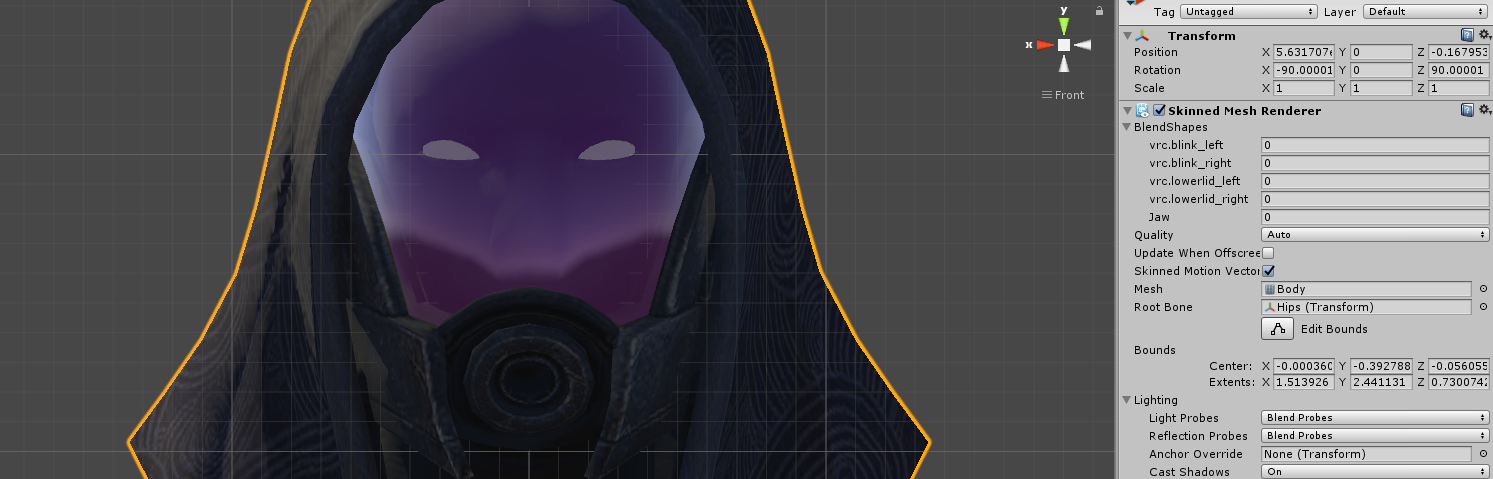
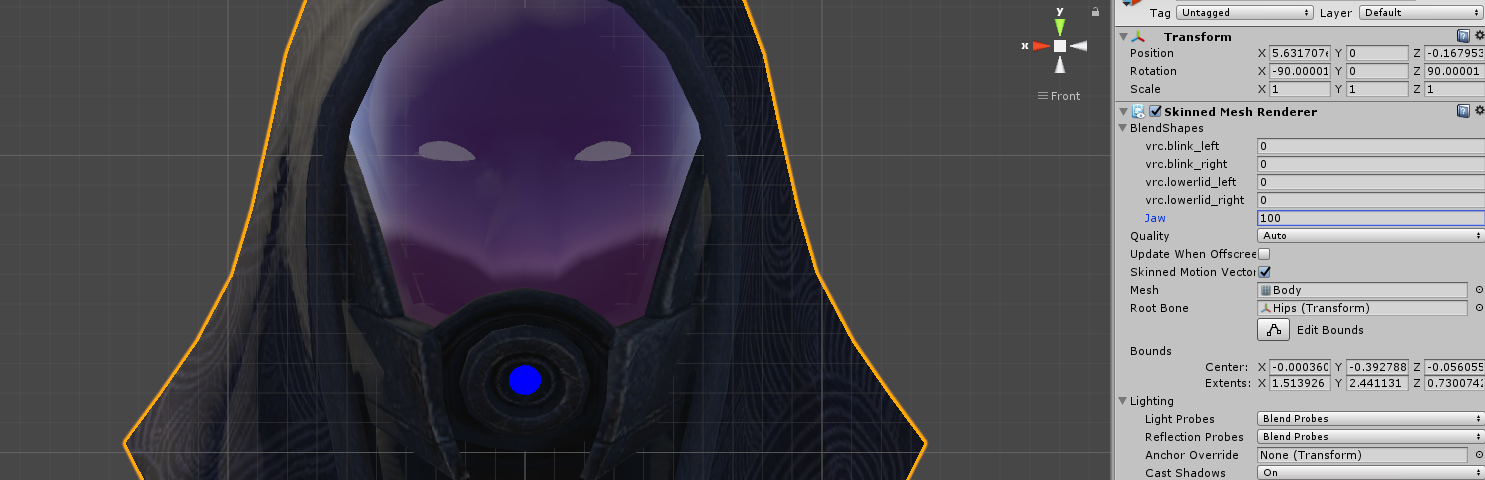 somber tulip
@crisp tendon I think I may have figured it out. If I set the weight on the original bone to full and the weight on the body's bone some something very small (like 1%) it follows the rotation, but wont seperate the meshes from each other.
crisp tendon
Well done, glad you found a solution
spiral spade
Is there a way to fix clipping through chair with small models?
crisp tendon
Make a custom sitting animation
 primal river
does anyone know how to keep the bones on the same settings, but on a joined mesh?
im trying to get the head to be a joined mesh (all the selected ones, forgot the nose ik) https://i.imgur.com/Z0G27kh.png
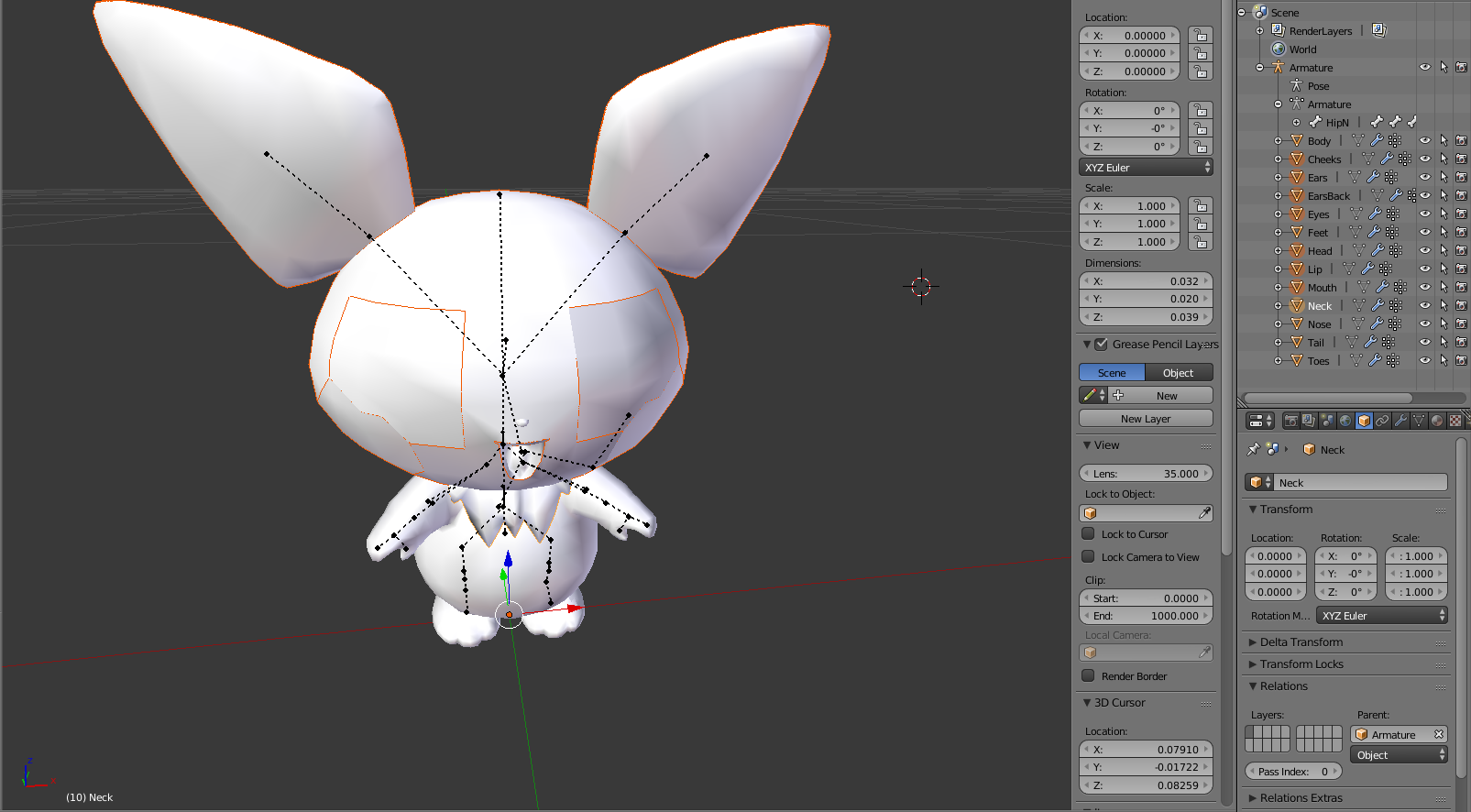
so i can apply it to another model
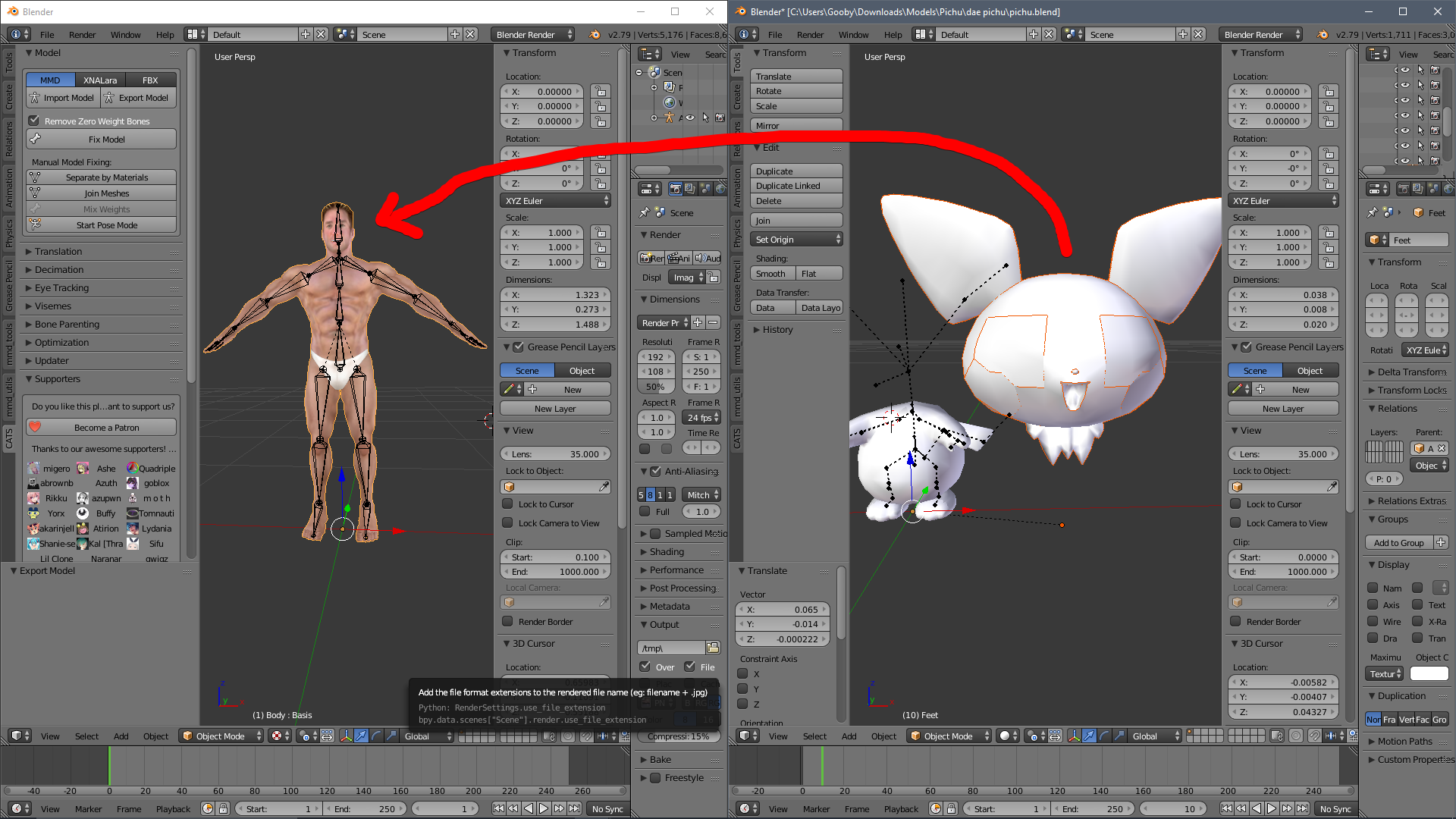
kinda like this
but if i join the mesh manually, the bones dont keep their settings and stuff
like if i join the mesh where it is on the first screenshot, the bones dont move their corresponding mesh anymore
ive seen cats be able to join meshes and still keep the way bones move the mesh, but how can i do it manually since i only need the head?
or am i making this too hard...
i think i am, dont i just delete the other meshes other than the head's. and delete the remaining bones?
@crisp tendon what do you think?
or.. what does anyone think lol
ill try my second idea while waiting for a response
yea fellas it looks like the second ideas gonna work better
 calm needle
@primal river what i tend to when mashing together models is to seperate the mesh i want to move, then seperate the armature as well so the head bones are a seperate object. Double check the parenting so the newly seperated head sticks to the newly seperated armature. I then position the armature where i want it, apply rotation,position, scale on both the armature and model. Join the armatures together, and fix the parenting
its kinda a basic rundown of it at least
primal river
actually uuh question
@calm needle
not sure if your still here i saw this late, but right now i got the whole thing down, but after i export it as fbx and put it into the other blender file the whole thing shows up black
and the bones are wrong
is it because im importing it as fbx in the first place? or is there a way to import a blend file to a blend file
calm needle
odd an fbx would do that
primal river
ill try again
calm needle
you can litterally copy and paste between blend files though
its how i tend to merge two seperate files 😛
 calm needle
yeah, open one blend file, copy the mesh, open other blend file, and paste
primal river
like copy the armature and the meshes and paste i
wow
LOL guess ill try
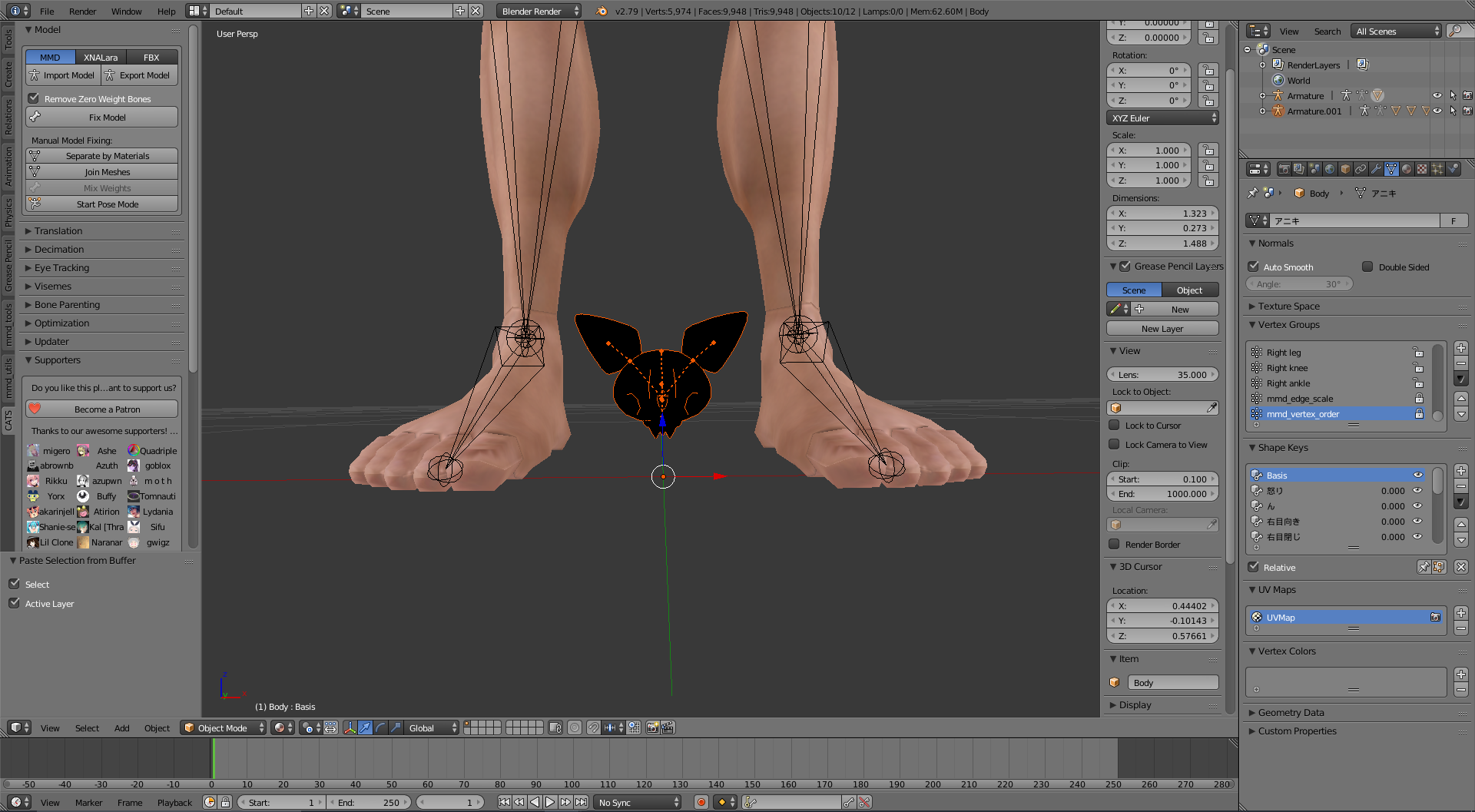
did it! he kept his bones and stuff this time
but hes still all black
he didnt have any textures applied in the first place, so im not to worried
but why doesnt it just have the default gray color?
@calm needle
calm needle
probalby because you are in material view?
primal river
..right
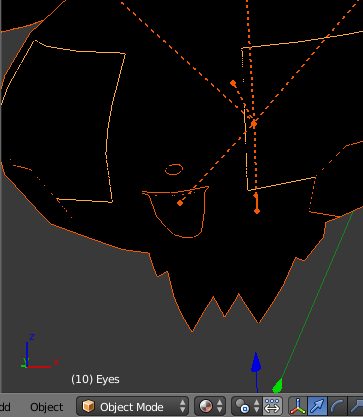
yea
hes all black on that mode
but that shouldnt matter, unity usually just adds a default shader
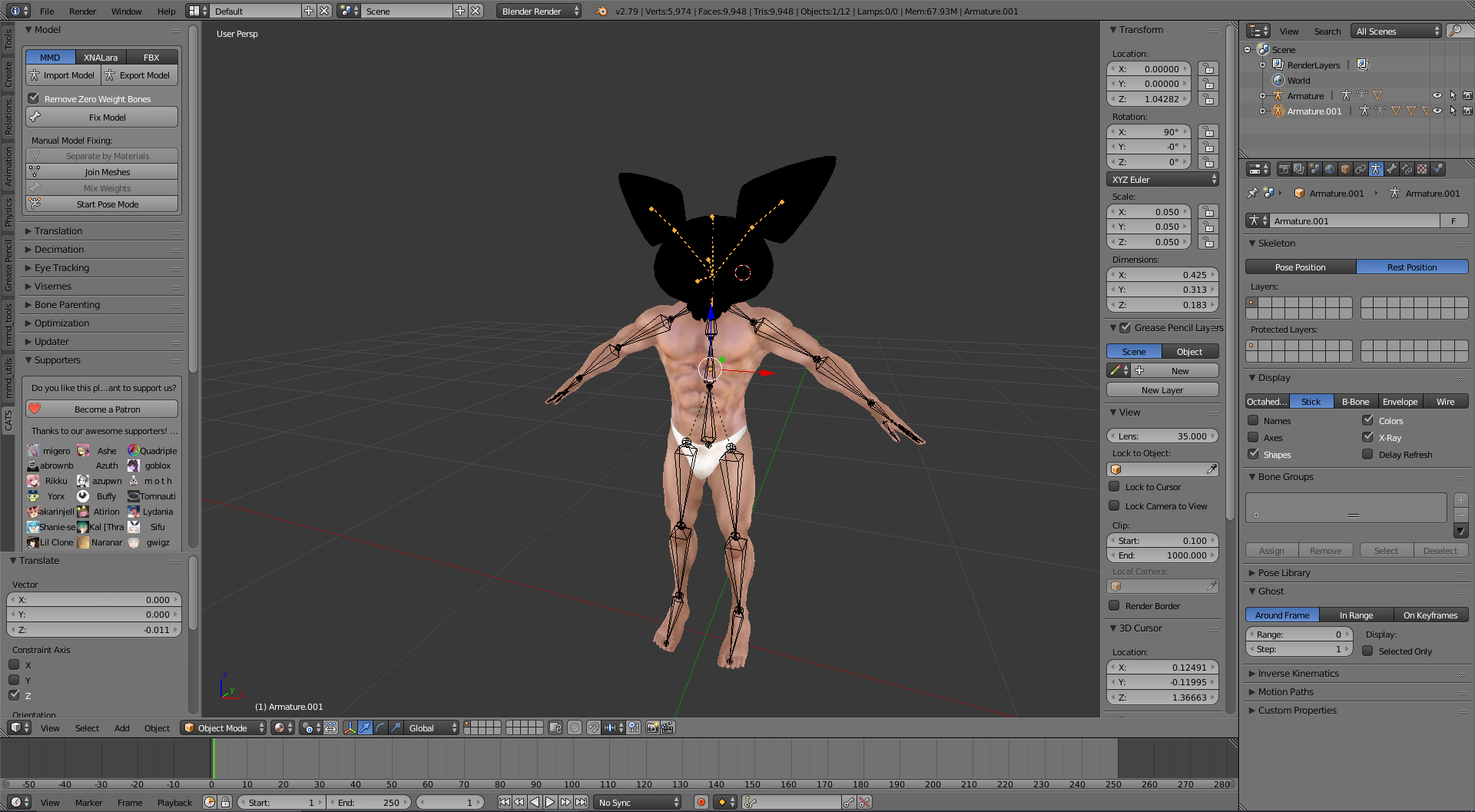
wait now that i think about it i coold just parent the pichu's neck to the head and keep the original bone layout the man has
calm needle
mmmhmm
 calm needle
once you get used to it, mashing up models becomes more entertaining than it should be 😛
primal river
yea im looking foward to too many ideas
fading verge
im making a meme avatar and i tested it and it has a LOUD gun playing ghostbusters (anti-knuckles thing) and it keeps crashing dont know whats going on.
primal river
ah thats good
hmm
do you think its in some sort of loop? like is it palying the same sound effect or particle every frame or somehting?
@calm needle actually another question
does it matter if theres two armatures?
one is the head and the other is the man
calm needle
you need to join the armatuers
calm needle
same way you join meshes
primal river
...the numpad + and enter? @calm needle
calm needle
select source armature, select destination armature, control + J
calm needle
you will have to tell the model what to be parented to again
calm needle
nope. once the armatures are merged, dont forget to parent the head bone bone to the neck bone or however you split the two
primal river
ah aight
fading verge
@primal river its looped yea and has partical effects
 ripe kiln
can someone help I can't change the rig type I'm being an idiot but I cant find the avatar import settings
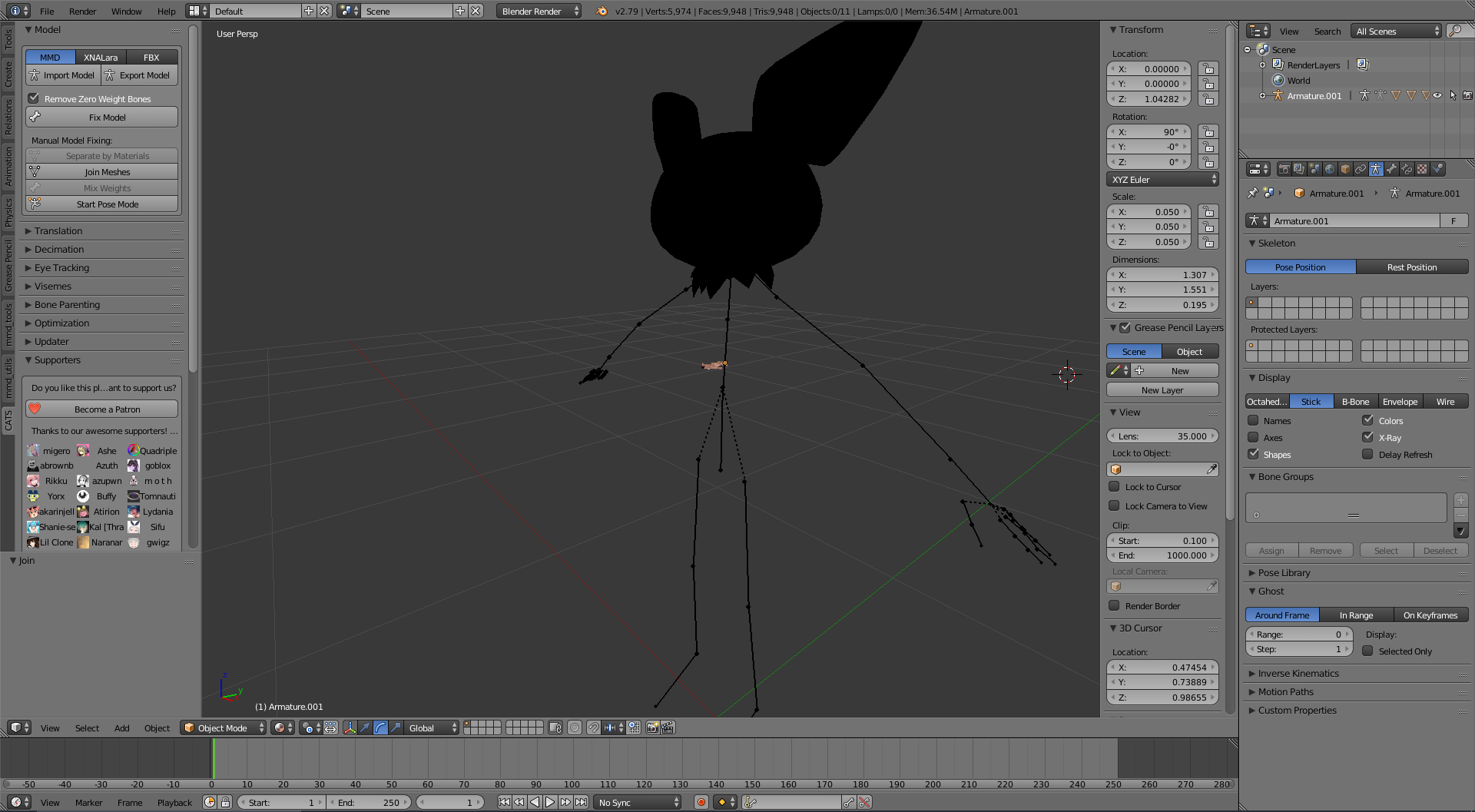 calm needle
undo, apply rotation,scale, and location before merging
calm needle
both armatures, both models
calm needle
control + A
 echo drift
hey do I need to have certain bone names for my model?
I'm using the cats blender plugin for VR chat to help rig my model, there's no hand bone but only a wrist bone
primal river
sorry for late reply im back, had to eat something
@calm needle im still really unsure on what your tryna tell me..
calm needle
when you hit control + a, it bring up the apply menu
you want to apply the rotation, position, and scale
to both armatures and the models
primal river
@calm needle so joining them made the man's bones not move his meshes anymoe..
and i noticed it
WAAAY too late
cant ctrl z back
calm needle
oh riht, i for got a steup
you just need to go to the mesh settings are reset the armature
when you join the armatures, the mesh doesnt know what armature to use for movement anymore
so you just need to go to its modifiers tab and tell it to use the correct armature again
calm needle
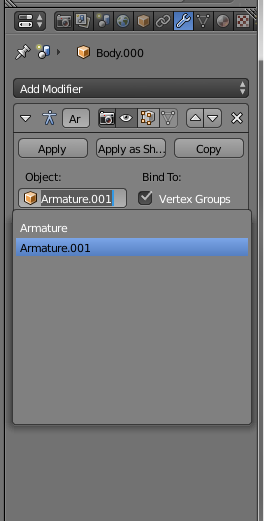 primal river
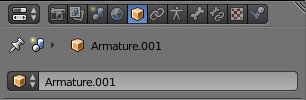
i cant see a wrench
oh wait thats a mesh
im dumb
yEP
now it works!
thank you
primal river
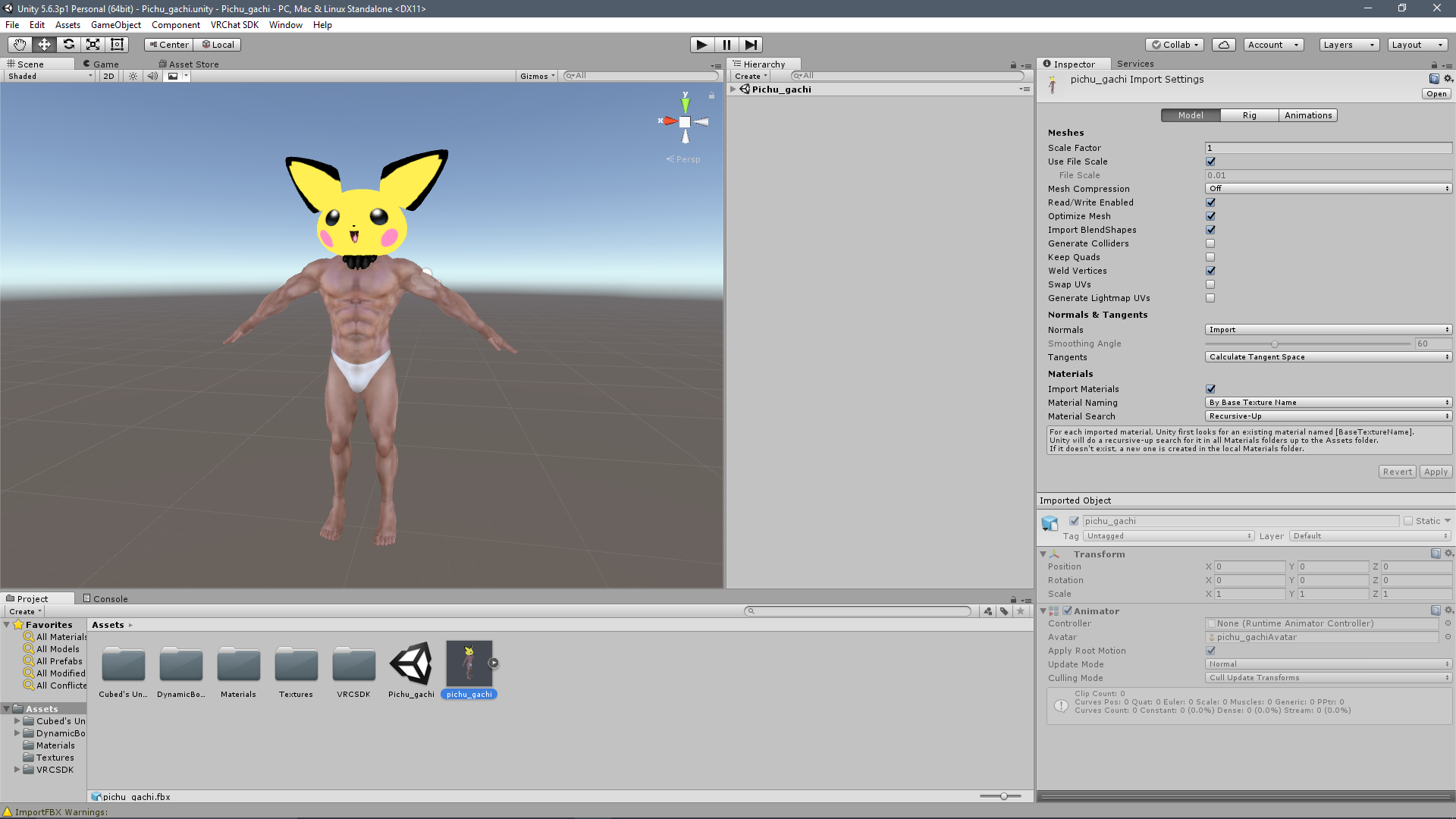
today i have sinned.
@calm needle thank you for all your help, im deffinetly more comfortable now
calm needle
it gets easier as you do it more
calm needle
that one is just an easy attach to butt and weight paint if you dont plan on having dynamics
brisk mesa
yea i think you just weightpaint a tail to the hips or whatnot
and can make it dynamic bones sway
so base to hips and then the rest to the other tail bone(s)
 grand dagger
anyone on that can help with rigging
 pearl cargo
mixamo can help u
grand dagger
done it already i still dont have fingers
i have all my bones done im just trying to be able to do gestures for animations
grand dagger
to mixamo ? or blender ?
pearl cargo
Blender
grand dagger
my models mesh is getting pulled
brisk mesa
Well look at alll your vertex groups and figure out what looks weirdly weighted
So if my body mesh is being pulled on id go up n down that list and look at all the rainbow colors
If my face mesh is being pulled on id look at immediate culprits like neckbone first and then everything else
 muted beacon
how to rotate a rig bone in unity?
crisp tendon
ctrl + r
 keen ravine
I have a question about viseme
Does it require any specific bone for whatever is about to be animated, or all it does is move vertexes around?
fading verge
as far as i know it's only moving vertexes
 summer light
Vertexes are linked to bones via weight paint and will move with said bones
keen ravine
so it requires bones for the face area?
 hazy knot
bones or shape keys
summer light
Visemes use shape keys instead of bones
"generally"
Shape keys are also witchcraft
 tropic flume
 left hound
https://i.imgur.com/J1VtoSb.png how to make a fake left arm?
 naive tree
@left hound extrude bones from chest..? shoulder, arm, elbow and 3 fingers
fading verge
@left hound https://blender.stackexchange.com/questions/24026/how-can-i-copy-one-side-of-a-rig-to-the-other

I need to mirror the half part of the rigging of my character, I remember it was something with the scale or rotation.. does anyone know which was the right solution step-to-step?
naive tree
or mirror, yep
fading verge
go in blender for that
naive tree
but since u wont need them to be moving, u can just extrude quickly
left hound
what if i use empty objects?
fading verge
empty objects are not bones
summer light
Empty objects are effectively single vertexes used for containing scripts
If you want your left arm to not move just dont weight paint it
Unity doesnt know
It just says "Yep, looks like arm bones to me"
 velvet prawn
anyone ever had a models weight map read differently once imported to unity?
i had an issue with my models hair physics-bones catching the collar of the shirt and since fixed it, but in unity it still does it
fading verge
either you missed some weightpaint or you need to reimport the model
velvet prawn
tried reimporting, even as a new model entirely it still has the issue. may i post some pictures to better explain?
summer light
You'll have to upload them through an imaging site like imgur/postimg
velvet prawn
no problem
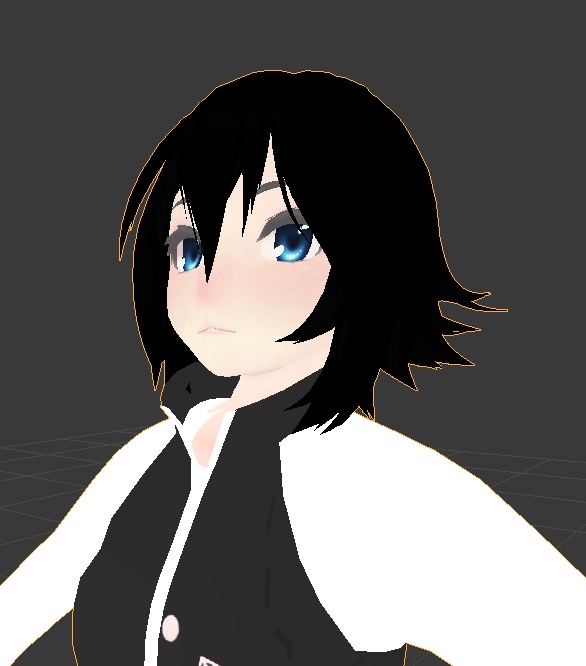
in blender, with the head tilted up the collar is fine https://i.imgur.com/NNxnB5M.jpg
in unity however, the collar responds to the movement when it has no weight for it https://i.imgur.com/rY1smir.jpg
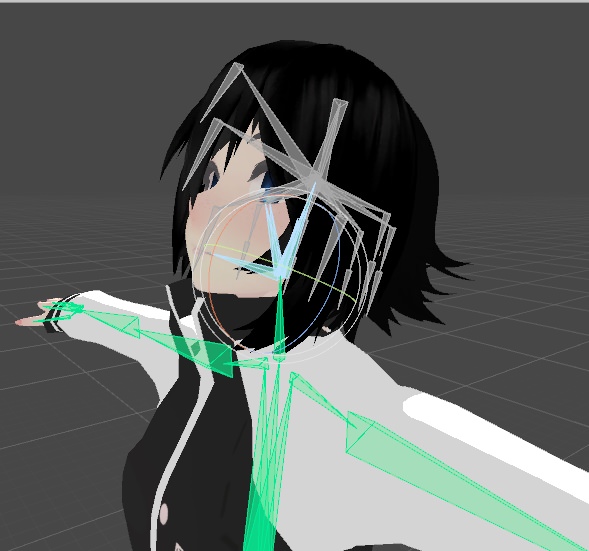
i need to decimate and optimize the model a bit but for now im trying to get the rig working right
velvet prawn
any helps greatly appreciated, ive been throwing myself at this all day to no avail so far
left hound
i did mirror the bones but they dont show up in unity hmm?
calm needle
you said the model had no weight at all there right?
or its just moving despite the weight?
pine harbor
have you checked the vertex weights in the properties panel, for some of those specific collar vertices?
https://blog.machinimatrix.org/wp-content/uploads/2013/05/vgroup_editing_new1.png
 velvet prawn
ill give that a shot, one moment
pine harbor
although with that level of influence, i guess you should probably be able to notice if the painting's off just from the regular heat map
velvet prawn
nope, no weightage anywhere but the chest
and the upper collar has no weight at all
it appears to be the bones in the hair that move it, despite once again having no weight
https://i.imgur.com/JcTxOUz.jpg lifting the root of the hair you can see that the collar tries to go with
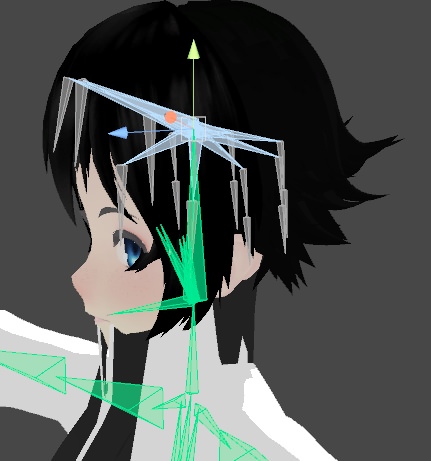 fading verge
honestly that really looks a weight painting issue...
pine harbor
it looks like you've got a couple of those vertices at the top of the collar bones behaving like they're all weighted to different bones, somehow -- the corners of the collar don't seem synced when you look back at the first unity picture you posted where she's just looking up
yeah, it does look like a weight painting issue, though if blender's properties panel isn't showing anything for those individual vertices in the properties bar, not sure what's going on...though from memory, you're allowed to 100% weight to more than one group at a time for each vertex
which is why i suggested looking at the number data rather than the weight paint colour, but not sure what it might be if that's showing nothing either
velvet prawn
that actually gives me an idea
fixed it! i repainted the weight map so that it had a higher amount on the chest than it did before, making that 100% fixed the issue
im still not sure what caused it, but i find it strange that despite it having weight for the chest and nothing else it still obeyed another bone
pine harbor
magic
velvet prawn
thank you so much for the help, thats been driving me absolutely crazy
pine harbor
welp, glad you got it fixed, even if we're unsure how it happened and why it was resolved 😛
velvet prawn
hopefully that will help someone else if they ever have the issue
fading verge
fuck weight painting, that's why
velvet prawn
yeah honestly thats the quick way to summarize it
the only thing i have to figure out now is why my characters mouth pops open sometimes when their eyes move but i feel like that's just weight paint shenanigans once again
velvet prawn
as problematic as it is, it's funny as hell because their jaw just swings open and shut while running
velvet prawn
yup, it's even stranger because theres no real jaw bone, all mouth movement is done via shapekey and viseme
unity wanted to make the bangs the jaw
pine harbor
as unlikely as it is, there aren't any close similarities between how the chest, jaw, eye and/or head bones are named, right?
velvet prawn
there might actually be now you mention it, ill upload this bench in a few and test a possible solution
when i attached the hair i did it in a dumb way that resulted in an extra bone named head.001
should probably dissolve that and see what it does
pine harbor
okay -- because i don't remember this being a thing with FBX files on export, but with certain filetypes on import into blender...
blender seriously messes up the interpretation if some of the property names are named in a certain way -- usually if there's a whitespace in the name (e.g. "Eye Left" vs. "Eye_Left")
fading verge
i have a issue, in the rig mapping in unity, i mapped every finger but when i hit "apply" unity will just remove them
pine harbor
so something like "Bone Head" may potentially get confused with "Bone Chest" under certain circumstances, though i don't think it should happen most of the time
@fading verge so the finger bones aren't assigned anymore when you go back into the humanoid rig window? or do they just get removed right in front of your eyes before you even exit it?
fading verge
when i click "apply" to confirm they just get removed in front of me
never had issue with rigging before
it's not that much of a problem, fingers are not needed to upload but i cant do any hand gestures so no animations possible
pine harbor
can't seem to figure out what's going on there...that's definitely damned annoying, with how many sub-windows and individual things you need to keep clicking =_=
fading verge
im so sad about these hands tho, fucking hell
summer light
On my Marina model the headphones are the jawbone
I have no intention of changing this, my word is my phat beatsies
pine harbor
it's kind of making me think about whether you can directly edit the meta file yourself to manually assign those bones, although that sounds like an extremely volatile idea
velvet prawn
working in unity at all is seeming like a volatile idea at this point lol
pine harbor
oh, it's pretty volatile in general -- except some options are more nuclear than others, especially if it runs the risk of crashing a lot of work you've already put into that specific project
velvet prawn
true
pine harbor
@summer light that actually sounds like a wicked idea, if you edited your visemes such that the ears of your headphones vibrated with how you talked
summer light
It does that by default, apparently theres a headphone bone and its great
fading verge
@pine harbor just to rant a bit more about unity.
If i map the fingers and then press apply, Unity will remove them.
If a map the fingers and then press Done, Unity will not remove them.
I will not even try to understand what's happening her.
velvet prawn
@pine harbor changing the name of the hair root did fix the mouth problem, thanks dude i wouldn't have thought of that
 inner yacht
xpost #development-advanced: figured out how to prevent cloth colliders from sending your avatar into space!
tldr set the collider to a trigger
made a quick tut https://www.youtube.com/watch?v=DnX226UdCFw
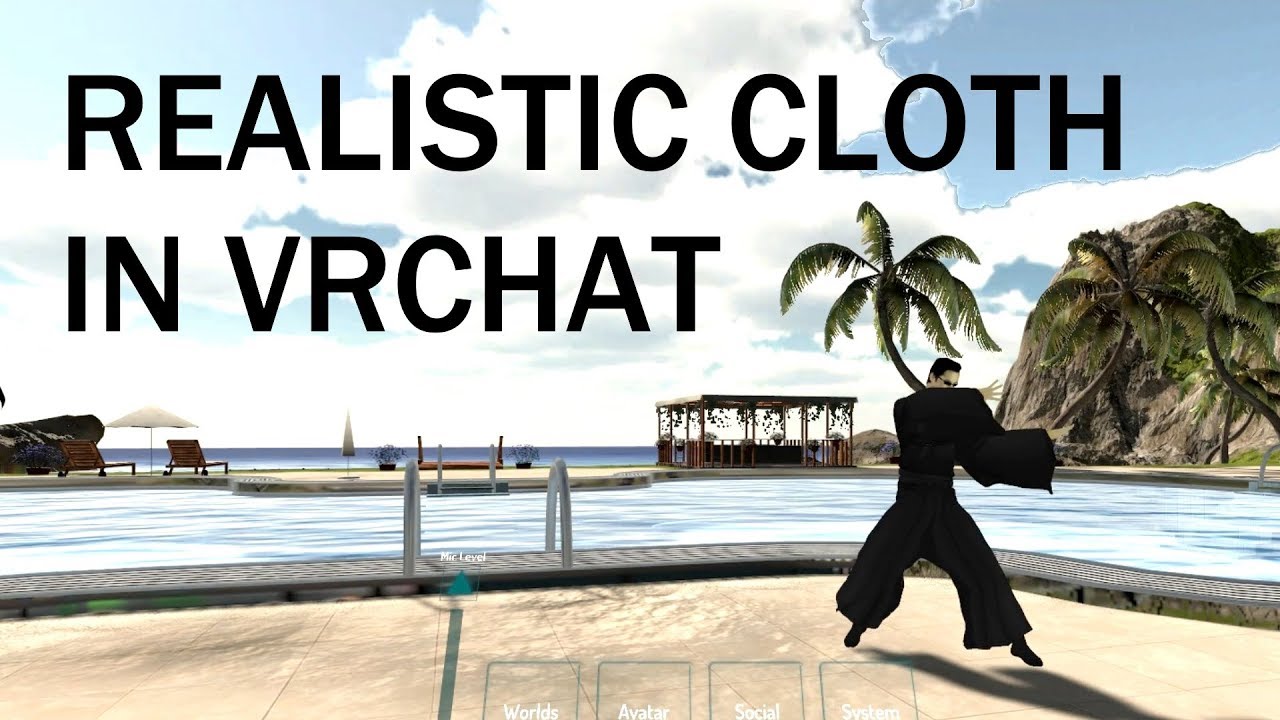
extra notes: - use "remove doubles" with the vertices selected in edit mode if your cloth is tearing (you should also be doing this before decimating to prev...
summer light
I need this video
 subtle plover
when i import my model into unity, just the bones in the legs disappear therefore not having a complete armature. In blender the bones are all there and weight painted am i missing anything
velvet prawn
this sounds redundant but have you tried moving the legs about in pose mode in blender? i had that issue once and it was because of a long series of issues with the feet that i discovered from messing about with posing
subtle plover
so if i pose the leg bones like an inch, it should work?
velvet prawn
no no, what i mean is just flail about a leg and make sure everything moves like it should
one time my avatars feet wouldnt show up, turned out both shoes were connected to a leg and the feet bones had nothing to them
subtle plover
oh well in that case, they are fine they move how they are supposed to, just that the bones disappear in unity :/
velvet prawn
that's bizarre, sorry for that it's just a matter of ruling out potential problems
subtle plover
yea, thanks anyways
 low parrot
Disappear in Unity how? Did you rig them when setting your avatar as humanoid?
subtle plover
like the bones and everything are there in blender and they are weight painted, but when i export it and then import it i not unity i set it to humanoid and click configure and the leg bones go missing
the bones appear in the hierarchy but when i configure i don't see them?
grand dagger
can you take off weight painting on a model so it wont affect mesh
or will it effect finger movements
subtle plover
it will make that part not movable by the bone it was assigned to
grand dagger
oh ok would animations still work?
subtle plover
the animations moves the bones so therefore if the mesh part was unassigned from the bone, it wouldn't move with the bone anymore
grand dagger
darn ok
everytime i hit fix model with CATS it takes the finger bones away and im doing these right?
inner yacht
I tried creating 20 instances
and moving them around
was about 5-8% more cpu usage than no dynamics at all
20 instances of the neo avatar
naive tree
I'd imagine with dynamic bones it'd be much much worse
- colliders suck ass for dynamic bones
inner yacht
yeah I'm not sure exactly what the implementation is for unity cloth
apparently they have a cuda implementation but I don't think it's out at the moment
my guess is that it's parallel C++
fading verge
https://cdn.discordapp.com/attachments/171184548191797249/419957902057668608/unknown.png
Here it looks like it's fine
https://cdn.discordapp.com/attachments/171184548191797249/419959042471886861/unknown.png
But actually putting it in disagrees? 🤔 wot dis

 naive tree
@fading verge there's extra bones inbetween, gotta mix weight them to main bones
fading verge
I weightet all I've been able to physically see in blender tho 🤔
Guess I gotta look again
naive tree
could be a bone holding a sleeve or smth
fading verge
https://cdn.discordapp.com/attachments/171184548191797249/419962097481547777/unknown.png
There is this thing but I can't either mix it nor delete it D:
 naive tree
parent it to right arm, then hit mix weight in cats meny
fading verge
it was parented, but apparently the wrong layer was selected and hence it wasn't "usable" or whatever
anyway now it's fixed, so thanks :D
pine harbor
@inner yacht have you considered asking a mod to post that to the #tutorials channel? that's definitely handy knowledge, especially for people who prefer using cloth or don't have dynamic bones
thanks as well from me, the rocket antics were giving me motion sickness 😛
inner yacht
haha, yeah I was using cloth for a bit too without the fix, and it was nuts
pine harbor
i basically gave up on using it for skirts, and only used it in a really roundabout way on capes
inner yacht
I've been talking a little bit with Tupper, maybe he'll post it there 😃
pine harbor
ah yup, nice -- thanks again, i'm gonna have to go back and try getting my longer trench coats working now 😛
inner yacht
I'm looking forward to what people come up with!
fading verge
Can anyone help me with custom animations?
low parrot
edgy ginkgo
can someone help me? for some reason the animations in VRchat are messed up badly like misshapen, but they look fine in unity and blender
 open hull
is there a way to do a little tweak to my rigging in unity so I can make the thigh/spine angle a little more useable? it's at 171.9 and it should be at 180
I'm trying to avoid bringing it back to blender
 high stream
anyone know how to stop this from happening when i join my meshes into one my colors are off?? https://gyazo.com/c8e84767c6255d105dd14b71636e6ab3

 night spear
Rename all of the UV maps to the same name
 cloud kiln
Searching for a Vertex Group, anyone knows how?
 autumn parrot
VRChat's sdk doesn't want to upload my model because of the error of some missing elements on the mapping of his bones. I think this is happening because he doesn't have a neck. Can I upload him even without a neck?
cloud kiln
Can't find RightArm Nor LeftArm nor LeftElbow etc etc
Only Right Shoulder, Right Wrist
 violet patrol
Fuck. Anyone know if there is a quick way to fix an avatar's feet being below the floor in unity?
I don't want to fix it in maya and have to export a new one and redo everything in unity....
violet patrol
pming
night spear
Pretty sure you just need to have all your bones below ground level
cloud kiln
^Yes
Also, I solved my issue myself no
np*
But, you can also save yourself the trouble and just make an animation for your character while he's a wee bit above the ground ya
 high token
Hey cuties, Friend has been working on an avatar for the last 2 days. In game using the leg trackers for the vive the feet balls align at the knees-ish and dont align to the foot bones. Anyone know how to fix this or have a work around?
We tried changing the bones but it didnt seem to have an effect
cloud kiln
What you mean?
You mean when he moves his feet they stay on the ground ooor?
The move together with the Knee?
If that's the case, then you need to re-rig the verticles in Blender
high token
No, It tracks from the knee and twists them around
high token
thats fine, im working on it now
fading verge
Every time my avatar's move the moth opens? what do I do?
honest kettle
do you have a jaw bone and have that mapped?
 frigid flower
Says theres an error with the neck and shoulders, not sure what to do
high stream
@night spear can you tell me how to rename the uv maps i cant seam to find a way to do it
high stream
thank you. i got it to work messing around following your instructions much thanks
night spear

fading verge
Is there a known issue of avatars that are more than one mesh having broken eye tracking?
I have a model that's two meshes and I have the visemes working now and the eye tracking is fine when created and tested in blender. I export it to Unity and make sure the left eye is LeftEye and the right eye is RightEye, but when I get it into VRC, the eyes aren't working.
It sucks because the model has a third eye that I was going to rig with a rigidbody and a fixed joint so all 3 eyes would have tracking, but I can't even get its natural eyes to work.
 granite dust
@fading verge Is the mesh with the appropriate blendshapes named Body? Is the bone path to LeftEye and RightEye correct?
fading verge
The bone paths are proper, but the mesh must be named "Body" as well? I hope it's so simple! I should've thought of that! I'll have to try that once uploads are working again.
Thanks for the idea, @granite dust .
granite dust
Yes, the one assigned to the visimes needs to be named Body. It'll pull the first 4 for the eye-related scripts so make sure they're the proper ones
fading verge
I really should've thought of that with how picky Unity is about naming.
Unity/VRC.
granite dust
Nya~ Feel free to ask me anything else if things come up.
fading verge
@granite dust Awesome. It was that simple. Thank you again!
granite dust
No problem~
 twilit aurora
thumb index and middle finger bones are not mapped this the right section i am mention this on
 fathom flint
Are those finger bones in your avatars hierarchy ?
If so just add them manually by dragging them into the box.
twilit aurora
how i check if fingers in avatar hierarchy
https://prnt.sc/in26yr that the error i get
 fathom flint
When you configure your avatars bones.
twilit aurora
bone in hands dont appear green
fading verge
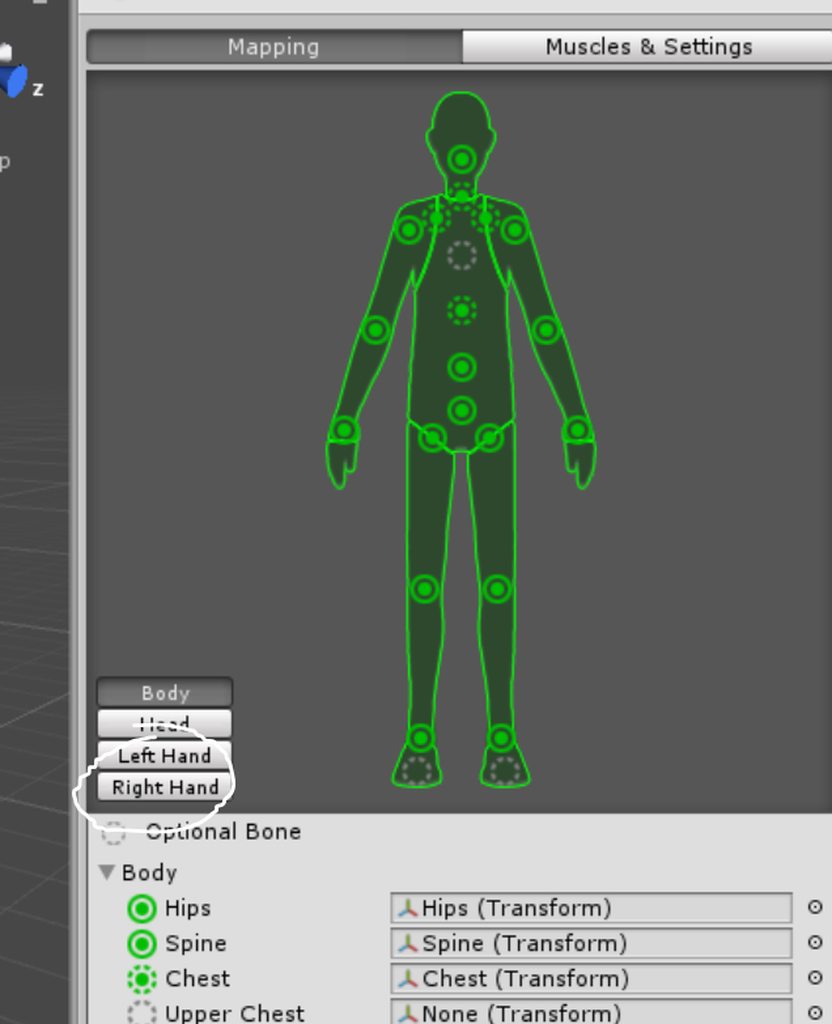 twilit aurora
hmmm this may sound stupid their like like 3 index thumb midel finger when i look at both hands
fathom flint
One for each bone in your hand.
 formal cargo
Might seem like a stupid question but why is it that my vision area is allll the way out here but when I upload it, all I can see is inside the hood and down into the body
 fading verge
hi so I have a model that seems to have an issue with her chest bone, any way i can fix this on unity or do i have to make a new bone in blender? (and i have cats, tried doing the fix model thing, then i tried just not fixing the model but it didnt work) @ me if you know what to do >.< http://prntscr.com/in3l1g

i'll take a quick look
i feel like the big bone in the center of her body is the chest, while the red parts are a spine? http://prntscr.com/in3npz

oh my god 😂
when i imported her into unity, she didnt have a chest set, just spine in the humanoid thing
so i guess its that
yeah thanks
oh god thats the spine http://prntscr.com/in3oyt

i see the problem now
oh what was the hotkey for resizing bones again?
ah yes
it should be like up to her cross?
or above it
 silent vault
What is the part that I need to removed? https://gyazo.com/712b4533de1a76048b3a4c7137b48c61
 fading verge
go to your rig, and delete upperchest

click that and your delete key
@arctic grotto http://prntscr.com/in3rel do you think this is ok or should i make it smaller

hm ok yeah its strange
when i move her some parts just stay
this is so morbid im sorry girl http://prntscr.com/in3sqn

i should go check the original weight painting actually
yeah everything moves
now i'll try with the edited bone
if i move the spine it bends her over normally
but if i move the chest it cuts it off yeah

i actually met someone who had a working version of this model so i gotta find them if i cant figure anything out
oof well i'll import the non-cats fixed model
and see if its the same problem
hm when i move the chest bone it doesnt do anything to the model

ah ok ok i see the issue
shes the type of model that has the 'upper body'
these would work at a 50/50 rate if i remember correctly http://prntscr.com/in3xzv

welp i had a few models like this
and i didnt have issues as long as i picked them correctly in the humanoid rig thing
so i'll give that a try first
this might become an abomination but i'll try it anyway
its not complaining anymore
you know what, this model is a total mess, i think i'll go find the friend that has the working model and ask them if they did anything cus oh god its all over the place
im surprised cus all of the creator's other models are fine
i would have to reparents everything
fading verge
@arctic grotto yoo i was able to get it to work somehow, all i did was rename the bones to spine, hips and whatever then i clicked on fix model and it put everything in correctly lmao
 neon quiver
ok so trying to make blinking eyes. it work before but making a different avatar now. when i go to make the vertext group then test for the ey to blink it des nothing. even though i moved the verts to a new place. i wonder if there something wrong with the rig. I don't know how to explain this better. moving the weight slider does nothing.
 leaden vault
So im having this problem in blender with the eyes I have like cat ears on my model and they move along with the Right eye. as well The right eye literally pops out of the socket. I know I can weight paint the ears though the right eye is what I am having problems with.
 autumn parrot
Anyone have a tutorial on how to set a generic rig avatar on VRChat? I was able to import my model's animations into unity (but I made one .fbx for each single animation because the .nif plugin on blender didn't let me put all the animations on one single model), but I have no idea on how to set the animations for them to work on VRChat.
 fast rain
Blender: I've attached a weapon that comes as seperate file to a model's hand no problem. Where should I move the weapon in the Hierarchy so I can put a shape key on the main model to hide/unhide it?
fading verge
the hands?
you are suppsoed to merge everything at the end, so every keyshape will be on the "body"
fading verge
'Body' or eyetracking and a bunch of other things can mess up
open hull
hello riggers 😃
can anyone help me with a little problem I'm getting warning on?
it's saying the angle between the thigh and the pelvis is 171.6 and it should be 180 so tracking works properly, I think it's causing problem with dance animations, my character has an hourglass figure and I don't want her to stand like a docker but if I need to fix it can I do it in unity or do I need to take her back to blender to edit the armature?
fading verge
blender issue
open hull
bah, I suppose I'll have to bite the bullet
@fading verge have you ever made a 3d cell shaded avatar?
fading verge
nope never, sorry
open hull
I'm thinking of making 'beep beep I'm a sheep' world in the style of minus8, but I guess I need to use 3d cell shading to get the outlines to look right at all angles
fading verge
cubed toon shader outline are not good ?
I would use environment map cell shading for that look instead of the toonshader, you have more control over the edge outlines
not sure you can get it to look that cartoony easily though
open hull
it's all new to me, I'll look into it
fading verge

Toon Shader reinvented, for free. Check out
Toon Shader Mobile and Toon Shader Desktop for more fun !
-16 shader variants easily accessible from a unified interface
-Source code included
-Works well with low poly meshes.
-Emits shadows
-Supports outlines with variable thickness, color, that work in Editor, Ortho and Perspective cameras.
-Supports Matcaps as shading textures
-Many thanks to Mixamo for the Mascot and samba animation
open hull
nice thanks
twilit aurora
thumb index and middle finger bones are not mapped full body ik will be disabled is their ill be able understand how to do this
 dim snow
guys
quick question
I have a model
but all of its bones are "Jnt 1 Jnt 2"
do I need to name them for it to work fine in unity rig?
 feral plaza
I need help if anyones willing to asist in modeling mmd avatars
fading verge
@dim snow the name doesnt change anything, but it's easier to find bones if they are named correctly
 normal blaze
does the neck bone move much or it is mainly just the head?
 restive shale
@normal blaze if you have vr it moves about as much as a regular neck
 velvet path
So, having a bit of an issue, and was wondering if anyone could assist, I'd greatly appreciate it <3

So here, I have shape keys set up, they function properly in the blender window

But won't show up in the shape key selection for the visemes?
naive tree
@velvet path join your meshes
acoustic garnet
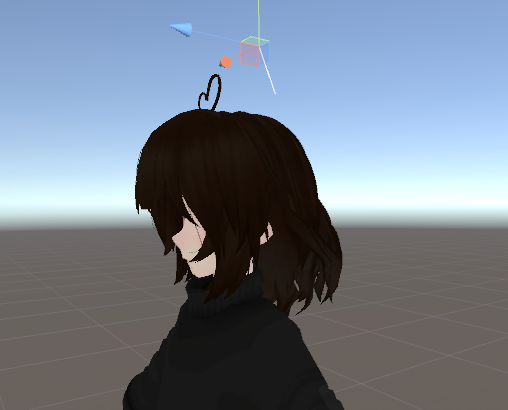
Does anyone know some good hair dynamic bone values?
I usually use .4 damping and .9 inert
I dont touch elasticity or stiffness usually. But I want something that looks a little different then what I usually use
fading verge
length of the hair ?
 fading verge
.88
.27
.3
.88
0.96
0.314
0.181
.9
fading verge
i worked a lot of these setting
i have a file for different stuff
like breast, butt, thighs, clothing, tails, different hair length
acoustic garnet
ooo
 chrome pewter
hello friend is having problems getting the model to get the pareting right we have tried vrcats alot and it seems to just seems to not parent because it cant find the arms
 weak nacelle
is there a way to make a mmd dance after i us cat blender plugin with out being completely frozen t pose
and i made it dance with out cat plugin but use the mmd tool the after had so much spine and neck issue in unity
 opaque sierra
https://imgur.com/8cSM1zP
so im trying to weight paint these pieces onto umaru but i cant test it since the armature won't move the body (neck wont rotate head). not sure what is happening
 fading verge
see the arrow with the 3 dots on it at the bottom left ? just right of "pose mode" ?
@opaque sierra
fading verge
click on that button and you should be able to rotate the bone
if nothing moves, then nothing is weight painted to it
opaque sierra
should i just paint the whole thing in weight painting?
fading verge
you mean the scarf thing ?
opaque sierra
well nothing is moving when i rotate in pose mode
fading verge
because nothing is painted on that bone
opaque sierra
i painted the whole thing and nothing happens im kinda confused
 raven portal
@fading verge I think @opaque sierra haven't parent the mesh with the armature yet
 onyx matrix
What was the steps to parent two armatures and there bones together? I forgot the process
random lotus
http://prntscr.com/ineov7 can someone please tell me why his meshes aren't moving with the bones like they should?

and its not weights, the parts im tryna move should already be painted minus the coat '
he has arms underneath the coat
 tired stump
Hey, so im trying to add talking to my avatar. Ive got it working but I have one little problem. The non-talking keyframe looks like the "th" sound keyframe instead of the base one. Anybody know how to fix this?
night spear
The non-talking keyframe is vrc.v_sil
So basically create it from the basis and move a vert just a bit to pretend there's a change
night spear
Hmm, I don't know... Never tried that
But I don't think it would work
Setting it to none would probably keep the last position the mouth took and freeze it
tired stump
well i tried it, and even more interesting was that it just broke the talking completely. its stays in basis key and doesnt move.
night spear
Hmm
 heady hedge
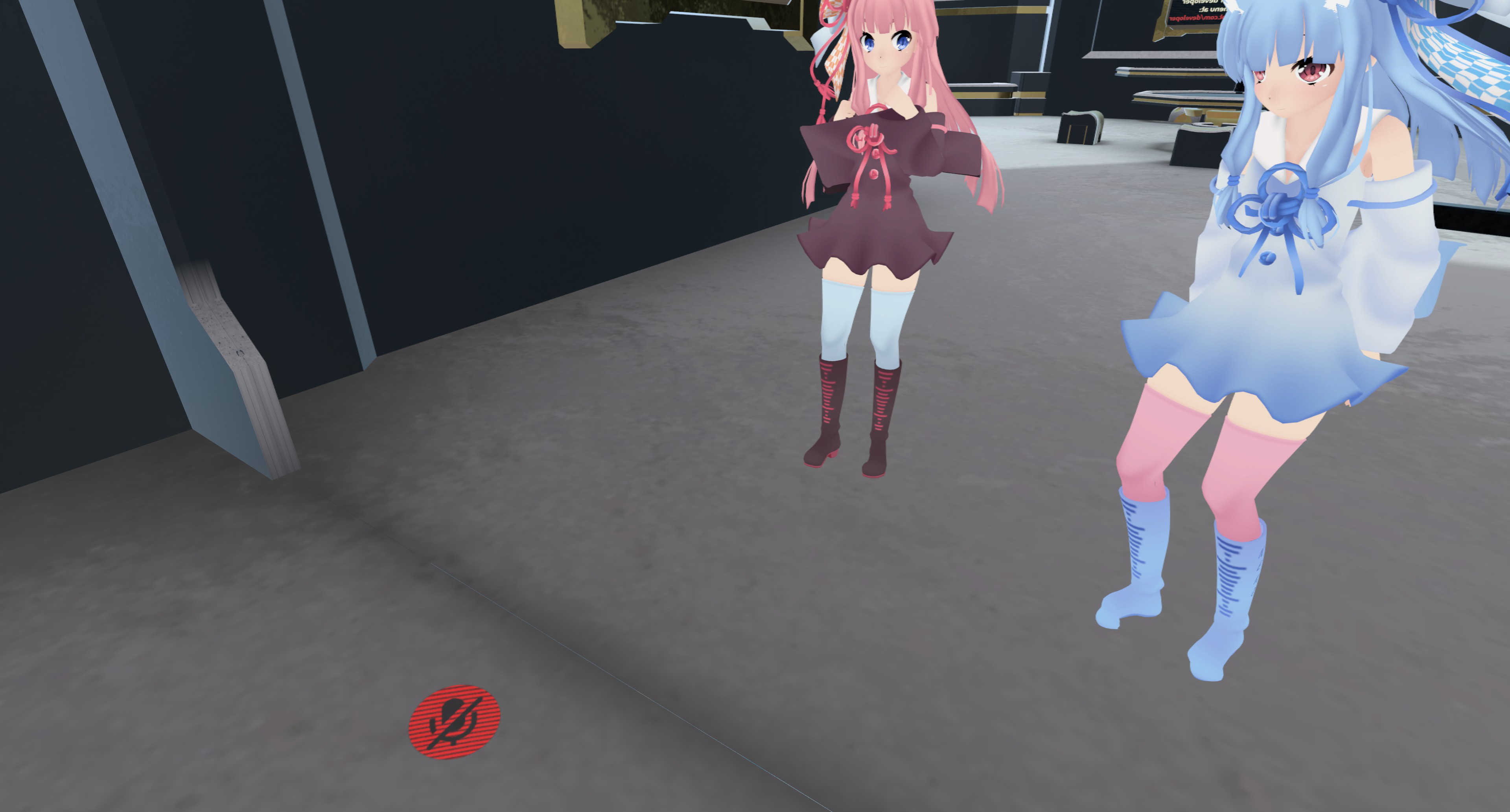
Can anyone tell me what is making my feet do this? the toes are unmapped and I have never seen this before, when ever the body turns, the tip of the shoes turn too
nvm
fading verge
any of you know how to fix Xlegs when looking up
 spring crescent
"Create Eye Tracking" in CATS generates new eye bones and places them in the wrong location/rotation. Anyone have a clue what might cause that?
spring crescent
Yeah, I've been trying. Blender is the most convoluted, confusing and unintuitive 3D package I've ever used. But I'm old and set in my ways I guess. Once I get a bone close to the right spot, it's somehow rotated wrong and causes more problems. Tis a mess!
 light kindle
as in the original eye bones
not LeftEye
i moved mine one at a time because otherwise the cat eyes both took the same co ords
spring crescent
So I'm trying to move the original bones up so that the new ones get generated at the proper location?
light kindle
yup!
spring crescent
Weird! Worth a try I guess. At least I can do that in 3DS where I'm not totally lost
light kindle
dont bother moving cats bones, itll make it worse
no dont do that
its a problem with cats itself
spring crescent
Ok, so move my eye bones in Blender before generating the new ones with CATS
light kindle
and you cant compare how high the bones are
yes move one bone up/down etc
create eye tracking
spring crescent
Ok. I'll give it a shot.
light kindle
test rotation
and continue until good
make sure you move the orginal bones in edit mode
 errant bramble
Anyone here know how to make it so that the wrist does not pinch so badly in blender? My avatars wrists squish into a pancake when i rotate my hands.
pine harbor
that might be a polygon/weight painting thing -- if the weight transition between your wrist and arm bone is too sharp, the deformation from the twisting will be a lot more obvious
raven portal
Red = more solid/sharp
Green = between
Blue = weightless, so stretchy~
pine harbor
compare these two as a rough example, for the "not enough polygons" thing:
http://www.korthalsaltes.com/photo/twisted-hexagonal-prism-02.jpg
http://www.korthalsaltes.com/photo/twisted_decagonal_prism_01_large.jpg


more polygons along the bending area gives you more points to smooth out the weight painting
errant bramble
I know about weight painting. It still pinches pretty badly. I tried adding helper bones but it didnt go well
pine harbor
hmm...that might be something unity/VRChat isn't well-equipped to handle, in that case -- the way the wrist moves is anatomically different when twisting it, when compared to bending it up and down
i'm not sure the humanoid rig is designed for using a twist bone between the arm and wrist
raven portal
Or check if other bones had weight applied to it, I got those issues a lot whenever I weight paint, accidentally painted on another surface and never noticed it
Especially even a slightest weight on one body, it still get anchored to the other bones x.x
errant bramble
Yea in game the only thing that moves when you use the controlers is the hand bone so that leads to really wonky rotations.
I'll keep trying. maybe give it a bit more edge loops and another paint over and hope it at least lessens the problem
Thanks guys! ❤
pine harbor
if you're not against adding accessories or clothing to your model, you could try to mask the wrist distortion by adding a sleeve or a more solid accessory to cover the rotation area
 fathom bronze
I've got a question.
I've got a Ghastly model that I've imported already as an avatar using generic animations. That is to say, it doesn't move all. But is there a way for me to, say, make the Ghastly body the 'head' of a humanoid bone armature with no mesh? Because I want to be able to 'look' up/down/left/right as well as change elevation.
And I want to be able to take advantage of the gesture animation overrides to do various expressions.
But Unity won't let me if it's not a Humanoid.
 subtle moth
yeah, no animator if not humanoid
fading verge
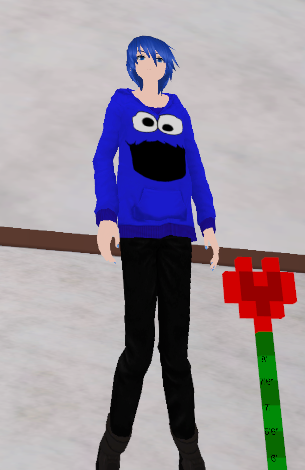
Any of you know how to fix this? when i look up my legs go like a X
https://i.imgur.com/Ek3uSsc.png
 fading verge
@fading verge You might try switching it to Female in the Avatar Descriptor. That'd be the easy way. Otherwise you'll just end up messing with your bones for who knows how long. You'll sit a little danty though.
Could anyone give me an idea of how I would have a child bone inherit rotation of the parent bone without the parent bone's rotation causing it to get ripped out of location?

Ideally, the third eye rotates with the right eye, creating the illusion of eye tracking with all 3 eyes.
 quartz trench
does eye tracking only effect two eyes? Or can you specify any number of eyes to track?
fading verge
I assumed it could only use LeftEye and RightEye.
it works on bones called LeftEye and RightEye in a mesh called Body @quartz trench
But duplicate bones are forced to have the .001 name. Unless I should try making an eye parent for this third eye child, @fading verge
oh yeah, I don't know how to have it control a third tbh
That's actually a neat idea. I should try the eye parent idea.
See if VRC lets me have multiple LeftEye and RightEye under the tracking script.
Thinking it'll still rename duplicates though.
Nevermind. It renames them, no matter what you do. That's why I was trying to make a bone mimic another bone's rotation.
But I can't figure it out.
 trim coral
Hey guys. If you're making a model of a humanoid standing on something (in my case it's a segway), do I need to make a new bone at the bottom of my model or something. When I use the avatar at the moment, the model is placed so his feet are on the ground, making the segway sink into the ground.
I'm assuming VRChat always sets it so the lowest bone on the model sits on the ground or something.
fading verge
If you configure the rig and drag the model up by it's hips, it might raise it up when you upload it to VRC. That's how you fix feet sinking into the ground, so that may be what you're looking for. @trim coral
trim coral
@fading verge Oh shit. I just looked in the rig configure setup and it had it automatically placed with the feet on the ground instead of the wheels. Gonna lift it up and try it. Thanks man.
fading verge
@trim coral drag the ankle bone down to the ground in blender, that's where vrc thinks the ground should be
and unassign the toes
in unity
@fading verge I used to never assign the toes because they'd be in the ground, but dragging the model up in configure lets me keep my toesies.
trim coral
The model I've made has no toe bones. I can never be bothered with them
fading verge
that sometimes didn't seem to work for me 😐 the ankle thing is a lifesaver for models in high heels though
I'll give it a try on my Moth upload to see.
Aaron is trying to get his avi to "float" on top of their object.
trim coral
Okay. Moving the model to where it should be in rig configure has had no effect. Damn.
And yeah, the avatar is standing on a segway
but VRchat is positioning him so his feet are on the ground, meaning the segway he's standing on sinks under the ground. So I'm figuring it's something to do with VRchat using the feet bones to decide where to place the model
fading verge
yes, the ankle bone
trim coral
At the moment, my model is like this in blender. With the bottom of the wheel on the ground.
https://i.imgur.com/tcidgsZ.png
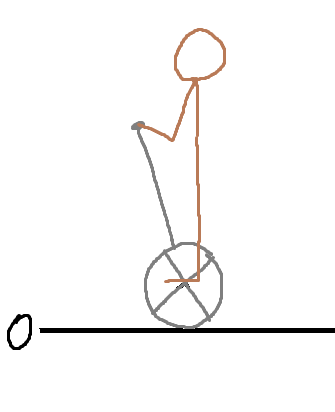
I'm guessing what you're telling me to do is change it to be like this in blender? https://i.imgur.com/LRmtg4K.png

Whoops, forgot to tag @fading verge
fading verge
yeah that fooled vrc for me on occasion, try it
even lower, where the tire starts
bottom of segway should rest on the 0 plane
trim coral
The first picture is how it already is at the moment, with the bottom of the wheel resting on the 0 plane.
fading verge
vrc ignores that and looks at the ankle bone
trim coral
Hmmm. Okay I just moved the entire armature down to be like the second picture and tried it like that but there's no change.
I heard there's something you can do with colliders or something. Like placing a collider under your feet to push the avatar up.
 shell kraken
how do i add jiggle physics for breasts or floppy hoods and cloths
low parrot
Using the Dynamic Bones asset in Unity
shell kraken
im looking for free ways to edit
safe bluff
Use the cloth asset then
But be aware that it’s miles harder than Dynamic Bones especially for breast physics
high stream
i thought vrchat did not support cloth asset
high stream
ahh
 humble leaf
hey if i want to move my hair with my arms do i need coliders just in the arms or both in arms and the hair?
open hull
You put colliders in the things doing the pushing and you reference them in the things being pushed
are you using dynamic bones @humble leaf ?
open hull
it's pretty easy, you just have to go to dynamic bones settings, find the number of colliders (can't remember what it's exactly called) when you set that number to 2 you get two boxes you can populate with your colliders
you set the number of colliders to the number of colliders you want it to respond to then you list them
open hull
did that make sense?
fading verge



 open hull
yeah, that
hey @fading verge I'm using a WMR headset so although my virtual boobs are massive I can't quite reach them without my controllers punching through my real life chest, do you have any stratergies to resolve this?
open hull
it might be a viewpoint thing, but if I set it too far back I'd be seeing the inside of the avatart head, right?
fading verge
nah, it's not rendered in first person
so you can safely place the viewball exactly between the eyes behind the skin/nose
open hull
hmm, I'm not sure about that, my avatar has a replacement head
fading verge
feels a lot better in vr too if it's in the right place and IPD corrections also feel more natural
(stretching your arms etc)
open hull
yeah i do walk around with trex arms most of the time
open hull
upper chest is useless in vrc
fading verge
upper chest bone is not used in vrchat
fading verge
@open hull replacement head, yeah not sure how it handles that
but try it
even in desktop it felt a lot better when I started putting them inside the heads
open hull
well I've used a shader on the main body and the head seems not to react to it in the same way although cats has done it's thing to it
 radiant blaze
how about shoulder bones? christ i dont know what im doing
fading verge
yeah first person head rendering is strange in vrc because of that head hiding
@radiant blaze https://cdn.discordapp.com/attachments/251862595030482955/404301325380091906/guide.png

 open hull
@radiant blaze it's a pretty simple mod...yeah what @fading verge says lol
radiant blaze
oh neat thanks
open hull
@fading verge tha actually raises an interesting point to me, my model doesn't have a set of pelvis bones as far as i can see, it's just a spine and a gap before the thighs, will I get better leg articulation if I add a couple of bones?
fading verge
you dont have hips?
open hull
yeah I have a single hip bone at the bottom of the spine