#avatar-rigging
1 messages · Page 95 of 1
 lucid cave
 fading verge
i wanna know too
the only thing i can think of is binding vr buttons unto the keyboard
lucid cave
yeah I think I remember someone saying they hit a certain key and it changes their expression even on pc
fading verge
dont wanna make my expressions go to waste
lucid cave
yeah same here
 cerulean dawn
has anyone here imported a model from wow with the wow model viewer
 snow flame
Anyone know a way to put moving parts on an avatar without doing dynamic bones?
 static parcel
Another day, another model that won't import right for some reason 😑
I have a simple plane mesh for a blinking light that grows with blendshapes but the shapes don't show up in unity
I can't see why it wouldn't be working. It's the exact same settings as other models I've done
 mossy geode
I need help adding bones to an avatar, I don't know how to 😢
static parcel
Even tried hiding an extra piece of geometry next to it, incase a simple scale tweak doesn't register on unity somehow
 patent blaze
Okay i have a model that bends at the elbows when my arms are fully stretched, I managed to get the arms to fall to the side by following advice and putting the vrc descriptor IN the face but now anytime I move foward I get a bunch of hair in my eyes. anyadvice on how I might stop that from happening?
 unique tapir
Anyone know a way around this problem with Mixamo being retarded? I've placed the darn circles in the places and it keeps saying I haven't placed them. Isn't there an override or anything?
 random lotus
http://prntscr.com/iao8u2 would i be able to just freaking past a armature on this one? i am not fighting with it, but my friend wants this one so bad
 fading verge
what error in
random lotus
@fading verge hm?
fading verge
what erorr do you get
random lotus
oh, same as last one, it lacks parts of the armature
more than just parts, pretty much the entire armature
and broken textures galore
fading verge
gimme
random lotus
okie
 reef verge
Could someone tell me how to connect my Right Elbow bone with my Right arm? https://gyazo.com/29014655c3ca0df7440edaea87375196

 balmy summit
@reef verge edit mode > bones > click elbow bone, > check the "connected" box in it's settings
mossy geode
How would i connect the bones to the mesh? https://puu.sh/zhzk0.png
 fading verge
@mossy geode right click the bones, shift right click the mesh, ctrl +p or was it alt + p, choose automatic weights
balmy summit
I have a arm who got messed up for unknown reason, can't assign automatic weights, it says there's an error with one of the bones, weight painted manually, not much changed

 calm needle
@random lotus you could throw in some extra bones there to make it work. just depends on how you want it to move will determain which bones are attaching to waht
@balmy summit You could try doing some manual weight painting. If you want to try auto painting again, try removing doubles from the model
balmy summit
b-but i said i did manual weight paint, didn't change too much
calm needle
make sure other bones arent weight painted to it as well
balmy summit
can i just copy the entire left arm settings and override the right one?
calm needle
sometimes yes if its an exact mirrored mesh
calm needle
did you make sure there was no weight paint there on other bones?
balmy summit
yeah, i used the left arm as an example to paint the right one
calm needle
did you have the left arm selected while painting the right?
fading verge
did you check any of the other bones if weights have been applied,
calm needle
https://i.imgur.com/Sy6dKzK.png
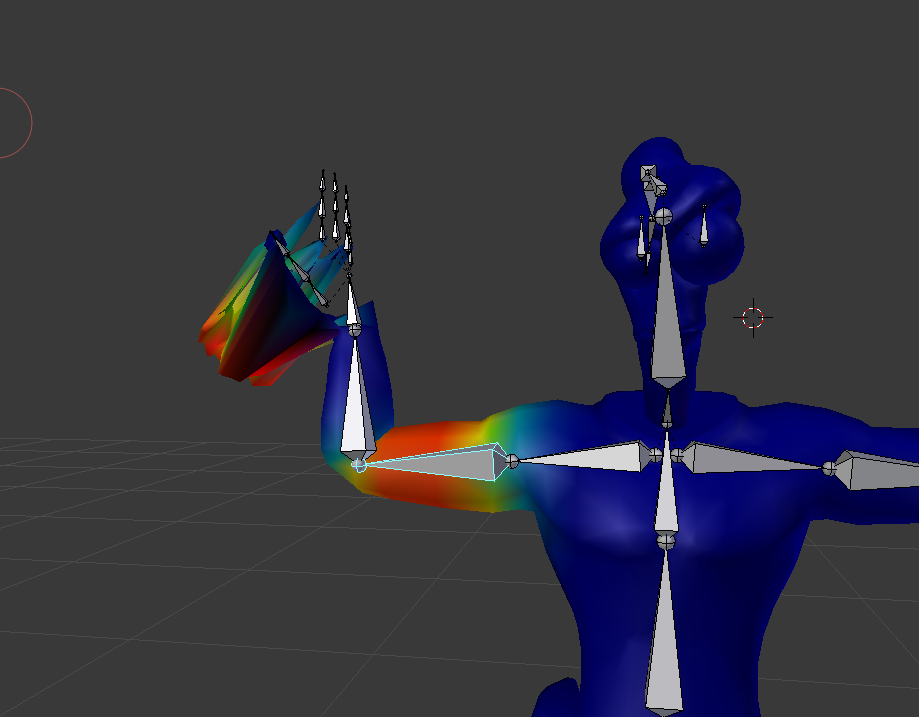
here is an example using one of my models
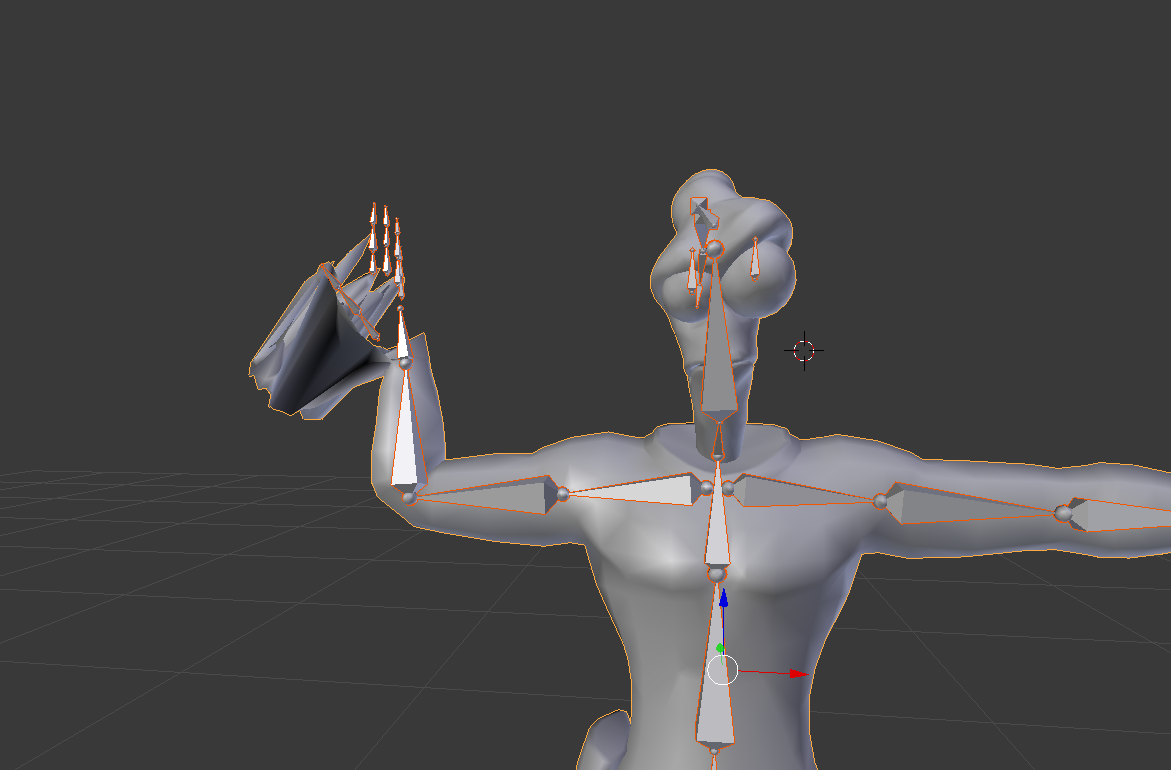
https://i.imgur.com/COlgSUM.png
its caused by the hand having some weight paint on the upper arm bone as well
 balmy summit
checking right now
calm needle
https://i.imgur.com/Bqs90c7.png
wireframe mode is also a good way to see the paint better
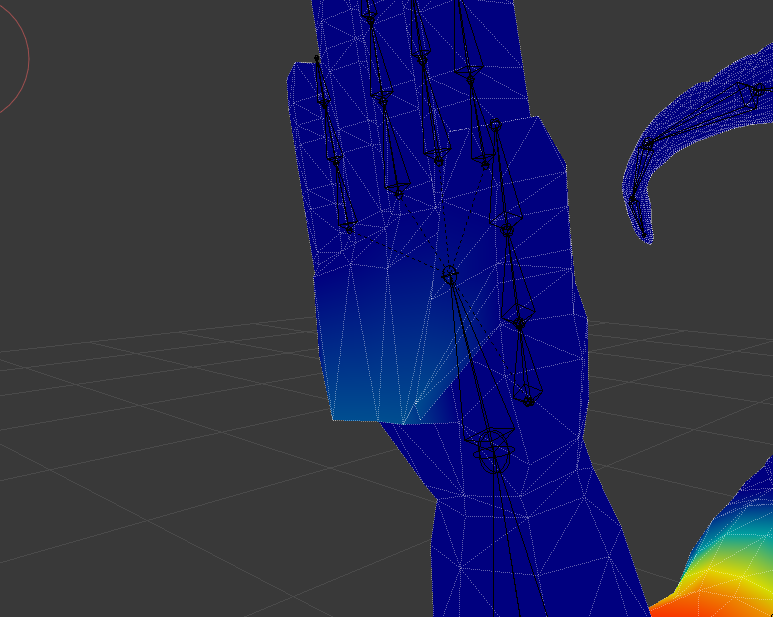 balmy summit
that's why i couldn't fix the the arm and elbow, the whole shoulder bone had the entire arm red
a friend tried to help me fix the eye movement, he messed up with the arms in the process
calm needle
dont feel bad, it happens all the time

 mystic sluice
Never mind, found the issue. Normals were flipped
https://youtu.be/a4PfPCYhxSQ
if anyone wants to know the fix

Gun model looks broken? Maybe the face mesh was flipped while you were making it. You can fix this in a few steps. Never see those missing face meshes again.
 tardy schooner
Someone knows how to change this goddam dynamic bones? they ruin everything, the boobs move weird, it is happening to me a lot, how can I solve it so they move normally?
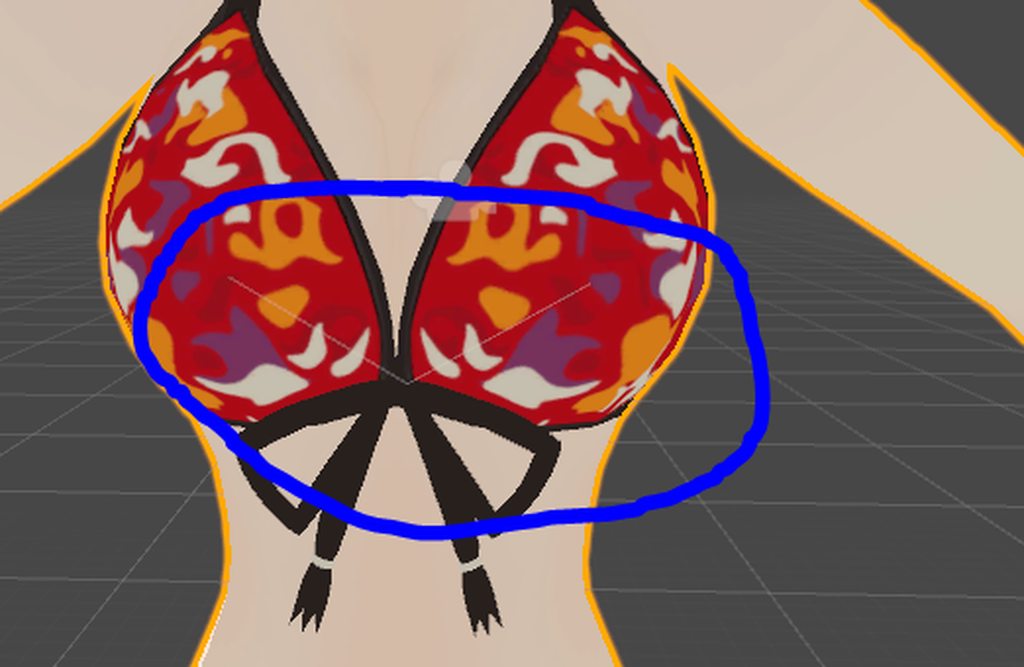
I have a model that works perfectly, I checked on Blender to see if there was a difference in the bones and it was exactly the same thing, the bones were connected to the same place and were also in the same position, I don't know how to solve this
Someone pleaseeee please, help me
 night spear
I thought that this was probably the better channel to post this, but
https://pasteboard.co/H6krLMo.png
My bones are like this. Any one have any idea on what the hell is that supposed to be?

Super simple and lightning fast image sharing. Upload clipboard images with Copy & Paste and image files with Drag & Drop
night spear
it doesn't let me do that.
https://pasteboard.co/H6ktuiA.png

Super simple and lightning fast image sharing. Upload clipboard images with Copy & Paste and image files with Drag & Drop
tardy schooner
oh, you are using an fbx model?
night spear
yep
 wild glacier
When I add dynamic bones to my models chest, the breasts move but only the breasts not the top. Anyone know whats wrong and how to fix it?
tardy schooner
Let me remember how I did it, because I once used an fbx model, it was hard for me tho, being a newbie xD
night spear
I did 8 or 9 models like this before, but I just deleted everything and used Mixamo.
But I wanted to know if anyone have a better solution to this, as Mixamo can't rig eyes and such
I heard there's a script or something for 3DSMax, but I'm using Blender...
tardy schooner
The one that is fine is this one, I don't know how I did this https://imgur.com/a/rf7hy
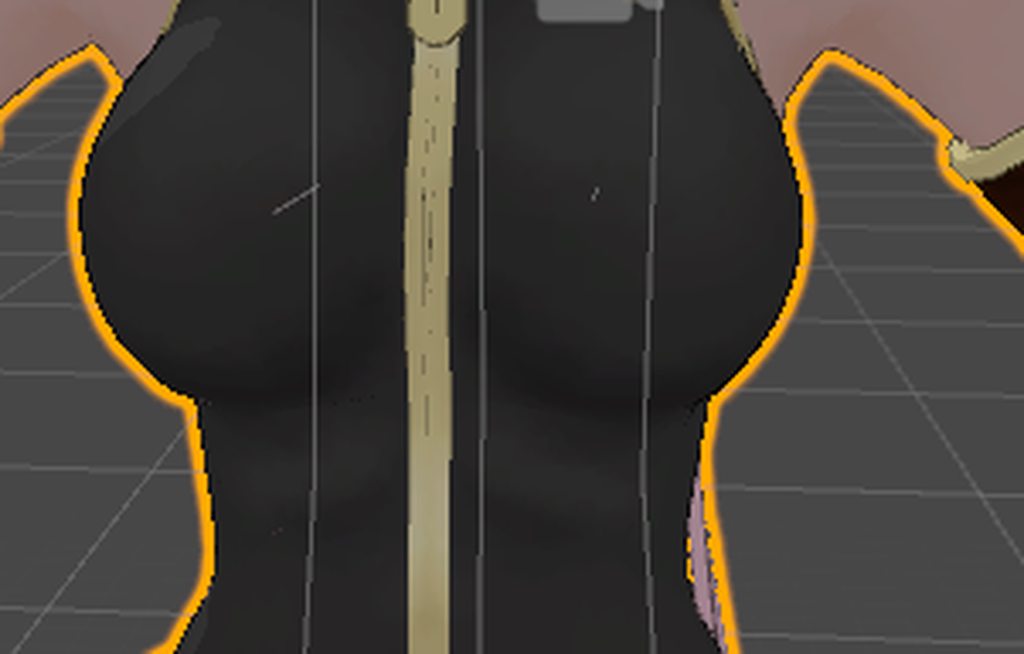
Like I didn't parent them and it worked fine, but with this one that didn't worked, I'll try what you've said
oh no, you can't on pc, you have to upload it to an image sharing page and sjare the page
wild glacier
You have to use a website that lets you post pics then link the url to the page with the picture you posted. @terse plover
tardy schooner
well, the link
how is that of octohedral bones?
I don't understtand the rigging that muc
night spear
https://pasteboard.co/H6kCUN3.png
What type of bone is this anyway? I miss old-ass triangular common bones...

Super simple and lightning fast image sharing. Upload clipboard images with Copy & Paste and image files with Drag & Drop
@terse plover use pasteboard.co
tardy schooner
I have Armature, pose and body, when I open the armature tab it just shows the bones
night spear
Are you talking to me or Kiritsuna? :p
tardy schooner
yeah, I have that octahedral option already
https://imgur.com/a/VrfIG pretty sure they are pointing towards tho

https://imgur.com/a/PiXTT they are pretty mucho the same
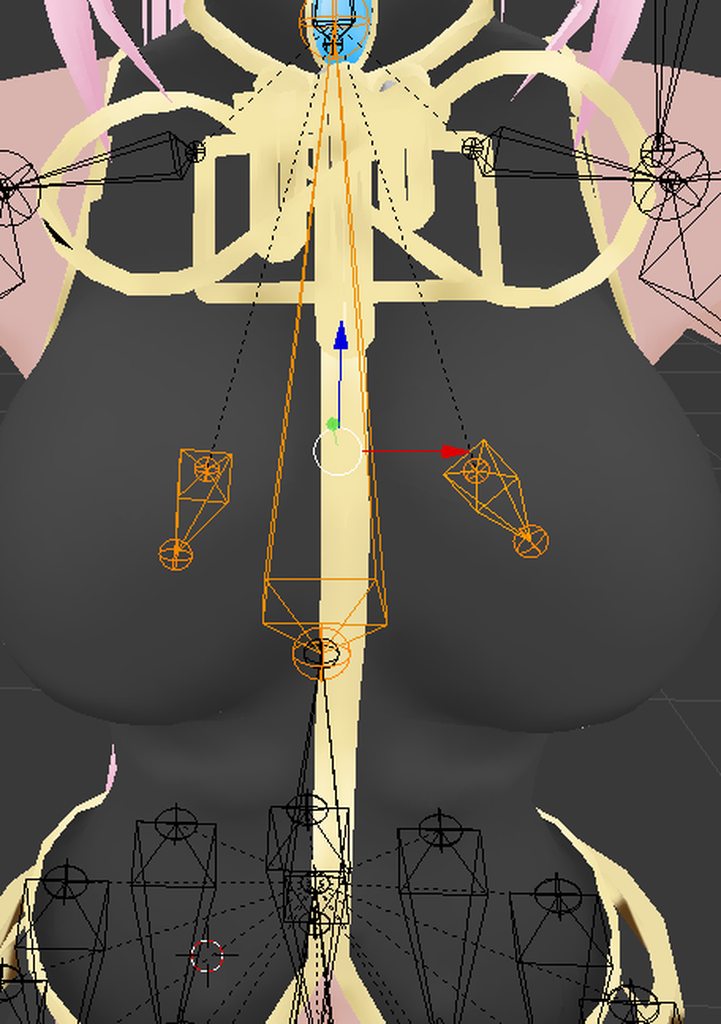
 earnest rivet
Any way to keep head-tracking, but have nothing else bound?
 light kindle
If anyone know the solution to Yans problem please tell me too
Had the same thing happen before
fading verge
How does one add bones? Trying to add bones to hair.
light kindle
Select a bone
Edit
And its a letter somewhere
On your keyboard
It's probably e or n or b or something
 tame terrace
Is there a way to remove legs from tracking on a humanoid avatar?
tardy schooner
well, I couldn't solve my boob problem at all, they only move diagonally 😦
tame terrace
I am trying to animate the legs, but the rest of the avatar gets frozen
light kindle
Usually the boobs are shown as spheres in dynabones if that helps
tardy schooner
It never hapopened to me
earnest rivet
Aye, i want to remove pieces from tracking too
light kindle
Also rawt I don't understand what you mean
tardy schooner
https://imgur.com/a/rf7hy this is how I wanted the boobs to be because I saw that it's the only way the boobs move normally without losing the physics, and also don't clip
tame terrace
My legs have a custom animation. But applying the animation gets my avatar's head and arms stuck
tardy schooner
buut, it just looks like a V
light kindle
If you have it as a custom animation the character pauses what they're doing, don't take any instructions from the player, and do the animation till its done
tame terrace
Is there a way to get around that?
light kindle
Oh hang on you talking about a walking cycle or something
tame terrace
Yes
light kindle
Not sure myself but make sure your overriding the right thing and ask in animation
tame terrace
alright, thanks!
light kindle
Np
night spear
jolly, what model were you using?
light kindle
Uhh
night spear
I've found out that the only way I can make my model work is downloading 3DS Max
night spear
Oh so it's even from the same game huh
I've uploaded Edgy using Mixamo, but it just feels bad
 opal aurora
Y'all gettin' phoenix wright characters in vee arr cee?
opal aurora
Noice
 pine harbor
@night spear @light kindle if switching your bone displays from "stick" to "octahedral" didn't solve your weird bone shapes, it's probably mixamo failing to give the bones some proper distance between their heads and tails -- not sure there's an easy fix for that without going through and manually realigning each tail point
night spear
Actually, they're not from Mixamo, they're the ones that came with the model. It's impossible to set them to octahedral or anything like that because Blender don't recognize them as bones, but as meshes.
opal aurora
How does one change the bone display to octahedral?
night spear
I believe it's under Display options in Armature Tab
opal aurora
Regardles of file format?
night spear
If it's a bone then I guess it should work
opal aurora
I could finally work with source models and be more effective with xnalara models if such is the case
night spear
@light kindle I got a random plugin that imports files from Resident Evil and it actually kinda worked. The bones are showing
(not the mesh though, just bones)
pine harbor
@night spear ah right, misunderstood the problem...yeaaaah, that'll be your ripping program not knowing how to interpret that data
night spear
@pine harbor yep. I'm getting 3DS Max, that should fix everything I hope
light kindle
I used 3dmax and didn't get good bones
night spear
Nope. I'm not importing the 3DS file, I'm importing a .mod file
Did you follow that tutorial on Court-Records?
light kindle
I'm not on my comp so I can't check
night spear

Super simple and lightning fast image sharing. Upload clipboard images with Copy & Paste and image files with Drag & Drop
This is Wright's bones. It looks like a Star Wars droid or something
light kindle
It's really nice to be able to see the bones though!!
night spear
The problem here being that if I import the mesh now, it won't be properly weight painted
Yeah, it's already a step up
opal aurora
I mean...
 last barn
Does rigging include boning?
night spear
Well...
opal aurora
Shouldn't the vertex groups attach to the bones if you join them?
Since they retain the same name
pine harbor
@opal aurora that's assuming the separately ripped mesh still came out with the vertex groups and their proper weights -- a lot of programs don't seem to assign them properly if they didn't come out with the skeleton at the same time
night spear
I don't know, I didn't knew that was a thing. I'll try to import the mesh and see what happens
opal aurora
True, but assuming it did- wouldn't such be the case?
tardy schooner
rigging is working with the bones for what I know @last barn
last barn
I guess I've gotta bone DK then
night spear
It didn't work. The model didn't even scaled to the bones or the other way around.
There's no vertex groups in any mesh
 surreal parrot
Ok
light kindle
@night spear followed http://forums.court-records.net/viewtopic.php?f=10&p=1325406
surreal parrot
Not sure why this is happening
night spear
Yep, that's what I was afraid you would say
surreal parrot
 light kindle
no its about the bones
the meshes that way are fine
you just need the bones as bones
night spear
the bones are from the .mod file that you get by this tutorial
light kindle
not dots
night spear
I know, but if the bones don't have their weights assigned, they're as good as Mixamo
pine harbor
@opal aurora if the mesh came out with the vertex weights intact otherwise, then yeah -- you could just parent it straight to the separately extracted skeleton with no additional weighting, and it should work -- just more a matter of it not usually happening that way 😛
light kindle
parenting them and doing it yourself will be easier though
night spear
Also, scaling Wright to fit the bones perfectly is pretty hard
night spear
I don't know, it's a script from Resident Evil or something.
I'll send it to you via DM
light kindle
cool, lets see if we can get this working
night spear
What exactly is going on?
surreal parrot
This
The error messages
I don't see anything physically on the model that should cause any troubles
Other than some hand issues
But those never mattered on any other models
pine harbor
did you delete and reimport the model under the same name, after having made edits to the bones?
pine harbor
hmm, show the model in explorer on your computer
the old model was deleted, but the associated metadata files that unity generated for its own uses weren't from the previous versions
so it's trying to use the metadata from the old one, and finding conflicts with this new one
surreal parrot
Ah
pine harbor
you're looking for stuff with a similar filename, but .fbm or other junk around it which clearly isn't the FBX file
pine harbor
that's one way of doing it, but you can also get around it if you find and wipe out all the metadata files
surreal parrot
Because all i did was delete the old model on the same project
pine harbor
that'll force unity to generate them again when you next import it
surreal parrot
K, Ill try that real quick
pine harbor
right click the model you imported in your assets, and go to "show in explorer"
that'll take you where you need to go
pine harbor
if that still doesn't seem to work, just rename the file you're trying to import over
pine harbor
hm, try renaming the file before importing then
surreal parrot
K
pine harbor
restarting unity after some of these options may also help, but i don't think the rename option should need a restart
surreal parrot
Ok
So the error message is saying
Oh wait
There are animation files in the same folder
Would it try to pull some of those?
Or nah
pine harbor
hmmm, that i can't say for sure, i'm only still getting started on animations myself

 opal aurora
It's special
tardy schooner
just delete those bones
pine harbor
@surreal parrot that still sounds like the earlier problem, hmm...if all of deletion, renaming and restarting unity didn't do anything, i might need to suggest just outright starting a new scene/project, yeah =_=
fading verge
google/howdodeletebones
surreal parrot
Kk
pine harbor
deleting the metadata files was usually enough for me, so i'm not sure what's happening in this case
 gloomy loom
no no no dont straight up delete them @fading verge what are those bones called
they could be important to the model, like wrist bones or thumbs
thats oversized
 low parrot
https://gyazo.com/ffb5f1969fb44032eb3e6133522f4f39
How would I go about moving these bones down? IIRC if your model has bones higher than ground level, they sink into the ground, so I wanted to move these to the bottom of the heels.
 surreal parrot
So its definitely something with the model
night spear
@fading verge https://pasteboard.co/H6ldfi5.png

Super simple and lightning fast image sharing. Upload clipboard images with Copy & Paste and image files with Drag & Drop
gloomy loom
go to object mode select teh armature, then go to edit mode and select that bone, theno nthe right hand side
you should see a tab that looks liek a bone
scroll aroudn there and it should tell you the name
fading verge
ok lemmechecku
gloomy loom
or what yan posted which I had no idea existed
opal aurora
Isn't that going to fuck up the weights and make it a mangled mess if you delete ehm?
gloomy loom
itll fuck up the hand and probably ouwld make the hand into a 4D monster
opal aurora
My speciality 3 months ago
earnest rivet
Any way to keep only head tracking?
fading verge
@low parrot Go into editmode and select them, then just drag them down. Shouldn't be too hard.
 paper sparrow
Does anyone know how the characters height is calculated? When i import my character ingame the game floor comes up to ny irl waist
 high stream
i have never done fingers before. do i need to extrude from the wrist bone or do i make a hand bone and make fingers off of that
paper sparrow
Go off the wrist
high stream
ok thank you
paper sparrow
Depends on what control profile you have active. In the maya profile its hold down alt and then click and drag.
high stream
hey sentinel is there a way to pan up and down on blender?
high stream
ok
 fossil shuttle
hold shift
high stream
@fossil shuttle thank you sooo much no more zoooming and wierd angles
fossil shuttle
@high stream No Problem
 brisk mesa
@paper sparrow sorry i was afk earlier, but did you check the origin of your mesh to make sure it's actually on the ground though
like all of them, any mesh piece
then your steamvr options need to be calibrated too
paper sparrow
@brisk mesa hmm ok, i'll have to look into that when i get home. thing is though my character has really long arms and relativly short legs. so could that have anyhting to do with it?
high stream
ok so i am pretty sure that the thighs need to be a child of the hips but do they need to be connected it messes up my bone structure?..........https://gyazo.com/425a51d5364fcbe3b218a7953e712432
 paper sparrow
yes
 modern oyster
Yes
high stream
hmm ok so can i just leave the bottom of the hips just hanging there? https://gyazo.com/eb2500b2aae92b2b13ee73c261bc5047
 brisk mesa
Idk i dont often connect my thighs to my hips tbh and theyre fine
But ya it can dangle
high stream
ok so i have never had this before any idea why my model broke?........https://gyazo.com/351b4f03d7fca5386ab68b87c5486cfb

 young estuary
does anyone have any experience with getting VR hand movement to work with non humanoid rigs in unity?
paper sparrow
how does the whole, head dissapearing thing work when my camera is inside of it? does the head have to be a seperate mesh? and if so does the head have to be parented? or can it be softbound to the skeleton?
modern oyster
@paper sparrow You mean the fact that you can't see your own head?
paper sparrow
yeah the thing where you cant see your own head if your camera is too close
like if you play an emote in vr your character doesnt have a head
untill the character gets too far away from your camera
modern oyster
That.. sounds off..
The effect should stop after you activate the emote.
(I'm not sure about it in VR)
paper sparrow
well it doesnt but i want to know how i need to set up my character in order to make that happen
modern oyster
No clue.. sorry.
fading verge
vrchat (and most games) only render one side of polygons, the outside
the viewball should be on the bridge of your nose outside the head
fading verge
its why you cant see it
paper sparrow
no because when i do the emote the heads on other avatars dissapear when my camera is too close to the head
i need to know the mechanism behind that
fading verge
you ask why the head dissappears when the cam is inside it
I was referring to that part
paper sparrow
ah well thats not the part i need to know 😛
i need to know if my head needs to be a seperate piece in order to make that happen
this is something else than doublesided rendering
fading verge
the best way to make it imvisible for you is a shader that fades out your head at extremely close range but it will affect other players too I guess
but let me repeat that the cam shouldn't be inside your head mesh at all 😉
paper sparrow
i know 😛
fading verge
I'm trying to help
paper sparrow
but my character is somewhat unique
like my camera is not inside the model but it is still behind my eyelids
fading verge
but it shouldn't end up inside at all
paper sparrow
my eyelids are attached to the head
and i know there is a mechanism already in the game that makes the head dissapear if the camera is too close to it for the player but not everyone else
paper sparrow
thats also not what i mean 😛
i cant get a screenshot of it here since i'm at work so i guess its hard to explain
fading verge
don't put the viewball inside anything
I have the same issue, turning on personal space just makes other players vanish when i am close to them
yup
 safe bluff
The viewpoint is recommended to be inside of the head, especially when you have VR since otherwise you won't be able to extend your arms properly
paper sparrow
I have the feeling that you guys have no idea what i'm talking about 😛
safe bluff
The head mesh does not need to be a separate mesh for it to work, it's recommended for it to be one mesh in total anyways for draw calls
paper sparrow
aaaaah
ok thats what i needed to know
my mesh is 1 piece atm so thats fine
saves me work having to seperate it
fading verge
when tupper tells us to put just above the bridge of the nose I listen to him
paper sparrow
in his latest tutorial he put it inside the head though
brisk mesa
Oh shit i just realized i wanted a natural selection alien so i can have an alien mouth view.
paper sparrow
hehe
safe bluff
For desktop, it's fine, for VR you'd want it as close to where your facial features actually are for "immersion"
paper sparrow
https://i.imgur.com/bkCU92W.jpg look at my character, the viewball is just infront of the eye but its behind the eyelids
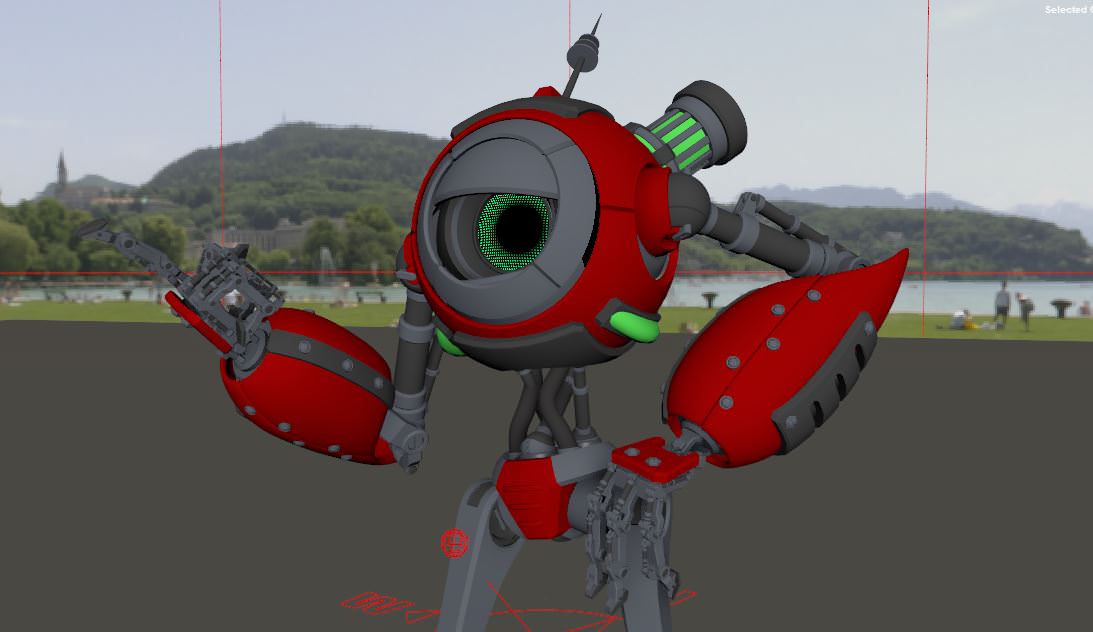 safe bluff
For a character like this I'd recommend just experimenting, try that viewpoint and if it doesn't work out then put it a little further out
He got long arms
paper sparrow
yep
fading verge
using a variation of the distance fade shader will make it not render up very close, but it will impact others
and it will not render the back of the eyelid anyway probably
 limber pine
@paper sparrow he reminds me of a core from portal 2 :>
paper sparrow
Yeah i took some inspiration from that but its my own design 😃
limber pine
i like it!! :D
paper sparrow
thanks 😃
limber pine
could someone help me? im trying to change the parenting of something of the rig, but everytime i press "done" it reverts everything i did.
https://cdn.discordapp.com/attachments/391478179904356354/410411086555250688/unknown.png

im trying to get LeftFoot under LeftKneeD
same with the right one
paper sparrow
that hierarchy looks good to me. or is that after you edited it?
limber pine
nope
thats before
it does look good, but the problem is that some of the joints are wrongly named
leftFoot and leftFootD are switched
limber pine
its unity
paper sparrow
hmmm
limber pine
i mean if i rename them it wont swap their hierarchy
paper sparrow
right
limber pine
leftfoot is where leftfootd is supposed to be
same thing with the rightfoot thingies
fading verge
wait, where do you swap them?
limber pine
configuring the rig
fading verge
kk, that's good
limber pine
as soon as i press "done" it reverts, and the apply button is grayed out
if i leave it the way it is, it ends up looking like this when she walks
 fading verge
did you 'apply'? sorry, just going over the low hanging suggestions
limber pine
again, apply button is grayed out
if i do however, swap which bones are allocated, then i can apply
fading verge
ah
limber pine
and ive tried that, and it only applies what i changed on the left
aka setting which joint is the hand, head, etc
but it does not keep my hierarchy changes
fading verge
renaming won't swap them, it's just a label, not the object 'id'
rearranging in the rig config does
limber pine
but i am rearranging
fading verge
yeah, but it reverts right? 😦
limber pine
ive rearranged and they always go back to the same spot after i hit done
it reverts :c
if i have to use blender for this, i dont know how to really umu'
though i do own blender
fading verge
doing it in unity in the rig should be enough afaik
limber pine
hmm i hope
fading verge
but I'm stumped as to why it won't apply your changes
it should, even if it invalidates the rig
but yeah, other than selecting other bones, I think unity cannot change hierarchy
so you need to reparent in blender
fading verge
does this help? https://i.stack.imgur.com/BHbJU.png
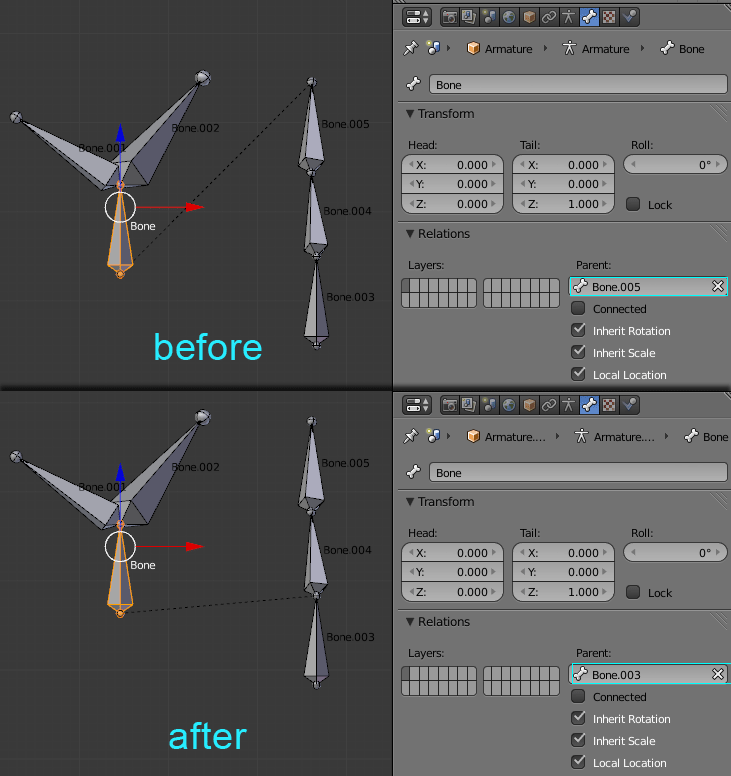
(never sure how far people are 😉 )
and look at parenting described here https://docs.blender.org/manual/en/dev/editors/3dview/object/properties/relations/parents.html
limber pine
aaa let me see,
i dont even know where to start ;o;
@fading verge so so sorry to annoy you but do you think you could help if i sent you the fbx ;w;
gosh this is embarassing id ont even know how to rotate my viewpoint in blender
fading verge
oh ehm 😄 well, it's worth finding out how
and remember in blender you can't make changes to bones if you're in object mode, only in edit mode
fading verge
tab switches between them
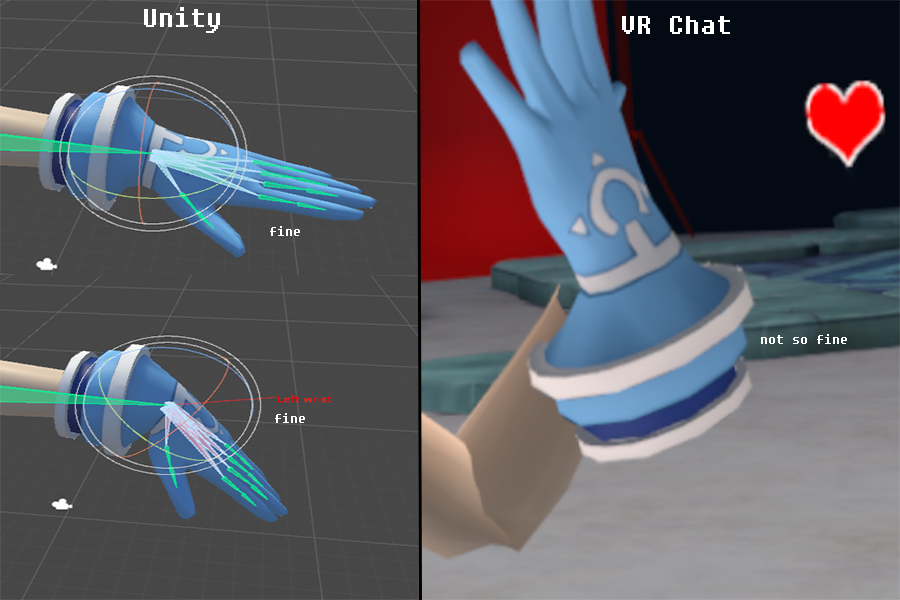
 pale hull
Hand bone looks like it's definitely not the first child of the lower arm bone
Which the SDK should warn you about
 manic marsh
hmm it warns me about the legs but thats all
and isnt it supposed to be elbow > wrist ?
pale hull
The optimal arm hierachy is just Shoulder > Upper Arm > Lower Arm > Hand > Fingerbones with no other bones in between
fading verge
how do i fix feet
 gleaming falcon
@fading verge In blender you can use a vertex mix modifier
fading verge
 gleaming falcon
O_o looks like he went through a trash compactor
fading verge
the feet are like this how to fix
gleaming falcon
Send a screenshot in blender of the bones?
opal aurora
Either a weight paint issue or if it's a mmd model it may be waist cancelators
gleaming falcon
Although I still think a trash compactor attacked it
opal aurora
Possibly
fading verge
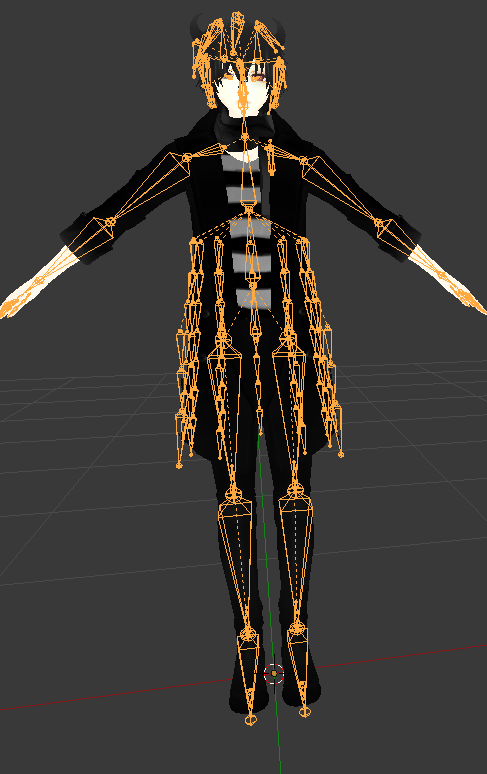 gleaming falcon
Bone structure looks okay. Seems the vertex groups got messed up.
pine harbor
the stuff that seems to be going down through the middle of the spine and pelvis bones? guessing those might be bones for the coat on the back side
opal aurora
Inbetween leg & knee
pine harbor
ah...those, i haven't got a clue about o_o
opal aurora
It may just be my eyes as i just woke up but i've fixed enough of those to recognize them
pine harbor
i've never dealt with those, but it looks like there're small bones pointing in the reverse direction on most of the leg hierarchy ones
it does look like something's there though, the arm bones don't seem to have that same pattern at their tail ends
opal aurora
Normally there're 3 points per leg
One at the top of the leg, another between leg and knee and another around the ankle
fading verge
are those the problems
opal aurora
Probably yes
They're essentially a second pair of legs
And don't naturally follow the normal legs
fading verge
ok so how do i fix it
opal aurora
Parent them to their direct counterparts
 modern dragon
Ooh, sounds sweet. I hope to see it running. I have been wanting to look into models with extra legs.
modern dragon
Wouldn't they naturally move along with the legs on the diagonal side, though?
That way the balance stays distributed well.
tardy schooner
I'm going to change my question: I have 2 different models with the same bone parenting and everything in the boob part and chest, with one model, although I have it rooted I can select both boob bones separated and still have dynamic bones for each, in the other model, if I do the same, the boob dynamic bones dissapear, why is this happening?
opal aurora
These 2 pairs of leg bones interact with the same legs, but in different parts
 balmy solstice
I'm seeking someone with VR to test an avatar's fingers
(I don't have VR, I'm poor)
cerulean dawn
I am doing my first from scratch rig and am trying to do weight painting but everytime I do weight painting after entering pose mode it selects the entire armature
what can I do to fix this
also won't let me select a single bone
 crisp tendon
@cerulean dawn Set armature in pose mode then click on your mesh in the tab and switch to weight painting mode, right click a bone
cerulean dawn
oh I figured the issue out
I needed to select both then ctrl + p to set with empty groups
balmy solstice
https://imgur.com/a/DrL4L How do i fix the caving knees?
 cerulean dawn
how to I make the mesh more visible without hiding the bones? http://prntscr.com/iayvjq

isn't there a way to like wireframe the bones and keep the mesh solid
crisp tendon
@balmy solstice Fix the rotation in blender
@cerulean dawn It's already the most visible possible, that's what X-ray does
balmy solstice
@crisp tendon It occurs when I'm idle, I walk just fine
crisp tendon
and you're using the default idle animation ?
balmy solstice
Ye
crisp tendon
Did you look at your rest pose in blender ?
crisp tendon
That's what I mean, did you check the bone rotation of the model in rest pose ?
 spiral fog
question are we allowed to edit avatar controller template directly
like if we assigned it to our model would it upload and follow that
 past tendon
https://imgur.com/VjXbzNg Anyone know how I can edit this to add the shoulders?
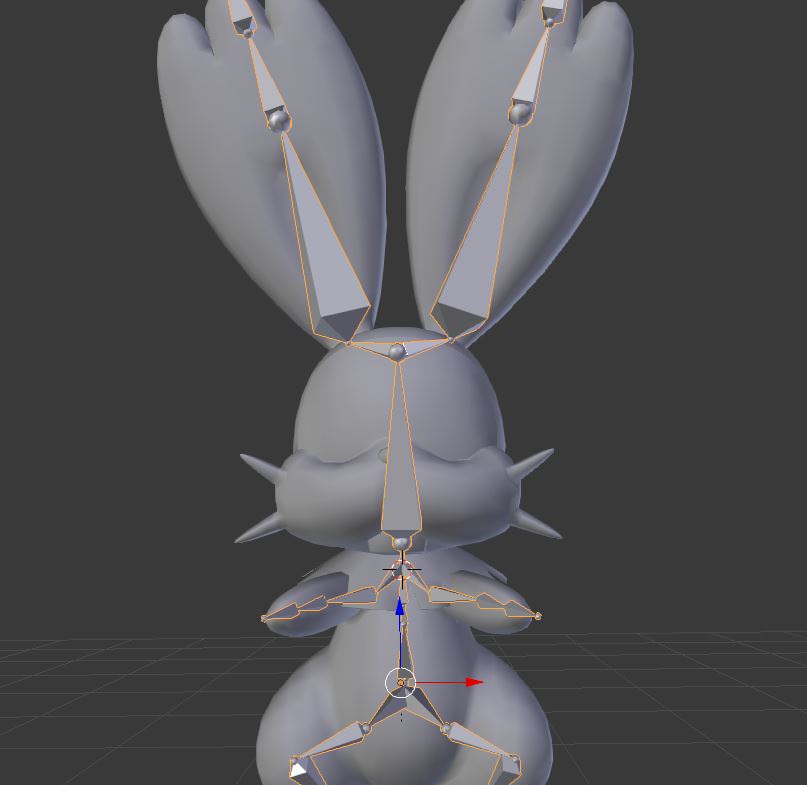 spiral fog
@past tendon unparent the bones, place new bones named shoulders, parent shoulders to chest, parent arms to sholders
you probably don't need to rebind it
past tendon
@spiral fog Thanks :3
spiral fog
I might be wrong not sure if blender works that way still
crisp tendon
There's already shoulder bones tho
past tendon
It said it was mssing them in unity kek
crisp tendon
either incorrect name or wrong hierarchy
@balmy solstice actually, is it using female or male animation ?
 spice crypt
can anyone help me to destimate ? so high polygones
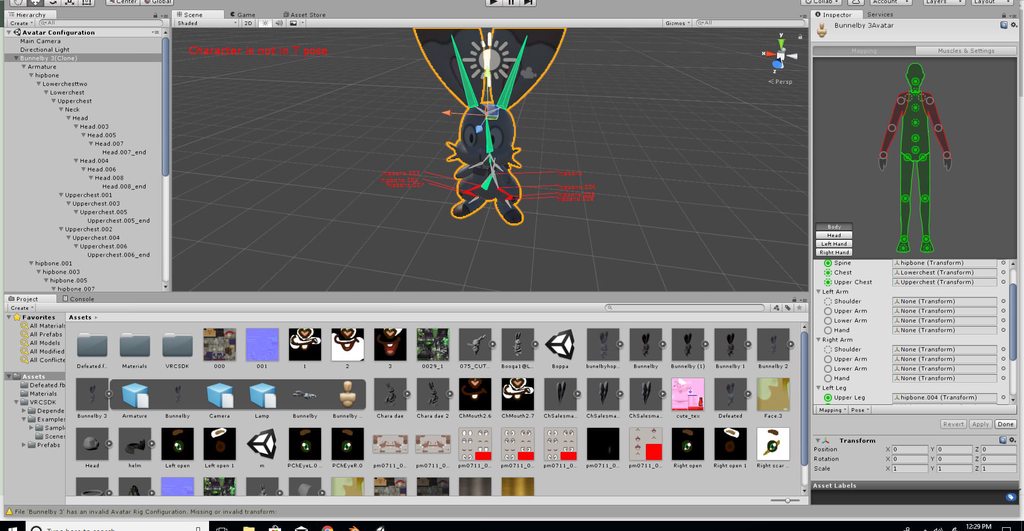 balmy solstice
@crisp tendon Male, because It'd be silly to set EmperorGreymon to a female animation set with a stature like that
crisp tendon
Can you show what it looks like in rest pose in blender ?
past tendon
the arms disappear in unity. Where did those bones go? DAMN YOU UNITY
balmy solstice
https://imgur.com/a/WR111 and https://imgur.com/a/u76CG there is a bone in front of the crotch because he has a loin flap
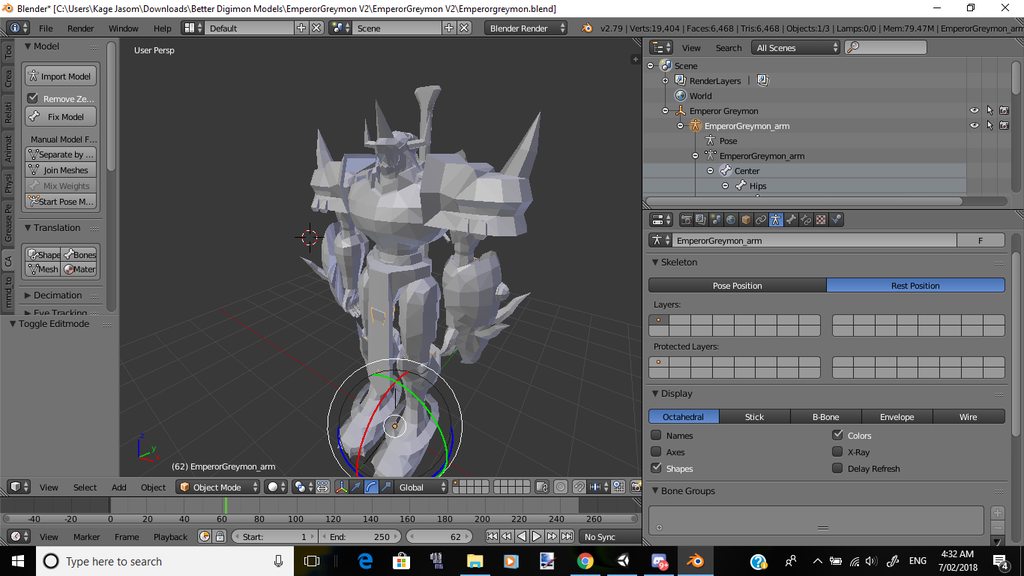

@crisp tendon
past tendon
My problems all come down to unity every time kek
crisp tendon
ok, check the rotation for the knee then @balmy solstice
@past tendon just map them and they'll reappear
 crisp tendon
so, moving the feet or the leg looks fine with the knee ?
 pale pelican
So I just made bones but now I have no idea what to do next
pale pelican
Oh
balmy solstice
And the answer is you Weight paint them
crisp tendon
"And the answer is you Weight paint them"
 spice crypt
anyone here knows how to decimate a model manually? a tutorial would be helpful
crisp tendon
@spice crypt there's a lot of them on youtube, for vrchat too
spice crypt
@crisp tendon Not with the decimate tool, because I've tried that and looks so bad
crisp tendon
decimating basically means "make it look worse so it's more acceptable"
past tendon
Ohhh it's literally just not mapped kek
I didn't process that till like 3 minutes after you saying
I'm tired as hell
spice crypt
@pale pelican I've seen that in a tutorial for bones.. Click on bones, press tab, click on the bone u want to move and move it with G.
 spice crypt
@pale pelican bone parenting here https://gyazo.com/0e18d6e7939989bc9c664108789659f9
 pale pelican
Thanks
 pale pelican
Yep that's what I did
But like when I parent it to the model, the bones are -90 off
balmy solstice
@crisp tendon How exactly do I check the rotation?
crisp tendon
face the avatar sideway, move the foot up in pose position, then check the knee position ?
pale pelican
I'm super confused
What I did was import the model, made an armature and place the bones
spice crypt
that's weird... I would keep the original bones and dont move anything. I've created one and works for me https://gyazo.com/79f6e7a01396a82a99b31569d9272a8b

 spice crypt
if it's a bone and not a material you need to come here https://gyazo.com/f9989410abdc2ac3fd8a3e43b188d27d
 balmy solstice
Wait @crisp tendon Does feet rotation also affect the knees?
pale pelican
I have nothing when I click it, just gray
spice crypt
@pale pelican PRESS TAB
crisp tendon
@balmy solstice it doesn't, that's why we're making sure the knee itself and the two bones for the leg move correctly according to feet position
i assume you used cat's plugin before to try to fix it ?
 steady spruce
Anyone know any good tutorial videos for bone rigging
In blender
I mean Microsoft paint
spice crypt
@pale pelican you need to do bones for finger for that avatar from scracht
steady spruce
@spice crypt do you like me
crisp tendon
@steady spruce let's tone it down please, you'll find tutorial on youtube, any will do
steady spruce
What u mean tone it down
crisp tendon
the jokes
crisp tendon

balmy solstice
When i move the leg up, the knee moves appropriately
spice crypt
I just learnt by tutorials. Go there, just ask here if you don't find any solution watching tutorials
steady spruce
I tried to make a hair bone but when I move the bone the whole character spins around
It’s just I was only given 1 hour to do this or my dad is going to lock me in a fridge full of flesh eating cockroaches
I’ll figure it out I guess
spice crypt
@steady spruce press tab
balmy solstice
@crisp tendon when i rotate the part in pose mode it rotates correctly yes.
As in it goes back and forth and not side to side
crisp tendon
then i'm not sure, are you in desktop mode or vr ?
balmy solstice
Desktop
crisp tendon
then fixing the height should fix this entirely
crisp tendon
Are you two leg bones connected ?
 crisp tendon
sure
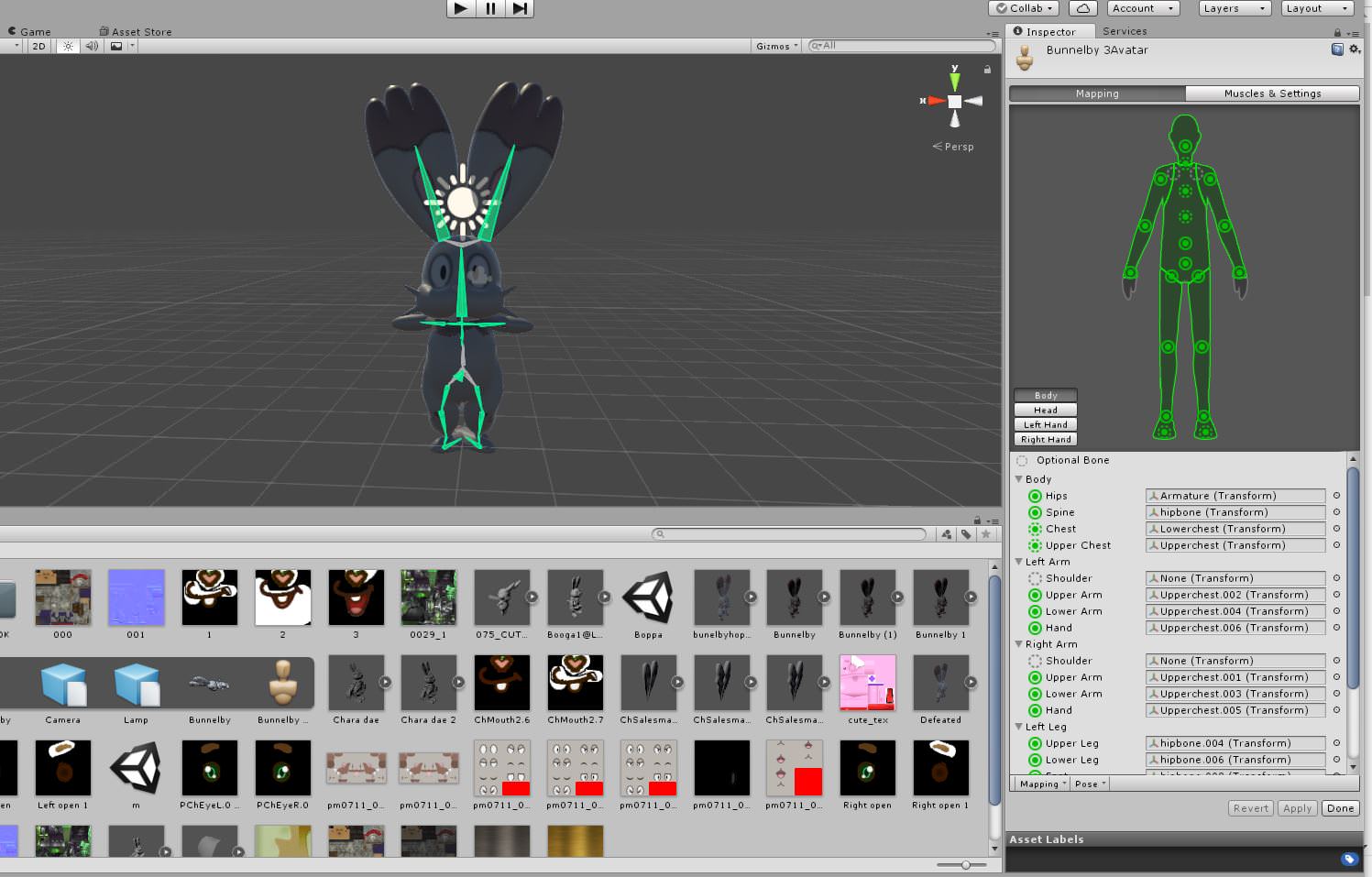


 smoky moon
When you (actually me,not you up there) are too lazy to find models that have complete spine hierarchy
balmy solstice
@past tendon remove upperchest
fading verge
does anyone know how to make a avatar float?
paper sparrow
I am trying to make custom visemes for the face of my character, do the target shapes need to be in the same file or can they be seperate files?
or does someone have a tutorial to make custom visemes?
that i can reverse engineer
calm needle
the blend shapes are part of the mesh itself
paper sparrow
blendshapes in maya usually mean creating seperate meshes with different expressions and then linking them to the main mesh as morph targets
i assume those seperate meshes need to be part of the file then?
or can i export the file without those meshes?
i've never used blendshapes to export
paper sparrow
hmm
smoky moon
I know its a retarted question but,how do you add additional bones to a creation?
reef verge
Anybody knows how to rezize a part of the jacket for it to look more male ?http://prntscr.com/ib307p

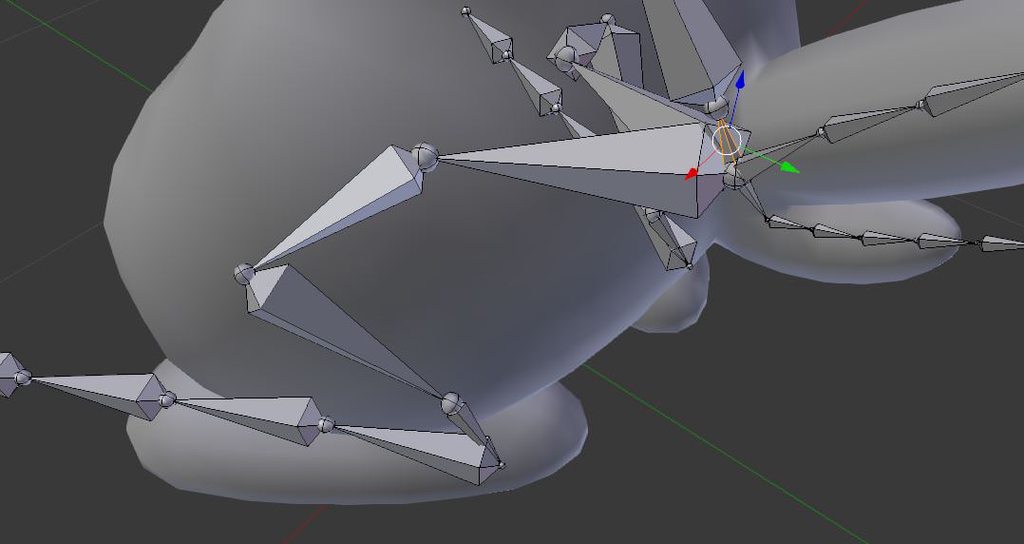
 fallen mesa
guys i have problems with my armpit - It and the breasts move with my arms (Transform, stretch wayyyy too much) How do i deal with that?
any tutorial video for that?
crisp tendon
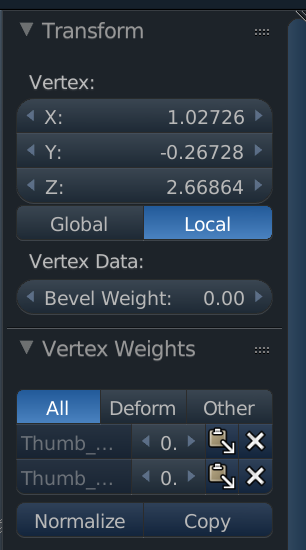
right click the vertices in edit mode, press N and remove the incorrect vertices from the panel
menu is called "vertex weight"
fallen mesa
well, do i click on the bone first or stuff? Thats a little bit too less detailed
oh ok
where is the menu tho
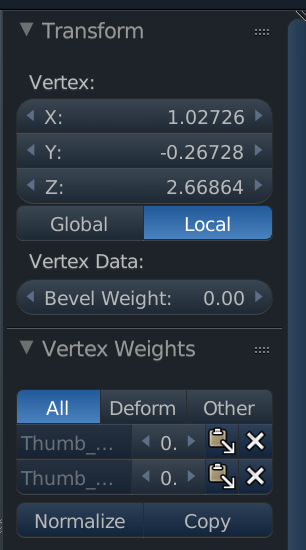 fallen mesa
I only have transform there
there is no vertex weight

am i stupid? I cant find it LUL
ohh i see
mhh wait so how do i like... get the whole vertexes of the shouldergroup or edit multiple verts
wow this is difficult it gives me like no feedback uwu
earnest rivet
Any way to change default posture?
 icy maple
Hello everyone. So my character stands IN the floor when uploaded. How do I fix this so her feet is origin to the ground?
fading verge
can someone rig a model for me? ive been having issues with rigging it myself, and i already tried mixamo
 loud anvil
Hey guys, could someone help me with this issue? I've imported this model but whenever I go into pose mode the arm itself doesn't actually move.

 hazy knot
You'll probably need to weight the mesh to the bone

Quick intro and guide to skinning/weight painting. this video is meant for those with a basic understanding of Blender
past tendon
Could someone help me with this freaking rig. I've been trying to put it on forever. Can someone take the file and see what's up with the rig?
loud anvil
I fixed it, had to readjust the vertex groups :)
fading verge
@icy maple go into the rig config and raise the hips up a little
icy maple
I htink i may have found the problem, uploading and testing now
The humanoid thought the legs were in her skirt, because she has no actual legs, just leg bones.
Changed it to that, uploading now, and about to test
 proper vault
I know someone asked this a few hours ago, but they didn't really get a response. Does anyone have a link to a tutorial to make 3D visemes for models yourself? I just wanna make the AA, CH, and OU ones so I can throw it into CATS since the model didn't produce shape keys.
low parrot
Never done it, but I assume this might help @proper vault https://www.youtube.com/watch?v=gDZcmAWL2jA

http://cgcookie.com/blender/2012/03/28/introduction-to-shape-keys-in-blender-2-6/ Through this video Jonathan Williamson will give you a quick introduction t...
proper vault
thanks!
A couple more questions, when decimating there are sometimes empty spaces created, which I heard are called zeros. Can someone show me how/where is the option I can click to remove the zeros? I've also seen people grab the vertices of the object and just kind of stitch them together to remove the spaces, can someone explain how to do that as well?
low parrot
Hmm, I'd wager you could also ask #3d-modeling
I've never tried fixing an odd decimation, and I wish I had for a couple of my avatars
earnest rivet
In blender, is there a way to change where an bone's pivot point is, without actually moving the bone's position in the model?
pine harbor
you can kind of select individual vertices in edit mode with right click, and then attempt to drag it around...except i've always found that quite finnicky in 3D space, when you're on a 2D screen...
@earnest rivet can you elaborate a little on that, or give examples? i'm sort of understanding the bone's position as its pivot point right now
earnest rivet
Basically, i'm trying to find some way to cheat VR's declaration of what is a T-standing position since my model has an awkward posture. This is just one of many things i've been trying.
It does work, in the sense that my model is standing like it should (non-human posture) while i stand normally in VRchat.
But the pivots of the bones i moved into a human-position are off because of that
pine harbor
i can't say my brain's having a good time trying to reconcile how that's all meant to map together properly in VR, but the closest piece of related info i can think of is that you can still have child bones parented to other ones while having them disconnected, if you choose the option to "Keep Offset" rather than "Connected" when parenting them
for exactly what their positioning is...that one has me stumped, because i'm not sure if unity and blender have the same interpretation of bone position (and it doesn't help that my best understanding of bone position is from MMD, which uses yet another system)
earnest rivet
Most of them are offset by default for me, i don't like connecting most bones
pine harbor
what really confuses me is that if you've got your avatar standing in a different pose to how you're standing IRL, i can't really imagine how you're meant to keep the movements in-game synchronised properly with what you do IRL, unless your bone pose on the avatar is actually outside of the mesh itself
earnest rivet
I don't even need it to be following me IRL tbh.
If i could just have head-tracking, and nothing else, that would satisfy me-- but it seems to be an all or nothing
But it does function, and my mesh moves with me-- it just moves with weird rotation pivots >,>
pine harbor
yeah...oh wait, right, i think i remember your case -- are you trying to make a non-humanoid move properly while keeping the emote looping?
earnest rivet
That was another problem-- i found that non-humanoids loop emotes
pine harbor
well, solving the emote looping when it's a generic build, rather
earnest rivet
so i was forced to find a solution in this way
pine harbor
yeah, i haven't figured out a way around it either, and i've tried messing with the avatar controller -- still a couple of other ideas, but i've got no idea how to explain it
best "solution" i have at this point is to just have one version of it for walking, and one version of it for posing from a humanoid rig
hmm...yeah, i'll have to get back to you on that if i come up with any ideas on mapping a non-human pose to regular standing -- my brain can't get around how you're meant to do that, unless you're somehow able to attach a second set of bones connected to the head, which don't move along with the rest of the body that's been configured for the humanoid bones
can't really think of a solution with a sound theory, since bones can only really have one parent and one child connection
earnest rivet
I've tried a set of fake-bones as well, just to allow the rig to be humanoid then just import armature rotations for everything besides the head-- but walking animations won't take armature rotations for me
I'm at the point where i either get working walking, looping animations, and no gestures
or a super-awkward idle posiiton ... or super awkward walking xD
pine harbor
have you tried two different armatures in the one avatar descriptor? with the humanoid one being presented as the main one, but the animation modifiers being for the generic one?
thinking of trying that out later to see if that can force the secondary armature to animate when walking around
earnest rivet
My armatures dont' rotate when i use them in walking animations?
Is that because there's a link between the armature and the animators through connections though?
pine harbor
is that when the mesh's actual bones are different to the ones being used as the dummy humanoid ones?
earnest rivet
Basically, when i treid before, i had a fake-humanoid rig just to allow it to be humanoid and the actual legs were bound to the armature. I would create rotating armatures to move the legs in the animation-- but in VRchat it would freeze all armatures.
There was a link between the fake rig and the real rig at the hip though, maybe i should try again removing that
pine harbor
anything's worth a shot at this point -- what happened in my case was that i joined two armatures (one humanoid in structure, one non-humanoid) together, both keeping separate roots
the non-humanoid one continued to stay in its idling animation, even while walking around -- despite the fact that i had custom walk/run animations imported
my guess there is that because the IK system was animating the humanoid part of it, it was completely ignoring what the custom animation was trying to tell the non-humanoid part of it to change to
i'm not sure if that's the same thing you just tried to explain, i'm getting a little tripped up on how to interpret "armatures didn't rotate when used in walking animations"
earnest rivet
Normally, you would have an animators moving muscle groups like upper legs up and down---
Instead, i had Armature bones rotating in the animations along various axis
Though that's the thing that didn't end up working, at this point i'm hoping it was because of the link.
It worked with idle animations, but walking animations froze all of the armature rotations
pine harbor
ah...yeah, muscle groups are beyond me at this point, i can only understand animations as rotations and movements of the armature bones right now
yeah, i'd be looking for some way to dissociate the humanoid and non-humanoid parts right now, although if the muscle animators are jamming up the bone rotations....hm
my thoughts are more along the lines of just letting the humanoid skeleton do its own thing entirely in its own armature, then having a second non-humanoid armature in your avatar (that should be more than possible, i've managed to get that going before)
earnest rivet
Yeah, like i said-- when i tried that before there was a link between the two. Going to try it without the link... and hope the walking animation allows armature movements
pine harbor
buuuuuuut, try and mess around with the avatar descriptor so that all your walking/running animation modifiers, as well as your emotes are instead being sent to the non-humanoid armature instead
ah right, yup -- sorry if i'm not getting what you're saying, the terminology and general weirdness of this situation is doing my head in
earnest rivet
Nah, just your comments have rekindled my desire to try the fake-rig option
Might not have otherwise
 uncut light
i have a pretty interesting issue with my avatar's eye bones

the original head i used has a Eye_R and an Eye_L
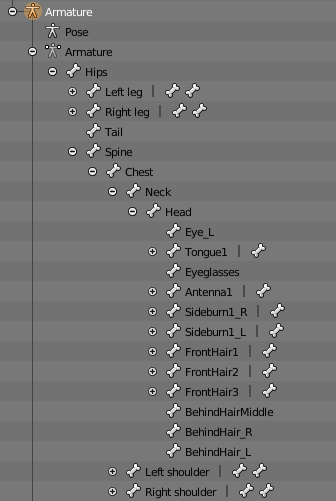
while the head on my complete model doesnt contain one
is there any sorta way i can transfer the bone?
tame terrace
Is there a way to make my character float without an empty gameobject under it?
uncut light
theres some more details of my issue in #avatars-mmd
balmy solstice
https://imgur.com/a/QwjCT can anyone help me with this?
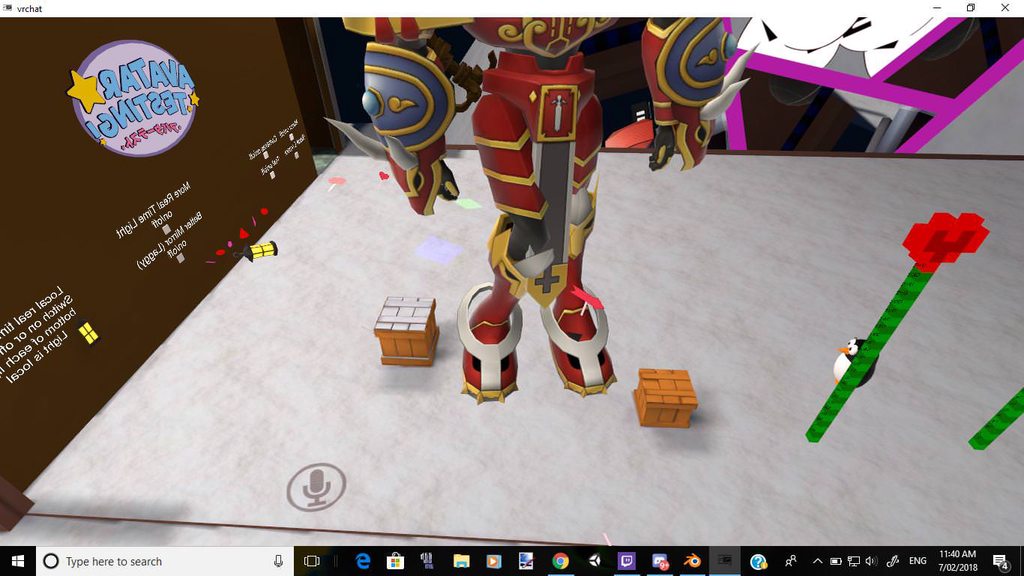
 wide berry
might just be your in game height
wide berry
one of mine did that before im kinda lazy so i havent found a fix for it yet but, was one of the alerts in unity saying that you might have problems with shin rotations?
 cosmic torrent
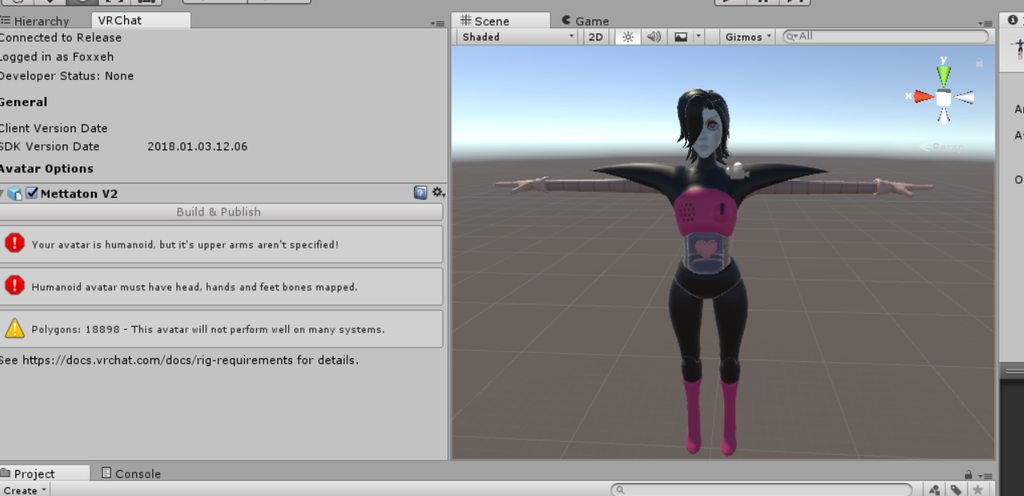
https://imgur.com/gallery/gzQXV Everythings rigged, still giving me an error :/
 ocean blade
@cosmic torrent when you go to the rig set as humanoid, then click apply, then configure and map each bone correctly

 rain sundial
so does anyone have clear directions how to set up eye tracking and blinking WITHOUT the CATS plug in? I think I named everything properly but it refuses to work
 potent birch
how do I get the snail marker to stop cycling through colours and just stay as one of the three fixed colours in my gradient?
rain sundial
It is I noticed the blendshapes imported in a different order and I am remaking them to make sure that is not the problem
potent birch
@wise copper yeah but I'm not sure what that does. very new to this
it also means I wouldn't know what is ok to change it to
 wise copper
@Dyonas#7264 mayve you can just change the material too
fading verge
@random lotus it just means the bone is either being overlapped by another bone or its too damn short, delete the bone and add it again, making sure it's not near any other bones
fading verge
oi can anyone just tell me if latest Unity will work with cubed's shaders?
 supple stratus
looking for someone to replace some clothes on a model, willing to pay, DM me if you can do it asap
brisk mesa
@supple stratus how hard are these clothes
also is there a body underneath or is it just no body under the clothes?
earnest rivet
Is there any way at all to get armatures to actually rotate during a humanoid rig's movement cycle?
When i set it up as humanoid it blocks armature manipulation. As a generic, it messes up emotes and i lose gestures.
I've tried a completely fake skeleton rig that's unbound to the mesh.
 foggy juniper
so im trying to get a skirt's bones to move but only slightly, at the moment their clipping through the legs what should i set the settings to make the movements very subtle?
https://gyazo.com/f741475546dc1b9148b531d6a54ced57

 mighty lintel
Could use colliders on your legs
And increase the radius of the skirt bones
Bring inert up to 0.9?
low parrot
I feel like that'd make it keep moving for too long after moving for a while
 naive tree
@foggy juniper http://prntscr.com/ib8awa try these

it depends on the skirt, if it's long + legs underneath = can't stop clipping and u have to delete the leg mesh to a certain extent
low parrot
Also, @foggy juniper , are you giving every piece of skirt a dynamic bone? If I know skirts, I know they have a ton of top bones. You can make it easier on yourself by parenting all the skirt bones to a duplicate of the Hips bone, make sure it's parented to Hips, and just give that a dynamic bone
tame terrace
Is there a way to detach the mesh from bones, but still keep the bone
foggy juniper
I tried Yuumi's settings and it worked perfectly thanks all for the help 👍🏿
tame terrace
I'm just trying to remove the toes, because my character is using those to float
mighty lintel
^
tame terrace
I've never done weight paints before, is there a way to remove all weight?
or does it not matter?
fading verge
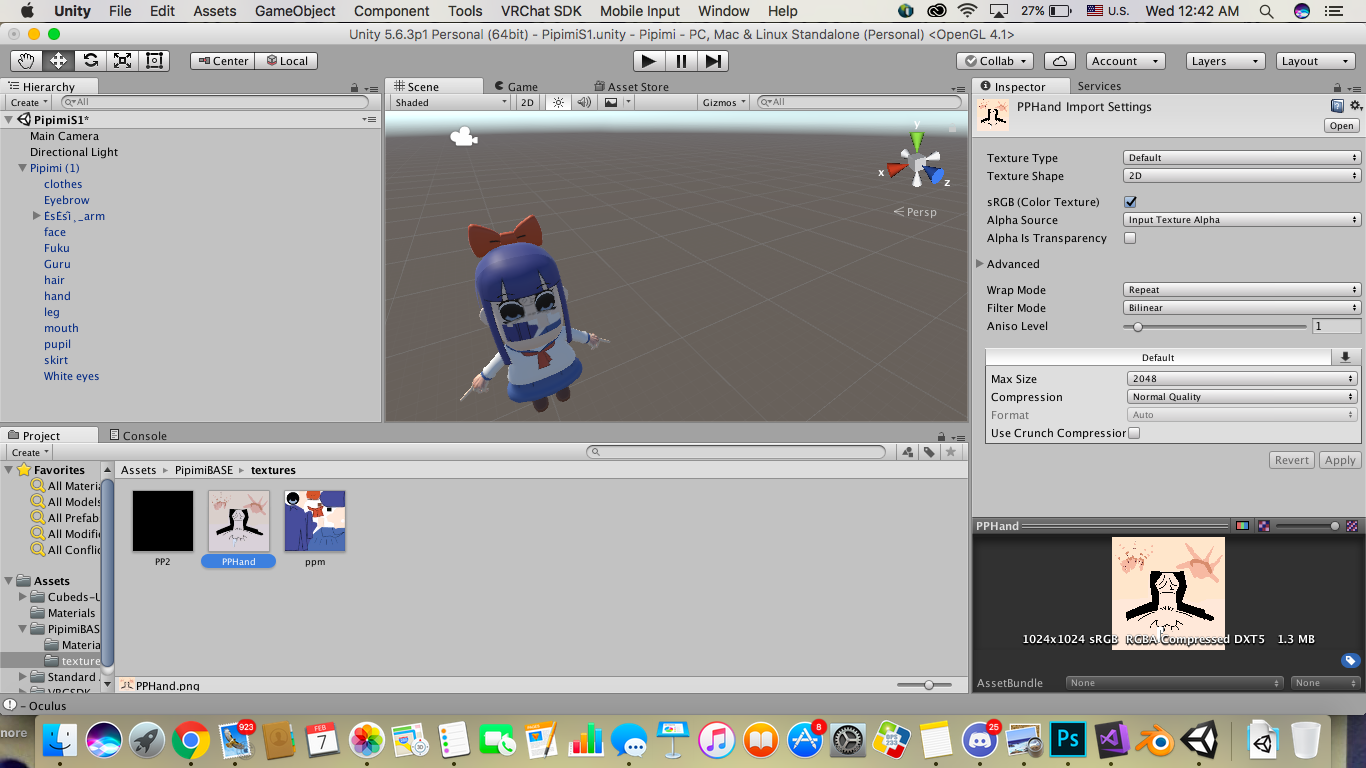
help required, this texture isn't fitting into the mouth as I wanted it to, any advice?
 mighty lintel
@tame terrace plenty of youtubr videos on painting weights
Relatively easy
Out on phone atm otherwise id give you a link
tame terrace
@mighty lintel ah okay, any search terms you'd recommend
 opal aurora
Das alota meshes in da face
mighty lintel
Your eyes are set to the wrong material or have had their UVs messed with.
brisk mesa
yea her eyes need eye textures not the body one
supple stratus
i tried to change the eye texture but
its linked to the eyebrows
so
everything went weird
brisk mesa
i had to separate the eyes and eyebrows and face in blender before to fix this
and texture these things all sep with their own material
 low parrot
How, uh, how do I look at weights of bones in Blender? I want to see what exactly one of them affects.
mighty lintel
Make sure armature is in pose mode
tame terrace
I can't seem to get rid of all the weight paint
mighty lintel
Use subtract
low parrot
https://gyazo.com/652b2fe7b17ee3a0150a6b2dd7f788f5
Am I missing something? I can't find it
 brisk mesa
if you press m it helps to see the vertex all over it
cause when you paint you only affect the weight color if you click on the vertices themselves
and not a face
low parrot
I don't even want to edit the paint, moreso just see what that bone does
brisk mesa
then the small button with the sphere to the immediate right of that, you can select the different views of that too
to render your ava and get a good look or just work with textures loaded
just for future
low parrot
Alright, thanks!
brisk mesa
also if you need more lighting you can make those with shift+a i think, the lamps
lol blender is so dark
mighty lintel
Enable shadeless mode?
supple stratus
deleted the face and went back to the original one

can someone help me change eye texture really fast pls
modern oyster
@supple stratus Are you in Unity?
supple stratus
blender
modern oyster
You can easily do it in Unity.
I just need to know if it's an eye texture, or a face Tex.
modern oyster
Then you just need a little bit of photoshop ^^
modern oyster
Sadly no.
modern oyster
But it's as simple as dragging the new eye in ^^ (The iris, not the whole eye's surrounding), then just export and insert ^^
Do @ me or PM if you need help ^^
modern oyster
o/
 remote solstice
hey everyone, I've looked around on the internet from videos to forums and couldn't find anything on it so I figured I'd ask it here. All of the avatars I've uploaded all have bent knees and I'm not sure how to fix it. It changes depeneding on where I'm looking, if I look up the knees are bent like I'm about to sit down and if I look down they are straight (usually sometimes they are bent as well). Anyone know what I'm talking about? will provide pics if needed.
remote solstice
desktop
Everyone else's models look totally fine like they are from the games they were ripped from with no jutting chest or bending legs so I'm at a loss on what I'm missing.
modern oyster
Sometimes it can be fixed by messing with the Player Height ingame for Desktop users aswell. Other than that, I don't see why it should do that..
 foggy juniper
Is it possible to upload a model with 19k polygons? because i have uploaded ones with like 9 or 12k but whenever I try to upload one with 19(ish)k polygons it always gets stuck on future proofing or if i turn that off some other step. (i do have latest SDK and the correct unity)
foggy juniper
Any idea why that happens then?
modern oyster
@foggy juniper You can just turn off Future proofing from the settings.
gloomy loom
idk, whenever I have a buggy sdk upload I just dettach the blueprint id
modern oyster
Other than that, it just take a bit longer, the bigger the file.
gloomy loom
or once I just deleted my sdk comepletely and redled
foggy juniper
if it says this is it working? https://gyazo.com/1e0b9194d8291f7205030829f7788317
 modern oyster
Sometimes the server gets a few hiccups, so that you might need reboot Unity, since VRChat tends to have some hard times.
 south bear
so
currently working on a model to bring over to vrchat with eye tracking or whatever
https://puu.sh/zitpl/779f7d25cd.png which ones are CATS
 foggy juniper
does the progress bar normally fill up
south bear
yep
foggy juniper
hmm
south bear
i think there servers are messing up
crisp tendon
@south bear Eye_R and Eye_L are the ones created
modern oyster
^
south bear
Thnx @crisp tendon
crisp tendon
the ones to map are RightEye and LeftEye
crisp tendon
animations usually
gloomy loom
 south bear
 gloomy loom
man I really hope that I can trick unity into thinking this is a huanoid
south bear
well
it should
it has all the things that it looks
for
i would add fake fingers
for the ik
gloomy loom
those are optional
modern oyster
@gloomy loom I mean worst case scenario.. just import it generic.
south bear
thats a pain
gloomy loom
the commision I got was for a humanoid
south bear
you would have to animate it
gloomy loom
^
I thought I could trick unity with attaching a humanoid model to the bird
then apply animation
but that was giving me a headache
remote solstice
https://i.imgur.com/tC5WeuR.png this is what the legs look like
 pine harbor
@earnest rivet might have possibly figured out some of the cause behind the Generic Rig emote looping, but sadly don't think there's much we can do at the moment without scripting...this is more for if you're interested in the possible mechanics behind it :/
https://vrchat.canny.io/bug-reports/p/generic-rig-gets-stuck-when-emoting
gloomy loom
im actually so happy at how my rigging is coming out
 proper kettle
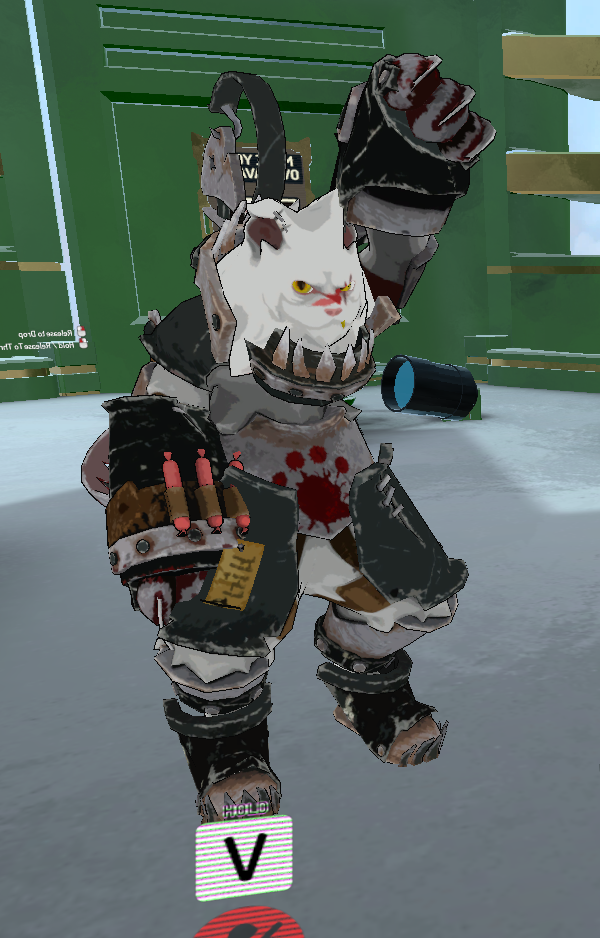
what wrong with ny hand?
when i am sitting my camera is too hi
before it was too low
south bear
i think when you were in config avatar
you might not aligned it correctly
@proper kettle
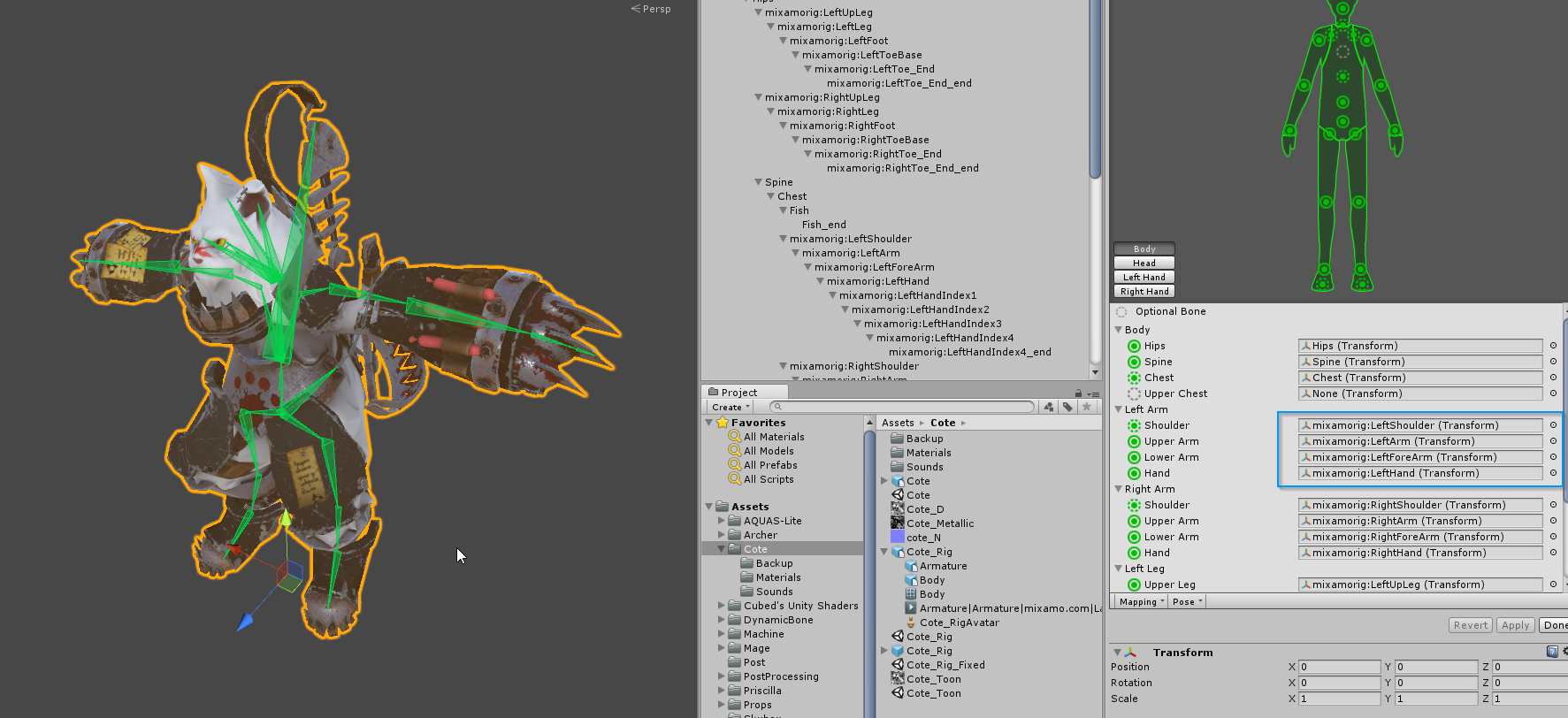
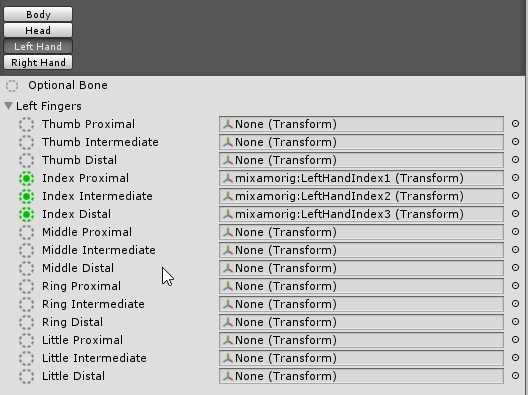 proper kettle
what bone attaches to iteams on map?
proper kettle
i will try to disable fingers...
so why my camera changes position too hi when i am sitting?
too hi above my head
foggy juniper
Anyone have any idea why the upload bar gets stuck like this for me? Is it 'just the servers' cause ive had this problem for a while. https://gyazo.com/ad4b72920a082d6cedad46c3c985c0b3






 proper kettle
reboot unity
foggy juniper
yes i tried
foggy juniper
how would i know if itis blocking them
foggy juniper
i looked it up and someone said they got it to work by changing the date back on their pc to a time when they could upload models but when i do that my unity license just doesnt work -_-
proper kettle
every animation looks correct, but items grabbing still wrong...
brisk mesa
first thing's first, i hope you all updated the sdk at least to the 1/26 date version
i know some of you still have the january 3rd one.
 rough plover
Ahah al I saw you yesterday at the mmd nightclub, amazing avatar !
proper kettle
:В
 earnest ivy
rigging
naive tree
@foggy juniper update sdk ?
foggy juniper
nah i got thr right one idk its just seems my compter doesnt want upload it
proper kettle
reboot anything you can
foggy juniper
will try
nope, still just says pushing those upload speeds but its flickers and doesnt move
😦
proper kettle
then full unity and sdk reinstall
foggy juniper
i dont think its that. I have been able to upload smaller lower poly models before (havent tried recently) i think it may be the VRchat servers cause i've tried every solution under the sun and none have worked.. :/
 tame skiff
Does VR Cchat require eye bones and eye meshes, or just eye bones?
For eye tracking, I mean
naive tree

Google Docs
Name the armature “Armature”. Name the mesh containing both eyeballs “Body”. If possible, make the whole head or avatar a single mesh. Name the bone hierarchy like this. Bones not mentioned can be named whatever. IMPORTANT: You cannot have any bones interrupting the hierarchy. For example, you ca...
tame skiff
@naive tree Thanks, there's some stuff in there I didn't know, but it doesn't explicitly answer my question
naive tree
your eyes faces are assigned to eye bones, "just eye bones" don't make sense, as they do not move anything @tame skiff
tame skiff
I mean seperate eye meshes vs. weighting to verts on "body"
naive tree
you mean if they are only assigned to eye bones and not any other bone?
steady spruce
Does anyone here have some spare lasagna
steady spruce
Yuumi
naive tree
yes?
steady spruce
How do I add a bone to an existing rig
naive tree
like what bone
naive tree
you select both armatures and pres sctrl+J
easier is to just extrude it from other bone
for boots you extrude (with E) from chest
and uncheck "connected" so u can mov eit
naive tree
thas my boi
steady spruce
No offense but do you have any crunch snackies
naive tree
@tame skiff http://prntscr.com/ibdoji http://prntscr.com/ibdon7


idk what else you'd want to know
tame skiff
@naive tree I'm asking if eye tracking will still work if I weigh the eye bones to something on "body", or yes even nothing at all.
I know weighing them to nothing sounds impractical, but I still need to know
naive tree
@steady spruce just some regular cookies
not weighting to nothing doesn't work, because what moves the mesh is bone
and if it isn't assigned to bone, then it doesn't move
tame skiff
Will the eye bones still do tracking?
naive tree
eyes do tracking with moving the bone
bone does the tracking
not the mesh
blink is mesh related (mesh deform)
tame skiff
So the eye bones will still track if unweighted?
naive tree
i dont understand you
you HAVE to have eyes weighted to the eye bone to have tracking
bone moves the mesh
weighting to nothing = your shit doesn't do anything and will only bug out
tame skiff
Bug out?
What I'm trying to figure out how to do is create a shader that changes the offset of a texture based on the translation of a bone, effectively rigging a texture to a bone.
So I need to know if I can have just eye bones weighted to nothing for tracking
naive tree
but what will move the eyes then?
 sullen kayak
my brain
I trying to understand conversation but words not connecting cannot think longer than what is being typed
tame skiff
Right now I have a character that shifts iris texture left to right in a legacy animation, by recording uv offset changes in Unity
so you can make textures scroll from a shader
and people in the Unity discord have told me that you can get bone info from within a shader
So it should be possible to plug that bone info into uv offset
naive tree
that's beyond my knowledge then, you could ask in developnent advanced or ask zarni
tame skiff
I wasn't asking you how to do all this, I'm just giving you the reason I need to know if I can have tracking eye bones without weights
rough plover
I don't get it, I have a bone for the eyes. Eyes L and Eyes R, linked on the unity avatar to the eyes slots and connected to the head bone. I even added a dynamic bone script to both. They still don't track anything. What am I missing ?
naive tree
did you create eye tracking with cats? (and remove the dynamic bone from them...)
rough plover
Nop I didn't
naive tree
then there's your answer
rough plover
What's cats ?
naive tree

VRCat: Community-Run VRChat Forums
Cats Blender Plugin (0.6.1)
A tool designed to shorten steps needed to import and optimize models into VRChat. Compatible models are: MMD, XNALara,...
rough plover
But wait, if I have to put my model back to blender, will have I to retexture everything and put again all the dynamic bones scripts everywhere ?
Or does it only change the Avatar controller ?
naive tree
why retexture? your materials are saved, you can import the fbx
you can copy-paste dynamic bone scripts, but you have to change root
to the needed avatar root
steady spruce
Yuumi is banned on roblox
naive tree
haven't even played a second of it tho
steady spruce
Cuz ur bad