#avatar-rigging
1 messages · Page 81 of 1
 tame skiff
 smoky wharf
i tried, however when i attempted to, it said the group was locked or somehting like that. let me get back to where i was then i can post a pic
 distant grail
 hallow bay
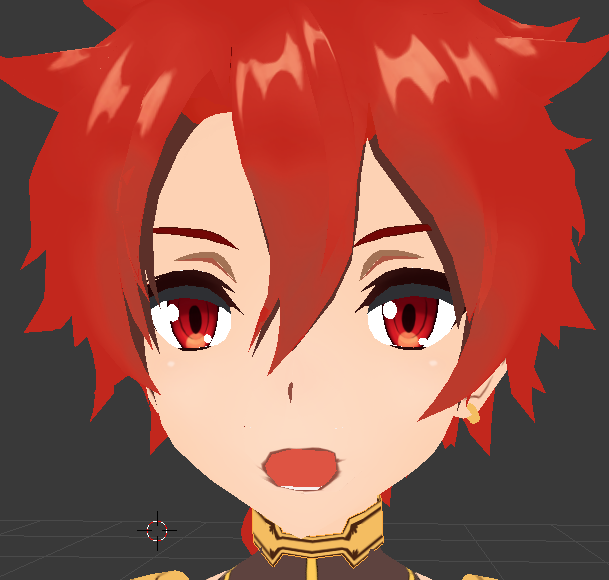
@tame skiff I believe I finally nailed the OH sound https://i.imgur.com/Tg1jIUd.png
 tame skiff
Teah, that's good!
tame skiff
Oh, well then maybe everything is fine
smoky wharf
@fading verge https://cdn.discordapp.com/attachments/400357013160198186/404389739245076500/unknown.png

 fading verge
do i have to create the face mesh first then i am able to create shape keys for them Tiny?
 acoustic garnet
anyone know what a audiolistener is? https://gyazo.com/5c6c3f190dceabc75ade7b281ee68834
 fading verge
@smoky wharf are your ears connected to each other?
smoky wharf
i have them parented to the headtip bone, how do i connect them to each other, or is that what you meant?
fading verge
oh ok
smoky wharf
headtip bone kinda disappears outside of edit mode. weird imo
fading verge
when you say you want them to move with the body do you mean you want them to sway around a bit
hallow bay
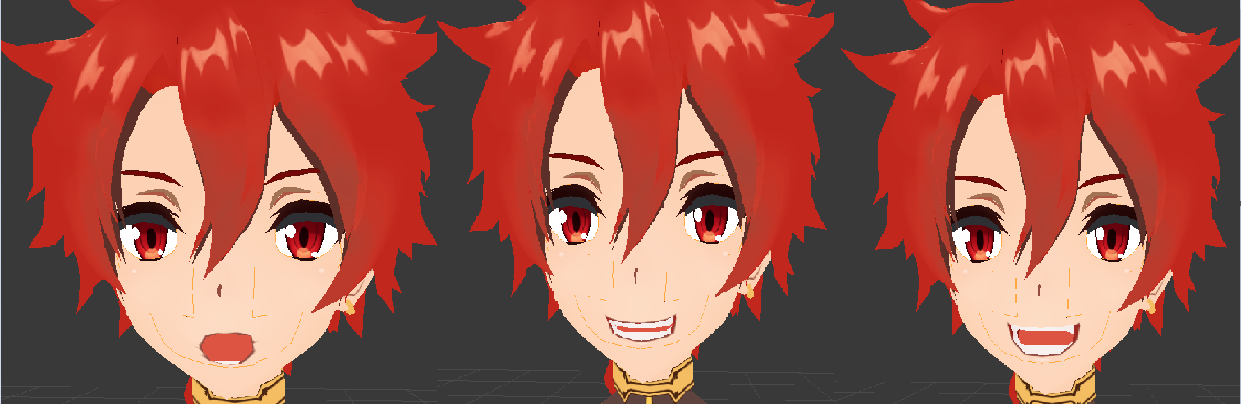
@tame skiff In order: the "OH", the "CH" and the "AA" sound. looks good? https://i.imgur.com/pNwiu0s.png
 hallow bay
@mental lynx Alexander the Great, Fate: Grand Order
fading verge
@smoky wharf You have it set up already, what you need to do is make the head tip bone the dynamic bone (it will control the ears)
@hallow bay are you making visemes from scratch?
hallow bay
@fading verge yes
 mental lynx
Breasts seem to be a bit too... excited.
hallow bay
just the 3 so I can use the tool.
mental lynx
Do I crank up stiffness, I wonder
smoky wharf
ok, however my concern is that even if it's ready to go, i should be able to go pose mode and move it at least, right? they don't move when i change them in pose mode, but does that actually mean anything, or will they still work?
hallow bay
I have been working on this for a day or so
fading verge
Did you also do the face mesh from scratch too?
fading verge
@smoky wharf I couldn't tell you for sure, usually I just check things ingame
hallow bay
I'm just making the visemes movement from scratch.
hallow bay
and with the invaluable help of someone on this discord
fading verge
so i can't put shape keys on it
smoky wharf
@fading verge ok, i'll go ahead and decimate then see it in game. thanks.
hallow bay
did you divided by materials?
fading verge
i was asking people around earlier but i got ignored
hallow bay
my avatar also had a problem that had the face separed in 3 ways, so I joined them.
tame skiff
With all of them selected, ctrl + j
@hallow bay The shapes are mostly good, but that red border on the oh shape is troublesome
fading verge
@tame skiff Tiny do i have to create the face mesh for the visemes to work?
fading verge
guys how do you perent two bones
 neon knoll
So how do I end up fixing this if Cat's Blender Plugin (Fixing Model) fucks up my model's legs? http://prntscr.com/i39ff1
 fading verge
@fading verge click the bone that you want parented and go to the tab that has a bone in it
 hallow bay
anyway tiny, the ammount of control I have gained over the geometry is incredible, only by playing for hours
 copper kelp
any of you guys have tips for neko tails?
as in how do i make it not a rigid rod standing horizontally
fading verge
Go to and click the bone that you want as a parent to the child bone you selected
what if i want to merj them is it contoll p
@copper kelp I haven't actually tried this but if I had to take a guess from what I know you'd have to move the mesh tail itself into a diagonal/downward position in blender. put bones in the tail or if you have them already just move them inside the tail again. Then export that to Unity and make the main tail bone a dynamic bone
 novel wharf
https://i.imgur.com/kKGZzNq.png So... the plan is to have her hair in the front be dynamic bones... how would I go about making sure they don't clip inside her... erm... chest? 😄
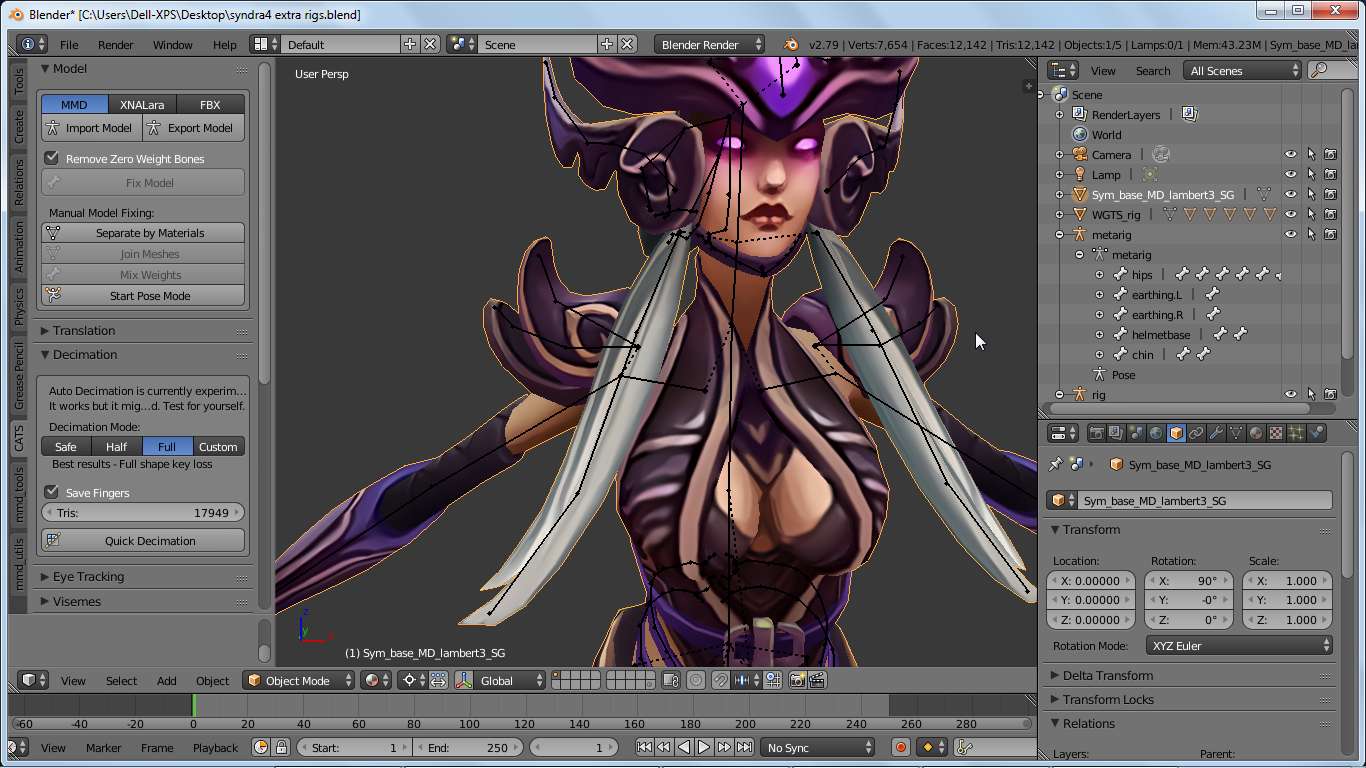
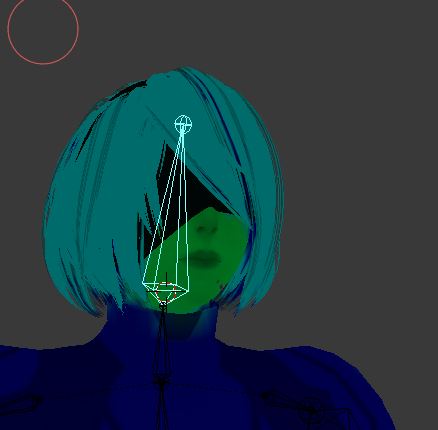 hallow bay
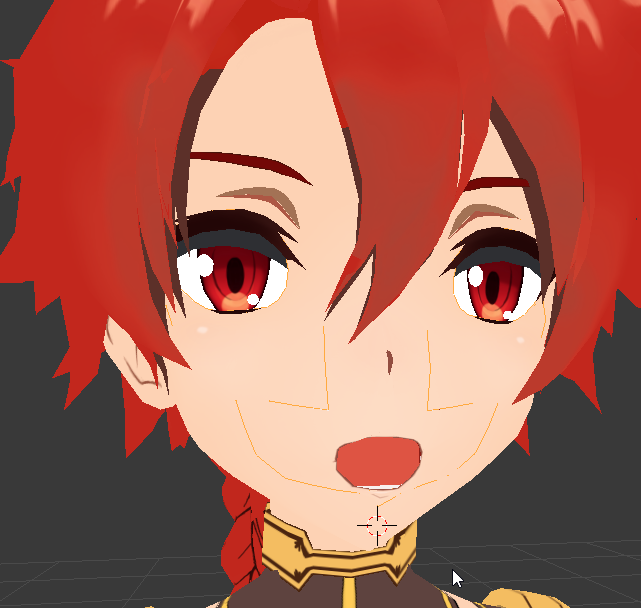
@tame skiff better? https://i.imgur.com/x9m4sc2.png


 main sage
hallow bay
main sage
hallow bay
is there a way that I can copy components from a model to another in unity?
In order to avoid rigging the dynamic bones from scratch
fading verge
lol i can't even get to the shape keys at all
 real kernel
do visemes work on generic rig avatars?
fading verge
make them humanoid
hallow bay
yes
but visemes will work with the tool only if your character has already the shapekeys "aa" "oh" and "ch"
real kernel
I want to make an avatar of this
fading verge
I've been blocked out of using visemes and shape keys cause no one here doesn't know what a face rig is
 fading verge
so i can't get any help
real kernel
which clearly isn't human
real kernel
neither atm
fading verge
well in unity you select the model and turn the generic model into humanoid
so i guess yu can make it work
tame skiff
@fading verge I'm not sure I follow you still, but you don't need to have a dedicated face mesh to have shape keys or visemes. If there's only one object in the entire model, just use that
If you're talking about rigging, you don't need that either although it would help in creating shape keys
Er, face rigging
fading verge
Some guy said in a tutorial i had to face rig so i was able to create shape keys for the mouth
So i guess he was wrong
@tame skiff Welp, how would i make the mouth move even though i added shape keys. How do i assign the keys to an expression
hallow bay
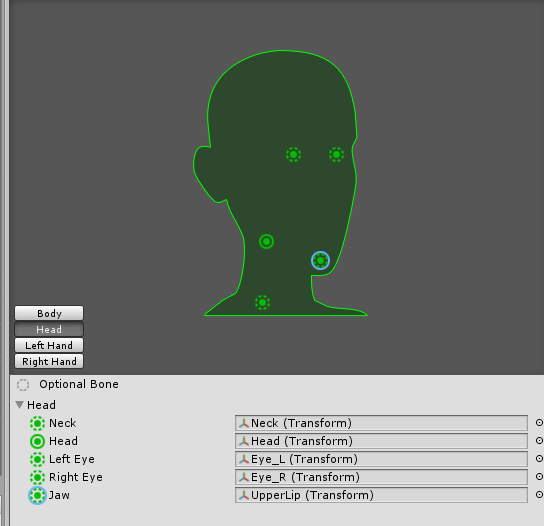
@tame skiff In order to work, I believe "jaw" must be set to "mouth", right? https://i.imgur.com/4MosPrM.png
 fading verge
the mouth would stay open
tame skiff
Jaw is bugged, don't assign it
hallow bay
so, disable jaw then?
tame skiff
yeah
fading verge
yes
hallow bay
alright, jaw set to none.
 edgy ginkgo
so anyone know why when i rotate a bone the bone gets bigger?
tame skiff
You don't need a jaw bone when you've created a full suite of shape keys
@fading verge with a shape key selected, simply edit the geometry of the mesh
go into edit mode, click on verts or edges or faces, and move them around with G
fading verge
oh okay
tame skiff
The changes will stay within that selected shape key
But wait, you have a "Basis" key, right?
fading verge
yea
tame skiff
Okay
fading verge
i got something to say
tame skiff
Make your changes in a new key
 subtle moth
If someone wants a Decimation of a Model or just an MMD ported to FBX tell me, im bored 😄
fading verge
https://gyazo.com/624ebe2a16343e440ce4ac4617604d81 is this what you meant so i can edit the mouth?
 edgy ginkgo
so anyone know why when i rotate a bone the bone gets bigger?
tame skiff
@fading verge I'm not exactly sure what changes you made
Move the parts of the mesh that would look like the creature is talking
fading verge
Oh it's in edit mode rn
Oh i have to move every single vertex so the jaw would move
fudge
tame skiff
There's no rig bone for the jaw?
fading verge
uh do models come with that?
tame skiff
Sometimes, depends on the artist
real kernel
some do
fading verge
Well this one doesn't i gues
Can't find the jaw bone
I extracted it from League of Legends
edgy ginkgo
nvm -.- forgot to apply armature scale. . . .
fading verge
Well is there any way to create a jaw bone for it?
tame skiff
Go into pose mode and click some of the bones around the head and move them around, see what geometry goes with it
@fading verge
fading verge
The head bone controls the upper part of the head while the neck controls the lower part
 austere merlin
can i keep the arms of a model from moving in a specific direction?
hallow bay
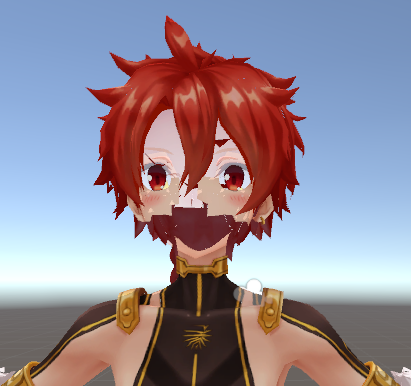
@tame skiff I believe we have another problem. As I merged the materials, this happened: https://i.imgur.com/4wrSSjh.png
 fading verge
 hallow bay
I believe that is because I merged face and teeth on mouth
fading verge
 tame skiff
@austere merlin In pose mode? Use transformation locks, on the right side where it lists rotation, scale, and location fields. You might have to scroll up or press N
fading verge
The problem is that the jaw does not move at all
Do i have to create an extra bone and weight paint the jaw to it
 tacit adder
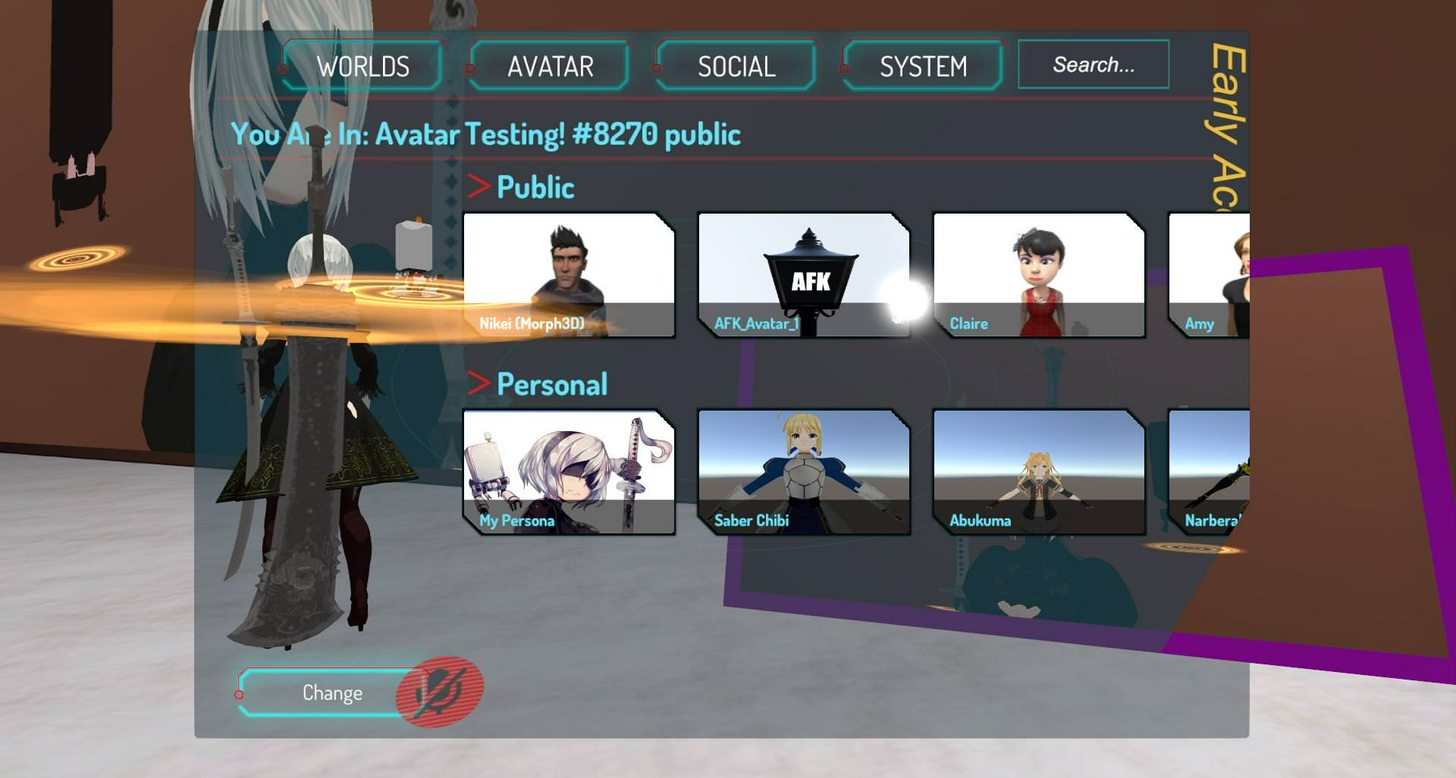
i need help, part of my model doesnt look loaded in, but my friends say that part of the model is perfectly there...
 tame skiff
@fading verge You can, but it's not necessary. In the time it would take you to weight paint, you could just have all the verteces in the jaw selected and then rotate them
tacit adder
the pod is all white in the menu which is what they see, but on the screen it is black and the cube isnt there
fading verge
Yeah the vertices are going to suck
tacit adder
mhm
tame skiff
There are tricks to selecting more than one thing at a time
Like shift+ numpad+ to grow the selection
tacit adder
but i want to take some good screen caps with friends :l
tame skiff
and the c key enables a radial brush to select with that can be adjusted with mousewheel
@hallow bay Is that one of your shape keys?
fading verge
Do i leave the "Basic Key" alone?
tame skiff
Yes
 glossy sparrow
Stupid question. If my avatar only has arms, do I still need to add bones for the legs and lock them for vrchat to work?
hallow bay
what do you mean tiny?
tame skiff
Well. If you only plan to make its jaw flap, you can use one, and enter it in every viseme field in unity @fading verge
@hallow bay Is that what your mesh looks like now with basic selected?
fading verge
I plan to give it a few expressions but i feel limited because the mouth is so wide
It reaches ear to ear
tacit adder
anyone know how to give a static model, a bobbing effect?
tame skiff
@glossy sparrow You need a humanoid rig to use vrchat's built in animations.
hallow bay
is that how It looks when I imported it to unity
tame skiff
But vrchat would allow you to use all custom animations if you have them
hallow bay
on blender looks fine
tame skiff
Huh.
hallow bay
also, mouth is separed in mouth_L and mouth_R
novel wharf
Do I need to add extra bones for jawflap and/or visemes, @tame skiff ?
tame skiff
@novel wharf No, you would only use them to create visemes
jawflap is broken, so avoid it. Don't assign a bone to it in unity
novel wharf
So.. visemes only
novel wharf
So basically I don't need to head any extra bones in my head at all.
glossy sparrow
I'm uploading my leg boneless avatar now just to see what it can do. I'm just pumped to finally have a totally custom avatar that's not broken with errors out my arse
tame skiff
@glossy sparrow You're going to be in t pose, probably
@hallow bay Maybe the material isn't set up?
hallow bay
what do you mean?
tame skiff
Check the material import settings
novel wharf
@glossy sparrow You might want to still create the proper bone structure, just keep them as dummy bones, with no weights.
tame skiff
^ yeah
hallow bay
on blender?
tame skiff
Then you can still use vrchats animations
novel wharf
By the way, Tiny, thanks a ton for your help. I know this all can be a bit... overwhelming. 😅
tame skiff
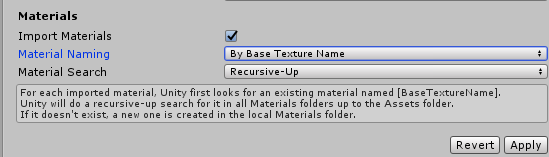
@hallow bay in unity. and by material I mean the texture and shader container, not the 3d object
hallow bay
oh
tame skiff
literally "materials" in unity
You click on a model asset and on the right there will be info in the model tab
It might be set in a way that causes some materials not to be assigned
Specifically, "Material Naming"
...also, perhaps the camera is just too close
hallow bay
is not the camera
novel wharf
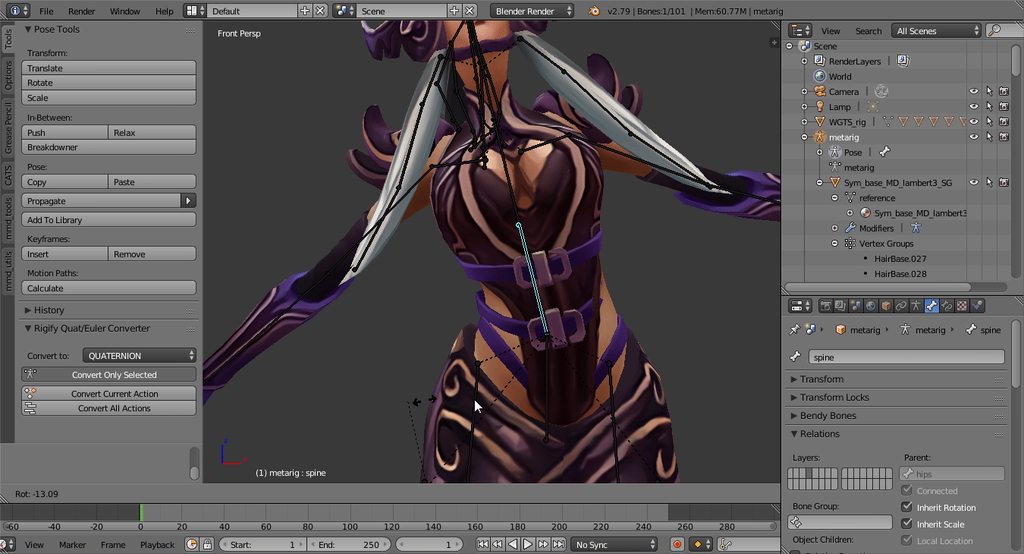
:S https://i.imgur.com/XtbLApn.gifv Help? :c The belts are built into the mesh in such a weird way 😢
 hallow bay
 tame skiff
A simpler solution I just thought of, is that you simply have to delete the instance you have and drag a new one into the scene
but yes that's what I was talking about before
hallow bay
it was that.
 steel sphinx
@novel wharf Might need to weight the skin under the belts to move with them.
I did a similiar bit of work with fabric under body armor.
hallow bay
what was the command to select all materials in unity?
ctrl+?
nvm was ctrl+a
there it is
alright, I'll continue setting the avatar. I'll let you know if something goes bad, tiny
hallow bay
also, ¿how do I delete an avatar I already uploaded?
 dusty onyx
Quick question, my models feet line up with the ground both in Unity and my modeling software, yet ingame they sink a little into the floor, anyone got any idea what might be causing it? https://image.prntscr.com/image/Auol2vOySP_EqJJY1yt_fA.png
https://image.prntscr.com/image/-ZqVWmKeQeSAU7D--rUewg.png

 edgy ginkgo
what is this? http://puu.sh/z60jG/837b22f492.jpg
 tame skiff
VRChat SDK - > Manage upload content. But I prefer to copy and paste the ID @hallow bay
steel sphinx
@dusty onyx You can either adjust your origin for all objects, or you can potentially try doing a work around in which some suggest simply moving both the armature and mesh approximately the same height you are sinking upwards on the Z axis.
edgy ginkgo
anyone know why its all red?
tame skiff
@edgy ginkgo Drag and drop your bones into place manually, Unity must have auto-assigned them wrong
Or it thinks the rig isn't in t-pose
fading verge
@tame skiff https://gyazo.com/01d72c686a81d5836bc3075ea825dfc5 so the way i edit shape keys is by clicking them and editing the mesh right?

Does it save automatically when i get out of edit mode?
tame skiff
The changes stay no matter where you go
hallow bay
tiny, do you have any good dynamic bones values for cloth and hair?
fading verge
Okay so once i select all the vertices what should i do next
tame skiff
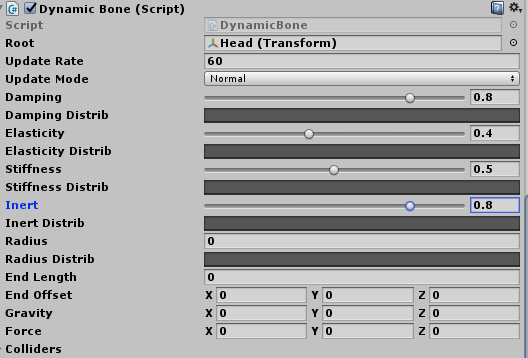
Not sure if mine are good, but I'll still share.
0.8
0.4
0.5
0.8
But this is for a ponytail
fading verge
oh nvm
hallow bay
that's great.
It seems like I never showed the back of my character hahaha https://i.imgur.com/RCKBOUj.png
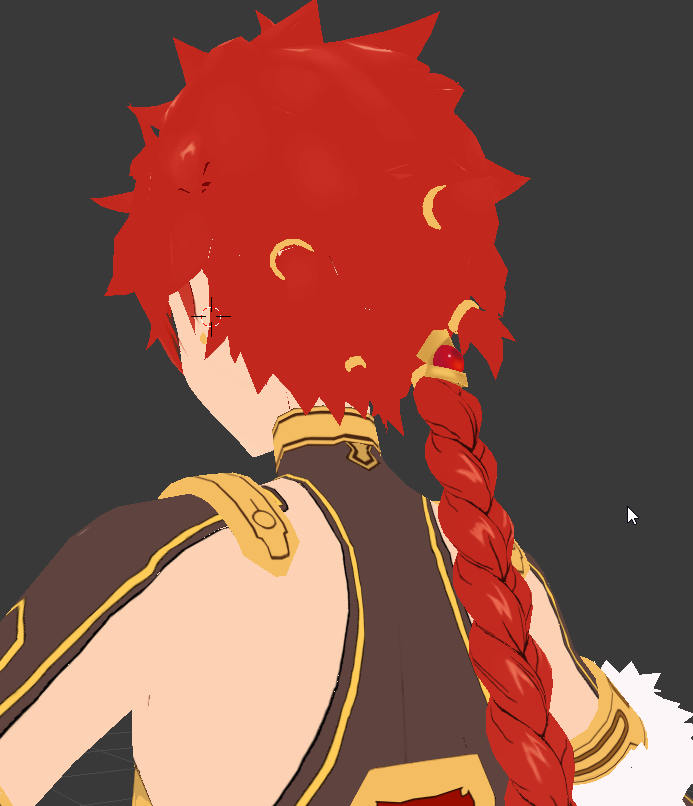 tame skiff
Nice
I forgot to mention that I also have Force set to -0.05
It's effectively gravity, because gravity is broken
 tame skiff
Oh sorry, y
fading verge
why do i still have to go on roadblocks
tame skiff
@fading verge The 3D cursor, the target that keeps showing up in places you click, can be used as the pivot point for your rotations
fading verge
 fading verge
it won't let me get those two little vertices
There are two in the same exact place
hallow bay
hair doesn't moves at all
tame skiff
@hallow bay Did you hit play?
tame skiff
Yeah, sorry'
fading verge
https://gyazo.com/0d9e0320ee5e329004227da9af924d49 is there a way to remove or selected a vertex that 2 are in the exact same place
 tame skiff
@fading verge hit the z key and then use the c key brush to select multple verts
tame skiff
Sorry, I meant to type that earlier
fading verge
No need to say sorry
You got me somewhere that i have been trying to get to for some time
tame skiff
@fading verge General tip: Try using the proportional editing tool. It's the icon on the bottom toolbar that looks like a donut
to the left of the magnet
tame skiff
That just changes how sharp the influence is
Don't worry about changing it unless you're not satisfied with how the proportional editing is, uh, shaping up
tacit adder
I need help creating a shooting animation for a model?
specifically the pod in this
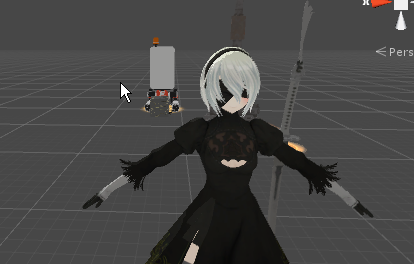 novel wharf
https://i.imgur.com/6ehfghi.gifv How the crap am I supposed to deal with that? 😢
 hallow bay
@tame skiff THANK YOU VERY MUCH! https://i.imgur.com/BXHY9NJ.png
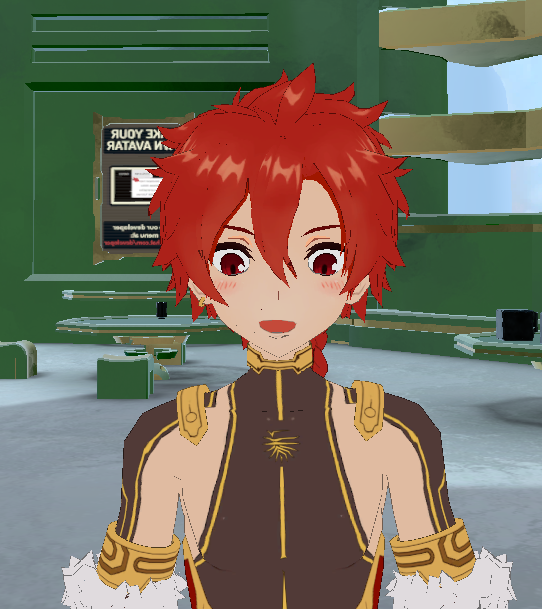
everything is working perfectly
 junior geyser
how do I use .skp models?
 cinder narwhal
anyone know my anime pls? https://imgur.com/a/NSoON
 gloomy loom
is there a way to apply a weight paint value on one entire materila
Instead of going in with a brush
novel wharf
The problem is that everything is one material and mesh.
 tame skiff
You're putting that automata chick's head on samus' body
gloomy loom
yes
tame skiff
Hot.
gloomy loom
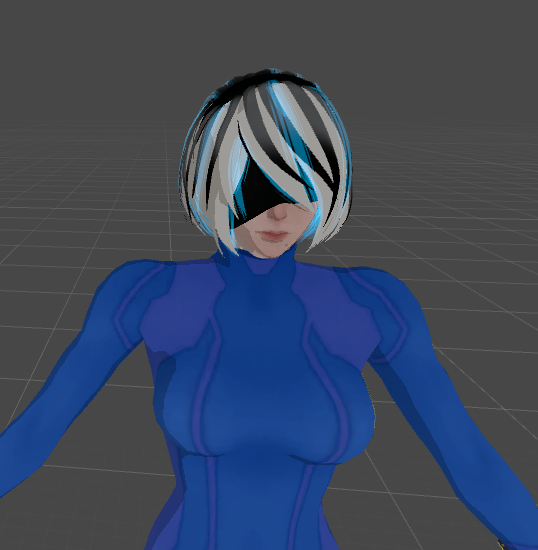
yea she turned out nice
I might fix her lower boots tho
And add a 2 b sword since I have the polys to do so
but yea I forgot to weightpaint inside her head
so
I had some weird shit happening
fading verge
@tame skiff https://gyazo.com/144d08d679b5940e3cd8991375bb2ba0 what is proportion for again?
 restive hill
oh, that makes sense, inertia stops things, but larger forces actually results in better behavior
tame skiff
@fading verge It's for moving selected verts and the verst around them
The ones around trail behind a bit
Grab only a few verts
tame skiff
You could grab some verts from his middle lip and drag them to form an O shape
as an example
gloomy loom
omfg you can weight paint throught the enitre model?
THE TIME I WASTED
ahhhhhhhhhhhhhhhhhhhhhhhhhhhhhhhhhh
fading verge
Is there a way to unhinge the jaw but not make one half of it look different? https://gyazo.com/cbfd2c049d67e66f45cd13c434e2e9d2

 fading verge
like can i change the camera angle to an increment where i can get the jaw just right?
novel wharf
Is going over 10k tris (in my case 11,649) alright? I need to find a way to decimate but leave my face and hands untouched
gloomy loom
10 k is fine
novel wharf
CATS is having problems decimating for some reason
novel wharf
I know Unity complains if it's over 10k
gloomy loom
I find 19000 k works fine in rooms too
novel wharf
https://i.imgur.com/dBqOIbf.png What about this?

 torn isle
gloomy loom
torn isle
gloomy loom
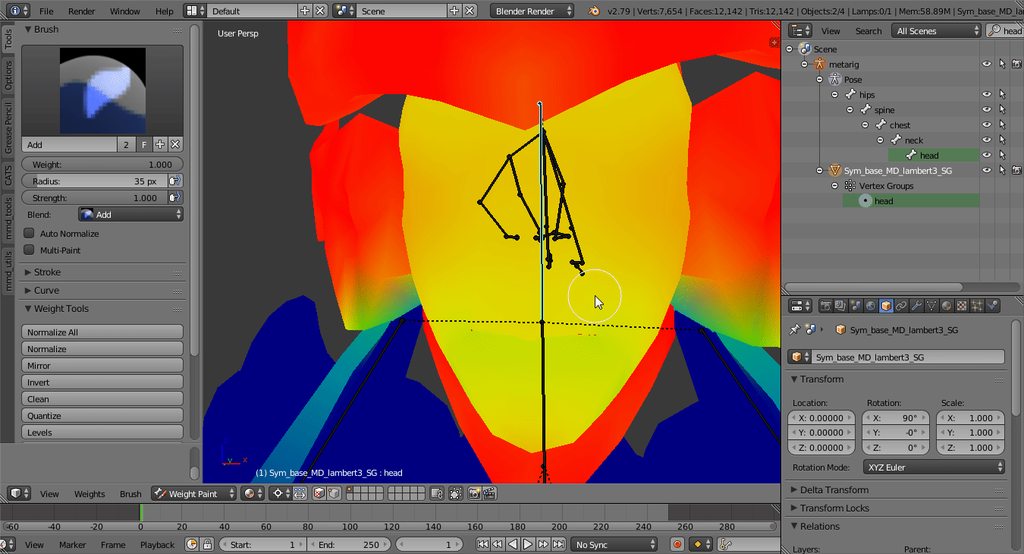
generic do you know a way to weightpaint everything on the head with one weight and brushstroke
cause Im going into the head and in different angles to weightpaint
and its time consuming and I still miss stuff
making my head look like a 4d being
 clear tulip
anyone willin to help me?
restive hill
for tree fiddy
if you actually ask a question, people may answer. if you go around vaguely begging for help, people will probably not go through the trouble of dragging the problem out of you
tacit adder
how do i add a VMD file as a custom emote?
restive hill
emotes, i do not know
clear tulip
well...i have this file downloaded this file from deviantart
and the extensions are pmx
restive hill
blendah
clear tulip
and can i get tht into blender?
restive hill

VRChat Community Discord: https://discord.gg/VRChat Download VRChat! http://store.steampowered.com/app/438100/VRChat/ mmd_tools GitHub: https://github.com/po...
clear tulip
wat does mmd mean?
hallow bay
mikumikudance
restive hill
mikumiku dance
clear tulip
wat? XD well..ok
restive hill
it also means you should type out "what" because this is nota goddamn text message on a nokia
clear tulip
thx for the advice m8
 summer hazel
i hate unity sometimes
hallow bay
@tame skiff do you know about dynamic bone collider? I need to set it to avoid the legs of my character clipping out of the skirt
fading verge
Anyone got some good values for skirt dynamic bones?
hallow bay
I would also preciate that ^
 whole ether
ok, my model is all rigged but is acting up when i stand still
can i creat bones in unity somehow? i think it might be related to that
tame skiff
@hallow bay You set the collider on the bone. it creates two balls along a line of a specified length and direction that responds to the colliders you set on the dynamic bones
the dynamic bones have a radius setting for their collision spheres
db are in white, colliders are yellow
fading verge
This whole time I didn't know rigify existed
hallow bay
@tame skiff https://i.imgur.com/IITjt31.png
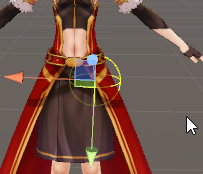
it affects the whole leg or just that area?
tame skiff
Only the spheres interact, they're attached to bones
It will stop any white spheres from passing through it
hallow bay
so, I need to set the area smaller
 tawny zephyr
hey could someone help me rig a model?
I can't do this one model for the life of me, it's missing the neck bone and there's an error saying spine1 has a bone length of zero even though it's clearly not zero
hallow bay
also, what's the different between base collider and collider?
tame skiff
I don't think base collider is supported, last time I tried to upload with it I was notified that it would be discluded
hallow bay
so, in the photo the collider is not goodly set, right?
novel wharf
https://i.imgur.com/l9X5X7N.gifv The hair won't fall down. Is this something I can fix in Unity?
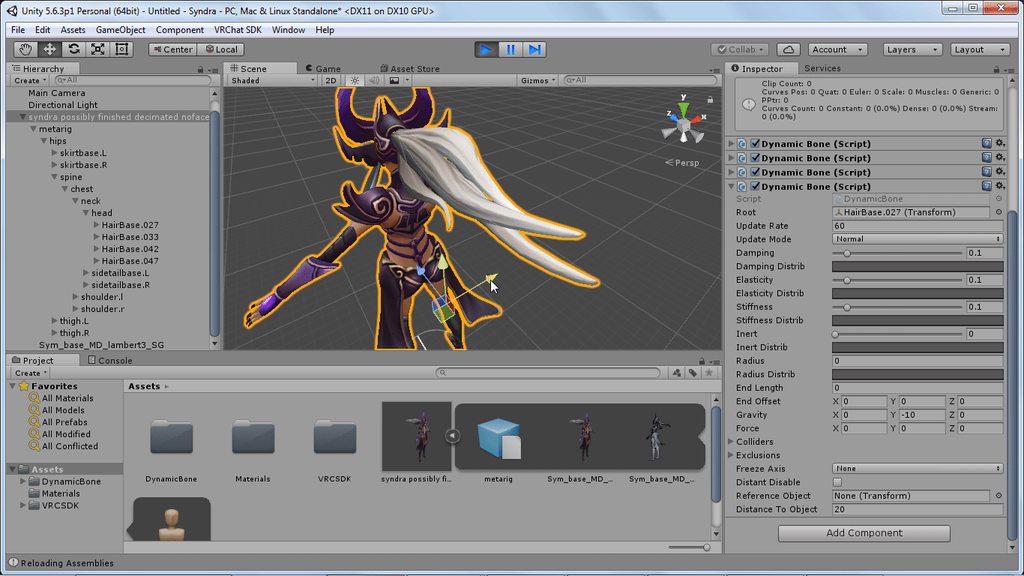

 charred patrol
@novel wharf i don't think you can
tacit adder
fixed it
 random lotus

im using a model i got from the unity asset store
and there is no chest part
so what do i do? it wont let me upload it without the chest
 hidden gorge
@novel wharf don't use gravity. use Force. add -.0001 Y axis force
fading verge
https://prnt.sc/i3bqk0 how do i attach these sword holdsters to genji's back in blender
 hidden gorge
also did you set the bones to be base on the hair or base on the head
random lotus
im gonna assume there isint anything i can do to fix it?
hidden gorge
@random lotus load it into blender and fix it with the cats plugin
hidden gorge
hmm I'm sure it'll work for FBX too
random lotus
ok
 placid herald
I believe this is the right channel to ask my question...
In Unity, I'm editing a Sombra model so I can use it. However, it keeps doing this and it seems to be linked with the chest, possibly..
https://gyazo.com/eeb412d53c58c139fd9a8432bdc7c4ea

Any fixes or anyone else experience this before?
hidden gorge
picture so tiny~ looks like some bones are rotated oddly?
placid herald
I'm new at this so I'm not sure how to fix this. It's also stretched too tall
steel sphinx
Need bigger pic to offer prognosis. :/
placid herald
Alright lemme try something also this is how it looks in blender
https://gyazo.com/3b3dab085069402d31b25a5b5f7f13d5
 steel sphinx
Seems normal enough?
 steel sphinx
Eh, just a side view then. 😃 You can also emulate the num pad in the future
placid herald
 tame skiff
@hallow bay You have to decide where you want the dynamic bones blocked
steel sphinx
@placid herald Can you enter User Preferences --> Input ... and then click "Emulate Numpad" ..
I know this is a bit much; it's just kind of hard to try to see the issue in that clutter
steel sphinx
Okay, now hit "5" .. and then "3"
It should give you a flattened, side view of your work. 😃
 frigid flower
Why is it so hard to rig a model?
placid herald
Should I hide the model and just show the bones?
steel sphinx
You can do both; under properties (the orange cube) you can enable X-ray after selecting the bones?
I'd rather the mesh show
placid herald
If the mesh show is better could you tell me how do it or would it be hard for someone of my skill level?
steel sphinx
If I can get a good clean view of your bones - I might be able to see if there's something up with your Chest, Spine, or Hips.
And then guide you from there.
placid herald
Okie dokie, thanks.Lemme take a screenshot
steel sphinx
Although, looking at your Unity screen shot -- it looks like you might have a mapping issue or a parenting issue.
Because it looks like your legs are parenting / mapping directly into your chest or spine.
 steel sphinx
So it looks like ... you have a massive Hip Bone that takes up about 75% of your body.
Which explains why your legs mapping so high is going on.
frigid flower
Is there any way to auto rig a model?
placid herald
Hmm
Ahh, this is confusing. I'll just find a better model online x.x
If the owner lets me use it that is
steel sphinx
To solve your problem - you'd have to break up that single large bone into three smaller bones, and divide up the weight.
Well, if you would like? Sure. But that model could be fixed.
fading verge
@frigid flower with new bones or existing bones?
placid herald
Oh... x.x I'm not sure how to do that either lol
Maybe I should've watched more tutorials o.o
frigid flower
I think no bones, its just in a t-pose nothing else
steel sphinx
Basically you'd have to scale down your main body bone, extrude two new bones, and then either re-weight or re-assign vertex groups. Easy enough said, but a little more difficult in practice.
fading verge
steel sphinx
As well as re-parent to fix it up.
fading verge
if it fails you'll have to manually rig it
frigid flower
I tried mixamo but it combined the coat i was wearing with my legs
 thorn willow
unless you're a masochist who has to manually apply EVERY SINGLE texture it removes
fading verge
then manually rigging it is then
summer hazel
this statement is true
whole ether
been doing that already 😦
thorn willow
like seriously, don't
frigid flower
But I dont know hoooow
summer hazel
manual rigging isnt that hard
steel sphinx
Can you manually re-apply them in unity?
whole ether
I just cant fix my waist
thorn willow
Mixamo's fucking retarded to not have texture support on their shitty rig program
frigid flower
Im new to rigging
thorn willow
@steel sphinx no
summer hazel
watch i tutorial
clear tulip
how many tris can i not go over for vrchat?
placid herald
19,999
thorn willow
1
steel sphinx
@thorn willow Just discovered there is a way to Mixamo with textures: https://forums.adobe.com/thread/2384065
frigid flower
I also tried that but the model is so clustered that I cant get the bones in their proper places
clear tulip
soo 5,976 is fine?
placid herald
If my brain isn't being stupid right now, yes.
clear tulip
lol thanks
steel sphinx
Yep
summer hazel
gotta pan and orbit as you go bro
steel sphinx
Mixamo is .. sort of okay to for emergency situations? But most of the rigs need to be really refined / tweaked
summer hazel
my rig looks like a horny lizard with a hard on but its working
thorn willow
@steel sphinx last time I rigged my FUSE SWAT guy into it
his finger weights were stuck in each other
and the gas mask canisters are stuck to his upper chest
steel sphinx
It's going to look like an abortion, sure.
thorn willow
looking stretched when looking around
wtf Mixamo
I have to go thru blender just to fix the weight scaling
steel sphinx
Mixamo a MMD. WIth really long, wide hair that touches the body. And lots of skirts and frills.
thorn willow
its so retarded
steel sphinx
@tame skiff I'm back to Avatars; was following the stretched avatar person. 😃
thorn willow
@steel sphinx boi
the ZIP file doesnt work
NiGHTS is stil las textureless
fuck off Mixamo
 rose cipher
The bones in my feet are messed up how do I fix them now that I already have everything finished?
summer hazel
whats wrong with em ?
rose cipher
Is there a way to reupload from blender when I fix the feet and keep all my work I have done?
summer hazel
yea
thorn willow
I guess Mixamo were a bunch of retards that cant apply texture support
summer hazel
can set the save point to the folder in unity you get the model from
 lunar perch
Hey does anyone know of a good way to modify the topology of a mesh without breaking the rig that's already skinned to it?
summer hazel
and everytime you save in blender bam auto update
rose cipher
Where do you set that at?
summer hazel
go to unity and make a folder
in the project panel for your model
then go to blender and in save as
set the destination for the save as the folder you just made in unity
you guys ever have a problem where you have the feet / hands and what not set
but the vrchat thing is saying that you dont
rose cipher
What do I do with the blender file in Unity?
rose cipher
I did
summer hazel
ok now are you on blender ?
rose cipher
But How do I get the uploaded blender model to take on all the colliders and data from old model
updated*
rose cipher
Yeah so.... Current in game model has broken feet everything else is perfect.... animations etc.
I want to update the bones in blender so the feet work
and make the updated blender model take all the data from the already complete model
summer hazel
i was thinking that you were going to fix the issues with the completed model in blender and then just update it into unity
i was giving you a way to do that while easily having the data transfer from blender to unity easily
clear tulip
wats the latest version for unity as of now?
rose cipher
I mean I can upload the updated fbx into unity with fixed bones but then I would have to redo all the animation work and stuff
novel wharf
https://i.imgur.com/z0t71E6.jpg Why is she leaning to the side? D:

She looks like she's checking herself out in the mirror, I guess?
 river magnet
I've got an avatar setup in Unity, imported it in game and for the most part my rig is working but my arms are pinned to my sides / back and it looks like maybe the shoulders are rotated 90 degrees outwards causing that. However, when I look at them in the Unity bone mapping UI the arms look fine and are out to the sides in a pseudo T-Pose, however the arms are highlighted red. I have no import errors but I'm wondering if the red is trying to tell me anything.
summer hazel
so like you did all the animations in unity or soemthing ?
shouldnt you be able to still use em ?
i dont trust the red all the time, I maid a pretty basic T post rig and still got red
anyone have any guides on how i can set up my mouth to glow after my mic reaches a certain volume?
nvm
steel sphinx
@novel wharf That's known as "The lean." There isn't much you can do about it. In VR, you can sort of straight up or adjust yourself manually to make it better. You can also adjust your size to stretch yourself slightly, but that has its issues, too. There is no known fix for it.
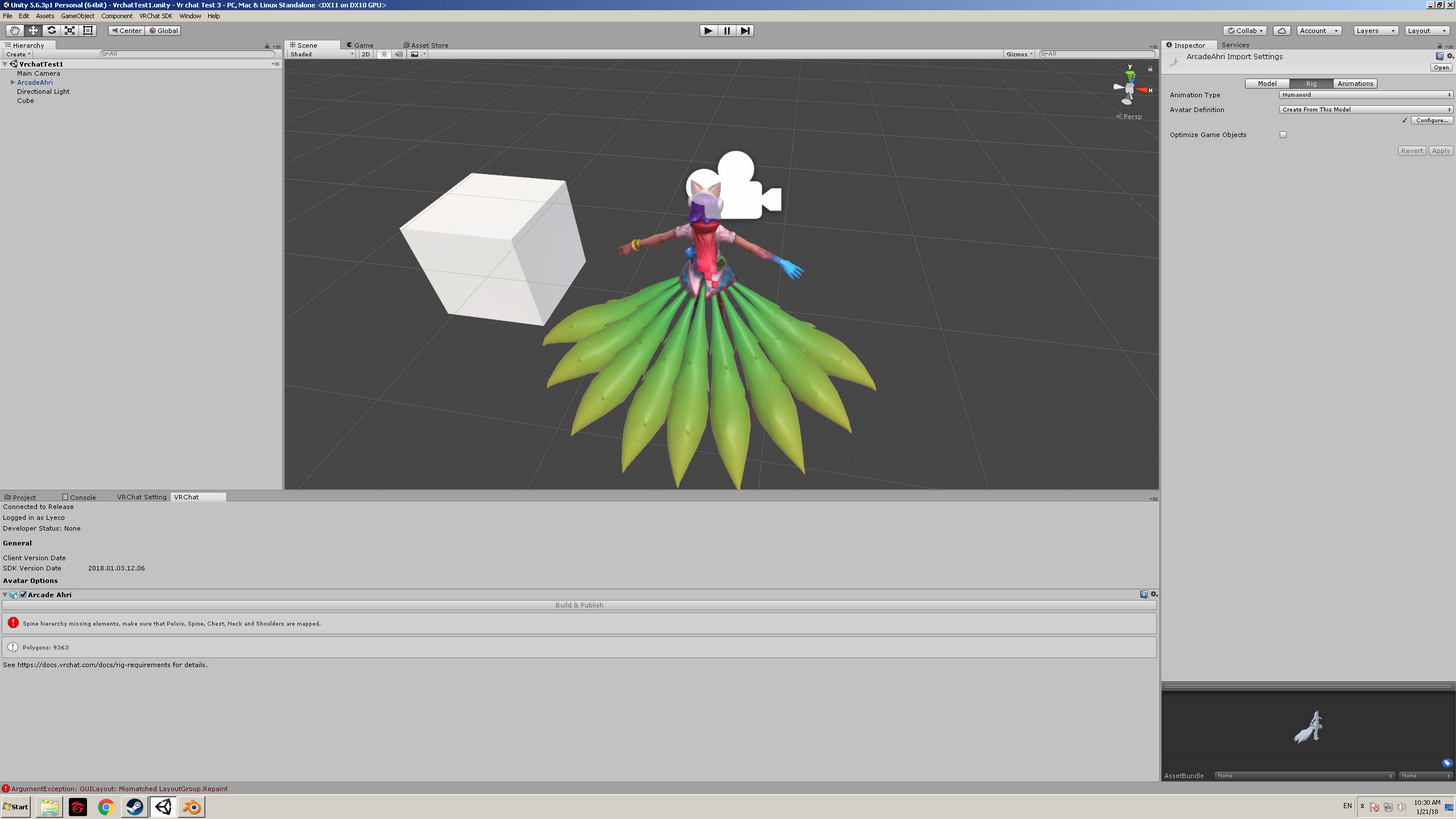
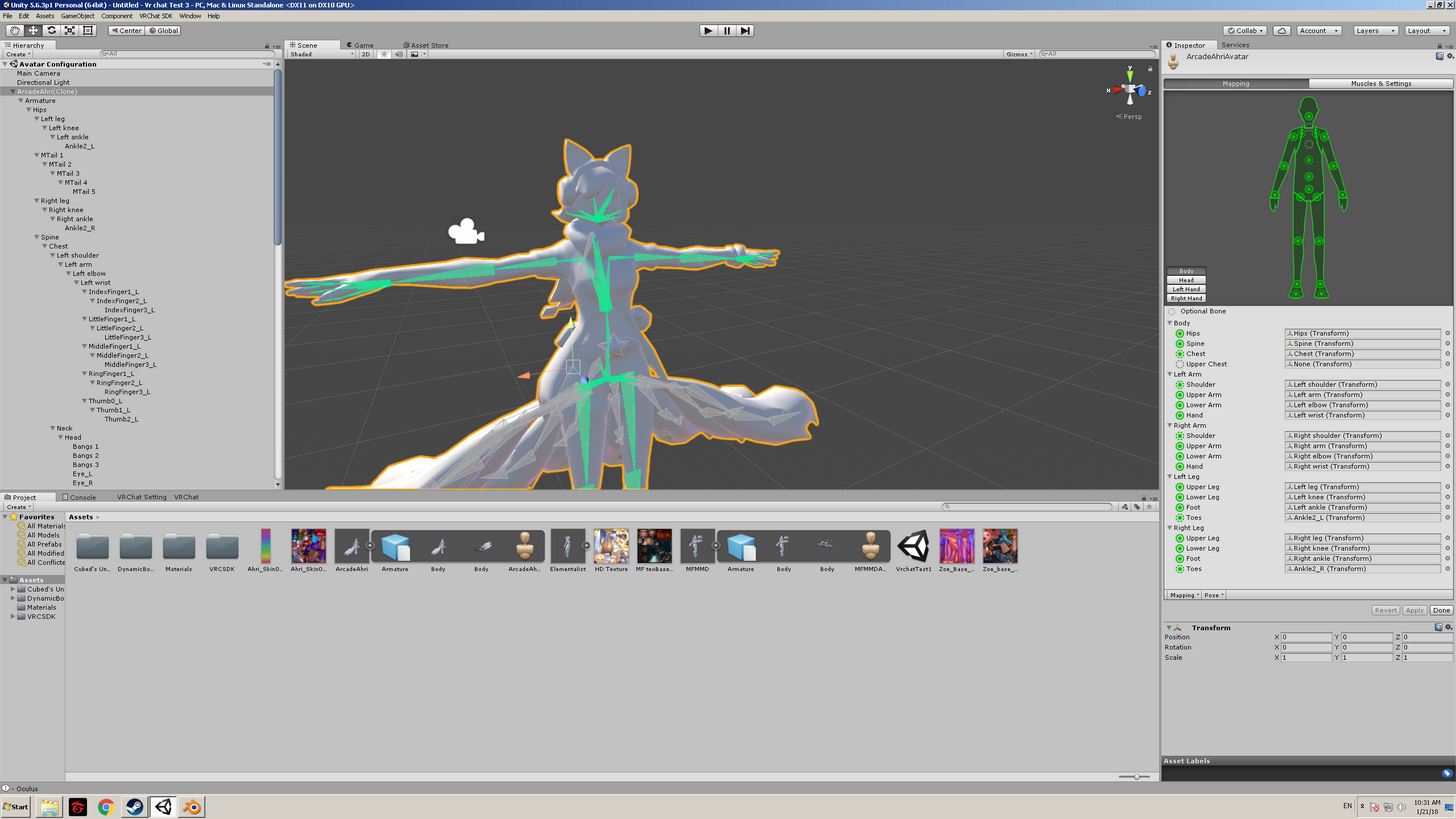 charred patrol
did you attach the textures to your materials
 sand patrol
no
summer hazel
:/
sand patrol
Lemme check
 autumn parrot
So Mixamo's rigged the body of my character, but now I want to rig his face (his face is simple so I don't need anything fancy, I just want him to open/close his eyelids and to open/close his mouth while I'm talking), will I have problems to do it because of mixamo's rigg? And anyone know about a tutorial on how to rigg faces on 3ds max?
 wispy mica
Ugh. Here I come to you peeps broken and defeated. I listened to the tutorials word for word and got an avatar "working" by that I mean he was invisable... So! I wanted to work on another diffrent one and I have no clue on how to rig the feet (boots) on this fool https://imgur.com/StJQk5s
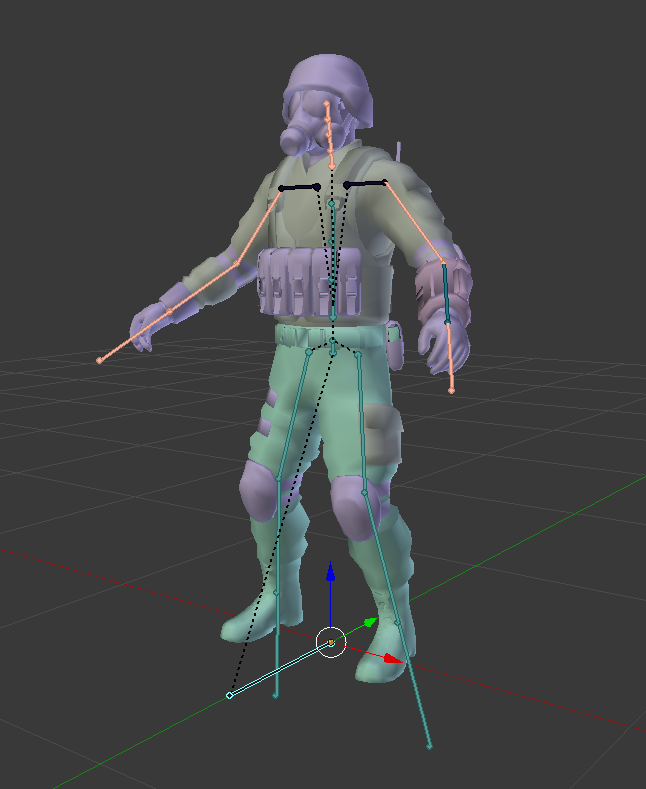
Can someone help me with this?
Also he seems to be floating that I tried hom on Mixamo
 pure yarrow
Do I HAVE to use Texture Atlasing for Blender or can I just have the few remaining textures?
mental lynx
The last stuff I'm missing on my model are custom animations. And I'd have to go through whatever I can put into Unity
You dont
Atlas made my model look like shit, so I didn't use it.
pure yarrow
Okay thanks
 stray spruce
My image file doesn't seem to be able to apply... any fix or anyone know what I fucked up? https://gyazo.com/9de6baff551c42627b7f2d2a9a9e2da5

 crisp tendon
@stray spruce What do you mean by image file and is it a rigging issue ?
stray spruce
I used the shader "UnityChan/Clothing - Double Sided" to get my model to look like this
https://gyazo.com/2f591c6ee4e2c8e36f6fe03eda4f977c
instead of this
https://gyazo.com/98208e37186339b255179e1f21581d75


Applyinhg the image to the model, I suppose. I don't know whether to put this in here or in #avatars-2-general because it didn't seem like a basic issue
Because I can't easily find a fix to it at all
crisp tendon
It doesn't look like it's applied correctly, try asking in development-advanced
stray spruce
Thanks, will do
clear tulip
so wat happens if u dont have dynamic bones on ur avatar from the unity store?
fading verge
well
you planning to use it or?
we cant talk about priacy here if thats what you're going for
 deft edge
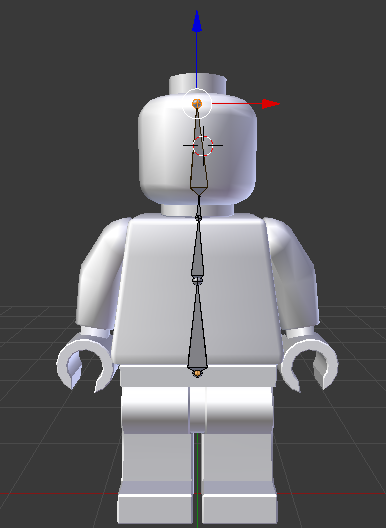 stray spruce
I want to learn to rig my own models, is it hard?
stray spruce
I assume it takes practice and all
 stray spruce
animeations would be cool but iirc you need to pay for that part
fading verge
mhm
stray spruce
ahh
fading verge
good luck! 👍
heres this too, youll need it
https://cdn.discordapp.com/attachments/251862595030482955/404301325380091906/guide.png @stray spruce
 stray spruce
bless up
i've actually been having an issue with getting my image onto my model as well
stray spruce
don't really know how to fix it but i dumped it all in #development-advanced

 shadow shoal
Ignore that
clear tulip
so its being a liar and it will work perfectly fine?
thorn willow
rotate the bone
but its literal trial and error
or if the model has a root ground bone, use it if its better
 raven pumice
The SDK is telling me that feet and upper arms aren't specified, but they're all set up and he worked in-game previously. I just tried to add some fake bones for eye-tracking and now it's upset. What did I do wrong?
clear tulip
mk thanks, i will try :3
raven pumice
Does it really care about the bone arrangement that much with these names? Do I need to add fake arms and legs or something?
fading verge
@clear tulip it can be the hip bone, since thats what the error says, just test it
raven pumice
I don't get what's wrong, the feet are specified but it tells me they aren't
 twilit crescent
Does anyone know if FinalIK works in vrchat? I'm using something from it and it doesn't appear to be working ingame but it works in unity which makes no sense to me.
https://www.assetstore.unity3d.com/en/#!/content/14290
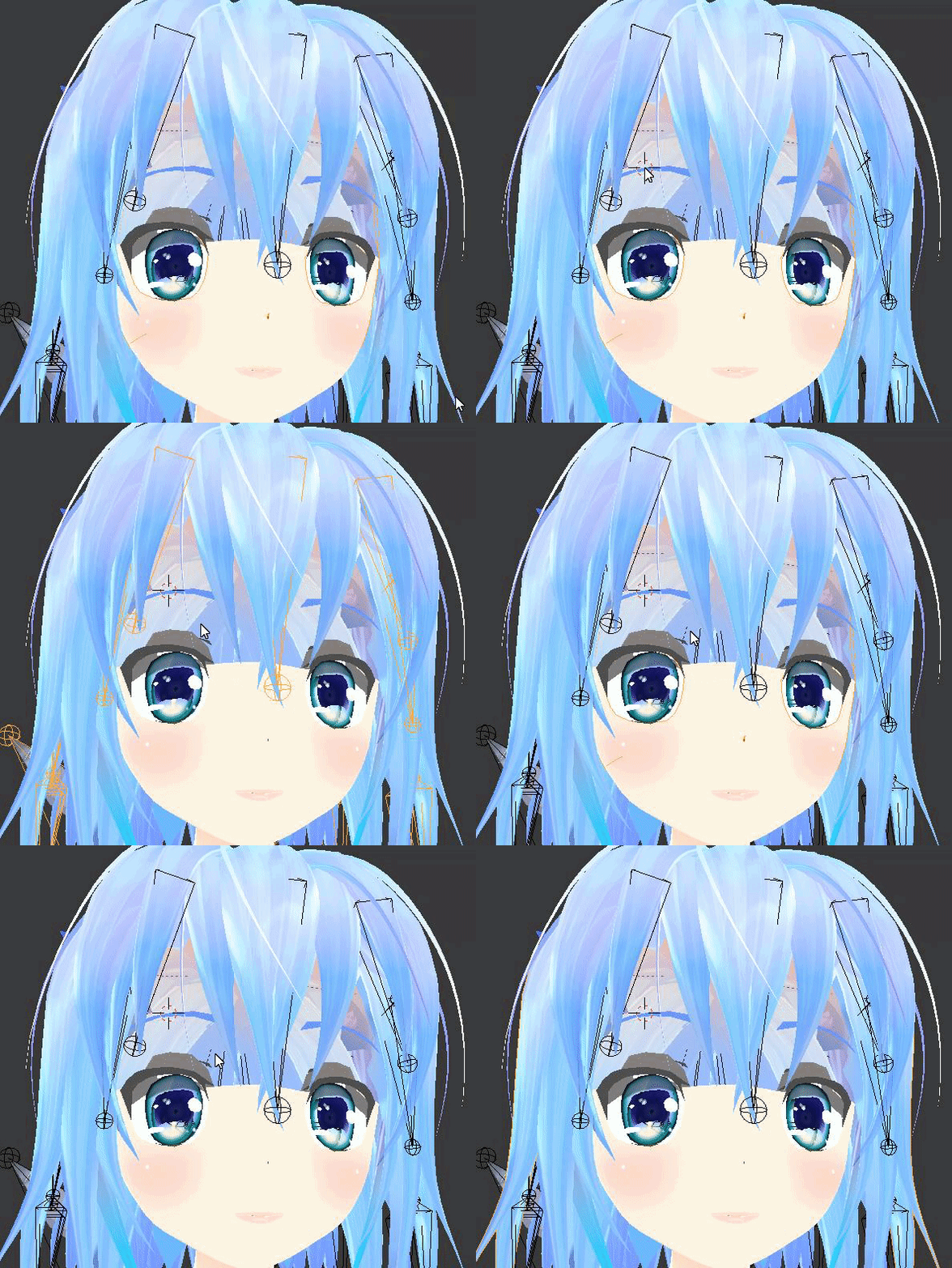 fading verge
have you made sure the materials/textures are assigned there correctly?
fading verge
mhm
mental lynx
I'll just keep them Japanese. I can read it somewhat. Just have difficulties with kanji.
I honestly don't know how to apply these sorts of things

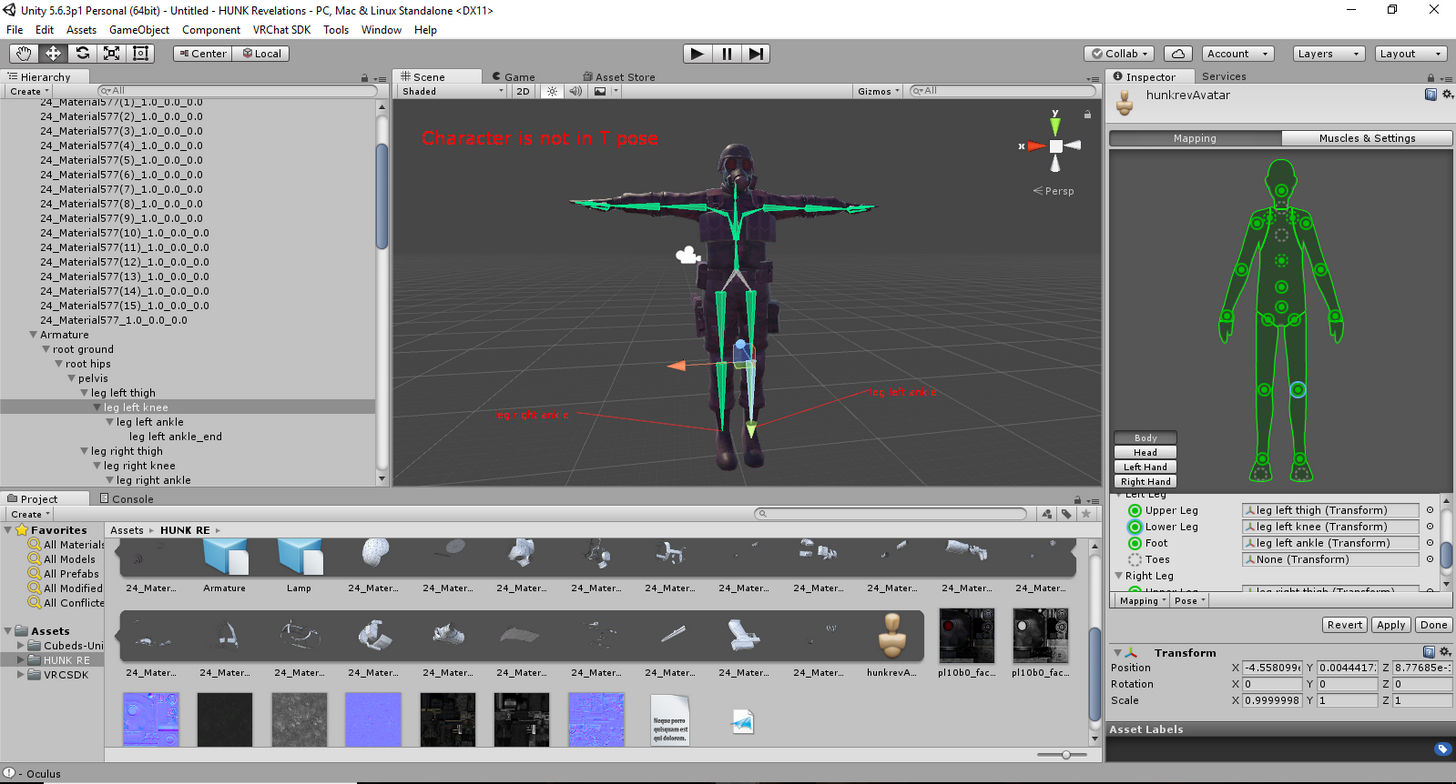 mental lynx
Weight painting in Blender could fix that
Maybe?
I have no idea what Im doing trying to fix my issue
 mental lynx
Huh, it... I have no idea how to fix this
 noble badger
Trying to make a raptor avatar but running into the problem of needing shoulder and neck connect to the chest, but it has three chest bones. Tried mixing weights with middle bone and using neck1 of 5 instead of 3 but the avatar goes into stand up straight human mode.
mental lynx
I haven't had any success with ... any of the bone stuff, yet.
Not sure why painting two bones together would cause that
Could you possibly try making a bone and connecting each one to it
noble badger
I want the back to work properly and for the spine to be at a 30 degree angle, rather than it stand up straight.
 acoustic pilot
Alright, so I'm not sure what is going on
But I'm trying to make a Xemnas avatar, before I rigged it I went to see what the mesh looked like w/ textures, and it looked fine
But after rigging it and putting it into unity
For whatever reason some of the textures only show up in the inside of the cloak now
So it has a wierd "torn" look
Which I do not want
noble badger
Have you messed with alpha and tried other shaders on the materials?
I always bring alpha as low as possible without going to 0.
acoustic pilot
I have no idea why I can't show screenshots on here
But I don't see any alpha options
noble badger
Try changing shaders till you do.
acoustic pilot
Actually, wait
I noticed in the mesh now, after applying weights
The cloak has verts that are more shaded out
Which seem to be the exact ones that are having texture issues
How do I fix this?
Huh... I just checked and it seems for whatever reason I screwed it up even before the bones were applied...
Welp, time to re-weight
At least I saved an instance before the weighting
So I can replace it with a new mesh
neon knoll
Can anyone help me with the skeletons? Right now, my model doesn't have enough 'spine' bones to fit all 4 slots for the spine (Short on 1 bone) on Unity. When I tried using Cat's Blender Plugin to fix it, it only made it worse. The legs are completely fucked up.
 glossy birch
Im rigging my hand at the moment and I was wondering if you could copy the bones to the other side
???
mental lynx
If you go through and change the parents of it, yes.
I did that for some hair to stop the dynamic bones from interacting strangely.
 toxic gorge
Anyone can send me the vrc sdk for unity please? i cant log in to download it for some reason
mental lynx
Yeah, I can help you
toxic gorge
ok cool
toxic gorge
done
i was trying to make a model for vrc out of a mmd model but when i got it to unity its face vanished, trying a diferent model now
mental lynx
That might be a shader issue that can be fixed with a different shader
My problem on the otherhand
 toxic gorge
gonna be doing this one for now http://prntscr.com/i3dt3i
 toxic gorge
well if unity doesnt die on me i might just finish this soon
ffs i just inistalled the sdk and her boots vanished
wanna spare me some trouble bud?
hidden gorge
I feel like i'd get yelled at for passing it out XD
hidden gorge
ah
 hidden gorge
haha awesome. do it with the bunny ears
toxic gorge
you know how to fix the boots?
hidden gorge
yes. set them to opaque
toxic gorge
how?
toxic gorge
where is this "Body"
hidden gorge
hierarchy
toxic gorge
you mean blender?
 fickle summit
ok i got a problem, the bones of my model ar connected to the spine and not the chest, how do i move them?
and connect them to the chest instead?
 toxic gorge
 mental lynx
Why does this keep happening, I wonder. I'm seeing other people successfully using this Cirno
But I get this broken junk
And by junk, I mean a single arm
And... a forehead mesh
hidden gorge
lol wtf
hidden gorge
click transparent and change it to opaque
mental lynx
https://gyazo.com/9b21e9e668431afcbc674ebec162716c
This was the first, so I tried doing all that weight painting stuff.

Weight painting fixed a different issue, I guess.
hidden gorge
that's bizzar
toxic gorge
It's grey'd out
 mental lynx
The version of this model that the arm works... is missing a face.
Or the face isnt visible.

 toxic gorge
it is set
hidden gorge
did you use cats blender plugin on it?
hidden gorge
wonder why it's all greyed out
hidden gorge
link me to the model brandon
@toxic gorge you definitely must've missed a step. do you have all the texture files in your assets folder?
mental lynx
yes one minute.
toxic gorge
yh
hidden gorge
seems like what you're experiencing happens when the materials don't import properly
toxic gorge
i imported twice now
mental lynx

bowlroll.net
ゆきはね式MMDモデルカタログ【http://yukihane.rdy.jp/mmd/top.html】 ご使用の際は上記カタログ内の【ゆきはね式を使う際のお願い.txt...
Passcode is a9
If not, then just 9
This... should be the right one
There are a few variants.
Wait that is a different file than I have.
I think it gave me the old version
Even this newer version still does it.
perhaps, time to give up and move on. Can't even find a tutorial or any information on what could cause this.
 undone bay
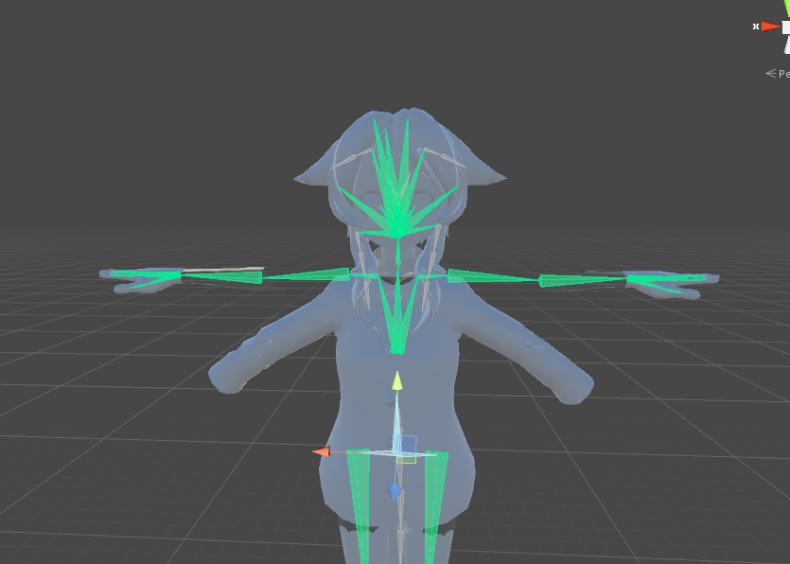
pardon my inexperience but i literally just pasted clothing over an already existing pmd file and i'm wondering if it's possible to have the jacket rig up with the model
 hidden gorge
E1?
hidden gorge
did you...translate them when you extracted?
mental lynx
When, what?
hidden gorge
when you extracted the archive
hidden gorge
you know if you don't get it into proper unicode it totally ruins your textures right?
mental lynx
Oh shit that may explain it.
mental lynx
Its gonna bother me to buy it though
mental lynx
Blender
hidden gorge
hmm
toxic gorge
reeeeeeeeeeeeeeeeeeeeeeeeee
mental lynx
OH
These are the kanji for color.
It's color 1 and color 2.
UH
That somehow worked less

Translating them somehow made them work less?
toxic gorge
well i installed the sdk on unity and the boots vanished
hidden gorge
hold on a sec for ya
 fair gate
Question: I imported an XPS into Blender, used CATS to auto-fix, tested eyes were working fine, then pulled into Unity and uploaded to VRchat, but the eyes look like they are looking straight down-- mostly whites. Any idea what I did wrong?
 tawny silo
hidden gorge
tawny silo
hidden gorge
lol man yeah those arms are busted as hell
got it into unity just to see if it would fix it
maybe it needs the weight painting thing
no idea how to make meshes follow bones :/
mental lynx
Im trying, but ... nothing is working so far.
 eternal acorn
So uh, I think this is a questiong for here
https://cdn.discordapp.com/attachments/259985143568007168/404542000143269899/Screenshot_186.png
I think I need to move the shoulder bone in and make the upper arm bone bigger, but I have no idea what I'm doing.
 mental lynx
We're the blind leading the blind, here
ITs expected with so many people coming new into this
eternal acorn
I mean, I was hoping to find the guy with glasses
hidden gorge
lol oh man ok well...it doesn't umm....spin in mid air now
eternal acorn
Or a flashlight
hidden gorge
lmao
 onyx crown
How do you know if your mesh is broken up into multiple pieces?
hidden gorge
 hidden gorge
still super broken
mental lynx
But not as bad
 onyx crown
ty
mental lynx
This is what happens when I use the Japanese unicode.
hidden gorge
yeah idk what you did
I only extracted the file using winrars unicode setting
my pc can see japanese characters fine
toxic gorge
@hidden gorge i think i found the problem
i have the textures
but i dont have the materials
for the textures
but somehow the rest of the stuff is still rendered
mental lynx
Yep, loaded it through the broken unicode and it worked
Guess I'll use the adult Cirno until I figure this out
hidden gorge
@mental lynx those arms are a nightmare. I think it has something to do with the weight thing but idk
eternal acorn
So I need to add a new bone for the shoulder, what I thought I could do was move the existing shoulder bones down and use that as the upper arm, since I had no idea what I was doing, which worked fine, until vrchat sdk demanded a shoulder bone, so back to blender, what do I do?
eternal acorn
I figured out a way, for anyone wondering, by selecting the joints between the too bones and pressing F, you can make a bone between the two
 ionic lake
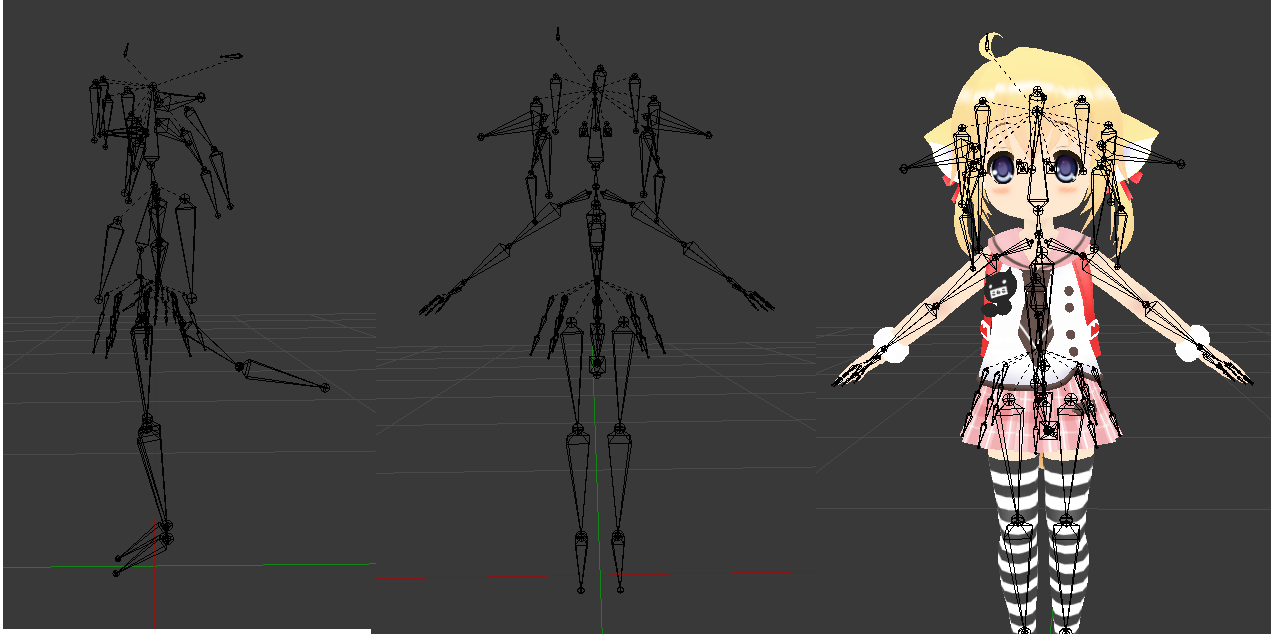
Will this rig work? https://imgur.com/a/9da04
 mental lynx
It should, I see nothing wrong with it.
ionic lake
K thanks.
hidden gorge
@mental lynx it has to do with the weight paints and something about parenting the mesh to the armature or something
I kinda messed up and had to start over
mental lynx
Ah, well thank you for helping.
 onyx crown
I'm trying to use snep's cyber shader, but it doesnt seem to be working. The animation never happens
Supposed to look like this https://gfycat.com/gifs/detail/soupymeagerkitfox

but all I'm getting is this https://i.imgur.com/cHWKSfD.png with no change in animation once I press play or publish it to vrchat

 rancid widget
Hey guys I've been having an issue with mmd models during eye tracking tests, when I try to move their eyes any direction, the pupil texture seem to just cut off like this
https://imgur.com/a/lpOTU
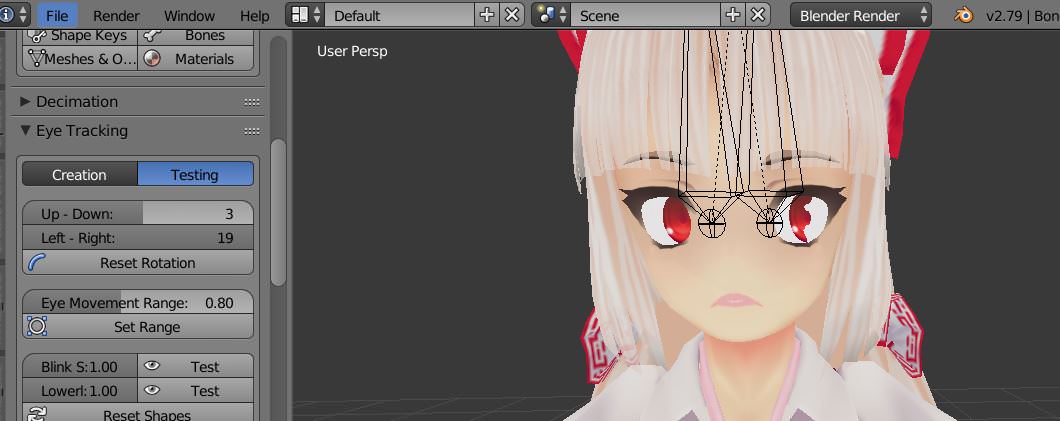
any idea what might be the problem?
 low grail
im having trouble with eye tracking. it gives me this error: the bone eye l has no existing vertex group or no vertices assigned to it this is probably the wrong eye bone
but i know its the right bone
onyx crown
every model has a number of vertices that give it it's shape. Vertex groups are basically labels that can be assigned to vertices (ex: left hand, right upper leg, etc). Bones need vertex groups in order to know what vertices should be moved. It sounds like your eye bone does not have a vertex group for it to move
I havent tried to implement eye-tracking yet, so I dont think I can help you more than that.
But the bone needs to have a vertex group and you can try creating one using edit mode on your model and looking in this panel https://i.imgur.com/tkhrdPI.png
 onyx crown
oops hold on
Open up this panel https://i.imgur.com/jgg0Sb0.png
Right click on one of the vertices on the eye of your model https://i.imgur.com/C7LXEMQ.png
Then take note of Vertex Weights https://i.imgur.com/9T4vgsw.png



Vertex Weights shows you all of the Vertex Groups assigned to that one vertice
Oh wait, I know an even better way.
Select the left or right eye vertex group and then click select https://i.imgur.com/nvcZomh.png

Look on your model and those vertices will now be selected
low grail
what does that do?
onyx crown
makes sure they exist
low grail
i cant find head lol
onyx crown
post a pic of your model
rancid widget
Does this apply to my issue as well?
onyx crown
It may, I dont know
 onyx crown
Very good to know for blender though
onyx crown
upload it to imgur
low grail
oh
low grail
oh
onyx crown
it's at the bottom left
onyx crown
yeah that was only the first step
low grail
yep lol
onyx crown
now select the eyes model at the top right
then open up this panel https://i.imgur.com/tkhrdPI.png
low grail
ok
low grail
ok
onyx crown
were any vertices highlighted around the respective eye?
low grail
i dont see the select button
onyx crown
it's in the panel if you have the right one open
make sure it looks like my screenshot
You're in object mode
switch it back to edit mode
should probably have the select button now
btw I dont think there will be an easy fix to this. You might be better off just putting it in unity and not configuring the eyes
low grail
ok
onyx crown
ok cool, it looks like there's a vertex group!
You have one chance at this being an easy fix
onyx crown
click the + by armature in the top right
select the respective eye bone
you might have to expand other bones to get to it
once you've done that, then click the bone panel https://i.imgur.com/fnF4qAS.png
You see where mine says hips? What does yours say?
 onyx crown
one sec, I think I might've messed something up (I'm still new at this too)
onyx crown
ok what's the name of your vertex group and bone?
low grail
"the bone Eye_L has no existing vertex group or no vertices assigned to it this is probably the wrong eye bone"
thats the error hen i click "create eye tracking
onyx crown
welp we lost our one shot
onyx crown
Yeah my thought was maybe the vertex group and bone havent been assigned to eachother yet, but according to google, if they are the same name, they are bound together
so yeah
if you really want to get this working, I would say go watch some youtube videos or wait for someone else here to respond
if you just want to get it in the game, you dont have to configure eye tracking
low grail
its weird though i didnt have this problem before
maybe i set it up wrong
thanks for the help
onyx crown
np gl!
low grail
thanks
 fluid ermine
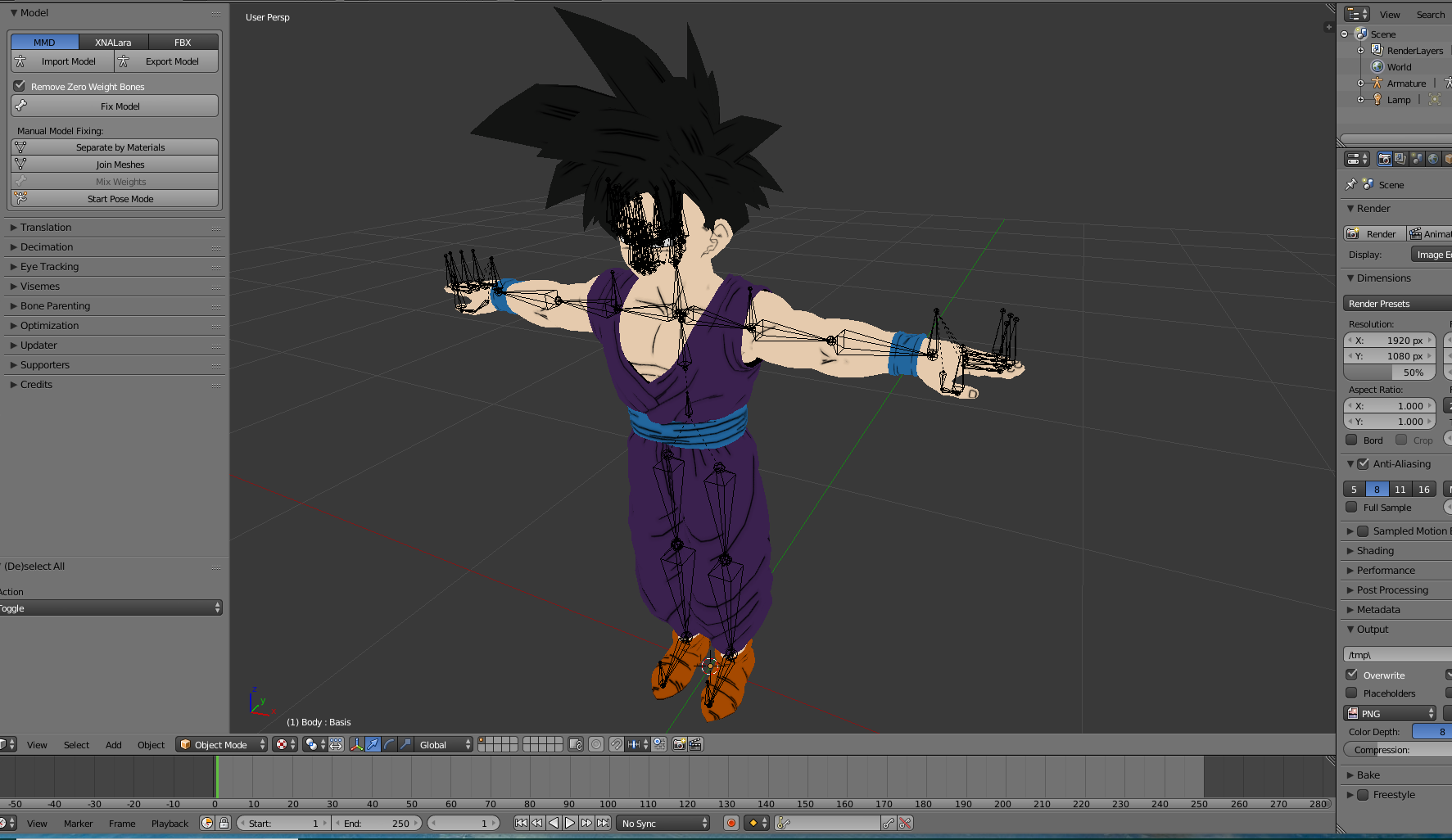
So I just imported a model into blender and the bones are kinda messy, do I have to fix these myself? (The fingers + a few un needed bones by the shoulders) https://i.gyazo.com/8d548a46dde4d253f017784daee2b226.png
 low grail
@onyx crown i figured it out
@onyx crown if anyone gets this problem just tell them not to trasnlate
low grail
apperently translating it broke it
onyx crown
gotcha
low grail
yep
fading verge
how do i do the shape keys with the jaw bone that i put in my model instead of moving vertices
manually doing that sounds too painful
i would really like to use this ik instead of shaping the model https://imgur.com/a/iKcIm
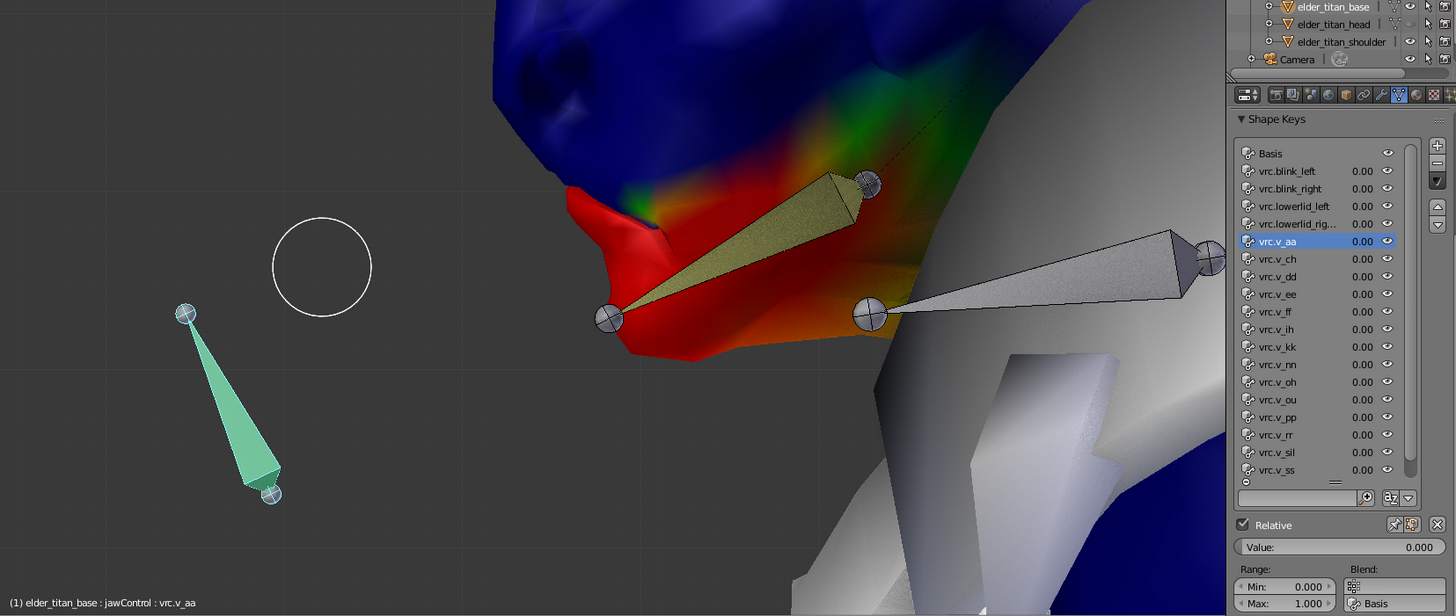
it has teeth and everything, so shaping all that will be a pain in the ass
hidden gorge
@fluid ermine those finger bones are fine. don't worry about them
mental lynx
I'm attempting to export from Blender to Unity, but the materials/textures aren't coming with. Anyone know why?
The one time it managed to come with material spheres, they were all gray
 fickle plover
Gotta import textures first
mental lynx
I tried
fickle plover
Hmm
fickle plover
Ah...
mental lynx
This makes no sense... I just want to upload my content
restive hill
Oh, I ran into this
I uploaded as copy, and it created a directory of textures
In one of the options
mental lynx
Uploaded as copy?
It's acting as if the textures aren't there
I wish I could force export all of the textures from blender to make sure I have them under the right name.
fading verge