#avatar-rigging
1 messages · Page 52 of 1
 naive tree
go to #avatars-2-general and check pinned message
 fading verge
tf, id sworn it said 5.3.4
naive tree
very bottom
fading verge
alright, thx anyboys boys
 torpid plaza
Does anyone know a tutorial for making floating Avatars like the Nemo, Worm and Angrybird characters in the avatar hall? I've got the model i want but rigging it to make it float and not be grounded is the part i don't know.
 low island
You can rig as with a humanoid skeleton that touches the ground
 fleet echo
@torpid plaza you put in avatar in the arm of the armature
worm would just be armature just with the worm on the head
torpid plaza
Oh my god, that's clever af
Wait, is there a place to get armatures that are invisible?
fleet echo
turn off the render of mesh
of avatar
and other avatar on it
or delete the mesh just use the skeletion
just equip item to that skeletion unity
torpid plaza
Will do, thanks 🤗
fading verge
does anyone know an issue where Unity shows the legs of a model straight, but in the game they are turned in at like 45 degrees?
 small cliff
hello! I have a problem - my avatar's feet are 2 inches below ground. They are on ground level in Blender and in Unity. But when I hit play button in Unity, the toon drops down by 2 inches
fading verge
please dm me an answer if you have one.
 shadow shoal
@small cliff Set their Y position above by 2 inches when configuring bones
small cliff
then I would need to move all the bones and meshes up by 2 inches, to preserve the shape of my avatar. I think I already did that, and it didn't help
 proud wolf
so my model has shapekeys for mouth and eye movement, but theres no actuall bone that controlls the mouth
will my model still be able to lipsync
 neon shard
Yea viseme mouth movement doesnt need jaw
 round abyss
anyone in here know how to add overrides for hand gestures?
because ive been folloing tutorials to the letter and they never work on the model
is it because im using vive pads?
I legit dont know what im doing wrong
I probably overlooked something
 round abyss
BUT that still dosent solve my OTHER mystery
whenever I try setting up a blendshape for a jaw flap it dosent play either
neon shard
Ive never done a jaw flap blend shape, but I know Jaw Flap bone doesnt work in a mirror
even if it works for other people
round abyss

other people say they cannot see it either
unless it just flat out not work on generic rigs
round abyss
well this is another example
im just running through a list of things that annoyed me since people are on now
😛
neon shard
Yea, I finally god visemes to work, but I ended up having to REALLY precisely name them
 violet patrol
Man... I have this nice chimp avatar. But it's too thin I think. I can't really put my hands on my own mouth/head without hitting my Vive.. 😦 Same with body, My hands IRL are blocked by my body before it reaches my avatars body.
violet patrol
Could it be because the default pose of my model has it's neck a bit forward. causing my VRC AvatarDescriptor to not be in line with my hands
round abyss
ive had no toruble with visemes
but whenever I try to make a flap bone or blendshape it dosent wanna
neon shard
Not sure @violet patrol :/
As a workaround, maybe you could add an open mouth to like, all the vowels and a closed mouth to all the consonants
I think you still have to make 19 duplicates
 viral lily
so im kinda having a problem applying dynamic bones...i cant really apply it without the spine and other stuff still moving
since the things i want to be dynamic are under the spine, chest and so on. If i try to exclude them, then it excludes all children too :/
neon shard
It works in a hierarchy
What bone are you wanting to dynamic that the spine is a child of?
Hip should be the parent most bone of the whole rig
neon shard
If it is a skirt or a tail, they should be children of the hips, just as the spine is a child of the hips. Dynamic bones on them should not affect the spine as it is not under the skirt or tail in the hierarachy
viral lily
as it is now, the spine, chest and most of the upper body still moves
neon shard
I dont see the tail, but the breasts have no children on the spine, they should be fine
The dynamic bone plugin has a slot where you identify the root
viral lily
maybe my question should be, what do i need to exclude here?
neon shard
This is not the root of the model, this is the root of the part you want to wiiggle
viral lily
yea but what if i want multiple roots?
or something that is under the hip as a root?
like multiple things..
fading verge
hey i want to get into rigging, how long do you think it will take to learn how to rig a simple humanoid character
neon shard
Thats not how a hierarchy works
Try putting it directly on the wiggling objects, and setting the root to the same object
viral lily
I see that, but thats why im asking what if i want to apply dynamic bones to different things in different places in the hierarchy?
fading verge
can someone answer me
viral lily
the "lowest" parent of the tail, breasts, and hair, is the hips
which means i cant really put any other root, if i want them all to be dynamic.
unless ofcourse...you can have multiple instances of the dynamic bone script 🤦
 south oar
viral lily
south oar
viral lily
im an idiot for not trying to add the same script multiple times -.-
 marsh widget
@viral lily didnt that model have like 180k tris
viral lily
@marsh widget its heavily decimated...that i can guarantee you lol
but i really liked it a lot, so i gave it a try
marsh widget
i know cause i gave up on it cause of the tris
viral lily
oh yea, and her brother crashes on me whenever i try to seperate him into seperate materials
every..single..time -.-
blender just cant handle him lol
 vestal swallow
My avatars hips are slightly coming forward and it has a collider on it. Is that why he's kinda hunched with hips out? lol It's not too bad but I just noticed it

 unborn kelp
Guys how do I bend a part of my avatar?
viral lily
exact same finger bending problem i had with another mmd....
anyone knows what it could be?
everything else about the character is just fine.
 grizzled sapphire
I am having an issue with possible rigging.
On the client side for me when I physically T-pose myself, everything looks fine.
However, for everyone else the arms are broken in odd angles and the body is facing nearly 90 degrees in another direction.
https://gyazo.com/cce92e99e155f6ffb8178dd6ca29c7ce
Is this a direct rigging problem or something else?

Apparently when sitting, the rigging looks fine both to myself and others.
 hoary torrent
guys, you know the small ball that appears when you use the avatar descriptor?
i cant find the ball anywhere
 swift radish
Make sure your avatar isn't huge
The ball is usually halfway between the overhead sun icon and the floor
Also make sure you have the whole avatar selected
hoary torrent
the sun icon is ages away from me tho
swift radish
Oh did you move it?
swift radish
Or is your avatar super tiny? Lol
hoary torrent
i mean it never said it was too big
swift radish
Try putting the ball to 0x0x0 and find it on the floor first, then move it up
swift radish
Screenshot?
hoary torrent
 fading verge
Hello people ! so ive been building a model and its rigging is thrown to wack and I dont know what to do at this point anyone willing to help me out ?
hoary torrent
FOUND IT
fading verge
its-
hoary torrent
tfw you have to decimate and it gets rid of half the details on the shirt making it look all weird
 fallow tulip
I am doing my own rigging and weight mapping because maximo didn't work well, and I am wondering if I should weight my toe bone at all or not since my character has high heels.
 flat sierra
how do i get characters above ground
 fading wagon
Can anyone help me fix this error? The model should have all of the bones rigged up correctly in Unity to a Humanoid rig and I've placed the Avatar Descriptor in properly. How do I set up this 'animator' that it does not supposedly contain
flat sierra
ok
 heavy barn
Hey, How do I merge two bones in blender?
fallow tulip
yeah
heavy barn
Make two bones into one
hoary torrent
how do i stop my legs from going through my skirt?
 abstract canyon
colliders
heavy barn
I want to make those two into one hip bone, if that makes any sense (very new to blender and rigging btw)
abstract canyon
Anyone here got eye tracking to work on .xps models?
fallow tulip
Here let me send you a rigging tutorial that helped me out
heavy barn
Ok, ty
small cliff
@flat sierra floating characters are usually made by using invisible body. your armature will walk on floor, but only head will be visible, appearing as floating
 lilac lake
Will an Avatar atleast move his arms when i dont put it on Humanoid?
lilac lake
Rip
I cant add bones for some reason to the one avatar i got
And its completly messed up with the bones too
 sonic marsh
Anyone know why when I set up a viseme for the mesh called body I end up getting two different meshes that don't work in unity? body becomes body_MeshPart0 and Body_MeshPart1
small cliff
@flat sierra does your avatar use humanoid rig? if so, your ankle bones should be at the floor level
flat sierra
ill try
small cliff
afaik VRChat tries to put your avatar at floor, and uses origins of your ankle bones to guess where your avatar feet are
small cliff
you need to tinker with your armature, move the thick end of ankle bones down by the same amount they are sinking into floor
flat sierra
down?
small cliff
do it in blender or whatever 3d editing program you use, then reimport the model
lilac lake
Who is good with Blender and would help me out?
small cliff
yes down, VRChat sticks your ankle bone to the floor. if ou move it down, VRChat will move your avatar up to compensate
small cliff
in other words you move everything except the ankle bone up
 red oar
was told to post here... why are my elbows like this? bent behind me? its fixed if i change position to "sitting" versus "standing" and adjust my player height way low.
small cliff
if you select your model in unity, in play mode, you might notice red spheres at the origins of your anklebones. those are colliders VRChat uses to connect you to the floor, I presume.
i dont know how to change their radius, so i just move the ankle bones

 scenic wraith
can someone tell me why my model does this when it raises its arm?
fading verge
@blazing hornet Hit Z
and then you go too the mode selector and select whatever mode you use I use matiral
 gentle gale
are your right and left arm swapped
shadow shoal
And also did you have problems in hierarchy
 fallow inlet
Guys how can i decrease the polygons on a mmd model?
trying to upload something but it has like 50k :/
fallow inlet
gonna try that hold on
shadow shoal
Don't decimate face or hands
fallow inlet
ok
fading verge
is anyone willing to help me out here with riggin problems
 lost radish
How do you get those custom dances overrides? are they off a website?
neon shard
I got mine from mixamo
lost radish
Do you have a link that you can send me?
 supple yew
So would it be possible
theoretically
to make a humanoid rig out of a non-humanoid character model
such as, say, Squishy
 lament garnet
hey guys, trying to rig up a bomberman model properly but I cant find the proper bone naming conventions in the VR Chat docs, anyone know where I can find that? http://puu.sh/yVczf/d212f6922d.png

not my rig btw, Im about to re-rig him
I dunno what Hudsonsoft did but, hot damn
 low river
with the dynamic bones, id want to have it higher damping and such on like, ears right? Sothey dont flop around
fallow inlet
@shadow shoal Thanks so much dude i couldnt upload much avatar because of that thanks! 😃 😃
low river
i want the tail/ears to more or less, "Sway"
shadow shoal
No problem
lament garnet
anyone know?
 blazing hornet
If your decimating faces, then how do tris get decimated?
do they slowly just lower with the faces.
?
neon shard
Faces are polygons when you are working in blender. They can have any number of sides. When you export to a game engine (or VRChat) the faces get triangulated (separated into triangles)
So if you reduce faces, you will generally be perportionally reducing tris
blazing hornet
so do I need tris under 20k or faces
neon shard
tris
blazing hornet
....................................
Faces already near 10k and tris still at 20k+
neon shard
That is plenty likely
blazing hornet
23k infact
neon shard
Models made for looking great on deviantart or mmd are not made for game engines, they tend to be really tri heavy
blazing hornet
so do I need to decimate more
neon shard
Either decimate, or manually remove geometry
blazing hornet
I am so screwed
nothing more to remove
This piece of hair has 1k tris right
do I need to get 0 faces to get 0 tris
neon shard
Do you have good edgeloops? you might be able to try this:

Have some extraneous geometry that you need to get rid of? Trying to reduce a high poly model for low poly game art? Maybe you would like to simplify heavy g...
blazing hornet
or how does it work
neon shard
if your piece of hair has 1k tris, it is horrifically over subdivided 😦
neon shard
Decimate is the most destructive of all ways to reduce polygons
but if your piece of hair has 1k tris, it can probably be decimated some
lament garnet
Hey guys, where can I find the correct rigging heirarchy and PROPER naming conventions in the docs? its not shown anywhere. Im NOT working on an MMD model, btw
neon shard
Check the video, it might work for you
blazing hornet
the only thing like that is the face
neon shard
@lament garnet I havent seen a good one, names dont matter so much as long as you config it in humanoid properly
The really important part is Hips > Spine > Chest > Neck > Head
Legs are Upper > Lower > Foot and connect to the Hips
neon shard
Arms are Upper > Lower > Hand > fingers and connect to the Chest
You sure can, but Unity will try to auto rig it based on known names
So Hips would be best 😃
neon shard
Amen
lament garnet
I literally had to scour videos and and bug people here just to figure this shit out
lol
anyway thanks dude
neon shard
👍
blazing hornet
stuck on 22.6k
neon shard
Choose the smallest, most dense parts, and hit them hard :/
blazing hornet
should I delete the bottom part of face since character has mask?
neon shard
Yea! That would help
Delete anything non visible
If the character has a body under their clothes, delete it
 sly pelican
I need quick help, or rather a quick answer to my question.
I have a model who has a thumb that can be rigged, but the four other fingers are not able to be rigged for. Apparently without those three fingers my model has no access to full body IK (I would assume would be the reason why my model cannot lean forward).
blazing hornet
its not even a human anymore
sly pelican
Is there a way to by pass that or do I just make dummy bones mapped for those fingers?
neon shard
@blazing hornet lol
Its tricky.. if the deformation make sthe neck visible under the brace, youll see the hole
Can I see the model topology?
(wireframe)
blazing hornet
anything is better than nothing if you were in my situation
I already did everything
neon shard
Your model has 23k tris. the neck is NOT the problem
blazing hornet
its 23k cause theres so many items of 200-400
nothing like 1000-5000
besides face
neon shard
oh I see, so it is just a very detailed character
neon shard
You picked a challenge 😛
blazing hornet
just glad I am almost done
the mask was so tiny I had to mess with shape keys
lol
since it was for mmd
in the head
there was so much shit in the head
glad I got to use the mask
to be honest
bye bye left eye
XD
fading verge
would someone be willing to help rig my model for me ?
sly pelican
Unfortunately I am unable to assist. I've been fine tuning and rigging my model all day. 14 hours now to be exact. So I am currently indisposed.
Have you looked at tutorials?
@fading verge
fading verge
@sly pelican Ive looked at a bunch ive run into so strange problems and really cant do this myself at this point :/
but if anyone or if you are able to assist another time please help 🙃
quick question, let's say I'm rigging a model and I can see in the 3d view that one of the bones protrudes out of the body. That can cause problems later on right?
sly pelican
Yes. - At least Aesthetically I would suppose so. In many of the rigged models I took inspirations from they had all "Small" bones and were usually "Offset" instead of "Connected."
So it may cause problem later if it is protruding.
fading verge
ok, thanks 👍
 glacial quarry
i need some uh
inspiration
how would i go about rigging this hand
this is my first time rigging btw
sly pelican
Dude. I'm suffering the same problem. Apparently if you don't have the Thumbs, Index, and Middle finger bones rigged. You don't have access to VRChat Full Body IK
So right now I am testing, theoretically, dummy bones acting as the three fingers even though my model doesn't have any "Fingers" at all.
I just won't put weights on any of the bones
glacial quarry
i actually had mine rigged but animation overrides made my chracter violently shake up and down so i was wondering if it was a problem with rigging
sly pelican
Possibly animation problems instead of rigging.
fading verge
if anyones curious this is the problem ive ran into that im seeking help for
sly pelican
Remove the bones on the guns
glacial quarry
ok
fading verge
Does vrchat use toes at all?
sly pelican
Then drag the guns to the respective "leg" and CTRL+J to join them as a mesh entirely.
Yes
Leg arm
w/e
 torn isle
With a skeleton like that, won't the model clip through the ground?
 stoic hatch
how would i go about rigging a 2d mouth? besides the method of putting the mouth open image behind the face and moving it forward?
sly pelican
Or - alternatively @fading verge you could delete the guns and just focus on the model. Then add the guns later in Unity.
fading verge
it also break the visor and helmet a bit
sly pelican
Which I suggest entirely. A lot easier to deal with and modify later on.
fading verge
breaks
sly pelican
Like how so?
stoic hatch
i have a character with a transparent face, so putting the mouth open pictures behind wont work
sly pelican
Hmm - then I'm not sure what to do. First off why are there bones on the guns lmao.
fading verge
I dont know ! 😦
sly pelican
Where did you extract this model off of. GMOD?
fading verge
Sfm
ive gone through hell to get this model
and its the only place you can get it too
sly pelican
Oh - then of course. Bones on guns. SFM is pretty different. I'm not sure what you can do.
Hmm - without breaking the textures and stuff.
sly pelican
Eh - no. At least not that I think so.
Just minor adjustments.
Its strange how the visor just "breaks"
fading verge
if you are willing to help later I have the fbx file and the blender file and texture file
and yea i dont know whats up with the helmet
but ive come so far, ive been working on this for 4 days non stop
it hurts man
sly pelican
I know the pain
I suggest honestly experimenting with things like you've already been doing. Did the guns and stuff come with their own textures/Materials?
@glacial quarry Can you post the bones of that lego hand or w/e you posted earlier. I need it as reference.
glacial quarry
the bones of my lego hand r bad i kind of did what u were talking about by making it think i had more fingers
sly pelican
So did it work?
glacial quarry
yeah
sly pelican
I mean - as long as it works I don't care if it is bad. How many bones did you use total? 3 (1 for each finger) or 9? (3 for each finger?)
glacial quarry
3
sly pelican
Phew
glacial quarry
it looks weird if i try to do hand gestures tho
sly pelican
Okay. Saves me time.
Well I won't give it any weights
So it won't essentially do "anything"
glacial quarry
ok
fading verge
yes the guns came sepret
sly pelican
Okay - then you could delete the guns then. Then somehow fix the visor.
It shouldn't mess with your main model textures if the guns go poof.
stoic hatch
can a blend shape effect a meshes visibility?
sly pelican
Is the visor seperate?
I believe, at least theoretically, you could select the Verts of the Visor. Seperate it from the main model mesh. Then realign it back into the helmet then CTRL+J them back together.
fading verge
does anybody know how to fix feet that are turned in (not in unity, but in game)
sly pelican
Eh? huh?
fading verge
my feet aren't turned in in unity, but they turn in in game
 sleek ore
I'm having a similar issue, I've kept all the correct bones the model is fine in Unity and in the Avatar selector but oncein game the model like folds in on itself
fading verge
yeah its odd
sly pelican
I've had my hands turn in and stuff, but I fixed it in Unity by realigning it myself.
 sly pelican
Going in Unity and actually looking for the flipped stuff and turn it back to its correct position.
flat sierra
how'd you get it up
fading verge
ok
sly pelican
But I'm not sure. My problem is way different from yours from the way it looks like.
sleek ore
and left all the bones, even the ones i wasnt sure of
and if yours is an MMD model by chance, a lot of the legs have like an extra set of legs labeled D and you have to re parent the bones to their corresponding part
uhhhh
fading verge
i try clicking on the feet but it wont select just the feet
sleek ore
man skull kid has been such a headache, i dun unnastaaanddd
sly pelican
Have you tried selecting the Feet via Hierarchy?
 craggy fulcrum
Would someone who knows a shitlot about rigging be willing to VOIP with me about rigging bones with tons of rotation restrictions? I have no clue if this type of rigging would translate to Unity well, so I wanted to discuss it with someone knowledgeable.
 proven stream
hi having issues rigging, moving my elbo causes the whole arm and hand to move fine but moving wrist or fingers cause the hand to deform anyway to fix this?
 nova wigeon
Weight paint
select the mesh and go into weight paint mode
make sure you're in pose mode with the armature
and select a bone and your weight paints will come up
torn isle
Why is it that whenever I try to place her chest bone in the right area, it creates a conflict?
Shouldn't this be correct?
fading verge
is there weight painting in unity?
blender just messes up my weight painting when i export it to DAE
torn isle
It should be noted that she also doesn't have a thumb bone according to unity even though it shows up in bone hierachy in the same client.
 hidden ether
So if I have a model with a slightly incorrect skeleton, and I set Unity to ignore certain bones, will the weight from those bones be given to other bones or will I have to completely re-paint the whole skeleton?
 warm ridge
Deleting duplicates fixes this but it also gets rid of a thin part of my wings. any advice?
 inland ridge
So my avatar's back is messed up. Any idea on how to fix?
fading verge
did you rig it yourself?
inland ridge
I used an MMD model
low river
Question, well two
firstly, my model despite having a "Silent" viseme has their mouth hang open
shadow shoal
Did you set that correctly in Unity Vrc avatar descriptor
inland ridge
Is it supposed to be at eye level or a little above?
 final sphinx
Is this where you get tutorials on boob physics?
shadow shoal
Dynamic bones is $20
sleek ore
me tooo
my Xayah's cape is stiff af and i'm just like, 20 dollars and it can move and be free
HNNGGG
shadow shoal
Splatoon models seriously need those dynamic bones
final sphinx
@sleek ore You should use soft cloth no dynamic bones for your cape
sleek ore
yes sir
low river
For some reason, my avatars arm wont reach out despite it being rigged normally
I checked the muslces and it seems to be fine
shadow shoal
Maybe the angle of the hips
low river
you think so?
shadow shoal
It's what comes on top of my mind
flat sierra
how low
low river
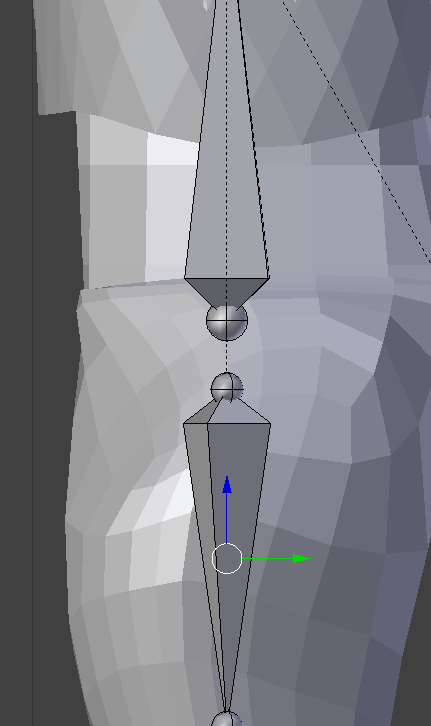 flat sierra
low river
flat sierra
low river
Like this?
flat sierra
its like this high
low river
I just lined them up
lets see if it works
no wait
it meant this?
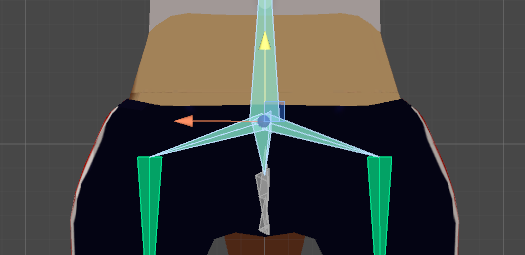
either way, now theyre lined up
low river
maybe its the obnes
flat sierra
obnes?
low river
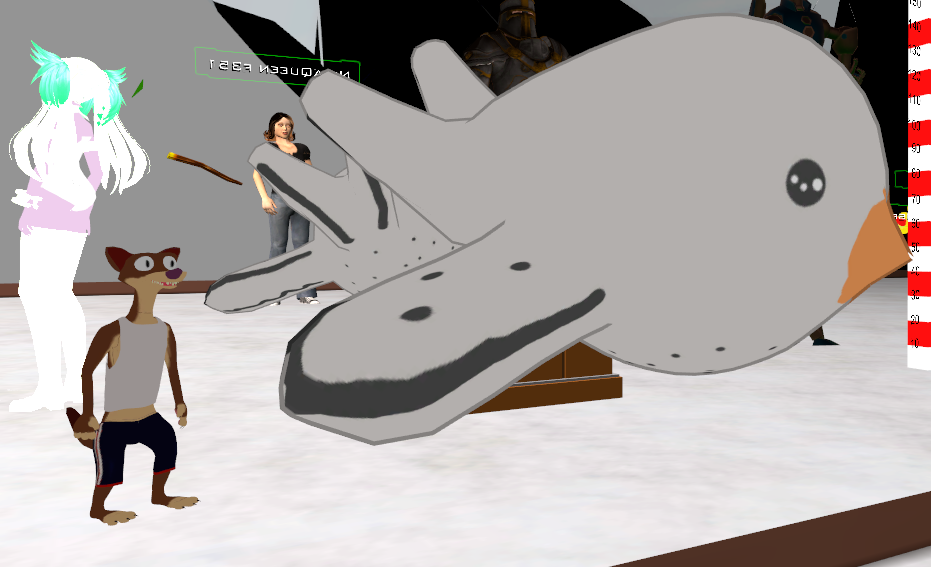
Ok so, since my avatar has visemes
do I need to RIG a jaw?
https://i.imgur.com/GuPVUCE.png aaaaaaa
 plucky barn
Can I just give someone ten bucks to do my 4 models? I have their textures and .fbx files ready
 pale hull
@low river You do not need a jaw
low river
Question, youd see eye tracking in the mirror right? Or..
pale hull
Yup, however in the mirror they might look a bit cross eyed
Your own visemes has a ~1sec lag aswell
Local to you
low river
I know that much
I still dont get why the arm wont extend
the eyes also wont move, at all
flat sierra
moving it down didnt work it didnt change at all
plucky barn
Can anyone here do my models for me?
shadow shoal
Click on the model and then rig
 stuck jasper
Do you think it would be possilbe to rig this? It litterally has no arms, but the hair acts as hands
fading verge
you'd probably have to do more work and only be able to have 2 of the.. hair thingys as harms
stuck jasper
I don't think I could even do that, because the hair is parented to the head
And if I tried to do that vrchat would throw a fit
fading verge
ya dont know until you try
low river
wait
fading verge
wont be a humanoid i think tho
low river
do I gotta apply the armature before exporting for things like eyes

 fading verge
ooo bomberman neat.
lament garnet
im close to giving up
plucky barn
So you know how to do parenting?
Cause that's the final piece I'm stuck on
I set Upperchest to none and then the shoulders and neck don't hook to the chest or spine so the spine hierarchy is missing
low river
I have no idea what im doing wrong haha
flat sierra
me either ive tried everything and ones still in the floor and the others stucki n the air
flat sierra
wish it had a true preview mode instead of uploading first
 restive flax
I forgot how to add an animator
 coral frost
Hey guys, not sure where to go for this, but I can't quite get the texture on my prop into unity. Not sure what exactly is going on but I made an atlas of the prop, put it in unity first, then the model, but I still get a grey prop.
lament garnet
@idle crystal add an Animator component to the Avatar's gameobject
@coral frost go into the Material and drag the texture into that
restive flax
This?
lament garnet
no, in the scene

there's a button at the bottom for adding components
then type out "Animator" and it'll pop up
coral frost
@lament garnet Where at exactly? I've put it on Albedo, but it doesn't make the whole prop have the right textures in the right places.
 acoustic depot
Imported this model from mixamo. Using Unity and looks like im missing a neck. Do I need to try and re download it? https://gyazo.com/c1376ab3a118fe864aafb21c0c0430aa
 lament garnet
@coral frost you might have to re-UV map it properly
 shut loom
just get blender and cats blender plugin, it would fix it for you @acoustic depot
restive flax
Didnt work the avatar isnt there
I think i need to add an animator here, but i cant get to it
coral frost
@lament garnet Oh boy, I used CATS to Atlas it, saying I've got to do it manually? https://gyazo.com/4a7e5baa8a84343a38451868e17b3c04 This is what I got.
 shadow shoal
Cats atlas isn't recommended
lament garnet
@restive flax http://puu.sh/yViNt/0a218e971e.png

in the scene
what you're selecting is the model in the assets
low river
at this point I might re-rig it
lament garnet
but you need to select the model in the scene, then add the animator
 alpine drift
What am I doing wrong guys? https://puu.sh/yViPf/49d4f144d5.jpg 😦
 restive flax
I did add it, but it didnt work when i got in game
coral frost
@shadow shoal Usually cats works fairly well with me, it just looks like the texture is in the wrong place or something.
 balmy solstice
Um, Can i get some help please?
Asking for a friend
We're trying to get a certain model to work, but no matter what we try they still appear halfway into the ground
 restive flax
i think i need to add an animator to this, because thats what i did before, but i forgot how to, so im asking for help
coral frost
@lament garnet Just redid the UV Map manually and it is doing the same as it did with auto atlas.
 charred sorrel
Would anyone be able to help me? I'm super super new to unity, I have no idea how to use it. I found an online model but I don't even know where to begin with assigning a skeleton to it
charred sorrel
use blender instead of unity?
alpine drift
@charred sorrel I recommend watch this person YT tuts for everything relating to VRchat https://www.youtube.com/user/Kayla98CS/videos
Also if you get stuck on a certain part, comment sections for the video could help 😉
charred sorrel
omg this is all foreign language to me sdlkjfsd i don't even know where to start... i'll try blender first though!! o: thank you all
 coral coral

I could use some help with weight painting.
Because I have no idea how to do it.
Chuchu up top is all one mesh.
And I want to combine it with Kirby's mesh.
coral frost
You have it in play mode.
low river
I honestly dont know why the arms wont work
coral frost
Click the play icon and pause icon in the top
balmy solstice
I am also testing his interaction with the ground @coral frost and as you can tell by the grid, he's halfway into the ground
coral frost
Ah, I gotcha.
balmy solstice
I thought the red orb might have something to do with WHY he's in the ground
shut loom
red orb seem to be something from a bone collider or something
 still harness
Hey, I have this weird eye tracking bug. Anyone have an idea of what might be causing it?
https://youtu.be/G7_13nsPpQA
 shadow shoal
Maybe you didn't set the shape keys correctly
still harness
Wouldn't that just mess up the blinking?
still harness
What happens when you try to add one?
 worthy bay
so I have 2 versions of a similar model in blender, one of them has an outfit I like, but it's hands are not rigged, the other version has rigged hands. I want to attach the hands of one version to the other. It seems that they have the same vertex group names though, so when I try to join the hands with the body of the other, suddenly none of the bones move the model at all.
low river
Eye rigging will work even without blinking animations right? or do you need them
shut loom
if your eyes have seperate meshes, yes
shadow shoal
Just join meshes with cat tool
coral coral
Is there a way to make bone groups have a normal bone as a parent?
fading verge
Speaking of cat's tool
Excuse me? How do you stick a hat to your avatar? I have been having this issue where it is floating above my head? or away from me
All my models I run through CATS lean backwards when idle
Anyone had the same problem?
Could someone help? Please
still harness
@fading verge Made a model with cats two days a ago and it was fine
fading verge
Viceroy? Do you happen to know how to prevent the issue of a floating hat or object that was on your character?
Avatar*
No
Blender
Alright
Now?
How would I do it in unity
I'd rather do it in Unity
Considering I have a finished avatar
Its already there
This is literally my hat https://gyazo.com/a9fba60e6d77b8fcc27973cec76fd118

I only have the option: Body
Wait
I think I got it
Would this work too? @somber nacelle https://gyazo.com/79376d1a24a7f9d8e40e8bf1b1b1e1a3

Alright
I'll do that just incase
acoustic depot
I posted this earlier but having trouble getting my model to have a neck. Its a fbx and I have a dae. As it looks super messed up when I bring in the fbx file and still says im missing hips/spine etc
https://gyazo.com/e72a628181c5f8fee181a80984402738
https://gyazo.com/ac6e522bf9c8c42b64c9d2bc381662f0

 shut loom
get blender and cats blender plugin... click "fix model"... done
acoustic depot
Yup that did nothing
 past kindle
How do you add a scene in Blender?
acoustic depot
 craggy fulcrum
Do I need to have any animations or anything other than a rigged model before importing to Unity?
naive tree
@shut loom hed is parented to neck, neck is parented to chest
shut loom
yeah but in his case he doesnt have a neck apparently
 static basin
hey can someone help me with my camera issues on my 3d models please?
i position the ball infront of my models face, and yet everytime i choose the avatar in vrchat the camera is inbetween my thighs, any help?
acoustic depot
Yeah putting it in blender honestly just made the rigging worse even with cats plugin
 edgy ginkgo
Halp plox? http://puu.sh/yVlkE/577e487395.png
 edgy ginkgo
is something too small?
naive tree
ill dm u fix
edgy ginkgo
kthankies
static basin
i guess noone has an answer for me? lol
edgy ginkgo
sorry, fox no pro >.<
fading verge
what is the "nicest" looking shader material for an avatar. my avatar without shaders looked very whiteish
blazing hornet
I need help, I used the shape key and resized some items for my character, which is a mask, and so I deleted polys off the face area of the mask and when I bring it into unity the mask turns tiny again, help?
 digital sierra
edgy ginkgo
digital sierra
edgy ginkgo
is this normal: http://puu.sh/yVmjZ/7f90d799ae.jpg

is it supposed to be missing?
shouldnt it be showing the mesh?

 minor sapphire
delet
 foggy wagon
 wraith locust
that would be kinda funny though
i have problem. this model i wanna put in the game has arms and legs that bend abnormally
also some extra bones show up when i switch to edit mode and i'm not sure if that's normal
 thick trout
Anyone know why when I click on the armature the character is moved slightly lower then it is in it's regular pose?
naive tree
@wraith locust parent the extra odd named bone to the main bone, like armR_TC or whatever, parent it to Right Arm and then hit mix weight in cats
do that for elbow to elbow and wrist to wrist too if u have them
 odd musk
When im starting a rig from scratch, when I start naming the bones do I leave Pose unchanged, or rename Pose to Hips and go down the chain like that?
blazing hornet
I need help, I used the shape key and resized some items for my character, which is a mask, and so I deleted polys off the face area of the mask and when I bring it into unity the mask turns tiny again, help?
wraith locust
@naive tree do i just select both elbowS_L and Left Elbow and hit ctrl P? does it matter which order i select them in? which one should be selected when i click mix weights?
naive tree
@wraith locust you select elbowS_L, change parent to left elbow http://prntscr.com/hwrr09

then hit mix weight in cats
it deletes the bone and transfers all weight
edgy ginkgo
can someone please help me, for somereason my mesh looks perfect and moves perfectly, but ingame it explodes, like all the verts are all over the place
wraith locust
thank you so much yuumi
edgy ginkgo

looks fine in unity: http://puu.sh/yVosy/43523a75cd.jpg

anyone have any clue?
could shape keys do this?
imma check now
yup
was the shape keys
hidden ether
holy shit lmao
 plucky fjord
Hello, I uploaded my very first avatar, I used the automatic lips detection for the rigging (although I can't find where again) and now the mouth is constantly opened, anyone know how to fix it ?
fading verge
What can i do about the fact that when i enter rig configuration in unity, my model turns 180 degrees?
the bones are reverted aswell
 brave basin
Does anyone know if the HP vr headset will work on vrchat
brave basin
Ok what channel do I ask
fading verge
well, look at the names of the channels
brave basin
I have ask some of the channel and I have had no replies on them
fading verge
go to #vrchat-support
brave basin
Ok thanks
fading verge
What can i do about the fact that when i enter rig configuration in unity, my model turns 180 degrees?
the bones are reverted aswell
 signal cairn
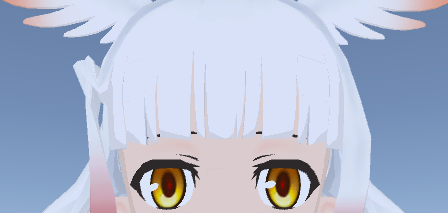
any idea what this might be the cause of? https://i.imgur.com/iEX3WAH.png
 naive tree
@signal cairn what exactly? can't see anything
naive tree
does it stay in place when u rotate head?
like, it doesn't move with the head?
but I'd guess tehre's a bone holding it
and u need to do smth with that
plucky fjord
Anyone know how I can fix this weird looking eye ?
I'd like to completely remove it but don't know how
hidden ether
@fading verge Your bones might be the wrong way around, i.e. rights are lefts
@signal cairn Is the bone attached to that part of the hair weight painted correctly?
fading verge
They're not in blender
neither is the avatar facing the floating camera in blender unlike unity
the skeleton and model does a 180 degree turn whilst the bone coordination doesnt
hidden ether
...Then turn the entire skeleton 180 degrees around when you configure the rig.
Apply, enforce t-pose.
fading verge
how do i do that? i dont see a way to rotate in the rig configuration
hidden ether
Click on your hips in the outliner or whatever you call the list of objects to the right in Unity, top left of the screen hit the rotate tool, rotate the hips 180.
Maybe don't hit enforce t-pose because that might just rotate it back around again.
 shrewd timber
im having a hard time rigging a roblox avatar, can someone just give me some tips? which filetype the model should be etc
hidden ether
@shrewd timber Roblox avatars should be extremely easy to rig. When you're finished working on your model in your modelling program, export it as an .fbx file.
If you do have any problems with the rig, send them here.
plucky fjord
@hidden ether do you know how I can fix my eye problem ? In blender they, look good but when I start rigging in unity it looks really weird
shrewd timber
im trying to rig in unity with humanoid but the avatar is not in t pose and the skeletons just isnt working this is so hard
hidden ether
Send some screenshots, however I'm inexperienced with eye tracking so I might not be of much help.
fading verge
@hidden ether the hip is "not in t pose", where can i find the enforce t pose button?
shrewd timber
can someone rig it for me? i got the fbx file atleast
hidden ether
Firstly, apply the rig configuration then make another save. In the first save, make sure the hips are rotated 180 degrees. In the second save, go to Pose in this menu.
https://gyazo.com/9e261b7c49f6435b3b9fd363a31461d0
@fading verge

Enforce T-Pose is in Pose.
don't ask me about the names of the bones
signal cairn
turns out the bone got rotated and messed up in the exporting process, if i rotate it inside unity i can unwrap it to fix it
weird stuff
shrewd timber
i want it boneless
hidden ether
@shrewd timber You can send it to me if you like, though it's better to try to do it yourself.
shrewd timber
old meme sorry
 waxen oar
Is it possible to decimate a model down from 50k to 20k?
shrewd timber
really
plucky fjord
@hidden ether
fading verge
nope, enfore Tpose rotates it back to where it was
hidden ether
Alright, so don't enforce t-pose then.
fading verge
but the hip aint in "tpose"
hidden ether
BTW, use the Transform options on the bottom of your screen rather than manually rotating it. My bad,
fading verge
ye i used those in the end
plucky fjord
there is only this part yes, there is no eye tracking, I want to completely remove it before doing anything else since it looks really ugly in game
hidden ether
That isn't a massive problem. That just means a bone is out of place and won't be perfect assuming your character would need a regular t-pose. In this case, your t-pose needs to be rotated 180 degrees, and since Unity doesn't like that, it's going to yell at you. But you should still be able to upload. @fading verge
fading verge
aight, cool ty
hidden ether
Be wary though, since if you plan to use the model anywhere else you're gonna have to fix that rig. Otherwise, it should work in VRC.
fading verge
roger
plucky fjord
@naive tree Where do I find the shader part in unity ?
fading verge
Can I please do a screen share in discord for some help with blender? I'm trying to add bones and I need some help! (is this meant for here?)
 lapis river
I also require that help i need to add a bone
cause i dont wana give up on this awesome mmd model
fading verge
@hidden ether Does this not make a difference either?
lapis river
i dont know
hidden ether
It doesn't, but it might look wrong in-game if it's incorrectly configured. That you'll just need to figure out by previewing its animations.
fading verge
Can someone please help @fading verge and @fading verge as we both need help with adding bones to an existing mesh! Thank you so much for reading this and I hope you had a great day
fading verge
I only require breast bones as they're missing
lapis river
XD
this is mine
right now
but no upperchest bone so i think i need to add that
cause i cant import it without that
fading verge
@hidden ether Do i want to do anything with "Muscles & Settings"? or am i supposed to just leave that?
hidden ether
Leave it.
fading verge
understood
Can someone please help @fading verge and @fading verge as we both need help with adding bones to an existing mesh! Thank you so much for reading this and I hope you had a great day
lapis river
Ye we require some serieus help
fading verge
@hidden ether I wanna scale up my avatar before uploading it but it doesn't seem to work, any advice/reccomendations?
hidden ether
What do you mean it doesn't seem to work?
@lapis river VRChat ignores the upper chest bone.
fading verge
so i have the "Vrchat_Tutorial avatar" next to it, which is 1 on x,y and z scale, i updated my avatar to 1.3 on all, yet it didn't expand in any way
lapis river
okay wait
@hidden ether spine hierarchy incorrect. make sure that the parent of both Shoulders and the neck is the chest
hidden ether
Your spine hierarchy is wrong.
fading verge
@hidden ether
hidden ether
You're clicking on the mesh
fading verge
yet they're still the same height
hidden ether
Revert those changes,
hidden ether

Select something along the lines of that.
There should be your model, then its mesh.
Click the model, not the mesh.
hidden ether
Click Geth_Blender_Testtaker
lapis river
@hidden ether How do i fix my spine hierarchy
hidden ether
You need to edit it in your chosen rigging program, i.e. Blender or Maya.
lapis river
i have blender
fading verge
ye thats blender for me 2
hidden ether
Anyway, Stingy click Geth_Blender_Testtaker and apply the scaling to that.
naive tree
that feel when hips are pointing down 
hidden ether
fading verge
inside blender?
hidden ether

incorrect
and no, inside unity
I was talking to Jesper about the hierarchy issue.
fading verge
oH I c
hidden ether
In Unity, click Geth_blender_whatever, apply scaling to that
 earnest ivy
So
fading verge
ye it worked
hidden ether
ez
fading verge
ty my dud
earnest ivy
I have two spines, and a pelvis bone.
I can't map both spines and the pelvis to something
since there's not enough maps for spine.
hidden ether
Two choices, A. delete them and re-rig and re-paint the skeleton
B. have Unity ignore them and pray the weight gets distributed nicely
earnest ivy
Should I just rig the spine lower to pelvis
hidden ether
OR you can delete them in Blender and it should automatically redistribute weight, I believe. Might not do that but still.
earnest ivy
and spine upper to spine?
earnest ivy
I absolutely suck at blender.
fading verge
@hidden ether one more thing, i have this "take" without any movement in the file, do i need that?
hidden ether
There's always room for improvement, Ocelot.
And no, that's worthless to you if you don't have any animiations for Legion.
 hidden ether
is that not legion
fading verge
this is the standard geth
earnest ivy
That's the model hierachy with maps.
hidden ether
what in god's name
earnest ivy
The giant ass amount of bones in the middle that are grey are the upper spine.
lapis river
can i screen share with someone
earnest ivy
Mk.
fading verge
I cant delete the "Default take"
hidden ether
Don't delete it, Unity will ignore it.
earnest ivy
The giant ass amount of bones mainly control the jacket as well.
fading verge
but in order to publish and upload it i need to give it a description
hidden ether
what
lapis river
vrc descriptor
hidden ether
 hidden ether
lul
By the way, if you apply dynamic bones to all those very generous bones, it will look good and work if you add colliders to the body however that'll be painful for everyone in existence's CPU (at the same time)
earnest ivy
Yay it works now.
Not sure where I should add colliders though.
Always wanted to, but when I tried doing it to one of my avatars, never worked.
hidden ether
basically you want the colliders to be his main body if his jacket has dynamic bones.
earnest ivy
I tried adding the colliders to the hands, no effect.
hidden ether
Think about it as your chest IRL is the collider for your jacket IRL.
earnest ivy
Should I add the colliders to the actual armature, or the mesh?
hidden ether
Armature.
earnest ivy
Mk.
hidden ether
dynamic bones are part of the mesh
earnest ivy
I tried doing it with my hands, but the colliders wouldn't work.

This here's one of the lovely colliders for said avatrar.
avatar*
hidden ether
Right, well I'm out of help for the dynamic bones. I recommend against using them anyway. See if your rig works if it's fixed, as you say.
earnest ivy
Rig does work, tested it just earlier.
By the way, how large should the colliders be?
like the radius
hidden ether
hang on
lapis river
oke i wait
earnest ivy
Anyways, the dynamic bones definitely ignore the colliders for whatever reason.
Should I like change the direction or something?
fading verge
@hidden ether because i increased the scale, shouldn't the armature also have increased in scale?
or is that 1 compared to 1.3
 light token
it seems that my bones are not at all correct, it's not a hierarchy ... someone can tell what to do? (I first work with bones at all, and experience is from the fact that I'm an interior designer and modeling, and I'm doing PBR shading)
hidden ether
@fading verge If your rig is bound to the model's mesh, yes.
light token
bones look not at all ... I think right?
fading verge
@hidden ether Its something..
fading verge
my feet are trough the floor aswell
light token
@hidden ether namely the bones? or names not those
hidden ether
No, your parenting is wrong.
light token
for me it's hard to do since I'm Russian-speaking, and it's hard to navigate.
thanks you @hidden ether im trying
hidden ether
Use this as a guide @light token
 hidden ether
no clue
light token
@hidden ether amm may i find simple bones like on picture?
earnest ivy
and the jacket still somewhat goes through the colliders
although much slower
it's set on gravity btw
hidden ether
I've not delved too deep into how colliders work yet, so I'm unsure Ocelot.
hidden ether
If you go to Blender and make a new skeleton, that means you need to re-paint it aswell.
All you need to do is find those bones in your current skeleton and parent and name them correctly, and if you're lucky it'll work out.
But if you're willing to spend some time repainting it, repainting is definitely a better alternative.
light token
okay thaks you ill try to do this (find and fixed name of bones)
lapis river
@hidden ether can you help me with the spine hierarchy
Can somoene help me with a error of spine hierarchy i dont know what to do this is my first avatar
light token
@lapis river give me a screenshots
 warm pollen
you can clearly see that your hip bone is bbeing assigned to center bone
green are the one you are using
lapis river
that means? / this is my first avatar
light token
@lapis river https://docs.vrchat.com/docs/rig-requirements
Unity will flag your humanoid rig configuration if it does not meet the Mecanim requirements for a humanoid. Please read and be familiar with this part of the Unity Manual when setting up your avatar: https://docs.unity3d.com/Manual/ConfiguringtheAvatar.html There are sp...
lapis river
ye i dont understand it
i anyone is willing i can share my screen
Quickassist
i have to do this but i dont understand>
For the IK to work properly, you must have a specific hierarchy of bones around the chest. In your rig, your shoulder bones (mapped into Left Arm > Shoulder, Right Arm > Shoulder slots) must be direct children of your chest bone (mapped into Body > Chest slot). Also, the neck bone (mapped into Head > Neck slot) must also be a direct child of the Chest.
naive tree
@lapis river is it me or your shoulders are parented to neck?
lapis river
dont know
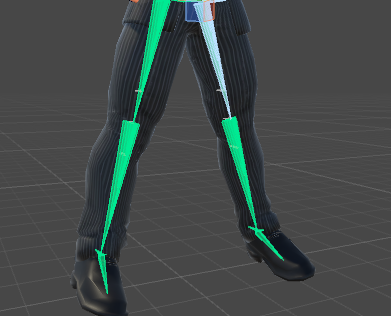
 earnest lily
https://i.imgur.com/9CMdrn8.png can i fix the legs not being straight in unity or do I have to go back to blender? enforce t pose didnt help https://i.imgur.com/9CMdrn8.png
 lapis river
this chat is not realy help full 😭
balmy solstice
What does this mean? Does it mean there is no turning animation for the body? if yes, how can i solve this?
Never mind I looked at the Documents for it
 crisp tendon
@lapis river When you answer "don't know" to question it doesn't really help either
 silk kestrel
@crisp tendon I got a couple of question,
- does VRchat map onto the models bones via a parent constraint while maintaining an offset to compensate for joint rotations?
- What would be considered the aim and up axis that VRChat uses on the bones of the animation?
 vagrant lance
ok it wont let me put my model in because it has lighting, since when? wtf
crisp tendon
@silk kestrel You mean the IK system right ?
earnest lily
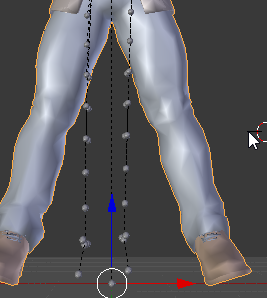
I tried making this model properly t pose, but this happened after applying it as resting pose https://i.imgur.com/VLSCc63.png
How do i fix this?
 silk kestrel
not the IK system, More like how an animation will tell the bone to rotate 90 degrees in the Z axis in order to bend the finger, but rotating the Z axis on the model would bend it sideways
I am assuming that that the humanoid rig acts like a control rig while the model's armature would be the base rig
lapis river
@crisp tendon i used blender plugin cat and i got it fixed so no prob im new to it
earnest lily
the mesh is still connected to the bones btw, tho obviously I'd like the mesh to actually properly align with said bones
crisp tendon
@silk kestrel I'm pretty sure it all depends on your t-pose initial bone rotations
silk kestrel
That is what I am confused about, I helped some people debug their rigs and there are some models whose bones are properly aligned (aimed and orientated to the correct child) and than there are some whose bone orientations just follow the world space. (these are the ones with the most problems and usually have reversed body)
earnest lily
found the issue, nvm. Had to join all my meshes
 woven pulsar
when i upload avatar the personal tab appears then dissapears within 1 second
plucky fjord
I have a mouth problem, it is always opened, I tried this, in unity it no longer shows the mouth opened but in game it is opened
light token
@hidden ether
woven pulsar
@light token can you send me that avatar model to me (the one in ur pfp)
light token
pfp?
hidden ether
@light token this one needs to go here
hidden ether
why dont you just google it
light token
hidden ether

FOR HELP JOIN MY DISCORD SERVER: https://discord.gg/tvmVQpw -------------------------------------------------------------------------------------------------...
boom there it is
light token
i think you mean samurai profile
hidden ether
no he wants the knuckles model kenshin
light token
aaa
hidden ether
anyway did you do as i said?


 fading verge
i got a problem with measurements even tho i thought id know how to do it it keep saying its too big even tho ive scaled it down alot
woven pulsar
@light token do you have that model?
light token
@woven pulsar no
@hidden ether im so sorry for that. awkward feel. this should not be, or is it allowed?
unassign bones between spine and chest
crisp tendon
fix this with cat's in blender
hidden ether
^ you can do that too
 eternal moss
Im getting bone heat weighting solution errors when parenting this guy, can anyone help?
hidden ether
buut when I do this with my models they've come out fine so
light token
i have cats in blender, and i use fix. But it seems to me it will not help, or I do not know anything either
eternal moss
how do I get auto rigging to work pls help
crisp tendon
@eternal moss You can weight paint something so far from humanoid i think
at least not with automatic weight paint
gotta do it manually
crisp tendon
If you remove the skeleton and imported it could at least do the fingers and legs for you
but head/spine won't work for bovious reasons
obvious*
eternal moss
okay
naive tree
http://prntscr.com/hwugb6 all for the sake of getting waifu to 20k
idk how many guides i've read today
 molten vale
@plucky fjord If you still have the open mouth problem
naive tree
http://prntscr.com/hwuglu challenge i set myself, getting from 68k to 20 in very goiod uqality
