#avatar-rigging
1 messages · Page 50 of 1
 shut prism
Ok
 twilit frigate
hi
twilit frigate
as far as i know
 timber python
i might be able to model the head
twilit frigate
gmod can allow for two models to be in the same group and work as one
timber python
oh..
 neon shard
@shut prism I dont see a head bone, and your neck is detached from your chest
twilit frigate
so its possible the head is seperate
timber python
thats probably the head then but idk where it is
shut prism
^
twilit frigate
but im not 100% sure on that
twilit frigate
its been a few years since i worked with gmod
shut prism
Since I don't plan to have any lip sync with it I don't need a head bone.
timber python
the head is probably seperate
twilit frigate
@shut prism you do
timber python
but i have no idea where to find it
twilit frigate
head bone is needed so your head doesn't flop everywhere
 oblique latch
anyone like to rig some dinosaurs for me you can name them as i am still working on the map
shut prism
hummm
neon shard
You need a head bone
 blazing hornet
timber python
blazing hornet
timber python
oh shit
i found a program that can model from textures
:D
its called agisoft photoscan
 wise oriole
I don't think that that does what you think it does.
neon shard
It will give you a basic model, but it isnt very detailed
neon shard
Yea! use it as a template maker
timber python
i mean
this is way more than basic
thers a shoe example
also very detailed
i just hope it doesnt rely on shadows
here
is link if anyone wants it
 fading verge
@dusk herald
 pliant hound
Anyone here had an issue with rigging where your playarea/bounds float above the ground and you can't fully bend over in-game with VR?
 near dagger
When I apply shape keys to my model from Blender this happens, can anyone help. I did make a basis key.
neon shard
My mistake @timber python , agisoft photoscan is photogrammetry. It is pretty great. I was thinking of http://cvl-demos.cs.nott.ac.uk/vrn/

Online 3D Face Reconstruction from a Single Image
which is considerably less great
timber python
well, it doesnt work
 marsh mango
@timber python that is photogrammetry not model building.
timber python
WAIT
it has a mdoel mode
but
it still relies on shadows
and multiple angles
not face maps
marsh mango
what exactly are you trying to do?
neon shard
You need a ton of photos to get a proper photogrammetry model generated
from different angles
marsh mango
thats for real world scanning details like monuments or photogrammetry rigs for people scanning
you still have to clean up the mesh
timber python
yeah
marsh mango
you arent going to get a good model for vrchat with that
timber python
so, any suggestions for facemaps
neon shard
Try the mini-tool I linked
marsh mango
diy
timber python
I REALLY dont wanna model it myself
marsh mango
clade that is bad topo in model
neon shard
Your shoulder bones look wrong
marsh mango
you can tell by poly stretching
neon shard
make sure you have the right shoulders set in your rig config
neon shard
That tool only works for normal looking faces
timber python
thatfuck
neon shard
probably not on anime or animal faces
neon shard
Time to learn to model 😄
timber python
and line them up
neon shard
Orthographic projection
neon shard
I mean for Nick to learn to model 😃
marsh mango
oh
neon shard
I agree though its super rewarding
marsh mango
haha

 pulsar hearth
ok wtf, does anyone know how to fix the thing where when you go from blender to unity, the bones get all fucked up`
timber python
im fluent in 3dsmax
marsh mango
I had to close the site that is way too heavy of a load
timber python
ill send pics then
neon shard
Nick, your hacker warning is hilarious
timber python
ikr
marsh mango
nick I would just remodlel it. by the time youre done doing workarounds it could be done twice already
timber python
example of something i did
very basic but
you get the point
ugh.. but i gotta get the textures to line up somehow
and i have no clue how to do that
pulsar hearth
Help, my bones in my character is allo messed up when i import it into unity, but not when i'm looking at it in blender
marsh mango
just remap all the textures
timber python
idk how
marsh mango
google!
neon shard
Thats a great looking ice cream, you got this.
 rose blade
is there a limit for dynamic bones you can use on a model?
timber python
well, i need blueprint for the head
might have to load gmod to get that
and screenshot
neon shard
@rose blade nope. I have seen people with entire wobble bodies
rose blade
sweet
neon shard
But be kind to your other users. dont go too crazy
timber python
so uys should i start with a cube and edit the mesh
or make seperate little objects
neon shard
For a head, box model
timber python
also lucky me the hparts of the head like hair and such exported correctly
so i dont have to model hair
neon shard
yea that will help a lot, you just need to get the basic head shape
timber python
or clothes
neon shard
this conversation is best in #3d-modeling at this point
 keen cove
I'm unsure if rigging would cause this issue, since the weights on the fingers are at 100%, has anyone had this issue before? I'm certain the correct bones are set to the correct locations.
https://gyazo.com/4cd2367c4d14ab3c20616fa922dd3f0b
 keen cove
It's hard to see I know but the tips of the fingers are constantly bent like that.
neon shard
@keen cove many times the fingers on mmd models are pointed straight up
when unity tries to t-pose them straight again they end up bending way down
point them in a fingery direction in blender in edit mode, and see if it fixes your issue
keen cove
That won't mess up the fingertips in the mesh, would it?
Unless there's a way to reset the mesh? I normally use 3DS, so I'm unsure of Blenders methods.
neon shard
As long as you fix it in armature edit mode, it will not affect your mesh. backup your file first though 😛
the armature modifier affects the skin via relative bone position, not absolute, so moving the absolute location or orientation will not adversely affect the model
keen cove
Alrighty, I've had like three models do this, that helps a lot. Thank you very much~
 silk seal
Any way I can make this sash bit move downwards without dynamic bone?
neon shard
Yea tomoko, just tab into the model and move the verices. you can rotate the whole thing down as one if you multiselect
If it has a bone already, you can move the bone in pose mode, then apply the armature modifier to make it perminant
silk seal
Ok, it's got bones already
I tried moving it down in armature config mode, but upon leaving it, it goes back to being upright
 sharp raptor
how do i remap the textures
neon shard
Youll need to move it down in pose mode (in blender)
 rain fulcrum
hey guys, how would I export my rigged model from unity?
silk seal
Ah, well great.
neon shard
You MIGHT be able to aim it down using the transform in unity (not in config)
It will stay, but might pop back up when it animates
 dry umbra
i cant hear the audio file when i get in game but other people can tf
how many particle effects are you allowed to have in one animation cause when i get into game some of them work some of them dont
im confused
 severe hedge
How do I manually create a root bone for parenting? CATS isn't recognizing the connected hair bones.
 lost radish
@hollow kelp I need your help when you get on.
rain fulcrum
Can I get someone to help me please?
 hollow kelp
lost radish
hollow kelp
lost radish
Hey, can you pm me?
 rustic fjord
How do I fix the cheeks? https://gyazo.com/4ddbb7a64453bb370973a22660997ef6

dunno what texture to use for eyebase
silk seal
Ok, so I thinbk I got the sash issues fixed, but now how do I keep my model's mouth from being perpetually open?
neon shard
That happens to me all the time, and I dont know how to fix it
usually changing the jawbone orientation helps
 odd tulip
@rustic fjord they have transparency so change thier materials rendering mode to transparent
lost radish
Does anyone have a free file of Dynamic Bone?
rain fulcrum
I seriously need some help, has anyone rigged the knuckles model before?
rain fulcrum
yes jesus christ I would love it
I've been trying for hours to figure out how to rig the rest of it
 flat sierra
sure lemme rename some stuff on it and ill give you it so its easier to drag and drop
rain fulcrum
thank you so much
 earnest zenith
@flat sierra Idk if this is the best way, but usually I disable limit selection to visible then paint where they merge, then use pose to move the foot away. Then I subtract away parts of the other foot
 rich locust
does anyone know how i would go about getting this usable in VRC, for example will the 6 bones in the arm cause problems
earnest zenith
In weight paint mode, you can disable visible by clicking the little box a bit to the right of where is says weight paint, looks like 2 squares with dots on corners
flat sierra
oooh
earnest zenith
@rich locust It will give a warning about the arm for sure, but idk how it affects in game
rustic fjord
What's the recommended amount of polygons?
earnest zenith
Game recommends less than 10K, but as far as you can reduce it while still looking good
rustic fjord
How do I reduce it? Currently my Unitychan has 16056 :S
earnest zenith
In blender Object Mode, go to the wrench for modifiers and add the decimate modifier
lost radish
@earnest zenith Wrong, the game can optimise up to 20K polygons.
earnest zenith
He asked recommended not max
lost radish
But you need a decent gpu for it,.
earnest zenith
" Please try to reduce your avatar poly count to less thatn 10k."
rustic fjord
havent needed to use blender until now, is there any way to do it inside the unity project?
flat sierra
idk what i clicked but i cant rotate the foot or any bones anymore
rich locust
anyone know how to rig models in blender for vrchat
flat sierra
semi
earnest zenith
@rustic fjord It looks like there might be a few unity assets, but Idk a specific one. Eitherway, it's probably better if you can do it in blender
fading verge
well it wont let me upload the picture
there it is
i tried in unity but it just floats above my head and kinda moves around and does its own thing
and when i sit down the hat just stays there and when i look up/down it doesnt go with my head
rustic fjord
@earnest zenith Never used Blender before, any good guide you can recommend? also thx for the help so far 😃
fading verge
this is what i have in unity
 icy maple
My new character im making from deviant art does not have wrists, how do I add those bones so that they connect properly in between the fingers and the rest?
earnest zenith
I'd just google blender import and blender decimate tutorials, nothing super specific for that @rustic fjord
rustic fjord
aight cool
earnest zenith
@fading verge What you can do in blender is select the hat then your armature and Ctrl-P and select armature deform with empty groups. Then select the head bone in pose mode, select the hat and switch to weight paint, and paint the hat
 minor saddle

Yobi3D.com
Search engine for free 3D models download. Over 1 million 3D models indexed in obj, stl (3D Printing), fbx, max, 3ds, ma, mb, blend, 3dm, dae, dwg, skp, step.
is it possible to rig something like this quickly
icy maple
My new character im making from deviant art does not have wrists, how do I add those bones so that they connect properly in between the fingers and the rest?
fading verge
@earnest zenith wait i have another problem my textures didnt import
well actually
I watched a tutorial and I got the hat connected to the armiture
but htis happens when i put it in unity
earnest zenith
I have no idea on that lol
fading verge
lol im so confused with this
 wide mirage
Check to make sure your shader is set to opaque
Sometimes they import as transparent or some other options I can’t currently see since I’m not at my pc
fading verge
is it possible to stop legs from clipping through clothes without dynamic bones?
 ashen bough
anyone know how to rig an avatar with sleeves and arms set as separate bones? I'm trying to figure out how to make it so after rigging they both move together, but I can only make it so one or the other moves. can I "combine" these bones into one somehow?
pulsar hearth
@steel nest is'nt that ctrl + p (i'm not good at this but i think you can do it like that in blender
 past island
what does a hat model have to be added to on the hierachy for it to move with the head bone?
I havent done this in aw hile I forgot 😢
pulsar hearth
you have to parent it with the head i'm pretty sure, so like under the head or the neck i'm not quite sure
 quartz magnet
https://i.imgur.com/tTBKHXN.png anyway to get the skirt to not stay put when sitting

without dynamic bones
pulsar hearth
you need dynamic bones
 reef flare
How do you make a bone for butt physics in a model?
I'm literally asking for a friend
wide mirage
Suuuuure
reef flare
Regardless. This info will also help me
My peanut brain tells me to extend a bone to the butt and then out dynamic bones
Put*
minor saddle
hey whenever i convert my .blend file to .fbx half of the body is missing
some of the objects are gone
like the left leg
left part of the face
also textures are missing
 green iris
Is there a commission chat? or where do i go for such a thing
 hasty wing
Noob here. Model was normal in blender then had gammy arms in Unity. Any suggestions?
 heavy shore
woah
 tame skiff
I'm not sure Potato, but maybe take it back to Blender and in the armature's edit mode select Armature -> Bone Roll -> Recalculate Roll
hasty wing
ty ill give it a look 😃
 unborn maple
can someone help me out with rigging a knuckles avatar pls
past island
what do I do with the custom avatar prefab that got generated?
flat sierra
the right hand on this ones messing up no matter what i do
it looks fine in blender but the second its in unity this happens
the hands in the wrong spot
tame skiff
Pepsite I gave this advice to someone else with a similar problem though I'm not sure if it worked:
Try taking it back to Blender and in the armature's edit mode select Armature -> Bone Roll -> Recalculate Roll
fading verge
anyone care to help me real quick in blender
I've never used it before but I somewhat know where to go and stuff
anyway this is my model when viwed from the front in vrchat
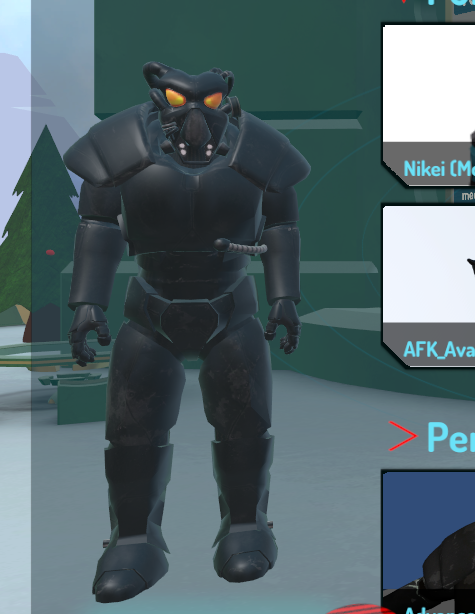
and then when turned
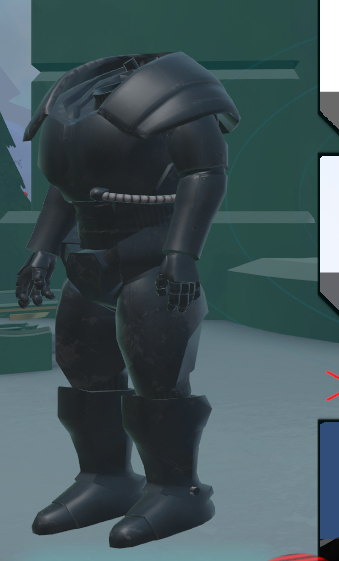
some dude said I could fix this in blender
past island
anybody know how to add a hat to a head bone to a character in unity?
 wraith laurel
guys help: i found an MMD jaune model, and i'm about to use it. i did everything required to import it into unity and decimated it and everything but when i go to the rigging there's no bone for the head
fading verge
I think you have to assign a bone for it by going into configure
wraith laurel
there's bones for everything but the head and apparently i need that head bone or it won't count the character as "humanoid"
yeah but there's literally no head bone
fading verge
hmmm
wraith laurel
everything just comes from the neck
fading verge
so all the neck bones are already assigned?
wraith laurel
hierarchy goes spine > chest > neck > all the stuff that would normally be on "head" like eyes and hair
everything's just under neck
fading verge
hmm, you could try assigning any extra neck bone you have to the head
I did that with mine
flat sierra
how do i do the recalculate bone roll thing idk the controls for blender to well yet
wraith laurel
what do you mean by that miggy?
wraith laurel
oh this one doesn't have 2 neck bones
fading verge
and
o
it has one then huh
thats starnge for it to have no head bone then
since mine had two I just assigned the upper bone to my models head
and lower bone for the neck
 prime dome
What you can do is duplicate the neck bone, parent that dupe to the original neck bone, and parent all the stuff under the orig neck bone to the dupe
Now you can rename the dipe neck bone as the head
Dupe*
fading verge
how do i increase the spine bone length from 0?
 coral coral
I have some bones I added and parented to the model.
However, when I move it, I can move it freely, unlike the other bones which will only rotate on the bottom joint.
wraith laurel
ok looks like i messed up, gonna try to fix this
there was a head bone in the original model i just did something to it by accident or something
fading verge
sooo you good?
wraith laurel
and since i have no idea how to go back and fix it, looks like i'm gonna need to do this all over again
fading verge
ah shiet
wraith laurel
thanks anyway
fading verge
ofcourse
could someone help me in blender real quick
first thing is how do I change the view or use the camera
flat sierra
pres scroll wheel
its super weird
and hold shift + scroll wheel to move to right or left
flat sierra
or up and down
flat sierra
you gotta press it like your presing the mouse button
fading verge
please help
flat sierra
its super weird
you need to put weight on the bone i think
thats what solved my error of that
fading verge
how do i do that?
flat sierra
go into blender
flat sierra
put bones in pose mode then click on your mesh
fading verge
how do I rotate a model upwards
flat sierra
and go into weight paint mode
fading verge
so that its not face flat on the ground
flat sierra
ooh
i think i had that issue too lemme screen it
on how i fixed it
thats how i got mine to stand up
by changing the X there to 90 it seemed to fix it on another model
fading verge
ok now uh
its not strange for my model to have a seprate head, body, and gloves right
I had to individualy select them and change their rotation but its all upright now so whatever
one thing tho lemme get a picture
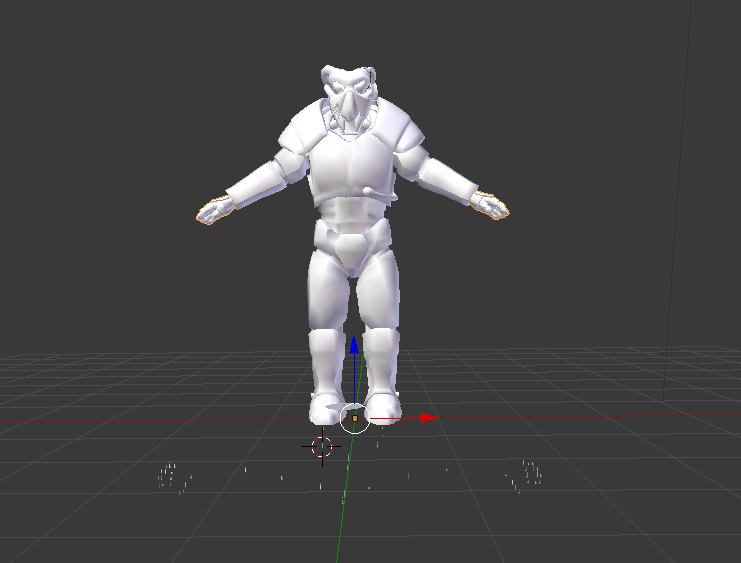
when I flipped all the parts upright it left some bits of itself on the floor
is that normal
wait
clicking on one bit reveals that its actually one big bone or thing or whatever
and when I flip it it flips the whole model as well
so I guess its connected to it somehow
fading verge
anyway what Im trying to do is...
this is my model when viewed from the front
but when seen from the right...
this happens
flat sierra
thats so weird
fading verge
a user on here said that had something to do with the head bone not being weighted or something like that, I took a screenshot I think hol upo
the head weight is painted to a bone thats not the head
this is something I can fix on blender he said
ah ok sweet I have my model upright on blender now
rich locust
is there a tutorial on rigging for vrchat
I've been trying in blender but i am not sure if i am doing it right
fading verge
Does blender not support FBX files?
 finite halo
If i want to add bones to a imported pmx file, how to do so. Cuz i can use the "add bone" feature in blender, but when uploaded it doesnt connect to the materials and/or just dissappear in unity rigging.
it does
fading verge
it says the format is not supported
finite halo
in blender?
finite halo
in blender when just installed it starts with a blank cube
fading verge
oh ok
finite halo
never heard of that
just delete the cube and save the startup file
think its ctrl u
fading verge
also, i use to be able to use other models from one site that didnt have a spine length of 0, now every time i load a model it doesn't work
like it has a bone length of 0
fading verge
it wont open tho 😭
finite halo
isnt it just a regular .fbx file
fading verge
yeah
when i rig it as a humanoid it just says that
but i have to for animations and walking
wait what
finite halo
true
finite halo
 scarlet crow
How do i manually connect a bone to a root?
fading verge
yeh
finite halo
i cant connect a bone to a imported model
its seems like its just on old fbx file
cant you find the pmx file somewhere
 cedar garnet
so i deleted a bone and it made a texture problem

how would i fix this in blender
fading verge
OOF
finite halo
dont delete the bone lol
fading verge
@pseudo silo r u busy dood
cedar garnet
haha fun @finite halo i have to delete the bone it has two spines which vr chat wont work with
neon shard
That feel when your visemes all work 😄
finite halo
have you made the new spine parent to the old spines parent
cedar garnet
yes i did just the texture was rigged to a bone and i think i can change it but i have no idea how
finite halo
im clueless sorry
fading verge
anyone mind helping me with a small issue in blender real quick
TRying to do some weight painting
 plucky terrace
guys how do people have giant avatars? when i make mine big, it says meausures too large on one axis
fading verge
@plucky terrace i think thats only possible with cheats I heard
plucky terrace
how do u get the cheats?
fading verge
I do not know sorry
plucky terrace
crap
fading verge
so guys my model in vrchat appears like this ingame
but when seen from the right
finite halo
wth
fading verge
A dude told me I can fix this issue through blender by painting the head to a head bone or whatever
finite halo
you're screwed
fading verge
wha
 surreal trench
"LoweArm not first child of UpperArm or Hand is not first child of LowerArm"
yea idk what that means
fading verge
so weight painting wont work?
 pseudo silo
@fading verge ah i'm here
finite halo
can be fixed in blender
pseudo silo
wassup
finite halo
i probs will
fading verge
yo so i managed to bring my model up on blender
and its normal for it to have no textures right
pseudo silo
ye
finite halo
@surreal trench Fix it in the armature in blender
pseudo silo
you want to bring this into a pm chat?
fading verge
oh yeah my bad
pseudo silo
it's cool dude
cedar garnet
any one thats a master at blender able to talk through voice ?
finite halo
@surreal trench dont know, but it should look like this --Char name
----Armarture
------Hips
--------Leg L
--------Leg R
--------Spine
----------Chest
------------Shoulder L
------------Shoulder R
------------Neck
--------------Head
----Body
under the grey armature
pulsar hearth
wtf happened?
surreal trench
---Hips
------Left Leg
------Bone_Lthigh_LB_01
------Bone_LThigh_F_Root
------Right Leg
------Bone_RThigh_RF_Root
------Bone_Rthigh_RB_Root
------Bone_Tail_Root
------Spine
--------Chest
----------Neck
------------Head
----------L Shoulder
----------R Shoulder
finite halo
look in blender what the parents of the arm bones are
and see if they are connected correctly
surreal trench
just name them?
 low island
How can I get Unity to show me the bone structure for an object on the scene?
I've got a skeleton on an inanimate object and need to set the scaling properly
surreal trench
well in the armature it goes
Shoulder
-Right Elbow
-Bone_RUpperArm_LB
-Bone_RUpperArm_LF
finite halo
think elbow is set up too high
surreal trench
how do i move it?
 scenic crypt
So I uploaded an mmd to unity and it let me add visimes before I imported it but when I open it in unity, the jaw wasn’t in the rig and her left eye was in the jaw spot. what do I do?
surreal trench
no look under elbow
finite halo
and under elbow is wrist
surreal trench
it has UpperArm
finite halo
they can be there
surreal trench
oh
finite halo
just dont use them in unity
 tender pecan
helpme pls.. why is the ankle twisting.. TT
finite halo
as long as the shoulder-arm-elbow-wrist is there its fine
surreal trench
then where is wrist?
rich locust
i want to rig a model but it has no bones, is there a tutorial on how to rig in blender for VRC
finite halo
@tender pecan Looks like a bone flicking, can maybe be fixed in blender
surreal trench
forget i asked i didnt fully open it i sadden myself
 pseudo kernel
I guess its time to figure out how to rip my own character model out of unity as an fbx and starting all over
pseudo silo
@tender pecan I think you need to adjust bone weights at the ankle, there's a good chance that it's somewhat attached to the hips or something similar
finite halo
yea you need to decimate that
flat sierra
so i fixed the hand but now the necks super long in unity??
surreal trench
so what went wrong because it looks normal.
tender pecan
@pseudo silo how to add bone weight on blender?
finite halo
what was the error again
tender pecan
i saw 2 type of legs bones on this model..
pseudo silo
@tender pecan you'd have to click on the model in blender and switch to weight painting mode, then select Vertex Groups to identify which one is offending the ankle
surreal trench
"LoweArm not first child of UpperArm or Hand is not first child of LowerArm"
finite halo
what does it look like in the humanoid settings in unity
might just be set up incorrectly
surreal trench
must be
low island
@rich locust I copied a humaniod skeleton from another model of mine for this inanimate object.
If the game was working I could test it some more
lol
finite halo
game serser sucks atm
surreal trench
this Kage
low island
Yeah I find it interesting how the SDK calls work fine, but the game front end is borked. Something must have happened. Either that or concurrent users just flooded the system.
surreal trench
"please add scene descriptor or avatar descriptor to your project"
is now the only thing there. WTF
so it gave me warning thats made me lose my shit
FOR NOTHING
finite halo
is this your first avatar?
surreal trench
no
surreal trench
first one that didnt require 5 hours of decimation
scenic crypt
I’m so confused why this doesn’t have a jaw..... yet it created a visimes...
surreal trench
now im blanking on avatar descriptor...
scenic crypt
Is it usual for the model when adding dynamic bones to it be wide open though?
The mouth I mean
finite halo
it depends on the model
scenic crypt
Hmmm I’ll check when it’s uploaded fully and if it’s still got the mouth hanging there I’ll come back for help with some screenshots; typing from mobile
finite halo
gl
surreal trench
i feel so dumb. i was scrolling and shift scrolling to get a good view in unity
forgot that unity requires shift and moving the mouse
i sat there for a solid 30 seconds just scrolling and doing nothing
finite halo
its late dude
flat sierra
any clue why the neck on my models stretched out when I put it in unity??? cause it looks fine in blender
finite halo
try publishing it and then see if you can see any problems
either it might be the extra bones you had on your arms fucking with you
surreal trench
now im frozen
finite halo
like this example
finite halo
that bone looks like it shouldnt be rigged in unity
surreal trench
now to hope that i dont spend 20 minutes loading
surreal trench
i keep hearing the Ugandans did it
finite halo
true lul
surreal trench
is it?!
surreal trench
dang
 arctic cradle
@here i have an issue this avatar measures too long on at least one axis. It must be <5m on a side but its bounds are (9.2, 13.7, 5.7)" but i cannot seem to find these bounds anywhere to fix them
surreal trench
ive only ran into a furry raid. havnt seen more than 2 of the knuckles in a room yet
flat sierra
how do i fix this
ive tried moving the neck bone down
and changing the weight painting but nothing
finite halo
@arctic cradle what is your values for these?
arctic cradle
transform scale is .055 .055 .055
view pos is 0 .624 .07
finite halo
damn the model you're working with is big then
arctic cradle
big?
tender pecan
quick question, can i do reparenting on unity? or it has to be on blender?
finite halo
i dont think you can reparent in unity
i tried but failed to make it work
i usually restart and reparent in blender
tender pecan
yeah.. it doesnt apply it seems.. thank you~ :))
minor saddle
how would i lessen the amount of polygos?
finite halo
and its the tris number you should be looking at
minor saddle
shiet
minor saddle
all i want are bonkles in vrchat
finite halo
bonkles?
finite halo
ohh lol
tame skiff
What are the blueish boxes or spheroids that appear after translation?
finite halo
you use cats for translating?
finite halo
have you pressed the fix model
tame skiff
No
tame skiff
What are they?
finite halo
dont really know, but they are useless in vrchat
surreal trench
im STILL WAITING
surreal trench
my avatar isnt here
no personal avatars....
is that part of the server problems?
 pine smelt
Hey is anyone willing to help me fix bone heirarcy for my left foot, it's doing the thing were it drags into the floor
finite halo
@surreal trench it is
pseudo kernel
Is there a reason that if i take my model into blender (rigged and moddled in maya) that all my bones break and stick straight up from the body?
surreal trench
so i will have no avatars?
finite halo
@flat sierra The rigging looks fucked
flat sierra
so just keep moving bones around?
finite halo
i would assume so
surreal trench
ugandans man
trouble makers
 vestal dirge
@pseudo kernel set the bone orientation to "auto" in your Blender Fbx import. That will align the bone directions. (It actually doesn't matter which way they point when you export to unity though)
 faint cliff
whats the name of the jiggle bone pluggin again?\
 hoary hollow
dynamic bones
pine smelt
It's on the unity store
flat sierra
if i move the bones around in unity
will they stay that way?
like if i move them on the scene
 feral blade
anyone got any ideas as to whats going on with my rigging?
 orchid halo
Is there a point for having the rigs for the fingers and toes extend past the model?
feral blade
okey thank you! ^_^
 obsidian cape
Hey simple problem here, I'm just inexperienced, I keep getting errors saying that theparents for bones are incorrect so I go into avatar configuration and change the heirarchy but after I apply the changes, the hierarchy just resets to how it was before?
 lavish canopy
Trying to use Mixamo
Autorigger being a dick
Any ideas?
obsidian cape
I think I found it, I might have been assigning the wrong spine bone to spine, the model had 3 different ones
 magic spruce
My avatars hair is really long and ive got it all rigged up and in unity with dynamic bone, my problem is when I look down the bottom half of the hair goes way into the air. Is there anyway I can weight the bottom half or
minor saddle
having an issue where my textures arent loading
i have the meta file but
it wont work
wait nvm
hoary hollow
does anyone here have experience adding particle systems to bones? it's making strange things happen to my skeleton
 lucid isle
houdy houdy
so
i have a small issue

trying to give avatar a new outfit and this happens
she wont pose >:
 spring shell
anyone know what causes an arm to not extend when you pick up an object? (desktop)
all my bones seem normal/no errors in unity
cedar garnet
WOOOO done with the model how would i move th VRCCam for the preview image
 shrewd idol
@cedar garnet Go back into scene and move the camera
cedar garnet
o ok
 short fox
oof how does one finalize? unless im not done yet
lucid isle
she looks good...just gotta somehow get the mesh to move with the bones
oh and get the bones to move correctly
short fox
how do i do that
lucid isle
idk
short fox
oof
lucid isle
this is happeneing when i try to move them
 low river
looks up Rig tutorial for clothing
gets a video
video has a female model with a shirt and overshirt, but no pants
🤔
lucid isle
lol
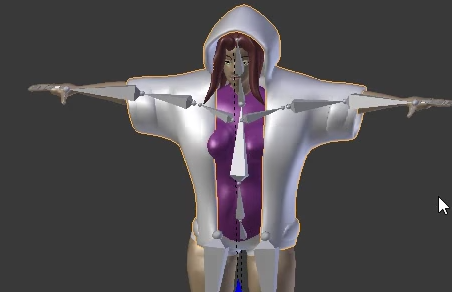 lucid isle
ya i may have to rig this myself
low river
In what fucking sense of the word is this a hoodie
lucid isle
in what universe is that a female model
 swift radish
What are the ideal settings for audio since the nerf?
I want people to actually hear the sound effects
 tiny berry
anyone have luck with a quadruped?
scenic crypt
Update I’m retarded and didn’t notice there were two pmx’s with the jaw open and closed it’s all good now lol
coral coral
So I'm looking to add one model to another, by placing them on top of each other.
Do I just make the one on the bottom parent into the one on top?
For reference, I'm trying to do this.
 low river
Question, when it comes to rigging a mouth to move, to keep it closed it has to be closed in the model yes?
Well, when I rig the jaw
would I have it as Jaw Flap Bone? Cause so far its kept the mouths open by default
 crisp tendon
the silent viseme has to match afaik
low river
I
how do you do that
Note, I literally never 3D modelled/rigged before like, christmas
so im relatively new to all of this haha
coral coral
Do you have the CATS puglin for Blender?
low river
Nope
coral coral
Get that.
Makes it a lot easier.
And it can automatically create vesimes.
And in case you want to use a model where all the bones are in Japanese, it will translate them for you.
low river
Oh im using models I made
coral coral
Well, either way it will help a ton with making vesimes.
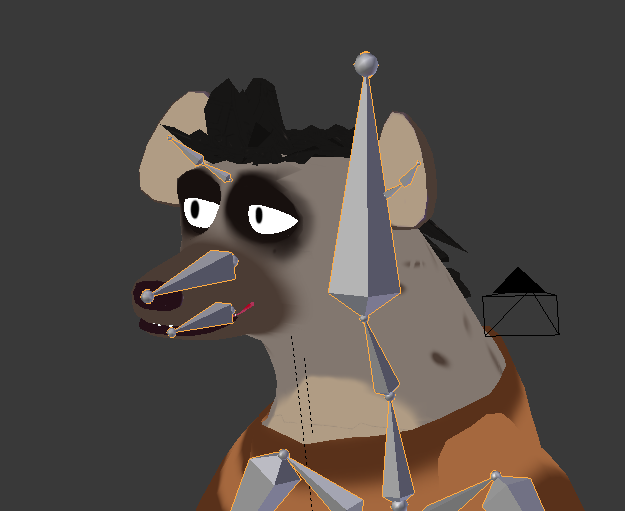 coral coral
I see.
low river
oh wait..
rich locust
for a model to count as humanoid what 3 fingers do you need again?
low river
would it be shape keys?
fading verge
I have a question, is there some way to seperate materials without touching the face? Whenever I seperate materials, then rejoin meshes and upload my picture into unity without even touching anything my face gets destroyed.
 fossil blaze
I actually ran into that today, you need thumb, index and middle
fading verge
Whenever I seperate materials to decimate the clothing
after rejoining the materials my face looks like this
any solutions?
I even tested it by not decimating anything, it's the "seperate by materials" that breaks my model
fading verge
If I wanted to make someone suffer, I would tell them to upload their own model into VRchat
 teal cloud
hello guys 👋🏼
so I have a simple question
but i'm very stupid soo
how do I make my character have this animation
swift radish
My grunt avatar is doing a weird twisty dance, WHY
 calm needle
the grunt might be backwards
timber python
they bONeless
Or that
Yeah
If thats a mirror
Then you should be facing yourself
calm needle
last time i did something similar, i flipped the model around 180 degrees in blender and it fixed it
also the joys of contorting a model in blender to test the WIP rig
everything but the head and eyes are rigged
stupid jaw flap weight painting begins
low river
Question, anyone know like an easy way to eye rig for Vrchat?
I rigged them to move in blender like so
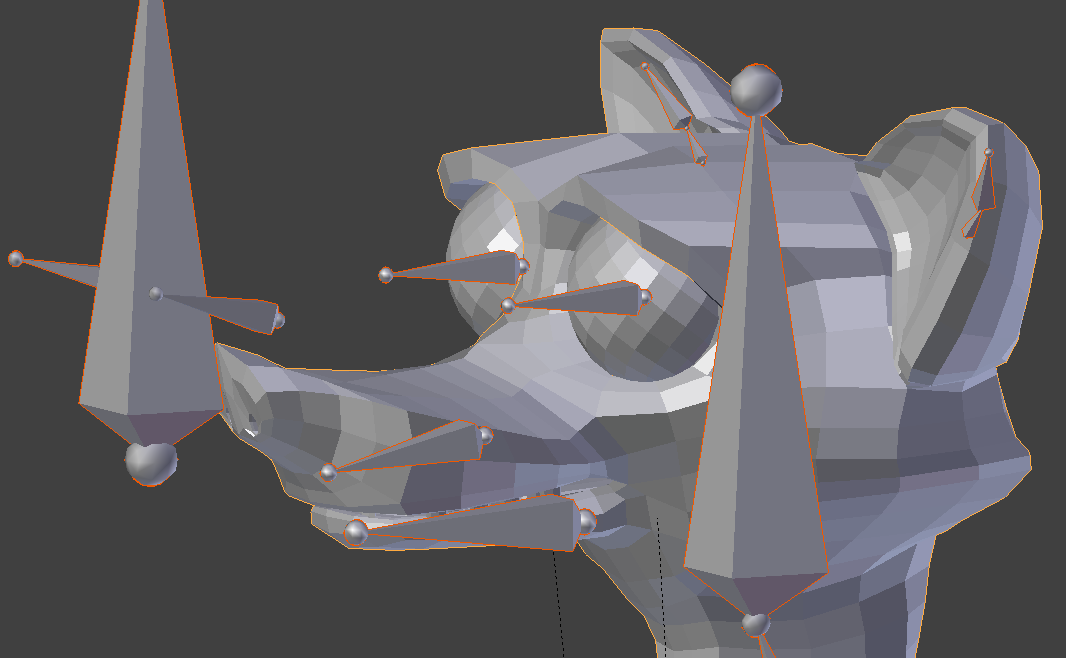 calm needle
for vr chat, you are just using the base eye bones. They also need to be aligned to hte head bone so they will be facing straightup
coral coral
What are the bones that I absolutely need to work in VRchat?
Also how do I make two meshes move together?
calm needle
what do you mean by two meshes? in what sense are you trying to make them move?
coral coral

I want to attach Chuchu's Mesh to Kirby's head mesh so when he moves, she moves too.
calm needle
is she attached to a bone so far or just a seperate entity all together?
as for what vr chat needs
low river
so, i should get rid of the eye poser thing?
https://i.imgur.com/5gDWK3h.png cause it goes like this
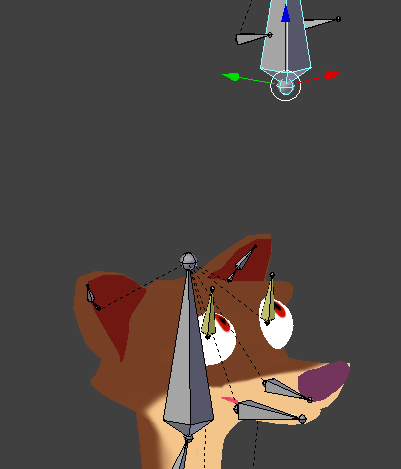 calm needle
hips, spine, chest, neck, head, shoulders, upper and lower arms, upper and loer legs, feet, hands
coral coral
She's just a separate entity altogether.
calm needle
you can probably keep the eye poser bone, vr chat will just ignore it
low river
Alright
calm needle
then you neeed to weight paint her to the head bone
low river
But the posers should be verical?
calm needle
the base eyebone itself should be
calm needle
the eye bones can just be told to align to head bone and that should jsut fix it for unity use
low river
i may hafve to delete, or at least temporarily delete the eye things
fading verge
Is anyone aware how to manipulate visemes in Unity? Wanting to learn how to do that for upload icons.
 pseudo kernel
That looks like some corrupted point weight verts right there
calm needle
you can click on the model itself kal and there will be a dropdown for the blendshapes
pseudo kernel
I'm assuming your in Maya @hidden ether
pseudo kernel
If you go to the vert and box select all of them and try painting a 0 weight to them or just using the hammer button, that will usualy fix it
 hidden ether
Nah, they have no influence
Which is what confused me
I'm adding the influence to the appropriate bones or close enough to such and it's working well
pseudo kernel
Iv only had it happen to me a few times
swift radish
@fading verge what you're looking for is blendshapes
calm needle
@fading verge
pseudo kernel
All I did was hammer them out or delite faces and cap the hole
hidden ether
Jeez that's a nice model turkleton
What does the hammer button do?
oh i see
"topology has changed between the skin and the output"
k
fading verge
@swift radish You're right, my bad. Do you know how to manipulate them in a scene for posing?
@calm needle That is not what I am refering to
pseudo kernel
The hammer butten is very nice for fixing fucked up verts
hidden ether
well it decided not to fix my verts so
pseudo kernel
Weird
hidden ether
 calm needle
im asuming you want it there fo rthe sake of the picture
fading verge
hey
does anyone know about the error, the avatar measures too large on at least one axis?
must be <5m
teal cloud
I just had that error
just make it smaller dude
@fading verge just select your avatar and press r
then click on the white rectangle in the middle and drag
 twin hound
does anyone have a rigged sonic model im gona explode if i mess with this anymore in unity
i seem to be inept
calm needle
as in sonic himself or just a character from the franchise. i only have sonic forces oc rips
twin hound
specificially sonic himself
 oak fossil
anyone know how I can get my model back to T pose?
i kind of messed around with the bones lol
twin hound
those sound cool though
calm needle
in pose mode, you can select all bones, hit W, and select clear all transforms
 crystal vector
@teal cloud Show your bone hierarchy
fading verge
scale xyz 0.5 0.5 0.5 still gets this error?
fading verge
amazing model.
fading verge
aint working, character too short o.o
oak fossil
wat
fading verge
yea D:
oak fossil
wait is 6000m on 0.5 scale
low river
Guys question
for an avatar to hold stuff
does it have to be a certain size? like, to have its arm go out when not using a headset
timber python
Hey guys
Does anyone here wanna rig a really fuckin easy model for me
It's Hammer Editor's info_player_start
calm needle
that one would probably mixamo pretty well
timber python
I tried it
It doesnt like it
Thinks the bones arent on the body
for some reason
i think its because theres space in between the joints
er.. The joints are space
low river
Even so, it should work
 dense hill
Is someone here able to help me on a bunch of question about rigging and bones in Unity/blender and I say a bunch becuase im dumb and need to ask questions
low river
shoot a few, I may know
dense hill
Basically my issue is that my mmd model when uploaded into Unity always sit at the A-pose and refuse to go into t-pose even after selecting to force it. I have downloaded probably over 20 different ones and have the same problem with everysingle one 😦 I select Cat's blender plugin's magic "fix model" button but still nothing happens in unity and when I uplaod it to vr chat they move around but they get stuck in A-pose here's an example:
its either this or this:
the second image is after selecting "reset" instead of "enforce T-pose, The bones match but are red and yes I have tried uploading both version into VRchat but both ways end up the same with a stuck T-Pose
A-pose*
low river
did you parent the model to the armature in blender?
dense hill
Yup, by using Cta's plugin buttn "fix model" and doing it manually
neither work
wait
I think I read that wrong
do you mean Make the model its self the parent? liek the mesh?
low river
Like, if you go into blender and then, chose the armature and then go to "Pose Mode"
then move a limb around, does it move the whole arm?
dense hill
okay osrry, like I mentioned im really stupid so bear with me here
low river
No its fine
dense hill
how exactly do i get to pose mode
low river
right click the armature in blender
 sick ridge
Hey, im having trouble with my model. Spine hierarchy error, neck and shoulders must be connected to chest
low river
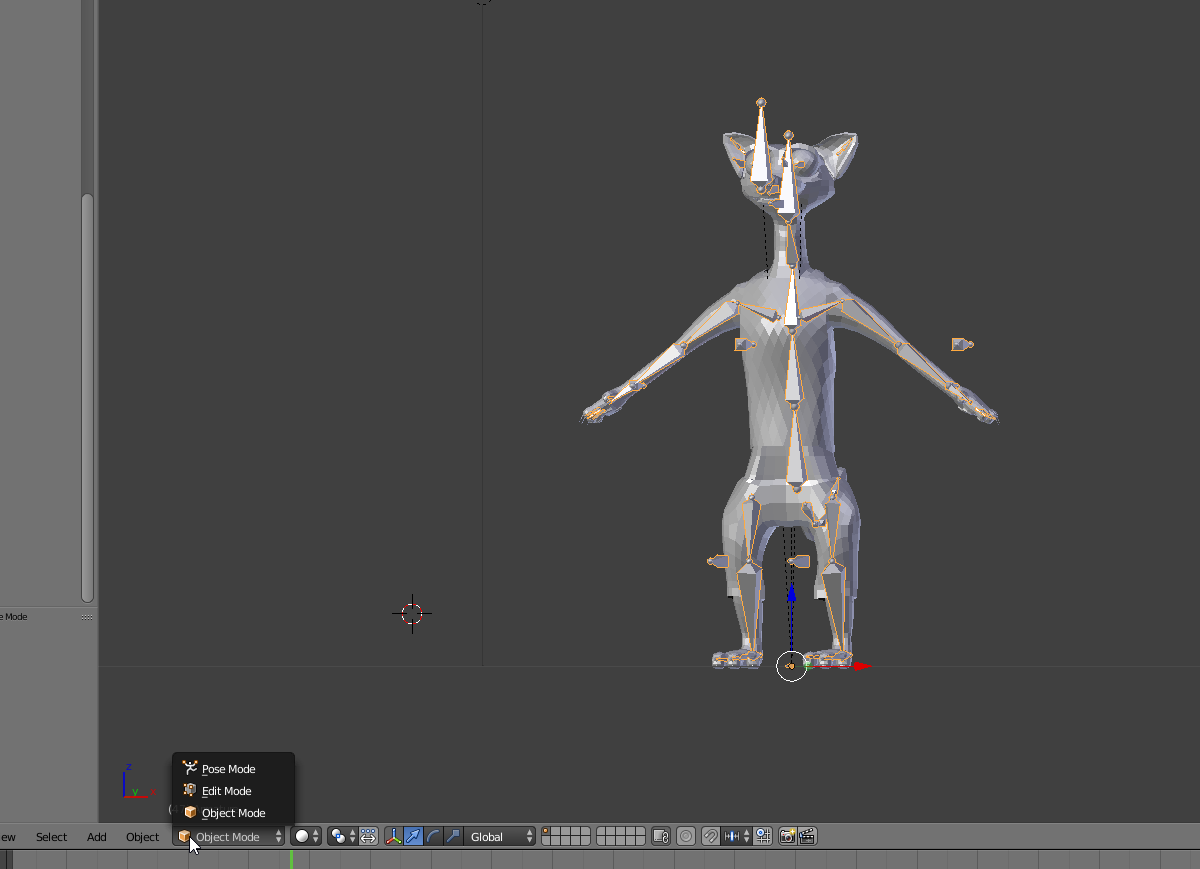 dense hill
This is what I see in pose mode
low river
now right click a bone
dense hill
Im not sure how to rotate the bones though
dense hill
okay let me rry parenting it
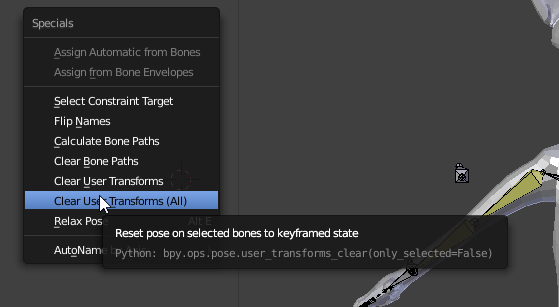 dense hill
ah okay
low river
this reverts the bones [and soon mesh] to it
dense hill
ah okay good to know
low river
So go back to object mode
right click the mesh, then the armature
ctrl-p
and theres a few options on rigging it, you said you use CATS?
dense hill
yes
 harsh oasis
How do I add jumping and voice lip sync to a character on unity?
low river
Im not 100% sure on if doing automatic weights is different with CATS or not
but you chose that
dense hill
automatic weight okay
ill try that
nope, it says it failed but I do know another way to make it a parent manually
dense hill
it says: "Bone Heat Weighting. Failed to find solution for one or more bones."
i dont know what it means to be honest
low river
Ahhh yeah
dense hill
but like I said I mgiht try to do it manually
low river
Thats the weight
dense hill
adn see if that works
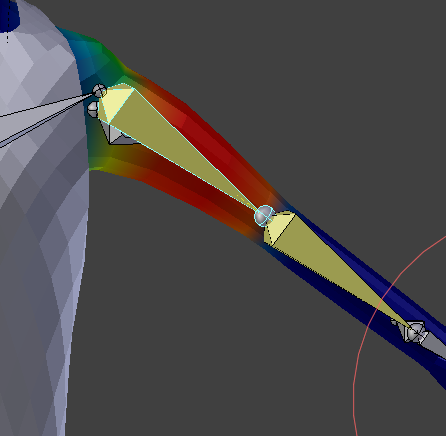 dense hill
ah I see
low river
it might because of the outfit, the head or the eyes?
dense hill
hmm Im not sure..
low river
i wouldnt know, im actually SUPER new to this myself
dense hill
aha thats okay youve been great so far to be honest
low river
I just have some weird ability to absorb information related to anything except my actual education
dense hill
AHA
let me just double check with you though, so I make the mesh the aprent of the amrmature? or the other way around
Ill let oyu know if it works
low river
right click mesh
then armature
also for an example of how weight painting is important
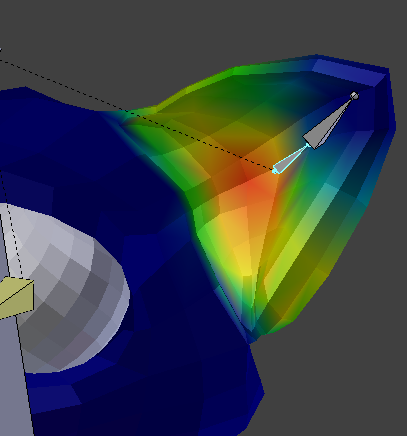
this is how it looks now
I actually just found an error sO FUN
https://i.imgur.com/VGnkeB2.png when I pull it out

the eye for some reason has part of it, rigged to it
dense hill
woah that looks strange
but you didnt answer my question aha and I tried to scroll back but it wasnt clear
 warm pecan
on my rigged avatar only the bones move when I rotate but not the mesh
dense hill
cause ill try and do it manually
dense hill
yeah thats what we are trying to fix @warm pecan
low river
@warm pecan gotta parent them
in object, select the body, then the armature
ctrl-p
I do "automatic weights"
because it "paints" everything out, with some issues
https://i.imgur.com/ZeCnvSt.png this is how the ear USED to look
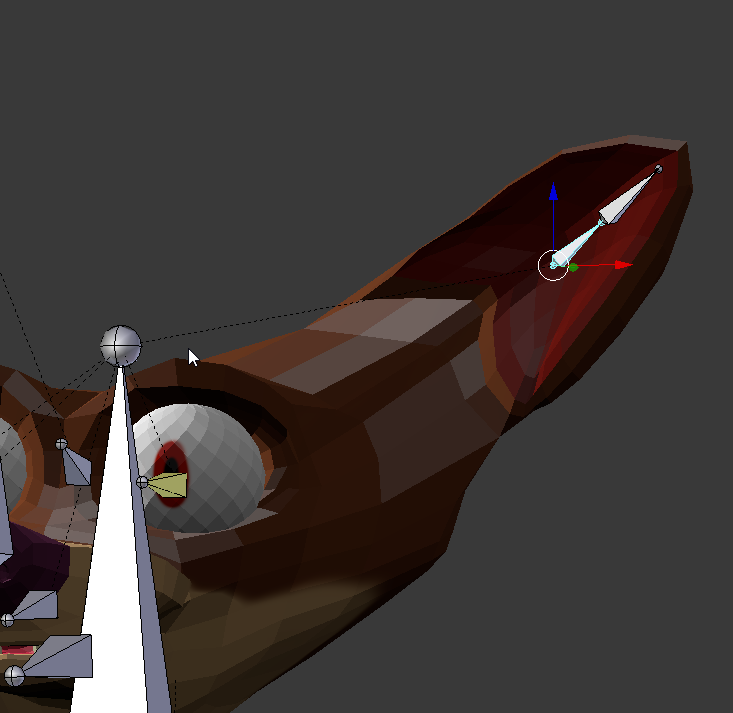





with the automatic weights
Im gonna be real, I may even re-weight this
at least parts
dense hill
but is it not already parented? check the side is that not right?
It says "Parent: Armature" in the object tab too
I dont think its the bones I think theres soemthing wrong with the way Ive done my mesh and it dosent move... but out of all the models Ive tried rigging ive seen none of them successfully move.. :/
I want to know what the hell Ive done aha
low river
Huh
Thats super weird, I really dont know at this point
sorry, CATS is something I dont know
dense hill
Also now it says "cannot change pose while 'rest mode' is enabled"
hmm I dunno what the issue is
my friend did this all first try but I seem to have done ssoemthign super wrong cause Ive been struggling for almsot a week now..
low river
THAT is uh
in the righgt
right click armature and its in the menu on the right [not the hierarchy]
dense hill
Thanks for your help but to be honest with the amount Im strugging I think Ive done somethign super wrong with soemthign Ive installed or soemthign form the very beginning its been super super difficult for me to do this and witht he amount everyone else seems to be getting it at some point I think Im going to start from scratch and uninstall everything and re-download and hopefully I can get it right this time, but thank you very much for your patience and help 😃
 storm plinth
I've got a question about rigging. So I'm new to this, and I have a model that has no rig or skeleton at all.
What do I do? Let's say I don't want to rig a humanoid model, and in example, I want to rig like...a barrel. Just a barrel. What would I do to get that rigged for VRChat? likewise, imagine if I had a model of a monkey, and wanted to put several monkies out the top. Would I have to only rig the barrel, and the monkies would just stick to it when I push it into VRChat? or do I have to merge the monkies to the barrel to make one object somehow, and then rig it? or does that not matter, and I only need to rig the one object out of the group?
I'm not sure where to find any rigging options, and I have looked up lots of tutorials, and it shows that I need blender for it for rigify? is that correct?
I genuinely want to get SUPER into 3d modeling stuff, and rigging other models properly. Any help would be very appreciated, and I'm sorry if I don't understand some things at first. Relatively new to it at the moment.
harsh oasis
trying to get visemes to work with a model on blender, but there isn't any Ah,Your,There
 glacial quarry
why is my lower body stiff
pseudo silo
@glacial quarry you need to have specific bones available for full IK
it warns you when you upload the model and tells you which ones are missing
it's like the index, middle, thumb, head, chest, spine, hips, and legs for full IK
swift radish
Why is my model sticking her pelvis out so far? She's rigged perfectly :/
 earnest walrus
how do you add a sound to an avatar?
pseudo silo
@swift radish could be that your muscle settings prevent the spine from rotating
swift radish
@pseudo silo How do I fix that?
pseudo silo
click on your fbx in the asset browser in unity, then on the upper right in the rig tab, click "Configure..."
then on the upper right again, there's a Muscles tab
the sliders visible are to test the limits of your character
when you crack open any of the settings panes (>), you can adjust the limits
i have a feeling your spine rotation is set to very limited, and is waaaay off normal