#avatar-rigging
1 messages · Page 49 of 1
 rose marten
im coming from UE4 game designer world but ive been catching up really fast though
appreciate the help
 nova wigeon
It's the opposite for me @pseudo python lol
 low river
I think for this model, its a bit late to do hah, ill try re-modelling them sometime
 dreamy sun
@pseudo python upper chest is blank
 pseudo python
ok
nova wigeon
Upper chest has to be blank
dreamy sun
 spiral pewter
@pseudo python
dreamy sun
but it still say
dreamy sun
hmm
 thorn spire
Okay. I just installed Blender. I might need some basic pointers on what I might possibly need to do.
nova wigeon
dreamy sun
it dont have uperchest bone
nova wigeon
In the #avatars-2-general channel
 fading verge
if a model has 4 legs like a dog should i make it a humanoid?
dreamy sun
🙄
nova wigeon
Don't think so @fading verge
fading verge
then what do i set it to, generic? Because then it doesnt animate when walking
nova wigeon
I've never worked with animals, so I wouldn't know... Humanoid would set the avatar upright
fading verge
ok
pseudo python
I'd assume it would have to be generic, but you'd need baked animations
 pseudo python
and who has time to make those
dreamy sun
 ruby blaze
so should i go and delete and fix them
thorn spire
So wait. Which file would I import into Blender?
nova wigeon
Zandario, How long have you been modeling? You seem like the only other person who knows what they're doing lmao
dreamy sun
it dont have upper chest bone but still erorr should i delete chest bone too ?
pseudo python
like 2-3 weeks
nova wigeon
These guys are like children... Always asking questions and wanting people to do it for them ;) lol
spiral pewter
@pseudo python i put the chin bone in the forehead on mixamo cause if i put it on chin the face got bug
fading verge
well i know how to rig and stuff, when i just started yesterday, but i don't know about animal rigging
dreamy sun
@nova wigeon i have sit like 32 hours for figure everything to my self till i stuck need to ask
thorn spire
@nova wigeon Lmao, I have never used Blender before. I just installed it.
nova wigeon
Lol
dreamy sun
just this unity too dumb to use
thorn spire
I just need a singular bone, and my avatar will probably be set.
pseudo python
@spiral pewter I don't know if I can help you with making a jaw bone, you'll proabably have to weight paint, and I haven't done that yet
nova wigeon
See, that's exactly what i'm talking about @thorn spire people expect themselves to know blender inside out and get into it not knowing what to do... Imo you should learn the basics of blender and modeling before you jump into avatar rigging/modeling
 pseudo python
if you just place a jaw bone, I believe it'll just move the whole front of the face when you talk if it isn't weight painted
ruby blaze
if i put it flat they overlap tho
pseudo python
Pelvis = Hips
nova wigeon
^
pseudo python
ninja press 5 on the KP and then 1 on the KP
spiral pewter
pseudo python
then take a pic

 restive flax
Im trying to import an avatar, and this is stopping that, what do i do about that
nova wigeon
That seems like way too many bones for a chest @ruby blaze
pseudo python
The pelvis/Hip bone will be the parent to the upper leg bones
nova wigeon
@restive flax add a descriptor
nova wigeon
Read what it says... Most of the time it's common sense
nova wigeon
nova wigeon
You should also do this @restive flax
spiral pewter
damn tis is hard as fuck
restive flax
cant click it
nova wigeon
Only errors you should worry about are in the build tab or when you're trying to apply a humanoid/generic rig
dreamy sun
with this going along
nova wigeon
Select the object in the heirarchy @restive flax
spiral pewter
dudes i'm tired of this, i really can't do the rig and that stuff
someone can please do it to me? it' a human avatar
nova wigeon
I'm a human avatar too :)
spiral pewter
i think i can call this human
dreamy sun
im human too
spiral pewter
because looks like
nova wigeon
Tbh.. rigging is probably the easiest part
Weight painting is time consuming but not difficult
Modeling is a bitch though
rose marten
hey
rose marten
quick question, my character is stuck in her T pose when i import her in game lol xD
nova wigeon
Did you set it as a humanoid?
pseudo python
That's a simple fix in blender
just open it up and take a picture of the armature layout in the folder like menu
nova wigeon
Make sure everything's parented and make sure you have a neck
 quartz magnet
https://i.imgur.com/Tmro09L.png someone tell me what im doing wrong please, Her arms are stuck in a t-pose and the hands are hanging in her croch
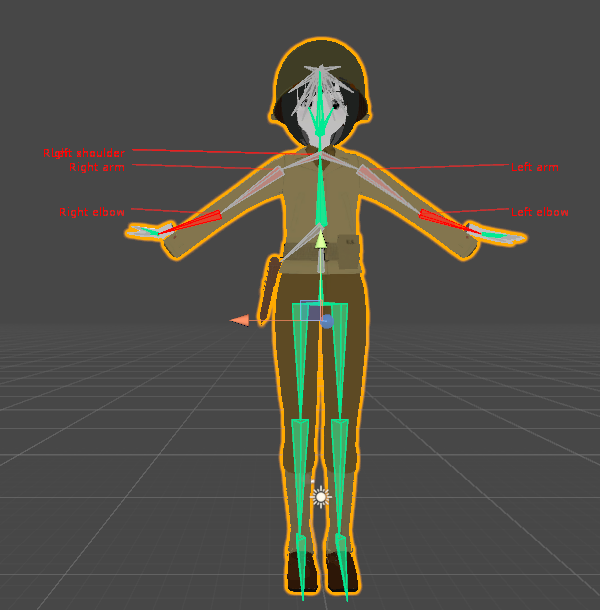 pseudo python
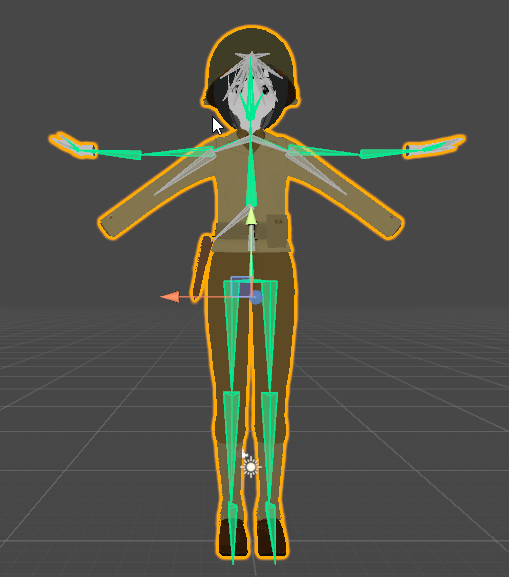
go the the bottom right and click the button to the left of pose, it'll drop down a menu and press enforce T-Pose
It's called mappings
dreamy sun
hmm
quartz magnet
https://i.imgur.com/25NpygH.png t pose enforced
 polar mural
So after exporting my model from blender, when I add it to unity none of the materials/textures show up and its just a white model . Is that because the files are all in japanese still? Tried setting the materials to standard already.
dreamy sun
hmm
 nova wigeon
Make sure you import your actual textures into Unity
dreamy sun
i think i will redo the model from start
nova wigeon
and make sure you apply them to the materials
polar mural
I dont really know what textures go to which material
dreamy sun
if you dont know which one
nova wigeon
Me neither, I can't read japanese
dreamy sun
just copy all folder
polar mural

 dreamy sun
all file img type
polar mural
Still white on materials
polar mural
xD
dreamy sun
since unity dont read spa file with toon
polar mural
Oh rip
dreamy sun
so it fked up
polar mural
Any way to convert?
nova wigeon
try to import into photoshop and export as a png
dreamy sun
i need remodel from start and put everything on the model file so i think unity dont goes crazy again
nova wigeon
idk if photoshop accepts .spa files
Modeling from scratch is always best.. that way you know exactly what you're doing and what's what
polar mural
Im really new to blender/unity in general
nova wigeon
Everyone is :) lol
polar mural
I've been trying to get a mordred mmd to work for a while but i keep getting "file signature is invalid" and https://gyazo.com/ee337b4f458ea69b0e7017ffd1979410
 spiral pewter
@nova wigeon do you know someone with skill for this?
nova wigeon
I'm sure there are tons of people in this discord who have the skillset to
 torpid osprey
Weewoo Greetings
dreamy sun
nope
quartz magnet
https://i.imgur.com/25NpygH.png sorry guys is there something here that needs to be remapped
polar mural
thorn spire
I would like to be able to see the armature, but I have no clue how to make it visible so I can add more bones. I have no idea what to even look up on YouTube in general to figure this out.
 blazing hornet
Do I need to use pmx editor?
https://gyazo.com/e390116f59f843b49e454c7e43441de8
cause the texture doesnt show up when I drag the mmd model in
I just drag it in and the textures come in as well
 thorn spire
The worst part is that I saw the armature tab, but now I can't pull it up. One moment, lmao.
restive flax
?
nova wigeon
Polygons?
thorn spire
I mean the bones.
thorn spire
It kind of looks like the bone points to me.
nova wigeon
Looks fine to me
thorn spire
I need to add a bone for the chest. That is probably it, and my avatar is set.
And I am such a rookie at this that my camera is focused at the centerpoint right at Klonoa's feet. Lmao
restive flax
Still dont know what to do about this
nova wigeon
What does it say?
thorn spire
@restive flax That was the exact same message that I was getting in Unity.
thorn spire
That's exactly how I feel.
dreamy sun
using unity is like
polar mural
Lmao
dreamy sun
if model make not well it will cause many problem
 spring shell
did you look in configure when you imported the model that shows if everything is attached?
@idle crystal
polar mural
Anyone know how to fix this when trying to import to blender? Trying to use a mmd model off of Bowlroll
https://gyazo.com/6589b951c9798c8f7b6cbddca5e38d4c
 restive flax
I Think i need to rename certain bones
cause It has a spine, but its named Upperbody
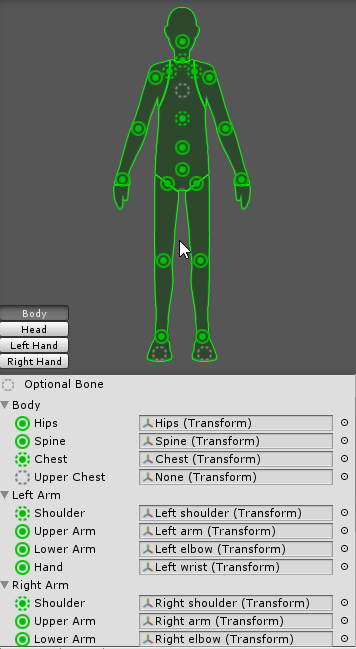 thorn spire
I just need to make one bone in Blender, but I have no idea how to make a bone, and how to place it somewhere in the body.
I only just downloaded it like an hour ago.
quartz magnet
https://i.imgur.com/ZHZYXlz.png i really dont kno what im doing wrong
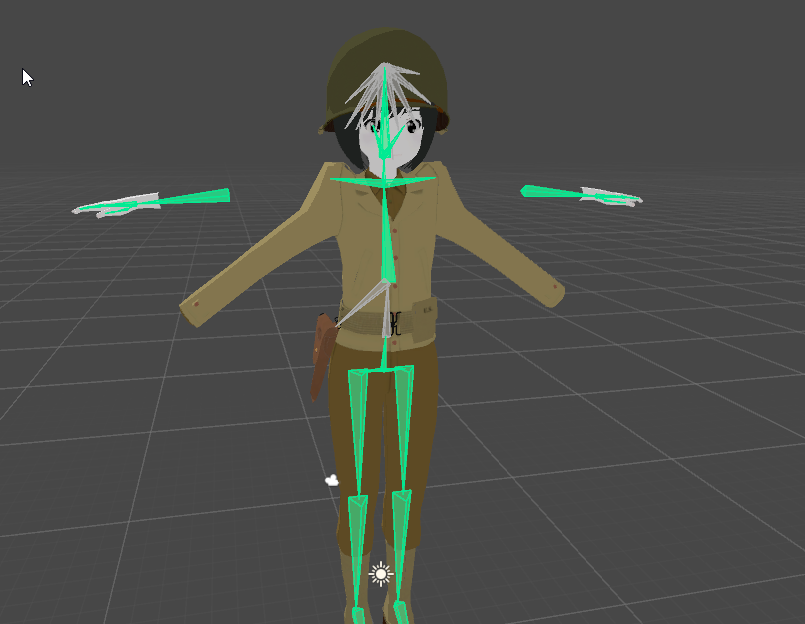 restive flax
I got to it and it didnt have a chest so i did that
😂 🔫
im tier
tierd
i just want to get done and sleep
quartz magnet
so there are seperate bones for the sleves of the jacket in my character and her arms is it possible to link then?
 hard zenith
anyone know how to make unity think my avatar is not short
quartz magnet
https://i.imgur.com/36756h3.png reference
 fading verge
@restive flax did you go to your configuration menu and check your rig?
 patent oak
Imported my second SFM model and set everything up. But when I got in-game, the finger bones seem to be in random angles, and go backwards when doing gestures. Anyone know where I can start to fix this?
 compact badger
Would anyone be kind enough to see if this pre-rigged model is salvagable for vrchat 😃
I'm kinda at a loss as its not a tradition one lol.
hard zenith
how do you make a generic rig not standing up but laying down? 🤔
 amber heart
If anyone can voice chat and help me out that’d be very helpful
compact badger
What problems are you having Beatz?
compact badger
Nick
compact badger
You profossiant with blender?
 timber python
nope
compact badger
lol
compact badger
Out of 3DS/FBX/MAX/OBJ which file type would be easiest
to edit bones
and fix rigging
timber python
well
for starters
a max file is proprietary
and so is a 3ds file
they only work in 3dsmax
and an obj isnt as compatible with stuff as fbx
nova wigeon
FBX would be best
timber python
so use fbx since like everything including unity uses it
compact badger
Well, I tried opening the model in fbx in blender.
Its a fucking mess
and im so confused
timber python
well
nova wigeon
import it
timber python
ask tanner
nova wigeon
Picture?
timber python
send
compact badger
ight
timber python
dm them
 mystic hedge
Can anyone here offer some advice or lend a hand in helping me connect mesh or reattach a head thats lopsided?
mystic hedge
That would be good info but I think a picture would help with my situation
its actually lopsided in the body a bit and disconnected completely
nova wigeon
Can you move it and then just connect the verticies
mystic hedge
I've tried to select all the pieces using the select all attached options but it wont actually select everything
nova wigeon
Try deselecting everything and hover over a verticy and press L
 vale creek
is there guide to add items to your characters?
 digital echo
Can someone help me, anytime I export the model into unity all the materials are under the model instead of being in a material folder and I can't edit any of the materials.
 muted helm
FBX generally
mystic hedge
ok I have the entire head moved up so how do I rotate it at an angle?
quartz magnet
is there a way to search for bones in blender
mystic hedge
I got the head attached I believe, but with mixamo its telling me that I dont have all the points on the body
so im assuming that it doesnt recognize the entire model and one piece
 fresh jacinth

 steady spruce
how on earth do i make my character blink if i dont have that in the facial texture thing
 plucky terrace
anyone got a roblox noob avatar
steady spruce
me
plucky terrace
YOU DO?
steady spruce
uh yea
plucky terrace
wut
ive tried everything
roblox studio
blender unity
can you send me the avatar
so i can drag into unity
steady spruce
 steady spruce
download it
steady spruce
do you know how to put it in vrchat
plucky terrace
did u use that?
steady spruce
i use it on models that dont have any rigs
plucky terrace
hm
i took that model
and put into mixamo
and it says oops place all markers
and eveen wehn i get it to work
the body streches
plucky terrace
do you still have the rigged unity file?
so i can drag in
or can you atleast look for one
ive been here for days
fading verge
Alright so I'm not sure how the heck I did this, but could I get some help?
I'm not familiar with 3d models or Blender. I'm really just following a tutorial.
 young ocean
can someone tell me how to remove parts of a model? I've been using pokemon models and a lot of them have parts that are normally hidden until they use certain attacks in games
but I'd rather not have a stick jutting out of this character's feet
thorn spire
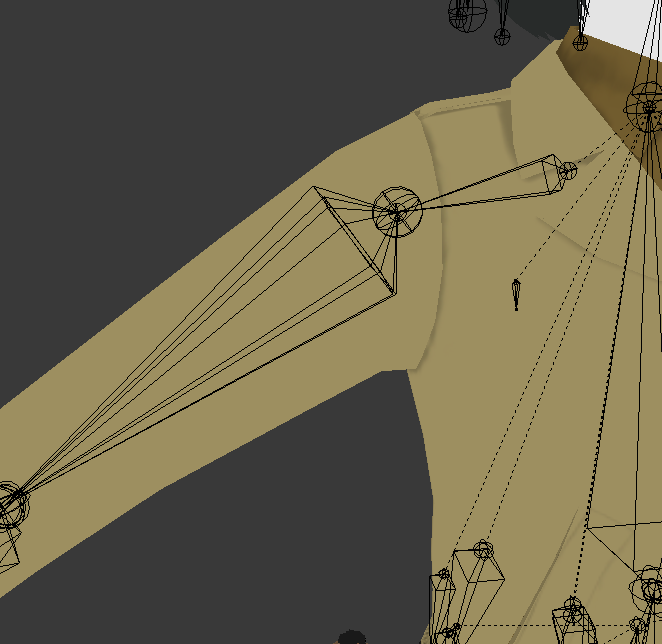
So, I have a question:
Are character shoulder models not suppose to be like this?
 round summit
@young ocean Just delete the mesh in Blender.
@tulip mauve Why would you think that?
 unborn atlas
I'm making an armature from scratch, and I'm tring to get the X-Axis Mirror setting to work, how do I do that..?
compact badger
Does my model need to be in tpost to be rigged?
 scarlet crow
Does anyone have a standing idle animation with the arms out from the body a little more they could share?
My arms are inside my dress with the defalt
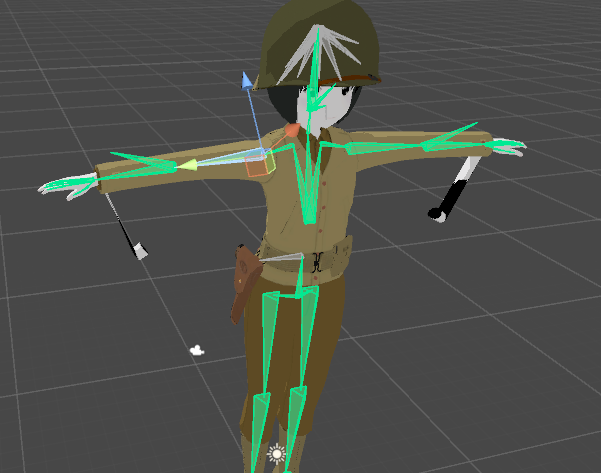
quartz magnet
https://i.imgur.com/ll8KG4U.png any idea what is causing this?
 reef belfry
Can I not just use Shape keys for lip sycning?
round summit
You can.
unborn atlas
@quartz magnet Check your weight paints
round summit
restive flax
I used the wrong pmx file when importing it into Blender
reef belfry
then am I missing somthing? I have the shape keys set up yet when I go in game and talk nothing happens (not riged as a humanoid)
restive flax
i wasted 3 hours trying to rig something that wasent complete
compact badger
I'm currently trying to rig my model, but it seems like something is missing. How Do I go about getting it from this into t-pose?
round summit
@reef belfry It might be? Honestly, I've had pretty hit-or-miss uploading when trying to get lip syncing to work, and had to start from scratch once or twice to get it properly working.
round summit
I'm pretty sure there is, but I'm having trouble finding the video I saw it on. Unity doesn't always reflect what VRChat does with it either, though, so it might be better to go through the uploading process anyways?
rose marten
o-O
Hey could anyone help me with a unity error real quick, ive researched it online and done it the way it was supposed to fix but still giving me the same issue
stating "spine hierarchy incorrect. make sure that the parent of both shoulders and the neck is the chest" ive double check the armature inside blender as well as unity and shoulders+neck are all children to the chest and not quite sure why its giving me an error
round summit
Can you screenshot the Body setup in Unity?
 flat sierra
round summit
flat sierra
round summit
That looks like a lot of extra bones that I think I had. You might want to try running it through something like CATS in blender to fix it up?

Today we'll be going over Cat's Blender Plugin, an amazing Blender script that will save you TONS of time with your armature, visemes, eye tracking, and text...
dreamy sun
this dont load im dead
DEAD DEAD DEAD DEADDDDDDDDDDDDDDDDDDDDD
havent save
hahahahahahahaha
i should sleep
rose marten
alright ill go look through ti again but i did run it through the process of cat and decimating and all that
unborn atlas
Are X-Y-Z axis important for all the bones as they are for fingers..?
 split belfry
For proper rotations they are
 oak forge
Can I set my model as generic in unity? since it has really tiny legs and and arms, no hands.
Or is gonna be in t-pose.
is it*
split belfry
Can't hurt to try. 😉
split belfry
Question: I have an avatar that I already have working. Today I did some stuff to it and reimported back to Unity and now the skeleton won't import with it. The blue box representing the skeleton is missing in the assets window and is an icon of the avatar. It exports to VRChat and shows up in the avatar list, but when I choose it it's invisible. ???
@reef belfry If that's the ViewPosition then your character is way too small. 😛
reef belfry
No, trying to get the orb to change shape when I speak but the lip syncing would not work with out being a humanoid
split belfry
Every ball needs a good bone. 😉
 supple yew
Is it possible for me to get the shoulders on my Eggrobo model to stop moving by making the shoulders weightless?
dreamy sun
server can bug and make your avatar become other thingy ?
split belfry
Sure, why not. There aren't enough of those.
dreamy sun
this
timber python
i wanna get ellis from l4d2 now
dreamy sun
my handsome fox guy become this
timber python
i want that
split belfry
That happens to me too
timber python
where get
compact badger
Has anyone used the autorigger by mixamo?
split belfry
But my avatar is still the same in game
dreamy sun
that fox guys took me 8 hours
timber python
ohh you guys havin thumbnail issues
split belfry
Yeah. Sometimes the thumbnail changes to some random avatar chick
split belfry
For me, yeah
dreamy sun
u should talk early
 spiral pagoda
thats happening because of blueprint ID mismatches
spiral pagoda
your model gets mismatched with someone else's model id
which causes it to have another persons image
you can override it by reuploading it
supple yew
Is there any way to get the arms on a model to stop moving without preventing them from rotating in place? Do you just make the shoulder bone weightless?
spiral pagoda
or switch to a different ID from detatching it in pipeline manager
polar mural
https://gyazo.com/1e02faa1abd24032f1a3ea45b23e3e71
I think I messed up somewhere

 light valve
You mean normal human beings don't stand like that?
steady spruce
what is that
unborn atlas
@split belfry How do I know how to rotate my bones..?
polar mural
xD
split belfry
@unborn atlas In what?
 rain fulcrum
hey can i get some help rigging my knuckles?
unborn atlas
Blender
dreamy sun

split belfry
@unborn atlas TBH, I literally just installed Blender and opened it.
unborn atlas
XD
split belfry
But I'm sure there's a rotation manipulator
unborn atlas
But how do I know which axis should go where?
supple yew
I need some help fixing my Eggrobo
dreamy sun
how to mirror looking ?
rain fulcrum
Do we absolutely need unity version 5.6.3p1?
cause if so, then I installed the wrong verson of unity TWICE
fading verge
@rain fulcrum yeah
rain fulcrum
oh that's hilarious lol
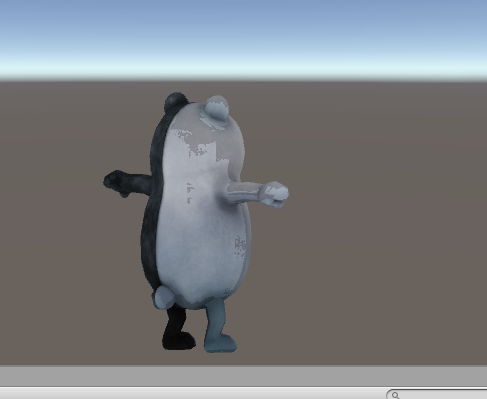
 harsh glade
Can someone help me fix this lighting thing with avatar in unity?
https://imgur.com/a/0x25X
 wind grove
why is this greyed out?
wind grove
:/
@swift radish oof. im dumb! press tab to go into edit mode LUL
forgot a step LUL
 swift radish
OOH
reef belfry
When in VRC I can see the inside of my head any way to fix with out moving the cam?
rose marten
Alrighty, fixed that issue I had before with miku and got her working in game https://cdn.discordapp.com/attachments/107673781341786112/398341549840400385/unknown.png

 spring plover
Unity is telling me that my avatar isnt in a humanoid rig, i just downloaded a fully rigged model off of cgtrader since im still a noob at blender/unity
any way to fix?
 dry umbra
cant get my dymanic bones to work in game makes me mad
dreamy sun
try using swing instead
round summit
You have to click on the asset on the lower bar in Unity, then switch the rig from "Generic" to "Humanoid", then generate from that. @spring plover
 stuck jasper
That feeling when you spend hours trying to figure something out and then you finally get it right is just so satisfying
I finally got the ability to draw in the air anywhere
Also I made it so the ends of my swords have swooshy lines
reef belfry
Is there a way to keep the hips from moving when other bones move?
stuck jasper
That shouldn't be happening. Are you in unity?
stuck jasper
Send a screenshot of your armature
reef belfry
I want the bones to do nothing, they all have zero weight
spring plover
would anyone be willing to help me rig an entire model from scratch? i know id be asking for someone to take a ton of time to help me
stuck jasper
Is your hip on top of everything?
reef belfry
it is the parent yes
stuck jasper
Does the error exist when you port it to VR chat?
reef belfry
yes
stuck jasper
Ok I don't know
reef belfry
when I move the head the hips rorate and thus move the sphere
stuck jasper
It's almost one am I gotta go to bed. Good luck buddy I have no idea what you need to do
reef belfry
night have a good one
 modest path
how do I see which vertices are assigned to a bone?
 hardy radish
Can anyone here help me with the fact that, in vr, my avatar's hands dont follow what my controllers do, and instead just stay in their original pose at all times. The rest of the body moves fine as well.
 naive tree
@hardy radish dm me the fbx, ill take a look
 wispy gull
Hello, anyone knows how to import custom animations that I have in fbx?
I am like, super retarded, so I need step by step... last time I tried, I somehow fucked up, panicked and had to restart from scratch
Also when I open the fbx folders in reality viewer, I can only see model, no animation...
torpid osprey
When using muscle animation, is there a way to loop animations?
Or constantly have an animation running?
scarlet crow
So uh, is there a way to shrink certain appendages in blender?
 silk seal
Ouf, having a ton of trouble rigging a model. Ran it through Mixamo and it let me publish a single time, but now it just says that I don't have upper arms
As one might see, I do HAVE upper arms mapped, but I'm not sure what's going wrong
compact badger
is Rigify an option to rig my model?
amber heart
can anyone help via voice chat?
 manic yoke
Hey, first time trying to create a avatar and I ran into an issue with eye tracking. Wanted to see if anyone was willing to help
https://youtu.be/G7_13nsPpQA?t=30s

 warped coyote
anyone got a few mins to help me?
naive tree
type out your question
fading verge
anyone know how to fix permanent T pose with mixamo rig
 solid pine
anyone know where to download the 20k poly sdk?
hardy radish
does anyone know how to fix the fact that my entire model is functioning normally except that I cant position my fingers in vr, with the hand always being in an idle animation and not responding to inputs?
solid pine
did it not warn you when uploading that the bones had issues and that it wouldn't have full body animations?
hardy radish
no
hardy radish
what do you mean by that?
hardy radish
yes
solid pine
did you do that yourself or were they pre set with the model?
hardy radish
i imported the model, deleted the original skeleton, and created my own one as well as weight painted it. all done in blender
solid pine
and have you looked at the skeleton in unity to see if everything is fine
hardy radish
yes, but I can also snapshot if you'd like
hardy radish
you think there is some problem cause I followed a tutorial made back in 2015?
solid pine
not sure, you could try running a de-skeletoned model through mixamo for rigging and testing that in unity
hardy radish
dont know what mixamo is
solid pine
free site that you can rig models with
just make an account and any fbx file or model file that you have you can run through it and it'll automatically add a humanoid bone structure
it also rigs hands
hardy radish
ok, thanks, I'll look at it
solid pine
its super easy too
fading verge
I have a model where the legs/feet keep pulling at its skirt despite there being no bone weight for it... what's going ooon D:
 thick trout
I keep getting this error uploading the Knuckles avatar, "spine hierarchy incorrect, make sure that the parent of both shoulders and the neck is the chest"
 worn shore
Is there a way to switch out a model after having set up dynamic bones and all that? The model I'm using is too high in poly count and I'm hoping I don't have to redo the whole setup
hardy radish
@solid pine apparently the site says error: please put all components on the model, even though I did.
oh well
 unborn kelp
anyone know why im getting this error, prob have something to do with rigging so im posting it here
silk seal
Trying to make another bone the parent of one I jsut added in blender but It's not doing anything, any help?
thorn spire
I have a character model that basically has all the necessary bones except for the chest bone. When I add a new bone in Blender to make up a chest, it just completely ruins the model when I get to Unity to view the T-pose.
@unborn kelp That was the exact same problem I kept running into.
muted helm
@fading verge t-pose problem with mixamo rigs? When I improt them the capture/bind pose is set to frame 0, so I adjust that for other geometry then copy keys to frame 1 to make sure the rigs don't turn into something stupid during deformation
Shit I always miss the time stamps when I restart my discord client and I end up replying to something from hours ago 😛
unborn kelp
it does seem to have the bones in here tho @thorn spire
thorn spire
Where are your shoulders though? You don't have anything assigned for the shoulders.
unborn kelp
spine and such looks to be there in blender too
i merge my elbows into the rest of the arm :^)
into the parenting thing
 dire mica
Uh?
thorn spire
I think you actually need something in the elbow section, but don't quote me on it because I clearly don't know what I am talking about at all. I'm just struggling to put Klonoa in as my own avatar. :(
dire mica
Iron, could you find the basic bone structure image
warped coyote
i need to fix the bone hierachy on blender but h ave NO clue how, the legs on this model for the feet arent cooperating
 warped coyote
 warped coyote
all the options are in japanese, idk how to translate
polar mural
Is it pretty easy to add a jaw to a model for talking?
 rain kindle
Remember to use cats tool to auto-translate
warped coyote
plus, that model has 19,000 polygons too many, how do i take some away?
cats tool?
rain kindle
It's a really useful tool that does a lot of the backend stuff for you
warped coyote
do you have the download link?
warped coyote
i have no clue how, im a noob lol
rain kindle
what format is your model?
warped coyote
pmx
rain kindle
check the pins in all the avatar catagories here on this discord, there's really useful FAQs and solutions there for beginners
 umbral jay
check #tutorials. Tupper's megatutorial covers decimation well
fading verge
Im weight paiting my guy but when i move the feet in pose mode multiple layers appear underneath the foot
is this normal?
 shell moss
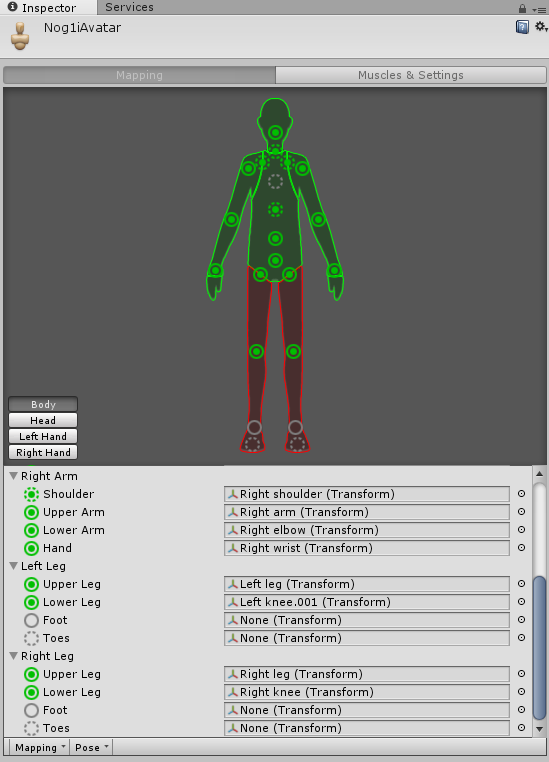 rain kindle
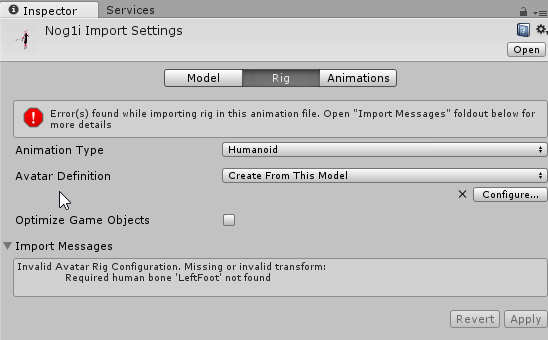
assign your avatar feet
click on the little circles to the right of foot option, and find the foot bone
shell moss
ooooo thx
rain kindle
Whenever I try to parent my rig to the model im using it rescales the model x1000 and flips it on its side 
 fading verge
There are parts of my character's body which i cant reach with the weight pain tool, any suggestions on how to paint those?
 ivory spire
how did http://puu.sh/yTYYm/5538adaf8a.jpg go to http://puu.sh/yTYZt/aeff3f7ba7.jpg ? Everything was fine until I did create atlas and the face just died. I dont know how to reverse it and the face looks fine even when I redid in blender. I'm guessing the transition to ftx messed it up somehow but I don't even know. Even when I tried to start over the same thing happened. 😬


 small mesa
Does anyone know how to import source filmmaker models into blender while keeping the shape key.
naive tree
@ivory spire go to materials folder and change the render mode in shader for the emotes to transparent or cutout
ivory spire
that did it, thank you very much
warped coyote
anyone who knows about shape keys have a few mins to help me? getting an errior when i try to add modifier, it says cannot apply to a mesh with shape keys
naive tree
you go to triangle tab and delete shape keys for the said material
@warped coyote

if there' smore than 1, you can press the black arrow below +- and select delete all
warped coyote
basis is the only one @naive tree
 honest bridge
If the eye tracking makes the eyes go "2d" when it tracks (the eyes go inside of themselves and don't move correctly) - would that be a bone issue?
 short fox
 solar ravine
right place for blender discussion on creating new bones, or is #3d-modeling better?
 obsidian rock
how do you have your avatar move while doing an animation?
 gentle silo
Bone parenting keeps reverting/ undoing itself after I click apply and done in rigging
How do I stop that from happening?
 cedar garnet
me and a freind are working on a bone structure but i have a question i have to many spines I need to change a parent spine in blender what tab is it to change the parent bone i cant find it?
 cedar garnet
thanks @raw field
 raw field
np
cedar garnet
im trying to delete a parent like just get rid of a extra bone thats my prob

trying to get rid of Spine2
raw field
go into edit mode while selecting the armature. select the spine 2 bone and press "x">Delete bone
 cyan karma
hey guys , where do you rig mmd models? blender or in mmd direct? (or editor?) , since i found neat avatars that need rigging
raw field
I dont think it matters choose the one youre more familiar with. But you might have to use blender eventually for bone fixing
cedar garnet
@raw field thanks you the bomb
raw field
Glad i could help
cyan karma
so would it make more sense to rig in blender?
 still lark
hey do we need to rig with inverse kinematics for vrchat?
cedar garnet
new prob i deleted it and now it did this to my model

that big flap is not suposed to be there
 lucid isle
how....would ifix this
raw field
@cyan karma If youre starting out new then yeah.
@still lark If youre using a VR Headset then you should rig with IK in mind
cyan karma
@raw field okay thanks! Yeah its a fresh mmd model without rigs. Is there a good tutorial to rig clothes aka what do I need to keep in mind so i can use dynamic bones alter on?
small mesa
Is there a way to change the way that bones appear in blender. I remember them actually looking like bones before, they just look like points now.
https://gyazo.com/92acb65239484a2fc7b51c5a8e9f1176
 raw field
@cedar garnet The Flap is probably because of broken Vertex Groups.
cedar garnet
well i gotta leave so if i cant fix it ill try again when i get back ill check what you send tho
raw field
@lucid isle Looks like your bones arent in the respectable position to the mesh. You can either move the mesh to look like the bones or move the bones into the shape of the mesh.
raw field
@small mesa http://puu.sh/yU2B6/67aa1c597b.png
 lucid isle
and im now sure how to move the mesh
raw field
@lucid isle Could you send me a picture of the model in blender with wireframe on so i can see the bones?
raw field
Can you move the arms in pose mode?
lucid isle
yeah
raw field
thats weird
lucid isle
the mesh wont follow though
lucid isle
uuuuugh
small mesa
@raw field I did that and nothing changed

im trying to get it to look like this

How to parent mmd model for vrchat
lucid isle
they look the same as other MMDs ive used...
sigh yeah idk how to fix this :/ always a problem with models i pick
small mesa
I'm basically trying to fix this error

And the tutorial had it so that he could click the literal bones not just points and edit them
lucid isle
yep
raw field
@small mesa You can still select the bones in the hierarchy http://puu.sh/yU2PW/e2c2bf2b93.png

@lucid isle Select the model in Object Mode and check under the Vertex Group tap. They might just need to be renamed http://puu.sh/yU2Sl/f51f0892b4.png
 small mesa
@raw field Yeah, I guess I can still grab the bones, i just wish I could get it back to that previous view because its a bit hard to tell what bone im grabbing when its just a point
 subtle timber
is this the place to ask about decimation?
raw field
@subtle timber ask @3d-modeling
subtle timber
alright
lucid isle
i...cant tell if they need to be renamed or not....
raw field
send a pic of your bone hierarchy and one of your vertex groups
lucid isle
k
 raw field
@small mesa Its a common import "mistake" It has something to do with how bones are orientated in the software you ripped them from. Dont have an easy fix though, sorry
small mesa
@raw field I probably have to just try reimporting the model, it's a source filmmaker model and I've been having a ton of trouble getting everything to import correctly without errors
raw field
@small mesa The source file imports are often really messy.
@lucid isle Did you add an armature Modifier? http://puu.sh/yU33S/06e6e122b7.png
 lucid isle
nope
raw field
welp
raw field
@lucid isle Press "Add Modifier">Armature Dont apply it
gentle silo
Bone parenting keeps reverting/ undoing itself after I click apply and done in rigging. How do I stop that from happening?
raw field
now check if you can move the arms in the pose mode @lucid isle
 distant pike
hey fellas, small question. do avatars with non-Humanoid rigs not work with visemes?
still lark
that's due to weight painting
raw field
@gentle silo I guess youre talking about unity. Never had such a problem, sorry.
lucid isle
ya...but likr even the models im using do that and the weight painting is fine
gentle silo
@raw field Yes I mean Unity
raw field
@lucid isle I guess the vertex group names and bone names dont match up then.
If you send me your .blend file ill take a quick look
lucid isle
k
distant pike
I apologize for repeating this question, but do avatars with non-Humanoid rigs not work with visemes?
 silk kestrel
so many problems...if you got any questions related to blender please ask them again so I can take a look
 static flint
Is there a way to make items on your avatar interactive eg. Make it possible for other people to use your gun etc.
 remote rivet
Not as far as I'm aware of, @static flint, it'd be pretty open to glitching
Like swapping avatars with people holding your weapon will get their hands stuck or something
Also, does anyone know if there's anyway to remove eye tracking created from CATS? I implemented it and decided the model didn't need it and then tried to use the same tab again but with disable eye movement ticked, but my avatar's eyes are now googly
 sharp coral
@distant pike they do work without humanoid rig.
distant pike
that's strange. i got a model with visemes that work fine if i set it as a Humanoid rig, but any other and they suddenly don't do anything
warped coyote
what do I do in unity to make my avatar float a bit? in the air
remote rivet
Move the position of the avatar on the Y axis @warped coyote
remote rivet
yeah, you can use the custom override controller and insert your animations in the slots
course, you'll need to make the animation yourself or get one from the asset store probably
warped coyote
for a vehicle, do I use athe generic rig? or do i actually do humanoid? @remote rivet
remote rivet
Generic
At least, that's what I used to get a few pokemon that fly/float to have custom animation
 sturdy ruin
Anyone knows how to fix the "angle beetween pelvis and thighs should be close to 180 degrees" Warning ?
 mild skiff
what's the angle?
sturdy ruin
173
mild skiff
dw about it then
sturdy ruin
Idk if it's even a serious problem
mild skiff
anything over about 160 is fine
sturdy ruin
I want to use the Model for Full Body Tracking , once I get VR, so I am prayign for it to work out
mild skiff
i see. well your angle is very close to 180 so you should be fine
warped coyote
someone please help 😦 http://prntscr.com/hw0i9u
 sturdy ruin
something is wrong with yur characters mesurments
fading verge
can someone help me figure out why his hair flies off in game
and why it turns like this in the muscle tab?
some things ive tried: parenting the hair to his head, combining the meshes
warped coyote
well obviously, but how to fix it ? @sturdy ruin
 limpid scarab
@warped coyote click on your model body mesh in the hierarchy
sturdy ruin
you have to scale down it's X-Axis messurments by a bit and its Y-Messurments by quite a lot
limpid scarab
and see how big the box around it is
restive flax
i left the import on all night, and the avatar still hasent submitted yet, and the loading hasent changed either
limpid scarab
@restive flax try putting your pc clock on yesterday
no kidding
also disable future proofing in the vrchat settings screen
restive flax
Now this isnt changing
warped coyote
http://prntscr.com/hw0urw do i gotta change the size on blender?

cause when i get it onto unity, down to (5.6,26.1,1.4) i cant go any smaller
 sharp lagoon
I need a complete morons guide to weight painting lmao I just dont get it
restive flax
are you using a mmd model?
 pure oriole
Try unassigning the bone assigned to "upper chest"
vale creek
Make upperchest none
restive flax
if your using an mmd model. it might havecome with 2 ,pmx and theres one with a underscore, dont use that
fading verge
I using gmod model
restive flax
mk
fading verge
😛
 surreal cedar
Quick question. Do you need a jaw bone set
naive tree
no idea wtf are those bones
so i trust you 🤷
can u drop me your fbx by any chance?
i wouldnt mind trying out to fix it
sharp lagoon
ok so i have a question
Im trying to weight paint
every tutorial i see says to select the bone in pose mode then select the mesh and swap to weight paint
when i do that the bone I origianlly selected is no longer selected
naive tree
u can select the faces and then assign them in data tab

is the other way of adding weight
distant pike
@sharp lagoon you can select bones in weight paint mode as well by right-clicking them in the 3d view
usually this step is necessary as blender sometimes forgets what bone you selected in pose mode anyway
sharp lagoon
when I right click while in weight paint mode the whole mesh turns purple
mild skiff
then it probably has no weight assinged to that particular bone
sharp lagoon
this is me swapping to weight paint after selecting the bone in pose then the mesh
then when i right click any bone this happens
distant pike
yes, that means the bone has no weight paint assigned to it
try painting any area and it'll turn blue everywhere and whatever intensity you set it to where you drew
press Z to switch to wireframe mode, which shows the weight paint without shading. can be helpful
sharp lagoon
well my issue is that when I weight paint it doesnt assign to a bone
no matter what bone I pick it shows the same paint
mild skiff
it looks like you have the entire armature selected
sharp lagoon
then ill swap to weight paint
mild skiff
select the armature in the heiarchy , go to pose mode, select the mesh with right click, then go into weight paint mode
distant pike
no you swapped to pose mode :p
sharp lagoon
ok i clicked the bone in pose then selected the mesh and swapped to weight paint but that bone isnt highlighted anymore
mild skiff
right click a bone
distant pike
right-click it
sharp lagoon
it just turned purple again
distant pike
good, now paint
purple = that bone isnt affecting any part of the model. as soon as you start painting, itll change
sharp lagoon
paint wont apply on the purple
no active vertex group for painting
and now all the bones are selected
distant pike
try creating a vertex group with the same name as the selected bone
mild skiff

Quick intro and guide to skinning/weight painting. this video is meant for those with a basic understanding of Blender
just watch that. you will figure it out lol
sharp lagoon
I already watched that video lol
i followed it step by step but different stuff happens for me
mild skiff
did you make sure to right click the mesh while in pose mode?
sharp lagoon
yeah
mild skiff
so the armature is no longer selected in the 3d view
sharp lagoon
yeah
all the videos I see I can see people selecting bones while in weight paint
and the paint changes with each bone they pick
but whenever I try to do that it all turns purple
I can upload the file maybe it has to do with how i set up the bones or something
literally my first time in blender
mild skiff
you could dm me and screenshare
sharp lagoon
aight hold up

 carmine bane
you can create three bones from the hand, it doesnt have to have visible fingers
small mesa
I did that, and then I had trouble having the model be recognized as humanoid
and when I started mapping the 3 extra fingers it said that my model was no longer in a T pose
reef belfry
Got this error on every bone except hips, and the model crashes in game. Is there a way to stop unity from changing the size of the bones? (I have tried locking the bones in blender)
 meager kiln
my arms bend forward each time i stop, is that a rigging problem?
silk seal
Trying to go into the rigging config in unity, but when I press configure it doesn't do anything
 south oar
why i can't do visemes and eye tracking on this model? CATS doesn't automatically detect
 fading verge
still horribly stuck on the same thing for the past 2 hours, my avatars hair will not stick to his head no matter what iu try
tried making bones, weight painting, parenting, everything with no luck
 lost radish
what plugins do you need to start making avatars?
lost radish
do you have any links?
meager kiln
not atm, just google vrchat SDK
 low island
Tupper's tutorial is good, go watch it.
lost radish
ok
plucky terrace
can anyone help me, my build panel says spine hierarchy incorrect
naive tree
@plucky terrace drop me your fbx, ill take a look
quartz magnet
https://i.imgur.com/QSyXjYw.png what does it mean when the mesh is pink when weight painting\
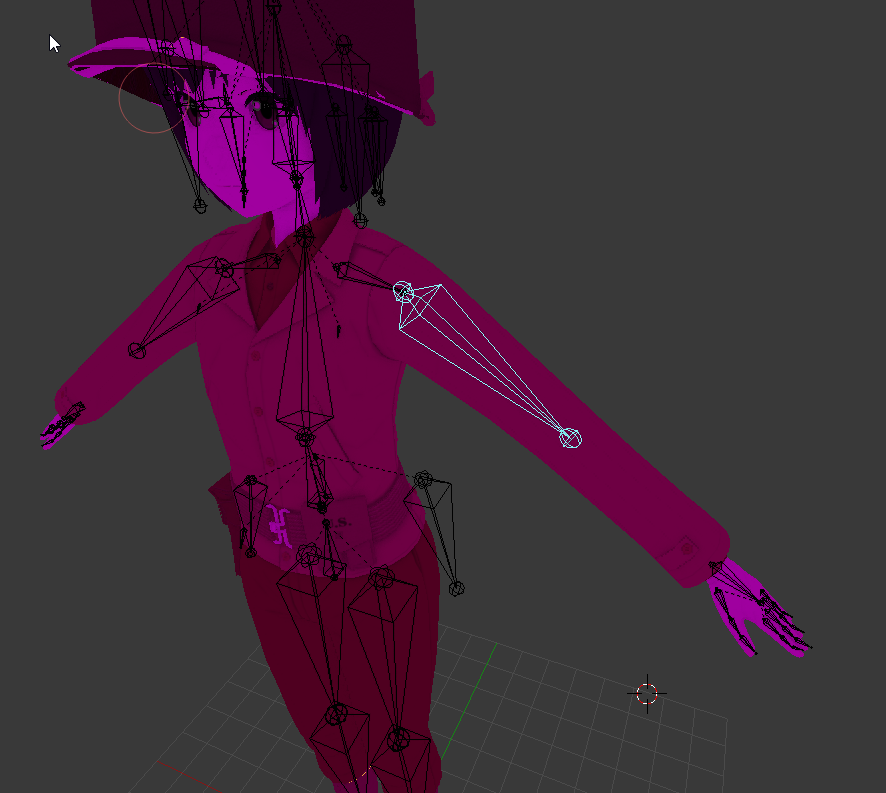 low island
Make sure your neck is rigged.
Go into the rigger, click head, ensure you have the neck bone attached.
Last model I did it didn't auto rig that bone.
 tidal parcel
Hi, I need help about the model of my custom avatar... Can someone help me if I'll upload the fbx file? I'm tring for days but I can't solve the humaoid animation errors...
naive tree
@plucky terrace go into blender and parent your shoulders to Chest
they are parented to neck
plucky terrace
how do i do that
naive tree
onc eu do that, its fixed http://prntscr.com/hw24ez
 timber python
hey, i have a model that needs rigging
can someone do it for me?
dont worry about parenting
i can do that part
quartz magnet
https://i.imgur.com/quJn8c0.png so add or take away weight
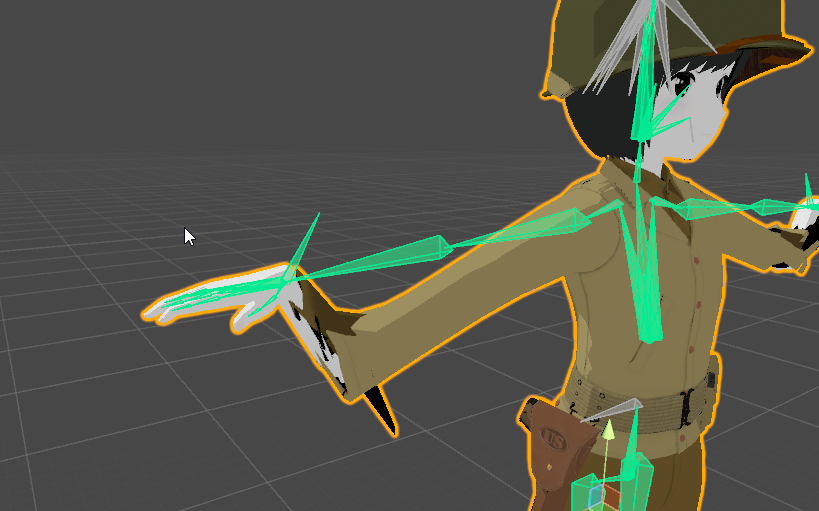 mild skiff
looks like the lower arms don't have any weight
in unity if you select a bone you can rotate it to see what moves , to give you an idea of what weights might need adjustments
 timber python
okay call me
 lilac lake
k one sec
timber python
also you can still build even if there are those error triangles
its the octagons that matter
naive tree
@lilac lake you go to rig.. and unassign upper chest
 noble scroll
anyone willing to screenshare with me and help me with an issue im having? D:
silk seal
Ok, so I got my second model in, it's looking better than the first
The issue is that She's got a sash with trailing ribbons, and they're straight out in default pose, how can I get those to stay down while in-game
 arctic cradle
can i get help with parenting the shoulders and neck to the chest?
 twilit frigate
Hey iv done a lot of models so far, however one of the models i have right now seems to concave the chest when walking
anyone know a possible fix
silk seal
I had the same issue last night, take a look at the setup of the bones in the model's chest
twilit frigate
i have and i can't see any issues unless im just missing something obvious, the chest concaves when standing and the center of the chest near the next has a weird stretching issue that look like its moving with the legs
twilit frigate
oh god, iv not messed with weights yet, any chance you can jump in a call and assist me?
 naive zinc
Sure
 golden eagle
hey everyone, first time poster on here but I was hoping I could get help on an avatar I'm trying to rig. every part of it works right in pose mode but when I try to bend her leg I get this
 neon shard
Your weight painting is messed up
Looks like the model used to have a twist bone or two thigh bones
golden eagle
it had I tiny, I guess twist bone, in the middle of the larger thigh bone, I mixed the weights so I supposed that was the issue
but it still did the same thing when the smaller bone was still there
how can I adjust the weight painting to hopefully solve it
neon shard
Yea sometimes rigs are strange like that. You will have to do some expirimenting to figure out what weights are missing that are supposed to be on that thigh
You could always paint it by hand
arctic cradle
would be super helpfull if my fucking rig wasnt all in japanese
golden eagle
weight painting is the one thing I haven't played around with yet
how can I do it by hand?
neon shard
If you lock the pelvis weights and use auto normalize, you might be able to paint it in easily
arctic cradle
im trying to make the shoulders and neck have the chest as a parent
im new to cat and im having issues lol
neon shard
put the armature in pose mode, and the skin in weight paint mode and play around with it (make a backup first)
There are lots of youtube tutorials
golden eagle
thanks Vilar, I appreciate it
neon shard
@arctic cradle In armature edit mode: select neck, shift select chest (lower), ctrl + P > keep offset
feel free to message me @golden eagle if you have trouble, good luck!
 karmic dew
I might have PTSD at this point
neon shard
😦
arctic cradle
^ i sent you a msg
 earnest walrus
hmmm why is my avatar showing on unity but not in game, poly count is 2k and is rigged
and this is my second model im working with
 crude sun
@earnest walrus when i had that issue, it turned out the rig configuration dindt assign the right bones for chest and spine
earnest walrus
ohhh ok
crude sun
not sure if you have teh same issue, just incase.
earnest walrus
i did mess with spine and chest
crude sun
:3
 pulsar hearth
so i've been trying to import a character into VRchat, but everytime i do so, when i move past blender and try to get it into Unity, the bones always mess up, and funny thing is, i've tried with different characters. but they always end up with the same problem with their bones, can someone explain this to me?
the bones looks fine in blender btw
silk seal
The rigging in unity and blender messes up somewhere, you might need to either do some fiddling or use a resource like www.mixamo.com to do the rigging for you
pulsar hearth
ok, i'll try looking into that, thanks!
karmic dew
Well this is horrible
anyone here would like to volunteer to rig this ?because clearly i have no idea what the heck am i doing.
mild skiff
@silk seal you need to adjust the position/rotation of the bones of the sash. once you get it positioned the way you want it to look in-game, apply the pose as 'rest pose'
lost radish
http://prntscr.com/hw3ymt since the clothes is part of the legs and arms.. I can't decimate it right?
 karmic dew
CATS plugin allows you to separate mesh by materials
lost radish
ah i forgot to do that, thanks
 solid mortar
Why was I @'ed ;o
mild skiff
wrong tomoko oops
solid mortar
oh it okay 😃
silk seal
Add an animator into your main model from the inspector, then it should be good
earnest walrus
hmm well i didnt animate this model myself i took it from a website
and rigged it
in mixamo
silk seal
That's fine, looks like it's only missing that one part, and that's an easy fix
earnest walrus
do i add simple avatar controller?
silk seal
Just an Animator
 placid rampart
^ Add Component -> Animator
twilit frigate
@naive zinc it was the weight, i fixed the issue by removing the second spine and envoking all the weight on the first spine, and removing the arms control of the chest 😃
karmic dew
when your rigging skill is so terrible that even mixamo can't rig your model
 ocean thistle
Why is my model so wiggly when standing still? Like his hips go everywhere
twilit frigate
what is his bone structure like @ocean thistle
ocean thistle
sec lemme screenshot it
 earnest walrus
added animation still is problem
ocean thistle

And whenever i upload it it says something like:
The angle between pelvis and thigh bones should be close to 180 degrees
just a warning though
ocean thistle
yeah i can show you in game if you want
ocean thistle
alright i can make a gif for you i think gimme a sec
When i move its okay, but its when i stand still when it goes crazy
uploading gif
@twilit frigate https://gyazo.com/91c572f307a9dfd3c73e8d136ef53d50


 harsh rain
I don't mean to come in with a stupid question but ok so I imported a MMD 'model' into Blender that's essentially just a mesh. No bone data at all that I can see. Do I gotta rig it first and re-export it as a PMX, then reimport the newly-rigged thing and run it through CATS, or do I rig it and export it as something else, following a path other than the typical MMD-into-Blender-into-Unity-into-VRChat route?
 tall jungle
The toe bone is inside the foot, am I right to assume that it's wrong and move it?
I'm still a noob at this stuff
edit: the character bends in his knees all the time instead of being upright (only in game)
 regal belfry
I’m trying to add tail bones onto my already weighted model, would having a seperate armature for the tail be an issue?
 prime dome
@regal belfry you'd want to parent the newly created tail bones to the hip
earnest walrus
i fixed my issue, i had vrchat descriptor in wrong componet
regal belfry
@prime dome alrighty, I can do that.
 wise oriole
It seems that I can rig and skin a mesh in both Blender and Unity, right? Where would you reccomend doing so?
pulsar hearth
Hello, where can i "embed textures" ?
prime dome
@wise oriole only blender
wise oriole
@prime dome Alright. Problem that I'm having is that Rigify, which many people have suggested, creates many more bones than I need (for example, face bones), and so I'm not sure how to work around that.
wise oriole
Thing is that I don't know how to do normal bones. If I use Rigify as everyone suggests, I only get the metarig.
lost radish
What do you do to get physics to your character?
 shut prism
Apperntly I'm missing my spine on this one, but I have no idea on how to fix it. (P.S. Still new to this stuff.)
pulsar hearth
Uhm, where do i embed textures+
shut prism
@pulsar hearth What type of file did you get the model from or did you make it yourself?
neon shard
@shut prism post your rig config
timber python
right so guys
i converted this from gmod
with crowbar
but the head didnt come with it
twilit frigate
nothing i just have bad memories with crowbar haha
timber python
well...
twilit frigate
does the mesh show you the head when you click it but is invisible
?
twilit frigate
then the model itself didn't convert correctly
timber python
weird...
twilit frigate
if it was fully converted the head would show even if invisble
timber python
okay, so what should i use if not crowbar
shut prism
@neon shard Here you go I think correct me if I'm wrong.
twilit frigate
what is that anyway?
timber python
well, I can model the head i guess..