#avatar-rigging
1 messages · Page 29 of 1
 manic warren
just move either end seperately
not together
yea whats the question
What do you mean by rigging
creating the bones or assigning them
did you select the model under the inspector tab and make it humanoid
did you assign all the correct bones though
click on the model on the left side where it shows everything that is in the scene
lists*
 potent panther
found it out
manic warren
ohhh wait
potent panther
you can use f to fill the space with a new bone
potent panther
smerexy
manic warren
then you can choose another
potent panther
lemme give you a vid that helped the shitout of me
Here's a video on extremely common issues I see with bones and rigging setups, and ways to solve them. I cover: - Leaving Upper Chest Blank - Reparenting spi...
manic warren
i mean you can just drag it in again
potent panther
this dude is on this discord
manic warren
anyone know why you cant subtract when you are up close

still you can add it
you dont need that one
its fine without it
it might actually be better without it
just having a chest is good i think
np
 nocturne edge
 lilac pebble
im trying to get my emotions done but I cant find my blendshape. My character emotions are also all showing at the same time too.
im using cat's tool for blender also.
manic warren
no clue on that
potent panther
good news i got one uploaded. gonna test it now. god help my soul
 floral flare
 tropic trench
Okay brb
 ember basin
Anyone ever tried making just the arms move and the rest of the model stay still?
tropic trench
manic warren
change neck to spine 1
actually
click on configure
delete the one using spine 2
dont use spine 2
change it
tropic trench
okay
manic warren
show it
 wise gazelle
so, having an issue. I'm getting the make sure the neck and shoulders are children of the spine and chest. But they are, and I'm not sure what to do.
ember basin
You can right click delete
tropic trench
it closes the window
ember basin
you should edit those outside Unity
wise gazelle
I don't understand how this sin't a child of middle spine.
wise gazelle
how do I make it a direct child?
wise gazelle
I'm getting an error now, I'll make sure the animations still work then, but it'll let me upload
it broke the animations
Is it possible to delete a singular bone? I can't figure out how to do it unity or blender
figured it out, I just assigned chest to upper spine. It doesn't seem to have had any impact on the animations
 echo geyser
Is there a tutorial for making a mouth on an avatar? Mine simply came as a simple one body mesh. Do I have to key something for the mouth? Bones?
(I didn't knew where to ask this and asked in #avatars-2-general but that was frowned upon by a user)
 icy kernel
I have two bones that are children to the wrists called "dummy destination" for right and left. Are those useful for props/animations or should I just delete them?
 gentle ivy
Is the mouth just a flat texture on a flat surface of polygons or is it actually a 3d-modelled mouth?
@echo geyser
gentle ivy
this is what I mean for a 3d-modelled mouth https://i.imgur.com/EGALDyU.png
 echo geyser
it's 3d (Her mouth is open)
gentle ivy
ok, so you can either do a shape-key and use that one shape for all the mouth shapes, do a correct shape-key for all the shapes, or do a simple jaw bone that's rigged to the mouth
 lucid orbit
(Look at that smug smile.)
 round abyss
hey
any way to get body tracking on a spline curve?

or am I gonna have to rip up this rig too
_<
echo geyser
unfortunately the only thing that has me confused is worried is that the CATS doesn't seperate the mats
round abyss
like
echo geyser
round abyss
if I invested the 90$ towards the IK rig asset from the stor
could I use that for body tracking?
 fleet echo
@round abyss no vrchat use there own IK
round abyss
rip
fleet echo
you only use on generic avatar
round abyss
last I heard from pill the IK asset is whitelisted
fleet echo
yea use for generic avatar use
round abyss
cant do jazz hands on generic tho
fleet echo
vrchat use it own IK system for vr
round abyss
:<
fleet echo
only thing you can play with that Ik is generic avatar basic it
round abyss

another problem is when I use generic my headset always clips through the geo
no matter where I put the descriuptor ball
unless I steer well clear of the mesh

if I werent lazy id probably use a second monitor
 naive tree
screenshot
 tawdry meteor
Does eye tracking work with a VR headset..?
tawdry meteor
Oh nevermind... I didn't exclude the eye bones from the dynamic bones... >.>

 fading verge
I'm at my wit's end trying to rig a really good felix the cat (not the trap but the early 1900s cartoon) model. kinda running out of things to try here but can someone tell me where the download is for the VRChat example skeleton again? I always have trouble finding where it is
 still lark
I think it's in the assets folder of the VRCSDK
fading verge
ah ok. that would make sense.
I tried to manually rig it but still ran into major issues but just for shits and giggles here is what mixamo spat out at me
by "at my wits end" this might give you an idea of the state of my sanity at this point
 novel cloud
Upper body 2/chest is not a parent bone. How can I make it so and get the neck and shoulders under it.
fading verge
I rigged a model in 3ds max, but I apparently cannot export it with the Skin modifier. IE, mesh weights for bones. How exactly do I get it into Unity now? Don't tell me I just spent 6 hours rigging for nothing.
 fluid mortar
if a model has no bones what so ever.. where should I start?
 crisp tendon
@fluid mortar Depends what you want to do, you can find the VRchat default avatar and steal his skeleton, use mixamo or right it yourself.
Rig it*
@rancid nova check the bone hierarchy and if it's normal then check the bone rotation in blender
crisp tendon
@rancid nova also check the hierarchy of your bones
fading verge
@rancid nova Lol i can help, dm some pictures of your setup in unity
naive tree
@novel cloud don;t use pmxeditor to translate, use cats to import and fix bone armature
just ditchpmxeditor because it causes problems with armature fixing
 tulip mica
How do i stop my model from sinking halfway though the floor
crisp tendon
Make sure its origin is 0,0,0 in blender
 crisp tendon
that is unity
tulip mica
no
i made a animation, now its saying the model is though the floor
when exporting
in game when i move its fine but when i stand still my model is though the ground
crisp tendon
what animation is it
tulip mica
idle
crisp tendon
yeah #animation it is then
 brisk anvil
How to rig an avatar which has no hands?
Sry for my english
https://cdn.discordapp.com/attachments/247437443165454336/392050840266997770/clipboard_image.1512907514.jpg
 crisp tendon
create the arms and fingers, but don't put any weight paint on them 😃
brisk anvil
@crisp tendon Unity write an error about bones which not connected to body)
crisp tendon
connect them to the body then !
brisk anvil
@crisp tendon I did this. But when I upload an avatar to VRChat, featers on the avatar became hands.
crisp tendon
without weight paint ?
brisk anvil
Mmm, maybe not. I put weight to all bones.
 hexed echo
Does anyone know how to change this?
crisp tendon
"don't put any weight paint on them"
fading verge
Wat
hexed echo
The hierarchy for the shoulder was wrong but everytime I put where it should be, it's set right back.
crisp tendon
@hexed echo move the shoulders below waist upper 2 in the hierarchy
hexed echo
I do that.
brisk anvil
@crisp tendon ok, I will try it. Thanks)
crisp tendon
can you swap head and waist upper 2 instead then
hexed echo
@crisp tendon I could but that wouldn't solve the problem, right shoulder is fine on waist upper 2. But I can't move left shoulder to it.
It wants it like this.
fading verge
Wat
crisp tendon
are they connected correctly in blender ?
hexed echo
I'm not sure on that, I'll have to reimport the mmd.
crisp tendon
You ran it through Cat's plugin i imagine ?
hexed echo
No, I didn't.
crisp tendon

 silent marlin
that'd probably help you out a lot
hexed echo
Sleep has really caught up with me.
 viral lily
help?
fading verge
Leave upper chest blank
viral lily
new error lol
fading verge
@fading verge in rig hit configure keep upper chest blank
crisp tendon
check the hierarchy if it's correct
 urban fjord
@viral lily the spine hierarchy goes like this (In blender) "Hips > Spine > Chest > Neck
If you need help I have a video that showcases it.
@viral lily https://www.youtube.com/watch?v=URvV4DoOr1I Just scrub through until I get to the blender rig. It suggest CATS, but it doesn't always work currently.

As the title states, this is a full guide on how to get the basic model port into VRChat! We used the MMD model of Mei for this basic tutorial. If you have a...
crisp tendon
@viral lily is it an mmd ?
urban fjord
Go to blender 😄
crisp tendon
so use cat's plugin then
urban fjord
You can't do that in Unity, you can only parent in Blender 😦
urban fjord
I was fixing missplaced bones that're inside out. (The fingers)
Thats just for assigning the bones after you rig the model, if they aren't already assigned. (and a bit of moving around the bones as fingers for me like to break alot)
 deep lynx
How do I install Cubeds Shaders?
 tall oxide
Move the assets/unity shaders to your project assets
deep lynx
I think i did that, but I'm getting ImportFBX Errors so not entirely sure if I did something wrong or that's just something it does
 tame island
If a object doesnt have bones.... Can it still get dynamic bones effect.
crisp tendon
nope
deep lynx
What would be the best X Y Z scale for a Chibi ?
silent marlin
I got the scale for mine at .3, but .25 should work correctly, I believe
deep lynx
alright, thanks i'll see how that goes
silent marlin
just note that, at those sizes, you might start merging with objects when you sit
deep lynx
How do I fix this ? https://gyazo.com/ff9e6f45cb109efca41656a1e938c0ab
 naive tree
http://prntscr.com/hp316m press pose enforce t-pose?

oh and u dont have
chest
that's the real problem
deep lynx
Is there anyway to fix it ?
naive tree
i haven't worked with chest-less avatars, so can't help sry
as far as I've went is flat 
though almost same thing
deep lynx
I get this error when in the build menu https://gyazo.com/79a16a7a45b34f30f6de69de11cf331d

:/
naive tree
yes cuz there's no chest
deep lynx
Is there any way to map my own chest onto the avatar ?
crisp tendon
@deep lynx use cat's plugin in blender
deep lynx
I used Cats
naive tree
i think cats has added it on some avatars
crisp tendon
@deep lynx The model got "fixed" ?
because it's missing bones and the head is all fucked up
deep lynx
sec let me try something rq
Alright turns out i didn't hit the fixed button, that fixed it, Thanks @crisp tendon
silent marlin
when it comes to chestless avatars, I just duplicate a bone that's close to where the chest should be and then parent that to the bones that are supposed to be connected to it
 glossy birch
ye
deep lynx
any idea how I can fix this ? https://gyazo.com/87f7ccaa776517cd0425e4e7ceb3342d

Face is completely transparent basically
crisp tendon
set to opaque
deep lynx
My Character is a giant when in game with these settings, did it not save or am I doing something wrong
 naive tree
http://prntscr.com/hp3uxy press that and change first value

scale something
easier that way than changing 3 values
and u can enable other avatar to compare heights
deep lynx
Do i click the model then hit select?
naive tree
it's in Model tab
scale factor i think it's called
very first value you can change
easier to adjust siez with that than changing xyz
and too large is about what exactly
character or bounding box
deep lynx
Where's the model tab, I can't see it
naive tree
when u select fbx in unity
there is Mode/Rig/ and some other tab
model*
top right
after u select fbx
and what does the error exactly say
can u post screenshot
deep lynx
there is no error, i just don't know how to scale avatars

Do I change that scale factor ?
naive tree
yes
it's best if you have an avatar of perfect height you can compare to
enable both and scale to your liking
deep lynx
Unfortunately I don't have one since this is my first avatar
 prime dome
in unity, 1 unit = 1 meter
so if you want your character to be like 1.5 meters tall
create a box with a height of 1.5 meters
naive tree
it depends usually, my exports are usually 10x larger
prime dome
and scale your avatar to that height
naive tree
so i have to put scaling to 0.1
prob because im lazy to find the scaling in blender when exporting
prime dome
@deep lynx
deep lynx
Alright I got the height to something I like, just have to adjust the camera view now since it's now too high
naive tree
yea, that's vrc_avatar_despritor
prsonally i like to put grey ball between eyes, 50% in skin 50% out
can be 100% in skin
 granite torrent
AIGHT so
I wanna add some dynamics to my boy H4NK'S cloth here.
Would I be better witth just two bones going down the cape, or four bones in a 2x2 grid for the capes movement? (Dynamic bonz and aall.)
crisp tendon
It's long and not large, so 2x4 or 2x3 is better than 2x2 imo
granite torrent
I I
I I
I I
In that kind of downward pattern?
crisp tendon
yes
prime dome
@golden wasp whats wrong with it in unity?
 golden wasp
The bones are above the arms
crisp tendon
screenshots would be much more helpful
prime dome
is it because your model is not in the T pose?
golden wasp
It's when it's t posed
prime dome
it shouldnt cause any issues in game
fading verge
Question is, it is possible to have General Grievous with four usable arms?
fading verge
For adding fine additions to your collection
crisp tendon
usable ? If you don't have 4 physical arms then no
fading verge
rip my mouth was open XD
prime dome
Well maybe if you parent the extra arms to the usable arms it can work
The extra arms would just do exactly what your arms are doing
tall oxide
Alright
I give up
I tried so hard to make this work, and everytime I upload it something always messes up
Can someone take a look at this and tell me what I'm doing wrong?
 solid adder
I guess this would be more rigging. Has this happened to anyone before https://cdn.discordapp.com/attachments/390290652719611906/392117539318005760/unknown.png

I did what I normally do and it turned out like this.
I was going to try and reupload it maybe, but not sure.
 short crater
That usually happens to me when I have the bones mapped wrong
Otherwise that hasn’t happened to me
crisp tendon
@tall oxide a screenshot would help so much more
 short crater
Weight paint
crisp tendon
Was it after Cat's plugin ?
crisp tendon
weight paint isn't gonna fix missing bones or unconnected ones tho @short crater
short crater
No
crisp tendon
@tall oxide Why aren't you arm bones physically connected ?
short crater
I’m talking to wulf
tall oxide
Thats how the XPS imported, and the last few times I connected them with blender they broke
crisp tendon
Yeah Wulf's armature is missing bones
tall oxide
The weight map looks correct, but
I've been pounding my head against this for a few hours
short crater
But it doesn’t look like it’s weight painted to the mesh?
golden wasp
golden wasp
i know
crisp tendon
@tall oxide weight map on arms is correct ?
golden wasp
it breaks when export
crisp tendon
What are your exports settings @golden wasp
golden wasp
what should they be
 solid adder
I'll check the bones once more. Strange that this is 1/5 so far. Same routine, cat's blender, etc.
crisp tendon
@tall oxide What do you mean by "arms flip out"
 crisp tendon
might be bone rotation then
tall oxide
How would I check/fix that?
crisp tendon
in blender
if you move the upper arm check where the lower arm goes
or shoulder
or chest
tall oxide

Things seem to rotate fine
did find some unweighted vertexes though
Would that of caused the issue?
crisp tendon
In that was the case only those vertices wouldn't move
a part moving where/when it shouldn't is an entire different issue
brb
tall oxide
Yeah. I'm not sure whats causing the issue, which is really anoying because I like this model a lot and its just not working
crisp tendon
Yeah there's a lot of us in the same situation
golden wasp
i will try cat
crisp tendon
i thin we're seeing his hips in the first image on the bottom left
just ask questions or post a screenshot of your errors, it'll be faster
if it's an MMD there's always a lot to decimate
boots, clothes, hair
there's always stuff
people bring 200k MMDs to 20k
it's an art
#avatars-mmd is the place
 warm pollen
you can adjust it in blender
crisp tendon
rotate it probably
 gusty charm
Well that's bizzare.
It says it's part of the chin but ...
Any advice?
Yup, it's part of the skirt.
Maybe something went wrong in the blender ...?
 south rivet
any tips on configuring dynamic bones with these flaps http://puu.sh/yJgzr/7b39e7a481.jpg I would like to leave them in this orentation, so it appears that they are effected by gravity properly, but I don't want them clipping my avatar.

 subtle moth
how to fix bonelength is zero?
crisp tendon
@gusty charm if you map the rest correctly it shouldn't matter
gusty charm
Everything else is fine, so I'll leave it.
crisp tendon
@subtle moth make sure you chose the correct bone but if you did you'll have to modify it in blender
 marsh escarp
Can anyone help me whit this, Spine Hiarchy problem or how its called and i have no idea how to fix it
crisp tendon
@marsh escarp you're missing a spine bone
marsh escarp
Well, how does one fix this Spine problem, because im fairly new to this
crisp tendon
find a tutorial on how to create a bone in blender then watch tupper's video on how to use cat's plugin
and that should be good
marsh escarp
so im basically then putting this bone betwen hips and chest?
 strong crescent
if anyone can help me, i have an error that says "Spine hierarchy incorrect. Make sure that the parent of both shoulders and the neck is the chest" just checked and they are all ok
crisp tendon
your hips is incorrect
and you're missing a spine bone too
Did every avatar on earth got corrupted by a hack today or what ?
everyone's having the same issue it's crazy
MMD or not
strong crescent
mmd
crisp tendon
So imported with mmd_tools and you used Cat's plugin ?
marsh escarp
im stuck on how i Import the Blaziken model into Blender, im retarded.-.
silent marlin
anyone know how to make it where a wheelchaired character won't walk using their legs
crisp tendon
remove the weight painting on the legs
silent marlin
thanks
 jovial kite
anyone there who can help me with dynamic bones? I've got it fully rigged but when i click play scene i either get pixels or a gray screen, how do i move the avatar to test the physics in unity before export, i'm tearing my hair out here
marsh escarp
im to retarded for blender
fleet echo
@marsh escarp https://i.imgur.com/wcUb6A4.gif This let you rolate with camera with alt with mouse and shift + alt let you drag around in blender
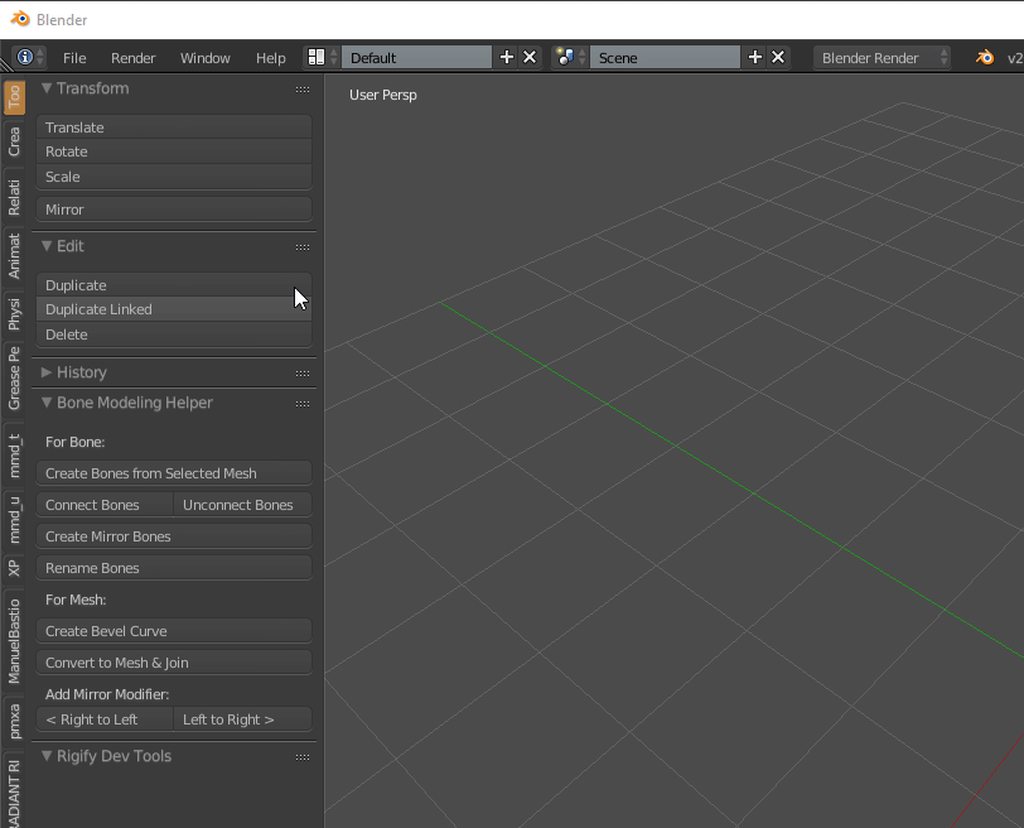
this make it easier
fleet echo
for what?
marsh escarp
but my bones from the model i got from the mix... whatever site its name was are weird in bpender
they are all pointing up
jovial kite
so here I am in unity
I want to just see the skirt physics in action, right? so i hit the play button
and this is all I get
marsh escarp
would anyone help me tomorrow around this time (or earlyer) in voice whit the bone issue
the tutorials are to fast to follow
jovial kite
found out lmao I just suck at navigating unity
fleet echo
@jovial kite just click on main avatar in scene in play mode then use drag your avatar around click white box in middle of your avatar
with the 4 arrow point out each corner
just shake your avatar
then see the skirt move
crisp tendon
Do you have jaw mapped in your humanoid configuration ?
If you're not using it, no
Check the hierarchy !
fading verge
So to anyone who decides to rig in 3DS Max, word of warning: ensure the base modifier is Edit Mesh, not Edit Poly like a default-imported ODS. You will not be able to export your rig if you rig it as an an Edit Poly, and will lose all your work.
 tough goblet
im trying to decrease poly count on a model, but im having issues
could someone take a look for me?
tall oxide
heya Ruubrick, would you mind if I zipped and sent you the model I was working with so you could take a quick look at it?
crisp tendon
@tough goblet #avatars-mmd
tough goblet
ty
crisp tendon
@tall oxide What is it you were trying to do ?
tall oxide
just trying to get it to work
fading verge
hey can someone private message me for a little help getting a model into VR chat? I'm having a few issues! I have notifications off for servers, so a message would be so appreciated ❤
tall oxide
Im hoping that you can load it up in blender and see something obvious that I can fix

MediaFire
MediaFire is a simple to use free service that lets you put all your photos, documents, music, and video in a single place so you can access them anywhere and share them everywhere.
crisp tendon
@tall oxide Did you run it through cat's plugin in blender ?
crisp tendon
What error were you getting for upload ?
tall oxide
shoulders and waist are not in the correct position
but they are fine when posed in unity/blender
crisp tendon
correct position ? Is that what the error said ?
crisp tendon
ok so you didn't send me the correct one
 craggy hemlock
Quick question, Theres no way to add bones in unity, you'd have to do it in blender correct?
I mean I'm only just starting out here so I know nothing
I just wanted to add in some sneaky finger stuff to my basic mixamo rig which didn't include them but I don't know where to start
tall oxide
correct
fading verge
so my avatar turned out like this
just a sec
the dress+face+hair are all static unmoving, while my arms and legs are but messed up
fleet echo
@fading verge does still have twist bone
fading verge
What
fading verge
Also all of them are seperate and are not linked to eachother, is taht a porblem?
fading verge
Ye they're there?
fleet echo
well you mostly like have them bone in your humaniod configure
need put right bone in the slots
to avoid this problem you can get cat plugin
it remove all this bones
fading verge
I have cat
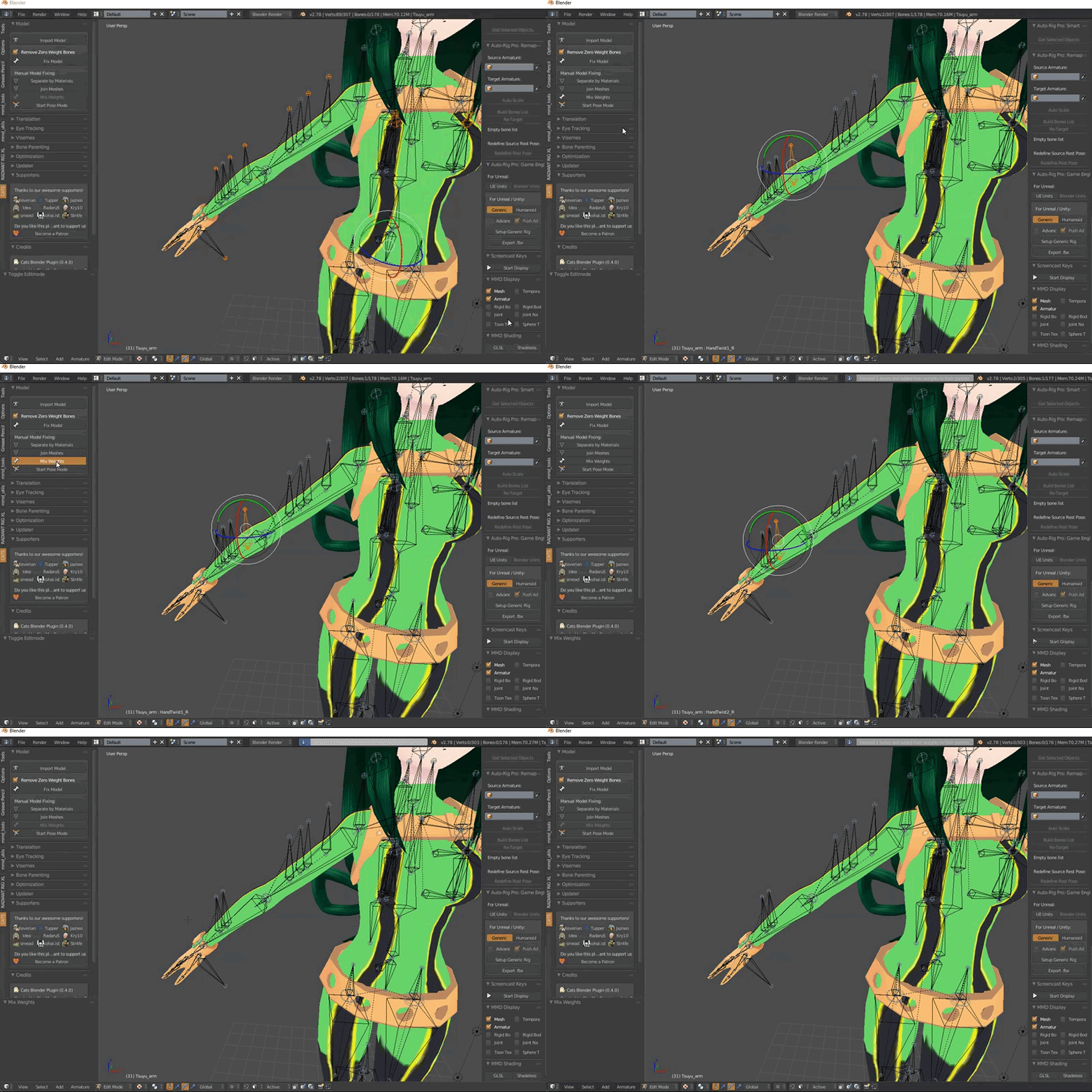 fleet echo
armature look like skeletion of human body
fading verge
Do I do it to all of em?
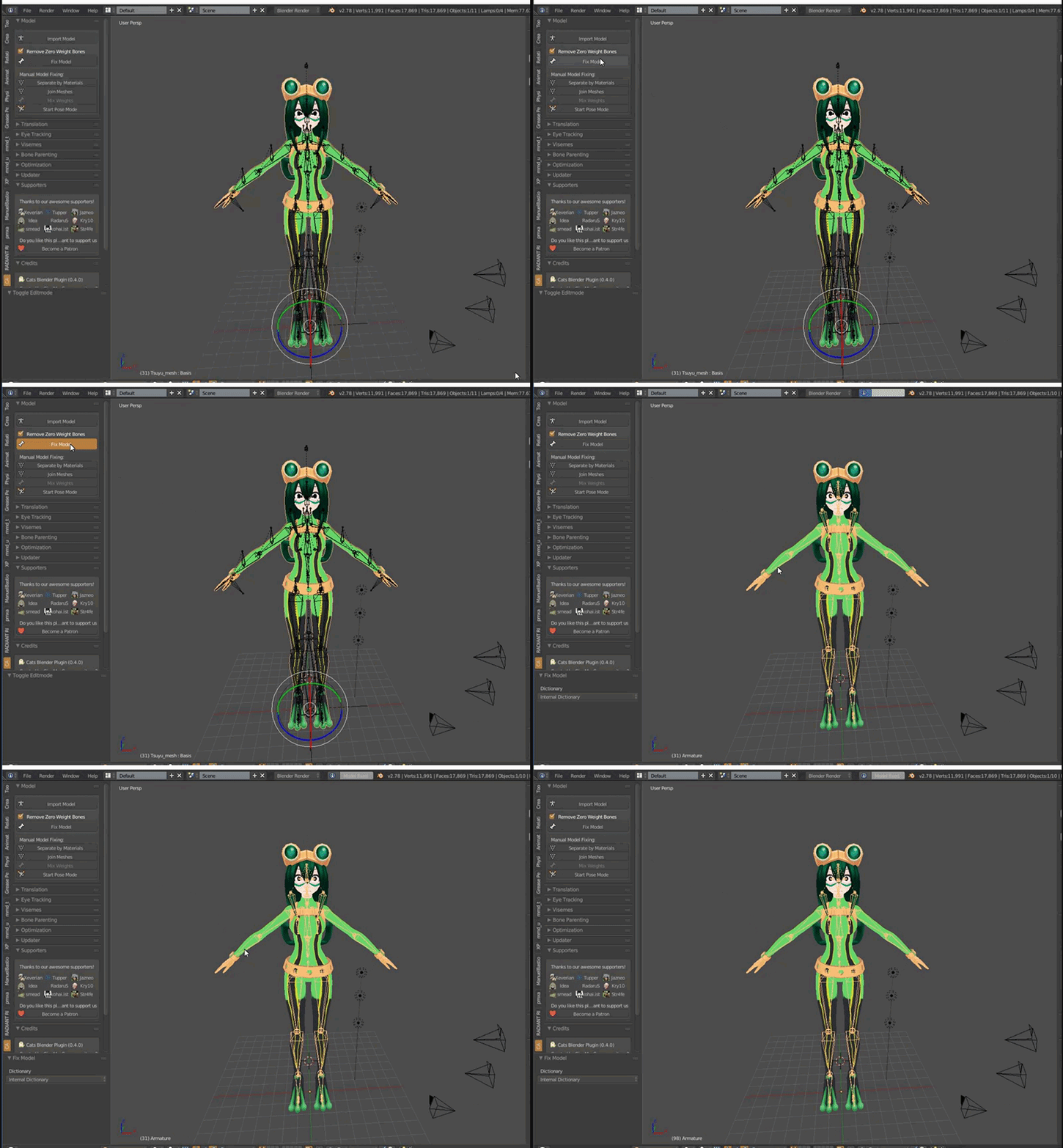 fading verge
It's messing up my avatar so I'm avoiding it
fading verge
It moves my stuff to different possitions
fleet echo
well if you get bug report to https://discord.gg/f8yZGnv
so the can fix it
next update
we on 4.0 update
mostly problem come from outdate mmd tool
trying use cat plugin

Google Docs
VRChat MMD Model Guide [Disclaimer] This guide or any of the authors are in no way affiliated with the creators of VRChat therefore If there is any incorrect information or spelling please feel free to suggest an edit on the document itself or send a message to one of the authors listed at th...
here a guide what blackwhite working on
fading verge
@fading verge make sure the twist bone is a child of the arm bone before mixing
ok in the rigging my stuff still isn't acting right
They have bones on them, should I delete their bones?
or do I need to do something else
jovial kite
dont just delete bones
a lot of them are weighted it may cause issues
u can delete all 0 weight bones usually, and for other bones merge or change their weights
fading verge
How to I merge the skeletons?
crisp tendon
cat's plugin
fading verge
@crisp tendon where in cats plugin
crisp tendon
"fix model"
fleet echo
@fading verge https://docs.google.com/document/d/1pqPM0HsmdJVHP1u_RLE-LlqB4Z9hDsjM-hC4lVEhhtY/edit#heading=h.tkj3x7v6be4a
Google Docs
VRChat MMD Model Guide [Disclaimer] This guide or any of the authors are in no way affiliated with the creators of VRChat therefore If there is any incorrect information or spelling please feel free to suggest an edit on the document itself or send a message to one of the authors listed at th...
just follow this
there all downlink on it
fading verge
hi
I need help with rigging a second arm
I think I got it, I made the second left arm a child of the left arm
Is this why you keep "Center" and "All Parents"?
Silly me! I see why the legs twisted!
I have to switch the pose
craggy hemlock
Full body IK being disabled because of my lack of hand joints just means I can't point and such, right?
I'm not really expecting much hand movement from this dude
fading verge
So my clothing and face are not mapping
 strange garden
aight now
im lazy as FUCK
does anyone here think i can possibly steal an armature
fading verge
Does anyone have a good tutorial for bones and rigging for VRChat? Everything I import seems to be a bit derpy.
 remote rivet
For the scene descriptor, you'll need to click on your model in the 3d view in unity, go to the inspector window and click the add compontent button. Type in 'vrc av" and click on the avatar descriptor and you'll have a dot appear around your model. set the height and animation and u should be good to go
Anyways quick question cause i cant remember; when making a parent bone to act as a base for my dynamic bones in the head, do i remove the parent of the dynamic bone parent?
remote rivet
all good
fading verge
Can anyone help with why there is missing skin on the neck?
This was before I decimated, also the neck was snapped to the left so I rotated it back (the skin was there)
fading verge
I'll show you my blender
decimated
I decimated the skin and tried it, then I tried it without this part decimated
this problem has been occuring to be over and over, I cannot solve why skin continues to be missing I've redone this model over so many times xD
 midnight arch
Thats why i gave up until the give out a better sdk.
fading verge
rip
remote rivet
Try selecting some neck verts and moving them around, see if there are any holes maybe?
fading verge
OMG
xD
wellllll
i found out the skin IS there it's just rotated ??
so I messed with the mapping and rotated the bones
the skin is there now
???
xD
remote rivet
yeah lmao some models get messed up lmao
fading verge
Allright trying character again this time with diff hair, and diff clothing
hopefully it works
Nope
rip
fading verge
Everything is rigged fine by the looks in blender and in unity, i fix 1 problem and more come up. and this seems to be the most common.
 limpid scarab
@fading verge it seems like it's mainly a bone structure /bone mapping issue
How does ur bone hierarchy look like?
fading verge
@limpid scarab you want just the parents or everything expanded?
limpid scarab
Expanded would be best
Also the bone mapping in unity. Believe half should not be mapped there for ur avatar
fading verge
@limpid scarab
limpid scarab
Hmm. And the humanoid bone mapping?
fading verge
remote rivet
hmm idk if it'll help but maybe try enforcing T pose? you can do that here:
fading verge
lol ok that fixed the red errors on the 3d bone map, which i completly forgot that were there and assumed it was a bigger issue. but the 2 errors that pop up before i publish are still there
remote rivet
hmmm
limpid scarab
To be honest I'd suggest putting your avatar through the cats plugin
It would reduce the amount of bones you have and make the mapping alot easier
fading verge
im pretty sure that model has been already
fading verge
i did the cat plugin this morning while i was fixing the cape, only 1 side of the mesh had faces, so it was see through at some point
limpid scarab
The structure itself does look kind of ok.
But for some reason it doesn't want to accept the arms..
 torpid sundial
I'm getting the error not connected to the arms and neck, the middle selected joint is what I have selected.. Newer to this so I'm a bit lost x.x
fading verge
that's what i was thinking, but it just keeps saying about Upper arms are not specified and the huminoid rig must have head hands feet bones mapped
@torpid sundial is that Bone there mapped as the "Upper Chest" ?
torpid sundial
Yes
fading verge
remove that from upper chest
torpid sundial
wait no, its blank the upper chest I read about that.. thats the chest.
"spine hierarchy incorrect. Make sure that the parent of both shoulders and the neck is in the chest."
 vital meadow
pose -> enforce t-pose
 hexed frigate
thank you ❤
 midnight igloo
How can add scripts to bones in unity
 amber wadi
The angle between pelvis and thigh bones should be close to 180 degrees (this avatar's angle is 0.0) how can i fix this?
 teal badge
amber wadi
teal badge
amber wadi
Ok
yeah it's buggy lol
i mean nvm
its working fine, i'm having isssues with the foot now
looks cute tbh when not walking but then start glitching when i walk xD
Any solution to this?
deep lynx
I know there's hair physics and eye and mouth animations, but is boob jiggle a paid asset and is that also part of the hair physics ?
amber wadi
You can create breast bones and add dynamic bones into it
deep lynx
Without paid assets ?
 sand void
thanks if anyone tried helping me in the general chat, but was wondering if any experienced/advanced unity peeps could help me fix this issue with this Zoroark avatar? https://www.reddit.com/r/VRchat/comments/7ke1na/heyyo_vrchatters/

reddit
Recently I’ve been getting into this game thanks to watching TSM Dyrus stream it. I don’t have a vrheadset but it’s still just as fun on...
 wise dune
what is making me lean ingame
amber wadi
@deep lynx oh sorry i didn't read right your question, from what I know you have to pay for the asset
I find it worth to be honest, a little expensive, but worth
 dusky pendant
Is it possible to add bones in unity
or do I really have to take it back to blender then re-export
crisp tendon
@wise dune Try importing the fbx with automatic bone orientation first
@dusky pendant Blender sorry
wise dune
with auto bone orientation it has this
putting the model in unity like that destroyed the mesh
it cant be like that
crisp tendon
It might be your legs then
If having the bones like that in unity destroy the mesh then the entire body has a problem
But clearly your legs are arched forward
wise dune
its a source model
they always have the bones pointing weird like that
usually dont have the spine bend though
amber wadi
Guys, my avatar has a weapon in her back, but everyime i move the weapon moves around like crazy, how can i attach it to her back?
and her mouth is constantly open lol
crisp tendon
Stick the weapon with weight paint or remove the weight paint completely
For the jaw you can unmap it in the humanoid rigging
 serene cloak
I'm trying to make some eyetracking on this character.
It gives me an issue though..
crisp tendon
Why is the right eye bone called elbow ?
Also make sure to select the whole bone, not the joint
serene cloak
@crisp tendon Like this?
serene cloak
@crisp tendon Then this problem appears.
crisp tendon
Did you even fix the model before doing all this ?
serene cloak
With pmxeditor?
 crystal vector
With cats
serene cloak
I should let cats translate it?
crystal vector
Try the fix model button
serene cloak
Oh shit, no more errors
crystal vector
Cats magic 👌
crisp tendon

serene cloak
That kinda did the thing
silent marlin
I'm having trouble trying to find the small remnants of weight paint on my character's legs, so, now my character just has spaghettified legs 🤔
serene cloak
Started playing around with this, since yesterday. Still a lot of shit going on
crisp tendon
@silent marlin lmk if i can help
crystal vector
@serene cloak also you should select another eye bone instead of elbow
silent marlin
will do
it'd be much easier if the character herself had only the legs to deal with, but she has a couple materials that the weight paints cover for the leg bones
crystal vector
@serene cloak Also don't use pmx editor anymore, cats does it all for you
serene cloak
@crystal vector Yeah, I just noticed that. x'D Some tutorials told me to use pmx editor, but seems like it's useless with Cats around.
crystal vector
They are mostly outdated. Cats came out a month ago I think ^^
amber wadi
@crisp tendon Thank you, it solved my problems
crisp tendon
it's not, don't worry
serene cloak
@crisp tendon Just tried it ingame. The feets are a mess. long and chunky. Let me get a screen
@crisp tendon
crisp tendon
You can probably try to remove the bones that connect to the toes in blender then
see if that solves it
crisp tendon
go into the vertex mode of the mesh, click on the the bone, press n and see if there's any data for the skirt in the numbers
serene cloak
@crisp tendon No idea, if you meant this.
But I found some strings in the rig
crisp tendon
Yeah the strings are the connection between the bones
make sure to remove the parent of that bone if it's skirt or hips
crisp tendon
Don't remove the bones, just the parenting
serene cloak
I have no idea how to do it though.
They're called Left foot tip EX and Right toe EX
crisp tendon
Wait, did you have your toes mapped in unity hupmanoid rigging ?
serene cloak
I did. I was actually about to rig the toes, just as you typed.
Shouldn't I do that?
crisp tendon
Stuck ?
crystal vector
@serene cloak In cats click on Start pose mode and rotate the bones a bit and see if they look normal.
crystal vector
Yup weight paint is wrong 😄
serene cloak
Where can I fix that?
naive tree
so what u do is
select your bone in pose, shift select mesh
and change to eright paint mode
and then select your bone that is in shoe (cuz thats prob the area)
and then look if the tip toe is blue or not
if it is, then paint it so it sticks back to your shoe
your cursor is a brush when you're in weight paint mode
to check if its all ok, you can click R for rotate and see if everythings good
this issue is usually weight paint or duplicated bones with weight on them
or random ass bones parented to wrong thing
 marble musk
can I create a head?
naive tree
you hold shift
naive tree

select bone and then holding shift select your mesh
then select your armature, enter Pose mode
serene cloak
crisp tendon
now you right click on the foot bone
naive tree
then click on bone that is your shoe
and see if there is blue on the tip of your shoe
serene cloak
Like this?
serene cloak
crisp tendon
then switch back to the mesh
 crisp tendon
Vision of the future ahah
crisp tendon
eheh yes
serene cloak
Should it all be red?
crisp tendon
paint it red
or at least green
but blue wil cause issues
make sure to look all around the foot to not miss any spot
serene cloak
It got some blue inside the shoe apparently
serene cloak
Only painting over this shoe atm
I tried to move it
Some parts inside the shoe is still fucked
serene cloak
But how do I paint inside the shoe
 serene cloak
Shit, it worked
naive tree
i dont think everything has to be red, just needs to not stick
serene cloak
How do I put it back to it's usual position?
naive tree
i think this http://prntscr.com/hpmgm6
 serene cloak
Alright, I'ma try to upload it
And see if it's fixed
Thx for the help btw. 😄
I appreciate it. 😄
silent marlin
man, weight painting the mesh is a lot easier than trying to look for the small bits of light blue that blend in with the rest of the model
serene cloak
Great, feets work
naive tree
sometimes there's leftover bones that have weight on them, or like duplicates
and then u can do this with mixing weight
crisp tendon
@silent marlin What if you have one mesh for the entire body ?
silent marlin
🤔
crisp tendon
You didn't merge your meshes ?
silent marlin
I do
crisp tendon
🤔
silent marlin
it's much easier to do the weight paints per individual mesh with this model
I think I might've finally gotten rid of all the weight paint on her legs
made her spread her legs like this and nothing is clinging to the bones, so, it might actually be finished
crisp tendon
How many polys does this one have ?
silent marlin
I reduced it to about 18.9k
crisp tendon
so many vertices
 unkempt belfry
Would somebody who has experience with Blender be able to help me with something that's probably super easy but I can't figure out?
crisp tendon
Sure
unkempt belfry
I can't even figure out how to ask this bleh
I'm trying to figure out how to change the value for my character's eyes during a keyframe so that they're opened instead of closed.
silent marlin
puts model in unity only to see the legs tearing on the configure screen again 🤔
serene cloak
Does cats got an option with Eye Tracking, and Lip Syncing?
crisp tendon
yes
serene cloak
Can you explain where?
I can only see Eye Tracking
Which didn't work very well ingame
My avatar could blink, but her eyes didn't really move around
limpid scarab
@silent marlin please tell me ur not working on a model like this
It still gives me nightmares
limpid scarab
Ah nice, good work already!
serene cloak
@crisp tendon What should I do here?
silent marlin
whoever made her made her jaw out of 3 materials though, so, it looks kinda creepy in mesh view
limpid scarab
Haha, thats why i thought you made a creepy model too
silent marlin
everything might be in order now
also, you can probably duplicate a bone that's close to the head position and make it the head
crisp tendon
@serene cloak Find one the tutorials on how to make lip sync or eye tracking in #tutorials
Also #avatars-mmd
serene cloak
Currently looking at this https://www.youtube.com/watch?v=gCPcg9y4ZBM&t=209s

Creating Eye tracking for your Avatar in VRChat Links: Download Unity MMD rigging: https://www.mediafire.com/file/7awm878q43c1m7q/MMD_EYETRACKING.ht Eyetrack...
prime dome
can someone help me with eye tracking?
it works on one of my avatars, but not on another
and i went through the exact same process in CATS to establish the eye bones
tested it in unity and the eye bones do move correctly and theyre set in the rig configuration
silent marlin
this model still isn't working right even with the weight paint taken off
crisp tendon
@silent marlin whatt's happening ?
silent marlin
blender shows there's nothing sticking to the bones when I move them, but when I upload it to unity, it's acting like I still have some weight paint somewhere
lemme screenshot it when I put it up on unity, since it looks like that in game too
crisp tendon
so the legs are falling in ?
silent marlin
yeah pretty much
she still walks with them when I have every single part of the bone with dark blue
I even dragged the wheelchair away to see if it there wasn't anything attached to it
crisp tendon
what about the vertices ?
silent marlin
the vertices seem to be all in order
crisp tendon
isn't it somehow attatched to the invisible root bone at the origin ?
marsh escarp
My Problem is pretty simple to fix tho i dont know how to get at i
naive tree
if only we could read minds
 delicate mountain
that moment ure are able to dlo alot of stuff such as animations , particles etc and all u have in ur mind is how to make the
PERFECT TROLL
Avatar.
 mystic agate
@delicate mountain hey
marsh escarp
I need to add a Bone on my Avatar for the spine, tho im to stupid to do so
delicate mountain
ello @mystic agate
crisp tendon
@marsh escarp Find a tutorial, there's a lot of them
marsh escarp
I did but i still dont really understand it
The boney from the Model are fucked up on Blender
they are all pointing upwards
crisp tendon
you didn't change any of the import settings so yeah they will be like that
marsh escarp
and there is no video that tells me this
 wispy remnant
Google one that does
crisp tendon
@marsh escarp Being curious is also a tutorial fyi
marsh escarp
being retarded in Blender usage isnt helping me even if i try to '#teach myself' things sinc eidk what im even doing
wispy remnant
We all didn’t know what we’re doing at one point too
crisp tendon
I learned by being interested in what i was doing, i didn't watch the secret blender tutorials
If all you do is repeat what you see in the videos without thinking or being interested then yeah, when something doesn't work you're fucked
marsh escarp
I cant repeat anythiong i see in a video because there is no video that trys to answer my question
 twilit folio
hello
crisp tendon
@marsh escarp i'm doubtful of that
wispy remnant
twilit folio
I'm hoping someone here has the answer, in blender I just decimated the boots off of my avatar and I'm trying to move the entire bone rigging y axis down but I'm not seeing the option, what am I missing?
wispy remnant
No tutorials help
crisp tendon
@twilit folio those ? https://i.gyazo.com/97658c3a831db3fc67482bda8a99aca6.png
 marsh escarp
Its not about how to add a bone smh
its about how to add a bone to an allready existing bonestructure of the Avatar and how to import it in Blender whitout them fucking up
naive tree
@marsh escarp are you missing a chest bone on your avatar?
marsh escarp
nope Spine
marsh escarp
the one betwen hips and chest
naive tree
can't you duplicate like chest and move it inbetween
then connect/parent or whatever you have to do with it
twilit folio
@crisp tendon I'm clicking around there but not seeing a tool pop up to assist me, I'm probably just overlooking it. I'll link a picture to my problem and maybe that will give it more context
naive tree
and have you tried cats? i know they added it for adding missing chest bone
marsh escarp
idk if i can, if then i dont know how to
twilit folio


 marsh escarp
and no i never tried cats
naive tree
then do it first and see if it works
crisp tendon
@twilit folio You selected the entire armature, it should be at the origin then
marsh escarp
Where do i even ge tthis ''cat thing''
naive tree

VRCat: Community-Run VRChat Forums
Cats Blender Plugin (0.4.0)
A tool designed to shorten steps needed to import and optimize MMD models into VRChat
[IMG]
Features
Optimizing armature...
fading verge
Hi there. trying to find a model that is rigged so I can setup some animations on it. I have Unity and Blender. I am completely new to this so any help is appreciated!!
What are you trying to open the fbx in?
naive tree
@marble musk ask that to google
fading verge
Np!
 stiff wing
I'm completely new to this, anybody know where I should start for rigging a model up that isn't a humanoid figure? Having a hard time finding tutorials that cover that.
fading verge
Is it not possible to change the mode?
On the dropdown humanoid is on I think you can do it there??
I'm not sure either as I am new too, sorry I can't really help!!
stiff wing
I just haven't even made an armature or anything yet
because how do I work with this?
stiff wing
I pretty much just want the eyes to follow the hmd, and I think I'm gonna make floating cursors for hands
assuming it's doable
probably not gonna mess with deforming anything until later, just wanna get basics up and running
marsh escarp
Well this looks wrong
fading verge
I don't even know where to begin with any of this, sorry I can't help;;;
silent marlin
I'm gonna try to learn how to rig so I can make this my character model
marble musk
That's what happends when you give important information to me... I take it and make something super useless!
@fading verge
marsh escarp
''Hip was not found in the Hiarchy''
marble musk
@marsh escarp error in unity?
marble musk
is it a FBX?
marsh escarp
no dae
marsh escarp
i got a FBX file aswell
marble musk
oh
marsh escarp
i got both
marsh escarp
so am i
im missing one bone, the spine
then my avatar would work
i can only download dae and 2 FBX one for unity and one for.. non unity
marble musk
whaaaa...?
silent marlin
if the hips are missing, I just duplicate a bone that's in the general area of the hips to use as the hips
stiff wing
is there no armature fbx template out there?
short crater
There are armature templates
 pale hull
@stiff wing There is one, let me go find it
stiff wing
Thanks, google isn't helping me much
pale hull
@stiff wing https://docs.google.com/document/d/1W5KFa_aszCMrJaFD8mb9a-GHYO4X4S9M63GjM4UwuEw/pub
" Make sure “Ignore Leaf Bones” is checked as well as Automatic Bone Orientation." Also you might want to remove the eye bones and headtop_end, especially headtop_end. That one is definitely not needed.
https://drive.google.com/file/d/1ZWgj3UZI5yulLCJBHyUPCqkHNkrPPgS8/view?usp=sharing
DL link from the docs
Google Docs
stiff wing
Thanks again man, this looks pretty useful
pale hull
Ping me if you need anything explained
stiff wing
Sure thing
marsh escarp
@silent marlin Well but the problem is my bones are looking weird in Blender, and idk if you can add bones in Unity
as you can see here, this is how it looks in Blender
silent marlin
you can add them in blender; not sure about anything with unity tbh
marsh escarp
i tried adding it whit blender, i did add some tho why do thee bones look like this in Blender
in Unity it looks allright, except for the spine missing
 sly fog
Well- This is new to me- Two Spines and Chests... should I be concerned?
pale hull
3 spinebones (Hips, spine, chest) is the minimum. If it's above that it's fine, unless you want simulated eye-tracking. Then it needs to be exactly 3 spinebones.
If you have more than 3, just assign the first spinebone as hips and the last one as chest (The one shoulders and neck is parented to)
sly fog
Ahh, I prefer the eye tracking. Got rid of the 2nd Chest and just made the 2nd spine parented to the hips. Can never have too many hips 😉
pale hull
Or atleast ones that don't lie. 👀
sly fog
Oh god. Thats a running joke with one of my Len models, his entire lower body follows my mouse cursor, it's a horrifying sight
marsh escarp
What can i do if my spine ha sa bonelenght of Zero?
 lost knoll
may anyone help me with this issue(in vr), when i'm having my arm straiight, the arm ingame is angled. Viewport is correct, all Rotations zero'd in Blender. any other option which might be the issue ?
pale hull
@marsh escarp You need to import that model into blender. Select the armature and change from object mode to edit mode. Select one end of the "zero bone length" bone and drag it up a tiny bit. Reexport the model back into unity.
marsh escarp
does the boine need a minimum size?
sly fog
I- was just about to ask about that
for some reason in unity my angle is still at like- 3.3
 sharp narwhal
hey could anyone help out with a model of mine?
idk if this is the right channel or not
sharp narwhal
what about texture atlasses?
marsh escarp
If i put a Lenght inthe entire modle breaks
crisp tendon
@sharp narwhal #development-advanced
sharp narwhal
thank you
 humble leaf
Hey can anyone help me?
Found duplicate transform '親指0.L' for human bone 'Left Index Proximal' and 'LeftHand'
I'm getting that error which doesn't allow me to get the rig to be humanoid
humble leaf
And basically my thumb bone keeps automatically assigning to my index finger.