#animation
1 messages · Page 136 of 1
 pearl scroll
pearl scroll
pearl scroll
Okay, I figured out how to make an avatar mask for the wings and tail, and fixed the plantigrade legs to be in line and straight. Now to figure out where to go from here
pearl scroll
@compact marten Would it be possible if we could jump on a call and have you show me how correctly hook up the animations with the avatar mask? Ive been banging my head against the wall for hours trying to find how to do this online to no avail or Im just not understanding how it works.
If not, I totally understand. Im just a bit out of my element here
 compact marten
pearl scroll
<@!93092275638251520> Would it be possible if we could jump on a call and have y...
compact marten
pearl scroll
<@!93092275638251520> Would it be possible if we could jump on a call and have y...
1: right click somewhere in your Project window, click Create > Avatar mask
2: click on said mask, go to the Inspector, and click the circle besides "Import skeleton". choose your avatar's Avatar definition, and click Import skeleton
3: click right outside of the humanoid figure to turn every part red. expand the armature in the lower panel and select the bones that you want this mask to affect. for example, if you're making a tail mask, select all of the tail bones
4: to add this mask to an animation layer, click on the gear icon besides the layer and select your mask from the list.
5: the top most layer should contain every transform that the controller can affect. if you're adding a tail layer, then your main mask should also include the tail, on top of just the hands. to do this, I recommend making a duplicate of the Allparts mask, adding the tail bones to it, and selecting your new mask in the layer
pearl scroll
I wanted to make it so that the poses for the tail and wings transfer to the locomotion states. So would I duplicate the locomotion controller, and add the mask to the locomotion layer? (since in the animation I have the wings and tail posed)
Or should I make a new layer(named tail-wing), put the avatar mask on that, and then copy and paste the blend trees from the locomotion layer
 native sluice
how do i create my own crouching animation
compact marten
pearl scroll
Or should I make a new layer(named tail-wing), put the avatar mask on that, and ...
I'm not sure if the Base layer can have non-humanoid transforms in it
but maybe?
if it can, you'd probably be better off putting it in another layer
pearl scroll
I get an error in the Control Panel that the first animation layer in the Gesture needs to have a mask when I create a new layer for tail and wing anim poses 🤔 Maybe I can make an inversed mask for everything but the wings and mask and use it for that duplicated Locomotion layer. Then duplicate that layer and put on my wing-tail mask
compact marten
are you making a new controller for Gesture?
you should probably be modifying a copy of the default controller
vrc_AvatarV3HandsLayer
pearl scroll
Oh, I duplicated the locomotion layer. figured that made the most sense for trying to overlay it on locomotion animations vs hand gestures
compact marten
Gesture is where most people add non-humanoid bone transform animations
doesn't have to be related to the hands at all
you can definitely try to do it in Locomotion, but can't guarantee it'll work
pearl scroll
If I put it in the hand controller, how would I get unity to recognize to pose the tail and wings with the idle and crouching states?
compact marten
you could duplicate the layout of the base Locomotion controller, and strip it of all of the animations, aswell as the states you don't need
then just plug in your animations for the wings/tail
pearl scroll
At which point, wouldnt that be the same as using my duplicated locomotion controller with custom animations added? (just with the addition of having the avatar mask on the locomotion layer)
Since I made my animations to pose both the body and the wing/tail
compact marten
"Since I made my animations to pose both the body and the wing/tail" again, you can't use those animations
_proxy animations get replaced
so nothing you do to them will work
your animations should only contain the keyframes for the wings/tail
also, the Gesture layer is still responsible for the fingers and hand poses, so you need to add the logic for the rest on another layer within the Gesture controller
again, I'm not sure if you can do the tail/wings stuff in the Base layer
if you can, then good. otherwise, Gesture it is
if you can do it in the Base layer (btw, using Locomotion and Base interchangably since they're the same), then you could duplicate the layer, and set it to Sync
 near delta
Is it possible to have an animation affect the value of, like, a float in the expression menu? Possibly additively? Say I have the float set to 0, I play the animation and it slides to 5... then I play again and it slides to 10... I roll it down to 7 manually and play again and it slides to 12...
compact marten
near delta
Is it possible to have an animation affect the value of, like, a float in the ex...
that's what Parameter drivers are for
pearl scroll
@compact marten I just want to thank you so much for your help earlier. I finally got my wing/tail issues sorted! Apparently my avatar mask needed some fine tuning on both the FX and Gesture layers.
compact marten
nice, glad you got it to work 👍
pearl scroll
Anyone know a good length to make a custom walk animation clip to overwrite the default animations?
 keen plover
does anyone know where to get those animations that seem to come with many new avatars? ;o;
stuff like the specialist dance, phut ton, rage of dust running meme, etc.
 violet moss
Can you animate a particle system's Max Particle Count? If so are there downsides to the rating system for doing this?
 lament light
violet moss
Can you animate a particle system's Max Particle Count? If so are there downside...
lament light
violet moss
Can you animate a particle system's Max Particle Count? If so are there downside...
yes, it will probably take the highest value it reaches and set that in the avatars descriptor.
though what a weird value to want to animate 🧐
pearl scroll
Check out fiver
 split gull
Hey anyone know how to make animations so that it doesn’t slowly ease out
Just being able to make it smooth
 bold sonnet
i try to make custom facial expressions but it breaks my lip sync any sollutions
 clear yew
Not sure if this counts but anyone know how to make snow particles for a world?
 vapid jay
Does anyone have a good video of how to add this kind of animation to an avatar
 quartz granite
I'm trying to add a Parameter Driver to an animation so that when it triggers it adds +1 to the parameter that activated it, but it doesn't seem to be working
is there any set up you need to do specifically to get parameter drivers to activate?
It effects Bools but wont effect Floats or Int which I wanna be able to count up with
 plucky escarp
@quartz granite
This really really depends on what exactly you want to do
And how high you want to count
And whether or not you want to be able to subtract
Or if you want to save the score and sync it up to late joiners
There's a lot of ways to make a counter
Also vanilla Unity isn't capable of displaying Parameter Drivers, you NEED Lyumas Avatar Emulator to make them function in Unity
 jagged kite
guys what do i do??? i messed up an animation without thinking about it and now i cant get the old animation file back, what do i do? it took me hours to make it! my avatar has the animation uploaded on it but obviously the animation in the unity project is the one i messed up
plucky escarp
Define messed up
jagged kite
plucky escarp
Define messed up
i deleted all the keys in the animation just for the pose that i have in my profile picture, so only the keys of the first frame remains...
plucky escarp
Well just Ctrl Z then
jagged kite
plucky escarp
Well just Ctrl Z then
thats the prob... i did the animation changes last night. i turned my computer off since then. i can't just "ctrl z", it doesn't work
 jagged kite
great
pearl scroll
I keep having this issue with my avatar that when he is moving at run speed, the avatar basically goes into a superman pose and floats(head and hands are still tracked) I am not using full body tracking. This isnt an issue at lower speeds. Anyone know whats going on?
 sharp heart
I'm snooping through the files of cherub bot and I'm wondering if anyone recognizes this kind of animator tree. I'm assuming it's made as a result of some sort of tool or workflow but I'm not sure what that tool might be.

 gentle briar

anyone know where i can pull this tab back up?
i closed it in unity and i dont know how to pull it back up
 fervent fulcrum
Does anyone know If there is something that lets you animate to music in unity? I mean like being able to hear the music play as you scroll through keyframes or something like that?
 twilit fog
sharp heart
I'm snooping through the files of cherub bot and I'm wondering if anyone recogni...
twilit fog
sharp heart
I'm snooping through the files of cherub bot and I'm wondering if anyone recogni...
Probably this or something similar. https://github.com/hai-vr/combo-gesture-expressions-av3

GitHub
Easily create face expressions animations, and generate Avatars 3.0 animator layers for hand gestures to control face expressions - GitHub - hai-vr/combo-gesture-expressions-av3: Easily create face...
sharp heart
thanks for the info, I'll look into possibly using this for future projects.
 mortal needle
i use an animation to change the offset of a texture in the shader but for some reason it also overwrites the tiling when i change the material of the object ive tried removing the property of the tiling parts but doing that forces it to 0 does anyone know a way to keep the tiling different tilings and only change the offset?
plucky escarp
fervent fulcrum
Does anyone know If there is something that lets you animate to music in unity? ...

Gumroad
This is a simple script that makes it much easier to keyframe music animations by hand. It plays your music while you're editing the animation as well as displays an audio waveform.Example: https://www.youtube.com/watch?v=yd2b5PoFQp8&feature=youtu.be (now also supports instant audio replay: https://www.youtube.com/watch?v=wMIARFm8cug&feature=you...
There you go
fervent fulcrum
plucky escarp
https://surfknasen.gumroad.com/l/XccBE
Thanks, already bought it yesterday haha
 dreamy skiff
fervent fulcrum
Thanks, already bought it yesterday haha
dreamy skiff
fervent fulcrum
Thanks, already bought it yesterday haha
The bitanimator has a lot more options and settings, and besides, it's free.
fervent fulcrum
dreamy skiff
The bitanimator has a lot more options and settings, and besides, it's free.
Wel darn
I searched but couldn't find anything.
dreamy skiff
fervent fulcrum
I searched but couldn't find anything.
 lunar sky
question. im in unity and most of my models bones are green expect for the ears and tail how can i fix that?

 mint sun
lunar sky
question. im in unity and most of my models bones are green expect for the ears ...
mint sun
lunar sky
question. im in unity and most of my models bones are green expect for the ears ...
bcs you can't map ears also your chest can't be empty
looks like you are missing it
lunar sky
could i put the spine as the chest? this model doesn't seem to have a chest bone
lunar sky
so in blender i just make a new chest bone but what would i parent it with?
lunar sky
mint sun
you need to have chest bone
i meant could i just assign the spine to where its telling me to put chest because the spine bone hasnt been used
mint sun
lunar sky
i meant could i just assign the spine to where its telling me to put chest becau...
if the parenting won't be right than it's problem too
lunar sky
jeez this might be to complicated for me. is it possible for me to just import the model to mixamo but save stuff the ears and tail bones to use for animations later
 tough nebula
You'd make the new chest bone in blender and then parent the chest to the spine
I'm surprised it wouldn't have a chest bone though... it sort of looks like there is a bone there that isn't registered but maybe I'm not seeing it correctly
lunar sky
yea i keep checking there isn't a chest bone
im super new to blender so i dont want to mess anything up with the bones but i have no idea where exactly to put it without messing up
tough nebula
Send me a DM, I can take a look at the FBX if you'd like and explain the process
fervent fulcrum
dreamy skiff
https://cdn.discordapp.com/attachments/661452877545340934/903664974377910292/Bit...
Thanks I’ll check it out!
 wanton dome
dont spam this crap in every channel
theres a specific channel for advertising kiddo
 sullen blaze
Quick question regarding fbx animations in unity: When I view the animation in the "clips" section of the fbx file it applies all the rotations properly but as soon I view it by itself the tail rotations seems to not apply. Any tips on how to fix this are greatly appreciated

 muted prairie
Did you set the model to Humanoid before exporting the animation clip from it ?
sullen blaze
muted prairie
Did you set the model to Humanoid before exporting the animation clip from it ?
yeah and created the rig from the same source that I use for both the previews as well as the posing in blender
muted prairie
Can you check that there are even any generated keyframes for the tail bones in the animation clip once exported ?
I feel like Unity is discarding non humanoid stuff
sullen blaze
muted prairie
I feel like Unity is discarding non humanoid stuff
Yeah, you are completely right. As soon as I export it from the fbx into an anim it discards all the keyframes for the tail.
do you know a workaround for this by any chance?
muted prairie
I feel terrible for suggesting this, but you might need another separate animation for the tail specifically, given that's it's generic, and drive it through the additive stuff
I'd suggest reaching out to any furry friend you may have first, because it might be something they could know the workflow for in the first place
But it's the only thing I can think of
Or actually
sullen blaze
Thanks a lot for your time, I will check up with them and see if they got any other ideas. If they dont I guess I will have to split the animation and do the tail separately 🙂
muted prairie
Copying the keyframes manually might just work ?
sullen blaze
Do you mean copying them inside of unity from one animation to the other or from blender into unity?
cause I cant seem to find a way to open the keyframes of the animation that I can see in the "clips" section
muted prairie
Even when you export it as generic ?
sullen blaze
muted prairie
Even when you export it as generic ?
ahhh, that works. Thanks a lot! Gonna have to try out a few things but this should fix the issue
sullen blaze
muted prairie
Even when you export it as generic ?
Literally as easy as dragging a box over the keyframes and just doing a copy paste into the other animation, cheers mate :3
muted prairie

 brazen mango
Completely new to all of this. How do I find "playerable layers"
mint sun
brazen mango
Completely new to all of this. How do I find "playerable layers"
in avatar descriptor .
brazen mango
Ah,,,where does one find that
compact marten
brazen mango
Ah,,,where does one find that
consider watching all 3 of these videos in order https://www.youtube.com/channel/UCk5rOzOFIIX5tjozbU9hWZg

YouTube
 paper fractal
Hi I tried animating some water on blender and exported it as a FBX file

But when importing it in unity it says there is no animation


 ocean canyon
why does it crash when I try to double click an animation tree?

 shadow pebble
Question would I animate on Unity or Blender
I'm going to try to add a custom emote animation to my current project
compact marten
shadow pebble
I'm going to *try* to add a custom emote animation to my current project
what do you mean by custom emote exactly
 pseudo tiger
When I try to add a parameter in the expression menu nothing shows up
It say nothing
compact marten
pseudo tiger
When I try to add a parameter in the expression menu nothing shows up
your menu and your parameters file must both be in your avatar descriptor
shadow pebble
compact marten
what do you mean by custom emote exactly
I was going to animate a custom animation but
Seeing as I can't add jaw bones without the entire model sinking into the floor
I uh-
I don't really think I will
pseudo tiger
How do I fix my avatar mouth only moving some times when I talk and then sometimes it doesn’t work when I talk
shadow pebble
Ok now I actually do want to try and animate the custom emote... 😅
Would I use Blender and import the animation to Unity?
And also how would I add any graphical effects?
compact marten
shadow pebble
Ok now I actually do want to try and animate the custom emote... 😅
you can animate in blender and import to Unity, or you could use mocap software to use your VR gear for mocap
like Mocap Fusion
 sleek zenith
muted prairie
sleek zenith
muted prairie
GitHub
Record animations in Unity runtime. Can save to .anim, maya, or FBX ASCII format. - GitHub - newyellow/Unity-Runtime-Animation-Recorder: Record animations in Unity runtime. Can save to .anim, maya,...
 brazen tundra
Not sure if this is the right place to ask but can anyone tell me where I could get dances and such for avatars?
fervent fulcrum
Is there a way to loop a animation based off its last animation key?
as in a box moving and then moving again but from the ending positon.
 nova pagoda
Yo, quick question for playing a custom emote animation in vrc. Ik this is probably asked alot but I can't seem to find an answer. I have the animation for the music video for "Specialist" (Persona 4), and when I upload an avatar and play the animation + sound, it just stops playing at the 1 minute mark. How do I fix this?
pearl scroll
Alright so I have an issue with my Gesture layer. So I have my wing and tail on a new layer, with a mask for those bones, everything works fine when it comes to locomotion positioning. HOWEVER, if I play an animation emote that moves those components (example: I changed wings for a custom dance animation) that positional state of the tail/wing will use that last emote's positional data will be shown in the subsequent animations played (So the position of the wings for the custom dance animation would be present in say the cheer animation). Resetting the avatar fixes it until that situation occurs again. I assume its an issue with how the gesture layer is set up
 wild river
(just a quick question does anyone know where some splatoon animations are cause i wanna use them on my model)
pearl scroll
Found the answer to my question. If anyone wonders what the solution was, ping me
 tawdry pelican
hey, i'm having an issue where my custom emote animations are not staying in place (character moves and slides around) even when bake into pose is checked; i don't know what's causing it because i tried loading some older animations i made from an older vrchat avatar project to test and they are doing the same thing, but those same animations worked on the old project just fine
the animations look fine in unity editor, just not in vrchat itself
tawdry pelican
never mind, i think i figured it out
 keen harness
I am guessing I put this here. I am working on gestures to update an old avatar of mine. Why am I coming across an issue where left hand gestures/expressions, are not working? For a while they were dependent on the right hand using a gesture, but the left hand is not using gestures at all for facial expressions when placed in Unity. Is there something I am missing?
 carmine pilot
tawdry pelican
never mind, i think i figured it out
carmine pilot
tawdry pelican
never mind, i think i figured it out
how did you figure it out plz?
Im having the problem of every animation looking fine when i make them, but teh second i press "play" in unity and activate the animation, it just breaks.
carmine pilot
pearl scroll
Found the answer to my question. If anyone wonders what the solution was, ping m...
how did u do it my guy? 😄
So my problem is, ever since I used the new SDK to upload, only "half of my animation" is playing. Meaning the facial expressions are changing, but my ears foreaxmple arent moving to the spot as defined by the animation.
I found out how too lol
nvm 😅
tawdry pelican
carmine pilot
how did you figure it out plz?
for me the problem was the playable layer control behavior in prepare standing
the blend duration was too long so it was blending the previous animation with the emote and making it all wonky
so either shorten the blend duration or add exit time/increase transition duration between prepare standing and your emote
 drifting widget
Is there a way i can make the offset change by the rotation of an bone?

 candid pulsar
is there any possible way to make a animation local? as in only i can see the animation go
compact marten
candid pulsar
is there any possible way to make a animation local? as in only i can see the an...
you can use the built in IsLocal parameter as an extra condition
candid pulsar
much obliged my friend
candid pulsar
compact marten
you can use the built in `IsLocal` parameter as an extra condition
but how do i do that
compact marten
candid pulsar
but how do i do that
add it in the parameters list as a Bool in your FX controller
candid pulsar
compact marten
add it in the parameters list as a Bool in your FX controller
god im feeling stupid where is that sorry
compact marten
well what are you trying to do exactly?
candid pulsar
compact marten
well what are you trying to do exactly?
well im trying to make an animation that shows an object for me but no one else
compact marten
candid pulsar
well im trying to make an animation that shows an object for me but no one else
create two states in your FX controller, one for the Off, and one for On. add a transition from Off to On, with the only condition being "IsLocal" equals True
then add your animation that enables the object to the On state
candid pulsar
ah okay
compact marten
you don't really need any returning transition back to Off, unless you also plan on adding a toggle for it so that you can choose to hide it
compact marten
yes
candid pulsar
okay then im just stupid right now
candid pulsar
compact marten
yes
could you perhaps show me
compact marten
I'm going to bed sorry
candid pulsar
ah its cool
compact marten
this video covers how to set up menu toggles https://www.youtube.com/watch?v=pD2jlZC8FmA

My products : https://gumroad.com/shadethebat
How to create toggles for VRChat with SDK3.0 :
- Toggle on and off
- Material swap
- Bones position / rotation
you only need to do the menu and parameters file thing if you want to also be able to toggle it
candid pulsar
compact marten
you only need to do the menu and parameters file thing if you want to also be ab...
i can set up menu toggle i just dont know how to do the islocal parameter
 wary inlet
ok wait maybe i should ask here
anyone know a good spot to get like crouch animations and such?
 sturdy jay
my animation is taking few milli secs to activate ig is there way to fix that
like when toggled
by few i mean noticable delay
 deep talon
idk if this is the right place to ask, but how do I add ADDITIONAL EMOTES/animations? I'm putting an emphasis on "additional emotes" since EVERY video tutorial that I've checked out, simply shows you how to add an emote that is already in the SDK example folder.
for reference, I know how to create a submenu, but idk how to add the other emotes
also for reference, they are facial expressions, and not actual actions. I already have the faces, I don't know how to add them to the submenu
fervent fulcrum
fervent fulcrum
Is there a way to loop a animation based off its last animation key?
^
"Transform translate"
 sullen summit
deep talon
idk if this is the right place to ask, but how do I add ADDITIONAL EMOTES/animat...
sullen summit
deep talon
idk if this is the right place to ask, but how do I add ADDITIONAL EMOTES/animat...
Late answer but you'll want to add your sub-menu to your custom one (or the default one) and drag and drop the sub-menu in it.
For that you should be able to select the main menu, click on "add" and in the list of things (toggle, etc...) select sub-menu
Oh wait sorry you wanted to add your emotes the the menu
To do that you will need to do multiple things (assuming you have your animation files) :
- Add those animations to an animation controller (Probably the one you use for the FX layer)
- Setup variables in the parameters
- Then find the menu (default or custom one) you use and add new controls
- Give them a name and specify the variables they will change upon interaction
- Select your avatar and drag and drop the parameters file and the menu one in the appropriate fields in the VRC avatar descriptor
(Keep in mind you'll still need to build the logic that dictates how your animations play and with what variables in the animation controller, idk if you are familiar with it just giving you the base steps)
 pure mulch
https://gyazo.com/c1a04c83da90696451121f7c405480f8 Does anyone know why my character is not fofilling any of these animations?

Please ping me if you have any suggestions
 quick oasis
if i have an animationclip set to 120fps would that be limited by vrc at all? like can vrc only handle 60fps for example?
lets say for example i have an object moving 10 distance over a single second. Do i see half the frames updated or all 120 of them along the path
I'm guessing for client side that depends on their game fps, how about network wide. what's the limits if any on frame updates/sec
this is specifically on an avatar not world if that would make a difference
 wintry furnace


im wondering what the right property would be to start playing from an audio source?
both "enabled" and "play from awake" dont seem to do it
quick oasis
have play on awake enabled by default along with source, just simply enable the gameobject it's on when you want the audio to play. That's how i normally do it
if in a script you can use play one shot in editor. ofc not for animation though
 lunar ether
I’m trying to add a punch sound effect to my fists in VRChat, however I think I might be messing it up. Does anyone know a good tutorial video? I’ve tried looking but I have no luck
 severe dock
lunar ether
I’m trying to add a punch sound effect to my fists in VRChat, however I think I ...
severe dock
lunar ether
I’m trying to add a punch sound effect to my fists in VRChat, however I think I ...
Since you think you are messing it up, if you show how you are currently doing it that will help give you direction
lunar ether
severe dock
Since you think you are messing it up, if you show how you are currently doing i...
Brilliant, I’m out atm, but when I’m back I’ll send you it. Also it did work in play mode on unity, but when trying to upload it said it couldn’t find animator control parameter
I set up the parameter in the main menu
severe dock
I look forward to seeing it. I got some contact based sound stuff made so it should be quick to trouble shoot
lunar ether
severe dock
I look forward to seeing it. I got some contact based sound stuff made so it sho...
Really appreciate it mate 🙏
I’ll be home in an hour and 30 mins
candid pulsar
question how do i apply the "islocal" parameter
fervent fulcrum
So I keyframed something rotating from 0 to 360. Does anyone know why it starts rotating into the negative for a little bit and then starts rotating the right direction midway?
There's no keyframes between the two to effect the values.
 versed spoke
Are animators in the playable layers the only ones that can access avatar parameters and parameters set by av interactions?
If there's any intricacies to those, I'd like to know
 clear hill
 supple maple
look up how to do Animation clips in unity n shit
 bleak merlin
Anyone know how to set up multiple layers that share animations with the same shapekeys without it messing up?
candid pulsar
real quick anyone know a way to do a weapon toggle with menu and gesture
 balmy bronze
I need help to create a animation to best mimic the world constraint, how can I do that?
clear yew
 clear yew
can somoen help me
 stark ocean
so my face visemes aren't working properly in game they work fine in the editor and unity but in game only one works right dose anyone know how to fix this?
 raw dune
I'd like opinions on how I'm setting up my animation controllers.
 raw dune
The upside of this system is that it pretty reliably syncs things across multiple layers and controllers, for more complex stuff, and is expandable.
The downside is, setting up all those transitions. Which is a pain.
sharp heart
stark ocean
so my face visemes aren't working properly in game they work fine in the editor ...
Check all your animations and make sure none of them are using your visemes. I had the same issue and I fixed it by removing visemes from my animations.
 silk portal
For avatars, how would you recommend setting up lip flaps with UV maps?
I've got a character I've been commissioned to do, and I've got an image with 3 states for the mouth: open, half-closed and closed. I'm wondering how I'd set this up so whenever audio is detected from the mic, it animates a UV island
 steady dust
hello is anyone available who knows how to put animations? i have them downloaded but i cant do it myself
 worthy flame
I'm trying to set up some toggles that aren't compatible with each other, and I'd like to know if there's some way for one to override another. Two are float type opacity and glow radial puppets, and the other is a bool invisibility toggle. The invisibility uses the opacity and glow parts of the shader timed properly with a sound effect. I'd like the invisibility to override the radial puppets if possible.
 simple reef
Hi this is a repost that posted on the avatar 3 help i dont know if it is here or there but yea any help would be appreciated . So i created 5 emote or dances in the parameter VRCEmote on the action layer and it work fine but when i try to add music on another controller it seems to work on that controller whit same parameter but not on vr chat any advise?


on vr chat the emoted runs whitout the music*
 novel bloom
I made more things
https://youtu.be/6jqTQZd9INA

I am now offering custom retextures for this model so check out my twitter for more details in the pinned tweet section!
Twitter: https://twitter.com/SoleoSFX
Music - Classic
Artists: MKTO
3d Model Creator: @Nicoreda on twitter
Retexturer: @solgalionyt on twitter
stark ocean
sharp heart
Check all your animations and make sure none of them are using your visemes. I h...
I have animations that require blend shapes is there a work around?
sharp heart
stark ocean
I have animations that require blend shapes is there a work around?
Not that I know of. The only way I could think of would be somehow making your own viseme animator which overrides the animation breaking the visemes.
 broken phoenix
Are a rig's range of motion and constraints determined by the muscles tab in the Unity rig section, or does VRChat overwrite the contraints because of IK stuff?
compact marten
broken phoenix
Are a rig's range of motion and constraints determined by the muscles tab in the...
the values in the muscles tab do affect the model in VRC
broken phoenix
Nice. Can you pose the rig in Unity and it obeys the contraints? I want to test how the weight painting works but I don't have VR
 cyan chasm

 autumn flame
how does changing the walk animation on an avatar work? I have a walk animation made, but I'm not sure how to actually apply is or if there's anything specific that needs to be done to make it work, I'm just confused because this is all new to me
clear yew
I need some help, I bought an avatar today and I'm stuck. I wanna remove 2 facial expressions and I don't know how to do it
I believe I'm somewhat on the right track of actually doing it but as I said, I'm now stuck.
 tight forge
clear yew
I need some help, I bought an avatar today and I'm stuck. I wanna remove 2 facia...
tight forge
clear yew
I need some help, I bought an avatar today and I'm stuck. I wanna remove 2 facia...
What do you want on your avatar?
clear yew
Sorry! I’m okay now, I think I managed to figure it out. At least what I did worked
severe dock
Question about baked vs unbaked animations (because googling this seems to require knowing terms I don't know). I believe I understand that baked means each frame is stored as a key frame with no interpolation (constant curve) and uses more memory (and download size) since its storing every frame. Unbaked has key frames and interpolates between them with curves. My question is: Is the interpolation adding load to the GPU or the CPU. Is it a trade between VRAM and GPU load or VRAM and CPU load?
 young hearth
Is there an addon or package that allows for easier animating humanoid models in Unity? I could've swear there was one. If there was one, idk whats it called or how to go on about it.
 restive tangle
young hearth
Is there an addon or package that allows for easier animating humanoid models in...
restive tangle
young hearth
Is there an addon or package that allows for easier animating humanoid models in...
generally humanoids are animated in blender and then the animation imported to unity. Or they are animated using some form of mocap. Ruuubick has a tutorial on using vrc as mocap software if you have some sort of fullbody tracking and are interested.
young hearth
I saw Ruuubick's tutorial awhile back on that, but that was going to be my very last resort. I do got fbt just recently, but i haven't set it up and i don't have the best room to go about doing it.
compact marten
young hearth
Is there an addon or package that allows for easier animating humanoid models in...
there's Muscle Animation Editor
which works quite well for editing static poses
for moving animations though I would recommend using blender
young hearth
yeah i use mae
 quick wing
i havent done any complex animations for avatars yet, just bone manipulation. is it possible to add the vrc visemes to an animation without breaking anything? i want that my avatar talks while doing a certain movement and i dont know how to do that
compact marten
quick wing
i havent done any complex animations for avatars yet, just bone manipulation. i...
if you animate any of the blendshapes used by the lipsync system, you will break lipsync
your best bet is to make duplicates of those blendshapes in Blender, and disable lipsync via Tracking control whenever your animation plays
quick wing
i somehow messed it up. how do i get the character to move ingame like in the animation preview. also, the items (sword and sheath) didnt appear in vrc
young hearth
quick wing
i somehow messed it up. how do i get the character to move ingame like in the an...
the safest way to add talks(i assume moving mouth) while your character doing a certain move is to Animate the Action or animation that you are doing and basically add the mouth movement into the said animation action like that sword slash you showed in the video. In the animation tab, you basically have to go to each point of the diamonds and add the viseme blende shape into the animation timeline. You should be using AA, OH, or CH and then mess with the values from 0 to 100 until you reach the end of the timeline.
tedious, but safest route
quick wing
young hearth
the safest way to add talks(i assume moving mouth) while your character doing a ...
i figured. but that isnt a priority rn since the animation itself is scuffed in game and idk how to fix
young hearth
quick wing
i figured. but that isnt a priority rn since the animation itself is scuffed in ...
okay so from what i am looking at your avatar in-game, it looks like you messed it up in-game already and then tried to activate it again. Try reseting your avatar in-game and do the slash emote again. The head being stood still like that with janky body is due to when you use an emote and then you jump in the game. Example, do the default dance with hand going around and then jump. You'll see that you have replicated the same issue and its a small bug.
quick wing
young hearth
okay so from what i am looking at your avatar in-game, it looks like you messed ...
doesnt matter, even if i reset my avatar, as soon as i activate the slash animation this happens
young hearth
then something went wrong within the controllers
because if it shows that it works in preview within Unity
the fault is vrchat
vrchat is trying to read the slash animation
but something went wrong within Unity specifically the controllers
i would keep messing around with the controllers and the animation settings as well, center the mass or something like that
quick wing
ok, i know one thing that messed it up, now it is better but i still have 2 problems. one is, that the items dont activate
young hearth
the items? you mean the sword?
young hearth
quick wing
ok, i know one thing that messed it up, now it is better but i still have 2 prob...
what is the second problem
if its the sword, then you add the sword in the animation as well
quick wing
the first problem is (now after restarting my pc, its now the same in unity so the game interprets it right, i just dont know how to set it up) the animation is two different animations that are connected, the slash, and then a idle fighting stance. the character dashes forward with the slash, but then moves backwards with the stance. how can i make it that the stance position is the same where the slash move ends. the second problem is the items. i have them added to the animation with IsActive attributes, however, it doesnt work in the game, i need to toggle them on manually.
and i just scrapped the idea with the talking because you cant see her face anyway because she is lookign down
young hearth
quick wing
and i just scrapped the idea with the talking because you cant see her face anyw...
fair enough
anyway in unity for the slash animation click on it
you'll see those dots like green, yellow or red on the right side
mess with the settings that says Center Mass or
i'm not in unity right now, but you should see it
you can also look at the preview dummy animation on the bottom right
quick wing
oh yerah, that makes sense. so if the root pos is set to original, it should start from 0,0,0 but if its set to center of mass its using the current pos
young hearth
yes
so mess around with those settings and look at the dummy preview and see if it fits to your liking

you'll know what to do next after all this
quick wing
this is jsut weird
nope, fixed itself after saving
now its just the items left. they show up in the animation, but not ingame
is it because i also have a toggle for them? i imagine if one toggle says they are turned off, but an animation says they are turned on, there could be conflict.
young hearth
yes that could be it, also well done
quick wing
hmm, how can i make it that a parrented object stays still in worldspace and doesnt move with the object its parrented to in the animation editor. is there a way to automate that or do i have to manually put it back in place every single frame
quick wing
could it be that vrchat cant toggle objects or animate non bones in the VRCEmote int?
quick wing
i am so confused. the 2 objects i added are turned off in the scene view but are activated in the animations. i have the animations playing fine if previewd in the animation section, however in playmode, they get funky. gameobjects dont disable after the animation played. idk what to do anymore also, adding that object made it that its strange in vrchat again.
quick wing
i dont get it. why doesnt it work
quick wing
fixed most things, biggest problem now is the items not toggling. i guess its not possible to toggle stuff in the action animator controller with just VRCEmote Int. how can i make the objects appear then
quick wing
the first clip is how it looks in unity, the second one ingame. the other 2 are the settings of all 3 animation clips ( they are the same). why isnt it moving iin the same way ingame? and how do i get the objects to toggle in the animation. i am about to go insane, ive been binge working on this animation for almost 9 hours in a row now and i just cant figure it out


im just minutes away from commisioning someone to fix that
 tardy sedge
go into the animation, hit record button, click on the object you want toggled, click the checkmark to toggle it on. Make sure the objects are included in the hierarchy of the avatar. also uncheck it in the exit animation as well.
quick wing
tardy sedge
go into the animation, hit record button, click on the object you want toggled, ...
that literally is what i already have
quick wing
i dont get it im going insane
quick wing
im so clueless, you can see the "toggles" are working in unity, but they dont in vrchat
young hearth
So you probably didn't know this but if there are One Too Many animations using the same blendshapes or toggles, then it will not show for either.
So for example if used an animation with the Blendshape Blink, i cannot use Blink for another new animation.
It has to be another blendshape entirely
Example given from your character:
Character + Sword1 as toggle with animation
Cannot use Sword1 as any new animation at all even if its separated.
quick wing
young hearth
Example given from your character:
Character + Sword1 as toggle with animation
C...
hmm ive been reading into playable layers and it made me even more confused. can the action controller even toggle objects? in my animation i have toggle objects, blendshapes and transform animations and bones. currently i have it in the action controller and only the bone animation works. if i animate and object that is parrented to a bone directly, it doesnt work. and i cant toggle anything even if i use that object in only one animation
young hearth
well i never done action animations with toggles before, but i do know that it works because of all those vrchat avatar meme spammers back in the day.
you know like sword art online magic spammer or transformation and all that stuff
quick wing
yeah
young hearth
its probably just alot of animating
quick wing
i imagine that with one click on the animations, it sends a signal to different playable layers and animations? because from what i tested, i think its simply not possible to toggle stuff on with the action layers "VRCEmote Int"
young hearth
no it is, you just kinda have to make the animation from scratch i believe. Theres alot of complication to it.
quick wing
young hearth
So for example if used an animation with the Blendshape Blink, i cannot use Blin...
hmm, but for expressions, i can use the same blendshape as much as i want
young hearth
oh hm..
quick wing
young hearth
no it is, you just kinda have to make the animation from scratch i believe. Ther...
i made it from scratch
young hearth
hm....
quick wing
and i found no documentation on how to do it. all i see are simple on/off toggles in the FX layer or simple bone manipulation in the action layer. never have i seen anything that explains both together
quick wing
simple reef
Hi this is a repost that posted on the avatar 3 help i dont know if it is here o...
have you found an answer? because im stuck with a similar problem
its so frustrating, i dont get it to work
tardy sedge
Keep toggles to fx layer, armature movement to action layer
 nimble portal
quick wing
and i found no documentation on how to do it. all i see are simple on/off toggle...
nimble portal
quick wing
and i found no documentation on how to do it. all i see are simple on/off toggle...
You can animate values in the same way you can animate a toggle. Just click record and set the value
 rose folio
How do I make a projectile particle that works properly, what are the basic features the projectile needs so that it goes far and is disconnected from the avatar such that when moving my arm it is still going in the same direction
Currently i'm trying to make an animation for a bow to fire an arrow
quick wing
nimble portal
You can animate values in the same way you can animate a toggle. Just click reco...
that is literally what im doing
nimble portal
rose folio
How do I make a projectile particle that works properly, what are the basic feat...
Set the simulation space of the particle from local to world
rose folio
is that all?
nimble portal
Yep
rose folio
i've had issues before with it going the wrong direction and stuff, maybe some other settings I had on a previous attempt
i'll try it thanks
nimble portal
Local means the particle moves relative to its origin, if that origin moves, so does the particle. World means the particle moves relative to the world, which means the origin of the particle no longer affects its position
 craggy gazelle
Does anyone know how to animate limbs to stay in one particular position and locking it there? Everytime I try to animate it, it snaps back to its original position
quick wing
craggy gazelle
Does anyone know how to animate limbs to stay in one particular position and loc...
you need to click the record button (right next to the animation preview button, the red circle)
 clear phoenix
so I've got a problem with a push animation: I'd like the head to be over the origin rather than the legs (so move back the entire body along the z axis)
any simple way to do this?

 celest lichen



 soft monolith
Anyone know why my model does this the moment I hit to record animation?

it is not normally a super thin monster
it also scaled WAY up
like, maybe the bones actually expanded out super far, and that's the vertices trying to keep up?
but why would the bones do that?
compact marten
soft monolith
Anyone know why my model does this the moment I hit to record animation?
bone scales are off by a factor of 100. ensure you're always exporting your model from blender with "Apply scalings" set to FBX All
when you go from one scale setting to another, I recommend exporting as a new FBX, and using Pumkin's avatar tools to copy everything you did on the old model to the new one
soft monolith
that fixed it thank you
I have a new problem now though.
I'm trying to animate the gravity for a bone changing, and I have the animation, and I tested it, and the animation is correctly setting the value for the bone gravity, but it doesnt actually take effect unIess I click the parameter. Like it isnt checking that it updated and then when I click it it does.
Has anyone gotten animations with the new bones to work?
 mint solstice
Does anyone know if you can place an object at the local player's position? For instance, have something show at the local player's feet in a non-synced way.
mint solstice
Better question, is it possible to make something face the camera and be able to make it go towards or away from it.
 dull cosmos
mint solstice
Better question, is it possible to make something face the camera and be able to...
dull cosmos
mint solstice
Better question, is it possible to make something face the camera and be able to...
Like moonwalking?
 obsidian kindle
I've imported some animations from Blender into Unity but it doesn't seem like my avatar holds the transforms from last frame of the animation when it ends. Anyone know why this might be? If I create the animation in Unity then the last frame is held but I'm trying to import from Blender as an FBX.
 graceful thorn
can someone explain to me how to make an animation?
 sweet sundial
Hello. Need some help. I having a little trouble with an animation where it kind of works, but not entirely. Someone suggested the IK might be getting in the way, but I can't get the tracking controller to work on the locomotion layer no matter where I put it. Help?
 hasty crescent
Does anyone know how to do an animation where you use the slider to make your avatar taller and shorter
restive tangle
hasty crescent
Does anyone know how to do an animation where you use the slider to make your av...
You can do this, however you do not scale with the avatar, meaning that if you become super large it is similar to piloting a mech of sorts
I believe there is a cany asking for this as a feature so you should stop by there and vote on it as a lot of other people as well desire such an ability.
 oak vale
for some reason, my friend cannot see my animations (they are not local) and they have my avatar fully shown
im using custom contact for both sender and receiver
oak vale
i got it fixed by updating sdk. ill leave my message here so that people with similar problems can look it up.
 austere jay
Hi! Im making an animation in blender. The issue is that the animation can't be baked because of the modifiers. I've tried other methods like exporting it in mdd file or skrinkwrap framing but those two don't work as im animating a water mesh. I would love to hear some suggestions like blender addons that can bake all kinds of animation or other methods. 

 muted prairie
austere jay
Hi! Im making an animation in blender. The issue is that the animation can't be ...
muted prairie
austere jay
Hi! Im making an animation in blender. The issue is that the animation can't be ...

Obj Sequencer is a VRChat UdonSharp Prefab for playing "Obj Sequences" from Blender or other programs. Essentially, you give this prefab an array of Models and it will rapidly replace its Mesh in order of that list to play through an animation.
Download Here:
https://vrcprefabs.com/browse
https://vowgan.booth.pm/items/2784370
https://www.patreo...
Be aware that it's going to be massive in filesize
Even with compression
austere jay
muted prairie
Be aware that it's going to be massive in filesize
i am very aware of that
thanks for the reminder
nimble portal
austere jay
Hi! Im making an animation in blender. The issue is that the animation can't be ...
Oh good god use a shader instead of that mess of polygons
 burnt epoch
I'm trying to learn how to add particles to animations and I watched a tutorial how to add them but it does not work like on the video https://gyazo.com/efcd0dae73e8434c7ad430b3326f0000

Is there other way to add them ?
restive tangle
burnt epoch
I'm trying to learn how to add particles to animations and I watched a tutorial ...
Particles systems will not be active unless you are in play mode
or you have the particle system selected in the inspector
 night parrot
feedback on lighting?

 modern flax
night parrot
feedback on lighting?
modern flax
night parrot
feedback on lighting?
looks like little parts of the character and a bit of the table hit by the same light might be a little over exposed but im not a professional at all, im just saying as an guess. although the background and most of the table look great
night parrot
modern flax
looks like little parts of the character and a bit of the table hit by the same ...
yea i tried to get around that but im not great at lighting
and this is kinda why i dont use 3 point lighting that much
 slim pelican
was wondering why all(but one) of my animations weren't being animated properly and were reverting back to idle values when played
well Unity had the bright idea to map a few random bones as fingers for some god forsaken reason which caused 20 minutes of confusion
anyone else having this issue there's your answer
restive tangle
night parrot
feedback on lighting?
Looking at it, it looks like you have one large overhead light.
I would change that because it makes all of the shadows quite monotone and all go in the same direction.
Since this seems like an office of sorts, could you make a grid of lights like the florescent ceiling lights in office buildings, the ones with long tube bulbs.
The button also could have a slight red emission which might vie the character a more menacing look. If anything, it would add more lighting and shadows to the scene which it could really use.
More clutter probably would make the scene more interesting, but that could be out of the scope of this.
Lastly, moving the camera might be a good idea. Try to place it in a way to emphasize something about the scene. If you are going for the menacing look, having the character be staring down at the camera would show that a lot better than currently.
Hopefully that was what you were asking about.
Also sorry for the double ping it was an accident
night parrot
restive tangle
Looking at it, it looks like you have one large overhead light.
I would change t...
That’s ok for double ping and I do understand what you said about the grid lights. I did a large key light because I want to light the whole area so that you can see the other scenes more clearly. I only did 3 point lighting. It isn’t supposed to be like scary it is supposed to be a dinosaur reviewing an anime
That’s why the file name is called vortex reviews ex arm
silk portal
How do I add and edit FX controllers? I've got a character where their entire face is a texture and I have different face states on the texture sheet. I'm looking to offset these textures and animate them as part of the viseme parameter. I'm making this as a commission, so I'm trying to find a way to get it to work.
nimble portal
Animate a flipbook shader and use the viseme parameter as the motion time
 proper fog
dumb question but it is possible to make a mesh changing value by grabing a receiver and make it actually changing value by the distance of your hand (example roll up a sleeve in a realist way *)
 worldly coyote
Hellow thar party people!
How awesome would it be to have a "Superhero landing" pose once you're below a Certain threshold? Let's say. Instead of the Courch position you have the full Superhero landing?
Now I've done some stuff already but I can't get the avatar into the proper pose. It's always a few frames before the actual pose

I abused the Locomotion crouch blend tree for this one. So as soon as she moves she goes right into the "Superhero landing" pose.
Even getting rid of the Standing Locomotion will not make her go into the full Landing pose :/
worldly coyote
https://cdn.discordapp.com/attachments/831604511230787635/982713879618519060/unknown.png This is how the animation is supposed to look

It's like she'd blending from Standing into Superhero. But the Blending stops at 80%

 weak reef
Hey y'all, reply to this so we can use a reply chain please!
I'm attempting to activate an animation on a double tap of a gesture, does anyone have any tips for creating such an FX loop, my current loop is as imaged, with return2sender being the animation i wish to trigger.
As far as my testing goes this does nothing in-game, im pretty sure it's something to do with my janko gesture detection and frame buffers.
Any tips from past projects y'all?
I should add- the gesture check is done in each transition between newstate to 5 frame and 5 frame 0 to Return2Sender
 clear yew
Hey, so when i created an animation for an sliding door i smoothened the animation a bit at the end so it is not kinda bumping into the wall but more smoothly rolling to the side and it gets slower at the end. but if i actually playing the animation ingame it seems like the animation is not smooth and bumping the door against the wall. is there an way to fix this?
hope it is understandable what i wrote. i'm not native english
silk portal
Is there a way to change the default "animation"? I have an Idle pose set as an action in Blender, but the model imported with a crouch pose instead. It's also difficult to get the eye height with a figure that's crouched.

Not sure if it might pose a challenge for getting a tail animation going later on.
 languid wyvern
One way I've found is to create a dummy animation of the model in it's rest pose with a name that causes it to be sorted to the top of the actions list, _bindPose for example. Blender exports the model in the first keyframe of whatever animation is at the top of the list for some stupid reason.
A better way to do it though would be to have the animations be in a separate FBX that doesn't have the mesh, then copy the avatar of the main model in it's rig configuration.
 lunar crag
Some of my animations just are not working, supposed to go between these 2 but only showing the first one. same with trying to have wings and antennae able to toggle off and on, and animation shows them only off


 bitter gyro
weak reef
Hey y'all, reply to this so we can use a reply chain please!
I'm attempting to...
bitter gyro
weak reef
Hey y'all, reply to this so we can use a reply chain please!
I'm attempting to...
Is this for VR or PC? Because VR could just be like Transition on gesture equals, then on not equals, then on equals.
PC I could understand the difference being you have to tap a different function key to change gestures, so it'd be more clunky.
tardy sedge
forgot which FX controller slot is real when 2 show up
compact marten
tardy sedge
forgot which FX controller slot is real when 2 show up
hit Reset to default and put your controllers back
violet moss
Does VRChat shrink the head, or the neck locally in first person?
I assumed head but I'm still getting unexpected positional shifts of stuff parented to neck
weak reef
bitter gyro
Is this for VR or PC? Because VR could just be like Transition on gesture equals...
hii thankyou for responding, truth be told i've put that project on the back burner as another project has come up but i'll bear this in mind when i revisit it
New problem :D
Anyone got experience with having toggleable high heels? where your avatars root changes with them?
clear yew
I would like to have a walking animation
my avatar was made for full body
so the animation was turned off can anyone help me
compact marten
clear yew
I would like to have a walking animation
there is a checkbox in the avatar descriptor for that
under Lower body
 hexed jolt
does anyone know the name of this dance
or where I could get the unity .anim file? :)
Edit: okay, found it from this channel actually. #animation message
there's a message above
don't need to pay for a dance thats free and common on avatars lmao
...where are all these common, public dances that I see on many public avatars?

 lime prism
So, I am now trying to set my tail to wag all the time, but it doesnt seem to animate, i made an animation or this and the anim looks good, I'm just not sure if i set this part up right. I am editing vrc_v3AvatarHandsLayer, and have it marked as Gestures

wait, I madey have fixed it
stand by
nope still not animating
lime prism
I got its
wanton dome
hexed jolt
does anyone know the name of this dance
or where I could get the unity .anim fil...
i dmed you but you have em off, i can help lol
hexed jolt
wanton dome
i dmed you but you have em off, i can help lol
try now :D
 glossy quail
Anyone know where I can find animations?
 elfin rampart
Mixamo
 quartz ridge
had a question about a blend tree issue.
so the problem im having is the animations are blending together before going to separate animations.
was wondering if its possible to make the animations instant
https://gyazo.com/46be7cda5d984f44994d8adb51bf53de
 violet moss
I made an entire stack of MMD shapekeys on my avatar for a dance world. They only trigger if I delete all my custom playable layers. Any idea what could be stopping the world from animating my blendshapes when i have custom playable controllers?
 prisma blade
i have a tail swaying animation in my gesture layer, but the animation isn't playing even though the state is being powered. im confused
attached what's going on and what should be happening. yes layer weight is set to 1
dead chat ofc 
 prisma blade
what if it's only the tail bones that i animated
i thought i didn't need a mask
but it doesn't change anything
 calm kernel
then probably another animation in your animator is preventing the tail animation to play properly
using write defaults can actually break things
prisma blade
do you know possible causes
because i dont know what to look for
what i dont understand is everything in my FX layer works just fine
but even if i put my tail animation in there, it doesn't do anything
hold up i think i made a discovery (nvm)
calm kernel
in that video I can see your layers are not set to 1 on weight
all 4 layers must have that blue line when you hit the play button
prisma blade
that's just GestureManager and it's been noted that it's normal
when im not in play mode they are all light gray lines
the working layers in the FX are also greyed out when in play mode with GestureManager active
calm kernel
anyways check the guides online, remember you have to create a copy of your avatar on the hierachy becasue you can break things if you attempt to test animators on your main avatar from the scene

This video is pretty outdated. Please only use it if you're already familiar with Unity or making avatars with SDK3. I will eventually have a video out that is much more beginner friendly.
This video goes over one of the few ways you can make use of the puppet menu system in Avatars 3.0, a controllable tail! Or a controllable arm if you want. W...
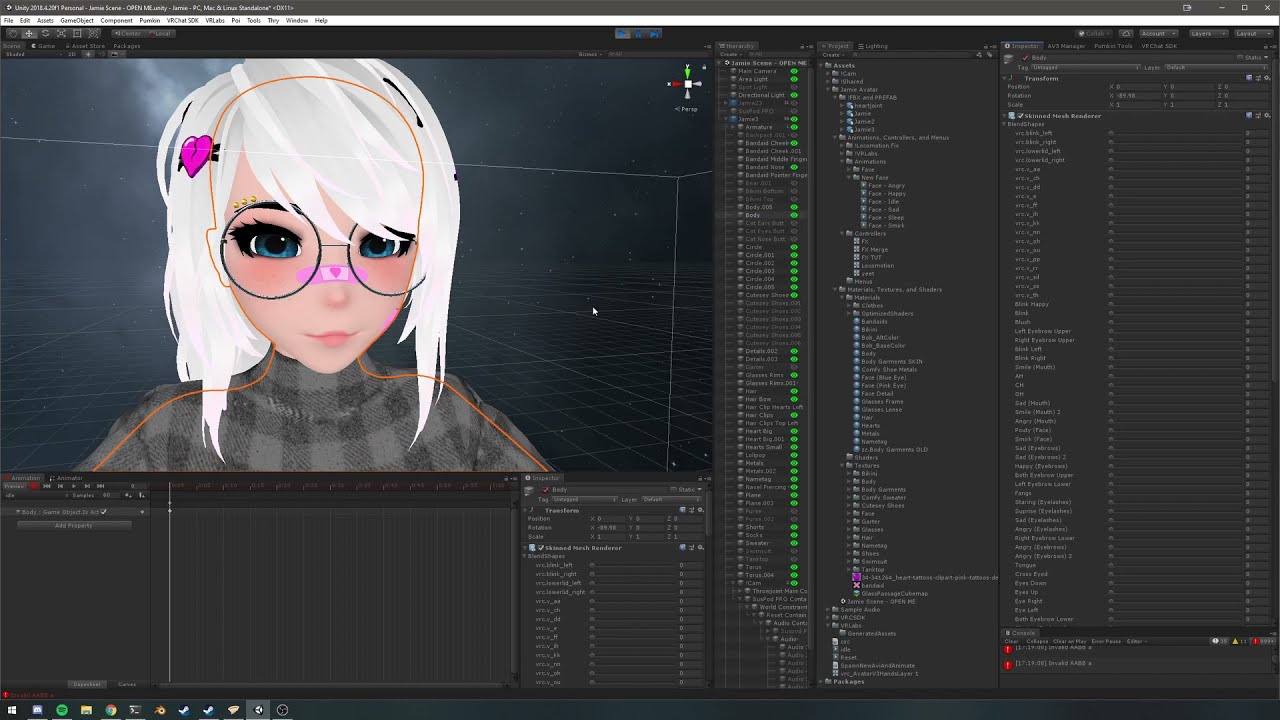
Stop using Write Defaults please. When turning off Write Defaults, depending on your animator methods, your facial animations could get stuck, this is one way to fix it.
IF YOU HAVE ISSUES OR QUESTIONS JOIN MY DISCORD I DON'T CHECK YOUTUBE.
Discord: https://discord.gg/ARKrgFehWP
the creator of that video hasn't submitted the updated one but what he's doing is exactly the same mentioned in this forum entry: https://ask.vrchat.com/t/gesture-layer-animations-not-playing/3624

VRChat Ask
EDIT: Workaround! Create an avatar mask and import your avatar’s skeleton Turn off everything in the mask (both humanoid and non-humanoid) Open or create the animator controller for your FX Layer. For every layer in the FX controller, set the mask to the one we created in step 1. Make sure your avatar’s FX Layer is set to the one from the prev...
prisma blade
hey it worked
why, idk
is it a bug in the current version?
i basically just copy-pasted the Tail layer from the gestures into the FX and it just works
mesmerizing

 noble shell
You dont need 'any state' for that one 🔨 🐇 (masks only needed if you use wd off, since thats its 'workaround' )

that one is in gesture controller ^
 terse glen
prisma blade
hey it worked
why, idk
is it a bug in the current version?
terse glen
prisma blade
hey it worked
why, idk
is it a bug in the current version?
Here's a way to fix this issue in an easier way, though not 100% sure what you have there, but this should fix since I had same issue with a friend not long ago.
1- If you have PB in it, at the bottom of the script, there's a checkbox for animated. Check it and it should make it work properly.
2- Use the next bone of the tail as the one that sways.
Try one of the methods, not both.
Also it only needs to be in Gesture Layer, FX doesn't really work from what the doc said.
prisma blade
working good for me in the fx layer
graceful thorn
im trying to learn how to make an animation i can use in unity and i dont know where to start, i came to decision to make one because i cant find one in other places. if anyone is willing to teach me or give me a link to an explanation i would appreciate it
elfin rampart
graceful thorn
im trying to learn how to make an animation i can use in unity and i dont know w...
Maybe start with the sort of animation you're trying to make so we can get the broad strokes of what might be involved. Is this an object animation or a body animation? Or something else?
graceful thorn
the thing is i dont know where to start i dont even know where i should make em, blender or unity
body animation
elfin rampart
graceful thorn
body animation
For that, you need to start with a model that is rigged. Simplest way to do that is to auto-rig your model with Mixamo, then you can just select one of the animations from the library (export with skin) and you've got an animated model. There will likely be some weight paint issues but just look up weight paint on Youtube and you can find details about cleaning that up.
graceful thorn
i did rig my model and i have tested it in vrc it has full finger traking and all
what im trying to learn is how to make animations for the body to make actions like point up with its hand or down. simple animations to start
elfin rampart
Mixamo has most of that stuff available for you already but if you want to learn animation, you'll probably want to start in Blender as animating bones in Unity is possible but kind of clunky. Then you need to set up your animation layers in Unity which is kind of complicated but there are tutorials for that out there. https://www.youtube.com/watch?v=duGHtPOL7VA
#scifi #blender #blender3d #b3d #tutorial
Amazing Assets & Training: https://gumroad.com/cbaileyfilm
Get started with Character Animation in Blender 2.91 with this beginner's tutorial! Learn how to create amazing character animation with these tips.
Join Patreon: https://www.patreon.com/CBaileyFilm
Join YouTube: https://www.youtube.com/channel/...

Time Stamps
0:40 Descriptor/Menu/Params/Controller
2:26 Parameter Setup
2:52 Menu Setup
3:23 Adding Dance Avatar
5:16 Creating ON/OFF Animation(s)
9:50 Editing Gesture Controller
12:29 Upload
13:23 Side Note
For the Unity version and VRC SDK, go to https://vrchat.com/home/download
For any questions or suggestions, contact me on discord at H...
graceful thorn
i have added animations that were premade to my character but i had not found an explanation on how to make animations i have tested mixamo and it has worked but i dont understand how to get the animation and not the fbx file with the model
elfin rampart
So long as all the bones are the same (they should be if you're using all Mixamo characters) you should just be able to drag the animation from the one you downloaded from Mixamo into your animator for the character you intend to use.
graceful thorn
so i paste the fbx i download form mixamo
into unity and get the animation from that?
this is what i got
 elfin rampart
You paste the animation contained in that FBX into the animator on the object you want to animate. If that doesn't work, you could just copy all the keyframes in the animation panel from the rig with the animation and paste them into a new animation on the model you want animated.
graceful thorn
there are many things i want to do with this avatar and animations is one of em, also the first video makes an anim file?
so i make animations in blender?
elfin rampart
Yeah, if you want to make your own animations, I'd use blender. It is technically possible in Unity but Unity doesn't have a post mode where you can easily select and pose bones so the only option you have is to go into the hierarchy to find the bone you want to pose and then once it's selected in the hierarchy, you can pose it with the gizmo if you have the recording button enabled in the animation window. Doable but cumbersome.
graceful thorn
ok im using the first video rn to make a simple pose as an animation, to make raise my finger to the sky
graceful thorn
hey @elfin rampart im having some problems in animation of blender can i show you in a call?
elfin rampart
Kind of busy with my own stuff at the moment, maybe tomorrow if you haven't got it by then. Could you explain the issue? Is the animation not working at all or acting weirdly? To keyframe the animation, you either need to have automatic keying on (which I don't like, personally) or select the bone you posed and press i and in that menu, select the transformations you want to keyframe but that should all be covered in the video.
graceful thorn
like imtrying to add the key frames but when i add new keyframes the old ones mecome the same position as the new ones in the later frames
elfin rampart
Everything past your last keyframe will stay in the position that the last keyframe was in. If you want it to go back to the initial position, you need to keyframe that and then you can copy and paste or duplicate that keyframe
I would finish the video if you haven't, it seems comprehensive
graceful thorn
but the thing is its not working
i have seen the video i was now following what he did
when i add a key frame in a later part of the frames the old one goes to the smae pose the new one is in
and to be honest i dont know why
elfin rampart
Is it possible that you didn't keyframe all the relevant properties in the old keyframe? If you just keyframe position in frame 1 and then you keyframe rotation in frame 10, then frame 1 will inherit that rotation because you haven't specified that you want to keyframe rotation on frame 1.
graceful thorn
this is the first thing i do

i select all bones
i then use i and select location and add thoes keyframes
but if i try to do the same in a later frame it does not worm
work
it rerwites the first frame
elfin rampart
Well, that's rotation so if you're keyframing position, nothing is going to happen.
location, rather.
elfin rampart
Nice, not too much more to it than that other than using the graph editor where you can change the interpolation type and alter your animation in other ways like smoothing and simplifying keyframes but that isn't strictly necessary.
graceful thorn
ye i did smothe it a little but not much
what i want to know now is how is it that i can add this to the unity of the avatar
elfin rampart
If you select the armature and the mesh and export FBX with selected game objects only selected in the export options, you should be able to find the animation in the menu to the right of the FBX and then you can move that into your animation layer where your dances are. The triangles are what animations look like
 graceful thorn
so i make an fbx file and inside i need to extract it now?
if i want to make that animations stay in the salt frame at the end i need to make it a togle animation no?
elfin rampart
You're not really extracting anything, just using the animation that's embedded in the FBX but yeah, you export from Blender as an FBX file and the animation should be there.
I think so, I'm not real well versed on the Unity side of animating but there are lots of tutorials on that
graceful thorn
ok thank you
ok so it didnt export as 1 animation i see
ill take a min and be back then continue asking for help thanks everyone
elfin rampart
You can use the action editor to name your various animations so they aren't all just armature|action.xxx but I didn't want to get into that. Just look up action editor blender on Youtube if you're curious about that. It's probably important if you plan on having several animations and want to keep them straight.
graceful thorn
i would like for the animation to be 1 .anim file and not 4 for each change in wich i set cordinates for the bones that then make the frames i hand put bezier so they connect
elfin rampart
Yeah, I don't know why you're getting multiple animation files if it's a singe animation in Blender, might have something to do with your export settings. I would look into the action editor, if all the transforms are playing in a single action, then they should export as such as well.
graceful thorn
i mean i am doing one single animation no?
mybe im doing 4 and i think im doing 1\
elfin rampart
If you look at your timeline and see one set of keyframes that do everything you want to do, then that should be one animation. I don't really know, I might be able to look into it more in-depth tomorrow.
What you could do is copy the keyframes from each animation and past them into a new one inside of the animation panel in Unity but this shouldn't be necessary.
graceful thorn
like i got this
 elfin rampart
That all looks like one action to me. Is it not coming into Unity that way when you play ArmatureAction.001?
 elfin rampart
Okay but does one of those animations do the same thing as the same animation in Blender?
You may have made other actions on accident but you don't have to use those.
graceful thorn
one is called Armature|ArmatureAction the next is Armature|ArmatureAction.001 next is Armature|Armature|Armature|ArmatureAction and last is Armature|Key.002|Armature|ArmatureAction
i got no idea wich one is for what
elfin rampart
From your last image, the animation is called ArmatureAction.001. If you click on that and look in the inspector, does it do the thing when you hit the play button?
It's easy to accidentally create new actions and weirdly hard to get rid of them but so long as one does what you want, just use that one.
elfin rampart
You just click on them in your project window (the triangle with the woosh) and then they could appear in your inspector with a play button at the bottom. You can also go through them in the animation window.
elfin rampart
You don't need to extract anything, I don't know where you got this idea of extraction. You just use them for your animations. You should be able to go into the emote animation controller and reassign one of them to use this instead, the dance video should cover that.
graceful thorn
but i now have 2 models 1 that has all the stuff already configured but they have the same bones
elfin rampart
Are they the same model? The simplest thing would be just to overwrite your original FBX with the new one.
graceful thorn
you sure it will work and fuck anything up?
elfin rampart
Oh, and your rig should be set to humanoid, that will make it easier to transfer animations.
You can always copy your original FBX to another directory if you're concerned but so long as the only difference is the animations you added, it shouldn't effect anything.
graceful thorn
ok i want you to see something just in case
ive put the model i just made with the animation and it looks like the animation in its last frame
 elfin rampart
You probably exported it posed. Go into pose mode and reset all the tranforms (alt + g, alt + r, alt + s) then export it again.
You should have all the bones selected to reset all the transforms everywhere.
graceful thorn
like this?

i had the thing in 0 when i hir alt in all thoes
was that what you meant?
elfin rampart
You don't want to be in your animation while doing this, though it should still reset it until you go to another keyframe. Does it start in a t-pose in frame one? You should just be able to export it on frame 1 if it is.
graceful thorn
in frame 0 is in tpose in frame 1 is like this

so i do all the alts in object mode?
elfin rampart
Frame 0 is fine, export it from frame 0, though that is going to look awkward if it's changing position that dramatically in 1 frame. You do the alts in pose mode.
But they get reset once you got to a different frame.
graceful thorn
i dont know of that the video you showed me it didnt explain that
elfin rampart
Well, that's how you reset a bone if you've posed it, alt + g for translation/location, alt + r for rotation, and alt + s for scale
graceful thorn
i do that in pose mode?
elfin rampart
You do
graceful thorn
also i meant how to export from frame 0
elfin rampart
Go to frame 0 and export using the export menu
graceful thorn
ok
now its in the same tpose as my previous versions
and one of the 4 animations in the fbx is the one i want?
elfin rampart
Yup, ArmatureAction.001. This is why it's good to name things in the action editor as you don't want to have to remember that but you can always preview them in the animation window
graceful thorn
question what if i want to get the animation out of the fbx
elfin rampart
Easiest thing is probably just to copy and paste the keyframes to the animations on another rig. You should just be able to drag it into another animator but you might have to have the rig set to humanoid. I think that's probably enough for now.
graceful thorn
ok, btw i can test how animations look in unity no? i dont need to launch vrc each time to test
elfin rampart
That's what the animation window is for. If it isn't open, it's in windows.
And I've confirmed you can in fact drag animations from different models into other model's animators but these are humanoids so that might make a difference.
Just so long as all the bones have the same names
graceful thorn
ok but i mean if i can see it moving and how from the animation window
for me it looks like the same from blender the windrow where i made the animation
 elfin rampart
You find the animation in the pulldown menu and you play it. That one looks empty, try another one.
It also might not work if it doesn't exist anywhere in your animator
If the animation is deleted in the animator, it just won't show up at all so something must be wrong with the exported animation but you got it working before so retrace your steps, I can't look at every detail of your process.
graceful thorn
the hell did i do

i cant do anything
ok fixed it so this is what i see of the animation it wont let me hit play
 elfin rampart
Perhaps because it's read only, though that shouldn't effect it. Try copying and pasting the keyframes to a new clip.
elfin rampart
Just know that you have to have your animation layers set up properly and I don't really know that part well, though I have done it a few times.
graceful thorn
well
it broke
compleatly
trying stuff
yooo it worked
i have no idea how i fixed it but it works and now im happy thanks
thanks again krampus
elfin rampart
Sure. no worries. Pass the knowledge on.
graceful thorn
so i just realised my voice-sync broke, blender shows me the voicesyncs but when i load in vrc it does not move form the basic
elfin rampart
Your visemes? Those are just shape keys on the model, there should be a button in the avatar descriptor to auto detect them.
clear yew
if i made a custom blink animation out of the avatars blendshapes where do i add that animation on the avi so it just had that blinking by defualt?
elfin rampart
I don't have the eyes rigged in this one yet but it shows where you assign the blink shape
 compact marten
clear yew
if i made a custom blink animation out of the avatars blendshapes where do i add...
compact marten
clear yew
if i made a custom blink animation out of the avatars blendshapes where do i add...
you don't need to make an animation at all, you just need the blendshape
you specify that blendshape in the avatar descriptor
clear yew
compact marten
you don't need to make an animation at all, you just need the blendshape
yeah but i dont want normal blinking im trying to copy the same slow derped eyes as the derp avatars but on a different model
compact marten
then set the eyelids type to None, and put your animation in your FX controller in a new layer
clear yew
compact marten
then set the eyelids type to None, and put your animation in your FX controller ...
oh thank you it works now 
 velvet mica
im trying to make it play the first one on loop. then when you click the button plays the next animation and when it finishes it plays another loop until interupted by the button press again making it play a non looping animation going back to the looping static animation
 velvet mica
any advice would be appreciated
velvet mica
anyone?
graceful thorn
does anyone know how to make it so you can aim your arm in desktop
 ancient ore
Are the finger positions for index hand presence a parameter that can be used and assigned in unity?
i.e. a float value for left/right idnex, middle, ring, pinky?
or do i have to brute force it with contacts
compact marten
ancient ore
Are the finger positions for index hand presence a parameter that can be used an...
not exposed, either use contacts or a steamvr driver app with OSC
 crystal surge
Does anyone can share some animations? I already got so many but i need much much more.
elfin rampart
Mixamo is a good source, you should specify what you need.
graceful thorn
does anyone know how to make it so your arm moves with your head? like for my arm to follow my vision and stay in the middle
young hearth
Hello, i am trying to animate an animation toggle for alternate outfit/skin whichever you wanna call it. Everytime i tried animating Element 4 shader material and then Element 2, both will use 1 texture only and not separate textures despite i manually chosen each differently.
Does anyone know why its mixing it up and how to fix it? Why does Unity think both of them shares the same "Element" material?
 graceful thorn
hey how do i make an animation move in the x and y axis when i hit record it does not save for the animation when i play it
cos when i make an animation it make the avatar go down
in fetal position in the middle of the floor
noble shell
young hearth
Hello, i am trying to animate an animation toggle for alternate outfit/skin whic...
unity bug, avoid 2 & 4 , not sure if they have fixed it yet on 2021+ version
young hearth
bruh moment
young hearth
graceful thorn
hey how do i make an animation move in the x and y axis when i hit record it doe...
i assume its to animate for an avatar. Move it back up on the axis line and animate it accordingly, once done, just delete the first few keyframes(diamonds) and it will remove the part where the avatar go down.
muted prairie
Even by manually setting values for the X rotation ?
 remote hawk
Yeah, I've tried all I can think of
https://gyazo.com/7be86cad3e55d018b0483c1aa614547b Super cursed!
muted prairie
ok but did you actually record a keyframe like that
remote hawk
Mhm, I guess I just need to parent an empty to it for now
 winter kestrel
middle-finger isn't a hand pose, so i made it one q:

 subtle walrus

#Animation #Film #Movie
 bitter glacier
hello! i recently got into avatar customization and i've been looking through some things about animations in Unity, but it all sounds really confusing...
so i have a question: Is there any way to import animations from blender into Unity? i believe i have a better grasp of Blender animation than Unity so that'd save me quite a headache
elfin rampart
Yeah, that's what pretty much everyone does, creating bone animations in Unity sucks. You basically just make them in Blender, export as fbx, and then expand the fbx in the project tab in Unity and look for the triangle with the 3 woosh lines, those are your animations.
bitter glacier
Thank you!
 proper wadi
I looked this up, and it says i need to set the rig to humanoid, but there is no rig tab
 elfin rampart
You change that by clicking the FBX in the project tab, then you should have a few options in the inspector, one of them being rig.
 elfin rampart
Do you have the object selected in your project tab? It still looks selected in the hierarchy.
The project tab is at the bottom.
proper wadi
Got it, thanks
 muted prairie
That's sick 
 flint bison

Also made a new jumping system, that takes speed, direction, and upward/downward velocity into account for the animation

Higher jump height automatically adjusts the "animation" to always fit
Landing roll triggered by downward speed

Togglable randomized (synced) flips when I jump
 elfin rampart
That sounds pretty advanced. If you could package that into something reusable, I think a lot of people would buy it.
languid wyvern
That is officially the coolest thing I've seen this week.
 crisp dew
Does anyone here know how to make their avatar look around in the avatars tab
noble shell
animate in avatar selection ?
add any animation here it will do only do it before you 'wear' it

[ preview ]
 covert dome
Could someone help me out with my project?
 storm moon
Does anybody know why my sword resets like this? I use a parent constraint to place it into my hand, but when I toggle it off, and reset its position, it goes here. The reset position animation works in Unity'


 storm moon
storm moon
storm moon
frame 2 is the same
storm moon
I'm probably not doing it correctly, but I fixed it by adding another parent constraint to force it back
 tiny mango
Adding toggles to my avatar but for some reason its stuck in animator pose in game. The first toggle I had added didn't have this problem but when I added this second one it came up. Fixed it by resetting locomotion controller, Still don't know what I changed to cause the problem


Its T posed in the scene as well
 dawn tree
So I'm working on getting a custom animation working in VRChat. It's a gun with a rotating barrel using bones, initially started out shrunk down until it's deployed...using basic bones as part of the rig. I got the animator working in Unity all fine, but in VRChat it doesn't play.
I tried both action layer and gesture layer in separate instances, simplified the animator to run a single animation...but no dice, tried removing any avatar masks for the gun bones, and I've tried playing the basic VRChat proxy emotes but they don't play either and instead the avatar T-poses as if wanting to play something but missing the animations. When I was using the action layer, I made sure the VRChat playable layer value was turned on during the animation and off when it was done. Also, the expression menu I made for it toggles variables appropriately so probably not that.
The complex gun animator logic is changing the correct variables at the right time in debug view, but the animations don't show it. Any idea what could be happening?
compact marten
dawn tree
So I'm working on getting a custom animation working in VRChat. It's a gun with ...
if the gun is not part of your armature, set it up under FX with an avatar mask on the layer to not allow any bones in your armature to be animated
dawn tree
The gun is attached to the base rig and mesh. I want to try to keep it all together. It should work, right?
lunar crag
Made a tail wag anim and can’t get it to work right. It either doesn’t wag in game or makes me go into the ground. Show of it paused in Unity if it helps.
I have it on locomotion/ base layer rn
 dawn tree
WOOO I got animation on extra bones WORKING!!!
I tested a bunch and found out that, if I set the FX layer off in my animator, my animations would play in my custom gesture/hands layer. This led me to make a mask for the FX layer. I then found out emotes on the action layer also overrode my gesture layer, so I masked that out too. WooP!
How to make a custom animation alongside your rig:
Ok, so I put my gun animation on the gesture/hands layer. Then, the most important part, is that you must have a custom action layer and a custom FX layer, and both of those layers need to have a mask that masks out your extra bones so that they aren't overridden.
 hybrid wind
so i have base locomotion setup and it works when using keyboard short cuts but id like to add poses to a toggle menu so i can laydown and or sit in vr half body
hybrid wind
anyone hav any tutorials on how to do poses / idle change
crystal surge
Anyone here got some bowing animations? 🙇♂️
elfin rampart
crystal surge
Anyone here got some bowing animations? 🙇♂️
Mixamo has a couple https://www.mixamo.com/#/?page=2&query=bow
crystal surge
elfin rampart
Mixamo has a couple https://www.mixamo.com/#/?page=2&query=bow
You're right. Totally forgot. Only 1 animation there but still. Thanks
elfin rampart
There's a formal and an informal bow, they're pretty similar aside from the formality but you can also adjust the settings to tweak them a bit.
flint bison

Cloak
When I raise an arm from beside me, it automatically moves the cloak to the back position for that side
there are also manual toggles
muted prairie
Very cool use of the system !
 hard heron
so basically my friend gave me his jonny joestar avatar with tusk the tusk has like fingerpoint animations that toggle the summon animation and the barrage animation but im trying to figure out how to attach tusk with the animations to the luxray avatar that i have here with all of it rigging properly. Can anyone help me? much appreciated

 frail plover
So I'm looking to convert this animation into a meme thing (Because my stream forced me to) but I'm wondering if it's possible to even stick the animation exported from Blender into a humanoid rig...Last time I did this, it told me the rig wasn't supported, so I'm wondering how to get it functioning
https://cdn.discordapp.com/attachments/801246733732544562/998336676218814524/AHA2.mp4
(Yes, laugh, please.)
elfin rampart
frail plover
So I'm looking to convert this animation into a meme thing (Because my stream fo...
You'll want to look into retargeting. https://www.youtube.com/watch?v=kLe5zfjJ8Jc

Learn everything you need to transfer motion capture animation from ROKOKO to Blender in the next 60 seconds!!!
Rokoko Blender Add-On:
https://help.rokoko.com/support/solutions/articles/47001150422-release-notes-1-1-1#release-notes-blender-plugin-1-1-1-0-0
ROKOKO Studio Download:
https://www.rokoko.com/studio
Rokoko Tutorial Playlist:
https:...
frail plover
elfin rampart
You'll want to look into retargeting. https://www.youtube.com/watch?v=kLe5zfjJ8J...
So do you have any experience with this plugin specifically at all that I could ask a question with it?
elfin rampart
I do my retargeting with Auto Rig Pro but that's a paid program. The process is pretty similar, though, and I think Rokoko is pretty popular for retargeting so it doesn't hurt to ask.
frail plover
elfin rampart
I do my retargeting with Auto Rig Pro but that's a paid program. The process is ...
So I guess the main thing to ask, do I have to do the animation inside of Rokoko before doing the animation in Blender? I already have the animation made in Blender, hence why I'm wondering.
Since the animation from Blender of course doesn't actually function in Unity, as far as I can tell.
elfin rampart
frail plover
So I guess the main thing to ask, do I have to do the animation inside of Rokoko...
No, it should work with any animated FBX file. Rokoko is just use to take the skeleton from the animation and assign those bone transforms to the matching bones on the armature you want to bring into Unity.
frail plover
elfin rampart
No, it should work with any animated FBX file. Rokoko is just use to take the sk...
Ahhh, so I can take the skeleton of the exported FBX in Rokoko and apply it in Blender with the add-on, then.
Correct?
elfin rampart
Yeah
frail plover
elfin rampart
Yeah
So then the question lies...how do I make my own custom one through Blender and apply it, or is that not a possibility?
Or do I just have to reverse the process, and "retarget" a skeleton to my armature on the one I animated?
elfin rampart
frail plover
So then the question lies...how do I make my own custom one through Blender and ...
I thought you wanted to transfer the animation to a humanoid rig so the animation you have would be the source and the humanoid rig would be the target.
frail plover
Well, so, I made an animation in Blender using pose mode -- Animated it, and turned it into an animation. I wish to use that animation in Unity, on an avatar, as a dance. I'm moreso doing this as a learning experience.
@elfin rampart
It works, of course, with the avatar being a "Generic" rig, but as a humanoid rig, it does not work.
elfin rampart
Okay, well VRChat does tend to prefer humanoid rigs so I would recommend rigging your character with a humanoid rig and then you retarget by using the one you have as the source and the humanoid rig as the target.
frail plover
elfin rampart
Okay, well VRChat does tend to prefer humanoid rigs so I would recommend rigging...
Okay so just to clarify this then...
My animation has the skeleton started outside of T-pose,
I use the skeleton of my "Animated" skeleton as the source,
And have another rig that is T-Posed as the "Target"
elfin rampart
Yup, then the animation will be stored in the humanoid FBX and you can add the dance in the animation controller in Unity. I recommend watching a video about adding VRChat dances if you aren't familiar with that part.
frail plover
elfin rampart
Yup, then the animation will be stored in the humanoid FBX and you can add the d...
I've added dances before so I'm not a stranger to it, I'm just trying to figure out how to get the animation to function properly. Bone movements do not work inside of Unity when exported from Blender, so I needed to figure out how to get it to function properly.
elfin rampart
Bone movements do indeed work inside of Unity so long as they're using the correct names for the bones which is why you retarget.
frail plover
elfin rampart
Bone movements do indeed work inside of Unity so long as they're using the corre...
Yeah, in the preview pane, the ears and tail would move, but the body wouldn't...
elfin rampart
Is this post-retargeting? You can maybe check the animation panel and see if the bone references are there but you definitely can export bone animations to Unity.
 frail plover
elfin rampart
Is this post-retargeting? You can maybe check the animation panel and see if the...
frail plover
elfin rampart
Is this post-retargeting? You can maybe check the animation panel and see if the...
Well, this was when I just did bone transformations in Blender, exported the model, took the animation, and then applied it on the avatar.
Also, I should note, I just did an animation retarget and for some reason the avatar appears off in the distance somewhere, and it's rotated backwards and in the fetal curled position pose.
But yet in Blender, it looks like the animation has gone through fine and works properly.
It shows that things are missing for transformations.

But everything is there perfectly fine.
I noticed that it looks significantly different to the other MMD things I've worked with, too, honestly.

Everything basically resets to zero when I play the animation.
elfin rampart
The model jumping to a particular position is usually caused by the hips being keyframed which control the position of the model in space. You can usually just remove those keyframes. Not sure why it's missing certain bone poses, did the bone list build properly? The process is very similar to the process I use in my program but I just know if all of the bones on the source armature are translating to the target armature, then it should work but I haven't used this particularly program. There are also more complete tutorials for using Rokoko studio if you want something more in depth but if it looks fine in Blender, I'm not sure what might be going awry on the Unity end if you understand the process of adding animations to an avatar.
frail plover
elfin rampart
The model jumping to a particular position is usually caused by the hips being k...
I'll show you this, then, might be easier since I'm following how the targeting should work,
Source and target

Built bone list

After I retarget the animation,

Which it then runs perfectly fine in Blender,
I'm exporting explicitly the armature with the animation as an FBX
 elfin rampart
Are you even using a different armature? All those bone names look to be the same.
frail plover
Isn't it just binding the armature to the names of the bones of the source?
Or am I required to use a different one?
elfin rampart
It's basically finding the bones of the new old armature and mapping them to the corresponding bones on the new one. If you're using the same armature, you can just open up the animation in the action editor and copy and past the keyframe to the other armature. No need to retarget if all the bone names are the same. I just though the idea was that this was a generic rig and you wanted to retarget to a humanoid.
frail plover
elfin rampart
It's basically finding the bones of the new old armature and mapping them to the...
The rig is technically already set up as "Humanoid",
Let me show you what happens.
This is currently what is set up inside of the animation, it is bone movements.

This is what happens when I play it.

It plays fine on a rig marked as "Generic" without any further problems.
 elfin rampart
Hmm, I'm not sure, there are clearly keyframes in there but you'd have to look at the animation curves to see if they're doing anything. You also might want to look at the rig configuration to make sure all the bones are assigned.
frail plover
elfin rampart
Hmm, I'm not sure, there are clearly keyframes in there but you'd have to look a...
But yet why do the ears and tail move, but nothing else does?
And for some reason, these bones just simply don't move during the preview, even though there are keyframes.


I just used Pose mode inside of Blender to animate the bones moving.
elfin rampart
I'm not sure, it's possible those keyframes are there but not doing anything or the rig isn't configured right. Animations tend to break kind of easily. You would need to look at the curves to see if there's any actual transformation that is supposed to happen.
frail plover

Er... ._.
But yeah, even for hips it shows something is supposed to happen.

Same with the knee,
 elfin rampart
If you expand the FBX in the project tab and click on the animation, does it show in the preview window in the inspector?
 elfin rampart
Okay, well that means the animation has made it into Unity properly, it's just not playing in the scene. I'm a little stumped, I have seen this behavior before but I usually just end up bringing the model back into the scene and it works itself out eventually. Animations are finicky.
frail plover
OOOOOO
I DID IT

Okay so,
It's still broken to an extent because the blendshapes are off BUT,
I had to sit and take the FBX of the imported generic model I made,
Convert it into a humanoid rig from its generic state and COPY from the other avatar,

And now I can apply my animation on it properly.
The blendshapes are currently messed up however.
elfin rampart
🤷 Whatever works
frail plover
Which actually, it's because the Blendshapes in Blender are set to 0.
But it works
I just had to remove the states of the blendshapes from the animation
And on top of that...Things are appearing like normal now.

Still, very peculiar.
It just looks like there's something with Unity that it just doesn't like with humanoid rigs unless you take a generic one initially, convert it over, and use the skeletal rig of a normal humanoid one.
elfin rampart
Exporting blendshape animations from Blender is definitely possible but it's even more finicky than bone animations and trying to do them both at once seems particularly annoying. If it's not to complex, I'd just recreate your blendshape animation in Unity or export it out as a separate animation in Blender and then copy and paste those channels from the blendshape animation onto your bone animation.
I've taken animations from Mixamo and retargeted them to humanoid rigs and then played that inside of Unity so it's definitely possible but sometimes you run into confusing issues.
frail plover
Scratch that, I'm dumb and just realized what I did, my bad~
 mossy field
Does anyone have PayPal
tardy sedge
I added a dance to my actions layer, yet the animation is locked to the hip. Is there a way to make sure it moves with the animation? The state before entering the animation is checked to animate all parts.
tardy sedge
my anim files became like this

 quaint kestrel
i have a submenu where i can change my size, i basically just made 4 animations where i scaled my model to different sizes.
but the small one is flying in the air and if i move it teleports to the ground.
any ideas how to fix that
 uncut ibex
is it possible with the sender and reciever stuff to be able to use integers for them? i was told itll only allow bools to be used with it. I want to make a card system similar to wizard 101 where it takes a set amount of cards and shuffles them and allows me pull them out and actually pick the right card
https://gyazo.com/5b846d96adb4fbefcf7149890b6b1199
Gyazo
Gyazo
Gyazo
this is how i currently have it and i have to go through several menus to toggle each one on and off and stuff like that. But im wondering how i may be able to make a more seamless and efficient way of selecting cards and in turn selecting said card activates the spell casting for that card


 steel belfry
my friend is on a search for some stripper dance emotes
i have a few that are converted from mmd but i was curious if you guys could direct me to some more?
elfin rampart
😲 VRChat is a good Christian platform
 severe loom
quaint kestrel
i have a submenu where i can change my size, i basically just made 4 animations ...
severe loom
quaint kestrel
i have a submenu where i can change my size, i basically just made 4 animations ...
Size change in VRchat is not a thing today
There is a desktop limitation since it is one tracker
But FBT or simple 3 tracking system does not support it since your Trackers will not scale with you
quaint kestrel
ok thank you
flint bison
Anybody know why VRChat likes to break my walk cycle when I'm moving while doing custom movements? (and how to fix it?)

It fixes itself when I stop moving, but I'd like to not have to stop for it to fix itself
 main grail
Im having issues with animation transitions, When the animation fully plays after it goes to the next animations it replays a bit of the previous one
 solid fable
Does anyone have a good reference for creating animations? I have done a couple quick searches but all the guides I find are of importing pre-made animations. I want to create my own. At the very least I want to replace the slouchy default idle animation with a more natural looking one. Any help would be appreciated!
elfin rampart
solid fable
Does anyone have a good reference for creating animations? I have done a couple ...
It's easier and generally better to create animations in Blender. There are thousands of tutorials for animating in Blender, though I don't have a specific recommendation.
 radiant sphinx
(For a world) Currently trying to create an animation while listening to the music to sync it up correctly, however I don't know how to have the audio playing in the editor without using CyanEmu, which just plays the whole thing from the start. Is there any way to have audio playing during animation tests?