#animation
1 messages · Page 130 of 1
 foggy estuary
 undone glade
It's actually easier with 3.0 I'd say. Less work arounds needing to be done

I could have just gone from disable suit to enable easily, but instead I have my extra steps before it falls into enable.
And my mindset is, with each new addition to the action, make a new animation. Sort of like a storyboard.
So it goes sort of like
V
[The face plate opens revealing the fan]
V
[The fan begins a slow build up to spin]
V
[The Fan is spinning at full speed and particle effect begins]
V
[Slow build up of emission to show that we are transforming]
V
[Swap skin mesh renderers and slowly build down emission to show transforming coming to an end]
V
[The suit is enabled]```Instead of
V
[suit is enabled]```That is if you look at this like a storyboard, which one is more interesting.
 mental nexus
Does anyone know why my blinking blend shapes don't work for the animations? All of the other blendshapes that don't involve vrc.blink_left and vrc.blink_right are ok. Those blinking blendshapes are the only ones that don't transfer to the animation. thanks
 twin stag
Someone know how i can make the desktop and the computer freeze and not follow me when i make him spawn ?
 noble shell
constraints https://vrlabs.dev/item/world-constraints exsample there in setup

A world fixed object, held in place with constraints.
twin stag
so this thing will make stop the object moving?
 digital comet
@twin stag yes
twin stag
okay!
 clear yew
[used muscle animation editor instead]
foggy estuary
@twin stag what bone did you map the desk to? Or do you not need to put it on a bone?
I’m trying to learn that stuff so if there’s a YouTube tutorial you used could you send it to me?
 vivid marsh
anyone know what animation the Kon's use for the Okie Dokie Boomer song?
foggy estuary
@twin stag oh but I just wanted to know how you made the desk appear, that’s why I asked about if you watched a tutorial:/
 magic kite
hey guys. I'm ready to start putting animations on my avatar but im having a hard time trying to find one from scratch without using vrchat mods avatars. I made mine through VRoid and Blender
 sweet ginkgo
Anyone know how to make a stand barrage like in JoJo? I’ve seen it a bunch but I wanna try to make it.
clear yew
@sweet ginkgo Most of those people rip the animation files from Eye's Of Heaven or All Star Battle. SO you could probably find them in there.
 minor pulsar
Anyone know how to fix other people can't see my camera view only visible to me
Sorry for bad english
sweet ginkgo
If not, do I have to animate each limb move and stuff?
 neon coral
Im making a custom sitting animation but when i record or run the preview of the animation it goes into a motorcycle pose
does anyone know how to fix it?
 rare plume
@mental nexus IIRC you can't use the same blinking blendshape for normal blinking and animations as they will conflict, avatars often come with a separate blink blendshape for that
@neon coral That's just a unity issue, there isn't really a fix unfortunately. Going into play mode should allow you to see the animation correctly though. Make sure you do it on a clone of your avatar
 winter brook
How do i fix this weird walking?
undone glade
Well you can reset bone rolls to see if that helps, or you can see if you can find another running animation to use on mixamo perhaps
clear yew
I got an idea
sweet ginkgo
So does anyone know how to hand make a stand barrage like in JoJo? Is there a video link or guide that could help me?
 molten elm
is there a way to make it so that the animation plays like the 'feet IK preview' ?
where the feet don't constantly move around
molten elm
why do the foot IK settings not translate into vrchat
 livid roost
hey, how would I go about animating texture offset? I'm trying to make animation clips to move the offsets on my eye textures, because the eyes aren't spherical, just a curved plane, and no way in Hell am I going to sit there and just make new eyes lol
 unkempt perch
I have full dances in 3.0 these dances have head movement. Us there a way to let the animations take control of head movement without forcing the avatar to appear to sink into the floor to others?
livid roost
FOUND IT
it had a really dumb name in the property list
the UV settings for a main Albedo map, for anybody else wondering, is called Material._Main Tex_ST
...ok now it's doing it for all of them, not just one...
 subtle forum
Im trying to make a shotgun animation for this model. The gun and sound effects works fine but the muzzle flash keeps looping, anyone knows how to make it stop lopping or is there another way?
 fallow latch
if its a particle system u have to turn off Looping. but if its only in animation u should make some of the keyframes "OFF" if u somehow have them all "ON",
or 3rd ur animation have this on
subtle forum
The muzzle flash is an object. The animation checks it on, scales it up before checking it off. I turned off Loop Time but it still loops. I try to have the check off keyframe lasting as long as a few minutes, but it doesn't reset when I turn off the gesture on VRC.
clear yew
Good afternoon, does anyone know how to fix this problem, which leaves the names in yellow?
missing path or wrong path to the property
you can triple click or press F2 to modify the path
@clear yew But how do I know which way to go? the animations in question are expressions.
clear yew
someone? ;-;
 cold pulsar
Its the path from where your animator is to the object being animated
clear yew
My head is with the body, but apparently as shown in the image above, it is already '' body ''.
I'm curious, where did you get that model ?
A friend is helping me with the creation of avatars and he gives me the files.
mhm, okay
But apparently he took it, pre-made.
it is
since it seems like a stolen model
subtle forum
Hi! Can anyone help me find the mannrobics taunt from tf2 to import to Unity?
 balmy karma
hey, i need some help with these animator states. Im trying to make a door to open and close. I already made the 2 animations for open door and closed door. I created a trigger parameter, i set the transitions between open and close to the trigger parameter, but when i try it out in play mode, the door doesnt work. The image is my current animator
and this is the transition (the other one back looks the same)
this is how the states opened and closed look like
this is what my animation looks like (in this case for open)
and this is the hierachy
Group 6 is the mesh itself, Door 1 is a game object for the pivot point and DoorBase1 is the gameobject with the Animator controller
edit: seems like i am stupid
had Static for baked lighting enabled
now imma commit self oof
 plush python
Do buffer particles not work in animations? (ex: Enabling and disabling to the beat of a song)
neon coral
before i press preview or record
after i pressed preview or record
can someone please help me?
bruh no matter what i do
when i preview it just goes into that pose
 zealous trench
How do I make an avatar shoot off 10m to the left? I tried using Animator.Root T, but then none of the other steps render in Unity's game view.
I managed to narrow it down to animator culling, but I can't change that on the SDK3 layers. There's no setting for it.
zealous trench
Anyone? is this an issue with SDK3?
 daring merlin
Does anybody know how to set an animation as a chair ?
But like i have it as a gesture and if i do said gesture the chairs appear and the people who click on the chair will start dancing at the frame i am ?
For like funny bits o3o
unkempt perch
is it true that animators in seats were broken with UDON?
daring merlin
Well i had some t posers
When they exit
Like ut would be funny to have but i deleted the chair since i could not get it to work
 glossy barn
in 3.0 I moved a blendshape gesture to the FX layer, copying the properties of the SDK example EditHands, it's working, except like GestureRightWeight isn't working, I can't slowly press the grip to ease into the blendshape
it's just a all or nothing, GestureRightWeight is set to float
clear yew
I want to make a small explosion for when the helicopter hits the ground, nothing much just a small one, anyone know how I could achieve this?
undone glade
Depends on what kind of explosion you want and how the model is rigged.
There are plenty of particle effects in the Unity Asset Store that you can use.
Is it a hand puppet or no?
Do you want a cartoon explosion or a realistic explosion?
 torn ferry
for some reason i cant see my particle effects when i use them except in mirrors
Anyone know what I should do?
clear yew
its just an animation, more a cartoony explosion
This is the context of it also, so u can probably guess lol
 clear yew
haha yeah lol, I'll look on the unity store and see what there is 👍
undone glade
JMO I believe is free
What I sent you have some pretty good customizability
But it does have a fire explosion effect that you may be looking for
undone glade
Flight of the Valkyries play
 gleaming wharf
So i have a custom idle animation on my avatar and it works fine except the head stays stationary while the body moves doing the animation in vrchat, but in unity it looks fine. Anybody know a solution?
clear yew
So I used the things in the JMO, worked great, however SDK wont let me upload it due to parts being said to be removed
sweet ginkgo
So anyone know a post or forum that can help me with making stands from JoJo? (barrages, time stop, etc. ) ?
clear yew
My animation has the audio source, though no one else can hear it besides myself, and it stays a bit quieter than I make it, anyone know why?
 median tiger
problem:
- have to enable object at bottom of tree
- have second layer to move object around with blendtrees and things
- enable object animation overwrites every other property not on list because the animation system is stupid and defaults every property not listed and can not be masked out because it is in the same tree and can't be put in different controller because vrc ignores all object enables not in fx controller resulting in second layer being ignored completely
how2fix?
 livid berry
Can anyone explain to me how people create particle systems that can interact with other players models? For those who may have seen it, there is an avatar that looks like a milk carton that can "vomit" milk, and the particle system is able to "hit" other players and leave a texture on the player it hits (or any other object it encounters). Thanks!
clear yew
the milk that leaves a texture on other avatars is using a shader for that effect
livid berry
@clear yew Ah cool thanks! Any idea on how you make particle effects "collide" with other players? I can't seem to make it work properly by just adding a collider to the particles.
 vestal fulcrum
what are good places to find animations for my avatar
 fresh estuary
@vestal fulcrum mixamo or go on youtube and search 'mmd motion', find one in a vid you like, download it and convert it to .anim using this https://www.youtube.com/watch?v=oUSe5uDLSJM
fresh estuary
np, have fun
foggy estuary
Ok feel free to ban me for violating a rule 😦
median tiger
is "head IK" the thing that is responsible for slamming your head back down to wherever your viewball started from after every time your locomotion ends?
- is there a way to deliberately apply the current armature pose to the model that can survive outside of preview mode?
median tiger
- is there a way to animate a property of a material (ex: hue) for all objects that have that material instead of just the property of 1 object?
 bitter crypt
hey guys i have recently moved my avatar over to sdk 3 and my mouth and eyes don't move or react with emotes like before but my mouth does move when i talk and my eyes blink and look around could anybody help me with this please
median tiger
seems animating view position does nothing :c
livid berry
is it possible to create a chair (station) on an avatar, and be able to sit on it yourself? (Your model contains the chair and you want to sit on the chair as you.)
 blazing holly
Is there a way to cleanly animate an object along a path or will I need to manually animate it along the path.
median tiger
keyframes = smooth
 opaque mulch
I have two animations. Animation A and Animation B. I want to merge the two togethor and have animation A play for 5 seconds before animation B plays. Is there an easy way to do this? I tried Copy and pasting the keyframes but it didnt seem to work.
I essentially have an idle animation and a dancing animation. I want to merge the two
clear yew
So, anyone know how to make an object stay in position so it doesnt move with the avatar?
livid berry
Is it at all possible to animate the armature to make yourself essentially fly to a specific height/direction?
digital comet
@livid berry yes but when the animation is over, your body with teleport back to the place where you started the animation and your view will not follow the fly animation
median tiger
@opaque mulch chain B after A and have a long exit time and transition
@clear yew someone made a unity package to do that
clear yew
They did? do u know where it could be found or is it more the basis of asking round?
A world fixed object, held in place with constraints.
median tiger
yep thats the one
clear yew
Thanks for the help! Ill download it now
sweet ginkgo
Does anyone know how to sequence an animation? Like music starts playing then something appears but it appears after the music's starts playing?
clear yew
Says the prefab may be broken for the constraint..
 muted prairie
worked for me last week
clear yew
Possibly just me, Im just getting that "unable to instantiate prefab" thing, ill try look into it
 violet moss
- is there a way to deliberately apply the current armature pose to the model that can survive outside of preview mode?
@median tiger this is the “Apply as Rest Pose” button in Cats. In vanilla Blender it’s a few steps to it.
median tiger
nothing within unity?
violet moss
In Unity I am not entirely sure, I beleive you’d need to pose it in the bone configuration screen, I think that is the pose that defines its zero rotations I’m not 100% sure. I do all default posing in blender
median tiger
@clear yew been meaning to try this myself, just grabbed a copy right now and it worked in vrc for me
clear yew
Weird.. I looked at the setup video on the website though in unity it doesnt allow me to drag it in, thats my problem anyway unless im being daft
median tiger
did you follow the instructions and unpack the prefab and move things around?
clear yew
Followed the video anyway yes
 proper hedge
@clear yew what happens when you try?
clear yew
End up getting a unity error, the "unable to instantiate prefab. prefab may be broken"
Not sure if thats me being stupid tho
proper hedge
I think that happens when it can't find a script. Since the only scripts used are constraints, that is odd
If you select the prefab from project window does it say anything is missing in the inspector?
proper hedge
It's missing the constraints entirely. Hmm You on the right version of unity?
clear yew
Knowing me most likely not.. I'll take a look, probably off by like an update
proper hedge
You need to use 2018.4.20f1 I believe
clear yew
off by just a bit
This explains 10,000 things.. Sorry me being entirely stupid haha
🤦♂️
median tiger
lol
 ashen sedge
I'm making an animation clip where I want to change the UV offsets on a single material, however all the materials on the mesh gets their UVs offset as well. Is there a way to only animate the UVs on a single material on the same mesh?
median tiger
@ not zarniwoop: are animator layers zero indexed?
ashen sedge
Not sure what you mean. Animator layers shouldn't have to do anything with making animation clips
 proud cloud
does anyone know how I could make like the Road Roller Scene from JoJos bizarre adventure. But just Dio barraging the road roller
opaque mulch
@median tiger I managed to use copy/paste but theres way too many keyframes in the one animation, Unity shitys istelf. What was that package you mentioned?
is there an easier way to do this
median tiger
no the thing you want to do is one of the absolute basics
opaque mulch
For example i want to insert keyframes from another animation in tegh first 10 seconds here
goddddd. so much fiddling. Siggh

median tiger
I have two animations. Animation A and Animation B. I want to merge the two togethor and have animation A play for 5 seconds before animation B plays.
@opaque mulch chain B after A and have a long exit time and transition
you should not be touching keyframes right now
you should be editing the animator controller
opaque mulch
up until now this is the only way i knew how to edit animations. ill do some googling
muted prairie
you make an animator controller
drop animation A into it, then B, create link between A and B, tada
opaque mulch
so like this
modified the animation keyframes to play music at the same time. can this same thing be achieved with an animation controller too?
muted prairie
well no, the point of the animation is to enable thing
the animator plays those animations
opaque mulch
ok so regardless of music. how do I add this animation controller i just made the a custom overide? I want to put it on an emote slot
its not a .anim file so it not visible when i look for it.
this might not be as easy as I think it is ill read up on unity animations
 muted lance
Anyway I can make an emote, emote slot one for example play infinitely?
daring merlin
Yes
Set the anim to loop
Also i was slightly tempted to add the whole dance routine of thriller to my avatar
Including 5 back up dancers XD
And tie it to a gesture so it plays the full song
muted lance
So, new thing
I made a keyframe animation
and I want this one walking animation to be playing during it
but I don't wanna have to keep copy pasting the keyframes for the walking anim into the keyframe anim.
Anything I can do to make them both happen in one emote?
I also wanna set it to Emote 1 slot.
 bronze gate
can someone help me make a simple avatar weapon using gestures?
bronze gate
?
can anyone help
i need help creating a simple avatar gun activated by a gesture
as i don't know how to
@muted prairie
muted prairie
Watch tutorials ?
 fervent quarry
So, I am trying to use some blendshapes for an animation, like... expressions and the usual. For some reason, during editor/play mode, the expressions blendshapes are set properly BUT in VRchat they display strangely, some blendshapes simply don't have their values applied.
notice the lack of curvature on the smile
 austere moss
 fervent quarry
Oh, yes I do
This ones?
seems like its only one especific blendshape, the third last one I am using
Im setting a sadness blendshape to a negative value, but it seems to work when used normally I guess
muted prairie
negative value ?
fervent quarry
Yup, -20
So I assume VRChat doesn't actually like negative blendshapes and clamps them to 0?
muted lance
Anyway to make an animation play slower?
muted prairie
in an animator or on its own ?
muted lance
It's just an animation of your body being thrown back.
But I wanted it to play in slow motion.
muted prairie
muted prairie
it's not really the most precise method though, but by far the easiest
muted lance
Well, it heavily cripples the animation. And that's exactly what I was looking for.
It makes my original idea for it even better.
median tiger
- is there a way to animate a property of a material (ex: hue) for all objects that have that material instead of just that material on just 1 object in unity?
- what does the "foot IK" checkbox do?
clear yew
So erm, I tried using the world space world constraint thing today, and it works, though its saying that the components inside it cannot be used within vrchat
clear yew
Not sure if I did something wrong or if its something else..
digital comet
latest sdk? @clear yew
clear yew
From the file name its this
"VRCSDK3-AVATAR-2020.08.13.17.48_Public"
so, defo one of the latest
twin stag
So , i want to make mouth moving like the avatar is sining when i press buttom for play music , someone know how to do that?
we need to do it manually in the animation section , or there is something that can help me?
 balmy trout
Hello. I have a question regarding partile systems. How would i set a particle to follow its own path rather than following the object it was fired from? like world space but following something attached to my hand?
violet moss
Is there a way to have multiple exit times? I want to check for conditionals at .25, .5, .75, and 1.0 of the way into a loop
sweet ginkgo
How do u make a fist barrage?
muted prairie
You can ask everyday but you won't get an answer, that's way too specific, the answer is you learn how to model and animate
sweet ginkgo
mk
clear yew
@sweet ginkgo Are you talking about like a JoJo stand fist barrage?
Cause if you are, you might have better chances finding a fan-made Unity animation made of one
sweet ginkgo
Yes and ok, thank you.
 night path
Could anyone help me with gunfire
 sharp badge
Ok, I have a question about shapekeys. Does scaling Verticies through shapekeys work like it's supposed to? When animating a shapekey that scales basically the entirety of my Avatar's body, the ends of the fingers specifically freak out but only when I'm changing the value of the shape key through animation. Previewing in Blender and in Unity looks fine, but previewing through animation breaks it and breaks it ingame for some reason.
 ivory atlas
anyone know of an updated video for making animations for expressions from shapekeys?
if i see one more video where the youtuber just starts using random shortcut keys without saying what and why they are doing something i'm going to lose my mind
muted prairie
You create a new animation on a duplicate of your model, select the skinned mesh, enabled the recording in timeline, set shapekey at 100 for both keyframes
repeat for all shapekeys
ivory atlas
so just this then i can put in with avatars 3.0?
this is a good 20 steps less than the last thing i followed
muted prairie
it needs to be 2 keyframes long and a single shapekey per animation
ivory atlas
ahhh so if i did a gesture with two it needs two animations
muted prairie
correct
otherwise it'd do all of them inside the animation, which wouldn't work at all
ivory atlas
how does one make it two keyframes long?
muted prairie
go to the right of the animation and drag or delete whatever is at the end
it's one minute by default
ivory atlas
ok a white bar it looks like
muted prairie
you can see the red bar going to the right, you'll see the difference in color after the change
muted prairie
that's keyframe
ivory atlas
so that at two then add?
muted prairie
it's 60 keyframe per second
you still need to delete the one at the minute mark
And it's keyframe 0 and keyframe 1
muted prairie
This is what you want basically
notice the the red in between the keyframes is different than after the two keyframes in the timeline
ivory atlas
o i see i had to add the keys back again for that
well key now
do you have loop time on or off for facial expressions?
if im holding a gesture that should be off right?
muted prairie
I have actually no idea, i would assume it's not needed
ivory atlas
another thing that was not cleared up in the videos was
do you need to make a new copy every animation?
or just not making new animations on the base model
i'll just play it safe for now and make new copies
muted prairie
Each shapekey is a new animation
ivory atlas
no like making the animation on the duplicate model
do i need a new copy of the model after every one
ivory atlas
ah ok thank you ruuubick
muted prairie
you just create the duplicate so that the main one doesn't stay crouched after
If you get stuck for something more complex in the future i'd suggest asking in #avatar-help , they'd probably all know more
ivory atlas
and i broke it
10/10
its only making the starting point
not creating a end point to put on the 2nd keyframe
muted prairie
?
ivory atlas
i think i got it
it was not creating a end point
i just clicked the button to add another
sweet ginkgo
i have a question, so when i click play at the top to play my animation, it works perfectly fine but, when i hop in vrchat and test it, it breaks. how do i fix that?
like, all my poses and stuff are not there and its t posing
muted lance
How do you do those animations where you do a gesture and a clone of your model appears? I know the animation part, just not how do to the clone your model think.
I don't know how people do it where it's optimized
Because would duplicating your avi double the polys?
clear yew
it's usually not optimized
muted lance
Is doubling the polys normal then?
muted prairie
it's only optimized in 3.0 since you don't need to duplicate the model
 hollow girder
I used a copy of the example action layer for my avatar and put dancing emotes on it and a custom afk pose. how do i add the blendshapes for the emotes? i know i need to add it on the fx layer but i don't know how i do that
muted prairie
hollow girder
o, that's new, sorry~
muted prairie
no prob
foggy estuary
how do i make something disappear on my avatar and move to my hand? like having a gun on my back and having it disappear from my back to my hand?
 surreal grove
Anybody familiar with animators?
Looking to try have a slider control which keyframe a certain animation is at
sharp badge
@surreal grove This is what you're looking for. Create a state and set a parameter (in this case JawOpen) to be the value for the normalized time, and make the slider control it. The animation with the keyframes you want to lerp between goes into the motion spot on the state. Should work anyways, worth a shot.
I've noticed when using this though, that 100% sets my animation back to the starting keyframe, 99% being where it actually nearly hits that last keyframe for me. I could make it absolute by duplicating the last keyframe and setting it a frame later, but it works for its purpose.
sweet ginkgo
Sorry if i ask this again, but my previous question didn't state it correctly. So, I'm making a stand from JoJo, and whenever I use the stand for different animation, it only uses it for that 1 animation. The other characters positions and other stuff stay the same, but they're t posing. If you know how to fix this, I'd appreciate it. (Hope I said it better.)
rare plume
There isn't a 'particles' channel so hopefully this would be the best place to ask. I'm trying to get into particle animations, and I've created this sphere effect. However when you are inside the sphere, there is no sense of depth at all. From the outside, you can easily see the inward and outward movement of the systems, but on the inside you can't, as shown in this GIF. I suspect it's something to do with the way the particles are rendered, but I was wondering if anyone has any advice as far as an alternative way to achieve this effect that would look accurate from the inside https://gfycat.com/meanwebbedgnatcatcher
 mental nexus
I'm using a custom idle animation, but the head is fixed in place while the rest of the body is moving. How do I make the head move normally, like in the custom animation?
I'm on a 2.0 avatar btw
 neat crest
how do i make something disappear on my avatar and move to my hand? like having a gun on my back and having it disappear from my back to my hand?
@foggy estuary you have to have the item posed onto your hand and have the object disabled, then use an animation to disable the one on your back and enable the one on your hand
 signal dove
I can't seem to extract animations from an FBX prefab
foggy estuary
@neat crest do you know if there’s a yet tutorial
clear yew
there are dozens of tutorials about that on youtube.
foggy estuary
I just have a hard time finding it because sometimes I’m too specific
 solar bloom
Reworking the remote control drone I've been showing off in #avatar-showcase , Take off and landing sequences are much smoother now :3
https://gyazo.com/f53d49945b68981a4c7f366764d13ecf
https://gyazo.com/b8e45724aa7777ee9daaadfdd46c9b86
 tribal quail
is there a limit to Sub menu amount in the VRChat?
solar bloom
@tribal quail your ram. (far as i've seen people test you can keep going indefinitely)
tribal quail
nice
clear yew
can anyone here give me a basic rundown on how to add a tail wagging animation to a hand gesture?
 grave elk
So, I made an animation for an avatar but it only works when the avatar is generic, when I make it humanoid it just goes in the default animation pose
Is there something that I'm missing?
 hazy trench
i got my gun to fire and such but when i go back to the hand gun gesture the fire animations go in reverse
foggy estuary
can someone help me with an animation?
i got this animation file but its just paper, how do i fix that?
muted prairie
Can't fix that if it's the wrong file type
foggy estuary
how can i make it the correct file type?
hazy trench
i cant pi g vrchat team
 true scroll
@hazy trench neither the VRchat Team nor we discord mod's are to be pinged for that kinda thing.
If you need help with a animation ask the users here. 
hazy trench
ok
 lunar belfry
is the bug where legs dont use idle animation present in only avatar 2 or both 2 and 3.0?
signal dove
Unity isn't importing all of the animations from my FBX
 daring gale
can someone tell me how to make a person lay down when they click a seat instead of sitting in it?
signal dove
I figured it out, it's because some of my animations referred to bones that no longer exist
 native river
Im having problems animating my avatar, the animations work but the transitions are slow, here is an example

 lavish scaffold
That usually happens when the animation is longer than 1 frame (from frame 0 to frame 1) If this is SDK2
native river
Hmmm, how can I make the animation last longer but transition quicker
I remember i had seen an avatar with like pulsing eyes like mine, where like 3 frames later it would beat but if I just do it from 0 - 1 then it really wont do anything, if its recommended not to then I wont
lavish scaffold
I believe they activate another animation within the animation since gesture animations have to be 1 frame long. I am not familiar with that sorry. On SDK3 (Avatars 3.0) you dont have that limit!
native river
Oh, and where can I learn this?
lavish scaffold
You can read about it on #avatar-development-links If you are not familiar with Unity´s animators, it will take a bit of practice/tutorials to learn it, but it is worth it. The possibilities are endless!
native river
So like only the way of animating changes, the rest stays the same?
I just took a peek, thank you! This looks worthy of my time
 odd latch
@proper hedge is it possible to modify the follow speed of the follower prefab?
proper hedge
Yeah, for the 2.0 one there is an animation called loop. First keyframe has a value if I remember. You can tweak the speed there
odd latch
thanks for the quick response, I'll try it out
 fierce locust
Can I get someone to confirm something for me?
When I preview my hand expression animation, I notice all the animator values are 0, only when in preview. Is that why my animations are broken possibly? @muted prairie
muted prairie
It means the expected armature is incorrect
fierce locust
@muted prairie Ok, I think that makes sense. Something else I've noticed is when I preview an animation, usually the model will drop into an almost fetal position and put their arms infront of them, showing off the hand animation. When I preview, my avatar stays in T pose, and the hands do not update to a proper "Rock N roll" or "Victory", or anything. They stay as the default idle hand animation.
I'm thinking I have bad preset hand animations. They've worked in the past, which Is why I'm not thinking this anymore
muted prairie
that's how hand animations are previewed afaik
fierce locust
@muted prairie I think there is a particular exception with mine, because like I said, his hands don't animate to my chosen gesture. Well, it's ok if you don't know. But do you think you could point me in the direction for a set of preset hand gestures. Im thinking I'm going to update my presets. 🙂
muted prairie
Have you tried changing things in the armature at all ?
Like moving the armature as the first child of the main object
or renaming the armature Body
fierce locust
The armature is named Body, and moving pieces of the armature does work. Here, In the model Im struggling with, Ive noticed there is no animation controller: ex:
Notice there is only an override and prone ani
Now here is an older model that works fine
So maybe not the controller, but that separate asset
muted prairie
Check the armature name and order of children objects
an animation takes everything into account
fierce locust
Oh, rename the armature "Armature" to "body" in my hierarchy? I dont know why that didnt click before
@muted prairie like this?
muted prairie
i have no idea, it would need to be the same as the model for which it works
then the animation won't be yellow
fierce locust
Hmm, okay well do you know why I dont have that other asset from the Yellow shirt avatar I sent in my newer avatar? I watched a few tutorials and the moment the person drags the first animation onto the model, it appears right next to the custom animation override
muted prairie
Drags what ?
fierce locust
For instance, I downloaded "fist" "victory" "openhand" "rocknroll" preset animations, I heard animating the hand gestures yourself is hard. So lets say I drag the "fist" file into unity along with the "fist.meta" file. (The files I drag into unity are titled "fist" "victory" and so-on, in the ss you can see the assets as a play button). I then drag "fist" out of the assets tab, and onto my avatar/model. From there it has now given my avatar that animation to mess with under "Animations Tab"
Right?
muted prairie
i don't think you should be adding any meta file
fierce locust
?
muted prairie
yeah, you just need the anim file
metadata file from other projects should have nothing to do in yours
fierce locust
regardless the meta file doesnt even show up as an asset in my assets tab.
Shall I restart and this time skip the .meta files?
muted prairie
sure
fierce locust
Ok so deleting all of the .anim and .meta files, this time only dragging .anim into assets tab, first I noticed the expressions no longer get stuck when I preview them (Not that I told you about that, just noticed that glitch stopped happening) But, hands still have not updated to the proper anim. They remain at idle position. Im going to run this through vrchat to see if it actually fixed anything. Might take a minute
@muted prairie No, had not fixed expressions
muted prairie
obviously, since the animation is probably still yellow
fierce locust
Ok, well @muted prairie . Im taking a break. Dawg thank you so much just for the record. Youre the holy grail of unity
 gaunt wing
Can I get some help from someone for a sec?
Basically hate it when vrc's avatar controller fucks with custom animations and was wondering if there's a work-around to have the original quality of the animation to a T
like for instance a custom run, walk, etc
foggy estuary
am i able to make an avatars textures change by using a gesture? is that possible to do?
 charred stream
is looking in the menu ingame considered an animation? like, can I make it so that my character is on their phone when I'm in the menu, for example? also, same thing Dr.PickleCheese said.
 wise wren
Anyone know a quick way to change the name of the mesh unity uses in my animations??
For example instead of the name body I want it to say something else
I could rename it all one by one but there is too many
 viral pawn
Open the animation in a text editor like Notepad++ and replace the name? @wise wren
Something like that would work. I do it once in a while when I reorganize stuff in my hagiarchy.
Another example that is not blendshapes:
 torpid cobalt
so im new to 3.0 and i made a gesture and tested it ingame and it works but it loops can anyone help with this?
 dull pawn
hello everyone, i just wanted to ask if its possible to play animation with blendshape on it, like VRChat default wave but add expression like smile?
i tried adding the blendshape into the animation but the expression didnt play
 blazing bluff
Hey how do I implement custom walk cycles that are in the blend tree onto my avatar? I made them and they show up, but when in game it still uses the stock walking animations.
 mystic light
How would I set a custom override for my avatar with custom animations?
 lapis herald
Can clip animations or other animations work for this character on quest?
hazy trench
I downloaded a gun with a built in animation and when i edit the animation it works perfectly as im doing it but when it returns to normal it just becomes slow like it’s going in slow motion
 muted sorrel
I am trying to upload an animation? Particle effect? no idea, but in Blender its fine, but when I import into unity because I have 2 smoke domains they show up as solid objects, any ideas on fixing?
muted prairie
I doubt unity supports this
 hybrid abyss
Blender Effects don't carry over to Unity
 sick loom
Yeah unity doesnt support blender smoke simulation
muted sorrel
dang it! 😦
foggy estuary
how do i do a animation where my model changes entirely?
 still torrent
Mixamo models have the animation imbedded Into the fbx, is there a way to embed animations that are premade into a fbx file
muted prairie
I couldn't find one personally, outside of trying to do it via weird assets and maya exports
violet moss
When blender exports fbx files you can chose to pack in it’s a Animations. They end up in unity with the animation files inside the fbx just like Mixamo. There is no real benifit to this that I have found. It just makes your fbx file bigger to download
muted prairie
oh i thought they meant from unity
 barren pagoda
My facial animations quit working and i have no idea if anyone has any tips or something please @ me
or dm
 frozen oak
for some reason
other people see my emotes as me floating
but on my screen im normal and on the ground
anyone know why this is
mystic light
How exactly would I apply a custom animation override to an avatar?
 verbal ether
in the avatar descriptor, place your override in these slots @mystic light
 real raft
can someone help me get my animation to play out completly?
 fresh gale
So in blender I can use drivers to control other bones. I cant find what the unity equivalent is for that. Anyone know how to animate one bone based off another?
I'm making digit grade legs and it seems like the best way to do it is use a humanoid armature that controls the non human parts with driver constraints
still torrent
like how do I get animation files inside a fbx file like mixamo does
not for unity
but for blender
muted prairie
@fresh gale Digigrade isn't complex, you just place the humanoid bones correctly, but you can't mess with the IK through contrainsts
@still torrent I don't think you can if it's not in a supported filetype for blender, look up what blender can import for animations
@real raft literally any more information ?
fresh gale
@muted prairie Will that still work if the digitigrade is extreme? Like I know many models are digitigrade but the knee is still near the knee
this model is has next to no thighs or knee
muted prairie
yeah that's kind of extreme tbh
What you should do is use regular leg bones, and maybe move the fake knee part as children bones and constraints
on rotation
but this would be like trying to rig a baby model walking on stilts
 kindred trout
I put an audio on my avatar that it plays whenever this avatar spawns but it cuts off when the audio has not yet finished playing. The audio is 5.2 sec long. This did not happen yesterday.
What I did today is to add shape keys on the animation to make my avatar's mouth move when the audio plays.
muted prairie
Adding shapekeys may have reduced the animation length, so check it
kindred trout
I have made sure my animation is longer than the audio...
 short kite
So I exported my avatar but the lipsync isn't working. I assume it's because the avatar has no animations set, but I don't know where to set them. How do I do this?
kindred trout
why would shapekeys reduce the animation length??
fresh gale
Lmao yeah it is basically a baby on stilts. I didnt think of that. Yeah, it's looking like I'll have to make a lot of bones constrained child bones so that they can move independently from tracking. I'm thinking maybe 3.0 holds the solution. If I can tell unity how everything should look at its start and end points, maybe that'll work? I feel like making a non humanoid avatar is the only way to make it work without it breaking easily
short kite
It says "no animation data available in this model"
muted prairie
@kindred trout what else increases the animation length aside from shapekeys ?
kindred trout
in my animation there are shapekeys beyond the end time of the audio
why would the audio cut off at 5sec when there is shapekey that keeps the audio enabled at 6sec
muted prairie
if the audio is 5 seconds long, does the animation keep playing for that length ?
kindred trout
it works in unity but not in game
it keeps playing in unity
my mouth shapekeys also play both in unity and in game
muted prairie
can you show this animation ?
kindred trout
I think it is some kind of weird bug. I just fixed the problem by removing the shapekey that keeps the audio enabled at 6sec, strangely.
VRChat somehow only allows one shapekey for enabling the audio in your animation.
there cannot be two
 unreal stratus
Is there a way to see and use shape keys in unity animation tab?
Cause I've got some facial expressions I wanted to have under the gestures and they have shape keys made when I checked in blender
muted prairie
Select the skinned mesh renderer component on the body mesh, at the top is a dropdown menu for blendshapes
unreal stratus
So I thought If i could just create animation and put the shape key on one in unity animator
short kite
So when I add an animation to my model her legs get bent for some reason, how can I fix this?
unreal stratus
@muted prairie thanks will check out
 bold belfry
Serious question guys
Anyone know where I might be able to find a Unity animation of a drunk guy falling over? Will pay if necessary xD
Trying to make a comical AFK animation
mystic light
Uhh, I put the override in the custom animation slots and they're not playing? How would I make animations play when other animations are supposed to play?
fallow latch
ur "AvatarControllerTemplate" override "CustomOverrideEmpty" try by having the first one empty
mystic light
The "Custom Standing Anims" empty?
fallow latch
mystic light
Ohh, okay, leave the Controller empty?
fallow latch
yes
 supple prairie
Yoo i just added new expressions and lost all the default ones in the small menu, how do i restore the default emotes back into the expression menu?
mystic light
@fallow latch Tried that, no dice.
fallow latch
if its sdk3 its out of my league aint touching that yet
mystic light
It's not SDK3.
fallow latch
how does the "overide" look inside it
mystic light
fallow latch
crouch u can drop don't work, personally never messed with strafe as walkfwd and pronefwd is the only onces i've replaced for custom walking/crawling animations they may work but someone else have to answer for that or u know. a youtube tutorial might help
mystic light
So basically the crouch doesn't work?
mystic light
Is that where you're getting at?
livid berry
Are adding chairs to avatars broken with Avatar 3.0? When I try to add a vrc station to my character, it doesn't show up for players to interact with it. Am I missing something?
 dim stratus
How to I get it so particles stay with the prop? I am making a gun and the smoke particles are stuck in their starting location.
rare plume
@dim stratus Change the simulation space to either local, or custom with the prop as the custom root transform
odd latch
interesting, I've never considered custom simulation space on particles
I've only used fixed joints before, and now parent constraints on particle systems
I have an issue about particles, too
I'm using a skinned mesh renderer as a shape for my emitter
it seems to look fine locally but the mirror does not match the position of my emitter
the mirror shows it wrong, but from my view it looks fine
I'm just concerned my particle system doesn't look right for others, just like what I see in the mirror
rare plume
I have noticed that some of my particles don't show up in the mirror at all, whereas their trails might, and in the camera, they show up but appear to be lower to the ground than they actually are. Not really sure why in either case, pretty new to particles myself. However I've confirmed with other people that it does look correct on their end
 sudden meteor
Hey so like i want to put a shader around my face Via xieve's invintory system, how do i do that without the shader dissapearing while still following the head
 steel sundial
so, suddenly my avatar's animation overrides aren't working... like, at all
they were before, but now after editing a few gesture overrides and then uploading as normal, it all just defaults back to 0
no facial expressions, no custom hand gestures, nothin
 jolly grove
How do people do the thing where the avatar has like a teleport effect or something where the body turns into particles and stuff
 distant tulip
I was curious as to how I could make an emote (like where you press a button and it waves) but for making an object fly overhead my character. An example would be making some sort of object zoom across the sky along with a sound effect. Any videos that could help me make this? Thanks.
 rustic mesa
 clear yew

odd latch
@proper hedge thank you, again, for the follower prefab
but now that I want two follower objects, where in the prefab do I have to reference a separate followerTarget point?
there's too many objects in the prefab and I'm not sure where to slot in the separate followerTarget point
 languid wyvern
can i get some feedback?
As cool as that is, it's a good way to make any VR user motion sick. And get blocked.
proper hedge
@odd latch 2 targets for same follower, or 2 followers?
odd latch
2 targets for 2 followers
proper hedge
You should just be able to follow the setup twice
Nothing animates the 2.0 follower from a parent outside the prefab, it's self contained
You can just put another prefab on the avatar and follow the same setup instructions
@odd latch
@clear yew pretty good keyframing and effect overall, but only someone that appreciates a lot of screen effects is going to like it, which isn't a lot of people on this discord 🤷
Are your screen effects distance controlled?
molten elm
Can anyone simplify how I can add specific animators to activate when using hand gestures? For example, using the point gesture would make the tail on my model wag, ears twitch, etc..?
I don't want it to be on constantly, I know how to do idle animations, when I try to activate/deactivate the animator for one of the gestures it says it's missing
molten elm
nobody? @.@
livid berry
Are the VRC Station components broken? I'd like to add a chair to my avatar, but it doesn't seem to work for players. Is there something I need to do specific to make it work? I got it to work on AV2 avatars, but AV3 I'm having issues.
muted prairie
can't be enabled by default
clear yew
is there maybe someone that can help me fix my vrchat characters emotes 😅
livid berry
@muted prairie So I need to have them "turned" on via animations?
muted prairie
ye
livid berry
Good to know, thank you!
muted prairie
you enable loop time on the animation file settings
foggy estuary
And that’s not just for sound right? If I added the animation to it there should be a button that lets me loop?
muted prairie
nope, it loops by itself as long as the animator is enabled
foggy estuary
Sorry to ask this but is there a way for you to send a picture so I better understand, I’m still learning more about unity
muted prairie
Depends what you mean by "to it"
foggy estuary
I meant adding the animation to the model, from the tab that you search for the avatar descriptor in, if that’s where I get it
muted prairie
What are you replacing with it ?
foggy estuary
Here maybe it’s better if I send a picture and maybe you can tell me where to find the loop
muted prairie
Are you trying to do an emote loop ?
foggy estuary
im trying to make it loop when i make a gesture
muted prairie
select your animation file in you assets
muted prairie
Loop pose is only if it's not done so by default in the animation
foggy estuary
ok i got it working, thanks for helping me, sorry that i was asking a ton of questions
muted prairie
no problem, that's what the channels are for !
foggy estuary
i have another issue, none of my sounds are playing but i put the property's in the animation file
i have no idea why it wont work
 maiden ivy
Anyone have idle animations?
languid wyvern
Mixamo is a good place to look for free animations.
Heck, it's where all the games default animations came from.
 opaque cloud
If those don't cut it for you, you could try downloading some custom animations
I like using Hat In Time animations on my characters
foggy estuary
i tried using an animation, it works some what, it starts out tposing but then it loads in, but it seems no matter what sound wont play in the animation but in unity it does
opaque cloud
I've had the same issue. How do you get sounds to play through emotes?
foggy estuary
duplicate the model with the animation file in it, make sure that model has the audio source when duplicated and go to the animation file under the duplication add component and look for the audio source
it worked for some of my animation files i used but it just doesnt want to work now
opaque cloud
Uhh, that's what I tried to do... I'm thinking an update probably made it outdated. Made sure it was a .ogg file too
foggy estuary
dang
 flint umbra
can someone help me out with the rigidbody floating ball animation? i cant figure out how to set it up
foggy estuary
if i can get some help figuring out my issues with this animation, sounds and particles wont play in game but do in unity, everything needed is placed in the correct animation file, dming me can help most since i might loose any answer i get
foggy estuary
If anyone knows what to do please help :/
odd latch
are particle system force field allowed in vrchat?
anything important I should know in setting up the component so it doesn't violate any rules/break the game?
I'm trying to setup a particle system that has a sphere orbit and the orbital values in the velocity over lifetime module can't do what I need
looked around and read that particle system force fields are blacklisted due to performance, understandable
I'll find a workaround for my intended effect
 junior sparrow
 shell bison
Does anyone know how to set a custom sitting animation on a VRC_Station (Chair) ?
foggy estuary
i think if you have a sitting animation just click the avatar you want to apply it to and drag the animation to the sitting animation slot
@shell bison
shell bison
I don't want to apply it to an avatar
I am attempting to create a world in which there is a chair
I want to override the sitting animation on the avatar using the chair
I understand that it should be possible, I'm just not sure how
foggy estuary
Hm I’m not sure then
foggy estuary
Right now I’m trying to figure out why sounds won’t play on my avatars animation
shell bison
The way I normally do is enabling and disabling a game object with a sound source on it
foggy estuary
what do you mean by that? like the check box in the animation?
because sounds play in unity but not in game
shell bison
Enable and disable the sound source game object in the animation
Or keep it on the same game object and just enable and disable the sound source
foggy estuary
ill try that
but the weird thing is, sounds play in unity but not imgame what could that mean i should do
but ill def try your method first
foggy estuary
ok very sorry im dumb, the sounds werent on the original model...
couldve sworn i put them there
 frail granite
I'm gonna ask in here because I don't know where else it would be appropriate, but how does one convert a MMD camera into Unity to get it working for VRchat, I can get the animation but it seem like the focal point of the camera is too 'big' if that makes sense and was wondering if anyone knew how to get it workibf properly
clear yew
I have little question when youre working in animation include some object but you wanna have an animation for the body too where I can put the object for work with both of them?
I do the animation of the object but cant modify the body...
foggy estuary
how do i make spawnable objects stay in place and not movie with me?
 forest lodge
unsure if this is the right board to ask in, but would anybody know how I could go about doing the charge animation from the timestamp here?
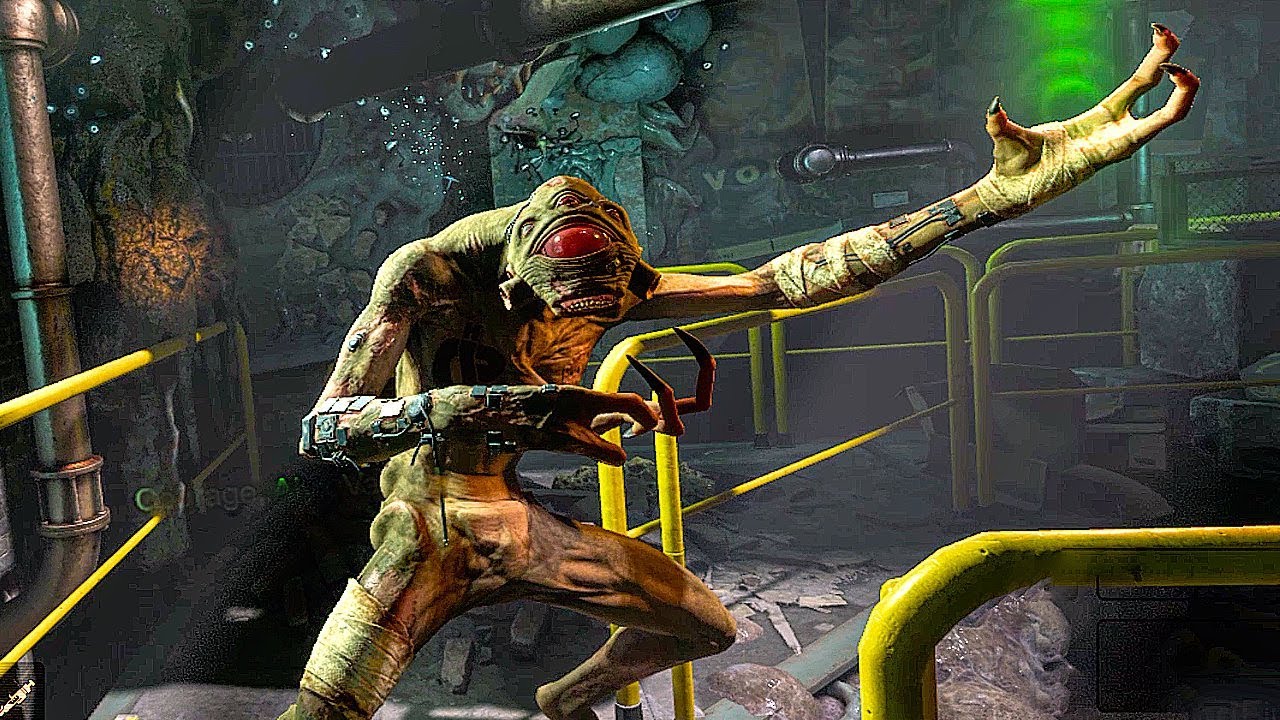
HALF LIFE ALYX Meeting The Vortigaunt Scene HD
Enjoy!
If you liked the video please remember to leave a Like & Comment, I appreciate it a lot!
Half Life Alyx is Valve’s VR return to the Half Life series. It’s the story of an impossible fight against a vicious alien race kno...
been using a particle system atm and this is what ive come up with but it just isnt doing it for me
muted prairie
If i'm being honest, that's something i would do with cloth physics on a lot of strands and wind volume, and then emission on those meshes
foggy estuary
how do i make spawnable objects stay in place and not move with me?
ruuubick could you help me with this question?
muted prairie
just use any prefab for world objects
foggy estuary
that will make it so i link it to my model and it wont move with my avatar?
muted prairie
A world fixed object, held in place with constraints.
foggy estuary
oh i remember seeing this, thanks 🙂
forest lodge
il give that a go ty
forest lodge
is there a way to do texture scrolling without use of a script?
 latent pulsar
using a shader that allows for it, yeah
ive only ever used poiyomi, but it has it
livid berry
@muted prairie I know you helped me before in telling me how to get chairs to activate via keyframe (which worked initially). Now I'm trying to make a Toggle animation with chairs (I activate the animator to activate the chairs on the Toggle animation) but now the chairs no longer seem to work. Any suggestions on what I may be doing wrong? Is there a limit on how many chairs can exist on an avatar?
muted prairie
i think you need to animate the whole object and not only the animator ?
livid berry
@muted prairie So you can't just activate an animator that activates the chairs?
muted prairie
I have no idea, but if you tested and it doesn't work then i assume you tried
livid berry
Yeah I've done a bunch of testing and things worked for a time, but now they seem to be broken and I'm not entirely sure what's going on 😛 Just thought I'd ask
muted prairie
For 2.0 avatars it should be fine though, 3.0 is the odd one currently
 void axle
theres so many channels here so im putting this in a few, im trying to get a nice pulsing effect on the accents of an avatar. im currently using an emmision map in the material and an animation doing the pulsing. problem is i cant figure out for the life of me how to start the pulsing when the character spawns.
problem is that it tends to override the IDLE animation and causes other issues, it feels like i can only have one or the other
 lofty crypt
anyone know anything about importing MMD VMD animations into blender? I got it 99% the way there, but the legs are super fucked https://cdn.discordapp.com/attachments/194552915971538944/754280879290974248/unknown.png
 clear yew
Finally I think I fix the problem but I need 2 separate animations. How I can combine them?
If can explain like a tutorial can be grateful for the future
 timber igloo
say i had an idle animation for an avatar i'm making with a friend, how do we export just the animation from blender?
void axle
im trying to figure out how to run an animation as soon as the character spawns
 ornate rampart
so what i want to do is make it so my charater's running animation is replaced with like flying
is this posable?
opaque cloud
Yeah, of course
Just use the animation override and replace the running animation with your flying animation
Making an animation from scratch though, that's a different story
 fast forge
Got a question
if I've made mesh edits in blender to an avatar with shape keys, making sure to do the edits to "Basis" do you know if there's a way to apply those edits to the rest of the shape keys?
muted prairie
Shape propagate the vertices that have been moved, but it it may be destructive
fast forge
Looks like I can use Vertex>blend from shape
and can use Basis, then copy the vertices that shouldn't move (the ones that were edited) to the other shapes?
muted prairie
I'm not aware of that workflow, but if it's good, let me know !
fast forge
looks like it's working perfectly! I'm so glad that was an easy fix lol
violet moss
In an aniamtion, how can I set a rotation of 360 detrees? Whenever I type it in, it changes to 0, so it doesn't spin at all
muted prairie
Try with a keyframe to 180 in-between ?
opaque cloud
360 degrees is a full circle lol, you can't animate that since it's just the same position as 0
violet moss
I ended up getting it to work by raising it on curves view
typing 360 manually swaps to zero, but moving it way up to 360 works? /shrug Just Unity Things
 amber shale
Hello! I was wondering, if i wanted to add a custom animation on my model, should i use SDK2 or SDK3? i wanna make it so that when my character runs it has a different running animation (if that's possible) and if that isn't possible, make it so shift + F4/F5/f6/ect ect activate a running animation (even when i don't move)
amber shale
After all i'm going to go with SDK3, but if anyone does know how i can start making a custom running animation, that'd be really lovely!
 lost dove
hi i was told i cool get help for the avatar i am trying to fix, is it here ?
amber shale
Depends what type of help you need
If it's for animation it should be the right chat
lost dove
about particle
amber shale
oo, Not sure myself, but probably the right chat? since i'm not seeing any particle chat
lost dove
i guess it is since the particle arent not moving so....it is animated ^^
so i was wondering im working on puting 3 small flame on an avatar and i succed for the one on the tail, but the other that arent visible, they should be on his head. But if you look in the avatar menu they are here. Also for the avatar i dont know why but the fire is out of control
lost dove
i think you can see on the image
amber shale
Oh so you want to make the fire appear on the head with a button right?
Don't take my words 100% true cause i'm not really good either but it should be a shape key thing right?
lost dove
well normally it should appear when i do the point animation
lost dove
on unity i have vrcsdk not 2 is the the same thing ? im new to unity and everything
amber shale
Oh by SDK2 i mean the base one VRchat website provides
(recently they released SDK3 soo)
for 3.0 avatars
so i was just making sure
lost dove
oh ok i see it
amber shale
If the fire isn't animated (just a static model) you should be able to use shape keys and make each flame correspond to one button press
lost dove
it is animated
amber shale
(like, if on desktop using shift +F2/F3 ect ect)
amber shale
Ohhhh, yeah i don't really have much knowledge on moving things using SDK2 :c
nor SDK3 for that matter
I would want to learn tho
Either way are the 3 flames like,
all linked to a command press
individually? maybe one of them isn't
It's odd that it does appear in the character "menu' but no actually ingame tho
lost dove
at the moment i just did a particle
so the fire is always moving on the tail (2 more should be also on the head)
amber shale
Oh so you want them to always be there
lost dove
well if i cant fix the animation i dont mind
amber shale
If in blender the fire is with the model, i feel like it should be fine ingame, but since the fire is animated i feel like there's something you gotta do in Unity for it
At first i was thinking of this menu but hmm
probably not it
lost dove
yeah no i bought the model on fiverr from someone who i know does avatar already and i love but she or he had problem with the fire
amber shale
Do you have blender installed?
lost dove
i wish x)
amber shale
then it should definitely be a Unity problem i'm guessing, i'm not familiar with particles and what not, but do check that something didn't go wrong
lost dove
ok but what about the 3 key thing ? is that in blender
amber shale
I heard animations were a lot better to do with SDK3 btw
Well the shape key thing, i'm not sure if it's the best solution, but i said this cause i though you wanted the flames to be off/on
activable, bassically
lost dove
that what the person from fiverr was trying to do, basically when pointing the model have his sword out and the flame on
if not pointing then no sword/flame
amber shale
For something like that, i believe shape keys are needed indeed, to my knowledge i think that's only doable in blender BUT i could be wrong
lost dove
but he was able to do the sword but not the flamme
amber shale
I just never did any shape key in unity
Shape keys are like some on/off thing as well, my own model has a "crying' shape key, that i can activate when doing a finger gesture
like what you want to do (finger pointing)
lost dove
this is what he did
lost dove
again the flame were made in unity using particle system
amber shale
Yeah but they should be visible on the preview, shouldn't they?
lost dove
i include my entire window so i just checked to the right of the multicolored cube in inspictor so the we can see it. this is a clean version of the avatar meaning i havent touch it
amber shale
Honestly, the only thing i can imagine is that the particle themselves are placed somewhat wrong
either a wrong rotation or placement i guess
lost dove
but you can see them here
amber shale
I see the blue flame on the head, kinda tilted to the side, i don't doubt you lol, but hmmm
that's the only thing i can think off, and even then i'm probably wrong, sorry that i can't really help more
if i do find something i'll let you know
Wait, could be nothing but
is it normal that the 'particle' names on the left are greyed out?
lost dove
i dont know again it is my first time. if you think it isnt the it isnt ^^
amber shale
I'm kind of a novice as well when it comes to unity tho
i wouldn't want to give you false info
amber shale
i tried asking a question earlier too but i think people are mostly asleep since it's late haha
lost dove
ah yeah i see yeah for me its only 9pm
livid berry
What is the best way to add an audio source to an avatar assuming you will be using 3D audio? Should you use the spatial audio script or just leave the audio source alone as is?
amber shale
If it's 3D audio... Spatial audio i guess?
 meager cove
what exactly are the strafe animations used for? i dont think ive seen them used in game
opaque cloud
It's just for walking left/right without moving the camera
 tall lily
Hey, i made a key animation with audio and screen effects, how would i attach those to a dance animation
im trying to make it when i dance it plays the music and does the screen effects
muted prairie
in the animation itself, you add keyframes to enable the audio source that has the music
tall lily
wdym?
o
in the dance animation i add keyframes which activate the audio and screen effects
muted prairie
yes
tall lily
alr ima try that and send a pic to see if its right
it activates that when i do the dance
is that right @muted prairie ?
muted prairie
yep seems good
tall lily
alr ima upload and test it, thx for the help
it didnt work its just doing the animation
without the audio or effects
muted prairie
can you show your audio source component ?
tall lily
muted prairie
i think your audio curve settings are the issue
also the object is at 0 in your keyframe
tall lily
thats the beggining of it
muted prairie
also the avatar is super tall, and not centered at 0,0,0
tall lily
the key frames go to 1 and then repeat
muted prairie
Does it play fine in unity ?
tall lily
yea
it plays the screen effects and audio in unity when i have the keyframe animation checked
muted prairie
How are you enabling the animation in vrchat ?
tall lily
thats the audio and screen effects playing
but i have no way of adding a dance to it
muted prairie
So it's just enabled by default ?
tall lily
no i didnt upload it with the thing checked
i did that as a test
but in game when i added those components to the dance animation, it only did the dance
muted prairie
ok, then make sure that in your animation you also enable the parent object that has the audio source and mesh on it, otherwise yes they won't be enabled
muted prairie
the component are enabled, but is the object "keyframe animation" also enabled ?
tall lily
no it wasnt but im trying that now
im reuploading it
still doesnt work
well im out of ideas
I DID IT
i did this
muted prairie
yep looks correct, nice job !
tall lily
ty
lost dove
Hi ill repost my question : so i was wondering im working on puting 3 small flame on an avatar and i succed for the one on the tail, but the other that arent visible, they should be on his head. But if you look in the avatar menu they are here. Also for the avatar i dont know why but the fire is out of control
 modest lynx
...
frozen oak
how does one clone avatars in animations
like how some dances have back up dancer type effects
 hollow moss
im trying to put a blinking animation on myavatar and i follow all the steps correctly and it doesnt work when applied to the Body. It only works when its applied to the actual game object where the avatar descriptor is n what not, but, it locks it into that 'bike pose' animation whenever i put the blink animation on that
the blink animation works ingame perfectly when i do put it on the game object but im stuck in that pose both in unity and ingame
lost dove
Ok lets change the question. What if i want to put a fireball constantly on my caracter would it be better on blender or unity
opaque cloud
Is there any way I can have a custom standing and sitting animation? I tried using separate controllers for the Standing and Sitting animators respectively like the SDK makes it seem like you can do, but nothing works.
clear yew
Is there any website other than Mixamo where I can download pre-made animations for me avatar?
 supple pawn
Does anyone know why the idle is not working correctly in game? only the legs and the phoenix are broken
I use the same animation for movement ant its fine
tall lily
idk
but can some someone help me with this, i made an avatar that i put custom animations on and they always worked, but all of a sudden it says this
it never said they were ever missing when i add custom animations
how do i fix this?
how are they missing?
did i do something wrong?
its not the animation either, its all of a sudden just not working
muted prairie
Did you change something in the hierarchy or any name ?
muted prairie
you must have edited something somewhere
tall lily
hold on a sec
i think i remember
on an avatar i had
i accidentaly did something and it said the prefab in the avatar was missing
thats how this whole thing started
im not sure
but thats what i remember
see, it just says that all the stuff is missing
muted prairie
make sure that the bone names are the same then
muted prairie
i think it might need to be the same without Animator. at the beginning
if not then reimport from mixamo
muted prairie
yes
muted prairie
In that case i have no idea, if it doesn't work by default then something else entire is broken
tall lily
maybe something with unity changed
muted prairie
Did you change version ?
tall lily
no
muted prairie
then unlikely
muted prairie
That's kind of the point of mixamo, it comes out with the rig and animation that matches
If it worked before it means that whatever you did to it broke it
muted prairie
Then it's probably the animation
tall lily
its not, even all the other animations in the vrc controller are all missing
they say the components are gone
muted prairie
So you broke the prefabs ?
tall lily
somehow
muted prairie
I don't think that's an animation issue 
muted prairie
you and me both
tall lily
XD
ok, i think i know how i broke my prefabs
i think i accidentally removed something from one of my other prefabs, and some how it messed up my other ones
 prime token
I experience this issue too despite not editing any of my models. They all uploaded just fine until 3.0 from my understanding. One of them was literally a reupload after changing a texture in unity and suddenly the legs were acting just like how this person described.
I have also heard from some users that their legs act up in vr, but the issue rests primarily in desktop users and a solution hasn't been found yet
Judging by the post history, this issue has been present since August
 shrewd totem
My first avatar works great. All is fine but the crawling and crouching animation? He clips standing though the floor.
My little guy is missing an upperchest bone, does it have to do with it? Otherwise all other animation seem fine. (walking, emote.)
shrewd totem
Just standring. The head is leveled.
I'll run it again.
Yeah- still happening.
I guess I don't mind it at the moment.
Since most everything else works.
Still, It'll try to fix this later.
opaque cloud
Does your character have thumb, index and middle fingers?
shrewd totem
No. is that the issue?
opaque cloud
Absolutely
You need at least one of each for both hands in order to crouch properly
shrewd totem
Alright. I'll work on adding those next.
opaque cloud
you don't need to weight map them to anything for it to work
shrewd totem
Oh. Right. Well I'll try that first.
shrewd totem
Both animation work just fine now. Thanks for the help!
 wraith wolf
is there a way to make it to where if on the left hand is on HANDOPEN and the right hand is on FINGERPOINT to have a animation play
muted prairie
With 3.0 sure
 median knoll
 granite solstice
Hi ^^
I have a question, can I ask a question about a lil trouble with my upload here ? Or I must ask by a ticket ?
wraith wolf
how do you test an animation in unity
 grim shard
How do I make an idle animation without the hands looking cupped? or broken whatever you wanna call it,, they look bad Imo. Does anyone have the default idle animation? so the hands look normal?
clear yew
is anyone able to help me with particles on unity dm me if you can but maybe not today probably tomorrow
opaque cloud
So I have a character with an outfit triggered using gestures. How can I get my character to keep "wearing" the outfit whenever i perform an emote?
 prisma veldt
anyone know how to edit animations; i cant add a property thing to it
 sturdy thunder
@prisma veldt, you need to be editing the animation on the avatar itself for it to find the properties
@grim shard, that is the default pose for Animations, you can grab the tpose values from VRChat to help you start at a more defined location
@opaque cloud, use the animation inventory system
opaque cloud
I don't know what an animation inventory system is
 tight minnow
Can i rename hierarchy items without them messing up?
I tried to rename "bone005" to "LeftHand" and shit went haywire
opaque cloud
Can anybody tell me what the animation inventory system is?
opaque cloud
Is it the Xiexie VRC inventory system? it says it was made 2 years ago and not updated since
opaque cloud
I been spending the last few hours grinding out coins on club penguin waitin for someone to respond
opaque cloud
So on top of not knowing what Animation Inventory is, How would I go about rigging a character with more than one set of arms? I've seen a model of Angel Dust from Hazbin Hotel whose several arms sync with each other.
latent pulsar
probably constraints or something
essentially they have the other arm bones follow whatever theyre using as their "primary" arms
opaque cloud
hmmm, I'll have to figure out how to do that.
 crystal zenith
Im having trouble putting animations on a vroid model in unity.
Can anyone helpz.
 pulsar trellis
@crystal zenith Are you still having trouble? I can try to help.
 umbral kraken
idk if this is the proper channel to ask in, but how do I go about making fan blades spin?
muted prairie
take the object/bone, make a new animation, enable recording, rotate the bone/object over time
umbral kraken
ah thank you!
 wispy oyster
I have an animated sprite attached to a gameobject which toggles when a gesture is activated
In Unity it syncs with the audio attached to the gameobject just fine, but in-game the sprite starts playing from the wrong spot whenever it is toggled on
How do I fix this?
in the image are various attempts at trying to sync the sprite so it plays from the beginning once the animation starts
I'm using error.mdl's retro sprite shader v2
wispy oyster
same thing happens with poiyomi's flipbook feature
 fast halo
With my shader you just manually set the frame to 0 at the start and whatever you want at the end of the anim
you have full control over what frame is being displayed
if you just let it auto play it uses the world time and you have no control
so you need to control it via animation
 timid estuary
I'm having some issue with animation :3 anyone can help me please <3 ~?
I want to add a property to my inventory toggle animation, but the button to do so is blurred :c
 vague topaz
is this 3.0 or 2.0?
timid estuary
2.0
vague topaz
Did you make a separate copy of your avatar?
timid estuary
yup ^^
 main grail
Does anyone know why when i make an material swap animation it changes to a random other material when i stop recording?
opaque cloud
Is there any way for me to remove all of these props when trying to preview animations?
languid wyvern
Not traditionally, Unity uses the base state of the mesh as the preview, but you can work around that by disabling all the props on the model in the scene, then drag and drop that onto the preview window.
opaque cloud
Oh! Thank you!
 limber snow
quick question: i was adding a blink animation to my model, but halfway through she started doing a crouch pose instead of a T pose, is this going to impact how the model comes out in the end? any way to undo it?
clear yew
yes
you are supposed to create your animations on a duplicate
or it will enter that broken pose
check my pinned message in this channel if you want to fix it
limber snow
derp thank you haha
 plain marsh
 clear yew
disable dyn bone
clear yew
top left
clear yew
?
all you need to do is disable the dyn bone component before animating your ears
or the script will just snap them back in place


 sturdy thunder
Looks like you have a keyframe that puts them back @plain marsh
Check your curves
violet moss
Love my valve index but the controllers make my thumbs go all weird. how can I change them to their non-index rotations?
muted prairie
muscle editor ?
violet moss
I am in there, I just don't understand what to change
There seems to be ranges
I feel like there might also be some editor weirdness going on with it
 potent hatch
Hello '
I'm new to using Blend Trees and Animations on avatars, I have created 3 different animations for
the hair for forward, left, and right movement, in the video here you can see the forward motion for the hair playing
I am trying to use Blend Shapes to make the hair forward motion play at the same time as the Walking animations,
I was able to do this by creating a new layer but how do I actually get this on the Layers/animations that will actually
be used in VR Chat? As well as my Blinking animation as well. https://i.gyazo.com/ffdb935684e74dd385cbd5460bd0fe58.mp4
https://i.gyazo.com/6d50572fc3c45ceb0f44e3f15b3e42e1.mp4
Left Movement with Left Hair movement
But how do I apply it to the actual ingame movement
potent hatch
Resolved, (the idle animation anyway)
I was able to setup individual animators for different bones like the head and hips to play
separate animations during the idle, it did what I needed it to do, though I still don't know how to
have a specific animation play like Walk Left playing a specific hair animation
 paper onyx
does anyone know were i can find a download link for the sr pelo spooky dance animation
opaque cloud
Please tell me too, i'd love to know as well
 valid rivet
Made expressions ^^
muted prairie
Why are they separate animations
 violet sundial
idk im tired i guess im not thinking. but there are 2 planes how should this be done Q_Q
im so tired. Q_Q im so close to being done its killing me.
ive been working on it half the day _Q
Q_Q
muted prairie
i mean, what you did for the two planes but inside a single animation
put them both inside another gameobject i guess