#animation
1 messages · Page 120 of 1
 distant escarp
 opal yew
Ok, I'll see if I can figure out how to do that
opal yew
I figured out my problem! This tutorial is great btw

In this tutorial I will demonstrate how animation layers and avatar masks can be employed to blend animations to play a different animation on the top of a character to the animation being played on the bottom.
 fierce bane
@opal yew Just pointing this out so you don't run into other issues.
The animator on an avatar is replaced by VRChat when you upload it, so any changes on the avatar-level animator will not save.
Generally you would put a secondary animator in, and put your tail wag into that.
Extra note: Only humanoid bones can be animated with the idle/walk/etc overrides (idle sometimes works for others looking on, but not walk at the moment)
fierce bane
just remember it has to be below the vrc avatar descriptor level
usually you'd just put it on a tail root bone and animate the bones below that
opal yew
Ok, I'll see if that works
should I use the same animation controller as the body or make a new one?
fierce bane
make a new one, blank other than entry->tail animation
also to cover a potential issue...animations must be set up from the animator's point of view
So if it was based on avatar level before so it's looking for armature/hips/tail root/etc that won't work
 warm shard
Idk a lot about animating dynamic bones so how would I make them look like they're affected by gravity? I assumed I could add values to the force of it, but idk how much or on what axis to get it working
fierce bane
you add -y force for gravity
warm shard
Okay, that sorta works
opal yew
ok so the root bone on the tail has an animtor componenet with the characters avatar as the avatar and a new controller called Tail Controller that just makes the tail animation play on loop forever at start.
fierce bane
remove the avatar portion
opal yew
so Avatar = None(Avatar)
warm shard
It does look like it's being pulled down now, but it looks stiff
fierce bane
the stiffness is based on your settings
The amount of force you add, and the other dynamic settings
warm shard
I'm not sure what would keep it from looking super stiff when I add any amount of force to it
-30 seems to make it rotate fine, but I'm trying to get it to look more natural
opal yew
It works. the tail works.
I found this tutorial which seemed to reflect what you said but I'm better at learning visually. Thank you so much @fierce bane https://www.youtube.com/watch?v=W7jcRSkOT5U

how to create always running animations for your avatar without using legacy animations
 summer slate
Hey guys! I'm making a world now and was wondering how to begin a player spawning in pitch black then using a flicker animation to brighten my world and play a sound with it.
 tight arrow
Anyone here any good with inventory animations? I've been following a guide to cycle through a list of sounds, but it keeps playing them all right after the other.
 clear yew
how to make particle system GPU rendered?
 wanton haven
Enable GPU Instancing in Unity on the texture your using for it I think
Also, the particle system must be set to render as a mesh
 near meadow
Okay, for some reason, making a fist with my left hand changes the light shining on my avatar a little bit. I've heard from other people that it's only local, buuut it's also affecting a recording I'm trying to make. Any ideas?
clear yew
@summer slate have a local animation fire on network ready https://docs.vrchat.com/docs/onnetworkready
VRChat
Triggered when OnNetworkReady is called by the local player.OnNetworkReady is called when the player has fully joined the room and received all buffered events from that room.
summer slate
@clear yew how would I execute that?? I don't even know how to begin...
 loud nebula
How do i make a animation with my original avatar i am using and a second one that is a girl that is dansing in front of me. /That was a example
 tame jolt
IDK if this is an issue with the animations or the model, but my avatar animations are not resetting. Here's the deal: I hit a gesture, the animation works. I hit another gesture, and the same gesture plays as the last one, then slowly moves back to the default pose and then plays the correct animation. any ideas of why?
tame jolt
GOT IT- I had my animations keyframed at 0:00 seconds, so I just dragged all them to 0:01 (first frame) and now we're fine!
 stuck spade
anyone knows the issue of this? I have a particle system on by default and when turning it off and turning another particle system on by animation it's not showing up in VRChat but in Unity
the animation is set to loop and 0-1 frame.
it's a sphere mesh with the same shader btw
 lean walrus
Any way to set up a gesture animation that changes a material and makes it stay even if you let go of that gesture?
 keen frost
Hey, does anyone know how to make expressions that play during a combo of two different hand gestures? Like if I make 2 fists it plays a specific animation? I’m wondering if it’s possible without extra animators. Specifically I’m trying to play different facial shape keys during hang gesture combos.
tight arrow
You'd have to use two different hand gestures for those.
keen frost
Yeah. Can you use a custom animation controller, or are you stuck using overrides in the main animator?
I can’t seem to put a custom animation controller in the avatar descriptor.
fierce bane
@keen frost custom controllers will not work.
You CAN however take advantage of the "right hand priority" that VRChat uses.
If the right hand says something is off, it is off even if the left hand disagrees
So for example if your fist gesture makes you frown and cry, but the point gesture disables the crying portion but not the frown, then you can have point on the right hand and frown on the left and make yourself frown.
Then when you want tears, switch from point to fist and tears appear
 fleet stirrup

Twitch ~ https://www.twitch.tv/artsyVRC
Twitter ~ https://twitter.com/ArtsyVRC
Discord ~ https://discord.gg/artsy
Editor ~ https://twitter.com/ZGUnlimited
Patreon ~ https://www.patreon.com/ArtsyVRC
start in 0:39
he makes sound with head butt. and next he makes sound with snap.
how can do it?
fierce bane
it's just a timed activation of a gesture. Gesture just enables audio device
fleet stirrup
but the timing is too perfect with collider
clear yew
god his laugh is so fucking annoying lmao
had to stop half way through, ears bleeding
someone says something mildly funny
Artsy:
agreed
 surreal pebble
correction
Anyone: Does any reaction
Artsy: Laughs
Anyone: Does something mildly funny
Artsy: dies of laughing and causes WWIII
 prisma marsh
So when the model is in unity his mouth is closed but when i get into vrchat its open
(Idk if this is the right place to ask)
clear yew
unmap the jaw bone in the rigging tab
 heady talon
how do i animate a second avatar in a dance animation? I thought i could just drag it under an avatars hierarchy and give it an animation controller and attach the dance but it just tposes the whole time
 lavish scaffold
Either the avatar is not Humanoid, or you put the animator controller on the body (mesh)
heady talon
avatar is set up properly as its a copy paste but with the descriptor removed
lavish scaffold
click the model with the animation controller, then check the "animation" tab, do you see the animation you added? if you do, do you see any names as yellow?
wanton haven
IKFollower does some wacky stuff with scaling, I swear
 ionic oracle
How can I make it so that if an animation stops midway, that it will set the animation to 0 and wait for itself to get triggered again?
Just discovered Animator.Rebind but since it's a script, can't use it ;<
surreal pebble
set back to the start of the animation?
well any animation if stopped is reset back to the start when it is re triggered.
maybe you mean something else
clear yew
I'm having an issue with unity only uploading one gesture dance, it'll change all of my gestures to be a single dance, i've checked the animation controller and don't see any issues
 graceful badger
Does anyone know how i can play an animation when i do a gesture? or is that not possible?
clear yew
Can someone help me with a avatar making thing that i cant figure out? I cant figure out how to make it so when you do a peace sign it will do somthing like put a item in your hand Dm me if you can help please
 turbid shuttle
i have had a really dumb idea for an animation

Music composed, performed and mixed by Mick Gordon.
Lyrics: Panos Kolias
Choir: The entire Iron Galaxy team, many fabulous people from Microsoft, Panos Kolias and his family, plus several other wonderful people combined to make a crowd-sourced choir of 461 individual recordin...
this part of the song specifically

paired with a 3d rendition of this
graceful badger
Okay so does anyone know how to animate puppets in general. Like i have a model thats all rigged and animated, its a child of the hand of a regular humanoid model, and i want that model to animate accordingly.
clear yew
does anyone know why in unity when im trying to animate my vr chat charecter with gesture overides i
it says
That they are all missing
 covert patio
sometimes that happens if it incorrectly gets applied to the body mesh instead of the avatar root
just drag and drop the animation onto the avatar in the hierarchy and it should work
make sure ur usin a duplicate tho
covert patio
ya!
SO a lot of animation videos u'll see ppl drag the animation video directly onto the avatar
clear yew
uh yeah i guess
covert patio
and it'll usually try to animate the mesh! the mesh doesnt hold the bones tho
so its much more easy to just take ur animation file and drag it into the hierarchy onto the avatar root
covert patio
which would be the bolded int eh following example im aboutta make
super cool avatar
armature
body
clear yew
so
im trying to do gesture overides
And
i use the gesture overide thing as the animator controller
but
it dosnt work
maybe i could screenshare with you and it would make it easier to explain?
 dull sleet
I'm currently having an issue i never encountered before .
I cannot animate any part of my avatar in gestures except the face.
I tried moving the fingers for custom gesture and it doesn't move it.
Using gesture manager to test Emote just make the model move in a T-Pose.
Could anyone help me out here ?
clear yew
@covert patio why u blok me ;~;
covert patio
Oh! I didnt. I just turned off private messages from the vrchat discord again
covert patio
Unity?
covert patio
Id check task manager and make sure ur unity isnt runnin in the bg or anythin
clear yew
no iys not
covert patio
Otherwise ud have to look at unity forums
clear yew
I could export all the files
and then import them afterwards
@covert patio the other version dosnt even have the stk or whatever on it
covert patio
U have to reimport the sdk into it if its not lettin u open ur old project
clear yew
i tried
I
DID
iT
@covert patio
Its at a different version
now what
@covert patio
SKipur
@covert patio you leave me hanging ;~;
covert patio
I do have a life sometimes
covert patio
U should be able to either put all ur stuff from the old unity into a prefab and import it hypothetically
Tho ive never tried that
covert patio
Or just import the assets u used and redo everythin
clear yew
what do i do with it now
covert patio
Tho u shouldnt have to redo the animation since u slready made that
covert patio
Set as humanoid, add avatar descriptor.
Then the sdk should work since ur now on the right unity
 tribal geyser
...
clear yew
hi,
i've made a avatar,
and i want a live animation like this ⬇️ ( not my model )
i don't know how to do it can someone help me please?
turbid shuttle
looks like gmod
 kindred trout
Is there any way to make particles rotate like a tornado? Vrchat bans scripts for rotation on particles now.
 mint plank
you can either use Velocity over lifetime and use curves or you can animate the particle effect and make it rotate
 remote yacht
Hey, does anyone know how to have two models in one avatar so that both models move their hands at the same time. For example, I've seen a lot of JoJo models that have their stand tracked as well. Do I need to have two rigged models in one fbx file or what?
 cold pulsar
You can have them combined as the same rig but most people have the stand be a seperate model all together as a child of a bone and then copy movements with something like rigid body fixed joints rotational constraints
clear yew
is there a way to copy material animations from an object to a particle system?
 jolly bobcat
So I made an idle animation in Blender and exported it with my model into unity. How do I replace the default idle animation that the SDK uses by default? I can see the animation in the animation tab, but I don't know how to insert it into the custom override.
nvm im blind
kindred trout
you make animation in unity, and put the animation into the idle slot
kindred trout
My animation goes weird after I put it inside a world fixed joint prefab
I used a gesture animation to activate both the world fixed joint prefab and the animator of my weapon under the prefab
dull sleet
Need some help with animations and turning off animators.
I figured out how to turn on/off the animator in a gesture but my problem is that it resets the animation when turned back on .
I'm never turning the object off though, do you guys know why this occurs ?
if i turn the animator off manually , it resumes where it left off. If i turn it on and off with a gesture , it resets.
kindred trout
that's how it works in vrchat
dull sleet
??
really !
is there any way to pause an animation then ?
every thing i try doesn't seem to make this kind of animation doable *(with my limited knowledge)
My end goal was to make a limited ammo weapon, with a way to pause firing whenever you release the trigger.
kindred trout
I think instead of pausing an animation you need to make two animations that make the gun looks like pausing
One animation that toggles the gun, and the other animation the gun firing, which also toggles the gun
when you switch from the firing animation to the gun toggle animation it would seem like pausing it
dull sleet
im a very visual person , gimme a sec to understand that
kindred trout
And to make the gun looks like shooting nearly out of ammo, you would need a third animation that that presents this and also toggles the gun
dull sleet
mmm. not sure itll work well. The gun is , for lack of a better term, always there.
basically im using a system to grab the gun physically , then when you have it up, doing one gesture would fire a single bullet then stop . Repeat that 3 times and it can't fire. That was the plan originally.
kindred trout
You would probably need a state machine that puts suspension inside the transitionaol states to achieve that
but you cannot control a state machine with suspenional states well with simply gestures
dull sleet
that's what i tried too .... couldn't find a way to change between the states
yeah ...
kindred trout
you would need vrc_trigger component
kindred trout
I saw people making customized panels using vrc_trigger
dull sleet
my biggest question is that i saw this done before on avatars
at least on the titan fall model
kindred trout
putting small buttons on the wrist and arrange them to look like a panel
dull sleet
it had a gun with a reload and a limited ammo
kindred trout
Probably that guy used three different gestures with different animations
dull sleet
i mean it had an ammo count that was preventing fire once the ammo was out
kindred trout
Or that thing is already broken after the update of vrchat
dull sleet
no its still working too
kindred trout
then maybe you need to put vrc_trigger in your avatar
dull sleet
but it won't work ... it's for worlds only isn't it
kindred trout
I don't think so
since you can put chairs on your avatar too
What you need is the animationbool in vrc_trigger
It sends a value to the animator everytime the trigger is activated
and the gesture controls the trigger
that's the best idea I get
dull sleet
i tried the bool thing before but didnt know how to access it
kindred trout
firing-->suspension-->firing-->suspension-->firing-->out of bullet
dull sleet
yeah i got that now .
kindred trout
out of bullet-->suspension-->firing(1)
dull sleet
im trying to see what need the trigger onto
kindred trout
and you uncheck the fixed duration and exit time for suspension states
and add a parameter inside the animator
choose bool and name it True
check it
and go to the suspension states and press " + " in the list of transition conditions
and make the animationbool of the vrc_trigger sends a true value to the animator everytime it is triggered
you would need to link the vrc_trigger to an gameobject that is controllable by the gesture
dull sleet
doesn't work ... trigger gets removed on play
once the object become enabled the thing gets removed
so i guess i'm back to square one here
kindred trout
🤷♀️
 proper hedge
@dull sleet use one animator to start another one. the other one does the state progression
gesture writes behavior.enabled 1 to start parent animator
parent animator contains a state that animates behavior.enabled 1 on a child animator for an amount of time, then transitions to animate behavior.enabled 0 on child animator
your child animator can contain any number of states that will complete and transition based on when/how long the parent animator is animating behavior.enabled 1 on the child animator
dull sleet
i think i understand . i found a video on that .... but i crashed my project trying to make it....
kindred trout
gestures animations longer than 0.01 sec would make gestures animations play slower, and can be super slow
dull sleet
i alsmost have it ... but after reseting the parent object with both animators off.... it still animates the first time
the last animation turns off all the parts inside so none should animate , but upon resetting the parrent, they animate the first part of the state machine
nvm found it
jolly bobcat
anyone know why my feet do this on my model? everything is rigged correctly and paired with the appropriate bones correctly. but for some reason this started happening after i made some thumb, index, and middle finger bones so that the model could crouch and lay down properly. it only seems to happen when the turning animation or the walk sideways 45/135 degrees animation plays.
https://gfycat.com/easyfirsthandafricanclawedfrog
 kindred trout
I don't see any problem, your avatar is moving fine
it looks problematic only because your avatar has short legs
all avatars have their legs turned in the same way if you move around like that
jolly bobcat
ah i see, and longer legs you wouldnt notice it
gotcha
probably wasnt doing it before because not having those fingers rigged disables a lot of the animations
 past cove
Question, I'm creating a world and I'm trying to make it either rain or snow in it... where do I put the animation to make it function properly?
 bitter gyro
Is there some existing animation that simulates the bend of fingers being tracked by Index controllers?
I think with would be a necessary thing to have in order to properly position props.
Mmm, maybe this should be in #development-advanced.
 little solar
alright quick question: is it possible to have an excellent performance rating while also having a blink animation?
as far as i can tell, the answer is no, because i need a second animator on top of the avatar descriptor to control blinking
cold pulsar
You can set it up so it uses vrchats default eye blinking instead of trying to do your own. You do lose control on the system when you do however
cold pulsar
I think you can set up blinking in a custom idle pose if you want to try that, would prevent you front blinking while sitting/running/walking/prone unless you do it over it them too
Going from excellent->good really doesnt matter, especially if its just because of 1 animator
little solar
newest edition, got it today
cold pulsar
Well its wrong so it should be good in game
VRChat
The Avatar Performance Ranking System allows you to see how much a user's avatar is affecting performance via analysis of the components on that user's avatar. You can also use it on yourself to see how performant your avatar is. This system is provided to inform users what i...
little solar
yeah, that's why i thought it was really weird
since everything else fits perfectly into even the quest's guidelines
cold pulsar
I would check in game, it should be good ranked on animators
little solar
even weirder is that it's excellent in-game and not just good by having only one animator
🤔
cold pulsar
Does it state 2 animators in game?
little solar
nope, it doesn't count the avatar descriptor in-game
cold pulsar
I dunno dude that sounds all fucked up
little solar
finally.. i only have one remaining problem with the avatar and it's.. the mouth being stuck open in VRC and nowhere else
little solar
... actually, how do i fix that? nothing's really working out so far for fix attempts
cold pulsar
Your first 4 blendshapes need to be eye related
In this case they should be empty since you are doing your own blink animations
cold pulsar
top to bottom in the list first 4
cold pulsar
No the blendshapes list under the body
little solar
ohh ok got it
cold pulsar
little solar
alright
@cold pulsar that didn't seem to work, the mouth is still opened by VRC's CustomOverrideEmpty controller in the editor and by VRC in-game
dull sleet
A follow up from yesterdays problem , I managed to get all the animation done and the triggering of each steps work. the issue i have now is with resetting everything.
Turning the object OFF and ON resets the animator but leave the object in the last pose it was animated in because the animator is off until needed. I tried to have an animation turn it on then off quickly but this causes it to remain OFF and cannot be toggled back on. Any help would be appreciated
cold pulsar
Your basis should be the base case and should be when no blend shape is active, I dont know what you mean by "CustomOverrideEmpty"
little solar
the animation controller, it's active when you hit play in unity
when either this controller or the template controller "AvatarControllerTemplate" is picked the avatar's mouth becomes stuck open when the play button is pressed
in game it's always like this
it can still switch to other blendshapes for speaking, but the mouth is stuck
mouth should look like this, but ends up as
this
i think the only guess i have currently is that the jaw bone is being used somehow
cold pulsar
Your main animator should be empty, if you were to make your own animation you should have a second animator on another part of the avatar like the body. In your rig menu you should not have a jaw bone selected if you are using visemes
 plush path
heya guys, I'm new to this kinda thing. How do you have multiple objects in an animation that only appear when it's playing?
fierce bane
@little solar unmap your jawbone in the humanoid rig mappings.
Also make sure you're putting your overrides in the "standing animations" slot, NOT the animator controller. (that should be blank other than testing, it will be overridden by VRChat on upload)
 wispy thorn
Hey, I've been working on a custom walking animation for my avatar, but I've run into an issue - looping
is it possible to make an animation not loop?
I'm trying to make a sliding animation essentially
 surreal crater
@wispy thorn click on the animation it created and untick looping
wispy thorn
AH! that simple, oops, thanks!
surreal crater
👍
surreal crater
unity
wispy thorn
I assume it works with blender-made animations too?
surreal crater
it should yes
wispy thorn
Actually, I think they're already unticked and I may have simply messed them up somehow, regardless, thanks! also long time no see wigo
surreal crater
Actually, I think they're already unticked and I may have simply messed them up somehow, regardless, thanks! also long time no see wigo
@wispy thornwho are you again? I have an idea but im not sure
wispy thorn
so I assume correctly, my animation will just start and stay stuck on frame 14?
We met 2 years ago, so you may have forgotten
wispy thorn
nono, I want to have it disabled
surreal crater
alright
wispy thorn
sliding animation :p
surreal crater
then it will always stop at the 14th frame
if you dont mind me asking in between, what is your vrc name?
wispy thorn
The exact same
I had you in my friendlist, but I did a recent cleanup cause I haven't seen you online at all so you were among the victims
surreal crater
lol rip
well feel free to add me if you want to (you dont have to if you dont want to)
So what is the exact problem you're having?
wispy thorn
Currently I justh ave it set to a wrong height
the model has heels, but the bones aren't modeled to the heels as you see so in unity the model is actually raised off the ground and I exported non-raised fbx
so it was walking in the ground
 short drift
Heya! So, I'm having trouble with an animation bit, I have a character that "flies" - or rather hovers...
When I animate them in Unity, everything seems gucci
But when it goes into VRchat, the animation is right, but the height off the ground... isn't.
So I'm doing the flying animation, but instead of hover a foot or so off the ground, it's more like... 6 inches
Maybe not event that T_T
 gaunt comet
i looked on youtube for a tutorial but i couldnt find one, doesn anyone know how to link an animation to a voice?
wait i think i got it
wait no i didnt, i found this tutorial that was able to make the blendshapes, but i dont know how to link them to upload them into vr

This Tutorial will show you how to create required visemes and custom facial gestures for VRchat. Feel free to watch my avatar creation and ask questions when I stream.
https://www.twitch.tv/kareeda
Join My Community Discord @ http://discord.vrealchat.com/
covert patio
im not entirely sure what you mean by link, but once you make those three mouthshapes, you can have cats generate the rest. then in unity, when u make an avatar descriptor, at the bottom it'll have options. select visemes, drag ur body in the hierarchy into skinned mesh renderer, then u match ur shapes to the visemes listed
 topaz hollow
Got a problem, I've been able to add a custom sound clip to an emote but unable to figure out how to do the same with different emotes
wispy thorn
Now this is a silly issue, is strafeleft supposed to not exist?
Or does it just mirror the right?
 livid berry
Good afternoon everyone, I was curious if anyone might know how to make an avatar with a ragdoll animation, similar to the Tony Hawk model you see every now and then that completely ragdolls out. Thank you!
 hexed copper
how do I make the animation loop offset actually work for my animation? It just restarts at the first frame seemingingly ignoring the offset
fierce bane
@wispy thorn that is normal, I'm fairly certain it's just expected to be mirrored...still a bit weird to have the 45/135 left/right but not a left...
 median bobcat
how do i get my particles to appear over my avatar no mater which direction you look at it from
im trying to get a fox shine going lol
 stark trail
stenciling
fierce bane
another option would be to make everything transparent since you can use sorting fudge to layer them how you want...but stenciling is probably the best option https://docs.unity3d.com/Manual/SL-Stencil.html
making it transparent is likely to make shaders act a bit weird in certain worlds
wispy thorn
@fierce bane yeah it just mirrors, I didn't expect it but I think I understand why kind of
median bobcat
is there a simple code to put in for that or is it super complex
i was trying to learn how to code it but i cant figure it out
 muted lance
I wanna make it so when I click a drawer in my world, it slides open, then when you click again it closes.
Anyone know how I can do that?
hexed copper
If I want to force a T-Pose during a particular animation, is there an easy way to do that? Disable the main animator controller or something?
 thick crypt
Hey is it possible at all to change the view position in the VRC_AvatarDescriptor via an animation?
Like say you want to make your avatar change size
 maiden mauve
anyone mind helping me out
 sick loom
specify what you need help with
maiden mauve
i have the model in unity with all the textures on and its t posing and i dont know how to get it to walk
sick loom
you mean in vrchat or unity?
maiden mauve
in unity
sick loom
why would you need that may I ask?
maiden mauve
im porting 3d models from dark souls to vrchat and i need to put a walk animation on the model and i dont know how
sick loom
just use the animator override that vrchat has
it has the default vrchat animations
vrchat handles animations for you
maiden mauve
so if i just want it to walk normally and not float around doing a t pose what do i do
sick loom
you can change the animation files but oyu cant add more than vrchat supports
make it humaniod
maiden mauve
how do i do that im extremely new
sick loom
what file format is the model you imported?
maiden mauve
rar?
maiden mauve
ive done that
maiden mauve
yes
sick loom
what were the file formats inside of it
maiden mauve
im going to sound retarded but i have no idea
sick loom
how. Just read the file extensions
fierce bane
go to the assets window, right click on the model file and hit "open in explorer"
what is the .<something> of that file
sick loom
I dont think he knows what the model file is
maiden mauve
i can send a screenshot
sick loom
yeah do that
post a picture of the rar file
I swear to god if its a picture of your monitor taken with a phone I am gonna loose it
maiden mauve
fierce bane
open the "assets" folder
maiden mauve
ok
sick loom
thats not the rar file....
maiden mauve
i did what he said i clicked open in explorer
fierce bane
you didn't click on the model file before doing that though, so it just oppened the top most level
sick loom
@fierce bane I appreciate ya man but its kinda dificult if you just tell him a different method while I am telling him something else
@maiden mauve please post a picture of the .rar file opened
fierce bane
alright, you do it your way, I'll back off and let you help them
sick loom
I didnt mean to sound rude.
maiden mauve
i dont know if this is what you want but here you go
sick loom
I am sorry. Its just difficult when two people are telling him how to do the same ting differently
maiden mauve
that the right file?
sick loom
yeah. Turn on file extensions. Go to view/ details
and post a picture again
oh yeah and I also suggest reading the server rules before you spam more channels with the same question
sick loom
thats the same picutre
maiden mauve
i turned extensions on
sick loom
oh yeah. you didnt do what I told you to do but sure that works too
well its an fbx so thats good
is this VRC ready or no?
clear yew
it's not
look at the picture
he doesnt have a basic humanoid rig
he got those fucked rigs with a lot of bones
fierce bane
it's probably set as generic instead of humanoid
clear yew
that too
fierce bane
or not mapped correctly
clear yew
and he'll have to find the right bones for it
sick loom
oh yeah I didnt look at the hirearchy
yeah you need to take it to blender and use cats on it
that would be the easiest way of converting it
fierce bane
it'll probably work fine...but it'll be a bit confusing with bone names
@maiden mauve select the model in your assets (taurur demon file), click the "rig" tab in the inspector, and make sure it's set as humanoid
clear yew
this one.
maiden mauve
its humanoid now
clear yew
click apply
fierce bane
hit apply, then click configure
sick loom
once its humaniod, click configure and map the rig
be sure to not have upper chest mapped. leave it empty
maiden mauve
clicked configure and a save as thing came up so im just gonna save it as number 2
sick loom
yeah save it
maiden mauve
what now?
clear yew
it's not
sick loom
should work just fine
clear yew
it's missing the neck
maiden mauve
if it will still work with no neck i dont mind
clear yew
it will not work without a neck
fierce bane
not properly no
maiden mauve
ok
sick loom
dude I should just leave I am clearly not helping 
I will leave you to more experienced people
maiden mauve
ill take as much help as i can get
clear yew
everyone is always forgetting about the damn neck
fierce bane
the hip is also SUPER low, rebind the "Hips" on the body to "Pelvis" just drag and drop "pelvis" from the left, to "hips" slot on the right
yeah, some models just don't have it from other games, and when new you don't exactly know to fix it
clear yew
the one that got the head bone as a child bone
maiden mauve
i dont know what that means
maiden mauve
head jaw is the only thing i can see
clear yew
show a screenshot please
maiden mauve
clear yew
okay
so first
click on headjaw on the right tab
and delete it
or you'll have your mouth constantly open
maiden mauve
i dont mind it usually has its mouth open in the game
clear yew
this
alright then
from what I see, I can only guess that head neck lower is the actual neck
and head neck upper is the actual head
fierce bane
scroll down on the left list until you see "head neck lower"
maiden mauve
i have that
fierce bane
put "head neck lower" as the neck, and "head neck upper" as the head
maiden mauve
there
fierce bane
that...should work
maiden mauve
how
clear yew
press the arrow pointing down that's on the left side of "arm right shoulder 1"
and "arm left shoulder 1"
just to have more space
do the same for leg left thigh and leg right thigh
so we can see the main bone line
maiden mauve
done
maiden mauve
clear yew
yeah
maiden mauve
alright
clear yew
the head bone is actually called Head Neck Upper
which is very weird but why not I guess.
maiden mauve
im pretty sure the person that made the models doesn't speak English
so what do i do with head neck upper?
fierce bane
drag and drop "head neck upper" into the "head" slot on the right
and the same for lower onto the neck slot
maiden mauve
clear yew
enforce t-pose I guess
maiden mauve
how do i do that
fierce bane
I...wouldn't really suggest it on that one
the head will be in a weird position, but the character should work without it
clear yew
I'm sure it's going to be fine
maiden mauve
i havent clicked apply yet, have i done the right thing, should i click apply?
fierce bane
go back to the body section
maiden mauve
ok
fierce bane
move pelvis into the hips slot
maiden mauve
fierce bane
close the legs like you did with the arms before so we can check the body just to make sure
maiden mauve
maiden mauve
nice
okay im going to click apply now
what next?
do i need to put a walk animation on it?
clear yew
let's test if it works before
maiden mauve
okay how to i test?
maiden mauve
i dont see that on my screen
clear yew
this thing
maiden mauve
fierce bane
click done on the right
maiden mauve
theres 2 now
clear yew
press done like himeki said before continuing
 craggy sage
would anyone know how to make a tail wag on a gesture?
maiden mauve
i clicked done
clear yew
drag and drop the copy that you made of that Custom override into the asset folder
maiden mauve
like this?
clear yew
yes
select your model now
and take a screenshot of the "inspector" tab so we can see what's on it
maiden mauve
clear yew
before going further than this
press the play button at the top
then press "Scene"
so we can have the normal view
clear yew
this is just to see if the humanoid rig is working
while in play mode
drag and drop that custom override into the "controller" setting in the Animator component
here
fierce bane
@craggy sage enable an animator on the tail root that animates the lower bones
You'll need an animation that has the "behavior" toggle accessible already since you cannot access it normally (there are ways to do it, but confusing to explain and easier to just give you one)
Use this as the basis for your gesture, you'll need to edit the path to match that of your avatar. It should be similar to Armature/hips/tail root (named based on your avatar though)
maiden mauve
there is no animator component anymore
clear yew
?
craggy sage
tyvm
maiden mauve
looks good
is there any way to make the weapon appear and disappear when i click shift and then one of the f keys? or will that take too long
maiden mauve
alright thats fine
clear yew
probably in blender
maiden mauve
same
clear yew
press the play button on the top
maiden mauve
i did that
clear yew
select your model
be sure to select the root model
so Taurur demon
on the right side
press Add component
maiden mauve
okay
maiden mauve
clear yew
add your custom override in the "Custom Standing Anims" and "custom sitting anims"
you see view position ? you need to adjust that too
maiden mauve
how?
maiden mauve
what do you recommend i change it to
maiden mauve
is the neck broken its pointing up
maiden mauve
also i cant find the ball thing
clear yew
you don't have a descriptor
maiden mauve
how do i make it so its on the head
clear yew
you adjust the y number
and the z number for the depth
you want the ball to be as close as possible between the eyes
maiden mauve
i dont know the numbers for it though
clear yew
experiment with it
it's different for each model
move it little by little until it's on the right spot
maiden mauve
ok
maiden mauve
how do i make it go forward?
clear yew
Z axis
near meadow
is there a way to correct a tiny avatar's sit height with the animation, or does vrchat just grab the pelvis and force it around regardless?
it's one of those things that's annoyingly difficult to google
 oblique hawk
IBSAIP
is it possible to make user camera follow's dancing emote ?
i mean our own FP client camera when it's used to
react on user movement,
so when user click on some emote,
that head user cam will follow's players emote-dancing movement.
 raven geode
when i start animating my model get in this position how do i fix it
near meadow
I have my own solution that won't work without a certain plugin, google "unity how to fix bicycle pose"
I'd just link you somewhere but I'm at work
raven geode
thats enough
near meadow
ye
craggy sage
so how would i make my tail animate? like wag on a gesture?
when i try to make an animation to enable the animator it turns yellow and says its missing?
fierce bane
@raven geode always animate on a duplicate to prevent that, check the second pinned message in this channel for steps to fix a current model stuck like that
@near meadow set up a separate custom override and set the "Idle" animation as the sitting pose you want in a chair.
Place that CO into your "custom sitting animations" on the descriptor.
Be aware it's based on the model's origin point, NOT the hip bone for chairs
craggy sage
@fierce bane maybe im doing it wrong but i cant get it to work
fierce bane
@craggy sage can you show me your setup and gesture animation?
near meadow
ahhh, i see. thank you again, himeki, you're a lifesaver lol
craggy sage
sure
i put an animator controller onto the tail root bone and tried that thing you gave me but it wont work ingame: http://puu.sh/F6y8d/fffda84ff9.jpg
 fierce bane
@craggy sage if you enable the animator and enter play mode, does it work in Unity?
If so, did you fix the path in the behavior animation for your avatar?
It should be Armature/Hips/Tail Root space included, and the animation should be assigned to the gesture you want in your custom override, and that should be in the Standing animations in your descriptor.
craggy sage
yeah, it works in unity but ingame it moves the entire body
fierce bane
it moves the entire body? like the whole avatar sways around?
craggy sage
yeah
fierce bane
can you show me the gesture animation?
craggy sage
 fierce bane
other than this the avatar works normally correct?
craggy sage
yes
fierce bane
do you have anything attached under the tail root? Dynamic bones or something?
craggy sage
huh, this line is animated but not the actual tail: http://puu.sh/F6yYR/b561aa34c6.jpg

the tail has dynamic but that script is on the armature
fierce bane
where is it pointed for the root?
craggy sage
pointed?
fierce bane
what does the dynamic bone have for the root
craggy sage
tail root
fierce bane
try disabling the dynamic bone temporarily and testing in play mode
fierce bane
try just clicking play on the animator while in play mode
 fierce bane
it's probably complaining because it is trying to rotate itself honestly
unity's picky with it sometimes
*rotate itself instead of a child
craggy sage
lemme try putting the controller at the hips
ok its working from the hips, and working, imma try it ingame
i think its working O.O
IT WORKS!
thank you so very much 😄
median bobcat
what do i do if in game my avatar isnt standing still while idle
livid berry
Good morning! Would anyone be able to explain how to make a sound play when a submitter goes off? Or is that not possible?
median bobcat
do you need to have finger bones to trigger animations
gaunt comet
@covert patio thank you for your response, i realised i dont have enough hours to upload anything, but i saved your response for when i do
sick loom
@median bobcat yes. They dont need to be weighted to anything tho
muted lance
Does anyone know how I can put music on my emotes 1 through 7, and have the 8th one turn the music off?
But you can still move your avatar and everyhtin.
covert patio
sorry l8 but ur welcome! u'll get there soon!
u could have it that like those gestures are under a specific game object thats normally on, but the f-8 one disables that gameobject, therefore disablign the musics perhaps?
Oh on emotes. u'll prob want an emote toggle system
xiexe has one! called xiexe inventory. one of its options is a toggle all off so u can turn off all toggles
muted lance
@covert patio Could you link me it, please?
covert patio
https://github.com/Xiexe/VRCInventorySystem @muted lance

GitHub
An Inventory system that is easy to set up for your avatars, using emotes. - Xiexe/VRCInventorySystem
muted lance
thonk
covert patio
Welc!!
clear yew
is there anyone who can explain to me piece by piece how particle trigger animation works? i'm trying to figure out the "lego pieces" of these systems so i can adapt, modify, refine etc... for example i understand how to use particle triggers, i understand how to do individually isolated enable and disable toggles, as well as cycling behaviours pausing if wanting a slot machine inventory, but i am having a lot of troubles making particles affect animations, and toggle things or activate sounds
clear yew
Honestly youtube will be your best friend if you're looking for lego pieces. I personally suggest that.
doesn't help
they're just setup tutorials for prefabs
 grim shard
So I am trying to make a meme animation, I have a SHIT TON of models I want to appear and disappear during certain parts of the song. Isnt this what It should look like? Keyframe when I want it to appear and 2nd keyframe when I want it to disappear? uploaded to VRC Nothing appears but the song plays fine. I took the other models and just threw them on the armature of the main model and hid them like as if I wanted a weapon to appear, would assume it is the same process but with weapons you just want it to static appear and only disappear when you let go of the gesture where as I want these to appear only for like 2 secs during a song lyric mid animation and I don't see tutorials for that
fierce bane
@grim shard What you're doing is generally correct, if it's for an emote it should work up to 40(?) seconds.
If you don't need them to move, but just to spawn in I'd set them up as OBJ files instead of FBX and remove the bones to save on performance of all those models.
If it's for a gesture: Parent all of your armatures under a single empty game object, put an animator on that, and enable that object with your gesture to start the animation.
This object should have the animation you want it to actually play (appearing and disappearing models), and should probably also have the audio enable on it as well for proper timing.
A gesture needs to be only 1 frame long. (keyframes on 0:00 and 0:01 to mark start/end)
Gestures are slowed down by about 4x(?), so yours probably works, but far longer than you expect for it to appear.
 spring seal
does anyone know a place the newer mmd dances come from? prolly deviantart but is there a collection of them like Shadow's Dance Packs were?
@ me if you do
 gray spoke
I recently found a different idle animation for when your character goes prone, so that instead of me laying down on the floor I look like I'm properly sitting.
However, I've run into an issue, which is that my camera is inside my avatar when I sit (prone in the game) - is there a way to slightly move my model behind when I lay down? I went into the animation and messed with the position so that my avatar would move 0.32 units back. It didn't seem to fix the issue, since when I went back to the game my avatar went back 0.32 (as I expected) but then got sent back to 0.0.0, therefore my viewpoint was again inside my avatar. Any help?
I messed with the position by using the one in green. It moved in the preview, but did not work in-game. Perhaps I have to move the armature itself? Or the body?
gray spoke
Any help is appreciated! Please @ me
fierce bane
@gray spoke You need to have it adjust the root position in the animator, instead of position in transform
Humanoids MUST use animator settings instead of transform as they're already being animated.
Same reason you can't just rotate an arm bone to move it, you have to use the animator value
fierce bane
should be, yes
gray spoke
looks fine in preview - https://i.gyazo.com/dadce1cf6c5389ca9941c3ec2d33f014.mp4
gonna upload it now and check
clear yew
How would I import an animation into unity for an existing (not mine, but a free) model?
It's already rigged and everything.
wispy thorn
The way I did is:
- have a model in unity already that's usable in VRChat
- make animations in blender for the model
- import the model with animations and apply the same rig as the usable model
- apply the custom animations through override
That is assuming you want to apply a custom animation and not pre-made one
clear yew
It's from deviant art, but they made it in MDD
I'm just trying to have a model dance to music is all.
it could be constantly going or not, either way it'll be triggered "visible" when someone presses a secret button.
gray spoke
so a .vmd to .anim?
clear yew
I think. I don't know much about this ^^'
gray spoke
me neither
i think this might work https://www.youtube.com/watch?v=oUSe5uDLSJM
Tupper video on New MMD tool for blender https://tinyurl.com/y8yeonsd
MMD Tool update version
https://tinyurl.com/ybku6xft
EvolvedAnt Gesture Overrides for Trigger Facial Expressions
https://tinyurl.com/yav3ocs3
Morgus video on custom override
https://tinyurl.com/yd...
clear yew
I'll try it out
If it doesnt work I'll try the most blunt and possibly stupid way I can.
clear yew
Actually thank you for reminding me. I would've lost so much work on this world
I haven't saved in 8 hours 👀
gray spoke
yeah be careful xD
i remember losing my entire project after forgetting to switch the model and opening the project file without the model added, therefore losing it all and having to readd dynamic bones, everything
learnt the hard way
wispy thorn
that looks a bit excessive
gray spoke
safety is number wan priority
wispy thorn
I mean like
I only backup if I take a very long time on something because something is actually difficult
I don't mind losing something that could be done again in 20-30mins 🤔
gray spoke
Same case here... my camera is still in my body when sitting (as a prone idle animation)
Even moving my body using Root T in the animation does not fix it
So I kinda have to work around the animation (?)
loud nebula
How do i make a animation were i hold like a YouTube video in my hand like it is a vid
clear yew
I have a question about facial expression and animations for a 4 legged character
Hello
Lmao
 wide warren
Ask the question, if someone knows then they will respond :P
 drowsy bay
I want to make a shader be active on a hand gesture, how do I do this?
gray spoke
I think you could just toggle the material through an animation that is executed using a hand gesture
Basically you have the shader on at all times - but it's invisible until you do the gesture.
drowsy bay
A model to become invisible
gray spoke
You can make the gesture disable the material that your model has - or convert it to an invisible one (such as Additive)
 near brook
just make the body unactive
gray spoke
that works too
you can also use Xiexie's inventory system
which does it through an emote
near brook
how would it be possible to change a material with an animation
from one to another
gray spoke
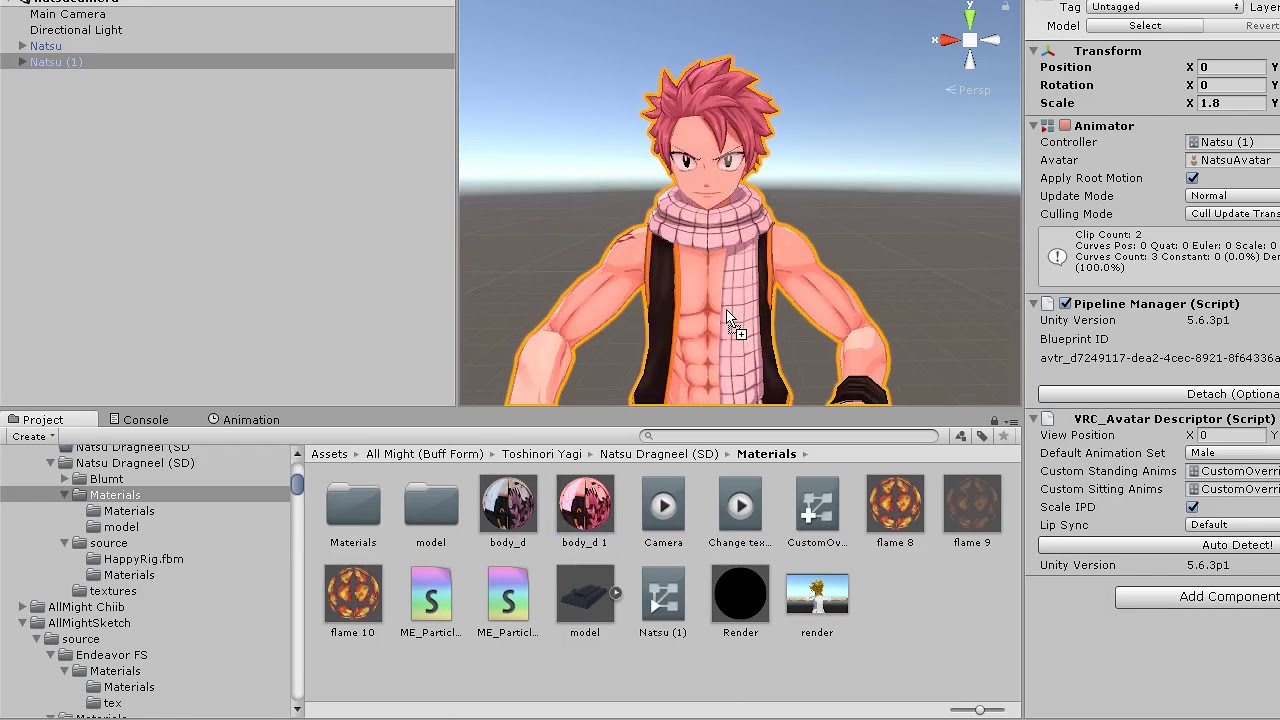
how to change your material through an animation in vrchat
something like this
drowsy bay
New problem
How do I start a new animatiom
I have these old ones still inside the animation tab I want to kinda get rid of
gray spoke
wdym start a new animation?
drowsy bay
Yeah
gray spoke
as in... right click the empty spot, Create and click on Animation?
gray spoke
its ok
drowsy bay
Nope
not working
It wont allow me to create a new animation
Oh wait
found it
Ok so
I am using Poiyomis
I want the shader to shade and then stay invisible
How do I do this?
Is it a continuous speed?
gray spoke
wdym?
shade and then stay invisible?
mean you want the animation to make your shader go away?
gestures can only be 1 frame
 spark vigil

clear yew
I have a question about blinking and talking animations for characters
sick loom
Ask your question instead of saying you have a question
 floral imp
you animate the sounds to be on in the animation and add the custom animation like any other animation.
???
the animation window
fierce bane
@near brook disabling the body can cause it to desync, it's a lot more reliable to use a material swap to a non-rendering shader.
@drowsy bay ⬆️ and here's an invisible shader...it just skips over rendering but is otherwise barebones.
You'll find it under Meki/invis
@drowsy bay And for the new animations, you're probably animating without duplicating.
Animations are bound to an animation controller by default, you should right click->duplicate whenever you animate to avoid breaking your model
clear yew
Hi! how would I import an animation into unity for an existing (not mine, but a free) model?
It's already rigged and everything.
t's from deviant art, but they made it in MDD
I'm just trying to have a model dance to music is all.
it could be constantly going or not, either way it'll be triggered "visible" when someone presses a secret button.
fierce bane
@clear yew you can export animations baked into a model from blender, just make sure it's set in the export options
clear yew
How would I import the animation? When I tried the MMD tools it wont work with the model
fierce bane
are you importing a full humanoid body for it? it's likely missing bones if it doesn't work
you can separate the animation in Unity, it's not bound to it
clear yew
I am, and I already tried mixamo to rig it before (when I didn't know it was rigged) and it refused since it had the bones already
fierce bane
get an mmd model with a full rig, use that to export the animation
near brook
about that material change thing i tried it and it didnt work
works in unity not vrchat
stark trail
yellow outline means that the thing being modified by the keyframing doesn't exist @near brook
fierce bane
@near brook also of note, you won't see the change in mirror/camera, but other people will
gray spoke
I am aware of a keyframing issue regarding dynamic bones being placed on Humanoid Bones (such as Head, Chest, Hips, etc.), which basically messes up some of the Root.T keyframing
Do Dynamic Bone Colliders also cause the bug?
median bobcat
what do i do if the audio for my animations are too low
gray spoke
Go on Audacity and increase the sound gain - or I think you can increase the general gain on an audio source, under it there's a small VRC tab that allows you to mess with it. Not sure if it works
clear yew
Well I've given up for now. I might take a crack some other time.


 fierce bane
@kindred trout is it a child of the head?
kindred trout
yes
fierce bane
that would be why
the head bone is shrunk down to 0 scale locally to prevent you from seeing the back of your own face
if you want something on the head that you can see, you should set up a fixed/rigid pairing, with the fixed outside the armature (and the particle a child of that), and the rigid in the head
kindred trout
thank you very much!
 azure ivy
How to does animation on desktop? If posible
clear yew
If you're asking how to use animations on a avatar on desktop, shift + f(1-8)
clear yew
for example, shft+F1 will activate an animation if the avatar has one.
azure ivy
Hm. I went to a world where they had avitars that had animations I picked one up and it won't do it :(
Oh wait
I figure it out
Thank you!
clear yew
You're welcome! (:
clear yew
Does anyone know if you do the blinking/lip sync animations in unity or blender
Hope it's in unity because I've done so much that I don't wanna have to start over
 dim olive
You do it with shapekeys in blender, I already answered this to you yesterday
clear yew
Ok
gray spoke
You need to create an eye tracking with Blender Cats if you want blinking
For lip sync animations, you should use the Blender one in CATS, but you can get by using regular shapekeys.
gray spoke
I'm having a problem with Animator.Root T.y, in an animation my character. It's in the emotes tab, of course.
The animation is a dance emote (HAVE A NICE DAY by World Order) but it seems that on one part in which my character bends forward (nothing inappropriate, dw) my body floats. This is due to the hip movement in that part of the dance affecting the whole body.
So to negate this I use Animator.Root T.y while it is doing that so I don't start mysteriously floating. However, even if I mess with the Animator.Root T.y, my character will still float... any fix?
I have dynamic bone colliders on some of the main Humanoid Bones (Head, Neck) idk if it's messing with the keyframing. I moved the dynamic bone colliders to a GameObject which is now a child of the respective bone.
These are the keyframes https://i.gyazo.com/0917ab7678c08e57461ae167c16ef1ca.mp4
clear yew
http://prntscr.com/qyr17y added hand gestures with facial expressions, and ive never seen them glitch before. like it is a constant tweeking with every gesture I made. D: help

nvmmm
 river hill
I still can't seem to get World particles to track my avatar correctly, they seem to follow the phantom positions of where my armature would be were i in desktop mode.
Does anybody have experience with this?
fierce bane
@river hill you need to use either the VRC_IKFollower (which has to be a direct child of head/wrists, and any particle under that)
Or a rigid body on the part you want it to follow, and a fixed joint outside the armature with the particle under that instead
river hill
I have tried both methods, this has been the result using both and neither collectively.
The rigid body method functions correctly in certain worlds,
fierce bane
is the rigid on the followed part set with all constraints active, kinematic and gravity unchecked?
rigids tend to not work correctly in combat worlds, don't test in those
river hill
the IK follower method positions the particle strangely, despite following the positioning rules.
fierce bane
use an IK follower->empty object (both at 0,0,0 position/rotation), then the particles positioned how you want under those
river hill
Both seem to lock the position correctly to the armature in all worlds, however, as i said, it locks them to where the armature would be in a desktop animation
Yes
I currently have it set up for the IK follower method, exactly as the documentation says to.
fierce bane
the only reason I can think of is the constraints not being checked, so it doesn't anchor to local space
screenshots should help
river hill
o7
fierce bane
it sounds like you have it set right, but could be missing something small, or position wise
river hill
taking larger window SC
sec
There
With both highlighted you can see that i have both 000
on both objects
and 1 across scale
VRCIK
fierce bane
Try moving the left elbow to the top of the arm hierarchy, I think there was something related to it not be the first child that caused issues
fierce bane
it's just reordering the list, not reparenting
fierce bane
yes
river hill
i'll jump into vr quickly and see if that made a change
fierce bane
@river hill so you're seeing particles placed where they would be for desktop mode...as if arm was by your side pointing downwards even with that setup?
river hill
yes
fierce bane
when is this particle active? and can you screenshot the top section?
river hill
Top section of the particle editor?
fierce bane
yes
river hill
The particle is activated on gesture,
it does activate correctly with the gesture.
(Thankyou so much for taking the time to help me problem solve, i've been at this for days)
fierce bane
is it a fired projectile, a blade attached to the hand, a trail behind something, other?
fierce bane
I'd set the emitter velocity to rigid instead of transform...that might actually be related to the issue
river hill
I'll give it a test.
fierce bane
you're not on quest right? just to check
river hill
Vive pro
fierce bane
as long as it's not quest it should be fine, quest is just heavily limited
river hill
Oh yeah i'm aware, it makes me wonder why they released it honestly. It works for an entry level feel, but it's FAR too low power for any real addictive hook.
(For me anyway)
fierce bane
it does offer people a far cheaper way into vr though, which may bring more people to want to see more...I still don't like it though
as long as normal users don't get screwed over by the lower power system I don't mind
river hill
still no change on the IK follower, I'm too tired to try the rigid body again tonight. I can barely sit upright. Thanks so much for the help again.
❤️
i'll try again in the morning,
fierce bane
I can't think of what would be causing it honestly...get some sleep and good luck
river hill
It may be my animation controller,
but i'm going to sleep before i break something
XD
fierce bane
avatar controller is overridden by VRC when you upload (unless it's generic instead of humanoid which won't work with ik follower anyway)
 rugged solstice
Ok so I'm thinking about adding lightsaber to my avatar but I dont know where to start as I never done animation before. Can anyone go through the sweat, blood, and tears to teach me. Or perhaps do it for me?
wispy thorn
If you want it only to glow and such, that is more a particles thing #avatars-2-general would probably be the right place to ask, idk if here can help you
rugged solstice
Ok ty
fierce bane
@rugged solstice If you have a model and you only want it to glow, that's just a shader on the blade
If you want it to give off light, you'd just add a point light near the center and adjust it to spread enough light (don't use more than one...lights are very demanding)
median bobcat
if i have a big animation how do i hide my model because i have another one in the animation that i want to use instead of the main one
do i hide the body
gray spoke
I'm having an issue with an animation.
In one part of this 'dance' my character kind of bends down, which is by rotating the hip bone. However, this rotates the entire avatar, and therefore it ends up slightly floating. So I use Root.T.y in the animator and decrease its value when I bend down so as to pull me closer to the ground and prevent the 'floating' from happening. The animation looks fine when previewing (Unity) but in VRchat I still float... does anyone know how to fix this?
median bobcat
does anyone know how to make an avatar multiply in an animation
 paper wedge
helo
 rocky pier
question
why is the quality downgrading in playmode or in vrc
or idk whats going on
gray spoke
that's weird
it's compressed
not sure what that is in the picture, but if it's a texture, try decreasing the picture dimensions (but still keep the aspect ratio the same, for example a 4096x4096 to 1024x1024)
clear yew
hey is it possible to setup a camera render texture everyone can see and not just black box?
river hill
Anytime 🙂
rocky pier
@gray spoke nope
gray spoke
yikes
river hill
Does anyone know offhand what the 0,0,0 Position and rotation rule for Ik follower applies to? Do they mean it needs to be Zeroed to world, avatar root or local to the armature?
 frozen silo
Any ideas what is causing my anim keyframes to snap back like i didnt change a thing? Just trying to move fingers a little but everything snaps back soon as im not highlighting those keyframes anymore? What should take 5mins is taking all day wth. Also the Muscle editor wont see my model as humanoid so im doing it from scratch.
river hill
(Hi shai hahahaha)
frozen silo
hehe Haii, still cant get this to not snap back
fierce bane
@river hill in the transform of the IK follower (and an empty child of it), just set it to 0,0,0 (technically speaking it's compared to the local parent)
@frozen silo you cannot rotate humanoid bones directly, use the animator components for stretch/spread
frozen silo
Animator components stretch/spread, where? So we cant make custom gestures anymore? Thank you! @fierce bane
fierce bane
yes you can
you just can't rotate/position them manually, you have to use muscle controls like always
go into the animation window, click "add component" and then drop down the animator, find finger stretch or spread
frozen silo
ohhhhh, this look promising, THANK YOU!
Wish my muslce editor would work to make this easier =/ guess im doing joint by joint. No matter how many times I try to set generic and back to humanoid, its not picking up the model. Thank you thoo, Its been a looooong time since I did this lol
fierce bane
@rocky pier select the texture in unity, set it to highest quality compression and 4k...be aware when you hit apply it'll take a while. You should also uncheck mipmaps while you're at it. Not a good idea for particles.
near brook
anyone know where to go to get vmd files for dances?
fierce bane
I'm saying SET it to 4k in the texture file, not make it a 4k
and to set it to high quality compression instead of the default
rocky pier
already is
fierce bane
did you disable mipmaps for it as well?
rocky pier
how ? xD
fierce bane
it's in the texture settings
rocky pier
fierce bane
it's off yes, "Generate mip maps"
hmm...
frozen silo
Soo I have a 1911 thats animated to have the slide/hammer to go back n forth for shooting, also trying to have it setup to work in pvp worlds (also almost done creating one)
I made a particle system for muzzle flash/smoke/bullet/trail. But im having trouble getting that to show up in the anim tab, maybe im not activating the right things to get it to play?
Also every vid I can find is out of date or lacking parts or something, any insight would be amazing!
I have tried activating everything i can, separately or together, I can not get it to show at all..?
gray spoke
@frozen silo First of all, are you gonna make the bullets, etc. world particles?
If they are already world particles (using the Rigidbody method) I usually put a GameObject as a Child of the Rigidbody, and the Particle System as a Child of the GameObject. I leave the particle system on, but the gameobject above it off. Then the gesture should toggle the gameobject that has the particle system in it. It should fix most issues.
frozen silo
Hmm, 1st off, thank you for replying! 🙏🏽 @gray spoke
2nd, Dont particles HAVE to be set to "world" for others to see?
3rd, I heard the rigidbody method breaks in worlds with the Combat System? So I was trying IKfollower way. Kinda getting lost bc its been years since Ive done anims, and they keep changing how to do it. This is what I have, if it helps. Im prolly about to crash for the night, will def need assistance tomorrow if at all possible.
@kindred trout On the main particle, try setting Dampen, Lifetime Loss and Max kill speed to 1, and see if that helps. got mine working at least (different project)
maybe send collision messges too to see? Change Planes to world usually, I think.
all of that in Collision tab
gray spoke
I don't know how much everything has changed since I last messed with world particles, I usually don't toggle the particle system directly, instead I toggle the parent of it (like I mentioned earlier, a gameobject), since for some reason (in the Rigidbody method, at least) toggling particles directly tends to cause issues.
And yes, I believe they have to be set to World
Not all worlds are compatible with rigidbodies sadly
this is how I do it (in my case)
(ignore the rigidbody stuff, im sure this'll work with IKFollower)
frozen silo
I tried something similar real quick but still isnt working, ima try again tomorrow after work. I really appreciate any help I can get >.< I did however find a bug in general.. How to explain,, In my world, Im using the combat system, when picking up weapons via "grip", its different for pc and vr, Ive been testing my map in pc mode so i set the orientation up for that(thinking it would be the same orientation for vr, its not. They differ by 90degs. Desktop its correct bc i was testing on that but when I just got in VR to test my anim,(went to my world just cus) the weapons face up instead of forward like for pc people.. Dunno where/who to tell that to.
sry not part of Combat System, Part of the Pickup script, grip orientation seems off by 90deg.
I put that info in #user-support-old, I guess thats the right spot, gnite all!
frozen silo
Still dont play the particles, May I ask the Duration of your particle, First number when you click a particle system? Thought maybe I had too short, .1 but i tried 1 as well with no change, off to work >.<
clear yew
what's the issue ?
frozen silo
This is turning the objects on(in unity( but the particle system doesnt play with it?
clear yew
do you enable/disable the particle system itself ?
frozen silo
I thought I tried that yesterday to no avail but maybe I did it improperly.