
#animation
1 messages · Page 99 of 1
 hollow coyote
 spring nova
You're probably running into the minimum size. That's in the renderer tab, and forces it to never go below or above a certain size on the screen
Set the minimum to 0 and maximum to 10 and it will always display the true size
hollow coyote
It's still the same size, is there anything I can do to make it smaller or is it just stuck like this?
 covert girder
try to reduce max particles, lifetime, duration, radius on shape
start size
spring nova
Oh, dont change the size of the gameobject it's on, leave that at 1. Change the size of the particle with start size
It's at 14, that's huge
 pliant plank
Try 'round 6-8
hollow coyote
Yeah modifying that gave me a better result, going to edit some more of the options to get it not as long now
 covert girder
to reduce size need to reduce lifetime i think
spring nova
What no
hollow coyote
I tried reducing start lifetime but after about 4.5 it starting making the cloud fat instead of long like I have it
spring nova
Lifetime does not affect size directly. Maybe sort of due to size over lifetime but not on it's own
hollow coyote
What could I do to keep the shape while shrinking the effect?
covert girder
@spring nova this is long because particles life long so them fly far away 🤔 duration
 silver peak
Can anyone give me a step by step on adding animations to my avatar I've followed all the tutorials I've seen perfectly and my avatar still breaks in VrChat (sinks in the floor up to the waist or turns into Ghandi and floats cross legged) if you're kind enough to help DM me please and thank you.
spring nova
If your avatar gets stuck in that pose, you need to duplicate your avatar, make all your animations you need there, and then you can apply those animations to your regular model
silver peak
I've tried that and it still breaks my original avatar in VrChat ;-;
 clear yew
Does your Avatar work correctly without the animations on the Animation Overrides?
silver peak
Yes
clear yew
Have you tried adding one or two animations at a time to see if there is a particular one that is causing this?
 lunar magnet
Can somebody help me ? how can i make my animation last longer i know vrchat cut it off in 60-70 sec but i have 3min30 sec long animation (music+shape keys+movement) ? Is there any way ? When i put it on non emote shape keys work and music but no movement 😄
 last wolf
any one know how to fix you avatar's pose when it's in the ground in unity? There was a way to fix that to make your avatar t pose again but it doesn't work with the updated unity
 slim sparrow
@last wolf alt-click to expand the armature
Select all bones, in the transform component do revert to prefab under the gear icon
last wolf
in the hierarchy?
slim sparrow
Yes
last wolf
idk what i'm looking at but i dont see revert to prefab
 deft mountain
Anybody know where I can DL some half-eaten food models for an animation?
 wise remnant
Massive noob question... but...
Are the animations for a humanoid shaped model standard? Or do you have to program them into the model?
Like, if you walk forward with a 3d model that's rigged, does the game automatically make the legs move?
spring nova
That's the difference between generic and humanoid. Generic animations say "move gameobject to rotation of X, Y, Z". Humanoid rigs allow you to conform your avatar to a standard. All humanoid based animations can be applied to all other humanoid based rigs because they're not looking for specific gameobjects, they're looking for definitions like "bend left forearm inwards 30%"
 muted prairie
They'll be automatically "programmed" into the model because it follows the standard humanoid configuration, if you use the standard controller (the one by default when adding the avatar descriptor) then the animations are already there.
 eternal oak
question, am I able to add an object to my model and place it on the ground?
I know how to add things to the model itself, just not how to make an animation where I can place it
muted prairie
Yeah, you just create an animation with a keyframe for the object where you want it to be
 wary parcel
There is methods, but some are quite advanced, and the old joint no target does not work anymore if i am correct.
eternal oak
Okay, that gives me some hope, I researched a little and a lot of people just said it straight up wasn't possible, but all the posts were old
is there some kind of guide I can follow for it?
wary parcel
Not quite out there yet, you could check up on the FIK stuff, but its an expensive script to just get that function, think there was another workaround with humanoid bodies instead of Generic as the gameobject and it would use the joint as it was in 5.3
Should be written in the canny post if you can manage to find that one
 robust hound
did something change when creating and adding an animation to make an object visible/invisible ? (object.Is Active)
eternal oak
I'll look around, thank you very much, it really makes me happy that it's possible at least
 hazy sequoia
Hello! I had a question regarding animation for hand gestures and making parts of a model appear and disappear when certain gestures are made.
I have an animation that replaces the HANDOPEN gesture, and when this gesture happens, I want to make a mesh that I have rigged to the model appear. With this, I also want it to be invisible when not performing the gesture.
The second mesh is also part of the main model's FBX, so it isn't another model file or anything in case that helps.
 chilly vapor
it should work still just like any other prop. The animation would just enable and disable that element on the model
hazy sequoia
I have the avatar set to export where that mesh is, by default, disabled. In the dope sheet for the animation, I have keyframes that tell it to be active, but no matter what I do, the model always has that model active, even when in an idle state.
hazy sequoia
I'm pretty sure, yeah.
I'm going to try taking the entire avatar out of the scene, putting it back in, and rebuilding the controllers from scratch to see if that fixes it.
 gleaming tusk
How do you make animations with multiple items on it?
Like, I want something to appear first, then another one
but it breaks, so I can't cancel it
robust hound
little up for my question
anyone?
 spice urchin
yes
but only partly
and i wish it wasnt like that
specific worlds like murder (typically any world with ragdolling) makes all rigidbodies be in awkward locations and not work properly
 craggy sage
is there a tutorial for world particles on the new 2017 unity?
spice urchin
nothings changed
literally the same, attach a object with a rigidbody constraint to the joint then put a particle inside of it as a separate object
craggy sage
so no tutorial?
spice urchin
u dont rlly need one
craggy sage
then how will i learn how to do it?
spice urchin
i told u how u set it up
u create rigid bodies in the part and on the object
u use a hinge or fixed joint to connect them together
craggy sage
your vague words arent really useful, hence why i asked for a "video" tutorial
spice urchin
well im sorry u have a problem with reading
craggy sage
and im sorry you cannot convey information properly
so to answer my question, no, you dont know of a tutorial
spice urchin
i am conveying information properly its not my fault that u cannot understand how to set it up, its not like im going to give u clicks through everything. anywho im sure google will help u so either stop being rude or literally look it up
craggy sage
you are using vague and abstract terms
spice urchin
no i already explained what both were
craggy sage
regardless, i am still looking for a video tutorial
spice urchin

all of these work btw
id assume youtube would be the best choice to 'look for a video tutorial'
 wise bolt
does anyone know how to make it so you need two different gestures to use an animation? i've seen a few models where you hold rock and roll for an item to show up then on the other hand you use victory and it will play an audio.
i would like to add an audio to my models gesture but don't want to fat finger trigger it accidentally.
spice urchin
thats pretty simple
just put both in 2 gameobjects
obv u would need both gameobjects active to see the item
 torn pawn
@wise bolt
Parent
Child
both objects disabled, with 1 gesture you enable parent, with other u enable child object, you can even enable 5 child objects under different parent objects with a gesture, but none of them will be activated unless the parent is active
 warped willow
I have an object that needs one of it's child objects to animate; and to work on two layers.. One to change it's material color, and one to rotate the child object so that it spins. It's essentially a lance with some spinning parts. Everything looks fine, and I'm using triggers correctly, however my results remain.. interesting. Couldn't post images while typing this out, but I see what I can do to get a visual reference of my problem
http://prntscr.com/m9ktem How it looks in Unity, as intended

http://prntscr.com/m9ktwf How it looks in testing, for seemingly no reason at all
 wise bolt
nice! thanks for the help guys.
 fluid crescent
Why my custom crouch idle animation doesn't work ingame?
clear yew
Heard crouching Animation doesn't work though plan to test it soon
covert girder
crouch back works, crouch idle rarely and usually turns to just idle 🤔
 drifting brook
@warped willow did you adjust the position of the object in your animation? if you did, make sure you are applying the movement/rotation to the parent and not the child objects
anyone know off the top of their head how the rings people can pass over them like hula-hoops to turn partially invisible work? Im guessing its just a cylinder with shader and the rim has the visible hoop and then the user uses the "floating object" motions a magician would use when the object is suspended by a prop
 chilly kernel
is there way to sneak in lens flare to vrc
since you can use the flares on light source
but i kinda want to combine 2 different flares on it but the game would remove lens flare
clear yew
lens flares work in vrc
slim sparrow
They sorta work but apparently they're blocked by the player capsule
chilly kernel
also whats with the rigid bodies
they work only locally
my friends says that the object moves with me
but for me its still
added the fixe joint and rigid body on the game object and still it follows me to other people
but for me it stays still
 astral sentinel
with animations is it 60fps?
because i'm trying to line up a prefab to spawn in at a certain point of an audio clip
 late whale
Does anyone know how to properly do stations (chairs) on avatars so that people aren't sliding around and chasing your avatar instead? I've seen it working on other people's avatars, but I can't figure out how to do it myself
 livid horizon
Dude these channels. I am just not used to them. I feel like a jerk posting and deleting 2 or 3 times just to notice there is an animation channel. On to the issue!: I created an animation controller, put in all 5 of my animation clips that work. Created a trigger parameter for each, linked the idle state to entry like the example, gave each transition to each animation a parameter name just like the example and set those parameters on a VRC_Trigger to run on enable. They are enabled when someone interacts with an object that enables another object that runs that animation trigger. I know its working because the audio trigger that goes along with the animation trigger plays, but the animation does not and I just can't figure it out. It's basically a mirror image of the example and still not working.
clear yew
Anyone know how to get spawning-in animations to work? Like when your avatar loads up it does like a airdrop or teleport in.
I'm already familiar with animator states with in-armature objects
Like mines works in unity, but in vrchat, absolutely nothing happens
 hollow perch
If it's working, it will show in your avatar menu too. Just put an animator on your avatar that runs its spawn in animation then goes to another state that does nothing (or does your usual animations like blinking or tailwag
clear yew
Any specific settings to set for the animator like culling mode or root motion?
hollow perch
Not that I'm aware, just defaults. But do not put it at the top of your avatar: your avatar's main animator must be set to None (Runtime Animator Controller)
clear yew
Oooooohhhhg, there's my issue. Thanks Lyuma!
craggy sage
is there anyway to stop the animation window to stop swapping when im trying to click something?
 fringe patio
anyone know if it's possible to change view position when doing an animation like getting bigger? tried editing it in animations but does nothing
 whole shard
I have the exact same issue
hollow perch
What method are you using to change scale? Unless you are using a shader, In addition to the view being off I believe you might have trouble with the IK being off
hollow perch
View adjusting is a big project... Like many things in vrchat, possible but not trivial. One way to attempt view position scaling is to make your own camera system as I am not aware of any way to adjust the view position. If you don't care about depth, you simply create a camera at your head position after scaling, and use a fullscreen shader to display that in your face. You will want to clip the shader if the pixel is exactly black and some distance check so you don't cover up other users' screens. Also it might look bad in stereo unless you use a separate camera or use something like neitri's depth based mesh deformation shader.
whole shard
I see
I was just hoping I just wasn't using the viewpoint adjustment in the animation correctly. Guess this will be harder than I thought
I do appreciate the help. Thank you
clear yew
I would like for my avatar to always have a slight smile, should I set it as the vrc.v_sil/ Silent shape key, add it to the basis or animate it in the idle animations?
slim sparrow
Personal preference. If you set it as the sil shape key, the smile shape key will stop while you're talking. This is usually desirable behavior
@clear yew
But the smiling may look fine if you're talking, you can test that by setting smile to active and then cycling through the talking shape keys.
clear yew
Thanks for the answer
Wasn't sure if Basis or silent would be be used while not talking
lunar magnet
Does somebody know why MMD animations in unity gets weird ? like from spine up its fine but legs no .. in blender when i watch the animation its fine but in unity no .. ehm
Or does somebody know how I can make my own moving animations for unity ? like dances
clear yew
Wonder if it may be due to extra bones on or around the legs
pliant plank
Reason is that the spine isn't directly connected to the hip that actually moves, parenting it will break the animation completely aswell, the hip that has movement doesn't have the legs parented to it either, and due to such, only the hip that gets moved by the moving hip can be used as the hip bone in the rig config, essentially freezing hip movements
 clear barn
i need help, when i hit play in the animation editor it plays perfectly, but when i hit play for the whole scene it doesnt animate
my animator component is in the armature
torn pawn
does it have the correct path? and is the animator component enabled?
clear barn
the path should be correct, it doesnt show up in yellow and it animates through when i hit play
and yes the component is enabled
 raw frost
I saw someone using the Emote's once to toggle Animations (Like drawing a sword) how would i do that, is it just replacing the animation or do i have to do something special
slim sparrow
For emote prop toggles I recommend using this https://github.com/Xiexe/VRCInventorySystem

GitHub
An Inventory system that is easy to set up for your avatars, using emotes. - Xiexe/VRCInventorySystem
raw frost
I dont really underrstand how its working
Also, is it normal that my Seperated Mesh for the Arm is dissapearing when using a Animation, becaue it allways idssapears at random times for me but not for other people or in the Mirror
slim sparrow
Mesh bounds probably
clear barn
i still need help with the animation
the animator is on the Armature, and the animator itself works because its the same one i use for another animation that works
slim sparrow
The Animator should be on the Body
Or whichever mesh has the blink shape key on it
Or are you using eyelid bones for blinking?
clear barn
yes, the shape key animaton works
i have another animation that moves bones
thanks btw
so i figured, if to move shape keys i have to put the animator on the mesh, to move bones i have to put the animator on the armature
slim sparrow
Yes
clear barn
alright but its not moving, not even in unity
raw frost
And what about the Mesh Bounds, can i Fix that somehow?
slim sparrow
Yes, you can manually increase the bounds size a little bit in the Skinned Mesh Renderer component.
Make sure it extends forward a little more to cover the entire range of motion of the arm
 worn quest
hello; i don't know if this is the best place to ask, since it doesn't relate to an avatar that i've created (this time), but would anyone be willing help me or walk me through/give suggestions on adding this custom animations to my avatar? the animation file itself is a .smd file but converting it breaks the animation, and when i load it in for my custom avatar it doesn't connect to the mesh at all or doesn't work properly and no matter how much i search google for an answer i cannot find barely anything, so i'm at a loss on whether it's an impossible cause or of i'm just not knowledgeable
chilly kernel
how do i do custom sitting animation
the legs snap back in tpose when i move to next joint
 floral imp
is there a way to reconnect missing animation properties if you have to move or change the name of part of the hierarchy of objects?
covert girder
you can replace the name for all keys where that name exist through text editors when you open .anim file, if you have in settings save as text instead binary
spice urchin
u need to change project settings which is in tutorials
otherwise its all saved as binary instead of like a neat table format
raw frost
How exactly do i increase the bounds of the Skinned mesh render
spice urchin
u press edit bounds..
 terse ledge
Im trying to figure out how to either split my hand guestures so i can have 7 guestures on one hand and 7 different on other hand or i had an idea to have combo guestures where both together cancel out there normal guesture and give a whole different guesture. Am i wasting my time brainstorming or could this work.
Mainly this is for face guestures normal combos for props is simple
hollow perch
The right hand takes priority over the left hand, so if some gestures set blend shapes to 0 and other gestures set the same blend shapes to 100, but some gestures do not touch these blend shapes, you may be able to construct additional combos.
terse ledge
Ooooh ok thanks! My idea was fist activates a game object in armature then a animation inside for every guesture and those guestures are activated by normal guesture and then cancel out the face from fist and normal guesture and give a new one.
If that works i could have 13 face animations instead of 7
 toxic stratus
Good day people of the Commonwealth!
I need some help
I am following this tutorial:

I explain how to create an animation lock, that is a toggle able animation the locks on so it will not reset when others join or switch avatars. ~Check out o...
I am stuck at 10:59
This guy somehow manages to edit the Unity .anim file with the Visual Studio
But when I try to do the same, the file looks encripted for me
Does any one knoe something about this?
And how to access the .anim file with lets say Notepad++
spice urchin
if u payed attention im sure they explained (or mentioned) u need to modify the project settings to compile assets to readable formats instead of binary
actually does it here: https://youtu.be/q_jXwaCx6AA?t=114
so its ur fault rlly
I explain how to create an animation lock, that is a toggle able animation the locks on so it will not reset when others join or switch avatars. ~Check out o...
toxic stratus
Thanks dude, I just found that My project was corrupted
I could edit .anim files on a fresh project
spring nova
Is he editing them to add the behavior.enabled keyframes? There are editor scripts to do that now
 west widget
im trying to put a sword animation on my avatar but it wont show up when i do the gesture??
I'm going to get off for tonight, if anyone can help mention me please 😃
 ancient bluff
wait what’s that VRCInventorySystem thingy
spice urchin
i honestly never use it
i tried it one time but i didnt like it at all
it breaks prefab connection and makes too many animators
better off making it urself (i could even do it with just one animator)
ancient bluff
o I mean like what is it for or what does it do. I saw it mentioned and thought it was some way to have an inventory in vrchat or something lol
spice urchin
no it just pops out animations that can toggle on and off things
and also screws up with ur model
ancient bluff
oh okay
 wise junco
It doesn’t screw up your model at all, it basically puts your intended object inside a togglable animation that can be used for the emote slot. This opens the possibilities of a long lasting animation without holding a gesture
 dim ocean
How would one go about overriding one hand gestures with another. I'm trying to replace the "rocknroll" gesture with an "OK" hand signal but I don't know how it works with the single animation and the two hands and all that. If someone knows any good tutorial videos for that that would be appreciated because I have only been able to to find tutorials on mapping facial gestures to hands.
slim sparrow
You make the animation with both hands. @dim ocean
The game itself will take care of only doing it on the left/right hand ingame
eternal oak
fellas, if I want to make my avatar slither, how would I go on about making the rig for it? is there a guide I can follow?
 viral talon
okay I'm getting truly frustrated
I'm attempting to add an object animated on my avatar, however, whenever I check the avatar on vrchat the object is completely scrambled
and it's static, doesn't do anything
 tepid mango

 gaunt acorn
i put a vrc station on my avatar how do i make a sitting animation to make it look like im giving them a piggy back ride?
 thin notch
hi
 magic coral
having issues with getting tail to animate by default. have the controller made as well as animation. Not sure how to apply it for tail to move normally
hollow perch
Are you using an Animator Controller on your tail? or another method? Idle override?
hollow perch
On which bone did you put your animator controller? Does it work in play mode?

 hollow perch
That hierarchy looks wrong @magic coral . You need to edit all of them and delete everything from Armature/ up to and including Tail_1/
This tool should help you with that - https://github.com/s-m-k/Unity-Animation-Hierarchy-Editor ... if not there's notepad++ on the .anim file and find/replace
GitHub
Contribute to s-m-k/Unity-Animation-Hierarchy-Editor development by creating an account on GitHub.
 slim sparrow
No, the reference path
It's currently referring to "Armature"
But the tail's root has no object called "armature" in it
The animation is made from the perspective of the avatar's main object
 flat cipher
Also opening the animation through notepad++ doesn't work unless unity serializes data as text instead of binary, from my experience. Need to change it in the project settings in that case
raw frost
Is the weird Inventory tool you can use to map Meshes to appear on a Emote ( like dance) only able to hide /unhide One object at a time?
slim sparrow
No, you can combine several such animations manually
Xiexe's VRCInventory generator has "enable all" and "disable all" animations that get generated, but they don't work
 fading solar
is it possible to move your hand up from a gesture animation?
 jaunty ridge
@slim sparrow They do work, theres a bug when generating animations occasionally through scripts that prevent it from working though. If you regenerate the animations they will more than likely work.
cough Thanks Unity.
viral talon
@naive niche no, I made the animation on unity
 naive niche
photo ? perhaps im not understanding what its doing
that was yesterday i forget the details now @viral talon
so as i understand your object model scrambles even without the animation running, i would suggest it could be the FBX bases shape key is not aliened before import, to fix that if correct or to check that you can take it back to blender and reset the shape keys that are not aligned to the default bases key
also if this is only when the animation is running it could be that the keys are stacking up not closing before the next key, if you have a shapekey overlaying other keys they can stackup fast making the object or model fragmented smashing all over
it comes back to the original basis key issue again
viral talon
wait I think I'm making it more confusing than it seems, I used to set the animation to legacy and they would work fine, however, after the update I no longer know how to activate an animation
naive niche
this issue is common when someone changes or removes a vert after the bases key was set
viral talon
even all the animations on my world are all screwed up, they don't move, they're like completely scrambled and static
I've followed the pinned post but nothing seems to work
naive niche
so this is not about a single object
viral talon
in this case, I only want a object on my avatar, the world I already gave up
naive niche
in the animation does it have any yellow missing frames
naive niche
just a min
you disabled direct messages so i added you , i was going to send you a link
viral talon
added
 misty tiger
does anyone know what the difference is between the RUNFWD and SPRINTFWD animations?
misty tiger
ok so SPRINTFWD seems to do nothing, since i'm noticing no difference after overriding it with a T-Pose animation
spring nova
I may be wrong, but I think sprint is for when a world sets your speed really high
misty tiger
ah ok, i'll have to test that later then
trying to put together a full sample animation set for overrides, so i'm doing a lot of testing with them
pliant plank
Yep sprintfwd is for very high world speeds, i normally just use the same for runfwd since anything drastic could just mess every other locomotion animation up
misty tiger
gotcha, thanks
 rancid valley
Does someone have a working prefab/way for unity 2017 to put Gameobjects into the world and make them stay in place with Fixedjoints?
slim sparrow
@rancid valley just take a non-2017 world objects prefab
Put an animator on the fixed joint object, turn on apply root motion, and give it any controller
rancid valley
@slim sparrow Thank you a lot i will try it, this is litterally the only thing i really needed to know :3
 sick cliff
Hey everyone,
I would like some help with animations. I know this question has probably been asked many times before, but how would you make a hand gesture activate a multiple key frame animation? I couldn't find any good videos on it. Please help.
torn pawn
enable game object that has the animator playing your desired animation @sick cliff
sick cliff
Would I need to make an empty object to work as a toggle switch?
torn pawn
with gesture you enable game object, it can be an existing prop or whatever else, add an animator on the object and animate the thing you want to
then u enable the object and it will play the animation
sick cliff
Thank you Yuumi.
clear yew
Non humanoid bones can't be animated even for idle animations right?
slim sparrow
They can for idle
Just not for walk/run.
Idle animation exists on two layers, and one of those layers can do anything
The walking layer can only affect humanoid bones
clear yew
I used to think that but for some reason my skirt bones and hair didn't work for some reason
spice urchin
u can also use animator with multiple layers
clear yew
Did used to know they don't work on locomotion tho
spice urchin
and have multiple animations out of sync with eachother
is nice for stuff like wagging and twitching
clear yew
Will need to learn about Animator
spice urchin
it pretty basic essentially
u put one in like the armature or something (not the avatar)
u then start making animations from armature like the stuff i mentioned
as separate clips if u want out of sync
and then in animator u need separate layers for each clip
spice urchin
ye, it will only add 1 animator no matter how many layers so its worth looking at
slim sparrow
Yeah, putting it on the armature and using layers is a good idea to keep the amount of animators low
clear yew
For animations that elevate or lowers a model they likely just make a gesture that raises or lowers the hip bone's Y position?
slim sparrow
That probably doesn't work
To raise/lower a model it has to not have lower body IK
Like no finger bones mapped
Or it's only done in walks
Or it's done via shader
clear yew
Might there be a way to animate the view point's position?
spice urchin
nop
u can elevate the character
just not the avatar/viewpoint
unless u abuse some sort of flight bug like with colliders
or have leg trackers and playspacemove up
clear yew
Ok
 white current
how do you add a blink animation to a model?
hollow perch
You don't want to use the builtin vrc blick blend shapes?
white current
no its a specific blink animation i am using
hollow perch
Ok easiest thing is create an animation ir animation controller and drag it onto Body to control visemes.
If you put it on Body, You must press F2 and edit the path to be blank.
If it controls stuff in Armature instead you will need to copy them into their own animation and put it on Armature or somewhere inside it. You must not put an animator on your avatar object itself.
white current
thanks man
 hushed bluff
so im using hand gestures templete it worked fine the first time i used to but now when i drag any hand gesture animation on to my model it gives me a body controller and i can't edit any animations any help to this ?
clear yew
Is there any reason why these have to be remove from my avatar? I'm trying to make lights that react to me talking using Reaktor. I finally get it working and then the sdk just wants to remove them. https://cdn.discordapp.com/attachments/467822370493825035/538187403333074947/unknown.png

@clear yew Sadly enough, any components, scripts or other assets that arent whitelisted in the SDK via the dev team cannot be uploaded to vrchat.
Oof, better make a request then.
hollow perch
For talking two options with current capabilities: if you want only visible reactions but depending on sound (ah, oh, ch) you can write a shader that uses blend shape information from the visemes. Alternatively you can use jawbone and attach some long object to the jawbone with particle systems on it and have them hit various colliders and subemit particles when your jaw hits certain spots
Those particle systems can have lights. The downside is you have to use jawbone instead of viseme so the fidelity of your mouth movements will be slightly less but with good weight painting you can probably get it working ok
clear yew
This is what I was doing btw, I was having it react to change the colour and emission values of the shader when I talked. https://twitter.com/OriginalTenchy/status/1088623685169278976


Testing out some audio reactive stuff for my new avatar and omg it actually works xD You have no idea how long it took me to find out how to do this lmao https://t.co/tAYVKuTXsA
 Twitter
hollow perch
Twitter
hollow perch
@clear yew I think it is unlikely they will add those components much less add them for avatar use, so we need to consider simpler options. But the current viseme overrides are way too weak. An animator stare machine or similar might be closer to what we need. There definitely ought to be a canny for this
For emission / color or global properties you can use a shader approach with visemes: you can achieve this by tagging some vertices with a specific vertex color indicating which blendshape they are for. Then you have a shader pass which draws to specific pixels of the alpha channel on the screen, and a GrabPass that picks up the screen. Then you can access that pixel of the alpha buffer of _GrabTexture in your normal rendering pass instead of the uniforms for emission and color. Unfortunately the details are fairly complicated (and it has slight performance impact, as much as any GrabPass shader), so you need shader coding experience but feel free to DM me if you want to go this route.
A similar route which I only recently considered (theoretical only; never tested) is to make an editor script convert your whole mesh to quads but actually just the 3 triangle vertices and attach the fourth vertex of each quad to a vertex on your Hips (root bone) at 0,0,0 attached to your visemes. Then a geometry shader takes the 4 input quad points, uses only the first 3 as a triangle and the fourth is used as an rgb color or whatever you want that is directly affected by visemes.
@clear yew that's as much as I can come up with without help from the devs. I really wish this were simpler: every approach for such a simple effect requires a contortionist level of bending backwards inside out.
clear yew
Yeah, reaktor seems like nothing compared to that xD The main issue is that it seems like not many people have tried asking about this stuff online so the hard part was finding any documentation for it. I might try that if I can work up the motivation to go through it, would it have the same effect because I was thinking I could possibly just make a separate mesh with a different material and then have them scale up and down but I feel like the inbetween animation through visemes would make look really weird.
hollow perch
I just think the devs are careful adding extra scripts, especially for avatars given the number of things that can be exploited. For example VRIK had a subtle feature that actually combined with something else allowed avatars to steal your login cookies via a webpanel
clear yew
Huh, I'll send an email and see what they say but it's understandable if they're cautious about it.
hollow perch
They already have audio reactive possibilities, just they are attached to blendshapes instead of animator parameters which would let you do just about anything including controlling emission shader parameter
clear yew
Yeah doing it in the animator would be waaaaay easier.
hollow perch
I do think they are interested in interactive stuff so they might, who knows. But we're having a hard enough time getting a simple 10 line community written script (Graphics.Blit) or the real time clock shader variables added.
Might be able to make an argument for a world so you can more easily have effects like the reactive lighting in the halloween pug. Is this the one? https://github.com/unity3d-jp/unitychan-crs/blob/master/Assets/Reaktion/Reaktor/Reaktor.cs

GitHub
Unity-Chan "Candy Rock Star" Live Demo. Contribute to unity3d-jp/unitychan-crs development by creating an account on GitHub.
That demo was pretty awesome. I vividly remember that: it was one of the first things I saw in vr albeit on my crappy google cardboard
clear yew
This was the one I downloaded from but yeah reaktor https://github.com/keijiro/Reaktion
GitHub
Audio reactive animation toolkit for Unity. Contribute to keijiro/Reaktion development by creating an account on GitHub.
hollow perch
That's the same author
clear yew
Yeah
Luckily they had a test scene which showed off material changing with it so it was pretty easy to reverse engineer that for what I needed.
hollow perch
Anyway don't get your hopes up. If you want to experiment you might be able to do some stuff with onsp in a world or make an avatar which has simple geometry like a cube and reacts to audio by attaching visemes to every point in the cube and using frac(v.vertex) to access the blendshape values
A cube lets you do this easily because you know your vertices are at integer values so anything fractional is caused by blendshapes
A world demo might make it more compelling to the devs why they should add this capability
clear yew
Yeah, I'll try it out. Somebody did make a little demo before which led me to reaktion and looks really cool heh https://www.youtube.com/watch?v=oEgft64BvcQ

Song by Trentemøller - Miss You Used code snippets from the amazing Keijiro Takahashi
hollow perch
If you want it with music you can use that script in editor and use an animation recorder to bake the material properties into an animation that you put on your avatar together with music. That's probably what some people do.... but being able to do it live would be a whole different story especially for people who perform music in vr
viral talon
guys, I'm trying to create an idle animation myself but the avatar keeps going to a default position
I believe I am then doing it wrong
misty tiger
are you trying to do it with the idle animation override or with an extra animator?
either way works, but both are different methods
misty tiger
what part of your model do you want to animate?
viral talon
the armature I think
misty tiger
i mean like
viral talon
like, I move a part of the arm, when I try to move another body part it resets
misty tiger
are you trying to make a blinking animation, a tail wag, ...?
viral talon
no, I'm seriously trying to create some body movement
misty tiger
ah ok
are you trying to move the bones or are you using muscles?
because you need to use muscles
viral talon
oh that seems more complicated than I thought
misty tiger
there's an asset on the unity store called muscle animation editor, that'd probably help a lot
viral talon
is it paid?
misty tiger
yeah, it is
clear yew
does every animation need bones?
misty tiger
you could also search for "idle" on mixamo and find some example idle animations
@clear yew no, you can animate just about anything
clear yew
anytime i change an animation from "generic to humanoid", it comes up with an error, and then says it doesnt have the 15 bones
here im gonna copy and paste what i said in general chat
hollow perch
Ok so here's my guess
misty tiger
is the armature configured?
hollow perch
They are doing the trick of having a few generic copies of your avatar inside your avatar. The generic avatars are rigged as generic and each have one generic animation baked into their animator
And then your emote just hides your Body mesh and shows an avatar clone
With that animation on it
misty tiger
could be that too
hollow perch
This is from #vrchat-general-2 . The model was downloaded from that website
clear yew
all my models are having the same issues
downloaded 8 different ones, even ones on trending
one is Shalltear bloodfallen
hollow perch
Right. All of them downloaded from the same place. Which is listed in #rules as being forbidden to discuss for a reason
If this is your first model it's not the best starting point
Anyway duplicate the fbx. Rig the duplicate as generic. Drag a few copies of it inside your normal model. Drag one of your animations into each one. Hide all of them. Then remove those animations from your override controller. Make a new override controller with animations that hide(uncheck) Body and show(check) one of your clones inside. Please watch a tutorial on doing this
clear yew
im just trying to learn basics, but i thought learning how to upload pre-made avatars would be a start, just to understand the process, then start making my own from scratch
misty tiger
where is that in the rules? i don't actually see a rule for that
hollow perch
the name of the site is forbidden 😃 true not the content
clear yew
which is why i didnt say the site, just saying i got all my avatars from the same place
hollow perch
But it tends to have stuff that is outdated and leads to unusual questions about stuff nobody knows who made it and how it is supposed to go together
misty tiger
no i mean like i don't see any rule about even mentioning the site
hollow perch
O interesting. Maybe it changed
misty tiger
i've only ever heard mods saying "don't talk about that site"
hollow perch
Anyway I told you how to get it working. Please try to understand what I wrote and if you get stuck watch some tutorials first to get the feel of things. Then you can try to ask more questions if you get stuck
clear yew
@hollow perch just found a tutorial on youtube with everything you just said
thanks for the help
alot more complicated than i anticipated but in due time ill understand it all
hollow perch
In due time yes. You basically jumped in the deep end into avatar making :-p
clear yew
better sooner than later i guess
 austere dirge
my facial expressions all disappeared (no response when i click shift f1-f7) after I uploaded my model with same base model but new custom clothing (and shape keys, mesh, armature all same name as before still) and used the same animation_override file I used for my original monaca base model, is there an easy fix to make them work? bc still same base model? or can I only remake the animations individually in unity? arrggghh
clear yew
https://cdn.discordapp.com/attachments/402349592244649996/538398252773670922/unknown.png so im a little confused. this pistol came with a firing animation motion for the gun so would i need a gesture for pulling the weapon out, then another gesture for firing? if i have a gesture that fires the gun then where does the animation for the gun movement go?

 final gazelle
is there any way to mark a generic/legacy animation clip as humanoid if the original FBX it came from doesn't exist anymore, or can that only be done while the animation clip is still associated with a specific model?
clear yew
how do i edit textures with photoshop
clear yew
open the png in photoshop
clear yew
https://cdn.discordapp.com/attachments/420625522129633280/538519717053333542/unknown.png so i have a pistol with muzzle flash and audio on it but i want an animation to just pull it out first without the flash and audio and i thought this is how you do it but whenever i try it in vr when i pull the weapon out and put it away the muzzle flash and audio goes off for a split second
 clear yew
https://cdn.discordapp.com/attachments/402349592244649996/538521946061537280/unknown.png this is the setup on the main avatar, disabling the weapon with affects. isnt this correct and then you enable them in the animation?
 torn pawn
u disable the effects
and enable them with seperate gesture, they get played only when the weapon is active, so u need to combine two gestures
clear yew
i think i figured it out thanks for the tip
https://cdn.discordapp.com/attachments/402349592244649996/538533680683941898/unknown.png if i have this gun animation for when i fire is it a problem that it does not end before 0.01 seconds cause every tutorial ive seen has the animation ending at 0.01

 devout igloo
@clear yew I think you’ll have to look up some VRChat custom animation stuff
 chilly pilot
Is there a way to disable a blinking animation on an avatar with a custom gesture? I’ve created a blinking animation on my avatar in Unity using the avatar’s facial bones, but I find that if I make a custom gesture that somehow changes the eyes, the avatar will still continue to blink as normal, IE if I make a gesture to close or squint my eyes, the avatar’s eyes continue to blink as if they’re all the way open, resulting in all sorts of weirdness.
hollow perch
@chilly pilot If you are doing blinking with an Animator on Body. You can use an animator behaviour enabled toggle to disable it. You can't make it without copy and paste fro someone else.
You can download this into your Assets and in the animation editor, press F2 and type Body to make it operate on the body's animator and copy and paste it into your gesture. https://gist.github.com/lyuma/0485f6191357eec03c7fd402768ffc75

 fiery lark
Hey i wouldnt know if this be considered an animation but does any one have a tutorial to make 3d objects to particals so when i spawn a sphere it doenst follow my movement
 left bobcat
Hi. I have a problem. I used to leave a sphere flying in world space and that did not follow me by using a gesture. Also the sphere respawned at my position when I used the gesture again. This was working because I used animator behavior that reset my sphere position when I turned the gesture off. But after the update people started saying that the sphere follows me. What is the problem? How to fix it?
chilly pilot
@hollow perch I’m using an animator on the head bone.
I made the blinking animation by animating the child bones attached to the head bone in Unity.
fiery lark
or is making a partical mesh render the way people make a sphere not turn
when you turn
and setting it to world simulation space
clear yew
How does one make an avatar able to fly with colliders?
hollow perch
@clear yew I have a simple example here for jump flying/fast walking. You will want a gesture to toggle it off: https://cdn.discordapp.com/attachments/436670302773051402/505318503218413568/flyingmiko.png
 clear yew
Thank you!
fiery lark
hey whats the diffrance between world and local simulation on particles
 violet moss
Does Unity respect blender's armature modifier "conserve volume" ?
i guess a more accurate question would be does unity/vrchat use quaternions for rotation posing
 ivory lagoon
how do you do the press and hold animation? 0:
where all you have to do is use the gesture once and it keeps it on till you press it again?
clear yew
Also, pardon this second question but there was an emote I saw on this one avatar called "Out of this world" and it's the dance that the Howard the Alien meme does. Does anyone know where I can find that? I don't wanna bug the avatar creator.
 novel sable
I'm setting up my quadruped to have its own animations, but I don't know how to get the head to dynamically turn with the camera. I've been using generic rig setting to do my animation, but I can't find the option to make head a dynamic bone dependent on the position of the camera. I'm not sure if setting it up to be a humanoid rig would be a workaround, since the default animation would allow the head to turn with the camera, but I'm worried this will break my animations when I try to override the defaults.
spice urchin
u cannot move viewpoint or have a head camera on generic avatars
it only stay at 0 z unless u have like a shader that render target from camera
left bobcat
Hi. I have a problem. I used to leave a sphere flying in world space and that did not follow me by using a gesture. Also the sphere respawned at my position when I used the gesture again. This was working because I used animator behavior that reset my sphere position when I turned the gesture off. But after the update people started saying that the sphere follows me. What is the problem? How to fix it?
spring nova
I'm not entirely sure what you're saying your issue is, but I know of two things that might be related. For one, are you using a fixed joint?
torn pawn
@left bobcat on the fixed joint object add animator, apply root motion and put any controller into the animator
 kindred oasis
Hey anybody know to apply proper particle physics that are simulated from an object's position but don't move around when moving the object?
Like Casing particles of a weapon, I tried using simulation space World but that screwed up the location of the particle emitter
clear yew
I want to make a gesture where my character pulls out a hairbrush to comb other's hair but am curious, does sound generally stay synchronized between players or is it common for it to desynchronize?
Am thinking I could make two gestures, one with the brush in hand and one with the brush + sound to switch between when I'm just holding it and when I'm actually brushing their hair
 serene lava
@kindred oasis world particles are kinda weird right now, instead of parenting the particles under what you want it to follow, parent it under the avatar and put a fixed joint on it attached to what you want to attach to.
Atleast I think so, I've never done it but I've heard from others
 topaz otter
So in a situation where the hand positioning is pretty messed up on an avatar with abnormal body shape, is there a simple and easy way to edit the idle pose in Unity? Or is that something I'll need to use Blender for?
kindred oasis
@serene lava thanks I will try that out.
@topaz otter you can create an Animation on your avatar and replace the default Idle animation with your custom idle animation inside the Animation Overwriter.
 nocturne pasture
yo i have the "muscle animation editor" and i recently upgraded unity to 2017.4.15f1(64bit) and now muscle animation editor doesnt work, when i try to make an animation with it, it doesnt come up with the little yellow dots like it used to can anyone help?
slim sparrow
@nocturne pasture delete it and reimport it from the asset store
Should be the "Pavo Studio" folder
nocturne pasture
I've tried that and it still does the same thing
slim sparrow
Oh, you may have to go into the MAEditor tab, options, then show muscle handles
It only shows in record mode
nocturne pasture
i can try, but even when i put it in record mode they still won't appear
could it be because it doesnt aknowledge my models as "humanoid" ?
slim sparrow
If it says "no humanoid model selected" you might still be on an older version
There was a bug but they fixed it
nocturne pasture
likean older version of mae?
slim sparrow
Yeah
nocturne pasture
Anyway thanks for you help i think it should b fixed 😄
 mighty stag
can someone help me with my avatar it has custom emotes with objects attached but i want to make them appear only on their animation but im not sure how
torn pawn
what do u mean by "on their animation"
mighty stag
they are in the emote tab
torn pawn
GitHub
An Inventory system that is easy to set up for your avatars, using emotes. - Xiexe/VRCInventorySystem
 gentle cargo
Deactivate them on your avatar, and add on the animation "Object" GameObject is active.
spice urchin
i advise against using that system tho
it breaks prefab connection, creates too many animators, and etc
would recommend u just group all items together and have emotes that choose how long a single animator plays through a cycler
that or bind its cycling to a gesture
kindred oasis
Why do my animations keep looping (On gestures) even if the loop time is toggled off on the animation itself
torn pawn
gestures always loop
spice urchin
^ they always 1 frame long (or buggy if not true) and loop
kindred oasis
Well thats dumb...
spice urchin
sorta
they were originally designed 2 only be gestures
so the fact ppl did other stuff with it wasnt rlly on purpose
ig that y they not yet implemented any actual way 2 simplify dis stuff
kindred oasis
Well it's still annoying that VRChat doesn't work after normal unity things. Theres always something that alters it and then screws everything up
spice urchin
wym
as long as u understand ur constraints and how the game works
should be able 2 find workarounds
kindred oasis
Particles not emitting from their origin when set to world... animations looping when loop is off...
I can't find workarounds, I tried everything that I was able to logically puzzle together to a possible solution but nope.
Everythings gone trash
hollow perch
You need a fixed joint to the particle system. It's related to how IK works
kindred oasis
Well I tried that and that just makes it spawn at my feet
hollow perch
Animations may loop depending on how the animation controller is configured even if the animation clip has loop off
kindred oasis
Well if somebody would have some sort of tutorial ready that would be nice, but I already looked stuff up but no one is showing what I want to do
hollow perch
I think most of the particle system tutorials help with this. One thing to consider is you might need to subemit from a local particle system to a world particle instead of doing world directly
Also I think if you don't use fixed joints, they are scaled to 1 no matter what your avatar is set to. Often blender will export in centimeters so your armature scale is set as 100 and this might cause the particles to be 0.01 as far from the avatar origin as they should be (near your feet)
If you change the import settings you can get your armature scaled at 1 and maybe that will help
slim sparrow
Export with Apply Scalings set to FBX All in Blender
 pseudo iris
anyone know how i would put dynamic bones onto a gun on my hip?
slim sparrow
@pseudo iris put the dynamic bone script on the gun that's on your hips. The gun has to be either a separate object or have its own bone.
Set the gun itself as root bone and give it some end offset. I recommend something like a small negative Y value
Then just mess with the values until you're satisfied. I recommend starting with damping 0.4 and inert 0.9

 brittle flicker
What are the actual names of the corresponding emote numbers that appear in Unity? I want to replace the "Wave" emote, but I'm not sure which number that one is.
Would it be EMOTE1 in the animator controller?
spice urchin
ordered left to right top to bottom
i think its also in the sample controller in sdk
if u can find imgs online should be able to see
pseudo iris
anyone that can "teach" me how to make sub emitters work
slim sparrow
Use burst emission
pseudo iris
cuz what i basiclly want is a smoke effect when bullets collide with the world
 sharp pewter
How would I make an avatar scale upwards through a gesture animation?
 zinc flicker
So I put a cube collider under my model and set it so that when I pull the trigger, the collider moves up into it. The problem I'm having is that it doesnt work. It forces my model back down when i toggle it. Only when I spam jump do i gain height and when I stop I am dragged back down. Trying to fly btw.
 halcyon shoal
@atomic sparrow you'd have a tutorial to create a shaders
halcyon shoal
@atomic sparrow I'm fine, I'm just asking if you don't mind and I thank you.
 atomic sparrow
Nope I don’t know anything about that black magic. I’m a worlds generalist
halcyon shoal
No worries, I thank you very much for your quick answer, you and great.
atomic sparrow
😅
halcyon shoal
but I agree it's black magic.
 vital ibex
So I am trying to make a thing for my avatar where I have a "gun" type thing appear in one of my hands (which works), but then I press a button on top of it with my other hand to get it to fire. I set this up using the trigger option in the particles, and it works completely fine in unity, just not in VRChat. Does anybody have any ideas to help fix this, or need any more info about what I've done?
vital ibex
I found a workaround by just using a gesture on my other hand
hollow perch
@halcyon shoal if you are interested in making shaders but are not familiar with programming, I encourage you to try out Amplify (or if you don't wish to spend money, its free cousin Shader Forge from github) and take some example shaders (for example imbender has some great effects made in shader forge) or try building your own.
If you do know programming or are good with math or linear algebra, shaders are actually pretty easy to read and you can play with making small tweaks to existing shaders as a way to get started.
You're not going to find a complete tutorial but you can search for hlsl tutorials online if you want. I think the best way is learning by doing. And feel free to ask specific questions in #shaders after you try something if you get stuck.
spice urchin
shaderlab has basic ones
 cold matrix
Im trying to figure out a way to alternate hairstyles that I have as part of one model. I figure i would need to setup an animation for switching the individual hairstyles and have them assigned to hand gestures, but how would I get one of the hairstyles to be a default and disappear when another hairstyle gesture is played. Is there a trigger or something that I should be using for this?
or would it be better to go back and redo the model to have the hair as separate parts and toggle them using a gesture?
devout igloo
I’m getting this weird bug where changing from one gesture to another without returning to an open hand makes my hand stop animating for a moment then slowly slide back open
Any idea what causes this?
hollow perch
it means one of your gesture overrides has keyframes after 0:01. All hand gestures must have identical overrides at 0:00 and 0:01 and nothing else @devout igloo
clear yew
out of personal curiousity, is there a way to have a animation/gesture set so that it can change the colors on an avatar?
clear yew
if so any ideas? cause the only way i would think its possible is to have a gesture hide your avatar and replace it with a re-color when the gesture is activated, or somehow have the gesture change the texture or shader of the avatar you are using.
hollow perch
yes, you can change material properties in a gesture - they are in Body -> Skinned Mesh Renderer -> Material.xxxx for example Material._Color
you can also do full material swaps by using Material Reference[0] [1] etc in Skinned Mesh Renderer though those are sudden rather than a smooth fade.
clear yew
yeah im going for a sudden change. also this might be a stupid question but i did a texture paint on a texture, where do i find that edited .png if it was done in blender?
cold matrix
ill try my question again with a more simplified version. Is there a way to get a blend shape to apply by default for a model then have it be altered by a gesture animation then return to the altered default value when the gesture is released?
torn pawn
make that as your new basis..?
slim sparrow
@cold matrix set the shape key to 100 in Unity
Then make an animation to set it to 0
Alternatively, set the shape key as new basis in Cats and you'll have a shape key to revert it
But the first method is easier
torn pawn
yeh, I agree
cold matrix
tks @torn pawn and @slim sparrow ill give them a try in a moment
 warm delta
Hello everybody. I need a bit of help. I am in the making of 2 animation. 1# I want my wings to fold out fast but not like Instant. Need to be able to see it’s unfolding. And then when I’m done showing off. Thay fold back in slowly ish. And 2# I want the wings to fold out slowly and then fold in around for a hug. I am somewhat good at the Unity stuffs. But if anyone can point me to a tut somewhere? I’d be truly grateful
torn pawn
anything that's on your Fist will gradually transition from 0 to 100
warm delta
Yes I know. But I have seen it work slowly
torn pawn
well yes, you put it on your fist
could also try a system of two animators, which is bit more complex
devout igloo
@warm delta people get around the one second animation limit by making it spawn an object or something with its own animator, which then triggers a new animation that’s longer than a second
At least that’s what I’ve heard way back when
pliant plank
Animated Object with Animator, the object is disabled on boot but enabled via gesture, gesture is the required lenght with both keyframes enabling the disabled object, on enabling the object the animator plays, disabling the object, the animator returns to default
That's about it in a nutshell
warm delta
Let me get this right. I use a gesture to trigger a longer animation. And when I then stop the gesture. It plays another animation?
So like to animations. One on the gesture start and one on the gesture stop??
slim sparrow
What exactly do you want to accomplish?
warm delta
Look further up. I explain what I want to doo
halcyon shoal
@hollow perch I thank you my dear friends
topaz otter
A bit of a situation here: I have an avatar with a snout, and up until last night the mouth was always open by default, even though the skeleton in t-pose had the mouth closed. However, last night I made an edit to VRCs idle animation to reposition the arms, whereupon I found out that my edited animation played through the animation override had the mouth closed; every other animation, like walk and crouch and such, still has it hanging open, even though I never touched the jaw bones in the idle animation. I'm not even sure if they're part of it.
So do I need to custom-animate every single action of my avatar in order to close the dang mouth?
 surreal grove
merge jawbone to head? I don't need such things after i set up my visemes, you can also remove jawbone from the jawbone slot in the humanoid config window
slim sparrow
@topaz otter just don't assign the jaw bone unless you want your jaw to hang open or you need jaw flap
surreal grove
😎 👉 👉
topaz otter
Visemes are the voice-mouth anims, right? They're all set up fine but the problem persists
warm delta
👈👈😎
slim sparrow
Yeah, it will always persist while you have your jaw bone mapped. Just unassign it in the humanoid rig configuration.
topaz otter
Don't assign jaw to what, exactly?
slim sparrow
I can't really post screenshots here, but when you configure the humanoid rig, there is a slot for the jaw bone that you have to set to "none". It's in the Head section
topaz otter
I see. Will visemes will still utilize the jaw bone if it's unassigned?
surreal grove
lol hi @warm delta
warm delta
Hey @surreal grove
surreal grove
Yes, the visemes will work without the jaw bone assigned
surreal grove
blender harder lol
slim sparrow
Yeah
topaz otter
Is blendy better for making animations from scratch than Unity?
slim sparrow
Oh, sweet
@topaz otter depends on the type of animation. Simple poses are easier in Unity. "Full" animations are far easier in Blender or other 3D modeling/animation software.
topaz otter
Or should I stick to learning the ins and "oh god why"s of unity
warm delta
I’m making a World Boss. For the next RO
slim sparrow
Like idle animations, walk/run cycles, those are easier in Blender by far
Because you can set up so much IK and just have Unity import it
topaz otter
Yeah, adjusting the arm positions in unity took me ages, and then polishing the motion keyframe by keyframe to not look lifeless was aggravating
I sorta feel like I'm only learning how to swim, yet diving into the 9 feet section of the pool lmao
surreal grove
I haven't dabbled in animations in unity or blender.
Well perhaps a little in unity
topaz otter
Last night I tried to make a new crouch pose, so I spent the better part of an hour posing my avatar, and then hit "record" for a new animation... Only to have the pose entirely reset when it initated recording
I just turned it off and went to bed at that point
slim sparrow
Oh yeah, you were probably rotating the bones directly
That doesn't work on humanoids within Unity
topaz otter
Are you serious?
slim sparrow
You should do that in Blender instead or use Muscle Animation Editor
topaz otter
Foop.
slim sparrow
Humanoid avatars use Unity's muscle system, which means they don't have stuff like "rotate left leg bone X degrees". Instead, you work with properties like "Left Upper Leg Forward/Back"
Or "Left lower leg stretch"
This makes animations interchangeable between different models
topaz otter
Yeah, I was moving those names but I thought they were just bones
slim sparrow
It also means you cannot directly move, rotate or scale any bones defined in the humanoid rig
 paper glade
Make sure to not rig your gun bones to your ring finger
slim sparrow
You should pick up muscle animation editor or do it in Blender instead. In either case you'll end up with a Unity-compatible humanoid animation
@paper glade lmao
topaz otter
But I wasn't in muscle editor so perhaps I need to just re-do it now that I'm not sleep deprived
Ty for the pointers
slim sparrow
You can also do it without Muscle Animation Editor, but that involves adding a ton of properties
Add Property->Animator->Root T for example
 vital musk
I'm trying to make a robot avatar, it's supposed to have a cog on his head that spins constantly regardless of emotes or other animations
How to do I about doing that?
I've tried giving it a bone and rotating that in its own emote, but unity just deforms it into a ball when it rotates
surreal grove
Sounds like the weighting on it is off
does the headbone have influence over the cog as well as the bone you created?
torn pawn
assign the cog to a bone and put animator ont he bone, or add rotation in the idle
vital musk
@surreal grove Yes, it's painted to the head so that it follows when the head moves, @torn pawn unity's animator doesn't have an option to rotate the bone in the animation creator
torn pawn
no u assign it to a different bone other than head
put animator on that bone, press record and make it rotate 360deg
then make both curves linear
vital musk
It's also painted to its own bone which is parented by the head bone
surreal grove
if the bone you created is parented to the head bone, remove the weighting from the cog
torn pawn
then u remove the paint from head, it will shrink cuz the weights are fighting
vital musk
so remove weight paint from the cog for the head bone, but not the cog bone?
surreal grove
yup
vital musk
I'll try that, thanks both
it still deforms kind of weirdly
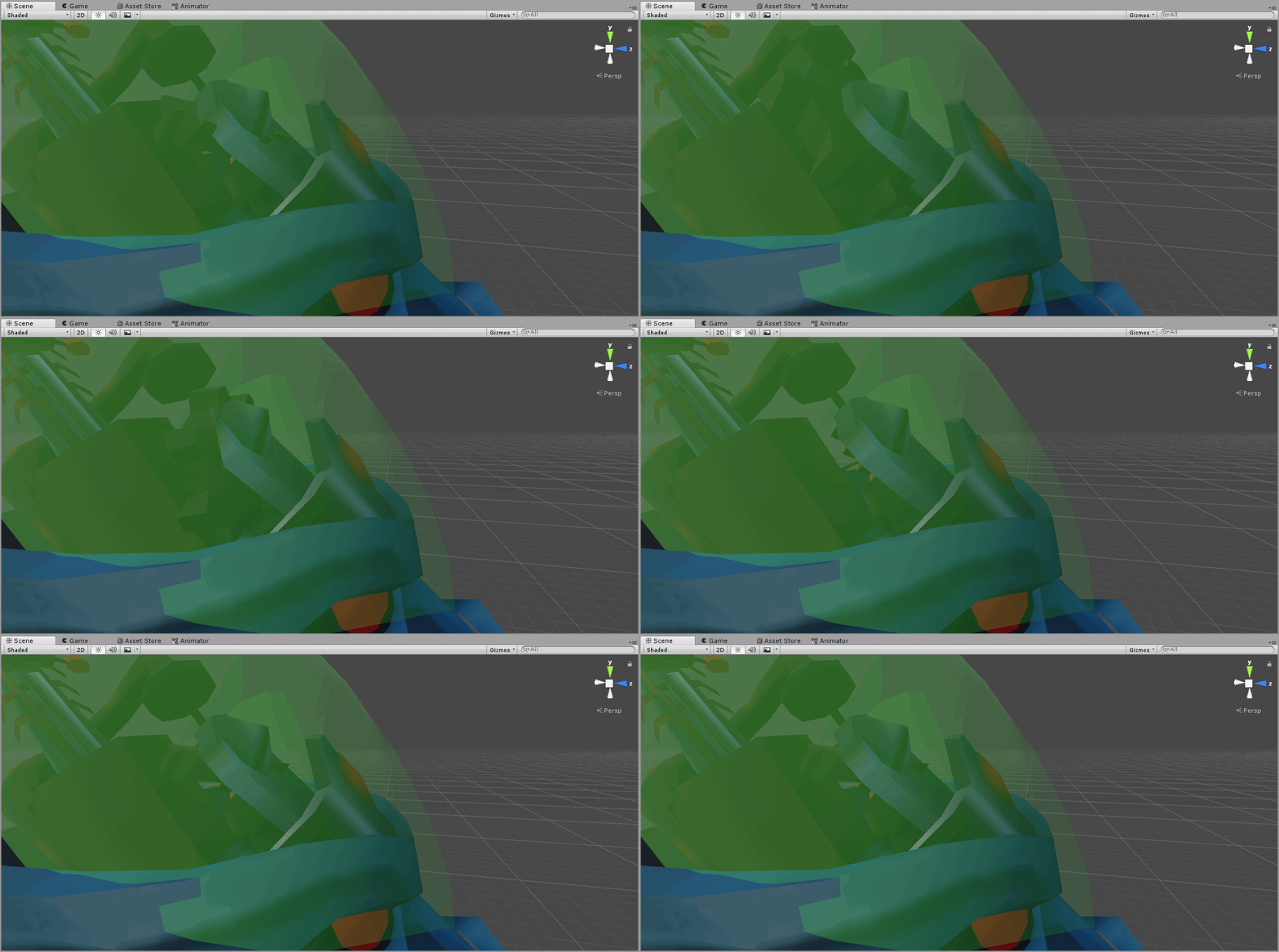
trying to record a rotation around the Z axis gets a load of other rotation too
https://i.imgur.com/wcDZCNZ.gifv an example
 torn pawn
you need to remove the weight form every other bone except the cog bone
vital musk
I thought I did that, will double check
torn pawn
easiest way is to seperate it, remove all vertex groups and create new vertex group, name it the same name as the bone is
and then assign
vital musk
Ah I'd separated it from the joined mesh before and it was still in the spine, neck and head vertex groups even if the bone wasn't weighted
going through them now
well, it stopped deforming
now it just won't rotate the correct way no matter what I do
torn pawn
change to local axis, and be sure the bone is positioned correctly in themiddle of mesh
not good http://prntscr.com/mdwbxu ; Good: http://prntscr.com/mdwc4y http://prntscr.com/mdwc8p


can select inner loop ring, then shift+S>cursor to selection, then select head or tail of the bone, shift+S>selection to cursor
and do same for upper/lower loop
so the bone is centered
vital musk
does this work if I put the cog as a separate mesh, or should I join it back with the body?
when I select local and try to set the cursor to the cog, the cursor gets stuck down near the global origin
devout igloo
@hollow perch I just checked my gesture overrides, and the only keyframes are 0:00 and 0:01, and they're all the same
And I've still got that weird bug with slow-mo gestures
slim sparrow
@devout igloo post screenshots of your animation window
For all your gestures ideally
devout igloo
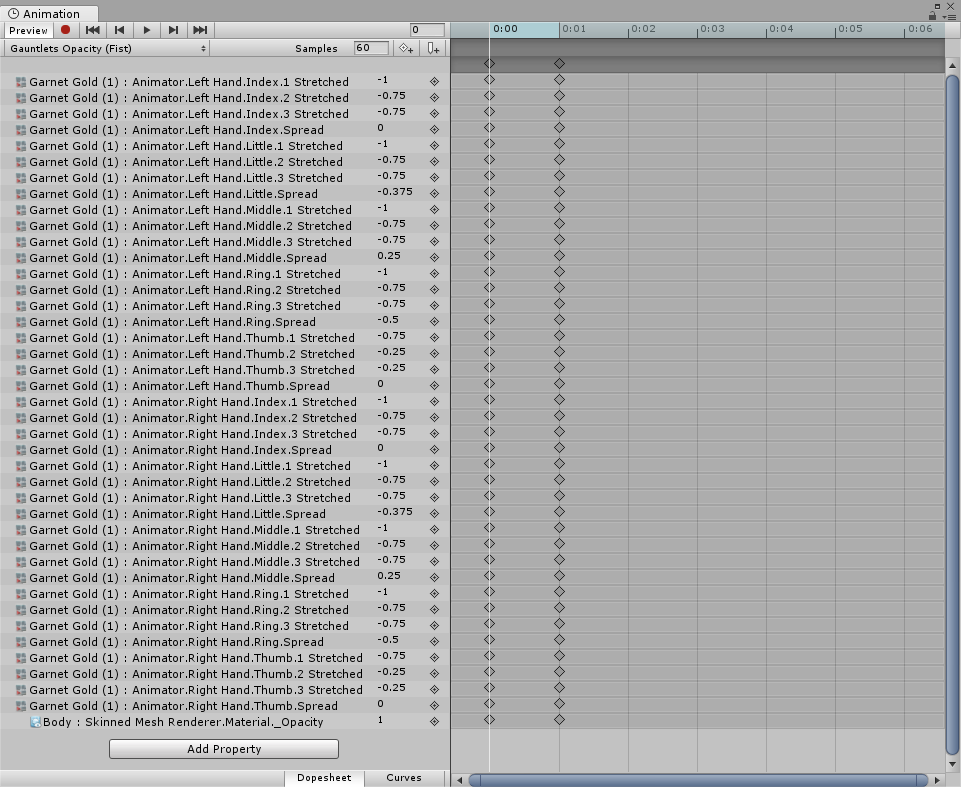
Those are my only two
Does it have anything to do with changing a material property in the fist animation, instead of just bone positions?
 verbal bone
alv
slim sparrow
Well if it's on fist it could be slightly buggy so check that first, try another gesture
Other than that it seems fine
clear yew
the first/open hand gesture is not a 'switch', it's gradually controlled by the trigger
if you make squeeze it slowly the 1 frame animation will play very slowly
all the other gestures don't have this
slim sparrow
It also gets stuck at like 5% when you release it
devout igloo
alright 🤔
vital musk
I've finally got the animation working, but since it's set as the idle animation and doesn't touch the avatar animator I keep falling through the floor
there's an idle animation 1 frame long in the SDK example folder, should I copy those keyframes to my idle animation (only moves the cog on the head around) or use the unity animator to transition between the example idle and mine?
I've checked blender and the feet are on the ground
devout igloo
Yeah it's probably best to add the changes you added from your custom animation to a duplicate of the default animation you're replacing
And my bug, my model's animator isn't an option to be added in the animation window https://i.imgur.com/zRIsbGC.png
So it's all just missing?
oih wiat
I never set her rig to humanoid
devout igloo
@slim sparrow I set it to a gesture other than the fist and it still happens T.T
I swear it doesn't like changing opacity
FWIW I'm also doing it on Nonoe's toon
 celest trout
Is there a guide on how to get vpd dance files working for translated models?
The only way I know for mmd dances to work is to have an non-fixed, non-translated pmd avatar so the animation will port fine.
topaz otter
Is there a way to crop an animation?
slim sparrow
Just open the animation in Unity and delete the keyframes you don't want
topaz otter
So if I delete all the keyframes on a certain timestamp, then it will shorten the anim?
slim sparrow
Yeah, just delete the last X keyframes
topaz otter
Aight cool
I've been trying to highlight it and press Delete like an audio file in Audacity
A few more questions
I've overridden the idle animation for my avatar using an edited idle from the example assets. Unfortunately this has turned the avatar 90 degrees and displaced it from the origin point. How do I shift it back?
Just moving the avatar keeps jolting it back out of place the moment the animation starts.
 limpid belfry
Sorry to interrupt your questions. I have a friend who's trying to animate a model they made and I can't figure it out and they can't figure it out and 5 other people can't figure it out, but for whatever reason, whenever he's trying to animate the hand on his model, the thumb resets itself to the default pose. He's tried animating it in blender and unity and the animation is fine in blender, but unity just won't let him animate it and at this point he's tried different unity versions and fresh projects and several new animation files and nothing is working for him
hollow perch
Is your animation using bones in Armature or the Animator.Left Something or Animator.Root Q type properties? Is your character rig humanoid or generic
limpid belfry
The character and rig are humanoid, but the animation only works if it's set to generic. No matter how he goes about animating it, it wants to reset it to the default rotations
hollow perch
Generic animation does not work with humanoid rig, period.
If it's a dance emote you can duplicate your humanoid fbx and rig it as generic, stick it inside your avatar and put the generic animation on it, and unhide it / hide your body mesh to do a dance
limpid belfry
That's not what he's doing. He's animating it as a humanoid. It's just a hand pose is all he's doing.
 idle junco
Hi, So I'm having a problem where yesterday I stopped working on my animation because it was late at night and did build and publish to check it in game and now today I'm trying to edit the animation and it works in unity but its still the one from yesterday in vrchat. I've tried changing the controller, the name of my avatar, deselecting and reselecting the controller in my avatar, & many other things but I cant get it to work. Help would be appreciated thanks!
 sick shard
Did you try copying your animation and test it out on another model ?
idle junco
The Animation is specifically for that avatar.
nocturne pasture
so, i recently met a guy with an avatar thatput pngs of damage taken on my screen because he hit me with a sword, but the pngs like stuck to my screen if i moved my camera, how does one do that?
spice urchin
screenspace shaders
nocturne pasture
oh, but isnt it like a bannable offense?
spice urchin
no
theres something called trolling and theres something called showcasing/having fun
if its not trolling or u don't mind it then its not like u need 2 report them 4 no reason
spice urchin
no
u can write ur own shader or just base it off anothee
probably already existing ones or examples online
 marsh ember
Does anyone has an example button prefab for me or can show/explain me how to do a soundboard like this https://www.youtube.com/watch?v=6GHR1ufi2P4&t=120
Is it even possible right now? because there is no trigger or scripts etc. whitelisted on avatars
spice urchin
you can make it with an object in the world, with gesture triggers, etc
also it was uploaded 4 days ago
hollow perch
It's possible to do through particle system colliders. Search this discord for stop action and you will find a short post by me and one by phase
spice urchin
and that as well
i was thinking of using that for a browsable menu for the avatar
with like clothing choices u can wear and etc
spring nova
Yeah, an actual menu for changing stuff is super complex. Sound effects are actually super easy though because you don't have to toggle them on and off and keep track of the state, you just pulse it off and when it gets re-enabled, the sound will play on wake
The basic idea behind turning particle collisions into animators is taking advantage of how stop actions disable the object when the particle dies. It's difficult to turn it around and enable a gameobject instead, but the nature of refreshing the object in order to use it's play on wake function is very easy
spice urchin
how would u make it for example click an item on a menu
spring nova
If all you wanted was to click a button, you'd make an animation for clicking that button and set it up so that when the gameobject gets enabled, it plays that animation once without looping. Then put the particle anywhere above it in the hierarchy and make it do stop action when it dies, with an animator that constantly re-enables it. So when it dies, it disables, then re-enables, then the button plays it's animation on wake.
Getting that button to actually do stuff like toggling is where it gets complex, and I haven't really dived into that yet. I assume how it would work in principle, but actually building it is sort of a different story
hollow perch
@marsh ember here's a prefab I have that plays a splash sound when you walk (it's intended to have the fixed joint connected to your foot) but you can repurpose this in a different way: put this component on each button on a soundboard and put a Is Trigger(?) collider on your hand on the correct layer.
also it plays when you release the particle from the collision instead of when you press it. probably so many ways this could be improved. it's quite sloppy
spice urchin
yea but thats only 1 sound
hollow perch
make 50 copies
spice urchin
what if u wanted multiple like soundboard
yea but what if u wanted to click each individually
hollow perch
I put one on each foot and a different sound file on each for example
hollow perch
maybe you can do it make them small and collide with UIMenu and make a UIMenu collider on your hand. and again make the collider really small
spring nova
if you want to use a trigger collider (which you pretty much have to in order for it to not mess with your movement) then the particles cannot collide physically, so you have to use particle triggers instead which are based on telling it a specific collider, not a layer
hollow perch
ah right - that makes so much more sense
and then you can do an outside trigger so you can make it fire when you touch it instead of on release
spice urchin
where u set that
hollow perch
I did it the way I did it because I wanted to collide with the world
Turn off the Colliders module in the particle system and turn on Triggers instead
and set Kill outside I think
enter and exit don't really work right so shouldn't matter
spice urchin
then does that do stop action
hollow perch
well that trigger or collider will run kill. the kill will trigger the stopaction
spring nova
anything that kills the particle will do stop action
spice urchin
and if so do i just have the particles and everything always enabled but disable the colliders when not using it
spring nova
as long as it's not looping and that's the last particle
spice urchin
and how do i make the sounds not just spam all at once when avatar loads
cuz they all gona be enabled under the particle
otherwise how it gona play when particle die
hollow perch
One way you put a separate animation somewhere in your avatar heirarchy that doesn't get disabled and turns on Play on Awake on your sounds. and upload the avatar with Play on Awake turned off
spring nova
Allow the sounds to play, but have a separate animator that sets all of their volume to 0 during that time period
spice urchin
o ok
hollow perch
well if you do that it will cut out all the voices in the room
spring nova
ooh you can enable the object then enable play on wake? That's much better
spice urchin
so for example u would do this:
u have sound inside each particle system
and volume is 0
when enable soundboard the volumes are 1
when trigger is hit it resets the particle and it plays sound
hollow perch
again I would do Play on Awake as a second trigger
as that's much friendlier to cpu
though unity might optimize volume=0
spice urchin
ok
spring nova
yes, I was just spit balling on the volume thing. 100% do the play on wake thing
hollow perch
I used the play on awake + enabled trick to do a (local/unsynced) sound randomizer. I have an avatar with 30 sounds on it and an animator switches around the Play on Awake every frame, then the gesture toggles all of them on.
spice urchin
ok
hollow perch
something like that. it's a lot of trial and error. I won't claim to understand it all really
spice urchin
can u do stuff with particle colliders like shoving people
bc the guns in the vrhome for example
those can fling people around
hollow perch
you can do some stuff with chairs
spice urchin
and i was wondering if u could blast someone out of existence
hollow perch
I made some mistakes with my animations and started picking up people halfway across the world
spice urchin
not as a troll but as a "wanna see something cool" lol
hollow perch
but it's dangerous and they have to be pressing the trigger to actually get in the chair
so they would have to cooperate
spice urchin
yea but can u not do what the laser guns do
spring nova
no, any colliders you make will be on the playerlocal layer and able to affect you, but for everyone else they will see it on the player layer. And player does not collide with playerlocal, so there is no way to fling other players
spice urchin
kk
hollow perch
it's a good thing avatars cannot collide with each other.
If you want this experience, maybe it would be possible to make worlds that attach objects to each avatars that do allow collisions for fun
spice urchin
i was thinking bc like
spring nova
other than letting them sit in a station then doing somthing to them, but that is of course voluntary and you have to click it
spice urchin
one of my avatars has this laser beam
and i was gonna make it push objects away
and stuff of the sort
as well as u kno kablooming players into space
spring nova
you can definitely make it push stuff, like pickups in the world if they're not kinematic
spice urchin
but yea ok i c
hollow perch
this stuff can easily get borderline obnoxious and get people to block you
hollow perch
oh yeah that's true. I stuck a huge plane under my avatar once to experiment with flying and every time I jump like all the objects in the world bounce around
spice urchin
i was also going to do something similar
where i had "telekinetic" particle
so i would pick up some prop so i owned its physics
and be like i can knock this down with the power of vrchat
and just knock it over from like a mile away
but i did it with a object in the world instead of my avatar
spring nova
yes, you can do that with avatar particles. 2017 allows you to add force to collision
spice urchin
i tried to do it in 2017 with a flame throwing avatar
but it would not work in game, applied no forces
in unity it could push anything
hollow perch
oh fascinating
spring nova
what type of things were you trying to push? and did they even collide in the first place?
spice urchin
also some noob managed to abuse it i think in a soccer game thing for vrchat
they would launch the ball straight into the goal
and ya just typical props like cubes or whatever u can stand on
hollow perch
can you customize collision force? could you use that to have particles with variable damage for a shooting simulation?
spice urchin
they don't do dmg
they just apply force based on velocity apparently
its like some multiplier
spring nova
you can customize a lot about the force. It can be tied to the speed or size of the particle with a modifier value for each
spice urchin
of particleVelBeforeImpact * multiplier
spring nova
but there's no way to (cleanly) detect exactly what that amount of force is
There are other ways to detect variable damage though
spice urchin
🐾
hollow perch
make a joint system with the object you are aiming at and a ball, and attach the ball to that ui slider prefab
and depending on how hard you hit it the ball will slide further
ah probably better ways yes
I'm thinking like those hammer ball games you see at fairs
spring nova
the ui slider is not as ideal as you might think. It requires very specific conditions, not just fling around and measure the distance
spice urchin
i kinda wish throwing was more accurate tho
spring nova
it's possible it could work, but yeah, better ways
spice urchin
throwing on desktop means hercules level of arm power
but in vr its kinda hard to throw if ur smal and its not accurate enough to the throwing motion performed
hollow perch
well if you had a particle thing you can aim much more precisely
spice urchin
stuff like that knuckles demo for steamvr addresses the throw accuracy
so its probably just bad way of calculating it
cuz sometimes i will like throw something forward and it falls flat or goes somewhere else
granted u can learn to throw in vr but u could just throw like irl instead
marsh ember
Ok ty guys for all the help, i am not that familiar with particle systems so i just watched Phasedragons tutorial on particle triggers. Can't i just put like 10 of this things he showed in my hand and make multiple cubes as triggers. So for every 10 systems i put in a different cube as trigger, so it get's only activated if i am in the correct cube. That would work like a particle menu, but how can i play sounds instead of activating particle systems? I have to look at your prefab @hollow perch maybe i get it to work
hollow perch
yeah take my prefab and turn off collider module and turn on trigger module instead in the Particle Sysrtem (edits)
spice urchin
and enable the colliders when enabling soundboard
and set to only use the collider for that button
hollow perch
and delete the fixed joint and rigid body from it if you're not using itdirectly in a hand (you can do that fixed joint thing on the overall menu object instead to avoid having too many rigid bodies)
spice urchin
u can use local space particles no?
spring nova
yup
hollow perch
mine are local space yes
spice urchin
wat de fixed joints for
hollow perch
it didn't work without them. something about IK
spice urchin
o
hollow perch
it rendered fine but collisions didn't happen
hollow perch
make sure to attach the fixed joint to something else. the prefab broke it and set it to None which will lock them to world, not what you want
spice urchin
ima make my own vers of soundboard first to test then try messing with the force and other things that can do
is there some sort of animator precidence
also i have a question
if there are sub emitters do they also get disabled on stop action
hollow perch
you mean if two animators touch the same thing? does the outer one fire or inner one
spice urchin
even if not a parent of system
spring nova
no, only the gameobject with the stop action
spice urchin
and no i mean if u have 1 animator then another runs after
hollow perch
the sub emitters will not die when their last particle gets killed. I think their lifecycle is tied to the topmost particle system
spice urchin
changing same properties
hollow perch
I think Wulfe meant if you make a particle system and make a subemitter in a different subtree, can you attach a stop action to that subemitter?
spice urchin
no
if u make stop action on main system
if it will also kill the sub emitter
or u put a sub emitter stop action
bc then what u could do is re organize
hollow perch
I think possibly the main system might not stop until the subemitter is done
spice urchin
u could have sub emitter in other places
hollow perch
it's interesting though. maybe you can use that to propagate object disables outside of an animator heirarchy
spice urchin
to trigger things in other parents without rigibodies
hollow perch
only thing I tried was parent particle system running, subemitter with 0 active particles, looping turned off, and after the sub particle died, stop action on the sub particle system does not fire
but there are lots of other things to test. you'll have to try stuff
spice urchin
ye
how ppl do a gun that fires only 1 time per activation but does not delete itself when disabled again?
the particle that is
spring nova
enable a dummy particle, which only lives for a moment then subemits your real projectile, but bring the real projectile outside the hierarchy of the dummy particle
spring nova
no
spice urchin
or do i just activate and deactivate the main system
spring nova
yep
spring nova
yep
spring nova
and play on wake off for the subemitter
spice urchin
wait i have a really cool idea if this work
u can have some random song generator or something that will generate by inactivating and activating subemitters in sequences
and they would just bounce back and forth and varying speed from animator
also is the beat saber avatar thing done with particle triggers or just sub emitters on death
torn pawn
does any1 know what's the issue with local particles being culled unless looking at certain angle (I assume hips must be in viewpoint), is it just VRC screwing up bounding box or?
 tidal elm
Hello there, i wanted to make an animation with some text mesh for an avatar but i saw a little late that it is whitelisted for world but not for avatar, and now i wonder what is the best alternative with the whitelisted stuff, some particle with text texture or something else?
covert girder
@tidal elm you can create a plane mesh with a text+cutout shader, merge with model mesh and resize via shape key to hide/enable 🤔 or a quad with a text texture inside of bone in unity
 shy jungle
yesterday i tried to do an animation but it wouldn't register the rotations i gave the avatar(yes i added the rotation to the components), i didn't really figure it out as i was too much angry to continue...
do i also have to add position even tho im only lowering an arm using rotation?...
slim sparrow
@shy jungle you cannot rotate humanoid rigged bones
You need to use the Animator properties like Lower Arm Stretch etc
Either make the animation beforehand in Blender or use Muscle Animation Editor
You can also add each property manually but I don't recommend that
 clear yew
is it still possible to have an animation to do writing in the air with your avatar when using a gesture? i tried following a tutorial and got every set up right but got this message from the SDK which makes me think it might not be possible to do it anymore https://cdn.discordapp.com/attachments/402349592244649996/540251550505893911/unknown.png
 covert girder
you need to remove the script for auto creation anim for the pen from your model
 halcyon shale
is there any possibility that someone can help me making animation to my model? i mean i do everything on tutorial by parts of body dont want to stay changed on keys. ps. i made that object can appear and disappear
clear yew
where do i find that script?
covert girder
@clear yew post on reddit (lol) says You need to go into the marker and disable the marker prefab maker script. should work once you get rid of that.
4:03 you can see here that script https://youtu.be/nKNvjIw5KwM?t=243

Link to the Snail Marker package: https://github.com/theepicsnail/Marker Link to the Muscle Editor I used in the video ($15 USD): https://www.assetstore.unit...
clear yew
the prefab in the marker folder i deleted and still got the same error
covert girder
@clear yew you need to remove it from your avatar, project files are not uploads with avatar
clear yew
i did. i guess ill just try restarting and see if that works
sharp pewter
I have two different hand gestures. One is a sword, and the other is an axe. If I have one out, and then I switch to the other, the other appears, but the last one doesn't disappear for a few seconds. Anyone know what I'm doing wrong?
clear yew
i have a similar problem, i pull out a spray can with one gesture and then spray paint with another gesture but sometimes the paint particles dont come out, or at least not immediately
 worldly star
So I'm trying to have a permanent tail animation. My previous method of making it looping legacy no longer works in-game. However it works perfectly in Unity, how can I fix it?
covert girder
@worldly star Animation component are not whitelisted anymore, you need to add 2nd Animator to armature inside and use not legacy but generic animation 🤔 from Entry and marked as loop, its kinda same process as before but with animator that more powerful and reducing "performance stats" due to two animators )
worldly star
Welp.
Yeah, now it's not working at all. :/
The tail is fine, it was working perfectly with the animation component.
hollow perch
Did you edit the animation paths to remove the Armature/ bit from each one? And it's not legacy? You should be able to test in play mode
New animators work just as well. Check pins in this group
covert girder
animation component is not whitelisted, change tail animation type from legacy to standard, put inside of box transited from Entry
spice urchin
@hollow perch actually is there any way to do the reverse of what i said
instead of me clicking a button / panel with particles
if the button would emit particles and people could click them themselves
hollow perch
If you are ok with being local you can set it to collide with UIMenu and people can activate it with the corner of their hand menu
spice urchin
could make the buttons on my avatar pushable
do hands not automatically have trigger colliders
worldly star
@hollow perch Okay what do you mean by removing the armature bits from each part? I'm copying the old animation to a new one.
spice urchin
in ragdoll games at least
hollow perch
Or make it collide with PlayerLocal and anybody with those touch your ears/tail collider hands can do it
spice urchin
hmmm
hollow perch
@worldly star if you put the Animator component on the armature, and you go to edit the animation on it, you should see if your keyframes turn yellow
spice urchin
to make the pressing part would i have like a copy of the mesh or what
hollow perch
If they are yellow it's because the path is wrong. Most likely it's designed to work from outside the armature so you have to press F2 to edit the keyframes and remove Armature/
Watch the tutorial in pins. I think it will do a better job of explaining the process than I'm doing
worldly star
They are blue.
spice urchin
u can also triple click
covert girder
you can edit bones pathes of keys via text editor of .anim file 🤔
spice urchin
why its a triple click i have no idea
i was literally clicking and double clicking for the longest time until i found out lmao
like the only app ive ever used with a triple click
hollow perch
My hands never had colliders. Gotta add them I think
handheld menu does.
Some visual effects can be done in shaders and those don't need colliders to work, just depth testing
spice urchin
the camera does also
ive placed things on top of the camera before
its rlly weird
hollow perch
Ah true
worldly star
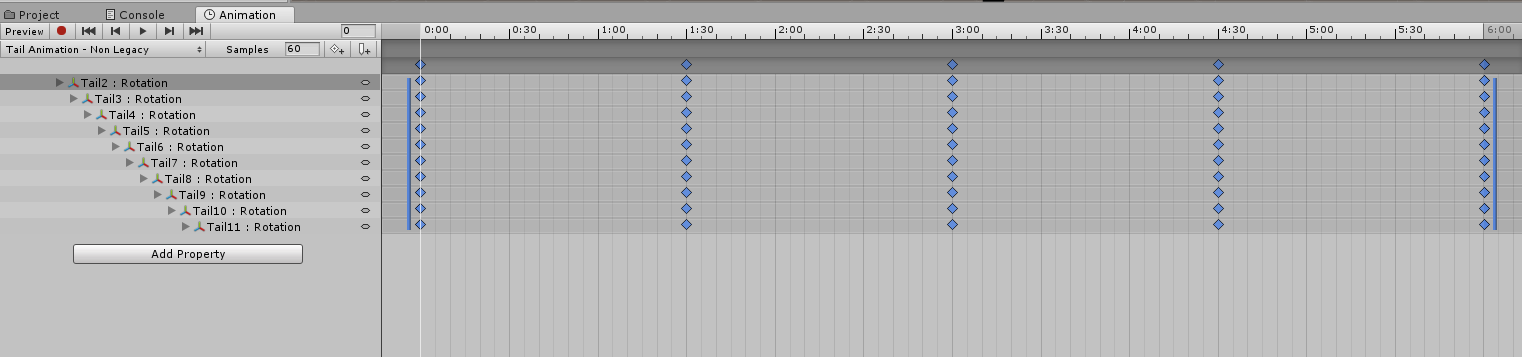 spice urchin
did u
- put animator in armature
- make sure all those are working in unity
- open the animator tab and make sure its correct
- set animation to looping
hollow perch
You must not apply any animator to your main avatar animator outside armature. That one must say None (Runtime Animation Controller)
spice urchin
yea in armature or any descendent of avatar
commonly armature bc u can have several animation layers
but also sometimes in the meshes for blend shapes
worldly star
Okay I'm not understanding what you guys are saying. I'm used to making an animation, turning it into legacy looping and putting it on the animation component. So... The animation works when I play it from the animation window, but doesn't work outside of it with the controller on the duplicate model.
worldly star
I know, I've been told this three times now...
spice urchin
and u also need to make sure the animator is set up correctly
worldly star
I don't know how to make it generic...
worldly star
Already did.
spice urchin
also again make sure that in the actual animator its something like
[Entry] -> [MyAnimation]
worldly star
?



 worldly star
My god they made making an animation so difficult.
spice urchin
it isnt that complicated really
u just copy the model
drag in animation u made or press to create one
do whatever stuff u want
make sure its right then put the animator on the original
worldly star
I'm sorry would you be willing to help me while I screen share on discord or something, if it's not too much trouble...?
spice urchin
- duplicate original model
- create new animation clip
- drag clip into duplicate armature or whatever to animate
- make ur keyframes
- test
- make sure animation loops
- drag the animation controller it generated onto original of #3
to make multiple idling animations for bones:
- ...
- Click the tab with the animation name in Animation tab
3.25) Press to create a clip
3.5) Name and store clip
3.75) Check animator window and place it in its own animation layer (WITH 100% WEIGHT) - ...
hollow perch
@worldly star did you watch the pinned video https://m.youtube.com/watch?v=iHQNw6Tg5-U&feature=youtu.be

Here is a quick tutorial on converting your legacy avatar animations to the animation state machine system. :)
worldly star
@spice urchin Thank you, it's working now.
No, I didn't.
spice urchin
yw
clear yew
object sync?
pseudo iris
huh
 rough lark
If I wanted to add an animated object to my model, say a fire. How would I go about doing that?
brittle flicker
Is there a way to change the jump animation?
hollow perch
@rough lark animated objects in the way you describe are often done using particle systems and shaders
brittle flicker
Also, what's the difference between "SPRINTFWD" and "RUNFWD"?
slim sparrow
Sprintfwd is used in worlds with very high walk speed @brittle flicker
Whether walk, run or sprint is used depends on your actual speed
So in fast worlds you'll always be sprinting on desktop
brittle flicker
Ohh.
Okay, so it's basically like "WALKFWD" but for worlds with faster movement.
hollow perch
Or if you are riding a fast avatar with a chair/station
brittle flicker
Would it be possible to have two models with separate animations in one avatar?
hollow perch
You want predefined animations like dance emotes? That can be done by having multiple duplicates of your avatar's model with different animators on each one inside your avatar, all unchecked (inactive) and activated through a gesture or emote.
brittle flicker
Not duplicates. I'm using two completely different models.
hollow perch
Sure that also works just as well. No requirement to be the same. of course the more separate models, the more meshes and textures will get packaged with your avatar download