#animation
1 messages · Page 94 of 1
 fierce bane
from what I understood you saying, changing the collision cube into a trigger would allow me to tell the muffin to be killed on collision with it, then sub-emit a stationary muffin. Correct?
Not what I had planned...but I guess with the limitations it's the only option
 torn pawn
i guess, a bit hard to follow when u dont have the thing in front, also every1 kinda has their own workarounds for limitations we have
fierce bane
I'm just trying to find a way to have it sit on the table until someone attempts to move it (push it, hit it, whatever) which doesn't really work if I have to lock it in place
If it's not possible, it's not possible....annoying as it is
torn pawn
im sure you can have regular colliders on props, but I was having the same issue of it freaking out when it's a world prop, but my friend has huge WoW ship that u can land on, so it should work 🤷
i avoid non-trigger colliders as plague tho, always give issues
fierce bane
bah damn...was really hoping
fierce bane
@torn pawn turns out while it freaks out for me and flies off into oblivion...for others it's stationary apparently
*with a collider
 placid wigeon
Anyone knows how Lens Flair works in VRC.
I added a light source with Lens Flare data on it and works in Unity but not on VRC
 slim sparrow
@placid wigeon this has bitten me before, and it seems like a stretch, but
Try setting the near clip plane of the main camera to 0.05
And then testing it in Unity
placid wigeon
Ouukay gona test it
Clipping Planes yes?
Its on 0.3 on default so im gona change it to 0.5
slim sparrow
Near clip plane should be set to 0.05 (not 0.5) for a more accurate representation of what it will look like in VRC. It's a bit of a stretch though. But Alloy's Glass shader looks different depending on the clip plane too.
placid wigeon
Still working normally in Unity
 spice urchin
have u asked what othr ppl c
spice urchin
not everything work in mirror or camera
bc vrcat not best at mirror stuff
so u gotta ask
theres also world cameras that it might work on
the carryable one no
 prisma trout
anyone here who can tell me why my worldobject animation wich spawns in a object that is not attached to me is broken on a few models?
One model has a flying mesh tornado, one works just fine and normal
 keen elm
What’s the best way to make an animation we’re a mesh is floating up and down on a loop
 unkempt sphinx
Any ideas on why I can't activate a object or plane with the animator? The animation root is on a empty but I've never had a problem with it before.
fierce bane
@keen elm set up an animation that just moves the mesh up then down and loop it as normal.
@unkempt sphinx you're not using legacy animations for it correct? I'd check the path for the animation to be sure it's set right too. Past that just activating an object is rather simple, I'm not sure what would cause issues for you.
keen elm
so i should just pan the mesh up and down slowly with the arrows while it records in the animation? or would it just snap to the spot?
 stray sinew
I snapped it to a spot with my animation. I have the default spot for first key then I lift it up a bit for second key and copy paste first key for key three. Then adjust the length it takes between each key to get my desired float speed 🤷
keen elm
oof that would cause snapping though?
stray sinew
I don't see any, I just see it slowly going up and down 🤔
 thin lake
Please tell me on which site I can find crouch and lay down animations...
The deafult ones suck...
stray sinew
I don't think crouch can be edited and lay down can be easily made.
thin lake
Let me correct you, you can easly make it...
If I would know it how I would not come here to ask...
stray sinew
No, the process to doing an idle animation is beginner level. The lack of motivation and knowledge is on the person. Anyway, check around in the community servers, more animations can be found there.
 mild delta
Auch
 tiny seal
So..... MMD motions to unity is there a tut somewhere i can look at? I just keyed out like 150 frames because I cant do the dance correctly so I just animated in MMD
 hasty creek
Hey guys can someone help me real quick? I made a music animation I want to put on a hand gesture but if I stop mid song then do a different gesture it plays the same one. As well as the audio being off from the animation! Please help!
stray sinew
@tiny seal In the pinned message, the 3rd one down talks about VMD to Unity🤔
haven't tried it tho
unkempt sphinx
@fierce bane im not using legacy no. I'll show a screenahot of the setup soon once I get my pc on again.
unkempt sphinx
https://www.youtube.com/watch?v=Rk7yui8F62s&feature=youtu.be Recorded the problem I'm facing. I can't seem to get the object activation into my animation.

 static hollow
I accidentally played an animation on main avatar I need to upload and now I don't know how to get it back into t-pose. Does anybody know how?
stray sinew
@static hollow Pinned message , second down
static hollow
thank yous <3
 still hill
does anyone else have animations with texture swapping that isnt swapping anymore?
 granite sapphire
quick question, is there anyways to mimic visemes/blendshape of the main body into another mesh ? ( basically using 2 body in an animation rn and the second one obviously don't have visemes and it make me sad, material swap isn't an option either )
I guess it won't be possible without scripts ?
torn pawn
don't think so ^
@still hill yes, new update screwed up material swaps and skinned mesh toggles, they do not show up in mirrors locally
granite sapphire
oh, that's why i don't see my sweetheart.

♥ Well, thanks for this quick answer.
Let say the ice made my lips stuck Kappa
 onyx pagoda
Why so frosty?
 winter sundial
It won't let me animate a non-avatar object? (generic)
It's made of two meshes, but I can only animate the root object, not the meshes. I can move and rotate them all I want, it doesn't make a visual difference
torn pawn
? be more specific
winter sundial
I dragged a prefab in, but using animations I can only animate the root object (in my case a coffin) and not the base or the lid of the coffin. It just stays in place.
I managed to find a workaround, which was destroying the prefab object and then adding the animation to the lid and nothing else
tiny seal
I ended up doing motion capture for the dance I tried the way with mmd but it didnt work
spice urchin
u can use mmd
u just need a mmd rig that set up correctly
then when u import in unity u gotta map the bones 2 humanoid
but another thing is hip and spine not parented right
so u gotta fix after import mmd anim
torn pawn
don't need to do that, can use mmd4mecanim in another project and it converts vmds to perfectly fine working ones
 patent crane
Song --- https://www.youtube.com/watch?v=w8FgSWEpK5o Discord ---Neko#1444 NAS --https://discord.gg/cYGWTcs Instagram --- https://www.instagram.com/neko_anima...
 naive isle
Is there a way to change the fps for an animation in unity?
I made an animation with different shapekeys but it's way too fast but if I stretch out the shapekeys to make it slower the transition between the gesture overrides take way too long on VRChat.
stray sinew
I think its the sample number somewhere underneath the forward button
naive isle
That helped slowing down my animation thanks but the other problem is still there that if I change to neutral or another hang gesture override it takes like 10 seconds until it's completely changed
 clear yew
How would I disable my blinking animation (located on the body) in a gesture? I must be doing something wrong
is it a custom blinking ?
yes
@clear yew
@clear yew try this package by Rokk
explanation are inside
https://www.dropbox.com/s/779satbwpjhx5tk/Blinking.unitypackage?dl=1
thin lake
This is the first time I need this and no one comes with knowledge preinstalled so tone down big boy... @stray sinew
I'll learn it later but now I just want something simple that works better than what it is now...
stray sinew
👌
spice urchin
gestures are only 1 frame long always
u need animator or legacy animation (not supported anymore) 2 play longer anims
clear yew
Does anyone know where to find existing prone animations and/or how to set one? I'd like to give my avatars a sitting on the ground type animation for going prone. Just @ me if you have an answer, I have this server muted ;;
naive isle
@clear yew Maybe you can find something on Mixamo.
 undone glade
Is there a way to get the looping animation working for sort of a material change? Tried the whole legacy conversion and it doesn't work.
clear yew
@naive isle I found one or two but that's it.
fierce bane
@undone glade don't use a mirror or camera to compare...currently they don't show the change properly but only locally
(IE making legs invisible and using a second set for posing, you'll see both)
spice urchin
world cameras and other friends can help too most of the time
clear yew
hi\
 stuck spade
someone knows how the fix the viewpoint? Lets say in the animation the avatar is alot more right then the viewpoint, so i was like setting the viewpoint there because its an idle, if i do that its still too much right like nothing changed.. so anyone knows a fix ._.
 muted prairie
I don't think the viewpoint can be moved on the sides
tiny seal
Shouldn’t you be able to move it on the x and z axis?
spice urchin
ur avatar prob not centered
stuck spade

thats the viewpoint i did
and ingame its https://cdn.discordapp.com/attachments/470265570340896778/510951158949478410/VRChat_1920x1080_2018-11-10_23-57-09.504.png

if i put it like the first picture it doesnt change anything but if i put the viewpoint up like 1.6 or more it works but i only see the half screen then.
is it because of the generic ava or something?
also @spice urchin it is at point 0 0 0
spice urchin
ye but generic avatars animate whole entire thing
and also feet have 2 be equally spaced from 0,0,0
stuck spade
yea but that shouldnt glitch the viewpoint?
anyways i found a temp fix. I used the flat lit toon shader and made it invisible from the inside so i can see the whole screen fine
stuck spade
do custom crouch animations work on generic avatars? Anyone knows?
 fervent leaf

not sure what i did wrong
the lower half and top half of the body dont seem to twist right
fervent leaf
trying to import a motion from mmd into unity

 candid bison
that looks dope
clear yew
all those colliders tho.
clear yew
Working with animation, but when I click cutout and try to animate something to cutout when activated it cuts out all the other things too, is their a way to fix this?
fierce bane
none of that requires colliders though, just simple particles >.>
clear yew
@tepid mango
 wooden prairie
I'm attempting to put a gun on my model but the projectile does not emit from the muzzle in game
Sometimes I see the projectile when I fire and it behaves like I want it, but it doesn't originate from the muzzle
In Unity, it behaves as I want it, unlike in game
 tepid mango
@fierce bane the particle is just testin, the video is about the cape
fierce bane
Ah my bad misunderstood.
 thorn idol
@wooden prairie did you do the fixed joint trick to fix the gun to your hand?
wooden prairie
Fixed it
clear yew
first attempt at particles
https://i.imgur.com/3jxEcOy.gifv
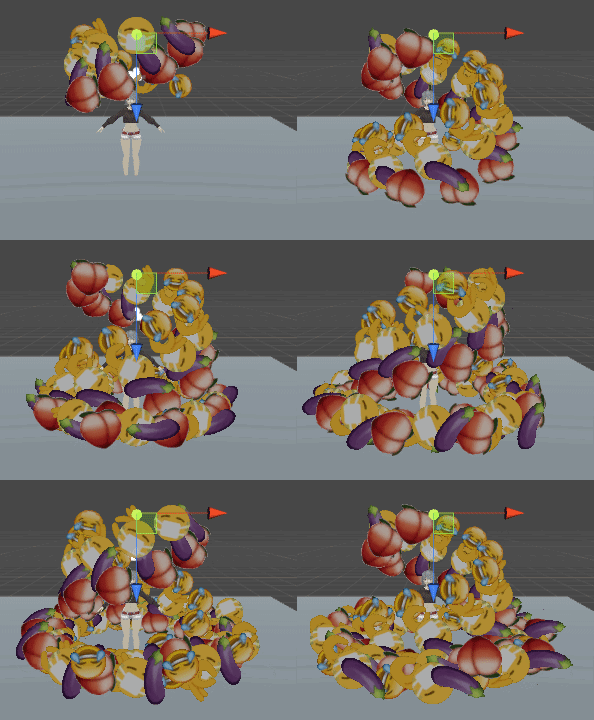
make the start size and starting roation random
so you have more diversity
hmm.. true
you can maybe make them bounce slightly more and not completely stop
would make them less "rigid"
How do I bounce them slightly?
i've been trying for hours
in the collision module
you have the"bounce" option
chose 1 or 2
Tried doing 0.1 and lower for bounce.
I'm trying to create a natural,normal ball bounce
change put a small dampen too
so they dont bounce into the sky
dampen will make it lose it's speed
so if you put dampen 1
it will instantly stop
hmm.. they now just bounce up less, and still dissapear
ofc dissapear is due to lfietime
yep
Is there a way to make them bounce up and down?
found it.
Gravity modifier right?
yeah
give them gravity
and make them fly up at first
you are using cone shape i guess ?
yeah
make it point up
and give them gravity
Thanks for the help btw!
np
got it as I wanted!
torn pawn
@clear yew make sure that you have Blend probes enabled in the Render tab, or use unlit shader, otherwise in baked light maps they'll be very dark
clear yew
Ayy!
Thanks!
muted prairie
Use size over lifetime so that they don't instantly disappear
thorn idol
man i wish i had kind of the imagination to make up things i would particle up
 solar birch
hey does anyone know how to do throwing animations i have an object i want to throw on my character and dunno how to go about doing that, does anyone know a good tutorial on this?
 lone verge
so i'm trying to make a doctor who themed avatar, and i was wondering how i could have the tardis spawn in, but stay in place? so it doesn't move when i move :)
clear yew
@solar birch you mean throwing as in throwing an object from your char as you move your VR hand forward?
solar birch
yeah like that or something similar, i have an object to throw but i don't know how to actually do that
clear yew
I have found an iffy tut that explains how to do it

but this is my 2nd day with particles
but from what I can gather
you can do the throw stuff by putting an invisible trigger infront of your hand when it's activated with a gesture
solar birch
alright thanks, ill check it out
clear yew
I should have paid more attention in math class
velocity over time curves r being a big mean
 magic reef
anyone have a basic grasp of particles and want to help me with some water?
clear yew
Can someone tell me how to animate removing a mesh from the avatar with a certain fingerpose?
spice urchin
kona i think u can assign the fixed joint rigidbody
wooden prairie
My gun shoots a mesh projectile that explodes on collision with anything. Is there a way to make the explosion emit a sound?
Also, how can I have the projectile continue its lifespan after I let go of the gesture key?
placid wigeon
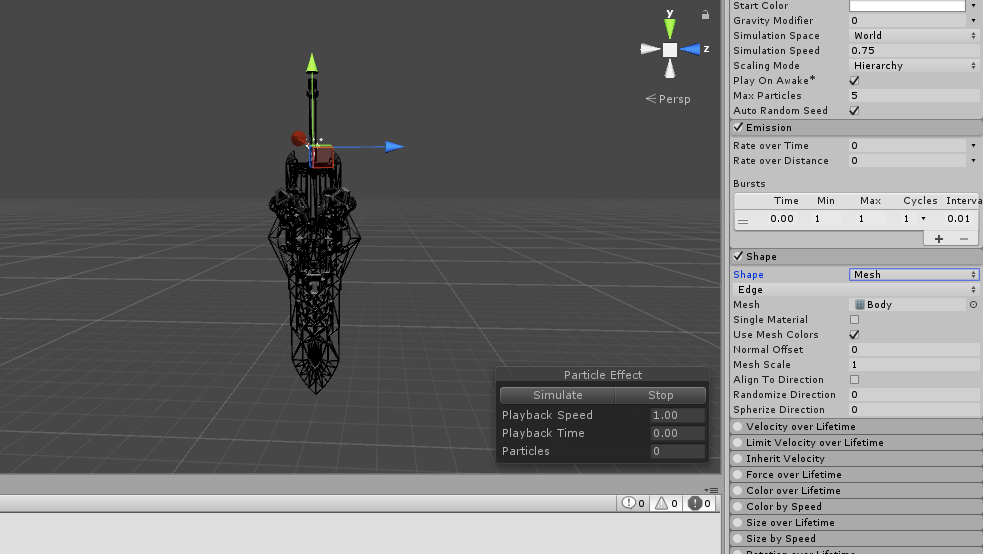
Anyone knows how to add textures in a Particle system
im trying to make a Mesh Particle
https://ibb.co/jeC7nq
 tall frost
how do i make models use different animators? i tried making a new animator on a different model but its still using my other one
fierce bane
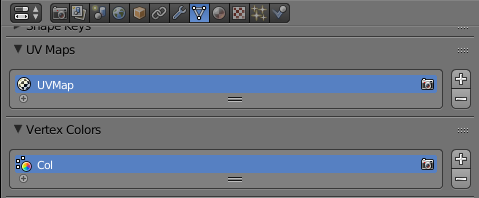
@placid wigeon Make sure your meshes are joined and that it has only one material. And only one sub-mesh (like UV Maps or Vertex Colors. In your case UV Map only)
https://i.imgur.com/KrisGaB.png
 fierce bane
Yep
placid wigeon
w8 how do i do that in Blender?
fierce bane
see image above. Select the mesh in use for this
make sure there's only one uv map, and no vertex colors for it
placid wigeon
well its one
https://ibb.co/nyKbfA
 fierce bane
did you merge meshes as well, so you only have one?
placid wigeon
Doesn't Cats merge materials already?
fierce bane
materials and meshes are different, check in the top right for multiple
and cats only merges same materials
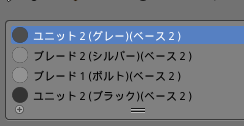
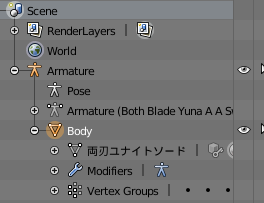 fierce bane
multiple materials. That was one of the things I mentioned had to be ONE not multiple
a particle can only accept a single material, so the mesh can only have a single material
placid wigeon
How to merge Materials?
fierce bane
You could use CATS "optimization" section to create an atlas to turn it all into one material more easily.
Just make sure to copy the combined texture (usually in your .blend save location) over to unity as the texture
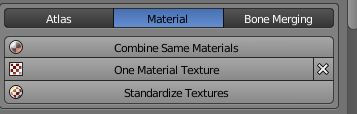 fierce bane
I did say "create an atlas" and that's not the atlas tab
 orchid trench
Not sure where to ask this so I'll try here. Is there a way I can make a trail marker that doesn't show up on the vrchat camera?
placid wigeon
Ohh nice it worked thanks man
 icy crow
@wooden prairie afaik there is no way of emitting sound from particles. And to keep the particles alive after letting go of the gesture, enable the emission component instead of enabling the whole particle system
So have the particle system enabled by default and disable the emission by default
wooden prairie
Could I get an example?
fierce bane
Instead of having the particle system off by default, and enabling it with an animation, you instead have emission disabled by default, and enable it with the animation.
So when you use the animation the emission will start and fire off the particles (if you just want one or a set number, use burst emission instead of over time).
When you release it goes back to emission off and can fire again when next enabled
wooden prairie
I see
 obsidian vigil
so...
im tryna make this beam thing
i made 2 -3 before
though, everytime someone walked through it, they either lagged like hell or (before particle limiters) even crashed
 unkempt moat
And limit how much gets shoot out
obsidian vigil
this problem i had was that it didnt look fluid enough
it looked chopped up
the beams had about 40k
well, i gave it to someone and they shot at me
i didnt lag
maybe cuz my pc isnt a potato
🤔
jeez
slim sparrow
@obsidian vigil beams are hard
obsidian vigil
ill still try to make beams though 😄
ive done it before
and i guess potato peeps may lag
but idc
slim sparrow
First of all
slim sparrow
In the renderer
Turn off cast and receive shadows
It's on by default and lags like fuggg
Also try to turn off blend and reflection probes
fierce bane
if you're just making a beam you could always use a capsule, cylinder, or custom mesh instead of tons of particles
 low relic
Am I missing anything? https://utau.needs-to-s.top/4dc698.png https://utau.needs-to-s.top/0f150f.png https://utau.needs-to-s.top/660591.png


 fierce bane
can even use a custom one to change the root point out of the center of the mesh so you can just scale it outwards to have it "fire"
that's...not where you put a custom override
low relic
where do I put a custom override?
fierce bane
avatar descriptor has standing/sitting override slots
fierce bane
screenshot your setup?
low relic
which part?
fierce bane
the inspector for the main avatar (top level above armature/body)
low relic
Im getting somewhere
the shapekey is being applied
but all the time
I think I messed with keyframes, now unity crashed, lemme try redoing the anim file
low relic
this is the 67234th time Im trying to do this, all I want is 🖐 to do 😄
I dont want to give up, but I also have tried EVERYTHING
either new sdks and stuffs has changed since all the tutorials came out, or Im doing something dumb
also, this has nothing to do with the armature, since Im changing a shape key on the single mesh, and have had proof before that the shapekey does work ingame
oh, my, god.
fierce bane
you just need to have an animation that sets your 😄 blend shape on the body to 100. That's it
low relic
the animation was applying to the mesh instead of the entire avatar prefab
fierce bane
you don't need an animator component for it at all, just an animation that does what I just stated
low relic
yep, yep, its working now
I DID IT
100% of my problems were caused by me having the mesh selected instead of the prefab
wooden prairie
Okay so I've enabled the particle system, disabled the emission system
Went to the animation model
Which Emission.Module.Bursts.array.data do I use to fire just round?
Or is that not it?
slim sparrow
emission module enabled property
wooden prairie
I have that on
And gun does not emit
However, the projectile is trailed by subemitters to emulate plasma round
Shootjoint
Particle
trail01
trailB
collision
Particle is a mesh set to collide with everything, kill on collision, subemit collision on death
wooden prairie
How does one create a controllable projectile?
slim sparrow
Particle with either constant force over lifetime relative to the emitter (and limit velocity), or something else
Other method is more instant turning
fierce bane
"Inherit velocity" to steer with attached point, and "velocity over lifetime" to keep it moving forward
obsidian vigil
@fierce bane just a cylinder looks shit tho
Imma stay with lagging potatoes instead
wooden prairie
Is there a eay to make particles converge on one point?
slim sparrow
Give them negative speed and have them emit from the edge of the shape you're using
 gray briar
I have a waterfall that I want to have users toggle off and on. I already have a working toggle for my mirror, but I can't drag the waterfall system into the Mesh Filter like I did with the mirror cube because the waterfall is a particle system. How do I link the on/off button to my waterfall like I did my mirror?
gray briar
I wouldn't know how to animate the emitter to zero on user interaction. I don't know how to toggle the whole component if I can't drag it into the Mesh Filter.
oh I just noticed I can add a toggle component to the waterall
I'll mess with tat
clear yew
@gray briar no no no no no, use setgameobjectactive or setcomponentactive
gray briar
that's on the programming level, I have no idea how to program a script
clear yew
this is basic vrc triggers and events, please look into them
gray briar
ok I will, thanks
clear yew
What's the difference between world particle and... not world particle
fierce bane
World particles have their movement and rotation based on the world. So if you drop a world particle and move it'll stay in place and not move around with you.
A Local particle always follows you. So like a floating orb next to you, if you jump it moves with you.
low relic
How can I set the name and description for emotes?
torn pawn
@low relic emotes use name of the animation file in override controller
low relic
I figured for that one, but what about the description at the top?
oh, those are hardcoded into the game....
 upbeat stratus
So I am not entirely sure if this would fall under animation but I feel like it could or it is partially to be the problem. So currently I have a sphere set to my Index_Tip. Under the hierarchy of the sphere I have a particle effect that shows up in VR Chat mirrors in the position it should be, (on my index fingers). However, when I look down at my character in VR Chat, the particle effect is at my hips instead of my index fingers as I move them around in VR Chat. Does anyone know how to fix this?
 hollow perch
I think IK Follower is supposed to help with particles on your body parts
You just make an empty game object on your hand or index finger or whatever, add a VRC_IK Follower component to it, and then put your particle system objects inside that
 flat cipher
It's not great though. I think you can use a joint for a better effect, but I'm not sure
Ik follower seems to keep your particle on your third person desktop animation when you move
wooden prairie
I am attempting to make a shoulder mounted missile launcher fire a burst of five in a wide spread that all converge into one point and controllable by hand direction
Would a particle system emitting a colliding mesh subemitting a flare effect in a cone shape with Velocity over Lifetime and Inherited Velocity fixed-jointed to my hand work?
 pine hinge
Anyone know how to make a simple gif on an avatar?
Just a 2d image.
ping or pm me if you can help me out ty ^^
hollow perch
I would look into something called a flipbook shader. Basically you make a texture containing all of your image frames in a grid, and the flipbook shader will cycle through the frames one by one
torn pawn
i suggest using particle texture sheet cuz u can use shader of choice
also flipbook shader plays in background, so if you have an audio + gif it will be desynced whereas particle plays from start, overall it's better to use particle for gifs
slim sparrow
Model snaps back to world position 0 during animation, any way to prevent that?
torn pawn
@slim sparrow animation probably has a key that resets position?
slim sparrow
Nope, it's on a freshly made animation
I mean during animating, I should have been clearer
I fixed it by putting the model in an empty game object and adding its own transform to the animation properties temporarily
I had to animate the model in a specific position since it has to match another model's animated pose
clear yew
How do you warp the vision of others like some did with bass drop sounds?
a massive sphere with distorted materials being launched?
 alpine mason
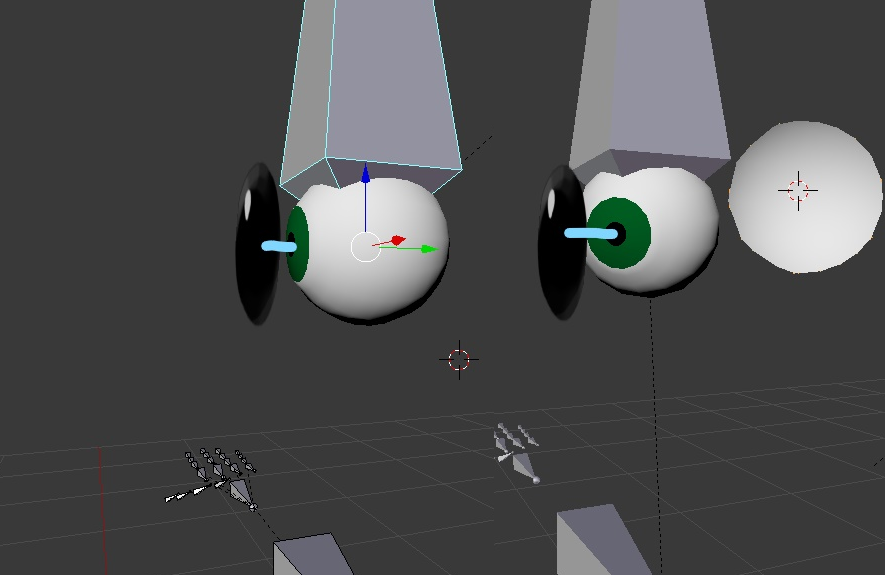
On an avatar with eye tracking, is it possible to have Z axis position constraint in order to have 2D eye movement? Like with a Unity Joint or Bone transform lock?
...to have the 2D eye follow the 3D eye only on two Axes: https://image.ibb.co/ngF8FL/Screenshot-21-LI-comb.png
 slim sparrow
2D eye movement? You mean side to side only? @alpine mason
No rotation, just side to side movement?
Not exactly possible, but what you can do is put the eye bones really far back and put very little weight on them
alpine mason
Oh so there is a weight parameter, as I worried that putting the bones far out back would also affect the rotation of the whole eye.
slim sparrow
Depends on what you have it weighted to
So wait, you have 2D and 3D eyes?
@alpine mason
You can still do what I described, but you gotta make sure the regular eye bones have regular weight on them, and they have child bones for the 2D stuff
alpine mason
The 3D eyes will be hidden (mesh removed), I am just using them as a template for eye tracking.
 pearl egret
I'm curious about that too, @clear yew . I think they use a shader for that effect.
 unreal creek
Anybody that is decent with particle systems, specifically gun animations help me figure out what is the issue with my sniper shot? I would like to screenshare if you are able
torn pawn
@unreal creek describe or make screenshot/gif of what's the issue
unreal creek
@torn pawn appreciate your response, just left for class and I'll be back in about an hour, this is best explained in screenshare, since it will require a lot less effort
clear yew
I need some help guys!
trying to do this: https://vignette.wikia.nocookie.net/bendy-and-the-ink-machine/images/2/23/AnimBendyWalk.gif/revision/latest?cb=20180517190448

see the ink effects on the image?
I need to know how to do that.
unreal creek
@clear yew That's going to be a shader, or a mesh with blendshapes
unreal creek
Not much help someone can provide here without coding a shader or actually creating the meshes and blendshapes, most likely it is something that you will first have to take out of unity and create in a 3d modeling software
clear yew
okay. can anyone who knows how to do this help me out with this?
unreal creek
Are you wanting it to shimmer like it's moving or actually see the ink move like on the glove and the teeth
One option is a lot easier then the other
clear yew
I want it to move on it's glove/teeth/and face.
someone please help.
I'M LOSING MY SANITY.
clear yew
nvm. I'm not going to do it.
I'll just keep the model visually accurate and not steal any ideas off of the internet.
clear yew
I've seen people placing world particles and being able to manipulate other people's screen and such.
is it possible to create a world particle and once a person sticks his hands inside the world particle, it spawns something in it's hand?
 hoary coral
If I put a mini-avatar on my Head and put an animator on it, can I modify the animator parameters with a gesture somehow?
 dark viper
Can someone help me with this animation? So I have this idle animation, but whenever I crouch, it does this monstrosity to the legs. https://i.gyazo.com/fb5da55b8c296bcd108f69daf047c217.gif

I used the "idle-sample" from the vrchat sdk and added what was once apart of my legacy animation since whenever I tried to do an idle animation of the mouth movement it on its own it put me into the ground. but it does this for some odd reason?
It basically inverts the legs on themselves?
muted prairie
I'd suggest bending your legs a tiny bit in blender, they might be too straight
dark viper
It didn't do that before to the idle animation that was previously on the model (It was the normal one), so it can't be the model itself
but if I do go the route of tweaking the model in blendr I'm not exactly sure what I'd tweak
muted prairie
In that case you can try making your own crouch idle
dark viper
Is there possibly a link to a base of the regular crouch idle? I may be able to overlay the crouch idle with the one provided by the SDK
Looking in sample assets and there's not one there
muted prairie
The animations are in the SDK, just type idle in the search bar
dark viper
thank!
 paper haven
Hey, I have a copy of my model hidden that'll automatically do a dance when activated, how do I leave it where it's spawned while the player can move around? Using a fixed joint with nothing inside seems to spawn it at the world's origin
fierce bane
@paper haven fixed joint with no connected body is the way to go. But you need an animation controller with a looping animation in it that resets the position of that anchor to you and gets deactivated when you want to drop the object (dancer) down.
Fixed joint is fixed so unless it's being reset to you it'll stay at spawn.
uncheck gravity, set drag/angular drag to infinity and that's about it for the fixed joint.
Gesture should enable the joint and disable the animator restting position/rotation..
See Rokk's World Object prefab. I'd recommend it even if you know what you're doing as it is hard to disable an animator via gesutre otherwise.
paper haven
Alright, thanks for the in-depth response
fierce bane
This is the prefab I mentioned: https://www.dropbox.com/s/jyqwkrxevr5utcy/WorldObjects.unitypackage?dl=0
 paper haven
I've been messing with fixed joints and stuff for a while, I've just never tried disabling animations, I didn't know it had a prefab for it
So basically the animator will constantly return it's position to yours and then doing the hang gesture will temporarily disable the animator while it drops the model down? if I'm getting that theory correct
hand*
fierce bane
animator sets it to 0,0,0 for both position and rotation, adjust the position and rotation in a child of the fixed joint object to ensure it sets up properly.
fierce bane
0,0,0 is a local position since it's only affecting the transform values
which is why it resets to wherever you place it on you
paper haven
Yeah, alright
fierce bane
I think that prefab had an example scene but I'm not sure there.
paper haven
Thanks for the detailed explanation, I'd heard of certain things to disable animators but never knew they were freely available prefabs
I could've used it a few times
also wow my PC hates running VR and any of these programs at once, lol
 half harbor
How can i make an animation that rotates an object and then sticks to that position?
i have the rotation but it keeps repeating/returning to its original position
hollow perch
Is it always supposed to at the same place or some other trigger will come in that should pause it sudddenly on the spot?
Have you tried just turning off loop
On the inspector window of the animation clip
half harbor
What im trying to do is make an animation where my Arm cannons on my avatar rotate, stop, and fire
hollow perch
Ok so you want them to stop in place.
half harbor
yes
hollow perch
I think that's a job for the good old behaviour toggle
Like rotate around the arms visually? Or like a turret
half harbor
i already have the actual rotation but i need it to lock in place after it rotates
hollow perch
Is the animation predetermined? Or you want them rotating while holding a gesture and stopping when you switch out
half harbor
rotate and stop on the same gesture
hollow perch
Because I still think for a rotate, stop and fire, that can all be controlled by a set of three things done in order in a set amount of time an animation with loop turned off
The trick is you can't do this in a gesture because they are only allowed to be two identical frames
So your gesture sets behaviour enabled on both of your cannons
And the cannons have the animator that has the rotate stop fire logic
Download a prop toggle package just to copy paste the Behaviour.Enabled thing out of it
half harbor
Thank you for the help, but I'll just play around and see what i can do
hollow perch
Also of note, to "reload" (reset the animation clip) I think you need to toggle the whole object for a frame which might make the gun flicker. You can put that bit on an emote or another gesture or probably come up with something more clever.
hollow perch
Ah cool. Often Lots of different ways to solve things.
 serene lava
For some reason I can't make a curve in the dopesheet
I've tried making the key tangents free already
placid wigeon
Is it possible to add an Audio file in a particle when it collides via Sub emitter
clear yew
no
placid wigeon
man i wanted to like play an audio upon impact of the particle
clear yew
@fierce bane Is that world object package you dropped here just a world object with on/off/reset anims? edit: read the readme... yes it is :-)
unreal creek
Is there any way to keep an audio source running even after a gesture has been stopped, say if you want the gun sound to still ring even after the particle system has been deactivated?
hoary coral
If I wanted to add a prop to one of my avatars and wanted multiple animations on it (lets use a gun as an example where I want the slide to pull back, the hammer to cock, etc) is there a way I can setup an Animator on it and then trigger the different gun animations via a gesture override?
hoary coral
basically, all I want is to trigger a multi-frame animation on a prop every time I use a specific gesture
but the prop is already active and I don't want the animation to loop
clear yew
you will need to use the behaviour property to activate the animator component
animator component can't be enabled or disabled through normal mean
you need some fuckery to make it work
hoary coral
so, disable the animator on the prop, and on a gesture set behavior enabled to true for the prop animator?
clear yew
yes
and it will activate the animator component
that's how you enable or disable animators
hollow perch
Ya if you want multiple animations you can stack multiple objects with animators inside each other
Have all the animators disabled by default, turn behaviour.enabled for the one you want in each gesturr
hoary coral
alright. thx for the help. Annoying that you have to use behavior enabled but it is what it is
hollow perch
Also you can reuse same gestures for multiple objects and activate them using the emote menu by stacking two more nested animators, one turns on the stack and one turns it off (this is what vrc inventory system does)
So basically a big nested blob of animators for each prop you want control over
clear yew
an absolute confusing mess that suffer a lot from sync problems
so in the end it's more of an hassle than anything for me
 little copper
does anyone know why when i export an mmd animation to unity, it doesn't move the mouth and blink? (i converted it into fbx on blender, and there is working)
clear yew
maybe it cant find the proper blendshape name for the blink and mouth movement ?
little copper
oh you right, because of the traslation
little copper
im trying to use an mmd animation in a world but when i export the avatar from blender to unity, the blendshape becomes 2 blendshapes because of the high poly model. (i try to decimate it but always lose the keys so it doesn't work, how can i decimate it without loosing the keys?)
clear yew
Hey there, I just have a question on hand gestures. Why won't the fingers conform to what I animated it to do from unity whenever I activate it? Thanks!!!
clear yew
does anyone know?
hoary coral
Humanoid rig? did you animate it using fingers from the animator or did you dig down into the Armature and rotate the objects themselves?
 shut dragon
Is there any way to use different sound effects for run and walk animation? I want to use different sound effects for each
shut dragon
I guess I'll try asking in avatars
clear yew
@hoary coral i dug into the armature and brought it out
hoary coral
If you are using a humanoid rig, then when you create the animation for the hand gestures you need to use the properties from the animator rather than the objects/bones
fierce bane
@unreal creek the easiest way to do that would be to have a single-shot type firing animation. So one trigger press is one bullet fired. Then you just leave the particle emitter and all parents on at all times, and toggle the Emission on (default off) while also turning the sound on (and hold the key to keep the sound playing).
The only way I can think of to have a sound enabled until it's done then disable again is a timed animation to do it, and enable the animator behavior instead of toggling the sound with the shot (but this comes with the issue of not being able to fire multiple shots until the animator is done and you still have to hold the key down to keep it playing or it'd revert to the off state of the animator)
torn pawn
u can do it on gesture release, so the audio will be active
unreal creek
@fierce bane I appreciate your response, I ended up setting up through bursts and making the particle system only produce the amount of bullets that the actual gun can hold, and also the actual sound clip I recorded
fierce bane
Yuumi, if you do it on release wouldn't it activate as soon as you spawned/changed into the avatar?
or did I miss some method of firing on release
fierce bane
can you explain or provide an example (screenshot or otherwise)? That could be really useful for a few things
torn pawn
the simple way is 3 animator system, if using combo gesture then 4 animators
1 enables 3, 2 enables or cycles 3, gestures disables 1 and enables 2, on release current state is played
not gonna give out prefab or detailed screenshots, fun is in figuring out how stuff works
fierce bane
all good, I should be able to figure out how from that explaination
torn pawn
essentially cycle system that plays current state on relase, can be used in different ways, props to my friend who gave a theory-crafed idea
i think the only issue with it is that there's a slight (around 0.05 to 0.1 second, this probably is the time that takes for gesture to go to default relaxed state) delay whereas gesture enable is like instant
unreal creek
Going to idle takes about .4-.5~ seconds, unless it is considered idle immediately once the gesture is released
 fiery lark
hey so im trying to transform a model into another one and they way im trying to do it is having Model 2 in the hierarchy of model 1 and basicly disabling the body of model 1 and enabling model 2 if i do it that route would it still have full movement
or would model 2 jsut t pose
 tropic trout
Yumei if you mean you have 2 full meshes of models on one armature and toggling, i believe it should work.
 grand lichen
I did that and it "worked" you will not keep the ability for shape keys for talking and such for the second model but eye tracking will still work. As long as each model is the exact same dimensions that is.
stray sinew

 rancid valley
How can i spawn in things that stay on the floor? i heard its with rigid bodies but i cant quite remember how to do it
clear yew
https://www.dropbox.com/s/jyqwkrxevr5utcy/WorldObjects.unitypackage?dl=1 package made by rokk
instruction inside
i have a animation on my avatar, when i stop that animation it keeps playing when i change my hand gester even if its a other gester(IDK how to spell it dont get mad at me) anyone can help me?
 wild cedar
Anyone know how to animate music bars? You know, get like music bars pop up during bass drop etc etc
Equalisers pre much
clear yew
u just activate them
rancid valley
@clear yew do you know by any chance why the rotation still rotates with my avatar? positioning seems somewhat wonky but fine
clear yew
you need to lock it
rancid valley
Lock it how? you mean Constraints?? or somewhere else?
rancid valley
Only rotations? because when i constraint everything it seemed like it moved with my avatar again
clear yew
especially if you make a lot of small movements
rancid valley
yeah i guess thats what i meant by wonky
clear yew
if you don't move
it wont wiggle for others
maybe for you
but it will be fine for others
rancid valley
mhm
rancid valley
oh
clear yew
on the world object joint
no constraint needed
worldobject parent should be enabled by default
be sure to use the animation he provided too
it got a specific property to disable the animator on the "worldobjectparent"
clear yew
yes
the thing is
if you spawn just the fixed joint object
it will be fine
but when you despawn it
the rotation and position won't reset
meaning that if you spawn it 1 meter in front of you initially
and move back 1 meter and despawn it
next time you spawn that object it will be 2 meters away
instead of 1
rancid valley
yeah gotcha
clear yew
so you need a parent object with a reset animation
which is what the "worldobjectparent" is doing
and when you spawn it with an animation, there is a property to disable that animator while the object exist
rancid valley
Oh and btw in the activate animation, there's a behaviour component that is on Frame 0 deactivated and on frame 1 its activated.. just leave it like that or actually have both be activated?
clear yew
leave it
that's normal
it's just that weird ass behaviour property
it's the only way to enable/disable an animator component
rancid valley
Alright but then i still have the issue with the rotation right?
It seems to be put down where i want it which is nice but when i rotate my head it does the same rotation on the world object
clear yew
where did you parent that object ?
rancid valley
the name of the avatar, its where body and armature is
wait i just uploaded the thing
it fixed itself
clear yew
okay good
cuz i wouldnt be able to help more since i just tested it and it worked for me
rancid valley
^_^thanks a lot for the help, really appreciated
 cinder epoch
a question
clear yew
np
cinder epoch
how i use animations of type of unity package?
clear yew
there isnt animation files of type "unity package"
rancid valley
You import them first into unity, the package should be clickable
clear yew
a package is something that you import in unity
you can simply drag and drop the package in the assets
cinder epoch
ok, i open it right?
cinder epoch
ok but it is in unity now
clear yew
or go in assets (top left) > import package > custom package...
cinder epoch
i can send prints here?
clear yew
yes
you will need to upload them somewhere tho
like imgur
which is free and fast to use
and you can post the link here
clear yew
depend on what you want to do
but yes
the custom override empty is needed
to have the basic gesture in vrchat
clear yew
👌
cinder epoch
and i have fortnite animations
 hushed cobalt
https://puu.sh/C3ywH/410c504a36.png why are the rotations disabled?
 clear yew
what context
clear yew
i need a context
 woeful edge
ok so here the noobiest question of all time: how do i add custom animations
 onyx charm
Anyone have some good YouTube tutorials for animations?
clear yew
when i play a dancing animation the audio plays but the hands move but nothing else
works perfectly fine in unity but when imported into vrc the audio can play but the dancing animation doesn't
clear yew
Sorry to intrude on you guys but can anyone help me with some hand gesture animation issues? Anyone?
Well, does anyone have any issues with triggering hand gestures at all?
 tidal elm
Question, is there a way to link our voice volume to a light or a particle effect? Something with lipsinc or there is another option?
fierce bane
lipsync is done with shape keys, so no you cannoit link it to a light or particle effect.
You could however set up a few shapes that move a texture back and forth, or grow/shrink the mesh to make it look like meshes shifting sizes.
Emission map could be used to make them glow for that. But no actual light projection with visemes
tidal elm
Kay that what i wanted to know, ty
 grand bloom
Is there a way to correct an animation that clips through the floor? I started animating by making a copy of an avatar, hiding the original one, and using the unity animation thing to set up my animation. Thats
thats the way I've done it for all of my other animations but this one was tedious and all I really need to do is rise the avatar a bit and it will be good
clear yew
i think there's an easier way but the way i know is that you can just suffer in pain and just rise up all of them using copy and paste which i doubt you want to do
slim sparrow
@grand bloom raise Root Transform Y to 1
Emotes, idles and walk animations have to be full body
That means it has to be above the floor in Unity too
 torn nebula
Light Probes on a particle. What does this do? Allows light sources to influence the particle, or something else?
slim sparrow
@torn nebula it allows light probes to affect the particles
Especially notable on mesh particles
The anchor location is set to the particle emitter however, so moving your hand into a dark area will also make all the spawned mesh particles darker.
This setting is necessary to make mesh particles look correct in all worlds
 fallow anvil
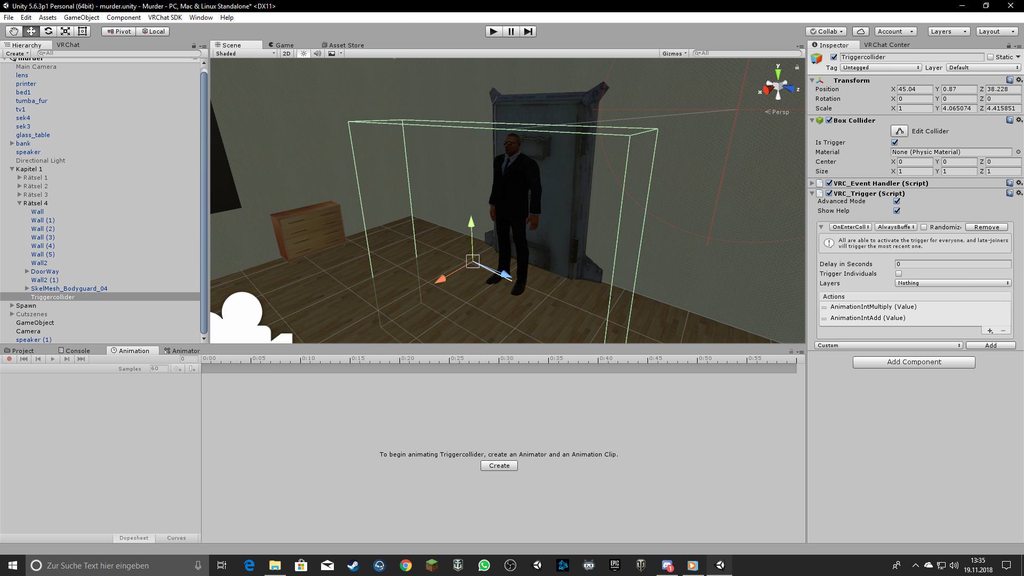
Hey i have a Charakter with Animation. Now the Player go to the Collider and the Collider should Trigger the Enemy Animation but thats dont work. I send Screenshot hope anyone can help
oh i cant send screenshot 😦
torn nebula
Thanks. An additive billboard based fire particle wouldn't want this then I assume.
slim sparrow
I don't know how light probes work with billboards
torn nebula
@fallow anvil Upload your screenshot to a image host such as imgur. Can still post links.
slim sparrow
Fire doesn't need light probes since fire is assumed to be self-lit (unlit) or self-illuminated
torn nebula
That was my assumption. And by default light probes are turned off. I found a flamethrower prefab that had it enabled though, which confused me.
fallow anvil
@torn nebula here https://imgur.com/a/8rEGQtP
 torn nebula
I'm going to leave it off. Seems to work fine without.
fallow anvil
I have create the collider before the human for trigger
grand bloom
@slim sparrow A friend suggested that but there are no other options than "loop play" and 2 others I cant remember. Not sure if it is because I made it in unity or what.
slim sparrow
Suggested what? @grand bloom
There's Loop Time if you need the animation to loop
On the animation file in your assets
Loop Pose is useful for some humanoid animations
grand bloom
He suggested I raise the root transform but that option isnt there
grand bloom
I can see it on downloaded animations but not on ones that I have made
 grand bloom
Ill have to look again because I tried on the armature posistion
slim sparrow
Actually, this particular tutorial might not apply to 5.6.3p1 just yet
I recommend learning animation basics first
Add Property->Animator->Root T
grand bloom
Ok ill give that a try. Ive only animated in blender for videos and that was years ago lol
That already looks better in the little animation preview in inspector window, thanks Rokk!
 olive lynx
Hello everyone, can someone point me to a tutorial video on how to make my avatar have a spawn in animation when the avatar loads? Thank you! 😃
fierce bane
@olive lynx set up an animator and an animation that doesn't loop. Have it on by default. It'll activate whenever you load, then lock to the end of the animation until reloaded
olive lynx
@fierce bane Thank you!
 hearty sapphire
When making an animation longer than a second, I often run into an issue where after the animation is stopped or ends, I have to wait a while before I can activate any other animations. Something else I noticed is that when I am waiting for this cooldown, and I hold another animation (finger point for example), I can watch my finger slowly point. Once it is finally pointed, I can activate animations again. Anyone know the cause of this?
 lavish scaffold
@hearty sapphire by any chance, do you have "loop time" checked? on the animation (inspector)
hearty sapphire
As of now, no.
Will check to see if it makes any difference. Just remade the animation and decreased sample time to see if it makes a difference
lavish scaffold
It is supposed to be unchecked. And the animation for hand gestures must be 1 frame long only.
hearty sapphire
@lavish scaffold So, are you saying, that any animation set to the 7 hand gestures (even animations that do not control the hands at all) can only be 1 frame long?
How do people make those crazy-long obnoxious animations? It seems that if I put any animation that doesnt control my entire body into one of the 8 emote slots, the avatar freezes while the animation goes
lavish scaffold
That is what people say it should be. One frame and loop time unchecked.
Ooh you are talking about the emotes?
hearty sapphire
Not exactly. It's an animation that changes my shirts material to make it look animated. Basically like a poorly made animated sprite texture
lavish scaffold
ohh And you are activating it with an animation, right?
hearty sapphire
Yes. It currently, it has no effect on the hands, but the issue still occurs with or without hands being effected by the animation
lavish scaffold
Ok, so let me see if I understand your problem: You want to change a material with an animation that is longer than 1 second, but when you do that the animation is delayed and your fingers move slowly when you choose another gesture. Right? So the material changes, but the slow hand delay is your problem? @hearty sapphire
hearty sapphire
The animation plays instantly, as expected, but if I cancel the animation, or the 10 second animations ends, it take about one minute for me to be able to use any other emotes
lavish scaffold
Is that specific animation an emote or a hand gesture? (do you open your menu to use the animation?) Sorry i am confused. You keep saying hand gesture and then emotes, which are 2 different types of animations for avatars.
hearty sapphire
The animation is set as a hand gesture, but it is not controlling the hands
lavish scaffold
ok, is it possible for you to post a picture of the animation with the properties ? It would help a lot to look for a solution
tidal elm
Hey there, i want to make a light intensity increase or decrease function of an audio source intensity but i don't know if there is a decent way to get an audio source intensity, any idea/tuto on that?
 shell vale
So... I know theres a way to have dynamic bones collide so it looks like you're holding it. But im wondering just what I need to do. And in which order. Hand is collider? Or the bone in the weapon is the collider. And... all that. As well as.. What settings I should adopt to effectively... make the hand still look normal if its the hand itself, or the weapon.
tidal elm
I kinda got what i wanted with a C# script (AudioListener.GetOutputData and stuff) but i guess c# script are forbidden, any alternative to get the same result or equivalent? (manually change a light range on an animation sound boring asf)
 hardy osprey
Unless you have a way to make key frames from the intensity and assign a value to it
tidal elm
Well, i can manually do it for a 5 second-ish sound, but for more.... meh :/
clear yew
sorry to interrupt but does anyone know how to make a spinning object in hand gestures?
hollow perch
A fun way to control a spinning object is put a rigid body on one wrist uncheck gravity, check freeze everything, then put the object in the other hand add a fixed joint in that uncheck gravity freeze all position but not rotation and add a fixed joint and put the wrist from earlier into the slot in fixed joint. Then you can spin it with one hand while showing it with the other.
A simpler way is just an animator that makes it spin. The vrchat sdk includes a sample animator for making a spinning object. Make sure not to use the one named Legacy because those are broken. Also b aware rotation animations will require reupload in unity 2017 @clear yew
clear yew
@hollow perch i thnik i might do the second option first before i screw this up. thanks a lot though
@hollow perch hey dude, im sorry for bothering you but are you busy right now? I'm kinda lost here.
hollow perch
I can only text atm but what's the issue
Did you find the rotation controller/animator in the vrchat sdk files? You should be able to just drag that onto your spinny object and it will create an Animator component for you
clear yew
well i actually went with the rigid body option and i almost have the hang of it. its just the spinning is off. is it supposed to spin so fast it looks static?
hollow perch
That can happen if you checked some freeze rotation but not others. I found you need all x y and z or none. I've also seen that happen for things that toggle on and off and don't know if I ever found a fix. Some people in this community are really good with joints so maybe you can find people who know more about it
One idea I suggest trying to disable mesh renderer and enable mesh renderer in the animation instead of the whole object
clear yew
@hollow perch i appreciate the info a lot. Ill be sure to ask around more.
flat cipher
@tidal elm use the script and make it work in unity then bake it into an animation
There's a recorder that records playmode stuff into animations
Search for unity runtime animation recorder
 vestal copper
So I got a Falco model from Brawl
it seems to have animations with it but I don't know how to view or use them
clear yew
is it a unity animation type?
 craggy sage
anyone know how long you can make ahand gesture before it starts bugging out?
 fallen flax
2 key frames, 00 and 01, if you want to animate something you'd animate the game object
craggy sage
okies,tyvm
torn pawn
it can be longer than 1 frame, it takes 5x the time to get back to default state, from what I remember
 glass idol
help, its not finding the path of my /Righthandjoin/>Animation< The Object which has the .Controller is the "Gunshot Enabler" http://puu.sh/C5xbi/0c45f7627b.png

dont ask why it has to be this complicated: In short, i wanna make this loop animation activate with another animation, hence i have to put it into an Animator which is beeing enabled by a 1 key frame animation that works in vrchat
I just need it to find its reference
nvm almost got it lmao
fallow anvil
hey can one help me pls? He say Could not Lacate on Gameobject: is it legacy
The Trigger dont find my Animation.
On the Receivers i draged my Object with the Animation. but every time he could locate it
 silver charm
I have a question in regards to gestures: if i wanted to nest gestures, how would that be done? so like, I want the open hand gesture to display something, but only if i have another gesture held. would i just nest the open hand gesture's intended gameobject inside of another gameobject that's activated when i do the first gesture?
clear yew
yes
you will have
Object 1
---Object 2
Both disabled by default
use one gesture to activate "Object 1" and then another gesture to activate "Object 2"
in your case, Open Hand will activate "Object 2" but it will not show until you use another gesture to activate the first object
silver charm
alright awesome, i thought that's how it might work
 agile hill
Hi all, I'm trying to do an avatar riding a motorbike, which makes it only partially humanoid. Does anyone know how I should approach with the animation part? I have animated the rotating wheels, which seems to only work with [generic] rig type but I want to keep the head rotation and vr hand movement. I have erased weight paint for the lower body.
slim sparrow
Humanoid avatars cannot move any transforms in walking animations @agile hill
muted prairie
Generic doesn't have IK
agile hill
Ah, so there's no any other way to have head tracking with rotating wheels?
slim sparrow
Nope
You can animate shape keys in animations and activate game objects though
But shape keys would not be usable for rotating wheels
@agile hill the closest you can get is a humanoid rig, disable your Body in walking and enable a copy of your model that plays the animation
You won't have head/hand tracking while walking then
 elder verge
Hey guys just trying to make a emote on rocknroll button but it wont make the animation any solution from you? 😦
It shows the animation in Unity on my duplicated charakter but it wont move at all ingame
 sacred gate
is your original character using the correct animator controller for the animation overrides?
sacred gate
so you need to find your "CustomOverrides" animator controller for your non-duplicated model
and drop the animation into the rocknroll slot on the controller inspector
and then make sure your non-duplicated model has that "CustomOverrides" controller registered in the inspector "standing" animations and/or "sitting" animations
elder verge
Alright thank you, youre my god if it works 😄
sacred gate
np
sounds like you made the animation but just haven't attached it to your original model
sacred gate
ahh yes ^^
elder verge
I already searched 3 hours what the hell my mistake is
sacred gate
so do you understand what i told you or do you need more info?
elder verge
Im trying lemme upload it quickly and test 😄
@sacred gate Thanks didnt work, ill try it later again gtg now!
sacred gate
alright let me know if you need help
slim sparrow
@elder verge hand gestures can only move your fingers
agile hill
@slim sparrow Thanks. That's indeed a very smart way of work around! I'll try to figure out how to hide and show different model with animation.
 charred oar
Can anyone help me. I want to make a boss hud appear on everyone screen, How would i be able to do this? thanks for any help
slim sparrow
Unless it's in a world
 rocky crater
Only way I know is if an avatar is in your avatar, they will get the shader, but they literally have to be in your avatar
hollow perch
That's done for politeness, if you really want this for a world you can delete the if statement in the vertex function that does it. Even then I suggest making it a toggle
elder verge
@slim sparrow So i cant trigger a Dance Animation or sound with it?
The sound is working well, but it wont start the animation 😦
sacred gate
@elder verge you need to put the animation on a seperate animator and then activate that second animator within the original gesture animation
 ruby minnow
hey all, anywhere I can find the default standing/walking.crouching animations for avatars?
 wide warren
@ruby minnow I don't know for sure, but I think they are on Mixamo
ruby minnow
looked there, didn't find
wide warren
Ah alright, might have just been some similar ones then
fallow anvil
hey can one help me. I have a Bookshelf he animate on trigger and go left side. When i Play Animation its works but when i play Game only the books are Animatet to the left side.
 normal skiff
what's the right way to limit the range on an audio source? I have max distance at 0.12625 but it's audible from way further still...
works as expected in unity though 🤔
tidal elm
Hello there, little problem with my animation, i use some mixamo anim for my avatar and no problem to import it and use it IG but i can't make it loop (only one iteration even with loop time enabled), what am i supposed to do if i want a certain number of iteration?
icy crow
What are you using the animations for? If they are for emotes then they can't be looped - you'd have to manually make the animation longer for that @tidal elm
tidal elm
It's for an emote, kinda work with multiple copy/paste on keyframe.
I tried with the animation recorder too but i'm not sure how to make it work (not a single transformation recorded, by animation or manually)
 unreal latch
I've just switch my custom blink animation from legacy to an animator on the body component. How do I disable blinking for a facial expression gesture override? When I try to add a property to the face animation the blink animator isn't available
clear yew
you can't enable or disable an animator like everything else
you need to use a behaviour property
slim sparrow
I made a blinking prefab that's been posted around here a bit
Should allow you to enable/disable blinking at will
clear yew
a "component" that can be enabled/disabled
used for enabling/disabling an animator component since there isnt any other way
unreal latch
I've tried out rokk's prefab, it stops the blink when I use just the SuspendBlink anim. But if I copy the keyframes onto an existing anim it doesn't work. Is there something I'm doing wrong?
fierce bane
Is the animator in the same place for the prefab and for your custom animation?
unreal latch
Do you mean the blink animator? Yep, its on the body, same place in the heirarchy. Basically I've set up an animation override with one gesture using the SuspendBlink anim and one gesture using my anim with the copied keyframes. SuspendBlink works fine but my anim continues to blink.
fierce bane
can you screenshot your anim maybe?
slim sparrow
@unreal latch you can't test the stop blink in Unity, only ingame
Also, the two keyframes in the Suspend Blink animation are different, make sure they stay different.
Behavior off on 0:00, on on 0:01.
unreal latch
I've been testing in game. I haven't changed the keyframes at all, just copy pasted.
For some reason if I copy the frames from my anim to the SuspendBlink then it works fine, but if I copy the frames from SuspendBlink into my anim it doesn't work...
I won't let me post screenshots here for some reason. Basically the only properties I have are 2 blendshapes for smiling and happy eyes
Rokk how did you create the behavior property?
fierce bane
You need to upload images somewhere and post the link, direct uploads aren't allowed
unreal latch
Oof, haven't used my imgur account in yonks. I think since it works when I just dupe rokk's anim I'll just go with that for now. Thanks for the help all
 terse surge
Is it hard to make animations for models?
clear yew
Is it normal for hips to have no rotation when converting VMD's to Anim files?
 wise minnow
can anyone help me
custom blink animation doesn't work... how to fix it
torn pawn
@wise minnow https://cdn.discordapp.com/attachments/512386417561698318/515099358799200256/Blinking.unitypackage has instructions inside (credits to Rokk)
placid wigeon
Anyone knows how to get the coordinate of a Mesh particle to its actual position where im shooting?
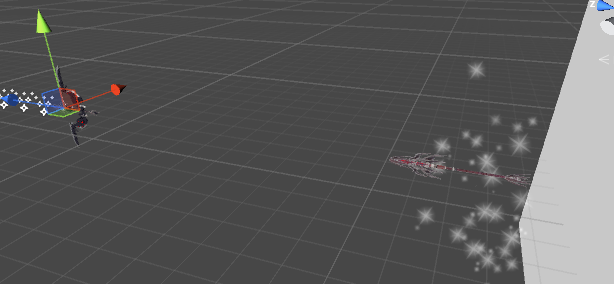
Im trying to do something like this

 torpid light
everything is explained here https://realtimevfx.com/t/unity-5-5-5-6-align-mesh-particles-with-velocity-using-vertex-stream/2328
Real Time VFX
Here is a shader based solution to get particle meshes orienting with velocity: Particle Component: Shader based on ShaderForge Custom Lit: meshes are pointing in Y direction. options for Particle Rotation might work different than expected. Simulation has to be in w...
requires a shader to do that in 5.6
placid wigeon
yeh ive read this
seems i need Shader Forge
torpid light
shader forge is free

GitHub
Contribute to FreyaHolmer/ShaderForge development by creating an account on GitHub.
placid wigeon
yeh already have it but dont know whats the settings for this
clear yew
Anyone know how to make the animation where it puts a big sphere, has a filter on it to make it gray and grainy and shakes to music?
slim sparrow
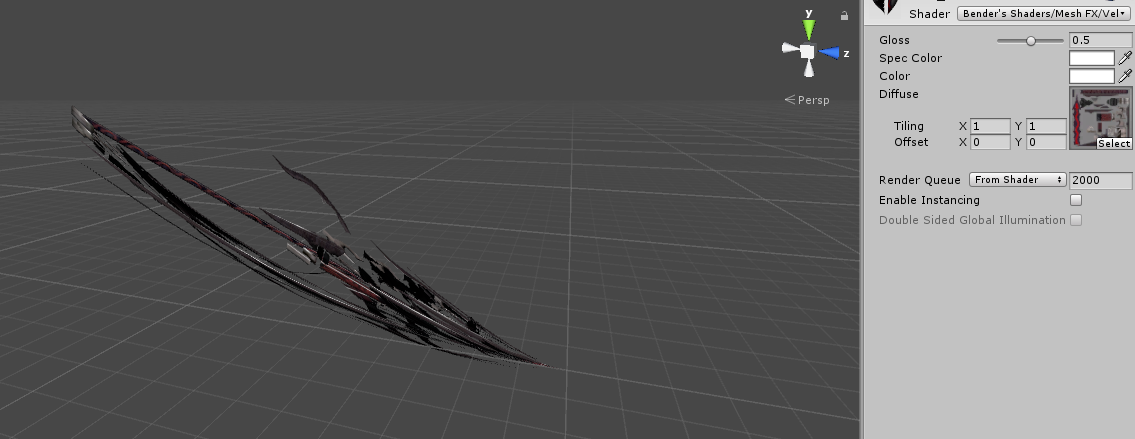
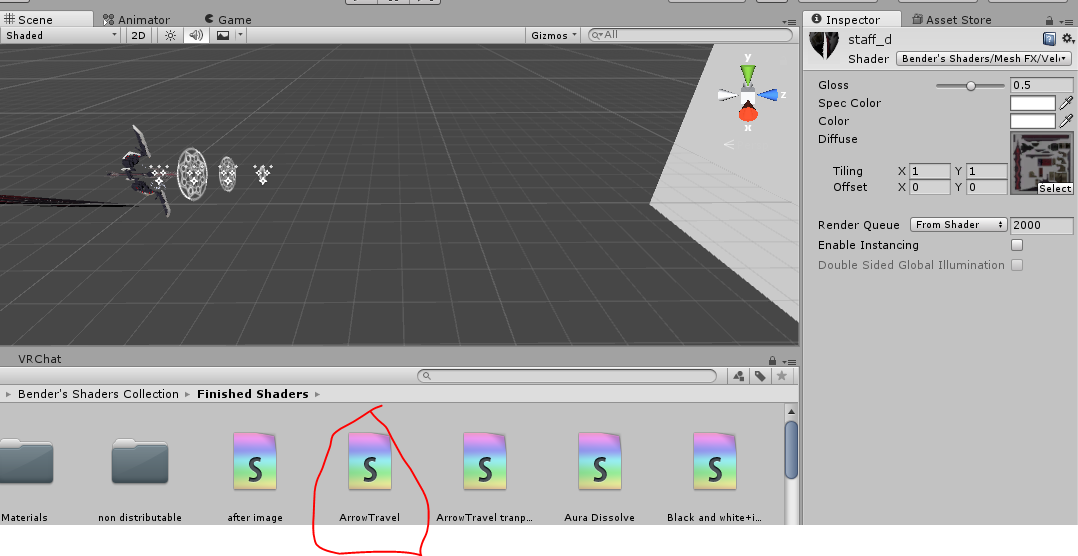
@placid wigeon use Bender's arrowtravel shader
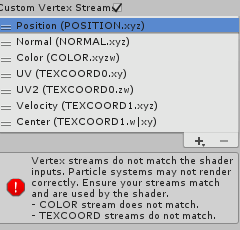
Add Center and Velocity (or other way around?) to custom vertex streams
 torn pawn
@placid wigeon it needs to be world space, and u need custom vertex streams checkmarked (Particle Render tab) and add Center, Velocity like ROkk said
clear yew
Im trying to add a flying animation with 2 planes on my model. One in the back tilted a little and one plane underneath me. Ive tested it multiple times but cant seem to get it to fly
any clues on what I missed?
 naive ledge
height
clear yew
the height of the planes? or model?
hollow perch
https://cdn.discordapp.com/attachments/436670302773051402/505318503218413568/flyingmiko.png - this system isn't perfect but you can try

 torpid light
There's no way to get it to show the direction once it collides. Velocity will be 0 so you can't get a direction from a 0 velocity vector
we'd need to see the vertex streams for the shader to know how to solve that error
like the structures inside the shader code
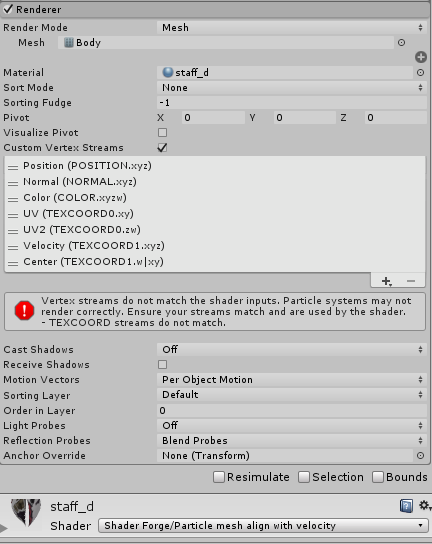
 torn pawn
try center first then velocity
and make simulation space world
maybe that messes it up

ye then your simulation space messes it up
placid wigeon
ok it worked thanks
placid wigeon
Do I also use the Mesh particle align for this one to stick in the wall?
cuz when I use the shader, it does not show.
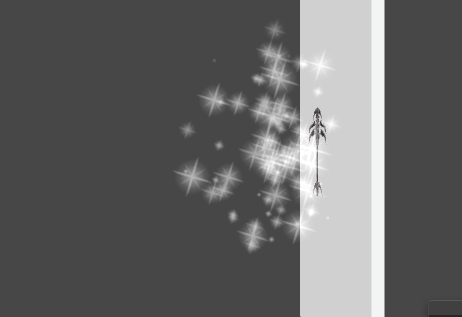 torn pawn
@placid wigeon for stuff to stick properly in walls u need to use multiple subemitters, main particle > subemitter > subemitter > final particle
bounce + lifetime loss and inherit negative velocity + dampen so they don't get shot too far away
placid wigeon
Final particle?
torn pawn
final particle doesn't have bounce and is correctly aligned
first http://prntscr.com/lmnbgi 2nd http://prntscr.com/lmnbjo (3d subemitter same as previous) final particle http://prntscr.com/lmnbot


once u make the particle system with just 1 subemitter you'll notice that it aligns mirrored, so u want to make it bounce again for realign
slim sparrow
@torn pawn that setup will thankfully no longer be necessary in 2017.
torn pawn
yeh..
slim sparrow
Can't wait to play around with all the new particle system options
torn pawn
yaes, rly looking forward to it 😳
 clear moth
anyone here with experience in making emotes in the vr got a question
so im making a emote where it takes a gun out and shoots particles and music plays (still researching gesture overrides) but how long does the song bit have to be and how long are the emotes??
clear moth
nvm
vestal copper
So I have a Falco model ported from Brawl, it seems to have a few things built in but I don't know how to use or view them
grand bloom
Hey guys, I have a short avatar with stubby legs who clips halfway through a chair when I sit. I tried using the vrchat "idle" animation on the idle slot on my Override controller but now he stands on the floor. I would like it to stand on the chair, any ideas? The model is similar in size as the kitty band avatars. TIA
 main geyser
So I have a question...How do I add audio to an animation?
I'm still not exactly the best at this kind of stuff
 woeful needle
Question with CustomOverrideEmpty and an animation do i need to create a duplicate of my model
 violet maple
@main geyser look up “vrchat audio” on YouTube and your question should be answered (:
 bronze fern
Hey, everyone. I am stating this question because i wonder how to change particle system color in animation panel? I can see there only color min and color max instead of material . color like for my heart model. I dont expect there to be material.color, i just mean that i thought it will be similar like particle.color or sthg like sthg.color. How do i manipulate particles color in animation?
bronze fern
Ok i have it now. if anyone were to read it and had trouble with this as well, then you can just add another particle system with config that you need and just switch off standard one and switch on new one for time of animation. Unless you want to have only one particle system.
main geyser
So uhhh bad news....My particle effect and audio for my avatar aren't working. They don't play when I do the animation
How do I fix this
 split vine
Could someone rig a model with visemes and eye tracking for me? Visemes and eye tracking seem as if they are a bit too advanced for me right now...if you would like to help, please Direct Message (DM) me. Thanks!
hollow perch
@split vine Please don't post the same question in multiple channels. In #avatars-2-general or #avatar-rigging people here will help you answer your questions so you can learn how to do it yourself (some people like me had no experience doing anything in 3d modeling software before working with vrchat). If you instead would like to pay others to do this work instead, the best place to look is the vrctraders discord in #community-servers-old .
split vine
Okay, thank you for clearing that up for me.
placid wigeon
Guess ima not work on this for now but the velocity shader works so thats ok
wait till 2017
 hollow perch
@plush zenith my only guess would be something wrong with your SDK. Click that AvatarControllerTemplate and see if it selects something in the project (in Examples/Sample Assets). Perhaps you accidentally deleted the avatar controller template in the SDK or modified the sample override by mistake? If you aren't sure, the easiest thing might be to re-add the SDK. #vrchat-support has instructions on doing that.
As long as you don't edit any broken assets, they should recover once your SDK is working again
 plush zenith
I reinstalled the sdk and it worked, thanks!
hushed cobalt
https://www.youtube.com/watch?v=hh6-IA_IGkk sorry, not sure where to put this or ask, but is the text in this particle system with a mesh or is it something different?

どうもーYORIMIYAです。前回のロストワンの号哭に引き続いてLUVORATORRRRRY!の4k360°動画を作ってみました。 HTCvive、OculusRift、PSVR、OculusGo、スマホVR等で見るとより楽しめます。 ※VRchatの仕様で炎のエフェク...
hollow perch
Impressive @hushed cobalt , I love videos like this, also that it is a 360 degree video. Given that you can control things with an animation, it would be possible to use an object for each line of text, having each one animate the way you want. This is how you would probably render it in a video editor.
It's also possible the effect was done as a shader (like gpu particles), where you could store text positions and rotation information in data textures, or have an animator update uniforms and transforms that tell the shader what point in the animation you are at.
slim sparrow
They're just geometry shaders on some object with a lot of vertices
serene lava
Yeah but what makes it a GPU shader and not a regular shader?
slim sparrow
It is just a regular shader @serene lava
The "magical" thing about it is that it's a geometry shader
A "real" GPU shader would be a Compute Shader but those aren't supported in VRChat
serene lava
Sorry that I'm asking a ton of questions, but what does geometry shader mean?
slim sparrow
A shader that can alter the geometry of the object by adding more tris for example
Cubed's does this for the outlines, a geometry shader is used to essentially add the same tris again, except inside-out and slightly larger
hushed cobalt
@hollow perch thank you!
 rain reef
Hello, i havent really messed with the new animator components yet and i was wondering if it was possible to make an animation state change when usinga gesture
so whenever i use a hand gesture make it switch to state x and play animation x in the animator
 fathom atlas
Soooo I'm looking for a Sensei/ Tutor to help me with an animation i want to do, I'm kinda new to animations at beginner level, not a 100000% noob , but looking for someone to kinda show me the basics i need to get started i tried videos but I usually have questions that i cant find an answer for in the videos i watched, is anyone willing to help me <3?
rain reef
Anybody got a good grabpass shader? Benders broke and i really cant get my werewolf map working without one.
icy crow
.. what kind of grabpass?
slim sparrow
Bender's works fine for me
 cosmic idol
anyone know how to do trails like this? https://twitter.com/MerlinVR_/status/1059540197740855298


I made a motion trail renderer using render textures. #VRChat https://t.co/4aFCSDXhU1
Likes
153
 Twitter
torpid light
Twitter
torpid light
it's not easy.
it uses cameras to write the vertex positions of your mesh into a render texture(using a shader which outputs pixel sized quads with a check for an orthographic camera), and using the render texture you can know where your vertices were last frame or a few frames ago and from there you can generate trail geometry.
You'd probably want to get decent at writing geometry shaders before taking a crack at this
 cyan chasm
 placid wigeon
So when shooting a particle like a gun shot or so on.
How do you align the gun shot particles to the tip of the weapon?
https://ibb.co/DkZ4p4B
Looks normal in unity
https://gyazo.com/66d642f16cc6f8321c1dbc9985098753
 clear yew
im pretty sure you need a world particle or whatever its called
clear yew
Since legacy animations dont work anymore, whats the workaround for them? I remember someone talking about using animator on avatar but isnt legacy animation needed anyway? Im thinking about making blinking animation.
slim sparrow
Using an Animator component on whatever you have to animate
In this case, put one on the Body mesh
@clear yew
You never had to use legacy for most stuff
I used it for blinking because it was convenient to turn on/off
clear yew
Mmm.. i think i kinda got it well atleast got one idea. Ill test it after im back home.
Is placing it somewhere else than Body mesh fine?
hollow perch
Animators must be somewhere above the mesh they are trying to affect. Also you cannot put an Animator on the top level object (the one with the Avatar Descriptor) because it's just not allowed. So that leaves you with adding it in your idle animation (a big undertaking to do right) or on your Body or something above it but not the root. For reasons, Body is often directly inside the root of your avatar so there's often no other choice for visemes
slim sparrow
You can break the prefab instance and put the body lower down if you need to, but in this case that's not necessary at all.
You should put the animator on the body
hollow perch
you don't have to break the prefab, just duplicate the body and disable the original
slim sparrow
Oh yeah
hollow perch
I've done that, though it has the downside that eye tracking breaks I think--it expects there to be a Body with visemes right inside your avatar
actually it should work because you still have the disabled Body mesh. hmm
clear yew
So
MyWowieAvatar
Body
Expressions(Separated)
Put the animator on Body and make the blinking animation
hollow perch
yes, that's what I do. Also you can still enable/disable it, just you have to use Behavior.Enabled toggle. Pretty much you can just copy and paste it from any of those VRC Inventory System prefabs and hit F2 or edit the name to say Body or if it's deeper name it like Armature/Hips/etc/etc/ObjectName
the bug in unity is you can't make a Behavior.Enabled (toggle an Animator component) but you can copy it from someone else who already did the hard work
clear yew
Cant i just disable/enable the animator on Body?
hollow perch
yes you can. the thing I described is the how. if you just click the checkbox it won't make the thing in your animation. it will sometimes troll you by turning the checkbox red but not actually do it
the animator toggle (Behavior.Enabled) is actually key to making many of the complicated animation systems you see on avatars, toggles, etc so it's a good thing to learn.
clear yew
Mhmmm i think i got it. Ill make some screenshots before i forget that i asked about this stuff lol
Thank you!
rain reef
@icy crow a grabpass with texture overlay
im overlaying transparent pngs of icons
so players know when to wake up and co.
i used benders but idk its not working properly for me anymore
it just doesnt display the textures i feed it
 urban wasp
ok so idk much about particles trying to work somthing out: ive got a particle prefab thingy that spawns a mesh particle, and it works fine with a bunch of different meshes but not the one im trying to use. i thought maybe it had too many polys but it still doesnt work even after decimating to 500 polys
slim sparrow
The mesh has to be one material. @urban wasp
Or maybe it's too small, try setting import scale to 100
urban wasp
yay thanks dude @slim sparrow
rain reef
@slim sparrow Could you maybe send me your version of benders grabpass? The one in the new V3 pack doesnt work anymore
slim sparrow
I could send it to you but it would have the same effect
Because I am using v3
¯_(ツ)_/¯
 limber minnow
does anyone know how to pause a default looping animation when making a new facial expression? Like um... for example my avatars tail wags constantly but if I do a different expression I’d like for the tail to rise up. .__. Is that even possible? I’ve tried and her tail rises a tiny bit, but the looping one kind of over powers it.
 woven surge
Im trying to change materials on a synchronized animation when time passed 1 min but we all know that an animation with more than the initial 2 frames would bug, how could I do that? Tried empty gmaeobjects with bodys inside and an animation on legacy and once and turning on with a final animation but nothing
slim sparrow
You can't use legacy
@limber minnow check my blinking prefab for examples on how to pause or transition animations on a gesture
Can't find the prefab right now and I can't post it here either
woven surge
I tried because is what I do when I synchronize gameobjects for my animations and works
slim sparrow
Just put an animator on your body or something, cycle states after a minute
limber minnow
Ahh okay, I’m not using legacy though. I’m using the animater on the tail bone to move it @slim sparrow
slim sparrow
Yeah I know
woven surge
But that would loop for ever? I just want to for example start animation, on the 30 second change materials and on the minute change again to another new materials, just for the animation, I can do that with an animator so it only do that when I do my animation?
Oh okay, wasn't for me, xD sry
limber minnow
yeah got confused with who was talking to who lol
 azure canopy
anybody know why avatar emote animations might end sooner than they should? i have one that should run for eleven seconds but it only goes for about nine.
slim sparrow
Pad it out with two extra seconds, it appears to be a known bug
limber minnow
One more question, where can I check out your blinking prefab? @slim sparrow
azure canopy
will give that a try, thanks rokk~
slim sparrow
I dunno where to find it. I can't post it here but I posted it in many places
limber minnow
Oh is this it? thanks a lot for helping guys
clear yew
yup
limber minnow
💜 ! Okay! Tyvm rokk and svelsien
 rough pasture
Can someone confirm this to me - there is some sorta avatar mask or overwrite on top of custom override? Asking because my custom animations in game partially different from animations in Unity - mainly legs.
 rain bronze
would making a middle finger gesture be allowed
i need it cus i want to use it on certain foreign sonic characters
rough pasture
you can try different shader for gun, if you want it to be seen in this kind of mirror
slim sparrow
No, the issue is a new bug
If you're just turning the mesh renderer on/off, that's the issue
Only in the mirror @rain bronze
Others see it fine
Just enable/disable the entire mesh instead
hushed cobalt
i saw someone set down a duplicate of theirself in the middle of moving with a gesture and im not sure how to go about doing that. can anyone tell me what i need to do to recreate that?
fathom atlas
Does anyone have music notes i can use for an animation? or know where i can get some? Been looking forever and cant find any Please help D:
muted prairie
I've ran into an issue trying to animate a mesh through blendshapes in unity, the animation shows movement on the jaw, i can see all the animation frames for all blendshapes. The correct mesh is in the slot of the animator, the playback works for all bones in the body, but not the rest
Here's the skinned mesh rendered settings, if that matters
 velvet urchin
Hey, so I'm looking for some help with making an animation be always on. What I'm trying to do is have a small, second model, deactivated on my shoulder. Then when I use a finger emote, he activates, appearing in game and doing an animation of his own. Im at the point where I can do the finger emote to make him appear and disappear in game, but can't figure out how to make him start an animation upon activation. And just a side note, complete noob here at making animations
flat cipher
Add an animator to him with one animation
And it will just loop
Since it's the only animation it will be defaulted to


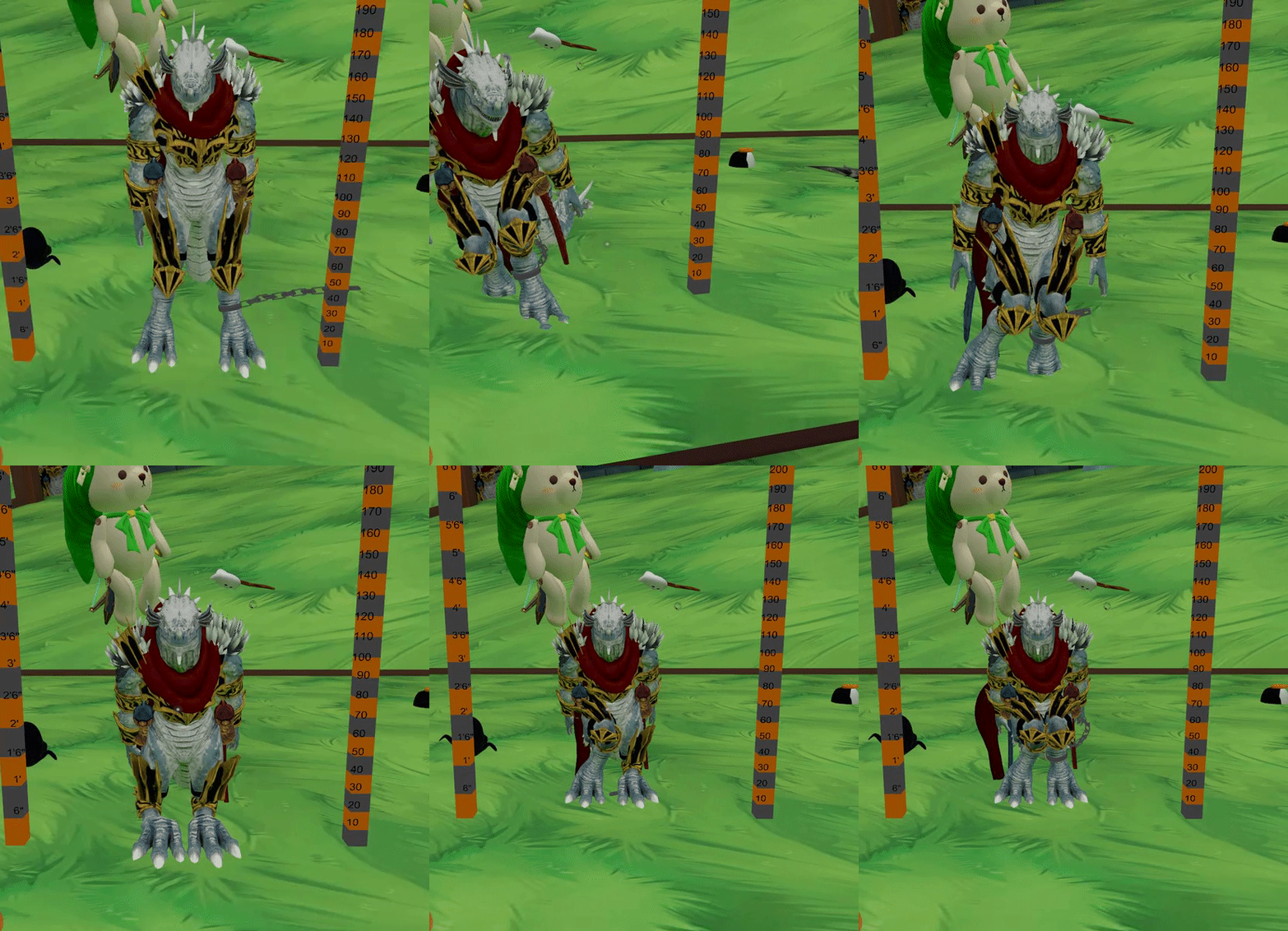


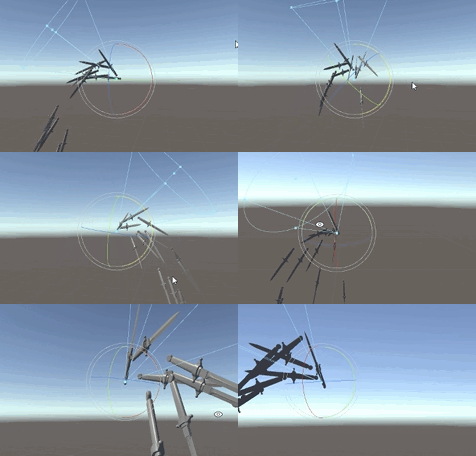

 velvet urchin
@flat cipher so I just tried that. I think I did it right. You mean put the animation in his controller? I did that, and when I click play on unity, he activates and does the animation when I turn on the emote. However, when I upload the avatar, then do the emote, he appears but doesn't do the animation.
flat cipher
Show me a screenshot of your animator and your thing that you enable
velvet urchin
I.... Am..... The.... Biggest.... Idiot. I just had a friend join me and they can see it dancing. The issue is my little friend is above my shoulder, to the right of my face, where I can't see it. I was using a mirror for testing and some dancing emotes with secondary avatars don't show up in mirrors for some reason, so the whole time, I couldn't see it dancing when it was. Anyone know of any mirrors for this kind of testing that will show the dancing
But now I have a bigger issue. The emote is activating with every finger emote, even though it's just set to thumbs up
hollow perch
Check that you have it set in thumbs up with exactly two keyframes 0:00 and 0:01
torn pawn
@muted prairie if that's not a main body, I think you gotta edit path in animation to this mesh, I had an issue where I could do blendshapes on gesture on diff. mesh only if I edited the path to the correct mesh
muted prairie
In the animation it specifically refers back to that mesh for the blendshape movements
Or do you mean that i have to add that same animator to the head mesh as well ?
torn pawn
it's hard to say without knowing fully what's the idea and layout, if you want to animate a mesh as in idle-animation, then it's easiest to put animator on the mesh and then create animation (no need to create duplicate), or if it's through gesture then need to doublecheck path
muted prairie
It's an NPC, it has its own animator, the mesh just doesn't move
i'm wondering if it has to do with another setting or something else in the animation that overrides it
torn pawn
no clue sadly 🤷
torn pawn
what kind of expressions? and how are u triggering them @clear yew
muted prairie
My issue animating blendshapes is still there if anyone else has an idea 🙇
slim sparrow
@muted prairie does it work in Unity?
muted prairie
Nope
slim sparrow
Alright, that rules out a few things at least
It might be "locked" by another animator. Make sure only one animator ever touches that blend shape
Even if an animation is inactive, it will still attempt to write to properties that any of its animations control
muted prairie
There's only one animator
slim sparrow
Enter play mode and go to the animation tab. Make sure the blend shape property is not yellow
muted prairie
It's yellow !
muted prairie
Can't edit it apparently
optimized game object, but i can't change that on the mesh
i've read about it on the unity forums, but no one really gives a solution
torn pawn
@muted prairie if you could send me the fbx (+prefab of not working one)+say what exactly is need to be working, I could look into it and maybe give a solution
that's if you're ok with sharing it, cuz otherwise hard to say what can be the issue 🤷
muted prairie
Sadly can't do, but that's ok, i'll keep hammering at it, ty 
slim sparrow
Ohh, so you ticked optimize game objects on the import settings?
I think that makes it impossible to do stuff like that
@muted prairie
Not sure how optimize game objects works exactly
muted prairie
Unity's documentation isn't clear about it, that's why i'm not sure what's causing the issues
Optimize Game Object Remove and store the GameObject transform hierarchy of the imported character in the Avatar and Animator component. If enabled, the SkinnedMeshRenderers of the character use the Unity animation system’s internal skeleton, which improves the performance of the animated characters.
Only available if the Avatar Definition is set to Create From This Model.
Enable this option for the final product.
Note: In optimized mode, skinned mesh matrix extraction is also multi-threaded.
Does that mean that when optimize game objects is ticked, it doesn't use blendshapes but bones ?
slim sparrow
I think it means you can't actually access the objects below the "root" normally.
You're basically limited to the humanoid rig definition, such as Leg Stretch @muted prairie
But I'm sure it reduces the cost of skinning a little and puts fewer game objects in the scene
So that means you can't animate the Body object since it doesn't actually exist.
muted prairie
But the animator refers to the head mesh, and the animation has all the keyframes for the blendshape. The blendshape can also be seen in the skinned mesh renderer component
So it's of that it wouldn't even try to move the character's jaw
muted prairie
Ok, i found a video explaining what the issue is
When adding the gameobject with the skinned mesh renderer, and adding the animation controller to that object, all the blendshape names will be renamed automatically, which means that they'll never play, because they can't be found
Good job Unity
slim sparrow
Nice lol
prisma trout
how do i make it so that the left /right gestures are seperate in my override controller
clear yew
you cant
prisma trout
or that an animation reqires 2 gestures
clear yew
you need gesture combo for that
prisma trout
ok how do i make gesture combos
some avatars in fate/vrchat have that
e.g. you need to do victory right and fingergun left to trigger ___
clear yew
object 1 (disabled by default)
--> object 2(disabled by default)
Use a gesture to activate object 2
but since it's parented to object 1, it won't show up until you activate it too
clear yew
np
muted prairie
Is it not possible to entirely edit the name of a property in the animator ?
clear yew
what do you mean ?
you can edit the path but you can't change the name of the affected property
muted prairie
The name of the blendshape is incorrect in the animation, but not on the mesh renderer
hollow perch
You can edit the path name with F2 (unless it's empty sometimes). Also you can edit things like path and property name by opening the anim file in a text editor like notepad++ but things like changing which component you edit require knowing the script id of that component
Yes I've replaced blendshape names using text editor before
clear yew
you should be able to just modify the name of the blendshape in the animator*
hollow perch
Not sure I've ever been able to edit property names in unity animation editor