#animation
1 messages · Page 79 of 1
 slim sparrow
 indigo jolt
Found it, thank you.
 fickle slate
how do i make a particle plays audio where it lands and not plays it in my body
like for example
it hits the ground and the audio plays where it landed it and not on my body
no one?... ouff ;-;
 spice urchin
how to make that pulsing effect on song beat
 clear yew
@fickle slate cant do that
fickle slate
But I saw some prefabs that can do that.. I forgot which one..
clear yew
they use scripts most likely
 spring nova
I heard you might be able to with physsound
 short drift
I have a question - I have a world with a few scrolling textures. In Unity, when I hit "play" the script works fine. When I test the world, the scripts don't seem to do anything. What might I be doing wrong?
using System.Collections.Generic;
using UnityEngine;

public class ScrollTex : MonoBehaviour {

    public float ScrollX = 0.0f;
    public float ScrollY = 0.5f;

    void Update () {
        float OffsetX = Time.time * ScrollX;
        float OffsetY = Time.time * ScrollY;
        GetComponent<Renderer>().material.mainTextureOffset = new Vector2 (OffsetX, OffsetY);
    }
}
 violet moss
spring nova
violet moss
spring nova
Yep, put them all on one avatar controller and add transitions between
spice urchin
how do u import vmd to a fixed rig bc i cant use default mmd rigs, the hips are not connected to spine like usual and when i try 2 parent it will say the spine has 0 length
ive tried using the parent bone to spine but sometimes its not rotated with the root so ur legs end up not rotating
 cyan chasm

 dusty canyon
Blender Chan says rip leg trackers.
 eager vault
Just the one
slim sparrow
@short drift can't use custom scripts
short drift
@slim sparrow thanks for the clarification! I ended up fixing it by going with a custom shader.
slim sparrow
Yeah, that seems like a better solution
spice urchin
is it 1 min before tracking and crap comes back for emotes
i was playing a like 3 min long emote and after like half of it it came back so idk
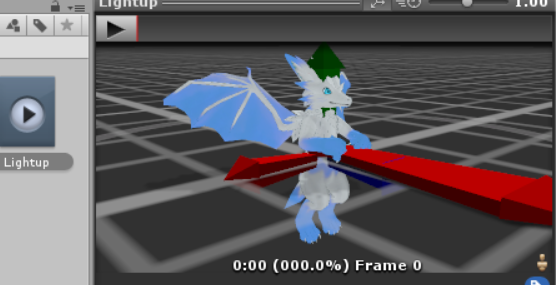
 slim sparrow
Check that the avatar descriptor actually has the overrides set
spice urchin
nvm just wasnt working in mirror for some reason
when i looked down it was working
does anybody know why it wont work in cameras or mirrors
basically it changes the emission level
slim sparrow
Yeah, that's why it doesn't work
Changing emission rates in mirrors doesn't show up
Just ignore mirrors
spice urchin
not emission rates
emission level
i.e. of skin


its not glowing
idk if others can see it
do i have to use baked lights or smtg
spice urchin
?
spring nova
Gestures only have a single frame, but you can use that to turn on/off a secondary animation that has as much as you want
And done in that way it won't restrict anything
spice urchin
and how u do dat
 torpid wadi
Is there a way to bind an object you spawn with gestures to stay in the same position/rotation without resorting to mesh particles
spring nova
Yeah, this video covers that near the end https://youtu.be/cib843oqmSo

Tutorial goes over how to setup easy object teleportation not using the Object Teleport sendRPC call. This method allows for changing an object's position, r...
You'll wanna watch the whole thing though
 silver charm
i have a question: i've got a gun set up to fire with a particle system. I have the simulation space set to World instead of Local, but the particle stream still moves with the gun: the bullets already in flight move with the gun, instead of staying on their actual trajectory
am i doing something wrong? i thought setting it to world would fix that
 icy crow
You need to use IKFollower or the fixed joint/rigidbody fix
silver charm
hmm, will have to try and find a tutorial
slim sparrow
@icy crow his problem sounds different though
It sounds like his simulation space is still wrong for whatever reason
cyan chasm
It just lost tracking since my bed was covering my foot
But I've moved to a larger area so that will no longer be an issue
eager vault
Your bed caused a very nightmare-ish animation 
icy crow
🤔
 slim sparrow
@clear yew you can't anymore, avatar seats were removed
 void roost
Sadness. D=
cyan chasm
They'll come back
slim sparrow
Eventually
 wide warren
Hmmm, I ran into an issue while animating an emote. Basically when you activate the emote the avatar is supposed to take out a gun, fire 18 shots, then put it away. It does that, but the problem is that with each shot the gun moves randomly around to different positions all over the avatar. It is random too, no two tries have had the same pattern of where the gun ends up after each shot. Any ideas on how to fix this? The gun is parented to the right hand. Edit: forgot to mention, the animation looks perfectly fine in Unity, but messes up in game. It was also working fine in game before.
slim sparrow
Yeah, they were people
spice urchin
ya but it was kinda a bug that became feature kinda thing
slim sparrow
Although you had to set it up in a peculiar way to prevent it from breaking the mic
spice urchin
until was patched
 forest dove
Im syncing stuff with music
or at least trying to
In playmode
It doesnt seem to follow the timeframe at all
For example I have a musical flutter at 12second
and i have stuff that turns on at 12 seconds
Is it different in game than it is in play mode
slim sparrow
In play mode, try disabling and enabling the object again
Sometimes audio can take a very short time to load and actually start, the first time
But it's always fine ingame
slim sparrow
Stupid question maybe, but I have a pose for a rigged non-humanoid object in Blender. How do I export this as an animation?
I tried adding keyframes and then exporting, and it seems to export an animation but it doesn't do anything in Unity
To add the keyframe, I selected all bones, pressed I, then clicked LocRotScale (the pose involves all three of these)
Oh nvm, it works if I export the object while in "Pose position". Any way to get around that?
 normal skiff
We can pin an object to world space, but is there a sensible way to have something like a rope between that object and a point on an avatar? 🤔
slim sparrow
You would need to have a weird setup. Suppose this rope has a chain of bones
You put the end in world space but not the beginning
normal skiff
Hmm. Yeah, I was considering using a shader to fake the actual bending of it actually, but I wonder if dynamic bone would be easier
slim sparrow
Final IK is an option if you have it
normal skiff
I do indeed w
slim sparrow
I've made good looking ropes with that
Well then you're in luck
I think you should use CCDIK or FABRIK
normal skiff
The catch is that I want the length of it to change over time too
slim sparrow
Should still work if you scale the bones correctly
But it's late boi hours so I gotta go
normal skiff
o/
 sweet zealot
My avatars visemes are working opposite: they open when you dont speak and close when you do speak. How do i fix this?
clear yew
Having an issue with audio source playing on load rather than on trigger. customoverride seems to be set correctly. Any dieas?
@sweet zealot sounds like your shapekeys are backwards. IE 0 = open mouth and 100 = closed. Check in blender
sweet zealot
Everything is set to 0
clear yew
but are the mouths open when they are at 0
sweet zealot
Nope
clear yew
also you're not using a mirror to check this because mirrors are inaccurate
sweet zealot
No im looking at my testers who are wearing them
spice urchin
how can i make these play to their fullest bc they get cut off
https://cdn.discordapp.com/attachments/382285176392253441/466433202630819851/Kazotsky.mp4
https://cdn.discordapp.com/attachments/382285176392253441/466432777051439114/Hngvr.mp4
sweet zealot
I dont do cute visemes, just basic mouth movements. (My opinion) i hate kawaii emotes. Im just trying to make the mouths work. I made them from scratch. @clear yew no CATS.
spice urchin
if ur importing vmd then cute visemes r ur friend
well i mean theyre still annoying 2 make but they work well with anim
forest dove
So I'm trying to do a custom animation that plays with a gesture
It turns on and off particle systems and stuff
How do I accomplish that
I heard needing to make an invisible avatar that activates and plays
But I want to pure sure I can act with my acts during the gesture for the effect
 foggy cloud
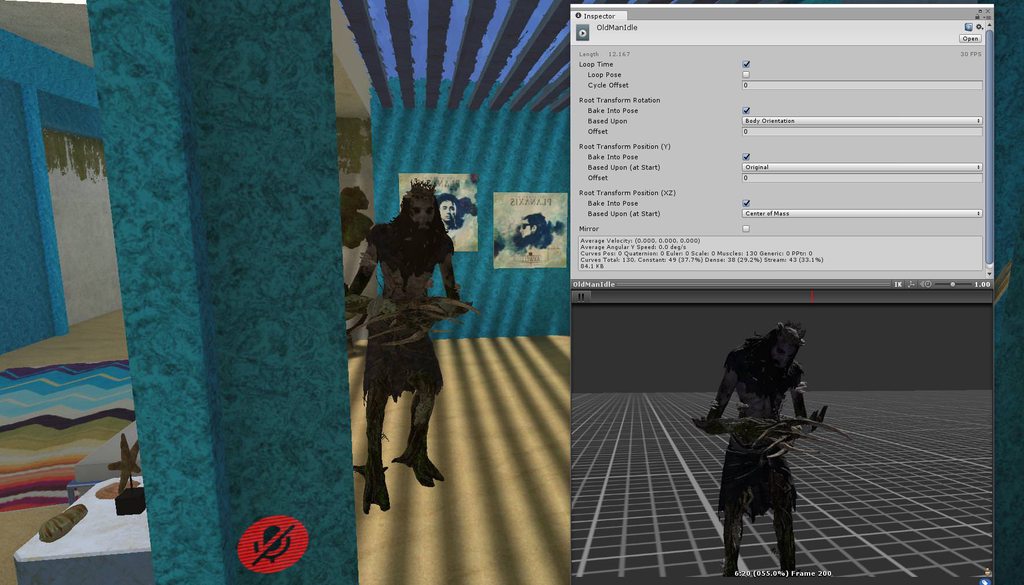
is there any way that my avatar has the the same pose like the animation in unity?
i put the Idle animation in the override and assigned it to the avatar descriptor.
everything works except ingame only the arms move around and not the chest + shoulders
i already tried with "bake into pose" but didn't really do anything
https://imgur.com/a/SIEIL1m
 void roost
Has anyone had any luck converting Mixamo dance animations for VRChat? I tried to convert one following a tutorial, but unfortunately, it seems like the dance animation doesn't have the same hierarchy as the usual rig we use.
Particularly, I'm trying to convert the "Bellydancing" animation.
slim sparrow
Yes
When you import the Mixamo model with the animation, you need to rig the imported model as Humanoid
So just select humanoid as rig type and maybe configure it to leave the upper chest blank
 pliant plank
Mixamo animations should work regardless, just rig the humanoid as you would any other, make sure the Chest slot has the bone that's the parent of both the arms and the neck
slim sparrow
Then you can CTRL+D the animation
void roost
Hm. It keeps throwing errors about the hierarchies not matching, though. I wonder.
here are screenshots, if it helps shine light on any silly obvious problems I might be missing:
https://i.imgur.com/yo95QSG.png
https://i.imgur.com/HWHSzEg.png
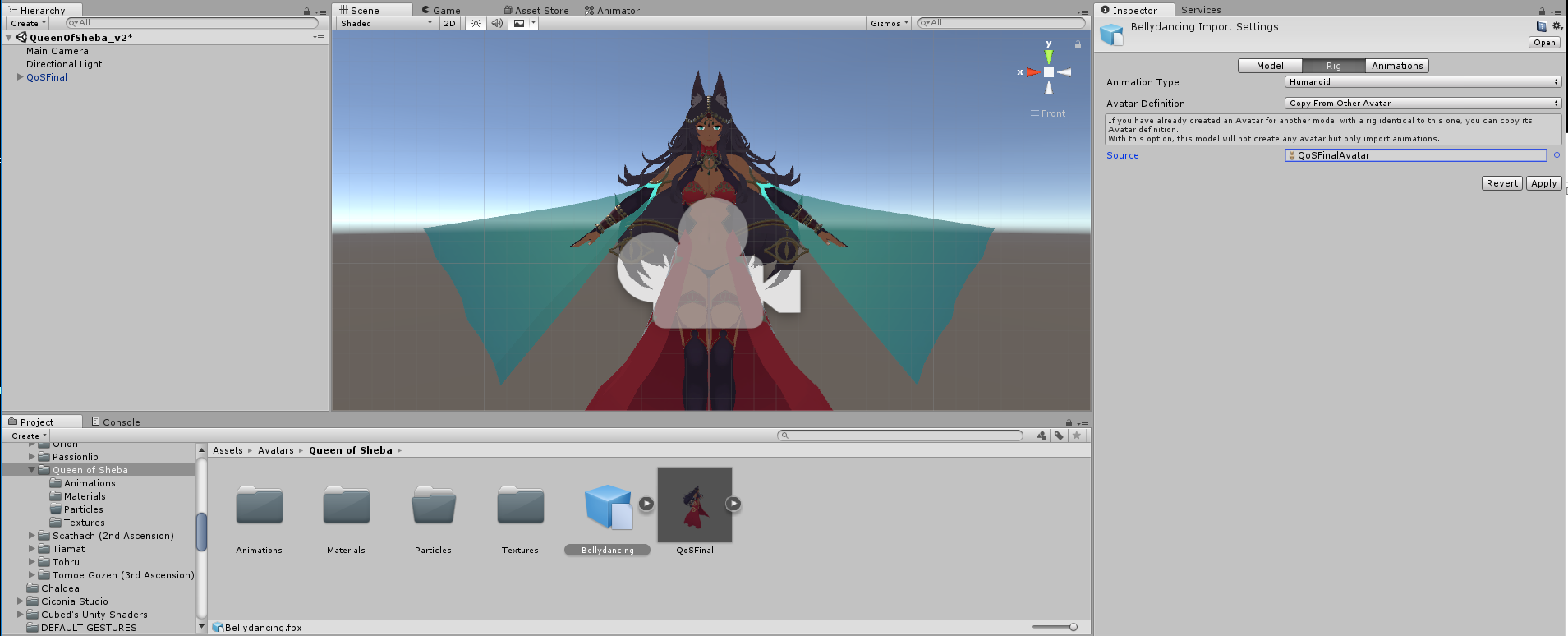
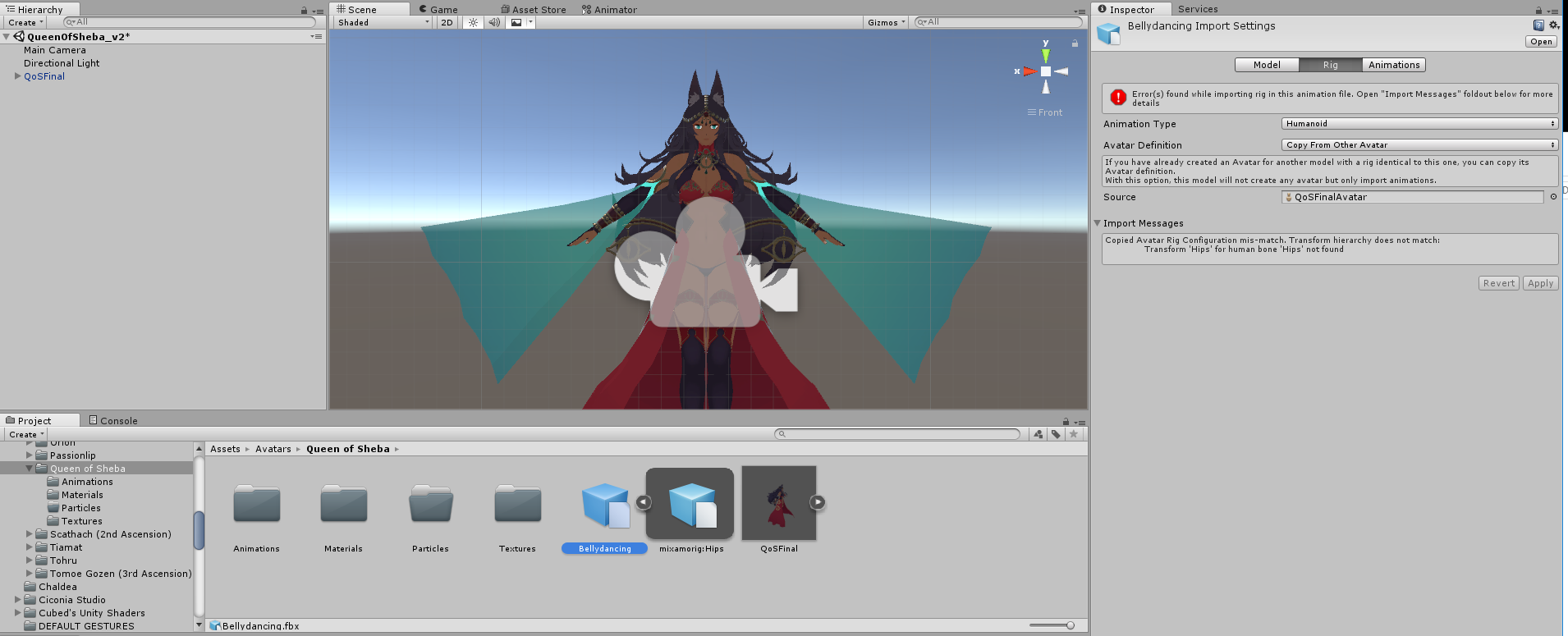
But basically, it seems to be saying something strange about "Hips" missing, and after the conversion, the animation is removed from the .fbx.
slim sparrow
Don't copy the avatar definition from another model
Just import it as a completely separate model, you could even do it in a separate project
void roost
Ah, so maybe that is the difference. The tutorial I was following was wanting me to copy it from the existing avatar. I will try that.
slim sparrow
Yeah, you don't want to do that. You just need a "throwaway" model to extract the animation from
Especially since Mixamo rigs and typical VRChat rigs will be slightly different
 ruby egret
Hey guys. I've been playing around with animator controller and still don't get whether it works or not. I'm using AvatarControllerTemplate from VRCSDK examples. Created a new controller layer and added short tail wagging animation. Set its weight as 1 and blending as override. In Unity everything seems to be working just fine but not in the game. Any suggestions what I might be doing wrong?
void roost
That certainly did it. Thanks again for your help, @slim sparrow. And you, as well, @pliant plank
pliant plank
Glad it worked out
slim sparrow
@ruby egret you cannot use your own animator controllers on Humanoid models.
If you want a tail wag animation, you should add an Animator component to your tail, then animate the tail from there.
You can use your own animators just about anywhere, except on your "main" model
Alternatively, you can override the Idle animation with an idle animation that incorporates the tail wag. But I prefer putting an Animator on the tail.
indigo jolt
I heard someone mention you can activate a seperate animation from an animation? Is that just enabling an animation component on an avatar or something?
indigo jolt
Ah I see
slim sparrow
Animation components can only play legacy animations though. There's almost always a way to do what you need
indigo jolt
If I assign an animation to an emote that is only a single keyframe, will it only lock my character up for that single keyframe?
slim sparrow
Yes
But the animation will also immediately stop once you stop emoting
The only way to have something persist outside of an emote is pulse gates, look up the prop toggling tutorial on Youtube
 lucid heart
I'm currently trying out particle systems, but somehow it won't work. I made a particle system with its game object and parented it to the head of my avatar. Then I took the animation clip where it should go in and added IsActive property from the game object and put the checkmark in (it's in a gesture override animation). When I do the geswture now in game the particle system doesn't get triggered, the face blend shape and the finger pose is all there, just the particles are nowhere to be seen. What am I doing wrong?
clear yew
you parented it to the head, so i'm guessing it's rendered invisible for you
lucid heart
how do I check that?
or how can I change that?
but I couldn't even see it in the mirror
pliant plank
Try to make an empty prefab or a 3d object and parent the particle to it instead, parent the prefab/object to the head and disable/enable the prefab/object instead, i have a feeling it'll work better that way
Here's a particle effect done in the same manner i just described https://gyazo.com/9e891fbb95d4f42deaeea9dc0226a2a0

This is viewed infront of a mirror by the way
lucid heart
I think I made it that way

 narrow stump
how to do u guys do a perfect timing for particles and music? i want to synchronize it
spice urchin
u can use particle delay and u can also use animation to trigger
lucid heart
do I need to set play on awake?
sweet zealot
@slim sparrow there is no jaw bone, the sil shapekey is "ih4"
The thing that confuses me is its a recycled face from an old avatar and its never done this before
pliant plank
@lucid heart You didn't do it that way, you parented the particle directly onto the head instead of an object that's parented to the head, but anyway, play on awake does need to be enabled
lucid heart
ok, then I will try it that way
slim sparrow
@sweet zealot uh, what is "ih4"?
The sil shape key represents your face when you're not talking
sweet zealot
ih4 is the name of the shapekil for he pronunciation of "sil"
spice urchin
what
sweet zealot
thats strange though, cause ALL of my other avatars have a pronunciation key on sil
slim sparrow
Then you're probably mistaken or your other avatars also look like that
spice urchin
also u can just make ur own visemes
slim sparrow
Shape keys frequently get stuck in mirrors
sweet zealot
i do make them
spice urchin
if u use CATS u can use the AA OH and CH to make the others
sweet zealot
i dont use cats, i make them myself
spice urchin
and u wont need 2 individually make all 12
bc they are combined 2 produce other sounds
sweet zealot
ive made over 84 avatars and ive never encountered this error before, the only difference between this avatar and my others is a different bone layout
spice urchin
well idk and if u want less of a headache u can use the CATS tool 2 make making visemes and eye tracking/blinking super easy
slim sparrow
Cats looks worse than doing it manually
spice urchin
not rlly
pliant plank
That is quite odd then, but Sil is definitively the area for the Silent shapekey, essentially the shape used when one does not speak at all
spice urchin
if u set up the correct shapes then they look really good
sweet zealot
OH "sil" means SILENT OH!
slim sparrow
Cats generates all visemes using three shape keys as a basis. Doing it manually will look better.
@sweet zealot yeah
spice urchin
u just need 2 make sure AA is definitely not OH and is definitely not CH
they need 2 be very different and have the correct mouth shapes
if they are 2 similar or 2 plain they will not make good visemes
sweet zealot
yeah i usually only make about 4 types of shapekeys, A/O/ih/E
spice urchin
but if they are correctly shaped and have the mouth curves then yes it should look ok when using CATS
sweet zealot
k so the sil was the issue. Thank you guys!
lucid heart
I got the particle system to work now, thanks for the help^^
sweet zealot
last question - unity gives the option of what distance you want your dynamic bones to deactivate, however even though i set it to be a bit far so my naga's tail wont snap back stiffly, the distance option doesnt seem to do anything. Does it actually work or do i need to set the numbers a LOT higher?
slim sparrow
Yeah, those options are overridden ingame
All the distant disable stuff
It's forced on, and on a certain distance too AFAIK
sweet zealot
bummer
 lucid grove
 lucid grove
yes
slim sparrow
It's beautiful
lucid grove
 brisk rain
so, I'm making a sword, and i want it to emit particles that stay in the world for a few seconds, but when i set the simulation space to global, the particles come from my hip for some reason.
Anyone got a solution for how i can fix this?
slim sparrow
Yeah, put the IK follower component on the particle system
Or use a fixed joint setup
 brisk rain
Arigato, or whatever the weebs say
lucid heart
ok, my particles are making problems anyway, didn't notice it at first. Although the particle system is parented to the head, it moves in relation to the spine. When I crouch down, the source stays where the head would be when standing, and I can't move the beam up and down, just sideways. Strangely, everything looks fine in a mirror.
I see I just asked the same question as the one some posts above me, lol
slim sparrow
Particle systems will stay where they are when your model is in T-pose if they're in world space
Unless you put an IK follower on it, or a fixed joint
lucid heart
just tried it with fixed joint, but then it won't move at all
slim sparrow
Yeah, you need the setup described in the video
lucid heart
and I don't have IK
slim sparrow
A fixed joint connected to nothing will essentially turn it into a static object parented to the world
What do you mean you don't have IK?
The IK follower should be there if your SDK is reasonably up to date
lucid heart
it is connected to the head
oh, ok, thought that was part of the IK-package you can buy
lucid heart
yeah, I confused them somehow
I think I found my mistake, I had the rigidbody for the fixed joint locked in space
ruby egret
@slim sparrow Ah, got it. Thanks a lot
forest dove
How do I make a particle animation for an avatar while I'm still able to act during it
I've got a small sequence I'm trying to do, but it involves me being able to move in vr
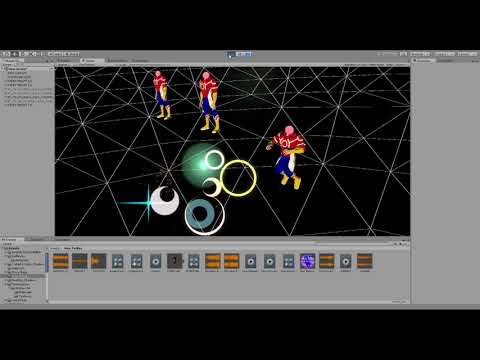
Like so
lucid heart
so I tried to add a second particle system to the first one that only gives off invisible particles with light sources. In Unity everything looks great, but ingame it simply doesn't work. Is this prevented by VRChat or something because of lag?
spring nova
@forest dove use a gesture to activate a gameobject that has that animation and all the effects inside it
forest dove
How would I get the stuff to follow my hand then if I need stuff following two different bones @spring nova
spring nova
Activate two different animations at the same time
forest dove
Can I have the game object I activate just activate the particles in sequence? or do I have to make a game object for each individual piece @spring nova
spring nova
Yeah, that animated gameobject can have as many frames and as much complexity as you want
spring nova
You'll need to rename them so they're pointing at the right hierarchy. So right now they're probably armature/hips/spine/etc/hand/effects/firsteffect whatever it is. You just need to rename them so they're instead pointing at just effects/firsteffect
And that would be right above the "add property" button, where all the names are, just slow double click as if you were to rename something
forest dove
@spring nova how do I make the animation activate on the object as its turned on
spring nova
It should do that on it's own
forest dove
when I activate it in play mode it does not
spring nova
Is it an animator or animation?
spring nova
Animation is legacy, use animator
forest dove
hold on I think I put the animation for it as the ovveride rather than one that just activates the object
spring nova
You'll have to make a controller, then just drop the animation clip inside it
forest dove
Create new controller or copy one from the vrcsdk
spring nova
New controller altogether, totally empty
Then you can open it up in the animator window at the top and drag your clip inside
forest dove
then do I drag the animator onto the dummy object?
spring nova
Create an animator component and drag the controller into it
 spring nova
Yep
forest dove
In play mode it seems to try and go through the animation
But doesnt actually activates anything

Has a progress bar and stuff
spring nova
Well you don't have anything inside it do you?
Animations only control things inside them
forest dove
fuck

So this isnt going to work
Sorry if you already said it, but if I have to move everything inside how will I be able to activate stuff that needs to follow the movements of my arms
spring nova
By having multiple animation objects
forest dove
Wouldn't those need to be underneath the main animation object to work?
So activate them since I'm trying to do it as a gesture
spring nova
No they can be wherever you want, it's the gesture that activates them
forest dove
So I would need to cut up the clip and add delays to all the particles
spring nova
Yes, cut up the clip, no need for delays though that's what the animation objects are for
forest dove
I feel like I'm confusing myself
Each individual piece needs to have its own animation controller
I can play the piece that has that under the hierarchy of the bone that it needs to follow
The gesture activates the animation controller and it goes through in the parts it animated for
spice urchin
how do u enable animators
cuz i tried enabling one in animation but it didnt let me
forest dove
So all of them activate at the same time
But theyre all doing their own thing until their frames
Thats what I need to do right Phase?
spice urchin
trying to make part of my character play an anim while moving
forest dove
So gesture frame one activates: Controller 1, Controller 2, Controller 3, and Sound
@spring nova
spring nova
Gesture activates all the animators, animators activate effects
forest dove
Alright
spice urchin
i tired that but
how do u make it so that
the animators can be enabled
bc i want to animate something on the characters body
how do i activate this on gesture
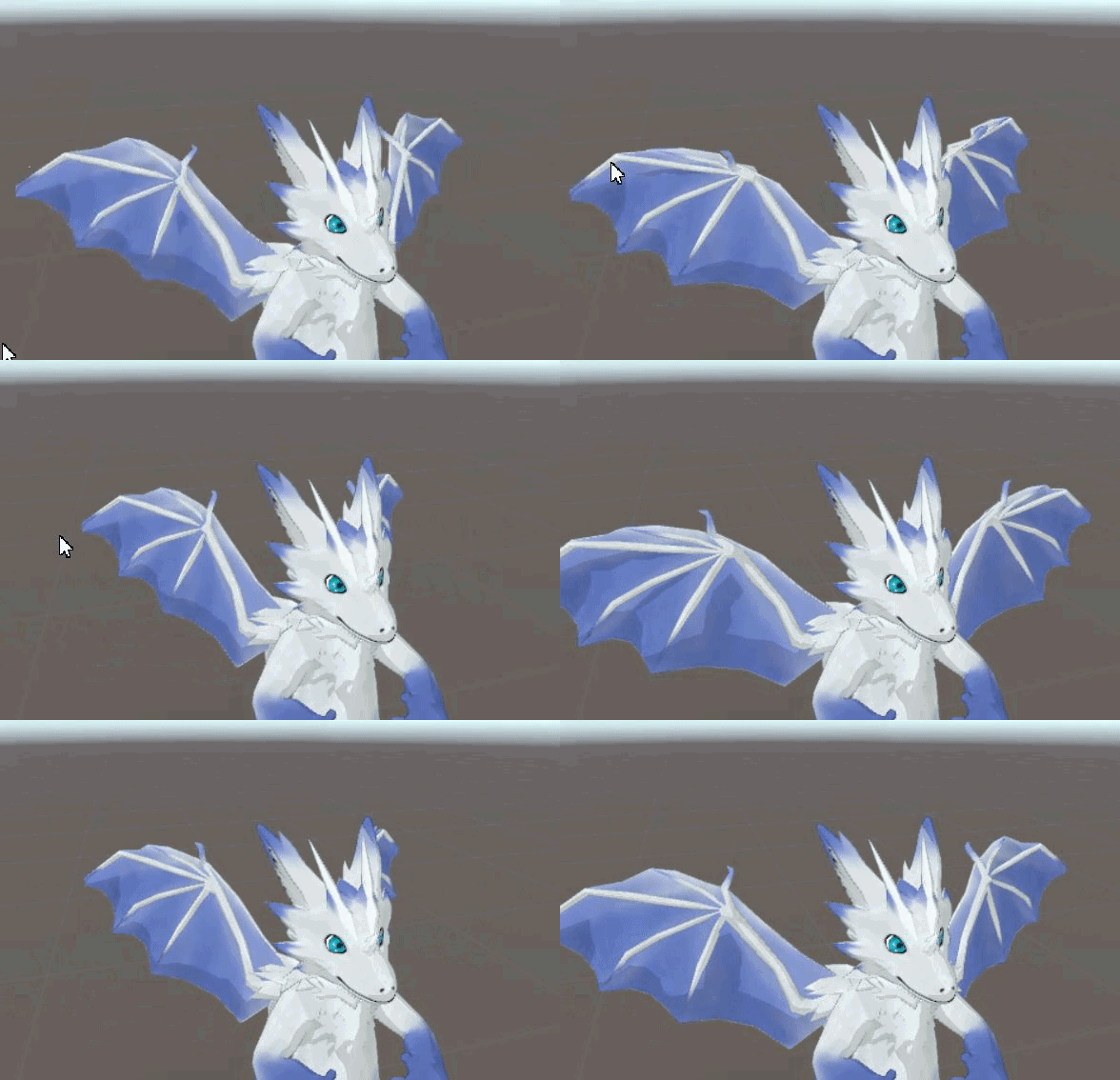
do i have to parent them to an empty gameobject
then enable that
idk if that will work cuz the wings use dynamic bones
ruby egret
Hey guys. I have another question. How do I play animation only when character is sitting? I don’t want to alter sitting animation. Is there any state in animator I can use or create or maybe somehow add a trigger to avatar so that it runs an animation that enables/disables another animation or animator.
spring nova
You can animate dynamic bones, it changes where the bones are trying to go to instead of where they're at directly
spice urchin
wat u mean
spring nova
So they'll sort of follow loosely, depending on your dynamic bone settings
spring nova
No, just animation
spice urchin
like
currently i have a chest bone then wing bones and etc
and what i tried was an animator in chest
ruby egret
@spice urchin sit emote alters whole sit animation. I want it to stay default but just add a another small animation on top of it
spring nova
In your case it'll be a little different, you'll need the toggle props package to enable/disable the animator directly
Just search toggle props in #development-advanced
spice urchin
but then wont it be out of sync
if someone joins while its playing
then they will see it play when i stop
spring nova
How in sync do you need it to be?
spring nova
Syncing shouldn't be a problem
It pauses the animation when you turn it off and resets back to the beginning when you turn it back on
spice urchin
how and where 2 use
and wouldnt it be out of sync if im using it and someoen else joins
bc to them it would be toggled off no?
i dont want 2 look like im flying when im not flying
spring nova
No you're not toggling, that's just the name of the package becayse they used the method of pausing an animation to toggle props on and off. But at it's core, all it does is pause and reset an animation
spice urchin
kk so how 2 use
spring nova
I'm at work so I can't give you a detailed rundown, but try to read the readme and figure it out
 hollow perch
Is this prop toggling the PulseGate and PulseOut system?
spring nova
yeah
it basically gives you the ability to add pulsegate keys, which you then rename to point to the animation you want to enable/disable
hollow perch
Because I have the same question as wunder about staying in sync
Like a toggle will have two states, and remember which it was in last time the animator was enabled... and it shows this way in unity if you open the animator controller while in play mode.
spring nova
It doesn't necessarily toggle like you would think. The way it works is you hold to turn it on, tap to turn it off, or vice versa. So whenever someone joins, the next time you do either one they'll get synced up
it doesn't remember the last state the animator was in, when you re-enable it, it will always completely restart from the beginning
hollow perch
Do you have a link to the system you are using
spring nova
just search toggle props in #development-advanced
it's an editor script that adds the "add pulsegate keys" button to the little gear icon in the inspector when selecting an animation clip
hollow perch
Ok so that is the same one I’m using. The thing I don’t get is the idea of holding to reset. I only currently have one emote for everything.
I think Disabling the game object should reset it so I might try that if I get stuck
spring nova
you set it up so that the first keyframe is the thing being off, then a second later the thing being on. You play the animation and if you let it go on for a second, it enables the gameobject. You then let go of the gesture, which will pause the animation and keep the gameobject on.
This can even be used to make a cycling inventory system where you hold to cycle between a bunch of different options
spice urchin
oh ok
figured it out
instead of doing that i can just import rig as legacy rig and then use animation
spring nova
For your specific case, you're right, a legacy animation would totally work. The whole toggle props thing is only if you want it to pause at a specific spot, but if you don't care about that a legacy animation is exactly what you want
void roost
Is there still an emote duration limit?
slim sparrow
Yes
void roost
Ah. Is it still 10 seconds?
I think my emote animation may have gone past it, as it cuts out relatively early. I'd like to find a way around it, but I may have to settle for shortening the dance.
Also, it seems like the emote animation behaves a bit oddly in VRChat, compared to in Unity.
slim sparrow
I think emotes can last longer than 10 seconds
The "behaving oddly" issue can probably be fixed by changing the animation settings
void roost
Essentially, the avatar crouches, at one point, and lowers properly in Unity, but it floats in VRChat.
void roost
Ah
slim sparrow
And in all the "based on" dropdowns, select "Original"
If you don't tick those, the game will try to physically move your avatar up/down when it jumps or crouches, but that doesn't work
void roost
That'd explain it. As usual, you're always full of helpful information, and I appreciate it.
The animation is 25 seconds long, and it does cut out, but I'll see if that persists after reuploading it with the correct settings.
pliant plank
Animations on emotes break roughly at the 1 minute mark, in the sense that the camera locks back into standard, always following the users pov, in which most of the IK kick into play and the animation goes haywire
Think hardcap is 5 minutes
void roost
Hm. It definitely shouldn't be getting that far, then. This animation only goes to 25:00.
It seems to stop abruptly somewhere in the middle, though. I'll see if it persists after the new upload.
clear yew
Help https://gyazo.com/165a5c3b95cef9867f94a6a474ef6b91 how to fix the animation ?
 slim sparrow
@clear yew that's a custom idle right?
clear yew
yep
slim sparrow
You need to set the Root Transform Y property to 1
Root T.Y in the animator
Your hips are in the ground right now
If you already did that, tick "Bake root transform" in the animation properties
clear yew
Where can i found this?
 untold prism
Question! Is there a good tutorial video for using the Muscle Editor? Each time I try to use it, the hand animation just becomes a limp grip rather than what I set it to.
slim sparrow
@untold prism you mean it turns into the default hand pose that you do when your model is crouching down into the ground?
untold prism
Ye
slim sparrow
If you used muscle animation editor to pose the fingers, I'm not sure why that would be happening.
Did you mirror it to the other hand?
untold prism
No, do I need to?
slim sparrow
If you want the gesture to look good on that particular hand, then yes.
If you're overriding fingerpoint, for example.
If you trigger a gesture like pulling out a gun with your left hand, then the left hand needs to have a finger pose in the "pull out gun" animation.
If it doesn't, it'll do that weird pose
untold prism
Ah, okay! I'll see how that goes when my world is done doing its half an hour of light baking and I'll get back to you on that.
 hollow salmon
So I'm trying to get this animation to show whenever I play a hand gesture, or play an emote:
https://cdn.discordapp.com/attachments/410285194629611531/465668467006242834/bandicam_2018-07-08_19-59-32-548.mp4
But when I go into the game and try to play the animations, nothing plays.
I have the Custom Override Empty file in the Custom Standing Animation, and the Custom Override Empty file has the gestures I want in there.
Dangit.
 hard eagle
doo you know how to animate 2 avatars in same animation
it will just be in animation tho
forest dove
load a seperate body that is unloaded
create an animation controller
make an emote that enables the animation and the other avatar
 tidal niche
So what are the animations that we absolutely need?
I can think of idle, sitting, and probably walking
slim sparrow
A lot of animations are provided for you already
Basically an entire animation set
For humanoid that is
tidal niche
yeah I'm not using humanoid lel
slim sparrow
There's a CustomOverridesEmpty
Oh
In that case, it's mostly up to you. You can make your own animator controllers
Are you on desktop or VR?
I guess it doesn't matter for generic
tidal niche
desktop, but trying to make for VR since my buddy has a setup
slim sparrow
In that case, you should reconsider your choice to make it a generic rig
Generics have no hand or head tracking
Generic rigs need an idle animation, and should have at least one walk animation
You can also make left/right and backward if you want
slim sparrow
Yes
tidal niche
So for idle/walking/running/etc. animations, they general eye location should stay the same, right?
since I've seen a handful of models where the camera was inside of the head and such, with bits of the mesh blocking the view
aaaaaaa this walking/stalking animation would have been so much easier to deal with if I didn't have to alter the spine to get eye tracking shit done
http://puu.sh/AVAlv.jpg My original rig had a main pelvis bone pivoting at the pelvis, parenting a hiproll bone pivoting at the abdomen/ribcage, and a torso bone parenting from the pelvis, pivoting at the abdomen/ribcage

made it really handy for things like hip sways and such
silver charm
I have a question that I think is pretty simple -- I want to put a watermark on my model that is a rotating 2D image above their head. I know how to make a plane with no motion, but no idea how to make it spin.
hollow perch
If it’s a separate object, you should be able to put an animation either a legacy animation or your own animation controller
You can also do this type of effect using a shader if you make a custom material, but that requires some programming
Question about emote animations. I want to make an emote that does something without changing the pose of my avatar (e.g. i can continue to control it while the animation plays). I’m also ok making it freeze pose during the animation. Is it possible to do either of these things?
Hey @silver charm i just found an animation controller in the vrcsdk caller Rotator and they also have a Rotate Legacy animation so take a look at those
silver charm
hmm, i might look into that
clear yew
I have a problem, in unity there are section that are greyed out as they were imported from a unity package, any tips? I'd prefer if anyone can help it is in dm though so this chat doesn't get disturbed
 chrome canopy
is it possible to convert Generic Animation to Humanoid animation?
 vocal isle
This may sound like a silly question by now, but can anyone tell me how you can make an emote animation that persists while you are allowed to move your body? Kinda like the ones people do at showcases.
I’ve tried to, but my avatars keep getting stuck in the ground like the default animation pose wants it to, despite having animated it on a separate avatar then putting the animation to the overrides on the original.
Thanks
hollow perch
I believe you can at least to some extent
It depends a bit on what exactly you want to do
A lot of the showcase things aren’t animations on the avatar itself but rather a set of game objects that get enabled while it is running. Often these game objects will have their own animator controller and a set of particle system effects
I’m working on a system to use the PulseGate approach to customize the avatar using the Armature and Hips objects but when you do this you shouldn’t have your animation move bones because it will conflict with IK. it is a more controlled way to do the same thing with enabling game objects
 echo wraith
Anyone know how or if it's possible to spawn a sound source that doesn't move with my avatar? I tried parenting it to a world particle, tried parenting the sound source to the rigid body my world particle is attached to, and even ticked the "Static" option, I can't stop my sound from moving with me.
slim sparrow
You need to put it on an object with a fixed joint that isn't attached to anything.
Then enable that object on a gesture or something @echo wraith
echo wraith
But it'll be attached to my own armature, right?
slim sparrow
It will stay where it is
Fixed joints have a Connected Body that you need to leave blank
I'm not talking about where it's parented
slim sparrow
Should probably be outside of your armature though, but inside your model
echo wraith
Alright 👌
vocal isle
Thanks, @hollow perch. Not sure why my first thank you isn’t there anymore, but here it is again😊
echo wraith
@slim sparrow https://puu.sh/AVMAt/be6e1b4f43.png So just leave the GameObject like this but with my sound source inside it?
 echo wraith
Alright, it's only disabled so I can enable with an animation.
slim sparrow
You need to put that object inside an empty game object
And that empty game object needs a legacy animation on it that constantly resets GameObjectMusic to position and rotation 0
You deactivate that animation when you enable the object, in the same gesture
echo wraith
Yeah, that's the empty game object which isn't empty anymore since I put the sound source in it.
slim sparrow
Basically, the fixed joint setups will drift further away every time you use it
So you need to have an animation play that resets it back to you once you deactivate it
echo wraith
Oh, alright
hard eagle
rokk why did you block me
 regal hollow
Rokk is brutal
hard eagle
i still search the way how to do 2 avatar's animation seperately in 1 anim
slim sparrow
I probably blocked him because of DM spam
 unreal socket
I'm having a problem with pulling out items and such using gesture overrides. For example I made an animation where I pull money out of my avatar using the rock n roll gesture but disabling the money by using another gesture is very hit and miss
slim sparrow
Huh?
unreal socket
And it seems to get stuck on
slim sparrow
You only need one gesture to pull out the item
You don't need a gesture to disable it
unreal socket
Yeah it is only 1
unreal socket
It just gets stuck after I stop
And I have to like move around to get it off again
I'm not sure what I'm doing wrong
clear yew
How would I get footprints on my model that generate everytime I walk and stay on the ground for a few seconds then disappear?
slim sparrow
Are you on Vive? @unreal socket
unreal socket
Yeah @slim sparrow
slim sparrow
@clear yew walking animation with particle emitters
Try enabling advanced vive movement controls in options then
Or disabling it
Vive has a weird way of handling gestures
You need to switch to another gesture to get rid of it
unreal socket
Yeah even changing gestures doesn't always work
I'll try your suggestion though see if that helps
clear yew
@slim sparrow Do you know of a tutorial that could help?
slim sparrow
Nope, this is unexplored territory because it's hard to get working.
clear yew
Fml
echo wraith
I tried it finally and got it to where music now spawns and doesn't move with me, but it seems I have no real direction over where the song spawns. Was hoping to have a gun that shot a static object into the distance that had the sound attached to it, but it seems a fixed joint is literally a fixed joint and wont let me manipulate it. Gonna keep playing around with it though, thanks for all the help, Rokk. 
 distant magnet
https://prnt.sc/k65vmm anyone a clue where i can get this idle animation
 slim sparrow
You can make it yourself pretty easily.
Muscle Animation Editor makes this a breeze
hollow perch
@unreal socket I think the way the hand gestures are done is by using an avatar mask and anything not affecting bones or muscles could then be added together from both hands. Is it possible you were doing the gesture in both hands by mistake?
spice urchin
how do u add more than 1 animation on gesture
it only lets me put 1 animation on the rig
hollow perch
What do you mean? You can do multiple things at the same time in an animation
 hollow perch
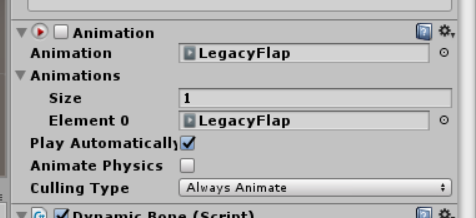
Not sure I understand. Your gesture enables the animation and that LegacyFlap can be a long animation that does everything you want
spice urchin
who cares
i want to play mutiple animations on multiple gestures
how do u add more than 1 animation on gesture it only lets me put 1 animation on the rig
hollow perch
Ah I see. I assumed you were enabling a game object with animation on it. Then you can make more copies of that game object with different animations
If you want it on your main rig then I also have no idea. I’d love to know if such a thing is possible
spice urchin
no i want t he animation on my character itself
i have a wing flapping one but i want to add more
hollow perch
One trick I am using is to make one animation on armature, and one on hips. You can edit the .anim file in a text editor and find replace all the keys to remove Armature/ or Armature/Hips/
hollow perch
You can in my experience stick everything in my avatar inside hips and it still works fine
But I bet there are some consequences
spice urchin
ima put one in armature
the other anim was on the model itself
what i think ive seen epople do
is copy and paste their avatar and disable/enable
hollow perch
Yes I think that’s the normal way but my understanding is you want to allow it to follow ik and other motion during that animation
spice urchin
when i open the anim in text its a bunch of symbols
so idk where i replace
do i just use regexp replacing
hollow perch
Yes the lines all say Path:
spice urchin
i dont see any
hollow perch
If it’s a small number of keys you can also do it in unity just click once on each row, wait a second and it will let you edit
spice urchin
ill just do regexp replace from Armature/Hips to Hips
also
how will this work with humanoid animations
it wont
bc im trying 2 import an animation
hollow perch
I think using legacy animation isn’t going to work for humanoid anyway . But I don’t have enough experience to know
spice urchin
no but like
ill probably just use an animator or smtg idrk
nvm u cant disable that in animation
then idk
hollow perch
If it touches the muscles like Root Q and stuff this approach won’t work
But I think it will break your control of the avatar so then why not disable your mesh and use a new copy of your avatar
With a full animator controller
spice urchin
bc dynamic bones
hollow perch
You can copy the same dynamic bones on the other mesh
spice urchin
and i wont be able to use other gestures
i can do 2 things at a time
but if i do that i cant
hollow perch
If you mess with humanoid animations my guess is the gestures are not going to work right anyway
spice urchin
im importing mmd animations so i cant just import them on my rig and export
hollow perch
I haven’t found a way to have everything and I still haven’t learned how to get mmd animations in. Maybe someone else here has more suggestions.
spice urchin
u have 2 use an mmd rig and fix the spine so its parented to hips and etc
hollow perch
Oh but then you are using bone not muscles so a legacy animation should work
The downside of putting the Body mesh into armature or hips is it breaks all the mmd animations unless you customize them. But if leave the Body mesh on the top level of the rig then your second animation can’t touch the face blend shapes the way I proposed to do it
clear yew
anyone know if i can recover avatars from in game if I no longer have the original files
 graceful turtle
Is there I can Make a sphere that is filled? I want to make it so you cant see inside a sphere
in unity btw it is a game object
Technichally a solid sphere
like all who get enveloped only see white
btw its not a troll avatar its a thanos avatar
 lunar pasture
@graceful turtle I'm assuming the sphere isn't part of your model, in which case it should have a shader that is probably transparent and can be changed to opaque.
graceful turtle
ok in the proccess of editing a finger snap sound to have an echo
slim sparrow
Sounds pretty easy if you just set ZTest to always but only while inside
Good luck with that I'd say
Don't want it to render across the map
Particle subemitters maybe, check for PlayerLocal collision
tidal niche
I think the way to make it look solid on the inside, is to just flip the normals
slim sparrow
Yeah, but that also makes it visible from outside
graceful turtle
yeah when i say it it sounds easy, just make a sphere tha is very bright get bigger but somehow its complicated for me
lunar pasture
but what might actually look better is childing another sphere and giving that one it's own shader.
slim sparrow
Or you can use a shader that has front culling instead of backface
tidal niche
then duplicate the sphere and then make the inside with the inverted normals
slim sparrow
You could also use stencils, that's a good one
An outer sphere and an inner sphere
The outer sphere hides the inner one using stencils
slim sparrow
The outer one is one-sided and can only be seen from outside
lunar pasture
Anyone know anything about GPU particle systems? which one are all the cool kids using?
tidal niche
also, technically
slim sparrow
The inner one is also one-sided, only visible from inside due to the outer sphere hiding it
@lunar pasture you can't have real compute shaders
They need scripts
Your best bet is a geometry shader
On an object with a lot of verts but not many tris
tidal niche
if you do have the inverted sphere, you'll still see the sphere, you're just seeing the inside rather than the outside
tidal niche
will they look any different?
tidal niche
then you might as well just do the inverted sphere
graceful turtle
how do i invert the sphere
tidal niche
you make a sphere and then you flip the normals
slim sparrow
You also need stencils on the outer sphere and inner sphere
graceful turtle
i think i should just leave the inside of the sphere transparent for now so people dont freak out, and then later ill come back and try to make it solid
i basically have the animation i want, i just need to add my finger snap and ear ring
*ringing
graceful turtle
What kind of format does an audio file need to be in to play in unity
my files play normally but when i put them in unity and play them in the right hand corner no sound is heard
 olive lynx
Hello everyone, I am looking to do an animation but my avatar duplicate goes halfway through the ground as soon as I create a key frame. Is there anyway to get the model standing normally again?
olive lynx
Oh snap you are a genius 😄
spice urchin
or at least thats the easiest way i guess
slim sparrow
@olive lynx you need to animate on a duplicate of your model for that reason.
spice urchin
and ya u use copy of ur model 2 animate
slim sparrow
Don't import a T-pose or empty idle animation
If you're making a gesture, it should be halfway into the ground.
spice urchin
ya but if ur making an emote
slim sparrow
This is an indicator that your animation will only have finger and object-related properties
That's a different story
olive lynx
No i am animating thje duplicate of the model lmao.
slim sparrow
But if you're making a full emote, you probably know how to properly animate already
In which case, you would either use Blender, or you would know to set the Root Transform properties of the model in such a way that the hips are at Y 1, not in the floor.
Unless you're a beginner, in which case you should refer to the above tips
Muscle Animation Editor will make animating inside Unity a lot easier.
olive lynx
Heck I'm going to try everything haha.
slim sparrow
What are you trying to make? A custom hand gesture, or a full-on emote, walk cycle, or idle animation?
slim sparrow
Ah, that's cool
I would still recommend using a 3D program to animate that, to be honest. Sounds cool, though.
Sorry if I came off as condescending earlier
olive lynx
lol no man it's all good 😄
slim sparrow
I did a full emote in Unity once. It's definitely possible, but a little more difficult.
If you want to get your model out of the ground, you need to set the Root Transform Y property to 1 in Muscle Animation Editor
That's a good starting point
spice urchin
or u can start with a tpose or idle
slim sparrow
You also need to animate the legs and arms so they're back to normal again
spice urchin
that way its already set up
slim sparrow
Yeah, the SDK has a sample idle animation that you can duplicate and use.
spice urchin
then u can change the muscle settings
olive lynx
Yea I am not very smart when it comes to blender either. One of my friends mentioned that there was a button added to CATS that weight paints for ya and I have yet to find it lmao xD
slim sparrow
It's in VRCSDK/Examples/Sample Assets/Animation somewhere.
spice urchin
another thing u can do is
u can create an animation and copy over the muscle settings
this will create a generic animation so u can do things like activate props, move bones, and etc
olive lynx
Thanks Wunder, I will give it a try 😃
 graceful turtle
hey can i get some opinions on my animation Idea?
 next pilot
so i made a 3sec animation and placed it on my hand emotes but now its bugging out 2 of them when i just want the one and there is no other keyframe after the 3sec mark
pliant plank
Gestures can only be 1 frame long, between 0 and 0.1 specifically
spring nova
That's just setting the render queue of the object above other things. Be careful with it though, it can be obnoxious
tidal niche
I just had a thought
for the sitting animation, will there be some way to change the camera location?
 torpid light
it's not render queue it's the ZTest
tidal niche
http://puu.sh/AW7ry.png Uhhhh, how big are the chairs/seats usually?

http://puu.sh/AW7sZ.jpg had the idea where her paws hang off the edge, but the problem is I have no idea of the scale of things

 vagrant heron
So anyone know the fix to the issue where visemes don't work (well or at all) after adding animations?
hollow perch
What are you animating? And where did you attach the animations
vagrant heron
All I did was add animations to the custom animation override sheet.
If the model has none, the vicemes work perfect, after adding it they don't work well
hollow perch
The mechanim animation system in unity is very confusing to understand completely. One important thing to know about it is anything you animate will be deliberately set to the default value while that animation is not running
vagrant heron
Like finger gestures
hollow perch
So if you create an animation that moves visemes, the game will always try to reset your visemes to default while you are not in that gesture
vagrant heron
Hmmmm.....
hollow perch
There are a number of ways around this type of thing but all have complications. The simplest thing to do is dont use the vrc_ shape keys in your own custom animations
vagrant heron
So as long as the blend shapes I use in the animations don't use the visemes shapes it should be fine?
hollow perch
Like if it is mmd there will be a あ (ah) shape that is separate from the vrc_aa one
vagrant heron
No this model's blend shapes were hand made for me.
hollow perch
I believe so yes. But fine is one way to put it. I have found that there are consequences to every decision you make in animations. In the case the consequence of this is you will potentially stack shapes, so if your animation says ah and you say ah into the mic it will double open the mouth and they add
So your mouth looks messed up
One other way to handle things is to have the face as a separate mesh and disable / enable the norma face and enable / disable the alternate face. Then you can freely animate visemes on the alternate
But if you want to be able to talk during the animation you wont see any normal visemes during the animation but at least afterwards you will be normal again
Another trick is using legacy animation (an unchecked animation object on your avatar) you can enable it from the emote animation and the legacy one wont mess with you while its not running
The downside is they limit it to one legacy animation per objevt. I use tricks like putting one directly on the body mesh and one in the armature and hips to get around this limit but that complicates many things
Also my experience is limited with visemes so i cant say for sure if this would work with this approach
 abstract lagoon
Is anyone willing to help me learn to do animation overrides if so pm me
 muted prairie
@abstract lagoon You can find multiple tutorials for this on youtube specifically for vrchat
 spring bough
How complex is the animation you want? like just something appear and disappear, I can help if its small like that, otherwise just youtube it 😃 (Oh that was 4 hours ago)
olive lynx
Hey does anyone know why my viewpoint won't follow me when I sit down, but it will follow me when I crouch and stuff?
graceful turtle
anyone able to help me figure out how to delete an existing skeleton on an fbx file then save that fbx file so i can Remake a skeleton useable in VRChat? I need help ASAP ive been losing my mind trying to do this for the past 2 hours!!!
abstract lagoon
How do i get the animation tab on unity
tidal niche
Okay so uhhh
How do I put my animations onto this
so far I have a standing, sitting, and a forward-walking
abstract lagoon
Can I add particles that show up with only 1 gesture if so can someone help me and explain how
tidal niche
I think I figured out the replaceanimation override, but now the new problem is that my animations don't loop, and the pivoting is all weird

 tidal niche
http://puu.sh/AWFHn.jpg ...oh no.

 crimson epoch
Any easy way to fix the hips and knees not moving when importing a vmd to a model in blender? or do i have to actually go in and fix every key frame, because that would absolutely suck
crimson epoch
The groove is used in the animation and is not translating into blender is the problem
tidal niche

I think I got it working
but now the tail doesn't want to work
if only I could reimport the few bits and bobs I needed to fix without having to delete everything and start over
tidal niche
How do you even change the sitting animation in the first place
 dreamy osprey
anyone has a good tutorial for idle anims and walking anim?
 fluid crescent
why sitting aniamtion doesn't work with standing idle animation?
 sand crater
Does the size of the model when baking an animation matter after bringing it to Unity?
It seems like my animation is really broken when I drag my model into the baked animation model window
it moves but it's like she's bent in half while doing so
oh and she's floating
sand crater
Aaah I'm so upset
Can't get it to work
both tutorials on YouTube w/ animations for vmd doesn't work for me
I'm just stuck at the point where the animation breaks my entire character
in Unity
So it goes to shit after dragging my decimated model into the animation
I really need some help
I'm dying here
pliant plank
Does the animation move the hips alot?
sand crater
it feels like the hip itself is dragged to the side
and she kinda bounces up and down like there's no gravity instead of dancing on the floor surface
I feel like all the animations are working but the model itself is just so deformed during it
so something is wrong with the position
within Unity
pliant plank
The root hip bone used in VMD animations is the groove, that in it of itself cannot be changed and to properly rig an animation to work in humanoids the actual hip (aka not the groove) must be used, and as such any hip movements just disappear entirely
sand crater
It seems like the hand animations are working (kinda) but yeah, seems like the hip and below doesn't work
so how do I fix this?
pliant plank
You just... kinda don't honestly, i've yet to see anyone manage to fix that issue
sand crater
but do you have any idea if it's my model
or the animation file itself
or Unity's fault
or did I just do something wrong
I want to figure this one out but I'm clueless and I got a total of 0 hours when working with animations so I was hoping someone here can point me in the right direction
pliant plank
It's a combination of everything
 noble mirage
Add :Agent Eagle on steam
sand crater
Oh that's your Steam username
wouldn't be talking on Discord be more convenient @noble mirage
Well it works for people who make YouTube videos and I've followed all the steps
noble mirage
yes
sand crater
I feel like I'm missing something
pliant plank
The animations' due to it being essentially impossible to assign motion to another bone, unity's for not allowing a non-standard humanoid structure (can't apply groove as hip) and the models' design that has odd parentings for such
sand crater
then how come it works for so many people
you make it sound like doing this is impossible or something
yet countless people out there have it working
I want some help, not someone to shoot me down like a dog on the street
pliant plank
Because those countless people don't actually have VMD's with hip movement
sand crater
What?
noble mirage
sup
pliant plank
And i'm not shooting you down, i'm just telling you the issues here
sand crater
Alright
pliant plank
It's possible to have fully functional VMD's on models that are completely unedited
sand crater
Yeah
but you need to decimate them
and it breaks?
the tutorial videos don't decimate it
sand crater
Yeah but you need to bake it into a model and bring it into Unity
but for some reason it doesn't work when I drag my existing model into the baked model w/ the animation
noble mirage
no shooting
sand crater
Then how come some guy in a video doesn't have to use the baked model?
he just drags in an existing model into the baked preview w/ the animation
pliant plank
What video?
sand crater
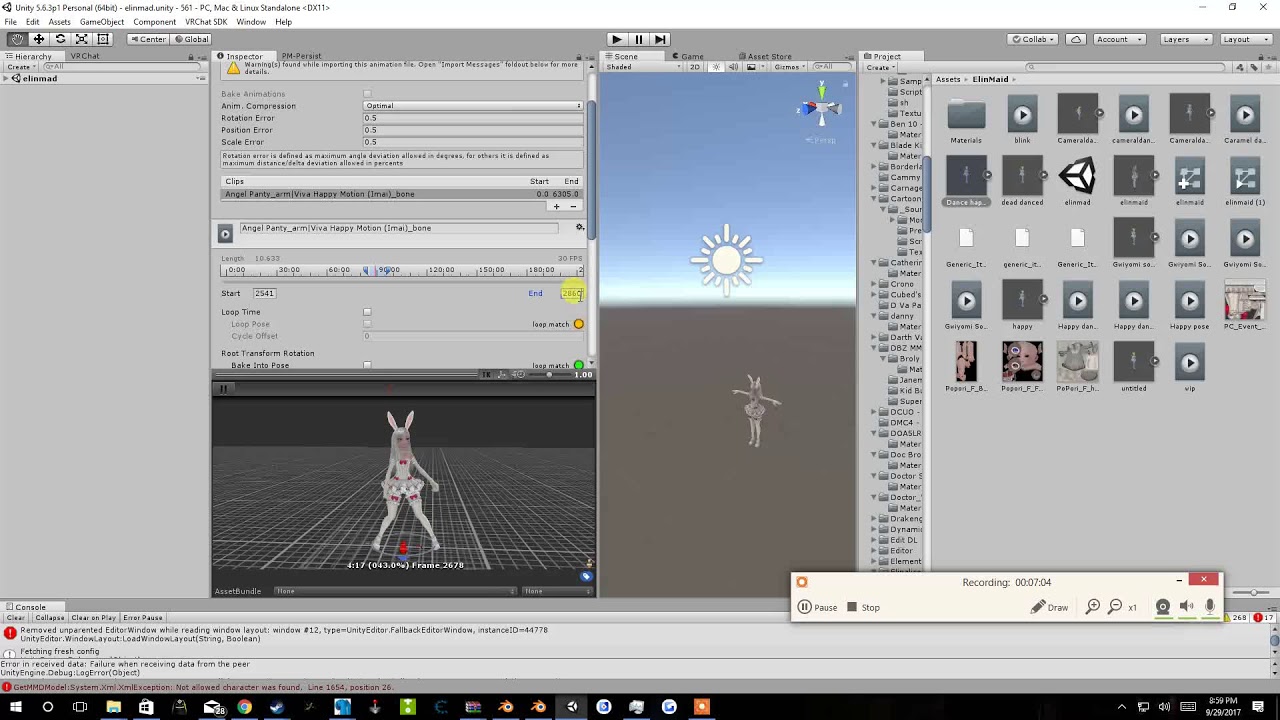
Tupper video on New MMD tool for blender https://tinyurl.com/y8yeonsd MMD Tool update version https://tinyurl.com/ybku6xft EvolvedAnt Gesture Overrides for T...
Here
he drags in the avatar and he says drag your avatar into the animation and see if it works
he's using a baked model and drags in a non-baked model into the preview
and proceeds to simply extract the animation onto another model
sand crater
Hmm...
It's kind of sloped
says "Character is not in T Pose"
but then I remember trying to set the model back
to T-Pose w/ the Pose dropdown
but it doesn't work
Oh
resetting it works
weird
Guess I'll try now
Nope
she's still broken
pliant plank
Can you get a gif of it with gyazo?
 ocean knot
anybody have a way to animate part of an armature with a gesture? i tried using rigidbodies/fixed joints but they seem to gradually lose their correct position
pliant plank
Yeah
sand crater
What program do I use
pliant plank
Gyazo
Also, here's an example of the hip straight up not working as intended on the video you've been watching https://youtu.be/oUSe5uDLSJM?t=335 @sand crater
Tupper video on New MMD tool for blender https://tinyurl.com/y8yeonsd MMD Tool update version https://tinyurl.com/ybku6xft EvolvedAnt Gesture Overrides for T...
It'll still try to follow movements normally but fail completely on any sort of rotation
sand crater
Oh no
I dont care about the hip
I just want the hands and legs to work
and that she's not floating around and twisting her entire upper torso like a robot
Alright setting up a gif is too much hassle
I think I'll just screenshare
on Discord
but since Discord doesn't support screensharing on servers
pliant plank
It's just a simple ctrl+shift+g and selecting the area you want to make a gif out of .-.
sand crater
Sorry it took a while, had to slowly download the encoder pack and then had to super slowly upload the file with my 20kb/s upload speed
eager vault
God save the queen
sand crater
Forget it
 gleaming tusk
Hello

So I'm trying to animate this as a gesture
what should I do so it doesnt bug and have to wait for the whole animation to end so I can use another gesture?
sand crater
Question: Alright so I'm stuck on the part where decimating the model with Safe mode still breaks the animations but has eyes and mouth still working
Anyone got any clue? (Blender)
Alright, I cant rely on CATS anymore
anything I do just breaks the animation.. time to do manual decimation
 neon spear
are you doing the animation in blender??
neon spear
if it's for an emote or gesture you're gonna have to do the animation in Unity
sand crater
Yes
neon spear
you can lower it
neon spear
then you may just have to decimate by hand
it's probably an issue with the auto decimate because it's still in it's experimental phase
 fallen rampart
hey everyone: I wanted to share a tool with you. This software allows you to do facial motion capture and export as a vmd, which you can then turn into animations
 sand crater
Alright quick question
I slapped on an animation and it makes my character's eyes closed
how do I make it open
sand crater
Oh my god....
I wanna die
turns out even during animation eyes are fucked
I just realized
 worldly talon
@grand mango How about here then?
I seen a few minutes of your video on https://youtu.be/7P0ljQ6hU0A?t=4991 and was wanting to know how I can bind custom keys to active custom motions with a keyboard or is that even possible?
 grand mango
Oh, that kind of question. You can use custom gestures on keyboard with shift f1-f8
but other than that, there's no way to bind custom motions to arbitrary keys
worldly talon
XD Thank you.
sweet zealot
Custom walking animations, i sink into the ground - how do i fix this annoyance?
 tacit parcel
So im doing dynamic bones for the first time and want to know if i can share my somewhat shit posty 7 second clip
icy crow
I think those can be done with compute shaders but I think those require scripts @thorny fox
 thorny fox
yea and scripts are blocked in vrchat as far as im aware
but somehow.. people are doing it
like those music bars that sync to music
thorny fox
not sure if that works..
kinda surprised vrchat didn't whitelist the components needed for it
tacit parcel
I'm clueless as to what it is just throughing ideas out
how aggresive is vrchat against scripts?
thorny fox
mm removes them when you try to upload model
tacit parcel
Be kinda nice if private worlds could host any scripts it wanted
And just warned users "Hey this could be bad"
tidal niche
https://cdn.discordapp.com/attachments/389237181090365443/468007769639878660/20180715065444_1.jpg My character is supposed to have a handful of custom animations so far but all of them are busted

with the exception of the idle, kind of, but the tail/ears aren't moving and the claws are kind of in the wrong position
and I'm unsure if the eye tracking works either
hollow perch
What are you trying to customize?
If it is just tail and ears, I think people animate them using a legacy animation component you put on your avatar ( you can also put it on some bone if you already use the animation slot of your avatar )
tidal niche
it was supposed to have a custom animation set in general because the stock anims are p garbage but because it's on a humanoid rig, most of them are overwritten by the arms/legs
How do I switch it to legacy without ruining the rest of the rig?
hollow perch
You are using a duplicate of your avatar to edit the animation right?
hollow perch
I mean in unity you should duplicate your avatar temporarily when working with animations. Otherwise if you mess it up your avatar will permanently go jnto some sitting pose with arms outstretched like riding a bike and in the floor
tidal niche
I've seen that when trying to figure out animation stuff, yeah
hollow perch
You apply the animation overrides in the main avatar you submit. The duplicate you just use to help you edit
Anyway legacy animations are for if you don’t use muscles but you want to rotate bones directly or visemes and such
It’s easy to convert. Just go to the really tiny menu in the top right of the inspector tab and select debug. That makes a legacy checkbox appear for the anim file. After setting legacy change debug back to normal.
Then create an animation component on the avatar and put the legacy animation into it.
tidal niche
hmm
so how do I just change the bones to the uh, what was it, dynamic bones?
those are the ones that jiggle around, right?
hollow perch
For tail I might just suggest dynamic bones. You can set dampening or elastic to 0 and they will wag. Did you install dunamoc bomes
tidal niche
I'm guessing you have to install that beforehand?
hollow perch
Ya they have a version in the asset store. A lot of vrchat people use that because it is one of the allowed components
tidal niche
aaaa if only there was a way to make small changes without having to restart everything from scratch
slim sparrow
@thorny fox music bars synced to music don't need GPU particles
The "GPU particles" in this game are really just geometry shaders since compute shaders are inaccessible
 cerulean lintel
Good evening VRChat Discord. I have come to you with another avartar problem! So im making a combine metrocop avartar, yes? I have the baton gesture all worked out, and audio clips all inserted, but when I try to activate the clips with the gestures, they either dont play correctly, or dont play at all. Then, when I use the open hand gesture to reset the clips, it ends up playing the audio clips even though none are activated by its gesture. Recently, they dont even activate at all. The clips are on the right hand finger bone if thats any signifigance.
Each animation is basicly where it sets a clip to 'active' to play, waits for it to play, then sets to unactive.
If anyone can help, i'd love it. I need to tell people to pick up that can.
spring nova
If you're doing gestures, they need to be just a single frame, which will loop continuously as long as you hold it down. When you let go, it'll return to it's original state on it's own
cerulean lintel
Two frames will toggle, then?
spring nova
no, just one frame, and it'll be as long as you hold it down
cerulean lintel
Hm, i'll remove the second frame and upload, then give it a whirl.
My entire Unity experience has been learned over a 2 night period of youtube tutorials
spice urchin
unity animations revert object status when they are terminated
(excluding legacy object toggling!)
but this means that u want to keep whatever u want to enable enabled in the animation bc it will disable automatically when completed
cerulean lintel
So if an animation turns on a clip, then off after, say, 3 seconds, then the animation is terminated, it will turn the clip back on?
If so, I might have found my major problem
spice urchin
what
no
'unity animations revert object status when they are terminated'
so whatever u do is reverted back to original state
cerulean lintel
Ah
spice urchin
unless the transitioning animation has a keyframe for it (like muscles) then it just transitions
cerulean lintel
Alright, thanks
spice urchin
all other keyframes reverted
cerulean lintel
Im gonna test it the avartar now, if it doesn't working then i'll sleep on it. And maybe eat on it.
cerulean lintel
Alright
The files play, but a bit randomly. I think thats because I haven't nailed down what section of trackpad is what gesture yet
However, if I play a file then use the 'open hand' gesture after its done
It plays the file again
spring nova
what's open hand supposed to do
cerulean lintel
nothing, currently
i have the animations assigneed to FINGERPOINT, ROCKNROLL, THUMBSUP and VICTORY
spring nova
can you take a screenshot of what one of your animations looks like?

 spice urchin
if theyre just sounds then set them to be disabled
cerulean lintel
Heres the animation
spice urchin
then enable them in animation for 1 frame
 spring nova
you need 1 frame, but two keyframes, one on each side
spice urchin
bc unity animations are 100 fps
spring nova
just duplicate it to the second slot
spring nova
0:01
cerulean lintel
Ah
spice urchin
for 1 frame not 1 second 0:00->0:01
 spice urchin
:\
spring nova
yes, assuming you don't have any other keyframes out at 1:00, could you check?
cerulean lintel
No other keyframes
spring nova
then you should be good
spice urchin
then upload now
cerulean lintel
Alright lets give it a whirl
spice urchin
also turn off the recording or just click something thats not animated
to get rid of orange play buttons
also u should probably use a copy of ur model 2 edit animations on in case it gets irreversibly posed from an animation edit
bc sometimes when exiting animation editor the character will be stuck in a pose
cerulean lintel
Yeah, I learned that the hard way
spice urchin
ye
cerulean lintel
I can create a relatively stable character with animations that make different objects appear and such
but audio clips are beyond me tbh
alright its uploaded
spice urchin
audio sources in vrchat are annoying
its glitchy, sometimes breaks locally, and it also has a small range unless u mess with it ingame
cerulean lintel
Alright
I think it must be a bug then
Because i've noticed when I activate it, then use the open palm gesture, it still plays
and I have to hold the gesture to 'clear' it persay
And if I dont clear it, any other gesture I use plays the same audio clip
I feel like im making a mistake somewhere here
spring nova
That's what happens when you have more than one frame gestures, they get locked up and weird
cerulean lintel


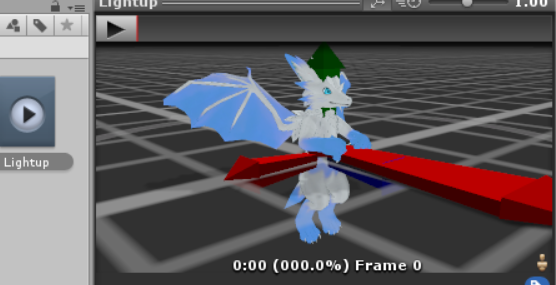





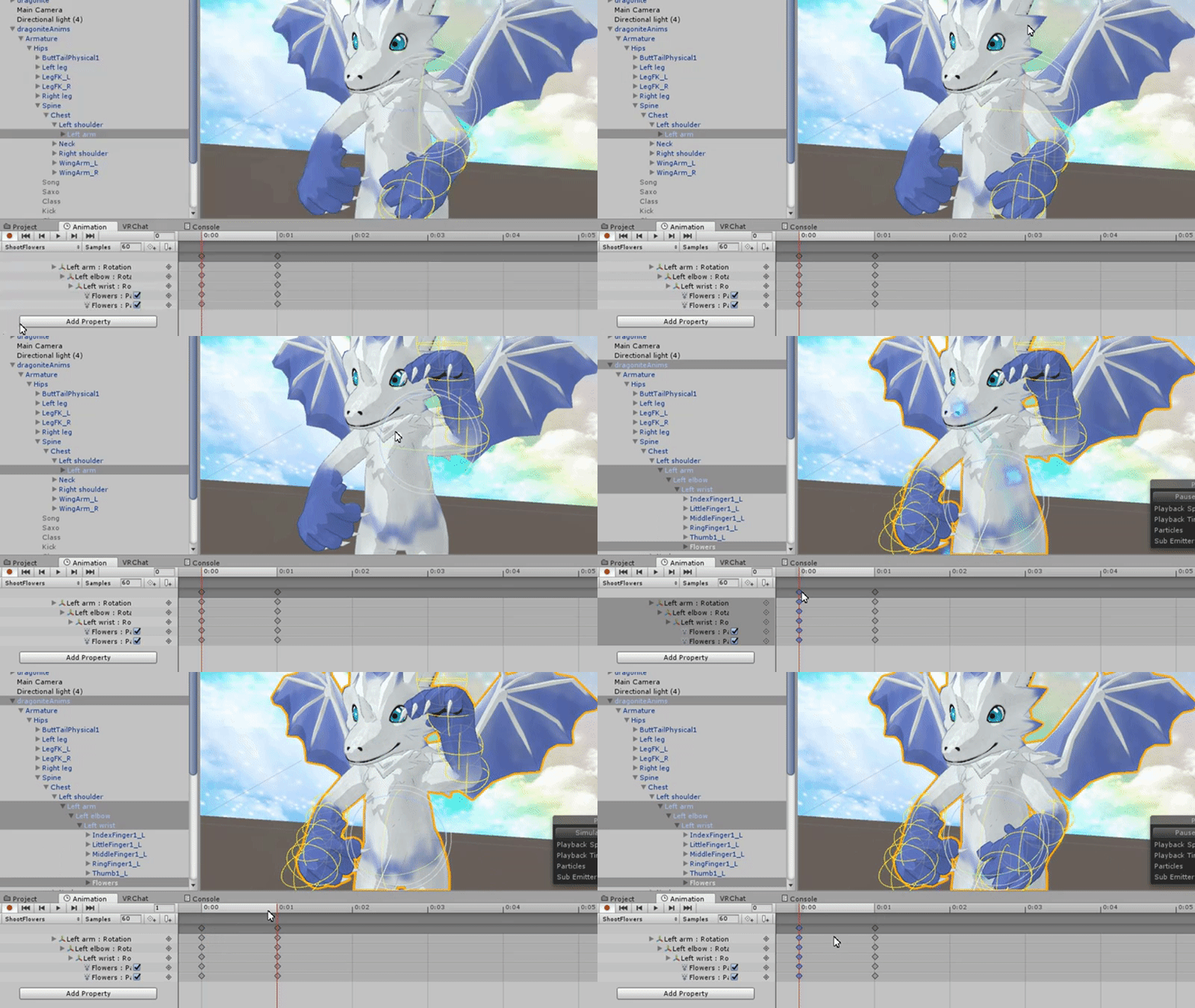


Anything out of the ordinary here?
I have animator controllers for each animation, the sound files and textures...
spring nova
it's the animations themselves, make sure all of them look like this https://gyazo.com/a03d89a262fa3c6613a07f3d4e6c7ba8
cerulean lintel
Alright, i'll go modify the rest
And you mentioned disabling the open hand gesture?