#animation
1 messages · Page 23 of 1
 lean acorn
 slim jewel
at the end of the animation theyre all at 1
 rich scarab
Ah superb! No problem at all! Happy to pay if there is something out there that makes it a tad easier 😃
lean acorn
Let me see if I can find it
slim jewel
isnt it the muscle animator or something like that?
rich scarab
Excellent, Thank you very much 😃 ❤
 sacred flame
People can't see my model for some reason, others without animations work fine. Is this some upload bug that could be fixed with reuploading?
 finite rock
@sacred flame They can not see your avatar from the beginning, or only when you activate an animation?
sacred flame
From the beginning
If I switch to diff one they see that, but when I switch back they still see that other one
 plush meadow
Will any type of audio file work in unity?
finite rock
@sacred flame well then try reuploading
sacred flame
Alright, will try
finite rock
if it's work on unity too, it might be a problem with your last upload
@plush meadow I think the best one is .ogg but mp3 work too for what i know
plush meadow
so no wav?
 clear yew
@lean acorn @slim jewel that didnt work for me 😦
finite rock
idk
lean acorn
What didn't work?
slim jewel
@lean acorn i just tried activating all the particle effects but leave the game object inactive and the animation activates it. still the same issue
clear yew
^ that
lean acorn
The issue is with the model clipping ?
slim jewel
well the first issue is the animation not even plaving.
its just totally replaced by the character clipping into the ground and jerking up and down fast
clear yew
exactly the same for me
lean acorn
Is the game object in the armature?
clear yew
yes
slim jewel
ya
lean acorn
Have you properly overridden the anims and all that?
clear yew
most likely
slim jewel
ya ofc. put the override into the avatar descriptor and put the saved animation into an emote slot
clear yew
yup
lean acorn
Are both of your models non humanoid?
slim jewel
no
clear yew
both humanoid
 whole sigil
Whenever I tilt my avatars head in game down below 45 degrees her mouth flops wide open. I've checked in blender with pose mode and weight painting and there's nothing wrong, She has no jawbone and the slot is clear in Unity, I've removed all dynamic bones and it has no effect. Any ideas?
slim jewel
i can only test replacing an emote and thats what i did
lean acorn
As in non-vr?
clear yew
yes
slim jewel
ya the emotes that you do over the menu. not the hand gestures
 tepid bridge
Sorry to interrupt, I made a facial animation but puts the whole model in crouch mode. How do I fix that?
lean acorn
The Spazzing may be caused by you overriding the anims without placing in any of your own
slim jewel
what?
ofc i also put in all the other standard animations for moving ect.
thats how the whole list looks like
http://prntscr.com/hyr49r
 clear yew
you can leave it at none
quick question cuz i dont remember. Which bone should be the highest in hierarchy? Hip or spine?
if youre not overriding it you can leave it at none
lean acorn
The parent of all bones needs to be hips
clear yew
ok ty
i already got 2 animations working, and the only thing thats different is its a gameobject and not a 3dmodel from an fbx file
Hip
SineLow
lean acorn
Are you sure both models have the same exact gameobject?
slim jewel
ya because i copied the original with ctrl d
i ripped the fire flower effect from a prefab put it into the game object put that into the model and then copied the whole model
clear yew
i only have the gameobject and a particle effect
lean acorn
Show me both your animation and your hierarchy again
slim jewel
scroll up its still there
clear yew

 slim jewel
well mine pretty much looks the same as twofists
 cobalt merlin
Hi guys! I downloaded some animations from mixamo that have some axis movement, like running and kicking and stuff like that... Is there a way to make them play like that in game? I placed the animations but they play but my avatar doesn't move forward with the animation
lean acorn
Maybe it has something to do with being an emote and not an gesture trigger?
lean acorn
Same issue?
lean acorn
How exactly does the model "spazz out"?
clear yew
its not about the spazzing
lean acorn
Yours doesn't?
lean acorn
I know that
Im trying to figure out what's going down with the anims
And anything like that helps
Anything else happen besides it "not working"?
clear yew
the particle effect / sound effect doesnt trigger
lean acorn
The anim is assigned under the model itself, yes?
lean acorn
Just for testing purposes, can you add some sort of mesh morph to that anim to see if that works/doesn't ?
 sand apex
Any reason why when I attach some sort of weapon to a part like the hand for my animations it looks normal but when I upload it the body has the color of that weapon?
lean acorn
get back to me on that @clear yew
Are you adding the weapon to the model in unity or blender?
@sand apex
sand apex
unity
I'm assuming it's like other people's bug when they upload a weapon and it looks alright in unity but it's a completely different color in-game
 prime walrus
anyone know how end offset works for dynamic bones?
sand apex
Nevermind I fixed the problem
lean acorn
What was the issue?
sand apex
When I did the whole importing and exporting process for the weapon, the bone of the sword was called "Body" and I guess that made it so its textures would always overwrite every texture on the body to that sword
clear yew
@lean acorn same thing
sand apex
I simply renamed body to something unique and it fixed the problem
lean acorn
Doesn't trigger at all?
clear yew
also ones the emote is pressed its in spazzing out mode for a good minute or 2 and cant do anything during that time
lean acorn
Is the spazzout only for emotes or for hand gestures as well?
clear yew
only for emotes
 cyan sparrow
In emotes you need to make sure you shift the root T up, and also have the animation be long enough for the transition times.
You also can't use emotes to toggle stuff if that is what you're trying to do. Emotes reset after they finish.
 proud grove
Well, you can but it's finnicky and unreliable tbh
lean acorn
I had this exact issue with my 1st model the 1st time I did this, I just can't remember how I fixed it
clear yew
nothing happens the sound doesnt trigger, the particle effect doesnt trigger, the object doesnt show, and the body just spazzes out for a minute
when hand gesture then same thing except for spazzing
worst part is i already added 4 animations, a ball, a gun, a ball animation, and a shoot animation with particle/sound that work
and now on a different model it just doesnt wanna work anymore 😦
plush meadow
I'm just stuck.
My animation just doesn't want to appear.
I can make the gun appear, but nothing will accompany it.
 regal nimbus
Does anyone know how I would go about removing animations? I'm trying to make a part of my avatar Static
plush meadow
Seriously.
How can I make the muzzle flash and sound appear?
I made the animation on a duplicate model.
Put it in override.
Doesn't show.
Only the gun shows.
proud grove
Did you remember to copy the effects over from the duplicate?
plush meadow
Do you want me to show you via screenshare?
 quiet jetty
Which one is the animation where you pull something from your back/behind your head?
proud grove
Screenshots should suffice
plush meadow
 plush meadow
 clear yew
@lean acorn sure
proud grove
rename gunfire (1) to gunfire
(its that or the other way around, cant see which is the duplicate)
lean acorn
Actually
That's probably the same issue you guys are having
Are the names duplicates like that too?
clear yew
no
slim jewel
nope
proud grove
Animations work through gameobject names, so names need to be exactly the same in both the duplicate and the original
plush meadow
I think I'm having an issue with my muzzle flash though.
slim jewel
the model itself is the duplicate and has the (1) but the particle effects and gameobject dont have it
plush meadow
 sand apex
Who was having issues with their animations earlier
slim jewel
twofist and i
plush meadow
Either I've set it up wrong or don't know how to.
sand apex
Did you see if the anim file had loop unchecked
sand apex
If this is for emotes/gestures you always should have anim with loop unchecked
 swift cipher
Hey guys
plush meadow
What is the easiest way to position the particle effect?
slim jewel
ya ofc loop is unchecked
i set the duation to 3sec and wanted to use it instead of a emote
proud grove
Loop Time on gestures can lead to hilarious results if both keyframes are different 😅
swift cipher
is there a good "FREE" Dynamic bones for Unity ?
sand apex
Generic you look in the particle system menu and click on the shape word at the bottom
proud grove
If you don't want to buy Dynamic Bone you can look into Unity physics joints
sand apex
Maderyx wait just to be clear can you tell me your issue again?
Also I don't know much about doing emotes but I thought they need to only have 2 keyframe that's really close to each other like gestures?
plush meadow
Can I just show someone what I currently have?
slim jewel
my issue is basicly that instead of playing the animation my avatar clips a bit into the ground and starts jerking up and down fast
plush meadow
If I click play on the test model, there's no muzzle flash even though I've put one there.
proud grove
Screenshot your particle system settings?
 trim oyster
anyone know how to make the eyes blink
clear yew
Cinder shape keys
 marsh tiger
https://puu.sh/yYEJW/e7e156328b.png Did i just waste an entire day animating shapekeys just to find out unity doesnt support shapekey animation It only imports the shapekeydata?
 proud grove
maybe :x
marsh tiger
brb gonna kms
sand apex
Maderyx, is your animations only 1 keyframe long?
plush meadow
 clear yew
Pirocious I dont know anything about unity except for the fact that it should import shapekeys

 marsh tiger
it imports shapekeys but if you animate with shapekeys in blender it doesnt import that info @clear yew
clear yew
Darrin Lile did import shapekeys from blender to unity just fine
slim jewel
ya my animation is 1sec long
proud grove
well your particle system isn't looping but the duration seems long enough to spawn a quick particle
when its enabled
sand apex
proud grove
I'd probably switch to using a Burst though, under Emission
marsh tiger
you can import shapekey sliders all day but i guess unity doesnt suport importing the animation using the shapekeydata
 vital siren
can anyone help me with custom walk animation
slim jewel
the whole animation is activate the game object
vital siren
it looks fine in an emote but when i use it to actually walk it doesnt animate correctly
sand apex
you deleted that default keyframe that shows up at the 1 minute mark right
vital siren
and stiff
plush meadow
So what burst settings?
proud grove
At time t=0 with a min of 1, max of 1
marsh tiger
If someone has succussfully uploaded an animation from blender that uses shapekey data I would be really suprised. Im not suprised by just having the sliders in unity to mess with.
plush meadow
One cycle and interval .01?
proud grove
Those shouldn't matter
slim jewel
i never get the "default" keyframe at 1min
proud grove
It's 1 second
plush meadow
Burst was what did it.
proud grove
But yeah
plush meadow
Thanks for that.
plush meadow
But now, how do I apply to main model?
sand apex
It appears whenever you add in your first property
clear yew
does it matter if you dont delete it and instead just drag it to 0.01?
sand apex
it looks like that
slim jewel
nope i never get any keyframes created when i add a property
proud grove
Looks like you need to have the gunfire object disabled by default, and enable it when you want to shoot
slim jewel
only what i put there myself
sand apex
Did you make the anim file on a duplicate instead of the original?
 south mason
What do people like to use for creating custom animations?
plush meadow
Depends.
slim jewel
ya
plush meadow
So disable the gunfire in duplicate and enable in main model? @proud grove
proud grove
Unity's animation tools are quite good
Keep it disabled in both
then enable it with the animation
south mason
My model has a cape and I’m sure how to manipulate it in unity
slim jewel
i allways make the animations on a duplicate of the model.
south mason
For an animation
plush meadow
Aftering disabling both, assign accordingly in custom override?
vital siren
can anyone help with my walk animation, it doesnt animate all the way, but it works perfectly as an emote
slim jewel
thats the whole animation atm: http://prntscr.com/hyrp05
 sand apex
hang on what is that supposed to be?
slim jewel
the particle effects inside the game object are active by default. the game object itself isnt.
 swift wyvern
Why do my animations just sink trough the ground when i use?
sand apex
Why don't you just use the particle system itself in the animations if you just wanted particles
plush meadow
Make sure the coordinates on both models are zeroed out. @swift wyvern
Before you start animating.
clear yew
I cant see the Viewing Position thingy from avatardescriptor. Any clues
@sand apex ive tried that didnt work either
slim jewel
it doesnt matter. either way didnt work so far
plush meadow
So do I just assign custom ovveride and it should work? @proud grove
clear yew
me and mad have the problem btw
proud grove
The override should enable the gameobject, but yes that should work
slim jewel
i tried to get this animation working for quite a while now and nothing i tried different every time just didnt work
proud grove
And what issue are you guys having?
plush meadow
Alright.
clear yew
nothing shows
plush meadow
Anyone with vr want to test this out?
trim oyster
how do you get to the animation tab on unity
slim jewel
the animation works in unity but not ingame. ingame i just sink a bit into the ground and the avatar jerks up and down fast
clear yew
and when doing the emote instead of gesture the model just spazzes out for a minute and doesnt show anything either
proud grove
You're doing an emote?
slim jewel
ya
proud grove
Emotes by default sink the avatar half in the ground
clear yew
i know about that, ive had 4 animations working before
on a different project
but on this one it doesnt work
slim jewel
but the animation itself isnt even playing. its completly replaced by just spazzing out
clear yew
^that
proud grove
Hmm
sand apex
Was it the same with the particle system use too?
proud grove
How long is the emote?
clear yew
0.01
slim jewel
3sec
clear yew
mines a gesture
proud grove
Ah
proud grove
Ctrl 6 iirc
south mason
Is there a way to use parts of the armature in a unity animation if they’re not part of the humanoid rig?
trim oyster
thanks
proud grove
But that's a weird issue, not sure what could be causing that
Is it possible to post here what the "spazzing" looks like?
plush meadow
One more thing. @proud grove Does it matter if the particle system location on the main model matter if it's different from the animation one?
proud grove
The copy is just to make the animation, whatever is on the main avatar will be what is seen
sand apex
It shouldn't be happening to you for using a gesture
clear yew
on gesture that doesnt happen no
slim jewel
in my case i wanna do a firebreath for 3sec instead of emote 1. i tried activating the particle effects themself, by putting them into a game object and activating that ect. im stuck with the same issues for a while now allrdy
plush meadow
So what do I do then?
Just hide the main gunfire and the duplicate gunfire and hope custom override enables the game object?
proud grove
you only need to hide the main, but yes
plush meadow
Okay, I seem remedial here but you hide the duplicate model and the main gunfire and then upload after having assigned custom override right?
proud grove
Yes, sounds right
plush meadow
So no check mark at top right?
sand apex
twofist I could help you but I recommend you to use particle system since I have no idea about the other thing you're using
clear yew
@sand apex what?
proud grove
the checkmark means it's enabled
plush meadow
So it should be disabled on both gunfire?
proud grove
Yes
plush meadow
Since game object will be enabled by custom override?
clear yew
@sand apex want me to screenshare?
sand apex
Its fine I can just show you screenshots of what it should look like
clear yew
i doubt that will help considering ive looked at my other project with working animations, but sure maybe it will help
proud grove
also for those with the spazzing issue, try going to the avatarcontrollertemplate controller, and copying the animation data that shows up to your emote
http://snep.pw/u/Unity_2018-01-10_16-40-41.png
http://snep.pw/u/Unity_2018-01-10_16-41-15.png

 sand apex
Actually it might not even require that
clear yew
wich animator?
proud grove
That will copy the default idle position
sand apex
When you duplicate your character to make the particle system animation did you already have it unchecked?
proud grove
you can make a new blank gameobject to add the animator
clear yew
i made the particle system on my main model
then duplicated it after for the animation
sand apex
that's fine
 pure dragon
Can anyone give me a rough process to how you animate these "aura" type animations similar to the picture. Really scratching my head as where to start
clear yew
@proud grove not sure what im supposed to do with what you mean
sand apex
Did you make sure both of your keys had particle system unchecked
 olive lynx
Hey everyone, I have a question. Is there a possible way to play an audio clip on a custom animation? For example, I have my character doing the smooth criminal lean and I want a clip of the song to play in the background whenever I do it. How would I do this?
clear yew
shouldnt they be checked ?
proud grove
I made a new gameobject, put a new animator on it, and selected avatarcontrollertemplate for the "controller", then copied the keyframes from the Animation tab
sand apex
If they were checked did you make sure to hide your particle system by default then?
lean acorn
@olive lynx You would add a game object to your armature (where ever you want the sound to come from) and then under that game object add the music
clear yew
yes
olive lynx
Would the object be visible during the animation?
lean acorn
game objects are empty entities that aren't anything to begin with
plush meadow
Anyone with vr want to test my model?
olive lynx
Ok, I also will ask since I am still learning all this. How would I go about creating a game object? I know this is stupid but lol
clear yew
@proud grove copy the keyframes where?
proud grove
To the emote
clear yew
@proud grove oh you mean in animation thing
proud grove
Yeah
olive lynx
Wait I think I found it lol
lean acorn
right click on the left panel of the unity scene, and hit create empty
olive lynx
Thank you!!
proud grove
Either one, you just need to paste it to the animation
clear yew
alright so i add the animator and the controller, then copy the keyframes to the animation i made before?
proud grove
Making the animator/etc is just to get access to those keyframes, but yeah
That will make your emote take the default Idle stance
swift wyvern
My animations just keep sinkin trough the floor even though I'm making sure everything is 0.0.0
clear yew
i dont think the spazzing is the problem tho
cyan sparrow
0,0,0 is in the floor
clear yew
more like nothing showing up from what i want to show up is the problem
cyan sparrow
You need 0,X,0 where X is a value that is enough to put your feet on the floor
sand apex
It might be the way you implemented your anim file in general
since your anim seems to be right
proud grove
Well
I'd check to see that the hierarchy is the same
Animations only work if the hierarchy and names are exactly the same
proud grove
Duplicated with the same names and everything?
clear yew
ctrl + d
proud grove
Ctrl D usually adds a (1) to the end though
clear yew
so yea exactly the same except for the model name
sand apex
what gesture did you put the emote over btw?
clear yew
rocknroll and emote1^
 next obsidian
Anyone has a good tutorial to create an avatar from 0 with blender or any other program?
proud grove
I had this issue yesterday: Is it ROCKNROL with one L or ROCKNROLL with two?
lean acorn
@next obsidian That's a lot of info that's probably packed into separate tutorials
clear yew
2 L
 brittle vigil
can I put a button on myself?
😮
an areaa of my mesh that triggers visibility

for headphone options
 ashen kite
This is so frustrating I want to cry.
proud grove
You can't put a trigger on an avatar, but you can use an animation override to enable/disable stuff with VR
proud grove
I like to override the rocknroll gesture
brittle vigil
I have a smile on that one already
proud grove
Or fingergun
brittle vigil
are the close and open hands different gestures from whats triggered on the vive trigger and underside buttons?
or is it the same gesture
cause I noticed they were mapped to the pads too
brittle vigil
maybe my controllers just loose :V
ashen kite
I can't figure out how to change the idle animation in unity :<
brittle vigil
use an animationoverride
clear yew
guess ill just give up on it
brittle vigil
thats the spirit!
ashen kite
wait... I think I figured out how to change it
now how do I check it in unity?
like how do I watch my character idle?
brittle vigil
press the play button
sand apex
twofist last resort is to do the entire thing again or just double check your process
ashen kite
all it does is show the camera in front of the avatar with the avatar doing the regular arms out pose that it's in when you're fuckign around with it
sand apex
even make sure that your controller under animator in your model is set to "none"
clear yew
@sand apex ive done that multiple times
even used actual objects instead of an empty one
nothing worked
been on this for the last 2-3 days
sand apex
there's probably a setp you're missing
brittle vigil
even separating the controls by left and right would double our override capacity
sand apex
you've already looked at videos about particle systems?
brittle vigil
not to mention I kinda want the headphones to be a set and forget thing rather than something I need to actively hold down
proud grove
What exactly are you enabling, by the way?
brittle vigil
the mesh visibility
proud grove
Ah sorry not you, twofist
sand apex
Did you ever try to see if the particles appeared at all without the gesture to trigger it in in-game? twofist
brittle vigil
😛
clear yew
@proud grove an empty object with a particleeffect / sound inside, or a ball with a particle effect / sound inside
@sand apex no
proud grove
And yeah I'd check to see if enabling it in Unity play mode works
sand apex
You should try it without trying to do the fancy gestures to trigger it to see if the problem isn't the particle effect you're using itself
clear yew
@proud grove play mode?
 proud grove
Yeah click the lil play button and see if anything works
sand apex
Can you go in the game with the avatar and it's animations on by default to see if it works there too
 dense kayak
CustomOverrideEmpty isnt in the animation tab in the SDK. Where is it?
sand apex
you sure?
dense kayak
Yeah, im looking in the VRCSDK Sample Assets animation folder
There is not a customoverrideempty
sand apex
might want to redownload it again then
dense kayak
It shows up in the avatar controllers though
When I select one for my avatar, it shows up
I just cant find where it is
It is in there somewhere
olive lynx
So I made ther Audio on the Empty Game Object. How do I make sure that when I click the "Smooth Criminal lean" it only plays during that custom animation? Sorry for asking so many questions guysn lol
sand apex
also twofist if you find that it works in-game too then its geniunely a step you missed or if it doesn't work that there's something wrong with the particles itself
proud grove
Keep it disabled, then enable it with the animation
clear yew
anyone think of a reason why i see this as my avatar when i was trying to make a mask to grab
@sand apex yep works ingame
proud grove
Click it
 dense kayak
On the controllers
brittle vigil
 proud grove
it should highlight in the inspector
brittle vigil
think this would work?
dense kayak
CustomOverrideEmpty is in my assets for some reason
sand apex
it's definitely a step you've missed then twofist and if you've already tried it so many times then I don't know what else to say but to just try a different animation
proud grove
And hmm, i wouldn't believe it would
dense kayak
Does it have to be in animations
clear yew
@sand apex i mean yea its most likely something i didnt do
just the fact i cant find it for 3 days and others cant help either
sand apex
I always thought it just people forget to uncheck loop for their anim
proud grove
The override would still work
brittle vigil
only one way to find out!
dense kayak
Is everything looking how it should?
And do I have to make my avatar controller the override?
clear yew
think ill just give up
 hasty yacht
so how do you keep the initial key frames of an animation set to the idle standing pose
olive lynx
I think that is where I am lost right now. I have on moedl in unity, and the animation is just an .anim file. I am not sure how to disable the audio and enable it for that exact file.
hasty yacht
and prevent it from assuming the bent arms and legs pose when you create a new animation
dense kayak
@proud grove Do I make the avatar controller the CustomOverrideEmpty?
proud grove
Duplicate the OverrideEmpty first
(Ctrl-d)
Then use that
but you put it in the avatar descriptor script, not the avatar's animator
sand apex
twofist can I have a screenshot of what your finished avatar with the animation you wanted on it's Animation, Animator and avatar descriptor lookslike
clear yew
thanks for trying to help btw
dense kayak
How to do that? @proud grove
sand apex
oh np
plush meadow
Quick question. Anyone here willing to test an avatar with vr?
I have an alt account you can log into.
sand apex
I've been stuck trying to figure out why a model I uploaded with another model infected everything with the same color and realized that the simple problem was that it's bone had the same name of another bone
 clear yew
 dense kayak
Thanks
sand apex
alright, a screenshot of the timeline of that animation file you put into the customoverride
 empty rune
hey guys how do i get rid of the server issue no one can see me
do i get rid of cubed's shader?
clear yew
 sand apex
that's weird, why is it numbers it should just be a checkbox
clear yew
oh bcs i clicked on the animation file
proud grove
It shows up like that when you click the file yeah
clear yew
not on the model animation
sand apex
alright that makes sense
did you uncheck the box for your particle system on your main avatar
and audio also
sand apex
also you should delete that untitled thing that's in your timeline
 restive creek
is it possible for me to make it so my cannons are fired despite being in desktop mode? like custom emotes?
proud grove
Yup, just override an emote instead of a gesture
dense kayak
There should be a chat for shaders and stuff. Which chat can I get help for that kind of stuff
clear yew
@sand apex no its a ball
restive creek
how would i do that?
clear yew
i just didnt name it
proud grove
For shaders maybe try #development-advanced
hasty yacht
when i playback my custom animation override it falls through the floor and starts from the legs and arms bent position, not sure what I did wrong, as most of the instructional videos dont seem to cover this
proud grove
reupload /shrug
sand apex
alright, you've duplicated a customoverrideempty and put it in the same folder of your model and then put that anim file in already twofist?
restive creek
does anyone have an animation where its like a cannon being fired?
clear yew
@sand apex yep
 timid temple
guys how come when i play an animation in unity, it works perfectly fine, but when I upload it to vrchat one of the subemitter particles dont appear? it was working when i had it parented to body, but since i parented to head (and fixed it up) it seems to stop working
olive lynx
What does it mean when the property tab is greyed out in animation
sand apex
I suppose you already knew to apply the anim to the rock n roll but did you make sure you didn't put all of this on the duplicate instead of the main?
restive creek
how would one make custome sounds to go with said animation?
timid temple
🤔
dense kayak
I dragged my model into the animation editor and its really tiny. (The model was resized to be normal size btw)
Do I have to drag the mesh into it?
sand apex
twofist what do you mean parented to the head, where do have the stuff placed?
clear yew
it was parented under head
sand apex
I think that just means its going to follow the movements of your head
empty rune
i still didnt know how to get rid of the issue where ppl cant see me or is there a way to work around it?
timid temple
@sand apex yeah but ever since i switched parenting from the main body to the head my subemitter stopped working
(main particle system = Swords, subemitter = flames)
now the swords work but the flames dont appear :c
sand apex
Why not just have the flames parented by head like the rest
sand apex
Do you think that you may need to do the animation again since the animation beforehand is looking for the directory of a changed file? or does it work regardless of where you move it
clear yew
you can change paths
clear yew
@sand apex now that i placed it in the right wrist instead of head i can see the ball
wich i couldnt before
so the emote i put into my model makes her float and it doesnt work well even though it looks perfect in unity
timid temple
so it really has something to do with the head then? @clear yew
clear yew
maybe?
timid temple
and I think ill just make up a new anim with my assets and just reparent to wrist then
 nova rose
Is there any setting I would need to change for all people to see my custom animations?
Or is it just server issues
plays flawlessly locally for me
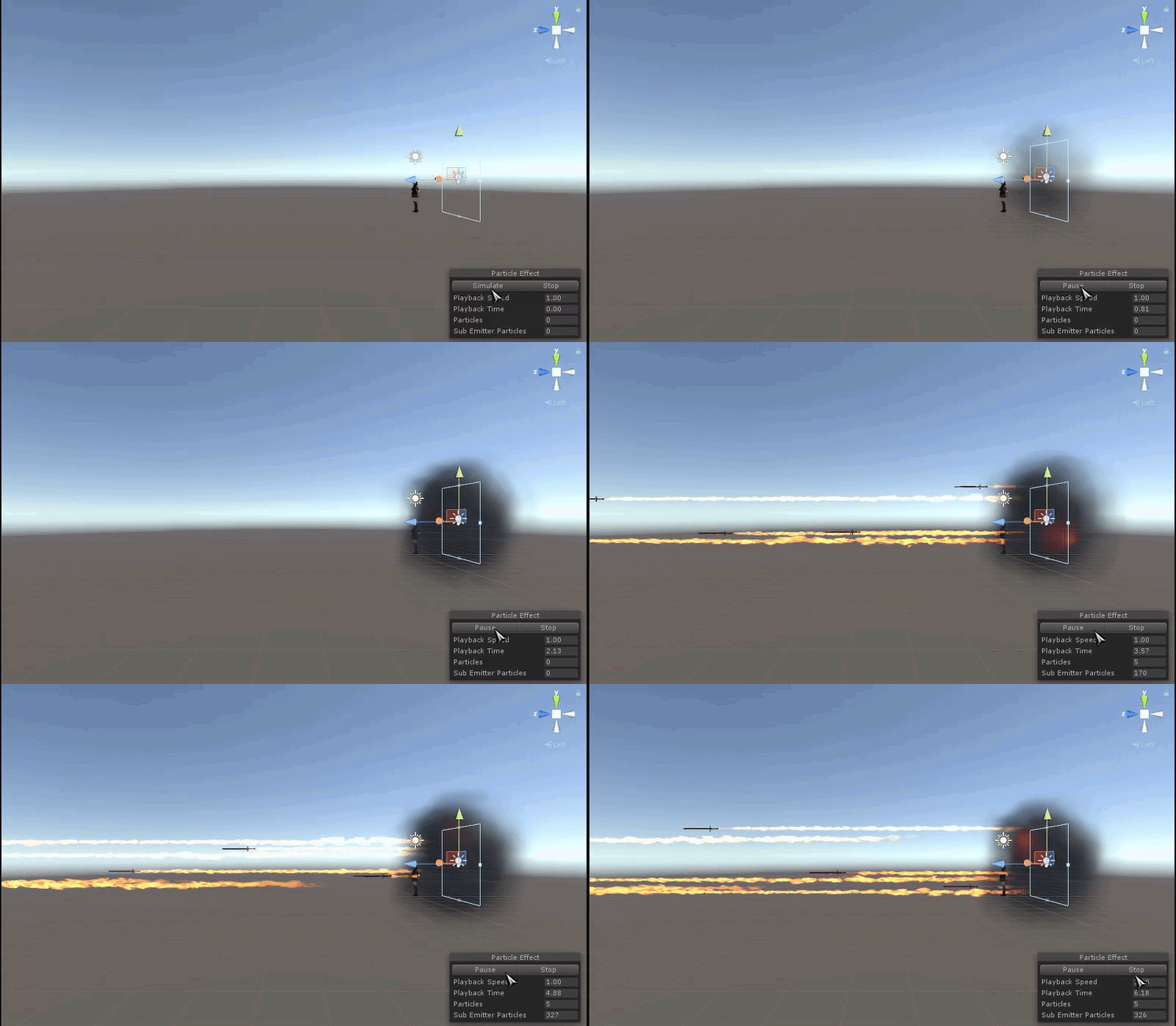 sand apex
Looks like something you would've been better off putting under chest
timid temple
would I be able to aim it vertically?
I made the anim so i could aim it at people out of reach, kinda pointless if I can't aim vertically :C
sand apex
Makes sense
restive creek
so i got assets for explosions. how do i go about adding them
plush meadow
so servers are currently flubbed right now?
 south jacinth
 mild plankBOT
There are 15866 users in VRChat currently
marsh tiger
I dragged my animation controller over to the standing animas section and everything looks fine until I get in game and then I am just stuck in the floor
plush meadow
make sure the position coordinates of both your main and duplicate models are 0 before animating anything. @marsh tiger
I had a glitch where whenever I drew my gun
I would assume crouch position
but I fixed it by making sure coordinates on both models were the same.
marsh tiger
its just a simple shapekey animation that doesnt use any location or scale :/
I have animated 800 frames in 2 programs now. I am spent. I think i'll move onto somthing less frusterating now.
vital siren
Hey i need help with my walking animation
It's not animating that much when i walk, but i used it as an emote and it animates perfectly
clear yew
does anyone know aboiut the crazy portal thing i've seen people doing?
so the emote i put into my model makes her float and it doesnt work well even though it looks perfect in unity
 clear yew
This happens for whatever reason
cyan sparrow
That is happening exactly because you didn't animate the armature
All muscle and position values at 0 looks like that.
So it will move you to that position.
clear yew
oh
marsh tiger
ugh
cyan sparrow
That was @marsh tiger Not sure what is goign on with Asch, can't really see.
marsh tiger
its like 1 problem after the othere. I have not left my chair in like 10 hours
clear yew
My charecter is floating when she does her emotes
marsh tiger
i was hoping since i didnt animate those bones my avatar would not lock up when playing an emote
cyan sparrow
Emotes just play the recorded animation, whatever they are.
marsh tiger
yeah thats what i thought
to
just play the animation on the screen and move nothing else
cyan sparrow
@clear yew Try change the Root.T so she is properly placed on the ground in Unity.
Or properly placed however you want her placed.
The emotes are literal so if you're floating or sinking in unity that is how you will be in the game.
clear yew
Root T? i see xyz but no t
cyan sparrow
In the animator
You cannot use the armature to animate humanoid rigs
It will break everything.
You need to use the muscles in the animator
vital siren
why is my emote animated better than the actual animated use?
emote of walking works and walking with same animation doesnt
cyan sparrow
You're overriding your walk animation?
vital siren
yeah
cyan sparrow
For whatever reason the VRC animation controller will blend your walk and run forward animations
At normal walking speed
So if you want it to look exactly like your walk animation then you need to replace both walk forward and run forward with the same animation.
vital siren
ohhhh lemme try that
 lucid orchid
can you replace your jump animation?
Is that translate to 'fall' in the controller?
cyan sparrow
Afaik you cannot modify the controller for humanoid rigs, only the overrides in the VRC avatar component
So if there isn't a fall or jump in the override then you cannot replace it
If there is, then you can.
empty rune
hey guys how do i avoid the polygon size if i want to keep the sword and hand guard on my side in unity?
cuz i made an animation wherei pull out my sword from my hand guard
lucid orchid
can I map gesture to different key?
plush meadow
!online
mild plankBOT
There are 16115 users in VRChat currently
plush meadow
....
 uncut shoal
Anyone have a link to uploading mixamo animations in vrchat. I think I'm doing something wrong with the settings they look fine in unity but don't play corectly in vrchat
vital siren
sooo my walking animation looks perfect, but she has to run walk from now on when running?
empty rune
anyone got an idea how to have a sword guard on the side and keep it under 20k cuz i cant upload it with the animation i made
lucid orchid
animation didn't count
empty rune
no i mean i made an animation but the sword guard is making it over 20k polygons
i need the sword guard to stay otherwise the animation wont be as perfect as i wanted it

i have hidden the sword thats in the right hand
and in the animation i hidden the sword thats in the guard
how do i check the polygon in unity?
lucid orchid
anyway to stop gesture getting trigger when using trackpad for walking in VR?
 white epoch
 livid pivot
I want to add a hand drawing animation but have no clue how to do it or what i need for it
Any videos or assets?
 hard crag
https://i.imgur.com/XA6HwRD.png soonTM I will be able to create unity animation clips from MMD vmd animation files 

 analog meteor
anyone here used cats for eye tracking much?
finite rock
@manic rapids what is your question?
 manic rapids
How animate avatar in Unity? When i trying do some thung with him, they become to mantis pose.
manic rapids
i know that
 exotic ember
they always become mantis
 graceful cove
What if you only want to change say an arm animation and didnt want to animate the rest of the body?...
manic rapids
yes, i already know it and do that. but when i choise property, they become mantis
finite rock
can u send a pic @manic rapids ?
graceful cove
I only animated the arm, and the kept the weird crouch pose when I was done.
manic rapids
ok
 prisma hornet
!online
mild plankBOT
There are 16241 users in VRChat currently
finite rock
@graceful cove I think if u want to make a animation to use as a gesture ( only ppl with vr can use that), u will need at least to add property to your legs
and make your avatar standing up
graceful cove
I have VR, but was testing in non vr just to see.
Basically his arm is in a sling, and should be moving is what I am trying to do.
plush meadow
You fix that by zeroing out coordinates. @graceful cove
graceful cove
So a one frame animation looped
plush meadow
Before you animate anything, make sure duplicate and main models have the same x y z coordinates
so you can either zero them out or keep them the same
graceful cove
Im not really sure what you mean, when you turn on the animator it couches him.
And for whatever reason its keep that crouch, everythings 0 xyz
finite rock
@plush meadow since he wants a gesture animation, we could just made the arms animations no?
finite rock
I mean at least what i saw ppl doing, with weapons animations they don't change the legs pose or anything like that
plush meadow
The only experience I have is with hand gestures.
graceful cove
Basically Im just trying to keep the arm stationary.
graceful cove
His arm is in a sling, so shouldnt be moved
 finite rock
lol
graceful cove
I dont have that issue.
plush meadow
Then can you provide a picture then of your issue?
manic rapids
plush meadow
that's normal
lol
It's supposed to clip through the ground a bit when you animate
manic rapids
Why? Can i make T pose some how?
graceful cove
Yes... but when I uploaded the animation it kept the leg animations.
When I didnt add any keyframes for
plush meadow

This shows you how to put weapons and audio into the game vrchat. More stuff here: Where I got the gun model: https://abyssleo.deviantart.com/gallery/5925409...
clear yew
Quick question, don't want to interupt, but is there a way that I can move with an item spawned from a gesture override? i currently have a character that has a sword when i use a hand gesture, but when it moves it disappears until I stop moving. is there a way i can move with it still out?
finite rock
so u guys can add 2 legs property and make your pose like if it was idle, or do what @plush meadow said
@clear yew Do u stop using your gesture ( with your controller) when u move your hand?
graceful cove
Okay, just so I am on the same page.. I ONLY want to animate my arm. I ONLY put keyframes with my arms, however it kept full body pose....? Thats normal?
exotic ember
@finite rock I think he means when you use locomotion and your character stops doing all hand gestures
which would cancel out the override iirc
clear yew
Yeah locomotion, should have been more clear, thank you @exotic ember
 thick olive
hey everyone i did a simple weapon animation but now whenever i switch to the avatar its on, it works fine for me but im invisible to everyone around me "stuck in Q" is there a way to fix this or is it the servers?
plush meadow
If your model is red to others, it's servers.
exotic ember
pretty srue thats a server issue, i've seen it on tons of people
 keen plank
What gesture is swiping down on the touchpad? too lazy to check in game sory
exotic ember
using reloading the area fixes that
also im having a hella hard ass time getting this particle system to work on gesture overrides
graceful cove
Anyone aware of a way to make a arm permanently stationary in a static position?
thick olive
i tried reloading the world but then when i switched avatars i was stuck on one haha
exotic ember
how about just not add bone to the arm weeirish
graceful cove
Doesn't the game freak out if you dont have a arm..?
exotic ember
so make an arm that isnt connected to anything
just have it drifting with no associated vertices
graceful cove
Remove the weight map?
exotic ember
yeah
exotic ember
if only this particle system was that easy
is there a way to see the particle system in motion without it being selected
im having a bitch of a time
exotic ember
my character model explodes instead of the particle exploding
and i've no idea why
its hilarious but annoying
plush meadow
I can't even test it right now.
exotic ember
so I can only see the particle system moving when I have the particle system selectaed
which is annoying when im making the animation for the whole armature

 fading schooner
Anyone willing to help me figure out some animation issues i'm having?
exotic ember
that could be the problem im having, they arent rendering in game
course i've no idea how to rectify that problem
so I just added a normal particle system and it shows up in the game
so its some setting I fucked up
fucking still doesnt show up if I dont select the particle system though
thats real annoyin
empty rune
hey guys if i import a character to unity and the fbx file doesnt bring the material file with it whats wrong?
 lucid remnant
drag the materials into the same folder that the fbs is in unity?
empty rune
where is the material file?
when i drag the fbx it doesnt import the material file with it
lucid remnant
check the folder where the file you were editing in blender is, as far as i know you need to have the texturess/materials in the same folder so blender can display them i think
empty rune
i didnt get what u meant
lucid remnant
like this is how i have everything my model needs in the unity folder
itss got the actual model file along with textures and stuff
im under the impression that with yours you only have the fbx file and nothing else
empty rune
yeah but doesnt the fbx file bring the material with it ?
lucid remnant
asfar as i know the fbx is just the model/bones/animations
if i just had the fbx file alone in my folder it would be texture less
exotic ember
Im going to post an video of my problem in action
marsh tiger
https://puu.sh/yYN2r/12654d39a6.gif I just want to add this blink but no matter what I do something breaks. Dx

its just a shapekey animation i made
fading schooner
Anyone willing to help me figure out some animation issues i'm having?
 fading schooner
made my animation, put it on my avatar, put the "is active" thing on it, unticked it in the armature and added the animation to the customoverride thing, yet nothing works ingame, it either automatically plays the animation as soon as i switch to that avatar and never again, or it totally bugs out my avatar and doesn't work regardless, idk what i'm missing
put it in both custom standing and custom sitting anim too
so i must of did something
 proven panther
Is it possible to keep a prop in your hand while your walking?
 fathom atlas
when i add a shader to my model my custom animations go away an ideas?
marsh tiger
I cant @ you but Nel did you bake the pose?
exotic ember
probably not as I never saw that in any the tutorials
im really confused why my model is just shitting itself
marsh tiger
i went through the same struggle but figure it out
exotic ember
also the animation plays at the very beginning of spawning as the character
marsh tiger
now I can shoot particles at ppl
fathom atlas
when i add a shader to my model my custom animations go away an ideas? Can anyone help?
fathom atlas
when i add a shader to my model my custom animations go away an ideas? Can anyone help? They work fine without shader
keen plank
Ay how would I make an item emit light?
exotic ember
Oni stop spamming
keen plank
I wanna make a stunstick that emits light around it but have no idea how
fathom atlas
I'm not spamming?
exotic ember
yes you are
 sharp torrent
When I try to edit an animation using the overwrite trick, it tell me "legacy clips are not allowed in Animator Controllers" but the anim file I overwrote it with wasn't legacy. How do I fix this?
fathom atlas
then so are you?
 spare plover
Oh shoot I didn't know this channel existed
sharp torrent
@keen plank You can probably just attach a point light source on the particle, or whatever you want to light up
 solemn slate
Since no one will help in rigging, can someone here help with ym dynamic bones?
fathom atlas
@solemn slate Good luck
keen plank
But what if I want it to go on all directions around it
fathom atlas
been trying for awhile havent had 1 reply
sharp torrent
Add many? Adjust the radius? Dunno about that
exotic ember
@marsh tiger where in the animation tab is the bake pose
spare plover
I'm looking to make a pillow appear on command, the pillow's already attached to a hand. I've managed to make emotions work, but appearing items never seem to for me.
fathom atlas
when i add a shader to my model my custom animations go away an ideas? Can anyone help?
marsh tiger
scroll down passed where it says loop you will see Bake into Pose Nel
exotic ember
 exotic ember
ah
marsh tiger
there is a tab that says animations
exotic ember
oh it has no animations available
 raven steppe
hey guys my avatar was working fine until i added an animation that i could draw out my sword when i do a fist...but since then my fingers are all crippeld up...u guys know why? ..maybe it will fix itself when i put in my vive?🤔
i would test it but my vive is still on the way soo i thought i better ask here
fathom atlas
when i add a shader to my model my custom animations go away an ideas? Can anyone help?
marsh tiger
oh you made the animation in unity then ?
raven steppe
jup in unity
marsh tiger
Nel
exotic ember
yeah, its a unity particle system thing
marsh tiger
I hate that I cant @peak meteorl
exotic ember
uh
marsh tiger
I literally have to type your entire name to get it and it doesnt show up in last posts
exotic ember
damn
I founda bit of the problem
it seems it is scaling the entire fucking model during the animation rather than just the partaicle system
 sterile bronze
We really should find a way to script most of the work, i hate having to redo work on other models
Is anyone having problem with their avatar looking darker than they should?
 compact patio
When you're creating an animation for an audio clip, does it need to be on a seperate object from the model?
 fading schooner
made my animation, put it on my avatar, put the "is active" thing on it, unticked it in the armature and added the animation to the customoverride thing, yet nothing works ingame, it either automatically plays the animation as soon as i switch to that avatar and never again, or it totally bugs out my avatar and doesn't work regardless, idk what i'm missing... put it in both custom standing and custom sitting anim too
 wide chasm
probably total noob question...
I set my avatar to do XD but when it is resting its eyes are closed
all i did was set a keyframe for resting face as normal, and then set the next keyframe to the XD face
exotic ember
so my animation keeps coupling to my model rather than my particle system
sharp torrent
I can't figure out how to edit an existing .anim file, the overwrite trick doesn't work either... Anyone know?
@fading schooner Is it a gesture or emote?
fading schooner
Gesture
sharp torrent
Is it two frames long with the exact same values?
fading schooner
it's 3 frames, the first 2 are the same exact value, the last one is the transform that i want it at at the end of the animation
i can show you
sharp torrent
You can't have that, gestures have to be 2 frames, one at 0, second at the 0.01 mark or something
fading schooner
Oh okay
sharp torrent
I had the same problem with mine
fading schooner
 exotic ember
wait ALL gesture overrides?
fading schooner
i have this
exotic ember
even things like particles have to be a frame long?
fading schooner
the thing is is it's not something that i just want to pop up like a sword
sharp torrent
So I've been told yeah, you can do it with idle animations, or emotes. But gestures have to be 2 I'm fairly certain. You can just add delays in the particle itself Nel
fading schooner
it's an extended animation
exotic ember
my particles are still so fucked up
whenever I go and test the animation after i've added the particle to the armature, it uses the model instead of the particle in the example
so my particle is supposed to scale large and then small, instead my model scales large and then small
I linked it earlier
Oh shit killagio you are trying to do the same thing as me
fading schooner
lol
exotic ember
were you able to shade the entire inside of the bubble as well?
sharp torrent
I'm not too good at animations, but if you want complicated stuff, you either have to add delays and stuff to gestures, or make it an emote/idle animation or something
exotic ember
if it works as an emote im good with it, but with my current issue im pretty sure it isnt going to work at all for me
fading schooner
WEll the thing is it's not a particle effect
what i'm using for the bubble is a hallow sphere
exotic ember
huh
fading schooner
and i put a transparent shader on it
sharp torrent
Well, then you have a problem Kill, don't know if I could solve that one
fading schooner
like an acutal object
exotic ember
I might go that route instead
fading schooner
lmao well it's not working for me so idk
sharp torrent
If you want to keep it a gesture, it HAS to be 2 frames with the same values. Don't think you can get by that without it glitching
exotic ember
Zam are you certain thats not just for weapon equips
keen plank
Ay me again what plane would I select to get a particle system to collide with terrain
fading schooner
i think that's just for weapons honestly
sharp torrent
Well, mine fucked up, until someone told me it had to be 2
fading schooner
LMAO
exotic ember
your what fucked up
exotic ember
was it a weapon equip :p
sharp torrent
Mine is a 17second long cannon fire animation
exotic ember
jesus fuck
exotic ember
mines za warudo
I have no idea why the model is being used instead of the particle system though
its an annoying bug
zam have you gotten a particle system to work then?
assuming your cannon worked
also @keen plank no idea
collision is something i'll tackle way down the line
fading schooner
I'm just so confused
sharp torrent
Yeah, my cannon beam works, can send a gif of it if I can figure this stuff out
fading schooner
been working on this all day
exotic ember
i'll screenshare you my issue if you think you could see the issue
also theoretically, if I made an animation that doesnt fit in the gesture, could I just slap it into an emote instead?
.
this defies all reason
ugh
fading schooner
also i don't get why my animation happens as soon as i load into the world and stays at the end frame
exotic ember
same
fading schooner
i have it ticked off and i don't even press the animation button
i have it set to handsopen
exotic ember
try putting it in an emote slot
fading schooner
nope i didn't
exotic ember
Particles shouldnt be this hard damnit
fading schooner
yeah i didn't know how to do that with particles so i did it with a hallow sphere lol
exotic ember
Theoretically particles should work
but they arent behaving how I expect them to behave
fading schooner
we need an expert lol
sharp torrent
Here's a low quality gif, entire thing is timed with particle delays and lifespans and such
 full breach
Hey everyone. Right now I am trying to animate eye movements in unity but for some reason the keyframes on any transform I do to the armature dont seem to be working
fading schooner
damn
that's basically what i'm trying to do
but with a bubble forming around me
exotic ember
Oh, I see what you mean
sharp torrent
Do it with particles then, don't know how to do it with meshes and objects and stuff
fading schooner
i feel like it would be the same thing since things like weapons are meshe4s
exotic ember
so basically, you are making multiple particle systems that all run through that prerecorded series
fading schooner
meshes*
exotic ember
and then you activate them all at the same time
using overrides
or thats what im getting from the gif
and then you just undo the gesture once you hit the end
uncut shoal
What do I do if my animation doesn't move my arms lol.
Like they animation plays fine but my arms stay locked to my VR controllers so it like dosen't taket them over
exotic ember
and you set particle to nonloop
uncut shoal
making the animations look funny
exotic ember
abrown sounds like you want to use an emote instead
uncut shoal
I'm using mixamo animations and I baked them
exotic ember
and it seems like no experts besides zam are on right now
uncut shoal
maybe my settings are wrong
exotic ember
and even he is stumped at me and killagio's issue
Oi, kill I sent you a FR
PM me if you find a fix and i'll do vice versa
fading schooner
Gotchu
uncut shoal
Oh lord and savor Zam please help me xD
exotic ember
because im tired af
sharp torrent
I was at the toilet, what's up?
fading schooner
gonna try to see if doing what i wanted to do is possible with PE
sharp torrent
And nel, your rundown is basically what I did
exotic ember
sounds good zam, but im still having the model take over the animation rather than the particle system
and i've no fucking idea why
its actually hilarious to watch
fading schooner
how can i make a particle system like a solid sphere
sharp torrent
Not sure on that one tbh @uncut shoal and nel, can I see your animation timeline? You want it to be an emote right?
fading schooner
is that even possible
exotic ember
kill, go to shape in the particle bit
wait
fuck no
go to render
set it to mesh
uncut shoal
Gotcha darn
exotic ember
and set the mesh to sphere
sharp torrent
You can download a bunch of free particle effects from the asset store and such as well, so you can find a good mesh to fit your thingy if you wanted to.
 kindred mist
Anyone got some more experience with importing mmd? Can you actually import animations aswell?
sharp torrent
Make it just one particle, change the shape, resize it and position it to how you want and change the material in renderer. Tons of good stuff in the asset store to use as textures and meshes if you need them


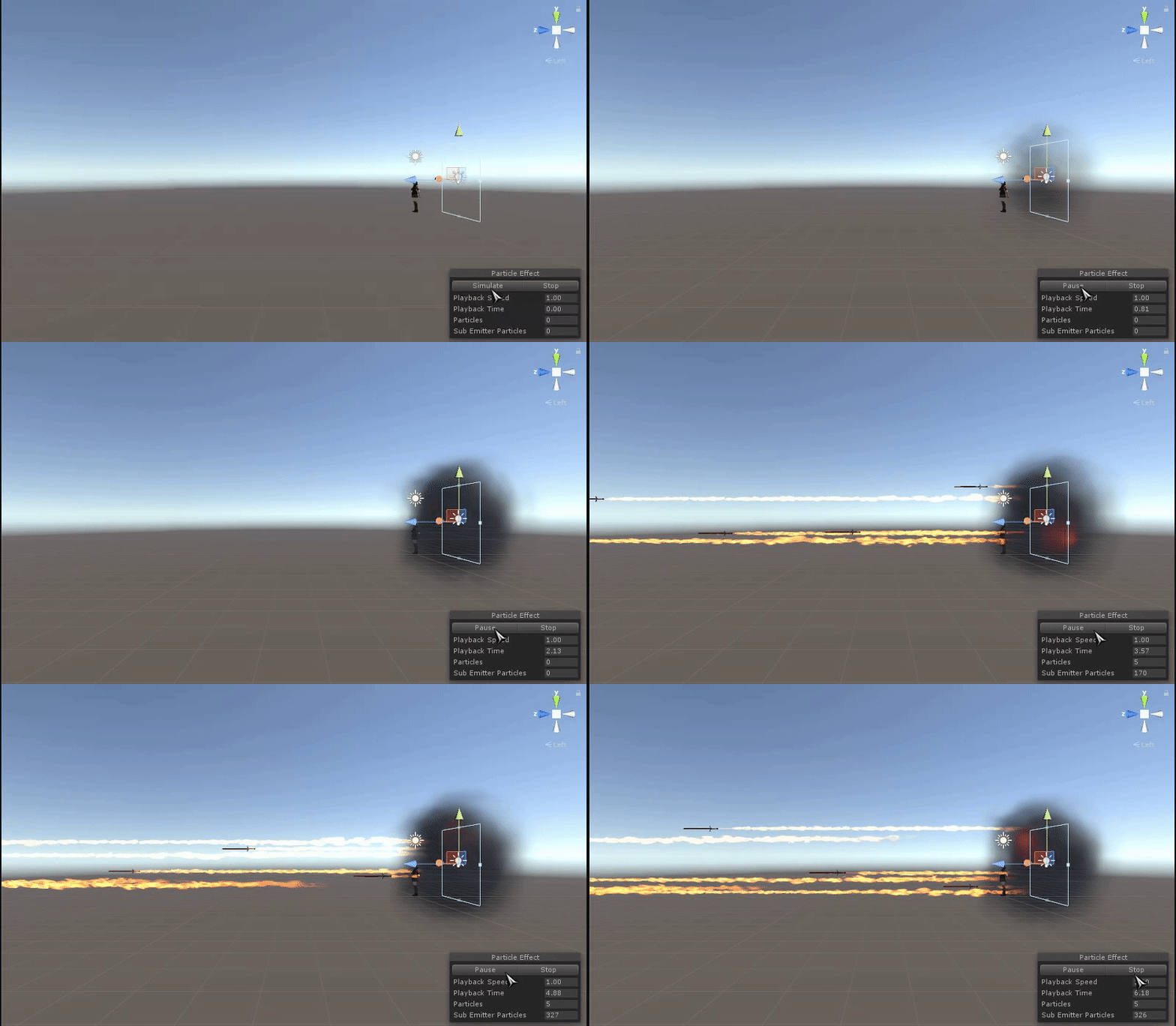


 sharp torrent
Let me see your animation timeline
exotic ember
do you not know jojo
aside from the 2frame limit, it should still not be tied to the model like it currently is
sharp torrent
Do you have any other animations tied to your character?
sharp torrent
Not too sure about this one, but it doesn't look to hard to make it two frames though. But note, those two frames must be exact same values, so it's effectively 1 frame
exotic ember
yeah im not worried about the frame issue, but this should STILL not be tied to the model at all as it currently stands
since this is happening outside the vrchat limit and its just a normal unity animation
im sure its some easy fix, but i've no fucking clue how to get to that fix
sharp torrent
Yeah, but see if you can just finish it and upload it to VRChat, might not behave the same way there?
exotic ember
it does
I uploaded a vid of it earlier
he fucking EXPLODES then shrinks back into nothingness
its hilarious but not what im going for at all
Fact is the model shouldnt be moving at all
sharp torrent
Put the particle effect into an empty game object maybe, then hide that and enable it in animation perhaps?
fading schooner
why is my sphere particle constantly switching to different locations
exotic ember
just did it zam
sharp torrent
Didn't work or?