#animation
1 messages · Page 19 of 1
 hazy palm
 unique night
good luck
 heady sundial
So I'm now trying to figure out why an animation would work on a clone, but when made as an animator on the original, it will not act
Any idea?
unique night
i cant think of anything besides the position in the heirarchy for the original model being different
 finite rock
I think it's more for not ruining your main avatar
heady sundial
Well the only thing different in the heirarchy is the default name NAME vs NAME (1)
Can't do anything about that...
unique night
its not that then
heady sundial
I'll just make the thing a very thin cube and see what happens.
If it's literally a quad problem I'm going to have a shit fit 😃
unique night
XD
 spark shard
Would anyone happen to know how to fix this?
Basically an animation I'm making works fine in the animation preview. Looks like this
But when I go into game mode it does this
spark shard
kk one sec
hazy palm
Lazuka,
So I went in
and it didnt work
but I got a video
Gyazo
thats what it looks like
heady sundial
Can't be a goddamn cube because the runes don't line up...jeeeezus
unique night
@hazy palm cant think why its doing that 😦
actually 1 question, why is the model in a group for?
you have model > default right?
hazy palm
yes
spark shard
these options?
unique night
those are correct but checking my animations i have these:
heady sundial
The sword must be not going into an active state if your fingers are working.
unique night
first drop down = body orientation
2nd drop down = original
3rd drop down = center of mass
not sure if those are needed so test yours as it is first
in case it doesnt work try the settings i put above
@spark shard
hazy palm
I can screenshare 1080p if you need it
finite rock
@unique night When I use sound in the animation, should I be able to listen too?
unique night
you should be aslong as it positioned right
it might be your sound settings
what are your sound settings like?
unique night
phantom sword
hazy palm
ikr
finite rock
My sound setting inside vr chat or in windows?
finite rock
oh
finite rock
hazy palm
its there
finite rock
hazy palm
My other character with it got corrupted
I know how to do it
but Idk why it aint popping up
unique night
@finite rock its the 2nd screenshot's settings
change gain to 20, maximum to 2000
minimum to 1
thats what i have for mine
I also have minimum in the first screenshot set to 1 too
finite rock
ok
hazy palm
A new thing has appeared
finite rock
and max?
unique night
in the first screenshot? ive got that to 5. 2nd screenshot its 2000
my settings if it helps
heady sundial
@hazy palm only thing that should go active is the sword.
unique night
its not perfect, could use improvement
heady sundial
One frame saying "sword, you're active now".
 serene lava
That moment when you fuck up and upload the wrong model
hazy palm
I guess it works
because the 0 and 1 are flickering
in the animation
does import materials matter?
 clear yew
🤔
 main lark
Does anyone know how to make your character invisible in an animation?
clear yew
make the override animation but set the is active thingy to your model and turn it off then when you do the animation it should disable your model
 ancient pecan
is there a way to slightly modify the positioning of certain bones throughout an animation without manually editing the entire animation?
main lark
I disabled the body but it only made the character invisible on my end, hes still visible in mirrors and to other players that I asked
ancient pecan
like adding an angle modifier for the duration of the anim
 fierce copper

Episode #7: FOLLOW THE WA / REALLY BIG BRUDDA / CRAZY TRICK IN VR (VRChat Funny & Best Highlights #7) ►Subscribe for more!) ►Social Media: ●Twitter: https://...
@main lark
something like that i assume?
the first thinng
with the circle like going up
clear yew
@main lark maybe there is some way to do it by animating a material on your character
 static goblet
Anyone have experience with cloth in unity/vrchat?
 whole sigil
Been trying to get this to work for a while with no luck, 2 different mask meshes, face one is supposed to deactivate when the hand mask mesh is activated, the one in the hand appears on override but the face mask mesh stays. What am I missing?
main lark
Actually I guess I'm just going to put him into the ground so no one can see him
serene lava
I hate how the cancel button on model upload doesn't actually cancel
clear yew
yea you just gotta save the project and restart unity
guys
how do you get custom emojis in the game?
or if i want ones to shoot out of my hands or something
is that a animation override?
hazy palm
no
 scenic crag
 clear yew
does anyone know how to do that?
 sharp torrent
@clear yew Yeah, it's animation override, there's some good tutorials on them on youtube
clear yew
@sharp torrent do you have any you could reccomend for that? all i can find is just gestures and movement which isnt what i really need
sharp torrent
What specifically are you looking to do?
 solar turret
Hello everyone! Is there a way to allign VR and controllers to generic RIG if model have arms and head for those options.
clear yew
i dont thing that works since vrchat is humanoid or something
 wise barn
quick question: can you replace the walking animation of an avatar?
main lark
yes you can override walking animations
wise barn
hmmmm
sharp torrent
Is there any gestures you have to hold to maintain? Aside from fist and hand open?
heady sundial
I think that's it
This is insane.
So here's the animation working on the clone...
And not working on the main, even though the animation component is on the main
 peak cosmos
so i have this model and all of its animations from WoW, i can figure out how to give it an idle animation but can anyone tell me how or point me in the right direction to learning how to set up a controller so that it will use its walking animations when i move and stuff?
or is there a way i can edit the sample controller to use my animations?
should i look into the override thing or is that not what im looking for
nvm cuz its not humanoid i guess
ancient pecan
yes
you can literally just put whatever in the sample controller's slot
or use the animation override controller and put the stock animations in and use the emote slots for custom animations
vrchat avatars don't have to be humanoid
 twin nymph
does anyone know how I can apply a custom running animation I found on mixamo to my avatar?
peak cosmos
could u tell we where exactly to look to put the animations @ancient pecan
me*
like in here or somewhere else?
because i dont think i see all of the different animations
solar turret
I'm using for myself CustomOverrideEmpty in VRCSDK/Examples/Sampe Assets/Animation. I did a duplicate for myself for my animations. Just use this controller as Animator Controller
@peak cosmos
peak cosmos
@solar turret ok thanks ill try that out
clear yew
could anyone link a tutorial that shows how to put custom emotes like dancing and stuff on to a model?
i wanna put some dance emotes onto my avatar that i made but im not sure how to do it
twin nymph
@clear yew I found this one right now, if it helps. Although the servers are down for uploading so you may have to wait, like I am right now https://youtu.be/J0lqpgbHqGw?t=14m
This took me to long to make i swear im sorry. Custom Animation: 14:00 Custom Objects: 16:13 MMD Dances: 19:50 Links: MMD Models:https://mmd-downloads-galore...
clear yew
alright thank youu
i want those slav dances that you see on the ozi con models like break dance and ect lol
 prime holly
https://www.youtube.com/watch?v=4sy-iomUGOo&feature=youtu.be - More Gestures for VR Users
 clear yew
is that a knuckles in that thumbnail i see
prime holly
nope
clear yew
o
also you just download the animations and drag them straight into the overide
seems easy enough
prime holly
That vids on how to get more than 4 potential actions, up to 8-9 per model
 sonic tiger
VEEERY interesting. I want to try this.
clear yew
talking about knuckles, i saw someone with an emote before where they were ripping the knuckles apart lol
 clever pilot
Does anyone have a tutorial of have to have an animation for a weapon, item, or anything to appear from the back to the hand? For example I got a Ruby Rose character and I want to use the scythe and it has its own animation though I would just want to use the closed version then by making a fist or some hand sign I can have it in my hand and it's gone from my back.
 gleaming tusk
Does somebody know how to make this effect?
I think it was possible with cube's rainbow
prime holly
Light intensity
gleaming tusk
Where can I find that value?
prime holly
On a light object. Or under partical emitter > light > Light intensity (needs a light prefab)
Make sure to turn off shadows etc to help with performance
fierce copper
@unique night im working ona new project and its going to be so cool, look at this https://imgur.com/jCqX34b
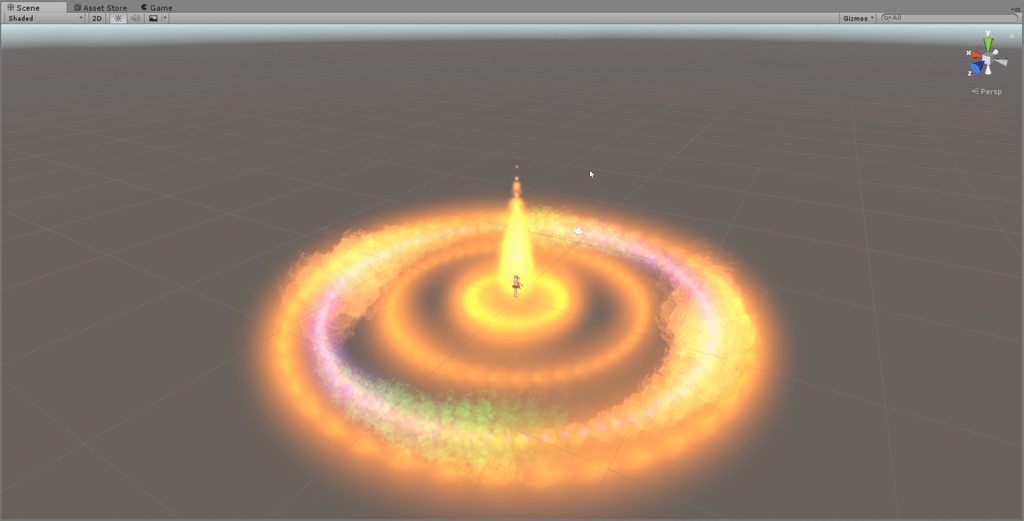 sonic tiger
As a VR user, please be gentle with the brightness
sonic tiger
Glows are awesome, just be gentle 😛
 tired wharf
I appologize for my extreme incompetence, but I'm trying to show/hide an object when making a gesture, and can't figure out how to have it hidden to start with.
unique night
@fierce copper XD crazy.
prime holly
@tired wharf
tired wharf
ah thanks
clever pilot
@prime holly so that works with the animation? Like having it showing on the back, then use a gesture and it appears in the hand and reappears in the hand? Just check and uncheck the box for each frame?
heady sundial
Lol that's insane 😃
prime holly
Particals run on the CPU, Poly's GPU, the partical system tax's CPU, so poly count isn't effectijng it (Outside of mesh emitters) @fierce copper
heady sundial
^
prime holly
@clever pilot yes, if it's checked it's active/visible etc
clever pilot
Ok thanks. Im gonna give it a shot then
heady sundial
Keeping the particles low is critical
fierce copper
ah
prime holly
@fierce copper It does, set your max particals at 300ish, that's a safe bet
prime holly
@fierce copper Also, in the renderer options for the partical, uncheck receive/emit shadows
heady sundial
1 material on avatars, only a couple particles, minimize dynamic bones
And yeah, abandon shadows
 carmine moon
Does anyone know how to mirror two models dancing?
sonic tiger
There should be a mirror option in the animation import options
prime holly
@gleaming tusk No
carmine moon
Blender or unity?
sonic tiger
Yes lol
Intensity 50?
You have it on baked anyway though, so its going to do nothing
prime holly
@sonic tiger Oh didn't ntoice that, probs will, though the range is super small, you will look like a mini sun
sonic tiger
Intensity levels above 10 or so do some really bad things on worlds that have bloom enabled
In worlds without bloom, youll be fine
gleaming tusk
I don't really wanna blind someone, I just want it to look like
prime holly
Intensity 1 on the Pug can have issues too
gleaming tusk
prime holly
@gleaming tusk Keep intensity at 1, and of rthat effect that's mostly partical, not light, the light.
gleaming tusk
Baked or realtime?
sonic tiger
Yea you can get a really nice "blinding" effect with an addative particle
baked will do nothing in game. you will need a dynamic light
Unless you are baking a level
sonic tiger
Change the dropdown from baked to dynamic
gleaming tusk
Can't find that
prime holly
prime holly
Don't use directional lioght
that's scene lighting
use spot light
Directional is meant to simulate the sun in your world
clear yew
how do i move an object in an animation?
prime holly
Have the animation recording, move the object, you will see it pop up in the animation timeline
The record button
gleaming tusk
clear yew
but when i move the object it goes out of the animation timelime and stops recording
gleaming tusk
You approve?
prime holly
@clear yew Than the object your moving is not a child (or has a seperate animator) than the object your recording on
@gleaming tusk Build a room around you out of cubes, click play
clear yew
i have the animatino thing on the model, and the object is in in the hand
prime holly
@clear yew Does the object in hand have it's own animator?
clear yew
no
prime holly
There's something about the object that unity see's it still being seperate. You can always do it this way :
It's a bit more tedious but will work
clear yew
ive already done that
prime holly
So you should be able to move the obect using the transform property of the object
Enter the values you want it to have
gleaming tusk
clear yew
if you know a video it would be great too
prime holly
@clear yew Next to the trnasform item, click the little arrow
gleaming tusk
Like this?
clear yew
and then position?=
prime holly
The top one is
but click the arrows for the objects going down the list
until you find the object in the hand
prime holly
clear yew
alright thanks
got it
does the audio/particle move with it or do i have to do seperate ones for them?
 prime holly
@clear yew If their attached to the character (and partical is set to local simulation)
clear yew
and do you have to do every single frame by yourself or is there like a autofill
prime holly
you can drag the dots, it will lerp between the two
clear yew
lerp?
prime holly
@peak summit If it's attached to your hand, se tthe postion to 0 0 0
 peak summit
It is
prime holly
@clear yew Gradually adjust values to blend between the two poitns aka if your dots go:
0s X 100
100s X 200
over the 0-100 it will go
1s X 101
2S X102
auto
clear yew
alright
 idle pasture
anyone has that site about visemes?
clear yew
@prime holly alrigh think i got it, also when i play the animation its a bit fast, that normal?
prime holly
The timeline shows you the speed the animation plays over
So if you want ti slow, move the dots further down the timeline
use mousewheel to scrollout/in to reveal more of the timeline
clear yew
is it shown in seconds?
prime holly
yes
prime holly
either your zoomed in and looking at the 0.1 second, or you have the simuation speed high
prime holly
Script only, can you screenshot your animation window?
 fast crater
so i need a little help. when i add one object animation, i.e a gun, the reflection looks fine. when i add another, like a sword, it makes the refletion really strange. any way to fix that
clear yew
 prime holly
@fast crater Check if it does the same in play mode, the animation window can look weird in the process
@clear yew That's 0.1seconds
0.1 is not 1 second
clear yew
o
prime holly
1 is 1 second
 olive lynx
I have a question about custom animations. I managed to upload a custom dance to my model, but He dances in place instead of moving around. How would I fix this?
fast crater
@prime holly everything is fine in unity, just in game the mirrors show wierd textures and are missing parts of the mesh. other players see it fine
prime holly
@fast crater Objects that are not active when your model is loaded will not show up in reflections
@olive lynx If the animation it self does not have the avatar moving around, than it won't move, you can't walk while playing the animaton
fast crater
@prime holly i know that, its kinda hard to explain. ill take a screenshot
olive lynx
But the animation does move @prime holly
@prime holly in unity it shows the animation moving, thatv is.
 cinder hearth
Hey guys, I'd like to not have my legs clip through my skirt. The skirt has dynamic bones, and someone suggested putting colliers. Do I just put them on the leg and what type of collider do I use? since I used a collider to have my hands able to pick stuff up.
prime holly
@olive lynx The position could be being reset by the game to preven the model just walking through walls etc
olive lynx
Is there anyone to override that ?
prime holly
@cinder hearth Yes, colliders on the legs
cinder hearth
Any specific type or just the reg collider thats on teh hands
prime holly
@olive lynx No, it's to prevent people clipping/flying away etc. the game records your avatar position by a seperate object to your actual posditioon, if those two don't match up it forces you back
@cinder hearth Regular is fine, make sure to update the skirt dynamic bones to include the leg colliders
olive lynx
Ah Poo
prime holly
Set the collider to surround your leg
cinder hearth
How
prime holly
@cinder hearth https://www.youtube.com/watch?v=HoddeRRXaOs

Small tutorial on how to use Dynamic bones with force, and colliders. My Twitch: https://www.twitch.tv/kaylajayde
 wanton flame
quick question, the IDLE animation place is for just standing around right?
I want to animate a shader
prime holly
Go to the part where he sets colliders up
cinder hearth
Got a timestamp?
prime holly
@wanton flame Yes, idle is when you are not doing anything
 light spindle
@olive lynx Yes you can override it. You will have to go to the animation import settings in Unity, and you'll find the root motion import settings. https://docs.unity3d.com/Manual/RootMotion.html You will have to check the boxes to bake rotation and position into the pose.
fast crater
@prime holly this happens in mirrors only, everything else works
prime holly
@cinder hearth nope
cinder hearth
kek. thanks tho
wanton flame
ok tahnks
prime holly
@fast crater The mirror renderer is not an exact reflection, so depending on the animation etc it can lead to weird warps
olive lynx
Thank you @compact apex !
fast crater
@prime holly i know was just hoping there was a way to look at myself in mirrors again.
wanton flame
@prime holly only problem is I already tried it, but the shader didn't move, I probably shouldn't have added an animator into the Animator component
prime holly
@fast crater Yup. other way is play a emote, quickly move, your model stays in placwe giving youa 3rd person cam
olive lynx
Hey @compact apex if I want my character to go backwards, since he will be moon walking, which root do I need to bake into the model?
 supple depot
I'm trying to get a custom emote working but the root motion or something like it doesn't get translated in game, is there a way to fix this?
 frigid raven
Hey guys how do you trigger the handgun emote in VR chat with a vive?
light spindle
@olive lynx Bake rotation and position. The thing is, though, that since you are baking the motion into the animation, your avatar will snap back to where it was when you started the animation once it is done. But that's the only way to get it to move at all in VRchat
light spindle
@supple depot check what Piccolo and I are discussing right now, you have to bake the root motion into the animation
olive lynx
@compact apex So when you say "Position" yopu mean the x and z one right? Not the Y
light spindle
@olive lynx do Y as well
cinder hearth
Hey Slub, the video you linked only talked about heads really, which are pretty spherical. I just want a collider to surround the entire leg without clipping into the skirt.
olive lynx
Soselect all 3 boxes? @compact apex \
light spindle
@olive lynx Yes.
supple depot
Thanks dudes
light spindle
Yup yup.
olive lynx
@compact apex ok I will give that a try ]
 chilly girder
Anyone know why my animation on my hand is flickering and not staying in it's position correctly?
olive lynx
@compact apex it worked man! Thank you!
clear yew
Hey, I have a sword, saber, laser thing. In unity, how would I make it glow?
Is that a particle effect, or a special shader?
 dusk nova
Does anybody here know how I could go about giving a Kanna model sunglasses? >->
clear yew
add the glases to the models headbone, same as you would adding a weapon
clear yew
Showing you how to change default emotes to weapons & stuff. SUBSCRIBE, LIKE AND ALL THAT GOOD STUFF!! :D MY FIRST TUTORIAL ► https://youtu.be/0vdiCJRAExw DI...
Don't worry about the custom animation part, just the part of adding the weapon to the model
dusk nova
I appreciate it, thank you.
clear yew
Theres probably a better way to do it, in blender adding it to the heriechy and then atlasing it with the model, but idk that advanced stuff yet
gleaming tusk
Thank you @prime holly for your help, love ya!
wanton flame
I did the same as shown in the video
but I sink to the ground and the shader I animated doesn't work either
I sink whenever I don't walk
beacuse the animation is bound to idle I guess
 toxic solar
Question about overriding animations in the "Emote" slots: Will it rename the emote in-game?
wanton flame
nevermind, the shader animation works
I just float halfway to the ground for some reason
 indigo lintel
Is it possible to make a hidden prop that persists during movement? I have one that works, but the moment I move it vanishes because the emote gets wiped.
chilly girder
Anyone know how to make smoke particles move with the world instead of your avatar? I have a cigarrette and the smoke particles go upside down when I turn it.
 low knoll
Is there any way to change the movement animation?
OR, basic human walking animations?
light spindle
@clear yew for a lightsaber, that is the toon outline shader, you can get it by importing the Effects package in unity
clear yew
@light spindle Aww, thanks so much. I was just looking at the settings for MK shaders
light spindle
Though that just makes a solid glow, may not be the glow you want.
clear yew
As long as its iluminescent
 brazen crater
@chilly girder I've only really seen things where people bind the particles locally. It may work on a global level but I haven't figured it out to work correctly
@indigo lintel I think right now with the vive that doesn't work. I've heard that with the oculus you can emote while moving.
chilly girder
Yeah the smoke goes wherever my hand turns and looks really unnatural. @brazen crater
brazen crater
@low knoll I think that works, atleast I have seen some custom ones I think. And you can definitely change the animation by using animation override. You could try using mixamo to load in a walking animation. Not tested it before though. Maybe check arround for tutorials
low knoll
@brazen crater Thanks. It's hard to have a snake's tail react to a humanoid walking animation
light spindle
@chilly girder There may be a simulation space dropdown, somewhere.
brazen crater
@chilly girder they may change it in the future but I think there could be safety concerns and there are also higher priority stuff on the list
clear yew
@light spindle Hold on, I'm just confused on the name, you said 'the toon outline shader' Do you mean CubesParadox Flat Lit Toon shader and then turning on the outline mode? Or, is toon outline the name of a shader?
light spindle
@clear yew it's a default Unity shader, there's an unlit toon shader with outline
brazen crater
@light spindle tried tieing the particles to world. It didn't quite work out as planed may just be specific to my model though
toxic solar
Are we no longer able to over ride EMOTEs? My custom over rides simply no longer have a slot for them.
tired wharf
So I'm trying to make a simple 1 frame animation while I'm making the handgun pose to hide the handgun in the holster and show the one in the right hand, but when I do it in VRChat it doesn't seem to work.
chilly girder
wait is there a limit on animations now? I saw a video of a guy using an animation that lasted like 60 minutes
 light spindle
@peak summit Looks like you opened the animation editor at top level instead of in your character maybe?
clear yew
Does anyone have the break dance animation? i cant find it anywhere
brazen crater
have you checked mixamo
toxic solar
Are we unable to over write emotes with the overrides?
peak summit
@light spindle What do you mean
olive lynx
I find animations but their all .vmd files so I am trying to fdind a way to convert it to .anim
brazen crater
@toxic solar I think it should still work
toxic solar
@clear yew My over ride no longer has slots for "EMOTES". It definitly used too, but now I can't for the life of me find one with those slots.
toxic solar
Don't suppsoe you could send me your blank? I'd appreciate it
I have no idea why mine are absent
clear yew
Here are mine
brazen crater
I once by mistake deleted some stuff from the SDK so I had to reimport it. I then also lost the required fields
clear yew
i havent done face animations yet
toxic solar
Yup, that looks correct. Mine is much shorter.
It's strictly missing the "EMOTE1-8" slots
brazen crater
have you specified it was a humanoid?
clear yew
why does Mixamo lag so badly for me, its really shouldnt
toxic solar
I ahve yes. I'm in the process of re-downloading the SDK, but jsut getting a copy of the blank I could drag into the explorer would be much easier
toxic solar
Yup. I don't suppose I could bother you about sending me a copy of any-old over ride that has emotes slots?
clear yew
Hey could anyone help me with a blender problem? i have linked some images in #3d-modeling and would appreciate if you just took a quick look 😃
Mixamo doesnt download in anim format?
brazen crater
not sure if that would work cause it is relyant on other files, that may be missing for you
toxic solar
@brazen crater Well I could try. It's not liek I need the animations themselves, jsut an over ride with all the slots.
brazen crater
@clear yew I have no idea why that happens
clear yew
@brazen crater Allright
 upbeat cedar
Hey everyone, how's going?
i've tried to made a Eye Map, when it opens in unity comes like that, it's all gud?
 vernal juniper
anyone know how to put mmd dance on ur avatar?
i wanna bust some moves but dont know how
brazen crater
@vernal juniper not sure how to do that with mmd dances, but I know that it works with mixamo's animations.
 plush meadow
https://steamuserimages-a.akamaihd.net/ugc/914661348658624712/1467F7971F9C899FC65842F1B75A12295A81FBBD/ Anyone know a fix for the crouching animation bug?

 steep patio
Did it happen when the person changed to another avatar that is shorter?
plush meadow
It happens whenever he triggers the animation that shows the gun.
Otherwise the avatar is fine.
The thing is, I did the exact same process for Mordred and the bug didn't appear on her.
Just for the guy.
steep patio
Mmmm maybe it's something with the avatar? Not sure sorry...
plush meadow
It's not just me either, some others are having it as well.
steep patio
Ohhh
Hmm if it's like a common bug maybe it's something to do with the recent bugs?
Is it a recently uploaded avatar?
plush meadow
Well I uploaded with 2017 sdk.
Not sure if it will work with 2018 sdk.
Who knows.
steep patio
I've seen a similar bug where a person changed their avatar to a smaller one and that happened, using the 2017 sdk
Not entirely sure what's up tbh..
steep patio
It's hard to tell where the problem lies because it can be server, sdk, or some other new nonsense
toxic solar
@plush meadow If anything was changed during the "recording" process when making the animation, it is included. This includes changing the scale of the model and moving it to get a better look, for example. My advice would be to go back to the animation in unity, make sure to copy and paste all the values on frame 0 to frame 1, and double check that you didn't move anything or change any numbers in the inspector (Changed values will show up with a red box around them to show they've been recorded).
This is my best guess
clear yew
can someone help me
wanton flame
what might be the reason for a character dropping inside the ground?
clear yew
i accidently added a new scene and i dont know how to go back to the scene i was working on in unity
wanton flame
I copied and character before adding animations
in unity the character is standing up, but when I upload it Im just half in the ground
plush meadow
I didn't change the scale of the avatar at all. Only the gun and various rotations. You think the rescaling of the gun might have affected the animation? @toxic solar
toxic solar
@plush meadow If you did what I did and used the rotation tool thinking it would accomplish the same thing, that might be it. Rescaling the gun itself is probably fine and likely not the issue. Make sure you're using the "animator" properties and not simply trying to manually rotating and moving things with the normal tools.
plush meadow
So I have to start from scratch again?
toxic solar
If that's not it, is the "pivot" point on the gun like a mile below?
finite rock
@wanton flame Did u change your root t - y?
plush meadow
So I should start from scratch again? @toxic solar
Delete the animation and start over?
toxic solar
@plush meadow Try this: Unhide the gun so it's included as part of the model. Then hit "F". Does the camera zoon out harshly?
peak cosmos
quick question for the override controller, the WoW emotes i have loop whenever i use them in game and i cant get out of them without switching avatars and sometimes i just get that freeze bug. is there a way to make them not loop? the box for them to loop is not checked
wanton flame
@slidek what's root t? do you mean transform?
toxic solar
If it is, the gun might be artificially bigger than what is shown
plush meadow
It zooms out.
toxic solar
Hence pushing your characters feet up
plush meadow
But not harshly.
Just a smooth zoom out.
So I guess I start over then?
Delete the duplicate model and duplicate again and remake the animation?
toxic solar
Alright then it's probably fine and not the issue. I would try from scratch; Don't bother with the finger bending until you can confirm it simply appears as intended.
finite rock
@wanton flame inside your animation tab
plush meadow
Okay then.
toxic solar
Sorry for the somber news
 neat breach
any good videos for particle effects
wanton flame
@finite rock oh ok, that's how I could lift the character up, but I would like to know what's causing it
@finite rock also, how do I know the exact number for y?
finite rock
Are you sure your character is not under the floor?
You'll have to keep trying until you find the best number for your avatar.
 finite rock
Yeah i think the problem is your root t
clear yew
If you put a custom idle animation on your character, can you still move your arms around in vr?
finite rock
I think you can check your animation inside the unity forgery
peak summit
https://gyazo.com/a4138648f91f3d3d0f2a05a18e0c73d2 So my particles move with my vision instead of the hammer

In game*
clear yew
i added a custom animation, but it continiously triggers itself without doing the assigned emote
peak summit
How do I fix this
clear yew
anyone know what i fucked up?
finite rock
ok
wanton flame
it should work because when I tried to enter 1, it automatically gave me the correct value
wanton flame
yeah, and it looks right, let's see how it's in the game
wanton flame
I know, but the problem is that you only sink into the ground if you play an animation
but when you do THAT, then your legs are bent
so...
hard to pinpoint the right height
but as I said, it looks about right
finite rock
You can try it that way.
or you can also stretch your avatar's legs when doing the animation
finite rock
yep
Maybe if you're making a gesture you will not have a problem
@peak summit can u show me your hierarchy?
peak summit
@finite rock It seems my issue was 2 particle systems were set to world
Lemme see if that fixes it in game
plush meadow
Is it okay if my animation model is in the ground or do I have to fix its positioning?
finite rock
u need to fix it
plush meadow
But I already zeroed out his postion though.
finite rock
If it's just a gesture idk, but if you're trying to make an animation to replace some emote then yes
plush meadow
It's going to replace the rock and roll gesture.
finite rock
add to your animation Root T
toxic solar
@nimble lantern Is that the animation dummy?
plush meadow
Yeah.
plush meadow
I made the zero change after pausing the animation tab.\
toxic solar
@plush meadow It is normal for the animation avatar to assume that pose. It should be fine
Copy-paste that values at 0 to 1
And make sure you have no other later on in the timeline
plush meadow
Copy paste the values under transform?
clear yew
Does anyone know if it's possible to add sound to emotes?
toxic solar
No, the little "Diamonds". Highlight them, go to the 1 second mark, then paste
plush meadow
Ah.
toxic solar
Ctrl C then Ctrl V
finite rock
@clear yew yes
toxic solar
Thats how I do mine and they work fine, so long as you didn't reposition him or anything.
clear yew
is there a video on it?
finite rock

Tutorial explains: - How to create the soundfile - How to create the animation - How to trigger the animation Morgus tutorial: https://www.youtube.com/watch?...
 timber whale
ok i'm retarded,how to add motion dl
plush meadow
Gues that looks okay.
 exotic ember
is it better to make custom animations in unity or blender
plush meadow

This shows you how to put weapons and audio into the game vrchat. More stuff here: Where I got the gun model: https://abyssleo.deviantart.com/gallery/5925409...
finite rock
@exotic ember In my opinion unity
exotic ember
same with particles and shit?
toxic solar
Animations are simpler in Unity but truthfully use whatever works for you. If it helps tip the scales though, by making unity your animation tool, that's one less thing that can bork because that's one less thing to export/import.
clear yew
i just added a custom animation on thumbsup, anyone know why it continiously loops even when im not holding any of the emotes?
toxic solar
@clear yew In-game?
toxic solar
@plush meadow Yes. Be sure to re-check your avatar descriptor again once you do. The feet should not sink into the floor when at 0,0,0
plush meadow
So copy the coordinates from duplicate to main model and check if the main model sinks into floor?
Sorry for asking for you many times. @toxic solar
toxic solar
@humble sierra (No problem bro) No, you shouldn't need to touch the duplicated model you used to make the animation. Just be sure your main model is 0,0,0
The copy-paste thing was meant for the timeline in the animation, so everything is the same at 0 seconds as they are at 1.
Whoops tagged the wrong person there
Was meant for @plush meadow
 humble sierra
what?
finite rock
@toxic solar So when you do an animated gesture, does it make a difference whether the character's leg is bent or not?
clear yew
Is this face cute enough
plush meadow
Anyone have any idea why the texture has holes in the hand yet the main model doesn't?
finite rock
In your hands or fingers?
toxic solar
@finite rock No, not so long as you use an animation dummy and it's not in it's properties. Create a duplicate of your main model to make the animation on everytime. They usually assume a weird sort of squatting "animated" pose, but it's the dummy so it should be okay.
 cyan sparrow
@plush meadow Looks like the weights are broken
plush meadow
So I have to fix in blender?
cyan sparrow
Possibly, or go back to a version where you don't decimate the hands as much? If it came from an existing model it probably was fine originally.
cyan sparrow
Try posing the hands in blender and see if they screw up there too
plush meadow
Shows up fine ingame besides the gun pose.
finite rock
Does this happen before or after you change their position?
cyan sparrow
No idea then, that is very strange.
finite rock
Maybe when you change their positions, something spoils the texture
plush meadow
Can anyone link me a tutorial of how to fix it? I assume it's weight painting?
finite rock

Tutorial on weight painting and how to fix weight painting issues. Usually when a material moves with the wrong bone. Links: Model: https://mooniiiiichan-lov...
 terse sphinx
can I use two button to trigger an animation?
I mean 2 button on controller so I don't start animation by mistake
finite rock
u mean two animations at the same time?
clear yew
Is there a faster way to add all of these stretched finger animators without having to click on each one to add it?
i know there is the muscle animation editor but like is there maybe a way to do it in unity without it
finite rock
If there is a way to do this, I also want to know
clear yew
ive tried holding control, highlighting the ones i want and clicking a plus but it just adds the one
finite rock
@terse sphinx As at the time you save the animation you choose a gesture or emote to replace I would say no, but since I do not use vr I'm not sure
 coarse iris
Can someone help me with this plzz
clear yew
@toxic solar yes
finite rock
@clear yew I did try the same thing
clear yew
i mean what else would that highlighting feature be there for
 uncut monolith
Where do people get custom emotes from? Like breakdancing and stuff
clear yew
yeah ive been looking for the break dancing one
finite rock
https://www.mixamo.com/ maybe?
clear yew
you get allot of them from Mixamo, but you have to like, do some sort of conversion or something from the fbx file to get a anim file
clear yew
Mixamo lags like **** for me and i really dont know why
uncut monolith
but yeah mixamo seems to be wher epeople get them
clear yew
it really shouldnt with my pc lol
uncut monolith
thanks
finite rock
https://www.youtube.com/watch?v=V0l4-pH3vI4&t=9s 13:35 he download and use one mixamo animation

Creating custom animations for hand gestures and emotes in VRChat
@coarse iris Sorry, idk how to help you
clear yew
ill watch that vid later after i got all these gestures down
doing Happy, Shocked, Angry and > w < face
clear yew
yea, i do the usual where you duplicate the character and only do the animations on that one, then you can take the finished animation and put it on the over ride
finite rock
but u have vr right?
clear yew
ya
finite rock
rip for me
finite rock
at least, now my kizuna avatar talks
clear yew
ayy
finite rock
I'll try to do the subtitles tomorrow.
I do not know how I'm going to make the words, and how to put them in front of the avatar
lol
clear yew
hmmm
maybe you could add a 2d texture in unity which you can place infront of the kizuna chan
finite rock
yeah
terse sphinx
@finite rock Someone tole me he's doing that so he didn't trigger by mistake
clear yew
alright i got Happy and Shocked down, now to do angry
terse sphinx
as far as I know, he has very complicated animation setting but didn't trigger any when moving
finite rock
@terse sphinx well i don't have vr so i really don't know how to help u sorry
@clear yew I was thinking of making the letters in paint and changing the format of the image later to pnx
clear yew
that might work
uncut monolith
What can I do to my particle effect to make this message go away? Build and published is greyed out because of it
exotic ember
is there a good guide for the giant world encompassing animations
 soft phoenix
Can someone tell me how to add facial animations to hand gestures rather than just override the hand gestures?
I can only find override tutorials
plush meadow
@compact patio I found out how to fix the crouch
bug.
To anyone who has the crouch bug, before you animate any fingers make sure to zero out your duplicate model.
In coordinates.
Then after you're done, make sure to zero out the coordinates on the main model.
 sharp sentinel
SteamVRbetaupdate This could be BIG "We are currently working on an updated input system in SteamVR that will allow users to remap controls for any game for any controller. The new input system isn't finished yet, but part of this work changed internal interfaces that OpenVR-InputEmulator relies on. " http://steamcommunity.com/games/250820#announcements/detail/1584570207554706656
plush meadow
Any tutorials on how to add gun fire and sound to an animation?
coarse iris
Hi can anyone help me with this: i am trying to import an audio clip into unity and i cant use it HELP PLZZZZZZZZZZZZZZZZZZZZZZZZZZZZZZ
exotic ember
Does anyone have a good guide for making particles that have different things on each side
like the ring girl avatar that hides shit in a galaxy dimension
im assuming its some kind of two sided material but i've no idea how to make it
 unreal creek
How to copy and paste whole keyframes in animation window
cyan sparrow
Neltharion, you need to code a custom shader for that, if you're talking about what I think you are.
cyan sparrow
I think it is more complex than this but this is the basic tutorial I've heard of (i've not seen it myself): https://www.youtube.com/watch?v=l7LQmJuoiBY

CLICK SHOW MORE FOR FILES AND INFO! We play around with stencil shaders! These bad boys can be used to create a LOT of different effects! To download the Bre...
 ebon gate
clear yew
ebon gate
clear yew
imo first one is cuter
spark shard
"Gif screen recorder"
cyan sparrow
Anyone having an issue getting animations to update on your avatar? I can see them fine but others see me doing normal emotes. I'm guessing the server is just borked?
unreal creek
I'm using the test.anim file and I am trying to copy and paste over into a new animation and I keep getting this, am I doing something wrong?
cyan sparrow
What do you mean copy and paste over into a new animation?
Is it in the same animator?
 coral comet
Question- trying to open the override template to drag and drop in my stuff, but for some reason whenever I click any of the controllers, this pops up instead of the menu:
cyan sparrow
Is it possible to generate random motion in the animator?
unreal creek
@cyan sparrow
cyan sparrow
The hierarchy has to be the same and there are no bones below the Body (which is the mesh, right?) in the hierarchy, so it can't find those objects.
The way I do it is that I have an animator on the whole object
And I load the clips into the animator
Then I switch to the clip I want
 sand apex
Is there a way to add pictures to the particle system in unity?
cyan sparrow
If I want to create a copy, I ctrl-d the animation, load it into the animator, then switch to it, delete the frames I don't want.
unreal creek
The test.anim is a file that already has the fingers mapped, it has worked on a previous model but not on this one for some reason.
cyan sparrow
Yes but if you drag it onto an object in the hierarchy it will look for the bones there
So lets say you have it on object A which has the armature as a child. If you move it to object B with no children, it will not be able to find the bones, because it will be searching one level down for the armature.
I donno how it is set up in your specific case, but this is just an example.
Lets say I have an animation I make on one rig that rotates the chest forward. I have that animation on an animator controller which is on the "Character" object which has Amature and Body Mesh as children. (Current Location)->Armature->Hips->Spine->Chest is the hierarchy to the chest bone. Now if I move that to the body mesh for some reason, it will try to look for "Armature" as a child, and will not find anything.
Think of it like looking into deeper and deeper folders in a file system. If you tell the computer to look in a different folder, but it doesn't have the same subfolder structure and names, it will not work.
unreal creek
You mind if I screen share real quick?
cyan sparrow
I donno how that works.
unreal creek
Via a discord call
cyan sparrow
PM me real quick
 woven axle
Hey all, is there an frame/time limit on walking/running/sprinting animations? And if so what is it? Just want to make sure I'm not over it
cyan sparrow
There is but I'm not 100% sure what it is. Look in the template animation controller VRC SDK gives you. If you go to the locomotion layer and look at the blend tree you can see the exit and transition times for the various motions. I'm not experienced enough to know how that translates exactly into clip limits but it might help you.
woven axle
thanks
cyan sparrow
As an aside, in my experimentation you cannot use a custom animation controller. The template is just there fyi I guess?
At least you can't use it for humanoid rigs.
So assuming I am right you won't be able to change the exit/transition times.
cyan sparrow
I tried a lot to try and use a custom controller but I couldn't get it working, but maybe there is a way /shrug
 brisk talon
does anybody have a link to a good animation override tutorial?
 mild nebula
https://www.youtube.com/watch?v=p0txtOuZtx0&t=209s was looking at this one and thought it was useful

Unity - Custom Animation Overrides, Blinking Animation, Dynamic Bones & Colliders, Viseme. VRChat #3
Importing model - 0:37 Toe Removal - 1:37 Applying Shader - 2:29 Blinking Animation - 3:09 Animation Override (Facial) - 7:24 Avatar Descriptor & Viseme - 18...
brisk talon
thank you
 south jacinth
there should be two customoverides
whoops
I was wayyyy too far above, ignore that.
plush meadow
For animation,I place the custom animation (gun) in both spots on the vrc part and it worked ingame.
No problem.
clear yew
hey so i was wondering what i would have to do to make an item spawn for my character to interact with
 magic delta
If I'm making completely non-standard animations, I assume I just make them in blender, and they will just be applied to the animation slots in Unity?
 mint marsh
how do you script the triggering of an animation?
plush meadow
By making an animation and the dragging it into the custom override overlay to a gesture.
mint marsh
is that part of the unity sdk?
 mortal creek
Hi fellas someone here knows about the shaders stuffs?
 knotty zinc
Anyone knows if there is a way to stop blinking for when you use animation overrides so you don't blink with different eyes?
 dire lynx
If I overwrite the emotes, anyway I can separate which modes gets what emotes?
Instead of them all having the same one
 wintry matrix
yeah
eg if you overide emote5 that should be dance and it should be called whatever the motion file is called
wintry matrix
eg. I gave my robot sick breakdancing moves
8 different ones
so I called one the snake, hip thrust, flair, etc.
buuuut.. I'm having issues maintaining motion/animation quality.. not sure if its keyframe compression or if I have to turn character ik off or soemthing to get it to look nice in vrchat [looks fine in unity and mixamo]
dire lynx
If u switched model to a different model(which is not ur robot) all the emotes reset? @wintry matrix
south jacinth
if it isn't set to that model, it'll use the default emotes
wintry matrix
yeah.. well all my humanoid rigs use the same setup/structure so its generally interchangable even if I change the skin
proportions change so if it changes too much I may have to upload the different rig up to mixamo, get new mocap applied and reexport.
that's the big trick with mocap and vr chat is avatar proportions can be very funky compared to what's being input [a human with realistic porportions]
eg. anime waifus with legs 1.5x longer than normal.. 😄
dire lynx
@south jacinth tysm asked everywhere and never gotten an answer for that
 proven panther
https://www.twitch.tv/graelyth Streaming some unity stuff. beware contains potent memes
 south jacinth
np, @dire lynx
 trail beacon
anyone have a good unity package or way to do an animation over ride for making your finger (or something) a marker that leaves a trail while its being triggered then dissapear when you let go?
 civic kettle

Hello, I have pulled this old video tutorial out of private status so that everyone can benefit from the information provided within. I apologize for the aud...
trail beacon
ooo thanks!
civic kettle
np
 lean acorn
So I got a question for whoever's willing
Would be in any way possible to instead of having face keys attached to reactions, have them just emit a light from a mask upon speaking? Kind of like some of the helmets in the mass effect series
 lofty willow
does anyone know why the audio in my animation is super quiet in game when i have the volume turned near max, but if i turn down the volume it can no longer be heard
but when i test it in unity, it sounds fine
cyan sparrow
@lean acorn Like as a gesture override?
lean acorn
Not quite, just whilst speaking
cyan sparrow
Oh for the visemes?
lean acorn
I dont know the right term for it
cyan sparrow
It could be possible to make a blend shape that morphs the vertexes of a mask to reveal a subsection of the texture that is different and assign that to the visemes for speaking.
Just like how the squinty eyes or blinking works
lean acorn
Actually, that could work
cyan sparrow
Except you'd have to do the blend shapes yourself
Otherwise with gestures you can simply change material properties.
 languid lark
@cyan sparrow want to do 2d face?
cyan sparrow
?
lean acorn
But it would have to be VERY thin and dissappear instantly without any delay otherwise it would look weird, no?
cyan sparrow
Depends, the viseme system is set up to work with mouth shapes, and it blends them together in various ways so
It probably wouldn't work very well if you don't put in appropriate ones
languid lark
here way to do 2d face with blendshape https://www.youtube.com/watch?v=ZB2aXKkwXuA

EDIT: If you are using an MMD model please read below! In this video I will show you how to make your 2D eyes/mouth type avatar have a blinking animation and...
lean acorn
Actually I suppose it would just be a 2d viseme
cyan sparrow
Yeah so that exact technique you could use to change your face to a different texture
I donno how VR chat's mouth matching stuff will blend them, it might ruin it
But worth a try?
lean acorn
I mean, if you replace each and every shape key with the same exact thing, it shouldn't?
cyan sparrow
If you don't keep the silent viseme as a normal face then you might end up glowing all the time.
languid lark
it can be done i see before
 merry cloud
can someone help me with this?
 boreal magnet
Is the model rigged and set to humanoid
boreal magnet
What components do you have in the inspector panel?
boreal magnet
The issue seems to be that the VRC_AvatarDescriptor is applied to your armature not your model
merry cloud
damn im dumb thanks man
boreal magnet
Np, don't beat yourself up over it, it takes some learning to get right
merry cloud
should i remove pipeline too?
boreal magnet
Ya, just leave the transform there
merry cloud
it worked thank you
boreal magnet
No problem, glad to be of help
 jade rain
Has anyone here down gunshots in unity?
trying to figure guage what distance is enough for a gun shot
cyan sparrow
What do you mean? The sound?
jade rain
yea
like the distance around from where the sound emits
eg around me firing the gun
ive got max distance at 5 meters?
thats ok isnt it?
 cyan sparrow
Does anyone know anything about using fonts as textures?
clear yew
anyone know why my animation continiously loops without thumbsup being held? like the object doesnt dissapear when im not holding it anymore, its a 8 second animation or something if it matters
tried turning off time loop option or w/e its called in the inspector but that just makes the object be stuck at the last frame of the animation forever
jade rain
Tutorial explains: - How to create the soundfile - How to create the animation - How to trigger the animation Morgus tutorial: https://www.youtube.com/watch?...
is this still valid
@clear yew do u know if mapping a audio to the grip trigger doesnt work?
clear yew
@jade rain no idea
languid lark
@radiant apex this show how to make camera but for make picture freeze need make game obj turn off the camera leave on the texture render material http://iaindowling.weebly.com/blog/unity-pixelated-render-effect

Iain Dowling
Whilst browsing a great indie game site known as GameJolt, I came across a rather stunning game known as Bernband . This game offers quite a unique experience having no story or goals, but rather a...
but only see it
they disable network on it
 radiant apex
Thx
 uneven flare
i'm going crazy
can someone pls tell me how to make an sayajin aura effect in unity?
 fading bobcat
anyone know how to rotate a particle ingredient? ;-;
languid lark
@uneven flare https://www.youtube.com/watch?v=CnykzgSxtz4

Made a little tutorial for some friends in VrChat. Hope this helps if you have any question you can ask on my discord, Also regular content should be back so...
 wicked crown
Having issues with making trail effect of particles appear in VRchat.
Bellow is a video of the effect im after, off the tip of my Avatars fingers while pointing.
I have Tried replacing the override with an object instead of the particles just to make sure that was not the issue and that worked fine.
So im left thinking there is something wrong with my particle settings which im also going to post below.
Any help would be appreciated.
https://www.youtube.com/watch?v=uB9shkPohSE
https://i.imgur.com/5H0zvtA.png
https://i.imgur.com/kmapuNC.png



 clear yew
yes
jade rain
😄
@clear yew so since i made the animation when it was a seperate entity to the model it doesnt work right
so does it specifically have to be in the gun folder
or just on the model
model aka avatar
clear yew
just add it to the animation / keyframes
jade rain
Tutorial explains: - How to create the soundfile - How to create the animation - How to trigger the animation Morgus tutorial: https://www.youtube.com/watch?...
was the video i followed
clear yew
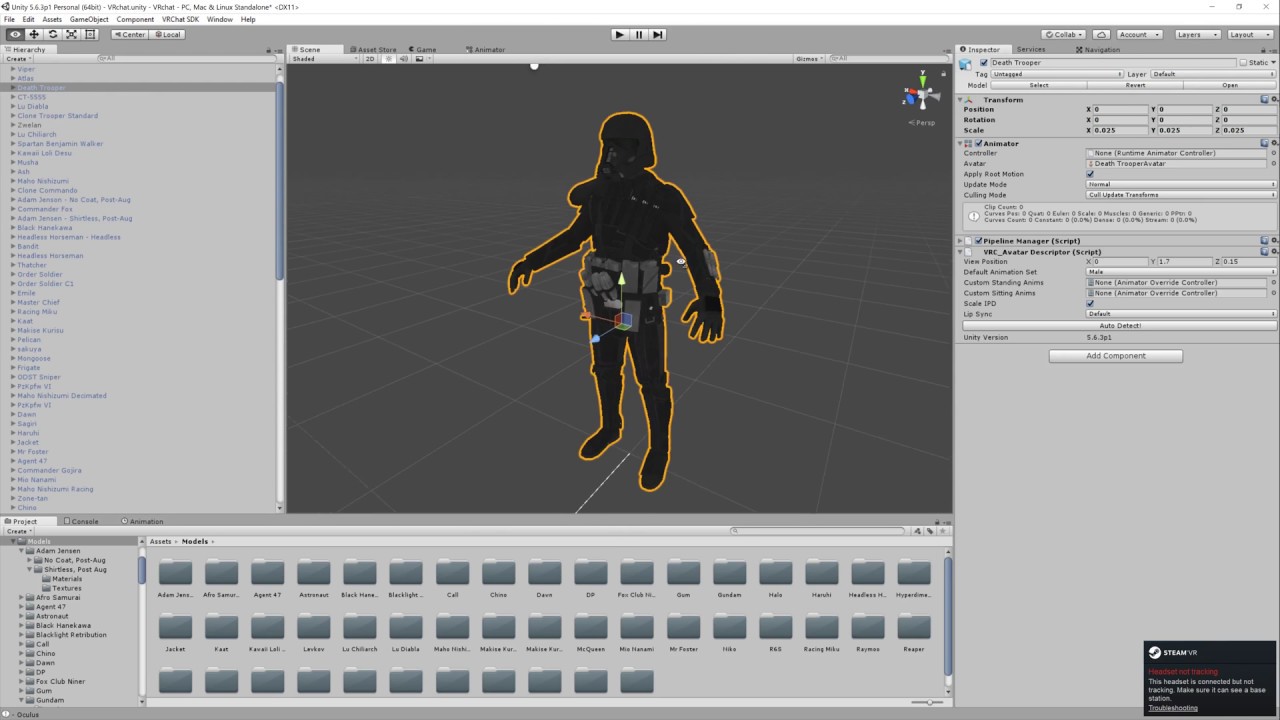
Basic VRChat gun animation override. Audacity used to convert audio files to .ogg.

This video assumes you have already watched this one: https://www.youtube.com/watch?v=61vO-IswFps&t=546s *Make sure you scale your model down to the size y...
followed these 2 and it worked without problems
jade rain
since i made my animation with the audio source not on the gun folder thing
do i have to re do the animation thingo
eg duplicating the model
clear yew
no just add it
jade rain
no just add the audio source into the weapon folder, correcto?
clear yew
doesnt matter what folder its in
jade rain
also does it need to be hidden or not hidden aka the tick box
clear yew
add audio to the gun bone
 jade rain
so re do the animation key frame?
clear yew
no just add audio to it
clear yew
then done
clear yew
find me out why my animation continiously loops without thumbsup being held like the object doesnt dissapear when im not holding it anymore
no one seems to know
clear yew
unchecked, i think cant check am in class just follow the videos
jade rain
did u edit at all in audacity
mind u i dont know the solution just purely guessing
cause if u edited it in audacity
did u accidently loop it in there?
jade rain
ur problem
cause iirc u can loop audio files in audacity
so im just purely guessing maybe u accidently looped it there
clear yew
i do have an audio thing added but its not playing audio, i have not changed the audio file tho after creating it
would the audio looping affect the object looping tho?
jade rain
¯_(ツ)_/¯
not sure
OH wait
fuck
im an idiot i mis read ur message
uve got an ANIMATION looping
not an AUDIO
🤦
jade rain
(╯°□°)╯︵ ┻━┻
 mild plankBOT
┬──┬ ノ( ゜-゜ノ) There you go
unique night
XD
 dark ether
http://puu.sh/yXwdC/e4e3a5bac9.jpg I'm trying to make these particles animation from a gesture which they do but they do not emit from my wrist as if set it to, So i made a game object and a sphere to try make it emit from that in the wrist heirarchy but it still dosn't and it dosn't move from the positions they are set in

They were set to local before and now world and they still don't move
 spark lava
Get that fire smoke light file (inside the particle) out of the map
Had same problem so i try to put them out of that file map and it work (must be local (to move around)
 spice meteor
If i Import a fbx with animations and set it to humanoid should i unmap the toes of the animation model like on my own one?
spark lava
I always got the toes on (none).
Some people let it stay like that some don't just test it out
dark ether
@spark lava So i delete the light from both heirarchys
Thats what i did
I just deleted the lights
spark lava
Select the fire smoke light and drag them in to the wrist (it should say somthing about are you sure you wanna put it on the wrist and just click yes
spark lava
Yeah hold up let me drop you a link
Of a good tutorial that help me alot
Basic VRChat gun animation override. Audacity used to convert audio files to .ogg.
dark ether
http://puu.sh/yXwzn/3cbb3fb8d4.png @spark lava

Like this just to confirm before i redo the animation
spark lava
I have no idea what that pf vfx ult is but.
If it is just a map with nothing inside of it (no particle) you can just remove it
dark ether
Its a particle
spark lava
Oh
dark ether
So is that how it's ment to be
spark lava
Yeah i got alot of particle that looks like this
clear yew
@jade rain yea im back
dark ether
Ok cool
jade rain
@clear yew ok i know im not helping with ur issue
spark lava
@dark ether
dark ether
kewl
spark lava
In animation its stupid to select 1 by 1 but. It will work thats for sure
jade rain
but https://gyazo.com/069522f1ddd6e59d1873f025e33242c1 im up to this part, he doesnt click the record button to stop it i assume its ok for me to press the button again for stop record


ive copied it exactly, so since ive mapped the ^ to finger point, it should only make the noise when i have the gun out correct.
clear yew
yea when you activate the finger point
jade rain
it should make pew pew sound when gun is out 2 😄
spark lava
Sometimes you should add the particle and audio (inside the gun) so it will follow the gun movement
jade rain
yea i did
like its in the bone / folder thingo of the gun
and i moved the middle of the sound ball to the barrel end
spark lava
Yeh
 undone glade
What a working gun?
jade rain
"working"
it makes a sound and eventually will have particle effects
the gun it self doesnt do shit 😄
undone glade
Well I know that at least otherwise I'd be bringing in the Finnish Anti Tank Rifle asap
clear yew
i dont get how people controll their animations so well i always accidently fire my gun every couple minutes
spark lava
You get use to it
undone glade
Well you can have gun as point and fire as fist, but not sure how well that will go for you
spark lava
Little tip (press the trigger) fist and wen you press to left to turn around wont go off
clear yew
id like the fist to fist bump or box people
spark lava
Thats how i do it
undone glade
Well that sounds like more badass fistbumps to me
dark ether
@spark lava The only thing thats working is the light the rest of the animation isn;'t
spark lava
Check in unity replay if the particle are still there. (Some times they change scale. So you have to put it back to 1)
dark ether
oh ok
spark lava
Gotta go back to work soon so 👍
dark ether
Ok thanks it's not even simulating any of the particles
undone glade
If you're trying to get the audio to work make sure it's set to play when awake and it's active like your gun
Active in :00 and :01 when you do your gesture
 sacred gate
i have an idea which I can't test right now cos I'm at work, but if i have a 2-frame gesture animation which has the default first frame, but the 2nd frame has the hands and arms stretched out in front - could I trigger this gesture in game as I release an object to throw it?
like surely it would throw the object really fast
undone glade
Experiment
undone glade
Well that's what a lot of animating is going to be is experimenting
unique night
@sacred gate i assumed both frames on a gesture have to be the exact same
like it wont work if they are different?
sacred gate
@unique night they can be different, i stumbled upon that accidentally when making a facial expression
tried to add a >< face a few weeks ago when first learning, only set it to do it on the 2nd frame and then in-game it just goes from O_O to >< really quickly
sacred gate
there might be application for it, like my idea of throwing, but not much else
unique night
XD
might be a nice way to do some lightning effects without particles though
you could have a mesh blendshaped/shape keyed to alternate between 2 zig zag poses for electricity
sacred gate
yeah possibly, but i think particles done properly will always win there
undone glade
@sacred gate because you need to make sure the first frame is the same as the second for the static facial expression
clear yew
anyone know why my animation continiously loops without thumbsup being held? like the object doesnt dissapear when im not holding it anymore, its a 8 second animation or something if it matters
tried turning off time loop option or w/e its called in the inspector but that just makes the object be stuck at the last frame of the animation forever
sacred gate
yeah i know, i only discovered it by accident
@clear yew gesture overrides can only be 2 keyframes long
undone glade
@clear yew you have it set to 8 seconds and not :01?
sacred gate
yea
why do you need it to be 8 seconds?
if you need something up to 10 seconds you can use emote overrides
clear yew
because its an actual animation
sacred gate
but that comes with a lot of posing work
clear yew
not like a gun shot or w/e
undone glade
Sounds and particles play through as long as the geture is held held down
clear yew
but wait
actually i should be able to play the animation and stop it at any time tho
theres avatars out there with that
undone glade
Things like dancing on the other hand im not sure.
clear yew
i think
sacred gate
@clear yew there are ways of achieving it
undone glade
:00 and :01
sacred gate
you bring out an object using a 2-frame gesture animation
but you can attach an animation to the object you pull out
if that makes sense?
sacred gate
say you want a ball to bounce in your hand
you'd make an animation gesture where you enable the ball in your hand
clear yew
yea i currently have a gesture with the ball