#animation
1 messages · Page 16 of 1
 spare gate
Yeah having the same problem Pessimist is having, only difference is my feet are going to the ground.
 frosty oyster
is it possible to make a gun that comes out using an animation be able to look like its being shot
 elder bramble
wtf even makes the entire avatar go halfway into the ground from playing a custom animation
 uneven wing
Have any accidental position keys in the animation?
Anyone happen to know what happens if you override the fist animation?
Does it trigger the animation everytime you grab something?
 pastel hill
how to inport a mmd motion as emotion in vrchat?
 fallen locust
i saw that someone made a Thomas the dank engine model 😰 but i been making my own for a few days dose anyone know where that file would be so i dont have to config all my bones if someone could like or show me where to get that would be awsome
 cyan sparrow
Anyone have this issue where particles or particle meshes make your dynamic bones go crazy, and have you sink through the floor and go flying when you go into the menu? :-/
 sleek swan
Is there any way to keep character in default pose when creating new animation in Unity?
 lean acorn
@uneven wing people duplicate the model because if you animate on the default one it screws with it in vrchat
 empty wave
Why cant other ppl see my particles from animations?
i can see them but no one else can
 ivory lodge
so can you extract specific default animations from the sdk?
cyan sparrow
When I go into the menu my character falls through the floor and flies 20m to the left, then comes back when I exit the menu, after this my dynamic bones are broken and all jittering around.
Anyone have this issue?
This only happens on a model with custom animations
ivory lodge
when I go into sample assets-animation-male_standing and duplicate some animation it doesnät seem to be suplicating the specific animation
fallen locust
i have waited 20 min for someone to respond and still nothing does anyone have a solution or no
lean acorn
You'd have to ask the guy you saw where he got his
fallen locust
i know where he got it but im trying to map bones
i dont know why they are all maped but the SDK thinks otherwise
lean acorn
What software did you map them in?
fallen locust
Unity
lean acorn
You can't create bones for models in Unity
You can only assign them there
You need something like Blender to attach bones to meshes
fallen locust
they were already in blender mapped then i had to re map in blender after going through 3dr FX
i know that
lean acorn
Show a pic of the mapping screen?
lean acorn
UDK
ivory lodge
is there a way to extract a default animation from male standing pose?
like hand open
lean acorn
Hand open wouldn't be under male standing
fallen locust
i dont have this in a UDK file
lean acorn
You said that unity said there were issues when you mapped the bones?
fallen locust
ok fine
ivory lodge
so where is it?
lean acorn
Not sure, you'd have to dig around. I haven't gotten that far into modifying anims yet
They wouldn't be under male standing though, as that's a universal animation
Or maybe its under both
fallen locust
 lean acorn
You're using valve's skeleton system?
fallen locust
yes
lean acorn
That might be your problem
I know there's a "fix" you need to apply to it as the default skeleton won't work
ivory lodge
how can this not be it? https://imgur.com/a/fvWSX
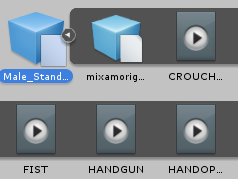 fallen locust
ok im not sure it got into VR chat but all it did was stuck in T pose no animations
lean acorn
@ivory lodge I'm not too sure how you'd go about extracting it. That's definitley it though. Try opening Male_Standing in other animating rigs like Blender and go from there
@fallen locust Lemme fetch you the video 1 sec
cyan sparrow
Has no one had this issue with falling through the floor in the menu and dynamic bones going crazy?
 molten elm
Anybody know how I can fix my sitting animations on my avatars, like a reference of some sorts?
 uneven flare
do anyone knows how to make a saiyajin aura?
cyan sparrow
Why is it that literally no one has ever encountered any of the problems I've had in VR chat? I've asked many questions throughout the various help channels in VR Chat discord and literally no one has any idea as to what the problem is or how to fix it.
lean acorn

Bone, height, and scale fixes.
fallen locust
@uneven flare ez google

In this week's video, I nervously show how to create a basic aura effect. Thanks for watching! If you have any questions or requests for future videos, feel ...
lean acorn
@cyan sparrow I can't really help since I haven't messed with dynamic bones and custom anims besides a few basic ones. Sorry.
cyan sparrow
It seems like no one has somehow
lean acorn
Have you done the whole duplicate the model before animating spiel?
cyan sparrow
Of course
I have a rig that I animate on and a rig that I upload
The animation works fine. It just breaks the menu and dynamic bones somehow
lean acorn
So it only breaks upon entering vrchat's menu?
cyan sparrow
It breaks it quicker, if I just sit still the dynamic bones start to break over time.
lean acorn
What exactly happens when it "breaks"?
cyan sparrow
It is just spazzing out
Like it is colliding with stuff 24/7
And it is moving more than it moves even if I was falling at max speed, etc.
uneven flare
@fallen locust i've saw this video already
fallen locust
ok then no probs then right
uneven flare
and it does not look like the ones I see in the game
fallen locust
ok you will have to mix it up a bit
lean acorn
Have you made modifications to your bones mid animation?
fallen locust
@uneven flare did you watch this one

Effect Animation - How to creat 3d effect animation for game Basic Aura - Unity Particles Effect ------------------------------ ► Pls comment what you think ...
empty wave
every animation i do puts me into that
ivory lodge
can I edit the default animations? like handopen?
lean acorn
@ivory lodge you can override them, yes
uneven flare
and yet none of them look like the ones I see in the game
fallen locust
@uneven flare this one

Unity 5 - Game Effects VFX - Glowing Orb In this Unity tutorial we are going to see how to create effects for games by using the particle system Shuriken. Th...
ivory lodge
@lean acorn no not override them, edit them
fallen locust
@uneven flare this one
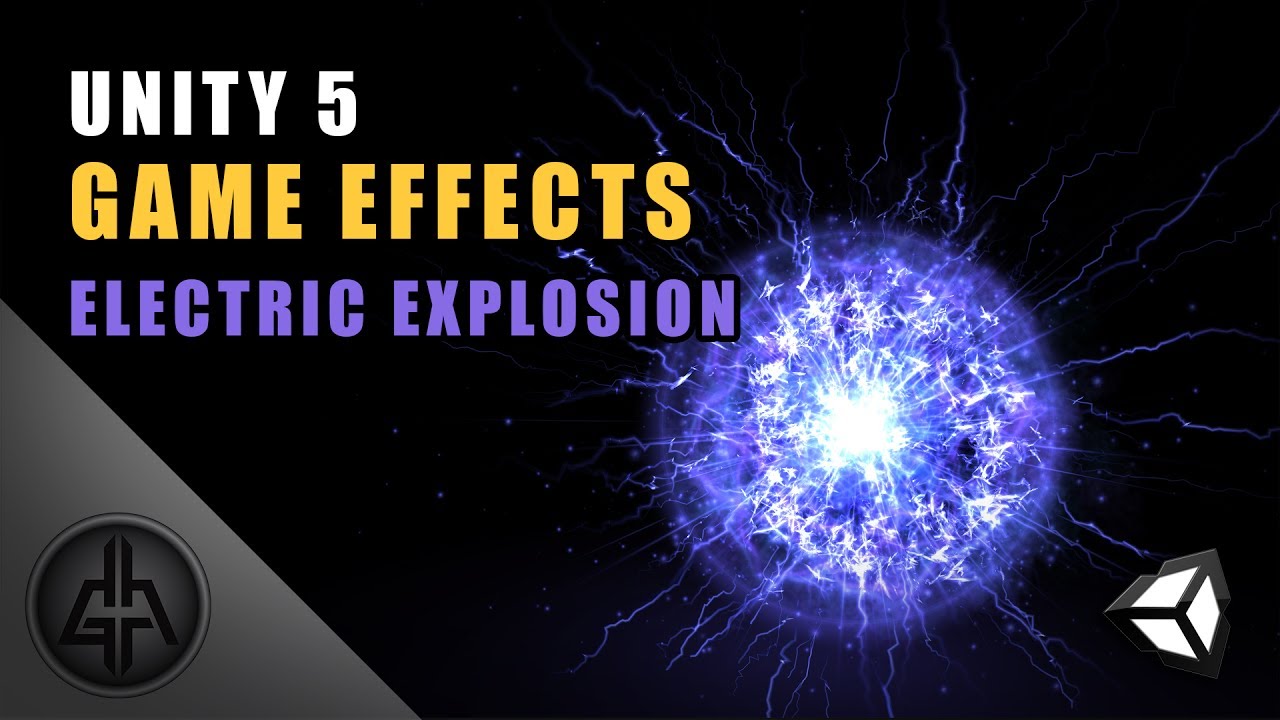
Unity 5 - Game Effects VFX - Electric Implosion and Explosion This is the sixth tutorial of the series Special Effects for Games, and we learn how to create ...
lean acorn
Still yes. Just take the default animation, edit it how you want, then override it
ivory lodge
@lean acorn how do I "take" it
fallen locust
@uneven flare this one as well

Effect Animation - How to creat 3d effect animation for game Glowing Orb Effect - Unity Particles Effect ► Pls comment what you think or any FX you want to s...
fallen locust
@uneven flare https://www.youtube.com/watch?v=4-h5QaYJ7Co

► If you are interested in this all FX , pls comment what you think , send me a message or contact me with : vungocduchd@gmail.com ► Download my asset here :...
this one
lean acorn
Not sure. Haven't really dabbled in animating too much. What software are you using to look at anims?
ivory lodge
unity
fallen locust
@uneven flare https://www.youtube.com/watch?v=tZ5dSmsggFc

Unity 5 - Game Effects VFX - Make Particles Follow a Path This is the Unity tutorial number sixteen of the series Special Effects for Games. In this lesson w...
lean acorn
Unfortunately I do not think there is a way to modify/extract stuff that is prepackaged like that in Unity itself
uneven flare
not all paid
dude
wtf
i mean the guy of this video https://www.youtube.com/watch?v=4-h5QaYJ7Co
► If you are interested in this all FX , pls comment what you think , send me a message or contact me with : vungocduchd@gmail.com ► Download my asset here :...
fallen locust
not all paid what ok well better watch it then so you can keep your title
uneven flare
dude
check the description
you need the assets
to make his effect
and you have to pay in his patreon
fallen locust
but did you watch the video
uneven flare
first the video has almost 1 hour , second it's all paid
fallen locust
well i thought
i've watched every video about aura
in youtube is what you said
dude if you have i need your help you must be super smart right
fallen locust
i do need you help i mean dont want to let all that knowledge to go to waste
you must be a master a anything effects related i really need that kind of brain power you have
ivory lodge
not sure what triggered you @fallen locust
fallen locust
no i just want his help he watched ALL the FX videos on youtube
well if its to do with FX you are
just a master at the sport a gold medal for you
ivory lodge
@fallen locust surely you must understand he didn't mean literally haha
fallen locust
yea i do i just dont like people that stretch the truth so far it could break at any moment
uneven flare
?????????????????
ivory lodge
hahahah what
ivory lodge
not like it was important to the conversation?
fallen locust
yea you are crazy smart you really must be to retain all that info about every video about FX on youtube
uneven flare
XDDDDDDDDDDDD
I said I saw all the videos about aura and none of them are the same as what I see in the game
fallen locust
dude that means i dont have to so that question you asked about auras on DBZ is all good right
uneven flare
none of them are the same as what I see in the game
that's why i asked for help
if someone knows a better way to make auras
😄
fallen locust
that i see well you have seen all FX videos from youtube there has to be one DBZ effect vid in there
uneven flare
not all FX VIDEOS
 wintry matrix
Well for games its either going a particle effect or cards with textures or a combination of both.
uneven flare
ONLY ABOUT AURA
fallen locust
@wintry matrix thanks my dude you helped me out the other day hit this guy with your power
uneven flare
lol
wintry matrix
If you're going after the DBZ/anime power up for the ultimate move effect you could probably have a light emitter positioned at your root turned on and have a particle emitter instanced rings that grow up and out [like 3d shells] with painted textures of the effect all blown out in the shader, if animated right it should give you want you want I guess..
or buy one of those packages from the unity store for like a few bucks and reverse engineer whatever the guy did for that.
lean acorn
That looks like it would be a particle emitter with a large image with the color outline on the outskirts and the center transparent
wintry matrix
Yeah.. if its super stylized you may want to animate textures and throw them on geometry/cards.
eg. make something like this
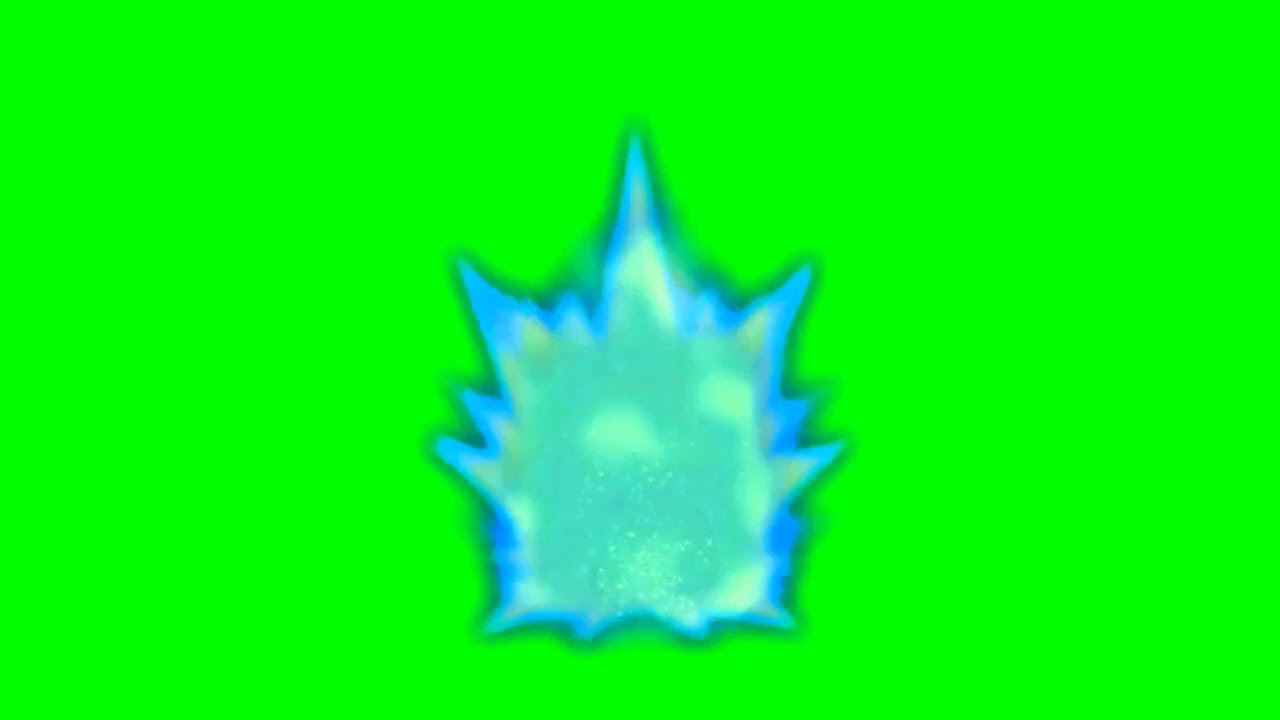 uneven flare
yeah
wintry matrix
minus the green, pretend its alpha
fallen locust
uneven flare
'-'
wintry matrix
I can give you some rough guidelines but I'm the middle of building an avatar for a friend I just poke my head in here from time to time to take a break.
wintry matrix
I'd go with a particle effect .. start with having an emitter shoot particles from the root of your characters rig between the feet going upward and have them fade/die off as they reach his head
add some variation to the particle motion [add noise to the motion] then add shaders to distort what the particles are rendering
something like what this dude is doing
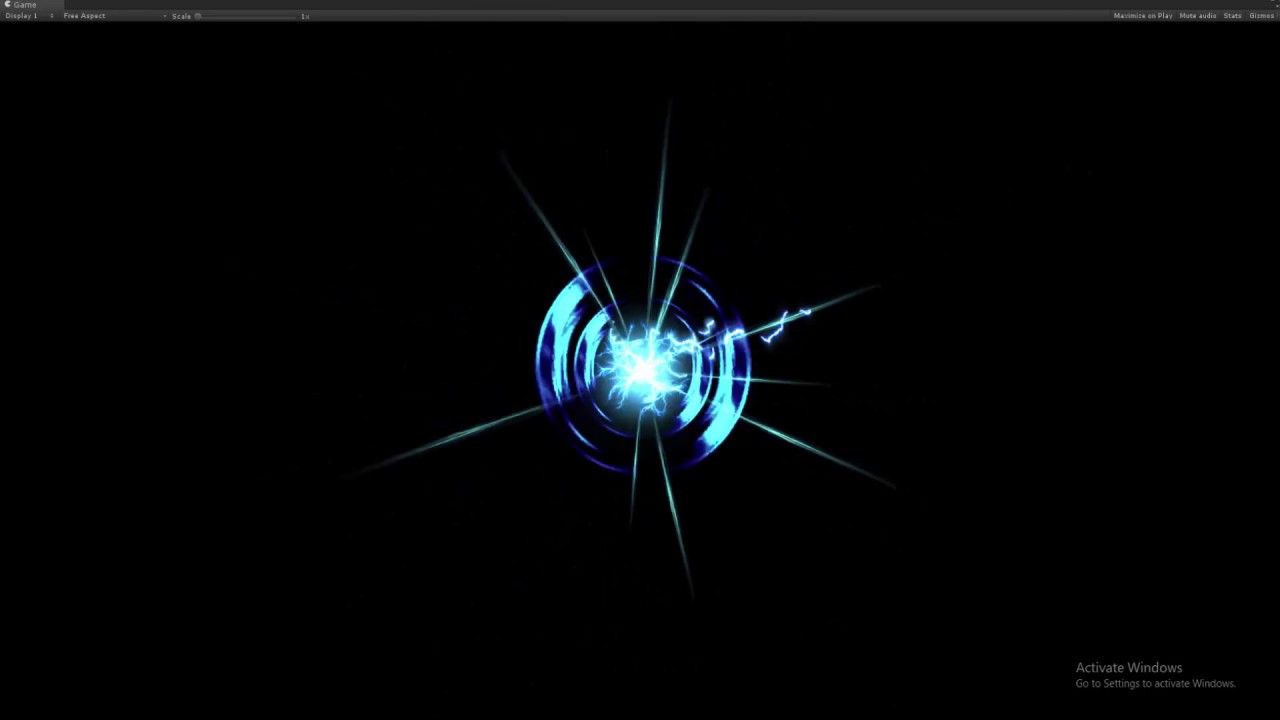
energy ball | Effects unity | Effects game mobile | FX game | particle unity made by Duong Le see more : https://goo.gl/Xsfqw1
his channel has a ton of unity special effects.
fallen locust
@wintry matrix i am having a prob the VR chat SDK does not thing my model has the head hands or feet bones mapped but they all are what do i do
wintry matrix
I dunno I haven't fired up VR Chat since the new patch game out today, did you update the SDK that came out last night?
wintry matrix
yeah to go with the new version of Vrchat with todays patch
fallen locust
it was in #announcements
no i have not i have been working on this avatar for the last few days trying to get him to work so no
cyan sparrow
Does anyone have any experience doing custom animations in unity? :-|
 keen glen
I'm trying to make a model that does the take on me dance when I move, but I have no clue how to even start setting that up
lean acorn
Any ideas why my animations are seemingly spazzing between default and the changed anim upon override trigger?
 heady vector
It seems that my quadruped avatar only plays the first half of its walking cycle and then hangs until I stop moving, and hangs on the other half when I walk backwards
wintry matrix
@keen glen You need to animation overide your normal walk forward clip with a animation clip with a dance walk of some sort.
keen glen
I got that part, the problem is making the animation
everything I try to alter just ends up going back to the initial animation pose as though nothing was changed

I have it initially set here a bit above the ground
Now I change the rotation of the knee

moved the red line off and now its back to the way it was before
 wintry matrix
Hmm (I don't animate in Unity so I wouldn't know what to there).. I animate in other software, bring clips in and put an ovveride on the walk
keen glen
can you set an animation to trigger for the whole body but have it set to work on the trigger?
I'm ready to just learn a different system to animate this
 sharp torrent
Hey guys, I just tried to add an animation with particle effects and sound to my character. But once triggered, only the hand gets put to where it's supposed to be, no particles or sound starts up. Any fix for this?
lean acorn
The particles and sound, are they bound to the armature?
sharp torrent
They're bound to the "gun" that's attached to the wrist. It's like a palm cannon
Here's a pic of the Hierarchy
lean acorn
Try adding an empty game object and binding the particle and sound source to that instead
Have it bound in the same place otherwise
Anyone got any ideas about the anims spazzing out?
 red spade
I've got some extras on my model like alternative eyes, a blush, tears, how can i make them hidden by default and pop up only during certain animations / emotions?
keen glen
@wintry matrix what do you use to animate?
sharp torrent
How do you edit an animation? Don't want to recreate it from scratch :/
lean acorn
the bones connected to the bottom of the pelvis should be perpendicular to the pelvis
Zam, you don't need to put the anim in the game object, just the particle and the soundeffect
I believe if you input more stuff into an anim, it saves automatically
sharp torrent
But it broke the animation, it won't play in the play mode anymore
lean acorn
You could create a new animation, then go into the folder in file explorer, create a copy of the old anim, and rename it to the new anim
Delete the default new anim
 grim fractal
perpendicular to the pelvis //-//
sharp torrent
I'll try that, thanks
 sharp torrent
Alright, it let's me edit the animation now, but since I moved the particles and sound effect into gameobject, the animation says it's missing. How can I just add it back without losing the keyframes?
lean acorn
Are you saying it doesn't see the gameobject?
sharp torrent
It looks for the original filepath, but since it's changed from the wrist - cannon - particle to wrist - cannon - gameobject - particle it can't find it
lean acorn
Remove the part in the anim that points to the broken one and re-add in the correct directory
sharp torrent
Will it retain the key frames?
 glacial pike
nope
sharp torrent
:/ guess i'll just do that over again then. Might take some time but shouldn't be a problem
 long knoll
Hello, i have questions about weapons
lean acorn
Any ideas why my custom override animations "stutter" between default and the overriden anim really rapidly?
long knoll
If I have a holstered weapon, (Sword and shieth), do I have to have 2 different models of the swords in different locations?
one at the shieth, and one in the hands?
lean acorn
Yes
lean acorn
I believe both have to be in armature though to be toggle-able
long knoll
have to rip the sword models from the main model and create seperate ones for that
yeah they are. Or they were on the original model
i took the main character (Youmu {from touhou} btw), and have to delete har character and save the swords in the air
So probably should keep the swords as 4 different files, and Youmu plus her shieths on her hips as a total model.. right? Hoping im doing this right lol
lean acorn
nvm about my issue, figured it out
glacial pike
Just toggle the parts on and off :/
 warm galleon
I have a mesh that when it's shape key is at 0 a weapon is showing and at 100 it disappears, how would I get the weapons to not show by default and show on one of the gestures using muscle animation editor?
long knoll
it wouldn't dissapear and reappear when it was all one model.
uneven wing
Anyone know if the particles in unity can be... separate from the mesh once emitted? lol
lean acorn
Not sure i'm following?
uneven wing
I have a particle emitter that shoots, something like confetti
lean acorn
You mean they keep going in the initial velocity after the thing pointing in that direction stops?
uneven wing
but the confetti moves around with my hand that it's linked too
Looks a bit weird lol
lean acorn
I see. I'm not too sure if it's possible to do something like that
It probably is, try asking someone more versed than I am in Unity.
uneven wing
Ah gotcha, I thought that might be the case
lean acorn
All the effects i've seen in the game seem to follow the player in one way or another
sharp torrent
Should I make the gameobject the particles and sound is attached to invisible, and make active with the animation? Or is doing that to the particles enough?
uneven wing
Yup, exactly that
lean acorn
The 1st option
uneven wing
Make the game object 'active' with the animation
That'll activate the sound and particle
As long as they are both set to 'play on awake'
sharp torrent
Ok, so the particles should not be hidden? Just the thing it's attached to then
sharp torrent
Ok, thanks!
long knoll
How do I make things like a tail constantly wag?
I want to make the ghost that follows youmu animated and tail move around a bit
sharp torrent
Should Wrap mode be once? Or just default if I want it to fire just once?
Just to make sure, you're supposed to put your animation in the animation overrides yeah? You're not supposed to add an animation component to your model yeah?
uneven wing
yup
warm galleon
is there any way to switch the values of a shape key? For example if 0% is holding a weapon and 100% the weapon is gone, could I reverse those?
sharp torrent
@uneven wing Does it have to be inside a gameobject? I have an invisible mesh that I can toggle hidden and toggle active in the animation. It's still not triggering though
warm galleon
I'm pretty new to this but I think I would need to make animations for every single gesture with the shape key at 100% when I could just reverse it and have 1
sharp torrent
This Crematory cannonrotation is invisible, and I made the animation set to that. So if I put it into an empty game object, i'll have to redo the keyframes. Or does it have to be inside an empty gameobject?
It plays fine in Unity, just not in-game
uneven wing
I don't think it does
Just needs to be set to start on activation then active the item above it
Make sure the locations are all set correctly
I had that issue wtih mine.. location of the particle in the animation model was different then the actual model
sharp torrent
Then I have no clue why it's not working ingame. Do certain maps have particle limits? Because I only tested it on one random map.
uneven wing
No clue on that one..
as long as you have an animation set to activate the Crematory cannonRotation
It should work
sharp torrent
Could it have to do with the wrap mode? What wrap mode should it be in?
@uneven wing I want it to play once, but I've seen different things in different tutorials
 clear yew
when i create the animation in blender
i export it as an fbx and put it into unity
but it wont let me take the animtions out of the model with ctrl e
d
 north patrol
Hello, I'm following the TL DR for eye tracking, I'm at the shape keys part but I don't know how to create them, anyone could help ?
glacial pike
I'm having tthe same problem witth my animation, particles won't show up, character drops halfway tthrough the ground (and I can't seem to find this rroo T people talk about)
 rich scarab
Hey guys - Created an animation thats playing the sephiroth theme song to my char. Basically, The audio is playing straight away after the model loads. Instead of on the animation override ive set it to (VICTORY).
Is there per chance a setting ive missed? (Perhaps turning play on wake off?
Wait cancel that
Found it - I had forgotten to turn the audio source off from the start.
sharp torrent
Which Wrap mode should my animation be in? And should it be legacy?
cyan sparrow
Anyone have experience with edge emitting particle systems? Specifically as subemitters?
I am having an issue with the edge rotation not matching its parent
 unique night
do small avatars need a custom sitting animation in order to sit on chairs? as my tiny avatar (barely knee height for a normal avatar) I end up standing inside the seat when i try to sit on it. If I do have to create the custom animation, is just a 2 frame one?
clear yew
Hmmmm i create visemes for lipsync but they're not showing up in unity. im so confused lol
sharp torrent
did you choose blendshape viseme in the lip sync part of the component?
clear yew
yes
ive made multiple models
just this one doesnt seem to have any options
which is triggering the fuck outta me
sleek swan
how to fix this? https://gyazo.com/ec414bf4254693d739bb8748a3c3dd18
 sharp torrent
@clear yew Then I'm not sure
unique night
does anyone else find the animator:root T property awkward to use in the animation timeline? it never goes to to the number i want. Like if i type a value of 5 it will change to something 0.23343432. Am I missing something here?
cyan sparrow
It changes to something due to round off error I gues
It isn't 0.2, it is like 0.2*10^-10
sharp torrent
After my animation ends, the hand is just stuck in the animation position. Is there any way to regain control of the arms after the animation has played?
unique night
@cyan sparrow i take it theres no workaround to this, like no other way to position a character for emotes?
cyan sparrow
Don't think there is any other way, but like I said, it is rounding error. 2e-10 isn't actually moving your character any amount. It is just annoying to look at.
unique night
alright thanks for the info 😃
also any idea how long a sitting animation should be?
is it a 2 frame deal similar to gestures?
cyan sparrow
Is there even a sitting override?
Or are you using a custom controller?
I tried to find one before and couldn't.
unique night
i assume its the idle pose for the animation controller, expect you plug it in cutom sitting anim override
my small avatar at the moment teleports inside the chair when trying to sit on anything
so trying to fix that by raising it above the ground and bending the legs with an idle seated pose
glacial pike
where can I find the Root T thing for animations? It's about the last part I need to have this custom animation done
 gaunt pebble
Does anyone know of theres any viseme that could be use for a kissy face?
unique night
@glacial pike on animation timeline : Add Property > Animator > Root T
sharp torrent
I can't figure out how to return my hand to normal after my animation is done playing. It's just stuck in the last position. Can't find anything about it in tutorial videos either :/
glacial pike
Thank you Lakuza ❤
unique night
@sharp torrent it should return back after the animation is done, is this happening in game? is it an emote or a gesture?
sharp torrent
@unique night I made it the rock n' roll override. The hand is just stuck in the position I specified in the animator, and it becomes really glitchy. No other finger emotes work
unique night
thats weird, never had that happen so not sure what could have gone wrong
is the gesture 2 frames only?
0.00 and 0.01
sharp torrent
No, it's a long beam cannon animation. It's 17 seconds long with a couple of different stages. It activates perfectly fine, but the hand just gets stuck
unique night
gestures have to be only 2 frames long
you can activate particle animations which is fine
but you cant have the body parts move more than 2 frames
for that you want to place it into an emote
not a gesture
all particles have to be activated in those first 2 frames too
so use some start delays or time the emission accordingly in the particle settings
both frames should be identical aswell
sharp torrent
Well, guess that's my problem, since it has different stages, I activate it at different parts. Sometimes 5-10 seconds in. It activates fine though. It's odd... Can I circumvent this with emotes?
unique night
yeah emotes will work fine
gestures are for hand gestures so they always have to be instant
emotes will lock your control over the character though whilst it plays
and can last 10 seconds
buuut, you need to reposition the avatar to stand on the ground as emotes will place you in the ground by default unlike gestures
sharp torrent
Can it only last 10 seconds? Not more? And losing control is fine
unique night
(and click the bake to pose checkboxes in the animation file, in inspector)
yeah, for now only 10 seconds
sharp torrent
Damn, I'll have to edit my sound clips as well then. It's 17sec and it's cut from a show, gonna be hard but hopefully I can make it work. Thanks a lot for your help. Had no idea what I was doing wrong
unique night
no worries 😃
10 seconds is fine anyways, most people wont stay to watch anything longer 😛
sharp torrent
It's mostly just to fit with the sound, it's Reg's incinerator from Made in Abyss, so editing it down to 10 sec could be a challenge sound vice
unique night
i had to do a similar thing to Gon from hunter x hunter
got lucky and found some nice spots to blend the cuts together
so its hard to notice 😛
sharp torrent
His Jajanken? Or something else?
sharp torrent
Oh shit, there's an adult gon model?
unique night
not available, i made it from scratch
sharp torrent
Damn dude, wish I was that talented
unique night
can show it you in game some time if you want 😃 my names the same in game
got the long hair in so its pretty funny
like a beacon XD
sharp torrent
Sounds good, whenever I'm done with this damn cannon. Also, do you have dynamic bones to it? That must look amazing
unique night
no dynamic bones
havent used them at all but have heard they are quite tricky to get working
not suitable for clothes apparently due to the amount of clipping
and freaking out
the hair for mine has a looped animation though
so its waving and pulsating
sharp torrent
Eh, I use it on all my characters, just put the stiffness and inert real high, makes it really nice. And if it has an animation, then it probably doesn't need dynamic bones.
unique night
i may use it in future
just need to work on a character that justifies dropping $20 for it
for now my current avatar doesnt need it
(the one that im working on i mean)
 past scroll
how do I fix this https://puu.sh/yW8WS/4918c8b862.png ?
 unique night
what is the audiolistener doing?
 steep citrus
@unique night youre making a gon jajaken too? the one I made breaks my charcters hands. Im trying to use the fist gesture. I can sometimes get the animation to load in when I spawn if I set it to active but the hands are still broken. an when I set to inactive the hands are broken an no animation loads
unique night
do you have a camera attached to the model?
unique night
@steep citrus Already made it 😃
steep citrus
yeah mine is made too but I cant get it to work 😦
unique night
I have that animation set to my closed fist gesture
steep citrus
not as a gesture
steep citrus
it will only spawn when I load ion with broken hands
unique night
to the timing of the sound
oh
so if i understand that right, its an animation you want playing the moment you spawn in?
does it play on loop?
or is it a one time thing?
steep citrus
well only when I set it to active to see if it worked because whetrher its active or not my hands break
not a loop, its a 10 sec orb grow with many different effects. then the orb stays a certain size an never goes away
unique night
not sure why the hands would break
 cyan dew
steep citrus
cyan dew
steep citrus
@unique night I kinda wanna see your avatar tbh lol. Im a big HxH fan myself
unique night
odd 😦 i'm kinda new to unity so not sure myself
@steep citrus https://www.youtube.com/watch?v=bu84R7tXA4Q

This one is showing my Adult Gon Avatar from hunter x hunter. Closing my fist will start the Janken animation complete with sound effect (proximity based so ...
glacial pike
it's kinda sad that even with the root T options I'm stuck in the ground with the broken pose, is tthere anyway to fix that?
unique night
root T is a pain in the ass to use for me too
keeps snapping to the ground until eventually a high number gets it above the ground
and its never consistent
between models or projects
(the value i mean)
steep citrus
nice! I wish I could get mine to work man. I have the nen gathering too that looks like wind, an I have the orb grow on his hand until it gets to max size, then the gather wind stops an red nen lightning flys out like when he was ready to kill pitou lol
glacial pike
it almost looks like it still uses the dublicated broken model as it's base, instead of the one that works.. since the pose of my model also goes into this flying crane thing when I start the animation
a well, i'm atleast a step forwards in this whole creation thing...
steep citrus
@unique night I met someone yesterday who made the greed island entrance/spawn lol
its a private world atm it looks amazing
unique night
epic 😄
cyan sparrow
Anyone have experience using edge emitting particle systems?
empty wave
@glacial pike been askibg for days on how to fix the pose, no one seems to know :(
cyan sparrow
@unique night It doesn't emit from the edge when the transform is rotated
unique night
it might be the world or local space thing
cyan sparrow
I tried both just in case
unique night
oh 😦
glacial pike
@empty wave If nobody ever does then I'll just set the character in a pose I want myself... which will require a lot of propertty adding and editing 😦
cyan sparrow
It works fine if it is aligned with the world axis but the instant it is rotated off that, the blue line shows in the right spot, but the emissions happens off the blue line.
Which makes absolutely no sense.
unique night
if its an edge emitter, i assume it somewhat 2D in the way the particles work
so you could try a texture sheet
to achieve the same effect
cyan sparrow
I tried box w/ edge emission, box with volume emission (small volume) etc.
And they all have the exact same issue
empty wave
@glacial pike i fixed it going in to the ground atleast by creating a duplicate of model, putting the customoverride in te animator controller, going to animation tab scrolling to bottom and copy pasting that root t into my other animation
glacial pike
I just threw the Y axis offset to a number that put me above the ground, seemed to work as well, butt meh :/
cyan sparrow
Does anyone know how to make particles not cull for anyone?
steep citrus
Im actually pretty good at making animations at this point... too bad I cant get them into the game >.<
cyan sparrow
Wynaut
 winter reef
Can I make an emote animation move the avatar's position? Like if the animation walks forward, can I have the avatar move forward instead of walking in place?
cyan sparrow
You can move but you will reset after emote
winter reef
Hmmmm
steep citrus
not sure why but ALL my gestures stoip working, sometimes even the eyesan mouth stop working, an im left with palm open hands that do nothing. When I upload the avatar with an avtice animation just to see if it works the hands(still broken) spawn the animation the moment I spawn in game. So the animation works but for some reason even though I had it set up to the fist gesture all the gestures broke an it spawns on launch
active*^
cyan sparrow
I had a friend with that problem but his work around involved something ridiculous like resetting the gestures from the templates and stuff like that
 oblique panther
hey. someone know the issue when you sit down in vr
that your hands kinda stay ontop
and dont move down?
empty wave
@glacial pike well i got it to go in default pose while using my animation
progress! lol
glacial pike
How did you manage tthat?
empty wave
how i said earlier with copy pasting the root
i copy pasted everything
into the animation i made
if you don't know what i mean ill try to explain better
glacial pike
hmmm like everything in the animation tab on your working avatar, pasted into the animation you made earlier?
empty wave
yeah
glacial pike
makes sense
empty wave
still not perfect but it's a bandaid
glacial pike
rather that then flying broken mantis xD
empty wave
yeah 😛
glacial pike
Well it solves every problem I previously had witth this, it's something... I now atleast have 1 working custom selfmade animation 🙌
cyan sparrow
I would like to know too
empty wave
trying to make lightning but i don't want the little orbs
cyan sparrow
Whoa that looks pretty cool, high noise + trail?
steep citrus
do I have to create an aimation on a dupe model just for it to break? or can I create the animation while its outside of the hierarchy an add it in after its created? it doesnt seem to break the avatars pose
cyan sparrow
Do you know if it is possible to stop particles from culling?
Do I have to customize the shaders?
steep citrus
heres the jajaken I remade for another attempt at this.... the timings wont all be up at once in the final version
winter reef
How do I add a sound to an animation?
 supple dawn
do hand jestures count as animations or am i in the wrong place?
steep citrus
hrmm so this time I uploaded the charcter an the fist animation got replaced with the animation pose hands, an my gestures were VERY slow an unresponsive
the other gestures worked but for some reason they were very delayed
sharp torrent
How do I make a particle effect slowly become bigger overtime?
glacial pike
size over time (option in particle effect)
sharp torrent
It becomes too big too fast, is there a good tutorial on this stuff? Most that I found skipped over a lot of stuff
 native frigate
Anybody knows what causes the screen of everyone in the room to turn black when somebody has a specific animation?
 terse sonnet
is there any way for my particle emitting to end when my gesture is over, but not the particles themselves getting killed?
steep citrus
@sharp torrent Add A size over lifetime effect, then change the "start lifetime" to the desired time
sharp torrent
Ok, I'll try that, thanks
cyan sparrow
Does anyone know why an edge emitter might not emit on the edge it is oriented to?
clear yew
Hi, im trying to make animation trigger (VRCSDK Trigger) that will make my model close eyes on KeyDown event.
I added component trigger, i have animation created in Animation menu in Unity, also Unity component named Animation (i can drag my created one in empty fields in this).
Then im tryin to configure VRC trigger but cant choose my created animation.
I really dont understand what im doing and its killing me more. Any tips?
 high cape
Hey , would appreciate some help. Its my first time working with dynamic bones and ive added everything but my head and arms wiggle too . Which I guess is because my parent root is the chest (its a mantle) and shoulders and neck are in there. How can I fix this?
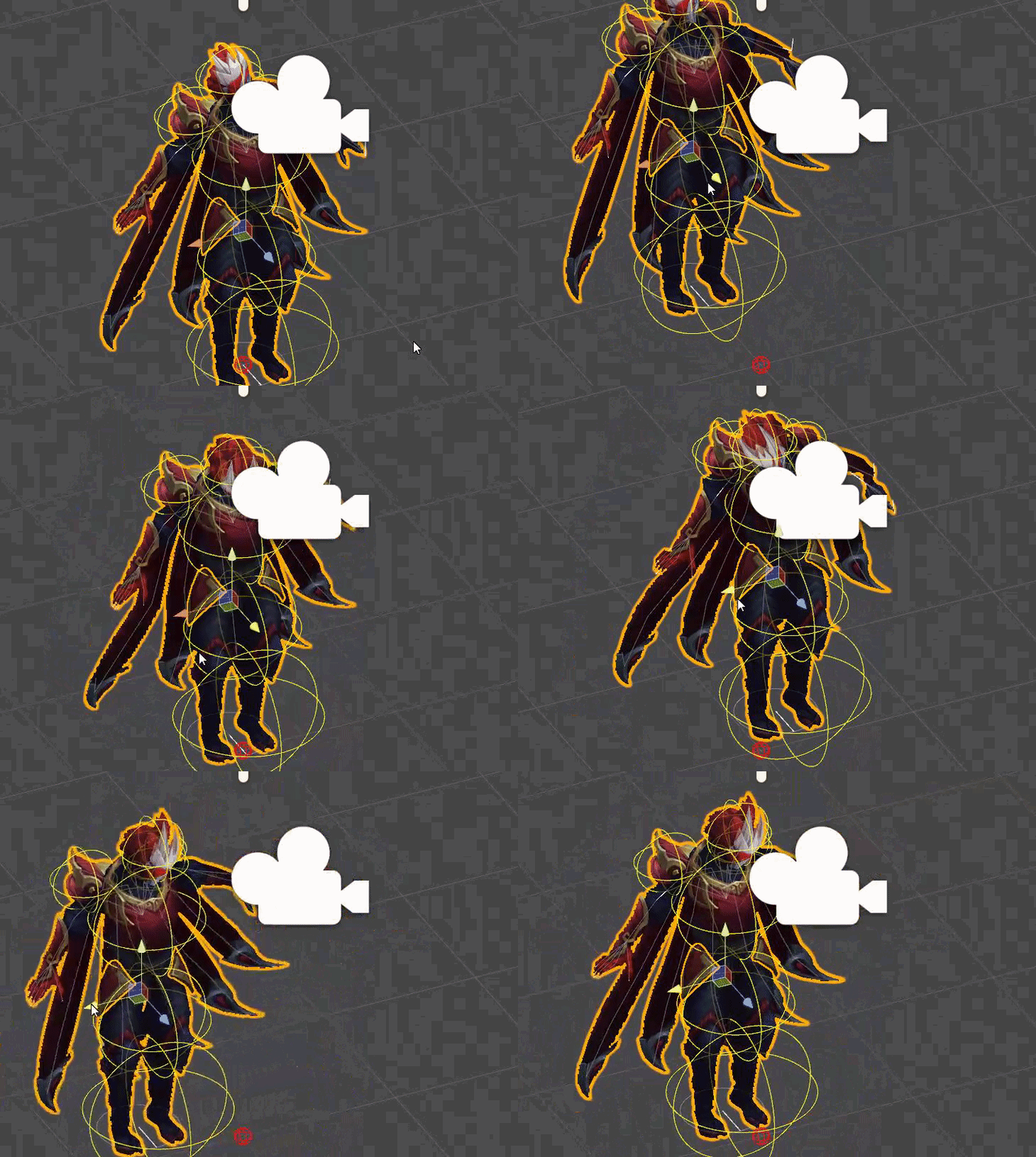
 hushed mantle
there's an option called exclusions in the dynamic bone bit
click that and put the number of bones u need to exclude in set
then choose shoulders and neck, etc what u dont want to move
high cape
ohh! thanks! Didnt even thought about that haha q_q thanks alot
empty wave
Wth, i made a particle effect in it's own project and when i import it to the project i want it's a different color and i can't get it back to the original color
 twilit grail
guys, so i'm trying to work on the mouth but the lips are behind the face itself but the face overlay has lips already. so will that not make my mouth move at all? or will it be ok?
or do i need to have the lip animation in the front?
steep citrus
so say I want to add a particle effect to the fist gesture, do I NEED to recreate the fist in the animation panel to get the particle effect to work? Im trying to add the particle effect without recreating the fist, it'll leave the hand open but I just want to test to see if it works at this point.
rich scarab
Ok interesting thing was wondering if this is to do with naming components / parts of your scene,
Got an audio source of which I play a song through, joined a lobby was all good, new player joined in wit hthere own animations that trigger audio sources, all of a sudden, my song is then replaced by there sound. But only for me personally
 muted prairie
@rich scarab #user-support-old !
rich scarab
@muted prairie Will do!
cyan sparrow
Whenever I assign an edge emitting particle system as a subemitter everything goes to crap.
oblique panther
did someone get a custom sitting animation working?
im like sitting inside the chair
cyan sparrow
It doesn't emit from the edge anymore
It emits from some arbitrary rotation on the edge
Which is nigh impossible for fix.
Has anyone here used an edge or box emitting particle system as a subemitter for a cylinder mesh particle system?
empty wave
how would i mirror a particle effect?
clear yew
does someone may know, what it could be that my viseme dont work? I used the version 0.5 from cats and created visemes. in Blender the shapekeys look perfect and work.
- I changed to Viseme Blend Shape and choosed every shape key.
But after upload and ingame the lips just wont work
cyan sparrow
Is there really no one who has used any kind of subemitter that is non-spherical?
No one has insight into this issue?
terse sonnet
So is there any way to add more variations than the current gestures, or like conditions?
I've sort of simulated it when it comes to spawning things (have a parent I make active in a different gesture as the trigger, so that it doesn't happen when I just do the one gesture, but the two together). But for things like blend shapes that doesn't exactly work
unique night
@cyan sparrow in case you dont get an answer here, i recommend downloding free particle systems from the asset store to see if you can find an edge emitter and reverse egineer it for your own
basically to see how it works for them
cyan sparrow
Might be all I can do
unique night
wish I could help more 😦
cyan sparrow
but once I assign ANY kind of subemitter it no longer respects transformations of any kind
No matter where the volume or edge indicator is
It figures out it's own emission location somehow and respects no transformations.
clear yew
does someone may know, what it could be that my viseme dont work? I used the version 0.5 from cats and created visemes. in Blender the shapekeys look perfect and work.
- I changed to Viseme Blend Shape and choosed every shape key.
But after upload and ingame the lips just wont work
 keen elk
So if you need to put a character into Mixamo for the sake of getting dances do you just delete the current skeleton? It said it couldn't use my rig
cyan sparrow
I solved my problem by simply timing the activation rather than using a subemitter effect. But this would not work in any case with random movement of the parent, so I have no idea how people would do that.
sharp torrent
How would I stabilize a flying Pod following me? It shakes a lot whenever I move, is it possible?
empty wave
what's it connected to?
sharp torrent
It was connected to the hips, which I heard now was a bad idea
I'm trying to connect it to the armature now
unique night
do extra bones like for example hair bones get their own animator properties on the timeline?
or is is exclusive for the bones recognised in the humanoid rig setup?
oblique panther
any advise on my custom sitting animation being stuck in the ground?
unique night
you might need to position it at the correct height when animating it
so animator.root T
is the property you want i think
steep citrus
anyone getting errors trying to upload right now?
oblique panther
hm gonna see
unique night
check announcements
"Hey, appears we're having server troubles, we are looking into it and will post again when the issue is solved"
steep citrus
ahhh I see
unique night
thats probably why you cant upload
steep citrus
I think Im close to getting my animation working too... 😦
rich scarab
Anyone got any experience with the Unity Particle pack?
steep citrus
I finally got all the other gestures to work with the custom override file but, the fist animation I have changed to my particle effect still doesnt show up in game
@rich scarab yes its awesome, check out all the ingriedients and materials! they have some nice smoke materials
rich scarab
@steep citrus Indeed chap. doing some animations at the moment on an avatar, only problem im finding is I cant seem to rotate the direction of the small explosion! 😛
cyan sparrow
Is there actually a sitting animation override?
rich scarab
So if per say I wanted for it to go sideways, Id be looking at rotating it -180?
cyan sparrow
The same file? Standing is just the idle isn't it?
steep citrus
@cyan sparrow are you talking so you can use custom overrides sitting or standing?
cyan sparrow
Yeah a custom override for sitting.
steep citrus
or do you mean something else? IM pretty sure if you wanna do animations sitting down all you do is drag an drop the same file into sitting
 regal magnet
So, anyone knows why my blinking / visemes arent working, i followed 2 tutorials regarding them, but they wont show up in game .
cyan sparrow
Where is the sitting slot though? I only see walking, strafing, crouch, etc.
oblique panther
@unique night you said i want Animator.Root T
you dont know what to set the Y value by any chance
steep citrus
ehhh I have no clue im too new to this as well, I saw a video though where the guy drag an dropped both into avatar descript an tey said it would allow you to use your gun sitting down or w/e
cyan sparrow
Use your gun? That sounds like a gesture thing which might be different?
steep citrus
yeah may be so, I honestly cant even get my particle effect to load in game so I may not be the best help lol
unique night
@oblique panther if it worked properly I'd say 1, but its very glitchy 😦
just keep putting a higher whole number
oblique panther
hm 1 sets my viewpoint right atleast
unique night
until it gets to the right spot
oblique panther
gonna play around with that once the servers are back
unique night
sometimes i have to set my root Y to like 5 or 6 so that it resets to 0.23242424234 or something like that
trial and error 😛
steep citrus
I still cant log in to upload my avatar so who knows if its gonna work
oblique panther
and in the custom override
its only IDLE
right
or do i replace all the idles
 dusk yacht
So im trying to get facial stuff working and Ive done what a tutorial told me... But when I go into Unity and select the right mesh, the different visemes dont show up. The sil, PP, FF etc
dusk yacht
Me? Or someone else?
steep citrus
@dusk yacht I had that happen to me multiple times, I fixed it by re-importing the avatar into blender an clicking "fix model" without eneabling the delete bones feature.
thats with the cats tool of course
dusk yacht
Ok ill give that a shot
steep citrus
also make sure after you do that you actually "create visemes" and "eye tracking" an then export it right after
 fierce copper
mkay so i have a quick question
im currently trying to gte my emote override to work (i dont have VR)
I'm trying to add a premade effect, so I placed it under my armature and hid it
when I'm making the animation clip and use the 'isActive' thing my character dives into the ground
how do i fix this?
i know you have to do something about it but I'm not sure how
steep citrus
@dusk yacht I forgot to mention youll need to open the "translate" tab an click all 4 options before creating the Visemes and Eye tracking
@dusk yacht also sometimes if you dont seperate by materials as well and then translate the shape keys dont get renamed properly, also dupe keys can occur from multiple creations so be wary. reimport a fresh decimated model an keep it saved ahead of time just in case lol. shyt breaks for no reason sometimes
 limber horizon
Anyone in here familiar with the selfie camera trick? Mine is almost working but I've got something wrong. The camera view is active on the texture in Unity but not in game. The animation to toggle the camera on sets my viewpoint to the phone in game. Any idea what I messed up?
dusk yacht
@steep citrus Ok so I tried that but it still doesnt show any visemes
cyan sparrow
Cameras were disabled last update afaik
Because they require you rerender everything in the room so they're incredibly bad for people in VR.
Everyone I know with a camera can't get it working now so
 river igloo
cameras were fixed this patch, the original behaviour was them being local only
cyan sparrow
There ya go :3
As it should be too, because rerendering a billion versions of the scene because there are cameras and mirrors is ridiculous.
rich scarab
Gah! I cannot fathom how to rotate the emitter of this particle example D:
limber horizon
Ah so they won't work now I guess?
limber horizon
Ah. Doesn't work on mine anyway but that defeats the point of making one anyway I guess. Wasn't aware of the rendering issue either. Thanks for the help!
 slim swan
 dusk yacht
I tried making the model twice now and the visemes havent worked
The model does have keys on the face so it should work
Right?
 scenic crag
https://i.imgur.com/mhNqoaT.jpg
I'm not sure why but whenever I walk or stand up, my thighs go through my skirt D: not sure what to do..
 rich scarab
Sorted out my animation rotation!
Quick Q on hooking this up so it plays correctly.
Ive got two keyframes one at the base frame and one at 1st frame. Essentially turning my particle emitter on on both key frames.
How do I ensure this animation only plays once? Ive set the particle emitter up so that it does not loop. Do I need to add a keyframe that disables the animated particle emitter?
 opaque rivet
Hi everyone, can you tell me how to make animations, where more than one object perform different animations? For example, mmd dancing
 torn shale
can anyone help me with an animation I'm doing?
ivory lodge
does anyone know how to edit a default animation? like handopen?
 viral wigeon
you think it's possible to make change shader animation?
like you have first texture on your character and when you make victory texture 1 change for texture 2
 regal skiff
You can make a copy of the model but with texture 2 and when animating use the "Copy [Avatar 2]" option. ((Found underneath the rig/animation section thingy))
But I'm sure that's a long way around it
torn shale
okay I'll just write my issue down, basically I imported a .vmd into blender and exported it with a model, but when trying out the animation in unity the visemes don't animate along with the body animation
i already exported just after importing as well as first doing all the CATS plugin things like eye tracking and visemes before exporting, both givve the same result
viral wigeon
@regal skiff i will try thanks 😉
 olive lynx
Hello everyone, does anyone know of a good youtube tutorial to watch for custome dance animations? I don't have a headset and want to give my avatar a new dance.
regal skiff
mixamo is worth looking into Daddy
olive lynx
Thank you Crowii!
 stone birch
best skirt dynamic bone settings? :)
unique night
are we allowed to use colliders on dynamics or are they not recommended?
stone birch
i use colliders all time
unique night
@stone birch check these settings out: https://www.youtube.com/watch?v=KywzhVH5o0Q

A Unity tutorial on how to use the dynamic bone plugin, which is available on the asset store here: https://www.assetstore.unity3d.com/#!/content/16743?aid=1...
stone birch
thx
unique night
oh, good to know we can use em 😃
stone birch
but yea collider are allowed
ive been using them anyhow on my hair
gotta touch my hair
unique night
its mainly for the bangs, since they go through the face
stone birch
ah yea
unique night
do i use collider or collider base component?
unique night
is it an emote or a gesture, just to make sure?
 brittle vigil
emote
unique night
they should only last 10 seconds if its an emote
unique night
theres a loop checkbox for particles
but anything on animation timeline should not loop by default
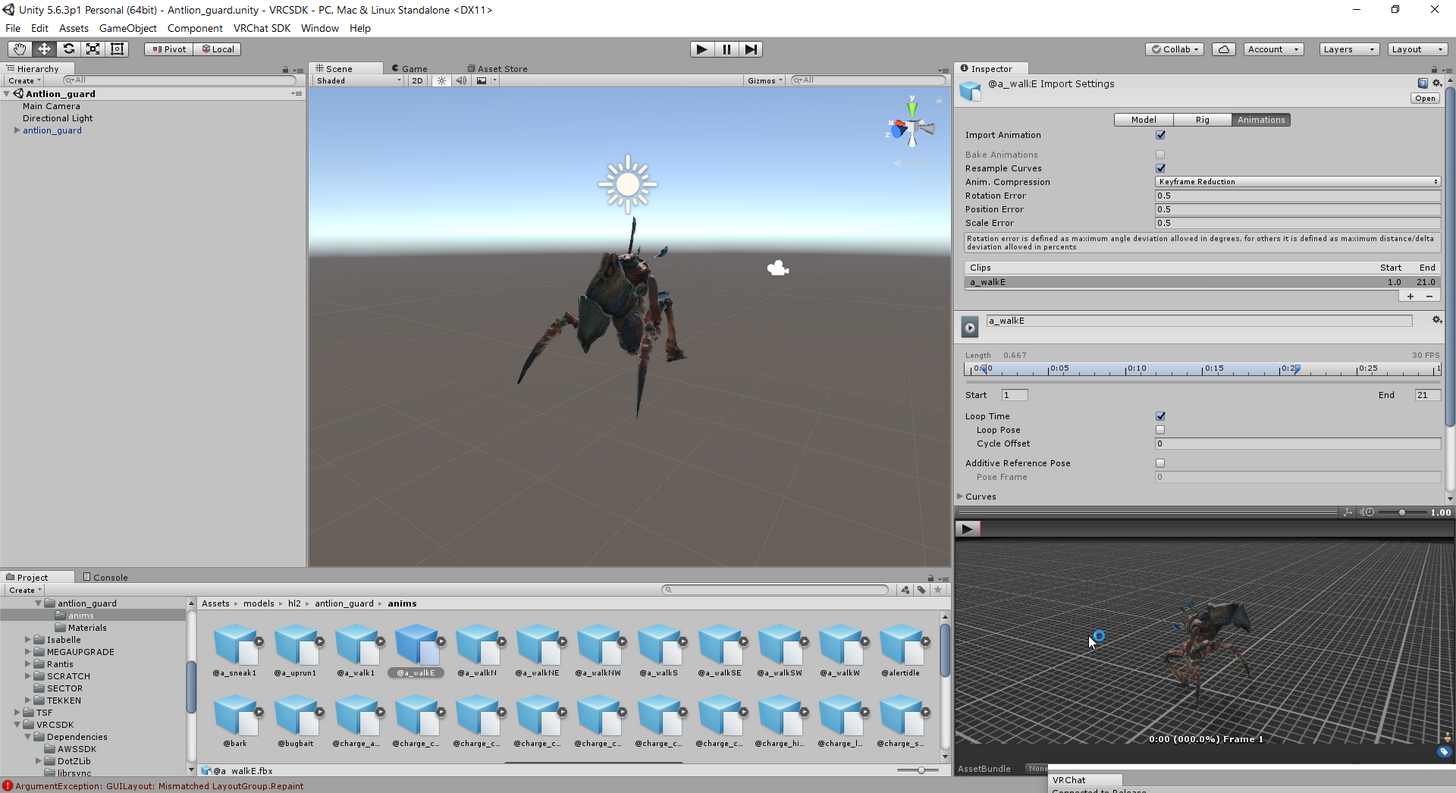 unique night
oh its an imported animation
hmm, i've not used those so cant help much with that one. There is the loop time option but i dont think thats related to your problem
have you tried ticking that loop time option off just to see what it does?
 hollow osprey
Hello anyone could help me out? Im trying to use mixamo animations on my model but I dont know how to export the .anim files from .fbx that mixamo provides, if i just drag& drop the anim from the fbx model it won't load in vrchat
brittle vigil
:/
 gritty schooner
@hollow osprey When you import them, they come up as xbot@(animation) yes?
hollow osprey
Yes I got it solved, had to set the rig to humanoid 😃
gritty schooner
Ye
hollow osprey
I didn't think I had to coz I wasn't adding to hierarchy thought I had to export the .anim somehow
gritty schooner
Does anybody know how to loop an animation? I imported it and it only does it once.
hollow osprey
click debug on the little lock (well the drop down next to the lock)
gritty schooner
My menu looks different then yours so I don't see what you see, but I'm on debug and the animation
It says different stuff
hollow osprey
oh well look around for something called wrap mode that should have a loop function
most animations have one
ivory lodge
is it possible to edit the default animations? like handopen?
clear yew
hjow df am i supposed to buy dynamic bone
 idle pasture
is there any guide on custom standing animation for morons?
opaque rivet
Hi everyone, can you tell me how to make animations, where more than one object perform different animations? For example, mmd dancing
 graceful wraith
 ancient pecan
is anyone aware of a good library of humanoid animations for unity?
I wanna lazily import models while fixing idle animation conflicts
 vague viper
yo, what's up kiddos. working on trying to upload a custom animation i made in blender and having issues. if anyone could assist with a pm, would be much appreciated.
gritty schooner
The wrap mode was missing because I'm using a animation from Mixamo
 strange kite
@ivory lodge sorry, the default hand animations are licensed so we can't release them to edit. You can get free animations from mixamo.com and the Oculus SDK has some hand models with poses too. The animations for hands are really just single frame poses, so they are fairly simple to create in Blender.
 next obsidian
Is this normal? I can't select anything, do I have to install something extra?
clear yew
I have a question for someone, I want to add a dance to my character it works as her idle animation. I have the packs but I dont know how to add it to the unity thing
I was able to add the music and thats about it
 native viper
Heya guys, I have a slight problem with the Muscle Animation asset for Unity in which it literally won't allow me to edit any bones.
clear yew
Just wondering, is hand open the one where you spread your hand all the way out?
like most anime characters use that for a shocked expression
is that the same one?
native viper
Yeah that's the open palm emote
clear yew
alright thank youu
https://www.youtube.com/watch?v=oGHzuk5YD1I this is a really good video btw

Tutorial on importing weapons and tools to your character to use in game. Links: Model: https://meennie46.deviantart.com/art/MMD-TDA-Mythic-Flower-Dress-Miku...
 slim jewel
Hey i have a problem with my animation. i added it to emote 1 (cuz no VR) but thats still just Clap. but when i switch to that Avatar it plays the animation for 3sec like i set it.
 velvet lichen
I'm having a problem with the sound in my animation
nobody is really hearing it because it cuts off right at the start so you arent really able to hear it bc it's way too quiet.
I'm having this problem bc I did it like this tutorial told me to
https://www.youtube.com/watch?v=m4OCpPjzJ-0

Tutorial explains: - How to create the soundfile - How to create the animation - How to trigger the animation Morgus tutorial: https://www.youtube.com/watch?...
 lunar vortex
Can you combine multiple animations from Mixamo together into one anim?
torn shale
I don't think you can no
lunar vortex
Dang, alright then, thanks.
 unique mango
excuse me i need some help with Particle effects for a sword can i please get some helping hand or advice
 stable pewter
Can anyone point me towards a good video about texture scrolling animations?
 minor marlin
Where do you guys find your weapon models (or other props) for your animations ?
 ebon gate
Is there anyway to prevent body parts from going through other parts?
such as legs through a skirt
 desert cipher
Can anyone help me with a MMD Dance please??
brittle vigil
@ebon gate use colliders
 compact patio
I'm having trouble with sound animation too. I get all different kinds of bad results. When I hit the emote, my character falls into the floor and no sound plays. Any idea what I'm doing wrong? X.X
keen elk
Quick question. If I wanted to get a good dance (I mean, I have an avatar who really should be a dancer, come on) do I have to delete her current armature?
brittle vigil
are you using cloth?
keen elk
Because it didn't let me put it in with her current skeleton
ebon gate
I have dynamic bones set up
brittle vigil
mk
ebon gate
so dunno
brittle vigil
did you add the colliders to the dynamic bone chain?
ebon gate
No
brittle vigil
like define them on the dynamic bone component
torn shale
does anyone know why my animation only plays the body parts but the face doesn't animate? aka the visemes
keen elk
I honestly just wanna upload a second version of the model specifically for dancing
But I don't know how to get the rig set up for mixamo
 languid gull
http://i1.kym-cdn.com/photos/images/newsfeed/000/609/562/611.gif When unity's keyframes keep resetting

 white seal
Anyone know which override is the the rock out finger sign with the middle and ring finger curled in?
ebon gate
Yeah that seems to have worked @brittle vigil ty
brittle vigil
^_^
 hoary coral
I have been trying to align the eyes of my avatar so they work with the auto tracking for like 6 hours (the eyes were rotated in the back of my head). Found out a quick way to fix it.
I blender in edit mode, select the eye bone then go to Armature -> Transform -> Align Bones.
Once aligned with the parent the eyes started to work properly. woo!
@white seal I think that is the RocknRoll hand sign
wintry matrix
@hoary coral: so eye tracking does work with full body?
@surreal mauve: or did you mean in general?
hoary coral
in general. Don't have full body tracking.
So the eyes of my avatar now will track ingame players and objects
unique mango
can i get a helping hand with Particle effect for sword i had it last night but not sure how to fix it on Sword been at it past 3hrs
torn shale
can anyon please help me? In blender the animation works fine but in unity the visemes won't animate, I've been stuck on this for hours!
 boreal magnet
@torn shale Have you set the rig of the animation? Change it from generic to humanoid, if not.
 old merlin
are you using the .blend file directly into unity?
torn shale
the animation however is applied to a model. But I already made my model in Unity so I select the mesh of the already made model, which is the exact same model just decimated and edited already, adn that's when the visemes stop working, even though they're identical in name
no I exported as .fbx
see here, on the file from blender it works, but that's not the one I want since it's completely unedited so far, I'd have to re-decimate her entirely and do all the backface culling.
old merlin
how is the avatar descriptor component looks like?
torn shale
not sure what that matters since it doesn't matter if I pick the one from the hierarchy or the one from my assets for the animation, it still breaks
old merlin
it wont work if you put wrong mesh from another gameobject
 vestal forge
Is it possible to modify default gesture animations and add some other things (like an additional sprite, 3D object or whatever)?
torn shale
but I watched a tutorial where literally someone took a random model, put an animation on it, exported it and then put said animation on a model he had in unity already, so he could use the animation for any of the avatars he had
and the animation plays fine for me, just the visemes won't animate
old merlin
could you try select the body object, and then adjust the blendshapes value to see if its working
torn shale
the one I currently have the animation on or the one I want the animation to be on?
old merlin
the mesh that you choose on avatar descriptor
slim jewel
Ok im giving up. have been trying for a while to get a fire breath going but it just doesnt wanna work.
I start the animation and add the Flames and Embers at frame 0 and end them at frame 1. but when i play the animation nothing happens
torn shale
works fine
old merlin
set it back to 0, and try to upload it with different name.
torn shale
what do you mean? What will that do?
old merlin
maybe it just cache issue
torn shale
so and then I should try with this new model with a new id?
old merlin
yes
torn shale
ok give me a sec
clear yew
does anyone know if it's possible to make a voice recognition that adjust a material emission brightness or similar effect, like robot?
or perhaps a growing/shrinking poly with a shader that makes materials behind it brighter?
torn shale
@old merlin it's still the same 😦
boreal magnet
@clear yew Unity has a DictationRecognizer, but not sure if it can work with vrc
clear yew
i'm looking for an alternative viseme
 languid lark
@fallow lotus https://youtu.be/Pi7i4sF_BgQ

Tutorial on adding the marker to your avatar and customizing it. Github: https://github.com/theepicsnail/Marker Unity Package: https://github.com/theepicsnai...
torn shale
@clear yew is there maybe some way I can make my already finished .fbx model a .mmd again and then do the whole thing over with adding an animation?
clear yew
i wanna somehow make something glow when talking, instead of mouth movement
do it over again with animation? wut? why you asking me that? plus if you can get the animations in fbx form with the same bones, you can just import and copy the animations separately in unity
you don't need to restart
torn shale
oh sorry I tagged the wrong person
torn shale
well I got 2
the one which has the animation, and the one I want the animation on
Here's both
old merlin
so you have animation component on it?
clear yew
How do I make the shape key animations to be its own animation? Like the shape key for having the tears appear and such.
torn shale
no
I am editing the model which has the animation on it
so I get the little animation view window
I then drag the model I want the animation to be on
in there
and I don't see the visemes move anymore when I do that
 marsh lynx
Uh, I mistakenly changed somthing in my main model's animation and he went all default -pose flop. Undo doesn't fix it. How do I set him upright again?
old merlin
@marsh lynx revert to prefab
marsh lynx
That's a pain 😣
brittle vigil
So my Emote override animaitons are still looping
and not stopping >_<
untill I leave the world or switch avis
compact patio
This probably gets asked a lot, but what usually causes your avatar to sink into the ground after initiating a custom animation gesture?
 warm furnace
@brittle vigil hand gesture or emote ?
brittle vigil
emote
warm furnace
bigger than 10s ?
brittle vigil
I dont think they are
 plush meadow
Hey, can someone help diagnose what went wrong with my animation?
warm furnace
because bigger than 10s for emote => Infinite looping with weird shit things
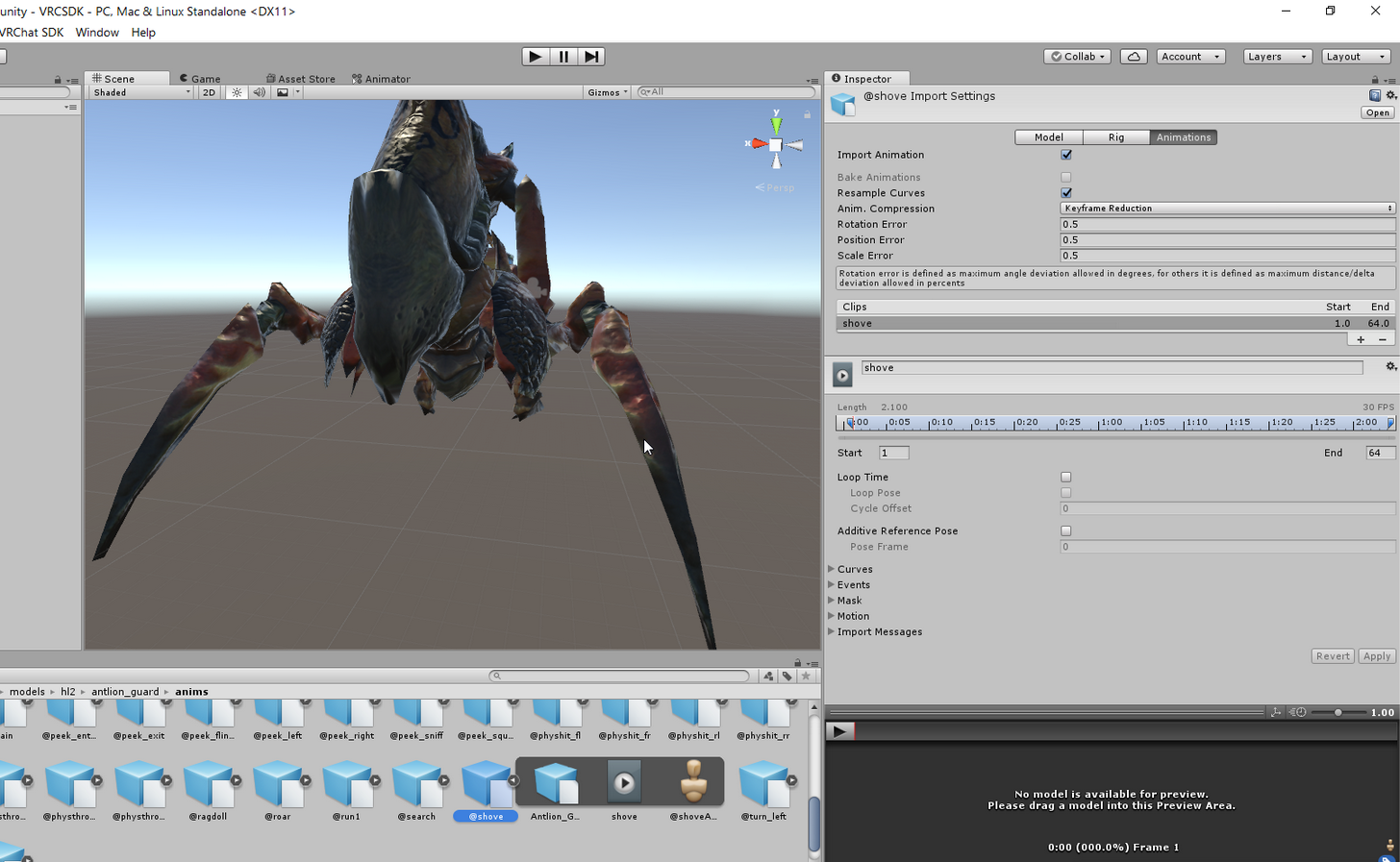 plush meadow
https://cdn.discordapp.com/attachments/370072814100676609/399438751505580052/unknown.png Why is it that my avatar goes into a crouch animation upon triggering it?

I don't have vr so I can't test it.
brittle vigil
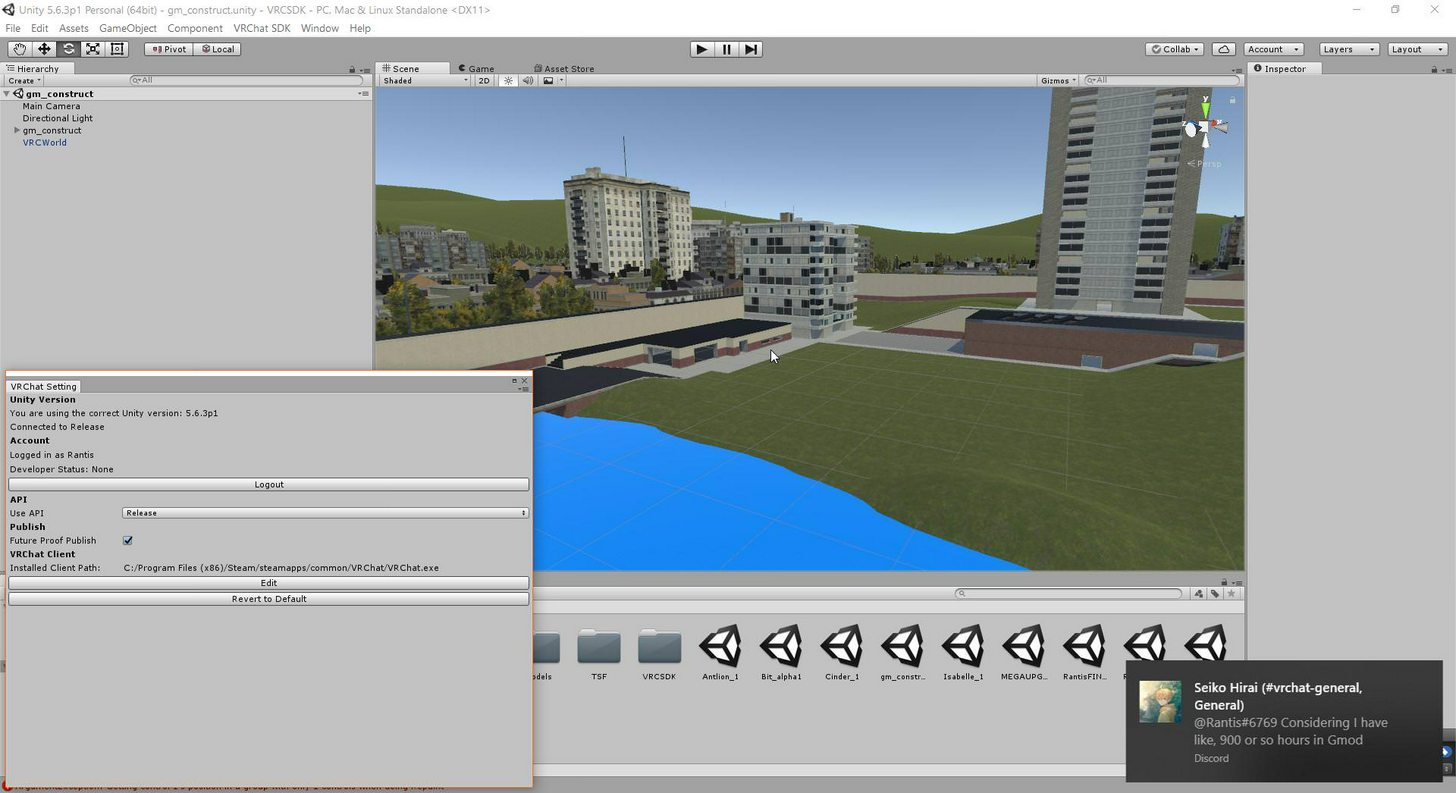 warm furnace
@brittle vigil it's for a world ?
boreal magnet
@compact patio Most likely your Root Transform Position (Y) is incorrect
warm furnace
or avatar ?
brittle vigil
both?
oh this is an avatar
im also going to put it on a pedistal in this construct
once I understand why the animations keep looping
plush meadow
Can someone test if my avatar's animation works properly? I changed an option so I'm wondering if someone with vr can do that for me.
warm furnace
Wait
brittle vigil
my pipline is clear and I can port the other hl monsters
warm furnace
How you trigger this animation on your avatar ?
brittle vigil
going into the emote menu
in vr
using gneric rig
the walking and other anims work fine
warm furnace
You manage to make a special walking animation for it ?
brittle vigil
I got them to work fine, im pretty sure im overlooking something here
I extracted the anims

same issue with the normal one btw
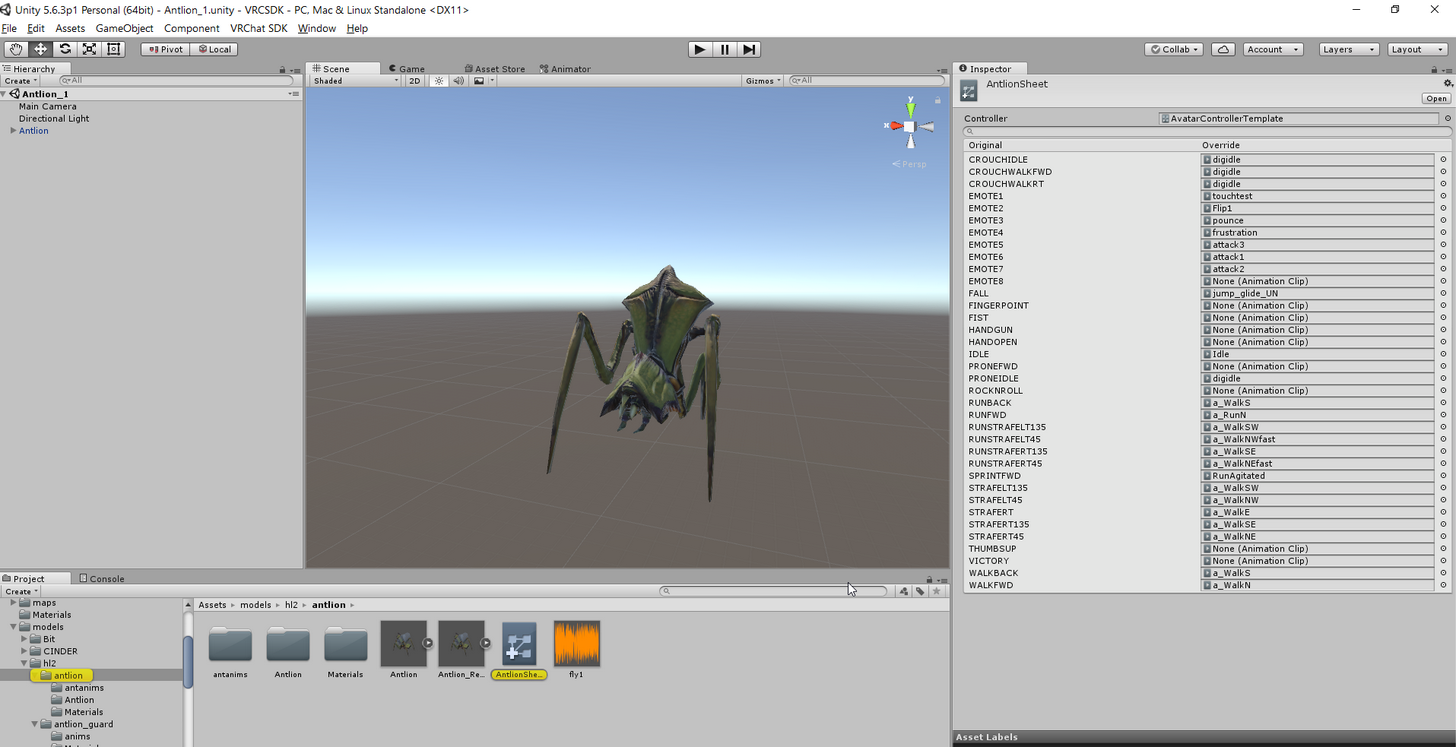 warm furnace
same emote place ?
brittle vigil
yeah
warm furnace
ha ve you tryed an other emote place ? x)
brittle vigil
but both of their emote anims loop untill the model is despawned
?
just moving them?
warm furnace
yeah
brittle vigil
Oh
they have separate overrides
mapps
they are based on eachother but not the same blueprint
brittle vigil
nah
old merlin
@torn shale are you animating the face?
 rancid furnace
not sure where this belongs but i added a particle efffect to my avatar on a custom override and now it's just a red lightning man ingame https://puu.sh/yWrrz.png i've tried reuploading multiple times but can't get it to work
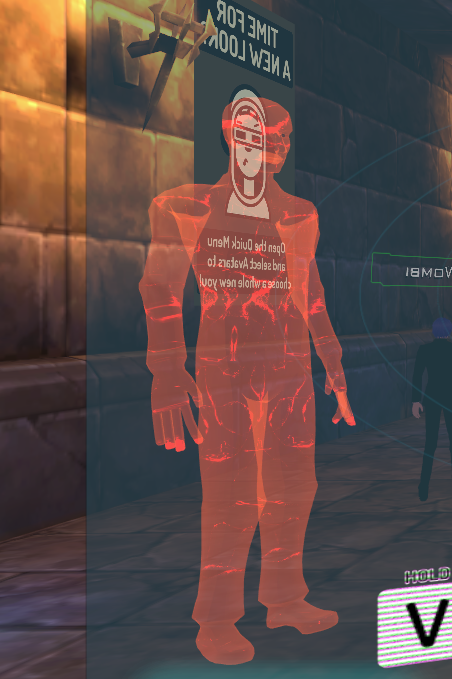 old merlin
@torn shale make sure you don't include the vrc's blendshapes in it
torn shale
and it did the same thing
I remember trying it without doing anything with CATS. Just import the model, the animation and then export again
clear yew
Not sure if this is the right place to ask this but does anyone know of a tutorial for adding lip syncing to a non-mmd model in Blender?
torn shale
why can't I just port mmd animations to .fbx, it would be so easy then 😂 I hate being stuck with just mixamo
old merlin
does it work without animation?
torn shale
does what work?
ancient pecan
there's a blender plugin to import mmd animations fam
torn shale
yes but I think I am stuck with the model which I put that animation on as well
with mixamo you can just get animations and put them on whichever model you like
ancient pecan
not if it uses standard bone naming
torn shale
I can't import animations with mmd_tools
not unless I import a model first
and then it just links the 2 together
torn shale
yes
I try to put a model other than the one from blender onto my animation on unity
and the visemes break
not the animation though, that's fine
just the visemes
torn shale
I'd be fine if I had just a dance animation but this one needs to have it's visemes cuz I wanna add audio as well and it's gonna be really fitting with my character
old merlin
@torn shale im confused, which model that are you trying to use?
torn shale
I got my model and ready to use in unity right?
that's .fbx now so I can't put animation on it
so I went back to blender, took my original file of that model, without decimation and whatever
ancient pecan
ideally humanoid animations should work independantly of the base model
torn shale
and then I put an animation on that model and exported it as .fbx, but I need the model I have in unity to have that animation
but as soon as I apply the unity model I already have, on the animation. It breaks
well the animation keeps working fine. But the dang visemes won't animate
old merlin
but you show me this
https://cdn.discordapp.com/attachments/390924344475254792/399675189941764106/unknown.png

i dont think you could put the mixamo animation to the original model since it have different bones name.
torn shale
it's not a mixamo animation
it's a .vmd
hence why I need to go through all that blender stuff
and they do have the same bones, because it's the same base model
and I ran it through CATS so all bones are thranslated the same
old merlin
brittle vigil
all right
torn shale
what's that?
brittle vigil
I replaced an anim with one I made in unity
old merlin
select the animation, and open it on animation window
torn shale
ok
 jade kraken
in the animation overrides, are the things listed as like
old merlin
you couldn't use that animation on humanoid controller
 pastel ravine
Yea
jade kraken
k
clear yew
How can i make a particle System, like a flame that is made to stay at a specific part of the clothes stay at that place when i move? Dragging onto like the shoulder bone looks shitty in my opinion
torn shale
I don't understand why these hierarchy's are so different, I ran them both through CATS all the same
torn shale
omfg I forgot to press fix model, maybe now it workds
compact patio
Anyone see anything wrong here? X.
torn shale
the hierarcies will be identical now, should that fix it?
old merlin
@torn shale are you trying to use the animation inside "poem_natsuki.fbx" ?
torn shale
poem anim.fbx it's called I believe
old merlin
it include vrc's blendshapes in it
jade kraken
how would i add a soundeffect / audio source to an animation? like if i wanted a noise to go along with my monster opening its mouth to roar
old merlin
yeah thats what i mean
torn shale
so I just press fix model
but don't add any eye tracking, or visemes with the plugin?
compact patio
@jade kraken welcome to my nightmare x.x
old merlin
@torn shale i'll send you the animation
torn shale
I would really like to know how to do it though 😦
old merlin
i removed the vrc's blendshapes
torn shale
alright and how on earth did you get it as just an anim? 😮
old merlin
i extract it from the fbx
old merlin
what model?
 sly obsidian
Yo, when i press create eye tracking, do i have to set something else in unity to make it working?
old merlin
that wouldn't work, because different bones
torn shale
but I made the bones exactly the same name and hierarchy rn
so tell me how I need to proceed now?
clear yew
does anyone know how to put mmd motions into this game
torn shale
I'm working on it xD
old merlin
@torn shale you can't, you need to find a way to convert that animation to unity mecanim compatible. so it move the bones instead modifying the transform directly
torn shale
and is there a way to do that?
compact patio
So, I know you're supposed to make a copy of your model when you're creating an animation, but afterwards when I initiate the gesture in VRchat with the original model it ends up going into that broken muscle pose regardless.
torn shale
I'm giving up, screw this backwards system. Guess I'll just go look at mixamo for the 10th time looking for a new animation 😦
old merlin
i dont know, usually people use mmd4mecanim to get unity mecanim animation out of vmd file. but i don't think you could use it with vrchat (it will break your vrchatsdk)
torn shale
yeah isn't that the tool which put code in on purpose to stop vrchatsdk from working?
slim jewel
could someone help me? just cant get this to work
http://prntscr.com/hxdy7p

in the simulation the particle effect works fine. but as soon as i try to make in an animation it doesnt work
 tepid lantern
Anyone know how to do that effect with the shader that makes the texture stay still whilst you move so it constantly moves?
clear yew
anyone know any good idle animations that work from mixamo and dont bug out?
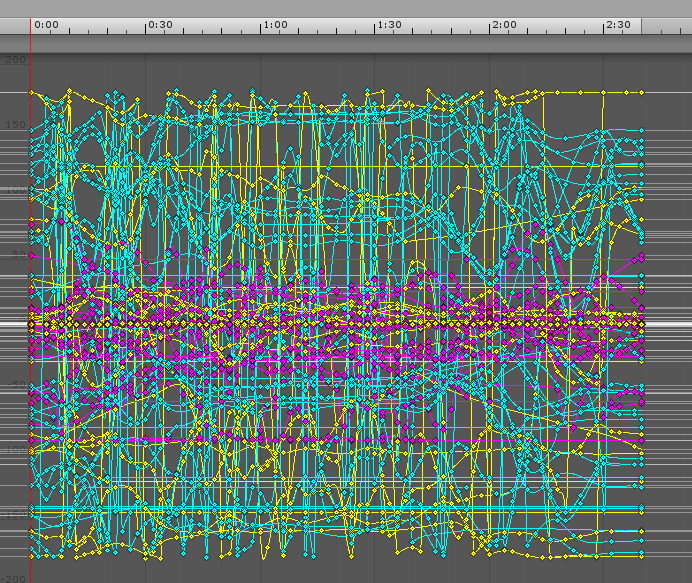


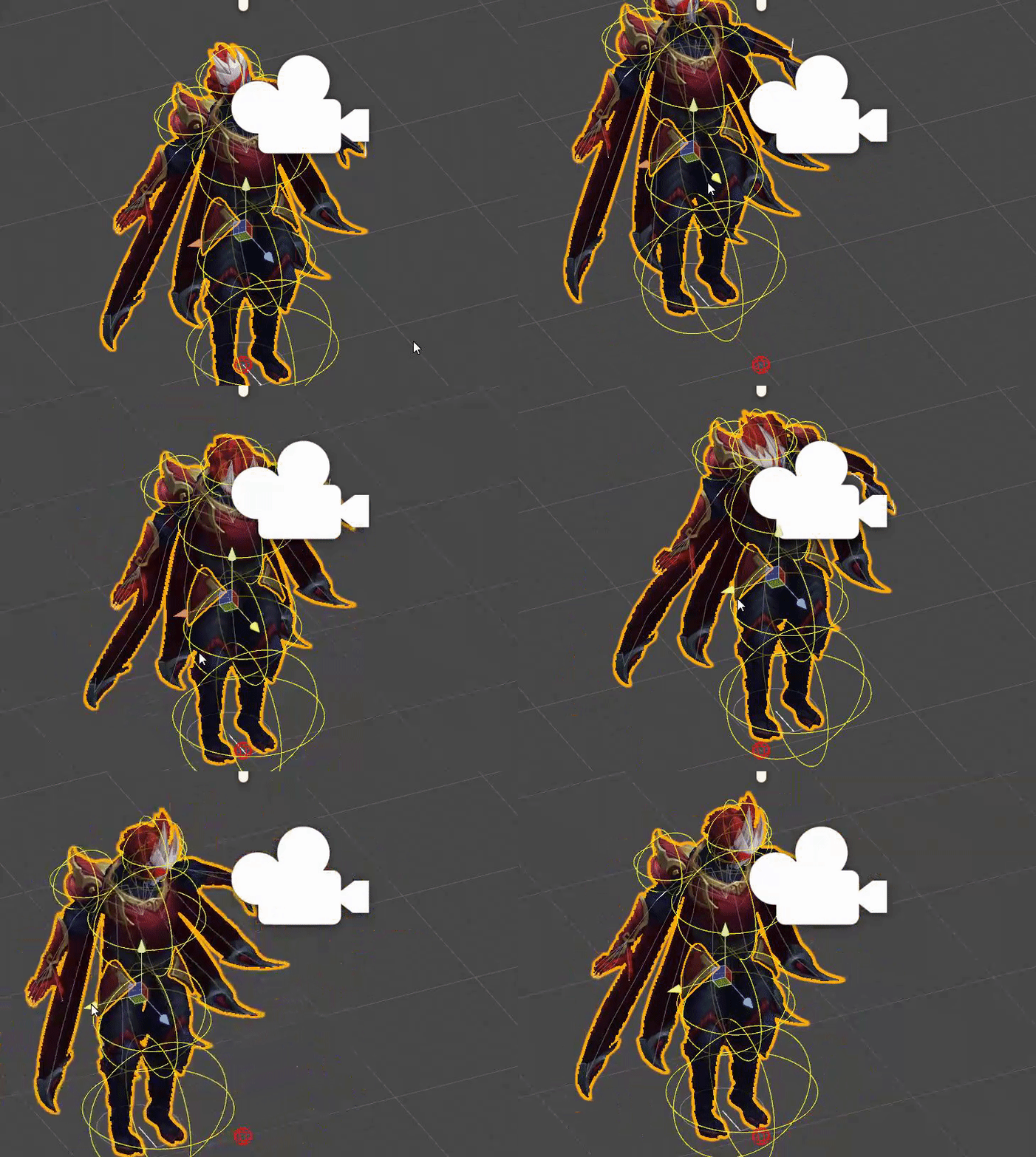




 torpid light
@tepid lantern Like a texture that's always at the same position on the screen?
brittle vigil
is it because they are on a generic rig?
tepid lantern
yea
torpid light
@tepid lantern
In the vert function calculate the Screenposition
o.screenPos = ComputeScreenPos(o.vertex);
frag
fixed4 col = tex2Dproj(_MainTex, i.screenPos);
torpid light
that's how you do it with code, what were you expecting as an answer?
tepid lantern
not in code like the actual shader thing for it lol
torpid light
that's what the code is
it's code for the shader
Shader "Unlit/Screen space texture"
{
    Properties
    {
        _MainTex ("Texture", 2D) = "white" {}
    }
    SubShader
    {
        Tags { "RenderType"="Opaque" }
        LOD 100

        Pass
        {
            CGPROGRAM
            #pragma vertex vert
            #pragma fragment frag
            // make fog work
            #pragma multi_compile_fog

            #include "UnityCG.cginc"

            struct appdata
            {
                float4 vertex : POSITION;
                float2 uv : TEXCOORD0;
            };

            struct v2f
            {
                float4 screenPos : TEXCOORD0;
                float4 vertex : SV_POSITION;
            };

            sampler2D _MainTex;
            float4 _MainTex_ST;

            v2f vert (appdata v)
            {
                v2f o;
                o.vertex = UnityObjectToClipPos(v.vertex);
                o.screenPos = ComputeScreenPos(o.vertex);
                return o;
            }

            fixed4 frag (v2f i) : SV_Target
            {
                // sample the texture
                fixed4 col = tex2Dproj(_MainTex, i.screenPos);
                return col;
            }
            ENDCG
        }
    }
}
that should do what you want
 proud grove
Keep in mind ComputeScreenPos doesn't work well with VR users
I'd recommend a world-mapped cubemap instead
 uncut monolith
How do people apply those custom emotes I see on many public avatars? Like breakdancing and stuff
torpid light
What do you mean you can't apply a texture? I just created a material and set the main texture property to the texure i wanted and it worked fine @tepid lantern