#world-development
39 messages · Page 142 of 1
 brazen python
 undone dome
Actually, the strange thing is that the bar stool doesn't have a collider and it worked.
 undone dome
Nevemrind. I figured it out (I think). Thanks again.
 vagrant shale
brazen python
it wont play the second
vagrant shale
brazen python
it wont play the second
But do you have a button that actually makes it false? Because the graph you posted just makes it true.
vagrant shale
Could you post that graph?
brazen python
i think i already posted it?
vagrant shale
All I can find is this one that sets it to true
 brazen python
 vagrant shale
Yeah, that makes it true. That check in the box means true. If you make another button and uncheck the box in that program (make sure it's a different program) that will make it false. If you want the button to toggle true and false give me a minute and I'll post that graph.
This is a toggle graph. The getactiveself node gets the current value of the boolean and the unary negation node flips the value
 brazen python
it still wont play the animation where it flips back up
*edit nevermind! it works nowww
thank you guys
vagrant shale
Great, glad it worked out
 tawdry warren
Hey guys, i want to make a game with a bot that chases you and kills you, where to find the assests to make something like that?
 timid hawk
I am still suffering from script issues no matter what I do, right version unity, and SDK3, yet it always has this issue no matter reimporting, making a new fresh project, idk I'm giving up and no one decided to help me with my earlier message

never used to do this before and only recently it has, I even reinstalled the whole unity
vagrant shale
Is that stopping you from doing something? Warnings are usually not a big deal, just the red errors.
timid hawk
It stopping me from using the very script VRChatSceneDescriptor
Because it cannot load
therefore when it comes to publishing, Impossible
or editing the VRChat SDK Builder
information
I even once thought it was the new VRChat Companion helper, but nope was the same thing when I did everything manually
a .dll error is a big thing, idk why its just a warning
because then the whole package is an issue
then when I try to click update, it says a new version but here is the catch
its the same version it is
 vagrant shale
The "you scene needs a scene descriptor error" is a normal part of publishing, are you trying to build and test? Are you sure it's pointing to the correct program in the builder settings? Build and publish should still work but build and test needs to know where VRChat is to launch the program.
timid hawk
I'm not even building and testing, its literally missing
or failing to work
hmm this new project is different
it still says missing VRChatSceneDescriptor yet its there, but then finishes the build and test but declares its missing still
Never got this far with last one I did, but still an ongoing issue
 shadow venture
I tried uploading my world but I can't. It won't let me click anything on this screen.
 timid hawk
I remember that being an issue back then
can't help you there sadly Shadow
Also having issues here though haha
shadow venture
Darn.
vagrant shale
timid hawk
it still says missing VRChatSceneDescriptor yet its there, but then finishes the...
Does it only say it's missing the scene descriptor during the building process? Because that's normal. Are you able to get to that New world creation screen?
vagrant shale
shadow venture
I tried uploading my world but I can't. It won't let me click anything on this s...
I think you need to zoom out or increase the size of your window, there's a box you need to check on the left there.
timid hawk
vagrant shale
Does it only say it's missing the scene descriptor during the building process? ...
let me test
but give me a moment switching the build to andriod
vagrant shale
shadow venture
I tried uploading my world but I can't. It won't let me click anything on this s...
But you should be able to give the world a name so if you can't even do that, then that is strange.
shadow venture
Still can't press anything

 vagrant shale
Wait, is required to build an avatar? Are you using the world sdk or the avatar sdk? They're different programs.
timid hawk
why is it asking for avatar
Then it seems VRC Creator Companion is at fault
let me retest this
vagrant shale
shadow venture
Still can't press anything
Is that a recent SDK? it looks off. Maybe that's the new one. I still haven't messed with the creator companion because I fear new things. Is the play button at the top of the scene activated?
 timid hawk
vagrant shale
Is that a recent SDK? it looks off. Maybe that's the new one. I still haven't me...
timid hawk
vagrant shale
Is that a recent SDK? it looks off. Maybe that's the new one. I still haven't me...
No I normally have it paused
even so the error is the same when unpaused
I done this too without VRC Creator Companion and the result is the same
vagrant shale
This is why I don't deal with the creator companion. Everything worked just fine before they added that, at least for me. The world sdk used to be a completely different download and I've never seen that behavior but who knows?
timid hawk
It askes for only SDK3 or SDK2 which SDK2 is being removed very soon
so only option is to embrace the new
you know what I'ma try with SDk2
shadow venture
vagrant shale
Is that a recent SDK? it looks off. Maybe that's the new one. I still haven't me...
SDK? It's from 2021. And the play button is on.
vagrant shale
Not if I never update
timid hawk
going to try SDK2 right now
Man things were so much easier back then in early VRChat
around 2018
undone dome
Hey all. I have another issue. I followed the tutorial from https://youtu.be/DpXR2oXdMA4 and when I pick up an object, I see the outline of it getting picked up instead of the actual object. It's like an invisible object.

In this tutorial I show you how to add pickups to your VR Chat world. There have been a networking update to Udon which changes the Udon Behavior script and now you add the Object Synch Script.
This is the fourth video in my start to finish VR Chat Udon world building tutorial series. I will be adding more videos as we go along and build a worl...
 green lagoon
timid hawk
going to try SDK2 right now
green lagoon
timid hawk
going to try SDK2 right now
eventually upload will be completely disabled on SDK 2
timid hawk
green lagoon
eventually upload will be completely disabled on SDK 2
Yes
Now my SDK2 is weird like the other one
nvm got it fixed now lets see....
 cobalt prawn
shadow venture
SDK? It's from 2021. And the play button is on.
cobalt prawn
shadow venture
SDK? It's from 2021. And the play button is on.
Did you check that box at the bottom that says the above info is correct and I have rights to these assets blah blah?
vagrant shale
undone dome
Hey all. I have another issue. I followed the tutorial from https://youtu.be/DpX...
The object is probably marked as static. Disable that.

 stone marsh
Animate it ...
 uncut hare
idk how to in unity
stone marsh
Looks like you just put a material on a large dome.
timid hawk
wait wait does this make sense?? I click Build and Test on SDK2, yet it sends me an external link about vrchat
 stone marsh
uncut hare
cylinder
stone marsh
uncut hare
cylinder
So you'd just make an animation where it rotates 360°. Two keyframes. That's all
Start at 0° and go to 360° then set to loop
uncut hare
hmm
timid hawk
my stuff becomes externally edited like what?
vagrant shale
Try this, it's probably good enough. Hard to say without a dislike button https://www.youtube.com/watch?v=JVFg9g4f-ME
In this Unity tutorial we're going to look at how we can create simple animations
The project files are available to our patrons here:
► https://www.patreon.com/posts/62683553
Want to follow along? This project is a good starting point
► https://www.patreon.com/posts/61579877
Check out our Unity 3D platformer playlist
► https://www.youtube.co...
timid hawk
then it shows no apps can open that link
 regal kindle
I reallly need some help decimating to a low enough polygon/triangle count without losing quality
vagrant shale
I think you would need to animate the tiling if it was an actual skybox but if it's just a cylinder, then yeah, just keyframe the object rotation.
undone dome
vagrant shale
The object is probably marked as static. Disable that.
Thank you once again!
regal kindle
And also What’s the best way to merge materials? I keep hearing the word atlas, but i can’t figure it out
stone marsh
regal kindle
I reallly need some help decimating to a low enough polygon/triangle count witho...
Dissolve edge loops. Look into it.
You'll need to use blender for any proper decimation.
Lowering poly count will always lower quality. Though, it can be baked to look higher poly and if you're careful you can do minimal impact to visuals by properly dissolving edge loops and other remeshing methods.
vagrant shale
regal kindle
I reallly need some help decimating to a low enough polygon/triangle count witho...
More of a modeling question but the main way is just selecting and dissolving edge loops. Takes a while but it'll get you cleaner results than decimation. There really is no way to completely avoid losing quality, that's why the geometry is there in the first place
What Merc said.
regal kindle
Okay I will look up a video on how to do that
stone marsh
Just make everything quads with pictures of how the world is supposed to look.
regal kindle
Thanks very much
vagrant shale
regal kindle
And also What’s the best way to merge materials? I keep hearing the word atlas, ...
It can be done manually by adjusting UVs but this works well enough. https://github.com/Grim-es/material-combiner-addon
GitHub
Blender addon for material combining, uv bounds fixing - GitHub - Grim-es/material-combiner-addon: Blender addon for material combining, uv bounds fixing
vagrant shale
stone marsh
Just make everything quads with pictures of how the world is supposed to look.
Altspace is shaking in its boots.
shadow venture
Should I worry about this?
 vagrant shale
Red is usually bad but is it stopping you from doing something you want to do?
stone marsh
If that error is persistent and doesn't go away and is preventing build you'll need to comment out line 82/81 in Notepad++ or ideally Visual Studio Code.
shadow venture
What?
shadow venture
vagrant shale
Red is usually bad but is it stopping you from doing something you want to do?
Uploading my world. Still can't agree to the term box and such
stone marsh
Which part didn't you understand and I can go from there lok
vagrant shale
You could also use notepad but then you'll have to count lines yourself. I'd download notepad++
Just put // in front of that line and pray
stone marsh
Or Visual Studio Code. Which is free.
shadow venture
I have no idea what those even are.
stone marsh
But yeah. It's been an issue affecting a lot of people recently. Commenting out the line fixes it for now
uncut hare
i got the animation but idk if it will loop or play in game
vagrant shale
Open up that file, find that line, put // in the beginning and save
stone marsh
shadow venture
I have no idea what those even are.
Programs. Download VC Code or Notepad++. Both show line numbers.
Then literally comment out the line the error is telling you by adding // at the start and save.
vagrant shale
If you click on the animation, there is a loop checkbox. It's enabled by default so you'll need to disable it if you don't want looping.
vagrant shale
🙌
shadow venture
stone marsh
Programs. Download VC Code or Notepad++. Both show line numbers.
Then literall...
Will this make me able to actual upload my world?
stone marsh
shadow venture
Will this make me able to actual upload my world?
Yes. It will get rid of that error.
Iirc the line starts on 81 but it may just be 82. You can tell by looking at it. Just comment it out disables it. It can be reverted at any time or the next time you update the sdk. If you screenshot line 82 we can tell you for sure. But you just put // at the start of that specific line to disable it.
shadow venture
Fixed it.
stone marsh

shadow venture
Uh, the upload button won't work?
shadow venture
 stone marsh
Can you please hit clear, then in the top right corner of the console, hide the info blurbs and warning triangles so only the red stop sign errors show. Then ensure you screenshot the entire console so I can see the error number and all the errors
From what I see you didn't comment out the line tho.
shadow venture
What?
stone marsh
Which part of what I said confused you?
shadow venture
All. This is the only world I ever uploaded.
stone marsh
Nobody can help you, if you don't say what you need help with.
stone marsh
shadow venture
All. This is the only world I ever uploaded.
I need you to clear your errors. And hide the info blurbs and warning triangles in your console. So when you screenshot it, only the red errors are showing.
Vrchat isn't an easy game to run. Your process manager tells me nothing at all
shadow venture
But all the errors are gone?
stone marsh
shadow venture
But all the errors are gone?
When you hit clear, there are no more errors? Are you able to enter play mode?
Buy a better computer
green lagoon
I suppose they could also try to have their safety settings to not show very poor avatars
shadow venture
stone marsh
When you hit clear, there are no more errors? Are you able to enter play mode?
Yeah.
stone marsh
shadow venture
Yeah.
If you're able to enter play mode, there are no hard errors. What happens when you press upload?
shadow venture
stone marsh
If you're able to enter play mode, there are no hard errors. What happens when y...
Nothing. I can't even check the boxes or type anything.
vagrant shale
Or stop going to demanding worlds. If it's Quest compatible, it will tend to be less demanding but the sky's the limit on how demanding a PC world can be. Not that it isn't possible to bring a PC to its knees in an ostensibly Quest-compatible world, it definitely is.
stone marsh
shadow venture
Nothing. I can't even check the boxes or type anything.
Save and restart unity.
You're also sure you commented out the correct line? A screenshot may be useful to confirm this.
10/10. You asked how to not lag while giving me zero actual info about your computer, what worlds you're in, avatars, and explained nothing and insult me. Good way to get help.
shadow venture
It works now. \
stone marsh
shadow venture
It works now. \
Nice! Lmk if there's any more issues when you finally build n upload it
shadow venture
How do I make this brighter, so the flowers aren't black?
 stone marsh
Looks like some of your stuff should be using cutout
shadow venture
It is.
vagrant shale
Do you have any baked lighting? This looks really flat.
shadow venture
What's that supposed to be?
vagrant shale
That's important to know, I don't know what tutorial to recommend but Youtube recommends this one https://www.youtube.com/watch?v=hdpV_Cdet_Y
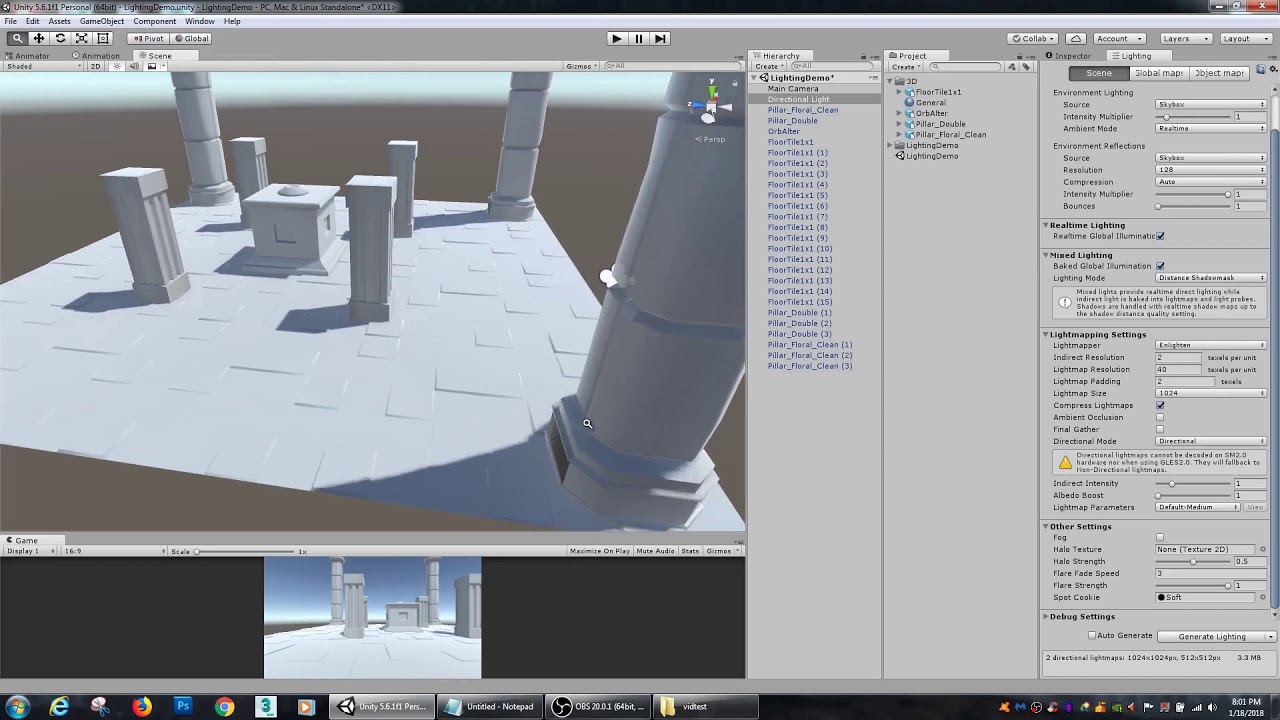
In this Unity tutorial, we go over light baking. Unity's built in light baking system, Enlighten, is great for speeding up your game and giving it more depth.
stone marsh
shadow venture
It is.
I don't believe so, or it's set wrong, you can see the leaves for instance, the black edges are where it should be cutout. The mask is showing as opaque.
Can't tell if I'm see the black parts of a mask or if bad lighting but looks like the texture/mask
vagrant shale
Cutouts also have a threshold so maybe that is turned all the way to 0 so nothing is being masked out.
stone marsh
Indeed. The leaves shouldn't be showing those black edges if it was properly cutting
Idk about the floor tho. It could be lighting, it could be part of a texture/mask. Need to see more and see your lighting setup and light maps
vagrant shale
Seems like there are no lightmaps. You're really gonna want that, having nothing but realtime lights tends to get problematic quickly, especially if you want people using Quests to not be in a nightmare world of poor performance and visual glitches.
I say this in the process of building a world that uses nothing but realtime lights but I'm careful to have a max of 2 on at any one time.
tawdry warren
q-q
vagrant shale
tawdry warren
q-q
You want to make a robot that tracks and kills you, right? I think that's kind of complicated. I'm sure someone around here knows how to do it, it's a thing in Noir: Nocturne but I think you're going to have to develop some foundational animation and programming skills to tackle that. I don't think there's a prefab for that but if there is, I'd certainly like to know about it.
tawdry warren
vagrant shale
You want to make a robot that tracks and kills you, right? I think that's kind o...
i do have some "bots" planned with animations done
vagrant shale
So what you need is the pathfinding? Sounds like something for #udon-general but it's just harder to find people that know more advanced stuff like that so you likely won't get an answer. Maybe you can commission an Udon programmer on Fiverr.
 shy tide
Hey guys, I'm getting this weird exception. It says "Export exception" and something about a .vrcw file not being found? I'm not sure what's up

I tried to transcribe the error message but it's super long and I forgot how I copy and paste it
I think I see what the problem is. I do not know how to find the script that is improperly referring to this though. I changed the parent file path, and one of the scripts didn't have its respective path change.
But I do not know hich script this is in
 maiden basin
alright, ive run out of debugging solutions
it seems the audiolink asset on github doesnt actually seem to work with reactive lights
ive tried in a new project, with everything updated, every other aspect seems to work, but not the lights for some reason
are there any known issues with audiolink doing this?
https://github.com/llealloo/vrc-udon-audio-link this is the asset im using

GitHub
Audio reactive prefabs for VRChat. Contribute to llealloo/vrc-udon-audio-link development by creating an account on GitHub.
shadow venture
For some reason, I can't access my world I uploaded an hour ago. It keeps taking me back to my default home world. Any suggetions?
cobalt prawn
shadow venture
For some reason, I can't access my world I uploaded an hour ago. It keeps taking...
Did you use the VRCWorld prefab? If not, you might need to set a spawn location in your scene descriptor. One of many good reasons to use VRCWorld
shadow venture
What?
vagrant shale
VRCWorld is a prefab that comes with the SDK that acts as a Scene Descriptor, a spawn point, allows you to change walk and run settings, all sorts of stuff. If you don't have that in your scene, you won't have anywhere to spawn but I'm not sure if that's the issue.
shadow venture
There is a spawn point.
 boreal trench
YOOOOOOO, I'm a 3d environment artist, I wanna start on making some vrchat worlds
vagrant shale
One of the great things about VRChat is most of the hard stuff in setting up how you access and interact with the world is handled for you so I think you'll find it very accessible.
cobalt prawn
shadow venture
There is a spawn point.
By that do you mean that there is a spawn point referenced in the scene descriptor? Sharing a screenshot of the scene descriptor would help to make sure that you do
If it's not that then it's usually something specific you imported that is just breaking things... In which case I advise starting a very simple bare bones world possibly in a new project, making sure that works, and slowly adding things one by one from there, being careful to read directions along the way
shadow venture
cobalt prawn
Did you use the VRCWorld prefab? If not, you might need to set a spawn location ...
 cobalt prawn
Well, that's not your scene descriptor. But I believe it reveals the issue which is the pipeline manager attached to that Spawn object you have selected. You should remove that pipeline manager component
Because the VRCWorld prefab already has that
vagrant shale
Yeah, having multiple spawn objects seems bad, there's already functionality in VRCWorld to have multiple spawn points if you want that.
shadow venture
cobalt prawn
By that do you mean that there is a spawn point referenced in the scene descript...
Got it.

 gaunt egret
place vrcworld prefab where you want the spawn to be
 spice crescent
im haveing a problem with my world uploading when ever i click publish it logs me out and gives these's errors
weird because i just uploaded 15- 30 mins ago
 vagrant shale
 obsidian salmon
how do you make a custom world spawn
obsidian salmon
how do you make a custom world spawn
If you mean having multiple spawns, there's a list in the VRCWorld prefab. I haven't actually done it but I'm pretty sure you just increase the list size and drag in some empty game objects.
 obsidian salmon
i got the spawns to work
 tropic badger
Quick question, can you still use the SDK and debug/playtest your world without having the required VRC rank ?
Are you able to do everything locally and enter the world in vr without uploading it ?
vagrant shale
Yeah, pretty sure you can still build and test. You only have to be new user rank to upload a private world which usually only takes a day or two but that shouldn't be necessary to test.
tropic badger
Ok, thanks a lot ! Pretty motivated to make a world but I wasn't sure if I could since I'm still a visitor :(
 sudden rain
Can someone help me my unityhub won’t stop showing me the black screen
shadow venture
What does this mean?
 tropic badger
shadow venture
What does this mean?
tropic badger
shadow venture
What does this mean?
Found on reddit:
It means it is trying to import something that isn't a vertex, edge or face.
It's only a warning so it might not break everything, but check that you didn't export other objects than meshes in Unity
 tulip tartan
hey im new to making worlds but i wanna put a metro map in vrc could someone give me a hand with it if u can dm me
tulip tartan
ive already got the map gma file so i just need help with putting it in sdk then vrc
 wide viper

 fiery rune
Hello!! Can anyone DM the assets for edible foods, the working beer and cups?

 tardy moth
I cant test my world offline, these are the critical errors that pop up in unity. I don't really know what I did wrong


 left rain
you probably installed a prefab that requires udonsharp without installing udonsharp first
remove the prefab from your project entirely, install u#, them import the prefab package again
tulip tartan
can someone help me out
 sharp lava
@tulip tartan GMA Files have to be extracted with a gmaExtractor, then the mdl files decompiled to smd source files using Crowbar, then smd files need to be imported to Blender using Blender Source Tools.
tulip tartan
oh no i just wnt help uploading this avi to quest but it dont wanna work ive made 2 pc avis

 ocean crag
tulip tartan
oh no i just wnt help uploading this avi to quest but it dont wanna work ive mad...
ocean crag
tulip tartan
oh no i just wnt help uploading this avi to quest but it dont wanna work ive mad...
this is for world help amigo
sharp lava
tulip tartan
hey im new to making worlds but i wanna put a metro map in vrc could someone giv...
confusing. @.@
Anyway, for quest, you need to install the android SDK before you build.
VRChat
Setting up Unity to create Quest content is actually pretty straightforward. This image covers it pretty well: If you're starting a brand new project, this won't take long at all. However, if you're converting a Windows platform project to an Android platform project, you will have to convert your a...
ocean crag
idk if it helps but with my issue i had tried other object than those cups on that table and they did the same thing for some reason
 silk crow



 late ruin
best water for a beach style world?
tardy moth
left rain
you probably installed a prefab that requires udonsharp without installing udons...
where to get udonsharp
ocean crag
tardy moth
where to get udonsharp
sharp lava
late ruin
best water for a beach style world?
Crest. Please send me a copy of the Udon scripts after you've rewritten them xD
Please dont go buying crest from the unity store; it's not compatible. 😛
 swift trench
Does anyone have any idea how on earth I would model a pool locker like this

ofc don't need them to function.
just black box with a cube on top
and then model the keyholes?
left rain
build one locker at high detail including the keyhole, bevels, other details, etc., then use it as the high resolution mesh for a texture bake onto a plain cube the same size
then apply that texture, tiled, onto a very large cube representing all the lockers
swift trench
I managed to make a basic one in 58 tris

tho yeh I def made the bevel too much
bit better

 delicate musk
Heya, need a little bit of help or directing. I was trying to add dynamic bones to an NPC in a world I'm creating. However I've found that the script is either disabled or removed during build & upload or on Load of the world in VRC. As I can't find Phys bones in SDK3-Worlds, what's the best way of either: A) adding Phys or B) where can I find a similar script which will work with SDK3-World?
vagrant shale
Physbones are currently not enabled for worlds so you'll need to get the old dynamic bone system for now. https://assetstore.unity.com/packages/tools/animation/dynamic-bone-16743

Use the Dynamic Bone tool from Will Hong on your next project. Find this & more animation tools on the Unity Asset Store.
delicate musk
vagrant shale
Physbones are currently not enabled for worlds so you'll need to get the old dyn...
thanks. now to work out how to pull the previous version from the unity store.
vagrant shale
Yeah, sorry, i didn't mean you needed an older version of dynamic bone, you just need dynamic bone.
delicate musk
hmmm, well heres the thing. I have the latest version. it just doesn't appear to work with the latest world SDK
 crimson sand
can someone help me understand whats wrong and fix it
 vagrant shale
I just called it old because it's the system that came before physbones but they haven't updated worlds to use physbones yet. That's weird, did they remove dynamic bone support before adding in physbone support? I'm still on a slightly older SDK but I have dynamic bones in my world and it publishes fine.
vagrant shale
crimson sand
can someone help me understand whats wrong and fix it
Do you have UdonSharp installed?
crimson sand
vagrant shale
Do you have UdonSharp installed?
idk that
crimson sand
vagrant shale
Do you have UdonSharp installed?
can you help me
delicate musk
it publish just fine thankfully. however once I'm in world with the NPC its on its disabled on the NPC.
vagrant shale
I don't really have experience with the new creator companion but the way you used to get UdonSharp was from here https://github.com/MerlinVR/UdonSharp/releases

GitHub
An experimental compiler for compiling C# to Udon assembly - MerlinVR/UdonSharp
The key is to never update your SDK so things won't break
delicate musk
wiser words never written lol
crimson sand
what do i do with it
vagrant shale
Click on the unity package and then go to assets->import package->custom package
crimson sand
this still shows up
 vagrant shale
Try exiting out of Unity and then open it back up? I don't really know. Maybe the log will tell you something.
left rain
this again
swift trench
vagrant shale
I don't really have experience with the new creator companion but the way you us...
never use creator companion for udon sharp enabled worlds.
IDK why but it just breaks everything.
left rain
if you import a prefab that requires udon sharp, you must install udon sharp before you import the prefab package.
vagrant shale
I'm just going to never use the creator companion ever if I have the choice but I'm sure that won't last long.
swift trench
I've had to migrate a world before becase it kept breaking u# prefabs tho I had CC U# installed
even stuff I made kept breaking.
left rain
the cure is to completely remove whatever custom prefab package you imported from your project, i mean just wipe it tf out. then import udon sharp. then import your custom package. read the instructions before you import any custom package for the love of god
swift trench
vagrant shale
I'm just going to never use the creator companion ever if I have the choice but ...
they day they enforce creator companion I'm leaving.
swift trench
left rain
the cure is to completely remove whatever custom prefab package you imported fro...
I had U# enabled, but most prefabs just don't like the CC version of U# or the SDK.
If it comes to it, people WILL stay on legacy SDK versions, Creator Companion is just not stable and you need admin to update it so anyone who does not have 100% controll of a pc, like a teenager, just can't update it.
unlike things like steam that is able to update itself fine.
 bold ibex
im trying to make my first world for vrchat but when i go to import the package VRCSDK, it says this
if anyone knows how to fix this please lmk! ty!
 bold ibex
retried and now its giving me these errors and telling me everything is imported already

 shy tide
anyone have any idea why these trees are so much brighter than they should be? I've checked my lighting settings and none of the sliders seem to have any effect on the brightness of the leaves. IDK what I'm doing wrong here.

 severe thicket
doing some stuff for a reference for a vrchat world comm price sheet
 sharp lava
bold ibex
retried and now its giving me these errors and telling me everything is imported...
sharp lava
bold ibex
retried and now its giving me these errors and telling me everything is imported...
I would check in a character channel. Not immediately apparent what's throwing that error, pretty opaque.
sharp lava
shy tide
anyone have any idea why these trees are so much brighter than they should be? I...
Either there's a custom shader on that tree, or you're running off baked lighting on top of dynamic lighting would be my guess. The tree's trunk and the leaves are shaded similarly though. Only a directional light on that scene? Is it getting multiplied with the environmental lighting from your skybox?
ocean crag
so Im trying to get multiple object to respawn when I press a button but when I put them all as children under a object, it makes the object all distorted and the respawn button just makes them bounce around, any suggestions?
vagrant shale
By respawn you mean you want to have pickups that return to their origin? I think there might be a prefab for that in the prefabs database
vagrant shale
This is the database spreadsheet but you'll have to search for the prefab and I'm not 100% sure it's there but it's still a really good resource. https://docs.google.com/spreadsheets/d/e/2PACX-1vTP-eIkYLZh7pDhpO-untxy1zbuoiqdzVP2z5-vg_9ijBW7k8ZC9VP6cVL-ct5yKrySPBPJ6V2ymlWS/pubhtml
 fathom spear
haha world go bbbbbrrrrrrrrr
 shy tide
sharp lava
Either there's a custom shader on that tree, or you're running off baked lightin...
shy tide
sharp lava
Either there's a custom shader on that tree, or you're running off baked lightin...
It seems that the environment multiplier has no effect on the brightness of the leaves. The lighting is provided by a skybox and a directional light. I'm also using bakery, btw. I adjusted some of the sliders in the shader itself.
Specifically, I reduced translucency strength and view dependency. It seems to maybe improve the lighting? I'm still not sure how well terrain and trees fit within the bakery settings. It seems to have worked... slightly better? But it seems that I cannot do any actual baking with these trees so idk
 left rain
@ocean crag

given an array of GameObjects, this will cycle through all of them, set the owner to the player that interacted with the button this script is applied to, then find the VRCObjectSync component and run Respawn() on it
this way it's network synced
ocean crag
but will it be just tied to that owner, or will anyone be able to reset
left rain
anyone can reset. the ownership thing is more about networking; only the owner of a given object (this is separate from the world instance owner) can modify its properties, so for the button to work you need to forcibly set the current player as the owner so that the respawn event works and is pushed to other players
ocean crag
perfect let me compare that to my current script and see what needs to change
sharp lava
@shy tide That last screenshot definitely looks more consistent as a whole, but might be good to pose the question in #world-lighting as well. Not sure if there's anything specific to think about with alpha blended or tested textures.
 sharp lava
Looks damn nice @severe thicket
 spare granite
Does anyone have any direction or resources of how to be able to unlock and lock a room. I'm making a VIP room for my friends but I cannot find a good video or resource that will assist in doing so.
sharp lava
yeah actually.

How to cycle through an array: https://youtu.be/s3mZ7SLfmzI
Here's a tutorial on how to create an Admin/Vip Room that only admins and/or Vips can enter. This does require you to add them to a list when building the world, and it is case Sensitive so do keep that in mind.
This same method can also be used for those of you wanting to make anythi...
Also thank you Bush for all your hard work 🙂
spare granite
Thank you. I did that one and got that working. But I was wanting to also be able to let my friends open it up to everyone as well. So that if they want their friends who are not on the list can get it. If that makes sense. Lol.
sharp lava
Permanent solution would be saving them to script, but for runtime use I'm pretty sure you could add them to an array from a simple admin panel.
I think the author of that tutorial was in #udon-general just a little while ago. Probably would know at least a smarter or more elegant way of doing that then I would.
spare granite
Okay! Thank you!
ocean crag
left rain
<@742451554812035173>
alright im stuck on the "get length" part I dont have anything similar come up under the search
left rain
it's just getting the length of the array of GameObjects that you want to reset.
the variable here is a public variable of type GameObject[] that stores a reference to every object you want to reset with this button.
you'd need to populate that using the inspector. then this script will iterate over each of those objects. Length is a property of any array-type variable, so anything that you see ending in [] in Udon.
 red urchin

any idea why my water would turn invisible when i went to bake the scene lighting?

everything is there but the water isnt visible now, i didnt have the water set to static is that why?
oh it is using Red_sim water shader btw
i was going to use silents water shader but for some reason it has issue when you bring out the camera, theres like a shadow reflection of the camera view in the water and it hurts to look at
vagrant shale
Maybe try adding a realtime directional light?
red urchin
didnt change anything no
vagrant shale
And you have reflection probes?
red urchin
that might be it
i had one a long time ago but for some reason it was bugging out my pool table so i got rid of it
should i just bake one right above this lake?
cobalt prawn
Yup
 cobalt prawn
Hmm can you share a screenshot of the water's material settings?
sharp lava
could you send a sc.......thank you Jason xD
red urchin
sure gimme a sec
ocean crag
left rain
it's just getting the length of the array of GameObjects that you want to reset.
now my button isnt doing anything... heres my graph
 red urchin
 ocean crag

 left rain
ocean crag
now my button isnt doing anything... heres my graph
left rain
ocean crag
now my button isnt doing anything... heres my graph
you need to type in the name of the component type to get in the GetComponent function... it's VRCObjectSync
cobalt prawn
red urchin
thats the water of mine
Hmm do you have that z-buffer prefab from that package in your scene to make unity calculate the depth buffer?
cobalt prawn
Saw this on the download page

Says you can just drag that prefab in so maybe that'll do it?
sharp lava
Thats the ticket, z-depth isn't written cause shadow cascade is turned off.
There's a simple script you can apply to your camera as well, but if the author has specific instructions, just follow those.
ocean crag
left rain
you need to type in the name of the component type to get in the GetComponent fu...
alright so still no luck after typing in the VRCObjectSync, should my button look like this in inspector?
 left rain
there's no public variable for you to populate
whatever that GameObject[] variable is that's in your udon graph, you need to populate that with a list of GameObjects that you want to reset, using the inspector
make sure the variable is public
ocean crag
left rain
whatever that GameObject[] variable is that's in your udon graph, you need to po...
how do I populate something?
left rain
drag shit into it
making a variable public means it will show up in the inspector. when you make the variable public in your udon graph, you should see a property in the inspector with the same name as your variable. type in the number of objects you want to reset, then you should see a list of empty slots for GameObjects. then select them all.
ocean crag
left rain
making a variable public means it will show up in the inspector. when you make t...
when I drag it on, it no longer makes the object an array, how do I keep it as array and not gameobject
left rain
i have no idea what you're talking about
@ocean crag in the udon graph, make sure your GameObject[] variable is public. then look for it in the Inspector, under Public Variables in the Udon Behavior component.
set the Size component to the number of objects you want to reset. then populate the list.
 red urchin
yeah i still cant figure this out with the water
 left rain
i need you to read what i've written very carefully
make a public variable of type GameObject[], not GameObject
ocean crag
left rain
i need you to read what i've written very carefully
how do I just make it public?
red urchin
so the main reason i stopped using silents water shader is because a few months ago it suddenly broke for me in an update and started making some weird effects on cameras that hurt your eyes, and its somewhat visible in unity too if i zoom in close enough, this point where the issue appears zoomed in also happens to be the exact point where i cant see Red_Sims water shader past a certain point, so i'm sure i'm doing something wrong on both of them so i'm not sure
 left rain
ocean crag
how do I just make it public?
left rain
ocean crag
how do I just make it public?
check the public box in the udon graph when you select the variable
ocean crag
left rain
**check the public box in the udon graph when you select the variable**
I see no checkboxes
 left rain
i'm sorry friend but i cannot help you
do some basic udon tutorials on youtube and this will make more sense
ocean crag
i followed the tutorial but the objects went crazy when they respawned, you told me to go to variables I went to variables, I dont understand where the cut off is here..
 ocean crag
left rain
if you're doing tutorials you're not paying attention
ocean crag
left rain
if you're doing tutorials you're not paying attention
well if youre so versed then explain when I drop the object into the variables I do not get that public box
left rain
i've explained everything to you already, that's why i'm suggesting you do another tutorial. i don't have unlimited time to walk you through every single step of how udon graph works. you need to make a public GameObject[] variable in udon graph, then wire it up as it my original screenshot, then populate it in the inspector
ocean crag
left rain
i've explained everything to you already, that's why i'm suggesting you do anoth...
Ive literally done that

its wired exactly as your picture
left rain
 ocean crag
left rain
ocean crag
left rain
alright I get it you dont know what the problem is, you can admit that its alright 😂
left rain
good luck
ocean crag
how do I make the object public? "oh you make it public"
thanks...
Lmao it was a drop down arrow for the options, lol amazing how it was such a simple answer...
cobalt prawn
Indeed it was the drop down arrow they screenshotted and circled in red for you 🙄
cobalt prawn
red urchin
Do you have post processing in your scene or any other components that would be affecting your main camera? If you have PP and you turn it off does this get fixed?
red urchin
ah heck i'd have to check later i just cleared my baked lighting so i can see the water again lol
but yeah i do have post processing, it's only affecting color grading and bloom at the moment though
i just messaged red_sim asking if they know what might be up
cobalt prawn
Hmm gotcha. Only other thing I can think to check would be the settings on the meshrenderer component, just to make sure it's set correctly to use the reflection probe
red urchin
through looking at a few videos online, i'm not seeing anybody bake their scene and use water shaders so maybe its something with me using baked lights as opposed to realtime somehow
and yeah it does use the reflection probe
ocean crag
red urchin
through looking at a few videos online, i'm not seeing anybody bake their scene ...
my water shaders were doing exactly the same thing, after a while I just dropped a glass shader over it and called it good
red urchin

before baking lights it looks perfectly fine but its only after baking that it breaks
so it has something to do with that
i guess i'll try setting the water mesh to static
i didnt think i have to do that though cus nobody ever mentioned it in a tutorial
cobalt prawn
Yea that doesn't seem like it should be necessary
ocean crag
@cobalt prawn can you take a crack at why my respawn button is doing nothing
 cobalt prawn
Naw sorry, I don't ever use udon graph really just u#
And I'm not too familiar with the networking or player api stuff
ocean crag
ugh, thanks though, I just want some simple checker pieces to respawn when you press a button
cobalt prawn
ocean crag
ugh, thanks though, I just want some simple checker pieces to respawn when you p...
Hm is your array populated in the inspector?
ocean crag
I dont believe so thats what im trying to figure out how to do
cobalt prawn
You just set the amount of objects and then drag them in
Or you can select all the objects and drag them all in together
ocean crag
where do you set that amount at?
cobalt prawn
In the inspector panel for your respawn button, whatever object that script you made is attached to
Might be a dropdown arrow you need to click to reveal it 😛
ocean crag
is this the inspector panel your referring to?
 ocean crag
cobalt prawn
Might be a dropdown arrow you need to click to reveal it 😛
ocean crag
cobalt prawn
Might be a dropdown arrow you need to click to reveal it 😛
thats the one the button is on, when I try to drop the objects into the target i just get a cross out sign
cobalt prawn
Ya, Idk why it's not on there though, something wrong with the way the variable is set up
Cannot by sy.....

Whatever that says, it seems to be your problem
But Idk the graph stuff or what to do about it
sharp lava
Programming is hard, even with a node editor. Tutorials are the way to go though. Or U# will make a lot more sense if you have any experience coding.
All hail Merlin, our savior from noodles.
left rain
GameObjects can't be synced no matter what, it's just not a supported type. You rely on the VRCObjectSync to handle synchronization for pickup transforms.
If a public variable isn't showing up in the Inspector, try recompiling your script using the button in the top right of the Udon graph.
 glossy cargo
So I cannot seem to login into my world project for some reason? It just constantly been saying this for 30 minutes now when trying to log in
 ocean crag
cobalt prawn
Ya, Idk why it's not on there though, something wrong with the way the variable ...
ocean crag
cobalt prawn
Ya, Idk why it's not on there though, something wrong with the way the variable ...
it was pretty simple they just walked my through it in udon networking, just had to recompile and basically it corrected itself
in case anyone comes across that issue]
shadow venture
How do I give my world project a background?
vagrant shale
Do you have compiler errors?
 tall forum
yeas
vagrant shale
That's why. Post them and maybe we can suggest a fix

 ocean crag
shadow venture
How do I give my world project a background?
ocean crag
shadow venture
How do I give my world project a background?
sky boxes, you can download them from the unity store or online
vagrant shale
Not sure what the fix is for that one but fixing that is what you need to get your builder back so hopefully someone does. Have you ever been able to build successfully?
vagrant shale
Ah, well, I was going to say to trace your steps back to before the issue but if there is no before, I'm not sure where to start.
ocean crag
has anyone here used teh PI music player from the vrc google doc? if so where do you insert the youtube links for music
 ocean crag
sus link and no name? hmmm
but yah if anyones used the music player hit me up because their instructions on github are "drop the prefab and throw in the links for your music"
shadow venture
It's still blank?
 vagrant shale
Can you post a screenshot of the settings on the material?
cobalt prawn
Try toggling these buttons on the scene view toolbar

Idk if I click them on accident or some script toggles them or what but they always seem to get messed with and it drives me crazy
shadow venture
For some reason there's 2 of the same map? It was supposed to update it.

 white moon
shadow venture
For some reason there's 2 of the same map? It was supposed to update it.
white moon
shadow venture
For some reason there's 2 of the same map? It was supposed to update it.
Maybe you accidently detached the blueprint so it uploaded a new one instead
shadow venture
Can I reattach it?
vagrant shale
You have to go to your content manager in the sdk and find the world ID, it'll be wrld_something, copy that and paste it into the box and then attach it.
shadow venture
vagrant shale
You have to go to your content manager in the sdk and find the world ID, it'll b...
Where do I find that?
vagrant shale
It's one of the tabs in the SDK panel
shadow venture
So, what box do I put it in?
vagrant shale
In the pipeline manager just above or below attach if it's been detached
shadow venture
On the model or spawn point?
vagrant shale
In VRCWorld, that's the only thing that should have a pipeline manager. Are you still using that spawn point object? Why? VRCWorld already does that.
shadow venture
So, everything should not have a pipeline manager, except VRCWorld?
vagrant shale
Unless you've got a good reason to put a pipeline manager on something but I'm not sure why you would.
shadow venture
Is that the reason why I can access my own world on Vrchat?
vagrant shale
Possibly, I imagine having multiple pipeline managers could cause weird conflicts.
VRChat
Used to store the ID of a world or avatar. If you want to upload the world or avatar to a different blueprint you can press the Detach (Optional) button If you have a blueprint id that you want to upload to you can attach a new one with the Attach (Optional) button
shadow venture
Is there also a solution you have in mind so I can fix the lighting?
 vagrant shale
I don't know what you want to fix specifically, did you watch that video on how to bake your lights? You're going to need to learn to do that unless you want to be stuck using a couple of realtime lights or having performance issues.
bold ibex
Does anyone know how to fix this

 viscid arch

i cant find spawns if its like a folder
that you find here

and if I add vrc scene descriptor no where does it say add spawn
 gaunt egret
assets --> vrchat examples --> prefabs

vrcworld prefab has everything you need, it will act as the world spawn by default
vagrant shale
Yup, just add VRCWorld and delete your own scenedescriptor
Sometimes I wish VRChat would just tell people to add VRCWorld than complaining about a SceneDescriptor. I get it technically isn't necessary and there might be reasons to not use it but it adds a lot of unnecessary confusion.

 gaunt egret
error tells you what the problem is lol
gaunt egret
vagrant shale
Sometimes I wish VRChat would just tell people to add VRCWorld than complaining ...
if people bothered to read documentation or even watch a video on world building, we wouldn't see the scene descriptor error that often lol
pinned channel is always a good place to look first but i guess people forget thats a thing idk
cobalt prawn
Well the people that read docs and watch tutorials usually won't need to come here. So this place is more likely to be full of the people that don't 🤷
There's gotta be a name for that phenomenon or whatever ya call it, like in the context of statistics and whatnot... I dun remember
Also anyone can search this channel with keywords and probably find their exact questions asked 100x in the past 100 days 😂
gaunt egret
video in pinned can carry people a long way
also yeah true, this place is like a specific google search
cobalt prawn
That's usually my first step, is just to assume someone else had the same problem as me and find an existing convo/thread about it
gaunt egret
yeah me too, its a treasure trove of sorts. the only time ive asked questions is when ive been awake for 27 hours at a time xd
cobalt prawn
But ya Krampus' point about the scene descriptor. I feel that lol. Might as well put an alert for multiple pipeline managers too, since that's a huge reason why people get kicked back to their home world
gets a job at VRchat, adds these small changes to the world SDK, quits
bold ibex
Lol
 sullen notch
Hi, question. I made a tree in Blender. In blender the leaves look fine, but in unity they have a box area from the transparent part of the png. Is there somethin I can do to fix this?
 gaunt egret
cutout
swift trench
swift trench
Does anyone have any idea how on earth I would model a pool locker like this
I think I managed to recreate this allright

they a bit thicc but ehh
scaleing width down way better

 small pagoda
Is there a way to make a mirror in vrc reflect everything BUT the skybox?
swift trench
Skybox is allways on afraid
I've seen cutout mirrors tho idk how they work
 hoary juniper
Hi, how i allow user to jump normal on my vrchat world?
vagrant shale
Do you have VRCWorld in your scene?
 swift trench
Use the vrc world prefab instead of the component
That lets you change movement ammounts
That should have a udon script on it that sets movement properties
hoary juniper
which one?
from VRCExample
or SDK folder?
ok used vrcworld prefab, it work
another question i wanna use this car as vehicle but just with basic movement, no whells ecc, any idea how to do it?

just mount on chair and ride it

 subtle maple
Is anyone here can suggest a way or tools to make a floor texture combine with sand texture ? Cause im trying to make a VRC world with a floor that with bit of sand at some place, I was doing the shader graph and using polybrush to paint the texture with vertex color, but at the end i found out its not compatible as the floor just turn bright pink color. I've been stuck at this for hours 😂
im trying to make a floor texture like this
 sharp lava
subtle maple
Is anyone here can suggest a way or tools to make a floor texture combine with s...
sharp lava
subtle maple
Is anyone here can suggest a way or tools to make a floor texture combine with s...
You had the right idea, but shadergraph tends to break stuff, since it doesn't support the built in render pipeline. I'd find a tutorial on making a mix/interpolation shader for the BIRP and follow their code example, or get one of the free ones from the asset store, or if you dont need the base texture to tile, take the texture into your local photoshop equivalent.
stone marsh
subtle maple
Is anyone here can suggest a way or tools to make a floor texture combine with s...
I mean you can just use RGB masking and blend different textures together using masks.
sharp lava
Vertex colors it the preferred method, save a texture and have in editor control of mix strength, but MERC is correct that a masking texture also works just fine. For the scale of project you're likely to be working on, either's fine.
subtle maple
thank you! im going to check on the RGB masking.
sharp lava
Apparently Poiyomi's comes with texture masking by default, that should be an easy way to get started.
stone marsh
Indeed. Can blend them in editor using Pois RGB masking. Works well.
 stable moon
I've got a question how do I make a world private and how do I make the chairs invisible?
swift trench
stable moon
I've got a question how do I make a world private and how do I make the chairs i...
Disable the mesh renderers on chairs
And worlds are unlisted till you push them to labs.
stable moon
Oh ok thanks
 umbral dune
uh-oh https://cz0.au/oSzN.jpg https://cz0.au/toSK.png
not really sure why it works in editor but not after I build


It's uhh using poiyomi shader, I tried both 8.0 toon and world, same thing
Ahh - it was streaming mipmaps not being enabled
 copper gulch
first time making a room

 hot panther
I've dropped a camera into my scene and made it render to a render texture. It works in the editor, but in vrc it's black. Is there something specific I need to configure in order to have the camera view shown?
 upper obsidian
hot panther
I've dropped a camera into my scene and made it render to a render texture. It w...
upper obsidian
hot panther
I've dropped a camera into my scene and made it render to a render texture. It w...
Target Eye - None
 near escarp
hoary juniper
another question i wanna use this car as vehicle but just with basic movement, n...
near escarp
hoary juniper
another question i wanna use this car as vehicle but just with basic movement, n...

GitHub
Contribute to Sacchan-VRC/SaccFlightAndVehicles development by creating an account on GitHub.
sharp lava
All the scripts you could possibly need are in there, and I do believe he has a car or two there as well.
Worst case scenario,, apply scripts to a nice car model.

GitHub
VRChat kart system by UdonSharp. Contribute to kurotori4423/KurotoriUdonKart development by creating an account on GitHub.
Dunno if that one is much good though, never used it myself.
 upper orchid
For a new world, what would you guys consider high performing as far as going from labs to public?
Like, is under a month good? Under a week?
undone dome
Hey all. How do I make it so when an object is picked up and thrown, it slides around? I know kinematic makes it so they float and gravity drops them, but I saw some worlds have it so when you let go of an object, it slides based on your throw.
cobalt prawn
undone dome
Hey all. How do I make it so when an object is picked up and thrown, it slides a...
Slides through the air, or slides on a surface?
Sliding on a surface would be done by giving the collider a low/zero friction physics material. Floating through the air would be a non kinematic rigidbody that does not use gravity
undone dome
cobalt prawn
Sliding on a surface would be done by giving the collider a low/zero friction ph...
It would be sliding through air. Thanks. I'll give it a try.
It worked as I wanted. Thank you!
cobalt prawn
undone dome
It worked as I wanted. Thank you!
Np, and if you don't want it to go flying away or spin forever just increase drag/angular drag and it will slow down over time
undone dome
cobalt prawn
Np, and if you don't want it to go flying away or spin forever just increase dra...
That's even sweeter. Thanks again!
 glad tiger
Hello. I have some objects that I can pickup and they react to gravity in the world. How do I mess with the gravity intensity on the objects??
vagrant shale
First place I would look would be the Rigidbody component
 glad tiger
Everything is set to it's default on the rigidbody.
vagrant shale
So try setting it to not that and see what happens.
 kindred kestrel
anyone know why i cant use any video players in any worlds or mine this is the debug from my club world
 kindred kestrel
anyone know why i cant use any video players in any worlds or mine this is the d...
kindred kestrel
kindred kestrel
anyone know why i cant use any video players in any worlds or mine this is the d...
and just to add I did do a full reinstall of windows just now and I am still having the same error
vagrant shale
A full reinstall of Windows? That's further than I've seen anyone go to fix a Unity error. I'm not really sure, that site is kind of unreliable in my experience. Do you have any links you know work to try it with?
kindred kestrel
vagrant shale
A full reinstall of Windows? That's further than I've seen anyone go to fix a Un...
It’s a YouTube link that for whatever reason VR chat is redirecting it to that kind of link I’m just putting in a regular YouTube video and it still does it
My bf Even went into the world and he put in a URL it loaded on his end but not mine
vagrant shale
Yeah, it's just that link resolver that I know has issues sometimes. Video players can be kind of picky with what links work properly. I use VRCDN that works well but that's only for content you own.
kindred kestrel
And I’m getting the same error when I’m trying to test the world in unity directly with the emulator thing no matter what I do always get the same error or in general the video just won’t play or load and I don’t understand why I can stick in a YouTube video and nothing I even have my own account with VRCDN and the video player won’t even load that


 vagrant shale
viscid arch
so i made 2 toggles for mirror but the hq toggle disappears once clicked
vagrant shale
viscid arch
so i made 2 toggles for mirror but the hq toggle disappears once clicked
Is the button properly referencing the mirror in the inspector?
kindred kestrel
kindred kestrel
And I’m getting the same error when I’m trying to test the world in unity direct...
I even loaded up the VR chat on my laptop that is not meant for Gaming and it loaded every YouTube video perfectly fine
viscid arch
vagrant shale
Is the button properly referencing the mirror in the inspector?
?
this?
 vagrant shale
Yeah, see at the bottom how the LQ button is referencing itself and not the mirror?
kindred kestrel
here is a YT url
 viscid arch
ye i have no clue on how to fix that
vagrant shale
kindred kestrel
here is a YT url
Is this ProTV or some other player? It might be more productive to ask on the creator's Discord if that exists.
vagrant shale
viscid arch
ye i have no clue on how to fix that
Drag the mirror to the box from your hierarchy.
kindred kestrel
vagrant shale
Is this ProTV or some other player? It might be more productive to ask on the cr...
Unity at one point was giving an error for windows media player and the video player is the udonsharp video player But in my other worlds I don’t use that particular player and it still does it
 fickle quail
(In the same instance with me and him, I can load a url, he can't)
viscid arch
vagrant shale
Drag the mirror to the box from your hierarchy.
drag the hq mirror to the hq toggle box?
vagrant shale
kindred kestrel
Unity at one point was giving an error for windows media player and the video pl...
I'm stumped. I wish you luck but I don't know what to do about that.
HQ looks fine, see how it's actually referencing the mirror? It's your LQ button that isn't working properly.
kindred kestrel
vagrant shale
I'm stumped. I wish you luck but I don't know what to do about that.
thanks for ur help i did look up the error code i had at one point and the Unity forum said its a bug that was fixed in Unity v2021. somthing
vagrant shale
Ah, well that's not much good for you, is it? I have good luck with ProTV so you could try that but I have no clue if it will fix your issue.
kindred kestrel
vagrant shale
Ah, well that's not much good for you, is it? I have good luck with ProTV so you...
will try it thank you
 sacred warren
upper orchid
For a new world, what would you guys consider high performing as far as going fr...
sacred warren
upper orchid
For a new world, what would you guys consider high performing as far as going fr...
It's pretty nonsensical in terms of how it gets out. I had a world with 3000 visits and 500 favourites before it left labs, which is way higher than normal.
 unique radish
I've got some invisible walls that I'm trying to block people from selecting stuff through / playspacing through. They're box colliders marked as environment but that didnt seem to help. What else do i have to do? It should be a solid wall but the laser pointer selector goes right through.
 rich basin
Anybody here know how to make a MMD Dance world?
I been wanting to try and make a little one of my own for awhile now but I haven't a clue where to even start
vagrant shale
unique radish
I've got some invisible walls that I'm trying to block people from selecting stu...
Have you tried making the wall real real thick? Eventually they'll get out of pointer range but if people want to break stuff in VR, they're probably gonna be able to. Does it really matter? Is this something that people are going to be doing outside of their own groups?
shadow venture
Having trouble right now. When I installed ProBuilder the tool bar didn't show up.
 vagrant shale
Can you post a screenshot of the exact error? I'm not very good at spotting them yet but it sounds like one of the handful of errors we see all the time so I'm sure someone will recognize it.
stone marsh
Please post screenshots of actual console
 frozen mountain
I have a world that I've created a few years ago and it is still in VRchat. How do I download my own world to make some changes to upload again? Is there an easy "download world" button in vrchat (i hope)?
I don't think I still have the original world on my computer.
left rain
you can't
stone marsh
frozen mountain
I have a world that I've created a few years ago and it is still in VRchat. How...
No, there is no way to download your world or any world. Extracting files from vrc, even your own content, violates TOS.
frozen mountain
how odd.
stone marsh
Always backup your work.
frozen mountain
Well I probably have it backed up, I'll have to search.. But it might not exist in its current form. Oh well.
left rain
the assets and scripts that comprise a world are compiled upon upload... you can't really reverse that process. even if you could somehow download what's been uploaded to VRC's servers, it'd be a garbled mess
stone marsh
I'm glad me saying "post screenshot" was helpful
bold ibex
currently making a world, however whenever i try to load into in game it sends me back to my home world
it uploads fine, however buuld and test doesnt work
subtle maple
Anyone here have experience using the PostProcessing+ on github before? the one that allow you to create post-processing slider for Dark Mode, Bloom, Saturation, Contrast, Temperature and also presets profile. It mentioned it need UIExpansionKit to be install, is it mean i just need to drag and drop the UIExpansionKit folder to unity assets? Sorry if my question sound dumb 😅
or is this allow to be use to build vrc world?
 runic epoch

it will let me hit play, but i cant build and publish for some reason
unsure how to fix this
upper obsidian
runic epoch
it will let me hit play, but i cant build and publish for some reason
Delete simple light
stone marsh
runic epoch
You can use simple light probe placer, it works in 2019, but will throw errors. So when you're done using it. You need to delete it entirely from your scene and project
The probes will stay and the asset still works to place volumes of probes. Just needs to be entirely removed when done placing your probes
runic epoch
that worked, ty
vagrant shale
I've used Autoprobe without issue and it sounds like it does a similar thing? But you'd have to buy it.
undone dome
Can anyone point me to where I can find a tutorial on creating a spawn sound?
stone marsh
undone dome
Can anyone point me to where I can find a tutorial on creating a spawn sound?
New udon behavior
On player join>audio source play one shot
Make the play one shot a public variable and add audio source to it.
Add mp3 to audio source
Set audio source to global 2D.
If any issues #udon-general
undone dome
stone marsh
New udon behavior
On player join>audio source play one shot
Make the play one...
Thank you.
upper obsidian
Set up tags through the site and publish the world
vagrant shale
I don't know about the tag but you need to reach the User level to upload to community labs
Maybe try detaching the Blueprint and publishing to a new ID? The community labs button should be below the checkbox you have to click.
stone marsh
Content_sex is a system tag it can't be removed by you
Publishing under a new ID is your only route. System_sex was added by you most likely erroneously during upload if the world was never pushed to labs or reported.
Regardless, there is a way for you to accidentally add that tag during upload. It can also be from reports if there was any sexual content. Take your pick. Doesn't matter. Too easy to upload to a new ID but it honestly is meaningless regardless
I don't know about your situation. Could have been. I'm operating on the assumption you have no NSFW content or NSFW avatars or sexualized themes.
sullen notch
Question. Im trying to place trees using the terrain group settings. All my parts have mesh renderers and mesh filters, but when i click to place a tree, the leaves vanish. Is there a way I can fix this?
 wooden merlin
trying to follow the guide...on the window part...but when i select all 4 edges and then hold shift and click on the blue arrow the wall deforms instead of the edges deforming to make new faces...
 cursive talon
Would it theoretically be possible to retrieve audio being broadcast onto a server and play it in a VRChat world as background music?
wooden merlin
cursive talon
Would it theoretically be possible to retrieve audio being broadcast onto a serv...
on a server like a sound stream/podcast type deal? seems like a webplayer set to stream mode could probably do that?
 kind portal
hi if i unpublish my world, those everything be the same if i republish it? like visits,...
swift trench
it should retain stats, tho I belive it will need to go through labs again
 hollow helm
Heyo, when i apply a material to a large object it stretches in a weird way, how do i prevent stretching and have it be a smaller more continuous texture?
Any help will be greatly appreciated
 fallen depot
Hey guys! Im a music producer if anyone seeaking original music created for your Word i will be happy to colaborate!!
https://www.mixcloud.com/juanitolen/road-to-forget-14062022/

Esse set foi gravado usando djm-900.
For the love of music.
[Tracklist]
Polytoxikomanie - Anthrax (Original Mix)
Adrian Schneider - Insignificance (Original Mix)
Chris Avantgarde, Anyma (ofc) - Consciousness (Extended)
Daniel Sbert - Meataverse (Original Mix)
Space Motion, Lian Gold, Erika Krall, Silver Panda - Tuku tu
Tchaka - After Cosmo (Or...
kind portal
swift trench
it should retain stats, tho I belive it will need to go through labs again
thanks
vagrant shale
hollow helm
Heyo, when i apply a material to a large object it stretches in a weird way, how...
You can adjust the tiling in the material settings
 grim crest
I've been working on worlds for over a year now and can never seem to get any video players to work. I create a new Unity project Import the newest sdk and whatever video player I want to try and get to work and end up getting the error
"Video Players do not have automatic resync enabled; audio may become desynchronized from video during low performance"
It can be autofixed and when testing the world the video player works fine (whenever I do autofix it) but when I have uploaded a world the video players seem to work for maybe a little and then break, or won't work at all (what happens if I don't autofix the issue)
From what I've seen on here and found on google the auto resync thing should be just enabled with a checkbox on the VRC Unity video player script, but I never see that checkbox. Not with a completely new sdk, recently made video player, newest version of Udon sharp and just created Unity project. I have no idea what the issue is and It's getting annoying. It doesn't seem like I'm the only one with the issue either as I've seen at least 2 other people with this issue. Anyone have any ide on how to fix this or what the issue could even be?
stone marsh
That auto resync error is erroneous for the majority of players/use cases. Just ignore it if you don't understand it, it's not a hard error and it doesn't prevent upload.
grim crest
Yeah it doesn't prevent me from uploading the world, but the videoplayers are never reliably working in the worlds, or basically don't work at all
stone marsh
That doesn't have anything to do with that error
Most players such as ProTV (best) or Usharp player, manage syncing via custom scripting. The sdk will always throw that error for these sort of players. Resync options are on the players main script for both of these.
If you haven't used it, I certainly recommend ProTV as it's the best right now.
If you're having some form of specific issues, more information may be useful, or join the protv discord
grim crest
I don't know what is the issue on the videoplayers then, the only error I seem to be getting is that one and no matter if I try to make one myself from scrap or use a prefab they all never really work
stone marsh
Well, regardless, it's nothing to do with that error.
Knowing your setup and more info about your project can be useful. Some things can easily break players, such as having them start disabled or being enabled by area triggers.
Other things cause issues, such as bad ping between people
Quest users
Untrusted URLs
Bad links
On and on.
It can be useful to pull the logs or know what errors the players are creating when you try and play a video. Most players have logging and will produce errors, as well as errors on the UI in game. Again, I recommend ProTV pretty heavily.
!outputlog
 tawny lilyBOT
You can find your output log at C:\Users\%Username%\AppData\LocalLow\VRChat\vrchat named output_log.txt
hollow helm
I got an error i dont know how to fix
Assets\Standard Assets\Characters\FirstPersonCharacter\Scripts\FirstPersonController.cs(3,27): error CS0234: The type or namespace name 'CrossPlatformInput' does not exist in the namespace 'UnityStandardAssets' (are you missing an assembly reference?)
stone marsh
Please always take a screenshot showing the entire console.
I already most likely know the issue but useful to see all errors to ensure there's nothing else.
hollow helm
 stone marsh
Delete standard assets
hollow helm
It was that easy?
stone marsh
There should be a folder in your project called that.
There is most likely stuff inside your scene folder too, that needs to be deleted. Will be called scripts or something inside of scenes.
hollow helm
me who was pancking about this for half an hour T-T
stone marsh
Don't delete your actual scene file, just the folder called scripts inside of the scene folder if it's there.
Standard Assets isn't supported anymore and not used for anything
If you still have errors post screenshot, but if the error says anything related to standard assets, just click the error and it will take you to the thing that needs to be deleted in your asset folder.
bold ibex
fix?
 late ruin
why do i spawn all the way out here when i have a spawn on the main entrance?
 vagrant shale
bold ibex
fix?
vagrant shale
bold ibex
fix?
Search your project for VRCWorld, drag it where you want people to spawn
@late ruin this might also fix your problem if you aren't using VRCWorld. There is no reason to make your own spawn point object unless you need to do something fancy with it. VRCWorld has a spawn point and allows you to create multiple by dragging in empty game objects if you're so inclined.
late ruin
vagrant shale
<@456426131315228672> this might also fix your problem if you aren't using VRCWo...
i think its fixed now by changing a few settings. also when i am baking lighting it is saying lighting data asset incompatible with current unity version?
 vagrant shale
Have you tried clearing your baked lighting and generating again? That's what it's telling you to do.
late ruin
vagrant shale
Have you tried clearing your baked lighting and generating again? That's what it...
how would i clear the baked lighting?
vagrant shale
late ruin
how would i clear the baked lighting?
There's an arrow to the right of generate lighting that includes the option to bake reflection probes and to clear baked lighting.
swift trench
Is is poible to limit the ammount of mipmaps there are or the bius of it
cus my normal maps are making a shild shape on quest (was cube before I enabled smotthing) and I aaaaaaa
on pc it makes circle
wooden merlin
can anyone tell me what i'm doing wrong that i can't do the window part of the tutorial vid?
instead of the 4 edges exctruding to create new faces the face they share deforms...
vagrant shale
wooden merlin
can anyone tell me what i'm doing wrong that i can't do the window part of the t...
What tutorial video? I have no idea what you're referring to.
wooden merlin
https://www.youtube.com/watch?v=ofzw6hKhI3k&list=PLPdWkxUSZ65Fp6ICrU7mIq1znAfPwMhNZ << people were talking about this series being pretty much the best so i assumed it was kinda like an unofficially official kinda thing.
How to install Probuilder - watch the previous video in the series!!!!!!!
VRChat Discord - https://discord.com/invite/vrchat
Written Guides - https://vrclibrary.com/wiki/books/create-your-first-vrchat-world
https://steamcommunity.com/sharedfiles/filedetails/?id=2507157026
https://vrclibrary.com/wiki/books/the-vrchat-creation-compendium
https:/...
around 9:59
gaunt egret
pinned
wooden merlin
gaunt egret
pinned
are you saying the reason unity isn't working as expected is explained in a pin, or...?
vagrant shale
@wooden merlin I don't know about this shift arrow thing he's talking about, to extrude, I hit the e key and then enter and then I move the points out where I want them.
wooden merlin
e just calls up the rotation gizmo.
vagrant shale
You can also just press e with the faces selected and that will move them in the direction of the normal, I believe but I prefer to just move with the gizmo or hotkeys
R rotates, E extrudes. If it doesn't, you may have some hotkeys that have been reassigned and should re-download Blender.
wooden merlin
again e is just calling up the rotation gizmo...it doesn't extrude at all.
erm...this is all in unity my guy...didn't you notice the ui looked nothing like blender?
vagrant shale
I did not, I'd completely forgotten you can model in Unity. I don't know, then. Just do it Blender like a normal person.
wooden merlin
i really hate when the advice to fix a problem is to start all over and find a new tutorial. >.<
vagrant shale
I don't know how many people here use Probuilder, I think most do their modeling in Blender so you'll have to find someone that uses Probuilder to give you any direction or use Blender which more people know how to use.
left rain
probuilder is what a lot of newbies start out with because it's simpler than modeling in blender and you don't have to leave unity to do it. krampus is right that modeling in a dedicated app like blender is the right path in the long run, but it doesn't mean you can't use probuilder to help you learn about the process.
anyways @wooden merlin check the manual; you need to switch the extrude operation to Individual Faces mode
vagrant shale
You're just gonna be dependent upon other people that know Probuilder if you run into problems. I figured it would have its own Discord server but I guess not.
left rain
I'm not disagreeing that a dedicated 3D app is a better long term choice but saying "just use blender" still isn't answering the question
wooden merlin
left rain
anyways <@193490239539511296> check the manual; you need to switch the extrude o...
is this something that changed since the tutorial vid was made?
left rain
i don't know. i've barely touched probuilder
vagrant shale
I mean, I tried to answer the question, I just ignored the UI because I figured if there was 3D modeling happening, it was Blender. 😅
wooden merlin
vagrant shale
You're just gonna be dependent upon other people that know Probuilder if you run...
honestly i could probably have this modeled in a matter of minutes if i used sketchup since i could just import the clue map as a 2d plane, ad a bunch of vertexes and edges and extrude the walls up then separete it into materials to be add textures to...but i wanted to fallow this tutorial since i assume it's not just about modeling.
left rain
do it in SketchUp then, seriously... once you've imported your stuff into unity everything is basically the same
probuilder is just there to help you build simple meshes quickly but if you already know how to build models elsewhere you don't need it
wooden merlin
i assumed the tutorial delves into stuff other than modeling and was just gonna follow along till i got to that stuff.
also learning an alternate way to model didn't seem like a terrible thing.
gaunt egret
i mentioned the pinned because theres a video directly in it. ive never seen any use for probuilder besides the most basic block outs
learning blender is a huge skill to have
wooden merlin
i don't know why but i find blender's interface massively infuriorating.
vagrant shale
The videos after that should be applicable to any other house model you import. The layout might be a bit different but the process is the same.
wooden merlin
part of it comes down to how all of the camera controls are on the middle click. where as sketchup/vroid/unity all have reletively simmilar camera controls to eachother for instance right click being used to rotate the camera and middle click to pan it.
gaunt egret
i don't say it bc im elitist or whatever but blender is huge, has tons of tutorials, tons of documentation, millions of people use it and contribute to its succession in multiple different ways from tutorials, free assets and free addons
vagrant shale
You should've seen it 3 or 4 years ago, they used the right mouse button to select, it was madness. I think it works pretty well now but Sketchup is going to be a more powerful option than Probuilder, I think.
left rain
you can use maya-style camera controls in blender
gaunt egret
ive been using it for years, right click is nothing but every keybind can be changed to whatever you want
wooden merlin
it's so annoying when i'm in blender and i go to pan and the context menu pops up for a second and i have to worry about if i activated one of the options.
left rain
change the control scheme to "industry standard" or whatever they call it
wooden merlin
rotate* not pan
i wouldn't know how to do that. but it's def somethign i'll be looking into. :p
left rain
if you already know anything about 3d, and it sounds like you do, you're largely wasting your time with probuilder
left rain
blender is definitely weird if you have any prior experience with 3d but there are alternate control schemes out there that are easier to transition to
late ruin
vagrant shale
There's an arrow to the right of generate lighting that includes the option to b...
the spawn point is attached to my avatars feet i don't know why?
vagrant shale
Having to keep multiple navigation schemes just comes with the territory of building up your toolbox of skills. Sometimes going between Daz, Unity, and Blender screws me up for a minute but then I just find my footing and I'm good but I guess reassigning things is also an option if you want them to be as similar as possible.
left rain
if proceduralism is your jam I'd check out Houdini too, but that's a whole extra commitment, it's hard to use
wooden merlin
oh that brings up something me and a friend have had issue with in unity. we're both used to "model is focus of camera rotation" instead of "camera is focus of camera rotation" if that makes any sense. i found you can switch this behavior in unity by switching from perspective to parallel...but it'd be nice if i could rotate properly in both views...
vagrant shale
late ruin
the spawn point is attached to my avatars feet i don't know why?
I don't even know what that means. How can a spawn point be on your avatar?
left rain
press F to focus on a model, then alt+left drag in the viewport to pivot around
same as maya
vagrant shale
I just use fly mode for everything in Unity
vagrant shale
Right click and then WASD to fly around
cobalt prawn
Q and E for up/down as well
wooden merlin
huh fly mode is interesting.
gaunt egret
thank you
wooden merlin
still think i'd prefer to be able to just rotate around the model. 😛
cobalt prawn
And shift to go faster
gaunt egret
perhaps i should not stay awake for 28 hours and then create a project :')
left rain
wooden merlin
still think i'd prefer to be able to just rotate around the model. 😛
i literally just explained how
wooden merlin
which again i can in iso but not persp.
wooden merlin
left rain
i literally just explained how
so there's no way to just make right click in persp act like right click in iso?
 normal jackal
I need help
I’ve been struggling for days now
I’m trying to update my quest world but the sdk won’t show the control panel
left rain
wooden merlin
so there's no way to just make right click in persp act like right click in iso?
not that I'm aware of, just select the object to pivot around, hit F to focus, then alt+LMB to rotate the camera like normal
normal jackal
Now it only shows reload sdk
left rain
normal jackal
Now it only shows reload sdk
you probably have compile errors
late ruin
vagrant shale
I don't even know what that means. How can a spawn point be on your avatar?
ill show you one sec
normal jackal
left rain
you probably have compile errors
I don’t understand what that means ;-; like I’ve tried reloading the sdk I’ve tried reimporting it when I close unity and open it again it shows the little buttons I need but won’t pull up the control panel
left rain
check the error console
chances are you have some imported package or something that is throwing an error
normal jackal
VRCBuildPipelineCallbacks failed to load a type in assembly 'VRC.Collections, Version=0.0.0.0, Culture=neutral, PublicKeyToken=null'. If this is Assembly-CSharp it's just Unity being in the middle of loading.
UnityEngine.Debug:LogWarning (object)
VRC.SDKBase.Editor.BuildPipeline.VRCBuildPipelineCallbacks:Initialize ()
UnityEditor.EditorAssemblies:ProcessInitializeOnLoadMethodAttributes ()
That’s the error I see for the sdk I think
left rain
show a screenshot of the entire error log
normal jackal
 left rain
ok. and you are using unity 2019.4.31f1, and the latest VRC SDK 3.0?
normal jackal
Yes
left rain
did you recently install a custom package? some prefab or something?
wooden merlin
just to check should i just continue this tutorial vid and ignore all of the modeling stuff or should i jump ship and find some other tutorial for non modeling things?
vagrant shale
I'd just skip to the next video, that covers materials and the next is lighting so that should be unimpacted by the modeling.
normal jackal
I don’t believe so, I know I just exported the PC version it was just fine opened a new file for the quest world and imported it and a ton of errors
vagrant shale
At least if you like how it's been going up till now. There are 100 world creation videos out there so if you don't like how this person teaches, you've got options.
normal jackal
Last time I attempted to update it there was a cinema machine error
I fixed that, that’s where I’m lost because the PC one is just fine
This update is vital ;-;
left rain
ok. instead of opening a new file for the quest world and importing, what I'd recommend is literally copying your entire project root folder to a new folder, then open that new project via unity hub, then switch the target build to android
chances are, whatever you imported into your new file was missing dependencies from your original project
normal jackal
… I’m sorry I feel stupid
left rain
brute force method is to just copy
normal jackal
Ok let’s try that
Can I call you and share my screen so I don’t horribly mess up like I think I’m about to
left rain
if you prepare for it, next time there are tools like EasyQuestSwitch that can help you change components as you switch back and forth without having to copy the project
I'm sorry i can't take calls right now
just go to your file system and literally copy the unity project. it will probably take thirty minutes
normal jackal
The file highlighted is the one that’s the one it takes me too when I push show in explorer
 left rain
if that folder contains "Assets", "Packages", and all that, it's the right folder
late ruin
vagrant shale
I don't even know what that means. How can a spawn point be on your avatar?
sorry my bad it is teleporting me back to spawn when i walk?
wooden merlin
if making a life scale clue game would 1 meter per square be a decent scale you guys think?
normal jackal
Ok I’m terrified lmao sorry
I just don’t want to lose it after just getting out of the labs
left rain
that's why you're copying, not overwriting things
vagrant shale
late ruin
sorry my bad it is teleporting me back to spawn when i walk?
That's a weird one. You've got a proper floor collider and you're walking on it and constantly being taken back to the spawn point?
normal jackal
It’s almost done
vagrant shale
wooden merlin
if making a life scale clue game would 1 meter per square be a decent scale you ...
I haven't played clue in many years but sounds reasonable to me.
wooden merlin
also is there a scale factor calculator out there somewhere where you put in the current mm and the desired mm and it tells you the % to scale?
late ruin
vagrant shale
That's a weird one. You've got a proper floor collider and you're walking on it ...
yes it was working it is a terrain and everything was fine now its messed up for some reason
wooden merlin
i can do it but it is always a pain in my backside and i do it so often just having a calculator at hand would be nice.
vagrant shale
wooden merlin
also is there a scale factor calculator out there somewhere where you put in the...
I think any calculator could do that. Take the desired size and divide by the current size and then scale things up by that amount
vagrant shale
late ruin
yes it was working it is a terrain and everything was fine now its messed up for...
Maybe try using a plane instead of the terrain for your collision to see if that's the problem?
normal jackal
left rain
that's why you're copying, not overwriting things
It’s doin something

Thank you
It’s updating
I’m not I’m saying thank you
normal jackal
left rain
that's why you're copying, not overwriting things
Thank you times a billion
left rain
ha it's just the bot. and you're welcome. good luck
normal jackal
It did just pop up with an error on the side but since it’s still uploading I’m going to ignore it>.>
vagrant shale
Errors only matter if they stop you from doing something you're trying to do
late ruin
vagrant shale
Maybe try using a plane instead of the terrain for your collision to see if that...
didnt work i have now re done my spawn and its back to square one spawning me at the edge of the map
vagrant shale
How is your spawn set up? Are you just using VRCWorld or are you trying to do something else? Because I don't recommend that. Also, is it just spawning you at the edge of the map and not respawning you constantly? You could call that progress unless it's also doing that.
 boreal sierra
its supposed to be like this but when i move my player/camera it changes shade depending on where im standing
 vagrant shale
 mint mesa
Does anyone ever get this weird thing with colliders that make your avatar just kinda jitter. You wont see it unless you have phyc bones or dynamic bones on. This happens on all types of colliders, and if you are on like a mesh that has a collider on you, your avatar does the falling and landing animation non stop. idk how this even happens or how to stop it.
Forgot the video and it wouldnt let me add it on the original post :P
vagrant shale
I think that's just because the slope is too great so you keep falling between steps.
stone marsh
Yep. The slope is simply too steep
You're not properly grounded.
You can actually set the falling animation to a toggle so you can disable it using AV3. GoGoLoco also has this setup. You can also remove the falling animation entirely.
mint mesa
Its not just me though, everyone is affected here that has a falling animation
mint mesa
This isnt even a slope
stone marsh
You're standing on the edge of step...
mint mesa
then standing on a flat surface you just jitter
stone marsh
If you're on an edge or a slope or corner of a surface you'll not be properly grounded
Poorly setup colliders can exasperate this. But it's typical behavior in all worlds when your capsule is only partially grounded.
mint mesa
nah its only in 2 worlds I am working on. So its poorly setup colliders then. Which blows my mind cause I will have 2 planes, both with box colliders and only 1 has the problem
im just lost in the sauce but thank you for replying quick lol
wooden merlin
should the walls of a mansion be about 2.5 meters or more?
stone marsh
wooden merlin
should the walls of a mansion be about 2.5 meters or more?
2m is about the min you want to go. Iirc the actual capsule is 1.65 or 1.75 or something like that now but you don't want your collider under 2m if you expect anyone to be able to walk in there.
wooden merlin
i'm asking specifically about the aesthetics of the hallways of a mansion.
stone marsh
Well, that's kinda up to you. Hard to make any form of subjective opinions based on aesthetics without ya know, seeing it.
wooden merlin
i'm usually using sketchup to draft stuff like tables and cabinets. this is my first time trying to create an environment and i don't want it to feel like it's just an appartment since mr boddy is supposed to be one of the richest men in the victorian era.
so i can't really use my own scale sensibilities since i've always been poor.

meant to sent that pic with the last message
vagrant shale
I think average wall height is around 8 ft so a mansion could easily go past 10 and that's before you get into vaulted ceilings.
wooden merlin
so maybe go 3 meters in the common halls and then 4+ in the rooms?
vagrant shale
Sounds like a reasonable starting point
cobalt prawn
Yeah I feel like a Victorian style mansion would probably be around 10-12ft but I'm no expert on architecture or anything. Maybe you could find some blueprints or floor plans online that detail heights too
Or just look at photos and eyeball it
wooden merlin
hrm...any of you use sketchup? i forget how to make a wall that is acting as an inside into an outside...
nvm deleting and remaking fixxed it.
vagrant shale
 wooden merlin
...ok "thirteen feet?"(was supposed to be all caps to demonstrate my astonisgment. but the bot doesn't care about that vs impatience i guess.)
vagrant shale
And that's just the average, an opulent mansion could be more. It might not be a bad idea like jason said to find some existing examples as a reference, I would imagine there are people that have recreated famous Victorian homes in sketchup.
 wooden merlin
"That low" what?
vagrant shale
Seems like a typo but maybe this article was written by Jeff Bezos
wooden merlin
hrm...i just realized i am not quite sure what kind of lighting the mansion would have...late victorian would be right about the time that mantle gas was still super common on the street but filament incandescent electric lights were finding thier way into homes...so maybe electric sconses? heck i dunno if natural gas mantle lights were used in homes ever...that seems insanely dangerous. it was fine outdoors since the gas would just escape if there was a problem...i'd guess people just used candles indoors prior to electric but past people could also be very stupid. 😛
vagrant shale
Actually, the previous paragraph was more relevant to this topic so I'd just call it 20 ft.
 wooden merlin
ok that's weird...it seems like sketchup has learned that i want it to snap to 250mm for wall thickness...does sketchup learn stuff like that?
vagrant shale
Oh no, Sketchup is becoming sentient.
wooden merlin
like i was having to type for a while but aftera bit it seems like when i drag out before doing the typing it just snaps to the 250...
that begs the question of how colonel mustard killed mr boddy in the library with a candlestick. 😛 wouldn't a candlestick be pointless if the home was wired for electric? boddy probably just had it for oppulences' sake?
left rain
i think a combination of gas and candles is correct
wooden merlin
the conservatory doorway comes otu a bit weird in 3d...i feel like i should extendthat wall out a bit to come under the archway to give the door proper mounting space.
 vagrant shale
Looks like someone has already built a base if you want to just use that https://3dmdb.com/en/3d-model/clue/9643567/
clue 3d model. Buy. Download. Print. Render.
wooden merlin
hrm...like i can see how that's based on it...but that's just weird...the ballroom is the front door, the stairs are replaced with a pool, the conservatory is a fully outdoors space...oh weird you can walk behind the lounge...
or wait the entryway is the hall? so it'st he lounge that's cut out? ok what?
and they just did away witht eh ballroom. that seems even weirder.
vagrant shale
It looked similar at a glance but maybe their version of the game is different. I figured someone would have done that by now so I did a little searching and that was the closest I could find.
wooden merlin
don't get me wrong, it's apreciated...but i think i'd feel more comfortable doing it mysefl than using this since i'm building off the boardgame i know it'll work with an udon powered life scale game. 😛
when i get to udon that's when the real fun starts. it's all fresh learning not retailoring my existing skills.
vagrant shale
I'm not sure how you're planning on doing this but it will be interesting to see if it makes it there. There's a game called Killer I think where the killer has to killer everyone without getting caught by the others, is the idea something like that?
wooden merlin
nah, i am going to replicate the actual boardgame, you'll call up an udon menu on your turn to "roll the dice" then move the number of squares and if you are in a room you can call up the udon menu to propose a scenario and then the other players can use their menus to show contradicting evidence.
i did think of basically adding a second gamemode which would basically be based on amongus.
one person is the killer and has to kill everyone else but i'd replace the kill cooldown with having to find weapons. but otherwise basically stock amongus.
vagrant shale
That sounds pretty complicated but I've seen some pretty impressive stuff done with Udon so I'm sure it's possible.
wooden merlin
after this i also want to make a version of resistance. town of salem is fun and all but the fact that the host can't participate and the turns take so much longer makes it hard to get non pug games going.
wooden merlin
coming together.

 austere hull
how i render 4 of same texture instead of one stretched one
 vagrant shale
Multiply the x and y tiles in the material settings by 4. At least if I understand what you're trying to do.
Actually, it would be 2. 4 would give you 16.
austere hull
okay i found out
i couldnt check because i was using atlas
now when i cut texture out of it i can do that
now im wondering it might be better to just make map out of 1000 cubes
will it lag very bad or vrchat can handle it
vagrant shale
You want to use part of an atlas? I think you'd have to adjust the UV map in Blender for that.
1000 regular cubes would probably be okay, that's only 6000 faces which is less than a lot of avatars. I don't know if making them separate objects would cause issues but you could combine them into a single object which should perform just fine.
austere hull
nono
they must be separate because
i want players be able to interact with each separate floor and wall tile
so 1000 clickable tiles might be bit more laggy
austere hull
will have bunch of materials
vagrant shale
Making them clickable I don't think would be an issue unless they're all being used at once.
stone marsh
Well, that's bad design
austere hull
nono
stone marsh
Mo materials, mo draw calls, nothing batches, mo frame time
austere hull
giving player a shovel so he can dig anywhere he want
so when he would hold shovel he can click at any cube on the map
so every cube would need udon thingy
vagrant shale
Could they have the same material but just be mapped to different parts of the texture? That's atlasing but it seems like you're trying to avoid. I'm still not sure how digging with a shovel is related to clicking cubes but 1000 materials is going to be more taxing than the geometry of 1000 cubes
austere hull
if i use lots of cubes then i can use atlas
stone marsh
vagrant shale
Could they have the same material but just be mapped to different parts of the t...
This is the way. Just UV offset. All one material, can have a ton of unique styles
austere hull
because then i use tiling for specifying atlas tile and not duplicating tiles
thought about detecting closest tile to player and make hole in there but i guess i cant randomly make holes in the collider
as well in texture
austere hull
can i require player to hold button aiming at object for few seconds rather than just clicking
stone marsh
I mean it's technically possible but doing so would require a fairly complex setup for a beginner. But bout anything is possible, especially if done in U#.
vagrant shale
austere hull
because then i use tiling for specifying atlas tile and not duplicating tiles
It's' true that there isn't a simple way of actually utilizing tiling in an atlas but what you could do if just having the tiles in your actual atlas isn't an option, you could split each face into 4 and then overlap every face over the appropriate part of the texture. It would bring the polycount for 1,000 cubes from 12,000 tris to 48,000 but that's really not bad if that's all you've got going on in your scene and they're all using a single atlas
wooden merlin
so i want a staircase from the "lobby" to the gameboard. i can model it as either a ramp or as stairs. but i want it to look like stairs but collide like a ramp. how do i go about doing this? is it something i do in unity or in sketchup?
stone marsh
Just model the stairs and then add a box collider and rotate and position it such that it's a ramp
wooden merlin
cool thanx. so i'm guessing then that this is the right way to handle stairs you don't have to jump up? like the game engine doesn't have a "traversable height" that avatars can just walk up?
stone marsh
I mean, yeah, it's one way of doing stairs. The steps need to be small enough otherwise for someone to walk up if the stairs themselves had a mesh collider.
wooden merlin
oh, what is the height that is naturally traversable? i'm gonna guess with my luck less than 250mm. 😛
stone marsh
bold ibex
How can I give an object a collider that doesn't not collide with the player but still collides with the environment and raycasts?
This is for a shield
My current issue is the shield will glitch the player out when it collides with them
It shoves them or moves them
wooden merlin
erm...i just realized. i basically just finished the MESH for my world...yeah I made ONE contiguous MESH..that's gonna make it really hard to texture isn't it?
stone marsh
wooden merlin
erm...i just realized. i basically just finished the MESH for my world...yeah I ...
Not really. Use blender or substance
wooden merlin
seing as how this is the first model i've made from scratch that was intended to be textured i'd nothave a clue how to do that...nor do i know what substance is...
stone marsh
bold ibex
How can I give an object a collider that doesn't not collide with the player but...
 wooden merlin
so my world is about 50M b 50M by 12M...Is that big or not really?
what's the best format to export to to import into blender so i can try to figure out how to texture this there?
near escarp
fbx
wooden merlin
...i have to upgrade to paid to export now?
near escarp

wooden merlin
i'm gonna be ticked if i just spent a whole day modeling something only to be unable to use it because of a greedy mega corporation thinking they don't have enough money...
sullen notch
Uh i dont think this is how my trees are supposed to sway KEKW

 dusty sapphire
Does stereo pan setting not work in vrchat? I'm trying to play a song from two virtual speakers with proper stereo split by having two audio sources playing the same song with left and right panning, but it doesn't seem to work in vrchat. Works fine in unity though.
EDIT: nvm, I decided to just split the song into separate channels using ffmpeg instead of dealing with this crap.
 inland cave
sullen notch
Uh i dont think this is how my trees are supposed to sway KEKW
inland cave
sullen notch
Uh i dont think this is how my trees are supposed to sway KEKW
Big PS1 vibes
sullen notch
KEKIES
 sand forge
Hey ! I recently started building my own World. And now i have alot of problems there and cant upload nor access some tools.
In case someone could help me, just dm or @ me 
I got alot of error codes and dont know why nor how to fix them
stone marsh
sand forge
Hey ! I recently started building my own World. And now i have alot of problems ...
You have errors in your console. Post screenshot of your console if you don't understand rhem
sand forge
In here?
gaunt egret
wooden merlin
i'm gonna be ticked if i just spent a whole day modeling something only to be un...
blender is free and also not a mega corp
sacred warren
Is there a solid way to keep two animations synced? Not necessarily between users, I mean two different animations in the same world, both the same length so just need to make sure they start/end at the same time.
 barren spindle
How do you fix this "seeing through walls" with post processing. I did the same thing setting as the other world I made. but this happens
 sand forge
barren spindle
How do you fix this "seeing through walls" with post processing. I did the same ...
sand forge
barren spindle
How do you fix this "seeing through walls" with post processing. I did the same ...
In the scene tab above the window, next to the number of hidden objects
The grid button
barren spindle
Oh there we go, thank you
sand forge
No problem!
sand forge
sand forge
Hey ! I recently started building my own World. And now i have alot of problems ...
re uploaded the screenshots again since you can see it better here. These are the errors that i get and i dont know how to fix them.


 inland cave
sand forge
re uploaded the screenshots again since you can see it better here. These are th...
inland cave
sand forge
re uploaded the screenshots again since you can see it better here. These are th...
Did you start with a standard 3D project? Also do you need the collab package that Unity is failing to build? If not you should remove it and try again.
sand forge
Yeah standard 3D
I followed a guide, it worked at first, but afterwards when i started adding more stuff, it just broke
I dont know about the collab package but i could try removing it i guess
It just gives another error
re imported UdonSharp, now its this
 inland cave
Id try removing the collab package, you shouldnt need it for VRChat
sand forge
Removing like? How?
I removed it and it just made new ones, or im doing it wrong

now this
 final radish


 bold ibex
stone marsh
https://docs.unity3d.com/Manual/LayerBasedCollision.html
bold ibex
stone marsh
https://docs.unity3d.com/Manual/LayerBasedCollision.html
Thanks
wooden merlin
gaunt egret
blender is free and also not a mega corp
I was talking about sketchup which if i reall was owned by google wasn't it?
bold ibex
hey can anybody help me with making a grabbable object global instead of local
because i want to throw cubes at my friends in the world i made
left rain
put the vrc_objectsync component on the pickup
bold ibex
left rain
put the vrc_objectsync component on the pickup
thank you
 spark comet
hey guys, how do i "give" my avatars? Like, how do i make the little avatar giver for a wolrd?
 midnight flame
anyone know how i make it so when player far out of map, objects start fading away of view including player tags?
i want try hide my VIP room out map so people wont be easy find it and etc. but atm they can see it out of Spawn?
since no option SDK do it, not sure what i need do this
 elfin lotus
Anyone thinking of making a weakest link cross platform but actually works for quest users there is one that is cross platform but for some reason it doesn’t work for quest people
sand forge
I hate it, these errors in my world dont disappear. Im still stuck here
vagrant shale
spark comet
hey guys, how do i "give" my avatars? Like, how do i make the little avatar give...
Search your project for avatar pedestal and there's a spot in the udon behavior to put your avatar ID you can copy from your content manager.
vagrant shale
elfin lotus
Anyone thinking of making a weakest link cross platform but actually works for q...
The game show?
spark comet
vagrant shale
Search your project for avatar pedestal and there's a spot in the udon behavior ...
thanks!
vagrant shale
sand forge
I hate it, these errors in my world dont disappear. Im still stuck here
You're gonna have a better shot at resolving that if you repost your errors rather than just lamenting about unnamed errors going unresolved.
sand forge
I did
sand forge
sand forge
.
I tried different things, but that collab thing and the top error still stay
elfin lotus
vagrant shale
The game show?
Yes
wooden merlin
can this texture mapping issue be fixed in unity or blender? i have no idea why sketchup thinks a round surface should be rendered out of order and with overlaps...
 left rain
yeah, project new UVs in blender
 jagged ledge
hello my vrchat friends, as follows I post two pictures with errors I have in Unity. Hopefully you can help me. 🙂

 austere hull
are keys shared between pc and vr users or i have to make separate bindings for both
sand forge
jagged ledge
Same
jagged ledge
it is really confusing. I create a nice looking world test it permanently in vrchat and suddenly these errors appear and I can not start it anymore in vrchat 😦
left rain
do not import Unity Standard Assets into your project
they are not compatible with VRChat
sand forge
jagged ledge
it is really confusing. I create a nice looking world test it permanently in vrc...
Yeah same !
I have the same problem
But other errors
jagged ledge
how can I find out which assets not compatible?
most of the things i have in the world just worked fine
left rain
working fine in the editor is one thing, but VRChat does not allow any C# scripts aside from a few whitelisted ones
the Unity Standard Assets package includes a lot of scripts, none of which are whitelisted for use in VRChat
vagrant shale
austere hull
are keys shared between pc and vr users or i have to make separate bindings for ...
Maybe you're trying to do something else but interacts are typically more abstract in Udon. For example, you have an interact node which is activated by interacting with the object and that happens with whatever method the player is using to do the interaction so it works for any control scheme they have set up to perform that function.
Yeah, if you just delete the scripts from Standard Assets then it should be fine, you can still use the models and the materials.
austere hull
but if i want use more keys then
for example quest has these joystick buttons that are not used for anything
vagrant shale
Specific keybindings are not something I'm real familiar with but I imagine you would get into having to reference buttons that aren't shared across all platforms.
sand forge
jagged ledge
Some of my errors are the same as yours actualy
jagged ledge
left rain
working fine in the editor is one thing, but VRChat does not allow any C# script...
I dont have any skripts, just imported materials like table and fishes
and I tested it in vrchat
it worked fine
but now it dont work
left rain
okay, well, that error you are getting is very obviously coming from a script in standard assets
so maybe remove that
stone marsh
^ yep. Standard assets has to be removed.
sand forge
You guys know whats up with my? I posted it a bit earlier
jagged ledge
Sorry I dont know what standard assets are
stone marsh
jagged ledge
Sorry I dont know what standard assets are
You need to remove the standard asset folders
If you click the error it will take you to the location in your assets
left rain
sand forge
You guys know whats up with my? I posted it a bit earlier
it looks like a "collab" package you imported? try removing those files from your project entirely
vagrant shale
All the standard asset errors are coming from standard assets/effects/imageeffects/scripts so if you just delete that folder, you should be fine.
sand forge
left rain
it looks like a "collab" package you imported? try removing those files from you...
I deleted it, but it just re appeard
left rain
sand forge
I deleted it, but it just re appeard
did you upgrade this project from a previous version of unity?
left rain
try going to the package manager and checking what version of Unity Collaborate is installed. what you have might not be compatible with 2019. but i'm not sure exactly how this could have happened.
sand forge
Where do i see the version?
left rain
in the package manager.
sand forge
1.15.4 ?
jagged ledge
thank you very much 😄 I deleted the standard assets folder and it worked really well ;D Can you please tell what the problem with that folder is? 🙂
left rain
i explained it already... standard assets contains a bunch of C# scripts and you can't use those with VRChat unless they're specifically whitelisted
jagged ledge
ok thanks^^