#world-development
39 messages · Page 139 of 1
 near escarp
VRCWorld prefab, inspector on the right


 fringe plinth
I had to look deeper in the prefab. Was not the prefab itsself
ok detached
do I attach anything?
 cobalt prawn
Yeah it's sometimes hard to know which object has it if you didn't make the world yourself
Naw that should do it
cobalt prawn
But it's not impossible that there will be other errors to resolve
fringe plinth
I have figured out a decent chunk of my errors so far but that one was a tough hump to get over, so Im glad thats resolved
took quite a lot to get it testable lol
cobalt prawn
Nice, well if it's testable then it sounds like it's either good to go or you're very close 👍
fringe plinth
fringe plinth
thanks <@426917040536682507> and <@97980768323633152>
I just re-read the rules and realized I probably messed up pinging you... oops.
Lot to take in at first
 bold ibex
anyone have ideas how i could find a dev to work with on making a hangout world ?
 near escarp
bold ibex
anyone have ideas how i could find a dev to work with on making a hangout world ...
near escarp
bold ibex
anyone have ideas how i could find a dev to work with on making a hangout world ...

VRChat Ask
Post about commissions for worlds in this category. Requests are not permitted, we only permit posts from those providing services.
bold ibex
near escarp
https://ask.vrchat.com/c/commissions/world-commissions/34
appreciate it
 grave halo
May someone help?
Caught ReflectionTypeLoadException in UpdateDelegator Job: Exception of type 'System.Reflection.ReflectionTypeLoadException' was thrown.
at (wrapper managed-to-native) System.Reflection.Assembly.GetTypes(System.Reflection.Assembly,bool)
at System.Reflection.Assembly.GetTypes () [0x00000] in <eae584ce26bc40229c1b1aa476bfa589>:0
at VRC.Tools.HasType (System.String typeStr) [0x0000f] in <ef5af4de671a471ea7d8961a902421d1>:0
at VRC.Tools.get_isClient () [0x0000c] in <ef5af4de671a471ea7d8961a902421d1>:0
at VRC.Core.API+<>c__DisplayClass36_0.<SendRequestInternal>g__FinishSendingRequest|0 () [0x00465] in <ef5af4de671a471ea7d8961a902421d1>:0
at VRC.Core.API.SendRequestInternal (System.String endpoint, BestHTTP.HTTPMethods method, VRC.Core.ApiContainer responseContainer, System.Collections.Generic.IReadOnlyDictionary`2[TKey,TValue] requestParams, System.Boolean authenticationRequired, System.Boolean disableCache, System.Single cacheLifetime, System.Int32 retryCount, VRC.Core.API+CredentialsBundle credentials, BestHTTP.Forms.HTTPFormBase formData) [0x00141] in <ef5af4de671a471ea7d8961a902421d1>:0
at VRC.Core.API+<>c__DisplayClass35_0.<SendRequest>b__0 () [0x00000] in <ef5af4de671a471ea7d8961a902421d1>:0
at VRC.Core.UpdateDelegator.Update () [0x0003a] in <ef5af4de671a471ea7d8961a902421d1>:0
UnityEngine.Debug:LogErrorFormat (string,object[])
VRC.Core.UpdateDelegator:Update ()
VRC.Core.UpdateDelegator:EditorUpdate ()
UnityEditor.EditorApplication:Internal_CallUpdateFunctions ()``` grave halo
And also:

 sonic goblet
how do I get fog to show up in a mirror?
 analog parcel
sonic goblet
how do I get fog to show up in a mirror?
analog parcel
sonic goblet
how do I get fog to show up in a mirror?
Unless someone makes a shader for it, you really don't, I worked around that by putting a layer of fog on the mirror using a quad and a standard shader with transparency.
bold ibex
Once I publish my world with the community labs option ticked, how soon is it available for use in the community labs?
 gaunt egret
probably depends on how many people go into it and some other hidden stats that we don't know.

if its an nft/crypto world it will get taken down btw
 white moon
Lol. People make nft world's?
 potent vigil
anyone getting this error after updating the world sdk to the latest that came out with ik2 ?
 potent vigil
grave halo
May someone help?
```
Caught ReflectionTypeLoadException in UpdateDelegator Job:...
potent vigil
grave halo
May someone help?
```
Caught ReflectionTypeLoadException in UpdateDelegator Job:...
getting same type of error. it only happens when trying to load the sdk control panel
gaunt egret
white moon
Lol. People make nft world's?
unfortunately so. they're encroaching on the "metaverse" market
 pliant hearth
So after installing the Creator Companion, migrating to new format, now all my udon behaviors are missing. Using the programs built into the sdk. Is there an easy fix or will I need to build out the programs by hand?
potent vigil
only way i can fix this error is to delete udon, usharp, and vrcsdk then reinstall them all, then i can upload and wont get those errors. but if i close unity and reopen the project, then i get the errors again.

 sullen notch
Hi, i have a question. Im trying to make a UI on a tablet like thing, but when i hold the item with the canvas on it, i cant interact with it at all with the other hand. Is there something im doing wrong?
 misty wave
Have any of you used UdonChips in your project(s)? I'm considering adding it to some worlds, wanted to hear about your experiences with it
misty wave
bold ibex
Once I publish my world with the community labs option ticked, how soon is it av...
Community labs worlds are immediately able to be accessed and will remain in labs until either the algorithm or the VRC team deems it ready for release
 civic sorrel
Why is my scene descriptor blank
 bold ibex
Quick question 🙂 New to world development in VRchat and the VRC_SceneDescriptor link on the docs page does not seem to be working but i am on the VRchatSDK page of unity and it says "A VRCSceneDescriptor is required to build a World", Is there another link that works?
 upper obsidian
bold ibex
upper obsidian
https://docs.vrchat.com/docs/vrc_scenedescriptor
upper obsidian
bold ibex
upper obsidian
https://docs.vrchat.com/docs/vrc_scenedescriptor
Thank you so much!
 swift sundial
potent vigil
only way i can fix this error is to delete udon, usharp, and vrcsdk then reinsta...
swift sundial
potent vigil
only way i can fix this error is to delete udon, usharp, and vrcsdk then reinsta...
I'm right there with you, i'm losing my mind, nothing but errors and the SDK doesn't work
potent vigil
swift sundial
I'm right there with you, i'm losing my mind, nothing but errors and the SDK doe...
Vrc seems to know about this.. I'm sure an update is coming soon.
bold ibex
hey dose anyone know how to set a url to play when you join a world on a video player? i just got my first world
swift sundial
like, bought yourself a world?
or built yourself a world?
no judgment, it just sets an expectation for knowledge
bold ibex
i bought it lol
swift sundial
ok, find whatever the video player is in the hierarchy on the left hand side of the screen in unity, usually
bold ibex
did that
swift sundial
and in the inspector on the right, it might show 'default video'
if not, expand it in the hierarchy to see its parts
and check each element for the option
it's on the prefab parent for iwasync, if it happens to use that
 swift sundial
try videoplayerpanel
as the player might not actually be 'the player'
or it'll work
but if it doesn't, there may be somewhere else to jam a link in
bold ibex
 gaunt egret
 bold ibex
ye no link spot here
swift sundial
yes, riley, we've seen it
gaunt egret
"video url" plop youtube link
bold ibex
sweet
swift sundial
we're making sure there isn't somewhere else with a script that manages default and new urls
bold ibex
went threw the hierarchy and no other spot to put the url
swift sundial
sweet then you're clear to slot the default into the player there
bold ibex
awesome thank you so much for the help
swift sundial
worst case scenario is: it'll prevent you from adding new videos
best case scenario, it'll work every time
bold ibex
i will test it out, again thank you both so much ❤️
 austere hull
how i fix

 versed seal
Can anyone help me fix this? VRC Sdk3 (udon) is not showing up its control panel, each time I click, I get this error:
Caught ReflectionTypeLoadException in UpdateDelegator Job: Exception of type 'System.Reflection.ReflectionTypeLoadException' was thrown.
at (wrapper managed-to-native) System.Reflection.Assembly.GetTypes(System.Reflection.Assembly,bool)
at System.Reflection.Assembly.GetTypes () [0x00000] in <eae584ce26bc40229c1b1aa476bfa589>:0
at VRC.Tools.HasType (System.String typeStr) [0x0000f] in <ef5af4de671a471ea7d8961a902421d1>:0
at VRC.Tools.get_isClient () [0x0000c] in <ef5af4de671a471ea7d8961a902421d1>:0
at VRC.Core.API+<>c__DisplayClass36_0.<SendRequestInternal>g__FinishSendingRequest|0 () [0x00465] in <ef5af4de671a471ea7d8961a902421d1>:0
at VRC.Core.API.SendRequestInternal (System.String endpoint, BestHTTP.HTTPMethods method, VRC.Core.ApiContainer responseContainer, System.Collections.Generic.IReadOnlyDictionary`2[TKey,TValue] requestParams, System.Boolean authenticationRequired, System.Boolean disableCache, System.Single cacheLifetime, System.Int32 retryCount, VRC.Core.API+CredentialsBundle credentials, BestHTTP.Forms.HTTPFormBase formData) [0x00141] in <ef5af4de671a471ea7d8961a902421d1>:0
at VRC.Core.API+<>c__DisplayClass35_0.<SendRequest>b__0 () [0x00000] in <ef5af4de671a471ea7d8961a902421d1>:0
at VRC.Core.UpdateDelegator.Update () [0x0003a] in <ef5af4de671a471ea7d8961a902421d1>:0
UnityEngine.Debug:LogErrorFormat (string,object[])
VRC.Core.UpdateDelegator:Update ()
VRC.Core.UpdateDelegator:EditorUpdate ()
UnityEditor.EditorApplication:Internal_CallUpdateFunctions ()
Thanks
swift sundial
try restarting unity, but there's a chance that it's a symptom of a larger problem with a dll not loading that makes the SDK work, and it's being looked at currently
versed seal
swift sundial
try restarting unity, but there's a chance that it's a symptom of a larger prob...
oh alright, thanks
bold ibex
misty wave
Community labs worlds are immediately able to be accessed and will remain in lab...
Then I don't know If I am doing something wrong but as soon as it uploads I get this, but I don't see it in my worlds

 remote acorn
If it's private people can't access it right?
bold ibex
It was uploaded with the Community Labs options enabled and I even searched it in VRchat under my account and still doesn't come up
 remote acorn
bold ibex
It was uploaded with the Community Labs options enabled and I even searched it i...
remote acorn
bold ibex
It was uploaded with the Community Labs options enabled and I even searched it i...
Yes but it says you uploaded a private world, I'm not too familiar with it but wouldn't that mean that you can't submit it to community labs?
bold ibex
How when I had Community Labs enabled in the published ?
remote acorn
Idk I'm just speculating, thought community labs was only a thing to share with others publicly
bold ibex
exactly but I am told uploads to community labs are immediately
remote acorn
Are you using the correct unity version? If it works the same as it does for avatars, an incorrect version still allows for uploads but won't be seen in-game
bold ibex
2019
remote acorn
2019.4.31f?
bold ibex
 remote acorn
Well I that case I can't help much sorry!
gaunt egret
bold ibex
🤦♂️ bummer
if it involves nft or crypto it might be getting automatically removed
not sure though
bold ibex
Its just a proof-of-concept
upper obsidian
bold ibex
It was uploaded with the Community Labs options enabled and I even searched it i...
The search only works for public worlds.
The status of your world can be viewed through the site.
bold ibex
upper obsidian
The search only works for public worlds.
The status of your world can be viewed ...
Where in the site, "My Wolrds" or under "Community Labs"?
upper obsidian
bold ibex
Where in the site, "My Wolrds" or under "Community Labs"?
My Wolrds
 stoic elm
hi, not sure if this question is more related to this channel or the udon channel, but i have this thing that when i want to upload my world, it shows as if it hasent been uploaded + each time i try to join it while being in VRChat it loads for a second, turns black and sends me back to my home world
i tried everything so far
 upper obsidian
stoic elm
hi, not sure if this question is more related to this channel or the udon channe...
upper obsidian
stoic elm
hi, not sure if this question is more related to this channel or the udon channe...
Try uploading to another id.
I can assume that you have already tried to upload there with a newer version of the unity. Turn on debug in the game, analyze the situation.
 wanton flame
Tried making a proximity toggle for UI in my world but it doesn't work. Barely used udon graphs before so followed a tutorial for a proximity mirror and this graph is exactly the same.
Anyone able to spot a mistake I made or know a way to make UI only viewable from one side?
 upper obsidian
wanton flame
Tried making a proximity toggle for UI in my world but it doesn't work. Barely u...
upper obsidian
wanton flame
Tried making a proximity toggle for UI in my world but it doesn't work. Barely u...
Use OnPlayerTriggerEnter https://docs.vrchat.com/docs/player-collisions
VRChat
Udon has three ways to detect when a Player and an Object Collide - Triggers, Physics, and Particles. Triggers If you want to detect when a player has entered or exited an area, your best bet will be to use the OnPlayerTrigger events. There are three of these: OnPlayerTriggerEnter is called when a p...
wanton flame
thanks, just testing that now
wanton flame
upper obsidian
Use OnPlayerTriggerEnter https://docs.vrchat.com/docs/player-collisions
Worked 😄 thanks!
Sorry, one more question, is there a way to sync variables between players including ones who join after they were set? I have colors which are set by the player (for use in photoshoots and so on) which would ideally sync so everyone can see the same thing. I don't mind having a sync button if that's much easier or less computationally expensive.
 stoic elm
upper obsidian
Try uploading to another id.
I can assume that you have already tried to upload ...
stoic elm
upper obsidian
Try uploading to another id.
I can assume that you have already tried to upload ...
nop, another id did not work
 sterile scroll
Why is the rest of the wall not coming with?
wanton flame
sterile scroll
Why is the rest of the wall not coming with?
better to make your outside walls out of planes instead either way
sterile scroll
What do you mean by that?
 sterile prism
hi can i pay VRchat to get the trust user status, and start uploading worlds, Because I am a developer working for a NGO/ Public university so i want to quickly explement with this. and create private worlds for research.
gaunt egret
you don't need to pay anything to upload worlds privately
sterile prism
i want to change my user status to trust user
for that i am willing to pay. or by the vrchat plus?
gaunt egret
vrc plus doesn't give you trusted user. you only need to be new user
if you buy vrc plus you instantly get new user or you can spend some time in game to get it
gaunt egret
bold ibex
Its just a proof-of-concept
even if its proof of concept for nft/crypto, it still counts against their tos
but it could be a silly issue though
sterile prism
Ok so i have top upload my world using this page https://vrchat.com/home/content/worlds ? but it says i cant upload yet.

VRChat lets you create, publish, and explore virtual worlds with other people from around the world.
It says i need to spend a long time to get a trust user
i cant wait that long
gaunt egret
again, you don't need trusted user for PRIVATE worlds
took me 2 days of interacting in public lobbies to get new user, OR you can buy vrc plus like i have said before
sterile prism
 gaunt egret
yes
sterile prism
vrc plus , should i buy that ?
gaunt egret
if you need to upload them now, yeah
also you need to be on the right unity version lol
sterile prism
ok also can you tell me if they can remove my trust user later? And how do i check what is my current user status
gaunt egret
.-.
sterile prism
ok wait a sec
gaunt egret
if he cant upload hes still a visitor
sterile prism
My name plate says visitor
gaunt egret
yes
sterile prism
it;s not even new user. Also if i become a new user. and i invite unknown people. will they be able to join my private world with visitor status ?
gaunt egret
yes
sterile prism
But why visitor i have 3 friends and have played 3 games already
gaunt egret
whoever you invite, their status doesn't matter
sterile prism
ok cool
sterile prism
Ok, can i buy the VRC plus and my status changes to new user immediately ?
sterile prism
yes cool
sterile prism
gaunt egret
also you need to be on the right unity version lol
Hi the unity version mentioned in the document is not available from the Unity hub, also I faced some issues and the specified version would not install and it has to do something with andriod build support. I am using 2019.4.39f1
 gaunt egret

VRChat
This page lists the current Unity version you should use when creating content for VRChat, as well as links to the correct version for both Unity Hub and direct downloads. Current Unity Version The current Unity version in use by VRChat is Unity 2019.4.31f1. Ensure you are using this exact version! ...
sterile prism
2019.4.31f1 is having lot of issues 2019.4.39f1 is available in hub.
 sacred warren
You can search for types in the editor by doing, for example, t:light. Does anyone know the t: type for the LOD component?
sacred warren
sterile prism
Hi the unity version mentioned in the document is not available from the Unity h...
You cannot use other versions, you HAVE to use the correct version else your uploaded content won't appear in VRC.
bold ibex
Hi, Does anyone know a fix to this issue when trying to publish a world, I have tried Detaching it, I have also removed the Descriptor and added it again. In the second image it says a VRC Descriptor is required but i already have one.

 sacred warren
What version of Unity?
Can you grab a screenshot of the full Unity window, with the SDK open on the "content" tab?
sacred warren
bold ibex
Hi, Does anyone know a fix to this issue when trying to publish a world, I have ...
It seems to think you're using someone else's blueprint ID. Is there another component with it on?
bold ibex
sacred warren
It seems to think you're using someone else's blueprint ID. Is there another com...
No, i have looked through everything and there is only VRCWorld with it, the other thing is i click de attach try and upload then it re attaches.
is there a way to find my blueprint ID or something
because I can type one in
sacred warren
The SDK's Content page, as an answer to both of you, lol
"Content Manager" to be specific
bold ibex
but I haven't already uploaded it so it wont appear there

its just other worlds i have made
sacred warren
Yeah, yours aren't really uploading at all then. It's probably failing the build process. Check the console when you try and submit.
bold ibex
This is probably a no brainer but worth checking can i take another worlds ID
and use it
sacred warren
bold ibex
In the Unity hierarchy manager search bar, type "t:pipelinemanager" and see what pops up.
bold ibex
sorry, Unity hierarchy manager where is that?
sacred warren
It's the list of all the objects in the scene
bold ibex
oh yeah sorry

@sacred warren So i got now clue what happened but it let me upload the world
 sacred warren
So basically you need to fix anything that shows up there before you're likely to be able to upload, especially that collections error. Is it an SDK2 world?
 mental pecan
is there not any vcs in here where i can revieve live help
 wanton badger
So after the update I can't upload any new worlds
I can go through the entire sdk, but I can't upload it, can't find it in my vrc ''Mine'' section
civic sorrel
Anyone know why my textures look stretched and messed up in-game but look perfectly god damn fine in unity
 hazy rivet
Does anyone know how to fix this ?
 civic sorrel
First Pic is Unity, 2nd is In-Game, What the hell is this shit, why does this even happen


 lavish jolt
Hey, I'm just now learning how to make vrchat worlds by following a tutorial. There's a step in the tutorial I'm having trouble doing. When they build and test, they have no issue getting it to work. When I do it, I get hit with this. Idk what I'm doing wrong
 cobalt prawn
lavish jolt
Hey, I'm just now learning how to make vrchat worlds by following a tutorial. Th...
cobalt prawn
lavish jolt
Hey, I'm just now learning how to make vrchat worlds by following a tutorial. Th...
Go to the settings panel on the vrchat sdk and make sure the client path is correct here
 sacred warren
Is there any obvious reason why an animation controller would refuse to accept an animation? I can drag it into the slot, but it won't stick.

(drag it from the project window, that is. Or select it via the select dialogue)
cobalt prawn
What are you trying to drag in? You might need to expand it to find the actual animation clip
Also make sure the rig type matches the rig it's being applied to (humanoid/generic)
cobalt prawn
Can you screenshot it? I only use fbx for animations so I'm confused lol
But it seems like you're dragging the wrong thing
Also if you click the lil circular button on the right of that field you can look at all the files in your assets which can possibly fit in that slot. And maybe find your animation that way
sacred warren

And if I click the circle to select, the "add_slide..." one I want to use shows up.
But if I select it, it just stays on none.
stoic elm
stoic elm
hi, not sure if this question is more related to this channel or the udon channe...
i made 4 different projects with the same world and uploaded them seperately, it still happens
sacred warren
@cobalt prawn
 cobalt prawn
sacred warren
<@426917040536682507>
cobalt prawn
sacred warren
<@426917040536682507>
Huh, so if you double click that, nothing happens?? That seems super weird then, no idea 🤨
sacred warren
Yup. Same as when dragging it, the slot lights up to show it'll accept it, but it doesn't change.
What should the process be to attach an animation to an object? Add an animator to the object, create an animation controller, drag the animation into the animation controller... and that's it?
Just wondering if I'm being dense and missing a step here
cobalt prawn
Yeah that's pretty much what I do. But my animations are usually in the same fbx as the model. I doubt that's necessary or anything, but I assume it at least guarantees that the rig/bones/hierarchy matches up
sacred warren
It's not complaining it's missing at least...

 astral rock
Anyone getting this problem, and how do I fix it? ; - ;
 sacred warren
astral rock
Anyone getting this problem, and how do I fix it? ; - ;
sacred warren
astral rock
Anyone getting this problem, and how do I fix it? ; - ;
SDK2?
swift sundial
sacred warren
SDK2?
it's a known bug https://feedback.vrchat.com/sdk-bug-reports/p/worldsdk3202205252302-vrccollectionsdll-fails-to-load-breaking-some-systems
 sacred warren
swift sundial
it's a known bug https://feedback.vrchat.com/sdk-bug-reports/p/worldsdk320220525...
sacred warren
swift sundial
it's a known bug https://feedback.vrchat.com/sdk-bug-reports/p/worldsdk320220525...
Ironically I have that issue on one SDK2 project too, but none of my SDK3 projects.
swift sundial
weird, it's happening across all of my sdk3 world projects and every hour i can't work on things i add more louis vuitton logos to my avatar
as it seems to only be a problem with the worlds sdk
misty wave
wanton flame
Sorry, one more question, is there a way to sync variables between players inclu...
Yes, you can use Udon's networking features for this:
VRChat
The three main concepts used for networking in Udon are Variables, Events and Ownership. Variables are containers for values - like a number, a set of colors or a 3D position.Events are things that happen at a moment in time.Ownership is the system that decides which user can update a variable, whic...
astral rock
swift sundial
it's a known bug https://feedback.vrchat.com/sdk-bug-reports/p/worldsdk320220525...
lol i just uninstalled everything and redownloaded em and it works fine now
swift sundial
yep, but there's a high chance that it'll break again
astral rock
true
swift sundial
that's been my past like, day
uninstall udon sharp, and anything that uses it
remove the sdk
add the sdk
add udon sharp
add everything that uses it
it works
astral rock
this my first time building a world and it couldve been worse LMAO
swift sundial
then it breaks after an upload or two
or if i close and reopen the project, it breaks
 slow leaf
so I uploaded my new world to community labs but it says "Only Open to friends" how do I make it public for everyone?
 unreal ledge
Soo I’m working on a world and I finished it in Unity but the vrchat sdk control panel won’t open after I closed it and now I can’t build the world
Does anyone know how to fix this?
swift sundial
slow leaf
so I uploaded my new world to community labs but it says "Only Open to friends" ...
if you're willing to sit in an instance for a while, go ahead and create a new instance and mark it 'public'
it'll also show up in the community labs section regardless
when it hits public it'll be available to everyone and that line will go away
so it's 'available' to anyone who wants to go to it
slow leaf
swift sundial
when it hits public it'll be available to everyone and that line will go away
I wish I knew that sooner because when I saw that I unpublished it to try and fix it but now I can't republish it for a week
swift sundial
yep, but now you know and won't do it again in the future
slow leaf
yep, thanks btw
bold ibex
i need a paralax shader can anyone help
 remote hare
my audio files arent importing properly for some reason its just showing the vlc logo
 daring patrol
Hey, does... does this error make sense to anybody?

It won't show the VRCSDK control panel because of this
Tried clicking "Reload SDK" under the VRCSDK menu, and now I see this:

And... reloading it a third time... it works. What...?
 sinful stone
That VRC.Collections.Dll error you can ignore. I imagine you just imported the SDK into Unity?
I mean just before it started giving that error.
daring patrol
a few days ago. and actually just uploaded an update of the map about 15 mins ago... made a couple more changes, was going to update again, and got those errors.
i held out on SDK 2 on maps for an unreasonably long time. only just switched to SDK 3 on worlds, so not sure if this is a frequent occurrence lol
sinful stone
The 2nd error can be ignored.. however I've been getting that first error too sometimes when I load up my world. I use CyanEmu or whatever it's called and after running that once the error goes away and it lets me continue my work
When I get that error I can't sign in or upload updates to my worlds
I assume re-installing the SDK should help also with removing the .meta file
That's just my assumption. The error still comes up for me from time to time but I never bothered to fix it since I know how to resolve it in the editor.
daring patrol
ah i see
sinful stone
Yeahhhh Unity can be an ass sometimes and I hate it for it but VRChat uses it sooo 🤷♂️
Speaking of Unity being mean... my VRCMirror prefab is stuck on purple if anyone knows what happened and what I can do to fix it. I've been at it for over half hour trying to fix it but it's stuck with a purple material
 daring patrol
Hmm. Reload SDK? XD
sinful stone
xD doing that right now. I'm going to strangle this editor if I can't find a fix. Trying to get my world ready for tonight but this mirror is preventing me from finishing my work p-p
daring patrol
i don't mean a full-on reinstall. i just mean at the bottom of this:
 sinful stone
Oh yeah that's what I did. However reinstalling the SDK might help too. Reinstalling the SDK won't break anything I just don't wanna waste more time than I already have. ;-;
I decided to add a mirror like... weeks after development and this is what happens. I am going to cry if I don't fix it ;-;
not literally cry but... xD
daring patrol
You could put up a snarky sign instead. 😄 When they toggle on the mirror it just has a sign that says "VRCMirror prefab taking a well earned vacation" or something? 😄
sinful stone
Bruh moment.........

I forgot I disabled the VRC Mirror Reflection script when I was trying to fix it. Reenabling it fixed it after fiddling with stuff apparently lol XD
Big whoop
Mind you I wasted over 30 minutes on this when I have to be ready in 1 hour from now and I STILL have to design my back room -.- AND GO SHOPPING
 severe thicket


working on a thing!
im happy with the base design i got going so far now time for good props to add in tehre :>
 grave zealot
https://twitter.com/datguyfelix/status/1530347441966305281
https://vrchat.com/home/world/wrld_e8183c86-ec28-4fc2-ac93-45d55526ae23

【𝐏𝐨𝐫𝐭𝐞𝐫 𝐑𝐨𝐛𝐢𝐧𝐬𝐨𝐧: 𝐋𝐨𝐨𝐤 𝐚𝐭 𝐭𝐡𝐞 𝐒𝐤𝐲】
World now released! Please go check it out!
https://t.co/XZSbCz61LR
#VRChat #vrchatworld #VRC #VRChat_world紹介 #porterrobinson #nurture
 Twitter
·
Twitter
·
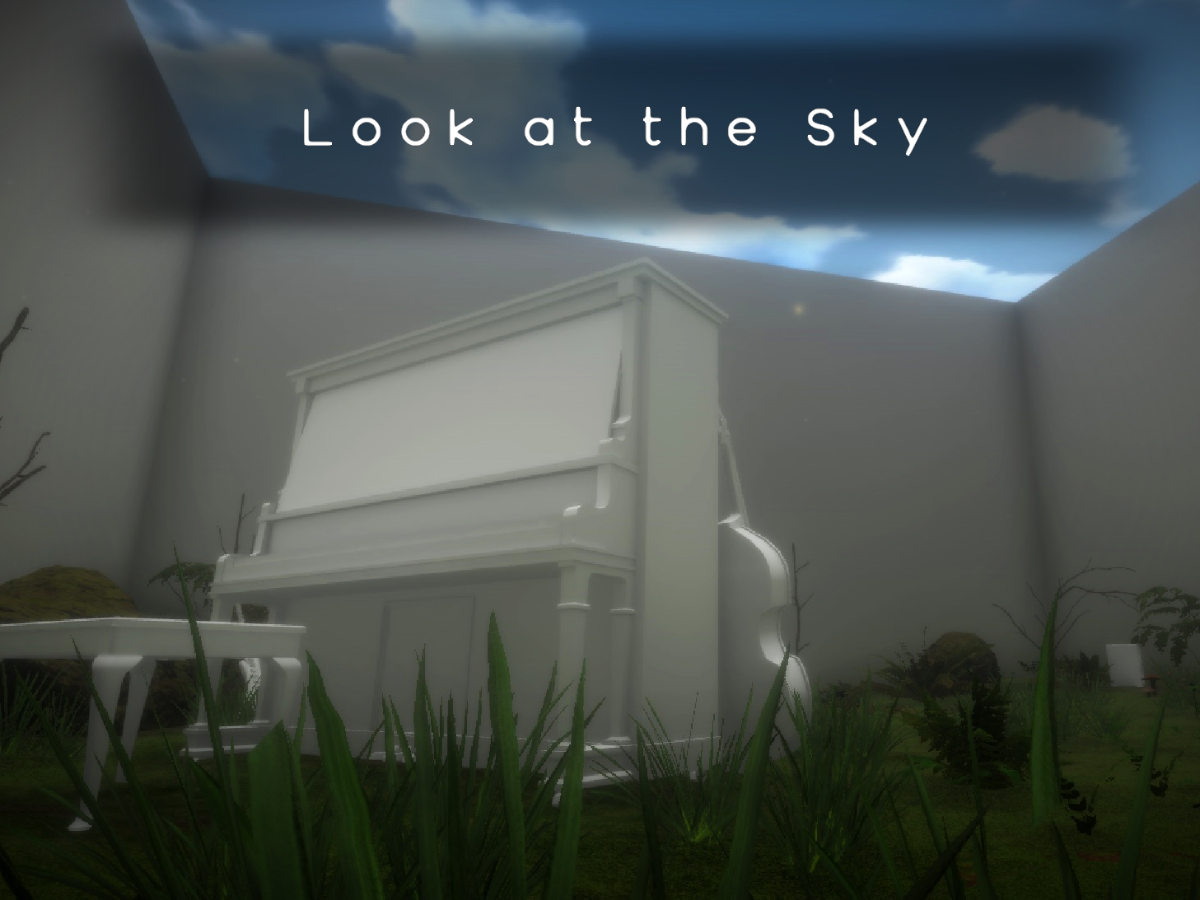
Look at the sky‚ I'm still here․ (Interactable piano included)
gaunt egret
grave zealot
https://twitter.com/datguyfelix/status/1530347441966305281
https://vrchat.com/ho...
sacred warren
@astral rock @daring patrol @swift sundial "- Burst and Math packages are now imported for World projects"
Unfortunately SDK2 also has this issue and I don't think they'll fix it 😦
gaunt egret
sdk2 is deprecated so probably not
sacred warren
Shame that they broke it then deprecated it...
gaunt egret
it was already before it got "broken"
daring patrol
just be ready for SDK 4 to be announced any day now that i've finally switched to 3 😆
 quaint spear
daring patrol
just be ready for SDK 4 to be announced any day now that i've finally switched t...
quaint spear
daring patrol
just be ready for SDK 4 to be announced any day now that i've finally switched t...
Wdym? It's been out for awhile
daring patrol
i know, i know... lol. i stuck with 2 for an unreasonably long time. just very comfortable with the vrc triggers.
i took so long to switch to 3 that i figure (jokingly) they'll announce 4 now that i've finally made the leap to 3 😛
quaint spear
Haha, everytime I switch there's a new one aswell. Thankfully I've caught up...I hope
daring patrol
 sacred warren
Has anyone here ever managed to fix the error - "Exception of type 'System.Reflection.ReflectionTypeLoadException' was thrown"
 dapper pendant
any other avatar world owners with 100+ pedestals have issues when join their own world? for example i have two like that and when i join it can take 5+ minute for the avatar im wearing to load
one of the worlds is sdk2 and the other is sdk3 but it happens in both
it only seems to affect me and not anyone else
 novel wyvern

After sdk update. I'm bot a pro but it seemd like thr mirror got issues
The project is literally a plain with a mirror for testing
 swift trench
are physbones world a thing?, I want to give a bunny floppy ears.
nice it shows as a componant.
gaunt egret
swift trench
are physbones world a thing?, I want to give a bunny floppy ears.
wait in the world sdk? i can't find anything in the announcements
swift trench
yeh, I used content creator so i'm using the git sdk, searched and phys bones showed up
Doesn't look like its flowing with my code moved object tho.
 rain shadow
swift trench
Doesn't look like its flowing with my code moved object tho.
rain shadow
swift trench
Doesn't look like its flowing with my code moved object tho.
Not fully supported yet and the components will removed in game
 swift trench
ah, so they added the componant but didn't make it functional.
rain shadow
Yeah not whitelisted for worlds yet
swift trench
makes sence why client sim just froze it.
gaunt egret
dang sadge
 covert hornet
the object_sync, not entirely sure with 3.0 if that sync object movements though.
sacred warren
novel wyvern
SDK2? I have the exact same errors.

With the cropped error being... Error: Could not load signature of VRC.Dynamics.MathUtil:DistancePointToPlane due to: Could not load file or assembly 'Unity.Mathematics, Version=1.0.0.0, Culture=neutral, PublicKeyToken=null' or one of its dependencies. assembly:Unity.Mathematics, Version=1.0.0.0, Culture=neutral, PublicKeyToken=null type:<unknown type> member:(null) signature:<none>
 sullen turret
Does anyone have any idea how the water in standard assets works?
It's the only good animated water prefab I can find
Or does anyone know of another option?
novel wyvern
Sdk3
stoic elm
i am legit giving up at this point.
i created a seperate world with absoloutly nothing in it and i am able to join.
then i added all of the stuff from the world in that i wanted to do, uploaded it, and vrchat still kicks me out if i try to enter it.
surprisingly it does NOT crash when i build test it, but yeah, im giving up on that now
 icy thunder
Anyone have any idea how to make the player collide with a non-pickupable physics object? So that the player can push/interact with objects without having to pick them up? I have not been able to find any documentation for this :(
In other words how do I make physics objects that the player can push?
I've seen it done a couple of times fx in Reimajo's VirtualFurence world (You are able to push and kick the doors to the hotel rooms without having to grab them)
 stone marsh
icy thunder
I've seen it done a couple of times fx in Reimajo's VirtualFurence world (You ar...
stone marsh
icy thunder
I've seen it done a couple of times fx in Reimajo's VirtualFurence world (You ar...
The magic of scripting in U#.
 dusty talon

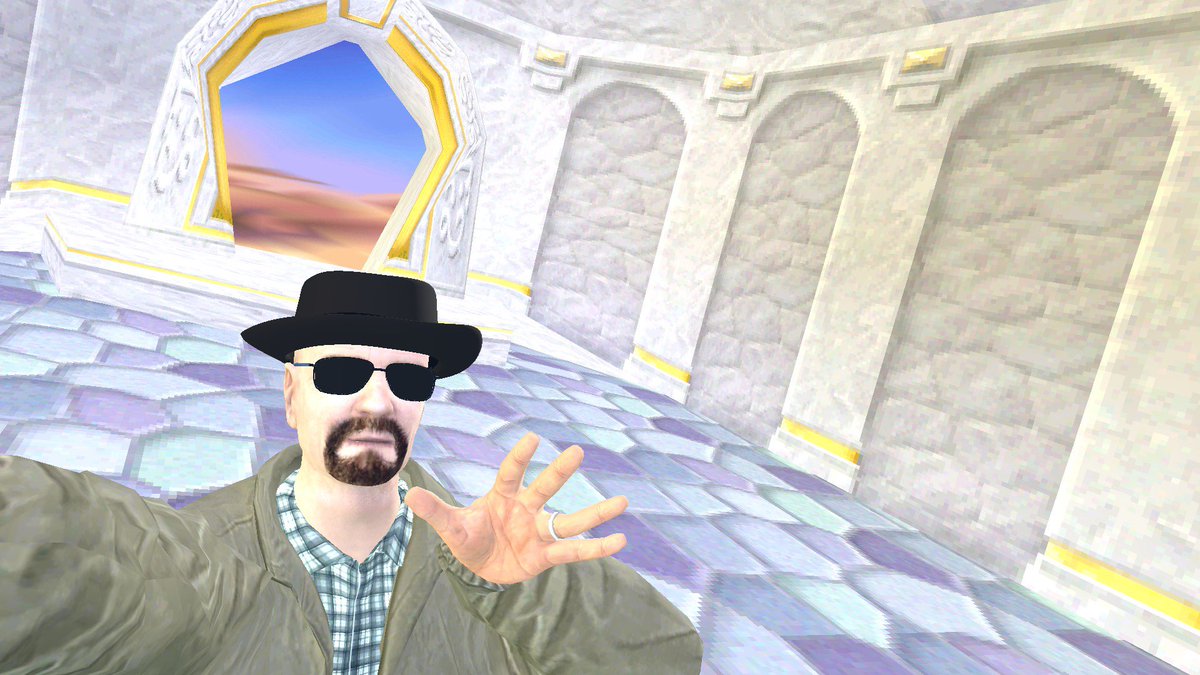
SPYRO 2 - SUMMER FOREST in VRCHAT is now PUBLIC!
It's available on both PC and quest! There shall hopefully be more updates in the future for the map.
#madewithunity #spyro #ps1 #unity #vrchat #spyrothedragon
 Twitter
·
Twitter
·

 steel hull
I don't have "Setup Layer" and "Setup Matrix" in world build menu?
I found out it might be missing config in this file

I'v tried fresh import the "VRCSDK3-WORLD-2022.05.25.23.02_Public.unitypackage", but it won't works
 kind leaf
If you are using the Creator Companion the layers and matrix are automatically taken care of. Not sure about the manual process. Easy to check... Select any object and check the layers tab.
 steel hull
after Creator Companion installed ,it got tons of Errors. finally I found the "VRCProjectSettings.prefab" file on Github. solved.
 upper obsidian
astral rock
Helppppp, I have no idea what this is
upper obsidian
astral rock
Helppppp, I have no idea what this is
It says there is a conflict of duplicates, remove the excess.
astral rock
upper obsidian
It says there is a conflict of duplicates, remove the excess.
omg thank you, legit fixed everything <3
austere hull
is there any way of instantiating object and making it synced for everyone
upper obsidian
austere hull
is there any way of instantiating object and making it synced for everyone
VRChat
The three main concepts used for networking in Udon are Variables, Events and Ownership. Variables are containers for values - like a number, a set of colors or a 3D position.Events are things that happen at a moment in time.Ownership is the system that decides which user can update a variable, whic...
austere hull
i meant instantiated
bold ibex
guys how do you put an mp4 into a world
sacred warren
So I have a weird issue. It's like the reflection probes are not being used as the reflections in live look like the skybox being reflected alone, not what should be there (or what's shown in the editor). Any ideas? In-game is wrong, editor is correct.


Oh, nevermind. I'd accidentally tagged the probes as EditorOnly somehow.
Whoops.
gaunt egret
dusty talon
Oh right, sorry
 lavish shale
I want to make a world with a specific "card" game in it, and I don't know at all where to start
or how to start
 twilit osprey
Upgrading udonsharp from 0.23 to version 1.0,1, I get this thrown for all udon sharp programs now
[UdonSharp] Source C# script on PlayerManage Udon C# Program Asset (UdonSharp.UdonSharpProgramAsset) is null
UnityEngine.Debug:LogError (object,UnityEngine.Object)
UdonSharp.UdonSharpUtils:LogError (object,UnityEngine.Object) (at Packages/com.vrchat.UdonSharp/Editor/UdonSharpUtils.cs:321)
UdonSharp.Compiler.UdonSharpCompilerV1:Compile (UdonSharp.Compiler.UdonSharpCompileOptions) (at Packages/com.vrchat.UdonSharp/Editor/Compiler/UdonSharpCompilerV1.cs:284)
UdonSharp.UdonSharpProgramAsset:CompileAllCsPrograms (bool,bool) (at Packages/com.vrchat.UdonSharp/Editor/UdonSharpProgramAsset.cs:295)
UdonSharpEditor.UdonSharpGUI:DrawUtilities (VRC.Udon.UdonBehaviour[]) (at Packages/com.vrchat.UdonSharp/Editor/Editors/UdonSharpGUI.cs:363)
UdonSharpEditor.UdonSharpGUI:DrawUtilities (UnityEngine.Object[]) (at Packages/com.vrchat.UdonSharp/Editor/Editors/UdonSharpGUI.cs:432)
UdonSharpEditor.UdonSharpGUI:DrawDefaultUdonSharpBehaviourHeader (UnityEngine.Object[],bool,bool) (at Packages/com.vrchat.UdonSharp/Editor/Editors/UdonSharpGUI.cs:1486)
UdonSharpEditor.UdonSharpBehaviourOverrideEditor:<CreateDefaultUdonSharpInspectorElement>b__18_0 () (at Packages/com.vrchat.UdonSharp/Editor/Editors/UdonSharpBehaviourEditor.cs:745)
UdonSharpEditor.UdonSharpBehaviourOverrideEditor/<>c__DisplayClass16_0:<CreateIMGUIInspector>b__0 () (at Packages/com.vrchat.UdonSharp/Editor/Editors/UdonSharpBehaviourEditor.cs:717)
UnityEngine.GUIUtility:ProcessEvent (int,intptr)```Not sure what major changes prevents it from working properly
twilit osprey
wrong channel lol
 pale wolf
twilit osprey
wrong channel lol
pale wolf
twilit osprey
wrong channel lol
oh my bad which channel to ask?
twilit osprey
#general-media maybe
 steady wing
So I'm working on a vrchat world and I'm having a problem where I can't sign into my account on the sdk. Here's what it says on the console
Caught ReflectionTypeLoadException in UpdateDelegator Job: Exception of type 'System.Reflection.ReflectionTypeLoadException' was thrown. at (wrapper managed-to-native) System.Reflection.Assembly.GetTypes(System.Reflection.Assembly,bool) at System.Reflection.Assembly.GetTypes () [0x00000] in <eae584ce26bc40229c1b1aa476bfa589>:0 at VRC.Tools.HasType (System.String typeStr) [0x0000f] in <ef5af4de671a471ea7d8961a902421d1>:0 at VRC.Tools.get_isClient () [0x0000c] in <ef5af4de671a471ea7d8961a902421d1>:0 at VRC.Core.API+<>c__DisplayClass36_0.<SendRequestInternal>g__FinishSendingRequest|0 () [0x00465] in <ef5af4de671a471ea7d8961a902421d1>:0 at VRC.Core.API.SendRequestInternal (System.String endpoint, BestHTTP.HTTPMethods method, VRC.Core.ApiContainer responseContainer, System.Collections.Generic.IReadOnlyDictionary2[TKey,TValue] requestParams, System.Boolean authenticationRequired, System.Boolean disableCache, System.Single cacheLifetime, System.Int32 retryCount, VRC.Core.API+CredentialsBundle credentials, BestHTTP.Forms.HTTPFormBase formData) [0x00141] in <ef5af4de671a471ea7d8961a902421d1>:0
at VRC.Core.API+<>c__DisplayClass35_0.<SendRequest>b__0 () [0x00000] in <ef5af4de671a471ea7d8961a902421d1>:0
at VRC.Core.UpdateDelegator.Update () [0x0003a] in <ef5af4de671a471ea7d8961a902421d1>:0
UnityEngine.Debug:LogErrorFormat (string,object[])
VRC.Core.UpdateDelegator:Update ()
VRC.Core.UpdateDelegator:EditorUpdate ()
UnityEditor.EditorApplication:Internal_CallUpdateFunctions ()`
kind leaf
steady wing
So I'm working on a vrchat world and I'm having a problem where I can't sign int...
shrugs restart unity, ensure you are using the correct credentials, check server status for api outages. Other than that, never post a log in text form like this. Just take a screenshot of your console with only errors flagged. This shit is a pain in the rump to read.
steady wing
Ok. Sorry.
 iron trench
when i try to upload a 3.0 world, when i click publish all it does is load then not do anything. how do i fix this?
iron trench
._.
iron trench
iron trench
when i try to upload a 3.0 world, when i click publish all it does is load then ...

 south orbit
iron trench
south orbit
iron trench
try save ur project close it and re open then try again
 jolly saddle
My pick ups are not synced and idk how to fix that...
iron trench
south orbit
try save ur project close it and re open then try again
yea i did that and it made it worse. now i cant even upload it bc the control panel gone
:,(
south orbit
iron trench
yea i did that and it made it worse. now i cant even upload it bc the control pa...
try re import the sdk 3.0
kind leaf
iron trench
Are you using multiple SDKs? What is this "Avatars" prefab? Your console is showing the bottom of your list... Nothing worth noting is at the bottom of a 117 error list. The first things to break are always near the top as would be expected. It says you have compile errors and those need addressed. The errors shown are not reporting what failed compile.
iron trench
so this is what we need?

 rugged spire
Anyone know how to add either an analog clock or digital clock in Unity that's synced to proper time?
 summer shard
I'm having trouble finding this online - how to have it so that with unity's audio sources, the audio will play upon the player entering the space? It just isn't working, even though the radius of the audio is correct, it's set to loop, and linear rolloff is activated. For example, I want audio of water to play when a player gets near a body of water. It seems so simple in theory, but in practice it's not working! Thanks.
cobalt prawn
iron trench
so this is what we need?
The most obvious thing wrong is this one here. You do not have udonsharp imported into your project. Some assets require that udonsharp is imported before importing the asset. So you'll probably have to import udonsharp, delete any assets that are still giving you errors, then reimport those assets. This is why it's important to read instructions when downloading and importing assets
 cobalt prawn
summer shard
I'm having trouble finding this online - how to have it so that with unity's aud...
cobalt prawn
summer shard
I'm having trouble finding this online - how to have it so that with unity's aud...
Is play on awake enabled? If not, you need something to actually call play on the audio source to get it to start playing
But it sounds like you just need to enable play on awake so it will play from the start. Then the player just won't hear it unless they are in the range you set
summer shard
When Play on Awake is on it plays on player spawn, which is well outside the sound maximum zone
cobalt prawn
Yeah, so the sound plays, but they don't hear it. Until they get close enough. Is there any issue with that?
summer shard
I'll try using the VRC client itself, been using CyanEmu. But no, it plays despite the player being far away from the sound radius
cobalt prawn
Oh. In that case I'm guessing you have the Spatial Blend slider all the way to the left at 0. If you want the sound to be completely spatialized it needs to be all the way to the right, at 1
If that's set to 0, the 3D settings won't do anything, it's just like playing music through headphones
summer shard
That worked, thanks!
 south pebble
Just a minor question. Where would you find the world you created. Would it be the Worlds tab? It's uploaded but it's not there so I am not sure if it's taking a sweet time showing up somewhere.
 pearl escarp
steady wing
pearl escarp
steady wing
So I'm having a problem that is preventing me from logging into my vrchat account in the sdk to publish my world. I've tried everything I can think of, from deleting the sdk from my project, reinstalling unity, and even using a different computer. I tried using this solution https://help.vrchat.com/hc/en-us/articles/360062658873-I-m-missing-menu-options-in-the-VRCSDK-menu#:~:text=Find your Project folder with,as well as the VRCSDK, which worked once but doesn't work anymore.


VRChat
This is usually caused by one of two things:
You're using the wrong version of Unity. You can see which version is the current version by visiting our documentation.
You're getting some kind of...
Never mind, I fixed it. Updating the sdk fixed the problem.
austere hull
is there way to sync instantiated object
bold ibex
Hello all, just trying to make a world right now, and I was wondering if anyone here could help with making a soundproof area? I have a booth in a bar type area and I want to make it so in the booth, people can hear voices normally, but those outside won't be able to hear the voices in the booth.
Is there anything I can download for this type of thing?
austere hull
can i change position of held object
 sour sable
I had an idea for making a world that's basically Smash Bros, but that it would highly depend on avatars.
There was this one classic Doom world that also inspired me to make that Smash Bros world, since you could damage the enemies with your own avatars, but only if there were particles with specific info on it. Interesting nonetheless
 tall willow


 brazen forge
the VRC Scene Descriptor says 2018.4.20f1 but the Pipeline Manager and my current unity version says 2019.4.31f1 is this normal? do i change anything?
bold ibex
https://vrchat.com/home/world/wrld_44c05ee6-eb85-4286-83b9-0643cf776348
Hi everyone! By chance I hit this world on vrchat home, and I noticed that the background is animated in GIF, how can I do it too?

Un mondo dove le amicizie possano fiorire in pace․ Quest Compatibile UwU
how can i insert the gif in my world too?
brazen forge
unity doesn't let me login to the world sdk only avatar sdk for some reason
it just stays "singing in as [my account]" with no change forever
sacred warren
I'm trying to upload a world update in a project I've used for several other SDK3 uploads with no issue, but trying to upload this world doesn't doesn't work. It gives me an unfilled "New World Creation" screen as though it's a new world entirely (the blueprint ID is correct) and I get the following error:
VRCSDK2.RuntimeWorldCreation.Start () (at Library/PackageCache/com.vrchat.base@75ebae6abe/Runtime/VRCSDK/Dependencies/VRChat/Scripts/RuntimeWorldCreation.cs:87)``` (to clarify, it's SDK3, not SDK2 so I have no idea where that error is coming from) wheat haven
every project i make gives this error, and makes it so that i can't open the control panel, even if its a fully fresh project with only the sdk

i've noticed that deleting any folder in the asset folder temporarily fixes the issue, but only in that session, the moment you close and re-open the project the same error occurs
https://feedback.vrchat.com/sdk-bug-reports/p/vrcsdk3-worldsdk3-202205252302-unable-to-open-control-panel made a canny for anyone facing the same issue, as i've not found a canny describing the same issue
steady wing
brazen forge
it just stays "singing in as [my account]" with no change forever
Try updating your SDK. I had the same problem and that fixed it.
 thick musk
Hey i want to make dust particle to spawn around player(making a desert map), is it enough to just put particle system under the main camera or do i need to make a script that will update the position with the player? And of course i would like to make the particles to be local but i don't know if that's possible
 mighty loom
sorry if it's been asked before, but is there any VRTK-like mechanism for climbing on VRC maps?
I know it wouldn't exactly be non-VR friendly (though you could use them by clicking and the avatar could use alternating hands in desktop mode), but still could enrich many worlds
 frank shadow
anyone knows if OnPickup() is fired for late joiners if someone is holding an object already?
brazen forge
steady wing
Try updating your SDK. I had the same problem and that fixed it.
but i have the most recent one from may 25 this year
kind leaf
mighty loom
I know it wouldn't exactly be non-VR friendly (though you could use them by clic...
That's silly. Climbing in VR uses the same principle as anything else. Hand interacts with an object that pulls up the player whilst playing the climb animation. So in Desktop the player would just click the object that is climbable or hold down a button. There are climbing prefabs on Booth and I think one on VRCPrefabs.com.
mighty loom
I also meant climbing as in the horizontal ladders (branches or stuff)
like in good old 3D platformers
kind leaf
to get it looking right, anything horizontal will use vrc stations
mighty loom
the thing used for chairs, right?
kind leaf
yep
vrc stations is what we use for making custom character controllers with custom animations
mighty loom
thanks for pointers! I'll check out VRCPrefabs (I'm new to this, first time hearing that address)
 ocean crag
Anyone know where to get good smokeable assets? Saw a world last night that the cigarettes lit up and cold be put out, would love that in my world.
kind leaf
Booth
ocean crag
kind leaf
Booth
Elaborate a little more please
ocean crag
Oh cool, ive just been using the built in asset store and vrc google doc
 daring halo
Hey I would like to make a horizontal edge loop in unity but I think I'm not doing it correctly. How do would I make one on a wall in a box world?
 subtle cradle
How do you make a low quality mirror?
 true garden
I noticed quest users dont see items that pc users grab in a world, is there a way to change that?
stone marsh
true garden
I noticed quest users dont see items that pc users grab in a world, is there a w...
If you're the world author, yes.
true garden
stone marsh
If you're the world author, yes.
Is is an option that I missed within the VRC Pickup?
but yes i am the author sorry shoulda mentioned that
stone marsh
true garden
Is is an option that I missed within the VRC Pickup?
All objects that are pickups that need to be synced need a vrc object sync component added to the same gameobiect as the pickup script.
Your project hierarchy also needs to be identical. Any changes in the hierarchy order will break sync.
true garden
perfect thank you 🙂
 late ruin
Won't let me add spawns on VRC descriptor
sacred warren
sacred warren
I'm trying to upload a world update in a project I've used for several other SDK...
Even more odd is that line 87 is uploadButton.onClick.AddListener(SetupUpload); so not sure how that's having issues.
sacred warren
Also build local also works fine, it's explicitly the name and describe world page that it fails at.
 mint raven
Hey all! Just getting started on unity and udon, my build and test button is greyed out, sending screenshot

I think I realized I need vr chat actually installed lol
bold ibex
I need help

I found when this pops up, It prevents me from even publishing the world
And it frustrates me beyond anything else.
mint raven
Wait can you only make worlds on windows, no Mac?
gaunt egret
pretty sure you can but mac isn't an officially supported platform i think
could be remembering wrong
bold ibex
Is it possible to have a custom mesh for a mirror?
For example a flat star mesh, can it be used with the mirror shader and work?
I remember trying when I was new to VRChat like 2 years ago and it didn't work
But I'm here today to ask if it is possible since I have someone who's interested in doing that xD
 nocturne mauve
just throwing it out in case anyone has an answer, but anyone know how to add an anti-client to your world? ive seen where you can name an empty object with a certain name and it blocks the client usage while in that world so just wondering if anyone knows how to do that and get it set up 🙂
gaunt egret
doesn't work/not worth the time
wheat haven
bold ibex
Is it possible to have a custom mesh for a mirror?
For example a flat star mes...
it's possible can send some instructions in dm's and with pics ^^ not 100% sure about the shape but making custom mirrors is most definitely possible
daring halo
When I boot up my world I noticed I keep falling through the floor. I'm not sure how or what I did but it's telling me I don't have colliders for the spawn. Could anyone please help me fix this?
 bold ibex
wheat haven
it's possible can send some instructions in dm's and with pics ^^ not 100% sure ...
bold ibex
wheat haven
it's possible can send some instructions in dm's and with pics ^^ not 100% sure ...
I would appreciate that :o
cobalt prawn
daring halo
When I boot up my world I noticed I keep falling through the floor. I'm not sure...
Double check that your vrcworld object is indeed on or above the collider... Not inside of it or underneath it (or in a different area of course)
daring halo
cobalt prawn
Double check that your vrcworld object is indeed on or above the collider... Not...
How would I do that? I tried before messing with colliders on a plane and it worked okay. After I've done more work all of a sudden I just clip through the ground and keep falling. Would changing the spawn point of the world do anything and if so how do I change that in unity?
cobalt prawn
You just move stuff around... like if you select the VRC world object in your scene, you should see a gizmo appear (the 3 red green blue arrows) that shows its position in your world. If that is not on the collider, it needs to be moved above the collider. You can just drag the up arrow to move it up or you can type in a number in the inspector where it says position Y. Or you can select the rest of your level and move it down, etc
It could be that you have colliders applied incorrectly, but it's usually pretty obvious when you look at a collider if it's not matching the model
daring halo
Would it be possible for me to get in a voice call with you to check it out? I've tried dragging the floor up and down and in the debugger it's still giving me the error.
cobalt prawn
Eh not now sorry. Does it look like the vrcworld is in the correct position? Are you saving the scene after you move things?
daring halo
My spawn point was somehow outside of the actual box after I made. I think I need to change the spawn point within unityhub. Would you know if there's a specific button or such I could click to set a spawn point?
ocean crag
can anyone help get this jpg to appear on this box? everyother jpg has worked no issue on this map but the main one here just refuses to appear after deleting re-uploading, and changing the file type of the image
 cobalt prawn
daring halo
My spawn point was somehow outside of the actual box after I made. I think I nee...
cobalt prawn
daring halo
My spawn point was somehow outside of the actual box after I made. I think I nee...
change the spawn point within unityhub
I have no idea what you mean by this. Unityhub manages unity installations. You just set the spawn point by moving the VRCworld object wherever you want in your scene
Alternately you can create a new object, place it wherever you want and set that in the vrc scene descriptor as a spawn point... But you shouldn't need to and the first way is easier
ocean crag
would jpg size effect it appearing or not?
daring halo
cobalt prawn
> change the spawn point within unityhub
I have no idea what you mean by this. U...
I tried this and it worked! Thank you!
cobalt prawn
ocean crag
would jpg size effect it appearing or not?
I dunno but the pink makes it seem more like a material or shader issue
ocean crag
the shader is just the jpg file though, I created a 3d cube and put the jpg on it, no clue why theres an issue
also why no upload feature now?
 cobalt prawn
Probably errors. Probably the shader lol
daring halo
I tried uploading my world and it says taht the world is private. How can I make this public?
kind leaf
The community labs check box on the upload screen is for public... if your world makes the cut.
daring halo
Okay awesome! I also noticed when I uploaded for android it did not make my world quest compatible unfortunately, is there a way I can fix that?
white moon
bold ibex
I found when this pops up, It prevents me from even publishing the world
What happens when you click build & publish my
white moon
daring halo
Okay awesome! I also noticed when I uploaded for android it did not make my worl...
Doesn't sound like you uploaded for Android. If you had it would be quest compatible.
Did it have an error during the upload or something?
 tulip flame
anyone know why my scene becomes black when I clear the baked lightmap data? it *appears* to clear and go back to normal, but when I build or run the scene everything turns black
seems like a bug
rugged spire
A VRCSceneDescriptor is required to build a world
I keep getting this message when trying to upload my world.

Is the pipeline manager script not the correct one to have listed?
cobalt prawn
rugged spire
Is the pipeline manager script not the correct one to have listed?
Nope the one you need is called VRC_SceneDescriptor 😛
rugged spire
Ok, I think I found it. Still figuring out Unity, lol. Thank you.
cobalt prawn
You can also just drag in the VRCWorld prefab, it has one already attached and ready to go
daring halo
white moon
Doesn't sound like you uploaded for Android. If you had it would be quest compat...
Yeah I think for some odd reason it didn't work the first time. I tried reuploading and it worked just fine. Appreciate it. Also I go to your drinking world a lot with my mates so ty for making that dope ass world
white moon
daring halo
Yeah I think for some odd reason it didn't work the first time. I tried reupload...
Glad that got it working. And thanks! 😄 Glad that people get good use out of it.
ocean crag
can anyone see why my shader wont work on this object? Ive made something simple in microsoft paint and no matter what I do it just comes up magenta
 rugged spire
How long does it normally take for it to show in game?
ocean crag
other shaders using the same process work just fine?
rugged spire
Nevermind, I guess it just takes a minute to load up in game.
gaunt egret
ocean crag
can anyone see why my shader wont work on this object? Ive made something simple...
why is it a legacy shader
 swift cloud
Is there someone that I could contact about making a Quest/PC world for my homeworld? I'm looking for a Mage's Study
rugged spire
Ok, it works on PC, but when I try to load in through VR, the world is just stuck on loading, and then I get kicked back to the home world.
kind leaf
swift cloud
Is there someone that I could contact about making a Quest/PC world for my homew...
Try Fiverr, lots of designers/developers for vrchat and its secured payments.
ocean crag
gaunt egret
why is it a legacy shader
Thanks for pointing that out idk why it was, that was the issue
thick musk
Hey! I tried using lens flare in vrchat, https://gitlab.com/s-ilent/sunshine-flare i tried using this one but im not sure what to do with it can anyone help please?

GitLab
A shader that renders a lens flare and crepuscular rays (sun rays) from the sun over the scene.
near escarp
Look down the page
thick musk
It doesnt say anything
 thick musk
Yeah thanks
It doesnt say anything though
Idk if i just need to put the prefab in the scene
near escarp
Yes
thick musk
Thats what i did before too but if i go into play mode i cant see it
so i thought im doing something wrong
near escarp
It doesn't require play mode
thick musk
I meant i wanted to test it
near escarp
Yeah, should work in your scene, assuming you have your depth buffer
thick musk
hmm
i just downloaded this
GitHub
World of Warcraft inspired Volumetrics that hold up well in VR with small cost to performance. (You have to not be dumb when placing it though :P) - GitHub - Xiexe/XSVolumetrics: World of Warcraft ...
I dont really know if i even need this lol
mental pecan
when would i use box collideer
gaunt egret
thick musk
I dont really know if i even need this lol
the first one you downloaded doesn't rely on xs volumes, so you don't need the 2nd one unless you want it
thick musk
I mean i just want this

I downloaded something from the asset store and put the script on the camera and it works but i think this one looks better
So i tried to make it work
 plain vortex
Hey there,
maybe some one knows... I am currently migrating some world projects to VCC (vrc creator companion) ... It seems Vrchat removed the component VRC URL Input Field... Does anyone know how this has now to be done in future? so that I can migrate my video players?
ok even theire own examples are broken 😂
 dusk sapphire
plain vortex
dusk sapphire
plain vortex
thx ^^ so it seems it is not usable for now 😕
dusk sapphire
as suggested in the canny, hitting the reload sdk button fixes it
rugged spire
I upload my world. I see it in my list in game, but it gets stuck loading when I try to enter it, and then I'm kicked back to my homeworld.
Is there something I'm missing in unity to allow it to function properly?
dusk sapphire
I'd recommend grabbing https://github.com/oneVR/VRWorldToolkit as it can automatically detect issues that could cause that
most common ones being multiple pipeline managers in your scene
rugged spire
I think I have that already loaded into my project, but let me try reloading it again.
I do know that it loads a message during the uploading process stating, "A VRCSceneDescriptor is required to build a world," but I have the prefab loaded into the hierarchy with spawn.
dusk sapphire
what does the vrworldtoolkit debugger say?
rugged spire
I'll grab a screenshot of it when I go to lunch today.
wheat haven
how do i avoid pickup objects from drifting away like this? i just want it to freeze in place the moment you release the object, no matter the momentum
this is how i currently set it up

 vague pivot
wheat haven
how do i avoid pickup objects from drifting away like this? i just want it to fr...
vague pivot
wheat haven
how do i avoid pickup objects from drifting away like this? i just want it to fr...
99% sure ticking "Is Kinematic" in the rigidbody should do it
 quaint sand
I've just started making worlds and have always built them, I've upgraded to the new creator companion and tried testing the game mode in unity but I seem to be stuck in place. When I build the world I'm still stuck in place (as if I'm walking?) Where should I look to fix this (just trying to roam with the keyboard but it just forces me to look back at the same spot ) = I just rebuilt the world and works now
wheat haven
vague pivot
99% sure ticking "Is Kinematic" in the rigidbody should do it
yup that did the job, thanks ^^
 pearl plume
mental pecan
when would i use box collideer
pearl plume
mental pecan
when would i use box collideer
That’s what I said right under ^
austere hull
can i control position of held object
pearl plume
Would anyone know if I would be able to spawn in a certain object as a game admin?
Such as a key*
pearl plume
hm ok
austere hull
instead you can make key working only for admin or something
pearl plume
how would I go about creating that?
austere hull
if name == something
pearl plume
Could I set multiple names up? Such as certain friends have access to the key?
austere hull
if name == something || name == something2
pearl plume
gotcha
 unkempt turtle
pearl plume
Could I set multiple names up? Such as certain friends have access to the key?
unkempt turtle
pearl plume
Could I set multiple names up? Such as certain friends have access to the key?
i have a whitelist script for things like that
 stoic hound
I'm using the avatar pedestal prefab in my world and pasted the ID like tutorials say to do, but It's not working
 late ruin
progresss
 rugged spire
Nice
stoic elm
i got this error message when trying to upload a world

 pallid oak
stoic elm
i got this error message when trying to upload a world
pallid oak
stoic elm
i got this error message when trying to upload a world
Seems like you got the world from side... Look for VRCWorld component and disconnect blueprint
stoic elm
trust me, i have made 6 or 8 different projects, like 13 different blueprints, and so on, i do NOT know whats causing this
and the weirdest thing is, it is only when i port this world (to my knowledge)
 stoic elm
trust me, i have made 6 or 8 different projects, like 13 different blueprints, a...
stoic elm
stoic elm
trust me, i have made 6 or 8 different projects, like 13 different blueprints, a...
literally said that i tried multiple times
ik
pallid oak
Oh okay
stoic elm
oh yeah, the only time when i got the world to work was when i test build it, when i tried joining it over vrchat it just played the music of like 0.01 seconds and sent me back to my home world
 celest rune
Is it possible to make a 3D skybox in VRC?
I know it's possible in base Unity, but it requires making MonoBehaviours that mess with a bunch of cameras.
 green lagoon
what do you mean by 3D skybox
green lagoon
celest rune
I know it's possible in base Unity, but it requires making MonoBehaviours that m...
that sounds expensive to render
celest rune
It's the same technique Source Engine used for making dynamic backgrounds
For example, the citadel in HL2 was a 3D object that sat in a seperate box from the player world box, but was a much smaller scale than it seemed
green lagoon
you'd probably be better off just rendering the geometry normally
as doing camera shenanigans is a lot more complicated in VR to make sure it stays stereo correct
celest rune
I'm attempting that, but Unity doesn't really like big scales too much.
In KSP we had to do a lot of scaling crap to make it work, to the point of moving and rotating the world around the player.
green lagoon
what are you trying to make that you're running into floating-point Precision errors
celest rune
Megastructure map.
 green lagoon
I suppose you could put the back most layers on Skybox texture or 2D cutouts
celest rune
Yeah. I was hoping to be able to warp players around the map to break up large groups a bit.
(We often have 40+ people meetups that get loud)
green lagoon
you would still have plenty of space before running into floating-point errors
celest rune
Oh well. Hopefully I won't run into it, but at the current size of 5km per side, it's gonna be iffy
green lagoon
do you really need to have all of that area be explorable space
celest rune
Nah, just a few spots in the surrounding towers. I'd like players to be able to fly around if they so please, though.
Skybox sphere already peeks through the corners, though :(
green lagoon
any particular reason you're not using a regular Unity Skybox texture
celest rune
I will be after I cut the sides off the box.
Ground and ceiling planes will be rendered on it.
cobalt prawn
Hm, related question, are there any worlds or examples of successful implementations of floating origin in a VRC world? I've been thinking about doing some spaceship stuff and would definitely need that. I've done it for single player projects before but it seems way more complicated (although def not impossible) for anything multiplayer
Maybe better to ask in udon channels tho
green lagoon
https://vrchat.com/home/world/wrld_c4e61164-c854-42d3-a70c-17d0d68a141b this map engages in origin resetting like every kilometre or so

恒星間航行用の密閉型スペースコロニーです。 ⁄Created by S_ASAGIRI⁄⁄コライダーまわりの不具合を修正
cobalt prawn
Very cool, I'll have to check it out thanks!
green lagoon
yeah it's one of the biggest Maps I've seen on vrchat as far as physical dimensions
 somber wraith
the world im making uses a terrain with 2d grass and flowers etc. is there an option to make them static and not "Look At"? while i was on desktop, it was ok, but in vr it looks really strange
cobalt prawn
somber wraith
the world im making uses a terrain with 2d grass and flowers etc. is there an op...
Just need to find out what's making them do that in the first place and disable it or remove it. Do the prefabs you're using for these objects have a script controlling them? Or a fancy shader maybe?
white moon
celest rune
Is it possible to make a 3D skybox in VRC?
Not a simple way no, unfortunately.
It's a feature I'd love.
Once upon a time I wrote a script that emulates that behavior and it worked great on desktop. But there where some weird rendering issues that made it not work for vr
 digital viper
Does anyone know how i can get a player capsule to help size my world items?
white moon
You can spawn a capsule in unity. Not aur on the default size though..I think it was 1.8m?
green lagoon
a regular capsule would be approximately the size of the vrc Collider
or at the very least anything that would be tall enough to accommodate a Unity capsule would be tall enough for the vrchat Collider
digital viper
green lagoon
a regular capsule would be approximately the size of the vrc Collider
The VRC collider is included in the package so I can just search for it?
green lagoon
I don't know if it is?
but either way to 2 m tall would be enough for doorways for avatars
rugged spire
This is what I get after uploading my world. When I try to enter the world in vr or non-vr it stays on loading after clicking ok to enter, then returns me to home world.
 somber wraith
cobalt prawn
Just need to find out what's making them do that in the first place and disable ...
somber wraith
cobalt prawn
Just need to find out what's making them do that in the first place and disable ...
no, the terrain does that automatically since its actually a useful feature for dektop games.
i know its possible to turn off since i have seen worlds that use it but have it static
white moon
It may be a face at player shader
somber wraith
white moon
It may be a face at player shader
there is no shader. its a terrain system
white moon
somber wraith
there is no shader. its a terrain system
There is a shader. Nothing will show on the screen without a shader
somber wraith
its this
 white moon
That's how the game renders
somber wraith
white moon
That's how the game renders
bruv. that has nothing to do with the terrain grass tho. sure the grass texture will be added to the terrain material/shader, but that has nothing to do with the look at
figured it out, need to disable the "Billboard" option in the terrain details edit tab
white moon
somber wraith
bruv. that has nothing to do with the terrain grass tho. sure the grass texture ...
Yea it does XD
The billboard is a specific shader that faces it at the user. By diablong it you've made it use the other one that doesn't do that.
I was just pointing out that saying "there is no shader" was factually and technically incorrect.
 round arrow
Hi so sorry for interrupting the convo anyone else is having my teleporters audio dose not work it works in cyanemu but not in vrchat I uses a audio manager
somber wraith
white moon
Yea it does XD
The billboard is a specific shader that faces it at the user. By ...
In this case, it's a script tho.
 whole shoal
the mirror in my world isn't showing the light from the light source in my world, so avatars using toon shaders look bad in the mirror. is there any way i can fix that?
nvm, i literally just figured it out seconds later lol
dusk sapphire
rugged spire
Your build is failing as the debugger is saying. If you click more info it should open a page telling you how to resolve build errors. I'm currently at work so I can't help you with this now so hopefully someone else can if you're still having issues.
When build fails the SDK sometimes tries to upload the last thing successfully built and if that was for a different world, trying to join results in a world id mismatch hence why you get kicked trying to join your uploaded world.
 limpid island
Anyone using Mochi's water have it render differently in both eyes? I'm not sure why I've done tbh in another world it looks fine.
 upper orchid
Maybe an odd question, is it possible to have 2 cameras render to a single depth render texture? I have duplicate cameras with different clipping planes for objects on different layers (player camera/world camera)
rugged spire
@dusk sapphire is there a way to fix the ID mismatch?
swift cloud
Does anyone have a world that is similar to that of a Mage's Study? Potions, cauldron, herbs and spell books?
 noble ridge

made this stuff in roblox, exported it from there into unity added mesh colliders and textured all that shit
stone marsh
Yeah. You'd be fine using mesh colliders
noble ridge
maybe im doing the spawn wrong, cant I just add a certain part I imported and set that as the spawn or am I doing it wrong
stone marsh
Thats all low poly. You should merge all the meshes for the base flooring tho.
green lagoon
and that probably would handle lots of box colliders fine if you wanted to go that route
noble ridge
box colliders are weird, when I add them to the parts that are rotated they dont rotate with them
green lagoon
you can put the Box collider's in a empty gameobject to reorient them
stone marsh
Regardless, I'd just take all that into blender, join all parts that are the base, then export it as a solid mesh in fbx. Toss a mesh collider and you'd be good. It's so low poly it wouldn't matter.
Leave the trees and clutter separated since that can just cull with the frustum.
noble ridge
Cant I just group it all in unity?
green lagoon
probably also good idea to put them on a solid color Atlas if they're using solid color materials
green lagoon
noble ridge
Cant I just group it all in unity?
Unity is not modeling software
noble ridge
also I gotta texture all the parts manually, roblox studio doesnt export the textures only the parts
stone marsh
No, joining the mesh can only properly be done in blender. There are unity tools to do it, but you can't compress generated meshes so it's better to do it in blender. Joining stuff is very easy tho and takes literally seconds.
#udon-general may be better.
noble ridge
what if I just did the spawn point wrong? this potato can barely run unity im not sure blender will work
 fiery creek
Hello, I have never had this problem before when i used to play, but when i try to load up my worl that i created it kicks me back to vrchat home world on spawn
green lagoon
noble ridge
what if I just did the spawn point wrong? this potato can barely run unity im no...
you should be able to run blender okay with it being this low poly
stone marsh
noble ridge
what if I just did the spawn point wrong? this potato can barely run unity im no...
Well, look where your spawn is set. If you used the vrc world prefab, it's where that's located
noble ridge
stone marsh
Well, look where your spawn is set. If you used the vrc world prefab, it's where...
OOOOH
ha wait so
hm
do you wanna take this to like a vc?
if your willing
youʻve been very helpful sorry if im pushing it
fiery creek
just move your spawn up to a mesh with a collider
stone marsh
There are no VCs.
As noted, you just need to set the location of your spawn point to be slightly above a mesh that has a collider.
If you use the default VR world prefab, it has the spawn point set as itself.
If you did not use this prefab, you need to either set the spawn point as the game object your world descriptor is on, or create a new empty game object, as set that game object ad your spawn location and place it accordingly
noble ridge
I think I fixed the spawn
gonna test it
so I need the spawn points collision to be not touching the part that its connected to?
 split socket
anyone know where to find world maps for download?
noble ridge
stone marsh
There are no VCs.
As noted, you just need to set the location of your spawn po...
THANK YOU its been bugging me all day
split socket
you got any big open terrain maps with roads?
stone marsh
split socket
anyone know where to find world maps for download?
There are free worlds available on Booth.
You are not allowed to download content out of this game however, that's called ripping. Using content you don't have the rights to, will result in a ban. Be careful using content you get from unknown sources as there is no way to know if it's been ripped/stolen or if you have the right to the content. But if you go to Booth there are lots of good free worlds to start with and learn from or change into your own.
 past wave
hey im trying to add the udon clientsim to my project and whenever i go to add the package url all i get is these errors? the github page doesnt mention any prerequisites that i needed first. i dont really know anything about the creator companion and i wasnt really wanting to get into that right now.
 round arrow
Hi i saw Vowgan video on Object Spawning and i was wondering how i would go bout having it so when someone picks up a gun a new one spawns in right away
somber wraith
i wanna make a small pop up window with some details and update nodes of my world that shows up to players that first spawn in. how would i go about that.
 cedar saffron
past wave
hey im trying to add the udon clientsim to my project and whenever i go to add t...
cedar saffron
past wave
hey im trying to add the udon clientsim to my project and whenever i go to add t...
Do you add it through VRC creator companion?
rugged spire
I have this happening when I enter my world


A lot of the assets just pop in after walking through the main entrance, but disappear when I'm standing at the entrance. Any ideas as to what may be causing this?

This is what I changed recently was the layout of my light probes. Could this have caused what's happening?
swift trench
rugged spire
This is what I changed recently was the layout of my light probes. Could this ha...
sounds like something is up with your occlusion culling, try baking it with the door open.
 heavy oarBOT

Unlocking content uploading
You must obtain at least "New User" Trust Rank in our Trust and Safety system in order to upload content. You can get this by just spending a few hours in VRChat, hop some worlds, and make some friends. Give it some time and you'll be able to upload content in no time.
As an aside, you must have a VRChat account to upload content. That means you can't use a Steam account, Oculus account, or Viveport account to upload content like worlds or avatars.
 honest moss
@swift trenchi need help
what??? i play vrchat everyday i cant uploud
what in the fuck is that
ive made a world and this is some aids
rugged spire
@swift trenchAh, ok. My doors stopped working too, lol. I purchased that asset because they were preset swinging and locking doors, but after the update to the SDK recently, they stopped opening when you walked into them.
swift trench
honest moss
what in the fuck is that
have you migrated to a vrchat account, cus if your on a steam or oculus account you wont rank up.
also its better than chillout vr's you need to wait a week on every world.
unkempt turtle
rugged spire
<@452780719320596481>Ah, ok. My doors stopped working too, lol. I purchased that...
if they used a seperate script, they dont work in vrchat
you can pretty much only remake it in Udon, as long as the stuff you need is exposed to it
 remote wigeon
how do i make a public world? my current world is private
 woeful carbon
I havent uploaded a world for nearly a year. Now, when I try to upload it privately (without publishing to labs), it says it has been successful, but the new world doesn't show under the "My Worlds" tab???
ANy ideas why?
After publishing, Unity has a button "Manage world in browser" I click it, and it takes me to a URL on the VRChat website, but nothing loads in the middle panel, as though world doesn't exist.
 daring sentinel
I’m looking to make a world similar to the Sky Realms from Trove. Any tips on recreating this look?
 near escarp
Any toon shader with an outline
daring sentinel
I mean more the terrain geometry than shaders
near escarp
That's just cubes
daring sentinel
Which I feel wouldn’t do too good for a vrchat world
near escarp

daring sentinel
Scaling is another issue, smaller avatars might have a hard time enjoying and navigating the world
Especially if they’re shorter than the cubes
Plus constant jumping
I’m trying to think of the best way to combine the voxel geometry of trove with a smoother and easier to navigate smooth world
See the dilemma now?
somber wraith
daring sentinel
See the dilemma now?
try to keep the voxel look on the edges and maybe add 45 deg slanted blocks on some areas to help smaller avatars. atleast thats how i would do it
still trying to make a pop up window, but im not really progressing. trying to make a patch note window for my world that auto pops once the player joins the world and disappears after the player clicked a button. how would i do that? anyone has an idea?
 inland cave
daring sentinel
I’m trying to think of the best way to combine the voxel geometry of trove with ...
inland cave
daring sentinel
I’m trying to think of the best way to combine the voxel geometry of trove with ...
In my world i have tall grass but a close friend of mine is very short, so they made me a script so i can detect someone's height and change the grass height level. Maybe do something similar but with ramps. Or give players something like a jetpack?
south orbit
daring sentinel
I’m looking to make a world similar to the Sky Realms from Trove. Any tips on re...
Troooove omg, such nostalgia
i used to grind that so hard i was top 200 in trove at one point making world records until i broke the game and the devs wouldnt fix it which made me quit lol
nice to see never the less ❤️
honest moss
@south orbithey how do i add music to my world i put my mp3 in the world and it dont work
south orbit
honest moss
<@262830185777201152>hey how do i add music to my world i put my mp3 in the worl...
usually i suggest using a premade video player like wolf's video player or so, tho lately they been breaking aswell for me in my newer worlds so it might be a SDK issue lately that is going on or else the premade video players that are outdated tho u could make an audio source from scratch
tho with that said i suggest looking youtube search something like '' how to add background music to my world vrc sdk '' or so
honest moss
i do but when i add the mp3 to the bottom it wont let me put it in a audio source or my world nothing
unity suck s
 dull estuary
Hiya! I use SDK3 and was wondering how to put different music in different areas of my world. For example in a world when you enter different rooms there is different music in the background. Any help is highly appreciated!
daring sentinel
Don’t worlds just use default audio source components for sound?
somber wraith
does anybody know why my text is so blurry?
 daring sentinel
Wait so are you not allowed to put “Very Poor” avatars into worlds?

What the fuck
 shadow pasture
daring sentinel
I’m looking to make a world similar to the Sky Realms from Trove. Any tips on re...
shadow pasture
daring sentinel
I’m looking to make a world similar to the Sky Realms from Trove. Any tips on re...
remesh modifier set to blocks
sculpt out the shape of the land, then get a remesh modifier set to blocks, maybe mess a little with the settings, and you're good

you can make anything cubes with that, just grabbed an object from my scene and did that and yeah, cube guitar
 daring sentinel
Neat
daring sentinel
daring sentinel
Wait so are you not allowed to put “Very Poor” avatars into worlds?
Anyway I require an answer to this
stone marsh
I mean you can it's just not advised because avatars can cause a huge hit to performance and very poor avatars want to be discouraged.
 left rain
if you want the average player to be able to see your avatar, you'll want to optimize it anyways. lots of players block very poor avatars from display by default.
 elfin coral
 pearl plume
Anyone know how I could brighten up the room just a little bit more without messing with emissions?
 somber wraith
pearl plume
Anyone know how I could brighten up the room just a little bit more without mess...
somber wraith
pearl plume
Anyone know how I could brighten up the room just a little bit more without mess...
more lights? point lights with huge radius but very little power
pearl plume
somber wraith
more lights? point lights with huge radius but very little power
I did attempt that, but It messed up all of the other emissive baked lighting
maybe it wasn't low enough power, what would u suggest?
somber wraith
pearl plume
I did attempt that, but It messed up all of the other emissive baked lighting
then you need to rebake. there isnt really another way.
atelast none to my knowledge
pearl plume
what emissive power setting should I use?
currently using 1.9 for all of the perimeter lights
somber wraith
that depends on your world scale and settings so you have to find that out with trial and error. maybe try to set every light to "real time" figure out what you like and then go back to bake
pearl plume
aight thanks
daring sentinel
stone marsh
I mean you *can* it's just not advised because avatars can cause a huge hit to p...
If I’m not mistaken, quest avatars with 20,000+ polygons receive the very poor ranking without being autoblocked yes?
So long as nothing else is making it very poor as well
 livid sparrow
Is there a reason my community labs world is showing as private on the website?
somber wraith
livid sparrow
Is there a reason my community labs world is showing as private on the website?
can other people access the world ingame? because it showed it as private for my world as well, but it worked out anyway
livid sparrow
Yeah, they just can't see it on my list of worlds or on the website
somber wraith
livid sparrow
Yeah, they just can't see it on my list of worlds or on the website
hmm, weird. if they have labs active it should show on your profile atleast ingame
 prime lake
I was wondering, is it possible to embed a twitch stream in a vrchat world? I seen some russian twitch streams embeded, i am wondering how i can do that
cobalt prawn
prime lake
I was wondering, is it possible to embed a twitch stream in a vrchat world? I se...
Yup I think most video players will do it, just feed it the url
upper orchid
Is it normal for a pickup object to fall through colliders on world load and then actually collide when it respawns? Not sure what's going on lol
somber wraith
upper orchid
Is it normal for a pickup object to fall through colliders on world load and the...
that happened to me a few times. mostly happens if it has a mesh collider and is relatively thin. id try to use box or sphere colliders as much as possible
upper orchid
Gotcha
 hexed depot
Guys I've uploaded a world and he was in Labs for almost 3 days and now its just gone and there is nothing telling me what happened
Does anyone know about this?
prime lake
cobalt prawn
Yup I think most video players will do it, just feed it the url
Do you know whered id grab the appropriate URL for the twitch video feed?
white moon
prime lake
Do you know whered id grab the appropriate URL for the twitch video feed?
Just open the stream and get it from the url bar in the browser
pearl plume
Anyone know why I can't jump in my world? Jump impulse is set to 3 (by default) but even if I set it higher it still won't allow me to jump
left rain
check for malformed mesh colliders or other misplaced colliders
pearl plume
left rain
check for malformed mesh colliders or other misplaced colliders
please explain
left rain
do you have mesh colliders in your scene?
pearl plume
yes, a few
left rain
use the physics debugger to make sure they're actually shaped the way you'd expect. if you've spawned inside a collider, or if the collider is very close to you, you won't be able to jump
pearl plume
I'm not in contact with them, however
pearl plume
left rain
use the physics debugger to make sure they're actually shaped the way you'd expe...
nope, still nothing
somber wraith
pearl plume
Anyone know why I can't jump in my world? Jump impulse is set to 3 (by default) ...
This happened to me as well. The reason it didn't work was that the component has deactivated itself. Try to check if the component is active
pearl plume
somber wraith
This happened to me as well. The reason it didn't work was that the component ha...
So I actually had to remove my roof collider for some reason
south pebble
can anyone tell me why a world that I made was up for a few days and then suddenly it says that I have no worlds? I can still go too it in vrchat, and I can go to the vrchat.com site and it still is there under my name.
bold ibex
does anyone know how to add music toggles into a world where you can hear it from where the button is because this is just making me want to pull my hair out
bold ibex
why do i have over 500 errors in my world😭
i just wanted to create a house

other than the fact i wont be able to finish it what do you think of my modern ish house


 subtle folio
How do I upload a world as private?
ocean crag
Just dont click labs when publishing
Does anyone have or has used a bowling pre-fab from anysite?
 somber wraith
bold ibex
somber wraith
bold ibex
The yellow errors can be ignored and the red errors usually are fixable unless you really messed up big time
somber wraith
south pebble
can anyone tell me why a world that I made was up for a few days and then sudden...
Can friends or other people still visit? Sounds to me like something happened that made your world fail the lab process
 velvet epoch
I made a button to to toggle a video player and the button disappears and not the video player.
can someone help me please
 subtle folio
velvet epoch
subtle folio
velvet epoch
Looks fine, tho maybe put the graph on the button, still new my self.
Also, help. Can't seem to get this to upload properly, when I try to load it in it kicks me out, and the size is too small (only 6MB).
 south pebble
somber wraith
Can friends or other people still visit? Sounds to me like something happened th...
south pebble
somber wraith
Can friends or other people still visit? Sounds to me like something happened th...
I'll have to check, but I was given no notice on if it failed.
south pebble
Oh wait, should of probably read that you need people to review it. I had like 150 my two days, I guess I need more positivity.
ocean crag
velvet epoch
I made a button to to toggle a video player and the button disappears and not th...
Does the button have colliders?
 glossy girder
idk where to post questions, so I'm posting one here and hoping to not be burnt.
my VRC Editor Dll has dissapeared, are there any known fixes for this other than reimporting the whole asset?
wheat haven
is there a way to avoid UI showing trough objects? nvm it doesn't happen in-game

 hidden wolf
Anyone else encountering a weird difference in getting a world published? I have a world that has gotten 1.5k visits in labs over 10 days. Even though I'd had a different world with 500 in half a month get published. Also have a friend that has only 300 visits over a whole month and that world got published as well. Says on docs that it's automated, can't see why a world with 3 times more visits/traction compared to my last one in a shorter time frame is stuck in Labs limbo. I've also checked the popularity ratiing and heat It says it's been stuck at 0 since launch. (Note I published it through the new website layout, and I had to spam it a couple times for it to even be actually published. I don't know if that might be important information)

 stone marsh
Yep. It's all automated. Sounds normal for labs.
hidden wolf
Hmm, guess it's more of a dice roll than I thought.
 violet lily
I'm about to upload my first world, but the community tabs box isn't showing up, any ideas why?
 hidden wolf
somber wraith
does anybody know why my text is so blurry?
hidden wolf
somber wraith
does anybody know why my text is so blurry?
Try using TextMeshPro for text, It'll be clearer
fiery creek
i am getting this error and after about 3 hours of work, will i need to redo everything. System.IO.FileNotFoundException: C:/Users/NICHOL~1/AppData/Local/Temp/DefaultCompany/avatarworld/scene-StandaloneWindows64-SampleScene.vrcw does not exist
File name: 'C:/Users/NICHOL~1/AppData/Local/Temp/DefaultCompany/avatarworld/scene-StandaloneWindows64-SampleScene.vrcw'
 cerulean echo
@velvet epoch do you addet the video player to the button where the script is or is the field empty the screen field if its empty it gona toggle hes self so the button
bold ibex
somber wraith
The yellow errors can be ignored and the red errors usually are fixable unless y...
ok ok thx
bold ibex
Can someone give like the file or prefab for VRchat pvp?
I'm looking to make a Warhammer 40k PVP world so
pearl plume
Anyone know of a good website/place where I can find some off-brand logos? (For no-copyright stuff)
 wide linden
I'm new to world making does the objects I want in it have to be fbx as well?
pearl plume
wide linden
I'm new to world making does the objects I want in it have to be fbx as well?
What objects?
wide linden
Like parts of my terrain
pearl plume
wide linden
Like parts of my terrain
Like buildings?
wide linden
yeah
pearl plume
FBX, dae, obj all work best for me but you can pretty much import almost any of the file types into blender that are listed
pearl plume
You should probably build your world in blender before importing it to Unity
Unless you’re adding like pickup objects and such
wide linden
when I export it what should I export as then?
pearl plume
If you’re exporting from Blender to Unity, I would suggest FBX
wide linden
Thats what I needed thanks
pearl plume
Indeed
 frozen prawn
I'm learning about how to create worlds
 upper orchid
Are UI toggles supported in VRC?
inland cave
Does anyone know of any import script that'll detect a certain suffix or name component in a model and automatically assign it as a mesh collider? Mesh Collider components in my world will randomly stop working and it'd make custom colliders a lot less tedious.
bold ibex
I'm using VRC thumbnailer for world thumbnail but it seems not have a weird bar across the picture after upload, can anyone share what they use to publish thumbnails without issues affecting the originality of the picture?
daring sentinel
Just position the VRCCam when the scene is running
white moon
bold ibex
I'm using VRC thumbnailer for world thumbnail but it seems not have a weird bar ...
I use vrcx for that
bold ibex
white moon
I use vrcx for that
vrcx?
ah nvm found a fix seems like i just needed to move the vrcam a bit it was weird
bold ibex
daring sentinel
Just position the VRCCam when the scene is running
yes thank you
 zinc marsh
Hey quick question, what dose it take to get a world off labs lol
green lagoon
having enough people visit
zinc marsh
Is there a number, is that hidden. lol
 subtle folio
fiery creek
i am getting this error and after about 3 hours of work, will i need to redo eve...
subtle folio
fiery creek
i am getting this error and after about 3 hours of work, will i need to redo eve...
Had that same issue, don't know what exactly fixed it for me but the only big thing I did on the round that it worked was deleting the VRCWorld prefab and putting in a new one.
green lagoon
zinc marsh
Is there a number, is that hidden. lol
that would probably be visits and they don't publicly disclose how many you need
zinc marsh
Fair enough, didn't know that. thought it was weird that this world was 2 years old and still on labs lol.
fiery creek
anyone know why this happens with avatars, then creates a new avatar the only thing that works is creating a new unity project FileNotFoundException: C:/Users/NICHOL~1/AppData/Local/Temp/DefaultCompany/yugjh/prefab-id-v1_avtr_7f2ce970-7a19-4b56-8681-b0bf94c78666_5351133703.prefab.unity3d does not exist
System.IO.File.Move (System.String sourceFileName, System.String destFileName) (at <eae584ce26bc40229c1b1aa476bfa589>:0)

 subtle folio
violet lily
I'm about to upload my first world, but the community tabs box isn't showing up,...
subtle folio
violet lily
I'm about to upload my first world, but the community tabs box isn't showing up,...
bit late but if it's still not showing, save and exit unity then reload it up and it should show.
somber wraith
zinc marsh
Is there a number, is that hidden. lol
usually, maintaining a heat of 3 for 2or 3 weeks or having 1k - 2k visitors is enlough for most cases. favorites are also important
gaunt egret
2 years on labs seems kinda strange though 
somber wraith
I've seen worlds that are about the same in age that are still in labs
pearl plume
somber wraith
usually, maintaining a heat of 3 for 2or 3 weeks or having 1k - 2k visitors is e...
For one of my worlds, it was 25(ish) Favorites, 1k Visits, and 4+ heat. It got off of labs on Day 2 or 3
2 to 3 weeks seems a bit long
somber wraith
pearl plume
For one of my worlds, it was 25(ish) Favorites, 1k Visits, and 4+ heat. It got o...
Yeah but u generated over 3 heat. My world also was maybe 5 days in the labs
pearl plume
somber wraith
Yeah but u generated over 3 heat. My world also was maybe 5 days in the labs
Is it mainly based on heat?
Because I had 2 other worlds with 5 heat and they took an extra couple days to get out of labs
somber wraith
pearl plume
Is it _mainly_ based on heat?
from what i understand, its a combination of heat, visits and favorites
atleast there isnt that one value that makes it publish
pearl plume
Ahh, ok 👌
round arrow
idk what has happened but all my games/unity projects keep giving me error they run fine in cyanemu but for some reason i get errors when i try to build and publish
keeps saying there is a problem with my udon behavers but nothing has changed i even tried it with a roll back update that works i'll send a screenshot of the console
 dull agate
Having an issue with VR users in my world they see double and I can't find why
Its this issue I was having
Nevermind I have fixed it
Reference camera somehow got set to the depth of -1
 Combination of issues, Anti Aliasing was also on for that camera which caused it probably not the depth of -1
 sullen fiber
How would I make an animation not reset at end of said animation?
dull agate
sullen fiber
How would I make an animation not reset at end of said animation?
Do you mean as in it is looping or going back to the default state?
dull agate
sullen fiber
How would I make an animation not reset at end of said animation?
If its Looping turn off loop time.
If its resetting to the state it was in when it started turn off Write defaults.


 warped turret
got a problem with blender
cant see the uv of my walls

uv 100% exists since the texture got on the walls, but its super stretched on some parts and non existent on others
gaunt egret
ur in object mode
gaunt egret
oh no problem
warped turret
one more small question
so i downloaded a texture
and i cant figure out where i need to plug in the displacement, metalness and opacity in the node editor
gaunt egret
uhh idont usually set those up in blender because blender material properties don't translate into unity but
probably don't need opacity texture but this is displacement node set up

 warped turret
omg this is so much easier XD
my first try was modelling a plane with holes
the whole computer started chugging

 wide viper
This is my first world in vrchat I didn't add sound setting or any mirror yet but I wanna ask that what do you guy think about it? What should i add or fix?

 somber wraith
wide viper
somber wraith
wide viper
what is the purpose of this world? why should people join it? what i see right now is a nice environment, but thats about it.
sullen fiber
dull agate
If its Looping turn off loop time.
If its resetting to the state it was in when...
Thank you, how would you also recommend making udon toggle these animations. Where the Animation isn't playing until it is triggered
wide viper
somber wraith
what is the purpose of this world? why should people join it? what i see right n...
I was inspired by video on youtube. I like to make it for some people to talk to each other watching movie and relax with raining and forest environment. That it ❤️ and thx I try to improve my environment for better to relax rn
 lone birch
hi so i uploaded a world to community labs just now, and after it finished it said "you ulpoaded a private world" but i dont want it to be private
update: it shows in the community labs tab in vrchat but when i try to join ti it wont let me
just a black screen and brings me back to my home world
the local testing works just fine
warped turret
If I wanted to add an opacity map to a unity material, I have to go to photoshop and add it as an alpha channel
but to what do i add it?
colour, bump or roughness?
gaunt egret
why do you need an opacity map
 supple canyon
I'm testing the world, and for some reason I can't jump...
 surreal nebula
Is there some setting that let's you change clipping distance in a world? I've noticed how I can be closer to someone in one world without clipping, while in some worlds the clipping happens sooner. Ping me if you know
sacred warren
It's on the main camera.
@surreal nebula /\

You don't want far to be too far though as the variance between the two degrades the accuracy of the depth buffer. 0.03 and 2000 is a good medium normally.
0.01 and 4000 on the more extreme ends.
warped turret
My world worked fine, then i decided to scale everything down and now when i spawn in im constantly stuck in place in a falling animation that doesnt move me anywhere
i cannot even move my view from left to right to look around
velvet epoch
ocean crag
Does the button have colliders?
yes
velvet epoch
cerulean echo
<@364911351132323840> do you addet the video player to the button where the scri...
how do i add it to the video player
warped turret
warped turret
My world worked fine, then i decided to scale everything down and now when i spa...
Correctiojn it looks like it keeps spawning me on repeat
fixed it!
when i scaled everything it seems that the whole world got set to a lower coordinate
and the spawn point thought i fell through the map every time i spawned
 solar flax
is it possible to use Phys bones on an object in a world? to my understanding it is an avatar only component, but I want to add it or an object in my world and it doesnt seem to be working
or if not, what would be a good substitute component for it?
cerulean echo
the phys bones not working for worlds you need to wait antil thay add it for worlds
solar flax
oh well alright
are there any substitutes for it?
I saw an object in another world that had similar dynamics on it, but i've been unable to recreate it
upper orchid
solar flax
are there any substitutes for it?
You can still use dynamic bones
Unless you're specifically looking for the ability to grab things and stretch them. I'm sure that's possible with udon
solar flax
oh i thought those were phased out, or is only with avatars
upper orchid
Honestly, I think they get converted to phys bones in game lol (I've been messing with them recently and they have the same stutter bug that's been happening to avatars recently)
But there's no physbone component for worlds right now
solar flax
ah okay
upper orchid
You can't really interact with them, so they only really make sense on pickup objects I think
solar flax
so i'm super new to this so uh, where can I get the dynamic bones component?
is it part of the sdk?
upper orchid
It's a paid asset on the unity asset store
solar flax
ah
upper orchid

Use the Dynamic Bone tool from Will Hong on your next project. Find this & more animation tools on the Unity Asset Store.
solar flax
ah cool, thanks
upper orchid
I don't know if there's even an estimated timeline yet for physbones for worlds, it did take a whiiiiiiiile for them to come out for avatars from them first announcing it though
They're actually an insanely impressive piece of tech
So it makes sense that they have issues behind the scenes with them
solar flax
i wouldnt be suprised lol. vrchat does ssem impressively complex
late ruin
sometimes in testing my avatar spawns on the edge of the map even though i have allocated spawn points??????
ocean crag
late ruin
sometimes in testing my avatar spawns on the edge of the map even though i have ...
I would suggest just allocating 1 spawn point
late ruin
ocean crag
I would suggest just allocating 1 spawn point
alright i have removed vrc descriptor and now i have 1 spawn point
ocean crag
late ruin
alright i have removed vrc descriptor and now i have 1 spawn point
Make sure too that it is not set to random spawn
Does anyone have a link to a bowling prefab or program, I’m willing to pay for one but cant find anything on booth or the vrc google doc


 mystic atlas
??
 ocean crag
Do you have udon sharp installed?
 timid ocean
Is there any way to simulate a player within a world in Unity?
I've got some code looking at things like the orientation of bones of the player and am struggling to debug it since the only way I can make it run successfully is by running VRC and loading myself in, and then getting Heap Dumps in logs rather than the code line references that I would get in Unity.
lone birch
just uploaded a new world. but when i try to enter it i get a black screen and then it brings me back to my home world. test build works fine
bold ibex
can't type or interact with this screen even after resetting unity, what should I do?
 stone marsh
You should be on 2019.4.31f1
You also have errors in your console.
bold ibex
stone marsh
You should be on 2019.4.31f1
You also have errors in your console.
the version's never been an issue with other worlds, i assume this error is an issue though
 stone marsh
Please exit play mode and then take a screenshot of your errors
bold ibex
after clearing, nothing new pops up


 fresh plinth
I'm having an issue, my Scene Descriptor is empty when I add it. Gives me a bunch of the same error saying I didn't set a reference to the spawn point. 🙃

This is on the latest SDK. Never had this issue before now
bold ibex
stone marsh
In the console. Click "error pause"
oh thanks lmao
stone marsh
fresh plinth
I'm having an issue, my Scene Descriptor is empty when I add it. Gives me a bunc...
Show from the top. Important errors tend be the first few not the last.
fresh plinth
They are all the exact same error, I've already specified that
But here you go anyways

This is the line of the error. It's saying the "sceneDescriptor" itself isn't defined
 whole shoal
i'm trying to update my world but for some reason when i go to build and test the test client crashes. it only started doing this after i tried to add like 2 more chairs and a pickup, so i tried deleting them and it still crashes. is there something wrong with my unity?
fresh plinth
Here's where it attempts to define "sceneDescriptor"
 whole shoal
could it also be a problem with my computer? some other programs like discord are also acting weird now
fresh plinth
Idk if it's something conflicting in my project or if the new SDK is just broken
fresh plinth
whole shoal
i'm trying to update my world but for some reason when i go to build and test th...
Are you getting any errors in your console when you click play in Unity?
whole shoal
nope
fresh plinth
Do you have any mods?
whole shoal
on vrc? no
not on unity either
idek if u can mod unity but either way no mods
ok nvm now the test client works fine? just booted it up again and it didnt crash
i literally changed nothing and now it works again cool
fresh plinth
No idea
bold ibex
everything works except for the publish content button, how do i fix this?
 whole shoal
weird
whole shoal
bold ibex
everything works except for the publish content button, how do i fix this?
will it not let you hit the upload button?
bold ibex
whole shoal
will it not let you hit the upload button?
that's the issue, yeah
whole shoal
the layout of that panel looks weird
fresh plinth
I've never seen the checkbox for public world
whole shoal
are you using an old sdk or something?
fresh plinth
What version is your SDK?
 fresh plinth
You can download it from the VRChat website
whole shoal
its on the vrchat website
fresh plinth
stone marsh
Show from the top. Important errors tend be the first few not the last.
The error specifically happens on the latest SDK. Just switched to the April 20th build and it works fine now. Some wacky shit going on lol
I wonder if my download of the SDK is corrupted or something
Hm
bold ibex
fresh plinth
You can download it from the VRChat website
i did
it didnt fuckin work
reimported everything
fresh plinth
Did you completely remove the old SDK?
fresh plinth
Hm
Make sure to backup your world just in case
Go into your documents folder, find your world, copy and paste it and rename it to whatever you want
Make sure you close Unity first
Then after making a backup, you go into the non-backup version of the world, delete everything relating to the VRCSDK
Udon, VRCSDK and VRChat Examples
Then close Unity and open it back up again (to clear the meta files)
Then reimport the new SDK
stone marsh
bold ibex
not sure how
If it didn't work still, you need to share the error. If it was still line 82, you can just comment that out.
fresh plinth
🦗
cobalt prawn
🧐