#world-development
39 messages · Page 129 of 1
 stone marsh
There should be a download button when you select it from the long list of build options
stone marsh
No...
You click file. Open the switch build target menu option.
In the editor itself.
I believe you can do it through hub as well, but that's the easiest way if you already have unity open.
stone marsh
Indeed
 stone marsh
 proven vigil
i'm trying to upload a world it didn't work.
proven vigil
i'm trying to upload a world it didn't work.
You need to share a screen of your entire console tab. Not just a single error. You can disable warning triangles and only show the red stop sign errors in the top right of hr tab
 pearl plume
stone marsh
Indeed
pearl plume
stone marsh
Indeed
Imma head to bed, thanks for the help
stone marsh

 bold ibex
Hi! 🌙
So, I’m still new to unity. Anyone have any advice on how I can make my path look similar to the anime? I used a stretched out particle. Struggling a bit

 proven vigil
stone marsh
You need to share a screen of your entire console tab. Not just a single error. ...
proven vigil
stone marsh
You need to share a screen of your entire console tab. Not just a single error. ...
so these are all the errors i have
 bold ibex
proven vigil
nvm still fucked
bold ibex
proven vigil
nvm still fucked
Not sure if I am any help. If it’s script errors you can delete the script and see if it will work then. Sometimes it won’t sometimes it will.
 vestal oriole
how do i make it so that a pickup object stays in the hand without having to hold down the button?
proven vigil
FIxed it thanks
stone marsh
vestal oriole
how do i make it so that a pickup object stays in the hand without having to hol...
Auto hold
VRChat
Used to allow objects to be picked up and held Requires: RigidbodyCollider RPC's are available via the SendRPC action
bold ibex
my world has a report on the website lmao. does that do anything?
stone marsh
bold ibex
my world has a report on the website lmao. does that do anything?
No, not really. Also depending on when you uploaded, all worlds used to start with 1 by default.
stone marsh
Most popular worlds have dozens or hundreds. Someone prob just reported it for something. You can end up with permanent tags from specific issues if reported too often.
Performance, glitches, nsfw content, stuff like that tend to be the most common
bold ibex
oh ok i see
vestal oriole
Trying to put bloom on a toggle. It's not working. What part of the post processing thing should I put on the toggle for it to work?
stone marsh
vestal oriole
Trying to put bloom on a toggle. It's not working. What part of the post process...
You can either toggle the whole volume itself or target bloom specifically. If you're only using bloom, it's easy nuff to just toggle the game object with the post processing stack on it. That will shut it all off.
vestal oriole
That's what I'm doing. It's off by default. It won't turn on.
All my other toggles work.
stone marsh
Does it work at all if it's defaulted on?
Is the scene camera placed as the reference camera in the world descriptor?
vestal oriole
Ah, no, the camera was not placed in the world descriptor.
Ayy it works now. Thanks.
stone marsh
vestal oriole
Ayy it works now. Thanks.
Np. That's because your camera is actually replaced at runtime. If you don't list it as a reference vrc will make a default one which in your case lacked the post processing stuff.
 sacred lily
help???

 nocturne jungle
Anyway to make a seperate video player for multiple points in the world?
Like 6+?
 nocturne mason
thx you, now i'll try
 gaunt egret
uhhh .fbx
i think the materials and whatever shader option you use on them will stay the same given they're the same in blender
gaunt egret
textures wouldn't change unless you manually removed them from unity
materials auto generate
given that they're assigned on the mesh in blender
im honestly not sure about the shader one because i stick to the defaults
you could make a new project and test with .blend vs .fbx
 red urchin
bold ibex
my world has a report on the website lmao. does that do anything?
red urchin
bold ibex
my world has a report on the website lmao. does that do anything?
i was told that every world uploaded will have 1 report on it nomatter what, just a server thing
every world i've uploaded has had 1 report as soon as they were published
 white moon
red urchin
every world i've uploaded has had 1 report as soon as they were published
white moon
red urchin
every world i've uploaded has had 1 report as soon as they were published
Generally true, but I have some that have 0. idk how it works XD
red urchin
maybe something to do with community labs? all of mine were done through that
 red urchin
huh 0-0
 kind leaf
white moon
kind leaf
white moon
the single report was a thing 3-6 months ago and beyond. I do recall reading an update where it was removed. So I would assume any new worlds with a report are genuine reports. All true reports should be included with a tag.
Unity will not use your Blender shaders so you model in Blender, setup flat texturing to ensure your maps are correct and export to Unity where you will light, shade, and apply your PBRs.
 wheat bloom
Hello who can I talk to about why not all my assets in asset folder arnt being included with the build ? As I'm trying to use a visual writing using from assest store ??
Thanks in advance for any help
Scripting*
wheat bloom
Is there a way to force assest to be included in the build ?
There has to be a line of code I can change to make this possible
 dusk sapphire
You can only use whitelisted components for vrchat worlds https://docs.vrchat.com/docs/whitelisted-world-components
things not whitelisted are removed at run time on the client so there is nothing you can do to circumvent that, and for good reason
if you want scripted behaviour, you'll have to use Udon, see: https://docs.vrchat.com/docs/what-is-udon
 formal schooner
Hey does anyone know how to have bloom effect only one object? or perhaps not affect the players?
Bloom looks nice in the world but when people bring their own avatars they are glowing washed out blobs
 granite ocean
is there someone that can help me really quick? I cant access my sdk side window and it wont let me open a new one. i keep getting errors and idk how to fix it. I cant upload or even test it in game without it
 left rain
build errors are almost invariably due to importing some package without first installing dependencies like u#, or using the wrong sdk version, or using the wrong version of unity for the sdk
if you imported some third party stuff recently, remove it from your project. otherwise double check your sdk and unity versions
this happens so often there should be a bot auto response
left rain
formal schooner
Hey does anyone know how to have bloom effect only one object? or perhaps not af...
bloom is a post process so it can't affect individual objects. the best thing you can do is set your bloom threshold so that only objects that are very bright (luminance>1.0) will bloom. most avatars aren't going to be brighter than that, aside from emissive bits
then make sure the materials you want to bloom are significantly brighter
formal schooner
Alright
wheat bloom
dusk sapphire
You can only use whitelisted components for vrchat worlds <https://docs.vrchat.c...
Thanks kinda suckks as udon doesn't have great documentation but I'll take a look is there a way to may e request this plug-in to be white listed ?
kind leaf
formal schooner
Alright
post processing effects the layer(s) it is told to. So if you want it to effect one single object make a custom layer, tell PP to only effect that layer and set that one object to that layer.
granite ocean
left rain
build errors are almost invariably due to importing some package without first i...
im getting an error and im not entirly sure what it means
 left rain
what version of unity and the VRC SDK are you using
stone marsh
Oculus directory....
granite ocean
im using unity 2019.4.31f1 and im using the most recent sdk
stone marsh
There's no reason for there to be a oculus directory iirc. Did you elect to use the "VR" version of unity when you made a new project or something?
granite ocean
no i jsut picked the 3d when i made
it worked fine before then it just disappeared one day
stone marsh
Where did the oculus directory come from? I don't believe this is from the vrcsdk
The sdk should only load in the examples directory and the vrcsdk directory
granite ocean
so should i remove the oculus directory
stone marsh
I'd consider removing it yes. We don't use ONSP anymore anyways
I'd assume as asset pack or something you imported had it.
Always check what is being imported when you're importing assets. Don't just mash the import screen. You can wind up importing old sdks or random crap
If you're unsure. You can just move the folder somewhere else as a backup Incase an asset relies on something it has but I doubt it.
granite ocean
Thank you so much it works now
stone marsh
 hardy crag
Im having some issues when building my world. it allows me to build and test the world but it does not allow me to build and publish and ends up showing me the error attached.

 urban epoch
Try logging out of the SDK and logging back in again
 marsh rapids
does anybody know how to get working guns on sdk 3.0
nocturne jungle
urban epoch
Try logging out of the SDK and logging back in again
Vowgan 0.0
 lofty inlet
im having an issue where i spawn into my world, i move forward one step but it shoots me backwards and i get stuck in the wall behind me. any ideas/help?
nocturne jungle
Trying to use an UdonSharp video player prefab and it says im missing "UdonSharpEditor"
 stone marsh
lofty inlet
im having an issue where i spawn into my world, i move forward one step but it s...
stone marsh
lofty inlet
im having an issue where i spawn into my world, i move forward one step but it s...
You have a erroneous collider
There is most likely a large collider in your world and you're inside of it.
Either that. Or there is a collider on your avatar itself.
lofty inlet
Oh ok, sorry I’m really new to world making, how would I find the large collider? Just clicking through the objects?
stone marsh
Yeah. Or you can use the search tool and search for the box collider component or cylinder collider or whatever it may be. But if you don't have much in your world it should be obvious what has colliders on it and what doesn't.
lofty inlet
Ok thank you
kind leaf
stone marsh
Either that. Or there is a collider on your avatar itself.
used a Cloud avatar like that, the sword had a collider. Didnt notice until I drove a car lol. fun times
 cyan eagle
How do you add gravity to props/items/pickups?
pearl plume
anyone know how to scale an object in unity on one side only? whenever I scale, it extrudes the object in both directions
kind leaf
cyan eagle
How do you add gravity to props/items/pickups?
vrc_pickup which auto adds a ridged body with gravity enabled. +vrc_objectsync
kind leaf
pearl plume
anyone know how to scale an object in unity on one side only? whenever I scale, ...
scale is not the same as extrude, scale increases the size mirrored. If you are trying to model in unity you need at least probuilder installed.
pearl plume
mk
 cyan eagle
kind leaf
vrc_pickup which auto adds a ridged body with gravity enabled. +vrc_objectsync
cyan eagle
kind leaf
vrc_pickup which auto adds a ridged body with gravity enabled. +vrc_objectsync
They aren't falling in play mode :(
kind leaf
make sure they have a collider and are not static 🙂
gaunt egret
 lucid thorn
Anyone got any recommended videos to start off with world development .
lucid thorn
Anyone got any recommended videos to start off with world development .
pinned video in this channel
lucid thorn
ty
 upper obsidian
Look for errors in the console, remove conflicting scripts.
pearl plume
anyone able to tell me why part of my floors disappeared when transferring my world to unity?


In fact, it only appears on the bottom?
 gaunt egret
looks like your normals maybe
https://youtu.be/hHdWZlil0gw?t=2926 its timestamped, explains normal facing in 2 minutes

Support me on Patreon: https://www.patreon.com/spookyghostboo
Join my discord: https://discord.gg/NmtB6hS
Links:
https://twitter.com/spookyghostboo1
https://spookyghostboo.booth.pm/
https://sketchfab.com/vrspace01
https://vr.space/
World Assets: https://drive.google.com/file/d/1L7BuJjQnEO9CEK1E3R7XHRUaL271rVVL/view?usp=sharing
Entire Project:...
pearl plume
gaunt egret
looks like your normals maybe
thank you so much,
unfortunately, this means I gotta do this to like 30% of my world T-T
also, do I have to add lighting in unity or blender?
gaunt egret
unity
pearl plume
would you be able to provide a tutorial vid on how?
gaunt egret
honestly i would just watch the whole video
 green lagoon

You can support me on my pateron
https://www.patreon.com/mcphersonsound
This is a longer tutorial than normal and there is a lot to cover so here are time stamps for your convivence.
00:00 what is baked lighting
00:35 setting up lights
1:23 preparing meshes to bake
2:30 generate lightmap UV
3:28 light probes
5:10 reflection probes
6:00 emissive ...
gaunt egret
it has timestamps
pearl plume
thanks
gaunt egret
plus theres more than just lighting in it so if you're new, definitely should watch it all
pearl plume
will do
lucid thorn
Anyone know where I can find assets like video players?
Furniture?
The Working Eatable chips?
Etc
gaunt egret
https://spookyghostboo.booth.pm/ free furniture
https://booth.pm/ja/items/2657402 chips

3D assets and custom worlds for VRChat world building. Visit https://VR.SpaceFree VRChat Room (Tutorial World)(¥ 0), VRChat World Single Attic Room(¥ 1,500), VRChat World My Parent's Basement Small Room [Udon] (¥ 3,000), Simple VRChat Room (¥ 0), VRChat Mansion Suburban Lake House SDK3(¥ 3,000), LA

※English Description below [2021/08/17] v2.1 Unity2019対応。VRChatのログに大量のログを出力してしまうことがある不具合を修正。 VRChatワールドに配置できるポテトチップスです。 ギミックにより食べることができます。音が鳴ったりエフェクトが出ます。 SDK3 + UdonSharp専用ですが、Udon知識ゼロでも簡単に導入できます。 更にUdon Chips対応でポテチに課金しちゃおう。 サンプルワールド:
 split ember
can someone help me?

 pulsar fog
Anyone knows why I drag other objects (a portal) in udon program used by a bottom and the public variable becomes the itself?

And sometimes it just won't happen, like the top 3 portals.
nocturne jungle

Help, trying to import a light thingy but no worky
If you have an answer please respond to me in DMs being that im getting off of my computer
 crude ether
pearl plume
thank you so much,
unfortunately, this means I gotta do this to like 30% of my ...
crude ether
pearl plume
thank you so much,
unfortunately, this means I gotta do this to like 30% of my ...
I'm a tad late to the party, but if all your meshes are in the same blend file, you could probably get away with just pressing A (to select everything), TAB (to enter edit-mode), A again (to select all the verts) and then hit SHIFT + N (recalculate normals) and pick "recalculate outside".
That should tell Blender to try and make all the faces point outwards (which is what you usually want).
Don't forget to check with "face orientation" turned on like in the video just to make sure Blender did a good job and fix the couple faces it might get wrong.
nocturne mason
hi, how can I make the character walk up the stairs? I found this tutorial but doesn't work https://www.youtube.com/watch?v=HFGRoFrvpKE

In this Mini Unity Tutorial I show you how you can make steps walkable in your game.
✦ Subscribe: http://bit.ly/JimmyVegasUnityTutorials
✦ Patreon: http://patreon.com/jimmyvegas/
✦ FREE Assets: http://jvunity.com/
✦ Facebook: https://www.facebook.com/jimmyvegas3d/
✦ Twitter: https://twitter.com/jimmyvegas17/
-+-+-+-+-+-+-+-+-+-+-+-+-+-+-+-+-+-+...
kind leaf
by moving the character forward into the stairs. If your avatar doesnt use the stairs it means your colliders are wonky or your risers are to high.
maybe try experimenting with a ramp first
nocturne mason
and another problem, the character doesn't go down this and another "hole" , he fly
 nocturne mason
kind leaf
by moving the character forward into the stairs. If your avatar doesnt use the s...
nocturne mason
kind leaf
by moving the character forward into the stairs. If your avatar doesnt use the s...
thx you, now i'll try
kind leaf
yeah your not leaving yourself enough space. 2m gaps (2 unity blocks) every hole needs to be at least this to pass through
nocturne mason
oh ahahahah okok
kind leaf
a balcony over stairs needs a bit more because you are moving up while moving in, just make yourself a gameobject that is 2 blocks tall and slide it into tight spots, if it fits without clipping ur good
nocturne mason
🖐️ thx youuu
pearl plume
Anyone able to tel me how to enable jumping?
It sounds stupid but this is probably the thing I’ve been stuck at the longest
 hidden osprey
pearl plume
Anyone able to tel me how to ****enable jumping?****
hidden osprey
pearl plume
Anyone able to tel me how to ****enable jumping?****
If you use the VRCWorld in your scene, jumping should be enabled by default. Can also change jump height in the attached Udon behaviour of that prefab.
pearl plume
hidden osprey
If you use the VRCWorld in your scene, jumping should be enabled by default. Can...
Do I have to drag it into my scene?
hidden osprey
Yes make sure to position it where you want players to spawn.
pearl plume
Alr thanks
kind leaf
🙂 if you use vrcworld dont forget to remove your old pipeline manager/scene descriptor or u'll be back
nocturne mason
kind leaf
yeah your not leaving yourself enough space. 2m gaps (2 unity blocks) every hole...
I've changed but I still flying 

 cerulean echo
@nocturne mason you useng a mesh or a box colider?.
nocturne mason
cerulean echo
<@832712365900038254> you useng a mesh or a box colider?.
i used 3 box collider, for leave the hole, it is correct?
cerulean echo
@nocturne mason All good but you checket that the hole is realy openet maybe the coliders ar stil to near?
nocturne mason
yes, I have changed the collider and now I don't fly, but where is the differenc btw mesh and box collider?
cerulean echo
Box collider is symbel box to colide and is not so expesive like a mesh but tebent on the mesh you useng mesh colider useng the mesh to colide and can get wery expesive use it only if you need like for mesh you cant use a box colider or sphere i am not so good explaining sorry
nocturne mason
that's oke, thx you
bold ibex
hey guys, how do i add a vrc_scenedescriptor in my world, it says i cant publish it until i do
upper obsidian
bold ibex
hey guys, how do i add a vrc_scenedescriptor in my world, it says i cant publish...
Find VRCWorld.prefab in SDK and place it on scene
 icy birch
Hey everyone Was wondering on the best way to bring in avatars to multple instances via livestream with chroma key. I found a solution. But I swear I saw way to project a 3d avatar either in a same instance or multple. Has anyone seen by chance anything like this?
bold ibex
For some reason it not letting me switch to android bulild
Does anyone know how to fix it?
 desert python
icy birch
Hey everyone Was wondering on the best way to bring in avatars to multple instan...
desert python
icy birch
Hey everyone Was wondering on the best way to bring in avatars to multple instan...
i suggest researching lox shadermotion
desert python
bold ibex
For some reason it not letting me switch to android bulild
what is error
desert python
then it should switch
bold ibex
It doesn’t tho which is weird
desert python
bold ibex
It doesn’t tho which is weird
close and reopen the project as android
left rain
you might not have the Android module installed for unity. you can do this via the hub
bold ibex
That’s probably it
can someone help me with this, I cant upload my world. whenever I hit publish for windows/android it just resets the control panel
 stone marsh
Ah yea
Simple light probe placer has issues. You can use it to place probes, but you need to delete the script when you're done.
It does indeed work with our version of unity but will throw errors if you keep in the project after you're done using it to setup all your probes.
lucid thorn
Transparent mirror?
bold ibex
ok ill try it out, thanks a bunch
stone marsh
bold ibex
ok ill try it out, thanks a bunch
No problem if you need it still, just move the script out of your project and move it back when u need it next time. Cheers
stone marsh
lucid thorn
Transparent mirror?
Do you need one?
lucid thorn
stone marsh
Do you need one?
Yea.
Not sure how to make one
I tried changing the properties in the VRChat mirror prefab, but I'm not exactly sure.
Figured how to make it a LQ mirror though
bold ibex
ill see if I can find the website I got it from
stone marsh
I'll link you it when I'm done eating
stone marsh
lucid thorn
Yea.

GitHub
A simple mirror prefab for mirrors that show players only without any background in VRChat - GitHub - acertainbluecat/VRCPlayersOnlyMirror: A simple mirror prefab for mirrors that show players only...
lucid thorn
stone marsh
https://github.com/acertainbluecat/VRCPlayersOnlyMirror
I mean like a transparent mirror
Shows everything, but it transparent and you can still see the content behind it
bold ibex
stone marsh
Simple light probe placer has issues. You can use it to place probes, but you ne...
It worked thank you so much!
stone marsh
lucid thorn
I mean like a transparent mirror
That's what I linked you.....
lucid thorn
stone marsh
That's what I linked you.....
Oh. Sorry
stone marsh
lucid thorn
Oh. Sorry
Np. It's a good set of shaders. There's a prefab that uses a animator to let users change the transparency with a slider but if you want it to just be a fixed level. You can get rid of the animator and just set it to a fixed value. It uses the normal vrc mirror script so you just set the layers you want to render and quality like any other normal mirror, doesn't have to be players only. There are a few different shaders with it iirc, a transparent and fade option.
Good luck.
lucid thorn
Ty ty
lucid thorn
stone marsh
Np. It's a good set of shaders. There's a prefab that uses a animator to let use...
Actually struggling to find the animator
I tried checking the mirror, but nothing. I'm guessing its just something to do with shaders then?
stone marsh
Only exists if u used the prefab

 nocturne jungle
Would anyone know why im getting these erros? I have USharp and an asset i want to use
 lucid thorn
nocturne jungle
Would anyone know why im getting these erros? I have USharp and an asset i want ...
lucid thorn
nocturne jungle
Would anyone know why im getting these erros? I have USharp and an asset i want ...
Remove Udon Sharp
Save your project
Close Unity
Reopen unity
and import udon sharp again
That fixed it for me
nocturne jungle
Alright ill try thank oyu
 gloomy fulcrum
in VRCSDK, when you're trying to uploading something... but then change your mind
is there a way to cancel the upload window ?
and go back to editing in unity
i have never been able to figure that out
nocturne jungle
lucid thorn
Remove Udon Sharp
Should i also delete the asset i was trying to use as well and reimport that?
nocturne jungle
gloomy fulcrum
is there a way to cancel the upload window ?
Like once it asks you for world name and stuff? With the upload button?
 nocturne jungle
Haha yeah np
gloomy fulcrum
i'm actually in the process of testing my first vrc world upload right now
and im trying to fix mmy ground colliders. What's the best collider to use if the ground plane is rounded or has hills ?
it's essentially just this for now
 nocturne jungle
lucid thorn
Remove Udon Sharp
nocturne jungle
lucid thorn
Remove Udon Sharp
Should i delete the asset that im trying to use with USharp and then reimport usharp then my asset?
nocturne jungle
lucid thorn
Remove Udon Sharp
This was after i did what youd say, and it broke still lol

 gray sleet
is there a way to upgrade my sdk2 world to sdk3?
 weary roost
when i test my world , everything seems so small, and my avatar is average height ,
is there a way to change the core of the world ?
 random owl
nocturne jungle
random owl
nocturne jungle
You've imported the whole udon sharp development project instead of one of the releases
stone marsh
nocturne jungle
Yep. 1 is correct. You shouldn't have that directory at all. U need to delete that. And go to https://github.com/vrchat-community/UdonSharp/releases
Always read the instructions provided.
GitHub
An experimental compiler for compiling C# to Udon assembly - vrchat-community/UdonSharp
 pearl moon
Just a very quick question for this large-scale project I am a part of. When it comes to Plastic SCM, is there any problems that it has with the VRChat SDK? I would like to know before my team imports it into our map and potentially borks something up.
gray sleet
..so is it possible to upgrade my world to sdk3 from sdk2
nocturne jungle
stone marsh
Yep. 1 is correct. You shouldn't have that directory at all. U need to delete th...
Imported this exact one and i got this

This is everything i have in my program
 pearl plume
Anyone able to tell me why inspector variables is all greyed out?
 gray sleet
is there not a way to update a world to sdk3 from sdk2?
nocturne jungle
nocturne jungle
Imported this exact one and i got this
Imported the new one and got the errors again @stone marsh
stone marsh
nocturne jungle
Imported the new one and got the errors again <@!485247584907034628>
You never deleted the master folder....
You should ONLY be installing the unity package.

You need to delete the master folder and anything related to udonsharp and install the correct thing.
gray sleet
how do i solve this?
 nocturne jungle
stone marsh
You never deleted the master folder....
nocturne jungle
stone marsh
You never deleted the master folder....
Ohh
gray sleet
can someone help me with my error? i made a backup and updated the world to SDK3. but now cyanemu gives this error, is ther a way to fix it?
cyanemu says it works for sdk3 but im not sure why i have these issues
nocturne jungle
Anyone have a video player prefab?
 worthy horizon
gray sleet
can someone help me with my error? i made a backup and updated the world to SDK...
worthy horizon
gray sleet
can someone help me with my error? i made a backup and updated the world to SDK...
looks like maybe the version of sdk3 isnt matching what it expects. usually "no overload matches delegate" means one of the parameters of the method being called isnt what is expected.
gray sleet
worthy horizon
looks like maybe the version of sdk3 isnt matching what it expects. usually "no ...
i got it fixed, i recently updated my world to SDK3. and now a bunch of my thing are missing scripts or such. Like a toggle. how do i fix it
bold ibex
left rain
you might not have the Android module installed for unity. you can do this via t...
I don't see it

 white moon
gray sleet
i got it fixed, i recently updated my world to SDK3. and now a bunch of my thin...
white moon
gray sleet
i got it fixed, i recently updated my world to SDK3. and now a bunch of my thin...
Have you imported
1 - The latest SDK3
2 - The latest UdonSharp
In that order?
left rain
¯_(ツ)_/¯
gray sleet
white moon
Have you imported
1 - The latest SDK3
2 - The latest UdonSharp
In that order?
whats udonsharp and what sit for or used
left rain
u# is a way of compiling c# code to udon. makes it easier to write more complex behaviors without using the noodle interface, assuming you know c# already.
gray sleet
left rain
u# is a way of compiling c# code to udon. makes it easier to write more complex ...
i know nothing about coding
white moon
Yea but a whole bunch of prefabs you'll probably use will need it to work
left rain
that's fine. if you're using third party packages that require u#, though, you must install it first.
gray sleet
but lets see. the most recent sdk3 is in. udon sharp is now in
white moon
and once you've got those in I'd reimport cyanemu
idk what process you took to upgrade to sdk3 but better to reimport that if you had it there from the sdk2 version
gray sleet
i got cyan working.
by only issue is there are a TON of missing scripts for toggles and so on. meaning all the toggles and teleports for my world need to be redon
white moon
Well thats just normal, none of the SDK2 stuff will carry over
 crystal hazel
So, I'm having a bit of an odd issue with the SDK and I can't seem to get to the bottom of it. I have a new project, got the SDK ported in, but for some reason the layer set-up is just non-existent on the builder. I've tried doing a clean import of the SDK, nothing. Lets me test and upload builds, but there's just no option to set up layers at all. Anyone have any ideas of what I might try? Or should I just set up all the layers manually?
white moon
That is weird.
kind leaf
crystal hazel
So, I'm having a bit of an odd issue with the SDK and I can't seem to get to the...
new project time. Reimporting or clearing the library doesnt fix it. Although I can replicate it by adding a layer before importing the SDK.
crystal hazel
Yeah, I was in the process of getting a new one set up to re-import the rest of my project piece by piece and work it out. Good to know, though! Thank you.
 quiet oak
pearl moon
Just a very quick question for this large-scale project I am a part of. When it ...
quiet oak
pearl moon
Just a very quick question for this large-scale project I am a part of. When it ...
I have used unity collaborate and it works fine. I assume plastic will be the same.
Sometimes the lightmap gets weird but that just means we do the rebake on the computer that uploads.
As always, make sure to backup!
^^Could be a bakery thing 🤔
pearl moon
Dope! Thanks~
pearl plume
anyone able to tell me how to edit jump height?
 stone marsh
pearl plume
anyone able to tell me how to edit jump height?
stone marsh
pearl plume
anyone able to tell me how to edit jump height?
That script should be on a udon behavior on a game object in your hierarchy
Youre selecting the script in your asset folder.
Select the game object with it, typically this is on your vrcworld gameobject if you used the prefab. And simply change the public variable in the inspector
pearl plume
what is the average jump height?
stone marsh
pearl plume
anyone able to tell me how to edit jump height?
Oh my Lord. I hope to God you're using baked lighting.
stone marsh
pearl plume
what is the average jump height?
Whatever it's defaulted to.
stone marsh
pearl plume
anyone able to tell me how to edit jump height?
I noticed you have like, an absolute shit ton of point lights. You absolutely need to bake your lights if you have that many. You should not be using realtime lighting with so many points or you will absolutely kill people's performance.
pearl plume
stone marsh
I noticed you have like, an absolute shit ton of point lights. You absolutely ne...
ya this is my test world
also, that jump was "too high" apparently T-T
pearl plume
stone marsh
I noticed you have like, an absolute shit ton of point lights. You absolutely ne...
I've been experimenting for like 3 hours trying to get emissive lighting to work properly lol
gray sleet
using sdk3 now lots of broken scrips. is there a quick way to remove broken scripts?
 manic wadi
how does labs work lol
 steel badger
gray sleet
using sdk3 now lots of broken scrips. is there a quick way to remove broken scr...
steel badger
gray sleet
using sdk3 now lots of broken scrips. is there a quick way to remove broken scr...
I dont remember what its called but ik theres some stuff on the asset store (for free i think) that allows you to search for and mass select specific scripts-so id suggest looking there
steel badger
manic wadi
how does labs work lol
Community labs?
Upload a world as labs and itll be placed in the "Community Labs" section, if it gets popular enough (alot of people over a short period of time) itll become public; you can only upload one world to labs every 7 days though
Though its very possible your world ends up in community labs hell for all eternity
gray sleet
steel badger
I dont remember what its called but ik theres some stuff on the asset store (for...
think you could find its name?
steel badger
gray sleet
think you could find its name?
I can try but ive got no guarentees
i dont think these are the ones i remembered but id imagine theyd prolly work
Property search (free)
Component Search (free)
Maintainer (paid)
NG Missing Script Recovery (Free)
Missing Component Finder (paid)
Go Go Gadgets (paid)
gray sleet
steel badger
i dont think these are the ones i remembered but id imagine theyd prolly work
P...
i found NG missing script and im currently trying it. so far it has fixed all my avatars
steel badger
pumkins avatar tools might still work, but i havent used it for missing scripts since 3.0 came out (id hope it doesnt need the avatar sdk to run; so it should work on your project-but im not certain on that)
steel badger
manic wadi
how does labs work lol
also just to note: "popularity" is whats important, not total joins
100 people in a day is worth way more than 300 people in a month
gray sleet
how do i do button in udon
steel badger
https://youtu.be/ibDu0dCeUE8 try this maybe; i havent watched it but it came up first
With the recent Udon updates, some of the basics have changed, so here's my most basic tutorial redone with the new editor, and not recorded at 2am! If I get enough requests, I'll redo my "Contextual Buttons" video as well, which will give me an excuse to just rename them "Event Buttons" which actually makes sense.
00:00 - Intro
00:20 - Udon Gr...
gray sleet
steel badger
https://youtu.be/ibDu0dCeUE8 try this maybe; i havent watched it but it came up ...
i saw that but that is for physical object button. Im talking about UI / 2d buttons
I also have cyantrigger if anyone knows that.
but i want it to be when i click this 2D / UI button. it teleports player
 steel badger
id assume just take that method and apply it there; ive never bothered with doing this so id say go look at how it was done in 2.0 and just carry over the method to 3.0
better yet
looks like you could just disect this
gray sleet
steel badger
id assume just take that method and apply it there; ive never bothered with doin...
i would but the events or such dont exist in this form
steel badger
if i could send the link
gray sleet
yeah i tried it. not helping very well lol
 analog canyon
how to fix it?

 rain idol
yo I know this is gonna sound noobish of me but I was in the mood to try to re-install all the assets to develop a new world for myself and the public. Where are we at currently as far as what unity version I need these days?
also what do I need to do to make it quest ready?
green lagoon
VRChat
This page lists the current Unity version you should use when creating content for VRChat, as well as links to the correct version for both Unity Hub and direct downloads. Current Unity Version The current Unity version in use by VRChat is Unity 2019.4.31f1. Ensure you are using this exact version! ...
rain idol
Thanks for the version. But how do I make it quest compatible again?
green lagoon
VRChat
Setting up a cross-platform world or avatar is actually quite straightforward! In short, all you have to do is use a duplicate project to build an Android version of the asset, and upload it to the same content ID as the VRChat PC asset. The client will manage which version it needs to download. If ...
worthy horizon
hm attempts to get a humanoid rig to point at playerlocal have so far failed ;_;
kind leaf
simplest way is just using predefined animations. OnPlayerTriggerEnter, rotate towards localplayer, play animation https://www.mixamo.com/#/?page=1&query=point
worthy horizon
hm in this application predefined animations for that wouldnt be practical
 patent merlin
Maybe a bit of a noob question for someone that's been in VRC for a while, but can anyone clarify exactly what the video streaming situation is at the moment?
As I understand it (and stand to be corrected),
- Most video players handle streaming/playing of youtube links but only for PCVR and PC users since Quests block YouTube for some (presumably uncompetitive) reason.
- VRCDN can be used to get around this. Basically, using OBS you stream just about anything to VRCDN, then stream your VRCDN feed to VRChat and you're all good. EXCEPT, that Questies and PC users might need different URLs. (MPEG-2 for Quest, RTSP for PC/PCVR as suggested by VRCDN on the "Live" page) - I haven't tackled the VOD route much yet, tbh.
- Outside of using VRCDN, I tried uploading a file to pinata.io to host an mp3 and plug the .mp3 url directly into my video player to get everyone on the same page, BUT... Quest users had a really tough time and streaming was incredibly slow... That may be because the pinata server just wasn't up to the task. (Disclaimer: I'm based in South Africa, although I have a pretty good line ~50mbps)
- I also hear that Vimeo links aren't blocked by Quests... But last time I tried to stream a Vimeo link via my VRChat video player (Mainly using ProTV atm) there were also issues... Please shout if this is the way.
So... I suppose my question is "What's the best way to stream to PC and Quest visitors to my worlds, preferably using the same URL?"
 ruby jay
quest is simply not supporting all codecs/container
desert python
also no ytdl
 pastel coyote
patent merlin
Maybe a bit of a noob question for someone that's been in VRC for a while, but c...
pastel coyote
patent merlin
Maybe a bit of a noob question for someone that's been in VRC for a while, but c...
Yeah, issue here is no YouTube-dl on quest so they can't resolve the YouTube, Vimeo, etc links to their raw video streams. The best method IMO is either VRCDN or for VOD host a static HLS stream for Quest and then MP4 for PC ..... HLS can be funky on PCVR thanks to AVPro weirdness but Quest seems to support it just find
gray sleet
Can anyone assist with UI button in udon? please dm me
 calm pewter
I got a issue I don’t know how to fix… my world is uploaded fine but I did some updates to the world and when I uploaded and go into vrc nothing is updated. On the vrc website it shows it’s updated but in game it doesn’t. I even tried reinstalling my windows and android builders to see if that would fix it but still nothing
Any suggestions???

 true hill
Hey. So, every time I launch a world I made I fall through the floor infinitely even though the floor does have colliders- I checked repeatedly. My only guess is maybe the player collider is turned off some fucking how? since I started the world in a pre-made scene. But I've tried the "Force Configure Player Settings" button a few times and it still happens.
Anyone have any clue as to what the hell is happening? I moved the spawn point further up too incase it was clipping in the floor or something.
left rain
check your layers and make sure they're correctly defined
true hill
How should they be when correct, I never touch layers because I haven't learned that yet and I know its easy to break.

huh wait
howmst the fuck
when I click "player" the floor disapears but the walls and props stay
how the fuck were these prefabs set up what the actual hell
left rain
sounds like you accidentally put your floor on the player layer
select the floor or its parent and set it to default
true hill
bruh alright thanks, I never would have thought it was that. Thats so fucking bizarre.
would have been here a loooong time lmao
left rain
it's easy to accidentally swap a layer of a child object without thinking about it
or maybe your prefab was built in an extremely silly way, who knows
happy it's an easy fix either way
 dull silo
Does anyone have a link to a tutorial video or something similar on how to make those Udon buttons that you actually push with your fingers in VR?
I feel like I'm close but I'm clearly missing something
left rain
if you didn't want to use physbones or the equivalent, you could probably rig up something simple that just checks the distance between the button position in world space and the tracked hand positions from the VRC Player API and decide if you're pushing the button or not based on a distance threshold
dull silo
left rain
if you didn't want to use physbones or the equivalent, you could probably rig up...
I may try that, yeah
 cyan valley
gray sleet
cyan valley
gray sleet
I’m new to sdk3. Is there a timer or delay function? And I am using cyantrigger since I know nothing about coding.
 zealous venture
So I am making a UI for my world and I'm trying to set up my buttons so that the texts glows green when it's on, and back to it's base color when off. I have this working properly on my test toggle, but I have another layer to this that I can't get working. I have an optimized button that I am wanting to trigger the animations to swap the text color back to off when these options are toggled off (the toggling off for the objects works, but the text color indicator does not).
The first picture is my toggle to turn particular buttons on/off when the optimized button is pressed. isOn being the toggles that get turned off when the optimized button is turned on, and isOff turning the base toggles in the world back on to default when the optimized button is toggled off.
The second picture is of my second script for the button that is using the isOn state of the optimized button to toggle a float (trying a bool as well) on and off in the animator for the button transitions between on/off colors. I cannot get this script to interact correctly with my other button's animator to turn the text color to a different color based on if the optimized button is on. I essentially just want it to toggle the text of all of the isOn buttons in the first script to the off color and then the text for all of the isOff buttons to green when optimized is toggled back off (indicating that those toggles are turned back on).
Anyone have any ideas on the best way to go about this?


 kind leaf
gray sleet
I’m new to sdk3. Is there a timer or delay function? And I am using cyantrigger...
kind leaf
gray sleet
I’m new to sdk3. Is there a timer or delay function? And I am using cyantrigger...
yeah there is, but since you are avoiding VS and text, try looking in the CT documentation for a rundown of the features/examples.
gray sleet
kind leaf
yeah there is, but since you are avoiding VS and text, try looking in the CT doc...
what is VS? and text?
kind leaf
see this link for cyans discord for help with cyantrigger or the wiki https://github.com/CyanLaser/CyanTrigger
gray sleet
am i doing something wrong? When i run my world in unity things work. using cyanemu. but when i test and build and get into it in vrc it doesnt work
left rain
usually that means you're running a non-whitelisted component. C# scripts on a prefab, something like that.
dull silo
left rain
if you didn't want to use physbones or the equivalent, you could probably rig up...
When you say using physbones, you're referring to the new ones in the Avatar Dynamics beta?
left rain
yes. i can't help you much with those, though, haven't messed with them.
dull silo
I see.
I was hoping to make a big button that you'd be able to press with your hand/fingers
Not sure how I'd do that with that proximity method but I'll have to work on it
stone marsh
dull silo
I see.
I was hoping to make a big button that you'd be able to press with your h...
If you're willing to spend money, Reimajo has an amazingly well designed and scripted button and slider pack that can do that. It's on his Booth page.
 shadow pasture
so I'm working on a nice and comfy world, which obviously must have a cozy fireplace.. now my question is, what would be the best way to create the actual fire? (in case it matters I'd like for it to be quest friendly)
dull silo
stone marsh
If you're willing to spend money, Reimajo has an amazingly well designed and scr...
Hmm, tempting
Ideally I’d like to learn it myself
I’d be tempted to buy it just to see if I can reverse engineer it
stone marsh
dull silo
Hmm, tempting
Ideally I’d like to learn it myself
I’d be tempted to buy it jus...
There are simple free options available but they aren't well protected that may be better for that. Reimajo's scripts are insanely complex and very well hardened against client abuse, sync issues, etc. The most basic, absurdly dumbing it down gist is they check for your distal or proximal bones in a collider.
I forget the name but there's a free udon based interactive button on a GitHub somewhere that is much more simplistic in it's approach with far less code.
Performance is a bit worse, and it's not protected, but it would be much easier to reverse engineer if that's something you're into.
kind leaf
shadow pasture
so I'm working on a nice and comfy world, which obviously must have a cozy firep...
for creating fire:https://www.youtube.com/results?search_query=unity+fire
Or you can just download a fire particles effect that looks the best for you. You can use the Unity Asset Store, github, booth, gumroad? and https://vrcprefabs.com/
stone marsh
shadow pasture
so I'm working on a nice and comfy world, which obviously must have a cozy firep...
Rollthered has a free fire shader on his discord that also supports audiolink if you want actual flames. Would have to Google him.
dull silo
stone marsh
Performance is a bit worse, and it's not protected, but it would be much easier ...
What does “protected” mean in this context?
stone marsh
dull silo
What does “protected” mean in this context?
Protected against abuse by toxic users with illegal modifications
 cunning brook
The part of the sdk needed to finish world upload that pops up in game view is not showing up and my view is from a deleted camera like it’s just stuck there. I’ve updated this world several times.. Halp please
stone marsh
cunning brook
The part of the sdk needed to finish world upload that pops up in game view is n...
This is typically because of an error in your console. Can you please post a screenshot of all of the red stop sign errors in your console?
 earnest anvil
anyone knwo what world this is ?

 lean thistle
Anybody happen to have a guide/link explaining how to make a list of videos/songs next to a video player, similar to movies n chill? Looking to make a bar but want users to be able to click a button and play a pre-defined list of songs. Would seriously appreciate any tips!
upper obsidian
lean thistle
Anybody happen to have a guide/link explaining how to make a list of videos/song...
Something like this for each button, the rest depends on your fantasies
 lean thistle
Thank you!
upper obsidian
 hollow helm
Build and test does not work, it wont start vrchat
hollow helm
Build and test does not work, it wont start vrchat
Two reasons, it or still does not work and you need to watch the console for errors.
And the second - it still works correctly without errors, but the path to VRChat.exe is not specified in the SDK settings.
hollow helm
The path is correct and no errors involving the SDK are showing
upper obsidian
Any red errors, even those not related to sdk, will most likely block the build. Version of the unity and sdk I hope you have the correct ones installed?
hollow helm
I have both unity and the SDK in the correct order

I have no idea what any of these mean
upper obsidian
Try reinstalling sdk
hollow helm
breaks own neck
 mild spade
Do you have a spawn point? (Scene descriptor) also "error pause" is enabled, try disabling it (on the console tab)
stone marsh
That won't cause errors or break the sdk tho
Your screenshot also only shows a few errors, you have 12.
Can't really judge what is wrong only seeing less than half of the errors
 leaden hare
anyone know if vrc works with the audio mixer? Trying to add an EQ through the audio mixer but it doesn't seem to manipulate it at all
upper obsidian
leaden hare
nm answered my own question, answer is no
If the audio source has a sound file, then it works.
And on video players, it is possible that scripts are intercepted by priority.
dull silo
stone marsh
Protected against abuse by toxic users with illegal modifications
I had no idea this was something I even had to worry about.
What kind of harm could these toxic users do with a local mirror button anyway?
stone marsh
dull silo
I had no idea this was something I even had to worry about.
What kind of harm c...
Not much if it is indeed fully local. The harm comes from anything that is networked either unintentionally or intentionally as they can potentially call public variables and mess with shit. People run into issues with having bad logic like a networked event that TPs users that they thought was local. Or something that disables the world mesh. Anything that can be called over the network. It's always best to use _ before all your public variables so that they can't be called, that's one of the most basic steps towards protection. Small world's don't need to worry, but larger worlds that get traffic have to pay attention to these things more.
hollow helm
Ok so i tried loading into my new world that i have just uploaded but everytime i try it send me back to my homeworld
dull silo
stone marsh
Not much if it is indeed fully local. The harm comes from anything that is netwo...
Oh, very interesting!
I had no idea. My world is pretty small and usually it's my friends in there so I won't worry about it too much but it's definitely something to keep in mind!
 kind leaf
hollow helm
Ok so i tried loading into my new world that i have just uploaded but everytime ...
kind leaf
hollow helm
Ok so i tried loading into my new world that i have just uploaded but everytime ...
usually means your missing something essential. Use the toolkit https://github.com/oneVR/VRWorldToolkit
GitHub
Unity Editor extension for making VRChat worlds. Contribute to oneVR/VRWorldToolkit development by creating an account on GitHub.
desert python
leaden hare
anyone know if vrc works with the audio mixer? Trying to add an EQ through the a...
no
it will not do that
 chilly hawk
I have this cow avatar that I want to use as a model in a world. Baked lighting isn't working on it properly as it is. Removing everything but the plane makes it invisible.
I have to go out for a couple of hours. If it's something simple, please ping me a solution for later. Otherwise I'll ask again later. Many thanks :)
 desert python
chilly hawk
I have this cow avatar that I want to use as a model in a world. Baked lighting ...
desert python
chilly hawk
I have this cow avatar that I want to use as a model in a world. Baked lighting ...
use a normal “mesh renderer”, youre using a “skinned mesh renderer”
chilly hawk
desert python
use a normal “mesh renderer”, youre using a “skinned mesh renderer”
Thanks, I'll try that when I'm back 👍🏻
hollow helm
vrworldtoolkit is not compatable with unity 2019.4.31f1
desert python
hollow helm
vrworldtoolkit is not compatable with unity 2019.4.31f1
it is, use updated versions of it if having trouble
 meager sundial
Anybody have a way of getting me in touch with altis who made the VRC Bloodgulch map?
gray sleet
How do i tell the size of a texture? like i need to compress some files but idk the size of the file,
kind leaf
gray sleet
How do i tell the size of a texture? like i need to compress some files but idk...
https://docs.unity3d.com/Manual/class-TextureImporter.html
and you can use https://github.com/oneVR/VRWorldToolkit for changing all texture sizes as well as compressing in bulk.
gray sleet
kind leaf
https://docs.unity3d.com/Manual/class-TextureImporter.html
and you can use http...
ok. well I used to be able to click on a texture and see the filesize on the bottom. Now i dont. why
kind leaf
should see it in the inspector.
gray sleet
nope
kind leaf
see the bottom bar with the RGB button, its moveable, make sure yours isnt just moved all the way down https://docs.unity3d.com/uploads/Main/class-TextureImporter.png
 gray sleet
oh i see now. the preview thingy was just crushed at the botton. i pulled it up and now i see it
gray sleet
kind leaf
see the bottom bar with the RGB button, its moveable, make sure yours isnt just ...
do you know a way for me ato change the size of a avatar pedestal hit box thingy / avatar icon? Or do i just change its physical scale?
If so is there a way to change the scale / size of an object without effecting the ojbects inside it?
kind leaf
Ive never played with pedestals, if I change the scale I just change the scale of the prefab provided. Outside of that, never bothered to see what else can be done with them.
chilly hawk
desert python
use a normal “mesh renderer”, youre using a “skinned mesh renderer”
Did it and it was still invisible. I then tried changing the scale and it turned out it was too small to see! I scaled it up to 100x and it's hopefully now all good. I'll know as soon as I bake the lighting again. :)
 indigo stump
Urgggggg I can't get the QV pens to work. They can be picked up, they can. be moved, but they won't draw. for referance, udond sharp did go in first than the pens.
I[m grttting these type of errors. (I am working on a mac)
 gray sleet
How come Pc users can reach my UI buttons from SUPER far away? Is there a way to limit it?
 cobalt prawn
Is there an easy way to have a collider that the pointer does not collide with? I have an extra collider on a VRCPickup object, and from certain angles it blocks the player from being able to interact with the pickup. I want this collider to provide physical collision but not get in the way of the player's pointer from hitting the other collider associated with the VRCPickup. Hope this makes sense
Tried putting it on IgnoreRaycast layer but that doesn't seem to work
pearl plume
Anyone able to tell me why I keep falling through my world when I spawn but box colliders are in place?
cobalt prawn
pearl plume
Anyone able to tell me why I keep falling through my world when I spawn but box ...
Is your spawn point above a collider? Also make sure the collider is not set to be a trigger
pearl plume
cobalt prawn
Is your spawn point above a collider? Also make sure the collider is not set to ...
its above it
pearl plume
cobalt prawn
Is your spawn point above a collider? Also make sure the collider is not set to ...
and it isn't a trigger
cobalt prawn
Hmm is it on default layer?
cobalt prawn
Hrmmm
Is your spawn point set correctly in the VRCWorld Scene Descriptor settings? Like are you sure you're spawning at the correct point that you set?
pearl plume
I believe so
I can check again
yep
it's all good
It worked in my other world which is why im confused
cobalt prawn
Weirddd I dunno
Is there anything different in the way your floors are setup? Like are you using some random model you found online or something
pearl plume
cobalt prawn
Is there anything different in the way your floors are setup? Like are you using...
nope
the only difference is that the new world's floor is one piece with the walls
but it still has the same colliders
cobalt prawn
In that case it's probably putting a giant box collider around the floor and the walls. Box colliders aren't hollow, so if you spawn inside of one you'll immediately get shoved out
pearl plume
ah, well
cobalt prawn
Try using a mesh collider instead of box
Mesh colliders aren't great performance wise but they'll fit to whatever shape your mesh is
pearl plume
alr
it's only the spawn area that has that problem so hopefully it won
wont drop performance too much
cobalt prawn
Assuming it's a simple cube shaped area it should be fine, you mainly just wanna avoid mesh colliders for really high poly stuff
gaunt egret
^
i was about to say try using a mesh collider
ez collision for low poly or one room worlds
pearl plume
cobalt prawn
Assuming it's a simple cube shaped area it should be fine, you mainly just wanna...
my entire world looks like an off-brand minecraft world
i think itll be ok lol
isn't even 2Mg big
cobalt prawn
👌
cobalt prawn
Sweet, np
pearl plume
one more question:
 stone canopy
I have a loooot of questions. Finally wanting to make my own world. And I have a SDK 2 world with a bunch of animations still made for it. How would I go, in SDK 3. Go about adding these animations to be... played. Or is this a question for the Udon section.
cobalt prawn
Idk there's a channel for lighting stuff #world-lighting
 wicked crown
Is there any way to add reverb or a lowpass filter to an AVPro audio source? I've been banging my head against a wall on this one
pearl plume
Is copyright music allowed in VRC worlds? Not trying to get the FBI at my house at 3AM
 analog wyvern
anyone know of a way to get videos from other websites (specifically 9anime or other streaming sites? or twitch?) onto a tv/media player?
or is youtube the only option right now?
analog wyvern
pearl plume
Is copyright music allowed in VRC worlds? Not trying to get the FBI at my house ...
i see copyrighted things everywhere, should be fine usually just dont make money off it i believe
pearl plume
analog wyvern
i see copyrighted things everywhere, should be fine usually just dont make money...
alr thanks
not trying to gain anything from it, just have a good experience :)
 proud rune
ok so i made a world and it crashed while uploading and now the scene is empty is there a way to fix it
quiet oak
analog wyvern
i see copyrighted things everywhere, should be fine usually just dont make money...
Probably best to use a video player
analog wyvern
is having two different players laggy? I wanna have a music player + tv, with toggles
stone marsh
analog wyvern
is having two different players laggy? I wanna have a music player + tv, with to...
Yes and no. It depends how it's implemented. It can have a substantial hit to performance if done poorly. I'd HIGHLY suggest using ProTV off of Booth, it's free. It can do exactly what you want and it's scripted in such a way that the performance overhead is minimal. It has a prefab for non synced background music and can have multiple synced players.
cyan eagle
I followed this video
https://www.youtube.com/watch?v=yC9h-51jvBg
Made a graph (script?) to change the skybox on button press
but I want to make it change the material of some game objects too
and also rotate a game object
How would I go about that?

Here's a tutorial on how to make a cool little button that switches the skybox of your scene when clicked. It cycles through a list of skyboxes each time, and I've included how to do this both locally and globally.
This works really well as a day - night toggle, or combine it with some effects to create something truly awesome!
Hope this help...
 round arrow
Is there a way to hide name tags in my game world
 versed plover
vrchat only works with the legacy pipeline yeah?
stone marsh
round arrow
Is there a way to hide name tags in my game world
You're not supposed to obfuscate or obstruct any of the VRC UI which includes nameplates
round arrow
stone marsh
You're not supposed to obfuscate or obstruct any of the VRC UI which includes na...
Why vrchat uses to have a game that did that for people on the other team
stone marsh
round arrow
Why vrchat uses to have a game that did that for people on the other team
Nameplates used to not be on a protected layer. It was always technically possible but also technically not supposed to be done.
round arrow
Well vrchat did it in there worlds so.....
cyan eagle
stone marsh
You're not supposed to obfuscate or obstruct any of the VRC UI which includes na...
Considering Name tags sometimes get obstructed in a few game maps I feel it's probably fine but unsure (I could also be misremembering, though I know it's not good to obstruct name plates with avatars I feel world should be able to)
round arrow
No cus in games you can see you friends from far away with the friend tag so In shooting game I can see them from far away
Wait a minute it should be fine jar dose it in some of there games
@stone marsh
stone marsh
You don't need to ping me. I was simply sharing information. You can do whatever you want with it.
manic wadi
if i update the playercount on one platform does it update for the other
 ocean grove
When I use VRCPortalMarker, it shows a portal leading to a public instance. How can I make it lead to an invite only instance?
cyan eagle
manic wadi
if i update the playercount on one platform does it update for the other
The capacity?
I believe so yeah
kind leaf
ocean grove
When I use VRCPortalMarker, it shows a portal leading to a public instance. How ...
You don't. Instances are not constant, they only exist after a person creates an instance of a world. So you can drop a portal from your avatar, but you cannot have a prebuilt portal that leads to an invite only world. Everyone will be sent to the same public instance until it is full and then a new instance should be automatically created for anyone joining from the portal after 40 (or whatever the occupancy is).
chilly hawk
I have a couple of unused public variables and can't find a way to delete them 

On Udon Behaviour (Script)
Does anyone know how to get rid of them?
Nevermind, I have to delete them in the graph editor
 austere hull
i wanted make custom card game how would i do it?
the only thing code sided would be picking cards from deck with randomized values on it
desert python
austere hull
the only thing code sided would be picking cards from deck with randomized value...
youd make object pool of 52 cards, assign all them a number, do random(1, 52); in a script to get random number to draw, call it when some one "interact()" or "OnPickup" and enable said randomized ard with assigned value
there are other card prefabs out there that have similiar functionality
austere hull
desert python
youd make object pool of 52 cards, assign all them a number, do random(1, 52); i...
nono lets say theres no card count and they instead being generated randomly
they are custom and i wanted generate custom numbers on them
austere hull
i thought server can sync to client?
desert python
so like 1 and half of spades?
austere hull
no
desert python
you mean "instantiate"?
austere hull
custom cards layout
desert python
oh, so you lock them to a table?
desert python
any photos?
austere hull
numbers would be generated
numbers is only thing that will be randomized
lets say like this
 desert python
ok, so you would set the number of the ards whilst they be there in begin?
austere hull
cant i just clone them each time user clicks on the deck
so there wouldnt be actual limit
clone template and assign random numbers
desert python
well, issue is, you cant sync things that are not pulled
well. technically you could but itd take a lot more effort
austere hull
syncing randomly generated number?
desert python
austere hull
syncing randomly generated number?
if you sync just the number, if would be fine
desert python
number, color values should be ok
austere hull
what else
desert python
its just if you spawn in a new object is what the issue i would see appearing
 austere hull
desert python
its just if you spawn in a new object is what the issue i would see appearing
austere hull
desert python
its just if you spawn in a new object is what the issue i would see appearing
well i saw these blocks falling from the sky endlessly in the template i thought cloning is easy then
 desert python
austere hull
well i saw these blocks falling from the sky endlessly in the template i thought...
desert python
austere hull
well i saw these blocks falling from the sky endlessly in the template i thought...
it is, locally, but globally. its a bit harder unless you use object pooling
desert python
bold ibex
well
log in
bold ibex
desert python
log in
the best thing is that every time I try to publish it I got logged out
desert python
try newer sdk/unity 2019.f.31
austere hull
okay then i would clone 99 of same card object
could i then teleport it to deck and assign random numbers and colors?
desert python
technically, but i can see that getting slow and innaccurate relatively quickly
keep in mind, not all c# and scripting is exposed here
austere hull
game will be purely player controlled
nothing else than deck picking
i just want pickup card with random properties
desert python
oh, then ig itd be ok
austere hull
and it to be synced for everyone
desert python
i still feel like an object pool would be best
austere hull
but object pool needs numbers pre defined pretty sure?
desert python
its just if you need to move those cards. itll most likely not happen
austere hull
move
desert python
austere hull
but object pool needs numbers pre defined pretty sure?
right, which helps set customized params
desert python

Here is a deck of cards that you can use in your world! Place it down and you're ready to go. You can even add a "Reset" button that lets you reset the entire deck back to normal. UdonSharp: https://github.com/MerlinVR/UdonSharp/releases Demo World:
stone marsh
Probably sperated textures that aren't compressed.
I'm sure that can be reduced using crunch and compressing the fbx to medium compression
desert python
vowgan doesnt do much for textures
im p sure theyre all seperated and not atlased either
ir in sdk2. there was an uno prefab that was like 200 kb cus it was atlased and not really scripted
stone marsh
Yeah that's what I figured. There's a few card deck prefabs now tho. Would probably be pretty easy to reduce the file size impact with a few min of work tho
austere hull
desert python
https://vowgan.booth.pm/items/3403129
where do i put folder
or ill just take the model
how do i add text to the model
desert python
should come as a unitypackage
desert python
k
austere hull
so how i put text
i will have like 10 separate text fields and script would change ones that rng decides to pick
desert python
right click space in hierarchy, go to ui, then text stuff should be there
desert python
austere hull
i will have like 10 separate text fields and script would change ones that rng d...
iirc, youd do like "Text.SetText(string.string);" or is "= string.string"
tis been a bit since i touched UI scripting
desert python
double check its on a canvas
austere hull
i think
 desert python
when canvas spawns, itll default to "screenspce" which youll not want, make sure its set to "world space"
austere hull
changed it as well
desert python
double click the gameobject "canvas" and see where it takes you
desert python
cus canvases default to screenspace, they also default to be massive
try setting th scale to "0.03, 0.03, 0.03, "
might be 0.003
austere hull
what is relation with canvas and text
as one seem to breaking other all time
how i change color
marsh rapids
anyone know why its tilted
 gray sleet
doesd anyone know hot to help me with post processing sliders? I amusing Fiona's UI tutorial but mine doesnt seem to work. If you canhelp out let me know
nocturne jungle
marsh rapids
anyone know why its tilted
Try click the little thing in the corner a couple times, aka the square in it all.
 bold ibex
How do I make it so my objects don't fling across the room when I load in?
 zealous summit
bold ibex
How do I make it so my objects don't fling across the room when I load in?
zealous summit
bold ibex
How do I make it so my objects don't fling across the room when I load in?
uwu
stone marsh
bold ibex
How do I make it so my objects don't fling across the room when I load in?
You most likely have a collider that is massive and everything is inside of it.
zealous summit
uwu
stone marsh
When you spawn, all the objects inside of the collider get yeeted out of it.
bold ibex
stone marsh
You most likely have a collider that is massive and everything is inside of it.
Thank you
zealous summit
bold ibex
Thank you
owo

 obsidian cape
@bold ibex i like cat
Clicked the cat thing that pops up when you type cat by accedent
 mossy heath
Hey everyone! I had a question! I wanna be able to make a scrolling list of players names and have a way for the world to detect who’s on from rank to notify the world they are on! Kinda like the patreon list a lot of world use! How can I go about making this? Or is this an asset that’s floating around? Thanks!
 idle jolt
I’m trying to add an audio source to my world, but for some reason nothing is playing. The .wav file is in the audio source and I have it on play on awake and loop. What’s going on?
cyan eagle
How do I make an item have a function when the trigger is pulled?
like a gun or pen?
cyan eagle
bold ibex
How do I assign music to a button?
https://www.youtube.com/watch?v=cQ3hWKY-NiA
Might help

A simple tutorial, covering how to make a button that plays a sound in udon. I've seen a couple of post asking about how to play a sound in udon, so hopefully this will give a good foothold to bounce off from.
If there is anything I missed, please leave a comment bellow!
 brittle stirrup
Im not sure if this is the place to ask this question. Im relatively new to making VRChat worlds and ive come across errors like these a few times before. I was never able to figure out how to fix it and had to restart. I got this kind of error(s) again and i've made way too much progress to just restart. I got this after importing a asset and removing it as I didnt like how it looked in game. Is anyone able to explain how to understand this or fix this?
 kind leaf
brittle stirrup
Im not sure if this is the place to ask this question. Im relatively new to maki...
kind leaf
brittle stirrup
Im not sure if this is the place to ask this question. Im relatively new to maki...
Standard Assets are bad, delete the entire standard assets folder. No need for anything inside
you can avoid that in the future by reading your import list before you click continue. Uncheck anything with a .cs coming from the asset store.
brittle stirrup
so just double checking. Im deleting the very top folder to remove everything else?
 kind leaf
yep, its all garbage
 upper elbow
marsh rapids
anyone know why its tilted
upper elbow
marsh rapids
anyone know why its tilted
You may have moved the rotation of in the process
proven vigil
so i'm updating my world and it's just showing up with the new world creation
even though it's updating
what do i do
bold ibex
I have a slight problem, when I go to download the SDK from https://docs.vrchat.com/docs/vrchat-home-kit the following screen appears: (apologies if the photo is terrible)

VRChat
Resource Links Download Unity - Find the correct version at Current Unity VersionVRChat SDK - http://vrchat.com/download/sdkHome Kit - https://assets.vrchat.com/kits/VRChat_HomeKit_v1.unitypackage Description Home Kit is a Unity Package with the assets you’ll need to customize and upload your own ho...
I don't know if it is a lost file or if it has been moved, removed, or updated, but I can't get it
proven vigil
proven vigil
so i'm updating my world and it's just showing up with the new world creation
nvm fixed it
stone marsh
bold ibex
I have a slight problem, when I go to download the SDK from https://docs.vrchat....
Yeaaaa.... You should be using your VRC account to download it it. Login to vrchat.com and click the download tab then download the SDK3 for worlds.
The page you linked was over 2 years old.
gray sleet
Can anyone help with these errors?


 median egret
could someone help me with UdonVoiceUtils?
I set it up for different floors but inside of them ppl sound laggy af
 near escarp
bold ibex
near escarp
bold ibex
Is there a way I can export stuff that isn't unity assets to blender. I made a house with blocks and I need to mess with UVs
I did put everything in its own folder
 stone marsh
That's not a folder, it's just a game object. You can merge them all into a single game object and then export it as a fbx into blender though.
bold ibex
Ok thanks
 late wigeon
So I uploaded a world, and went to update it and unity froze, so I force quit it expecting it to revert back to the previous version. When I opened it back up, the whole project was gone. Why did this happen? Doesn't it autosave when you upload?
bold ibex
stone marsh
That's not a folder, it's just a game object. You can merge them all into a sing...
How do you do it lmao
upper obsidian
late wigeon
So I uploaded a world, and went to update it and unity froze, so I force quit it...
Projects never disappear. And his files always remain, although there is a project that breaks.
late wigeon
I couldn't find it so I just started over. Actually came out better than the first so far
bold ibex
Nvm I got it
marsh rapids
upper elbow
You may have moved the rotation of in the process
How do I get it back to normal
 true relic
can anyone help me build pickup gun for the world? because now I have no clue what I need to do
bold ibex
Could someone help with light and ui?
bold ibex
stone marsh
The page you linked was over 2 years old.
why has no one updated it?
bold ibex
stone marsh
Yeaaaa.... You should be using your VRC account to download it it. Login to vrch...
Thank you so much, by the way
gaunt egret
bold ibex
why has no one updated it?
because it uses sdk2 probably
sdk2 isnt being used anymore
you can find it on the unity asset store though
bold ibex
It said something about that, is that an old version?
gaunt egret
yes
gaunt egret
sdk2 is deprecated so its no longer getting support but honestly i just grabbed the fbx house and got rid of all the old scripts
bold ibex
I took the old place and removed the balcony entirely
bold ibex
Not going to lie, this is my first time using unity
gaunt egret
pinned video is good for starters
bold ibex
I watched it till the point of importing it to vrc
Can you tell me the dimensions of the player?
gaunt egret
i use the default cube size as a reference
all avatars are different but the cube is average height i think
stone marsh
Player collider doesn't resize with avatar. It's always the same height
bold ibex
Thanks again M E R C. but now an error is occuring in unity:

i don't know what to do about that
 remote bobcat
bold ibex
Thanks again M E R C. but now an error is occuring in unity:
remote bobcat
bold ibex
Thanks again M E R C. but now an error is occuring in unity:
what unity version you are using
if you use new sdk use 2019.4.31f1 since this error happens when you usually use wrong version
remote bobcat
you can't use that unity since vrchat isn't using 2020 version
kind leaf
... VRC didnt hide the information from you
bold ibex
i didn't find any information on that
kind leaf
cant miss it

guess they could reword it to "Read this shit before downloading anything", might be more practical
bold ibex
Could someone help me set up some lights?
bold ibex
Can i still upload a world from this version?
cerulean echo
question on a keypad if it got a boxcolider and a uishape can it be that you get a problem to interact with it ? i testet in destotop and it was working on vr also but on quest no can it be this why?
gray sleet
Is there a way to make avatar pedastals intereactable without having a box colider? Or is tehre a way to make the colider able to be walk through?
upper obsidian
gray sleet
Is there a way to make avatar pedastals intereactable without having a box colid...
On the collider, turn on the trigger option, or change the layer on an object that does not interact with the player.
gray sleet
upper obsidian
On the collider, turn on the trigger option, or change the layer on an object th...
so what one of thoes would allow the box colider for the avatar pedestal (the square that you click on for the avatar) to be interacted with but also be able to be walk through
if i turned on "is trigger" wouldnt that make it so if a user walks into it then it would activate and change their avatar?
upper obsidian
gray sleet
if i turned on "is trigger" wouldnt that make it so if a user walks into it then...
In order for it to work like that, you need to change the udon trigger itself from the interactive to the input to the collider.
The very same option trigger on the collider disables only the collider on it.
gray sleet
upper obsidian
In order for it to work like that, you need to change the udon trigger itself fr...
so... for what im wanting, what do i need to do? Im brand new to udon / sdk3
from what im reading or think im understanding (XD) either change / manage the udon code. or turn on "is trigger"
upper obsidian
to disable collisions on interactive colliders just set the trigger option on them. Or change the layer for an object that doesn't have a collision with the player.
gray sleet
upper obsidian
to disable collisions on interactive colliders just set the trigger option on th...
i tested it with "is trigger" on. and i can walk / jump through it and it doesnt change my avatar. hope thats intended.
and your also saying I could set the avatar pedesal to say... "interactive" and players could walk through them but still nteract with it?
I’m a bit rusty and getting into the whole thing again. So I do apologize
upper obsidian
gray sleet
I’m a bit rusty and getting into the whole thing again. So I do apologize
 cerulean echo
sobody know why a keypad dont working only not on quest ? pressing on the nummbers but thay not showng up on the text field and also iven pressing the button stil dont work why only on quest ?
upper obsidian
cerulean echo
sobody know why a keypad dont working only not on quest ? pressing on the nummb...
Add Raycast target to canvas
cerulean echo
@upper obsidian like this one if yes it got one

@upper obsidian in vr and desktop is working only quest not
 jaunty wadi
hihi, ive never made a world but i've been fascinated by it and not that i plan to do this but the thought made me curious:
If you built an environment in Unreal Engine and ported it to Unity could you turn it into a useable world for vrchat?
green lagoon
yes that would be doable but it might be a bit of a pain in the butt to convert over the unreal particular components
cobalt prawn
Anyone know how I can create a collider that the player's pointer does not interact with?
I have an interactable thing but there is a collider in the way preventing the player from doing the interaction. I need the collider there but just don't want it to block the pointer from the interactable object behind it
bold ibex
Hey, uh, I have a slight problem, it's not letting me open the control panel for the VRChat SDK
cobalt prawn
cobalt prawn
I have an interactable thing but there is a collider in the way preventing the p...
Nevermind! Found out that the MirrorReflection layer can be used for objects that do not interact with the pointer/hand raycasts.
I assumed IgnoreRaycast would do it but cool now I know
 maiden ore
Hello I have a problem with unity,I would open a assets prefab and it would make everything blue and everything would disappear and idk how to reverse it
 high stirrup
Does anyone know how to make it so players absolutely cannot leave a chair? I have an animation that sends the chair into the void so they respawn.
The "Disable Station Exit" property gets auto-turned off when in play mode.

 rain shadow
high stirrup
Does anyone know how to make it so players absolutely cannot leave a chair? I ha...
rain shadow
high stirrup
Does anyone know how to make it so players absolutely cannot leave a chair? I ha...
Issue with stations when they are prefabbed
Unpack it and the values wont revert
high stirrup
Thanks alot!
bold ibex
bold ibex
Hey, uh, I have a slight problem, it's not letting me open the control panel for...
Can someone help me
high stirrup
bold ibex
Hey, uh, I have a slight problem, it's not letting me open the control panel for...
Try deleting it and re-importing it and delete the .META file in the explorer
bold ibex
I... Idk what that is


 sudden pewter
was attempting to install android build support
 cobalt prawn
Are all avatars given the same generic player collider, regardless of avatar shape/size? If so, does anyone know what exactly the scale of that collider is? And is there any way to override this? (for example, to make a miniature house that only people with small avatars properly walk around in)
green lagoon
there's not any way to change the Collider
cobalt prawn
Bummer. Well I found this log which states the height is 1.65m. https://docs.vrchat.com/docs/vrchat-202141 Anyone know the width?
Or if the CyanEmu collider is accurate to what VRChat uses?
stone marsh
cobalt prawn
Bummer. Well I found this log which states the height is 1.65m. https://docs.vrc...
1m
It's just a capsule. They recently lowered the hight slightly tho to allow players to walk under a 2m gap.
Using a capsule on its side is best for scaling and planning things since that's basically what it is.
Don't try and get it to the 1.65m, the extra head gap is valuable to have. Just go off a normal capsule
mossy heath
Hey guys! Im trying to make a world asset that displayers a list of players by tiers, but also detects them as well! Its kinda like those Patreon things in Jars world etc, can anyone point me in the right direction?
sudden pewter
Oof this stuff is difficult
gaunt egret
you're still using the wrong unity version
gaunt egret
sudden pewter
Oof this stuff is difficult
VRChat
Requirements We're going to need a couple things before we can get started. Current Version of Unity. We strongly recommend using Unity Hub, available on that page.VRChat SDK - See the Choosing your SDK page to see how to choose the correct SDK for your use. Step 0 - Installing Unity Check the Curre...
round arrow
Hi so I'm working on a game world but cause of name tags people get shot cross the map how can I hide peoples name tags on the opposite team
white moon
Has anyone ever added objects with dynamic bones to their worlds?
I made a long cat plushie that i gave a bone to the length of its body so it could wiggle when people pick it up and move it round. But when you move it in game its really stuttery and kinda jumps around?
Weirdly with CyanEmu it was moving round just fine in the editor, but not in game
stone marsh
white moon
Has anyone ever added objects with dynamic bones to their worlds?
I made a long ...
Sounds like a sync issue. What part of it are you syncing? It may be best to have the pickup be a small sphere collider with no mesh and then use a parent constraint to parent the cat plushie to that so that the object that is being synced is just the sphere and the plushie's movement is determined purely locally by physics of the local observer.
white moon
stone marsh
Sounds like a sync issue. What part of it are you syncing? It may be best to hav...
Yea i thought it might be an issue of what part the sync was on or something, but wasnt sure the correct way to set it up
Ill check where i had it set.
late wigeon
So I made a 3d model of my friends logo to use as a sign in her world, but when I imported it into unity, it shows up invisible in the scene. At first, it said it didn't have proper normals, so I took it into blender and reestablished the normals. The error went away but it still shows up invisible. Any ideas?
white moon
late wigeon
So I made a 3d model of my friends logo to use as a sign in her world, but when ...
Has it got a really big or small scale thats just making it hidden?
 cobalt prawn
late wigeon
That was the issue. Stupid me. Thank you
cobalt prawn
late wigeon
That was the issue. Stupid me. Thank you
Protip, selecting an object and pressing F in the scene view will focus the view on the selected object and zoom according to its scale/bounds. Pretty handy for immediately checking/finding something like this!
white moon
late wigeon
That was the issue. Stupid me. Thank you
Haha, no shame here. Scale causes a bunch of weird issues. It'll cause lightmapping issues too.
late wigeon
cobalt prawn
Protip, selecting an object and pressing F in the scene view will focus the view...
Thank you. Will definitely come in handy
cerulean echo
Sobody know maybe why a ui keypad would work in vr and desktop and not on quest?
 misty wave
Any speedier way to test networking on multiple clients? Can CyanEmu do this?
analog wyvern
The type or namespace name 'ONSPAudioSource' could not be found (are you missing a using directive or an assembly reference? - Anyone know how to fix this error? reimporting the most recent udonsharp and VRC SDK 3 didnt work
 fast python
Anyone know how to do a half transparent mirror?
 glacial panther
what are some neat prefabs to put in a home map?
i've put a video player and a billiards table besides the other stuff on my main map
oh pens are good
 young leaf
Does anyone know how doppelgänger "mirrors"/3D duplication works? In https://vrchat.com/home/launch?worldId=wrld_65adea60-eef7-4c45-b6b7-9bf9abff4372 on the second floor there is a figurine that duplicates your player model, and in 3D.
Im wanting to add something like that to my avatar test world, to be able to walk around and look at models from multiple angles, but I can't get a beat on how it works, and search results here are scarce.
Im not finding much luck online either.

Like, I can pick it up, rotate it to see my avi at different angles, it mirrors every movement and its even Standalone (Quest) compatible. — And Im coming up ditto on sources.
Closest I can come up with is a Doppleganger prefab on booth, but the world its used in isn't standalone compatible so I have no idea if it even remotely behaves the same let alone is what this world used.
bold ibex
hey i was wondering if anyone had tips on getting good props for worlds for like a club just asking for help is all thanks
fast python
fast python
Anyone know how to do a half transparent mirror?
Nevermind all good now 👌
 fast python
Very early wip
 gaunt laurel
Anyone who can do a mockup of a blueprint in blender?
Low poly? Open with in this next week?
 topaz basin
Hey guys! So i got assets from a game (road). The road is not flat. It got bumps etc. What would be the perfect way to use colliders? I can't use planes under the road because at some places you would be going trough the road with your feet
bold ibex
anyone can help with audio link for worlds?
ruby jay
misty wave
Any speedier way to test networking on multiple clients? Can CyanEmu do this?
no, neither cyanemu nor clientsim can, building and running with multiple clients locally is fastest
stone marsh
topaz basin
Hey guys! So i got assets from a game (road). The road is not flat. It got bumps...
Mesh collider
topaz basin
But object that i can pick up fall trough. Only in mesh collider this happens. idk why
dusk sapphire
unity does not support collisions between 2 mesh objects unless at least one of them is set to convex
 swift trench
Is it possible using the SDK or just a standard Unity script to detect the model of VR system a player enters the world with and automatically deactivate any performance-intensive assets if the user enters with a Quest headset or similar model?
(i.e.: disabling HQ mirrors so Quest users aren't adversely affected, etc.)
desert python
if the world is being built on android compiler. you can check for that and change stuff accordingly for quest users if needed
swift trench
desert python
if the world is being built on android compiler. you can check for that and chan...
Dope, thanks man. 🐷 ❤️
marsh rapids
https://media.discordapp.net/attachments/949718711487574086/960558604568641576/unknown.png?width=832&height=468 does anyone know how to fix this issues its like when i go into the prefab it just dissapears
 misty wave
ruby jay
no, neither cyanemu nor clientsim can, building and running with multiple client...
misty wave
ruby jay
no, neither cyanemu nor clientsim can, building and running with multiple client...
My issue when testing that was that both clients received the midi input so it didn't really accomplish what I wanted to test at all. I guess I could try to make it detect the instance owner or something?
misty wave
marsh rapids
https://media.discordapp.net/attachments/949718711487574086/960558604568641576/u...
I'm not sure I understand the problem, can you elaborate?
marsh rapids
its kinda hard to explain
marsh rapids
misty wave
I'm not sure I understand the problem, can you elaborate?
By chance would u be able to call so I could show u the problem
 silk crow
Anyone have a weapon prefab that makes impacts on a person's model and walls?
young leaf
young leaf
Anyone have an idea?
kind leaf
marsh rapids
https://media.discordapp.net/attachments/949718711487574086/960558604568641576/u...
press f with the object selected in scene view. If you built this i8n blender its the same thing that happens there
 late ruin
any tips on how to add footsteps in game for avatars? like the sound for the world
fast python
Anyone have any sort of depth fog shader?
misty wave
marsh rapids
By chance would u be able to call so I could show u the problem
Hey! I apologise for the slow reply, I was out with a friend at school -- did @kind leaf 's suggestion help?

 hardy remnant
hey.. i think i ask here
but i have this error,
Assets\WORLD\Udon\EventProxies\OnAudioFilterReadProxy.cs(10,27): error CS1061: 'UdonBehaviour' does not contain a definition for 'ProxyOnAudioFilterRead' and no accessible extension method 'ProxyOnAudioFilterRead' accepting a first argument of type 'UdonBehaviour' could be found (are you missing a using directive or an assembly reference?)
i just bought a world from gumroad and followed the steps they gave on the description, and tried to upload, and got this... idk what to do specifically and dont wanna break it more >~<
if anyone can help explain so i could maybe get it fixed so i may upload >~<
 grim jungle
Hey could someone tell how to add like sounds to items. like if i wanted a ball to make noise
 left raven
i need a name for this map some one help
 nocturne jungle
The left door mocks the animation of the right door even though they have different animations?

 nocturne jungle
left raven
i need a name for this map some one help
nocturne jungle
left raven
i need a name for this map some one help
sorry for poofing your post out of existence 😭 But honestly for chill worlds like that id just do "Your Name Chill World"
left raven
nocturne jungle
sorry for poofing your post out of existence 😭 But honestly for chill worlds li...
yea im realy hard stuck i cant think of a name that sounds good and id rather not have Ya Boi Aids's chill world as a name
left raven
nocturne jungle
**Ya Bois Chill World** doesnt sound terrible
yea but when ive got this world floating around i think ill pass

😂
left raven
nocturne jungle
I bet it is
no like 100% is a pretty cool world was the 1st one i made
nocturne jungle
Nah i was bein serious lol
dm me a link to it i want to check it out lmao
I have a different animation on each door but the left door just mocks the right door?
fast python
New Quest world WIP
 nocturne jungle
Erm, when i click on something it doesnt pop up in the inspector? its not locked either
fast python
nocturne jungle
Erm, when i click on something it doesnt pop up in the inspector? its not locked...
Close Unity and re-open it
I've had that issue before
nocturne jungle
Got it yeah
left raven
nocturne jungle
Erm, when i click on something it doesnt pop up in the inspector? its not locked...
got the name and cover image wanna see it?
 alpine peak
Here's a fun one. I'd like to keep memory use by objects in my world down. It's got multiple zones so the object count could potentially be pretty high. We can only use one scene in VRC, so switching scenes is out. I don't think we can use addressables either since scripting is off limits. Is there any other way to cull objects from memory until they're needed?
versed plover
should a vrchat world generally match what is in the unity game view, or is there some discrepancies sometimes
fast python
versed plover
should a vrchat world generally match what is in the unity game view, or is ther...
Should match the game view
Sometimes there are slight differences
versed plover
would custom camera setting make a difference? i have a asset attached to the main camera in order for it to show some volumetrics?
fast python
versed plover
would custom camera setting make a difference? i have a asset attached to the ma...
Yes, camera makes a big difference sometimes
I had a respawn animation completely fail because the far clip was too close
versed plover
thanks for your help, i guess i just try some different thing
nocturne jungle
I have a different animation on each door but the left door just mocks the right door?
young leaf
young leaf
Anyone have any ideas? No?
 autumn berry
really need help... total noob and trying to create first world
if anyone can help please dm me
cyan eagle
How do you make mirrors show a cubemap/reflection probe/textured box thing for the LQ option instead of a Skybox?
I'm hoping it's not that you make a cube with that texture and put it on a layer the mirror can see
cerulean echo
@nocturne jungle do you have copy the 1 door animation to the 2 door?
green lagoon
cyan eagle
How do you make mirrors show a cubemap/reflection probe/textured box thing for t...
https://gitlab.com/s-ilent/vrc-mirror-proxy-area this is pretty much what you need to do for that

GitLab
A shader that renders the area's reflection probe on the inside, which is only visible through a mirror. This is useful for creating a low-quality proxy background of...
nocturne jungle
cerulean echo
<@563181010485772295> do you have copy the 1 door animation to the 2 door?
Its two separate animations
cerulean echo
yea but do you copyet the animation of the 1 door to the 2 ?
not the animator the animation
@nocturne jungle it look for me that you copyet the 1 door animation to the ather animator for the 2 door also you not need the position animation of the door only the rotation also do not use the same animation for the other door
 kind umbra
i'm curious to ask, not sure if it has been asked before, but i am wondering how to go about making a "model poser" world.
The idea being, the user steps on a pedestal of sorts or clicks a button and they are put in a "pose" position in front of a mirror until they click a button on their controller. anyone got examples or a link to something that would help xD
pearl plume
anyone know how to hide 3d text behind walls in unity?
 nocturne jungle
cerulean echo
<@!563181010485772295> it look for me that you copyet the 1 door animation to th...
nocturne jungle
cerulean echo
<@!563181010485772295> it look for me that you copyet the 1 door animation to th...
Fixed it
cerulean echo
@nocturne jungle 👍
stone marsh
pearl plume
anyone know how to hide 3d text behind walls in unity?
This is just something that will happen in editor but not in game. You can fix it by entering play mode and exiting play mode. Sometimes restarting unity also fixes it. Regardless, in game, text will be occluded by walls like normal
pearl plume
stone marsh
This is just something that will happen in editor but not in game. You can fix i...
I already tried testing, still can see it through walls :(
pearl plume
stone marsh
This is just something that will happen in editor but not in game. You can fix i...
Is there any way that I can put a depth limit on how far I can see them?
 delicate grove
is there a limit to camera based render textures in game? i have 4 in the editor working fine but they are black in vrc
grim jungle
How do you add fire into a world
 minor nexus
dose anyone know if this works in vrchat by chance??? https://assetstore.unity.com/packages/tools/particles-effects/aura-2-volumetric-lighting-fog-137148#description

Use the Aura 2 - Volumetric Lighting & Fog tool for your next project. Find this and more particle & effect tools on the Unity Asset Store.
green lagoon
minor nexus
dose anyone know if this works in vrchat by chance??? https://assetstore.unity.c...
that would depend on whether it just uses shaders or scripting to accomplish its lighting
green lagoon
GitLab
A shader for Unity that renders simple, cheap fake volumetric lights with instancing.
vestal oriole
Can I put 2 udon behavior scripts on a single object that get switched to be on/off by another object's toggle?
minor nexus
yea i know about that one but this one just dose more than just lighting dose fog and clouds as well 😪
green lagoon
then go see if you can find some fog and clouds shaders
stone marsh
https://booth.pm/ja/items/2098480
https://booth.pm/ja/items/2552465
https://booth.pm/ja/items/3368655

VRChatでボリューメトリックなライト表現が出来るパッケージです。 ボリュームレンダリングによって3次元のライトシャフトをVR空間で表示することが出来ます。 スクリプトを使っていないのでprefabをシーンにドロップするだけで使えます。アバターに組み込むことも可能です。 (unitypackage形式、VRC SDK2に対応) ・詳しい使い方は下記を参考にしてください。 https://voxelkei.fanbox.cc/posts/1076573 https://voxelkei.fanbox.cc/posts/1123541

A shader for Unity that adds fake lighting and volumetric fog to the area they cover. The fog can be used to add depth to any 3D scene. They support Unity instancing, so multiple can be instanced together into one draw call. To install, place the Shader/ folder with the shader into your Assets/

ボリューメトリックなライト表現が出来るUnity用アセットパッケージです。 ボリュームレンダリングによって3次元のライトシャフトをVR空間で表示することが出来ます。 実行時にスクリプトを使っていないのでVRChatでの使用が可能です。 Directional Lightのみに対応しています。 ・unitypackage形式 ・Built-in Render Pipelineに対応 ・開発環境:Unity 2019.4.31f1 ・Quest(Android)には対応していません。PC環境でのみ動作します。 ・本パッケージに含まれているサンプルシーンでは「Post
minor nexus
have to check that out making a small cozy world on a pond of some sorts wip of the water with some calm audio link effects
vestal oriole
Is it possible to toggle another object's udon behavior script?
nocturne jungle
pearl plume
anyone know how to hide 3d text behind walls in unity?
When i swap between my two door with animation them animation gets set to the same one as the other?
upper obsidian
nocturne jungle
When i swap between my two door with animation them animation gets set to the sa...
They are not related at all.
nocturne jungle
Got it fixed
fast python
 left raven
nocturne jungle
Fixed it
left raven
nocturne jungle
Fixed it
published the map btw
nocturne jungle
How could i make my animation make an animator controller
 jagged mason
I’ve dragged and dropped the Unity video player into my world, but only the audio works. Is there something I need to do apart from what’s already in the prefab?
 hidden wolf
Anyone Else having a really slow upload on worlds? I got half a gb in upload so it doesnt make sense to me

Build and test seems fine though o.o
bold ibex
My Vertex-Color-Pens U# Script broke. How can I fix it?
Assets/Prefabs/vertex-color-pens/Scripts/VCPensEraseAll.cs(9,4): System.Exception: User type VCPensEraseAll could not be foundAssets/Prefabs/vertex-color-pens/Scripts/VCPensEraseAll.cs(9,4): System.Exception: User type VCPensEraseAll could not be found
It's on all U# scripts
From Vertex only.
All my scripts for Cyantrigger just broke aswell.
Help.
My whole unity is breaking
stone marsh
bold ibex
Help.
You have errors in your console.
 sharp talon
How do I add jumping to my world?
the "VRC_Player Mods" doesn't exist when i want to add a component...
stone marsh
sharp talon
How do I add jumping to my world?
the "VRC_Player Mods" doesn't exist when i wan...
It's not a component. It's a udon behavior
stone marsh
If you use the prefab "VRCWorld" included with the sdk under the examples folder, it will be on there
 rare wraith
Anyone know how I can fix this error for my ProTV?
 desert python
rare wraith
Anyone know how I can fix this error for my ProTV?
desert python
rare wraith
Anyone know how I can fix this error for my ProTV?
is udonsharp imported?
oh. the image loaded. you need audio link. if you do not want to use audiolonk, do not import that add on for protv
rare wraith
@desert python I added audio link but for some reason it just spouted a crap ton of errors along with that as well, udon stuff is tricky with all of these compiler errors, maybe I just don't know what I'm doing, lol
desert python
remove the audiolink plugin for prptv and see if resolves
rare wraith
 stone marsh
Ensure you're using the newest SDK3
Ensure you're using the newest UdonSharp
Ensure you're using the correct AudioLink
stone marsh
Hmm?

GitHub
There are 2 releases available now: Full and minimal. If you are unsure which one to get, go with the Full release. Minimal is slightly leaner and contains only the essentials.
Note that this relea...
rare wraith
I'll try to use that link instead
stone marsh
That is the only place to download audio link
 sharp talon
is there a way to get this working in for worlds?
https://github.com/Ayfel/PrefabLightmapping
sry belongs to world lighting i think
rare wraith
@stone marsh Unless for some reason I just need to reimport all, not sure.
stone marsh
If you're positive you're using the newest sdk and are on Unity 2019.4.31f1, try restarting the editor
rare wraith
Yes sir, and sure, I'll try restarting the editor
Yeah unfortunately still same errors
stone marsh
Screenshot your asset folder
Such that we can see the contents of the root of the asset folder.
 pure rivet
Is there a TV that works for Quest that I can have preloaded video on? If so how would I choose the video?
rare wraith
@stone marsh Yes sir, give me a sec
versed plover
pure rivet
Is there a TV that works for Quest that I can have preloaded video on? If so how...
You need a direct mp4 file for quest
stone marsh
pure rivet
Is there a TV that works for Quest that I can have preloaded video on? If so how...
ProTV works for quest it's free on booth. You can load a video off DropBox
pure rivet
thanks
versed plover
Just be careful with Dropbox if you worlds get a lot of visits, I got banned from Dropbox for bandwidth limits
rare wraith
@stone marsh https://i.gyazo.com/9c98b8778b4884b28fdfba679eae50da.mp4 this is kind of the best I could do, there are a lot of things in my project.
@stone marsh So, I removed audiolink, the world creator assistant, and protv, and did a new import of proTV, so this is the unfiltered console before i clean anything of just the ProTV errors

Usually if I clear the console it gets rid of the "UdonSharp" errors, so I doubt they're issues preventing a build, but they're still there nonetheless
kind leaf
versed plover
Just be careful with Dropbox if you worlds get a lot of visits, I got banned fro...
That should be a temp ban (24hrs), Ive always used dropbox and I get them in worlds that are prone to hyper-aggressive clickers (children around a button). You have to use up the 10GB of bandwidth before that suspension occurs lol which is plenty of videos for the day.
versed plover
kind leaf
That should be a temp ban (24hrs), Ive always used dropbox and I get them in wor...
It was temp ban yes, but I would had easily exceeded the limit the next day too, I used a cdn now and some days it’ll hit 100gb a day, other days it’ll hit .1gb. But yes true if it’s a small world Dropbox works good
 surreal nebula
how would window glass work on quest?
sudden pewter
how do i install android builder after installation on unity? its not allowing me to do anything from the install editor
quiet oak
surreal nebula
how would window glass work on quest?
Transparency murders quest, I'd probably just make a non-seethrough window that is very reflective
fast python
quiet oak
Transparency murders quest, I'd probably just make a non-seethrough window that ...
For avatars yes but it should impact performance very little on worlds
Considering it only needs to load one world and not a million avatars with 30 particle systems
gaunt egret
very little on quest isnt exactly true
cyan eagle
Is this shader not compatible with Android/Quest?
https://gitlab.com/s-ilent/vrc-mirror-proxy-area
The mirror just shows a black void on Quest with it
or is it that the Quest can't do realtime reflection probes?

GitLab
A shader that renders the area's reflection probe on the inside, which is only visible through a mirror. This is useful for creating a low-quality proxy background of...
grim jungle
When i build and test my world it sends me home, any help?
gaunt egret
grim jungle
When i build and test my world it sends me home, any help?
maybe not message 4+ channels with the same thing first
your vrcworld prefab acts as the world spawn by default, so check if its assigned in the scene descriptor
nocturne jungle
gaunt egret
maybe not message 4+ channels with the same thing first
your vrcworld prefab ac...
yeah thats ignorant
kind leaf
surreal nebula
how would window glass work on quest?
So standard shaders work in world dev for quest. A few transparencies will not murder Quest, but over doing it will. The level of usage is based on the number of objects+their poly count as all rendered faces are what will be calculated. So a quad/plane would be alright, a transparent sphere would be awfully taxing. Use a little moderation and you will be fine.
 uneven bane
which things should i check if i want to optimize the world, bc is a small one and is reaching 80mb
 short gulch
uneven bane
which things should i check if i want to optimize the world, bc is a small one a...
short gulch
uneven bane
which things should i check if i want to optimize the world, bc is a small one a...
Try crunch compression on your textures and light maps if you have any
It reduces the file size quite a bit but doesn't have much of an effect on the visual quality. Same goes for audio. Compress it as much as you can to where it almost starts to sound different
upper obsidian
rare wraith
<@!485247584907034628> https://i.gyazo.com/9c98b8778b4884b28fdfba679eae50da.mp4...
Disable the error pause in the console, and reset the package base. Check the Internet, Run the unity as an administrator.
glacial panther
uneven bane
which things should i check if i want to optimize the world, bc is a small one a...
CRUNCH
 nocturne jungle
Has anyone ever used Varneons music player? Need help adding music because when i do it the way he does it in his video it does not work.
Its called Tunify
sudden pewter
would anyone know why this "progress" window isnt showing for me and do i need it?
 white moon
sudden pewter
would anyone know why this "progress" window isnt showing for me and do i need i...
white moon
sudden pewter
would anyone know why this "progress" window isnt showing for me and do i need i...
I believe those are from one of the grid snapping addons, not part of probuilder. You can use it without it.
sudden pewter
Ok thank you so much ^^
bold ibex
So im making a world for a friend, anyone know how to do moving snow particles?
high stirrup
Does anyone know why the VRC SDK causes unity to freeze whenever I go to the "Builder" tab?
kind leaf
high stirrup
Does anyone know why the VRC SDK causes unity to freeze whenever I go to the "Bu...
Often caused by too many objects in the hierarchy
cyan eagle
green lagoon
https://gitlab.com/s-ilent/vrc-mirror-proxy-area this is pretty much what you n...
Is there a way to plug a cubemap into this instead of a reflectionprobe?
(I can't bake my reflectionprobe because I don't know how to setup my lighting for it rn and if it's set to "realtime" then it doesn't work on Quest)
 stable tulip
You can, but the shader has to support quest version
I suggest learning how to bake lighting so you know how to use reflection probes
 shell wren
Is there an absolute maximum your reference camera render distance can be? It seems to be maxing out at 2000 or so in game no matter what I enter
 vapid lotus
kind leaf
Often caused by too many objects in the hierarchy
vapid lotus
kind leaf
Often caused by too many objects in the hierarchy
yea
upper obsidian
shell wren
Is there an absolute maximum your reference camera render distance can be? It se...
The default value is 1000, but there is no limit to change.
shell wren
upper obsidian
The default value is 1000, but there is no limit to change.
Huh, guess the issue's somewhere else then. Thanks
fast python
Made some familiar looking buttons
 cyan eagle
fast python
Made some familiar looking buttons
cyan eagle
fast python
Made some familiar looking buttons
OOooo are you gonna make them prefabs or release them?
I'd love to use them in future
fast python
Oh I could just send them right now, they aren't exactly difficult to make
cyan eagle
stable tulip
You can, but the shader has to support quest version
The shader supports Quest it just only looks for a reflectionprobe
if you know how to put a cubemap into it instead I'd love to know how or where to look instead of just "You can"


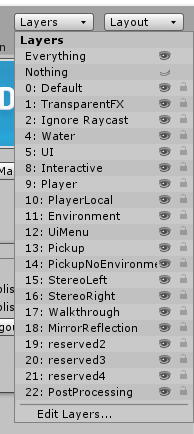

 cyan eagle
stable tulip
I suggest learning how to bake lighting so you know how to use reflection probes
cyan eagle
stable tulip
I suggest learning how to bake lighting so you know how to use reflection probes
I'd love to and I am trying
but for now something that just "works" being put a cubemap on the shader for the mirror cube (put very simply I know it's more than that) would be nice
cyan eagle
fast python
Thanks for the buttons
stable tulip
cyan eagle
I'd love to and I am trying
but for now something that just "works" being put a ...
If you are going to make a quest compatible world, you really need to bake all the lighting regardless. There is no escape from that unless if you want to ignore how performance can affect the world. Check this video out you can only watch 12 minutes of the video: https://www.youtube.com/watch?v=dKgUJccjWRU
You can support me on my pateron
https://www.patreon.com/mcphersonsound
This is a longer tutorial than normal and there is a lot to cover so here are time stamps for your convivence.
00:00 what is baked lighting
00:35 setting up lights
1:23 preparing meshes to bake
2:30 generate lightmap UV
3:28 light probes
5:10 reflection probes
6:00 emissive ...
cyan eagle
stable tulip
If you are going to make a quest compatible world, you really need to bake all t...
My world runs fine on Quest even with like 10 other people
My Quest 2 gets 40-50+ fps
I'll get to it eventually but my world only has 2 directional lights that I switch between
Baking rn messes it up
plus that adds a new thing how do I do a day night cycle with baked lighting?
I'd love to have some point lights around and better shadows etc that I could get with baked lighting
but I don't have the time rn
cyan eagle
stable tulip
If you are going to make a quest compatible world, you really need to bake all t...
Already watched it, It's useful for scenes where the lighting doesn't change
doesn't help in my case though
stable tulip
How about baking the other lights except Directional Lights
cyan eagle
stable tulip
How about baking the other lights except Directional Lights
"my world only has 2 directional lights that I switch between"
There aren't any
stable tulip
Okay so I assume it's the Day light and Night light?
cyan eagle
Yep
stable tulip
Let me do a quick test
Its a little bit difficult because in order to bake your reflections, it needs to have the world baked too. I think with Bakery you can do that separately
But yeah that cost money and Unity hasn't implemented in their version yet
But let me see if I can find a workaround with your stuff
cyan eagle
cyan eagle
My world runs fine on Quest even with like 10 other people
My Quest 2 gets 40-50...
Also for point lights and such I'd need to use a different shader for my world but then I'd lose the AO I've baked into the Vertex Colors
since rn the only shader that seems to work with that is VRC Mobile Toon Lite (Maybe Diffuse but then the world looks weird same with Standard etc)
I guess maybe the AO option in the lighting settings would work but I'll find out when I get there I guess
stable tulip
The problem is that you can't use realtime reflections in Quest version because it's just too much
cyan eagle
stable tulip
The problem is that you can't use realtime reflections in Quest version because ...
I'd get that if it was actually realtime but I only have it set to refresh on wake