#world-development
39 messages · Page 120 of 1
 bold ibex
 tropic cedar
If you unpublish a community lab world, can you republish in the same week?
 fierce schooner
So I did pickups for some drinks and bottles and for some reason the bottles seems to flatten when in hand when we rotate it but not the drinks, any clue on how to fix it ? Or from where comes the bug ?
 stone marsh
fierce schooner
So I did pickups for some drinks and bottles and for some reason the bottles see...
stone marsh
fierce schooner
So I did pickups for some drinks and bottles and for some reason the bottles see...
This happens anytime a child is rotated inside a parent that doesn't have uniform scale. The parent gameobject that the pickup is on/in needs to be set to 1:1:1 on it's transform, or at least a uniform scale.
stone marsh
tropic cedar
If you unpublish a community lab world, can you republish in the same week?
If you unpublish it, you'd have to wait a week to republish it
stone marsh
bold ibex
my world doesnt have jumping on. can someone tell me how to add it
You need to add a movement script. an example one is included with the SDk in the examples folder. Alternatively, you can just use the "VRCWorld" prefab that is included with the SDK which has the scene descriptor, as well as a movement script already on it ready to go.
bold ibex
wait sorry where is it?
stone marsh
just use the search feature in Unity to look for "VRCWorld"
The example udon behavior itself is called "VRCWorldSettings"
bold ibex
ok yeah i found the vrcworld prefab
fierce schooner
stone marsh
This happens anytime a child is rotated inside a parent that doesn't have unifor...
I'm gonna check it out thanks !
bold ibex
so jumping is just available now?
stone marsh
If you use that, you need to replace your current world descriptor, you can't have two scene descriptors, I was just directing you to a location with an example
bold ibex
ok yeah
fierce schooner
Is it possible to make a button disappear with another button ?
stone marsh
fierce schooner
Is it possible to make a button disappear with another button ?
course, toggle the gameobject the button is on, off. A basic Toggle Udon Behavior example is included with the SDK called "ToggleGameObject"
bold ibex
Does anyone know a good yt tut for the QV Pen
stone marsh
bold ibex
Does anyone know a good yt tut for the QV Pen
A tutorial shouldn't really be needed, all the information is provided on the Booth page. All that is required is that you have an updated copy UdonSharp as the booth page states, and you ensure you use the current Udon/SDK3 SDK, it will be drag and drop into your world. There is a Prefab included located in the QvPen folder that you would simply drag into your scene and it's all ready to use.
bold ibex
stone marsh
A tutorial shouldn't really be needed, all the information is provided on the Bo...
ah okay that makes sense, thank you
stone marsh
bold ibex
ah okay that makes sense, thank you
yea, just make sure you add UdonSharp first. Dependencies should always be added before the asset you are adding.

GitHub
An experimental compiler for compiling C# to Udon assembly - MerlinVR/UdonSharp
bold ibex
stone marsh
https://github.com/MerlinVR/UdonSharp/releases
so i import this and it kinda just does it on its own? theres no extra setup?
stone marsh
It just has to be in your project if you don't already use it yea.
Don't need to do anything past just importing it
bold ibex
Okay
bold ibex
stone marsh
It just has to be in your project if you don't already use it yea.
I imported them but when i went to go test they didnt draw
fierce schooner
I did this to make the button disappear/appear for everyone
But the button I interact with is the only one disappearing
Well I kind of fused two kinds of working graphs into one
Capsule is the button
 bold ibex
can someone help? my scene is all black lmao
bold ibex
bold ibex
can someone help? my scene is all black lmao
can u send a picture?

i just started a new scene and this happened
fierce schooner
fierce schooner
Fixed !
bold ibex
thats odd, i dont think ive seen that happen before so im unsure
yeah its never happened to me before lmao
fierce schooner
Are you sure you have a scene tab ?
fierce schooner
bold ibex
yeah its never happened to me before lmao

add a tab
and pick up what you want
bold ibex
ok it worked
thanks
just not the right size lmao

theres just this weird black bar now
do u guys know how to work the pens, they wont draw
you should just have to import them and they work
i think you might need like udonsharp or something
yeah i have the undonsharp in, but for some reason they wont draw
 ancient basalt
Anyone know how I would be able to make a system to page through avatars as seen here?
 bold ibex
how do i fix this

 near escarp
ancient basalt
Anyone know how I would be able to make a system to page through avatars as seen...
near escarp
ancient basalt
Anyone know how I would be able to make a system to page through avatars as seen...
That's just enabling/disabling gameobjects with pedestals in them
ancient basalt
Ah.
near escarp
bold ibex
how do i fix this
Probably better to ask in #udon-general
 terse topaz
What is a good way to figure out the scale for making worlds in blender? so that when I bring it into Unity for VRChat that it will match player height (doors and such)
 faint geyser
hey how do i make voice go far
or how do i make a mic that make the player near the mic go over the whole world
 winged wharf
terse topaz
What is a good way to figure out the scale for making worlds in blender? so that...
winged wharf
terse topaz
What is a good way to figure out the scale for making worlds in blender? so that...
use some placeholder avatars/models as scale reference
near escarp
terse topaz
What is a good way to figure out the scale for making worlds in blender? so that...
Unity cube is 1x1x1, using a model ref like enigma suggest is good too
 misty jolt
 median egret
does setting the rendering path to deferred not work?
looks fine in unity but not in vrchat
near escarp
VRChat uses forward rendering
bold ibex
Does anyone know a good looking digital clock prefab?
 loud solar
I kept getting the error object missing reference
bold ibex
I've seen this keyboard and global chat UI bundle around in many different VRC worlds. Are these standard SDK/Udon elements, or is it some custom thing? Where can I get it?

 candid kiln
Im still a young creator, still learning about making worlds.. what do you folks think of my first world? still needs some work in progress but this is all i got so far.

 unkempt turtle
thats a hell of a lot cubes
@candid kiln
try not using cubes to model, but rather a dedicated software like Blender, Maya, Sketchup or literally anything
 upper obsidian
unkempt turtle
thats a hell of a lot cubes
upper obsidian
unkempt turtle
thats a hell of a lot cubes
When the construction is completed, all this can be combined into one mesh in the same place in the probuilder.
unkempt turtle
still a hell of a lot cubes
 chilly hawk
Most of that could be easily replicated in Sketchup.
unkempt turtle
all of that
 mild hamlet
any1 know how to fix this error?

constantly keep getting it even in clean project files
unkempt turtle
mild hamlet
constantly keep getting it even in clean project files
SDK3 Worlds and Udon# installed before the sacc thing?
mild hamlet
ye
 tardy moth
how do I get my world to fix small avatars menus breaking?? I know rest and sleep does it so it's clearly possible. Is it a unity extension or something??
 small lark
upper obsidian
small lark
upper obsidian
 small lark
upper obsidian
small lark
upper obsidian
 small lark
upper obsidian
small lark
upper obsidian
and
small lark
upper obsidian
I've had it already
 shrewd urchin
Hi Guys!
It has been 9 days but i can't still upload custom avatars or my world
Is there anybody who knows about the process?
upper obsidian
small lark
I've had it already
In the inspector, select the object on which the avpro is installed, add an udon script to it, then it will find everything by itself.
small lark
upper obsidian
In the inspector, select the object on which the avpro is installed, add an udon...
you will show plz
upper obsidian

The object must be selected with the player component, then she will see it.
But you can add it like that, look in the list for the Type
fierce schooner
Is it possible to make a pickup object that only the owner of the map can pick up ?
Or the owner of the instance at least
upper obsidian
small lark
i can't
I did not pay attention, change the string to the type in the get component
upper obsidian
small lark
i can't

 west delta
just wondering is there any shaders that make minecraft textures look good ?
 left rain
what's "look good" mean
the standard shader would be enough to add realistic lighting and reflections to Minecraft shaders, if you can come up with proper normal and roughness maps that match the base color maps
west delta
well i cant get the transparent textures to look good example tree leaves glass grass flowers and water dont look good
@left rain
 south orbit
west delta
well i cant get the transparent textures to look good example tree leaves glass ...
south orbit
west delta
well i cant get the transparent textures to look good example tree leaves glass ...
try poiyomi shader, is prob the best shader overall
tho u should be able to do it with standard shaders as said, is just about messing around with them in the right way, use cut-out / transparent or opaque, try use the emission and map the emission as the texture u normally use or so
south orbit
upper obsidian
When the construction is completed, all this can be combined into one mesh in th...
which most likely will break half of the texture and generally the colliders and what not, u can do this but only with certain parts together, not all of it together.
- tho it is indeed alot of cubes above, which would make alot of sense to atleast group them / combine some with probuilder indeed, tho i would never combine everything it would break it 100%
 atomic python
Im trying to set a object with a video on it that plays my logo animation on it, When i hit the play in unity it shows up fine and plays, but when i build and test the world its just blank
https://gyazo.com/54b4b5eb3e06ae26a8fbff3f4fdb109b
Ingame
https://gyazo.com/1db7cfcffa3d879d9124f986a75c5952
In unity

 south orbit
atomic python
Im trying to set a object with a video on it that plays my logo animation on it,...
south orbit
atomic python
Im trying to set a object with a video on it that plays my logo animation on it,...
that sounds odd, tho it sounds like a local issue ? like if u using a video player to play an animation that u have ?
it sounds like a odd way i mean
why dont u just make an animation with the logo and put in the animation itself ontop of a white cube or black cube or w/e to overlay it without having to use a video player, it will still play the animation
- example i have rain in one of my worlds, i have toggle buttons for on / off for the rain, the rain itself is just entirely an animation not bound to any video player or anything else, just simply an animation dragged in, which plays fine, and i can just toggle it off by default and then inviduals can activate on a button if desired
the example provided is that u can do the same in theory with a logo.
 plush kindle
Small coffee shop lounge (WIP)
 atomic python
south orbit
- example i have rain in one of my worlds, i have toggle buttons for on / off fo...
atomic python
south orbit
- example i have rain in one of my worlds, i have toggle buttons for on / off fo...
Thats what i did
i imported a mp4 file and applied onto the object
south orbit
atomic python
Thats what i did
i mean it doesnt look like that, it appears its either overwritten or bound to something that overwrites it
atomic python
when i hit play in unity the video plays fine but when i try to build and test its just white
south orbit
yeah exactly
thats local
make a animation .anim
and put that instead
and not in a video player
atomic python
is there any way you recommend to change it from a mp4 to .anim
south orbit
atomic python
is there any way you recommend to change it from a mp4 to .anim
no idea, but if u have the objects ( like the logo and what not ) just animate it in unity
south orbit
yeah youtube is prob the best bet on how to make animations in unity as it is rather complex to explain on text :p
atomic python
i would jump in a vc but im about to head out for a bit
 slim geode
anyone know why my build tab is empty ?
using old sdk 2.0 to upload my old world but when i got to the "Builder" Tab, there is nothing showing in there. just all gray
 atomic python
are you signed in
slim geode
yeah mate
atomic python
have you tried using SDK3 instead
stone marsh
You have errors in the console most likely
And yeah... Sdk2 should be avoided if at all possible. There's nothing it can do that sdk3 can't.
slim geode
stone marsh
You have errors in the console most likely
if i press play, i have a bunch of these but can clear them
 slim geode
stone marsh
And yeah... Sdk2 should be avoided if at all possible. There's nothing it can do...
slim geode
stone marsh
And yeah... Sdk2 should be avoided if at all possible. There's nothing it can do...
i made this world on sdk2 like a year and half ago
atomic python
The only thing clearing does is remove the message from console so you can see new ones, it doesnt get rid of them
slim geode
lol
atomic python
Only thing i can think of is trying to see if SDK3 works any better
slim geode
anyway to fix those errors ?
south orbit
just use sdk 3.0 lol
reimport all of it except the sdk files and what not
and convert it to 3.0, try again and see if u get same errors
2.0 is way too outdated and barely supported if even supported at all anymore
slim geode
wont all the triggers and stuff break if i put it into 3.0 ?
south orbit
atleast when it comes to worlds, i know they still a thing on avatars but even that is going out of time
south orbit
slim geode
wont all the triggers and stuff break if i put it into 3.0 ?
that depends on how they were made, they might tho it might be reasonable / good idea to just rework it also since it will probably optimize ur world and triggers and what not aswell
if u have the udon graphs, u can just screen them in worst case they wont work u have something to work towards on the 3.0 one
 cunning mist
I have this Area which I want to change into a Hangout Area, But have no sense of Interior Design, What would be a good style of Furniture? You can DM if you want.
 south orbit
cunning mist
I have this Area which I want to change into a Hangout Area, But have no sense o...
south orbit
cunning mist
I have this Area which I want to change into a Hangout Area, But have no sense o...
to me it looks so simplistic, flat and missing alot of exterior which makes it very very open space which can make it complicated to look good
maybe u should consider building more exterior before putting interior ? maybe like some guidelines in terms of where u want a center space of hangout to be or etc
example, u could start off doing a circular thingie in the middle, make couches and blankets maybe a tv etc, and expand outwards from there with anything from plants to lamps to u name it, but again working on such open simplistic exterior is very tricky cus again it doesnt guide / provide proper sense of where it would make sense to furniture it
here's one of my worlds from scratch as an good example of what i mean, atleast i think personally it came out good :p im not the best nor professional, but the principal on my world here is that, everything is placed with spaces and with sense in form of how the exterior is.

u can see how 'easier' it is for me to furniture this exterior because it has more sense in form of direction on where to place things
 fierce schooner
Can I make an item emit particles when picked up ?
cunning mist
Well The Wall is the Main Focus cause it has the Mirror, But this was Originally just a Basic Avatar world but Friends told me I should Expand it into Avatar/Hangout Area.
south orbit
cunning mist
Well The Wall is the Main Focus cause it has the Mirror, But this was Originally...
another good suggestion is perhaps check out worlds that are hangouts area or etc and get inspired but yea to me personally i would say it needs way more exterior work than just 1 wall and 1 floor
cunning mist
I did think About adding more walls, a 2nd Floor, Two more Platforms to the Left and right, One for a Video/Movie theater, and the other as a Game Room.
south orbit
cunning mist
I did think About adding more walls, a 2nd Floor, Two more Platforms to the Left...
yeah deffiantly look into something like that, also before doing interior / furniture, atleast i would personally go that approach because it makes it easier for u to decide how to place furnitures from the exteriors
cunning mist
Cause this this the Back Area where I'll be Expanding for future Avatars when I learn how to make Stuff that aren't Simple Knuckle Avatars.

 distant gust
I have a really weird issue. I’m creating my second world. And I uploaded the exact same world from the PC build for Quest (I plan to mobile optimize at a later time) but for some reason, everyone on Quest can’t see nameplates? I didn’t have this issue with my last world and my PC world works fine. Any ideas?

 chilly shoal
I've got a sliding door that I want to be able to grab and slide like a real door. I tried using vrchat pickup, but I don't think that's the answer because it pulls it to me regardless of constraints? Do I need to write a custom script for this kind of thing?
chilly shoal
slim geode
i removed sdk2 and added 3.0 to my world
you usually need to start fresh with this stuff and bring your prefab in to the new project. Just copy the assets you need in to the new project or pack em in to a .unity file. You might be able to fix this, but you'll need to check the console for errors and start addressing those. Also don't forget to restart unity. Sometimes it doesn't parse when you do stuff like this until restart.
south orbit
slim geode
hey <@!262830185777201152>
How do i fix this ?
as Zephin said,
u dont overwrite the current project, u export it without the SDK and make a new project with SDK 3.0
south orbit
chilly shoal
I've got a sliding door that I want to be able to grab and slide like a real doo...
to grab u can use colliders and set them to interactable, how to slide it tho might require an animation of some sort, im not too familiar with that parts, tho i know u can use most likely any colliders to 'pickup' / 'grab'
i mean '' is trigger '' not interactable lol.
like this, is on a pillow tho it still need some adjustments but it works

the sphere collider '' is trigger '' makes it able to grab / pick up on the sphere collider, without that there is no 'colliders' to interact with so therefor u cant grab / pickup
distant gust
distant gust
I have a really weird issue. I’m creating my second world. And I uploaded the *e...
Anyone able to help with this?
chilly shoal
Looks like I got to write an udon script if i want it networked and constrained a certain way
 still viper
would a lot of materials in my world cause performance issues?
I'm using a seperate material for every texture because they need to wrap a ton.
slim geode
south orbit
as Zephin said,
u dont overwrite the current project, u export it without the SD...
yeah i did mate, i have this error tho
 tardy moth
how do I get my world to fix small avatars menus breaking?? I know rest and sleep does it so it's clearly possible. Is it a unity extension or something?? It's the only thing preventing me from uploading my world + setting it as my home world now.
bold ibex
I was wondering if there’s someone that is experienced in making worlds. I have a question and maybe some help if anyone is willing to help.
 green lagoon
someone is unlikely to do that for free as that's a lot of labor
that's not nearly enough
chilly shoal
forgot several 0s
but it kinda exists https://vrchat.com/home/world/wrld_78e661b9-05ec-4d43-9dcf-b06efc1237ec

Varneon's Udon Vehicles | Docks - Time Trial
get to learnin
green lagoon
also it's kind of hard to do huge maps on the quest
then I guess no world-building for you
faint geyser
how can i get VoiceOverrideTriggerZone to work (its not working) https://github.com/Guribo/BetterAudio/wiki/VoiceOverrideTriggerZone

GitHub
BetterAudio/BetterPlayerAudio for UDON (VRChat) based worlds. Includes private channels, reverb, auto player range adjustment... for players as well as speed of sound, sonic booms, doppler, occlusi...
tropic cedar
how do you force drop an item?
 harsh wagon
For some reason, the UVS for a mesh look different in-game than in unity. Am I missing a setting somewhere?
In Unity

In-game
 harsh wagon
tropic cedar
how do you force drop an item?
harsh wagon
tropic cedar
how do you force drop an item?
There's a function in Udon for DisableInteractive, maybe you could create an event that disables that and re-enables it
 supple drift
harsh wagon
In-game
supple drift
harsh wagon
In-game
Try going in Edit>Project Settings>Player and changing Vertex Compression to 'None'
harsh wagon
supple drift
Try going in Edit>Project Settings>Player and changing Vertex Compression to 'No...
Thanks, that did it
 bitter turtle
Anyone have pictures of their first world? Just curious 😁
 delicate pivot
vrchat build and test not working
why did unity build & Test just randomly stop working
I'm three days into map development and I can't test it anymore
I reload the program and restart my computer, it won't load!
I have it in the right install path
vrchat samplescen.vrcw does not exist
vrchat samplescene.vrcw does not exist
left rain
make sure your vrc executable path is set in the control panel
delicate pivot
it's in the right spot
left rain
error log?
 dusk sapphire
you have errors with your unity project. check your console
delicate pivot
VRCBuildPipelineCallbacks failed to load a type in assembly 'VRCSDK3-Editor, Version=0.0.0.0, Culture=neutral, PublicKeyToken=null'. If this is Assembly-CSharp it's just Unity being in the middle of loading.
UnityEngine.Debug:LogWarning (object)
VRC.SDKBase.Editor.BuildPipeline.VRCBuildPipelineCallbacks:Initialize ()
UnityEditor.EditorAssemblies:ProcessInitializeOnLoadMethodAttributes ()
dusk sapphire
its probably better if you post a screenshot of your full console error log here and not just a single error
if things were working before its likely you imported something into your project that isn't compatible with the current version of unity or missing dependencies
delicate pivot
can I just start a new project and move my assets from one project to another?
after installing the buggy SNK3
dusk sapphire
unless you solve the issue that's causing your error its likely just going to happen again if you simply import everything over
delicate pivot
 dusk sapphire
you are on sdk3?
delicate pivot
I bloody won't load anymore, it died
dusk sapphire
remove standard assets entirely, it cannot be used on sdk3 worlds, and some scripts in there are not compatible with unity 2019
delicate pivot
I can load it into a new project by drag and drop
I installed the unity from the vrchat link
it's 2019.4.31f1
dusk sapphire
Standard assets cannot be used with SDK3, and it has script's that cause compilation errors on unity 2019, just delete it
dusk sapphire
...I literally just told you what to do
 vale plover
someone pls help

 ruby jay
vale plover
someone pls help
ruby jay
vale plover
someone pls help
check console for all errors, fix the older ones
chilly hawk
I need some feedback from PC players. I had an issue with avatars appearing green, which I have hopefully fixed.
https://vrchat.com/home/world/wrld_d7f785a6-7138-415e-8918-21704c8a9a91
slim geode
Converted my world to sdk but can't upload due to this error with my post processing. Any idea how to fix please
 stone marsh
slim geode
Converted my world to sdk but can't upload due to this error with my post proces...
stone marsh
slim geode
Converted my world to sdk but can't upload due to this error with my post proces...
Null references typically is explaining there is a blank monoscript or something missing that should be input into a field.
Also do NOT use Post Processing Ambient Occlusion. Post processing should only be used for:
Color grading
Bloom
Depth buffer activation (not dof)
slim geode
Okay so just remove it all together ?
I click the error but it doesn't seem to take me to the script annoyingly
stone marsh
If you're only using it for AO or DOF yea, you shouldn't be using either of those effects.
It's not a script in your assets, it's in your hierarchy. You wouldn't get a null reference from a script in your asset folder by itself.
If you want AO, you need to bake it into your textures themselves using blender or whatever modeling program you want.
fierce schooner
Anyone knows how can I synchronise my doors's states so that even users joining sees the doors already open ?
When I open a door rn if someone joins they'll see it closed
So they see me get through the door which is kind of uhhh
stone marsh
Don't cross post in multiple threads.
It would be helpful if you posted the entire console, so we can see the number of errors. You should also share all of the errors.
slim geode
stone marsh
It's not a script in your assets, it's in your hierarchy. You wouldn't get a nul...
Thank you, will test when I'm home
 mild spade
fierce schooner
Anyone knows how can I synchronise my doors's states so that even users joining ...
mild spade
fierce schooner
Anyone knows how can I synchronise my doors's states so that even users joining ...
You will have to use sync variables, or call an event that checks the state of the door when a player joins. It depends on the set up you have. Right now if 2 people are on the same instance and 1 opens the door, does the other person also sees the door opening?
fierce schooner
mild spade
You will have to use sync variables, or call an event that checks the state of t...
Yes
I did a custom network event to launch the animation
mild spade
Custom network* events are "synced" with those in the instance, but not with those who enter later. If you show me your setup (screenshot) I could help you. Have you seen the Networking documentation on the vrchat docs? It explains a lot about sync types and how they synchronize across the network
fierce schooner
This is for the buttons


This is on the door
I did a quick check on the documentation when I looked for pickup items but I didn't see much regarding this issue
mild spade
Just out of curiosity, is there a reason why you are using 2 different scripts? (one on button, and one on door) You could combine these into 1
fierce schooner
Because I started unity and blender about three days ago so I'm trash at this xD
I must had followed some tutorial
fierce schooner
mild spade
Just out of curiosity, is there a reason why you are using 2 different scripts? ...
Is it gonna be a problem for the synch ?
mild spade
Not at all, but it will require a little more steps. I am making a synced graph for you using your set up right now, but It will use 1 script instead of 2.
fierce schooner
Oh thanks !
mild spade
fierce schooner
Oh thanks !
I hope this explains how this works. Networking can be difficult to understand at first. If you dont understand I can guide you on a screen share with step by step. You must change the sync type to "manual" on the script for this to work
 fierce schooner
Okay is this script for the door side or the button ?
mild spade
Button. I combined both into one
fierce schooner
Do I need to get back to the animation tab ? xD
mild spade
the sync goes like this: Press button, become owner, change synced variable, make action, send change to everyone.
mild spade
fierce schooner
Do I need to get back to the animation tab ? xD
hmm what do you mean by animation tab? sorry
 zealous venture
so I am setting up the menu for my world at the moment, but I have never done any of this before.
I'm trying to make a toggle for post processing where, when I toggle on normal color grading, it will automatically set other post processing color gradings to off if they are on, but I'm not sure what to use in the toggle component to do this. I have each post processing volume in separate objects so they can be toggled separately, but I'm not sure what boolean values to use/change to make sure the other turns off when I change settings.
left rain
what i would do is make an array-type variable in your udon script that you can drag all your post-process volumes into, instead of just one. then you would use a for/each loop to cycle through them all and set the state for each of them based on the toggle value.
can't remember the component name off the top of my head but basically instead of your variable being PostProcessVolume type it'd be PostProcessVolume[]
zealous venture
So as someone who doesn't know any coding, how exactly should I start going about making a custom script for this?
left rain
start with some basic udon tutorials on youtube, learn how to do simple toggles, then move on to for/each loops
zealous venture
Will do
upper obsidian
Udon is not needed for local UI panels.
VRChat
You can use Unity UI events to directly call methods for simple interactions, rather than building an UdonBehaviour. However, we've limited what can be called to this list: Animator PlayPlayInFixedTimeRebindSetBoolSetFloatSetIntegerSetTriggerResetTriggerspeed AudioSource PausePlayPlayDelayedPlayOneS...
zealous venture
So my issue is that I don't know what exactly to use in the UI events to allow for the toggles to work the way I want them to. I.e. If Someone wants to toggle on Neutral mode, but normal is already active, then it should set normal off when Neutral is turned on. But, if someone wants to toggle off the color grading all together, then if neutral mode is already off and someone toggles off normal mode, I don't want the toggling off of normal mode to accidentally toggle on neutral mode.
left rain
sometimes it's helpful to build a flow chart for logic questions like this. but from what you're describing, it sounds like you want a button to cycle through three states: Normal, Neutral, and Off.
in that case, you could store a variable on the behavior that's an integer that starts as 0, meaning "Normal". every time you push the button, you increment that variable by +1. if the value becomes higher than 2, set it back to 0.
after incrementing, you use that value to determine what post-processing mode you want to enable. 0 = normal, 1 = neutral, 2 = off.
 hollow swift
Is it possible to make 5 instance of my world because i have 300 people that want to try it and only 80 can get in
 analog pollen
why won’t my world be pc and quest compatible, it’s only quest compatible
left rain
analog pollen
why won’t my world be pc and quest compatible, it’s only quest compatible
make a copy of your unity project, then load it up and switch the build target to windows, then publish again
left rain
how to make a copy of a unity project...? just copy the whole folder
 signal timber
Does anyone know of any way at all to get Boids working in vrchat? I'm trying to add birds to my scene but vrchat doesnt support any boids addons, and writing my own in udon is well beyond my capabilities atm. And I wouldnt even know if its possible.
 brisk spear
[HELP] cam someone help me please? not sure how to fix this or why it's happening i am using the latest sdk3 from https://vrchat.com/home/download


VRChat lets you create, publish, and explore virtual worlds with other people from around the world.
signal timber
Me in my world Im working on lmao


very early, Basically just a proof of concept atm
terse topaz
near escarp
Unity cube is 1x1x1, using a model ref like enigma suggest is good too
where do I find a ref model? is there or was there one in the VRChat SDK thing?
near escarp
terse topaz
where do I find a ref model? is there or was there one in the VRChat SDK thing?
terse topaz
near escarp
Thank you
terse topaz
near escarp
Is this already to scale?
 latent vector
is there a way I can make it so you can grab the door handle and slide it across its rail?

 river stag
latent vector
is there a way I can make it so you can grab the door handle and slide it across...
river stag
latent vector
is there a way I can make it so you can grab the door handle and slide it across...
Yes there is
But it takes there being an animation and code for it I think
I just know I saw it in a world one time
upper obsidian
It is possible and simply through a pickup truck, limiting the movement on the rigibody.
 dull leaf
upper obsidian
It is possible and simply through a pickup truck, limiting the movement on the r...
dull leaf
upper obsidian
It is possible and simply through a pickup truck, limiting the movement on the r...
so do i use a ford f150 or something else /j
 tacit sapphire
Every time I go to upload, it future proofs, then stops uploading, if i save and reopen vrchat's control panel is gone. has happened in 2 fresh projects so far.
o h

oh think i mightve found the issue
stone marsh
tacit sapphire
o h
Do you have UdonSharp installed in your project? you should always read the prerequisites for assets before you add them to your project.
Also, You should disable "future proof" in the settings for the SDK.
 tacit sapphire
stone marsh
Do you have UdonSharp installed in your project? you should always read the prer...
tacit sapphire
stone marsh
Do you have UdonSharp installed in your project? you should always read the prer...
future proof + corrupted version of pool table = sdk go brrr
is what im thinking. I downgraded the pooltable. Happened to a friend also.
stone marsh
tacit sapphire
future proof + corrupted version of pool table = sdk go brrr
is what im thinkin...
Doesn't make sense. You must have an outdated version of the SDK or UdonSharp or don't have UdonSharp at all
tacit sapphire
stone marsh
Doesn't make sense. You must have an outdated version of the SDK or UdonSharp or...
Worked once I downgraded. Im on latest UdonSharp
Multiple friends of mine has similar issues I guess with latest release of pooltable.
stone marsh
whatever works. I'm using the newest with no issues. The errors seem to imply there is a versioning issue, no udonsharp, or you broke something with either UdonSharp, or the table.
tacit sapphire
idk. I dont normally work with free assets. I just told a friend I'd edit the timer scripts since they wanted shorter timers. Nothing of mine was affected and I keep pretty good backups.
I appreciate the help regardless.
 autumn quail
Question: which of these are allowed in making VRChat worlds?
 dusk sapphire
As long as it doesn't require the use of scripts at run time
autumn quail
ok, at runtime. So, allow toggle for the fancy things. Though, for generated worlds nature, grass, tree generation, would those not be allowed since generating at start?
dusk sapphire
At run time being any thing that requires custom scripted behavior to operate while the scene is running
it entirely depends if whatever asset you use, even if it generates assets beforehand, it may use some scripts at run time for it to work properly
this you will have to check on a case by case basis
looking at your list things like bakery and mesh combine studio would work, but only for the features that do not require scripts at run time
this means you can't have mcs do merging at run time, or use bakery volumes
any component not on this whitelist will be removed by vrchat at run time https://docs.vrchat.com/docs/whitelisted-world-components
autumn quail
oh, okay, so if the packages components fits into those components, it is allowed. Alright, I'll keep a close look at it.
Are there any restrictions on textures used?
dusk sapphire
its not so much allowed but rather whether it'll continue to work without them
vrchat will just strip non-whitelisted components
whether the asset will continue to work or not is a different matter
MCS leaves a bunch of script artifacts on your merged meshes that while not on the whitelist, are not needed at run time so you can still use it without issue
for example
as for textures, no real restriction, just use common sense and don't use 8k textures everywhere taking up excessive vram etc
only thing to note is that quest cannot use .dds and dxt compression for textures
autumn quail
Okay, I'll start are more simple builds before growing out. These are my imported ones for making levels so thought might be able to transfer over to VRChat. Will be adjusting.
awesome! That'll makes things easier for me. Got a lot of textures; just need to use the right versions.
oh, is there a Polygon limit for worlds like with avatars? wondering about LOD
dusk sapphire
There are no real hard limits for worlds, but the responsibility is on the author for optimizing them appropriately
though I believe its frowned upon to make worlds with final asset bundle sizes exceeding 500mb-1gb
quest has a hard limit of 100mb
autumn quail
alright, will try to keep it low. I have been working better at using less polygons for level design lately, so should work better. Thank you for all the help!
dusk sapphire
if you've worked with unity before, you might want to get acquainted with UdonSharp https://github.com/vrchat-community/UdonSharp
as the whitelist suggests, you can't just create your own scripts
vrchat uses udon which is their scripting solution that runs on a vm, by default uses a graph
udonsharp compiles c# to udon (with some caveats)
autumn quail
Alright. For what I am looking at for current world, most animation would be a fireplace, lake, and maybe fireworks. Though, was thinking about having animals there, so that would require AI; I'll look into how Udon does it. Have worked with Python to C#, so shouldn't be too big of an issue.
dusk sapphire
there is an extensive database of community created unity prefabs for use in vrchat https://vrcprefabs.com/browse that may interest you
autumn quail
ah, awesome! That makes choosing packages easier since those are already in use. At the moment, I have about 1.5k object models and 4,663 textures. Was gonna be using packages to do more [granted takes a while to install], so this will go easier.
oh, I am also using World Creator Assistant to get the must haves right off the back
 fathom aurora
where would I go to get a world commissioned? been waiting since November 8 in line for one but there trello hasn't moved since than
 deft pollen
Does anyone here know where I can find coconut trees like like in Fins 'Deep Blue' world?
 frigid walrus
anyone know why it says this and won't let me use the store?

internet is working just fine idk
im noob at this
 errant bloom
Hi, does anyone have a tutorial for putting pens in a world please?
ha yes and also a keyboard ^^
fierce schooner
I'm trying to immobilize a standing player on interaction with a button and setactive a game object do anyone knows the way to do so ?
 earnest herald
i have audio source with vrc spatial audio, which thing i need to change to dont kill someone ears standing near audio source but hear 3d audio from long distance not quiet af i have rn gain 25, far 80 + audio source volume set to max
 violet sedge
Progress on the World for my avatars, they are gonna be on the lower room (wipwipwip)
fierce schooner
Looking hella clean
bold ibex
hey dose anyone know what kind of stairs they use in drinking nigth
or were to find stairs similar to that
 fading vessel
Heyy everyone im having a bit of a problem with my vrchat world if anyone would could help me that would be very appreciated
 marsh bobcat
Hi, Trying to use VRCDN to succesfully stream to up to 30 people. not succeding with even 1 , i hve lowered all the levels in OBS , anyone have any advice at all
left rain
small lark
you're using the wrong version of unity.
mild spade
I have seen way too many people use 2019.4.34f1 instead of 2019.4.31f1, I wonder if there is a tutorial or a bad documentation that is getting them the wrong Unity version 
 desert python
mild spade
I have seen way too many people use 2019.4.34f1 instead of 2019.4.31f1, I wonder...
desert python
mild spade
I have seen way too many people use 2019.4.34f1 instead of 2019.4.31f1, I wonder...
its unity hub
mild spade
Ahh ok, that explains it.
 sullen dock
lol when I got set up to do some sandbox tests with the SDK I was like 'how important can versioning possibly be, I'll just use the latest version'
that was Wrong
 past thistle
Hey, I'm trying to create a VRChat world by importing from TiltBrush, does anyone have any suggestions how to go about this with VRCSDK 3? All the tutorials I can find are for VRCSDK2. Any help would be appreciated :)
 austere bridge
Hello everyone, someone know how make a hole in cube?
left rain
generally speaking you'd do this with a boolean, though boolean operations tend to make for weird topology
if you want to get nice clean quads, start by modeling the "hole" (a cylinder or whatever), then extrude outwards and flatten the sides into a cube shape
near escarp
Blender
austere bridge
oh
 alpine peak
So I'm looking at the possibilities afforded by subscenes in Unity. It's part of the new ECS/DOTS system they're working on. Will I have problems if I try to use that in VRC worlds?
green lagoon
a vrchat map can only be one scene
 solemn hatch
Thinking about using substance in my pipeline for my world creation, just curious how people are using it , is it coming in using the substance shader? are people using the linking part of substance in unity? are they baking everything in substance and exporting just textures and normal maps ? would love to hear your thoughts on how your using it in your pipes or general usage before i go down that route
left rain
i typically just export maps from substance painter and then rebuild the materials in unity
green lagoon
left rain
i typically just export maps from substance painter and then rebuild the materia...
yeah that does seem to be the typical workflow
alpine peak
green lagoon
a vrchat map can only be one scene
Yup. But these aren't whole scenes. They're subscenes.
solemn hatch
left rain
i typically just export maps from substance painter and then rebuild the materia...
yea , thats what i was assuming
left rain
i'm sure there's ways you could automate the reconstruction of materials based on texture set prefixes but at the scale i'm working at it's not really necessary, and if it did get to that scale i'd probably be using far too many materials to work in a VRC scene
like i'm aiming for roughly 10 materials total to get a world to behave nicely on PC and quest
solemn hatch
yea , right now im building most of my procedual shaders in amplify
green lagoon
alpine peak
Yup. But these aren't whole scenes. They're subscenes.
what is the requirement to use a subscene as vrchat maps cannot use any c-sharp code
left rain
amplify is great, should have few problems there
alpine peak
green lagoon
what is the requirement to use a subscene as vrchat maps cannot use any c-sharp...
Unity ECS/DOTS 😛
solemn hatch
left rain
amplify is great, should have few problems there
seems pretty speedy and light. but was thinking i might look into substance since it keeps coming up here , thanks for the info
sullen dock
solemn hatch
Thinking about using substance in my pipeline for my world creation, just curiou...
I created a procedural material in substance designer as a test and exported it as an sbsar to see if I could use the unity substance plugin with vrchat and it worked for me
green lagoon
alpine peak
Unity ECS/DOTS 😛
you're literally the first person I've seen to mention that so vrchat probably doesn't support it at the moment
alpine peak
@green lagoon the tldr is that it allows unity to load and unload objects and logic in zones that aren't being used
left rain
ah, substance designer is another story
alpine peak
which has obvious performance benefits
sullen dock
left rain
@solemn hatch fwiw i'm using amplify and substance painter/designer simultaneously, they work well together. designer and painter to generate textures, amplify to do any custom weird material stuff that needs to be done.
green lagoon
alpine peak
<@!216145046347448320> the tldr is that it allows unity to load and unload objec...
yes but the architecture of like a vrchat map hasn't changed too much since like Unity like 5 years ago so I sincerely doubt you can use it
left rain
but with amplify it's likely easiest to just stick to the usual method of writing textures to disk and then referencing them into your amplify shader's texture slots
alpine peak
green lagoon
yes but the architecture of like a vrchat map hasn't changed too much since like...
that's why I'm hoping a VRC dev can chime in
green lagoon
well they literally never mentioned it before
left rain
if the load/unload logic is happening during runtime then it's extremely unlikely to be supported
solemn hatch
yea , makes sense , just wasn't sure if the world would run more optimized based on shaders vs brining in tiled textures, for detailing like wall textures and tiles
left rain
everything with substance in the end bakes down to textures either way
green lagoon
yes you would want to use tiling Textures in your environment art
left rain
they're "procedural" but they're still just cooking bitmap outputs as the end result, so it's not going to be any more performant than any other texture
solemn hatch
this makes sense
sullen dock
file size is gonna be a lot smaller though
left rain
file size is entirely dependent on your output settings
substance just generates textures, there's nothing special about them
sullen dock
- the advantage of parametric material settings in the editor
left rain
the parametric material settings are great for sure, but again the end result is still bitmaps
green lagoon
yeah that's just making the level designer happy not cutting down on file size
left rain
it's not the same as a "true" procedural that's computed entirely on the GPU like perlin noise as an example. the underlying math is the same but it's being baked down into bitmaps as you change the settings
green lagoon
because if you like procedurally generated the textures at runtime you would have to deal with the CPU cost of generating the textures
left rain
yes exactly
green lagoon
and there's probably some other shaders Shenanigans folks could do if they need some more variation outside of just putting more textures on the disc like doing material blending or like detailed maps
like honestly as far as vrchat is concerned you could have generated the textures using nodes in blender and it would still have the same result as far as bitmaps being assigned to Unity materials
left rain
yup. substance just gives you more convenient controls
green lagoon
yep as it's a tool focused on it instead of a do everything tool
like if you're wanting to cut down file size for vrchat texture compression is your friend and also probably considering doing your environment art design in a way that doesn't involve lots of uniquely unwrapped textures probably helps
left rain
texture atlasing and compression are your BFFs
green lagoon
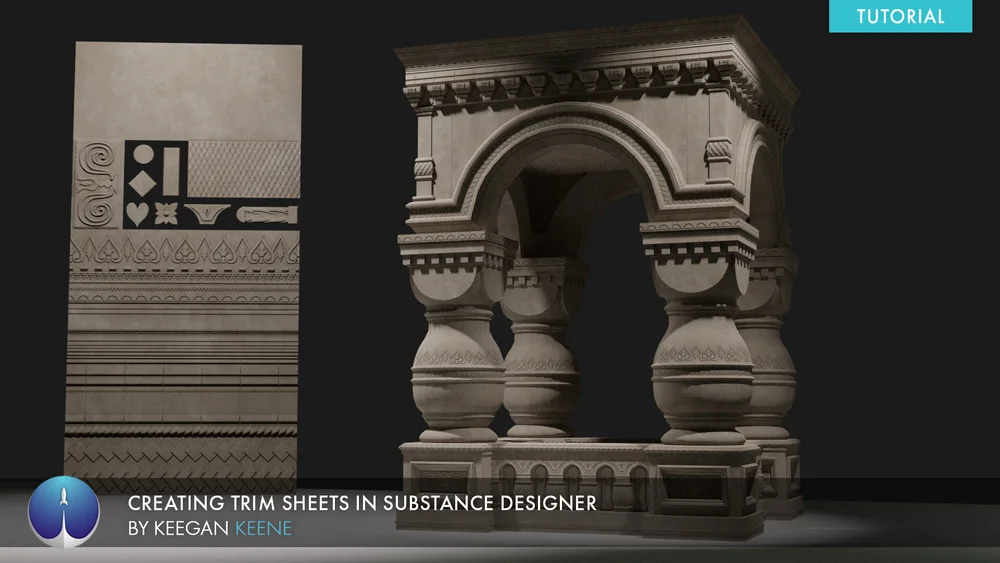
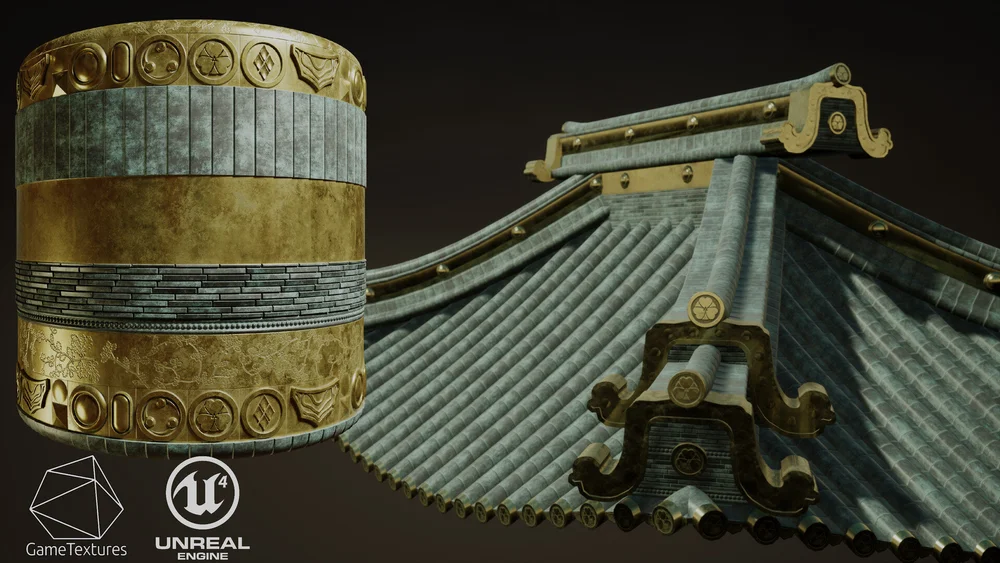
also trim sheets remind environment art trick

Free 4 Part Tutorial Series on making trim sheets:
Part 1 - https://youtu.be/DipfrjCgYW8
Part 2 - https://youtu.be/Tspveb9bjYA
Part 3 - https://youtu.be/CarefswACgs
Part 4 - https://youtu.be/VEHsZniXguY
Free UE4 lighting presets + Tutorial : https://youtu.be/_bqpw5sOwr4
Get the example texture and mesh files from this tutorial: https://gumroad....
left rain
yeah, trim sheets were a godsend when those first came about
green lagoon

like if you tried to uniquely unwrap and texture that that would take way too much video memory


ArtStation
During our development in I Expect You to Die 2, we used material trim sheets for most of our environment shells and static objects. This is done in order to both save texture space and file size, while getting the most detail and information out of each material.
 bold ibex
Empty udonbehaviour found on VRCworld. Any fixes?
supple drift
bold ibex
Empty udonbehaviour found on VRCworld. Any fixes?
Should have VRCWorldSettings (found in '.../VRChat Examples/Prefabs/Prefabs_UdonProgramSources') in the Program Source slot on the Udon Behaviour. Would check to see if you have that + would make sure the VRCWorld prefab wasn't changed/overridden.
 spiral pasture
anyone know if theres unity port of source 2 assets or if theres a way to import them?
bold ibex
supple drift
Should have VRCWorldSettings (found in '.../VRChat Examples/Prefabs/Prefabs_Udon...
Alr thank you!
bold ibex
spiral pasture
anyone know if theres unity port of source 2 assets or if theres a way to import...
Are you asking how you import assets?
spiral pasture
bold ibex
Are you asking how you import assets?
asking if theres pre-existing unity packages with the source 2 assets in them
upper obsidian
GitHub
Plugin to import resources from the Source engine in Unity3D. - GitHub - lewa-j/Unity-Source-Tools: Plugin to import resources from the Source engine in Unity3D.
 versed yarrow
Hello, does anyone know where to find or how to make a video playlist u world. I have one screen that currently only auto loads the same video, i would like to add more options. Any help is a appreciated
spiral pasture
upper obsidian
https://github.com/lewa-j/Unity-Source-Tools
thats very old, i doubt itll work but ill try
also thats for individual assets, i need something that does all of them
since theres literally hundreds of source assets
upper obsidian
As far as I know there is no such thing.
Look for the source converter in fbx, and add them all to the unity.
spiral pasture
hmm
zealous venture
Is there a way to make sound emit from like a 3d box instead of a sphere/point source? I have a water/aquatic sound for my aquarium that I want to kind of emit from a box instead of like the center point of the aquarium
upper obsidian
It won't work out of the box, but you can customize what will be indistinguishable. https://docs.unity3d.com/2019.4/Documentation/Manual/class-AudioSource.html
 zealous venture
Ah I've been messing with that some. I'll read up on it and see if I can get something figured out
supple drift
Simplest + least accurate way would be to change the volume of a 2D or ambisonic audio source when someone enters or exits a box trigger collider. Alternatively, you can use volumetric radius in Spatial Audio Source (but it'll still be a sphere). There's likely a way in Udon to track position to recreate something similar to it with a box.
To get close to "truly" emitting volumetrically from a box, you'd probably have to use an array of audio sources - but that'd incur the cost of those audio sources in DSP/CPU + audio voices
 misty wave
Am I allowed to advertise an event I'm hosting on one of my worlds on this server? :0
near escarp
misty wave
Am I allowed to advertise an event I'm hosting on one of my worlds on this serve...
Yeah you can post in #shameless-self-promotion
misty wave
near escarp
Yeah you can post in <#380564294506643457>
Thank you!!
zealous venture
supple drift
Simplest + least accurate way would be to change the volume of a 2D or ambisonic...
Hmm okay I'll check into it more in the future when I update the world. It's just a simple ambient noise for an aquarium, but understanding good audio settings/having more capability with audio sources would be good knowledge/skills to have.
misty wave
Will worlds immediately go into labs when made public? I want to public a world before an event tomorrow evening
But preferably not like, exactly right now lol
bold ibex
supple drift
Should have VRCWorldSettings (found in '.../VRChat Examples/Prefabs/Prefabs_Udon...
@supple drift , would you be able to help me with an issue that's been going on for like over 2 weeks now. i've asked numerous people and cannot get it resolved. BTW, i did put the VRCWorldSEttings into the program source slot on the udon behaviour (it was missing) how do i make sure the VRCWorld prefag wasn't changed/overriden.
My issue is when i import skeeball, pens, tvs, they all have errors about missing scripts and i can't figure out why or how to fix it. I've tried everything to fix it. Uninstalled everything too many times to count, i made a new scene and imported only the non corrupted or missing scripts from previous project.
basically anything udon sharp will say missing scripts and errors. and i have the correct versions of everything.


 supple drift
To be safe, I'd reimport the SDK + UdonSharp (as in right click on the folders + and click 'Reimport' because doing that is different than dragging over the .unitypackage again). If that doesn't resolve things, i'd also make sure there's no other scripts in your project that are causing the issue
bold ibex
supple drift
To be safe, I'd reimport the SDK + UdonSharp (as in right click on the folders +...
okay i will try that and let you know thank you. also, how do i make sure there's no other scripts causing the issue? you mean like in the error console?
supple drift
Yeah, it would normally show up in the console. There have been times for me where some editor script I wrote or was using caused errors + prevented other scripts from compiling, but there was such a fury of errors in the console that it took a bit to track down! Would try the former method first definitely!
bold ibex
supple drift
Yeah, it would normally show up in the console. There have been times for me whe...
Okay so I tried that and no luck still getting the same errors
I'll send u the errors that popped up after reimporting. Could be one of those that is the issue.
 supple drift
Hmm, you right clicked on the 'VRCSDK' folder and hit 'Reimport'? It looks like there's 20 errors, you'd have to go through those - the screenshot only shows two! I'd look for non-VRC related errors to rule it out
bold ibex
supple drift
Hmm, you right clicked on the 'VRCSDK' folder and hit 'Reimport'? It looks like ...
Ah, not the folder sorry I'll redo. I did the actual asset
Does anyone know any good looking digital clock prefabs?


 bold ibex
Does anyone know any good looking digital clock prefabs?
bold ibex
bold ibex
Does anyone know any good looking digital clock prefabs?
heres some that cost money tho https://vowgan.booth.pm/items/2181501

Here I've made a set of locally accurate clock prefabs for VRChat, meaning they will display the correct time for whoever is viewing them. The analog clocks have a ticking sound I recorded and display the time on the increments of the hand rotations, while the digital ones turn the time information
 nocturne isle
Some of my items keep jittering when picked up, and it seems to be only the ones with mesh colliders. Is there something I can do to fix this, or do I just need to use a simple shape collider entirely?
bold ibex
Do you know any that’s free?
bold ibex
bold ibex
Do you know any that’s free?


Required Assets: https://github.com/MerlinVR/UdonSharp June 26, 2021 update: Fixes the hour hand so it progresses with the minute hand preventing the hand from snapping between numbers when the hour passes. Simple to set up working clock with blender and texture files for easy customization. Set up
Thanks
bold ibex
bold ibex
Thanks
yep
bold ibex
supple drift
Hmm, you right clicked on the 'VRCSDK' folder and hit 'Reimport'? It looks like ...
i sent pics of the errors above. i do not know how to fix them.
supple drift
bold ibex
i sent pics of the errors above. i do not know how to fix them.
It looks like it resolved most of your errors but there's still one from the Udon folder. Try doing the same 'reimport' process with the 'Udon' folder
 errant pelican
idk why, but grass in vrchat looks like this in comparison with unity, any way to fix that?

 chilly hawk
I updated a picture on a wall and now all avatars are black 🤷🏻♂️

Changing it from transparent to cutout fixed it, so maybe a lighting bug
 odd terrace
hi. I'm a beginner at building world and I'm having two issues that I can't fix because I have no knowledge.. can someone please help me ?
i was building my world, I had to restart my computer and now I can't see the VRC test window. How can I fix that ?
 stone marsh
odd terrace
i was building my world, I had to restart my computer and now I can't see the VR...
stone marsh
odd terrace
i was building my world, I had to restart my computer and now I can't see the VR...
Check your console for errors.
odd terrace
stone marsh
Check your console for errors.
I did but I don't understand. I have no knowledge and I'm a non english speaker, so it's not that easy to understand where the mistake comes from :/
frigid walrus
anyone know what the heck is happening in this?
 bold ibex
Seems like you have a rather fucky shader going on
bold ibex
odd terrace
i was building my world, I had to restart my computer and now I can't see the VR...
Reopen the project after restarting Unity, if it dosen't work redownload your SDK both have helped resolve that for me
frigid walrus
bold ibex
Seems like you have a rather fucky shader going on
thank you, it won't even load vrchat sdk now idk what i broke but it all started with this rabbit

he's evil
bold ibex
frigid walrus
thank you, it won't even load vrchat sdk now idk what i broke but it all started...
Yup! Seems like a loaded asset with falter shaders
odd terrace
bold ibex
Reopen the project after restarting Unity, if it dosen't work redownload your SD...
i'm going to try that. Thanks !
bold ibex
one fucky shader will mess up everything sadly. i suggest a complete removal of the item
sucks not to have it but it will only break things
frigid walrus
taking the bunny out didn't work but i will try other things, thank you for your help!!!

bold ibex
Ofc! Though yeah seems some sort of shader glitch i could be wrong
bold ibex
odd terrace
i'm going to try that. Thanks !
ofc!
odd terrace
bold ibex
ofc!
it didn't work 😦
bold ibex
I will say also though my world is very basic I'm proud of it
odd terrace
i did but some components are still in the projects and i don't know where to find them to delete it
i even deleted the thing that I thought glitched everything (lura switches) and it didn't work
i think i'm good to restart everything ;;
versed yarrow
Does anyone know where I can get a skeeball prefab?
 silent plinth
versed yarrow
Does anyone know where I can get a skeeball prefab?
silent plinth
versed yarrow
Does anyone know where I can get a skeeball prefab?
if you havent got it yet https://pyralix.booth.pm/items/3480169

This is the first prefab that I've made for VRChat, and I hope you find it as enjoyable to use and edit to your liking as I did creating it. It was largely a vehicle for learning Unity, Udon, and the VRC Networking functionalities. I appreciate positive and negative feedback alike and plan to
 pallid idol
hey does anyone know where i can get the prefab that was used in the VRChat Home the scrolling poster
silent plinth
pallid idol
hey does anyone know where i can get the prefab that was used in the VRChat Home...
i dont have a prefab but i do have a shader you can put on a plane https://kamishirolab.booth.pm/items/2483104

最大32枚までのテクスチャを、一定時間ごとに切り替えながら表示するポスター用のシェーダーです。 Standard 版と Unlit 版があります。 MITライセンスで提供されます。 販売物への同梱などが可能です。 詳細はGithubをご確認下さい。 https://github.com/AoiKamishiro/UnityShader_MultiTexturePoster
bold ibex
What I'm looking for is just a jacuzzi prefab
austere bridge
Hello, I got problem, I try made a world for oculus quest 2, and console write windows yes , android yes, I try run it, but work only windows
How made for oculus
bold ibex
Did you download the Andriod SDK speficaclly and switch it to the andriod build target once published for windows first?
Because you have the run the project asd a build through windows, and andriod, and plubish them both as well
silent plinth
bold ibex
What I'm looking for is just a jacuzzi prefab
you can use websites like CGTrader to find a jacuzzi fbx and then you can use some special water shaders and particles to look like its on
silent plinth
austere bridge
Hello, I got problem, I try made a world for oculus quest 2, and console write w...
in the SDK does it say android Yes
not the console. the SDK panel
austere bridge
@silent plinth say adroid yes , windows yes on sdk
silent plinth
ok
so i think it'll work fine
you just have to wait
it will update in-game later
if it says yes in sdk
i had the same thing and then the day after, it was quest but i did nothing
austere bridge
Ok, thank you, I will wait
odd terrace
do someone know how can i use lura's switch without breaking all my world ? :/ When I add it everything is glitched out
earnest herald
soo avpro works on quest but they cant hear anything if its 5.1/7.1 playing
quest only supports stereo codec?
silent plinth
odd terrace
do someone know how can i use lura's switch without breaking all my world ? :/ W...
are you using the right sdk version with the package?
pallid idol
@silent plinth on quest the texture is showing purple
silent plinth
like sdk 3 with sdk 3 switches
silent plinth
pallid idol
<@!206174024596848641> on quest the texture is showing purple
oh since its quest, you'll have to make it manually i believe
odd terrace
silent plinth
like sdk 3 with sdk 3 switches
I am. I tried it in a new project and somehow it works ... i don't get it lmao
silent plinth
im not aware of any moving shaders in quest form
silent plinth
odd terrace
I am. I tried it in a new project and somehow it works ... i don't get it lmao
what did the console say?
from what it sounds like, since you made a new project and it worked, there must be a script of sorts in the other project thats conflicting
odd terrace
at this point i'm super confuse, i'm still trying to make the vrc sdk pack working on my old project because i don't want to loose it .. everything stopped working when i imported the switches, i'm trying to solve that but i'm pretty sure it won't work
odd terrace
it worked ??? i don't know why but it worked this time!!
odd terrace
i'm trying to import udonsharp and the switches back again to see if it will work, i'm so nervous
but relieved that we could correct this error, thank you so much you are my saviour 😭
silent plinth
yeah, import everything the switches say you need
silent plinth
pallid idol
<@!206174024596848641> on quest the texture is showing purple
If its still breaking and wont work with quest, you can make an animation for a plane that moves the texture on the offset
bold ibex
Hey, how I get the video player working for quest users?
odd terrace
silent plinth
yeah, import everything the switches say you need
everythings works fine now, the only thing is that i can't get the switches to work to toggle on/off the mirror but the other things are fine xd thank you so much !!
silent plinth
odd terrace
everythings works fine now, the only thing is that i can't get the switches to w...
awesome glad its working, i wasnt too much help but its sorted anyways 🙂
odd terrace
one last question, in order to make the switches working, do i need to do add the "udon programming" thing with the udon graph to the switches ?
silent plinth
odd terrace
one last question, in order to make the switches working, do i need to do add th...
yeah
add the udon script to the objects udon scripting slot if its missing
odd terrace
silent plinth
yeah
ok that make sense now. i'll try that to see if it's working. thank you !
odd terrace
ok, i'll get back to you in a moment, i'm slow to do these things :v
silent plinth
take your time
odd terrace
in the tutorial that i'm following, the girl creates an udon behaviour and then she can open the graph. When I try to do the same thing with the switches, it add a thing automatically


and i can't modify it
silent plinth
do the buttons come with a script already inside them?
odd terrace
this thing is from the pack
 stone marsh
That's a c# script
odd terrace
this thing then ?
 odd terrace
that's the only thing
stone marsh
You need to edit it in something like VS Code or visual studio or notepad++ if you want to actually edit that button script from lura
odd terrace
already did that here

i followed a tuto and she did that, i did the same thing and it doesn't work, i can't click on it
stone marsh
Why do u have multiple behaviors on a single object like that wtf
odd terrace
dunno, followed that tuto https://www.youtube.com/watch?v=EK_NCij_cHY

(Note: Please ignore the misspelling of Lura Switches with Lure Switches, i accidently misspelt it lol)
This video is actually for my Template World guide however if you dont have a my Template World. You can get the same results by...
Importing SDK3, Udon Sharp and then Lura Switches
SDK 3 is on the VRChat website
https://github.com/MerlinVR...
silent plinth
have you tried cyan_trigger?
odd terrace
i did everything that she did and it doesn't work, i don't get why
silent plinth
might help simplify some things
odd terrace
nope, never heard of that. I'm a beginner, that's my very first world so i'm kinda lost not gonna lie : s
maybe i won't use the switches it seems to hard to set up
odd terrace
😦 this is the only thing that i found with the lura switches
stone marsh
Literally all of that can be in a single behavior
 dusk sapphire
..doesn't lura's switch come with example prefabs set up to do it already?
stone marsh
I would imagine it does
silent plinth
yeah it does come with setup prefabs already
desert python
it does
stone marsh
That's what the C# script they screenshot up above was from
versed yarrow
silent plinth
if you havent got it yet https://pyralix.booth.pm/items/3480169
thank you!
stone marsh
It should have a default scene and prefabs
dusk sapphire
yes, but in that video theres no need to make your own behaviours and assign the scripts to them
there are already prefabs you can drag and drop with it correctly set up
silent plinth
odd terrace
nope, never heard of that. I'm a beginner, that's my very first world so i'm kin...
try using the prefabs that came with the switches and if not and you'd like some easier alternatives, try installing Cyan_trigger because it really helps some simpler options
stone marsh
Yea. I'd def recommend not following that tut and just using what is already included and setup, which uses UdonSharp anyways which is better
 silent plinth
 dusk sapphire
there is literally a prefab called Mirror_WithSwitch
odd terrace
omg ......
dusk sapphire
^
stone marsh
xP
odd terrace
I'm so sorry. I am blind.
silent plinth
dusk sapphire
odd terrace
dunno, followed that tuto https://www.youtube.com/watch?v=EK_NCij_cHY
very cursed tutorial

odd terrace
Should I put it in my map and simply press on it ??
silent plinth
mhmm
odd terrace
dusk sapphire
very cursed tutorial
there are no tutorials in french and a few in english, that's why i'm lost
stone marsh
dusk sapphire
very cursed tutorial
Why do people do these things I'll never understand.
dusk sapphire
why did it use 2 behaviours again
stone marsh
There was like 3 xD
dusk sapphire
oh my god
stone marsh
Prob one to toggle the mirror, one to toggle off one switch, and the other to toggle on the other switch. Cursed
dusk sapphire
what is a for loop
odd terrace
on/off/mirror
dusk sapphire
the script that comes with lura's prefab lets you arbitrarily specify 1 to n number of objects to toggle
stone marsh
There are much better buttons out there too. Reimajo's on booth are some of the best in terms of protection, feature set, and performance, Mark Creator also has some nice ones on gumroad.
stone marsh
Classic cube
silent plinth
doesnt get better than that
green lagoon

Gumroad
Some great physical, reliable, highly customizable buttons for your VRChat worlds!This package will give you everything you need to add great buttons to your mirrors, doors, games, and whatever else you can come up with!Included are many preconfigured buttons and scripts which will get all your basics set up in less than 10 minutes.When you are ...

This feature enables users to physically interact with buttons and sliders in your world. Multiple buttons (as many as you want) or sliders can be assigned to each other to stay in sync. I was the first person that made UdonSharp-only buttons that work without collider physics over a year ago and
odd terrace
i'm not looking for the best honestly, just wants to do a really small world for myself. I tried the cube before, it was easy and now i'm struggling with the switches
stone marsh
I've bought both of those. Reimajo's is def best. But they are both very good options
dusk sapphire
my personal favourite is people reusing the shitty ui i made in 5 mins for my mirror prefab for their world ui

stone marsh
dusk sapphire
my personal favourite is people reusing the shitty ui i made in 5 mins for my mi...
xD if it works, it works
odd terrace
maybe i'm setting the goal too hard for my first world lmao ;; i might use the cube because i can't understand how switches works
dusk sapphire
lura's switches is a decent starting point
odd terrace
but my brain is too slow to understand how it works
stone marsh
Free is always a good starting point
silent plinth
odd terrace
maybe i'm setting the goal too hard for my first world lmao ;; i might use the c...
best to keep things simple first, do the other things when you've got a better understanding
odd terrace
silent plinth
best to keep things simple first, do the other things when you've got a better u...
you're right. I'll go back to the cute cubes c:
silent plinth
you've got this Yuna, we believe in you
stone marsh
Anyways. Don't wanna get OT. Good luck
odd terrace
silent plinth
you've got this Yuna, we believe in you
🙏 thank u ,, !
silent plinth
versed yarrow
bold ibex
Hey, how I get the video player working for quest users?
You have to have a "Direct" Video link. Youtube urls wont work on Quest (as far as i know) I used Vimeo Pro to get a direct link to a video i uploaded. If someone knows how to use youtube links with video players, please chime in, I'd like to know as well
bold ibex
versed yarrow
You have to have a "Direct" Video link. Youtube urls wont work on Quest (as far ...
Sick, thanks
desert python
versed yarrow
You have to have a "Direct" Video link. Youtube urls wont work on Quest (as far ...
many ways, ytdl is the most common, second being jinnai which i recommend looking into first
if you use protv, theres an addon for jinnair support
versed yarrow
desert python
if you use protv, theres an addon for jinnair support
Dope, i just got Pro TV, will definitly check it out. My vimeo pro trial is almost up  Thanx so much
desert python
other nice hosting services like google drive, onedrive, and dropbox all work pretty well
earnest herald
thats normal avpro video player is not playing any audio on quest?
desert python
earnest herald
thats normal avpro video player is not playing any audio on quest?
avpro does audio
earnest herald
why quest people can see video but its no audio? on pc anyone can see video + hear audio
desert python
earnest herald
why quest people can see video but its no audio? on pc anyone can see video + he...
is this issue with multiple users?
earnest herald
yea
brisk spear
Can someone please help I have no console errors but I can’t publish my word. I’m reporting this cause it like just got over look. I am using the latest Sdk
[HELP] cam someone help me please? not sure how to fix this or why it's happening i am using the latest sdk3 from https://vrchat.com/home/download

VRChat lets you create, publish, and explore virtual worlds with other people from around the world.
desert python
earnest herald
yea
what audio format is being used?
earnest herald
what i know i think its ac3 codec, mkv 5.1
desert python
i can’t remember exactly if thats compatible
id try a different format if possible
avpro has a manual that goes over format and what platform can perform what
try a basic mp3 file first
odd terrace
Where can I find free and cute assets for my vrc world ? Thanks for you answers 🙂
 coarse quest
ping if you can answer this, because i have this server muted, but i was wondering: does anyone know a good way to get a seamless map loop? i.e., you walk to one boundary and it moves you to the opposite end of the map with the same orientation/etc. i know i've seen worlds that do this but i have a hard time finding any google results for it.
green lagoon
I suppose just make a teleporter that keeps orientation
silent plinth
odd terrace
Where can I find free and cute assets for my vrc world ? Thanks for you answers ...
try websites like CGTrader, Turbosquid, Sketchfab and so on, those are pretty good for some well made assets to begin with
or you can find asset packs on the unity store
like furniture packs with couches and so on
silent plinth
coarse quest
ping if you can answer this, because i have this server muted, but i was wonderi...
guess you can make teleports that keep orientation like rainwolf suggested and maybe toy around with collider enter triggers that show extra chunks of map and so on
teleports are probably your best friend here though
green lagoon
and if you wanted to make it look more seamless you could always just have a duplicate chunk of map that looks like the area you would be teleporting to
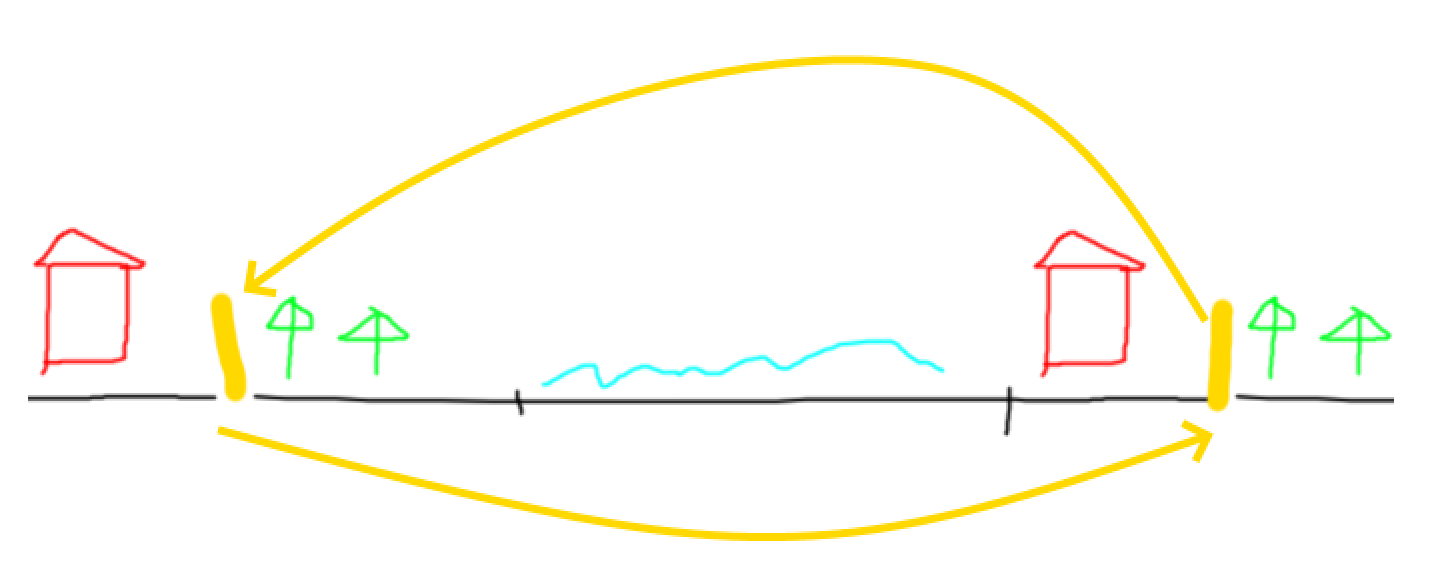
like I probably wouldn't try this teleport trick in some areas where you see whole lots of the map
bold ibex
desert python
other nice hosting services like google drive, onedrive, and dropbox all work pr...
Im tryna use dropbox for the videoplayer, this is the link im tryna use but it doesnt seem to be working
https://www.dropbox.com/s/mer1mwjee2hc0rh/SOUDIERE MIX-Ookk9f-yC3Y.mp4?dl=0
 desert python
bold ibex
Im tryna use dropbox for the videoplayer, this is the link im tryna use but it d...
desert python
bold ibex
Im tryna use dropbox for the videoplayer, this is the link im tryna use but it d...
i gotchu
https://zapier.com/learn/how-to/generate-direct-dropbox-link/ you have to change the "dropbox.com" part with "dl.dropboxusercontent.com"
Zapier
Read or Download How do you Generate a Direct Download Link to Share a Dropbox File? from our How to Do Anything in Apps e-book for FREE and start learning today!
bold ibex
desert python
i gotchu
Ahh i gotch,
Working jus fine now, much appreciated 🙏
 finite belfry
gamers
is there any way i can get in-level cameras to show up on the desktop
like a streamer camera
frigid walrus
i've been trying to fix a bunch of weird issues and now the errors are gone but the build and test buttons are gone too, anyone know what the heck is happening aaaaaa
 cunning mist
Anyone know of some good Texture Packs for worlds?
bold ibex
@supple drift I'm still getting errors after reimporting. Any ideas?
@supple drift they all day empty udonbehaviour found on _____ whatever object
The program source on the objects is empty. What should they have in them?
I am thinking something is wrong with the udonbehaviour script and that's what's messing things up.
green lagoon
cunning mist
Anyone know of some good Texture Packs for worlds?

Gist
List of websites for free PBR textures. GitHub Gist: instantly share code, notes, and snippets.
bold ibex
Like it's not assigned a program source and it's causing issues for all of the udon behavior script things
cunning mist
green lagoon
https://gist.github.com/mauricesvay/1330cc530f6ab2ef33eb6a5ea56ef5bd
Thank you.
bold ibex
Can anyone help me fix my udonbehaviour script? What is it supposed to say in the program source slot? Vrcworld? Or whatever program it is? For example if it's skeeball, would the program source for the udonbehaviour be skeeball?
 rain heart
Is ECS available for VRChat?
bold ibex
Disregard about the script. But I still need help resolving my issue about their being missing files..
green lagoon
rain heart
Is ECS available for VRChat?
nope
rain heart
green lagoon
nope
Rip
I want to build a massive open world but the performance just isn’t good enough
 frozen kernel
does anyone know how to add lasers and flashing lights into a world ?
 green lagoon
rain heart
I want to build a massive open world but the performance just isn’t good enough
green lagoon
rain heart
I want to build a massive open world but the performance just isn’t good enough
have you set up any occlusion culling?
rain heart
Ofc
The world is around 1gb so I’m thinking about adding content streaming
1gb compiled
rain heart
It’s a port

Gravity Rush VR might not be in the works from Sony directly, but fan collectives are set on making it happen one way or another.
It runs well enough atm but I think there are still stuffs we can do
green lagoon
okay yeah I could see why it need to be big then
but I do wonder if you have to slice it up to multiple Maps as most folks aren't going to download a map that's a GB
green lagoon
yeah definitely good idea to compress the textures
 white moon
Has anyone else had issues with state syncing between quest and desktop users?
I've got a checkbox that syncs weather an object is on or off globally, and it works for late joiners and everything on desktop.
But for quest uesrs joining it is inconsistent on if it works or not.
and i dont have a quest to test it out myself so not sure how to debug the issue
 violet blade
When I import the SDK3 the upper window does not appear :c
as I understood, I have an API problem, BUT WITH THE sdk2 IT WORKS
 patent yacht
anyone know of a console style prefab that shows the joins and leaves?
 tulip merlin
does anyone know how to make working guns in a vrchat world
or at least a good tutorial vid
bold ibex
Do u have any errors In ur console?
@green lagoon do you have any idea how to resolve my udonsharp issue? It's going on 3 weeks now and no one can seem to help fix it. I'm at a loss. I've tried reimporting the udon, udonsharp, and sdk folders. I've tried recompiling all program sources and clearing cache and playerprefs. I've tried uninstalling and reinstalling them all. I've tried deleting their meta files along with it. I've tried everything. Why do I keep getting errors about missing stuff on my udonsharp assets? I can't add anything udonsharp if I can't get it resolved... 😭
I've also tried importing the project into a new scene without the missing stuff.
green lagoon
I haven't really played around with any udonsharp on outside of using other people's prefabs
bold ibex
Yeah I'm using others prefabs too and they're the ones bringing up the errors. For example TV's, pens, skeeball machines.
left rain
didn't you get those assets working in a clean project?
bold ibex
left rain
didn't you get those assets working in a clean project?
I believe so.
left rain
well, one possible brute force solution then would be to create a package of the stuff in your scene you want to keep (minus these fancy assets), then import it into your clean project
bold ibex
Okay. And u do that by doing a save as correct?
left rain
you would export a custom package
basically wrap up all the objects you want to keep, minus the custom stuff you imported.
if you're lucky, it might leave behind whatever configuration issue has your current project all cocked up.
bold ibex
Jesus I would hope so.
Would I select everything with the shift key and avoid selecting any of the fancy stuff then right click and export custom package?
left rain
delete all the fancy shit. at least temporarily. just remove it from the scene. then go to Export Custom Package.
it'll take you to a window where you can check/uncheck everything that unity thinks is a dependency of your scene. browse that list carefully. only export the things that actually matter for the scene. no udonsharp shit.
should be meshes, prefabs, textures, shaders.
then, after making a backup of your clean project that works, import the custom package into it
don't include things like the VRCSDK in your package; you don't want that getting dragged along since the assumption is that you've installed it anyways
green lagoon
and you don't want it accidentally mixing two versions together
left rain
i'm sure there's a more surgical method to fixing whatever is specifically wrong with your specific scene, but without downloading the whole goddamn thing and tearing it apart myself it's really impossible to diagnose from here. hopefully the brute force method will do it and you can go back to your skee ball
bold ibex
Thanks a bunch guys I really appreciate the help sorry that it has been being a pain in the ass.
I'll let you know when I get it done whenever that is.
frigid walrus
mine was fixed after i deleted some of the newer assists i had downloaded
had the same issue 2day
 grizzled harbor
firstly, sorry for putting this in the wrong channel.. i buggered up my post so it wont let me post anymore for a week.. anywho.. ive been working on this for nearly a year now and i wanted to share some dev pictures.

 near escarp
That's looking super accurate !
green lagoon
very nice and are those rendered in unity or your modeling software
grizzled harbor
unity
green lagoon
realtime or baked lights
grizzled harbor
baked. you cant keep 90fps with realtime lights at this detail.. unless you are a master with custom shaders.
green lagoon
most excellent them that it looks so nice the lighting
grizzled harbor
thanks man :3
 wary token
grizzled harbor
firstly, sorry for putting this in the wrong channel.. i buggered up my post so ...
wary token
grizzled harbor
firstly, sorry for putting this in the wrong channel.. i buggered up my post so ...
If you ever post this to be visited please let me know
I have a thing for photorealism, would love to immerse myself in this and maybe learn a thing or two by observation ❤️
looks really good!
grizzled harbor
well i cannot promise i will tell you specifically, however ill be sure to send it through reddit, twitter and discord
and thanks man :3
wary token
I just got done with a world haha
grizzled harbor
ah cool man :3
wary token
Never would have expected to see someone post something that puts mine to shame though before coming in here 😅

My latest world is out now in VRChat! Inspired by @AbroadInJapan's video on Nakagin Capsule Tower, I wanted to create something to go to before its demolished in real life!
Cumulative updates will be added, so keep it favorited and check in!
@VRChat https://t.co/MsFECO2JdU

 Twitter
·
Twitter
·
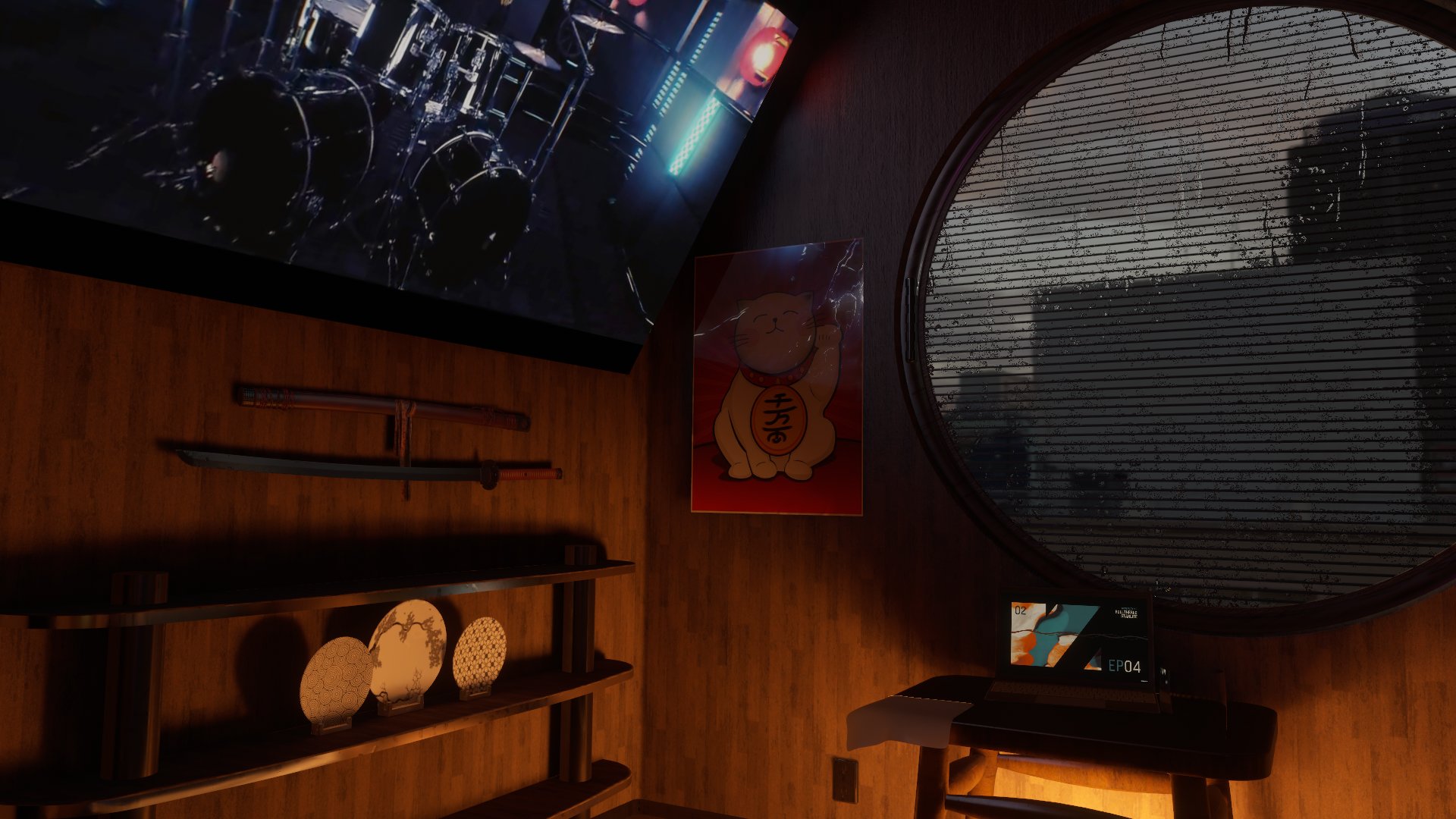

 hoary wyvern
Me trying to tell if that’s a world or irl photos:
grizzled harbor
ah cool man did you make all the assets yourself?
grizzled harbor
hoary wyvern
Me trying to tell if that’s a world or irl photos:
lol
green lagoon
Tioaoa have you added your light probes yet so the avatars can look nice in the map as well
grizzled harbor
not yet.. no point until the whole thing is done
green lagoon
yeah good point
wary token
grizzled harbor
ah cool man did you make all the assets yourself?
50/50 mostly :3
Mostly the structural stuff like the bed and the window / walls and stuff 😄
green lagoon
very nice looking map Rollthered
 pseudo jasper
Is there a simple list anywhere of the top/most impressive worlds?
Looking for inspiration to take the plunge and learn world building, but I keep just seeing partial lists scattered etc..
green lagoon
that might be a little tricky to make that kind of list if you're just looking for inspiration as different are impressive for very different reasons
is there a particular kind of world you're wanting to make
and probably good idea for your first world project to start on something small like a bedroom or a little house
so you don't overwhelm yourself trying to work on something big
nocturne isle
I tried using ProTV's music player in my world, and it works fantastic when testing it, but it doesn't seem to function when actually in VR. Have no idea what the problem is.
Seems like desktop version works fine, but it won't play properly on the Quest. Wonder if that's a harware limitation or if I just did something wrong.
south orbit
nocturne isle
Seems like desktop version works fine, but it won't play properly on the Quest. ...
video players arent quest supported
dusk sapphire
Video players work fine on quest as long as you're using direct links to mp4 files in a supported encoding such as h264
quest doesn't have access to youtube-dl so you can't link youtube links directly
 red urchin
wary token
https://twitter.com/RolltheredDev/status/1489156015958409219
red urchin
wary token
https://twitter.com/RolltheredDev/status/1489156015958409219
this is heckin amazing and im gonna check it out at some point
south orbit
yeah thats a proper way of saying it ofcourse but yea :p sadly quest cannot use static changing links while they can use presetup files but again it kinda ruins the purpose / meaning of a 'video' player like that i would say
nocturne isle
dusk sapphire
Video players work fine on quest as long as you're using direct links to mp4 fil...
Yep, that's what I ended up finding out. However, I discovered that youtube-dl has a function for creating a link that leads to whatever form of video works best for your device. By popping the original link into there and using the resulting link for the player instead, it works just fine on the Quest now.
 covert hornet
Quick question.
I'm honestly really confused.
Whenever loading one of my worlds, the water (on a plain) completely disappears however opening the world again its there.
 lyric acorn
Is there a guide to midi input not from the udon event side but midi controllers themselves. I’d like to preprogram events through midi input from a text file or something, eventually feeding back into udon to control world events
wary token
red urchin
this is heckin amazing and im gonna check it out at some point
❤️ Thank you!
wary token
green lagoon
very nice looking map Rollthered
Thanks!! ❤️ 😄
 tropic cedar
anyone know a good way to get waveform or movement based audio linking?
frigid walrus
where can i get udon sharp?
green lagoon
GitHub
An experimental compiler for compiling C# to Udon assembly - GitHub - MerlinVR/UdonSharp: An experimental compiler for compiling C# to Udon assembly
frigid walrus
green lagoon
https://github.com/MerlinVR/UdonSharp
thank you i will try that
earnest herald
Twitch chat abuses world smh, https://cdn.discordapp.com/attachments/674743931321450538/938865438685810718/eeee.mp4
frigid walrus
my mirror toggle button makes the toggle button disappear and not the mirror... what is wrong here
mild spade
frigid walrus
my mirror toggle button makes the toggle button disappear and not the mirror... ...
Check that the button is referencing the mirror and not itself.
frigid walrus
mild spade
Check that the button is referencing the mirror and not itself.
thank u i figured it out
solemn hatch
grizzled harbor
firstly, sorry for putting this in the wrong channel.. i buggered up my post so ...
This is looking awesome , I also love super realistic worlds , good to see more out there ...
It would be awesome if we had something like avatar-showcases for the worlds category to share , stuff like worlds , prop furniture , and just cool assets people are creating .
rain heart
Have anyone tried to build a massive open world ?
I want to see if there is anyway for me to optimize my world
grizzled harbor
solemn hatch
This is looking awesome , I also love super realistic worlds , good to see more ...
They technically do already
grizzled harbor
solemn hatch
This is looking awesome , I also love super realistic worlds , good to see more ...
This^
solemn hatch
Oh i didn't realize that , i thought this was more for general chat and questions
south orbit
grizzled harbor
firstly, sorry for putting this in the wrong channel.. i buggered up my post so ...
this is insanely nice and detailed, keep up ur great works
grizzled harbor
south orbit
this is insanely nice and detailed, keep up ur great works
Cheers bro
left rain
yeah for real, that material and lighting quality looks great. had to zoom in to see anything that looked "cg".
 raven jungle
heyy is there any udon prefabs for like a coin system?? like coins you can collect and it counts them
 proven glade
Can anyone link me a good baked lighting tutorial for vrc because I can't seem to remember how to do it.
green lagoon

You can support me on my pateron
https://www.patreon.com/mcphersonsound
This is a longer tutorial than normal and there is a lot to cover so here are time stamps for your convivence.
00:00 what is baked lighting
00:35 setting up lights
1:23 preparing meshes to bake
2:30 generate lightmap UV
3:28 light probes
5:10 reflection probes
6:00 emissive ...
 low osprey
is anyone here know how to set PlayerAPI[] from EnterTrigger?
bold ibex
I'm trying to make a cafe that is flying above a city, but the city cuts out in vrchat, but looks fine in the editor

 upper obsidian
bold ibex
I'm trying to make a cafe that is flying above a city, but the city cuts out in ...
bold ibex
upper obsidian
bold ibex
I'm trying to make a cafe that is flying above a city, but the city cuts out in ...
bold ibex

i ran into this problem again
can someone help?
nvm. something happened to the world. i cant open the control panel anymore
does anyone know a fix for this?
mild spade
bold ibex
does anyone know a fix for this?
Check your console for other errors, ignoring those 2 that you showed. Those happens because of other errors. Start with the top most red error. (probably something you added has a bad script)
bold ibex
well i just cant even open the contro panel anymore so im not sure
does that have a fix though?
because thats a different problem
mild spade
Some error is preventing the SDK form working correctly. SO until you fix the red errors (besides those 2 you showed) you will not be able to access the control panel
bold ibex
ok i see
i also wasnt able to build and test the world before that happened
i couldnt screen clip so ill send the full thing

 midnight tree
Does anyone know the tool used for avatar lifting in VRC worlds? Like in the Chess v3.1 by nolife there is a "loli-lift" that your avatar can slide to raise your height if you are small in order to reach the boards.
bold ibex
i think the problem was i didnt have udon sharp lmao. i imported that and now its this

@mild spade
mild spade
Hmm i am sorry, I am not familiar with those errors. It is the first time I see them.
upper obsidian
bold ibex
i think the problem was i didnt have udon sharp lmao. i imported that and now it...
The error clearly states that the UnityEngine.UI package is missing or damaged, try reinstalling it.
upper obsidian
Not a unity, but a package that is listed there.
bold ibex
I’m sorry, what’s a package? Like a thing for the assets and stuff?
I’m relatively new and don’t know the terms too well lmao
upper obsidian
 bold ibex
How do I get to that?
upper obsidian
windows - package manager
bold ibex
Ok thanks. I’ll see if I can get it to work tomorrow
 candid pumice
Okay, two questions that have to do with trees:
-
I have tree shadows rendering in real-time currently (since the trees blow in the wind and can't figure out a way to bake them even statically). However in VR, when I walk past them they disappear. I understand why they do this, but the shadows aren't out of my view yet so it's really glaring. Is there a way to change when this happens?
-
Trees de-render when moving my head while looking in a mirror. Again, understand why this happens but it's happening before I've looked away from that spot fully. Any way to change them to billboards in reflections or just not render them at all?
Note: I think this has to do with occlusion culling as adding it fixed the 'shadows disappearing when I walk over them' somewhat and now they just disappear when I move my head what I guess is considered "out of view" of them. I don't think it fixed the mirrors at all and I don't know if that's possible. Please let me know if I'm totally off base.
Edit: I'm using tree prefabs painted with Unity's terrain editor btw.
tacit sapphire
How do I remove light dots from reflective surfaces? I have glass and its reflecting my light sources as dots. I need the reflections for lights being bounced on it, but I dont wanna see the lil dot
fixed it nvm
 shy storm
How do I prevent a particle system from scaling as I get closer/ further away from it?
fierce schooner
Anyone knows how I can resize a particle system's particles ?
bold ibex
Having a couple of issues not sure how to fix them I'm new to this but I can't upload this world and now the control panel option is gone anyone know how to help

 kind portal
hi i ha a question, how do i add a random generatet sound to my world?
i watcht a Video but i gota a error

and im not sure if it works
frigid walrus
something broke when I tried to upload the world and now vrchat sdk isn't working, here's the errors... what is this?

idk what collab is
frigid walrus
I deleted collaborate and now it works
median egret
trying to use insert edge loop on probuilder, it keeps giving me object reference not set to an instance of an object. anyone familiar with it that might know what's wrong?
 indigo birch
Help i cant upload the world
 stone marsh
bold ibex
Having a couple of issues not sure how to fix them I'm new to this but I can't u...
stone marsh
bold ibex
Having a couple of issues not sure how to fix them I'm new to this but I can't u...
Ah this was cross posted. For anyone seeing this, standard assets is no longer supported and has some scripts that will throw errors in our version of unity. Deleting standard assets from his asset folder would fix the issue, you can see this reflected in the hard error.
stone marsh
indigo birch
Help i cant upload the world
Don't cross post multiple threads. Pick one and stick with it.
You may have errors in your console. Would be the easy place to check first. That's not how the upload screen should look and there's a few things that can cause that.
bold ibex
stone marsh
Ah this was cross posted. For anyone seeing this, standard assets is no longer s...
I tried it and got a couple other errors
stone marsh
Hit clear in the console
Then attempt to enter play mode
If/when it fails to enter play mode
Screenshot ALL of your console.
The other errors are prob other issues. Standard assets was unsupported none the less and was your main error in your first screenshot so it had to go regardless, doesn't mean it was the only problem tho lol
bold ibex
alright heres the other errors

 acoustic pawn
So I'm making my first world following a tutorial on yt by Iconoclass. I'm doing the textures but for some reason the walls are transparent even when the texture is not. When I test the world it is solid and fine but editing it is transparent. Anyone know how to fix?
 stone marsh
Oh nice easy, that was part of standard assets.
stone marsh
bold ibex
alright heres the other errors
Look at the two errors. Both are listing a single script as the issue,located in your sample scenes folder. Go to this script and delete it.
bold ibex
stone marsh
Look at the two errors. Both are listing a single script as the issue,located in...
alrighty ill try it thanks for the help ill tell ya if it works
stone marsh
acoustic pawn
So I'm making my first world following a tutorial on yt by Iconoclass. I'm doing...
Can the wall be scene from the other side? (Are the normals flipped in that one spot)
acoustic pawn
yes, heres a picture.

despite changing the texture to the one in the pic it still remains see through
bold ibex
stone marsh
Look at the two errors. Both are listing a single script as the issue,located in...
Alright thanks it works ima go take a look at it have a good day now
im having issues adding a horizontal edge loop to this face here. i'm following a tutorial and am not sure why its not working for me

im using probuilder
bold ibex
bold ibex
im having issues adding a horizontal edge loop to this face here. i'm following ...
For horizontal you have to click either the left or right side and for vertical you need click either top or bottom sides before adding edge loop that should work
i have no trouble with vertical. but i get that error when i try horizontal
Alright sorry if I was no help i thought that would fix anyway i hope you fix it soon
thanks
Yea
 versed plover
I took me 2 days to realize standard assets was messing with my project and for thoes 2 days I was so lost it was so anoying all I wanted was the projectors 🥲
stone marsh
versed plover
I took me 2 days to realize standard assets was messing with my project and for ...
While it's a paid asset, it's pretty nice if you want a world with a realistic projector effect for a video player. It's JP so kinda hard to find so I figured I'd share. https://suzufactory.booth.pm/items/1782044

VRChatワールド用 プロジェクター ・映像を環境やアバターに投影できます (シェーダーとの相性によって映らない場合もあります) ・物体やアバターで影ができます ・映像が変化すると光の筋も変化します ・Shaft.matとProjection.matにテクスチャを設定するか、 カメラを使ってScreenレンダーターゲットにレンダリングしてください。 カメラを使う場合はHDR, MSAAを無効にしてください。 ■ 使い方 unitypackageを取り込み、ProjectorフォルダのProjector.prefabをワールドに配置してください。 ■ 利用規約
versed plover
Well actually I was using the projects for “switching” off the bake lights using the fade texture in the asset, although I do like the look of the volumetrics there
stone marsh
ah makes sense
versed plover
Yeah, you got any others ideas maybe on achieving that effect without switching light maps in game maybe?
 lapis knoll
Hello sorry to bother but is there a fix for this? Im brand new to this and have received these errors. Thanks
 left rain
lapis knoll
Hello sorry to bother but is there a fix for this? Im brand new to this and have...
left rain
lapis knoll
Hello sorry to bother but is there a fix for this? Im brand new to this and have...
you're using the wrong version of unity
VRCSDK is for unity 2019.4.31f1
 desert agate
Heyo all! I could use some ideas for making this work. The goal is to have a sort of "noneuclidean" skylight inside this temple.

My current method is using this mirror and an inverted sky dome
but I'm having trouble making the sky dome visible through the mirror but not to the player
Putting it on its own new layer, and culling the mirror to only that layer works. But even if I cull that layer with the "reference camera", the player can still see it for some reason??
If I put it on MirrorReflection, that works and the player can't see it, but the player becomes visible through the skylight, and the sphere is visible through the other, normal mirror.
I know this is easy to do with shaders, but I want it to work on quest
I assume custom world shaders don't work on quest
I suppose, long story short, is there a way I can cull a layer from a player's view?
bold ibex
@upper obsidian hey sorry for the ping. i went into my package manager and didnt see unityengine.ui?

is this version of unity the right one?
can anyone tell me?
bold ibex
ok thanks
upper obsidian
bold ibex
<@!440919405136969739> hey sorry for the ping. i went into my package manager an...
If not, then it is missing. install it.
 upper obsidian
Yes
upper obsidian
The second option is to reset the entire package database, if there is an Internet connection, everything will install itself as it should.

 upper obsidian
bold ibex
one of those?
upper obsidian
bold ibex
one of those?
Delete \Packages in the project and \Library\PackageCache and open the project in unity
bold ibex
where is delete?
desert agate
select them and press the delete button
bold ibex
all of them?
 gusty void
Hey. sorry to bother and sort of butt in with a whole new thing,, but I've been stuck on this for like a week and I'm getting really annoyed by it
This error has appeared each time I try exporting, and I really don't get why. I don't know how to get that file to appear in my temp folder for unity.
any help?
 gusty void
bold ibex
all of them?
gusty void
bold ibex
all of them?
I think so? unsure.
upper obsidian
bold ibex
where is delete?
Delete in the project.
bold ibex
 upper obsidian
 bold ibex
oh there
upper obsidian
Remove all packages, start the unity, wait for the packages to install, install the sdk again, restart the unity.
Packages are here \Library\PackageCache , their database is here \Packages ,Delete both.
bold ibex
yeah i found it
you didnt mention file explorer so i thought it was somewhere in the unity project
so close the project, delete all the files, reload the project?
because i did that and opened the project again and none of them were deleted
bold ibex
thats what i did
it didnt do anything


all of them reinstall but nothing happens
So like
I forgot how I did it myself
but the VRC SDK console won't put up idk. I've tried reinstalling, validating files. I'm unsure what to do.
upper obsidian
bold ibex
all of them reinstall but nothing happens
To restore packages to their default state, their database must also be deleted, I wrote about this.
upper obsidian
bold ibex
all of them reinstall but nothing happens
Remove all packages,Open project in unity, wait for the packages to install, install the sdk again, restart the unity.
Packages are here \Library\PackageCache , their database is here \Packages ,Delete both.
upper obsidian
@bold ibex I don't know what you are doing there, and what else in the project can be a problem. Is it possible to send me the entire project as an archive?
bold ibex
how about we can try getting into a discord call and i can share my screen?
i tried making a new one and i cant even import the sdk3 there
upper obsidian
bold ibex
how about we can try getting into a discord call and i can share my screen?
I am without a microphone, and does not speak English. It will be difficult and long.
upper obsidian
bold ibex
i tried making a new one and i cant even import the sdk3 there
In an empty project where only one SDK already has errors right away?
bold ibex
upper obsidian
I am without a microphone, and does not speak English. It will be difficult and ...
Oh ok
bold ibex
upper obsidian
In an empty project where only one SDK already has errors right away?
I just made a completely new project and tried importing the sdk
ok i restarted literally everything and i think it kind of helped
i think i like updated unity hub or something im not sure but i restarted my computer and it seems to have fixed it?
bold ibex
everything works except for when i try to build and test it
can someone help?

this is what appears at the bottom
@mild spade could you help?
sorry for ping
mild spade
bold ibex
Any other errors? that "...does not exists" error is caused because you have other errors. Did you manage to fix the Unity UI problem?
bold ibex
i just started a new world and that seemed to fix everything so far...
ill see the other errors
is the top error the one i should prioritize?

these are the top ones
not sure if any of those mean anything to you
mild spade
hmm Try using the default Layout. https://i.stack.imgur.com/ItfRl.gif
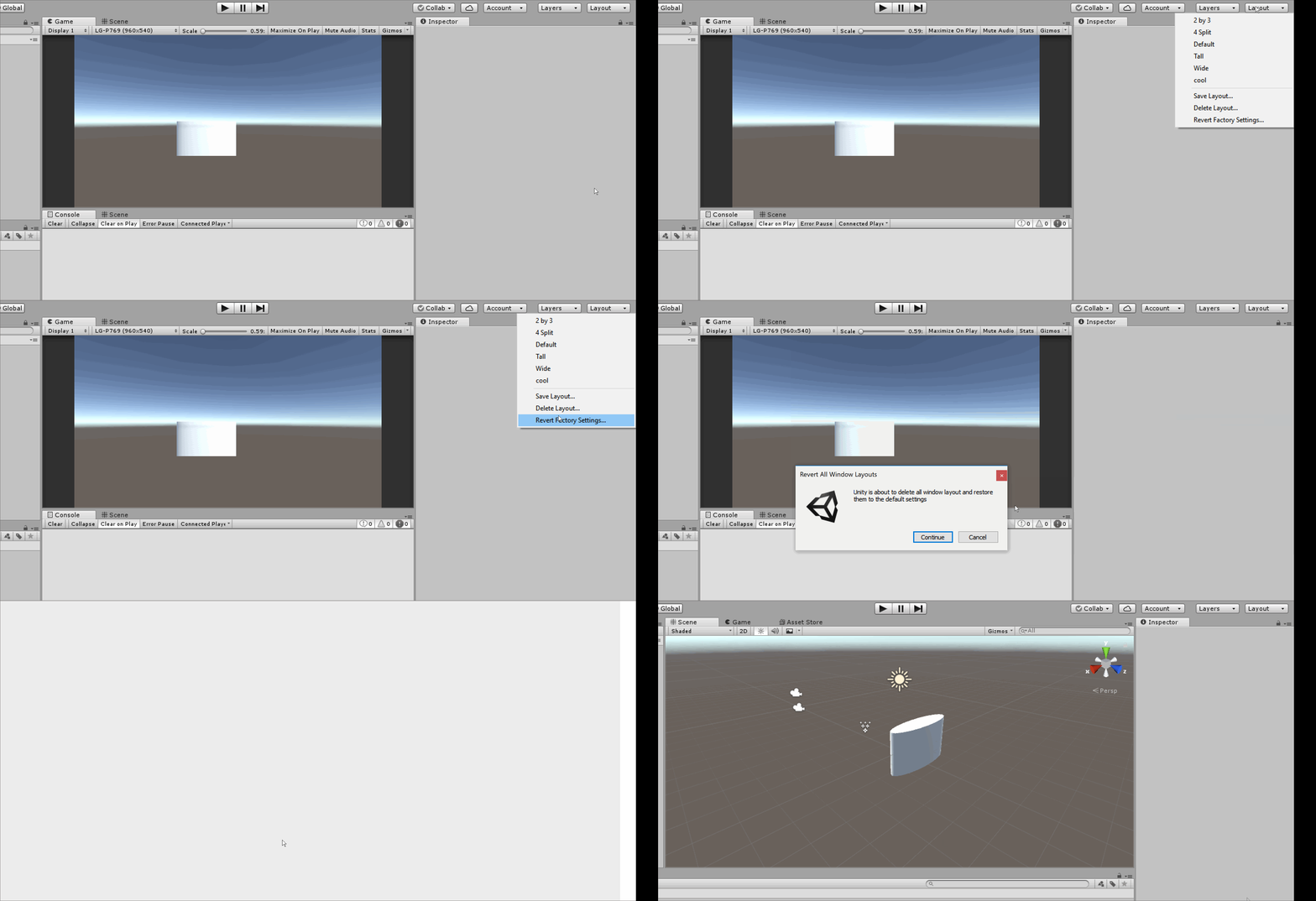
 gloomy hollow
anyone good with optimizing worlds and got some tips? for some reason my world is 200mb and I wanna like drop it to between 70 to 100 mb. Any tips?
bold ibex
mild spade
hmm Try using the default Layout. https://i.stack.imgur.com/ItfRl.gif
i was already using it i think
it didnt work
theres less errors though lmao
before there were 300+
now its 30
green lagoon
https://github.com/oneVR/VRWorldToolkit this tool has a function that shows you what's taking up file size and also to compress all textures on your map

GitHub
Unity Editor extension for making VRChat worlds. Contribute to oneVR/VRWorldToolkit development by creating an account on GitHub.
bold ibex
hey @mild spade are you available for a call?
mild spade
I cant sorry. Those errors seem like general Unity errors and not related to the vrchat sdk. You could try searching for those errors on google. Do you remember when those errors started appearing? it is always a good idea to always check for errors every time you add a new asset/package to your project