
#world-development
39 messages · Page 108 of 1
 full sluice
 crimson trench
How do you make a pickup
 solemn barn
Is it frowned upon to publish in-progress worlds? The community seems pretty open ended within the regular vrchat content rules so I figured it would be fine.
 dusk sapphire
There is nothing stopping you from uploading a world that is nothing but a plane and a sky box. However, keep in mind that when you publish a world it goes to community labs first, and first impression is a significant factor in graduating from labs to a public world quickly.
solemn barn
Thanks for the heads up. I've got a simple project going and I wanted to find out if it was worth uploading iterations for feedback so that's very helpful info.
 cobalt smelt
Would anyone be able to point me towards assets or guides to make animated textures which are compatible with VRChat? My guess would be that I need to convert the animation frames into one, long texture and then make a shader that offsets the texture sampling based on time, but at the same time, it seems like there should be a more efficient method than doing all that from scratch.
 unkempt turtle
crimson trench
How do you make a pickup
unkempt turtle
crimson trench
How do you make a pickup
sell, basically you got your object, add a box collider on the object and add the vrc pickup component. if you want it to be synced globally, add a empty udon behaviour and tick the sync position checkbox
 mild spade
unkempt turtle
sell, basically you got your object, add a box collider on the object and add th...
mild spade
unkempt turtle
sell, basically you got your object, add a box collider on the object and add th...
they changed the way you sync object´s transform in udon. You can now add an Object Sync component like the old sdk since the udon behaviour doesnt have that checkmark anymore
unkempt turtle
oh? i remember it that way from my last bigger project, guess because it was pre-sync update 🤷
crimson trench
So my world just says "open to friends"
 copper cobalt
Can someone help me? Very simple objective, when the player touches the Collider / RigiddyBody of this object he will be teleported to the place where the Transform of this Empty is. But when colliding, nothing happens.
 mild spade
copper cobalt
Can someone help me? Very simple objective, when the player touches the Collider...
mild spade
copper cobalt
Can someone help me? Very simple objective, when the player touches the Collider...
There is a special event node for when the player enters a collider. It is called OnPlayerTriggerEnter (you will need to check the "isTrigger" on the collider for this to work) You will also need to make a branch so that only the local player gets teleported and not every player that sees the event.
copper cobalt
mild spade
There is a special event node for when the player enters a collider. It is calle...
I will try! Thank you very much!
 bold ibex
Is there a way to make HTTP calls in sdk3 worlds
 coral magnet
bold ibex
Is there a way to make HTTP calls in sdk3 worlds
coral magnet
bold ibex
Is there a way to make HTTP calls in sdk3 worlds
Try video players. I used them in a prefab to do analytics
 warm bear
Is there a simpler way to make rpg dialogues in unity for npc's in worlds?
 kind leaf
was about to say enums until u changed it 😛 Ied use an array with a tacky long if else tree
warm bear
well its not just npc, but like can appear randomly too, i'll check this led
not sure where to find led
kind leaf
I'ed* I would use an array with an if else tree
kind leaf
coral magnet
Try video players. I used them in a prefab to do analytics
that was a neat prefab, it's just binary though right? sending info on if the object is on/off. Do you know how to send displayNames and variables values using the videoplayer?
coral magnet
That's not possible
All URLs must be in the build, you can't make your own at runtime. Unless the user types it into an input field
kind leaf
yeah I didnt see your fax output, just read the readme and checked the scripts out. That makes sense. Would need 1 url per player and they would end up being indistinguishable without the ability to know who is who on the google doc.
the idea was to use the method as an online leaderboard as it is possible to use it as a score tracker. but without variable its impossible to keep it organized.
coral magnet
I use the preabs for seeing how many players read the tutorial, fall off the worlds... Even have a small survey with upvote and downvote buttons
Squat Racing also alerts me if someone beats the world record
kind leaf
trigger up, if player passes the trigger in < record time, toggle off? yeah. I was going to use it for binary scoring, was just hoping it had more flex. It is an incredible setup though.
bold ibex
coral magnet
Try video players. I used them in a prefab to do analytics
That only works if unsafe URLs are enabled right?
coral magnet
bold ibex
That only works if unsafe URLs are enabled right?
Yes. Though I show a notification to players if the setting is off
 static rose
My world shows up as released Private. but its not under "Mine" in game how can i go to it?
kind leaf
does it show up on the website under the worlds tab?
 kind leaf
post the world id please
static rose
wrld_b4778901-0566-4fcf-92f0-f010efad1e96
kind leaf
https://vrchat.com/home/world/wrld_b4778901-0566-4fcf-92f0-f010efad1e96 its there, for pc only

Astral City Lounge Hangout
static rose
why couldnt i find it?
static rose
As i was off by 1 version number.
kind leaf
yeah, tried to join ^ its broken as Temp is pointing out
kind leaf
install the correct version and use the version dropdown beside your world in the hub to downgrade and pray. Make a backup first. https://docs.vrchat.com/docs/current-unity-version should read the startup docs 🙂
VRChat
This page lists the current Unity version you should use when creating content for VRChat, as well as links to the correct version for both Unity Hub and direct downloads. Current Unity Version The current Unity version in use by VRChat is Unity 2019.4.31f1. Ensure you are using this exact version! ...
 sudden lily
Okay, I need a sanity check; If I've turned off literally everything in a scene they shouldn't still count towards the world size, right? I've pared my world back to literally just a plane to try and hunt down an errant file size increase from 160mb to 200-ish but that damn number sure isn't budging.
kind leaf
disabled items are loaded into the scene just disabled. If you want them not to count you have to delete them from the scene
sudden lily
Ahh, cheers.
kind leaf
also, just reduce your texture scale(resolution) the difference between 2/4k and 1 k is huge and not too bad on resulution.
dusk sapphire
go grab vrworldtoolkit which can show you a breakdown of asset sizes https://github.com/oneVR/VRWorldToolkit
sudden lily
Oh I already do all that, Kev.
dusk sapphire
also if you want to test, don't delete items from the scene, just set them as editor only, it'll be easier to undo
static rose
okay
so i downgraded and reuploaded
and i think it still doesnt work
See its downgraded and it still uploaded as 32

 fossil hull
I'm facing an odd issue where an object doesn't get rendered in vrchat (does work in editor/play mode). I can't explain to myself why. The setup is pretty simple:

I know that it should work, because the collider (identical mesh as a child) does block me from moving. It's just the rendering. I have another setup like this that does get rendered. Just this one doesn't for some reason. The settings in the inspector are identical (except for mesh references of course).
If anyone has ideas why this might be happening, do tell me.
static rose
my world just loads says go then goes black and kicks you back to orginal home
anyone
wrld_323c9fb2-77d5-46ee-8e2d-ac12c7d6a27b
bold ibex
 thorny zodiac
DOes anyone know how to like have ur world in private?
thorny zodiac
DOes anyone know how to like have ur world in private?
I dont understand your question
you would make an invite only instsnce ingame for any world if you want it to be private
if you want your world you upload to be private to you, just upload it but dont ever put it to community labs
thorny zodiac
talking about having ur world in private meaning no one cant go in world and say like everyone else world when they have it private
ok
thorny zodiac
ya i know the world i want to have private is one my first build i did months back i didnt finish so i need it to have it close
months
no i need world only private but i dunno where to take it off public
static rose
bold ibex
turn your status ingame to orange or red
do you know what would cause my problem?
 stone marsh
thorny zodiac
no i need world only private but i dunno where to take it off public
stone marsh
thorny zodiac
no i need world only private but i dunno where to take it off public
You can set your world to private again on the website or by reuploading it.
Clicking on your world in the world's tab on the website will give you am option in the top right to set it to private
This will remove it from labs/public access
You will have to re submit it to labs when you want it to be public again
thorny zodiac
static rose
my world just loads says go then goes black and kicks you back to orginal home
i had that issue with world i have when i had this bug that doesnt show on my unity ver and the name on my world just be blink so do that fiixing just have to remove pipline and then try to upload it
Ok MERC
problem is i hope it doesnt go in to lab when its been all ready compete from labs
stone marsh
If you make it private. It will go through labs again to be public
fossil hull
stone marsh
Clicking on your world in the world's tab on the website will give you am option...
That's interesting. I don't see those options in the sdk 🤔
stone marsh
You have to submit to labs each time you make a world public
stone marsh
fossil hull
That's interesting. I don't see those options in the sdk 🤔
I was talking about the website wtf?
In the sdk it's only available during upload
fossil hull
I meant to say, it should be in the sdk without uploading it, just like avatar options.
thorny zodiac
i remember use show it for sdk 2
but im guessing got taken down one point
it was under the world and there another folder for it with it that
but dont see it anymore in there
unless only for sdk 3
stone marsh
That doesn't make any sense I'm sorry
thorny zodiac
there was another thing next to where vrc world
give me min let me upload something and take pic of folder
stone marsh
I have no idea what you're talking about. Been uploading content for like 4 years
Regardless. I mentioned the two options u have to set a world to private.
They've been the same two options for years
Basically as long as the labs system has existed that's how it's been done xP
fossil hull
fossil hull
I'm facing an odd issue where an object doesn't get rendered in vrchat (does wor...
I fixed it by recreating my mesh in probuilder. Same inspector settings, same setup, this time it does work.
I was previously reusing a collider to make a mesh, but although I removed all scripts and colliders it was still not rendering it. So my guess is that probuilder does some weird stuff in the background when you set a mesh as collider.
thorny zodiac
oh reminds me
anyone know how to even do collider for bed
or table
because keep failing that
static rose
just make it a convex collision or mesh
stone marsh
Add a mesh collider. That alone should be sufficient
Using a box collider would be best. But you'd need to position it so it's just the bed portion or table top assuming they are rectangular
thorny zodiac
ok
there use to be another thing before update it so u can put it in private or public before u upload it. Gives u two screen that was annoying at the time

 analog wyvern
How do u make complicated/curving box colliders? i have a spiral staircase that might be tricky to make work/collidable
stone marsh
analog wyvern
How do u make complicated/curving box colliders? i have a spiral staircase that ...

Use a mesh collider
analog wyvern
its all glitchy and triangular tho
I dont think id be able to use it
guess ill manually try to make box colliders for it
stone marsh
Glitchy and Triangular? you can't really see the collider so Idk what you mean
Like the stair case itself is glitchy and triangular? because it shouldn't matter. It just takes the mesh and creates a collider using the mesh.
You should not be checking the box "convex"
stone marsh
yea, Convex will make a collider around the mesh limiting it to 255 tris. It's meant to reduce collision checks for high poly items, as well as allow collision with other mesh colliders, you don't need either of those for a spiral staircase.
Just know however, it has to be tall enough to fit the player capsule while walking up said stairs
 hollow raptor
anyone know why my scene view looks like this. when i press play everything looks fine

same stage in play mode
 bold ibex
Is there a easy/quick way to add faces on the back when using probuilder? Otherwise the small visible outside bit looks a bit questionable

 near escarp
If you don't plan to texture them differently than the interior, then you can just disable backface culling the shader you'll use
bold ibex
And if I'd want to texture them differently? The quickest thing that came to mind was just clone and flip
near escarp
Yep that'd do it
bold ibex
cool
 sour pumice
Anyone know what I may have missed here where when at a distance, the clear windows behind show though but when close, does not?

 analog wyvern
whats the recommended resolution for skybox images on quest? I want to look decent if possible
 worldly hull
Can someone help me with my world? I uploaded it onto community labs and was able to see it in the world browser. But when I joined the world, I got sent to the VRC Home world instead.
It worked fine when i was testing it before
kind leaf
worldly hull
Can someone help me with my world? I uploaded it onto community labs and was abl...
https://github.com/oneVR/VRWorldToolkit
check world debugger
possible spawn missing or collider under spawn
And don't upload to labs until your private upload is perfect to avoid the rush for a fix.
GitHub
Unity Editor extension for making VRChat worlds. Contribute to oneVR/VRWorldToolkit development by creating an account on GitHub.
full sluice

I added this Video Player in my World But I can't click on the Buttons. How do I fix this?
stone marsh
That is a super old player. Are you using UDON?
stone marsh
If you're using UDON then yes, there are. If for some reason you're making a new world using SDK2 (you really shouldn't be) then no, not really, nobody actively develops SDK2 video players anymore.
This is probably the best free video player right now that's actively developed. There are a few others as well. But it requires you use UDON and will not work if you're using SDK2. https://booth.pm/en/items/2536209

Ready-made video player solution for VRChat w/ Udon. Requires SDK3.0[Udon] (last tested w/ v2021.09.30.16.18) and Udon Sharp [U#] (last tested w/ v0.20.3). Recommend Unity 2019, 2018 works but might have some issues during import (MAKE SURE YOU HAVE THE LATEST U# VERSION). View the README.md file in
full sluice
stone marsh
If you're using UDON then yes, there are. If for some reason you're making a new...
How do I know what SDK I am using?
stone marsh
full sluice
How do I know what SDK I am using?
check the name of the SDK you downloaded. Will say SDK3 or SDk2 at the start of the file name. Also, SDK3 will have the UDON folder in your assets folder among other things that are obvious.
full sluice
Ok I have SDK3
stone marsh
Then def try using the player I linked. He has a discord just for his assets too linked in the description
 crystal hazel
This is likely an overwhelmingly simple question, but one that has been at the back of my mind for awhile. Do areas of a world that are set to be toggled off when not in use have a significant hit on overall performance? Assuming the two areas use a lot of similar textures / models that are batched.
stone marsh
crystal hazel
This is likely an overwhelmingly simple question, but one that has been at the b...
If you're turning off the gameobjects themselves so that UDON behaviors can't run, then the overhead should be fairly minimal. If you're using occlusion culling, Far clip, or LOD to cull, then you're scripts will still be running as those only cull meshes.
full sluice
stone marsh
Then def try using the player I linked. He has a discord just for his assets too...
How do I use it?
stone marsh
full sluice
How do I use it?
by joining his discord linked in the description if you have questions/issues
It's just a prefab tho. Drag/drop into scene and place where u want
crystal hazel
stone marsh
If you're turning off the gameobjects themselves so that UDON behaviors can't ru...
Noted! That answers my question. Thank you so much!
full sluice
Why Can't I build and test my world????
stone marsh
If you're having issues with that asset, you might want to join his discord and get directed support.
speaking generally however, odds are you have a script error. Your console will show you all your errors. Only the red stop sign errors matter.
full sluice
Welp Restarting it made it worst since now I can't get my VRChat SDK menu back
kind leaf
The old video player looked like an sdk2 2018 prefab. make sure it is removed from the project. Also, CP wont show if you have compile errors
protv also required U# if you didnt import it already do so https://github.com/MerlinVR/UdonSharp

GitHub
An experimental compiler for compiling C# to Udon assembly - GitHub - MerlinVR/UdonSharp: An experimental compiler for compiling C# to Udon assembly
full sluice
Oh ok
stone marsh
you should consider joining that discord for further help with the asset xP
Always make sure you read the dependencies of an asset/prefab
analog wyvern
i teseted my world and its a bit smaller than intended, whats the best way to scale it up to avg height/size
stone marsh
analog wyvern
i teseted my world and its a bit smaller than intended, whats the best way to sc...
Ideally you should adjust the scale of items on the FBX import screen for each FBX in your world.
however, You can pretty much just select everything in your scene and scale it up using the scale tool.
Average VRC height is around 1-2m. player capsule is 2m. spawning a capsule or just dropping an FBX of a model into your scene can make decent size reference.
 zenith solstice
Does anyone have any issues with Wolfe's video player while having multiple players? for some reason the starter video is white in one while the other works fine
I have set multiple textures for each as the website instructed and they work fine but the starter video doesnt play automatically for one (which worked fine before the second). And they work fine independently when i put a video to play on them
stone marsh
zenith solstice
Does anyone have any issues with Wolfe's video player while having multiple play...
If you scroll up a few posts, I actually just shared a link to ProTV. Wolfe's player is kinda dated. ProTV can do what you're trying to do out of the box.
analog wyvern
stone marsh
Ideally you should adjust the scale of items on the FBX import screen for each F...
alright i did that, now my model positions are wack but ill fix em
speaking of which is a music player possible on quest? i know media doesnt work but does music work? I wanna try to make several song selections
zenith solstice
stone marsh
If you scroll up a few posts, I actually just shared a link to ProTV. Wolfe's pl...
ah, let me take a look, i'm new to vrchat
stone marsh
zenith solstice
ah, let me take a look, i'm new to vrchat
If you have any issues with it, he has a discord link in the description on the Booth page to his discord server so you can get pretty good support with it
kind leaf
zenith solstice
Does anyone have any issues with Wolfe's video player while having multiple play...
The Wolfe player actually receives updates lol and no I have not had that issue with multiple players. Make sure the second one has its own screen material and is properly linked to the 2nd controller. If the 2nd player is sharing linkage with the first you will have issues.
stone marsh
Well sure. Just nowhere near the frequency and has a prefab already setup to do exactly what they wanted which is why I mentioned it. Of course Wolfe player will do what they need as well, but easier to just say use this, it's already setup for that, than explain how to do it and to troubleshoot what they did wrong in multiple steps.
Besides. ProTV is objectively better
kind leaf
100% agree. ProTv is feature rich 🙂 Wolfe doesnt need updated as frequently. And it might be better 🙂 I just stick with what works for me 🙂 I do enjoy the ProTv tho just wont give up on a sure thing and ive written so many mods for the wolfe player for myself lol.
zenith solstice
Protv worked flawlessly
I guess I'll stick to it
But Wolfe is ok, it was just being wonky with the auto play with multiple sources so meh, whatever works works. But I have no issue with it and it's pretty well designed
 patent wave
is there a way to get better quality audio from udonsyncplayer? it sounds pretty muddy. no effects, everything bypassed.
 covert copper
hello everyone. I'm a beginner to VRChat, what version of Unity should I use to Create my world? The recommend version(20194.31f1) got error: 'PlayerSettings' does not contain a definition for 'SetVirtualRealitySDKs' when I import the sdk.
oh sorry, nerve mind, I use the wrong version

 stark ermine
Hey, does anyone know a way to convert Source maps (Made in Hammer, in my case the CSGO Insertion 2 map) into a Unity map?
 odd wharf
You can convert Source maps into .OBJ I think
stark ermine
Okay, will try
near escarp
Sounds like a job for pragma engine
 true knot
Source 🤢
 deep hamlet
Can I use Unity to bake lighting with overlapping UV's?
I've heard Unity generates it's own light baking UV maps
Not quite found my answer in the Unity documentation, unless I'm missing something
 ruby jay
deep hamlet
Can I use Unity to bake lighting with overlapping UV's?
ruby jay
deep hamlet
Can I use Unity to bake lighting with overlapping UV's?
uv2/light map uvs must be non-overlapping
a mesh has export settings, you check Generated Light Map UVs in it
if unity outputs insufficient results, i would recommend generating a second set of uvs in a 3d editing software (e.g. blender) as you can properly do uvs there
deep hamlet
ruby jay
uv2/light map uvs must be non-overlapping
a mesh has export settings, you check...
Thank you! I'll keep that in mind
ruby jay
oh, and to directly answer your question, unity won't generate anything implicitly, that's what i meant by using the mesh export settings
deep hamlet
Dw, I got that bit, I can just create a new UV map I intend to use just for light baking like I do with normals I suppose
ruby jay
normal maps and uv maps are very different
unity will bake the textures for the lighting using the uv2 set/map
while shaders (this is not a hard-rule but the standard) use uv1, your mesh needs uv1 and textures
while light mapping only requires uv2, either generated by you or letting unity generate them
deep hamlet
Oh no, I mean I sometimes will create a separate UV map for my normals in some instances, say I'm using a trim sheet with details like screws and bolts, I'll just create UV islands over whatever piece of the normal map I need
ruby jay
okay, i understand
deep hamlet
Shame Unity can do that but doesn't support UDIMs
 warm rose
hello I finally got an world to work for me lol (started an new one)
 next goblet
why can’t i upload worlds
bold ibex
next goblet
why can’t i upload worlds
Can you be more specific on whats stopping you?
next goblet
bold ibex
Can you be more specific on whats stopping you?
idk i got the sdk (3) i made it with unity 19
bold ibex
wym idk
unkempt turtle
which unity version did you use exactly
bold ibex
are you getting a prompt thats telling you your account isnt trusted enough?
do you have an error in your console preventing your upload?
next goblet
unkempt turtle
which unity version did you use exactly
i think the old one
next goblet
bold ibex
are you getting a prompt thats telling you your account isnt trusted enough?
i’m ved
unkempt turtle
you need to use Unity 2019.4.31f1
unkempt turtle
cant you log into tve sdk then?
next goblet
tve?
bold ibex
the
unkempt turtle
typo because of phone keyboard
bold ibex
we are trying to go through literally everything that might be the reason because you arent being specific on the problem
unkempt turtle
did you upload it to the correct platform?
bold ibex
relogin to vrchat and make sure you login wit the account you uploaded
next goblet
i have other worlds so it couldn’t be that
bold ibex
even if the world is borked it should still show up in the mine row
unless you uploaded it with the wrong unity version but you said its the right one so
next goblet
i think i didn’t wrong unity because it tells me to update it
bold ibex
next goblet
i think i didn’t wrong unity because it tells me to update it
Can you open your unity project, and then screenshot the topmost bar for me? it tells the true U version
bold ibex
sometimes if you install a version incorrectly, like over a previous one, it thinks its a different version in unity hub but once its an open project its revealed
revealed being it will@show the true version
next goblet
@bold ibex send here?
bold ibex
next goblet
<@456226577798135808> send here?
yes
next goblet
it’s the quest version
unkempt turtle
wrong version
next goblet
bruhhhhh
next goblet
bruhhh
unkempt turtle
🤷
bold ibex
vrchat docs has a handy thing
unkempt turtle
its in the docs
next goblet
that’s were i got it from tho 😔
bold ibex
google "vrchat docs unity version" then clic this

did u click this one
also if you got it from the docs like a month or so ago it would be an older version
next goblet
thanks
bold ibex
and make sure you got the most recent VRCSDK 3.0 worlds and worlds only else it will break wit avatars 3.0
old VRCSDKs were made to work with the unity version that was out at the time, so using them now can very well break stuff
same thing if u use new VRCSDKs with old unity versions
lots of information!!
 hazy pebble
is 128k a fair quality for inworld audio?
 bold ibex
hazy pebble
is 128k a fair quality for inworld audio?
bold ibex
hazy pebble
is 128k a fair quality for inworld audio?
I mean listen for yerself and see if that is too bitcrushed for ye
best way to tell i recoon
yknow once its in game, dont just play the audio and call it a day
hazy pebble
maybe I should ask a different way: is 128 common? I'm no audiophile, can't really tell the difference :c
stone marsh
hazy pebble
maybe I should ask a different way: is 128 common? I'm no audiophile, can't real...
128 is normal for streams, videos, most content.
 warm sparrow
Anyone know any good world prefabs people have made that are public
 green lagoon
 dusk summit
Anyone had problems with post processing since last build? It works, appears normally like in all my worlds, but when people take pictures (including myself) the post processing just isn't there in the pictures :/ I haven't updated any of my other world's SDK for this reason and I have not figured out the cause of this
I didn't make a canny yet because I wanted to double check it's not my fault, thr post processing is on the water layer and is correctly referenced in the main camera, is not animated, and appears correctly in desktop / VR but is not visible on the main camera preview & when taking pictures
near escarp
Which post processing effects do you use ?
dusk summit
near escarp
Which post processing effects do you use ?
I use temperature, EV & bloom.
near escarp
Have you tried with only bloom ?
dusk summit
near escarp
Have you tried with only bloom ?
nope, no post processing when using the vrc camera no matter if it only has bloom or both


in desktop capture F12 works fine
first post proc + bloom second only bloom


main camera's on default layer, both PP & camera are under an empty object but didn't seem to change anything when in hierarchy's root
boosted the bloom to be more visible, originally at .12
near escarp
Thanks, will ask the engineer working on the camera to look into it
fossil hull


I did feel like bloom disappeared for me in the game.
Wasn't sure and haven't tested it yet though, I only have very little as you can see in the screenshots
dusk summit
yea this world's project was made after the camera update (i remade it from scratch bc of issues with bakery & my files), and it just plain doesnt show up with the new camera
near escarp
Are you using Unity's fog ?
dusk summit
no

in case that'd matter, beside clipping planes everything is default, same settings as my other 5 worlds
all those are also on 2019, but not latest SDK
didn't make a canny bc for some reason doesnt show up in the camera preview either, but that's always been this way and shows up fine in play mode
 near escarp
Have you tried making an extremely simple world with the newest and any previous SDK with just bloom to see if that seems to be the issue ?
 swift trench
does this look like a clear sign?
 dusk summit
near escarp
Have you tried making an extremely simple world with the newest and any previous...
dusk summit
near escarp
Have you tried making an extremely simple world with the newest and any previous...
i can update my synth cube rq but gotta update unity too & a bunch of addons, give me 10 and i'll post results
ye nvm
same here


this project is on 2019.4.29f1, sdk 2021.08.04.15.07
just checked another of my world and same thing
near escarp
So it's not just the latest sdk then
dusk summit
yup, just havent been taking pics much lately, trying to find one that works
okay this one the pp works but not bloom
 near escarp
So it's bloom specific ?
dusk summit
2019.4.30f1, opening the project
on 3 of my worlds it hides all post processing
this one is bloom only
this one is on 2021.07.23.18.12
near escarp
bloom is pp though, I can't see how it could only have an effect on some of them
If you can write up a canny with all that info, we can then keep you and others updated on the progress
dusk summit
ah, just checked, i don't have pp beside bloom in this last one, that's why
sorry x)
okay, gonna try to explore other worlds to get some info
yup, gone on cam from a 2 year old world too


alright i'll put all that into a canny
 rocky ermine
Does anyone know if there is a way to create a portal in a world that leads to a Friends+ version of it or does the portal have to lead to a public instance? Like say you have the world id, can you put that in the portal maker and use some argument to turn it into a friends+ or invite+?
hazy pebble
stone marsh
128 is normal for streams, videos, most content.
thank you
 foggy spire
hey Is there a way to place something down in my vrchat unity map that shows me if my map to the right size for avatars to move around in? (i used to use the vr chat tutorial avatar model from SDK2 to do sizing but now thats gone)
green lagoon
if it's helpful the capsule collider for the avatars in vrchat are two meters tall
foggy spire
ah thank you
 peak flicker
My friend mentioned that they can't set the world that I created as their home world. They say it's grayed out. Is there a setting I'm supposed to change to allow them to make it their home world? I can't find much info on that
green lagoon
have you published the world to the community lab yet
peak flicker
Yeah it's published and set to public
green lagoon
no clue then
peak flicker
:c
bold ibex
peak flicker
My friend mentioned that they can't set the world that I created as their home w...
I dont think you can do that wit worlds in community labs anymore, I tried recently for a cool one but nop it was greyed out
peak flicker
Oh
What's the other option instead of Community Labs? I assume it has to do with rank, right?
bold ibex
peak flicker
What's the other option instead of Community Labs? I assume it has to do with ra...
there is: upload (private) not community labs; upload (public) up for community labs; upload (public) upload (an update) for a world that already made it through community labs
community labs is a buffer for public content, to make sure the bad and crap stuff gets sorted out
worlds submitted to labs will eventually leave labs and become normal public worlds
the more activity they get generally the faster they will graduate from labs
analog wyvern
whats a good way to get activity? also can i update a public world that is still in community labs?
bold ibex
analog wyvern
whats a good way to get activity? also can i update a public world that is still...
a good way to get activity is to have your friends play it in wit u when ur on, or just have a generally cool world, also packing the world with avatar pedestals with swick avatars is good too
You can update a world that is in labs, and it will stay in labs
it wont knockout
analog wyvern
oh alright, whats the difference in having it reach public then?
bold ibex
once its through people can set the world as their homeworld and its easier to search
vrchat does have a community labs search but
it sucks
its so unreliable for me
either labs worlds dont show up or end up bottom of the list
analog wyvern
yea ive dealt with that before lol, I really wanted to make my world my home world, is that not possible if is not public?
analog wyvern
hm, ill try it out once i release it
bold ibex
oh you can make your own worlds homeworld, but with others it doesnt seem to work
it doesnt evn need to be in labs or public
analog wyvern
ah alright, well thank you very much for the info
bold ibex
no problem
 scenic plaza
What is the general go-to for a mirror material that reflects the environment?
green lagoon
pretty much any super shiny material will reflect a reflection probe
so you can just use like the standard Shader with a smoothness of 1
 rain radish
any help ?
 near escarp
unity console errors ?
rain radish
near escarp
unity console errors ?
 near escarp
can you go all the way up the console to find the first errors
rain radish
 near escarp
how out of date is your sdk2 ?
rain radish
VRCSDK2-2021.11.08.14.28_Public
near escarp
Did you try importing other things in your project ?
rain radish
no
near escarp
what did you do before it stopped working ?
rain radish
its actually premade world i just download it from a friend and i put the sdk first and then i put the unity project and tried to upload it it wont work
near escarp
Are you sure that's the SDK they had made the world with ?
rain radish
they told me its sdk2
near escarp
yeah but you'll need to use the version they were using
rain radish
ohhh im not sure tbh what it is
near escarp
make a new project and start with that, hopefully will work
they'll have to tell you the version they used
and give the unity package for that version
rain radish
ok sure thank you for your time ^_^ ❤️
 meager anvil
Do mirror toggles have to be cubes? I set them as plushie prefabs in my world and they don't seem to work
near escarp
they can be literally any object as long as they're setup correctly
meager anvil
I see! Thank you! I must have broke them then xD
These are my buttons and Udon scripts!


 green lagoon
that's a cute way to toggle mirrors
meager anvil
Aw thank you! ^^
near escarp
Where are your trigger components ?
meager anvil
Oh, I'm not sure! I had just followed a YT tutorial as I've never used Udon before
Where would I put/find those?
near escarp
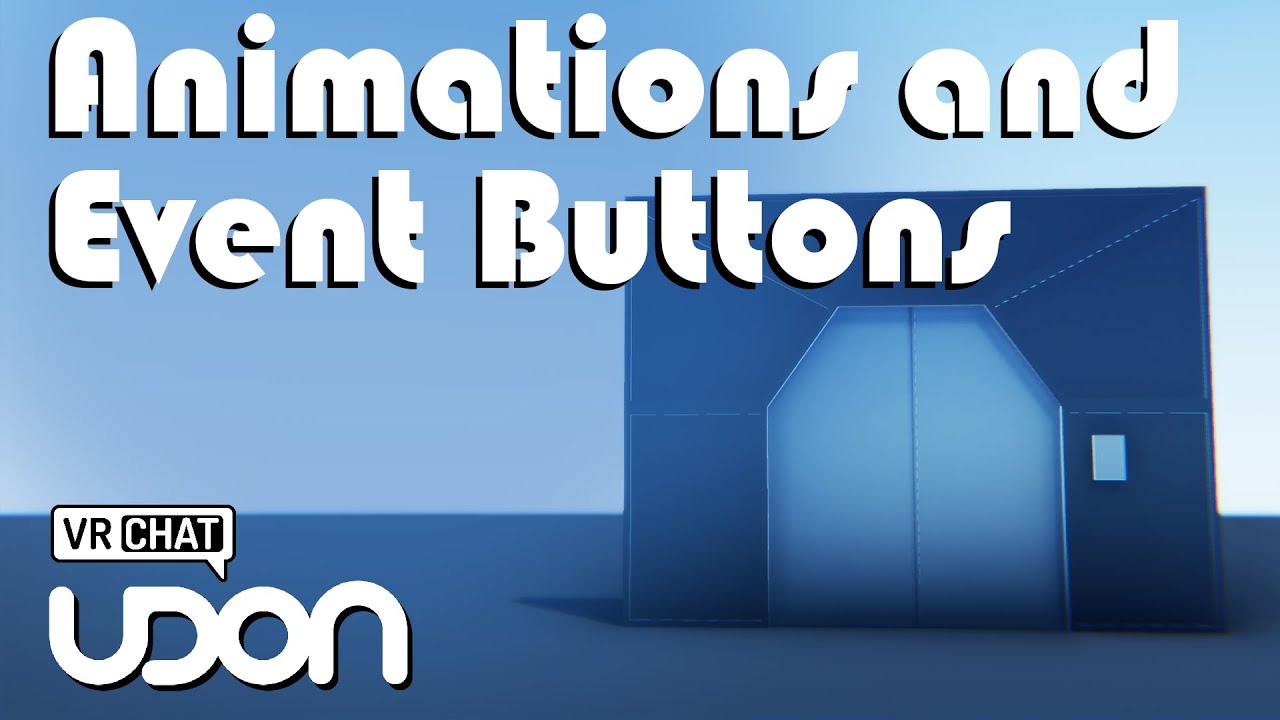
(Sorry, accidentally recorded this one in 1080p, whoops)
Two of my oldest videos, Contextual Buttons and and Door Animations, have both grown rather outdated, so I've combined the two into a brand new video to go over them!
Full Tutorial Playlist:
https://youtube.com/playlist?list=PLwEtUGCdQX7HMkFCVxiNvO4DS2CmHWbe6
00:00 - Intro
00:42 - Animat...
Root of the object ^
 craggy umbra
Hello, I am in desperate need of a way to make a stage where the people on it have their voice amplified.
kind leaf
GitHub
'Better' audio for UDON (VRChat) based worlds. Inc. speed of sound, sonic booms, doppler, occlusion, reverb, ... - GitHub - Guribo/BetterAudio: 'Better' audio for UD...
swift trench
rain radish
Sdk2 was unity 2018 lts
Don't know what one tho
craggy umbra
Wow thanks so much!
 random sphinx
Hey all, I'm looking for some water that I can use in my world; any suggestions?
craggy umbra
kind leaf
https://github.com/Guribo/BetterAudio
Wouuld you be capable of making a unity prefab that will make it easy to work it? I'm willing to pay for a comission of it.
 ebon linden
random sphinx
Hey all, I'm looking for some water that I can use in my world; any suggestions?
ebon linden
random sphinx
Hey all, I'm looking for some water that I can use in my world; any suggestions?
Two that I know of: https://gitlab.com/s-ilent/clear-water or https://www.patreon.com/posts/32252234.

GitLab
Simple water shader for Unity/VRchat that (ab)uses some Unity features to get a pretty water surface.
random sphinx
ebon linden
Two that I know of: https://gitlab.com/s-ilent/clear-water or https://www.patreo...
thank you very much!
 urban epoch
swift trench
Sdk2 was unity 2018 lts
Don't know what one tho
urban epoch
swift trench
Sdk2 was unity 2018 lts
Don't know what one tho
How could you forget? It was 2018.4.20 aayyyy
I need to go to bed
 bleak sparrow
@rain radish are you using Standard assets ?
warm sparrow
Anyone know any good world bases that are free?
kind leaf
Plane and Cube :)
bold ibex
anyone know where i can get scene descriptor
kind leaf
Its a component
 strange egret
Do I need to change unity version in VRC scene descriptor
dusk summit
craggy umbra
Wouuld you be capable of making a unity prefab that will make it easy to work it...
Just drag udombetteraudio prefab into the scene, drag the pickup microphone and then on both of these click set all references in scene and it should be good to go
kind leaf
dusk summit
Just drag udombetteraudio prefab into the scene, drag the pickup microphone and ...
Sent them a screenshot for setup instructions using the new Area Trigger. No need to hold a mic, which for some reason a majority of performers prefer to deal without. They want free hands 🙂
dusk summit
I mean they seemed to not know much so I just hinted at the absolute easiest thing to setup
kind leaf
strange egret
Do I need to change unity version in VRC scene descriptor
naw, you can though if it covers an ocd thang 🙂
 craggy vigil
someone make the dunder mifflin office
analog wyvern
any good videoplayer prefabs? or audio?
 frigid estuary
[SDK3] I'm trying to make a video work on a material. It worked in SDK2. The way I did it in SDK2 doesn't work in SDK3 however. How can I get it to work again? It's just about the "Letting a video play on a material" aspect. No interactive video player.
kind leaf
https://booth.pm/ja/items/2536209
read the instructions for the video before downloading. Save yourself the stress
Ready-made video player solution for VRChat w/ Udon. Requires SDK3.0[Udon] (last tested w/ v2021.09.30.16.18) and Udon Sharp [U#] (last tested w/ v0.20.3). Recommend Unity 2019, 2018 works but might have some issues during import (MAKE SURE YOU HAVE THE LATEST U# VERSION). View the README.md file in
kind leaf
craggy vigil
someone make the dunder mifflin office
super basic office with plenty of models already online for download that can be imported. Give it a go yourself. Here is an interactive view https://legacy-editor.archilogic.com/3d/archilogic/nsh7wfvq?sceneId=3d6acff4-abcd-4c58-b3f3-d56d99642199&mode=view&view-menu=none&main-menu=none
random sphinx
What are the things that increase a world's size the most? Textures, materials, models? What's the best way to reduce a world's size?
bold ibex
random sphinx
What are the things that increase a world's size the most? Textures, materials, ...
Textures and models pretty much. If you want to see exactly what items are taking up space in your world, you can download VRWorldToolKit. It is a .unitypackage that you can import to your project, and it can tell you what items take what amount and % of space in the most recent world build
It also has a bunch of other tips and info about what to do with your world within
its on github for dl
swift trench
bold ibex
Textures and models pretty much. If you want to see exactly what items are taki...
i didnt know that tool excisted, neet tool for devs as it tells you about places to optimize
random sphinx
thanks i'll check that out
swift trench
it even taught me that reflection probes excist
bold ibex
I have a question that hopefully wont be hard to answer
I'm right at the very beginning on my first world project, but I am having trouble finding the control panel under VRChat SDK
swift trench
 bold ibex
I installed the package, but all I can find is utilities and Udon Graph
Those are the only two dropdowns
swift trench
bold ibex
I installed the package, but all I can find is utilities and Udon Graph
should show the full menu i have
make sure your useing the right unity version and latest sdk3
bold ibex
I'm running 2020.3.32f1 Personal
swift trench
bold ibex
I'm running 2020.3.32f1 Personal
wrong version for vrchat
swift trench
 bold ibex
Was getting a bunch of compilation errors too so that makes sense'
swift trench
2020 probably wont be supported for ages as it changes how assets are handled
bold ibex
Ah
bold ibex
Also a quick newbie question, what would be the quickest/easiest way to add collision physics to a LiDAR scan .obj
I tried adding a collision mesh, but it doesnt seem to be working correctly
yo does anyone know how to like make it so that a characters eyes will follow the character in game
like if i put a model of a person in my world would there be a way to make its eye follow players locally
green lagoon
that would be some Udon scripting but how exactly you would script that I'm not quite sure at the moment
 quick lintel
Is there an easy way to change the reach of the voices of the players ?
bold ibex
what is this bruh

 lapis shell
bold ibex
yo does anyone know how to like make it so that a characters eyes will follow th...
lapis shell
bold ibex
yo does anyone know how to like make it so that a characters eyes will follow th...
This sounds fun, I'll code this up this weekend for the fun of it, I've done something similar in the past. Unity has a method called Transform.LookAt which will handle the majority of the logic here.
bold ibex
you mind helping me out with it
lapis shell
I'm down.
bold ibex
this is like my first time working with vrchat worlds so
lapis shell
Have you ever worked in code before?
bold ibex
nop
lapis shell
All righty. I'll call you up in a bit.
bold ibex
can we call like
tommorow
cause my friend is going through stufff and he needs me rn
lapis shell
Yeah sure that's more convenient for me.
 vast spoke
uhh, it wont let me upload the world at all

and its stuck like this
and everytime i zoom in its, this

do i have to restart everything from scratch?
bold ibex
no
vast spoke
how do i fix it
 vast spoke
💀
near escarp
vast spoke
uhh, it wont let me upload the world at all
Check your console errors
 near escarp
Are you using the latest versions of the SDK3 and udonsharp ?
 near escarp
that's unity, not the sdk
vast spoke
oh, then yes
near escarp
Looks like your car prefab is causing those issues
They might require a more specific debugging, i'd suggest reaching out to the person who made the asset
odd wharf
I want a simple video to play on loop on TVs, but I can't seem to find a way to get an MP4 to play as a render texture or whatever
I got one to work but it isn't supported by VRChat
currently i just have a placeholder image, im using a CRT shader.

the only ones that seem to work use links only and I want it to be Quest compatible
oo wait i think i got one to work
i have to reencode the video it seems
NVM still not working
 tropic warren
why am I getting this on a PC world build
 odd wharf
While this isn't gonna answer your question, I'd recommend trying to lower filesize as a smaller filesize is more assessible
Crunch compression on textures is easy and doesn't affect most textures visually
tropic warren
I am not at the world optimizing stage. I want to know why all of a sudden my PC world build is capping at 50MB, when I current have the last update uploaded that is 144MB
tropic warren
didn't answer my question, but I guess Thanks for your input? anyone from VRChat will to actually help me out?
near escarp
Did you just switch your platform to android ?
bold ibex
tropic warren
didn't answer my question, but I guess Thanks for your input? anyone from VRChat...
If you go to your Build Settings from File>Build Settings, does it say you are on Windows and not Android
one single time, it did not switch properly from the button within in the VRChat control panel
odd wharf
odd wharf
NVM still not working
I just want a simple MP4 to play that will also play on Quest. No controls, syncing doesn't matter as it doesn't play audio or anything. It's just a looping video. I have no idea why I can't just have a local video play on the VRC Unity Video Player
vast spoke
is there any other car prefab that isnt the go kart one
tropic warren
bold ibex
If you go to your Build Settings from File>Build Settings, does it say you are o...
This world build has never been uploaded as an Android build. I have uploaded it 59 times as a window build and have never changed it to android.
I keep my Window Builds and Android Builds in separate projects to not make that mistake
This project is strictly Windows and has never been changed otherwise
odd wharf
now i have another problem
(Ignore the weird resolution i had to compress for Discord)
tropic warren
near escarp
Did you just switch your platform to android ?
I’ve never switched it to android in the first place. This has been a windows build from day one and I have uploaded it 59 times prior without changing any settings.
near escarp
Might have to try switching to android and back to PC in that case, as i've never seen this issue before
near escarp
odd wharf
now i have another problem
Bake your lights
tropic warren
near escarp
Might have to try switching to android and back to PC in that case, as i've neve...
Dear god.. if I do that I will break everything that is set up for pc.
odd wharf
It shouldn't
Switching to Quest doesn't change anything on it's own to my knowledge
I use the same project for PC and Quest
tropic warren
Switching to android runs a process of converting everything.
odd wharf
Yes, but it should convert it back
near escarp
tropic warren
Dear god.. if I do that I will break everything that is set up for pc.
Make a backup first !
odd wharf
That's true
Have you tried restarting Unity? I assume you already have but just checking
Im gonna go watch Youtube while my lighting bakes lol
I usually don't bake lighting as I've had issues with it in the past and it takes like 5-10 minutes to do it cause of my PC being from 2012.
odd wharf
near escarp
Bake your lights
I rebaked my lights and it seems the lights only show up if i look a certain direction and close to them
near escarp
Then they're not baked 
Disable the objects with the lights components on them and see how it's working
odd wharf
It turns off the light
im confused
OH
you have to do it in the light's settings
wait what lights have i been baking then
uhh
i hope this isn't gonna take 30 mins
kind leaf
haha 30mins is nothing when baking with unity. There are many people that havent moved on to Bakery that will gladly wait the hours for a quality bake.
odd wharf
I don't use Bakery cause im broke lol
random sphinx
any suggestions for places to find good skyboxes, aside from Unity asset store? maybe 360 panoramic?
green lagoon
random sphinx
green lagoon
https://polyhaven.com/hdris
thank you
scenic plaza
Hey everyone, I am trying to make a platform that continuously rotates with the animator. In CyanEmu it rotates fine on start but in VRC it doesn't, any idea what I could be missing?
nm missing the animator portion
scenic plaza
I'd like to set a rigidbody on a spinning rigidbody and have it rotate with the platform it's set on. The platform is kinematic and the collider meshes are in contact. I have a high friction material set... It doesn't move with the platform though, it just slides off. Is there a trick to this one?
kind leaf
scenic plaza
I'd like to set a rigidbody on a spinning rigidbody and have it rotate with the ...
Parenting
scenic plaza
the non-kinematic rigidbody must be a child to the platform?
kind leaf
If you want the chair to move with the spinning yes
scenic plaza
I'll give that a shot, much appreciated
scenic plaza
kind leaf
If you want the chair to move with the spinning yes
That worked, but when the object isn't on the platform it still spins. Do you know how I can make it so that it spins only when it is touching the platform? I think I know how I could solve it with udon and constraints, but I'm hoping there is a unity-native way?
kind leaf
scenic plaza
That worked, but when the object isn't on the platform it still spins. Do you kn...
Not quite sure I follow. Is this like a chair that you can move around? You want it to spin with the platform while on it, and not when off?
If that is the case foster the child and setup a simple OnTriggerEnter script. When the chair comes in contact with the trigger of the platform, set the chair to be the child of the platform. OnPickup of the chair, set the parent of the chair to something not the platform.
scenic plaza
heh you're following, I was looking for a purely physics way of doing. The fostering idea is good stuff, sounds way cleaner than with constraints. I'm going to try that, thanks!
kind leaf
yep np. Yeah Unity physics arnt even close to reality. Those calculations might melt my pc. 😛
scenic plaza
lol
then we'll just keep it to booleans then heh
working on a record player prefab, when the record is set on the turntable I'd like it to spin with the turntable
kind leaf
Interesting way about it. I think the most common way is to just animate the turntable. Have the animation off by default. Have a record as an object and if you pickup the record and enter the turntables trigger zone the record would disable and vanish and the turn table would spin up.
scenic plaza
dang
well I'm hoping that you'll pull records offa shelf, put them on the turntable, turn the power on, and move the needle into place and then the music starts... sounds like that would be straight forward if animated
kind leaf
it would, your method will be far more immersive.
scenic plaza
that's the hope anyway
meager anvil
Certain pickups aren't appearing in my HQ mirror. I assume it's settings on the objects, as some of them do but they all seem to be the same
unkempt turtle
meager anvil
Certain pickups aren't appearing in my HQ mirror. I assume it's settings on the ...
check the layers
meager anvil
What would need to be checked
meager anvil
NVM fixed it! It was the mirror settings. Everything shows up now besides a desk, but that doesn't really matter lol
 toxic wraith
is it possible to add a button that opens a webpage to our world?
meager anvil
Don't know if this would be the channel, but I'm looking for the pool tables that are commonly seen in pool worlds or club worlds! You can grab the stick and hit the ball without going into a weird camera mode
toxic wraith
toxic wraith
is it possible to add a button that opens a webpage to our world?
Any idea Guys ??
dusk sapphire
You can't. VRChat has only given that ability to certain partners/event worlds, such as virtual market.
dusk sapphire
meager anvil
Don't know if this would be the channel, but I'm looking for the pool tables tha...
unkempt turtle
there is a special sdk that can, its used for vket
warm bear
How does one go about making a Toggle button that mutes the world music and not disable the music?
i'm only aware of how to toggle set game object, but no further than that
coral magnet
You'd animate the volume slider of the audio source, and control it via an animator boolean.
The boolean would be controlled via udon.
warm bear
is there a way to use cyantriggers for that?
 wise osprey
Hey guys, I need some light please... I've been trying to build my first world here, and after two days of work, I started to have this problem where whenever I open the VRChat SDK Build to Test my world, VRChat opens and it gets in a loop of "Loading screen" and "black screen". It keeps like that forever. :c So I'm unable to test my world to see if I'm doing it correctly or not. Any suggestions on how to fix that please? 🙏
unkempt turtle
wise osprey
Hey guys, I need some light please... I've been trying to build my first world h...
apparantly its a common bug. id suggest to upload and publish it each time you update it. takes longer, but is more reliable
wise osprey
unkempt turtle
apparantly its a common bug. id suggest to upload and publish it each time you u...
So I'd just need to delete the previous world and publish it again to test, right? I'll try that, thank you!!
unkempt turtle
no, you can upload directly to the existing world and it will update automatically
wise osprey
Ohhhhh, sorry for that, I'm really a newbie. XD I took some Maya and Zbrush classes 9 years ago, and I never opened Unity until last week. I've been following a good step by step on how to make a world, so I'm bound to make stupid questions XD <3
unkempt turtle
nah, dont worry, everyone starts somewhere after all ^^
wise osprey
Thank you a lot for the help!! <3
unkempt turtle
no worries, if you need help feel free to shoot me a dm or ping me here ^^
wise osprey
Perfect, thank you so much again! 🙏
unkempt turtle
always glad when i can help ^^
kind leaf
warm bear
black screen implies that a spawn point isn't properly set up
Normally that would be right, but because their black screen is looping instead of kicking to home, it's probably the bug.
Cyantriggers can be used just like sdk2, best to see the cyantriggers discord for help with setups if you need it.
If you are giving sdk3 udon a go, we don't animate sliders.. volume = slider.value.
warm bear
i see, i didn't even know cyan had a discord for cyantriggers
coral magnet
warm bear
is there a way to use cyantriggers for that?
Yes, should be easier in cyantriggers than c# actually
wise osprey
Update!
Yes, the problem was the spawn point! I deleted the old spawn point that for some reason was causing the loop, and I created a new one! Now the test button works again!
I came with that conclusion after Izu's suggestion to just publish instead of Testing, because when I tried to publish, it wouldn't publish either!
coral magnet
kind leaf
Normally that would be right, but because their black screen is looping instead ...
I always animate that sort of thing if it's just a toggle 😄
warm bear
coral magnet
Yes, should be easier in cyantriggers than c# actually
do you by any chance know how to toggle colliders too? is it the same thing with boolean?
certain worlds have bed colliders for example, but i can never understood how they did it
coral magnet
warm bear
do you by any chance know how to toggle colliders too? is it the same thing with...
yep, that's how I always do it, if it's something like a toggle.
Interact() simply points at an animator, and I tell it to invert a boolean parameter. The animator does everything else.
So I offload all the udon logic into animator logic. (which is usually just switching between two animation states)
It's how I do all the visuals in my most recent world, I don't manually toggle anything.
warm bear
noted
warm bear
Does anyone know why Canvas Ui Text isn't working in the game? I use CyanEmu too and its the same thing. Ui Text isn't showing up.


nvm fixed > canvas needs to be world space + main camera

 tidal bear
does anyone know if theres a way to control auto exposure with a slider?
fossil hull
tidal bear
does anyone know if theres a way to control auto exposure with a slider?
You can't directly access those parameters. Afaik the only way is to interpolate between multiple post processing settings using the weight parameter.
tidal bear
i see
meager anvil
How do you make a portal between rooms? As I have an attic and I want to walk down the stairs to go to the living room
green lagoon

My old video for teleporting players in Udon is crap and outdated, so here we are with a brand new demo on teleporting players in VRChat.
I've had some technical problems with my avatar program, but I've swapped to VSeeFace for now and am using my new avatar.
Hope everyone enjoys!
----------------------------------------------------------------...
or physically have some stairs connected to rooms
meager anvil
Thank you!
green lagoon
hope your world goes well
kind leaf
 cobalt barn
how do i even begin making a vrchat world
cobalt barn
how do i even begin making a vrchat world
Login to the website, click downloads. click the Setting up the SDK button under content creation and start reading. Do that and you wont be here 20minutes later freaking out about errors.
cobalt barn
ok\
cobalt barn
kind leaf
Login to the website, click downloads. click the Setting up the SDK button unde...
do i need unity?
kind leaf
🙂 Thats why I said what I said
Requirements
We're going to need a couple things before we can get started.

Current Version of Unity. We strongly recommend using Unity Hub, available on that page.
VRChat SDK - See the Choosing your SDK page to see how to choose the correct SDK for your use.
VRChat
Requirements We're going to need a couple things before we can get started. Current Version of Unity. We strongly recommend using Unity Hub, available on that page.VRChat SDK - See the Choosing your SDK page to see how to choose the correct SDK for your use. Step 0 - Installing Unity Check the Curre...
This is the most accurate video I could find. The Unity version and SDK are wrong so make sure to read the guide for the correct versions https://www.youtube.com/watch?v=dpolR6NjNhw

In this tutorial I will show you how to get started with making your own VRChat world with the new VRChat SDK3 and the Udon programming system!
High-Quality and Low-Quality Mirror Tutorial: https://youtu.be/zUALbgztU5Y
Timestamps:
- Intro 00:00
- Download Unity and the VRChat SDK 00:38
- Make a Unity project 01:23
- Add a floor 01:56
- Add the...
 robust pawn
Hey I need help with my world. I can't get the VRC_Trigger to work. unity will not even call it up. I'm using the sdk3 with the Unity 2019.4.31f1. I mite be doing something wrong but if some one could help.
kind leaf
robust pawn
Hey I need help with my world. I can't get the VRC_Trigger to work. unity will n...
VRC_Trigger is for sdk2 only
robust pawn
kind leaf
VRC_Trigger is for sdk2 only
Okay what would I use in its place ?
kind leaf
Udon behaviors
The video above has a simple toggle graph in it.
https://www.youtube.com/c/VowganVR has many udon tutorials. Or you can look into CyanTriggers if you want to keep an sdk2 build style

YouTube
Environment and Interaction Developer for Social VR | Udon Tutorial Series Creator
robust pawn
kind leaf
The video above has a simple toggle graph in it.
Okay thank you I'm new and all the other vids call for that. I'll take a look thank you you been very helpful.
analog wyvern
my pickups dont work, it just seems to pick up the box collider and not the object itself
mild spade
analog wyvern
my pickups dont work, it just seems to pick up the box collider and not the obje...
Make sure the object is not set as "static" (top right corner of the inspector)
analog wyvern
thanks
 humble wraith
i'm unable to use the vrchat menu when i have certain cameras toggled on in my world—have i screwed something up incredibly badly or is there a common footgun associated with cameras, LOL
 glossy jackal
When trying to build and test a world I get the error msg "A VRCSceneDescriptor or VRCAvatarDescriptor is required to build VRChat SDK content" and I am not able to test the world. Anyone know how to fix this?
near escarp
That's the first step required to upload a world, I'd suggest to watch a basic tutorial, you missed the step where you're supposed to use the vrcworld prefab
glossy jackal
alrighty thanks
 broken mulch
anyone know a fix to where on the build splashscreen the buttons just aren't there?
near escarp
broken mulch
anyone know a fix to where on the build splashscreen the buttons just aren't the...
Make sure there's no errors in console
broken mulch
there's none @near escarp
near escarp
Can you show your unity window ?
broken mulch
just shows nothing
 broken mulch
already done
near escarp

broken mulch
and I reimported the sdk about 3 times
near escarp
Can you show the rest of the window ?
 near escarp
And you're correctly logged in ?
broken mulch
yup
the only time it showed once was when I deleted rero shaders
then it disappeared again
I'm loosing my MIND
near escarp
reimport rero ?
near escarp

broken mulch
thanks a ton!! for real!
bold ibex
What would be a good way to add "fake" rain (preferably including the noise of rain hitting the walls/floor) to a world? Particle effects?
warm sparrow
Does anyone know where to download those rainy windows for a world?
bold ibex

GitLab
A shader for Unity that (ab)uses some Unity features to produce glass-like glass.
I've been using these in all of my worlds
warm bear
any generic rain shaders has them i'm sure
well yeah weather particles
Does anyone know why Particles destroys themselves after finishing their duration? i already check marked the looping option and it still destroys itself after awhile. In Play Scene, it loops, but not in cyanemu or vrchat itself.
toxic wraith
here is an Object Spawn graph. I wanna add "Time-Delay" node. Wer do I attach time-delay node?
 bold ibex
After the event?
 toxic wraith
bold ibex
After the event?
toxic wraith
bold ibex
After the event?
Ty let me try
ruby jay
be aware that the vrc instantiate itself is not synced nor will late-joiners see it

 warm bear
press play on the scene and stop it
 faint geyser
it in game too
warm sparrow
Anyone have any free and good furniture assest
random sphinx
probably a dumb question; is there anyway to reduce the size of unity_builtin_extra?

 regal bear
How to fix a world that went to kbps
 remote vigil
Anyone know how to fix vrchat crashing when doing build and test? i already know theres nothing wrong with the world because it works just fine when i upload it.
warm bear
clean cache + delete pipeline manager
regal bear
guessing that was for tech and not me lol
warm bear
yeah
and as for world that went to kbps, thats a good thing, unless you messed something up such as deleting a whole bunch of stuff
regal bear
I have the glitch where it kicks me out instantly when I join it on pc
for quest people it still works
green lagoon
bold ibex
What would be a good way to add "fake" rain (preferably including the noise of r...
https://booth.pm/en/items/3406912 found some scripts that have the rain attached to the players

負荷を比較的考慮した、ローカルプレイヤー(自分)の周りにだけ降る雨などです。 Udonのみで構成しているため、ワールド用のSDK3さえ入れていれば使えます。 使い方もワールドに置くだけです。 調整の仕方などは同梱のReadMeをご確認ください。 VRChat想定ですが、規約内であればVRC以外でもご自由にどうぞ。
 gleaming plover
im sure this gets asked often but in general if i make a world and add assets to the project but never use them in the world
and then make the world public, does downloading the map in vrc download all those assets?
near escarp
nothing that isn't in your scene gets uploaded
gleaming plover
okay thats kind of what i figured but wasnt sure
regal bear
I'll just make a new world I guess since the problem might be unfixable lol
 valid umbra
Hi, I have seen that people have the 'Udon Graph' tab in Unity, how do I add it?
gleaming plover
i know you can access it in the VRChat SDK tab
which opens the udon graph tab
is that what youre looking for?
valid umbra
gleaming plover
is that what youre looking for?
Lol yes, that simple. Thank you ❤️
gleaming plover

valid umbra
Its my first time using udon now, is it easier to use it rather than adding component scripts? Like pick up objects, open doors etc
@gleaming plover
gleaming plover
ive only ever written scripts for C# in game dev, never for vrchat but id say so yeah
i think that was the whole point of them introducing udon is to make it a bit easier
valid umbra
gleaming plover
i think that was the whole point of them introducing udon is to make it a bit ea...
Fair, thanks for the info 🙂
gleaming plover
im pretty new to deving stuff for vrchat tbh so someone will know better than i
valid umbra
I have created a few avatars in blender, unity also recently Vroid. But it was around 1 year ago I made a world last time and I only remember the old stuff
Aight
gleaming plover
gotcha
analog wyvern
my textmesh pro text is showing through walls and stuff in the untiy editor, does it go away in game or how can i fix it ?
faint geyser
how do i fix this
 analog wyvern
try reimporting it, if not I uninstalled it fully then reinstalled
zenith solstice
This is how my world is looking so far


It's staying around 90 fps
its got VRCBillards, Two proTV players for the club and lounge chill area as well as some unity store assets
it's got occlusion culling, and the filesize is around 200mb
do y'all have any input on how i could make it better or maybe more optimized
it's not public yet cause i'm not a trusted user yet and i have no idea on how to get it cause i don't play on griding hours and idk how else to get it
stuff like lowering filesize, etc etc
stone marsh
zenith solstice
It's staying around 90 fps
200mb is kinda rough. Ensure your crunching your textures and ensure your occlusion culling isn't set too agressive with very small occlusion areas which will drive up occlusion file size.
Also, you don't need to be trusted to publish a world. Only a User to submit to labs.
analog wyvern
you need to be new user i think
zenith solstice
stone marsh
200mb is kinda rough. Ensure your crunching your textures and ensure your occlus...
i meant publicly
stone marsh
analog wyvern
you need to be new user i think
User. New user allows uploading avatars. User allows submitting to labs
stone marsh
zenith solstice
i meant publicly
I don't understand. You can publish a world to labs of you're simply a User rank
analog wyvern
aw shit well i cant submit my world? Im new user rn 😦
stone marsh
Nah. U need one more rank.
analog wyvern
damn, all that work, can it be private tho?
stone marsh
Yes
zenith solstice
yeah private is fine
analog wyvern
does private let me invite friends and stuff?
stone marsh
I actually forget if you can publish even to private as a New User. It might not let u. Been a long time. If it lets u, then yea, you can just invite your friends
zenith solstice
stone marsh
200mb is kinda rough. Ensure your crunching your textures and ensure your occlus...
is there a tool to compress the texture files? i got a bunch, lightmap files i got the unity standard, i also just followed the tutorial on culling, i don't know about that file size
stone marsh
I'm pretty sure u just can't submit to labs is all
analog wyvern
zenith solstice
is there a tool to compress the texture files? i got a bunch, lightmap files i g...
i used world debugger
stone marsh
zenith solstice
is there a tool to compress the texture files? i got a bunch, lightmap files i g...
You select the textures and choose your compression settings in the inspector
analog wyvern
VRWorld Toolkit
stone marsh
At the bottom of the inspector for any given texture is the compression settings. Typically, sitting it to Crunch and then setting the slider to max will result in good reduction in file size. If you're not leveraging it, you can disable MipMaps as well and save even more file size. MipMaps are useful but most don't leverage them correctly anyways.
near escarp
VRWorld Toolkit does it automatically for you
stone marsh
Sure. But it's good to know how to do it yourself too
Regarding occlusion culling though, this is only needed if you have other rooms and segmented areas. If you have just one big room full of stuff. There's no reason to use it.
zenith solstice
stone marsh
Regarding occlusion culling though, this is only needed if you have other rooms ...
ah cool then
stone marsh
Occlusion culling allows for objects to be culled behind walls or large solid objects. Unity normally only does frustum culling, which culls anything not in the view frustum, but occlusion culling allows unity to know where solid walls are to cull objects behind them.
zenith solstice
stone marsh
At the bottom of the inspector for any given texture is the compression settings...
sorry, i'm just a hobbyist some stuff i don't get it XD
i have the toolkit
stone marsh
Yea, def use it, I'm just explaining how to do things normally so u understand them
If your lighting is baked, that tends to be a large amount of file size. Experiment a bit and try and use the lowest quality possible that still visually looks good or how u want. Baking lighting can easily be 80+% of a worlds file size or more if not careful.
zenith solstice
stone marsh
If your lighting is baked, that tends to be a large amount of file size. Experim...
what are some good resolution settings for it
in the lighting settings
stone marsh
Really depends on your project and meshes tbh. There's some good tuts on YouTube and elsewhere though that can help you understand what everything does. I'd be a bit more specific but I'm not home. Maybe someone else can elaborate on specific sections that can be reduced to lower file size of a bake instead.
But as long as you have a somewhat decent GPU and you're using the GPU baker instead of CPU it shouldn't take too long to play with settings, re bake and checking the file size (listed in the lighting tab at the bottom shows bake size)
random sphinx
anyone recommend a good clock for in-world? hopefully a free one?
green lagoon
random sphinx
anyone recommend a good clock for in-world? hopefully a free one?
digital or analog
random sphinx
either way. i'd like to see each
green lagoon

■内容 SDK3で動作するデジタル風時計になります。 公開前に動作確認して戴ければ幸いです。 ※等幅フォントではない為、数字によって左右がぶれます。ご了承ください。 参考:https://twitter.com/0miki0_/status/1336575401351553024 ■使用方法 DigitalClock_mikiのプレハブをヒエラルキーに配置してください。 ■必須Assets VRCSDK3 - World (https://www.vrchat.com/home/download) Udon Sharp

Required Assets: https://github.com/MerlinVR/UdonSharp June 26, 2021 update: Fixes the hour hand so it progresses with the minute hand preventing the hand from snapping between numbers when the hour passes. Simple to set up working clock with blender and texture files for easy customization. Set up

SDK3(UDON) Only Support Uploadしたら3MBになります - 内容 - 時計です。 壁掛け時計とリアルタイムで動く太陽も含まれています。 次のようなパッケージ構成を持っています AzhkwidClock_v1_0_0.unitypackage 変形自由です。 変形もしくはパッケージに含まれていてブースでの販売も可能です。 このファイルを使用することで起こる問題と損失に対して責任を負いません。 他人を気持ち悪くできるコンテンツ(宗教的、政治的、詐称、詐欺)や不当に差別もしくは誹謗などの利用を禁止します。 著作権者の名誉と信用を毀損する目的の使用を禁止します。 -
random sphinx
thanks very much
 stone marsh
gleaming plover
i think i broke it idk what i did
stone marsh
gleaming plover
i think i broke it idk what i did
You most likely have errors in your console, possibly from a broken script, missing dependency, etc.
You need to go to your console tab, clear the errors, then attempt to enter play mode. If/when it fails, inspect your console again and screenshot ALL of the red stop sign errors, yellow triangles and info blurbs don't matter. Reading the red stop sign errors will typically direct you to the issue script or point towards what's missing.
gleaming plover
yea it occurred after i tried to add qvpens
stone marsh
I'm assuming you're using UDON?
gleaming plover
yeah
warm bear
Can anyone remind me how do i add Occlusion Culling again? i haven't dive into world since like 2 months ago my memories are vague
stone marsh
gleaming plover
yeah
QVPen has U# as a dependency. Anytime you download an asset you need to ensure you check the dependencies. Dependencies should always be placed in your project FIRST so that when you load the prefab/asset you're using, it has all the stuff it needs
I'm guessing you don't have U# in your project. You need to add U# then reimport QVPen so it can find it's dependencies.
https://github.com/Merlin-san/UdonSharp/releases/latest
This should be listed towards the top of the QVPen page under dependencies. But yea.

GitHub
Make sure you are using the latest VRCSDK
If you are upgrading from Unity 2018, follow the upgrade instructions https://docs.vrchat.com/v2021.3.2/docs/migrating-from-2018-lts-to-2019-lts pay specia...
stone marsh
Good luck :3
analog wyvern
tryna shrink my world size, its at 80ism mb rn however when i try to compress textures with toolkit it always says 20% of textures still there
bold ibex
Are there any good TV assets that work on both PC and Quest or do I need to setup a completely diff prefab for quest?
gleaming plover
bold ibex
Are there any good TV assets that work on both PC and Quest or do I need to setu...
dont think it helps but i do know many tvs dont work for quests from worlds that i venture into often
so i think its probably the latter
i only know english
green lagoon
and no need to post in every channel
gleaming plover
whats the best way to add a simple poster to unity
using the poster image as a material?
green lagoon
yeah that would work
gleaming plover
thx ill give it a try
green lagoon
and then add the material to a quad and resize it to the correct aspect ratio
gleaming plover
i dont really know how to do that
do you have a guide or something that could explain it?
apparently you can just drag them into the scene so that works i guess
kind leaf
bold ibex
Are there any good TV assets that work on both PC and Quest or do I need to setu...
Any tv in the sdk3 tab will play for Quest when setup correctly. Have fun in the prefab toybox https://docs.google.com/spreadsheets/d/e/2PACX-1vTP-eIkYLZh7pDhpO-untxy1zbuoiqdzVP2z5-vg_9ijBW7k8ZC9VP6cVL-ct5yKrySPBPJ6V2ymlWS/pubhtml#
bold ibex
Running into this weird issue when trying to add a pickup to a existing mesh, rather than picking up the object I'm picking up something else? The object itself looks okay? What could cause this?

 kind leaf
your picking up the collider. Make sure static is not checked
gleaming plover
i have a toggle setup for the mirror
how do you set the mirror to off by default
this might be an udon question tho idk
 meager anvil
Question! Is there a channel for searching for Udon games? I have pool, but I'm looking for another one to add in the main living space. Preferably a free asset! (If this doesn't go here I'll delete it!)
gleaming plover
meager anvil
Question! Is there a channel for searching for Udon games? I have pool, but I'm ...
im tryin to think of other games in general but i cant think of any
im p new tho anyways
meager anvil
I know there's a rubix cube, this maze thing that you can move and the ball moves with it, chess, checkers, etc! Really anything ^^
gleaming plover
oh yeah i guess so
i figured chess and checkers were just objects people could move and not so much udon games
meager anvil
I've seen an Udon chess! It had a score board and everything, showed where you could move the pieces
gleaming plover
oh damn thats dope
meager anvil
Ey I found it! XD
GitHub
Udon chess prefab for VRChat. Contribute to emymin/EmyChess development by creating an account on GitHub.
gleaming plover
ohh nice
 chilly hawk
Ah, I added that to my unfinished world a few hours ago :)
gleaming plover
question, maps that have like cities below them and stuff
are those just skyboxes?
chilly hawk
If you can't reach them, then I guess so. But I'm a complete beginner, so I could be completely wrong.
Right now I'm stuck with an audio source issue.
I have a video player and I really want the sound in the blue area. Because audio sources are spherical, it pokes through the ceiling. :(
I have never scripted in Unity before and haven't used the program much.
 gleaming plover
so are you trying to stop sound from going through the ceiling kind of thing?
i know in unity its possible but vrchat specifically idk thats why you can hear ppl through walls
im pretty new tho too
chilly hawk
Someone recommended muting/unmuting the audio source with a collider when I leave/enter the room
(Which I don't know how do do)
gleaming plover
<@&397642795457970181> i need to talk to a mod about somethin
chilly hawk
Plus the audio escapes through the bottom. Really wish I could use a cuboid instead of a sphere for audio range.
 gleaming plover
mood
chilly hawk
I can shrink the area to this to keep it in the room, which would allow me to mute it when outside the room.

 crude garden
gleaming plover
<@&397642795457970181> i need to talk to a mod about somethin
crude garden
gleaming plover
<@&397642795457970181> i need to talk to a mod about somethin
Please do not ping that role for anything but in Discord (channel) emergencies.
If you have something ouside of a chanel to report, you can DM one of the ones on the list over there ->
gleaming plover
yeah i wasnt sure who was on mb
kind leaf
chilly hawk
Plus the audio escapes through the bottom. Really wish I could use a cuboid inst...
That request gets a bit complicated. There are C# scripts/ Unity assets that solve this issue but BetterPlayerAudio for VRC already did it for you. https://github.com/Guribo/BetterAudio/releases/tag/BPAv0.8 make sure to install any dependencies and try the demo scene first.

GitHub
Features/Changes
added workaround for some generic avatars that don't have head tracking data
this should fix most if not all issues of some players/avatars not being audible
added support ...
chilly hawk
Thank you! Hopefully I can figure it out 😅
chilly hawk
The example world didn't really explain anything...
kind leaf
no, just shows you how it works, including sound proof rooms
there are prefabs in the package
chilly hawk
The examples all seem to be for player voices
And I can't even test that by myself
I just want a simple way to stop the audio from this video player from escaping the room it is in. :/

Although silencing the people in that area would be a nice bonus for when people are talking on both floors.
No idea how I use BetterAudio either way, though
Might be because I'm a beginner with Unity, but I just don't get it
gleaming plover
so if im happy with my world
do i publish it or do i publish and send it to community labs
kind leaf
gleaming plover
do i publish it or do i publish and send it to community labs
labs is for public. Dont tick the labs box if you want it uploaded as private
gleaming plover
kind leaf
labs is for public. Dont tick the labs box if you want it uploaded as private
ohh okay
gleaming plover
kind leaf
labs is for public. Dont tick the labs box if you want it uploaded as private
can i swap back and forth between labs and not labs too?
or is it like "once its set to labs its public for good"
kind leaf
yeah but it will cost you 7 days. Can only upload to labs once a week and if you cancel it you have to wait another 7 days before you can make it public again.
gleaming plover
ohh okay so if i set it as private, i can invite people over to it to take a look?
kind leaf
yep
zenith solstice
Is there any prefab of a password lock that allows the first player to open it to set a password? I saw a bunch of prefabs but they were all set with premade passwords
kind leaf
nvm, dont think that one lets you set a password in game lol
random sphinx
if i wanted to put graffiti over a wall, is the best way just to use a standard shader cutout? the decal shader is deprecated. is there a better way?
bold ibex
random sphinx
if i wanted to put graffiti over a wall, is the best way just to use a standard ...
you could give a part of the wall a texture, which youd then paid the graffiti on
keyword PART
I can show you what I mean if you want
random sphinx
bold ibex
I can show you what I mean if you want
ok
bold ibex
random sphinx
ok
Have you ever used a software for 3d moddels like Blender
youd have to do things in there for this method but its simple
and I can record it in like 15-30m
random sphinx
bold ibex
Have you ever used a software for 3d moddels like Blender
yeah i use blender. I'm pretty sure I have a good idea of what you mean, but i'm wonder how the UV map looks
are you saying to use 2 materials?
bold ibex
you would have to make a new material in the process yes
random sphinx
if a portion of the wall is going to use a different material, but i want it to look like the same material, would I have to line up the UV maps by hand to make it look right?
bold ibex
just select the specific faces of the wall you want the grafetti on, make a new material, assign the new material wit the faces u selected, and then use an image texture for BaseColor w your painted graftti
bold ibex
random sphinx
if a portion of the wall is going to use a different material, but i want it to ...
I think? unless its a solid color i think so
can I see what ur wall looks like
random sphinx
ok, i know what you mean then; but i need something more modular than that
well currently i'm just putting a quad over the wall with a cutout material
it looks fine except when viewed in a mirror; in which case you can clearly see they are coplanar faces
it's a minor thing but it bugs me
bold ibex
Does that mean its backfaces are showing?
random sphinx
no it means the two faces are fighting each other for Z order basically
so they appear to sort of clip into each other
bold ibex
OH right
I dont think there really is any other practical way thats an improvement from your method now, but I havent done much world dev so
better get bakin it onto a texture
random sphinx
i need them to be easily changed
i'll figure somthing out, or i'll just accept the fact that they look a little wonky in a mirror's reflection
 fading ginkgo
Im having issues with the mirror
its not acting like a mirror lol
its gray, only showing the skybox then flashes BADLY
gleaming plover
fading ginkgo
its gray, only showing the skybox then flashes BADLY
Im guessing youre using the mirror from the sdk or
 trail moss
I've got a question regarding transparent textures, and displaying them in Unity. I've been able to get the transparent texture to "Cutout" on the Plane that I put down, but the texture itself (the pure white text .png file) isn't being displayed. Here's two view from in the Unity Editor and in-world.


Don't worry. This is just a test, and this little guy is just acting.
kind leaf
trail moss
I've got a question regarding transparent textures, and displaying them in Unity...
Surfaces are affected by their environments. White doesnt show as white if your lighting isnt setup right. If you want the texture to always be white no matter what enable emissions on the material, and just slide your albedo into the emission map slot.
 sudden lily
I've seen a world or two that's managed to make player voices and sound effects echo around like they're in a large empty room when in a specific area in the world, what's being done to achieve that?
kind leaf
I'm not 100% but reverb, audio effect/reverb zones sounds like a good place to look.
kind leaf
Mobile so not detailed but you could just get movement pressed and play looped until not. See vrc input on the dics
Docs
bold ibex
okay thank you
kind leaf
VRChat
You can read the input of a Player's controller in a unified way across all platforms by using Udon Input Events. These events will work correctly even when the player has remapped their controls. There are currently two types of events - Button and Axis, which include boolean and float values. Each...
bold ibex
I hope cyan triggers has a preset for inputs like that
fading ginkgo
gleaming plover
Im guessing youre using the mirror from the sdk or
I wasnt using the prefab, i had a plane that had the mirrorreflection material and the vrc mirrorreflection script
I used the prefab instead amd it worked so all good now i guess
Its weird how it doesnt work anymore tho. I been making mirrors that way forever
Especially mirrors that had rounded tops
gleaming plover
Yea i just use the prefab
ebon linden
Not really sure how to word this cause I'm not a texture person, but with Unity/ProBuilder is there a way I can stop texture UVs / materials from stretching with an object?
Like I have a repeating grid texture that I want every 1m in-game to be the same size piece of the grid and not have to change the UV scaling every time I resize the cube. I feel like I've tried every option in ProBuilder's UV editor and it acts the same regardless.
Found a way to do this in case anyone else is interested: https://youtu.be/vIh_6xtBwsI
random sphinx
does an object's size (MB) change in a world depending on whether it is a prefab or not?
kind leaf
random sphinx
does an object's size (MB) change in a world depending on whether it is a prefab...
No, prefabs are just preconfigured templates. Prefab things you want easy access to for instantiation at runtime, or quick duplication of in editor for building.
 graceful totem
I’ve uploaded a world thats in obj, and the texures are in an .mtl format, how do i convert that to png or dds for materials?
green lagoon
mtl just stores the material properties the textures aren't actually stored in them
 winged arch
 dusk marlin
yeah got pinged too lol
 harsh briar
Ghost ping guess ¯_(ツ)_/¯
graceful totem
finding all the textures is gonna be the hard part, i got this from nifskope, lol ones an obj and ones an fbx, the all grey is the obj, it has bones for each prop thats inside of the world, and the fbx is just all in one item, however, it contains 466 materials, each material is the texture for each item, it just cant be selected specifically compared to the obj

 novel helm
wait where's the ping message
I got a ping here (and nobody pings me unless its @ everyone/here)
kind leaf
your cars extended warrantee, no worries.
novel helm
Wait, you're saying I can save up to 10% on car insurance?
holy moly! this is a steal! where do i sign?
vast spoke
how do i add stuff like yeet-o-matic? do i just drag it into the hierachy?
kind leaf
vast spoke
how do i add stuff like yeet-o-matic? do i just drag it into the hierachy?
Would appear so, but having never downloaded it I would suggest looking in the package for a readme or a sample/demo scene. If nothing exists but a prefab with maybe a couple of scripts then absolutely. You can also ask FairlySadPanda if you need further clarification. Google drive delivered packages are hard to determine setup ahead of time, no readme like github.
also Requires UdonSharp.
analog wyvern
whats the best way to transfer a unity/world file entirely? Im tryna move it to a new pc i got but It takes a long time with USB, any alternative?
near escarp
google drive
chilly hawk
I'm adding some games to my world. Got chess and a pool table so far. Gonna look for darts next.
What other games are out there?
I've spotted a simple arcade cabinet before and card packs.
 scarlet moon
Anyone able to explain to me how many meshes/texture/polygons is too many when creating worldspaces?
green lagoon
there's not a precise number on that besides for lower is better
scarlet moon
What about terrain with tons of loopcuts and sculpting?
green lagoon
also that makes it a bit tricky to give a precise number other than lower is better is PC doesn't have fixed hardware specs
kind leaf
terrain isnt a single mesh, you use large obstacles to block visibility and use occlusion culling which unrenders terrain parts not visible.
green lagoon
like with the quest 2 because it's fixed Hardware has like a number of don't render more than 50,000 triangles at once
scarlet moon
green lagoon
like with the quest 2 because it's fixed Hardware has like a number of don't ren...
thanks thats helpful
 idle jolt
Is there a shader out there that lets me make a pulsating emission material? I want to have a reactor core pulsate with power.
green lagoon
scarlet moon
thanks thats helpful
but that wouldn't answer the recommendations for PC but I suppose if you start with building for with the quest in mind you're going to have a good time on PC
like what kind of world are you trying to make
scarlet moon
kind leaf
terrain isnt a single mesh, you use large obstacles to block visibility and use ...
I am very green to Blender, what I am using is the sculpting function with a drawing tablet for terrain pieces. I dont know how much detail would effect performance.
bold ibex
thanks so much ^^
 silent night
Anyone know how I'd get light to pass through these wall shades, to light up the room? https://gyazo.com/d304548c0ff6c1a993f0e77d1e6ced68

 latent goblet
I am about to go insane man. I got this canvas. Typical shit with the ui script on it. The slider works fine, but the buttons and text field can only be pressed from weird angles and I have no idea wtf is going on. I made a dummy canvas with a slider and button and both worked fine. The only difference is the color.

And I feel like the answer is something super obvious that I am gonna feel incredibly stupid for
latent goblet
I am actually brain dead
The canvas size literally was not big enough for anything other than the slider
Making it bigger fixed it
bold ibex
I have a very important question when building a world! Is there a certain amount of skinned mesh renders you can have on the world to make it available on quest, or can you add as many as you want? I’m fairly new to world development for vrc, and I wanted to make a floor that had moving tiles to it with a looping animation, but idk how many skinned mesh renders you can have. I’ve seen that for standard avatar worlds it’s 8 on the vrc docs. Is it true? Thanks for the help!
here's an example to keep on topic

Oh I was just going to suggest trying to have a bone for every cube, so that you can animate them and also have one big mesh
although now its a skinned mesh and idk if the performance is net worse or better
If I were to export it from blender as is, would it count as one mesh?
or several
If its one mesh in Blender, I don't see why it would be more in Unity for this
oh, cool!
Thanks so much!
bones dont autoseperate meshs by their influencd once it hits Unity dat be maddness
no problems
patent wave
gleaming plover
how do you set the mirror to off by default
click the check box to disable it in unity. will enable on mirror toggle.
random sphinx
probably a dumb question but how do you make a climbable ladder?
chilly hawk
Another probably dumb question: how can I make my fan spin?
 unkempt turtle
animate it
chilly hawk
unkempt turtle
animate it
I know almost nothing about Unity, including that 😅
 bitter loom
Ik not right channel but what is the western shooter game called on vrc
 mild hamlet
chilly hawk
I know almost nothing about Unity, including that 😅
mild hamlet
chilly hawk
I know almost nothing about Unity, including that 😅
crease a animation track, slap it on the fan, animate its rotation 360 degrees. make it loopeble, and it should be done
chilly hawk
A component?
 mild hamlet
yes, now drag a animation clip to that open slot
there are prob tons of tutorials for quick animations like this on yt
dusk sapphire
You need to use an animator, legacy animation components are culled
ctrl+6 to open the animation panel, and hit create animation with your fan mesh selected, and it'll automatically create the animator component with a new animation
use the record button and rotate your fan from 0 to 360 degrees with an appropriate length
and when you're done, ctrl+a to select all key frames, right click and set it to auto
chilly hawk
Do I rotate it with the transform box after pressing record?
 dusk sapphire
yeah
you'll want your 0 key frame to be 0
and depending how fast you want your fan to spin, 360 on the appropriate frame
this assumes your fan mesh is centered properly on its axis of rotation of course
it looks like it might be? can't quite tell
chilly hawk
Turns out it isn't
 dusk sapphire
make sure your selection is set to pivot https://nyanpa.su/i/YOvJ22zl.jpg
 chilly hawk
...no idea how to centre it in the prefab editor
dusk sapphire
if its not centered properly, you'll have to do it in blender probably
chilly hawk
Ah, it's centred if I select pivot
dusk sapphire
thats fine then
chilly hawk
But it won't rotate on the pivot
Transform uses the center point, not the pivot point :/
Refuses to rotate on the pivot
dusk sapphire
huh, thought it was pivot
you could try making the mesh a child of a game object and rotate that instead
with the game objects center located appropriately
chilly hawk
Not sure why pivot doesn't work for rotation
(0 and 90 degrees - it is not using the pivot point)

(whenever I look up Unity questions I get a 5+ year old result and a bulky script as the 'solution'...)
chilly hawk
Looks like I had center and pivot mixed up and the pivot is placed incorrectly 🤦🏻♂️
Seems impossible to change the pivot point in Unity, so I have to that object a child as you suggested


 dusk sapphire

set your inspector view to debug and uncheck the legacy checkbox
guessing you created your animation clip earlier with the animation component
 gaunt minnow
getting these warnings originating from VRChat SDK


does anyone know what is the matter?
dusk sapphire
they look like they're fine to ignore, but in any case always make sure you're on the latest version of the sdk and udonsharp
gaunt minnow
that's what caused them to occur 😛
would it be sensible to reinstall sdk and udonsharp ?
dusk sapphire
I mean, if everything's still working and nothings wrong, its probably safe to ignore those warnings
chilly hawk
@dusk sapphire the fan spins in the animation preview, but not in-game
Got these object settings
 dusk sapphire
I mentioned earlier, you need to use an animator, not the animation component
animation components will automatically be removed
gaunt minnow
getting these too, any ideas?

 dusk sapphire
cyanemu updated?
gaunt minnow
yup
dusk sapphire
any other errors?
gaunt minnow

i reinstalled all these a couple days back
grabbed latest version for all of them
these are all errors

all warnings

mind you this is on opening project, it happens every time on opening though i tested
only the CyanEmu errors persist after i clear console
chilly hawk
dusk sapphire
I mentioned earlier, you need to use an animator, not the animation component
@dusk sapphire thanks for your patience; what do I put in here?
