#world-development
39 messages · Page 106 of 1
 unkempt mauve
Do you have any recommendations how I could do something like this?
 still prawn
hey! quickly dropping by to ask if anyone has any good world shaders that they can recommend me, preferably looking for ones that can make dark rooms look pitch black
 green lagoon
that would involve your lighting settings not your shaders
still prawn
i've already changed the light settings to as dark as they can go, but I can still just barely see the outlines of the area. I want it to be basically pitch black
 green lagoon
do you have like your ambient lighting turned off
still prawn
actually right as I sent that I just found a perfect shader for it that works well, thank you for dropping in to help though!
green lagoon
glad to be of help
 river creek
Hey everyone! Just wanted to say hi and excited to get my first test in VR Chat https://gyazo.com/1a712f67f48ae45f824f7d3d1379e86a

 misty wave
Is it possible to detect the rotation of a held object with Udon? Is there an easier way to do this? I want to enable/disable particle system when a glass is inverted
 kind leaf
Yes, get the objects rotation, store it in a variable. Have a bool to check if the object is held. OnPickup set the bool to true. In update if bool is true check the objects current rotation with the stored rotation. If its 45 degrees or more, play particle. OnDrop set the bool to false.
 runic epoch

trying to make textures with assets that are tiny and pixelated
i forgot the setting to make it looks crisp
so it's just been enlarged to fit, and now looks low res
 stone marsh
runic epoch
so it's just been enlarged to fit, and now looks low res
stone marsh
runic epoch
so it's just been enlarged to fit, and now looks low res
On the texture import screen in the inspector for the individual textures, disable Streaming Mip Maps and use Crunch Compression with quality set to normal and compressor quality slider set to max.
Streaming mipmaps can be very useful for some situations like texture heavy environments where different res textures are needed to maintain perf. For a small VRC world, not really needed in most cases and most don't know how to properly set it up or leverage it. So just turn it off.

 misty wave
kind leaf
Yes, get the objects rotation, store it in a variable. Have a bool to check if t...
misty wave
kind leaf
Yes, get the objects rotation, store it in a variable. Have a bool to check if t...
Thank you!! I will give it a shot!! Is this very CPU intensive? I want to have a number of items with this
kind leaf
misty wave
Thank you!! I will give it a shot!! Is this very CPU intensive? I want to have a...
Nope
misty wave
kind leaf
Nope
Slick ty!!
One more question if you don't mind --
Is it wise to start out with chairs disabled? I'm worried having the number of chairs in my world will affect performance
 tulip rampart
how would i go about making a roaming ai into a world what would be the steps in order to achieve this no other functions other than walk around the place
 near escarp
tulip rampart
how would i go about making a roaming ai into a world what would be the steps in...
near escarp
tulip rampart
how would i go about making a roaming ai into a world what would be the steps in...

In this TLX Spring 2021 session, Centauri focuses on how to create simple local and synced AI, and different ways to sync it between multiple players.
Check out other talks from the TLX Spring 2021 event at https://www.youtube.com/playlist?list=PLTgqlzYxsEMxiUvVaqBcD5OL9MpdmkiSH
Learn more about Prefabs TLX at https://tlx.dev
Follow TLX on Tw...
tulip rampart
oh thanks for the help ;)
misty wave
Where do I find the documentation about like, what actions I can do in Udon? I'm reading through the docs and I can't figure out for the life of me how to toggle a particle playing because when I search it it takes me to a deprecated Wiki page.
It's literally just the Play() component on the GameObject?? How in the world
 candid pumice
Anyone familiar with ProBuilder? My building mesh is completely being ignored in lightmap generation, and I'm unsure why. Here's what it looks like before baking.

And what it looks like after. My spotlights are realtime so they're the only lights that have an effect now.

 ruby jay
candid pumice
And what it looks like after. My spotlights are realtime so they're the only lig...
ruby jay
candid pumice
And what it looks like after. My spotlights are realtime so they're the only lig...
can you show the settings/inspector view of that light in question?
candid pumice
ruby jay
can you show the settings/inspector view of that light in question?
There's a point light in each room. The settings are the same except for the shadow type.

I figured it out, it was the fact that the material for the walls were set to 'toon' lighting. I had to make it realistic.
ruby jay
not every shader can handle lightmaps
 desert python
unkempt mauve
Do you have any recommendations how I could do something like this?
desert python
unkempt mauve
Do you have any recommendations how I could do something like this?
make a gameobject, name it "lock" and put a rotation and position contraint on it. then make a door with 2 gameobjects, and use position contraints to try and move the door around, and use the lock gameobject to keep the door in the right place
unkempt mauve
desert python
make a gameobject, name it "lock" and put a rotation and position contraint on i...
Thanks for the info! Now how do I make it so it’s interactive? Do I use the vrc_pickup component?
desert python
yes
unkempt mauve
Ok. I’ll play around with it and see what I can do.
candid pumice
The upload button on the SDK is still doing nothing for me and I upgraded to the latest one. I don't think this looks right anyway? It should be asking me to publish it to labs because I haven't uploaded this world before, right?

This is my console. If I Build & Test everything works just fine.
 ruby jay
should be fine, player methods like to error in build segments
candid pumice
I figured, but the upload button just straight up doesn't work. If I remove the player and camera I still get these two errors.

 dusk sapphire
uh, did you by any chance use the prefab VRCSDKWorld?
candid pumice
dusk sapphire
uh, did you by any chance use the prefab VRCSDKWorld?
Like place it into my world? No. Am I supposed to?
dusk sapphire
nah, just checking as sometimes people mistakenly use that instead of VRCWorld and they end up with what you have
do you have any other errors in the console aside from the ones you posted?
check and make sure you only have 1 scene descriptor and pipeline manager in your scene
misty wave
Any recs for Udon documentation in regards to U#? Like what I can change, triggers/events etc?
dusk sapphire
honestly, the unity documentation itself
you'll want to check that its exposed to udon, but most commonly used api's should be available
misty wave
Do I just test until something works? Like I find myself trying to find if I can change some component via Udon and getting no answer
dusk sapphire
under Window > UdonSharp > Class Exposure Tree
lets to check to see if something is exposed to Udon
of course, for vrchat specific things like the vrcplayer api and networking you'll find them at the vrchat docs
candid pumice
dusk sapphire
check and make sure you only have 1 scene descriptor and pipeline manager in you...
Oh my gaw... Thank you. 😭 I went through every object and found a rando pipeline manager on a collider.
dusk sapphire
uh, next time you can just type "t:PipelineManager" into the search bar above your hierarchy 😅
candid pumice
😭 Great, thanks.
dusk sapphire
or grab https://github.com/oneVR/VRWorldToolkit which can spot many common issues, including this one
 final crag
how much would it be for a small world with guns and a few rooms and a working ship or 2
 cursive belfry
Hey; so I am super new to VRchat world building and I wanted to ask, is there a way to create a world that only a specific list of people can access? Sorry if it is a stupid question, as I said, I am new.
desert python
cursive belfry
Hey; so I am super new to VRchat world building and I wanted to ask, is there a ...
you can send the private link to the world with friends
 forest pollen
hi everyone, i'm new to vr-chat. I have built a world for live events, but when I go to release unity it tells me to wait ... do you know how long it takes? Is there anyone who decides when I can publish a world?


 bold ibex
forest pollen
hi everyone, i'm new to vr-chat. I have built a world for live events, but when ...
bold ibex
forest pollen
hi everyone, i'm new to vr-chat. I have built a world for live events, but when ...
there is no set time but if u play normally it should be like about 25 hours to New User
also make sure you are using a vrchat account or a steam/oculus account merged with a vrchat account; standalone steam/oculus accounts cant upload content and gain trust rank slowly
Btw that is a really good world for someone who is new to vrchat
you must have prior experience yeah?

 dusk sapphire
just go into play mode and back out
ui text renders through everything in the unity editor on first launch until you go into play mode
its just in the unity editor only
 sour scaffold
ah thank you
forest pollen
bold ibex
there is no set time but if u play normally it should be like about 25 hours to ...
Hi thanks for replay.. i'm a new user of vr-chat, and i had just one experience yesterday morning inside it. I created this world open for everyone..and i'd like to share it as son as possible. 🙂
bold ibex
forest pollen
Hi thanks for replay.. i'm a new user of vr-chat, and i had just one experience ...
ahh ok, also note that you can only upload worlds privately as a New User, and you need to be User to submit them to community labs which is a process that has them public but they arent official until it determines it
 frosty goblet
dusk sapphire
ui text renders through everything in the unity editor on first launch until you...
frosty goblet
dusk sapphire
ui text renders through everything in the unity editor on first launch until you...
Ohhh that explains our issue. For some reason play mode hard freezes the unity editor so we’ve had to test in Build & Test only lately, so all our text is just stuck rendering over everything in-editor
 narrow adder
Hi, Im new to Building worlds and I have an issue I was hoping to get help with, Im alot more familiar with blender than unity. I happened to build my world in blender but when I export it to unity and run the test world, nothing has colliders, not even the floor, how would I fix that ?
 frigid estuary
[SDK3] My builder panel doesnt show up. What do I have to do? I'm logged in.
forest pollen
bold ibex
ahh ok, also note that you can only upload worlds privately as a New User, and y...
allright thanks, how can submit my world to the community labs?
bold ibex
forest pollen
allright thanks, how can submit my world to the community labs?
On the upload screen in upload phase, there will be a  symbol next to a check that talks about uploading to labs
idk if that even appears for new users but yeah its there
 narrow adder
Hi, Im new to Building worlds and I have an issue I was hoping to get help with,...
narrow adder
narrow adder
Hi, Im new to Building worlds and I have an issue I was hoping to get help with,...
nvm, i figured it out
forest pollen
bold ibex
On the upload screen in upload phase, there will be a <a:vrcLabs:620766836061110...
ok,thanks, but unity stop me with this popup before the configuration world
 bold ibex
forest pollen
ok,thanks, but unity stop me with this popup before the configuration world
bold ibex
forest pollen
ok,thanks, but unity stop me with this popup before the configuration world
yeah so when you are able to upload look for that
otherwise just read the popup and read the FAQ
forest pollen
perfect! thank you very much !
misty wave
Question that is tangentialy related to VRC but I figure someone here might actually know - any tips for optimising AirLink on Quest 2? I recently got a dedicated 5ghz router to use with it but it still lags severely when anything loads
 lofty ocean
@analog stump hey. One of the beanbag seats in your "Cozy Apartment" map is broken in a way that makes PC players invisible and unreachable to Quest players. Love your maps 👍

Also the other seat is missing.
 next fern
could someone assist me or tell me how to make a respawn items switch?
I have snacks in my world and people always put them in hard to reach spots, so I need a respawn button

 river musk
Whats a good fluffy carpet shader
 mild spade
next fern
could someone assist me or tell me how to make a respawn items switch?
mild spade
next fern
could someone assist me or tell me how to make a respawn items switch?
SDK2? Or udon?
mild spade
There is a channel specifically for Udon questions. #udon-general you can try asking there. I believe all you have to do is make a Interact that calls a Network event to the owner of those objects to either Respawn the objects or teleport them far below the map to automatically respawn them (only the owner of objects can make changes to synced objects)
next fern
mild spade
There is a channel specifically for Udon questions. <#657394772603830360> you c...
ok, thank you!
 zenith solstice
quick question, i'm new to this, I have a few assets in my editor i'm not using on the vrchat map world itself, should i delete them before building and compiling or does the editor not include them in the file itself (the file runs fine here but i wouldn't want it to be too heavy for players with bad pcs)
mild spade
zenith solstice
quick question, i'm new to this, I have a few assets in my editor i'm not using ...
When the sdk builds the world it will only use the assets and their dependencies that are in the hierarchy. If you have a car model on your assets folders but you never used it on your world/scene it will ignore it when building.
zenith solstice
mild spade
When the sdk builds the world it will only use the assets and their dependencies...
ah thank you
 torpid stratus

trying to make a quest world with textures that have transparent features
with standard cutout it works fine but when I do vrchat mobile anything it seems to always do this
background sprites appear in front when you go to certain angles..
Is it possible to still upload quest world with basic standard shaders so I can do cutouts
 half glacier
Hello ! I want to create a World on Oculus and I would like , using the SDK, whitelist/blacklist users access.
Is it possible ?
 quick merlin
Yowza... I did something silly and wrong somewhere. Building and testing my world seems to work just fine. But when I build for windows the VRChatSDK crashes and is no longer accessible in unity (without a restart) and I get a long list of errors in my console. Any help pointing me in the right direction or what to specifically google would be much appreciated.


 nova locust
Ok, I'm so frustrated. Every time I try to launch the test client from Unity, VRC would load for a second, then it would crash. Every time. I tried different projects and all the same. I checked the world debugger and found nothing wrong.
@kind leaf Do you remember our discussion?
 sturdy lynx
I seem to have a bit of an weird issue with my world,
I will do some testing but thought I'd also post here for some tips.
After the latest SDK update, SOME (Not all) Quest 1 users have issue loading into my world,
For some of them upon joining their VRChat just closes.
Works great for Quest2, PC.
It's like 50/50 that Some Quest 1 devices work, Some Quest 1 devices crash upon joining.
For those Q1 devices that crash now upon joining, It worked fine for them before the SDK upgrade.
Anything I should check for?
dusk sapphire
did you take advantage of the increase in quest world size?
quest 1 only has 4gb ram compared to 6gb on the quest 2, and easily runs out of memory loading into worlds especially if its not a fresh session
sturdy lynx
dusk sapphire
did you take advantage of the increase in quest world size?
I did increase the world size by 20 mb on Quest devices from 50 to 70 with this change.
For the Quest devices that crashes, Crashes on both new private instances, Public ones / Joining in on a friend
dusk sapphire
I meant fresh session as in they had just launched vrchat, rather than had been playing a while
sturdy lynx
dusk sapphire
I meant fresh session as in they had just launched vrchat, rather than had been ...
Yeah for the ones that crash, It crashes in both scenarios (Freshly started VRChat / Old session)
dusk sapphire
the 4gb ram on the quest 1 is very limiting, its highly likely your map is consuming too much ram/vram
sturdy lynx
dusk sapphire
the 4gb ram on the quest 1 is very limiting, its highly likely your map is consu...
So might be related to the extension of the world towards the latest SDK update
I do have almost everything turned off upon joining,
Wonder what makes it crash for some units, not all however
Guess I gotta do a lot more testing to see an exact reason on the crash
dusk sapphire
just rng i guess, I've experienced the same on my quest 1
takes a few tries to load into the world after crashing
if you have a quest 1 yourself you could check to see if the logs say anything with adb catlog i guess
even if things are turned off, the client still needs to load and uncompress the asset bundle into memory
though, the client does attempt to abort the load if it sees the system running out of memory
but in some cases it runs out after the asset bundle is unpacked and the world is already loaded, and results in a crash
sturdy lynx
dusk sapphire
if you have a quest 1 yourself you could check to see if the logs say anything w...
Unfortunately I do not own a quest (Neither 1/2) so can't really do any testing from my side 
Any idea what could be the most heavy to make Q1 crash?
The only changes from
Pre SDK to the New SDK is;
One additional room in the world which contains baked light (No realtime), A few light probes, Other than that, Just a few walls 
sturdy lynx
dusk sapphire
does that just contribute 20mb?
Yeah it increased that much mostly due to the extra light bake and I decided to increase the resolution of the skybox
dusk sapphire
if i had to guess the skybox is the biggest vram cost increase
as a sanity check you could upload a test build without a skybox and see if quest 1 can load in without crashing i guess
sturdy lynx
Test 1 completed; Removed the new are completely from the world but kept the lighting data etc active.
That works
So something in the new area causes issues, At least that narrows it down a bit
sturdy lynx
dusk sapphire
as a sanity check you could upload a test build without a skybox and see if ques...
Will totally try this as well
Thank you
 eternal bluff
One dumb question
Where did you guys get your 360 panoramas from? For sky boxes obviously
 kind garden

 sacred zodiac
This always happens whenever I try to update the SDK, Is it alright to Accept it?
 near escarp
Yes, generally good to have backups, but this is fine
 chilly hinge
will we need to update our media players/worlds to take advantage of the new avpro 2.2.1 or the better syncing?
 frank shadow
so, I updated the vrc sdk in my world, and now I am getting this:

anyone knows what could be up?
dusk sapphire
usharpvideoplayer needs to be updated as vrchat changed the executable path for youtube-dl to youtube-dlp, but otherwise it shouldn't stop you from uploading the world
frank shadow
ouch
dusk sapphire
this only affects the unity editor, your videos will still play fine in game
dusk sapphire
it should be yt-dlp.exe
nova locust
Pushing this again cuz I'm still having the issue
 fast python
Is it possible to change gravity?
 quasi lodge
Im experiencing something I have never experienced, and it is throwing no errors.
When building the world, the New World Creation page opens, and is unresponsive entirely. it is also not pulling the info from the world that is already uploaded as you would expect
near escarp
console errors ?
quasi lodge
couple odd Udon esceptions on GetBonePosition, IsUserInVr and get_DisplayName, which is odd because I did not touch anything with udon between last and current build
near escarp
Fixing any error will solve your problem 
quasi lodge
Well then not sure how to fix it as I have not changed anything but ill look into whats going on somewhere else
It was a simple click needed on the console "Error Pause" was enabled somehow when it shouldnt have been
near escarp

bold ibex
vrchat should be on source smh
 urban epoch
VRSource
 storm dune
Hello! Is there a way to put a button in a world and have the creator of the world be contacted by the people in the world? Through email or discord?
No idea?
Anyone heard about that?
 umbral dune
bold ibex
vrchat should be on source smh
umbral dune
bold ibex
vrchat should be on source smh
vrchat darkrp please
I've been thinking about it for about 10 minutes now and that would be the best shit
bold ibex
umbral dune
vrchat darkrp please
I dont even know what that is besides gmod roleplay but thats great
umbral dune
It's got stuff like really basic base building - job system
basically ends up with people sitting in the sewers printing money and cops trying to just murder everyone
I have wasted so many hours of my life playing it
 jaunty bridge
can someone help me out, im a beginner to world creation and im struggling how to set the spawn point in the world could someone help me out
near escarp
VRCWorld prefab is the spawn point by default
Or you can manually add a spawn in the world descriptor component of the VRCWorld object
Spawn can be an empty object, its location in 3D space is where the spawn position will be
jaunty bridge
near escarp
Spawn can be an empty object, its location in 3D space is where the spawn positi...
ty
jaunty bridge
near escarp
VRCWorld prefab is the spawn point by default
i ran into a second problem i uploaded the world and i load into it and it doesn't put me into the world
it just puts me back into my home world
kind leaf
Assuming you have no errors make sure you have a collider under that spawnpoint 🙂
jaunty bridge
ok
misty wave
Question - how painful in terms of performance would it be to essentially...
Using Udon, create an "individually addressable LED strip" system - dynamically control 25-200 individual light points with Udon?
I assume the dynamic lights would be... stressful on the system
Would it be any better if they were emissive? Is there any performant way to do this?
green lagoon

GitHub
A collection of HLSL shaders, UdonSharp scripts, 3D models, prefabs, and assets designed to emulate the real control, quality, and complexity of professional stage lighting into VRChat in as many w...
and yeah that would be very bad going with 200-point lights as that would basically make your map 200 times more expensive to render
jaunty bridge
I’m still having problems now I go to click upload and nothing happens I just get an error at the bottom
misty wave
Yeah it would be intensive ;-; thank you for the link!! I've seen that and def wanna use it but for this I'm hoping to specifically replicate individually addressable LEDs
green lagoon
maybe would be able to replicate that look with the shaders I posted?
 topaz bridge
made a private avatar world just to store some and for some reason like my gf cant click on them? She is a user and my friend who is a known does not have any problems. I have made no such thing as a white list or did I change the script. Simply just placed the pedestal and place the BPID
misty wave
green lagoon
maybe would be able to replicate that look with the shaders I posted?
It's not for the look unfortunately, or else that would be ideal
I'm wanting to simulate some physical stage props I want to program in real life, but I want to visualise them
kind leaf
topaz bridge
made a private avatar world just to store some and for some reason like my gf ca...
is the avatar Quest or PC or both? Is your GF Quest or PC? The only thing I can think of that would stop a player from using an avatar is their platform.
topaz bridge
kind leaf
is the avatar Quest or PC or both? Is your GF Quest or PC? The only thing I can ...
world is quest and pc but i am on quest and i am on quest and so is she
her rank is user and mine is known
kind leaf
user rank has nothing to do with the ability to use an avatar. Nore does the world platform. Unless vrc changed that recently However, if you are trying to share a Quest avatar with someone on PC they cannot click it. or the opposite. A PC avatar cannot be shared with a Quest user.
if your shared avatars say they are both quest and pc then you shouldn't have a problem sharing
dusk sapphire
It actually does to an extent, visitors cannot use avatar pedestals in private worlds
though if she is a user rank, this shouldn't be an issue
kind leaf
Thats interesting. I wonder why... A visitor would only be in a private world if invited. So I don't comprehend the restriction 😛
 wraith cipher
I tried to import a FBX from blender. This image is what I got.
any way to duplicate the house around the plane and have it standing vertical and at random rotations from blender?
 dusk sapphire
the same reason visitors cannot upload avatars, part of the idea is to prevent a malicious actor who got banned to quickly make a new account and reupload say a malicious avatar. this prevents them from having say, another account with a private avatar world with those avatars that they can quickly invite the new account to to requip them.
kind leaf
ic ty that makes sense.
dusk sapphire
is the house part of the mesh with the plane? if so you're going to have to work on it in blender rather than unity
kind leaf
or probuilderize it but judging by the deformations thats not going to go well
 lunar sonnet
I'm still having trouble making my sky box rotate like a suddle rotation
kind leaf
dusk sapphire
is the house part of the mesh with the plane? if so you're going to have to work...
was an fbx with all the objects separate, the conversions of the rotations were just backwards as is typical with blender.
kind leaf
lunar sonnet
I'm still having trouble making my sky box rotate like a suddle rotation
setup you scene with a directional light, assign that directional light to the Light Settings as sun. If you are going for optimal, make sure the directional light is set to nothing in the culling. Create a sphere the size of your terrain/scene. drag n drop the light into the sphere and center it. position it to the outside edge. remove the mesh renderer from the sphere . Animate or script the movement of the sphere . This method works with procedural skyboxes.
lunar sonnet
Thanks I'll try it in the morning, I'm mad tired rn so I'm heading to bed see ya
kind leaf
gn and gl
 halcyon snow
green lagoon
https://github.com/AcChosen/VR-Stage-Lighting
halcyon snow
green lagoon
https://github.com/AcChosen/VR-Stage-Lighting
bro i was looking for something like this
i do stage / DJ lighting as a side gig irl and i wanted to do some in vrc ngl
misty wave
halcyon snow
i do stage / DJ lighting as a side gig irl and i wanted to do some in vrc ngl
Honestly there's a huge market for it
kind leaf
for pc. AL isnt supported on quest * I guess the market is there for quest as well until they realize its an instant CTD
 royal jay
Is culling a thing in vrcsdk? (Please ping, I am in general chat)
near escarp
royal jay
Is culling a thing in vrcsdk? (Please ping, I am in general chat)
Can you be a bit more specific ?
royal jay
For a very large world occlusion culling would be needed to maintain proper framerate. Would that be possible?
near escarp
Yeah of course
halcyon snow
misty wave
Honestly there's a huge market for it
I did lighting design for 3 years before I moved on to university and I kinda want to some more of it but can't find a theater to hire me out part time so I have not done it since COVID started. But I hopefully do it with this prefab. Go design a small show lol.
Can't wait to see what I can do
frank shadow
this has been plaguing me for a while now, is there any fix for it or is the message bogus and I can ignore it? This is with USharpVideo

using Auto Fix doesn't really do anything, message goes away, but it back when I reopen the upload panel
 bold ibex
oki nvm i found a work around by splitting it into 2 seperate objects to avoid all the wierd lighting / shading issues
stone marsh
frank shadow
this has been plaguing me for a while now, is there any fix for it or is the mes...
It's telling you that auto resync is disabled. This is a feature that can be enabled on the script. This resyncs the audio with the video for the player if it becomes desynced in times of large lag. This error may pop up on some players as some players control syncing differently. You can typically ignore this for most use cases if you're using something like usharp player or ProTV or something. You can fix it so the error doesn't show, but it may not actually be ideal for some players and use cases and is more useful for those who are setting up basic players themselves using the included AVPro/Unity player scripts where this resync option exists without having a script to manage things.
you should consider using something newer too, like ProTV (Free on Booth) or Video TXL (Github). ProTV is prob one of the most feature rich and actively developed players. USharp player hasn't been updated in half a year and has seeking issues and some playback issues.

Ready-made video player solution for VRChat w/ Udon. Requires SDK3.0[Udon] (last tested w/ v2021.09.30.16.18) and Udon Sharp [U#] (last tested w/ v0.20.3). Recommend Unity 2019, 2018 works but might have some issues during import (MAKE SURE YOU HAVE THE LATEST U# VERSION). View the README.md file in
frank shadow
hmm
 silent furnace
I'm having some issues with proximity with grabbable objects...specifically UI sliders, and objects you can grab that have control buttons on them like a remote. No matter what you set the proximity to, it's way too sensitive, so when a player tries to use another object such as a button near a slider, it will only let you touch the slider (even when proximity is set to ZERO) is this a bug in the SDK? This has only been a problem recently.
 marble swallow
any reason why your newly published world would immediately send you home?
silent furnace
I'm not an expert on it, but high res textures are probably going to have more of an effect in your world on performance than the number of polys. The more textures it has to render the slower it gets.

 short gulch
Oh God lol. It's like in old source engine games when you leave the skybox
topaz bridge
kind leaf
if your shared avatars say they are both quest and pc then you shouldn't have a ...
well see their is a problem the world and all the avatars are quest compatibly and I had 2 friends try it, their were both quest and one was know and the other, (my gf) one of them were known and it worked for him and the other my gf was a girl and she had the problem. Also just had one of my pc friends join (desktop) so i could show him my world but he could not click on anything either. I tried on my pc (desktop as well) and I had no issues so idk anymore. I tried to google it but no one has ever had this problem.
 graceful meteor
wraith cipher
I tried to import a FBX from blender. This image is what I got.
any way to dup...
graceful meteor
wraith cipher
I tried to import a FBX from blender. This image is what I got.
any way to dup...
yes and since its so damn low res + low poly you may just want to do it yourself in Blender
 thorn latch
So when I bake using bakery, the world debugger window still says that I have 73 unbaked lights that will act as realtime lights. I have realtime GI turned off in lighting settings, and everything looks ok in game, so can I just ignore that message? I'm guessing its referring to the Unity light components that I have toggled off.
kind leaf
To bake bakery lights, the light component needs deactivated.
nova locust
I’m really frustrated right now. The last few days, I couldn’t run the test client from Unity. Every time it starts to load, it crashes. Here’s the only error logs. I ran the world debugger and found nothing as well.

I already asked this question a few times and nobody could help
river musk
Does anyone know if there is a plugin/addon that automaticaly updates the SDK
kind leaf
river musk
Does anyone know if there is a plugin/addon that automaticaly updates the SDK

GitHub
Unity Editor extension for automating VRChat world project package management - GitHub - Varneon/WorldCreatorAssistant: Unity Editor extension for automating VRChat world project package management
bookmark vrcprefabs.com/browse
nova locust
I gave up
 south orbit
made this world, feel free to check it out let me know what u think (: it is still in development / alpha version, tho i added stuff like mirrors, qvpens, video players, seatings, pool tables, etc . any ideas, suggestions, feedback positive or negative, more than welcome ^^

a lil preview of one of the rooms

 near escarp
You got baked lighting ?
south orbit
near escarp
You got baked lighting ?
working on it XD
bold ibex
does anyone know how to make objects wit VRC_Pickup on them fall and follow a trajectory like if the gravity was on the moon
the world is entirely underwater so it needs to be somewhat more believeable
or maybe you may know an even better way to simulate objects being thrown through water
bold ibex
how many polys would crash someone
my world is for a crappy school project so
i just want it to work
desert python
bold ibex
how many polys would crash someone
depends but 4 mil for the lowest possible specs i can think of
desert python
bold ibex
or maybe you may know an even better way to simulate objects being thrown throug...
ive done a lot of stupid physics stuff and i think the best thing you can do is when an object collider is in a water layer. so like “if (collision.gameobject.layer == water)” and when that happens. set gravity to a lower value. but also do a negative addForce equating to inertia. that is the simplest and easy to keep optimized way i can think of for doing water projectory bouyancy
but if you want to get crazy. you would want some friction and bouyancy setup
bold ibex
im on it then
desert python
keep in mind that you could also mess with angular drag and mass without event coding
thorn latch
kind leaf
To bake bakery lights, the light component needs deactivated.
I've dpne that but it still shows the error
stone marsh
bold ibex
wait how do you set gravity lower
You can set a volume in the water to adjust the drag of objects that enter it so they fall slower. Drag affects the speed a kinematic object moves. This would leave world gravity alone while giving the illusion of an object falling through a volume of water. Adjusting the gravity of the world will change all pickups and player, but yes, this can be done using UDON (there is world gravity and player mod gravity, first affects everything and all rigidbodies, second only affects player) For a volume to adjust drag, set your pickups to a custom layer and have the volume detect on layer enter and set the drag of the rigidbody and on exit set back to normal.
bold ibex
Im having a problem with making pick up items i watched several totorials did exactally what they said and it just wont pick up the object but it will pick up the collider in the test world https://gyazo.com/7a69f2a8542ecb428325282f67a29859 any idea what ive done wrong? i uploaded a blend file not fbx and i unpacked all the stuff cause it was locked in the heirarchy help plz

it just keeps the ice cream there still and the invisable collider moveable
bold ibex
desert python
depends but 4 mil for the lowest possible specs i can think of
for quest?
my worlds 250k polys would it lag people at that
near escarp
no
stone marsh
Poly count rarely has a dramatic impact on performance at lower numbers for PC. Draw calls tend to have a larger impact. Focus on reducing draw calls in all areas of your world. A lobby full of avatars can easily be north of a million poly. What kills is excessive draw calls tanking people's frame times.
desert python
bold ibex
for quest?
im going off of specs from the iphone 4, it takes loading a 4 mil poligon model before it croaks completely
bold ibex
jez
desert python
it would take billions to take out even the most generic pc
bold ibex
idk im not used to using blender yet alone world creation im just nervous about stuff running properly
its good you actually worry about performance!
i was on a quest 2 for ages i dont care how many pc players tell me to forget them i dont wanna because ultimatley im just a quest 2 player in disguise
desert python
oh ye but then thats a different optimization scope
desert python
ic
you will eventually learn how. theres many things to learn that i cant really sum up all that well'
bold ibex
does polygon count or anything in the blender process matter?
desert python
bold ibex
does polygon count or anything in the blender process matter?
material count and zfighting is the usual thing to worry about
bold ibex
oh
im just planning to use a few materials to colour everything
just greens and browns really
if you have solid colors, you can make a very low res image with 16x16 cubes of those colors; the UV mapping of the faces u want to be of that color should be scaled down and put over the right colorcube
to do UV mapping stuff youd use Blender or something similar
mild spade
bold ibex
Im having a problem with making pick up items i watched several totorials did ex...
Is your object set to static by any chance?
 slate haven
Hi! Im trying to add a billiard to my world but dont show up the billiard prefab
I look for the prefab on internet but the two prefab that i found show the same error something like system.io.error
stone marsh
slate haven
Hi! Im trying to add a billiard to my world but dont show up the billiard prefab
Here ya go. https://github.com/VRCBilliards/vrcbce

GitHub
VRCBilliards: Community Edition. Contribute to VRCBilliards/vrcbce development by creating an account on GitHub.
kind leaf
lol i read billboards
slate haven
stone marsh
Here ya go. https://github.com/VRCBilliards/vrcbce
Tanhks

still showing thise
wraith cipher
graceful meteor
yes and since its so damn low res + low poly you may just want to do it yourself...
thanks for the advice. I was able to solve it with help by changing that Transform values (Scale and Rotation) for the duplicates.
 kind leaf
slate haven
kind leaf
slate haven
the io error is probably not associated with the billiards asset itself. Is that your only error?
stone marsh
slate haven
still showing thise
If you have errors in your project you need to go to the console tab, clear the errors, and attempt to enter play mode. If it fails to enter play mode, look at the errors in the console again and screenshot ALL of the red stop sign errors. Nothing else matters. If you have no errors and can enter play, just try uploading.
Also do you have Usharp Installed? I can see part of your asset folder in that screen but don't see Usharp. Ensure you have all the needed prerequisites for the assets you're using and that they are added in correct order.

GitHub
An experimental compiler for compiling C# to Udon assembly - GitHub - MerlinVR/UdonSharp: An experimental compiler for compiling C# to Udon assembly
stone marsh
wraith cipher
thanks for the advice. I was able to solve it with help by changing that Transfo...
If they don't move, ensure you mark them as static so they can batch since they look like duplicates and I see they aren't marked in that screen.
 rugged rock
how do u make a world
wraith cipher
rugged rock
how do u make a world
either ProBuilder asset (Unity) or learning Blender and then exporting from blender to unity (.fbx)
urban epoch
If you put the VRCWorld prefab into your Unity scene you've technically met minimum requirements.
green lagoon
yeah but you can't do much if you don't have a floor
urban epoch
True, that is also a literal requirement I believe now, so if you put just like anything in there like a box or plane you've done it.
eternal bluff
Average sketchup enjoyer
bold ibex
wraith cipher
looks good. did you make those assets yourself?
Yes it's a school project
wraith cipher
bold ibex
Yes it's a school project
dope what class for?
bold ibex
It's for a btec project
We got to choose our own art stuff to work I wanted to do something in VrChat because I thought it would be a funny excuse to put a headset on a teachers head
slate haven
stone marsh
Also do you have Usharp Installed? I can see part of your asset folder in that s...
Thanks ill check it out
slate haven
kind leaf
the io error is probably not associated with the billiards asset itself. Is that...
Yes
 subtle relic
wats da difference between the avpro and the unity vid player?
ew udon graph 

why udon graph be so complicated
 vale sinew
So, I'm working on a world build, and when I went in to test it, the build is flying into the air over and over. This was not what I was intending. Could anyone tell me why it did that and what I can do to stop it from flying.
Current floor plan I'm still working on it

What it's doing, and it keeps getting faster the longer I stay in the 'test build'
 vale sinew
Just goes up XD
mild spade
Actually, you are going down, and respawning, not the map lol
ruby jay
add colliders to your world
vale sinew
ohhhhhh
Soo, add a collider to my floor?
That was strange, it didn't show having to make a collider for the floor in the video guide
Ohhhh
There is a box collider on the object, it just didn't follow the size of the object!
Thank you!
ruby jay
glad you fixed it
i recommend https://github.com/CyanLaser/CyanEmu/ for fast testing for simple things within unity without having to build, which can take more and more time
vale sinew
No I'm still falling...
maybe I put my spawn outside the build
Ahh I did!
Somehow my spawn ended up under the build
Thank you for the link as well
ruby jay
you are welcome, sometimes the gizmo can be hard to predict in terms of where you put things in 3d
bold ibex
I'm not sure where else to put this so I'll leave it here for now, and I apologize if this has already been mentioned. The new camera doesn't take very kindly to AO in Unity's Post Processing Stack. Prior to this update, the AO would appear just fine in photos. Now, whether camera focus is on or off, the AO is completely misplaced

 tight forge
hello
I have an issue where walking irl doesn't translate well to the ingame map
I made a model of my room and, even though blender and unity are both set to meters, and the room measurements are correct
moving irl doesn't move me the same distance in game
I tried resizing the map, but even when it looked extremely small, it still wasn't enough
I still couldn't get close to the walls before getting to the ones ingame
stone marsh
bold ibex
I'm not sure where else to put this so I'll leave it here for now, and I apologi...
Shouldn't really use AO from post processing in VR it's absolutely aids. Always bake your AO into the textures.
Regardless, this is indeed a bug that affects depth effects with the new camera. AO isn't the only thing affected, anything that uses depth is. It seems to layer your view with the cameras view.
bold ibex
stone marsh
Shouldn't really use AO from post processing in VR it's absolutely aids. Always ...
Me nor my friends have ever personally had any issues with the AO post processing in VR. It's worked great in my worlds. Doing a quick search brings me to a Reddit post encountering the same issue from last year. I can only assume older code is being reused and tested with this new camera. There was definitely a point between these where nothing was wrong
stone marsh
bold ibex
Me nor my friends have ever personally had any issues with the AO post processin...
PP AO has always been broken in VR, it just may not immediately be obvious depending on world setup and if you know what to look for or if testing in VR vs desktop
The camera issue most likely stems from a bug with the current camera however, but that's speculation as depth effects are indeed broken with current cam
AO will render over objects, mirrors, players, etc
Give a ghosting effect. It really shouldn't be used
Baking AO into textures is the way to go for performance and visuals
Would also solve your issue entirely
bold ibex
stone marsh
PP AO has always been broken in VR, it just may not immediately be obvious depen...
From what I've experienced it's shader-specific. Certain unlit shaders have that ghosting effect. As for things like mirrors, an easy fix I use is scaling a plane directly behind the mirror. It blocks the AO from rendering through. Thank you for the advice though. I'll try baking it
stone marsh
Most likely because those shaders aren't writing to depth so it can't draw AO.
Really lots of reasons not to use PP AO. Good luck
 nimble cedar
Heya fellas, do we know if Shadergraphs work with our version of Unity for VRC?
green lagoon
nope and unlikely to ever work as vrchat uses the built-in pipeline not Universal render pipeline
desert python
rollthered has one somewhere
thorn latch
Anyone have any good resources for learning Udon? Like is there a wiki for it or some kind of in depth documentation
Nevermind, I'm blind apparently
near escarp
Can you show your camera settings in unity
 lyric acorn
‘Clear flags’ setting on camera element , change to skybox or color, you can use the example scene in the sdk for an example of what it uses
thorn latch
So on Udon my mirror has stuff flicker in and out of existence, despite my turning off the mirror occlusion in the settings. Anyone know why it may be doing this?
stone marsh
Just to make sure, By turning off, you mean the Culling check box is checked correct?
 stray forge
I had an idea for a world but I don't know if it already exists. A rave/party venue with a shitton of different effects and features, stuff like lasers and fog and all of that but also a bunch of stuff that could only be done virtually. Performers could import custom scripts that would allow them to work with the world in the form of visualizers, scripted sequences, and other stuff of that sort. If this is already a thing please direct me to it, if not I'm thinking of getting a team together to work on this..
thorn latch
stone marsh
Just to make sure, By turning off, you mean the Culling check box is checked cor...
Correct, although it appears at somepoint that box was unchecked again. Building now to see if the issue is fixed
thorn latch
stray forge
I had an idea for a world but I don't know if it already exists. A rave/party ve...
The first half does exist, the second part about script importing and such has not to my knowledge though.
stone marsh
Nigh clubs with DMX lighting support, well, DMX lighting via livestream or video feeds to host events.
A few also have a system that allows you to copy a DJ into every instance using shaders so the DJ's movement is synced across all instances
stray forge
that's sick
 slate haven
stone marsh
If you have errors in your project you need to go to the console tab, clear the ...
slate haven
stone marsh
If you have errors in your project you need to go to the console tab, clear the ...
i already do it it works at least now i can test the world with out any error but i can play it
cant*
bold ibex
stone marsh
https://github.com/AcChosen/VR-Stage-Lighting
I will someday use those Stage Lights
stone marsh
I love the disco ball. Usin it in my world. Looks really nice when it casts light on things.
unkempt mauve
desert python
make a gameobject, name it "lock" and put a rotation and position contraint on i...
Does it matter where the lock is in the scene?
desert python
preferebly somewhere it wont move
misty wave
Anyone know why the video player can't play youtube videos in CyanEmu? Is there a way around it? I know that's "how it works" but -- why? because YouTube DL isn't available or smth?
 sturdy ether
How does one build a world to respond to avatar colliders?
this can also include particles with send collision message
nvm found in udon questions
#udon-general message
unkempt mauve
How do I make a pickup object drop when picked up?
misty wave
Is there a straightforward way to make a UI slider control a shader's colour or am I gonna be using U#?
silent furnace
I am running into an issue with pickup objects, where the proximity settings in the SDK appear to be getting ignored. I have it set to .035, and the object (a slider knob) is still way too sensitive, and prevents use of other buttons next to it. I also have an audiolink controller, and the handle is causing the same issue, so you can't use the controls unless you are hanging on to the thing. Has anyone else had this problem? It's only started since the last SDK update...
silent furnace
misty wave
Is there a straightforward way to make a UI slider control a shader's colour or ...
If you find an easy way to do it, please post it here as that's something I'd also like to be able to do (or even a light color for that matter)
silent furnace
stone marsh
I love the disco ball. Usin it in my world. Looks really nice when it casts ligh...
Note there is a new version coming (currently in testing) that has some nice updates
silent furnace
stray forge
I had an idea for a world but I don't know if it already exists. A rave/party ve...
Take a look at Club Orion
misty wave
silent furnace
If you find an easy way to do it, please post it here as that's something I'd al...
I actually got it going! 😄
kind leaf
misty wave
Is there a straightforward way to make a UI slider control a shader's colour or ...
The behavior you are looking for is SetColor if that doesn't popup in the search when using udon then yes, U# is your option. Material.SetColor(string name, Color value). So .Material.Setcolor("_Color",Sildier.Value); although you are also going to need to use HSV to define the color via the slider or create a list so if the slider.value = a number, that number = a color [if (slider.Value == 1 ){Color = color.red}]
 wild knoll
can quest users see post-processing?
near escarp
wild knoll
can quest users see post-processing?
nope
 stable crater
is there an addon for blender/unity that makes world crewation in blender fast/easy to test in unity/vrchat, I have a quite big world with many things that have to be setup like colliders, for unreal engine you can name the object in blender a collider and then a collider gets applied to it in unreal, is there something similar I can do with blender/unity with or without addons?
ruby jay
stable crater
is there an addon for blender/unity that makes world crewation in blender fast/e...
but what you refer to i don't really know anything like that
if you add colliders to an fbx in unity and you update the fbx, they will remain if the hierarchy stays the same
stable crater
ruby jay
try <https://github.com/CyanLaser/CyanEmu/>
I use that already but bringing my blender stuff into unity is a pain, I need something that makes it easier
There are too many changes because the world is at the beginning of its development and unity messes it up everytime
kind leaf
Software does as it is told. Unity and Blender are backwards so you have to export with that in mind. There are plenty of documents and videos that will show/tell you the proper way to export to Unity while keeping the desired transforms.
 torpid holly
Two questions for all y'all: #1: Do most of you first develop your world for windows, publish, then when everything works right, clone it and convert to Android and start optimizing? #2: Where can i find learn what the audio limitations are for worlds? I'm specifically interested in layering multiple sound sources and synchronizing them, wondering how timing survives in VRC.
dusk sapphire
Good article on audio sources in terms of optimization for performance, especially for quest: https://www.gamedeveloper.com/audio/unity-audio-import-optimisation---getting-more-bam-for-your-ram

Game Developer
A guide to using Unity's audio import settings to help improve game performance.
to answer your first question, If I know I was going to make something cross-platform, I'd take it into account when building the world, rather than just optimizing it for quest after the fact.
kind leaf
Thats how I started doing it after the first couple. Just having to press Switch and then reupload is a huge time saver. And Switching platforms speeds up after the first switch, takes a few seconds after the initial switch.
stable crater
Can I do interractable cloth for vrchat? with the cloth component or maybe dynamic bones, will they work with the player?
kind leaf
if you assign a collider to follow the players hand. there are prefabs to help with that
stable crater
kind leaf
if you assign a collider to follow the players hand. there are prefabs to help w...
can you send me the prefab please?
stable crater
kind leaf
Software does as it is told. Unity and Blender are backwards so you have to expo...
It's not about the transofrms, I need it for the components
stable crater
I tried booth already but I can't speak japanese and there's mostly stuff for avatars
stable crater
kind leaf
the components? like the colliders?
yes
stable crater
kind leaf
vrcprefabs.com/browse or booth for prefabs.
I can't find it at vrcprefabs either
kind leaf
when you import the import settings have a toggle to autogenerate colliders. Make sure you are going through the import process and not just drag n dropping. But the meshes can all be assigned colliders with ease already, simple geometry gets a box colliders, complex gets a mesh.
some things you typically dont ant to have colliders, like stairs. Stair colliders are shit, no one likes a bouncy cam. For stairs you have to get creative and make a ramp and hide the renderer.
stable crater
I do the colliders by myself because my world is very complex and stairs without a flat collider are awful
stable crater
kind leaf
some things you typically dont ant to have colliders, like stairs. Stair collide...
yeah, I have seperate colliders in blender and in unity I disable the mesh renderer and add a mesh colider on the objects
kind leaf
VRCPrefabs.com/Browse : SoccerBox(modify the script slightly, change the knee bones to hand bones), Attach-To_Me, stuff like that is what you are looking for for interactions. You can look at those scripts if you need something specific and can't find it.
stable crater
kind leaf
VRCPrefabs.com/Browse : SoccerBox(modify the script slightly, change the knee bo...
great, thank you
 peak flicker
How might I update my world? I just uploaded my first world and noticed that an object was clipping a bit and I've fixed it but I'm not sure how to update the world itself. In the docs on world creation, it says that I have to "Just push an update" and it will do it automatically, but I'm not sure how to "push an update" exactly
stone marsh
peak flicker
How might I update my world? I just uploaded my first world and noticed that an ...
The exact same way you uploaded your world. You simply upload it again. Any time you do the upload process the world will be "updated", anyone in an active instance, would just have to rejoin to get the update.
peak flicker
Oh so it won't upload as a second world?
Uploading a second world would be done through another Unity project then, I assume, is that right?
 left raven
any one have a playing card prefab?
stone marsh
peak flicker
Uploading a second world would be done through another Unity project then, I ass...
You'd have to just give it a new World ID. Anytime you upload with no World ID Attached, it will go through the new world upload. If a World ID is present, it will update that ID
peak flicker
Is that the blueprint ID thingy?
stone marsh
peak flicker
Is that the blueprint ID thingy?
👍
left raven
so how about that playing card prefab any one got one that i could borrow?
marble swallow
Ok so quick question, when i update my world and its cross compatible do i need to update both versions?
near escarp
yes
marble swallow
Okie, ty!!
marble swallow
left raven
so how about that playing card prefab any one got one that i could borrow?
If u find one pls let me know bc i need one too!!
left raven
yea will do
marble swallow
I have one its just that the reset button doesnt work
thorn latch
Has anyone else had issues with occlusion Culling causing weird visual bugs or VR Players? On my world, in certain places, the Occluder mesh disappears despite only being marked as an Occluder.
marble swallow
I actually need helps with video players too, im having an issue where i cant paste links
slate haven
Hi im trying to make like a “song list” or kind of music player for my world does anybody know how to i already know how to put music but dont know how to “managed it”
bold ibex
i dont know what colour i should do for the middle part of the shrine any ideas.

 lime pasture
I am having an issue with MongoError: E11000 duplicate key error collection: vrchat.World index:_id_deup key: _ How do i resolve this issue?
Also my new world is not showing up in mine tab in vrchat but its plublished, would this error cause it not to show up?
unkempt mauve
How do I make a pickup object drop when picked up?
bold ibex
does anyone have any good world shaders for good shadows cause this toon shaders not good and no idea what to google cause its just called shader and shader means everything
green lagoon
do you have a picture of what's wrong with your shadows
and what toon Shader are using in particular
bold ibex
the toon shader shows no shadows or light projection its toon lit
green lagoon
yeah but it doesn't tell me what it's called
bold ibex
toon lit
green lagoon
as there is a great multitude of toon shaders
yeah that's not supposed to have shadows on it vrchat toon lit
as it's intended for like mobile class avatars
bold ibex
yeah
green lagoon
so not a good choice for a world Shader
bold ibex
you know any good shaders to google?
green lagoon
I suppose you could try the Poiyomi Toon Shader but honestly I've hardly seen anyone use a toon Shader on a world
not even any of the Japanese user base
bold ibex
im not spcificly wanting to use a toon shader just trying to find one that dosent look bad
and i dont know what to google to find that
green lagoon

GitHub
A feature rich toon shader for unity and VR Chat. Contribute to poiyomi/PoiyomiToonShader development by creating an account on GitHub.
https://gitlab.com/s-ilent/SCSS I've also seen this one recommended decently often

GitLab
A surface shader for Unity providing cel-shading. (Forward rendering only)
green lagoon
not on avatars
as you can only use the provided shaders on Quest avatars
and I probably wouldn't recommend either of them on World's especially not Quest
green lagoon
okay I just keep bringing it up because we're in the world development Channel
green lagoon
I probably use the standard light Shader for worlds on Quest
bold ibex
it made the world super dark when i used that
green lagoon
that's because you need to set up your lighting
and probably a bad idea to try to patch that by using a toon Shader
bold ibex
i did it was normal on a diffrent shader then super dark on that one
just do super intensity o somthing
or
green lagoon
what was the other Shader you were you as the standard shaders are the ground truth as far as how the lighting is
bold ibex
think it was just the default one thats set in the world automaticly idk this is my 4th day on unity
green lagoon
materials by default when you generate are the standard Shader
green lagoon
yes as that's the material the lighting system is setup for whereas various random shaders which might intentionally break the lighting for their aesthetic purposes
bold ibex
o one more question do you know how to make the lighting not effect the player in vr chat i unchecked player and player local in teh layers on each light and still the avatars super bright
green lagoon
I wouldn't recommend turning off Lighting on the avatars
and depending on the avatars they might essentially have lighting turned off by themselves
bold ibex
all my avatars are bright as a star
green lagoon
what are you using for your avatars
green lagoon
if they're anime style they may have the lighting literally turned off on themselves so they're going to Fulbright no matter what
green lagoon
okay then that might be something with your lighting
bold ibex
any idea how to stop that
green lagoon
as I don't have any screenshots of your lighting setup I have no clue what's wrong and I also have no clue what those avatars are using for their shaders
 green lagoon
do you have any light probes
as you kind of need those if you're doing baked lighting
 green lagoon

You can support me on my pateron
https://www.patreon.com/mcphersonsound
This is a longer tutorial than normal and there is a lot to cover so here are time stamps for your convivence.
00:00 what is baked lighting
00:35 setting up lights
1:23 preparing meshes to bake
2:30 generate lightmap UV
3:28 light probes
5:10 reflection probes
6:00 emissive ...
light probes are not part of the lighting settings tab their objects you place in the world
I recommend giving this video a go
bold ibex
ok
green lagoon
basically at the moment you have the lighting baked to the world but not the avatars as they sample the lighting off of the light probes
as light Maps tell the surfaces how the be light up but not the air where the avatars are
bold ibex
so when bake lighting correctly i can delete the lights and it will stay on the objects textures right?
green lagoon
yes but it would be a good idea to keep the lights for next time you want to bake the lighting
green lagoon
yes that would work and hopefully the light probes help
green lagoon
yeah
south orbit
Hi is a bit specific question related to unity more in a general than world creation tho i use it for world creation but maybe someone knows..
- So i am making a new 3.0 world with 2019x verison everythings good imported all things i need,
i usually work with Probuilder + ProGrids however i cannot seem to find Pro Grids anymore for some reason not sure why

its like gone from the registry itself somehow ?
- what is odd is that i have another world with exact same import and 3.0 tho is another project already partially built, and it has grids in it and able to find it from the package manager.
lime pasture
Does anyone have any good video players that you can use ingame keyboard & to stop & play videos like for youtube for sdk 3?
 topaz basin
Idk. Maybe ProTV. But for some reasons it does not work for me. I am working on a world right now. The video player were working in my world. And suddenly it is not working anymore. I can't type a URL. I've tried so many video players. So strange
marble swallow
topaz basin
Idk. Maybe ProTV. But for some reasons it does not work for me. I am working on ...
Same here!!
topaz basin
marble swallow
Same here!!
Really? I don't got the latest version of sdk world. 1 version older, but it still worked. Same with UdonSharp. I don't think that any of my assets are causing that problem. It's so strange
marble swallow
Yeah none of mine are causing the issue, it quite literally stopped working out of nowhere. Cant type or add links whatsoever
south orbit
i used one called wolfe video player (: seem to work just fine
kind leaf
Any player with a vrc url input component is going to accept keyboard input, and any prefabed video player is going to have play and pause. ^ Wolfe is my choice as well.
marble swallow
I tried that one but it always gives me an error and breaks everything in my scene
And it never allows me to build to test it
kind leaf
yeah, making sure you follow the directions is key
south orbit
sounds rather like something is wrong with ur scene rather than the component then ? i mean
i simply just import it, drag it into my scene, place it where i want, and it works
marble swallow
I have no idea, am noob at unity and building LOL
kind leaf
Wolfe and proTV require Udonsharp to function
marble swallow
I have that
marble swallow
Yes
south orbit
so my suggestion is u can try, make a new project, 2019 version then import 3.0 worlds and udonsharp, then wolfe player
test that world, use vrcworld for spawn
if it works, u know its not the wolfe player, tho again it shouldnt be i mean i literally published a world 1-2 days ago with it
marble swallow
Ye ye
kind leaf
south orbit
so my suggestion is u can try, make a new project, 2019 version then import ...
did you happen to notice that the avpro component no longer has the auto sync check box?
south orbit
kind leaf
did you happen to notice that the avpro component no longer has the auto sync ch...
yeah well
i had a friend who reminded me that rly tho i cant rmber which one of them i used actually lol
oh u mean automatic resync ?
kind leaf
ye
south orbit
well i dont even have that checked in my world, i have it open in my project tab right now
and it works fine without
i even have a video playing on load in
kind leaf
yeah its broken. I think vrc did a ninja patch on the avpro without telling us in the last sdk release. I always leave mine off as well.
south orbit
oh actually i do have it checked im dum, im checking the prefab itself and not from the scene lol
but i see yeh i manually checked it
 kind leaf
newest sdk?
 kind leaf
VRCSDK3-WORLD-2021.11.08.14.28_Public
south orbit
oh noes lol, well
how exactly do i adjust that
just del the sdk3 content
and re import ?
south orbit
i see sweet
kind leaf
sharp wasnt updated with this last sdk so everythign else should be goood
south orbit
i check quite often i felt i checked recently too so appreciate it
thats wild cus i was using that version for alot of udonsharp stuff
like qvpens, pool tables, video player
all worked lol
kind leaf
yeah, it would only break if we had a major update.
south orbit
i see yeah, well appreciate it tho rather safe than sry and up to date for sure, maybe it also explains my earlier issue which i cant see to get a respond on anywhere lol
or well maybe it dont :p but ye
basicly i cant locate my progrids in new projects i make
kind leaf
You made sure to import progrids into that project right? Its not a default asset so it needs reimported to each project.
If you downloaded it before you can find it in the MyAssets tab of the package manager or on the Assetstore
south orbit
well progrids isnt rly imported l ike that
yeah well normally its built in the package manger unity registry
and it shows on my previous worlds, but if i make a new it does not
kind leaf
never used it, just read an article about it by unity for this year. worth a check 🙂
south orbit

u can see here new project with sdk and all the stuff
exactly like as if it was my old / other project
 kind leaf
The packet Manager is going to get really freaky and behave oddly. New versions of Unity integrating it further so I expect. I already cant click "my assets" from the asset store tab, I have to click my assets from the package manager lol
south orbit
here exact same version and everything
yeah well its just like its gone from the package manager in any new project forwardly lol
kind leaf
your list is really small, I have like a 100 packages that show on my end
south orbit
cus i typed in the search bar in right side ''pro''
south orbit
;p
kind leaf
ima check mine
south orbit
i love progrids and probuilder, but using probuilder without progrids is kinda meh since u cant use specific meassurements kinda when extruding and such
i mean u prob can in some way or form that i dont know but ye progrids makes it very simple and easy on that point aswell as on / off and so on
kind leaf
If you switch to text instead of icons you can use the + button to put in exact measurements well in the form of unity units. And i just use V to snap.
south orbit
yeah but how do u extrude tho
do u do it by text ?
i use my mouse to drag it out, and thats where it becomes handy
cus progrids a llows me to toggle on / off in specific numbers how much i wanna extrude out or not by 1-10 drags etc
kind leaf
no, it is still a button just with a the text "extrude" instead of an icon. easier to read 😛
south orbit
and if off then i just drag it without like steps
yeah i dont use a button to extrude tho :p
i use shift and mouse

i pick a side like this example
hold shift and drag in blue arrow

and i extrude it out like that
kind leaf
yeah that works, more like blender
south orbit
yeah people often say why am i not using blender but i hate the camera stuff in that :p so i basicly do all my blender stuff in unity lol
kind leaf
Package Manager > Advanced > Show Preview Packages
same, movement in Blender blows chunks
south orbit
kind leaf
Package Manager > Advanced > Show Preview Packages
finally lol
why is that even a thing
thanks a bunch
kind leaf
it's not officially stable enough to be a full feature. It will make it to the normal registry in time. A minor persistent bug could be why it is still there. ProGrids was created as a small tool for the Snaps Assets
south orbit
i mean i did this beforehand but its like such a small step its so easy to forget
ah i see yeah makes sense then
 rough abyss
did vrc support LWRP?
 long jewel
Is there quest exclusive worlds that PC players can't join? Or can they still join those worlds that just have "quest" in the corner
bold ibex
long jewel
Is there quest exclusive worlds that PC players can't join? Or can they still jo...
There are Quest only worlds that exist just like PC only ones; PC users can't magically join Quest only worlds because they are only built to Android arch
Although if there was some weird emulator thingy a computer could probably handle it to access Android/Quest worlds but that isnt a thing officially at least for VRC
long jewel
I see
kind leaf
rough abyss
did vrc support LWRP?
vrc only supports the built-in render pipeline.
 atomic patio
What method would be best to find and remove unused assets?
 gentle cove
need help with importing, am i on the wrong version?


i also have a problem with udon.graph.dll
 pearl scarab
Anyone know where to find the super fancy beer pong prefab? The one with the different game modes and stuff?
bold ibex
gentle cove
need help with importing, am i on the wrong version?
yea you need 2019.4.31
VRCSDK breaks in other versions it wasn't built for
even if you use a new VRCSDK, it will break in older previously supported VRC Unity LTS(s) and vice versa
gentle cove
bold ibex
yea you need 2019.4.31
thanks man
bold ibex
np
gentle cove
okay, i downgraded unity versions and that seems to have fixed the problem!

once again thank you
bold ibex
yupyup
What would be the best way to simulate grass for a world? I am considering buying a shader that can do it instead of like making flat images of grass that can follow you https://assetstore.unity.com/packages/vfx/shaders/brute-force-grass-shader-192388

Add depth to your next project with Brute Force - Grass Shader from BRUTE FORCE STUDIO. Find this & more VFX Shaders on the Unity Asset Store.
I don't mind if it is performance heavy as the world will have very few people in it at one time
kind leaf
This is the DirectX 11 Grass Shader functioning in vrc. Doubt it works on android though.

quality could be improved, I just used the prefab in the package to see if it even worked in vrc.

 quasi tusk
is there an up to date video player I can use for vrchat that uses URL?
kind leaf
bold ibex
kind leaf
This is the DirectX 11 Grass Shader functioning in vrc. Doubt it works on androi...
id want to test it on my poor quest for the hell of it hah
kind leaf
ill upload for quest and send you the private link that way you dont have to waste monies lol. give me a few mins
bold ibex
oh perfect
wait how would I join a private link on standalone quest
do u have the ability to make a publish to community labs
kind leaf
yeah, just not a fan of uploading test content publicly lol. but ill get it up 😉
bold ibex
OOO
kind leaf
converting now but I didnt use a fresh project to test so it might be 45min-ish
bold ibex
dont worry i got time
 split parcel
i dont know if im supposed to ask a question like this here, but here i go: Whenever I try to test my vrc world, it does not not open vrchat, but opens a window that says i need an app to open a vrchat link, how can i fix this?
gentle cove
making an irl rollercoaster in vrchat
if people play it
i am very sorry if you get sick
bold ibex
split parcel
i dont know if im supposed to ask a question like this here, but here i go: When...
Ensure that the VRChat Client Path in the VRChat Control Panel actually leads to the VRChat.exe

also whatever prompts it gives you, go through them and say "yes" "ok" or the equvalents of
for um the windows that says I need an app to open a vrchat link
also if you coul send a screencap of this prompt it would help more
bold ibex
pog
kind leaf
bold ibex
dont worry i got time
public Cl is Quest DX11 Grass Test (by KevBal)
bold ibex
alright imma turning the quest on
kind leaf
sweet, cant wait to find out, i dont own Quest
bold ibex
this is very sad
kind leaf
the brute force one says its mobile friendly, but i dont have that to test, plus it would be 7 days until i could test publicly
kind leaf
at least it isnt expensive, considering the other shit we buy lol
bold ibex
proper assets can get real pricy yea
if this works on the quest at all ill be surprised
w at least 15 fps
kind leaf
let us know 🙂
bold ibex
reading the reviews and it seems like it supports mobile as of v1.6 but idk where to find the actual logs lol
i knowthere is a website I found it last time
kind leaf
Well, the dx11 wasnt a ctd so the method is valid. I bet a shader that supports mobile will have a better shot.
bold ibex
I dont even know how these shaders work at all
kind leaf
r/whoosh for me as well lol. Shaders are magic 😛
bold ibex
anything to alieviate cpu load
thats what they do right
oml why did I import literally everything but the bruteforce shader and THEN convert the project to android
silly vrchat with its false alarms

I cant imagine what may go wrong
kind leaf
😛
bold ibex
it uploaded...
the one that didn't support it didn't work
I just realised there was another scene file named "02MacMobileShowcase"
i have to try that and hope it works
bold ibex
bold ibex
the one that didn't support it didn't work
everything was black completely, the sun was the only visible thing
kind leaf
grrrr
bold ibex
holy shit it works but its scuffed
everything is dark, no color variation with the grass, and the normal dirt floor was also green
good news is that the grass does waver and stuff like its real grass in the wind
kind leaf
you can only have one pixel light in quest right? does the grass have an emission map?
 kind leaf
your realtime light, you'ed want to bake the lighting for a real world, but how is the grass going to get lit if it moves?
light probes or emissions, and i dont see anything about emissions
bold ibex
there are 2 directional lights
1 is active 1 is inactive
i should try seeing what the PC version is like, I actually don't know if maybe its just breaking because VRChat
that would explain me not ever seeing this ingame but my friend said he thinks he saw this before in VRChat
It does use scripts, I thought you couldn't use scripts that aren't whitelisted by VRChat; the VRChat Control Panel would stop you right?
kind leaf
Scripts will not pass into the build, so the required metal platform script is getting scrubbed. The required script for mobile(metal) platforms.
kind leaf
"BF_MeshExtrusion.cs"
kind leaf
removed
bold ibex
this seems functional ingame so idk what that scripts purpose was
thankfullty it wasnt essential
I have a very annoying overlay on my screen too, probably a Canvas I have to delete if I remember right
 kind leaf
if you manage to get the lighting right... I think the green ground might just be the shadow strength being too high, the shadow is green 😛
bold ibex
OHH
kind leaf
Yeah, thats the demo canvas
bold ibex
so if I made the directional light make no shadows, it should work better on mobile
kind leaf
realtime light is always harder with shadows.
bold ibex
so interesting, turning off shadows makes the scene significantly darker but i can make it back to normal by cranking up the light intensity
oor wait tf
I clicked onto another gameobject and it got super bright again
kind leaf
sounds interesting make sure to give the doc a read over, lots of artifacting and lighting issues + solutions https://www.bruteforcegame.com/brute-force-grass-shader
 bold ibex
wil do
kind leaf
Good find though, Ive seen this shader posted a few times and never thought to try one.
quasi tusk
This is a world I'm currently making, very simple just a room, nothing professional. I don't have any knowledge in unity, just doing it for fun since 2018. Only thing I'm good at is adding shaders to materials
 kind leaf
Sweet, planning to upgrade to the latest SDK and current supported Unity version?
Diggin the ceiling texture, also hope the fan moves 🙂
quasi tusk
Im still worried about most of the shaders or textures changing back to default after switching, so im sticking to 2018 for now. rest of my content is in 2019 version. I think it happened after switching out of 2017 a while back
kind leaf
That wont happen with this switch, but if you follow the guide you should be safe. First two steps in the guide are making a backup and reading the guide completely before starting 🙂 As long as you make a backup nothing can go wrong.
bold ibex
I wouldn't be able to use HDRP or URP because VRChat needs the default render pipeline right?
kind leaf
yes, only the built in rp is supported.
different shaders are used for different pipelines
quasi tusk
Fan in action
quasi tusk
kind leaf
Diggin the ceiling texture, also hope the fan moves 🙂
took me a while to find out how to get the shadows to move with the fan
 rocky siren
quasi tusk
Fan in action
rocky siren
quasi tusk
Fan in action
holy- that's nice man
quasi tusk
thanks lol
rocky siren
the shadows are amazing
 idle sage
I'm having an issue with an animator, it seems like the object is moving slightly when it 'should' be idle, I'm a little stumped to be honest. 😄
About 30 seconds ago this was aligned perfectly, but now it's slid over to the side a bit:

Animator looks like so:

(Oops, accidentally marked the image as a spoiler)
When it's sliding, it's in the 'Closed' state.
(Waiting for the 'OpenDoor' condition to be true to transition to TrainDoorOpen)
Here's the train door object with Animator as well:
 near escarp
did you check your keyframes/curves for that animation ?
make sure it doesn't loop forever in other states
idle sage
near escarp
did you check your keyframes/curves for that animation ?
Closed and Open states have no motion, so the object shouldn't move when in those right?
I'm not really familiar with animations. 🙂
near escarp
is the surrounding object potentially moving then ?
idle sage
Any object in contact with it, is static.
However, terrain is moving.
Maybe I'll try making its parent the world and see if that differs in some way.
Here's a short video of the issue, it became offset by as much as you see at the start of the video whilst I was opening up OBS, then you can see it slowlyyyyy floating away too. 🙂
Probably just something dumb I've done, I hope. 😄
idle sage
near escarp
is the surrounding object potentially moving then ?
You know what, I've figured it out! Removing the object from its parent fixed it. Though the parent doesn't move, so I'm not exactly sure why this has any effect at all.
Either way, a fix is a fix. I'll go with it.
 pure kraken

My builder won't show up. I've restarted unity and reimported the sdk several times
not sure what to do from here
@near escarp do you have any clue?
sturdy lynx
Check console for errors
pure kraken
there arent any.
sturdy lynx
Or do a backup of your project then reinstall the sdk in unity
pure kraken
as i've said, i've already reimported the sdk several times.
near escarp
close unity and restart, then check for console errors
 hollow merlin
Anyone working on more pvp or golf worlds? Tried 2 earlier this week and was really fun and well put together
kind leaf
PVP or Golf.... Now I am just imagining you chasing people down with golf clubs.
How about a combination of both. Dodgeball style. Half the players on the field, the other half shooting balls at them 😛
 hazy rivet
I've got a problem with the SDK, this is a fresh install of unity 2019.4.31f1


Any ideas for a fix?
kind leaf
If all you installed was the sdk then press clear. If error remain try reimporting.
hazy rivet
So, they are only a problem if they persist after a console clear?
kind leaf
yep, a lot of false reports are generated on importing. If you press clear and they go away there usually isnt anything to worry about
It's because one script gets imported before its dependencies^
hazy rivet
Thank you, this was causing me a lot of worry
 neat ravine
For world development, do people purchase assets from the unity store to decorate their worlds?
bold ibex
neat ravine
For world development, do people purchase assets from the unity store to decorat...
Its one of the places but there are many other 3d moddeling websites that have a much larger wider catalog; see this VERY convienent list https://www.viar360.com/where-to-find-3d-models-to-use-in-your-vr-experience/
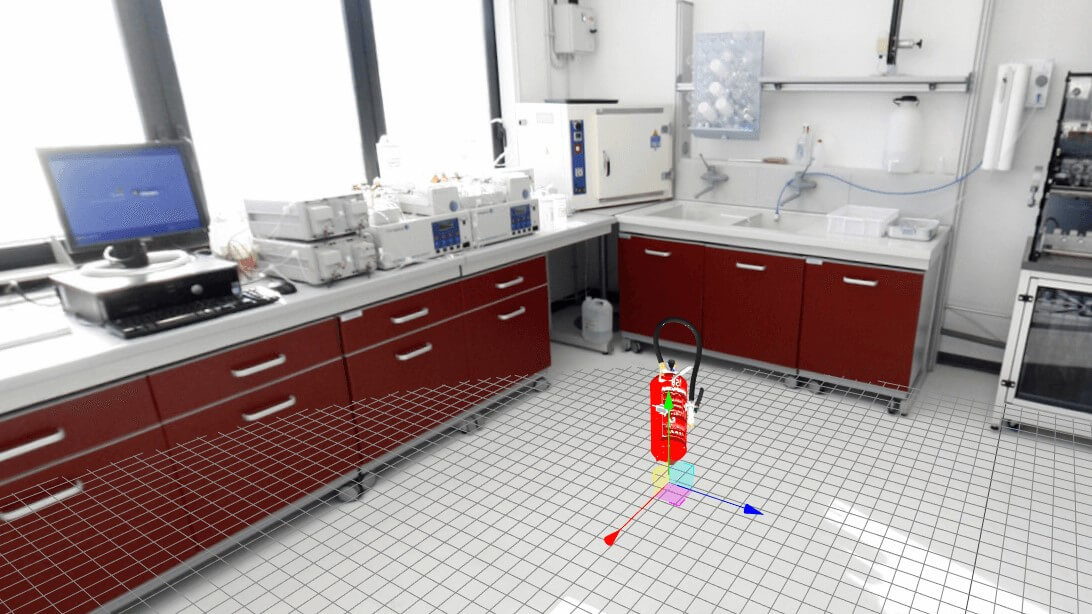
For educators looking for 3D models to create their VR training experiences, hunting down the perfect models can be a hassle.
bold ibex
If they are just .fbx or .obj files yea
neat ravine
okay!
bold ibex
if they just give you like 3dsmax or blend files then you need to open it in that first and then export as fbx
most of the time its already in .obj or .fbx
Blender is a good beginner 3d moddeling application if you want to further modify the models you get
free
neat ravine
yeah i downloaded it to try making my own world
but im new so i can't uhhh publish anything yet? which is fine bc it's not gonna be done any time soon anyways lol
it won't let me test it though argh
ruby jay
neat ravine
it won't let me test it though argh
try https://github.com/CyanLaser/CyanEmu/ in the meantime
neat ravine
ok!
neat ravine
which is better, fbx or obj files?
kind leaf
depends on what you are importing. OBJ is a simple format which only stores geometry so you need a .mtl file included with texture/material information.
 harsh wagon
I want to have snow particles in a world I'm making, but I'm not sure what effect they'll have on performance. Right now I have a particle system with ~4000 particles, and a total of ~6000 particles in the whole world.
On my setup it runs just fine, but my PC is pretty good so I don't know if it's just me.
neat ravine
i added a tiny amogus in the corner
 acoustic pollen
Hello i'm trying to use a World i've found on booth (this one: https://booth.pm/en/items/2367184 ) but i can't launch it on test. It open VRchat, load and send me back to my VRchat home.
If you want to know, i've import it in Unity, opened the scene then put the SDK (as the description in the booth said)

A basic avatar world I modeled and designed.There are NO avatars included in this project. This is a completed world created on Unity version 2018.4.20f1. The Unity Package includes the entire world, along with the vrcsdk. Open the package completely in the up to date unity version that is
I don't know a lot of things about VRchat world that's why i wanted a world that's ready to use to upload avatar
neat ravine
is there somewhere to download like, wallpapers or something for walls for building worlds? or skyboxes?
harsh wagon
neat ravine
is there somewhere to download like, wallpapers or something for walls for build...
AmbientCG and 3DTextures.me are good
neat ravine
thank u!
 cold island
dont know where to ask this, but anyone know where to find that one game world where you climbed up a garbage hill, and like garbage was flying at you, and u had to avoid it so u didnt get hit.
green lagoon
neat ravine
is there somewhere to download like, wallpapers or something for walls for build...

Gist
List of websites for free PBR textures. GitHub Gist: instantly share code, notes, and snippets.
 idle sage
What settings for VRC Pickup would I use to prevent it having velocity on drop?
I'm assuming it's one of the Momentum Transfer Methods?
The names of them aren't very descriptive though. 😄
 opal sigil
yes its when i transfer it did that
idle sage
opal sigil
can somoene help me ?
Make sure you're using the latest UdonSharp and that you deleted the old version before updating.
opal sigil
okay thx
idle sage
Looks like maybe you're using a version that was made for Unity 2018.
opal sigil
is it the wrong version ?
 idle sage
Noooo, version of UdonSharp.
idle sage
Backup the project first. 😄
But yeah, delete UdonSharp folder, install latest one.
Worth making sure you're on the latest SDK3 as well if you've updated from 2018.
opal sigil

GitHub
Make sure you are using the latest VRCSDK
If you are upgrading from Unity 2018, follow the upgrade instructions https://docs.vrchat.com/v2021.3.2/docs/migrating-from-2018-lts-to-2019-lts pay specia...
ythis version is the good version ?
opal sigil
it does the same :(
 quick geyser
can someone help me with this issue nothing i do can fix it
 idle sage
quick geyser
can someone help me with this issue nothing i do can fix it
idle sage
quick geyser
can someone help me with this issue nothing i do can fix it
Authentication tab show's you as signed in right?
opal sigil
whats ur unity version and sdk correct ?
wild knoll
anyone know where i can find undon game prefabs? like a pool table and things
near escarp
GitHub
Unity Editor extension for automating VRChat world project package management - GitHub - Varneon/WorldCreatorAssistant: Unity Editor extension for automating VRChat world project package management
near escarp
wild knoll
anyone know where i can find undon game prefabs? like a pool table and things
wild knoll
oh awesome! thanks!
 chrome juniper
I tried to make a mirror toggle with UI and it works fine in cyanemu's playmode but when i build and test it,it's not working anymore. Help?
kind leaf
VRC UI Shape attached to the canvas?
lime pasture
@errant beacon here is what it looks like

 errant beacon
would help to post a screenshot of the full console o:
 chrome juniper
kind leaf
VRC UI Shape attached to the canvas?
chrome juniper
kind leaf
VRC UI Shape attached to the canvas?
yup
lime pasture
the control panel for vrchat sdk is missing too i can not build test or upload?
@errant beacon ^
errant beacon
Try right-clicking Udonsharp in the asset browser and hitting Reimport, or Reimport All? not sure past that, sorry o:
lime pasture
reimport all now its reloading
kind leaf
chrome juniper
yup
make sure the UI elements are sharing the same plane of existence. They function in a 2d world so if you pull a button away from the canvas it will break. Make sure all elements are within the bounds of the canvas as well. And if the layer is on UI change it to default or Walkthrough.
lime pasture
@errant beacon Its all reimported now, its back up but still do not have access to the control panel from the VRChat SDK. As for the errors its now in purple
 kind leaf
And you have 60+ instead of 41... can you show the log from the top, at least the first 20 errors.
chrome juniper
kind leaf
make sure the UI elements are sharing the same plane of existence. They function...
does that mean the mirror also has to be in the same plane?
kind leaf
no just the ui elements have to be within the canvas
like a flat piece of paper. you can move them up, down, left or right but never away from the paper
If all that checks out then the only thing left is to verify that the ui elements are not being blocked by a collider. You can click through colliders in unity, you cannot in vrc.
lime pasture
Should i just remove this video player to see if the errors disappear and see if control panel comes bacm
kind leaf
lime pasture
Should i just remove this video player to see if the errors disappear and see if...
Can you show the beginning of the errors? At least the top 20? The video player is probably not your issue.
chrome juniper
kind leaf
like a flat piece of paper. you can move them up, down, left or right but never ...
Thank Q
lime pasture
kind leaf
Can you show the beginning of the errors? At least the top 20? The video player ...
I deleted both unity packages i was getting frustrated with the errors so i am just going not to have a video player in my world for now. I did get the control panel to pop back in
lime pasture
kind leaf
Can you show the beginning of the errors? At least the top 20? The video player ...
I have this new error, after removing both those packages. Signed back into vrchat on the editor and i get this when i got to update the build? Should i detach from pipe line and do it over?
 bold ibex
https://www.unrealengine.com/marketplace/en-US/product/cartoon-water-shader/questions i need a material for a waterfall i really like this one but it says unreal engine so im presuming its not gonna work in unity

Unreal Engine
Cartoon Water Shader is an easy to use highly stylized water material, and river tool with many features.
green lagoon
yeah definitely not going to work in unity
 vast spoke
looking for a car prefab for sdk2
lime pasture
I can not figure out this new issue i can not update my world now grr
green lagoon
would not recommend making any world's in SDK 2 as it's deprecated
vast spoke
udon kinda hard to code and shiiiittttt
green lagoon
https://github.com/CyanLaser/CyanTrigger this lets you code using SDK 2 triggers in udon

GitHub
CyanTrigger is a new compiler for Udon with focus on in-scene editing. The interface resembles the old SDK2 VRC Trigger interface, but has more functionality. CyanTrigger has full access to all of ...
kind leaf
learning magical nonsense tends to be harder at first. Coding (visual or script) is at least backed in reality. Instead of a minefield of dropdowns and triggers
green lagoon
I would not recommend it as they'll eventually remove the ability to upload SDK Two Worlds
kind leaf
At least when you do move on, if you primary cyantriggers you still have the ability to use sharp or udon. Growth will come 🙂
green lagoon
so that's literally shooting your project in the foot
vast spoke
green lagoon
I would not recommend it as they'll eventually remove the ability to upload SDK ...
Im sorry what
 vast spoke
so, i gotta start praying that i can learn how to code
kind leaf
CYanTriggers is similar to sdk2 setup. takes care of the coding for you. just click n drag like before
BUT just like with sdk2, you dont have to code shit in udon either if you dont want to. there are plenty of prebuilt prefabs like the ones you already use
just make sure you have the requirements met and drag n drop
green lagoon
and folks have made SDK3 cars were all you have to do is drag the cars into the the scene
vast spoke
so you are saying
lime pasture
i can not update my world, i keep getting this
 vast spoke
ooh
vast spoke
vast spoke
so you are saying
is there a way to remove all vrc sdk2 stuff
in a unity project
kind leaf
GitHub
CyanTrigger is a new compiler for Udon with focus on in-scene editing. The interface resembles the old SDK2 VRC Trigger interface, but has more functionality. CyanTrigger has full access to all of ...
fkin crawler link lol
stone marsh
lime pasture
i can not update my world, i keep getting this
You have 3 options:
1: sign into the account associated with the ID in the blueprint.
2: detached the ID in your pipeline manager blueprint so it's blank
3: check everything in your project to make sure you don't have two pipeline managers with different IDs.
vast spoke
kind leaf
fkin crawler link lol
what do you mean by that
lime pasture
stone marsh
You have 3 options:
1: sign into the account associated with the ID in the blue...
I only use one ID but how would i check to see if i have to pipelines?
stone marsh
lime pasture
I only use one ID but how would i check to see if i have to pipelines?
By looking with your eyes.
The ID that is attached HAS to have been an ID from your account. It can't be an ID from someone else, or one that came with a model, asset, or anything like that. You can only have one active scene and one active world ID. If you added any prefabs with an ID it needs to be removed.
kind leaf
vast spoke
what do you mean by that
the first link i posted was a crawler link, i edited with the original link 😛
 kind leaf
vast spoke
well is this the editor file?
kind leaf
vast spoke
well is this the editor file?
I dunno nost, best to read over the link I posted, and see what cyan says. I have never cleaned out an sdk. Cyans migration tool might be easier. Read it over and if you need help try their discord.
lime pasture
stone marsh
By looking with your eyes.
The ID that is attached HAS to have been an ID from...
Does it matter that i have two Scenes in the assets folder?
lime pasture
stone marsh
By looking with your eyes.
The ID that is attached HAS to have been an ID from...
Even though i am logged in when i go to build an publish it says that i am not logged in after the screen pops up
bold ibex
bold ibex
https://www.unrealengine.com/marketplace/en-US/product/cartoon-water-shader/ques...
Do tell if you ever find a good water shader that looks similar to that and satisfies your requirements!
Ok how can i get a ban system in my world? cause i have a few toxic indeviduals who are being toxic as fuck i wanna get them out of my community
lime pasture
@stone marsh The only thing im able to do is build & test my world i can not build & publish
marble swallow
So i just got this error when i imported the udonsharp video player https://gyazo.com/376a74a64a5e5f4d394b7a3b1999445c anyone know how to fix this?
 near escarp
VRChat
What is Debugging? Debugging is how you learn about what's going on under the hood in the VRChat client and your world. It's a key skill to develop for programming in general, and for building your worlds. VRChat Logs When you use the VRChat client, it saves logs about things that happen like worlds...
marble swallow
Also this is popping up for all of my video players https://gyazo.com/735425bd6a3b4179798529eee3fbebe0

I even added them to a new scene
near escarp
you're missing the files for it
marble swallow
Where would i find the files?
near escarp
idk, which prefab did you use ?
marble swallow
USharp Video
near escarp
Did you reimport it ?
marble swallow
Yes
unkempt mauve
near escarp
https://docs.vrchat.com/docs/debugging-udon-projects
I meant this console.
 slate haven
Need help pls ☹️☹️☹️
stone marsh
unkempt mauve
I meant this console.
What world is this in? looks like a panel for some prefab like a pool table or some chat asset.
It's waaaaaay too pixelated to actually read any of the pic.
near escarp
pretty sure it's the pool table
stone marsh
That's honestly what I was thinking. Really looks like the UI from Harry's pool table. I think the UI panel was updated for the Community Billiards so idk
stone marsh
near escarp
pretty sure it's the pool table
I've always wanted to ask, is the video in "we need to talk about vrchat" available online anywhere? I see your profile banner but dunno how much u had to do with it overall
near escarp
That video is unlisted, I just did some voiceover for it
stone marsh
near escarp
That video is unlisted, I just did some voiceover for it
Ah gotcha. Honestly the best thing I've found in VRC in a long time. Brilliant. Your voicing fits perfect.
 manic sonnet

How does ocean waves simulation with Fast Fourier transform work?
Source code:
https://github.com/gasgiant/FFT-Ocean
Music:
https://soundcloud.com/igor_vaiman
Catlike Coding on Gerstner waves:
https://catlikecoding.com/unity/tutorials/flow/waves/
3Blue1Brown on Euler's formula:
https://www.youtube.com/watch?v=v0YEaeIClKY
3Blue1Brown on Four...
Is there any way I could get something like this to work in the game?
neat ravine
hey is there a way to control audio like... i have a wall here but I don't want the audio to go through the wall

like this
is there a way to completely flatten it somehow?
since i have the screen 'mounted' on the back of the wall
 chilly grove
You could place a trigger volume behind the wall that mutes the audio while inside it
Or place a volume in the area where you only want the audio to be heard
neat ravine
yeah im thinking of moving the audio to like, a speaker that i put in the middle of the room instead
neat ravine
hoogh im having trouble figuring out how to convert textures to materials
the file i downloaded came with multiple layers and i don't know how to apply them. im looking at youtube tutorials but they're not really answering my questions
 neat ravine
harsh wagon
AmbientCG and 3DTextures.me are good
neat ravine
harsh wagon
AmbientCG and 3DTextures.me are good
hey I downloaded 3DTextures.me stuff, but they come with multiple images and I can't get the desired effect from creating materials.
im trying to make a glass ceiling and have it be somewhat transparent...
south orbit
neat ravine
the file i downloaded came with multiple layers and i don't know how to apply th...
there are several ways u can apply a texture to material, one of them is clicking the material and put on the main mask as the texture u want it to be, another way which i prefer doing is that
so u pull out a 3D cube or create one, then u just mark the cube, drag the texture on the cube and it will automatically create a material version of it in materials folder
- a little reminder, when u make a specific material out of a specific texture like that, it will consider the material the main material which means that anything u apply this material to will have its configuration, in other words, if u want several of the same materials with same texture but different configuration, make duplicates of the same material, by doing method 1 i explained above, in that way u wont mess 1 material which u might accidently applied to different things and though it was only counting for the thing rather than the material .
south orbit
neat ravine
hey I downloaded 3DTextures.me stuff, but they come with multiple images and I c...
- to make transparent materials, u must take use of the shader within the material, u can use standard shader for that even, tho there is rendering mode that says '' opaque '' usually u wanna change that to '' transparent '' and not remain it opaque, beside of that u can inside the color configuration also drag down / up the transparency

example here i made a purple glass material
neat ravine
ooh okay!
i found another tutorial and it turns out the images are all named like "occlusion" "height" etc
the detail i added ended up being super dark though...
south orbit
here is a typical glass shader i made

looks like this, pretty transparent


inside the color wheel u wanna drop it to 190
that is the transparency i was talking about
south orbit
feel free to (: and glad to hear it worked out
 south orbit
i feel tho the frame should been metallic not transparent :p
but it surely looks good on those squares ye (:
neat ravine
im not sure how to do that, f
south orbit
the only way u can do so is if they are 2 seperate objects or if u made the object entirely from scratch in probuilder
since that lets u choose layers / sides of an object to texture / materialize them, if this isnt the case then
neat ravine
ahhh