
#world-development
39 messages · Page 102 of 1
 small lotus
Idk what rank you are but you should just need new user or user i think
 bold ibex
why can I make public avatars but not public worlds lmao
 untold pewter
No idea, did you loose rank? 
bold ibex
untold pewter
No idea, did you loose rank? <:vrcBotThink:822247308144934982>
I don't think so lmao

it says I can upload avatars and worlds
and I did upload the world, but I can't publish it
(that's the thing, I only made this world because a few people asked me to make my avatar available through a world, so they're kind of waiting on me for this to be finished)
apparently I'm still in "new user" rank, despite having been on VRChat for the better part of an year
 stone marsh
bold ibex
I don't think so lmao
stone marsh
bold ibex
I don't think so lmao
Like the warning states, you don't have the correct Trust Rank to upload to labs.
You need to be a User to upload to Labs.
Time in game doesn't really gain you rank so however long you've played for doesn't really matter. Think of it like a point system. You need a certain amount of points to get to a specific rank. Actions such as friending people, being unfriended, being blocked, being reported, going to worlds, etc all earn or take away points. Getting VRC+ tends to give a small jump in points as well.
basically, you need to play. Once you're a User, you can publish to labs.
bold ibex
stone marsh
Like the warning states, you don't have the correct Trust Rank to upload to labs...
Damn it
Oh well, time to get some points ᗜˬᗜ
 lost roost
This is going to sound like a silly question, but does vrchat bow support worlds in unity 2019 version now?
As I was creating a world in 2019 version a couple months ago, realised that I couldn't see the world when I uploaded it and then couldn't edit my world with probuilder in 2018 version of unity
stone marsh
lost roost
As I was creating a world in 2019 version a couple months ago, realised that I ...
VRchat uses Unity 2019.4.31f1
Other versions aren't supported with the current SDK.
VRChat
This page lists the current Unity version you should use when creating content for VRChat, as well as links to the correct version for both Unity Hub and direct downloads. Current Unity Version The current Unity version in use by VRChat is Unity 2019.4.31f1. Ensure you are using this exact version! ...
 urban epoch
Having the UI_Shape component tells VRChat to automatically assign the right Event Camera during runtime, so as long as you're using that you're fine 👍
 eternal summit
anyone know where to get a "better video player"
i have one but i need to find something that works better for sdk2
stone marsh
eternal summit
anyone know where to get a "better video player"
https://github.com/MunifiSense/Hangout-Player Hangout player is a decent option.
Thing is, nobody is really maintaining SDK2 players anymore.

GitHub
Basically the video player in Hangout House for VRChat - GitHub - MunifiSense/Hangout-Player: Basically the video player in Hangout House for VRChat
eternal summit
stone marsh
https://github.com/MunifiSense/Hangout-Player Hangout player is a decent option....
i can see that
is probably why its not working on point most of the time on my end
and i have one for sdk3 it works perfectly
untold pewter
eternal summit
anyone know where to get a "better video player"

GitHub
A basic video player made for VRChat using Udon and UdonSharp - GitHub - MerlinVR/USharpVideo: A basic video player made for VRChat using Udon and UdonSharp
 digital adder
https://cdn.discordapp.com/attachments/887035398587547708/895481979208884304/unknown.png why am i getting this on windows publish? Did it lose its mind?
 untold pewter
digital adder
https://cdn.discordapp.com/attachments/887035398587547708/895481979208884304/unk...
untold pewter
digital adder
https://cdn.discordapp.com/attachments/887035398587547708/895481979208884304/unk...
try restarting unity
 cerulean echo
you ar on android then
untold pewter
i had that earlier with an avatar
digital adder
it said build and publish for windows however
untold pewter
it just gets confused
 tawdry apex
i have a problem, i do not know where else to put this, but when i put object sync in a world, It syncs between pc and pc, and quest and quest but it doesnt sync between quest and pc
im not sure what im doing
 near escarp
you need to have identical hierarchies between the two platforms'
near escarp

tawdry apex
yeah idk why eaither
tawdry apex
im going to ...try again, maybe somehow something got deleted in the heirarchy but i just seem to have no luck to get it working between platforms for some forsaken reason
near escarp
yes
tawdry apex
okay i did a second test , both hiarchys are the exact same, this time, only like SOME of the items synced between platforms, and most didnt
i dont know....wtf is going on
last time, like nothing synced
am i cursed?


exact same heirchy.... as far as i can tell

all items have object sync

 twin elbow
When I am uploading an avatar for a world on sdk2 2018.4.20f I get to the part where I can configure the name and presets of the world, but the problem is.. I cant click anything, it is just frozen
 fast python
I keep trying to upload or test my world and it won't work
It just returns this error

@near escarp you got any idea?
 near escarp
restarted unity already ?
fast python
Yep
I initially assumed it might be because I was using 30 still
Installed 31 and the newest SDK to no avail
tawdry apex
okay, turns out its working.........ONLY IF i choose to make the world COMPLETLY identical...That means if i wanna add anything on my pc world thats NOT quest compatible, I cant otherwise my object sync stops working... IDk why it has to be exacly the same, but it breaks if i dont??
fast python
near escarp
restarted unity already ?
Any other ideas?
 dusk sapphire
tawdry apex
okay, turns out its working.........ONLY IF i choose to make the world COMPLETLY...
dusk sapphire
tawdry apex
okay, turns out its working.........ONLY IF i choose to make the world COMPLETLY...
you can, just have empty game object place holders on the quest version to keep the hierarchy in sync. its due to the way network id's are generated based on the hierarchy.
near escarp
fast python
Any other ideas?
Are you working off of a new saved scene or the sample scene ?
fast python
Sample
tawdry apex
i just wanna keep my video player on the pc side, while still keeping the object sync between quest and pc.
dusk sapphire
are you on sdk2? because this isnt necessary on sdk3 and video players work on quest there
dusk sapphire
just leave the video player hierarchy disabled on the quest version
fast python
near escarp
Are you working off of a new saved scene or the sample scene ?
Moved everything to a new scene and no dice
dusk sapphire
fast python
Moved everything to a new scene and no dice
do you have other errors in your console? if so show them
fast python
 dusk sapphire
allsky free strikes again
near escarp
an old time classic
dusk sapphire
just delete the script throwing that error
bold ibex
its my first lol
dusk sapphire
you don't need the scripts to use the skybox
bold ibex
yeah just hit delete
fast python
near escarp
an old time classic
I take it this is a common issue?
bold ibex
what is that script supposed to be for anyway
fast python
I was just searching for free overcast skyboxes lol
dusk sapphire
for their demo scene to switch between skyboxes in play mode or something
bold ibex
aah
dusk sapphire
its common because this is one of the most common free sky box assets people download, and their demo script has been incompatible since unity 2018
near escarp
allfreesky, simplelightprobeplacer and another one i can't remember
dusk sapphire
standard assets has 2 scripts that throw errors in unity 2019 now too if you're using it for sdk2, but can just delete them as they have no real use in the context of vrchat.

 toxic wraith
How do you destroy game object using button in world SDK-3 ?
 errant beacon
toxic wraith
How do you destroy game object using button in world SDK-3 ?
errant beacon
toxic wraith
How do you destroy game object using button in world SDK-3 ?
#udon-general - you might want to look into object pools o:
 shell meadow
where could I find these default looking mirror buttons I see in so many worlds?

I've looked through the vrc assets and udon default assets and cant seem to find them, I think im missing them somewhere
 green lagoon
https://booth.pm/en/items/1969082 @shell meadow

VRChat向けにデザインしたスイッチの3Dモデルと、簡易的な機能を内蔵したPrefab集です。SDK2/SDK3、両方に対応しています。 1マテリアルでまとまっているので軽量です。 ・Mirrorスイッチ ・AvatarDirectionalLightスイッチ(5段階) ・PostEffectスイッチ(5段階) ・照明スイッチ ・ビデオプレーヤー用スイッチ ・ベッド用スイッチ ・椅子用スイッチ ・汎用オブジェクトスイッチ ・ボイスチェックスイッチ ---------------------- Lura'sSwitchがSDK3に対応しました!
 subtle cradle
So I updated my world SDK and Udon does not work at all, a bunch of missing scripts from the newest SDK ARE not there from SDK3.0 World stuff
bold ibex
subtle cradle
So I updated my world SDK and Udon does not work at all, a bunch of missing scri...
Do you happen to use U#? I haven't heard of this problem but wild guess it might be related to this, you can try asking in their discord too for a lead
subtle cradle
? U#?
green lagoon

GitHub
An experimental compiler for compiling C# to Udon assembly - GitHub - MerlinVR/UdonSharp: An experimental compiler for compiling C# to Udon assembly
shell meadow
green lagoon
https://booth.pm/en/items/1969082 <@!125646694753763328>
Thank you!
bold ibex
subtle cradle
? U#?
If you don't know then you probably don't have it
lets you code in C# and then converts it to Udon Graphs
subtle cradle
bold ibex
If you don't know then you probably don't have it
Well I know nothing about C# at all, But I guess I'll just re make a new project I guess and put the SDK into it.
bold ibex
hope it works out
subtle cradle
I dont know why it deleted most of the Udon things...I dont understand
Update: Pretty much Saved everything NOT related to the SDK into a export package and made a new Project.
 heavy tusk
I have this weird black orb in my world that appears in-game, it follows players around, not sure what it is or how to get rid of it 🤔
 fast python
Trying to make a custom model for avatar pedestals but the thumbnail always gets distorted. Anyone know how to make a good pedestal?
 slim coral
Global Fog seems to be causing visual glitches with mirrors, regardless of type.
Is it possible to disable fog entirely in mirrors?
near escarp
heavy tusk
I have this weird black orb in my world that appears in-game, it follows players...
do you have post processing in your world
heavy tusk
I do, I saw the issue around 15 minutes ago. I have occlusion baked into my world, for some reason with the far clip value being 100 or less, this issue appears. I have it set to 1000 right now, and the issue goes away. I'm not sure why
stone marsh
heavy tusk
I do, I saw the issue around 15 minutes ago. I have occlusion baked into my worl...
I was gunna say it looks like your far clip. You need to ensure that it goes far enough to render everything in your scene. A value of 100 is very low.
heavy tusk
stone marsh
I was gunna say it looks like your far clip. You need to ensure that it goes far...
Woah, really? What's the proper way to cull faraway objects then 🤔 Or do I just rely on something hiding it
stone marsh
Occlusion culling, LOD groups, or designing the world such that you maximize the use of Unity's frustum culling. Occlusion culling allows objects that are hidden behind an opaque object to be culled whereas frustum culling purely culls anything not in the view frustum. Objects need to be set to occluder static to occlude objects set to occlude static and you have to bake occlusion in occlusion culling menu. It's ideal to ensure the scale of all your objects is correct as well, Ideally 1:1:1, adjusting the scale on the FBX scale itself or in blender. Occlusion culling carries it's own performance overhead so it's important to consider all options and use everything in tandem where needed rather than overly relying on any singular method while profiling your world using the profiler and frame debugger tools.
Far clip will indeed stop you from rendering anything past a certain distance, however, everything should ideally be culled anyways. Using far clip to cull objects can be done of course, however, it's not ideal as you'd have to space objects far apart, and the further you move things from the 0:0:0 point, the more issues will happen because of it. The default far clip should be fine for most use cases, so long as you are using the culling systems while profiling to determine what is best for your project.
stone marsh
heavy tusk
Woah, really? What's the proper way to cull faraway objects then 🤔 Or do I just...
I should have noted too, As for why Ruubick asked about post processing, it's because it looks like you may have a post processing volume around your world, and your far clip value of 100 is most likely too close to render the extent of the volume, so the volume is being far clipped, thus why the circle is rendering everything but what looks like post processing. Changing the size of your volume would/should fix what you see, but I feel considering everything else is also important so I mentioned it. Good luck
 fallow geode
anyone having trouble with video player in worlds

 random owl
 ionic reef
What Unity version are you on?
Just making sure
Otherwise you might wanna post pictures of what you actually have on the mirrors
ionic reef
random owl
What Unity version are you on?
the newest one
with the newest sdk 2.0
2019.4.31
also this world has been working for a year, i just updated the sdk that's all
random owl
And what do you have on the mirrors?
 kindred kestrel
just wanted to ask last night my world had its heat on 5 and now it is on 0 is there a bug atm with it or what is going on
 quick lintel
Is there a tutorial how to make slider for Bloom effect ?
 sterile sigil
@ionic reef isn't the current unity version 1019.4.30f1?
I'm having a strange world issue where sometimes when someone enters a teleport trigger it like brakes and they start teleporting to the wrong place it dose not happen all the time it only sometimes happens
stone marsh
kindred kestrel
just wanted to ask last night my world had its heat on 5 and now it is on 0 is t...
Heat gets reset like once a week or something like that.
kindred kestrel
stone marsh
Heat gets reset like once a week or something like that.
k thank u did not know what was going on
bold ibex
for some reason the VRCSDK breaks all the time and also when i open the unity project. anyone know how to fix ?

 narrow geyser
Whenever I try to build and test the world it loads and will stop for a moment but nothing opens up
this shows up

but no window to test it
when I tried to publish it there was no window either
bold ibex
all your problems can be solved by reformatting disk
narrow geyser
should I also delete windows system32


 rough abyss
How can I set a UI RawImage render last, so it can render through walls and floor?
I'm using world space canvas
bold ibex
Hi
Does anyone know anyone who can create a world? I have an idea, I’m just not good with Unity.
ok, so I wanted to keep a history of versions of my world
does making a new scene export both scenes or only one?
bold ibex
bold ibex
does making a new scene export both scenes or only one?
only 1
bold ibex
sterile sigil
<@!809867524916510752> isn't the current unity version 1019.4.30f1?
its 2019.4.31
technically 2019.4.30 should still work
but ive heard of odd issues using the newest sdk in 2019.4.30
 blissful ingot
When I create a world, can I publish it so nobody can visit it unless it's me and other people via invite only?
I want to do some testing before I make it public
 rigid tusk
blissful ingot
When I create a world, can I publish it so nobody can visit it unless it's me an...
rigid tusk
blissful ingot
When I create a world, can I publish it so nobody can visit it unless it's me an...
Yes this is an option, even after you make it public you can always change it back. it will be invite only by default
blissful ingot
thanks
bold ibex
hey i need a amplifier for a DJ booth, anyone have a good one?
bold ibex
having issues not being able to build and test for quest any reasons why?
button is just greyed out

 desert python
bold ibex
having issues not being able to build and test for quest any reasons why?
desert python
bold ibex
having issues not being able to build and test for quest any reasons why?
you cant
desert python
yep
bold ibex
ok ty
 frigid estuary
[SDK2] Could it be that the Hangout Player doesnt work anymore at all? I'm having trouble loading in videos. Tried it the past 4 days repeatedly and the the videos always either stopped 4 seconds into the video or never played. It also did it for everyone else. It was simple YouTube videos.
 pearl scarab
frigid estuary
[SDK2] Could it be that the Hangout Player doesnt work anymore at all? I'm havin...
pearl scarab
frigid estuary
[SDK2] Could it be that the Hangout Player doesnt work anymore at all? I'm havin...
That is youtube throttling the download. The only solution currently is to have the user refresh the video to try and get a freshly resolved copy of the url.
There are some technical issues with youtubedl (thirdparty tool that vrchat uses to resolve youtube links) and it hasnt been update in a few months due to the main dev "taking a break". Vrchat has yet to update to any of the forks of the tool, so the issue will continue to show up until they update to a new youtubedl version/fork that has the necessary work around for the throttling issue
frigid estuary
pearl scarab
That is youtube throttling the download. The only solution currently is to have ...
thank you, it's at least good to know why this is happening
 ocean jackal
trying to update my sdk2 avatar world but I keep getting this message and it won't let me upload it. Is there a way to fix it?

 mild spade
I think those errors can be ignored. If you cant upload there must be other errors besides those two.
ocean jackal
I get this message first

oh I can ignore it
but I still cant upload

nvm I got it
thanks anyway
 muted anvil
what's the preferred way of doing a fade-to-black transition?
digital adder
so i have strange issue where on play main camera is jsut turned off? this prevents post from working...
near escarp
muted anvil
what's the preferred way of doing a fade-to-black transition?
screen space shaders usually
@muted anvil Try this one with a black texture !
muted anvil
ah thanks! I was struggling to find a basic screen space shader
near escarp
Then all you need to do is to keyframe the opacity
near escarp

bold ibex
I seem to try and upload my world,but the problem is that i dont have a scene discriptor,when i put one in, im logged into the right account, it’s saddening to see i can’t work on unity anymore.

Doesn’t work after that just continues saying it over and over even ignoring.
 storm scarab
anyone have experience with porting .bsp maps into vrc (unity)? ive looked around online and it looks like ports are possible, but textures are an issue.
 sharp bloom
im wondering, what prefab do they use here in meroom, ive seen it in a few other worlds but i cant find correct keywords to find it anywhere on something like booth

 misty wave
sharp bloom
im wondering, what prefab do they use here in meroom, ive seen it in a few other...
misty wave
sharp bloom
im wondering, what prefab do they use here in meroom, ive seen it in a few other...
https://booth.pm/ja/items/1776111
This is a very similar one

★VRChatワールド紹介ポスター 「ワルトロ! -World Intro!-」 ■概要 こんなおすすめのワールドを紹介したい! まだ見ぬすごいワールドを巡ってみたい! 「ワルトロ」はそういったVRCユーザーの声(一人)に応えるべく 気がついたらできていたワールド紹介ポスターです。 VRC_Panoramaを使っていますので、ワールドに貼り付けるだけでOK! ポスター内容は自動で更新されます! ■使い方 WorldIntro.unitypackageをUnityのProject内にインポート →中にあるPrefabを好きな場所に貼り付けてください。
sharp bloom
that seems interesting, but would love to find something that links with those twitter tags
misty wave
I'm not 100% sure but it looks like this one might?

2020/2/15-16開催のVRC技術市( https://vrc-tech.work/ )で頒布する技術書です。 Unity初心者であるわたしが初めてVRChatのワールドを作るまでの過程を紹介しつつ、『Departure』というワールドに関する構成技術を詰め込んでみました。 『Departure』は、Twitterで "#VRChat_world紹介" タグがつけられたツイートをずらりと並べて展示しているワールドです。最新の60件を1時間ごとに自動更新しています。 のらきゃっとさんが配信で紹介してくれたことがあるので、こちらの動画を見ていただけると雰囲気が伝わるかもしれません。
It's odd that I can't find that one bc I've seen that exact one before also
Btw there's a big particle sale on the Unity Asset store. Not sure how many of them can actually be used on VRC but there's a ton of cool ones.
https://assetstore.unity.com/publisher-sale (Ending in less than 24 hours!)
Humble software bundle also has a ton of neat assets.
https://www.humblebundle.com/software/unity-fps-games-and-game-dev-assets-software?hmb_source=&hmb_medium=product_tile&hmb_campaign=mosaic_section_1_layout_index_1_layout_type_threes_tile_index_1_c_unityfpsgamesandgamedevassets_softwarebundle#

Save 50% on particle assets from Kripto289, Archanor VFX, and HOVL Studio, now through October 9.

Humble Bundle
Make the next great FPS with Unity apps and assets including UFPS: Ultimate FPS & Character Movement Fundamentals. Pay what you want & support charity!
 tawny ermine
hello, i'm eager to put a swimming pool in my world with buoyancy / swimming.
i've seen some worlds in the past when they were showing off SDK3 which included realistic water / swimming
seeking some help on how to make something like this
or if there are existing assets i can draw from
misty wave
tawny ermine
hello, i'm eager to put a swimming pool in my world with buoyancy / swimming.
i...
Hmmm, this shows up but the link is dead, maybe you could contact them?
https://www.youtube.com/watch?v=L7hdo8tne04
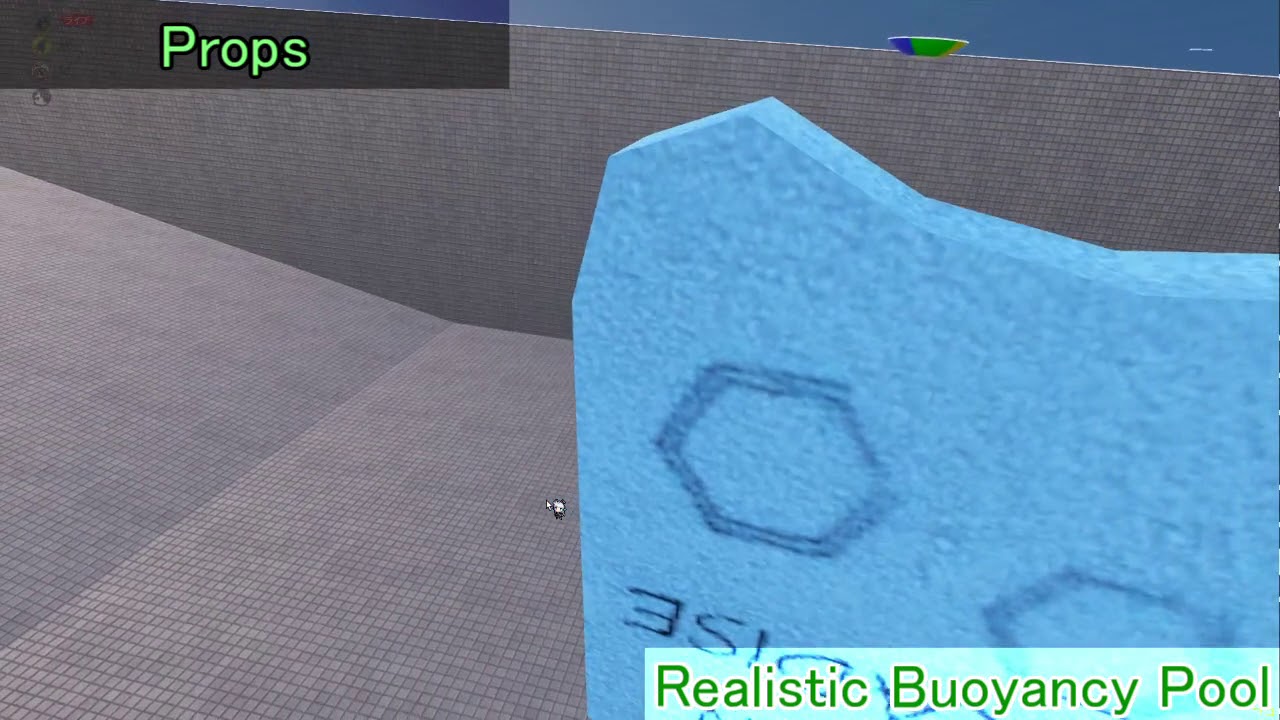
Realistic Buoyancy Pool is the world of VRChat.
World launcher:
https://vrchat.com/home/launch?worldId=wrld_a8489757-69e8-4fba-88d4-6f4fe8550bae
Now on Sale!
The world and buoyancy script are here!
https://www.v-market.work/ec/items/2823/detail/
FORNO Information
Name: フォルノ
Nick: ふぉるにゃー
Twitter: h...
tawny ermine
thanks iTwango
i'm experimenting with this one
https://booth.pm/ja/items/2127684
i'll let yas know if its any good

Udonで作られたVRChatワールドギミックです。 プール、深海、温泉などで泳げるや潜れるようになります。 本パッケージは自作ワールド「Let's Udon Swimming!」で使用しています。 ■今なら呼吸システムは無料配布になります! ※内容に差異が発生した場合、英語の説明欄を適応致します。 *In case of any differences in the description, English version will be applied. This swimming system made for VRChat using Udon (VRCSDK3) allows
misty wave
tawny ermine
thanks iTwango
i'm experimenting with this one
https://booth.pm/ja/items/2127684...
That looks awesome! And it's free too, that's crazy! please do let me know if it works, I favourited it haha
 livid mountain
How I can delete my private map from VRChat? (if it's possible)
Oh seriously. I just missed it. Thank you very much!
Thanks. And one more question. Can I replace my world if I update Unity?
livid mountain
I've updated it
 surreal nebula
whats a players collider size, vertical and horizontal?
 native cobalt
Anyone know how to fix the issue with the billiards table breaking other pickup objects in the world? It's forcing my objects to be pushed out of zone unless I enable kinematic, trigger or disable the colliders.
 undone meteor
What's a good place/asset pack to get some good materials for VRChat? New to worldbuilding and I'm struggling to find any really good ones that aren't missing maps or plain don't work.
near escarp
undone meteor
What's a good place/asset pack to get some good materials for VRChat? New to wor...
undone meteor
near escarp
https://www.textures.com/
ty
surreal nebula
undone meteor
What's a good place/asset pack to get some good materials for VRChat? New to wor...
https://ambientcg.com/ is another good site to get pbr's

Free materials never looked this good! Get 1000+ PBR materials and textures for free under the Public Domain license.
undone meteor
kk
native cobalt
Anyone else run into shaders randomly failing to compile? It seems to be happening more and more to every shader I use in Unity...
https://cdn.discordapp.com/attachments/677081461383495691/896645730171764746/unknown.png

This is becoming a problem as many of my shaders are slowly becoming unusable as I continue working in Unity..
Anyone have a fix for this?
 pure cloud
are there any way to make asset import faster? or maybe a way to have unity show a countdown timer when it's finished importing because the loading bar always frozen not knowing when will it finish
near escarp
It's faster in 2019, but nope 
tawny ermine
Tried out this new water swim system for Udon
https://booth.pm/ja/items/2127684
Get Errors out the wazooo and can't launch after i import

Udonで作られたVRChatワールドギミックです。 プール、深海、温泉などで泳げるや潜れるようになります。 本パッケージは自作ワールド「Let's Udon Swimming!」で使用しています。 ■今なら呼吸システムは無料配布になります! ※内容に差異が発生した場合、英語の説明欄を適応致します。 *In case of any differences in the description, English version will be applied. This swimming system made for VRChat using Udon (VRCSDK3) allows
near escarp
Is your udon sharp up to date ?
tawny ermine
I saw it was complaining about UdonSharp so i went to the GitHub and imported latest unitypackage
is there more to it than dragging it in?
tawny ermine
I'm using unity 2019.4.31f1
SDK3 fresh from website last night
ill see if theres more doco..
the tool from booth was tested on an earlier version of udonsharp
so i will try installing that
oh damn
it worked!
thanks for letting me bounce off you
near escarp
storm scarab
Hey so I recently uploaded a world to labs, and it has a lot of work to do, but as far as I understand, maps don't have to be actually fully completed to be uploaded correct? I went into world management and I see its been reported by someone. I definitely do not have anything against TOS so the only thing I can think of is a troll, or someone who thought the world should not exist in the public realm

Early dev version of a ported tf2 map from the Fire Friendly community․ Expect trash until ver 1․0 is released․
When I say a lot of work, I mean a lot of work. I basically just uploaded it to labs so I could invite friends and go over what I'm adding, including where everything will be and discussing things with a map maker
I've heard a lot of horror stories of people being reported and getting banned despite not actually being guilty, and then not getting their account back. I'm not saying this is true, however, how thorough of a review process is done for worlds that are reported. Surely, just because of reports I wouldn't be punished, correct? The moderation team will actually go through the world to see if its legitimate?
Another question I have, is there any way I can see what my world was reported for?
green lagoon
undone meteor
What's a good place/asset pack to get some good materials for VRChat? New to wor...

Gist
List of websites for free PBR textures. GitHub Gist: instantly share code, notes, and snippets.
storm scarab
Okay disregard previous message then, just did some research and apparently every world starts off with 1 report for some publicly unknown reason.
 west rover
I've recently started out developing worlds. Having a lot of fun evolving it into something worthwhile, but I want to incorporate some prefabs only available on booth.pm The Pixiv login, required to download from booth.pm, simply won't let me sign up, returning "That email cannot be used". Internet lore suggests Pixiv is trying to prevent throwaway email addresses being used, like Gmail, so I tried my work domain and still no success. I turned to their support, telling them: "My email addresses cannot be used. What email address can be accepted?" They replied "That email cannot be used. Try another." Since that is spectacularly unhelpful, I wonder if anyone here has struggled and then succeeded in registering a Pixiv account from a public, perhaps lesser known, email service. Beats me trying them all for the next 2 hours if someone already knows one that works!
dusk sapphire
huh, i'm pretty sure my booth accounts use my gmail
dusk sapphire
nah its a few years old at least
the login page lets you sign up with a twitter, gmail, facebook and apple id directly though?
west rover
That might be it, when I searched on this, they introduced some change or other to acceptable email addresses
I KNOW, it makes no sense!!
I mean they've literally verified my identity with a third party identity provider
but no... unacceptable
dusk sapphire
are you not able to login with gmail directly? rather than making a new account with that gmail address
the sign in with google thing
west rover
AAAAAH!
I got it.
It likes @gmail.com
it DOES NOT like real domain email addresses or @googlemail.com
Mine was the latter as it's THAT old
dusk sapphire
lol
west rover
But, of course, the gmail domain redirects to googlemail, so just amended to gmail
So.... that's exactly the opposite of what internet lore suggested 🤣
Temporary emails only 😄
phew
thanks 🙂
 true steppe
where can i get or buy the following skybox

 winter trail
Hello, so im trying to make a game world and i got a question where can i find the udon cars that most people have in their racing games?
green lagoon

GitHub
VRChat kart system by UdonSharp. Contribute to kurotori4423/KurotoriUdonKart development by creating an account on GitHub.
one of the car prefabs
winter trail
ah yes okay thanks
 craggy hull
Do I use sdk2 or sdk3 to make a good world?
green lagoon
you probably would want to use SDK 3 as that's still getting new stuff added
craggy hull
Is it easier?
green lagoon
depends on what you wanting to do
craggy hull
I just want to add a mirror
green lagoon
there's prefabs for mirrors in both of them but I'd probably go SDK 3 as that's where all the new prefabs are being made
craggy hull
I uploaded it and it won't let me enter it
green lagoon
did you make sure to follow all the instructions?
 woeful junco
true steppe
where can i get or buy the following skybox
woeful junco
true steppe
where can i get or buy the following skybox
Just look through here to see. https://assetstore.unity.com/?category=3d&q=skybox&orderBy=1
Discover the best assets for game making. Choose from our massive catalog of 2D, 3D models, SDKs, templates, and tools to speed up your game development process.
untold pewter
https://assetstore.unity.com/packages/vfx/shaders/brute-force-grass-shader-192388
Has anyone tried using this for vrchat? Wondering if it works well / porformance cost

Add depth to your next project with Brute Force - Grass Shader from BRUTE FORCE STUDIO. Find this & more VFX Shaders on the Unity Asset Store.
Yeah it was in the recent humble package so was hoping some people had tried it
I'm bored of billboard grass in every world
It ended not long ago
Most people got it just for bakery lol
stone marsh
I've used Stix DX11 Grass, GrassFlow and XSGrass, From what I've seen, pretty much all GPU grass performs about the same, but requires care to set it up correct. Most of these that support smash use custom C# scripts to do it, so those wouldn't work unless you tweaked them to work with U# or did a CRT setup.
But yea, they all perform about the same when used appropriately.
Since they run on GPU, as long as your scene doesn't have a ton of GPU heavy stuff, it shouldn't be bad assuming you set it up correct. I've managed fairly large/dense volumes in VR with shading without much of an issue.
bold ibex
haveing issues with the vrc sdk again. anyone know why ?

oh ... seems like vrchat has changed version again 😦
ill tryu updateing then see whats going on lel
bold ibex
nvm didnt work
 fair shuttle
does anyone know where i can get a Video Player for SDk 2 that has a youtube search feature? like you would be able to search for videos instead of putting the url in there.
i'm also looking for a working 8 ball pool table for SDK 2
green lagoon
you're probably not going to find a pool table for SDK 2
fair shuttle
how do i make my sdk 2 avatar world into a sdk 3 world?
green lagoon
as that would be a lot more of a pain in the butt to make and pretty much like no incentive to do so as SDK 2 is Legacy software
fair shuttle
fair shuttle
how do i make my sdk 2 avatar world into a sdk 3 world?
how do i do this?
green lagoon
what do you currently have in the Avatar world
fair shuttle
avatars and chairs, might add some pens and a video player soon
can i convert it without having to redo the whole thing?
green lagoon
not really at the moment as you would have to resetup anything that uses anything from the SDK
fair shuttle
my world has at least 50 avatars in it
green lagoon
then I guess no pool table for you then
fair shuttle
fair shuttle
does anyone know where i can get a Video Player for SDk 2 that has a youtube sea...
and is it possible to get this?
green lagoon
not aware of any video players in any SDK that does that
green lagoon
did the video player have any like name attached to it somewhere on the ui
green lagoon
yes as I can't be of any help without knowing what the video player is to Google it
 green lagoon
given all the Japanese text it's probably from Booth. P.m. and would cost money
green lagoon
yeah that search function keyboard might be glued onto a video player
fair shuttle
is there a way i could find it?
i've seen the keyboard by it self in other worlds as a chat feature
green lagoon
probably not if it's actually custom
 tired herald
hey I'm trying to add jumping to my world any one know a good tutorial I can watch.
green lagoon
SDK 2 or 3
tired herald
3
green lagoon
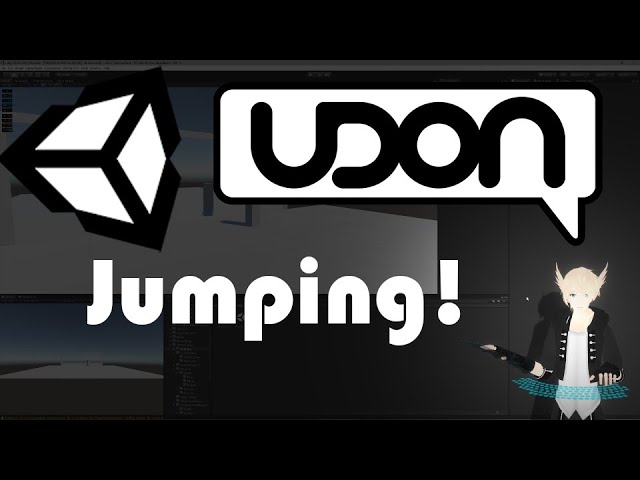
Here we set up a basic system for jumping and modifying the player's movement speed, which used to be controlled through "PlayerMods" in the trigger days. Fortunately, it's pretty easy to set up and get going!
VRChat Udon SDK:
https://vrchat.com/home/download
UdonSharp:
https://github.com/Merlin-san/UdonSharp
Music Used:
Portal - Android Hell...
tired herald
thank you
fair shuttle
are there any other video players for sdk 2 i could use? the one i have just gives me a blank white screen
green lagoon
https://docs.google.com/spreadsheets/d/e/2PACX-1vTP-eIkYLZh7pDhpO-untxy1zbuoiqdzVP2z5-vg_9ijBW7k8ZC9VP6cVL-ct5yKrySPBPJ6V2ymlWS/pubhtml# here's a list of vrchat prefabs with a section for SDK 2
 stray oxide
Erm any idea? I pressed the upload button and unity crashed then this happened, i tried reimporting the SDK but its still doing this

Heres the error for it
Error: Could not load signature of VRC.SDK3.Components.MultipleDisplayUtilities:GetRelativeMousePositionForDrag due to: Could not load file or assembly 'UnityEngine.UI, Version=1.0.0.0, Culture=neutral, PublicKeyToken=null' or one of its dependencies. Assembly:UnityEngine.UI, Version=1.0.0.0, Culture=neutral, PublicKeyToken=null type:<unknown type> member:(null) signature:<none>
true steppe
woeful junco
Just look through here to see. https://assetstore.unity.com/?category=3d&q=skybo...
Thank you so much!!
woeful junco
true steppe
Thank you so much!!
Welcome 🙂
 tepid tangle
is there any way i can wrap the vrchat video player around a mesh?
ive seen it done before but i have no clue how it works
 fallen kettle
Im trying to upload my first world and the builder is not working
I am on Unity 2019.4.29 (I know its outdated but this really shouldn't change that much I believe)
I tried restarting
and this is Sdk3

if anyone has any help/advice, please @ me. Thank you!
stone marsh
There's no reason not to update to the current version of unity. Won't take more than a minute or two. If you're on the current sdk you should do this regardless.
fallen kettle
even with the project in it?
stone marsh
Yes. It's very fast. It's not like moving from 18-19 or 17-18
Using the current sdk with a old version of unity isn't advisable.
Regardless. You most likely have script errors in your project preventing build.
fallen kettle
so i just download this version of unity, correct?
 near escarp
Make sure to check your console for errors
stone marsh
Yes
Indeed. Clear your errors in the console, attempt to build or attempt to enter play mode and check for hard errors, it will typically direct you to the script that is having an issue
fallen kettle
near escarp
Make sure to check your console for errors
my console really isnt saying anything bad, I have no errors at all
unless these are bad, i dont know whats up
 stone marsh
That sometimes can be the case, especially with U# errors. Are you using U#?
fallen kettle
im not sure, im new to worlds so I really dont know
well, new with worlds and unity
near escarp
Close unity and reopen it, errors might appear then
fallen kettle
near escarp
Close unity and reopen it, errors might appear then
I have restarted a total of 3 times before asking in here
i am currently downloading the newest version of unity
its taking a bit but its downloadin
stone marsh
It may be ideal to do the following.
Create a new empty scene
Save your project
Open the new empty scene
Save project with new scene open
Restart unity
Should be in new scene still.
Delete the vrcsdk and udon folders
Save again
Close
Update to the current version of unity
Still in empty scene, add the current world SDK3.
Restart unity
Open original scene.
Why do this? You may have messed something up. This is the safest way to remove and reinstall the sdk without affecting your main scene. Some steps may not be needed but are in there for safety/good measure. You would end with updated unity and a fresh sdk install allowing better troubleshooting if issue persists.
mild spade
fallen kettle
unless these are bad, i dont know whats up
Would be helpful a full picture of the entire console window. As you might have "clear on play" enabled, or have the error (red) button disabled
fallen kettle
mild spade
Would be helpful a full picture of the entire console window. As you might have ...
Full console, while blocking my real name
 fallen kettle
stone marsh
It may be ideal to do the following.
Create a new empty scene
Save your projec...
fallen kettle
stone marsh
It may be ideal to do the following.
Create a new empty scene
Save your projec...
so what you are saying in simplest terms is to delete the sdk3 from the project in the safest way possible?
what if i just upgrade?
mild spade
More specifically looking for this. Do you have the (!) enabled ? (looks like a stop sign)
 stone marsh
fallen kettle
what if i just upgrade?
stone marsh
fallen kettle
what if i just upgrade?
If you possibly messed something up, or if something got changed, or if you somehow loaded two sdks that conflict, there's a lot that can go wrong and end up giving you issues. Typically you can just upgrade, however, that won't help troubleshooting your issue and could carry an issue forward.
fallen kettle
mild spade
More specifically looking for this. Do you have the (!) enabled ? (looks like a ...
This?

 autumn maple
does anyone know what this mean?

this is my first world project and i dont understand what this means. i changed the file directory earlier in the sdk console to where the application is.
i dont know if this has anything to do with it, but here is the directory i have
 autumn maple
does anyone know what this mean?
autumn maple
autumn maple
does anyone know what this mean?
this error pulls up whenever i try to upload the world
 left turret
I have a world in sdk2 and was wondering if there is a way to make all objects sync to all players. it seems there should be vrc_objectsync for that but it does not seem to exist in my project. is that possible? if that is normal, what should I do?
also what is the setting or where to find it so that objects with colliders wouldn't collide into each other?
near escarp
autumn maple
this error pulls up whenever i try to upload the world
Do you have any other errors ?
autumn maple
i figured it out, sorry. but i do need help with music in my world
how could i add that with multiple toggles
digital adder
https://cdn.discordapp.com/attachments/871482113352958062/896478543293325372/image0.jpg some of the textures in my world look like this on quest?
 left turret
can you update worlds in labs?
 amber flint
Anyone know who makes the mercury mirror prefab?
the cool one you can touch and it ripples
 faint frigate
Hello community, this is probably not a new question: how can I use TMP input field and text to display player input text with Unity UI events? Thanks
I’m using SDK3.
autumn maple
for some odd reason when i click change target build support to android it says unable to change to android
 autumn maple
This is my first
2019.4.34f1 I think
I think its the .29 one
I'll check one sec
slim coral
AHawk living in the future
autumn maple
im using the .29 one
is that what i need?

would i switch this to android?

thats what i have
i added the android build support
and i didnt change through to android on that screen, i kept it as windows. but it still changed so i think thats what the problem was
 nocturne delta
hey can i got an avatar in a world, how can i make it cloneable without having the giant icon on it?
 atomic patio
probuilder disables scaling/rotating/moving. I assume I have some settings wrong?
fixed itself...
surreal nebula
is it necessary to make cuts here if it's even?

I don't want there to be a lighting issue if it isn't seemed together right
slim coral
Hi @surreal nebula , I'll assume you're using Blender but these tips will apply to any 3D modeling software:
- If your surface is perfectly flat you don't need to worry about N-Gons (polygons with more than 4 sides). Unity triangulates models on import and you usually won't get shading issues on flat surfaces.
- That being said, it's good modeling practice to resolve all of your N-Gons as quads anyway. It means Unity is doing less guesswork and potentially messing up your model.
- If you want to make sure Unity doesn't mess anything up, attach a Triangulate modifier to your object. It will quickly show where issues may arise. This will be applied on export if you export to FBX.
- If you have unwrapped a UV and textured the object, Unity shouldn't warp the texture when it triangulates it.
What you're asking is a little vague but hopefully at least some of that helps ✌️
surreal nebula
its not an ngon. its just 4 vertices. directly on the same axis as the other faces. I don't know if light will clip it if only the 2 edge vertices are connected.

these being the only connected ones
 slim coral
So those 4 other vertices aren't attached to the face? Only the two you've circled?
surreal nebula
just those bottom 2 vertices are connected at the edge, none of the others
but the other vertices for the smaller faces on bottom are on the same Z and X point so it's seamless.
I know I'm making it difficult to understand. so I moved them. will light clip if it's seamless but not connected.
 slim coral
No generally light shouldn't filter through a hole like that, it's too thin.
I have broken up a map into parts with edges of different objects matching the position of the other edges without issue.
Generally you want to minimize the amount of "kissing" edges you have like that, especially on a single object since they're usually not necessary, but I can't imagine it would pose a lighting issue.
If you don't need there to be a gap, I would recommend making those vertices a part of the larger face. All you'd have to do is select all of the edges around the perimeter and hit F. Blender doesn't care how many edges you have selected, it will still face between them.
 spark brook
Does anyone know how to fix the issue with quest users in certain worlds where the world only appears in one lens?
surreal nebula
decided to do triangle way, really didn't want to but uh well.

 still wing
So im having a problem in my world where no one including me loads there models but only from my perspective in any instance
slim coral
surreal nebula
decided to do triangle way, really didn't want to but uh well.
Could you send a shot of the whole model from that angle? I think there may be a better way to place those edges but I can't judge it without seeing the rest of the object.
still wing
still wing
So im having a problem in my world where no one including me loads there models ...
nvmd it was the beta
pearl scarab
Looking for a prefab of string lights that I can hang around the edges of a bar and room
Anybody able to point me in the right direction?
tepid tangle
help pls :')
 tepid tangle
uhhhh wdym multiple models?
 tepid tangle
yeh
 still wing
oh shit your making a world
tepid tangle
yea lol
atomic patio
Which one is easier for vrchat to handle? 1 model, or several primitives in the shape of the model?
near escarp
One model
slim coral
tepid tangle
help pls :')
Internet issue maybe? Could be a firewall.
That, or just turn your internet on/off and reboot Unity.
atomic patio
I cannot, for the life of me, find the sofa
near escarp
check the object under it
atomic patio
in the hierarchy?
near escarp
yep
 charred osprey
do shaders that are affected by wind work in vrchat?
near escarp
Yep that should work
misty wave
Just curious, I recently got an old Surface Pro for note taking and pen functionality. I would love to do Unity work and Blender on it, but obviously it's not super powerful and has low storage. Should I attempt to set up networked folders to store stuff on the cloud? Is that even possible? Or should I just remote in to my workstation and save the trouble?
If anyone has experience lol
slim coral
@misty wave Unity project files get large very quickly, VRC SDK alone is 500mb on disk when imported. Add Bakery onto that and an empty project hits 1GB.
Unless you’ve got reliable and stable net, it might get a bit hefty.
Another option may be an SSD USB drive. They can be unreliable, so have a robust backup solution (such as just copying to desktop).
Unity with lightmapping probably isn't too heavy for a Surface Pro to handle, but baking will be slow and some Unity tasks are very CPU dependant (compressing textures etc.).
Remote connection is a good idea but again that depends on a stable net: I personally can't handle lag in my 3D apps.
Give just using the Surface with a USB a chance and then if it doesn't cut it, have a look at the remote solution?
true steppe
misty wave
Just curious, I recently got an old Surface Pro for note taking and pen function...
And also add the temporary files that Bakery creates for you when you make a Bake, it easily adds 1 GB or more depending on the project, and a recommendation is to set that file in a ssd
misty wave
I hadn't considered just using an SSD drive. There's also MicroSD expansion. I may just give that a shot. Though I usually have reasonably stable net
Thank you for your advice!@
 digital viper
So im having an issue. This is my first time uploading a world. I was trying to fix the UI text so that it would show in world on the quest. I thought that I had gotten it but it wouldnt re-upload and update the world. i thought it was because there was already one existing so I deleted the existing one. Now It wont reupload the world at all. When it goes to the info for putting in the world name, its all greyed out and wont allow me to upload. I dont know whats going on! Please help?
Ive been up all night making this world and im so tired. Im begging for some help. ❤️

All greyed out ;-;
true steppe
Hello, won't he let you put the name of the world? you tried closing unity and starting it again, sometimes it kind of hangs
digital viper
true steppe
Hello, won't he let you put the name of the world? you tried closing unity and s...
I restarted it and everything. It wont let me upload it again.
true steppe
Has it been 7 days since the last time you uploaded a world?
digital viper
I just uploaded the world today. However, it was missing text. So I redid it and i tried to reupload it but it would not allow it. I thought it was because there was already a world existing with that name so i deleted the world.
It still will not upload.
Im trying to reupload the world
i didnt publish it for public either
this was a private world
true steppe
Did you try to edit the texts from the page? vrchat.com?
digital viper
true steppe
Did you try to edit the texts from the page? vrchat.com?
What do you mean?
true steppe
digital viper
What do you mean?
 digital viper
true steppe
digital viper
true steppe
The world is not there because I deleted it thinking that was the reason why it would not let me reupload the world.
digital viper
If someone that knows or is willing to help me figure this out I would be of much appreciation. In tired so i must sleep now but im struggling still. This is supposed to be a surprise gift and if i cannot upload it im going tio be very upset. If anyone knows anything please help. Im exhausted trying to figure it out 😦
dusk sapphire
go grab vrworldtoolkit which can check for and fix common issues that may cause this https://github.com/oneVR/VRWorldToolkit

GitHub
Unity Editor extension for making VRChat worlds. Contribute to oneVR/VRWorldToolkit development by creating an account on GitHub.
 stable crater
so I found this cool global snow thing in the asset store but it doesn't want to work with vrchat because it gets applied over the camera, I added the reference camer but it doesn't want to work in vrchat, are there any options I'm missing?
 woeful junco
Hi. I have a ball that I have added the pickup and object sync to so it can be thrown off of an object. How do I get the ball to go back to it's original place after a minute or two? I hung out and watched for it but it didn't happen.
green lagoon
you need to program in a return to original position function
I think there might be a prefab for that let me go check
woeful junco
Thanks
green lagoon

ピックアップオブジェクトに仕込んで、最後に触ったプレイヤーが一定距離離れて一定時間経つとオブジェクトを元の位置に戻すUdonギミックです。 -- ライセンスはCC0です。 ライセンスのざっくりとした解説 Q. AutoCleanupや改変したAutoCleanupを使っているVRChatワールドをAutoCleanupを使っていることを明示せずにPublicでアップロードできますか? A. はい。 Q. AutoCleanupや改変したAutoCleanup、またはそれらを組み込んだものをAutoCleanupの作成者を明示せずに有償・無償で配布できますか? A. はい。 Q.
woeful junco
green lagoon
https://booth.pm/en/items/2950987
Thanks.
green lagoon
hope it does the trick for you
woeful junco
green lagoon
hope it does the trick for you
Thanks again. I'm looking over the instructions right now
 long pewter
should I expect this every 5 days or whatever now?
 woeful junco
green lagoon
hope it does the trick for you
woeful junco
green lagoon
hope it does the trick for you
Ok. Lost. Do I add it each ball or just add one to the scene or? Please and thanks
green lagoon
woeful junco
Ok. Lost. Do I add it each ball or just add one to the scene or? Please and than...

AutoCleanupはピックアップオブジェクトに仕込んで、最後に触ったプレイヤーが一定距離離れて一定時間経つとオブジェクトを元の位置に戻すUdonギミックです。 sandman.booth.pm プロジェクトは事前にUdonSharpをインポートしている必要があります。UdonSharpはこちらのリンクから最新のリリース(Pre releaseではなくLatest releaseです)をダウンロードしてください。 github.com 対象のVRCPickupを付けたオブジェクトにUdonBehaviourコンポーネントを取り付けてください。 Allow Ownership Transfer…
woeful junco
green lagoon
each ball https://sandman73773941.hatenablog.com/entry/2021/05/07/181544
Thanks so much again for always helping me 🙂
green lagoon
no problem glad to be of help
digital viper
dusk sapphire
go grab vrworldtoolkit which can check for and fix common issues that may cause ...
i downloaded it but im not sure how to use this and figure out whats going on so i can post the world
digital viper
If anyone has the time to help me get this world published.... I could REALLY use the help. If I fr need to pay someone to help ... at this point id be happy to. Please let me know.
 white mauve
how does one make an object appear only in VRCMirror? setting up a layer for the culling mask on the reference camera does not work for w/e tf reason (as in putting the particular object into another layer and excluding it in culling mask)
also is that a unity problem that it does not include fog in the VRCMirror reflection?
digital viper

So this is what my SDK looks like before I click the "build and publish" button.
When I select "build and publish" it takes me to the screen but everything is greyed out and will not allow me to change the name or anything at all.

Like this
Why will it not let me edit the name and publish my world?
near escarp
Can you take a picture of your whole screen ?
digital viper
near escarp
Can you take a picture of your whole screen ?


There ya go.
Someone told me it was an SDK issue.
but I literally just started building everything yesterday
near escarp
Did you open the vrworldtoolkit ?
digital viper
and i dont know how to fix this stuff and after staying awake all night to get this done, im so frustrated
digital viper
near escarp
Did you open the vrworldtoolkit ?
The debugger?
near escarp
yep
digital viper

I auto fixed everything that would allow and kinda fixed some of the shaders on some items
but it uploaded before so shaders arent the issue
near escarp
What did you do to the project after it had uploaded successfully ?
digital viper
Well the text in the scene was not showing in world when i entered via VR. So I fixed the canvas and stuff and went to reupload it and it was a greyed out. I thought that it was because there was already an existing world like that so I deleted the world from vrchat. I went to reupload it and it was all greyed out like this.
near escarp
Can you try reopening the unity project to make sure no error shows up in the console ?
digital viper
Like directly from the unity hub?
near escarp
sure
digital viper

Im opening from here

I got no errors and it opened just fine

However, now the text is showing on both sides of the wall and not just one
near escarp
Just a TMP shader issue iirc, for your game window not being interactable, i'm not sure what the issue is, the screen isn't paused, you don't seem to have any errors
digital viper
Would it be halpful to just create a new project and copy the scene and then reupload it that way?
Or do you think it would give me the same issue?
near escarp
Hard to say without knowing what the underlying issue is, but might be worth a try
digital viper
and how do i fix the shader issue for the text to show on one side
Im not sure how to properly copy the scene to another project
near escarp
yeah that might be difficult, also the text rendering through is only a problem in unity
digital viper
I feel like maybe i should just start all over again
Would i need to uninstall unity and reinstall it and the SDK?
near escarp
You wouldn't need to reinstall unity no
But yes you would need the latest SDK in your project
digital viper
Thats another weird thing I was going to mention. At the top i click "VRChat SDK" and then i go down to "utilities" and "check for updates" and it says this

But I downloaded the newest version already
and imported it
near escarp
Yeah that's expected
digital viper
Okay. Just making sure I wasnt missing something. Alright then. I guess ill start all over and try to upload after that
but if it doesnt work. Then i give up creating in general lol
oof~
near escarp
white mauve
white mauve
how does one make an object appear only in VRCMirror? setting up a layer for the...
bump
white mauve
white mauve
also is that a unity problem that it does not include fog in the VRCMirror refle...
and one more
near escarp
MirrorReflection
 frosty silo
guys I have a problem, whenever I try to export my blender world in fbx my blender say "doesn't respond" for ever
tepid tangle
ive reimported my sdk like 7 times now along with restarted unity so many times. send help pls
 slim coral
@tepid tangle what’s the problem?
near escarp
tepid tangle
ive reimported my sdk like 7 times now along with restarted unity so many times....
Check your unity console for errors
 white gulch
anyone have a free beer pong asset for sdk3? the ones i found are buggy
bold ibex
Does anyone know why my buttons don't show interaction text?
The buttons work completely fine but the text doesn't show up
slim coral
@white gulch Have you checked the VRChat Prefab database? You may find one there. If not, maybe there's an alternate party game that would work for you too:
https://vrcprefabs.com/browse
digital viper
Does anyone know how to make UI text words appear in world for quest? Do you have to bake it onto the canvas or something?
mild spade
bold ibex
Does anyone know why my buttons don't show interaction text?
The buttons work co...
Do you have this turned off by any chance?
 bold ibex
I did xD
mild spade
digital viper
Does anyone know how to make UI text words appear in world for quest? Do you ha...
Are you having trouble displaying text on quest worlds? As far as I know the same way you make a text for PC is equals for quests. I have used Text Mesh Pro on a UI Canvas and they work on both PC and Quest.
digital viper
i put out a canvas and then text boxes and put them on the canvas to add to the wall i want to add text. The last time i did this, i entered the world and there was no text in world. So I got a bit confused.
I just want to be sure I do it correctly this time
 pulsar crow
is it possible to make http requests through udon
Or is it possible to have world states persist across shards/instances
green lagoon
neither of those can be done at the moment
pulsar crow
damn. Guess I gotta postpone my rpg
green lagoon
like the stuff to do the stats/world states persist is coming later to vrchat but that's going to be a while
pulsar crow
What I'm going after is users can alter the world and that'll show for all players
I guess we'll see how the interface for stats and such looks once that's released
green lagoon
the world persistence stuff vrchat is working on is more like user save states for world's so that's probably not going to be doable users changing the world for all other users
pulsar crow
💀 Figured as much since I watched the dev stream. That's why I also asked if http was a thing
saw that people could embed data in images and exploit web image renderers, but eh
green lagoon
pulsar crow
💀 Figured as much since I watched the dev stream. That's why I also asked if ht...
nope and vrchats probably not in a big hurry to do that
 lone oxide
so idk where else to put this but i have 5 reports on my world and 1 of them is in a way public on the report saying Enviroment-broken even tho the enviroment is fine on the world and is meant for people to be lagg free so is there a way to submit a removal of that report? cause honestly its pretty stupid
like no joke the enviroment is perfectly fine people arent fallin through the ground quest users can see out of both eyes and sure the textures are low res but thats to save space on the world so its not taking up alot of space but all in all its very good
random owl
If there's nothing wrong with the world you can just ignore the reports
lone oxide
i can but it bothers me a lil bit at the same time o3o cause i feel like people just like to abuse the system to try and get furry worlds taken down and such cause they dont like furries .-.
random owl
It's just a flag on the world only you and moderators can see which doesn't affect search ranking or anything, if there's nothing wrong with the world it doesn't matter
 opaque flax
is there a way to use something like google drive to load images in a world?
i have a couple pictures that get updated pretty often and am looking for an easier way to update them instead of having to reupload the world every time i need it changed

 frosty goblet
thanks
 tired igloo
are quest players supposed to be able to see the video player for unity?
the one that comes with the vrchat examples folder
 kind leaf
if you use direct links and a standard-lite shader. By default no.
tired igloo
i tried it with standard lite tho
i can hear the auido but cant see the video
tired igloo
is 60mb the max size for a quest uploadable world?
cause b club is for quest and its like 90 mb
kind leaf
- You see the PC size when checking world stats.
kind leaf
Checking build logs. or install the oneVR toolkit and check debugger after build
GitHub
Unity Editor extension for making VRChat worlds. Contribute to oneVR/VRWorldToolkit development by creating an account on GitHub.
^ that tool will also assist you in reducing world size via the mass texture importer and indicate which textures have not been crunch compressed
tired igloo
kind leaf
https://github.com/oneVR/VRWorldToolkit
^
tired igloo
does it give you optimization tips too?
kind leaf
yep
tired igloo
like does it fix the optimization for you?
cause most of my avatars are set to poor
status
kind leaf
some things can be autofixed mesh issues you need to fix in blender
 unkempt turtle
tired igloo
like an avatar debugger sort of thing?
unkempt turtle
tired igloo
like an avatar debugger sort of thing?
cats blender plugin for blender is the avatar counterpart to vrcworld toolkit
 timber fable
How do you fix this? I already turned off the occlusion culling
unkempt turtle
dynamic occlusion culling or whatever it is disabled too?
timber fable
yes
unkempt turtle
odd
timber fable
very
unkempt turtle
what renderer are the objects using?
 wild vapor
Dumb question
Is making a world of avatar things a good idea if your avatar list is too full?
Like even with vrchat plus you've filled your favourites list
Is it a good idea to make a world for that?
kind leaf
Because most people don't have the right to display someone else's content.
wild vapor
Actually it was gonna be a private world for me and my friends only
I usually copy my avatars with permission from the people I'm copying them from
kind leaf
You need a blueprint_ID which is not publicly shared in game and can only be gotten by... Can't say
I was talking about clients 🙂
wasnt
if you have to go about it like that, its a grey area. Thats all I am saying. The right to use is not the right to redistribute.
wild vapor
..so how do i make a world? Sorry if I'm asking dumdum stuff.
Besides. Most of my avatars are asked to copy or from avatar worlds already
..so uh..
..how do i make a world exactly?
Is it a lot of coding stuff..?
Unity..? I gotta download that?
Isn't it like.. not cheap?
kind leaf
Personal is free
unless you sell products that profit you a net of 100,000 or something like that then you have to pay a fee lol
wild vapor
So i can't make a VRChat world for free
Got it ;w;
O oki
I haven't maxed out my avatar list just yet. Just wanted to know :3
tired igloo
this is why i prefer making worlds so much more than avatars
for avatars you need blender and astuff
for worlds, you litearlly have everything in front of you in unity
its so much better
what do you use for worlds
i mainly make my worlds only thru unity
green lagoon
like you're probably going to be fine if you just wanting to make chill rainy bedroom 46 but you're going to have a bit of a hard time doing a super complicated map with no blender
if you don't have any capability to deal with any custom parts you need or modifying modular kits to suit your needs
green lagoon
like basically all the assets you would Cobble together in unity to make your scene were originally made in blender or some other modeling software
bold ibex

bold ibex
Does anyone know how to make a transparent mirror?
So that you can turn the mirror on and see your avatar, but you will still see the wall that was behind the mirror
green lagoon
GitHub
A simple mirror prefab for mirrors that show players only without any background in VRChat - GitHub - acertainbluecat/VRCPlayersOnlyMirror: A simple mirror prefab for mirrors that show players only...
 naive tinsel
does anyone know where to find good assets and a rain window shader/texture?
green lagoon

GitLab
A shader for Unity that (ab)uses some Unity features to produce glass-like glass.
a Shader made for vrchat that handles rainy windows
and if you're looking for interactive knick-knack https://vrcprefabs.com/
naive tinsel
green lagoon
https://gitlab.com/s-ilent/fake-glass
thank you <3
green lagoon
out of curiosity what kind of assets were you looking for outside of rainy windows
bold ibex
Thank you !
green lagoon
bold ibex
Thank you !
hope you have fun with your transparent mirrors
bold ibex
Thankies ! Also I just want to make sure, would it be better to have my audio files as .wav or .mp3?
green lagoon
I don't know off the top of my head on audio
bold ibex
Thankies though owo
wild vapor
ngl for my world
all i want is a TV system, a mirror, and all my avatars i've saved up over the months.
slim coral
wild vapor
So i can't make a VRChat world for free
You absolutely can. Unity is free unless you receive revenue/funding over $100,000, and as far as I know that’s only if you want to make your own game.
You’re not selling a “game” if you’re making worlds for VRChat. Even if you’re selling avatars through a platform such as Gumroad, advertising your services on VRChat shouldn’t incur a fee.
wild vapor
slim coral
You absolutely can. Unity is free unless you receive revenue/funding over $100,0...
i see!
so it's super easy to do right?
..or atleast what i plan on doing?
slim coral
An avatar world? Certainly simpler than a full-featured world. Neither requires coding or anything like that, it's all in-editor.
If you don't have any experience with Unity though, don't expect to pump it out in a single day. There's some good docs out there so search out the info you need, start putting stuff together in Unity and when you come across a roadblock go searching some more.
Allow yourself the time to learn Unity properly and it will make future edits + new worlds much easier and faster for you.
green lagoon
VRChat
Before getting started, ensure you have a Unity project with the SDK set up. If you want a great intro to creating your first world with pre-created assets, a tutorial video, and detailed steps, check out the VRChat Home Kit! Step 1 - Setting up a scene The first thing you need is a scene. This can ...
wild vapor
i see! thanks!
all i wanna do is make a world with a TV, a mirror and my avatar collection.
green lagoon
the vrchat SDK has prefabs that would handle all three of those
wild vapor
ah nice!
green lagoon
basically you would just literally drag those prefabs onto a plane and you would be good to go as far as minimum viable product
bold ibex

What would be good audio settings to compress this and make it the lowest MB possible?
near escarp
Probably should be compressed outside unity, also if it's a long audio file, it should be sett to streaming decompress and not on load
 pine dirge
For the obstacle course SDK, I do it the way it's show, but it won't add the prefab to "Checkpoints in Scene".

Mine:
 cerulean echo
@bold ibex and force it to mono
bold ibex
Thankies
 sullen turret
I'm trying to make a combat world, and want to add guns to it. Problem is I can't find any tutorials anywhere on how to make working guns that actually kill people
 quiet plinth
How do I boost audio when a player walks into a certain collision trigger box?
This doesn't seem to be available anymore?
https://docs.vrchat.com/docs/vrc_playeraudiooverride

VRChat
A region in a world where user voice and avatar audio properties can be adjusted.
I found it in the explorer but I can't add it as a component

 brisk spear
does any one know to to convert string to vrcurl like frfr really need it
 elfin latch
https://streamable.com/9oqsry I'm having an issue with like... my render distance in unity and i'm not too sure how to fix it

my water mesh is bigger than what is seen and I am only able to see the actual water when I zoom in super close to it
and my mountains also have a disappearing issue while in VR
any help would be appreciated!
:)
near escarp
Did you adjust your main camera clipping plane and assigned that camera into your world descriptor ?
elfin latch
yes, i adjusted all of that already
it looks fine it game but it makes it very hard to understand what's being placed in unity itself
and even with the clipping plane / world descriptor changes, the back mountains still disappear within a certain... fov it seems like?
near escarp
how massive are those objects ?
elfin latch
ah, I fixed the mountain issue but now it's just the water issue
the water is fairly big but even at a smaller size, it still has that rendering issue as shown in the video
near escarp
Did you confirm this issue also happening in vr ?
elfin latch
yes, it's also happening in VR
near escarp
Which shader are you using ?
 unkempt mauve
Help, please
#user-support-old message
dusk sapphire
bold ibex
Does anyone know how to make a transparent mirror?
So that you can turn the mirr...
whats the point of using a transparent mirror like that if you're just gonna put a wall behind it

 wanton frost
I've seen a few facing outward towards the skybox
Good to see the view and yourself
 nova locust
I need your help. I'm really frustrated and stressed out about this. So, in my world, there's a camera with the render texture. But for some reason, the light flickers on ANY avatar. I did check Google and tried many different ways to fix it such as adjusting the camera's near clipping plane, changed the shader on the render texture, tried different settings on the camera and texture, used different lightings, and the light still flickers on the avatars. This is starting to piss me off
dusk sapphire
on your camera settings, you have both playerlocal and mirrorreflection layers selected
disable playerlocal
playerlocal is what you see when you look at your self from your perspective, which has the head shrunk so it doesn't block your vision
mirror reflection shows a clone of your full avatar, which is what you see when you look at yourself with the player camera
with both selected, the camera is rendering 2 models superimposed over each other, causing the flickering
because playerlocal has no head, only the head doesn't flicker
nova locust
So I only disable playerlocal? but keep the mirror reflection on?
dusk sapphire
yes
playerlocal = your avatar without a head
player = other players
mirror reflection = your own avatar
nova locust
Ok, got it. Other options are on too. Are they fine too?
 nova locust
That link is very useful. Thank you. I'm now uploading the world.
dusk sapphire
you should also note this applies to real time lights if you're using any, and it looks like you might? given that the flickering shows one of the models being darker?
nova locust
aaah, it's gone. Thank you very much!
nova locust
dusk sapphire
you should also note this applies to real time lights if you're using any, and i...
all lights are mixed
but the flickering is gone now. Tested it on other avatars as well.
dusk sapphire
that's good, but with mixed lighting dynamic objects will receive real time light, so just make sure it has player, playerlocal and mirrorreflection layers selected if you want avatars to also be lit in the camera and mirrors.
brisk spear
does anyone know how to load .asset file i created a scriptable object but not sure how to load it in game
if you can help please reply to my message please really in need of help
 ruby jay
brisk spear
does anyone know how to load .asset file i created a scriptable object but not ...
ruby jay
brisk spear
does anyone know how to load .asset file i created a scriptable object but not ...
what are you trying to achieve with the scriptable object?
 feral steeple
Can't find the Control Panel, pretty sure it's supposed to be there?
 ruby jay
feral steeple
Can't find the Control Panel, pretty sure it's supposed to be there?
ruby jay
feral steeple
Can't find the Control Panel, pretty sure it's supposed to be there?
check your console log, there may be errors you need to fix first
feral steeple
I tried to fix it by deleted the assets that were giving me errors and it crashed
brisk spear
ruby jay
what are you trying to achieve with the scriptable object?
Trying to make a playlist system for video player but I want it to work with ui so players can play any song or video in the playlist it’s for a club world I’m making
feral steeple
ruby jay
check your console log, there may be errors you need to fix first
Error: Could not load signature of VRC.SDK3.Components.MultipleDisplayUtilities:GetRelativeMousePositionForDrag due to: Could not load file or assembly 'UnityEngine.UI, Version=1.0.0.0, Culture=neutral, PublicKeyToken=null' or one of its dependencies. assembly:UnityEngine.UI, Version=1.0.0.0, Culture=neutral, PublicKeyToken=null type:<unknown type> member:(null) signature:<none>
Oh, it's back now
ruby jay
brisk spear
Trying to make a playlist system for video player but I want it to work with ui ...
you trying to make a playlist system with udon, right? if udon compiles and is in your scene on an object, it will operate as you programmed it
bold ibex
For some reason I can't see the skybox in my world in game but in Unity I can see it, even in play mode I can see it
Is there a reason it isn't working in game?
brisk spear
ruby jay
you trying to make a playlist system with udon, right? if udon compiles and is i...
Yeah just don’t know how to access the scriptable objects via udon code
ruby jay
brisk spear
Yeah just don’t know how to access the scriptable objects via udon code
you will have to make the scriptable object in udon
brisk spear
ruby jay
you will have to make the scriptable object in udon
oh so can't used udon C# i thing that's what you mean
ruby jay
brisk spear
oh so can't used udon C# i thing that's what you mean
you can use u#, make an object in the scene and add the u# component
brisk spear
ruby jay
you can use u#, make an object in the scene and add the u# component
yeah this is where i'm getting stuck

[Serializable, CreateAssetMenu(fileName ="New Song", menuName = "Create/Club/Song")]
public class SongData : ScriptableObject
{
    public int songIndex;
    public string songTitle;
    public string songArtist;
    public VRCUrl songUrl;
    [NonSerialized] public bool editMode;

    public override string ToString() => $"#{songIndex} {songTitle} - {songArtist}";

    public static implicit operator SongData(SongDataXML xmlVersion)
    {
        var data = new SongData();
        data.songIndex = xmlVersion.songIndex;
        data.songTitle = xmlVersion.songTitle;
        data.songArtist = xmlVersion.songArtist;
        data.songUrl = new VRCUrl(xmlVersion.songUrl);
        return data;
    }
}
xml?
ruby jay
brisk spear
```cs
[Serializable, CreateAssetMenu(fileName ="New Song", menuName = "Create/Cl...
you need to write SongData in u# to use it in u#, as UdonSharpBehaviour
brisk spear
ruby jay
you need to write SongData in u# to use it in u#, as UdonSharpBehaviour
yeah but then i don't know how to save it as .asset file, so lost
desert python
what do you mean?
brisk spear

each song is it's own scriptable asset
also have a playlist the holds all the song this is just for the editor script to easy add remove songs

i want to populate song entry with the corasponding song data
 desert python
how is the list being generated? you would need to make a variable that can extract data from that editor script
brisk spear
desert python
how is the list being generated? you would need to make a variable that can extr...
 private void PopulateScene()
    {
        var grid = Selection.activeGameObject.GetComponentInChildren<GridLayoutGroup>() ?? Selection.activeGameObject.GetComponentInParent<GridLayoutGroup>();
        DeleteChildren(grid.transform);

        for (int i = 0; i < playlist.songs.Length; i++)
        {
            var song = playlist.songs[i];
            var go = (GameObject)Instantiate(Resources.Load("Prefabs/SongEntry"), grid.transform);
            go.name = song.ToString();

#DOES NOTE WORK
            var ub = go.GetComponent<UdonBehaviour>();
            if (ub != null)
            {
                Debug.Log($"{ub.programSource} Component was found");
                ub.SetProgramVariable("songIndex", song.songIndex);
                ub.SetProgramVariable("songTitle", song.songTitle);
                ub.SetProgramVariable("songArtist", song.songArtist);
                ub.SetProgramVariable("songUrl", song.songUrl);
            }

            //go.transform.Find("Index").GetComponent<TextMeshProUGUI>().text = song.songIndex.ToString();
            //go.transform.Find("Title").GetComponent<TextMeshProUGUI>().text = song.songTitle;
            //go.transform.Find("Artist").GetComponent<TextMeshProUGUI>().text = song.songArtist;
            //go.transform.Find("Link").GetComponent<VRCUrlInputField>().SetUrl(new VRCUrl(song.songUrl.Get()));

            //go.SetActive(true);
        }
    }
k and editor window?
brisk spear
desert python
k and editor window?
that is the editor window
it't to big to share code
i just show the part the makes the scene object and try to assign the info
desert python
is the script called “playlist”, cus if so. instead of doing “public udonsharpbehaviour”, you could “playlist _playlist” and make sure that it is in the same name space. but it may not work since youre doing it from an editorscript im not familiar with
brisk spear
if you know a better way i really would like to know i'm not familiar with udon like that if this was plain c# this wouldn't be an issue
desert python
true. but i would recommend using a udon/udonsharp videoplayer prefabed and ready to go. but the best auto filler i could recommend is the text converter on the ProTV prefab
brisk spear
is it possisble to change U# values via script?
desert python
yes
brisk spear
i mean through editor not in runtime
desert python
yep. thought that was what you ment
brisk spear
okay so if a object has udonbehaviour how do i access script varbles
 desert python
it would be the same idea as writing in data but you would specify “udonbehavior.SongTitle.String(whatever)” from with in the editor (iirc, its been awhile)
white mauve
is there any reason for objects that are in MirrorReflection layer are appearing in camera?
desert python
white mauve
is there any reason for objects that are in `MirrorReflection` layer are appeari...
the cam is culling the mirror layer. you have to untick that layer
white mauve
where? in the referenced camera?
 floral jacinth
hi everyone! i need to upload a custom world, i can pay someone if they help me please
white mauve
because if so, i had it unticked the whole time
floral jacinth
floral jacinth
hi everyone! i need to upload a custom world, i can pay someone if they help me ...
i already have it in unity, i just need to be able to play it with my friends
white mauve
@desert python soz for pinging, thought, might get your attention for sec again xd
desert python
white mauve
where? in the referenced camera?
are mirrorreflection objects showing up for the player cam or a external cam?
white mauve
player camera
desert python
um. ye those objects should not be visible for the player. they should only show up in mirrors and external cameras with mirrorreflections culling on
white mauve
therefore i'm asking, what's the reason of it showing up xd
like the only camera i have is the reference camera for world descriptor and it has the MirrorReflection in the culling mask unticked
desert python
main/ref cam will default the layers to what it needs to be. i would double check that those objects are actually on the right layer
dusk sapphire
MirrorReflection is one of the layers that is shown on the player camera
white mauve
that's dumb
dusk sapphire
the reference camera layers does not affect the player camera, and you cant change layers on the reference camera
not dumb at all, unless you don't want to be able to see your own model with its head in your player camera
white mauve
but like, "mirror reflection", i need it only to be visible in mirror, but not on any camera
dusk sapphire
your local player model's reflection exists on the mirrorreflection layer, so it has to show up in the camera as well for it to see it
for something that only shows up in mirror but not camera, you'll probably have to do something a bit more involved
mirror reflection layer + shader that only renders in mirrors
poiyomi should have those options I believe
white mauve
ughh ffs
i have no clue then how to do that, i need help for that
o/w i'm gonna have to look for a simple workaround/alternative "setup" for my needs
stray oxide
What do i do here? Do i just skip?
 stray oxide
Ah thank you ill do that
 nocturne crown
what shaders can I use for a world to give outlines to objects? that I can also port to quest
right now im using standard unlit shaders but I want to give some objects outline
 ember drum
Heya. I'm wondering what the best workflow is for materials and lighting for world objects. I plan to bake my lighting and I've heard that Bakery is helpful. Right now I'm digging into PBR textures, wondering how best to use them... Should I be doing all of that in Blender first, or just moving on from Blender after modelling and UV unwrapping?
green lagoon
I guess it depends if you're going to be doing texturing or not for like tiling textures
but still probably a good idea to have like the textures applied in blenders so can make sure the unwraps are good
ember drum
I guess that makes sense. If I had something like a wooden box and wanted the grain to line up and any wear on the corners to be in the right spot, I couldn't use simple texture tiling, and would need to apply them to an atlas for that object?
green lagoon
you could get the wood grain to line up in the right direction just with the UV unwrapped about you probably need to do something a bit more complicated to do edgware
ember drum
Reminded myself about Substance Painter. May try to get away with Blender though.
I'm building most of my world in Blender... Should I just texture the world in the same way as the objects?
green lagoon
might suggest for the first go-around trying to make a little space with tiling textures to get used to the UV unwrapping
ember drum
I guess using some tilable textures is good for optimisation.
green lagoon
environment are tends to have a lot of tiling texture because I would take up too much video memory to have every square inch of the map uniquely textured
green lagoon
like as an example this big stone structures just one texture https://images.squarespace-cdn.com/content/v1/5d4b249616f93e000149aebd/1588274207041-O18GZVPADDP6NPQ5SXFX/EXP_KeeganKeene_Thumbnail_1920x1080.jpg
 ember drum
What about light baking?
green lagoon
that happens in unity
ember drum
I noticed it talked about overlapping UVs so I fixed that on some objects already.
Is the light baking saved as a separate file but using the same UVs, or something?
green lagoon
basically you would want to generate a second set of UVS for your light Maps that don't overlap but Unity has a button that generate lightmaps UVs so you don't need to figure that out immediately
ember drum
Ahhh, so the texture UV can overlap so space isn't wasted by duplicating similar looking parts of the model... And you have a separate UV that has nothing overlapping at all?
green lagoon
yes
ember drum
Is the button in Unity, for that, reliable?
green lagoon
decent enough to start and if you're running into issues later you could always make lightmap uvs yourself but you'll probably be fine for a first time map
ember drum
It's my first map but I'm coming in with decent knowledge in some areas but meh in others, lol
Keeping it small and limited in assets and focus on getting the lighting looking good instead.
green lagoon
of course just figured it would be handy to not try to juggle too many new things at once
green lagoon
ember drum
Keeping it small and limited in assets and focus on getting the lighting looking...
yep and that way you don't have to worry about like oh dear it's lagging horribly from the many reasons that can generate lag because you would have liked the entire great Plateau breath of the wild loaded in
ember drum
I got a projector and audio working the other day, so I was pretty happy with that.
green lagoon
cool
near escarp
Let unity generate it, don't think too hard about it
tweak the settings if necessary though
ember drum
Looked sexy with it hitting avatars and casting shadows behind.
near escarp
(about lightmap UVs)
ember drum
near escarp
Let unity generate it, don't think too hard about it
Sweet!
green lagoon
like it's probably going to be awhile before your modeling anything complicated enough for the unity light map uv generator to generate subpar results
 inner hedge
how fix borger fall through ground has collider still fall :(
 green lagoon
well don't worry about that until it Goofs up later
ember drum
Seeing the UV overlap thing in Unity the other day, I ended up unwrapping them so there was no overlapping, haha.
green lagoon
and cool speakers
ember drum
Thx 🙂
When baking, does it make a light map for every object, or some sort of atlas for the whole world?f
green lagoon
basically tries to Atlas everything the light maps
ember drum
inner hedge
how fix borger fall through ground has collider still fall :(
Would be a very disappointing borger. 
green lagoon
but depending on how big the map is might end up with multiple atlases
ember drum
So a UV map like this isn't useful for Unity?
 green lagoon
actually that looks pretty fine and dandy
ember drum
Actually, I guess if I add wear and stuff, it could be helpful to stay like that.
green lagoon
yes that's more of a prop so that's probably better to make a unique texture instead of going tiling
like your walls and floor or a big table might be more of a application for a tiling texture
ember drum
Obviously there's a lot of just black painted plywood, but if it's flaking in the corners, I guess this is the way to go.
You can't split stuff like wear onto other textures, can you?
green lagoon
ember drum
You can't split stuff like wear onto other textures, can you?
you could but that's a lot more complicated to explain to get rendering in unity
ember drum
Okay, that's cool. Just checking I wasn't missing something there.
green lagoon
like at this point we're more in 101 mode not like an advanced class
ember drum
Haha
It can be tough to know what I need to learn sometimes... As there are some things out there that aren't available to us for VRC, etc.
green lagoon
yeah but I doubt you're trying to make like a big jrpg in vrchat
mild spade
inner hedge
how fix borger fall through ground has collider still fall :(
If you are using a Mesh Collider, make sure you check the "convex"
 ember drum
Like I was skimming a video about shader graph earlier that looked sick, before I realised the LWRP isn't supported. >_<
green lagoon
ember drum
Like I was skimming a video about shader graph earlier that looked sick, before ...
yep and that's not likely to come anytime soon as that would break backwards compatibility with all previously uploaded content
ember drum
sadge
green lagoon
but yeah probably going to be a while before you would be needing self made custom shaders
ember drum
With those speakers, I was wondering how much I can trim polys... Does edge flow help for the lighting, or is it not important once in Unity?
green lagoon
the answer is it's a bit complicated but yeah you could probably shave some off of the speaker
surreal nebula
can you make a mirror in blender and apply properties in unity to save on meshes?
green lagoon
surreal nebula
can you make a mirror in blender and apply properties in unity to save on meshes...
no not really because it would still be a separate draw call to use the mirror material
surreal nebula
alrighty ty
near escarp
ember drum
With those speakers, I was wondering how much I can trim polys... Does edge flow...
Are you making this with quest in mind ?
ember drum
Not particularly, but I'd like to know what issues I might face if I do.
green lagoon
like you probably don't need geometry screws as you could probably cover that with the texture
ember drum
True.

What about here? I have these flat shaded panels intersecting a smooth shaded curve.
green lagoon
that looks fine to me
ember drum
I've added a small bevel at the base of the flat panel to make the lighting on the smooth curve look better.
green lagoon
that would probably be fine
ember drum
But if the panel wasn't actually joined like this, it could just intersect and there'd be way less polys.
But would that make the lighting crappy?
green lagoon
you're not in the ballpark where you need to be worrying about shaving off like 10 triangles at the most
ember drum
Well, it's also kinda like... Modelling with topology like this can be a pain in the ass!
green lagoon
https://cdn.discordapp.com/attachments/819188464145924117/897963176220577792/unknown.png like as an example here is a very unoptimized triangle count

okay maybe that was a bit of a bad example as it's not like a proper table or furniture
ember drum
Is it actually helpful to model like this though? With edgeflow, etc, if I'm not going to subdiv it?
green lagoon
well character models would break if they didn't have proper Edge flow when animated
and cool that you're interested in optimization related questions
ember drum
Yeah, I've learnt a fair bit from trying to make my own avatar from scratch.
green lagoon
cool
 green lagoon
that might make more issues for the light like Maps because they tend to be low resolution textures so you might have pixels bleeding from the part that's intersected?
ember drum
I suspected something like that. Good to get it confirmed.
So intersecting geometry is generally not great?
green lagoon
depends on the use case sorry that's not a conclusive yes or no answer
ember drum
Still helpful!
green lagoon
like I doubt you're going to get into a spot where that's going to be the bottleneck compared to o'dear I accidentally imported a million polygon flower pot trying to decorate the bedroom
ember drum
I've seen people try to optimise worlds where they're trimming every poly they can... Maybe that wasn't their issue.
green lagoon
would depend on the world if they are actually getting into that bottleneck
like I doubt you're trying to make a big open world map where you can see for like kilometers with nothing obstructing line-of-sight
ember drum
Was having up to 40 or so people in it. I did say that it was probably not the world but the avis, haha.
green lagoon
especially if they're very poor avatars
ember drum

So lighting (and maybe some Z-fighting) are the only major issues with intersecting geometry, like that?
Mostly just clearing up some assumptions that I've had to find out what's true and not!
green lagoon
roughly sorry for not being a straight yes-or-no
as a lot of this stuff depends on what you're trying to do
ember drum
Don't worry, these are good answers for me!
Means I'm roughly on the right track and not likely to run into anything too annoying later on. Nice to not have to re-model stuff if I can avoid it!
green lagoon
and also because you're mentioning like putting edgeware onto your models so that probably texture better if you're not having intersecting geometry complicating the painting process
ember drum
Mmm, good point.
green lagoon
especially with like your first time doing texture painting
ember drum
I've kinda struggled with that for the avatar modelling... Knowing where to stop with the topolopy.
And where to just intersect geometry.
green lagoon
yeah avatars are a lot more complicated because the topolopy matters a lot more
like both of your versions of the speaker would do their job correctly whereas like a incorrectly done like Avatar could look really bad when moving
ember drum
To add a belt loop onto a pair of jeans, for example (and it wasn't something that could just be textured in)... I think really it's fine to have it as a separate part that intersects (as long as the vertexes line up a bit for the WP).
At least that's how it seemed to me, in the end.
One last question for today... Does Blender's smooth/flat shading (and how they interact with each other over a model) make a difference once in Unity?
ember drum
So I should do whatever topology tweaks I need to do to make it look right in Blender, for it to look good in Unity?
green lagoon
yes
as you're not making a Anime Avatar where you can hide any topological problems under the toon Shader
ember drum
hah!
Thanks for all the help. Cleared up a lot of stuff that I wasn't so sure about there. Thanks for the wishes on the map too.
green lagoon
glad I could be of help
and honestly if you wanted to cut down on Geometry those geometry screws would probably be a better spot than how the shelves intersect
 ember drum
Ah, it was mostly just learning what other aspects of the topology might be important or not, while modelling. Takes time to model well. 😭
green lagoon
of course definitely takes time
nocturne crown
Here is a simple small world I’m working on 🙂

Also Is there a way to make it so people can sink slowly through an object?
pearl scarab
My scene is too large and I can't figure out why. I have compressed all the textures to 1024, and baked all my lighting, but I'm still hitting 100mb when I publish to vrchat (it's a very simple map). Any idea if there is a way to sort your scene by largest-to-smallest assets so I can figure out what the culprit is?
cerulean echo
@pearl scarab i would download the https://github.com/oneVR/VRWorldToolkit/releases and look what takeng alot mb in yor world
GitHub
Unity Editor extension for making VRChat worlds. Contribute to oneVR/VRWorldToolkit development by creating an account on GitHub.
pearl scarab
Got it thank you!
cerulean echo
np if you need eny help to get yor map mb more down maybe i can help pm me
woeful junco
So, I removed my terrain that had my VR Descriptor attached and replaced it with a plane and now when I go to update my world it wants a whole new world name. Is there a fix for this or is it my VRChat lesson learned?
green lagoon
see if you can control Z back into existence terrain and copy the descriptor to elsewhere
but the next time you probably don't want to put the VR Descriptor as the child of one of your map assets
random owl
woeful junco
So, I removed my terrain that had my VR Descriptor attached and replaced it with...
You can get the world id from the content manager in the SDK and attach it to the new pipeline manager
woeful junco
green lagoon
but the next time you probably don't want to put the VR Descriptor as the chil...
Thanks . I will try that and where do you put yours? I thought it needed to be attached to an asset.
woeful junco
random owl
You can get the world id from the content manager in the SDK and attach it to th...
Could you explain that a little more please?
green lagoon
anywhere in the hierarchy will really do as empty game objects are also objects
woeful junco
I'm new to VrChat but I build for Altspace
green lagoon
so it doesn't really need to be attached to any art assets
woeful junco
green lagoon
so it doesn't really need to be attached to any art assets
Good point. I will do that next time. Thanks
random owl
woeful junco
Could you explain that a little more please?
When you open the VRCSDK control panel it has a content tab in it, from there you can find and copy the world id of the previous world you uploaded, then you can go to the pipeline manager component that is with the world descriptor and attach it to it
When you set the world id to the old one you previously uploaded it will upload into it again
woeful junco
random owl
When you set the world id to the old one you previously uploaded it will upload ...
Ohhhh. Thanks so much I will try that.
woeful junco
random owl
When you open the VRCSDK control panel it has a content tab in it, from there yo...
Sorry to pester. How do I modify this? I am not seeing an option.
 random owl
woeful junco
Sorry to pester. How do I modify this? I am not seeing an option.
random owl
woeful junco
Sorry to pester. How do I modify this? I am not seeing an option.
Detach and then attach a new one in it
woeful junco
random owl
Detach and then attach a new one in it
Ok. Thanks
woeful junco
random owl
Detach and then attach a new one in it
Got it!!! Thanks so much
random owl
Nice
green lagoon
excellent any other world questions while you're here Moody
woeful junco
green lagoon
excellent any other world questions while you're here Moody
No. That fixed my slight panic attack. lol. Not right now but I appreciate how helpful everyone is over here. Thanks so much. 🙂
green lagoon
cool
woeful junco
green lagoon
cool
You seriously are the most helpful people.
misty wave
Is there a reliable way to convert ShaderToy shadrs (GLSL) to Unity's HLSL??
green lagoon
GitHub
Convert ShaderToy to Unity HLSL/CG. Contribute to smkplus/ShaderMan development by creating an account on GitHub.
misty wave
green lagoon
https://github.com/smkplus/ShaderMan
Last I tried to use that it was entirely broken, or I had no idea how to use it ;~;
green lagoon
no clue how to use it myself
misty wave
Yeah I'm pretty sure it's broken ;~;
nocturne crown
what other shaders could I use for a quest world? would it only be the mobile shaders?
stone marsh
nocturne crown
what other shaders could I use for a quest world? would it only be the mobile sh...
Poiyomi works to a limited degree for quest worlds. But yes, realistically you're limited to quest mobile only.
nocturne crown
dang
green lagoon
you can use custom shaders on Quest world but there are limitations on it as far as what's going to run well because you're running Android
nocturne crown
thats fine I guess, just wanted a quest shader for a world that has outlines
stone marsh
Ah. Prob not then. Most geometry shaders will prob be a bit much
misty wave
You could do texture tricks maybe


 misty wave
Oh you mean like poiyomi style outlines?
 feral bobcat
Hey everyone, I just put my first world up on Community Labs 🙂
I'm looking at the world info/statistics.
What is Privates and Heat?
And Reports? I thought Reports were negative points like "The world is busted" or "violates the rules". But my world has 1 report. Even my private worlds have 1 report.
nocturne crown
i wanted to have outlines on stuff
nocturne crown
misty wave
Oh you mean like poiyomi style outlines?
kinda
I might just model a tree and make outlines on that
misty wave
You could manually put outlines on with textures like I was suggesting but it would be different
nocturne crown
it would prob be eaier
stone marsh
feral bobcat
Hey everyone, I just put my first world up on Community Labs 🙂
I'm looking at t...
Everyone gets 1
misty wave
feral bobcat
Hey everyone, I just put my first world up on Community Labs 🙂
I'm looking at t...
Yeah worlds start with 1 report. Heat is how much your world is trending basically. Privates I suppose means how many people are in a private instance?
stone marsh
misty wave
You could manually put outlines on with textures like I was suggesting but it wo...
You can also just extrude a wireframe in blender.
misty wave
stone marsh
You can also just extrude a wireframe in blender.
True, have two separate meshes for each but that's a bit tedious. It's possible poiyomi outlines would work
stone marsh
misty wave
True, have two separate meshes for each but that's a bit tedious. It's possible ...
Yea you can try the wireframe shader from poi. It might be a bit heavy tho. But only one way to test
nocturne crown
also are there any skyboxes that are pitch black?
stone marsh
Just create a skybox material and give it a black texture
nocturne crown
ok 🙂
misty wave
stone marsh
Yea you can try the wireframe shader from poi. It might be a bit heavy tho. But ...
Yeah worth a shot. I would guess it could do it depending on how much geometry you have
nocturne crown
i hope making a quest/pc world wont be too hard 😬
misty wave
It's a lot of extra work to make a quest version
stone marsh
Tedious
nocturne crown
yikes
misty wave
If you want the regular world to have anything not quest compatible that is
Personally, I don't do it lol
nocturne crown
I honestly want it on quest because Its a fnaf world and a ton of kids on quest go to those rather than pc
misty wave
Honestly that would be a great feature to add lol, suck