#world-development
39 messages · Page 98 of 1
 bold ibex
 worthy horizon
the output you dont really need to deal with
it should default
if you want it to repeat indefinitely check the loop box
ffs.. even after deleting the map on the server and uploading fresh "corrupt file record" are you kidding me?
this is cursed
worthy horizon
suspect the last error is something to do with the multipart upload system
bold ibex
I'm sure someone already told you this, but you should totally use 2019.4.29f1 instead of 2018.4.20f1 ;P
Might be worth a try since other things aren't working out
 flat fjord
This might be a dumb question but would any unity assets from the store work in vrc?
 green lagoon
you cannot use any custom C# Scripts so you probably couldn't import interactive objects but like 3D models would be fine would be fine
flat fjord
thanks
green lagoon
https://docs.google.com/spreadsheets/d/e/2PACX-1vTP-eIkYLZh7pDhpO-untxy1zbuoiqdzVP2z5-vg_9ijBW7k8ZC9VP6cVL-ct5yKrySPBPJ6V2ymlWS/pubhtml but here is a database of interactive prefabs for vrchat
and it also has helpful editor extensions
flat fjord
This is helpful! Thanks
green lagoon
hope your world stuff goes okay
flat fjord
This is my first day attempting to learn unity and stuff lol
green lagoon
nice
https://steamcommunity.com/sharedfiles/filedetails/?id=2507157026 found this to be a decent little guide on building worlds for the first time

Video version: https://youtube.com/playlist?list=PLPdWkxUSZ65Fp6ICrU7mIq1znAfPwMhNZ
This is the script of a work in progress video tutorial series about how to create your first VRChat World using
 vestal oriole
So I found a tutorial on how to create HQ and LQ mirror toggles, but I don't know how to make an off button or have the mirror be off by default. Can someone show me how to do that?
 errant beacon
vestal oriole
So I found a tutorial on how to create HQ and LQ mirror toggles, but I don't kno...
errant beacon
vestal oriole
So I found a tutorial on how to create HQ and LQ mirror toggles, but I don't kno...
VowganVR has a tutorial on mirror quality loops/for loops o: https://www.youtube.com/watch?v=E0D9Z8-HVBI
Having the mirror be off by default can be done by just disabling the gameobject, at the top of the inspector
worthy horizon
if your making an SDK 2 world I can help

 snow crater

Been having this problem since i upgraded the project to 2019


It's says corrupted file but i have no idea which one
errant beacon
snow crater
It's says corrupted file but i have no idea which one
might want to contact support? o: http://help.vrchat.com/hc/en-us/requests/new
bold ibex
errant beacon
might want to contact support? o: <http://help.vrchat.com/hc/en-us/requests/new>
My thing is gone what do I do
 errant beacon
would help to tell me more specifically what is gone lol
bold ibex
Ok I was trying to upload my world to PC and then my SDK part where you can like press the upload button it’s just gone I don’t know how to get it back back
errant beacon
as in the build control panel button?
Check the console for errors/warnings? should be a button to open that at the top-left of the asset browser
also you can press Printscreen (should be above the Backspace key somewhere) and paste that directly into Discord to get a clean screenshot
bold ibex
Sorry I meant the sdk area to test your world and to upload it it’s just not there
 errant beacon
yes, that's the build control panel
bold ibex
Oh
errant beacon
It's also not in the screenshot area you're showing, it should be under the VRChat SDK dropdown at the top of Unity o:
bold ibex
No my sdk part was with the inspector area
errant beacon
just to verify, mouse over the VRChat SDK dropdown at the top of Unity, then click Show Control Panel?
bold ibex
errant beacon
just to verify, mouse over the VRChat SDK dropdown at the top of Unity, then cli...
It’s not there
 errant beacon
Check the console for errors/warnings? should be a button to open that at the top-left of the asset browser
bold ibex
errant beacon
Check the console for errors/warnings? should be a button to open that at the to...
Where
 errant beacon
Scrolling down a bit might reveal more? o:
also in the asset browser, right-click something and click Reimport All? note that it might take a while depending on how big your project is
bold ibex
errant beacon
Scrolling down a bit might reveal more? o:
also in the asset browser, right-clic...
 bold ibex
errant beacon
Scrolling down a bit might reveal more? o:
also in the asset browser, right-clic...
bold ibex
errant beacon
Scrolling down a bit might reveal more? o:
also in the asset browser, right-clic...
And where is reimport
errant beacon
In your asset browser, right click something and hit Reimport All in the menu that pops up
 meager anchor
Anyone know if it's possible to make an optimized mirror that'll show.. Let's say "LayerTest" as a layer.
But also have that object be invisible in the Main Camera (Referenced in VRCWorld). I've tried this and it doesn't seem to work.
 dusk sapphire
you can use MirrorReflection layer for this purpose
meager anchor
dusk sapphire
you can use MirrorReflection layer for this purpose
I know but then how would I make that object unseen for all players except the mirror itself?
dusk sapphire
objects on MirrorReflection will only show up in the mirror, and not in the players main perspective, isnt that what you wanted?
unfortunately you cant change the culling mask for the reference camera
meager anchor
huh okay, I'll try that then!
 shell trail
Hey, does anyone know where I can find those pressable buttons for Udon?
shell trail
the same ones as in JustBClub
shell trail
okay, I found that
worthy horizon
snow crater
Ok so it's not just me getting this, I have been getting it on multiple projects on different computers. I'm about 100% sure at this point that it's a server side bug
potentially also something in the multipart upload class
 dusty frigate
How can I turn this into a physical object so I don't just fall through it? When I tested it, I go through the floor

 desert python
dusty frigate
How can I turn this into a physical object so I don't just fall through it? When...
desert python
dusty frigate
How can I turn this into a physical object so I don't just fall through it? When...
add component -> mesh collider
dusty frigate
desert python
add component -> mesh collider
thanks
 sacred pelican
Hello. I would to add a user counter to my world, but I do not know if there an existing prefab or if I need to create it from scratch.
By user counter, I mean an object that shows the number of users currently in a world. I’ve seen it in a few worlds, like MEROOM.
dusty frigate
How can I allow jumping in my world?
sacred pelican
dusty frigate
How can I allow jumping in my world?
You will need to add a prefab object called VRCWorld—which can be found in the VRChat examples, if you have added it.
The prefab should have a behavior that shows walk speed, jump height, etc.
dusty frigate
My map has the scene descriptor. Can I use that, or do I need the prefab?
Nvm, found everything
bold ibex
does anyone know a video or something to show me how to add music to a world buttons with music so you can turn it off and pick different ones
errant beacon
bold ibex
does anyone know a video or something to show me how to add music to a world but...
If you're using SDK3, you might want to look into for loops: https://www.youtube.com/watch?v=E0D9Z8-HVBI
bold ibex
thanks
worthy horizon
i performed the experiment to try and determine the cause of the infernal errors
it seems i was able to reliably publish and update the test world until the file size exceeded ~200mb
then the upload class starts throwing the errors about "corrupt file record" and "cannot start an upload against anything but the latest version of this file"
 graceful meteor
Where can I find tutorials that aren't super beginner but also not super advanced?
errant beacon
graceful meteor
Where can I find tutorials that aren't super beginner but also not super advance...
for Udon, VowganVR has some pretty good tutorials! c: https://www.youtube.com/watch?v=O3VeBzV9HgI
Xiexe's lighting tutorial is also petty great, though you should use Progressive instead of Enlighten, and you should also generate lightmap UVs for your meshes: https://vrcat.club/threads/xiexes-lighting-tutorial-how-to-get-good-at-baked-lighting-101.2081/
also Silent's wiki on postprocessing is vv helpful too: https://gitlab.com/s-ilent/SCSS/-/wikis/Other/Post-Processing note you shouldn't have to downgrade postprocessing versions anymore, though
 shut brook
Um question why cant i join the world i made
 unkempt turtle
depends on what happens
you cannot see it -> wrong build or wrong unity version
you get booted back in your home world -> probably a corrupt vrcworld prefab or errors in your console
you crash -> you probably managed to build a crasher in a world form
errant beacon
shut brook
Um question why cant i join the world i made
Import https://github.com/oneVR/VRWorldToolkit/releases and see what it's wold debugger says? o:
snow crater
worthy horizon
Ok so it's not just me getting this, I have been getting it on multiple projects...
It might be, I trying for 3rd time and left my PC, only to come back it worked somehow. Tho after that it never worked, just keep failing to upload
Right at the end when the upload is finished is when it'll say it failed. So it sucks that I have to wait until the end for it to see if it worked or not
worthy horizon
welcome to my hell
a world with over a year invested into its construction and now I cant even push an update to it
 nocturne crown
It’s looking good :)))

Added the petals falling and need to work on shaders and stuff
bold ibex
How do you save your world and be able to transfer it to another project like you know those demo world where they would give you like these little unity projects and you click on it and it put you into the world how do I do that
graceful meteor
What the heck Bakery settings do I use when baking ambient occlusion? What intensity do I choose? does it use the same scale as post processing?
 fast python
So I know of the noriben water shader that's quest compatible, but it begins stuttering and lagging after a while. However, the water shader in the quest version of oceans away has no stutter. Does anyone know what water shaders exist for Quest worlds without stuttering?
 abstract plover
Does anyone know what's up with the Ui and UiMenu layers? I made a layer that should collide with these layers. In the editor, this works fine. In VRChat, this layer falls right through.


I hope this can work because I would like to make a glass table that players can interact through (UiMenu and UI don't block picking up objects) and walk through, but my snack pickups can still rest on
MirrorReflection is almost what I need except it collides with players
bold ibex
jar I swear you have the most games popular
 rain shadow
abstract plover
I hope this can work because I would like to make a glass table that players can...
rain shadow
abstract plover
I hope this can work because I would like to make a glass table that players can...
Not really sure if it's directly possible due to how UI layers work and the limited options with layers that don't block raycasts
Doing some testing just now though if you have a layer that collides with your snack pickups but not players that does block raycasts you can add a second collider that is set as trigger that has inverted scale and that will cause the raycast to pass through the object allowing you to pickup the object
abstract plover
rain shadow
Doing some testing just now though if you have a layer that collides with your s...
Wow if that works that is a neat trick. Let me give that a try
rain shadow
Ah it somewhat works but having negative scale has nothing to do with it so possibly ignore that.
abstract plover
hmm inverted scale or not I can't seem to get the pickup raycast to bypass like you say. That would be interesting though. Tried it with the walkthrough layer
Should be something like this @rain shadow ?
 rain shadow
Yeah though it may not work as well with smaller objects. I was testing with default cubes.
Yeah doesn't work as well with smaller objects
abstract plover
I'm having trouble getting it to work with even normal 1m cubes
Do you think that's too small
Either way yeah my table is not that thick
and the snacks are pretty smol
rain shadow
Oh if you had the tables on the Walkthrough layer that would prevent the weird raycast behavior with the trigger colliders
abstract plover
yea I was thinking the walkthrough layer collides with my pickups but not the player. If only it didn't block raycasts
What layer would you recommend then to do the weird raycast-pass-through trick
rain shadow
So my idea was that using the trigger collider to cause the raycast passthrough bug would possibly work
But the length of the raycast once it has passed through the trigger collider is based on how far the raycast is from your player to that trigger collider
abstract plover
oh interesting. ok
Well thanks for the idea. Looks like it wont work for me or at least what I need it for but that's ok
rain shadow
Rushed testing because I don't have much time right now
Will continue messing around with some other stuff in an hour or so and get back to you if I find anything
rain shadow
@abstract plover So it is possible but I can't find any non-jank methods
The most reliable way is to disable the collider on Update and Re-Enable it on PostLateUpdate so Physics collisions are still calculated but the collider is disabled when the Raycast happens
So it's an unfortunate way of doing it but if you really needed that behavior it is possible
nocturne crown
added the texture maps and turned on shadows

 torpid stratus
No more heroes
 marsh sigil
can vrchat use HDRP or URP? see a lot of it with 2019
errant beacon
No, VRChat uses the built-in Unity pipeline only afaik
green lagoon
marsh sigil
can vrchat use HDRP or URP? see a lot of it with 2019
it cannot as doing that would break all of the previous content
errant beacon
^
marsh sigil
gotcha
 river musk
How Do I do the lazer point toggles instead of using cubes
errant beacon
river musk
How Do I do the lazer point toggles instead of using cubes
You'd need to make UI buttons: https://www.youtube.com/watch?v=FWU7ckfkUrw (assuming you're using SDK3)
graceful meteor
@near escarp I need help figuring out how to make my Ambient Occlusion heavier in substance painter
the scene is supposed to have dramatic contrast and it looks good it just needs to be increased
 near escarp
You can use the generated AO as a texture mask and increase it's strength
I did that for my model
 keen wave
ok so my map has fog is there a way to add more than 1 fog map in unity becuse fog is great at some parts and others have no fog
near escarp
it's camera based, where do you not have fog ?
keen wave
@near escarp i want to add fod to change higher in certian zones sorry didnt know how to discribe t lamo
theres fog but in tiny corrdiors its so small that i hate it
near escarp
You'd have to use Udon to control the fog parameters
keen wave
thank you
 vapid badge
would anyone have advice on using hinge joints to make a door that I can pull open? I'm using a unity store asset fridge and I want to be able to open the door. I've tried messing with hinge joints but it never quite works right
graceful meteor
Why does unity randomly invert like one normal in the entire god damn mesh after importing? Looks fine in blender, everything is facing the correct direction, and then Unity has to go and be a prick
its not even normals unity is literally deleting faces from my mesh
WHY
 kind leaf
what format are you importing?

 kind leaf
and if you spin the camera behind those faces they are still gone?
kind leaf
doubtful. Unity cannot edit the faces of the fbx directly. It can only interpret what the file is telling it to render and Blender is very flexible with mistakes, Unity is not. Ied encourage you to Google your issue while you wait for a solution, even try a blender or Unity discord.
graceful meteor
ill prove it
here
windows 3D viewer, the mesh looks fine

thus, unity must be fucking something up
because its a joke of a program
 errant beacon
Try exporting as a Collada .dae instead of FBX? Blender's FBX exporter can be weird sometimes
 errant beacon
By having issues with Blender FBX files lmao
graceful meteor
200 IQ
errant beacon
don't even remember what the specific issue was but using .dae fixed it o:
graceful meteor
I'll carve your name into where the face was missing
errant beacon
lmao
graceful meteor
I noticed the DAE file size was bigger. What's the actual difference between dae and fbx?
errant beacon
.FBX is~~/was originally an~~ Autodesk file format, and .dae is a more general use 3D model file format afaik? not sure about the specific differences
Both support shapekeys, armatures, vertex colors and etc afaik
bold ibex
im curious if you try to export it as fbx again if it magically works or if its always broken
errant beacon
afaik Blender's implementation of it's FBX exporter is kinda janky for some reason
edit on .FBX: actually apparently no, .FBX is closed-source and is owned by Autodesk currently, but it was initially developed by Kaydara for their motion-capture software
Collada (.dae) is open-source fwiw, is owned by the Khronos Group and was made by Sony initially, and describes assets as XML files
graceful meteor
so this other problem im having... All of my normal maps look good except for the normal map for this pillar

when I export it it looks like this:

dafuq
from substance painter
just a little confusing
why the exported map looks different than the one in substancepainter
but my other maps look better

is it just because the pillar doesn't use a smart material?
bold ibex
those are from within unity right?
graceful meteor
yeah those are the exported normal maps
near escarp
Are you using openGL for your substance project ?
bold ibex
idk if it would make a difference but make sure that normal map is actually marked as a normal map and not just anything in unity
graceful meteor
near escarp
Are you using openGL for your substance project ?
where do I check
 green lagoon
yes as blender also uses opengl format
graceful meteor
so would the textures and maps I already exported that look fine change if I were to go back and switch to OpenGL?
I feel like not having an actual normal map is going to remove some of the detail from this pillar but most of my other normal maps look well.. normal
green lagoon
yes it would probably behave better as OpenGL normal Maps
graceful meteor
ok ill try
green lagoon
graceful meteor
so this other problem im having... All of my normal maps look good except for th...
but looking at your screenshots it looks like there is no normal information on your normal maps from the pillar
graceful meteor
yeah there's not
green lagoon
so it's literally not doing anything at the moment except take up video memory
graceful meteor
well even switching to openGL it still exports like this
 green lagoon
then your problem is you didn't bake any normal detail for it to work with
 graceful meteor
green lagoon
then your problem is you didn't bake any normal detail for it to work with
graceful meteor
green lagoon
then your problem is you didn't bake any normal detail for it to work with
alright im going to re-bake and retexture it now and see if it persists
green lagoon
hope that goes okay
errant beacon
bold ibex
Add an empty gameobject to be your spawn location, then add that gameobject as a spawn in your scene descriptor. Alternatively, use the VRCWorld prefab as your spawn and delete your old scene descriptor object
graceful meteor
@green lagoon Every time I bake it I just end up with this monochrome normal map

even using low poly mesh as high poly
how is substance painter even going to know what normal map parameters to use
 green lagoon
that's your problem you haven't told it anything to put on the normal map as you're using your base mesh for your normal map
graceful meteor
but I baked all of these other meshes for other assets in the scene and the maps look complex
so what's different about this pillar?
green lagoon
your substance painter materials probably provided normal map detail to those
graceful meteor
that's what I figured
but..
do you re-bake after applying a material?
say I applied a material with normal data, do I then have to rebake?
green lagoon
no you only bake at the beginning of the substance painter project
graceful meteor
but every time I bake it gives me the monochrome normal map
green lagoon
yes because you're using the low poly mesh as your base to bake and question what are you painting in substance painter
that is resulting in no normal information when you export
graceful meteor
just the pillar
im just adding some materials and painting over it. fill + brush layers
green lagoon
I mean like are you painting just solid colors and not substance materials
graceful meteor
no I'm painting materials onto it
green lagoon
can I see a screenshot of your substance painter project with the pillar
graceful meteor
see DMs
I forgot to check any of the height/metallic/rough settings in any of my materials.. I feel dumb >.>
its solved though
errant beacon
making programs work together can be fun sometimes lol
graceful meteor
I spend 90% of my time trying to solve really simple things and 10% of my time creating
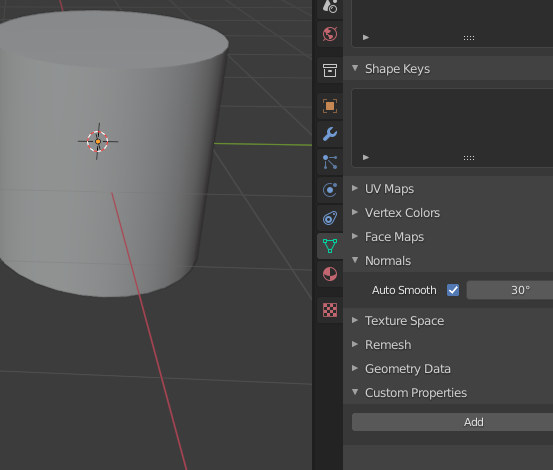
any idea why shading smooth makes it look odd?
 green lagoon
would you mind showing a edit mode screenshot
graceful meteor
 vapid badge
So i have a door on a hinge joint right, and I have the handle object there, that sphere. I have it position constrained to the door it's directly a child of. when i test it in cyanemu, it works fine. when i publish and try ingame, the sphere flies off as if the constraint wasn't there. why?
 green lagoon
graceful meteor
green lagoon
graceful meteor
okay weird so you don't have any sharp edges like marked on the model
graceful meteor
not that I know of nope
bold ibex
Mooncrest just curses all the 3d models they have
 graceful meteor
it was this box

yeah
Someone told me unity's terrain tool trees can't have baked shadows, is that true?
either cast or receive
 odd wharf
Currently the world I've put the most work into, this is just a sneak peak of next update.


I try to keep it running well on Quest but this next update will be the one where I add low quality mirror toggle as this one worries me a bit.
I extended the water alot and I want to make sure Quest doesn't go below the good FPS it got with the 3D mirror
Next big update, I plan to replace the plane model as it's very basic.
It's from Cities Skylines, where you aren't even really supposed to see the planes upclose.
green lagoon
yeah but you wouldn't want something with a big polygon count on the quest
or having the airplane eat most of your texture budget
odd wharf
True
I use models from games that are usually Xbox 360 era.
One cause I like the style, and two they were very good at optimization
If it does lag on Quest I'll probably add some culling since there is fog to cover it up
green lagoon
you would have to be careful on downloading airplane models because anything intended for like proper flight Sims is going to be too heavy for the quest
odd wharf
Yeah
green lagoon
https://gitlab.com/s-ilent/vrc-mirror-proxy-area and you could try this on the quest instead of a 3D mirror

GitLab
A shader that renders the area's reflection probe on the inside, which is only visible through a mirror. This is useful for creating a low-quality proxy background of...
odd wharf
I have my eyes on an airplane model from Fallout New Vegas which is actually where the 2 platforms come from.
odd wharf
green lagoon
https://gitlab.com/s-ilent/vrc-mirror-proxy-area and you could try this on the...
I'll look into it, thank you.
green lagoon
and question do you have a quest yourself for testing
odd wharf
Yes. I mainly play on Quest. I just can't test currently cause my parents took it.
green lagoon
oh dear that sucks
odd wharf
But I can kinda guess Quest fps by looking at what half my FPS would be
green lagoon
then you might want to get a friend with a quest to test to make sure the Mirror Works in the quest as the page didn't have any notes on how well it worked on the quest
odd wharf
Alrighty
green lagoon
slicing your framerate in half is not going to quite be an accurate measurement as your PC and Android Quest is going to render some stuff quite differently as far as how expensive it is for each platform
odd wharf
Yeah
It's a good guess from my testing as my GTX 660 runs the game around 120-130 fps while Quest gets 50-70 fps (depending if you look at the mirror)
green lagoon
also I would suggest making it to where your mirror is turned off and you have to push a button to turn it on
odd wharf
green lagoon
also I would suggest making it to where your mirror is turned off and you have ...
I plan to. For now I just plan to have a high or low toggle but later I'll have it off by default
The mirror placement isn't really final and I don't really want to set everything up when I'll probably mess with it alot.
I would do the mirror off by default but for now the map surprisingly doesn't lag much with it on Quest
green lagoon
if you put all of your mirrors stuff in a empty object you can move that empty object around instead of having to having to modify each object individual
odd wharf
green lagoon
if you put all of your mirrors stuff in a empty object you can move that empty o...
I already do that alot
green lagoon
and have you looked into baking your lighting
green lagoon
but do you have your object set to static so they can get their lighting baked
odd wharf
I'll have to look, I'm currently making sure my little sisters don't break anything.
green lagoon

Support me on Patreon: https://www.patreon.com/spookyghostboo
Join my discord: https://discord.gg/AF2m2uh
Free Furniture Pack: https://spookyghostboo.booth.pm/items/2859345
green lagoon
you might want to make it where the water isn't included in your baking
as that's going to bloat up the size quite a bit
odd wharf
The water shouldn't be included
It's not set as static
Unless I need to do a different setting
green lagoon
okie dokie then it wouldn't be included in the baked are you doing CPU or GPU baking
odd wharf
idk but uhh it messed up things
 green lagoon
you probably need to generate light map uvs for your platforms
odd wharf
How do I do that?
green lagoon
it's at the bottom of the model import settings and you might want to watch that YouTube video I linked
odd wharf
I'll look into it later. The lighting seems to be fine for now.
green lagoon
cool
kind leaf
ha! where did you get the sleep bag? Thats the exact same fallout 4 model. neat
worthy horizon
taking bets on the odds that if i press "build and publish" it will actually work today
 worthy horizon
well system.io.filenotfoundexception means the file does not exist
i'm guessing the build process bombed because of bloom.cs
because the file not found is the temporary asset bundle
 worn elk
Right
How do I fix that?
I dont know where this bloom thing came from
probably was part of an asset pack I downloaded
worthy horizon
its a part of standard assets package according to the log
worn elk
yep I just found it
worthy horizon
the swift and easy way to d the script, if you arent using it

 outer terrace
Today I discovered that a world I created for a user on VRChat, which I spent months on and was paid a contract rate for, just had a credit card reversal done on it now that the world was delivered.
kind leaf
worn elk
I do use post processing effects and bloom in my world
not the same thing, you arnt using anything from standard assets
worn elk
Ah, alrighty. As long as its safe to delete
worthy horizon
somehow i dont think that bloom.cs is tied to post processing v2
kind leaf
post processing will be hidden in Packages, no worries with that
worthy horizon
safest solution is copy it outside the project
worn elk
Its in my recycling bin if I need it
I once accidentally'd the entire section of my map
luckily it was in a folder
so I just restored the folder
worthy horizon
bruh.gif
worn elk
It wont let me build and test or play for Cyan Emu until all compiler errors are resolved, but I cant SEE the errors anymore
they are flagged but I cant get them to show
kind leaf
outer terrace
Today I discovered that a world I created for a user on VRChat, which I spent mo...
Yep thats a thing. If you go through a middleman they will only ever protect the buyer. Creators always get the short straw.
worn elk

I'm clicking everything but it wont show them anymore
oh
I'm stupid
it had my search term saved
worn elk
Same error
 worn elk
 grave ginkgo
does anyone know which trust level I need to upload a world?
grave ginkgo
does anyone know which trust level I need to upload a world?
VRChat
The VRChat Trust and Safety system is a new extension of the currently-implemented VRChat Trust system. It is designed to keep users safe from nuisance users using things like screen-space shaders, loud sounds or microphones, visually noisy or malicious particle effects, and other methods that someo...
worthy horizon
 worn elk
 grave ginkgo
New User right?
worn elk
Yes
outer terrace
kind leaf
Yep thats a thing. If you go through a middleman they will only ever protect the...
Today is my RL souse and I's two year anniversary. And this person, a VRChat user, just emptied my bank account.
worn elk
worthy horizon
https://tenor.com/view/confused-no-nope-gif-13134027
Any ideas?
worthy horizon
maybe an antivirus preventing unity from generating the asset bundle?
worthy horizon
it still says scripts have compile errors, so i'm betting there is more .cs scripts with fault
 kind leaf
outer terrace
Today is my RL souse and I's two year anniversary. And this person, a VRChat use...
kind leaf
outer terrace
Today is my RL souse and I's two year anniversary. And this person, a VRChat use...
best advice I can give you is to use Paypal and not have the paypal linked directly to your bank. Can't take something that isnt there and a negative paypal can be deleted. Doesnt help you now but will in the future if that pos didnt ruin the experience for you.
worthy horizon
nix sunshafts.cs
worn elk
tis nixed
looks like its letting me play at least
Waiting to see if I can build properly
worthy horizon
the other two shouldnt stop the build
outer terrace
kind leaf
best advice I can give you is to use Paypal and not have the paypal linked direc...
Most of my work comes through fiverr. I am a pro-rated seller because I run a VR design studio that makes VR environments (for VRChat and other platforms). My company has a huge reputation there and it is such a huge source of income.
worn elk
Noice. CyanEmu is working. Lets see if I can build
Looks like its working
Will report back with results
Thanks for the help!
worthy horizon
wish my difficulties were so easily remedied 3_3
worn elk
If only...
It works!
But I'm hitting my head on a small portion of the floor above me when I go up the stairs. I just BARELY dont fit
worthy horizon
probably would be if i had source access, i already have a really good idea where the problem is
worthy horizon
the trick is regardless of your player scale, the hitbox is always the same size
worn elk
Right. I scaled the house to the rest of my world, and everything else is fine
That

Now its like this
 worthy horizon
yay asset bundle upload failed
 golden spoke
outer terrace
Today I discovered that a world I created for a user on VRChat, which I spent mo...
golden spoke
outer terrace
Today I discovered that a world I created for a user on VRChat, which I spent mo...
https://www.fiverr.com/support/articles/360010978618?segment=seller this is a fraud chargeback... so work with fiverr and see if they can help.
 hearty abyss
Build & Test
 sour scaffold
anyone here have experience with CyanTriggers?
I want to make a mirror toggle
but make it so if someone turns the HD Mirror on
it will disable the Optimized mirror if its already on
and vice versa
kind leaf
Cyan does have a discord and the link should be posted where you got CyanTriggers.
 vast nacelle
I can't upload my world anymore and it gives me this and essentially gets stuck at the version record part. Any ideas?

 odd wharf
vast nacelle
I can't upload my world anymore and it gives me this and essentially gets stuck ...
odd wharf
vast nacelle
I can't upload my world anymore and it gives me this and essentially gets stuck ...
Says something about the file being too big
Maybe try saving and relaunching Unity
odd wharf
sour scaffold
I want to make a mirror toggle
but make it so if someone turns the HD Mirror on
...
I have a similar system in my world
sour scaffold
can anyone recommend a good text mesh for Unity?
odd wharf
I just got on the bus to school tho
sour scaffold
or does the default one work fine
odd wharf
I've used the default one but if I remember right, it always renders on top
sour scaffold
yeah not too fond of that
odd wharf
I don't know one tbh cause I've only used that one for a certain room and then had the text back face cull so you couldn't see it in the main room
worthy horizon
there is no z-order buffering in the default text renderer
odd wharf
I mean, the only other time I've used a text thing I just made a texture
odd wharf
worthy horizon
there is no z-order buffering in the default text renderer
Is there a text renderer that does have z-order buffering?
worthy horizon
i remember using a shader that does it at one point
odd wharf
sour scaffold
yeah not too fond of that
Personally I've just used paint(dot)net and then made the text an image
sour scaffold
thats what I'm doing in photoshop
odd wharf
Yeah that should work too
worthy horizon
blender and text to mesh
odd wharf
worthy horizon
blender and text to mesh
That's probably better then what I do but mine was just a simple title when I made a texture
kind leaf
lol keep that font simple. Text to mesh is an easy way to nuke performance. Been there lol
worthy horizon
clean mesh > limited dissolve
kind leaf
good to know, never touched it again after the huge poly results.
river musk
I'm looking for a dark carpet material is it best to look on unity asset store or google
odd wharf
Both. I usually use Google
My worlds I like using assets of games I like so usually if I want a texture I either Google it or look through models and stuff I have currently
There are websites with textures. Polyhaven is one I've used
But idk if it has carpet as it's textures are kinda limited
river musk
well carpet is like fabric right so fabric textures might do
odd wharf
Yeah
They have fabric
They come with normal maps and such on Polyhaven
You may want to do some quick photo editing to change the color but they should have some basic ones
river musk
thanks
odd wharf
Also, I don't recommend putting the included height map on the object tbh, I've had issues when trying to do that
river musk
thanks for the recommendation
odd wharf
And the specular I put on metallic and that seems to work
But I usually use that and crank up smoothness to make things look wet cause my world is in the middle of the ocean
river musk
odd wharf
But I usually use that and crank up smoothness to make things look wet cause my ...
my brain dead self forgot how to use textures what shader do I use to add it?
odd wharf
I use standard
odd wharf
Are you in Unity?
river musk
yea
odd wharf
Click on the object and it should show the material in the inspector
river musk
yup
odd wharf
If the material is grayed out in inspector then you'll need to add your own material.
 odd wharf
Yes
river musk
I'm brain dead as u see
odd wharf
Normal map should be the weird blue texture
river musk
aight done thank you
odd wharf
Normal maps help make things look way better, but I recommend messing with the value of it
Valve loved them and I can see why
Honestly might see if I can extract some textures cause alot of them still look great 17 or so years later
 sullen notch
Question. I'm making a bed and using the VRC Station to have a lay-down interaction, but the player becomes unable to move after getting out of the bed. Am I implementing this wrong, or is there some sort of workaround for this i don't know about?
 stone marsh
sullen notch
Question. I'm making a bed and using the VRC Station to have a lay-down interact...
stone marsh
sullen notch
Question. I'm making a bed and using the VRC Station to have a lay-down interact...
If u don't figure it out, Reimajo has a prefab on his booth page for UDON that does exactly what you're trying to do with his improved stations.
 mellow sleet
guys i need some help im trying to upload a world and its from a unity package and it says the (filename).vrcw doesn't exist how do i fix this issue?
worn elk
In Unity, my materials show up fine. When I build and test, they show up like this. Any ideas?

 worn elk
Ah yeah. Thats a good idea
Ohhh you know what
Its on a Legacy Shader or something

I bet VR Chat doesnt use these anymore
Thanks for the help! Just needed a point in the right direction I guess. Will report back if its fixed
worn elk
They came with an asset package, so I didn't have a hand in them. Everything else uses Standard so I guess I thought these would too
odd wharf
Yeah
mellow sleet
guessing no one can help?
odd wharf
I personally have never seen that filetype
I would help but I've never had that issue.
mellow sleet
yeah i just went filed a ticked
odd wharf
Have you tried restarting Unity?
mellow sleet
3 seperate times
mellow sleet
im about to restart my laptop too
odd wharf
I would help you but I'm very much not an expert
mellow sleet
thats ok i still apperciate the effort
worn elk
mellow sleet
guys i need some help im trying to upload a world and its from a unity package a...
You sound like you're having the same issue I was having the other day
Do you see any critical errors (stop sign icon) near your console?
For me, it couldnt generate the .vrcw file because it was running into compiler errors with some scripts I had
I deleted them and the next time I tried to build and test, it compiled without issue and the issue was resolved
Before you delete anything though, you should make sure you arent using it
@odd wharfThe shaders were indeed the issue. Thanks!
odd wharf
worn elk
Before you delete anything though, you should make sure you arent using it
This is just a good practice in general. Makes things run quicker, especially if your hard drive is slow like mine.
Plus it makes the organizing part of my brain happy
mellow sleet
worn elk
Do you see any critical errors (stop sign icon) near your console?
Can i dm you the log?
worn elk
You can post it here so more people can see it. I truthfully didnt know what to do
mellow sleet
this is the Full log
Export Exception - System.IO.FileNotFoundException: C:/Users/zanek/AppData/Local/Temp/DefaultCompany/New Unity Project (3)/scene-StandaloneWindows64-QUEST HOTEL.vrcw does not exist
File name: 'C:/Users/zanek/AppData/Local/Temp/DefaultCompany/New Unity Project (3)/scene-StandaloneWindows64-QUEST HOTEL.vrcw'
at System.IO.File.Copy (System.String sourceFileName, System.String destFileName, System.Boolean overwrite) [0x000b6] in <eae584ce26bc40229c1b1aa476bfa589>:0
at VRC.SDK3.Editor.Builder.VRCWorldAssetExporter.ExportCurrentSceneResource () [0x00229] in <d66fa9d22d9945a2b8aa2d0e0c87378f>:0
UnityEngine.Debug:LogError (object)
VRC.SDK3.Editor.Builder.VRCWorldAssetExporter:ExportCurrentSceneResource ()
VRC.SDK3.Editor.Builder.VRCWorldBuilder:ExportSceneResource ()
VRC.SDK3.Editor.Builder.VRCWorldBuilder:ExportSceneAndPrepareForUpload ()
VRC.SDK3.Editor.Builder.VRCWorldBuilder:ExportAndUploadSceneBlueprint ()
VRC.SDKBase.Editor.VRC_SdkBuilder:ExportAndUploadSceneBlueprint ()
VRC.SDK3.Editor.VRCSdkControlPanelWorldBuilder3:OnGUIScene () (at Assets/VRCSDK/SDK3/Editor/VRCSdkControlPanelWorldBuilder3.cs:253)
VRC.SDKBase.Editor.VRCSdkControlPanelWorldBuilder:ShowBuilder () (at Assets/VRCSDK/Dependencies/VRChat/Editor/ControlPanel/VRCSdkControlPanelWorldBuilder.cs:127)
VRC.SDK3.Editor.VRCSdkControlPanelWorldBuilder3:ShowBuilder () (at Assets/VRCSDK/SDK3/Editor/VRCSdkControlPanelWorldBuilder3.cs:42)
VRCSdkControlPanel:ShowBuilders () (at Assets/VRCSDK/Dependencies/VRChat/Editor/ControlPanel/VRCSdkControlPanelBuilder.cs:325)
VRCSdkControlPanel:OnGUI () (at Assets/VRCSDK/Dependencies/VRChat/Editor/ControlPanel/VRCSdkControlPanel.cs:200)
UnityEngine.GUIUtility:ProcessEvent (int,intptr)
errant beacon
That's just the log for the one error, posting a screenshot of the full console would be helpful o:
that error's caused by other errors
worthy horizon
+1
mellow sleet
Thats the full thing though
errant beacon
It's just the full log for that one error, not the contents of your entire console
worthy horizon
err generally that fileNotFoundException is because the build script didnt execute or bombed
errant beacon
note you can press Printscreen (should be above the Backspace key somewhere) or use the built-in Snipping Tool to take a screenshot, and you can paste it directly into Discord
sullen notch
Question, how do i sync two UI's? I made a UI system and copied it to another place in my world, but if i change something on one in game, it isnt apply to the other.
kind leaf
Using arrays
sullen notch
I dont know what arrays are
kind leaf
Best I can do while mobile https://docs.unity3d.com/2020.1/Documentation/ScriptReference/Array.html
 bold ibex
How do I import a material
You cant
you can import the textures for the material
but there is not really a way to import the material from blender to unity
Sorry what I meant is I have a folder of textures for one material how do I combine them
worthy horizon
atlas
bold ibex
^ you are gonna have to atlas them prior to your model
if you plan on having it all fit in one material slot
kind leaf
^there are assets that will atlas for you but they are horrible at matching the uv maps. So yeah, you atlas first and then apply it to your models when making the UV map
 desert python
has anyone used a videoplayer to display a worlds texture as an atlas?
desert python
mainly asking since im going to attempt to do that later
bold ibex
i have a question im having issus with unity not wanting to work with Vrchats SDk2 and SDK 3 im trying to make another world and this has happen multipul times
kind leaf
bold ibex
i have a question im having issus with unity not wanting to work with Vrchats SD...
Unity 2019.4.29f1 (ONLY that version)
Latest SDK 2 or 3 but NEVER both.
If you start a clean project and have errors with that setup post your errors.\
bold ibex
got a question, I wanted to start mapping some VRChat stuff, and have been working on a map for a few hours. I dislike the way unity does things, and I personally like Blender better. Is there a way I can make my map in Blender and then export to Unity?
green lagoon
yes just build your map in blender and Export a fbx
 nimble hull
bold ibex
got a question, I wanted to start mapping some VRChat stuff, and have been worki...
nimble hull
bold ibex
got a question, I wanted to start mapping some VRChat stuff, and have been worki...
literally just as rainwolf plush said, build a world as you would in blender and then export to unity
that being said that sounds like a pretty difficult pipeline and although i wont push to know more about what creation process works comfortable for you, please make sure you know what you are doing
bold ibex
okay, last time i tried to do something like that (i was using the steam version) it didnt export my textures and i wasted 20 hours of time (it was an attempt to export to blender)
nimble hull
like for worlds as an example do not ever combine every single thing into a single mesh especially if its a complex world with multiple rooms
bold ibex
okay, thanks for the advice
nimble hull
bold ibex
okay, last time i tried to do something like that (i was using the steam version...
? i dont understand this question. were you creating a world in unity and then exporting to blender?
bold ibex
no vice versa
i was using steam versions of blender, went to export to unity, and it screwed the textures
i think i meshed it all together
nimble hull
yeah depending on what you do blender wont automatically setup textures for you in unity because were talking about completely different paths to where you store your image files and what not
nimble hull
its tedious but ultimately trivial to just set up the materials yourself in unity
y e s.
of course its doable
bold ibex
well like i said its easier to do some things in blender over unity
there are cut tools and stuff like that
nimble hull
well if were talking about modeling, thats the idea. after all, unity isnt an asset creation tool, its a game engine
bold ibex
yeah thats what im talking about
pretty much going to be modeling a whole shlew of stuff
nimble hull
youre not really supposed to make entire worlds in unity with primitives unless you are insane (or making a roblox obby)
nimble hull
yeah
bold ibex
t h a n k s
nimble hull
0u0
yeah youll be fine
just replair your materials in unity, use standard shader, and remember to properly set the resolution of your materials and apply crunch compression where necessary
bold ibex
oh yeah i guess i need to ask this, is it easy to upscale or downscale things if they are too large?
bold ibex
nimble hull
just replair your materials in unity, use standard shader, and *remember to prop...
also wtf is all of that you just said
nimble hull
of course
green lagoon
like if folks make maps in unity it's more like they've cobbled-together modular map assets they made in blender
nimble hull
bold ibex
also wtf is all of that you just said
youll figure it out / learn about it through questions and what not as you go
bold ibex
so like if i wanted a couch, i make it in blender, export to unity and then put it in the map? not make the whole map in unity?
nimble hull
bold ibex
so like if i wanted a couch, i make it in blender, export to unity and then put ...
pretty much. of course it also depends on whether youre building for PC or for quest
bold ibex
PC
green lagoon
bold ibex
so like if i wanted a couch, i make it in blender, export to unity and then put ...
yeah pretty much
worthy horizon
probuilder to the rescue
 patent arch
quick question, if there's documentation could y'all point me towards it for this? just starting on SDK 3.0 for worlds so im learning it now qwp''
if i wanted to have a particle system bind to every player when they spawn and emit when they move, how would i go about that? or is that less of a do-the-thing and more of an udon rabbithole? :o
 mystic tulip
i need help. all videos show really low quality.

i'm trying to recreate porter robinson's nurture stage

i'm gona make it bigger but it's super crunchy
 hollow fjord
probably the best place to ask

Anyone have a clue what's causing this to happen?
The white glow part that is
It only happens when baking with GPU, while when I'm baking with my CPU it's fine
I used to bake with GPU and didn't have this issue before until I reset the lighting settings and now it happens regardless of what I do
 gilded void
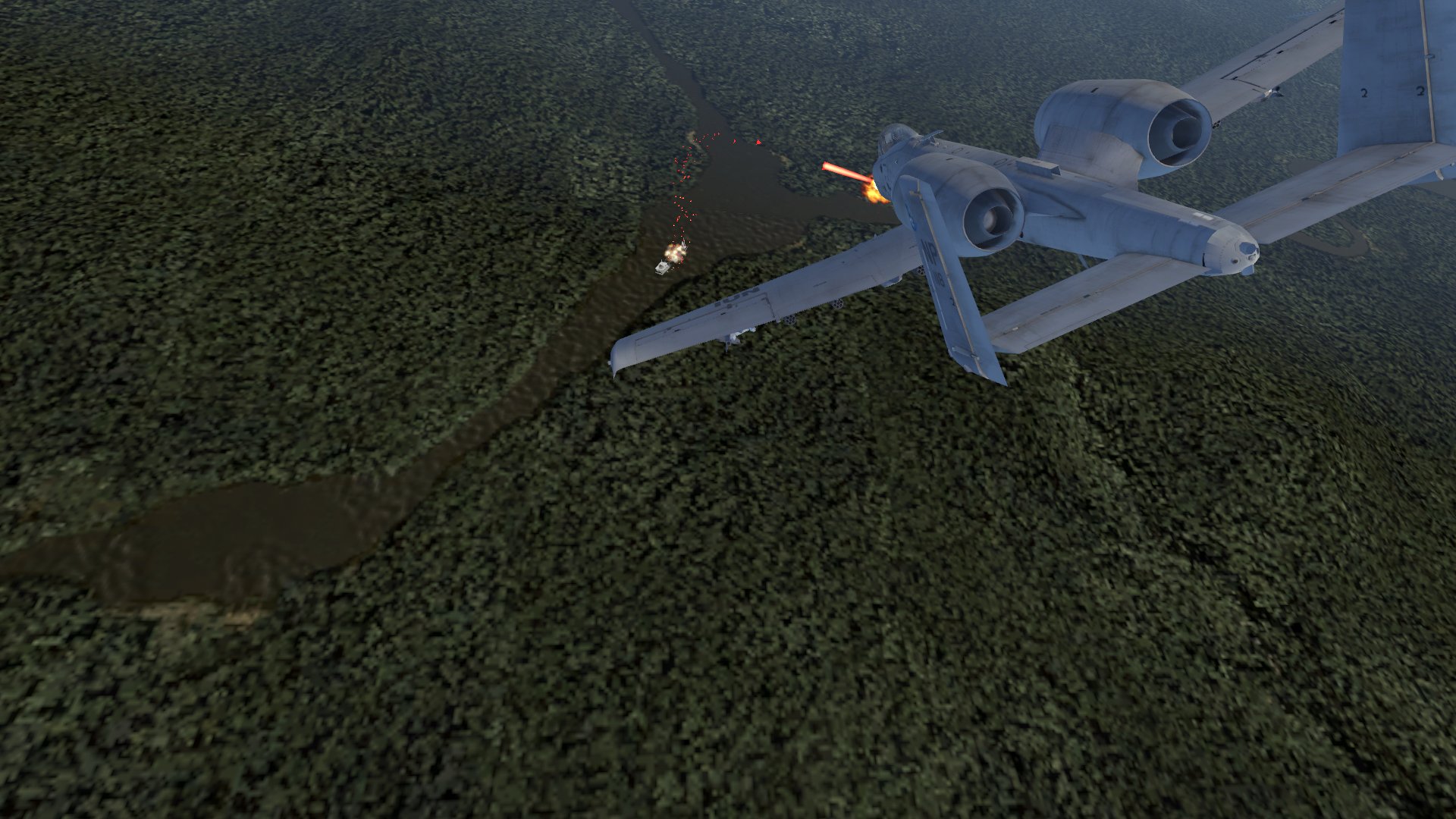
First world, pretty proud of it tbh https://twitter.com/Spectral_Owl/status/1438051139493130244

I recreated mission 10 from Ace Combat 04 to go with my AC7 avatars.
The Tango line is a vital line of defense for the Erusian forces on the eastern mainland․ Istas Fortress is a strategic foothold on that line․ #VRChat #ACECOMBAT #acecombat7

 Twitter
·
Twitter
·


 languid salmon
whats the best way to reduce the file size of bakery lightmaps while still keeping them look nice?
should i enable crunch compression on them?
kind leaf
no, no crunch compression on lightmaps because it has weird side effects like blurring. If you want to reduce the size than the only option is giving away some quality. Its all in the resolution; a detailed lightmap is going to have a large file size. You cannot have 8k resolution in a 1k file size because it just doesnt work that way.
desert python
mystic tulip
i need help. all videos show really low quality.
try downloading the video and reuploading its highest quality to a hosting site and play it from there
languid salmon
i just did a bake with bakery, everything turned out really nice, but i got these weird shadows on some of these walls

its not happening on all of the walls, only on some

 hoary juniper
hi the latest sdk3 is broken?
when i get to builder window will be empy

the project is a fresh one from unity, i just dropped the sdk3 world
desert python
have you closed and reopened unity yet?
hoary juniper
yes
there are these errors on console

i tried to load udon example too, same result
desert python
try copy and paste that into google. ive never seen that
hoary juniper
i retryng with a new project
odd wharf
Check and see if you got the newest version
hoary juniper
how?
odd wharf
Look at the filename of the one you got and the one on the website
The version numbers are just dates
hoary juniper
on vrchat.com... just downloaded it now
hoary juniper
yeah i am importing right now again
odd wharf
May have just been a bad import or bad download
hoary juniper
can you test it too?
odd wharf
I'm at school
hoary juniper
okie dokie
odd wharf
Programs just like to break sometimes
hoary juniper
ok import doe
odd wharf
It's fine now?
 hoary juniper
 odd wharf
I assume if it's for the games developers or something
 odd wharf
I've never used that tbh
hoary juniper
 hoary juniper
i think i broken it because i imported the post-thing addon before
and messed the project
odd wharf
Those always show up
odd wharf
hoary juniper
Just click the buttons and it'll fix it for you. It always does this
hoary juniper
seem fine now
on the world, no i created a sdk2 world but one year ago
and use sdk3 avatars
odd wharf
Add me and once I'm done with school I'll help
hoary juniper
sure 🙂 you are so kindy
odd wharf
I like helping
That's how I learned. It's easier to learn from people helping then a tutorial
Especially for me cause I have some disabilities
hoary juniper
 odd wharf
Nice
I've personally never use the example world
But that probably will teach you some things
hoary juniper
yeah is usefull
odd wharf
I also use some plugins to help with making things
hoary juniper
you use sdk3 too?
odd wharf
Yes
I learned sdk2 but sdk3 is similar
So I use it cause it's better
But I use a plugin to do triggers easier
hoary juniper
you mean like events?
odd wharf
I'm gonna go. Gotta get back to doing school things
hoary juniper
push a button for light the room ecc
odd wharf
Yes
desert python
desert python
has anyone used a videoplayer to display a worlds texture as an atlas?
welp. i did it. theres now a world where the textures are governed by the videoplayer lol
odd wharf
I've thought of just making stupid stuff but you are brave lol
Sounds cool tho if you get a colorful video
desert python
lol. well now that i did it. it kind of allows me to control world music and have animated walls and such
desert python
odd wharf
Sounds cool tho if you get a colorful video
exactly
so my plan is to have all of the pick up items in the world be textured by 1 videoplayer. then the world itself, and a skybox videoplayer so the world size should really only be the mesh and lightmap data
so far, i only have the main world mesh as atlasing textures for one mesh is easier than atlasing 17 different meshes
however. with that being said : what are good programs/plugins that are good at atlasing stuff?
 steel sundial
How to enable jumping on your own worlds? on some peoples worlds you can jump and others you cannot. Why is that and how do i change it.
odd wharf
The creator has to add a playermod thing
desert python
in the scene descriptor. theres a set of settings that determine them
odd wharf
By default there is no jumping
 toxic fulcrum
Am I being dumb, or has the "VRC Url Input Field" script disappeared from the latest SDK? O.o

Can't find it for the life of me.
 desert python
dont put a space
toxic fulcrum
desert python
dont put a space
 desert python
which sdk and version?
toxic fulcrum
VRCSDK3-WORLD-2021.08.11.15.16_Public
Unity 2019.4.29f1
Top screenshot is from a previous SDK.
This SDK doesn't seem to have that script anymore... which is kinda important for video players.
Old SDK has it right there.

New SDK, nowhere to be found. 🤔
 toxic fulcrum
Sorted. In case anyone else runs into this issue... reimport did the trick, as per this:
VRChat
Migrating your project from Unity 2018 to 2019 LTS isn't as difficult as you might think! Here's a guide providing each step in detail.
The script is back again. ¦3

 bold ibex
 jade dune
check your unity error console at the bottom, check for a long red bar with a red error, and click on it to open the unity console and see ALL the errors
jade dune
thx
bold ibex
we need to see ALL of these red errors in order to begin troubleshooting
jade dune
...
 bold ibex
jade dune
...
bold ibex
jade dune
...
what version of unity and the sdk?
 bold ibex
I am not sure, you could manually make sure every gameobject in your scene has only one later ig
Too bad it didnt tell WHAT gameobject
jade dune
thx
 wheat abyss
hey guys, im new to making worlds and using the world sdk3. i have a world i uploaded yesterday with a mirror toggle-- but apparentally it doesnt work for desktop users for some reason? only vr users can click the button
how do i fix this
 kind leaf
A link to Cyans discord can be found at the the bottom of the page. https://github.com/CyanLaser/CyanTrigger
 south kite
I cant search this channel to see if it's already been answered but I'm wondering if dynamic bone scripts work on objects uploaded to worlds
works in unity, not ingame so I figure it only works on avatars?
 woeful junco
Hi. Newbie here. Very new. Could someone please tell me what scripts are allowed? Or is it just Udon and the built in scripts?
green lagoon
you can only use udon as far as what will upload
woeful junco
green lagoon
you can only use udon as far as what will upload
Thanks
near escarp
VRChat
The following is the complete list of scripts usable within worlds. Components that are not in this list will not work. Unity Components WindZoneVideoPlayerTilemapTilemapRendererTerrainTreeSpriteMaskParticleEmitterEllipsoidParticleEmitterMeshParticleEmitterParticleAnimatorParticleRendererWorldPartic...
green lagoon
but if you don't want to deal with visual scripting there's https://github.com/MerlinVR/UdonSharp

GitHub
An experimental compiler for compiling C# to Udon assembly - GitHub - MerlinVR/UdonSharp: An experimental compiler for compiling C# to Udon assembly
woeful junco
Thanks to both of you
green lagoon
and if you're wondering why the upload caveat you're more than welcome to use custom script to make editor extensions to help out your map building just you can't use it for handling stuff that goes in vrchat
woeful junco
green lagoon
and if you're wondering why the upload caveat you're more than welcome to use c...
Ok. Great
green lagoon
https://docs.google.com/spreadsheets/d/e/2PACX-1vTP-eIkYLZh7pDhpO-untxy1zbuoiqdzVP2z5-vg_9ijBW7k8ZC9VP6cVL-ct5yKrySPBPJ6V2ymlWS/pubhtml a big spreadsheet full of pre-existing vrchat prefabs and helpful editor extensions
woeful junco
Thanks again
green lagoon
and if you have any other questions feel free to ask
 pale marlin
Was the unity version for sdk3 just updated to 2019.4.30f1 right now? And how do I update my world?
green lagoon
yes & basically just open the project in the new Unity version
pale marlin
green lagoon
yes & basically just open the project in the new Unity version
Ahh okay. Thank you
pale marlin
Okay so I updated to the newer unity version, and now my video player, which I programmed myself, won’t play any videos. It always returns the error “PlayerError”. It was working with the same programming before I updated to the newer unity version. Is there anything I can do to fix it on my end, or do I literally just have to wait for the vr chat development team to make the unity video player compatible with the newer unity version again?
green lagoon
I think that's something on your end as they would have checked to make sure the vrchat video player Works Works before putting out the update
pale marlin
green lagoon
I think that's something on your end as they would have checked to make sure the...
I don’t think it can be, because it was working fine with the same programming before the update.
green lagoon
well I suppose I could just hop in vrchat and see if all the other video players are okay
pale marlin
They might not have updated to the newer unity version yet though
They might still be using the older one
kind leaf
All the video players not updated would work 🙂 because those are 2018 or 2019.4.29 if that was the case. Make sure you dont have any missing udon behaviors.
green lagoon
the video player in my world is working fine and it's a 2018 World
 kind leaf
^ I like that, needs a TiVo or something for housing the tv controls tho
pale marlin
green lagoon
the video player in my world is working fine and it's a 2018 World
like we said, 2018 worlds would work fine because it's not using the newer unity version
only worlds using the unity 2019.4.30f1 version would have the problem
green lagoon
give me a sec to go to one of those
pale marlin
kind leaf
All the video players not updated would work 🙂 because those are 2018 or 2019.4...
I just checked, and I don't have any missing udon behaviors
kind leaf
Just a thought, update was changed, check to make sure its not set to none
pale marlin
kind leaf
Just a thought, update was changed, check to make sure its not set to none
what's not set to none?
kind leaf
The udon Behaviors have an update state, used to be manual or continuous, now they added none as well
pale marlin
ahh okay let me see
pale marlin
kind leaf
The udon Behaviors have an update state, used to be manual or continuous, now th...
no it's not set to none
the video player itself is working. it's the video player graph assembly that allows the error text to be displayed on the screen
it's just that when playURL is used, it always generates PlayerError
even though the urls are all valid
wait a moment
one of my friends just told me the video player is working for him. I think it must have been my client at the moment or something
I'm so sorry for causing all this stress!
green lagoon
it's not a biggie glad to know it not something vrchat broke as that's one less thing for the developers to worry about
 rough abyss
Is there a way to show the same image at all angles so when i put it over someones head no matter how they turn they will see the same image? Maybe I can use particle system or custom shader to achieve that?
kind leaf
That would be billboarding
bold ibex
This real or glitch?
 bold ibex
This real or glitch?
bold ibex
bold ibex
This real or glitch?
Is that your world, or did someone else share that screenshot with you
someone might of went a bit funny with inspect element and copypasting :vrcflame: kek unless all those 103 visitors went there in the last few minutes and the game is freaking out calculating heat
sullen notch
Question, is there a way to have a UI for a video player that has selectable playlists to choose from? That way I can choose from a list of my common stuff i watch/listen to without having to copy/paste the URL every time?
bold ibex
bold ibex
Is that your world, or did someone else share that screenshot with you
I just took it when I was looking at my worlds
nocturne crown
im going to ask this in two channels because it falls under two categories but, what is a good shader to use for a vrchat world? My world is a lab so its mainly metal material
nocturne crown
green lagoon
as you don't have any need for toon shading
ok thanks, ill prob just go in and out of testing it to make sure its not too metallic or too smooth
green lagoon
that would be determined by like your material parameters
bold ibex
bold ibex
I just took it when I was looking at my worlds
is it still that high on heat after refresin the page now
if so ur world just to gud
kind leaf
bold ibex
This real or glitch?
Glitch, A private world isnt going to gather heat because it cant be found. Unless you managed to give the link to your private world out to 43m people and they all visited it in 10 seconds.
 raw vessel
any way to add or change hotkeys for blender's 2.79 gizmo 3D manipulator for TRS so it will act like unity
here is what i want to have when i press some buttons on my keyboard:
E = T-translate
R = R-rotation
T = S-scale
 rough abyss
I know, I'm making one with other roles like sheriff/Jackal/Jester and increase maximum player to 20, since there will be no more update to the old among us map
kind leaf
 swift trench
There allready is an among us map
swift trench
There allready is an among us map
That is the wrong attitude for game development. If we all thought that way we would have maybe a handful of games available to us. Imagine a world with one game from each genre only. ugh I couldnt live like that.
swift trench
Yeh but 2 of the same game on the same map
Imagine TF2 reposted somewhere connected to alt survers
swift trench
rough abyss
I know, I'm making one with other roles like sheriff/Jackal/Jester and increase ...
Fair enough
Implement the improvements to the original games in a port
 sturdy lynx
rough abyss
I know, I'm making one with other roles like sheriff/Jackal/Jester and increase ...
sturdy lynx
rough abyss
I know, I'm making one with other roles like sheriff/Jackal/Jester and increase ...
@rough abyss What do you render the shader at?
rough abyss
sturdy lynx
<@!258730455304503297> What do you render the shader at?
I'm setting the material Shader to UI/Unlit/Detail, texture set to sprite(2D and Ui) and use that material on a particle system, whose render alignment set to 'view'
sturdy lynx
rough abyss
I'm setting the material Shader to UI/Unlit/Detail, texture set to sprite(2D and...
I'm thinking of Render Queue
So if you put it on a render queue that is the highest, https://docs.unity3d.com/ScriptReference/Rendering.RenderQueue.html
Does that solve the issue?

 bold ibex
I think you would want the priority to be a low value, but high priority
thats typically how priority works in other stuff so i assume its the same here
so it being at 5000 is like the lowest priority and the highest value
rough abyss
sturdy lynx
I'm thinking of Render Queue
Sounds really reasonable, I set Render Queue to 1000 and it get blocked by floors/walls, any things around
bold ibex
set the value to anything lower than 200
I see that render que value alot for materials on avatars so knowing that setting it below that would make it higher priority
rough abyss
set it to 100 and it's completely gone
bold ibex
really? hmm
rough abyss
 rough abyss
I think render queue should be the solution but seems that 5000 didn't work out
 median briar
@rough abyss Not sure if you've solved this, but I think you might want to use a shader that lets you disable ZWrite.
--
Does anyone know if it's possible to get the player/server time in the context of an udon graph to compare against 24hrs to determine a toggle? (day/night, for example)
errant beacon
might be something for #udon-general? should def be able to get the OSTime though afaik
median briar
ah, that is more of an udon question isn't it... I'll take it over there (and will investigate OSTime) -- thanks
 hasty heron
I know people have used mixcloud as a streaming service into VRC, as it is used by many DJs, but I can't seem to find a video player for VRC that doesn't think mixcloud is an invalid URL. I do have "untrusted urls" checked, so it is not stopping me at that point. most of the players I have tried will play twitch just fine, but I'm trying to switch over to mixcloud because of licensing stuff, and having no luck. Anyone able to suggest a video player that is known to work with mixcloud?
desert python
hasty heron
I know people have used mixcloud as a streaming service into VRC, as it is used ...
send example url? i have never heard of mixcloud nor is google giving me details
hasty heron

Mixcloud
Broadcast live to your community of fans and tune in direct to creators from every genre
they cover your licensing, so you can legally stream music.
unlike twitch who seems to refuse to adopt such
desert python
and people have used this in game?
desert python
well in theory. any vrc videoplayer with avpro and untrusted urls should play the link
hasty heron
or maybe there is a backdoor url they are having to use
desert python
if not. you may need to get a direct link or legal link
desert python
hasty heron
or maybe there is a backdoor url they are having to use
yes - like direct hls
so what you can do is open this in a browser. open the inspector by right clicking and clicking inspect. then go to the network tab. and refresh the page and see if the raw direct link shows up and try that
hasty heron
I've tried that, but I'm not really seing anything useable exposed
kind leaf
can the video play mp3? reading over mixcloud, sounds like its nothing more than a broadcasting middle man for obscure/unknown artists. You make your own playlist and stream that which tells me there is nothing really direct to link. If there is a way to stream your spotify to a vrc world then it would be that method.
errant beacon
As long as it's a CDN/file hosting website where you can get the video file directly, you could play it in a VRChat video player with untrusted URLs enabled afaik
hasty heron
yeah I guess my issue is not being able to expose the direct link to the video. Unlike twitch/youtube that will automatically feed that out
kind leaf
ok so make sure you're wrapped up before exploring i didnt vet the site but savelink.info exposes the dl.
https://www.mixcloud.com/maxvibes/late-night-chill/
becomes
https://stream4.mixcloud.com/secure/c/m4a/64/2/9/7/5/ed77-859d-45b6-8f47-c9a825d0bf50.m4a?sig=JBcsl3MJd-d8aRtN_ZvFFw
unity doesnt support m4a though
 fallow mountain
has anyone done a pizza tower world
 wary birch
One message removed from a suspended account.
 past monolith
I'm working on a world for star gazing and I want a way to switch between the Northern and Southern hemisphere night sky, a sky box of the milky way and maybe a sky box labelling constellations but I don't have a clue how to do that I have tried using an inverted sphere but the textures look distorted when resizing the sphere
odd wharf
past monolith
I'm working on a world for star gazing and I want a way to switch between the No...
Try using a cube. I'm pretty sure that's what the skybox is in VRChat
 cosmic juniper
So i'm trying to create a world for the first time and i'm having trouble figuring out how to get to "Show Control Panel"
bold ibex
cosmic juniper
So i'm trying to create a world for the first time and i'm having trouble figuri...
What unity version?
sounds like u got the wrong one in the first place tbh
cosmic juniper
Someone just dmed me about it but thanks:)
 knotty basalt
As a noob at world creation, what format should Blender export to for Unity?
green lagoon
fbx
knotty basalt
Ok. Thanks.
wary birch
One message removed from a suspended account.
 final flame
Hello, I wanted to ask something and it is that I am creating a world for vrchat but I get this error
 bold ibex
final flame
Hello, I wanted to ask something and it is that I am creating a world for vrchat...
bold ibex
final flame
Hello, I wanted to ask something and it is that I am creating a world for vrchat...
no thats perfectly normal
just worry about the red errors
final flame
It is not letting me upload or test my map
or something, I don't know, I don't see any red errors
final flame
help please
past monolith
Are you in play mode?
final flame
No
 hidden wave
After Unity finishes importing the SDK, check the Console window in unity to ensure there are no errors (click clear first). Most errors on initial import are related to running the wrong version of Unity, or other scripts conflicting with the SDK.
Won't this just get rid of the 6 errors in the console that I should be reporting?
kind leaf
final flame
or something, I don't know, I don't see any red errors
install this and see what its debugger gives you. https://github.com/oneVR/VRWorldToolkit
A) There is an issue it will point out.
B) Just installing it will force a re serialization and script refresh which might auto solve your issue.
I am assuming you have the correct Unity version and SDK to match.

GitHub
Unity Editor extension for making VRChat worlds. Contribute to oneVR/VRWorldToolkit development by creating an account on GitHub.
kind leaf
hidden wave
> After Unity finishes importing the SDK, check the Console window in unity to e...
No, clear only get rid of pre-errors or errors no longer being created or detected. If you press clear and the error goes away its not an error that would prevent an upload
hidden wave
ah ok
either way, it apparently turns out that my version of unity was somehow off by one day
 terse turtle
Hey, super basic question but, how do I fix an infinite falling spawn point?
errant beacon
Add a collider component to your floor object o:
terse turtle
Thank you!
 cunning tide
@last condor the player booths are way too spread out and far apart from each other in Better Uno, can't hear anyone on the other side of the room. My feedback is to bring everyone in closer so we can all hear each other very clearly and everyone interacts together more as a result.
 last condor
cunning tide
<@!165701674034266112> the player booths are *way* too spread out and far apart ...
last condor
cunning tide
<@!165701674034266112> the player booths are *way* too spread out and far apart ...
Could look into making voices louder.
 low quest
 cunning tide
last condor
Could look into making voices louder.
cunning tide
last condor
Could look into making voices louder.
Yeah that's another option

 wispy stream
wary birch
One message removed from a suspended account.
wispy stream
wary birch
One message removed from a suspended account.
I have the same problem. From VRChat SDK option, i can only see "Utilities" -> "Re-compile all program sources", "Clear Cache and PlayerPrefs" and "Udon Graph", but not the control panel.
I tried deleting all VRC-things from Registry Editor, as some website suggested, but it didn't fix it either.
Any ideas for this?
kind leaf
Unity 2019.4.30f1/latest sdk, no CP? Right click VRCSDK folder in the programs asset folder and select re-import. Still No CP? Restart Unity.
wispy stream
Still no control panel :/
kind leaf
No errors in your console?
wispy stream
Only from videoplayer, and one "Error: Could not load signature of VRC.SDK3.Components.MultipleDisplayUtilities:GetRelativeMousePositionForDrag due to: Could not load file or assembly 'UnityEngine.UI, Version=1.0.0.0, Culture=neutral, PublicKeyToken=null' or one of its dependencies. assembly:UnityEngine.UI, Version=1.0.0.0, Culture=neutral, PublicKeyToken=null type:<unknown type> member:(null) signature:<none>"
I'm new with unity so I don't understand this.
 silent adder
Does anyone know if SDK3 videoplayers are still able to make render textures that aren't Clamp?

even tho I change it, it'll be kinda forced into Clamp

It appears as Mirror in there, the shader works, but the texture as soon as it's a rendered texture from the videoplayer, becomes Clamp
It can be noticed to be actual Clamp, not Repeat, here. The shader works with any other texture, but the video output becomes Clamp for whatever reason

(Yes, the video in that case is being projected into the screenspace)
(additionally, am I posting this on the correct channel for something like this?)
 neon schooner
I’ve asked this over in udon channel but does anyone know how to make volumetric clouds work in game?
 lone frost
is there a decent Way to link to your world?
kind leaf
lone frost
is there a decent Way to link to your world?
just login to vrchat.com navigate to your world and copy the address.
kind leaf
neon schooner
I’ve asked this over in udon channel but does anyone know how to make volumetric...
No, Volumetric anything uses the HD RP, we are limited to faux volumetric. Particles and transparent sprites/textures.
 rain reef
hi im new to create worlds i wanted to put udon and try to place mirror but when i import UdonSharp_v0.20.3 i got a lot 🛑 red ! on my console ... anyone can help ? :3
odd wharf
rain reef
hi im new to create worlds i wanted to put udon and try to place mirror but when...
Did you import SDK3 first?
odd wharf
rain reef
hi im new to create worlds i wanted to put udon and try to place mirror but when...
Also you don't need Udon to place a mirror
It's just a prefab with the VRChat SDK
lone frost
kind leaf
just login to vrchat.com navigate to your world and copy the address.
thanks.
rain reef
i know but i try to import Lura'sSwitch_ver2.01(SDK3)_2019 ( button and mirror ) for better look
and nothing work ^^'
odd wharf
Did you import the VRChat SDK first?
rain reef
yea
odd wharf
And then UdonSharp?
rain reef
when i import udon sharp error everywhere
odd wharf
Did import anything else other than the SDK?
rain reef
i think u need to see the project 👉 👈 and i import sk3 first and anything else
i already post the project on public labs and all work but when i put the package for udon red error
odd wharf
Yes but after SDK3 you then imported UdonSharp?
rain reef
not directly
odd wharf
If something requires UdonSharp, you need to import UdonSharp before it
rain reef
i try to import first before the lura button and same problem
odd wharf
I've personally never used Lura Button so I don't know if that could maybe be the issue
rain reef
i got some issues with light and i understand nothing i change the skybox and i just don't get shadow like the first skybox
odd wharf
Did you make sure to click the generate lighting button?
rain reef
in unity there is multiple button and i never see this one ... in my memory ...
this ?
 rain reef
the light is too powerfull xD
rain reef
thanks i try to fix this :3
wary birch
One message removed from a suspended account.
errant beacon
wary birch
One message removed from a suspended account.
wary birch
One message removed from a suspended account.
errant beacon
yw! c:
sullen notch
Question, if i publish a world to Quest, does that publish both for quest and PC? Or do i have to have to then switch back to publish for PC?
desert python
you have to switch back and update the pc version
sullen notch
I see. Just wanted to make sure  Thanks!
steel sundial
Does Vrchat Support depth of field?
When i try to use it i get two Blurry Vertical lines on my hmd on my world, they go away when i disable it
This is all post processing btw
errant beacon
Depth of field in VR is a vv bad idea for stuff like that specifically lol
it can also get pretty sickening - you should also avoid postprocessing Ambient Occlusion
errant beacon
Issues with rendering that effect in VR
the solution is to just not use that unfortunately lol, DoF doesn't work well in VR
steel sundial
Ok, i've used it in the past and didn't have this issue before but oh well
kind leaf
delete SimpleActivatorMenu.cs
kind leaf
well one problem solved anyway. try restarting Unity
So what version of Unity and what version of the SDK3 are you using.
30f1 is for the latest
unity 2019.4.30f1 is the only one that will work with the latest sdk
 vernal marten
I have decided to finally make a world!
I am baffled nobody has made the entire world from Okami in VrChat yet, so that's what I'm doing
kind leaf
gl 🙂
vernal marten
Yee
 dim veldt
Looking for a spin the bottle table, and beer pong table tbat can be set up for udon
kind leaf
everything you need can be found here 🙂 https://docs.google.com/spreadsheets/d/e/2PACX-1vTP-eIkYLZh7pDhpO-untxy1zbuoiqdzVP2z5-vg_9ijBW7k8ZC9VP6cVL-ct5yKrySPBPJ6V2ymlWS/pubhtml#
damn that is odd, seemed to solve it above. Ied try re-importing the sdk now that the unity version is correct by right clicking the vrcsdk folder and selecting re-import. If that doesnt work i dunno, maybe install the toolkit and see if it sees anything in the debugger https://github.com/oneVR/VRWorldToolkit
re-importing the sdk as I described should actually ensure all those are actually there. Whats the top of the error list look like?
lol sweet, was just about to tell you to send it to me 😛
neon schooner
kind leaf
No, Volumetric anything uses the HD RP, we are limited to faux volumetric. Parti...
Do you know of any good options? I’m trying to add something at least that can be flown through
errant beacon
neon schooner
Do you know of any good options? I’m trying to add something at least that can b...
Either add polygons to the underside of the stall facing in that has the same texture as the top, or use a double-sided shader
That model only has faces facing outwards on the roof, so you're looking at the backfaces of the roof, which aren't rendered
at least afaik, that model looks like it has no faces facing inwards on the roof
Either add faces facing inwards in Blender, or use a shader that supports double-sided textures
double-sided shaders can def be unoptimized though
not sure of any specific ones unfortunately, sorry o:
I know the Unity particle shader supports double-sided rendering, but that probably shouldn't be used on that stall lol
 surreal nebula
Are cubemaps seamless?
kind leaf
neon schooner
Do you know of any good options? I’m trying to add something at least that can b...
yep, just use a fog particle effect, make it white and reduce its size while keeping its particle density. should give you realish clouds.
errant beacon
surreal nebula
Are cubemaps seamless?
They can be yeah, but it depends on how the individual cubemap is set up
surreal nebula
Going to export one from space engine so I hope its seamless
 merry imp
can i get some help with teleportation?
it wont allow me to wire the game object to get position and get rotation.

 mild spade
GetPosition needs a transform instance. You can get the transform from the game object
 hoary juniper
Question: how I make a avatar piedistal usable by only certain people?
bold ibex
I dont believe thats really possible but I might be wrong
kind leaf
you check for local player's display name and if it equals what you have setup as authorized then allow interaction
hoary juniper
I think players have uuud too
errant beacon
on interact > is name (string)? if yes > change avatar
might be something for #udon-general though c:
bold ibex
udon peoples would know
hoary juniper

VRChat user MegaMyx
Example this
As you can see it have Id
Usr_blabla
Checking name is useless
kind leaf
the fuck it is, i check names for access
kind leaf
well ask in #udon-general maybe someone has something overly complicated to use instead 🙂
hoary juniper
That script is a start :)
 barren ice
Does anyone know what this issue means or know how to fix it? This is the first time I have ever seen this before.
 bold ibex
barren ice
Does anyone know what this issue means or know how to fix it? This is the first ...
bold ibex
barren ice
Does anyone know what this issue means or know how to fix it? This is the first ...
The one you have selected and the one above it are indicators of other errors, and the remaining 2 errors are telling you exactly whats wrong
I am not sure how to make those scripts have permission to write though
barren ice
The top two I know what they are, the bottom two are the ones I'm confused on
barren ice
Gotcha
wary birch
One message removed from a suspended account.
sturdy lynx
wary birch
One message removed from a suspended account.
There are prefabs for it, If you want to create your own you can look into particle system videos and create rain from that
stone marsh
Leviant has a GPU particle rain prefab on his Patreon for the $25 tier.
kind leaf
Or follow a youtube tutorial since they all use the same standard assets.
stone marsh
Not GPU particles lol xP
kind leaf
You are aware that to get from cpu to gpu is a toggle and a shader right? 😉
stone marsh
You're misunderstanding what GPU particles are
Also misunderstanding GPU instancing >.>
Then your statement doesn't make any sense....
kind leaf
The premises of the GPU Particle system has always been rooted in GPU instancing, you can download a git for free.
dusk sapphire
when people refer to gpu particles they usually mean a shader that handles rendering all the particles itself, and doesn't use unity's particle system at all
stone marsh
indeed. GPU particles typically rely on a CRT/Camera or less commonly, a GrabPass.
GPU instancing is done on meshes, and can only be used on particle systems that use a mesh
One uses Camera/CRT with a custom shader, the other uses the unity particle system
GPU Particles are typically much more performant, especially for something like rain, where you want to generate a large amount of particles, and also frees up CPU resources which tend to be more valuable for other logic. Thus why I made the suggestion. It's an asset that's not going to be setup by a normal user following a tutorial as that requires learning how to write shaders, and it results in higher quality rain with less overhead typically. No fanboy sale persuasions, just sharing knowledge of a well made asset that anyone is free to decide if they want or not. cheers
 royal onyx
im trying to make a trigger for my mirror off a tutorial but game activate isn't popping up in udon
kind leaf
just a basic local toggle. nothing special. Can be used with any gameobject.
 dusk sapphire
delete that script in the error
unity never updated standard assets for unity 2019 so theres 1 or 2 scripts in there thats not compatible with unity 2019
but its safe to delete the script in question as its not used by any prefab to my knowledge
author mentions this in the booth page
SDK 2 version
* If an error occurs in the Standard Assets script in Unity 2019, please refer to the following and delete the corresponding script.
https://twitter.com/394VR/status/1423483850454298625
https://www.sbcr.jp/support/48965/
Specifically, delete ForcedReset.cs and SimpleActivatorMenu.cs in Assets / Standard Assets / Utility.
(translated)
 graceful quiver
im using the sdk3 but i JUST found a youtube tutorial .. thank ya
dusk sapphire
if you're on sdk3 then you don't need standard assets, its for sdk2 only
royal onyx
where is logs/packages-upgrade.log?
kind leaf
royal onyx
where is logs/packages-upgrade.log?
not sure about upgrade maybe try just the package manager log.
this link explains how to get to each available unity log on each OS platform https://docs.unity3d.com/2019.3/Documentation/Manual/LogFiles.html
royal onyx
kind leaf
not sure about upgrade maybe try just the package manager log.
this link explain...
hey wait, how and where is the world spawn
cause whenever i launch it i just fall through the world
kind leaf
The scene descriptor contains your spawn definition, usually set as the object the scene descriptor is attached to. But if you followed a tutorial some of them are weird with their setup.
Find the scene descriptor in your hierarchy (it is a component) and if the spawn says its itself then just verify that it is above the ground level and your ground has a collider
royal onyx
kind leaf
Find the scene descriptor in your hierarchy (it is a component) and if the spawn...
i see, how could i make a basic music toggle on undon btw?
kind leaf
I dont work with graphs only in U#/C# the few graphs I have written for tutorial purposes wont help. you can try this video its only 10 months old so it should be accurate. https://www.youtube.com/watch?v=GNzx5-OZo3c
 pastel beacon
Guys, while creating a world, what affects the shaders on avatars? My avatars seem to look horrible only in my world
pastel beacon
Hmmm that changed nothing other than made the shadows that were already there disappear
Static objects now don't even cast shadows
And it still doesn't change how bad the avatars look
kind leaf
pastel beacon
And it still doesn't change how bad the avatars look
sounds like you have compound issues. Light probes are how you make dynamic objects receive an appropriate amount of light from a baked scene so if probes are not fixing your issue its not that you dont need probes, its something else. If you try lighting players with realtime light you are going to see polarizing effects depending on the players angle.
so unity has a neat function that matches the suns position on a procedural skybox with the light source provided in the light settings. So if you create a sphere large enough to surround your build and place a light source top center facing down, disable the mesh renderer for the sphere and rotate it, the sun moves. If the sun rotated under the build it becomes night time. This can be automated with a simple rotation script/graph.
^ you end up with perfect smooth transitioning day/night cycles fully automated.
Using an animation? I know mine only worked when scripted. This wont work if you have baked lighting btw.
Baked lighting requires some UdonSharp as I don't think Udon can handle Lightmap switches. The baked method means you need to create a lightmap for each time of the day and setup a loop to rotate through them.
So you have a single directional light and it is also setup as the sun source in the light settings correct? If you script the light to move it gets finicky, I scripted the sphere to move and the light was a child of the sphere.
Also need to make sure the sphere is rotating in a manor that would simulate a sun set sun rise and not moving about. Should beable to test that in unity. After that I am all out of suggestions 🙂
dusk sapphire
if you're referring to the environment lighting settings under the lighting tab you can access them via Udon under RenderSettings
https://docs.unity3d.com/ScriptReference/RenderSettings.html
kind leaf
kinda curious what the original tags were 😛
sturdy lynx
kind leaf
kinda curious what the original tags were 😛
They are still there
desert python
what is this?
desert python
what world is it?