#world-development
39 messages · Page 87 of 1
 vague remnant
 fast python
And I don't think they work on Quest either
vague remnant
Maybe, not sure
 spring temple
fast python
And I don't think they work on Quest either
spring temple
fast python
And I don't think they work on Quest either
They do I was in a world earlier that had a piano
It’s called piano lounge
It’s super cool cuz it works like a real piano
 rain shadow
There is one you can use in desktop named Piano Simulation Room and it uses key the input layout from virtualpiano.net which has sheets for keyboard controls
fast python
Found the answer to my issue
Its not my world
It's a VRChat Quest bug
I set my home to an official VRChat world and the same issue occured
vague remnant
Ohhh, weird, because my build target for my world isn't Quest (Might optimize for it later, but I'll cross that bridge when I get there), but good to know
fast python
I mean Quest is a little unstable at the moment
Yesterday all of our avatars simultaneously broke
Case and point
 vague remnant
Doesn't surprise me plans on getting an HTC Vive anyway
rain shadow
Is it specifically the avatar that has that loading issue or do you get the issue on every avatar?
fast python
I'll test that next
 near escarp
Did you not get the latest update ?
fast python
rain shadow
Is it specifically the avatar that has that loading issue or do you get the issu...
Tested with two SDK3 avatars and one SDK2 avatar. The SDK2 avatar was fine but both SDK3 avatars lacked animations for about 30 seconds
fast python
near escarp
Did you not get the latest update ?
Yes I'm no longer pink, but now our SDK3 avatars seem to be suffering an animation bug
near escarp
Yeah i think we ran into this, but couldn't find what caused it on the avatars we tried
If there's a canny for this issue i'd suggest you add your info to it
fast python
Roger
At first I thought it was an issue with my world
But to test I set my home to the Avatar 3.0 hub or whatever its called and sure enough the same thing happened
vague remnant
rain shadow
There is one you can use in desktop named Piano Simulation Room and it uses key ...
Could I get a DM to that world? Or would you rather I hand you my VRC name and you can inv me there when I get on?
fast python
near escarp
If there's a canny for this issue i'd suggest you add your info to it
Couldn't find a canny for the issue
vague remnant
Canny?
near escarp
Time to make one then !
 vague remnant
Wait, what's a Canny?
Also, would I be able to use SDK2 prefabs in SDK3 worlds? My gut says no, but I'm slightly hoping for a yes?
 green lagoon
vague remnant
Also, would I be able to use SDK2 prefabs in SDK3 worlds? My gut says no, but I'...
green lagoon
vague remnant
Also, would I be able to use SDK2 prefabs in SDK3 worlds? My gut says no, but I'...
they're not compatible in the slightest
vague remnant
Aww, saw some things in a google docs form that I want, but it's SDK2 only
rain shadow
The prefabs will be usable but if they have SDK dependent components those wont transfer
What did you see in the google doc that you wanted?
vague remnant
Well, Fionna's "Spin the bottle", I'm guessing it's the one with the red dot that follows the top of the bottle? And a laser pointer, confident I'll find more stuff I'll want
rain shadow
There is a version of it ported to udon it seems
 vague remnant
And some things I've not found yet, like the pen system
vague remnant
Oh
 random owl
fast python
random owl
fast python
You should also be including the conditions it happens in, as in is it just the world you are using as your home or any world and if it is just the one world include the world id.
green lagoon

GitHub
Contribute to z3y/vertex-color-pens development by creating an account on GitHub.

VRChatのワールド用のペンセットです。 消しゴム機能も付いています。 Quest向けワールドで使用する場合は「Quest向けマテリアル」を使用してください。 UNU対応版からは自動でマテリアルが差し替わります。 Quest向けマテリアルに差し替えた場合はTrailRendererのWidthの値を0より大きい値にしてください(0.005など) Presentation RoomなどのようなLate Joinerへの同期は取れません。 ※ExMenu用最小限アセット ExMenu(拡張メニュー) ( https://chiugame.booth.pm/items/1510744 )
vague remnant
Color pencils :D
green lagoon
so ya have fun
vague remnant
Thanks, there's other stuff that's not VRC related I want, but not the subject for here, thanks a bunch
 sly zodiac
has anyone else made their vrchat world into a stand alone game? mine doesn't work very well since i'm not much of a game developer, but someone who knows what they were doing could probably do it easy
i did it because my friend didn't wanna install vrchat and it gave me the idea
 kind leaf
Sht no. Working backwards from a source with dlls is too much work. Better off starting from unity without the sdk. Import or write your own character controller and interactions. It's not rocket science but unity has plenty of plug n play assets to do it for you
 junior cloak
I just noticed that unity force the dropdown template canvas order in layer to 30000 which create issues with the VRC cursor, anyone got an idea on how to fix that ?
God these stickers.
This.
 kind leaf
is the a fked up particle trail?
junior cloak
That's the vrchat cursor not liking the 30k order in layer from the dropdown canvas

Unity Forum
I have a worldspace canvas with "order in layer = -100". Then I put a dropdown into a panel inside this canvas. When i stare at panel / dropbox with...
But as you can read here, it's hardcoded in the dropdown script code
kind leaf
scroll to the bottom
junior cloak
guess I would need to use udon to do it but I am unsure of being able to do it to be honest
I'm a lil monke
kind leaf
Well, i cant help you with Udon; but if you want to go with UdonSharp its a simple script.
start off by installing UdonSharp
right click in ur project create U#
name it
open in Visual Studio
at the top you'll see "using" and "using UnityEngine.UI;" without qotes
then copy that dudes script. Add it to the template, press compile and make sure its on continuous.
that script assumes the canvas is on the template, I have no idea if it is by default. I do scrolls but not drop downs in vrc
junior cloak
currently going for it ; had to replace print by Debug.Log so it's compatible w vrchat, i'll report back if working
kind leaf
oh yeah, see im so used to seeing U# when i read C# now, going back to straight c# will be a pain.
junior cloak
eheh
Seem to work in unity
Launching a test build
doesn't work in game :<
would've been to easy lmao
kind leaf
you have the uishap attached to the canvas right?
VRC Ui Shape? Also, are you using cyanEmu to test in unity?
junior cloak
yep / yep
Oh, the dropdown List that get created when enabling still got the order in layer to 30000
hm
kind leaf
found this
I just find out that if you add a Canvas to your Template game object of your Dropdowns with the wanted sorting layer it works like a charm!
Adding to this, I actually added a Canvas to the Template, checked Override Sorting, and set the Sorting Layer to the layer that you want the dropdown list to be on.```Already got one on the template :(
kind leaf
and you did override sorting layer and set it to something other than default?
kind leaf
I mean, fk Unity is full of hacky work arounds here is another Found a solution to this. I added Canvas and GraphicRaycaster components to the gameobject that has the Dropdown component. I also added Canvas component to the Template gameobject that is referenced in the Dropdown component. This Canvas uses the same settings as the Canvas that is in the gameobject that has the Dropdown component.
junior cloak
Let me build once again and check this one
nope
Meh, whatever tbh it is what it is
kind leaf
if you can find a workaround; could just use a button that toggles a set of other buttons to be visible. Now thats hacky, but when unity gives you shit to work with..
I cant rip on unity too much, its not their fault we are in 2017
- doesn't matter
 proud hamlet
anyone knows why the SDK keeps loosing my login info?
 inland cave
proud hamlet
anyone knows why the SDK keeps loosing my login info?
inland cave
proud hamlet
anyone knows why the SDK keeps loosing my login info?
If you have a VPN I find it will log you out from time to time, not sure how else it happens
 cunning wolf
Does anyone know of a decent video player for SDK2 VRChat? The one I'm currently using in my world (MunifiSense Hangout Player) constantly freezes.
 inland cave
Does anyone know why a billboard effect would break in Unity? It works fine in the scene, but in the camera it seems like the transform information provided is completely incorrect, and when tested in VRChat the same busted result occurs. I have tried multiple implementations and they all break in the camera preview.
EDIT - Solved by disabling batching!
proud hamlet
inland cave
If you have a VPN I find it will log you out from time to time, not sure how els...
nope not on a vpn
 alpine spoke
Anyone get "AudioSampleProvider buffer overflow." issues withUSharpVideo? It causes lag spikes in my world and I'm not sure what the issue is.
 vapid surge
I'm getting the exact same error, clean project, only latest vrcsdk added. .vrcw file got successfuly build. What was the solution?
 bold ibex
Alright. So is there some sort of guide for making worlds?
rain shadow
vapid surge
I'm getting the exact same error, clean project, only latest vrcsdk added. .vrcw...
If you go Edit>Project Settings>Player what is the company name/product name
 leaden hazel
bold ibex
Alright. So is there some sort of guide for making worlds?
leaden hazel
bold ibex
Alright. So is there some sort of guide for making worlds?
There are some tutorials that show you a full walk through on YouTube
vapid surge
rain shadow
If you go Edit>Project Settings>Player what is the company name/product name
DefaultCompany and testworld
 weary root
A little while ago I made this world using an older SDK; could someone help me port it to a newer SDK so I can make it quest compatible? https://vrchat.com/home/world/wrld_0f748b2c-d455-448e-9c50-0bf2e9d65611

Disneys Happily Ever After Fireworks
rain shadow
@vapid surge If you go to AppData\Local\Temp\DefaultCompany\testworld that should be where it's storing the built world data
vapid surge
rain shadow
<@!353173748964130817> If you go to AppData\Local\Temp\DefaultCompany\testworld ...

the vrcw file is there and vrctoolkit also said the build was successful
rain shadow
Does the path to that folder have any special characters in it?
rain shadow
What about before that? like computer name and such
vapid surge
that's not part of the path 🙂
btw, this must be an issue introduced with one of the latest versions of the SDK, there was no issue about half a year ago
rain shadow
I would guess Unity/VRCSDK is expecting a windows-esque path
vapid surge
That'd be weird. The last SDK I know which worked was 2021.02.23.11.40
rain shadow
Do you have another project where it works?
vapid surge
The older SDKs, yeah
but the current version of UdonSharp requires the newer VRCSDK, so unless I'm also using an older version of UdonSharp, I kinda have to get this resolved 🙂
weary root
weary root
A little while ago I made this world using an older SDK; could someone help me p...
specifically from the 2017 2.0 sdk to the 2018 2.0 sdk
following the guide on the docs got me many errors 😅
rain shadow
@vapid surge Yeah apologies, wasn't able to find an obvious solution.
vapid surge
rain shadow
<@!353173748964130817> Yeah apologies, wasn't able to find an obvious solution.
No problem. Usually I'd try to debug it, but I couldn't even find that error message in the VRCSDK source code
So no way for me to backtrace where exactly it's coming from
rain shadow
I need to sleep now. but hopefully 1 will be able to find a solution as they have a lot of knowledge about the SDK as far as I know that might help
vapid surge
sleep well! 🙂
 cold hound
How do people create real time lighting from a VideoPlayer i'm trying with Realtime Emisson but it's not working
 proven tendon
are non-euclidian worlds possible? as in portal+camera+lighting tricks
 desert python
ye
itd be wacky and require a lot of brain power to make it look legit, but its possible
desert python
cold hound
How do people create real time lighting from a VideoPlayer i'm trying with Realt...
i believe you need to manually update GI in game still even if its realtime and you have the correct lightprobing
cold hound
Then i don't know how to do that thing i'll check on that
desert python
merlin has a good example for it somewhere. idk where but i used his for my stuff and it seems legit
cold hound
i'm trying to do it with that videoplayer
but i'm not able haha
just want some real time light
desert python
i am p sure gi updating is still required in some form, but dont quote me, im a 100% baked GI user most of the time
 copper compass
hihi, anyone know how to fix an issue with Ambient Occlusion that makes you see it through obstacles? i can see things through the mirror and through certain objects i can see the AO "shadows"
desert python
thats pretty common, i feel like someone fixed it be using render queue
leaden hazel
proven tendon
are non-euclidian worlds possible? as in portal+camera+lighting tricks
This world features a Portal https://vrchat.com/home/world/wrld_91805f98-fd56-497a-bf7e-772e434efb84

Testing camera overrides to do a bunch of random tricks․ Read the information panel for more detail․ Also includes the fluid simulator․
 glacial pond
leaden hazel
This world features a Portal https://vrchat.com/home/world/wrld_91805f98-fd56-49...
glacial pond
leaden hazel
This world features a Portal https://vrchat.com/home/world/wrld_91805f98-fd56-49...
Yeah I really need to learn how to do that in one of my worlds. Sadly no one has made a VRchat-specific tutorial for it that I have found
leaden hazel
glacial pond
Yeah I really need to learn how to do that in one of my worlds. Sadly no one has...
Its sort of a combination of several things
glacial pond
Those that know seem to want their secrets :p
leaden hazel
You need a teleport, and then something similar to a mirror but with the 'target' not facing straight back
glacial pond
Yeah I can deal with a teleport I already have relative teleporting working correctly on my very fake camera based portals. What eludes me is the seamless depth effect
leaden hazel
glacial pond
Yeah I can deal with a teleport I already have relative teleporting working corr...
You may need to learn the arcane arts of shader lang
glacial pond
I don’t know why the official VRChat mirror prefab can’t just have a rotational and positional destination offset on it
leaden hazel
glacial pond
I don’t know why the official VRChat mirror prefab can’t just have a rotational ...
It doesn't quite work like that, its relative the player's own vision
If you look up how to world portals in unity, that might set you on the right path
The main tricky bit is needing to make sure there are two textures created for the two different eyes
glacial pond
leaden hazel
It doesn't quite work like that, its relative the player's own vision
I know enough about mirrors to know a mirror is just a portal that has a view from its own reference point. And a negative scale on one axis. Or to be more specific if you solve general portal rendering, mirrors are a trivial general case
leaden hazel
Take a look at the mirror's shader code
glacial pond
I wish we were allowed to mod it
glacial pond
leaden hazel
The main tricky bit is needing to make sure there are two textures created for t...
Can udon even get a players current IPD
leaden hazel
No, but the graphics system can
glacial pond
I feel like it’s one of those things that could be solved in multiple ways and the way I end up doing will be some stupid jank way when a more native method works
glacial pond
I do not know it
leaden hazel
Thankfully, with 2019, we'll finally have shader graph
glacial pond
I wasted many decades and resources learning the wrong languages
If only I was more interested in shaders instead of C++
I’d trade the knowledge
leaden hazel
Shaders are C
leaden hazel
All C-based languages are interchangable
leaden hazel
So if you know how to { } you'll be able to feel your way through
glacial pond
I do
glacial pond
And what types of things you can’t do anymore because you’re living on a millisecond of a GPU
leaden hazel
Basically its all maths
glacial pond
I’m fine with math. I’m not good at optimization
leaden hazel
The code that enables the mirror is... two lines
The whole mirror shader is 74 lines long, and about 15% of that is { } and empty lines
Infact.. huh.
glacial pond
Maybe I am misunderstanding how the mirror script works but I really do think it would be trivial to add a transform offset to the mirror that would basically let it act like a portal
Sadly we can’t edit it, the code is stripped away and replaced with legit copies
I’m gonna try to edit it in the editor anyway and see if it’s feasable
leaden hazel
Give me 15 minutes and I'll have something to show you
glacial pond
Lol, called it
leaden hazel
I'm just trying to work out the maths
 viscid belfry
Quick question: Is it possible to test a world in Unity using the Oculus Quest 2, or can you only test in desktop mode until it is uploaded?
near escarp
What are you trying to test ?
 civic ibex
viscid belfry
Quick question: Is it possible to test a world in Unity using the Oculus Quest 2...
civic ibex
viscid belfry
Quick question: Is it possible to test a world in Unity using the Oculus Quest 2...
You'd have to upload it, but you can keep it private.
 kindred bramble
Anybody have any idea as to where I could find a decent city skybox where the city is below you like balcony style? I've seen a lot of maps using similar ones so I'm assuming its just somewhere I haven't checked yet.
random owl
vapid surge
I'm getting the exact same error, clean project, only latest vrcsdk added. .vrcw...
Did you get this solved?
random owl
Try changing the DefaultCompany to be all lower case
vapid surge
Didn't help
random owl
In your picture it looks like you are running some Linux distro?
vapid surge
Yeah, that's right
random owl
Let me just check a few things and DM you after for some more debugging
vapid surge
Alright, I'll stand by
 cedar fjord
i'm having an issue with the mirror in my world. so for some reasons, my particles are not visible in the mirror if they are in floor is behind it, and idk why, i've been messing with render queues, with the layers etc. but i can't find a way how to make the particles appear normally in the mirror. the floor is just standard shader.


anyone that knows how to fix this?
leaden hazel
@glacial pond I am bad at maths, and its late and I need to go to bed, but here's a broken but half functional thing you were talking about, two mirrors, repurposed as 'portals'. Very little code involved to make those edits so far. If I new proper 3D co-ordinate maths I'd probably have this solved. https://www.youtube.com/watch?v=GvXch7Bso7Q
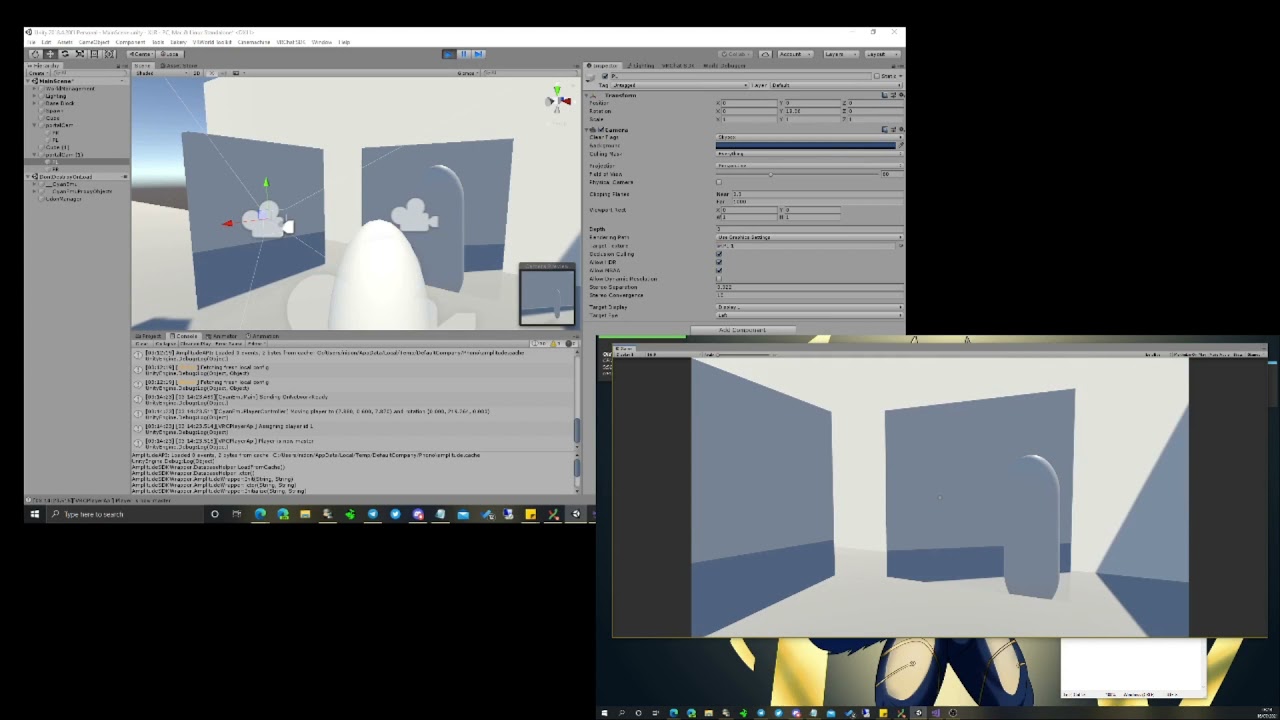
Stereo cameras too so they would in theory display correctly in VR but I didn't have time to test.
vague remnant
So if my understanding is correct, static objects with colliders can't be passed through?
leaden hazel
Well.. they'd display the wrong image... correctly. If you know what I mean. Offset per eye. :P
leaden hazel
vague remnant
So if my understanding is correct, static objects with colliders can't be passed...
Anything with a collider not set to trigger mode can't be passed through
Static relates to other aspects
vague remnant
leaden hazel
Anything with a collider not set to trigger mode can't be passed through
Unless it has Rigidbody, learned this the hard way, wanted to be able to push a cube around with my body, y'know?
leaden hazel
@vague remnant Static is actually broken down in to these aspects. Nothing you'll note relates to collisions
 vague remnant
Ah, so that part with the nothing and whatnot is what it can and can't collide with?
But static like doesn't move period
leaden hazel
... I forget which one of these is the one that prevents movement though.
vague remnant
Rigidbody, if that component isn't in an object/prefab, then it won't move
Notably the Udon floor
leaden hazel
Correct, you need to set a few options to be able to push things
vague remnant
That's gonna be real complicated for me, will have to inquire later, for now, I think your situation should be answered first, or you cool with moving to DMs?
Dinner first (Yummy)
leaden hazel
I'm about to sleep so this is a quick pointer to get you going.
Is Kinematic -> No, Probably use gravity or it will float away~, Collisions Detection, try the different Continuous modes. If its set discrete, eventually the object will 'sleep' and need code to wake it back up again before it will pay attention to forces.
Good luck and enjoy dinner! ;)
 harsh wagon
I tested my world today, for multiple users for the firsf time
for some reason it's fine until a point
then I get 12 fps consistently
exactly 12
viscid belfry
civic ibex
You'd have to upload it, but you can keep it private.
Good to know, thank you! If not I would have spent the entire day tomorrow trying to figure it out
 silent furnace
harsh wagon
I tested my world today, for multiple users for the firsf time
silent furnace
harsh wagon
I tested my world today, for multiple users for the firsf time
It's very nice
 pliant dragon
So I uploaded my world, it worked fine in the build test and I was able to view it on the VRChat website, but when I go in game I cannot find it attached to my profile nor can anyone else. I also looked it up and it still didn't show up. Then I invited myself to my world through the website. It started to load me, then as soon as it got to the part where it would download the world, it kicked me back to my homeworld. I don't know what to do. I origionally made it in 2018.4.36f1 and I read that it was the wrong version so I reloaded it in the correct version (2018.4.20f1) and reuploaded it. It still didn't show up. Made in SDK3
rain shadow
Might need to detach the ID and upload again
pliant dragon
Ok I will figure out how to do that and upload it
rain shadow
On the world descriptor pipeline manager you can find the ID and reset it there
pliant dragon
Do you mean the scene descriptor?
rain shadow
Yeah
 dusty sequoia
pliant dragon
Do you mean the scene descriptor?
dusty sequoia
pliant dragon
Do you mean the scene descriptor?
go into play mode and check the console, i assume there are either script errors, or c# scripts attached to game objects that should not be there, causing the world to not load.
if you're using prefabs from the unity store, check each of the objects or delete unused or unneeded scripts.
pliant dragon
There is my scene descriptor, just didn't know what to change
 rain shadow
Click on the pipeline manager to expand it
dusty sequoia
there is a game object called vrcworld
pliant dragon
dusty sequoia
if you're using prefabs from the unity store, check each of the objects or delet...
Ok, I only got the skybox from the asset store and everything else was pretty much imported from blender
dusty sequoia
drag that in and remove that scene descriptor
pliant dragon
ok
pliant dragon
dusty sequoia
there is a game object called vrcworld
So that would be the world name (in this case, Nuke's Space)?
pliant dragon
rain shadow
Click on the pipeline manager to expand it
I found it, thank you!
dusty sequoia
pliant dragon
So that would be the world name (in this case, Nuke's Space)?
no, you use the vrcworld prefab as the spawn location. just put that whereever you want to spawn.
then you should be able to build the world
rain shadow
They are already able to build the world, that is not the issue
pliant dragon
Oh was that if I couldn't build and run is what he is describing?
I have a working spawn point. I used an empty object
rain shadow
The issue you have is you built and uploaded a version beyond what VRChat supports on the current live version and you can't load into that world because of it
You can't delete uploaded versions individually so you need to delete the world or upload to a new ID
rain shadow
Yeah
pliant dragon
Should I delete the old one that is in content manager?
pliant dragon
okay
Just one more question, how do I get the world image working? If you couldn't tell, this is my first world 😂
rain shadow
Have you done an avatar before? it's pretty much identical
pliant dragon
I have not
rain shadow
Ah, when the scene goes into play mode on that build and publish screen a gameobject named VRCCam gets added to your scene
Whatever that camera sees is what becomes the world image
pliant dragon
Oh sweet
I don't know what's going on now, but it isn't doing anything when I press upload
rain shadow
Do you have any errors in console ?
pliant dragon
 kind leaf
Well look at that. Wtf is sdk2 stuff doing in ur sdk3 world? That'll fk ur stuff up.
pliant dragon
I'm not sure. I was pretty sure I only put the sdk3 stuff in
random owl
That's normal since the code base is still shared by big parts
You have multiple pipeline managers in the scene
Search for "t:pipelinemanager" in the hierarchy and remove the ones not with the Scene Descriptor
pliant dragon
Ok done
 tepid tangle
how do i setup a collider toggle in 2.0 kdngvsdfjgnfg
 unkempt turtle
you make your typical toggle trigger, but instead of a solid object you put in the collider object
so thats your trigger (for me its an interact trigger that fires locally)

my collider in this case is just a simple box collider

and this is how they both look like on the field next to each other

@tepid tangle
unkempt turtle
@elfin rover thats how you make a pickupable mirror in SDK2 (and 3 too, but im too lazy to open that project now too lmao)

 elfin rover
Why dont these prefabs work. Im running world in test mode. And these 2 prefabs are not working...


i do have standard assets that it recommended
leaden hazel
So it's there in test, you made no changes, uploaded and its gone? I've never seen that one before...
elfin rover
no
i was running it in testing
i havent uploaded it yet
shouldnt they work in test mode?
leaden hazel
I'm confused, to me there are three states, in editor testing. Build and test mode where you run in a local copy of the world loaded by your client, and uploaded, which should be the same, your files are pulled from the server though instead.
leaden hazel
Okay, so, what changed between those two screenshots?
elfin rover
those were taken at the same time on the same world test
i've done nothing but put the prefabs of them into the world
in the editor when i move the pens they draw fine
leaden hazel
Oh, do you mean with two clients running at the same time?
elfin rover
no one client
sdk2
im using qpens sdk 2 version
and the virtualnewkeyboard
both by the same person
wait no
ones by another person
leaden hazel
Is the keyboard also sdk2 rated?
elfin rover
yes

i could just remove those 2
since this isnt going to a public world
i might do that
remove the 2
anything u can recommend as a fun prefab
like something to do
like a game or something
 glad cargo
so in udon 3.0, how can we make pickable stuff global?
we tried searching for Object Sync, but it's unsearchable anymore
 rain shadow
glad cargo
so in udon 3.0, how can we make pickable stuff global?
we tried searching for Ob...
rain shadow
glad cargo
so in udon 3.0, how can we make pickable stuff global?
we tried searching for Ob...
It should be there so either you have an outdated SDK version or have compile errors
I would guess most likely errors, if you check the unity console you should see what's causing issues in your project
glad cargo
ohh yeaa it's the compile error, but directing it to the udon files
aren't those important? But unity is wanting it deleted
rain shadow
What do the errors say
glad cargo
okiii hold on
elfin rover
well i have replaced it
i got working pens
from vrc starter kit on booth by virtualboy
it came with a nice set of stuff
glad cargo
It works now, thank youuuuuuuu
glad cargo
does anyone know where to get the iwasSyncVideo v2.4sk
bold ibex
is it normal that the 2019 version does not work with the sdk3?
 leaden hazel
bold ibex
is it normal that the 2019 version does not work with the sdk3?
leaden hazel
bold ibex
is it normal that the 2019 version does not work with the sdk3?
Check the bug report thing?
Might be a good idea to discuss that in the beta channel
 spark vigil
i have a problem with my world
cold hound
What problem?
spark vigil
I published it and everytime I tried to go into it I would get sent right back to the world I was in
spark vigil
idk tbh
cold hound
spark vigil
I published it and everytime I tried to go into it I would get sent right back t...
The world is crashing
Try checking with this https://github.com/oneVR/VRWorldToolkit
GitHub
Unity Editor extension for making VRChat worlds. Contribute to oneVR/VRWorldToolkit development by creating an account on GitHub.
 thorn berry
Hellow guys my friend has a problem with his world: he wanted to add something to his world but as soon as he 'builds and tests' it the stuff he added was not there, now he published it and the stuff is still not there. He also changed the world ID to the current version, which also didn't help.
rain shadow
thorn berry
Hellow guys my friend has a problem with his world: he wanted to add something t...
He would have errors preventing the build from completing
Would have to check the unity console for errors and remove anything that's causing issues
 rain shadow
He needs to delete any scripts related to that PyroParticle asset
It says in the error the folder location
thorn berry
good, thanks, he'll try it.
spark vigil
cold hound
The world is crashing
Yea
cold hound
cold hound
Try checking with this https://github.com/oneVR/VRWorldToolkit
Try with this
vague remnant
Yeah, I was trying out the PyroParticles, doesn’t really fit the bill for what I wanted, they weren’t as good as I could have hoped, not as modifiable as I wanted, found Unity’s fire particles were the best I could get, wanted purple flames, so… yeah
 eternal summit
i am looking for the 8ball assests and etc for vrc
anyone know or have where it is
link wise
rain shadow
eternal summit
i am looking for the 8ball assests and etc for vrc

GitHub
1.2.0! Given the changes in this release with regards to prefab structure and new features, this release has been upgraded from 1.1.8 to a full 1.2.0 release.
Performance improvments provided by V...
rain shadow
You would want the unity package
 dusk summit
go to releases then download the latest unitypackage
rain shadow
Are you using SDK3?
eternal summit
yes
rain shadow
Do you have errors in the unity console?
dusk summit
make sure it's not using an older build when testing
eternal summit
 dusk summit
do you have anything interacting with it ? have udonsharp? have TMP? have a global toggle for it?
rain shadow
TMP shouldn't be an issue
@eternal summit Make sure you have the latest version of this also https://github.com/MerlinVR/UdonSharp/releases/tag/v0.20.0

GitHub
This release requires the latest VRCSDK
Features
#85: Support for user defined C# properties on UdonSharpBehaviours implemented by @mika-f
Property syntax with getters and setters is now valid, fo...
eternal summit
dusk summit
do you have anything interacting with it ? have udonsharp? have TMP? have a glob...
no not yet

Put that in
Thank you sooo much 😭
It worked
Thank you thank you 😭
another favour
can anyone direct me to a good video player asset]
the one i have in my other world is ok but i have seen better, any recomendations would be greatly appreciated
dusk summit
what player do you have ?
Use either Merlin's U# video player or ArchitechTv
(now called ProTV by ArchiTechAnon)
vague remnant
Sooooo many good ideas for when I get the motivation to build my own world
Also, there's this pool table I'm looking at with the text terri.tech/ht8b, mean anything to anyone?
 errant beacon
vague remnant
Also, there's this pool table I'm looking at with the text terri.tech/ht8b, mean...
errant beacon
vague remnant
Also, there's this pool table I'm looking at with the text terri.tech/ht8b, mean...
would personally recommend using FairlySadPanda's fork of the pool table rather than Harry's
vague remnant
I think I've seen that one in "Just B Club", and whenever I turn, the audio moves with it, and I like the lights on this one too
vague remnant
Just to sate my curiosity, why Fairly's over Harry's?
tepid tangle
i made an NPC thats supposed to give you a tour in my world, its built off one of my avatars, and anytime the animation plays, it forces it to play at 0,0,0 in the world, can anyone help?
vague remnant
Would love to see it when it gets fixed :O
tepid tangle
omg yess ive been making so many dump npcs this is the first motion capture test but gahhhh it keeps spawning at 0,0,0 T_T
i changed the location of the value animator.root.T to where i want but whenever i playtest it, it keeps going back there, despite it being in the area i want whenever i preview the animation
vague remnant
Some part of me wants to suggest a workaround, like let it spawn at 0,0,0 and then input something that would teleport the NPC to the right location? But I bet you tried that already
tepid tangle
here im awful at explaining heres a video
vague remnant
Or aren't sure how to.... I never animated before, I'm new to the whole Unity building thing myself...
tepid tangle
its using sdk 2.0 too so i dont think i could code something in udon for it T_T
vague remnant
Oh, I'm using SDK3, so I'm not really of much help.... sorry....
vague remnant
I wish you the best of luck though
tepid tangle
it does this to any avatar listed as humanoid ive noticed, but if its set to generic, then the animation doesnt work whatsoever X_X
vague remnant
Well, I've got my fingers crossed that it gets sorted
 mild spade
tepid tangle
it does this to any avatar listed as humanoid ive noticed, but if its set to gen...
mild spade
tepid tangle
it does this to any avatar listed as humanoid ive noticed, but if its set to gen...
You could try putting the entire avatar inside a empty gameobject (so it is the parent) then move the parent gameobject to the location you want it to be. (to compensate the offset)
vague remnant
Trying to color a cube that's using the same material, but I need one to be white, and one red, I'm trying to do something so I know how to make invisible walls of some type, could anyone help me out with that?
Nevermind, used a cube with different materials (colored both cubes all the same...)
vague remnant
My bad ^^'
kind leaf
vague remnant
My bad ^^'
Did you figure out your invisible wall?
if not, play with public override void interact(){ Redenderer.enabled = false;}
or for a toggle
public override void interact(){ Redenderer.enabled = !Renderer.enabled;}
this keeps the collider intact but hides the visible wall.
vague remnant
Yes, it's not exactly ideal, but using objects will work for what I need
Just need lighting support now
 late ruin
is there a way to make screens louder?
vague remnant
Screens louder?
Turn their volume up? Otherwise, I think they just rely on a 2D audio space, which essentially makes them full volume no matter where you are, like YouTube in your web browser, or background music
kind leaf
in the spartialized settings turn the gain up. its 10 by default.
vague remnant
Oh, that too
desert python
whats the tallest stair step a player can climb without jumping
has anyone measured this yet lol
 misty timber
is there still absolutely no way to test out quest worlds?
 vagrant shale
I think you can use Cyanemu while the build target is set to Android but I'm not sure if it's actually testing the Android build.
Any ideas on creating transparent terrain? I've tried some shaders I found online but using a material with those shaders on my terrain makes the whole surface almost entirely transparent and painting textures on it without any transparency doesn't increase the opacity at all.
green lagoon
vagrant shale
I think you can use Cyanemu while the build target is set to Android but I'm not...
that wouldn't be texting me Android version as you're still fundamentally running Windows in the unity editor
vagrant shale
Yeah, thought that might be the case. It's still nice to be able to test without having to change your build target but testing android specific overrides on a PC probably isn't possible unless there's an Android emulator that runs in Unity.
green lagoon
and even then that wouldn't be a great test of the quest as you would have more cpu than the quest
spring temple
I just wanna drop this in here cuz I think this looks like a very cool asset for unity I dunno if it can be used for vrchat, buuut it looks like it can basically it brings full blown 3D modeling to unity https://www.youtube.com/watch?v=NVfOTfoBmtk

The Turtle Ship demo package is provided exclusively on UModeler 2.8.1.
UModeler is Unity Plugin for 3D Modeling & Prototyping
UModeler features are as follows.
- Perfect N-gon support
- Easy Curved Shape Modeling
- Sketch-based Intuitive Modeling
- Powerful UV Editor
- Neat conversion of ProBuilder mesh.
- Immediate UModeler mesh editing wit...
kind leaf
spring temple
I just wanna drop this in here cuz I think this looks like a very cool asset for...
thats a cool asset, we kind of have that with probuilder already, our version is lacking but it gets better in 2019-21. Plus, most people just know the basics and don't play around with advanced techniques. But yeah, any tool that makes it easier is worth a go.
spring temple
kind leaf
thats a cool asset, we kind of have that with probuilder already, our version is...
ohh I heard of probuilder someone just told me it was very basic and only could prototype levels this one looks like it can prototype and make bull blown levels ima check out probuilder now thx
kind leaf
you wont find high detail objects like realistic rocks or trees being made in probuilder, but low poly or 98% of any vr social world can be made using nothing but probuilder.
spring temple
ahh icic that's very cool
 versed cargo
do you think you can help me with this problem im trying to upload fr quest but the event handler is preventing it but i need them for toggles like the mirrors and pickups. its sdk 2 idk if that matters or not. heres a ss:
 kind leaf
did you try autofix
versed cargo
yea the event handlers cant be deleted without the toggles being deleted
viscid belfry
Does anyone know roughly how much playtime I require to upload worlds? Seem to find inconsistent answers online. Any clarification would be greatly appreciated. Thanks
versed cargo
once you get new user which i believe you can link your account to vrchat and have maybe 200 or so hours although its hard to tell
viscid belfry
Got it. 200 hours is an ungodly amount of time😔
 tropic smelt
You definitely don't need anywhere near 200 hours to be new user
versed cargo
uh ig thats more for user huh
tropic smelt
If you just play, make friends, world hop, you'll get it in no time
versed cargo
tbh i dont completly remeber its been a long time
tropic smelt
And no, even that is a gross overestimation
versed cargo
yea fs
tropic smelt
For user
viscid belfry
It seems to be estimates. It seems the average is 20-40 hours. I wish it was more transparent. My job is requiring to make a world and I wish I knew the time to speed up the process. Its a bit of a pain having to keep playing without knowing a good estimate
versed cargo
hmm someone really needs to make a chart lmao
tropic smelt
There's far too many unknown variables to bother
viscid belfry
I'm surprised the devs have not made this more clear. I dont blame em. Make the time a blur and you just keep playing I suppose.
tropic smelt
But if you purchase vrchat plus it'll boost your rank slightly
Iirc it's enough to get you to new user from visitor
viscid belfry
Oh so increasing in rank unlocks dev mode?
harsh wagon
viscid belfry
Oh so increasing in rank unlocks dev mode?
the highest you can get rank-wise is legendary user
viscid belfry
I just want to unlock upload privileges honestl6
tropic smelt
Yeah, vrc plus will do that for you
If it's for your job it's probably a worthwhile expense
harsh wagon
I think I'm legendary user actually, someone with a modded client told me
kind leaf
you dont have to keep it, rank isnt removed. pay for 1 month
tropic smelt
^
harsh wagon
I don't know how to check non-visible ranks
viscid belfry
I certainly think it's worth a try. I appreciate the advice.
tropic smelt
Np
versed cargo
if anything im still a vet
ask someone who can fly or is flexing the ripping skills lmao
harsh wagon
So, what would be the best way to make a waterslide in blender? I thought I could use a curve and then extrude it, but blender doesn't have an option to keep curves upright so the curve twists
viscid belfry
So u got vet with a purchase from your current rank? Stopped paying and kept the privilages?
harsh wagon
viscid belfry
So u got vet with a purchase from your current rank? Stopped paying and kept the...
buying VRC+ isn't enough to get you to veteran
Veteran is hundreds of hours
versed cargo
viscid belfry
So u got vet with a purchase from your current rank? Stopped paying and kept the...
no i didnt pay but you wont derank unless you get banned i think
viscid belfry
I dont need vet though unless u can only be vet to upload
versed cargo
ye you need god amount of hours and playtime
kind leaf
harsh wagon
So, what would be the best way to make a waterslide in blender? I thought I coul...
same concept. https://www.youtube.com/watch?v=bBNYAiC9ib8

In this tutorial, we'll learn how to build a roller coaster track with an array and curve modifiers.
We'll be using a [Curve Point] to model parts of the mesh.
To use the Curve Point, you need to activate an Add-on called 'Add Curves: Extra Objects' that can be found under [Edit - Preferences - Add-ons].
Be sure to visit my channel to watch m...
harsh wagon
versed cargo
ye you need god amount of hours and playtime
Just looked it up, veteran is identical to trusted
versed cargo
viscid belfry
I dont need vet though unless u can only be vet to upload
tbh just play for a whole day or two it i may appear i got user on an old account in a week so shouldn't be that hard
harsh wagon
legendary is given to veteran users who did a lot of uploading before 2019
kind leaf
wait, they changed the rank structure?
versed cargo
harsh wagon
Just looked it up, veteran is identical to trusted
oh then saddly im not special
harsh wagon
kind leaf
wait, they changed the rank structure?
veteran and legendary are hidden ranks
harsh wagon
legendary rank is immune from deranking, so you can never go below legendary
and then the rank above legendary is VRChat team
versed cargo
ima need someone to check tat for me i may have a guy
viscid belfry
Oh wow so you can de rank? Interesting
versed cargo
viscid belfry
Oh wow so you can de rank? Interesting
ye definitely but all you gotta do is follow the rule easy enough
harsh wagon
viscid belfry
Oh wow so you can de rank? Interesting
if enough people mute/kick/block you, yes
kind leaf
its interesting that the abbreviation for adult playgrounds is instantly deleted being a staple of vrchat. But yeah, graphical adult rooms would be a bad call for keeping rank.
harsh wagon
kind leaf
its interesting that the abbreviation for adult playgrounds is instantly deleted...
I tried the curve modifier before, but it didn't really work for me and it's not super efficient
viscid belfry
Alright guys thank you so much for your help. Time to go in and make some noise. Feel free to add me if you like. I really appreciate yall!
kind leaf
harsh wagon
I tried the curve modifier before, but it didn't really work for me and it's not...
I cant think of anything more efficient than drawing a curved line and having a section of the slide follow it. It's an OCD symmetrical wet dream.
 vague remnant
So this happened after installing VRWorld ToolKit... looks like a self-conflict to me
 harsh wagon
kind leaf
I cant think of anything more efficient than drawing a curved line and having a ...
harsh wagon
kind leaf
I cant think of anything more efficient than drawing a curved line and having a ...
Any reason the object isn't actually following the curve?
it's way off
random owl
vague remnant
So this happened after installing VRWorld ToolKit... looks like a self-conflict ...
Did you import multiple versions of it?
vague remnant
No
random owl

Is that the only error you have?
If that happened by just correctly importing the latest release I would be having a lot more people complaining about it
You could also try searching for BuildChecksManager in your Assets and seeing if it appears in the project multiple times
bold ibex
Is there a way to delete a world you made without going through the unity SDK?
desert python
ye, the website im pretty sure has the option
vague remnant
random owl
Is that the only error you have?
No, I have (had) 227 more
random owl
vague remnant
No, I have ~~(had)~~ 227 more
Can you show more of the errors?
 random owl
Show more from the top?
vague remnant
Me and @kind leaf have a theory, we're thinking about trying it
 random owl
Theory? Also could you select an error and show the full trace for the error for any of those?

 limber cradle
should importing the newest version of SDK3 add the builtin layers (PlayerLocal, etc.)? i'm not seeing them there now
vague remnant
Errors are gone
random owl
What happened?
random owl
limber cradle
should importing the newest version of SDK3 add the builtin layers (PlayerLocal,...
You need to set up them from the SDK control panel
vague remnant
Our theory was right, the Github folder thing was my enemy, I'm too noob-ish to know how to import github folder structures, so the git is fine, it's user error
random owl
vague remnant
Our theory was right, the Github folder thing was my enemy, I'm too noob-ish to ...
Gotcha, good that it was resolved
 turbid lantern
so names Toko i'm just wondering how long a person has to play vrchat to be able to upload a world because i just spent 5 hours on this world and got everything set up and it says you need to play longer i have in total already 150 hours on the game how much more time will it take.
@narrow violet can you maybe anwser my question since your a mod and all
😦
 proven glade
there is no specific amount, once you get like user rank you should be fine
Also I have a question of my own, where the hell is that prefab that makes your voice louder for everyone else in a area, I want it for a stage microphone
turbid lantern
how does one get this rank fast
proven glade
no way to get it fast besides playing the game
turbid lantern
i am going to go dedicate my life to this game i made this world for me and my fiance and i will get it upload soon has i can.
harsh wagon
I'm trying to figure out physics materials
I've got a water slide and it's not very steep, but I want objects to run down the slide to go faster than they currently are
harsh wagon
You have to make physics materials yourself
I've turned friction all the way down but it doesn't seem to have done much
kind leaf
unity actually comes with predefined physics materials. more if you have pro. you can certainly make them yourself if you need to.
harsh wagon
kind leaf
unity actually comes with predefined physics materials. more if you have pro. yo...
Huh, didn't know
I'm having larger issue right now though
the object I want to interact with the waterslide just falls straight through
if I set the collider to convex it doesn't have physics
kind leaf
and one of the objects has a rigidbody?
harsh wagon
The slide doesn't because that's not meant to move
but the stuff going down the slide does
kind leaf
silly, but you made sure you didnt accidentally check is trigger?
harsh wagon
nope
wait, I mean
nope, there aren't any triggers
Would the shape of the object be an issue at all?
It's a pool ring
harsh wagon
kind leaf
silly, but you made sure you didnt accidentally check is trigger?
I've also tried parenting the mesh to a separate invisible mesh that has the physics stuff on it, that didn't work either
kind leaf
the slide prob cant be convex but the objects falling should. the slide if its got sides prob has to be mesh. and the physics mat should be on the slide
harsh wagon
kind leaf
the slide prob cant be convex but the objects falling should. the slide if its g...
That's how it's set up
but if I set the pool ring to convex, it doesn't move at all
harsh wagon
It's technically inside the slide
in the sense that the walls of the slide are around it
but it's not touching
kind leaf
try convex on the slide them. mesh collider should be perfect but make sure the collider component is expanded and the slide is selected, you can see the bounds of the slide
harsh wagon
the slide being convex just makes the ring fly off
the problem is that it spirals under itself
kind leaf
mesh collider makes the mesh the collider, so a U is a U but convex makes the U a O, the shape shouldnt really matter unless there is something weird about the collider. Even a spiral should be fine. You should easily be able to see the problem when inspecting the slide with the collider expanded.
harsh wagon
Hmm, I might have just fixed it but I can't be too sure
let me test it
it works in play mode, but I'm not sure about in-game
kind leaf
so, what did you do? (it's good practice to provide your fix, keeps that search bar relevant )
harsh wagon
I just removed all the physics components and then put them back, with the pool ring set to convex
it was just one of those things where it works the second time
kind leaf
lol go figure
harsh wagon
Now to figure out how to make this pool ring move at a half-decent speed
I can't make the slide any steeper because the map only has so much vertical space
kind leaf
that will be in the rigidbody of the ring, play with mass maybe. But do note that the physics wll be smoother in game. A throw like i have a broken wrist in emu.
harsh wagon
I just don't want to crank the mass and break something
kind leaf
Its just a number, ctrl Z fixes most things. Its not like youll break unity. No Regrets!
bold ibex
What do I do-?

 raven sonnet

 narrow violet
?upload
 odd roverBOT
You must obtain at least "New User" Trust Rank in our Trust and Safety system in order to upload content. You can get this by just spending a few hours in VRChat, hop some worlds, and make some friends. Give it some time and you'll be able to upload content in no time.
As an aside, you must have a VRChat account to upload content. That means you can't use a Steam account, Oculus account, or Viveport account to upload content like worlds or avatars.
Source: https://docs.vrchat.com/docs/frequently-asked-questions
narrow violet
odd rover
You must obtain at least "New User" Trust Rank in our Trust and Safety system in...
@turbid lantern this is all what i know
bold ibex
Where do you guys get your furniture models?
I kinda need some furniture models for a VRC house i'm making
kind leaf
did you try the asset store?
here is a list of only 2018 supported free models https://assetstore.unity.com/?version=2018&free=true&q=furniture&orderBy=1
You also do not have to go to the website to get models; you can click on the asset store tab in Unity itself, search, apply the 2018 and free filters and go on a free shopping spree.
kind leaf
whatever you are cumfy with
If you use Unity I advise you not to use a collection of primitives (cubes, planes,spheres), instead just install proBuilder. Its in your asset Manager. Free. Then check Youtube for tutorials.
bold ibex
I'm really gonna need help in the development in this vrc map...
kind leaf
Hey, thats why the discord channel exists.
bold ibex
yeah, I'm really confused on how to get things like assets, models for the map, textures, and such.
I MIGHT need someone to walk me through how to make this...
😬
kind leaf
Well you get assets by clicking Asset Store which is a tab in Unity on top the middle window.
same with textures but you can also find textures from places like:
https://polyhaven.com/
https://ambientcg.com/categories
kind leaf
Good luck? If you are new to Unity your asking for a headache. To make a quest world you have to make sure its less than 50MB, all shaders need to be mobile, and you need to convert to android.
bold ibex
uuuuggghhhhhh......
should i just make a PC version?
and then worry about optimizing it later?
kind leaf
for your first world? I would. then work on converting it after you know the basics
bold ibex
Okay.
wellllll.... To start off, I'm kinda trying to recreate an existing house?
can i send an image?
kind leaf
sure, I cant help you build the house but you are welcome to post it.
bold ibex
 kind leaf
Youtube search proBuilder Modern Home. First link I found but there are plenty more: https://www.youtube.com/watch?v=EwWf8ZNh1Xg

I had fun making these! But editing the video? Not so much XD
I did a lot of thinking, almost half of the time is me doing nothing! So I had to make a lot of cut on the video. I hope it's not too distracting. If you have any question, please comment down below!
Thank you!
------------------------------------------------------------------------...
Modern is easy once you know how to use your tools. straight lines and accents in 3
 surreal nebula
Silly question. Anytime I try to organize vrchat or udon files, it stops working. So what I'm I able to move without things breaking?
bold ibex
The versions that it gives me isn’t the version it’s recommended for-
 kind leaf
no 2018.4.20fl is the only version listed on vrchat.com
catch up soon, next month its 2019 and youll be wondering again 😛
kind leaf
surreal nebula
Silly question. Anytime I try to organize vrchat or udon files, it stops working...
you dont organize the sdk; you couldn't possibly organize it better. You organize files you import or create only.
 calm gull
guysss
i need some help??
I clicked upload so many times to publish but it didn't do anythingg

does anyone knows what's the problem??
 potent chasm
Hello, is there any error in the console ? Once you clicked upload if there is not any error you need to wait a little while before the upload actually start, spamming may completely block you, be careful
kind leaf
thats also not what the normal New World Creator screen looks like (nvm, im guessing sdk2)
calm gull
kind leaf
thats also not what the normal New World Creator screen looks like (nvm, im gues...
yes i'm using sdk2
calm gull
potent chasm
Hello, is there any error in the console ? Once you clicked upload if there is n...
there's no error in console
 pliant sinew
So I have this problem where the meshrenderer doesn't know some of the meshes are in view so they pop in and out even though they are 5ft in front of me. Affects some of the source geometry and some of the placed additions. Not sure how to fix.
Google suggested make them always render but I couldn't find that option in the inspector.
 potent chasm
pliant sinew
So I have this problem where the meshrenderer doesn't know some of the meshes ar...
potent chasm
pliant sinew
So I have this problem where the meshrenderer doesn't know some of the meshes ar...
Usually when this happen it's because your bounds are incorrect, so i'd say you should check it, otherwise you can just make said bounds huge so they will never leave the frustrum
pliant sinew
potent chasm
Usually when this happen it's because your bounds are incorrect, so i'd say you ...
can it be done in the inspector? or is it a script?
kind leaf
Select the mesh and press f
Select it in the scene and press f to be more accurate
That stops it from popping in and out
 muted pulsar
so I have a world ready to publish, sdk prompts me to test/build the world first...whenever I'm trying the test build option it just launches vrc into my home world, the test world is nowhere to be seen...what's happening?
no sdk panel or console errors either
unkempt turtle
muted pulsar
so I have a world ready to publish, sdk prompts me to test/build the world first...
correct Unity version?
muted pulsar
2018.4.20f1
unkempt turtle
hmm, have you tried uploading it as private world with a new ID already?
not Build&Test
muted pulsar
I don't even get to the part where I could private it or anything, if I try uploading it tells me I have to test/build the world first
did clear the blueprint id a few times but doesn't help
unkempt turtle
Build&Test doesnt upload the world, it launches it from your PC directly
just use Build&Publish instead
muted pulsar
if I do use build and publish it abots and tells me I have to test it first
muted pulsar
the newest version of sdk2 and the same problem in sdk3 worlds
unkempt turtle
very odd
kind leaf
There is no prompt to test i wanna see a screenshot :)
 unkempt turtle
can you enter play mode from unity?
muted pulsar
yeah tried that before but I'll try it again
came out of play mode, tried same result
unkempt turtle
so play mode does not put you in the main camera view in play mode?
 muted pulsar
wait do I need a camera? I though that's only if I wanna change the view values or overalys?
kind leaf
Do you have compile errors?
vague remnant
Yes, a main camera is needed
unkempt turtle
you dont need one, but its good for making screenshots and testing
vague remnant
Oh
muted pulsar
kind leaf
Do you have compile errors?
no errors in the console
play mode with camera just works fine but the sdk is still not cooperating
kind leaf
You absolutely should have a camera. Thats what vrc gets data from. View distance and post processing kind of stuff. No camera no goodies.
muted pulsar
kind leaf
You absolutely should have a camera. Thats what vrc gets data from. View distanc...
yeah I know it's required for that sorta stuff but that's something I haven't messed around with yet
unkempt turtle
kind leaf
You absolutely should have a camera. Thats what vrc gets data from. View distanc...
its not required, only if you set it as reference camera it will take the values from that cam. otherwise it will create a new camera object
muted pulsar
so my best guess is that they added the test requirement but their damn test mode is broken
unkempt turtle
they never added force test mode
muted pulsar
I wonder why it's crying then, it happens on two different projects with both sdks
kind leaf
unkempt turtle
its not required, only if you set it as reference camera it will take the values...
ok so you didnt actually read my post. If you want anything special like proper clipping or post processing IT IS REQUIRED. That more clear? Dont argue for the sake of arguing. The camera vrchat creates without a reference doesnt have post processing.
unkempt turtle
<@&397642795457970181>
kind leaf
muted pulsar
I wonder why it's crying then, it happens on two different projects with both sd...
ied suggest installing the toolkit if chat cant help you sort it.
muted pulsar
alright I'm gonna give that a shot 🤷♀️
well at least I have easy post processing now I guess
kind leaf
lol toolkit didnt help ya?
muted pulsar
nah
kind leaf
if you try to compile it should update with whatever is wrong
muted pulsar
it's not like I even have any scripts on this project
like you mean build it like a game?
kind leaf
ye sry, almost the same thing 😛 build and test or build and publish. it will fail but it should update the toolkit debugger
muted pulsar
aight let's see
kind leaf
if you use the search bar in the top right there are many reports of "last build scene could not be found" . some blame shaders, not being logged in, having post processing v2 installed the list goes on
muted pulsar
omg my bad console errors were disabled for some reason and it was some fucking menu that came with the skybox asset 🤦♀️
kind leaf
🙂 yay you got it.
AllSkys is notorious for that; but most assets with a demo scene have scripts.
muted pulsar
yeah exactly it was allsky, what a sneaky prankster lol
thanks for the help, when you mentioned skybox I made the connection 👌
turbid lantern
so i was playing vrchat today and i said im a user but i still cant upload a map
im starting to want to give up on this dream
unkempt turtle
does it say any errors?
errant beacon
^ Are there any errors in the console, and are you logging into the SDK with a VRChat account? o:
 wide stone
i’d love to make a world but i have no clue how to use unity
i’ve got experience with making models tho
unkempt turtle
wide stone
i’ve got experience with making models tho
already 50% of what you are gonna need
 unkempt turtle
the other 50% are a mix of a lot of things, including lighting, optimizing, Udon/Triggers, fixing random things that you never knew could break
if you have problems with anything you can always ask here or the 2 channels below
errant beacon
Making a basic world is vv easy, just drag a VRCWorld prefab onto a plane with a collider and you're ready to upload o:
Vowgan's Udon tutorials are vv helpful, and the Unity documentation's great for learning lighting, optimization and etc
wide stone
i’ve always wanted to do collabs but everyone’s shady on that
unkempt turtle
im doing a collab with scena at the moment (good friend of mine)
pliant sinew
I was a derp I couldn't find "bake occlusions" earlier, world is working great. Now I'm adding the details
proven glade
Anyone know how to do the voice loundner thing if you stand in area
late ruin
wont let me sign in it just doesn't do anything the password is right aswell..

do i have to import the sdk in again after re installing unity?
kind leaf
proven glade
Anyone know how to do the voice loundner thing if you stand in area
If your playing with sdk3 try Better Player Audio https://docs.google.com/spreadsheets/d/e/2PACX-1vTP-eIkYLZh7pDhpO-untxy1zbuoiqdzVP2z5-vg_9ijBW7k8ZC9VP6cVL-ct5yKrySPBPJ6V2ymlWS/pubhtml#
 misty wave
Anybody have tips for doing like, dense forested hills like this in Unity? Struggling to figure out a way that won't chew threw memory to do it

Would I probably just want to use a skybox for this??
proven glade
Probably
 keen trench
misty wave
Anybody have tips for doing like, dense forested hills like this in Unity? Strug...
keen trench
misty wave
Anybody have tips for doing like, dense forested hills like this in Unity? Strug...
If it´s just background maybe only add a couple of planes that look like it from the player´s perspective
misty wave
Yeah, in my render on Blender of the scene I just did it with planes I'm just wondering if it's gonna look right from the player's perspective... planes or a skybox are probably gonna be the easiest way to do it though, you're right :/ if you or anyone has any recs for assets like this please do let me know tho
proven glade
kind leaf
If your playing with sdk3 try Better Player Audio https://docs.google.com/spread...
not sure if that is exactly what im looking for
green lagoon
misty wave
Yeah, in my render on Blender of the scene I just did it with planes I'm just wo...
something as far away as distant mountains it's okay to just go with cardboard cutouts /skybox

 modern kayak
proven glade
not sure if that is exactly what im looking for
modern kayak
proven glade
not sure if that is exactly what im looking for
yes, it is. To be specific, you need the better player audio override, which is one of the scripts in that package. That link is to a database of multiple prefabs, but here is the release page for better player audio specifically: https://github.com/Guribo/BetterAudio/releases/tag/BPAv0.4
GitHub
Demo: https://twitter.com/GuriboVR/status/1371191149742940164
Fixes
fixed issue with multiple microphones being used at the same time
previously all but the last user stopped being affected as so...
 silent night
Anyone able to help me out with figuring out an animation with Udon with an elevator that has three stops? I know how to animate something that has one direction it moves in, but I need help with making it so that it can stop on three floors and just go up and down depending on the button press.
misty wave
@green lagoon Hmm okay thank you, that's probably best then! Some of the trees are decently close though... I suppose I could just place some smaller number of trees nearby and skybox the rest of them. Finding assets is hard tho XD is there like a "goto" tree pack that creators like to use? I've found some that look good
 green lagoon
I can't think of any go to tree packs like I can think of compared to some of the furniture I've seen very commonly on vrchat
silent night
misty wave
<@!216145046347448320> Hmm okay thank you, that's probably best then! Some of th...
I can make simple trees in Blender
proven glade
modern kayak
yes, it is. To be specific, you need the better player audio override, which is ...
oh, yeah looks like it, but I am not sure how to set it up
modern kayak
proven glade
oh, yeah looks like it, but I am not sure how to set it up
it has a wiki with tutorials https://github.com/Guribo/BetterAudio/wiki
GitHub
'Better' audio for UDON (VRChat) based worlds. Inc. speed of sound, sonic booms, doppler, occlusion, reverb, ... - Guribo/BetterAudio
silent night
misty wave
<@!216145046347448320> Hmm okay thank you, that's probably best then! Some of th...
 misty wave
@silent night ty!!
silent night
…? OwO
proven glade
modern kayak
it has a wiki with tutorials https://github.com/Guribo/BetterAudio/wiki
sorry for the ping again but the udon behavior component doesn't let me select the better audio overide
modern kayak
do you have udonsharp and better player audio installed?
modern kayak
try adding the better audio override component and then convert it to an udonbehaviour
keen trench
So uh guys, i have a neat question, i have this cubemap right? Looks normal, now check this out


How can i blend the edges?
proven glade
modern kayak
try adding the better audio override component and then convert it to an udonbeh...
wait I have udon but not udonsharp
how do I install udon sharp?
nevermind
nevermind that nevermind still not appearing
 modern kayak
looks like you don't have the latest vrcsdk
proven glade
I have sdk3
modern kayak
yes, but not the latest
proven glade
so do I need to download it again and import
modern kayak
yes
turbid lantern
i did it all i have to do is add my final touches
kind leaf
proven glade
not sure if that is exactly what im looking for
an amp, its an amp.
proven glade
I seem to have everything working now
I was able to import the script
into the behavior thing and yeah had to convert it
 floral trail
Hi, im making my first world and there are some potion in and i want to know if i can get a sort of transparent effect for quest (maybe using particles shaders) and i would like to know if there is a possibility to see how much a world will be (in Mo) in blender since im making it in blender for now. Thanks in advance
kind leaf
floral trail
Hi, im making my first world and there are some potion in and i want to know if ...
yes, particles will work for a transparent effect. Not sure about blender.
misty wave
what is good practice for positioning for chairs? i never can get it right. I want the bench to look somewhat natural
 rain shadow
misty wave
what is good practice for positioning for chairs? i never can get it right. I wa...
rain shadow
misty wave
what is good practice for positioning for chairs? i never can get it right. I wa...
You will want to move the enter point upwards a little
Though the default chairs are pretty bad still
misty wave
is there a preferable chair to use?? :0
rain shadow
Yeah alternatively you can use this https://www.dropbox.com/s/fdbfa1f267o0aki/UdonCalibratingChairs.unitypackage?dl=0
 misty wave
Cool thank you so much!! anything I need to know to set it up?? @rain shadow
misty wave
Cool, thanks a ton!!
Another question since you might know, is there a pre-existing asset/pack with things like buttons to enable/disable gameobjects (like for disabling mirrors and stuff)? I've made it myself in Udon many times but i'm lazy lol
rain shadow
Pretty sure this would have a couple of things like that https://github.com/jetdog8808/Jetdogs-Prefabs-Udon/releases/tag/1.4.0

GitHub
V1.4.0
*changed some box colliders to triggers.
*added set avatar pedestal id prefab.
*added camera rendertexture example
*updated random int to sync variable.
*updated world list to include instan...
Requires UdonSharp though so you will need to get that if you don't already have it
misty wave
I vaguely recall either seeing that or using it before, I'll def need to reinstall UdonSharp
Tysm friend!!
misty wave
@rain shadow I'm trying to add the toggle mirror and I'm getting a compilation error... seen this before?
 rain shadow
misty wave
<@!183779109296537600> I'm trying to add the toggle mirror and I'm getting a com...
rain shadow
misty wave
<@!183779109296537600> I'm trying to add the toggle mirror and I'm getting a com...
Not sure, but make sure you have the latest SDK
kind leaf
The starter kit has prefabs that never fail me. I only used jetdog in sdk2, in 3 I had a wall of red. Couldn't be bothered to diagnose em when there was a sea of alternatives.
cunning wolf
Has this ever happened to anyone else?
Realtime lighting lights everything up just fine, but when I bake, everything on the ceiling REFUSES to receive any light at all. It's all just black up there.
Been trying to fix this for 3 hours now and I have no idea what I'm supposed to try.
 errant beacon
would recommend asking in #world-lighting - make sure the ceiling's set to Static though? o:
cunning wolf
OK, will do. It's definitely static, yeah!
 patent cedar
@last condor Hi Encoye! Just wanted to let ya know that Better UNO appears to have been broken by the last vrc update. No longer accepting cards in center. 😦
 turbid ocean
Could someone explain to me why my objects that I want to be picked up on play, fall to the ground and won't stay in the gun rack?
i'm not sure this is the right place to ask this question, but I didn't see a better place to ask.
rain shadow
turbid ocean
Could someone explain to me why my objects that I want to be picked up on play, ...
Gravity on the Rigidbody?
rain shadow
Yeah
turbid ocean
I'll try that thanks
I don't see that settings anywhere
@rain shadow Is there another name for it in Unity 2019?
Dugh, nevermind
I found it
turbid ocean
Could someone tell me how to increase jump? The tutorials I found said do it with this script in VRC that doesn't exist. I tried changing it in the VRC World prefab, but it didn't work. Any help would be greatly appreciated.
kind leaf
If you are using the vrcworld prefab that will work. However, if you played with the tutorial and have leftover rejects those will break that component
vagrant shale
I went back to the Exhibition Hall for the Venice Film Festival last year and noticed that it has several worlds that are under 1 MB that have full 360 degree videos. Is that something special they worked out with VRChat or is streaming this sort of content possible with a prefab?
kind leaf
ArchiTechAnon's prefab in beta is doing that with quest support. I'm sure others might but I've only seen that one
vagrant shale
I've seen his video player but that seems to just be flat video. These worlds have stereoscopic 3D video that autoplays when the world is loaded. You can find the exhibition hall and the videos by looking for VRrOOm.
And I believe they all work on Quest.
kind leaf
Yeah, I said beta. Join his discord ;)
vagrant shale
I will look into this, thanks.
 vagrant shale
That is gorgeous
turbid ocean
I used the VRChat prefab, and changed it to 10, bur my jump height is still normal.. I don't go up in the air at all.
Also, anyone know about how to get objects to respawn back into their original place? I changed gravity so my guns stay in gun rack, but after use, they float in the air.
rain shadow
turbid ocean
Also, anyone know about how to get objects to respawn back into their original p...
If you have an object sync component on the game objects you could put buttons at their original spot to call objectsync.respawn
turbid ocean
I do, how do I add that ojectsync.respawn? I am a noob at this part of VRChat
Do you also know how to get jump so it's higher than default. I changed it in VRChat prefab, but I still don't jump up in air
rain shadow
If you have more than one thing changing the jump height it might be overriding
turbid ocean
No, nothing else
rain shadow
Or if the VRCWorld game object is still a prefab you could right click it and unpack prefab
turbid ocean
As far as I know. That was all I changed
rain shadow
As it might be using the prefab values instead of the ones you are setting
turbid ocean
Ok, I'll try that
Thanks
Too bad things can't auto respawnn. Looks silly having guns floating in the air.
rain shadow
You could respawn them OnDrop
kind leaf
rain shadow
You could respawn them OnDrop
wait, the obj sync component has a respawn function? Ive just been writing my own... ugh
 near nova
is non udon, 2.0 World Creation gonna get depricated anytime soon with 2019 switch happenign rgn ?
green lagoon
near nova
is non udon, 2.0 World Creation gonna get depricated anytime soon with 2019 swit...
I don't think so as they released 2019 2.0 SDK
 deft geode
hey how do I make text in my world that doesnt look weird in mirrors
like making it on quads but removing the actual quad and only text remains
kind leaf
deft geode
like making it on quads but removing the actual quad and only text remains
what you are describing is a texture. Open your favorite image editor, make you text with the background removed (transparent) and export. When you import it make sure Alpha is transparent or whatever it's called its checked in Unity. Then you can use it as a texture on the Quad.
Can also convert it to a sprite and use it as you would on a canvas instead of font
deft geode
kind leaf
what you are describing is a texture. Open your favorite image editor, make you ...
the image has no background I think
I just used a text generator
 near estuary
How can I start vrchat as debugging mode? I tried to pass the --enable-debug-gui flag from command line like '~~~/vrchat.exe --enable-debug-gui' but seems not working.
deft geode
can someone help me remove a background of some images since the sites im trying on arent working
kind leaf
deft geode
can someone help me remove a background of some images since the sites im trying...
while you await a response, might be a good idea to look into Gimp. It's free and not some website with predefined algorithms.
 broken kettle
Looking for a world that has a way to toggle or get the camera in 3rd person view?! for when (a motion sickness) my avatar is private
can anyone help refer me to some?
 mighty juniper
I’m using ProBuilder, Is there any way to un-merge an object?
vague remnant
Does ProBuilder offer 3d grass? trying to figure out what to do as far as grass goes, and I'm actually kinda stuck somewhere
near nova
Is there anyway to make decent NPCs for the combat system of SDK 2.0 ?
unkempt turtle
for technical stuff like that i would rather suggest Udon tbh
mighty juniper
Besides that
kind leaf
Lol no
mighty juniper
Awesome. Time to restart my whole project again.
 wraith cipher
ive been learning Blender and Unity. Was there another app to make Maps?
kind leaf
mighty juniper
Awesome. Time to restart my whole project again.
Next time only merge duplicates. Keep source objects until you know you're done.
mighty juniper
Alright
Someone in lighting told me if I merged all my objects it would fix a problem I had. It did but now I have to restart everything.
Thanks for the tip though
kind leaf
What problem did you have
 turbid bison
how do we remove the magazine from the pistols on keyboard please I'm lost xD
mighty juniper
Baked lighting was causing some of my objects to go completely black after I generated the lighting.
kind leaf
Oh no thats uv mapping, probuilders uv features are meh and that wouldn't have fixed it. You generate uv map in the import settings. If that didn't fix it make sure you don't have a reflection probe misplaced. If still black you use Bakery to bake.
harsh wagon
mighty juniper
Baked lighting was causing some of my objects to go completely black after I gen...
were you checking generate lightmap UVs?
mighty juniper
kind leaf
Oh no thats uv mapping, probuilders uv features are meh and that wouldn't have f...
Yeah they said something about lightmap UVs
kind leaf
pro tip; unless you built it with probuilder, never use probuilder to fix it. Probuilder is fkin awesome but it cant read proper verts from 3d software when you use the "probuilderize" feature.
kind leaf
wraith cipher
ive been learning Blender and Unity. Was there another app to make Maps?
Any image editor 🙂 except for Paint
mighty juniper
Last question. What are these lines, and if there not important, how do I remove/hide them?
 kind leaf
you put a light probe group in the room 🙂 its showing you where each part of your object is getting its light
mighty juniper
Alright, thank you!
viscid belfry
Does anyone here know of a place where I can find templates for mini games? Also, possibly existing mechanics for a pool table?
near escarp

GitHub
VRCBilliards: Community Edition. Contribute to FairlySadPanda/vrcbce development by creating an account on GitHub.
viscid belfry
Many Blessings! Thank you
kind leaf
near escarp
https://github.com/FairlySadPanda/vrcbce
Life changing Repo; it's such a shame the readme has to be so nasty to Harry_T. Could have just credited them instead of mocking the person that gave us VR gold. 😦
near escarp
I mean, they DMCAd Xiexe and Panda
kind leaf
True, but thats life for most people these days. As long as it failed thats all that matters. I avoid vr politics as much as I can 😉
near escarp
It's good to be aware though, because otherwise it doesn't feel justified, even though it really is
 gray sleet
I updated my world earlier and when i go to check something my world doesnt appear on my account under worlds. Its as if it never existed. why?
kind leaf
whats your world id?
gray sleet
how do i find that out?
kind leaf
check vrcworld prefab in your hierarchy it should have an id if the world uploaded
gray sleet
all my stuff was removed. Guess I got banned for some reason
is there a place i can contact support?
kind leaf
oh boy that sucks... Yeah https://hello.vrchat.com/legal support email is there
VRChat
bold ibex
how do I creat an asset folder- every time I try to make one and try to put it in it says the same thing
 near escarp
The asset folder is the main folder where all your assets are contained
It is created automatically when making a unity project
bold ibex
I can't download it
?
 kind leaf
2019 😉
mighty juniper
kind leaf
pro tip; unless you built it with probuilder, never use probuilder to fix it. Pr...
Could you explain this in a bit more detail. I'm running into the same problem again and can't seem to fix it.
kind leaf
bold ibex
I can't download it
?
You can only download and import 2018 and bellow. Next month you'll have access to 2019 if you upgrade your sdk
kind leaf
mighty juniper
Could you explain this in a bit more detail. I'm running into the same problem a...
black pillars?
bold ibex
bold ibex
I can't download it
?
Please someone give me 2018
kind leaf
mighty juniper
A lot more now too
if the asset isnt made in 2018 then no one has it. If it was made for 2018 it would have said so.
there are other free particle effects
mighty juniper
It's not an asset
kind leaf
wrong person lol
mighty juniper
All good
kind leaf
mighty juniper
All good
ok so pillars; If you clicked generate UV and still got black, make sure you dont have a reflection probe in the scene. They arnt bad but if its not positioned right then reflections turn black. If still black the only options are 1) fix it in Blender which I have no clue about that. 2) Buy/Find Bakery and fogetaboutit 😛 Seriously, I dont even bother fixing lightmaps uv's anymore.
kind leaf
you made the pillar or imported it?
mighty juniper
I made it, it's just a shape
kind leaf
not a probuilder?
mighty juniper
I did use ProBuilder to make it
kind leaf
select the pillar, open the probuilder window, click generate UV or generate lightmap uv; i dont recall what its called.
kind leaf
maybe.... wont break anything.
mighty juniper
kind leaf
ok so pillars; If you clicked generate UV and still got black, make sure you don...
Do I need reflection probes?
kind leaf
no, you dont "need" them unless you have surfaces you want to reflect. Like if you have chrome stuff
mighty juniper
Ah
Can't seem to find the generate lightmap UVs or whatever it's called. The weird thing is, I only notice the black when in-game, when I'm in Unity everything looks fine.
kind leaf
to you have the lightbulb icon selected? Its at the top of the middle screen near the shader button
mighty juniper
No I have it turned off
kind leaf
turn it on to see lighting changes
mighty juniper
I don't know if it's on or off but I can see the shadows on the shapes.
Everything looks normal
kind leaf
huh, my probuilder doesnt want to open lol. But switch it to text mode instead of icons and it will be easier to find the uv generator. Its supposed to auto generate them by default.

 mighty juniper
kind leaf
huh, my probuilder doesnt want to open lol. But switch it to text mode instead o...
mighty juniper
kind leaf
huh, my probuilder doesnt want to open lol. But switch it to text mode instead o...
What do I switch to text mode?
kind leaf
probuilder so you can see what the buttons are labeled as
kind leaf
Might be, if you have a button that says that 🙂
mighty juniper
When I click on it, a window is pulled up that says:
 kind leaf
give this a read https://forum.unity.com/threads/probuilder-probuilderize-causes-objects-to-go-black-materials-not-to-work.672073/
Unity Forum
Unity 2018.2.7f1
ProBuilder 3.0.9 (latest according to package manager on the version of Unity we're on)
Attached is the actual model.
When I try...
mighty juniper
Alright
Didn't really help, did you read it too? They were having trouble with an asset and they found a simple fix for it.
kind leaf
naw, it was double faces which can happen if you select the wrong thing or accidentally duplicate a face. Unity has an official doc on it because its so common
https://docs.unity3d.com/Packages/com.unity.probuilder@4.0/manual/faq.html
but thats all I got. Ive never had these issues with probuilder but then again I use bakery for everything so I wouldnt know.
mighty juniper
Alright well thanks for trying to help
turbid ocean
rain shadow
You could respawn them OnDrop
How do I do the respawn on drop? Where do I do this?


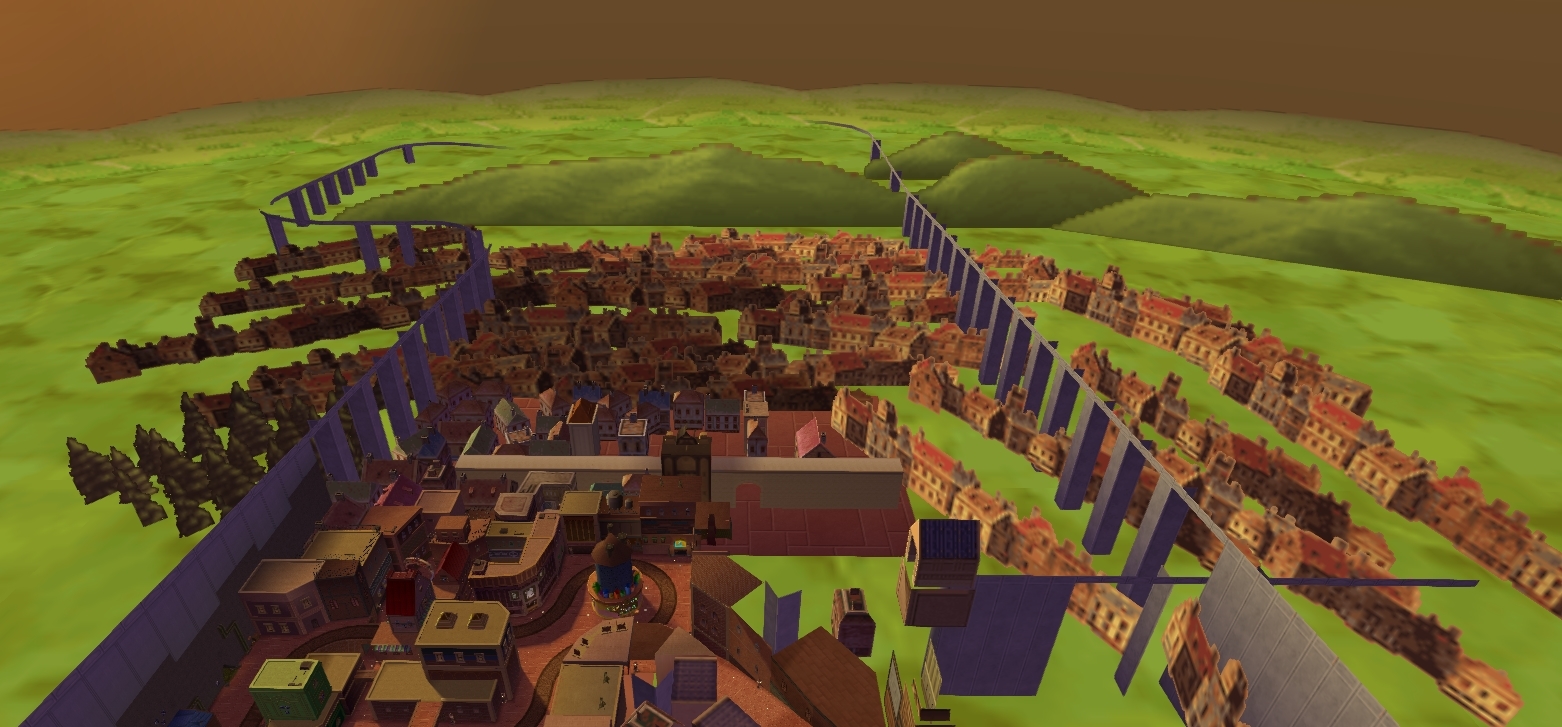 kind leaf
using a directional light?
mighty juniper
I use point lights for all the light bulbs and I have one directional light in the sky
kind leaf
that directional light will effect shadows inside which is weird, if it were me ied kill the directional and use gradient (white, light grey, darker grey).
mighty juniper
Alright
turbid ocean
Anyone can help me with respawn objects back to their original place such as a gun? I see respawn in VRC World, but is this for objects or players?
kind leaf
turbid ocean
Anyone can help me with respawn objects back to their original place such as a g...
I suppose there is a way to use the new ObjectSync but I use something like this:
    private Quaternion home_Rot;
    void Start()
    {
        home_Pos = gameObject.transform.position;
        home_Rot = gameObject.transform.rotation;
    }

    public override void OnDrop()
    {
        gameObject.transform.position = home_Pos;
        gameObject.transform.rotation = home_Rot;
    }
just slap that into a script and attach it to the game object.
kind leaf
that is a UdonSharp script
turbid ocean
I don't know how to do scripting at all
I think I'll just let them float in the air for now Till I can get my programmer friend to help me
Thank you for the help
deft geode
how do I fix this

the mesh appears sideways
I fixed that somehow on another model but I cant remember
kind leaf
delete the mesh collider, then re add the mesh collider. the green lines is the collider, not actually the mesh.
deft geode
kind leaf
delete the mesh collider, then re add the mesh collider. the green lines is the ...
but I need a collider on the boat or people will fall thru it
kind leaf
"delete the mesh collider, then re add the mesh collider. "
kind leaf
I have no idea what your talking about bud; I just said to remove the mesh collider and re add it. deleting the mesh collider doesnt remove the mesh filter or nothing
 vestal pasture
can you make a world in blender and then bring it into unity like how you do it with avatars? because i am a lot more familier with blender. Thanks!
near escarp
yes
 late valve
There anyone know how to work on SDK3 problems? I tried Testing my world to see if I Did ok with my mirror but then it wouldn't load so there I tried to export and I got this message, anyone know how to Compile the scene because I have no clue and 100% new to SDK3
 near escarp
GitHub
Unity Editor extension for making VRChat worlds. Contribute to oneVR/VRWorldToolkit development by creating an account on GitHub.
vestal pasture
near escarp
yes
is it as simple as just making the model and textures in blender and then adding features and lighting in unity? if so do you have any videos to show me what to do? Thanks so much!
near escarp
vestal pasture
is it as simple as just making the model and textures in blender and then adding...

You can support me on my pateron
https://www.patreon.com/mcphersonsound
This is a longer tutorial than normal and there is a lot to cover so here are time stamps for your convivence.
00:00 what is baked lighting
00:35 setting up lights
1:23 preparing meshes to bake
2:30 generate lightmap UV
3:28 light probes
5:10 reflection probes
6:00 emissive ...
 tame reef
Does anyone has any advice how to add in good looking fog to a Vrchat world? I have a huge world with both indoors and outdoor areas and I am already using the fog in unitys lightning setting. Although this affect both indoors and outdoors areas so I use postprocessing to make it less noticable indoors. But I'm thinking of solving it by some other means but don't really find a solution that keeps the world optimized. I'm not really a fan of doing fog with a texture and particle effects.
kind leaf
its all particles and textures Slinker; Unity's fog settings is a color overlay. Pro fog is particles. Your asking for the impossible if you dont want to use textures and/or particles.
 ruby jay
tame reef
Does anyone has any advice how to add in good looking fog to a Vrchat world? I h...
ruby jay
tame reef
Does anyone has any advice how to add in good looking fog to a Vrchat world? I h...
you can disable it when indoors
or change the values to adjust for it using udon
deft geode
anyone know how to change avatar pedistals to make the pedistal invisible and only the avatar display
tame reef
@kind leaf @ruby jay Thanks for the response! Perhaps outright disregarding particle effects might be a bit harsh. I donnu. I just think it looks bad when I see it in other worlds. (Can't really say I found a VRC world with "good fog" although.) But perhaps I can make it work if I combine particle effects and unitys fog. Can you disable the fog using triggers in SDK2? I will feel dumb if that is the case. That would have saved a lot of work.
I've made a world based on Silent hill 2. So hence why this focus on the fog. Would really like to make the fog better looking when you explore outside. 😄
 young swan
Where can i get vrcsdk3 for unity 2019.4.28f1?
young swan
rain shadow
https://discord.com/channels/189511567539306508/503009489486872583/8654213306987...
weird
 rain shadow
 young swan
rain shadow
young swan
rain shadow
okay, ty for help )
thorn berry
hellow guys, I don't know how to let the mirrors toggle each other, by that I mean when for example the HQ mirror is toggled on, the LQ mirror is toggled of automatically. I'm creating my world with SDK 3.
 fiery creek
how do i make glass? aka transparent object
errant beacon
fiery creek
how do i make glass? aka transparent object
Use a shader that supports transparency, then apply a material with that shader to your glass object o:
errant beacon
thorn berry
hellow guys, I don't know how to let the mirrors toggle each other, by that I me...
This might help? https://www.youtube.com/watch?v=E0D9Z8-HVBI
 gaunt minnow
i see this in the editor

but this in the world

four of those 'sticks' have disappeared and i have no idea why, they are separate game objects
does anyone know what might cause this?
rain shadow
EditorOnly tag?
gaunt minnow
they are untagged
rain shadow
Shader is standard?
gaunt minnow
indeed
rain shadow
Are they probuilder meshes?
gaunt minnow
1 sec
@rain shadow all four of the missing ones are, so are several of the non-missing ones though
rain shadow
Un ProBuilder them
Obviously not sure if that's actually the cause but it's ProBuilder and it's great at being terrible
gaunt minnow
good point, thanks. Do you think the "repair broken probuilder meshes" or whatever its called option would do something?
rain shadow
I have little experience with ProBuilder so I'm not sure but you might as well try
gaunt minnow
alright
viscid belfry
is it possible to publish a world privately?
I am reading that worlds are uploaded and made private initially and you have to send an email to request for it being public. Is this true?
inland cave
viscid belfry
is it possible to publish a world privately?
To get a world published, there's a tickbox you have to select to submit it to the Community Labs (this is how a world becomes public).
If you don't tick it, it will always be uploaded privately
viscid belfry
inland cave
To get a world published, there's a tickbox you have to select to submit it to t...
Thank you Takanu, I now have a new predicament, I was just assigned upload permissions as this is a project for my job. The VR Chat team has upgraded our privileges so now I wonder if its automatically changes those privileges for uploading our world to public. We need it to be private until release.
inland cave
viscid belfry
Thank you Takanu, I now have a new predicament, I was just assigned upload permi...
So my best guess is like any VRChat world upload, when you hit the "Build and Publish" button it will do a bunch of work before showing you a final screen that lets you fill in details.
If VRChat has thought this through, any special entitlements for publishing id assume would show up here (such as if theres an immediate "Publish to Public" checkbox). If all you see is the Community Labs checkbox then I would contact them again for further clarification as I have no knowledge of special entitlements 👌
viscid belfry
inland cave
So my best guess is like any VRChat world upload, when you hit the "Build and Pu...
okay well thats a great start to know and it probably still behaves that way, thank you Takanu.
inland cave
np. You can experiment with hitting Build and Publish as it wont publish until you hit the confirmation button on that final screen that will appear in the editor.
Does anyone know how or if even VRChat can handle instancing of assets through other plugins such as Gena or MegaSplatter?
For various reasons I cannot use the Terrain system for instancing things like grass as it lacks lots of small and basic features and PolyBrush cannot cover for it, so I tried using MegaSplatter which is an addon for distributing meshes or prefabs and that works.... but it cannot dynamically instance assets once I Build and Test and if give up on that and have it keep every instance it made in the scene it adds 100MB of data to a 20MB scene.
I assume this is because whatever starting script it uses like any script that isnt an Udon script, is ignored by VRChat. Is there any way I could begin to approach this problem? 🙊