#world-development
39 messages · Page 35 of 1
 mental iris
and then i was saying its a desktop only thing then and ppl said it wasn't so i said screw it just use one that is garneted
 torn bridge
@untold fern
 fresh magnet
I re did one of my worlds and my friend was with me, and for some reason on my end he was spazing out and i couldnt hear him, and on his end the same thing was happening to him with me
anyone know whats going on
 dry vale
Anybody know a good source for free skyboxes? Looking for cities like Hong Kong etc
Been googling all day but no dice
 sacred warren
@fresh magnet 2018 issues, but nothing regarding the world really.
 short gulch
@fresh magnet Either what Enverex said or too many audio sources. I ran into an issue like that with my Waterfront map in the past when I tried to have a ton of audio sources for ambience
sacred warren
You need to exceed 64 or so audio sources for that, so that is possible if you've gone mad with audio sources.
Oh, ok I have an issue with wanting random audio playing from various sources. The audio elements need to be enabled for the random play to work don't they? Which means they count towards the limit. Does VRChat not have a trigger that can do this without them having to be enabled first?
AudioTrigger doesn't seem to work unless the audio element is enabled, and if it is, it counts towards the "break the audio limit". So how are you supposed to do random sounds like this?
 frosty bone
who know the site or sharing place to get updated NoeNoe pen prefabs?
 unborn pilot
how do i get "authenticated" to publish worlds?
 simple nimbus
unborn pilot
simple nimbus
unborn pilot
oh jeez...
can i just not play my world at all until i get authenticated?
like it cant even be private?
sacred warren
@unborn pilot It's to stop people uploading garbage or malicious stuff on throwaway accounts.
 solar sierra
 mental rover
I need help uploading my world, when i go to test it, VRChat opens, it starts to download, and when its done downloading it just downloads the VRChat Home and sends me there.
this has occured of multiple versions of unity.
 open thicket
how do i increase the distance at which you can see realtime shadows?
not just in the editor
but ingame
 sullen widget
can someone help me with a bug on my world
 balmy gate
Yes
sullen widget
i am having issues with my world i can get into it with local test. but when i upload it then try joining it, vrc kicks me back to my home world
i am also having 40 of these errors https://prnt.sc/rys4nj

 bold ibex
Hey so i've been dealing with a seeming collider issue while testing maps with the latest sdk. It seems like if a cube or any other thing with a collider is above a player/model/avatar's head at a certain height, it creates an invisible barrier/collider underneath it, so you cant walk under it. I've tried with different sized avatars to walk under blocks at a certain height, but to no luck. This is a persistent issue through different worlds. Is there any way to fix this?
 near escarp
need to be at least two meters
bold ibex
does it depend on the height of the individual player/model? or is it just a general height?
near escarp
it's the player capsule
bold ibex
oh okay. so it wouldnt matter if someone had a bigger avatar than another player, as long as the collider/cube is above the capsule height then it wont be an issue? will jumping be an issue? also out of curiosity, is there a way to bypass this or is it unavoidable?
near escarp
Most likely a udon thing
bold ibex
so size of the avatar itself doesnt matter? as long as the collider/cube is above the capsule height, other players wont be affected?
near escarp
correct
bold ibex
okay thank you
balmy gate
!outputlog @sullen widget you'll need to load into your world in vrc and find the part of the output log right before it returns you to the home world - it will have a reason why you got kicked out
 tawny lilyBOT
You can find your output log at C:\Users\%Username%\AppData\LocalLow\VRChat\vrchat named output_log.txt
sullen widget
2020.04.13 17:04:15 Log - World Instance was null, selecting best instance
thats what it tells me before loading into new world
fresh magnet
yea i only had one audio cource
 rich trail
looking for some help with the VRC_SyncVideoStream if anyone knows about it? the documentation only mentions youtube, but I'm wondering what other sources might be available if anyone knows?
balmy gate
@rich trail anything else before this
rich trail
@balmy gate before this? wym?
 autumn pier
I'm having some Big problems with Object sync for animations, With big client side delays depending who is hosting the world. Anyone have experianced this? or know a work around.
bold ibex
o:
bold ibex
everytime i want to test my updated world it kicks me into the older version of my world, makes literally no sense someone has an idea?
bold ibex
you added atleast 1 spawn point?
sullen widget
yeah
bold ibex
have the same issue
sullen widget
i can get into it fine when i do build and test
but when i upload it thats when i have issues
bold ibex

sullen widget
and all my output log is saying 2020.04.13 22:11:36 Error - [Always] Error Downloading or Instantiating Custom Scene - https://api.vrchat.cloud/api/1/file/file_19bf3a5f-56fb-4929-b7d4-e3497d698a92/3/file - BlueprintIDMismatch
bold ibex
you tried it with another blueprint ID?
sullen widget
oh did you try joining my world?
or was it your own
ok new plan
start turning things off till it works
bold ibex
was my own
unborn pilot
How do you add a spawn point @bold ibex
sullen widget
hold on
unborn pilot
K
bold ibex
sullen widget
well that works too
sullen widget
i just use the world prefab
sullen widget
VRCSDK\Prefabs2\VRCWorld
unborn pilot
Thanks
bold ibex
did you have the same issue like 6 hours ago?
bold ibex
hmm
sullen widget
id like to comment that this happened after upping to 2018
and i cant upload
why vrc
why
reeeeeeee
https://prnt.sc/ryv84p this is a new world scene for me im not used to that show in worlds menu thing

but when i click upload nothing happens
near escarp
@sullen widget Did you update the SDK as well ?
sullen widget
yeah
near escarp
Is unity paused
sullen widget
no
near escarp
Do you have errors in your console
sullen widget
a lot
near escarp
yeah, start with that !
sullen widget
like 40 of these
bold ibex
yea same
near escarp
Check the Project settings, make sure your project is set to Net 4.X
near escarp
Edit menu top left, then project settings, then players then check the scripting runtime version
sullen widget
near escarp
other settings
sullen widget
near escarp
Then you'll have to reinstall the sdk correctly


 rustic mantle
It won't let me re-publish a world to labs that I unpublished two weeks ago :/
I get the upload to labs screen but doesn't go through when I do it on the site and when I upload it through unity. Still same thing
and yes my cooldown is up and I can publish
sullen widget
at this point i think i will just rebuild from scrach
 vale flame
i need some small trigger help
bold ibex
Is there a github or forum for toybox that explains everything you can do with it?
sacred warren
What is the correct way of playing a random sound from a list? Using triggers doesn't work as it requires all the audio elements to already be enabled which means you hit audio source limits even if they aren't playing.
 fair panther
Hi guys! When I spawn a prefab with the action SpawnObject I get two of them if there are two people in the room. Can that be prevented? Thanks!
 modern kayak
that's called oversync. You have some chain of events where you are broadcasting to everyone twice
for example if you do custom trigger alwaysunbuffered > custom trigger alwaysunbuffered that will oversync
or onentertrigger alwaysunbuffered of an objectsynced object
you need to make sure you either A) only have one broadcast in the chain, and all the rest are local. Or B) you have owner/master triggers to gate off who can activate it
sacred warren
Is object sync really, REALLY bad as of 2018? Like, all of the place mental most of the time?
bold ibex
Downgraded from sdk3 to sdk2 (i deleted and restarted) but i get comipler erros as seen here, some how its trying to refrencse sdk3 idk how to fix this. help (plz ping so i can see)
 rain shadow
@bold ibex Under Edit>Project settings remove the sdk3/udon references here
bold ibex
@rain shadow which sub menu is it under?
bold ibex
Post processing stack 2 in editor wokrs fine in game its gone, latest unity version and sdk2.
unborn pilot
what?
bold ibex
my own question lol
pika check for compiler erros in console
and can u even et into play mode?
fair panther
@modern kayak thank you! I'll look into it 🙂
unborn pilot
yeah it just literally has the loading symbol next to the mouse for like .2 seconds and it just doesnt do anything
also theres no errors just warnings
 sacred blade
are we able to create and set the collision matrix for layers we add?
I've added a new layer, but no matter what I do Local player still kinda collides with it, in a weird way. I've tried to remove ALL collisions from the matrix on this layer, but it still acts different from walkthrough layter for example.
 blazing laurel
You can add layers and modify collision matrix but keep in mind: 1) Collision between layers used by VRCHAT (everything up to PostProcessing) can’t be changed. 2) There is a bug that player sort of collides with a custom layer even when it’s not set to collide in matrix
sacred blade
Oh I guess that was the weird collisions I was having, thanks @blazing laurel! Sorry to ping u but I've been trying to find this for so long, I want to have a pickup object inside of a big collider. Normally it wouldn't let me grab pickups (in vr). It seems using Mirror Reflection on the big collider would fix it but then it collides with players. Would you happen to know if I can use my custom layer as the big layer and still be able to grab pickups? Is there a setting for it?
Bit of context: The big collider is on my ship which will detect collisions from Default and Vehicle (my custom layer). It's not a trigger because I want particles to collide with it, and it can't collide with players because wouldn't let a co-pilot be there.
 north parrot
Not far fro from the cabin.. but it wouldn't matter how far it was away... I could still see its shadow.. even through multiple other objects
@hexed fossil
 serene shard
heyguys - i'm looking for a worldbuilding buddy. i'm in the process of creating a "museum" of content from another game i work on (scifi fleet combat + fps) , and would appreciate if anybody could friend me up and take a look at some stuff. i am strangelet3345 or [AFF]strangelet in game
any takers right now? i'll be pottering around ingame all evening
serene shard
hah.
hey @hexed fossil i just found your vault. this is pretty inspiring , this is pretty much what i want to do for my thing. just a loveletter and chronicle to this game, angels fall first
i love the timeline. will be checking out more of your work
north parrot
@hexed fossil thx much!
open thicket
so it seems a water plane in my world will disappear if VR users tilt their head for some reason
I've done a bit of occlusion culling, but I've set the water not to be occludees or occluders themselves
how can this occur?
I'm using Silent's/Clear Water
Forward Camera Rendering
and a far range of 1300
 glacial pond
Is there a simple way to modify the jet pack prefab to not pitch or roll
open thicket
sorry
got distracted
so
you could maybe add a configurable joint
that restricts rotations or positional vectors
also
you can do that within the rigidbody component
i think its more the rigidbody component than joints
cause they can be a bit tricky sometimes

constraints
that would be freezing rotations
glacial pond
Perfect! I was almost there I just didn’t drop that down
 fiery lagoon
ideas on what this means in the bottom part?
fiery lagoon
no i just get no entry into the tab that allows you to update worlds and stuff
like, the one past vrchat SDK in the top bar thing
all it says now is clear cache and playerprefs
fiery lagoon
oh
fiery lagoon
how does one port it
open thicket
- Keep old SDK (dont delete it) and port existing project to Unity 2018.
- Open project in Unity 2018 and either make new scene and transfer everything OR expand and select all objects and right click then click unpack prefab.
- Close unity remove old VRCSDK folders (in plugins folder too) and import the new SDK2.
- Upload and enjoy your Unity 2018 content and always remember to make backups in the future. :sparkle_wow:
first you gotta download the new Unity2018 engine
VRChat
This page lists the current Unity version you should use when creating content for VRChat, as well as links to the correct version for both Unity Hub and direct downloads. Current Unity Version The current Unity version in use is Unity 2018.4.20f1. Unity Hub To install the cu...
here's the current Unity version
fiery lagoon
got it
open thicket
can things set to ignore raycast disappear in the scene?
fiery lagoon
i think
open thicket
gl !
 onyx hatch
i havent done anything for vrchat in a while, does it still use forward rendering?
modern kayak
Yes, and that's not gonna change easily. All user uploaded content would have to be reuploaded
onyx hatch
alright, just wondering
near escarp

Bakery is 50% off right now, because Unity is doing Spring Sale 🌿👀🌿
#gamedev
 Twitter
onyx hatch
Twitter
onyx hatch
how do i fix this? the lightmaps for everything are like this and i dont know how to fix it
near escarp
you have to enabled generate lightmap uvs on the option of the asset
onyx hatch
thank you, i will definitely try that
near escarp
that's a restriction on community labs worlds iirc
onyx hatch
you have to enabled generate lightmap uvs on the option of the asset```
thanks, that workedis there a way to cull lights if the user is far enough away? i tried the lod group, but that didnt work
 queen ferry
Question:
Does the SDK3+Udon have Avatar podium support? was thinking of some ideas and was curious
 raw vessel
hi
PROBUILDER:
is there a way to delete edges
and how to do it
help please
bold ibex
Been trying out alot of shaders but none of them seem to produce the effect I want (object or skybox reflections/refraction) . I'm looking for a water shader that creates this kind of effect.
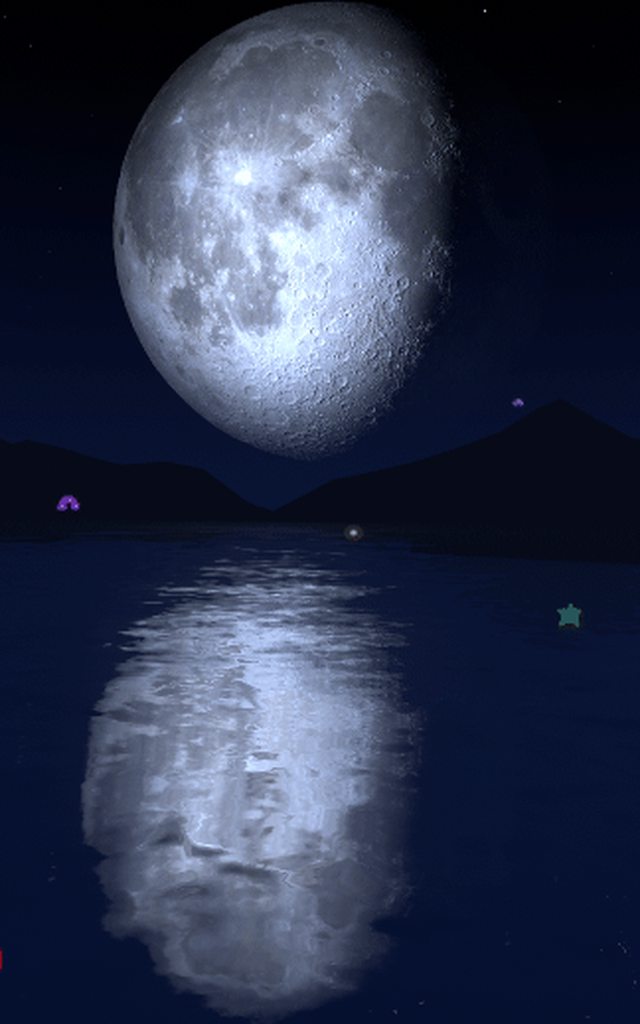 sacred warren
@bold ibex You need high res reflection probes or even realtime reflection probes I'd imagine
mental rover
im trying to test my project, and im bugfixed the way it has told me to before playtesting, but when i launch and attempt to playtest, it sends me back to the VRChat Home.
ive tried moving to the reccomended unity version, but that doesnt let me use the SDK
raw vessel
any way to delete those edges ?
 empty umbra
Hey @near escarp Should I Make It Green Because Nj Water Isn't Florida Keys Clear? also people complain they want it to dip down and be able to swim animation in water, i never done that before lol...
like something when water line gets to your hips swimming animation kicks in, idk if i can do that, plus don't know if it has been done before
if its possible i will need a starter were to begin
bold ibex
What water shader your using ?? ^^ I cant find it in vrcprefabs~
sacred warren
That just looks like Silents water shader. The edge looks uneven because the terrain itself is varied.
queen ferry
Avatar or world?
 wet moss
I did though
queen ferry
need to show the scenedescriptor
queen ferry
click the arrow on Spawns
wet moss
I did
queen ferry
I mean for the photo
queen ferry
There's your answer
queen ferry
1 then target itself, or add a new Gameobject
wet moss
There was a gameobject already but I deleted it since it wasn't working
Looks like it is working though, thanks a lot.
queen ferry
👍
empty umbra
@wet moss 
wet moss
@empty umbra Hello
empty umbra
hi
wet moss
Do you know how to fix this @empty umbra ?
 worldly crow
anyone have a problem in a world you made and you just can't... jump? 
ive disabled everything and just a stretched out cube and my character cant jump no matter what i do
bold ibex
how do i make it so that when a pickup interacts with x object, x event happens?
near escarp
@worldly crow. did you add the playermod for jump ?
worldly crow
😦 how do i check this?
i have a project added for third-person cam but i think i disabled that related game object
bold ibex
go to your vrcworld (spawn gameobject) and then add property, search for Mod, it should automatically come up, then make sure you have isRoomPlayerMods checked @worldly crow
then just add the jump mod
near escarp
Jump is added by default I think
bold ibex
it's not
bold ibex
I feel like Jump and Speed should automatically be there when you add the VRC_Mods property
@near escarp by any chance do you know how to make it when a pickup interacts with x object, lets say, an NPC for example, x event happens?
near escarp
Layers and colliders
bold ibex
that I'd figured much. I just wanna know how to set it up
near escarp
Onentertrigger with the pickup layers and another layer specifically
bold ibex
so for example, have a OnEnterTrigger on the what i have here(which are the items you can pick up), and then go over to the NPC, and set up collision layers there?
near escarp
Rather you'd want to set the Npc on their specific layer (make sure pick-up layer can collider with it) and make the trigger on the pickup
bold ibex
so have the NPC have the same/shared layer as the pickups do and then set each pickup to trigger on the layer?
near escarp
No, the Npc needs to be on a layer that pickup can collide with
Check the layer matrix if necessary
bold ibex
so which one of these layers do such a thing?
cause IDK if there are any layers that pickup can collide with
idk how to check such a thing
or does there need to be a trigger on the NPC, like here?
worldly crow
do yall know what triggers this EXACTLY? i want to add an avatar as like an ornament to the world
i think i removed all modifiers on the avatar
i want unity to believe its just another arbitrary game object
bold ibex
does it just have an animator on it?
near escarp
@worldly crow Remove the non avatar components
bold ibex
@near escarp yeah idk what I'm doing here.
The thing I'm trying to do is I want the player to pick up 7 different objects and bring them to a specific location(where the NPC is) and that would trigger the pickup object to be destroyed, and an alternate gameobject to be active
I already have it set up in a way where once player brings all 7 objects to the NPC, x event happens
mental iris
sort of a switch out objects method right?
bold ibex
kinda
worldly crow
hm i deleted the entire avatar and it still is giving me the error 🤔
 lunar sedge
anyone have advice on how to quickly make the outside of this building look cool while having an exit from inside to out?
mental iris
odd i threw an avatar in there as is to move on its own as an npc to test npc stuff and had no errors
lunar sedge
should I just use a buncha cubes? 🥴
mental iris
then again i didn't continue the test so its still sitting in unity as a test subject
i use cubes all the time
my worlds are nothing but cubes
shaped and sculpted into things so it looks nice
lunar sedge
sculpted?
mental iris
isnt that the basis of all things
lunar sedge
probuilder?
mental iris
its a cool thing to play with/ use if you like messing arround with the structures of basic shapes
lunar sedge
got so many other things to work on, what about slapping a big warehouse on top and messing with backface culling so you don't see it until you're outside
mental iris
i mean i basically messed with it on a non serious scene just to see what it does and thats how i figured out you can actually mess with the structural shape of a cube into something other then your basic block or sphere
i would never pay someone to do something for me coz you'll never learn that way XD
if im absolutely desperate i would think about it but i rather do something fail at it and learn as i go
lunar sedge
ima just learn, i need to find a way to make shells for these indoor photogrammetry scans eventually
 frigid estuary
how do I start an animation with a trigger?
I ask myself more about how the animator/animation components have to be setup to make it work, I know about the trigger
 spark thunder
idk which channel this question belongs to but can someone tell me how to make it to where my reflection probe shows things the way they should be and not all close up?

see the picture on the right is reflecting on the wall on the left but its all close up and big .. like not how it rlly would be
 wispy zenith
hiya does anyone have any method to render objects super far away
without increasing camera clipping etc
 stoic breach
thats what camera clipping is for tho
wispy zenith
yeah well sadly mine is broken, adding any refrence camera to vrcworld will make it lag
no matter the clipping
its very odd
so im looking for workarounds
since i only need to render a single object
onyx hatch
is it possible to have enemies that attack players?
bold ibex
yes, it's been done before
 blazing berry
hi, I'm making a world except I'm quite new to world making. I would to add physics on my pillows so users can pick up the pillows and make pillow forts etc.
condition: no colliders and they can float.
someone help ;-;
near escarp
can't pick up if no collider
blazing berry
ok
so
There is a world i know, i dont know how they did it but
They made it so you can walk through the pillows, being able to move the pillows and they float
._. that's my goal-
 mild spade
It is simple to do. You will need a collider in order for players to interact with it (like grabbing it) Then it will also need a Rigid Body (for physics engine to have effect on it, like gravity or forces) Then all you do is modify the settings of the rigid body to your liking. (like float, bounce, have no drag resistance etc) Also the way players can walk through colliders has to do with layers (or simply having the collider checked the "is trigger" option) @blazing berry If you need an image as a guide, I could make one real quick right now.
vale flame
on enter and particle collision triggers arent working for me, what am i doing wrong?
rain shadow
Make sure under the particle collision settings it has send messages enabled
and for the triggers depends how you have them setup, make sure the collider is set to Is Trigger and that you have the layers setup properly
vale flame
ok how do i set up layers?
i know the pariticle still works because it kills the monsters on doom
but the update broke my doors
rain shadow
What are you using the OnEnterTrigger for?
vale flame
i used on enter in a brand new test project because 2018 made my onparticlecollision doors not work
so i was going to use on enter to figure out if i could find the issue
but on enter didnt work either so i set it to on interact wich works and i still cant figure out why particle collision and on enter dont work for me
rain shadow
On the trigger you need to set what layers it checks for
So if you want OnEnterTrigger to be triggered by players walking into that area you need to set the trigger to check for playerlocal or mirrorreflection
vale flame
thanks i'll give it a try next time i open unity
 indigo field
is there a way to change the skybox of your world using triggers? I tried putting a skybox component on my camera but it didn't work, so I thought there might be a secret workaround to be able to do it?
balmy gate
@indigo field In what way do you want to change the skybox? Something like a sunset? or night vs day? Or change the image?
Are you using udon (SDK3) or triggers (SDK2)
A common approach for changing skybox involves using the direction of the main Directional Light in the scene (the first one by default, or whatever you put into the Sun slot in the Lighting tab)
So basically you would make a shader that is reactive to the direction of the Sun's directional light.
Another way is to use a UI Button to call CopyPropertiesFromMaterial and shader on the material of the skybox
indigo field
I want to change the image itself, I'm using SDK2
balmy gate
And finally, if you use Udon, you can actually modify the material directly on the skybox material, so you have full control
how many images? is it in reaction to something (e.g. day/night)? more than 2?
indigo field
3 skyboxes in total
balmy gate
In the prefab database (see pinned messages), in the Shaders tab, you can use my shader "Dual Cubemap Skybox" if you want two skyboxes
if you want three... here you go:
@indigo field
https://gist.github.com/lyuma/63a584ff2f6e030d7ce484c879c2720f

Gist
Cubemap shader - Added second and third third skybox if light is at sunset, or below the horizon respectively. - CubemapTrioSkybox.shader
if you don't want to move your actual directional light around to make it switch between them, make a new Directional Light game object in your scene, disable it (uncheck it), and go to the Lighting tab, and put that disabled Directional Light into the Sun slot
Then, if you put it at 90 degrees X rotation, it will use the "Day Skybox". If you put it at 0 degrees X rotation, it will use "Sunset Skybox" and if you put it at -90 degrees X it will use "Night Skybox"
if you're unsure how to rotate objects, this can be done easily with an animator, but you can also use the Transform LookAt function from a UI Button to aim the light at an object, up down or in the middle
indigo field
Okay, I'll try it out, thank you
balmy gate
If you need more than 3, it should probably be extended to support a "Cubemap Array" which is a thing, and I believe supported both on DX11 and on quest (EXT_texture_cube_map_array)
It's just a pain to work with arrays because you need an editor script to generate them
I'll think about making an "arbitrary cubemap" skybox
 viral belfry
Hey guys dose anyone know were to find a tutorial to make a horror map for vrc I try looking everywhere but did not found find even one maybe big problems is to program the monster
vale flame
@rain shadow Thanks it works now
 quasi portal
Are there any scrolling shaders accepted by VRchat I can use in my world?
bold ibex
anyone knows why after joining my freshly made world i get instantly kicked out of it and sent back to home?
 golden trail
indigo field
golden trail
indigo field
@balmy gate It works perfectly, thank you so much
 timber pecan
is there a way to fully remove a world from the vrchat servers? I have several old maps on my creation list that i want gone to clean up the clutter.
near escarp
@timber pecan Content manager in the sdk
timber pecan
thank you thank you
 jaunty grove
thanks for all the help everyone, I got an interesting question for anyone, I want to force a respawn if some hits the ground in my world. My concept is an obstacle course this is filled with cliffs and surrounded by water and I want to make the player respawn at the world spawn if this hit it. Has anyone done that?
near escarp
You just setup a simple OnEnterTrigger > TeleportPlayer > Spawn transform
jaunty grove
thank you very much
bold ibex
Curious, I've sometimes gotten this to work, but most times, not: making it so a pickup can only rotate, not move. I'd assume you'd put a rigidbody on it and make it constrained on all positional axis options*, uncheck is kinematic, and that'd be it. But mine isn't doing this. It's also connected to a fixed joint. So I have no idea how to make it work.
 warm bear
does anyone know if there exist other colliders that can be slanted for walls that are diagonal?
Other than mesh collider.
modern kayak
you can construct it out of a bunch of box colliders but honestly as long as you're just making stuff for the environment and not moving objects, mesh colliders are perfectly fine. And you get bonus points for convex though if there's a situation where you need to get go non-convex, you'll still be fine
warm bear
so non-convex should be fine? Hm.....
modern kayak
as long as it doesn't move
 opaque finch
Is there a way to use the new movement system used in SDK3 worlds (no airwalking) in a SDK2 project?
warm bear
nope, patch notes specifically says new features from the udon system isn't backwards compatibility
 past summit
Hey hey, I have an issue with a Mirror in SDK2 world
To be precise: i followed the Home Kit tutorial and placed the mirror like he did. Problem is: ingame it's still pink, with no reflections at all
Okay, nevermind - found the issue. Home_kit mirror that is imported from it is borked, I had to recreate it from SDK.
 unborn gate
whats the best shader to use for your world for like the standard things or doesnt it really matter?
balmy gate
Standard is a perfect fit for standard things. In fact that's what it's meant for. It will render anything with a good PBR texture set as realistically as possible in unity's forward renderer
In general, for world dev, I would say that you need a good reason not to use Standard on something
unborn gate
is there also a way to make sound that comes from players sound like its going through thick walls like a low pass filter?
Example: There is a attic room and a living room and i want to make it so that if your in the living room it sounds muffled but when your in the attic the living room sounds muffled.
idk if there is a way to do this without having the right distance between the rooms cause the attic is room is touching the roof of the living room
 untold mesa
hey I just updated one of my old private worlds to the most recent SDK2 version to publish and suddenly I get extremely low fps when looking in the mirror. If I go to the old version of the world then the fps is really good, is there some new settings that need to be changed for the mirror object?
 scarlet echo
So what is the long and short story on private testing a world in vr?
Right now it's in blender and a VERY rough draft
mental iris
you need to have it in unity to test it
btw its proly a very stupid question but in private testing why does the instance show up as #9999 and Graham on the thing and 99/16 as ppl in the room? i found that funny. is that a only a true vrc user get reference or is it just a ghost thing so that you can test your world within the game before you full on publish it
balmy gate
You also see that when there are networking issues, so I think it's just placeholder text while waiting for VrChat api server to respond. When it's a local test there isn't anything on the server, so probably just always shows that
bold ibex
what does Shift+V in the editor actually do and how can you reset it's position to true zero?
i've hit it a few times by accident and now every object in my scene's gizmo is way above itself
basically i don't have any true pivot points
oh i just got it. i'm guessing whatever shifit v does is move your "center" momentarily, creating an imaginary pivot point for objects. but i guess i have had some floating point precision errors and my origin moved a good 1000 units up, so all i did was switch to pivot and move an object and it collapsed the center back to itself?? will smith from Bel-Air face
bold ibex
trying to flip the reflection of a cubemap inside a sphere upside down and inside out so it appears right side up and un-reversed, by putting its translucent reflection on the inside of the sphere in a black skybox so i can capture it and use it as my skybox and then take it again but it keeps coming out all dark
anyone know how else i could flip a reflection?
unborn gate
does someone hear have a good idea of how the vrc_playeraudiooverride works
balmy gate
Are you ok with a shader solution (flip the direction you sample the cubemap)? @bold ibex
 spring linden
does someone know how to make better transition of a repeating sound file? what i mean is, if a short sound file ends and the transitions comes to play the sound again then you can hear a short cracking sound and i would like to have a smooth transition without any crack sound (using audio source componant from unity)
 hallow relic
LF world commission dm me
 swift fable
quasi portal
swift fable
quasi portal
What's the name of that shader that makes it so when you're looking at it, it's infinitely long?
 lucid night
@cunning sedge i already have a basic world created with seating and triggers that do things like hide assets, but im looking for help more with videosync and aoe lighting for specific rooms in my world.
 cunning sedge
@cunning sedge i already have a basic world created with seating and triggers that do things like hide assets, but im looking for help more with videosync and aoe lighting for specific rooms in my world.
@lucid night
Oh sorry my dude, I've only played around with unity a bit I haven't made any worlds!
Theres another discord that helps with stuff like this ill dm it to you
lucid night
ok
 scarlet bear
@open thicket I really like your worlds. Specially the new beach one. I was wondering if you could please reduce the clipping planes near distance from the camera attached to the vrcworld object to 0.01. Kinda annoying when someone gets close to you or headpats you and it just clips through your vision
lucid night
if anyone here could help me with some world creation that would be appreciated.
i need help with lighting, interactive objects, shaders, and some random assets like video players and music_playlist selection
😦
bold ibex
Lyuma that would be cool, i just spent two hours flipping around parts of the six sided skybox i had inversing each axis and i got a result that worked, problem was it had words on it so the words had to be flipped upside down and backwards and re-reflected that way, i got it to work perfectly though
was wondering if anyone knows if it's possible to assign a cubemap you have to a reflection probe without having to bake it? i don't want to overwrite the baseline one i have for the scene
lucid night
does anyone else have an issue where they are working on a project in unity and when they reopen the project the sdk isnt set properly?
how do i fix that? id like to update my worlds.
balmy gate
Any errors in console? Which unity version? Is your .NET set to 4.x in project settings ->player -> other settings?
lucid night
@balmy gate I don't have any errors and its the newest version that sdk2 supports. 2018.20.1 or something like that.
bold ibex
Yo guys, I have an issue with the pickupables in my world. Like when I am with a friend in the same world, he can't see what I'm holding but only see the object is that its original state.
Somehow it's local. How can I solve this?
lucid night
im not exactly sure but that seems like a global sync error
lucid night
im not exactly sure
but id like to know how to import these files
do i need to unzip first or something?
 burnt pilot
is there a script that can rotate objects?
rain shadow
@burnt pilot You could use an animation or get the standard asset scripts that has a script called Auto move and Rotate
burnt pilot
can you give me a link to the standard asset script? and a video on how to use it
or a video on using a animation on a object to rotate
@rain shadow
rain shadow
You can just search for standard assets on the unity asset store
Though an animation would probably work just fine
Should be easy to google for simple animation tutorials
 turbid scaffold
is there a way to bring a webpage into my world in VRChat?
not youtube a regular webpage
 sinful hinge
Im actually curious. My world that im trying to make wont let anyone in the world. I mean it lets you go into it but it kicks yiu out instantly
lucid night
@turbid scaffold there is, if you'd like me to dm you a link i can
open thicket
@scarlet bear sure, thanks for the world suggestion (: I’ll roll out an update that does this
scarlet bear
thankies
 fluid cipher
@crimson creek Set the size to 1 and then drag a gameobject into "Element 0" for where you want the player to spawn
sacred warren
@scarlet bear Is the world large? Having a very low near clip with a high far clip is bad for the engine.
scarlet bear
not really big I guess
depends what you compare it with
how is it bad for the engine? first time I hear bout this
near escarp
@scarlet bear FYI maximum clip in vrc is overwritten down to 0.05, so if you have issues with stuff disappearing it might be something else
scarlet bear
you mean it's overwritten if it's below 0.05 right
cause default is 0.3
I'm guessing that's the value worlds with clipping "issues" use
not much difference between 0.01 and 0.05
didn't know about that but it's still the same kinda
scarlet bear
guess there is a noticeable difference between 0.01 and 0.05 then. I can notice it on a lot of worlds and when I upload one myself with 0.01 it feels right
near escarp
It also depends where your view position is set to
scarlet bear
view position is not the same thing afaik since camera clipping is relative to the distance between the camera and the object
regardless of where your viewball is you'll never be able to see an object as close as that left side of the picture with a near clipping bigger than 0.01
near escarp
your eyeballs can't focus on something that close
view position is where the camera view starts afaik, so if you have those issues your view position maybe be too forward ?
scarlet bear
I only have issues in worlds with high near clipping distance(0.05)
it's not really an "issue" or a bug it's just the way the clipping is set to
lower clipping distance = it'll not clip when it's closer
near escarp
i personally can't see the difference, but my point of view if pretty forward compared to most face 
 surreal panther
I can't publish anything, nor generate lighting, keep getting this message
 random owl
Those are normal
Is there anything else in your console?
You are kind of cropping out the important stuff
near escarp
We really need to remove those warnings xD
random owl
Yes 😄
sacred warren
The triggers going absolutely mental when you initiate a scene seem like a bigger issue given that they're actually listed as errors and there can be a lot.
@scarlet bear It really shouldn't be set much below 0.05 anyway as the depth buffer will suffer and Z-fighting could become rampant depending on how the world is designed. But it also sounds like you have your eyes too far forward on your model, that or you're tiny.
 raven plank
have syncvideoplayer in 2 different worlds and it only works in one of them, same configurationg for both? Is this just vrchat being janky or am i doing something wrong
fiery lagoon
huh... weird i thought i was on the correct one
random owl
You can always check the docs for the current version
VRChat
This page lists the current Unity version you should use when creating content for VRChat, as well as links to the correct version for both Unity Hub and direct downloads. Current Unity Version The current Unity version in use is Unity 2018.4.20f1. Unity Hub To install the cu...
 smoky oriole
Because vrsdk3 update added force no-vr option to local test launcher, vbs script no longer is needed. please remember to change your vrchat client setting to original vrchat.exe. tell your friend. 👍
 dusk sapphire
huh
 thick flint
wow, just updated the sdk and lost all of my udon behavior references in all of my prefab instances
dusk sapphire
the update seems to have broken my map hard disregard bug with logging
thick flint
what a pain in the ass
dusk sapphire
from what i can tell vrc_panorama is throwing an exception, which prevents network ready from happening and making any and all triggers inoperable disregard bug with logging
wispy zenith
is it necessary to update sdk3 for worlds yet, i dont really wanna make backups of my project and all that..
 pale willow
Question, does this new update fix the thing were non vr users can use triggers but vr users can't?
 vague smelt
I'd say NO.
It'll be in support AND some of SDK2 feature isn't ready in SDK3 yet for instance
- Avatar craetion 🤦
- Synced spawned object
- VRC Panorama (Will have new featured called "Dynamic Image(Placeholder name)")
- VRC Sync Video Player,VRC Sync Video Stream (include speaker and screen), VRC Customrenderbehaviour.
- Bugless.
@pale willow You mean Interact?
If yes, try check for trigger collider that block that interact collider.
pale willow
Yes. Interact is broken for vr users but desktop can use it.
near escarp
Half of it is fixed
vague smelt
Because there maybe some trigger collider is cover that interact collider and it make problem for raycasting from controller .
near escarp
the complete fix will be part of the next update
pale willow
I don't know of any trigger collider, it's a cube with a trigger attached.
I'm loading up unity to check it.
And ok @near escarp
vague smelt
@near escarp
Is another Major Udon update is planned and in priority now? or right now is just minor bugfixes?
turbid scaffold
just started getting this bug after update, still functional, is this a real bug or something i should ignore?
random owl
That is something you can ignore
near escarp
@vague smelt Udon will be developed on its own, we don't want to rush any of its updates but yes, it is actively worked on by a specific team
vague smelt
Does anyone face the issue that Trigger doesn't work on SDK2?
random owl
Did you check the #announcements ?
random owl
So yeah for now remove the launch args
turbid scaffold
Do you remove launch args from command line?
 modern kayak
that's normal, don't worry about it
udon behaviours are required for syncing objects now, whether you actually want an udon script to run on them or not
fiery lagoon
okay now what?
random owl
@fiery lagoon
burnt pilot
Hello im having a problem with the water in my world , in unity it looks fine
but in person it looks like this
how can i fix this ? i am using this shader for the water https://gitlab.com/s-ilent/clear-water

GitLab
Simple water shader for Unity/VRchat that (ab)uses some Unity features to get a pretty water surface.
 little parrot
I can't find object Sync in vrcsdk 3. Is there something else that I'm supposed to use?
mental iris
im going to leave my sdk alone as it seems alot of ppl are having issues with the newest one out. current before update it shuld still work fine yes?
little parrot
¯_(ツ)_/¯
mental iris
well ill test it. coz i dont feel like breaking anything for the 9 millionth time. i never update any of the cores (sdks or core essentials) unless there stable
this one dont seem necessary all it does is make interpolation optional as well as seems to break everyone's worlds again :/
little parrot
Gotcha. I'm testing sdk2.
mental iris
i mean yes your required to update them asap
but if its not a major revission i dont see the need to but to each there own
or recommended to
i shuld say
burnt pilot
can anyone help
mental iris
ill launch a test if i can launch test im good for building and wait for a more stable updated sdk
 clever mirage
I'm remaking my avatar world with udon SDK and I can't seem to find the avatar pedestals that display the avatar portrait
Does anyone know how to get them
random owl
There should be an avatar pedestal example included
random owl
It's easier to get help if you post your problem here with pictures and description of the problem instead of just asking if someone can help
mental iris
they did further up there water is black but in unity its fine
the shader they posted to
burnt pilot
yes
random owl
What water is that?
burnt pilot
what do you mean
random owl
What did you use to make the water
burnt pilot
GitLab
Simple water shader for Unity/VRchat that (ab)uses some Unity features to get a pretty water surface.
mental iris
that i was bout to post it XD
mental iris
yes they posted picks and that shader
random owl
Do you have a test version uploaded that you could give me the world id of?
burnt pilot
its my friends
random owl
Do you have a world id of it though?
burnt pilot
no
random owl
I haven't really used silent's water shader but all I can think of is bad lighting in the world
Is it baked lighting or realtime?
burnt pilot
believe its baked
random owl
Does it have light probes and reflection probes that are baked in properly?
near escarp
"its baked" is often not the case at all
 deft turtle
is it possible now a days to have npc's that would walk around and then stand with different animations for walking and standing?
mental iris
i dont know how to use that function i never actually tried to use it. i was toying arround with it and said i better just learn it instead. the only thing i can do with it is make it pose and frame animate in place
im sure there's a panther thing you can add to it to make them walk about, but i realy dont know that much my self about it v.v
clever mirage
The new Avatar pedestals I do not understand why they are like what they are
Like how am I supposed to use them
I'm using sdk3
near escarp
Why are you using the SDK3
clever mirage
On the download page it says to use SDK3 for new worlds
So that's the one I'm using for my new world
mild spade
SDK3 is used if you want to use Udon. SDK2 is the one with triggers, like VRC_triggers. They are not compatible with each other. Most SDK3 (udon) questions can be answered in #udon-general Here is more info about the SDKs https://docs.vrchat.com/docs/choosing-your-sdk
worldly crow
is there a way to add a GUI to an avatar 🤔
i tried adding a canvas but its not a whitelisted component for avatars
im thinking of adding a plane thats rooted to the neck but I dont want the other players to see it at all 🤔
 mental verge
is vrc video sync working for everyone else?
 hollow valley
can someone help me with something, im trying to update my world with some changes i made sticking to what SDK2 uses yet for some odd reason im getting compiler errors related to the goddamn UDON which i dont even have installed and its preventing me from updating, can someone tell me what i can do to stop this cause its getting annoying https://cdn.discordapp.com/attachments/359611965527687189/700923763147145257/Screenshot_304.png
 random owl
Having sdk3 installed adds the scripting defines for it so you need to clear the sdk3 and udon one's to make it working again
It's in your Project Settings > Player > Other Settings > Scripting Define Symbols
Just remove all the one's that have sdk3 or udon mentioned
hollow valley
THANKS! that was really getting on my nerves, i didnt install sdk3 at all yet it was throwing those in my face like unity was dissappointed that i wasnt using udon
quasi portal
What's a good Pen package to use for my world?
surreal panther
With the new Udon update VRC_trigger_event is disabled? How do I create a event thing that can toggle a mirror?
near escarp
 brisk aspen
What do trigger lines mean on the world options?
random owl
It's the lines between triggers when inspecting them
brisk aspen
could that be an issue when it comes to a play button not working on an audio bank?
random owl
Not really
brisk aspen
for some reason my stop and next buttons work but my play button doesnt, and no one has explained why
so i just been waiting until the VRC attempts to fix a issue in a patch, but nothing yet
random owl
RPC Play is kind of broken atm
brisk aspen
finally someone reveals something
is there a way to use the audio banks without RPC?
random owl
Not sure from the top of my head
brisk aspen
I might just make my next button the play button until they talk about this issue
lucid night
so i believe im at a decent spot in my world that im able to release it. i hope for some feedback from the project as well
bold ibex
I wanted to know if there was a way to have multiple songs and after one song is done it plays the next song that you have in the scene
lucid night
yes you set up a playlist in the sound suffs
quasi portal
Similar to how avatars have to be deleted if you want to upload an updated version, do you have to do the same thing with worlds if you update them slightly?
past summit
Hey guys, a question - do you know a good, VRChat compatible blockout meshes from asset store that I can use for mockup/prototyping a map?
 balmy coral
 wheat seal
anyone knows how to fix this error
lucid night
is anyone able to hop in a call and help me out, im having trouble with getting the lights right
 fluid yoke
i'm trying to put shrek retold into the video player but whenever i go to test it it plays these
now i'm getting a trailer of Revenge of the Creature
this is not what i had put on
what do i do
lucid night
the vrc video player has a playlist, your probably seeing those videos
just change the playlist to 1 and enter the url there if that doesnt fix, then im not sure
empty umbra
new ramp made in blender
i will make some shrubs and some of those tall grass you normally see at the beach as well soon
fluid yoke
the audio on the video player doesn't seem to be working now
 mystic inlet
I am looking for VRC_SyncVideoPlayer and VRC_SyncStreamPlayer At VRCSDK3, but I can't find it.
that are included in the official documentation.
Where can I find it?
bold ibex
I wanted to know if there was a way to have multiple songs and after one song is done it plays the next song that you have in the scene and how I would go about doing it
mystic inlet
Ok... Thanks
vague smelt
@bold ibex
SDK2 : VRC Audio Bank
SDK3 : Try Implement it yourself, nothing hard.
 velvet forge
Hi, I am looking for help with my world. The only error I am getting using the new SDK is "Assets/VRCSDK/Dependencies/VRChat/Scripts/ShaderStripping/StripPostProcessing.cs(10,30): error CS1644: Feature `expression bodied members' cannot be used because it is not part of the C# 4.0 language specification" Any ideas?
mystic inlet
Edit > Project Settings > Player > Other Settings > Configuration - Scripting Runtime Version - set .NET 4.x Equivalent
velvet forge
Awesome! Thank you very much!
 brittle sage
I am currently getting this error and was wondering if anyone could help me out (First time making a world) "Error building Player because scripts have compile errors in the editor"
 dawn grotto
seems like you have compile errors
brittle sage
Hmm how do you think i can go about fixing this?
 lethal wigeon
Do you have to make the vrchair invissible for it to be transparent when in game, or will it make itself transparent, when the game starts?
and if you have to make it invissible, how?
dawn grotto
@brittle sage go to your console, press clear and then send a screenshot of what remains
@lethal wigeon if you are talking about the white cube (two cubes) , you have to disable the meshrenderer (or delete it) yourself
lethal wigeon
but where can you see the meshrenderer option?
I have been looking for it without luck
brittle sage
Thats one part. Above there are some "rider" errors
brittle sage
ah ok. Is there an easy way to switch to one that does?
dawn grotto
not really, you gotta set it up from scratch since the setup is very different
brittle sage
Crap ok. What would i do differently this time other than import a ton of stuff and move everything around like before?
dawn grotto
@lethal wigeon the vrc_chair has more gameobjects under it
lethal wigeon
yes, and?
dawn grotto
the base and back objects have the mesh renderes
dawn grotto
@brittle sage this is the blog post that i use to set up postfx v2. you can get it though the package manager. https://blogs.unity3d.com/2018/06/11/postfx-v2-amazing-visuals-upgraded/
but i would recommend first fixing your project and making sure everything works before bothering with post processing

Unity Technologies Blog
The Post-Processing Stack makes it easy to create and fine-tune high-quality visuals for dramatic and realistic effect. Coming out of beta in 2018.1, we’ve...
 outer crane
Ive been changing around my textures on my terrain in unity and for w/e reason it messed up the whole terrain. I had 8 textures but now i looks like it just shows 4 and I cant seem to get it to change back the way it was...
 tribal talon
@warped sluice ay man
 warped sluice
Bruh @tribal talon
bold ibex
I tried setting up an audiobank followed the vrchat guide but no audio played
 compact edge
Does anyone know how to set up post processing sliders?
Like a UI slider
I have Post processing working. I just want to be able to turn certain effects up or down with a UI
 sweet plume
Hi I don't seem to able to increase the draw distance. I had deleted the default camera but now I added a new one after having read that you can increase the Far Clipping distance on that. But it's not helping
Is there another way?
 hazy temple
did you put it as Reference camera ?
sweet plume
No, good call, thanks!
 jolly heart
Anyone has gotten the issue that you can enter the world you uploaded you keep getting bumped back to lobby world?
 hidden osprey
@jolly heart Yes I had that because I had been using Unity 2018.4.21f1 instead of the recommended Unity 2018.4.20f1. After changing it and uploading again it worked.
sweet plume
I got really bad framerate after I plugged in the camera
Then I copied the camera over from the VRCHomeKit demo scene but still bad
jolly heart
@hidden osprey I believ im using the correct one
lucid night
yes
velvet forge
Can anyone point me in the right direction for a working URL player? I have tried a few since the update and they work but will not sync to new players joining the lobby.
fluid yoke
can anyone help me with how the video player isn't projecting the audio with the video
velvet forge
There is a Pinned message for that I think.
burnt pilot
how can one get a video player to work in sdk3
fluid yoke
it plays the right video on the unity test but not when i run it in VRChat
how do i fix that
it just replaces it with 70s trailers
there is no playlist of them this time too
 maiden matrix
hey is there a way to have video sync player(for youtube) and stream player(for twitch) in same world?
I had gotten it working for myself locally but can't figure out how t broadcast properly
was wondering if it had to do with having both in the same world was breaking it or something
I am on the latest sdk and unity version
if you know a solution could ping me, that would be much appreciated
 short robin
does anyone know how to fix this render issue? it basically makes my skybox invisible when i go into VRChat. its like reverse occlusion culling but i cant figure it out
 kindred thicket
Hello,
I recently created a new project in unity and added the 2020.40.01.09.57 SDK, I added a plane, a cube, a model and two camera and the project size in VRChat is 178 megs. That seems really big to me, not to mention the world won't load. Do you have any ideas what might be causing this?
Thanks
 fluid yoke
Alright so can someone help with me fixing the audio on the video player
 vast raft
kindred thicket
vast raft
kindred thicket
Thank You
bold ibex
does someone possibly know how to make an audio playlist that plays when a player joins the world
balmy gate
@vast raft Post Processing now comes with the Unity Package Manager. There is no v1 any more.
 rugged token
is there a world for demon slayer avatars
bold ibex
hi, im new to unity and vrchat development and i have some dumb questions. Is it possible to call external API from vrchat world? Can a websocket connection be possible in vrchat world? Is there any limits for this? Can i real-time stream stuff for example? have some cool ideas, but things above is really necessary for it, and atm i dont really understand how vrchat worlds works. thanks!
 tiny smelt
Is this intentional? some people have said it might be a bug
to clarify, i am uploading on PC
mental iris
I never seen that. There's no mb limmit but they advise to keep your worlds under 200mb
You can go slightly over that but expect to sit in labs for a few decades XD
Coz of it
But don't quote me on that. Not really sure what that error even is as I never seen it before and I had or have things at 130+mb
What platform do you have the project set for? Is it PC world (standalone windows) or quest (Android platform) world
tiny smelt
mental iris
Ok then that's a bug coz there is no 50 mb limmit on world's. If there was I'd never have my space station up XD
Might need to reinstall the SDK or something
tiny smelt
now i just have to wait for the stream player 48 000 HZ sample rate bug and my world will be able to work
balmy gate
@tiny smelt can you show the unity title bar
tiny smelt
Salright its workimg now. I re installed the sdk
 torpid pivot
Do video players still not auto play?
 quartz hinge
I have some on enter trigger in my world to toggle the lights. When I use a station it disables the lights but I did not leave the trigger. Is that a problem with the layers?
tiny smelt
Video players currently do not play alot of videos
 chilly grove
Try switching back and forth between Android and PC builds to see if it fixes it in future, for some reason when I upgraded my project it somehow switched to an iOS build which showed the same thing
sacred warren
@near escarp Yikes, if Unity defaults to that, does that mean we're going to see a massive amount of giant avatars now due to most people not knowing what they're doing?
@tiny smelt You were in Android mode. There's a 50MB limit on Quest worlds.
(despite not being set to it, the SDK thought you were because... well, Unity, lol)
tiny smelt
We already covered that. Thank you though. It scared me alot
raw vessel
hallo
i have some problem with world object that has LOD component
i try' d putting that object on every each of color camera indicator icon
i try literally every combination of wanted distance
but when i get closer 1 meter to some object
the object will not disappear or reappear
so is there any LOD tutorial
that can be used so i can manage any LOD distant object with no any problems by appearing or disappearing some object in wanted distance
i want to have same LOD effect just like in vrchat default home
because when I'm only 2 meters near
the mirror get's turned on
help please
balmy gate
The mirror should be done with a is trigger collider and a trigger to detect being near the mirror
Mirror is done with a custom script, and it doesn't always follow unity's mesh rendering rules with culling, so it's good to toggle it on and off manually
 acoustic oracle
is it currently possible to make a radio that opens a youtube stream, with the sdk3?
 rare meadow
my world doesnt recognize the new sdk q.q
near escarp
@sacred warren Very much the case yes, but we're working on an automated solution for the SDK, it's just a bit complex
@acoustic oracle #udon-general
@rare meadow How so ?
 wide pier
i think this is the right place to ask, correct me if im wrong. im looking for the ridable flyer you see in some worlds. got a project im working on and they would make it that much better.
@ me if yall got an answer
timber pecan
I updated one of my maps from 2017 to 2018 and i cant seem to find the source of this error in the console. Any insight would be really appreciated
random owl
@timber pecan here
timber pecan
@random owl Thank you for the help
 vague tapir
Does anyone know where I can get my hands on pro builder?
clever mirage
I just uploaded my world to community labs and worked before but now it's not loading
Well I just deleted it
 proper lion
how far is the render distance in vrc?
my map is 40x70km wide and I'm thinking about if I should render the far environment into a skybox
it has less polygons than the average avatar, its just pretty wide
mental iris
@vague tapir you can get it in the package manager in unity
vague tapir
Where do I find that?
mental iris
window > package manager its in the list
then let that load it shuld be there of not search for it within that
mental iris
Ok so if I ever want to make a quest world it needs to be Android platform and under 50mb correct
Eh probably won't venture into that I don't even own a quest so I can't test optimization 😩
And my friend's are in vive or rift PC so x.x
Meh
open thicket
anyone know a decent shader for making edges of a mesh faded to any color?
 hexed elm
what could be causing my test build not to work
*it crashes on test since I replaced the previous SDK2 with the latest one from 4/17
hexed elm
a restart fixed it.... 😨
i guess turn it off and on again applies to almost everything
mental iris
Of you had clashing script in project.
compact edge
): i got no response to asking about my post processing question.
mental iris
Going ham and restarting from scratch is only nessary if all methods fail to update or import
I don't use post processing
So I don't know how to help x.x
compact edge
i just wanna figure out how to make a slider to adjust settings this is like my last place i knew to ask
hexed elm
Will anything be done about the recurring voice stuttering issue in game worlds with a lot scripts i.e Murder/Werewolf
mental iris
nope
if it hasn't been dealt with already then i doubt it ever will
best bet is to try useing optimized avatars in worlds like that
see if that helps the stuttering coz its less load
random owl
They did just revamp the player voice system almost completely, there's still plenty do adjust in it
near escarp
heavy networking does that on master
hexed elm
is the latest vrchat home prefabs available for download? I'd like to use the pens
bold ibex
anyone know what the best video player is for world rite now?
 random sage
will unnecessary files be automatically stripped on upload or do I need to keep things like .psds in a folder outside of the project?
oh also what's the aspect ratio/dimensions of world/avatar thumbnails?
 distant ivy
Hello everyone... Are there any scripts vrc for marker that draws on surfaces? Like board or glass.
I need it for my world and also be nice if marker can be erased by a hand movement like Half Life Alyx was.
random sage
all the ones ive seen just write in the air
distant ivy
That's why I ask it there is another scripts for vrc markers? Which make process more real
random owl
!outputlog
tawny lilyBOT
You can find your output log at C:\Users\%Username%\AppData\LocalLow\VRChat\vrchat named output_log.txt
random owl
Look at your output log after trying to join the world
random owl
Did you try detaching the id and then uploading again?
🤔
Anything in your console?
Is that a old version of poiyomi?
Did you also move the csc file file moving it to that folder?
Doesn't matter scripts get compiled when they exist
Yeah that works
But the error was most likely caused by you also moving the csc and mcs files file moving the shader to that folder which have to exist in the root folder of your assets which makes the dll needed for imaging go missing
Always when stuff going weird check the console
The control panel wasn't visible?
Some other errors in the console again then
Disable the gameobject
That is a disabled gameobject yes
Then there's something wrong with your trigger
Show me the trigger
You should be disabling the gameobject right now you are disabling the component inside the gameobject which won't do anything if the gameobject itself is disabled
The mirror is also a gameobject
Everything is a gameobject
With different components to make it do different things
Your trigger is set to toggle a component not a gameobject
That's a picture of the hierarchy of gameobjects in your scene
And that's the gameobject that is your mirror
It's not
Right now you are toggling the component when you should be toggling the gameobject
I can underline it for you here
random sage
sdk 2 or 3? @merry quartz
if 3, select your VRCWorld prefab and look in the bottom of the inspector
brisk aspen
when it comes to the Audio bank, is it better have shuffle or random?
random sage
oh looks like you're using 2, I think you have to add a player mod script? not entirely sure
shuffle imho
brisk aspen
making sure no one hears different tracks
random sage
oh dunno about that
Hey is there a template somewhere for making world thumbnails? so all your text and stuff doesn't get cut off in the various shapes vrc uses
brisk aspen
also what does the idx mean in the Send RPC for the play function?
 normal fossil
does someone have new player for world?
i have jef prefab but it keeps crashing with new unity and sdk2
hazy temple
@brisk aspen it means index , 0 is the first track
brisk aspen
ah, okay. let me try to put it as 1 and see if that fixes my issue at all
oh wow, that actually fixed the issue!
brisk aspen
it should've been easy for someone on the team to think of that.
 vagrant pike
how you make youtube sreach bar work or make youtube video playable in your world ? plz help ;-;
lucid night
@vagrant pike i have a prefab for sdk2 if you'd like me to send it over
compact edge
Could you send it my way too @lucid night
 quasi shard
Good day everyone! I am trying to figure out how to restrict sound to a certain area. Example: I want anything that makes a sound in the room, whether a static audio source or an Avatar's voice to not go beyond the boundaries of the room. This will allow multiple rooms to have interactive games where people are yelling, being loud, etc. but the sound won't bleed over into the other rooms. Think of it as "virtual soundproofing". I realize you can set up sound "falloff" but is there a way to completely block it from going beyond a barrier? Like, even if the avatar is standing next to the barrior it won't bleed through? (I haven't played around with sound much so this may be a pretty simplistic question, my apologies, I acknowledge that.)
I would love to know that answer as well, @vast lantern
 shrewd violet
@vast lantern @quasi shard There's a dropdown menu in the console that let's you open the editor log, from there you can search for the key phrase "build size". Following this will be a rundown of the worlds' assets and their corresponding size
quasi shard
Oh awesome @shrewd violet ! Thank you so much!
 woven condor
oninteract / teleport ? - anyone have issues / new map setup / latest sdk / 2018.20.f1 - teleport just not working ? cant figure out why
quasi shard
Found it! Whoohoo!
 fathom bobcat
is there a way i can get the players mic input to make like a real microphone?
bc if wrote a script that takes mic input and it works on a trigger when i'm in play mode in unity, but the mic intake doesn't work in vrc itself
woven condor
cant use scrips without whitlisting for vrchat
fathom bobcat
what do u with whitlisting ?
woven condor
there is a list of white listed scripts
fathom bobcat
ooh i see but can i make mine on whitelist then ?
woven condor
no - you cant
 frank kayak
not really
fathom bobcat
is there then i whitelisted script that i can use for this ?
woven condor
https://docs.vrchat.com/docs/whitelisted-world-components
https://docs.vrchat.com/docs/whitelisted-avatar-components
VRChat
The following is the complete list of scripts usable within worlds. Components that are not in this list will not work. Unity Components WindZoneVideoPlayerTilemapTilemapRendererTerrainTreeSpriteMaskParticleEmitterEllipsoidParticleEmitterMeshParticleEmitterParticleAnimatorPar...
VRChat
Here is a list of the components permitted on avatars. Any component not on this list will be removed at runtime, and may prevent upload. Custom scripts/components are not permitted on avatars, and will be removed at upload and runtime.VRChat VRC_AvatarDescriptor VRC_IKFollow...
fathom bobcat
aaight thnx !
 opaque bluff
Hi, sorry to distrub you but I'm having a little trouble with my SyncVideoPlayer...
Every time a trigger sends an RPC Play, this message appears in my client logs,
I don't know where it came from and it has nothing to do with anything on my map.
2020.04.20 19:18:01 Log        -  [VRC_EventDispatcherRFC] Executing SendRPC/Local on VRCVideoSync (UnityEngine.GameObject) for Poneyy: S: "Play" I: 2 F: 0 B: False (local master owner)


2020.04.20 19:18:01 Log        -  [Network Processing] RPC invoked Play on VRCVideoSync for Poneyy

2020.04.20 19:18:01 Error      -
2020.04.20 19:18:01 Error      -  [SyncVideoPlayer] VideoPlayer cannot play url : https://r7---sn-4gxx-25gy.googlevideo.com/videoplayback?expire=1587424630&ei=FtmdXsfTDYzf1gLM1pPgBg&ip=2a01:e34:ef74:62d0:8c7f:f00f:35a2:3cf4&id=o-AIEq2thKBrL940TKQ-IUabtAhOx04O8e3B061LSdK-Sk&itag=18&source=youtube&requiressl=yes&mh=FY&mm=31%2C26&mn=sn-4gxx-25gy%2Csn-h5q7rn7s&ms=au%2Conr&mv=m&mvi=6&nh=EAE%2C&pl=32&initcwndbps=497500&vprv=1&mime=video%2Fmp4&gir=yes&clen=10042316&ratebypass=yes&dur=186.131&lmt=1586795308237275&mt=1587402944&fvip=4&c=WEB&txp=5531432&sparams=expire%2Cei%2Cip%2Cid%2Citag%2Csource%2Crequiressl%2Cvprv%2Cmime%2Cgir%2Cclen%2Cratebypass%2Cdur%2Clmt&lsparams=mh%2Cmm%2Cmn%2Cms%2Cmv%2Cmvi%2Cnh%2Cpl%2Cinitcwndbps&lsig=ALrAebAwRQIhAPUFznWOVDNvfndGaRX2FO8N0vZa8pGHmIpLCKDWBCNQAiAnw1hcDNmb44Pj9AHg4GOZsjiL9VY-jErSWrgEbxuZ5Q%3D%3D&sig=AJpPlLswRQIgQBIlBEnyj0UyBy5FDyPbvqvEf9nFncgf=85dqy4y50YCIQD5iXJ0C==DPdmEIaBjsrQbRa9ptq28vvNBeymUo-xl
Cannot read file.
Does anyone have a solution to this problem? It appeared very recently, I've never had this problem in 2 years on this map.
 mild swan
how do i make a cinematic camera go full screen for desktop? i have cameras in the world with animations, and got showing on a screen in game with a render texture, but not sure how i get it to were you can switch desktop view to the camera
hazy temple
you can assign the same material of the screen to a fullscreen Image UI
mild swan
ah UI is something ive never delt with, how do i set that up?
hazy temple
Create UI Canvas and then create a Image in it
in the Image you can assign the material
 prime forge
You know how to add pictures in i keep getting the missing asset color
mild swan
Think I'm still going to need help, I got a canvas with an image, the material works on it in unity, but how do I then toggle it on/off fullscreen when in game?
random sage
do layers have any inherent properties aside from collision?
like does a pickup item need to be on the pickup layer etc
 inner kernel


 wicked crown
How would one go about creating a custom layer for box collider triggers that doesn't block raycast? Assuming I can't use mirror reflection. I've tried unchecking everything but "ignore raycast" and no dice
bold ibex
is there anyway to make this go straight, its not the texture
near escarp
change the offset of the texture in your material
near escarp
Yeah you changed the tiling
near escarp
Any screenshot where we can see something ?
bold ibex
near escarp
Your tiling is set to 0
bold ibex
what should it be at
bold ibex
near escarp
Yeah so I guess you'll either have to find a shader that allows you to rotateate the texture, or edit it in gimp
near escarp
Is your floor rotated ?
bold ibex
no
was made with pro builder
so that might be the issue
im remaking the floor with a cube now might just be the fastest solution
random sage
is there a guide for using canvases somewhere? also why are they so enormous by default lol
 white bison
For a vrchat world, should every wall be a separate cube?
or use a single cube for the floor and use probuilder to extrude walls out of it?
figured it out, just detach the faces
near escarp
Probuilder is meant to be a starting point, you can get it on the asset store i think ? Could be package manager in 2018
@white bison You're supposed to merge them together
the less pieces, the better, do that for zones overall
white bison
Sounds good. So each room has their own thing? merge them together after
there used to be a wall in an area but I cant get rid of the orange line there
near escarp
yeah, if you can get rooms to be combined, it's better
white bison
@near escarp
how do I fix this? I am trying to get rid of this part of the floor
its all 1 face right now
near escarp
No idea sorry, i've never used probuilder for this reason 
 languid sedge
so how do I gain trust to upload worlds publicly? just spend time in game and move up the trust ladder?
I made a couple but I'm curious what others might think of them
balmy gate
Pretty much: I think user rank is somewhere about 50-100 hours. Definitely doable. I think the idea is to gate it on people who enjoy VRChat. You shouldn't have to see playtime as a chore
But if you really need to, you can play in desktop mode a bit and multitask
languid sedge
I reaaally enjoy what VRChat has to offer and I'm just eager to contribute 😛
lol thanks!
balmy gate
You can also share links to private worlds with friends
languid sedge
I got in to unity development after putting it off forever by easing in with world design and I'm really diggin it so far
balmy gate
There's also a community meetup for world creators each week, and private worlds are ok
languid sedge
yeah, I hosted a virtual festival on the 18th with a warehouse venue I made and ran our live stream through a video player but we had like one guy come through xD
mhmmm what day is that usually on?
balmy gate
Oh maybe I was mixing it up with another event. There are really large dancing and music communities in VRChat with tons of djs and people
@languid sedge sundays: here's the site https://vrchatevents.com

VRChat Events
languid sedge
awesome, thank you!
sacred warren
That's a bit vague...
balmy gate
@bold ibex are you asking how they work?
Basically a VRC Station that has an MMD animation on it imported as a humanoid animation into unity from an FBX and put into an animator controller
To work with VR players, the script also adds VRIK.Enabled = false and FBBIK.Enabled = false to the animator to disable player movement.
You can use a stub MonoBehaviour script if you don't want to buy FinalIK since Enabled is present on all behaviours.
The rest is just a bunch of work tying a selection menu to enable and disable stations and music, and a play button to synchronize everything. If you want to avoid mistakes, You'll probably want to write an Editor Script to do some work for you... or you may be able to build this in Udon actually
 zinc viper
Hi, I know that the vrchat team is working hard and I appreciate everything you all do. I didn't know which person to talk to, so I hope you can relay this info to the right person for me. I'm simply requesting, for me and my friends and family, the Rock N Bowl world be updated, since the world was created by "vrchat". I'm not expecting an immediate response, and I hope the team will take their time. Thanks for your understanding. Have a blessed day ^.^
 elfin portal
@hexed fossil so on the mirror make sure it's on the vrcsdk layer?
bold ibex
Why when I bake one reflection probe in my scene, it creates two in my lighting data?
i need help with this section, two objects in my scene do not have a #0 anchor and they look right while the one here has one assigned and it's grayed out so i can't delete it, how do i either unassign it or assign it to another without using an override? i want to blend some probes in my scene and not others with either forcing baked or taking realtime at the same time without mixing the two
mental verge
anyone have good tips to reduce world size?
sacred warren
Crunch textures as much as possible, reduce any in resolution that aren't visible up close, crunch lightmaps heavily, etc.
raw vessel
hi
how to add texts in new line
i mean below upper text
in world publishing description window
bold ibex
@balmy gate But I have done what you have told me and the character remains sitting dancing. Can we speak privately?
raw vessel
...
i have problem with entering into my world
my unity version: 2018.4.20f1
and
sdk-3 2020.04.17.11.34
what i did wrong by setting my world
any help ?
elfin portal
I'm still getting this error and i'm clueless as to how i can fix it
If someone can please tell that would be great ❤️
mild spade
What is the error specifically? It will not look pink when you upload it to VRChat.
mild spade
But since it is in the MirrorReflection layer, you might not be able to see it. Change its layer to default.
elfin portal
k
elfin portal
it's broken for sure
@mild spade Does this mean the sdk files are maybe broken? (sorry for the ping)
mild spade
Did you test it on VRChat? Try adding the MirrorReflection material to the mirror. On the mesh renderer under MATERIAL for the size type "1" then search for "mirrorreflection" and drag the one with the white sircle to "element 0" Then you should see the shader on the bottom. Try that and let me know if it works (you should be able to see it reflect like a mirror on the Scene on Unity)
mild spade
Did you search for it on the search bar next to project?
Look for it under Asset-VRCSDK-Sample Assets-Materials-MirrorReflection . mat
raw vessel
i using windows 10 but
those 3 things preventing me to upload my world
is there a way to remove them
vale flame
mild spade
Maybe there was some error while importing the SDK. Try reimporting the SDK ( I am assuming you got that SDK from the official VRChat website and not somewhere else) Monty
vale flame
this gets uncheched whenever unity is in play mode
so when ever i upload world it gets resset
elfin portal
Thx i'll give it a go
And yes i got my sdk form vrc this world was working yesterday so idk what happened
mild spade
@vale flame Is that a VRCChair prefab you are using?
If yes, try selecting the VRCChair on the hierarchy, right click and select "unpack prefab" That should let you deselect that option on play mode.
vale flame
@mild spade Thanks
 azure idol
Hey, is the SyncVideoPlayer.Play fixed yet or is there any solution in to get it work? Thanks in advance! 
near escarp
Nope
 pure cloud
Hello,
i cant seem to update my world.
I have update from unity 2017 to 2018,
SDK to the latest sdk2 (not udon sdk3).
But i got stuck at this part.
Also, i cant build and test locally,
it will load the previous build of the world
near escarp
How did you remove the SDK before adding the new one ?
pure cloud
using the procedure in the documentation,
-create new scene
-quit unity
-delete vrcsdk related files in the asset folder
-open unity
-import new sdk
-reimport the world scene
near escarp
Do you see any errors in your unity console ?