#world-development
39 messages · Page 34 of 1
 modern kayak
It's not on by default. You have to enable it with an udon script that sets playerAPI jump impulse
You just need 3 nodes: start, get local playerapi, playerapi set jump impulse
 winter stump
Thanks Phased!
 normal fossil
does anyone have problem with jet's video player?
its seems like only the master of the room can play a video
using old unity and sdk, seems to work last time even after the update but rn its bugged, and sometimes doesnt want to play video at all
 bold ibex
To use ObjectSync on the old SDK, would I theoretically just slap it on the top of whatever set of gameobjects I want sync'd, or should I put it on every gameobject under the whole set? Or both?
modern kayak
it's all relative to their parent, so if an object on it's own it needs sync. If it only moves because it's parent is moving, it does not need sync
bold ibex
That makes sense.
Phase, I have like five objects under a parent that also moves. But they move independently within the parent, as well. I should sync them both right? But like, that won't cause conflicts or anything I'm hoping.
modern kayak
yeah sync them all
the main consideration to be aware of is that you can only have one owner at the top of the hierarchy and any children cannot have a different owner
it will automatically transfer all the children with the parent
though you don't need to sync them all if it's something like an animation where everyone can just run the same animation independently
bold ibex
I'm trying to do AlwaysUnbuffered animations that will object sync for players joining the scene and everyone there as well, mid animation wherever it is.
 sacred warren
Has anyone switched from v1 to v2 of Silent's water shader? V1 works fine, but V2 appears to lack terrain transparency.
 static crag
how to make a toggle button for my custom videos in my world to run on a video sync
like i want add multiple videos and when i press the trigger that specific video shows on the video player
 slate gorge
Question to create discussion: VRChat world creation, with or without Blender? What's the pros and cons?
sacred warren
Question doesn't really make sense. You use Blender to design or alter models, so you use if it and when you need it.
 solar dawn
How to make text inputs? Just putting them in world doesnt seem to work
slate gorge
Question doesn't really make sense. You use Blender to design or alter models, so you use if it and when you need it.
@sacred warren Would you use it to model buildings or use Unity for that?
sacred warren
Unless you're making something entirely out of primitives then probably Blender.
 quartz hinge
There is also probuilder.
https://unity3d.com/unity/features/worldbuilding/probuilder

Unity
Design, prototype and play test rapidly your levels right in Unity with our ProBuilder tool.
 broken ivy
are the video players still not working ?
 neon heart
Yea they are still broken. I assume we will be getting another SDK and game update since that is what broke them even more.
broken ivy
uff
 short gulch
In my Asylum world the youtube player just isnt playing by default. It works if I hit stop, then play though. Not sure if thats the case for anyone else though.
 north parrot
Same.. or skip button makes it work also
 autumn zodiac
Hey, after migrating my project to 2018, my sliders are not working anymore. I've tried to control the Bloom from the Post Processing Stack v2 with a slider. Also tried with a material property. Created an animation on the object, disabled the animator. In the slider I've created 2 On Value Changed: 1. Animator.Rebind() and 2. Animator.Update.
When i play the animation itself, it's working fine, but controlling it with the slider won't work. Anyone why this happens?
 stoic latch
Did vrchat break the videoplayer ? my one doesnt work anymore
slate gorge
SDK3 does not work with video players as of yet
stoic latch
i use sdk2 atm buut i had sdk3 installed befor
slate gorge
Oh
stoic latch
still any idea ?
slate gorge
Not from me, I am just a beginner
stoic latch
still thanks
 autumn umbra
@stoic latch They're working on it - see https://vrchat.canny.io/bug-reports/p/sendrpc-play-does-not-work
stoic latch
oh je read that if i press next video start xD
ok than the problem is not on my site nvm than
direct upvote on that canny xD
quartz hinge
Is that sendRPC bug the reason why my karts work only local or is only the video player affected?
 sharp turret
 wicked crown
anyone run into an issue where seemingly at random a player teleport will spawn them outside the map geometry instead of inside? Wondering it's related to playspace
the spawn points are all properly placed
autumn umbra
yeah, teleporting is a little buggy at the moment. there's a canny about it
wicked crown
ah ok thanks
 sharp pewter
Video players have more issues to them than just the play button not working too
They are working okay for most people, but I have heard so many complaints from people that they can't see what I'm watching, or they can see it but not hear it, etc.
Auto-start videos is broken as well. Any worlds that use videos in their map that auto-play, such as in like a picture frame or something which people like to do to create a moving image, that's now broken too since auto-start does not work.
@near escarp Why was my canny post merged in to another post that only covers 1 issue out of like the 5 or 6 I raised in my canny?
 near escarp
A canny is supposed to be a single issue, with a repro and specific information
usually we delete aggregate cannies like that
it only makes it harder to track issues
sharp pewter
So I should make 6 separate cannys then about each individual issue?
near escarp
first you should look if there is a canny for those issues
if there isn't, yes please make a canny for the issue, post a world ID and steps to repro with info
sharp pewter
It seems like it would make more sense to just have 1 canny that lists all the issues instead of a bunch of separate ones that can easily just get lost in the sea of posts
near escarp
Nope, since we fix issues one by one 
 exotic vault
 balmy gate
Turn off Clear on Play (3rd button in Console panel). Then change something small and do another build and publish.
Then, look for red errors in your Console window
 rancid ledge
anyone know why everytime i make a pickup object, the object it in the game but what u pickup is invisible ?
stoic latch
does anyone know why the shelf is rendering in vrc ?? (prob is only default layer and shelf is reserved 3)
 neon parrot
anyone know why everytime i make a pickup object, the object it in the game but what u pickup is invisible ?
@rancid ledge Make sure it isn't set to static. (top right of inspector when you select the object)
bold ibex
how can i use slider for adjusting post processing value?
balmy gate
@bold ibex For dynamic post processing controlled by an animator, make another global post processing volume with just what you want set differently... set weight to 0 or 1 based on how you want it on by default. Add animator (uncheck it) with a animation clip onto the new post processing volume.
If you want to control the Animator directly from the slider, then make the animation set Weight to 0 at time 0.0 and Weight to 1 at time 1.0 - make sure to set the curve to linear or pick a curve that works well. Also make sure Loop Time is off on your animation clip! (You can also choose to make the slider use "Whole Numbers" and then make your animation clip do something at time 0.0 ,something different at time 1.0, time 2.0 etc to achieve an integer effect)
Now for the UI Slider. In On Value Changed (), add two actions with the new Post Processing Volume:
- Rebind()
- Update [in top dynamic float section]
Also, for all sliders in your world, always set Navigation to None and make the canvas have a huge margin around the slider. Otherwise the click will get stuck and it will change randomly as the user walks around the world.
Make sure you are on the correct Unity version 2018.4.20f1 - some other 2018 versions had issues with sliders.
north parrot
I can see shadows through my walls in my world.. anyone know how to fix that?
 random owl
Are you using post processing by any chance?
 visual needle
Heyo
Im about to upload my very first world but for some reason, unknown to me, after keying in my account details in the VRChatSDK tab in Unity, nothing follows
slate gorge
Is there any information in the console?
slate gorge
Sure
north parrot
Would post processing cause that issue? @random owl
random owl
If you are using ambient occlusion it can yeah
north parrot
I'll have a look when I get home
visual needle
this is what i see when i enter my account details and its also what i see after doing that
thanks man
short gulch
Is the movement speed setting in VRC based on any real measurement like meters per second or anything?
 mild spade
OnAvatarHit? How is your setup made? You could check the canny to see if it is a problem in the sdk or just not set up correcly
 winter agate
Can someone make a world that has a lot of minigames in it? (Just a thought :>)
sacred warren
Is that your world after uploading it?
 hallow cairn
Uhhh
It's every time I launch VRChat
And click go
Happens every time
Help, please. I tried uninstalling, VPN, and use another account to login.
But it doesn't work.
 iron violet
follow these steps to clear your cache.
if that doesn't work, verify the integrity of your game files on steam.
 weak raven
REEEE!! that's is all.
sacred warren
@hallow cairn Wrong channel btw, this is for creating worlds.
weak raven
i is a world creator and i ree at the update.
 serene shard
heyguys. question - i had an animation running on a model, and it worked fine before moving to sdk2 , is there a no-brain reason why it is no longer working on sdk2?
near escarp
"before moving to sdk2" ?
serene shard
mhm, i started doing vrc worldbuilding like 2 weeks back, pottering around,
then came the update so i moved to unity 2018 and sdk 2
still really nub ofc, im probably being an idiot
the upgrade worked fine except this timeline anim which no longer works
tried a new timeline anim, nada
idk, i followed all the stuff i could find to initially set up with 2017, it worked fine, could animate models with timeline, worked ingame. in 2018, same setup and the models just sit still
near escarp
what were you using before sdk2 ?
serene shard
idk , i follwed a guide to install 2017.1. something
it still built and played in vrc
near escarp
alright, so still sdk2
serene shard
ok
near escarp
are you using an animator or animation component ?
serene shard
yep. placing model, going to timeilne, making an anim file, recording some keyframes, setting to loop
serene shard
near escarp
yeah there is no animator
serene shard
ic. special object then?
near escarp
you need to create an animator, drop your animation in it, and then drop that in the controller field of the animator component
serene shard
sigh, bear with me, "an animator"? im looking but i dont see an object in the create menu for that, nor does an asset search turn that up
i'm from ue4 v.v
near escarp
 fair falcon
Can someone help me ? At random moments when players pick up a pawn in my World, they crash. But always at the moment they pick it up, sometimes a minute in, sometimes after an hour. Is there something i have here set incorrectly ?
The crashing started to happen after the 2018 Unity update. I even tried different pawns, and it can still cause a random crash.
sacred warren
So i think i asked this before, but when using triggers to cull things, how do you stop it from hiding everything when you sit on a chair?
 pale willow
ok all my triggers say not initialized in time and all my interactable items are falling through the world. Can i get some help here?
sacred warren
ignore the initialised messages, they are fine
my interactable items dont work either though
 rare owl
So Objectsync doesn't work anymore and you need to use an Udon behavior in combination with your VRC_Pickup scrip. Is that correct? I was looking at the example SyncUI Udon graph and it doesn't make a lot of sense to me, nothing about it in the documentation either. Is there a drag and drop object sync I'm missing?
I just want to make pickup-able objects 😦
 neat zodiac
So random question, I was looking at world tags and my world was given Avatar Malicious, but this world does not have any avatars in it? (Yes I know Environment broken tag is there, I will be updating to the new unity soon)
random owl
@neat zodiac have you by any chance reported some other world while in your own world?
Because there's a bug right now where if you report another world while in another it reports the world you are in
But in any case if you don't have any avatars in the world I wouldn't worry about it
neat zodiac
I have not, Iv not been really on the actual game in the past few weeks and this tag showed up just the other day. So maybe someone else reported something while in this world? Not fully sure.
But yes there are no avatars or AvatarIDs in the world, so i guess will just have to wait for it to sort its self out.
Thanks!
 warped tendon
Hello would anyone be able to show me how or take a screenshot of how to setup jumping with udon nodes?
near escarp
@neat zodiac The avatar ones you can disregard, but i'd suggest into optimization, never hurts !
random owl
@warped tendon you should ask in the udon channels like #udon-general
warped tendon
Ok i see i was asking in the wrong channel, thank you for the help!
rare owl
Used to be an objectsync script you'd add, but that doesn't seem to exist anymore in SDK3, so I'm not sure how I would make these pickups sync between users. Is it built into the pickup script now, or given a new name? Would I have to manually add it in with udon?
@rich basin Any luck with this? There is a SyncUI example, but it doesn't make much sense and has zero instruction or documentation.
neat zodiac
@near escarp Yes I will be working on more optimization as the world gets closer to finishing for sure! and okay thanks for confirming the avatart stuff,
Is there a place or website were we can see what all these tags mean?
 rich basin
Oh, I did indeed have luck, the successor to object sync is a toggle on the base udon behavior component itself @rare owl
sacred warren
@neat zodiac Looks like a malicious group reporting it
near escarp
It could be random users. could be new users, could be reports for other worlds with the bug mentioned above
sacred warren
i mean thats a lot of reports, so unless RS has been on a reporting spree..
random owl
Tbf the world has 1.3 m visits
bold ibex
im on the sdk3, but when i do offline testing it just puts me into my home world any way to fix this?
do i need to have an online version first?
 mental iris
no you shuld be able to test any build before you publish it
mental iris
i dont use sdk3 so i dont know whats different of that of sdk2 as i use sdk 2 for avatars and triggered worlds
visual needle
After trying to sign in from Unity so I can upload my work, it says invalid username or password. But Im using the correct account details.
 hard crane
Could be a duplicate post, but are the VRCVideoPlayers still not working? Currently running 2018.4.20f1 with 2019 SDK.
 tardy ridge
I have a question and idk where else I'd post it, do any of you guys know where the avatar on the left comes from?
 terse fossil
Question. Does anyone have a unity package with a already setup video player? I don't know how to use the player options. So if someone wouldn't mind to share one they have it would be much appreciated!
bold ibex
@terse fossil isnt there one in the sdk?
terse fossil
Yes, but I dont know how to do addon stuff. it seems to not have a way to add links
I might just be blind tho
 rain shadow
@terse fossil https://github.com/ziritsu/SyncVideoPlayer_iws or https://github.com/MunifiSense/Hangout-Player/releases

GitHub
Contribute to ziritsu/SyncVideoPlayer_iws development by creating an account on GitHub.

GitHub
Basically the video player in Hangout House for VRChat - MunifiSense/Hangout-Player
 lyric dew
So this sounds dumb but ever since I updated to the new unity and the SDK (non Udon version) my whole world just broke. I had to redo a lot of the objects in my world and I got it all to work, but now when ever I go to upload it, it just doesn't update the current world and tries to make a new one? I tried to re sync it in the VRC World by removing the world code and putting the same one back in there and attaching it, but when I go to upload, it just completely doesn't work. The upload keeps making me want to upload as a new world.
 rich trail
anyone know how to disable gravity on a pickup object?
wicked crown
what's material performance like in worlds? Any hard cap you should aim to be under for a pretty large map?
@rich trail you can enable is kinematic
visual needle
How do I enable jumping in my world?
 balmy relic
Player mod
bold ibex
Does anyone maybe know why my UI selections/tooltips render under everything except my avatar on my maps?
What render queue or layer or whatever should I mess with/aim for?
rain shadow
@visual needle Under any game object in the scene, ideally on the VRCWorld object though go add component and search for player mods
Then you enable the IsRoomPlayerMods checkbox and click the add mods button
visual needle
Thank you 🙂
sacred warren
@tardy ridge Not in a channel about world building, that's for sure.
@rain shadow So everyone says to use triggers to cull things but that has side effects like completely breaking everything when you use chairs. Can you remember how you're supposed to handle this situation?
rain shadow
Would be more tedious to setup but instead of just toggling a parent game object or some other similar setup you can toggle the mesh renderers instead
 zenith field
hii
sacred warren
@rain shadow Problem there is that it wouldn't toggle audio, particles, etc. And adding all that would get insane very quickly.
zenith field
So in my world I have this interactive game boy. When it's picked up an audio clip from Pokemon plays. How would I arrange the triggers for it to stop when the object is dropped
rain shadow
If its just the stations that are the issue you could reparent those out?
zenith field
rain shadow
Been quite a while since i saw how you have your world setup so I don't really have a good idea as to what you are fighting with
@zenith field Put a trigger on the game object pickup and there is a trigger condition named OnDrop that you can use
rain shadow
You could either do SetGameObjectActive to disable it if its a separate game object or SetComponentActive which you could just turn off the audio component
zenith field
it worked, but now the audio doesnt play after being picked up a second time
rain shadow
add another OnPickup trigger that does the opposite
zenith field
oh yes that makes sense. My brain is oatmeal and its 4 am
Thank you so much (:
hmmm it didnt work in the test build
but i closed it and built it again will see if its any different
yeah no audio when i pick it up now
rain shadow
When you pick it up are you holding it or dropping it right away?
zenith field
im holding it for at least 4/5 seconds
rain shadow
Can you screenshot the entire pickup game object components
sacred warren
@rain shadow Was the reparenting comment for me or aqua?
rain shadow
@sacred warren Referring to your setup, I was wondering if you could just have the chairs not parented to any set area so you could cull objects without them being an issue
sacred warren
@rain shadow I don't quite understand what you mean there....
rain shadow
You said it completely breaks everything when you use chairs?
sacred warren
It breaks the trigger you're in, in that for some reason, the trigger no-longer seems to "see" you, despite still being within it's area. Let me grab an example.
rain shadow
Ah right
Yeah I misunderstood what you meant
You could get around that issue by using a separate layer and game object attached to the player to detect instead
sacred warren
Aren't gameobjects like that broken atm? The shadow projector I was using doesn't seem to work anymore...
rain shadow
In what way
zenith field
hmm
still experiencing issue with the triggers. im sure its a simple fix but im stumped rn
sacred warren
Also that would require changing EVERY trigger in the entire world 😦 Why does this even happen anyway?
A simple example would be that, sitting on the seat placed on one of these hay bales causes the 60m trigger on the bonfire to no-longer see the player, despite them being 1m away from it...
zenith field
cute environment ^
sacred warren
Thanks
All part of one world with a bunch of different places to go. But yeah, colliders and seats are my current bugbear.
I just don't understand why chairs do this, do they move you somewhere else or something?
rain shadow
What layer are you trying to detect? mirrorreflection?
zenith field
I fixed it thanks
sacred warren
@rain shadow Yes, apparently.
rain shadow
How many trigger colliders do you have?
sacred warren
Can't see an easy way to count, but probably hundreds by this point.
rain shadow
Ah ouch
sacred warren
Why'd you ask?
rain shadow
Wondering if changing the triggers would be a viable fix to your chair issue
Wouldn't be fun to go through that many
 golden trail
@sacred warren is the world already publish or still under develop?
sacred warren
@golden trail Published
golden trail
map name please
sacred warren
@rain shadow It's not out of the question, it would just take a while. What would you recommend?
@golden trail Wild Greenhaven. It's got a few bugs that I'm still ironing out. I'd not touched it for 4 months due to the beta delays so it's still relatively early days.
golden trail
wild... green... ha..ven , ok noted, thanks
sacred warren
Just "greenhaven" should find it.
golden trail
ok
sacred warren

Relax in the quiet woods of Greenhaven on an early spring evening․ With rivers‚ sea‚ trees‚ caverns‚ neon mushrooms‚ ruins and more․ World Audio 100% Recommended․ Please report all issues to enverex@…
rain shadow
@sacred warren If you had your own collider instead of relying on the mirrorreflection or playerlocal you wouldn't have the issue with the chairs
sacred warren
@rain shadow Given that triggers are like the only performance recommendation people seem to give, it's weird that no-one mentions this problem at the time...
sacred warren
... so is what you're recommending, documented anywhere?
rain shadow
Probably not
sacred warren
I feel like I'm going a bit crazy. So you're supposed to use triggers to cull things for performance, but that doesn't work with chairs (and this isn't mentioned anywhere) so instead you have to attach a collider to people and trigger based on that instead, but how to do that isn't documented anywhere either?
and before I look into that, is that the best method you can think of? It sounds rather hacky.
rain shadow
Most people don't use trigger occlusion, and certainly not to the scale that you are
Also how does it break exactly, is it when someone sits down anywhere in any chair?
sacred warren
Yeah, basically if you sit in one of the chairs, the trigger no-longer sees you
So anything that should appear because of that trigger, disappears and likewise anything that you should now see in that trigger area, disappears.
rain shadow
Do you use an OnExitTrigger or something similar also?
 indigo crown
how do i configure the jump setting on vrcsdk3? cant seem to find the config anywhere
sacred warren
@rain shadow Yup, on enter/exit trigger.
balmy gate
SDK3 is udon, so the answer is you need to add a jump node in udon. There should be some examples of jump. Ask in #udon-general @indigo crown
 simple nimbus
So i wanted to try out VRSDK3 and i noticed VRC_SyncVideoStream is no longer in VSDK/Prefabs3. Is there something differeing i have to do for VRSDK3?
bold ibex
anyone know how to make like a neon light?
or neon led stripe
https://prnt.sc/r65qxo something like this
sacred warren
@rain shadow Should I be using something other than OnEnter/ExitTrigger then?
balmy gate
@simple nimbus correct: vrcsdk3 is still alpha quality. It is missing video players and other things
If you want stability, use sdk2
Sdk3 is just for learning udon
@bold ibex the answer is just make a cylinders with an extremely bright (try HDR intensity 5 or 10) emission on them. You can use standard shader. Then bake your lighting and the lightmapper should pick up the bright emission and make things look good
You'll need to set up lightmap uvs to have it look that good
 mystic wave
how do i make my world completely dark?
balmy gate
@mystic wave what skybox do you use
mystic wave
the default
havent picked one yet
but basically closed areas have full light in them
balmy gate
Unity will by default have direct light from the directional light, but it also makes indirect light based on the skybox reflection probe based on the lighting tab
Oh, baking your lights should solve that
balmy gate
You may need to add a light probe group and set up light probes in each corner of wach room and around the outside of rooms
You can set skybox to a solid color or something black and spacey
mystic wave
how does one even touch the skyboxc
balmy gate
Fact is, if your skybox has light, that's going to light the world by default.
HOWEVER, if you bake your lighting, that should override the default ambient light so if it's fully enclosed, that should get picked up by unitt's lightmapper
Lighting tab
First step is untick auto generate lighting
mystic wave
wheres that
balmy gate
It's a window in the windows menu
mystic wave
unticked it
balmy gate
https://vrcat.club/threads/xiexes-lighting-tutorial-how-to-get-good-at-baked-lighting-101.2081/ @mystic wave @bold ibex you'll both want to read this

VRCat: Community-Run VRChat Forums
Greetings! Over my course of playing VRChat I've noticed that most worlds, mainly the ones that have baked lighting, are done poorly, or in an...
mystic wave
also wheres the option for bloom
balmy gate
Read this. https://gitlab.com/s-ilent/SCSS/-/wikis/Other/Post-Processing - you need to use post processing v2

GitLab
A surface shader for Unity providing cel-shading. (Forward rendering only)
V1 no longer works on unity 2018
Also in unity 2018 you can install post processing with package manager. No need for github
mystic wave
no idea what package manager is
balmy gate
It's part of unity. Look around or google it
mystic wave
also for no skybox lighting do i turn the intensity to 0
balmy gate
Not sure if that works. I used a space skybox or turn it to solid color black.
But only do this if you want the whole world dark. The correct approach is bake your lighting
mystic wave
i mean i have baked lighting sources
but i just dont want the skybox to bleed trough the roof like that
balmy gate
It shouldn't bleed if you have your room set up correctly
Do you have light probes
And is your room set to lightmap static and with generated uvs?
balmy gate
Ok, you will need those if you have baked light sources and want avatars to be affected
Read the tutorial I linked
And ask in #lighting
bold ibex
@balmy gate can you explain it for me again but for dumb people? xD
balmy gate
@bold ibex read the tutorial. It's good https://vrcat.club/threads/xiexes-lighting-tutorial-how-to-get-good-at-baked-lighting-101.2081/
VRCat: Community-Run VRChat Forums
Greetings! Over my course of playing VRChat I've noticed that most worlds, mainly the ones that have baked lighting, are done poorly, or in an...
What part
The neon light is literally a really bright emissive cylinder
Put a material on it with standard shader. Enable emission. Click the color picker. It's an HDR color (high dynamic range) so you can set the brightness level higher than 1 so make it blindingly bright to look at
simple nimbus
I tried to build and test the Example-VideoPlayerSync Scene and i'm not getting anything to come through. Has anyone experienced this?
sacred warren
Anyone? This is driving me mental.
wicked crown
uh oh, now my video players don't work at all 🤣
 kindred thicket
My video player doesn't work either. It worked 2 days ago, however I would get an error saying my YouTube dl was not the correct version. Today it didn't work with the error message. I reinstalled VRChat and now there is no message and still Video Players don't work. However, JustDance (PyPyDance) does work, not sure why.
 torpid pivot
Mine play if I paste an url but the auto play on world join still doesnt work
wicked crown
Confirmed, autoplay and playindex don't seem to be working now, nor do forward or previous
only inputting a URL manually at runtime
torpid pivot
Auto play hasnt worked for me since they switched to the 2018 update
 vagrant hamlet
Hi Eveyone
kindred thicket
Legs no longer get stuck after performing a dance in a dance world or from VRChairs. That was a pleasant surprise 🙂
torpid pivot
Videos not autoplaying is kinda annoying when you use them for music :/
vagrant hamlet
I got a problem i put an 3d audio source in my scene but when i try to upload it in the VR Builder it asks me to autofix. I click on it but then i just get an error "Can't add script behaviour VRC_SpatialAudioSource. The script class can't be abstract!
UnityEngine.GameObject:AddComponent()"
 dawn grotto
vagrant hamlet
dawn grotto
vagrant hamlet
I had this too I had to click cancel close unity and restart pc then it worked
simple nimbus
is there a maximum video length for VideoPlayerSync? i noticed a 10 minute long youtube video works but 60 minute youtube video does not
wicked crown
@simple nimbus I've never run into that before, most of mine are music mixes > 50minutes
simple nimbus
hmmm
@wicked crown i was having issues being able to play any videos until this release they put out like 2 hours ago. now the short videos work but not the long. could it be it takes a while to start up?
wicked crown
interesting that could be why none of mine will play now by default
but i have tested >50 minute videos inputted by hand at runtime
and they do load
simple nimbus
I saw that if i have the long video and the short video if i hit next it'll play the short one, but then when i hit previous it just stays on the short one
 narrow ibex
Hey does anyone know how to change the world ID? I want to upload an existing world under a new name to test things without breaking my good copy
near escarp
It's under the world descriptor component
narrow ibex
Ah, found it. Thx
sacred warren
@near escarp You're a man in the know. Is there a documented way of handling VRC_Stations triggering OnExitTrigger? (in that it shouldn't, but it does)
 worldly crow
Does anyone know if its possible to make a map in VRChat with resident-evil style camera angles?
static cameras
near escarp
@sacred warren handling how ?
@worldly crow that would be awful for vr users, so most likely not
 halcyon wren
It's possible but you can't change the controls to match the perspective so it's not a very pleasant experience to play
worldly crow
so you're saying its possible to perhaps hit a button and my perspective is now a fixed camera and i can see myself walk around? (imagine this is a desktop-only experience)
halcyon wren
It's always been possible
Even in desktop it still won't work very well mainly because of controls
kindred thicket
That's how Dance Worlds work
worldly crow
sorry, what do you mean "because of controls"?
halcyon wren
when you play vrchat, in desktop or in vr, when you press w or forward, you move forward
worldly crow
true..
halcyon wren
Now if you take the camera and mount it up high, possibly from a different angle, pressing forward still makes you go forward
mystic wave
can i still make world using the old triggers?
or will they need to be updated to udon eventually?
halcyon wren
and not forward in relation to the camera
worldly crow
the reason i ask is because I want to make a map for a vtuber to greenscreen in
i want them to be able to walk around
they could detach stream camera but its a pain
halcyon wren
You could just make security camera style screens so they could view and position themselves with them
random owl
https://booth.pm/en/items/1932757
I would look into this and make it do what you want from it

3rd Person Camera Controller - UdonSharp It's finally finished! This is an upgrade/recreation of my previous 3rd Person Controller camera system for desktop players from almost a year ago now. With Udon, it runs smoother and better than ever! Note that as Udon and UdonSharp ha...
Though it is 300 yen
But it would be a good starting point
You can have the desktop view be different from what the person sees in vr
 hexed elm
Anyone find a solution for the robotting/voice stutter issue that happens seemingly randomly?
worldly crow
@halcyon wren whats the use of security cams if thats not able to be recorded?
by OBS or whatever
halcyon wren
I don't know the exact use of what you are asking so I was suggesting from what you had said
worldly crow
Essentially I want a way to do something like "Stream Camera" from Desktop. And the camera would be fixed to a certain location.
sacred warren
@near escarp Well everyone recommends using triggers for manual culling. But if you do that, it doesn't work with VRC_Stations / chairs, because as soon as you sit in a chair, the trigger no-longer sees you and ends up culling everything that you're still inside the trigger for.
halcyon wren
you can just put a unity camera in the world and have a button to enable it and it should switch the view to that camera
random owl
@sacred warren you should just setup the triggers on the door you use to teleport in or otherwise
worldly crow
.. hmm maybe im overestimating the problem, that sounds pretty easy to setup, right?
halcyon wren
Yes
sacred warren
@random owl These are distance triggers, not rooms. It's large, mostly open space.
worldly crow
Thanks so much for the help! sorry if i asked any stupid questions!
random owl
Ahh in that case yeah it get's harder
I would setup the culling with lod groups in that case
sacred warren
LODs only work on meshes, not audio, particles or anything else.
random owl
They definitely work on particles
sacred warren
It is annoying that you can't just stick entire hierarchy objects in LOD groups for culling.
But still, LoD doesn't cover everything and triggers don't work because they don't work with seats. Anything else? As it seems VRC's strictness has broken or removed anything else that anyone suggests (e.g. Unity generic methods).
 dusk sapphire
if your stations are static, i suppose you could use onstationentered/exit triggers to enable/disable the appropriate objects for where the stations are at
so that even if the collider no longer see the player and disables the area, the onstationentered trigger enables it back
a bit convoluted but i think it should be a usable workaround
rare owl
Anyone have an issue where pickup objects leave the mesh behind? Its like only the rigid body moves
sacred warren
That would be a logistical nightmare given the amount of seats and the locations of the things being enabled and disabled.
rare owl
I mean box collider
sacred warren
So clearly trigger based culling is crap, baked occlusion culling works but again that's just mashes and such. Is there anything else anyone uses? This is affecting things like audio which has to also be on triggers to ensure that there aren't too many active audio sources because Unity is crap and for some reason active but not playing audio elements (or outright out of range) still count towards the total and it will eventually break.
dusk sapphire
what if you did the inverse
instead of enabling an area when a person is in a collider
wait that wouldnt work
rare owl
I figured it out! There is a box at the top called static that is messing me up
sacred warren
I'm still waiting for someone to clarify why this happens, do stations change the layer you're on for some reason then?
(causing the triggers on the MirrorReflection layer to no-longer see you)
bold ibex
im sorry for interrupting but i was wondering if anyone knew how to make a flying component like in KingTodd's kami's lookout world with the nimbus im trying to make a flying car for my world and am a little confused on how that works
rare owl
No idea. Maybe tweening?
dusk sapphire
oh, couldnt you just onstationentered enable a object locally that would take the place of a persons collider to trigger the box? should be fairly easy to add to each chair.
sacred warren
So what would I add to match that? An invisible collider on the localplayer layer?
serene shard
heyguys - i'm having trouble with postprocessing. i've followed this doc to get it set up - https://docs.unity3d.com/Manual/com.unity.postprocessing.html after finding out that xiexe's tut is outdated for it,

but i'm not seeing any of the effects i add to the postprocess profile - except antialiasing which seems to be working
is there a "special vrchat" wei?
and then i follwed THIS doc - https://gitlab.com/s-ilent/SCSS/-/wikis/Other/Post-Processing and i'm STILL not seeing anything
GitLab
A surface shader for Unity providing cel-shading. (Forward rendering only)
ohhhk, just got it.
i had not added the pp layer to the camera
 solid helm
Just don't actually upload anything that uses antialiasing from the postprocessing stack or VR will have a bad time
serene shard
so i read, cheers
balmy gate
@sacred warren I think the player collider is disabled, not changed to a layer
There is no collider on MirrorReflection. However, any colliders added by the avatar author will appear on both MirrorReflection and PlayerLocal, I believe... that's what enables avatar flight
As a world author, if you want to track the player, use a player tracker (for example the canvas based one from toybox)
sacred warren
@balmy gate Not so much tracking, but explicitly countering the trigger issue.
So if I were to "pretend" the player is still there, would I create a collider on the PlayerLocal layer?
 vocal flax
Does anyone know where in the log it displays the file size of things when you upload a world?
 cosmic field
if I opened my unity project with my world on it in the new version of unity, would it still work alright?
do you mean the mb of the world? @vocal flax
vocal flax
It should but make a backup because going back a version is harder than going forward.
And yeah the mb
cosmic field
I think its on the lighting tab, at least I saw it there when I compressed my lighting
vocal flax
That just displays the size of the baked lighting data which is a piece of the total file size.
cosmic field
oh nvm then 😅 sorry
vocal flax
No problem
 lost breach
Hey everyone, on most recent SDK, I'm getting this error now "Assets/VRCSDK/Dependencies/VRChat/Scripts/ShaderStripping/StripPostProcessing.cs(10,30): error CS1644: Feature `expression bodied members' cannot be used because it is not part of the C# 4.0 language specification"
Seems related to VS2017, do I need to upgrade that to another version?
 glad nebula
Still getting absolutely awful object sync in my world for objects you don't own stopping and starting if they are moving very fast (if you're not the master, you don't own any of the AI cars so they all look like this). I did submit a bug report to the canny but aside from my friends, I don't think anyone's upvoted it. Maybe I worded it poorly? I'm no expert when it comes to this stuff. https://vrchat.canny.io/bug-reports/p/object-sync-on-fast-moving-objects-is-very-jerky-for-users-who-do-not-own-the-ob
near escarp
yeah we're working on fixing object sync atm
glad nebula
Is this an issue in other worlds?
I just want to know if I need to tweak anything or just wait for a fix
I tried a test world with far less synced objects but it was about the same
near escarp
Do you know of any world doing the same thing as you ?
Comparing between the setup would be nice too
glad nebula
Well, I'd imagine it would happen in racing worlds but I haven't been able to test anyone else's
I do have another map where you can only turn on 8 AI cars and their wheels are not synced
 unreal bone
My world had problems with the object sync
Items shows differently for both platforms (I can confirm that this does not happen before Unity 2018 update, had to disable props)
The new patch causes massive lag when items respawn (quest and pc)
glad nebula
In Ridge Racer, there are 12 cars each with 4 wheels that are being synced
(AI ones that is)
near escarp
it is very smooth in Fionna's prefab for car
not bad cars world for remote
so if it's the AI specifically, it would not be object sync
glad nebula
No it's not the AI
only the master controls the AI
And it's perfect for the master
Other users who are only seeing their position being synced are having the issue
Also just cars in general that you don't own
Driving by yourself is fine as you own your car, it's everything else that jerks around like crazy
player cars, AI cars, any objects being synced
The script to turn on the AI is activated by the master and then swapped when a new user becomes master. Every other player does not calculate the AI, their position is just synced
lost breach
ok it seems under Player Settings, under "Other" setting my .net framework to 4.x has... at least let it get into play mode. but tons of errors now
glad nebula
This is my other map that is not public and by no means finished (the player cars are a little funky) but you can turn on 8 NPC cars https://www.vrchat.com/home/launch?worldId=wrld_32c4e4b0-dad2-4f12-bd83-6ab4c9361096&instanceId=72341

DAYTONAAAAAAAAAAAAAAAAAAAAAAǃ Let's go awayǃ
The NPC cars are just 1 object being synced, not 5
You can also turn on 42 of them but even with 8, the issue is there
You won't see it if you're the master
It's not specifially an issue with my car prefab, the NPC cars are just using standard assets anyway, nothing VRChat specific since you don't have to control them
Also I did another test in Ridge Racer with the NPC cars completely off (you can disable them using the settings menu at the start line) and only 1 other user in the map and they said that they were still stopping & starting when a passenger in a car I was driving
Looked fine for me because I owned the car
There is nothing special or weird about the cars, they are basically the same as the 'not-bad-cars'
I really don't think it's an issue specific to anything like that
simple nimbus
Has anyone been experiencing the longer YouTube videos not working with videoplayer?
near escarp
@glad nebula But only the cars with AI are showing this problem no ? Can you try to see if you have the same issue in the not bad car world with other users ?
glad nebula
It's all of them
Anything you do not own
Including objects that are not even cars
It's just objects are are synced that you do not own
Their position is updates in this spasmodic way
It happens in both of these maps and they are very different
The AI cars are a good example specifically because you don't need other players to have many of them active at once and to anyone other than the master, they are just objects being synced
If it were a problem with the cars or the AI specifically, you'd see it as the master too
Enter the world as the master and the world works PERFECTLY
You wouldn't even notice there was a problem
The AI cars specifically have a script on them that turns on their AI which then controls the car script. That script is only active for the master so to anyone else, the car script is essentially off, it's just an inactive object whose position is being synced to where the master is seeing it.
If you're the master, you can see there is nothing wrong with their AI, they move smoothly and behave normally. But their position is not being correctly synced to other people, that's the only issue.
I mean technically it is, but it looks like the data is stalling or coming through in chunks
Also the only VRChat specific script on the AI cars is VRC_Object Sync
And this issue was definitely not present in 2017
mental iris
can you do a full on probuilder world and still keep it under 200mb?
just wondering
i mean nothing but probuilder. no mmd stages converted no fancy unity assets (houses trees ect) just pure sculpted out of that? im gonna see if it can be done
near escarp
@glad nebula Can you copy that info and add it to your canny ? good to have that convo in as well
glad nebula
Ok, no sweat!
sacred warren
Ok, so having an object enable with collider on the playerlocal layer tied to onstationenter didnt seem to fix the issue. what layer does the collider need to be on?
oh, updating the sdk overwrote my changes to the seat.... grrr...
glad nebula
Ok, edited the messages into a reply as best I could. Really hope that helps 😭
 random sage
what layers does a mirror need to reflect to properly show world portals?
rn it's showing the pc/quest icon but not the portal itself
 sweet oxide

Another #Godzilla vs #kiryu thing. Nothing is more visually pleasing than missile barrages.
#eevee #b3d

 Twitter
sacred warren
Twitter
sacred warren
@dusk sapphire so i definitely did it this time, but it still caused it to hide. what exactly do i need to have there for it to keep the trigger... triggered?
@sweet oxide hmm?
sacred warren
but not vrchat related?
sacred warren
oh, the tags were all blender
 scarlet echo
is there a way to private test a world as a once off?
or some way to preview in VR with unity as an alternative
sacred warren
Yes, literally the test button above the publish button 😛
 frigid estuary
Is OnExitTrigger not functioning at the moment?
also some triggers of other objects stop working inside another trigger area
sacred warren
This is getting almost surreal, people will start off the conversation on potentially how to fix this, then.... they disappear. Every single time.
 chilly grove
OnExitTrigger works for me
sacred warren
Ok, so here is the trigger that performs the culling (or turning on and off of particles and audio).
Here is the seat that handles making the fake collider to keep the original trigger alive
Here is the dummy collider that replaces the player to keep the original trigger alive. But it doesn't work. What am I missing? Or does this concept not work at all? (this is what people recommended, right?)
chilly grove
I tried the PlayerTrackingSimple prefab (https://drive.google.com/file/d/1sD_ibNyxRl-gxku_btYR64QjH-b39_w_/view) to see if I could get a cube to follow the player and have it activate/deactivate the trigger when in a chair but the prefab doesn't seem to be working as I don't see any objects following the player in VRChat during testing
Gonna test the toybox version to see if it's just that prefab
Toybox version works
 supple drift
@sacred warren Stations disable the player's collider (which I'm sure you've already figured out) - I believe this would cause whatever action is happening on your OnExitTrigger to fire (even w/ the psuedo player)
Manual trigger culling is stinky, and if you can get away with using LODs (even if it's just to cull mesh renderers at a distance) then that'd be much better.
Otherwise, maybe using a tripwire setup with thin trigger volumes would work better. We have no "OnRespawn" so you'd have to sort that out with another trigger volume if that's a concern.
mental iris
uses 4k textures. realizes no one will fkn see it unless they have a 4k display or even if they do your eyes still dont see it x.x
all its doing is making things look crisp and detailed thats it XD
supple drift
Texture res ≠ display res 🤔
random owl
@sacred warren as KidKwazine mentioned the problem is that you player collider get disabled and will always fire the onexittrigger event and it's possible that an collider enabled inside the the trigger zone might not count as onentertrigger.
You should do what Lyuma suggested earlier and use a player tracker prefab and use that to make a new trigger collider that get's spawned only on the local player and that is on a completely new layer to not cause interference with other stuff set to be similar with mirrorreflection in the layer collision matrix. And then set that layer to be the one to activate the culling triggers since that should always stay on your head. Atleast in theory this should work.
glad nebula
@near escarp I've been told that theme park worlds exhibit similar problems to my world. Might be of some use for comparison.
near escarp
If you can get the name of one that's confirmed, i'll add it to the task !
 vale loom
Is there a way to "Build & Test" a world in a desktop instance rather than VR instance?
chilly grove
@sacred warren This is how I've set up the workaround for being able to activate local triggers while sitting in a chair.
 gleaming quarry
Sorry for the camera pic, lol.
Mario Kart is coming to the Chuck E Cheese World this weekend
 clever mirage
How long does it take to get off community labs, all my friends worlds got off the labs weeks ago and they keep asking me why mine is still in the labs
north parrot
I'm not 100 percent sure, so don't quote me on this, but I believe it largely depends on size and performance and going by the guidelines set up for vrchat world making...
 spring linden
is the video panel currently working?
simple nimbus
@spring linden are you referring to the video player?
If so, I’ve had a lot of issues with it. I can only manage to get videos that are <20 minutes to play. It seems to flat out ignore anything longer
spring linden
was there any official statement of the dev about that?
 hollow raptor
was just reuploading my world to test if auto play is fixed so will let you know.
spring linden
everything what i know because of my own stuff is, that in one of my older worlds (Chinatown) the music was still working some weeks ago, some hours ago i was visiting again and nothing works... currently i create a new world but the video player is also not working there
hollow raptor
on the sdk before this the play rpc call was broken you had to click next to get video players to play
spring linden
the problem is my video player in my worlds is just to play longer sounds streamed from youtube to not using sound files in unity, so in my worlds there is no option to click next or something... but i guess it doesnt matter, either it works corretly or not
hollow raptor
yeah. tbh it baffled me on how something thats used in like so many worlds was one of the things that was broken. not prepared to increase my world size by like 50 mb by uploading audio files as you said.
yeah auto play is still broken
yeah and it doesnt sync at all for other players when i press next
guess ill be back when they release another update >.<
spring linden
... every time the same shit, with new update comes new problem, devs are not able to give us one version of the game where everything works since they released it in early access
neon heart
^^ TBH thats kinda what early access is. Games almost never come together until the final weeks before release and sometimes days. I am also somebody who was affected by the update, Autoplay for my Music doesn't work and it wasn't until todays update that my Cinema started to function again. Autoplay for my Cinema is still broken but at least it is 95% working. Just waiting on Autoplay to start working and triggers if worst comes to worse with turning it on. RN not even triggers that you spawn into work for playing music. Its all just broken.
Also previous worlds that I made that had music are all just silent now and they really don't make sense to have various background sounds as they are quite small in scope. Just gotta wait it out which sucks. So long as when they do the next update it fixes what they broke and things work as they are intended then I'm happy.
spring linden
but not 3 years, it seems they never knew where to go with the game
sacred warren
@clever mirage @north parrot It's based on the amount of people that go there, how long they spend there and so on. Mine took months, I've had friends who got out within a day or two.
@supple drift LODs are fine for meshes, but those aren't the issue (as those are handled by baked occlusion culling most of the time). This is to disable things like entire groups and more importantly, audio elements so that Unity doesn't shit itself. Tripwire would be useless as people use respawn a lot.
@random owl "and it's possible that an collider enabled inside the the trigger zone might not count as onentertrigger." - That appears to be the case, it doesn't turn back on when I turn on the pseudo player collider.
@mental iris Er, that's not how textures work, at all. They have nothing to do with screen resolution. And using 4K and higher textures is very noticeable on newer VR headsets. Obviously it depends on the size of the object, but the larger the object, the worse the texture will look as it's stretched out over larger area (assuming it's not tiled).
@supple drift So given that LoDs don't work (and ignoring triggers for a moment due to all their issues) - what method are you supposed to use for enabling/disabling entire sections of the hierarchy? (to cull everything, including sounds and other non-mesh objects)
sacred warren
I was also sceptical if that would still work (using the player tracker), as the shadow projector that I think @rain shadow helped me set up back on 2017, just stopped working when we went to 2018. Originally in the beta it was lagging behind people really badly and now it's just... not there at all.
 candid tundra
my vrchat world im creating the mirror isnt reflecting or can be seen
supple drift
@sacred warren I dunno what else you'd be trying to cull besides geo and audio sources. The former is usually handled between LODs, frustum culling, occlusion culling, and obviously not having shit be drawn past the far clip
Audio-wise, sources outside of the max distance should drop in priority and stop playing once you cross the voice limit. But I think you said that wasn't working for you, right? Is it broken for you in editor or just in the client?
 tawdry ferry
how do u add jumping to a map in unity ?
sacred warren
@supple drift The client catastrophically breaks regarding audio, the entire specialiser breaks and it results in everyone's voice (and all sound effects) playing directly in your head from a seemingly random direction.
It's actually painful and you basically have to exit the world shortly after that happens to avoid going mad.
north parrot
One of mine made it out in 3 days
fair falcon
Hello, can someone please help me where the hell am i able to change the gravity in my World ? I have forgotten where i set it and can't find any tutorial that would show me where it is set. Thank you for any help !
serene shard
heyguys - is there a reason i'm not able to create a ShaderGraph asset?
can't even find shader graph in the package manager
random owl
Shader graph is a different render pipeline than what vrchat using you can't use it
 slow orbit
If you want to use a node-based shader editor look into either Amplify shader editor, or Shader Forge. Although I'm not sure SF works well with unity 2018
serene shard
yea sf is deprecated
slow orbit
ASE is absolutely worth the money in my experience with it so far
serene shard
guess im forking out for amplify
i only wanna route some inputs around to use channel packed textures >.< hmmm. learn enough hlsl to do that or 50 bucks.....
reaches for wallet
thxguys
i'm still impressed by the results we can get from unity's forward pipe
hEyGuYs - can a light probe group be a valid part of a prefab?
 glacial ruin
How do you set the parameters you used to do with VRC_PlayerMods? In SDK3 now. Like movementspeed, being able to jump etc
 bronze smelt
I’d suggest you use the Udon channels for SDK3 questions.

VRChat Udon Discussion Forum
Player "Mods" These settings can be adjusted on the fly at any time. Simply get the player and set the value.
glacial ruin
Ok, so basically everything is Udon then. Ok, cheers
bronze smelt
Yeah, SDK3 is just Udon
glacial ruin
👌 Cheers mate
 restive current
At what height does players start colliding with ceilings? i noticed its not based on the avatars height itself, so is there a number out there?
sacred warren
All avatars use a 2m (or 1.85m?) capsule collider, annoyingly the size of your avatar has no effect on this at all.
restive current
yeah, its that height i wanted! thanks! ill just keep it at 2.3m to be on the saafe side and add some room for tiny jumps
sacred warren
It's especially weird when you're 30cm tall and can't fit through a 1.5m tall gap, lol.
restive current
yeah xD "Oh no my immersion!"
sacred warren
Xiexe says it's 2m here - https://vrchat.canny.io/feature-requests/p/make-player-collider-slightly-shorter-so-doors-can-be-standard-us-height - so that's probably the one to aim for.
restive current
Fabulous!
pale willow
Hello. I am having issues with the triggers on chairs and interactable items. These are the errors I get for all interactable items in my world. What should I do?
I am using the latest sdk2
sacred warren
Is that when you build to upload? If so, that seems to be normal now and they should still work.
pale willow
It happens when i hit the Play button at the top. But you said it'll work?
Ok what does kinematic rigidbodies do that differ from non kinematic?
sacred warren
Yeah, it's how it handles triggers on playback now and you can ignore it. Not ideal though as it makes finding actual errors almost impossible.
pale willow
Agreed but hey my world isnt corrupt now so that's a point in the good column.
sacred warren
@supple drift I assume the "triggers don't fire if you spawn in them" is another longstanding bug that is never likely to be fixed?
 fierce knoll
how do you do triggers now in the new unity update? like a button for the mirror? since trigger is gone now
halcyon wren
you can still use ui toggles to enable and disable objects, including mirrors, in sdk3
supple drift
@sacred warren I'm not sure if it'd fire tbh. I think you could spawn the player slightly above a trigger volume and have them fall into it if that's the case.
I haven't had that spatializer weirdness you mentioned 🤔 I've had a weird directionality offset before, but it was a decoding issue w/ ambisonics (not sure if you're using that). Can you reproduce it in an empty scene? It might be worth checking to see if there's a canny + if not making one with a repro world
sacred warren
I think it's due to how I tried to do random sounds. I had say, 20 trees, each tree had 12 audio elements on it, one (picked at random) were supposed to play randomly after a period of time, e.g. a few minutes. I have a feeling that ends up overloading it quickly because the elements themselves have to be enabled for that to work, thus they count towards the total.
Genesis's example picture earlier isn't much use btw because it's only a partial screenshot and that's not what the player tracker template looks like these days so I can't use that as a base...
 gray sundial
Hi all - has anyone here successfully set up a camera rendering to a render target texture in unity for VRchat? Every time I attempt to preview in VRchat it results in a black "screen" where the camera picture should appear.
I've seen it in many worlds but I am unable to get it working. I am admittedly still using Unity 2017 and SDK2 however I am aware we are now at 2018 / SDK3 but I'm not convinced this is the cause.
sacred warren
Still didn't work, but I'm done trying to patch together partial bits of random information. If someone has an actual FULL guide on how to do this then please let me know, but I've now spent HOURS on this. There's NO documentation and I'm having to rely on incredibly patchy bits of information from people, none of which is actually complete enough to actually fix the issue. It's infuriating beyond belief.
pale willow
does the screen position out of view error do anything for uploading?
 hollow flint
Hello, I've been trying to upload/update a world since the new release. I have the proper version of Unity as well as the SDK. Whenever I build and test it just takes me to my home instead of the test. Not really sure how to fix it at this point. Thanks
balmy gate
@restive current you'll want 2.1 meters. You can technically fit through 2 meters but the player controller won't let you walk forward, so you'd have to physically move in your VR playspace through the gap, or wiggle side to side (desktop)
restive current
@balmy gate got it! thanks!
frigid estuary
Every object which is a parent I put an object_sync on seems to stay local. What should I do?
My hierarchy looks somewhat like this:
Empty (< should have an object_sync on it so that sound and mesh position are transferred globally)
Mesh
Sound
 waxen cove
Anyone know what causes this? the water seems to reflect on each lens separately, in non vr it looks fine
sacred warren
Which shader is that? Not all shaders are VR compatible.
waxen cove
It's a custom one i made
 vague tide
MasterLocal no workie?
frigid estuary
@vague tide ?
vague tide
reuploading my world to the new 2018 unity and its not triggering properly anymore
waxen cove
@frigid estuary okay, another question, can i limit post processing to the world only or not? since characters are too bright with bloom
 south ruin
anyone know how to fix this?
 cedar crow
I made an asset in blender recently, did some beveling to it, however when I import it into unity and "probuilderize" it, some of the faces go black and textures dont render on them. What am I doing wrong?
https://gyazo.com/c4839c88f900cb0aa8130111116ac0c8
 cedar crow
another example
https://gyazo.com/05e28a7499520044f963ba414e0e9982
 cedar crow
im a full-stack guy, not big-brain like some people when it comes to modeling and such xD
i do it mostly to handle separate textures for certain parts of the model
near escarp
i'd really really suggest dropping probuilder and learn how to do the same thing in blender
cedar crow
tldr, i have no clue what im doing and tryin to figure it out
near escarp
i know a lot of people who are doing just that, blender will be a lot more useful and simpler
cedar crow
so do all the materials and such in blender as well?
near escarp
You can create the materials in blender and leave them blank there, the shader stuff is in unity yeah
or substance painter
cedar crow
gotcha
got another q for ya then,
so I have some models that i added some edge loops to so i can texture certain parts as per needed, however in unity, im unable to see the faces/tris to do so. I was using probuilder to see them, thus where my question came from
https://gyazo.com/3862054911ce682ff9221eac0f0cd6dc
the split faces on the front of this im gonna make an emissive texture, while the rest is just a basic wall texture (at least thats the plan), however in unity, i cant select just the front set of faces
 cedar crow
I understand how to select edge loops, etc in blender, im just curious if its possible to show the edge loops/tris/etc in unity for selective texturing cause right now I cant figure it out
near escarp
Nope
cedar crow
tragic
near escarp
you just create a new material in blender and apply it to those faces
cedar crow
gotcha
frigid estuary
Is there a way to set the distance of what mirrors show lower?
 past wave
so whats the modern equivalent of player mods now?
pale willow
i'm gonna need to call one of the staff here soon.
my world was fixed and tested, had a minor audio adjustment and now it broke again. WTF!!!!!!???????
I need info on the subject ASAP!
 hot bobcat
can someone herlp me
trying to upload world and when i go to vrchat sdk it says i can upload but thats all
near escarp
screenshot ?
hot bobcat
near escarp
What do you see in your console
hot bobcat
fuck where do i get to that i am not exactly good with unity
and i am also stuck in full screen of unity
near escarp
that would be the tab right next to the asset one
hot bobcat
like unity is full screen like that
and idk how to get out
nvm figured that part out
but i cant upload the world
like i showed above @near escarp
says i can but no option to
near escarp
Yeah I still need to see the console
near escarp
Can you see your assets ?
near escarp
Did you click it ?
hot bobcat
ytes
near escarp
Cool, now a screenshot would be helpful
near escarp
Is that from a fresh project or after an update ?
hot bobcat
fresh
pale willow
nvm on mine it was just a bug i guess but still
hot bobcat
@near escarp what do you thinhk
near escarp
What unity version are you on
hot bobcat
2018.4.20f1
near escarp
With latest SDK from website ?
near escarp
Welp, I'd suggest making a new project, importing the SDK and then rebuild your world slowly, because whatever you imported must have broken your project
pale willow
just to ask are you guys having issues with the oculus version updating?
im just curious
 reef gyro
anyone else having object sync not work with animations in your worlds with late joiners? Seems fine with pickups being moved around. Didn't retest this but is on avatar hit working again for teleporting? currently stuck using on interact for my manual culling and tp.
pale willow
all triggers for me dissappered when i reuploaded only removing some spatialization on soe audio sources
near escarp
@reef gyro If you have a consistent repro it would be useful, known issue right now is remote in general, late joiner could be a new issue
reef gyro
ic thank you for reply i think this all started with the update release to the new unity sdk and any networking ( mainly think its the networking side) causing these issues i am having aswell as it caused more proformance hits being that even if your not looking at a player your still holding on to the networking side of things. unsure if there is anything on myside i can do to fix some of these issues. World b4 has been pretty optimized and able to run 90 in mirrors with people joining. Testing with a secondary acc on a low end laptop.
pale willow
VR is having a bug where triggers are not able to be activated. this was tested by 2 people using oculus and 1 person using htc vive through steam vr. then was tested by the same three people on desktop and the triggers were fine. just an FYI.
reef gyro
ya some triggers are broken the on intereact seems fine but others like on avatar hit is busted for tping
pale willow
well my triggers worked fine on desktop but as soon as i go in vr no triggers were available.
pale willow
the normal VRC_Trigger for toggling music, mirrors and Teleporting player to different areas
reef gyro
so on interact?
pale willow
yes
reef gyro
weird thats the only 1 so far that works for me lol
pale willow
yeah
reef gyro
which kinda kills my map for desktop users being my doors is ment to be hit to tp to other rooms causing you unable to bring pickups with you
pale willow
could you do me a favor though and test it as well?
reef gyro
ok
pale willow
the world is Planet Wisp Version 9
reef gyro
ok
pale willow
try going there in desktop and then vr. see if you get the same results please?
pale willow
mhm
sacred warren
@chilly grove I added that, although it didn't match up exactly as that's not what the prefab looks like anymore, and the issue is still happening. I'm assuming one of the things that is different is breaking it.
chilly grove
I didn't use a prefab in the end because it had some issues
glad nebula
@near escarp I attached this to the canny, but here is an example of the object sync affecting an object that's definitely not the car (the master gem) https://clips.twitch.tv/SeductiveHealthyHornetGrammarKing

(also the stream camera effect buttons don't work anymore)
near escarp
thx for the clip !
glad nebula
But I'm sure that's been reported!
Also slightly unrelated but I noticed that bug when you see the VR controllers in your hands prevents you from driving the cars
You can't press forward to accelerate when that bug occurs.
I think that bug happened when my SteamVR lost connection to the wireless headset
You see the outline of the controllers in your hands
near escarp
and it remains stuck ?
that would be a continuation of a previous bug, but with a different way to trigger it, pretty niche though 😄
modern kayak
there's a couple ways. For one, you could disable pickupable. But that can't be done with a simple trigger, it needs to be changed by an animator. You could also disable the collider on the pickup object, but in that case you need to make sure the rigidbody still has colliders it can use for collision. Only the top level collider will be used for pickup detection, and all children will be used for collision. You need to make sure that the pickup detection collider is larger than all the rest of the colliders combined because if it is hidden behind another collider it will be difficult or impossible to pick up
 open thicket
if done with the animator
i would just have to make an animation for the pickup
to be pickupable
and make it a local animation bool?
modern kayak
yeah
open thicket
what layer could I use that would not let players pass through and not pickups?
just a pickup layer?
modern kayak
that's not something you would do with just a layer, because players could just hold onto it and it would eventually snap to their hand
open thicket
mainly trying to create a water layer with a physics material
slidy kinda thing
but players sink while tubes will
ah walkthrough
 craggy glacier
Does anybody know where to get the phrog avatar that plays that beat
sacred warren
@craggy glacier Wrong channel
@chilly grove Erm, how do I know what components need to be on the object then and what they need to be set to?
serene shard
heyguys - has anybody solved the problem with text meshes not generating normals? this seems insane
chilly grove
@sacred warren Set it up exactly as what's in that image, it needs all of those components with those settings to work
sacred warren
Your image cuts off though, that's my point 😉
chilly grove
Where does it cut off? That's all of the components listed in the inspector
sacred warren
That's... weird. What I was looking at before cut off at the button. Anyway, I'll try that now then, thanks.
chilly grove
The only other settings not shown is the transition settings for Any State > LockCameraFollowerScale, but here it is just to make sure you get the same result:
sacred warren
Is that not the default now? The default player tracker already seems to have an animation attached that locks the scale.
chilly grove
On the prefab probably
In unity I think the default Transition Animation is 0.25s or something
But it should be 0
sacred warren
Ah, I'll keep an eye out, thanks
chilly grove
The toybox prefab uses the legacy Animation component and calls Animation.Sample, but I do everything in an Animator
sacred warren
Is there any real difference between the two, or is it personal preference?
chilly grove
In practice it doesn't make much difference, but it cuts out an extra animation file
And it's more future proofed since the Animation component is a legacy feature
sacred warren
Oh really? Hmm.
@chilly grove One thing that I can't see in the images and I'm not sure what it's referring to is the "and call Press() animation event"?
sacred warren
Oh, I see it in the animation event list.
chilly grove
Yep add an animation event on the first frame and set it to Press
sacred warren
Oh god, I just noticed with your method that I have to change every trigger to use this new layer. Given that what we're setting up here collides with the mirrorreflection layer, should it not "just work" with triggers that still use mirrorreflection?
chilly grove
You can set the layer to something that collides with the MIrrorReflection layer that is also selected on your trigger's Layer drop down
But don't set it to PlayerLocal otherwise the collider will yeet your avatar into the void
sacred warren
@chilly grove Is there a reason I can't just put the player tracker itself on the mirrorreflection layer?
Rather than putting it on a whole new layer and changing all the triggers.
chilly grove
I suppose you could if your trigger's Layer drop list has MirrorReflection selected
I added a new layer to make sure nothing else would interfere with collisions
sacred warren
I already have hundreds of live triggers so I'd rather not have to try and find all of them to change them all, heh.
chilly grove
What is your trigger's Layers property using right now?
Local triggers should really just be set to PlayerLocal normally
sacred warren
The triggers collider with PlayerLocal and they're on the MirrorReflection layer. OH, so is that the issue, it's not the layer they're on that needs to change, it's what it's set to collide with. Shit... that's going to take a long time...
So I need to change the triggers from PlayerLocal to the new layer the tracker is on? I nearly went through and changed the layer the trigger itself was on instead (i.e. MirrorReflection).
chilly grove
What I did was set the triggers to use PlayerLocal and the new layer that I added to the player tracker object, and disabled Trigger Individuals on the triggers so it doesn't matter if the player's avatar or tracked object enters or leaves the trigger
I worry that VRCChat will somehow break the player tracking method so keeping PlayerLocal on the trigger's Layer list is good as it will still work for the vast majority of cases even if they break the chair sitting method
sacred warren
Could you not negate the yeeting aspect by setting the collider on the tracker to be "Is Trigger"? Or would that cause the collision to not fire?
chilly grove
The collision wouldn't fire if it is set to is Trigger
At least one of the colliders needs to not be a trigger
 fleet nova
Anyone know a user called "Yuza" ? He has created a nice world called "Solitude" like in 2017 or very beginning of 2018 and used a music for it I'm looking for and I'd like to get the name of it, but the map isn't available anymore.
sacred warren
@chilly grove "What I did was set the triggers to use PlayerLocal and the new layer that I added to the player tracker object, and disabled Trigger Individuals on the triggers so it doesn't matter if the player's avatar or tracked object enters or leaves the trigger" so are you saying you set your new layer to collide with PlayerLocal? If so, wouldn't that just create the same yeeting issue?
Though now I'm questioning that the tracker itself is working properly, is there any way of actually testing it? To make sure it's there, in the right place, etc?
chilly grove
Your own avatar is on the PlayerLocal layer
But if u add a collider to the same layer it will interfere with the avatar's collider
sacred warren
So the object looks fine from what I can tell...
Matrix looks like this
Then an example object
So which bit do I have wrong here? As it all seems to tie up with what you're saying? (with the exception that it shouldn't be set to collide with PlayerLocal in the matrix, but that would just collide me, it wouldn't stop it from working).
chilly grove
The VRC_Trigger's Layer should have PsuedoPlayer checked
sacred warren
OH, I forgot it was multi-select, I thought it was a single selection. Also ouch... that means I have hundreds of triggers to find and update...
chilly grove
And PseudoPlayer shouldn't collide with PlayerLocal in your Physics settings
Just MirrorReflection
sacred warren
Yeah, I'll get rid of that one. Hmm, I'll swap some over and test before I do any more. Thanks.
chilly grove
If you search for VRC_Trigger in the hierarchy tab it should show everything with a trigger in it
 torn hamlet
Greetings everyone. I'm looking for a tip on how to make an object always look at the player (by rotating on the Y axis).
As custom scripts don't work in VRChat, I would like to know how to implement this using the available SDK scripts. Thanks.
sacred warren
@chilly grove True, tracking back the prefab parent each time means you lose the search though, because Unity...
@torn hamlet Does it have to be the object itself? You could just use one of the particle shaders that faces the player.
@chilly grove That worked, thanks
 empty umbra
ok I Absolutely Can Not Find Segal Sounds, I Want NJ Kind They Have A Certain Sound I Cant Find On You Tube
torn hamlet
@sacred warren Well, It should be used as trigger later
sacred warren
@empty umbra Do you mean Seagull?
 lapis siren
drinking night is best nc
sacred warren
"NC"?
torn hamlet
@sacred warren I tried with particles, actually that looked weird and not really how it should be like. That is why I attempt to perform this with 3D objects...
 hallow spire
Is it better to make a map in in blender and then import to unity? Or to just make everything in unity.
near escarp
blender and then to unity
 short remnant
Is there any component/something to keep 2 rooms in world near, but people won't hear others who are in the other room?
 vague pasture
any idea how to fix this? 🙂
hallow spire
hey Im a total noob to making worlds, anyone willing to help me out
sacred warren
Though if you want to be able to design the map on the fly, you're better off using the design and paint tools in Unity to sculpt the terrain on the fly in there. That allows you to terraform as you're going along, rather than having to make a static mesh and then be stuck with it
Also, and more importantly, Unity terrain is chunked, so it'll be far more efficient than having one giant, detailed mesh.
near escarp
@hallow spire if you have specific questions on specific steps you can ask here
@vague pasture you can ignore this one
vague pasture
download probuilder, and pro grids, very good programs to use 🙂 and here is a link so u can look for assets that u can't find in the shop mabye 🙂 https://free3d.com/
ok thanks 🙂
hallow spire
I just got probuilder, thanks lol
vague pasture
no problem 😉
hallow spire
Ive used unity before, but its like all my shortcuts have stopped working
vague pasture
and learn how to crunch texture, hels a lot with the worlds MB, and decimate almost everything in blender 🙂
worldly crow
im back looking at the static camera issue. I've spent some time looking at it and I don't think its as easy as I thought. Anyone have an idea how to make "Stream Camera" in a map for desktop users?
its done in dance maps
rare owl
When you post a world to labs, can you still send it updates?
autumn umbra
yes @rare owl
hallow spire
is there a way to change the center of gravity with udon?
trying to achieve a super mario galaxy effect
 blazing laurel
Probably not. EvolvedAnt did something like this but they implement their own gravity:
https://twitter.com/EvolvedAnt/status/1207885164036214785


#madewithudon I've been testing Udon, was able to whip this up in just a few days. The gravity conforms to match any geometry shape and is controlled completely by Udon. No plans to release, this was just toying around. Do not underestimate the power of Udon! ^^ https://t.co/...
Likes
311
Twitter
hallow spire
this would be so fireee😩
worldly crow
they can figure that out and i just want to know how they did the camera 
feelsretardedman
blazing laurel
@hallow spire I also made a world with a similar effect. Instead of making a sphere world with gravity, i simply make a flat world with standard gravity and warp everything visually so you see a sphere world.
https://vrchat.com/home/launch?worldId=wrld_bb1349e3-04d7-47e1-9c0f-0a5326783594

Shader magic #madeWITHOUTudon․2020-02-01˸ mirror off by default
blazing laurel
oh CyanLaser also made one using a complex system of triggers and chairs:
https://vrchat.com/home/launch?worldId=wrld_bff9dcbd-d43a-4815-8dea-ef0d9455feba

Welcome to The Sphereǃ The only place where you can explore the contents of a sphereǃ No more boxes․ Only Spheres․
vague pasture
so, anyone that could help me with this? xd when i bake the light this happens, all i can imagine is that i need more light so the resulution becomes better but yeah, im no proffesinal xd
near escarp
you need to have generate lightmap uvs enabled on your meshes
sacred warren
You need to extract the materials first, or create new materials and assign those. The last tab of the model will let you do that.
vague pasture
oh okey, thanks 🙂
hallow spire
Local testing isnt working. Am i missing something maybe?
vague pasture
make sure the "program" is opening the right vrchat.exe
"VRChat SDK" then go to "Settings" and look if its like this
vague pasture
hmm wierd, sorry but im not sure, im quiet a noob on world making aswell so xdd
hallow spire
r.i.p. lol thx anyway
vague pasture
no problem xd you will just have to wait till soemone more experianced looks in this chat xd
sacred warren
Probably failing to upload, check the console
vague pasture
btw, i manadge to get the UV1 think on the material, but it seems to still be doing the same thing
vague pasture
i only have 2
near escarp
So you have generate lightmap uvs enabled ?
vague pasture
yes, when i put them all on UV1 and generated, (seen in the picture above) the same thing happend
near escarp
what do you mean by "put them all on UV1"
use the default one it had and rebake
so that'd be uv0
vague pasture
oh yeah sorry, i have a lot of ac's is what i mean xd
and on this side, its a little more hard to see, but you can see it a little bit
but the right side is waaayy stronger and easier to see
is it possible that my lighing settings are scuffed?
slow orbit
The UVs for the ACs on UV0 overlap (because they all share the same texture), and on UV1 don't (for lightmapping)
Is this correct?
If it is then the issue is somewhere else in some way
Also are you using Enlighten or Progressive?
vague pasture
i just tested with progressive and it got rid of it, but its super dark tho
(had enlighten)
slow orbit
huh 🤔
slow orbit
That's much more accurate to what I can tell is around the scene in terms of lights
vague pasture
yeah, well i have yet not set up all lights that i want, so that might be the cause right now
but is it good to use "progressive"?
slow orbit
Unless there's any specific features of Enlighten that you need, Progressive is significantly faster and generally better.
vague pasture
oh, yeah i have no idea what enlighten dose so i dont really care xd
slow orbit
And it's capable of running on the GPU to run even faster
They're just different lightmapping engines for simulating complex light transport.
vague pasture
oh okey, weill i will just use this 🙂 becuse it works better it seems 😄
slow orbit
Enlighten isn't entirely awful, just has a lot of weird quirks that if you don't account for is a pain to use.
vague pasture
what is it with "Progressive GPU (Preview)" btw?
slow orbit
In 2018 the gpu mode isn't finalized so it's kind of a beta-ish feature.
vague pasture
oh gotchu 😄 thanks a lot!
frigid estuary
Is there a way to change a vrc mirrors clipping plane?
sacred warren
anyone having issues with some audio not playing in worlds in 2018? seems almost its any that have blended 2d and 3d
mental iris
i have no audio issues . i here the audio in worlds fine. might be they set it wrong
or could be one of those random pop up bugs
bold ibex
Creating a world for the first time and been reading the documentation, on the vrchat site it says that I don't want to import the test folder but if I import through the package manager it doesn't really give me a choice. If i try to delete the folder it automatically gets reimported again. Will the older versions of PP(such as 2.1.7) work with 2018?
 mental verge
does vrc video sync work now?
 solar sierra
Hi all im trying to find this world
This is a friends pic and all i have no name or anything
mental iris
I have hangout player in my world it works so far I need a few ppl to visit it to be sure it does. But as far as I know video players seem to function again
Hangout player and I assume iwashi and the SDK vsynch work again they fixed it for now as far as I see
serene shard
hey guys, i followed the official doc for adding a vrc_SpatialAudioSource , but the builder alers say this is deprecated - anyone know of a more up to date doc?
near escarp
ONSP is deprecated
serene shard
oh sorry the alert says it has NO vrc_spatialaudiosource
i missed one
cheers anyway
humm. i'm not hearing anything at all when i build and test
sound plays in the editor, no problem - i have the spatial aud source components on all the aud sources
anything look wrong with this?
vrc audio is playing fine, can hear the ui stuff. world volume is turned up, reverb volumes are working, but these audio sources arent running
sacred warren
I have exactly the same issue, most of the audio sources in my world work, except for a handful that appear to be set up normally and match everything else, but simply don't work
bold ibex
how to make a world with echo voice like this world ?
every voice and sound in this world will echo
https://vrchat.com/home/launch?worldId=wrld_ffb2c85d-4df1-4333-a766-b3686df40476

Black nothingness․ Great for fast load-insǃ It's dark in here․․․
 hardy flint
Hey guys? I got a question.
I'm making a world through VRCSDK2 (Because I absolutely detest using SDK3 and I don't plan on learning Udon yet because I don't have patience to watch through tutorials where people natter on for ages). I've added teleport cubes to get to different areas however, in-game they don't work. Have I selected the right trigger? (OnInteract)
modern kayak
what part isn't working? Are you able to press the button but it does nothing, or are you unable to press the button at all?
hardy flint
I'm unable to press it at all
modern kayak
Do you have some larger trigger collider surrounding the area?
hardy flint
nope, just the cubes
modern kayak
what layer are they on?
hardy flint
What layer are they supposed to be on?
modern kayak
nearly anything except UI, UIMenu, or mirrorreflection should work I believe
default to be safe
hardy flint
I'm guessing thats on the hierarchy right?
I'm an amateur at making worlds so all this stuff is confusing to me. I made a teleporter in another world, i can try and copy what i did on that?
modern kayak
sure
sacred warren
They'll be on default anyway unless you changed it
hardy flint
I don't believe i've changed them, one sec
sacred warren
e.g.
hardy flint
I think i know what i've done wrong.
It's not supposed to teleport to other cubes right?
modern kayak
no that's not the problem
hardy flint
oh
modern kayak
though you probably shouldn't do that anyway
because you'll snap to the top or the sides or something
rain shadow
from your screenshot it looks like they don't have colliders
modern kayak
ooh you're right he's selecting one but no green outline
hardy flint
The cubes are required to teleport to and from large areas and to get through shut doors. and what do you mean by "no green outline"?
modern kayak
they don't have colliders
hardy flint
How do i add those?
modern kayak
add component > box collider
modern kayak
probably
sacred warren
Position the collider where you'd like the user to select, basically.
sacred warren
VRC is a bit shitty with pointing and selecting mechanics, so it'll matter otherwise people may not be able to click them. Although if you're using cubes then the collider probably auto-sized to the exact size of the box itself, so it'll be fine. But something to consider when adding them to other objects in future.
hardy flint
ok
thanks guys
Got another question btw, but its avatar related so i'll ask it at #avatars-2-general
nvm i'll ask it later when i'm trying to upload an avatar with the problem
vague tide
so i take it that some audio sources are just broke right now? seems like a lot of people incl myself are having issues with some but not all audio sources
when im on steamvr i can't hear the audio from my syncvideostream, though i can hear all other vrchat audio fine. what's strange is that my windows audio mixer reports vrchat as actually playing the audio from the video, i just can't hear it at all
bronze smelt
It's a known issue.
Reported it here; https://feedback.vrchat.com/bug-reports/p/syncvideostream-audio-not-functioning-properly-for-some-various-setups
Then someone else reported this one; https://feedback.vrchat.com/bug-reports/p/video-player-doesnt-play-44100-hz-audio-on-44100-hz-devices
balmy gate
@vague tide if you are on VIVE, make sure you are using the NVIDIA (HTC VIVE) or similar HDMI output and not the USB Audio Device
vague tide
oculus rift
yeah phaxenor the issue you described is similar but i seem to have my own special flavour of this bug lol
since it occurs for me even if i had disabled all other devices before even starting steamvr/oculus rift
and the same video will work in certain worlds and malfunction in others
but good to know it's known
autumn umbra
Posting this here as others may find it useful. Unity 2018's shader settings by default automatically includes a lot of unused stuff. I don't think this was the case in previous versions. If you go to Project Settings > Graphics > Shader Stripping, and change the setting for shaders and fog both from automatic to "custom" and then "import from scene", your build will only include the stuff that you're actually using. I was able to reduce my world size by 70mb just now 😄
mental verge
im bumping into random colliders and getting stuck on them. anyone else had this problem?
when i select everthing there is no collider there though
 lofty shuttle
hey there, so i m working on a world right now and its been almost 2y that i last made a VRC world, sins we have SDK 3.0 now its all a bit different and i m having issues testing my world is there someone willing to help me out ?
sacred warren
@lofty shuttle Don't use SDK3 unless you're building a new world from scratch, it's not compatible with the original SDK.
lofty shuttle
its a new world i m building right now
lofty shuttle
nvm i fixed my issue thenks anyways
frigid estuary
How does post processing work atm?
Post Processing Stack V2 says its for 2019.1.0 or higher but we use 2018
Or is it possible to use any other post processing tool? I'm a bit confused
random owl
Where does it say that 🤔
random owl
You should be getting it from the package manager I'm not quite sure where you took that picture from
frigid estuary
Oh ok, nevermind then I was simply on the wrong path x')
mild spade
If you are talking about the 1 report listed on your worlds on the VRChat website, it happens to every world. Even private ones. Not an actual report.
rare owl
Oh. That is interesting. I was wondering how it happened so fast!
mild spade
Yeah, it is still a mystery. Nothing to worry about though xD
rare owl
Thanks for clearing that up
 silent idol
Hey guys, im fairly new to map making. Would anyone know a good video i can learn how to add cameras to a world?
I seen a world have a cube i could put the selfie camera into and then it let me switch to different cameras with buttons. Idk how id go about doing that
worldly crow
stupid question, when i hit "Build & Publish" for my world nothing seems to happen. How do I publish my world? 🤔 EDIT: Figured it the configuration was in the scene but i just couldnt see it because of custom cameras
frigid estuary
How do I make an EnterCollider Trigger that only triggers when the players head/view enters the collider?
open thicket
that would probably involve some tricky calculations and player tracking @frigid estuary
but if this is a set collider that does not move within the Y axis
just give a good guestimate of where a player would enter the collider
or where there head would be
@silent idol these are render textures plus cameras
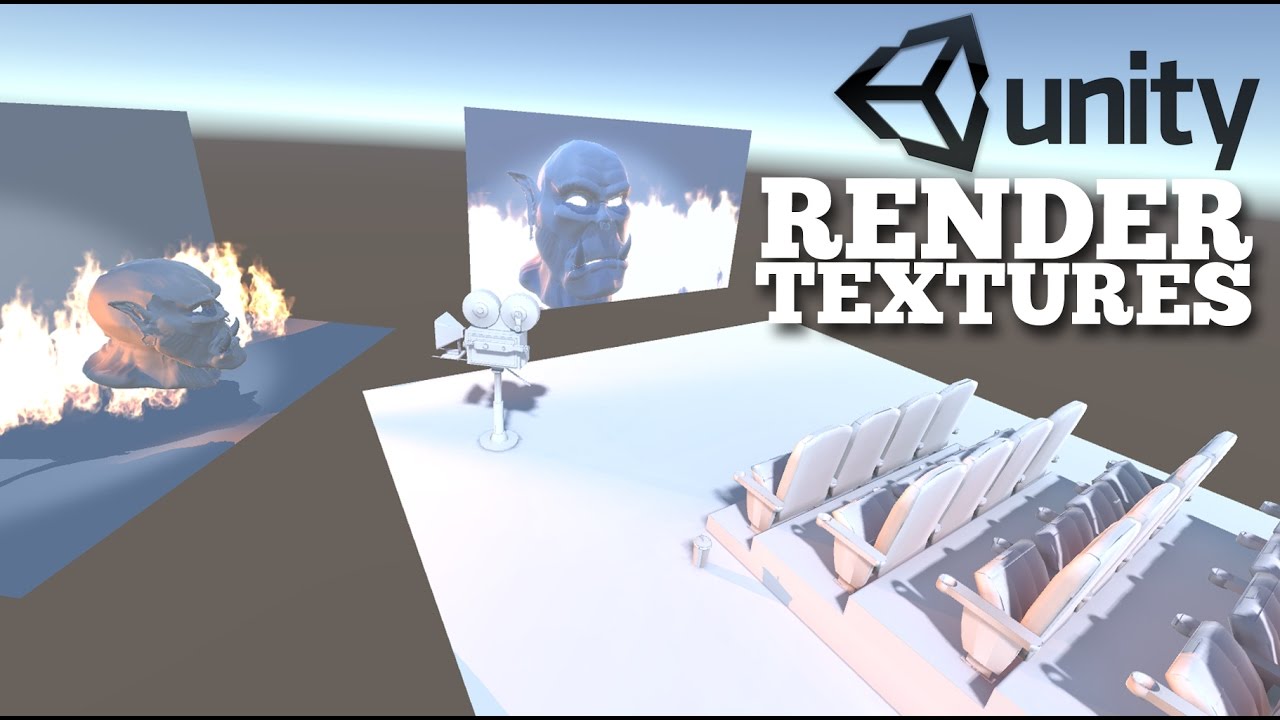
Let's set up a basic render texture in this cinema environment in Unity 5.
very easy tutorial to follow
mental iris
I often wondered how to project camera view like that
 pine magnet
I'm makeing a word for the 1st time and I'm trying to put a video screen with a url
silent idol
Thanks @open thicket I'll look into it tomorrow when I'm on my comp
mental iris
@pine magnet the vrcsdk comes with the vsynch basic player. within that prefab you can set a YouTube url to auto play when you select it on scene and it show its settings on the inspector. if i were you tho id use the hangout player. all you literally goto do is place it in and size it or move it where you want it and done. when you test it in world pop a yt into its url bar on the blue control thingy under the screen and after loading bar goes across it shuld play.
as i had problems with the basic player provided with the vrc sdk not everyone in room saw the video it appeared grey to them. i think the player i mentioned works for and not one sided like the built in one seems to
 sand fossil
does videoplayer are kinda broke? Since the new update my VRC_Sync Stream Player dont work anymore, only VRC_Sync Video Player and I put a Youtube video that start when the videoplayer is loaded but it wont play
mental iris
this is the one im using in my world and it works. i legit just plopped it in sene and build and tested the world with it and all i goto do is pop a yt link and boom plays. https://github.com/MunifiSense/Hangout-Player/releases
GitHub
Basically the video player in Hangout House for VRChat - MunifiSense/Hangout-Player
i can even give you photo proff of it working if you wish?
sand fossil
I have this one too, tho it work, but I have a other videoplayer in my world, my own, that play specific videos but for a reason the VRC_Sync Video Player work fine, but VRC_Sync Stream Player dont want to work
mental iris
oh i dont know then