#world-development
39 messages · Page 32 of 1
 near escarp
 mystic wave
for some reason it gives me only option to search from microsoft store
near escarp
Are you on 20f1 ?
mystic wave
ye
near escarp
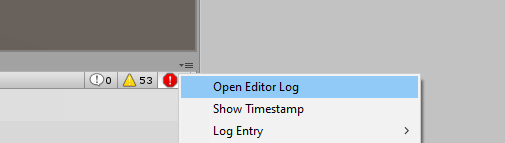
How many warnings do you have
mystic wave
theres 2 reds but cant see them in console
 dusk sapphire
uh, anyone have issues with prefabs missing when opening a 2017 project in 2018?
 hybrid mica
oh got fixed if anyone else having problem its because u got 2 plugin folders delete the old one and it should work
 frank stump
My friend is trying to create a world in unity and when he added some assets from the unity store it wouldn’t show up in the vrchat world demo thing, any ideas?
mystic wave
i want to be able to use the test bc i dont wanna publish world that is just for testing
near escarp
@dusk sapphire Did you open your project in 2018 before updating the sdk ?
dusk sapphire
yes
dusk sapphire
looks like everything that was a prefab, including ones i made
mystic wave


 sharp pewter
Is anyone else having issues with maps that have video players that auto start once you join, no longer working?
dusk sapphire
tried reimporting everything and unity crashed, oof
near escarp
@mystic wave @dusk sapphire https://docs.vrchat.com/docs/migrating-from-2017-lts-to-2018-lts
VRChat
Migrating your project from Unity 2017 to 2018 LTS isn't as difficult as you might think! Here's a guide providing each step in detail.
it's a bit heavier now
@sharp pewter yes it's posted on the canny
mystic wave
 im not migrating project tho
near escarp
you're getting those warnings on a clean project ?
 dawn swift
I've gotten very far in my world but when i click Build and test it loads in to way earlier when i hadnt put in any textures n stuff. Please help?
near escarp
migrating is also relevant for previous sdk2 to current sdk2
near escarp
oh, you might want to ask in #657394610913411084 !
dawn swift
me?
near escarp
I've never heard of that issue before, sounds like an actual unity bug
dawn swift
"Could not load world wrld_d00b06cd-ad9d-4f95-a4e2-716dbd5ef167 because it didn't exist."
i cleared the console and now its telling me stuff
this is my first time using unity so idk what any of it means though
 brisk aspen
So my current issue is that i've migrated both my worlds and added the sdk2, but for some reason when I try to test my build, it refuses to look at the build and puts me in a previous build, or even a different world entirely
dusk sapphire
looks like i just had to force unity to reimport everything and it fixed my prefabs
are lightmaps from 2017 incompatible with 2018? i really would like to avoid having to rebake
brisk aspen
the previous Unity was 2017.4.38 yeah?
near escarp
@dawn swift try detatching the world ID in the descriptor
@brisk aspen 28f1
@dusk sapphire they're completely fine !
brisk aspen
might need to remigrate my stuff back to 2017 then do the process correctly
dusk sapphire
 dawn swift
try the what now
dusk sapphire
this one is with unity's
near escarp
my console says that too atm
 random sage
what's the difference between Mesh Filter and Mesh Renderer here?
dusk sapphire
oh well, may as well try 2018's gpu progressive baker
near escarp
Unless you rely on realtime global GI temporal ?
dusk sapphire
yeah i have realtime gi for video emissions
random sage
like for example 3d text has a mesh renderer but no mesh filter
not really sure what each one means/does
random sage
isn't that the same thing? xD
near escarp
think more of it in terms of edges vs faces
random sage
ooh I see
brisk aspen
is there a way to remigrate back to 2017?
dawn swift
how do i detatch the world ID
near escarp
select your vrc_world and click detatch
random sage
@dawn swift select your VRCWorld and click the button under Pipeline Manager in the inspector
dawn swift
ok i clicked detach, do i just try to load it up now?
random sage
that'll upload it as a new world instead of updating the existing one
if thats what you want to do, yes
brisk aspen
fuck my world is gone
 zealous crest
What's the science behind player capacity?
first-timer here, looking through Google and docs but all it says that it's a soft-cap
random sage
more players = more to render, I'd imagine
near escarp
soft cap max is 40, but it can go up to twice that
dawn swift
idk if i should just not bother making a world
near escarp
instance can only be seen in menu up to that softcap
random sage
nobody would be able to go to a world with 100 people in it haha
unless they all used robo avatars
near escarp
nah it can be done
random sage
really? :O
near escarp
yeah, good avatars in a good world is not too expensive, it was more voice and ik
random sage
my computer starts chugging at like.. 10 avatars
near escarp
but now both those things are much cheaper and performant
brisk aspen
my best world is now mostly gone
zealous crest
reduce polys for avatars helps, i guess?
dawn swift
is it possible i could call anyone to show them what's happening??
near escarp
@zealous crest that's one way yes, but there's a lot of things to do for optimization
zealous crest
gotcha gotcha
we're trying to make a graduation ceremony in VRChat, just wondering how many people can join in the session at once haha
random sage
ahh lol
probably just livestream it
if you've got a big community
also POGGERS
Good time to be making my first world with udon dropping today :D
dawn swift
im rlly thihnkin abt giving up
brisk aspen
well, there goes weeks of work to het completely screwed by a update
random sage
Havent been paying attention dio, whats going on with your thing?
oh nvm scrolled up
bit over my head sadly
dawn swift
ahhh
near escarp
@brisk aspen You didn't make any backups ?
dawn swift
im gonna see if maybe later someone from the team could call me on discord so i can show them whats going on
i would really like to make a world but its not working and im not going to fully restart
brisk aspen
No
random sage
oof
brisk aspen
all i have is my world id still in sync
I guess I just need to clear out all the clutter and redo everything in the new unity
everything that survived was just the basic shaps
my materials didn't go, thank god
dawn swift
Guess I’m gonna restart again
Me: 🤡
brisk aspen
same here bro
luckily most of the stuff was just Unity assets, so its not a total loss
 supple tinsel
uhhh, why did control object get removed
also I can't put the prefab into API Object either
wait
API Object can't use objects inside the scene
 left marlin
Controls object and api object were old legacy items. I doubt they did anything.
supple tinsel
They were for controlling the cars, or atleast that's what I know
left marlin
They were for legacy components that were meant to be used with custom scripting, which we never had access to. You did not need it to control cars. As an example the Not Bad Cars prefab does not use it.
Can you test to see if there is any apparent difference in controls for your cars?
Unrelated to that though
Anyone who made a climbing world, I have updated the climbing prefab in the database. Please update your climbing worlds with the new prefab! vrcprefabs.com/browse
https://twitter.com/CyanLaser/status/1245614657928228867

The CyanClimbing prefab has been updated to V1.1 to support the #VRChat 2018 update. You can find the download in the prefab database. Please update and test your climbing worlds now! "Climbing Trials - The Depths" has already been updated. https://t.co/fEmru1HRR1 #VRChatClim...

 Twitter
supple tinsel
Twitter
supple tinsel
I'll just test it for a bit and see if I can actually drive it
left marlin
Hopefully your cars don't break. People have been mentioning your racing maps lately.
 sacred warren
@left marlin Did you ever update the archery prefab? On 2018, the arrows just drop on the spot it seems.
left marlin
I have not, but it is on my list to update it.
 balmy gate
Try the debug inspector
supple tinsel
That's what I'm hoping for
Though seems like everything is normal
all good here, though putting all the triggers back to where they were is gonna be a pain..
 balmy relic
do we know the field of view of the player So I can adjust the occlusion culling more easily in the editor
supple tinsel
check main camera
balmy relic
said 60 as default. but its a vr game so might be different no ?
supple tinsel
Main Camera's FOV is the player's FOV when you put the camera into the VRCWorld Camera Reference
balmy relic
I never put something in the camera reference in my map
did not know it was a thing
So I could mess up the fov badly if putting to extreme one
@supple tinsel Should Iet 60 then of play with it
sacred warren
@left marlin Alright, just wanted to make sure I hadn't broken something somehow. Good luck.
left marlin
Continue to bug me if I forget to fix it soon.
sacred warren
My world is catastrophically broken now anyway so I'm not sure how much I'll be poking around anyway
sacred warren
So, narrowing down this problem, it seems to be every VRC Trigger that is throwing a fault...
And I just noticed that all my triggers are disabled? What the hell is happening here...
 chilly grove
I'm having the same issue with OnExitTrigger firing when sitting in a station
sacred warren
The SDK is disabling the triggers. If I turn them on, when I do a build, it turns them back off again...
It feels like I'm at an impasse here because the errors are VRC specific, but no-one from VRC will respond so... abandon world? I've reloaded the SDK a bunch of times, so the SDK itself shouldn't be broken.
balmy relic
not that broken beside flying object and lod to extream
what type of trigger you use?
 lone shell
I'm getting this error every time I wanna reupload the world
when I try to do local testing it throws me out of it too
left marlin
@sacred warren ignore anything that happens in play mode relating to trigger errors. This is simply because the sdk changed behavior from deleting triggers to throwing errors at start. It will not upload like that. When you press the build button, it saves your scene as it is then. When you have the upload dialog, you can change anything in your scene and that will not upload.
@lone shell check your console for errors. Find the top most error as that is usually the problem.
lone shell
both in my world and avatar projects i get these errors
i can however upload avatars with this error
left marlin
@chilly grove the player collider is disabled when players enter a station. It sounds appropriate for on exit trigger to fire.
sacred warren
@left marlin Concerning but fair enough. Doesn't explain the text disappearing though, or changing to hieroglyphics...
left marlin
@lone shell seems like you didn’t update your sdk appropriately. The plugins folder is no longer needed for newer vrchat sdk’s.
left marlin
@sacred warren you have error on pause pressed and the editor is paused. Ui doesn’t update or display properly while the editor is paused.
sacred warren
Well... shit. If that's what it was, I'll eat my hat. Though I guess error pause normally makes sense, the SDK throwing 400 errors when building is not helpful...
lone shell
well, removing the plugin folder got rid of the error yea, but the vrcsdk creates it itself. Thats a little odd
chilly grove
@left marlin Can a collider object be attached to the avatar to get around that issue? I have proximity triggers that turn objects on and off based on where the player is in the world, but when sitting in a chair all of the active triggers deactivate and objects disappear
left marlin
@chilly grove you can use player tracking to have a collider follow the players camera.
Download toybox from the prefab database or watch my playertracking tutorial on YouTube for how to create it.
 urban fjord
Hey all, im new to making vrchat worlds, and ive got a question. How would one go about making a playlist of music to play in a world? Im working on making a club-like place like the void, or others similar.
 bold ibex
someone know component or way how to fix chairs and mirrors ? i using new 2018 and my chairs and mirrors is only as object
dusk sapphire
gpu progressive lightmapper where have you been my entire life this is so much better
huh, did 2018 change how unity occluded/masked UI stuff?
nevermind, just editor stuff
brisk aspen
se even after doing all the stuff told in the press release, my maps are broken and might need to make a brand new world id for it
sacred warren
@left marlin Well it does appear to have actually uploaded so thanks for that. I'm just curious if chunks of the world are still going to be missing (it's fine in the editor).
I'm also using triggers to cull audio but it's resulting in a lot of pops and snaps of audio when it turns them on for a split second. Anyone have any input on that?
brisk aspen
if I do reupload everything, Is there a way to get my world back on Labs without wasting another week?
lone shell
@dusk sapphire how, for me it takes longer to do gpu lightbaking with a 1070ti than cpu lightbaking with a i5 7600k 🤔
dusk sapphire
its substantially faster for me with a 1080 vs a 4790k
balmy relic
@dusk sapphire progressive is alots slower then the default one
sacred warren
Are you sure it's not failing and falling back to CPU baking anyway? Check the error/warning log.
dusk sapphire
some steps still occur on the cpu i believe
but now i'm having issues with real time gi
lone shell
@balmy relic progressive gives wayyyy better results tho
sacred warren
You mean baked GI? The game doesn't support realtime GI, I'm pretty sure.
dusk sapphire
yea baked/precomputed gi
lone shell
wut
dusk sapphire
for video player emissions
its affecting the world, but not non-static objects or players
balmy relic
I got more isue with it
lone shell
@dusk sapphire did you do anything special when switching to gpu lightbaking?
dusk sapphire
nope
dusk sapphire
meh just gonna rebake with lightmapper and see if it fixes my emissions
balmy relic
Are your light set to bake at least
balmy relic
Then keep cpu
brisk aspen
tbh let's just wait until they can patch this whole system out
bold ibex
Does anyone know if its possible to have multiple ways to interact with an object a player is holding? Other than just the use/drop object
dusk sapphire
guess who went and rebaked but forgot to enable all the lights again
yep my video emissions now affect players/non-static objects
 versed garden
Does anyone has this problem, I installed unity 2018, migrated my world, deleted the old sdk etc. installed the new sdk2 and I only see in the sdk menu the utilities and nothing more. I retried downloading but still only the utilities
 north parrot
I'd check the console for errors
It'll only show utilities if you have errors in the compiler
versed garden
I will check
 mental iris
i cant even fix and update my worlds, im so fkn done with this
piece out it was nice wile it fkn lasted
lone shell
@mental iris why not exactly? do you get any error messages? 🤔
mental iris
no
it uploaded and when i go to the world i just uploaded it dl's and then just goes back to my home world
lone shell
something in the world is creating an error than
i had that too
go in play mode in unity and show me the error messages you get
versed garden
@north parrot Well the only errors what I got was the postprocessing, I deleted the folder and then everything was back so that did the trick.
 rare spire
How can I fix this?
mental iris
ive sid it once ill say it again worlds worst update
rare spire
I want to leave this world so much
mental iris
i also find it odd how a 44mb world became 121.76 thats the same excat thing as the first one i fixed
to different worlds 2 different id blue prints
lone shell
Tested my world in desktop between unity versions. went from 28% to 18% cpu usage and 2.5 to 1.5GB ram usage. Can't really call it a bad update 🤷
world size went down by 7mb
did you use crunch compression on your textures? If so it may reverted itself when switching unitys
mental iris
well im glad some can actualey enjoy it i been up all god damn night trying to fix my shit shuld of just trashed it all
and built it all again straght off 2018 or go udon
as it seems they are hinting to remove the trigger systems
lone shell
I'm still using the trigger system for the time being
only every trigger give me a "not initialized in time" error
they work, but they give me that error
mental iris
is it at all possible to still use the 2019 sdk before update?
proly not
as i know some things still remain cross compatible
lone shell
whats wrong with the new sdk?
I used vrcsdk 2 and it works fine
reimport, remove plugins folder and its all gucci
mental iris
im going to start from scratch after i come back to this later im tired of trying to perserve migrated content
coz its giveing me a headach
just gonna remove it all
uninstall every god damn thing unity
hard reset pc
and reinstall shit
all fresh and new
and start over in flat out 2018
:/
there fkn nuts om sorry "migrate content" i did exactly as said in there god damn notes and for what?? im sorry but when you have months of work completely garbo now its nothing to be happy about
✌️ i'm out i had enough for one night
supple tinsel
aand another problem came up, collision detection seems to be really buggy
It's fine in unity but it's broken in VRC
balmy relic
Mynmap work flawless. But every update I fear to get an error
sacred warren
Anyone else having.... slightly weird issues with triggers not always working? Triggers that the player spawns in also don't work but I think that's been an issue forever.
 stray sand
There was some problems with triggers before release. Could be more problems that weren’t noticed at the time.
 wraith ruin
Is there a way to reset objects all rotations and only y position on a pickup? Can udon help?
sacred warren
All my physical teleporters work except for one and I cannot see a single reason why it wouldn't work. It's enabled, on the mirror layer, the destination exists, but nothing happens on entry. Are there any obvious things to look for that may have magically ended up switched on it?
mental iris
and when i do get the update pushed the said world does not display any of the changed content. its keeping the same content as it did from 2017. none of the changed done in the unity editor is being reflected on the update. confirmed with the website that it says currently updated as a tag but retains old data? thats not normal and the other world i trying to correct copys the mb size of the first world and insta crashes out im going to have to just delete all the worlds and unity it self and start it all over again. i dont want to but it seems thats the only way out of this frustration
even build and test
is retianing the older data and not reflecting the changed content
someone explain that to me how that is normal? its not
bold ibex
Delete the mtbs and plugin folder. Then try again @buoyant meadow
@sacred warren send me the settings on it
No, you need to switch to sdk 2
@rare spire did you publish your world using sdk 2 on 2018?
sacred warren
@bold ibex Matches my working ones...
bold ibex
Everytime I press the upload button when publishing a new world, the loading bar keeps flashing repeadedly and never bothers to even move an inch. I've even tried leaving it on the first time, but 5 hours in, and no progress. Anyone know how to fix this?
mental iris
i dont get how nomatter what i do the changes dont seem to apply
im gonna make a new scene make a plane a cube and a mirror and build an test and change that if that dont change then your sdk is beyond broken
coz i litterealy for the hell of it stuck a freggin huge cube in the sky and that did not appear in the world still the same thing from before update
its safe to say 2017 worlds to 2018 is beyond hope build a new one v.v
sacred warren
If it's not changing, it's because it's not building, check the console. Unfortunately the devs shit the bed and now the console will throw out a billion errors anyway, so finding the real one is going to be tricky.
mental iris
theres like 999+ in red !
im gonna just trash it and re do it will take another few months to get it back to where it was but im sooooo done trying to fix simething i clearly have no idea how to fix
tryed all possible trobble shooting
playmode dont work coz it says compiler has errors
i know visual studio stoped working coz i need to buy it and i did not i dont use it anyway and got rid of it
i have my own programs to edit C#
files
sacred warren
Ignore that, Visual Studio doesn't come into it
screenshot of the top of the console error logs? Make sure collapse is on
mental iris
and i made sure all triggers were going to the correct things and set up correctly this builds and doesnt load at all same for the world i was trying to correct doesnt update at all just uploads and doesnt show any change. this one dont update at all it just crashes you instantly if you go into it now
all my triggers are correct yet its saying this
and it will keep doing this till it hits 99+
then unity will crash
i dont know where its getting awake from there on interact set
and local
sacred warren
Yes, that's normal, well, except for the crash. That's the same issue I saw, apparently as of the latest few versions of the SDK, they throw all these errors now going into play mode.
You get one for every trigger you have, so I get 400~ errors.
Plus one more error for each error too.
mental iris
this is a very small world with portals its a hub more or less themed in space
so theres nothing excpt unity standard stuff vrc and my own assets fbx
sacred warren
I have no idea why they decided this was a good idea though. But yeah, expect basically two errors at least for every trigger.
Can you get to the point where it lets you name / describe the world?
mental iris
yeah it posts it
but when i try to go to it in game it will load but then insta go duuuduu noise
dc me
and i auto relog and im in my home world set
sacred warren
No, so basically at that point, look back through the log for any errors that AREN'T the "not initiialised" or "object is not an object".
mental iris
no just trigger errors and dont even upload even tho it passes the upload phase
so if it wont upload it remains broken unless i delete it in content manager
it cant stay that way
 buoyant meadow
@bold ibex why did you ping me?
sacred warren
They asked me something then disappeared too, hmm
mental iris
this is the other thing it fires off
Assets\VRCSDK\Dependencies\VRChat\Editor\ControlPanel\VRCSdkControlPanelContent.cs(195,23): warning CS0618: 'WWW' is obsolete: 'Use UnityWebRequest, a fully featured replacement which is more efficient and has additional features'
and this is unity 2018 4.20f1 with the current sdk2
so the fual is clearly the sdk here or bad unity build i have bout redy to give up on worlds
i dare not touch my avatars or fix the ones i want to id worlds are this fkd up
.__.
sacred warren
That also sounds fine. if you do the test build (then just close it) then open up the Unity build log, you should be able to see what happened
mental iris
i dont have build logs
im telling you its the sdk and this unity
if they had just left it at 2017 i wouldent be going through this
now im forced to have to delete every single pice of content i have
and flat fresh atart it all again on unity 2018
dusk sapphire
 sacred warren
You wi... yeah, that
dusk sapphire
did you follow the instructions at https://docs.vrchat.com/docs/migrating-from-2017-lts-to-2018-lts for migrating your project?
VRChat
Migrating your project from Unity 2017 to 2018 LTS isn't as difficult as you might think! Here's a guide providing each step in detail.
mental iris
i did this and im haveing all these issues still i cant afford another hour and a half to re do that whole process all over again
north parrot
Weird... I had no problem moving my world over to the new unity.. updates just fine
mental iris
im gonna flat out trash it all as i continue to use it OBVIOUSLY
and just do all new on 2018
north parrot
Only issue I had was some of my fire particles quit working.. but that was an easy fix
mental iris
does your worlds use tempiture lighting and HDR 4k skyboxes?
north parrot
No.. not the one I migrated.. but I have a couple I want to migrate over... but I'm not sure I want to do that now...
mental iris
i can get the lights out of tempiture i cant change the skybox coz again thats from unity store
i hate this update with a firey passion of 1000 suns if my worlds are now shot my avatars are also shot
and im not gonna even
touch avatars project
whatever i uploaded is gonna stay put
whatever broke broke i dare not fkn attemot to fix it coz i garentee
bold ibex
what exactly does this mean? .NET 4.x Equivalent?
I am just having some issues and went through the wiki again to see if i did everything right....
i specifically have a lot of theese NullReferenceExceptions
and theese
bold ibex
but it doesn't run.... i think?
mental iris
i give up being a creator
for me i cant fix my shit and im not gonna start over thats far to much
bold ibex
i create for other platforms too, but i have most of my friends on this platforms...
mental iris
to re make
bold ibex
it just skips to this without actually uploading anything
mental iris
i upload and its crashed
so crasher worlds
if anyone wants to be crashed hit me up XD
i garentee you you will crash hard
XP
but im gonna remove them from content manager
as i give up on this
aparently im unable to migrate my shit
bold ibex
ok removed a script i had and now its at least uploading....
i really dont wanna migrate more complicated projects.
i am happy my avatars and my other world seemed to work well....
though my other world has the light probe placer too... I need to remove that apparently
 jovial charm
Yeah it's the pain of unity switches, but I does mean improvements on stuff
Yes the simple light probe place seems to break projects
bold ibex
the problem are not unity switches... but such big jumps.
for other platforms i constantly move forward on 2019.
from 2019.1 up to 2019.3.5f1 rn
nothing breaks there as the SDK updates have time to slowly remove deprecated features and introduce new features
jovial charm
Well it's not a big jump it's a complete new version of unity not just a build update
bold ibex
here we jump a year worth of unity versions in one go
i know
thats what i'm talking abouzt
jovial charm
They only decide to do it it means improvements and features that would better vrchat
bold ibex
if they'd just stay on the newest version and conatantly upgrade they'd have a much more stable game and a much smoother content update experience
mental iris
you call this better ?
again im sorry if i sound abrasive but im loseing all my lifes work here for a fkn update
some of it ment more as i was building sometihng for a friend
now is going to be lost forever
coz of syupid nity
god can we please move to unreal or something
at least then shit wont break like this
jovial charm
The issue is it's not an lts version and still has bugs @bold ibex
bold ibex
just newer and more frequent version upgrades.
non LTS versions dont have any more bugs then LTS
mental iris
but i find it funny i followed that guide to a t and im getting all these issues
jovial charm
They only update to versions of unity with lts so that theres continuing support for the build they are using
bold ibex
same here.
mental iris
i know my shit is extreemly poorly optimized but it is for pc
dusk sapphire
it looks like to me you have script errors, aside from vrc trigger errors in your scene thats preventing your map from building properly
mental iris
but to flat out destory my shit
bold ibex
well... they could just keep updating.
dusk sapphire
i tried to load your map and got a blueprint mismatch error
bold ibex
2019.3 has support too
mental iris
le alone copy mb and if i build test im loaded into my home that someone else did
jovial charm
Would probably cause even more issues if they did
dusk sapphire
it looks like you uploaded another map to that map id, presumably because that map was the last thing your unity editor built successfully
bold ibex
other platforms are constantly on the newest version and run fine. why wouldn't VRC?
jovial charm
Which platforms?
jovial charm
Theres still alot of issues with those platforms and arent fully fleshed out
mental iris
im going to dl The Box world as everyone seems to be doing that and changeing it up and do something with it and call it a fkn nigh
mental iris
im to emotionally tired to deal with this
bold ibex
me too, imma go play now.. .am happy my world finally uploaded...
jovial charm
Yeah it does relate, the issues do tend to be from unity issues
mental iris
doing the same thing even on new fkn file
dusk sapphire
are you doing it in the same project?
if you have a script thats causing errors in that project, you are going to have the same problem no matter what
 crimson steeple
does anyone know how to fix this its happening in both my worlds and i honesly don't know what i need to do cuz every time i do a test build it doesn't even put me in my own map
mental iris
im going to drash the entire thing
 muted bay
i uninstall much time
sacred warren
The biggest issue at the moment is that even if everything IS ok, it'll spit out a shit load of errors, which A) hides any actual errors and B) is confusing. It's what broke mine last night until Neon noticed I had pause on error enabled (which is normal as errors shouldn't be happening)
dusk sapphire
did you.. try loading into a different world?
sacred warren
@muted bay What does that have to do with world creation?
muted bay
i am try
mental iris
ppl are getting into error world has nothing to do with creation
mental iris
i have my stuff saved and backed up from 2017 and its there they will be turned into my own game exe
im done with this so fkn done
muted bay
Can you help?
muted bay
OK
mental iris
if i cant fix my own issue how can i possibley help others .__.
muted bay
Are you too?
sacred warren
@muted bay Wrong channel, this is for world creation, hence the name
mental iris
brand new everything
try to reimport
if it still breaks i give up
i have backed up everything all i need do is create new as if i never had any
only import the assets i need shadeers that re supported and sdk
ill give it one last chance later
right now no
i want to at least have a shred of faith this is only good for the future .__. but its fleeting atm
 midnight oyster
Hey, anyone that knows how to use the cyan climbing prefab?
midnight oyster
Yeah but im trying to get it working in my world but even the prefab that is in the file that was uploaded doesnt work
even the scene from the creater doesnt work with climbing
mental iris
for those kinds of things you might want to hit up its devs creation site like there git hub or something to see if a update was done
so if as you said 6 hrs ago its proly updated with how to's for 2018 use
i might look into it later when i cooled off
id like to know how to use that as well its a pretty cool prefab
 smoky raptor
Anybody know what might cause a shape-key animation imported from blender to have a strange scaling issue as it animates? Looks fine in blender, seems to scale along the Z and slightly move/rotate when played in unity.
mental iris
another bug in this update? shape keys busted?
smoky raptor
I haven't updated. this is still on the old SDK
 hallow cairn
How to deal with this prob?
smoky raptor
I'm like 95% of the way to getting baked physics sims from blender into my world, save for this strange issue 😦
hallow cairn

mental iris
aside from sdk problems i never had that happen
what is this infamous error world ppl keep spawning in XD
wraith ruin
Umm i cannot sit on the vrcchair prefab. Created new world with sdk3
 bronze smelt
@wraith ruin if you’re using SDK3 you need to use Udon to interact with the chairs.
wraith ruin
Using the prefab what came with the sdk, why they would include that if it doesnt work?
bronze smelt
Because it’s still in active development and the prefab will most likely be changed to a Udon one when they get that far
But anything SDK3 will require Udon
wraith ruin
It has udon behaviour script tho?
bronze smelt
Then it hasn’t been updated I suppose. Not really looked to closely at the prefab itself as I create the chairs myself
I can take a look once I’ve had dinner and get back to you on it
wraith ruin
Ok thanks! Is there any tutorials for udon yet? Like making a chair? Because I'm gonna want to make my own.
bronze smelt
Apart from the basic in the Ask forum, no, no tutorials about that yet I believe
wraith ruin
@bronze smelt I figured it out. But theres still the problem what is in every world rn. If you look around in vr when sitting, ass starts to slide all over the place and feets are glued to the ground.
smoky raptor
Here, made a visual aid of the weirdness I'm experiencing.
mental iris
sdk2 for triggers and avatars sdk3 for udon. i assume sdk3 will eventually be the thing everyone needs to use once udon is stable and triggered events with VRC_Trigger is completely gone?
sacred warren
Well Trigger events will never really be gone because any pre-udon world will still need them and worlds can't really be updated.
 royal bay
how likely and / or easy is it for some VRChat staff to send you the unity package of your world?
I thought i made a backup before trying to port over to unity 2018. I didn't. big mistake. I'm trying to get the file back to the best of my abilities.
near escarp
Extremely unlikely
royal bay
sigh... damn it.
is it a safety thing or a capability thing? because I can provide the neccessary info to prove the world is mine if it's simply a safety measure.
sacred warren
You can easily get the Unity package yourself, it's just of almost no use as it's the compiled/final files, not any of the source content.
royal bay
hmm..
sacred warren
That said, your world should work in 2018, I'd focus on just getting it working there rather than trying to salvage a packed file, as I guarantee the packed file will be considerably worse.
royal bay
well, there isnt really anything left of the 2018 port.
for whatever reason, everything shows up as missing prefabs and are super screwed up in scale and location, some components not there and all that
dusk sapphire
right click and select reimport all
i think unity is supposed to automatically reimport everything when you open your project in 2018 but it didnt for me and i had missing prefabs etc
royal bay
i'll give it a shot. hold on.
dusk sapphire
so i just had to make it reimport everything by doing that
royal bay
that sounds promising.
dusk sapphire
it might take a while though depending on how big your project is
royal bay
yeah it's taking a bit lol
i'll check back in with you guys once i have an outcome. thanks a bunch 🙂
yo man, you're a lifesaver.
royal bay
just make backups and you should be good :))
 kindred thicket
I have discovered a pretty big issue with the VRChat Update. When in a dance world that uses 3rdPerson Camera the A and B buttons on the Valve Index stop working. I tested this on other Dance Worlds (not just mine) that use the 3rd Person Camera and the only way to exit a dance is to exit VRChat.
The buttons don't work in "The Sandbox" or "Kailyn's MMD Superstar Theater". I did report this to VRChat's Web Site, however I am sharing this here in case someone has a solution.
Note: when i am not in a dance the buttons work fine.
 compact dove
I'm getting a lot of - 'NullReferenceException Errors' and 'Trigger on XX was not Initialized in time'
When running test builds everything seems to be fine. Is this something to be worried about?
 sharp veldt
hi, is there something like parliament or congress, also the place where people can make presentation? something in professional envrionment
mental iris
you can ignore the trigger panics i was told
compact dove
all 162 of them... ALright. Good to know.
mental iris
you can also ignore any of the not installed and object is not an object ones as well
i think lightly tho as those flood the console
and hide any actual errors if any
ones that actualey matter
it fires off one for each trigger you have
so you say 162? that means it fired off all 162 of your triggers XD
 errant creek
How can use local testing in PC
This sdk always start in VR mode.
compact dove
Well split between the 2 error types. 81 Triggers more or less. I have a lot of Prop spawners. (DnD world) However it does seem to work so thanks for the reassurance.
 marble thunder
Anyone else having an issue where all of the non-unity standard layers are missing after migrating a project to 2018 and upgrading the new SDK?
I've tried deleting the SDK and reinstalling, but I'm still not getting the VRC layers back.
 bitter cosmos
So I removed a few box colliders and it causes the asset to disappear upon upload.. Anyone have any ideas as to how to fix it? Doesn't disappear in Unity.
bold ibex
help
 echo rapids
I'm getting an error when I updated to the latest Unity. "Mesh used by render doesn't have normals". I really need to know how to fix this, or my worlds will be gone. Can some one get back to me on how to fix this please. Never had this issue before, after many years.
 sand fossil
where is the apply button ??
I change my picture setting but I cant apply since the button is not there
 scarlet bear
just installed vrcsdk3 and getting this error right after importing
anyone knows what might the reason be
@sand fossil bottom of the screen
compact dove
Changes should be automatically applied when made. As far as I know.
 rugged jolt
Big issue i'm currently having is that all the avatars my friend and i made have broken stations on them.
Trying to reupload with newest VRC station only created this error and i'm currently unable to have them work.
anyone knows if the devs are aware or not .
sand fossil
@scarlet bear You did start a new project with the VRCSDK3 right?
scarlet bear
y
 fierce jackal
Triggers on avatar/chair , remove it dont need it only worlds do
 copper gate
So where now with sdk3 i can find jump mod ?
mental iris
in sdk2 the mouse cursor and ball prefabs are gone why?
 arctic drift
hi
could someone help me with an issue im having?
someone who knows how worlds work
;_:
near escarp
@copper gate It needs to be created with the udon nodes
 random sage
are there no avatar pedestals in sdk3?
arctic drift
i have an animating dance floor that works when i preview the scene in unity
but when im ingame it doesnt work
and i dont know how to fix it
near escarp
scripts don't work
random sage
@copper gate
random sage
^^ yee
arctic drift
if scripts dont work how can i get the dance floor to animate properly
or is it a lost cause
arctic drift
ahh ill mess with that
random sage
^^
arctic drift
tysm
 vocal raptor
 sharp turret
anyone knows how to put hangout player
 hard crane
Uploaded world file on Website vs Live not synced; when attempting Local Build testing same occurrence. Nothing updating.
mental iris
ok fresh everything and it still says this when i build and test i get fired off to my home world set
Error building Player because scripts had compiler errors
logs report failed to build invalid compiler null or some shit
meaning all my 2017 worlds are as of now shot to hell cant be saved and or migrated
bronze smelt
If you're doing Udon stuff, please refer to the #udon-general channel
mental iris
im not i dont want any part of that
im trying to get my worlds working on sdk2 as thats for avatars and triggered worlds
mental iris
i dont think its server i had to pull it out of labs coz it uploaded a crashed one
i cant even correct this shit
coz it wont even let me offline test instance
it keeps fireing off compiler errors force loging me out
sharp turret
i cant offline test too
mental iris
and relogging into my whatever i se as home
 shell geyser
FYI, the new/current SDK is critically bugged for Video Player and Video Stream sync. I'm QA'ing a fix, but in the interim please do not use it for worlds that have those features.
sharp turret
see
mental iris
the world im trying to fix dont use videos at all but thanks for the heads up
am i to expect the same thing for avatars as well coz i need to fix like 2 of them .___.
or is avatars ok with this sdk?
north parrot
I started a new project and am currently uploading from scratch.. seeing if I can create new content even
mental iris
if its a server thing you proly cant
ill try to fix the 2 avatars i wanted to fix and hope at least that works
and this is only a worlds issue right now
balmy gate
@chilly shoal ^ see dan's messages. Careful uploading using new sdk
north parrot
Says succeed no problem but now for the real test
mental iris
if im gonna test im gonna do it unlisted coz i dont want to waste a labs post coz its a once a week thing
do a flat plain one triggered mirror nothing complex
if that works
bold ibex
ok so im bouncing around looking for help on this, for some reason im not able update my world at all and im starting to get annoyed, for some reason im getting an error about it not being able to build the world
mental iris
then im gonna need to do it all over on 2018
wraith ruin
With sdk3, is object sync not needed anymore for pickups or is it named/done differently?
bold ibex
i dont know whats causing this, ive tried just about everything i can
does anyone have any idea what might be giving me this issue?
near escarp
console errors
bold ibex
they all point to thry but even after removing it the sdk fails
 random owl
Post pictures of the errors
random owl
Click one of them and show the extra info
bold ibex
ive already cleared thry so i dont know whats causing it
random owl
Alternatively also press clear once and see what errors remain those are usually the main blocking one
bold ibex
but clearing thry cleared those errors
mental iris
cant even upload a simple plane and mirror as a test WOW
mental iris
bold ibex
im getting that!!!
random owl
Now try to upload and look at the console to see what errors happen when you are trying to upload
mental iris
ALL it is is a plane and a mirror for a god damn test to see if sdk works and wow
:/
bold ibex
the sdk itself is busted!
random owl
I mean I can see you have a lot of random assets so that's a lot of different things that can go wrong
I'm using the new sdk just fine
random owl
"Now try to upload and look at the console to see what errors happen when you are trying to upload"
mental iris
all those assets are all from unity store
wraith ruin
Yeah im uploading just fine too rn
mental iris
no reason to assume there doing anything as they worked fine all this time
random owl
For example I can see you have probuilder which has been moved to the package manager
That's one thing that can go wrong
dusk sapphire
just because something from the asset store worked in 2017 doesnt mean it'll automatically work in 2018
some scripts are not compatible and will break in 2018
and require removal or updating to their 2018 version equivalents
dusk sapphire
this has nothing to do with vrchat or its sdk at all, and you will face similar issues when trying to build unity games
bold ibex
uh i think i found the problem
im gonna try thanosing the sdk and importing a freshly downloaded sdk
 chilly shoal
@balmy gate that explains a lot. Although, my fix has worked without incident
near escarp
 bold ibex
bruuuuuh i just found the issue
my unity doesn't have permissions it needs
dead giveaway
that actually makes it obvious af
random owl
You have a second vrcsdk inside your assets 🤔
bold ibex
no
random owl
bold ibex
unity doesn't have permissions to write files
random owl
Why is this one in "pika" folder?
bold ibex
dunno thats where the official SDK put it
random owl
Official sdk doesn't put it into a pika folder 😄
random owl
Then delete the stuff from that pika folder
Make sure all the sdk stuff is gone before importing a new one in
mental iris
i deleted progrids and 100 and 1 effects and my dummy test world witch ill delete after i see if it goes is uploading as (unlisted as i didn't want to waste my labs post for something that stupid as a plane and a mirror
ppl told me use package manager to fix that ?? where i have no manager
 azure idol
solution: reset your windows xd (joking)
balmy gate
@chilly shoal Problem is it's going to show up on the next vrc update if you read the #announcements
random owl
You need to remove it correctly
bold ibex
i did
random owl
Did you delete the .meta file for it as well?
random owl
If you don't delete the corresponding .meta file for the folder or file unity will restore it on the next startup
No just delete the .meta file with the same name as the folder or file you are removing
bold ibex
o
alright nuked it
now restarting unity
xD process hacker makes it easy to kill programs
azure idol
Btw do youtube players work normally after the update? ;o
mental iris
ok so that little dummy test is fine i massively over scaled it
but there was the problem
those 2 things
random owl
See #announcements about video players currently
bold ibex
ok im seeing if its still doing it
yep folder is gone
ayyyy! i can upload again!!!
xD a brick dll was causing it
@random owl thanks for the help!
random owl
In the future be aware of what you import into your project to avoid situations like these
bold ibex
...
mental iris
ok so i goto remove video players on the other one i want to fix
random owl
The bot is just a bot sometimes wouldn't worry about it
bold ibex
aight
mental iris
seems my issue was the deprecated progrids builder toolkit and the 100 and one bloom specular particle system kit
random owl
You can get a new versioln of ProBuilder from the package manager that works with 2018
mental iris
coz the worldi litterealy called this is only a test im going to remove this is fine
oh
wraith ruin
So mesh colliders are pretty broken in this version? cannot have a cylinder what can roll around and stand up?
mental iris
so yeah there it is and im removing it. now that i know what the problem was i can fix the world that got fkd up
random owl
Mesh colliders should work 🤔
wraith ruin
All my cans are just sideways when i spawn in the world
and they dont roll, clips through the floor etc
mental iris
seriously tho the scale of this is ridiculous XD i forget that what i see in unity may not be that scale in game but none the less i fixed my issue
mesh colliders work as far as im seeing
random owl
Yeah my world has no trouble with mesh colliders either
mental iris
o.O
wraith ruin
Same happens in my old world what isn't updated. I figured that it is just because of the update. But no. This is fresh new world and all the correct versions.
 spring linden
lol i wrote a normal sentence and the vrc bot is not allowing it, your filter sucks @ dev's
next try: where is the mods component for walking, jumping and so on? it is some month ago i worked the last time with vrchat asset
 empty sparrow
 sacred blade
Is it possible to get the instance of vrcPlayerApi seated on a vrcStation? I want to do the Network Set Owner of an vehicle, but can't seem to find a way to get the vrcPlayerApi reference
humm think I found a way... Get the local player, onSeat check if the player is player local, and if it yes do the set owner, oof I love udon, lets hope it works xd
 golden spoke
Anyone notice this error in the console when importing the new sdk (not the udon one)? (yes running unity 2018.4.20f) Multiple plugins with the same name 'sqlite3' (found at 'Assets/VRCSDK/Plugins/sqlite3.dll' and 'Assets/Plugins/VRCSDK/x86_64/sqlite3.dll')
random owl
That means you didn't delete the old sdk completely
golden spoke
Should I delete the vrcsdk in the plugins folder?
random owl
Yes
The new sdk has that folder in a different location
As you can see in the message
golden spoke
ah i missed a step in the upgrade instructions. thanks for the help
Is there any benefit to uploading the same (converted) world under unity 2018?
random owl
Currently you might not want to if you have a video player
See #announcements for details
And if nothing is broken in the world currently I wouldn't update it yet
golden spoke
Gotcha. thanks.
mental iris
Since I use a very basic one removing it and re adding it later won't be a issue
Coz I do need to keep the world's up to date if I ever want them out of labs XD
golden spoke
Hmm, looks like the creator of QVpens took it off of booth.
 rich basin
So uh.. I can't seem to figure out how Audio works anymore with VRC
I added some audio, I can hear it play in Unity, but total silence once uploaded to VRC
spring linden
seriously, where is the component for the walking, jumping, voice distance and so on? can some one help me please
rich basin
Honestly no clue if audio is broken or not, it's just been a long while since I last set up some, along with a new version of Unity and SDK, I'm just a bit dum on if I'm missing something v: @mental iris
@spring linden
 spring linden
i dont understand, is the component deleted and we have to create it self or what?
rich basin
Triggers basically don't exist in SDK3 anymore, HOWEVER, the functions for them do live on in Udon. Just not as many prefabs made for the old stuff yet
So yeah, I assume someone else made that asset file I posted
And I got it from someone else v:
https://ask.vrchat.com/t/vrc-triggers-udon/196 For anybody that wants to test the waters with more familiar functions, here's a list someone made of the trigger replacements

VRChat Udon Discussion Forum
This is the equivalents of vrchats trigger system. Triggers Custom event OnEnable OnDisable OnDestroy OnSpawn OnNetworkReady OnPlayerJoined OnPlayerLeft OnPickupUseUp OnPickupUseDown OnTimer codeAO1a224bVRT9lWqevatzv0TqQ6EFISSK1MsLqqxz2ac1uOPiC...
spring linden
dont exist? i guess it would be much more comfortable to have both options, but without i dont know what to thing about
rich basin
Well, I suppose that as a bit of hyperbole
They don't exist anymore in the old form, but simply been replaced by Udon, though it does still have functions in it that are similar to what triggers used to do
Alternativly, you can use SDK2, which still has the triggers, but I reckon that's only a temporary support, and probably would be better to steadily transition to using Udon over time
spring linden
that means udon is not an new option, udon will be the only option?
rich basin
Most likely. They did put the old trigger functions into Udon as well so triggers won't be entirely gone, just part of a more expansive system now
spring linden
weird way to introduce new stuff, but to be fair, after the years of dealing with vrchat stuff, i never expect better ways from the devs
rich basin
Well I mean.. they still kept the triggers for now in the SDK2
spring linden
sure, but what if i wanne use both?
rich basin
What reason would ya need both for?
The trigger functions are in Udon, you can just use them through Udon
That's the "both"
spring linden
but they are not given, we have to create them self, or not?
rich basin
Well I mean.. you kind of had to put them together before hand too
spring linden
no, befor i clicked trigger component and i had my trigger component, now i have to create the trigger component self
rich basin
Well, what sort of thing do ya need a trigger for atm?
spring linden
our discussion wasn't about a special kind of trigger, i'am just confused that i can not choose how to use the functions in general... i hate coding also visual scripts like udon, but i know in some ways i have to deal with new stuff anyways, so it would be cool to have both options to work fast with the common stuff and being creative with new stuff
rich basin
To be blunt though, it's gonna be a learning experience for us all.
It's quite baffling and amazing at what people managed to make even with the limited trigger system, but now there's a more robust system to use, even if rather intimidating looking.
But yeah, I'm sure someone will probably eventually remake the triggers with Udon eventually
or well, set up a premade form of em that mimic how they used to look as in UI form
I barely dug deep into triggers, so the loss of em doesn't really bother me much, and as I pointed out, they do still technically exist, just might be a bit more steps to go through to use em
https://ask.vrchat.com/t/vrc-triggers-udon/196
VRChat Udon Discussion Forum
This is the equivalents of vrchats trigger system. Triggers Custom event OnEnable OnDisable OnDestroy OnSpawn OnNetworkReady OnPlayerJoined OnPlayerLeft OnPickupUseUp OnPickupUseDown OnTimer codeAO1a224bVRT9lWqevatzv0TqQ6EFISSK1MsLqqxz2ac1uOPiC...
spring linden
it seems a good overview, but that doesnt explain how to use them
rich basin
Well, something you could try to do, have a copy of Unity open with SDK2 on it
and study through how the triggers are set up
and try and piece them back together in Udon in another window with SDK3
spring linden
i see..
 random owl
Some script changed your scripting runtime version, shouldn't cause anything bad 🤔
Might have been the sdk as well if they've changed something
 open thicket
all sdk and meta files have been deleted
im glad everythings operational though nothing too big but some lighting changes i had to adjust here because of the RGB switch I believe

no idea how the project will be affected but not too worried because of backups
lol
i just found that error message annoying when stopping the play button
random owl
It really shouldn't break anything in your project
random owl
You can change it whenever, it's possible your's was set to 3.5 for some reason or other and unity decided to swap to 4.x
open thicket
where can i see this menu?
random owl
Project Settings under Player
 wispy ingot
Anyone else having trouble adding post processing to a world using SDK3? I'm using the post processing stack v2 from the package manager, I put the layer on the main camera and the volume on a gameobject since SDK3 now complains about having volume on the main camera.. in the scene and game windows it shows the bloom effect I want but when i upload the world it doesn't apply. With SDK2 i'd just add the volume and layer to the main camera, upload, and it just worked. Not sure what else the SDK3 wants as far as getting it to work in game
random owl
It has never worked if you have the volume on the camera because it get's destroyed 🤔

GitLab
A surface shader for Unity providing cel-shading. (Forward rendering only)
Follow the steps correctly and it will work
wispy ingot
Got it to work. Simply just skipped a step. Thanks for the guide
rich basin
Anybody know how to make audio work?
I tried to add a audio in a world I'm working on, but it seems I've forgotten how to make it play. I can hear it in Unity, but it's silent in VRC
bold ibex
so basically, i backup all my projects then download 2018 unity with the new sdk then open up my projects there?
is that how you update it?


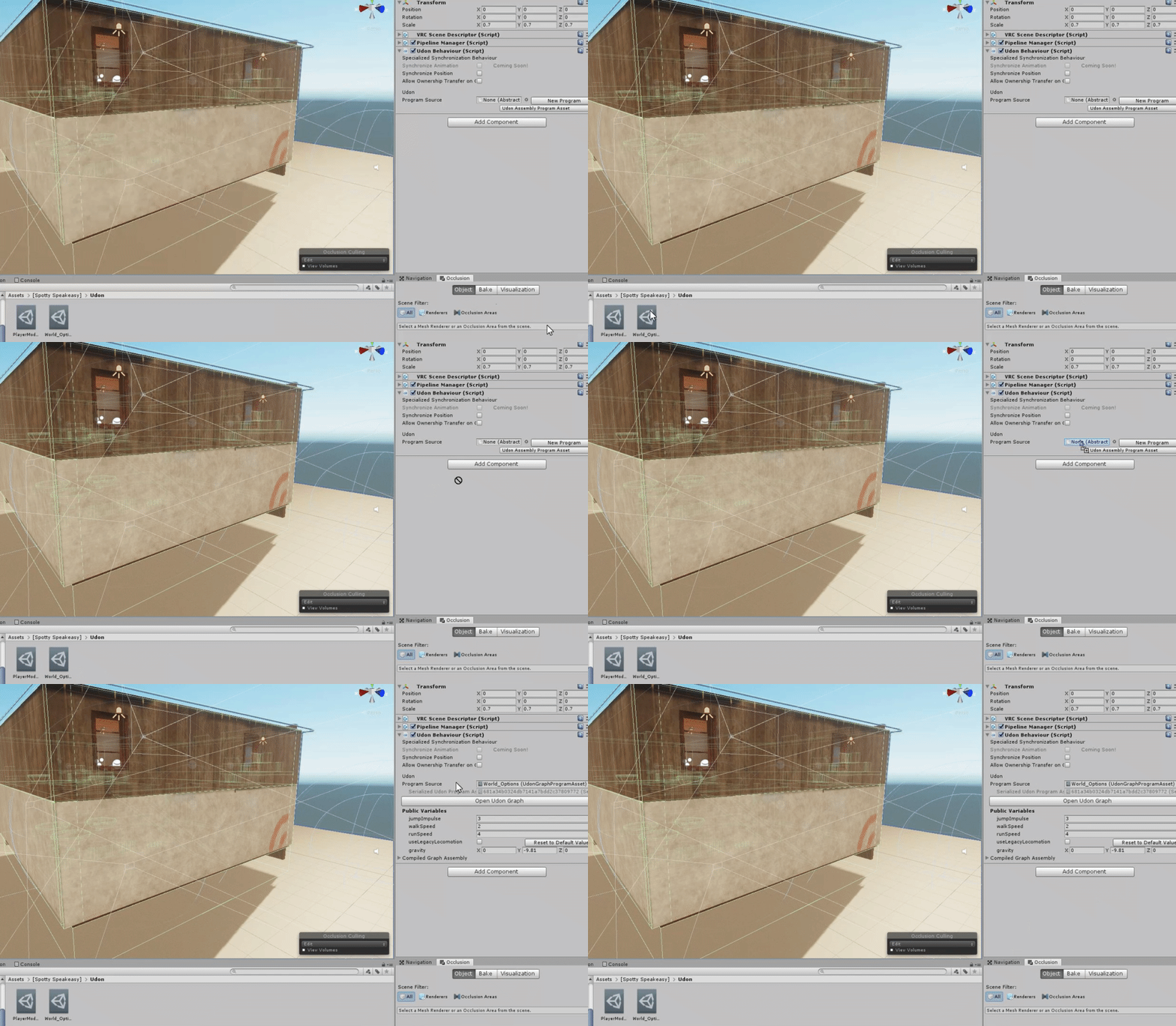
 onyx kindle
Can you not import probuilder to the latest unity anymore?
random owl
It's there in the package manager
rich basin
Oh yeah, bunch of stuff in some package manager window now that used to be on the asset store
The postprocessing is in there too
onyx kindle
Thanks
brisk aspen
So Starting a brand new world. I've figures out why the worlds are bugging out. There's two delegators clashing in unity
mental iris
@rich basin is that playermods the fix for the lack of the ability to set jumping run speed walk speed ect for worlds?
rich basin
Ye
 quartz patio
I am not able to test my vrchat build and a screen from windows says I need an app to open Vr chat. It does not load up the vrchat local host and I already did the layer setup as well as the other one
 junior cloak
Sooo.. I updated my world yesterday and it's a cinema...
Anyways to just downgrade it till a fix for the video players roll up ?
People are complaining a bit 
near escarp
Wait till the fix
junior cloak
So no way to just rollback it ; gotcha
Worth asking i guess :d
Good luck with everything boys
 glad nebula
Noticing some really nasty object sync behavior on my map since the new patch
Everything seems to move in bursts
Is this something that can be addressed or did it have to be sacrificed for the sake of the bandwidth taken up by the new IK system?
This is only if you're not the master btw
near escarp
new ik takes a lot less bandwitdh
object sync behavior is a known issue currently
if you can find the latest canny, i'd suggest adding to it
mental iris
what happend to flare for point lights
you cant pull off a antenna or runway light system without those flares for extra bits
point light light effects like sun lens flare flare ect are gone
and as far as migration issues i think everyone can solve it (if any) to kill/delete the problem assets. once you discover what is doing it, thats what i did and im back in action for now with creation
 dapper trout
I'm trying to upload my map, but it either says it uploads without actually updating the map. I've tried to detach the ID and upload as a new map, uploads about 92mb worth of map (despite being a single plane and spawn with one light), and when I attempt to load it ingame, it crashes VRChat.
dusk sapphire
when a map build fails the sdk usually erroneously uploads the last thing your unity editor successfully built, and will fail to load in vrchat because you'd get a blueprint id mismatch if the last successful build was from a different map
you probably have some script that doesnt work in 2018, look through your editor console for the offending script, though do note that you'll see a lot of vrc trigger exceptions and you can ignore those
sacred warren
Those instructions on not mangling my triggers are several months too late....
Now I have a large world with varying degrees of mangled triggers, some of which are missing entirely and no idea what needs fixing 😦
 sick jewel
just visited japan shine...it looks amazing!!
north parrot
I take it light probes no longer work correctly in new unity update?
random owl
Do they appear to be working correctly in the editor for you?
random owl
You aren't the first one to have that problem so I wouldn't be surprised if there was something weird going on
random owl
I wouldn't say realtime light is fine 😅 but for testing purposes it'll do
I'll make a test scene to test whether lightprobes work currently
north parrot
Well I did 2 separate scenes with light probes... no luck for me
random owl
Light probes have been working on every version of beta 2018 sdk so far so I'm curious what went wrong
north parrot
No idea.. I had no such problem in 2017
dusk sapphire
its working for me
are you using the default lightmapper, progressive or gpu progressive? or bakery?
north parrot
Bake
random owl
Bakery? Are you using Legacy or L1 to bake your light probes?
north parrot
Legacy I believe.. I'm at work right now so I'm not directly looking at my project.. but I figured I'd ask before I forgot again
random owl
Recent updated reset the light probe mode to L1 for a lot of people and L1 can create weird bake results with light probes lot's of times for some reason
I would suggest double checking that and trying Legacy if it's set to L1
junior cloak
L1 work fine here 
random owl
Yeah that's why I said it can
north parrot
I'll have a look when I can thx
 meager anchor
Is it possible to have 2 reflections probes; 1 that is realtime, update every frame, no time slicing. And 1 that is Baked. To be in the same vicinity but with the realtime reflection probe on a moving object. The static baked reflection object doesn't have the realtime probe but only the baked probe?
Something like.
1.00 Realtime weight
0.00 Baked Weight        on moveable object
0.00 Realtime weight
1.00 Baked weight           on static object
Both in the same vicinity.
 frigid patrol
Guys . need a little help here. How can i log in vrchat sdk on unity using my steam vrchat account ?
 misty shoal
Any word yet on how to get triggers working like they used to? Migrated and got the new sdk and now my master only controls work for everyone in the world
random owl
@misty shoal can you show the triggers in question I tried making a test world for it but in the test world they worked correctly
@frigid patrol you need a vrchat account you can't login to the sdk with a steam account
dusk sapphire
there seems to be some cases of certain master type triggers being triggerable by everyone
random owl
@meager anchor don't think there's a straight way of doing that but you should be able to do that with some fiddling with the anchor overrides on the dynamic objects
dusk sapphire
oninteract masterunbuffered seems to be working correctly
random owl
In my test world they all worked correctly that's the problem 😅
dusk sapphire
but onnetworkready/onplayerjoin masterunbuffered might be incorrectly firing for everyone
from my experience
random owl
I did also manage to make a masterunbuffered that works incorrectly
meager anchor
Thanks 1, I'll try that!
dusk sapphire
https://answers.unity.com/questions/1144909/make-a-reflection-probe-only-reflect-1-onto-certai.html this might work for you? maybe

Unity is the ultimate game development platform. Use Unity to build high-quality 3D and 2D games, deploy them across mobile, desktop, VR/AR, consoles or the Web, and connect with loyal and enthusiastic players and customers.
misty shoal
@random owl I'm away from my computer but I can post it at a later time. It's the simple OnInteract >>> Master >>> Respawn objects
random owl
Hmm I'll make a canny about it and add my world as an example since I know there's a busted one there
dusk sapphire
vrchat used to have a bug where masterbuffered triggers wouldnt fire for non-masters but it would buffer when non-masters clicked it
might be a regression in that area
misty shoal
Mkay, had a few other people in vrc say they had the issue so was wondering if something was changed with triggers and we needed to set them up a different way. Thanks, I'll keep testing it
random owl
@misty shoal if you figure something out ping me so I can add it to the canny I'm making atm
misty shoal
Sure thing
 restive current
Hi, I have imported my world to unity 2018 with the latest SDK2 and fixed the issues it had. however now the SDK wont recognize my world and only sayd its an unpublished world. i have redone the VRCWorld prefab and attached the ID... any suggestions on what to try next?
 unkempt canyon
does anyone have the mirror toogle system and jump for 3.0 worlds?
bold ibex
i use Post Processing V2 in my map but not apply in game
random owl
That picture doesn't really show all you need to setup
bold ibex
this is my camera setup
random owl
You can't have the volume on the camera it will get destroyed ingame
GitLab
A surface shader for Unity providing cel-shading. (Forward rendering only)
Follow the steps correctly it will work
 languid seal
Hey guys, for some reason my mesh Collider ain't working anymore. Did vrchat update something that doesn't let you use them for some weird reason?
north parrot
@bold ibex make sure play mode activates after it builds.. that'll show the configure world panel.. also make sure it isn't paused
languid seal
I mean I already had it uploaded. i got on today and they are not working anymore. Thats why I was wondering if its on vrchats end.
north parrot
@languid seal I'm having the same issue.. even when I generate colliders.. something's screwy
That'll mess a bunch of my projects up... especially since we rely heavily on colliders
languid seal
@north parrot I send vrchat a email to figure whats wrong on their side. Ill keep you up dated on what they say. Yeah if its something goofy that they changed ill probably just stop making worlds for vrchat.
I sent*
Out whats going on*
north parrot
I'm sure it'll get sorted.. just idk when
languid seal
@north parrot I say so too. The staff has always been good.
 dusk bough
Trying to launch two clients in Unity to test networking, but they launch with different instance ids? I can't get them to join the same instance to actually test syncing...
Does launching two clients with Build & Test not work? Do I need to publish every time to test networking, and have two vrchat accounts (one on desktop and one on laptop)?
 carmine kernel
Facing the same problem as Foorack
 cosmic seal
The pickable objects in my world are sinking in to the tables now. 😑
Does anyone know what's wrong and how to fix it?
It's like the tables melted.
 dusty spruce
Are there any other ways to track players and or follow them? My other method used to work just fine until this VRChat update broke it.
 rain shadow
@dusty spruce What method were you using?
dusty spruce
A PlayerHandle Object that tracks the player when they join the world.
dusty spruce
Yes.
I learned it from this video: https://www.youtube.com/watch?v=Yik63cfyuD8

This tutorial goes over how to create a player tracker and 3 examples of how to use it. The player tracker was first created by HardLight and released in his Toybox prefabs. The link to download Toybox as well as a link to the Prefab Database can be found below.
The examples...
The issue is that the playerhandle still works to some degree, but all players are stuck with a loading bar above their head, which means their avatar is always in a default idle pose.
rain shadow
Have you updated to the new unity 2018.4.20f?
dusty spruce
Yep.
rain shadow
The bug of avatars not loading properly is caused by the combat system as far as I know
So you are using the latest unity version and sdk and that still happens?
rain shadow
And do you know if the world is actually updating properly?
As in have changes you've made in 2018 unity been showing up when you get in game?
dusty spruce
Well yeah. I even uploaded a new version of the world. Separate from the other one, and the same thing occurs.
I was gonna try and see if temporarily deleting the playerhandle object fixes it.
dusty spruce
I think I tried the ToyBox one. I can't remember.
 hardy nest
For some reason I'm not able to test my worlds in unity, none of them work
balmy relic
Not sure why but its impossible to reimport a model in 2018. nothing happen.
near escarp
What do you mean ?
balmy relic
normally when you update a model in your project it get update in your scene as well. but now nothing happen even when reimporting
 midnight hill
can someone tell me why the ui panel in my world doesnt show up in game?
 bold forge
Hey guys, im trying to update my world to the new unity version but im getting that error when i click build & publish, does anyone know how to fix it?
near escarp
you have console errors
bold forge
got it thank you
 mild sky
hello
bold ibex
Is ObjectSync basically unreliable for rotational animations, or do I just not know how to use it I wonder. I put it on every individual object that needs to be sync'd. Should it maybe only be in the scene once?
When people join after I've been in the instance, objects aren't in the same orientation as they should be.
rich basin
Anybody know how to get audio to work? I've not messed with audio in awhile, and it seems just simply tossing an audio source in doesn't work for VRC.
It plays fine in unity itself, but just dead silent in VRC
mental iris
I'd like to know wtf happened to lens flare and flare effects for point lights and lights in gen. As that is a unity asset that comes with unity editor. Did they straight up remove it and how to get it back? If possible
Coz there gone now and it's messing with my whole theme on the world I need to fix.
Might need to download lens flares for lighting :/
balmy relic
Soo its only me?
 small kelp
is any unity version fine with developing a world?
 supple drift
@small kelp Needs to be 2018.4.20f1
small kelp
would it be the same for avatars as well?
supple drift
yup!
small kelp
thanks
supple drift
If you're making a new one, at least. If you've already uploaded one previously in an older version then it should still be fine now that we've updated (but double check)