#world-development
39 messages · Page 22 of 1
 balmy gate
Huh... just making a layer shouldn't cause it
Yes use is trigger
And your water should be a trigger too ideally
 wraith field
both are triggers now, but it's still happening-i'm gonna see if i can pin down whether it happens when i add PlayerTracking or when i create that new layer
it appears to be completely unrelated. troubleshootin
The flinging was caused by an unrelated collider I was using to keep players within the world. Removing it fixed it. I'm going to go step by step through your instructions @balmy gate and try again 🙂 Thank you!
 nimble echo
I am looking to increase the number of lights that can go on a single surface.
the world is made with a flat plane that is one face, and it seems to only accept a few light sources
 buoyant hollow
are you using realtime lights?
nimble echo
Trying to convert to baked lighting but I am having troubles setting it up
but if I could increase that amount, I would also be happy
buoyant hollow
There is a limit to the amount of realtime lights you can use, but not baked.
 random owl
And I'm pretty sure it's set in vrchat's settings so even if you change the realtime light settings it's not gonna work in game
buoyant hollow
If you are using unity built in enlighten all you need to do is set the lights to baked and then bake the lights. But FYI enlighten is slow. You can access light setting under the settings tab.
 golden spoke
question. let's say I've got 30 buttons, 1, 2, 3 and so on. I want the clicked button to glow red when clicked. However, i want only one button to glow red at a time. Is there a smart way to have a clicked button send a trigger to all the other buttons at once to reset the material color? or am I stuck creating 29 triggers per button?
balmy gate
Make one new object with a custom trigger let's call it ResetAll that resets them all. Drag all the buttons into there. Then in each red button, do two trigger actions: Activate Custom Trigger ResetAll on your new object. Then set the material of the current object to red. Duplicate this object 29 times or whatever
golden spoke
thanks I'll do some googling on custom triggers and see if i can figure it out from there.
 devout monolith
so i have a door that opens when a player enters proximity, and closes when they leave, and i'd like to add simple 1.3s sound effects to the open and close animations. i've successfully made a little functional radio, separately. should i be adding a sound playing script to the open/close animations themselves, or should i be working with an audio source and vrc triggers like with the radio?
tried googling it but it's a little complex to spell out and what works best in unity doesn't always seem to be what works best in vrchat
wraith field
Does anyone know how to edit the reverb/delay/etc. of the voices of users in a world? I saw it done in a cave world where when users would talk, their voices would echo.
golden spoke
i dont know how to do a world echo, but if you do add it, please also add a button to disable it - I personally cant stand hearing echos
 kindred thicket
I was able to get a YouTube video to play in my world, however it doesn't have a player - is there a prefab out there that already has the needed buttons (play, stop, url) to make it interactive?
wraith field
Thank you @buoyant hollow ! And don't worry @golden spoke I am mostly just going to do very very subtle reverb effects 🙂
kindred thicket
Is there something I can add to my project that will take the value from an InputField and put it in the URL field shown in the picture?
balmy gate
Yes you have to click the input field and add an action to On End Edit()
And from there choose sync video stream and Vrc SyncVideoStream -> AddURL in dynamic string section @kindred thicket
kindred thicket
ok - Thanks, I will test it. seems a lot simpler than i was thinking.
Should I keep the url empty in the vrc_sync video stream?
 frozen mountain
Does anybody have a good suggestion as to where to get a jetpack that I can put into my world?
Testrun's jetpack prefab isn't there any more https://docs.google.com/spreadsheets/d/e/2PACX-1vTP-eIkYLZh7pDhpO-untxy1zbuoiqdzVP2z5-vg_9ijBW7k8ZC9VP6cVL-ct5yKrySPBPJ6V2ymlWS/pubhtml
golden spoke
Ok, so I made a custom trigger on an cube, and called it with my other cube on press, but it doesn't seem to be working.
other cube calling custom trigger here:
Goal is to change the color of a cube to red on click, but have only one cube out of X be red at a time.
 mild spade
A little irrelevant to your problem, but try not to call a buffered trigger with another buffered trigger. The first trigger should be buffered while the second be Local (since they will all get the action there is no need to be buffered)
golden spoke
gotcha. thanks for the heads up
mild spade
and about the problem, does your other materials have the "shader" grayed out? that could be the problem, not sure.
 sacred warren
Any other ideas about the chair and trigger issue?
golden spoke
hmm ill try assigning a non default material and see
 bold ibex
Alright new problem
  at VRC.AssetExporter.ExportCurrentSceneResource () [0x00000] in <filename unknown>:0
UnityEngine.Debug:LogError(Object)
VRC.AssetExporter:ExportCurrentSceneResource()
VRC_SdkBuilder:ExportSceneResource(String)
VRC_SdkBuilder:ExportSceneResourceAndRun(String)
VRCSdkControlPanel:OnGUIScene(VRC_SceneDescriptor) (at Assets/Assets/VRCSDK/Dependencies/VRChat/Editor/ControlPanel/VRCSdkControlPanelBuilder.cs:977)
VRCSdkControlPanel:ShowBuilder() (at Assets/Assets/VRCSDK/Dependencies/VRChat/Editor/ControlPanel/VRCSdkControlPanelBuilder.cs:249)
VRCSdkControlPanel:OnGUI() (at Assets/Assets/VRCSDK/Dependencies/VRChat/Editor/ControlPanel/VRCSdkControlPanel.cs:169)
UnityEngine.GUIUtility:ProcessEvent(Int32, IntPtr)```It will not physically let me test the world
It doesn't just kick me to my home world like before, it just doesn't even open VRChat
kindred thicket
The input field doesn't give me a laser pointer like my UI buttons and when I click in the field on my PC it won't let type in it. Any ideas what I'm doing wrong?
 quartz topaz
does anyone know of a world where you can play with something small? like blocks with physics or... I donno. something you can sit on the floor with alone and fiddle with
balmy gate
@kindred thicket make sure the input field is in a canvas with a VRC_UI Shape component
kindred thicket
it's in a canvas but no ui shape, I will add and test. Thanks
Will that also fix the issue with typing in the text field on a pc?
 warm bear
can someone tell me why i can't pick up objects in the worlds? i put it as exactly how the tutorial says
balmy gate
Maybe
kindred thicket
@warm bear send screen shots of the Inspector for the Object you want to pickup. This will help uncover what's wrong.
 near escarp

warm bear
am i missing something
near escarp
those components needs to be on the pickup itself
warm bear
ohhh
kindred thicket
hmmmm, so much to explain..... I guess the short answer is it's not working. The laser doesn't show when I point at the textbox. I tried putting the VRC_Ui Shape on the InputField and then on the text with no success. I was able to get the keyboard to grab the field once (I don't know how I did it) and I pasted a youtube url into the textbox and clicked return and the video didn't change.
The first picture is with the UI Shape on the Input Field.
When the world loads the default video plays and then repeats.
When i click play in the game tab I can type in a url.
 ember walrus
vrchat://launch?ref=vrchat.com&id=wrld_28d464ef-7f91-4991-93dc-ad78523b1e4b:97652
kindred thicket
I got it working, Thanks
kindred thicket
The video plays and I can change the url. I would like to add On and Off buttons. In the Inspector for the VRC_Sync Video Stream I set Auto Start unchecked.
And in the Sphere with the Play trigger is shown below. I click in the Sphere and the YouTube Video doesn't play.
I experimented with the Auto Start Checked and in VR_Chat the Stop button didn't Stop the stream.
balmy gate
usually do Stop and then Clear
I'd also recommend avoiding overbroadcasting: pick either: AlwaysUnbuffered / targets Local or Local / targets All.
Some rpcs are finicky about instigator / object owner... and if you are inputting a url, you may want to previously take ownership of the video player. I think it's common to do that when you focus the input box.
@kindred thicket there are a lot of possible pitfalls with video players, so be prepared.
I would consider trying a prefab that already works like HangoutPlayer, and then rip out pieces of the UI you don't want, keeping the core functionality intact.
 tidal jackal
anyone know what layer portals use?
My particles keep throwing me through portals because they send collision messages
 winter stump
I been baking lighting for the past 30 minutes, It might be done soon
40 minutes now
48 minutes in and unity crashed
man I love unity
was so close to being done as well
 timid venture
What are some methods to debug a black screen/non-loading world?
The world did work up to a certain point, but once I made a few extra things the world refused to load, I deleted all the objects and some assets that were causing red errors, but now I still can't load in and there are no red errors and just normal sdk cautions. https://pastebin.com/vHcN7uwV (the output log in AppData) It's failing to load a bunch of GIs and Enlighten has a few errors, but these aren't errors that I know how to remedy.

I have baked the lighting so I am confused.
winter stump
anyone know why this is happening?
only happens with area lights
@ me with your help becuase im going to bed it's 3 am
sacred warren
Is that a single mesh? If so, do you have the option to generate lightmap UVs enabled on it?
kindred thicket
Thank you Lyuma.
 elder ice
heya, i need some assistance. I got a unity package from a friend of a world they had made. I imported it into mine and fixed the texture issues, however when i try and upload it it doesnt give me the option to add a name and a description. It only acts like i've pressed the play button.
please @ me if you have an answer
near escarp
Detatch the world id
warm bear
my first world completed! Thanks to everyone who had helped. Especially Lyuma~
elder ice
i have detatched the world id, i still dont get the option
near escarp
then check the console for errors
elder ice
there are no errors that i can see
now there is one error "Could not load world wrld_e5dbb8e2-cb9a-4c9f-9a78-39bd40a6711c because it didn't exist"
near escarp
can you take a screenshot of the unity window ?
elder ice
showing the console or?
near escarp
yeah
elder ice
near escarp
oh, the rest of the unity window would also help 😄
elder ice
balmy gate
Don't have two scenes open at once
Right click chill room, remove scene
Or Open scenes by double clicking not dragging
elder ice
its still not letting me add a name or description
buoyant hollow
maybe there are two pipeline mangers?
buoyant hollow
unity version?
elder ice
i think its an older version, whenever i tried to use the newer versions i couldnt upload avatars or anything (i spent several days troubleshooting this) even though its the older version im still able to update avatars like normal
buoyant hollow
what is the exact version number at the top of unity?
elder ice
Unity 2017.4.28f1
buoyant hollow
that is the correct current version 🤔
elder ice
huh, maybe i was thinking of the SDK then XD im not sure
i think im going to try and make a new scene and put everything in again, see if maybe i made a small mistake or somthing
sacred warren
Anyone else know any way around this chair and trigger issue? Given that "put everything on triggers" appears to be the only optimisation advice I can find these days, the fact that chairs completely break triggers seems a bit odd. I assume there's some simple fix?
 left marlin
There is a chair problem? Can you explain?
elder ice
redoing it all and restarting unity still hasn't fix it...dont understand why it is doing this lol
balmy gate
@sacred warren @left marlin If I can clear up the misunderstanding, you are talking about chairs/staions causing issues with Collider OnEnterTrigger and OnExitTrigger events, correct? The issue is chairs disable the player capsule's collider on the PlayerLocal layer.
My suggestion would be to build your own player collider on a custom layer based on the PlayerTracker from toybox (see the discussion with chailatte in #development-advanced for that type of setup)
sacred warren
... good god. Is everything this convoluted? Also it seems weird that no one mentioned his before.
elder ice
fixed my issues with uploading the world, seems that i needed to make a completely new unity project and import everything again
 open thicket
is vrchat planning to switch everything to unity 2018 soon? and if so will triggers and lighting break again as it did the last big update?
 rain shadow
@sacred warren Is that mainly an issue for people who have chairs on avatars or just chairs you are using in your world?
@open thicket I've only noticed issues with lighting on terrain, and even then it may have been fixed already
open thicket
awesome, no eta on that though? like if we want to upload on 2017 we still could when the updates roll out?
rain shadow
I would say it would be fine to just keep using 2017 as it seems like it will work just fine
sacred warren
@rain shadow Chairs in world
rain shadow
@sacred warren then its not too hard to fix, you would just need to set the station to enable a playerlocal layer collider on the chair
when someone sits down in it, and disable it when they get out
Though if you're still using the blob shadow setup I gave you it would be easy to do what Lyuma said also as you would already have the playertracker setup
left marlin
Chairs disabling colliders has been known but the communication channels are bad. There is so much information that is just in people’s heads or obscured on the wiki that we don’t know who doesn’t know.
We made a canny about this a long time ago, but after some simple c# coding, I found out that it actually makes sense why. If vrchat is using a character controller component, then that object is never allowed to rotate while it is enabled. Since chairs can rotate, they just disable it. That doesn’t excuse that it is a bug that world developers need to know about or have fixed.
https://vrchat.canny.io/sdk-bug-reports/p/playerlocal-collision-should-remain-on-players-in-stations
kindred thicket
Is there a particular layer I can turn off so a camera doesn't show what's on the screen (to prevent the mirror in front of mirror effect)?
sacred warren
@left marlin @rain shadow Thanks for the info. More mess to throw on the pile I guess.
 cold kettle
Does one have to apply to be in community spotlight? or is it based on stats? 🤔
left marlin
Spotlight is based on if the devs know about it and like it. It’s annoying to get in as there is no real way.
cold kettle
Thank you for the speedy reply, Cyan 👍 Was mostly curious if it was human curated
that and based on 'heat'
warm bear
what does Heat means on the website with your world info
cold kettle
im assuming recent popularity? My one world is currently at five 'heat' I've noticed it fluxing whenever i check
 elfin latch
whenever I try to set an item to a grabbable, it's completely fine in unity but it's invisible in world. Anyone have this issue / know how to fix?
near escarp
Can you take a screenshot of the object and its components in Unity ?
near escarp
Maybe it's falling through the floor
@elfin latch
This is the pickup in my world that works
buoyant hollow
no collider on it
elfin latch
It had a collider on it
I had just removed it before taking the ss
I'll try those settings & see if it works
elfin latch
okay so the grabbable works and stuff
but in game it's like... toppled over.
is there any default where I could have it in a set position until it's grabbed?
warm bear
you can try turning off gravity maybe
 rich trail
Hellooo there! Does anyone know how to randomize particle size?
I can't seem to figure out how to variate them
devout monolith
is it...normal to be able to stand beside one chair, point at another a long way away, and sit in it?
and if not how can i fix that? ._.
left marlin
It’s a bug and there isn’t anything we can do about it until they fix it.
devout monolith
thank. god. i'm so tired of working on this lmao. thank you
left marlin
If you have a trigger collider within interact distance of an interact, you will always be able to point through the trigger collider to interact from any distance.
Basically, if you have a row of chairs, you will most likely be able to reach any chair when pointing through another chair.
devout monolith
i see. well thank you. it's my day off and i just worked on this for uhhh fourteen hours
all i have left to do is bake the lighting in but oh my god i'll do it later
💀
kindred thicket
Hello, I'm not sure I am thinking about layers and VRC_SyncObjecy correctly. If I want a pickup object seen by everyone when I move it the object needs a VRC_SyncObject. The object will get moved to the pickup layer. In camera and mirrors I can set what is reflected by selecting the culling layers. I think those are right. However I have menus that I don't want the camera to show, so I put the menus in the UIMenu layer and in the camera culling I unchecked UI and UiMenu. When I did that the menus were no longer showing in the camera but the laser pointers stopped working on those menus, so I moved them back to default and now they work again. Please let me know what I'm doing wrong. Also is there a way to make the screen not show in the camera?
Thanks
 ornate turret
have you checked if you have more than one vrcworld component in your scene?
you might have accidentally added one onto another object
like the script component itself
you could try deleting the vrc world you have too
from the scene
and see if it lets you upload
or if it tells you none exist
ornate turret
awesome, glad thats fixed for you 
 wheat seal
is it possible to make a script with the old sdk?
wheat seal
where can i see a whitelisted script?
 true knot
Well an example is the dynamic bones script
wheat seal
ok becouse i wanted to make a random number script that gets activated if you press the button. is there another way to do it?
balmy gate
@kindred thicket you asked a lot of questions.
Object sync has nothing to do with layers. It won't matter.
UI and UImenu layers have special rules woth the laser pointer: you can only interact with those while in the various system menus. I would avoid those for your in world interface
The right way to hide stuff is to make a layer or pick some layer like "interactive" or something and put your menu on that. Then go to your cameras and mirrors and uncheck Interactive to hide it
 dense yarrow
Hello! I was wondering if anyone have had this issue/know a solution for it.. I for some reason just got a problem out of nowhere.. If i try and update my world, it instantly get "success" without actually upload anything and nothing happends ingame? anyone know a potential reason/solution?
nvm found the issue after using the right search words in here.. allskyfree skybox related x'3
 autumn pier
Is there a way to change a Rigidbody to IsKinematic with a VRCtrigger, or do u need to do animations ?
rain shadow
@autumn pier If the object has an object sync there are RPCs for changing it
rain shadow
rain shadow
Ah I've only ever needed it to change locally so I haven't noticed that issue before
I would imagine the next easiest thing to do is make animation states that you can sync
 earnest pulsar
When you do a build & test from the SDK does it try to always launch in VR mode or is it smart enough to know I don't have any headset plugged in
earnest pulsar
Wait do I actually have to drop back past 2 of my favorite major versions of unity to make a world?
 jagged lodge
Hey, can't seem to get VRC_Spatial Audio stuff to work. Could just be user error. Using WAV files atm, going to try MP3. Not sure what else to do? Everything functions correctly without VRCComponents, in a game I work on. However when I apply similarities it doesn't work
buoyant hollow
@jagged lodge file type shouldn't matter. What exactly are you trying to do with your audio?
jagged lodge
Spatial Audio? Something along the lines of a forest trail, with area based audio. Some areas you hear birds chirping, and animals mukking about, once you leave the forest the sound dies off gently and into the meadow sounds, crickets/grasshoppers/gentle wind.
buoyant hollow
ok so 3D audio. What are your settings on both the audio source and spatial audio component
I ask because there are some buttons people don't think to click that are very important to click
@jagged lodge
jagged lodge
Got it to work, needed to enable them. Whenever I published, I kept forgetting to enable them. (I turned each one off, to test the other, and left em off I guess.)
buoyant hollow
ok good to hear 👍
kindred thicket
Hello Lyuma, Thanks for the help - it's doing what I want now.
earnest pulsar
When you set jump power to 50
 storm plover
Just cause I'm curious, how would I make songs in a world play one after the other like a playlist? And add buttons to skip the current song? I know how to attach songs to buttons and that's about it
 deep hamlet
Has anyone here got any experience with streaming Netflix shows in VR?
buoyant hollow
That sounds illegal
deep hamlet
I mean, I was gonna watch the witcher with a friend of mine in vrc
Not set up a world where anyone can use it
buoyant hollow
I see, I'm not sure if that is possible still.
bold ibex
Okay I'll ask again
  at VRC.AssetExporter.ExportCurrentSceneResource () [0x00000] in <filename unknown>:0
UnityEngine.Debug:LogError(Object)
VRC.AssetExporter:ExportCurrentSceneResource()
VRC_SdkBuilder:ExportSceneResource(String)
VRC_SdkBuilder:ExportSceneResourceAndRun(String)
VRCSdkControlPanel:OnGUIScene(VRC_SceneDescriptor) (at Assets/Assets/VRCSDK/Dependencies/VRChat/Editor/ControlPanel/VRCSdkControlPanelBuilder.cs:977)
VRCSdkControlPanel:ShowBuilder() (at Assets/Assets/VRCSDK/Dependencies/VRChat/Editor/ControlPanel/VRCSdkControlPanelBuilder.cs:249)
VRCSdkControlPanel:OnGUI() (at Assets/Assets/VRCSDK/Dependencies/VRChat/Editor/ControlPanel/VRCSdkControlPanel.cs:169)
UnityEngine.GUIUtility:ProcessEvent(Int32, IntPtr)```What does this mean, and what can I do about it
deep hamlet
I'm not expert, but it looks like you're trying to export an object that isn't there
The game thinks it's there, but when it looks for it doesn't see it
balmy gate
...
I haven't seen that before. This is in the SDK not the game.
I'd double check that you have a scene descriptor and pipeline manager set up correctly. make sure you only have one scene loaded, and no avatar descriptors anywhere in the scene
type t:PipelineManager into the unity search bar. Make sure exactly one thing shows up
Also, just to double check, you are using the official VRCSDK (from september last year) with unity 2017.4.28f1 correct? i.e. not the beta SDK2 or SDK3
rich trail
Is it possible to show post processing effects when uploading an image through the builder?
balmy gate
you can modify the VRCCAM in your hierarchy
make sure to turn on Allow HDR. I don't know why they have that turned off TBH
rich trail
Oh really, okay
balmy gate
add a post processing layer component and set the layer correctly
and it should work
never tried post processing, but setting HDR does work
rich trail
Yeah I added the post processor and it did something but it needs the HDR thing, that will be great
THank you
There;s probably a way to keep that camera set at a specific point?
balmy gate
I mean you're going to have to redo this work on every upload. I think there's a prefab in the prefabs database to make doing camera positioning easier
rich trail
Okay, I'll just keep setting it manually when I need to reupload. Not a big deal for me
balmy gate
In the past, I would drag in a prefab from my assets (with no camera inside, then drag VRCCam inside the prefab, and do reset on the transform so it's at the correct position relative to the prefab which is where I want it
it's only on uploads where you have to change the picture
frozen mountain
does anybody know where I can find prefab jetpacks? TestRun's on google spreadsheets doesn't exist anymore.
balmy gate
@frozen mountain use this: https://cdn.discordapp.com/attachments/424536392459223044/665042077809246213/NEED_VRCSDKDriveSystems_with_Spawner.unitypackage
I talked to Phaxenor: he will try to get the link in the database fixed. thanks for reporting
kindred thicket
Hello, well I'm still having a time with playing YouTube videos in my world. I downloaded the HangoutPlayer prefab and the instructions say, just drop it in and it will work. Well, it doesn't.... for both versions of the prefab when you load vrchat you hear the video and can control it, but can't see it. If you switch to the New Player everything works, however that player requires windows 10. Is that a problem these days? I was trying to keep requirements to a minimum. Thanks
balmy gate
yes, VRChat requires windows 10 for all features to work--sorry
kindred thicket
Oh, so it's not an issue then
balmy gate
hmm youtube videos should work with the old player though
kindred thicket
Just a pink screen
balmy gate
the unity based VideoPlayer (SyncVideoPlayer) puts the video onto a renderTexture, while the SyncVideoStream puts the video onto a game object with VideoScreen on it
so if I had to guess, for the old SyncVideoPlayer, you need to double check that the mesh with the VideoPlayer on it (not the VideoScreen)
pink = missing shader or material...so that's another clue
kindred thicket
the video player say Target Texture Missing
balmy gate
weird that got deleted...
Anyway you can make a new render texture asset in the Project window
set it to some 16:9 resolution like 1920x1080 and put it into the Target Texture of the video player, and put it into the mesh material as well? (the one that is pink)
pretty sure it normally works out of the box, so I'm not quite sure where yours went wrong.
kindred thicket
just my luck.... Testing it now
kindred thicket
Thank You, things are working now.
 sharp pewter
I put a slider on my canvas for volume for my video player, and whenever I physically move, even without looking at the slider, it is somehow changing its value when I move
any idea why this is? I really cant fathom why it'd be doing this. It's actually physically moving the handle when I move.
balmy gate
@sharp pewter always set Navigation to None on all UI elements especially sliders
Navigation is what causes it to move when you move the joystick
sharp pewter
Ah, I see. Thank you sooo much.
true knot
So is almost any fanbase
balmy gate
#general-media please
 wet kindle
hi, I need an advice on making a skybox for a vrchat world
I've seen worlds with really pretty skyboxes but everything I try to do myself looks really bad
what's the "correct" way to create a skybox for a vrchat world?
I tried the default 6sided/cubemap/panoramic shaders but maybe there are other shaders that are better that people use?
 solid helm
Depends on what you want
wet kindle
I want something like this vrc world https://vrchat.com/home/world/wrld_14a873d0-b4bf-4d52-9d4e-de9be3e3e9b8
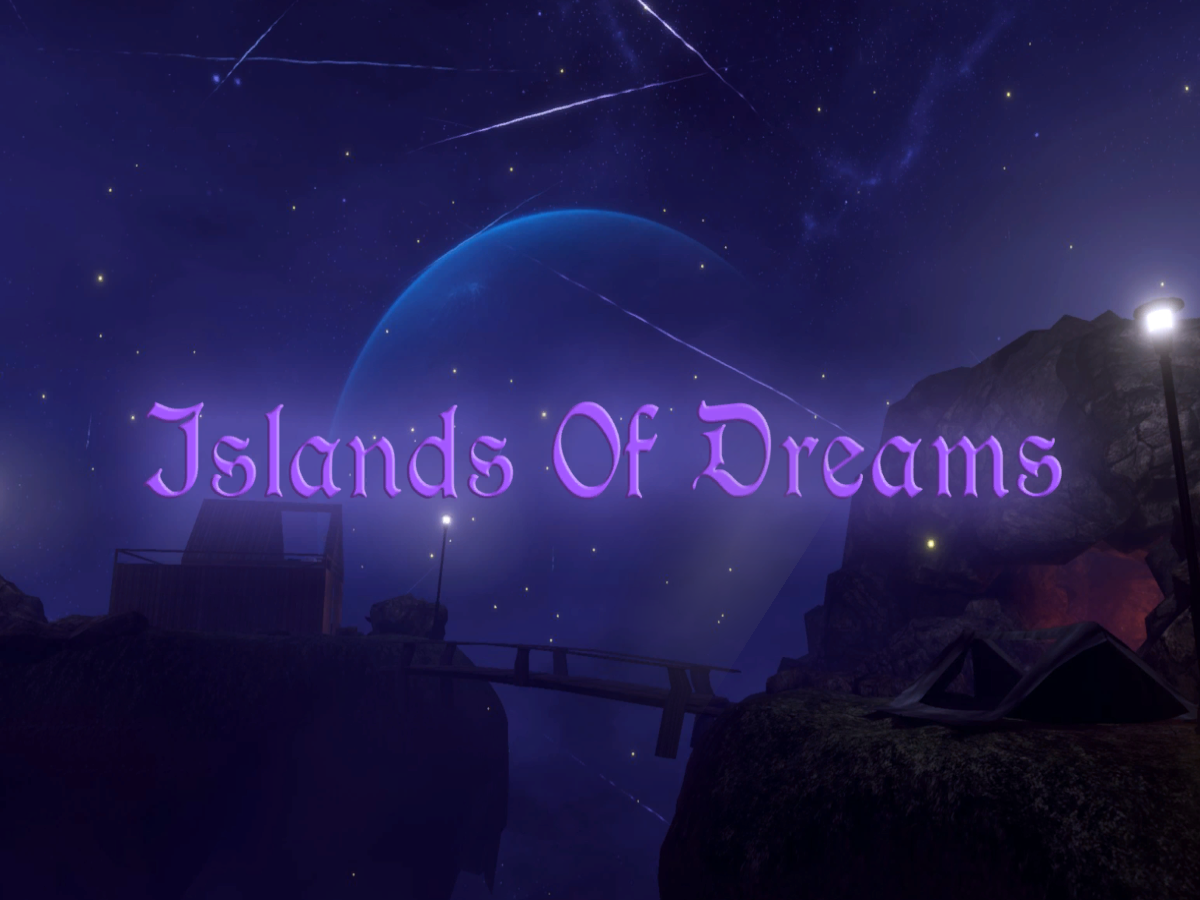
Sleep world with ambient sounds‚ pillows‚ light options‚ rain‚ fireflies and shooting stars as well as a video player for music․ UPDATED (12⁄27⁄2019)
wraith field
Public service announcement to please, for the love of god, back up your WIP (daily if possible) on a thumb drive or something. I just lost around 8-9 hours of work because I had to hard reset due to the "VRChat desktop launch mouse kidnapping bug" and it caused my scene file to become corrupted. Assets are there, hierarchy/setup/components are gone. Learn from my mistake 😦
What I'm trying to say is... https://www.youtube.com/watch?v=zDgc3LTiF9U
 elfin latch
this is a super noob question but since i'm very new to world making, i'm wanting to work on an outside area with grass & trees
where would I even begin to find that type of stuff?
I feel like i've looked around a bit but idk where to start with finding a good solid 'ground' base to start off of, or finding something as simple as grass lmao
wet kindle
you can sculpt ground in blender, look for sculpting tutorials
for stuff like grass and trees you can probably find free assets on the unity asset store if you're too lazy to make them yourself
balmy gate
@wraith field before starting unity after a crash , always make a copy the backup scene from unity.:
https://unity3d.college/2017/06/20/unity3d-crash-recovery/
When unity starts, it deletes this backup so too late, but something to try next time
 wraith field
@balmy gate Yup.......noted for next time x.x
balmy gate
Basically look for backup scenes in your project's Temp folder and add .unity
 vale steeple
@wet kindle Skybox in my world is just a standard 6 sided skybox, but then the planets are actual 3D meshes which are from an asset pack I bought from the unity asset store
wet kindle
ohhhhh
thanks for explaining @vale steeple
I was wondering how you made the planet look so pretty because on all my attempts on a skybox it looked...bad
vale steeple
A lot of people have trouble blending in objects well into the scene for the skybox, Sombie also does it really well with the planets and is where I got the idea from in the first place. Just takes some time to adjust the material settings, lighting and post processing to get everything to fit together as best as you can
wet kindle
I wish there were tutorials on that so that people wouldn't have to repeat the same trial and error process over and over again each time
vale steeple
Cant really make a tutorial on it since it isn't a one thing fits all process
You wouldn't want really bright warm environmental lighting in a dark space world
wet kindle
yeah
but I've gone over a tons of vids of people showing how they make stuff and it's actually really useful to see the tools and methods people apply even when it's not exactly what I need
not asking to make a tutorial tho, I know it takes time
just surprised there aren't already several up by somebody about sky related things, since pretty much most worlds need a sky
balmy gate
^
 rustic pier
Anyone familiar with using Unity's probuilder stuff to cut holes into objects? It's in the Experimental section, and you put two shapes together then subtract from one shape using the other shape. Anyways, when I do this twice to a single object, it causes black shadow lines in certain spots. I have a filling it has to do with the baked lighting thing with the probuilder shapes. Anyone know a way to fix this?
frozen mountain
@balmy gate thank you for the link for the jetpack. I was wondering if that should fix the jetpacks I already have in my world. They work but the materials are gone and I see only light and dark blues on the jetpacks.
I installed the vrcsdkdrivesystem but they are still blue
frozen mountain
Maybe I need to delete the current DriveSystem first?
balmy gate
hmm?
it's sporadic
sometimes lots of questions. other times very few. There are over 12k people in VRChat right now so maybe everyone's partying
Did you manage to get your jetpack working?
 candid jasper
hi
frozen mountain
no, I was waiting on your advice as to whether I need to delete the driversystem
 pliant wigeon
I did a remake of the Miami safehouse from DRIV3R in VRChat ages ago. Wondering I should make it public or not
Been so long since I played that game, I should probably try finish it off sometime
kindred thicket
Can you use OnTimer to disable the object the timer is on? This doesn't appear to be working in play mode. It's just a cube that when I turn it on I want it to turn itself off in 2 seconds.
kindred thicket
Ok, Thanks
devout monolith
is there a way to prevent mirrors from showing the controllers that appear in your hands when you reach for an interactible? it's not UI layer
devout monolith
nope it's part of the default layer, sigh.
open thicket
is there a limit on how many animators there can be in a scene?
like past as certain point with things start to break?
balmy gate
if the checked, each one costs some performance every frame (CPU) so it adds up.
If disabled / game objct not active, they shouldn't do anything unless Update() is called e.g. from a button
frozen mountain
is there an easy way to align two objects in unity? I saw online someone using an "align" script but I don't have that in my "add component" button.
 jovial charm
Holding v and moving it is one way to snap points together @frozen mountain
frozen mountain
ok I'll give it a try
That sort of worked but it didn't align my plane to the cube.
@balmy gate the jetpack works now. I had to delete the old "drivesystem" from my assets then add the new one.
wheat seal
if i click my video play (iwaSyncVideo_v2.2) it disappears. How can i fix this D:?
random owl
@wheat seal there should be a picture inside the package with steps in order to make it work did you do those?
 outer crane
Where do i go to get the VRC SDK beta?
random owl
Might wanna stick to vrcsdk2 if you have a existing world you are updating
Make sure you read the info texts
wheat seal
@random owl now i get " a unity scene containing a vrchat scene Descriptor should only contain one scene descriptor!
random owl
Sounds like you added a second scene descriptor instead of adding the prefabs to the first one
wheat seal
how do i add the prefab there
random owl
So here's the picture
What you need to do is drag the spawnvideo and spawnstream objects from inside the video player in your world to the dynamic prefabs in your vrcworld
wheat seal
Ok now i saw that i should put it in vrcworld thx 😄
 cosmic field
how do I make my floor reflective like this?
near escarp
Low quality realtime reflection probe
It's very heavy on performance so don't go crazy with it
Or maybe this one is a low quality mirror
cosmic field
I'm not that good with unity so I have no idea how to do a probe
random owl

VRCat: Community-Run VRChat Forums
Greetings! Over my course of playing VRChat I've noticed that most worlds, mainly the ones that have baked lighting, are done poorly, or in an...
This would be a good tutorial when starting out
near escarp
Well in this case it's realtime lighting 
random owl
That doesn't really need to be
Reflection probe set to box projection more likely in that picture
Harder to say in a still picture
cosmic field
this is what im working on now
I want to use a strand of lights, like something similar to christmas lights
and maybe a few lights hanging from the ceiling
random owl
You would need to model them out and then use materials to make them emissive and bake them into the lighting
cosmic field
alright
about the reflections though, if I used a sphere in the center of my room for a sort of mark of where my reflection probe is, could I make it invisible and the probe would still work?
its not really said whether the sphere will appear or not in this video im watchinghttps://youtu.be/lhELeLnynI8

Let’s learn how to create reflections by using Reflection Probes and Screen Space Reflection (SSR).
♥ Support Brackeys on Patreon: http://patreon.com/brackeys/
·······················································...
random owl
If you mean the mark that shows where the reflection probe is it won't be visible ingame
The sphere he is using is just to show it looks
cosmic field
alright
I've done everything correctly up until 5:23
when I when to generate baked reflected probes, nothing happened
there's no reflection on my flooring
ah wait nvm
I had it on poiyomi still
however, its picking up on the raindrops for my roof, is there anyway to avoid that?
also each time i try to build and test, vrchat doesn't want to load and steam vr launches with it
 hidden canyon
I'm having a problem with baking lightmaps onto textured surfaces, they come out pixellated or just black. Im sure I'm missing something. Anyone know what's going on?
random owl
Have you checked the generate lightmap uv's in the model import settings?
Second thing would be if they are completely black you might be using shaders that don't support lightmapping
hidden canyon
Ah okay, thanks. That's sorted it out
I've got a problem though where an area that's meant to be very dark looks evenly lit when baked. Any advice for this? It's almost as if I need a bit higher contrast or something
random owl
Show some pictures of how it looks and what light are in the area
hidden canyon
There is an outdoor section yeah
random owl
You could try playing around these settings
In your lighting settings
I haven't done any really dark rooms before
Normally in indoor maps your would change it to single color which is completely black
hidden canyon
Ah yeah, this is kinda close. But it seems real time lights do what I want. Can I have 2 realtime lights in terms of performance?
cosmic field
whenever I add in the trigger script for a mirror button and go to choose OnInteract, its not on the list
random owl
Can you show a picture?
cosmic field
ok i restarted unity and its there
nvm
but if i wanted to make the HQ and LQ mirrors, how would I do that?
the videos I found only show how to make the HQ
random owl
Usually people do it by changing the culling layers on what's displayed
I usually do Player and MirrorReflection layers on optimized mirrors
That only shows yourself and other players
rustic pier
anyone know what kind of shader is it people use to like make it look like youre in a 3d moving world? That tree house world has like a lot of different versions of that. Trying to add something like that to one of my worlds
random owl
Those are called raymarching shaders
cosmic field
I went to test my button, and I can't interact with it, these are the settings I used
random owl
Does the button have a collider?
cosmic field
no
random owl
Add a box collider to it
rustic pier
Thank you, do you know how to work them? I downloaded this https://github.com/hecomi/uRaymarching and added a shader to my object with the Ray marching option, and now I have these options. I just through on a random texture, but it doesnt do anything
GitHub
Raymarching Shader Generator in Unity. Contribute to hecomi/uRaymarching development by creating an account on GitHub.
random owl
Those look like to be templates for making raymarching shaders
kindred thicket
Will it hurt anything if I upload a world from Unity while I am in that world in VRChat - or what if a friend is in that world I'm uploading it?
random owl
It's just gonna download to people when they next rejoin the world
People still on the map will stay on the old version and new people will be on the new version
kindred thicket
I thought that but wasn't sure. Thanks
random owl
Np
kindred thicket
is there a way to deactivate a Local VRC_Station for everyone in the room?
I want to cause all Local ThirdPerson Camera to turn off when I click a button and cause everyone in their Locol VRC_Station to exit the station at the same time
cosmic field
when making the christmas lights i mentioned, what light would i use on those? point?
hidden canyon
most likely yeah?
the other option would be looking into emission & baking but tbh point lights should work fine surely
devout monolith
hm. I heard networked IK made snail markers illegible. are normal in-world pens still legibile? I'm considering adding a couple to my world
though I heard user-made pens aren't as good as the official vrchat world ones so then again there's the question of if it'd work well enough for other users to be able to read the writing
hidden canyon
is there a benefit to using user pens over official ones?
devout monolith
i think they're actually worse is what I meant, since vrchat's use dev-made custom scripts
wraith field
Any good starry sky skybox setups or ideas?
Currently using an inverted sphere with the Cubemap shader and a seamlessly tiled texture but I can still see seams. Any recommendations? 😄
cosmic field
what are the settings for a low quality mirror?
bold ibex
disable pixel lights and only reflect these layers: player (other avatars) and mirrorreflection (your own avatar but with a normal head, unlike playerlocal which has your head shrunk)
cosmic field
alright ty
whenever I try to put my material in for a skybox, this shows up
I've tried out standard and poiyomi
rustic pier
Can anyone help me or direct me to a tutorial on how to get raymarching to work?
 indigo pagoda
yeah skyboxes use specific materials
cosmic field
im having a problem
my unity crashed, but I repeatedly saved every hour
and everything I made is gone
slightly panicking rn
ok wait I got some of it back
wraith field
@cosmic field is your scene gone but your materials/files/etc intact?
cosmic field
mhm
 tardy marsh
One message removed from a suspended account.
wraith field
@cosmic field i had this happen yesterday and it completely ruined my day. did a lot of research and you can't fix the file (basically your old scene is now corrupted/unreadable so it comes up as blank) but next time you crash do this: 1. don't open unity (this is extremely important). 2. go into your project's temp file, find the file that's in there, make a copy of it and rename it so it ends in .unity 3. move that copy into the assets folder 4. open your project in unity. your backup scene from the temp folder should load in and you're safe
but just to be extra sure i've started making backups on a thumb drive every so often
but that fix ^ has worked well for me so far, i regularly 'crash' due to the stupid vrchat mouse kidnapping bug and when i do i have to hard reset my computer
random owl
Do you have a mesh collider on the whole thing or something?
Is the world public I can go have a look. Also you should really merge the meshes in blender
That picture is also making me scared that the everything in that is it's own material
That's way too many materials for a single object in your world
cosmic field
I just finished my lighting, but is there a way to make my material for my floor appear more?
its from my reflection probe
it was fine before I did the lighting
I'm just gonna get rid of it
cosmic field
Im having trouble adding in some music
I've got the file in mp3 and ogg formats, and yet everytime I import it into unity, it appears like this
it won't import into the jukebox either
mild spade
very long music files (big size) do not work correctly on Unity. Better to make them shorter, or split them into multiple files.
cosmic field
what is the max time for music files?
cosmic field
ok ive figured that out
but how do I loop the music?
oh wait nvm got that too lol
kindred thicket
on the VRC_Sync Video Player, does max stream quality mean for video and sound or just video. I ask because I want good sound and I don't care about the video quality. When I'm in the world the sound is jerky at times, but not for other players. currently it's set to 1080. would sound be effected if I reduced the Max Stream Quality to like 240p?
I ask because video and sound are coded in .NET as two different screams.
balmy gate
I think it depends on the streaming service. On twitch I know there is an "audio only" quality level, but not sure how to access that from vrchat
I will say that 60fps streams can sometimes cause more performance overhead in vrchat, but those are only allowed on 720p60 and 1080p60 quality levels...so if you can't prevent the stream from running at 60Hz, maybe reduce the quality level to 480p or less
kindred thicket
ok. Thanks
kindred thicket
I have noticed changing the names of objects in the Hierarchy can undo components in your project. Is this common? Like I changed the name of a Camera and everywhere the camera was referenced in the world was marked Missing.
balmy gate
Animations are referenced by name
So if you rename an object, you would have to go to all animations in your world and update their names
You can open the .anim files in a text editor and find replace
kindred thicket
ok. thanks
 remote plover
How would I go about changing the weight of a pickup? I have a pool table but the balls are too heavy to really knock each other around
balmy gate
@remote plover The Rigidbody script has a Mass box you can change.
https://docs.unity3d.com/Manual/class-Rigidbody.html says that mass in kilograms. The default value is 1 kg which is really heavy for a pool ball...

(VRC Pickup also creates a Rigidbody)
remote plover
Thanks, that's exactly what I was looking for!
devout monolith
wait. you can't toggle a baked light with a trigger, can you
that's. that's why it's baked.
 sand island
Anyone have a clue why i cant load into my world? it loads it in, gives me a purple screen for like half a second and then redirects me to my home world
 sick badge
purple screen?
sand island
yeah vrc goes just fullscreen purple while the map has loaded
then redirects me to home
 junior cloak
Yo quick question is there a way to load a picture from a direct url ?
I remember someone talking about a prefab for that out there but it was like a year or two ago
random owl
@junior cloak you can do that with vrc_panorama script which is normally meant for loading images for panoramas but people have figured ways to use it for other stuff
Here's one example:
https://sankaku-vrc.booth.pm/items/1313165

【VRChat用】PanoBook 紹介文
junior cloak
That's EXACTLY the reason of why I wanted something like that
BLESS you
Time to download the integral of jahy-sama 
random owl

junior cloak
Thanks you ♥️
random owl
Happy to help
 shy storm
What's the best way to make a button for VR users?
I recently updated my world buttons with capsule colliders thinking it would make it easier for people with the occulus;
but people still have trouble pressing them. Could it be that the collider and trigger components are on the mesh?
wraith field
@shy storm Hey steve, could you post a pic of your trigger/collider setup?
near escarp
@devout monolith correct
shy storm
@chailatte
I can't atm, but I know it has a parent prefab and a group underneath it that has 2 meshes.
On one of the mesh objects is all of the components.
There's an OnInteract button with it set to Local and there's a capsule collider under it. The radius is like a sphere that covers the whole mesh. Not sure if that helps but I'll be able to send a pic when I get back home
wraith field
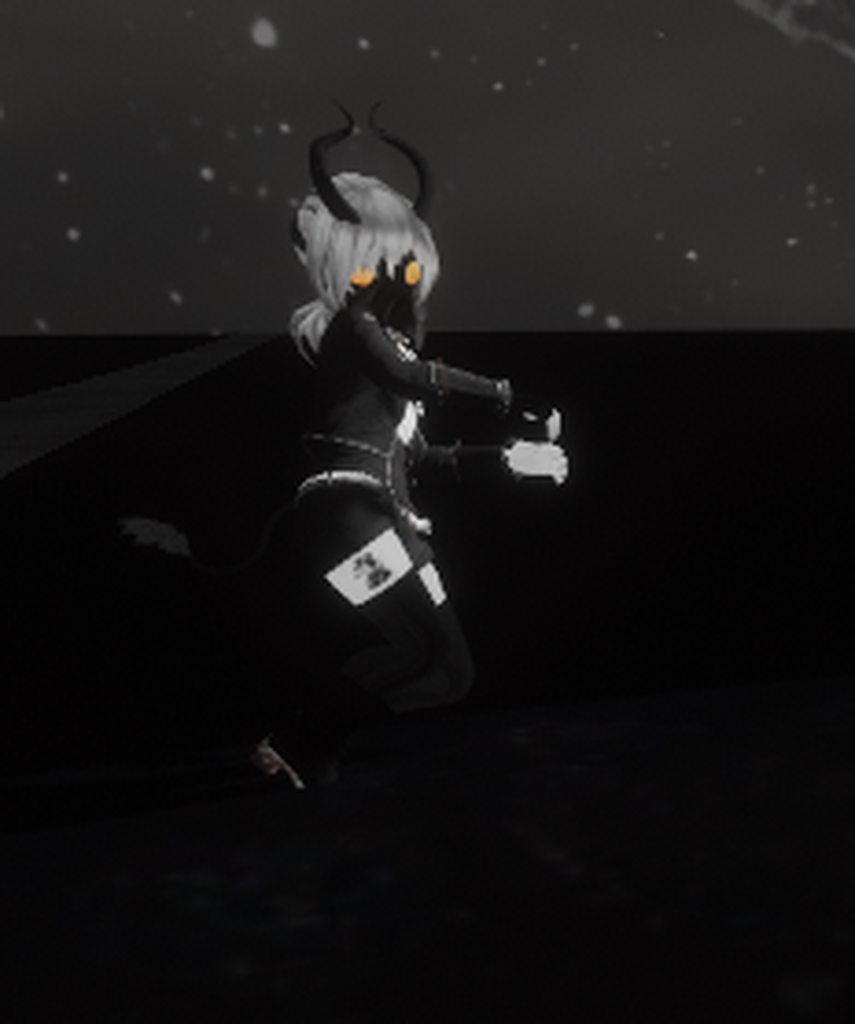
Has anyone ever done a chair animation override? I'm having trouble getting mine to work. Link to images/explanation so I don't spam channel: https://imgur.com/a/yrMFKBO
 kindred thicket
Hello Chailatte, Imported Animations from MMD don't work out of the box when run through CATs and imported into Unity. Since you are only doing a pose. I would suggest reloading your model so it's in a T pose, and creating the Pose Animation in Unity - this way all the bones will be setup for anyone who sits in the chair.
To do what you want you will need MMD4Mecanim, FinalIK, and the _DancePad Prefab. There are many obstacles to get over when doing this, there is just a lot of steps you have to do (and pay for FinalIK).
MMD4Mecanim will break your project so never put it in a project that has the Unity SKD installed - it needs it own project without the SDK.
The DancePad prefab lets you disable the IK bones in your animation so they will work in VRChat.
 unreal idol
Just wondering, can't find any answers from Google, I build my map, load into it & everything i just pure white, no textures? Am I doing something wrong?
wraith field
Got it working! @kindred thicket 😄 I was actually using a Unity animation rather than an MMD animation, but it looks like that animation still wasn't reading right. Swapped it out with another one and it works. Thank you!
rustic pier
Anyone know why my light baking is having issues?
without baked lighting

With baked lighting
near escarp
you have to generate lightmap UVs for the meshes
near escarp
also use 4k lightmap size
rustic pier
Oh yeah, I was doing 4k, but I made it lower to make it go faster while troubleshooting
near escarp
on the assets, click on them in your project, go to the inspector and model tab, bottom option is generate lightmap uv
rustic pier
Do I do that to all of them?
rustic pier
Should it be under the mesh renderer?
I cant find the option but I do see the error message
And thanks for the tip about baked indrect
rustic pier
I found it. Thanks! I'll give it a try
rustic pier
Okay so still similar issue. It has worked for some, but others seem off and the error message still hasn't gone away
kindred thicket
There are times when I need to use the OnEnable Event on an object 2 times. For example, when the cube is enabled it automaticallys run the OnEnable Event and immediately a bunch of things start happening. However I have one thing that needs to wait 7 seconds before running. So I have been making 2 OnEnable Events, 1 set with 0 delay and the other with 7 second delay. It does appear to work the way I would expect, however unity gives the following error in the console.
"Two delegators in existence"
Should I be concerned about this error?
cosmic field
Does anyone have some nice skyboxes?
the one I am using makes my LQ mirror too bright
 lean badger
i can't figure out how to get a button to switch a video player to a specific URL
i'm using the VRCVideoSync prefab and the button does:
- SendRPC (VRC_SyncVideoPlayer.Clear)
- SendRPC (VRC_SyncVideoPlayer.AddURL)
- SendRPC (VRC_SyncVideoPlayer.Next)
- SendRPC (VRC_SyncVideoPlayer.Play)
but it ends up doing nothing to the screen
the video URL itself works if directly on the Video Player and the button works when doing stuff like toggling gameobjects
i've read that a delay is needed between adding the URL and playing but i don't want to add a second button and am not sure the procedure for delaying otherwise
cosmic field
I've got this dog that I want to pose, and it comes with the poses, but I don't know how to add them together
kindred thicket
Is the dog a PMX file and the motions vmd?
@lean badger The only way I could get the buttons to work on my Player (to stream YouTube videos) was to use the HangoutPlayer Prefab.
cosmic field
the pose is a vpd file and the dogs are pmx
kindred thicket
do you have blender with the CATs plugin?
cosmic field
mhm
kindred thicket
Sorry, I don't know what mhm means (I'm old)
kindred thicket
😉
cosmic field
would I just drag the pose into blender then?
kindred thicket
you might have to import it.
don't run the Fix Model
and translate in the Model Options, then Export to fbx
In unity when you drop in the fbx, rename the animation so it doesn't have a "|" in it's name, then you will be able to duplicate the animation and a copy will arrive outside of the fbx file
use that anim file for your dog. It will only work on the dog.
cosmic field
I used the mmd tools to import the model and apply the pose
and then I used cats to apply as rest and then fixed
it worked
kindred thicket
Great
 glad nova
Not sure how to discribe my problem. I have a large open world with another section you can teleport to. I set up the teleporters to go both ways but attempting to use it just sends you back to spawn. Trying to reach the second section manually with a flying avatar also teleports you back to spawn
outer crane
Is there a way so I don't have to use VRC_Spatial Audio Source? I want my Spatial Blend to be set to 2D
deep hamlet
Is there anyone here who knows anything about switching between lightmaps? So I can have a room I can toggle the lights on/off without using real time lighting?
Not sure if I posted this in the right place before, so I hope you don't mind me reposting this here
random owl
@deep hamlet here's one way of doing it https://youtu.be/VLU6A4JWsWk
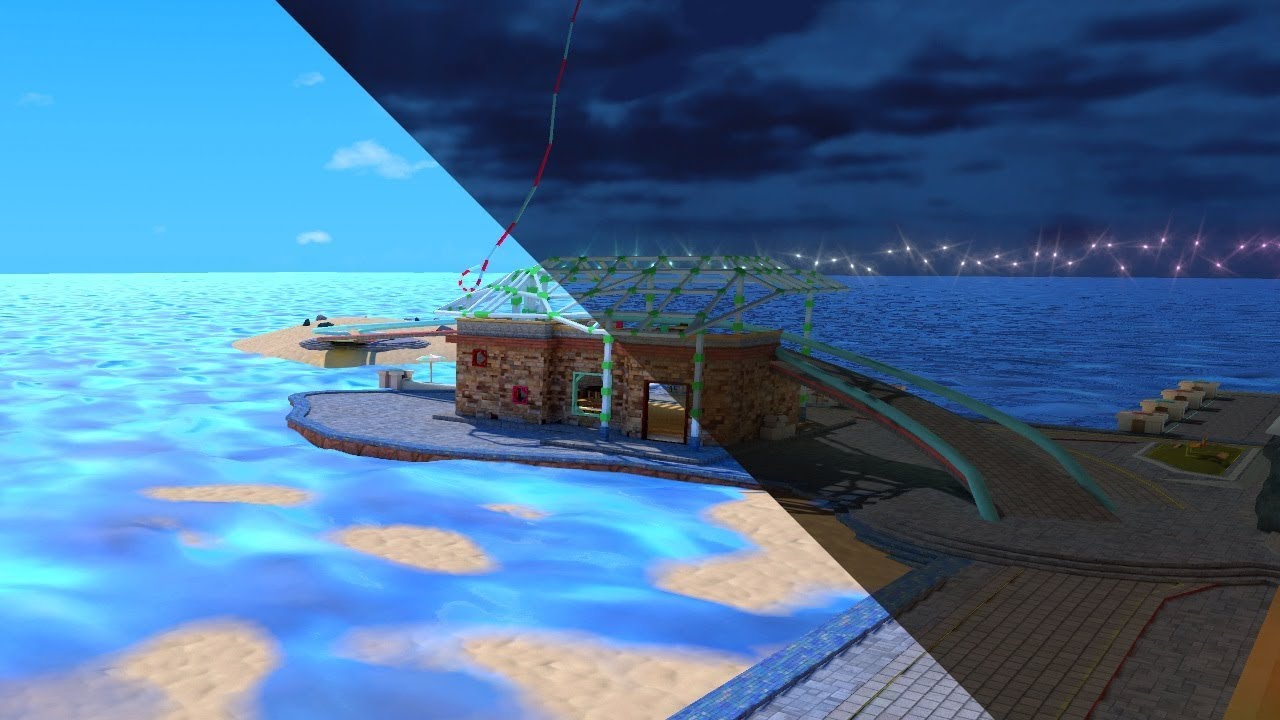
See it in action in Atoll of Ether: https://vrchat.com/home/launch?worldId=wrld_7644eab0-6408-42ab-8088-454c32c08768
The simple solution yet painfully long way around to swap Lightmaps in VRChat. At the cost of your sanity you too can offer this experience to everyone.
thx t...
near escarp
@sour fox Please use #shameless-self-promotion or join the community events discord in #community-servers-old to show of your world during the weekly community meetup if you need people to test
 sour fox
ok
buoyant hollow
@outer crane yes, uncheck spatialization in the VRC_Spatial Audio Source and set the audio source to 2D.
outer crane
Im talking about VRC script. I don't want to use it. Because it makes it harder to set my volume. @buoyant hollow
Idk why I cant just use Unity Volume Source. If i want to test how It sounds i have to load a test world.
balmy gate
@lean badger the one I use does Stop/Clear/AddURL/Next - don't call Play
buoyant hollow
If you are talking about the volume slider on the audio source, that still works.
balmy gate
@lean badger the only place I've seen a delay used is after doing TakeOwnership, before doing stop, addURL etc. And this is just if you want people other than master to control it
outer crane
Why cant I place my Postprocessing on my camera?
Its weird that its asking me to move it to another object.
near escarp
because that's the wrong way to set it up and leads to it not working
glad nova
anyone know whats causing this?
near escarp
just follow silent's tutorial
outer crane
kk
rain shadow
@glad nova you need to move your world closer to the origin of 0xyz
glad nova
@rain shadow is there a way I can hide parts of a world or just not render them based on distance? Im trying to add 5 sections to the world but im having trouble on placing them out of visual distance of each other
i tried adding spheres around them to simulate a skybox but it tanked fps
rain shadow
You shouldn't need to place them that far away for them to be out of the cameras view
glad nova
yeah i just noticed render distance in vrchat isnt that far
rain shadow
You can change it if you have a reference camera set
kindred thicket
what's the best way to align sound with an animation? A couple animations are playing too early.
Since the animation is on a VR_Station it doesn't look like I can put in a delay - is the only way to put it inside the animation itself?
 left thistle
Does Animated Texture U Vs not work for worlds? I got some and their just still images in world after upload but when I hit play in unity they animate
heres what it looks like in vrc compared to unity
 fossil estuary
Does anyone know the layer for the mirror to enable light reflections?
balmy gate
@fossil estuary you should be baking your lights, or if you absolutely need realtime lights beyond your one free directional light, using shaders with support for vertex lighting (for example, Standard)
If you absolutely need non vertex lit reflections, and like having a poor performing world with low framerates, untick the Disable Pixel Lights checkbox on the mirror script
But give baking lighting a thought first
 green lagoon
yep you must bake your lighting
 sudden laurel
AH i have a question
 worn radish
What is your question good stubhub?
 fathom plinth
why does my avatar look like a shadow? this only happens in the mirror
balmy gate
@fathom plinth is this your world? Same issue as a page vack in this discussion: Your avatar (except for the skirt) is using old shaders that do not support vertex lighting. And you are in a world with realtime lights and no baked lighting.
If you are the world creator, please bake your lighting
fathom plinth
yes it is my world, and i found out a different way to fix it, i unchecked "disable pixel lights" and it seems to have fixed the issue
balmy gate
@fathom plinth unticking disable pixel lights will cause massive lag and frame drops
So yes it will "fix" the issue but at a cost of making your world uncomfortable
fathom plinth
oh
balmy gate
VRCat: Community-Run VRChat Forums
Greetings! Over my course of playing VRChat I've noticed that most worlds, mainly the ones that have baked lighting, are done poorly, or in an...
If you want a world that runs at full framerates and looks beautiful, this is basically the main secret sauce to both things at the same time.
fathom plinth
thank you!
 cold zealot
does anyone know how to add a video player with play, pause, and custom url functions? I want to add this to my world
sacred warren
@cold zealot Check the prefabs list in the pinned messages.
 tidal charm
Hi people! I would like to ask you for help, you see, I am working on a world with lots of transparent objects which actually are:
- Water plane
- Caustics plane
- Transparent floor
- Transparent walls
- Planets
- Star
- Waterfall FX
- Water riples
- Some fake glow FX
By default almost every shader rendering queue is set to 3000, whit this settings everything looks like shit, some stuff does not render at all and some other stuff overlaps, so I started to play with queue order until I set everything to render properly and it looks very nice, I have added a First Person controller to test it during runtime and fix some issues that would not show in the editor, but once tested the world in VRChat, it looks like crap again, looks like VRChat ignores all the queue settings and just takes the default from shader, this because one I managed to edit the queue inside the water shader file to 3001 and after testing in VRChat it worked as expected, except this time the menus were broken because I think they are set to 3000, so the water was rendering in front of them.
My questions are:
1.- Is there a way to build the world based on the queue configurations made in the editor or do I have to manually edit all shaders to change the queue?
2.- Is it possible the change the render queue for VR menu shader?
sacred warren
AFAIK VRChat resets the render queue if you change it, you need to manually modify the shaders to make it work, annoyingly.
balmy gate
@tidal charm One more source of confusion to add to the mix: which shaders use GrabPass? GrabPass shaders (if done properly and named) will capture all pixels on screen, and kind of do their own blending. So if you have only one in the scene, it's like transparent... but if you have more than one, depending on how they are set up, they can either cause performance hits or not render through each other.
For this reason, you may need all water shaders in your world to use the same named grabpass and same queue to avoid having issues.
tidal charm
@sacred warren Ni, so there is a way to fix it
balmy gate
You will have to edit your shaders if you desire to change the queue. All of your materials get reset to "From Shader" on upload (with exception of Standard shaders)
sacred warren
@balmy gate Do you know why that's a thing? Or is it just another VRChat'ism?
balmy gate
Yes, it's apparently a bug with Unity asset bundles
which are mostly only used in VRChat (and other unity powered social vr platforms)
balmy gate
I would also check the grabPass situation if you want to make sure your world has good performance: If you see any shaders with
GrabPass { }
please replace with:
GrabPass { "_GrabTexture" }
- this will cut a few milliseconds off each frame in VR, and can be the difference between 45fps and 90fps
tidal charm
Is it possible?
balmy gate
@tidal charm explain the menu shader situation
"Is it possible the change the render queue for VR menu shader?" - which menu?
and what do you want it to look like
tidal charm
As I said before, long ago I uploaded a map with transparency issues, the water was not rendering at all, I fixed it by changing the render queue of the shader to 3001 and it worked in game, but I think that the rendering queue of the menus that display in VRChat is set to 3000, so, as my water was prioritized in queue order it would render in front of the menus, this means, if you were looking at the water and you would open the menus, you would not see them
I need to somehow change the render queue of the shader that controls the menus to 3004 or 3005
balmy gate
when you say menus, you mean a UI Canvas?
tidal charm
I am not sure, because I don't know how the UI in VRChat is set up
I refer to the menus you see inside the game
Worlds, Avatars, that stuff
I can not show you the issue right now, I have no access to my PC right now
balmy gate
the builtin menus break in your world?
balmy gate
ah, you probably randomly hit that unity bug that avatars use to exploit the builtin menus :-p
tidal charm
I have not tested it now, I should probably test it first then share the results
balmy gate
I would double check that your water shader isn't doing something obnoxious. given the number of shaders in your world, it could be any number of things depending on what shaders you have
if you have the issue still, maybe disable all but the shaders you think you are causing the problem
like hide most of your world, put a cube collider for spawn, and try and make sure it is the one you think it is
tidal charm
Yeah, good idea
balmy gate
and then you can tell us which shader it is
either the name or post a link to the source code if it's free and maybe we can figure out how to fix it
tidal charm
What?
wtf
Ok, so this server won't allow me to say it, but what I am trying to tell is that the water shader can be found on a site very known for many people when you can get assets for VRChat
its a free water shader made for VR
balmy gate
yes, so it's probably a crappy/broken version of a free shader, or something pirated
can you just say the name
not the website but the shader's name or the title of the post, and I'll google it
tidal charm
Can't right now, sorry
balmy gate
that site you are talking about is known for hosting pirated content
tidal charm
Oh, I see
balmy gate
um.... the material with water in it does have a name right? or something I can use to google
anyway I'm just going to drop this here. Use this water shader: https://gitlab.com/s-ilent/clear-water

GitLab
Simple water shader for Unity/VRchat that (ab)uses some Unity features to get a pretty water surface.
tidal charm
Wait
balmy gate
^ is what most worlds use
sacred warren
There are a few better than Silent's I assume? (without the refraction issue). There's another free one but I can't remember the name right now.
tidal charm

this is the shader I am using, because the one I was intended to use is not compatible with VR, so people had headaches after looking at the water
sacred warren
"VRWaterShader2/Standard"
tidal charm
Yes
Also, I would like to know if is there a way to access unity default shaders source code to make copies and use those edited copies instead of the default ones this because I need to change the render queue of some of them
Or just use a custom alpha blend and additive shader
for particles
balmy gate
Yes please go to the official Unity download page, find the version you want, and in the dropdown with alternate versions like torrent, there's one option called "builtin shaders" - this gives you a zip file with all the shader source code.
You can copy one of those into your project, make sure to change the Shader "" name on the first line to something different, and change the Queue tag, like Tags { "Queue" = "Transparent" } to Tags { "Queue"="Transparent+5" } for example.
Ok the shader you downloaded is made by synqark, a member of the vrc community. It does seem to match version 2.0 of the official source which is https://assetstore.unity.com/packages/vfx/shaders/vrwatershader-108207

This asset is NOT compatible for MobileVR (include Oculus Go & Quest)
Just a Water Shader with the profits:
- PBR Based parameters.
- Simply use, no additional scripts.
- Runs on SinglePass Stereo rendering.
- 2 Wave Height&Normal maps.
- Tessellation
- Refrac...
though I will say: it has two small issues that can cause performance and reliability issues: First, it uses an unnamed Grabpass {} block which means that each material or mesh with this water shader in your world will add a couple milliseconds of overhead in VR (performance cost)
secondly, it does use keywords, which could cause your world not to render correctly if the user has previously been to a public world.
However, aside from those issues, I see no reason why it would cause problems in your world
sacred warren
I wonder if I have a special version or something because transparency worked fine for me without any changes.
and no keyword warning either.
balmy gate
I don't think keywords are a warning. It's just a thing that causes trouble ingame if users go to multiple worlds and see many avatars
tidal charm
Thank you so much for your support guys @balmy gate @sacred warren
I was very upset yesterday because of these issues
 supple drift
I have what might be a dumb question about shader keywords. Does it work similar to grabpass in that if multiple shaders (like Standard and that water shader for instance) share the same global keyword name then it'll be shared/won't count toward the limit?
 dull cargo
I need help with something, it might be rather basic but.
On my map I basically have 3 Conditions that a player need to meet before x happens.
But I have no idea how to setup a Condition system. Any tips or waves in the right direction are greatly appreciated.
balmy gate
@dull cargo Two common ways to setup conditions:
Most flexible is using an Animator controller: Make two states, and add a bool or int parameter (using the parameters tab of the Animator window) for each condition you need met: bool if it's on/off, int if it's like a number of items you need to collect.
Then, in the base state, do nothing. Make a second state with an animation clip that turns on an object. Make an arrow connecting the default state to the second state. Uncheck Has Exit TIme (unless you want a time for the condition), set Duration to 0 and in the conditions section, add all your conditions.
Now, on the object you toggle on in your animation, add a VRC_Trigger with OnEnable and do what you want.
The other approach if it's just a bunch of checkmarks, no counting is needed... is to stack a bunch of game objects, and in the innermost one, make a VRCTrigger with OnEnable:
GotFirstKey (unchecked)
   - GotThroughDoor (unchecked)
        - BeatBoss (unchecked)
             - WinTrigger
@wraith field
Sorry about the wait
Another thing I noticed when testing it in VR last night: it does work, but not always.
There were times I loaded in and the colliders work fine,
but other times I had my whole hand in the button and nothing would prompt an interaction.
wraith field
@shy storm Hey, could you walk me through what's supposed to happen one more time? Is it: "Touch button (but don't click button) -> Music source gets toggled" ?
shy storm
My bad
The problem is I'm trying to make a user friendly button for VR users. The buttons work perfectly fine for desktop users,
but VR users have trouble pressing the buttons.
The button itself is supposed to be a simple toggle function on a local layer. So it only affects people who press the button.
The four you see have post processing (left), music (center), dynamic light (up), and trees (right green).
I have more on the map but the problem is the same. It's easy for desktop users to press the button, but always not for VR users.
balmy gate
@shy storm Do you use trigger colliders anywhere in your world? (for example, detecting when someone enters a room). If yes, those trigger colliders will prevent VR users from interacting with any objects or buttons within the collider.
If this is the case, there are some ways to avoid this issue
sudden laurel
Do you guys use blender for texture? Is substance too much?
shy storm
Blender should be fine for texturing imo
Substance is great but unless if you're making something insane with PBR then I wouldn't worry too much about getting the program
That's just me though
@balmy gate
I do, I have a trigger collider for a motion activated light as well as a welcome panel, which animates as someone enters the collider.
So I should either get rid of them or move the buttons away from these colliders & it should be good?
sudden laurel
I'd like to just learn substance for other reasons but I feel like it would make the worlds so big
shy storm
It all depends on how you make your mesh and textures tbh.
Also you can always condense your tiled textures into smaller resolutions for compression,
but I think learning Blender would be your better option in the long run
You do you fam, I'd recommend looking at all of the setup before downloading it though, it's quite the process
balmy gate
I don't know the correct solution but I know that is one of those things that causes interactions to break. Maybe you can look around for advice / what other people have done
if you can keep buttons away from those colliders, that should effectively workaround the issue :-p
random owl
@shy storm @balmy gate if you set the trigger colliders to be on the MirrorReflection layer the buttons should work again in VR
shy storm
I'll try it out, thanks!
kindred thicket
Hello, I am trying to make something like a Lazy Susan. I have a Cylinder that I want to rotate 30 degrees each time a button is clicked. Do I need to make 12 different animations or is there a way to make 1 animation and add properties or triggers to it that is only play the animation in increments? Thanks
sudden laurel
Thanks @shy storm
 rustic mantle
@kindred thicket maybe setup duplicated cylinders with the animation per cylinder. Click once it disables one then enables another cylinder for next rotation. Kind of a lot tbh tho
Not sure if you can make it to where it moves to next animation clip with in an animator
I have to take a look at my unity. When i get home. I did something similar to what u want without the need of dup objects
hidden canyon
hey, issue when i upload. the image doesnt appear as the camera i set it to, rather it shows the spawn. whats the fix?
cold zealot
do you guys know how to use jetdogs prefabs? im looking for the video player with the custom url, im just not sure which file i should be looking at or importing
hidden canyon
i move it yep, its in place. but when i upload it, it doesnt turn up
near escarp
turn up ?
hidden canyon
do i need to attach it to an empty?
sorry, slang. the uploaded image is the spawnpoint, and no matter where i place the VRCCam, it doesnt show that as the uploaded image
in fact, when i click build&publish, it removes the camera and replaces it
 stray sand
@cold zealot did you import the latest unitypackage yet? https://github.com/jetdog8808/JetDogs-Prefabs/releases/tag/V3.1

GitHub
Prefabs for vrchat to help creators ranging from beginners to more experienced users. - jetdog8808/JetDogs-Prefabs
cold zealot
@stray sand yup im on unity right now, just imported it. Im looking in the theater folder, but im not too sure which file i should be dragging into my scene
stray sand
The theater is a scene i put together to show dynamic lighting from videos. You can edit it if you want. If you just want to drag and drop a video player go to JetDogs-Prefabs/unity files/prefabs/UI inside is two prefabs called “custom url” you can pick between which type of video player vrchat uses.
cold zealot
oh okay i see it, and the custom url should be on the bottom correct?
stray sand
Top left.
rustic mantle
@hidden canyon did u get any console errors? Try reinstalling sdk
Do u have latest
cold zealot
@stray sand alright i'll give this a try. Thanks!
stray sand
👍
rustic mantle
Normally u just position the vrccam then upload
And uncheck upload image in the upload screen in game tab if ur making a new image
 spark thunder
does anyone know how to see the broken stuff in ur project that it doesn't show...but shows in vrc?
cold zealot
@stray sand i cant seem to click on the url button. I uploaded it to the world, but when i click on the url button on the top left, nothing happens
stray sand
Can you upload a image?
cold zealot
so basically i moved the custom url to the bottom left with the panels as well
the other buttons work, its just the custom url that doesnt
stray sand
Can you see the box outline. That is the canvas. You can only interact with ui when its inside the canvas. You’ve moved the box outside of it.
cold zealot
oh so i have to move the box inside the canvas for it to work
stray sand
Yep. You can also extend the canvas.
cold zealot
alright i'll give that a try, thanks!
kindred thicket
@rustic mantle I made animations for each 30 degrees and it works. So I'm happy. Thanks
kindred thicket
One like this and only one Next button, Layer, and Parameter.
 calm mist
Hey so, if anyone has a clue as to why my Oculus Quest version of my world is showing some pickupable objects as different objects that arent there? Like for instance, there is a plant on the table and in the editor it shows it as the plant. but according to my quest users they say its a cup.
buoyant hollow
do you have two separate unity projects?
calm mist
Yeah one for quest and one for PC. Both are identical
tidal charm
Hello people, I would like to ask for help about an issue I got with transparency...
You see, I got a ProceduralSpace.shader from this link song ago:
The link is not available any more, but I uploaded the shader to Dropbox.
Originally the shader Render Type was set to Opaque, but I have made a change because I need it to be transparent, so I edited it (I don't have original version any more), how ever I made a copy and set the Render Type back to Opaque.

reddit
Posted in r/proceduralgeneration by u/laitch • 16 points and 3 comments
Now I am going to explain the issue, in Unity, during runtime this is how it is supposed to look and it just works perfect:
But in VRChat it looks like crap:
As you can see there is a transparency issue with the floor and the glass wall
for the floor and wall I am using standard unity shader
Link for the shader:
https://www.dropbox.com/s/0qhd8s0t47rq9tp/ProceduralSpace.shader?dl=0
 balmy gate
I'm a bit confused @tidal charm is this ProceduralSpace set in the skybox material in the Lighting window? - or you're applying the skybox to another object like an inverted sphere?
The actual Lighting skybox ignores some settings like render queue
tidal charm
I have tried both use the shader as skybox (in lighting tab) but also applied as a material on a icosphere exported from blender with normals pointing inside
Oh boy, this is progress...
I have set the render queue to 2000 and applied the the material to an inverted sphere instead to the skybox
now to fix the planets...
tidal charm
right?
balmy gate
unless...you are setting the render queue in the shader correct?
tidal charm
this is BS
tidal charm
2000
balmy gate
how?
tidal charm
from shader
balmy gate
ok so you edited the shader and set "Queue"="Geometry" right?
tidal charm
Tags { "RenderType" = "Opaque" }
balmy gate
BTW: RenderType is not the render queue
it has no effect, and only changes certain special camera functions
However, because you do not specify "Queue" it will be 2000 by default. so that works
Another note: Make sure when you change tags, you change the tags inside SubShader { , not Tags inside Pass { - the Pass Tags cannot change render queue
anyway sounds like you're managing
calm mist
No one has any idea why my stuff is broke either?
balmy gate
Did you delete objects between PC and Quest?
how do you port your world over to be quest?
calm mist
They are identical.
tidal charm
Yes, I am changing the tads in the sub shader
balmy gate
do you use LODs Jerry?
calm mist
I only have one object that uses it
Im going to resupport PC on the quest version project and then after its finished. Resupport Android.
See if that fixes it
But there isnt nothing that is different between the Quest and PC.
tidal charm
@balmy gate bro, thank you
It still has a minor visual issue, but it is now working, thanks for all the help with the queues relates stuff
hidden canyon
is it possible to delete a world?
tidal charm
No, onece it is on the cloud, it stays there, but you can unlink it from your account
hidden canyon
how do you unlink ?
kindred thicket
why do some UI buttons and textboxes disappear at certain angles?
One inch to the right
Could it have something to do with this big red sphere around half of my world? I don't know what it is, but it appears that when I'm in the Sphere the UI buttons and text don't blink or disappear but when i step out of the sphere and look at them they disappear when I move.
kindred thicket
When in editor. Last time I checked it also did that in game, but I will test again in a few minutes.
calm mist
Have you tried changing the Order in Layer?
kindred thicket
Not sure where that is, so no I haven't 🙂
calm mist
Click on your canvas. Its under the canvas component
kindred thicket
If I make this the base layer as 0 then add others on top of it then they should be 1 and 2?
I can't test it yet, I'm uploading....
changing it to 3 fixed it Thanks
calm mist
It just prioritizes it to render first before anything else. Think of it has a cake. The top is the icing,(Order in Layer is 5), The middle layer of the cake is (Order in layer is 0)
etc
But im glad it fixed for ya
kindred thicket
Thanks
 proud grail
Any idea how this world (https://www.vrchat.com/home/world/wrld_e3435267-9647-4f85-9c83-c9595e6ecc79) does it's camera system, im trying to do something similar with board game pieces

VRChat lets you create, publish, and explore virtual worlds with other people from around the world.
I have most of it set up but i just cant figure out the animations to get it working right
balmy gate
what specifically are you stuck on?
Taking a picture is pretty easy to do: enable a camera for a very short time, then disable it. The attached RenderTexture will keep the last frame the camera was enabled.
If you're wondering how to do multiple houses using different textures, I'm pretty sure that was done manually: you would need to duplicate a different copy of the RenderTexture asset and camera with that target texture for each house.
proud grail
So there isn't any special thing i need to do to the animator to allow for pictures to be taken after the first is done?
This is how i have it set up right now
proud grail
Nvm i figured out a (somewhat nasty) way to do it
kindred thicket
How do I turn off the white border on a Canvas?
stray sand
That you see in the editor or a border you see in game?
kindred thicket
Well, I see it in the editor right now. I will be in the game shortly to see if it's in the game. I'm not sure why I've always thought I could see it in game....
stray sand
You wont see it im game. Unless you add a image to it to make a border.
To hide it in editor you can go to the canvas component and hit the arrow in the corner to hide it.
kindred thicket
ok, Thanks
kindred thicket
How can I make text in a Text Object more clear, to see it good you have to stand pretty close.
balmy gate
If you want good looking fonts, Merlin has implemented a MSDF font renderer which will produce crisp lines and proper antialiasing:

GitHub
Basic tool to convert Unity fonts to use Multichannel Signed Distance Field fonts - Merlin-san/Unity-MSDF-Fonts
Aside from that it's kind of hard to fix unity's builtin text shader because the letters are rendered too close to each other to allow for mipmaping. If you don't want MSDF, another thing Merlin has made is the "MUI shader" which fixes some of the artifacts on text edges:
https://github.com/Merlin-san/MUI
GitHub
Modification of the Unity builtin UI shader that fixes the edges of quads being visible on text characters - Merlin-san/MUI
kindred thicket
Thank You
 simple imp
can i ask for worlds here?
like im trying to find a really aesthetic world to chill in but im new to vrchat and idk how to find one
like a nice aesthetic modern apartment
calm mist
Loft's apartment is something ive seen but not gone to. I have a world called ChillZone that has nice music, and overall nice vibe to it.
It works for quest and PC
Im not too sure about the apartment world tho
That one isnt mine
simple imp
@calm mist so how do i join a world using only an id
proud grail
Why does my world with 0 visits have 1 report?
 empty sparrow
Its a bug. Happens a lot if not to everyone
proud grail
Ah ok
cold zealot
How do you make a door so when you click on it, you can go in and out of the rooom?
 raw vessel
i want to import in my world 1h of some nice music
that is like 600MB
and the type of audio file is .wav
but when i import that music to unity
unity tell's me that there is some error in importing
because it run out of memory
any help please
random owl
Unity can't handle too large of audio files
You should really just have a video player in the world play that off youtube or something instead of having the whole audio clip inside your world
 short gulch
I had to reduce the quality of an hour long track by a lot to get Unity to even import it, but once I did the lowered quality was barely even noticeable since it was mixing with ambient audio and engine sounds. (The track was a radio station that you can listen to in cars.)
sacred warren
Don't forget to always import in WAV to Unity so that you can tweak the quality and such from within Unity for the final file, rather than double lossy-transcoding.
Basically the exact opposite of what Lakuza just said, lol.
People always seem to forget that what goes in to Unity isn't what comes out of Unity. Always avoid using lossy compression as a source for Unity assets.
ornate turret
can you get a wav file down as low as ogg format from within unity?
bold ibex
yes that's what the quality settings are for
ornate turret
i wasn't really targetting the quality side, just about getting file size down
good to know
I'll have to try that out next time in that case
I was always intimidated by wav's massive size compared to ogg
I'm guessing the wav file size doesn't play a role in downloads or storage?
bold ibex
it will not end up in the unity bundle as a wav but compressed using the import settings
ornate turret
if I can get like a 40-50 minute wav down to like 16mb I'm happy with that then 😄
I'll delete my advice above , thanks for the clarification guys 😄
bold ibex
yeah, that's a problem, I don't think unity handles 50 min wav files well
sacred warren
@ornate turret Yes, Unity will take whatever source audio file you give it and then let you select MP3, Vorbis or PCMWAV as the output audio, as well as optionally switching to mono and then setting the quality as a 0-100% slider.
It should handle it just as well as any other encoder to be honest, AFAIK it just uses libvorbis in the backend.
The other benefit of using lossless source material is that you can edit it later without having to worry about further degrading the quality by saving a lossy file over a lossy file.
 slow orbit
It definitely uses libvorbis since I recently had to fuck with libvorbis.so because unity was being a whore and not recognizing it existed and was correct
bold ibex
How do you make a VRCMirror optimized? (As in showing only player models and the skybox)
buoyant hollow
there are unity layers it shows, it by default is set to mixed. Make it show only the layers: player, and mirror reflection.
@bold ibex
bold ibex
So, playerlocal isn't needed?
buoyant hollow
no need
bold ibex
Alright, thank you.
 verbal stream
Would anyone want to join me in making a Heavenly Host Elementary School World? See I know a tiny bit of unity (I know how to place, add texture, get assets) and I feel like I’d need to know so much more. See, I have the ENTIRE layout in my head. Meaning that I know the entire map through and through. I’m not one for scripts so if you’re not into that, it’s alrighty. Just looking for a partner to build this project with me. This is something I’d be really proud of doing and has been a dream of mine ever since I got my VR and new PC. Please message me if you’re interested!
kindred thicket
Hello, Is there a way to stream a camera in my world to my hard drive?
raw vessel
@random owl
ok thanks
random owl
🤔
 dusty breach
First Time Ever Question: Can Anybunny Help BunBun? Bun has a Moving Box(platform) that goes left and right, but whenever Bun stands on it. Bun just slides off of it. Anybunny knows a Solution to it? in making people stay on it? ❤️
sacred warren
So would these audio elements be contributing or not? They aren't technically active (and they have to be like this for the random trigger to fire)
open thicket
what happens when i set the send RPC for standard vrchairs to local
will the sitting still be synced for everyone? With object sync
ah looks like I can't make it a local thing, but I was planning to make it so that if you rode a ride, it would activate the quest indicator that you rode that thing
 cobalt sluice
Do OnInteract (local) then
open thicket
the problem is i could do that i think but then wouldn't it mean multiple people could ride the same seat?
i think i solved it
onstation enter local i think might do the trick
cobalt sluice
How are you preventing multiple people from riding the same seat? And yeah that works
storm plover
2 things I'm curious of. 1: how would I turn a jpeg image into a cubemap? (Or how would I get a jpeg image to become the skybox in general) and 2: How would I make songs play through one after the other like a playlist, then loop back to the beginning?
buoyant hollow
you can just set the image to be a cubemap, but it will look bad.
its its already a cubemap layout then you are fine
once it set up make a material, set it to a skybox shader that supports cubemap, then place the material in the skybox section of the lighting menu.
stray sand
@storm plover https://docs.unity3d.com/Manual/class-Cubemap.html
For the second one i personally use a animator that lasts the length of the song then the next animation selects another audio track.
storm plover
Yeah, looks kinda bad as a cubemap. Anyway around it?
stray sand
Other then trying to remake it or use another one not much.
storm plover
@stray sand Wait, how would I get it to work like that? As for setting an animation for the whole world
stray sand
I dont think i have a simple set up for it but i have a animation in a animator that is the same length in seconds as the song. So when that animation starts it also starts that song. Then after the song is done so is the animation. You can have animation transitions in animators so it transitions to the next animation clip. Which loads up the next song.
storm plover
So I guess, add an animator to the world, make separate animations that toggle on a song and play through them, then when the animation ends, (somehow) set it to play the next animation you want?
stray sand
Have you not set up animation transitions before?
storm plover
Not transitions, no. As for animation I've only done it for avatars and binding them to emotes, gestures, idles, etc. Never done transitioning before
stray sand
I dont think i have a simpler way. Though with udon it would be easy to make a user friendly playlist.
storm plover
You think it'd work if the world had the animator with one animation, but once one song ends in the animation it starts another?
I feel like it'd be good to have buttons to skip through songs too but that's another issue
kindred thicket
I am trying to delete 10 seconds of frames in a Dopesheet for a long animation. It took 5 minutes to select the keys - is there a better way to remove empty frames? This doesn't seem to be working.
stray sand
@storm plover this is a earlier build of it but in the beginning you can see what i set up. https://youtu.be/k6H9CMrjCu8

Once the song ends it moves to the next one.
storm plover
Ah, I wasn't thinking of using a media player at all
stray sand
I know but its the same concept.
storm plover
So I figured out that you can make transitions in the animator, just not sure if there's anything I need to check or do to make it work properly
stray sand
Will want to remove the transition time.
So there is no blend between the animations.
storm plover
Is it as simple as that?
balmy gate
Set duration to 0 in settings to make it instant
And uncheck Has Exit Time If you want it to only go when the conditions are met
Has Exit Time + conditions means it will have a minimum time after which the condition will be checked
storm plover
All I need it to do is play the next song once the first one finishes
balmy gate
Ah then you want exit time and no extra conditions
Sorry I misunderstood what you were asking. That looks fine then. Just open settings and make sure duration is 0
storm plover
Alright. Only thing I'm curious about is how the bars that represent the songs in the screenshot aren't perfectly one after the other by the looks of it. Will the next song cut in too early?
While I'm on it, how would you add a "skip song" button? I know how to tie buttons to toggle on or off specific music, but I'm not sure how to make one that simply skips the current song playing and begins the next
balmy gate
That is by going to the parameters tab of the animator and adding a parameter of type trigger
Then make a second transition to the next track and in that one uncheck Has Exit Type, and add a condition which will have the trigger parameter
Call the trigger parameter next
Then in your button do AnimationTrigger next on the animator to skip tracks
storm plover
Is this how the button should look like?
kindred thicket
What does your animation parameter look like?
storm plover
The parameter is just a trigger named "Skip Song" and I made a 2nd transition for every song that uses that trigger as a condition
kindred thicket
It looks like if the Trigger "Skip Song" matches the Parameter "Skip Song" exactly then it should work. Have you been able to get it to work in play mode and clicking the Parameter?
storm plover
Okay, good. I tested it and it works like a charm
kindred thicket
Is "Is Trigger" checked, maybe the trigger isn't firing.
storm plover
Only issue with the world now is something unrelated though. For some reason the mirror I use is reflecting at an odd angle to the left instead of where the mirror is facing
kindred thicket
huh, that's a good one. have you tried adding a new mirror and seeing if there is just something wrong with the one you are currently useing?
storm plover
Yeah, I tried another vrc mirror and it has the same issue
kindred thicket
Guess you will have to wait for the experts on that one
storm plover
I did notice that when I rotate the mirror, it elongates and shrinks depending on what direction it's facing. No idea if that's related to the issue but, it's something
kindred thicket
Oh, it sounds like you have it in a gameObject that isn't scaled to 1,1,1
Take the mirror out of any GameObjects and see what happens. That should clear the elongating when turning. I have learned the hard way that if I'm going to use a GameObject, the base always needs to be 1,1,1. I don't know how accurate that is, but it has proven to be true for me.
balmy gate
yes, it's called skew
storm plover
Okay, that fixed it. Derp
kindred thicket
Thanks Lyuma
balmy gate
causes all sorts of weird issues
storm plover
Well, with that I think all that's left to do is add other things like seats for the fun of it, maybe a photo room or something, then it'll be a world where people can go relax and hang out
kindred thicket
Sounds Great!
balmy gate
cool
storm plover
Thanks a bunch for the help
cold zealot
how do i setup a trigger so that when i click on the door, i go in the room. But when im in the room, i click on the door and it takes me outside of the room?
dusty breach
Can Anybunny Help BunBun? Bun has a Moving Box(platform) that goes left and right, but whenever Bun stands on it. Bun just slides off of it. Anybunny knows a Solution to it? in making people stay on it? ❤️
sacred warren
@dusty breach That's just how physics work in VRChat as far as I'm aware, you have to sit on a seat to be locked in place.
dusty breach
Worlds like Bunny Hop seem to have it figured out somewhat. :S
 reef sparrow
Quick question: How does "allow manipulation" of pickups work when it is also using an exact grip?
sacred warren
At a guess, it lets you rotate it with the other controller, but then snaps back once you let go.
reef sparrow
Thanks
 nimble hull
take the vote: are you turning stutterstepping and walljumping on ⏫ or off ⬇️ for sdk3 worlds
 mellow moon
anyone here know a good way to make a randomized in vrchat since udon isn't out yet
 bronze smelt
Use the triggers built in Randomize checkbox
 elder willow
How do you change a variable in a script when a player interacts with a VRC_Trigger object?
elder willow
New problem, when I change the text property from a TextMesh in a script, it works in play mode but not in VRChat
bronze smelt
TextMesh doesn't currently work in VRChat.
elder willow
What should I use instead?
I want text on a wall that changes when a script calls for it
bronze smelt
UIText
Just be aware that custom scripts don't work, but you can still change the text with triggers and UI buttons
elder willow
So you can't script at all in vrc worlds? Really?
bronze smelt
No, and that's for security reasons (their words), but there is #udon-info coming soon that you can look at
elder willow
Interesting, thanks!
wraith field
Does anyone know if worlds being accessed in "Test Mode" through unity can be explored in VR? That is to say, if I plug in my headset and controllers, can I still explore or will I be stuck in desktop mode?
rain shadow
If you have your headset plugged in and use SteamVR it will launch in VR mode
wraith field
thanks!
 queen ferry
Testing always launches in Vr Mode. Unplugging your headset will still launch in Vr Mode, but Vr Mode supports KB/M set ups as is
spark thunder
can someone help me and tell me why there is a blue tint over certain gifs i have in my room also why its showing on my actual model im using while in the room also? it just happened randomly.
it only shows in vrc not in unity. not even when i push play
 cedar nebula
you might to send a screenshot of what you're talking about, and #world-lighting might know more about it as it sounds like a lighting issue
open thicket
if a vrchair is set to local
and its on an animated gameobject
will people still appear on that gameobject
and will chairs still be normal?
 modern kayak
When you are in a chair, that overwrites syncing your position. So as long as the animation is synced and everyone sees the chair in the same place, then the player's that are in the chair will be synced as well
And the networking type you use to enter the chair is completely irrelevant, the chair that you are in gets synced regardless
 narrow ibex
Hey so I am making a ship flying over an ocean but having trouble with the ocean/skybox cut-off. If I make the ocean big enough so you can't see the edges when you turn your head lefty and right the horizon moved up and down. Is this a VRChat thing?
near escarp
you either make the ocean smaller to fit in, or you increase the camera clipping distance, at cost of performance
narrow ibex
Hmm. I made the ocean smaller but I had not considered the camera clipping distance.
solid helm
Or you can give the skybox a special shader so it doesn't get clipped
narrow ibex
I am playing with a shader that uses the inside of a cylinder to blend the skybox to an infinite texture but not sure how to combine that shader with my ocean shader
I also tried putting my ocean on top of a cylinder for some reason if the cylinder got too big it would move my spawn point high into the sky?
 novel remnant
Anyone know the best world to make friends
narrow ibex
@near escarp Thanks, the camera cut-off is a workable solution. Hopefully it's not a lot of extra rendering since it's just a plane with a shader on it within the higher render distance.
near escarp
shouldn't be too bad
 rough wedge
Having some kind of issue uploading an update for a world of mine. Gets stuck in the first "Building Player" progress bar, before the main window for upload name/settings appears.
https://gyazo.com/343f772a5ec59e326797612e93ef2ce3

 rough wedge


I didn't add any new meshes, but did set some objects to static.
Fixed some of them. Now only have "Resource file has already been unloaded."
rough wedge
Error pause is off. Most likely the lightmap thing. Very new to that.
Fixed. Sort of. Removed static from all the objects I marked as it, and upload is progressing normally now.
Will learn how to do static lightmap stuff properly and try again later.
Thanks for pointing me towards the problem. ^ ^;
narrow ibex
So if I have a water shader and some alpha foam textures is there a way to combine them? I tried adding two materials but it did not seem to work
near escarp
Only way would be a custom shader to do that