#world-development
39 messages · Page 21 of 1
 mild spade
you can even add the pickup on the "Chair" As long as you dont put the pickup on anything inside (below) VRCChair, you should be fine.
 kindred thicket
Thanks
 pale junco
heyo, is there something that I need to do to play live streams with the VRCVideoSync Prefab from OG VRCSDK
Do I need to remove the VRC_Sync
and add the VRC_Sync Video Stream?
or do I keep the VRC_Sync and add the VRC_Sync Video Stream
Also How do I make things to enter urls into
so i can have people play their videos
 dawn bronze
 bold ibex
Hiiiii
 balmy gate
@pale junco There's nothing called "VRC_Sync".
Are you asking if you should remove VRC_SyncVideoPlayer and add a VRC_SyncVideoStream?
if so, yes, you cannot play live streams in a VRC_SyncVideoPlayer or a VideoPlayer component. You need SyncVideoStream
you can also go and download https://github.com/MunifiSense/Hangout-Player and add this to your world - it does all the setup work for the video player so you don't have to

GitHub
Basically the video player in Hangout House for VRChat - MunifiSense/Hangout-Player
 sacred warren
@random owl Weird. I've gone around removing even more things from being occluders (things that would never actually be occluders) then rebaked and the size has gone back up to 11MB for some reason.
 random owl
Hmm interesting 🤔
If you are just removing stuff from being occluders that shouldn't increase it back up esp since you got it down already once
sacred warren
Exactly. The only difference is that I've re-baked the lighting since then (there were no lightmaps when I got the 2.4MB version).
 crisp crater
Hi, is there a way to change Audiosource.volume from a vrchat trigger? I can change it via a button script (onclick with the audio source as the linked thing), but I want to use a clickable object. Thanks
sacred warren
Rebaked after making the remaining flora non-occluder and it's 10.9 still so yeah, the 2.4MB must have been a fluke somehow.
random owl
What values are you using for the bake?
sacred warren
The defaults, 5, 0.25, 100.
I assume not, but do you know if it's possible to implement Unity's recommended culling in VRC? In that you use 2 cameras, one set to a longer far culling distance with a mask to allow just the terrain and any large, "visible from a distance" objects. Then the other camera set to mask everything else, which you then set to have a far cull of just outside your fog distance. This in turn gives you far better performance due to the extreme culling, but without the whole "landscape disappearing" issue you get using a single camera.
random owl
Don't think that's really possible since we don't have that low level control over the rendering
sacred warren
Optimising is hard when none of the methods for optimising actually work in VRC... lol
random owl
I mean there's plenty we can do to optimize it's just stuff like that isn't in our control
The amount of worlds needing that and or actually would bother implementing it is pretty low
Impostors would be neat to implement though
sacred warren
Already using impostors, technically. (trees outside X distance are replaced with billboards)
But I just don't see how I'm getting such a bad framerate with what isn't an overly complex scene 😦
random owl
Wanna send me the test world id so I can test what I get in there?
sacred warren
Sure, let me just push an update first so you can see what's currently in dev.
 marble silo
Hey guys, hope you are all psyched for 2020. I am trying to add a "knockback" effect to a rigidbody, but setting velocity/angularvelocity/force etc doesn't appear to be doing anything. Am I missing a trick?
ah no worries, I am sure it is not in the documentation for a reason. I'll find another way
 modern kayak
There are a couple ways. If you want the force controlled by the rigidbody, you can use a constant force component and have an animator pulse it on for just a fraction of a second.
The other way, if you're talking about something like a gun where the force is controlled by a projectile hitting the object, is to use particle collision force. Not sure how to explain it other than.... It's there, use it. In the collision module of particles.
@marble silo
marble silo
Hi Phase thanks, what I was hoping to do is knockback a distance when someone interacts with the collider. Think about how a mob hops back a short distance when you hit them in Minecraft. I'll have to play around with these particles I think!
modern kayak
Yeah, you could get the player's position using playertracking and then when the player interacts with it, launch a particle from the player toward the direction of the interact
sacred warren
@random owl It's updated now, you'll need to be on the 2018 beta though. wrld_702c00a8-b5a2-4833-affd-ae2613bd4b8f
random owl
I'll go visit as soon as my light baking is done
 deep hamlet
So I may have just lost the world I was building in unity, is there a way to download it from VRC?
sacred warren
Nope, you need local copies.
 dawn vault
is someone like ultra good it world trigger systems? i need a mature help right now for a big project
 summer light
hello can anyone suggest a good tutorial for elevator system in vrchat?
cant find anything regarding vrchat implementation
 buoyant hollow
There are a couple ways to do a elevator. You can animate the elevator, or you can make two identical elevator cabs and teleport between the two.
@summer light this is a example of a teleport elevator https://cdn.discordapp.com/attachments/482310067052609536/659947423589990431/com.vrchat.oculus.quest-20191129-221136.mp4
summer light
ah okay got it
buoyant hollow
this particular elevator uses phasedragons seamless teleport. That has a bit of a learning curve since there isn't documentation. I'd say start with basic teleport for now.
This has its issues because you see players blip out of existence temporarily. A moving elevator you will see players lag in the floor or above you, and you can't use your menu.
summer light
hmm okay
buoyant hollow
So for what I did here. I had a onEnterTrigger (set to player local layer), that triggers the teleport. I had the isTrigger collider be disabled. Clicking the panel triggers a animation that closes the doors and then enables the previously mentioned isTrigger collider.
the teleport trigger is local. My animation trigger is not local, but it would be best to have it local.
buoyant hollow
If you just use regular teleport the downside is you will see yourself snap to that position, but the benefit is you won't accidentally teleport people into walls.
I may have teleported half the community meetup into walls.
sacred warren
Is that distance dependant? I've been using TeleportPlayer and it seems instant, there doesn't seem to be any "travel" time.
 halcyon wren
instead of moving the elevator, just move the entire world around the elevator
buoyant hollow
That's what elevator VR does.
halcyon wren
I think that's what the aoto train world does too
buoyant hollow
@sacred warren it is instant, the issue is that player IK is not. So if everyone teleports at the same time they actually don't show up as teleported at the same time.
@halcyon wren yes lots of world do that to great affect. Usually to avoid motion sickness and jitter
sacred warren
Ah, makes sense. Even worse on 2018 where everything seems to lag behind badly.
halcyon wren
It seems that a lot of games haven't been able to figure out the problems of player standing on moving objects
buoyant hollow
I don't know too much about game making, but I do know networking makes everything like 10x harder.
kindred thicket
Why does the VRC_Chair not move with the object it's in? What's weird is the "Sit" collider from the VRC_Chair is in the object (Large Chair) and when I move Large Chair that part of the VRC_Chair follows the Large Chair but when I sit it me and the chair falls through the floor.
The Hierarchy is:
Large Chair
Body
VRC_Chair
ChairBase
ChairBack
etc....
buoyant hollow
how are you moving the chair? Does it have a Ridged body? What layer is it on?
buoyant hollow
everything should work, but what are your triggers doing? The ones in the second image
 rain shadow
chances are you have the chair set as a static object
buoyant hollow
actually yes, it is set to static
rain shadow
ah yeah you can see in those screenshots
buoyant hollow
but why does it fall through the floor?
I suspect the custom triggers might be the culprit, but I can't see what they do.
kindred thicket
I will send them to you. They are turning off the Colliders to when i sit in the chair it won't let me pick it up
buoyant hollow
that's why you fall through the floor then.
buoyant hollow
keep what you have, add a very small collider to the large chair, one that is flat
or enable it in the same trigger.
 gleaming fog
Anyone know what world this is?
rain shadow

Swap Day & Night at Spawn․ Within an endless Ocean‚ along a peaceful Beach you may find a view of the Sea that few have seen․ Lagfree using 12 Drawcalls and it also has a mirror‚ whoa․ Quite the trop…
pale junco
@balmy gate Thanks!
kindred thicket
I believe I'm getting closer, I have one chair that is working and one that isn't. The chair that doesn't work says Static when I play the scene. How do I make that go away? Thanks
I compared both chairs and they appear to have the same properties and settings.
buoyant hollow
uncheck static in the top right of the inspector.
kindred thicket
ahhhhh, dang - thanks
ok, I have another question. I am making a MMD Dance World and all the motions are working great except the facials are not playing on the avatars. How do I play both motions (the body and the facials) at the same time on the same object?
I will be making another Anim from Blender to make the facial anim.
 graceful bough
I'm trying to import the home kit and it's throwing some errors
does it not work with unity 2017.4?
the SDK loads in fine
buoyant hollow
unity 2017.4.28?
graceful bough
28f1 like the docs say to use
 unborn elk
Got duplicated pipeline manager script?
graceful bough
I'm new to unity I have no idea what that means B)
But this project is new so I can't imagine there is dup anything?
buoyant hollow
on the vrc world object in the hierarchy, that is where the pipeline manager is
I would still recommend removing the sdk and reimporting it.
buoyant hollow
 well it has to do with the mirror, maybe remove the home kits mirror
graceful bough
I'm just trying to follow the documentation tutorial
buoyant hollow
or maybe it has to do with the layers? I'm not sure. Did you already set up the collision matrix and layers. Its a automatic process when you try to test.
It will ask you to do so
graceful bough
I have done literally nothing besides create a new project and add the sdk and homekit
It didn't ask me that and the tutorial didn't say anything like that
VRChat
Resource Links Download Unity 2017.4.28f1 - https://unity3d.com/get-unity/download/archive (Make sure you click on "2017.x", then find "2017.4.28")VRChat SDK - http://vrchat.com/download/sdkHome Kit - https://assets.vrchat.com/kits/VRChat_HomeKit_v1.unitypackage Description H...
I'm 2 minutes into the video
 modern wyvern
can someone tell me how to fix shadow glitch
buoyant hollow
@graceful bough I think I will have to create a project of my own to test a figure out what is wrong. I will do this when I get home.
buoyant hollow
I'm certain it is the mirror shader. I will honestly have to mess around to see if I can fix the reference. I think you are safe to proceed on the tutorial until you have to upload.
graceful bough
I was able to get it to build and test but the mirror is borked
buoyant hollow
so it is the mirrors shader
buoyant hollow
go into the vrc sdk folder. There should be a folder called prefabs, drag in a mirror prefab into the scene. Check if it is borked or not.
 valid umbra
Hi! how do I make a slider for a post processing profile? the intensivity?
balmy gate
@valid umbra For dynamic post processing controlled by an animator, make another global post processing volume (assuming you have v2 post process) with just what you want set differently... set weight to 0 or 1 based on how you want it on by default. Add animator (uncheck it) with a animation clip onto the new post processing volume.
If you want to control the Animator directly from the slider, then make the animation set Weight to 0 at time 0.0 and Weight to 1 at time 1.0 - make sure to set the curve to linear or pick a curve that works well. Also make sure Loop Time is off on your animation clip! (You can also choose to make the slider use "Whole Numbers" and then make your animation clip do something at time 0.0 ,something different at time 1.0, time 2.0 etc to achieve the integer effect you originally asked for)
Now for the UI Slider. In On Value Changed (), add two actions with the new Post Processing Volume:
- Rebind()
- Update [in top dynamic float section]
Also, for all sliders in your world, always set Navigation to None and make the canvas have a huge margin around the slider. Otherwise the click will get stuck and it will change randomly as the user walks around the world.
 royal canyon
I have my trigger set up like this. It activates a particle, then is supposed to turn the particle back off after 5 seconds so when it "wakes" again upon Interact it'll play the particle again. My issue is that the trigger isn't even firing the first SetGameObjectActive. Anyone know why?
pale junco
\
my keypad teleports everyone instead of the local player, if anyone has any tips on this that'd be great!
thanks!
royal canyon
I'd untick "Take ownership"
pale junco
What does that do anyways?
royal canyon
just try it
royal canyon
I'm not quite sure honestly
"Takes network ownership of the object"
not sure how to describe that in layman's terms or the techicalities of it, I'd like to know as well
"Take Ownership of Action Objects
When this option is enabled, it allows the Trigger to automatically take ownership of objects if the action requires it."
what would be the purpose of "Take Ownership"? anyone have an example of how it would be used?
modern kayak
That only applies if you're dealing with objectsync
mild spade
@pale junco Maybe something is being buffered to other players? The triggers that input the keypads numbers, are they buffered? Or how exactly are they used? hard to tell, not sure exactly what the "take ownership" does to objects without Sync_Object
kindred thicket
I have a jpg with a transparent background, I added it to a plane, how do I make the transparent part transparent?
balmy gate
you mean png
click the texture in assets and check alpha is transparent in the import settings in the inspector
kindred thicket
hmmm, my image is a silhouette of a crowd, it's not working to make the white Invisible - am I doing it backwards?
Where the crowd should be white and the background black?
random owl
It's a jpg, jpg's can't have transparency
Edit the white out in a image editor and save it as a png
kindred thicket
Ok
When I export it should I save background color even though it's transparent?
Go it Thanks
 candid helm
I'm playing around with water in my map and my buddy tried it out in vr and told me the water is showing two separate reflections in both eyes, curious if anyone knows what I'm doing wrong with the water/how to fix it. Also the water becomes very white/opaque when it's in the distance, was hoping someone knew how to change/fix this.
candid helm
Okay I'll give that a shot
sacred warren
@kindred thicket No, no background colour. Basically when you saved the image it lost the transparency because JPGs don't support it, so it just got changed to white. Also for anything that has a low amount of colours (<1000 or so) always use PNG anyway as it's lossless.
sacred warren
@random owl Enabling static batching increased the world size from 250MB to 328MB 😦
So that's pretty much a no-no, lol.
random owl

I remember reading some other people who were having problems with their static batching bloating up too much
bold ibex
is that because of lightmaps?
sacred warren
No, static batching works by creating giant meshes of everything that it batches, so I assume it's literally just creating gigantic meshes that eat filesize and don't compress well.
bold ibex
are you sure 'lightmap static' is off?
sacred warren
No, it's on. Why would it be off?
bold ibex
I never use gigantic meshes like that, I guess it's all combined mesh assets
sacred warren
Well, no, you don't use them. Unity creates them automatically if you have static batching enabled, that's what static batching is.
random owl
I do remember a friend also had the static batching bloat problem I'll ask at somepoint how and if they solved it and ping you about it
sacred warren
@random owl I cannot find any advice other than "turn it off" lol.
random owl
My friend had it that their static batching went up dramatically in size without changing
And while researching it I found someone solved it by recreating the scene from scratch
So if your problem is some bloat that shouldn't be happening there might be a way to fix it
sacred warren
Hmm, well I'll rebuild in a second and get a copy of the size breakdown.
bold ibex
if it's multiple instances of a static high poly mesh with multiple uvs, normals etc ... it's gonna spiral into numbers like that, even after compressing the bundle I guess
random owl
But there's also cases where the static batching sizes goes up way too much without changing anything^^
Though if it's something unavoidable static batching onky certain things could be something to try
bold ibex
I really think it's excessive, yep, but look at the build log to break down what's taking up all the space
sacred warren
Dear god the shader recompilation every time is so painful.
@random owl @bold ibex https://emerald.xnode.org/wg.log
I can't find any info on what "Levels" are other than static batches. Those are turned off now, so it's not that. So there's still 61MB of "something" that it doesn't clarify.
 desert shadow
can somebody link me the world prefabs? i cannot find the link x.x
rain shadow
desert shadow
nvm i found it
rain shadow
yeah its a pretty easy google search if its that one
bold ibex
@sacred warren yup looks off to add that much, is there a ton of duplicated trees maybe? unity can corrupt and bloat projects sometimes too as 1 mentioned
 ornate turret
@desert shadow the link was in pinned messages here (the tinyurl link that Fionna posted). but you can also now access it via this link: http://vrcprefabs.com/browse
no need for the really long google docs link 😛
sacred warren
@bold ibex What do you mean by "duplicated" exactly? There aren't multiple copies of the same model in the project, but there are many copies of the same objects placed in the world (as you'd expect)
bold ibex
yeah batching those could very well be one juggernaut combined mesh unity is juggling for you
sacred warren
Yes, now I see what you mean. Yeah, that's certainly the issue with static. BUT, that output I linked above was with static batching off both on all models and in the project menu.
So any bloat in that output shouldn't be from SB.
bold ibex
55 mb of shaders, maybe stripping some variants helps
sacred warren
It's already set to strip unused and only the single fog shader is enabled.
 ripe pier
Im making a world and i havent used the sdk in a long time and i cant figurte out how to make a toggle for a mirror.
candid helm
This but change the receiver to the mirror?
Of course make sure to attach this to the button
ripe pier
my trigger script is entirly diffrent
candid helm
What is yours like?
sacred warren
Is that an old version of the SDK? It doesn't look anything like that for me.
Mine looks like Essence's.
sacred warren
@ripe pier What's the date on the info page of the SDK?
ripe pier
my sdk borked itself
i only see utilites
probly why its broken
why dose it keep doing this?
candid helm
Odd
ripe pier
yeah sdk keeps breaking ill delete all its files and reimport it
cant reimport the sdk
i dont want to make a new project for this world this is so annoying
well seems some of the free assests from the uniity store had demos that conflicted with the sdk
deleted them and my sdk is back
 glass ether
hey everyone. I would like to know if it's easier to make a furnished room in blender and THEN apply things like mesh colliders where need be
OR
make only the room unfurnished as one fbx blender and then make individual furniture fbx's to position them in Unity?
ripe pier
the first would be more optimized but presends problems if you want to rearange things later
i alsways suggest if you plan on updating a world for vrchat model the room unirnished as a fbx then add decorations that can be optimized as you never know what ideas you will have
sacred warren
You can get mesh combiners in in unity that work really well, that allows you to keep everything separate, apply features, triggers, colliders etc to individual things then merge meshes if you need to.
ripe pier
i use probuilder for my worlds to make a general structure then furnish it and combine meshes that need it (like the ground and building)
also bake your lighting
sacred warren
Hmm, I've found one thing that is bloating the size by the looks of it. I'm using Simple Mesh Combiner which creates a new mesh of all the combined things and disables the mesh renderer for everything else (allowing all the other objects to keep their colliders and such) but I have a feeling that even if the mesh is disabled, it's still uploaded, so it's effectively doubling up a lot of the models...
This would be amazing, but we all know there won't be anything like it included and custom scripts don't work 😦 - https://assetstore.unity.com/packages/tools/camera/per-layer-camera-culling-35100

Have you ever sat on a hill overlooking a forest toward some mountains and wished you could show the player all that without running at 2fps? Have you ever hacked in a second camera just to see the mountains and terrain to achieve that goal? If you answered yes to either of t...
 near escarp
@sacred warren can't you tag the leftovers with the editor only tag ?
bold ibex
@sacred warren yup, there it is, disabled objects are always uploaded and even loaded into memory because they might be turned on at any moment while the scene is in play mode
sacred warren
@near escarp No, because that would remove their colliders and other features, wouldn't it?
The idea is that it merges the meshes, but leaves the objects so you kinda get the combined functionality of both separate objects, without the multiple mesh overhead.
near escarp
then you should combine stuff in blender for better results overall
bold ibex
you're only (and barely) reducing drawcalls but it's generating a ton of overhead and filesize this way
sacred warren
Combining it in Blender vs combining it in Unity isn't the issue and the result is the same. The point is with combining it in Unity is that I can break it apart again, add more things, then recombine it. Doing that in Blender would mean that I'm basically stuck with it and it would also add a huge external thing to the workflow.
So anyway, the question at this point is - is there any way of telling it not to upload a disabled mesh, while still uploading the hierarchy object?
bold ibex
try ruubick's editor only tag on them
that will at least free them from memory while running
sacred warren
Right, but it will remove any triggers or colliders, so obviously that's not going to work.
Hmm, looks like there's not going to be an easy way around that is there. It solves one problem but creates another. I'm guessing you can't think of something which can automatically combine meshes but also disassociate the original per-item meshes at the same time?
Unmerging everything in the project only freed 3MB so it's not creating substancial file overhead...
kindred thicket
Why when I put an object into an empty or already existing gameobject that the original object gets skewed?
buoyant hollow
the scale of the empty game object isn't the same number (or the parent of the empty game object) ie 2, 2, 2 or 1, 1 ,1
kindred thicket
Thanks
 carmine kernel
Hello, I'm working on VRC Triggers based on keyboard / VR controller inputs, but idk which joystick buttons are which for vr controllers, anywhere I can find a reference for them?
pale junco
Hey I was wondering if anyone knew how to make a button that would reset all pickup items
like make them respawn as if they were out of bounds
kindred thicket
When uploading a world I'm asked if the content has nudity or is sexual. I'm not sure I understand the word sexual. Is a girl in a bikini sexual? Is sexual being defined as lewd actions? I have a model that is basically wearing a Tutu with a top that covers a little more than her nipples, is that sexual? She also has a regular bikini that you would see at a public swimming place, is that sexual? Thanks for your input, I just want to have care for the rules.
balmy gate
@kindred thicket you can answer no to all of the questions if your intent isn't to create those types of experiences
Based on your description, I would answer no. Bikini is perfectly fine with the TOS: As long as those parts of the body are covered
kindred thicket
ok
the tutu girl is for a Music Box, like a ballerina on a turning pedistal and shrunk down to sit on a desk
balmy gate
Like if you're mimicking a real world object and trying to replicate that music box feeling I'm sure your intent is ok: that's a big part of what goes into consideration
kindred thicket
ok, that works for me.
balmy gate
If you are worried you can periodically watch your world page on the vrchat website for reports and report tags saying what it got reported for. But even then, reports can be bogus / mistake... also every world gets 1 free report so that's normal to see :-p just a glitch
pale junco
So i've been trying to get live streaming working and it just wont work
Im trying to play the ball drop live in VR CHAT
but I cant seem to find any players that work with it
or I might be doing something wrong
does anyone have any pointers?
kindred thicket
How do I change a trigger from lets say, OnInteract to where I can click it with the laser used for menus. Not sure what it's called. I will also need to know to turn on the laser.
bold ibex
So I have my world, that's all good, but whenever I try to test it in VRChat, it gets stuck on the black screen just after the loading screen and then sends me back to my home
And then, if I attempt to publish the world as opposed to testing it, all of Unity crashes
Luckily nothing gets deleted, but it just doesn't let me publish or test and it's seriously frustrating
kindred thicket
Found a new unexpected issue. In my world all the animations, sounds and triggers are working as expected, except when someone else enters the room. It's live everything is local. When they activate the VRC Station, they start dancing, but I don't hear the clapping, or see the curtains open, or hear the song play, however I do see them dancing. If I start a station while someone else is dancing then everything starts to break down. How do I get everything to run on a world level? When a station is running I will disable all the others until the dance is reset so there won't be multiple dances at once, however I am most concerned about the curtains and music not playing for everyone.
Thanks
sacred warren
Hmm, occlusion culling is wrecking my tavern, almost nothing is visible inside when you're in there.
sacred warren
Moving one step back...
bold ibex
Are there any large objects you have set as occluded? Like a collider block or something
Unity probs thinks you're inside a wall
near escarp
Do you need it in this room ?
bold ibex
Or maybe the tavern itself has geometry that's making it think like that, have you tried setting the smallest occluder size to a smaller number?
sacred warren
@near escarp Not currently in this room, but i would when i add more floors
@bold ibex any colliders youd be in here are marked as triggers else youd not be able to move
setting the smallest coklider smaller makes the data size huge
bold ibex
trigger colliders can be set as static
also how many individual meshes are in your scene? Setting the collider size something reasonably smaller shouldn't be too detrimental to the size, a megabyte or two at the most in my experience
 outer crane
Is the beta SDK available? If not when is the new SDK coming out?
balmy gate
 warm bear
first world in progress...
warm bear
anyone here likes clowns? (part of my world)
 cedar grove
Hi guys can anyone point me into a tutorial or documentation page that covers the different method of communication for events, meaning : always buffer one , always unbuffered etc. THANKS
mild spade
VRChat
When a adding a Trigger, you have the option to set who can trigger the trigger and whether the triggered action is buffered for new players who join the world or not. The main differences being: All normal types are buffered (apart from local)Unbuffered doesn't buffer the t...
cedar grove
@mild spade thank you so much
 analog pollen
Do most people model their own stuff for world creation?
 balmy relic
Depend
bold ibex
Okay I'll just simplify it, Unity crashes whenever I attempt to publish my world. Any solutions?
near escarp
Which unity version are you using ?
 gleaming quarry
WIP
sacred warren
@bold ibex Hundreds of meshes, at least. Occlusion data is already 7MB. Lowering the clider size to 2.5 or so raises that to 26MB.
random owl
@sacred warren honestly since your world is is so huge at this point trigger based culling for small stuff might be the way to go
sacred warren
Problem with that is it means nothing is visible by default in the editor which makes it an absolute nightmare to see what's going on.
and it bugs out all the time too, e.g. if you sit on a chair, all the triggers you're in seem to think you're not there anymore
random owl
Hmm I haven't tested chairs with trigger colliders
sacred warren
The moment you get off, everything turns back on / reappears again.
random owl
Organization does help with culling and you can always do it when yiu enter the room
I mean with enabling stuff for editing
sacred warren
But the fact that everything will be invisible in the editor by default and adding these triggers is a messy, slow process is just... yeah, it's horrid.
The room is fine on it's own, I'm thinking on the scale of the whole map
random owl
I have in one od my worlds 6 separate rooms that get trigger culled
It can be a pain toggling them on and off for uploading and light baking but worth it in my case
sacred warren
Oh crap, I didn't even think of baking. But yeah, I'd have to remember to go around the world, try and find every single culling trigger, etc. It's an administrative nightmare and no sane person can think this is a good idea, surely?
There have to be better ways to do this.
random owl
I've been thinking of a script that enables disables stuff when needed and you can always organize it under the same root object so you don't have to go looking too hard
sacred warren
Well, not really when the world is organised into regions in the hierarchy already...
random owl
If someone here has any good ideas for this though would be great
sacred warren
The issue I see is that VRChat basically breaks everything. Either standard things that should work, don't, are stripped out, or in many Unity situations you're expected to use custom scripts to handle scenarios, which VRChat also disallows - but provides absolutely no replacement functionality to handle any of this. So you're left with... what? Either small/basic scenes, or terrible performance.
analog pollen
Do 2d sprites not work for worlds?
sacred warren
It's just rather maddening when you hit a wall like this and all your options are either negated or nonsensical.
random owl
You could look into writing editor scripts that would make everything so much easier esp stuff like this
sacred warren
It would allow me to hide/show the triggers easier, maybe, but it would still be an obscene mess of triggers nonetheless.
random owl
You could write a script to make triggers for you as well
<@&397642795457970181> he keeps spamming all the channels ^^
bold ibex
@near escarp I'm using 2017.4.28f1
near escarp
in that case check the editor log and see what's mentioned before the crash happens
cedar grove
ruuubick is there a way to create booleans outside of the animation state machine that interact with the RPCs events?
near escarp
no that i'm aware of, but i also don't know much, would be worth asking in #event-system-sdk2 or #development-advanced
cedar grove
alright thank you I'll try asking there, also I haven't been involved with the community for a very long time, is there still plans to move to a different scripting method ?
 exotic elk
Hey I was thinking of making a world but I'm new to coding and sthuff. Can u guys help? I already have unity instaled
cedar grove
@near escarp this Udon things you guys are making sounds very exiting 🙂 I was reading the different post , is it out yet to test it ?
near escarp
yep #udon-info
bold ibex
It just says like "wrld not found"
near escarp
VRChat
If you need to update your SDK, it is important that you follow these steps to ensure the update proceeds properly and you don't have any old/conflicting files. Simple Update Here's how you update your SDK. If you're just uploading avatars, you can use the following process: ...
follow those steps
bold ibex
is there any other way to make a gun? particle guns are weird and doesnt work sometimes
kindred thicket
I'm not sure why this isn't working. When I enable the cube from another object or when I click the checkbox when in play mode the cube becomes visible but the triggers don't fire.
Thanks
bold ibex
Anyone knows why my shadows are showing very pixelated? It was fine yesterday
near escarp
@bold ibex what does your light settings look like ?
 supple kite
@kindred thicket triggers work and play in the vrchat client, not in unity
kindred thicket
Ok, I will try it.
kindred thicket
It worked. I'm not sure why it didn't work last night, but it's good now. Thanks!
 dapper spade
anyone know the limitations of vrchat worlds like how big can i build it
 green lagoon
there's no technical limit stopping you but there are limits of folks aren't going to want to wait an hour for it to download or if it has horrible frame
buoyant hollow
If you want your world to be public 500mb is the download size limit. It should run at least 90fps for one VR user.
Also it should follow vrchat tos
dapper spade
ok thank you
buoyant hollow
Also you cannot use custom scripting
dapper spade
dang
buoyant hollow
A exception to that is using VRChat's original visual scrpting language called Udon. Its currently in open alpha. It requires SDK3 and unity 2018.
green lagoon
and very much should only be used on test maps at the moment as it's not production-ready Udon
dapper spade
well that sucks cant use custom teleports etc no point in building one yet
buoyant hollow
SDK2 is more limited but more complete with features. Also easier to learn if you are not code savvy
green lagoon
and also helpful tips you absolutely need to learn how light baking works
because lots of dynamic light equals bad framerate
buoyant hollow
Especially with how many users are running around in avatars that have multiple materials.
green lagoon
yup
 hardy mantle
Which version of unity is used for vrchat now and has theor sdk been updated?
Has the*
bold ibex
@near escarp no worries I got it fixed, thank you
 shut lodge
yo, so uh, trying to upload a world and avatar, and i keep getting API error. anyone know how to fix?
API</color>] [2, 404, Get, 2] Request Finished with Error!
Wrong SDK normally. What does a screenshot of the SDK window look like?
royal canyon
@jovial vapor particles make great fire. Just need a fire sprite sheet. If u need one I can send u one.
kindred thicket
Good Morning, I have two hopefully quick questions:
- Is there a way to change the color or shader on an object using a Trigger?
- I have 5 Teleport objects in my world, each is setup to go to a different place, however regardless of which teleport I stand to they always teleport me to what appears to be the last one I placed in the world. When I click on the teleport in Unity it shows a line going to the right location - not sure why I'm being teleported to the wrong one.
Thanks
near escarp
- SetMaterial action
- How is the teleport determined ?
kindred thicket
kindred thicket
The teleport location is a cube.
near escarp
So how are you supposed to teleport to the other cubes ?
kindred thicket
I have 5 of these teleports on the floor in various locations, each going to a different location on a stage. When a player is standing on one of the teleport squares and they click a UI button and the Teleports become active and is supposed to send the player to the appropriate cube on a stage.
Instead of going to the correct location they all go to the same even though they are setup to go to different locations.
The arrival location has a collider on it that then turns off the Teleport.
I will send more specific pictures in a minute
near escarp
then your button is just enabling the same cube most likely
kindred thicket
When I click the button that enables the teleport, all the teleports show on the floor though
Here is an example of what's on the floor. Using the Keyboard one as an example
What's on the stage
This is the trigger that turns off the teleports. Which isn't firing because the player is going to the wrong teleport
on the picture are a T for Tambourine, B for Bass, G for Guitar, and K for keyboard. All the teleports when active to to the T (Tambourine) location.
near escarp
all buttons have their own vrc_trigger with a different teleport location ?
kindred thicket
Yes, and a line that shows it's setup to the correct location.
near escarp
then try to click one of the buttons and look at your log]
kindred thicket
This is a picture of what it looks like when the teleport for the keyboard is selected, notice it goes to the Keyboard location. There are not errors in the console when I select the teleport.
 cobalt sluice
@kindred thicket are you sure you don't want to target PlayerLocal instead of the Default layer?
kindred thicket
Hmmmm, I see what you are saying. I will change that and test it out.
near escarp
you need to try in the client and check the log
kindred thicket
How do I do that
 arctic carbon
@kindred thicket im jumping in a bit late so sorry if im asking a question you already awnserd. So that I cube I see on the picture above is supposed to teleport the player to the keyboard and thats not happening? Because im kinda confused, you said there are multiple teleports but I only see 1 line?
kindred thicket
The second picture with the three black squares are teleports (Drums, Keyboard, and Bass Guitar). Each of them go to a different location on the stage. But instead of going to the keyboard, all of them go to the Tamborine location.
arctic carbon
could you send another picture of 2 different telport cubes with the trigger setup?
kindred thicket
yet
Base Guitar Number 1
Bass Guitar Trigger
Bass Guitar Teleport Drop location
arctic carbon
Is there a reason why the trigger is OnEnable instead of OnInteract?
aah
I might have found the problem
but im not sure
So you have all the triggers on OnEnable and it go's down the list of all the triggers, the last one that gets activated is the trambone teleport. Thats probably why thats your telport exit
pic for reference:
kindred thicket
the picture above is to turn off the Teleports after they arrive at the stage location
arctic carbon
and the other trigger
kindred thicket
The trigger to turn them on is coming next
arctic carbon
that turns them on? or are they on by default
arctic carbon
alright
im still confused on why you have the teleports on OnEnable instead of OnInteract. Was there a reason you did that like that?
cobalt sluice
@arctic carbon is right, if you turn them all on like that only the last one will be the destination
kindred thicket
probably my lack of experience
arctic carbon
its probably better to try them out with OnInteract
kindred thicket
ok
arctic carbon
and then report back here if that fixed your issue
this might help you figure out what triggers you should use for the future
kindred thicket
ok - thanks
arctic carbon
you're welcome 🙂
cobalt sluice
Instead of doing it with OnEnable > Teleport, why not have a bunch of disabled teleport cubes at each square and do OnEnterTrigger (PlayerLocal) -> Teleport then SetGameObjectActice(false)
And the start button will enable all your teleport cubes
kindred thicket
I will try these things and report back. Thanks
kindred thicket
ok, I already had a bunch of disabled teleports, I did however change them to OnEnterTrigger (PlayerLocal) then added SetGameObjectActive to false. It's still doing the same thing. It appears that when the Start Button is clicked that it is in fact sending everything to the last action in the list. How do I get them all to play in order without saving everything until the last action is called?
Also, the SetGameObjectActive (False) isn't turning off the Teleport. Screen shot to follow.
(Note: I will be away from my desk for a while - family emergency)
kindred thicket
I will remove all the teleports except for one on the start button and see what happens
kindred thicket
I was finally able to get one working, so I will use that one as an example for the other ones. Thanks for all the help!
 fallen iris
Okay, I have a question...I'm thinking of building a world, but first I want to plan the layout in AutoCAD. Is there a limit to the physical dimensions of a world, or am I simply limited by complexity and file size (such that I could end up with a huge low-poly world)? Right now I'm just planning and drawing it out.
modern kayak
There are a few problems you'll run into with large size, but no hard limits. For example if it's one gigantic mesh with millions of polygons, performance will be bad so you gotta split that up so it can be occlusion culled properly. Or if you go too far into the thousands of meters you start running into floating point errors, and weird things may happen especially with physics. Stay below 5k max, or 2k ideally.
fallen iris
5k polygons?
modern kayak
5k meters, distance
fallen iris
Ah, that's plenty of space.
25km^2 is WAY more than enough. 4km^2 may be overkill too. But at least I know I have margin for error.
green lagoon
and it's not even like you can make a gigantic map that would take up 5K space considering you cannot make the map like 50gb likes a Grand Theft Auto
fallen iris
Yeah, this isn't like Destiny or WoW where the maps are stored clientside.
green lagoon
yup
or even second life where it's split up into lots of little chunks that load as you walk by
you have to download everything before the map loads
fallen iris
UGH...yeah, that game was too far ahead of its time. Lots of creativity...but it overwhelmed the bandwidth.
green lagoon
well yeah it's easy to overwhelm it when folks engage in bad modeling practices
modern kayak
You can very easily make a large nap with a small file size. It's especially relevant if you're doing some sort of vehicles
fallen iris
I'm trying for maybe 2-3x the size of Myst Island.
green lagoon
just do you have to turn down the complexity a bit as you can't cram as many Textures in as you'd like compared to a game installed on your hard drive
as textures are the stuff that's going to increase your file size the quickest
and a good question of how do you make a place that big with lighting that doesn't make the frame rate go awful as the bigger you make a place the bigger the file size for the light Maps
modern kayak
Light map file size doesn't have much to with framerate
green lagoon
I should have probably phrase that better
I meant basically baked lighting is practically mandatory for VR performance so you'll have to deal with making sure the file size on that doesn't get so big nobody wants to visit
modern kayak
Really as long as you take advantage of the tools unity provides, good frame rate is possible no matter how big the map is
near escarp
Can confirm, have big map full of stuff
green lagoon
@fallen iris but yeah you should probably be okay if you're going for a couple of times the size of Myst Island
modern kayak
And that might actually be a good use for real-time lighting. Just don't make the player layers cast shadows and that helps a ton
Baked lighting is definitely not a requirement just because of vr
green lagoon
and basically only have the sun casting Shadows
yeah but you do kind of need to bake lighting if you want all of your light sources to casting Shadows
because every additional Shadow source requires every object to have an additional draw call
modern kayak
Well, probably don't want to have additional light sources period
green lagoon
so yeah you need to bake your lights if you want complicated lighting
fallen iris
I can probably do the baking in Maya.
green lagoon
nope you do that in unity
modern kayak
Yeah but fortunately large tends to mean outdoors which means easy lighting
fallen iris
Well it's something to think about. Thanks.
green lagoon
glad we could be of help make sure to do lots of testing to make sure your framerate isn't crap
fallen iris
No problem.
green lagoon
what kind of map is it besides for big
fallen iris
indoor/outdoor map including beach, forest, and mountains.
I may need to bust it up into pieces for lighting constraints.
green lagoon
the one thing I would suggest make sure to design your map with decent amount of line-of-sight blockers
so you don't end up having to render way too much crap
mountains are very good at that
fallen iris
Sounds like something they do in Destiny or Half-Life...put loading zones around corners.
sacred warren
It also means you should avoid putting separate rooms/other terrain too far from 0 (e.g. interiors that you're handing via teleporters).
green lagoon
yep that's a good practice for video games
to make it where you're not having to render everything at the same time
fallen iris
Thanks everyone.
green lagoon
tricks that might could be employed to deal with not having to block The View with a conveniently-placed mountain might be a little too complicated try
like using automatic LOD tools to generate low poly versions of large chunks of map
like that's partially how fortnite handles the Big map
kindred thicket
Hello, found a new issue. I am trying to get OnAvatarHit to work. When the player touches one of the keys, the color of the cylinder below the key (called Keyboard Light 4) should turn green (called Color 4 in the picture).
When I touch the key nothing happens, I've tried it with local and always, and with Is Trigger on and off. So I wanted to test the color change even though it onCollision and OnAvatarHit aren't working for me, I made a few of the keys OnInteract. When I click the key, the cylinder turned black with like 7 rectangle squares, all a different color) on it. I'm not sure why that image is there when the material is just simply green and the Colors are listed in Dynamic Materials.
modern kayak
Do you have a vrc combat system?
kindred thicket
No
is there an easier way to do what I want
It would be nice if the player could just touch the keys with their hands
I see the VRC_CombatSystem in my VRCSDK/Dependencies/VRCSDK2.dll - does that mean the combat system is there or do I need to activate it - I will watch a tutorial about it and get back to you if I have questions. Thanks
modern kayak
The player doesn't normally have colliders on their hands, they're just a big capsule surrounding the whole body.
Combat system puts colliders on your whole body
Though I'm not sure if it would trigger onavatarhit or not. You may want to try onentercollider set to player and playerlocal, and local broadcast. Generally best practice is to start with local broadcast and then only sync things that you want to be synced. It's very easy to oversync, for example if everyone in the instance detects two objects colliding and then everyone broadcasts it out with something like alwaysbufferone, then you'll get a ton of network events flying around.
kindred thicket
Do I need the Combat system for onEnterCollider?
Also I have read OnEnterCollider should have Is Trigger unchecked.
kindred thicket
I am loading it to test right now
modern kayak
No you don't need combat system for onentercollider, you need combat system for putting colliders on your arms
And istrigger means that the collider will behave more like a zone that detects things entering it. You might use that for an automatic door. Onentercollider is not for triggers, it is for physical collisions when two colliders bump into each other. Which is why I'm not entirely sure how combat system colliders function, they may not fire onentercollider. If not, you would use onentertrigger and trigger colliders instead
kindred thicket
ok, so I just tested OnEnterCollider, Local, Layers (Player, PlayerLocal) and setMaterial to the light to red. It didn't do anything when I put my hand through it or when I walked through it.
balmy gate
I usually use OnEnterTrigger instead of Collider
Use the Is Trigger checkbox on the collider and make sure it's on a layer that touched player local such as default
kindred thicket
ok
modern kayak
Also setmaterial doesnt always work. Make sure you have the material listed in the dynamic materials of the scene descriptor. Or to make sure, you could do play sound which would be a bit more consistent
balmy gate
Oh if you set material make sure you name the material with something that isn't anywhere else in the scene brcause vrchat can mix up materials if they have similar names
Like add the word buffalo to the end of the actual material asset filename or pick any other word
kindred thicket
It is listed in the Dynamic Materials descriptor and looks like this when triggered which is wrong
I will change the names just incase
modern kayak
Or use an animator to change it instead. Which makes it more easily reversible and animatable
kindred thicket
I was thinking that was a possibility
balmy gate
^ animators are worth using, and you should know enough to do this with animators by now
SetMaterial is just really glitchy
kindred thicket
ok
balmy gate
Also makes it easier to test in play mode since you can manually click the parameters on the animator
kindred thicket
That's true, I'll do that. Thanks
ok it is better to animate this by using Mesh Renderer.Material or to change the r g b a using Mesh Renderer.Material._Color?
modern kayak
I believe neither will be able to batch so it doesn't matter. But you'll have more control over the exact tint if you control the rgba, so you could have it fade over time
kindred thicket
ok, thanks
kindred thicket
If I have a yellow key and I want it to play an animation that is yellow for as long as the player has there hand in the collider then turn black when they remove their hand from the collider, does that mean I need an orange animation and a black animation? One that plays when triggered and one that plays on exit?
 sharp pewter
I have a video player in my map, and even when I have about 35-40fps, when I have about 8 people in the map the audio starts kinda lagging in and out when it's playing and I'm looking at people..
Why should it be doing that with how much FPS I have? Is there anything I can do to fix it? Advice would be appreciated
balmy gate
@sharp pewter Vrchat tends to not do well with 60fps videos... but really you need to be getting better performance to properly enjoy videos. How many people are in your world when you are seeing 34-40fps
 opal hawk
How do you join worlds with people there? Even if menu shows that there are people there and that there are free spaces, I still get into an empty world.
sacred warren
You need to click on one of the populated sessions at the bottom of the screen
 young flicker
im having a slight problem when i upload my world some of the materials come up pink but in unity its fine ( the shaders im using are the ones i use on my avatars and they load fine on my models the shaders are toon shaders ) can anyone explain to why this could be happing ?
balmy gate
Does your world have fog enabled? Are some of your lights baked onto any avatars? Those are both things which not all avatar shaders adequately support
Can you select shader from the gear menu on one of the pink materials
And see if any errors show up in the inspector
Try right click reimport on the shader
And look for errors in the console window
young flicker
ok i found it out but oh boy this is going to be fun i need to update all the shaders
 slim apex
can i make it when a player hits a trigger it spawnes in the next part of the map so i can save resources?
help plz!
 wheat seal
is there any other vrchat world creation software accept unity?
modern kayak
you have to use unity for the final upload, but you can use any 3d model creation software to make the map in the first place. Blender is very common, but there's also other stuff like quill, sketchup, zbrush, etc
bold ibex
Having a weird issue, not sure if anyone else has experienced this: Other users cant see a pickup moving in my world if another player grabs/moves it. I have implimented pickups before without this issue but now it happens even if i start a new level and a fresh SDK import. Any ideas?
near escarp
you need object sync
kindred thicket
Things are really coming along well with my instruments and stage animations, however I have noticed an issue with my parameters (this is happening on multiple animations). The screen shot shows the animator that moves the drum set to center stage and back to stage right. When the drum set is already at stage right and I run the stage right (parameter default) animation (to reset the world) the drums jump to center stage and moves to stage right - the problem is now the animations run backwards and glitchy (center stage now runs a stage right and visa versa).
I believe it has something to do with the parameters. When I click center stage the bool stays checked (and the drum set moves to center stage) then when I click Default (stage right) both of the bool are checked (and the drum set moves to stage right (parameter Default). Clicking Default will then keep the center parameter checked and run the center stage animation (moving the drum set back to center).
Shouldn't each parameter run when clicked and then turn off? Is there a way to make the animation not play if it's already been run prior to the return animation playing?
 manic sonnet
is it possible to have terrain generate in a vrchat world? probably not but im just curious
modern kayak
you can generate meshes but no, not terrain
manic sonnet
could you somehow use the meshes as a terrain than?
kindred thicket
I have a camera in a scene and some players flicker in the light and others don't. I have noticed the ones that flicker are standard sharder and the ones that don't flicker are shadless. How do I fix this?
Is it a setting in the Camera or my spot lights? I have seen that point lights make some avatars all black but in a mirror you can see them correctly - I fixed it by replacing the light with a spotlights.
Thanks
balmy gate
@kindred thicket it sounds like you are using realtime lights. Please change all your lights to Baked and bake your lighting!
If you absolutely need some lights to be togglable or dynamic, you will have to come up with some plans to optimize: use not important lights, combine things into fewer lights, use "fake light" and "volumetrics" shaders, etc. in this case ask in #world-lighting
kindred thicket
ok, Thanks
 elfin latch
I didn't know if I should ask in here or lighting, but i'll try my luck here
i'm also having an issue where when I set an item to a grabbable in unity, it's fine and looks fine, but is completely invisible when in the actual world itself. What am I doing wrong?
kindred thicket
I'm really struggling how these parameters work. All my Animators have the same settings. Has Exit Time unchecked / Exit Time 1 / Fixed Duration 0 / Transiton Duration 0 / Transition Offset 0 / Interruption Source None.
However when I play them they don't act the same way. On one of them I would click "Close" and the animation runs and the circle automatically turns off - same when I click "Open" - this is how I want all of them to work.
With the other ones I click "Close" and the animation runs but the circle stays checked, then I click "Open" and that one also stays checked - then the only way to close the curtain is to uncheck the "Open" circle. If none of the circles are checked and I click "Open" it doesn't do anything.
balmy gate
In your screenshots I don't think your animator is playing. You shouldn't click them unless you are in play mode
Also for the one that has center and default, you should right click default and do "set as layer default"
@kindred thicket another reason for circles not unclicking is because you are in a state that can't do one of the transitions. Each state needs two states coming out of it... or maybe you should use any state
To do any state, delete all the arrows and add an arrow from any state to each transition, and put the correct condition on each one
Any state is the light blue state on the left side
kindred thicket
This is how I have it set up. When I run it and I click Open the curtain opens but the circle stays checked. If I uncheck Open nothing happens.
if I check Open it opens, then I click Close, then it closes.
I would like them to uncheck after running
balmy gate
You're not playing the animator
Unclick them and then make sure you select the game object in hierarchy not the animator controller from assets
They look the same but one has the playing animator while the other is just the asset. And you're doing this in play mode right?
kindred thicket
Yes in play mode
balmy gate
You need to have the game object selected in hierachy
The active state will have a little bar on it
kindred thicket
I have wondered what made that happen, thanks
It is doing what I want now (click Open, it runs Open and unchecks the circle). If Open is clicked and you click it again, it checks the circle and never goes away. Do I just need to put logic on my buttons so that doesn't happen? Like make the curtain
s default stage be opening them, then make the triggers only allow the next stage to be check?
I have been disabling the trigger on button clicks so that can't happen.
The one using Any State reruns the animation. That is much closer than I have been getting it fixed. Thanks
balmy gate
Yes that "Can transition to self" should be the thing
The other way is if you don't want it to start the animation over, you can add a new layer and make a bunch of empty states that use the conditions
(If you add extra layers You need to change the weight all the way up or else it won't run)
Basically a trigger has to get "used up" by one or more layers and it will stay bubbled until it is
kindred thicket
Right, I think my buttons will make this work the way I wan't without having to do that. I am tracking the state of each animation.
balmy gate
Ok that's fine too
The only downside of keeping track of state outside the animator is increasing the chance of a synchronization error when you have more people in the world
kindred thicket
Everything get reset on each new song and dance
And Disable during the song and dance
basically a rest each time. I think I should be ok. Thanks again
manic sonnet
my friend is making a world, the scale is right but when he goes into it he is huge and moves around slow as if he is using a giant avatar, but the avatar is small
 gaunt minnow
is it possible to make an mp3 player that lets you enter the URL like you can on the youtube players ?
balmy gate
Yes, supposedly VRC SyncVideoStream supports mp3 files an even icecast streams
gaunt minnow
😦
balmy gate
Sorry 😦 i was on win 7 for a long time and feel your pain
And win10 has crappy UI but fact is the OS internals are way way better. Microsoft has done tons of good work since win7, except the interface :-p
And win7 is now officially unsupported
sharp pewter
@balmy gate Sorry, I only now just saw your reply to my question about the audio stuttering on my video player.
In terms of how many people are in my world when I'm getting 40 fps, could really be anywhere from like 3-10 I'm guessing. The map is pretty well optimized, doesn't use any realtime lighting, and most people get good framerate on it. I also have a very good PC.
For whatever reason though with the video player, the audio will start stuttering a bit even at around 40fps. The kind of audio stutter you'd hear if you had like 15fps and was watching a video. I noticed if I only looked at one or two people and had 70fps, the audio was fine. As soon as it drops to 45 and below though when I look at more people, the stuttering starts happening. It's not just me either, pretty sure most of the people in the room have the issue. It's not like an overwhelming stutter that makes it impossible to listen, but it's annoying enough to where you just wish the audio was smooth instead of slightly stammering.
Thought it was cause of mirrors being enabled, but disabling them made zero difference.
I'm using the iwasync video player btw
and using YouTube videos, none that are 60fps tho
balmy gate
40fps is not good performance in a room with 4-10 people, unless you have an extremely low end cpu over 5 years old. I would investigate performance problems in your world....
To rule out a bad avatar, can you run tests with everyone in the room using default (excellent or good) avatars or with safety settings set to hide everyone?
outer crane
is that 40 fps with a VR head set on?
sharp pewter
Well it's not exactly 40fps, it's because of the whole thing SteamVR does where if you dip below a certain fps, it will cut the max in half. So for example if youre getting 90 fps, if you start dipping below that, it will auto-set you at 45fps.
I have an Index in 144hz mode
so half is 72
then if that dips it dips to like 40 or 45
I forget what the term for it is. asynchronous projection or something?
outer crane
what are your batches at on average?
sharp pewter
batches?
outer crane
while in unity under your game tab, to the right hit stats and in there it will show your batches.
sharp pewter
outer crane
Ooooo man that high
sharp pewter
It's definitely got a ton of stuff packed into it
been working on it for a long while and just adding
Never noticed any performance decrease though.
Just sounds like performance decrease on the video player sometimes
outer crane
Yeah, just keep in mind there is limitation for vrchat in general if you want it to be performance and have a lot of stuff. Depending on your projects you may want to split it up into making a separate world.

Download scene:
http://doctrina-kharkov.blogspot.com/2017/12/optimizatsiya-unity-3D.html
Before: 2300 batches, 1.3M tris
After: 530 batches, 500k tris
Terrain, batching, LODs, occlusion culling, shaders, shadows.
sharp pewter
Well, it's a world that I usually don't intend on having many people in, so 10 is about the max
outer crane
This is an older video about optimization in unity but a lot of it still holds true.
sharp pewter
I'll give it a look
sacred warren
Ive found Unity guides on optimisation pretty useless for VRChat as everything needed to do whats recommended either doesnt work or is stripped out
 prisma perch
i'm trying to set up a music playlist for my world. i'm trying to shuffle the songs so they don't always play in the same order but shuffle is just restarting the playlist in the same order. any idea what is going wrong? is there anywhere i can look for similar questions? Looking this up on google is proving rather useless
green lagoon
okay I just finished watching that video a very good video on optimizations
 short jacinth
Quick question, what reflection layer on mirrors reflects user nameplates?
elfin latch
still needing help on this
modern kayak
@elfin latch go to your light and make sure it affects the mirror reflection layer
kindred thicket
The Keyboard I have been working on is doing just what I envisioned., except the only way to push the key is using a drumstick because they have colliders on them. I am using OnEnterTrigger and I know that's not the right one to capture the collision between a player (like their hand) and the collider on the keyboard.
Which event handler should I be using? Thanks
balmy gate
There isn't a better way for hand tracking than a pickup with a collider. You can maybe use combat system but collision layers make it awkward... other than that there's udon (alpha) and something that will break in the next update.
So basically, use a pickup
kindred thicket
Sounds good, I made little sticks you just hold in your hand it that does the trick. Thanks
 simple turret
Quick question to anyone whos made minigame worlds or just any world builder in general, but does anyone happen to know how to setup a point system?
In my case, I'm trying to make a function that adds points to a players score when they collect an item. Only thing being they use another object to collect them instead of directly interacting with it.
For example, A player is given a basket at that start of the minigame and their objective is to collect falling objects with it, each item giving them points that vary depending on the object collected. Then after a certain time limit, the game ends and the player with the most points wins.
Seems like a simple task but being a newbie with world trigger systems and such. I just can't find a starting point with this.
random owl
@simple turret You might wanna look into animators with variables and using triggers to do simple math with them
simple turret
Hmm I may take a look into that. Seems like a good place to start. Thanks @random owl
wheat seal
Hello guys im very dumb pls help me
I made a world but the textures wont load and it looks like that nothing is changing if i press build and test
 storm plover
Should this be cause of any concern? I'm still trying to figure out what's preventing my SDK from recognizing that the world ID it's using is the world ID of the already existing one that I'm trying to update
random owl
What happens when you try to upload? @storm plover
storm plover
Just wants me to name it and choose upload options as if I'm trying to upload a new world instead of update the real one
random owl
And you've confirmed the world already exists and you have it set in the vrcworld correctly 🤔
storm plover
Yes. VRCWorld is using the same world ID as the one I want to update, but in the SDK it still thinks I'm making a new one
random owl
Feel free to give me the world id so I can check if I can see something weird
storm plover
Should I just dm it to you?
random owl
Sure
warm bear
do quest worlds works the same as pc worlds? or does quest have to have some limitations?
random owl
There are limitations since quest isn't that powerful of a hardware
VRChat
This page will describe various limits in place for the Oculus Quest version of VRChat. These limitations are in place in the interest of performance, user safety, and discouraging malicious behavior. Find more information about limited components on our Quest Content Optimiz...
warm bear
wow the quest is really crap then
near escarp

warm bear
from the looks of it, things like lights in the worlds and mirrors would still work
sucks for the quest though can't hear anything
near escarp
The quest is great, just need appropriate content
warm bear
no offense but i don't think a vr that supports audio is any great
kindred thicket
I would like to move an object from one place to another. Is the only way to do that using an Animation? It doesn't need to transition, just just jump to the new location. Thanks
deep hamlet
I really can't figure this out, does anyone know why my wall textures look like this once I bake the lighting?
 warm bear
is it flickering?
deep hamlet
Nah, it's just blotchy
warm bear
hm....
kindred thicket
I have an object that flickers in a mirror when I bake everything? Do you know how to fix that?
warm bear
thats probably due to two mesh overlapping eachother
kindred thicket
Aahh, thanks I will look into it.
warm bear
make sure there arent any duplicates
kindred thicket
actually it's an Avatar that is in a station dancing. It flickers all over the avatar and nothing else - it shows in mirrors and cameras also.
warm bear
hm....
kindred thicket
If I change the shader on my avatar to unlit the problem goes away. however I can't require players to do that.
warm bear
only i can think of why thats happening is because of the lighting directions
kindred thicket
I a spot light from a long ways away shining in the spot for the performance
warm bear
changing shaders fixes it too ye
deep hamlet
So, no clue on why my baked lighting makes me textures look like a blotchy mess?
warm bear
yeah sorry
@deep hamlet future reference though, you could ask in #development-advanced
thats where most of the experts are i think
random owl
@deep hamlet have you checked generate lightmap uv's in your models import settings
deep hamlet
I fixed it but I'm not 100 sure how
It only happened on the walls and 1 other model
Fixed on both and I think it was something to do with the UV's
random owl
It always is with that problem
If you don't check generate lightmap uv's it uses the normal uv's to make lightmaps and since those are usually overlapping it gets super messed up
So unless you have a reason always have generate lightmap uv's on
 terse fossil
Im getting an error in Unity that keeps me from uploading a world
Assets/VRCSDK/Dependencies/VRChat/Editor/Components/AutoAddSpatialAudioComponents.cs(9,14): error CS0101: The namespace `global::' already contains a definition for `AutoAddSpatialAudioComponents' I just reinstalled the SDK
warm bear
something wrong with the audios it seems
near escarp
@terse fossil https://docs.vrchat.com/docs/updating-the-sdk
VRChat
If you need to update your SDK, it is important that you follow these steps to ensure the update proceeds properly and you don't have any old/conflicting files. Simple Update Here's how you update your SDK. If you're just uploading avatars, you can use the following process: ...
follow the steps correctly
bold ibex
Updating didn't do anything for me
I'll give you the full error message:
UnityEngine.Debug:LogErrorFormat(String, Object[])
<OnGUISceneSettings>c__AnonStorey7:<>m__1(ApiContainer) (at Assets/VRCSDK/Dependencies/VRChat/Editor/ControlPanel/VRCSdkControlPanelBuilder.cs:862)
VRC.Core.APIResponseHandler:RetryRequest(Int32, HTTPRequest, HTTPResponse, ApiContainer, Int32, Boolean, String)
VRC.Core.APIResponseHandler:HandleReponse(Int32, HTTPRequest, HTTPResponse, ApiContainer, Int32, Boolean)
VRC.Core.<SendRequestInternal>c__AnonStoreyE:<>m__13(HTTPRequest, HTTPResponse)
VRC.Core.BestHTTP.HTTPRequest:CallCallback()
VRC.Core.BestHTTP.ConnectionBase:HandleCallback()
VRC.Core.BestHTTP.HTTPManager:OnUpdate()
VRC.Core.BestHTTP.HTTPUpdateDelegator:Update()
UnityEditor.EditorApplication:Internal_CallUpdateFunctions()```And there are two other messages that seem to say the exact same
 mild swan
hi guys, need a little help, i want to add a keyboard to my world so my mute friends can type out a message, i've seen it in a few worlds but have no clue where to start with adding it to my world, any simple tutorials to follow for the basics would be amazing, im just not sure what to be searching for the right thing
kindred thicket
Hello, me again. I would like to add an override controller to a vrc_station to override the exit function so the player has to click one of the buttons on their controller to exit the station. Any information on this would be appreciated.
Thanks
warm bear
does quest support flipped normals worlds?
balmy gate
@mild swan https://chiugame.booth.pm/items/1135731 - all useful prefabs require Standard Assets to be installed/imported. Be sure you have done this.

このパッケージはVRChatでテキストチャットができるようになるプレハブセットになります! 通常(無料)と投げイワシ(Boost用)がありますがどちらも同じ内容なのでご注意ください!
mild swan
oh wow, thats perfect, thank you @balmy gate
sacred warren
If a collider is marked Trigger, is it still something you can manually interact with?
sacred warren
Great, thanks
 wraith field
Hi, does anyone know a good way to get the soft glow effect on a moon like in this picture?:
 lilac patrol
@wraith field Youre editing?
wraith field
@lilac patrol Not in Photoshop but in Unity on a mesh, sorry for confusion!
lilac patrol
In unity i know how.
wraith field
I figured it out! Post processing.
 frozen mountain
Do any of you have jetpacks in your worlds? Mine still fly but the particles and body have lost all colors and textures. Mostly light blue and dark blue.
were the scripts stripped in an update?
bold ibex
 fossil estuary
Question - I'm fairly new to world creation - and I was wondering what the best of creating ambient lighting - for example if I wanted to create a dark room lit by candle lights, what would be the best way of going about that?
green lagoon
and turn the ambient lighting to Black or a dark color so that the candles are the only ones contribute light
and make sure to set up light probes so that avatars don't go pitch black
warm bear
is there anyway to disable steamvr auto launch for test building my world?
its really annoying
i really don't want to test it in vr mode
balmy gate
--no-vr command line option: http://secondstrife.com/vrchat-vbs/
that script will let you run vrchat with custom options with test build @warm bear
warm bear
uh...instruction kinda unclear but i'll check it out
simple turret
what problem exactly? @bold ibex
bold ibex
I'll copy paste
UnityEngine.Debug:LogErrorFormat(String, Object[])
<OnGUISceneSettings>c__AnonStorey7:<>m__1(ApiContainer) (at Assets/VRCSDK/Dependencies/VRChat/Editor/ControlPanel/VRCSdkControlPanelBuilder.cs:862)
VRC.Core.APIResponseHandler:RetryRequest(Int32, HTTPRequest, HTTPResponse, ApiContainer, Int32, Boolean, String)
VRC.Core.APIResponseHandler:HandleReponse(Int32, HTTPRequest, HTTPResponse, ApiContainer, Int32, Boolean)
VRC.Core.<SendRequestInternal>c__AnonStoreyE:<>m__13(HTTPRequest, HTTPResponse)
VRC.Core.BestHTTP.HTTPRequest:CallCallback()
VRC.Core.BestHTTP.ConnectionBase:HandleCallback()
VRC.Core.BestHTTP.HTTPManager:OnUpdate()
VRC.Core.BestHTTP.HTTPUpdateDelegator:Update()
UnityEditor.EditorApplication:Internal_CallUpdateFunctions()```I can neither test nor publish the world
simple turret
when did this start to happen?
bold ibex
A while back, I dunno
warm bear
it seems as though you somehow don't have your world file anymore
simple turret
i think its something to do with the world file in the vrc server
bold ibex
Hm
warm bear
yeah but unity error log there says otherwise. My suggestion is to probably create a new project and see if it works in a new project.
balmy gate
@bold ibex your world or Pipeline descriptor might just be cursed.
Have you tried detaching pipeline yet?
bold ibex
Pipeline...
balmy gate
Make sure to clear your console, then turn off Clear On Play in the console window
after you upload look for any red errors.
bold ibex
Blueprint ID?
balmy gate
you might have an error preventing it from building properly, so it uploads an old world from a different ID
under your VRC_Scene Descriptor,. there should be a Pipeline manager component. That has a Detach button
clicking Detach and uploading will make a new world.
bold ibex
Oh yeah
warm bear
pipeline is a component
bold ibex
I've tried
balmy gate
If you absolutely need to upload on the old ID (for example it's public), after you finish uploading the new ID and get it working, try detching and putting in the old ID again
but one step at a time. new world is a good way to diagnose cursed world ID issues
simple turret
My solution to that is to just save my world builds as a prefab and just copy it all over to a new project
balmy gate
(I've had this happen recently and ended up deleting the old test world and making a new one)
bold ibex
I can tell you the exact thing that happens when I try testing or publishing
If it'll help
balmy gate
no no that's way overkill. I've never once had to make a new project to fix any issue
you need to disable Clear on Play and look for any red errors
simple turret
I'm not the brightest when it comes to fixing some stuff, i get impatient lol
warm bear
what spirit says and as i suggested, probably new project really
balmy gate
@bold ibex try some of the things suggested including a new world ID and let us know what errors you see
bold ibex
Okay
balmy gate
I'd rather not suggest a new project until you have done a bit more debugging here
simple turret
last resort so to say
balmy gate
otherwise you might not fix the cause
warm bear
the way to start a new project is for you to slowly place things back in it and check the log to see if there are any errors and that is where you find the error
balmy gate
sure -- that's a good approach true
balmy gate
especially if you've uploaded lots of other stuff in the past. My old project has a year worth of content and is several GB.
warm bear

bold ibex
That is... A lot
simple turret
I lost a world file for stuff like this. Deleted it and thought i saved a backup before but sadly i was wrong
bold ibex
Yeah detatching does nothing
Same response error
UnityEngine.Debug:LogErrorFormat(String, Object[])
<OnGUISceneSettings>c__AnonStorey7:<>m__1(ApiContainer) (at Assets/VRCSDK/Dependencies/VRChat/Editor/ControlPanel/VRCSdkControlPanelBuilder.cs:862)
VRC.Core.APIResponseHandler:RetryRequest(Int32, HTTPRequest, HTTPResponse, ApiContainer, Int32, Boolean, String)
VRC.Core.APIResponseHandler:HandleReponse(Int32, HTTPRequest, HTTPResponse, ApiContainer, Int32, Boolean)
VRC.Core.<SendRequestInternal>c__AnonStoreyE:<>m__13(HTTPRequest, HTTPResponse)
VRC.Core.BestHTTP.HTTPRequest:CallCallback()
VRC.Core.BestHTTP.ConnectionBase:HandleCallback()
VRC.Core.BestHTTP.HTTPManager:OnUpdate()
VRC.Core.BestHTTP.HTTPUpdateDelegator:Update()
UnityEditor.EditorApplication:Internal_CallUpdateFunctions()```I keep my projects both on an external hard drive and on Dropbox (but beware Dropbox slows down unity if you leave it running so that wasn't the brightest move on my part: I have to always close and open it)
@bold ibex Do you have any red errors in the unity console
warm bear
making my first world right now and i actually have it saved in my other harddrive as backup for future returns
bold ibex
Not really anything before that
balmy gate
did you try filling out the form and clicking upload?
balmy gate
like when you build and publish it asks you a bunch of questions
bold ibex
Oh yeah that one
Yeah I do that then Unity tries publishing it then Unity crashes
Every time
balmy gate
Disable Future Proofing in VRChat SDK Settings tab
bold ibex
Okay
simple turret
what does that even do? been wondering for a while
bold ibex
Then retry the upload?
balmy gate
idiots didn't take that out of the SDK, yet officially recommend disabling the option in their own SDK
it basically causes unity to crash. It used to be enabled by default
if you are lucky and it doesn't cause unity to crash, it will increase world upload time by up to an hour, each time
so actually that's probably unlucky
the short explanation is it uploads your entire unity project to amazon
simple turret
so a mistake then
balmy gate
¯_(ツ)_/¯
bold ibex
Retrying the upload
simple turret
my world creating mentor told me to turn it off long ago, didnt give reason why lol
warm bear
well the future proofing thing is already given a description, but who really needs it?
like checking everytime upload is like meh
bold ibex
Whelp wouldn't you know it
It worked... Wonder if I can actually get into the world though
warm bear
so future proofing is the caused?
bold ibex
The issue with me testing it the world completely loads, then I'm set on a black screen for about 30 seconds, then it sends me back to my homes world
Booting up VRChat
warm bear
oh that happened to me when i tried to load in my own world just about a half hour ago
bold ibex
Yes but this happens every time
warm bear

warm bear
i'm not too sure
balmy gate
can you see how big the world is
bold ibex
It's 78 MB which is weird because it's just a small room with like 14 objects inside, other than the walls and such
bold ibex
Well I've been in worlds that are over 200 Mb without much problem
That's why I'm confused
warm bear
@balmy gate excuse me do you know how to add the specific height to characters for everyone else?
i am testing my world right now, but i kept spawning in as a tiny character
bold ibex
Then... Change your avatar
balmy gate
huh? never heard of this. you're making a world? and it changes the avatar?
maybe your world is scaled too big :-p
bold ibex
Is that not the problem
warm bear
well no actually this is my first time making a world, but probably world is too big ye
bold ibex
Did I misunderstand
warm bear
nah its the world
bold ibex
Ok
balmy gate
VRChat has the issue of size deflation
everyone wants to their avatar to be more smol than every other avatar
so instead of average human height closer to 1.5 meters, most vrchat avatars are <1 meter
warm bear
and thats what we put in the scene descriptor right?
bold ibex
Anyway, not to be self centered or anything but I still have my problem
warm bear
new project! haha sorry. But anyway thats how i approach most of my errors.
just drag and drop from the current assets project to the new assets project folder and each time you do, you look at the logs
or go into test world
bold ibex
Also what's the use of an audio listener
warm bear
probably placing audios in the world maybe?
bold ibex
Because my logs are spamming me with "Please add at least one avatar listener to your project"
And no
I already have audio in my world
balmy gate
Please add no more than one Audio Listener to your scene
it means you probably have two cameras in your scene. Cameras come with an audio listener
I'd suggest deleting the extra cameras
bold ibex
No it's telling me to add one
balmy gate
ok then add one
bold ibex
Because I deleted the camera prolly (o-o )
balmy gate
find your main camera and add component -> type Audio Listener
having a camera is a good idea
balmy gate
!outputlog What error did you get in game
 tawny lilyBOT
You can find your output log at C:\Users\%Username%\AppData\LocalLow\VRChat\vrchat named output_log.txt
balmy gate
because you're debugging and most worlds have a camera, so good to follow the convention until you get it working
bold ibex
I don't see the purpose
balmy gate
I've never tried uploading a world without a camera so I wouldn't be able to say what happens
balmy gate
I know you're frustrated and asking around for several days... but you should also take it upon yourself to do some basic debugging
bold ibex
Well I just have no idea where to start
balmy gate
have you tried yet making an empty scene, adding a Scene Descriptor, a cube below the spawn area, scale it up a bit and add an empty game object, adding that empty object to Spawns
and try uploading it
bold ibex
I'm not very good at Unity
balmy gate
that's ok
bold ibex
And it didn't work so that wasn't the problem
balmy gate
I'd never touched unity before vrchat
bold ibex
Same
balmy gate
what do you mean? a simple scene didn't work?
then you definitely shouldn't be trying your 14 object scene until you get the cube + spawn point working
bold ibex
No
balmy gate
start simple
bold ibex
I meant the camera wasn't the problem
balmy gate
a new unity scene comes with a camera. don't change anything. just add a cube, VRCWorld scene descriptor and a spawn point
fossil estuary
What would be the best method of creating a collider on un-even terrain? Would I use a mesh collider?
warm bear
yes mesh collider
if you click on that mesh on the hierachy on the left and add mesh collider, it will do it for you
whether its a slope of crazy at any angle sizes it will automatically add walls or floor collisions to it
warm bear
its probably your world being bugged at some point
warm bear
what makes the mb goes up? is the colliders or the mesh or both?
balmy gate
textures, baked lightmaps
warm bear
oh okay i see
balmy gate
audio? meshes / colliders usually not much space unless you're in the millions of polygons maybe?
balmy gate
https://twitter.com/Ruuubick_/status/1166014308918185984
How to find the size of your world. Make a new test build for your world. Find your editor logs by clicking the 3 lines on the console window. Search for the last instance of "customscene" and you should see the breakdown of your assets in the uploaded bundle.


Turns out a lot of world creators didn't know this, but you can easily find out what your world is made of, how much it weighs, to then be able to reduce its overall size :
Retweets
139
Likes
311
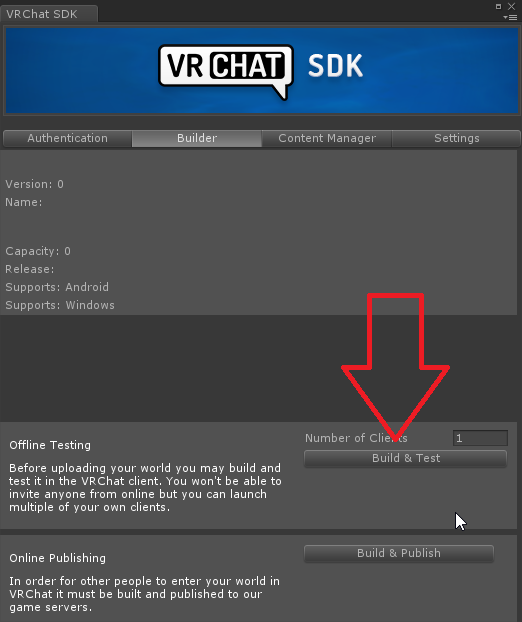
 Twitter
 warm bear
oh nice!
balmy gate
it's sadly not very accurate in some stats: it shows raw sizes but unity asset bundles then run through LZ4 compression which can be super efficient
warm bear
yeah i've seen some worlds with 7mb and have a bunch of avatars in it
is that how they do it
near escarp
The simplicity of the word may have more to do with its size
warm bear
avatars within a collection wall with a scrolling thing
balmy gate
if they use the avatar pedestal thing where you can click and change avatar, those are downloaded separately from the world
warm bear
yeah its not pedestal
wonder how they did that
but it does work like pedestal in getting avatars
balmy gate
hmm can't say, but there are lots of optimization techniques including atlasing.
Also what makes you think it's not a pdedstal
yeah you can customize them quite a bit: the picture might be the same one that gets downloadwed
warm bear
cuz theres nothing under it except a picture
balmy gate
if it shows the PC/Quest icon on top it's probably the pedestal
bold ibex
The large size of my world may have something to do with the lighting or amount of polies in the walls
How do you... Save world builds as a prefab
Maybe I just won't do that
I know it's late but I still need help ~^~
 timid venture
The only thing you can do is save a scene and import it to another project as far as I know
You can also separate sections into a hierarchy and save as a prefab.
I have for example inside and outside as separate hierarchies that I could save each as a prefab.
warm bear
does anyone know the correct settings for setting up audios per area when you transition to the next? i kept changing the values, but it seems as though i have no idea how it works.
 elder needle
Hello, I only recently have had this problem, but i have uploaded a update to one of my new worlds, and when i do that, it doesnt update in game, even tho in unity there have been changes / removed stuff etc.. and skybox change.. but when i upload, its stuck in the old version
warm bear
sounds like an ID of the world problem
random owl
@elder needle did you happen to update your unity version to beta or something else than the current one?
 rancid pivot
Where the hell is uno?
sacred warren
Erm, so chairs appear to break onenter/exit triggers? Is that a known thing, if so, how do I work around it?
wraith field
Hi, does anyone know how I could have a sound playing in my world that can be heard only while someone is underwater?
arctic carbon
@wraith field you can use a vrc_trigger to enable a specific audio source that plays that sound
 glad nova
what settings do you use for truly global sound? I added music to my world and messed around with the min/max range but it still sounds stronger in the left or right ear depending on where you're facing from the sound source
arctic carbon
@glad nova make sure the spatial blend of the audio source is set to 2d for 2d sound
glad nova
@Wigo#417 thanks
wraith field
@arctic carbon I tried setting up a "water splash" sound effect that way, but couldn't get it working...here's a picture:
when someone touches that collider a splash should happen, but nothing does
 supple drift
layer needs to be playerlocal
arctic carbon
I thought the same thing
wraith field
thank you both!!
It works perfectly now, yessssss!!!!
Time to try it with the underwater sound 😄
arctic carbon
have fun! 🙂
wraith field
Hmm, I'm actually a little confused about how this underwater sound thing would work, thinking about it. The splash happens when someone touches it, which makes sense. But IRL you'd only hear that muffled "underwater white noise" if someone had their head underwater.
If I did it the same way I did the splash, with onentertrigger and AudioTrigger, tall people would be hearing that burbling sound even with their head in normal air
arctic carbon
im not 100% sure how to do that but I think I have seen some people do it before by some how adding a trigger to someones head
I've heard about people attatching stuff to people there body's before, I just have never tried to do that
you might be able to ask about that in #development-advanced because im pretty sure thats more advanced. (or I just might be stupid xD)
wraith field
I'll post it there and see if I get any bites here or on there! Thank you so much wigo!
arctic carbon
you're welcome
balmy gate
@wraith field using PlayerTracker from the toybox in the prefabs database. Check pinned messages
arctic carbon
see im just stupid 🙂
wraith field
You people are fast!!!
arctic carbon
xD
balmy gate
The PlayerTracker is based on the head position
wraith field
Thank you so much @balmy gate going to look into this!
balmy gate
so it's different from PlayerLocal (avatar capsule / avatar base)
wraith field
That makes a lot of sense. 😄
balmy gate
so put that on a custom layer or make the trigger on that instead and then don't detect PlayerLocal
wraith field
Okay! Thank you, I'm writing all of this down
balmy gate
Standard Assets and toybox are both necessities in vrchat
wraith field
I'll have to check this out. I think I've heard of toybox but not standard assets
balmy gate
Standard Assets contains a bunch of scripts that are whitelisted, so you usually need that to be installed regardless. it's in the asset store for free
wraith field
Thank you! I'll bookmark it. I'm sure I'll be using it in this project 🙂
 rich trail
Does anyone know how I can make a mirror clear, and only reflect players?
near escarp
layer to player and player local on culling
near escarp
it's on the mirror itself, not the object layer
rich trail
do you mean like this?
random owl
PlayerLocal is the wrong one you need MirrorReflection
And also Player if you wanna show other players
random owl
That can be left on water
rich trail
random owl
Looks alright
rich trail
Cool, testing. Thank you 😄
Hmm it still occludes whatever is behind the mirror
Maybe I didn't describe what I am trying to do well enough
random owl
Oh you want it to show what's behind the mirror 🤔
rich trail
Yeah like basically just see a cutout of the player reflection on the mirror plane
Trying to put a reflection inside of a waterfall 😊
sacred warren
Any ideas on the chair trigger issue?
random owl
You could make it spawn a local cube that's on a special layer on the chair that collides with the triggers maybe
@rich trail and that's gonna require some special setup I'm trying to think of the best way to do it
You might need a special shader honestly unless someone else here knows a good way to recommend
sacred warren
That sounds like madness. Why do the triggers think i have left?
random owl
Oh yeah your problem was that it thinks you left the area now I remember
I honestly haven't tested that much to say much else
wraith field
@balmy gate Hey Lyuma, I got PlayerTracking downloaded and placed into my scene, but I just can't figure out how to do what you mentioned. When I try adding PlayerTracking to its own custom layer and changing the underwater sound trigger layer (this trigger is currently placed on the Ocean mesh) to that custom layer, in-game I get flung off the map and sent into a repeating warp zone glitch type thing. I know I'm doing something wrong, but I'm not sure what. Would you be able to check this out? I'm attaching some images for reference.
rich trail
Thanks for the help @random owl ! Seems like it would be a pretty neat effect for several things
Also have yet to try Ruuub's settings
Will have to be later though!
Thx again 😊
wraith field
@balmy gate Hmm i don't think that's it, changed it to OnEnterTrigger and it still flings me off the map the same way
balmy gate
Is your collider marked is trigger
wraith field
yeah
balmy gate
Go to edit -> project settings-> physics and uncheck all the layers from your new PlayerTracking layer except the layer of the vrc trigger object
wraith field
@balmy gate No change :x
warm bear
do you guys know how to make it so audio still plays it by itself when you're transitioning area's and back to it?
balmy gate
@wraith field what's happening now
Does your playertracking collider has is trigger checked
wraith field
@balmy gate The same effect (flung off the map on load) -- oh, i do see that there's a trigger option for an inactive box collider on the PlayerHandle within PlayerTracking, should that be checked?
balmy gate
Don't change that object at all
Make a new object inside it and put the collider there
If you already changed stuff maybe start over with the player tracking prefab
wraith field
put the ocean's box collider in an EmptyObject as a child of PlayerHandle?
balmy gate
Yes
wraith field
i haven't changed anything in the prefab except moved it to the new PlayerTracking layer i made
wraith field
ohhh okay let me try that out
balmy gate
Butif you didn't add anything ot it, i don't see how it can cause the player to go flying
wraith field
it seemed to be related to the creation of that PlayerTracking layer I made